Latest — Sep 8, 2025
Passwork 7.1

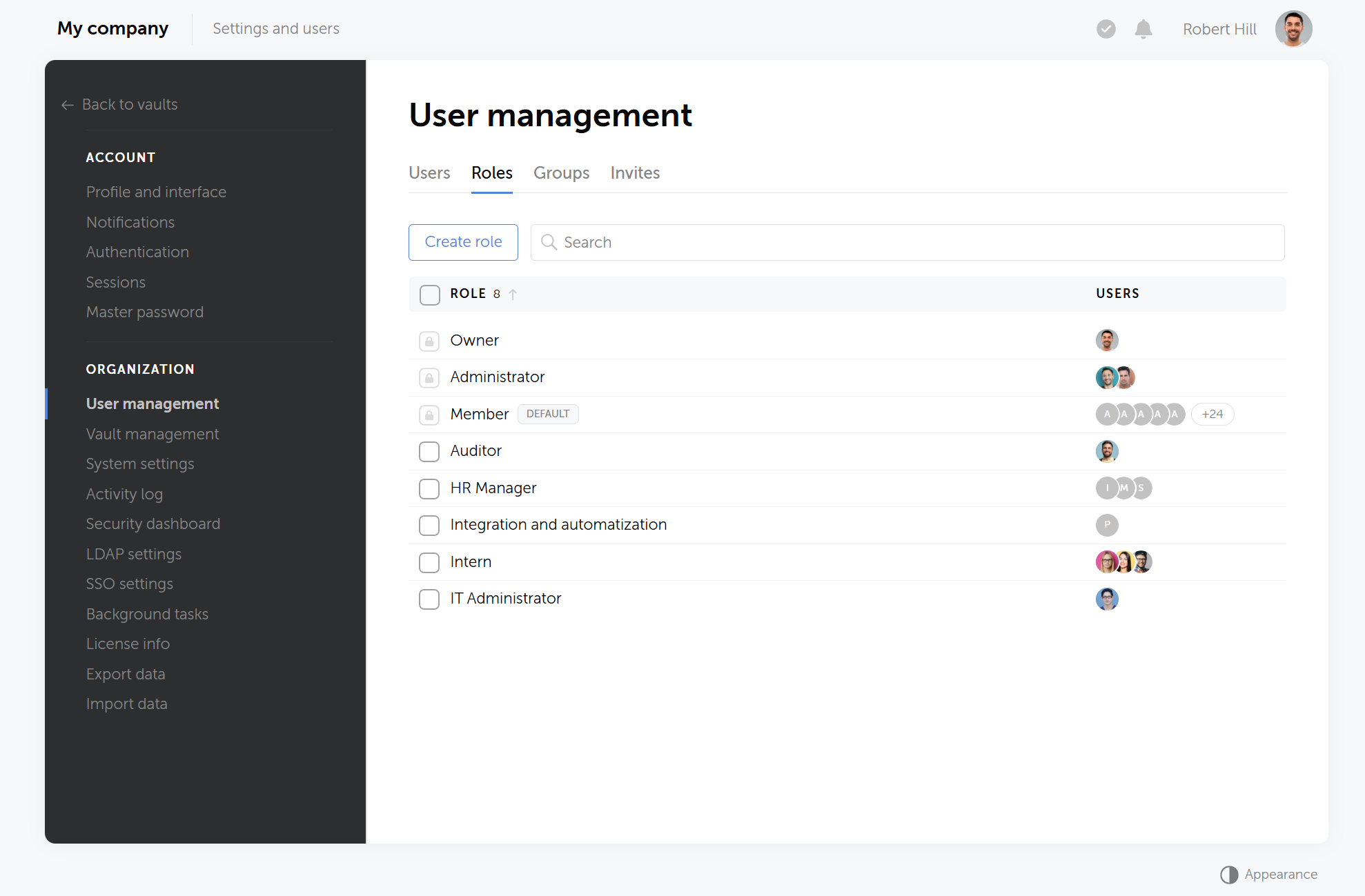
En la nueva versión, hemos introducido la capacidad de crear tipos de bóvedas personalizados con administradores asignados automáticamente, perfeccionado la herencia de derechos de acceso basados en grupos y el manejo de parámetros de códigos TOTP, además de realizar numerosas correcciones y mejoras.

Tipos de bóvedas

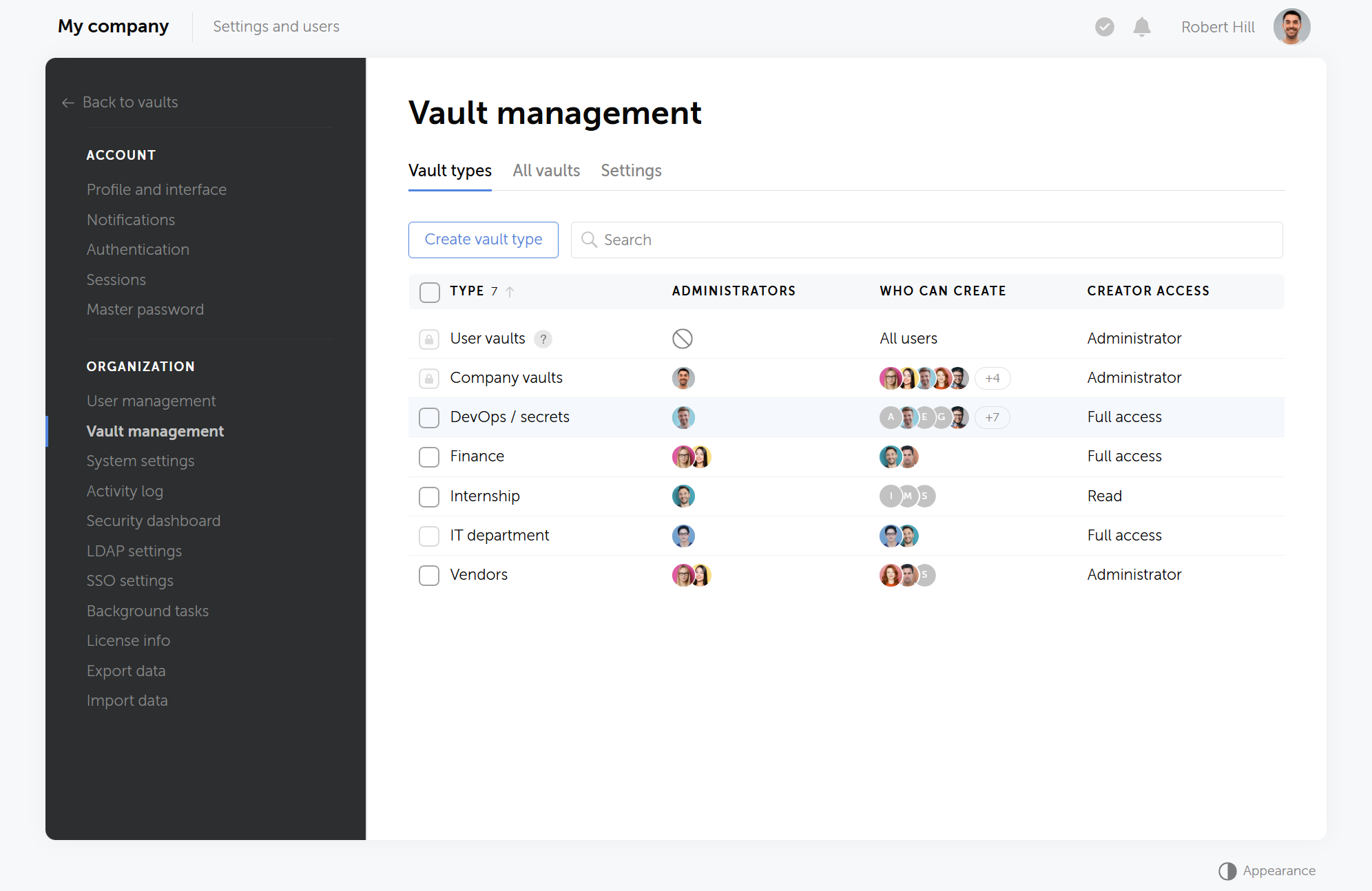
En Passwork 7.1, puede crear tipos de bóvedas personalizados con configuraciones flexibles adaptadas a las necesidades de su organización:

  • Cada tipo de bóveda le permite asignar administradores dedicados, establecer restricciones en la creación de bóvedas y definir el nivel de acceso del creador.
  • Cuando crea una bóveda o cambia su tipo, los administradores corporativos seleccionados obtienen acceso automáticamente. Otros administradores no podrán reducir su nivel de acceso ni eliminarlos por completo.
  • Ahora puede configurar diferentes tipos de bóvedas para varios departamentos o proyectos, asignar administradores relevantes y configurar permisos para tareas específicas.

Visualización de todas las bóvedas del sistema

Hemos añadido la capacidad de ver todas las bóvedas creadas dentro de la organización, incluidas las privadas. La lista muestra solo los nombres de las bóvedas, así como los usuarios y grupos que tienen acceso a ellas, mientras que el contenido de las bóvedas sigue estando disponible estrictamente para usuarios con acceso directo. Esto abre amplias oportunidades para auditorías de almacenamiento de datos a nivel de sistema. El acceso a la lista de bóvedas está determinado por la configuración de roles.

Mejoras

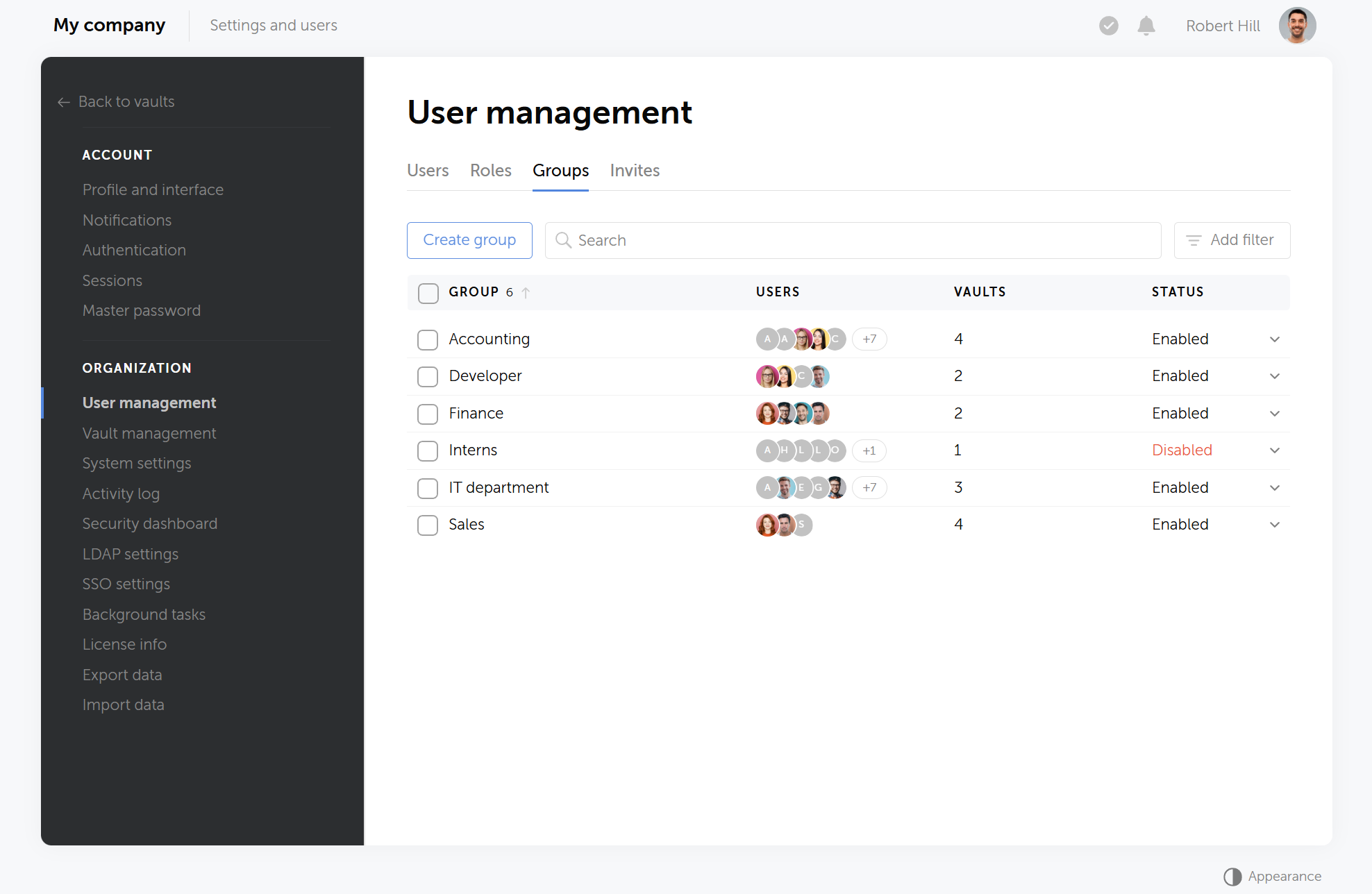
  • Se mejoró la lógica de herencia de acceso de múltiples grupos: ahora, si un usuario pertenece a grupos con derechos tanto de «Acceso completo» como de «Prohibido» a un directorio específico, se aplicará el nivel de acceso «Prohibido».
  • Se añadieron las configuraciones «Nivel de acceso requerido para abandonar bóvedas» y «Nivel de acceso requerido para copiar carpetas y contraseñas».
  • Se añadió la opción de mostrar un banner personalizado a usuarios no autenticados: cuando la opción «Mostrar a usuarios no autenticados» está habilitada, el banner será visible en las páginas de inicio de sesión, registro, contraseña maestra y restablecimiento de contraseña.
  • Se añadió el procesamiento de parámetros de dígitos y período durante la generación de códigos TOTP.
  • Se añadieron enlaces clicables a bóvedas, carpetas, contraseñas, roles, grupos y usuarios en las notificaciones.
  • Se añadió la transferencia del historial de sesiones de usuario al migrar desde Passwork 6.

Corrección de errores

  • Se corrigió un problema donde la página de configuración de 2FA no aparecía al iniciar sesión en Passwork después de habilitar «2FA obligatorio» en la configuración de roles.
  • Se corrigió el conteo incorrecto de intentos de inicio de sesión fallidos con la configuración activa «Límite de intentos de inicio de sesión fallidos dentro de un período de tiempo especificado».
  • Se corrigió un problema donde las sesiones de la aplicación móvil y la extensión del navegador no se restablecían después de deshabilitar «Habilitar aplicaciones móviles» y «Habilitar extensiones de navegador» en la configuración de roles.
  • Se corrigió un problema donde el registro de actividad filtrado por una bóveda particular mostraba eventos de carpetas dentro de la bóveda: ahora solo se muestran eventos en el nivel de anidación seleccionado.
  • Se corrigió un problema donde la búsqueda por etiqueta de color no funcionaba para algunas contraseñas.
  • Se corrigió un problema donde los datos del usuario podían actualizarse al iniciar sesión con LDAP a pesar de tener deshabilitada la configuración «Permitir modificación de usuario durante la sincronización LDAP».
  • Se corrigió un problema en la ventana de exportación donde desmarcar todas las carpetas dentro de una bóveda también desmarcaba la bóveda misma.
  • Se corrigió el comportamiento incorrecto de la configuración «Cerrar sesión automáticamente después de inactividad».
  • Se corrigió la visualización incorrecta de notas.
  • Se corrigió la redirección incorrecta al directorio inicial de la contraseña o acceso directo después de editar estos elementos en Favoritos.
  • Se corrigió un problema donde la fecha de eliminación del elemento en la Papelera se restablecía durante la migración desde Passwork 6.

Puede encontrar toda la información sobre las actualizaciones de Passwork en nuestra documentación técnica.

¿Listo para dar el primer paso? Pruebe Passwork con una demostración gratuita y explore formas prácticas de proteger su negocio.

The 2025 small business cybersecurity checklist: A complete guide | Passwork
Passwork's 2025 cybersecurity checklist, based on the NIST framework, provides actionable steps to prevent data breaches and financial loss.
Passwork 7.2 release
The new version introduces customizable notifications with flexible delivery options, enhanced event logging descriptions, expanded CLI functionality, server-side PIN code storage for the browser extension, and the ability to enable client-side encryption during initial Passwork configuration. Notification settings We've added a dedicated notification settings section where you can choose notification
Python connector 0.1.5: Automated secrets management
The new Python connector version 0.1.5 expands CLI utility capabilities. We've added commands that solve critical tasks for DevOps engineers and developers — secure retrieval and updating of secrets in automated pipelines. What this solves Hardcoded secrets, API keys, tokens, and database credentials create security vulnerabilities and operational bottlenecks.

Lanzamiento de Passwork 7.1

Sep 8, 2025 — 4 min read
Passwork 7.1

In the new version, we have introduced the capability to create custom vault types with automatically assigned administrators, refined the inheritance of group-based access rights and handling of TOTP code parameters, as well as made numerous fixes and improvements.

Vault types

In Passwork 7.1, you can create custom vault types with flexible settings tailored to your organization’s needs:

  • Each vault type allows you to assign dedicated administrators, set restrictions on vault creation and define a creator's access level
  • When you create a vault or change it's type, select corporate administrators automatically gain access to it. Other administrators won't be able to lower their access level or remove them altogether
  • Now you can set up different vault types for various departments or projects, assign relevant administrators, and configure permissions for specific tasks

Viewing all system vaults

We've added an ability to view all vaults created within the organization, including the private ones. The list displays only the names of the vaults as well as users and groups that have access to them, while the vault contents are still available strictly to users with direct access. This opens up extensive opportunities for system-wide data storage audits. Access to the vault list is determined by role settings.

Improvements

  • Improved the logic of inheriting access from multiple groups: now if a user belongs to groups with both "Full access" and "Forbidden" rights to a specific directory, the 'Forbidden' access level will be applied
  • Added "Access level required to leave vaults" and "Access level required to copy folders and passwords" settings
  • Added the option to show a custom banner to unauthenticated users: when the "Show to unauthenticated users" option is enabled, the banner will be visible on the sign-in, sign-up, master password and password reset pages
  • Added processing of digits and period parameters during TOTP code generation
  • Added clickable links to vaults, folders, passwords, roles, groups, and users in notifications
  • Added transfer of user session history when migrating from Passwork 6

Bug fixes

  • Fixed an issue where the 2FA setup page did not appear when logging into Passwork after enabling "Mandatory 2FA" in role settings
  • Fixed incorrect counting of failed login attempts with active "Limit on failed login attempts within a specified time frame" setting
  • Fixed an issue where mobile app and browser extension sessions were not reset after disabling "Enable mobile apps" and "Enable browser extensions" in role settings
  • Fixed an issue where Activity log filtered by a particular vault showed events from folders inside the vault: now, only events at the selected nesting level are displayed
  • Fixed an issue where a search by color tag did not work for some passwords
  • Fixed an issue where user data could be updated on LDAP login despite disabled "Allow user modification during LDAP synchronization" setting
  • Fixed an issue in the export window where unchecking all folders inside a vault also unchecked the vault itself
  • Fixed incorrect behavior of the "Automatically log out after inactivity" setting
  • Fixed incorrect display of notes
  • Fixed incorrect redirect to the password's or shortcut's initial directory after editing these items in Favorites
  • Fixed an issue where the item deletion date in the Bin was reset during migration from Passwork 6

You can find all information about Passwork updates in our technical documentation.

Ready to take the first step? Try Passwork with a free demo and explore practical ways to protect your business.

The 2025 small business cybersecurity checklist: A complete guide | Passwork
Passwork’s 2025 cybersecurity checklist, based on the NIST framework, provides actionable steps to prevent data breaches and financial loss.
Passwork 7.2 release
The new version introduces customizable notifications with flexible delivery options, enhanced event logging descriptions, expanded CLI functionality, server-side PIN code storage for the browser extension, and the ability to enable client-side encryption during initial Passwork configuration. Notification settings We’ve added a dedicated notification settings section where you can choose notification
Python connector 0.1.5: Automated secrets management
The new Python connector version 0.1.5 expands CLI utility capabilities. We’ve added commands that solve critical tasks for DevOps engineers and developers — secure retrieval and updating of secrets in automated pipelines. What this solves Hardcoded secrets, API keys, tokens, and database credentials create security vulnerabilities and operational bottlenecks.

Passwork 7.1 release

Aug 29, 2025 — 4 min read
Incident response planning — preparedness vs. reality

Introduction

As cyber threats continue to evolve, organizations face increasing pressure to respond quickly and effectively to security incidents. But how well do incident response plans hold up when theory meets reality? This was the central theme of the Passwork cybersecurity webinar in August 2025, featuring insights from Prince Ugo Nwume, cybersecurity consultant at Accenture, and CircleMac, host of the Passwork webinar series. 

Preparation and real-world testing

Incident response plans must be living documents, not static checklists. While tabletop exercises help teams understand their roles, only real-world simulations expose true gaps in preparedness. Annual testing is the bare minimum, in regulated industries, quarterly or biannual reviews are often required.

"Tabletop exercises are great, but you need more — actual crisis simulations and drills show what works and what doesn't" — Prince Ugo Nwume

Drills and red team challenges frequently reveal overlooked weaknesses. The cybersecurity consultant recalled a load balancer left at a disaster recovery site that unexpectedly became an entry point for attackers. Continuous improvement requires immediate after-action reviews, regular updates to playbooks, and staff training that directly addresses real-world gaps.

Coordination across teams and vendors

Clear communication and decision-making authority are critical. Effective incident response depends on cross-functional cooperation among IT, legal, HR, communications, and business units. A dedicated incident coordinator helps ensure priorities are aligned and decisions are made without delay.

"When an incident happens, every team has its priorities. You need defined lines of communication and authority — otherwise, you risk making the situation worse." — Prince Ugo Nwume

Third-party vendors, including cloud providers, add another layer of risk. Contracts should specify SLAs, audit rights, and clear escalation procedures for incident response.

"Third-party risk is always a challenge — you need to safeguard your business by demanding strong security practices from vendors" — Prince Ugo Nwume

Tools and technologies for an effective response

Technology is at the core of rapid incident response. Password managers help organizations accelerate credential resets, simplify access reviews, and contain breaches more effectively. Best practices include enterprise-wide adoption, regular audits, and immediate credential changes during an incident.

"Password managers make it easier to change credentials, monitor access, and prevent attackers from persisting in your environment" — Prince Ugo Nwume

Cloud-native environments introduce both simplicity and complexity. Shared responsibility requires clear definitions of what belongs to the organization versus the provider. Rapid communication channels and frequent contract reviews are essential for compliance and responsiveness.

Measure success by checking KPIs and benchmarks:

  • Mean time to detect
  • Mean time to resolve
  • False positive rates

Tracking these metrics over time enables organizations to refine their incident response programs and adapt to emerging threats.

Compliance and continuous improvement

Global organizations must align with evolving legal and regulatory requirements through annual reviews, gap assessments, and GRC oversight.

"Compliance is a moving target. You need standardized frameworks and regular gap assessments to keep up." — Prince Ugo Nwume

But technical controls alone are not enough. Responding to major incidents places enormous pressure on people. Prince stressed the importance of caring for teams.

"You need to support your team — reward their effort and build a culture where people want to step up when it matters" — Prince Ugo Nwume

Shift rotations, recognition, and a culture of resilience help ensure teams stay motivated and capable during prolonged crises.

Conclusion

Incident response planning requires ongoing preparation, cross-team collaboration, and continuous improvement. As the cybersecurity consultant highlighted, real adaptability comes from robust controls, practical training, and a culture of vigilance. Tools like Passwork and standardized procedures are essential, but success depends on adaptability and teamwork. Incident response plans must be living documents, not static checklists.

  • Preparation and practice are key
  • Cross-functional coordination and clear authority are essential
  • Password managers are a cornerstone of rapid response
  • Global compliance requires standardized frameworks
  • Team resilience and well-being matter
Ready to take the first step? Try Passwork with a free demo and explore practical ways to protect your business.

Further reading

Cloud security: Shared responsibility or shared confusion?
Table of contents * Introduction * The shared responsibility model: Theory vs practice * Where ambiguity leads to risk * Contracts, fine print, and operational realities * Lessons learned: Avoiding misconfiguration * Conclusion Introduction Cloud security remains one of the most debated topics in modern IT. As organizations continue their migration to cloud platforms, the question
Cyber insurance: A false sense of security?
Table of contents * Introduction * Cyber insurance: What does it cover? * The day-to-day reality of cybersecurity * Navigating Global Compliance * The rewards and challenges of cybersecurity * Conclusion Introduction As cyber threats and data breaches become more frequent and sophisticated, many organizations are looking to cyber insurance as a way to manage risk.
Passwork 7: Security verified by HackerOne
Passwork has successfully completed the penetration testing, carried out by HackerOne — the world’s largest platform for coordinating bug bounty programs and security assessments. This independent evaluation confirmed Passwork’s highest level of data protection and strong resilience against modern cyber threats. What the pentest covered Security architecture and data

Incident response planning: Preparedness vs. reality

Aug 22, 2025 — 7 min read
GDPR password security: Guide to effective staff training

Introduction

GDPR password security is an essential component of modern data protection strategies and a key aspect of GDPR compliance. Under the General Data Protection Regulation (GDPR), organizations are legally required to implement special technical and organizational measures to safeguard personal data. Passwords remain the most common authentication mechanism, and they also represent one of the weakest links in information security when poorly managed.

According to Verizon Data Breach Investigations Report 2024, human error, including credential misuse, remains a significant factor in data breaches, accounting for a substantial percentage of incidents. This highlights the critical need for effective employee training in GDPR password security. Strong technical tools are vital, but security gaps quickly appear if employees aren’t properly trained. This article examines best practices for employee training, identifies common mistakes, and demonstrates how business can mitigate risks through practical policies and modern tools.

Why training matters in GDPR password security

GDPR requires organizations to demonstrate accountability. That means it is not enough to set policies. Businesses must prove that employees understand and apply them. Password misuse remains one of the most frequent root causes of data breaches, often associated with weak or reused credentials.

From a regulatory perspective, insufficient password controls can be interpreted as a failure to apply "appropriate technical and organizational measures" under Article 32 of GDPR. This translates into direct financial and reputational risks, making cybersecurity training a critical investment.

Training employees is the bridge between abstract policy and daily practice. By equipping staff with knowledge and tools, companies not only reduce the risk of data breaches and cyberattacks but also create an auditable record of compliance.

GDPR password security training: Best practices

Effective GDPR password security training is not a one-time event but a continuous process. Employees must see security as part of their daily responsibilities rather than an annual compliance requirement. These are practical recommendations for employee training:

Ongoing, concise learning
Short, frequent sessions are far more effective than long, one-off seminars. Use onboarding modules, quarterly refreshers, and targeted updates after incidents. For example, new hires can generate their first password directly in a password manager, immediately experiencing how the system enforces company-wide security policies.

Learn by doing with simulations
Real-world simulations make lessons stick. A phishing exercise or a mock "compromised shared password" scenario shows how a single mistake can endanger the organization. In the Passwork password manager, such training can be replicated when the system flags outdated or reused passwords, prompting employees to walk through the secure update workflow with full audit logging.

Modern and practical password policies
Overly complex rules often push staff into shortcuts. Instead, focus on length, uniqueness, and blocking reuse. Passwork automates this by generating strong, unique passwords and preventing weak combinations, eliminating the burden of memorization and reducing risky workarounds.

Seamless integration with daily workflows
Employees are more likely to follow secure practices when security tools are built into their routine. Passwork integrates with LDAP and SSO, allowing staff to log in with their standard corporate accounts while administrators gain centralized oversight of accounts and groups.

Role-based training and access control
Different departments face different risks: general staff deal with operational routine issues, finance teams — with fraud attempts, and IT teams manage critical systems. Passwork role-based access control (RBAC) allows employees to see firsthand that they have access only to the credentials required for their role, no more.

A no-blame reporting culture
Security only works when staff feel safe reporting mistakes. Passwork provides audit trails and real-time alerts for critical events, enabling quick remediation and turning incidents into learning opportunities instead of sources of punishment.

The most successful programs blend practical exercises, clear communication, and tools that reinforce correct behavior at the point of use. With platforms like Passwork, secure practices become effortless, turning password management from a weak point into a core strength for compliance and resilience.

Common mistakes employees make with passwords

Despite awareness campaigns, many companies continue to face recurring issues in password behavior. These mistakes point out a gap between policy and practice, where employees either misunderstand requirements or prioritize convenience over security. Recognizing these pitfalls is the first step in addressing them through training and enforcement. Even in organizations with formal password policies, employees often fall into predictable traps:

  • Reusing passwords across multiple systems
  • Choosing weak or guessable patterns such as names, dates, or simple sequences
  • Storing credentials insecurely on notes, spreadsheets, or messengers
  • Failing to update compromised passwords after breaches
  • Bypassing complex policies with shortcuts (e.g., adding "1!" each time)
  • Neglecting multi-factor authentication (MFA) setup, even when available, is a common oversight that significantly weakens access control

Passwork helps businesses eliminate these problems systematically. Zero Knowledge architecture and AES-256 encryption ensure data protection by design. LDAP and SSO integration simplify authentication, and RBAC provides granular access control so that employees only see what they are authorized to use. Multi-factor authentication (MFA) further reduces risks if a password is compromised. Built-in audit trails and real-time monitoring enable security leaders to swiftly identify and address issues such as password reuse and weak credential creation. Employees naturally adopt secure practices, closing the gap between policy and daily behavior.

Business risks of poor GDPR password security

Companies that fail to secure passwords face multiple risks:

  • Regulatory fines of up to €20 million or 4% of global turnover or non-compliance with GDPR requirements
  • Operational disruptions if accounts are locked or compromised
  • Financial loss from investigations, lawsuits, and compensation
  • Reputational damage and customer churn
  • Supply chain risks occur when compromised passwords affect partners

Password training is universally important, but some industries face higher stakes:

  • Healthcare. Medical records are highly sensitive and overlap with HIPAA.
  • Finance. Passwords protect transactions and client trust.
  • Legal and consulting. Compromised credentials can expose client data.
  • Public sector and education. High user volumes and limited budgets make password training a critical necessity.
  • Technology and SaaS. Shared developer credentials and API keys require strict governance and oversight.

These risks represent everyday realities across industries. The vast majority of attacks exploiting weak passwords are opportunistic rather than targeted, meaning any business that relies on outdated password practices is automatically at risk. Poor password security is no longer just an IT issue. It is a strategic business risk with legal, financial, and reputational consequences.

By adopting strong training programs and enterprise-level solutions like Passwork, organizations can transform passwords from a liability into a managed part of their security posture.

Conclusion

GDPR password security is both a compliance requirement and a business safeguard. Employee training transforms password policies from abstract rules into daily habits that protect data, reduce risk, and demonstrate accountability.

Security leaders should combine concise training sessions, simulations, practical password policies, and strong technical tools. By embedding Passwork into this ecosystem, organizations both educate staff and provide them with resources to comply effortlessly. Training is about building a security culture where GDPR password security becomes second nature, protecting the business and its customers.

FAQ: Frequently asked questions about GDPR password security training

Q: What does GDPR say about passwords?
A: GDPR does not prescribe exact password rules (e.g., "must be 12 characters long"). Instead, Article 32 requires organizations to implement "appropriate technical and organizational measures" to ensure data security. This is a risk-based approach. For passwords, this means your policies (length, complexity, MFA) must be strong enough to protect the specific personal data you process. A failure to enforce strong password hygiene can be interpreted as a direct violation of this requirement, leading to significant fines.

Q: How can we make security training engaging so employees actually pay attention?
A: The key is to move beyond passive lectures. Effective training is interactive and context-driven. Use gamification (e.g., leaderboards for completing security quizzes), real-world phishing simulations, and role-playing scenarios where teams must respond to a mock data breach. Tying training directly to the tools they use daily, like a password manager, makes the lessons practical. For example, instead of just talking about strong passwords, have them generate one in the company's password manager during the training itself.

Q: What are the essential components of effective GDPR training?
A: Effective programs combine GDPR fundamentals with practical application. This includes secure password creation, using password managers, multi-factor authentication, breach response procedures, and role-specific scenarios to keep the content relevant.

Q: How does password training support GDPR compliance?
A: Documented training initiatives serve as proof of "appropriate technical and organizational measures" under Article 32. Good record-keeping shows regulators that employees have been properly trained and helps organizations track progress and demonstrate accountability during audits.

Q: What metrics prove training is effective?
A: Organizations should monitor the following metrics: reduced password-related incidents, stronger password strength scores, increased adoption of password management tools, and a decline in password reset requests. These metrics provide tangible evidence that training translates into improved security.

Ready to take the first step? Try Passwork with a free demo and explore practical ways to protect your business.

Further reading

HIPAA requirements for password management
Table of contents * Introduction * How HIPAA works * Cybersecurity and clinical efficiency * HIPAA and password management * How to train staff to meet HIPAA standards * How Passwork supports HIPAA compliance * Sustainable HIPAA compliance Introduction In the complex ecosystem of modern healthcare, patient data is essential for secure management. In 2024, the U.
Cyber insurance: A false sense of security?
Table of contents * Introduction * Cyber insurance: What does it cover? * The day-to-day reality of cybersecurity * Navigating Global Compliance * The rewards and challenges of cybersecurity * Conclusion Introduction As cyber threats and data breaches become more frequent and sophisticated, many organizations are looking to cyber insurance as a way to manage risk.
Four ways to make users love password security

GDPR password security: Guide to effective staff training

Aug 21, 2025 — 5 min read
Cloud security: Shared responsibility or shared confusion?

Introduction

Cloud security remains one of the most debated topics in modern IT. As organizations continue their migration to cloud platforms, the question of "Who is responsible for what?" grows increasingly complex. In our latest Passwork webinar, cybersecurity lecturer David Gordon joined host Turpal to unpack the realities behind the shared responsibility model and why clear boundaries are still elusive for many teams.

"The shared responsibility model is a fundamental concept in cloud security that delineates where the cloud provider’s responsibilities begin and end, and where the client’s responsibilities begin and end" — David Gordon

The session explored practical examples, common pitfalls, and actionable strategies for CISOs and IT leaders navigating the blurred lines between cloud provider and client responsibilities.

The shared responsibility model: Theory vs practice

At its core, the shared responsibility model defines the security obligations of both the cloud provider (e.g., AWS, Azure) and the client. The provider is responsible for securing the infrastructure and network, while the client manages data, applications, and configuration within the cloud environment.

However, these boundaries shift depending on the service model:

  • Infrastructure as a service (IaaS). Clients carry most of the security burden, from OS patches to identity management.
  • Platform as a service (PaaS). Responsibility is more balanced, with providers handling the platform and clients managing data and application logic.
  • Software as a service (SaaS). Providers handle most security aspects, but clients must still manage user access and data governance.

While the model is theoretically clear, David highlighted that practical applications can sometimes be a little complex due to the dynamic nature of cloud services.

Where ambiguity leads to risk

Ambiguity in the shared responsibility model has been the root cause of several high-profile breaches. One of the most cited examples is the misconfiguration of AWS S3 buckets. Despite AWS securing the underlying infrastructure, clients failed to set proper permissions, resulting in sensitive data exposure.

"Some overly permissive permissions were granted to these S3 buckets, and that led to sensitive data being exposed to the public. That type of scenario is unfortunately not uncommon." — David Gordon

Other common missteps include:

  • Misconfigured identity and access management (IAM) rules
  • Failure to implement multi-factor authentication (MFA) on critical accounts
  • Assuming implicit security without verifying configurations

The lesson: never assume security is "built-in" by default. Clients must proactively manage their configurations and understand the nuances of each cloud service model.

Contracts, fine print, and operational realities

Cloud provider contracts aim to define shared security responsibilities, but operational realities often diverge from contractual language. CISOs and IT leaders must scrutinize the fine print, looking for:

  • Clear delineation of responsibilities. Understand exactly what the provider covers and what is left to the client.
  • Incident response procedures. Who is responsible for breach notification, investigation, and remediation?
  • Audit rights and transparency. Can you validate the provider’s controls and monitor their compliance?
  • Service-level agreements (SLAs). Are uptime, recovery, and security guarantees realistic and enforceable?

David cautioned that the detailed operational implications are sometimes not as clear as the contract language suggests, underscoring the need for ongoing review and negotiation.

Lessons learned: Avoiding misconfiguration

A recurring theme in the discussion was that most cloud-related incidents are not caused by flaws in the provider’s infrastructure, but rather by preventable mistakes made by clients. The biggest culprits are misconfigured permissions, lack of monitoring, and weak identity practices. These errors underscore the importance of treating configuration management as an ongoing discipline rather than a one-time setup. Training teams, conducting regular checks, and utilizing automated tools can significantly mitigate these risks.

"Just never assume implicit security. Yes, the cloud provider is responsible for the infrastructure, but you, the client, are 100% responsible for how you configure permissions on the cloud." — David Gordon

The webinar highlighted real-world strategies for minimizing risk and confusion:

  • Continuous education. Train teams to understand their responsibilities and the specifics of each cloud service model.
  • Regular audits. Periodically review configurations, permissions, and access controls.
  • Automated monitoring. Leverage tools to detect misconfigurations and anomalous activity in real time.
  • Collaborative planning. Foster open communication among security, IT, and business units to ensure a shared understanding.

Conclusion

Cloud security is not a static checklist — it is an ongoing partnership between provider and client. As David Gordon emphasized, "never assume implicit security." Success requires vigilance, clear communication, and a willingness to adapt as cloud services evolve.

  • The shared responsibility model is clear in theory, but ambiguous in practice
  • Misconfiguration, especially of storage and access controls, remains a leading cause of cloud breaches
  • Contracts should be reviewed for operational clarity, not just legal protection
  • Ongoing education, monitoring, and cross-team collaboration are essential for effective cloud security

At Passwork, we help organizations navigate the complexities of cloud security with tools that empower proactive management, robust access controls, and real-time monitoring. By understanding your responsibilities and building resilient processes, you can turn shared confusion into shared success.

Interested in more practical insights on cloud security? Stay tuned for our next webinar, explore our resources on password management, compliance, and insider threat prevention.

Further reading

Cyber insurance: A false sense of security?
Table of contents * Introduction * Cyber insurance: What does it cover? * The day-to-day reality of cybersecurity * Navigating Global Compliance * The rewards and challenges of cybersecurity * Conclusion Introduction As cyber threats and data breaches become more frequent and sophisticated, many organizations are looking to cyber insurance as a way to manage risk.
Why do employees ignore cybersecurity policies?
Employees often ignore cybersecurity rules not out of laziness, but because they feel generic, irrelevant, or disconnected from real work. True change starts with empathy, leadership, and context-driven policies. Read the full article to learn how to make security stick.
Passwork 7: Security verified by HackerOne
Passwork has successfully completed the penetration testing, carried out by HackerOne — the world’s largest platform for coordinating bug bounty programs and security assessments. This independent evaluation confirmed Passwork’s highest level of data protection and strong resilience against modern cyber threats. What the pentest covered Security architecture and data

Cloud security: Shared responsibility or shared confusion?

Aug 21, 2025 — 5 min read
Cyber insurance: A false sense of security?

Introduction

As cyber threats and data breaches become more frequent and sophisticated, many organizations are looking to cyber insurance as a way to manage risk. But is cyber insurance a true safety net — or is it just a false sense of security? This question was at the core of the Password Cybersecurity Webinar, featuring insights from Yemi Eniade, a cybersecurity architect with a global perspective and decades of hands-on experience.

Cyber insurance: What does it cover? 

Yemi Eniade highlighted a critical issue: many organizations misunderstand what cyber insurance provides. While insurance can help mitigate financial losses after an incident, it is not a replacement for strong cybersecurity fundamentals.

"Insurance is not a substitute for robust security controls. It’s a tool, but some organizations see it as the solution instead of part of a bigger strategy. Many organizations misunderstand what is covered. You have to read the policy carefully — don’t assume you’re protected from everything just because you have a certificate on the wall." — Yemi Eniade

Many policies are filled with exclusions and limitations. For example, if an incident is caused by poor configuration or a lack of basic controls, coverage may be denied. Regulatory fines and business interruptions are also often misunderstood.

Key points discussed:

  • Insurance doesn’t cover everything. There are many exclusions, especially around preventable incidents.
  • Policy terms matter. Organizations need to carefully read and understand their coverage.
  • Security maturity is required. Insurers increasingly demand proof of strong controls before issuing or renewing policies.

The day-to-day reality of cybersecurity

Drawing on his journey from the Royal Navy to cybersecurity consultancy, Yemi described the ever-changing nature of the field:

"No two days are the same. Yesterday, you might have been managing vulnerabilities, today, it’s about system design. You always have to be on your toes — just like in the military." — Yemi Eniade

He credits his military background with giving him the discipline and decision-making skills needed to thrive in a high-pressure cybersecurity environment.

What Yemi values most:

  • The challenge of solving new problems every day
  • The satisfaction of turning threats into opportunities
  • The necessity of lifelong learning

Yemi’s work spans multiple continents, meaning he must constantly adapt to different regulatory environments:

  • Europe: GDPR, ISO 27001
  • USA: Sector-specific laws (e.g., FDA)
  • China: Strict data privacy and localization laws
"My project is global. The product is global. We have to deal with different laws and standards — GDPR in Europe, FDA in America, and privacy laws in China. The only way to manage is through strict company policy and a strong quality management system." — Yemi Eniade

The cybersecurity architect emphasized that a robust Quality Management System (QMS) and adherence to international standards are essential for maintaining compliance and security across regions.

The rewards and challenges of cybersecurity

The intellectual thrill of solving complex problems is balanced by the constant pressure of staying ahead of attackers. For every breakthrough moment, such as stopping a phishing campaign or closing a critical vulnerability, there is stress from long hours, shifting priorities, and the knowledge that an overlooked detail could have massive consequences. Therefore, cybersecurity leaders must find motivation in the process itself, such as building resilient systems and guiding teams through uncertainty. They must also recognize that their work directly safeguards people, businesses, and, in some cases, even national security.

"Sometimes, it’s overwhelming. You have meetings late at night or early in the morning. But you have to be happy to do what you’re doing — that’s what keeps me going." — Yemi Eniade

Rewards:

  • Intellectual stimulation from constant change
  • Working with diverse, international teams
  • Making a real impact by protecting organizations and individuals

Challenges:

  • Maintaining work-life balance, especially with teams in multiple time zones
  • The emotional and mental toll of being "always on"
  • Keeping up with new threats and evolving regulations

Conclusion 

Cyber insurance can be a valuable part of an organization's risk management strategy, but it is not a guarantee against cyber threats. As Yemi Eniade emphasized, true security comes from robust controls, continuous learning, and a culture of vigilance. Insurance is just one piece of the puzzle — real resilience requires preparation, adaptability, and a commitment to best practices.

  • Cyber insurance is not a cure-all: It should complement, not replace, a comprehensive security program.
  • Know your policy: Understand exactly what is covered, and what is not.
  • Global compliance is complex: Standardized frameworks and policies are crucial for navigating international regulations.
  • Stay adaptable: Cybersecurity is always evolving — success depends on staying alert, informed, and proactive.
Interested in more practical insights on cloud security? Stay tuned for our next webinar, explore our resources on password management, compliance, and insider threat prevention.

Further reading

HIPAA requirements for password management
Table of contents * Introduction * How HIPAA works * Cybersecurity and clinical efficiency * HIPAA and password management * How to train staff to meet HIPAA standards * How Passwork supports HIPAA compliance * Sustainable HIPAA compliance Introduction In the complex ecosystem of modern healthcare, patient data is essential for secure management. In 2024, the U.
Insider threats: Prevention vs. privacy
Insider threats are a major cybersecurity risk, often overlooked. Prevention requires balancing trust and security focus on monitoring risk-based behaviors, not constant surveillance. Use AI for early detection, educate staff, and be transparent to foster trust while protecting data.
Passwork 7: Security verified by HackerOne
Passwork has successfully completed the penetration testing, carried out by HackerOne — the world’s largest platform for coordinating bug bounty programs and security assessments. This independent evaluation confirmed Passwork’s highest level of data protection and strong resilience against modern cyber threats. What the pentest covered Security architecture and data

Cyber insurance: A false sense of security?

Aug 14, 2025 — 8 min read
HIPAA requirements for password management

Introduction

In the complex ecosystem of modern healthcare, patient data is essential for secure management. In 2024, the U.S. healthcare sector experienced over 700 large-scale data breaches, marking the third consecutive year with such a high volume of incidents. This surge compromised over 275 million patient records, a significant 63.5% increase from 2023.

"Healthcare data are more sensitive than other types of data because any data tampering can lead to faulty treatment, with fatal and irreversible losses to patients" — Healthcare Data Breaches, MDPI

The consequences go far beyond financial penalties and reputational damage. Breaches of electronic Protected Health Information (ePHI) can disrupt patient care, compromise safety, and erode public trust. As the American Hospital Association highlights, since 2020, healthcare breaches have affected over 590 million patient records — more than the entire U.S. population, with a significant number of individuals being affected multiple times. 

Healthcare operates in a 24/7 environment where delays in authentication can impact patient care. Systems must provide strong protection without disrupting urgent clinical workflows. Password management is no longer just an IT function. It is now a mission-critical process directly tied to patient safety and regulatory compliance under the Health Insurance Portability and Accountability Act (HIPAA).

How HIPAA works

HIPAA is a U.S. federal law that establishes strict requirements for safeguarding sensitive patient health information from unauthorized disclosure. In addition to privacy protection acts, the HIPAA Security Rule specifically addresses the protection of ePHI, any personally identifiable health information created, stored, transmitted, or received electronically.

HIPAA applies to:

  • Covered entities: hospitals, clinics, physicians, insurers, and healthcare clearinghouses
  • Business associates: service providers (IT, billing, cloud hosting, consultants) that handle ePHI on behalf of covered entities

HIPAA is structured around several interconnected rules, each serving a distinct purpose in protecting patient data:

  • The Privacy Rule sets standards for how PHI can be used and disclosed
  • Security Rule defines administrative, physical, and technical safeguards to protect ePHI
  • Breach Notification Rule requires covered entities and business associates to notify affected individuals, the U.S. Department of Health and Human Services (HHS), and sometimes the media, in the event of a breach
  • The Enforcement Rule outlines penalties for violations

Organizations must document their policies, conduct periodic risk assessments, and ensure that staff are properly trained. Non-compliance can lead to сivil fines up to millions of dollars, criminal penalties, including imprisonment, in cases of willful neglect or malicious misuse, and permanent listing on the public "Wall of Shame" for reported breaches. HIPAA compliance isn’t just about avoiding penalties — it’s about protecting patient safety and trust. A breach of PHI can result in identity theft, financial fraud, and critical interruptions to patient care, underscoring the vital importance of robust healthcare data security.

Cybersecurity and clinical efficiency

The 2024 NIST Digital Identity Guidelines (SP 800-63B) represent a significant evolution in cybersecurity best practices. These guidelines advocate for a shift away from overly complex passwords towards longer, more memorable passphrases, widespread adoption of multi-factor authentication (MFA), and enhanced breach detection capabilities. While these changes undeniably enhance healthcare cybersecurity, they also necessitate that healthcare providers reassess their existing tools and policies to align with modern security paradigms, like Zero trust architecture.

The NIST Digital Identity Guidelines provide a comprehensive framework that complements HIPAA requirements, offering detailed guidance on implementing robust identity and access management. For healthcare organizations, this means:

  • Identity proofing. Ensuring that individuals are the ones who they claim to be during the account creation process, reducing the risk of fraudulent access.
  • Authenticator Assurance Levels (AALs). NIST defines different levels of assurance for authenticators, from single-factor passwords to strong multi-factor methods. Healthcare organizations should strive for higher AALs for access to sensitive ePHI.
  • Federated identity management. Leveraging standards like Single Sign-On (SSO) and LDAP Integration to streamline user access across disparate systems while maintaining strong security controls. This reduces password fatigue and improves overall security posture.
  • Lifecycle management. Implementing robust processes for managing identities from creation to deactivation, including timely revocation of access rights for departing personnel. This is crucial for maintaining data integrity and preventing unauthorized access.

By integrating NIST recommendations, healthcare organizations can build a more resilient and adaptable cybersecurity posture in healthcare, moving beyond minimum compliance to proactive risk mitigation. This proactive approach is vital in combating evolving threats such as ransomware attacks and sophisticated phishing campaigns.

HIPAA and password management

The HIPAA Security Rule takes a structured approach to password management, breaking it into administrative and technical safeguards. Together, these safeguards form a framework that organizations must adapt to their operational realities, while still meeting regulatory expectations. All of that is done to keep their patient data secure.

Administrative safeguards focus on policy, governance, and people. They require:

  • Documented password policies that define how passwords are created, changed, stored, and removed. These policies must be clear, enforceable, and aligned with risk assessments
  • User training programs that educate staff on password hygiene, how to avoid common pitfalls such as reusing or sharing passwords, and how to recognize social engineering attempts. Training must be ongoing, not a one-time event
  • Risk-based access controls that ensure staff have only the level of access they need to perform their duties, following the HIPAA minimum necessary principle
  • Retention of documentation — all policies, risk assessments, and decisions must be recorded and kept for at least six years, enabling compliance audits and investigations

Technical safeguards address the systems and tools used to enforce secure authentication and access management. They include:

  • Authentication mechanisms to verify that the person accessing ePHI is the one who they claim to be — for example, username and password combinations backed up by multi-factor authentication
  • Logging and audit trails that record every authentication event and track changes to sensitive data, enabling investigation procedures of anomalies or breaches
  • Interoperability, ensuring that authentication and password controls work consistently across all environments — from electronic health record (EHR) systems to medical devices and cloud services

HIPAA further differentiates between required and addressable specifications. Required safeguards are non-negotiable — failure to implement them constitutes non-compliance. Addressable safeguards give organizations some flexibility: they can either adopt the recommended control or implement an alternative that achieves the same level of protection. In either case, the decision must be well-documented, justified, and periodically reviewed to ensure it remains appropriate and effective.

A well-designed password management program under HIPAA doesn’t stop at compliance — it also considers usability, scalability, and the unique pressures of healthcare workflows. Implemented correctly, it can reduce risks without creating operational friction, making secure access part of the daily routine rather than a barrier to patient care.

How to train staff to meet HIPAA standards

Human error remains a primary driver of healthcare data breaches. Therefore, effective staff training is not just a regulatory checkbox but an essential component of HIPAA compliance and overall ePHI protection. While regular, role-specific security awareness training for clinicians, administrators, and IT staff is fundamental, a truly effective program extends far beyond basic awareness. The goal is to transform passive compliance into active participation, empowering employees to be the first line of defense against breaches. Compliance is as much about operational discipline as it is about technology. Healthcare organizations should:

  • Implement Role-Based Access Control (RBAC) to enforce least-privilege policies.
  • Utilize LDAP Integration and Single Sign-On for centralized onboarding and offboarding processes, enhancing access rights management.
  • Separate vaults and permissions by department, specialty, or function to ensure granular control
  • Maintain comprehensive audit trails for all credential activities, crucial for accountability and forensic analysis

Organizations should consider incorporating advanced training modules on emerging cybersecurity threats, such as ransomware and advanced persistent threats (APTs), specifically tailored to the healthcare context. This includes practical exercises in incident response, data recovery, and business continuity planning. Furthermore, training should focus on the human element of security and foster a culture of vigilance, making sure that every employee understands their role in protecting sensitive patient data. This can involve gamified learning, interactive workshops, and regular communication channels for security updates and best practices. 

How Passwork supports HIPAA compliance

Selecting a password manager for healthcare organizations means not only meeting the highest standards of healthcare data security and regulatory compliance, but also ensuring that the solution fits seamlessly into the daily workflow of medical staff. Complex tools are often rejected in practice, forcing employees to revert to insecure workarounds. Passwork architecture is designed to meet HIPAA-specific compliance challenges while remaining intuitive enough for fast and easy adoption.

  • Certifications and security practices. Passwork is ISO 27001 certified, demonstrating adherence to internationally recognized information security standards. Regular penetration testing via HackerOne ensures the platform remains resilient against emerging threats.
  • On-premise deployment. Passwork supports self-hosted deployment, allowing healthcare organizations to run the system entirely within their infrastructure. This approach keeps credentials under direct organizational control, meets HIPAA data protection requirements, and minimizes exposure to third-party risks.
  • Data protection by design. With a zero-knowledge architecture and AES-256 end-to-end encryption, Passwork ensures that no one — not even the service provider — can access stored credentials. This aligns directly with HIPAA privacy, security, and technical safeguard provisions.
  • Access management. Integration with LDAP and SSO centralizes authentication and user management, making it easier to enforce consistent security policies across large and distributed healthcare environments.
  • Granular access control. Passwork RBAC enables administrators to assign precise permissions to each user or group. Only authorized staff can access specific vaults or entries, supporting the HIPAA minimum necessary standard.
  • Audit trail and real-time monitoring. HIPAA requires detailed audit controls. Passwork logs all actions, including password creation, modification, sharing, and deletion. Real-time alerts for critical events enable quick detection and response to potential security incidents.
  • Multi-factor authentication (MFA). Adding an extra layer of protection, MFA helps safeguard accounts even if a password is compromised.
  • Easy onboarding and usability. The clean and intuitive interface allows healthcare staff to start using the system immediately without requiring extensive training or disrupting patient care workflows. Passwork received the "Ease of Use" award from Capterra, which confirms that the solution is user-friendly and does not require extensive training.

By combining advanced security measures, regulatory alignment, and user-friendly design, Passwork enables healthcare organizations to protect ePHI effectively while maintaining HIPAA compliance in a practical, sustainable manner.

Sustainable HIPAA compliance

Achieving compliance is only the first step. Maintaining compliance requires ongoing attention. Healthcare organizations should:

  • Conduct regular risk assessments and update policies accordingly
  • Review audit logs for anomalies
  • Refresh training content annually
  • Continuously evaluate tools and workflows against evolving threats and regulatory updates

HIPAA compliance is not just a legal obligation — it is central to fostering patient trust and ensuring patient safety. Secure, efficient password management plays a critical role in protecting ePHI and enabling high-quality care. By combining strong encryption, granular access controls, integration with enterprise systems, and ease of use, Passwork helps healthcare organizations meet and sustain HIPAA compliance. In doing so, it safeguards sensitive data, reduces breach risks, and supports the life-critical mission of healthcare.

Ready to take the first step? Try Passwork with a free demo and explore practical ways to protect your business.

Further reading

Insider threats: Prevention vs. privacy
Insider threats are a major cybersecurity risk, often overlooked. Prevention requires balancing trust and security focus on monitoring risk-based behaviors, not constant surveillance. Use AI for early detection, educate staff, and be transparent to foster trust while protecting data.
Passwork 7: Security verified by HackerOne
Passwork has successfully completed the penetration testing, carried out by HackerOne — the world’s largest platform for coordinating bug bounty programs and security assessments. This independent evaluation confirmed Passwork’s highest level of data protection and strong resilience against modern cyber threats. What the pentest covered Security architecture and data
How to protect your online business from cyberattacks
Protect your online business from cyber threats with actionable strategies, from employee education to advanced tools like Passwork. Learn about phishing, ransomware, and more while discovering how to enhance security with simple yet effective measures. Stay protected — read the full article!

HIPAA requirements for password management

Jul 28, 2025 — 2 min read

Das Update Passwork 7.0.10 ist im Kundenportal verfügbar.

  • Verbesserte Handhabung zusätzlicher Parameter im Aktivitätsprotokoll bei der Migration von Passwork 6
  • Fehlerhafter Tresor-Datenexport bei eingeschränktem Zugriff auf verschachtelte Ordner behoben
  • Problem behoben, bei dem Zugriffsbestätigungsanfragen für einen Tresor in bestimmten Szenarien nicht gesendet werden konnten
  • Verbesserte Leistung beim Datenimport
Alle Informationen zu Passwork-Updates finden Sie in unseren Release Notes
Passwork 7.1 Release
In der neuen Version wurde die Möglichkeit eingeführt, benutzerdefinierte Tresor-Typen mit automatisch zugewiesenen Administratoren zu erstellen. Außerdem wurden die Vererbung von gruppenbasierten Zugriffsrechten und die Handhabung von TOTP-Code-Parametern verfeinert sowie zahlreiche Fehlerbehebungen und Verbesserungen vorgenommen. Tresor-Typen In Passwork 7.1 können Sie benutzerdefinierte Tresor-Typen erstellen
Passwork 7.2 Release
Die neue Version führt anpassbare Benachrichtigungen mit flexiblen Zustellungsoptionen, erweiterte Ereignisprotokoll-Beschreibungen, erweiterte CLI-Funktionalität, serverseitige PIN-Code-Speicherung für die Browser-Erweiterung und die Möglichkeit ein, clientseitige Verschlüsselung während der Erstkonfiguration von Passwork zu aktivieren. Benachrichtigungseinstellungen Ein dedizierter Bereich für Benachrichtigungseinstellungen wurde hinzugefügt, in dem Sie Benachrichtigungen auswählen können
Passwork 7.1: Tresor-Typen
Tresor-Typen Passwork 7.1 führt eine robuste Tresor-Typen-Architektur ein, die unternehmensgerechte Zugriffskontrolle für verbesserte Sicherheit und Verwaltung bietet. Tresor-Typen lösen eine zentrale Herausforderung für Administratoren: die Kontrolle des Datenzugriffs und die Delegation der Tresor-Verwaltung in großen Organisationen. Zuvor war die Auswahl auf zwei Typen beschränkt. Jetzt können Sie erstellen

Passwork 7.0.10 Release

Jul 28, 2025 — 2 min read

La actualización Passwork 7.0.10 está disponible en el portal del cliente.

  • Mejora en el manejo de parámetros adicionales en el registro de actividad al migrar desde Passwork 6
  • Corrección de la exportación incorrecta de datos de bóveda cuando el acceso a su carpeta anidada está restringido
  • Corrección de un problema donde las solicitudes de confirmación de acceso a una bóveda no se enviaban en ciertos escenarios
  • Mejora en el rendimiento de la importación de datos
Puede encontrar toda la información sobre las actualizaciones de Passwork en nuestras notas de versión
Lanzamiento de Passwork 7.1
En la nueva versión, se ha introducido la capacidad de crear tipos de bóveda personalizados con administradores asignados automáticamente, se ha refinado la herencia de derechos de acceso basados en grupos y el manejo de parámetros de código TOTP, además de numerosas correcciones y mejoras. Tipos de bóveda En Passwork 7.1, puede crear tipos de bóveda personalizados
Lanzamiento de Passwork 7.2
La nueva versión introduce notificaciones personalizables con opciones de entrega flexibles, descripciones mejoradas del registro de eventos, funcionalidad ampliada de CLI, almacenamiento del código PIN del lado del servidor para la extensión del navegador y la capacidad de habilitar el cifrado del lado del cliente durante la configuración inicial de Passwork. Configuración de notificaciones Se ha añadido una sección dedicada a la configuración de notificaciones donde puede elegir las opciones de notificación
Passwork 7.1: tipos de bóveda
Tipos de bóveda Passwork 7.1 introduce una arquitectura robusta de tipos de bóveda, proporcionando control de acceso de nivel empresarial para una seguridad y gestión mejoradas. Los tipos de bóveda abordan un desafío clave para los administradores: controlar el acceso a los datos y delegar la gestión de bóvedas en grandes organizaciones. Anteriormente, la elección se limitaba a dos tipos. Ahora, puede crear

Lanzamiento de Passwork 7.0.10

Jul 28, 2025 — 2 min read

Passwork 7.0.10 update is available in the Customer portal.

  • Improved handling of additional parameters in Acivity log when migrating from Passwork 6
  • Fixed incorrect vault data export when access to its nested folder is restricted
  • Fixed an issue where access confirmation requests to a vault failed to be sent under certain scenarios
  • Improved data import performance
You can find all information about Passwork updates in our release notes
Passwork 7.1 release
In the new version, we have introduced the capability to create custom vault types with automatically assigned administrators, refined the inheritance of group-based access rights and handling of TOTP code parameters, as well as made numerous fixes and improvements. Vault types In Passwork 7.1, you can create custom vault
Passwork 7.2 release
The new version introduces customizable notifications with flexible delivery options, enhanced event logging descriptions, expanded CLI functionality, server-side PIN code storage for the browser extension, and the ability to enable client-side encryption during initial Passwork configuration. Notification settings We’ve added a dedicated notification settings section where you can choose notification
Passwork 7.1: Vault types
Vault types Passwork 7.1 introduces a robust vault types architecture, providing enterprise-grade access control for enhanced security and management. Vault types address a key challenge for administrators: controlling data access and delegating vault management across large organizations. Previously, the choice was limited to two types. Now, you can create

Passwork 7.0.10 release

Jul 22, 2025 — 3 min read

Passwork hat den Penetrationstest erfolgreich abgeschlossen, der von HackerOne — der weltweit größten Plattform für die Koordination von Bug-Bounty-Programmen und Sicherheitsbewertungen — durchgeführt wurde. Diese unabhängige Bewertung bestätigte das höchste Datenschutzniveau von Passwork sowie die starke Widerstandsfähigkeit gegen moderne Cyberbedrohungen.

Was der Pentest umfasste

Sicherheitsarchitektur und Datenschutz
Die Experten untersuchten das Gesamtdesign der Passwork-Infrastruktur mit Fokus darauf, wie sensible Daten gespeichert, übertragen und geschützt werden.

Schutz vor wichtigen Web-Schwachstellen
Die Bewertung umfasste eine umfassende Prüfung auf Schwachstellen aus den OWASP Top 10 und SANS Top 25. Damit wird sichergestellt, dass Passwork gegen die am weitesten verbreiteten und gefährlichsten Bedrohungen für Webanwendungen geschützt ist.

Benutzerauthentifizierungs- und Autorisierungsmechanismen
Der Test verifizierte die Robustheit der Login-Prozesse, der Sitzungsverwaltung und der Zugriffskontrollsysteme, um unbefugten Zugriff zu verhindern.

API-Sicherheit und Zugriffskontrolle
Sicherheitsspezialisten testeten die API-Endpunkte von Passwork gründlich auf ordnungsgemäße Validierung, Autorisierung und Schutz vor unbefugten oder bösartigen Anfragen.

Erkennung und Reaktion auf Vorfälle
Die Bewertung überprüfte die Fähigkeit von Passwork, Sicherheitsvorfälle zu erkennen, darauf zu reagieren und sich davon zu erholen. Dies gewährleistet eine schnelle Eindämmung potenzieller Bedrohungen.

Widerstandsfähigkeit gegen gezielte Angriffe
Simulierte Angriffe testeten die Verteidigung von Passwork gegen fortgeschrittene, anhaltende Bedrohungen.

Warum das wichtig ist

Für IT-Führungskräfte, Entwickler und Sicherheitsexperten bieten unabhängige Penetrationstests die objektive Gewissheit, dass die Sicherheitsmaßnahmen eines Produkts nicht nur theoretisch sind, sondern gegen reale Angriffsvektoren wirksam sind. Die Zusammenarbeit mit HackerOne bedeutet, dass die Sicherheit von Passwork von einigen der weltweit führenden ethischen Hacker mit aktuellen Taktiken und Tools getestet wurde.

Kontinuierliche Verbesserung

Die kürzlich erfolgte ISO 27001-Zertifizierung von Passwork, kombiniert mit den positiven Ergebnissen dieses Penetrationstests, demonstriert einen systematischen Ansatz für das Informationssicherheitsmanagement. Passwork durchläuft regelmäßige Bewertungen, Code-Reviews und Updates, um die kontinuierliche Einhaltung von Best Practices und neuen Standards zu gewährleisten.

Unser Sicherheitsteam überwacht die Bedrohungslandschaft und passt die Verteidigungsmaßnahmen proaktiv an, damit Ihre Daten auch bei der Entwicklung neuer Risiken geschützt bleiben. Passwork wird kontinuierlich weiterentwickelt und verbessert, wobei die Sicherheit in jeder Phase an branchenführenden Standards ausgerichtet bleibt.

Bereit für den ersten Schritt? Starten Sie noch heute Ihre kostenlose Testversion von Passwork und entdecken Sie praktische Möglichkeiten, Ihr Unternehmen zu schützen.

Python connector 0.1.5: Automatisiertes Secrets Management
Die neue Python-Connector-Version 0.1.5 erweitert die Funktionen des CLI-Dienstprogramms. Es wurden Befehle hinzugefügt, die kritische Aufgaben für DevOps-Ingenieure und Entwickler lösen — sicheres Abrufen und Aktualisieren von Secrets in automatisierten Pipelines. Das Problem Hartcodierte Secrets, API-Schlüssel, Tokens und Datenbank-Anmeldedaten schaffen Sicherheitslücken und betriebliche Engpässe.
Die Cybersicherheits-Checkliste 2025 für kleine Unternehmen: Ein vollständiger Leitfaden | Passwork
Die Cybersicherheits-Checkliste 2025 von Passwork, basierend auf dem NIST-Framework, bietet umsetzbare Schritte zur Verhinderung von Datenverletzungen und finanziellen Verlusten.
Passwork: Secrets Management und Automatisierung für DevOps
Einführung In Unternehmensumgebungen nimmt die Anzahl von Passwörtern, Schlüsseln und digitalen Zertifikaten rapide zu, und Secrets Management wird zu einer der kritischen Aufgaben für IT-Teams. Secrets Management umfasst den gesamten Lebenszyklus sensibler Daten: von der sicheren Generierung und verschlüsselten Speicherung bis zur automatisierten Rotation und Audit-Protokollen. Da

Passwork 7: Sicherheit verifiziert durch HackerOne

Jul 22, 2025 — 3 min read

Passwork ha completado con éxito las pruebas de penetración realizadas por HackerOne — la plataforma más grande del mundo para coordinar programas de bug bounty y evaluaciones de seguridad. Esta evaluación independiente confirmó el máximo nivel de protección de datos de Passwork y su sólida resiliencia frente a las ciberamenazas modernas.

Qué abarcó el pentest

Arquitectura de seguridad y protección de datos
Los expertos examinaron el diseño general de la infraestructura de Passwork, centrándose en cómo se almacenan, transmiten y protegen los datos sensibles.

Protección contra las principales vulnerabilidades web
La evaluación incluyó una verificación exhaustiva de las vulnerabilidades incluidas en OWASP Top 10 y SANS Top 25, asegurando que Passwork esté protegido contra las amenazas de aplicaciones web más extendidas y peligrosas.

Mecanismos de autenticación y autorización de usuarios
La prueba verificó la robustez de los procesos de inicio de sesión, la gestión de sesiones y los sistemas de control de acceso para prevenir el acceso no autorizado.

Seguridad de API y control de acceso
Los especialistas en seguridad probaron exhaustivamente los endpoints de API de Passwork, verificando la validación adecuada, la autorización y la protección contra solicitudes no autorizadas o maliciosas.

Detección y respuesta ante incidentes
La evaluación revisó la capacidad de Passwork para detectar, responder y recuperarse de incidentes de seguridad, asegurando una mitigación rápida de amenazas potenciales.

Resiliencia contra ataques dirigidos
Los ataques simulados probaron las defensas de Passwork contra amenazas persistentes avanzadas.

Por qué esto es importante

Para líderes de TI, desarrolladores y profesionales de seguridad, las pruebas de penetración independientes proporcionan una garantía objetiva de que las medidas de seguridad de un producto no son solo teóricas, sino efectivas contra vectores de ataque del mundo real. La colaboración con HackerOne significa que la seguridad de Passwork fue probada por algunos de los principales hackers éticos del mundo, utilizando tácticas y herramientas actualizadas.

Mejora continua

La reciente certificación ISO 27001 de Passwork, combinada con los resultados positivos de esta prueba de penetración, demuestra un enfoque sistemático hacia la gestión de la seguridad de la información. Passwork se somete a evaluaciones regulares, revisiones de código y actualizaciones para garantizar el cumplimiento continuo con las mejores prácticas y los estándares emergentes.

Nuestro equipo de seguridad monitorea el panorama de amenazas y adapta las defensas de forma proactiva, para que sus datos permanezcan protegidos a medida que evolucionan los nuevos riesgos. Desarrollamos y mejoramos constantemente Passwork, manteniendo su seguridad alineada con los estándares líderes de la industria en cada etapa.

¿Listo para dar el primer paso? Comience su prueba gratuita de Passwork hoy y explore formas prácticas de proteger su negocio.

Python connector 0.1.5: Gestión automatizada de secretos
La nueva versión 0.1.5 del conector Python amplía las capacidades de la utilidad CLI. Hemos añadido comandos que resuelven tareas críticas para ingenieros DevOps y desarrolladores — recuperación segura y actualización de secretos en pipelines automatizados. Qué problema resuelve Los secretos codificados, claves API, tokens y credenciales de bases de datos crean vulnerabilidades de seguridad y cuellos de botella operativos.
Lista de verificación de ciberseguridad 2025 para pequeñas empresas: Una guía completa | Passwork
La lista de verificación de ciberseguridad 2025 de Passwork, basada en el marco NIST, proporciona pasos prácticos para prevenir filtraciones de datos y pérdidas financieras.
Passwork: Gestión de secretos y automatización para DevOps
Introducción En el entorno corporativo, el número de contraseñas, claves y certificados digitales está aumentando rápidamente, y la gestión de secretos se está convirtiendo en una de las tareas críticas para los equipos de TI. La gestión de secretos aborda el ciclo de vida completo de los datos sensibles: desde la generación segura y el almacenamiento cifrado hasta la rotación automatizada y los registros de auditoría. A medida que

Passwork 7: Seguridad verificada por HackerOne

Jul 22, 2025 — 3 min read
Passwork 7: Security verified by HackerOne

Passwork has successfully completed the penetration testing, carried out by HackerOne — the world’s largest platform for coordinating bug bounty programs and security assessments. This independent evaluation confirmed Passwork’s highest level of data protection and strong resilience against modern cyber threats.

What the pentest covered

Security architecture and data protection
Experts examined the overall design of Passwork’s infrastructure, focusing on how sensitive data is stored, transmitted, and protected.

Protection against major web vulnerabilities
The assessment included a comprehensive check for vulnerabilities listed in the OWASP Top 10 and SANS Top 25, ensuring that Passwork is safeguarded against the most widespread and dangerous web application threats.

User authentication and authorization mechanisms
The test verified the robustness of login processes, session management, and access control systems to prevent unauthorized access.

API security and access control
Security specialists thoroughly tested Passwork’s API endpoints, checking for proper validation, authorization, and protection against unauthorized or malicious requests.

Incident detection and response
The evaluation reviewed Passwork’s ability to detect, respond to, and recover from security incidents, ensuring rapid mitigation of potential threats.

Resilience against targeted attacks
Simulated attacks tested Passwork’s defenses against advanced persistent threats.

Why this matters

For IT leaders, developers, and security professionals, independent penetration testing provides objective assurance that a product’s security measures are not just theoretical but effective against real-world attack vectors. The collaboration with HackerOne means that Passwork’s security was tested by some of the world’s leading ethical hackers, using up-to-date tactics and tools.

Continuous improvement

Passwork’s recent ISO 27001 certification, combined with the positive results of this penetration test, demonstrates a systematic approach to information security management. Passwork undergoes regular assessments, code reviews, and updates to ensure ongoing compliance with best practices and emerging standards.

Our security team monitors the threat landscape and adapts defenses proactively, so your data remains protected as new risks evolve. We are constantly developing and improving Passwork, keeping its security aligned with the industry-leading standards at every stage.

Ready to take the first step? Start your free trial of Passwork today and explore practical ways to protect your business.

Python connector 0.1.5: Automated secrets management
The new Python connector version 0.1.5 expands CLI utility capabilities. We’ve added commands that solve critical tasks for DevOps engineers and developers — secure retrieval and updating of secrets in automated pipelines. What this solves Hardcoded secrets, API keys, tokens, and database credentials create security vulnerabilities and operational bottlenecks.
The 2025 small business cybersecurity checklist: A complete guide | Passwork
Passwork’s 2025 cybersecurity checklist, based on the NIST framework, provides actionable steps to prevent data breaches and financial loss.
Passwork: Secrets management and automation for DevOps
Introduction In corporate environment, the number of passwords, keys, and digital certificates is rapidly increasing, and secrets management is becoming one of the critical tasks for IT teams. Secrets management addresses the complete lifecycle of sensitive data: from secure generation and encrypted storage to automated rotation and audit trails. As

Passwork 7: Security verified by HackerOne

Jul 16, 2025 — 5 min read
Insider threats: Prevention vs. privacy — webinar recap

Introduction

Insider threats account for a significant portion of cybersecurity incidents, yet they remain one of the least understood and most challenging risks to mitigate. Whether caused by malicious intent or negligence, insider threats can have devastating consequences, especially when sensitive data is involved.

During the webinar, Senior Executive in Infrastructure and Security Georgi Petrov shared his insights on how Malta Gaming Authority (MGA) manages insider threats while safeguarding trust within the organization. From Edward Snowden’s infamous whistleblowing to phishing attacks that exploit inattentiveness, the discussion emphasized the importance of proactive strategies that address both technical and human vulnerabilities.

At the end of the day, everybody is susceptible to data leaks. Every organization will face insider threats eventually — it’s not a matter of if, but when.
— Georgi Petrov

What are insider threats?

Insider threats refer to the risks posed by individuals within an organization, such as employees, contractors, or partners, who misuse their access to sensitive data or systems. These threats can be categorized into two types:

  • Malicious insiders: Individuals who intentionally harm the organization, such as stealing data or sabotaging systems.
  • Negligent insiders: Individuals who unintentionally compromise security, often due to ignorance or carelessness.

Georgi emphasized that insider threats often arise from poor system design, inadequate controls, or malicious intent. Addressing these vulnerabilities requires a combination of robust security frameworks and education.

You need to ensure that your insider threat program collects the right type of data — not everything. Focus on metadata, not sensitive content, and always ask: Why am I collecting this information? How does it help safeguard the organization?
— Georgi Petrov

Ethical dilemmas: Surveillance vs. privacy

One of the most debated topics during the webinar was whether insider threat monitoring programs merely serve as a facade for surveillance. Georgi argued that monitoring is not inherently invasive if implemented responsibly. The key is to collect only what is necessary — metadata rather than sensitive content — and to be transparent with employees.

For example: Instead of logging every keystroke or web browsing activity, organizations should focus on detecting risk-based behaviors, such as attempts to access unauthorized data or upload files to cloud storage.

Transparency and clear communication are vital. Employees need to understand that monitoring is designed to protect the organization, not to spy on them. This approach fosters trust while maintaining security.

We are not the big brother. We’re here to protect the organization’s cybersecurity posture, not to track employee activities unnecessarily.
— Georgi Petrov

Insiders vs. outsiders: Who poses a bigger risk?

When asked who poses a greater risk — trusted insiders or outsiders with limited access — Georgi provided a nuanced perspective:

  • Outsiders: Unpredictable and capable of exploiting vulnerabilities to escalate privileges, which makes them harder to control.
  • Insiders: More predictable and manageable through safeguards like role-based access controls and monitoring.
An outsider with minimal credentials can often pose a bigger risk because they’re unpredictable. They might escalate privileges or exploit vulnerabilities, which can be devastating for an organization.
— Georgi Petrov

Separating signals from noise

Monitoring tools generate vast amounts of data, making it challenging to distinguish genuine threats from irrelevant noise. Georgi stressed the importance of context in threat detection:

  • Noise: Routine activities, such as a finance employee downloading spreadsheets during end-of-quarter reporting.
  • Signal: Abnormal behaviors, such as an offboarding employee attempting to access and upload sensitive files to cloud storage.
The moment it becomes a signal is when you see abnormal activity — like accessing sensitive folders unrelated to their department or trying to exfiltrate data. That’s when you flip the switch and investigate.
— Georgi Petrov

Predictive vs. reactive threat detection

Should insider threat programs shift from reactive detection to predictive prevention? Georgi strongly advocated for predictive approaches that leverage AI and machine learning to identify subtle patterns that human analysts might miss.

For example: In a reactive system, an employee gradually exfiltrating files over weeks could evade detection. However, predictive tools can identify abnormal patterns and flag potential threats early.

Predictive prevention minimizes the damage caused by insider threats by allowing organizations to act before incidents escalate.

Balancing trust and security

Continuous monitoring can create a culture of mistrust among employees. To strike a balance, Georgi recommended the following:

  • Transparency: Clearly communicate what is being monitored and why.
  • Risk-based monitoring: Focus on behaviors that indicate potential threats rather than conducting blanket surveillance.
  • Education: Regularly train employees on cybersecurity best practices to reduce negligence-based risks.

The main point: Trust and security are not mutually exclusive. By fostering a culture of transparency and education, organizations can build trust while maintaining robust defenses.

Trust, but verify. Build a culture of trust, educate your employees, and configure your monitoring tools to focus on risk-based behaviors — not constant surveillance.
— Georgi Petrov

Key takeaways

  • Collect meaningful data: Avoid over-monitoring and focus on metadata and risk-based behaviors.
  • Adopt predictive tools: Use AI to identify patterns and prevent threats before they occur.
  • Foster trust: Transparency and education are essential for balancing security with employee confidence.
  • Prepare for the inevitable: Insider threats are not a matter of "if" but "when". A multilayered approach ensures resilience.

Conclusion

Insider threats present a complex challenge for organizations, requiring them to navigate the fine line between prevention and privacy. As Georgi Petrov highlighted during the webinar, the key lies in building a culture of trust, implementing risk-based monitoring, and adopting predictive tools to stay ahead of threats.

At Passwork, we empower organizations with tools that enhance security without compromising trust. From managing passwords securely to fostering a culture of cybersecurity awareness, our solutions are designed to help you protect what matters most.

Ready to take your insider threat prevention to the next level? Explore Passwork today and see how we can help you safeguard your organization while maintaining employee trust.

Further reading:

Why do employees ignore cybersecurity policies?
Employees often ignore cybersecurity rules not out of laziness, but because they feel generic, irrelevant, or disconnected from real work. True change starts with empathy, leadership, and context-driven policies. Read the full article to learn how to make security stick.
Private password breach checking: A new algorithm for secure password validation
Table of contents * Introduction * Existing solutions and their tradeoffs * Our innovation: Obfuscated deterministic bloom filter indices * Key benefits: Bridging the privacy-performance gap * Real-world applications: Transforming password security * Conclusion: A new era in password security Introduction Data breaches have become routine: millions of users worldwide face the consequences of compromised passwords.
Common myths about password managers
Worried that password managers are risky or hard to use? It’s time to rethink. In this article, we debunk common myths about password managers, break down how they actually work, and show why solutions like Passwork are vital for your cybersecurity. Learn how these tools keep your data protected.

Insider threats: Prevention vs. privacy

Insider threats are a major cybersecurity risk, often overlooked. Prevention requires balancing trust and security focus on monitoring risk-based behaviors, not constant surveillance. Use AI for early detection, educate staff, and be transparent to foster trust while protecting data.

Jul 16, 2025 — 3 min read

In der neuen Version wurden die Filterfunktionen im Sicherheits-Dashboard und in der Benutzerverwaltung erweitert, die Leistung bei großen Datenmengen optimiert sowie verschiedene Verbesserungen an der Oberfläche und der Lokalisierung vorgenommen.

Verbesserungen

  • Option zum Filtern von Passwörtern nach Benutzername und Login im Sicherheits-Dashboard hinzugefügt
  • Option zum Öffnen eines neuen Tabs beim Navigieren zu einem Passwort oder Ordner aus dem Sicherheits-Dashboard hinzugefügt
  • Option zur Auswahl mehrerer Rollen beim Filtern von Benutzern in der Benutzerverwaltung hinzugefügt
  • Fortschrittsbalken für Aktionen in der Benutzerverwaltung hinzugefügt
  • Unterstützung für die Verarbeitung des Datenexport-Beschränkungsparameters in der Weboberfläche hinzugefügt
  • Leistung bei der Verarbeitung großer Datenmengen optimiert

Fehlerbehebungen

  • Duplizierung von Ereignissen im Aktivitätsprotokoll beim Anzeigen von kürzlich verwendeten, favorisierten und Posteingangs-Passwörtern behoben
  • Duplizierung der Schaltflächen Speichern und Abbrechen in den System- und SSO-Einstellungen unter bestimmten Szenarien behoben
  • Paginierungsprobleme beim Anzeigen von Passwortkarten in einem Verzeichnis mit vielen Elementen behoben
  • Problem behoben, bei dem Benutzer mit Leserechten in der Benutzerverwaltung nicht auf einige Benutzerseiten zugreifen konnten
  • Problem behoben, bei dem die Schaltflächen Shortcut erstellen, Link erstellen und Senden im Fenster für zusätzlichen Zugriff angezeigt wurden, obwohl Benutzer keine Berechtigung für diese Aktionen hatten
  • Problem behoben, bei dem die Option Rollen verwalten in den Rolleneinstellungen in bestimmten Szenarien nicht verfügbar war
  • Problem behoben, bei dem der Zugang Lesen und Bearbeiten für ein geteiltes Passwort über das Fenster für zusätzlichen Zugriff festgelegt werden konnte, obwohl das Teilen von Passwörtern mit diesem Zugangslevel eingeschränkt war
  • Problem behoben, das die Erstellung eines verschachtelten Ordners mit demselben Namen wie der übergeordnete Ordner verhinderte
  • Problem behoben, bei dem veraltete Einstellungen beim Starten von Hintergrundaufgaben verwendet werden konnten
  • Problem mit der Datenentschlüsselung bei der Konfiguration von SMTP mit anonymer Authentifizierung behoben
  • Problem behoben, das beim Verbinden eines Benutzers mit einem Tresor über eine Gruppe in der Benutzerverwaltung auftrat (relevant für die Version ohne clientseitige Verschlüsselung)
  • Falsche Navigation zum Zielverzeichnis beim Kopieren eines Ordners über das Kontextmenü behoben
  • Falsche Weiterleitung zur Seite Kürzlich bei Auswahl von Mailer config für den E-Mail-Dienst in den Systemeinstellungen behoben
  • Fehler bei der Validierung von Passwörtern mit dem Sonderzeichen Unterstrich behoben
  • Migrationsproblem von Passwork 6 mit ungültigen IDs behoben
Alle Informationen zu Passwork-Updates finden Sie in unseren Release Notes
Passwork 7.1 Release
In der neuen Version wurde die Möglichkeit eingeführt, benutzerdefinierte Tresortypen mit automatisch zugewiesenen Administratoren zu erstellen, die Vererbung von gruppenbasierten Zugriffsrechten und die Handhabung von TOTP-Code-Parametern verfeinert sowie zahlreiche Fehlerbehebungen und Verbesserungen vorgenommen. Tresortypen In Passwork 7.1 können Sie benutzerdefinierte Tresortypen erstellen
Passwork 7.1: Tresortypen
Tresortypen Passwork 7.1 führt eine robuste Tresortypen-Architektur ein, die unternehmensgerechte Zugriffskontrolle für erhöhte Sicherheit und Verwaltung bietet. Tresortypen adressieren eine zentrale Herausforderung für Administratoren: die Kontrolle des Datenzugriffs und die Delegation der Tresorverwaltung in großen Organisationen. Zuvor war die Auswahl auf zwei Typen beschränkt. Jetzt können Sie
Passwork 7.2 Release
Die neue Version führt anpassbare Benachrichtigungen mit flexiblen Zustelloptionen, erweiterte Beschreibungen der Ereignisprotokollierung, erweiterte CLI-Funktionalität, serverseitige PIN-Code-Speicherung für die Browser-Erweiterung und die Möglichkeit ein, die clientseitige Verschlüsselung während der Erstkonfiguration von Passwork zu aktivieren. Benachrichtigungseinstellungen Es wurde ein eigener Bereich für Benachrichtigungseinstellungen hinzugefügt, in dem Sie Benachrichtigungen auswählen können

Passwork 7.0.9 Release

Jul 16, 2025 — 4 min read
Lanzamiento de Passwork 7.0.9

En la nueva versión se han mejorado las capacidades de filtrado en el Panel de seguridad y la Gestión de usuarios, se ha optimizado el rendimiento con grandes volúmenes de datos y se han introducido varias mejoras en la interfaz y la localización.

Mejoras

  • Se añadió la opción de filtrar contraseñas por nombre de usuario e inicio de sesión en el Panel de seguridad
  • Se añadió la opción de abrir una nueva pestaña al navegar a una contraseña o carpeta desde el Panel de seguridad
  • Se añadió la opción de seleccionar múltiples roles al filtrar usuarios en la Gestión de usuarios
  • Se añadió una barra de progreso para las acciones realizadas en la Gestión de usuarios
  • Se añadió soporte para gestionar el parámetro de restricción de exportación de datos en la interfaz web
  • Se optimizó el rendimiento al procesar grandes cantidades de datos

Corrección de errores

  • Se corrigió la duplicación de eventos en el Registro de actividad al visualizar contraseñas recientes, favoritas y de la bandeja de entrada
  • Se corrigió la duplicación de los botones Guardar y Cancelar en la Configuración del sistema y Configuración de SSO en ciertos escenarios
  • Se corrigieron problemas de paginación al visualizar tarjetas de contraseñas en un directorio con muchos elementos
  • Se corrigió un problema donde los usuarios con permisos de visualización en la Gestión de usuarios no podían acceder a algunas páginas de usuario
  • Se corrigió un problema donde los botones Crear acceso directo, Crear enlace y Enviar se mostraban en la ventana de acceso adicional aunque los usuarios no tuvieran permiso para estas acciones
  • Se corrigió un problema donde la opción Gestionar roles en la configuración de roles permanecía no disponible en ciertos escenarios
  • Se corrigió un problema que permitía establecer el acceso Leer y editar para una contraseña compartida a través de la ventana de acceso adicional, aunque compartir contraseñas con ese nivel de acceso estuviera restringido
  • Se corrigió un problema que impedía la creación de una carpeta anidada con el mismo nombre que su carpeta principal
  • Se corrigió un problema donde se podían usar configuraciones obsoletas al iniciar tareas en segundo plano
  • Se corrigió un problema con el descifrado de datos al configurar SMTP con autenticación anónima
  • Se corrigió un problema que ocurría al conectar un usuario a una bóveda a través de un grupo en la Gestión de usuarios (relevante para la versión sin cifrado del lado del cliente)
  • Se corrigió la navegación incorrecta al directorio de destino al copiar una carpeta a través del menú contextual
  • Se corrigió la redirección incorrecta a la página de Recientes al seleccionar Configuración de correo para el servicio de correo electrónico en la Configuración del sistema
  • Se corrigió un error en la validación de contraseñas con el carácter especial guion bajo
  • Se corrigió un problema de migración desde Passwork 6 con IDs no válidos
Puede encontrar toda la información sobre las actualizaciones de Passwork en nuestras notas de la versión
Lanzamiento de Passwork 7.1
En la nueva versión, se ha introducido la capacidad de crear tipos de bóveda personalizados con administradores asignados automáticamente, se ha perfeccionado la herencia de derechos de acceso basados en grupos y el manejo de parámetros de código TOTP, así como se han realizado numerosas correcciones y mejoras. Tipos de bóveda En Passwork 7.1, puede crear tipos de bóveda personalizados
Passwork 7.1: Tipos de bóveda
Tipos de bóveda Passwork 7.1 introduce una arquitectura robusta de tipos de bóveda, proporcionando control de acceso de nivel empresarial para una seguridad y gestión mejoradas. Los tipos de bóveda abordan un desafío clave para los administradores: controlar el acceso a los datos y delegar la gestión de bóvedas en grandes organizaciones. Anteriormente, la elección se limitaba a dos tipos. Ahora, puede crear
Lanzamiento de Passwork 7.2
La nueva versión introduce notificaciones personalizables con opciones de entrega flexibles, descripciones mejoradas del registro de eventos, funcionalidad ampliada de CLI, almacenamiento del código PIN del lado del servidor para la extensión del navegador y la capacidad de habilitar el cifrado del lado del cliente durante la configuración inicial de Passwork. Configuración de notificaciones Se ha añadido una sección dedicada de configuración de notificaciones donde puede elegir las opciones de notificación

Lanzamiento de Passwork 7.0.9

Jul 16, 2025 — 3 min read
Passwork 7.0.9 release

In the new version we’ve enhanced filtering capabilities in Security dashboard and User management, optimized performance with large data volumes, and introduced several interface and localization improvements.

Improvements

  • Added the option to filter passwords by username and login in Security dashboard
  • Added the option to open a new tab when navigating to a password or folder from Security dashboard
  • Added the option to select multiple roles when filtering users in User management
  • Added a progress bar for actions performed in User management
  • Added support for handling the data export restriction parameter in the web interface
  • Optimized performance when processing large amounts of data

Bug fixes

  • Fixed duplication of events in Activity log when viewing recent, favorite, and inbox passwords
  • Fixed duplication of the Save and Cancel buttons in System and SSO settings under certain scenarios
  • Fixed pagination issues when viewing password cards in a directory with many items
  • Fixed an issue where users with viewing rights in User management could not access some user pages
  • Fixed an issue where the Create shortcut, Create link, and Send buttons were displayed in the additional access window even though users had no permission for these actions
  • Fixed an issue where the Manage roles option in role settings remained unavailable in certain scenarios
  • Fixed an issue allowing the Read and edit access to be set for a shared password through the additional access window, even though sharing passwords with that access level was restricted
  • Fixed an issue preventing the creation of a nested folder with the same name as its parent folder
  • Fixed an issue where outdated settings could be used when starting background tasks
  • Fixed an issue with data decryption when configuring SMTP with anonymous authentication
  • Fixed an issue that occurred when connecting a user to a vault via a group in User management (relevant for the version without client-side encryption)
  • Fixed incorrect navigation to the target directory when copying a folder via the context menu
  • Fixed incorrect redirect to the Recents page when selecting Mailer config for the email service in System settings
  • Fixed an error in the validation of passwords with the underscore special character
  • Fixed a migration issue from Passwork 6 with invalid IDs
You can find all information about Passwork updates in our release notes
Passwork 7.1 release
In the new version, we have introduced the capability to create custom vault types with automatically assigned administrators, refined the inheritance of group-based access rights and handling of TOTP code parameters, as well as made numerous fixes and improvements. Vault types In Passwork 7.1, you can create custom vault
Passwork 7.1: Vault types
Vault types Passwork 7.1 introduces a robust vault types architecture, providing enterprise-grade access control for enhanced security and management. Vault types address a key challenge for administrators: controlling data access and delegating vault management across large organizations. Previously, the choice was limited to two types. Now, you can create
Passwork 7.2 release
The new version introduces customizable notifications with flexible delivery options, enhanced event logging descriptions, expanded CLI functionality, server-side PIN code storage for the browser extension, and the ability to enable client-side encryption during initial Passwork configuration. Notification settings We’ve added a dedicated notification settings section where you can choose notification

Passwork 7.0.9 release

Jul 14, 2025 — 19 min read

Introducción

Las filtraciones de datos se han vuelto rutinarias: millones de usuarios en todo el mundo enfrentan las consecuencias de contraseñas comprometidas. La escala es asombrosa: miles de millones de credenciales quedan expuestas, alimentando ataques automatizados y credential stuffing a escala masiva. Servicios como «Have I Been Pwned» ahora rastrean más de 12 mil millones de cuentas filtradas, y ese número sigue creciendo.

Los profesionales de seguridad y los usuarios enfrentan un desafío directo: ¿cómo podemos verificar si una contraseña ha sido comprometida en una filtración de datos sin revelar la contraseña al servicio de verificación? La tarea suena simple, pero en realidad requiere un delicado equilibrio entre privacidad, seguridad y rendimiento.

Los enfoques tradicionales imponen un compromiso. Las búsquedas directas de hash son rápidas pero inseguras: exponen el hash completo, arriesgando filtraciones de contraseñas. Los protocolos criptográficos más sofisticados ofrecen fuertes garantías de privacidad, pero conllevan una sobrecarga computacional significativa y una complejidad de implementación que los hace poco prácticos para muchas aplicaciones del mundo real.

Presentamos una solución que cierra esta brecha: Verificación privada de filtraciones de contraseñas usando índices de filtros Bloom deterministas ofuscados. Este enfoque innovador proporciona fuertes garantías de privacidad mientras mantiene la eficiencia necesaria para el despliegue práctico en gestores de contraseñas, sistemas de autenticación e infraestructura de seguridad empresarial.

Soluciones existentes y sus compromisos

Para comprender la importancia de nuestro nuevo enfoque, es importante examinar los métodos actuales para la verificación de filtraciones de contraseñas y sus limitaciones inherentes.

Búsqueda directa de hash: Simple pero insegura

Los primeros servicios de verificación de filtraciones de contraseñas, como LeakedSource, empleaban un enfoque directo: los usuarios enviaban el hash SHA-1 de su contraseña, y el servicio verificaba si ese hash exacto aparecía en su base de datos de filtraciones. Aunque es simple de implementar y muy rápido de aplicar, este método es inseguro y propenso a ataques potenciales.

Cuando un usuario envía su hash de contraseña directamente, esencialmente está entregando una huella criptográfica de su contraseña al servicio. Esto crea varios vectores de ataque: actores maliciosos podrían realizar ataques de tablas rainbow contra el hash enviado, lanzar ataques de diccionario enfocados en ese hash específico, o correlacionar la misma contraseña en múltiples servicios. El problema fundamental es que el hash mismo se convierte en una pieza valiosa de información que puede ser explotada.

K-anonimato: Un paso adelante con vulnerabilidades restantes

Reconociendo los problemas de seguridad con el envío directo de hash, Troy Hunt introdujo el enfoque de k-anonimato para el servicio «Have I Been Pwned», que desde entonces ha sido adoptado por grandes empresas incluyendo Cloudflare y Microsoft. Este método representa una mejora significativa en la protección de la privacidad mientras mantiene características de rendimiento razonables.

En el enfoque de k-anonimato, en lugar de enviar el hash completo de la contraseña, el cliente calcula el hash SHA-1 de su contraseña y envía solo los primeros 5 caracteres hexadecimales (representando 20 bits) al servidor. El servidor entonces devuelve todos los hashes en su base de datos que comienzan con ese prefijo, típicamente entre 400 y 800 hashes. El cliente luego verifica localmente si su hash completo aparece en la lista devuelta.

Este enfoque ofrece varias ventajas: es simple de implementar, proporciona protección de privacidad razonable y utiliza el ancho de banda eficientemente. Sin embargo, análisis de seguridad recientes han revelado vulnerabilidades significativas. El método todavía filtra 20 bits de entropía sobre la contraseña, y la investigación ha demostrado que esta información parcial puede aumentar las tasas de éxito de descifrado de contraseñas en un orden de magnitud cuando los atacantes tienen acceso a los prefijos filtrados. El enfoque es particularmente vulnerable a ataques dirigidos contra cuentas de alto valor, donde incluso la información parcial puede ser valiosa para adversarios sofisticados.

Protocolos criptográficos: Fuerte privacidad a un alto costo

En el otro extremo del espectro, los protocolos criptográficos avanzados ofrecen garantías de privacidad robustas pero conllevan costos sustanciales de implementación y rendimiento. Dos enfoques principales han surgido en esta categoría: Funciones Pseudoaleatorias Oblivias (OPRF) e Intersección de Conjuntos Privados (PSI).

El enfoque OPRF, utilizado en el servicio Password Checkup de Google y el llavero de iCloud de Apple, emplea una danza criptográfica sofisticada. El cliente primero «ciega» el hash de su contraseña usando un valor aleatorio, creando una versión enmascarada que no revela nada sobre la contraseña original. El servidor luego aplica una función pseudoaleatoria a este valor cegado sin aprender nada sobre la contraseña subyacente. Finalmente, el cliente «desciega» el resultado y verifica si el valor final existe en un conjunto pre-descargado de identificadores filtrados.

Los protocolos de Intersección de Conjuntos Privados adoptan un enfoque diferente, utilizando técnicas criptográficas avanzadas como cifrado homomórfico o circuitos garbled. Estos protocolos permiten que un cliente aprenda la intersección de su conjunto de contraseñas y la base de datos de filtraciones del servidor sin que ninguna de las partes revele su conjunto completo a la otra.

Aunque estos enfoques criptográficos proporcionan excelentes garantías de privacidad sin filtración de información, vienen con inconvenientes significativos. Requieren implementaciones complejas que involucran criptografía de curva elíptica, imponen altos costos computacionales que pueden ser de 100 a 1000 veces más lentos que las operaciones de hash simples, y en algunos protocolos PSI, requieren un ancho de banda sustancial para grandes conjuntos de filtraciones. Estos factores los hacen poco prácticos para muchas aplicaciones del mundo real, particularmente aquellas que requieren validación de contraseñas en tiempo real o despliegue en dispositivos con recursos limitados.

Enfoques locales y sin conexión: Privacidad perfecta con limitaciones prácticas

Algunas organizaciones han optado por enfoques locales o sin conexión para lograr privacidad perfecta. Existen servicios como «Have I Been Pwned» que ofrecen listas de contraseñas descargables, permitiendo a las organizaciones descargar toda la base de datos de filtraciones (aproximadamente 25GB sin comprimir, 11GB comprimidos) y realizar búsquedas localmente. Las organizaciones también pueden construir filtros Bloom locales a partir de estos conjuntos de datos, reduciendo los requisitos de almacenamiento a alrededor de 860MB para 500 millones de contraseñas con una tasa de falsos positivos del 0,1%.

Aunque los enfoques locales proporcionan privacidad perfecta ya que no se requiere comunicación de red, presentan sus propios desafíos. Los requisitos de almacenamiento pueden ser prohibitivos, especialmente para aplicaciones móviles. Mantener la base de datos local sincronizada con nuevas filtraciones requiere actualizaciones regulares, y el enfoque es generalmente poco práctico para la mayoría de las aplicaciones de usuario final, particularmente en dispositivos móviles con capacidad de almacenamiento limitada.

Nuestra innovación: Índices de filtros Bloom deterministas ofuscados

Nuestro nuevo algoritmo representa un avance fundamental en la verificación de filtraciones de contraseñas al introducir un nuevo enfoque que combina la eficiencia de los filtros Bloom con técnicas de ofuscación sofisticadas. El resultado es un sistema que proporciona fuertes garantías de privacidad mientras mantiene las características de rendimiento necesarias para el despliegue en el mundo real.

Comprendiendo los filtros Bloom: La base

Para entender nuestro enfoque, es útil primero comprender el concepto de un filtro Bloom. Un filtro Bloom es una estructura de datos probabilística eficiente en espacio diseñada para probar si un elemento es miembro de un conjunto. Piense en él como una representación altamente comprimida de un gran conjunto de datos que puede responder rápidamente a la pregunta «¿Este elemento definitivamente no está en el conjunto?» o «Este elemento podría estar en el conjunto».

La belleza de los filtros Bloom radica en su eficiencia. En lugar de almacenar los hashes de contraseñas reales, un filtro Bloom representa la base de datos de filtraciones como un gran array de bits. Cuando un hash de contraseña se añade al filtro, se aplican múltiples funciones hash para generar varias posiciones de índice en el array de bits, y esas posiciones se establecen en 1. Para verificar si una contraseña podría estar comprometida, se aplican las mismas funciones hash para generar las mismas posiciones de índice, y si todas esas posiciones contienen 1, la contraseña podría estar en la base de datos de filtraciones.

La naturaleza probabilística de los filtros Bloom significa que pueden producir falsos positivos (indicando que una contraseña podría estar filtrada cuando en realidad no lo está) pero nunca falsos negativos (nunca pasarán por alto una contraseña que realmente está filtrada). Esta característica los hace perfectos para aplicaciones de seguridad donde es mejor errar por el lado de la precaución.

La innovación central: Ofuscación determinista

La idea clave detrás de nuestro algoritmo es que, aunque los filtros Bloom son eficientes, consultar directamente posiciones de bits específicas todavía revelaría información sobre la contraseña que se está verificando. Nuestra solución introduce un mecanismo de ofuscación sofisticado que oculta la consulta real entre ruido cuidadosamente elaborado.

El algoritmo opera sobre un principio simple pero poderoso: al verificar una contraseña, en lugar de solicitar solo las posiciones de bits que corresponden a esa contraseña, el cliente también solicita posiciones de «ruido» adicionales que se generan de manera determinista pero que parecen aleatorias para el servidor. Esto crea una situación donde el servidor no puede distinguir entre las posiciones de consulta reales y las falsas, ocultando efectivamente la contraseña que se está verificando.

Lo que hace este enfoque particularmente elegante es el uso de generación de ruido determinista. A diferencia del ruido aleatorio, que crearía diferentes patrones de consulta cada vez que se verifica la misma contraseña, nuestro enfoque determinista asegura que verificar la misma contraseña siempre genera el mismo conjunto de posiciones de ruido. Esta consistencia es crucial tanto por razones de seguridad como de eficiencia.

Cómo funciona el algoritmo: Un proceso de tres fases

Nuestro algoritmo opera a través de tres fases distintas, cada una diseñada para mantener la privacidad mientras asegura una operación eficiente.

Fase 1: Configuración del servidor
El servidor comienza tomando un conjunto completo de hashes de contraseñas comprometidas de filtraciones de datos conocidas. Estos hashes se utilizan luego para poblar un gran array de bits de filtro Bloom. Para cada hash de contraseña comprometida, se aplican múltiples funciones hash para generar varias posiciones de índice en el array de bits, y esas posiciones se marcan como 1. El resultado es una representación compacta de millones o miles de millones de contraseñas comprometidas que puede ser consultada eficientemente.

Fase 2: Generación de consulta del cliente
Cuando un cliente quiere verificar una contraseña, el proceso comienza calculando un hash criptográfico de la contraseña. El cliente luego genera dos conjuntos de índices: los «índices verdaderos» que corresponden a la contraseña que se está verificando, y los «índices de ruido» que sirven como señuelos.

Los índices verdaderos se generan aplicando las mismas funciones hash utilizadas por el servidor al hash de la contraseña. Estas son las posiciones en el filtro Bloom que necesitarían verificarse para determinar si la contraseña está comprometida.

Los índices de ruido se generan usando una función pseudoaleatoria con una clave secreta que solo el cliente conoce. Este secreto asegura que el ruido parezca aleatorio para el servidor pero sea determinista para el cliente. El número de índices de ruido se elige cuidadosamente para proporcionar fuertes garantías de privacidad mientras mantiene la eficiencia.

Una vez que ambos conjuntos de índices se generan, se combinan y mezclan de manera determinista pero impredecible. Esta mezcla asegura que el servidor no pueda distinguir entre índices reales y falsos basándose en su posición en la consulta.

Fase 3: Procesamiento de consulta y respuesta
El cliente envía el conjunto mezclado de índices al servidor, que responde con los valores de bit en cada posición solicitada. El servidor no tiene forma de determinar qué índices corresponden a la contraseña real que se está verificando y cuáles son ruido.

Al recibir la respuesta, el cliente examina solo los valores de bit correspondientes a los índices verdaderos. Si alguna de estas posiciones contiene un 0, la contraseña definitivamente no está comprometida. Si todas las posiciones de índices verdaderos contienen 1, la contraseña puede estar comprometida, aunque hay una pequeña posibilidad de un falso positivo debido a la naturaleza probabilística de los filtros Bloom.

El poder del ruido determinista

La naturaleza determinista de nuestra generación de ruido proporciona varias ventajas cruciales sobre enfoques alternativos. Cuando la misma contraseña se verifica múltiples veces, exactamente la misma consulta se envía al servidor cada vez. Esta consistencia previene ataques de correlación donde un adversario podría intentar identificar patrones a través de múltiples consultas para la misma contraseña.

En contraste, si se usara ruido aleatorio, consultas repetidas para la misma contraseña generarían diferentes patrones de ruido cada vez. Un adversario sofisticado podría potencialmente analizar múltiples consultas e identificar los elementos comunes, reduciendo gradualmente los índices verdaderos. Nuestro enfoque determinista elimina esta vulnerabilidad por completo.

El ruido determinista también proporciona beneficios de eficiencia computacional. Dado que la misma contraseña siempre genera la misma consulta, los clientes pueden almacenar resultados en caché, y el sistema puede optimizar para consultas repetidas sin comprometer la seguridad.

Beneficios clave: Cerrando la brecha entre privacidad y rendimiento

Nuestro algoritmo ofrece una combinación única de beneficios que abordan los desafíos fundamentales en la verificación de filtraciones de contraseñas, ofreciendo una solución práctica que no obliga a los usuarios a elegir entre privacidad y rendimiento.

Fuertes garantías de privacidad

El algoritmo proporciona protección de privacidad robusta a través de varios mecanismos. La ofuscación determinista asegura que las consultas para diferentes contraseñas sean computacionalmente indistinguibles para el servidor. Incluso con acceso a vastos recursos computacionales y conocimiento de contraseñas comunes, un servidor adversario no puede determinar qué contraseña se está verificando basándose únicamente en el patrón de consulta.

El sistema está específicamente diseñado para resistir ataques de correlación, donde un adversario intenta obtener información analizando múltiples consultas a lo largo del tiempo. Debido a que la misma contraseña siempre genera el mismo patrón de consulta, las verificaciones repetidas no proporcionan información adicional que pueda comprometer la privacidad. Esto contrasta marcadamente con sistemas que usan ruido aleatorio, donde múltiples consultas para la misma contraseña eventualmente revelarían el verdadero patrón de consulta.

Operando bajo un modelo de amenaza honesto-pero-curioso, el algoritmo asume que el servidor seguirá el protocolo pero puede intentar extraer información de las consultas observadas. Nuestro enfoque asegura que incluso un adversario sofisticado con acceso a bases de datos públicas de filtraciones y la capacidad de almacenar y analizar todas las consultas a lo largo del tiempo no pueda extraer información significativa sobre las contraseñas que se están verificando.

Características de rendimiento excepcionales

Uno de los aspectos más convincentes de nuestro algoritmo es su perfil de rendimiento. La evaluación experimental demuestra que el sistema logra tiempos de consulta inferiores al milisegundo, haciéndolo adecuado para escenarios de validación de contraseñas en tiempo real. Este rendimiento se logra a través de la naturaleza eficiente de las operaciones de filtros Bloom y el proceso de consulta optimizado.

La sobrecarga de ancho de banda es mínima, típicamente requiriendo menos de 1KB por consulta. Esta eficiencia hace que el algoritmo sea práctico para aplicaciones móviles y entornos con conectividad de red limitada. Los bajos requisitos de ancho de banda también reducen los costos del servidor y mejoran la escalabilidad para los proveedores de servicios.

La sobrecarga computacional tanto en el lado del cliente como del servidor es mínima. Los clientes solo necesitan realizar operaciones básicas de hash criptográfico y manipulaciones simples de bits. Los servidores pueden responder a consultas con búsquedas directas en arrays de bits. Esta simplicidad contrasta marcadamente con los protocolos criptográficos que requieren operaciones complejas de curvas elípticas o cálculos de cifrado homomórfico.

Escalabilidad y despliegue práctico

Construido para el despliegue en el mundo real, el algoritmo asegura que la infraestructura del lado del servidor pueda procesar eficientemente millones de consultas concurrentes mientras mantiene tiempos de respuesta consistentes. La representación del filtro Bloom permite el almacenamiento compacto de bases de datos masivas de filtraciones, haciéndolo económicamente viable para mantener servicios completos de verificación de filtraciones.

El sistema admite actualizaciones fáciles a medida que se descubren nuevas filtraciones. Las nuevas contraseñas comprometidas pueden añadirse al filtro Bloom sin requerir cambios en la implementación del lado del cliente o forzar a los usuarios a actualizar su software. Esta flexibilidad es crucial para mantener protección actualizada contra amenazas emergentes.

La resistencia robusta a ataques de denegación de servicio es otra ventaja. La naturaleza ligera del procesamiento de consultas significa que los servidores pueden manejar altos volúmenes de consultas sin un consumo significativo de recursos. Debido a que las consultas son deterministas, el almacenamiento en caché efectivo puede mejorar aún más el rendimiento y reducir la carga del servidor.

Compatibilidad e integración

Nuestro enfoque está diseñado para integrarse perfectamente con la infraestructura de seguridad existente. El algoritmo puede implementarse como un reemplazo directo para los mecanismos existentes de verificación de filtraciones de contraseñas sin requerir cambios significativos en las aplicaciones cliente. Los gestores de contraseñas, sistemas de autenticación y herramientas de seguridad empresarial pueden adoptar el algoritmo con modificaciones mínimas a sus bases de código existentes.

El sistema es compatible con varios modelos de despliegue, desde servicios basados en la nube hasta instalaciones en las propias instalaciones. Las organizaciones pueden elegir operar su propia infraestructura de verificación de filtraciones usando nuestro algoritmo mientras mantienen los mismos beneficios de privacidad y rendimiento.

El algoritmo también admite varias opciones de personalización para cumplir con requisitos de seguridad específicos. Las organizaciones pueden ajustar los niveles de ruido, parámetros del filtro Bloom y otras opciones de configuración para equilibrar la privacidad, el rendimiento y los requisitos de almacenamiento según sus necesidades específicas.

Aplicaciones en el mundo real: Transformando la seguridad de contraseñas

Los beneficios prácticos de nuestro algoritmo se traducen en mejoras significativas en una amplia gama de aplicaciones de seguridad y casos de uso. La combinación de fuertes garantías de privacidad y alto rendimiento abre nuevas posibilidades para la seguridad de contraseñas que anteriormente eran poco prácticas o imposibles.

Gestores de contraseñas: Seguridad mejorada sin compromisos

Los gestores de contraseñas representan una de las aplicaciones más convincentes para nuestro algoritmo. Estas herramientas son responsables de generar, almacenar y gestionar contraseñas para millones de usuarios, convirtiéndolas en un componente crítico de la seguridad digital moderna. Sin embargo, los gestores de contraseñas tradicionales han enfrentado desafíos para implementar una verificación completa de filtraciones debido a las limitaciones de privacidad y rendimiento.

Con nuestro algoritmo, los gestores de contraseñas ahora pueden ofrecer verificación de filtraciones en tiempo real para todas las contraseñas almacenadas sin comprometer la privacidad del usuario. Cuando los usuarios guardan una nueva contraseña o durante auditorías de seguridad periódicas, el gestor de contraseñas puede verificar instantáneamente si la contraseña ha aparecido en filtraciones de datos conocidas. Esta capacidad permite a los gestores de contraseñas proporcionar retroalimentación inmediata a los usuarios, animándoles a cambiar las contraseñas comprometidas antes de que puedan ser explotadas.

Los bajos requisitos de latencia y ancho de banda mínimo hacen práctico verificar contraseñas en tiempo real mientras los usuarios las escriben durante la creación de contraseñas. Esta retroalimentación inmediata puede guiar a los usuarios hacia contraseñas más fuertes y no comprometidas sin crear fricción en la experiencia del usuario. Las garantías de privacidad aseguran que incluso el proveedor del servicio de gestión de contraseñas no pueda conocer las contraseñas específicas que se están verificando, manteniendo la confianza que es esencial para estas herramientas de seguridad.

Sistemas de autenticación: Medidas de seguridad proactivas

Los sistemas de autenticación modernos pueden aprovechar nuestro algoritmo para implementar medidas de seguridad proactivas que protejan a los usuarios de ataques basados en credenciales. Durante los intentos de inicio de sesión, los sistemas de autenticación pueden verificar las contraseñas enviadas contra bases de datos de filtraciones en tiempo real, identificando credenciales potencialmente comprometidas antes de que puedan ser utilizadas maliciosamente.

Esta capacidad permite a los sistemas de autenticación implementar políticas de seguridad adaptativas. Por ejemplo, si un usuario intenta iniciar sesión con una contraseña que se ha encontrado en una filtración de datos, el sistema puede requerir factores de autenticación adicionales, solicitar un cambio de contraseña o restringir temporalmente el acceso a la cuenta hasta que el usuario actualice sus credenciales. Estas medidas pueden reducir significativamente la tasa de éxito de los ataques de credential stuffing y otras amenazas basadas en contraseñas.

Las características de rendimiento del algoritmo lo hacen adecuado para escenarios de autenticación de alto volumen, como sistemas de inicio de sesión empresariales o servicios web de consumo con millones de usuarios. Los tiempos de consulta inferiores al milisegundo aseguran que la verificación de filtraciones no introduzca retrasos perceptibles en el proceso de autenticación, manteniendo una experiencia de usuario fluida mientras mejora la seguridad.

Infraestructura de seguridad empresarial: Protección integral

Las grandes organizaciones enfrentan desafíos únicos en la seguridad de contraseñas debido a la escala y complejidad de sus entornos de TI. Nuestro algoritmo proporciona a los equipos de seguridad empresarial herramientas poderosas para implementar políticas integrales de seguridad de contraseñas en toda su organización.

Los sistemas de seguridad empresarial pueden usar el algoritmo para monitorear continuamente las contraseñas de los empleados contra bases de datos de filtraciones, identificando credenciales comprometidas antes de que puedan ser explotadas por atacantes. Este monitoreo puede integrarse con sistemas existentes de gestión de identidades y accesos, activando automáticamente requisitos de restablecimiento de contraseñas cuando se detectan credenciales comprometidas.

El algoritmo también apoya los requisitos de cumplimiento al proporcionar a las organizaciones la capacidad de demostrar que están monitoreando activamente las credenciales comprometidas. Muchos marcos regulatorios y estándares de seguridad requieren que las organizaciones implementen medidas para detectar y responder al compromiso de credenciales, y nuestro algoritmo proporciona una solución práctica que preserva la privacidad para cumplir con estos requisitos. Para organizaciones con estrictos requisitos de privacidad de datos, las garantías de privacidad del algoritmo aseguran que la información sensible de contraseñas nunca salga del control de la organización. Esta capacidad es particularmente importante para organizaciones en industrias reguladas o aquellas que manejan información personal sensible.

Aplicaciones de consumo: Democratizando la seguridad

La eficiencia y simplicidad de nuestro algoritmo lo hacen práctico de implementar en aplicaciones de consumo que anteriormente no podían permitirse la sobrecarga de una verificación completa de filtraciones. Las aplicaciones móviles, navegadores web y otro software de consumo ahora pueden ofrecer características de seguridad de contraseñas de nivel empresarial sin requerir recursos computacionales significativos o implementaciones criptográficas complejas.

Los navegadores web pueden integrar el algoritmo para proporcionar retroalimentación en tiempo real cuando los usuarios crean o actualizan contraseñas en sitios web. Esta integración puede ayudar a los usuarios a evitar reutilizar contraseñas comprometidas en múltiples sitios, reduciendo su exposición a ataques de credential stuffing. Los bajos requisitos de ancho de banda hacen esto práctico incluso en redes móviles con conectividad limitada.

Las aplicaciones de consumo también pueden usar el algoritmo para implementar paneles de seguridad que ayuden a los usuarios a comprender y mejorar su postura general de seguridad de contraseñas. Al verificar todas las contraseñas de un usuario contra bases de datos de filtraciones, estas aplicaciones pueden proporcionar recomendaciones personalizadas para mejorar la seguridad sin comprometer la privacidad de las contraseñas individuales.

Proveedores de servicios: Habilitando servicios de seguridad que preservan la privacidad

Nuestro algoritmo crea nuevas oportunidades para que los proveedores de servicios ofrezcan servicios de seguridad que preservan la privacidad. Las empresas pueden construir servicios de verificación de filtraciones que proporcionen fuertes garantías de privacidad a sus clientes, habilitando nuevos modelos de negocio y ofertas de servicios que anteriormente eran poco prácticos debido a preocupaciones de privacidad.

La eficiencia del algoritmo lo hace económicamente viable para operar servicios de verificación de filtraciones a gran escala. Los bajos requisitos computacionales y de ancho de banda reducen los costos operativos, haciendo posible ofrecer estos servicios a escala mientras se mantienen precios razonables. La capacidad de manejar altos volúmenes de consultas también permite a los proveedores de servicios atender a grandes bases de clientes sin inversiones significativas en infraestructura.

Los proveedores de servicios también pueden ofrecer el algoritmo como componente de plataformas de seguridad más amplias, integrando la verificación de filtraciones con otros servicios de seguridad como inteligencia de amenazas, gestión de vulnerabilidades y monitoreo de seguridad. Esta integración puede proporcionar a los clientes soluciones de seguridad integrales que aborden múltiples aspectos de la ciberseguridad mientras mantienen fuertes protecciones de privacidad.

Conclusión: Una nueva era en la seguridad de contraseñas

La introducción de nuestro algoritmo de verificación privada de filtraciones de contraseñas usando índices de filtros Bloom deterministas ofuscados representa un avance significativo en el campo de la seguridad de contraseñas. Al cerrar exitosamente la brecha entre privacidad y rendimiento, hemos creado una solución que hace práctica la verificación completa de filtraciones de contraseñas para una amplia gama de aplicaciones y casos de uso.

Las innovaciones clave del algoritmo — generación de ruido determinista, operaciones eficientes de filtros Bloom y técnicas de ofuscación sofisticadas — se combinan para ofrecer un sistema que proporciona fuertes garantías de privacidad mientras mantiene las características de rendimiento necesarias para el despliegue en el mundo real. Con tiempos de consulta inferiores al milisegundo y una sobrecarga de ancho de banda mínima, el algoritmo hace posible implementar verificación de filtraciones de contraseñas en tiempo real en aplicaciones que van desde gestores de contraseñas de consumo hasta sistemas de autenticación empresarial.

Las garantías de privacidad proporcionadas por nuestro algoritmo son particularmente significativas en el entorno regulatorio actual, donde la protección de datos y la privacidad del usuario son consideraciones cada vez más importantes. Al asegurar que la información de contraseñas nunca necesite ser revelada a los servicios de verificación, nuestro algoritmo permite a las organizaciones implementar medidas de seguridad integrales mientras mantienen el cumplimiento con las regulaciones de privacidad y las expectativas de los usuarios.

El impacto práctico de esta tecnología se extiende mucho más allá de las mejoras técnicas. Al hacer accesible y eficiente la verificación de filtraciones de contraseñas que preserva la privacidad, estamos habilitando una nueva generación de herramientas y servicios de seguridad que pueden proteger mejor a los usuarios de la creciente amenaza de ataques basados en credenciales. La compatibilidad del algoritmo con la infraestructura existente y la facilidad de implementación significan que estos beneficios pueden realizarse rápida y ampliamente en todo el ecosistema de seguridad.

A medida que las amenazas cibernéticas continúan evolucionando y las filtraciones de datos se vuelven cada vez más comunes, la necesidad de medidas efectivas de seguridad de contraseñas solo crecerá. Nuestro algoritmo proporciona una base para construir sistemas más seguros que preservan la privacidad y que pueden adaptarse para enfrentar estos desafíos mientras mantienen la usabilidad y el rendimiento que los usuarios esperan.

El desarrollo de este algoritmo representa solo el comienzo de nuestro trabajo en tecnologías de seguridad que preservan la privacidad. Estamos comprometidos a continuar la investigación y el desarrollo en esta área, explorando nuevas aplicaciones y mejoras que puedan mejorar aún más la seguridad y privacidad de los sistemas digitales.

Creemos que el futuro de la ciberseguridad radica en soluciones que no obliguen a los usuarios a elegir entre seguridad y privacidad. Nuestro algoritmo de verificación privada de filtraciones de contraseñas demuestra que es posible lograr ambos objetivos simultáneamente, proporcionando un modelo para futuras innovaciones en tecnología de seguridad.

Para organizaciones y desarrolladores interesados en implementar esta tecnología, les animamos a explorar las especificaciones técnicas detalladas y la guía de implementación proporcionada en nuestro documento de investigación completo. El documento incluye análisis de seguridad formal, recomendaciones de implementación detalladas y evaluaciones de rendimiento integrales que proporcionan la base para el despliegue exitoso de este algoritmo en entornos de producción.

Para detalles técnicos completos, guía de implementación y análisis de seguridad formal, consulte nuestro documento de investigación completo: Private password breach-checking using obfuscated deterministic bloom filter indices.
* El documento de investigación incluye pruebas matemáticas detalladas, benchmarks de rendimiento completos y ejemplos de implementación completos para desarrolladores interesados en integrar esta tecnología en sus aplicaciones.

Passwork 7.1: Tipos de bóvedas
Tipos de bóvedas Passwork 7.1 introduce una arquitectura robusta de tipos de bóvedas, proporcionando control de acceso de nivel empresarial para una seguridad y gestión mejoradas. Los tipos de bóvedas abordan un desafío clave para los administradores: controlar el acceso a los datos y delegar la gestión de bóvedas en grandes organizaciones. Anteriormente, la elección estaba limitada a dos tipos. Ahora, puede crear
Lanzamiento de la extensión de navegador 2.0.26
Versión 2.0.27 * Protección contra clickjacking mejorada: se añadió el bloqueo de clics en elementos ocultos y verificación de superposición de elementos y transformaciones CSS * Se corrigió un problema al seguir un enlace desde una notificación a una bóveda o contraseña eliminada * Se corrigió un problema que podía causar que la extensión cerrara sesión
Conector Python 0.1.5: Gestión automatizada de secretos
La nueva versión del conector Python 0.1.5 amplía las capacidades de la utilidad CLI. Hemos añadido comandos que resuelven tareas críticas para ingenieros DevOps y desarrolladores — recuperación y actualización segura de secretos en pipelines automatizados. Qué resuelve Los secretos hardcodeados, claves API, tokens y credenciales de bases de datos crean vulnerabilidades de seguridad y cuellos de botella operativos.

Verificación privada de filtraciones de contraseñas: un nuevo algoritmo para la validación segura de contraseñas