Back

Security standards and protocols

Latest — Aug 2, 2026
Biometrische Authentifizierung: Vorteile, Grenzen und Integration mit Passwort-Managern

Biometrische Authentifizierung verifiziert eine Person anhand eines Merkmals wie eines Fingerabdrucks oder Gesichtsscans. Bei einer Passkey-Anmeldung entsperrt diese biometrische Eigenschaft oder eine lokale PIN einen auf dem Gerät gespeicherten kryptografischen Schlüssel, anstatt ein Passwort irgendwohin zu senden. NIST SP 800-63B Revision 4 behandelt Biometrie als Teil der Multi-Faktor-Authentifizierung in Verbindung mit einem physischen Authenticator, nicht als eigenständigen Remote-Authenticator.

Für unternehmensweite Passwort-Tresore ergibt sich der Sicherheitsvorteil aus der Credential-Architektur, der Endpunkt-Integrität und der Autorisierungsrichtlinie — nicht allein aus der biometrischen Geste. Die operative Entscheidung für IT-Verantwortliche lautet, ob die Organisation verwaltete Endpunkte, einen getesteten nicht-biometrischen Fallback und eine ausreichend solide Tresor-Governance unterstützen kann, sobald die Anmeldereibung entfällt.


Kernpunkte

  • Biometrische Authentifizierung bestätigt die Identität auf dem Gerät. Sie entscheidet nicht, worauf diese Identität danach zugreifen kann — das ist eine separate Ebene, die durch Tresor-Rollen, Berechtigungen und Audit-Richtlinien gesteuert wird, nicht durch den Sensor selbst.
  • NIST SP 800-63B Revision 4 klassifiziert Biometrie als Teil der Multi-Faktor-Authentifizierung in Verbindung mit einem physischen Authenticator, nicht als eigenständiges Remote-Credential (NIST SP 800-63B, Abschnitt 5.2.3).
  • Ein biometrisch entsperrter Passkey eliminiert die Phishing-Angriffsfläche, die ein Passwort erzeugt: Der private Schlüssel verlässt niemals das Gerät, sodass es nichts gibt, was während der Übertragung abgefangen werden könnte.
  • Der Passkey Index der FIDO Alliance berichtet von einer Erfolgsquote von 93 % bei Passkey-Anmeldungen gegenüber 63 % bei anderen Methoden, einem Rückgang der Anmeldezeit um 73 % und einer Reduzierung der Help-Desk-Tickets im Zusammenhang mit Anmeldedaten um bis zu 81 %.
  • Biometrie kann nach einer Datenschutzverletzung nicht zurückgesetzt werden. Eine geleakte Fingerabdruckvorlage ist dauerhaft kompromittiert, weshalb NIST sie als Identifikator und nicht als Geheimnis behandelt.
  • Die Unternehmenseinführung erfordert fünf Kontrollen: verwaltete Endpunkte, lokale Benutzerverifizierung mit einem nicht-biometrischen Fallback, Identitäts- und Step-up-Richtlinien, zentrale Geheimnis-Governance sowie einen getesteten Wiederherstellungs- und Widerrufsprozess.
  • Passwork hält diese beiden Ebenen konzeptionell getrennt. Die Passkey-Anmeldung übernimmt die lokale biometrische Entsperrung, während Rollen, Berechtigungen und Audit-Logs im Tresor verbleiben — so geht schnellere Anmeldung nicht auf Kosten der Zugriffskontrolle.

Was ist biometrische Authentifizierung

Biometrische Authentifizierung verifiziert die Identität einer Person anhand eines physischen Merkmals wie eines Fingerabdrucks, Gesichts oder Irismusters — anstelle eines auswendig gelernten Geheimnisses. Auf modernen Geräten erfolgt die Prüfung lokal: Der Sensor vergleicht den Live-Scan mit einer auf dem Gerät gespeicherten Vorlage und entsperrt bei Übereinstimmung einen kryptografischen Schlüssel oder gewährt Zugang zum System.

Es handelt sich um eine Verifizierungsmethode, nicht um ein Zugriffskontrollsystem. Ein Fingerabdruck- oder Gesichtsscan bestätigt, wer am Gerät sitzt. Er sagt nichts darüber aus, auf welche Dateien, Systeme oder Tresore diese Person zugreifen darf — das ist eine separate Ebene, die durch Rollen, Berechtigungen und Richtlinien gesteuert wird.

Gängige Implementierungen umfassen:

  • Fingerabdruckerkennung, ausgelesen durch einen kapazitiven Sensor, der in einen Laptop, ein Telefon oder einen eigenständigen Schlüsselanhänger eingebaut ist.
  • Gesichtserkennung, wie Face ID oder Windows Hello, unter Verwendung einer Kamera und auf den meisten Geräten eines Infrarot-Tiefensensors zur Abwehr von Foto-Spoofing.
  • Iris- und Retina-Scanning, hauptsächlich in Hochsicherheitseinrichtungen eingesetzt und nicht für die alltägliche Unternehmensanmeldung.
  • Spracherkennung, weniger verbreitet für die Geräteanmeldung, häufiger bei Identitätsprüfungen im Call-Center.

Im Unternehmenskontext erscheint Biometrie fast immer als lokaler Entsperrschritt in einem größeren Authentifizierungsablauf — am häufigsten bei einem WebAuthn-Passkey — und nicht als eigenständiger Weg zu Unternehmenssystemen. NIST SP 800-63B Revision 4 formalisiert diese Rolle: Biometrie funktioniert als Teil der Multi-Faktor-Authentifizierung in Verbindung mit einem physischen Authenticator, nicht als eigenständiges Remote-Credential.


Was biometrische Authentifizierung absichert (und was nicht)

Biometrie verifiziert die Person lokal, auf dem Gerät oder Authenticator. Sie sichert allein nichts auf Serverseite ab. Diese Aufgabe übernimmt die kryptografische WebAuthn-Assertion zusammen mit den Rollen- und Tresor-Richtlinien des Passwort-Managers, die festlegen, worauf die verifizierte Person tatsächlich zugreifen kann.

Passwörter sind wiederholbare Geheimnisse, die ein Mitarbeiter in ein Anmeldefeld eingibt — was sie phishbar und systemübergreifend wiederverwendbar macht. Eine lokale biometrische Geste autorisiert stattdessen die Nutzung eines privaten Schlüssels, der unter der Kontrolle eines Authenticators bleibt — es gibt also kein gemeinsames Geheimnis, das während der Übertragung abgefangen werden könnte.

Die W3C WebAuthn Level 3-Spezifikation definiert hier zwei Credential-Typen. Ein Einzelgerät-Credential kann nicht exportiert werden. Ein backup-fähiges Multigerät-Credential, allgemein als synchronisierter Passkey bezeichnet, kann auf den Geräten eines Benutzers innerhalb desselben Plattform-Ökosystems verfügbar sein. Beide halten den privaten Schlüssel aus den Händen der vertrauenden Partei. Nur das erste kann zutreffend als an ein Gerät gebunden beschrieben werden.


Vorteile der biometrischen Authentifizierung

Die biometrische Anmeldung eliminiert den Schritt, bei dem ein Mitarbeiter ein Geheimnis eingibt, das gephisht, erraten oder wiederverwendet werden kann. In Kombination mit einem Passkey ersetzt sie ein wiederholbares Passwort durch einen privaten Schlüssel, der das Gerät niemals verlässt — und Branchendaten zeigen messbare Gewinne bei der Anmeldegeschwindigkeit sowie weniger Help-Desk-Tickets im Zusammenhang mit verlorenen Anmeldedaten.

Der Vorteil ist struktureller Natur, nicht kosmetisch. Ein Passwort in einem Anmeldefeld kann von einer gefälschten Website, einem Keylogger oder einer Liste wiederverwendeter Anmeldedaten erfasst werden. Ein biometrisch entsperrter Passkey bietet nichts Vergleichbares, das während der Übertragung gestohlen werden könnte, da der private Schlüssel niemals das Netzwerk überquert.

Risikofaktor Nur-Passwort-Zugang Biometrisch entsperrter Passkey
Replay-/Phishing-Exposition Hoch: Geheimnis kann auf einer gefälschten Seite eingegeben werden Niedrig: Privater Schlüssel wird niemals übertragen, an eine Relying Party ID gebunden
Risiko geteilter Geheimnisse Hoch, wenn Anmeldedaten kopiert oder wiederverwendet werden Niedrig für persönliche Anmeldung; deckt keine geteilten Geheimnisse ab
Datenschutz und Widerrufbarkeit Passwort kann zurückgesetzt werden; keine biometrischen Daten beteiligt Verifizierung bleibt lokal auf dem Gerät; Passkey kann pro Gerät widerrufen werden
Wiederherstellung Zurücksetzungsablauf, oft Self-Service Erfordert Gerätewiederherstellung oder Backup-Authenticator

Der Geschwindigkeitsgewinn ist dokumentiert. Der Passkey Index der FIDO Alliance berichtet von einer Erfolgsquote von 93 % bei Passkey-Anmeldungen gegenüber 63 % bei anderen Methoden, einem Rückgang der Anmeldezeit um 73 % und einer Reduzierung anmeldebezogener Help-Desk-Vorfälle um bis zu 81 %. Dies sind branchenweit gemeldete Zahlen von teilnehmenden Organisationen, keine Garantie für eine bestimmte Bereitstellung.

Nichts davon macht Biometrie allein zu einer vollständigen Lösung. Der Gewinn zeigt sich, wenn eine biometrische Eigenschaft ein gut verwaltetes Credential autorisiert. Als bloßer eigenständiger Faktor verwendet, tauscht sie ein widerrufbares Geheimnis gegen ein permanentes — genau der Kompromiss, den der nächste Abschnitt behandelt.


Risiken der biometrischen Authentifizierung

Biometrische Authentifizierung bindet den Zugang an einen Fingerabdruck, Gesichtsscan oder ein Irismuster, das bei Kompromittierung nicht geändert werden kann. Anders als bei einem Passwort kann ein Fingerabdruck nach einer Datenschutzverletzung nicht rotiert werden, und zentralisierte biometrische Datenbanken werden zu hochwertigen Zielen für Angreifer. Diese Risiken machen Biometrie zu einem schlechten eigenständigen Ersatz für das Credential-Management.

  • Unwiderruflichkeit ist das Kernproblem. NIST SP 800-63B klassifiziert Biometrie als Identifikator, nicht als Geheimnis, da sie nicht wie ein Passwort zurückgesetzt werden kann (NIST SP 800-63B, Abschnitt 5.2.3). Sobald eine Vorlage durchsickert, ist dieser Faktor dauerhaft kompromittiert.
  • Zentralisierte Daten sind ein Single Point of Failure. Die Speicherung biometrischer Vorlagen in einer Datenbank schafft ein hochwertiges Ziel: Eine Verletzung dort legt Fingerabdruck- oder Gesichtsdaten für jeden registrierten Benutzer auf einmal offen. Eine Passwortverletzung erzwingt ein Zurücksetzen. Eine biometrische Verletzung hat keine gleichwertige Lösung. Dies unterscheidet sich von der später in diesem Artikel diskutierten „zentralen Governance", die zentralisiert, wer auf ein Geheimnis zugreifen kann — nicht die biometrische Vorlage selbst.
  • Spoofing. Fotos und Deepfake-Videos haben in unabhängigen Tests Consumer-Grade-Sensoren überwunden, und die Genauigkeit variiert stark je nach Sensorqualität und Beleuchtung.
  • Regulatorische Exposition. DSGVO Artikel 9 behandelt biometrische Identifikatoren als besondere Kategorie von Daten und erfordert ausdrückliche Einwilligung sowie strengere Schutzmaßnahmen als bei Standardanmeldedaten.

Nichts davon macht Biometrie allein zu einer vollständigen Lösung. Der Gewinn zeigt sich, wenn eine biometrische Eigenschaft ein gut verwaltetes Credential autorisiert. Als bloßer eigenständiger Faktor verwendet, tauscht sie ein widerrufbares Geheimnis gegen ein permanentes — genau der Kompromiss, den der nächste Abschnitt behandelt.


Biometrie, Passkeys und WebAuthn: Die Kontrollgrenze

Die Kontrollgrenze ist die Linie zwischen dem, was eine biometrische Eigenschaft lokal autorisiert, und dem, was WebAuthn gegenüber einem Server beweist. Ein Fingerabdruck oder Gesichtsscan entsperrt einen gerätegebundenen Schlüssel; die kryptografische Assertion, die dieser Schlüssel erzeugt und die an eine Relying Party ID gebunden ist, ist das, was der Server tatsächlich prüft.

Fingerabdruck- und Gesichtsauthentifizierung funktionieren beide für die Mitarbeiteranmeldung auf unterstützten verwalteten Geräten, aber die richtige Wahl hängt von der Sensorqualität, der Reife des Gerätemanagements, den Barrierefreiheitsanforderungen und dem akzeptablen Risikoniveau ab. Keine der Methoden ist eine universelle Lösung. Beide schneiden bei Geschwindigkeit, Zuverlässigkeit und Governance-Aufwand unterschiedlich ab.

Lokale Verifizierung versus zentrale biometrische Abgleichung

Lokale Verifizierung prüft eine biometrische Eigenschaft gegen eine auf dem Gerät selbst gespeicherte Vorlage. Zentrale Verifizierung prüft sie gegen eine anderswo gehaltene Referenzdatenbank. NIST empfiehlt lokale Verifizierung, da sie die Notwendigkeit eines zentral gehaltenen biometrischen Speichers eliminiert oder stark reduziert, der bei einer Verletzung zu einem Single Point of Failure wird.

Der Unterschied lässt sich am einfachsten anhand zweier vertrauter Beispiele erkennen:

  • Lokale Verifizierung: Windows Hello oder Touch ID prüft einen Fingerabdruck gegen eine Vorlage, die in einer sicheren Hardware-Enklave auf dem Gerät gespeichert ist. Die Vorlage verlässt niemals den Chip.
  • Zentrale Verifizierung: Grenzkontrollschleusen am Flughafen gleichen das Gesicht eines Reisenden mit einer auf einem Server gehaltenen Passdatenbank ab, nicht auf der Schleuse selbst.

Organisationen sollten das Vorlagen-Handhabungsmodell für jede Geräteplattform und Produktintegration bestätigen, anstatt anzunehmen, dass es überall identisch ist. Lokale Verifizierung und zentralisierte Geheimnis-Governance stehen nicht im Widerspruch. Das Ziel ist, biometrische Vorlagen lokal zu halten und gleichzeitig die Kontrolle darüber zu zentralisieren, wer auf ein bestimmtes Credential zugreifen kann — zwei verschiedene Dinge werden aus zwei verschiedenen Gründen zentralisiert (oder nicht).

NIST SP 800-63B Revision 4 legt drei spezifische Benchmarks für anwendbare Bereitstellungen fest:

  • False Match Rate (FMR): Die Wahrscheinlichkeit, dass die falsche Person akzeptiert wird. NIST fordert 1 zu 10.000 oder besser.
  • False Non-Match Rate (FNMR): Die Wahrscheinlichkeit, dass der legitime Benutzer abgelehnt wird. NIST empfiehlt unter 5 %.
  • Presentation Attack Detection (PAD): Erforderlich für Gesichtserkennung, empfohlen für Fingerabdruck- und Iris-Modalitäten.

Behandeln Sie diese Zahlen als Beschaffungs-Benchmarks für die Anbieterprüfung, nicht als garantierte reale Leistung. Die tatsächliche Sensorgenauigkeit variiert je nach Hersteller.

Fingerabdruck versus Gesichtserkennung auf verwalteten Geräten

Fingerabdruck- und Gesichtserkennung scheitern unterschiedlich, und beide benötigen einen getesteten Fallback anstelle der Standardannahme, dass der Sensor immer funktioniert.

Faktor Fingerabdruck Gesichtserkennung
Geschwindigkeit und Vertrautheit Schnell, den meisten Mitarbeitern vertraut Schnell, freihändig
Hardware-Verfügbarkeit Unterstützt auf den meisten Laptops und Telefonen der letzten Jahre; abhängig vom Flottenalter Benötigt eine Kamera und idealerweise einen IR-/Tiefensensor zur Unterstützung von PAD
Häufige Fehlerpunkte Verletzungen, nasse oder behandschuhte Hände, geteilte Geräte mit einem Sensor für mehrere Benutzer Schlechte Beleuchtung, Kameraqualität, inkonsistente Genauigkeit in der Belegschaft
NIST PAD-Anforderung Empfohlen Erforderlich
Erforderlicher Fallback PIN oder Hardware-Sicherheitsschlüssel PIN oder Hardware-Sicherheitsschlüssel

Eine Gesichtserkennungs-Einführung ohne PAD im Umfang ist nach NIST-Richtlinien unvollständig. Unabhängige Forschung hat gezeigt, dass Gesichtssensoren mit einem modifizierten Bild statt einem Live-Gesicht umgangen werden können — genau der Angriff, den PAD erkennen soll.

Was tatsächlich als Faktor bei der Multi-Faktor-biometrischen Authentifizierung zählt

Eine biometrische Eigenschaft funktioniert nach NIST-Richtlinien niemals als eigenständiger Faktor. Multi-Faktor-biometrische Authentifizierung kombiniert eine lokale „Etwas, das Sie sind"-Prüfung mit einem physischen, kryptografischen Authenticator, der „Etwas, das Sie haben" repräsentiert. Die biometrische Eigenschaft aktiviert diesen Authenticator. Sie dient nicht allein als Identitätsnachweis, und die Registrierung eines Fingerabdrucks und eines Gesichts auf demselben Gerät erzeugt keine zwei Faktoren, sondern nur zwei Möglichkeiten, denselben zu entsperren.

Was der Benutzer sieht Was das Sicherheitssystem tatsächlich verifiziert
Face ID, Touch ID oder Windows Hello-Aufforderung Lokaler biometrischer Abgleich, der die Nutzung eines vom Authenticator verwalteten privaten Schlüssels autorisiert
Eine PIN-Eingabe Lokaler Wissensfaktor, der denselben Authenticator entsperrt
Ein Tippen auf einen Hardware-Sicherheitsschlüssel Ein separater, mobiler WebAuthn-Authenticator, unabhängig vom Gerät

Zwei Authenticator-Typen stecken hinter diesen Aufforderungen, und sie überleben einen Geräteverlust unterschiedlich. Ein Plattform-Authenticator ist in das Gerät des Mitarbeiters eingebaut und geht mit diesem verloren. Ein Hardware-Sicherheitsschlüssel wandert zwischen Geräten und fügt einen physischen Besitzfaktor hinzu, der einen verlorenen oder gelöschten Laptop überlebt.

WebAuthn-Credentials fügen eine zweite Schutzebene über dem Faktor selbst hinzu: Jedes Credential ist an eine Relying Party ID gebunden — die Kennung der spezifischen Website oder des Dienstes, bei dem es registriert ist. Ein für eine vertrauende Partei registriertes Credential kann nicht auf einer nicht verwandten, ähnlich aussehenden Domain verwendet werden. Diese Bindung, nicht die biometrische Eigenschaft, verleiht WebAuthn seine Phishing-Resistenz.

Nichts davon ersetzt separate Richtlinienkontrollen. MFA-Einstellungen, Gerätevertrauenshaltung, Sitzungs-Timeout und bedingter Zugriff für risikoreiche Aktionen sitzen weiterhin auf der Anmeldemethode selbst.


Die fünf Kontrollen für die Unternehmenseinführung

Biometrischer Komfort bleibt auf dem Gerät des Mitarbeiters. Geheimnis-Governance bleibt bei zentral verwalteten Identitäts- und Passwort-Tresor-Kontrollen. Die Trennung der beiden eliminiert die Notwendigkeit, eine unternehmenseigene biometrische Datenbank aufzubauen, während die volle organisatorische Kontrolle darüber erhalten bleibt, wer auf welches Geheimnis zugreifen kann.

Die drei Faktoren, die diesen Artikel eröffnet haben — verwaltete Endpunkte, ein funktionierender Fallback und Tresor-Governance — gliedern sich in fünf spezifische Kontrollen auf, sobald Sie bereit sind, sie zu operationalisieren. Dies ist das Modell Lokale biometrische Entsperrung / Zentrale Geheimnis-Governance, ein praktisches Framework anstelle eines formalen Standards.

Verwaltete Endpunkte und Benutzerverifizierung

  • Verwalteter Endpunkt und unterstützter Authenticator. Definieren Sie, welche Geräte, Betriebssystemversionen und Sensoren berechtigt sind, bevor jemand sich registriert.
  • Lokale Benutzerverifizierung. Eine biometrische Eigenschaft oder PIN entsperrt den Authenticator. Eine alternative nicht-biometrische Methode bleibt für jeden verfügbar, der sie benötigt.

Identitätsrichtlinie und zentrale Geheimnis-Governance

  • Identitäts- und Step-up-Richtlinie. SSO, MFA, Sitzungsdauer und zusätzliche Verifizierung für risikoreiche administrative Aktionen.
  • Zentrale Geheimnis-Governance. Rollen, Least Privilege, Tresor-Segmentierung, Aktivitätsprüfung und sicheres Teilen regeln die tatsächlichen Unternehmens-Credentials.

Wiederherstellung und Widerruf

  • Wiederherstellung und Widerruf. Ein dokumentierter Prozess deckt die Reaktion auf Geräteverlust, Passkey-Zurücksetzung oder -Entfernung, Break-Glass-Zugang und Audit-Überprüfung ab.

Biometrische Daten, die eine Person eindeutig identifizieren können, werden laut der Anleitung des ICO zur biometrischen Erkennung nach der britischen DSGVO als besondere Kategorie von Daten klassifiziert. Einwilligung allein ist nicht der entscheidende Faktor: Anwendbares Recht kann eine Rechtsgrundlage, eine Bedingung für besondere Kategorien, Transparenz und Datenminimierung zusätzlich erfordern, und die Einzelheiten variieren je nach Rechtsordnung. Diese Bewertung gehört zu den Rechts- und Datenschutzteams der Organisation. Dieses Modell löst sie nicht; es reduziert, wie viele biometrische Daten überhaupt zentral existieren müssen.

Die Abbildung Ihres eigenen Workflows für das Teilen von Geheimnissen auf dieses Fünf-Kontrollen-Modell ist einfacher, wenn rollenbasierte Tresore bereits vorhanden sind. Erkunden Sie Passworks Zugriffsverwaltung und Audit-Protokollierung, um zu sehen, wie Rollen, Berichte und MFA-Einstellungen zu einer passwortlosen Anmelderichtlinie passen.

Verwendung von Passwork-Passkeys mit Tresor-Governance

Passwork unterstützt Passkey-Anmeldung auf Basis des WebAuthn-Standards und ermöglicht Benutzern die Authentifizierung mit einem gerätegebundenen Schlüssel anstelle eines Passworts. Unterstützte Plattform-Authenticatoren umfassen Face ID, Touch ID, Windows Hello und kompatible Hardware-Sicherheitsschlüssel. Ein Administrator aktiviert diese Funktion für bestimmte Rollen, und jedes Mitglied dieser Rolle kann dann einen Passkey registrieren.

Der 4-Schritte-Passkey-Anmelde-Workflow

Die Passkey-Einführung in Passwork folgt einer festen Sequenz, die Authentifizierungsänderungen innerhalb des bestehenden Rollen- und Audit-Modells hält, anstatt als separates System daneben zu laufen.

  1. Rolleneinstellung aktivieren. Ein Administrator entscheidet, welche Rollen die Anmeldeoption „Passkey anstelle von Passwort verwenden" nutzen dürfen.
  2. Passkey registrieren. Ein Mitarbeiter registriert einen Plattform-Passkey oder einen WebAuthn-Sicherheitsschlüssel auf der Authentifizierungsseite seines Kontos.
  3. Mit lokaler Verifizierung anmelden. Der Mitarbeiter bestätigt eine gerätelokale biometrische oder PIN-Aufforderung. Der Passkey beweist den Schlüsselbesitz, ohne jemals das lokale oder Domain-Passwort zu übertragen.
  4. Offboarding oder Verlust handhaben. Wenn ein Gerät verloren geht, ersetzt wird oder ein Mitarbeiter das Unternehmen verlässt, entfernt oder setzt der Administrator den Passkey zurück und folgt dem Wiederherstellungs- und Zugriffsprüfungsverfahren der Organisation.

Pilot-Metriken und Rollout-Checkliste

Eine biometrische Einführung ist bereit, über eine Pilotgruppe hinaus zu expandieren, sobald jede der fünf oben genannten Kontrollen einen Verantwortlichen, einen Bereitschaftsnachweis und eine definierte Fehlerreaktion hat. Diese Pilot-Bereitschafts-Checkliste verwandelt das Modell in eine Go/No-Go-Entscheidung anstelle einer Einführung, die auf Annahmen skaliert.

Kontrolle Bereitschaftsnachweis Fehlerreaktion
Risikostufung Hochrisiko-Rollen identifiziert und für den Piloten priorisiert Rollout für diese Stufe verzögern; Umfang neu bewerten
Endpunkt-/Sensorbereitschaft Geräte erfüllen Betriebssystem- und Sensoranforderungen; Fallback getestet Nicht unterstützte Geräte vom Piloten ausschließen
Datenschutz und Mitarbeiterkommunikation Mitarbeiter informiert, was erfasst wird, wo es bleibt und welche Optionen sie haben Registrierung für betroffene Gruppe pausieren
Passwort-Tresor-Autorisierungsdesign Rollen und Least-Privilege-Zugang vor der Registrierung bestätigt Autorisierungslücken vor breiterem Rollout beheben
Wiederherstellung, Widerruf, Notfallzugang Break-Glass-Prozess getestet; Offboarding-SLA dokumentiert Break-Glass auslösen und Vorfall prüfen

Verfolgen Sie die Registrierungsabschlussrate, Authentifizierungserfolgsrate, Falsch-Ablehnungs- und Fallback-Häufigkeit, Help-Desk-Volumen, Zeit zum Entfernen eines verlorenen Geräts und Zeit zum Widerrufen des Zugangs nach dem Offboarding. Vergleichen Sie Ihre Zahlen mit den zuvor zitierten FIDO Alliance-Benchmarks: Eine Abschluss- oder Erfolgsrate weit unter 93 % oder eine Fallback-Rate weit über dem, was Ihre Pilotgruppe vorhergesagt hat, ist es wert, untersucht zu werden, bevor Sie über das erste Team hinaus skalieren.


Fazit

Fazit

Biometrische Authentifizierung und Passwort-Manager-Governance lösen unterschiedliche Probleme. Die Vermischung ist der Punkt, an dem die meisten Einführungen scheitern. Biometrie entsperrt das Gerät; Tresor-Governance entscheidet, wer auf welches Geheimnis zugreift. Halten Sie diese Aufgaben getrennt, und der Gewinn ist schnellere Anmeldung ohne eine biometrische Datenbank, die niemand aufbauen wollte, oder einen einzelnen Schwachpunkt, der echte Zugriffskontrolle ersetzt.

Wählen Sie ein Team, das bereits gemeinsame Admin-, SaaS- oder Infrastruktur-Credentials verwaltet, und pilotieren Sie die Trennung, bevor sie zur unternehmensweiten Praxis wird.

Die Verwaltung geteilter Credentials über Teams hinweg ohne einen strukturierten Tresor ist einer der schnellsten Wege zu einer Datenschutzverletzung. Erfahren Sie, wie Passwork das Enterprise Password Management handhabt → passwork.pro

Häufig gestellte Fragen

Häufig gestellte Fragen

Ist biometrische Authentifizierung sicherer als Passwörter für einen Unternehmens-Passwort-Manager?

Eine biometrische Eigenschaft verbessert das Anmeldeerlebnis und kann die Exposition durch wiederverwendbare Passwörter verringern, wenn sie ein geschütztes Credential autorisiert anstelle eines eingetippten Geheimnisses. Sie bleibt ein Teil eines Systems, das weiterhin Autorisierungsrichtlinien, Gerätekontrollen, Audit-Logs und einen funktionierenden Wiederherstellungspfad benötigt.

Ist Fingerabdruck-Authentifizierung unternehmenstauglich, oder sollte ein Unternehmen Gesichtserkennung verwenden?

Beide können auf unterstützten verwalteten Endpunkten funktionieren. Wählen Sie basierend auf Endpunktverfügbarkeit, Barrierefreiheit für die tatsächliche Belegschaft, getestetem Falsch-Treffer- und Falsch-Nichttreffer-Verhalten, Datenschutzrisiko und einer nutzbaren Fallback-Methode — nicht auf Marketing-Aussagen der Anbieter zur Genauigkeit.

Bedeutet Multi-Faktor-biometrische Authentifizierung die Verwendung von zwei biometrischen Eigenschaften?

Nein. Starke MFA kombiniert unterschiedliche Faktortypen, nicht zwei Instanzen desselben Faktors. Eine biometrische Eigenschaft bietet typischerweise lokale Benutzerverifizierung, die einen separaten physischen, kryptografischen Authenticator aktiviert — das ist ein Faktor, der neben einem anderen operiert.

Was passiert, wenn ein Mitarbeiter einen biometrischen Sensor nicht verwenden kann oder ein Gerät verliert?

Die Organisation benötigt eine dokumentierte alternative nicht-biometrische Methode, einen Prozess zum Zurücksetzen oder Entfernen des betroffenen Passkeys, eine Möglichkeit zum Widerrufen des Gerätezugangs und ein zeitlich begrenztes Notfallzugangsverfahren, das von der Sicherheitsabteilung geprüft wird — nicht dem Ad-hoc-Urteil der IT überlassen.

Wohin gehen biometrische Daten, wenn sich ein Mitarbeiter mit einem Passkey anmeldet?

Bei einem Plattform-Authenticator-Design wird die lokale biometrische Verifizierung typischerweise vom Gerät oder Authenticator selbst durchgeführt. Der Passwort-Manager erhält niemals die biometrischen Daten, sondern nur die kryptografische WebAuthn-Assertion, die bestätigt, dass die lokale Verifizierung erfolgreich war. Bestätigen Sie das genaue Vorlagen-Handhabungsmodell für Ihre spezifische Geräteplattform, bevor Sie dies als pauschale Garantie behandeln.

IBM Cost of a Data Breach Report 2026: Die 6-Millionen-Dollar-KI-Bedrohung, die niemand behebt
Globale Kosten für Datenschutzverletzungen erreichen 2026 mit 4,99 Mio. $ einen Rekord, wobei die Erkennung 247 Tage dauert. KI-gesteuerte Angriffe steigen um 56 %, aber die eigentliche Krise: Verteidiger setzen KI überall ein, nur nicht dort, wo Angreifer einbrechen. 92 % der von KI-Verletzungen betroffenen Organisationen hatten keine angemessenen Zugriffskontrollen.
Shadow AI: Die versteckte Bedrohung, die Unternehmen 670.000 $ pro Datenschutzverletzung kostet
Shadow AI kostet Unternehmen 670.000 $ extra pro Datenschutzverletzung — und das meiste davon lässt sich auf Anmeldedaten zurückführen, die in öffentliche LLMs eingefügt wurden. Erfahren Sie, wie Shadow AI tatsächlich aussieht, warum es schwerer zu stoppen ist als Schatten-IT, und wie es verwaltet werden kann.
11 Risiken der Passwortwiederverwendung und wie man sie vermeidet
Die Wiederverwendung eines Passworts fühlt sich harmlos an. Ist es aber nicht. Hier erfahren Sie, warum ein geleaktes Credential die gesamte Sicherheit Ihrer Organisation gefährden kann — und wie Sie das verhindern können.

Biometrische Authentifizierung: Vorteile, Grenzen und Integration mit Passwort-Managern

Biometrische Authentifizierung bestätigt die Identität lokal, entscheidet aber nicht über deren Zugriffsrechte. Dieser Leitfaden behandelt NIST SP 800-63B, Passkey-Architektur, WebAuthn-Scoping und fünf Kontrollen für den sicheren Rollout biometrischer Anmeldung.

Aug 2, 2026 — 18 min read
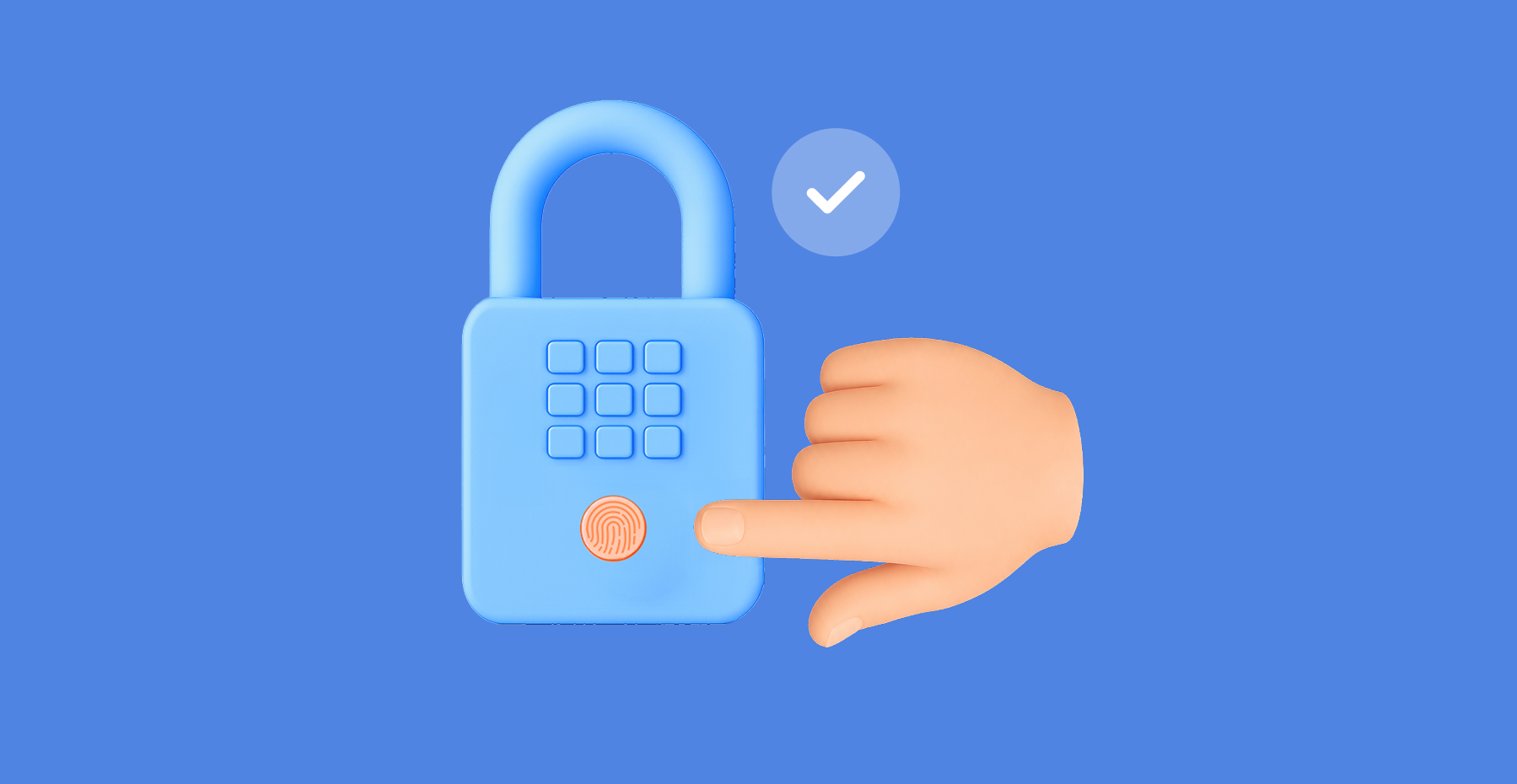
Ilustración de un candado con un escáner de huellas dactilares siendo desbloqueado por un dedo, con una marca de verificación que indica autenticación biométrica exitosa.

La autenticación biométrica verifica a una persona mediante una característica como una huella dactilar o un escaneo facial. En un flujo de inicio de sesión con passkey, ese dato biométrico, o un PIN local, desbloquea una clave criptográfica almacenada en el dispositivo en lugar de enviar una contraseña a ningún lugar. NIST SP 800-63B Revisión 4 trata los datos biométricos como parte de la autenticación multifactor combinada con un autenticador físico, no como un autenticador remoto independiente.

Para las bóvedas de contraseñas empresariales, el beneficio de seguridad proviene de la arquitectura de credenciales, la integridad del endpoint y la política de autorización, no solo del gesto biométrico. La decisión operativa para los líderes de TI es si la organización puede soportar endpoints gestionados, un respaldo alternativo no biométrico probado y una gobernanza de bóvedas lo suficientemente sólida como para importar una vez que desaparezca la fricción del inicio de sesión.


Puntos clave

  • La autenticación biométrica confirma la identidad en el dispositivo. No decide a qué puede acceder esa identidad después — eso es una capa separada, gobernada por roles de bóveda, permisos y políticas de auditoría, no por el sensor en sí.
  • NIST SP 800-63B Revisión 4 clasifica los datos biométricos como parte de la autenticación multifactor combinada con un autenticador físico, no como una credencial remota independiente (NIST SP 800-63B, Sección 5.2.3).
  • Una passkey desbloqueada biométricamente elimina la superficie de phishing que crea una contraseña: la clave privada nunca sale del dispositivo, por lo que no hay nada que interceptar en tránsito.
  • El Índice de Passkeys de FIDO Alliance reporta una tasa de éxito del 93% para inicios de sesión con passkey frente al 63% para otros métodos, una reducción del 73% en el tiempo de inicio de sesión y hasta un 81% menos de tickets de soporte técnico relacionados con credenciales.
  • Los datos biométricos no se pueden restablecer después de una brecha. Una plantilla de huella dactilar filtrada queda comprometida permanentemente, por eso NIST la trata como un identificador, no como un secreto.
  • La implementación empresarial necesita cinco controles: endpoints gestionados, verificación de usuario local con un respaldo no biométrico, política de identidad y autenticación adicional, gobernanza central de secretos y un proceso probado de recuperación y revocación.
  • Passwork mantiene estas dos capas separadas por diseño. El inicio de sesión con passkey gestiona el desbloqueo biométrico local, mientras que los roles, permisos y registros de auditoría permanecen en la bóveda, de modo que un inicio de sesión más rápido no compromete el control de acceso.

Qué es la autenticación biométrica

La autenticación biométrica verifica la identidad de una persona utilizando un rasgo físico, como una huella dactilar, rostro o patrón de iris, en lugar de un secreto memorizado. En los dispositivos modernos, la verificación ocurre localmente: el sensor compara el escaneo en vivo con una plantilla almacenada en el dispositivo y, si coincide, desbloquea una clave criptográfica u otorga acceso al sistema.

Es un método de verificación, no un sistema de control de acceso. Una huella dactilar o escaneo facial confirma quién está frente al dispositivo. No dice nada sobre qué archivos, sistemas o bóvedas debería poder alcanzar esa persona — eso es una capa separada, gestionada por roles, permisos y políticas.

Las implementaciones comunes incluyen:

  • Reconocimiento de huellas dactilares, leído por un sensor capacitivo integrado en una laptop, teléfono o llavero de seguridad independiente.
  • Reconocimiento facial, como Face ID o Windows Hello, utilizando una cámara y, en la mayoría de los dispositivos, un sensor de profundidad infrarrojo para resistir la suplantación con fotos.
  • Escaneo de iris y retina, utilizado principalmente en instalaciones de alta seguridad en lugar del inicio de sesión corporativo cotidiano.
  • Reconocimiento de voz, menos común para el inicio de sesión en dispositivos, más común en verificaciones de identidad en centros de llamadas.

En un contexto empresarial, los datos biométricos casi siempre aparecen como el paso de desbloqueo local en un flujo de autenticación más amplio, más comúnmente una passkey WebAuthn, en lugar de una forma independiente de acceder a los sistemas corporativos. NIST SP 800-63B Revisión 4 formaliza ese rol: los datos biométricos funcionan como parte de la autenticación multifactor, combinados con un autenticador físico, no como una credencial remota por sí solos.


Qué asegura (y qué no asegura) la autenticación biométrica

Los datos biométricos verifican a la persona localmente, en el dispositivo o autenticador. Por sí solos, no aseguran nada del lado del servidor. Ese trabajo pertenece a la aserción criptográfica WebAuthn y a la política de roles y bóvedas del gestor de contraseñas, que deciden a qué puede acceder realmente la persona verificada.

Las contraseñas son secretos reproducibles que un empleado escribe en un campo de inicio de sesión, lo que las hace susceptibles a phishing y reutilizables entre sistemas. Un gesto biométrico local, en cambio, autoriza el uso de una clave privada que permanece bajo el control de un autenticador, por lo que no hay ningún secreto compartido que interceptar en tránsito.

La especificación W3C WebAuthn Nivel 3 define dos tipos de credenciales aquí. Una credencial de dispositivo único no puede exportarse. Una credencial multidispositivo elegible para respaldo, comúnmente llamada passkey sincronizada, puede estar disponible en los dispositivos de un usuario dentro del mismo ecosistema de plataforma. Ambas mantienen la clave privada fuera de las manos de la parte que confía. Solo la primera se describe con precisión como vinculada a un dispositivo.


Ventajas de la autenticación biométrica

El inicio de sesión biométrico elimina el paso donde un empleado escribe un secreto que puede ser objeto de phishing, adivinado o reutilizado. Combinado con una passkey, reemplaza una contraseña reproducible con una clave privada que nunca sale del dispositivo, y los datos de la industria muestran ganancias medibles en la velocidad de inicio de sesión y menos tickets de soporte técnico relacionados con credenciales perdidas.

La ventaja es estructural, no cosmética. Una contraseña en un campo de inicio de sesión puede ser capturada por un sitio falso, un keylogger o una lista de credenciales reutilizadas. Una passkey desbloqueada biométricamente no tiene nada equivalente que robar en tránsito, porque la clave privada nunca atraviesa la red.

Factor de riesgo Acceso solo con contraseña Passkey desbloqueada biométricamente
Exposición a reproducción / phishing Alta: el secreto puede escribirse en una página falsa Baja: la clave privada nunca se transmite, está limitada a un Relying Party ID
Riesgo de secreto compartido Alto si las credenciales se copian o reutilizan Bajo para inicio de sesión personal; no cubre secretos compartidos
Privacidad y revocabilidad La contraseña se puede restablecer; no hay datos biométricos involucrados La verificación permanece local en el dispositivo; la passkey se puede revocar por dispositivo
Recuperación Flujo de restablecimiento, a menudo autoservicio Requiere recuperación del dispositivo o autenticador de respaldo

La ganancia de velocidad está documentada. El Índice de Passkeys de FIDO Alliance reporta una tasa de éxito del 93% para inicios de sesión con passkey frente al 63% para otros métodos, una disminución del 73% en el tiempo de inicio de sesión y hasta un 81% de reducción en incidentes de soporte técnico relacionados con el inicio de sesión. Estas son cifras reportadas por la asociación a nivel de toda la industria de organizaciones participantes, no una garantía para ninguna implementación específica.

Nada de esto convierte a los datos biométricos en una respuesta completa por sí solos. La ganancia aparece cuando un dato biométrico autoriza una credencial bien gobernada. Usado como un factor independiente básico, intercambia un secreto revocable por uno permanente, que es exactamente el compromiso que cubre la siguiente sección.


Riesgos de la autenticación biométrica

La autenticación biométrica vincula el acceso a una huella dactilar, escaneo facial o patrón de iris que no se puede cambiar si se ve comprometido. A diferencia de una contraseña, no se puede rotar una huella dactilar después de una brecha, y las bases de datos biométricas centralizadas se convierten en objetivos de alto valor para los atacantes. Estos riesgos hacen que los datos biométricos sean un mal reemplazo independiente para la gestión de credenciales.

  • La irrevocabilidad es el problema central. NIST SP 800-63B clasifica los datos biométricos como un identificador, no un secreto, ya que no se pueden restablecer como una contraseña (NIST SP 800-63B, Sección 5.2.3). Una vez que se filtra una plantilla, ese factor queda comprometido para siempre.
  • Los datos centralizados son un único punto de fallo. Almacenar plantillas biométricas en una base de datos crea un único objetivo de alto valor: una brecha allí expone los datos de huellas dactilares o faciales de todos los usuarios registrados a la vez. Una brecha de contraseñas obliga a un restablecimiento. Una brecha biométrica no tiene una solución equivalente. Este es un objeto diferente de la «gobernanza central» discutida más adelante en este artículo, que centraliza quién puede acceder a un secreto, no la plantilla biométrica en sí.
  • Suplantación. Fotos y videos deepfake han vencido a sensores de grado consumidor en pruebas independientes, y la precisión varía ampliamente según la calidad del sensor y la iluminación.
  • Exposición regulatoria. El Artículo 9 del GDPR trata los identificadores biométricos como datos de categoría especial, requiriendo consentimiento explícito y salvaguardas más estrictas que las credenciales estándar.

Nada de esto convierte a los datos biométricos en una respuesta completa por sí solos. La ganancia aparece cuando un dato biométrico autoriza una credencial bien gobernada. Usado como un factor independiente básico, intercambia un secreto revocable por uno permanente, que es exactamente el compromiso que cubre la siguiente sección.


Biometría, passkeys y WebAuthn: El límite de control

El límite de control es la línea entre lo que un dato biométrico autoriza localmente y lo que WebAuthn demuestra a un servidor. Una huella dactilar o escaneo facial desbloquea una clave vinculada al dispositivo; la aserción criptográfica que esa clave produce, limitada a un Relying Party ID, es lo que el servidor realmente verifica.

La autenticación por huella dactilar y facial funcionan ambas para el inicio de sesión de empleados en dispositivos gestionados compatibles, pero la elección correcta depende de la calidad del sensor, la madurez de la gestión de dispositivos, las necesidades de accesibilidad y el nivel de riesgo aceptable. Ningún método es una respuesta universal. Ambos tienen diferentes compensaciones en velocidad, fiabilidad y carga de gobernanza.

Verificación local versus coincidencia biométrica central

La verificación local compara un dato biométrico con una plantilla almacenada en el propio dispositivo. La verificación central lo compara con una base de datos de referencia mantenida en otro lugar. NIST recomienda la verificación local porque elimina, o reduce drásticamente, la necesidad de un almacén biométrico centralizado que se convierte en un único punto de fallo si se ve comprometido.

La distinción es más fácil de ver a través de dos ejemplos familiares:

  • Verificación local: Windows Hello o Touch ID compara una huella dactilar con una plantilla almacenada en un enclave de hardware seguro en el dispositivo. La plantilla nunca sale del chip.
  • Verificación central: las puertas de control fronterizo en aeropuertos comparan el rostro de un viajero con una base de datos de pasaportes mantenida en un servidor, no en la propia puerta.

Las organizaciones deben confirmar el modelo de manejo de plantillas para cada plataforma de dispositivo e integración de producto en lugar de asumir que es idéntico en todas partes. La verificación local y la gobernanza centralizada de secretos no están en conflicto. El objetivo es mantener las plantillas biométricas locales mientras se centraliza el control sobre quién puede acceder a una credencial determinada — dos cosas diferentes que se centralizan (o no) por dos razones diferentes.

NIST SP 800-63B Revisión 4 establece tres puntos de referencia específicos para implementaciones aplicables:

  • Tasa de falsa aceptación (FMR): la probabilidad de que se acepte a la persona equivocada. NIST requiere 1 en 10.000 o mejor.
  • Tasa de falso rechazo (FNMR): la probabilidad de que se rechace al usuario legítimo. NIST recomienda por debajo del 5%.
  • Detección de ataques de presentación (PAD): requerida para reconocimiento facial, recomendada para modalidades de huella dactilar e iris.

Trate estas cifras como puntos de referencia de adquisición para la evaluación de proveedores, no como rendimiento garantizado en el mundo real. La precisión real del sensor varía según el fabricante.

Huella dactilar versus reconocimiento facial en dispositivos gestionados

El reconocimiento de huellas dactilares y facial fallan de manera diferente, y ambos necesitan un respaldo probado en lugar de una suposición predeterminada de que el sensor siempre funcionará.

Factor Huella dactilar Reconocimiento facial
Velocidad y familiaridad Rápido, familiar para la mayoría de los empleados Rápido, manos libres
Disponibilidad de hardware Compatible con la mayoría de laptops y teléfonos de años recientes; depende de la antigüedad de la flota Necesita una cámara, e idealmente un sensor IR/profundidad, para soportar PAD
Puntos de fallo comunes Lesiones, manos mojadas o con guantes, dispositivos compartidos con un sensor para múltiples usuarios Mala iluminación, calidad de la cámara, precisión inconsistente entre la población de empleados
Requisito PAD de NIST Recomendado Requerido
Respaldo requerido PIN o llave de seguridad de hardware PIN o llave de seguridad de hardware

Una implementación de reconocimiento facial sin PAD en el alcance está incompleta según la guía de NIST. La investigación independiente ha demostrado que los sensores faciales pueden ser eludidos con una imagen modificada en lugar de un rostro vivo, que es exactamente el ataque que PAD está diseñado para detectar.

Qué cuenta realmente como un factor en la autenticación biométrica multifactor

Un dato biométrico nunca funciona como un factor independiente bajo la guía de NIST. La autenticación biométrica multifactor combina una verificación local de «algo que eres» con un autenticador criptográfico físico que representa «algo que tienes». El dato biométrico activa ese autenticador. No sirve como prueba de identidad por sí solo, y registrar una huella dactilar y un rostro en el mismo dispositivo no crea dos factores, solo dos formas de desbloquear el mismo.

Lo que ve el usuario Lo que el sistema de seguridad realmente verifica
Solicitud de Face ID, Touch ID o Windows Hello Coincidencia biométrica local que autoriza el uso de una clave privada gestionada por el autenticador
Una entrada de PIN Factor de conocimiento local que desbloquea el mismo autenticador
Un toque de llave de seguridad de hardware Un autenticador WebAuthn itinerante separado, independiente del dispositivo

Dos tipos de autenticadores están detrás de estas solicitudes, y sobreviven a la pérdida del dispositivo de manera diferente. Un autenticador de plataforma está integrado en el dispositivo del empleado y se pierde junto con él. Una llave de seguridad de hardware se mueve entre dispositivos, añadiendo un factor de posesión física que sobrevive a una laptop perdida o borrada.

Las credenciales WebAuthn añaden una segunda capa de protección además del factor en sí: cada credencial está limitada a un Relying Party ID, el identificador del sitio o servicio específico en el que está registrada. Una credencial registrada para una parte que confía no se puede usar en un dominio similar no relacionado. Esa limitación, no el dato biométrico, es lo que le da a WebAuthn su resistencia al phishing.

Nada de esto reemplaza los controles de política separados. La configuración de MFA, la postura de confianza del dispositivo, el tiempo de espera de sesión y el acceso condicional para acciones de alto riesgo siguen estando por encima del método de inicio de sesión en sí.


Los cinco controles para la implementación empresarial

La conveniencia biométrica permanece en el dispositivo del empleado. La gobernanza de secretos permanece con los controles de identidad y bóveda de contraseñas gestionados centralmente. Separar los dos elimina la necesidad de construir una base de datos biométrica de la empresa mientras se mantiene el control organizacional completo sobre quién accede a qué secreto.

Los tres factores que abrieron este artículo — endpoints gestionados, un respaldo funcional y gobernanza de bóvedas — se desglosan en cinco controles específicos una vez que esté listo para operacionalizarlos. Este es el modelo de Desbloqueo Biométrico Local / Gobernanza Central de Secretos, un marco práctico en lugar de un estándar formal.

Endpoints gestionados y verificación de usuario

  • Endpoint gestionado y autenticador compatible. Defina qué dispositivos, versiones de SO y sensores son elegibles antes de que alguien se registre.
  • Verificación de usuario local. Un dato biométrico o PIN desbloquea el autenticador. Un método alternativo no biométrico permanece disponible para cualquiera que lo necesite.

Política de identidad y gobernanza central de secretos

  • Política de identidad y autenticación adicional. SSO, MFA, duración de sesión y verificación adicional para acciones administrativas de alto riesgo.
  • Gobernanza central de secretos. Roles, privilegio mínimo, segmentación de bóvedas, revisión de actividad y compartición segura gobiernan las credenciales corporativas reales.

Recuperación y revocación

  • Recuperación y revocación. Un proceso documentado cubre la respuesta a dispositivos perdidos, restablecimiento o eliminación de passkey, acceso de emergencia y revisión de auditoría.

Los datos biométricos capaces de identificar de manera única a una persona se clasifican como datos de categoría especial bajo el GDPR del Reino Unido, según la guía de la ICO sobre reconocimiento biométrico. El consentimiento por sí solo no es el factor decisivo: la ley aplicable puede requerir una base legal, una condición de categoría especial, transparencia y minimización de datos además, y los detalles varían según la jurisdicción. Esa evaluación corresponde a los equipos legales y de privacidad de la organización. Este modelo no lo resuelve; reduce cuántos datos biométricos necesitan existir centralmente en primer lugar.

Mapear su propio flujo de trabajo de compartición de secretos contra este modelo de cinco controles es más fácil con bóvedas basadas en roles ya implementadas. Explore la gestión de acceso y registro de auditoría de Passwork para ver cómo los roles, informes y configuraciones de MFA encajan con una política de inicio de sesión sin contraseña.

Uso de passkeys de Passwork con gobernanza de bóvedas

Passwork admite el inicio de sesión con passkey basado en el estándar WebAuthn, permitiendo a los usuarios autenticarse con una clave vinculada al dispositivo en lugar de una contraseña. Los autenticadores de plataforma compatibles incluyen Face ID, Touch ID, Windows Hello y llaves de seguridad de hardware compatibles. Un administrador lo habilita para roles específicos, y cada miembro de ese rol puede entonces elegir registrar una passkey.

El flujo de trabajo de inicio de sesión con passkey en 4 pasos

La adopción de passkey en Passwork sigue una secuencia fija que mantiene los cambios de autenticación dentro del modelo existente de roles y auditoría, en lugar de ejecutarse junto a él como un sistema separado.

  1. Habilitar la configuración del rol. Un administrador decide qué roles pueden usar la opción de inicio de sesión «Usar passkey en lugar de contraseña».
  2. Registrar la passkey. Un empleado registra una passkey de plataforma o una llave de seguridad WebAuthn en la página de Autenticación de su cuenta.
  3. Iniciar sesión con verificación local. El empleado aprueba una solicitud local de biometría o PIN del dispositivo. La passkey demuestra la propiedad de la clave sin transmitir nunca la contraseña local o de dominio.
  4. Gestionar la baja o pérdida. Si se pierde o reemplaza un dispositivo, o un empleado se va, el administrador elimina o restablece la passkey y sigue el procedimiento de recuperación y revisión de acceso de la organización.

Métricas piloto y lista de verificación de implementación

Una implementación biométrica está lista para expandirse más allá de un grupo piloto una vez que cada uno de los cinco controles anteriores tiene un propietario, evidencia de preparación y una respuesta de fallo definida. Esta lista de verificación de preparación piloto convierte el modelo en una puerta de decisión ir/no-ir en lugar de una implementación que escala sobre suposiciones.

Control Evidencia de preparación Respuesta de fallo
Clasificación por riesgo Roles de alto riesgo identificados y priorizados para piloto Retrasar implementación a ese nivel; reevaluar alcance
Preparación de endpoint / sensor Los dispositivos cumplen requisitos de SO y sensor; respaldo probado Excluir dispositivos no compatibles del piloto
Privacidad y comunicación a empleados Empleados informados de qué se recopila, dónde permanece y sus opciones Pausar registro para el grupo afectado
Diseño de autorización de bóveda de contraseñas Roles y acceso de privilegio mínimo confirmados antes del registro Corregir brechas de autorización antes de implementación más amplia
Recuperación, revocación, acceso de emergencia Proceso de emergencia probado; SLA de baja documentado Activar acceso de emergencia y revisar incidente

Rastree la tasa de finalización de registro, tasa de éxito de autenticación, frecuencia de falso rechazo y respaldo, volumen de soporte técnico, tiempo para eliminar un dispositivo perdido y tiempo para revocar acceso después de la baja. Compare sus números con los puntos de referencia de FIDO Alliance citados anteriormente: una tasa de finalización o éxito muy por debajo del 93%, o una tasa de respaldo muy por encima de lo que predijo su grupo piloto, vale la pena investigar antes de escalar más allá del primer equipo.


Conclusión

Conclusión

La autenticación biométrica y la gobernanza del gestor de contraseñas resuelven problemas diferentes. Mezclarlos es donde la mayoría de las implementaciones fallan. Los datos biométricos desbloquean el dispositivo; la gobernanza de bóvedas decide quién accede a qué secreto. Mantenga esos trabajos separados, y el beneficio es un inicio de sesión más rápido sin una base de datos biométrica que nadie pretendía construir, o un único punto débil sustituyendo un control de acceso real.

Elija un equipo que ya maneje credenciales compartidas de administración, SaaS o infraestructura, y pruebe la separación antes de que se convierta en práctica de toda la empresa.

Gestionar credenciales compartidas entre equipos sin una bóveda estructurada es uno de los caminos más rápidos hacia una brecha. Vea cómo Passwork maneja la gestión de contraseñas empresarial → passwork.pro

Preguntas frecuentes

Preguntas frecuentes

¿Es la autenticación biométrica más segura que las contraseñas para un gestor de contraseñas corporativo?

Un dato biométrico mejora la experiencia de inicio de sesión y puede reducir la exposición de contraseñas reutilizables cuando autoriza una credencial protegida en lugar de un secreto escrito. Sigue siendo una parte de un sistema que aún necesita política de autorización, controles de dispositivo, registros de auditoría y una ruta de recuperación funcional.

¿Está lista la autenticación por huella dactilar para empresas, o debería una empresa usar reconocimiento facial?

Ambos pueden funcionar en endpoints gestionados compatibles. Elija según la disponibilidad del endpoint, la accesibilidad para la fuerza laboral real, el comportamiento probado de falsa aceptación y falso rechazo, el riesgo de privacidad y un método de respaldo utilizable, no las afirmaciones de marketing del proveedor sobre precisión.

¿La autenticación biométrica multifactor significa usar dos biometrías?

No. El MFA fuerte combina tipos de factores distintos, no dos instancias del mismo factor. Un dato biométrico típicamente proporciona verificación de usuario local que activa un autenticador criptográfico físico separado, que es un factor operando junto a otro.

¿Qué sucede si un empleado no puede usar un sensor biométrico o pierde un dispositivo?

La organización necesita un método alternativo no biométrico documentado, un proceso para restablecer o eliminar la passkey afectada, una forma de revocar el acceso al dispositivo y un procedimiento de acceso de emergencia con tiempo limitado revisado por seguridad, no dejado al criterio ad hoc de TI.

¿A dónde van los datos biométricos cuando un empleado inicia sesión con una passkey?

Con un diseño de autenticador de plataforma, la verificación biométrica local es realizada típicamente por el propio dispositivo o autenticador. El gestor de contraseñas nunca recibe los datos biométricos, solo la aserción criptográfica WebAuthn que confirma que la verificación local fue exitosa. Confirme el modelo exacto de manejo de plantillas para su plataforma de dispositivo específica antes de tratar esto como una garantía general.

Informe IBM 2026 sobre el costo de una brecha de datos: La amenaza de IA de $6M que nadie está solucionando
Los costos globales de brechas alcanzan un récord de $4.99M en 2026, con una detección que toma 247 días. Los ataques impulsados por IA aumentan un 56%, pero la verdadera crisis: los defensores despliegan IA en todas partes excepto donde los atacantes entran. El 92% de las organizaciones afectadas por brechas de IA tenían cero controles de acceso adecuados.
Shadow AI: La amenaza oculta que cuesta a las empresas $670K por brecha
Shadow AI cuesta a las empresas $670K extra por brecha — y la mayoría se remonta a credenciales pegadas en LLMs públicos. Aprenda qué aspecto tiene realmente shadow AI, por qué es más difícil de detener que shadow IT y cómo gobernarlo.
11 riesgos de la reutilización de contraseñas y cómo evitarlos
Reutilizar una contraseña parece inofensivo. No lo es. Aquí está por qué una credencial filtrada puede deshacer toda la seguridad de su organización — y cómo evitar que suceda.

Autenticación biométrica: ventajas, limitaciones e integración con gestores de contraseñas

La autenticación biométrica verifica la identidad localmente, pero no decide sus permisos de acceso. Esta guía cubre NIST SP 800-63B, arquitectura de passkeys, alcance de WebAuthn y cinco controles clave para implementar el inicio de sesión biométrico a escala.

Aug 2, 2026 — 15 min read
Illustration of a padlock with a fingerprint scanner being unlocked by a finger, with a checkmark indicating successful biometric authentication.

Biometric authentication verifies a person through a characteristic such as a fingerprint or facial scan. In a passkey sign-in flow, that biometric, or a local PIN, unlocks a cryptographic key stored on the device rather than sending a password anywhere. NIST SP 800-63B Revision 4 treats biometrics as part of multi-factor authentication paired with a physical authenticator, not as a standalone remote authenticator.

For enterprise password vaults, the security benefit comes from the credential architecture, endpoint integrity, and authorization policy, not from the biometric gesture alone. The operational decision for IT leaders is whether the organization can support managed endpoints, a tested non-biometric fallback, and vault governance solid enough to matter once sign-in friction disappears.


Key takeaways

  • Biometric authentication confirms identity on the device. It doesn't decide what that identity can access afterward — that's a separate layer, governed by vault roles, permissions, and audit policy, not by the sensor itself.
  • NIST SP 800-63B Revision 4 classifies biometrics as part of multi-factor authentication paired with a physical authenticator, not as a standalone remote credential (NIST SP 800-63B, Section 5.2.3).
  • A biometric-unlocked passkey removes the phishing surface a password creates: the private key never leaves the device, so there's nothing to intercept in transit.
  • FIDO Alliance's Passkey Index reports a 93% success rate for passkey sign-ins versus 63% for other methods, a 73% drop in login time, and up to 81% fewer help-desk tickets tied to credentials.
  • Biometrics can't be reset after a breach. A leaked fingerprint template is compromised permanently, which is why NIST treats it as an identifier, not a secret.
  • Enterprise rollout needs five controls: managed endpoints, local user verification with a non-biometric fallback, identity and step-up policy, central secret governance, and a tested recovery and revocation process.
  • Passwork keeps these two layers separate by design. Passkey sign-in handles local biometric unlock, while roles, permissions, and audit logs stay in the vault, so faster sign-in doesn't come at the cost of access control.

What is biometric authentication

Biometric authentication verifies a person's identity using a physical trait, such as a fingerprint, face, or iris pattern, instead of a memorized secret. On modern devices, the check happens locally: the sensor compares the live scan against a template stored on the device and, if it matches, unlocks a cryptographic key or grants access to the system.

It's a verification method, not an access-control system. A fingerprint or face scan confirms who is sitting at the device. It says nothing about which files, systems, or vaults that person should be allowed to reach, that's a separate layer, handled by roles, permissions, and policy.

Common implementations include:

  • Fingerprint recognition, read by a capacitive sensor built into a laptop, phone, or standalone key fob.
  • Facial recognition, such as Face ID or Windows Hello, using a camera and, on most devices, an infrared depth sensor to resist photo spoofing.
  • Iris and retina scanning, used mainly in high-security facilities rather than everyday corporate sign-in.
  • Voice recognition, less common for device sign-in, more common in call-center identity checks.

In an enterprise context, biometrics almost always appear as the local unlock step in a larger authentication flow, most commonly a WebAuthn passkey, rather than as a standalone way to reach corporate systems. NIST SP 800-63B Revision 4 formalizes that role: biometrics function as part of multi-factor authentication, paired with a physical authenticator, not as a remote credential on their own.


What biometric authentication does (and does not) secure

Biometrics verify the person locally, on the device or authenticator. They don't, on their own, secure anything server-side. That job belongs to the WebAuthn cryptographic assertion and the password manager's role and vault policy, which decide what the verified person can actually reach.

Passwords are replayable secrets that an employee types into a login field, which makes them phishable and reusable across systems. A local biometric gesture instead authorizes use of a private key that stays under the control of an authenticator, so there's no shared secret to intercept in transit. 

The W3C WebAuthn Level 3 specification defines two credential types here. A single-device credential can't be exported. A backup-eligible multi-device credential, commonly called a synced passkey, can be available across a user's devices within the same platform ecosystem. Both keep the private key out of the relying party's hands. Only the first is accurately described as bound to one device.


Advantages of biometric authentication

Biometric sign-in removes the step where an employee types a secret that can be phished, guessed, or reused. Paired with a passkey, it replaces a replayable password with a private key that never leaves the device, and industry data shows measurable gains in sign-in speed and fewer help-desk tickets tied to lost credentials.

The advantage is structural, not cosmetic. A password sitting in a login field can be captured by a fake site, a keylogger, or a reused-credential list. A biometric-unlocked passkey has nothing equivalent to steal in transit, because the private key never crosses the network.

Risk factor Password-only access Biometric-unlocked passkey
Replay / phishing exposure High: secret can be typed into a fake page Low: private key never transmitted, scoped to a Relying Party ID
Shared-secret risk High if credentials are copied or reused Low for personal sign-in; doesn't cover shared secrets
Privacy and revocability Password can be reset; no biometric data involved Verification stays local to the device; passkey can be revoked per device
Recovery Reset flow, often self-service Requires device recovery or backup authenticator

The speed gain is documented. FIDO Alliance's Passkey Index reports a 93% success rate for passkey sign-ins against 63% for other methods, a 73% decrease in login time, and up to an 81% reduction in login-related help-desk incidents. These are association-reported, industry-wide figures from participating organizations, not a guarantee for any specific deployment.

None of this makes biometrics a complete answer on its own. The gain shows up when a biometric authorizes a well-governed credential. Used as a bare standalone factor, it swaps a revocable secret for a permanent one, which is exactly the trade-off the next section covers.


Risks of biometric authentication

Biometric authentication ties access to a fingerprint, face scan, or iris pattern that can't be changed if compromised. Unlike a password, you can't rotate a fingerprint after a breach, and centralized biometric databases become high-value targets for attackers. These risks make biometrics a poor standalone replacement for credential management.

  • Irrevocability is the core problem. NIST SP 800-63B classifies biometrics as an identifier, not a secret, since they can't be reset like a password (NIST SP 800-63B, Section 5.2.3). Once a template leaks, that factor is compromised for good.
  • Centralized data is a single point of failure. Storing biometric templates in one database creates one high-value target: a breach there exposes fingerprint or facial data for every enrolled user at once. A password breach forces a reset. A biometric breach has no equivalent fix. This is a different object from the "central governance" discussed later in this article, which centralizes who can reach a secret, not the biometric template itself.
  • Spoofing. Photos and deepfake video have defeated consumer-grade sensors in independent tests, and accuracy varies widely with sensor quality and lighting.
  • Regulatory exposure. GDPR Article 9 treats biometric identifiers as special category data, requiring explicit consent and stricter safeguards than standard credentials.

None of this makes biometrics a complete answer on its own. The gain shows up when a biometric authorizes a well-governed credential. Used as a bare standalone factor, it swaps a revocable secret for a permanent one, which is exactly the trade-off the next section covers.


Biometrics, passkeys, and WebAuthn: The control boundary

The control boundary is the line between what a biometric authorizes locally and what WebAuthn proves to a server. A fingerprint or face scan unlocks a device-bound key; the cryptographic assertion that key produces, scoped to a Relying Party ID, is what the server actually checks.

Fingerprint and facial authentication both work for employee sign-in on supported managed devices, but the right choice depends on sensor quality, device management maturity, accessibility needs, and acceptable risk level. Neither method is a universal answer. Both trade differently on speed, reliability, and governance overhead.

Local verification versus central biometric matching

Local verification checks a biometric against a template stored on the device itself. Central verification checks it against a reference database held elsewhere. NIST recommends local verification because it removes, or sharply reduces, the need for a centrally held biometric store that becomes a single point of failure if breached.

The distinction is easiest to see through two familiar examples:

  • Local verification: Windows Hello or Touch ID checks a fingerprint against a template stored in a secure hardware enclave on the device. The template never leaves the chip.
  • Central verification: airport border-control gates match a traveler's face against a passport database held on a server, not on the gate itself.

Organizations should confirm the template-handling model for each device platform and product integration rather than assume it's identical everywhere. Local verification and centralized secret governance are not in tension. The goal is to keep biometric templates local while still centralizing control over who can reach a given credential, two different things being centralized (or not) for two different reasons.

NIST SP 800-63B Revision 4 sets three specific benchmarks for applicable deployments:

  • False match rate (FMR): the probability the wrong person gets accepted. NIST requires 1 in 10,000 or better.
  • False non-match rate (FNMR): the probability the legitimate user gets rejected. NIST recommends below 5%.
  • Presentation-attack detection (PAD): required for facial recognition, recommended for fingerprint and iris modalities.

Treat these figures as procurement benchmarks for vendor evaluation, not as guaranteed real-world performance. Actual sensor accuracy varies by manufacturer.

Fingerprint versus facial recognition on managed devices

Fingerprint and facial recognition fail differently, and both need a tested fallback rather than a default assumption that the sensor will always work.

Factor Fingerprint Facial recognition
Speed and familiarity Fast, familiar to most employees Fast, hands-free
Hardware availability Supported on most laptops and phones from recent years; depends on fleet age Needs a camera, and ideally an IR/depth sensor, to support PAD
Common failure points Injuries, wet or gloved hands, shared devices with one sensor for multiple users Poor lighting, camera quality, inconsistent accuracy across the employee population
NIST PAD requirement Recommended Required
Required fallback PIN or hardware security key PIN or hardware security key

A facial recognition rollout without PAD in scope is incomplete under NIST's guidance. Independent research has shown facial sensors can be bypassed with a modified image rather than a live face, which is exactly the attack PAD is meant to catch.

What actually counts as a factor in multi-factor biometric authentication

A biometric never functions as a standalone factor under NIST's guidance. Multi-factor biometric authentication combines a local "something you are" check with a physical, cryptographic authenticator representing "something you have." The biometric activates that authenticator. It doesn't serve as proof of identity by itself, and enrolling a fingerprint and a face on the same device doesn't create two factors, only two ways to unlock the same one.

What the user sees What the security system actually verifies
Face ID, Touch ID, or Windows Hello prompt Local biometric match authorizing use of a private key managed by the authenticator
A PIN entry Local knowledge factor unlocking the same authenticator
A hardware security key tap A separate, roaming WebAuthn authenticator, independent of the device

Two authenticator types sit behind these prompts, and they survive device loss differently. A platform authenticator is built into the employee's device and is lost along with it. A hardware security key moves between devices, adding a physical possession factor that survives a lost or wiped laptop.

WebAuthn credentials add a second layer of protection on top of the factor itself: each credential is scoped to a Relying Party ID, the identifier of the specific site or service it's registered to. A credential registered for one relying party can't be used on an unrelated lookalike domain. That scoping, not the biometric, is what gives WebAuthn its phishing resistance.

None of this replaces separate policy controls. MFA settings, device trust posture, session timeout, and conditional access for high-risk actions still sit on top of the sign-in method itself.


The five controls for enterprise rollout

Biometric convenience stays at the employee's device. Secret governance stays with centrally managed identity and password-vault controls. Splitting the two removes the need to build a company-held biometric database while keeping full organizational control over who reaches which secret.

The three factors that opened this article, managed endpoints, a working fallback, and vault governance, break down into five specific controls once you're ready to operationalize them. This is the Local Biometric Unlock / Central Secret Governance model, a practical framework rather than a formal standard.

Managed endpoints and user verification

  • Managed endpoint and supported authenticator. Define which devices, OS versions, and sensors are eligible before anyone enrolls.
  • Local user verification. A biometric or PIN unlocks the authenticator. An alternate non-biometric method stays available for anyone who needs it.

Identity policy and central secret governance

  • Identity and step-up policy. SSO, MFA, session duration, and additional verification for high-risk administrative actions.
  • Central secret governance. Roles, least privilege, vault segmentation, activity review, and secure sharing govern the actual corporate credentials.

Recovery and revocation

  • Recovery and revocation. A documented process covers lost-device response, passkey reset or removal, break-glass access, and audit review.

Biometric data able to uniquely identify a person is classified as special category data under UK GDPR, according to the ICO's guidance on biometric recognition. Consent alone isn't the deciding factor: applicable law may require a lawful basis, a special-category condition, transparency, and data minimization on top of it, and the specifics vary by jurisdiction. That assessment belongs with the organization's legal and privacy teams. This model doesn't resolve it; it reduces how much biometric data needs to exist centrally in the first place.

Mapping your own secret-sharing workflow against this five-control model is easier with role-based vaults already in place. Explore Passwork's access management and audit logging to see how roles, reporting, and MFA settings fit around a passwordless sign-in policy.

Using Passwork passkeys with vault governance

Passwork supports passkey sign-in built on the WebAuthn standard, letting users authenticate with a device-bound key instead of a password. Supported platform authenticators include Face ID, Touch ID, Windows Hello, and compatible hardware security keys. An administrator enables it for specific roles, and every member of that role can then choose to enroll a passkey.

The 4-step passkey sign-in workflow

Passkey adoption in Passwork follows a fixed sequence that keeps authentication changes inside the existing role and audit model, instead of running alongside it as a separate system.

  1. Enable the role setting. An administrator decides which roles may use the "Use passkey instead of password" sign-in option.
  2. Enroll the passkey. An employee registers a platform passkey or a WebAuthn security key on the Authentication page of their account.
  3. Sign in with local verification. The employee approves a device-local biometric or PIN prompt. The passkey proves key ownership without ever transmitting the local or domain password.
  4. Handle offboarding or loss. If a device is lost, replaced, or an employee leaves, the administrator removes or resets the passkey and follows the organization's recovery and access-review procedure.

Pilot metrics and rollout checklist

A biometric rollout is ready to expand past a pilot group once each of the five controls above has an owner, evidence of readiness, and a defined failure response. This pilot-readiness checklist turns the model into a go/no-go gate rather than a rollout that scales on assumptions.

Control Evidence of readiness Failure response
Risk tiering High-risk roles identified and prioritized for pilot Delay rollout to that tier; reassess scope
Endpoint / sensor readiness Devices meet OS and sensor requirements; fallback tested Exclude unsupported devices from the pilot
Privacy and employee communication Employees informed of what's collected, where it stays, and their options Pause enrollment for affected group
Password-vault authorization design Roles and least-privilege access confirmed before enrollment Fix authorization gaps before wider rollout
Recovery, revocation, emergency access Break-glass process tested; offboarding SLA documented Trigger break-glass and review incident

Track enrollment completion rate, authentication success rate, false-reject and fallback frequency, help-desk volume, time to remove a lost device, and time to revoke access after offboarding. Compare your numbers against the FIDO Alliance benchmarks cited earlier: a completion or success rate far below 93%, or a fallback rate far above what your pilot group predicted, is worth investigating before scaling past the first team.


Conclusion

Conclusion

Biometric authentication and password-manager governance solve different problems. Mixing them up is where most rollouts go wrong. Biometrics unlock the device; vault governance decides who reaches which secret. Keep those jobs separate, and the payoff is faster sign-in without a biometric database nobody meant to build, or a single weak point standing in for real access control.

Pick one team already handling shared admin, SaaS, or infrastructure credentials, and pilot the split before it becomes company-wide practice.

Managing shared credentials across teams without a structured vault is one of the fastest paths to a breach. See how Passwork handles enterprise password management → passwork.pro

Frequently asked questions

Frequently asked questions

Is biometric authentication safer than passwords for a corporate password manager?

A biometric improves the sign-in experience and can lower reusable-password exposure when it authorizes a protected credential instead of a typed secret. It remains one part of a system that still needs authorization policy, device controls, audit logs, and a working recovery path.

Is fingerprint authentication enterprise-ready, or should a business use facial recognition?

Both can work on supported managed endpoints. Choose based on endpoint availability, accessibility for the actual workforce, tested false-match and false-non-match behavior, privacy risk, and a usable fallback method, not vendor marketing claims about accuracy.

Does multi-factor biometric authentication mean using two biometrics?

No. Strong MFA combines distinct factor types, not two instances of the same factor. A biometric typically provides local user verification that activates a separate physical, cryptographic authenticator, which is one factor operating alongside another.

What happens if an employee cannot use a biometric sensor or loses a device?

The organization needs a documented alternate non-biometric method, a process to reset or remove the affected passkey, a way to revoke device access, and a time-bounded emergency-access procedure reviewed by security, not left to ad hoc IT judgment.

Where does biometric data go when an employee signs in with a passkey?

With a platform-authenticator design, local biometric verification is typically performed by the device or authenticator itself. The password manager never receives the biometric data, only the WebAuthn cryptographic assertion confirming that local verification succeeded. Confirm the exact template-handling model for your specific device platform before treating this as a blanket guarantee.

2026 IBM Cost of a Data Breach Report: The $6M AI threat no one’s fixing
Global breach costs hit record $4.99M in 2026, with detection taking 247 days. AI-driven attacks surge 56%, but the real crisis: defenders deploy AI everywhere except where attackers break in. 92% of AI-breached organizations had zero proper access controls.
Shadow AI: The hidden threat costing enterprises $670K per breach
Shadow AI costs enterprises $670K extra per breach — and most of it traces back to credentials pasted into public LLMs. Learn what shadow AI actually looks like, why it’s harder to stop than shadow IT, and how to govern it.
11 password reuse risks and how to avoid them
Reusing a password feels harmless. It isn’t. Here’s why one leaked credential can unravel your entire organization’s security — and how to stop it from happening.

Biometric authentication: Advantages, limitations, and password manager integration

Biometric authentication verifies identity locally, but it doesn't decide what that identity can access. This guide covers NIST SP 800-63B guidance, passkey architecture, WebAuthn scoping, and the five controls IT teams need before rolling out biometric sign-in at scale.

Dec 11, 2025 — 8 min read
What is a master password?

A master password is the single credential that secures your entire password vault. It functions as the primary authentication layer — the only barrier between your stored credentials and unauthorized access.

Unlike the dozens of passwords you create for individual websites and apps, your master password never leaves your control. It's not stored on any server, not saved in any database, and not accessible to anyone but you — not even the password manager company itself or your IT team. This makes it simultaneously the most powerful and most vulnerable element of your password security strategy.

Understanding how your master password works, how to create a strong one, and what happens if you lose it is essential for anyone using a password manager.

The role of the master password in a zero-knowledge system

Modern password managers like Passwork operate on a zero-knowledge security architecture. This means the service provider has zero knowledge of your master password or the contents of your vault. Your master password is the foundation of this system, serving as both authentication credential and encryption key.

Your master password is the key to your encrypted vault

When you create a master password, your password manager uses it to generate an encryption key through a process called key derivation. This key encrypts all the data in your vault — every password, note, and piece of sensitive information you store.

Key derivation is a cryptographic process of generating one or more secret keys from an initial secret value (such as a password or master key) using specialized functions called KDFs (Key Derivation Functions)

Each time you enter your master password, the system derives the same encryption key and uses it to decrypt your vault. No password, no key. No key, no access. The mathematics behind this process ensures that without your exact master password, the encrypted data remains computationally infeasible to crack, even with significant resources.

This is why your master password must be both strong and memorable. It serves double purpose as your authentication method and the basis for your vault's encryption.

Why even your password manager can't see it

In a zero-knowledge system, your master password never travels to the password manager's servers in plain text. When you log in, your device performs the key derivation locally, then uses the resulting key to decrypt your vault data.

Passwork, for example, never receives or stores your master password. This architecture protects you even in the unlikely event of a server breach. An attacker who compromises the service's infrastructure would find only encrypted vaults with no way to unlock them.

The trade-off? If you forget your master password, the company genuinely cannot help you recover it. They don't have it, can't reset it, and can't decrypt your vault without it. Your security is entirely in your hands.

Best practices for creating a strong master password

Creating a master password requires balancing two competing needs: security and memorability. A password that's impossible to remember is useless if you can't access your vault. A password that's easy to remember but weak defeats the entire purpose of using a password manager.

Length, complexity, and uniqueness

The most important characteristic of a strong master password is length. Every additional character exponentially increases the time required to crack it through brute force attacks. Security experts recommend a minimum of 12 characters, but 16 or more is ideal.

Complexity matters, but not in the way most people think. A truly random string of characters like K9$mP2#vL5@nQ8 is strong but nearly impossible to remember. You need complexity that serves security without sacrificing usability.

Your master password must be absolutely unique — never used for any other account, never shared with anyone, and never written down in an insecure location. This is the one password that cannot be stored in your password manager, so it must live in your memory.

Using a passphrase for memorability and strength

A passphrase (sequence of random words) offers an elegant solution to the security-memorability problem. Instead of trying to remember K9$mP2#vL5@nQ8, you might use something like correct-horse-battery-staple.

The XKCD comic that popularized this concept demonstrated a crucial insight: four or five random common words create more entropy (randomness) than a shorter complex password, while being far easier to remember. The key word here is "random" — don't use song lyrics, famous quotes, or predictable phrases.

Using a passphrase for memorability and strength
Source: XCDC.com

To create a strong passphrase:

  • Choose 4-6 random words from a large vocabulary (avoid common phrases)
  • Add a number or special character for additional complexity
  • Use a separator between words for readability
  • Make it personal but not guessable (avoid names, dates, or obvious references)
  • Test it: can you remember it after waiting 24 hours?

A passphrase like telescope-harvest-glacier-symphony-42 is both strong and memorable. It contains 40 characters, includes a number, and would take centuries to crack with current technology — yet you can visualize the words to help remember them.

What to do if you forget your master password

Forgetting your master password is the worst-case scenario for any password manager user. Because of the zero-knowledge architecture that protects your security, recovery options are limited by design.

The challenges of master password recovery

The same encryption that protects your vault from hackers also protects it from you if you forget your master password. There's no "forgot password" link that sends a reset email, no customer service representative who can look up your password, and no backdoor that lets you regain access.

This isn't a flaw — it's a feature. Any recovery mechanism that bypasses your master password would create a vulnerability that attackers could exploit. If the company could reset your master password, so could a hacker who compromises their systems or social engineers their support team.

Securing your master password

Creating a strong master password is only half the battle. You must also protect it from theft, shoulder surfing, keyloggers, and your own forgetfulness.

  • Never write it down in plain text: Don't store your master password in a text file, email, or note-taking app. If you must write it down while memorizing it, use paper and store it in a physically secure location like a locked safe.
  • Beware of keyloggers: Malware that records keystrokes can capture your master password as you type it. Keep your devices secure with updated antivirus software, avoid entering your master password on public or shared computers, and be cautious about what software you install.
  • Use two-factor authentication: Enable two-factor authentication (2FA) on your password manager account. This adds a second layer of security beyond your master password, protecting you even if someone discovers your master password.
  • Practice typing it regularly: The more frequently you use your master password, the better you'll remember it. Don't rely on biometric unlock features exclusively — periodically log out and log back in with your full master password to keep it fresh in your memory.
  • Change it if compromised: If you suspect your master password has been compromised — perhaps you entered it on a device you don't trust — change it immediately. This will re-encrypt your entire vault with a new key.
  • Don't share it: Your master password should never be shared with anyone, including family members, IT support, or customer service representatives. Legitimate password manager companies will never ask for your master password.

Frequently Asked Questions

Frequently Asked Questions

What happens to my data if I forget my master password?

Your data becomes permanently inaccessible unless you've set up a recovery mechanism. Because of zero-knowledge encryption, your master password never reaches any servers, and no one has the ability to decrypt your vault without it. There's no standard password reset option and no customer support workaround. Some services offer recovery keys or emergency access features that you can configure during setup, but if you haven't enabled these options, your data cannot be recovered. The best approach is prevention: create a memorable master password and set up recovery mechanisms when available.

How is a master password different from other passwords I use?

Your master password serves a dual purpose that makes it fundamentally different. First, it authenticates your identity to access your vault. Second, it generates the encryption key that protects all your stored data. Unlike passwords for websites or apps, your master password never leaves your device, isn't stored on any server, and can't be reset by anyone. It's the only password you'll need to remember, but it's also the only one that can't be stored anywhere else.

Is a passphrase really more secure than a complex password?

Yes, when created correctly. A passphrase like "telescope-harvest-glacier-symphony-42" (40 characters) provides more entropy than a shorter complex password like "K9$mP2#vL5@nQ8" (14 characters), while being significantly easier to remember. The key is randomness — your passphrase must use randomly selected words, not song lyrics, quotes, or predictable phrases. Four to six random common words create a password that would take centuries to crack with current technology, yet you can visualize the words to aid memory.

Should I write down my master password?

Only as a temporary measure during memorization, and only if stored in a physically secure location like a locked safe. Never store your master password in a text file, email, note-taking app, or any digital format. The risk of digital theft far outweighs the convenience. If you must write it down initially, use paper, store it securely, and destroy it once you've committed the password to memory. A better long-term strategy is creating a memorable passphrase you can visualize.

How often should I change my master password?

Change it immediately if you suspect compromise — for example, if you entered it on an untrusted device or believe someone may have observed you typing it. Otherwise, routine changes aren't necessary if you've created a strong, unique master password and protect it properly. Frequent changes can actually reduce security by forcing you to choose weaker, more forgettable passwords. Focus on creating one exceptionally strong master password and protecting it through two-factor authentication, device security, and careful usage habits.

Conclusion

Your master password is the foundation of your digital security. Treat it with the importance it deserves — because once it's gone, so is access to everything it protects. The zero-knowledge architecture that makes your master password so secure also makes it irreplaceable, so take the time to create something you won't forget. Choose it carefully, make it strong yet memorable, and guard it with the same vigilance you'd apply to a physical key to your home or office.

Ready to take control of your credentials? Start your free Passwork trial and explore practical ways to protect your business.
Guide to Advanced Encryption Standard (AES)
Learn how AES encryption works, why it’s the standard for data security, and how AES-256 protects everything from passwords to TOP SECRET data.
Team password management: The complete guide for 2026
Learn how teams share credentials securely in 2026 — RBAC, audit logs, offboarding checklists, NIST SP 800-63B Rev. 4 requirements, and self-hosted vs. cloud deployment.
Security Digest: FortiBleed and Klue, June 22–29, 2026
15,000 Fortinet credentials exposed. 27 million recovered from dismantled infostealers. A French national registry breached through one government account. Meanwhile, Europe is advancing post-quantum authentication and AI-driven identity security. 8 key stories and what they mean for your team.

What is a master password?