The new release brings independent token lifecycle management, flexible SSL certificate verification, and multi-URL support for password items.
Token lifecycle management
Previously, the only way to extend an active session was to call the full token refresh — which replaced both the access token and the refresh token at once. Version 0.2.0 introduces two new methods for independent, fine-grained control over session lifetime.
update_access_token()
Extends the access token using the current access token, without touching the refresh token. Useful when you want to keep a long-lived session alive in a background service without cycling the refresh token.
result = client.update_access_token()
# result contains: accessToken, accessTokenExpiredAt
update_refresh_token()
Extends the refresh token using the current refresh token, without affecting the access token. Useful in scripts that run infrequently and need to maintain a valid refresh token between runs.
result = client.update_refresh_token()
# result contains: refreshToken, refreshTokenExpiredAt
Both methods automatically update the internal client state and re-save the session file if one is configured.
SSL certificate verification
The PassworkClient now accepts a string path as the verify_ssl parameter in addition to True and False. This allows you to specify a custom CA certificate bundle — useful in corporate environments with internal PKI or self-signed certificates.
# Use system default CA bundle (default behavior)
client = PassworkClient("https://passwork.example.com", verify_ssl=True)

# Use a custom CA bundle
client = PassworkClient("https://passwork.example.com", verify_ssl="/etc/ssl/certs/ca-bundle.crt")

# Disable verification (not recommended for production)
client = PassworkClient("https://passwork.example.com", verify_ssl=False)
Multiple URLs per item
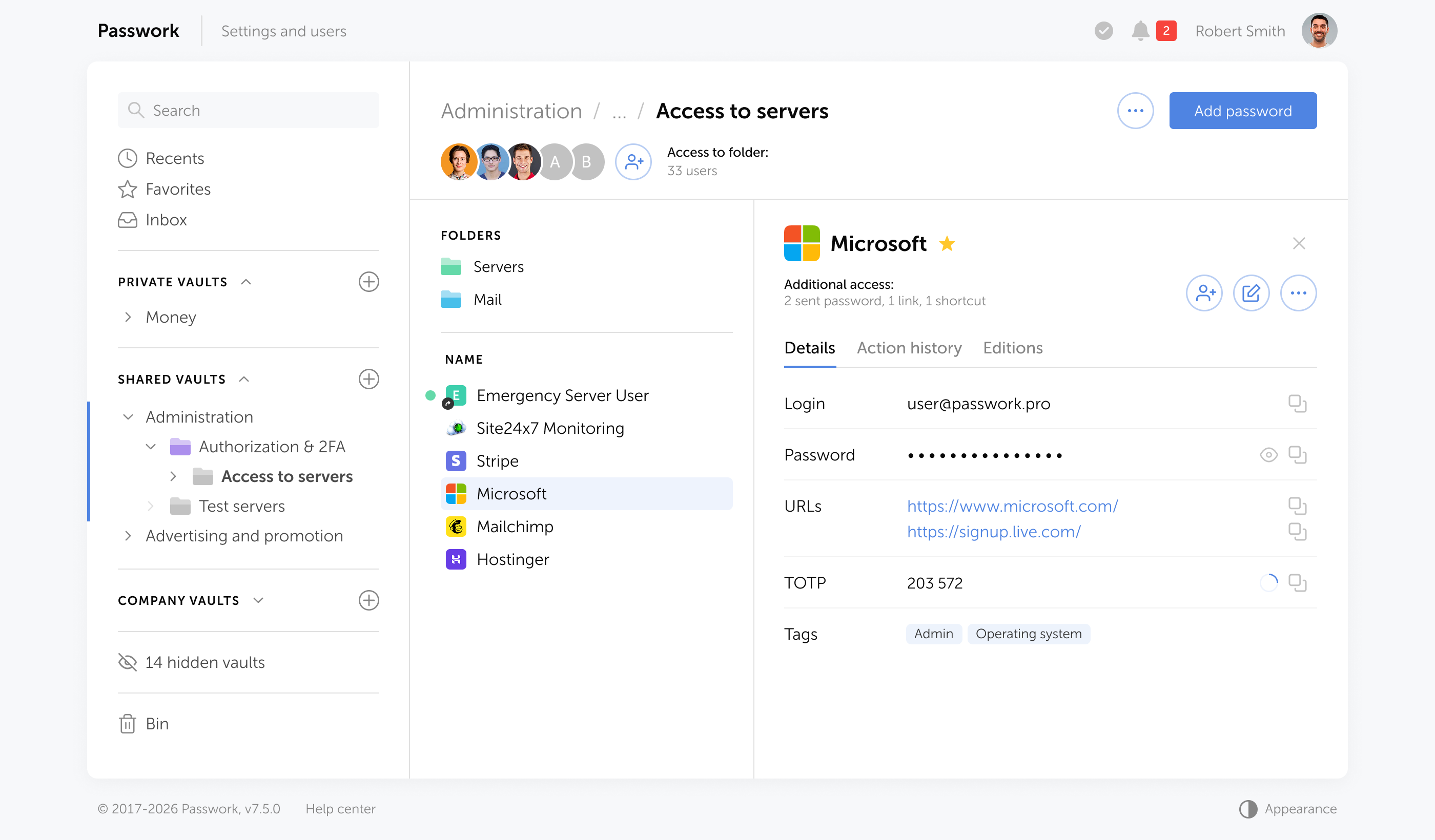
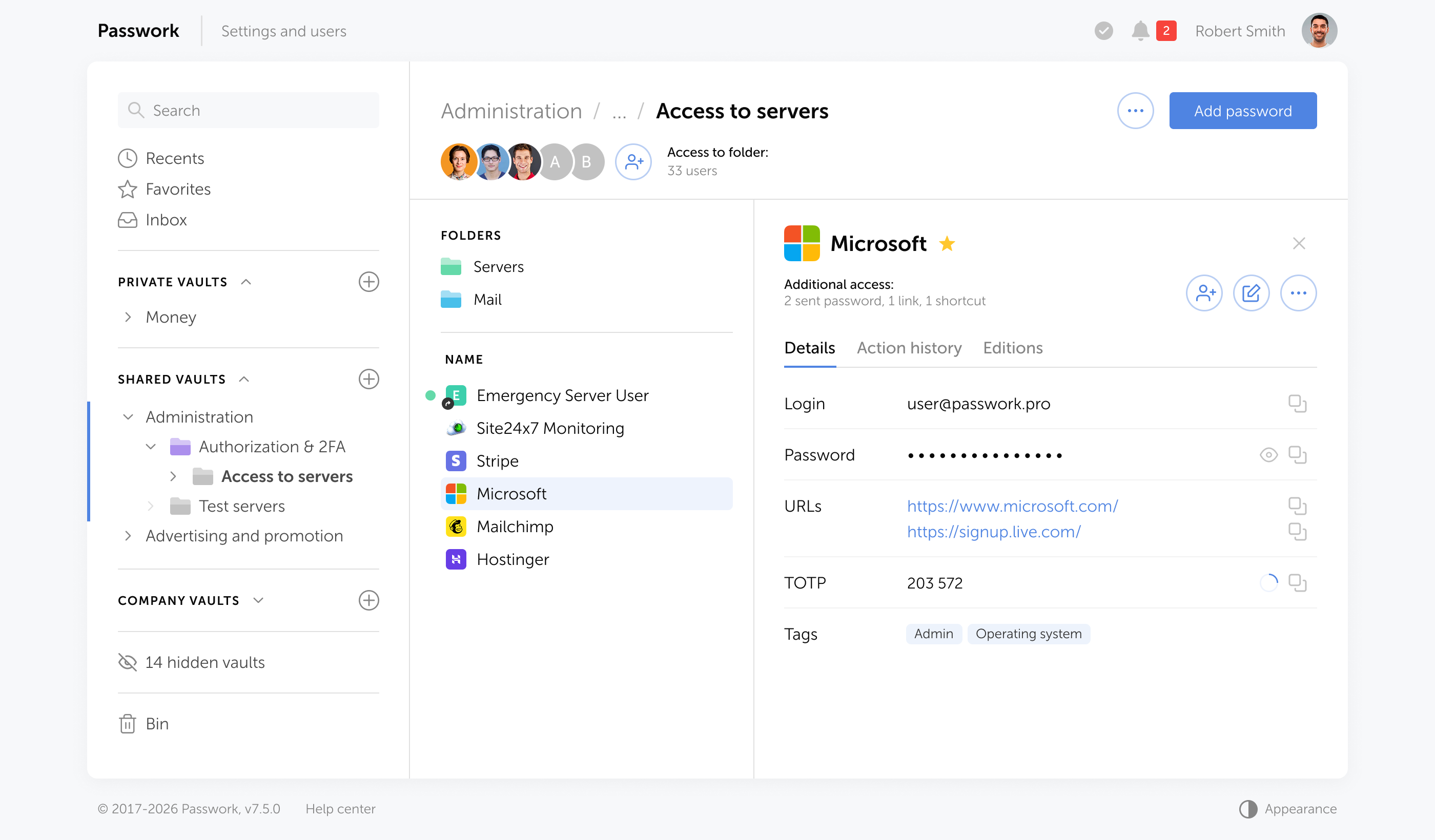
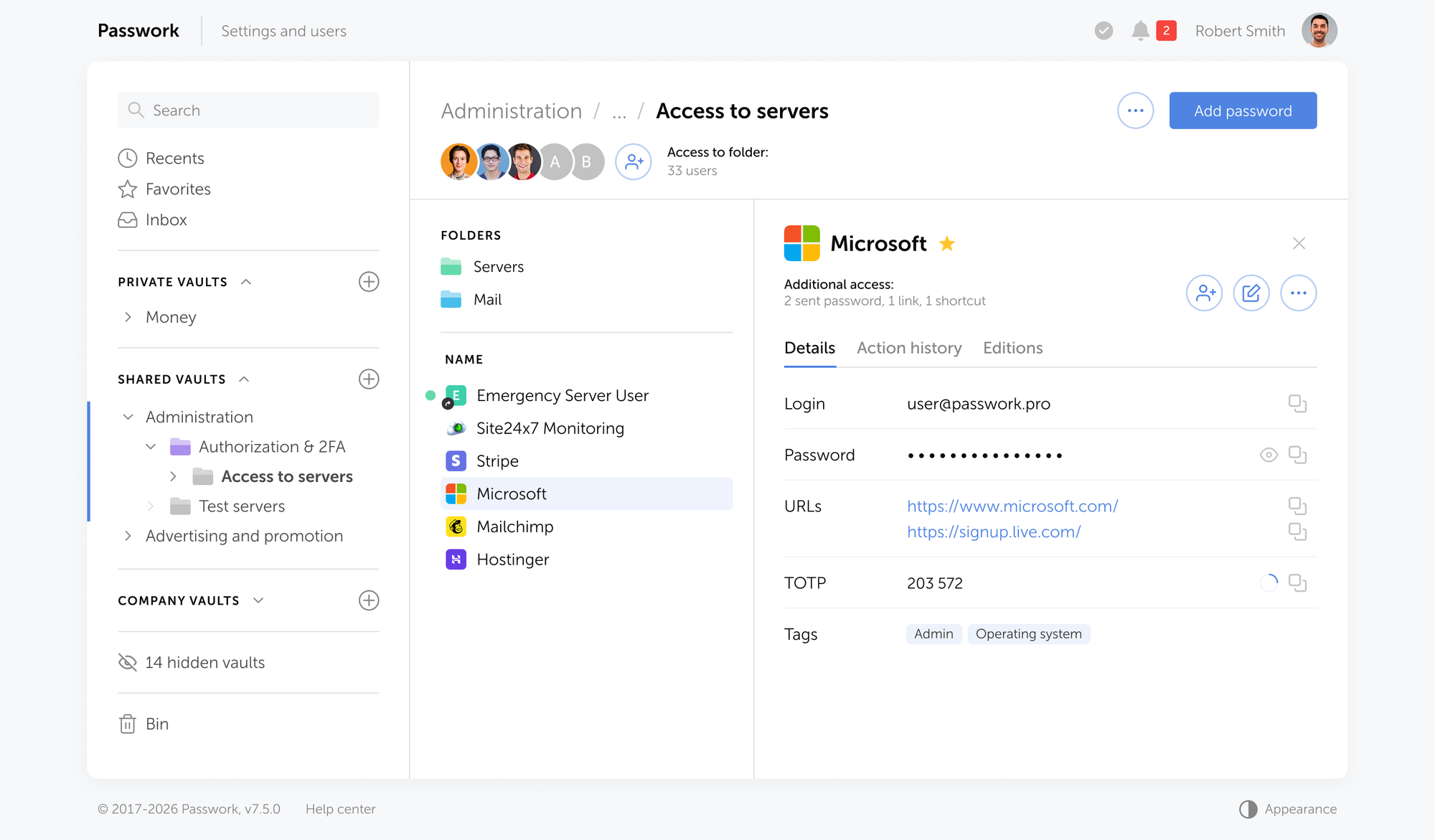
Password items now expose a urls field — a list of all URLs associated with the item. The existing url field (primary URL) remains unchanged for backward compatibility.
Das neue Release führt Servicekonten, gespeicherte Filter, automatische Papierkorb-Bereinigung, eine mobile Version der Weboberfläche sowie eine Reihe weiterer Verbesserungen und Fehlerbehebungen ein.
Servicekonto
Passwork unterstützt jetzt einen neuen Kontotyp — Servicekonto. Diese sind für Automatisierung und Integration mit externen Systemen über API konzipiert. Im Gegensatz zu regulären Benutzerkonten kann ein einzelnes Servicekonto mehrere API-Token haben, die jeweils auf eine bestimmte Integration oder Umgebung beschränkt sind.
Warum Sie ein Servicekonto benötigen
Bisher erforderte jede Integration ein eigenes Konto. Zehn Integrationen bedeuteten zehn Konten, die erstellt, konfiguriert und gepflegt werden mussten — mit separaten Anmeldungen nur um Token zu generieren oder zu widerrufen.
Servicekonten lösen dieses Problem: Ein Konto, mehrere unabhängige Token, alle vom Administrator verwaltet. Widerrufen Sie ein Token für eine Integration und die übrigen laufen ohne Unterbrechung weiter.
So erstellen Sie ein Servicekonto
Servicekonten werden in der Benutzerverwaltung erstellt — am selben Ort wie reguläre Konten.
0:00
/0:14
So erstellen Sie ein API-Token
Token werden in den Einstellungen eines bestimmten Service Accounts erstellt und widerrufen.
0:00
/0:16
Neue Rollenberechtigungen
Drei neue Berechtigungen wurden zu den Rolleneinstellungen hinzugefügt:
Service Accounts erstellen — ermöglicht das Erstellen von Service Accounts
API-Token verwalten — ermöglicht das Generieren und Widerrufen von Token
API-Token anzeigen — ermöglicht das Anzeigen vorhandener Token
Gespeicherte Filter
Benutzer können jetzt ihre ausgewählten Filter speichern und sofort erneut anwenden. Gespeicherte Filter sind privat — nur der Benutzer, der sie erstellt hat, kann sie sehen und verwenden.
Um die aktuellen Filtereinstellungen zu speichern, klicken Sie auf die Schaltfläche + im Filterauswahlmenü.
Automatische Papierkorb-Bereinigung
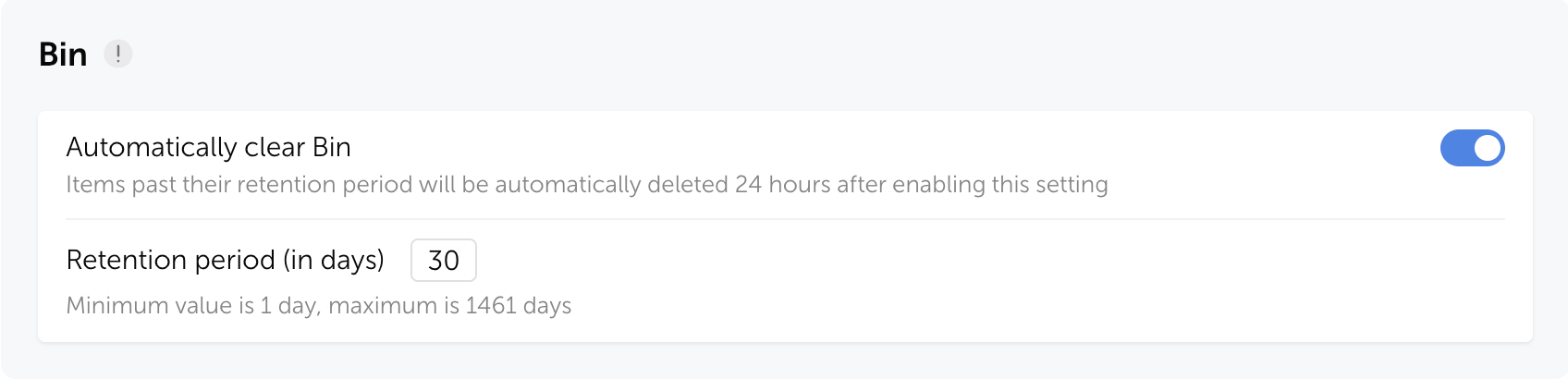
Passwork kann jetzt automatisch Elemente aus dem Papierkorb nach einem festgelegten Zeitraum löschen.Die neuen Einstellungen sind in den Tresor-Einstellungen verfügbar — aktivieren Sie die automatische Löschung und konfigurieren Sie die Aufbewahrungsdauer von 1 bis 1.461 Tagen (standardmäßig 30 Tage).
Nach Ablauf der Aufbewahrungsdauer werden Passwörter, Ordner und Shortcuts dauerhaft aus dem Papierkorb gelöscht.
Mobile Weboberfläche
Die Passwork-Weboberfläche passt sich jetzt an mobile Browser an. Beim Öffnen auf einem mobilen Gerät wechselt sie automatisch zum mobilen Layout.
Verbesserungen
Verbesserte Links: Eine Webseite mit einem einmaligen oder abgelaufenen Link wechselt jetzt automatisch in den Status „Link abgelaufen" — 30 Minuten nach dem Öffnen oder Ablaufen, ohne dass die Seite aktualisiert werden muss.
Die Schaltfläche „Mit Passkey anmelden" auf der Anmeldeseite wird jetzt ausgeblendet, wenn die Einstellung „Passkey anstelle von Passwort verwenden" für alle Rollen deaktiviert ist.
Vereinfachte Browsererweiterungs-Verbindung: Unnötige Schritte zur Benutzerauswahl und erneuten Authentifizierung nach der Anmeldung in einer Web-Sitzung wurden entfernt.
Verbesserte Anzeige des Sperrstatus für die Authentifizierungseinstellungen.
Aktualisierte Standardwerte für Masterpasswort- und Authentifizierungssperrrichtlinien.
Tooltips für lange Gruppennamen in den LDAP-Einstellungen hinzugefügt.
Fehlende Tooltips für inaktive Oberflächenelemente hinzugefügt.
Aktualisierte Tooltip-Anzeige zur Verbesserung der Lesbarkeit.
Verschiedene UI-Verbesserungen und -Korrekturen.
Fehlerbehebungen
Ein Problem wurde behoben, bei dem das Bearbeiten von Nicht-Passwort-Feldern eines Elements dessen Bedrohungsmarkierung im Sicherheits-Dashboard entfernte.
Ein Problem wurde behoben, bei dem der Status der Authentifizierungsbeschränkungseinstellung für LDAP-Benutzer falsch angezeigt werden konnte.
Ein Problem wurde behoben, bei dem Spaltenreihenfolge und -breite nicht zwischen Sitzungen gespeichert wurden.
Ein Problem wurde behoben, bei dem Browser-Navigationsschaltflächen auf bestimmten Einstellungsseiten nicht mehr funktionierten.
Desktop-App 1.3.0
Unterstützung für nicht-standardmäßige Ports in der Host-URL hinzugefügt.
Verbesserter App-Update-Mechanismus und automatische Prüfung auf die neueste Version hinzugefügt.
Alle Informationen zu Passwork-Updates finden Sie in unseren Release Notes
Die neueste Passwork-Version bietet Dienstkonten mit Multi-Token-API-Unterstützung, gespeicherte Filter, mobile Web-Oberfläche und automatische Papierkorb-Bereinigung.
La nueva versión introduce cuentas de servicio, filtros guardados, limpieza automática de la papelera, una versión móvil de la interfaz web y varias mejoras y correcciones adicionales.
Cuentas de servicio
Passwork ahora admite un nuevo tipo de cuenta — cuentas de servicio. Están diseñadas para la automatización e integración con sistemas externos a través de API. A diferencia de las cuentas de usuario regulares, una sola cuenta de servicio puede tener múltiples tokens de API, cada uno con un alcance específico para una integración o entorno determinado.
Por qué necesita una cuenta de servicio
Anteriormente, cada integración requería su propia cuenta. Diez integraciones significaban diez cuentas que crear, configurar y mantener — con inicios de sesión separados necesarios solo para generar o revocar tokens.
Las cuentas de servicio resuelven esto: una cuenta, múltiples tokens independientes, todos gestionados por el administrador. Revoque un token para una integración y el resto seguirá funcionando sin interrupción.
Cómo crear una cuenta de servicio
Las cuentas de servicio se crean en la Gestión de usuarios — el mismo lugar que las cuentas regulares.
0:00
/0:14
Cómo crear un token de API
Los tokens se crean y revocan en la configuración de una cuenta de servicio específica.
0:00
/0:16
Nuevos permisos de rol
Se han añadido tres nuevos permisos a la configuración de roles:
Crear cuentas de servicio — permite crear cuentas de servicio.
Gestionar tokens de API — permite generar y revocar tokens.
Ver tokens de API — permite visualizar los tokens existentes.
Filtros guardados
Los usuarios ahora pueden guardar los filtros seleccionados y volver a aplicarlos de forma instantánea. Los filtros guardados son privados — solo el usuario que los creó puede verlos y utilizarlos.
Para guardar la configuración del filtro actual, haga clic en el botón + en el menú de selección de filtros.
Limpieza automática de la papelera
Passwork ahora puede eliminar automáticamente los elementos de la papelera después de un período establecido.Las nuevas opciones están disponibles en Configuración de bóvedas — active la eliminación automática y configure el período de retención de 1 a 1.461 días (30 días por defecto).
Una vez que expire el período de retención, las contraseñas, carpetas y accesos directos se eliminan permanentemente de la papelera.
Interfaz web móvil
La interfaz web de Passwork ahora se adapta a los navegadores móviles. Al abrirla en un dispositivo móvil, cambia automáticamente al diseño móvil.
Mejoras
Enlaces mejorados: una página web con un enlace de un solo uso o caducado ahora pasa automáticamente al estado «Enlace caducado» 30 minutos después de abrirse o caducar, sin necesidad de actualizar la página.
El botón «Iniciar sesión con passkey» en la página de inicio de sesión ahora se oculta si la opción «Usar passkey en lugar de contraseña» está desactivada para todos los roles.
Conexión simplificada de la extensión del navegador: se eliminaron los pasos innecesarios para seleccionar un usuario y volver a autenticarse después de iniciar sesión en una sesión web.
Se mejoró la visualización del estado de bloqueo para la configuración de autenticación.
Se actualizaron los valores predeterminados para las políticas de bloqueo de contraseña maestra y autenticación.
Se añadieron tooltips para nombres de grupos largos en la configuración de LDAP.
Se añadieron tooltips faltantes para elementos de interfaz inactivos.
Se actualizó la visualización de tooltips para mejorar la legibilidad.
Se realizaron varias mejoras y correcciones de la interfaz de usuario.
Corrección de errores
Se corrigió un problema donde editar campos que no son contraseña de un elemento eliminaba su marca de amenaza en el panel de seguridad.
Se corrigió un problema donde el estado de la configuración de restricción de autenticación para usuarios de LDAP podía mostrarse incorrectamente.
Se corrigió un problema donde el orden y ancho de las columnas no se guardaban entre sesiones.
Se corrigió un problema donde los botones de navegación del navegador dejaban de funcionar en ciertas páginas de configuración.
Aplicación de escritorio 1.3.0
Se añadió compatibilidad con puertos no estándar en la URL del host.
Se mejoró el mecanismo de actualización de la aplicación y se añadieron comprobaciones automáticas de la última versión.
Puede encontrar toda la información sobre las actualizaciones de Passwork en nuestras notas de la versión
La última versión de Passwork añade cuentas de servicio con soporte API multi-token, filtros guardados, interfaz web móvil y limpieza automática de la papelera. Descubra las novedades.
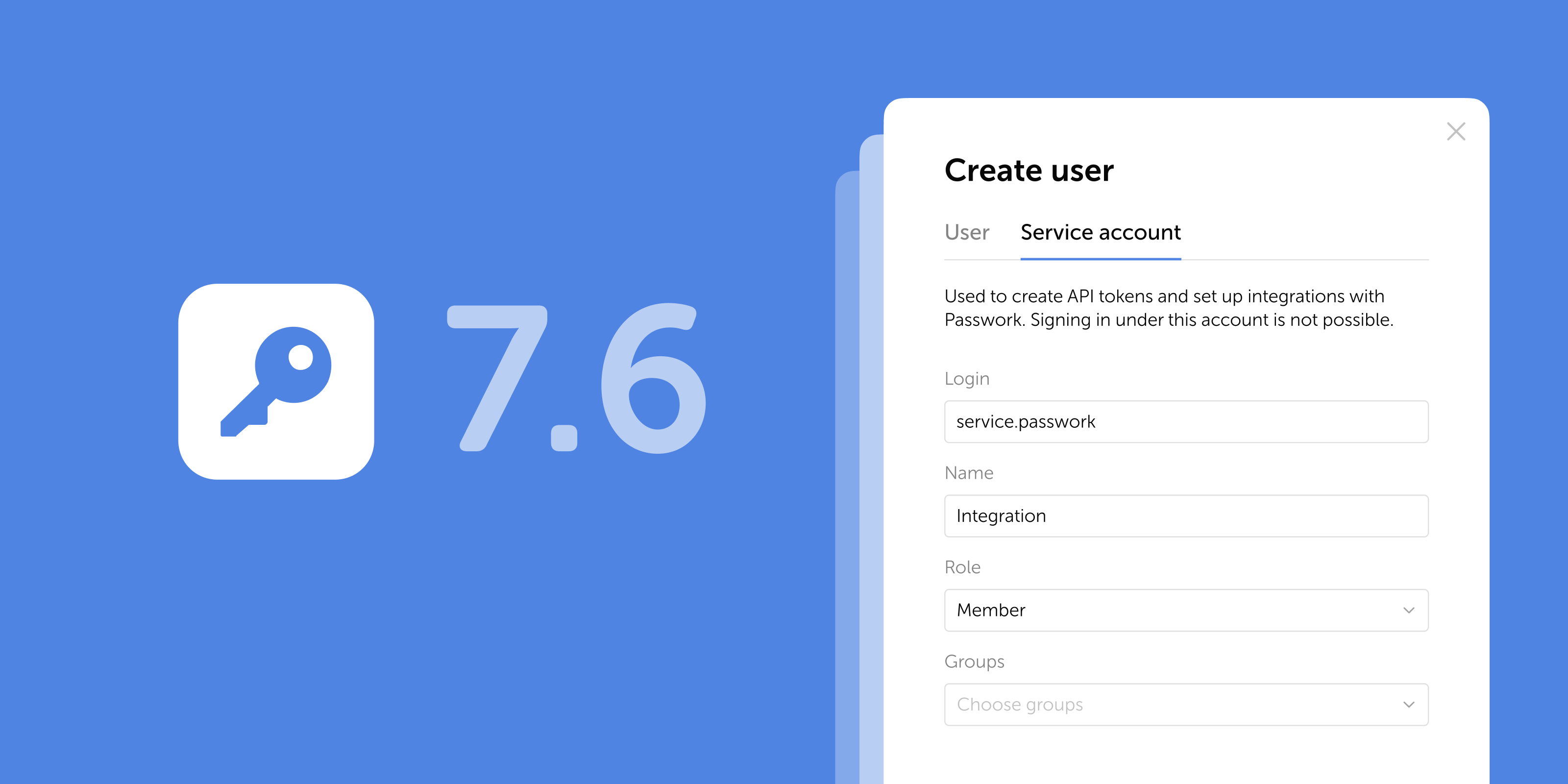
The new release introduces service accounts, saved filters, automatic Bin cleanup, a mobile version of the web interface, and a number of other improvements and fixes.
Service accounts
Passwork now supports a new account type — service accounts. They are designed for automation and integration with external systems via API. Unlike regular user accounts, a single service account can have multiple API tokens, each scoped to a specific integration or environment.
Why you need a service account
Previously, each integration required its own account. Ten integrations meant ten accounts to create, configure, and maintain — with separate sign-ins needed just to generate or revoke tokens.
Service accounts solve this: one account, multiple independent tokens, all managed by the administrator. Revoke a token for one integration and the rest keep running without interruption.
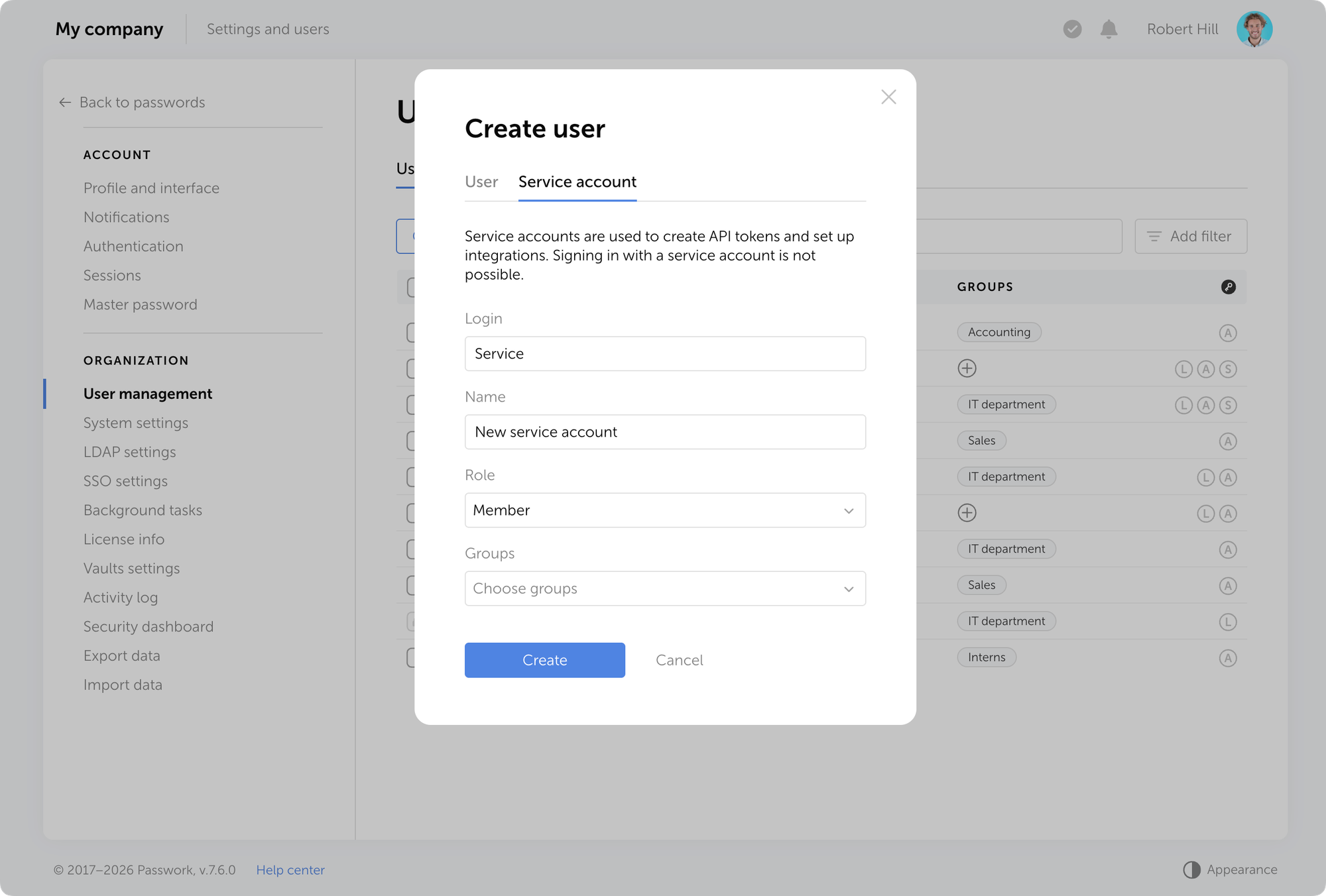
How to create a service account
Service accounts are created in the User management — the same place as regular accounts.
0:00
/0:14
How to create an API token
Tokens are created and revoked in the settings of a specific service account.
0:00
/0:16
New role permissions
Three new permissions have been added to role settings:
Create service accounts — allows creating service accounts
Manage API tokens — allows generating and revoking tokens
View API tokens — allows viewing existing tokens
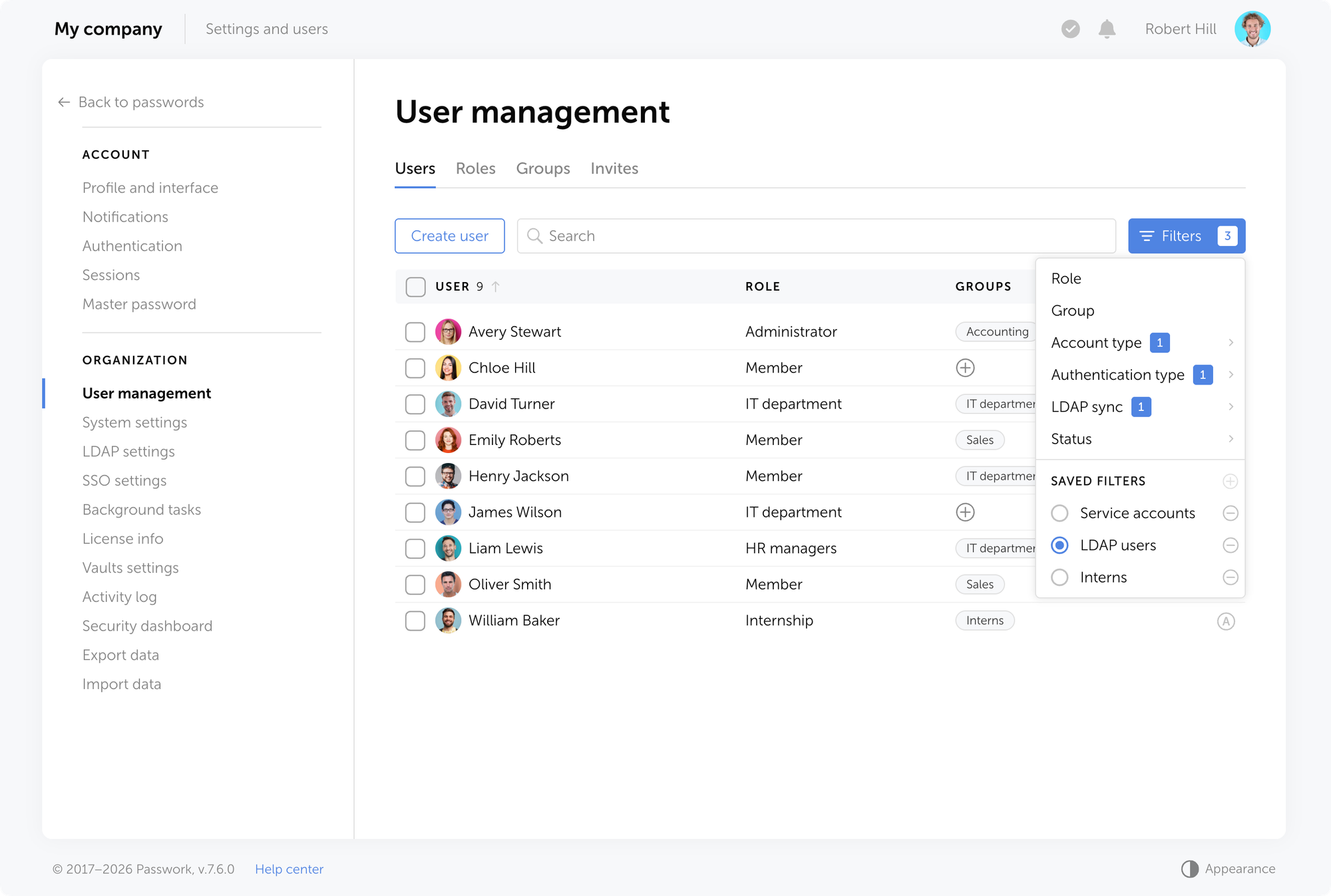
Saved filters
Users can now save their selected filters and reapply them instantly. Saved filters are private — only the user who created them can see and use them.
To save the current filter settings, click the + button in the filter selection menu.
Automatic Bin cleanup
Passwork can now automatically delete items from the Bin after a set period.The new settings are available in Vaults settings — enable automatic deletion and configure the retention period from 1 to 1,461 days (30 days by default).
Once the retention period expires, passwords, folders, and shortcuts are permanently deleted from the Bin.
Mobile web interface
The Passwork web interface now adapts to mobile browsers. When opened on a mobile device, it switches to the mobile layout automatically.
Improvements
Improved links: a webpage with a one-time or expired link now automatically transitions to the "Link expired" state 30 minutes after being opened or expiring, without requiring a page refresh
The "Sign in with passkey" button on the sign-in page is now hidden if the "Use passkey instead of password" setting is disabled for all roles
Simplified browser extension connection: removed unnecessary steps for selecting a user and re-authenticating after signing into a web session
Improved the display of the lock state for the Authentication settings
Updated the default values for master password and authentication lockout policies
Added tooltips for long group names in LDAP settings
Added missing tooltips for inactive interface element
Updated the tooltip display to improve readability
Made various UI improvements and fixes
Bug fixes
Fixed an issue where editing non-password fields of a item removed its threat flag in the Security dashboard
Fixed an issue where the state of the authentication restriction setting for LDAP users could be displayed incorrectly
Fixed an issue where column order and width were not saved between sessions
Fixed an issue where browser navigation buttons stopped working in certain settings pages
Desktop app 1.3.0
Added support for non-standard ports in the host URL
Improved the app update mechanism and added automatic checks for the latest version
You can find all information about Passwork updates in our release notes
The latest Passwork release adds service accounts with multi-token API support, saved filters, mobile web UI, and automatic Bin cleanup. See what changed.
NIS2 verlangt von Organisationen, innerhalb von 24 Stunden nach Erkennung eines bedeutenden Vorfalls eine Frühwarnung einzureichen — doch die durchschnittliche manuelle Vorfallsuntersuchung dauert länger, um allein die grundlegenden Fakten festzustellen.
Die Richtlinie macht hier keine Ausnahmen. Die Uhr startet bei der Erkennung. Und für Sicherheitsteams, die bereits am Limit arbeiten, ist genau diese Lücke zwischen regulatorischen Erwartungen und operativer Machbarkeit der Punkt, an dem die Compliance scheitert.
Die 72-Stunden-Benachrichtigung und der 30-Tage-Abschlussbericht fügen weitere Ebenen der Dokumentation, Schweregradbewertung und grenzüberschreitenden Auswirkungsanalyse hinzu. All das, während der Vorfall selbst möglicherweise noch aktiv ist. Manuelle Workflows wurden dafür nicht konzipiert. Die Frage ist, welche Teile automatisiert werden sollten und wie.
Dieser Artikel ordnet das vollständige 24-72-30-Berichterstattungsrahmenwerk spezifischen Automatisierungsfähigkeiten zu, identifiziert welche Aufgaben sicher an Tools delegiert werden können und definiert, wo menschliche Beurteilung unverzichtbar bleibt.
Kernpunkte
NIS2 Artikel 23 schreibt einen dreistufigen Berichterstattungsprozess vor — Frühwarnung innerhalb von 24 Stunden, Vorfallsmeldung innerhalb von 72 Stunden und Abschlussbericht innerhalb von 30 Tagen. Jede Frist hat spezifische Inhaltsanforderungen.
Automatisierung ist eine regulatorische Erwartung — NIS2 Artikel 29 befasst sich mit Aufsichtsregelungen für Cybersicherheit, und die Umsetzungsleitlinien von ENISA im Rahmen der Richtlinie empfehlen automatisierte Überwachung und Berichterstattung als Teil eines ausgereiften Compliance-Programms.
Die EU sieht sich einer strukturellen Personallücke von etwa 299.000 Cybersicherheitsfachkräften gegenüber — unterbesetzte Teams können manuelle Compliance-Workflows nicht neben aktiver Bedrohungsabwehr aufrechterhalten. Automatisierung entfernt die Aufgaben, die von vornherein kein menschliches Urteilsvermögen erfordern sollten.
Der finanzielle Vorteil der Automatisierung ist messbar — Organisationen, die KI und Automatisierung für Compliance einsetzen, berichten von bis zu 40 % niedrigeren Compliance-Kosten und einer 80 % kürzeren Vorbereitungszeit für Audits. Bei Datenschutzverletzungen spart Automatisierung durchschnittlich 2,2 Millionen US-Dollar im Vergleich zu Organisationen ohne sie.
Credential-Management ist eine dokumentierte NIS2-Verpflichtung — Artikel 21(2)(i) verlangt ausdrücklich Zugriffskontrollrichtlinien und Asset-Management; Artikel 21(2)(j) schreibt MFA vor. Kompromittierte Anmeldedaten sind der häufigste initiale Zugriffsvektor, und Regulierungsbehörden behandeln Identitäts-Governance als primäres Auditziel.
Automatisierung übernimmt Datenerfassung, Triage und Beweiszusammenstellung — Menschen treffen die Entscheidungen — Endgültige Freigabe von Benachrichtigungen, Ursachenbestimmung und regulatorische Kommunikation erfordern menschliche Verantwortlichkeit. Das Ziel ist sicherzustellen, dass Sicherheitsfachleute ihre Zeit für das aufwenden, was nur sie tun können.
Die Realität der NIS2-Berichterstattungslast
NIS2 (Richtlinie (EU) 2022/2555) ist das primäre Cybersicherheits-Rahmenwerk der EU für kritische Infrastruktur. Sie ersetzte die ursprüngliche NIS-Richtlinie und erweiterte die verbindlichen Sicherheits- und Vorfallsmeldepflichten auf über 160.000 Organisationen in wesentlichen und wichtigen Sektoren — von Energie und Bankwesen bis hin zu Abfallwirtschaft und Lebensmittelproduktion.
Die NIS2-Compliance-Berichterstattung stellt konkrete, zeitgebundene Verpflichtungen für alle diese Organisationen auf. Diese Verpflichtungen manuell, unter Druck und mit begrenztem Personal zu erfüllen, ist strukturell unzuverlässig.
Das 24-72-30-Berichterstattungsrahmenwerk erklärt
NIS2-Richtlinie (EU) 2022/2555 Artikel 23 legt eine dreistufige Berichterstattungspflicht für bedeutende Vorfälle fest:
Stufe
Frist
Erforderlicher Inhalt
Frühwarnung
24 Stunden
Benachrichtigung, dass ein bedeutender Vorfall eingetreten ist oder vermutet wird; Angabe, ob er grenzüberschreitend sein könnte
Vorfallsmeldung
72 Stunden
Erste Bewertung: Schweregrad, Auswirkungen, Kompromittierungsindikatoren
Jede Stufe baut auf der vorherigen auf. Wenn die 24-Stunden-Frühwarnung versäumt oder ungenau ist, ist die 72-Stunden-Benachrichtigung kompromittiert, bevor sie beginnt.
Was einen „bedeutenden Vorfall" ausmacht
Gemäß Artikel 23(3) der Richtlinie (EU) 2022/2555 ist ein Vorfall bedeutend, wenn er eines von zwei Kriterien erfüllt: Er hat eine schwerwiegende Betriebsstörung oder finanzielle Verluste für die Organisation verursacht (oder ist dazu in der Lage), oder er hat andere Personen durch erheblichen materiellen oder immateriellen Schaden beeinträchtigt (oder ist dazu in der Lage).
Der Test ist disjunktiv und vorausschauend. Ein Vorfall, der noch keinen Schaden verursacht hat, aber dazu in der Lage ist, löst dennoch die Meldepflicht aus. Organisationen können nicht warten, bis der Schaden eintritt, bevor sie ihr CSIRT benachrichtigen.
Für Anbieter digitaler Dienste — einschließlich Cloud-Computing-Dienste, Managed-Service-Provider, DNS-Anbieter und Rechenzentren — fügt die Durchführungsverordnung (EU) 2024/2690 der Kommission spezifische quantitative Schwellenwerte zusätzlich zur Artikel 23(3)-Grundlage hinzu.
Klassifizierungsfaktor
Schwellenwert für „bedeutend"
Quelle
Finanzieller Verlust
Direkter Verlust über 500.000 € oder 5 % des Jahresumsatzes (je nachdem, was niedriger ist)
Durchführungsverordnung (EU) 2024/2690
Dienststörung
Kerndienst nicht verfügbar oder schwer beeinträchtigt für >30 Minuten, oder jede Dauer bei Beeinträchtigung kritischer Infrastruktur
Artikel 23(3)
Betroffene Nutzer
Erheblicher Anteil der Dienstnutzer oder jede Auswirkung auf nachgelagerte Betriebsabläufe anderer Einrichtungen
Artikel 23(3)
Datenkompromittierung
Unbefugter Zugriff auf oder Exfiltration von Daten, die materiellen Schaden verursachen können, einschließlich Geschäftsgeheimnisse
Durchführungsverordnung (EU) 2024/2690
Grenzüberschreitende Auswirkungen
Vorfall betrifft oder könnte Dienste in mehr als einem Mitgliedstaat betreffen
Artikel 23(3)
Bedrohungsakteurprofil
Indikatoren für APT, staatlich geförderte Aktivitäten oder Beteiligung von Nationalstaaten
ENISA-Leitlinien
Wiederkehrender Vorfall
Jeder Vorfall, der Teil eines Musters wiederholter Ereignisse ist
Durchführungsverordnung (EU) 2024/2690
Physischer Schaden
Vorfall, der in der Lage ist, Tod oder erheblichen Gesundheitsschaden bei einer Person zu verursachen
Durchführungsverordnung (EU) 2024/2690
Sektorbehörden können strengere Schwellenwerte zusätzlich zu diesen Grundlagen anwenden. Zypern beispielsweise verlangt Frühwarnungen innerhalb von sechs Stunden nach Erkennung — deutlich vor der NIS2-Anforderung von 24 Stunden. Für Cloud- und SaaS-Anbieter löst jeder Ausfall von mehr als 10 Minuten, der mehr als eine Million Nutzer (oder mehr als 5 % der Nutzerbasis) betrifft, eine sofortige Eskalation aus.
Die operative Herausforderung besteht darin, dass die Bewertung dieser Schwellenwerte Echtzeitdaten erfordert. Ohne automatisierte Überwachung muss ein Sicherheitsanalyst Protokolle manuell korrelieren, den Umfang bewerten und eine Schweregradbeurteilung vornehmen — oft während der Vorfall noch aktiv ist. Diese Beurteilung bestimmt direkt, ob eine Meldepflicht ausgelöst wird. Im Zweifelsfall ist das regulatorische Prinzip eindeutig: Übermeldung zieht keine Strafe nach sich, Untermeldung schon.
Die Ressourcen- und Talentlücke
Der EU-Cybersicherheitsfachkräftemangel liegt bei etwa 299.000 Fachleuten, laut ENISA-Schätzungen. Diese Lücke hat direkte operative Konsequenzen: 81 % der Organisationen betrachten Einstellungsschwierigkeiten als Schlüsselfaktor, der ihre Anfälligkeit für Cyberangriffe erhöht.
Unterbesetzte Teams können manuelle Compliance-Workflows nicht neben aktiver Bedrohungsabwehr aufrechterhalten. Automatisierung ersetzt keine Sicherheitsfachleute — sie entfernt die Aufgaben, die sie von vornherein nicht erfordern sollten.
Wie Automatisierung die Berichterstattungslast direkt reduziert
Der Wert der Automatisierung für die NIS2-Compliance ordnet sich spezifischen Aufgaben an spezifischen Punkten in der Berichterstattungs-Timeline zu.
Automatisierung der 24-Stunden-Frühwarnung
Bei Stunde null korreliert ein SIEM-System (Security Information and Event Management) eingehende Protokolldaten und löst einen Alarm aus. Bei Stunde zwei führt eine SOAR-Plattform (Security Orchestration, Automation and Response) einen ersten Schweregrad-Bewertungs-Workflow aus — wobei Asset-Kritikalität, Anzahl betroffener Nutzer und Threat-Intelligence-Kontext automatisch abgerufen werden.
Bis Stunde vier hat das System bereits einen Frühwarnungs-Benachrichtigungsentwurf erstellt, der mit verfügbaren Vorfallsdaten gefüllt ist. Der Analyst überprüft, passt an und reicht ein.
Optimierung der 72-Stunden-Vorfallsmeldung
Die 72-Stunden-Benachrichtigung erfordert strukturierte Beweise: Kompromittierungsindikatoren, betroffene Systeme, vorläufige Auswirkungsbewertung. Diese manuell aus unterschiedlichen Protokollquellen (Firewalls, Endpunkte, Identitätsanbieter, Cloud-Plattformen) zu sammeln, dauert Stunden und führt zu Übertragungsfehlern.
Automatisierte Protokollaggregation zieht diese Daten in einen einheitlichen Vorfallsdatensatz. Die Beweissammlung läuft parallel zur Reaktion, nicht danach. Vorlagenausfüllungs-Tools füllen die Benachrichtigungsstruktur vorab mit verifizierten Datenpunkten, sodass Analysten validieren statt zusammenstellen müssen.
Vereinfachung des 30-Tage-Abschlussberichts
Der Abschlussbericht verlangt eine vollständige Vorfall-Timeline, Ursachenanalyse und dokumentierte Abhilfemaßnahmen. Automatisierte Audit-Trails erfassen jede Systemstatusänderung, jedes Zugriffsereignis und jede Konfigurationsänderung während des gesamten Vorfallslebenszyklus — und erstellen einen zeitgestempelten Datensatz, der direkt auf die erforderliche Struktur des Berichts abgebildet wird.
Kontinuierliche Compliance-Monitoring-Tools verfolgen den Fortschritt der Abhilfemaßnahmen anhand definierter Kontrollen und markieren unvollständige Aktionen vor der Abgabefrist.
Das Automatisierungs-Toolkit für NIS2-Compliance
Der Kern-Automatisierungsstack für NIS2-Compliance-Berichterstattung umfasst vier Tool-Kategorien: SIEM und SOAR für Erkennung und Reaktion, GRC-Plattformen für Kontrollmanagement, Third-Party-Risikoüberwachung für Lieferkettenverpflichtungen und Credential-Management-Lösungen für Zugriffsnachweise.
Jede adressiert eine unterschiedliche Lücke im manuellen Berichterstattungs-Workflow. Credential-Management wird im folgenden Abschnitt detailliert behandelt — es schließt die Audit-Beweislücke, die SIEM- und GRC-Tools offen lassen: Wer hatte Zugriff, auf was und wann.
Ein strukturelles Risiko, das von vornherein genannt werden sollte: fragmentierte Toollandschaft. Organisationen, die Compliance-Workflows aus unverbundenen Einzellösungen zusammenstellen — ein separates SIEM, eine eigenständige GRC-Tabelle, ein manuelles Credential-Inventar — schaffen Sichtbarkeitslücken zwischen Systemen.
Ein Vorfall, der drei Tools ohne gemeinsames Datenmodell berührt, produziert drei Teildatensätze, von denen keiner allein den Beweisstandard für eine NIS2-Benachrichtigung erfüllt. Die Integration zwischen Tools macht die Beweiskette erst kohärent.
SIEM- und SOAR-Integration
SIEM-Plattformen bieten Echtzeit-Bedrohungserkennung durch Aggregation und Korrelation von Ereignisdaten aus der gesamten Umgebung. SOAR-Plattformen erweitern dies durch Automatisierung von Reaktions-Workflows, Isolation betroffener Systeme, Benachrichtigung von Stakeholdern und Initiierung der Beweissammlung ohne manuelle Intervention. Zusammen komprimieren sie die Zeit zwischen Erkennung und dokumentierter Frühwarnung von Stunden auf Minuten.
GRC-Plattformen
Eine GRC-Plattform (Governance, Risk and Compliance) zentralisiert Richtlinienmanagement, ordnet Kontrollen regulatorischen Rahmenwerken zu und verfolgt den Compliance-Status kontinuierlich. Für NIS2 bedeutet dies eine Live-Ansicht darüber, welche Artikel-21-Kontrollen implementiert sind, welche mangelhaft sind und welche sofortige Aufmerksamkeit erfordern — ohne manuelle Tabellenkalkulationspflege.
Lieferketten-Risikoüberwachung
NIS2 Artikel 21(2)(d) verlangt ausdrücklich von Organisationen, die Sicherheit in Lieferketten zu adressieren — einschließlich der Sicherheitspraktiken direkter Lieferanten und Dienstleister. Jährlich durchgeführte manuelle Lieferantenbewertungen erfüllen diese Verpflichtung nicht; die Richtlinie setzt kontinuierliche Sichtbarkeit der Risikolage von Drittparteien voraus.
Automatisierte Third-Party-Risikoplattformen überwachen kontinuierlich Sicherheitskonfigurationen von Anbietern, Zertifikatsgültigkeit und bekannte Schwachstellenexposition. Wenn sich die Sicherheitslage eines Lieferanten verschlechtert — ein fehlkonfigurierter Endpunkt, ein ungepatchtes CVE, eine abgelaufene Zertifizierung — markiert die Plattform dies in Echtzeit, nicht bei der nächsten geplanten Überprüfung. Für Organisationen mit Dutzenden oder Hunderten von Lieferanten ist dies der einzige operativ praktikable Ansatz zur Artikel 21(2)(d)-Compliance.
Was NIS2 Artikel 29 über Automatisierung sagt
Artikel 29 der Richtlinie (EU) 2022/2555 legt Aufsichtsregelungen für wesentliche Einrichtungen fest, einschließlich der Befugnis zuständiger Behörden, dokumentierte Nachweise implementierter Kontrollen zu verlangen.
Die Umsetzungsleitlinien von ENISA im Rahmen der Richtlinie empfehlen automatisierte Überwachungs- und Berichterstattungsmechanismen als Teil eines ausgereiften NIS2-Compliance-Programms. Automatisierung ist die operative Haltung, die die aufsichtliche Prüfung gemäß Artikel 29 voraussetzt.
NIS2-Compliance über mehrere Rahmenwerke hinweg verwalten? Die Audit-Logs und Zugriffskontrollfunktionen von Passwork sind genau für diese Art von regulatorischer Überschneidung konzipiert. Passwork entdecken
Die Audit-Beweislücke mit Passwork schließen
NIS2 Artikel 21 verlangt von Organisationen, technische und organisatorische Maßnahmen zu implementieren, die Zugriffskontrolle, Credential-Management und Multi-Faktor-Authentifizierung abdecken. Das häufigste Audit-Versagen ist nicht fehlende Kontrollen — es sind fehlende Nachweise, dass diese Kontrollen kontinuierlich funktionieren.
Warum Credential-Management eine NIS2-Priorität ist
Kompromittierte Anmeldedaten bleiben der häufigste initiale Zugriffsvektor bei bestätigten Datenschutzverletzungen. Jede Credential-Kompromittierung, die sich zu einem meldepflichtigen Vorfall entwickelt, lässt sich auf ein Zugriffskontrollversagen zurückführen — ein überprivilegiertes Konto, ein geteiltes Passwort, ein nicht rotiertes Service-Credential.
Die Richtlinie ist in diesem Punkt explizit. Artikel 21(2)(i) der NIS2-Richtlinie (EU) 2022/2555 listet unter den obligatorischen Cybersicherheits-Risikomanagement-Maßnahmen: „Sicherheit des Personals, Konzepte für die Zugriffskontrolle und Management von Anlagen." Die Anforderung existiert genau deshalb, weil Identität dort ist, wo die meisten Vorfälle beginnen — und die Regulierungsbehörden wissen das.
Die Durchführungsverordnung der Kommission (EU) 2024/2690, die technische und methodische Anforderungen gemäß Artikel 21 spezifiziert, verstärkt dies direkt:
„Die betreffenden Einrichtungen sollten eine Richtlinie zur Sicherheit von Netz- und Informationssystemen sowie themenspezifische Richtlinien festlegen, wie etwa Richtlinien zur Zugriffskontrolle, die mit der Richtlinie zur Sicherheit von Netz- und Informationssystemen kohärent sein sollten."
Artikel 21(2)(j) verlangt darüber hinaus „die Verwendung von Lösungen zur Multi-Faktor-Authentifizierung oder kontinuierlichen Authentifizierung, gesicherte Sprach-, Video- und Textkommunikation und gegebenenfalls gesicherte Notfall-Kommunikationssysteme innerhalb der Einrichtung." Credential-Hygiene und Zugriffs-Governance sind keine optionalen Härtungsmaßnahmen.
Automatisierte Audit-Trails und unveränderliche Protokolle
Passwork zeichnet automatisch jede Passworterstellung, -änderung, jedes Freigabeereignis und jede Zugriffsaktion auf — mit Zeitstempeln, Benutzerzuordnung und Tresor-Kontext. Dieses Aktivitätsprotokoll ist kontinuierlich und erfordert keine manuelle Eingabe von Administratoren. Einträge können nach der Erstellung nicht bearbeitet oder gelöscht werden — was das Protokoll audit-zuverlässig macht.
Die regulatorische Grundlage für diese Erwartung ist klar. Artikel 21(2)(b) der Richtlinie (EU) 2022/2555 verlangt von Einrichtungen, Maßnahmen zu implementieren, die „Bewältigung von Sicherheitsvorfällen" abdecken — was die Existenz strukturierter, abrufbarer Nachweise dessen voraussetzt, was passiert ist, wann und unter wessen Anmeldedaten. Ohne ein unveränderliches Zugriffsprotokoll ist die Vorfallsrekonstruktion Spekulation.
Artikel 21(2)(f) erweitert dies auf „Sicherheit bei Erwerb, Entwicklung und Wartung von Netz- und Informationssystemen" — und deckt die Systeme ab, über die Anmeldedaten verwaltet und zugegriffen werden. Auditoren, die die Compliance gemäß dieser Klausel überprüfen, werden nach Nachweisen suchen, dass der Zugriff auf sensible Systeme durchgängig kontrolliert und nachverfolgbar war.
Die Durchführungsverordnung (EU) 2024/2690 macht die Protokollierungserwartung operativ: Einrichtungen müssen „ihre Netz- und Informationssysteme überwachen" und „Maßnahmen zur Bewertung" erkannter Ereignisse ergreifen — ein Prozess, der nur mit kontinuierlichen, strukturierten Aktivitätsaufzeichnungen möglich ist. Ad-hoc oder manuell zusammengestellte Protokolle erfüllen diesen Standard nicht.
Die Leitlinien von ENISA zur NIS2-Umsetzung betonen ferner, dass zuständige Behörden bei der Ausübung der Aufsicht bewerten werden, ob Einrichtungen „technische und methodische Anforderungen" in einer dokumentierten, nachprüfbaren Form implementiert haben — was bedeutet, dass Audit-Trails exportierbar und audit-lesbar sein müssen, nicht nur intern sichtbar.
Die detaillierten Aktivitätsberichte von Passwork liefern genau das: einen strukturierten, exportierbaren Datensatz, der direkt auf das abgebildet ist, was Regulierungsbehörden sehen möchten.
Zentralisierte Zugriffskontrolle und AD/LDAP-Integration
Zentralisierte Zugriffskontrolle ist ein Ansatz, bei dem alle Berechtigungen für Systeme, Anmeldedaten und Ressourcen von einer einzigen administrativen Ebene aus verwaltet werden — anstatt separat über einzelne Tools oder Teams konfiguriert zu werden. AD/LDAP-Integration verbindet diese Ebene direkt mit dem bestehenden Verzeichnisdienst der Organisation (Active Directory oder LDAP), sodass Gruppenmitgliedschaften und Rollenänderungen im Verzeichnis automatisch an nachgelagerte Zugriffsrichtlinien weitergegeben werden.
Die rollenbasierte Zugriffskontrolle (RBAC) von Passwork ermöglicht es Administratoren, Berechtigungen auf Ebene einzelner Benutzer oder Gruppen zuzuweisen, wobei die AD/LDAP-Integration Verzeichnisgruppen automatisch mit Passwork-Zugriffsrichtlinien synchronisiert.
Wenn ein Mitarbeiter ausscheidet oder die Rolle wechselt, wird der Zugriff über das Verzeichnis widerrufen oder angepasst, nicht über einen manuellen Ticket-Prozess, der Tage dauern kann.
Betroffene Einrichtungen implementieren Konzepte für die Zugriffskontrolle, die mit der Richtlinie zur Sicherheit von Netz- und Informationssystemen kohärent sind… einschließlich Identitäts- und Zugriffsmanagement. — Durchführungsverordnung der Kommission (EU) 2024/2690
Das Self-Hosted-Bereitstellungsmodell von Passwork hält alle Credential-Daten innerhalb der eigenen Infrastruktur der Organisation und adressiert damit direkt die Zugriffskontrollanforderungen von Artikel 21(2)(i) und unterstützt Datensouveränitätsverpflichtungen, die sich mit der DSGVO überschneiden.
Kontinuierliche Passwortsicherheitsanalyse
Das Sicherheits-Dashboard von Passwork markiert automatisch schwache, wiederverwendete, veraltete und kompromittierte Anmeldedaten im gesamten Tresor. Diese kontinuierliche Überwachungshaltung demonstriert die proaktive Risikomanagement-Haltung, die NIS2 Artikel 21(2)(a) verlangt.
Wenn ein Auditor fragt „Woher wissen Sie, dass Ihre Credential-Hygiene aufrechterhalten wird?" ist die Antwort ein Live-Dashboard und ein exportierbarer Bericht.
Passwork liefert den Audit-Trail, die Zugriffskontrollnachweise und die Credential-Hygiene-Berichterstattung, die NIS2-Artikel-21-Audits erfordern. Sehen Sie, wie es funktioniert
Quantifizierte Vorteile der Automatisierung für NIS2-Compliance
Zeiteinsparung und Kostenreduzierung
Organisationen, die Compliance-Automatisierung implementieren, berichten von 40–60 % niedrigeren Gesamt-Compliance-Kosten und bis zu 80 % kürzerer Zeit für die Audit-Beweissammlung, laut Forrester-Forschung. Für ein Compliance-Team, das 200 Stunden für die Vorbereitung eines einzigen Audit-Zyklus aufwendet, übersetzt sich diese Reduzierung direkt in Kapazität für andere Arbeit.
Die globalen durchschnittlichen Kosten einer Datenschutzverletzung lagen 2025 bei 4,44 Millionen US-Dollar. Organisationen mit umfassender Sicherheits-KI und Automatisierung sparten durchschnittlich 1,9 Millionen US-Dollar pro Verletzung im Vergleich zu denen ohne — und dämmten Verletzungen 80 Tage schneller ein. Bei Datenschutzverletzungsszenarien übersteigen die durchschnittlichen Einsparungen durch Sicherheitsautomatisierung typische Implementierungskosten.
Genauigkeit und Audit-Bereitschaft
Manuelle Datensammlung führt zu Übertragungsfehlern, Versionskonflikten und Dokumentationslücken. Automatisierte Beweissammlung eliminiert diese Fehlermodi, indem sie Daten direkt aus Quellsystemen zieht — und sicherstellt, dass das, was Auditoren erhalten, mit dem übereinstimmt, was tatsächlich passiert ist.
Skalierbarkeit über Multi-Framework-Compliance hinweg
NIS2-Kontrollen überschneiden sich erheblich mit DORA (Digital Operational Resilience Act), DSGVO Artikel 32 und ISO/IEC 27001. Die Automatisierung für NIS2 — insbesondere rund um Audit-Trails, Zugriffskontrolle und Vorfallsdokumentation — baut eine Compliance-Infrastruktur auf, die mehrere Rahmenwerke gleichzeitig bedient. Die Investition potenziert sich.
Moderne GRC-Plattformen formalisieren diese Überschneidung durch Multi-Framework-Compliance-Orchestrierung: Eine einzelne Kontrolle wird einmal zugeordnet, kontinuierlich bewertet und gleichzeitig gegen NIS2, DSGVO und ISO 27001 berichtet.
Ohne dies pflegen Compliance-Teams parallele Dokumentationssätze für jedes Rahmenwerk — eine strukturelle Ineffizienz, die die Audit-Vorbereitungszeit vervielfacht und Versionskonflikte zwischen Rahmenwerken einführt. Organisationen, die sowohl NIS2 als auch DORA unterliegen, stehen beispielsweise nahezu identischen Vorfallsberichterstattungsverpflichtungen gegenüber; eine einheitliche Plattform handhabt beides aus derselben Beweisbasis.
Prädiktive Compliance: Von reaktiv zu proaktiv
Die nächste Reifestufe jenseits der kontinuierlichen Überwachung ist prädiktives Compliance-Management. KI-gesteuerte Analyseplattformen analysieren historische Compliance-Daten, Kontrollabweichungsmuster und Threat-Intelligence-Feeds, um wahrscheinliche Compliance-Lücken aufzudecken, bevor sie sich zu Vorfällen oder Audit-Feststellungen materialisieren.
Für NIS2 bedeutet dies die Identifizierung, welche Kontrollen zu einer Defizienz tendieren — eine Zugriffsrichtlinie, die seit 11 Monaten nicht überprüft wurde, ein Credential-Set, das sich seiner Rotationsschwelle nähert, ein Lieferant, dessen Sicherheitsbewertung über drei aufeinanderfolgende Bewertungen gesunken ist — und deren Markierung, bevor eine Regulierungsbehörde dies tut. Der Wechsel von reaktiver Behebung zu proaktiver Prävention ist der Punkt, an dem Automatisierung aufhört, ein Berichterstattungstool zu sein, und beginnt, eine Risikomanagement-Fähigkeit zu werden.
Automatisierung + menschliche Aufsicht: Die richtige Balance finden
Was vollständig automatisiert werden sollte
Die folgenden Aufgaben eignen sich für vollständige Automatisierung: Protokollsammlung und -aggregation, erste Schweregradbewertung, Beweiszusammenstellung, Benachrichtigungsvorlagenausfüllung, kontinuierliche Credential-Überwachung, Zugriffsbereitstellung und -entzug über Verzeichnisintegration und Compliance-Status-Dashboards.
Diese sind hochvolumig, zeitkritisch und fehleranfällig bei manueller Durchführung. Automatisierung handhabt sie schneller und konsistenter als jedes Team.
Was menschlich geleitet bleiben muss
Strategische Entscheidungen können nicht an automatisierte Systeme delegiert werden. Endgültige Freigabe von Vorfallsbenachrichtigungen, Vorstandskommunikation, Ursachenbestimmung, Entscheidungen zur öffentlichen Offenlegung und regulatorische Verhandlungen erfordern alle menschliches Urteilsvermögen, Verantwortlichkeit und rechtliche Befugnis.
Das Ziel ist nicht, Menschen aus dem Compliance-Prozess zu entfernen — es ist sicherzustellen, dass Menschen ihre Zeit für Entscheidungen aufwenden, die nur sie treffen können.
Implementierungs-Roadmap: Erste Schritte mit NIS2-Berichterstattungsautomatisierung
Schritt 1 — Gap-Bewertung und Tool-Auswahl
Ordnen Sie Ihre aktuellen Workflows für Vorfallserkennung, Dokumentation und Berichterstattung der 24-72-30-Timeline zu. Identifizieren Sie, wo manuelle Schritte das höchste Verzögerungs- oder Fehlerrisiko erzeugen. Wählen Sie Tools — SIEM, SOAR, GRC, PAM (Privileged Access Management), Credential-Management — basierend auf Integrationsfähigkeit mit Ihrem bestehenden Stack, nicht allein auf Feature-Listen.
Schritt 2 — Integration und Workflow-Design
Verbinden Sie Tools mit Datenquellen: Endpunkte, Identitätsanbieter, Netzwerkinfrastruktur, Cloud-Plattformen. Entwerfen Sie automatisierte Workflows für jede Berichterstattungsstufe — was den Frühwarnungsentwurf auslöst, was die 72-Stunden-Benachrichtigung füllt, was den Abschlussbericht speist. Testen Sie jeden Workflow gegen einen simulierten Vorfall vor dem Go-Live.
Schritt 3 — Test und kontinuierliche Verbesserung
Führen Sie Tabletop-Übungen mit den automatisierten Workflows durch. Messen Sie Zeit-bis-zur-Frühwarnung, Beweisvollständigkeit und Benachrichtigungsgenauigkeit. Behandeln Sie jede Übung als Kalibrierungsereignis — passen Sie Schwellenwerte, Vorlagen und Eskalationspfade basierend auf den Ergebnissen an. NIS2-Compliance ist kein Projekt mit einem Enddatum; es ist eine operative Fähigkeit, die fortlaufende Verfeinerung erfordert.
Fazit
Das 24-72-30-Berichterstattungsrahmenwerk von NIS2 ist nicht für manuelle Workflows konzipiert. Die Richtlinie setzt Fristen, die kontinuierliche Überwachung, strukturierte Beweise und dokumentierte Kontrollen voraussetzen — keine Tabellenkalkulationen, die unter Druck zusammengestellt werden, während ein Vorfall noch aktiv ist.
Das operative Argument für Automatisierung ist eindeutig: Bei 24 Stunden ist ein Team, das bereits Protokolle aggregiert, den Schweregrad bewertet und eine Benachrichtigungsvorlage vorbefüllt hat, compliant. Ein Team, das bei null anfängt, ist es nicht. Diese Lücke ist ein Prozessdesign-Problem, das Technologie löst.
Credential-Governance gemäß Artikel 21 ist eine dokumentierte Verpflichtung — und die Nachweise, die Regulierungsbehörden verlangen werden, ordnen sich direkt den Zugriffskontrollversagen zu, bei denen die meisten Vorfälle beginnen. Audit-Trails, RBAC, MFA-Durchsetzung und kontinuierliche Passwortsicherheitsüberwachung sind Nachweise.
Drei Dinge bestimmen, ob eine Organisation NIS2-Berichterstattungsverpflichtungen unter Druck erfüllt: die Erkennungsgeschwindigkeit, die Qualität der automatisierten Beweissammlung und die Vollständigkeit der Zugriffskontrolldokumentation. Jedes ist mit den richtigen Tools adressierbar. Keines ist allein mit guten Absichten und einem fähigen Team adressierbar.
Die Organisationen, die die 24-Stunden-Frist konsequent einhalten werden, sind diejenigen, die die Fähigkeit vor dem Vorfall aufgebaut haben — nicht diejenigen, die es geplant hatten.
Passwork liefert Sicherheitsteams den Audit-Trail, die Zugriffskontrolldokumentation und das Credential-Monitoring, das NIS2 Artikel 21 erfordert. Sehen Sie, wie Passwork in Ihre Compliance-Infrastruktur passt: passwork.pro
Häufig gestellte Fragen
Was sind die NIS2-Vorfallsberichterstattungsanforderungen?
NIS2 Artikel 23 verlangt von wesentlichen und wichtigen Einrichtungen, einen dreistufigen Bericht für bedeutende Vorfälle einzureichen: eine Frühwarnung innerhalb von 24 Stunden, eine Vorfallsmeldung innerhalb von 72 Stunden und einen Abschlussbericht innerhalb von 30 Tagen. Jede Stufe hat spezifische Inhaltsanforderungen bezüglich Vorfallsumfang, Schweregrad, Auswirkungen und Abhilfemaßnahmen.
Wie lange haben Organisationen Zeit, einen NIS2-Vorfall zu melden?
Organisationen müssen eine Frühwarnung innerhalb von 24 Stunden nach Kenntniserlangung eines bedeutenden Vorfalls einreichen. Eine detailliertere Vorfallsmeldung folgt innerhalb von 72 Stunden. Ein umfassender Abschlussbericht — einschließlich Ursachenanalyse und Abhilfeschritte — ist innerhalb von 30 Tagen nach der ersten Benachrichtigung fällig.
Was ist ein „bedeutender Vorfall" gemäß NIS2?
Gemäß Artikel 23(3) ist ein Vorfall bedeutend, wenn er schwerwiegende Betriebsstörungen, finanzielle Verluste oder materiellen Schaden für andere Einrichtungen verursacht. Die technischen Leitlinien von ENISA fügen quantitative Schwellenwerte basierend auf der Anzahl betroffener Nutzer, der Dienstausfalldauer und dem geografischen Umfang hinzu. Die Bestimmung der Bedeutsamkeit erfordert Echtzeitdaten — weshalb automatisierte Überwachung entscheidend ist.
Wie kann Automatisierung bei der NIS2-Compliance-Berichterstattung helfen?
Automatisierung komprimiert die Zeit zwischen Vorfallserkennung und regulatorischer Benachrichtigung, indem sie Protokollaggregation, Schweregradbewertung, Beweissammlung und Vorlagenausfüllung ohne manuelle Intervention handhabt. Sie pflegt auch kontinuierliche Audit-Trails und Compliance-Monitoring und stellt sicher, dass Organisationen immer in einem berichtsfähigen Zustand sind, anstatt nach einem Vorfall hastig Beweise zu rekonstruieren.
Wie hilft ein Passwortmanager wie Passwork bei der NIS2-Compliance?
Passwork adressiert die NIS2-Artikel-21-Anforderungen durch automatisierte Audit-Logs aller Credential-Zugriffs- und Änderungsereignisse, rollenbasierte Zugriffskontrolle mit AD/LDAP-Integration, kontinuierliche Passwortsicherheitsanalyse und ein Self-Hosted-Bereitstellungsmodell, das Credential-Daten innerhalb der Infrastruktur der Organisation hält. Diese Funktionen liefern die dokumentierten Nachweise, die Auditoren gemäß Artikel 21(2)(b), (f) und (i) verlangen.
Was passiert, wenn Sie die NIS2-24-Stunden-Berichterstattungsfrist versäumen?
Das Versäumen der 24-Stunden-Frühwarnungsfrist setzt wesentliche Einrichtungen aufsichtlichen Maßnahmen durch nationale zuständige Behörden aus, einschließlich verbindlicher Anweisungen, Geldbußen und — für wesentliche Einrichtungen — potenzieller vorübergehender Suspendierung von Managementfunktionen. Geldbußen gemäß NIS2 erreichen 10 Millionen € oder 2 % des globalen Jahresumsatzes für wesentliche Einrichtungen.
Was ist der Unterschied zwischen wesentlichen und wichtigen NIS2-Einrichtungen?
Wesentliche Einrichtungen operieren in hochkritischen Sektoren, die in Anhang I der Richtlinie aufgeführt sind — Energie, Bankwesen, Gesundheitswesen, digitale Infrastruktur und andere — und unterliegen proaktiver, regelmäßiger Aufsicht. Wichtige Einrichtungen fallen unter Anhang-II-Sektoren (Postdienste, Lebensmittelproduktion, Abfallwirtschaft usw.) und unterliegen reaktiver Aufsicht. Beide Kategorien müssen identische technische Anforderungen gemäß Artikel 21 und dieselben Vorfallsberichterstattungsverpflichtungen gemäß Artikel 23 erfüllen.
NIS2-Compliance-Berichterstattung: Wie Automatisierung den Aufwand reduziert
Das 24–72–30-Melderahmenwerk von NIS2 setzt kontinuierliches Monitoring und strukturierte Nachweise voraus — nicht manuelle Workflows unter Zeitdruck. Dieser Artikel ordnet jede Frist spezifischen Automatisierungsfunktionen zu und definiert, wo menschliches Urteilsvermögen unverzichtbar bleibt.
NIS2 exige que las organizaciones presenten una alerta temprana en las 24 horas siguientes a la detección de un incidente significativo — sin embargo, la investigación manual promedio de un incidente tarda más que eso solo para establecer los hechos básicos.
A la directiva no le importa. El reloj comienza en el momento de la detección. Y para los equipos de seguridad que ya trabajan a plena capacidad, esa brecha entre lo que el reglamento espera y lo que es operativamente posible es exactamente donde el cumplimiento falla.
La notificación de 72 horas y el informe final de 30 días añaden capas adicionales de documentación, evaluación de gravedad y análisis de impacto transfronterizo. Todo mientras el incidente en sí puede seguir activo. Los flujos de trabajo manuales no fueron diseñados para esto. La pregunta es qué partes automatizar y cómo.
Este artículo mapea el marco completo de informes de 24–72–30 frente a capacidades de automatización específicas, identifica qué tareas pueden delegarse de forma segura a las herramientas y define dónde el juicio humano sigue siendo innegociable.
Puntos clave
El Artículo 23 de NIS2 establece un proceso de notificación en tres etapas — alerta temprana en 24 horas, notificación del incidente en 72 horas e informe final en 30 días. Cada plazo conlleva requisitos de contenido específicos.
La automatización es una expectativa regulatoria — el Artículo 29 de NIS2 aborda los mecanismos de supervisión para la ciberseguridad, y las directrices de implementación de ENISA bajo la directiva recomiendan la monitorización y los informes automatizados como parte de un programa de cumplimiento maduro.
La UE enfrenta una brecha estructural de personal de aproximadamente 299.000 profesionales de ciberseguridad — los equipos con falta de personal no pueden mantener flujos de trabajo de cumplimiento manuales junto con la respuesta activa a amenazas. La automatización elimina las tareas que no deberían requerir juicio humano en primer lugar.
El caso financiero para la automatización es medible — las organizaciones que utilizan IA y automatización para el cumplimiento informan hasta un 40% de reducción en los costes de cumplimiento y un 80% de reducción en el tiempo de preparación de auditorías. En escenarios de brechas, la automatización ahorra un promedio de 2,2 millones de dólares en comparación con las organizaciones que no la tienen.
La gestión de credenciales es una obligación documentada de NIS2 — el Artículo 21(2)(i) exige explícitamente políticas de control de acceso y gestión de activos; el Artículo 21(2)(j) establece MFA. Las credenciales comprometidas son el vector de acceso inicial más común, y los reguladores tratan la gobernanza de identidades como un objetivo principal de auditoría.
La automatización gestiona la recopilación de datos, el triaje y la compilación de evidencias; los humanos son responsables de las decisiones — la aprobación final de las notificaciones, la determinación de la causa raíz y la comunicación regulatoria requieren responsabilidad humana. El objetivo es garantizar que los profesionales de seguridad dediquen su tiempo a lo que solo ellos pueden hacer.
La realidad de la carga de informes de NIS2
NIS2 (Directiva (UE) 2022/2555) es el marco principal de ciberseguridad de la UE para infraestructuras críticas. Reemplazó la Directiva NIS original y extendió las obligaciones de seguridad e informes de incidentes a más de 160.000 organizaciones en sectores esenciales e importantes — desde energía y banca hasta gestión de residuos y producción de alimentos.
Los informes de cumplimiento de NIS2 imponen obligaciones concretas y con plazos definidos a todas ellas. Cumplir esas obligaciones manualmente, bajo presión, con personal limitado, es estructuralmente poco fiable.
El marco de informes de 24–72–30 explicado
El Artículo 23 de la Directiva NIS2 (UE) 2022/2555 establece una obligación de informes en tres etapas para incidentes significativos:
Etapa
Plazo
Contenido requerido
Alerta temprana
24 horas
Notificación de que ha ocurrido o se sospecha un incidente significativo; indicación de si puede ser transfronterizo
Notificación del incidente
72 horas
Evaluación inicial: gravedad, impacto, indicadores de compromiso
Informe final
30 días
Descripción completa del incidente, causa raíz, medidas de remediación, impacto transfronterizo
Cada etapa se construye sobre la anterior. Si la alerta temprana de 24 horas se omite o es inexacta, la notificación de 72 horas queda comprometida antes de comenzar.
Qué constituye un «incidente significativo»
Según el Artículo 23(3) de la Directiva (UE) 2022/2555, un incidente es significativo si cumple uno de los dos criterios: ha causado (o es capaz de causar) una interrupción operativa grave o pérdidas financieras a la entidad, o ha afectado (o es capaz de afectar) a otras personas mediante daños materiales o inmateriales considerables.
La prueba es disyuntiva y prospectiva. Un incidente que aún no ha causado daño pero es capaz de hacerlo todavía activa la obligación de notificación. Las organizaciones no pueden esperar a que el daño se materialice antes de notificar a su CSIRT.
Para los proveedores de servicios digitales — incluyendo servicios de computación en la nube, proveedores de servicios gestionados, proveedores de DNS y centros de datos — el Reglamento de Ejecución de la Comisión (UE) 2024/2690 añade umbrales cuantitativos específicos además de la base del Artículo 23(3).
Factor de clasificación
Umbral para «significativo»
Fuente
Pérdida financiera
Pérdida directa superior a 500.000 € o el 5% de la facturación anual (lo que sea menor)
Reglamento de Ejecución (UE) 2024/2690
Interrupción del servicio
Servicio principal no disponible o gravemente degradado durante >30 minutos, o cualquier duración que afecte a infraestructuras críticas
Artículo 23(3)
Usuarios afectados
Proporción significativa de usuarios del servicio, o cualquier impacto en las operaciones posteriores de otras entidades
Artículo 23(3)
Compromiso de datos
Acceso no autorizado o exfiltración de datos capaces de causar daño material, incluidos secretos comerciales
Reglamento de Ejecución (UE) 2024/2690
Impacto transfronterizo
El incidente afecta o podría afectar a servicios en más de un Estado miembro
Artículo 23(3)
Perfil del actor de amenaza
Indicadores de APT, actividad patrocinada por estados o participación de estados-nación
Directrices de ENISA
Incidente recurrente
Cualquier incidente que forme parte de un patrón de eventos repetidos
Reglamento de Ejecución (UE) 2024/2690
Daño físico
Incidente capaz de causar la muerte o daños considerables a la salud de una persona
Reglamento de Ejecución (UE) 2024/2690
Las autoridades sectoriales pueden aplicar umbrales más estrictos además de estas bases. Chipre, por ejemplo, exige alertas tempranas en las seis horas siguientes a la detección — muy por delante del requisito de 24 horas de NIS2. Para los proveedores de nube y SaaS, cualquier interrupción que supere los 10 minutos y afecte a más de un millón de usuarios (o más del 5% de la base de usuarios) desencadena una escalada inmediata.
El desafío operativo es que evaluar estos umbrales requiere datos en tiempo real. Sin monitorización automatizada, un analista de seguridad debe correlacionar manualmente los registros, evaluar el alcance y emitir un juicio de gravedad — a menudo mientras el incidente aún está activo. Ese juicio determina directamente si se activa una obligación de notificación. En caso de duda, el principio regulatorio es inequívoco: la sobrenotificación no conlleva penalización, la infranotificación sí.
La brecha de recursos y talento
La escasez de competencias en ciberseguridad en la UE asciende a aproximadamente 299.000 profesionales, según estimaciones de ENISA. Esa brecha tiene consecuencias operativas directas: el 81% de las organizaciones considera que las dificultades de contratación son un factor clave que aumenta su exposición a ciberataques.
Los equipos con falta de personal no pueden mantener flujos de trabajo de cumplimiento manuales junto con la respuesta activa a amenazas. La automatización no reemplaza a los profesionales de seguridad — elimina las tareas que no deberían requerirlos en primer lugar.
Cómo la automatización reduce directamente la carga de informes
El valor de la automatización en el cumplimiento de NIS2 se corresponde con tareas específicas en puntos específicos de la línea temporal de informes.
Automatización de la alerta temprana de 24 horas
En la hora cero, un sistema SIEM (Gestión de Información y Eventos de Seguridad) correlaciona los datos de registro entrantes y dispara una alerta. En la hora dos, una plataforma SOAR (Orquestación, Automatización y Respuesta de Seguridad) ejecuta un flujo de trabajo de puntuación de gravedad inicial — extrayendo automáticamente la criticidad del activo, el recuento de usuarios afectados y el contexto de inteligencia de amenazas.
Para la hora cuatro, el sistema ya ha redactado una plantilla de notificación de alerta temprana completada con los datos del incidente disponibles. El analista revisa, ajusta y envía.
Optimización de la notificación del incidente de 72 horas
La notificación de 72 horas requiere evidencia estructurada: indicadores de compromiso, sistemas afectados, evaluación preliminar del impacto. Recopilar esto manualmente de fuentes de registro dispares (cortafuegos, endpoints, proveedores de identidad, plataformas en la nube) lleva horas e introduce errores de transcripción.
La agregación automatizada de registros extrae estos datos en un registro de incidentes unificado. La recopilación de evidencias se ejecuta en paralelo con la respuesta, no después de ella. Las herramientas de cumplimentación de plantillas rellenan previamente la estructura de notificación con puntos de datos verificados, dejando a los analistas validar en lugar de compilar.
Simplificación del informe final de 30 días
El informe final exige una cronología completa del incidente, análisis de la causa raíz y pasos de remediación documentados. Las pistas de auditoría automatizadas capturan cada cambio de estado del sistema, evento de acceso y modificación de configuración a lo largo de todo el ciclo de vida del incidente — creando un registro con marca de tiempo que se corresponde directamente con la estructura requerida del informe.
Las herramientas de monitorización continua del cumplimiento rastrean el progreso de la remediación frente a los controles definidos, señalando las acciones incompletas antes de la fecha límite de presentación.
El kit de herramientas de automatización para el cumplimiento de NIS2
La pila de automatización central para los informes de cumplimiento de NIS2 abarca cuatro categorías de herramientas: SIEM y SOAR para detección y respuesta, plataformas GRC para gestión de controles, monitorización de riesgos de terceros para obligaciones de la cadena de suministro y soluciones de gestión de credenciales para evidencia de acceso.
Cada una aborda una brecha distinta en el flujo de trabajo de informes manuales. La gestión de credenciales se cubre en detalle en la sección siguiente — cierra la brecha de evidencia de auditoría que las herramientas SIEM y GRC dejan abierta: quién tuvo acceso, a qué y cuándo.
Un riesgo estructural que vale la pena nombrar de entrada: las herramientas fragmentadas. Las organizaciones que ensamblan flujos de trabajo de cumplimiento a partir de soluciones puntuales desconectadas — un SIEM separado, una hoja de cálculo GRC independiente, un inventario manual de credenciales — crean brechas de visibilidad entre sistemas.
Un incidente que afecta a tres herramientas sin un modelo de datos compartido produce tres registros parciales, ninguno de los cuales por sí solo satisface el estándar probatorio para una notificación de NIS2. La integración entre herramientas es lo que hace que la cadena de evidencia sea coherente.
Integración de SIEM y SOAR
Las plataformas SIEM proporcionan detección de amenazas en tiempo real agregando y correlacionando datos de eventos en todo el entorno. Las plataformas SOAR extienden esto automatizando los flujos de trabajo de respuesta, aislando los sistemas afectados, notificando a las partes interesadas e iniciando la recopilación de evidencias sin intervención manual. Juntas, comprimen el tiempo entre la detección y la alerta temprana documentada de horas a minutos.
Plataformas GRC
Una plataforma GRC (Gobernanza, Riesgo y Cumplimiento) centraliza la gestión de políticas, mapea los controles a los marcos regulatorios y rastrea el estado de cumplimiento de forma continua. Para NIS2, esto significa mantener una vista en vivo de qué controles del Artículo 21 están implementados, cuáles son deficientes y cuáles requieren atención inmediata, sin mantenimiento manual de hojas de cálculo.
Monitorización de riesgos de la cadena de suministro
El Artículo 21(2)(d) de NIS2 exige explícitamente que las organizaciones aborden la seguridad en las cadenas de suministro — incluyendo las prácticas de seguridad de los proveedores directos y proveedores de servicios. Las evaluaciones manuales de proveedores realizadas anualmente no satisfacen esta obligación; la directiva presupone visibilidad continua sobre la postura de riesgo de terceros.
Las plataformas automatizadas de riesgo de terceros monitorizan continuamente las configuraciones de seguridad de los proveedores, la validez de los certificados y la exposición a vulnerabilidades conocidas. Cuando la postura de seguridad de un proveedor se degrada — un endpoint mal configurado, un CVE sin parchear, una certificación caducada — la plataforma lo señala en tiempo real en lugar de en la próxima revisión programada. Para organizaciones con decenas o cientos de proveedores, este es el único enfoque operativamente viable para el cumplimiento del Artículo 21(2)(d).
Lo que dice el Artículo 29 de NIS2 sobre la automatización
El Artículo 29 de la Directiva (UE) 2022/2555 establece mecanismos de supervisión para entidades esenciales, incluyendo la autoridad de las autoridades competentes para exigir evidencia documentada de los controles implementados.
Las directrices de implementación de ENISA bajo la directiva recomiendan mecanismos automatizados de monitorización e informes como parte de un programa maduro de cumplimiento de NIS2. La automatización es la postura operativa que presupone el escrutinio supervisor bajo el Artículo 29.
¿Gestiona el cumplimiento de NIS2 en múltiples marcos? Los registros de auditoría y las funciones de control de acceso de Passwork están diseñados exactamente para este tipo de superposición regulatoria. Explore Passwork
Cerrando la brecha de evidencia de auditoría con Passwork
El Artículo 21 de NIS2 exige que las organizaciones implementen medidas técnicas y organizativas que cubran el control de acceso, la gestión de credenciales y la autenticación multifactor. El fallo de auditoría más común no es la falta de controles — es la falta de evidencia de que esos controles operan de forma continua.
Por qué la gestión de credenciales es una prioridad de NIS2
Las credenciales comprometidas siguen siendo el vector de acceso inicial más común en las brechas confirmadas. Cada compromiso de credenciales que escala a un incidente notificable se remonta a un fallo de control de acceso — una cuenta con privilegios excesivos, una contraseña compartida, una credencial de servicio sin rotar.
La directiva es explícita en este punto. El Artículo 21(2)(i) de la Directiva NIS2 (UE) 2022/2555 enumera entre las medidas obligatorias de gestión de riesgos de ciberseguridad: «seguridad de los recursos humanos, políticas de control de acceso y gestión de activos». El requisito existe precisamente porque la identidad es donde comienzan la mayoría de los incidentes — y los reguladores lo saben.
El Reglamento de Ejecución de la Comisión (UE) 2024/2690, que especifica los requisitos técnicos y metodológicos bajo el Artículo 21, refuerza esto directamente:
«Las entidades pertinentes deberían establecer una política sobre la seguridad de las redes y sistemas de información, así como políticas específicas por tema, como las políticas de control de acceso, que deberían ser coherentes con la política sobre la seguridad de las redes y sistemas de información».
El Artículo 21(2)(j) exige además «el uso de autenticación multifactor o soluciones de autenticación continua, comunicaciones de voz, vídeo y texto seguras y sistemas de comunicación de emergencia seguros dentro de la entidad». La higiene de credenciales y la gobernanza del acceso no son medidas de endurecimiento opcionales.
Para una visión más detallada de cómo los requisitos de contraseñas de NIS2 se corresponden con el Artículo 21, consulte el análisis detallado de Passwork.
Pistas de auditoría automatizadas y registros inmutables
Passwork registra automáticamente cada creación, modificación, evento de compartición y acción de acceso de contraseñas — con marcas de tiempo, atribución de usuario y contexto de la bóveda. Este registro de actividad es continuo y no requiere entrada manual de los administradores. Las entradas no pueden editarse ni eliminarse después del hecho, lo que hace que el registro sea fiable para los auditores.
La base regulatoria para esta expectativa es clara. El Artículo 21(2)(b) de la Directiva (UE) 2022/2555 exige que las entidades implementen medidas que cubran la «gestión de incidentes» — lo que presupone la existencia de evidencia estructurada y recuperable de lo que sucedió, cuándo y bajo qué credenciales. Sin un registro de acceso inmutable, la reconstrucción del incidente es especulación.
El Artículo 21(2)(f) extiende esto a la «seguridad en la adquisición, desarrollo y mantenimiento de redes y sistemas de información» — cubriendo los sistemas a través de los cuales se gestionan y acceden las credenciales. Los auditores que revisen el cumplimiento bajo esta cláusula buscarán evidencia de que el acceso a los sistemas sensibles fue controlado y trazable de extremo a extremo.
El Reglamento de Ejecución (UE) 2024/2690 hace operativa la expectativa de registro: las entidades deben «monitorizar sus redes y sistemas de información» y «tomar medidas para evaluar» los eventos detectados — un proceso que solo es posible con registros de actividad continuos y estructurados. Los registros ad hoc o ensamblados manualmente no satisfacen este estándar.
Las directrices de ENISA sobre la implementación de NIS2 enfatizan además que las autoridades competentes, al ejercer la supervisión, evaluarán si las entidades han implementado «requisitos técnicos y metodológicos» de forma documentada y verificable — lo que significa que las pistas de auditoría deben ser exportables y legibles para los auditores, no meramente visibles internamente.
Los informes detallados de actividad de Passwork proporcionan exactamente eso: un registro estructurado y exportable que se corresponde directamente con lo que los reguladores solicitan ver.
Control de acceso centralizado e integración con AD/LDAP
El control de acceso centralizado es un enfoque donde todos los permisos a sistemas, credenciales y recursos se gestionan desde una única capa administrativa — en lugar de configurarse por separado en herramientas o equipos individuales. La integración con AD/LDAP conecta esa capa directamente con el servicio de directorio existente de la organización (Active Directory o LDAP), de modo que las membresías de grupos y los cambios de roles en el directorio se propagan automáticamente a las políticas de acceso posteriores.
El control de acceso basado en roles (RBAC) de Passwork permite a los administradores asignar permisos a nivel de usuario individual o grupo, con la integración AD/LDAP sincronizando los grupos del directorio con las políticas de acceso de Passwork automáticamente.
Cuando un empleado se marcha o cambia de rol, el acceso se revoca o ajusta a través del directorio, no mediante un proceso manual de tickets que puede tardar días.
Las entidades pertinentes deberán implementar políticas de control de acceso que sean coherentes con la política sobre la seguridad de las redes y sistemas de información… incluyendo la gestión de identidades y accesos. — Reglamento de Ejecución de la Comisión (UE) 2024/2690
El modelo de despliegue autoalojado de Passwork mantiene todos los datos de credenciales dentro de la propia infraestructura de la organización, abordando directamente los requisitos de control de acceso del Artículo 21(2)(i) y respaldando las obligaciones de soberanía de datos que se cruzan con el RGPD.
Análisis continuo de seguridad de contraseñas
El panel de seguridad de Passwork señala automáticamente las credenciales débiles, reutilizadas, desactualizadas y comprometidas en toda la bóveda. Esta postura de monitorización continua demuestra la gestión proactiva de riesgos que exige el Artículo 21(2)(a) de NIS2.
Cuando un auditor pregunta «¿cómo sabe que se mantiene la higiene de credenciales?», la respuesta es un panel en vivo y un informe exportable.
Passwork proporciona la pista de auditoría, la evidencia de control de acceso y los informes de higiene de credenciales que requieren las auditorías del Artículo 21 de NIS2. Vea cómo funciona
Beneficios cuantificados de la automatización para el cumplimiento de NIS2
Ahorro de tiempo y reducción de costes
Las organizaciones que implementan automatización de cumplimiento informan un 40–60% menos de costes totales de cumplimiento y hasta un 80% de reducción en el tiempo de recopilación de evidencias de auditoría, según la investigación de Forrester. Para un equipo de cumplimiento que dedica 200 horas a preparar un único ciclo de auditoría, esa reducción se traduce directamente en capacidad para otro trabajo.
El coste medio global de una brecha de datos se situó en 4,44 millones de dólares en 2025. Las organizaciones con amplia IA y automatización de seguridad ahorraron un promedio de 1,9 millones de dólares por brecha en comparación con las que no la tenían — y contuvieron las brechas 80 días más rápido. En escenarios de brechas, los ahorros medios de la automatización de seguridad superan los costes típicos de implementación.
Precisión y preparación para auditorías
La recopilación manual de datos introduce errores de transcripción, conflictos de versiones y brechas en la documentación. La recopilación automatizada de evidencias elimina estos modos de fallo extrayendo datos directamente de los sistemas de origen — asegurando que lo que los auditores reciben coincide con lo que realmente sucedió.
Escalabilidad en el cumplimiento de múltiples marcos
Los controles de NIS2 se superponen significativamente con DORA (Ley de Resiliencia Operativa Digital), el Artículo 32 del RGPD e ISO/IEC 27001. Automatizar para NIS2 — particularmente en torno a pistas de auditoría, control de acceso y documentación de incidentes — construye una infraestructura de cumplimiento que sirve a múltiples marcos simultáneamente. La inversión se multiplica.
Las plataformas GRC modernas formalizan esta superposición a través de la orquestación de cumplimiento de múltiples marcos: un único control mapeado una vez, evaluado continuamente e informado contra NIS2, RGPD e ISO 27001 simultáneamente.
Sin esto, los equipos de cumplimiento mantienen conjuntos de documentación paralelos para cada marco — una ineficiencia estructural que multiplica el tiempo de preparación de auditorías e introduce conflictos de versiones entre marcos. Las organizaciones sujetas tanto a NIS2 como a DORA, por ejemplo, enfrentan obligaciones de notificación de incidentes casi idénticas; una plataforma unificada gestiona ambas desde la misma base de evidencias.
Cumplimiento predictivo: de reactivo a proactivo
El siguiente nivel de madurez más allá de la monitorización continua es la gestión predictiva del cumplimiento. Las plataformas de análisis impulsadas por IA analizan datos históricos de cumplimiento, patrones de desviación de controles y fuentes de inteligencia de amenazas para detectar brechas de cumplimiento probables antes de que se materialicen en incidentes o hallazgos de auditoría.
Para NIS2, esto significa identificar qué controles tienden hacia la deficiencia — una política de acceso no revisada en 11 meses, un conjunto de credenciales acercándose a su umbral de rotación, un proveedor cuya puntuación de seguridad ha disminuido durante tres evaluaciones consecutivas — y señalarlos antes de que lo haga un regulador. El cambio de la remediación reactiva a la prevención proactiva es donde la automatización deja de ser una herramienta de informes y comienza a ser una capacidad de gestión de riesgos.
Automatización + supervisión humana: Encontrando el equilibrio adecuado
Qué debe estar completamente automatizado
Las siguientes tareas son apropiadas para la automatización completa: recopilación y agregación de registros, puntuación inicial de gravedad, compilación de evidencias, cumplimentación de plantillas de notificación, monitorización continua de credenciales, aprovisionamiento y desaprovisionamiento de acceso mediante integración de directorio y paneles de estado de cumplimiento.
Estas son tareas de alto volumen, sensibles al tiempo y propensas a errores cuando se realizan manualmente. La automatización las gestiona más rápido y de forma más consistente que cualquier equipo.
Qué debe permanecer liderado por humanos
Las decisiones estratégicas no pueden delegarse a sistemas automatizados. La aprobación final de las notificaciones de incidentes, la comunicación a nivel de consejo, la determinación de la causa raíz, las decisiones de divulgación pública y la negociación regulatoria requieren juicio humano, responsabilidad y autoridad legal.
El objetivo no es eliminar a los humanos del proceso de cumplimiento — es asegurar que los humanos dediquen su tiempo a las decisiones que solo ellos pueden tomar.
Hoja de ruta de implementación: Primeros pasos con la automatización de informes de NIS2
Paso 1 — Evaluación de brechas y selección de herramientas
Mapee sus flujos de trabajo actuales de detección, documentación e informes de incidentes frente a la línea temporal de 24-72-30. Identifique dónde los pasos manuales crean el mayor retraso o riesgo de error. Seleccione herramientas — SIEM, SOAR, GRC, PAM (Gestión de Acceso Privilegiado), gestión de credenciales — basándose en la capacidad de integración con su pila existente, no solo en las listas de características.
Paso 2 — Integración y diseño de flujos de trabajo
Conecte las herramientas a las fuentes de datos: endpoints, proveedores de identidad, infraestructura de red, plataformas en la nube. Diseñe flujos de trabajo automatizados para cada etapa de informes — qué desencadena el borrador de alerta temprana, qué completa la notificación de 72 horas, qué alimenta el informe final. Pruebe cada flujo de trabajo con un incidente simulado antes de la puesta en marcha.
Paso 3 — Pruebas y mejora continua
Realice ejercicios de simulación utilizando los flujos de trabajo automatizados. Mida el tiempo hasta la alerta temprana, la completitud de las evidencias y la precisión de las notificaciones. Trate cada simulacro como un evento de calibración — ajuste umbrales, plantillas y rutas de escalada según los resultados. El cumplimiento de NIS2 no es un proyecto con fecha de finalización; es una capacidad operativa que requiere refinamiento continuo.
Conclusión
El marco de informes de 24–72–30 de NIS2 no está diseñado para flujos de trabajo manuales. La directiva establece plazos que presuponen monitorización continua, evidencias estructuradas y controles documentados — no hojas de cálculo ensambladas bajo presión mientras un incidente aún está activo.
El argumento operativo para la automatización es sencillo: a las 24 horas, un equipo que ya ha agregado registros, puntuado la gravedad y rellenado previamente una plantilla de notificación está en cumplimiento. Un equipo que empieza desde cero no lo está. Esa brecha es un problema de diseño de procesos que la tecnología resuelve.
La gobernanza de credenciales bajo el Artículo 21 es una obligación documentada — y la evidencia que los reguladores solicitarán se corresponde directamente con los fallos de control de acceso donde comienzan la mayoría de los incidentes. Las pistas de auditoría, RBAC, la aplicación de MFA y la monitorización continua de la seguridad de contraseñas son evidencia.
Tres cosas determinan si una organización cumple con las obligaciones de informes de NIS2 bajo presión: la velocidad de detección, la calidad de la recopilación automatizada de evidencias y la completitud de la documentación de control de acceso. Cada una es abordable con las herramientas adecuadas. Ninguna es abordable solo con buenas intenciones y un equipo capaz.
Las organizaciones que cumplirán consistentemente el plazo de 24 horas son las que construyeron la capacidad antes del incidente — no las que planeaban hacerlo.
Passwork proporciona a los equipos de seguridad la pista de auditoría, la documentación de control de acceso y la monitorización de credenciales que exige el Artículo 21 de NIS2. Vea cómo Passwork encaja en su infraestructura de cumplimiento: passwork.pro
Preguntas frecuentes
¿Cuáles son los requisitos de notificación de incidentes de NIS2?
El Artículo 23 de NIS2 exige que las entidades esenciales e importantes presenten un informe en tres etapas para incidentes significativos: una alerta temprana en 24 horas, una notificación del incidente en 72 horas y un informe final en 30 días. Cada etapa tiene requisitos de contenido específicos que cubren el alcance del incidente, la gravedad, el impacto y las medidas de remediación.
¿Cuánto tiempo tienen las organizaciones para notificar un incidente de NIS2?
Las organizaciones deben presentar una alerta temprana en las 24 horas siguientes a tener conocimiento de un incidente significativo. Una notificación del incidente más detallada sigue en 72 horas. Un informe final completo — que incluya el análisis de la causa raíz y los pasos de remediación — vence en 30 días desde la notificación inicial.
¿Qué es un «incidente significativo» según NIS2?
Según el Artículo 23(3), un incidente es significativo si causa una interrupción operativa grave, pérdidas financieras o daños materiales a otras entidades. Las directrices técnicas de ENISA añaden umbrales cuantitativos basados en el número de usuarios afectados, la duración de la interrupción del servicio y el alcance geográfico. Determinar la significatividad requiere datos en tiempo real — por eso la monitorización automatizada es crítica.
¿Cómo puede ayudar la automatización con los informes de cumplimiento de NIS2?
La automatización comprime el tiempo entre la detección del incidente y la notificación regulatoria gestionando la agregación de registros, la puntuación de gravedad, la recopilación de evidencias y la cumplimentación de plantillas sin intervención manual. También mantiene pistas de auditoría continuas y monitorización del cumplimiento, asegurando que las organizaciones estén siempre en un estado notificable en lugar de apresurarse a reconstruir evidencias después de un incidente.
¿Cómo ayuda un gestor de contraseñas como Passwork con el cumplimiento de NIS2?
Passwork aborda los requisitos del Artículo 21 de NIS2 proporcionando registros de auditoría automatizados de todos los eventos de acceso y modificación de credenciales, control de acceso basado en roles con integración AD/LDAP, análisis continuo de seguridad de contraseñas y un modelo de despliegue autoalojado que mantiene los datos de credenciales dentro de la infraestructura de la organización. Estas características producen la evidencia documentada que los auditores requieren bajo los Artículos 21(2)(b), (f) e (i).
¿Qué sucede si no cumple el plazo de notificación de 24 horas de NIS2?
No cumplir el plazo de alerta temprana de 24 horas expone a las entidades esenciales a acciones de supervisión por parte de las autoridades nacionales competentes, incluyendo instrucciones vinculantes, multas y — para las entidades esenciales — posible suspensión temporal de las funciones de gestión. Las multas bajo NIS2 alcanzan los 10 millones de euros o el 2% de la facturación anual global para las entidades esenciales.
¿Cuál es la diferencia entre entidades esenciales e importantes de NIS2?
Las entidades esenciales operan en sectores de alta criticidad enumerados en el Anexo I de la directiva — energía, banca, sanidad, infraestructura digital y otros — y están sujetas a supervisión proactiva y regular. Las entidades importantes se encuentran bajo los sectores del Anexo II (servicios postales, producción de alimentos, gestión de residuos, etc.) y están sujetas a supervisión reactiva. Ambas categorías deben cumplir requisitos técnicos idénticos bajo el Artículo 21 y las mismas obligaciones de notificación de incidentes bajo el Artículo 23.
Informes de cumplimiento NIS2: cómo la automatización reduce la carga
El marco de notificación 24–72–30 de NIS2 asume monitorización continua y evidencias estructuradas, no flujos de trabajo manuales bajo presión. Este artículo relaciona cada plazo con capacidades de automatización específicas y define dónde el criterio humano sigue siendo imprescindible.
NIS2 requires organizations to submit an early warning within 24 hours of detecting a significant incident — yet the average manual incident investigation takes longer than that just to establish basic facts.
The directive doesn't care. The clock starts at detection. And for security teams already running at capacity, that gap between what the regulation expects and what's operationally possible is exactly where compliance breaks down.
The 72-hour notification and 30-day final report add further layers of documentation, severity assessment, and cross-border impact analysis. All while the incident itself may still be active. Manual workflows weren't designed for this. The question is which parts to automate, and how.
This article maps the full 24–72–30 reporting framework against specific automation capabilities, identifies which tasks can be safely delegated to tooling, and defines where human judgment remains non-negotiable.
Key takeaways
NIS2 Article 23 mandates a three-stage reporting process — early warning within 24 hours, incident notification within 72 hours, and a final report within 30 days. Each deadline carries specific content requirements.
Automation is a regulatory expectation — NIS2 Article 29 addresses supervisory arrangements for cybersecurity, and ENISA's implementing guidance under the directive recommends automated monitoring and reporting as part of a mature compliance program.
The EU faces a structural staffing gap of approximately 299,000 cybersecurity professionals — understaffed teams cannot sustain manual compliance workflows alongside active threat response. Automation removes the tasks that shouldn't require human judgment in the first place.
The financial case for automation is measurable — organizations using AI and automation for compliance report up to a 40% reduction in compliance costs and an 80% reduction in audit preparation time. In breach scenarios, automation saves an average of $2.2 million compared to organizations without it.
Credential management is a documented NIS2 obligation — Article 21(2)(i) explicitly requires access control policies and asset management; Article 21(2)(j) mandates MFA. Compromised credentials are the most common initial access vector, and regulators treat identity governance as a primary audit target.
Automation handles data collection, triage, and evidence compilation, humans own the decisions — final sign-off on notifications, root cause determination, and regulatory communication require human accountability. The goal is to ensure security professionals spend their time on what only they can do.
The reality of the NIS2 reporting burden
NIS2 (Directive (EU) 2022/2555) is the EU's primary cybersecurity framework for critical infrastructure. It replaced the original NIS Directive and extended mandatory security and incident reporting obligations to 160,000+ organizations across essential and important sectors — from energy and banking to waste management and food production.
NIS2 compliance reporting places concrete, time-bound obligations on all of them. Meeting those obligations manually, under pressure, with limited staff, is structurally unreliable.
The 24–72–30 reporting framework explained
NIS2 Directive (EU) 2022/2555 Article 23 establishes a three-stage reporting obligation for significant incidents:
Stage
Deadline
Required content
Early warning
24 hours
Notification that a significant incident has occurred or is suspected; indication of whether it may be cross-border
Incident notification
72 hours
Initial assessment: severity, impact, indicators of compromise
Final report
30 days
Full incident description, root cause, remediation steps, cross-border impact
Each stage builds on the previous one. If the 24-hour early warning is missed or inaccurate, the 72-hour notification is compromised before it begins.
What constitutes a "significant incident"
Under Article 23(3) of Directive (EU) 2022/2555, an incident is significant if it meets either of two criteria: it has caused (or is capable of causing) severe operational disruption or financial loss to the entity, or it has affected (or is capable of affecting) other persons through considerable material or non-material damage.
The test is disjunctive and forward-looking. An incident that has not yet caused harm but is capable of doing so still triggers the reporting obligation. Organizations cannot wait for damage to materialize before notifying their CSIRT.
For digital service providers — including cloud computing services, managed service providers, DNS providers, and data centers — Commission Implementing Regulation (EU) 2024/2690 adds specific quantitative thresholds on top of the Article 23(3) baseline.
Classification factor
Threshold for "significant"
Source
Financial loss
Direct loss exceeding €500K or 5% of annual turnover (whichever is lower)
Implementing Regulation (EU) 2024/2690
Service disruption
Core service unavailable or severely degraded for >30 minutes, or any duration affecting critical infrastructure
Article 23(3)
Users affected
Significant proportion of service users, or any impact on other entities' downstream operations
Article 23(3)
Data compromise
Unauthorized access to or exfiltration of data capable of causing material harm, including trade secrets
Implementing Regulation (EU) 2024/2690
Cross-border impact
Incident affects or could affect services in more than one Member State
Article 23(3)
Threat actor profile
Indicators of APT, state-sponsored activity, or nation-state involvement
ENISA guidance
Recurring incident
Any incident that is part of a pattern of repeated events
Implementing Regulation (EU) 2024/2690
Physical harm
Incident capable of causing death or considerable damage to a person's health
Implementing Regulation (EU) 2024/2690
Sector authorities may apply stricter thresholds on top of these baselines. Cyprus, for instance, requires early warnings within six hours of detection — well ahead of NIS2's 24-hour requirement. For cloud and SaaS providers, any outage exceeding 10 minutes that affects more than one million users (or more than 5% of the user base) triggers immediate escalation.
The operational challenge is that evaluating these thresholds requires real-time data. Without automated monitoring, a security analyst must manually correlate logs, assess scope, and make a severity judgment — often while the incident is still active. That judgment directly determines whether a reporting obligation is triggered. When in doubt, the regulatory principle is unambiguous: over-reporting carries no penalty, under-reporting does.
The resource and talent gap
The EU cybersecurity skills shortage stands at approximately 299,000 professionals, according to ENISA estimates. That gap has direct operational consequences: 81% of organizations view hiring difficulties as a key factor raising their exposure to cyberattacks.
Understaffed teams cannot sustain manual compliance workflows alongside active threat response. Automation doesn't replace security professionals — it removes the tasks that shouldn't require them in the first place.
How automation directly reduces the reporting burden
Automation's value in NIS2 compliance maps to specific tasks at specific points in the reporting timeline.
Automating the 24-hour early warning
At hour zero, a SIEM (Security Information and Event Management) system correlates incoming log data and fires an alert. At hour two, a SOAR (Security Orchestration, Automation and Response) platform runs an initial severity scoring workflow — pulling asset criticality, affected user count, and threat intelligence context automatically.
By hour four, the system has already drafted an early warning notification template populated with available incident data. The analyst reviews, adjusts, and submits.
Streamlining the 72-hour incident notification
The 72-hour notification requires structured evidence: indicators of compromise, affected systems, preliminary impact assessment. Collecting this manually from disparate log sources (firewalls, endpoints, identity providers, cloud platforms) takes hours and introduces transcription errors.
Automated log aggregation pulls this data into a unified incident record. Evidence collection runs in parallel with response, not after it. Template population tools pre-fill the notification structure with verified data points, leaving analysts to validate rather than compile.
Simplifying the 30-day final report
The final report demands a complete incident timeline, root cause analysis, and documented remediation steps. Automated audit trails capture every system state change, access event, and configuration modification throughout the incident lifecycle — creating a timestamped record that maps directly to the report's required structure.
Continuous compliance monitoring tools track remediation progress against defined controls, flagging incomplete actions before the submission deadline.
The automation toolkit for NIS2 compliance
The core automation stack for NIS2 compliance reporting spans four tool categories: SIEM and SOAR for detection and response, GRC platforms for control management, third-party risk monitoring for supply chain obligations, and credential management solutions for access evidence.
Each addresses a distinct gap in the manual reporting workflow. Credential management is covered in detail in the section below — it closes the audit evidence gap that SIEM and GRC tools leave open: who had access, to what, and when.
One structural risk worth naming upfront: fragmented tooling. Organizations that assemble compliance workflows from disconnected point solutions — a separate SIEM, a standalone GRC spreadsheet, a manual credential inventory — create visibility gaps between systems.
An incident that touches three tools with no shared data model produces three partial records, none of which alone satisfies the evidentiary standard for a NIS2 notification. Integration between tools is what makes the evidence chain coherent.
SIEM and SOAR integration
SIEM platforms provide real-time threat detection by aggregating and correlating event data across the environment. SOAR platforms extend this by automating response workflows, isolating affected systems, notifying stakeholders, and initiating evidence collection without manual intervention. Together, they compress the time between detection and documented early warning from hours to minutes.
GRC platforms
A GRC platform (Governance, Risk, and Compliance) centralize policy management, map controls to regulatory frameworks, and track compliance status continuously. For NIS2, this means maintaining a live view of which Article 21 controls are implemented, which are deficient, and which require immediate attention, without manual spreadsheet maintenance.
Supply chain risk monitoring
NIS2 Article 21(2)(d) explicitly requires organizations to address security in supply chains — including the security practices of direct suppliers and service providers. Manual vendor assessments conducted annually do not satisfy this obligation; the directive presupposes ongoing visibility into third-party risk posture.
Automated third-party risk platforms continuously monitor vendor security configurations, certificate validity, and known vulnerability exposure. When a supplier's security posture degrades — a misconfigured endpoint, an unpatched CVE, a lapsed certification — the platform flags it in real time rather than at the next scheduled review. For organizations with dozens or hundreds of suppliers, this is the only operationally viable approach to Article 21(2)(d) compliance.
What NIS2 Article 29 says about automation
Article 29 of Directive (EU) 2022/2555 establishes supervisory arrangements for essential entities, including the authority of competent authorities to require documented evidence of implemented controls.
ENISA's implementing guidance under the directive recommends automated monitoring and reporting mechanisms as part of a mature NIS2 compliance program. Automation is the operational posture that supervisory scrutiny under Article 29 presupposes.
Managing NIS2 compliance across multiple frameworks? Passwork's audit logs and access control features are built for exactly this kind of regulatory overlap. Explore Passwork
Closing the audit evidence gap with Passwork
NIS2 Article 21 requires organizations to implement technical and organizational measures covering access control, credential management, and multi-factor authentication. The most common audit failure is not missing controls — it is missing evidence that those controls operate continuously.
Why credential management is a NIS2 priority
Compromised credentials remain the most common initial access vector in confirmed breaches. Every credential compromise that escalates to a reportable incident traces back to an access control failure — an over-privileged account, a shared password, an unrotated service credential.
The directive is explicit on this point. Article 21(2)(i) of NIS2 Directive (EU) 2022/2555 lists among mandatory cybersecurity risk-management measures: "human resources security, access control policies and asset management." The requirement exists precisely because identity is where most incidents begin — and regulators know it.
The Commission's Implementing Regulation (EU) 2024/2690, which specifies technical and methodological requirements under Article 21, reinforces this directly:
"The relevant entities should establish a policy on the security of network and information systems as well as topic-specific policies, such as policies on access control, which should be coherent with the policy on the security of network and information systems."
Article 21(2)(j) further requires "the use of multi-factor authentication or continuous authentication solutions, secured voice, video and text communications and secured emergency communication systems within the entity." Credential hygiene and access governance are not optional hardening measures.
Passwork automatically records every password creation, modification, sharing event, and access action — with timestamps, user attribution, and vault context. This activity log is continuous and requires no manual input from administrators. Entries cannot be edited or deleted after the fact, which is what makes the log auditor-reliable.
The regulatory basis for this expectation is clear. Article 21(2)(b) of Directive (EU) 2022/2555 requires entities to implement measures covering "incident handling" — which presupposes the existence of structured, retrievable evidence of what happened, when, and under whose credentials.Without an immutable access log, incident reconstruction is guesswork.
Article 21(2)(f) extends this to "security in network and information systems acquisition, development and maintenance" — covering the systems through which credentials are managed and accessed. Auditors reviewing compliance under this clause will look for evidence that access to sensitive systems was controlled and traceable end-to-end.
The Implementing Regulation (EU) 2024/2690 makes the logging expectation operational: entities must "monitor their network and information systems" and "take actions to evaluate" detected events — a process that is only possible with continuous, structured activity records. Ad hoc or manually assembled logs do not satisfy this standard.
ENISA's guidance on NIS2 implementation further emphasizes that competent authorities, when exercising supervision, will assess whether entities have implemented "technical and methodological requirements" in a documented, verifiable form — meaning audit trails must be exportable and auditor-readable, not merely internally visible.
Passwork's detailed activity reports provide exactly that: a structured, exportable record that maps directly to what regulators ask to see.
Centralized access control and AD/LDAP integration
Centralized access control is an approach where all permissions to systems, credentials, and resources are managed from a single administrative layer — rather than configured separately across individual tools or teams. AD/LDAP integration connects that layer directly to the organization's existing directory service (Active Directory or LDAP), so group memberships and role changes in the directory propagate automatically to downstream access policies.
Passwork's role-based access control (RBAC) allows administrators to assign permissions at the individual user or group level, with AD/LDAP integration synchronizing directory groups to Passwork access policies automatically.
When an employee leaves or changes roles, access is revoked or adjusted through the directory, not through a manual ticket process that may take days.
Relevant entities shall implement access control policies that are coherent with the policy on the security of network and information systems… including identity and access management. — Commission Implementing Regulation (EU) 2024/2690
Passwork's self-hosted deployment model keeps all credential data within the organization's own infrastructure, directly addressing Article 21(2)(i)'s access control requirements and supporting data sovereignty obligations that intersect with GDPR.
Continuous password security analysis
Passwork's security dashboard automatically flags weak, reused, outdated, and compromised credentials across the entire vault. This continuous monitoring posture demonstrates the proactive risk management stance that NIS2 Article 21(2)(a) requires.
When an auditor asks "how do you know your credential hygiene is maintained?" the answer is a live dashboard and an exportable report.
Passwork provides the audit trail, access control evidence, and credential hygiene reporting that NIS2 Article 21 audits require.See how it works
Quantified benefits of automation for NIS2 compliance
Time savings and cost reduction
Organizations implementing compliance automation report 40–60% lower total compliance costs and up to 80% reduction in audit evidence collection time, according to Forrester research. For a compliance team spending 200 hours preparing for a single audit cycle, that reduction translates directly into capacity for other work.
The global average cost of a data breach stood at $4.44 million in 2025. Organizations with extensive security AI and automation saved an average of $1.9 million per breach compared to those without — and contained breaches 80 days faster. In breach scenarios, average savings from security automation exceed typical implementation costs.
Accuracy and audit readiness
Manual data collection introduces transcription errors, version conflicts, and documentation gaps. Automated evidence collection eliminates these failure modes by pulling data directly from source systems — ensuring that what auditors receive matches what actually happened.
Scalability across multi-framework compliance
NIS2 controls overlap significantly with DORA (Digital Operational Resilience Act), GDPR Article 32, and ISO/IEC 27001. Automating for NIS2 — particularly around audit trails, access control, and incident documentation — builds a compliance infrastructure that serves multiple frameworks simultaneously. The investment compounds.
Modern GRC platforms formalize this overlap through multi-framework compliance orchestration: a single control mapped once, evaluated continuously, and reported against NIS2, GDPR, and ISO 27001 simultaneously.
Without this, compliance teams maintain parallel documentation sets for each framework — a structural inefficiency that multiplies audit preparation time and introduces version conflicts between frameworks. Organizations subject to both NIS2 and DORA, for instance, face near-identical incident reporting obligations; a unified platform handles both from the same evidence base.
Predictive compliance: from reactive to proactive
The next maturity level beyond continuous monitoring is predictive compliance management. AI-driven analytics platforms analyze historical compliance data, control drift patterns, and threat intelligence feeds to surface likely compliance gaps before they materialize into incidents or audit findings.
For NIS2, this means identifying which controls are trending toward deficiency — an access policy not reviewed in 11 months, a credential set approaching its rotation threshold, a supplier whose security score has declined over three consecutive assessments — and flagging them before a regulator does. The shift from reactive remediation to proactive prevention is where automation stops being a reporting tool and starts being a risk management capability.
Automation + human oversight: Finding the right balance
What should be fully automated
The following tasks are appropriate for full automation: log collection and aggregation, initial severity scoring, evidence compilation, notification template population, continuous credential monitoring, access provisioning and deprovisioning via directory integration, and compliance status dashboards.
These are high-volume, time-sensitive, and error-prone when done manually. Automation handles them faster and more consistently than any team.
What must remain human-led
Strategic decisions cannot be delegated to automated systems. Final sign-off on incident notifications, board-level communication, root cause determination, public disclosure decisions, and regulatory negotiation all require human judgment, accountability, and legal authority.
The goal is not to remove humans from the compliance process — it is to ensure humans are spending their time on decisions only they can make.
Implementation roadmap: Getting started with NIS2 reporting automation
Step 1 — Gap assessment and tool selection
Map your current incident detection, documentation, and reporting workflows against the 24-72-30 timeline. Identify where manual steps create the highest delay or error risk. Select tools — SIEM, SOAR, GRC, PAM (Privileged Access Management), credential management — based on integration capability with your existing stack, not feature lists alone.
Step 2 — Integration and workflow design
Connect tools to data sources: endpoints, identity providers, network infrastructure, cloud platforms. Design automated workflows for each reporting stage — what triggers the early warning draft, what populates the 72-hour notification, what feeds the final report. Test each workflow against a simulated incident before go-live.
Step 3 — Testing and continuous improvement
Run tabletop exercises using the automated workflows. Measure time-to-early-warning, evidence completeness, and notification accuracy. Treat each drill as a calibration event — adjust thresholds, templates, and escalation paths based on results. NIS2 compliance is not a project with an end date; it is an operational capability that requires ongoing refinement.
Credential data stays where your policy says it should.Passwork's self-hosted deployment keeps your vault within your own infrastructure — no third-party cloud, no data residency ambiguity, full alignment with GDPR Article 32 obligations. If you're evaluating hosting models for your organization, read our breakdown of self-hosted vs. cloud password manager deployment — and what each means for NIS2 compliance. Read the guide
Conclusion
NIS2's 24–72–30 reporting framework is not designed for manual workflows. The directive sets deadlines that assume continuous monitoring, structured evidence, and documented controls — not spreadsheets assembled under pressure while an incident is still active.
The operational argument for automation is straightforward: at 24 hours, a team that has already aggregated logs, scored severity, and pre-populated a notification template is compliant. A team starting from scratch is not. That gap is a process design problem that technology solves.
Credential governance under Article 21 is a documented obligation — and the evidence that regulators will ask for maps directly to the access control failures where most incidents begin. Audit trails, RBAC, MFA enforcement, and continuous password security monitoring are evidence.
Three things determine whether an organization meets NIS2 reporting obligations under pressure: the speed of detection, the quality of automated evidence collection, and the completeness of access control documentation. Each is addressable with the right tooling. None is addressable with good intentions and a capable team alone.
The organizations that will meet the 24-hour deadline consistently are the ones that built the capability before the incident — not the ones that planned to.
Passwork gives security teams the audit trail, access control documentation, and credential monitoring that NIS2 Article 21 requires. See how Passwork fits into your compliance infrastructure: passwork.pro
Frequently asked questions
What are the NIS2 incident reporting requirements?
NIS2 Article 23 requires essential and important entities to submit a three-stage report for significant incidents: an early warning within 24 hours, an incident notification within 72 hours, and a final report within 30 days. Each stage has specific content requirements covering incident scope, severity, impact, and remediation measures.
How long do organizations have to report a NIS2 incident?
Organizations must submit an early warning within 24 hours of becoming aware of a significant incident. A more detailed incident notification follows within 72 hours. A comprehensive final report — including root cause analysis and remediation steps — is due within 30 days of the initial notification.
What is a "significant incident" under NIS2?
Under Article 23(3), an incident is significant if it causes severe operational disruption, financial loss, or material damage to other entities. ENISA technical guidance adds quantitative thresholds based on the number of affected users, service downtime duration, and geographic scope. Determining significance requires real-time data — which is why automated monitoring is critical.
How can automation help with NIS2 compliance reporting?
Automation compresses the time between incident detection and regulatory notification by handling log aggregation, severity scoring, evidence collection, and template population without manual intervention. It also maintains continuous audit trails and compliance monitoring, ensuring organizations are always in a reportable state rather than scrambling to reconstruct evidence after an incident.
How does a password manager like Passwork help with NIS2 compliance?
Passwork addresses NIS2 Article 21 requirements by providing automated audit logs of all credential access and modification events, role-based access control with AD/LDAP integration, continuous password security analysis, and a self-hosted deployment model that keeps credential data within the organization's infrastructure. These features produce the documented evidence that auditors require under Article 21(2)(b), (f), and (i).
What happens if you miss the NIS2 24-hour reporting deadline?
Missing the 24-hour early warning deadline exposes essential entities to supervisory action by national competent authorities, including binding instructions, fines, and — for essential entities — potential temporary suspension of management functions. Fines under NIS2 reach €10 million or 2% of global annual turnover for essential entities.
What is the difference between NIS2 essential and important entities?
Essential entities operate in high-criticality sectors listed in Annex I of the directive — energy, banking, healthcare, digital infrastructure, and others — and face proactive, regular supervision. Important entities fall under Annex II sectors (postal services, food production, waste management, etc.) and are subject to reactive supervision. Both categories must meet identical technical requirements under Article 21 and the same incident reporting obligations under Article 23.
NIS2 compliance reporting: How automation reduces the burden
NIS2's 24–72–30 reporting framework assumes continuous monitoring and structured evidence — not manual workflows under pressure. This article maps each deadline to specific automation capabilities and defines where human judgment remains non-negotiable.
Datenresidenz und Datensouveränität klingen fast wie dasselbe. Sind sie aber nicht.
Viele europäische Unternehmen wählen einen US-basierten Anbieter, entscheiden sich für die EU-Rechenzentrum-Option und betrachten die Frage der Datenresidenz als gelöst. Rechtlich ist sie das nicht. Der US CLOUD Act gibt amerikanischen Bundesbehörden die Befugnis, jedes in den USA eingetragene Unternehmen zur Herausgabe von Daten zu zwingen, die überall auf der Welt gespeichert sind. Die Daten befinden sich in Europa. Die rechtliche Verpflichtung nicht.
Dies ist die Spannung, auf die europäische Unternehmen stoßen, wenn sie entscheiden, wie sie einen Passwort-Manager hosten. DSGVO, NIS2, DORA und der CLOUD Act schaffen sich überschneidende Anforderungen, die sich nicht durch die Wahl des nächstgelegenen Rechenzentrums lösen lassen. Das Hosting-Modell (wem die Infrastruktur gehört, unter welcher Rechtsordnung, mit welchem Maß an organisatorischer Kontrolle) ist es, was das Compliance-Bild tatsächlich bestimmt.
Dieser Leitfaden zeigt die Hosting-Modelle auf, die europäischen Unternehmen zur Verfügung stehen, den regulatorischen Rahmen, der jedes einzelne prägt, und die Kriterien, die die Entscheidung bestimmen sollten.
Kernaussagen
Die Wahl eines EU-Rechenzentrums löst die Datensouveränität nicht. Wenn der Anbieter in den USA eingetragen ist, zwingt der CLOUD Act ihn, Daten an amerikanische Behörden herauszugeben — unabhängig davon, wo sich die Server physisch befinden.
Vier regulatorische Rahmenwerke prägen die Hosting-Entscheidung. DSGVO, NIS2, DORA und der US CLOUD Act schaffen sich überschneidende Verpflichtungen, die keine Rechenzentrumsauswahl allein erfüllen kann. Das Hosting-Modell bestimmt die rechtliche Verteidigungsfähigkeit.
On-Premises ist das einzige Modell, das den Zugriff Dritter konstruktionsbedingt ausschließt. Es eliminiert die CLOUD-Act-Exposition vollständig und gibt der Organisation die volle Infrastrukturkontrolle, erfordert jedoch interne IT-Kapazitäten für Betrieb und Wartung.
Souveräne EU-Cloud ist ein glaubwürdiger Mittelweg. Die europäischen Ausgaben für souveräne Cloud-IaaS sollen 2026 voraussichtlich 12,6 Milliarden US-Dollar erreichen — ein Anstieg von 83 % im Jahresvergleich (Gartner, 2026). Das Modell liefert verwaltete Infrastruktur ohne Risiko ausländischer Rechtsordnung.
Das richtige Modell hängt von vier Variablen ab. Branchenklassifizierung, regulatorische Exposition, interne IT-Kapazität und Gesamtbetriebskosten bestimmen, ob On-Premises, souveräne EU-Cloud oder hybride Architektur die vertretbare Wahl ist.
Das europäische Hosting-Spektrum
Europäischen Unternehmen stehen fünf unterschiedliche Hosting-Konfigurationen für einen Passwort-Manager zur Verfügung. Zwei fallen für die meisten EU-Unternehmen außerhalb realistischer Compliance-Überlegungen. Drei sind einer eingehenden Bewertung wert.
US-Cloud mit US-Rechenzentrum liegt außerhalb des Umfangs dieses Leitfadens und für die meisten europäischen Unternehmen außerhalb des Bereichs realistischer Überlegungen. Wenn sich Server in den Vereinigten Staaten befinden und die Muttergesellschaft in den USA eingetragen ist, befinden sich die Daten physisch außerhalb der EU. Diese Kombination löst DSGVO-Übertragungspflichten gemäß Artikeln 44–49 aus und schafft gleichzeitig volle CLOUD-Act-Exposition.
US-Cloud mit EU-Rechenzentrum ist einen Schritt näher an der Compliance — aber keine saubere Lösung. Der Passwort-Manager-Anbieter betreibt Server in einer EU-Region (z. B. Frankfurt, Dublin), sodass sich die Daten physisch in Europa befinden. Das erfüllt die DSGVO-Anforderungen zur Datenresidenz auf dem Papier. Wenn die Muttergesellschaft jedoch in den USA eingetragen ist, gilt der US CLOUD Act unabhängig davon, wo sich die Server befinden. Amerikanische Behörden können legal Zugang zu diesen Daten verlangen, ohne EU-Rechtskanäle zu nutzen. Das Risiko ist geringer als beim vorherigen Modell, aber Souveränität ist nicht garantiert.
Die drei Modelle, die einer Bewertung wert sind:
Souveräne EU-Cloud. Der Dienst läuft auf Infrastruktur, die von EU-basierten Anbietern betrieben wird, außerhalb der US- oder anderer ausländischer Rechtsordnung. Dieses Modell erfüllt die DSGVO-Anforderungen zur Datenresidenz und eliminiert die CLOUD-Act-Exposition.
On-Premises-Bereitstellung. Der Passwort-Manager läuft vollständig innerhalb der eigenen Infrastruktur der Organisation (physische Server, Private Cloud oder Air-Gap-Umgebungen). Kein Drittanbieter hat Zugriff auf die Anmeldedaten. Dies ist das einzige Modell, das vollständige Infrastrukturkontrolle bietet.
Hybride Architektur. Eine Kombination aus On-Premises-Tresoren für sensible Anmeldedaten und cloudbasiertem Zugriff für verteilte Teams. Erfordert sorgfältige Richtliniengestaltung, um Compliance-Lücken zwischen den beiden Umgebungen zu vermeiden.
Die Wahl zwischen diesen Modellen ist eine Frage der Regulierung und des Risikomanagements.
Wie EU-Vorschriften das Passwort-Manager-Hosting bestimmen
DSGVO, NIS2, DORA und der US CLOUD Act erlegen jeweils spezifische Verpflichtungen auf, die direkt einschränken, welches Hosting-Modell eine europäische Organisation vertretbar wählen kann. Das Verständnis der Wechselwirkung zwischen diesen Rahmenwerken ist der Ausgangspunkt für jede Bereitstellungsentscheidung.
DSGVO und Datenresidenz
Die Datenschutz-Grundverordnung ist das primäre Rechtsrahmenwerk der EU für die Erhebung, Speicherung und Übertragung personenbezogener Daten. Sie gilt für jede Organisation, die personenbezogene Daten von EU-Bürgern verarbeitet, unabhängig davon, wo diese Organisation ihren Sitz hat.
Die DSGVO verlangt nicht ausdrücklich, dass Daten innerhalb der EU gespeichert werden. Sie verlangt, dass personenbezogene Daten, die außerhalb der EU übertragen werden, nach einem gleichwertigen Standard geschützt werden — durch Standardvertragsklauseln (SCCs), Angemessenheitsbeschlüsse oder andere Übertragungsmechanismen gemäß Artikeln 44–49. Für einen Passwort-Manager, der Mitarbeiter-Anmeldedaten und zugehörige Metadaten (Benutzernamen, URLs, E-Mail-Adressen) speichert, gilt die DSGVO direkt.
„Jegliche Übermittlung personenbezogener Daten, die bereits verarbeitet werden oder nach ihrer Übermittlung an ein Drittland oder eine internationale Organisation zur Verarbeitung bestimmt sind, ist nur zulässig, wenn der Verantwortliche und der Auftragsverarbeiter die in diesem Kapitel niedergelegten Bedingungen einhalten und auch die sonstigen Bestimmungen dieser Verordnung eingehalten werden." — DSGVO, Artikel 44 (Allgemeine Grundsätze der Datenübermittlung)
Das Risiko ist nicht theoretisch. Im August 2024 verhängte die niederländische Datenschutzbehörde eine Geldstrafe von 290 Millionen Euro gegen Uber wegen der Übertragung personenbezogener Daten europäischer Taxifahrer auf US-Server ohne Anwendung der nach DSGVO Kapitel V erforderlichen Schutzmaßnahmen. Keine Standardvertragsklauseln, kein Angemessenheitsbeschluss, kein alternativer Übertragungsmechanismus. Der Verstoß erstreckte sich über mehr als zwei Jahre. Der Fall veranschaulicht direkt, wie die Durchsetzung von Artikel 44 in der Praxis aussieht: Mitarbeiterdaten, grenzüberschreitende Infrastruktur und eine neunstellige Strafe.
NIS2 und kritische Infrastruktur
Die NIS2-Richtlinie (Netz- und Informationssicherheitsrichtlinie 2) ist die primäre Cybersicherheitsgesetzgebung der EU und ersetzt die ursprüngliche NIS-Richtlinie von 2016. Sie legt verbindliche Sicherheitsanforderungen für Organisationen fest, die in kritischen Sektoren in den EU-Mitgliedstaaten tätig sind, mit Schwerpunkt auf Risikomanagement, Vorfallmeldung und Lieferkettensicherheit.
NIS2 erweitert den Kreis der als „wesentliche" oder „wichtige" Einrichtungen eingestuften Organisationen erheblich. Sektoren wie Energie, Verkehr, Bankwesen, Gesundheitswesen, digitale Infrastruktur und öffentliche Verwaltung müssen ihre Technologieanbieter nun als Teil ihres Sicherheitsperimeters behandeln, nicht nur ihre interne Infrastruktur.
Ein Passwort-Manager, der Anmeldedaten in einer Drittanbieter-Cloud-Umgebung speichert, fällt unter diesen Perimeter. Er ist ein direkter Lieferant eines sicherheitskritischen Dienstes. NIS2 Artikel 21(2) verlangt von den betroffenen Einrichtungen die Umsetzung von Maßnahmen, die mindestens Folgendes umfassen:
„Sicherheit der Lieferkette einschließlich sicherheitsbezogener Aspekte der Beziehungen zwischen den einzelnen Einrichtungen und ihren unmittelbaren Anbietern oder Diensteanbietern." — NIS2-Richtlinie, Artikel 21(2), Richtlinie (EU) 2022/2555
Die Wahl eines US-basierten Cloud-Anbieters für die Speicherung von Anmeldedaten ohne dokumentierte Risikobewertung schafft eine konkrete Compliance-Lücke. Nach NIS2 können nationale Aufsichtsbehörden verbindliche Anweisungen erteilen und Bußgelder verhängen. Für wesentliche Einrichtungen begründet Artikel 20 auch die persönliche Haftung der Mitglieder des Leitungsorgans.
DORA und Besonderheiten des Finanzsektors
Der Digital Operational Resilience Act (DORA) ist das regulatorische Rahmenwerk der EU für digitale operationelle Resilienz im Finanzsektor. Er legt Anforderungen fest, wie Finanzunternehmen IKT-Risiken (Informations- und Kommunikationstechnologie) managen, und deckt Drittanbieterabhängigkeiten, Vorfallmeldung und Resilienztests ab, um die Stabilität von Finanzdienstleistungen in der EU zu gewährleisten.
Ein cloudbasierter Passwort-Manager qualifiziert sich als IKT-Drittanbieter-Dienst nach DORA. Diese Einstufung löst spezifische vertragliche Verpflichtungen aus — einschließlich der Anforderung zu dokumentieren, wo Daten gespeichert und verarbeitet werden. Artikel 30(2)(b) der Verordnung (EU) 2022/2554 lautet:
„Die Standorte, d. h. die Regionen oder Länder, in denen die vertraglich vereinbarten oder ausgelagerten Funktionen und IKT-Dienste erbracht werden sollen und in denen Daten verarbeitet werden sollen, einschließlich des Speicherorts, sowie die Anforderung an den IKT-Drittanbieter, das Finanzunternehmen vorab zu benachrichtigen, wenn er beabsichtigt, solche Standorte zu ändern." — DORA, Artikel 30(2)(b), Verordnung (EU) 2022/2554
Wenn der Passwort-Manager-Anbieter in den USA ansässig ist, muss das Finanzinstitut dokumentieren, wie es die CLOUD-Act-Exposition handhabt, und sicherstellen, dass der Vertrag die DORA-Anforderungen für Datenzugang, Portabilität und Kündigung erfüllt.
Der US CLOUD Act
Der Clarifying Lawful Overseas Use of Data Act (CLOUD Act, 2018) ist ein US-Bundesgesetz, das Strafverfolgungsbehörden ermöglicht, in den USA eingetragene Unternehmen zur Herausgabe von Daten zu zwingen, die überall auf der Welt gespeichert sind, einschließlich Servern in EU-Rechenzentren. Die Verpflichtung gilt unabhängig davon, wo sich die Daten physisch befinden. Der entscheidende Faktor ist die Unternehmensgerichtsbarkeit des Anbieters.
Das Gesetz ist in diesem Punkt eindeutig:
„Ein Anbieter von elektronischen Kommunikationsdiensten oder Remote-Computing-Diensten muss den Verpflichtungen dieses Kapitels nachkommen, Inhalte einer leitungsgebundenen oder elektronischen Kommunikation sowie Aufzeichnungen oder andere Informationen in Bezug auf einen Kunden oder Abonnenten, die sich im Besitz, Gewahrsam oder unter der Kontrolle des Anbieters befinden, zu sichern, zu sichern oder offenzulegen, unabhängig davon, ob sich diese Kommunikation, Aufzeichnung oder andere Information innerhalb oder außerhalb der Vereinigten Staaten befindet." — 18 U.S.C. § 2713, Pub. L. 115–141, div. V, §103(a)(1), 23. März 2018
Das Unternehmen kann die Anordnung anfechten, aber die rechtliche Verpflichtung besteht unabhängig davon, wo sich die Server befinden.
Für europäische Organisationen, die mit sensiblen Anmeldedaten umgehen (privilegierter Zugang, Passwörter für Finanzsysteme, Infrastrukturschlüssel), schafft dies ein strukturelles Risiko, das EU-Regionen-Rechenzentren allein nicht lösen. Souveräne Cloud oder On-Premises-Bereitstellung sind die einzigen Modelle, die diese Exposition vollständig eliminieren.
Passwork ist ein europäischer Passwort-Manager, der genau für dieses regulatorische Umfeld entwickelt wurde — mit On-Premises- und Cloud-Optionen, die auf DSGVO- und NIS2-Compliance sowie Datensouveränität ausgelegt sind. So funktioniert es
Cloud-Passwort-Manager in Europa: Komfort vs. Kontrolle
Cloud-Hosting bedeutet, dass die Server des Anbieters Ihre Daten speichern und verarbeiten — die Organisation greift über das Internet auf den Dienst zu, ohne die zugrunde liegende Infrastruktur zu verwalten. Bei Passwort-Managern bedeutet dies, dass Anmeldedaten, Metadaten und Zugriffsprotokolle auf Servern liegen, die einem Dritten gehören und von diesem betrieben werden, in Rechenzentren, die die Organisation nicht kontrolliert.
Cloudbasierte Passwort-Manager bieten schnelle Bereitstellung, automatische Updates und keinen Infrastruktur-Overhead. Für viele europäische Organisationen sind sie die Standardwahl — 53 % der EU-Unternehmen nutzten 2025 kostenpflichtige Cloud-Computing-Dienste, ein Anstieg um 7,4 Prozentpunkte gegenüber 2023 (Eurostat, 2026).
Der Reiz ist offensichtlich: keine Server zu warten, der Anbieter übernimmt das Patching, und der Zugriff funktioniert von jedem Gerät aus. Für KMU ohne dedizierte Sicherheitsteams senkt dies die Hürde für die Einführung eines ordnungsgemäßen Anmeldedaten-Managements.
Wo Cloud für EU-Organisationen zu kurz greift
Das Modell der geteilten Verantwortung ist das zentrale Thema. Bei einer Cloud-Bereitstellung kontrolliert der Anbieter die Infrastruktur, die Architektur des Verschlüsselungsschlüssel-Managements und die Backup-Systeme. Die Organisation kontrolliert den Benutzerzugang und die Richtlinien, aber nicht die zugrunde liegende Datenumgebung.
Zero-Knowledge-Architektur adressiert dies teilweise: Wenn der Anbieter niemals die Entschlüsselungsschlüssel besitzt, kann ein serverseitiger Sicherheitsvorfall keine Klartext-Anmeldedaten offenlegen. Die ICO-Strafe gegen LastPass veranschaulicht die Grenzen — der Vorfall legte Metadaten (Namen, E-Mails, URLs) offen, obwohl verschlüsselte Tresorinhalte geschützt waren. Metadaten sind personenbezogene Daten nach der DSGVO.
AES-256-Verschlüsselung im Ruhezustand ist eine Grundanforderung, kein Unterscheidungsmerkmal. Entscheidend ist, wo Schlüssel generiert und gespeichert werden, wer darauf zugreifen kann und ob die Architektur des Anbieters diese Schlüssel außerhalb seiner eigenen Reichweite hält.
On-Premises-Bereitstellung bedeutet, dass der Passwort-Manager auf Servern läuft, die der Organisation gehören und von ihr betrieben werden — kein Anbieter hat Netzwerkzugriff auf den Anmeldedatenspeicher. Alle Anmeldedaten, Metadaten und Zugriffsprotokolle verbleiben innerhalb des eigenen Infrastrukturperimeters der Organisation.
Dies ist das einzige Hosting-Modell, das die Anforderungen an die Datensouveränität vollständig erfüllt und die Drittanbieter-Exposition konstruktionsbedingt eliminiert.
Für Organisationen in regulierten Sektoren (Finanzinstitute, Gesundheitsdienstleister, Betreiber kritischer Infrastrukturen unter NIS2) entfernt die On-Premises-Bereitstellung eine ganze Kategorie von Drittanbieter-Risiken aus der Compliance-Gleichung.
Wo On-Premises die einzige praktikable Option ist
Air-Gap-Umgebungen stellen die sicherste Variante dar: Der Passwort-Manager wird in einem Netzwerk ohne Internetverbindung betrieben. Dies ist relevant für industrielle Steuerungssysteme, klassifizierte Umgebungen oder jeden Kontext, in dem der Anmeldedatenspeicher physisch von externen Netzwerken isoliert sein muss.
Wie oben dargelegt, ist die On-Premises-Bereitstellung mit einem Nicht-US-Anbieter das einzige Modell, das die CLOUD-Act-Exposition vollständig eliminiert, indem es die US-Unternehmensgerichtsbarkeit entfernt, die die Verpflichtung überhaupt erst auslöst.
Abhängig von interner Infrastrukturzuverlässigkeit
Kein Anbieter-SLA für Verfügbarkeit
Bereitstellungsgeschwindigkeit
Vorhersehbare, kontrollierte Einführung
Langsamere anfängliche Einrichtung als Cloud
Die TCO-Kalkulation verlagert Kosten von wiederkehrenden SaaS-Gebühren zu internen IT-Arbeitskosten und Infrastruktur. Für Organisationen, die bereits eigene Server betreiben und ein Sicherheitsteam haben, sind die Grenzkosten für das Hinzufügen eines selbst gehosteten Passwort-Managers oft niedriger als es erscheint.
Die tatsächlichen Kosten von On-Premises liegen in der operativen Disziplin, die für die Wartung erforderlich ist. Unternehmen ohne dediziertes Sicherheitsteam oder ausgereiften Patch-Management-Prozess werden feststellen, dass die Einschränkungsspalte schwieriger zu handhaben ist, als die Vorteilsspalte vermuten lässt.
Passwork ist als vollständig selbst gehostete Lösung verfügbar: auf den eigenen Servern der Organisation bereitgestellt, ohne ausgehende Verbindungen. Der Quellcode steht zur Prüfung zur Verfügung, und die Plattform unterstützt Air-Gap-Umgebungen. Für Teams, die Prüfern oder Regulierungsbehörden gegenüber vollständige Datensouveränität nachweisen müssen, ist dies das Bereitstellungsmodell, das die Diskussion beendet.
Passwork On-Premises gibt Ihrem Team volle Infrastrukturkontrolle — kein Drittanbieter-Zugriff, ohne Ausnahmen. On-Premises-Bereitstellung erkunden
Der souveräne Cloud-Mittelweg
Souveräne EU-Cloud-Anbieter bieten einen dritten Weg: verwaltete Infrastruktur mit Cloud-typischem Komfort, die vollständig innerhalb der EU-Rechtsordnung betrieben wird und außerhalb der Reichweite ausländischer Rechtsrahmen liegt. Die europäischen Ausgaben für souveräne Cloud-IaaS sollen 2026 voraussichtlich 12,6 Milliarden US-Dollar erreichen, ein Anstieg von 83 % gegenüber 2025 (Gartner, 2026).
Das Wachstum wird durch geopolitischen Druck angetrieben. Der US CLOUD Act, kombiniert mit aufsehenerregenden Vorfällen im Zusammenhang mit Hyperscaler-Abhängigkeit, hat europäische Organisationen dazu gebracht, ihre Cloud-Anbieterwahl zu überdenken.
Für einen Passwort-Manager, der auf souveräner Cloud-Infrastruktur bereitgestellt wird, liefert die Hosting-Umgebung dokumentierte Nachweise, dass die Daten innerhalb der EU-Rechtsordnung verbleiben — direkt relevant für die NIS2-Compliance-Dokumentation und DORA-Drittanbieter-Risikobewertungen.
Souveräne Cloud adressiert Rechtsordnung und Infrastrukturkontrolle. Sie ersetzt nicht die Notwendigkeit, die Passwort-Manager-Anwendung selbst zu bewerten. Die Hosting-Schicht und die Anwendungsschicht sind separate Sicherheitsfragen.
Hybride Architektur
Eine hybride Architektur kombiniert On-Premises-Tresore für sensible Anmeldedaten mit cloudbasiertem Zugriff für verteilte Teams. Es ist eine Richtlinien- und Engineering-Entscheidung, die explizite Grenzen zwischen dem erfordert, was lokal bleibt und was durch externe Infrastruktur läuft.
Der Reiz ist praktischer Natur. Organisationen mit Remote- oder international verteilten Teams können nicht immer jede Authentifizierungsanfrage durch ein On-Premises-System leiten, ohne Latenz- oder Verfügbarkeitsrisiken einzuführen. Ein hybrides Setup ermöglicht es Sicherheitsteams, die sensibelsten Anmeldedatenklassen (privilegierte Konten, Infrastruktur-Secrets, Compliance-sensible Anmeldedaten) in einem lokal kontrollierten Tresor zu halten und gleichzeitig den Zugriff auf weniger sensible Ressourcen über eine Cloud-Schicht zu erweitern.
Die Compliance-Komplexität skaliert jedoch mit der Architektur. Jede Grenze zwischen den On-Premises- und Cloud-Komponenten ist eine potenzielle Lücke: in der Audit-Abdeckung, in der Durchsetzung von Zugriffsrichtlinien, im Umfang der Incident Response. Wenn die Cloud-Schicht unter eine ausländische Rechtsordnung fällt, erstrecken sich die Souveränitätsschutzmaßnahmen der On-Premises-Komponente nicht automatisch darauf.
Hybride Architektur ist das flexibelste Modell in diesem Spektrum — und das anspruchsvollste im korrekten Betrieb. Für Organisationen mit der Engineering-Kapazität, es zu verwalten, bietet es eine praktikable Balance zwischen Kontrolle und Zugänglichkeit. Für diejenigen ohne diese Kapazität ist On-Premises oder souveräne EU-Cloud die vertretbarere Wahl.
Passwork für europäische Unternehmen: Von Anfang an für Souveränität gebaut
Passwork ist ein europäischer Passwort-Manager — als europäisches Unternehmen eingetragen und betrieben, mit rechtlichem Sitz in Spanien unter EU-Recht. Er wurde zuerst On-Premises entwickelt, für Organisationen, die volle Infrastrukturkontrolle benötigen, und bietet seitdem eine Cloud-Option, die vollständig innerhalb der EU gehostet wird.
Dies ist für europäische Unternehmen wichtig, weil die Rechtsordnung des Anbieters selbst Teil des Compliance-Bildes ist. Ein europäisches Unternehmen, das unter EU-Recht operiert, unterliegt keiner US-CLOUD-Act-Exposition. Die Architektur und Bereitstellungsoptionen von Passwork wurden mit diesem regulatorischen Kontext im Sinn entwickelt.
On-Premises-Bereitstellung
Passwork On-Premises läuft vollständig innerhalb der eigenen Infrastruktur der Organisation. Der Anbieter hat keinen Zugriff auf den Anmeldedatenspeicher — keinen Fernzugriff, keine Telemetrie und keine Hintertür. Alle Daten, Verschlüsselungsschlüssel und Backups verbleiben innerhalb der Systeme der Organisation.
Schlüsselfähigkeiten für regulierte Umgebungen:
Volle Infrastrukturkontrolle — Bereitstellung auf eigenen Servern, Private Cloud oder Air-Gap-Netzwerken. Unterstützt Umgebungen ohne Internetverbindung.
Zero-Knowledge-Architektur — Anmeldedaten werden auf der Client-Seite ver- und entschlüsselt. Der Server speichert nur Chiffretext und verarbeitet niemals Klartext-Passwörter, was bedeutet, dass ein kompromittierter Server nichts Lesbares offenlegt.
Rollenbasierte Zugriffskontrolle — Granulare Berechtigungen auf Tresor-, Ordner- und Anmeldedaten-Ebene. Integration mit Active Directory, Azure AD, LDAP und SAML SSO für automatisierte Benutzerbereitstellung und Lifecycle-Management.
Audit-Protokolle — Vollständige Aktivitätshistorie für jeden Anmeldedaten-Zugriff, jede Änderung und jedes Freigabeereignis. Unterstützt direkt die DSGVO-Rechenschaftspflicht und NIS2-Vorfallsdokumentation.
AES-256-Verschlüsselung — Anmeldedaten im Ruhezustand und bei der Übertragung verschlüsselt. Schlüssel verbleiben innerhalb der Infrastruktur der Organisation.
Compliance-Berichte — Integriertes Reporting für Sicherheitsaudits, Zugriffsüberprüfungen und regulatorische Dokumentation.
Skaliert von 10 bis über 30.000 Benutzer — Dieselbe Architektur funktioniert für ein mittelständisches IT-Team und ein Großunternehmen mit komplexen Berechtigungsstrukturen.
Die Mehrheit der Passwork-Kunden wählt laut unternehmensinternen Daten die On-Premises-Bereitstellung. Dies gilt insbesondere für Großunternehmen, Regierungsstellen und Organisationen in stark regulierten Branchen.
Passwork Cloud: EU-gehostet, Zero-Knowledge
Passwork Cloud wird in Deutschland gehostet. Alle Daten bleiben innerhalb der EU-Rechtsordnung, verarbeitet und gespeichert unter EU-Recht.
Die Architektur verwendet clientseitige Verschlüsselung mit Zero-Knowledge-Design: Der Server sieht niemals Klartext-Anmeldedaten. Ver- und Entschlüsselung erfolgen auf der Client-Seite, sodass auch im Falle eines serverseitigen Vorfalls die Anmeldedaten geschützt bleiben.
Passwork Cloud enthält den vollständigen Enterprise-Funktionsumfang:
Benutzerverwaltung, Active Directory / LDAP-Integration, SSO
Die Preise beginnen bei 3 € pro Benutzer pro Monat (Standardlizenz) und 4,50 € pro Benutzer pro Monat (Erweiterte Lizenz). Die langfristigen Betriebskosten liegen etwa 30 % unter dem Branchendurchschnitt.
Sicherheitsstatus
Passwork besitzt eine ISO 27001-Zertifizierung für Entwicklung, Infrastruktur und Betrieb. Das Unternehmen führt jährliche Penetrationstests durch Dritte durch, einschließlich über HackerOne, und wendet einen DevSecOps-Ansatz mit statischer und dynamischer Analyse an, die in jeden Build integriert ist.
Dieser Sicherheitsstatus ist direkt relevant für Organisationen, die die Sicherheitspraktiken ihres Passwort-Manager-Anbieters dokumentieren müssen — eine Anforderung sowohl nach NIS2 Artikel 21 als auch nach dem DORA-Rahmenwerk für Drittanbieter-Risikomanagement.
Entscheidungsrahmen: Das richtige Modell für Ihre Organisation wählen
Das richtige Hosting-Modell hängt von vier Variablen ab: regulatorische Exposition, Branchenklassifizierung, interne IT-Kapazität und Gesamtbetriebskosten. Die folgende Tabelle ordnet gängige Organisationsprofile empfohlenen Bereitstellungsmodellen zu.
Organisationsprofil
Empfohlenes Modell
Haupttreiber
KMU, kein regulierter Sektor, begrenztes IT-Team
Souveräne EU-Cloud
Geringer Overhead; EU-Rechtsordnung ohne Infrastrukturinvestition
Mittelstand, allgemeines Unternehmen
Souveräne EU-Cloud oder Hybrid
DSGVO-Compliance ohne vollständige Infrastrukturinvestition
Finanzinstitut (DORA-reguliert)
On-Premises oder souveräne EU-Cloud
DORA-Anforderungen für Drittanbieter-Risiko; Notwendigkeit von Audit- und Austrittsrechten
Sensible Datenkategorien; nationale Anforderungen zur Datenlokalisierung
Verteidigung, klassifizierte Umgebungen
On-Premises, Air-Gap
Absolute Isolationsanforderung; keine externe Netzwerkverbindung
Multinational mit verteilten Teams
Hybride Architektur
Balance zwischen zentraler Kontrolle und Anforderungen für Fernzugriff
TCO-Überlegungen
Die Gesamtbetriebskosten für jedes Modell umfassen mehr als Lizenz- oder Infrastrukturkosten. Compliance-Overhead ist ein realer Kostenfaktor: Die Zeit für Anbieter-Risikobewertungen, Audit-Dokumentation und Incident-Response-Planung variiert erheblich je nach Modell.
On-Premises-Bereitstellung konzentriert die Compliance-Arbeit intern — die Organisation kontrolliert die Umgebung und kann Audit-Nachweise direkt erbringen. Cloud-Bereitstellungen verlagern einen Teil der Compliance-Arbeit auf das Anbietermanagement: Überprüfung von Sicherheitszertifizierungen, Aushandeln von DPA-Bedingungen, Pflege eines DORA-Drittanbieterregister-Eintrags.
Für NIS2-regulierte Einrichtungen kann der Compliance-Overhead einer schlecht dokumentierten Cloud-Bereitstellung die Infrastrukturkosten einer On-Premises-Bereitstellung übersteigen. Diese Kalkulation lohnt sich, bevor man zur reibungsärmsten Option greift.
Fazit
Das Hosting-Modell für einen Passwort-Manager ist eine architektonische Entscheidung mit langfristigen Compliance-Auswirkungen. DSGVO, NIS2, DORA und der US CLOUD Act schaffen ein regulatorisches Umfeld, in dem die falsche Wahl dokumentierte Haftung erzeugt.
Das Modellspektrum gibt europäischen Organisationen echte Optionen. Die richtige Wahl hängt von der Branchenklassifizierung, der regulatorischen Exposition, der internen IT-Kapazität und einer ehrlichen TCO-Kalkulation ab, die den Compliance-Overhead einschließt.
Für Organisationen, die maximale Kontrolle benötigen, eliminiert die On-Premises-Bereitstellung die Drittanbieter-Exposition vollständig. Für diejenigen, die verwaltete Infrastruktur ohne Risiko ausländischer Rechtsordnung benötigen, ist souveräne EU-Cloud ein glaubwürdiger Weg. Hybride Architekturen funktionieren, wenn keines der Extreme zur operativen Realität passt.
Passwork ist ein europäischer Passwort-Manager, der das gesamte Spektrum abdeckt: On-Premises-Bereitstellung für Organisationen, die vollständige Infrastrukturkontrolle benötigen, und EU-gehostete Cloud für Teams, die verwaltetes Hosting ohne Verzicht auf Datensouveränität wünschen. Beide Optionen basieren auf derselben Zero-Knowledge-Verschlüsselungsarchitektur und beinhalten die Audit-, Zugriffskontroll- und Compliance-Reporting-Funktionen, die regulierte europäische Unternehmen benötigen.
Bereit für den ersten Schritt? Starten Sie Ihre kostenlose Passwork-Testversion, um vollständige Kontrolle, automatisiertes Anmeldedaten-Management und unternehmensweiten Datenschutz zu erhalten.
Häufig gestellte Fragen
Ist ein Cloud-Passwort-Manager DSGVO-konform?
Ein Cloud-Passwort-Manager kann DSGVO-konform sein, wenn der Anbieter personenbezogene Daten auf einer gültigen Rechtsgrundlage verarbeitet, einen Auftragsverarbeitungsvertrag (AVV) bereitstellt, der die Anforderungen von Artikel 28 erfüllt, und angemessene Schutzmaßnahmen für Datenübertragungen außerhalb der EU anwendet. Die Compliance hängt von der Architektur und den Vertragsbedingungen des Anbieters ab — nicht allein vom Cloud-Hosting.
Verlangt die DSGVO, dass Daten in Europa gespeichert werden?
Die DSGVO schreibt keine EU-Datenspeicherung vor. Sie verlangt, dass personenbezogene Daten, die außerhalb der EU übertragen werden, nach einem gleichwertigen Standard geschützt werden — durch Angemessenheitsbeschlüsse, Standardvertragsklauseln oder andere Mechanismen gemäß Artikeln 44–49. Die Speicherung von Daten in der EU vereinfacht die Compliance, ist aber keine rechtliche Anforderung der Verordnung selbst.
Was ist der US CLOUD Act und warum ist er für EU-Unternehmen relevant?
Der US CLOUD Act (2018) erlaubt US-Bundesbehörden, in den USA eingetragene Unternehmen zur Herausgabe von Daten zu zwingen, die überall auf der Welt gespeichert sind, einschließlich EU-Rechenzentren. Für europäische Organisationen, die US-basierte Passwort-Manager-Anbieter nutzen, bedeutet dies, dass Anmeldedaten dem Zugriff der US-Regierung unterliegen könnten, unabhängig davon, wo sich die Server physisch befinden.
Wann gilt NIS2 für Hosting-Entscheidungen bei Passwort-Managern?
NIS2 gilt, wenn die Organisation als „wesentliche" oder „wichtige" Einrichtung eingestuft ist — darunter Energie, Verkehr, Bankwesen, Gesundheitswesen, digitale Infrastruktur und öffentliche Verwaltung. Für diese Organisationen ist ein Passwort-Manager Teil der IKT-Lieferkette, und Artikel 21 verlangt dokumentierte Sicherheitsmaßnahmen für alle Lieferkettenkomponenten.
Was verlangt DORA für cloudbasierte Passwort-Manager in Finanzdienstleistungen?
DORA verlangt von Finanzunternehmen, ein Register der IKT-Drittanbieter zu führen, Risikobewertungen kritischer Anbieter durchzuführen und sicherzustellen, dass Verträge Audit-, Datenzugangs- und Austrittsrechte enthalten. Ein cloudbasierter Passwort-Manager, der von einem Finanzinstitut genutzt wird, ist ein IKT-Drittanbieter-Dienst nach DORA — das Institut muss diese Abhängigkeit formell dokumentieren und managen.
Was ist der Unterschied zwischen einer souveränen EU-Cloud und einem regulären EU-Rechenzentrum?
Ein reguläres EU-Rechenzentrum, das von einem US-Unternehmen betrieben wird, unterliegt weiterhin der US-Rechtsordnung durch den CLOUD Act. Ein souveräner Cloud-Anbieter ist vollständig innerhalb der EU eingetragen und wird dort betrieben, ohne rechtliche Verpflichtung, ausländischen Regierungsanfragen nach Daten nachzukommen. Die Unterscheidung ist relevant für DSGVO-Transfer-Risikobewertungen und NIS2-Lieferkettendokumentation.
Wie unterstützt Passwork die Compliance für europäische Organisationen?
Passwork ist ein europäisches Unternehmen unter EU-Recht, ISO 27001-zertifiziert, mit On-Premises- und EU-gehosteten Cloud-Bereitstellungsoptionen. Die On-Premises-Bereitstellung eliminiert den Drittanbieter-Zugriff vollständig. Die Cloud-Version wird in Deutschland unter EU-Rechtsordnung mit Zero-Knowledge-Verschlüsselung gehostet. Beide Optionen umfassen Audit-Protokolle, Compliance-Berichte und rollenbasierte Zugriffskontrolle zur Unterstützung der DSGVO-, NIS2- und DORA-Anforderungen.
Europäischer Passwort-Manager: Cloud vs. On-Premises im Vergleich
Welches Hosting-Modell schützt Ihre Zugangsdaten wirklich gemäß EU-Recht — und warum ein EU-Rechenzentrum allein nicht ausreicht. Ein praktischer Leitfaden für europäische Organisationen zu GDPR, NIS2, DORA und dem US CLOUD Act.
Residencia de datos y soberanía de datos suenan casi como lo mismo. Pero no lo son.
Muchas organizaciones europeas eligen un proveedor estadounidense, seleccionan la opción de centro de datos en la UE y consideran resuelta la cuestión de la residencia de datos. Legalmente, no lo está. La ley CLOUD Act de EE. UU. otorga a las autoridades federales estadounidenses el poder de obligar a cualquier empresa constituida en EE. UU. a entregar datos almacenados en cualquier parte del mundo. Los datos están en Europa. La obligación legal no.
Esta es la tensión que enfrentan las empresas europeas al elegir cómo alojar un gestor de contraseñas. GDPR, NIS2, DORA y la CLOUD Act crean requisitos superpuestos que no se resuelven eligiendo el centro de datos más cercano. El modelo de alojamiento (quién posee la infraestructura, bajo qué jurisdicción, con qué nivel de control organizativo) es lo que realmente determina el panorama de cumplimiento.
Esta guía mapea los modelos de alojamiento disponibles para las organizaciones europeas, el marco regulatorio que configura cada uno y los criterios que deben guiar la decisión.
Puntos clave
Elegir un centro de datos en la UE no resuelve la soberanía de datos. Si el proveedor está constituido en EE. UU., la CLOUD Act le obliga a entregar datos a las autoridades estadounidenses — independientemente de dónde se encuentren físicamente los servidores.
Cuatro marcos regulatorios configuran la decisión de alojamiento. GDPR, NIS2, DORA y la CLOUD Act de EE. UU. crean obligaciones superpuestas que ninguna selección de centro de datos por sí sola puede satisfacer. El modelo de alojamiento es lo que determina la defensibilidad legal.
El despliegue local es el único modelo que elimina el acceso de terceros por diseño. Elimina completamente la exposición a la CLOUD Act y otorga a la organización control total de la infraestructura, pero requiere capacidad interna de TI para operar y mantener.
La nube soberana de la UE es un punto intermedio creíble. Se proyecta que el gasto europeo en IaaS de nube soberana alcanzará los 12.600 millones de dólares en 2026 — un aumento del 83% interanual (Gartner, 2026). El modelo ofrece infraestructura gestionada sin riesgo de jurisdicción extranjera.
El modelo adecuado depende de cuatro variables. La clasificación del sector, la exposición regulatoria, la capacidad interna de TI y el coste total de propiedad determinan si el despliegue local, la nube soberana de la UE o la arquitectura híbrida es la opción defendible.
El espectro de alojamiento europeo
Las organizaciones europeas tienen cinco configuraciones de alojamiento distintas disponibles para un gestor de contraseñas. Dos quedan fuera de la consideración realista de cumplimiento para la mayoría de las empresas de la UE. Tres merecen una evaluación en profundidad.
Nube estadounidense con centro de datos en EE. UU. queda fuera del alcance de esta guía y, para la mayoría de las organizaciones europeas, fuera del alcance de la consideración realista. Cuando los servidores están ubicados en Estados Unidos y la empresa matriz está constituida en EE. UU., los datos residen físicamente fuera de la UE. Esa combinación activa las obligaciones de transferencia del GDPR según los Artículos 44–49 y crea exposición total a la CLOUD Act simultáneamente.
Nube estadounidense con centro de datos en la UE es un paso más cerca del cumplimiento — pero no una solución limpia. El proveedor del gestor de contraseñas opera servidores en una región de la UE (por ejemplo, Fráncfort, Dublín), por lo que los datos residen físicamente en Europa. Eso satisface los requisitos de residencia de datos del GDPR sobre el papel. Sin embargo, cuando la empresa matriz está constituida en EE. UU., la CLOUD Act de EE. UU. se aplica independientemente de dónde estén los servidores. Las autoridades estadounidenses pueden obligar legalmente al acceso a esos datos sin invocar los canales legales de la UE. El riesgo es menor que en el modelo anterior, pero la soberanía no está garantizada.
Los tres modelos que vale la pena evaluar:
Nube soberana de la UE. El servicio se ejecuta en infraestructura propiedad de proveedores con sede en la UE y operada por ellos, fuera de la jurisdicción estadounidense u otra extranjera. Este modelo aborda los requisitos de residencia de datos del GDPR y elimina la exposición a la CLOUD Act.
Despliegue local. El gestor de contraseñas se ejecuta completamente dentro de la propia infraestructura de la organización (servidores físicos, nube privada o entornos aislados). Ningún proveedor externo tiene acceso a los datos de credenciales. Este es el único modelo que proporciona control completo de la infraestructura.
Arquitectura híbrida. Una combinación de bóvedas locales para credenciales sensibles y acceso basado en la nube para equipos distribuidos. Requiere un diseño cuidadoso de políticas para evitar crear brechas de cumplimiento entre los dos entornos.
La elección entre estos modelos es una cuestión de regulación y gestión de riesgos.
Cómo las regulaciones de la UE dictan el alojamiento de gestores de contraseñas
GDPR, NIS2, DORA y la CLOUD Act de EE. UU. imponen cada una obligaciones específicas que restringen directamente qué modelo de alojamiento puede elegir defensiblemente una organización europea. Comprender la interacción entre estos marcos es el punto de partida para cualquier decisión de despliegue.
GDPR y residencia de datos
El Reglamento General de Protección de Datos es el principal marco legal de la UE que rige la recopilación, almacenamiento y transferencia de datos personales. Se aplica a cualquier organización que procese datos personales de residentes de la UE, independientemente de dónde esté ubicada esa organización.
El GDPR no exige explícitamente que los datos se almacenen dentro de la UE. Lo que exige es que los datos personales transferidos fuera de la UE estén protegidos con un estándar equivalente — a través de Cláusulas Contractuales Tipo (CCT), decisiones de adecuación u otros mecanismos de transferencia según los Artículos 44–49. Para un gestor de contraseñas que almacena credenciales de empleados y metadatos asociados (nombres de usuario, URL, direcciones de correo electrónico), el GDPR se aplica directamente.
«Cualquier transferencia de datos personales que estén siendo objeto de tratamiento o que vayan a ser objeto de tratamiento después de la transferencia a un tercer país o a una organización internacional solo se efectuará si, a reserva de las demás disposiciones del presente Reglamento, el responsable y el encargado del tratamiento cumplen las condiciones establecidas en el presente capítulo.» — GDPR, Artículo 44 (Principio general de las transferencias)
El riesgo no es teórico. En agosto de 2024, la Autoridad de Protección de Datos de los Países Bajos multó a Uber con 290 millones de euros por transferir los datos personales de conductores de taxi europeos a servidores de EE. UU. sin aplicar ninguna de las salvaguardas requeridas según el Capítulo V del GDPR. Sin Cláusulas Contractuales Tipo, sin decisión de adecuación, sin mecanismo alternativo de transferencia. La violación abarcó más de dos años. El caso ilustra directamente cómo es la aplicación del Artículo 44 en la práctica: datos de empleados, infraestructura transfronteriza y una multa de nueve cifras.
NIS2 e infraestructura crítica
La Directiva NIS2 (Directiva de Seguridad de las Redes y de la Información 2) es la principal legislación de ciberseguridad de la UE, que sustituye a la Directiva NIS original de 2016. Establece requisitos de seguridad vinculantes para las organizaciones que operan en sectores críticos en los Estados miembros de la UE, con un enfoque en la gestión de riesgos, la notificación de incidentes y la seguridad de la cadena de suministro.
NIS2 amplía significativamente el alcance de las organizaciones clasificadas como entidades «esenciales» o «importantes». Sectores que incluyen energía, transporte, banca, sanidad, infraestructura digital y administración pública ahora deben tratar a sus proveedores de tecnología como parte de su perímetro de seguridad, no solo su infraestructura interna.
Un gestor de contraseñas que almacena credenciales en un entorno de nube de terceros entra dentro de ese perímetro. Es un proveedor directo de un servicio crítico para la seguridad. El Artículo 21(2) de NIS2 requiere que las entidades cubiertas implementen medidas que incluyan al menos:
«Seguridad de la cadena de suministro, incluidos los aspectos relacionados con la seguridad relativos a las relaciones entre cada entidad y sus proveedores o prestadores de servicios directos.» — Directiva NIS2, Artículo 21(2), Directiva (UE) 2022/2555
Elegir un proveedor de nube con sede en EE. UU. para el almacenamiento de credenciales sin una evaluación de riesgos documentada crea una brecha de cumplimiento concreta. Según NIS2, las autoridades de supervisión nacionales pueden emitir instrucciones vinculantes e imponer multas. Para las entidades esenciales, el Artículo 20 también establece responsabilidad personal para los miembros del órgano de dirección.
DORA y especificidades del sector financiero
El Reglamento de Resiliencia Operativa Digital (DORA) es el marco regulatorio de la UE para la resiliencia operativa digital en el sector financiero. Establece requisitos sobre cómo las entidades financieras gestionan los riesgos de tecnologías de la información y la comunicación (TIC), cubriendo dependencias de terceros, notificación de incidentes y pruebas de resiliencia, para garantizar la estabilidad de los servicios financieros en toda la UE.
Un gestor de contraseñas alojado en la nube califica como un servicio TIC de terceros según DORA. Esa clasificación activa obligaciones contractuales específicas — incluyendo el requisito de documentar dónde se almacenan y procesan los datos. El Artículo 30(2)(b) del Reglamento (UE) 2022/2554 establece:
«Las ubicaciones, es decir, las regiones o países, donde se prestarán las funciones contratadas o subcontratadas y los servicios de TIC y donde se procesarán los datos, incluida la ubicación de almacenamiento, y el requisito de que el proveedor tercero de servicios de TIC notifique a la entidad financiera con antelación si prevé modificar dichas ubicaciones.» — DORA, Artículo 30(2)(b), Reglamento (UE) 2022/2554
Si el proveedor del gestor de contraseñas tiene sede en EE. UU., la institución financiera debe documentar cómo gestiona la exposición a la CLOUD Act y garantizar que el contrato cumpla con los requisitos de DORA sobre acceso a datos, portabilidad y terminación.
La CLOUD Act de EE. UU.
La Ley de Clarificación del Uso Legal de Datos en el Extranjero (CLOUD Act, 2018) es una ley federal de EE. UU. que permite a las agencias de aplicación de la ley obligar a las empresas constituidas en EE. UU. a entregar datos almacenados en cualquier parte del mundo, incluidos servidores ubicados en centros de datos de la UE. La obligación se aplica independientemente de dónde residan físicamente los datos. El factor determinante es la jurisdicción corporativa del proveedor.
El estatuto es inequívoco en este punto:
«Un proveedor de servicio de comunicación electrónica o servicio de computación remota deberá cumplir con las obligaciones de este capítulo de preservar, respaldar o divulgar el contenido de una comunicación electrónica o por cable y cualquier registro u otra información perteneciente a un cliente o suscriptor dentro de la posesión, custodia o control de dicho proveedor, independientemente de si dicha comunicación, registro o información se encuentra dentro o fuera de los Estados Unidos.» — 18 U.S.C. § 2713, Pub. L. 115–141, div. V, §103(a)(1), 23 de marzo de 2018
La empresa puede impugnar la orden, pero la obligación legal existe independientemente de dónde estén ubicados los servidores.
Para las organizaciones europeas que manejan credenciales sensibles (acceso privilegiado, contraseñas de sistemas financieros, claves de infraestructura) esto crea un riesgo estructural que los centros de datos en la región de la UE por sí solos no resuelven. La nube soberana o el despliegue local son los únicos modelos que eliminan esta exposición por completo.
Passwork es un gestor de contraseñas europeo creado exactamente para este entorno regulatorio, con opciones tanto locales como en la nube diseñadas en torno al cumplimiento de GDPR y NIS2 y la soberanía de datos. Vea cómo funciona
Gestores de contraseñas en la nube en Europa: Conveniencia vs control
Alojamiento en la nube significa que los servidores del proveedor almacenan y procesan sus datos — la organización accede al servicio a través de internet sin gestionar ninguna infraestructura subyacente. Para los gestores de contraseñas, esto significa que las credenciales, los metadatos y los registros de acceso residen en servidores propiedad de un tercero y operados por él, en centros de datos que la organización no controla.
El atractivo es sencillo: no hay servidores que mantener, el proveedor se encarga de los parches y el acceso funciona desde cualquier dispositivo. Para las PYMES sin equipos de seguridad dedicados, esto reduce la barrera para implementar una gestión adecuada de credenciales.
Dónde la nube se queda corta para las organizaciones de la UE
El modelo de responsabilidad compartida es el problema central. En un despliegue en la nube, el proveedor controla la infraestructura, la arquitectura de gestión de claves de cifrado y los sistemas de respaldo. La organización controla el acceso de usuarios y las políticas, pero no el entorno de datos subyacente.
La arquitectura de conocimiento cero aborda parcialmente esto: si el proveedor nunca posee las claves de descifrado, una brecha del lado del servidor no puede exponer credenciales en texto plano. La multa del ICO contra LastPass ilustra los límites — la brecha expuso metadatos (nombres, correos electrónicos, URL) aunque el contenido cifrado de las bóvedas estaba protegido. Los metadatos son datos personales según el GDPR.
El cifrado AES-256 en reposo es un requisito básico, no un diferenciador. Lo que importa es dónde se generan y almacenan las claves, quién puede acceder a ellas y si la arquitectura del proveedor mantiene esas claves fuera de su propio alcance.
Gestores de contraseñas locales: Máxima soberanía
El despliegue local significa que el gestor de contraseñas se ejecuta en servidores que la organización posee y opera — ningún proveedor tiene acceso de red al almacén de credenciales. Todas las credenciales, metadatos y registros de acceso permanecen dentro del propio perímetro de infraestructura de la organización.
Este es el único modelo de alojamiento que satisface completamente los requisitos de soberanía de datos y elimina la exposición a terceros por diseño.
Para organizaciones en sectores regulados (instituciones financieras, proveedores de atención sanitaria, operadores de infraestructura crítica según NIS2) el despliegue local elimina toda una categoría de riesgo de terceros de la ecuación de cumplimiento.
Dónde el despliegue local es la única opción viable
Los entornos aislados representan la variante más segura: el gestor de contraseñas opera en una red sin conectividad a internet. Esto es relevante para sistemas de control industrial, entornos clasificados o cualquier contexto donde el almacén de credenciales deba estar físicamente aislado de redes externas.
Como se cubrió anteriormente, el despliegue local con un proveedor no estadounidense es el único modelo que elimina completamente la exposición a la CLOUD Act al eliminar la jurisdicción corporativa estadounidense que activa la obligación en primer lugar.
Despliegue local: Ventajas y desventajas
Factor
Ventaja
Limitación
Soberanía de datos
Completa — sin acceso de terceros
Requiere aplicación de políticas internas
Cumplimiento normativo
Elimina exposición a la CLOUD Act; simplifica auditorías de GDPR, NIS2, DORA
La documentación de cumplimiento sigue siendo necesaria
Control de seguridad
Control total sobre cifrado, gestión de claves, acceso
La organización asume toda la responsabilidad del refuerzo de seguridad
Infraestructura
Se ejecuta en el entorno existente, incluidas redes aisladas
Requiere capacidad de servidor y mantenimiento
Actualizaciones
La organización controla el calendario de actualizaciones
La aplicación de parches es responsabilidad interna
Coste
Sin tarifas SaaS por usuario a escala
Mayor coste inicial de configuración; sobrecarga continua de TI
Disponibilidad
Depende de la fiabilidad de la infraestructura interna
Sin SLA del proveedor para tiempo de actividad
Velocidad de despliegue
Implementación predecible y controlada
Configuración inicial más lenta que la nube
El cálculo del TCO desplaza los costes de las tarifas SaaS recurrentes al trabajo de TI interno y la infraestructura. Para organizaciones que ya operan sus propios servidores y tienen un equipo de seguridad en su lugar, el coste marginal de añadir un gestor de contraseñas autoalojado es a menudo menor de lo que parece.
El coste real del despliegue local es la disciplina operativa necesaria para mantenerlo. Las empresas que carecen de un equipo de seguridad dedicado o un proceso maduro de gestión de parches encontrarán la columna de limitaciones más difícil de gestionar de lo que sugiere la columna de ventajas.
Passwork está disponible como una solución completamente autoalojada: desplegada en los propios servidores de la organización, sin conexiones salientes. El código fuente está disponible para auditoría, y la plataforma soporta entornos aislados. Para equipos que necesitan demostrar soberanía total de datos a auditores o reguladores, este es el modelo de despliegue que cierra el argumento.
Passwork local otorga a su equipo control total de la infraestructura — sin acceso de terceros, sin excepciones. Explore el despliegue local
El punto intermedio de la nube soberana
Los proveedores de nube soberana de la UE ofrecen una tercera vía: infraestructura gestionada con la comodidad del estilo de la nube, operada completamente dentro de la jurisdicción de la UE y fuera del alcance de los marcos legales extranjeros. Se proyecta que el gasto europeo en IaaS de nube soberana alcanzará los 12.600 millones de dólares en 2026, un aumento del 83% respecto a 2025 (Gartner, 2026).
El crecimiento está impulsado por la presión geopolítica. La CLOUD Act de EE. UU., combinada con incidentes de alto perfil que involucran dependencia de hiperescaladores, ha llevado a las organizaciones europeas a reconsiderar sus elecciones de proveedores de nube.
Para un gestor de contraseñas desplegado en infraestructura de nube soberana, el entorno de alojamiento proporciona evidencia documentada de que los datos permanecen dentro de la jurisdicción de la UE — directamente relevante para la documentación de cumplimiento de NIS2 y las evaluaciones de riesgo de terceros de DORA.
La nube soberana aborda la jurisdicción y el control de la infraestructura. No reemplaza la necesidad de evaluar la propia aplicación del gestor de contraseñas. La capa de alojamiento y la capa de aplicación son cuestiones de seguridad separadas.
Arquitectura híbrida
Una arquitectura híbrida combina bóvedas locales para credenciales sensibles con acceso basado en la nube para equipos distribuidos. Es una decisión de política e ingeniería que requiere límites explícitos entre lo que permanece local y lo que pasa por infraestructura externa.
El atractivo es práctico. Las organizaciones con equipos remotos o distribuidos internacionalmente no siempre pueden enrutar cada solicitud de autenticación a través de un sistema local sin introducir latencia o riesgos de disponibilidad. Una configuración híbrida permite a los equipos de seguridad mantener las clases de credenciales más sensibles (cuentas privilegiadas, secretos de infraestructura, credenciales sensibles para el cumplimiento) en una bóveda controlada localmente, mientras extienden el acceso a recursos menos sensibles a través de una capa en la nube.
La complejidad del cumplimiento, sin embargo, escala con la arquitectura. Cada límite entre los componentes locales y en la nube es una brecha potencial: en cobertura de auditoría, en aplicación de políticas de acceso, en alcance de respuesta a incidentes. Si la capa en la nube cae bajo una jurisdicción extranjera, las protecciones de soberanía del componente local no se extienden automáticamente a ella.
La arquitectura híbrida es el modelo más flexible en este espectro — y el más exigente de operar correctamente. Para organizaciones con la capacidad de ingeniería para gestionarlo, ofrece un equilibrio viable entre control y accesibilidad. Para aquellas sin ella, el despliegue local o la nube soberana de la UE es la opción más defendible.
Passwork para empresas europeas: Construido para la soberanía desde el principio
Passwork es un gestor de contraseñas europeo — constituido y operado como empresa europea, con su base legal en España bajo la legislación de la UE. Fue construido primero para despliegue local, para organizaciones que necesitan control total de la infraestructura, y desde entonces ha añadido una opción en la nube alojada completamente dentro de la UE.
Esto importa para las empresas europeas porque la propia jurisdicción del proveedor es parte del panorama de cumplimiento. Una empresa europea que opera bajo la legislación de la UE no tiene exposición a la CLOUD Act de EE. UU. La arquitectura y las opciones de despliegue de Passwork fueron diseñadas teniendo en cuenta este contexto regulatorio.
Despliegue local
Passwork local se ejecuta completamente dentro de la propia infraestructura de la organización. El proveedor no tiene acceso al almacén de credenciales — sin acceso remoto, sin telemetría y sin puerta trasera. Todos los datos, claves de cifrado y copias de seguridad permanecen dentro de los sistemas de la organización.
Capacidades clave para entornos regulados:
Control total de la infraestructura — despliegue en sus propios servidores, nube privada o redes aisladas. Soporta entornos sin conectividad a internet.
Arquitectura de conocimiento cero — las credenciales se cifran y descifran en el lado del cliente. El servidor almacena solo texto cifrado y nunca procesa contraseñas en texto plano, lo que significa que un servidor comprometido no expone nada legible.
Control de acceso basado en roles — permisos granulares a nivel de bóveda, carpeta y credencial. Se integra con Active Directory, Azure AD, LDAP y SSO SAML para el aprovisionamiento automatizado de usuarios y la gestión del ciclo de vida.
Registros de auditoría — historial completo de actividad para cada acceso, modificación y evento de compartición de credenciales. Soporta directamente los requisitos de responsabilidad del GDPR y la documentación de incidentes de NIS2.
Cifrado AES-256 — credenciales cifradas en reposo y en tránsito. Las claves permanecen dentro de la infraestructura de la organización.
Informes de cumplimiento — informes integrados para auditorías de seguridad, revisiones de acceso y documentación regulatoria.
Escala de 10 a más de 30.000 usuarios — la misma arquitectura funciona para un equipo de TI de mercado medio y una gran empresa con estructuras de permisos complejas.
La mayoría de los clientes de Passwork eligen el despliegue local, según los datos internos de la empresa. Esto es especialmente cierto para grandes empresas, organismos gubernamentales y organizaciones en industrias altamente reguladas.
Passwork Cloud: Alojado en la UE, conocimiento cero
Passwork Cloud está alojado en Alemania. Todos los datos permanecen dentro de la jurisdicción de la UE, procesados y almacenados bajo la legislación de la UE.
La arquitectura utiliza cifrado del lado del cliente con diseño de conocimiento cero: el servidor nunca ve credenciales en texto plano. El cifrado y descifrado ocurren en el lado del cliente, por lo que incluso en caso de un incidente del lado del servidor, los datos de credenciales permanecen protegidos.
Passwork Cloud incluye el conjunto completo de funciones empresariales:
Gestión de usuarios, integración con Active Directory / LDAP, SSO
Registros de auditoría e informes de cumplimiento
MFA avanzado y políticas de seguridad
Extensiones de navegador, aplicaciones móviles y REST API
Gestión de secretos DevOps — CLI, biblioteca Python, integración con Kubernetes, soporte de pipelines CI/CD
Los precios comienzan en 3 € por usuario al mes (licencia estándar) y 4,50 € por usuario al mes (licencia avanzada). Los costes de propiedad a largo plazo son aproximadamente un 30% inferiores al promedio de la industria.
Postura de seguridad
Passwork posee certificación ISO 27001 en desarrollo, infraestructura y operaciones. La empresa realiza pruebas de penetración anuales por terceros, incluso a través de HackerOne, y aplica un enfoque DevSecOps con análisis estático y dinámico integrado en cada compilación.
Esta postura de seguridad es directamente relevante para las organizaciones que necesitan documentar las prácticas de seguridad de su proveedor de gestor de contraseñas — un requisito tanto del Artículo 21 de NIS2 como del marco de gestión de riesgos de terceros de DORA.
Marco de decisión: Eligiendo el modelo adecuado para su organización
El modelo de alojamiento adecuado depende de cuatro variables: exposición regulatoria, clasificación del sector, capacidad interna de TI y coste total de propiedad. La tabla siguiente mapea perfiles organizativos comunes a modelos de despliegue recomendados.
Perfil de organización
Modelo recomendado
Factor clave
PYME, sin sector regulado, equipo de TI limitado
Nube soberana de la UE
Baja sobrecarga; jurisdicción de la UE sin inversión en infraestructura
Mercado medio, empresa general
Nube soberana de la UE o híbrido
Cumplimiento del GDPR sin inversión total en infraestructura
Institución financiera (regulada por DORA)
Local o nube soberana de la UE
Requisitos de riesgo de terceros de DORA; necesidad de derechos de auditoría y salida
Infraestructura crítica (entidad esencial NIS2)
Local o nube soberana de la UE
Seguridad de la cadena de suministro NIS2; gestión documentada de dependencias TIC
Sanidad, sector público
Local o nube soberana de la UE
Categorías de datos sensibles; requisitos nacionales de localización de datos
Defensa, entornos clasificados
Local, aislado
Requisito de aislamiento absoluto; sin conectividad de red externa
Multinacional con equipos distribuidos
Arquitectura híbrida
Equilibrio entre control central y necesidades de acceso remoto
Consideraciones de TCO
El coste total de propiedad para cada modelo incluye más que costes de licencia o infraestructura. La sobrecarga de cumplimiento es una partida real: el tiempo dedicado a evaluaciones de riesgo de proveedores, documentación de auditoría y planificación de respuesta a incidentes varía significativamente según el modelo.
El despliegue local concentra el trabajo de cumplimiento internamente — la organización controla el entorno y puede producir evidencia de auditoría directamente. Los despliegues en la nube desplazan parte del trabajo de cumplimiento a la gestión de proveedores: revisar certificaciones de seguridad, negociar términos de DPA, mantener una entrada en el registro de terceros de DORA.
Para las entidades reguladas por NIS2, la sobrecarga de cumplimiento de un despliegue en la nube mal documentado puede superar el coste de infraestructura del despliegue local. Vale la pena hacer ese cálculo antes de optar por defecto por la opción de menor fricción.
Conclusión
El modelo de alojamiento para un gestor de contraseñas es una decisión arquitectónica con implicaciones de cumplimiento a largo plazo. GDPR, NIS2, DORA y la CLOUD Act de EE. UU. crean un entorno regulatorio donde la elección incorrecta genera responsabilidad documentada.
El espectro de modelos ofrece a las organizaciones europeas opciones reales. La elección correcta depende de la clasificación del sector, la exposición regulatoria, la capacidad interna de TI y un cálculo honesto del TCO que incluya la sobrecarga de cumplimiento.
Para organizaciones que necesitan máximo control, el despliegue local elimina completamente la exposición a terceros. Para aquellas que necesitan infraestructura gestionada sin riesgo de jurisdicción extranjera, la nube soberana de la UE es un camino creíble. Las arquitecturas híbridas funcionan cuando ningún extremo se ajusta a la realidad operativa.
Passwork es un gestor de contraseñas europeo que cubre todo el espectro: despliegue local para organizaciones que requieren control completo de la infraestructura, y nube alojada en la UE para equipos que desean alojamiento gestionado sin sacrificar la soberanía de datos. Ambas opciones están construidas sobre la misma arquitectura de cifrado de conocimiento cero e incluyen las funciones de auditoría, control de acceso e informes de cumplimiento que necesitan las empresas europeas reguladas.
¿Listo para dar el primer paso? Inicie su prueba gratuita de Passwork para obtener control completo, gestión automatizada de credenciales y protección de datos de nivel empresarial.
Preguntas frecuentes
¿Es un gestor de contraseñas en la nube compatible con el GDPR?
Un gestor de contraseñas en la nube puede ser compatible con el GDPR si el proveedor procesa datos personales bajo una base legal válida, proporciona un Acuerdo de Procesamiento de Datos (DPA) que cumpla con los requisitos del Artículo 28, y aplica salvaguardas apropiadas para cualquier transferencia de datos fuera de la UE. El cumplimiento depende de la arquitectura y los términos contractuales del proveedor — no solo del alojamiento en la nube.
¿Exige el GDPR que los datos se almacenen en Europa?
El GDPR no obliga al almacenamiento de datos en la UE. Exige que los datos personales transferidos fuera de la UE estén protegidos con un estándar equivalente — a través de decisiones de adecuación, Cláusulas Contractuales Tipo u otros mecanismos según los Artículos 44–49. Almacenar datos en la UE simplifica el cumplimiento pero no es un requisito legal según el propio reglamento.
¿Qué es la CLOUD Act de EE. UU. y por qué importa a las empresas de la UE?
La CLOUD Act de EE. UU. (2018) permite a las autoridades federales estadounidenses obligar a las empresas constituidas en EE. UU. a entregar datos almacenados en cualquier parte del mundo, incluidos centros de datos de la UE. Para las organizaciones europeas que utilizan proveedores de gestores de contraseñas con sede en EE. UU., esto significa que los datos de credenciales podrían estar sujetos al acceso del gobierno estadounidense independientemente de dónde estén ubicados físicamente los servidores.
¿Cuándo se aplica NIS2 a las decisiones de alojamiento de gestores de contraseñas?
NIS2 se aplica cuando la organización está clasificada como entidad «esencial» o «importante» — cubriendo energía, transporte, banca, sanidad, infraestructura digital y administración pública, entre otros. Para estas organizaciones, un gestor de contraseñas es parte de la cadena de suministro TIC, y el Artículo 21 requiere medidas de seguridad documentadas para todos los componentes de la cadena de suministro.
¿Qué exige DORA para los gestores de contraseñas alojados en la nube en servicios financieros?
DORA exige que las entidades financieras mantengan un registro de proveedores de servicios TIC de terceros, realicen evaluaciones de riesgo de proveedores críticos y garanticen que los contratos incluyan derechos de auditoría, acceso a datos y salida. Un gestor de contraseñas alojado en la nube utilizado por una institución financiera es un servicio TIC de terceros según DORA — la institución debe documentar y gestionar esta dependencia formalmente.
¿Cuál es la diferencia entre una nube soberana de la UE y un centro de datos regular de la UE?
Un centro de datos regular de la UE operado por una empresa estadounidense sigue estando sujeto a la jurisdicción de EE. UU. a través de la CLOUD Act. Un proveedor de nube soberana está constituido y opera completamente dentro de la UE, sin obligación legal de cumplir con solicitudes de datos de gobiernos extranjeros. La distinción importa para las evaluaciones de riesgo de transferencia del GDPR y la documentación de la cadena de suministro de NIS2.
¿Cómo apoya Passwork el cumplimiento para las organizaciones europeas?
Passwork es una empresa europea bajo la legislación de la UE, con certificación ISO 27001, y opciones de despliegue local y en la nube alojada en la UE. El despliegue local elimina completamente el acceso de terceros. La versión en la nube está alojada en Alemania bajo jurisdicción de la UE con cifrado de conocimiento cero. Ambas opciones incluyen registros de auditoría, informes de cumplimiento y control de acceso basado en roles para apoyar los requisitos de GDPR, NIS2 y DORA.
Alojamiento de gestores de contraseñas en Europa: guía cloud vs on-premises
Qué modelo de alojamiento protege realmente sus credenciales según la legislación de la UE y por qué elegir un centro de datos en la UE no es suficiente. Una guía práctica para organizaciones europeas que navegan por el RGPD, NIS2, DORA y la ley CLOUD de EE. UU.
Data residency and data sovereignty sound almost like the same thing. But they aren't.
Many European organizations choose a US-based vendor, select the EU data center option, and consider the data residency question resolved. Legally, it isn't. The US CLOUD Act gives American federal authorities the power to compel any US-incorporated company to produce data stored anywhere in the world. The data is in Europe. The legal obligation is not.
This is the tension European businesses run into when choosing how to host a password manager. GDPR, NIS2, DORA, and the CLOUD Act create overlapping requirements that don't resolve by picking the nearest data center. The hosting model (who owns the infrastructure, under which jurisdiction, with what level of organizational control) is what actually determines the compliance picture.
This guide maps the hosting models available to European organizations, the regulatory framework that shapes each one, and the criteria that should drive the decision.
Key takeaways
Choosing an EU data center does not resolve data sovereignty. If the vendor is US-incorporated, the CLOUD Act compels them to produce data for American authorities — regardless of where the servers physically sit.
Four regulatory frameworks shape the hosting decision. GDPR, NIS2, DORA, and the US CLOUD Act create overlapping obligations that no data center selection alone can satisfy. The hosting model is what determines legal defensibility.
On-premises is the only model that eliminates third-party access by design. It removes CLOUD Act exposure entirely and gives the organization full infrastructure control, but requires internal IT capacity to operate and maintain.
Sovereign EU cloud is a credible middle ground. European spending on sovereign cloud IaaS is projected to reach $12.6 billion in 2026 — an 83% increase year-over-year (Gartner, 2026). The model delivers managed infrastructure without foreign jurisdiction risk.
The right model depends on four variables. Sector classification, regulatory exposure, internal IT capacity, and total cost of ownership determine whether on-premises, sovereign EU cloud, or hybrid architecture is the defensible choice.
The European hosting spectrum
European organizations have five distinct hosting configurations available for a password manager. Two fall outside realistic compliance consideration for most EU businesses. Three are worth evaluating in depth.
US cloud with US data center sits outside the scope of this guide and, for most European organizations, outside the scope of realistic consideration. When servers are located in the United States and the parent company is US-incorporated, data physically resides outside the EU. That combination triggers GDPR transfer obligations under Articles 44–49 and creates full CLOUD Act exposure simultaneously.
US cloud with EU data center is a step closer to compliance — but not a clean solution. The password manager vendor operates servers in an EU region (e.g., Frankfurt, Dublin), so data physically resides in Europe. That satisfies GDPR data residency requirements on paper. However, when the parent company is US-incorporated, the US CLOUD Act applies regardless of where the servers sit. American authorities can legally compel access to that data without invoking EU legal channels. The risk is lower than the previous model, but sovereignty is not guaranteed
The three models worth evaluating:
Sovereign EU cloud. The service runs on infrastructure owned and operated by EU-based providers, outside US or other foreign jurisdiction. This model addresses GDPR data residency requirements and eliminates CLOUD Act exposure.
On-premises deployment. The password manager runs entirely within the organization's own infrastructure (physical servers, private cloud, or air-gapped environments). No third-party vendor has access to credential data. This is the only model that gives complete infrastructure control.
Hybrid architecture. A combination of on-premises vaults for sensitive credentials and cloud-based access for distributed teams. Requires careful policy design to avoid creating compliance gaps between the two environments.
The choice between these models is a regulatory and risk management question.
How EU regulations dictate password manager hosting
GDPR, NIS2, DORA, and the US CLOUD Act each impose specific obligations that directly constrain which hosting model a European organization can defensibly choose. Understanding the interaction between these frameworks is the starting point for any deployment decision.
GDPR and data residency
The General Data Protection Regulation is the EU's primary legal framework governing the collection, storage, and transfer of personal data. It applies to any organization processing the personal data of EU residents, regardless of where that organization is based.
GDPR does not explicitly require data to be stored within the EU. What it requires is that personal data transferred outside the EU is protected to an equivalent standard — through Standard Contractual Clauses (SCCs), adequacy decisions, or other transfer mechanisms under Articles 44–49. For a password manager storing employee credentials and associated metadata (usernames, URLs, email addresses), GDPR applies directly.
"Any transfer of personal data which are undergoing processing or are intended for processing after transfer to a third country or to an international organisation shall take place only if, subject to the other provisions of this Regulation, the conditions laid down in this Chapter are complied with by the controller and processor." — GDPR, Article 44 (General principle for transfers)
The risk is not theoretical. In August 2024, the Dutch Data Protection Authority fined Uber €290 million for transferring the personal data of European taxi drivers to US servers without applying any of the safeguards required under GDPR Chapter V. No Standard Contractual Clauses, no adequacy decision, no alternative transfer mechanism. The violation spanned more than two years. The case directly illustrates what Article 44 enforcement looks like in practice: employee data, cross-border infrastructure, and a nine-figure penalty.
NIS2 and critical infrastructure
The NIS2 Directive(Network and Information Security Directive 2) is the EU's primary cybersecurity legislation, replacing the original NIS Directive from 2016. It establishes binding security requirements for organizations operating in critical sectors across EU member states, with a focus on risk management, incident reporting, and supply chain security.
NIS2 significantly expands the scope of organizations classified as "essential" or "important" entities. Sectors including energy, transport, banking, healthcare, digital infrastructure, and public administration must now treat their technology vendors as part of their security perimeter, not just their internal infrastructure.
A password manager storing credentials in a third-party cloud environment falls within that perimeter. It is a direct supplier of a security-critical service. NIS2 Article 21(2) requires covered entities to implement measures that include at least:
"Supply chain security, including security-related aspects concerning the relationships between each entity and its direct suppliers or service providers." — NIS2 Directive, Article 21(2), Directive (EU) 2022/2555
Choosing a US-based cloud provider for credential storage without a documented risk assessment creates a concrete compliance gap. Under NIS2, national supervisory authorities can issue binding instructions and impose fines. For essential entities, Article 20 also establishes personal liability for members of the management body.
DORA and financial sector specifics
The Digital Operational Resilience Act (DORA) is the EU's regulatory framework for digital operational resilience in the financial sector. It sets requirements for how financial entities manage information and communication technology (ICT) risks, covering third-party dependencies, incident reporting, and resilience testing, to ensure the stability of financial services across the EU.
A cloud-hosted password manager qualifies as an ICT third-party service under DORA. That classification triggers specific contractual obligations — including a requirement to document where data is stored and processed. Article 30(2)(b) of Regulation (EU) 2022/2554 states:
"The locations, namely the regions or countries, where the contracted or subcontracted functions and ICT services are to be provided and where data is to be processed, including the storage location, and the requirement for the ICT third-party service provider to notify the financial entity in advance if it envisages changing such locations" — DORA, Article 30(2)(b), Regulation (EU) 2022/2554
If the password manager provider is US-based, the financial institution must document how it manages CLOUD Act exposure and ensure the contract meets DORA's requirements for data access, portability, and termination.
The US CLOUD Act
The Clarifying Lawful Overseas Use of Data Act (CLOUD Act, 2018) is a US federal law that allows law enforcement agencies to compel US-incorporated companies to produce data stored anywhere in the world, including servers located in EU data centers. The obligation applies regardless of where the data physically resides. The determining factor is the corporate jurisdiction of the provider.
The statute is unambiguous on this point:
"A provider of electronic communication service or remote computing service shall comply with the obligations of this chapter to preserve, backup, or disclose the contents of a wire or electronic communication and any record or other information pertaining to a customer or subscriber within such provider's possession, custody, or control, regardless of whether such communication, record, or other information is located within or outside of the United States." — 18 U.S.C. § 2713, Pub. L. 115–141, div. V, §103(a)(1), March 23, 2018
The company can challenge the order, but the legal obligation exists regardless of where the servers are located.
For European organizations handling sensitive credentials (privileged access, financial system passwords, infrastructure keys) this creates a structural risk that EU-region data centers alone do not resolve. Sovereign cloud or on-premises deployment are the only models that eliminate this exposure entirely.
Passwork is a European password manager built for exactly this regulatory environment with both on-premises and cloud options designed around GDPR and NIS2 compliance and data sovereignty. See how it works
Cloud password managers in Europe: Convenience vs control
Cloud hosting means the vendor's servers store and process your data — the organization accesses the service over the internet without managing any underlying infrastructure. For password managers, this means credentials, metadata, and access logs reside on servers owned and operated by a third party, in data centers the organization does not control.
Cloud-hosted password managers offer fast deployment, automatic updates, and no infrastructure overhead. For many European organizations, they are the default choice — 53% of EU enterprises used paid cloud computing services in 2025, up 7.4 percentage points from 2023 (Eurostat, 2026).
The appeal is straightforward: no servers to maintain, the vendor handles patching, and access works from any device. For SMBs without dedicated security teams, this lowers the barrier to deploying proper credential management.
Where cloud falls short for EU organizations
The shared responsibility model is the central issue. In a cloud deployment, the vendor controls the infrastructure, the encryption key management architecture, and the backup systems. The organization controls user access and policies but not the underlying data environment.
Zero-knowledge architecture partially addresses this: if the vendor never holds the decryption keys, a server-side breach cannot expose plaintext credentials. The ICO fine against LastPass illustrates the limits — the breach exposed metadata (names, emails, URLs) even though encrypted vault contents were protected. Metadata is personal data under GDPR.
AES-256 encryption at rest is a baseline requirement, not a differentiator. What matters is where keys are generated, stored, and who can access them and whether the vendor's architecture keeps those keys outside their own reach.
On-premises password managers: Maximum sovereignty
On-premises deployment means the password manager runs on servers the organization owns and operates — no vendor has network access to the credential store. All credentials, metadata, and access logs remain within the organization's own infrastructure perimeter.
This is the only hosting model that fully satisfies data sovereignty requirements and eliminates third-party exposure by design.
For organizations in regulated sectors (financial institutions, healthcare providers, critical infrastructure operators under NIS2) on-premises deployment removes an entire category of third-party risk from the compliance equation.
Where on-premises is the only viable option
Air-gapped environments represent the most secure variant: the password manager operates on a network with no internet connectivity. This is relevant for industrial control systems, classified environments, or any context where the credential store must be physically isolated from external networks.
As covered above, on-premises deployment with a non-US vendor is the only model that eliminates CLOUD Act exposure entirely by removing the US corporate jurisdiction that triggers the obligation in the first place.
On-premises deployment: Pros and cons
Factor
Advantage
Limitation
Data sovereignty
Complete — no third-party access
Requires internal policy enforcement
Regulatory compliance
Eliminates CLOUD Act exposure; simplifies GDPR, NIS2, DORA audits
Compliance documentation still required
Security control
Full control over encryption, key management, access
Organization bears full responsibility for security hardening
Infrastructure
Runs in existing environment, including air-gapped networks
Requires server capacity and maintenance
Updates
Organization controls update schedule
Patching is an internal responsibility
Cost
No per-user SaaS fees at scale
Higher upfront setup cost; ongoing IT overhead
Availability
Dependent on internal infrastructure reliability
No vendor SLA for uptime
Deployment speed
Predictable, controlled rollout
Slower initial setup than cloud
The TCO calculation shifts costs from recurring SaaS fees to internal IT labor and infrastructure. For organizations that already operate their own servers and have a security team in place, the marginal cost of adding a self-hosted password manager is often lower than it appears.
The real cost of on-premises is the operational discipline required to maintain it. Businesses that lack a dedicated security team or a mature patch management process will find the limitations column harder to manage than the advantages column suggests.
Passwork is available as a fully self-hosted solution: deployed on the organization's own servers, with no outbound connections. The source code is available for audit, and the platform supports air-gapped environments. For teams that need to demonstrate full data sovereignty to auditors or regulators, this is the deployment model that closes the argument.
Passwork on-premises gives your team full infrastructure control — no third-party access, no exceptions. Explore on-premises deployment
The sovereign cloud middle ground
Sovereign EU cloud providers offer a third path: managed infrastructure with cloud-style convenience, operated entirely within EU jurisdiction and outside the reach of foreign legal frameworks. European spending on sovereign cloud IaaS is projected to reach $12.6 billion in 2026, an 83% increase from 2025 (Gartner, 2026).
The growth is driven by geopolitical pressure. The US CLOUD Act, combined with high-profile incidents involving hyperscaler dependency, has pushed European organizations to reconsider their cloud vendor choices.
For a password manager deployed on sovereign cloud infrastructure, the hosting environment provides documented evidence that data stays within EU jurisdiction — directly relevant for NIS2 compliance documentation and DORA third-party risk assessments.
Sovereign cloud addresses jurisdiction and infrastructure control. It does not replace the need to evaluate the password manager application itself. The hosting layer and the application layer are separate security questions.
Hybrid architecture
A hybrid architecture combines on-premises vaults for sensitive credentials with cloud-based access for distributed teams. It is a policy and engineering decision that requires explicit boundaries between what stays local and what moves through external infrastructure.
The appeal is practical. Organizations with remote or internationally distributed teams cannot always route every authentication request through an on-premises system without introducing latency or availability risks. A hybrid setup lets security teams keep the most sensitive credential classes (privileged accounts, infrastructure secrets, compliance-sensitive credentials) in a locally controlled vault, while extending access to less sensitive resources through a cloud layer.
The compliance complexity, however, scales with the architecture. Every boundary between the on-premises and cloud components is a potential gap: in audit coverage, in access policy enforcement, in incident response scope. If the cloud layer falls under a foreign jurisdiction, the sovereignty protections of the on-premises component do not automatically extend to it.
Hybrid architecture is the most flexible model in this spectrum — and the most demanding to operate correctly. For organizations with the engineering capacity to manage it, it offers a workable balance between control and accessibility. For those without, on-premises or sovereign EU cloud is the more defensible choice.
Passwork for European businesses: Built for sovereignty from the start
Passwork is a European password manager — incorporated and operated as a European company, with its legal base in Spain under EU law. It was built on-premises first, for organizations that need full infrastructure control, and has since added a cloud option hosted entirely within the EU.
This matters for European businesses because the vendor's own jurisdiction is part of the compliance picture. A European company operating under EU law does not carry US CLOUD Act exposure. Passwork's architecture and deployment options were designed with this regulatory context in mind.
On-premises deployment
Passwork on-premises runs entirely within the organization's own infrastructure. The vendor has no access to the credential store — no remote access, no telemetry, and no backdoor. All data, encryption keys, and backups remain inside the organization's systems.
Key capabilities for regulated environments:
Full infrastructure control — deploy on your own servers, private cloud, or air-gapped networks. Supports environments with no internet connectivity.
Zero-knowledge architecture — credentials are encrypted and decrypted on the client side. The server stores only ciphertext and never processes plaintext passwords, which means a compromised server exposes nothing readable.
Role-based access control — granular permissions at vault, folder, and credential level. Integrates with Active Directory, Azure AD, LDAP, and SAML SSO for automated user provisioning and lifecycle management.
Audit logs — complete activity history for every credential access, modification, and sharing event. Directly supports GDPR accountability requirements and NIS2 incident documentation.
AES-256 encryption — credentials encrypted at rest and in transit. Keys stay within the organization's infrastructure.
Compliance reports — built-in reporting for security audits, access reviews, and regulatory documentation.
Scales from 10 to 30,000+ users — the same architecture works for a mid-market IT team and a large enterprise with complex permission structures.
The majority of Passwork's customers choose on-premises deployment, according to the company's internal data. This is especially true for large enterprises, government bodies, and organizations in highly regulated industries.
Passwork Cloud: EU-hosted, zero-knowledge
Passwork Cloud is hosted in Germany. All data stays within EU jurisdiction, processed and stored under EU law.
The architecture uses client-side encryption with zero-knowledge design: the server never sees plaintext credentials. Encryption and decryption happen on the client side, so even in the event of a server-side incident, credential data remains protected.
Passwork Cloud includes the full enterprise feature set:
User management, Active Directory / LDAP integration, SSO
Pricing starts at €3 per user per month (Standard) and €4.50 per user per month (Advanced). Long-term ownership costs run approximately 30% below the industry average.
Security posture
Passwork holds ISO 27001 certification across development, infrastructure, and operations. The company runs annual third-party penetration tests, including through HackerOne, and applies a DevSecOps approach with static and dynamic analysis integrated into every build.
This security posture is directly relevant for organizations that need to document their password manager vendor's security practices — a requirement under both NIS2 Article 21 and DORA's third-party risk management framework.
Decision framework: Choosing the right model for your organization
The right hosting model depends on four variables: regulatory exposure, sector classification, internal IT capacity, and total cost of ownership. The table below maps common organizational profiles to recommended deployment models.
Organization profile
Recommended model
Key driver
SMB, no regulated sector, limited IT team
Sovereign EU cloud
Low overhead; EU jurisdiction without infrastructure investment
Mid-market, general enterprise
Sovereign EU cloud or hybrid
GDPR compliance without full infrastructure investment
Financial institution (DORA-regulated)
On-premises or sovereign EU cloud
DORA third-party risk requirements; need for audit and exit rights
Sensitive data categories; national data localization requirements
Defense, classified environments
On-premises, air-gapped
Absolute isolation requirement; no external network connectivity
Multinational with distributed teams
Hybrid architecture
Balance between central control and remote access needs
TCO considerations
Total cost of ownership for each model includes more than licensing or infrastructure costs. Compliance overhead is a real line item: the time spent on vendor risk assessments, audit documentation, and incident response planning varies significantly by model.
On-premises deployment concentrates compliance work internally — the organization controls the environment and can produce audit evidence directly. Cloud deployments shift some compliance work to vendor management: reviewing security certifications, negotiating DPA terms, maintaining a DORA third-party register entry.
For NIS2-regulated entities, the compliance overhead of a poorly documented cloud deployment can exceed the infrastructure cost of on-premises deployment. That calculation is worth running before defaulting to the lowest-friction option.
Conclusion
The hosting model for a password manager is an architectural decision with long-term compliance implications. GDPR, NIS2, DORA, and the US CLOUD Act create a regulatory environment where the wrong choice generates documented liability.
The model spectrum gives European organizations real options. The right choice depends on sector classification, regulatory exposure, internal IT capacity, and an honest TCO calculation that includes compliance overhead.
For organizations that need maximum control, on-premises deployment eliminates third-party exposure entirely. For those that need managed infrastructure without foreign jurisdiction risk, sovereign EU cloud is a credible path. Hybrid architectures work when neither extreme fits the operational reality.
Passwork is a European password manager that covers the full spectrum: on-premises deployment for organizations that require complete infrastructure control, and EU-hosted cloud for teams that want managed hosting without sacrificing data sovereignty. Both options are built on the same zero-knowledge encryption architecture and include the audit, access control, and compliance reporting features that regulated European businesses need.
Ready to take te frist step? Start your free Passwork trial to get complete control, automated credential management, and enterprise-grade data protection.
Frequently asked questions
Is a cloud password manager GDPR compliant?
A cloud password manager can be GDPR compliant if the vendor processes personal data under a valid legal basis, provides a Data Processing Agreement (DPA) meeting Article 28 requirements, and applies appropriate safeguards for any data transfers outside the EU. Compliance depends on the vendor's architecture and contractual terms — not cloud hosting alone.
Does GDPR require data to be stored in Europe?
GDPR does not mandate EU data storage. It requires that personal data transferred outside the EU is protected to an equivalent standard — through adequacy decisions, Standard Contractual Clauses, or other mechanisms under Articles 44–49. Storing data in the EU simplifies compliance but is not a legal requirement under the regulation itself.
What is the US CLOUD Act and why does it matter for EU businesses?
The US CLOUD Act (2018) allows US federal authorities to compel US-incorporated companies to produce data stored anywhere in the world, including EU data centers. For European organizations using US-based password manager vendors, this means credential data could be subject to US government access regardless of where the servers are physically located.
When does NIS2 apply to password manager hosting decisions?
NIS2 applies when the organization is classified as an "essential" or "important" entity — covering energy, transport, banking, healthcare, digital infrastructure, and public administration, among others. For these organizations, a password manager is part of the ICT supply chain, and Article 21 requires documented security measures for all supply chain components.
What does DORA require for cloud-hosted password managers in financial services?
DORA requires financial entities to maintain a register of ICT third-party service providers, conduct risk assessments of critical providers, and ensure contracts include rights to audit, data access, and exit. A cloud-hosted password manager used by a financial institution is an ICT third-party service under DORA — the institution must document and manage this dependency formally.
What is the difference between a sovereign EU cloud and a regular EU data center?
A regular EU data center operated by a US company is still subject to US jurisdiction through the CLOUD Act. A sovereign cloud provider is incorporated and operated entirely within the EU, with no legal obligation to comply with foreign government data requests. The distinction matters for GDPR transfer risk assessments and NIS2 supply chain documentation.
How does Passwork support compliance for European organizations?
Passwork is a European company under EU law, ISO 27001 certified, with on-premises and EU-hosted cloud deployment options. On-premises deployment eliminates third-party access entirely. The cloud version is hosted in Germany under EU jurisdiction with zero-knowledge encryption. Both options include audit logs, compliance reports, and role-based access control to support GDPR, NIS2, and DORA requirements.
European password manager hosting: Cloud vs on-premises guide
What hosting model actually protects your credentials under EU law and why picking an EU data center isn't enough. A practical guide for European organizations navigating GDPR, NIS2, DORA, and the US CLOUD Act.
Ihr Sicherheitsteam hat gerade die Antivirenlizenz verlängert. Patches sind aktuell. Die Firewall-Regeln wurden seit zwei Jahren nicht geändert — weil nichts schiefgegangen ist. Warum landen Organisationen mit all diesen Maßnahmen trotzdem auf der Liste der Datenschutzverletzungen?
Weil die Tools, die 2010 funktionierten, für eine Bedrohung entwickelt wurden, die nicht mehr existiert.
Moderne Angreifer liefern keine Malware an Ihre Endpunkte. Sie beschaffen sich gültige Anmeldedaten — durch Phishing, eine geleakte Datenbank oder einen kompromittierten Anbieter — und authentifizieren sich wie jeder andere Benutzer. Von dort aus bewegen sie sich leise, eskalieren Berechtigungen und exfiltrieren Daten über Wochen. Bis jemand es bemerkt, ist der Schaden bereits angerichtet.
Antivirensoftware hat keine Signatur für einen legitimen Login.
Dieser Artikel erläutert, wie eine mehrschichtige, identitätszentrierte Verteidigung tatsächlich aussieht — und welche Kontrollen priorisiert werden sollten, wenn Sie 2026 einen Security-Stack aufbauen oder auditieren.
Wichtigste Erkenntnisse
Signaturbasierte Antivirensoftware übersieht die Mehrheit moderner Angriffe. CrowdStrikes Global Threat Report 2026 stellte fest, dass 82 % der Erkennungen im Jahr 2025 malwarefrei waren — Angreifer nutzten Anmeldedatenmissbrauch und dateilose Techniken, die keinen binären Fußabdruck zum Scannen hinterlassen.
Gestohlene Anmeldedaten sind der führende Erstzugriffsvektor.Verizons DBIR 2025 ergab, dass kompromittierte Anmeldedaten bei etwa 30 % der Datenschutzverletzungen beteiligt waren. Angreifer authentifizieren sich als legitime Benutzer und umgehen dabei jede Kontrolle, die zur Erkennung von Malware entwickelt wurde.
Enterprise-Passwortmanagement und PAM sind grundlegende Kontrollen. Zentralisierte Anmeldedatenspeicherung, Durchsetzung des Least-Privilege-Prinzips und Just-In-Time-Zugriffsbereitstellung adressieren direkt die Angriffsvektoren, die für die meisten Datenschutzverletzungen verantwortlich sind.
Zero-Trust-Architektur ist die strukturelle Antwort auf laterale Bewegung. Kontinuierliche Verifizierung von Identität, Gerätezustand und Verhaltenskontext — kombiniert mit Mikrosegmentierung — begrenzt einen Angreifer selbst nach der ersten Kompromittierung.
Compliance-Frameworks definieren das Minimum, nicht den angemessenen Standard. DSGVO, NIS2, SOC 2 und ISO 27001 schreiben alle Zugriffskontrollen und Incident-Response-Verfahren vor, aber keines definiert die genaue Implementierung. Die Lücke zwischen dem Abhaken und effektiver Sicherheit ist dort, wo die meisten Datenschutzverletzungen auftreten.
Was ist eine Datenschutzverletzung? (Die moderne Definition)
Eine Datenschutzverletzung ist jeder bestätigte Vorfall, bei dem sensible, geschützte oder vertrauliche Informationen ohne Autorisierung zugegriffen, offengelegt oder exfiltriert werden. Dies umfasst personenbezogene Daten (PII), Finanzdaten, geistiges Eigentum und geschützte Gesundheitsinformationen (PHI).
Der Unterschied zwischen einem Sicherheitsvorfall und einer bestätigten Datenschutzverletzung ist operativ wichtig.
Sicherheitsvorfall — jedes Ereignis, das Vertraulichkeit, Integrität oder Verfügbarkeit bedroht. Bewusst breit gefasst; die meisten eskalieren nicht weiter.
Bestätigte Datenschutzverletzung — unberechtigter Zugriff auf Daten ist als Tatsache festgestellt. Dies löst obligatorische Meldepflichten gemäß DSGVO Artikel 33, NIS2 Artikel 23 und ähnlichen Rahmenwerken aus.
Diese Grenze bestimmt Ihre rechtliche Exposition, Ihre Meldefrist und ob Aufsichtsbehörden Sie als Opfer oder als fahrlässige Partei behandeln.
Warum Antivirensoftware nicht mehr ausreicht, um Datenschutzverletzungen zu verhindern
Antivirensoftware scannt Dateien und Prozesse gegen eine Datenbank bekannter Malware-Signaturen und blockiert dann alles, was übereinstimmt. Es war das richtige Tool für eine Bedrohungslandschaft, die auf ausführbaren Dateien und bekannten Virenstämmen basierte.
Ältere Antivirensoftware basiert auf signaturbasierter Erkennung: Wenn die Bedrohung nicht in der Datenbank ist, wird sie nicht erkannt. Dieses Modell versagt bei Bedrohungen, die überhaupt nicht wie Malware aussehen.
Laut CrowdStrikes Global Threat Report 2026 waren 82 % der Erkennungen im Jahr 2025 malwarefrei — das bedeutet, Angreifer nutzten Anmeldedatenmissbrauch, Living-off-the-Land-Techniken und dateilose Ausführung, die keinen binären Fußabdruck zum Scannen hinterlassen. Googles Threat Intelligence Team verfolgte 90 Zero-Day-Schwachstellen, die 2025 in freier Wildbahn ausgenutzt wurden, wobei jede ein Angriffsfenster darstellt, für das noch keine Signatur existiert.
Die 7-Schichten-Strategie zur Verhinderung von Datenschutzverletzungen für 2026
Ein mehrschichtiges Verteidigungsmodell adressiert die gesamte Angriffskette — vom Erstzugriff über laterale Bewegung bis zur Exfiltration. Jede Schicht unten ist nach Auswirkung und Implementierungspriorität geordnet.
1. Phishing-resistente MFA und Enterprise-Passwortmanagement durchsetzen
Microsoft-Forschung bestätigt, dass MFA mehr als 99,2 % der Account-Kompromittierungsangriffe blockiert. Diese einzelne Kontrolle eliminiert die überwiegende Mehrheit der anmeldedatenbasierten Eindringversuche — aber nur, wenn sie korrekt implementiert wird.
SMS-basierte MFA ist anfällig für SIM-Swapping und Prompt-Bombing. Phishing-resistente Alternativen — FIDO2-Hardware-Keys, Passkeys und zertifikatsbasierte Authentifizierung — entfernen den menschlichen Abfangvektor vollständig. Diese sollten der Standard für jeden Account mit Zugriff auf sensible Systeme sein.
MFA allein löst jedoch nicht das zugrundeliegende Problem der Anmeldedatenhygiene. Mitarbeiter verwenden Passwörter auf persönlichen und Unternehmenskonten wieder, teilen Anmeldedaten über Chat und speichern sie in Tabellen. Verizons DBIR 2025 stellte fest, dass gestohlene Anmeldedaten bei etwa 30 % der Datenschutzverletzungen der Erstzugriffsvektor waren. Ein Enterprise-Passwortmanager schließt diese Lücke durch Zentralisierung der Anmeldedatenspeicherung, Durchsetzung starker Passwortrichtlinien und Eliminierung von Ad-hoc-Freigaben.
Passwork ist speziell für diesen Anwendungsfall entwickelt. Es wird vollständig auf Ihrer eigenen Infrastruktur bereitgestellt — keine Anmeldedaten verlassen jemals Ihre Umgebung. Alle Geheimnisse werden mit AES-256 sowohl auf Server- als auch auf Client-Seite unter einer Zero-Knowledge-Architektur verschlüsselt.
Die Integration mit Active Directory und LDAP automatisiert die Benutzerbereitstellung und -deprovisionierung, sodass der Zugriff in dem Moment entzogen wird, in dem ein Mitarbeiter das Unternehmen verlässt. Jeder Anmeldedatenzugriff, jede Änderung und jedes Freigabeereignis wird in einem manipulationssicheren Audit-Trail protokolliert — was direkt die Anforderungen an Insider-Bedrohungen und Compliance-Audits adressiert. Passwork ist ISO/IEC 27001-zertifiziert, was bestätigt, dass das Informationssicherheitsmanagement internationalen Standards entspricht.
Die Verwaltung gemeinsam genutzter Anmeldedaten über Teams hinweg ohne einen strukturierten Tresor ist einer der schnellsten Wege zu einer Datenschutzverletzung. Erfahren Sie, wie Passwork Enterprise-Passwortmanagement handhabt → passwork.pro
Privileged Access Management (PAM) ist ein Sicherheitsframework, das den Zugriff auf Konten mit erhöhten Systemberechtigungen kontrolliert, überwacht und auditiert — die Anmeldedaten, die einem Angreifer bei Kompromittierung administrative Kontrolle über Ihre Infrastruktur geben.
PAM regelt den Zugriff auf hochwertige Ziele: Domain-Controller, Cloud-Konsolen, Datenbankserver und Netzwerkinfrastruktur. Über die Zugriffskontrolle hinaus erzwingt es zusätzliche Sicherheit auf Sitzungsebene: Aufzeichnung von Aktivitäten, Auditierung von Befehlen und Bereitstellung von Zugriff durch Just-In-Time (JIT)-Mechanismen. JIT bedeutet, dass Admin-Rechte für ein definiertes Zeitfenster gewährt und automatisch entzogen werden — was dauerhafte Berechtigungen eliminiert, die Angreifer nach der ersten Kompromittierung ausnutzen können.
Das Prinzip der minimalen Rechtevergabe ist die operative Grundlage: Jeder Benutzer, jedes Dienstkonto und jede Anwendung erhält nur den minimalen Zugriff, der für ihre Funktion erforderlich ist, und nicht mehr.
Die Durchsetzung minimaler Rechte beginnt auf der Anmeldedatenebene. Das rollenbasierte Zugriffsmodell von Passwork ermöglicht Administratoren die Zuweisung granularer Berechtigungen pro Benutzer oder Gruppe — mit genauer Kontrolle darüber, wer bestimmte Anmeldedaten ansehen, kopieren oder ändern kann.
Jede Rolle ist vollständig konfigurierbar: Anstatt zwischen vollem Administratorzugriff und keinem zu wählen, können Berechtigungen auf spezifische Funktionen beschränkt werden — Benutzerverwaltung, LDAP-Konfiguration, Audit-Logs oder Tresoreinstellungen — unabhängig voneinander.
3. Eine Zero-Trust-Architektur einführen
Zero Trust ist ein Sicherheitsmodell, das auf der Annahme basiert, dass keinem Benutzer, Gerät oder Netzwerksegment standardmäßig vertraut werden sollte — unabhängig davon, ob die Anfrage innerhalb oder außerhalb des Unternehmensperimeters erfolgt. Der Zugriff wird erst nach kontinuierlicher Verifizierung von Identität, Gerätezustand und Verhaltenskontext gewährt.
Das Modell basiert auf drei Kernprinzipien:
Explizit verifizieren — jede Zugriffsanfrage wird basierend auf allen verfügbaren Datenpunkten authentifiziert und autorisiert: Identität, Gerätezustand, Standort und Verhaltenskontext.
Least-Privilege-Zugriff verwenden — Benutzer und Systeme erhalten nur die Berechtigungen, die für ihre aktuelle Aufgabe erforderlich sind, was den Explosionsradius einer Kompromittierung begrenzt.
Von einer Kompromittierung ausgehen — die Architektur ist so konzipiert, als ob ein Angreifer bereits drin ist. Mikrosegmentierung, verschlüsselte Traffic-Inspektion und kontinuierliche Überwachung begrenzen laterale Bewegung, bevor sie eskaliert.
Diese Architektur adressiert direkt laterale Bewegung. Wenn ein Angreifer einen Endpunkt oder ein Konto kompromittiert, verhindern Zero-Trust-Mikrosegmentierung und kontinuierliche Authentifizierungsprüfungen, dass sie auf benachbarte Systeme übergreifen.
Zero Trust ist eine Designphilosophie, die durch Identitätsanbieter, Netzwerksegmentierung und Richtliniendurchsetzungspunkte implementiert wird — kein einzelnes Produkt oder keine einzelne Anbieterlösung. NIST SP 800-207 bietet das maßgebliche Framework für die Implementierung.
4. Auf Endpoint Detection and Response (EDR) upgraden
Endpoint Detection and Response (EDR) ist eine Sicherheitstechnologie, die Endpunktaktivitäten kontinuierlich überwacht — Prozesse, Netzwerkverbindungen, Dateisystemänderungen und Benutzerverhalten — und automatisierte Reaktionen auslöst, wenn anomale Muster erkannt werden.
EDR ersetzt das statische Signaturmodell durch Verhaltensüberwachung. Anstatt zu fragen „stimmt diese Datei mit einer bekannten Bedrohung überein?", fragt EDR „verhält sich dieser Prozess wie ein Angriff?"
Diese Unterscheidung erkennt dateilose Malware, Credential-Dumping-Tools und Ransomware-Staging-Aktivitäten, bevor die Ausführung abgeschlossen ist. EDR-Lösungen führen ein kontinuierliches Telemetrie-Protokoll der Endpunktaktivitäten und ermöglichen eine forensische Rekonstruktion nach einem Vorfall — entscheidend sowohl für die Eindämmung als auch für die Compliance-Berichterstattung.
Ransomware war bei 44 % der Datenschutzverletzungen im Jahr 2025 vorhanden, gegenüber 32 % im Vorjahr. EDR mit automatisierten Reaktionsfähigkeiten — Isolierung eines Endpunkts in dem Moment, in dem anomales Verhalten erkannt wird — ist heute eine Basiskontrolle für jede Organisation, die sensible Daten verarbeitet.
EDR-Lösungen in der Praxis
CrowdStrike Falcon — cloudnativer Agent mit Echtzeit-Verhaltenserkennung, automatisierter Eindämmung und Threat-Intelligence-Integration
SentinelOne Singularity Endpoint — autonome Reaktion ohne Cloud-Abhängigkeit; enthält Rollback-Fähigkeit für Ransomware-betroffene Dateien
Microsoft Defender for Endpoint — tief in das Microsoft-Ökosystem integriert; deckt Windows, macOS, Linux, iOS und Android ab
Palo Alto Networks Cortex XDR — erweitert Endpunkt-Telemetrie auf Netzwerk- und Cloud-Daten; einheitliche Erkennung über die gesamte Angriffsoberfläche
Trend Micro Vision One — kombiniert EDR mit XDR über E-Mail, Endpunkte, Server und Cloud-Workloads
Sophos Intercept X — enthält Anti-Exploit- und Anti-Ransomware-Module neben Verhaltenserkennung; als Managed Service verfügbar
Cisco Secure Endpoint — integriert sich in Ciscos breiteren Security-Stack; stark bei Threat Hunting und retrospektiver Analyse
5. Data Loss Prevention (DLP) und Verschlüsselung einsetzen
Data Loss Prevention (DLP) ist eine Reihe von Technologien und Richtlinien, die die Bewegung sensibler Daten über Endpunkte, Netzwerke und Cloud-Umgebungen erkennen, überwachen und einschränken — um unbefugten Zugriff, Übertragung oder Exfiltration zu verhindern, bevor eine Datenschutzverletzung bestätigt wird.
DLP-Tools überwachen und kontrollieren die Bewegung sensibler Daten: PII, Finanzdaten, Quellcode und regulierte Informationen. Sie setzen Richtlinien durch, die unbefugte Uploads in Cloud-Speicher blockieren, Exfiltration per E-Mail verhindern und anomale Massen-Datenübertragungen kennzeichnen.
DLP-Tools in der Praxis
Der Markt bietet Lösungen in drei Bereitstellungsmodellen — Endpunkt, Netzwerk und Cloud — die oft in einer einzigen Plattform kombiniert werden:
Endpunkt-DLP
Microsoft Purview DLP — native Integration mit Microsoft 365 und Windows-Endpunkten; deckt E-Mail, Teams, SharePoint und lokale Dateiaktivitäten ab
Forcepoint DLP — verhaltensbasierte Erkennung mit tiefgehender Inhaltsprüfung über Endpunkte und Webkanäle
Digital Guardian (Fortra) — granularer Endpunkt-Agent mit forensischem Logging; starke Abdeckung für geistiges Eigentum
Netzwerk- und Cloud-DLP
Netskope DLP — cloudnativ; konzipiert für SaaS, IaaS und Web-Traffic-Inspektion
Symantec DLP (Broadcom) — deckt Netzwerk, Endpunkt und Cloud-Speicher mit Datenerkennung und -klassifizierung ab
Varonis — kartiert sensible Daten über Dateifreigaben, Cloud-Speicher und E-Mail; enthält Anomalieerkennung für Benutzerverhalten
Verschlüsselung ist die ergänzende Kontrolle. Daten, die im Ruhezustand und bei der Übertragung verschlüsselt sind, bleiben selbst bei Exfiltration unlesbar. Vollständige Festplattenverschlüsselung auf Endpunkten, TLS 1.3 für Daten bei der Übertragung und offline gespeicherte verschlüsselte Backups bilden die Baseline. Für regulierte Branchen ist Verschlüsselung nicht optional — NIS2 Artikel 21 und DSGVO Artikel 32 verweisen beide darauf als angemessene technische Schutzmaßnahme.
6. Drittanbieter- und Lieferkettenrisiken managen
Drittanbieterrisiko ist die Exposition, die durch Anbieter, Auftragnehmer und Software-Abhängigkeiten in Ihre Umgebung gelangt — Entitäten außerhalb Ihrer direkten Kontrolle, die dennoch Zugriff auf Ihre Systeme, Daten oder Codebasis haben. Die Beteiligung von Drittanbietern an Datenschutzverletzungen verdoppelte sich laut Verizons DBIR 2025 im Jahresvergleich.
Anbieterrisikomanagement erfordert mehr als jährliche Fragebögen. Wirksame Kontrollen umfassen:
Beschränkung des Drittanbieterzugriffs auf nur die Systeme, die sie benötigen
MFA-Anforderung für alle externen Konten
Überwachung der Drittanbieter-Sitzungsaktivitäten
Einbeziehung von Sicherheitsanforderungen in vertragliche Vereinbarungen
Lieferkettenangriffe sind ein eigenständiger und schwerer zu erkennender Vektor: Bösartiger Code wird in Software eingeschleust, bevor sie Sie erreicht — durch eine kompromittierte Build-Pipeline, ein manipuliertes Paket-Repository oder ein gekapertes Anbieter-Update. Wenn die Nutzlast ankommt, sieht sie bereits legitim aus. Zwei Vorfälle von Anfang 2026 illustrieren das Ausmaß der Exposition:
Trivy (März 2026). Der Schwachstellenscanner von Aqua Security wurde über seine Docker-Images kompromittiert und lieferte eine Information-Stealer-Nutzlast an Teams, die jeden Grund hatten, dem Tool zu vertrauen.
Axios (März 2026). Angreifer, die mit dem nordkoreanischen Bedrohungsakteur UNC1069 in Verbindung stehen, betteten einen Remote-Access-Trojaner in das weit verbreitete Axios-npm-Paket ein und verteilten ihn still über die Abhängigkeitskette.
In beiden Fällen kam bösartiger Code über einen vertrauenswürdigen Kanal — bevor eine interne Kontrolle die Chance hatte, ihn abzufangen. Effektive Verteidigung erfordert Software-Composition-Analyse und Integritätsverifizierung für alle Drittanbieterkomponenten.
Der menschliche Faktor war bei 60 % der Datenschutzverletzungen im Jahr 2025 beteiligt. Jährliche Compliance-Schulungen ändern das Verhalten nicht — sie produzieren abgehakte Checkboxen, kein Sicherheitsbewusstsein.
Effektive Programme führen kontinuierliche, simulierte Phishing-Kampagnen durch, die auf aktuelle Angriffstechniken kalibriert sind. Wenn ein Mitarbeiter auf einen simulierten Phishing-Link klickt, erhält er sofort kontextbezogenes Feedback — nicht eine vierteljährliche Erinnerung.
Gamifizierte Plattformen, die individuelle Verbesserungen im Laufe der Zeit verfolgen, erzielen messbare Reduzierungen der Klickraten. Sicherheitskultur wird durch Wiederholung und Relevanz aufgebaut, nicht durch jährliche Vorträge.
Wie Compliance-Frameworks die Verhinderung von Datenschutzverletzungen beeinflussen
Compliance-Frameworks (DSGVO, NIS2, DORA, SOC 2) schreiben spezifische technische Kontrollen vor: Zugriffsprotokollierung, Verschlüsselung, Incident-Response-Verfahren und Anbietermanagement. Die Erfüllung dieser Anforderungen etabliert eine Sicherheits-Baseline.
Compliance definiert den minimal akzeptablen Standard — nicht den angemessenen. Ein SOC 2 Type II-Audit bestätigt, dass Kontrollen während des Auditzeitraums existierten und effektiv funktionierten; es macht keine Aussage darüber, was am Tag nach dem Verlassen des Auditors passiert, oder ob diese Kontrollen gegen Ihre tatsächliche Bedrohungslandschaft ausreichen. Organisationen, die Compliance mit Sicherheitsstrategie gleichsetzen, erfahren den Unterschied in der Regel im ungünstigsten Moment.
Nutzen Sie Frameworks als strukturierten Ausgangspunkt. Bauen Sie basierend auf Ihrem tatsächlichen Bedrohungsmodell darüber hinaus.
Was jedes Framework tatsächlich erfordert
Framework
Geltungsbereich
Wichtige technische Kontrollen
Was nicht abgedeckt wird
DSGVO
Personenbezogene Daten von EU-Bürgern
Zugriffskontrollen, Verschlüsselung, Meldung von Datenschutzverletzungen innerhalb von 72 Stunden, Datenminimierung
Spezifische Sicherheitsstandards; Implementierung wird der Organisation überlassen
NIS2
Kritische Infrastruktur und wesentliche Dienste in der EU
Operative Wirksamkeit; Zertifizierung bestätigt Prozesse, nicht Ergebnisse
Die Tabelle zeigt ein Muster: Jedes Framework deckt Zugriffskontrolle und Incident Response in irgendeiner Form ab, aber keines schreibt genau vor, wie. Diese Implementierungslücke ist dort, wo die meisten Datenschutzverletzungen auftreten — nicht weil das Framework falsch war, sondern weil die Organisation bei der Checkbox aufgehört hat.
Passworks Audit-Logs, rollenbasierte Zugriffskontrollen und ISO 27001-Zertifizierung unterstützen direkt die Compliance mit DSGVO-, NIS2- und SOC 2-Anforderungen. Entdecken Sie Passworks Compliance-relevante Funktionen → passwork.pro
Entwicklung eines Incident-Response-Plans (von einer Kompromittierung ausgehen)
Prävention ist niemals absolut. Der IBM Cost of a Data Breach Report 2025 stellte fest, dass die durchschnittliche Zeit zur Identifizierung und Eindämmung einer Datenschutzverletzung 241 Tage beträgt. Organisationen mit einem getesteten Incident-Response-Plan dämmen Datenschutzverletzungen deutlich schneller ein — und schnellere Eindämmung reduziert direkt die Kosten.
Ein wirksamer IR-Plan definiert: wer einen Vorfall deklariert, wie der Eskalationspfad aussieht, wie Systeme isoliert werden, wann Aufsichtsbehörden und betroffene Parteien benachrichtigt werden müssen und wie Beweise für die forensische Analyse gesichert werden. DSGVO Artikel 33 erfordert die Meldung an Aufsichtsbehörden innerhalb von 72 Stunden nach Kenntnis einer Datenschutzverletzung — eine Frist, die ohne einen vordefinierten Prozess nicht einzuhalten ist.
Testen Sie den Plan. Eine Tabletop-Übung, die einmal im Jahr durchgeführt wird, offenbart Lücken, die keine Dokumentation aufdecken kann.
Fazit
Die Bedrohungslandschaft hat sich entscheidend von malwarebasierten Angriffen hin zu Identitätsausnutzung, dateilosen Techniken und Lieferkettenkompromittierungen verlagert. Ein signaturbasiertes Antivirenprodukt adressiert keinen dieser Vektoren effektiv.
Das oben beschriebene 7-Schichten-Modell — verankert durch phishing-resistente MFA, Enterprise-Passwortmanagement und Zero-Trust-Architektur — spiegelt wider, wie moderne Angriffe tatsächlich funktionieren und wo Kontrollen die größte Wirkung haben. Jede Schicht adressiert eine spezifische Phase der Angriffskette. Zusammen schaffen sie eine Defense-in-Depth, die ältere Perimetersicherheit nicht replizieren kann.
Auditieren Sie Ihren aktuellen Stack gegen diese sieben Schichten. Identifizieren Sie, welche Kontrollen fehlen, welche teilweise implementiert sind und welche falsch konfiguriert sind. Die Lücken, die Sie finden, sind die Lücken, die ein Angreifer zuerst finden wird.
Passwork ist als Self-hosted- und Cloud-Lösung verfügbar mit AES-256-Verschlüsselung, AD/LDAP-Integration, vollständiger Audit-Protokollierung und ISO 27001-Zertifizierung. Testen Sie Passwork in Ihrer Umgebung → passwork.pro
Häufig gestellte Fragen
Worauf sollten Unternehmen bei einem Enterprise-Passwortmanager achten?
Priorisieren Sie On-Premise- oder Self-hosted-Bereitstellung, damit Anmeldedaten innerhalb Ihrer Infrastruktur bleiben. Wesentliche Fähigkeiten umfassen Zero-Knowledge-AES-256-Verschlüsselung, Active Directory- und LDAP-Integration für automatisierte Benutzerbereitstellung, manipulationssichere Audit-Logs und ISO 27001-Zertifizierung. Passwork erfüllt alle diese Anforderungen und wird vollständig in Ihrer eigenen Umgebung bereitgestellt.
Was ist die häufigste Ursache für eine Datenschutzverletzung im Jahr 2026?
Gestohlene Anmeldedaten bleiben der führende Erstzugriffsvektor. Verizons DBIR 2025 ergab, dass kompromittierte Anmeldedaten bei etwa 30 % der Datenschutzverletzungen beteiligt waren. Angreifer beschaffen sie durch Phishing, geleakte Datenbanken oder kompromittierte Anbieter — und authentifizieren sich dann als legitime Benutzer, wobei sie signaturbasierte Abwehrmechanismen vollständig umgehen.
Warum reicht Antivirensoftware nicht mehr aus, um Datenschutzverletzungen zu verhindern?
Antivirensoftware basiert auf signaturbasierter Erkennung: Sie identifiziert Bedrohungen durch Abgleich von Dateien mit einer Datenbank bekannter Malware. Laut CrowdStrikes Global Threat Report 2026 waren 82 % der Erkennungen im Jahr 2025 malwarefrei — das bedeutet, Angreifer nutzten Anmeldedatenmissbrauch und dateilose Techniken, die keinen binären Fußabdruck zum Scannen hinterlassen.
Was ist der Unterschied zwischen einem Sicherheitsvorfall und einer Datenschutzverletzung?
Ein Sicherheitsvorfall ist jedes Ereignis, das Vertraulichkeit, Integrität oder Verfügbarkeit bedroht — die meisten eskalieren nicht weiter. Eine bestätigte Datenschutzverletzung bedeutet, dass unberechtigter Zugriff auf Daten als Tatsache festgestellt ist. Diese Unterscheidung bestimmt Ihre rechtliche Exposition: DSGVO Artikel 33 und NIS2 Artikel 23 erfordern die Meldung an Aufsichtsbehörden innerhalb von 72 Stunden nach Bestätigung einer Datenschutzverletzung.
Was bedeutet Zero-Trust-Architektur in der Praxis tatsächlich?
Zero Trust bedeutet, dass keinem Benutzer, Gerät oder Netzwerksegment standardmäßig vertraut wird — unabhängig davon, ob die Anfrage innerhalb oder außerhalb des Unternehmensperimeters erfolgt. Jede Zugriffsanfrage wird gegen Identität, Gerätezustand und Verhaltenskontext verifiziert. Mikrosegmentierung begrenzt laterale Bewegung, wenn ein Konto oder Endpunkt kompromittiert wird. NIST SP 800-207 bietet das maßgebliche Implementierungsframework.
Was ist ein Lieferkettenangriff und wie unterscheidet er sich von einer Standard-Anbieterverletzung?
Ein Lieferkettenangriff schleust bösartigen Code in Software ein, bevor sie den Endbenutzer erreicht — durch eine kompromittierte Build-Pipeline, ein manipuliertes Paket-Repository oder ein gekapertes Update. Anders als bei einer Anbieterverletzung, bei der der Angreiferzugriff die Bedrohung ist, macht ein Lieferkettenangriff die Software selbst zur Waffe. Wenn die Nutzlast ankommt, erscheint sie bereits legitim.
Was ist die durchschnittliche Zeit zur Erkennung und Eindämmung einer Datenschutzverletzung?
Laut IBMs Cost of a Data Breach Report 2025 beträgt die durchschnittliche Zeit zur Identifizierung und Eindämmung einer Datenschutzverletzung 241 Tage. Organisationen mit einem getesteten Incident-Response-Plan dämmen Datenschutzverletzungen deutlich schneller ein. Dieser Geschwindigkeitsunterschied reduziert direkt die finanzielle und regulatorische Exposition — einschließlich des 72-Stunden-Meldefensters, das gemäß DSGVO Artikel 33 erforderlich ist.
Was sollte ein Enterprise-Passwortmanager enthalten, um Compliance zu unterstützen?
On-Premise-Bereitstellung, damit Anmeldedaten innerhalb Ihrer Infrastruktur bleiben, AES-256-Zero-Knowledge-Verschlüsselung, Active Directory- und LDAP-Integration für automatisierte Bereitstellung und Deprovisionierung, manipulationssichere Audit-Logs und ISO 27001-Zertifizierung. Diese Fähigkeiten adressieren direkt die Zugriffskontroll- und Audit-Anforderungen gemäß DSGVO, NIS2 und SOC 2. Passwork erfüllt alle diese Anforderungen und wird vollständig in Ihrer eigenen Umgebung bereitgestellt.
Wie reduziert Privileged Access Management das Risiko von Datenschutzverletzungen?
PAM kontrolliert den Zugriff auf hochwertige Konten — Domain-Controller, Cloud-Konsolen, Datenbankserver — und erzwingt Just-In-Time-Bereitstellung: Admin-Rechte werden für ein definiertes Zeitfenster gewährt und automatisch entzogen. Dies eliminiert dauerhafte Berechtigungen, die Angreifer nach der ersten Kompromittierung ausnutzen. Das Prinzip der minimalen Rechtevergabe begrenzt den Explosionsradius eines einzelnen kompromittierten Kontos.
Datenschutzverletzungen verhindern: Warum Antivirus nicht reicht
82 % der Angriffe 2026 kommen ohne Malware aus — Antivirus erkennt sie nicht. Dieser Leitfaden zeigt eine 7-Schichten-Strategie gegen Credential-Diebstahl, Lateral Movement und Supply-Chain-Angriffe.
Su equipo de seguridad acaba de renovar la licencia del antivirus. Los parches están actualizados. Las reglas del firewall no han cambiado en dos años — porque nada salió mal. Entonces, ¿por qué las organizaciones que tienen todo esto implementado siguen apareciendo en la lista de divulgación de filtraciones?
Porque las herramientas que funcionaban en 2010 fueron diseñadas para una amenaza que ya no existe.
Los atacantes modernos no entregan malware a sus endpoints. Adquieren un conjunto válido de credenciales — mediante phishing, una base de datos filtrada o un proveedor comprometido — y se autentican como cualquier otro usuario. A partir de ahí, se mueven silenciosamente, escalan privilegios y exfiltran datos durante semanas. Para cuando alguien lo nota, el daño ya está hecho.
El antivirus no tiene una firma para un inicio de sesión legítimo.
Este artículo desglosa cómo es realmente una defensa en capas centrada en la identidad — y qué controles priorizar si está construyendo o auditando una pila de seguridad en 2026.
Puntos clave
El antivirus basado en firmas no detecta la mayoría de los ataques modernos. El Informe Global de Amenazas 2026 de CrowdStrike encontró que el 82% de las detecciones en 2025 no contenían malware — los atacantes utilizaron abuso de credenciales y técnicas sin archivos que no dejan huella binaria para escanear.
Las credenciales robadas son el principal vector de acceso inicial. El DBIR 2025 de Verizon encontró que las credenciales comprometidas estuvieron involucradas en aproximadamente el 30% de las filtraciones. Los atacantes se autentican como usuarios legítimos, evadiendo todos los controles diseñados para detectar malware.
La gestión de contraseñas empresariales y PAM son controles fundamentales. El almacenamiento centralizado de credenciales, la aplicación del principio de mínimo privilegio y el aprovisionamiento de acceso Just-In-Time abordan directamente los vectores de ataque responsables de la mayoría de las filtraciones.
La arquitectura Zero Trust es la respuesta estructural al movimiento lateral. La verificación continua de identidad, estado del dispositivo y contexto de comportamiento — combinada con microsegmentación — contiene a un atacante incluso después del compromiso inicial.
Los marcos de cumplimiento definen el mínimo, no el estándar apropiado. GDPR, NIS2, SOC 2 e ISO 27001 exigen controles de acceso y respuesta a incidentes, pero ninguno prescribe la implementación exacta. La brecha entre la casilla de verificación y la seguridad efectiva es donde ocurren la mayoría de las filtraciones.
¿Qué es una filtración de datos? (La definición moderna)
Una filtración de datos es cualquier incidente confirmado en el que información sensible, protegida o confidencial es accedida, divulgada o exfiltrada sin autorización. Esto incluye información de identificación personal (PII), registros financieros, propiedad intelectual e información de salud protegida (PHI).
La distinción entre un incidente de seguridad y una filtración de datos confirmada es importante operativamente.
Incidente de seguridad — cualquier evento que amenaza la confidencialidad, integridad o disponibilidad. Amplio por diseño, la mayoría nunca escala más allá.
Filtración de datos confirmada — el acceso no autorizado a datos se establece como un hecho. Esto activa obligaciones de notificación obligatorias bajo el Artículo 33 del GDPR, el Artículo 23 de NIS2 y marcos similares.
Ese límite determina su exposición legal, su plazo de notificación y si los reguladores lo tratan como víctima o como parte negligente.
Por qué el antivirus ya no es suficiente para la prevención de filtraciones de datos
El software antivirus escanea archivos y procesos contra una base de datos de firmas de malware conocidas, y luego bloquea cualquier cosa que coincida. Era la herramienta correcta para un panorama de amenazas construido alrededor de archivos ejecutables y cepas de virus conocidas.
El antivirus tradicional depende de la detección basada en firmas: si la amenaza no está en la base de datos, no se detecta. Ese modelo falla contra amenazas que no parecen malware en absoluto.
Según el Informe Global de Amenazas 2026 de CrowdStrike, el 82% de las detecciones en 2025 no contenían malware — lo que significa que los atacantes utilizaron abuso de credenciales, técnicas living-off-the-land y ejecución sin archivos que no dejan huella binaria para que el antivirus la escanee. El Equipo de Inteligencia de Amenazas de Google rastreó 90 vulnerabilidades de día cero explotadas en la naturaleza en 2025, cada una representando una ventana de ataque donde aún no existe ninguna firma.
La estrategia de prevención de filtraciones de datos de 7 capas para 2026
Un modelo de defensa en capas aborda toda la cadena de ataque — desde el acceso inicial hasta el movimiento lateral y la exfiltración. Cada capa a continuación está ordenada por impacto y prioridad de implementación.
1. Implemente MFA resistente al phishing y gestión de contraseñas empresariales
La investigación de Microsoft confirma que MFA bloquea más del 99,2% de los ataques de compromiso de cuentas. Ese único control elimina la gran mayoría de las intrusiones basadas en credenciales, pero solo si se implementa correctamente.
El MFA basado en SMS es vulnerable al SIM-swapping y al bombardeo de solicitudes. Las alternativas resistentes al phishing — llaves de hardware FIDO2, passkeys y autenticación basada en certificados — eliminan por completo el vector de interceptación humana. Estas deberían ser el estándar para cualquier cuenta con acceso a sistemas sensibles.
Sin embargo, el MFA por sí solo no resuelve el problema subyacente de higiene de credenciales. Los empleados reutilizan contraseñas entre cuentas personales y corporativas, comparten credenciales por chat y las almacenan en hojas de cálculo. El DBIR 2025 de Verizon encontró que las credenciales robadas fueron el vector de acceso inicial en aproximadamente el 30% de las filtraciones. Un gestor de contraseñas empresarial cierra esa brecha centralizando el almacenamiento de credenciales, aplicando políticas de contraseñas fuertes y eliminando el uso compartido ad-hoc.
Passwork está diseñado específicamente para este caso de uso. Se implementa completamente en su propia infraestructura — ningún dato de credenciales sale de su entorno. Todos los secretos están cifrados con AES-256 tanto en el lado del servidor como del cliente bajo una arquitectura de conocimiento cero.
La integración con Active Directory y LDAP automatiza el aprovisionamiento y desaprovisionamiento de usuarios, de modo que el acceso se revoca en el momento en que un empleado se va. Cada acceso, modificación y evento de uso compartido de credenciales se registra en un registro de auditoría a prueba de manipulaciones — abordando directamente los requisitos de amenazas internas y auditorías de cumplimiento. Passwork posee la certificación ISO/IEC 27001, lo que confirma que su gestión de seguridad de la información cumple con los estándares internacionales.
Gestionar credenciales compartidas entre equipos sin una bóveda estructurada es uno de los caminos más rápidos hacia una filtración. Vea cómo Passwork gestiona las contraseñas empresariales → passwork.pro
2. Implemente la gestión de acceso privilegiado (PAM)
La gestión de acceso privilegiado (PAM) es un marco de seguridad que controla, monitorea y audita el acceso a cuentas con permisos elevados del sistema — las credenciales que, si se comprometen, dan a un atacante control administrativo sobre su infraestructura.
PAM gobierna el acceso a objetivos de alto valor: controladores de dominio, consolas en la nube, servidores de bases de datos e infraestructura de red. Más allá del control de acceso, aplica seguridad adicional a nivel de sesión: grabación de actividad, auditoría de comandos y aprovisionamiento de acceso mediante mecanismos Just-In-Time (JIT). JIT significa que los derechos de administrador se otorgan por una ventana definida y se revocan automáticamente — eliminando los privilegios permanentes que los atacantes pueden explotar después del compromiso inicial.
El principio de mínimo privilegio es la base operativa: cada usuario, cuenta de servicio y aplicación recibe el acceso mínimo requerido para su función, y nada más.
La aplicación del mínimo privilegio comienza a nivel de credenciales. El modelo de acceso basado en roles de Passwork permite a los administradores asignar permisos granulares por usuario o grupo — controlando exactamente quién puede ver, copiar o modificar credenciales específicas.
Cada rol es completamente configurable: en lugar de elegir entre acceso de administrador completo y ninguno, puede delimitar permisos a funciones específicas — gestión de usuarios, configuración de LDAP, registros de auditoría o configuraciones de bóvedas — independientemente unas de otras.
3. Adopte una arquitectura Zero Trust
Zero Trust es un modelo de seguridad basado en la suposición de que ningún usuario, dispositivo o segmento de red debe ser confiable por defecto — independientemente de si la solicitud se origina dentro o fuera del perímetro corporativo. El acceso se otorga solo después de la verificación continua de identidad, estado del dispositivo y contexto de comportamiento.
El modelo se basa en tres principios fundamentales:
Verificar explícitamente — cada solicitud de acceso se autentica y autoriza basándose en todos los puntos de datos disponibles: identidad, estado del dispositivo, ubicación y contexto de comportamiento.
Usar acceso de mínimo privilegio — los usuarios y sistemas reciben solo los permisos requeridos para su tarea actual, limitando el radio de impacto de cualquier compromiso.
Asumir la brecha — la arquitectura está diseñada como si un atacante ya estuviera dentro. La microsegmentación, la inspección de tráfico cifrado y el monitoreo continuo contienen el movimiento lateral antes de que escale.
Esta arquitectura aborda directamente el movimiento lateral. Cuando un atacante compromete un endpoint o cuenta, la microsegmentación de Zero Trust y las verificaciones continuas de autenticación evitan que pivoten hacia sistemas adyacentes.
Zero Trust es una filosofía de diseño implementada a través de proveedores de identidad, segmentación de red y puntos de aplicación de políticas — no es un producto único o solución de un proveedor. NIST SP 800-207 proporciona el marco autorizado para la implementación.
4. Actualice a detección y respuesta de endpoints (EDR)
La detección y respuesta de endpoints (EDR) es una tecnología de seguridad que monitorea continuamente la actividad de los endpoints — procesos, conexiones de red, cambios en el sistema de archivos y comportamiento del usuario — y activa respuestas automatizadas cuando se detectan patrones anómalos.
EDR reemplaza el modelo de firma estática con monitoreo de comportamiento. En lugar de preguntar «¿coincide este archivo con una amenaza conocida?», EDR pregunta «¿se comporta este proceso como un ataque?»
Esa distinción detecta malware sin archivos, herramientas de volcado de credenciales y actividad de preparación de ransomware antes de que se complete la ejecución. Las soluciones EDR mantienen un registro continuo de telemetría de la actividad de los endpoints, permitiendo la reconstrucción forense después de un incidente — crítico tanto para la contención como para los informes de cumplimiento.
El ransomware estuvo presente en el 44% de las filtraciones en 2025, frente al 32% del año anterior. EDR con capacidades de respuesta automatizada — aislando un endpoint en el momento en que se detecta un comportamiento anómalo — es ahora un control básico para cualquier organización que maneje datos sensibles.
Soluciones EDR en la práctica
CrowdStrike Falcon — agente nativo en la nube con detección de comportamiento en tiempo real, contención automatizada e integración de inteligencia de amenazas
SentinelOne Singularity Endpoint — respuesta autónoma sin dependencia de la nube; incluye capacidad de reversión para archivos afectados por ransomware
Microsoft Defender for Endpoint — profundamente integrado con el ecosistema de Microsoft; cubre Windows, macOS, Linux, iOS y Android
Palo Alto Networks Cortex XDR — extiende la telemetría de endpoints a datos de red y nube; detección unificada en toda la superficie de ataque
Trend Micro Vision One — combina EDR con XDR a través de correo electrónico, endpoints, servidores y cargas de trabajo en la nube
Sophos Intercept X — incluye módulos anti-exploit y anti-ransomware junto con detección de comportamiento; disponible como servicio gestionado
Cisco Secure Endpoint — se integra con la pila de seguridad más amplia de Cisco; fuerte en búsqueda de amenazas y análisis retrospectivo
5. Implemente prevención de pérdida de datos (DLP) y cifrado
La prevención de pérdida de datos (DLP) es un conjunto de tecnologías y políticas que detectan, monitorean y restringen el movimiento de datos sensibles a través de endpoints, redes y entornos en la nube — previniendo el acceso, transferencia o exfiltración no autorizados antes de que se confirme una filtración.
Las herramientas DLP monitorean y controlan el movimiento de datos sensibles: PII, registros financieros, código fuente e información regulada. Aplican políticas que bloquean cargas no autorizadas al almacenamiento en la nube, previenen la exfiltración por correo electrónico y señalan transferencias masivas de datos anómalas.
Herramientas DLP en la práctica
El mercado ofrece soluciones en tres modelos de implementación — endpoint, red y nube — a menudo combinados dentro de una sola plataforma:
DLP de endpoint
Microsoft Purview DLP — integración nativa con Microsoft 365 y endpoints de Windows; cubre correo electrónico, Teams, SharePoint y actividad de archivos locales
Forcepoint DLP — detección basada en comportamiento con inspección profunda de contenido a través de endpoints y canales web
Digital Guardian (Fortra) — agente de endpoint granular con registro a nivel forense; fuerte cobertura para propiedad intelectual
DLP de red y nube
Netskope DLP — nativo en la nube; diseñado para inspección de tráfico SaaS, IaaS y web
Symantec DLP (Broadcom) — cubre red, endpoint y almacenamiento en la nube con descubrimiento y clasificación de datos
Varonis — mapea datos sensibles a través de recursos compartidos de archivos, almacenamiento en la nube y correo electrónico; incluye detección de anomalías en el comportamiento del usuario
El cifrado es el control complementario. Los datos cifrados en reposo y en tránsito permanecen ilegibles incluso si se exfiltran. El cifrado de disco completo en endpoints, TLS 1.3 para datos en tránsito y copias de seguridad cifradas almacenadas fuera de línea forman la línea base. Para industrias reguladas, el cifrado no es opcional — el Artículo 21 de NIS2 y el Artículo 32 del GDPR lo mencionan como una medida técnica apropiada.
6. Gestione el riesgo de terceros y cadena de suministro
El riesgo de terceros es la exposición que entra en su entorno a través de proveedores, contratistas y dependencias de software — entidades fuera de su control directo que, sin embargo, tienen acceso a sus sistemas, datos o código fuente. La participación de terceros en las filtraciones se duplicó año tras año, según el DBIR 2025 de Verizon.
La gestión de riesgo de proveedores requiere más que cuestionarios anuales. Los controles efectivos incluyen:
Limitar el acceso de terceros solo a los sistemas que necesitan
Requerir MFA para todas las cuentas externas
Monitorear la actividad de sesión de terceros
Incluir requisitos de seguridad en los acuerdos contractuales
Los ataques a la cadena de suministro son un vector distinto y más difícil de detectar: el código malicioso se inyecta en el software antes de que llegue a usted — a través de un pipeline de compilación comprometido, un repositorio de paquetes manipulado o una actualización de proveedor secuestrada. Para cuando la carga útil llega, ya parece legítima. Dos incidentes de principios de 2026 ilustran el rango de exposición:
Trivy (marzo 2026). El escáner de vulnerabilidades de Aqua Security fue comprometido a través de sus imágenes Docker, entregando una carga útil de robo de información a equipos que tenían toda la razón para confiar en la herramienta.
Axios (marzo 2026). Atacantes vinculados al actor de amenazas norcoreano UNC1069 incrustaron un troyano de acceso remoto dentro del paquete npm Axios, ampliamente utilizado, y lo distribuyeron silenciosamente a través de la cadena de dependencias.
En ambos casos, el código malicioso llegó a través de un canal de confianza — antes de que cualquier control interno tuviera la oportunidad de interceptarlo. Una defensa efectiva requiere análisis de composición de software y verificación de integridad para todos los componentes de terceros.
7. Realice formación continua de concienciación en seguridad
El elemento humano estuvo involucrado en el 60% de las filtraciones en 2025. La formación de cumplimiento anual no cambia el comportamiento — produce finalización de casillas de verificación, no concienciación en seguridad.
Los programas efectivos ejecutan campañas de phishing simuladas continuas, calibradas según las técnicas de ataque actuales. Cuando un empleado hace clic en un enlace de phishing simulado, recibe retroalimentación inmediata y contextual — no un recordatorio trimestral.
Las plataformas gamificadas que rastrean la mejora individual a lo largo del tiempo producen reducciones medibles en las tasas de clics. La cultura de seguridad se construye a través de la repetición y la relevancia, no de conferencias anuales.
Cómo los marcos de cumplimiento impactan en la prevención de filtraciones de datos
Los marcos de cumplimiento (GDPR, NIS2, DORA, SOC 2) exigen controles técnicos específicos: registro de acceso, cifrado, procedimientos de respuesta a incidentes y gestión de proveedores. Cumplir con estos requisitos establece una línea base de seguridad.
El cumplimiento define el estándar mínimo aceptable — no el apropiado. Una auditoría SOC 2 Tipo II confirma que los controles existieron y operaron efectivamente durante el período de auditoría; no hace ninguna declaración sobre lo que sucede el día después de que el auditor se va, o si esos controles son suficientes contra su panorama de amenazas real. Las organizaciones que sustituyen el cumplimiento por la estrategia de seguridad tienden a descubrir la diferencia en el peor momento posible.
Use los marcos como un punto de partida estructurado. Construya más allá de ellos basándose en su modelo de amenazas real.
Qué requiere realmente cada marco
Marco
Alcance
Controles técnicos clave
Qué no cubre
GDPR
Datos personales de residentes de la UE
Controles de acceso, cifrado, notificación de filtraciones en 72h, minimización de datos
Estándares de seguridad específicos; la implementación queda a cargo de la organización
NIS2
Infraestructura crítica y servicios esenciales en toda la UE
Gestión de riesgos, informes de incidentes, seguridad de la cadena de suministro, MFA
Implementación técnica prescriptiva; se enfoca en resultados
DORA
Entidades financieras que operan en la UE
Gestión de riesgos TIC, pruebas de resiliencia, supervisión de TIC de terceros, clasificación de incidentes
Sectores no financieros; alcance limitado por diseño
SOC 2
Organizaciones de servicios que manejan datos de clientes
Disponibilidad, confidencialidad, integridad del procesamiento, registro de acceso
Auditoría en un momento específico; sin garantía de cumplimiento continuo
ISO 27001
Cualquier organización que busque certificación SGSI
Evaluación de riesgos, gestión de activos, control de acceso, gestión de incidentes
Efectividad operativa; la certificación confirma el proceso, no los resultados
La tabla revela un patrón: cada marco cubre el control de acceso y la respuesta a incidentes de alguna forma, pero ninguno prescribe exactamente cómo. Esa brecha de implementación es donde ocurren la mayoría de las filtraciones — no porque el marco estuviera equivocado, sino porque la organización se detuvo en la casilla de verificación.
Los registros de auditoría, controles de acceso basados en roles y certificación ISO 27001 de Passwork apoyan directamente el cumplimiento de los requisitos de GDPR, NIS2 y SOC 2. Explore las características de Passwork relevantes para el cumplimiento → passwork.pro
Desarrollo de un plan de respuesta a incidentes (asumir la brecha)
La prevención nunca es absoluta. El Informe de Costo de una Filtración de Datos 2025 de IBM encontró que el tiempo medio para identificar y contener una filtración es de 241 días. Las organizaciones con un plan de respuesta a incidentes probado contienen las filtraciones significativamente más rápido — y una contención más rápida reduce directamente el costo.
Un plan de RI efectivo define: quién declara un incidente, cómo es la ruta de escalación, cómo se aíslan los sistemas, cuándo se debe notificar a los reguladores y las partes afectadas, y cómo se preserva la evidencia para el análisis forense. El Artículo 33 del GDPR requiere notificación a las autoridades de supervisión dentro de las 72 horas posteriores a tener conocimiento de una filtración — un plazo que es imposible de cumplir sin un proceso predefinido.
Pruebe el plan. Un ejercicio de simulación ejecutado una vez al año revela brechas que ninguna cantidad de documentación puede exponer.
Conclusión
El panorama de amenazas se ha alejado decisivamente de los ataques basados en malware hacia la explotación de identidad, técnicas sin archivos y compromiso de la cadena de suministro. Un producto antivirus basado en firmas no aborda ninguno de estos vectores de manera efectiva.
El modelo de 7 capas anterior — anclado por MFA resistente al phishing, gestión de contraseñas empresariales y arquitectura Zero Trust — refleja cómo funcionan realmente los ataques modernos y dónde los controles tienen el mayor impacto. Cada capa aborda una etapa específica de la cadena de ataque. Juntas, crean una defensa en profundidad que la seguridad perimetral tradicional no puede replicar.
Audite su pila actual contra estas siete capas. Identifique qué controles están ausentes, cuáles están parcialmente implementados y cuáles están mal configurados. Las brechas que encuentre son las brechas que un atacante encontrará primero.
Passwork está disponible como solución autoalojada y en la nube con cifrado AES-256, integración AD/LDAP, registro de auditoría completo y certificación ISO 27001. Pruebe Passwork en su entorno → passwork.pro
Preguntas frecuentes
¿Qué deben buscar las empresas en un gestor de contraseñas empresarial?
Priorice la implementación local o autoalojada para que los datos de credenciales permanezcan dentro de su infraestructura. Las capacidades esenciales incluyen cifrado AES-256 de conocimiento cero, integración con Active Directory y LDAP para aprovisionamiento automatizado de usuarios, registros de auditoría a prueba de manipulaciones y certificación ISO 27001. Passwork cumple con todos estos requisitos y se implementa completamente dentro de su propio entorno.
¿Cuál es la causa más común de una filtración de datos en 2026?
Las credenciales robadas siguen siendo el principal vector de acceso inicial. El DBIR 2025 de Verizon encontró que las credenciales comprometidas estuvieron involucradas en aproximadamente el 30% de las filtraciones. Los atacantes las obtienen mediante phishing, bases de datos filtradas o proveedores comprometidos — luego se autentican como usuarios legítimos, evadiendo todas las defensas basadas en firmas.
¿Por qué el antivirus ya no es suficiente para la prevención de filtraciones de datos?
El antivirus depende de la detección basada en firmas: identifica amenazas comparando archivos con una base de datos de malware conocido. Según el Informe Global de Amenazas 2026 de CrowdStrike, el 82% de las detecciones en 2025 no contenían malware — lo que significa que los atacantes utilizaron abuso de credenciales y técnicas sin archivos que no dejan huella binaria para que el antivirus la escanee.
¿Cuál es la diferencia entre un incidente de seguridad y una filtración de datos?
Un incidente de seguridad es cualquier evento que amenaza la confidencialidad, integridad o disponibilidad — la mayoría nunca escala más allá. Una filtración de datos confirmada significa que el acceso no autorizado a datos se establece como un hecho. Esa distinción determina su exposición legal: el Artículo 33 del GDPR y el Artículo 23 de NIS2 requieren notificación a las autoridades de supervisión dentro de las 72 horas posteriores a confirmar una filtración.
¿Qué significa realmente la arquitectura Zero Trust en la práctica?
Zero Trust significa que ningún usuario, dispositivo o segmento de red es confiable por defecto — independientemente de si la solicitud se origina dentro o fuera del perímetro corporativo. Cada solicitud de acceso se verifica contra identidad, estado del dispositivo y contexto de comportamiento. La microsegmentación limita el movimiento lateral si una cuenta o endpoint se ve comprometido. NIST SP 800-207 proporciona el marco de implementación autorizado.
¿Qué es un ataque a la cadena de suministro y cómo difiere de una filtración de proveedor estándar?
Un ataque a la cadena de suministro inyecta código malicioso en el software antes de que llegue al usuario final — a través de un pipeline de compilación comprometido, un repositorio de paquetes manipulado o una actualización secuestrada. A diferencia de una filtración de proveedor, donde el acceso del atacante es la amenaza, un ataque a la cadena de suministro convierte el software en un arma. Para cuando la carga útil llega, ya parece legítima.
¿Cuál es el tiempo medio para detectar y contener una filtración de datos?
Según el Informe de Costo de una Filtración de Datos 2025 de IBM, el tiempo medio para identificar y contener una filtración es de 241 días. Las organizaciones con un plan de respuesta a incidentes probado contienen las filtraciones significativamente más rápido. Esa diferencia de velocidad reduce directamente la exposición financiera y regulatoria — incluyendo la ventana de notificación de 72 horas requerida bajo el Artículo 33 del GDPR.
¿Qué debe incluir un gestor de contraseñas empresarial para apoyar el cumplimiento?
Implementación local para que los datos de credenciales permanezcan dentro de su infraestructura, cifrado AES-256 de conocimiento cero, integración con Active Directory y LDAP para aprovisionamiento y desaprovisionamiento automatizados, registros de auditoría a prueba de manipulaciones y certificación ISO 27001. Estas capacidades abordan directamente los requisitos de control de acceso y auditoría bajo GDPR, NIS2 y SOC 2. Passwork cumple con todos estos requisitos y se implementa completamente dentro de su propio entorno.
¿Cómo reduce la gestión de acceso privilegiado el riesgo de filtración?
PAM controla el acceso a cuentas de alto valor — controladores de dominio, consolas en la nube, servidores de bases de datos — y aplica aprovisionamiento Just-In-Time: los derechos de administrador se otorgan por una ventana definida y se revocan automáticamente. Esto elimina los privilegios permanentes que los atacantes explotan después del compromiso inicial. El principio de mínimo privilegio limita el radio de impacto de cualquier cuenta comprometida individual.
Prevención de filtraciones de datos para empresas: Más allá del antivirus básico
El 82% de los ataques en 2026 no usan malware — el antivirus no los detecta. Esta guía cubre una estrategia de defensa en 7 capas diseñada contra el robo de credenciales, el movimiento lateral y el compromiso de la cadena de suministro.
Your security team just renewed the antivirus license. Patches are current. The firewall rules haven't changed in two years — because nothing went wrong. So why do organizations with all of this in place still end up on the breach disclosure list?
Because the tools that worked in 2010 were built for a threat that no longer exists.
Modern attackers don't deliver malware to your endpoints. They acquire a valid set of credentials — through phishing, a leaked database, or a compromised vendor — and authenticate like any other user. From there, they move quietly, escalate privileges, and exfiltrate data over weeks. By the time anyone notices, the damage is done.
Antivirus has no signature for a legitimate login.
This article breaks down what a layered, identity-centric defense actually looks like — and which controls to prioritize if you're building or auditing a security stack in 2026.
Key takeaways
Signature-based antivirus misses the majority of modern attacks. CrowdStrike's 2026 Global Threat Report found that 82% of detections in 2025 were malware-free — attackers used credential abuse and fileless techniques that leave no binary footprint to scan.
Stolen credentials are the leading initial access vector.Verizon's 2025 DBIR found compromised credentials involved in roughly 30% of breaches. Attackers authenticate as legitimate users bypassing every control built to detect malware.
Enterprise password management and PAM are foundational controls. Centralized credential storage, least-privilege enforcement, and Just-In-Time access provisioning directly address the attack vectors responsible for most breaches.
Zero Trust architecture is the structural answer to lateral movement. Continuous verification of identity, device health, and behavioral context — combined with micro-segmentation — contains an attacker even after initial compromise.
Compliance frameworks define the minimum, not the appropriate standard. GDPR, NIS2, SOC 2, and ISO 27001 all mandate access controls and incident response but none prescribes exact implementation. The gap between the checkbox and effective security is where most breaches occur.
What is a data breach? (The modern definition)
A data breach is any confirmed incident in which sensitive, protected, or confidential information is accessed, disclosed, or exfiltrated without authorization. This includes personally identifiable information (PII), financial records, intellectual property, and protected health information (PHI).
The distinction between a security incident and a confirmed data breach matters operationally.
Security incident — any event that threatens confidentiality, integrity, or availability. Broad by design, most never escalate further.
Confirmed data breach — unauthorized access to data is established as fact. This triggers mandatory notification obligations under GDPR Article 33, NIS2 Article 23, and similar frameworks.
That boundary determines your legal exposure, your notification timeline, and whether regulators treat you as a victim or a negligent party.
Why antivirus is no longer enough for data breach prevention
Antivirus software scans files and processes against a database of known malware signatures, then blocks anything that matches. It was the right tool for a threat landscape built around executable files and known virus strains.
Legacy antivirus relies on signature-based detection: if the threat isn't in the database, it isn't detected. That model fails against threats that don't look like malware at all.
According to CrowdStrike's 2026 Global Threat Report, 82% of detections in 2025 were malware-free — meaning attackers used credential abuse, living-off-the-land techniques, and fileless execution that leave no binary footprint for antivirus to scan. Google's Threat Intelligence Team tracked 90 zero-day vulnerabilities exploited in the wild in 2025, each representing an attack window where no signature yet exists.
The 7-layer data breach prevention strategy for 2026
A layered defense model addresses the full attack chain — from initial access through lateral movement to exfiltration. Each layer below is ordered by impact and implementation priority.
1. Enforce phishing-resistant MFA and enterprise password management
Microsoft research confirms that MFA blocks more than 99.2% of account compromise attacks. That single control eliminates the vast majority of credential-based intrusions but only if it's implemented correctly.
SMS-based MFA is vulnerable to SIM-swapping and prompt bombing. Phishing-resistant alternatives — FIDO2 hardware keys, passkeys, and certificate-based authentication — remove the human-intercept vector entirely. These should be the standard for any account with access to sensitive systems.
MFA alone, however, doesn't solve the underlying credential hygiene problem. Employees reuse passwords across personal and corporate accounts, share credentials over chat, and store them in spreadsheets. Verizon's 2025 DBIR found that stolen credentials were the initial access vector in roughly 30% of breaches. An enterprise password manager closes that gap by centralizing credential storage, enforcing strong password policies, and eliminating ad-hoc sharing.
Passwork is purpose-built for this use case. It deploys entirely on your own infrastructure — no credential data ever leaves your environment. All secrets are encrypted with AES-256 on both the server and client sides under a zero-knowledge architecture.
Integration with Active Directory and LDAP automates user provisioning and deprovisioning, so access is revoked the moment an employee leaves. Every credential access, modification, and sharing event is logged in a tamper-evident audit trail — directly addressing insider threat and compliance audit requirements. Passwork holds ISO/IEC 27001 certification, confirming its information security management meets international standards.
Managing shared credentials across teams without a structured vault is one of the fastest paths to a breach. See how Passwork handles enterprise password management → passwork.pro
2. Implement Privileged Access Management (PAM)
Privileged Access Management (PAM) is a security framework that controls, monitors, and audits access to accounts with elevated system permissions — the credentials that, if compromised, give an attacker administrative control over your infrastructure.
PAM governs access to high-value targets: domain controllers, cloud consoles, database servers, and network infrastructure. Beyond access control, it enforces additional session-level security: recording activity, auditing commands, and provisioning access through Just-In-Time (JIT) mechanisms. JIT means admin rights are granted for a defined window and automatically revoked — eliminating standing privileges that attackers can exploit after initial compromise.
The principle of least privilege is the operational foundation: every user, service account, and application receives the minimum access required for its function, and nothing more.
Enforcing least privilege starts at the credential level.Passwork's role-based access model lets administrators assign granular permissions per user or group — controlling exactly who can view, copy, or modify specific credentials.
Each role is fully configurable: rather than choosing between full administrator access and none, you can scope permissions to specific functions — user management, LDAP configuration, audit logs, or vault settings — independently of each other.
3. Adopt a Zero Trust architecture
Zero Trust is a security model built on the assumption that no user, device, or network segment should be trusted by default — regardless of whether the request originates inside or outside the corporate perimeter. Access is granted only after continuous verification of identity, device health, and behavioral context.
The model rests on three core principles:
Verify explicitly — every access request is authenticated and authorized based on all available data points: identity, device health, location, and behavioral context.
Use least privilege access — users and systems receive only the permissions required for their current task, limiting the blast radius of any compromise.
Assume breach — the architecture is designed as if an attacker is already inside. Micro-segmentation, encrypted traffic inspection, and continuous monitoring contain lateral movement before it escalates.
This architecture directly addresses lateral movement. When an attacker compromises one endpoint or account, Zero Trust micro-segmentation and continuous authentication checks prevent them from pivoting to adjacent systems.
Zero Trust is a design philosophy implemented through identity providers, network segmentation, and policy enforcement points — not a single product or vendor solution. NIST SP 800-207 provides the authoritative framework for implementation.
4. Upgrade to Endpoint Detection and Response (EDR)
Endpoint Detection and Response (EDR) is a security technology that continuously monitors endpoint activity — processes, network connections, file system changes, and user behavior — and triggers automated responses when anomalous patterns are detected.
EDR replaces the static signature model with behavioral monitoring. Instead of asking "does this file match a known threat?", EDR asks "does this process behave like an attack?"
That distinction catches fileless malware, credential dumping tools, and ransomware staging activity before execution completes. EDR solutions maintain a continuous telemetry record of endpoint activity, enabling forensic reconstruction after an incident — critical for both containment and compliance reporting.
Ransomware was present in 44% of breaches in 2025, up from 32% the prior year. EDR with automated response capabilities — isolating an endpoint the moment anomalous behavior is detected — is now a baseline control for any organization handling sensitive data.
EDR solutions in practice
CrowdStrike Falcon — cloud-native agent with real-time behavioral detection, automated containment, and threat intelligence integration
SentinelOne Singularity Endpoint — autonomous response without cloud dependency; includes rollback capability for ransomware-affected files
Microsoft Defender for Endpoint — deeply integrated with the Microsoft ecosystem; covers Windows, macOS, Linux, iOS, and Android
Palo Alto Networks Cortex XDR — extends endpoint telemetry to network and cloud data; unified detection across the full attack surface
Trend Micro Vision One — combines EDR with XDR across email, endpoints, servers, and cloud workloads
Sophos Intercept X — includes anti-exploit and anti-ransomware modules alongside behavioral detection; available as a managed service
Cisco Secure Endpoint — integrates with Cisco's broader security stack; strong on threat hunting and retrospective analysis
5. Deploy Data Loss Prevention (DLP) and encryption
Data Loss Prevention (DLP) is a set of technologies and policies that detect, monitor, and restrict the movement of sensitive data across endpoints, networks, and cloud environments — preventing unauthorized access, transfer, or exfiltration before a breach is confirmed.
DLP tools monitor and control the movement of sensitive data: PII, financial records, source code, and regulated information. They enforce policies that block unauthorized uploads to cloud storage, prevent exfiltration via email, and flag anomalous bulk data transfers.
DLP tools in practice
The market offers solutions across three deployment models — endpoint, network, and cloud — often combined within a single platform:
Endpoint DLP
Microsoft Purview DLP — native integration with Microsoft 365 and Windows endpoints; covers email, Teams, SharePoint, and local file activity
Forcepoint DLP — behavior-based detection with deep content inspection across endpoints and web channels
Digital Guardian (Fortra) — granular endpoint agent with forensic-level logging; strong coverage for intellectual property
Network and cloud DLP
Netskope DLP — cloud-native; designed for SaaS, IaaS, and web traffic inspection
Symantec DLP (Broadcom) — covers network, endpoint, and cloud storage with data discovery and classification
Varonis — maps sensitive data across file shares, cloud storage, and email; includes anomaly detection on user behavior
Encryption is the complementary control. Data encrypted at rest and in transit remains unreadable even if exfiltrated. Full-disk encryption on endpoints, TLS 1.3 for data in transit, and encrypted backups stored offline form the baseline. For regulated industries, encryption is not optional — NIS2 Article 21 and GDPR Article 32 both reference it as an appropriate technical safeguard.
6. Manage third-party and supply chain risk
Third-party risk is the exposure that enters your environment through vendors, contractors, and software dependencies — entities outside your direct control that nonetheless have access to your systems, data, or codebase. Third-party involvement in breaches doubled year-over-year, according to Verizon's 2025 DBIR.
Vendor risk management requires more than annual questionnaires. Effective controls include:
Limiting third-party access to only the systems they need
Requiring MFA for all external accounts
Monitoring third-party session activity
Including security requirements in contractual agreements
Supply chain attacks are a distinct and harder-to-detect vector: malicious code is injected into software before it reaches you — through a compromised build pipeline, a tampered package repository, or a hijacked vendor update. By the time the payload arrives, it already looks legitimate. Two incidents from early 2026 illustrate the range of exposure:
Trivy (March 2026). Aqua Security's vulnerability scanner was compromised through its Docker images, delivering an information-stealing payload to teams that had every reason to trust the tool.
Axios (March 2026). Attackers linked to North Korean threat actor UNC1069 embedded a remote access trojan inside the widely used Axios npm package and distributed it silently through the dependency chain.
In both cases, malicious code arrived through a trusted channel — before any internal control had a chance to intercept it. Effective defense requires software composition analysis and integrity verification for all third-party components.
7. Conduct continuous security awareness training
The human element was involved in 60% of breaches in 2025. Annual compliance training doesn't change behavior — it produces checkbox completion, not security awareness.
Effective programs run continuous, simulated phishing campaigns calibrated to current attack techniques. When an employee clicks a simulated phishing link, they receive immediate, contextual feedback — not a quarterly reminder.
Gamified platforms that track individual improvement over time produce measurable reductions in click rates. Security culture is built through repetition and relevance, not annual lectures.
How compliance frameworks impact data breach prevention
Compliance frameworks (GDPR, NIS2, DORA, SOC 2) mandate specific technical controls: access logging, encryption, incident response procedures, and vendor management. Meeting these requirements establishes a security baseline.
Compliance defines the minimum acceptable standard — not the appropriate one. A SOC 2 Type II audit confirms that controls existed and operated effectively during the audit period; it makes no statement about what happens the day after the auditor leaves, or whether those controls are sufficient against your actual threat landscape. Organizations that substitute compliance for security strategy tend to find out the difference at the worst possible moment.
Use frameworks as a structured starting point. Build beyond them based on your actual threat model.
What each framework actually requires
Framework
Scope
Key technical controls
What it doesn't cover
GDPR
Personal data of EU residents
Access controls, encryption, breach notification within 72h, data minimization
Specific security standards; implementation is left to the organization
NIS2
Critical infrastructure and essential services across the EU
Operational effectiveness; certification confirms process, not outcomes
The table reveals a pattern: every framework covers access control and incident response in some form, but none prescribes exactly how. That implementation gap is where most breaches occur — not because the framework was wrong, but because the organization stopped at the checkbox.
Passwork's audit logs, role-based access controls, and ISO 27001 certification directly support compliance with GDPR, NIS2, and SOC 2 requirements. Explore Passwork's compliance-relevant features → passwork.pro
Developing an incident response plan (assume breach)
Prevention is never absolute. The IBM Cost of a Data Breach Report 2025 found that the mean time to identify and contain a breach is 241 days. Organizations with a tested incident response plan contain breaches significantly faster — and faster containment directly reduces cost.
An effective IR plan defines: who declares an incident, what the escalation path looks like, how systems are isolated, when regulators and affected parties must be notified, and how evidence is preserved for forensic analysis. GDPR Article 33 requires notification to supervisory authorities within 72 hours of becoming aware of a breach — a timeline that's impossible to meet without a pre-defined process.
Test the plan. A tabletop exercise run once a year reveals gaps that no amount of documentation can expose.
Conclusion
The threat landscape has moved decisively away from malware-based attacks toward identity exploitation, fileless techniques, and supply chain compromise. A signature-based antivirus product addresses none of these vectors effectively.
The 7-layer model above — anchored by phishing-resistant MFA, enterprise password management, and Zero Trust architecture — reflects how modern attacks actually work and where controls have the highest impact. Each layer addresses a specific stage of the attack chain. Together, they create defense in depth that legacy perimeter security cannot replicate.
Audit your current stack against these seven layers. Identify which controls are absent, which are partially implemented, and which are misconfigured. The gaps you find are the gaps an attacker will find first.
Passwork is available as a self-hosted and cloud solution with AES-256 encryption, AD/LDAP integration, full audit logging, and ISO 27001 certification. Try Passwork in your environment → passwork.pro
Frequently asked questions
What should businesses look for in an enterprise password manager?
Prioritize on-premise or self-hosted deployment so credential data stays within your infrastructure. Essential capabilities include zero-knowledge AES-256 encryption, Active Directory and LDAP integration for automated user provisioning, tamper-evident audit logs, and ISO 27001 certification. Passwork meets all of these requirements and deploys entirely within your own environment.
What is the most common cause of a data breach in 2026?
Stolen credentials remain the leading initial access vector. Verizon's 2025 DBIR found that compromised credentials were involved in roughly 30% of breaches. Attackers obtain them through phishing, leaked databases, or compromised vendors — then authenticate as legitimate users, bypassing signature-based defenses entirely.
Why is antivirus no longer sufficient for data breach prevention?
Antivirus relies on signature-based detection: it identifies threats by matching files against a database of known malware. According to CrowdStrike's 2026 Global Threat Report, 82% of detections in 2025 were malware-free — meaning attackers used credential abuse and fileless techniques that leave no binary footprint for antivirus to scan.
What is the difference between a security incident and a data breach?
A security incident is any event that threatens confidentiality, integrity, or availability — most never escalate further. A confirmed data breach means unauthorized access to data is established as fact. That distinction determines your legal exposure: GDPR Article 33 and NIS2 Article 23 require notification to supervisory authorities within 72 hours of confirming a breach.
What does Zero Trust architecture actually mean in practice?
Zero Trust means no user, device, or network segment is trusted by default — regardless of whether the request originates inside or outside the corporate perimeter. Every access request is verified against identity, device health, and behavioral context. Micro-segmentation limits lateral movement if one account or endpoint is compromised. NIST SP 800-207 provides the authoritative implementation framework.
What is a supply chain attack and how does it differ from a standard vendor breach?
A supply chain attack injects malicious code into software before it reaches the end user — through a compromised build pipeline, a tampered package repository, or a hijacked update. Unlike a vendor breach, where attacker access is the threat, a supply chain attack weaponizes the software itself. By the time the payload arrives, it already appears legitimate.
What is the mean time to detect and contain a data breach?
According to IBM's Cost of a Data Breach Report 2025, the mean time to identify and contain a breach is 241 days. Organizations with a tested incident response plan contain breaches significantly faster. That speed difference directly reduces financial and regulatory exposure — including the 72-hour notification window required under GDPR Article 33.
What should an enterprise password manager include to support compliance?
On-premise deployment so credential data stays within your infrastructure, AES-256 zero-knowledge encryption, Active Directory and LDAP integration for automated provisioning and deprovisioning, tamper-evident audit logs, and ISO 27001 certification. These capabilities directly address access control and audit requirements under GDPR, NIS2, and SOC 2. Passwork meets all of these requirements and deploys entirely within your own environment.
How does Privileged Access Management reduce breach risk?
PAM controls access to high-value accounts — domain controllers, cloud consoles, database servers — and enforces Just-In-Time provisioning: admin rights are granted for a defined window and automatically revoked. This eliminates standing privileges that attackers exploit after initial compromise. The principle of least privilege limits the blast radius of any single compromised account.
Data breach prevention for business: Beyond basic antivirus
82% of attacks in 2026 are malware-free — antivirus won't catch them. This guide covers a 7-layer defense strategy built for credential theft, lateral movement, and supply chain compromise.
Am 24. März 2026 verschafften sich Angreifer Zugang zu den AWS-Cloud-Konten der Europäischen Kommission und entwendeten über 350 GB an Daten, bevor sie blockiert wurden.
Die Erpressergruppe ShinyHunters übernahm die Verantwortung. Die Kommission bestätigte den Vorfall am 30. März — damit handelt es sich um die gravierendste Kompromittierung einer EU-Institution in diesem Jahr und ein präzises Beispiel für die Bedrohungslage, in der vier bedeutende EU-Cybersicherheitsverordnungen nun gleichzeitig durchgesetzt werden.
Das Frühjahr 2026 markiert eine Konvergenz: Die NIS2-Änderungen und der CSA2-Vorschlag vom 20. Januar, die aktive DORA-Durchsetzung durch nationale Aufsichtsbehörden und die sich schnell nähernde CRA-Meldepflicht am 11. September.
Die EU verhängte am 16. März auch ihre ersten Cyber-Sanktionen des Jahres gegen chinesische und iranische Bedrohungsakteure. Dies sind keine Hintergrundereignisse — sie bilden den Durchsetzungskontext, den jede IT-Führungskraft und jeder Compliance-Beauftragte jetzt verstehen muss.
Wichtigste Erkenntnisse
Datenpanne bei der Europäischen Kommission bestätigt: Am 30. März 2026 stahl ShinyHunters über 350 GB aus ihren AWS-Cloud-Konten, darunter Datenbanken, Verträge und E-Mail-Server-Dumps.
Erste EU-Cyber-Sanktionen 2026: Am 16. März verhängte der EU-Rat restriktive Maßnahmen gegen drei Unternehmen — Integrity Technology Group, Anxun Information Technology (China) und Emennet Pasargad (Iran) — sowie zwei Einzelpersonen.
NIS2- und CSA2-Änderungen vorgeschlagen: Am 20. Januar 2026 legte die Europäische Kommission Änderungen vor, die Zuständigkeit, Anwendungsbereich und Zertifizierungspflichten in beiden Rahmenwerken präzisieren.
CRA-Meldepflicht rückt näher: Die obligatorischen Meldepflichten für Schwachstellen und Vorfälle gemäß dem Cyber Resilience Act beginnen am 11. September 2026.
DORA-Durchsetzung ist aktiv: Vollständig anwendbar seit dem 17. Januar 2025, wobei die BaFin und andere nationale Aufsichtsbehörden im gesamten Jahr 2026 Prüfungen durchführen.
Der Bedrohungskontext, der diese Änderungen erforderlich machte
Die regulatorische Beschleunigung der EU im Frühjahr 2026 ist eine direkte Reaktion auf einen dokumentierten Anstieg von Angriffen auf europäische Institutionen und kritische Infrastrukturen. Die Datenpanne bei der Europäischen Kommission, die ersten EU-Cyber-Sanktionen des Jahres 2026 und das statistische Bild von ENISA und unabhängigen Incident-Respondern weisen alle in dieselbe Richtung: Die Bedrohung ist real, gezielt und andauernd.
Die Datenpanne bei der Europäischen Kommission (März 2026)
Der Angriff vom 24. März auf die AWS-gehostete Europa.eu-Plattform der Kommission ist das deutlichste aktuelle Beispiel für Cloud-Supply-Chain-Risiken. ShinyHunters — dieselbe Erpressergruppe hinter mehreren hochkarätigen Datendiebstahl-Kampagnen — behauptete, über 350 GB an Daten entwendet zu haben: E-Mail-Server-Dumps, Datenbanken, vertrauliche Dokumente und Verträge.
Ein 90-GB-Archiv erschien auf ihrer Darkweb-Leak-Seite. Die internen Systeme der Kommission waren nicht betroffen, aber der Vorfall legte eine strukturelle Schwachstelle offen: öffentlich zugängliche Cloud-Infrastruktur, die ohne die Zugangskontrollen und Credential-Hygiene betrieben wurde, die NIS2 und DORA vorschreiben sollen.
„Erste Erkenntnisse unserer laufenden Untersuchung deuten darauf hin, dass Daten von diesen Websites entwendet wurden. Die internen Systeme der Kommission waren von dem Cyberangriff nicht betroffen." — Pressemitteilung der Europäischen Kommission, 27. März 2026
Dies war die zweite Datenpanne der Kommission im Jahr 2026. Ein Vorfall im Februar hatte bereits die Mobile-Device-Management-Plattform kompromittiert, die zur Verwaltung der Mitarbeitergeräte verwendet wird. Zwei bedeutende Datenpannen in zwei Monaten bei einer einzigen Institution sind kein Zufall — sie spiegeln eine anhaltende, gezielte Angriffskampagne wider.
EU-Cyber-Sanktionen — 16. März 2026
Am 16. März 2026 verhängte der EU-Rat restriktive Maßnahmen gegen drei Unternehmen und zwei Einzelpersonen im Rahmen des EU-Cyber-Diplomatie-Instrumentariums — die ersten EU-Cyber-Sanktionen des Jahres.
Die sanktionierten Parteien:
Integrity Technology Group (China): Lieferte Produkte, die zur Kompromittierung von über 65.000 Geräten in sechs EU-Mitgliedstaaten zwischen 2022 und 2023 verwendet wurden.
Anxun Information Technology (China): Erbrachte Hacking-Dienstleistungen gegen kritische EU-Infrastrukturen. Zwei Mitgründer wurden individuell sanktioniert.
Emennet Pasargad (Iran): Kompromittierte eine französische Abonnentendatenbank, manipulierte Werbetafeln während der Olympischen Spiele 2024 in Paris zur Verbreitung von Desinformation und kompromittierte einen schwedischen SMS-Dienst.
Alle gelisteten Unternehmen unterliegen Vermögenssperren. Die beiden Einzelpersonen unterliegen zusätzlich Reiseverboten. Das EU-Cyber-Sanktionsregime umfasst nun insgesamt 19 Einzelpersonen und 7 Unternehmen.
Der statistische Hintergrund
Laut dem Bericht ENISA Threat Landscape 2025 machten DDoS-Angriffe 77 % aller erfassten EU-Cybervorfälle aus, hauptsächlich getrieben von Hacktivistengruppen. Ransomware bleibt die operativ schädlichste Bedrohung: 81,1 % der Cybercrime-Vorfälle gegen EU-Organisationen betrafen Ransomware.
Die öffentliche Verwaltung war der am häufigsten angegriffene Sektor und repräsentierte 38 % aller Vorfälle. Staatlich unterstützte Gruppen intensivierten langfristige Spionagekampagnen gegen Telekommunikation, Logistik und Fertigung.
Das Bild der Incident-Responder vor Ort ist ebenso eindeutig. Der Eye Security Incident Report 2026 — basierend auf 630 Untersuchungen in den Benelux-Ländern und Deutschland — ergab, dass 70 % aller Fälle Business Email Compromise (BEC) waren. Noch aufschlussreicher: 62 % der klassifizierten Fälle seit Januar 2025 beinhalteten MFA-Umgehung. Angreifer brechen keine Verschlüsselung — sie stehlen oder umgehen Anmeldedaten. Das ist genau der Angriffsvektor, den NIS2, DORA und die DSGVO-Durchsetzung schließen sollen.
Die Datenpanne bei der Europäischen Kommission folgte einem gut dokumentierten Muster: kompromittierte Cloud-Anmeldedaten, kein Audit-Trail, keine Zugriffsgrenzen. Passwork bietet IT-Teams einen strukturierten Tresor mit rollenbasierter Zugriffskontrolle, granularen Berechtigungen und einem vollständigen Aktivitätsprotokoll — genau die Kontrollen, die NIS2 und DORA ausdrücklich fordern. Passwork kostenlos testen
NIS2-Änderungen: Was sich am 20. Januar 2026 geändert hat
Am 20. Januar 2026 schlug die Europäische Kommission Änderungen zu NIS2 vor, die sich auf Rechtssicherheit, vereinfachte Compliance und präzisierte Zuständigkeitsregeln konzentrieren. Der Vorschlag enthielt auch einen überarbeiteten Cybersecurity Act (CSA2), der das Mandat der ENISA erweitert und auf eine verpflichtende Cybersicherheitszertifizierung für Produkte und Dienste hinarbeitet, die in kritischen Sektoren eingesetzt werden.
Die drei praktischen Änderungen in NIS2
Die Änderungen adressieren drei Problemfelder, die im ersten Jahr der Umsetzung in den Mitgliedstaaten aufgetreten sind:
Klarheit bei der Zuständigkeit. Die Änderungen legen fest, welcher Mitgliedstaat die Aufsichtsbefugnis über grenzüberschreitend tätige Unternehmen hat — eine wesentliche Quelle der Compliance-Unsicherheit für multinationale Organisationen, die gleichzeitig in mehreren EU-Rechtsordnungen operieren.
Ransomware-Datenerfassung. Der Vorschlag standardisiert die Erfassung von Ransomware-bezogenen Vorfallsdaten in allen Mitgliedstaaten und ermöglicht so einen konsistenteren Austausch von Bedrohungsinformationen auf EU-Ebene.
Präzisierung des Anwendungsbereichs. Eine neue Kategorie „kleine mittelständische Unternehmen" passt die Schwellenwerte an, die bestimmen, ob Organisationen unter die Klassifizierung als wesentliche oder wichtige Einrichtung gemäß NIS2 fallen.
CSA2: Die bedeutendere strukturelle Veränderung
Die CSA2-Revision erweitert sowohl den sachlichen als auch den persönlichen Anwendungsbereich des EU-Cybersicherheitsrahmens. Die entscheidende Änderung: Die Zertifizierung für IKT-Produkte und -Dienste, die in kritischen Sektoren eingesetzt werden, wird von freiwillig auf verpflichtend umgestellt. Organisationen, die sich auf die aktuellen freiwilligen ENISA-Zertifizierungssysteme verlassen haben, müssen ihre Produktportfolios und Lieferantenverträge neu bewerten, sobald CSA2 verabschiedet wird — erwartet Ende 2026 oder 2027.
Deutschland: NIS2-Umsetzung ist bereits in Kraft
Das deutsche NIS2-Umsetzungsgesetz (NIS2UmsuCG) trat am 6. Dezember 2025 in Kraft. Die BSI-Registrierungsfrist war der 6. März 2026. Ungefähr 30.000 Unternehmen in Deutschland fallen unter NIS2. Eine Umfrage von nis2-check.de ergab, dass 80 % der betroffenen Unternehmen ihre Pflichten nicht kannten (ADVISORI, Februar 2026). Das Gesetz führt mit §38 NIS2UmsuCG eine persönliche Haftung der Geschäftsleitung ein — ein Novum im deutschen Cybersicherheitsrecht.
NIS2-Meldepflichten bei Vorfällen
Berichtstyp
Frist
Inhalt
Erstmeldung
Innerhalb von 24 Stunden
Hinweis auf den Vorfall; ob er grenzüberschreitend sein könnte
Zwischenbericht
Innerhalb von 72 Stunden
Aktualisierte Einschätzung; erste Schweregrad- und Auswirkungsbeurteilung
DORA (Verordnung EU 2022/2554) ist seit dem 17. Januar 2025 unmittelbar anwendbar. Es ist kein nationales Umsetzungsgesetz erforderlich und keine Verschiebung möglich. Im Jahr 2026 führen nationale Aufsichtsbehörden, darunter die deutsche BaFin, aktive Prüfungen bei Finanzinstituten und deren IKT-Drittanbietern durch.
Für wen DORA gilt
DORA gilt für den gesamten Finanzsektor: Kreditinstitute, Versicherungsunternehmen, Wertpapierfirmen, Zahlungsdienstleister, Krypto-Asset-Dienstleister und — entscheidend — die IKT-Drittanbieter, die kritische Dienstleistungen für diese Unternehmen erbringen.
Ein Cloud-Anbieter, der Kernbanksysteme hostet, fällt ebenso unter DORA wie die Bank selbst. Die Reichweite der Verordnung erstreckt sich weit über traditionelle Finanzdienstleistungen hinaus.
Die fünf Compliance-Säulen
DORA organisiert seine Anforderungen in fünf Bereichen: IKT-Risikomanagement, Vorfallsmeldung, Tests der digitalen operationalen Resilienz, Drittanbieter-Risikomanagement und Informationsaustausch.
Die anspruchsvollste Anforderung ist das Threat-Led Penetration Testing (TLPT) — verpflichtend für systemrelevante Institute. TLPT erfordert spezialisierte Red Teams, die reale Angriffsszenarien auf Basis aktueller Bedrohungsinformationen simulieren, nicht generische Penetrationstest-Methoden.
Compliance-Lücken bleiben erheblich
Obwohl DORA seit über einem Jahr in Kraft ist, bleibt die Bereitschaft im Sektor unvollständig. Eine Veeam-Umfrage ergab, dass 96 % der EMEA-Finanzorganisationen glauben, ihre Resilienz verbessern zu müssen, um die DORA-Anforderungen zu erfüllen.
Eine Computerwoche-Umfrage ergab, dass 44 % der betroffenen Unternehmen erhebliche Umsetzungsprobleme melden. Spezifische Lücken: 24 % haben keinen DORA-Umsetzungsverantwortlichen benannt, und 23 % haben keine Tests der digitalen operationalen Resilienz durchgeführt.
Diese Zahlen bedeuten, dass BaFin-Prüfer auf Organisationen treffen, die grundlegende Bereitschaftsschritte nicht abgeschlossen haben — mit Durchsetzungskonsequenzen, die den Lizenzentzug einschließen, nicht nur Bußgelder.
Cyber Resilience Act: Die Frist im September 2026
Der Cyber Resilience Act trat am 10. Dezember 2024 in Kraft. Ab dem 11. September 2026 müssen Hersteller und Importeure digitaler Produkte aktiv ausgenutzte Schwachstellen und schwerwiegende Vorfälle innerhalb von 24 Stunden an ENISA melden. Die vollständigen CRA-Anforderungen — einschließlich der Security-by-Design-Pflichten — gelten ab dem 11. Dezember 2027.
Was der Meilenstein September 2026 umfasst
Am 11. September treten zwei spezifische Pflichten in Kraft:
Schwachstellenmeldung: Hersteller müssen aktiv ausgenutzte Schwachstellen innerhalb von 24 Stunden nach Kenntnisnahme an ENISA melden.
Vorfallsmeldung: Schwerwiegende Vorfälle mit Auswirkungen auf die Sicherheit digitaler Produkte müssen ebenfalls innerhalb von 24 Stunden an ENISA gemeldet werden.
Die vollständigen CRA-Anforderungen — Security by Design, Software Bill of Materials (SBOM), kontinuierliches Schwachstellenmanagement und CE-Kennzeichnung für digitale Produkte — gelten ab Dezember 2027. Organisationen, die bis Mitte 2026 nicht mit der Vorbereitung begonnen haben, werden Schwierigkeiten haben, diese Frist einzuhalten. Die maximale CRA-Geldstrafe beträgt 15 Millionen Euro oder 2,5 % des weltweiten Jahresumsatzes, je nachdem, welcher Betrag höher ist.
NIS2 vs. DORA vs. CRA vs. CSA2: Welche Verordnung gilt für Sie?
Das Lex-specialis-Prinzip bedeutet, dass sektorspezifische Verordnungen Vorrang vor allgemeinen haben. Finanzunternehmen, die DORA unterliegen, sind von bestimmten NIS2-Pflichten befreit, wenn DORA gleichwertige oder strengere Anforderungen stellt. Alle vier Verordnungen können sich bei großen Organisationen überschneiden, die sektorübergreifend tätig sind — ein Cloud-Anbieter, der Finanzinstitute bedient und gleichzeitig IoT-Hardware herstellt, kann Pflichten aus allen vier Verordnungen gleichzeitig unterliegen.
Verordnungsvergleich
Verordnung
Anwendungsbereich
Kernpflicht
Nächste kritische Frist
Maximale Geldstrafe
NIS2 (geändert Jan. 2026)
~160.000 Einrichtungen EU-weit in 18 Sektoren; wesentliche und wichtige Einrichtungen
Hersteller und Importeure digitaler Produkte mit digitalen Elementen
Security by Design, SBOM, Schwachstellenmanagement
11. September 2026 (Meldepflichten)
15 Mio. € oder 2,5 % des weltweiten Umsatzes
CSA2 (vorgeschlagen Jan. 2026)
Hersteller/Anbieter in kritischen Sektoren; erweitert das ENISA-Mandat
Verpflichtende Cybersicherheitszertifizierung
Erwartete Verabschiedung: Ende 2026 oder 2027
Noch festzulegen
Entscheidungsmatrix: Gilt diese Verordnung für Sie?
Frage
Wenn JA
Wenn NEIN
Ist Ihre Organisation in einem der 18 NIS2-Sektoren mit 50+ Mitarbeitern und 10+ Mio. € Umsatz tätig?
NIS2 gilt
Prüfen Sie CSA2, wenn Sie digitale Produkte herstellen
Ist Ihre Organisation ein Finanzinstitut, ein Versicherungsunternehmen oder ein IKT-Anbieter für den Finanzsektor?
DORA gilt (NIS2 kann mit Lex-specialis-Ausnahmen gelten)
—
Stellt Ihre Organisation digitale Produkte mit digitalen Elementen her oder importiert sie (Software, Hardware, IoT)?
CRA gilt
—
Bietet Ihre Organisation IKT-Produkte/Dienstleistungen für kritische Sektoren an und strebt den EU-Marktzugang an?
CSA2-Zertifizierung wird gelten
—
DORA verlangt dokumentierte Zugangskontrollen und Audit-Trails für alle privilegierten IKT-Konten. Passworks sichere Freigabe von Anmeldedaten und Aktivitätsprotokollierung bieten Compliance-Teams die Nachweisspur, nach der Prüfer fragen.
Praktische Compliance-Checkliste für Frühjahr/Sommer 2026
Da 62 % der EU-Cybervorfälle im Jahr 2025 MFA-Umgehung beinhalteten und 70 % als Business Email Compromise klassifiziert wurden, sind die dringendsten technischen Maßnahmen identitätsbezogen: MFA überall durchsetzen, privilegierten Zugang prüfen und die Exposition von Drittanbieter-Anmeldedaten bewerten. Regulatorische Compliance und operative Sicherheit weisen auf dieselben Kontrollen hin.
Sofortmaßnahmen (April – Juni 2026)
BSI-Registrierung abschließen (Deutschland), falls noch nicht erfolgt. Kontaktieren Sie das BSI umgehend und dokumentieren Sie den Versuch — auch wenn die Frist vom 6. März verstrichen ist, ist der Nachweis eines gutgläubigen Bemühens in Durchsetzungsverfahren relevant.
Eine NIS2-Auswirkungsanalyse durchführen. Ermitteln Sie, ob Ihre Organisation und ihre Tochtergesellschaften, Joint Ventures und kritischen Lieferanten unter die NIS2-Klassifizierung als wesentliche oder wichtige Einrichtung fallen.
Einen 24/72-Stunden-Vorfallsmeldeprozess etablieren. Weisen Sie klare Verantwortlichkeiten zu, erstellen Sie Meldevorlagen und testen Sie den Eskalationspfad vollständig, bevor ein Vorfall Sie zwingt, ihn zu nutzen.
MFA für alle Fernzugriffe und privilegierten Konten durchsetzen. Angesichts der Tatsache, dass 62 % der klassifizierten EU-Vorfälle MFA-Umgehung beinhalteten (Eye Security, 2026), ist dies die einzelne Maßnahme mit dem höchsten Return on Investment.
IKT-Drittanbieter prüfen. DORA verlangt vertragliche Sicherheitsverpflichtungen für alle kritischen IKT-Lieferanten. NIS2 verlangt Sicherheitsbewertungen der Lieferkette. Beide Verordnungen fordern dokumentierte Nachweise der Drittanbieter-Überwachung.
Eine Richtlinie für sicheres Credential-Management implementieren. Zentralisieren Sie das Passwort-Management für privilegierte Konten, um den Credential-Diebstahl-Vektor zu verhindern, der bei der ShinyHunters-Datenpanne genutzt wurde. Unverwaltete geteilte Anmeldedaten bleiben der häufigste Einstiegspunkt bei BEC- und Cloud-Konto-Kompromittierungsfällen.
Mittelfristige Maßnahmen (Juli – September 2026)
Auf die CRA-Meldepflichten vorbereiten (ab 11. September 2026). Etablieren Sie einen Prozess zur Schwachstellenoffenlegung, benennen Sie einen Ansprechpartner für ENISA-Meldungen und bestätigen Sie, dass Ihr Produktinventar genau widerspiegelt, welche Artikel als „digitale Produkte mit digitalen Elementen" qualifizieren.
Einen DORA-Resilienztest durchführen. Führen Sie mindestens eine Tabletop-Übung durch. Systemrelevante Institute müssen ein vollständiges TLPT mit einem qualifizierten Red Team planen, das auf Basis aktueller Bedrohungsinformationen arbeitet.
Mit der CSA2-Zertifizierungsbewertung beginnen. Identifizieren Sie, welche Produkte oder Dienstleistungen eine verpflichtende EU-Cybersicherheitszertifizierung gemäß CSA2 erfordern werden, und beauftragen Sie frühzeitig eine notifizierte Stelle — Zertifizierungszeiträume sind lang.
DSGVO-Compliance überprüfen. Der französische Conseil d'État bestätigte am 4. März 2026 eine DSGVO-Geldstrafe von 40 Millionen Euro gegen Criteo. Die Gesamtsumme der DSGVO-Bußgelder seit 2018 übersteigt nun 7,1 Milliarden Euro, wobei allein 2025 1,2 Milliarden Euro verhängt wurden (Kiteworks, März 2026). Die Datenschutzdurchsetzung befindet sich auf Höchstniveau — behandeln Sie sie als parallele Spur, nicht als separates Programm.
Fazit
Bedrohungs- und Regulierungskontext konvergieren. Das EU-Cybersicherheitsumfeld im Frühjahr 2026 ist durch gleichzeitige Verschärfung der Regulierung und Eskalation von Angriffen gekennzeichnet. Die Datenpanne bei der Europäischen Kommission und die ersten EU-Cyber-Sanktionen des Jahres sind keine isolierten Ereignisse — sie sind der Durchsetzungskontext für NIS2, DORA, CRA und CSA2.
Identitätssicherheit hat unmittelbare Priorität. Der Diebstahl von Anmeldedaten durch Cloud-Konto-Kompromittierung ist genau das, was die NIS2-Anforderung „angemessener technischer Maßnahmen" verhindern soll. Da 62 % der EU-Vorfälle im Jahr 2025 MFA-Umgehung beinhalteten, sind die Durchsetzung von MFA, die Prüfung privilegierter Zugriffe und die Zentralisierung des Credential-Managements grundlegende Kontrollen — solche, die gleichzeitig das Risiko einer Datenpanne reduzieren und die Anforderungen von NIS2, DORA und DSGVO erfüllen.
Die Fristen sind festgelegt. Die CRA-Meldepflicht am 11. September 2026 liegt sechs Monate entfernt. DORA-Prüfungen laufen. Die NIS2-Registrierung in Deutschland endete am 6. März. Organisationen, die Compliance als Dokumentationsübung statt als Sicherheitsverbesserungsprogramm behandeln, sind sowohl regulatorischen Strafen als auch operativen Risiken ausgesetzt.
Die gemeinsame Annahme in allen vier Rahmenwerken: Organisationen führen dokumentierte, prüfbare Kontrollen darüber, wer auf welche Anmeldedaten zugreift, wann und warum. Das ist der Ausgangspunkt für jedes ernsthafte Compliance-Programm — und die Baseline, an der Regulierungsbehörden prüfen werden.
Passwork ist ein selbst gehosteter Unternehmens-Passwort-Manager mit rollenbasierter Zugriffskontrolle, detaillierten Aktivitätsprotokollen und Zero-Knowledge-Verschlüsselung — vollständig innerhalb Ihrer eigenen Infrastruktur bereitgestellt. Er adressiert die Credential-Management-Kontrollen, die NIS2, DORA und DSGVO verlangen, in einem einzigen, prüfbaren System. Passwork kostenlos in Ihrer Infrastruktur testen
FAQ: EU-Cybersicherheitsverordnungen im Frühjahr 2026
Was hat sich im EU-Cybersicherheitsrecht im Frühjahr 2026 geändert?
Die Europäische Kommission schlug am 20. Januar 2026 Änderungen zu NIS2 und einen neuen Cybersecurity Act (CSA2) vor. Die CRA-Meldepflichten beginnen am 11. September 2026. DORA wird seit Januar 2025 aktiv durchgesetzt. Die EU verhängte am 16. März auch ihre ersten Cyber-Sanktionen des Jahres 2026 gegen chinesische und iranische Bedrohungsakteure.
Was ist der Unterschied zwischen NIS2 und DORA?
NIS2 ist eine breit angelegte Richtlinie, die 18 Sektoren abdeckt und sich auf Cybersicherheits-Risikomanagement und Vorfallsmeldung konzentriert. DORA ist eine speziell für den Finanzsektor geltende Verordnung mit tiefergehenden Anforderungen an IKT-Risikomanagement, Resilienztests und Drittanbieter-Überwachung. Das Lex-specialis-Prinzip bedeutet, dass DORA für Finanzunternehmen Vorrang hat, wenn seine Anforderungen strenger sind als die entsprechenden NIS2-Pflichten.
Welche Strafen drohen bei NIS2-Nichteinhaltung im Jahr 2026?
Wesentlichen Einrichtungen drohen Bußgelder von bis zu 10 Millionen Euro oder 2 % des weltweiten Jahresumsatzes, je nachdem, welcher Betrag höher ist. Wichtigen Einrichtungen drohen Bußgelder von bis zu 7 Millionen Euro oder 1,4 % des weltweiten Umsatzes. Das deutsche NIS2-Umsetzungsgesetz (§38 NIS2UmsuCG) führt zudem eine persönliche Haftung der Geschäftsleitung ein — ein Novum im deutschen Cybersicherheitsrecht.
Wann tritt der Cyber Resilience Act in Kraft?
Der CRA trat am 10. Dezember 2024 in Kraft. Die verpflichtenden Meldepflichten für Schwachstellen und Vorfälle beginnen am 11. September 2026. Die vollständigen Security-by-Design-Anforderungen und CE-Kennzeichnungspflichten gelten ab dem 11. Dezember 2027. Organisationen, die die Vorbereitung bis Ende 2026 verschieben, werden einen komprimierten Zeitrahmen für die Frist 2027 haben.
Wer wurde im März 2026 unter den EU-Cyber-Sanktionen sanktioniert?
Am 16. März 2026 sanktionierte der EU-Rat Integrity Technology Group und Anxun Information Technology (beide mit Sitz in China) sowie Emennet Pasargad (mit Sitz im Iran) zusammen mit zwei chinesischen Einzelpersonen. Die Sanktionen umfassen Vermögenssperren; die beiden Einzelpersonen unterliegen zusätzlich Reiseverboten. Das EU-Cyber-Sanktionsregime umfasst nun insgesamt 19 Einzelpersonen und 7 Unternehmen.
Was ist der EU Cybersecurity Act 2 (CSA2)?
CSA2 ist die vorgeschlagene Überarbeitung des EU Cybersecurity Act, angekündigt am 20. Januar 2026. Er erweitert das Mandat der ENISA und führt eine verpflichtende Cybersicherheitszertifizierung für IKT-Produkte und -Dienstleistungen ein, die in kritischen Sektoren eingesetzt werden — und ersetzt damit das aktuelle freiwillige Zertifizierungsrahmenwerk für diese Kategorien. Erwartete Verabschiedung: Ende 2026 oder 2027.
Gilt NIS2 oder DORA für Cloud-Anbieter?
Ein Cloud-Anbieter, der kritische Dienstleistungen für Finanzinstitute erbringt, fällt als IKT-Drittanbieter unter DORA. Wenn derselbe Anbieter auch in einem der 18 NIS2-Sektoren mit den entsprechenden Größenschwellenwerten tätig ist, gilt NIS2 unabhängig davon. Die beiden Verordnungen können — und tun dies häufig — gleichzeitig für dieselbe Organisation gelten.
Was geschah bei der Datenpanne der Europäischen Kommission 2026?
Am 24. März 2026 verschafften sich Angreifer Zugang zu den AWS-Cloud-Konten der Europäischen Kommission, die die Europa.eu-Plattform hosten. Die Erpressergruppe ShinyHunters übernahm die Verantwortung und behauptete, über 350 GB an Daten entwendet zu haben, darunter Datenbanken, Verträge und vertrauliche Dokumente. Die Kommission bestätigte die Datenpanne am 30. März 2026.
EU-Cybersicherheits-Update Frühjahr 2026: Was sich geändert hat und wie Sie sich vorbereiten
Das Frühjahr 2026 brachte den größten institutionellen Sicherheitsvorfall der EU, die ersten Cybersanktionen des Jahres und vier große Cybersicherheitsvorschriften, die gleichzeitig in Kraft treten.
El 24 de marzo de 2026, atacantes accedieron a las cuentas de AWS en la nube de la Comisión Europea y exfiltraron más de 350 GB de datos antes de ser bloqueados.
El grupo de extorsión ShinyHunters se atribuyó la responsabilidad. La Comisión confirmó la brecha el 30 de marzo, convirtiéndola en el compromiso institucional de la UE más significativo del año y una ilustración precisa del entorno de amenazas en el que cuatro importantes regulaciones de ciberseguridad de la UE se están aplicando simultáneamente.
La primavera de 2026 marca una convergencia: las enmiendas a NIS2 y la propuesta CSA2 del 20 de enero, la aplicación activa de DORA por parte de los reguladores nacionales, y la fecha límite de notificación del CRA del 11 de septiembre que se aproxima rápidamente.
La UE también impuso sus primeras sanciones cibernéticas del año el 16 de marzo, dirigidas contra actores de amenazas chinos e iraníes. Estos no son eventos de trasfondo — son el contexto de aplicación que todo líder de TI y responsable de cumplimiento necesita comprender ahora.
Puntos clave
Confirmada la brecha de datos de la Comisión Europea: El 30 de marzo de 2026, ShinyHunters robó más de 350 GB de sus cuentas de AWS en la nube, incluyendo bases de datos, contratos y volcados de servidores de correo.
Primeras sanciones cibernéticas de la UE en 2026: El 16 de marzo, el Consejo de la UE impuso medidas restrictivas contra tres entidades — Integrity Technology Group, Anxun Information Technology (China) y Emennet Pasargad (Irán) — y dos individuos.
Enmiendas propuestas a NIS2 y CSA2: El 20 de enero de 2026, la Comisión Europea introdujo cambios que aclaran la jurisdicción, el alcance y las obligaciones de certificación en ambos marcos.
Fecha límite de notificación del CRA próxima: Las obligaciones de notificación de vulnerabilidades e incidentes bajo la Ley de Ciberresiliencia comienzan el 11 de septiembre de 2026.
La aplicación de DORA está activa: Totalmente aplicable desde el 17 de enero de 2025, con BaFin y otros reguladores nacionales realizando auditorías durante 2026.
El contexto de amenazas que hizo necesarios estos cambios
La aceleración regulatoria de la UE en primavera de 2026 es una respuesta directa a un aumento documentado de ataques contra instituciones europeas e infraestructura crítica. La brecha de la Comisión Europea, las primeras sanciones cibernéticas de la UE en 2026, y el panorama estadístico de ENISA e investigadores de incidentes independientes apuntan en la misma dirección: la amenaza es real, dirigida y continua.
La brecha de la Comisión Europea (marzo 2026)
El ataque del 24 de marzo a la plataforma Europa.eu de la Comisión, alojada en AWS, es el ejemplo reciente más claro de riesgo en la cadena de suministro en la nube. ShinyHunters — el mismo grupo de extorsión detrás de múltiples campañas de robo de datos de alto perfil — afirmó haber obtenido más de 350 GB de datos: volcados de servidores de correo, bases de datos, documentos confidenciales y contratos.
Un archivo de 90 GB apareció en su sitio de filtraciones en la dark web. Los sistemas internos de la Comisión no se vieron afectados, pero el incidente expuso una vulnerabilidad estructural: infraestructura en la nube de cara al público operada sin los controles de acceso y la higiene de credenciales que NIS2 y DORA están diseñados para exigir.
«Los hallazgos iniciales de nuestra investigación en curso sugieren que se han extraído datos de esos sitios web. Los sistemas internos de la Comisión no se vieron afectados por el ciberataque.» — Comunicado de prensa de la Comisión Europea, 27 de marzo de 2026
Esta fue la segunda brecha de la Comisión en 2026. Un incidente en febrero ya había comprometido la plataforma de gestión de dispositivos móviles utilizada para administrar los dispositivos del personal. Dos brechas significativas en dos meses en una sola institución no es una coincidencia — refleja una campaña de ataques sostenida.
Sanciones cibernéticas de la UE — 16 de marzo de 2026
El 16 de marzo de 2026, el Consejo de la UE impuso medidas restrictivas contra tres entidades y dos individuos bajo el conjunto de herramientas de ciberdiplomacia de la UE — las primeras sanciones cibernéticas de la UE del año.
Las partes sancionadas:
Integrity Technology Group (China): Proporcionó productos utilizados para comprometer más de 65.000 dispositivos en seis estados miembros de la UE entre 2022 y 2023.
Anxun Information Technology (China): Proporcionó servicios de hacking dirigidos a infraestructura crítica de la UE. Dos cofundadores fueron sancionados individualmente.
Emennet Pasargad (Irán): Vulneró una base de datos de suscriptores francesa, comprometió vallas publicitarias durante los Juegos Olímpicos de París 2024 para difundir desinformación, y comprometió un servicio de SMS sueco.
Todas las entidades listadas enfrentan congelación de activos. Los dos individuos también enfrentan prohibiciones de viaje. El régimen de sanciones cibernéticas de la UE ahora cubre 19 individuos y 7 entidades.
El contexto estadístico
Según el informe ENISA Threat Landscape 2025, los ataques DDoS representaron el 77% de todos los incidentes cibernéticos registrados en la UE, impulsados principalmente por grupos hacktivistas. El ransomware sigue siendo la amenaza más dañina operativamente: el 81,1% de los incidentes de ciberdelincuencia dirigidos a organizaciones de la UE involucraron ransomware.
La administración pública fue el sector más atacado, representando el 38% de todos los incidentes. Los grupos alineados con estados intensificaron las campañas de espionaje a largo plazo contra telecomunicaciones, logística y manufactura.
El panorama de los investigadores de incidentes sobre el terreno es igualmente directo. El informe de incidentes 2026 de Eye Security — basado en 630 investigaciones en Benelux y Alemania — encontró que el 70% de todos los casos fueron Compromiso de Correo Electrónico Empresarial (BEC). Más revelador: el 62% de los casos clasificados desde enero de 2025 involucraron elusión de MFA. Los atacantes no están rompiendo el cifrado — están robando o eludiendo credenciales. Ese es el vector que NIS2, DORA y la aplicación del RGPD están diseñados para cerrar.
La brecha de la Comisión Europea siguió un patrón bien documentado: credenciales en la nube comprometidas, sin registro de auditoría, sin límites de acceso. Passwork proporciona a los equipos de TI una bóveda estructurada con acceso basado en roles, permisos granulares y un registro completo de actividad — los controles que NIS2 y DORA exigen explícitamente. Pruebe Passwork gratis
Enmiendas a NIS2: Qué cambió el 20 de enero de 2026
El 20 de enero de 2026, la Comisión Europea propuso enmiendas a NIS2 centradas en la certeza jurídica, el cumplimiento simplificado y las reglas jurisdiccionales clarificadas. La propuesta también introdujo una Ley de Ciberseguridad (CSA2) revisada que amplía el mandato de ENISA y avanza hacia la certificación obligatoria de ciberseguridad para productos y servicios utilizados en sectores críticos.
Los tres cambios prácticos en NIS2
Las enmiendas abordan tres puntos problemáticos que surgieron durante el primer año de implementación en los estados miembros:
Claridad jurisdiccional. Las enmiendas especifican qué estado miembro tiene autoridad de supervisión sobre entidades transfronterizas — una fuente importante de incertidumbre de cumplimiento para organizaciones multinacionales que operan en múltiples jurisdicciones de la UE simultáneamente.
Recopilación de datos de ransomware. La propuesta estandariza la recopilación de datos de incidentes relacionados con ransomware en los estados miembros, permitiendo un intercambio de inteligencia de amenazas más consistente a nivel de la UE.
Refinamiento del alcance. Una nueva categoría de «pequeña mediana empresa» ajusta los umbrales que determinan si las organizaciones se clasifican como entidades esenciales o importantes bajo NIS2.
CSA2: El cambio estructural más significativo
La revisión de CSA2 amplía tanto el alcance material como subjetivo del marco de ciberseguridad de la UE. El cambio crítico: la certificación para productos y servicios de TIC utilizados en sectores críticos pasa de voluntaria a obligatoria. Las organizaciones que han confiado en los esquemas de certificación voluntaria actuales de ENISA necesitarán reevaluar sus carteras de productos y contratos con proveedores una vez que se adopte CSA2 — esperado a finales de 2026 o 2027.
Alemania: La implementación de NIS2 ya está en vigor
La ley de implementación de NIS2 de Alemania (NIS2UmsuCG) entró en vigor el 6 de diciembre de 2025. La fecha límite de registro en BSI fue el 6 de marzo de 2026. Aproximadamente 30.000 empresas en Alemania están bajo el ámbito de NIS2. Una encuesta de nis2-check.de encontró que el 80% de las empresas afectadas desconocían sus obligaciones (ADVISORI, febrero 2026). La ley introduce responsabilidad personal para la dirección bajo el §38 NIS2UmsuCG — una primicia en la legislación alemana de ciberseguridad.
Requisitos de notificación de incidentes de NIS2
Tipo de informe
Plazo
Contenido
Notificación inicial
Dentro de 24 horas
Indicación del incidente; si puede ser transfronterizo
Informe intermedio
Dentro de 72 horas
Evaluación actualizada; gravedad e impacto iniciales
Informe final
Dentro de 1 mes
Descripción completa, causa raíz, medidas adoptadas
DORA: La aplicación comienza en 2026
DORA (Reglamento UE 2022/2554) es directamente aplicable desde el 17 de enero de 2025. No se requiere ley de implementación nacional y no es posible ningún aplazamiento. En 2026, los reguladores nacionales, incluido BaFin de Alemania, están realizando auditorías activas de instituciones financieras y sus proveedores de TIC terceros.
A quién cubre DORA
DORA se aplica a todo el sector financiero: entidades de crédito, compañías de seguros, empresas de inversión, proveedores de servicios de pago, proveedores de servicios de criptoactivos y — de manera crítica — los proveedores de TIC terceros que suministran servicios críticos a estas entidades.
Un proveedor de nube que aloja sistemas bancarios centrales está bajo DORA como proveedor de TIC tercero, al igual que el propio banco. El alcance del reglamento se extiende mucho más allá de los servicios financieros tradicionales.
Los cinco pilares de cumplimiento
DORA organiza sus requisitos en torno a cinco áreas: gestión de riesgos de TIC, notificación de incidentes, pruebas de resiliencia operativa digital, gestión de riesgos de terceros e intercambio de información.
El requisito más exigente es la Prueba de Penetración Guiada por Amenazas (TLPT) — obligatoria para instituciones sistémicamente importantes. TLPT requiere equipos rojos especializados para simular escenarios de ataque reales basados en inteligencia de amenazas actual, no metodologías de pruebas de penetración genéricas.
Las brechas de cumplimiento siguen siendo significativas
A pesar de que DORA lleva en vigor más de un año, la preparación en el sector es incompleta. Una encuesta de Veeam encontró que el 96% de las organizaciones financieras de EMEA creen que necesitan mejorar su resiliencia para cumplir con los requisitos de DORA.
Una encuesta de Computerwoche encontró que el 44% de las empresas afectadas reportan problemas significativos de implementación. Brechas específicas: el 24% no ha identificado un líder de implementación de DORA, y el 23% no ha realizado pruebas de resiliencia operativa digital.
Estos números significan que los auditores de BaFin están entrando en organizaciones que no han completado los pasos básicos de preparación — con consecuencias de aplicación que incluyen la revocación de licencias, no solo multas.
Ley de Ciberresiliencia: La fecha límite de septiembre 2026
La Ley de Ciberresiliencia entró en vigor el 10 de diciembre de 2024. A partir del 11 de septiembre de 2026, los fabricantes e importadores de productos digitales deben notificar a ENISA las vulnerabilidades explotadas activamente y los incidentes graves dentro de las 24 horas. Los requisitos completos del CRA — incluyendo las obligaciones de seguridad desde el diseño — se aplican a partir del 11 de diciembre de 2027.
Qué cubre el hito de septiembre 2026
Dos obligaciones específicas se activan el 11 de septiembre:
Notificación de vulnerabilidades: Los fabricantes deben notificar a ENISA las vulnerabilidades explotadas activamente dentro de las 24 horas siguientes a tener conocimiento de ellas.
Notificación de incidentes: Los incidentes graves con impacto en la seguridad de los productos digitales también deben notificarse a ENISA dentro de las 24 horas.
Los requisitos completos del CRA — seguridad desde el diseño, lista de materiales de software (SBOM), gestión continua de vulnerabilidades y marcado CE para productos digitales — se aplican a partir de diciembre de 2027. Las organizaciones que no hayan comenzado la preparación a mediados de 2026 tendrán dificultades para cumplir esa fecha límite. La multa máxima del CRA es de 15 millones de euros o el 2,5% de la facturación anual global, lo que sea mayor.
NIS2 vs. DORA vs. CRA vs. CSA2: ¿Qué regulación le aplica?
El principio de lex specialis significa que las regulaciones sectoriales específicas tienen precedencia sobre las generales. Las entidades financieras sujetas a DORA están exentas de ciertas obligaciones de NIS2 donde DORA proporciona requisitos equivalentes o más estrictos. Las cuatro regulaciones pueden superponerse para grandes organizaciones que operan en múltiples sectores — un proveedor de nube que sirve a instituciones financieras mientras también fabrica hardware IoT puede enfrentar obligaciones bajo las cuatro simultáneamente.
Comparación de regulaciones
Regulación
Quién está en el ámbito
Deber principal
Próxima fecha límite crítica
Multa máxima
NIS2 (enmendada ene 2026)
~160.000 entidades en toda la UE en 18 sectores; entidades esenciales e importantes
Gestión de riesgos de ciberseguridad, notificación de incidentes, registro
T1 2026 (plazos de transposición varían por estado miembro)
10M € o 2% de ingresos globales
DORA (en vigor ene 2025)
Sector financiero + proveedores de TIC terceros
Gestión de riesgos de TIC, TLPT, supervisión de terceros
T1–T2 2026 (auditorías de BaFin)
Específica del sector, incl. revocación de licencia
CRA (en vigor dic 2024)
Fabricantes e importadores de productos digitales con elementos digitales
Seguridad desde el diseño, SBOM, gestión de vulnerabilidades
11 de septiembre de 2026 (obligaciones de notificación)
15M € o 2,5% de ingresos globales
CSA2 (propuesta ene 2026)
Fabricantes/proveedores en sectores críticos; amplía mandato de ENISA
Certificación obligatoria de ciberseguridad
Adopción esperada: finales de 2026 o 2027
Por determinar
Matriz de decisión: ¿Le aplica esta regulación?
Pregunta
Si SÍ
Si NO
¿Opera su organización en uno de los 18 sectores de NIS2 con más de 50 empleados e ingresos superiores a 10M €?
Se aplica NIS2
Verifique CSA2 si fabrica productos digitales
¿Es su organización una institución financiera, compañía de seguros o proveedor de TIC para el sector financiero?
Se aplica DORA (NIS2 puede aplicarse con excepciones de lex specialis)
—
¿Fabrica o importa su organización productos digitales con elementos digitales (software, hardware, IoT)?
Se aplica CRA
—
¿Proporciona su organización productos/servicios de TIC a sectores críticos y busca acceso al mercado de la UE?
Se aplicará la certificación CSA2
—
DORA requiere controles de acceso documentados y registros de auditoría para todas las cuentas de TIC privilegiadas. El intercambio seguro de credenciales y el registro de actividad de Passwork proporcionan a los equipos de cumplimiento la evidencia que solicitan los auditores.
Lista de verificación práctica de cumplimiento para primavera/verano 2026
Con el 62% de los incidentes cibernéticos de la UE en 2025 involucrando elusión de MFA y el 70% clasificados como Compromiso de Correo Electrónico Empresarial, las medidas técnicas más inmediatas están centradas en la identidad: imponer MFA en todas partes, auditar el acceso privilegiado y evaluar la exposición de credenciales de terceros. El cumplimiento regulatorio y la seguridad operativa apuntan a los mismos controles.
Acciones inmediatas (abril – junio 2026)
Complete el registro en BSI (Alemania) si aún no lo ha hecho. Contacte con BSI inmediatamente y documente el intento — incluso si ha pasado la fecha límite del 6 de marzo, el registro del esfuerzo de buena fe importa en los procedimientos de aplicación.
Realice un análisis de impacto de NIS2. Determine si su organización y sus subsidiarias, empresas conjuntas y proveedores críticos están bajo la clasificación de entidad esencial o importante de NIS2.
Establezca un proceso de notificación de incidentes de 24/72 horas. Asigne responsabilidad clara, cree plantillas de notificación y pruebe la ruta de escalamiento de extremo a extremo antes de que un incidente le obligue a usarla.
Imponga MFA en todos los accesos remotos y cuentas privilegiadas. Dado que el 62% de los incidentes clasificados de la UE involucraron elusión de MFA (Eye Security, 2026), este es el control de mayor retorno de inversión disponible.
Audite los proveedores de TIC terceros. DORA requiere obligaciones de seguridad contractuales para todos los proveedores de TIC críticos. NIS2 requiere evaluaciones de seguridad de la cadena de suministro. Ambas regulaciones exigen evidencia documentada de supervisión de terceros.
Implemente una política de gestión segura de credenciales. Centralice la gestión de contraseñas para cuentas privilegiadas para prevenir el vector de robo de credenciales utilizado en la brecha de ShinyHunters. Las credenciales compartidas no gestionadas siguen siendo el punto de entrada más común en casos de BEC y compromiso de cuentas en la nube.
Acciones a medio plazo (julio – septiembre 2026)
Prepárese para las obligaciones de notificación del CRA (efectivas el 11 de septiembre de 2026). Establezca un proceso de divulgación de vulnerabilidades, designe un punto de contacto para la notificación a ENISA y confirme que su inventario de productos refleja con precisión qué elementos califican como «productos digitales con elementos digitales».
Realice una prueba de resiliencia DORA. Como mínimo, ejecute un ejercicio de simulación. Las instituciones sistémicamente importantes deben planificar un TLPT completo con un equipo rojo cualificado operando contra inteligencia de amenazas actual.
Comience la evaluación de certificación CSA2. Identifique qué productos o servicios requerirán certificación obligatoria de ciberseguridad de la UE bajo CSA2 e involucre a un organismo notificado temprano — los plazos de certificación son largos.
Revise el cumplimiento del RGPD. El Conseil d'État francés confirmó una multa de 40 millones de euros del RGPD contra Criteo el 4 de marzo de 2026. Las multas totales del RGPD desde 2018 ahora superan los 7.100 millones de euros, con 1.200 millones de euros emitidos solo en 2025 (Kiteworks, marzo 2026). La aplicación de la protección de datos está en su máxima intensidad — trátelo como una vía paralela, no como un programa separado.
Conclusión
El contexto de amenazas y regulatorio están convergiendo. El entorno de ciberseguridad de la UE en primavera de 2026 está definido por el endurecimiento simultáneo de la regulación y la escalada de ataques. La brecha de la Comisión Europea y las primeras sanciones cibernéticas de la UE del año no son eventos aislados — son el contexto de aplicación para NIS2, DORA, CRA y CSA2.
La seguridad de identidad es la prioridad inmediata. El robo de credenciales mediante compromiso de cuentas en la nube es precisamente lo que el requisito de «medidas técnicas apropiadas» de NIS2 está diseñado para prevenir. Con el 62% de los incidentes de la UE en 2025 involucrando elusión de MFA, imponer MFA, auditar el acceso privilegiado y centralizar la gestión de credenciales son controles fundamentales — que simultáneamente reducen el riesgo de brechas y satisfacen los requisitos de NIS2, DORA y RGPD.
Las fechas límite son fijas. La fecha límite de notificación del CRA del 11 de septiembre de 2026 está a seis meses. Las auditorías de DORA están en curso. El registro de NIS2 en Alemania cerró el 6 de marzo. Las organizaciones que tratan el cumplimiento como un ejercicio de documentación en lugar de un programa de mejora de seguridad enfrentan tanto sanciones regulatorias como exposición operativa.
La suposición común en los cuatro marcos: las organizaciones mantienen control documentado y auditable sobre quién accede a qué credenciales, cuándo y por qué. Ese es el punto de partida para cualquier programa serio de cumplimiento — y la línea base contra la que los reguladores evaluarán.
Passwork es un gestor de contraseñas corporativo autoalojado con control de acceso basado en roles, registros de actividad detallados y cifrado de conocimiento cero — desplegado completamente dentro de su propia infraestructura. Aborda los controles de gestión de credenciales requeridos bajo NIS2, DORA y RGPD en un único sistema auditable. Pruebe Passwork gratis en su infraestructura
Preguntas frecuentes: Regulaciones de ciberseguridad de la UE en primavera 2026
¿Qué cambió en la legislación de ciberseguridad de la UE en primavera 2026?
La Comisión Europea propuso enmiendas a NIS2 y una nueva Ley de Ciberseguridad (CSA2) el 20 de enero de 2026. Las obligaciones de notificación del CRA comienzan el 11 de septiembre de 2026. DORA ha estado en aplicación activa desde enero de 2025. La UE también impuso sus primeras sanciones cibernéticas de 2026 el 16 de marzo, dirigidas contra actores de amenazas chinos e iraníes.
¿Cuál es la diferencia entre NIS2 y DORA?
NIS2 es una directiva amplia que cubre 18 sectores y se centra en la gestión de riesgos de ciberseguridad y la notificación de incidentes. DORA es un reglamento específico para el sector financiero, con requisitos más profundos para la gestión de riesgos de TIC, pruebas de resiliencia y supervisión de terceros. El principio de lex specialis significa que DORA tiene precedencia para entidades financieras donde sus requisitos son más estrictos que las obligaciones equivalentes de NIS2.
¿Cuáles son las sanciones por incumplimiento de NIS2 en 2026?
Las entidades esenciales enfrentan multas de hasta 10 millones de euros o el 2% de la facturación anual global, lo que sea mayor. Las entidades importantes enfrentan multas de hasta 7 millones de euros o el 1,4% de los ingresos globales. La ley de implementación de NIS2 de Alemania (§38 NIS2UmsuCG) también introduce responsabilidad personal para la dirección — una primicia en la legislación alemana de ciberseguridad.
¿Cuándo entra en vigor la Ley de Ciberresiliencia?
El CRA entró en vigor el 10 de diciembre de 2024. Las obligaciones de notificación de vulnerabilidades e incidentes comienzan el 11 de septiembre de 2026. Los requisitos completos de seguridad desde el diseño y las obligaciones de marcado CE se aplican a partir del 11 de diciembre de 2027. Las organizaciones que retrasen la preparación hasta finales de 2026 enfrentarán un plazo comprimido para la fecha límite de 2027.
¿Quién fue sancionado bajo las sanciones cibernéticas de la UE en marzo 2026?
El 16 de marzo de 2026, el Consejo de la UE sancionó a Integrity Technology Group y Anxun Information Technology (ambas con sede en China) y Emennet Pasargad (con sede en Irán), junto con dos individuos chinos. Las sanciones incluyen congelación de activos; los dos individuos también enfrentan prohibiciones de viaje. El régimen de sanciones cibernéticas de la UE ahora cubre un total de 19 individuos y 7 entidades.
¿Qué es la Ley de Ciberseguridad de la UE 2 (CSA2)?
CSA2 es la revisión propuesta de la Ley de Ciberseguridad de la UE, anunciada el 20 de enero de 2026. Amplía el mandato de ENISA e introduce la certificación obligatoria de ciberseguridad para productos y servicios de TIC utilizados en sectores críticos — reemplazando el marco de certificación voluntaria actual para esas categorías. Adopción esperada: finales de 2026 o 2027.
¿Se aplica NIS2 o DORA a los proveedores de nube?
Un proveedor de nube que suministra servicios críticos a instituciones financieras está bajo DORA como proveedor de TIC tercero. Si el mismo proveedor también opera en uno de los 18 sectores de NIS2 con los umbrales de tamaño relevantes, NIS2 se aplica de forma independiente. Las dos regulaciones pueden — y frecuentemente lo hacen — aplicarse simultáneamente a la misma organización.
¿Qué ocurrió en la brecha de datos de la Comisión Europea de 2026?
El 24 de marzo de 2026, atacantes accedieron a las cuentas de AWS en la nube de la Comisión Europea que alojaban la plataforma Europa.eu. El grupo de extorsión ShinyHunters se atribuyó la responsabilidad y alegó el robo de más de 350 GB de datos, incluyendo bases de datos, contratos y documentos confidenciales. La Comisión confirmó la brecha el 30 de marzo de 2026.
Actualización de ciberseguridad de la UE primavera 2026: Qué cambió y cómo prepararse
La primavera de 2026 trajo la brecha institucional más significativa de la UE, sus primeras sanciones cibernéticas del año y cuatro regulaciones importantes de ciberseguridad en vigor simultáneamente.
On March 24, 2026, attackers accessed the European Commission's AWS cloud accounts and exfiltrated over 350GB of data before being blocked.
The ShinyHunters extortion group claimed responsibility. The Commission confirmed the breach on March 30, making it the most significant EU institutional compromise of the year and a precise illustration of the threat environment in which four major EU cybersecurity regulations are now being enforced simultaneously.
Spring 2026 marks a convergence: the January 20 NIS2 amendments and CSA2 proposal, active DORA enforcement by national regulators, and the September 11 CRA reporting deadline approaching fast.
The EU also imposed its first cyber sanctions of the year on March 16, targeting Chinese and Iranian threat actors. These are not background events — they are the enforcement context every IT leader and compliance officer needs to understand now.
Key takeaways
European Commission data breach confirmed: On March 30, 2026, ShinyHunters stole over 350GB from its AWS cloud accounts, including databases, contracts, and mail server dumps.
First EU cyber sanctions of 2026: On March 16, the EU Council imposed restrictive measures against three entities — Integrity Technology Group, Anxun Information Technology (China), and Emennet Pasargad (Iran) — and two individuals.
NIS2 and CSA2 amendments proposed: On January 20, 2026, the European Commission introduced changes clarifying jurisdiction, scope, and certification obligations across both frameworks.
CRA reporting deadline approaching: Mandatory vulnerability and incident reporting obligations under the Cyber Resilience Act begin September 11, 2026.
DORA enforcement is active: Fully applicable since January 17, 2025, with BaFin and other national regulators conducting audits throughout 2026.
The threat context that made these changes necessary
The Spring 2026 EU regulatory acceleration is a direct response to a documented surge in attacks on European institutions and critical infrastructure. The European Commission breach, the EU's first cyber sanctions of 2026, and the statistical picture from ENISA and independent incident responders all point in the same direction: the threat is real, targeted, and ongoing.
The European Commission breach (March 2026)
The March 24 attack on the Commission's AWS-hosted Europa.eu platform is the clearest recent example of cloud supply chain risk. ShinyHunters — the same extortion group behind multiple high-profile data theft campaigns — claimed to have taken over 350GB of data: mail server dumps, databases, confidential documents, and contracts.
A 90GB archive appeared on their dark web leak site. The Commission's internal systems were not affected, but the incident exposed a structural vulnerability: public-facing cloud infrastructure operated without the access controls and credential hygiene that NIS2 and DORA are designed to mandate.
"Early findings of our ongoing investigation suggest that data have been taken from those websites. The Commission's internal systems were not affected by the cyber-attack." — European Commission Press Release, March 27, 2026
This was the Commission's second breach in 2026. A February incident had already compromised the mobile device management platform used to manage staff devices. Two significant breaches in two months at a single institution is not a coincidence — it reflects a sustained targeting campaign.
EU cyber sanctions — March 16, 2026
On March 16, 2026, the EU Council imposed restrictive measures against three entities and two individuals under the EU's cyber diplomacy toolbox — the first EU cyber sanctions of the year.
The sanctioned parties:
Integrity Technology Group (China): Provided products used to compromise over 65,000 devices across six EU member states between 2022 and 2023.
Anxun Information Technology (China): Provided hacking services targeting EU critical infrastructure. Two co-founders were individually sanctioned.
Emennet Pasargad (Iran): Breached a French subscriber database, compromised advertising billboards during the 2024 Paris Olympics to spread disinformation, and compromised a Swedish SMS service.
All listed entities face asset freezes. The two individuals also face travel bans. The EU cyber sanctions regime now covers 19 individuals and 7 entities.
The statistical backdrop
According to the ENISA Threat Landscape 2025 report, DDoS attacks accounted for 77% of all recorded EU cyber incidents, driven primarily by hacktivist groups. Ransomware remains the most operationally damaging threat: 81.1% of cybercrime incidents targeting EU organizations involved ransomware.
Public administration was the most targeted sector, representing 38% of all incidents. State-aligned groups intensified long-term espionage campaigns against telecommunications, logistics, and manufacturing.
The picture from incident responders on the ground is equally direct. Eye Security's 2026 incident report — based on 630 investigations across Benelux and Germany — found that 70% of all cases were Business Email Compromise (BEC). More telling: 62% of classified cases since January 2025 involved MFA bypass. Attackers are not breaking encryption — they are stealing or bypassing credentials. That is the vector NIS2, DORA, and GDPR enforcement are all designed to close.
The European Commission breach followed a well-documented pattern: compromised cloud credentials, no audit trail, no access boundaries. Passwork gives IT teams a structured vault with role-based access, granular permissions, and a full activity log — the controls NIS2 and DORA explicitly require. Try Passwork free
NIS2 amendments: What changed on January 20, 2026
On January 20, 2026, the European Commission proposed amendments to NIS2 focused on legal certainty, streamlined compliance, and clarified jurisdictional rules. The proposal also introduced a revised Cybersecurity Act (CSA2) that expands ENISA's mandate and moves toward mandatory cybersecurity certification for products and services used in critical sectors.
The three practical changes in NIS2
The amendments address three pain points that emerged during the first year of implementation across member states:
Jurisdictional clarity. The amendments specify which member state holds supervisory authority over cross-border entities — a major source of compliance uncertainty for multinational organizations operating in multiple EU jurisdictions simultaneously.
Ransomware data collection. The proposal standardizes the collection of ransomware-related incident data across member states, enabling more consistent threat intelligence sharing at the EU level.
Scope refinement. A new "small mid-cap" category adjusts the thresholds determining whether organizations fall under NIS2's essential or important entity classification.
CSA2: The more significant structural shift
The CSA2 revision expands both the material and subjective scope of the EU cybersecurity framework. The critical change: certification for ICT products and services used in critical sectors moves from voluntary to mandatory. Organizations that have relied on the current voluntary ENISA certification schemes will need to reassess their product portfolios and supplier contracts once CSA2 is adopted — expected late 2026 or 2027.
Germany: NIS2 implementation is already in force
Germany's NIS2 implementation law (NIS2UmsuCG) entered into force on December 6, 2025. The BSI registration deadline was March 6, 2026. Approximately 30,000 companies in Germany fall under NIS2. A survey by nis2-check.de found that 80% of affected companies were unaware of their obligations (ADVISORI, February 2026). The law introduces personal liability for management under §38 NIS2UmsuCG — a first in German cybersecurity law.
NIS2 incident reporting requirements
Report type
Deadline
Content
Initial notification
Within 24 hours
Indication of incident; whether it may be cross-border
Intermediate report
Within 72 hours
Updated assessment; initial severity and impact
Final report
Within 1 month
Full description, root cause, measures taken
DORA: Enforcement begins in 2026
DORA (Regulation EU 2022/2554) has been directly applicable since January 17, 2025. There is no national implementation law required and no postponement possible. In 2026, national regulators including Germany's BaFin are conducting active audits of financial institutions and their ICT third-party providers.
Who DORA covers
DORA applies to the entire financial sector: credit institutions, insurance companies, investment firms, payment service providers, crypto-asset service providers, and — critically — the ICT third-party providers supplying critical services to these entities.
A cloud provider hosting core banking systems falls under DORA as an ICT third-party provider, as does the bank itself. The regulation's reach extends well beyond traditional financial services.
The five compliance pillars
DORA organizes its requirements around five areas: ICT risk management, incident reporting, digital operational resilience testing, third-party risk management, and information sharing.
The most demanding requirement is Threat-Led Penetration Testing (TLPT) — mandatory for systemically important institutions. TLPT requires specialized red teams to simulate real attack scenarios based on current threat intelligence, not generic penetration testing methodologies.
Compliance gaps remain significant
Despite DORA being in force for over a year, readiness across the sector is incomplete. A Veeam survey found that 96% of EMEA financial organizations believe they need to improve their resilience to meet DORA requirements.
A Computerwoche survey found that 44% of affected companies report significant implementation problems. Specific gaps: 24% have not identified a DORA implementation lead, and 23% have not conducted digital operational resilience testing.
These numbers mean BaFin auditors are walking into organizations that have not completed basic readiness steps — with enforcement consequences that include license revocation, not just fines.
Cyber Resilience Act: The September 2026 deadline
The Cyber Resilience Act entered into force on December 10, 2024. From September 11, 2026, manufacturers and importers of digital products must report actively exploited vulnerabilities and severe incidents to ENISA within 24 hours. Full CRA requirements — including security-by-design obligations — apply from December 11, 2027.
What the September 2026 milestone covers
Two specific obligations activate on September 11:
Vulnerability reporting: Manufacturers must report actively exploited vulnerabilities to ENISA within 24 hours of becoming aware of them.
Incident reporting: Severe incidents with an impact on the security of digital products must also be reported to ENISA within 24 hours.
The full CRA requirements — security by design, software bill of materials (SBOM), ongoing vulnerability management, and CE marking for digital products — apply from December 2027. Organizations that have not started preparation by mid-2026 will struggle to meet that deadline. The maximum CRA fine is €15 million or 2.5% of global annual turnover, whichever is higher.
NIS2 vs. DORA vs. CRA vs. CSA2: Which regulation applies to you?
The lex specialis principle means that sector-specific regulations take precedence over general ones. Financial entities subject to DORA are exempt from certain NIS2 obligations where DORA provides equivalent or stricter requirements. All four regulations can overlap for large organizations operating across sectors — a cloud provider serving financial institutions while also manufacturing IoT hardware may face obligations under all four simultaneously.
Regulation comparison
Regulation
Who is in scope
Core duty
Next critical deadline
Max fine
NIS2 (amended Jan 2026)
~160,000 entities across the EU in 18 sectors; essential and important entities
Q1 2026 (transposition deadlines vary by member state)
€10M or 2% of global revenue
DORA (in force Jan 2025)
Financial sector + ICT third-party providers
ICT risk management, TLPT, third-party oversight
Q1–Q2 2026 (BaFin audits)
Sector-specific, incl. license revocation
CRA (in force Dec 2024)
Manufacturers and importers of digital products with digital elements
Security by design, SBOM, vulnerability management
September 11, 2026 (reporting obligations)
€15M or 2.5% of global revenue
CSA2 (proposed Jan 2026)
Manufacturers/providers in critical sectors; expands ENISA mandate
Mandatory cybersecurity certification
Expected adoption: late 2026 or 2027
TBD
Decision matrix: Does this regulation apply to you?
Question
If YES
If NO
Does your organization operate in one of NIS2's 18 sectors with 50+ employees and €10M+ revenue?
NIS2 applies
Check CSA2 if you manufacture digital products
Is your organization a financial institution, insurance company, or ICT provider to the financial sector?
DORA applies (NIS2 may apply with lex specialis carve-outs)
—
Does your organization manufacture or import digital products with digital elements (software, hardware, IoT)?
CRA applies
—
Does your organization provide ICT products/services to critical sectors and seek EU market access?
CSA2 certification will apply
—
DORA requires documented access controls and audit trails for all privileged ICT accounts. Passwork's secure credential sharing and activity logging give compliance teams the evidence trail auditors ask for.
Practical compliance checklist for Spring/Summer 2026
With 62% of EU cyber incidents in 2025 involving MFA bypass and 70% classified as Business Email Compromise, the most immediate technical measures are identity-focused: enforce MFA everywhere, audit privileged access, and assess third-party credential exposure. Regulatory compliance and operational security point to the same controls.
Immediate actions (April – June 2026)
Complete BSI registration (Germany) if not yet done. Contact BSI immediately and document the attempt — even if the March 6 deadline has passed, the record of good-faith effort matters in enforcement proceedings.
Conduct a NIS2 impact analysis. Determine whether your organization and its subsidiaries, joint ventures, and critical suppliers fall under NIS2's essential or important entity classification.
Establish a 24/72-hour incident reporting process. Assign clear ownership, create notification templates, and test the escalation path end-to-end before an incident forces you to use it.
Enforce MFA across all remote access and privileged accounts. Given that 62% of classified EU incidents involved MFA bypass (Eye Security, 2026), this is the single highest-ROI control available.
Audit third-party ICT providers. DORA requires contractual security obligations for all critical ICT suppliers. NIS2 requires supply chain security assessments. Both regulations demand documented evidence of third-party oversight.
Implement a secure credential management policy. Centralize password management for privileged accounts to prevent the credential theft vector used in the ShinyHunters breach. Unmanaged shared credentials remain the most common entry point in BEC and cloud account compromise cases.
Mid-term actions (July – September 2026)
Prepare for CRA reporting obligations (effective September 11, 2026). Establish a vulnerability disclosure process, designate a contact point for ENISA reporting, and confirm that your product inventory accurately reflects which items qualify as "digital products with digital elements."
Conduct a DORA resilience test. At minimum, run a tabletop exercise. Systemically important institutions must plan for full TLPT with a qualified red team operating against current threat intelligence.
Begin CSA2 certification assessment. Identify which products or services will require mandatory EU cybersecurity certification under CSA2 and engage a notified body early — certification timelines are long.
Review GDPR compliance. The French Conseil d'État upheld a €40 million GDPR fine against Criteo on March 4, 2026. Total GDPR fines since 2018 now exceed €7.1 billion, with €1.2 billion issued in 2025 alone (Kiteworks, March 2026). Data protection enforcement is at peak intensity — treat it as a parallel track, not a separate program.
Conclusion
The threat and regulatory context are converging. The Spring 2026 EU cybersecurity environment is defined by simultaneous tightening of regulation and escalation of attacks. The European Commission breach and the EU's first cyber sanctions of the year are not isolated events — they are the enforcement context for NIS2, DORA, CRA, and CSA2.
Identity security is the immediate priority. Credential theft via cloud account compromise is precisely what NIS2's "appropriate technical measures" requirement is designed to prevent. With 62% of EU incidents in 2025 involving MFA bypass, enforcing MFA, auditing privileged access, and centralizing credential management are foundational controls — ones that simultaneously reduce breach risk and satisfy requirements across NIS2, DORA, and GDPR.
The deadlines are fixed. The September 11, 2026 CRA reporting deadline is six months away. DORA audits are underway. NIS2 registration in Germany closed on March 6. Organizations that treat compliance as a documentation exercise rather than a security improvement program face both regulatory penalties and operational exposure.
The common assumption across all four frameworks: organizations maintain documented, auditable control over who accesses what credentials, when, and why. That is the starting point for any serious compliance program — and the baseline regulators will test against.
Passwork is a self-hosted corporate password manager with role-based access control, detailed activity logs, and zero-knowledge encryption — deployed entirely within your own infrastructure. It addresses the credential management controls required under NIS2, DORA, and GDPR in a single, auditable system. Try Passwork free in your infrastructure
FAQ: EU cybersecurity regulations in Spring 2026
What changed in EU cybersecurity law in Spring 2026?
The European Commission proposed amendments to NIS2 and a new Cybersecurity Act (CSA2) on January 20, 2026. The CRA's reporting obligations begin September 11, 2026. DORA has been in active enforcement since January 2025. The EU also imposed its first cyber sanctions of 2026 on March 16, targeting Chinese and Iranian threat actors.
What is the difference between NIS2 and DORA?
NIS2 is a broad directive covering 18 sectors and focusing on cybersecurity risk management and incident reporting. DORA is a regulation specific to the financial sector, with deeper requirements for ICT risk management, resilience testing, and third-party oversight. The lex specialis principle means DORA takes precedence for financial entities where its requirements are stricter than NIS2's equivalent obligations.
What are the penalties for NIS2 non-compliance in 2026?
Essential entities face fines of up to €10 million or 2% of global annual turnover, whichever is higher. Important entities face fines of up to €7 million or 1.4% of global revenue. Germany's NIS2 implementation law (§38 NIS2UmsuCG) also introduces personal liability for management — a first in German cybersecurity law.
When does the Cyber Resilience Act take effect?
The CRA entered into force on December 10, 2024. Mandatory vulnerability and incident reporting obligations begin September 11, 2026. Full security-by-design requirements and CE marking obligations apply from December 11, 2027. Organizations that delay preparation until late 2026 will face a compressed timeline for the 2027 deadline.
Who was sanctioned under EU cyber sanctions in March 2026?
On March 16, 2026, the EU Council sanctioned Integrity Technology Group and Anxun Information Technology (both China-based) and Emennet Pasargad (Iran-based), along with two Chinese individuals. Sanctions include asset freezes; the two individuals also face travel bans. The EU cyber sanctions regime now covers 19 individuals and 7 entities total.
What is the EU Cybersecurity Act 2 (CSA2)?
CSA2 is the proposed revision to the EU Cybersecurity Act, announced January 20, 2026. It expands ENISA's mandate and introduces mandatory cybersecurity certification for ICT products and services used in critical sectors — replacing the current voluntary certification framework for those categories. Expected adoption: late 2026 or 2027.
Does NIS2 or DORA apply to cloud providers?
A cloud provider supplying critical services to financial institutions falls under DORA as an ICT third-party provider. If the same provider also operates in one of NIS2's 18 sectors with the relevant size thresholds, NIS2 applies independently. The two regulations can — and frequently do — apply simultaneously to the same organization.
What happened in the European Commission data breach of 2026?
On March 24, 2026, attackers accessed the European Commission's AWS cloud accounts hosting the Europa.eu platform. The ShinyHunters extortion group claimed responsibility and alleged theft of over 350GB of data, including databases, contracts, and confidential documents. The Commission confirmed the breach on March 30, 2026.
Spring 2026 EU cybersecurity update: What changed & how to prepare
Spring 2026 brought the EU's most significant institutional breach, its first cyber sanctions of the year, and four major cybersecurity regulations enforcing simultaneously. NIS2, DORA, CRA, and CSA2 now set hard deadlines — and real penalties. Here's what changed, who's affected, and what to do.
A medida que las organizaciones se apresuran hacia la fecha límite del 30 de junio de 2026 para sus primeras auditorías formales de cumplimiento NIS2, la seguridad de credenciales ha surgido como un punto crítico de fallo en las evaluaciones tempranas en toda la UE.
Los hallazgos de las preauditorías del cuarto trimestre de 2025 muestran que las brechas en la gestión de identidades y accesos (IAM) representan una parte significativa de las deficiencias de cumplimiento señaladas por las autoridades nacionales.
Específicamente, los auditores identifican repetidamente la falta de autenticación multifactor (MFA), cuentas con privilegios excesivos y credenciales de servicio no gestionadas como vulnerabilidades principales, en línea con los datos de ENISA que muestran que el 34% de las organizaciones actualmente enfrentan carencias graves de competencias en la implementación de IAM.
Los requisitos de contraseñas NIS2 exigen que las empresas europeas implementen autenticación multifactor, apliquen políticas de credenciales robustas alineadas con las directrices NIST SP 800-63B, y monitoricen continuamente las contraseñas comprometidas para cumplir con las medidas de gestión de riesgos del Artículo 21.
Las organizaciones que tratan estos controles como ejercicios de documentación en lugar de realidades operativas son las que están fallando en las preauditorías.
Puntos clave
El Artículo 21(2)(i) y (j) requiere políticas documentadas de control de acceso y despliegue de MFA — ambos se verifican activamente en los ciclos de auditoría de 2026.
NIST SP 800-63B (revisión de 2025) establece un mínimo de 15 caracteres y desaconseja la rotación obligatoria de 90 días — los cambios de contraseña deben activarse por evidencia de compromiso, no por calendario.
Los fallos más comunes en las preauditorías del cuarto trimestre de 2025: MFA ausente en sistemas internos, cuentas con privilegios excesivos e identidades inactivas que nunca se desactivaron tras la baja del empleado.
Las multas alcanzan 10 millones de euros o el 2% de la facturación anual global; la brecha promedio cuesta 4,4 millones de dólares — los controles de credenciales cuestan una fracción de cualquiera de estas cifras.
El principal fallo de auditoría no es la falta de controles, sino la falta de evidencia. Las organizaciones que no pueden presentar registros de acceso, documentación de revisiones de acceso e informes de higiene de credenciales fallan independientemente de lo que hayan implementado.
El panorama de auditorías NIS2 en 2026: Qué verifican los reguladores
El informe ENISA NIS Investments 2025 revela una tensión marcada: el 70% de las organizaciones de la UE citan el cumplimiento normativo como su principal impulsor de inversión en ciberseguridad, pero el 34% reporta carencias de competencias específicamente en gestión de identidades y accesos. La intención de cumplimiento y la preparación operativa no son lo mismo — y los auditores lo saben.
Las autoridades competentes nacionales están realizando preauditorías estructuradas tanto de entidades esenciales (grandes organizaciones en sectores de alta criticidad según el Anexo I: energía, banca, sanidad, infraestructura digital) como de entidades importantes (sectores del Anexo II que incluyen servicios postales, producción alimentaria y gestión de residuos).
El modelo de supervisión difiere — las entidades esenciales enfrentan auditorías proactivas y regulares; las entidades importantes se supervisan de forma reactiva — pero ambas categorías deben cumplir requisitos técnicos idénticos según el Artículo 21.
Los hallazgos de las preauditorías del cuarto trimestre de 2025 en Alemania, Países Bajos y Austria señalan consistentemente los mismos fallos de gestión de identidades:
Cuentas con privilegios excesivos — cuentas de usuario estándar con derechos administrativos, cuentas de servicio con permisos a nivel de dominio que nunca se han limitado
MFA ausente o inconsistente — MFA implementado para acceso en la nube pero ausente en sistemas internos y puntos de entrada VPN
Tokens y claves API no gestionados — credenciales para integraciones de terceros almacenadas en texto plano, hojas de cálculo o bandejas de entrada compartidas
Cuentas inactivas — exempleados y contratistas con cuentas de Active Directory que nunca se desactivaron tras la baja
Sin proceso documentado de revisión de accesos — organizaciones que aplican controles pero no pueden presentar evidencia de revisión periódica
El último punto es el más importante. Los auditores no solo verifican si los controles existen — verifican si las organizaciones pueden demostrar que esos controles están operando continuamente.
Artículo 21: Decodificando los mandatos de identidad y acceso
El Artículo 21 de la Directiva (UE) 2022/2555 requiere que las entidades esenciales e importantes adopten «medidas técnicas, operativas y organizativas apropiadas y proporcionadas» para gestionar los riesgos de los sistemas de redes e información. La directiva no prescribe longitudes específicas de contraseña ni métodos de MFA — establece requisitos basados en resultados que las organizaciones deben traducir en controles concretos.
Dos subcláusulas son directamente relevantes para la seguridad de credenciales:
El Artículo 21(2)(i) requiere «seguridad de recursos humanos, políticas de control de acceso y gestión de activos».
El Artículo 21(2)(j) exige «el uso de autenticación multifactor o soluciones de autenticación continua… cuando sea apropiado».
La frase «cuando sea apropiado» no es una escapatoria — la guía técnica de ENISA y las transposiciones nacionales la interpretan consistentemente como obligatoria para escenarios de acceso privilegiado y acceso remoto.
La directiva también marca un cambio estructural en cómo se enmarca la seguridad. La Directiva NIS anterior trataba la ciberseguridad en gran medida como respuesta a incidentes: detectar, reportar, recuperar. NIS2 traslada la obligación hacia arriba.
Dos subcláusulas adicionales definen esta postura proactiva:
El Artículo 21(2)(a) requiere análisis de riesgos documentado y políticas de seguridad de sistemas de información.
El Artículo 21(2)(g) exige prácticas básicas de ciberhigiene y formación.
La expectativa es que las organizaciones operen dentro de una mentalidad de arquitectura de confianza cero — donde el acceso se valida continuamente, no se asume después de la autenticación inicial.
Este cambio tiene implicaciones directas para la gestión de contraseñas. Un documento de política guardado en una carpeta compartida no es un control. Un control es una medida técnica aplicada con una pista de auditoría que demuestra que se aplica consistentemente en todas las cuentas, sistemas y tipos de usuario.
Requisitos específicos de política de contraseñas para 2026
Una política de contraseñas conforme a NIS2 en 2026 implica alinearse con las directrices de identidad digital de NIST (SP 800-63B, revisión de 2025) mientras se aborda la realidad de amenazas de credenciales confirmada por las investigaciones más recientes.
Las credenciales comprometidas siguen siendo el vector de acceso inicial más común, presente en el 22% de todas las brechas confirmadas — y el 88% de los ataques básicos a aplicaciones web involucraron credenciales robadas específicamente.
La reutilización de contraseñas agrava la exposición: los datos de infostealers muestran que solo el 49% de las contraseñas de un usuario en diferentes servicios son únicas, lo que significa que una sola cuenta comprometida rutinariamente abre acceso a muchas otras. La participación de terceros en las brechas se duplicó interanualmente, del 15% al 30%, con el abuso de credenciales en el centro de ese riesgo de cadena de suministro. Una política que no tenga en cuenta esta superficie de ataque es estructuralmente incompleta.
La revisión de 2025 de NIST SP 800-63B introduce dos cambios significativos que afectan directamente la planificación del cumplimiento NIS2:
Mínimo de 15 caracteres cuando un secreto memorizado (contraseña) se utiliza como único autenticador. Esto reemplaza la línea base anterior de 8 caracteres y refleja la realidad computacional de los ataques de fuerza bruta modernos.
Desaprobación de la rotación periódica forzada — los cambios obligatorios de contraseña cada 90 días se desaconsejan explícitamente. La rotación forzada produce cambios incrementales predecibles («Verano2025!» → «Otoño2025!») y aumenta la carga del servicio de asistencia sin mejorar la seguridad. La rotación debe activarse por evidencia de compromiso, no por calendario.
Una política de contraseñas conforme para 2026 debe incluir los siguientes controles:
Longitud sobre complejidad — mínimo de 15 caracteres; permitir frases de contraseña; no exigir mezcla obligatoria de clases de caracteres que produzca sustituciones predecibles
Bloqueo de palabras de diccionario y patrones — rechazar contraseñas que contengan palabras comunes, secuencias de teclado (qwerty, 123456) y cadenas de nombre de usuario
Sin reutilización de contraseñas — aplicar verificaciones de historial en sistemas críticos; los ataques de credential stuffing dependen de credenciales reutilizadas de brechas anteriores
Rotación activada por compromiso — cambiar contraseñas inmediatamente cuando las credenciales aparezcan en datos de brechas, no según un calendario fijo
Política de contraseñas detallada (FGPP) — aplicar reglas más estrictas a cuentas privilegiadas, cuentas de servicio y cuentas con acceso a datos sensibles, separadas de la política de usuario estándar
Para organizaciones que ejecutan entornos de Active Directory, la política de contraseñas detallada (FGPP) permite aplicar diferentes objetos de configuración de contraseñas (PSO) a usuarios o grupos de seguridad específicos — permitiendo controles más estrictos para administradores sin imponer la misma fricción a todos los usuarios.
El panel de seguridad de contraseñas de Passwork identifica credenciales débiles, obsoletas y comprometidas en toda su bóveda — proporcionando la visibilidad necesaria para aplicar estos controles antes de que lo haga un auditor. Pruebe Passwork gratis
Autenticación multifactor: Más allá del SMS
La MFA resistente al phishing es el estándar operativo bajo NIS2 — y excluye las contraseñas de un solo uso basadas en SMS. La MFA bloquea el 99,9% de los ataques automatizados contra cuentas de usuario, pero el phishing sigue siendo el vector de intrusión más común, representando el 60% de los incidentes analizados en el ENISA Threat Landscape 2025. Los OTP por SMS y los códigos basados en correo electrónico son vulnerables a proxies de phishing en tiempo real que interceptan tokens durante la sesión — no protegen contra esta clase de ataques.
La distinción entre métodos de MFA aceptables e inaceptables bajo NIS2 no está explícitamente codificada en el texto de la directiva, pero la guía de ENISA y el marco NIST AAL2/AAL3 (SP 800-63B) proporcionan el estándar de referencia:
Método MFA
Estado NIS2
Motivo
Llaves de hardware FIDO2 / WebAuthn
✅ Conforme
Resistente al phishing; vinculación criptográfica al origen
Passkeys (vinculadas al dispositivo)
✅ Conforme
Resistente al phishing; sin secreto compartido transmitido
Aplicaciones de autenticación TOTP
⚠️ Condicional
Aceptable para usuarios estándar; no suficiente para acceso privilegiado
Notificaciones push (con coincidencia de números)
⚠️ Condicional
Reduce los ataques de fatiga MFA; aún susceptible a cierta ingeniería social
OTP por SMS
❌ No recomendado
Vulnerable a SIM swapping, ataques SS7, phishing en tiempo real
OTP por correo electrónico
❌ No recomendado
Depende de la seguridad de la cuenta de correo; no es un factor separado
Para acceso privilegiado — administradores de dominio, operaciones de seguridad, cuentas de sistema — se aplican los requisitos NIST SP 800-63B AAL3: autenticadores resistentes al phishing con claves no exportables. Los tokens de hardware FIDO2 (YubiKey, Google Titan) o las passkeys vinculadas al dispositivo cumplen este estándar.
Para entornos de Active Directory, implementar MFA resistente al phishing requiere integración con Azure AD Conditional Access o una solución MFA local compatible que aplique autenticación respaldada por hardware para roles privilegiados. La MFA basada en TOTP estándar configurada a nivel de aplicación no protege la autenticación de AD en sí misma.
Fortificación de Active Directory y gestión del ciclo de vida de cuentas
Active Directory sigue siendo la columna vertebral de identidad para la mayoría de los entornos empresariales europeos — y es el objetivo principal en los ataques basados en credenciales. El cumplimiento de NIS2 requiere que la fortificación de AD se trate como un proceso documentado y auditable, no como una tarea de configuración única.
Paso 1: Auditar y delimitar las cuentas privilegiadas
Realice un inventario completo de las cuentas con pertenencia a Domain Admin, Enterprise Admin, Schema Admin y Backup Operators. Cada cuenta en estos grupos debe tener un propietario identificado, una justificación de negocio documentada y MFA aplicado a nivel de autenticación. Elimine cualquier cuenta que no pueda justificarse.
Paso 2: Implementar política de contraseñas detallada (FGPP)
Cree objetos de configuración de contraseñas separados para cuentas privilegiadas (mínimo de 15+ caracteres, verificación de brechas, sin reutilización durante 24 ciclos) y usuarios estándar (mínimo de 15+ caracteres, verificación de brechas). Aplique los PSO directamente a grupos de seguridad, no a cuentas individuales, para mantener la consistencia cuando cambie la pertenencia.
Paso 3: Proteger e inventariar las cuentas de servicio
Las cuentas de servicio y las identidades no humanas son la clase de credenciales más consistentemente pasada por alto en los hallazgos de preauditoría. Para cada cuenta de servicio: documente el sistema al que sirve, limite los permisos al mínimo requerido, rote las credenciales según un calendario definido y almacénelas en una bóveda centralizada de secretos — no en scripts, archivos de configuración ni hojas de cálculo compartidas. Las cuentas de servicio administradas de grupo (gMSA) en AD automatizan la rotación de contraseñas para cuentas de servicio y deben usarse siempre que la aplicación las soporte.
Paso 4: Automatizar las bajas y la gestión de cuentas inactivas
Las cuentas inactivas — objetos de Active Directory de exempleados, contratistas y sistemas desmantelados — son un punto de fallo persistente en las auditorías. Implemente flujos de trabajo automatizados de baja que deshabiliten las cuentas dentro de las 24 horas posteriores a las actualizaciones del sistema de RRHH. Ejecute informes mensuales sobre cuentas sin actividad de inicio de sesión en más de 90 días y deshabilítelas o elimínelas tras su revisión. Esto no es opcional según el Artículo 21(2)(i): la gestión de activos incluye el ciclo de vida de los activos de identidad.
Paso 5: Habilitar y revisar los registros de auditoría
La política de auditoría de AD debe capturar eventos de inicio de sesión de cuentas, cambios en la gestión de cuentas, uso de privilegios y acceso al servicio de directorio. Estos registros deben conservarse durante un período consistente con sus obligaciones de notificación de incidentes según el Artículo 21(2)(b) — la mayoría de las implementaciones nacionales requieren un mínimo de 12 meses. Reenvíe los registros a un SIEM para correlación y alertas.
Paso 6: Aplicar el acceso de mínimo privilegio
Realice revisiones trimestrales de acceso para todos los roles privilegiados. Utilice control de acceso basado en roles (RBAC) para asignar permisos a roles, no a individuos. Documente cada revisión — la fecha, el revisor, las cuentas examinadas y los cambios realizados. Esta documentación es lo primero que solicitan los auditores.
Los pasos 2, 3, 5 y 6 tienen una dependencia común: un sistema centralizado que aplique políticas de contraseñas, almacene credenciales de cuentas de servicio de forma segura, registre cada evento de acceso y mapee permisos a roles. Passwork cubre los cuatro — con sincronización LDAP/AD, un panel de seguridad de contraseñas integrado, registros de actividad inmutables y acceso a bóvedas basado en roles. Obtenga una prueba gratuita y compruebe usted mismo cómo Passwork se integra en su entorno AD
El coste del cumplimiento frente al coste del incumplimiento
El argumento financiero para invertir en seguridad de credenciales es claro cuando se comparan las cifras.
Los costes de implementación del cumplimiento NIS2 en el primer año oscilan entre 150 000 € y 750 000 € dependiendo de la complejidad del sector, el tamaño de la organización y la madurez de los controles existentes. Este rango cubre el desarrollo de políticas, herramientas técnicas, formación del personal y trabajo de asesoría externa. Para organizaciones con programas de seguridad maduros, el coste incremental es considerablemente menor — principalmente el trabajo de cubrir brechas en gestión de identidades y documentación.
La alternativa es considerablemente más cara. Las entidades esenciales enfrentan multas de hasta 10 millones de euros o el 2% de la facturación anual global — la cifra que sea mayor. Las entidades importantes enfrentan hasta 7 millones de euros o el 1,4% de la facturación.
Estas son cifras máximas; las autoridades nacionales aplican proporcionalidad. Pero la dirección de la aplicación es clara: la BSI de Alemania, el NCSC holandés y el CERT.at de Austria han señalado que los fallos en gestión de identidades serán priorizados en los ciclos de auditoría de 2026.
El cálculo del coste de una brecha añade una tercera dimensión. El coste promedio de una brecha de datos es de 4,4 millones de dólares (IBM Cost of a Data Breach Report 2025), y el compromiso de credenciales es el principal vector de ataque inicial. Una organización que evita una brecha implementando controles de credenciales conformes ha recuperado, en términos financieros, más que su inversión en cumplimiento.
Para entidades esenciales que operan en energía, sanidad o servicios financieros, el cálculo del ROI no admite dudas. El coste de implementar MFA resistente al phishing, un gestor de contraseñas centralizado y la fortificación automatizada de AD en una organización de 500 personas es una fracción de una sola multa regulatoria — por no hablar de una brecha.
Cómo un gestor de contraseñas corporativo garantiza la preparación para auditorías
La brecha de evidencia es donde la mayoría de los programas de cumplimiento NIS2 fallan. Las organizaciones implementan controles — aplican políticas de contraseñas, implementan MFA, realizan revisiones de acceso — pero no pueden presentar la documentación que demuestre que estos controles están operando continuamente. Los auditores no aceptan garantías verbales. Piden registros.
Un gestor de contraseñas corporativo aborda directamente el problema de la evidencia en auditorías de cumplimiento. Proporciona tres categorías de documentación que los reguladores requieren:
Registros centralizados de control de acceso. Cada credencial en la organización se almacena en una bóveda estructurada con permisos definidos. Los auditores pueden ver, para cada contraseña: quién tiene acceso, a qué nivel de permiso, cuándo se concedió el acceso y cuándo se revisó por última vez. Esto se corresponde directamente con los requisitos de política de control de acceso del Artículo 21(2)(i).
Registros de actividad inmutables. Cada acción — creación, modificación, acceso, compartición y eliminación de contraseñas — se registra con una marca de tiempo e identidad de usuario. Estos registros no pueden ser alterados por usuarios estándar y proporcionan la pista de auditoría requerida según las obligaciones del Artículo 21(2)(b) sobre gestión de incidentes y del Artículo 21(2)(f) sobre evaluación de efectividad. Cuando ocurre un incidente de seguridad, los registros muestran exactamente qué credenciales fueron accedidas y por quién.
Análisis de seguridad automatizado. Los paneles de seguridad de contraseñas que identifican continuamente credenciales débiles, reutilizadas, obsoletas y comprometidas proporcionan evidencia continua de que la organización está gestionando activamente la higiene de credenciales — no solo estableciendo una política y olvidándola. Esta es la evidencia de continuidad operativa que distingue un programa de cumplimiento maduro de un ejercicio de marcar casillas.
Para fines de notificación de incidentes, la capacidad de identificar inmediatamente qué credenciales fueron potencialmente expuestas — y a qué sistemas acceden — es operativamente crítica. El Artículo 21(2)(b) de NIS2 requiere procedimientos de gestión de incidentes; un inventario centralizado de credenciales es la base de cualquier respuesta significativa a incidentes.
Cómo Passwork cierra la brecha de evidencia de auditoría
Passwork proporciona todas estas capacidades como una solución autoalojada implementada dentro de su propia infraestructura. Los datos de credenciales nunca abandonan su entorno. La sincronización de grupos LDAP/AD mapea automáticamente su estructura de directorio existente a los permisos de bóveda, reduciendo la carga administrativa mientras mantiene la documentación de control de acceso que los auditores NIS2 requieren.
El registro completo de actividad, el modelo de acceso basado en roles y el panel de seguridad de contraseñas proporcionan a los responsables de cumplimiento el paquete de evidencia que necesitan — sin compilación manual antes de cada auditoría.
Conclusión
Los requisitos de contraseñas NIS2 no son una nueva categoría de carga de cumplimiento — son una formalización de prácticas de seguridad que ya deberían estar implementadas. Las organizaciones que fallan en las preauditorías del cuarto trimestre de 2025 no fallan porque los requisitos no estén claros. Fallan porque la gestión de identidades se ha tratado como mantenimiento de infraestructura en lugar de un control de seguridad documentado y auditable.
El camino hacia el cumplimiento es concreto: alinear las políticas de contraseñas con NIST SP 800-63B, implementar MFA resistente al phishing para acceso privilegiado y remoto, fortificar Active Directory con FGPP y gestión automatizada del ciclo de vida, e implementar gestión centralizada de credenciales que produzca la evidencia de auditoría que los reguladores exigen.
La seguridad de credenciales es la base sobre la que descansan todos los demás controles NIS2. Si un atacante puede autenticarse como un usuario legítimo, su segmentación de red, su cifrado y sus capacidades de detección de incidentes enfrentan un problema más difícil. Hacer bien la identidad no es un prerrequisito para el cumplimiento de NIS2 — es el cumplimiento de NIS2, operativamente.
Passwork proporciona a su organización control centralizado de credenciales, una pista de auditoría completa y la estructura de evidencia documentada que convierte una auditoría de cumplimiento de una carrera contrarreloj en una revisión sencilla. Explore las opciones de implementación de Passwork
Preguntas frecuentes
¿Cuáles son los requisitos de contraseñas NIS2 según el Artículo 21?
El Artículo 21(2)(i) de la Directiva (UE) 2022/2555 requiere que las entidades esenciales e importantes implementen políticas de control de acceso y medidas de seguridad de recursos humanos. En la práctica, esto significa aplicar longitudes mínimas de contraseña alineadas con NIST SP 800-63B (15 caracteres para autenticadores únicos), verificar credenciales contra bases de datos de brechas, prohibir la reutilización de contraseñas y aplicar políticas detalladas más estrictas a las cuentas privilegiadas.
¿Exige NIS2 la autenticación multifactor?
El Artículo 21(2)(j) requiere el uso de MFA «cuando sea apropiado». La guía técnica de ENISA y las transposiciones nacionales interpretan esto consistentemente como obligatorio para acceso privilegiado, acceso remoto y cualquier sistema que maneje datos sensibles. Los OTP basados en SMS no se consideran suficientes — los métodos resistentes al phishing como las llaves de hardware FIDO2 o las passkeys vinculadas al dispositivo son el estándar esperado para escenarios de acceso de alto riesgo.
¿Cuál es la fecha límite para el cumplimiento de NIS2 en 2026?
Los estados miembros de la UE debían transponer NIS2 a la legislación nacional antes de octubre de 2024. La aplicación está activa, y las autoridades competentes nacionales están realizando auditorías estructuradas durante todo 2026. No hay una única «fecha límite» — se espera que las organizaciones cumplan ahora, y el ciclo de auditoría de junio de 2026 es cuando muchas entidades esenciales enfrentarán su primera evaluación formal.
¿Cuáles son las multas por incumplimiento de NIS2?
Las entidades esenciales enfrentan multas de hasta 10 millones de euros o el 2% de la facturación anual global, la cifra que sea mayor. Las entidades importantes enfrentan hasta 7 millones de euros o el 1,4% de la facturación anual global. Las autoridades nacionales aplican proporcionalidad, pero los fallos en gestión de identidades — MFA ausente, cuentas no gestionadas, registros de auditoría inexistentes — se señalan explícitamente como áreas prioritarias de aplicación para 2026.
¿Cómo ayuda un gestor de contraseñas con el cumplimiento de NIS2?
Un gestor de contraseñas corporativo aborda la brecha de evidencia que causa la mayoría de los fallos de cumplimiento. Proporciona registros centralizados de control de acceso, registros de actividad inmutables y análisis automatizado de seguridad de credenciales — las tres categorías de documentación que los auditores NIS2 requieren. Una solución autoalojada como Passwork mantiene todos los datos de credenciales dentro de su propia infraestructura, satisfaciendo tanto los requisitos de control de acceso de NIS2 como las obligaciones de residencia de datos.
¿Cuál es la diferencia entre entidades esenciales e importantes según NIS2?
Las entidades esenciales son grandes organizaciones en sectores de alta criticidad listados en el Anexo I de la directiva — energía, banca, sanidad, infraestructura digital, transporte y agua. Enfrentan supervisión proactiva con auditorías regulares. Las entidades importantes abarcan sectores del Anexo II que incluyen servicios postales, producción alimentaria y gestión de residuos, y se supervisan de forma reactiva. Ambas categorías deben cumplir requisitos técnicos idénticos según el Artículo 21.
¿Qué longitud de contraseña requiere NIS2?
NIS2 no especifica directamente una longitud de contraseña — requiere medidas alineadas con «el estado del arte» y los estándares relevantes. El estándar aplicable es NIST SP 800-63B (revisión de 2025), que establece un mínimo de 15 caracteres cuando un secreto memorizado se utiliza como único autenticador. Para cuentas protegidas por MFA, un mínimo más corto puede ser aceptable, pero 15 caracteres sigue siendo la línea base recomendada para todas las cuentas.
Requisitos de contraseñas NIS2: qué deben hacer las empresas europeas en 2026
Las deficiencias en credenciales son el principal punto de fallo en auditorías NIS2 en 2026. Esta guía cubre los requisitos de contraseñas del Artículo 21, la alineación con NIST SP 800-63B, los pasos para fortalecer AD y la evidencia de auditoría que los reguladores solicitan primero.
Während Organisationen auf die Frist zum 30. Juni 2026 für ihre ersten formellen NIS2-Compliance-Audits zusteuern, hat sich die Sicherheit von Zugangsdaten als kritischer Schwachpunkt in frühen Bewertungen in der gesamten EU herauskristallisiert.
Vor-Audit-Ergebnisse aus Q4 2025 zeigen, dass Lücken im Identity and Access Management (IAM) einen erheblichen Teil der von nationalen Behörden markierten Compliance-Mängel ausmachen.
Konkret identifizieren Auditoren wiederholt fehlende Multi-Faktor-Authentifizierung (MFA), überprivilegierte Accounts und nicht verwaltete Service-Zugangsdaten als primäre Schwachstellen — in Übereinstimmung mit ENISA-Daten, die zeigen, dass 34 % der Organisationen derzeit mit schwerwiegendem Fachkräftemangel bei der IAM-Implementierung konfrontiert sind.
NIS2-Passwortanforderungen verpflichten europäische Unternehmen zur Implementierung von Multi-Faktor-Authentifizierung, zur Durchsetzung strenger Zugangsdaten-Richtlinien gemäß den NIST SP 800-63B-Leitlinien und zur kontinuierlichen Überwachung auf kompromittierte Passwörter, um die Risikomanagement-Maßnahmen nach Artikel 21 zu erfüllen.
Organisationen, die diese Kontrollen als Dokumentationsübungen statt als operative Realitäten behandeln, scheitern bei den Vor-Audits.
Kernpunkte
Artikel 21(2)(i) und (j) erfordern dokumentierte Zugriffskontrollrichtlinien und MFA-Implementierung — beides wird in den Audit-Zyklen 2026 aktiv geprüft.
NIST SP 800-63B (Revision 2025) setzt ein Minimum von 15 Zeichen und stuft die obligatorische 90-Tage-Rotation als veraltet ein — Passwortänderungen sollten durch Hinweise auf Kompromittierung ausgelöst werden, nicht durch den Kalender.
Die häufigsten Vor-Audit-Fehler Q4 2025: fehlende MFA bei internen Systemen, überprivilegierte Accounts und inaktive Identitäten, die nach dem Offboarding nie deaktiviert wurden.
Bußgelder erreichen 10 Mio. € oder 2 % des weltweiten Jahresumsatzes; ein durchschnittlicher Breach kostet 4,4 Mio. $ — Kontrollen für Zugangsdaten kosten einen Bruchteil beider Summen.
Das häufigste Audit-Versagen sind nicht fehlende Kontrollen — sondern fehlende Nachweise. Organisationen, die keine Zugriffsprotokolle, Zugriffsüberprüfungsaufzeichnungen und Berichte zur Zugangsdaten-Hygiene vorlegen können, scheitern unabhängig davon, was sie implementiert haben.
Die NIS2-Audit-Landschaft 2026: Was Regulierungsbehörden prüfen
Der ENISA NIS Investments 2025-Bericht offenbart eine deutliche Spannung: 70 % der EU-Organisationen nennen regulatorische Compliance als Haupttreiber ihrer Cybersicherheitsinvestitionen, doch 34 % berichten von Kompetenzlücken speziell im Identity and Access Management. Compliance-Absicht und operative Bereitschaft sind nicht dasselbe — und Auditoren wissen das.
Nationale zuständige Behörden führen nun strukturierte Vor-Audits sowohl bei wesentlichen Einrichtungen (große Organisationen in hochkritischen Sektoren nach Anhang I: Energie, Bankwesen, Gesundheitswesen, digitale Infrastruktur) als auch bei wichtigen Einrichtungen (Anhang-II-Sektoren einschließlich Postdienste, Lebensmittelproduktion und Abfallwirtschaft) durch.
Das Aufsichtsmodell unterscheidet sich — wesentliche Einrichtungen unterliegen proaktiven, regelmäßigen Audits; wichtige Einrichtungen werden reaktiv überwacht — aber beide Kategorien müssen identische technische Anforderungen nach Artikel 21 erfüllen.
Vor-Audit-Ergebnisse aus Q4 2025 aus Deutschland, den Niederlanden und Österreich markieren durchgehend dieselben Identity-Management-Fehler:
Überprivilegierte Accounts — Standard-Benutzerkonten mit Administratorrechten, Service-Accounts mit Domain-Level-Berechtigungen, die nie eingeschränkt wurden
Fehlende oder inkonsistente MFA — MFA für Cloud-Zugriff implementiert, aber bei internen Systemen und VPN-Zugangspunkten fehlend
Nicht verwaltete Tokens und API-Schlüssel — Zugangsdaten für Drittanbieter-Integrationen, die im Klartext, in Tabellenkalkulationen oder gemeinsamen Postfächern gespeichert sind
Inaktive Accounts — ehemalige Mitarbeiter und Auftragnehmer mit Active-Directory-Accounts, die nach dem Offboarding nie deaktiviert wurden
Kein dokumentierter Zugriffsüberprüfungsprozess — Organisationen, die Kontrollen anwenden, aber keine Nachweise über regelmäßige Überprüfungen vorlegen können
Der letzte Punkt ist der wichtigste. Auditoren prüfen nicht nur, ob Kontrollen existieren — sie prüfen, ob Organisationen beweisen können, dass diese Kontrollen kontinuierlich funktionieren.
Artikel 21: Die Identitäts- und Zugriffsvorgaben entschlüsseln
Artikel 21 der Richtlinie (EU) 2022/2555 verlangt von wesentlichen und wichtigen Einrichtungen, „angemessene und verhältnismäßige technische, operative und organisatorische Maßnahmen" zur Bewältigung von Risiken für Netz- und Informationssysteme zu ergreifen. Die Richtlinie schreibt keine spezifischen Passwortlängen oder MFA-Methoden vor — sie legt ergebnisorientierte Anforderungen fest, die Organisationen in konkrete Kontrollen umsetzen müssen.
Zwei Unterabsätze sind direkt relevant für die Sicherheit von Zugangsdaten:
Artikel 21(2)(i) erfordert „Sicherheit des Personals, Zugriffskontrollrichtlinien und Asset-Management".
Artikel 21(2)(j) schreibt „die Verwendung von Multi-Faktor-Authentifizierung oder kontinuierlichen Authentifizierungslösungen… wo angemessen" vor.
Der Ausdruck „wo angemessen" ist keine Ausnahme — ENISA-Leitlinien und nationale Umsetzungen interpretieren ihn durchgehend als obligatorisch für privilegierten Zugang und Remote-Zugriff-Szenarien.
Die Richtlinie markiert auch einen strukturellen Wandel in der Rahmung von Sicherheit. Die vorherige NIS-Richtlinie behandelte Cybersicherheit weitgehend als Incident Response: erkennen, melden, wiederherstellen. NIS2 verlagert die Pflicht nach vorn.
Zwei weitere Unterabsätze definieren diese proaktive Haltung:
Artikel 21(2)(a) erfordert dokumentierte Risikoanalysen und Informationssystem-Sicherheitsrichtlinien.
Artikel 21(2)(g) schreibt grundlegende Cyber-Hygiene-Praktiken und Schulungen vor.
Die Erwartung ist, dass Organisationen im Rahmen einer Zero-Trust-Architektur-Denkweise arbeiten — bei der Zugriff kontinuierlich validiert und nicht nach der ersten Authentifizierung vorausgesetzt wird.
Dieser Wandel hat direkte Auswirkungen auf das Passwortmanagement. Ein Richtliniendokument, das in einem gemeinsamen Ordner liegt, ist keine Kontrolle. Eine Kontrolle ist eine durchgesetzte technische Maßnahme mit einem Audit-Trail, der zeigt, dass sie konsistent auf alle Accounts, Systeme und Benutzertypen angewendet wird.
Spezifische Passwortrichtlinien-Anforderungen für 2026
Eine NIS2-konforme Passwortrichtlinie im Jahr 2026 bedeutet die Ausrichtung an den NIST-Leitlinien für digitale Identitäten (SP 800-63B, Revision 2025) bei gleichzeitiger Berücksichtigung der Bedrohungsrealität für Zugangsdaten, die durch aktuelle Forschung bestätigt wird.
Kompromittierte Zugangsdaten bleiben der häufigste initiale Angriffsvektor und sind in 22 % aller bestätigten Breaches präsent — und 88 % der einfachen Webanwendungsangriffe beinhalteten speziell gestohlene Zugangsdaten.
Die Wiederverwendung von Passwörtern verstärkt die Exposition: Infostealer-Daten zeigen, dass nur 49 % der Passwörter eines Benutzers über verschiedene Dienste hinweg einzigartig sind, was bedeutet, dass ein einzelner kompromittierter Account routinemäßig Zugang zu vielen anderen öffnet. Die Beteiligung Dritter an Breaches hat sich im Jahresvergleich von 15 % auf 30 % verdoppelt, mit Missbrauch von Zugangsdaten im Zentrum dieses Lieferkettenrisikos. Eine Richtlinie, die diese Angriffsfläche nicht berücksichtigt, ist strukturell unvollständig.
Die Revision 2025 von NIST SP 800-63B führt zwei wesentliche Änderungen ein, die sich direkt auf die NIS2-Compliance-Planung auswirken:
Minimum von 15 Zeichen, wenn ein auswendig gelerntes Geheimnis (Passwort) als einziger Authentifikator verwendet wird. Dies ersetzt die bisherige 8-Zeichen-Baseline und spiegelt die rechnerische Realität moderner Brute-Force-Angriffe wider.
Abschaffung der erzwungenen periodischen Rotation — obligatorische 90-Tage-Passwortänderungen werden ausdrücklich nicht empfohlen. Erzwungene Rotation erzeugt vorhersehbare inkrementelle Änderungen („Sommer2025!" → „Herbst2025!") und erhöht die Helpdesk-Last, ohne die Sicherheit zu verbessern. Rotation sollte durch Hinweise auf Kompromittierung ausgelöst werden, nicht durch den Kalender.
Eine konforme Passwortrichtlinie für 2026 muss folgende Kontrollen enthalten:
Länge vor Komplexität — mindestens 15 Zeichen; Passphrasen zulassen; keine obligatorischen Zeichenklassen-Kombinationen verlangen, die vorhersehbare Substitutionen erzeugen
Blockieren von Wörterbuchwörtern und Mustern — Passwörter ablehnen, die gängige Wörter, Tastatur-Sequenzen (qwerty, 123456) und Benutzernamen-Strings enthalten
Keine Passwort-Wiederverwendung — Verlaufsprüfungen über kritische Systeme hinweg durchsetzen; Credential-Stuffing-Angriffe basieren auf wiederverwendeten Zugangsdaten aus früheren Breaches
Kompromittierungsgesteuerte Rotation — Passwörter sofort ändern, wenn Zugangsdaten in Breach-Daten auftauchen, nicht nach einem festen Zeitplan
Feingranulare Passwortrichtlinie (FGPP) — strengere Regeln für privilegierte Accounts, Service-Accounts und Accounts mit Zugriff auf sensible Daten anwenden, getrennt von der Standard-Benutzerrichtlinie
Für Organisationen, die Active-Directory-Umgebungen betreiben, ermöglicht die feingranulare Passwortrichtlinie (FGPP) die Anwendung verschiedener Passworteinstellungsobjekte (PSOs) auf bestimmte Benutzer oder Sicherheitsgruppen — was strengere Kontrollen für Administratoren ermöglicht, ohne allen Benutzern dieselbe Reibung aufzuerlegen.
Das Passwork-Passwortsicherheits-Dashboard kennzeichnet schwache, veraltete und kompromittierte Zugangsdaten in Ihrem gesamten Tresor — und gibt Ihnen die Transparenz, um diese Kontrollen durchzusetzen, bevor es ein Auditor tut. Passwork kostenlos testen
Multi-Faktor-Authentifizierung: Über SMS hinausgehen
Phishing-resistente MFA ist der operative Standard unter NIS2 — und schließt SMS-basierte Einmal-Passwörter aus. MFA blockiert 99,9 % der automatisierten Angriffe auf Benutzerkonten, aber Phishing bleibt der häufigste Eindringungsvektor und macht 60 % der in der ENISA Threat Landscape 2025 analysierten Vorfälle aus. SMS-OTPs und E-Mail-basierte Codes sind anfällig für Echtzeit-Phishing-Proxies, die Tokens während der Sitzung abfangen — sie schützen nicht vor dieser Angriffsklasse.
Die Unterscheidung zwischen akzeptablen und nicht akzeptablen MFA-Methoden unter NIS2 ist im Richtlinientext nicht explizit kodifiziert, aber ENISA-Leitlinien und das NIST AAL2/AAL3-Framework (SP 800-63B) liefern den Referenzstandard:
MFA-Methode
NIS2-Status
Begründung
FIDO2 / WebAuthn Hardware-Schlüssel
✅ Konform
Phishing-resistent; kryptografische Bindung an den Ursprung
Passkeys (gerätegebunden)
✅ Konform
Phishing-resistent; kein gemeinsames Geheimnis wird übertragen
TOTP-Authenticator-Apps
⚠️ Bedingt
Akzeptabel für Standardbenutzer; nicht ausreichend für privilegierten Zugang
Push-Benachrichtigungen (mit Nummernabgleich)
⚠️ Bedingt
Reduziert MFA-Fatigue-Angriffe; immer noch anfällig für einige Social-Engineering-Methoden
SMS OTP
❌ Nicht empfohlen
Anfällig für SIM-Swapping, SS7-Angriffe, Echtzeit-Phishing
E-Mail OTP
❌ Nicht empfohlen
Abhängig von E-Mail-Account-Sicherheit; kein separater Faktor
Für privilegierten Zugang — Domain-Administratoren, Security Operations, Systemkonten — gelten die NIST SP 800-63B AAL3-Anforderungen: Phishing-resistente Authentifikatoren mit nicht exportierbaren Schlüsseln. FIDO2-Hardware-Token (YubiKey, Google Titan) oder gerätegebundene Passkeys erfüllen diese Anforderung.
Für Active-Directory-Umgebungen erfordert die Implementierung von Phishing-resistenter MFA die Integration mit Azure AD Conditional Access oder einer kompatiblen On-Premises-MFA-Lösung, die hardwaregestützte Authentifizierung für privilegierte Rollen durchsetzt. Standard-TOTP-basierte MFA, die auf Anwendungsebene konfiguriert ist, schützt die AD-Authentifizierung selbst nicht.
Active Directory härten und Account-Lebenszyklen verwalten
Active Directory bleibt das Identitäts-Rückgrat für die Mehrheit der europäischen Unternehmensumgebungen — und ist das primäre Ziel bei Angriffen auf Zugangsdaten. NIS2-Compliance erfordert, dass AD-Härtung als dokumentierter, auditierbarer Prozess behandelt wird, nicht als einmalige Konfigurationsaufgabe.
Schritt 1: Privilegierte Accounts auditieren und eingrenzen
Führen Sie eine vollständige Inventur der Accounts mit Domain Admin-, Enterprise Admin-, Schema Admin- und Backup Operators-Mitgliedschaft durch. Jeder Account in diesen Gruppen sollte einen benannten Besitzer, eine dokumentierte Geschäftsbegründung und durchgesetzte MFA auf der Authentifizierungsebene haben. Entfernen Sie alle Accounts, die nicht begründet werden können.
Erstellen Sie separate Passworteinstellungsobjekte für privilegierte Accounts (15+ Zeichen Minimum, Breach-Screening, keine Wiederverwendung für 24 Zyklen) und Standardbenutzer (15+ Zeichen Minimum, Breach-Screening). Wenden Sie PSOs direkt auf Sicherheitsgruppen an, nicht auf einzelne Accounts, um Konsistenz bei Mitgliedschaftsänderungen zu wahren.
Schritt 3: Service-Accounts sichern und inventarisieren
Service-Accounts und nicht-menschliche Identitäten sind die am häufigsten übersehene Zugangsdaten-Klasse in Vor-Audit-Ergebnissen. Für jeden Service-Account: dokumentieren Sie das System, das er bedient, begrenzen Sie Berechtigungen auf das erforderliche Minimum, rotieren Sie Zugangsdaten nach einem definierten Zeitplan und speichern Sie sie in einem zentralen Secrets Vault — nicht in Skripten, Konfigurationsdateien oder gemeinsamen Tabellenkalkulationen. Group Managed Service Accounts (gMSA) in AD automatisieren die Passwortrotation für Service-Accounts und sollten überall dort verwendet werden, wo die Anwendung sie unterstützt.
Schritt 4: Offboarding und Verwaltung inaktiver Accounts automatisieren
Inaktive Accounts — Active-Directory-Objekte für ehemalige Mitarbeiter, Auftragnehmer und stillgelegte Systeme — sind ein dauerhafter Audit-Fehlerpunkt. Implementieren Sie automatisierte Offboarding-Workflows, die Accounts innerhalb von 24 Stunden nach HR-System-Updates deaktivieren. Erstellen Sie monatliche Berichte über Accounts ohne Login-Aktivität in den letzten 90+ Tagen und deaktivieren oder löschen Sie diese nach Überprüfung. Dies ist unter Artikel 21(2)(i) nicht optional: Asset-Management umfasst den Lebenszyklus von Identitäts-Assets.
Schritt 5: Audit-Protokolle aktivieren und überprüfen
Die AD-Audit-Richtlinie muss Account-Anmeldeereignisse, Account-Verwaltungsänderungen, Privilegiennutzung und Verzeichnisdienstzugriff erfassen. Diese Protokolle müssen für einen Zeitraum aufbewahrt werden, der mit Ihren Verpflichtungen zur Incident-Meldung nach Artikel 21(2)(b) übereinstimmt — die meisten nationalen Umsetzungen erfordern mindestens 12 Monate. Leiten Sie Protokolle zur Korrelation und Alarmierung an ein SIEM weiter.
Schritt 6: Least-Privilege-Zugriff durchsetzen
Führen Sie vierteljährliche Zugriffsüberprüfungen für alle privilegierten Rollen durch. Verwenden Sie rollenbasierte Zugriffskontrolle (RBAC), um Berechtigungen Rollen zuzuweisen, nicht Einzelpersonen. Dokumentieren Sie jede Überprüfung — das Datum, den Prüfer, die untersuchten Accounts und die vorgenommenen Änderungen. Diese Dokumentation ist das Erste, wonach Auditoren fragen.
Die Schritte 2, 3, 5 und 6 haben eine gemeinsame Abhängigkeit: ein zentralisiertes System, das Passwortrichtlinien durchsetzt, Service-Account-Zugangsdaten sicher speichert, jedes Zugriffsereignis protokolliert und Berechtigungen Rollen zuordnet. Passwork deckt alle vier ab — mit LDAP/AD-Synchronisierung, einem integrierten Passwortsicherheits-Dashboard, unveränderlichen Aktivitätsprotokollen und rollenbasiertem Tresor-Zugriff. Holen Sie sich eine kostenlose Testversion und sehen Sie selbst, wie Passwork in Ihre AD-Umgebung passt
Die Kosten der Compliance vs. die Kosten des Scheiterns
Das finanzielle Argument für Investitionen in die Sicherheit von Zugangsdaten ist eindeutig, wenn die Zahlen nebeneinander gestellt werden.
Die Implementierungskosten für NIS2-Compliance im ersten Jahr liegen zwischen 150.000 € und 750.000 €, abhängig von der Sektorkomplexität, der Organisationsgröße und dem Reifegrad bestehender Kontrollen. Diese Spanne umfasst Richtlinienentwicklung, technische Tools, Mitarbeiterschulungen und externe Beratung. Für Organisationen mit ausgereiften Sicherheitsprogrammen sind die inkrementellen Kosten erheblich niedriger — hauptsächlich die Lückenfüllung im Identity Management und der Dokumentation.
Die Alternative ist deutlich teurer. Wesentliche Einrichtungen drohen Bußgelder von bis zu 10 Millionen € oder 2 % des weltweiten Jahresumsatzes — je nachdem, welcher Betrag höher ist. Wichtige Einrichtungen drohen bis zu 7 Millionen € oder 1,4 % des Umsatzes.
Dies sind Höchstbeträge; nationale Behörden wenden Verhältnismäßigkeit an. Aber die Durchsetzungsrichtung ist klar: Das BSI in Deutschland, das NCSC in den Niederlanden und das CERT.at in Österreich haben alle signalisiert, dass Identity-Management-Fehler in den Audit-Zyklen 2026 priorisiert werden.
Die Breach-Kostenberechnung fügt eine dritte Dimension hinzu. Die durchschnittlichen Kosten eines Datenschutzverstoßes betragen 4,4 Millionen $ (IBM Cost of a Data Breach Report 2025), und die Kompromittierung von Zugangsdaten ist der führende initiale Angriffsvektor. Eine Organisation, die einen Breach durch die Implementierung konformer Zugangsdaten-Kontrollen vermeidet, hat finanziell gesehen ihre Compliance-Investition mehr als zurückgewonnen.
Für wesentliche Einrichtungen in den Bereichen Energie, Gesundheitswesen oder Finanzdienstleistungen ist die ROI-Berechnung eindeutig. Die Kosten für die Implementierung von Phishing-resistenter MFA, einem zentralen Passwort-Manager und automatisierter AD-Härtung in einer 500-Personen-Organisation sind ein Bruchteil eines einzigen Bußgeldes — ganz zu schweigen von einem Breach.
Wie ein Unternehmens-Passwort-Manager die Audit-Bereitschaft sicherstellt
Die Nachweislücke ist der Punkt, an dem die meisten NIS2-Compliance-Programme scheitern. Organisationen implementieren Kontrollen — sie setzen Passwortrichtlinien durch, sie implementieren MFA, sie führen Zugriffsüberprüfungen durch — aber sie können die Dokumentation nicht vorlegen, die belegt, dass diese Kontrollen kontinuierlich funktionieren. Auditoren akzeptieren keine mündlichen Zusicherungen. Sie verlangen Protokolle.
Ein Unternehmens-Passwort-Manager adressiert das Problem der Compliance-Audit-Nachweise direkt. Er liefert drei Kategorien von Dokumentation, die Regulierungsbehörden verlangen:
Zentralisierte Zugriffskontrollaufzeichnungen. Jede Zugangsberechtigung in der Organisation wird in einem strukturierten Tresor mit definierten Berechtigungen gespeichert. Auditoren können für jedes Passwort sehen: wer Zugriff hat, auf welchem Berechtigungslevel, wann der Zugriff gewährt wurde und wann er zuletzt überprüft wurde. Dies entspricht direkt den Anforderungen an Zugriffskontrollrichtlinien nach Artikel 21(2)(i).
Unveränderliche Aktivitätsprotokolle. Jede Aktion — Passworterstellung, -änderung, -zugriff, -weitergabe, -löschung — wird mit Zeitstempel und Benutzeridentität aufgezeichnet. Diese Protokolle können von Standardbenutzern nicht geändert werden und liefern den Audit-Trail, der nach Artikel 21(2)(b) Incident Handling und Artikel 21(2)(f) Wirksamkeitsbewertung erforderlich ist. Bei einem Sicherheitsvorfall zeigen die Protokolle genau, auf welche Zugangsdaten zugegriffen wurde und von wem.
Automatisierte Sicherheitsanalyse. Passwortsicherheits-Dashboards, die kontinuierlich schwache, wiederverwendete, veraltete und kompromittierte Zugangsdaten kennzeichnen, liefern fortlaufende Nachweise, dass die Organisation aktiv die Zugangsdaten-Hygiene verwaltet — nicht nur eine Richtlinie festlegt und sie vergisst. Dies ist der Nachweis der operativen Kontinuität, der ein ausgereiftes Compliance-Programm von einer Checkbox-Übung unterscheidet.
Für Zwecke der Incident-Meldung ist die Fähigkeit, sofort zu identifizieren, welche Zugangsdaten potenziell exponiert wurden — und auf welche Systeme sie Zugriff haben — operativ entscheidend. NIS2 Artikel 21(2)(b) erfordert Incident-Handling-Verfahren; ein zentrales Zugangsdaten-Inventar ist die Grundlage jeder sinnvollen Incident Response.
Wie Passwork die Audit-Nachweislücke schließt
Passwork bietet all diese Funktionen als selbst gehostete Lösung, die in Ihrer eigenen Infrastruktur bereitgestellt wird. Zugangsdaten verlassen niemals Ihre Umgebung. LDAP/AD-Gruppensynchronisierung ordnet Ihre bestehende Verzeichnisstruktur automatisch den Tresor-Berechtigungen zu und reduziert den administrativen Aufwand bei gleichzeitiger Aufrechterhaltung der Zugriffskontrolldokumentation, die NIS2-Auditoren verlangen.
Das vollständige Aktivitätsprotokoll, das rollenbasierte Zugriffsmodell und das Passwortsicherheits-Dashboard geben Compliance-Beauftragten das Nachweispaket, das sie benötigen — ohne manuelle Zusammenstellung vor jedem Audit.
Fazit
NIS2-Passwortanforderungen sind keine neue Kategorie von Compliance-Belastung — sie sind eine Formalisierung von Sicherheitspraktiken, die bereits vorhanden sein sollten. Die Organisationen, die bei den Q4 2025 Vor-Audits scheitern, scheitern nicht, weil die Anforderungen unklar sind. Sie scheitern, weil Identity Management als Infrastrukturwartung behandelt wurde statt als dokumentierte, auditierbare Sicherheitskontrolle.
Der Weg zur Compliance ist konkret: Passwortrichtlinien an NIST SP 800-63B ausrichten, Phishing-resistente MFA für privilegierten und Remote-Zugriff implementieren, Active Directory mit FGPP und automatisiertem Lifecycle-Management härten und zentrales Zugangsdaten-Management implementieren, das die von Regulierungsbehörden geforderten Audit-Nachweise produziert.
Die Sicherheit von Zugangsdaten ist das Fundament, auf dem jede andere NIS2-Kontrolle ruht. Wenn sich ein Angreifer als legitimer Benutzer authentifizieren kann, stehen Ihre Netzwerksegmentierung, Ihre Verschlüsselung und Ihre Incident-Detection-Fähigkeiten vor einem schwierigeren Problem. Identity richtig umzusetzen ist keine Voraussetzung für NIS2-Compliance — es ist NIS2-Compliance, operativ gesehen.
Passwork gibt Ihrer Organisation zentrale Zugangsdaten-Kontrolle, einen vollständigen Audit-Trail und die dokumentierte Nachweisstruktur, die ein Compliance-Audit von einer hektischen Angelegenheit in eine unkomplizierte Überprüfung verwandelt. Entdecken Sie die Bereitstellungsoptionen von Passwork
Häufig gestellte Fragen
Was sind die NIS2-Passwortanforderungen nach Artikel 21?
Artikel 21(2)(i) der Richtlinie (EU) 2022/2555 verlangt von wesentlichen und wichtigen Einrichtungen die Implementierung von Zugriffskontrollrichtlinien und Personalsicherheitsmaßnahmen. In der Praxis bedeutet dies die Durchsetzung von Mindestpasswortlängen gemäß NIST SP 800-63B (15 Zeichen für alleinige Authentifikatoren), das Screening von Zugangsdaten gegen Breach-Datenbanken, das Verbot der Passwort-Wiederverwendung und die Anwendung strengerer feingranularer Richtlinien für privilegierte Accounts.
Schreibt NIS2 Multi-Faktor-Authentifizierung vor?
Artikel 21(2)(j) erfordert die Verwendung von MFA „wo angemessen". ENISA-Leitlinien und nationale Umsetzungen interpretieren dies durchgehend als obligatorisch für privilegierten Zugang, Remote-Zugriff und jedes System, das sensible Daten verarbeitet. SMS-basierte OTPs werden nicht als ausreichend angesehen — Phishing-resistente Methoden wie FIDO2-Hardware-Schlüssel oder gerätegebundene Passkeys sind der erwartete Standard für Hochrisiko-Zugangsszenarien.
Was ist die Frist für NIS2-Compliance im Jahr 2026?
EU-Mitgliedstaaten waren verpflichtet, NIS2 bis Oktober 2024 in nationales Recht umzusetzen. Die Durchsetzung ist aktiv, und nationale zuständige Behörden führen im Jahr 2026 strukturierte Audits durch. Es gibt keine einzelne „Frist" — von Organisationen wird erwartet, dass sie jetzt konform sind, und der Audit-Zyklus im Juni 2026 ist der Zeitpunkt, an dem viele wesentliche Einrichtungen ihre erste formelle Bewertung haben werden.
Welche Bußgelder drohen bei NIS2-Nichteinhaltung?
Wesentliche Einrichtungen drohen Bußgelder von bis zu 10 Millionen € oder 2 % des weltweiten Jahresumsatzes, je nachdem, welcher Betrag höher ist. Wichtige Einrichtungen drohen bis zu 7 Millionen € oder 1,4 % des weltweiten Jahresumsatzes. Nationale Behörden wenden Verhältnismäßigkeit an, aber Identity-Management-Fehler — fehlende MFA, nicht verwaltete Accounts, fehlende Audit-Protokolle — sind explizit als vorrangige Durchsetzungsbereiche für 2026 gekennzeichnet.
Wie hilft ein Passwort-Manager bei der NIS2-Compliance?
Ein Unternehmens-Passwort-Manager adressiert die Nachweislücke, die die meisten Compliance-Fehler verursacht. Er bietet zentralisierte Zugriffskontrollaufzeichnungen, unveränderliche Aktivitätsprotokolle und automatisierte Zugangsdaten-Sicherheitsanalyse — die drei Kategorien von Dokumentation, die NIS2-Auditoren verlangen. Eine selbst gehostete Lösung wie Passwork hält alle Zugangsdaten in Ihrer eigenen Infrastruktur und erfüllt sowohl NIS2-Zugriffskontrollanforderungen als auch Datenlokalisierungsverpflichtungen.
Was ist der Unterschied zwischen wesentlichen und wichtigen Einrichtungen unter NIS2?
Wesentliche Einrichtungen sind große Organisationen in hochkritischen Sektoren, die in Anhang I der Richtlinie aufgeführt sind — Energie, Bankwesen, Gesundheitswesen, digitale Infrastruktur, Transport und Wasser. Sie unterliegen proaktiver Aufsicht mit regelmäßigen Audits. Wichtige Einrichtungen umfassen Anhang-II-Sektoren einschließlich Postdienste, Lebensmittelproduktion und Abfallwirtschaft und werden reaktiv überwacht. Beide Kategorien müssen identische technische Anforderungen nach Artikel 21 erfüllen.
Welche Passwortlänge erfordert NIS2?
NIS2 spezifiziert keine Passwortlänge direkt — es erfordert Maßnahmen, die mit dem „Stand der Technik" und relevanten Standards übereinstimmen. Der anwendbare Standard ist NIST SP 800-63B (Revision 2025), der ein Minimum von 15 Zeichen festlegt, wenn ein auswendig gelerntes Geheimnis als einziger Authentifikator verwendet wird. Für Accounts, die durch MFA geschützt sind, kann ein kürzeres Minimum akzeptabel sein, aber 15 Zeichen bleibt die empfohlene Baseline für alle Accounts.
NIS2-Passwortanforderungen: Was europäische Unternehmen 2026 tun müssen
Lücken bei Anmeldedaten sind 2026 der häufigste Grund für NIS2-Audit-Fehler. Dieser Leitfaden behandelt die Passwortanforderungen nach Artikel 21, die Abstimmung mit NIST SP 800-63B, AD-Härtungsschritte und die Auditnachweise, die Regulierungsbehörden zuerst anfordern.


 Alex Muntyan