Latest — May 16, 2023

In an era where cybercrime is rampant, businesses must take a proactive approach to safeguard their confidential information. In 2021 alone, over 118 million people have been affected by data breaches, and this number is expected to rise exponentially.

In this post, we’ll discuss some of the best practices for businesses to protect themselves from cyber threats.

Always have a back-up

A good backup system is one of the best ways to maintain computers’ security and protect your business’s data. Regularly backing up important files can help ensure that you don’t lose any information if a cyber incident or computer issue occurs. Here are some tips on how to effectively back up your data:

  • Use multiple backup methods. Have an effective backup system by using daily incremental backups to portable devices or cloud storage, end-of-week server backups, quarterly server backups, and yearly server backups. Remember to regularly check and test whether you can restore your data from these backups.
  • Use portable devices. Consider using external drives or portable devices such as USB sticks to store your data. Store the devices separately offsite, and make sure they are not connected to the computer when not in use to prevent malicious attacks.
  • Utilize cloud storage solutions. Cloud storage solutions are a great way of backing up all your important information. Choose a solution that provides encryption for transferring and storing your data and multi-factor authentication for access.
  • Practice safe backup habits. Make it a habit to regularly back up your data, not just once but multiple times throughout the week or month, depending on the type of information you’re backing up. Additionally, it’s important to practice safe backup habits, such as keeping your devices away from computers when not in use and regularly testing that your data is properly backed up.

Train your employees

To protect your business from cyber threats, educating your employees about the risks and how to stay safe is essential. Training should focus on identifying phishing emails, using strong passwords, and reporting any suspicious activity immediately to the IT department.

Ensure that everyone is up-to-date with the latest threats and strategies for protection by conducting regular cybersecurity training sessions with all of your employees. Provide helpful resources such as tips for creating secure passwords, methods for spotting phishing attempts, and steps for safely sharing confidential information online.

Putting this emphasis on education and training will help create an environment of alertness so that any potential risk can be identified quickly and addressed appropriately.

Password management

Weak passwords are one of the most common entry points for cyber attackers, so using a secure password and password manager is essential to keep your business safe.

A password manager is a tool that allows you to store and manage all your passwords securely, with only one strong master password needed to access them all. Here are some tips for creating strong passwords and using a reliable password manager:

  • Create strong passwords. Choose passwords that include numbers, symbols, upper-case letters, and lower-case letters. Avoid using personal information like birthdays or pet names in your passwords. Additionally, avoid using the same username/password combination for multiple accounts.
  • Use a password manager. A reliable password manager will help you create and store secure passwords. Be sure to select a trustworthy provider, as they will be responsible for protecting your data.

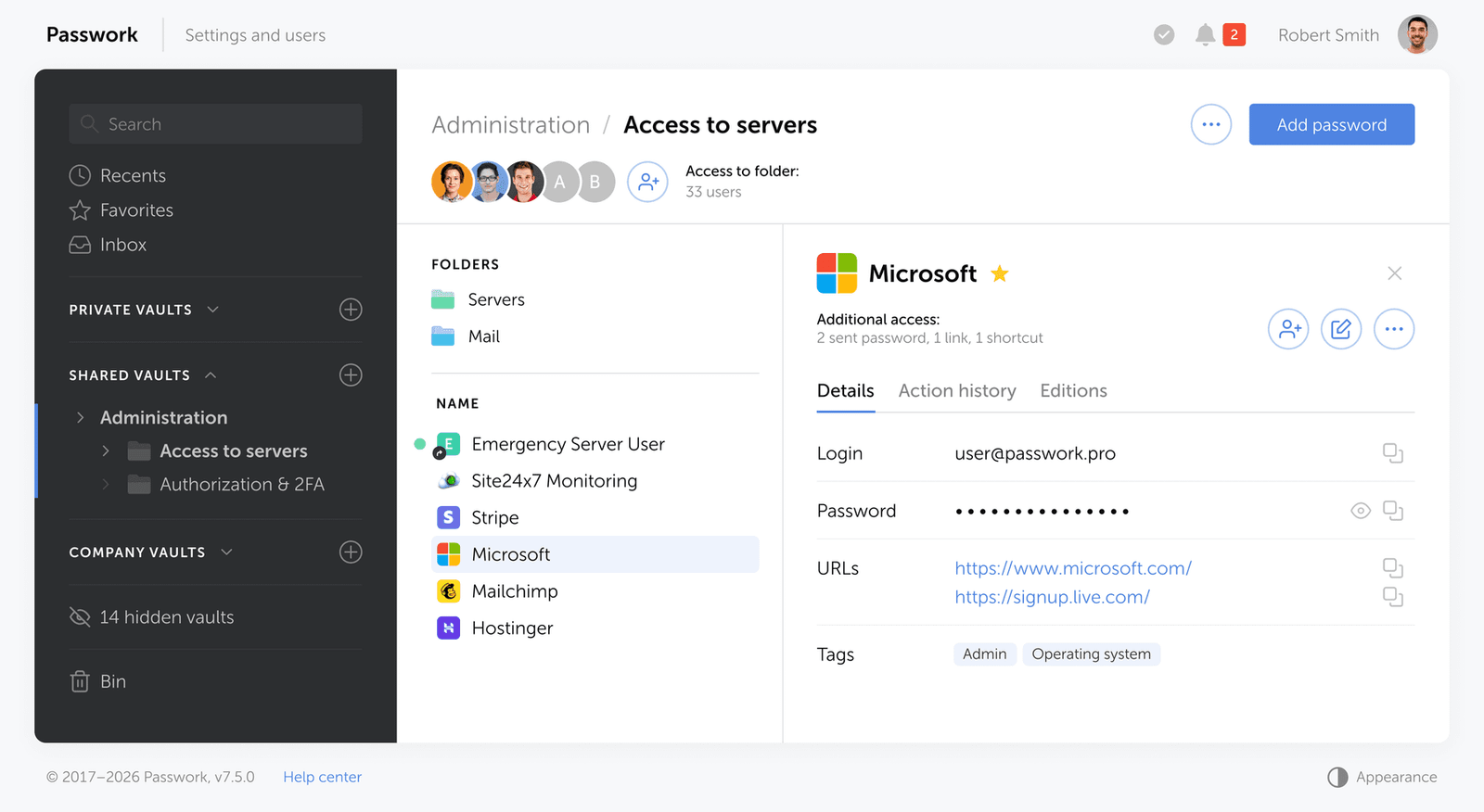
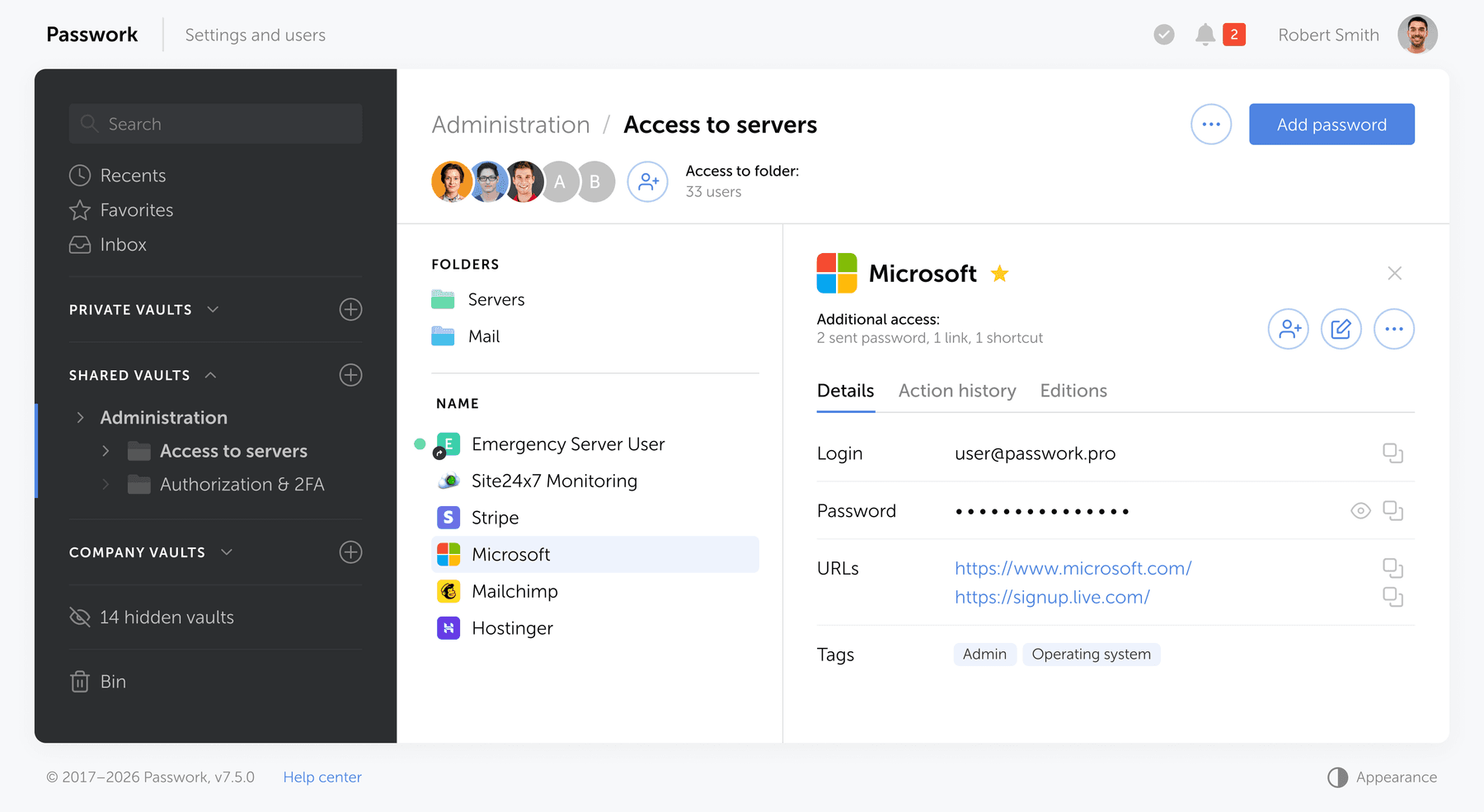
An on-premise password manager like Passwork is an excellent option for businesses that need to store passwords on their own servers. Passwork provides the advantage of having full control over your data and features like password sharing and a secure audit log.

  • Enable multi-factor authentication. Adding an extra layer of security to your accounts is easy with multi-factor authentication (MFA). MFA requires two or more pieces of evidence to authenticate the user's identity, such as passwords and biometric data. Most password managers can enable MFA for all your accounts, so be sure to take advantage of this feature.

Finally, make sure you update your passwords regularly and always keep them private. Following these tips will help ensure that you are protecting your business from cyber threats.

Securing your network

Using a Virtual Private Network (VPN) effectively protects your business's sensitive data and prevents unauthorized access to your network. A VPN creates an encrypted connection between your device and the internet, making it more difficult for hackers or malicious actors to intercept and access confidential information. Here are some tips on how to leverage a VPN for optimal security:

  • Research the best VPN providers for features that best suit the needs of your organization
  • Ensure that the provider meets industry standards such as AES 256-bit encryption
  • Set up two-factor authentication with users’ login credentials
  • Configure the VPN for reliable and secure connections
  • Monitor your network for any suspicious activity or unauthorized access attempts
  • Make sure to update the VPN software with new security patches regularly
  • Train users on the proper internet safety and best practices when using a VPN
  • Use an antivirus program and scan all devices connected to the network for malware threats

VPNs are not only important for protecting data and preventing unauthorized access but also for maintaining user privacy. By encrypting the data sent and received over the internet, your organization can ensure that any information stays secure and confidential.

Consistent vulnerability assessments are crucial

Organizations of all sizes must remain vigilant in mitigating cyber threats — and one of the best ways to do this is by conducting regular vulnerability assessments. This will help identify any potential weaknesses or vulnerabilities that could be used by malicious actors to gain access to your system, allowing you to patch and address them before they become a problem.

Here are a few steps to help get you started:

Develop an assessment plan for your organization

Before starting, it’s important to understand the scope and objectives of the vulnerability assessment. Define the overall goals and objectives before identifying any assets or systems that should be included in the assessment.

Identify and document threats

Once you have developed a plan, it’s time to begin searching for potential vulnerabilities within your system. You can use various open-source intelligence techniques, such as scanning public databases and researching known security issues with similar software versions or operating systems that are present in your system.

Create a testing environment

After potential threats have been identified and documented, you should create a safe testing environment to validate the vulnerability assessment results. Doing so will help ensure that any tests conducted do not adversely affect production systems.

Run automated scans

Following the creation of your secure test environment, it’s time to run automated scans on your organization's target systems or assets. This should include both internal and external scanning tools, such as port scanners, web application scanners, or configuration management tools, depending on the scope of the assessment.

Analyze scan results

Once the automated scans have been completed, it’s time to analyze the results and identify any potential issues or vulnerabilities. Assess any weaknesses present in order to prioritize and address them more effectively.

Develop a remediation plan

After identifying potential security issues, you should develop a remediation plan based on the risk level of each issue. This could include patching vulnerable systems, implementing new security measures, or restricting access to certain areas of your system, depending on the severity of the threat.

By conducting regular vulnerability assessments, organizations can stay ahead of cyber threats and ensure their systems remain secure.

Bottom line

Protecting your business from cyber threats should be a top priority for any organization. With the increasing prevalence of cybercrime and data breaches, implementing effective cybersecurity practices is more important than ever.

By regularly backing up important files, training employees on identifying and reporting potential threats, using a secure password manager, utilizing a VPN, and conducting consistent vulnerability assessments, businesses can significantly reduce their risk of falling victim to cyber-attacks.


Passwork 7: Security verified by HackerOne
Passwork has successfully completed the penetration testing, carried out by HackerOne — the world’s largest platform for coordinating bug bounty programs and security assessments. This independent evaluation confirmed Passwork’s highest level of data protection and strong resilience against modern cyber threats. What the pentest covered Security architecture and data
Insider threats: Prevention vs. privacy
Insider threats are a major cybersecurity risk, often overlooked. Prevention requires balancing trust and security focus on monitoring risk-based behaviors, not constant surveillance. Use AI for early detection, educate staff, and be transparent to foster trust while protecting data.
Passwork: Secrets management and automation for DevOps
Introduction In corporate environment, the number of passwords, keys, and digital certificates is rapidly increasing, and secrets management is becoming one of the critical tasks for IT teams. Secrets management addresses the complete lifecycle of sensitive data: from secure generation and encrypted storage to automated rotation and audit trails. As

5 ways to keep your business safe from cyber threats

Feb 27, 2023 — 5 min read

We live in a digital age, and children must learn about internet safety as a first port of call. They are constantly on their phones and tablets, and many of them complete their coursework online. To secure personal information, all of these services require a password, but the passwords are frequently pre-set for youngsters, who do not get to create their own.

Children will never learn how to create secure passwords if such passwords are never changed. This renders them vulnerable to hacking. It is our responsibility as parents to educate our children about internet safety. This includes not only stopping kids from accessing improper information, but also explaining why. The greatest method for children to learn about computer security is to see adults who are skilled in the field. Continue reading to learn how to teach your children about password security fast and effortlessly.

Make unique and fun passwords

Passwords should be easy for your children to remember but tough for others to guess. That may appear to be an oxymoron, but if you make it fun, your child will be more likely to remember their passwords. Here are some easy ideas to get their creative juices flowing:

• Make up your own sentences or words. If they had a favorite stuffed animal as a youngster, try to integrate it, but don't make it the sole word. Use three or more to create complexity.

• Use basic, popular passwords such as ABCDE, 123455, or "password" instead. Hackers can easily breach them and obtain access to your accounts.

• Use passwords that are at least eight characters long

• Use numbers, uppercase letters, and symbols as needed. Also, avoid using them in apparent ways. Avoid substituting letters for vowels, such as an exclamation point (!) for I and an at symbol (@) for a. These are basic replacements that are easy to understand.

• Create unique passwords for each website. If your password is hacked and you use it in several places, hackers will have access to your children's sensitive information in multiple areas.

Passwords should not be shared

This one may be difficult for your children to grasp. They do, after all, know your phone's password! However, it is critical that your children do not share their passwords with anyone other than their parents—including their siblings. The more people who know their password, the more likely it is that people who should not have access to their accounts will.

Explain some of the scenarios that could occur to your children to ensure that they understand why they should not share their passwords. Listed below are a few examples:

• Someone could steal their identity

• Someone could send hurtful messages and jeopardize friendships

• Someone could open accounts on questionable platforms using their identity

• Someone could change their passwords and keep them from accessing their accounts

• If there are bank accounts attached, someone could spend their money

These are just a few examples, but they should be enough to convince your children not to share their passwords. If they do, they must inform you of who they shared it with and why. You can then decide whether or not to change their passwords.

Remember, as a parent, this does not apply to you. As a precaution, you should have all of your children's passwords who are under the age of 18. This will give you peace of mind because you will know you can monitor their online activity for their safety and security. There are many frightening people out there, and not just those looking to steal their passwords.

Avoid using the same password in multiple places

It may be difficult to keep track of so many different passwords, but it is critical that you and your child develop a unique password for each website, platform, or program. This will assist to safeguard their data:

• If there is a data breach in one place, they simply need to be concerned about that one location

• If you use the same password, they may have access to far more information, which might be harmful

Your child may not be able to use a password manager at school, but there are security services that can assist you in storing passwords across various platforms. They can also generate secure passwords that are difficult to decipher. These are useful tools, but you should not rely only on them for all of your passwords in case you are locked out.

What does a strong password look like?

You may be asking what makes a password strong now that you know what to do and what to avoid while teaching your children password safety. There are several approaches to constructing a secure password, and you must ensure that passwords are simple for your youngster to remember.

One method is to speak to their interests or their sense of humor.

• Use their passions as a source of inspiration. If they enjoy magic, you may perform something like AbramagiCkadabrA#7. This is an excellent password since it includes random capitalization, a number, and a distinctive character.

• Use something amusing for them. For example, because little children are typically delighted by potty humor, you may establish their username @uniFARTcorn3. Again, you've covered all of the possible factors for password requirements, and your kids will have a good time inputting it.

• Make use of meals and pastimes. You might, for example, create their password Apple3picking! EAO. They enjoy apple harvesting, their favorite number, a special character, and strange apple orchard letters or abbreviations.

You want to make your password difficult to guess but easy to remember, so choosing items that will activate your memory or make you smile when your child enters it will increase the likelihood that they will remember it.

It is not suggested to keep a digital file of passwords on your computer, but if necessary, you may write them down for your children until they learn them. Just be careful not to lose track of where you wrote them!


Comprehensive guide: Cybersecurity vocabulary – terms and phrases you need to know
Cybersecurity — as complex as it sounds — is an essential concept that we all need to be aware of in this day and age. Computers, phones, and smart devices have become an extension of our bodies at this point, which makes their security paramount. From your family photos to your bank
Why do employees ignore cybersecurity policies?
Employees often ignore cybersecurity rules not out of laziness, but because they feel generic, irrelevant, or disconnected from real work. True change starts with empathy, leadership, and context-driven policies. Read the full article to learn how to make security stick.
Passwork: Secrets management and automation for DevOps
Introduction In corporate environment, the number of passwords, keys, and digital certificates is rapidly increasing, and secrets management is becoming one of the critical tasks for IT teams. Secrets management addresses the complete lifecycle of sensitive data: from secure generation and encrypted storage to automated rotation and audit trails. As

How to teach children about password security: Tips for parents

Feb 6, 2023 — 5 min read

We have made enormous leaps forward in terms of technology over the past decade. However, the growth of cyberspace brings with it new challenges for cybersecurity; cybercriminals have adapted their techniques to the new environment. Nevertheless, there is a solution to every challenge.

In light of this, let's take a look at some of the most serious cybersecurity threats and the solutions that have been offered for them in 2023.

The biggest threats to cybersecurity today and how to combat them

Adaptation to a remote workforce

Employees encounter one of the most common security threats when working from home. Employees may mistakenly let hackers access their computers or corporate files due to inattention, weariness, or ignorance. However, protecting remote and hybrid working environments will remain the most difficult tasks in the world of cyber security.

Cloud-based cybersecurity solutions that safeguard the user's identity, devices, and the cloud are essential for secure remote working.

Blockchain and cryptocurrency attacks

Attacks on blockchain-based systems can be launched by both outsiders and insiders. Many of these assaults use well-known tactics such as phishing, social engineering, data-in-transit attacks, and those that focus on coding faults.

To defend organizations against cyberattacks, stronger technological infrastructure may be constructed using blockchain-powered cybersecurity controls and standards. Combining the blockchain with other cutting-edge technologies like AI, IoT, and machine learning may also be required.

Ransomware development

Ransomware is a type of virus that encrypts files on a victim's computer until a ransom is paid. Historically, organizations could keep their data fairly safe by using a standard backup procedure. The organization may be able to restore the data held hostage without paying the ransom, but this does not guarantee that the bad guys will not try to take over the data.

As a result, users must prioritize frequently backing up their devices, employing cutting-edge anti-malware and anti-phishing solutions, and keeping them up to date at all times

BYOD policies

Personal devices are more likely to be used to breach company networks, whether or not BYOD is permitted by IT, because they are less secure and more likely to contain security weaknesses than corporate devices. As a result, businesses of all sizes must understand and address BYOD security.

Among the management options are BYOD services, and the process begins with enrollment software that adds a device to the network. Company-owned devices can be configured individually or in bulk.

The dangers involved with serverless apps

For some developers, the event-driven nature of serverless computing and the lack of permanent states are drawbacks. Developers that need persistent data may encounter problems since the values of local variables may not survive between instantiations.

Enlisting the support of your company's cybersecurity expertise may be the best line of action for those who use serverless architectures.

Supply chain attacks are increasing

An attack on the supply chain happens when someone breaches your digital infrastructure by leveraging an external supplier or partner who has access to your data and systems. This type of attack is known as a supply chain assault.

Upkeep and maintenance of a highly secure build infrastructure, fast software security upgrades, and the creation of safe software updates as part of the software development life cycle are all essential.

Preventive social engineering measures

Cybercriminals use social engineering to get critical information from their targets by influencing their psychology. It causes users to make security mistakes and steal sensitive information such as banking passwords, login information, system access, and other similar information.

To avoid cyberattacks, organizations should employ a technology-and-training-based strategy. There is no one-size-fits-all solution to defeating these social engineers; instead, you must adopt an integrated approach that includes multi-factor authentication, email gateways, respected antivirus software, staff training, and other components to thwart such social engineering assaults.

Cyber security challenges in different industries

Cybersecurity issues are common anywhere cyberspace is used. Some significant industries that face specific cybersecurity challenges in business are listed below.

Vehicular communications

As Vehicle-to-Everything (V2X) communication technologies evolve and current cars are able to interface with external infrastructure, the necessity of securing communications becomes increasingly apparent. There is a very real possibility that the vehicles of today may be the targets of cyberattacks that are directed at vehicular communications.

Cybersecurity challenges in the healthcare industry

Cybercriminals continue to develop new methods to attack healthcare cybersecurity policies, whether it be high-value patient data or a low tolerance for downtime that might interfere with patient care. Both of these vulnerabilities present opportunities for cybercriminals. Hackers now have access to a market worth $13.2 billion thanks to the 55% rise in cyberattacks on healthcare providers that have occurred over the past several years. This has turned the healthcare industry into a veritable gold mine.

Banking

Threats are constantly evolving and the cybersecurity landscape is constantly changing. With huge sums of money and the potential for significant economic shocks at stake in the banking and financial business, the stakes are high in this area. A significant hacking assault on banks and other financial institutions might result in severe economic consequences.

Online retailing

Retailers present a favorable and low-risk target environment for those who commit cybercrime. These businesses are responsible for the processing, storage, and protection of the data and sensitive information of their customers. This information may include financial credentials, usernames, and passwords. These details are susceptible to being attacked because of the ease with which they might be utilized in both online and offline operations.

Conclusion

Recent years have demonstrated how the key cyber security issues and threat actors are adapting their techniques to a changing global environment. The greatest strategy to safeguard your organization and plan for cybersecurity in 2023 is to be proactive. A single data breach can cost millions of dollars in lost data, penalties, and regulatory action. Understanding the hazards that are on the horizon will allow you to account for them in your procedures and stay one step ahead of attackers.


Incident response planning: Preparedness vs. reality
Discover key insights from Passwork webinar on incident response planning. Why teamwork and tools drive real cybersecurity resilience.
Common myths about password managers
Worried that password managers are risky or hard to use? It’s time to rethink. In this article, we debunk common myths about password managers, break down how they actually work, and show why solutions like Passwork are vital for your cybersecurity. Learn how these tools keep your data protected.
How to protect your online business from cyberattacks
Protect your online business from cyber threats with actionable strategies, from employee education to advanced tools like Passwork. Learn about phishing, ransomware, and more while discovering how to enhance security with simple yet effective measures. Stay protected — read the full article!

The most serious cybersecurity threats and solutions in 2023

Jan 12, 2023 — 6 min read

Of course you want to keep your data safe. So why are so many security precautions frequently overlooked? Many accounts, for example, are protected by weak passwords, making it easy for hackers to do their work. There is a fine line between selecting a password that no one can guess and selecting a password that is easy to remember. As a result, we will examine this topic in depth today and ensure that you no longer need to click on the "lost password" link.

What exactly is a strong password?

So let's begin with a definition. A secure password is one that cannot be guessed or broken by an intruder.

Computers are utilized by hackers in order to try out various combinations of letters, numbers, and symbols. Passwords that are only a few characters long and consist entirely of letters and digits are easy for modern computers to crack in a couple of seconds. Because of this, it is vital to utilize robust combinations of capital and lowercase letters, numbers, and special characters in one password. There is a minimum length requirement of 12 characters for passwords, although using a longer password is strongly encouraged.

To summarize the attributes of a secure password, they are as follows:

• At least 12 characters are required. The more complicated your password, the better.

• Upper and lower case letters, numbers, and special characters are included. Such passwords are more difficult to crack.

• Does not contain keyboard paths

• It is not based on your personal information

• Each of your accounts has its own password

You have undoubtedly observed that a variety of websites "care" about the security level of your password. When you are making an account, you will frequently see tooltips that remind you to include a particular amount of characters, as well as numbers and letters. Weak passwords have a far higher chance of being disapproved by the system. Keep in mind that, for reasons related to your security, you should never use the same password for several accounts.

A secure password should be unique

You may use a strong password for all of your accounts after you've created one. However, doing so will leave you more exposed to assaults. If a hacker obtains your password, they will be able to access whatever account you used it for, including email, social media, and work accounts.

According to surveys, many people use the same password because it is easier to remember. Don't worry, there are several tools available to assist you with managing multiple passwords. We'll get to them later.

While adding special characters in passwords is an excellent approach to increase their security, not all accounts accept all characters. However, in most scenarios, the following are used: ! " #% & *, / : | $ ; ': _? ().

Here are some examples of strong passwords that make use of special characters:

• P7j12$# eBT1cL@Kfg

• $j2kr^ALpr!Kf#ZjnGb#

Ideas for creating a strong password

Fortunately, there are several methods for creating unique and secure passwords for each of your accounts. Let's go over each one in detail:

1. Use a password generator/password manager

If you don't have the time to come up with secure passwords, a password generator that can also serve as a manager is a very simple and straightforward solution that you may use.

2. Choose a phrase, not a word

Passwords are significantly less secure than passphrases since they are often lengthier and more difficult to guess or crack. Instead of a word, pick a phrase and use the first letters, digits, and punctuation from that phrase to generate an apparently random combination of characters. Experiment with different wording and punctuation.

Here are some examples of how the passphrases technique may be used to generate secure passwords:

• I first went to Disneyland when I was four years old and it made me happy: I1stw2DLwIw8yrs&immJ

• My friend Matt ate six donuts at a bakery cafe and it cost him £10: MfMa6d@tbc&ich£10

3. Pick a more unique option

Open a dictionary or book and select a random word, or better yet, many. Combine them with numbers and symbols to make it far more difficult for a hacker to decipher.

As an example:

• Sand, fork, smoke, okay — Sand%fork9smoke/okay37

4. Experiment with phrases and quotes

If you need a password that is difficult for others to guess but easy for you to remember, try variants on a phrase or statement that means something to you. Simply choose a memorable sentence and replace parts of the letters with numbers and symbols.

For example:

• “For the first time in forever”: Disney’s Frozen: 4da1stTymein4eva-Frozen

5. Make use of emojis

You may always use emoticons to add symbols to your passwords without making them difficult to remember. You can't add emojis, but you can attempt emoticons made out of punctuation marks, characters, and/or numbers.

For example:

• \_(ツ)_/¯

• (>^_^)> <(^_^<)

• (~.~) (o_O)

What should I do after I have created a password?

1. Set passwords for specific accounts
You'll still need to generate a unique password for each of your accounts once you've created a strong password that you can remember. Instead of creating several new ones, you may include the name of the platform you use at the end. For example, if your password was nHd3#pHAuFP8, just add the word EMa1l to the end of your email address to get nHd3#pHAuFP8EMa1l.

2. Make your password a part of your muscle memory
If you want to be able to recall your password, typing it out several times can help you do so. You will be able to memorize information far more easily as a result of the muscle memory that you will develop.

How to keep your passwords safe?

1. Choose a good password manager
Use a trustworthy password manager whether you're setting your own safe passwords or looking for an internet service to handle it for you. It creates, saves, and manages all of your passwords in a single safe online account. All you have to do is put all your account passwords in the application and then safeguard them with one "master password". This means you just have to remember a single strong password.

2. Use two-factor authentication
You've heard it before, but we'll say it again. Two-factor authentication (2FA) adds an additional level of protection. Even if someone steals your password, you can prevent them from accessing your account. This is often a one-time code supplied to you by text message or other means. Receiving an SMS, by the way, is not the most secure method since a hacker might obtain your mobile phone number in a SIM swap fraud and gain access to your verification code.

Apps using two-factor authentication are far more secure. Google Authenticator, for example, or Microsoft Authenticator.

3. Passwords should not be saved on your phone, tablet, or computer
Although it might not be immediately visible, this is a common approach for people to save their passwords. That should not be done. Your files, emails, messenger conversations, and notes may all be hacked.

4. Keep your password confidential
Even if you completely trust the person to whom you are handing your password, sending it in a text message or email is risky. Even if you speak it aloud or write it down on paper, someone who is interested can overhear you and take notes behind you.


Python connector 0.1.5: Automated secrets management
The new Python connector version 0.1.5 expands CLI utility capabilities. We’ve added commands that solve critical tasks for DevOps engineers and developers — secure retrieval and updating of secrets in automated pipelines. What this solves Hardcoded secrets, API keys, tokens, and database credentials create security vulnerabilities and operational bottlenecks.
How to protect your online business from cyberattacks
Protect your online business from cyber threats with actionable strategies, from employee education to advanced tools like Passwork. Learn about phishing, ransomware, and more while discovering how to enhance security with simple yet effective measures. Stay protected — read the full article!
How secure are smart home devices?
Are you sure that your home is protected in the way that you think? Sure, you can secure it with modern locks or an alarm system to protect yourself from robbers who want to steal your money or furniture, but what about those who are looking at your home as

How to create a secure password

Jan 10, 2023 — 6 min read

Ransomware assaults are something that all of us have been keeping an eye on for some time. According to the most recent findings, over 21 percent of companies throughout the world were victims of ransomware attacks in 2022. 43% of these had a substantial influence on the way in which their business activities were carried out.

It’s true that cybercrime is on the rise, and those who commit these crimes are going after both individuals and businesses. In order to maintain a competitive advantage, it is essential to have a solid understanding of the types of cyber threats that will be prevalent in 2023.

The purpose of this article is to familiarize you with the most important developments in the field of cybersecurity that are expected to take place in 2023. There are a lot of different things to keep an eye on here, from emerging malware to security solutions based on artificial intelligence. In this section, we will discuss the potential effects of these trends on the future of cybersecurity and the steps you can take to better defend yourself.

1. The Internet of Things (IoT) and cloud security

It's critical to stay up to date on the newest cybersecurity developments in an ever-changing technological context. As more firms utilize cloud computing and Internet of Things (IoT) technology, the importance of adequate security measures grows.

When it comes to IoT and cloud security, it is critical to recognize the particular dangers that these technologies entail. One of the most serious concerns about IoT devices, for example, is that they are frequently "always on," leaving them exposed to external assaults. Similarly, if security mechanisms are not adequately established, cloud services might be accessible to hackers.

It is critical to have robust security procedures for your IoT devices and cloud services in order to keep your organization secure. This includes adopting strong passwords on all devices, enabling multi-factor authentication for access control, and ensuring that any data saved in the cloud is encrypted.

As businesses and consumers rely more on cloud computing and software solutions, the requirement for effective security becomes even more critical. When compared to traditional on-premises solutions, SaaS security solutions provide rapid scale-up or scale-out based on demand and cost savings. These solutions are also well suited for working with remote or dispersed teams where several business components may be located all over the world.

Data protection, identity and access management, web application firewalls, and mobile device security are all available through Security as a Service (SECaaS) solutions. They also provide managed services, which allow customers to delegate the monitoring and maintenance of their cloud security systems to qualified specialists. This helps guard against dangers like malware and ransomware while also keeping businesses up to date on the newest security developments.

3. Increased security for remote and hybrid employees

As the world continues to migrate to remote and hybrid work arrangements, cybersecurity must change to meet these new needs. Organizations must safeguard their systems and train their staff with cyberthreat defenses as their dependence on technology and access to sensitive data grows.

Multi-factor authentication (MFA), which requires multiple authentication stages to validate a user's identity before giving access to systems or data, is one security protocol that organizations should consider using. MFA can offer an extra degree of security against attackers who use stolen credentials to gain access to accounts.

Businesses should also consider adopting rules and processes to ensure the security of their workers' devices. This may involve offering safe antivirus software and encrypted virtual private networks (VPNs) for remote connectivity to employees. Employees must also be trained on the significance of using strong and unique passwords for each account, alongside the risks of connecting to public networks.

4. Machine learning and artificial intelligence

Artificial intelligence and machine learning have grown in popularity in the realm of cybersecurity in recent years. AI and machine learning (ML) offer automated threat detection and enhanced security processes, making them effective instruments in the battle against cyberattacks. Organizations may employ AI and machine learning to proactively detect and avoid dangers as these technologies evolve.

AI and machine learning can assist in the rapid and accurate analysis of vast volumes of data, enabling more effective threat identification and prevention. For example, AI may detect harmful or suspicious network activities, such as increased traffic from a certain source or trends in user behavior. Organizations can also use machine learning algorithms to identify abnormalities and prioritize warnings that may signal a possible breach.

Furthermore, AI and machine learning can automate key cybersecurity operations like patch management, malware detection, and compliance checks. Organizations can save time and money that would otherwise be spent on manual processes. Furthermore, the application of AI and machine learning may assist businesses in lowering the risk of false positives and ensuring that only the most critical security incidents are highlighted.

5. Creating a Safe Culture

Businesses in today's environment must cultivate a culture of safety. Security cannot be handled after the fact or as a one-time job. It should be the organization's fundamental value, ingrained in all parts of its operations. This implies that everyone in the business must be informed of current cybersecurity trends and understand how to secure their data.

Employee training and checks and balances should be part of a safe culture. All personnel should be trained in the fundamentals of Internet security, as well as how to utilize systems and software safely. Policies, systems, and processes should be evaluated on a regular basis to ensure they are in compliance with the most up-to-date security guidelines.

Conclusion

As technology advances, cybersecurity risks and patterns will alter. Businesses must keep ahead of the curve by monitoring emerging trends and updating their security measures as needed. Organizations can secure their data and networks from intruders by staying up to date with the newest 5 cybersecurity trends in 2023.

Organizations may maintain the security of their data by keeping with the times on trends and implementing the required safeguards. Furthermore, they should work to educate their personnel on the need to adhere to best practices in cybersecurity. This will aid in the creation of a secure environment and reduce the likelihood of hacking.


Passwork: Secrets management and automation for DevOps
Introduction In corporate environment, the number of passwords, keys, and digital certificates is rapidly increasing, and secrets management is becoming one of the critical tasks for IT teams. Secrets management addresses the complete lifecycle of sensitive data: from secure generation and encrypted storage to automated rotation and audit trails. As
Passwork 7.2 release
The new version introduces customizable notifications with flexible delivery options, enhanced event logging descriptions, expanded CLI functionality, server-side PIN code storage for the browser extension, and the ability to enable client-side encryption during initial Passwork configuration. Notification settings We’ve added a dedicated notification settings section where you can choose notification
Private password breach checking: A new algorithm for secure password validation
Introduction Data breaches have become routine: millions of users worldwide face the consequences of compromised passwords. The scale is staggering: billions of credentials are exposed, fueling automated attacks and credential stuffing on a massive scale. Services like “Have I Been Pwned” now track over 12 billion breached accounts, and that

5 key cybersecurity trends to watch in 2023

Dec 8, 2022 — 5 min read

The most frequently-used password globally is "123456”. However, analyzing passwords by country can yield some quite fascinating results.

We frequently choose weak passwords such as "123456" since they are easy to remember and input. The differences between such passwords can sometimes be found in the language itself. For example, if the English have "password" at the top of their list, the Germans prefer "passwort", and the French use "azerty" instead of "qwerty" due to the peculiarities of the French keyboard layout, which has the letter A instead of the usual Q.

When a weak password is driven by culture, things get much more intriguing. The password "Juventus" is likely to appeal to fans of the Italian football team Juventus. This password is also the fourth most popular option among Italian Internet users. The club is from Turin, Piedmont, and is supported by about 9 million people. At first look, the unique password "Anathema" appears to be a typical occurrence in Turkey, where the British band Anathema's name is among the top ten most common passwords.

A weak password is widespread

ExpressVPN together with Pollfish interviewed 1,000 customers about their password preferences in order to learn more about how individuals approach password formation.

Here are some of their findings:

• The typical internet-goer uses the same password for six different websites and/or platforms

• Relatives are likely to be able to guess their passwords from internet accounts, according to 43% of respondents

• When generating passwords, two out of every five people utilize different variants of their first and/or last name

These findings demonstrate a lack of cybersecurity knowledge, despite the fact that 81% of respondents feel confident in the security and privacy of their existing passwords.

According to the survey results, passwords frequently contain personal information. Below, you will find the most shared personal information with the percentage of respondents who revealed that their passwords contained personal information.

• First Name (42.3%)

• Surname (40%)

• Middle Name (31.6%)

• Date of birth (43.9%)

• Social security number (30.3%)

• Phone number (32.2%)

• Pet name (43.8%)

• Child's name (37.5%)

• Ex-partner's name (26.1%)

The most common passwords in various countries

Based on an infographic from ExpressVPN, the picture below illustrates the most often used passwords in various nations, practically all of which are in the top ten in their respective countries. Many are exclusive to these nations and demonstrate how cultural influences impact password creation.

Much of the information presented comes from a third-party study of stolen credentials (which were made public by Github user Ata Hakç). These datasets are based on the language of the individual sites, allowing the information to be distributed by country.

Let's have a look at some interesting variations of passwords. For instance, the phrase "I love you forever" may be deciphered from the password "5201314," which is commonly used by people from Hong Kong. In contrast, users in Croatia make use of the password “Dinamo”, which is derived from the name of an illustrious football team based in Zagreb. Martin is the password that is used by people from Slovakia. In Slovakia, the name Martin has a position as the fourth most common name. The Greeks, on the other hand, chose not to put undue effort into themselves and instead went with the most straightforward password out of the list, which was 212121. On the other hand, Ukrainians use the pretty difficult password Pov1mLy727. Apart from Ukraine, there are other countries where users more often than not create strong passwords. Let’s take a look.

These 10 countries create the strongest passwords

According to the results of the National Privacy Test that was carried out by NordVPN, the greatest marks were obtained by Italians in regard to their understanding of robust passwords. The following is a list of the top ten nations in which people come up with the most complicated passwords.

1. Italy 94.3 (points out of 100)

2. Switzerland 94

3. Spain 93.5

4. Germany 93.3

5. France 92.3

6. Denmark 91.8

7. UK 90.7

8. Belgium 90.4

9. Canada 89.4

10. USA 89.3

The top 10 did not include Australia (88.9), South Africa (86.2), Saudi Arabia (85.7), Russia (81.4), Brazil (81.2), Turkey (73.9), and India (78.4).

"This study demonstrates that individuals from all around the world are aware of how to generate secure passwords. The information is there, but people aren't using it in the right ways," says Chad Hammond, a security specialist at NordPass.

Also in November 2022, NordPass published a study that found out which passwords network users use most often. According to the findings of the survey, the majority of individuals still rely on simple passwords such as their own names, the names of their favorite sports teams or foods, simple numerical combinations, and other straightforward options.

NordPass security specialist Chad Hammond also stated, "Using unique passwords is really crucial, and it's scary that so many individuals still don't." It is critical to generate distinct passwords for each account. "We put all accounts with the same password in danger when we reuse passwords: in the case of a data breach, one account at risk can compromise the others."To summarize, it is reasonable to state that it does not matter where you were born, where you live, or what you are passionate about; you must always use unique passwords. We recommend that you make your password difficult to guess by making it more complicated or by using a password generator. This will increase the level of security provided by your password. In addition to this, we strongly suggest that you take advantage of two-factor authentication wherever it is an option. If you add an additional layer of protection to your accounts, be it in the form of an app, biometrics, or a physical security key, you will notice a significant increase in their level of security.


Passwork 7: Security verified by HackerOne
Passwork has successfully completed the penetration testing, carried out by HackerOne — the world’s largest platform for coordinating bug bounty programs and security assessments. This independent evaluation confirmed Passwork’s highest level of data protection and strong resilience against modern cyber threats. What the pentest covered Security architecture and data
GDPR password security: Guide to effective staff training
Learn proven strategies to train employees for GDPR password security compliance. Reduce breach risks with practical training methods.
Incident response planning: Preparedness vs. reality
Discover key insights from Passwork webinar on incident response planning. Why teamwork and tools drive real cybersecurity resilience.

Global password patterns: enterprise security culture analysis

Nov 24, 2022 — 13 min read

Ein Passwort mit chinesischen Schriftzeichen kann sehr sicher sein, wenn die Zeichen zufällig gewählt werden, das Passwort ausreichend lang ist und die Website oder Anwendung Unicode korrekt verarbeitet. Chinesische Schriftzeichen machen ein Passwort nicht automatisch stark. Vorhersagbare Phrasen, Daten, Namen und wiederverwendete Passwörter bleiben unabhängig vom verwendeten Zeichensatz anfällig.

Die Frage ist wichtig, weil die Antwort tatsächlich geteilt ist. Die Mathematik spricht für chinesische Schriftzeichen – ein größerer Zeichenpool erhöht die theoretische Entropie pro Zeichen. Die realen Daten erzählen eine komplexere Geschichte. Eine USENIX Security-Studie aus dem Jahr 2019 analysierte 73,1 Millionen chinesische Web-Passwörter und stellte fest, dass viele davon anfälliger für Online-Rateangriffe waren als ihre englischen Pendants. Dieser Artikel beleuchtet beide Seiten: die Entropie-Mathematik, die Verhaltensbefunde, die Unicode-Implementierungsrisiken und was IT-Teams mit diesen Informationen tatsächlich anfangen sollten.

Wichtigste Erkenntnisse

  • Ein größerer Zeichensatz erhöht die theoretische Entropie, aber nur wenn die Zeichen zufällig gewählt werden. CJK-Zeichen umfassen Zehntausende von Unicode-Codepunkten im Vergleich zu 95 für druckbares ASCII. Diese Lücke ist auf dem Papier real. Sie verschwindet in dem Moment, in dem ein Mensch eine erkennbare Phrase anstelle einer zufälligen Zeichenfolge wählt.
  • Von Menschen gewählte chinesische Passwörter sind oft schwächer als sie erscheinen. Eine USENIX Security-Studie aus dem Jahr 2019 analysierte 73,1 Millionen reale chinesische Web-Passwörter und stellte fest, dass diese anfälliger für Online-Rateangriffe waren als englische Passwörter. Pinyin-Sequenzen, kulturell übliche Ziffernfolgen und bekannte Phrasen sind in sprachspezifischen Angriffswörterbüchern gut vertreten.
  • Unicode-Kompatibilität ist auf vielen Systemen ein ungelöstes Problem. Authentifizierungssysteme, die auf ASCII-Annahmen aufgebaut wurden, können Nicht-ASCII-Eingaben ablehnen, inkonsistente Normalisierung anwenden, Bytes statt Zeichen zählen oder Passwörter stillschweigend kürzen. Ein Passwort, das bei der Kontoerstellung funktioniert, kann beim Login, bei der Wiederherstellung oder auf einem mobilen Gerät versagen.
  • Länge und Zufälligkeit sind wichtiger als die verwendeten Zeichen. NIST, OWASP und CISA verweisen alle auf dieselbe Grundlage: lange, einzigartige, zufällig generierte Passwörter, die in einem Passwort-Manager gespeichert und mit MFA kombiniert werden. Die Zeichenkategorie ist eine nachrangige Überlegung.
  • Passwortkomplexität schützt nicht vor Phishing, Credential Stuffing oder Session-Diebstahl. Vier der fünf größten US-Mega-Datenlecks im Jahr 2024 betrafen gestohlene oder kompromittierte Passwörter. Der verwendete Zeichensatz war irrelevant. MFA, einzigartige Passwörter pro Account und Blocklisten für kompromittierte Passwörter sind die Maßnahmen, die das reale Risiko reduzieren.

Sind Passwörter mit chinesischen Schriftzeichen tatsächlich sicherer?

Sie können es sein, aber nicht automatisch. Die Sicherheit jedes Passworts hängt davon ab, wie unvorhersagbar es für einen Angreifer ist. Ein größerer Zeichensatz erhöht die theoretische Anzahl möglicher Passwörter. CJK-Zeichen in Unicode umfassen Zehntausende von Codepunkten – verglichen mit 95 für druckbares ASCII. Auf dem Papier ist diese Lücke erheblich.

Das Problem ist, dass theoretische Stärke eine zufällige Auswahl voraussetzt. Von Menschen gewählte Passwörter funktionieren nicht so. Ein Passwort, das aus einer erkennbaren chinesischen Phrase, einer Zeichenfolge verbunden mit einem Namen oder Datum oder einem kulturell üblichen Muster besteht, gibt einem Angreifer ein viel kleineres Ziel als der gesamte Zeichensatz vermuten lässt. Ein sprachbewusstes Wörterbuch, das aus echten chinesischen Passwörtern erstellt wurde, kann 我的密码 (Chinesisch für „mein Passwort") in Sekunden knacken – unabhängig davon, wie groß der CJK-Pool technisch gesehen ist.

Der Zeichensatz ist also wichtig, aber nur wenn das Passwort zufällig generiert wird. Eine bedeutungsvolle chinesische Phrase und eine zufällige CJK-Zeichenfolge sind sicherheitstechnisch nicht dasselbe.

💡
CJK-Zeichen (Chinesisch, Japanisch, Koreanisch) in Unicode umfassen Zehntausende von Codepunkten. Das ist theoretisch ein bedeutender Vorteil. In der Praxis materialisiert sich dieser Vorteil nur, wenn das Passwort zufällig generiert wird und das System Unicode korrekt verarbeitet.

Was ist ein Zeichensatz?

Zeichensatz — Die Sammlung unterschiedlicher Zeichen, aus denen ein Passwort zusammengesetzt werden kann. Standard-druckbares ASCII hat 95 Zeichen; ein gängiges CJK-Subset hat etwa 20.000. Ein größerer Zeichensatz erhöht die theoretische Anzahl möglicher Passwörter für eine bestimmte Länge, was die Kosten eines Brute-Force-Angriffs erhöht — aber nur wenn die Zeichen zufällig gewählt werden.

Was ist ein Wörterbuchangriff?

Wörterbuchangriff — Eine Methode zum Knacken von Passwörtern durch systematisches Testen einer vorgefertigten Liste wahrscheinlicher Kandidaten: gängige Wörter, Namen, Phrasen, Tastaturmuster und bekannte geleakte Passwörter. Im Gegensatz zu Brute-Force-Angriffen, die jede mögliche Kombination ausprobieren, nutzen Wörterbuchangriffe vorhersagbare menschliche Entscheidungen aus. Sprachspezifische Wörterbücher — einschließlich Pinyin-Sequenzen und kulturell üblicher chinesischer Phrasen — machen diesen Angriff auch gegen Nicht-ASCII-Passwörter effektiv.


Die Entropie-Mathematik: Warum CJK-Zeichen Stärke hinzufügen können

Die Entropie-Mathematik: Warum CJK-Zeichen Stärke hinzufügen können

Passwort-Entropie misst, wie viele Versuche ein Angreifer benötigen würde, um alle möglichen Passwörter eines bestimmten Typs durchzuprobieren. Das Standardmodell lautet: Entropie (in Bits) = log₂(Zeichensatzgröße) × Passwortlänge. Eine höhere Zahl bedeutet ein schwierigeres Brute-Force-Problem.

Die folgende Tabelle zeigt, wie verschiedene Zeichenpools unter diesem Modell abschneiden. Alle Werte setzen voraus, dass das Passwort zufällig generiert wird – eine Bedingung, die von Menschen gewählte Passwörter selten erfüllen.

Passwortmodell Angenommener Zeichenpool Bits pro Zeichen Anmerkungen
Druckbares ASCII 95 Zeichen 6,57 Weitgehend kompatibel; einfach für Passwort-Manager zu generieren und automatisch auszufüllen.
20.000-Zeichen CJK-Subset 20.000 Zeichen 14,29 Höhere theoretische Entropie pro Zeichen; Eingabe und Systemunterstützung sind schwieriger.
90.000-Zeichen CJK/Han-ähnlicher Satz 90.000 Zeichen 16,46 Illustrative Obergrenze; kein praktischer täglicher Eingabepool.
Gängige chinesische Phrase Von Menschen gewählte Wörter Nicht sicher berechenbar Anfällig für sprachspezifische Wörterbücher unabhängig von der Zeichenanzahl.

Die Zahlen sehen für CJK-Zeichen überzeugend aus. Ein zufällig gewähltes Zeichen aus einem 20.000-Zeichen-Pool trägt mehr als die doppelte Entropie eines zufällig gewählten druckbaren ASCII-Zeichens. Ein fünf Zeichen langes zufälliges CJK-Passwort könnte theoretisch die Entropie eines zehn Zeichen langen zufälligen ASCII-Passworts erreichen.

Zwei Einschränkungen sind zu beachten:

  • Zufällige Auswahl. Die Formel setzt voraus, dass jedes Zeichen mit gleicher Wahrscheinlichkeit gewählt wird. Ein Mensch, der chinesische Schriftzeichen auswählt, verhält sich nicht wie ein Zufallszahlengenerator.
  • Systemunterstützung. Höhere Entropie pro Zeichen hilft nicht, wenn das System die Eingabe ablehnt, kürzt oder falsch verarbeitet. Theoretische Stärke und praktische Sicherheit sind nicht dasselbe.

Unicode 17.0, veröffentlicht 2025, definiert insgesamt 159.801 Zeichen über alle Schriftsysteme hinweg (Unicode Consortium, 2025). Diese Zahl wird oft zitiert, um einen enormen Passwortraum nahezulegen. Es ist erwähnenswert, dass 159.801 die Größe des gesamten Unicode-Repertoires ist – nicht ein realistischer Pool von Zeichen, aus dem ein Benutzer bei der Passworterstellung schöpfen würde. Der praktische CJK-Zeichenpool für die meisten Benutzer sind die etwa 20.000 Zeichen im allgemeinen Gebrauch, nicht das gesamte Unicode-Inventar.


Die reale Einschränkung: Chinesische Benutzer wählen oft vorhersagbare Passwörter

Die reale Einschränkung: Chinesische Benutzer wählen oft vorhersagbare Passwörter

Der wichtigste empirische Beleg zu diesem Thema stammt aus einer USENIX Security-Studie aus dem Jahr 2019 von Ding Wang und Kollegen der Peking University, Wuhan University und der University of Virginia. Die Forscher analysierten 73,1 Millionen reale chinesische Web-Passwörter und 33,2 Millionen englische Web-Passwörter von neun Diensten, darunter soziale Foren, Gaming-Plattformen, E-Commerce-Seiten und Programmierer-Communities.

Ihr Hauptergebnis war das, was sie bifaziale Sicherheit nannten: Chinesische Passwörter waren anfälliger für Online-Rateangriffe (bis zu 10.000 Versuche) als englische Passwörter, aber die Passwörter, die diese ersten Versuche überstanden, waren stärker gegen hochvolumige Offline-Angriffe. Bei 10 Millionen Versuchen war ihr verbesserter Cracking-Algorithmus bei 33,2% bis 49,8% der chinesischen Datensätze erfolgreich – er knackte zwischen 92% und 188% mehr Passwörter als der bisherige Stand der Technik. Wie die IEEE Spectrum-Zusammenfassung der Forschung anmerkt, kann ein Passwort, das nach englischsprachigen Annahmen stark aussieht, für einen Mandarin-Sprecher sofort offensichtlich sein.

Die Muster, die Angreifer ausnutzen, umfassen:

  • Pinyin-Sequenzen – romanisiertes Chinesisch, wie „woaini" („Ich liebe dich"), das von Passwort-Stärke-Messern großer Dienste als „stark" bewertet wurde, obwohl es für Mandarin-Sprecher trivial zu erraten ist.
  • Kulturell übliche Ziffernfolgen – „5201314" klingt im Chinesischen wie „Ich liebe dich für immer"; „520" allein ist eine gängige Kurzform.
  • Telefonnummer-Fragmente – chinesische Benutzer fügen Mobilnummern häufiger in Passwörter ein als englischsprachige Benutzer.
  • Geburtstags- und Datumsformate – in Passwörtern mit höheren Raten eingebettet als in englischsprachigen Datensätzen.
  • Reine Ziffernfolgen – „123456", „111111", „123321" und ähnliche Sequenzen erscheinen mit hoher Häufigkeit.
  • Verschachtelte Muster – abwechselnde Buchstaben und Ziffern in Formaten wie „a12345" oder „12345a".

Nichts davon bedeutet, dass chinesischsprachige Benutzer weniger sicherheitsbewusst sind. Es bedeutet, dass jede Sprachgemeinschaft vorhersagbare Muster entwickelt, und Angreifer Wörterbücher erstellen, die dazu passen. Die praktische Lektion: Die Verwendung chinesischer Schriftzeichen umgeht keine Wörterbuchangriffe. Sie verändert nur, zu welchem Wörterbuch der Angreifer greift.

CTA Image

Der Passwortgenerator von Passwork erstellt lange, zufällige Anmeldedaten, die all diese Muster vermeiden — unabhängig davon, mit welchem Zeichensatz Sie arbeiten. Erfahren Sie, wie es funktioniert


Unicode-Kompatibilitätsrisiken: Warum manche Seiten diese Passwörter ablehnen oder beschädigen

Viele Authentifizierungssysteme wurden auf ASCII-Annahmen aufgebaut und wurden nie vollständig aktualisiert. Das Ergebnis ist eine Reihe von Fehlermodi, die Benutzer aussperren, ihre Passwörter stillschweigend schwächen oder die Wiederherstellung unmöglich machen können.

Einige Definitionen sind hier hilfreich. UTF-8 ist die gängigste Kodierung für Unicode-Text im Web – sie stellt jeden Unicode-Codepunkt als ein bis vier Bytes dar. Ein Unicode-Codepunkt ist die eindeutige Nummer, die jedem Zeichen zugewiesen ist. Unicode-Normalisierung ist der Prozess der Umwandlung visuell äquivalenter Zeichensequenzen in eine kanonische Form; NFC (Normalization Form Composed) ist der gängigste Standard für die Textspeicherung. Visuell ähnliche Zeichen sind verschiedene Codepunkte, die auf dem Bildschirm identisch aussehen, was zu Login-Fehlern führen kann, wenn sich die gespeicherten und eingegebenen Formen unterscheiden.

Risiko Warum es wichtig ist Empfehlung für Benutzer Empfehlung für IT-Teams
Ablehnung von Nicht-ASCII-Eingaben Das Passwort wird möglicherweise gar nicht akzeptiert. Testen Sie Kontoerstellung, Login, Wiederherstellung und mobilen Zugriff, bevor Sie sich darauf festlegen. Entfernen Sie Zeichenverbote, die keine spezifische technische Begründung haben.
Inkonsistente Normalisierung Das gleiche sichtbare Passwort kann je nach Normalisierung des Systems unterschiedlich gehasht werden. Vermeiden Sie kombinierende Zeichensequenzen für wichtige Accounts. Definieren und dokumentieren Sie das Normalisierungsverhalten; wenden Sie es konsistent an jedem Eingabepunkt an.
Stillschweigende Kürzung Zeichen jenseits eines Byte- oder Zeichenlimits können stillschweigend entfernt werden. Vermeiden Sie Systeme, die ohne Warnung kürzen; testen Sie mit einem langen Passwort. Kürzen Sie niemals stillschweigend; erzwingen Sie ein klares Maximum und geben Sie eine explizite Fehlermeldung zurück.
Eingabemethoden-Abhängigkeit Benutzer können das Passwort möglicherweise nicht auf jedem Gerät oder Tastaturlayout eingeben. Bestätigen Sie den Zugriff von mobilen Geräten, Notfall-Wiederherstellungsabläufen und jedem Gerät, das Sie in einer Krise nutzen könnten. Testen Sie Unicode-Eingabe über Web-, Mobil-, SSO-, API- und Helpdesk-Wiederherstellungspfade hinweg.

Das Problem mit der Eingabemethode verdient besondere Aufmerksamkeit. Ein Passwort, das mit einem IME (Input Method Editor) auf einem Desktop eingegeben wird, kann auf einem abgesicherten Firmengerät, einem Hotelcomputer oder einem Telefon mit einer anderen Tastatur-App unmöglich zu reproduzieren sein. Für ein Masterpasswort oder Wiederherstellungsdaten ist das ein ernsthaftes Benutzerfreundlichkeitsrisiko.


Was moderne Passwortrichtlinien über Unicode-Zeichen sagen

OWASPs Authentication Cheat Sheet ist eindeutig: Erlauben Sie alle Zeichen, einschließlich Unicode und Leerzeichen. Es empfiehlt, auf Kompositionsregeln zu verzichten, die Zeichentypen einschränken, legt eine Mindestpasswortlänge fest, die davon abhängt, ob MFA aktiviert ist (8 Zeichen mit MFA, 15 ohne, gemäß NIST SP 800-63B), und verlangt ein Maximum von mindestens 64 Zeichen ohne stillschweigende Kürzung. Es empfiehlt außerdem, Passwörter zu blockieren, die in Datensätzen kompromittierter Passwörter erscheinen.

CISAs Richtlinien für starke Passwörter empfehlen Passwörter, die mindestens 16 Zeichen lang, zufällig und einzigartig pro Account sind – gespeichert in einem Passwort-Manager und kombiniert mit Phishing-resistenter MFA. Die Richtlinien schränken Zeichensätze nicht ein.

NISTs benutzerorientierte Richtlinien rahmen Passwörter als inhärent unsicher ein und empfehlen den Übergang zu MFA und Passkeys, wo immer möglich. Es wird darauf hingewiesen, dass Offline-Angriffe eine enorme Anzahl von Versuchen durchführen können – was Passwortlänge und Zufälligkeit zu den primären Verteidigungsmaßnahmen gegen das Knacken macht, nicht die Zeichenkategorie.

Der gemeinsame Nenner aller drei Quellen: Länge und Zufälligkeit sind wichtiger als die verwendeten Zeichen. Unicode-Zeichen sind erlaubt und können helfen, aber sie sind kein Ersatz für Länge, Einzigartigkeit und einen Passwort-Manager.


Sollten Sie chinesische Schriftzeichen in Ihrem eigenen Passwort verwenden?

Für die meisten Accounts lautet die Antwort: Lassen Sie Ihren Passwort-Manager entscheiden. Ein zufällig generiertes 20-Zeichen ASCII-Passwort aus einem Passwort-Manager hat hohe Entropie, funktioniert auf jedem System und erfordert keine manuelle Eingabe. Das ist die Grundlage.

Chinesische Schriftzeichen sind in einem engeren Rahmen sinnvoll: Der Benutzer kann sie zuverlässig auf jedem verwendeten Gerät eingeben, der Dienst unterstützt nachweislich Unicode an jedem Berührungspunkt (Login, Wiederherstellung, Mobil, API), und das resultierende Passwort ist lang, einzigartig und keine erkennbare Phrase.

Szenario Empfohlener Ansatz Begründung
Passwort-Manager kann generieren und automatisch ausfüllen Langes zufälliges Passwort, üblicherweise ASCII-kompatibel Hohe Entropie und breite Kompatibilität ohne manuelle Eingabe erforderlich.
Passwort muss auswendig gelernt werden Lange Passphrase aus nicht zusammenhängenden Wörtern Einfacher geräteübergreifend einzugeben; weniger abhängig von Unicode-Unterstützung.
Benutzer möchte chinesische Schriftzeichen verwenden Als Teil eines längeren einzigartigen Passworts verwenden, erst nachdem die Unicode-Unterstützung vollständig getestet wurde Fügt mögliche Entropie hinzu, birgt aber Kompatibilitätsrisiken.
Unternehmens-Account Richtlinie befolgen: mindestens 16 Zeichen, einzigartig, MFA erforderlich, Blockliste für kompromittierte Passwörter aktiv Reduziert das reale Risiko von Account-Kompromittierungen in der gesamten Organisation.
Hochrisiko-Account Starkes einzigartiges Passwort plus MFA oder Passkeys Komplexität allein schützt nicht vor Phishing oder gestohlenen Anmeldedaten.

Das einzige Szenario, in dem chinesische Schriftzeichen einen klaren Mehrwert bieten: Ein Passwort, das ein Angreifer realistischerweise in kein Wörterbuch aufnehmen könnte, zufällig generiert, verwendet auf einem System mit verifizierter Unicode-Unterstützung. Außerhalb dieses Szenarios überwiegen die Kompatibilitätskosten oft die Entropiegewinne.


Wovor chinesische Schriftzeichen nicht schützen können

Entropie ist eine Verteidigung gegen Raten und Knacken. Sie adressiert nicht die anderen Wege, auf denen Anmeldedaten kompromittiert werden.

Der Jahresbericht 2024 des ITRC zu Datenlecks verzeichnete 3.158 US-Datenkompromittierungen und 1.350.835.988 Benachrichtigungen über Datenlecks im Jahr 2024 – ein Anstieg der Benachrichtigungen um 211% gegenüber 2023. Vier der fünf größten Mega-Datenlecks betrafen gestohlene oder kompromittierte Passwörter. Angriffe auf Ticketmaster, AT&T und Change Healthcare, unter anderem, hätten mit MFA oder Passkeys blockiert werden können. Die Zeichenkomplexität dieser Passwörter war irrelevant.

Die Bedrohungen, die Passwortkomplexität nicht adressieren kann:

  • Phishing – eine überzeugende gefälschte Login-Seite erfasst das Passwort unabhängig davon, wie es konstruiert wurde
  • Keylogging und Malware – Anmeldedaten werden bei der Eingabe erfasst, bevor die Verschlüsselung greift
  • Session-Diebstahl – ein Angreifer, der einen authentifizierten Sitzungstoken stiehlt, umgeht das Passwort vollständig
  • Credential Stuffing – wiederverwendete Passwörter aus einem Datenleck werden gegen andere Dienste getestet; Einzigartigkeit ist die einzige Verteidigung
  • Passwort-Wiederverwendung – ein starkes Passwort mit chinesischen Schriftzeichen, das auf fünf Accounts verwendet wird, ist fünfmal so exponiert
  • Social Engineering – ein Angreifer, der einen Helpdesk überzeugt, einen Account zurückzusetzen, berührt das Passwort nie
  • Kompromittierter Passwort-Manager-Tresor – wenn der Tresor gehackt wird und das Masterpasswort schwach ist, sind alle gespeicherten Anmeldedaten gefährdet

Die Maßnahmen, die diese Bedrohungen adressieren, sind MFA, Passkeys, einzigartige Passwörter pro Account, Blocklisten für kompromittierte Passwörter, Phishing-resistente Authentifizierung und regelmäßige Sicherheitsaudits. Ein komplexeres Passwort ist eine Schicht. Es ist kein Ersatz für die anderen.


Fazit

Fazit

Chinesische Schriftzeichen können die theoretische Stärke eines Passworts verbessern – aber nur unter denselben Bedingungen, die jedes Passwort stark machen: ausreichende Länge, echte Zufälligkeit, Einzigartigkeit über Accounts hinweg und ein System, das Unicode korrekt verarbeitet. Eine bedeutungsvolle chinesische Phrase, eine Pinyin-Sequenz oder eine kulturell vertraute Ziffernfolge erfüllt diese Bedingungen nicht. Die USENIX-Forschung zu 73,1 Millionen chinesischen Web-Passwörtern macht das deutlich.

Für die meisten Benutzer lautet die praktische Antwort: Ein Passwort-Manager, der lange, zufällige Anmeldedaten generiert, kombiniert mit MFA oder Passkeys auf jedem Account, der diese unterstützt. Für IT-Teams liegt die Priorität darin, Authentifizierungssysteme zu bauen, die Unicode erlauben, ohne es zu beschädigen – und Länge, Einzigartigkeit und Prüfungen auf kompromittierte Passwörter als Grundlage jeder Passwortrichtlinie durchzusetzen.

Für Organisationen, die Anmeldedaten über Teams und Systeme hinweg verwalten, hilft ein Unternehmens-Passwort-Manager wie Passwork dabei, einzigartige Anmeldedaten zu generieren, zu speichern, zu teilen und zu prüfen, während Administratoren die nötigen Kontrollen erhalten, um konsistente Passwortpraktiken durchzusetzen.

CTA Image

Starke Anmeldedaten sind eine Schicht einer funktionierenden Sicherheitsstrategie. Passwork gibt IT-Teams die Infrastruktur, um diese Schicht in großem Maßstab zu verwalten — selbstgehostet oder Cloud, prüfbar und für Unternehmensumgebungen konzipiert. Passwork kostenlos testen


FAQ

FAQ

Sind chinesische Schriftzeichen besser als Sonderzeichen in Passwörtern?

Chinesische Schriftzeichen können einen größeren theoretischen Zeichenpool bieten als der Standardsatz von Sonderzeichen, was eine höhere Entropie pro zufällig gewähltem Zeichen ergibt. In der Praxis sind Zufälligkeit und Länge wichtiger als die verwendete Zeichenkategorie. Ein langes zufälliges Passwort mit druckbarem ASCII ist stärker als eine kurze bedeutungsvolle chinesische Phrase.

Ist ein kurzes chinesisches Passwort sicher?

Nicht zuverlässig. Ein kurzes Passwort aus einem großen Zeichensatz kann eine akzeptable theoretische Entropie haben, wenn es zufällig gewählt wird, aber kurze Passwörter bleiben anfällig für Offline-Cracking, da die Hardware-Leistung zunimmt. Ein fünf Zeichen langes zufälliges CJK-Passwort ist kein Ersatz für ein 16 Zeichen oder längeres Passwort. Länge und Zufälligkeit zusammen bestimmen die reale Stärke.

Kann ich Pinyin als Passwort verwenden?

Pinyin allein ist eine schlechte Wahl. Romanisiertes Chinesisch ist ein bekanntes Muster, und Angreifer erstellen sprachspezifische Wörterbücher, die gängige Pinyin-Sequenzen, Namen und Phrasen enthalten. Die USENIX-Forschung ergab, dass Pinyin-basierte Passwörter zu den am erfolgreichsten geknackten im chinesischen Datensatz gehörten. Pinyin kombiniert mit anderen zufälligen Elementen in einem längeren Passwort ist weniger vorhersagbar, aber ein vom Passwort-Manager generiertes Passwort ist sicherer.


Erlauben alle Websites chinesische Schriftzeichen in Passwörtern?

Nein. Viele Systeme lehnen Nicht-ASCII-Eingaben ab, wenden inkonsistente Unicode-Normalisierung an, zählen Bytes statt Zeichen oder kürzen lange Zeichenfolgen stillschweigend. Bevor Sie sich für wichtige Accounts auf chinesische Schriftzeichen verlassen, testen Sie den vollständigen Authentifizierungsablauf: Kontoerstellung, Login, Passwortänderung, Wiederherstellung und mobilen Zugriff. Wenn ein Schritt fehlschlägt, verwenden Sie stattdessen ein kompatibles Passwort.

Sind Emojis sicherer als chinesische Schriftzeichen?

Emojis bringen dieselben Unicode-Kompatibilitätsrisiken wie CJK-Zeichen mit sich und führen zusätzliche Probleme ein: Emoji-Codepunkte können sich zwischen Unicode-Versionen ändern, die Darstellung variiert plattformübergreifend, und die Eingabe auf vielen Geräten ist langsam und unzuverlässig. Sie sind nicht automatisch sicherer. Dieselben Bedingungen gelten – Zufälligkeit, Länge und verifizierte Systemunterstützung.

Sollte ein Passwort-Manager chinesische Schriftzeichen generieren?

Die meisten Passwort-Manager verwenden aus gutem Grund standardmäßig ASCII-kompatible Zeichensätze: breite Kompatibilität, zuverlässiges Autofill und keine Abhängigkeit von Eingabemethoden. Wenn Sie CJK-Zeichen einbeziehen möchten, überprüfen Sie, ob der Zieldienst Unicode korrekt von Anfang bis Ende verarbeitet, bevor Sie es aktivieren. Für die meisten Accounts ist ein langes zufälliges ASCII-Passwort die sicherere und praktischere Wahl.


Stoppen chinesische Schriftzeichen Credential Stuffing?

Nein. Credential-Stuffing-Angriffe verwenden Passwörter, die bei einem Datenleck gestohlen wurden, gegen andere Dienste. Die Verteidigung ist Einzigartigkeit – ein Passwort pro Account – nicht Komplexität. Ein einzigartiges 16-Zeichen ASCII-Passwort stoppt Credential Stuffing genauso effektiv wie ein einzigartiges Passwort mit chinesischen Schriftzeichen. Blocklisten für kompromittierte Passwörter und MFA bieten zusätzlichen Schutz.

Was ist die beste praktische Empfehlung?

Verwenden Sie einen Passwort-Manager, um lange, einzigartige, zufällige Passwörter für jeden Account zu generieren. Aktivieren Sie MFA oder Passkeys überall dort, wo der Dienst es unterstützt. Wenn Sie chinesische Schriftzeichen verwenden möchten, überprüfen Sie zuerst die Unicode-Unterstützung auf jedem Authentifizierungspfad. Die Kombination aus einzigartigen Passwörtern, einem Passwort-Manager und MFA adressiert das gesamte Spektrum realer Bedrohungen für Anmeldedaten.

Brute-Force-Angriffe 2026: Typen, Beispiele und Präventionsmaßnahmen
GPU-Cluster, KI-gestützte Wortlisten, Botnets mit 2,8 Millionen Geräten. Brute-Force hat skaliert. Dieser Leitfaden behandelt sechs Angriffsvarianten, reale Fälle aus 2025 und eine mehrschichtige Verteidigungsstrategie, die Ihr Team heute umsetzen kann.
Der Stand der Secrets-Ausbreitung 2026: Wichtige Erkenntnisse aus dem GitGuardian-Bericht
28,65 Millionen Secrets wurden 2025 auf öffentlichem GitHub geleakt. KI beschleunigt das Problem. Interne Repos sind 6× stärker exponiert als öffentliche. Und 64% der Secrets von 2022 sind heute noch gültig. Hier erfahren Sie, was die Daten für Ihre Sicherheitsstrategie bedeuten.
Einblick in reale Supply-Chain-Angriffe: Bitwarden CLI, Axios und Vercel
Warum Ihr Netzwerk hacken, wenn Angreifer eine vertrauenswürdige Abhängigkeit mit Millionen von Downloads kompromittieren und sich unbemerkt in Tausende von Organisationen einschleusen können? Drei Kampagnen aus 2026 beweisen, dass Supply-Chain-Angriffe keine Einzelfälle mehr sind.

Wie sicher ist ein Passwort mit chinesischen Schriftzeichen?

Chinesische Schriftzeichen können die Entropie erhöhen, wenn sie zufällig sind, aber Kompatibilität und Vorhersehbarkeit sind entscheidend. Sichere Unicode-Passwort-Praktiken.

Nov 24, 2022 — 16 min read

Una contraseña que utiliza caracteres chinos puede ser muy segura si los caracteres se eligen aleatoriamente, la contraseña es lo suficientemente larga y el sitio web o la aplicación maneja Unicode correctamente. Los caracteres chinos no hacen que una contraseña sea fuerte automáticamente. Las frases predecibles, las fechas, los nombres y las contraseñas reutilizadas siguen siendo vulnerables independientemente del conjunto de caracteres del que provengan.

La pregunta importa porque la respuesta está genuinamente dividida. Las matemáticas favorecen a los caracteres chinos — un conjunto de caracteres más grande aumenta la entropía teórica por carácter. Los datos del mundo real cuentan una historia más complicada. Un estudio de USENIX Security de 2019 analizó 73,1 millones de contraseñas web chinas y descubrió que muchas eran más débiles contra ataques de adivinación en línea que sus equivalentes en inglés. Este artículo examina ambos lados: las matemáticas de la entropía, la evidencia conductual, los riesgos de implementación de Unicode y lo que los equipos de TI deberían hacer realmente con esta información.


Puntos clave

  • Un conjunto de caracteres más grande aumenta la entropía teórica, pero solo cuando los caracteres se eligen aleatoriamente. Los caracteres CJK cubren decenas de miles de puntos de código Unicode en comparación con 95 para ASCII imprimible. Esa diferencia es real en el papel. Desaparece en el momento en que un humano elige una frase reconocible en lugar de una cadena aleatoria.
  • Las contraseñas chinas elegidas por humanos suelen ser más débiles de lo que parecen. Un estudio de USENIX Security de 2019 analizó 73,1 millones de contraseñas web chinas del mundo real y descubrió que eran más vulnerables a ataques de adivinación en línea que las contraseñas en inglés. Las secuencias de pinyin, las cadenas de dígitos culturalmente comunes y las frases familiares están bien representadas en los diccionarios de ataque específicos del idioma.
  • La compatibilidad con Unicode es un problema sin resolver en muchos sistemas. Los sistemas de autenticación construidos con suposiciones de ASCII pueden rechazar la entrada no ASCII, aplicar normalización inconsistente, contar bytes en lugar de caracteres o truncar silenciosamente las contraseñas. Una contraseña que funciona en la creación de la cuenta puede fallar en el inicio de sesión, la recuperación o en un dispositivo móvil.
  • La longitud y la aleatoriedad importan más que qué caracteres se usan. NIST, OWASP y CISA apuntan a la misma base: contraseñas largas, únicas y generadas aleatoriamente, almacenadas en un gestor de contraseñas, combinadas con MFA. La categoría de caracteres es una consideración secundaria.
  • La complejidad de la contraseña no aborda el phishing, el credential stuffing o el robo de sesiones. Cuatro de las cinco mayores mega-brechas de EE. UU. en 2024 involucraron contraseñas robadas o comprometidas. El conjunto de caracteres utilizado fue irrelevante. MFA, contraseñas únicas por cuenta y listas de bloqueo de contraseñas filtradas son los controles que reducen el riesgo en el mundo real.

¿Son realmente más seguras las contraseñas con caracteres chinos?

Pueden serlo, pero no automáticamente. La seguridad de cualquier contraseña depende de cuán impredecible sea para un atacante. Un conjunto de caracteres más grande aumenta el número teórico de contraseñas posibles. Los caracteres CJK en Unicode cubren decenas de miles de puntos de código — en comparación con 95 para ASCII imprimible. En el papel, esa diferencia es significativa.

El problema es que la fortaleza teórica asume una selección aleatoria. Las contraseñas elegidas por humanos no funcionan así. Una contraseña construida a partir de una frase china reconocible, una secuencia de caracteres vinculada a un nombre o fecha, o un patrón culturalmente común le da al atacante un objetivo mucho más pequeño de lo que sugiere el conjunto completo de caracteres. Un diccionario consciente del idioma construido a partir de contraseñas chinas reales puede descifrar 我的密码 (en chino «mi contraseña») en segundos — independientemente de cuán grande sea técnicamente el conjunto CJK.

Por lo tanto, el conjunto de caracteres importa, pero solo cuando la contraseña se genera aleatoriamente. Una frase china significativa y una cadena CJK aleatoria no son la misma propuesta de seguridad.

💡
Los caracteres CJK (chino, japonés, coreano) en Unicode cubren decenas de miles de puntos de código. Eso es una ventaja significativa en teoría. En la práctica, la ventaja solo se materializa cuando la contraseña se genera aleatoriamente y el sistema maneja Unicode correctamente.

¿Qué es un conjunto de caracteres?

Conjunto de caracteres — La colección de caracteres distintos de los que puede componerse una contraseña. El ASCII imprimible estándar tiene 95 caracteres; un subconjunto CJK común tiene alrededor de 20.000. Un conjunto de caracteres más grande aumenta el número teórico de contraseñas posibles para una longitud determinada, lo que eleva el costo de un ataque de fuerza bruta — pero solo cuando los caracteres se eligen aleatoriamente.

¿Qué es un ataque de diccionario?

Ataque de diccionario — Un método para descifrar contraseñas probando sistemáticamente una lista preconstruida de candidatos probables: palabras comunes, nombres, frases, patrones de teclado y contraseñas filtradas conocidas. A diferencia de los ataques de fuerza bruta que prueban todas las combinaciones posibles, los ataques de diccionario explotan las elecciones humanas predecibles. Los diccionarios específicos del idioma — incluyendo secuencias de pinyin y frases chinas culturalmente comunes — hacen que este ataque sea efectivo también contra contraseñas no ASCII.


Las matemáticas de la entropía: por qué los caracteres CJK pueden añadir fortaleza

Las matemáticas de la entropía: por qué los caracteres CJK pueden añadir fortaleza

La entropía de la contraseña mide cuántos intentos necesitaría un atacante para agotar todas las contraseñas posibles de un tipo determinado. El modelo estándar es: entropía (en bits) = log₂(tamaño del conjunto de caracteres) × longitud de la contraseña. Un número más alto significa un problema de fuerza bruta más difícil.

La tabla a continuación muestra cómo se comparan diferentes conjuntos de caracteres bajo este modelo. Cada cifra asume que la contraseña se genera aleatoriamente — una condición que las contraseñas elegidas por humanos rara vez cumplen.

Modelo de contraseña Conjunto de caracteres asumido Bits por carácter Notas
ASCII imprimible 95 caracteres 6,57 Ampliamente compatible; fácil de generar y autocompletar para los gestores de contraseñas.
Subconjunto CJK de 20.000 caracteres 20.000 caracteres 14,29 Mayor entropía teórica por carácter; la entrada y el soporte del sistema son más difíciles.
Conjunto CJK/Han de 90.000 caracteres 90.000 caracteres 16,46 Límite superior ilustrativo; no es un conjunto de entrada práctico para uso diario.
Frase china común Palabras elegidas por humanos No calculable de forma segura Vulnerable a diccionarios específicos del idioma independientemente del número de caracteres.

Los números parecen convincentes para los caracteres CJK. Un carácter elegido aleatoriamente de un conjunto de 20.000 caracteres tiene más del doble de la entropía de un carácter ASCII imprimible elegido aleatoriamente. Una contraseña CJK aleatoria de cinco caracteres podría teóricamente igualar la entropía de una contraseña ASCII aleatoria de diez caracteres.

Se aplican dos advertencias:

  • Selección aleatoria. La fórmula asume que cada carácter se elige con igual probabilidad. Un humano eligiendo caracteres chinos no se comporta como un generador de números aleatorios.
  • Soporte del sistema. Una mayor entropía por carácter no ayuda si el sistema rechaza, trunca o maneja incorrectamente la entrada. La fortaleza teórica y la seguridad práctica no son lo mismo.

Unicode 17.0, publicado en 2025, define un total de 159.801 caracteres en todos los scripts (Unicode Consortium, 2025). Esa cifra se cita a menudo para sugerir un enorme espacio de contraseñas. Vale la pena señalar que 159.801 es el tamaño del repertorio completo de Unicode — no un conjunto realista de caracteres del que un usuario extraería al crear una contraseña. El conjunto práctico de caracteres CJK para la mayoría de los usuarios son los aproximadamente 20.000 caracteres de uso común, no el inventario completo de Unicode.


La advertencia del mundo real: los usuarios chinos a menudo eligen contraseñas predecibles

La advertencia del mundo real: los usuarios chinos a menudo eligen contraseñas predecibles

La evidencia empírica más importante sobre este tema proviene de un estudio de USENIX Security de 2019 realizado por Ding Wang y colegas de la Universidad de Pekín, la Universidad de Wuhan y la Universidad de Virginia. Los investigadores analizaron 73,1 millones de contraseñas web chinas del mundo real y 33,2 millones de contraseñas web en inglés de nueve servicios, cubriendo foros sociales, plataformas de juegos, sitios de comercio electrónico y comunidades de programadores.

Su hallazgo clave fue lo que llamaron seguridad bifacial: las contraseñas chinas eran más débiles contra ataques de adivinación en línea (hasta 10.000 intentos) que las contraseñas en inglés, pero las contraseñas que sobrevivieron a esos intentos iniciales eran más fuertes contra ataques fuera de línea de alto volumen. Con 10 millones de intentos, su algoritmo de descifrado mejorado tuvo éxito contra el 33,2% al 49,8% de los conjuntos de datos chinos — descifrando entre un 92% y un 188% más contraseñas que el estado del arte anterior. Como señala el resumen de IEEE Spectrum de la investigación, una contraseña que parece fuerte según las suposiciones del idioma inglés puede ser inmediatamente obvia para un hablante de mandarín.

Los patrones que explotan los atacantes incluyen:

  • Secuencias de pinyin — chino romanizado, como «woaini» («te amo»), que los medidores de fortaleza de contraseñas en los principales servicios calificaron como «fuerte» a pesar de ser trivialmente adivinable por hablantes de mandarín.
  • Cadenas de dígitos culturalmente comunes — «5201314» suena como «te amo para siempre» en chino; «520» solo es una abreviatura común.
  • Fragmentos de números de teléfono — los usuarios chinos incluyen números de móvil en las contraseñas con más frecuencia que los usuarios de habla inglesa.
  • Formatos de cumpleaños y fechas — incrustados en contraseñas con tasas más altas que en los conjuntos de datos en inglés.
  • Cadenas de solo dígitos — «123456», «111111», «123321» y secuencias similares aparecen con alta frecuencia.
  • Patrones intercalados — letras y dígitos alternados en formatos como «a12345» o «12345a».

Nada de esto significa que los usuarios de habla china sean menos conscientes de la seguridad. Significa que cualquier comunidad lingüística desarrolla patrones predecibles, y los atacantes construyen diccionarios para coincidir con ellos. La lección práctica: usar caracteres chinos no evita los ataques de diccionario. Cambia qué diccionario alcanza el atacante.

CTA Image

El generador de contraseñas de Passwork crea credenciales largas y aleatorias que evitan todos estos patrones — independientemente del conjunto de caracteres con el que esté trabajando. Vea cómo funciona


Riesgos de compatibilidad con Unicode: por qué algunos sitios rechazan o rompen estas contraseñas

Muchos sistemas de autenticación fueron construidos con suposiciones de ASCII y nunca se han actualizado completamente. El resultado es un conjunto de modos de fallo que pueden bloquear a los usuarios, debilitar silenciosamente sus contraseñas o hacer imposible la recuperación.

Algunas definiciones ayudan aquí. UTF-8 es la codificación más común para texto Unicode en la web — representa cada punto de código Unicode como de uno a cuatro bytes. Un punto de código Unicode es el número único asignado a cada carácter. La normalización Unicode es el proceso de convertir secuencias de caracteres visualmente equivalentes en una forma canónica; NFC (Forma de Normalización Compuesta) es el estándar más común para el almacenamiento de texto. Los caracteres visualmente similares son puntos de código diferentes que se ven idénticos en pantalla, lo que puede causar fallos de inicio de sesión si las formas almacenadas e ingresadas difieren.

Riesgo Por qué importa Consejo para usuarios Consejo para equipos de TI
Rechazo de entrada no ASCII La contraseña puede no ser aceptada en absoluto. Pruebe la creación de cuenta, el inicio de sesión, la recuperación y el acceso móvil antes de comprometerse con ella. Elimine las prohibiciones de caracteres que no tengan una justificación técnica específica.
Normalización inconsistente La misma contraseña visible puede generar un hash diferente dependiendo de cómo el sistema normalice la entrada. Evite combinar secuencias de caracteres para cuentas importantes. Defina y documente el comportamiento de normalización; aplíquelo consistentemente en cada punto de entrada.
Truncamiento silencioso Los caracteres más allá de un límite de bytes o caracteres pueden ser eliminados silenciosamente. Evite sistemas que truncan sin advertencia; pruebe con una contraseña larga. Nunca trunque silenciosamente; aplique un máximo claro y devuelva un error explícito.
Dependencia del método de entrada Los usuarios pueden no poder escribir la contraseña en todos los dispositivos o configuraciones de teclado. Confirme el acceso desde dispositivos móviles, flujos de recuperación de emergencia y cualquier dispositivo que pueda usar en una crisis. Pruebe la entrada Unicode en web, móvil, SSO, API y rutas de recuperación del servicio de asistencia.

El problema del método de entrada merece énfasis. Una contraseña escrita con un IME (editor de método de entrada) en un escritorio puede ser imposible de reproducir en un dispositivo corporativo bloqueado, una computadora de hotel o un teléfono con una aplicación de teclado diferente. Para una contraseña maestra o una credencial de recuperación, eso es un riesgo serio de usabilidad.


Lo que dice la guía moderna de contraseñas sobre los caracteres Unicode

La hoja de trucos de autenticación de OWASP es directa: permita todos los caracteres, incluidos Unicode y espacios en blanco. Recomienda no establecer reglas de composición que restrinjan los tipos de caracteres, establece una longitud mínima de contraseña vinculada a si MFA está habilitado (8 caracteres con MFA, 15 sin él, según NIST SP 800-63B), y requiere un máximo de al menos 64 caracteres sin truncamiento silencioso. También recomienda bloquear contraseñas que aparezcan en conjuntos de datos de contraseñas filtradas.

La guía de contraseñas seguras de CISA recomienda contraseñas de al menos 16 caracteres de longitud, aleatorias y únicas por cuenta — almacenadas en un gestor de contraseñas y combinadas con MFA resistente al phishing. La guía no restringe los conjuntos de caracteres.

La guía para usuarios de NIST enmarca las contraseñas como inherentemente inseguras y recomienda avanzar hacia MFA y passkeys siempre que sea posible. Señala que los ataques fuera de línea pueden intentar una cantidad enorme de conjeturas — haciendo que la longitud y la aleatoriedad de la contraseña sean las defensas principales contra el descifrado, no la categoría de caracteres.

El hilo común en las tres fuentes: la longitud y la aleatoriedad importan más que qué caracteres se usen. Los caracteres Unicode están permitidos y pueden ayudar, pero no son un sustituto de la longitud, la unicidad y un gestor de contraseñas.


¿Debería usar caracteres chinos en su propia contraseña?

Para la mayoría de las cuentas, la respuesta es: deje que su gestor de contraseñas decida. Una contraseña ASCII de 20 caracteres generada aleatoriamente por un gestor de contraseñas tiene alta entropía, funciona en todos los sistemas y no requiere escritura manual. Esa es la línea base.

Los caracteres chinos tienen sentido en un conjunto más reducido de circunstancias: el usuario puede escribirlos de manera confiable en todos los dispositivos que usa, el servicio demuestra soportar Unicode en cada punto de contacto (inicio de sesión, recuperación, móvil, API), y la contraseña resultante es larga, única y no es una frase reconocible.

Escenario Enfoque recomendado Razón
El gestor de contraseñas puede generar y autocompletar Contraseña larga aleatoria, generalmente compatible con ASCII Alta entropía y amplia compatibilidad sin necesidad de escritura manual.
La contraseña debe memorizarse Frase de contraseña larga de palabras no relacionadas Más fácil de escribir en todos los dispositivos; menos dependiente del soporte Unicode.
El usuario quiere usar caracteres chinos Úselos como parte de una contraseña única más larga solo después de probar el soporte Unicode de extremo a extremo Añade posible entropía pero introduce riesgos de compatibilidad.
Cuenta empresarial Siga la política: mínimo 16 caracteres, única, MFA requerido, lista de bloqueo de contraseñas filtradas activa Reduce el riesgo de compromiso de cuenta en el mundo real en toda la organización.
Cuenta de alto riesgo Contraseña única fuerte más MFA o passkeys La complejidad por sí sola no protege contra el phishing o las credenciales robadas.

El único escenario donde los caracteres chinos claramente añaden valor: una contraseña que un atacante no podría incluir de manera realista en ningún diccionario, generada aleatoriamente, usada en un sistema con soporte Unicode verificado. Fuera de ese escenario, los costos de compatibilidad a menudo superan las ganancias de entropía.


Contra qué no pueden proteger los caracteres chinos

La entropía es una defensa contra la adivinación y el descifrado. No aborda las otras formas en que las credenciales se ven comprometidas.

El Informe anual de brechas de datos 2024 del ITRC registró 3.158 compromisos de datos en EE. UU. y 1.350.835.988 notificaciones de brechas en 2024 — un aumento del 211% en notificaciones desde 2023. Cuatro de las cinco mayores mega-brechas involucraron contraseñas robadas o comprometidas. Los ataques contra Ticketmaster, AT&T y Change Healthcare, entre otros, podrían haberse bloqueado con MFA o passkeys. La complejidad de caracteres de esas contraseñas fue irrelevante.

Las amenazas que la complejidad de la contraseña no puede abordar:

  • Phishing — una página de inicio de sesión falsa convincente captura la contraseña independientemente de cómo se haya construido
  • Keylogging y malware — las credenciales se capturan en la entrada antes de que se aplique el cifrado
  • Robo de sesión — un atacante que roba un token de sesión autenticado evita la contraseña por completo
  • Credential stuffing — las contraseñas reutilizadas de una brecha se prueban contra otros servicios; la unicidad es la única defensa
  • Reutilización de contraseñas — una contraseña fuerte de caracteres chinos usada en cinco cuentas está cinco veces más expuesta
  • Ingeniería social — un atacante que convence a un servicio de asistencia de restablecer una cuenta nunca toca la contraseña
  • Bóveda de gestor de contraseñas comprometida — si la bóveda es vulnerada y la contraseña maestra es débil, todas las credenciales almacenadas están en riesgo

Los controles que abordan estas amenazas son MFA, passkeys, contraseñas únicas por cuenta, listas de bloqueo de contraseñas filtradas, autenticación resistente al phishing y auditorías de seguridad regulares. Una contraseña más compleja es una capa. No es un sustituto de las demás.


Conclusión

Conclusión

Los caracteres chinos pueden mejorar la fortaleza teórica de una contraseña — pero solo bajo las mismas condiciones que hacen que cualquier contraseña sea fuerte: longitud suficiente, aleatoriedad genuina, unicidad entre cuentas y un sistema que maneje Unicode correctamente. Una frase china significativa, una secuencia de pinyin o una cadena de números culturalmente familiar no cumple esas condiciones. La investigación de USENIX sobre 73,1 millones de contraseñas web chinas lo deja claro.

Para la mayoría de los usuarios, la respuesta práctica es un gestor de contraseñas que genere credenciales largas, aleatorias y únicas, combinado con MFA o passkeys en cualquier cuenta que los soporte. Para los equipos de TI, la prioridad es construir sistemas de autenticación que permitan Unicode sin romperlo — y aplicar la longitud, la unicidad y las verificaciones de contraseñas filtradas como la base de cualquier política de contraseñas.

Para las organizaciones que gestionan credenciales en equipos y sistemas, un gestor de contraseñas corporativo como Passwork ayuda a generar, almacenar, compartir y auditar credenciales únicas mientras brinda a los administradores los controles que necesitan para aplicar prácticas de contraseñas consistentes.

CTA Image

Las credenciales fuertes son una capa de una postura de seguridad funcional. Passwork brinda a los equipos de TI la infraestructura para gestionar esa capa a escala — autoalojado o en la nube, auditable y diseñado para entornos empresariales. Pruebe Passwork gratis


Preguntas frecuentes

Preguntas frecuentes

¿Son los caracteres chinos mejores que los caracteres especiales en las contraseñas?

Los caracteres chinos pueden ofrecer un conjunto de caracteres teórico más grande que el conjunto estándar de caracteres especiales, lo que proporciona mayor entropía por carácter elegido aleatoriamente. En la práctica, la aleatoriedad y la longitud importan más que qué categoría de carácter se use. Una contraseña larga aleatoria usando ASCII imprimible es más fuerte que una frase china corta con significado.

¿Es segura una contraseña china corta?

No de manera confiable. Una contraseña corta de un conjunto de caracteres grande puede tener una entropía teórica razonable si se elige aleatoriamente, pero las contraseñas cortas siguen siendo vulnerables al descifrado fuera de línea a medida que el hardware mejora. Una contraseña CJK aleatoria de cinco caracteres no es un sustituto de una contraseña de 16 caracteres o más. La longitud y la aleatoriedad juntas determinan la fortaleza en el mundo real.

¿Puedo usar pinyin como contraseña?

El pinyin solo es una mala elección. El chino romanizado es un patrón bien conocido, y los atacantes construyen diccionarios específicos del idioma que incluyen secuencias de pinyin comunes, nombres y frases. La investigación de USENIX encontró que las contraseñas basadas en pinyin estaban entre las más exitosamente descifradas en el conjunto de datos chino. El pinyin combinado con otros elementos aleatorios en una contraseña más larga es menos predecible, pero una credencial generada por un gestor de contraseñas es más segura.

¿Todos los sitios web permiten caracteres chinos en las contraseñas?

No. Muchos sistemas rechazan la entrada no ASCII, aplican normalización Unicode inconsistente, cuentan bytes en lugar de caracteres o truncan silenciosamente cadenas largas. Antes de confiar en caracteres chinos para cualquier cuenta importante, pruebe el flujo de autenticación completo: creación de cuenta, inicio de sesión, cambio de contraseña, recuperación y acceso móvil. Si algún paso falla, use una contraseña compatible en su lugar.

¿Son los emojis más seguros que los caracteres chinos?

Los emojis conllevan los mismos riesgos de compatibilidad con Unicode que los caracteres CJK e introducen problemas adicionales: los puntos de código de emoji pueden cambiar entre versiones de Unicode, la representación varía entre plataformas, y la entrada en muchos dispositivos es lenta y poco confiable. No son automáticamente más seguros. Se aplican las mismas condiciones — aleatoriedad, longitud y soporte del sistema verificado.

¿Debería un gestor de contraseñas generar caracteres chinos?

La mayoría de los gestores de contraseñas utilizan por defecto conjuntos de caracteres compatibles con ASCII por una buena razón: amplia compatibilidad, autocompletado confiable y sin dependencia del método de entrada. Si desea incluir caracteres CJK, verifique que el servicio de destino maneje Unicode correctamente de extremo a extremo antes de habilitarlo. Para la mayoría de las cuentas, una contraseña ASCII larga y aleatoria es la opción más segura y práctica.

¿Los caracteres chinos detienen el credential stuffing?

No. Los ataques de credential stuffing reproducen contraseñas robadas de una brecha contra otros servicios. La defensa es la unicidad — una contraseña por cuenta — no la complejidad. Una contraseña ASCII única de 16 caracteres detiene el credential stuffing tan efectivamente como una contraseña única de caracteres chinos. Las listas de bloqueo de contraseñas filtradas y MFA añaden protección adicional.

¿Cuál es la mejor recomendación práctica?

Use un gestor de contraseñas para generar contraseñas largas, únicas y aleatorias para cada cuenta. Habilite MFA o passkeys siempre que el servicio los soporte. Si desea usar caracteres chinos, verifique primero el soporte Unicode en cada ruta de autenticación. La combinación de contraseñas únicas, un gestor de contraseñas y MFA aborda toda la gama de amenazas de credenciales del mundo real.

Ataques de fuerza bruta en 2026: tipos, ejemplos y cómo prevenirlos
Clústeres de GPU, listas de palabras asistidas por IA, botnets de 2,8 millones de dispositivos. La fuerza bruta ha escalado. Esta guía cubre seis variantes de ataque, casos reales de 2025 y una estrategia de defensa por capas que su equipo puede implementar hoy.
El estado de la dispersión de secretos en 2026: hallazgos clave del informe de GitGuardian
28,65 millones de secretos filtrados en GitHub público en 2025. La IA está acelerando el problema. Los repositorios internos están 6 veces más expuestos que los públicos. Y el 64% de los secretos de 2022 siguen siendo válidos hoy. Esto es lo que significan los datos para su postura de seguridad.
Dentro de ataques reales a la cadena de suministro: Bitwarden CLI, Axios y Vercel
¿Por qué vulnerar su red cuando los atacantes pueden comprometer una dependencia de confianza con millones de descargas e infiltrarse silenciosamente en miles de organizaciones a la vez? Tres campañas de 2026 demuestran que los ataques a la cadena de suministro ya no son incidentes aislados.

¿Qué tan segura es una contraseña con caracteres chinos?

Los caracteres chinos pueden aumentar la entropía si son aleatorios, pero la compatibilidad y previsibilidad importan. Aprenda prácticas seguras con Unicode.

Nov 24, 2022 — 14 min read

A password that uses Chinese characters can be very secure if the characters are chosen randomly, the password is long enough, and the website or application handles Unicode correctly. Chinese characters do not automatically make a password strong. Predictable phrases, dates, names, and reused passwords remain vulnerable regardless of the character set they draw from.

The question matters because the answer is genuinely split. The math favors Chinese characters – a larger character pool raises theoretical entropy per character. The real-world data tells a more complicated story. A 2019 USENIX Security study analyzed 73.1 million Chinese web passwords and found that many were weaker against online guessing attacks than their English counterparts. This article works through both sides: the entropy math, the behavioral evidence, the Unicode implementation risks, and what IT teams should actually do with this information.


Key takeaways

  • A larger character set raises theoretical entropy but only when characters are chosen randomly. CJK characters cover tens of thousands of Unicode code points compared to 95 for printable ASCII. That gap is real on paper. It disappears the moment a human picks a recognizable phrase instead of a random string.
  • Human-chosen Chinese passwords are often weaker than they appear. A 2019 USENIX Security study analyzed 73.1 million real-world Chinese web passwords and found they were more vulnerable to online guessing attacks than English passwords. Pinyin sequences, culturally common digit strings, and familiar phrases are well-represented in language-specific attack dictionaries.
  • Unicode compatibility is an unsolved problem on many systems. Authentication systems built around ASCII assumptions can reject non-ASCII input, apply inconsistent normalization, count bytes instead of characters, or silently truncate passwords. A password that works at account creation may fail at login, recovery, or on a mobile device.
  • Length and randomness matter more than which characters you use. NIST, OWASP, and CISA all point to the same foundation: long, unique, randomly generated passwords stored in a password manager, paired with MFA. Character category is a secondary consideration.
  • Password complexity does not address phishing, credential stuffing, or session theft. Four of the five largest U.S. mega-breaches in 2024 involved stolen or compromised passwords. The character set used was irrelevant. MFA, unique passwords per account, and breached-password blocklists are the controls that reduce real-world risk.

Are Chinese-character passwords actually more secure?

They can be, but not automatically. The security of any password depends on how unpredictable it is to an attacker. A larger character set raises the theoretical number of possible passwords. CJK characters in Unicode cover tens of thousands of code points – compared to 95 for printable ASCII. On paper, that gap is significant.

The problem is that theoretical strength assumes random selection. Human-chosen passwords don't work that way. A password built from a recognizable Chinese phrase, a character sequence tied to a name or date, or a culturally common pattern gives an attacker a much smaller target than the full character set suggests. A language-aware dictionary built from real Chinese passwords can crack 我的密码 (Chinese for "my password") in seconds – regardless of how large the CJK pool technically is.

So the character set matters, but only when the password is generated randomly. A meaningful Chinese phrase and a random CJK string are not the same security proposition.

💡
CJK (Chinese, Japanese, Korean) characters in Unicode cover tens of thousands of code points. That is a meaningful advantage in theory. In practice, the advantage only materializes when the password is generated randomly and the system handles Unicode correctly.

What is character set?

Character set — The collection of distinct characters a password can be drawn from. Standard printable ASCII has 95 characters; a common CJK subset has around 20,000. A larger character set increases the theoretical number of possible passwords for a given length, which raises the cost of a brute-force attack — but only when characters are chosen randomly.

What is a dictionary attack?

Dictionary attack — A method of cracking passwords by systematically testing a pre-built list of likely candidates: common words, names, phrases, keyboard patterns, and known leaked passwords. Unlike brute-force attacks that try every possible combination, dictionary attacks exploit predictable human choices. Language-specific dictionaries — including pinyin sequences and culturally common Chinese phrases — make this attack effective against non-ASCII passwords too.


The entropy math: why CJK characters can add strength

The entropy math: why CJK characters can add strength

Password entropy measures how many guesses an attacker would need to exhaust all possible passwords of a given type. The standard model is: entropy (in bits) = log₂(character set size) × password length. A higher number means a harder brute-force problem.

The table below shows how different character pools compare under this model. Every figure assumes the password is generated randomly – a condition that human-chosen passwords rarely meet.

Password model Assumed character pool Bits per character Notes
Printable ASCII 95 characters 6.57 Broadly compatible; easy for password managers to generate and autofill.
20,000-character CJK subset 20,000 characters 14.29 Higher theoretical entropy per character; input and system support are harder.
90,000-character CJK/Han-like set 90,000 characters 16.46 Illustrative upper bound; not a practical daily input pool.
Common Chinese phrase Human-chosen words Not safely calculable Vulnerable to language-specific dictionaries regardless of character count.

The numbers look compelling for CJK characters. A randomly chosen character from a 20,000-character pool carries more than twice the entropy of a randomly chosen printable ASCII character. A five-character random CJK password could theoretically match the entropy of a ten-character random ASCII password.

Two caveats apply:

  • Random selection. The formula assumes every character is chosen with equal probability. A human picking Chinese characters does not behave like a random number generator.
  • System support. Higher entropy per character does not help if the system rejects, truncates, or mishandles the input. Theoretical strength and practical security are not the same thing.

Unicode 17.0, released in 2025, defines a total of 159,801 characters across all scripts (Unicode Consortium, 2025). That figure is often cited to suggest an enormous password space. It is worth noting that 159,801 is the size of the entire Unicode repertoire – not a realistic pool of characters a user would draw from when creating a password. The practical CJK character pool for most users is the roughly 20,000 characters in common use, not the full Unicode inventory.


The real-world caveat: Chinese users often choose predictable passwords

The real-world caveat: Chinese users often choose predictable passwords

The most important empirical evidence on this topic comes from a 2019 USENIX Security study by Ding Wang and colleagues at Peking University, Wuhan University, and the University of Virginia. The researchers analyzed 73.1 million real-world Chinese web passwords and 33.2 million English web passwords from nine services, covering social forums, gaming platforms, e-commerce sites, and programmer communities.

Their key finding was what they called bifacial security: Chinese passwords were weaker against online guessing attacks (up to 10,000 guesses) than English passwords, but the passwords that survived those initial guesses were stronger against high-volume offline attacks. At 10 million guesses, their improved cracking algorithm succeeded against 33.2% to 49.8% of the Chinese datasets -- cracking between 92% and 188% more passwords than the prior state of the art. As the IEEE Spectrum summary of the research notes, a password that looks strong by English-language assumptions can be immediately obvious to a Mandarin speaker.

The patterns attackers exploit include:

  • Pinyin sequences – romanized Chinese, such as "woaini" ("I love you"), which password strength meters at major services rated as "strong" despite being trivially guessable by Mandarin speakers.
  • Culturally common digit strings – "5201314" sounds like "I love you forever" in Chinese; "520" alone is a common shorthand.
  • Phone-number fragments – Chinese users include mobile numbers in passwords more often than English-speaking users.
  • Birthday and date formats – embedded in passwords at higher rates than in English-language datasets.
  • Digit-only strings – "123456," "111111," "123321," and similar sequences appear at high frequency.
  • Interleaved patterns – alternating letters and digits in formats like "a12345" or "12345a".

None of this means Chinese-speaking users are less security-conscious. It means that any language community develops predictable patterns, and attackers build dictionaries to match. The practical lesson: using Chinese characters does not bypass dictionary attacks. It shifts which dictionary the attacker reaches for.

CTA Image

Passwork's password generator creates long, random credentials that avoid all of these patterns regardless of which character set you're working with. See how it works


Unicode compatibility risks: why some sites reject or break these passwords

Many authentication systems were built around ASCII assumptions and have never been fully updated. The result is a set of failure modes that can lock users out, silently weaken their passwords, or make recovery impossible.

A few definitions help here. UTF-8 is the most common encoding for Unicode text on the web – it represents each Unicode code point as one to four bytes. A Unicode code point is the unique number assigned to each character. Unicode normalization is the process of converting visually equivalent character sequences into a canonical form; NFC (Normalization Form Composed) is the most common standard for text storage. Visually similar characters are different code points that look identical on screen which can cause login failures if the stored and entered forms differ.

Risk Why it matters Advice for users Advice for IT teams
Rejection of non-ASCII input The password may not be accepted at all. Test account creation, login, recovery, and mobile access before committing to it. Remove character bans that have no specific technical justification.
Inconsistent normalization The same visible password may hash differently depending on how the system normalizes input. Avoid combining character sequences for important accounts. Define and document normalization behavior; apply it consistently at every input point.
Silent truncation Characters beyond a byte or character limit may be silently dropped. Avoid systems that truncate without warning; test with a long password. Never truncate silently; enforce a clear maximum and return an explicit error.
Input-method dependency Users may not be able to type the password on every device or keyboard layout. Confirm access from mobile devices, emergency recovery flows, and any device you might use in a crisis. Test Unicode input across web, mobile, SSO, API, and helpdesk recovery paths.

The input-method problem deserves emphasis. A password typed with an IME (input method editor) on a desktop may be impossible to reproduce on a locked-down corporate device, a hotel computer, or a phone with a different keyboard app. For a master password or a recovery credential, that is a serious usability risk.


What modern password guidance says about Unicode characters

OWASP's Authentication Cheat Sheet is direct: allow all characters, including Unicode and whitespace. It recommends against composition rules that restrict character types, sets a minimum password length tied to whether MFA is enabled (8 characters with MFA, 15 without, per NIST SP 800-63B), and requires a maximum of at least 64 characters with no silent truncation. It also recommends blocking passwords that appear in breached-password datasets.

CISA's strong-password guidance recommends passwords that are at least 16 characters long, random, and unique per account – stored in a password manager and paired with phishing-resistant MFA. The guidance does not restrict character sets.

NIST's user-facing guidance frames passwords as inherently insecure and recommends moving toward MFA and passkeys wherever possible. It notes that offline attacks can attempt an enormous number of guesses – making password length and randomness the primary defenses against cracking, not character category.

The consistent thread across all three sources: length and randomness matter more than which characters you use. Unicode characters are permitted and can help, but they are not a substitute for length, uniqueness, and a password manager.


Should you use Chinese characters in your own password?

For most accounts, the answer is: let your password manager decide. A randomly generated 20-character ASCII password from a password manager has high entropy, works on every system, and requires no manual typing. That is the baseline.

Chinese characters make sense in a narrower set of circumstances: the user can type them reliably on every device they use, the service demonstrably supports Unicode at every touchpoint (login, recovery, mobile, API), and the resulting password is long, unique, and not a recognizable phrase.

Scenario Recommended approach Reason
Password manager can generate and autofill Long random password, usually ASCII-compatible High entropy and broad compatibility with no manual typing required.
Password must be memorized Long passphrase of unrelated words Easier to type across devices; less dependent on Unicode support.
User wants to use Chinese characters Use them as part of a longer unique password only after testing Unicode support end-to-end Adds possible entropy but introduces compatibility risks.
Enterprise account Follow policy: minimum 16 characters, unique, MFA required, breached-password blocklist active Reduces real-world account compromise risk across the organization.
High-risk account Strong unique password plus MFA or passkeys Complexity alone does not protect against phishing or stolen credentials.

The one scenario where Chinese characters clearly add value: a password that an attacker could not realistically include in any dictionary, generated randomly, used on a system with verified Unicode support. Outside that scenario, the compatibility costs often outweigh the entropy gains.


What Chinese characters cannot protect against

Entropy is a defense against guessing and cracking. It does not address the other ways credentials get compromised.

The ITRC's 2024 Annual Data Breach Report recorded 3,158 U.S. data compromises and 1,350,835,988 breach notices in 2024 – a 211% increase in notices from 2023. Four of the five largest mega-breaches involved stolen or compromised passwords. Attacks against Ticketmaster, AT&T, and Change Healthcare, among others, could have been blocked with MFA or passkeys. The character complexity of those passwords was irrelevant.

The threats that password complexity cannot address:

  • Phishing -- a convincing fake login page captures the password regardless of how it was constructed
  • Keylogging and malware -- credentials are captured at input before encryption applies
  • Session theft -- an attacker who steals an authenticated session token bypasses the password entirely
  • Credential stuffing -- reused passwords from one breach are tested against other services; uniqueness is the only defense
  • Password reuse -- a strong Chinese-character password used across five accounts is five times as exposed
  • Social engineering -- an attacker who convinces a help desk to reset an account never touches the password
  • Compromised password manager vault -- if the vault is breached and the master password is weak, all stored credentials are at risk

The controls that address these threats are MFA, passkeys, unique passwords per account, breached-password blocklists, phishing-resistant authentication, and regular security audits. A more complex password is one layer. It is not a substitute for the others.


Conclusion

Conclusion

Chinese characters can improve a password's theoretical strength – but only under the same conditions that make any password strong: sufficient length, genuine randomness, uniqueness across accounts, and a system that handles Unicode correctly. A meaningful Chinese phrase, a pinyin sequence, or a culturally familiar number string does not meet those conditions. The USENIX research on 73.1 million Chinese web passwords makes that clear.

For most users, the practical answer is a password manager generating long, random credentials, paired with MFA or passkeys on any account that supports them. For IT teams, the priority is building authentication systems that allow Unicode without breaking it -- and enforcing length, uniqueness, and breached-password checks as the foundation of any password policy.

For organizations managing credentials across teams and systems, a corporate password manager such as Passwork helps generate, store, share, and audit unique credentials while giving administrators the controls they need to enforce consistent password practices.

CTA Image

Strong credentials are one layer of a working security posture. Passwork gives IT teams the infrastructure to manage that layer at scale — self-hosted or cloud, auditable, and built for enterprise environments. Try Passwork free


FAQ

FAQ

Are Chinese characters better than special characters in passwords?

Chinese characters can offer a larger theoretical character pool than the standard set of special characters, which gives higher entropy per randomly chosen character. In practice, randomness and length matter more than which category of character you use. A long random password using printable ASCII is stronger than a short meaningful Chinese phrase.

Is a short Chinese password secure?

Not reliably. A short password from a large character set can have reasonable theoretical entropy if chosen randomly, but short passwords remain vulnerable to offline cracking as hardware improves. A five-character random CJK password is not a substitute for a 16-character or longer password. Length and randomness together determine real-world strength.

Can I use pinyin as a password?

Pinyin alone is a poor choice. Romanized Chinese is a well-known pattern, and attackers build language-specific dictionaries that include common pinyin sequences, names, and phrases. The USENIX research found that pinyin-based passwords were among the most successfully cracked in the Chinese dataset. Pinyin combined with other random elements in a longer password is less predictable, but a password manager-generated credential is safer.

Do all websites allow Chinese characters in passwords?

No. Many systems reject non-ASCII input, apply inconsistent Unicode normalization, count bytes instead of characters, or silently truncate long strings. Before relying on Chinese characters for any important account, test the full authentication flow: account creation, login, password change, recovery, and mobile access. If any step fails, use a compatible password instead.

Are emojis safer than Chinese characters?

Emojis carry the same Unicode compatibility risks as CJK characters and introduce additional problems: emoji code points can change across Unicode versions, rendering varies across platforms, and input on many devices is slow and unreliable. They are not automatically more secure. The same conditions apply -- randomness, length, and verified system support.

Should a password manager generate Chinese characters?

Most password managers default to ASCII-compatible character sets for good reason: broad compatibility, reliable autofill, and no input-method dependency. If you want to include CJK characters, verify that the target service handles Unicode correctly end-to-end before enabling it. For most accounts, a long random ASCII password is the safer and more practical choice.

Do Chinese characters stop credential stuffing?

No. Credential stuffing attacks replay passwords stolen from one breach against other services. The defense is uniqueness -- one password per account -- not complexity. A unique 16-character ASCII password stops credential stuffing just as effectively as a unique Chinese-character password. Breached-password blocklists and MFA add further protection.

What is the best practical recommendation?

Use a password manager to generate long, unique, random passwords for every account. Enable MFA or passkeys wherever the service supports it. If you want to use Chinese characters, verify Unicode support on every authentication path first. The combination of unique passwords, a password manager, and MFA addresses the full range of real-world credential threats.

Brute force attacks in 2026: Types, examples & how to prevent them
GPU clusters, AI-assisted wordlists, botnets of 2.8M devices. Brute force has scaled. This guide covers six attack variants, real-world cases from 2025, and a layered defense strategy your team can implement today.
The state of secrets sprawl in 2026: Key findings from GitGuardian’s report
28.65 million secrets leaked on public GitHub in 2025. AI is accelerating the problem. Internal repos are 6× more exposed than public ones. And 64% of secrets from 2022 are still valid today. Here is what the data means for your security posture.
Inside real supply chain attacks: Bitwarden CLI, Axios, and Vercel
Why breach your network when attackers can compromise a trusted dependency with millions of downloads and slip silently into thousands of organizations at once? Three 2026 campaigns prove supply chain attacks are no longer isolated incidents.

How secure is a password that uses Chinese characters?

Chinese characters can raise entropy when random, but compatibility and predictability matter. Learn safe Unicode password practices.

Nov 23, 2022 — 2 min read

In the new version of Passwork, we have completely redesigned the System settings. They are now divided into three sections:

  1. Global — organization settings that determine the operations of most of the Passwork functions
  2. Default — the values of the settings that will be used if no other custom settings are specified
  3. Custom — settings that can be set for individual users and roles

Now you can set up different interface languages, configure authorization methods, and enable mandatory two-factor authentication for individual users and roles.

To do this, click "Create a new settings group" in Сustom settings, add users or roles and select your desired settings. The newly created group will be added to the top of the list and will get the highest priority.

The following settings are now available:

  • Ability to create organization vaults and private vaults
  • Ability to create links to passwords
  • Mandatory 2FA
  • Time of automatic logout when inactive
  • Authorization method (by local password, LDAP password or SSO)
  • API usage
  • Interface language

We're already working to add new settings.

If you are already using Passwork — update your Passwork
Or request a free demo at passwork.pro


The 2025 small business cybersecurity checklist: A complete guide | Passwork
Passwork’s 2025 cybersecurity checklist, based on the NIST framework, provides actionable steps to prevent data breaches and financial loss.
How to protect your online business from cyberattacks
Protect your online business from cyber threats with actionable strategies, from employee education to advanced tools like Passwork. Learn about phishing, ransomware, and more while discovering how to enhance security with simple yet effective measures. Stay protected — read the full article!
Why do employees ignore cybersecurity policies?
Employees often ignore cybersecurity rules not out of laziness, but because they feel generic, irrelevant, or disconnected from real work. True change starts with empathy, leadership, and context-driven policies. Read the full article to learn how to make security stick.

Introducing Custom settings

Nov 10, 2022 — 7 min read

Multi-factor authentication (often known as MFA for short), refers to the process of confirming the identity of a user who is attempting to log in to a website, application, or another type of resource using more than one piece of information. Indeed, multi-factor authentication is the difference between entering a password to gain access to a resource and entering a password plus a one-time password (OTP), or a password plus the answer to a security question. Another example of multi-factor authentication is entering a password plus the answer to a security question.

Multi-factor authentication provides greater assurance that individuals are who they claim to be by requiring them to confirm their identity in more than one way. This, in turn, reduces the risk of unauthorised access to sensitive data. Multi-factor authentication requires individuals to confirm their identity in more than one way. After all, entering a stolen password to get access is one thing; it is quite another to enter a stolen password and then be needed to additionally input an OTP that was sent to the smartphone of the real user.

Multi-factor authentication can be achieved through the use of any combination of two or more factors. Two-factor authentication is another name for the practice of using only two factors to verify a user's identity.

How Does MFA work?

MFA is effective because it necessitates the collection of extra verification information (factors). One-time passwords are one of the multi-factor authentication mechanisms that consumers encounter most frequently (OTP). OTPs are the four-digit to eight-digit codes that you frequently receive through email, SMS, or a mobile application of some kind. When using OTPs, a fresh code will be created at predetermined intervals or whenever an authentication request is sent in. The code is created based on a seed value that is assigned to the user when they first register and some other component, which might simply be a counter that is incremented or a time value. This seed value is used in conjunction with some other factor to generate the code.

The three categories of multi-factor authentication methods

Generally speaking, a technique of multi-factor authentication will fall into one of these three categories:

• Something you are familiar with: a PIN, password, or the solution to a security question

• Something you own: an OTP, a token, a trusted device, a smart card, or a badge

• Something you are, such as your face, fingerprint, retinal scan, or other biometric information

Methods of multi-factor authentication

In order to accomplish multi-factor authentication, you will need to utilize at least one of the following methods in addition to a password.

Biometrics

A method of verification that depends on a piece of hardware or software being able to recognize biometric data, such as a person's fingerprint, facial characteristics, or the retina or iris of their eye.

Push to approve

A notice is shown on someone's smartphone that prompts the user to tap their screen in order to accept or deny a request for access to their device.

One-time password (OTP)

A collection of characters that are created automatically and are used to authenticate a user for a single login session or transaction only.

An SMS

A method for sending a One-Time Password (OTP) to the user's smartphone or other devices.

Hardware token

A compact, portable OTP-generating device that is sometimes referred to as a key fob.

Software token

A token that does not exist in the form of a physical token but rather as a software program that can be downloaded onto a smartphone or other device.

The advantages of multi-factor authentication

Enhancing the level of safety

Authentication that takes into account many factors is more secure. After all, when there is only one mechanism defending a point of access, such as a password, all a malicious actor needs to do to get admission is figure out a means to guess or steal that password. This is the only thing that needs to be done in order to acquire access. However, if admittance additionally needs a second (or perhaps a second and a third) element of authentication, then it becomes far more difficult to obtain access, particularly if the requirement is for something that is more difficult to guess or steal, such as a biometric characteristic.

Providing support for various digital initiatives

Multi-factor authentication is a key enabler in today's business world, where more companies are keen to deploy remote workforces, more customers want to purchase online rather than in shops, and more companies are migrating apps and other resources to the cloud. In this day and age, it can be difficult to ensure the safety of organisational and e-commerce resources. Multi-factor authentication can be an extremely useful tool for assisting in the protection of online interactions and financial transactions.

Are there any disadvantages to multi-factor authentication?

It is feasible to establish a less easy-to-access environment while building a more secure one — and this might be a disadvantage (this is especially true as zero trust, which sees everything as a possible threat, including the network and any apps or services running on it, gains acceptance as a safe access basis). No employee wants to spend additional time each day dealing with several impediments to getting on and accessing resources, and no consumer wants to be slowed down by multiple authentication procedures. The objective is to strike a balance between security and convenience so that access is secure but not so onerous that it causes excessive hardship for those who legitimately require it.

The role of risk-based authentication in multi-factor authentication

One technique to achieve a balance between security and convenience is to increase or decrease authentication requirements based on the risk associated with an access request. This is what risk-based authentication entails. The risk might be associated with either what is being accessed or who is requesting access.

The risk presented by what is accessed

For example, if someone seeks digital access to a bank account, is it to initiate a money transfer or simply to verify the status of an existing transfer? Or, if someone interacts with an online shopping website or app, is it to place an order or to monitor the progress of an existing purchase? For the latter, a username and password may be sufficient, but multi-factor authentication makes sense when a high-value item is at stake.

The risk is presented by the person requesting access

When a remote employee or contractor seeks access to the corporate network from the same city, on the same laptop, day after day, there's little reason to assume it's not that person. But what happens when a request from Mary in Minneapolis arrives from Moscow unexpectedly one morning? A request for extra authentication is warranted due to the possible danger – is it really her?

The future of Multi-Factor Authentication: AI, Machine Learning and more

Multi-factor authentication is always improving to provide enterprises with access that is both more secure and less unpleasant for individuals. Biometrics is an excellent example of this concept. It's more secure, since stealing a fingerprint or a face is difficult, and it's more convenient because the user doesn't have to remember anything (such as a password) or make any other substantial effort. The following are some of the current advancements in multi-factor authentication.

Machine learning (ML) and artificial intelligence (AI)

AI and ML may be used to identify characteristics that indicate if a particular access request is "normal" and as such, does not require extra authentication (or, conversely, to recognize anomalous behaviour that does warrant it).

Online Quick Identity (FIDO)

The FIDO Alliance's free and open standards serve as the foundation for FIDO authentication. It facilitates the replacement of password logins with safe and quick login experiences across websites and applications.

Authentication without a password

Rather than utilizing a password as the primary means of identity verification and complementing it with alternative non-password methods, passwordless authentication does away with passwords entirely.

Be certain that multi-factor authentication will continue to evolve and develop in the pursuit of methods for individuals to show they are who they say they are — reliably and without having to jump through an endless number of hoops.


HIPAA requirements for password management
Introduction In the complex ecosystem of modern healthcare, patient data is essential for secure management. In 2024, the U.S. healthcare sector experienced over 700 large-scale data breaches, marking the third consecutive year with such a high volume of incidents. This surge compromised over 275 million patient records, a significant
Private password breach checking: A new algorithm for secure password validation
Introduction Data breaches have become routine: millions of users worldwide face the consequences of compromised passwords. The scale is staggering: billions of credentials are exposed, fueling automated attacks and credential stuffing on a massive scale. Services like “Have I Been Pwned” now track over 12 billion breached accounts, and that
Cloud security: Shared responsibility or shared confusion?
Introduction Cloud security remains one of the most debated topics in modern IT. As organizations continue their migration to cloud platforms, the question of “Who is responsible for what?” grows increasingly complex. In our latest Passwork webinar, cybersecurity lecturer David Gordon joined host Turpal to unpack the realities behind the

What exactly is multi-factor authentication (MFA) and how does it work?

Nov 10, 2022 — 6 min read

It's possible that you've become familiar with the term "time-based one-time passwords" (TOTP) in relation to "two-factor authentication" (FA) or "multi-factor authentication" (MFA).

However, do you really understand TOTP and how they work?

The Meaning of TOTP

"Time-Based One-Time Passwords” refer to passwords that are only valid for 30-90 seconds after they have been formed with a shared secret value and the current time on the system.

Passwords are almost always composed of six-digit sequences that are changed every thirty seconds. On the other hand, some implementations of TOTP make use of four-digit codes that become invalid after a period of 90 seconds.

An open standard is used in the TOTP algorithm, and this standard is detailed in RFC 6238.

What is a shared secret?

TOTP authentication uses a shared secret in the form of a secret key that is shared between the client and the server.

To the naked eye, the Shared Secret seems to be a string with a representation in Base32 that is similar to the following:

KRUGS4ZANFZSAYJAONUGC4TFMQQHGZLDOJSXIIDFPBQW24DMMU======

Computers are able to comprehend and make sense of information even if it is not legible by humans in the manner in which it is presented.

The client and the server both have a copy of the shared secret safely stored on their respective systems after a single transmission of the secret.

If an adversary is able to discover the value of the shared secret, then they will be able to construct their own unique one-time passcodes that are legitimate. Because of this, every implementation of TOTP needs to pay particular attention to securely storing the shared secret in a safe manner.

What is system time?

There is a clock that is integrated into every computer and mobile phone that measures what is referred to as Unix time.

Unix time is measured in terms of the number of seconds that have passed since January 1, 1970, at 00:00:00 UTC.

Unix time appears to be nothing more than a string of numbers:

1643788666

This small number, however, is excellent for the generation of an OTP since the majority of electrical devices using Unix time clocks are sufficiently synced with one another.

Implementations of the TOTP Authentication Protocol

The use of passwords is not recommended. However, you may increase security by combining a traditional password with a time-sensitive one-time password (TOTP). This combination is known as two-factor authentication or 2FA, and it may be used to authenticate your accounts, virtual private networks (VPNs), and apps securely.

TOTP can be implemented in hardware and software tokens:

• The TOTP hardware token is a physical keychain that displays the current code on a small screen

• The TOTP soft token is a mobile application that displays a code on a phone’s screen

It makes no difference whether you use software tokens or hardware tokens. The purpose of using two different forms of authentication is to increase the level of protection afforded to your online accounts. You have access to a one-time password generator that you may use during two-factor authentication to obtain access to your account. This generator is available to you regardless of whether you have a key fob or a smartphone with an authentication app.

How does a time-based one-time password work?

The value of the shared secret is included in the generation of each time-based one-time password (TOTP), which is dependent on the current time.

To produce a one-time password, the TOTP method takes into account both the current Unix time and the shared secret value.

The counter in the HMAC-based one-time password (HOTP) method is swapped out for the value of the current time in the time-based one-time password algorithm, which is a version of the HOTP algorithm.

The one-time password (TOTP) technique is based on a hash function that, given an input of indeterminate length, generates a short character string of fixed length. This explanation avoids getting too bogged down in technical language. If you simply have the result of a hash function, you will not be able to recreate the original parameters that were used to generate it. This is one of the hash function's strengths.

It is essential to keep in mind that TOTP offers a higher level of security than HOTP. Every 30 seconds, a brand new password is produced while using TOTP. When using HOTP, a new password is not created until after the previous one has been entered and used. The fact that the one-time password for HOTP continues to work even after it has been used for authentication leaves hackers with a significant window of opportunity to mount a successful assault.

Authentication using Multiple Factors (MFA)

A user must first register their TOTP token in any multi-factor authentication (MFA) system that supports a time-based one-time password before they can use the device to connect to their account.

Some TOTP soft tokens need the registration of a different OTP generator for each account. This effectively implies that if you add two accounts to your authenticator app, the program will produce two temporary passwords, one for each account, every 30 seconds. A single TOTP soft token (authenticator program) may support an infinite number of one-time password generators. Individual one-time password generators safeguard the security of all other accounts in the case where the security of an account is compromised.

To use 2FA, a secret must be created and shared between the TOTP token and the security system. The security system's secret must then be passed to the token.

How is the shared secret sent to the token?

Typically, the security system creates a QR code and requests that the user scan it using an authenticator app.

A QR code of this type is a visual depiction of a lengthy string of letters. The shared secret is, roughly speaking, part of this lengthy sequence.

The software will string the image and extract the secret when the user scans the QR code using the authenticator app. The authenticator program may now utilize the shared secret to generate one-time passwords.

When registering a TOTP token, the secret is only sent once. Many of the concerns about stealing the private key are alleviated. An adversary can still steal the secret, but they must first physically steal the token.

It works even when you're not connected to the internet!

To use the TOTP technique, you do not need an active internet connection on your smartphone or a physical key.

The TOTP token only needs to obtain the shared secret value once. The security system and the OTP generator may thus produce successive password values without needing to communicate. As a consequence, time-based one-time passwords (TOTP) operate even when the computer is turned off.


The 2025 small business cybersecurity checklist: A complete guide | Passwork
Passwork’s 2025 cybersecurity checklist, based on the NIST framework, provides actionable steps to prevent data breaches and financial loss.
Passwork: Secrets management and automation for DevOps
Introduction In corporate environment, the number of passwords, keys, and digital certificates is rapidly increasing, and secrets management is becoming one of the critical tasks for IT teams. Secrets management addresses the complete lifecycle of sensitive data: from secure generation and encrypted storage to automated rotation and audit trails. As
5 ways to keep your business safe from cyber threats
In an era where cybercrime is rampant, businesses must take a proactive approach to safeguard their confidential information. In 2021 alone, over 118 million people have been affected by data breaches, and this number is expected to rise exponentially. In this post, we’ll discuss some of the best practices

All about Time-Based One-Time Passwords (TOTP)

Oct 1, 2022 — 51 min read

1. Basic Information about SSL

1.1 What Are ‘Certificates’ and Why Are They Needed?

Certificates are text files on a web server, the placement and content of which confirms the identity of the responsible owner of a web resource. Owner confirmation is carried out by specially authorized companies or divisions of an organization – Certification Centers (also referred to as the CC, Certificate Authority, CA).

Additionally, certificates contain the public key required to establish an encrypted connection to work on a network in order to prevent data interception by intruders. The protocols by which this connection is established end with the letter "S", from the English word "Secure" — see HTTP(S), FTP(S), etc. This means that standard internet protocols, such as HTTP and FTP, are used over an encrypted TLS connection, whereas ordinary messages are exchanged over TCP/IP without encryption. TLS (which stands for Transport Layer Security is a protocol that ensures secure data transfer based on SSL (Secure Sockets Layer), which is another cryptographic protocol. This uses asymmetric cryptography to authenticate exchange keys so that a session can be established, symmetric encryption to further preserve the confidentiality of the session, and the cryptographic signature of messages to guarantee the delivery of information without loss. Despite the fact that it is the only TLS protocol that is actually used, due to habit, the entire family of these protocols is called SSL, and the accompanying certificates are SSL certificates.

The use of SSL certificates primarily allows you to prevent data theft by using clones of sites of well-known services, when attackers duplicate the main pages of said sites, employ similar domain names, and forge personal information forms. The user may input personal information about themselves, their documents, and payment details on fake websites. As a result, users' personal information may subsequently be used to gain unauthorized access to other resources or social networks so it can be resold, or used to steal funds from a bank account. Service owners can help customers avoid these problems by configuring HTTPS on their resource and demonstrating the authenticity of their web pages to their users directly in the browser address bar.

As mentioned above, TLS/SSL is used to encrypt traffic from the client to the web server, and this prevents intruders from intercepting traffic on public unsecured networks.

1.2 How Do They Work?

When it comes to TLS /SSL, three parties are involved: the client – the consumer of services or goods on the internet; the server – the provider of these services or goods; and the Certification Center, whose duties include ensuring that the domain name and resource belong to the organization specified in the registration information of the certificate.

The TLS/SSL algorithm works as follows:

1. The owners of the service contact the Certification Center through partners and provide information about themselves.

2. The Certification Center makes inquiries about the owners of the service. If the primary information is verified, the Certification Center issues the owners of the service with a certificate which includes the verified information and a public key.

3. The user launches a browser on a personal device and goes to the service page.

4. The browser, along with other standard operations, requests the SSL certificate while the service page is loading.

5. The service sends the browser a copy of the certificate in response.

6. The browser checks the validity period and validity of the copy of the certificate using the Certificate Centers’ pre-installed root certificates. If everything is approved, the browser sends the corresponding response to the service, signed with the client's key.

7. The service receives confirmation of the client’s verification with their digital signature and they begin an encrypted session.

Session encryption is carried out using PKI (Public Key Infrastructure). PKI is based on the following principles:

1. There is a related pair of non-interchangeable control sequences of almost random characters called keys: public or public and private, also referred to as private.

2. Any dataset can be encrypted with a public key. Because of this, the public key can be freely transmitted over the network, and an attacker will not be able to use it to harm users.

3. The private key is known only to its owner and can decrypt the received data stream into structured information that has been encrypted with a public key paired with it. The private key should be stored on the service and used only for local decryption of messages that have been received. If an attacker is able to gain access to a private key, then procedures for revoking and reissuing the certificate must be initiated to make the previous certificate useless. A leak of a private key is called a compromise.

An SSL certificate from a Certificate Authority is one way of distributing a server’s public key to clients in unsecured networks. After verifying the validity of the certificate, the client encrypts all outgoing messages with the public key attached to the certificate and decrypts incoming messages with the private one, thereby ensuring a secure communication channel.

1.3 Who Releases Them?

Certificates are issued by Certification Centers upon the request of customers. The Certification Center is an independent third–party organization that officially verifies the information specified in a certificate request: i.e. whether the domain name is valid, whether a network resource with this name belongs to a specific company or individual to whom it is registered; whether the site of the company or individual to whom the SSL certificate was issued is genuine, and other checks. The most famous international Certification Centers are Comodo, Geotrust, GoDaddy, GlobalSign, Symantec. The root SSL certificates of these Certification Authorities are pre-installed as trusted in all popular browsers and operating systems.

It is often more cost-effective to purchase certificates not directly from the Certification Center but from their partners instead, as they offer wholesale discounts. In Russia, many companies and hosting providers that have their own tariffs for the SSL certificate service sell certificates from well-known Certification Centers.

2. Advanced Information about Certificates

2.1 Which Crypto Algorithms Are Used?

The following algorithms are used to establish a secure connection:

  • Encryption algorithm
  • Hashing algorithms
  • Authentication algorithms

The most commonly used encryption algorithms for cryptographic operations in TLS/SSL are combinations of the algorithms RSA (an initialism of the names of the creators Rivest, Shamir and Adleman), DSA (which stands for Digital Signature Algorithm, patented by the National Institute of Standards and Technology of the USA) and several variations of the Diffie–Hellman algorithm or DH, such as a one-time DH (Ephemeral Diffie–Hellman, EDH) and DH based on elliptic curves (Elliptic curve Diffie–Hellman, ECDH). These Diffie-Hellman variations, unlike the original algorithm, provide progressive secrecy, i.e. when previously recorded data cannot be decrypted after a certain amount of time — even if it was possible to obtain the server's secret key — because the original parameters of the algorithm are generated again when the channel is re-established after a forced break when the connection has timed out.

Hashing algorithms are based on a family of mathematical functions for calculating the hash SHA (Secure Hash Algorithm). The hash function allows you to convert the original data array into a string of a certain length, and this length determines the amount of processing time and the computing power required. All encryption algorithms today support the SHA2 hashing algorithm, most often SHA-256. SHA-512 has a similar structure, but in it the word length is 64 bits rather than 32, the number of rounds in the cycle is 80 rather than 64, and the message is divided into blocks of 1024 bits rather than 512 bits. Previously, SHA1 and MD5 algorithms were used for the same purpose, but today they are considered vulnerable to attack. Modern services use keys 64 bits long and higher. The current version of the SHA-3 algorithm (Keccak), uses an amount necessary to verify the integrity of the transmitted data — MAC (Message Authentication Code). The MAC uses the mapping function to represent message data as a fixed length value, and then hashes the message.

In modern versions of the TLS protocol, HMAC is used (Hashed Message Authentication Code), which uses a hash function immediately with a shared secret key. This key is transmitted along with the flow of information, and to confirm authenticity, both parties must use the same secret keys. This provides greater security.

The General Algorithm of SSL Operation

1. Handshake protocol. The connection confirmation (handshake) protocol is the order of operations performed directly during the initialization of the SSL connection between the client and the server. The protocol allows the server and client to carry out mutual authentication, determine the encryption algorithm and MAC, as well as secret keys to protect data during a further SSL session. The handshake protocol is used by participants at the stage before data exchange. Each message transmitted as part of the handshake protocol contains the following fields:

  • Type is the category of messages. There are 10 categories of messages.
  • Length refers to the length of each message in bytes.
  • The content is the message itself and its parameters.

During the handshake, the following stages take place:

1.1 Determination of supported algorithms. At the first stage, the connection between the client and the server is initiated and the encryption algorithms are selected. First, the client sends a welcome message to the server, before entering response-waiting mode. After receiving the client's welcome message, the server returns its own welcome message to the client to confirm the connection. The client's welcome message includes the following data:

  • The maximum SSL version number that the client can support
  • A 32-byte random number used to generate the master secret
  • Session ID
  • A list of cipher suites
  • A list of compression algorithms

The format of the list of cipher suites is as follows:

<1>_<2>_<3>_<4>

Wherein lies:

  • The name of the protocol, for example, "SSL" or "TLS".
  • Key exchange algorithm (with an indication of the authentication algorithm).
  • The encryption algorithm.
  • Hashing algorithm. For example, the entry "SSL_DHE_RSA_WITH_DES_CBC_SHA" means that the fragment "DHE_RSA" (temporary Diffie-Hellman with RSA digital signature) is defined as a key exchange algorithm; the fragment "DES_CBC" is defined as an encryption algorithm; and the fragment "SHA" is defined as a hashing algorithm. As will be discussed later in TLSv1.3, the key exchange and encryption protocols are combined into an authenticated encryption algorithm with attached data (AEAD), so the entry there will be shorter. Example: TLS_AES_256_GCM_SHA384. The server response includes the following fields:
  • The SSL version number. On the client side, the lowest version number supported by the client and the largest version number supported by the server are compared. Depending on the server’s settings, selection priority can be given to either the client or server.
  • A 32-byte random number used to generate the master secret.
  • Session ID.
  • A set of ciphers from the list of ciphers supported by the client.
  • Compression method from the list of compression methods supported by the client.

1.2 Server authentication and key exchange

At the second stage, all messages are sent by the server. This stage is divided into 4 steps:

  • The sending of a digital certificate to the client so they can use the server's public key for authentication purposes.
  • Key exchange on the server. Depending on the established algorithm, this step may be skipped.
  • Client certificate request. Depending on the settings, the server may require the client to send their own certificate.
  • A message confirming that the server authentication and key exchange stage is complete, before moving on to the next stage.

1.3 Client authentication and key exchange:

At the third stage, all messages are sent by the client. This stage is divided into 3 steps:

  • The sending of the certificate to the server — if the server requested it (this depends on the established algorithm). If the algorithm includes this, the client can authenticate on the server. For example, in IIS, you can configure mandatory authentication of the client certificate.
  • Client key exchange (Pre-master-secret) – the sending of the master key to the server, which will later be encrypted using the server key. The client knows the master key and in case of server substitution will be able to terminate the connection.
  • Signing a random number to confirm ownership of the certificate's public key. This stage also depends on the algorithm chosen.

1.4 Server shutdown

At the fourth stage, messages are exchanged directly and errors are monitored. If an error is detected, the alarm protocol comes into effect. This stage consists of exchanging session messages: the first two messages come from the client, and the last two come from the server.

2. The Key Generation Process

To ensure the integrity and confidentiality of information, SSL requires six encryption secrets: four keys and two values of the initialization vector (IV, see below). The information’s authenticity is guaranteed by an authentication key (for example, HMAC). The data is then encrypted by a public key, and data blocks are created based on IV. The keys required by SSL are unidirectional, so when a client is hacked, the data obtained cannot be used to hack the server.

3. Record Agreement (Record Protocol)

The recording protocol is used after a connection between the client and the server has been successfully established, and when the client and server have passed mutual authentication and have determined the algorithm they will use to exchange information about the algorithms used. The recording protocol implements the following functions:

  • Confidentiality by using the secret key defined at the handshake stage;
  • Integrity by analyzing the MAC defined at the handshake.

4. Alarm Protocol

When the client and server detect an error, they send a message recognizing this. If it is a critical error, the algorithm immediately closes the SSL connection, and both sides first delete the session details: the identifier, secret, and key. Each error message is 2 bytes long. The first byte indicates the type of error. If the connection fails, the value is 1, while if a critical error is detected, it is 2. The second byte indicates the nature of the error.

2.2 Versions of SSL (SSL, TLS) — and How They Differ

During the initial installation of a secure connection between the client and the server, the protocol is selected from those supported by both sides from the set of SSLv3, TLSv1, TLSv1.1, TLSv1.2 or TLSv1.3.

Earlier versions of the SSL protocol are not used. The SSLv1 version was never made public. The SSLv2 version was released in February 1995, but it contained many security flaws that led to the development of SSLv3. Various IT companies have begun to attempt to implement their own versions of secure data transfer protocols. In order to prevent disunity and monopolization in the field of network security, the international community of designers, scientists, network operators, and providers (The Internet Engineering Task Force [IETF]), which was created by the Internet Architecture Council in 1986, is involved with developing protocols and organizing the internet, specifically regarding the standardized TLS protocol version 1, slightly different from SSL 3.0.

The technical details of the protocol are recorded by the release of a document called RFC (Request for Comments, working proposal). These documents can be found on the IETF website: www.ietf.org/rfc/rfcXXXX.txt , where XXXX is a four-digit RFC number. Thus, the TLSv1 version is fixed in RFC 2246, the TLSv1.1 version is fixed in RFC 4346, the TLSv1 version.2 in RFC 5246, and the TLSv1 version.3 in RFC 8446. In addition, RFC 3546 defines several extensions for cases when TLS is used in systems with limited bandwidth, such as wireless networks; RFC 6066 defines a number of additional TLS changes made to the extended client greeting format (presented in TLSv1.2); RFC 6961 defines a method for reducing traffic when a client requests information about the status of a certificate from the server; and, finally, RFC 7925 defines what happens to TLS (and DTLS) when it is used in IoT (Internet Of Things) to exchange data between hardware and other physical objects without human intervention.

As mentioned above, the TLSv1 protocol was released as an update to SSLv3. RFC 2246 states that "the differences between this protocol and SSLv3 are not hugely significant, but they are significant enough to exclude interaction between TLSv1 and SSLv3."

In contrast to the TLS Version 1.0, the TLSv1.1 protocol provides:

  • Added protection against attacks using CBC (Cipher Block Chaining), when each block of plaintext is associated with the previous block of ciphertext before encryption.
    1. The implicit initialization vector (the original pseudorandom number initiating the calculation of the further cipher, IV) was replaced by an explicit one which is not secret, but nonetheless cannot be predicted in a reasonable timeframe.
    2. A change in the handling of block filling errors when a data packet is expanded to a fixed block size.
  • Support for registering server IP address parameters and other network information.

The TLS 1.2 protocol is based on the TLS 1.1 specification. This is the most common at the moment. The main differences include:

  • The combination of MD5–SHA-1 hashing algorithms in a pseudorandom function (PRF) has been replaced by the more secure SHA-256, with the possibility of using a set of ciphers, the specified function.
  • The hash size in the finished message has become at least 96 bits.
  • The combination of MD5–SHA-1 hashing algorithms in the digital signature has been replaced by a single hash agreed upon during the handshake, which is SHA-1 by default.
  • The implementation of the function of selecting encryption and hashing algorithms for the client and server.
  • The extension of support for authenticated encryption ciphers used mainly for Galois/Counter mode (GCM) and CCM mode for Advanced Encryption Standard (AES).
  • The addition of TLS extension definitions and AES cipher suites.
  • The ending of backward compatibility with SSLv2 as part of the 6176 RFC. Thus, TLS sessions have ceased to negotiate the use of SSL version 2.0.

The TLS 1.3 protocol is based on the TLS 1.2 specification. Internet services are gradually transitioning to this protocol. The main differences include:

  • The separation of key matching and authentication algorithms from cipher suites.
  • The ending of support for unstable and less-used named elliptic curves.
  • The ending of support for MD5 and SHA-224 cryptographic hash functions.
  • The need for digital signatures even when using the previous configuration.
  • The integration of the HMAC-based key generation function and a semi-ephemeral DH sentence.
  • The introduction of support for a one-time resumption of the receive-transmit session (Round Trip Time or 1-RTT) handshakes, and initial support for zero time for resuming the receive-transmit session (the name of the 0-RTT mode).
  • Session keys obtained using a set of long-term keys can no longer be compromised when attackers gain access to them. This property is called perfect direct secrecy (PFS) and is implemented through the use of ephemeral keys during the DH key agreement.
  • The ending of support for many insecure or outdated functions, including compression, renegotiation, ciphers other than AEAD-block encryption modes (Authenticated Encryption with Associated Data), non-PFS key exchange (including static RSA key exchange and static DH key exchange), configurable EDH groups, elliptic curve point ECDH format negotiation, encryption modification specification protocol, UNIX time welcome message, etc.
  • The prevention of SSL or RC4 negotiation that was previously possible to ensure backward compatibility.
  • The ceasing of use of a record-level version number and fixing the number to improve backward compatibility.
  • The addition of the ChaCha20 stream cipher with the Poly1305 message authentication code.
  • The addition of digital signature algorithms Ed25519 and Ed448.
  • The addition of the x25519 and x448 key exchange protocols.
  • The addition of support for sending multiple responses to the Online Certificate Status Protocol, OCSP.
  • The encryption of all confirmations of receiving and transmitting a block of data after calling the server.

2.3 What Is PKI (Public Key Infrastructure)?

Public Key Infrastructure (PKI) is a system of software, hardware and regulatory methods that solve cryptographic tasks based on a pair of private and public keys. The PKI is based on the exclusive trust of the exchange participants in the certifying center in the absence of information about each other. The certifying center, in turn, confirms or refutes the ownership of the public key to the specified person who owns the corresponding private key.

The main components of PKI:

  • The certifying center or Certification Center is an organization that performs, among other things, legal verification of data on participants in a network interaction (client or server). From a technical point of view, the Certification Center is a software and hardware complex that manages the lifecycle of certificates, but not their direct use. It is a trusted third party.
  • A public key certificate (most often just ‘certificate’) consists of client or server data and public key signed with the electronic signature of the Certifying Center. The issuance of a public key certificate by a Certification Authority ensures that the person specified in the certificate also owns the private part of a single key pair.
  • Registration Center (RC) is an intermediary of the Certification Center that acts on the basis of trust in the root Certification Center. The Root Certification Center trusts the data received by the Registration Center while verifying the information about the subject. After verifying the authenticity of the information, the Registration Center signs it with its own key and transmits the data it has received to the root Certification Center. The Root Certification Authority verifies the registration authority’s signature and, if successful, issues a certificate. One Registration Center can work with several Certification Centers (in other words, it can consist of several PKIs), just as one Certification Center can work with several Registration Centers. This component may not be present in the corporate infrastructure.
  • Repository – a repository of valid certificates and a list of revoked certificates that are constantly updated. The list of revoked certificates (Certificate Revocation List, CRL) contains data on issued certificates whose paid period or validity period have elapsed, as well as certificates of resource owners that have been compromised or have not been authenticated.
  • A Certificate Archive is a repository of all certificates ever issued (including expired certificates) within the current PKI. The certificate archive is used for security incident investigations, which include verifying all data that has ever been signed.
  • The Request Center is the personal account of the Certification Center’s clients, where end users can request a new certificate or revoke an existing one. It is implemented most often in the form of a web interface for the registration center.
  • End users are clients, applications, or systems that own a certificate and use the public key management infrastructure.

3. How the Browser Works with SSL Certificates

3.1 What Happens in the Browser When the Certificate Is Checked?

Regardless of any extensions, browsers should always check a certificate’s basic information, such as the signature or the publisher. Steps for verifying Certificate Information:

1. Checking the integrity of the certificate. This is done with the cryptographic Verify operation with a public key. If the signature is invalid, then the certificate is considered fake: it has been modified after it was issued by a third party, so it is rejected.

2. Verifying the validity of the certificate. This is done with the cryptographic Decrypt operation, and by reading the accompanying information. The certificate is considered valid as long as the period for which the client has paid has not elapsed, or the expiration date has not passed. The expiration date of the certificate is the length of time for which the owner’s identity is validated by the Certifying Center that issued the certificate. Browsers reject any certificates with an expiration date that has expired before or started after the date and time of verification.

3. Checking the certificate revocation status. This is done with the cryptographic Decrypt operation, and loading and reconciliation with CRL. A number of circumstances, for example, law enforcement agencies’ appeals, the identification of a change in the source information or confirmation of the fact that the server's private key has been compromised, can make the certificate invalid before its expiration date. To do this, the certificate is added to the CRL on the side of the Certifying Center.

Certification authorities periodically release a new version of the signed CRL, and it is distributed in public repositories. Browsers access the latest version of the CRL when verifying the certificate. The main drawback of this approach is that it limits verification to the CRL issuance period. The browser will be informed of the revocation only after it receives the current CRL. Depending on the policy of the signing Certification Authority, the CRL update period can be calculated in weeks.

When working with TLSv2 and TLSv3, the browser can use the OCSP Network Certificate Status detection protocol described in RFC 6960. OCSP allows the browser to request the revocation status of a particular certificate online (the reply operation). If the OCSP is configured correctly, the verification of certificates in the CRL is much faster and avoids the use of actually revoked certificates until the next CRL update. There is an OCSP Stapling technology that allows you to include a copy of the response to the certificate status request from the Certifying Center in the headers of the HTTP responses of the web server, which in turn increases the performance and speed of data exchange.

4. Verification of the certificate publisher by the certificate chain.

Certificates are usually associated with several Certification Authorities: the root authority, which is the owner of the public key for signing certificates, and a number of intermediary ones, which refer to previous owners of the public key all the way up to the root one.

Browsers check the certificates of each Certifying Authority for being in the chain of trust with the root at the head. For added security, most PKI implementations also verify that the public key of the Certifying Authority matches the key with which the current certificate was signed. Thus, self-signed certificates are determined, because they have the same publisher only on the server where they were issued, or were added to the list of root certificates.

The X.509 v3 format allows you to determine which chain certificates should be checked. These restrictions rarely affect the average Internet user, although they are quite common in corporate systems at the development and debugging stage.

5. Checking the domain name restriction

The certification authority may restrict the validity of the certificate on a server with a specific domain name or a list of the organization's child domains. Domain name restrictions are often used for intermediate Certification Authority certificates purchased from a publicly trusted Certification Authority to exclude the possibility of issuing valid certificates for third-party domains.

6. Checking the certificate issuance policy

The Certificate Issuance Policy is a legal document published by the Certification Authority, which describes in detail the procedures for issuing and managing certificates. Certification authorities can issue a certificate in accordance with one or more policies, links to which are added to the information of the issued certificate so that the verifying parties can validate these policies before deciding whether to trust this certificate. For example, restrictions may be imposed on the region or time frame (for the period of technological maintenance of the Certification Center software).

7. Checking the length of the certificate chain

The X.509 v3 format allows publishers to define the maximum number of intermediate certification authorities that can support a certificate. This restriction was introduced after the possibility of forgery of a valid certificate was demonstrated in 2009 by including a self-signed certificate in a very long chain.

8. Verifying the public key assignment

The browser checks the purpose of the public key contained in the certificate encryption, signatures, certificate signature and so on. Browsers reject certificates, for example, if a server certificate is found with a key intended only for CRL signing.

9. Checking the rest of the chain certificates

The browser checks each certificate of the chain. If the verification data was completed without errors, then the entire operation is considered valid. If any errors occur, the chain is marked as invalid and a secure connection is not established.

3.2 How to View Certificate Information and Check that Everything Is Working Correctly

The security certificate can be checked directly in the browser. All modern browsers display certificate information visibly in the address bar. If a secure connection with a web resource is established, a lock icon is displayed on the left of the browser address bar. In case of an error, the crossed-out word "HTTPS" or an open lock icon will be displayed. Depending on the type of browser and its version, the type of icons and behavior when working with SSL certificates may differ. Below are examples of images for different versions of modern browsers:

Google Chrome

Mozilla Firefox

Opera

Microsoft Edge

Chrome for Android

Safari for iOS

To view the details of the certificate, click on the lock icon and in the subsequent menu, click on the option that outlines the security details. Information about the certificate will appear after clicking on the appropriate button or information link.

Google Chrome

Mozilla Firefox

Microsoft Edge

Chrome for Android

3.3 A Message that the Browser Does Not Trust the Certificate

Most browsers display a security warning. These warnings inform you that the certificate has not been verified by a trusted certificate authority.

There are a number of reasons why an SSL certificate may be considered invalid in the browser. The most common reasons are:

  • Errors in the certificate chain installation process, the intermediate certificate is missing;
  • The SSL certificate has expired;
  • The SSL certificate is valid only for the primary domain, not for subdomains;
  • A self-signed SSL certificate has been used, or the root certificate of the Certification Authority has not been added to the trusted list on the current device.

4. Certification Centers

4.1 More Details about the Certification Centers

As mentioned above, the main task of the Certification Center is to confirm the authenticity of encryption keys using electronic signature certificates. The overarching operating principle can be described by the phrase "users do not trust each other, but everyone trusts the Certifying Center."

Any HTTPS interaction is based on the fact that one participant has a certificate signed by the Certification Authority, and the other attempts to verify the authenticity of this certificate. Verification will be successful if both participants trust the same Certification Authority. To solve this problem, the Certification Center’s certificates are preinstalled in operating systems and browsers. If the Certification Authority itself has issued a certificate, it is called a root certificate. A certificate issued by a partner of the Certification Authority with which it has a trust relationship is called an intermediate certificate. As a result, a tree of certificates is formed with a chain of trust between them.

By installing the certificate of the Certifying Center in the system, you can trust the certificates that have been signed with it. A certificate (particularly for HTTPS) that is issued but not signed by a root or intermediate Certification authority is called a self-signed certificate and is considered untrusted on all devices where this certificate is not added to the root/intermediate lists.

According to the distribution level of certificates, the Certification Center can be international, regional, and corporate. The public key management infrastructure’s activities are carried out in accordance with the regulations of the appropriate level: i.e. public directives recorded by the international community of Internet users, the legislation of the region, or the relevant provisions of the organization.

The main functions of the certification center are:

  • verifying the identity of future certificate users;
  • issuing certificates to users;
  • revoking certificates;
  • maintaining and publishing lists of revoked certificates (Certificate Revocation List/CRL), which are used by public key infrastructure clients when they decide whether to trust a certificate.

Additional functions of the certification center are:

  • Generating key pairs, one of which will be included in the certificate.
  • Upon request, when resolving conflicts, the UC can verify the authenticity of the electronic signature of the owner of the certificate issued by this UC.

Browsers and operating systems of devices fix the trust of the Certifying Center by accepting the root certificate into their storage – a special database of root certificates of Certifying centers. The storage is placed on the user's device after installing the OS or browser. For example, Windows maintains its root certificate store in operating systems, Apple has a so-called trust store, Mozilla (for its Firefox browser) creates a separate certificate store. Many mobile operators also have their own storage. Regional and corporate should be added either at the stage of software certification in the country, or by contacting the technical support of the organization.

Regional representatives of the world Certification Centers have the authority to make legal requests for the activities of organizations related to the publication of web resources. For corporate Certification Centers, this is not necessary, since they usually have access to the internal information of the organization. For security purposes, Certification Authorities should not issue digital certificates directly from the root certificate transmitted to operators, but only through one or more Intermediate Certificate Authority, ICA. These intermediate Certification Authorities are required to comply with security recommendations in order to minimize the vulnerability of the root Certification authority to hacker attacks, but there are exceptions. For example, GlobalSign is one of the few certification authorities that have always (since 1996) used ICA.

Certificates come in different formats and support not only SSL, but also the authentication of people and devices, as well as certifying the authenticity of code and documents.

The universal algorithm for obtaining a certificate from the Certification Center:

1. Private key generation
2. Creation of a certificate signing request (CSR request)
3. Procurement of a certificate signed by the Certificate Authority’s root certificate after passing the checks
4. Configuration of the web server for your resource

Since browsers have a copy of the international Certification Authority’s root certificate, as well as a number of intermediate certificates from the chain of trust, the browser can check whether a certificate was signed by a trusted certification authority. When users or an organization create a self-signed certificate, the browser does not trust it as it knows nothing about the organization, so the root certificate of the organization must be manually added to all controlled devices. These certificates will become trusted after this.

4.2 What Are Root Certificates?

A root certificate is a file that contains service information about the Certification Authority. Special software or a library that verifies, encrypts and decrypts information is called a crypto provider (a provider of cryptographic functions). The cryptographer gets access to the encrypted information, thereby confirming the authenticity of the personal electronic signature.

A chain of trust for the certificates is then built based on the certifying center’s root certificate. Any electronic signature issued by the Certifying Center only works if there is a root certificate.

The root certificate stores information with the dates of its validity. The cryptographic provider can also get access to the organization's registry through the root certificate.

4.3 What Is a Certificate Chain?

Historically and technologically, certain Certification Centers are widely recognized among SSL users, and as a result, it was agreed that the certificates they issued would be considered root certificates, and they would always be trusted. Regional Certifying certificates, in turn, can be confirmed by the root Certifying center. In turn, they can confirm other certificates, forming a chain of trust to certificates. The Certifying Center acts as a guarantor-certifier which issues an SSL certificate at the request of the owner of a web resource.

The certificate and the web resource to which it is issued are certified by an electronic digital signature (EDS). This signature indicates who the owner of the certificate is and records its contents, that is, it allows you to check whether it has been changed by someone after it was issued and signed.

The list of certificates of root Certifying centers and their public keys is initially placed in the operating system’s software storage on the users' workstation, in the browser, and in other applications that use SSL.

If the chain of sequentially signed certificates ends with the root certificate, all certificates included in this chain are considered confirmed.

Root certificates located on the user's workstation are stored in a container protected by the operating system from accidental access. However, the user can add new root certificates themselves, and this is a source of potential security problems.

By carrying out certain actions and accessing an attacked workstation, an attacker can include their own certificate among the root certificates and use it to decrypt the data that is received.

The Root Certification Center can be formed by the government of a particular country or the leaders of an organization. In these cases, root Certification Centers will not operate everywhere, but they can nonetheless be used quite successfully in a specific country or within a specific enterprise.

At present, the list of root certification authorities on the user's computer can be automatically changed when updating the operating system, software products, or manually by the system administrator.

Certification centers can issue a variety of SSL certificates linked by what is known as a tree structure. The root certificate is the root of the tree, with the secret key with which other certificates are signed. All intermediate certificates that are at a lower level inherit the degree of trust that the root certificate has. SSL certificates located further down the structure receive trust in the same way from the Certifying Centers located higher up the chain. Using the example of the Comodo Certification Center, the structure of SSL certificates can explained as follows:

1. The root certificate of the Comodo Certification Authority: AddTrustExternalCARoot

2. Intermediate Certificates: PositiveSSL CA 2, ComodoUTNSGCCA, UTNAddTrustSGCCA, EssentialSSLCA, Comodo High-Assurance Secure Server CA

3. SSL certificates for individual domains

5. General Information about Certificate Types

5.1 Paid Trusted Certificates

The purchase of trusted certificates, except in some cases, is a paid service.

5.1.1 Where and How to Buy

In most cases in Russia, web resource hosting companies or partner organizations of international Certification centers provide SSL certificate services. It is possible to purchase certificates directly from Certification Centers, but such certificates are usually more expensive than from partners who purchase them in bulk.

The procedure for purchasing an SSL certificate is no different from purchasing other internet services. It entails:

1. Selecting a supplier and going to the SSL certificates order page.

2. Selecting the appropriate SSL certificate and clicking the purchase button.

3. Entering the name of your domain and selecting the protection option — for one domain or Wildcard certificate for a group of subdomains.

4. Paying for the service in whichever way is most convenient.

5. Continue configuring the service in accordance with the following parameters:

a. The number of domains that the certificate protects (i.e. one or more).
b. Subdomain support.
c. The speed of release. Certificates with domain-only validation are issued the quickest, while certificates with EV validation are issued the slowest.
d. Most Certifiers offer unlimited certificate reissues. This is required if there are mistakes in the organization data.
e. Warranty – for some certificates there is a $10,000 warranty. This is a guarantee not for the certificate buyer, but rather for the visitor of a site that installs a certificate. If a site visitor with such a certificate suffers from fraud and loses money, the Certification Center undertakes to compensate the stolen funds up to the amount specified in the guarantee. In practice, such cases are extremely rare.
f. Free trial period – Symantec Secure Site, Geotrust Rapidssl, Comodo Positive SSL, Thawte SSL Web Server certificates have paid certificates. There are also free certificates.
g. Refund – almost all certificates have a 30-day refund policy, although there are certificates without this.

5.1.2 Approximate Cost

SSL certificates can be separated into different groups based on their properties.

1. Regular SSL certificates. These are issued instantly and confirm only one domain name. Cost: from $20 per year.

2. SGC certificates. These support customers with increasing the level of encryption. Server Gated Cryptography technology allows you to forcibly increase the encryption level to 128 bits in older browsers that supported only 40 or 56 bit encryption. Cryptography is used to solve this problem, but it cannot cope with the other vulnerabilities present in unsecure browsers, so there are a number of root Certification centers that do not support this technology. Cost: from $300 per year.

3. Wildcard certificates. They provide encryption of all subdomains of the same domain by mask. For example, there is a domain domain.com; if the same certificate must be installed on support.domain.com, forum.domain.com and billing.domain.com, customers can issue a certificate for *.domain.com. Depending on the number of subdomains that need the certificate, it may be more cost-effective to purchase several ordinary SSL certificates individually. Examples of wildcard certificates: Comodo PositiveSSL Multi-Domain Wildcard and Comodo Multi-Domain Wildcard SSL. Cost: from $180 per year.

4. SAN Certificates Subject Alternative Name technology allows customers to use one certificate for several different domains hosted on the same server. Such certificates are also referred to as UCC (Unified Communication Certificate), MDC (Multi-domain certificate) or EC (Exchange Certificate). Generally, one SAN certificate includes up to 5 domains, but this number can be increased for an additional fee. Cost: from $395 per year.

5. Certificates with IDN support Certificates with national domain support (International Domain Name, such as *.US, *.CN, *.UK). Not all certificates can support IDN. This must be clarified with the Certification Center. Certificates supporting IDN include:

  • Thawte SSL123 Certificate;
  • Thawte SSL Web Server;
  • Symantec Secure Site;
  • Thawte SGC SuperCerts;
  • Thawte SSL Web Server Wildcard;
  • Thawte SSL Web Server with EV;
  • Symantec Secure Site Pro;
  • Symantec Secure Site with EV;
  • Symantec Secure Site Pro with EV.

As is mentioned above, partners of Certification Centers can provide significant discounts on prices — starting at $10 — or offer service packages.

5.1.3. Certificate Validation

Certificates are divided into the following levels of validation:

1. DV

Domain Validation, or certificates with domain validation. The certification authority verifies that the client who requests the certificate controls the domain that needs the certificate. A network service for verifying the ownership of WHOIS web resources is used to do this. This type of certificate is the cheapest and most popular, but it is not completely secure, since it contains only information about the registered domain name in the CN field (CommonName is the common domain name of a web resource).

2. OV

Organization Validation, or certificates with organization verification. The certification center verifies the affiliation of a commercial, non-profit or government organization to the client, who must provide legal information when purchasing. This type of certificate is seen as more reliable, since it meets the RFC standards and also confirms the registration data of the owner company in the following fields:

  • O (Organization – name of the organization);
  • OU (Organizational Unit – name of the organization's division);
  • L (Locality – name of the locality of the organization’s legal address);
  • S (State or Province Name – name of the territorial and administrative unit of the organization’s legal address);
  • C (Country Name – the name of the organization's country).

The certification center can contact the company directly to confirm this information. The certificate contains information about the person that confirmed it, but not data about the owner. An OV certificate for a private person is called IV (individual validation/ individual verification) and verifies the identity of the person requesting the certificate.

3. EV

Extended validation, or a certificate with extended validation. The Certification Center verifies the same data as the OV, but in accordance with stricter standards set by CA/Browser Forum. CA/Browser Forum (Certification Authority Browser Forum)is a voluntary consortium of certification authorities, developers of Internet browsers and software for secure email, operating systems, and other applications with PKI support. The Consortium publishes industry recommendations governing the issuing and management of certificates. This type of certificate is considered the most reliable. Previously, when using these certificates in a browser, the color of the address bar changed and the name of the organization was displayed. It is widely used by web resources that conduct financial transactions and require a high level of confidentiality. However, many sites prefer to redirect users to make payments to external resources confirmed by certificates with extended verification, while using OV certificates which are secure enough to protect the rest of the user data.

5.1.4. The Setup Process (General Information, What Is CSR?)

To initiate the certificate issuing process, a CSR request must be made. Technically, a CSR request is a file that contains a small fragment of encrypted data about the domain and the company to which the certificate is issued. The public key is also stored in this file.

The CSR generation procedure depends entirely on the software used on your server, and is most often performed using the settings in the administrative panel of your hosting. If your hosting does not provide this, then you can use online services to generate a CSR request, or alternatively you can turn to specialized software, such as OpenSSL, GnuTLS, Network Security Services, etc. After generating the CSR, the private key will also be generated.

To successfully generate a CSR, you need to enter data about the organization that has requested the certificate. The information must be entered in the Latin alphabet. The following parameters are sufficient:

  • Country Name — the country of registration of the organization in two-letter format. For the USA — US;
  • State or Province Name — region, region of registration of the organization. For New York — New York;
  • Locality Name — the city where the organization is registered. For New York — New York;
  • Organization Name — the name of the organization. For individuals, "Private Person" is indicated;
  • Common Name — the domain name of those who have requested the certificate;
  • Email Address — the administrator’s email address. Acceptable values:
    • admin@domain_name;
    • administrator@domain_name;
    • hostmaster@domain_name;
    • postmaster@domain_name;
    • webmaster@domain_name.

5.2. Self-Signed Certificates

Self–signed certificates are SSL certificates created by the service developers themselves. A pair of keys for them is generated through specialized software, for example, OpenSSL. Such a communication channel may well be used for internal purposes, i.e. between devices within your network or applications at the development stage.

5.3. Let’s Encrypt

Let's Encrypt is an Authentication Center that provides free X.509 cryptographic certificates for encrypting HTTPS data transmitted over the Internet and other protocols used by servers on the Internet. The process of issuing certificates is fully automated. The service is provided by the public organization Internet Security Research Group (ISRG).

The Let's Encrypt project was started to translate most of the Internet sites to HTTPS. Unlike commercial Certification centers, this project does not require payment, reconfiguration of web servers, use of e-mail, or the processing of expired certificates. This simplifies the installation and configuration of TLS encryption. For example, on a typical Linux-based web server, you need to run two commands that will configure HTTPS encryption, receive and install a certificate in about 20-30 seconds.

Let's Encrypt root certificates are installed as trusted by major software vendors, including Microsoft, Google, Apple, Mozilla, Oracle and Blackberry.

The Let's Encrypt Certification Authority issues DV certificates with a validity period of 90 days. It has no plans to start issuing OV or EV Certificates, although it began providing support for Wildcard certificates some time ago.

The key to the root certificate of the RSA standard has been stored in the HSM hardware storage since 2015 and is not connected to the network. This root certificate is signed by two intermediate root certificates, which were also signed by the IdenTrust certification authority. One of the intermediate certificates is used to issue sites’ final certificates, while the second is kept as a backup in storage that is not connected to the Internet, in case the first certificate is compromised. Since the root certificate of the IdenTrust center is preinstalled in most operating systems and browsers as a trusted root certificate, the certificates issued by the Let's Encrypt project are verified and accepted by clients — despite the absence of the ISRG root certificate in the trusted list.

The Automated Certificate Management Environment (ACME) authentication protocol is used to automatically issue a certificate to the destination site. In this protocol, a series of requests are made to the web server that seeks a signature for the certificate to confirm the ownership of the domain (DV). To receive requests, the ACME client configures a special TLS server, which is polled by the ACME server using Server Name Indication (Domain Validation using Server Name Indication, DVSNI).

Validation is carried out repeatedly, using different network paths. DNS records are pulled from a variety of geographically distributed locations to prevent DNS spoofing attacks. This is when domain name cache data is changed by an attacker in order to return a false IP address and redirect the intermediary to the attacker's resource (or any other resource on the network)1.

6. Paid Trusted Certificates

6.1 Usage on Windows Server and IIS

6.1.1 What Are the Formats of the Private Key?

These are today’s private key formats:

1. PEM format

This format is most often used by Certification Authorities. PEM certificates most often have extensions *.pem, *.crt, *.cer or *.key (for private keys) and others. For example, the package file SSL.com The CA available in the download table in the order of the certificate has the extension *.ca-bundle. The contents of the files are encrypted using Base64 and contain the strings "--BEGIN CERTIFICATE--" and "--END CERTIFICATE--".

This certificate format is common in Linux OS. Multiple PEM certificates and even a private key can be included in one file, one under the other. But most servers, such as Apache, expect the certificate and private key to be in different files.

2. PKCS#7/P7B format

PKCS#7 or P7B format certificates are usually saved in Base64 ACVII format and have the extension *.p7b or *.p7c. The P7B certificate contains the strings "--BEGIN PKCS7--" and "--END PKCS7--". This format contains only the certificate and certificate chain, but not the private key. Several commonly-used platforms support this format, including Microsoft Windows and Java Tomcat.

3. PKCS#12/PFX format

PKCS#12 or PFX format is a binary format for saving a certificate, any intermediate certificates, and a private key in one encrypted file. PFX files are usually saved with the extension *.pfx or *.p12. As a rule, this format is used on Windows certificates to export/import the certificate and private key 2.

6.1.2 How to Generate a CSR Request

To generate a CSR request in IIS 10, perform the following operations:

1. Run IIS from the iis.msc command line or from the visual interface.

2. Select your server from the Connections list and click the Server Certificates button.

3. On the Server Certificates page, click the Create Certificate Request link in the Actions block.

4. In the Request Certificate window of the wizard, fill in the CSR fields and click Next.

5. In the Cryptographic Service Provider Properties window of the wizard, select the required cryptographic provider, depending on the desired algorithm and the key length, and then click Next.

6. In the File Name window of the wizard, specify the path to the CSR being created, and then click Finish.

To send the finished CSR to the Certification Center, open the file in a text editor and copy the contents to the web form of the certificate provider.

6.1.3 How to Create a Private Key

As a result of creating the CSR, the private key will be created automatically by IIS. Viewing is available on the Certificates console snap-in in the Personal or Web Hosting points of the certificate tree.

The snap-in can be hidden in the console. To add it, run the mmc command in Start menu > Run and in the window that appears, add the Certificates snap-in to the list available on the local machine:

6.1.4 How to Export It

To export a private key for backup purposes or to configure a new server, follow these steps:

1. Find the certificate in the Certificates snap-in of the management console, and right-click on it. In the context menu that appears, click on the menu item All Tasks > Export;

2. In the Welcome to the Certificate Export wizard window of the Certificate Export Wizard, click Next and then in the Export Private Key window, set the switch to Yes, export the private key, and then click Next;

3. In the Export File Format window of the wizard, select the type item Personal Information Exchange – PKCS #12 (.PFX) and select the checkbox Include all certificates in the certification path if possible. Then click Next. Be aware that if the Delete the private key if the export is successful checkbox is checked, the private key created on the current server will be deleted after export;

4. In the Security wizard window, fill the Password checkbox and enter the password twice to protect the private key. It will be required for the subsequent import. Additionally, it is recommended that Active Directory users or groups that have the ability to use a private key are restricted. To do this, fill the Group or User Name checkbox and select Required Groups or Users, then click Next;

5. In the File to Export window of the wizard, specify the path to the exported file with the private key and its name. To do this, enter it manually or use the system file search dialog box, then click Next;

6. In the File to Export window of the wizard, specify the path to the exported file with the private key and its name. To do this, enter it manually or use the system file search dialog box, and then click Next. In the next window Completing the Certificate Export Wizard, a list of the installed settings will appear. Click Finish. The exported file will appear in the specified directory.

6.1.5 How to Configure SSL on IIS

To configure SSL in IIS, follow these steps:

1. Run IIS from the iis.msc command line or from the visual interface.

2. Select your server from the Connections list and click on the Bindings... link in the Actions block.

3. In the Site Bindings window, click Add.

4. In the Add Site Bindings window, fill in the following fields and click OK.

  • IP address – select the IP addresses of the servers with which the certificate will be associated from the drop-down list or click the All Unassigned button to associate the certificate with all servers.
  • Port – leave the value 443. This is a standard SSL port.
  • SSL certificate – select the required SSL certificate from the drop-down list.

The setup is finished, you can check the operation of the web service. If the private key is missing, then import it in the Certificates snap-in of the Management console. To do this, select the desired resource and right-click on it. Then, in the context menu that appears, click on the menu item All Tasks > Import, and follow the instructions of the wizard.

6.2 Usage on Linux

6.2.1 How to Create a Private Key

The private key that has been created can be obtained in the interface of the SSL certificate provider after sending the CSR or using specialized software, such as OpenSSL, for example.

Below is a fragment of private key generation in the web interface of the SSL certificate provider.

If the private key was created in the web interface, then the export is carried out by clicking the button there. After clicking on the button, the browser starts downloading the archive with the key file in the desired format.

To create a private RSA key using OpenSSL, one command is enough:

openssl genrsa -out rsaprivkey.pem 2048

This command generates the PEM private key and stores it in the rsaprivkey.pem file. In our example, a 2048-bit key is created, which is suitable for almost all situations.

To create a DSA key, you need to perform two steps:

openssl dsaparam -out dsaparam.pem 2048
openssl gendsa -out dsaprivkey.pem dsaparam.pem

The first step creates a DSA parameters file (dsaparam.pem), which in this case contains instructions for OpenSSL to create a 2048-bit key in step 2. The dsaparam.pem file is not a key, so it can be deleted after the public and private keys are created. In the second step, a private key is generated (dsaprivkey.pem file), which must be kept secret.

To create a file in the PKCS#12 format used in Windows OS, use the following command:

openssl pkcs12 -export -out certificate.pfx -inkey privateKey.key -in certificate.crt -certfile CACert.crt

Where:

  • pkcs12 – private key format;
  • export – the operation of exporting the private key to the required format;
  • out – the directory in the file system where the resulting file should be placed;
  • inkey – private key file in PEM format;
  • in – file of the certificate received from the Certifying Center;
  • certfile is a copy of the root certificate and intermediate certificates in the chain. In the example above, they are missing.

6.2.2 How to Generate a CSR Request

To generate a CSR, fill in the suggested fields in the web form of the SSL certificate service provider. The figure above demonstrates an example of this. The set of minimum required fields is the same and is given in the section about CSR description, but some vendors can add their own or change the input method.

To generate CSR using OpenSSL, use the following command:

openssl req -new -key private.key -out domain_name.csr -sha256

Where:

  • new – creating a new CSR request by direct input in the console. Without this option, the OpenSSL configuration file data will be used;
  • key – the name of the private key required for generation. If the option is not specified, a new private key will be created according to the default algorithm;
  • out – the path to the CSR file being created;
  • sha256 is an encryption algorithm.

After executing the command, a request to fill in the required fields will appear in the console.

Then send the resulting CSR to the Certifying Center. In response, a personal certificate must be returned.

6.2.3 How to Configure SSL for Apache

Follow these steps to configure SSL in Apache:

1. Add the personal certificate issued by the Certification Authority, the private key, and the root certificate to the /etc/ssl/ directory — along with the rest of the certificates in the chain.

2. Open the Apache configuration file with any text editor: vim, for example. Depending on the server OS, the file may be located in one of the following locations:

  • for CentOS: /etc/httpd/conf/httpd.conf;
  • for Debian/Ubuntu: /etc/apache2/apache2.conf;

3. If you are installing an SSL certificate on an OpenServer, use the path to its root folder. At the end of the file, create a copy of the "VirtualHost" block. Specify port 443 for the block and add the following lines inside:

SSLEngine on
SSLCertificateFile /etc/ssl/domain_name.crt
SSLCertificateKeyFile /etc/ssl/private.key
SSLCertificateChainFile /etc/ssl/chain.crt

4. Check the Apache configuration before restarting with the command: apachectl configtest, then restart Apache.

6.2.4 How to configure SSL for Nginx

Follow these steps to configure SSL in Nginx:

1. Open a text editor and add the contents of the personal certificate issued by the Certification Authority, and the root certificate — along with the rest of the certificates in the chain. The resulting file should look like this:

----BEGIN CERTIFICATE-----
#Your certificate#
----END CERTIFICATE-----
----BEGIN CERTIFICATE-----
#Intermediate certificate#
----END CERTIFICATE-----
----BEGIN CERTIFICATE-----
#Root certificate#
----END CERTIFICATE-----


2. Save the resulting file with the *.crt extension to the /etc/ssl/ directory. Please note: the second certificate should come directly after the first, without any empty lines.

3. Save the your_domain file.key with the certificate's private key in the /etc/ssl directory.

4. Open the Nginx configuration file and edit the virtual host of your site that you want to protect with a certificate. Perform the minimum setup for the job by adding the following lines to the file:

server {
listen 443 ssl;
server_name your_domain.com;
ssl_certificate /etc/ssl/your_domain.crt;
ssl_certificate_key /etc/ssl/your_domain.key;
}

Where:

  • your_domain.com — the domain name of the site;
  • /etc/ssl/your_domain.crt — the path to the file created with three certificates;
  • /etc/ssl/your_domain.key — the path to the file with the private key.

The names of files and directories can be arbitrary.

Additionally, you can configure the operation of the site over HTTP, the type of server cache, the cache update timeout, and the operating time of a single keepalive connection. You can also configure the supported protocols and their level of priority (server set or client set), as well as OCSP responses for certificate validation. Details are given in the Nginx user manual.

5. For the changes to take effect, restart the Nginx server with the following command:

sudo /etc/init.d/nginx restart

7. Self-Signed Certificates

7.1 Usage on Windows Server and IIS

7.1.1 How to Create a Private Key

You can create a private key with IIS by creating a CSR and then actioning the above instructions.

7.1.2 How to Create a Self-Signed Root Certificate

To generate a self-signed root certificate in IIS 10, perform the following operations:

1. Run IIS from the iis.msc command line or from the visual interface.

2. Select your server from the Connections list and click on the Server Certificates button.

3. On the Server Certificates page, click the Create Domain Certificate link in the Actions block.

4. In the Distinguished Name Properties window of the Create Certificate wizard, fill in the Common Name field (the server name specified in the browser), the remaining fields that were filled when creating the CSR, and click Next.

5. In the Online Certification Authority window of the wizard, specify in the Specify Online Certification Authority field the repository where you want to place the root certificate. In the Friendly Name field, specify the name of the certificate, and then click Finish.

7.1.3 How to Create an SSL Certificate Signed by the Root

To generate a self-signed SSL certificate in IIS 10, perform the following operations:

1. Run IIS from the iis.msc command line or from the visual interface.

2. Select your server from the Connections list and click on the Server Certificates button.

3. On the Server Certificates page, click the Create Self-Signed Certificate link in the Actions block.

4. In the ‘Create Self-Signed Certificate’ window in the ‘Friendly Name’ field, specify the name of the certificate in the ‘Select a Certificate Store for the New Certificate’ field. Then, select the repository in which the self-signed certificate will be stored, and click OK.

7.1.4 How to Configure IIS for a Self-Signed Certificate

IIS configuration for Configuring IIS for a self-signed certificate requires the same process as a certificate issued by a Certification Authority.

7.2 Usage on Linux

7.2.1 How to Create a Private Key

Creating a private key using the genrsa command and other similar ones in OpenSSL is described above.

7.2.2. How to Create a Self-Signed Root Certificate

To generate a self-signed root certificate in OpenSSL, run the following command:

openssl req -x509 -new -nodes -key rootCA.key -sha256 -days 1024 -out rootCA.pem

Where:

  • key – a private key created earlier;
  • out – root certificate file;
  • days – the number of days the certificate is valid, starting from the current day.

7.2.3. How to Create an SSL Certificate Signed by the Root

To generate a self-signed SSL certificate in OpenSSL, follow these steps:

1. Create a CSR according to the instructions above.

2. Issue a self-signed certificate:

openssl x509 -req -in org.csr -CA rootCA.pem -CAkey rootCA.key -CAcreateserial -out org.crt -days 365 -sha256

Where:

  • req – create a signature request;
  • in – file of the CSR request;
  • CA file of the root certificate;
  • CAkey – private key of the root certificate;
  • out – output CRT file;
  • days – the number of days of the action.

7.2.4. How to Configure Apache for a Self-Signed Certificate

Apache configuration for a self-signed certificate is performed in the same way as for a certificate issued by a Certification Authority.

7.2.5. How to Configure Nginx for a Self-Signed Certificate

Nginx configuration for a self-signed certificate requires the same process as a certificate issued by a Certification Authority.

7.3 How to Make Self-Signed Certificates Trusted

7.3.1 On Windows

To make a self-signed certificate trusted, follow these steps:

1. Find the repository of trusted certificates in the Certificates snap-in of the management console. Right-click on it, and then in the Context Menu that appears, click on the menu item All Tasks > Import;

2. In the Welcome to the Certificate Import wizard window of the Certificate Import wizard, click Next. Then, in the File to Import window, specify the path to the imported file with the self-signed certificate. To do this, either enter it manually or use the system file search dialog box. Afterwards, click Next.

3. In the Private Key Protection window of the wizard, enter the password specified when creating the self-signed certificate. Set the checkboxes Mark this key as exportable to allow further export of the certificate for backup purposes, and Include all extended properties, then click Next. Further export will only work if the private key is available.

4. In the Certificate Store window of the wizard, turn on Place all certificates in the following store, select the Trusted Root Certification Authorities repository, and then click Next. In the next window Completing the Certificate Import Wizard, you will see a list of the installed settings. Click Finish. The imported file will appear in the specified repository.

7.3.2 On macOS

To add a self-signed certificate to trusted certificates, follow these steps:

1. Open the Keychain Access application by clicking on the icon below and go to the All Items menu item.

2. Use Finder to find the self-signed certificate file (*.pem, *.p12 or other).

3. Drag the file to the left side of the Keychain Access window.

4. Go to the Certificates menu item, find the self-signed certificate that has been added and double-click on it.

5. Click on the Trust button in the drop-down menu and set the When using this certificate field from System Defaults to Always Trust.

7.3.3 On Linux

To add a self-signed certificate to trusted ones in Linux OS (Ubuntu, Debian), follow these steps:

1. Copy the root self-signed certificate file to the /usr/local/share/ca-certificates/ directory. To do this, run the command sudo cp foo.crt /usr/local/share/ca-certificates/foo.crt, where foo.crt is the personal certificate file.

2. Run the sudo update-ca-certificates command.

To add a self-signed certificate to trusted certificates in Linux OS (CentOS 6), follow these steps:

1. Install the root certificates using the command: yum install ca-certificates.

2. Enable the dynamic configuration mode of root certificates: update-ca-trust force-enable.

3. Add the certificate file to the directory /etc/pki/ca-trust/source/anchors/: cp foo.crt /etc/pki/ca-trust/source/anchors/.

4. Run the command: update-ca-trust extract.

7.3.4 On iOS

To add a self-signed certificate to trusted certificates, follow these steps:

1. Install any web server and place the certificate file in the root of the application directory.

2. Go to the URL of the web server, after which the file will be downloaded to the profile of the current user.

3. Open the Profiles menu and click Install.

4. Go to Settings > General > About-> Certificate Trust Settings and set the switch for the certificate to Enabled.

7.3.5 On Android

To make a self-signed certificate trusted, follow these steps:

1. Download the file to the device.

2. Go to Settings > Security > Credential Storage and tap Install from Device Storage.

3. Find the *.crt that has been downloaded and enter its name in the Certificate Name field. After it has been imported, the certificate will be displayed in Settings > Security > Credential Storage > Trusted Credentials > User.

7.3.6 How to Make a Root Certificate Trusted in Windows AD Group Policies

To make a root certificate trusted in Windows Active Directory Group Policies, follow these steps:

1. Run the Group management snap-in from the gpmc.msc command line.

2. Select the desired domain, right-click on it, and select Create a GPO in this domain and link it here.

3. Specify the name of the group policy in the window that appears and click OK.

4. Right-click on the created group policy and click Edit.... On the next screen, go to Computer Configuration > Policies > Administrative Templates > Windows Components > Windows Update. Select Allow signed content from intranet Microsoft update service location and click Edit Policy Settings.

5. Set the switch to Enabled and click OK.

6. Go to Computer Configuration>Windows Settings >Security Settings>Public Key Policies and trust the required certificate in accordance with the instructions above.

7. Repeat step 4 and close the Group Policy Editor. The policy will be applied shortly. To apply it immediately, run gpupdate /force on the command line.

8. Let’s Encrypt

8.1 Usage on Windows Server and IIS

8.1.1 How to Issue a Certificate

To install the Let's Encrypt certificate, an ACME client must be installed on the server. The following implementations are common for Windows:

  • The Windows ACME Simple Utility (WACS) is a command–line utility for interactively issuing a certificate and binding it to a specific site on your IIS web server;
  • The ACMESharp Powershell module is a Powershell library. It has many commands for interacting with Let's Encrypt servers via the ACME API;
  • Certify is a graphical SSL certificate manager for Windows that allows you to interactively manage certificates via the ACME API.

To issue a Let's Encrypt certificate using WACS, follow these steps:

1. Download the latest release of the WACS client from the project page on GitHub https://github.com/PKISharp/win-acme/releases and unpack it onto a directory on the server.

2. Open a command prompt and run the client wacs.exe from the specified location.

3. Press the N key. This will create a certificate for IIS.

4. Select the certificate type: DV for one domain, DV for all domains in IIS (SAN), domains corresponding to Wildcard, or a manual list of domains in IIS.

5. Depending on the choice, WACS.exe will display a list of sites running on the IIS server and will prompt you to select the desired site.

6. After selecting the site, provide an email address to receive information about problems including site certificate updates (several addresses can be given if they are separated by commas).

7. Agree to the terms of use by pressing the Y key, after which Windows ACME Simple will connect to Let's Encrypt servers and try to automatically generate a new SSL certificate for the site 3.

8.1.2 How to Configure IIS for Let's Encrypt Certificate

The WACS utility saves the certificate's private key (*.pem), the certificate itself, and a number of other files to the directory C:\Users\%username%\AppData\Roaming\letsencrypt-win-simple . It will then install the generated Let's Encrypt SSL certificate in the background and bind it to your IIS site.

For more details, see here https://www.win-acme.com/manual/getting-started

8.2 Usage on Linux

8.2.1 How to Issue a Certificate

To install the Let's Encrypt certificate, the ACME client must be installed on the server. For Linux, this is the Certbot utility.

To issue a Let's Encrypt certificate using Certbot, follow these steps:

1. Install Certbot according to the instructions on the website https://certbot.eff.org / to the server.
2. Execute the certificate issue command: certbot --nginx or certbot --apache. When launching for the first time, an email address for receiving information about problems site certificate updates and other alerts may be required.

Certbot will analyze the ServerName directive that corresponds to the domain name with the requested certificate in the web server’s configuration files. If you need to specify multiple domains or wildcard, use the command line key -d.

For more details, see: https://certbot.eff.org/instructions

8.2.2 How to Configure IIS for a Let's Encrypt Certificate

After executing the certbot command, the web server configuration will be updated automatically. The certbot client will display a successful completion message, and will also show the path to the directory where the certificates are stored.

9. Certificate Renewal for Linux and Windows

9.1 Paid Trusted

When extending the validity of the SSL/TLS certificate, creating a new CSR request is recommended. Generating a new request will create a new unique key pair (public/private) for the updated certificate.

The web interface of many SSL certificate providers allows you to renew the certificate manually or automatically. After renewing, the user will receive a new reissued certificate. This needs to be reconfigured again in accordance with the instructions above.

9.2 Self-Signed

Self-signed certificates are renewed by recreating and configuring the web server in accordance with the instructions described above.

9.3 Let’s Encrypt

9.3.1 On Windows

Windows ACME Simple creates a new rule in the Windows Task Scheduler (called win-acme-renew) to automatically renew the certificate. The task is started every day, and the certificate renewal itself is performed after 60 days. When extending, the scheduler runs the command:

C:\\<path to the WACS directory>\\wacs.exe --renew --baseuri "<https://acme-v02.api.letsencrypt.org >"

You can use the same command to manually update the certificate.

9.3.2 On Linux

To renew the certificate via certbot, you need to run the following command:

certbot Renew --force-Renewal

To specify a specific domain, use the -d parameter.

10. Testing

10.1 Services (SSL Checkers) that Allow You to Check SSL Tinctures on a Public Server

SSL verification is carried out using online services provided by Certification Centers, as well as third-party developers such as:

These services allow you to gain information about certificates, domains, organizations, cities, serial numbers, algorithms used, their parameters (such as key length) and details about the certificate chain.

10.2 Verification of the Entire Certificate Chain

The entire certificate chain is verified by SSL Shopper, Symantec SSL Toolbox and SSL Checker. The links are given above.

10.3 Checking on iOS (via a Special App)

To check certificates on iOS devices, install the SSL Checker app from the App Store. With this application, you can check the current status and validity of the SSL certificate of any server, including self-signed certificates. The application can detect changes in the certificate parameters and send notifications about it.

10.4 Checking on Android

To check certificates on Android devices, install the SSL Certificate Checker application from Google Play. Using this application, you can check the current status and attributes of the SSL certificate of any server, including the certificate chain.


Why Zero-Knowledge Encryption is the best
In this year of our lord, 2022, the term ‘Zero-Knowledge Encryption’ equates to best-in-class data insurance. We’ve already written an article named “What is Zero-Knowledge Proof? [https://blog.passwork.club/zero-knowledge-proof/]”, so we’re not going to look at definitions here, but rather, we’re going to explore the
Python connector 0.1.5: Automated secrets management
The new Python connector version 0.1.5 expands CLI utility capabilities. We’ve added commands that solve critical tasks for DevOps engineers and developers — secure retrieval and updating of secrets in automated pipelines. What this solves Hardcoded secrets, API keys, tokens, and database credentials create security vulnerabilities and operational bottlenecks.
Cyber insurance: A false sense of security?
Introduction As cyber threats and data breaches become more frequent and sophisticated, many organizations are looking to cyber insurance as a way to manage risk. But is cyber insurance a true safety net — or is it just a false sense of security? This question was at the core of the

Complete guide for SSL, TLS and certificates

Sep 8, 2022 — 3 min read

Running tasks in the background

A new mechanism for handling tasks allows you to run them in the background. For example, you can run an LDAP synchronization task and still work in Passwork. Your synchronization task will run in the background.

You can see scheduled and completed tasks on the “Tasks” page. Here you can also find the configuration instructions for your operating system.

Display a favicon in the password list

The Passwork interface has become even more user friendly and convenient. If a password has a URL, a website icon will be displayed next to its name.

Automatic favicon loading can be set up by administrators on the “Company settings” page. In this case background tasks should be set up.

Other changes

  • Automatic session termination in the mobile app and Passwork extension when API key is changed
  • Removed white background in the dark theme when loading pages
  • Fixed bug displaying the results of an outdated search query
  • Improved validation of TOTP keys
  • Fixed empty messages in Syslog
  • Added login validation with UTF-8 encoding
  • Added automatic LDAP host swap :\\ → ://
  • Fixed errors in LDAP code related to the migration to PHP 8
  • Redesigned login and registration forms

Passwork: Secrets management and automation for DevOps
Introduction In corporate environment, the number of passwords, keys, and digital certificates is rapidly increasing, and secrets management is becoming one of the critical tasks for IT teams. Secrets management addresses the complete lifecycle of sensitive data: from secure generation and encrypted storage to automated rotation and audit trails. As
How SHA-256 works
If you’ve heard of ‘SHA’ in various forms but aren’t sure what it stands for or why it’s essential — you’re in luck! We’ll attempt to shed some light on the family of cryptographic hash algorithms today. But, before we get into SHA, let’s go over what a hash function
How to create a secure password
Of course you want to keep your data safe. So why are so many security precautions frequently overlooked? Many accounts, for example, are protected by weak passwords, making it easy for hackers to do their work. There is a fine line between selecting a password that no one can guess

Introducing Passwork 5.1

Aug 30, 2022 — 6 min read

Nearly 20 years ago, the National Institute of Standards and Technology (NIST) established guidelines for secure passwords. Indeed, they are still used by many websites, portals, and other services. You’re likely familiar with these password requirements — there ought to be at least 8 characters, both capital and lowercase letters, digits, and special characters. Despite these guidelines, passwords that meet these requirements are no longer safe from modern attackers. The only thing any of us can do to improve the security of our accounts is to make sure that our passwords are lengthy, complicated, and unique for each account. Due to the strict password management requirements, this strategy is, nevertheless, laborious and intimidating for many.

The same password rules do not apply today

In the modern day, password-based security is no longer seen as sufficient. Our digital world is continuously expanding, thus it is more important than ever to make sure that our data is safeguarded from cybercriminals. Cybercriminals perceive an opportunity to target people in a more sophisticated way as a result of the increasing usage of internet services. One explanation is that, although we benefit from technological improvement for our personal, social, or economic growth, cybercriminals have also benefited from the advantages of improved computer graphics cards and machine learning to enhance their attack strategies. In addition to the problem of more sophisticated cyberattacks, there are two interrelated problems with conventional password rules:

The first concern lies in our human nature — keeping track of passwords is tough

You may take a few steps as an individual to increase the security of your passwords. Start by lengthening and making your passwords more complicated. Second, create a unique password for each website you visit. The difficulty of remembering a password increases with its complexity. As a result, we frequently select passwords that are not entirely suitable yet are simple to remember. The difficulty of managing several complicated passwords for every online account leads to the frequent reuse of the same passwords across multiple platforms. As a result, a successful attacker immediately wins big.

However, the high level of password complexity necessary to maintain online safety should not be blamed; rather, it should be pointed out that we can’t improve our inadequate password management skills. Using a password manager to generate and store secure passwords is a useful solution. It is not humanly possible to manage strong passwords for all of our internet accounts without assistance, such as password managers. Because they can't recall the complicated, random sequences of letters, numbers, and special characters, the problem increases the likelihood that individuals will write down their passwords. Passwords are left exposed in digital files stored on a computer or in desk-top notes, making it simple for hackers to hack and read passwords.

The second problem is that passwords have a mathematical limit

There are only ever a finite amount of potential password combinations since a password is a mix of letters, numbers, and symbols. As a result, the best technique for breaking passwords is brute force attacks. Until the correct combination is identified and the password is broken, brute force attacks attempt all possible combinations of letters, numbers, and symbols. Theoretically, a stronger password would be one that is harder to guess due to its length, complexity, and number of possible permutations. However, attackers are now substantially more frequently exploiting Graphic Processing Units (GPUs) to break passwords. GPUs are a component of a computer's graphics card and were first designed to speed up the loading of images and movies. They now show promise for computing hashes (the method used in brute force attacks).

According to studies on password cracking times, passwords may be cracked much more quickly using sophisticated computer graphics cards. Using the most recent computer graphic cards, an 8-character password that used to take 8 hours to crack in 2018 now only takes 39 minutes (see the conclusive 2022 results in the table below). Passwords are gradually getting simpler to crack as a result of recent technical developments, which is a concerning trend. More crucial, however, is the fact that if a password has already been stolen, repeated across sites, or contains basic phrases, attackers may access your accounts right away, regardless of the complexity of the password or the attacker's graphics card.

Consider a 4-character password made up of all 26 letters in the Latin alphabet (case-insensitive) in order to visualize this mathematical example.

26^4 = 456,976 possible password combinations

The number of viable choices rises to when you include digits, uppercase and lowercase letters, and special characters.

95^4 = 81,450,625 possible password combinations

However, because the password must contain at least one special character, one number, one capital letter, and one lowercase letter, the quantity drops to

5,353,920 possible password combinations.

Nevertheless, assuming there are no password-entry security measures, this can be cracked in less than a second by a computer (such as automatic account blocking).

Increase the length and complexity of passwords

Longer or more complicated password phrases are strongly advised when creating new passwords. In this manner, potential attackers will have a harder time breaking the codes. It's crucial to take into account the popularity of the selected password combination in addition to the amount of alternative password combinations. For instance, lists of frequently used passwords or phrases, such as "qwerty," "password," or "12345," are frequently used in brute force assaults.

Therefore, the password should be completely unique or not contain any words at all. For instance, one technique would be to employ acronyms or mnemonics, such as generating a password out of the first few characters of a long text. As an illustration, consider making the password ‘Ilts@7S!’ out of the words I love to ski at Seven Springs.

Password length and complexity alone are insufficient

We are aware that adding length and complexity to passwords is the only method to increase their strength and, consequently, the safety of our accounts. The time it typically takes an attacker to break a password in 2022 using a powerful commercial computer is displayed below. This chart, which has been analysed and periodically updated since 2018, shows how quickly passwords can be broken on current machines. This pattern indicates that, despite our best efforts to create passwords that are longer and more complicated, passwords alone are no longer sufficient to meet the required internet security standards.

In conclusion, password rules increase the complexity of passwords without necessarily enhancing their security.


Why do employees ignore cybersecurity policies?
Employees often ignore cybersecurity rules not out of laziness, but because they feel generic, irrelevant, or disconnected from real work. True change starts with empathy, leadership, and context-driven policies. Read the full article to learn how to make security stick.
Why do I need a password manager?
Password managers protect your accounts by encrypting credentials, generating strong passwords, and blocking phishing attacks. They help individuals and businesses streamline password management, minimizing risks from weak or reused passwords. Discover their key features in the full article.
Passwork: Secrets management and automation for DevOps
Introduction In corporate environment, the number of passwords, keys, and digital certificates is rapidly increasing, and secrets management is becoming one of the critical tasks for IT teams. Secrets management addresses the complete lifecycle of sensitive data: from secure generation and encrypted storage to automated rotation and audit trails. As

Why your passwords are no longer secure

Jun 16, 2022 — 6 min read

Whenever the word ‘cybersecurity’ appears, the word ‘password’ springs to mind in parallel. People use them everywhere, from mobile phone locks to the protection of personal and state data stored on individual devices or websites. Everyone knows that a strong and secure password is able to save our sensitive information, however, cybercriminals have invented a huge variety of methods to hack our passwords in order to compromise us. So, modern problems require modern solutions. Now, there are a lot of alternative ways to protect access to personal data. The usual passwords are replaced by multi-layer authentication or just more progressive technologies. These are fingerprints and face recognition functions, keychains, and password vaults. But what is the future of passwords? Will they become an outdated option or stay a necessary part of access.

Why are passwords considered weak?

With the growth of cybercrime, the requirements for passwords are increasing. The first passwords consisted of short, easily-memorized word or numeral combinations, but they were too easy to crack. Now, passwords are sophisticated alpha-numeral combinations, sometimes too long to remember. Nevertheless, it is still possible for hackers to find the solution and get access to your account. Passwords are usually based on some common information like a date of birth, the name of a child, or a home pet, which implies that hackers are able to find out what it is if they have enough time. The other reason why passwords become targets is the fact that they provide unrestricted access to your account. Moreover, many people use the same or similar passwords for many different accounts, so they simplify the process of collecting their sensitive data from multiple sources. Of course, using the same password for every account mitigates the risk of forgetting the password, but reusing the combination is quite risky. Users are sure that they won’t be hacked as the data they store is not valuable enough to be stolen, but it’s a common mistake as almost everyone can be compromised or fall victim to a bot attack that is aimed at spreading spam or malicious links. So, the best way to protect your privacy is not to reuse the same password and exploit multi-layer authentication for your accounts.

The anti-password movement

This movement was established as soon as people understood that usual passwords are more vulnerable than they should be. Passwords are inconvenient and provide multiple avenues for fraudsters to obtain your data and profit from it. The most typical method for hackers to profit from this data is to sell it on the dark web for fast cash. Advanced attacks on logins have been known to shut down entire corporations or launch ransomware campaigns. Credential stuffing is the most well-known form of password hacking, it is based on the reusing of the same password for multiple accounts, pairing it with different email addresses or logins. It is usually aimed at taking over as much information from corporate accounts as possible. Thus, internet users realized that passwords are not the most powerful protection that can be exploited for security goals. So, what was made in addition to, or in place of, the password?

Multi-factor authentication

Single-factor authentication refers to the requirement of only one password to access an account. This method of protection has been used for a long time, but now it’s obsolete. The new practice in authentication is multi-factor access which requires passing two or more layers of authentication before accessing an account. The possible steps of this sophisticated technology could be the PIN code, the server-generated one-time code sent to your email address or mobile phone, or even fingerprints and face recognition.

It makes access more complicated but also serves as an additional barrier to compromise attempts and data thieves. This motivates them to move on to more straightforward targets. While it isn't infallible, it does dissuade attackers from trying anything else, potentially rescuing you from disaster.

Another successful way of protection is the passphrase that is used instead of common password combinations. It is represented as the meaningful or meaningless word combination consisting of up to 100 words. It seems to be hard to remember a long phrase, but it is much easier than remembering alpha-numeric combinations including substitution, capitalization, and different numbers. Hackers will find it incredibly difficult to break into a system since passwords are several words long and can contain an endless number of word combinations. Another good thing about such protection is the lack of necessity to install the special apps or systems required to use this technique. It can be applied to every account without special password character limits.

Is the password dead?

The first hacking attacks were conducted as early as the 80s. Regardless of this, people still use passwords as the main protection force for their private information. So, why can’t we replace it with more modern and convenient technologies?

First of all, it’s related to the ease of creating passwords. The password is generated by the user himself, so there’s no need to create and exploit special services that would be able to provide protection for the account on the user’s behalf. Another point is the privacy of users. The password is one of the more private ways of authentication as it doesn’t require any personal information, it can be a random combination of numbers and lack sense, unlike methods such as biomedical data access, which is connected with personal information that could get out into cyberspace. The last but not the least important point lies in the simplicity of replacing passwords. It can be useful in the event of a major data breach, as it’s easier to change the password than the biomedical options that are used for fingerprints or face recognition.

Conclusion

So what will be the future of passwords? Passwords will definitely be used as one layer of a multi-factor security system for the next few years as there are still no more useful options for saving our privacy than passwords. People are continuing to look for the perfect method of protection, so maybe in a few years, something will finally appear and the world will be able to say goodbye to long sophisticated passwords. Some services have already turned to new systems of access, like one-time codes or fingerprints, but there is still a possibility of being hacked. Indeed, users still believe that a multi-layer system of protection is more convenient than any possible alternative.


Why your passwords are no longer secure (Part 1)
Nearly 20 years ago, the National Institute of Standards and Technology (NIST) established guidelines for secure passwords. Indeed, they are still used by many websites, portals, and other services. You’re likely familiar with these password requirements — there ought to be at least 8 characters, both capital and lowercase letters,
Passwork 7.2 release
The new version introduces customizable notifications with flexible delivery options, enhanced event logging descriptions, expanded CLI functionality, server-side PIN code storage for the browser extension, and the ability to enable client-side encryption during initial Passwork configuration. Notification settings We’ve added a dedicated notification settings section where you can choose notification
Passwork 7: Security verified by HackerOne
Passwork has successfully completed the penetration testing, carried out by HackerOne — the world’s largest platform for coordinating bug bounty programs and security assessments. This independent evaluation confirmed Passwork’s highest level of data protection and strong resilience against modern cyber threats. What the pentest covered Security architecture and data

The future of password security

Jun 15, 2022 — 4 min read

Migration to PHP 8

The new version of Passwork now runs on PHP 8. Previous versions of PHP are no longer supported.

New access rights window

The window with access settings for vaults and folders has been completely redesigned. All users and roles having access to a vault or folder are now collected here as well as links and sent passwords.

The rights can now be edited on each tab by selecting multiple objects at once. All modified and deleted objects are marked by an indicator until you save changes. Search filters allow you to display all objects with a certain access right.

Ability to quickly view who accessed vaults and folders

When hovering over an icon next to the name of a vault or folder you can see some brief information about the number of users, roles, links and sent passwords.

Clicking on a list opens up the window for access rights management inside a given vault or folder.

Granting access to individual passwords without adding users to a vault

In previous versions of Passwork, it was possible to send a password copy to users. In the new version, users will see the original password in the Inbox, which will be updated when the original vault changes.

That means you can now give access directly to a password without adding users to a vault or folder.

You can send a password and enable users to edit it, then when a user changes this password, it will be updated for you as well.

Ability to add TOTP keys and then generate 2FA codes

When adding and editing a password, you can add a TOTP field and enter a secret code to generate 2FA codes. The generated code is updated every 30 seconds.

The "Password" field is now optional, so you can keep 2FA codes separate from main passwords.

Adding TOTP keys and generating 2FA codes is available in the web version, browser extension, and mobile app.

Failed login attempts are now displayed in the action history

The action history displays all failed user authorization attempts. This allows you to better track unauthorized access attempts and the actions of blocked users.

You can see all failed login attempts on the Activity Log page by enabling a filter in the Action column.

Ability to enable priority authorization using SSO

The new version of Passwork now allows you to enable SSO priority authorization for all users. You can enable it in the "SSO settings" section.

With this option enabled, only the "Sign in via SSO" button is displayed on the authorization page, the login and password fields appear only when switching to the standard authorization.

Optimized work with a large number of users

Passwork has been tested and optimized for 20,000+ users.

Improved LDAP integration

  • Test mode for LDAP roles and groups linking
  • Saving LDAP logs to a CSV file
  • Updating user attributes during synchronization with LDAP directory

Mobile app update

  • Passwork 5 support
  • Ability to copy passwords on long press
  • New home screen view with separating by type of vault
  • Inbox passwords
  • Improved search mechanism
  • Debug mode

Python connector 0.1.5: Automated secrets management
The new Python connector version 0.1.5 expands CLI utility capabilities. We’ve added commands that solve critical tasks for DevOps engineers and developers — secure retrieval and updating of secrets in automated pipelines. What this solves Hardcoded secrets, API keys, tokens, and database credentials create security vulnerabilities and operational bottlenecks.
GDPR password security: Guide to effective staff training
Learn proven strategies to train employees for GDPR password security compliance. Reduce breach risks with practical training methods.
HIPAA requirements for password management
Introduction In the complex ecosystem of modern healthcare, patient data is essential for secure management. In 2024, the U.S. healthcare sector experienced over 700 large-scale data breaches, marking the third consecutive year with such a high volume of incidents. This surge compromised over 275 million patient records, a significant

Introducing Passwork 5.0

Jun 9, 2022 — 5 min read

Are you sure that your home is protected in the way that you think? Sure, you can secure it with modern locks or an alarm system to protect yourself from robbers who want to steal your money or furniture, but what about those who are looking at your home as a means of stealing your privacy?

As the number of smart electronic devices we use every day increases, we have to make sure that the personal information that is recorded by these devices is safe.

So let’s talk about home security and how to protect yourself from those that are looking for ways to hack your smart devices.

Which smart devices can be hacked?

Almost every smart system used with modern devices is potentially dangerous as hackers know hundreds of ways to obtain remote access to them. But still, some devices seem too ordinary and primitive to be hacked. Perhaps a robot vacuum cleaner or a smart baby monitor. But there are more sophisticated technologies like a smart TV or smart house security system. They're all vulnerable since they're connected to the internet and are frequently part of your home Wi-Fi network. Recent research showed that every one of them has several serious security flaws.

What are the risks?

Many experts note that when it comes to smart home devices, you should be thinking about ‘when’ they will be hacked, not 'if,' because many are notoriously easy to hack and provide no protection whatsoever. Scientists from the European watchdog Eurovomsumers examined 16 regularly used devices from a variety of manufacturers and discovered 54 vulnerabilities that exposed consumers to hacker attacks, with potential implications ranging from security system deactivation to personal data theft.

According to the results of research, hackers can gain access to highly sensitive information such as banking credentials or even utilise many linked devices to stage enormous distributed denial of service (DDOS) operations, which allows them to ruin banking or other service networks.

Whenever most internet users realise the vulnerabilities associated with the usage of computers connected to the Internet, many people still do not pay enough attention to the fact that their home smart devices also present the same danger. As all home devices are commonly connected to the same Wi-Fi network, it gives an opportunity for hackers to get access to all domestic technologies at the same time.

Security gaps

One of the most significant dangers that are presented by smart home devices is the potential for a ‘deauthentication attack’, in which a hacker orders the device to disconnect from the house Wi-Fi. It may cause the blocking of systems and devices, which won’t be able to respond to users’ requests as a result. It was also discovered that some apps designed for home appliances are able to transfer unencrypted data. It means that if hackers break into their system, they’ll gain access to the owner's personal information, such as Wi-Fi passwords or even listen to what happens around the device if it’s equipped with a microphone. A stolen WiFi password may provide hackers access to phones or computers connected to this network and lead to an eventual data leak.

Due to the gaps in security systems, smart devices often have flaws that make them vulnerable to attack. Designers of these devices focus on the comfort of exploitation and multifunctionality of their products, but not on their security. But now, when almost everything from house alarms to refrigerators can be hacked, it becomes a paramount point.

Recent research that took place in America and Europe has shown that about a half of interviewees use smart home devices, but most of them do nothing to protect themselves from being compromised. Thus, even though people know about the risks, they still do nothing to minimize them. One of the possible reasons for such behavior is the lack of knowledge and accessible information about how to make the usage of smart home devices secure.

How can you secure your home devices?

Of course, the most basic way to protect yourself from the hacking of your smart home devices is just not to use them and replace them with less functional but safer options. But what if you can’t go without such a pleasure? Well, Euroconsumers — one of the most well-known private organizations for consumers — developed a list of recommendations that can help people who want to maintain their privacy while using smart devices:

1. Use an ethernet cable instead of Wi-Fi to connect your devices to the network where possible;

2. Create strong multilayered passwords for your devices and Wi-Fi;

3. After installing your Wi-Fi network, always change the default name;

4. Always keep your devices up-to-date and switch them off if you’re not using them at a certain moment;

5. When you use a device for the first time, always finish the setup procedure;

6. Do not buy cheap devices with a low level of protection.

Conclusion

When we’re talking about smart devices, we’re not just talking about full smart house systems such as alarms. Rather, we’re talking about smart appliances such as TVs, doorbell systems, vacuum cleaners, and other common household things. Using them makes our lives more comfortable and saves time and energy. However, they each have their own flaws, and many are vulnerable when it comes to hacking. So, consumers should pay attention to this point of using smart devices and consider all possible ways to protect their privacy without refusing to exploit such useful appliances. If you use one of these devices, try to get more information regarding what manufacturers pay more attention to regarding the security of their goods. Moreover, make sure to protect your own devices from hacking. It won’t take a lot of time or effort, but it will save your sensitive data and protect you from being compromised.


Why do employees ignore cybersecurity policies?
Employees often ignore cybersecurity rules not out of laziness, but because they feel generic, irrelevant, or disconnected from real work. True change starts with empathy, leadership, and context-driven policies. Read the full article to learn how to make security stick.
Passwork: Secrets management and automation for DevOps
Introduction In corporate environment, the number of passwords, keys, and digital certificates is rapidly increasing, and secrets management is becoming one of the critical tasks for IT teams. Secrets management addresses the complete lifecycle of sensitive data: from secure generation and encrypted storage to automated rotation and audit trails. As
How to teach children about password security: Tips for parents
We live in a digital age, and children must learn about internet safety as a first port of call. They are constantly on their phones and tablets, and many of them complete their coursework online. To secure personal information, all of these services require a password, but the passwords are

How secure are smart home devices?