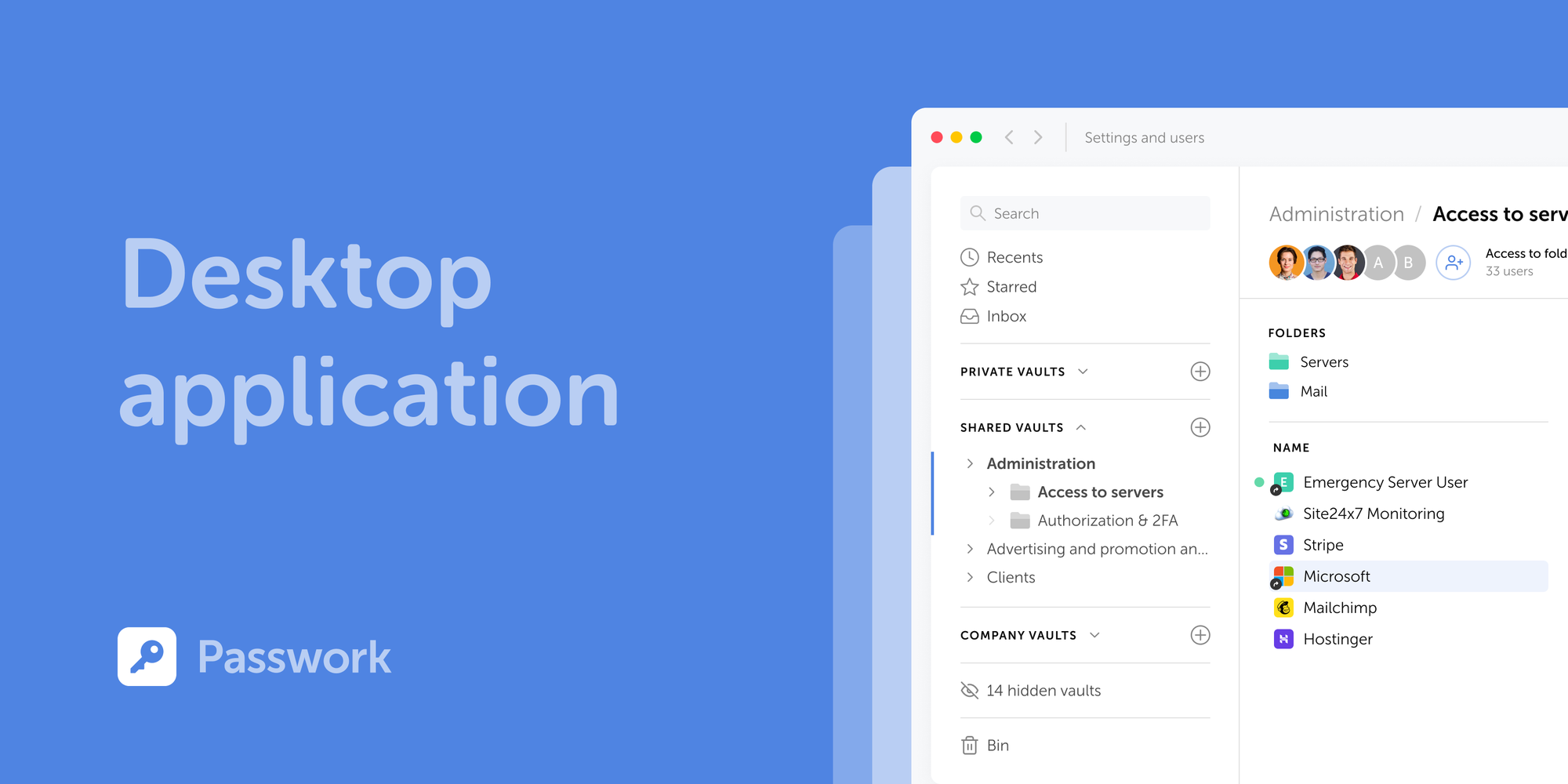
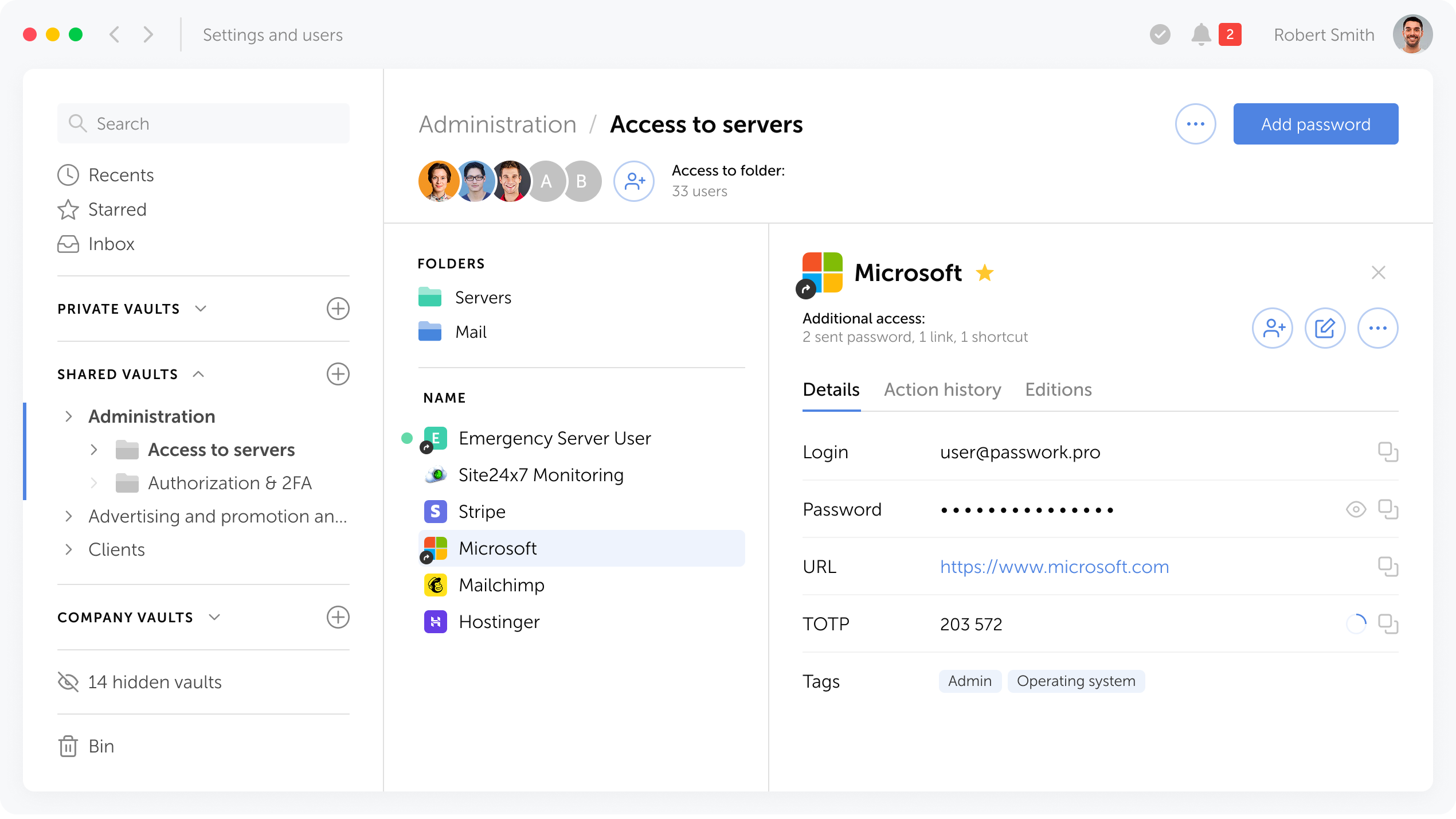
Passwork ya está disponible como una aplicación de escritorio completa para Windows, macOS y Linux. La aplicación de escritorio ofrece funcionalidad completa de gestión de contraseñas: gestione credenciales, acceda a bóvedas, colabore con su equipo, todo con el rendimiento nativo y la comodidad de un entorno de escritorio.
Sistemas operativos compatibles
La aplicación de escritorio es compatible con Windows 10/11 (64 bits), macOS 12 (Monterey) y versiones posteriores, y distribuciones de Linux incluyendo Ubuntu 20.04+, Fedora 34+, Debian 11+ y otras (64 bits).
Cómo descargar
Puede descargar la aplicación de escritorio directamente desde la interfaz de Passwork.
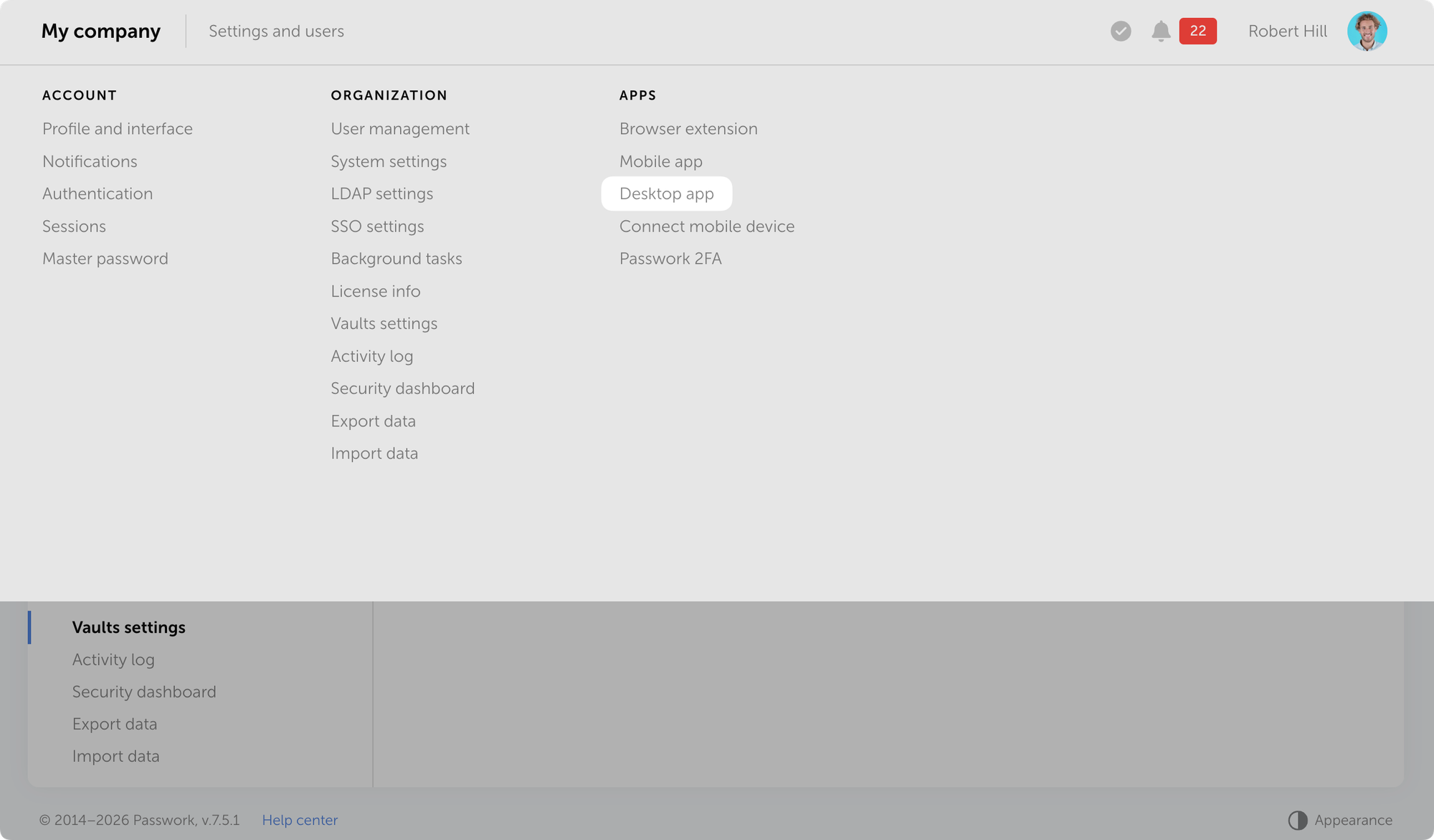
Abra Passwork → Configuración y usuarios → Aplicación de escritorio y descargue el instalador para su sistema operativo.
Instalación
La aplicación se autentica a través de su navegador. Necesitará el nombre de host de su instancia de Passwork.
Descargue el instalador.
Instale la aplicación para su sistema operativo e iníciela.
Introduzca el nombre de host de Passwork y haga clic en Iniciar sesión con navegador.
Autentíquese en el navegador: introduzca sus credenciales o inicie sesión mediante SSO o passkey.
Permita que la aplicación se conecte a su sesión del navegador.
Si el cifrado del lado del cliente está habilitado en Passwork, introduzca su contraseña maestra en la aplicación.
Nota: Si tiene una sesión activa en la versión web, Passwork le preguntará si desea continuar con el usuario actual o cambiar de cuenta.
Cómo actualizar
Las nuevas versiones de la aplicación de escritorio se publican junto con las actualizaciones de Passwork. Cuando una nueva versión está disponible, la aplicación le solicita que actualice. El proceso es automático — el instalador se descarga del repositorio y se instala sin intervención manual.
Próximas novedades
Las próximas versiones introducirán funciones exclusivas para escritorio, incluyendo el modo sin conexión. Acceda a sus contraseñas sin conexión al servidor, garantizando la continuidad incluso cuando el acceso a la red no esté disponible.
En macOS, el sistema puede bloquear el primer inicio porque la aplicación aún está en proceso de verificación por Apple. Para permitirla, abra Configuración del Sistema → Privacidad y seguridad, busque el mensaje sobre el bloqueo de Passwork, haga clic en Abrir de todos modos y autentíquese con su contraseña de administrador.
Las instrucciones detalladas de instalación están disponibles en la guía del usuario Toda la información sobre las actualizaciones de Passwork en nuestras notas de versión
Passwork is now available as a full-featured desktop app for Windows, macOS, and Linux. The desktop app delivers complete password management functionality: manage credentials, access vaults, collaborate with your team, all with the native performance and convenience of a desktop environment.
Supported operating systems
The desktop application supports Windows 10/11 (64-bit), macOS 12 (Monterey) and later, and Linux distros including Ubuntu 20.04+, Fedora 34+, Debian 11+, and others (64-bit).
How to download
You can download the desktop app directly from the Passwork interface.
Open Passwork → Settings and users → Desktop app and download the installer for your operating system.
Installation
The app authenticates through your browser. You'll need your Passwork instance hostname.
Download the installer
Install the app for your OS and launch it
Enter your Passwork hostname and click Sign in with browser
Authenticate in the browser: enter your credentials or sign in via SSO or passkey
Allow the app to connect to your browser session
If client-side encryption is enabled in Passwork, enter your master password in the app
Note: If you have an active session in the web version, Passwork will prompt you to continue with the current user or switch accounts.
How to update
New desktop app versions are released alongside Passwork updates. When a new version becomes available, the app prompts you to update. The process is automatic — the installer downloads from the repository and installs without manual intervention.
What's next
Upcoming releases will introduce desktop-exclusive features, including offline mode. Access your passwords without a server connection, ensuring continuity even when network access is unavailable.
Detailed installation instructions are available in the user guide All information about Passwork updates in our release notes
Passwork is now available as a full-featured desktop app for Windows, macOS, and Linux. The desktop app delivers complete password management functionality: manage credentials, access vaults, collaborate with your team, all with the native performance and convenience of a desktop environment.
Die neuen Releases führen die Unterstützung der Passwork Desktop-App ein und bringen mehrere Verbesserungen sowie Fehlerbehebungen für die Authentifizierungseinstellungen.
Änderungen
Unterstützung für die Desktop-App hinzugefügt: Sie kann jetzt über die Einstellungen und das Benutzermenü heruntergeladen werden
Option zum manuellen Sperren der Authentifizierungseinstellungen hinzugefügt, um unbefugte Änderungen zu verhindern
Entsperrmethode für das Modal „Mobilgerät verbinden" geändert: Jetzt ist bei jedem Öffnen des Fensters eine Verifizierung per Passwort, Passkey oder SSO erforderlich
Problem behoben, bei dem das Entsperren der Authentifizierungseinstellungen über SSO nicht funktionierte, wenn der SSO-Server und Passwork unterschiedliche Domains hatten
Problem behoben, bei dem Benutzer mit LDAP-Authentifizierung das Passwortfeld beim Entsperren der Authentifizierungseinstellungen nicht sehen konnten
Alle Informationen zu Passwork-Updates finden Sie in unseren Release Notes
Die neuen Releases führen die Unterstützung für die Passwork Desktop-App ein und beinhalten mehrere Verbesserungen sowie Fehlerbehebungen in den Authentifizierungseinstellungen.
Las nuevas versiones introducen compatibilidad con la aplicación de escritorio de Passwork y añaden varias mejoras y correcciones de errores en la configuración de autenticación.
Cambios
Se añadió compatibilidad con la aplicación de escritorio: ahora se puede descargar desde el menú de Configuración y usuarios.
Se añadió la opción de bloquear manualmente la configuración de autenticación para evitar cambios no autorizados.
Se modificó el método de desbloqueo del modal «Conectar dispositivo móvil»: ahora requiere verificación mediante contraseña, passkey o SSO cada vez que se abre la ventana.
Se corrigió un problema en el que el desbloqueo de la configuración de autenticación mediante SSO no funcionaba cuando el servidor SSO y Passwork tenían dominios diferentes.
Se corrigió un problema en el que los usuarios con autenticación LDAP no podían ver el campo de contraseña al desbloquear la configuración de autenticación.
Puede encontrar toda la información sobre las actualizaciones de Passwork en nuestras notas de la versión
Las nuevas versiones introducen soporte para la aplicación de escritorio Passwork y añaden varias mejoras y correcciones de errores en la configuración de autenticación.
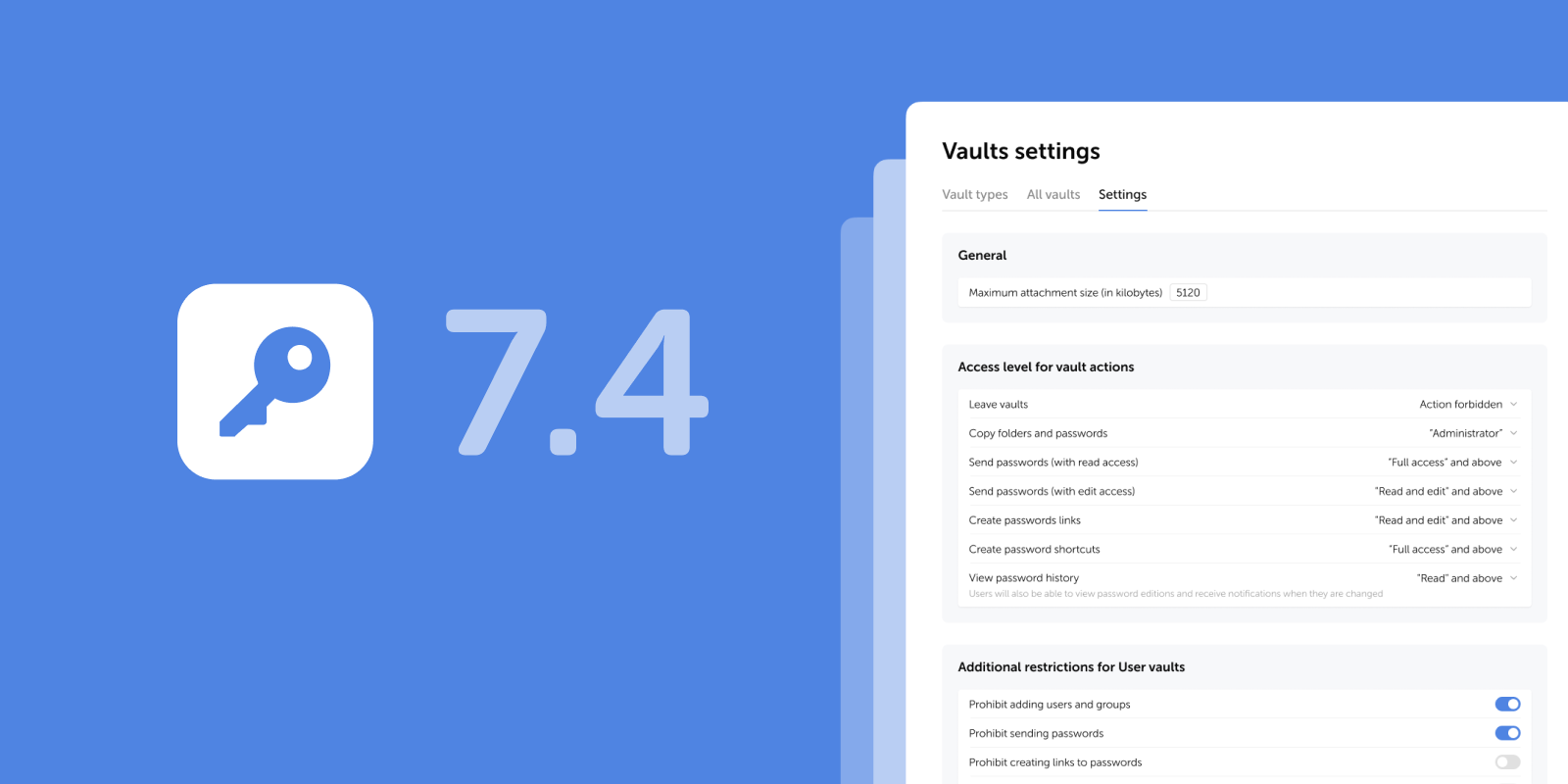
Die neuen Releases führen restriktive Einstellungen für Benutzer-Tresore ein (einschließlich der Option, das Hinzufügen neuer Benutzer und Gruppen zu blockieren), einen sanften Wechsel der Darstellung sowie weitere Verbesserungen und Fehlerbehebungen.
Einschränkungen für Benutzer-Tresore
In den Tresor-Einstellungen wurde ein neuer Block mit zusätzlichen restriktiven Einstellungen für Benutzer-Tresore hinzugefügt. Dieser ermöglicht es Administratoren, die folgenden Aktionen für alle Benutzer-Tresore (privat und geteilt) zentral zu erlauben oder einzuschränken:
Hinzufügen von Benutzern und Gruppen
Senden von Passwörtern
Erstellen von Passwort-Links
Erstellen von Passwort-Shortcuts
Die Einschränkungen gelten nicht für Firmen-Tresore und werden automatisch auf alle bestehenden und neuen Benutzer-Tresore angewendet.
Zusätzliche Einschränkungseinstellungen für Benutzer-Tresore befinden sich unter Einstellungen und Benutzer → Tresor-Einstellungen → Reiter Einstellungen.
Die neuen Einschränkungen lösen drei Sicherheitsprobleme:
Geringeres Risiko von Sicherheitsverletzungen — Das Blockieren der Link-Erstellung und des Passwortversands aus Benutzer-Tresoren verhindert versehentliche oder absichtliche Datenlecks außerhalb der Organisation.
Zentralisierte Richtlinienverwaltung — Administratoren steuern Aktionen auf Plattformebene, anstatt sich auf die Disziplin der Mitarbeiter zu verlassen.
Stärkere Kontrolle über die Datenverteilung — Unkontrollierte Passwortfreigabe über persönliche Tresore wird verhindert. Dies ist entscheidend für Organisationen mit strengen Sicherheitsanforderungen.
Anwendungsfälle
Drei häufige Fälle, in denen zusätzliche Einschränkungen für Benutzer-Tresore spezifische Sicherheitsherausforderungen lösen:
Verbot der Passwortfreigabe aus persönlichen Tresoren
Problem: Mitarbeiter speichern Unternehmenspasswörter in persönlichen Tresoren und teilen sie direkt mit Kollegen, wobei sie Firmen-Tresore umgehen.
Lösung: Aktivieren Sie alle vier Einschränkungen. Mitarbeiter können Passwörter in persönlichen Tresoren speichern, aber nicht teilen — das Teilen erfordert Firmen-Tresore mit kontrolliertem Zugriff.
Verbot der Link-Erstellung für externe Auftragnehmer
Problem: Mitarbeiter erstellen temporäre Passwort-Links aus persönlichen Tresoren und senden diese an externe Auftragnehmer, wodurch Risiken für Datenlecks entstehen.
Lösung: Aktivieren Sie „Erstellen von Passwort-Links verbieten". Links können nur aus Firmen-Tresoren erstellt werden, wo Administratoren Ablaufzeit und Zugriffsrechte kontrollieren.
Verhinderung von Unternehmenspasswort-Duplikaten
Problem: Mitarbeiter kopieren Passwörter aus Firmen-Tresoren in ihre persönlichen, erstellen Shortcuts und teilen diese dann mit Kollegen. Dadurch werden dieselben Anmeldedaten an mehreren Orten gespeichert. Wenn ein Passwort im Firmen-Tresor geändert wird, bleiben veraltete Kopien im persönlichen Speicher erhalten.
Lösung: Aktivieren Sie die Einschränkungen „Erstellen von Passwort-Shortcuts verbieten" und „Hinzufügen von Benutzern und Gruppen verbieten". Dies zwingt Mitarbeiter, direkt mit Firmen-Tresoren zu arbeiten, wo Passwörter immer aktuell sind und der Administrator deren Lebenszyklus und Änderungshistorie kontrolliert.
Weitere Änderungen
Visuelle Indikatoren hinzugefügt, die Benutzer über die obligatorische E-Mail-Bestätigung informieren, um Benachrichtigungen zu erhalten
Dynamisches Laden der Liste für den Benutzerfilter im Sicherheits-Dashboard hinzugefügt
Sanfter Übergang beim Wechseln der Darstellung hinzugefügt
Automatische Einstellung des Wertes „Lesen" im Zugangsfeld beim Senden eines Passworts an einen anderen Benutzer hinzugefügt
Problem behoben, bei dem Benutzer ihre E-Mail-Adressen nicht bestätigen konnten, wenn das Masterpasswort nicht im Browser gespeichert war
Problem behoben, bei dem nach dem Zurücksetzen des Zugriffs in der Benutzerverwaltung ein falsches Zugangslevel angezeigt wurde, bis die Seite neu geladen wurde
Problem behoben, bei dem die Liste der Posteingangs-Passwörter nicht korrekt angezeigt wurde, nachdem das Kontrollkästchen „Nur im Posteingang suchen" bei einer leeren Suchanfrage aktiviert wurde
Problem behoben, bei dem XML-Dateien aus KeePass nicht importiert werden konnten, wenn sie Ordner mit Namen enthielten, die nur aus Ziffern bestanden
Kleinere UI- und Lokalisierungsverbesserungen vorgenommen
Alle Informationen zu Passwork-Updates finden Sie in unseren Release Notes
Die neue Version führt restriktive Einstellungen für Benutzertresore ein, einschließlich der Option, das Hinzufügen neuer Benutzer und Gruppen zu blockieren, bietet einen fließenden Wechsel des Erscheinungsbilds sowie weitere Verbesserungen und Fehlerbehebungen.
Las nuevas versiones introducen configuraciones restrictivas para las bóvedas de usuario (incluyendo la opción de bloquear la adición de nuevos usuarios y grupos), cambio fluido de apariencia, y otras mejoras y correcciones.
Restricciones para bóvedas de usuario
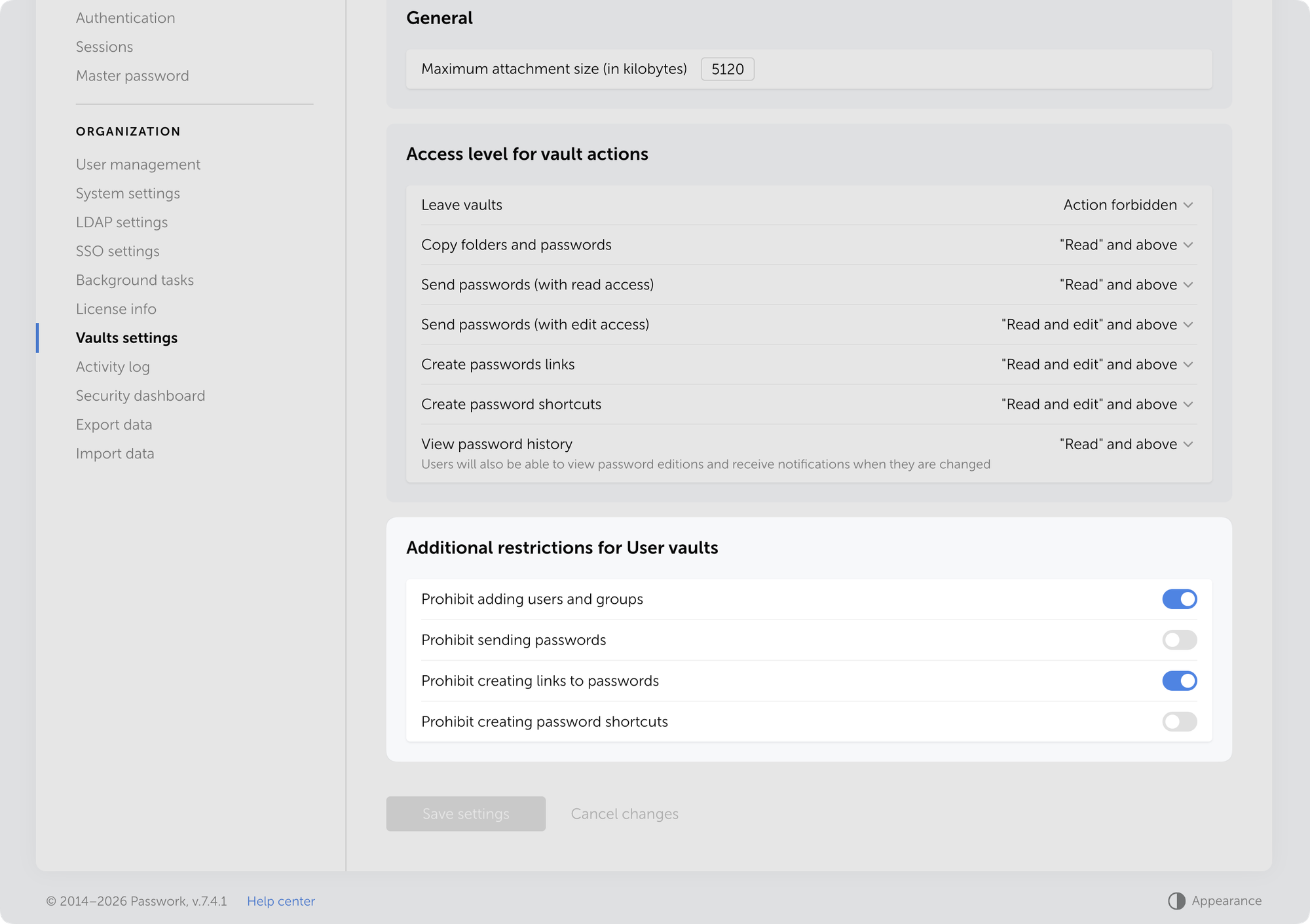
Se ha añadido un nuevo bloque de configuraciones restrictivas adicionales para las bóvedas de usuario en la Configuración de bóvedas, permitiendo a los administradores autorizar o restringir de forma centralizada las siguientes acciones para todas las bóvedas de usuario (privadas y compartidas):
Añadir usuarios y grupos
Enviar contraseñas
Crear enlaces de contraseñas
Crear accesos directos de contraseñas
Las restricciones no se aplican a las bóvedas de empresa y se aplican automáticamente en todas las bóvedas de usuario existentes y nuevas.
Las configuraciones de restricción adicionales para las bóvedas de usuario se encuentran en Configuración y usuarios → Configuración de bóvedas → pestaña Configuración.
Las nuevas restricciones resuelven tres problemas de seguridad:
Menor riesgo de filtración — Bloquear la creación de enlaces y el envío de contraseñas desde las bóvedas de usuario previene fugas de datos accidentales o intencionales fuera de la organización.
Gestión centralizada de políticas — Los administradores controlan las acciones a nivel de plataforma en lugar de depender de la disciplina de los empleados.
Mayor control sobre la distribución de datos — Previene el intercambio no supervisado de contraseñas a través de bóvedas personales. Crítico para organizaciones con requisitos de seguridad estrictos.
Casos de uso
Tres casos comunes donde las restricciones adicionales para bóvedas de usuario resuelven desafíos de seguridad específicos:
Prohibir compartir contraseñas desde bóvedas personales
Problema: Los empleados almacenan contraseñas corporativas en bóvedas personales y las comparten directamente con colegas, evitando las bóvedas de empresa.
Solución: Active las cuatro restricciones. Los empleados pueden almacenar contraseñas en bóvedas personales pero no pueden compartirlas — compartir requiere bóvedas de empresa con acceso controlado.
Prohibir la creación de enlaces para contratistas externos
Problema: Los empleados crean enlaces temporales de contraseñas desde bóvedas personales y los envían a contratistas externos, creando riesgos de filtración.
Solución: Active «Prohibir crear enlaces de contraseñas». Los enlaces solo pueden crearse desde bóvedas de empresa, donde los administradores controlan el tiempo de expiración y los derechos de acceso.
Prevenir la duplicación de contraseñas corporativas
Problema: Los empleados copian contraseñas de las bóvedas de empresa a sus bóvedas personales, crean accesos directos y luego las comparten con colegas. Como resultado, las mismas credenciales se almacenan en múltiples ubicaciones, y cuando se cambia una contraseña en la bóveda de empresa, las copias obsoletas permanecen en el almacenamiento personal.
Solución: Active las restricciones «Prohibir crear accesos directos de contraseñas» y «Prohibir añadir usuarios y grupos». Esto obligará a los empleados a trabajar directamente con las bóvedas de empresa, donde las contraseñas siempre están actualizadas y el administrador controla su ciclo de vida e historial de cambios.
Otros cambios
Se añadieron indicadores visuales que informan a los usuarios sobre la confirmación obligatoria del correo electrónico para recibir notificaciones
Se añadió carga dinámica de listas para el filtro de usuarios en el panel de seguridad
Se añadió transición fluida al cambiar la apariencia
Se añadió la configuración automática del valor Lectura en el campo Acceso al enviar una contraseña a otro usuario
Se corrigió un problema donde los usuarios no podían confirmar sus direcciones de correo electrónico cuando la contraseña maestra no estaba guardada en el navegador
Se corrigió un problema donde, después de restablecer el acceso en Gestión de usuarios, se mostraba un nivel de acceso incorrecto hasta que se recargaba la página
Se corrigió un problema donde la lista de contraseñas de la bandeja de entrada no se mostraba correctamente después de activar la casilla «Buscar solo en Bandeja de entrada» con una consulta de búsqueda vacía
Se corrigió un problema donde los archivos XML de KeePass no podían importarse si contenían carpetas con nombres que consistían solo en dígitos
Se realizaron mejoras menores de interfaz y localización
Puede encontrar toda la información sobre las actualizaciones de Passwork en nuestras notas de versión
La nueva versión introduce configuraciones restrictivas para las bóvedas de usuario, incluyendo la opción de bloquear la adición de nuevos usuarios y grupos, transiciones suaves de apariencia, y otras mejoras y correcciones.
The new releases introduce restrictive settings for User vaults (including the option to block adding new users and groups), smooth appearance switching, and other improvements and fixes.
Restrictions for User vaults
We've added a new block of additional restrictive settings for User vaults in the Vaults settings, allowing administrators to centrally permit or restrict the following actions for all user vaults (private and shared):
Adding users and groups
Sending passwords
Creating password links
Creating password shortcuts
The restrictions do not apply to Company vaults and are automatically enforced on all existing and new User vaults.
Additional restriction settings for user vaults are located in Settings and users → Vaults settings → Settings tab.
New restrictions solve three security problems:
Lower breach risk — Blocking link creation and password sending from User vaults prevents accidental or intentional data leaks outside the organization.
Centralized policy management — Administrators control actions at the platform level rather than relying on employee discipline.
Stronger control over data distribution — Prevent unmonitored password sharing through personal vaults. Critical for organizations with strict security requirements.
Use cases
Three common cases where additional restrictions for User vaults resolve specific security challenges:
Prohibiting password sharing from Personal vaults
Problem: Employees store corporate passwords in personal vaults and share them directly with colleagues, bypassing company vaults.
Solution: Enable all four restrictions. Employees can store passwords in personal vaults but cannot share them — sharing requires Company vaults with controlled access.
Prohibiting link creation for external contractors
Problem: Employees create temporary password links from personal vaults and send them to external contractors, creating leak risks.
Solution: Enable "Prohibit creating password links." Links can only be created from Company vaults, where administrators control expiration time and access rights.
Preventing corporate password duplication
Problem: Employees copy passwords from Company vaults to their personal ones, create shortcuts, and then share them with colleagues. As a result, the same credentials are stored in multiple locations, and when a password is changed in the Company vault, outdated copies remain in personal storage.
Solution: Enable the restrictions "Prohibit creating password shortcuts" and "Prohibit adding users and groups." This will force employees to work directly with Company vaults, where passwords are always up to date, and the administrator controls their lifecycle and change history.
Other changes
Added visual indicators informing users about the mandatory email confirmation in order to receive notifications
Added dynamic list loading for the user filter in the Security dashboard
Added smooth transition when switching appearance
Added automatic setting of the Read value in the Access field when sending a password to another user
Fixed an issue where users couldn't confirm their email addresses when the master password wasn't saved in the browser
Fixed an issue where, after resetting access in User management, an incorrect access level was displayed until the page was reloaded
Fixed an issue where the list of inbox passwords wasn't displayed correctly after enabling the "Search only in Inbox" checkbox with an empty search query
Fixed an issue where XML files from KeePass could not be imported if they contained folders with names consisting only of digits
Made minor UI and localization improvements
You can find all information about Passwork updates in our release notes
The new version introduces restrictive settings for User vaults, including the option which blocks adding new users and groups, adds smooth appearance switching, and other improvements and fixes.
Die neue Version bietet ein anpassbares Notizfeld, erweiterte Ereignisbeschreibungen im Aktivitätsprotokoll sowie verschiedene weitere Verbesserungen und Fehlerbehebungen.
Verbesserungen
Möglichkeit hinzugefügt, die Größe des Notizfelds beim Erstellen und Bearbeiten von Einträgen anzupassen
Verhalten des Menüpunkts „Daten exportieren" geändert: Er wird nun inaktiv, wenn keine Daten zum Exportieren vorhanden sind
Beschreibung der E-Mail-Bestätigungsereignisse für Benutzer im Aktivitätsprotokoll verbessert
Fehlerbehebungen
Problem behoben, bei dem Passwörter mit Sonderzeichen beim Speichern eines LDAP-Servers falsch verarbeitet werden konnten
Problem behoben, bei dem Suchergebnisse mit leerer Suchanfrage und ohne angewendete Filter für einen bestimmten Tresor falsch angezeigt wurden
Problem behoben, bei dem nach dem Verlassen der Suche in einem ausgewählten Tresor nur Ordner angezeigt wurden, während Passwörter und Shortcuts erst nach erneutem Öffnen des Tresors geladen wurden
Problem behoben, bei dem nicht alle Passwörter während des Datenexports exportiert wurden
Problem behoben, bei dem das Zurücksetzen des Masterpassworts eines Benutzers fälschlicherweise die Berechtigung zur Verwaltung von Masterpasswort-Komplexitätsrichtlinien erforderte
Problem behoben, bei dem das über einen Link aufgerufene Registrierungsformular einen 401-Fehler zurückgab, wenn die Selbstregistrierung deaktiviert war
Problem behoben, das das Hinzufügen einer WebAuthn-Anmeldeinformation mit leerem Transports-Feld verhinderte
Alle Informationen zu Passwork-Updates finden Sie in unseren Release Notes
Die neue Version bietet ein anpassbares Notizfeld, verbesserte Ereignisbeschreibungen im Aktionsprotokoll sowie weitere Verbesserungen und Fehlerbehebungen.
La nueva versión añade un campo de notas redimensionable, descripciones de eventos mejoradas en el Registro de acciones y varias otras mejoras y correcciones de errores.
Mejoras
Se añadió la capacidad de redimensionar el campo de Nota al crear y editar entradas
Se cambió el comportamiento del elemento de menú Exportar datos: ahora se desactiva cuando no hay datos para exportar
Se mejoró la descripción de los eventos de confirmación de correo electrónico de usuario en el Registro de actividad
Correcciones de errores
Se corrigió un problema donde las contraseñas con caracteres especiales podían procesarse incorrectamente al guardar un servidor LDAP
Se corrigió un problema donde los resultados de búsqueda con una consulta de búsqueda vacía y sin filtros aplicados se mostraban incorrectamente para una bóveda especificada
Se corrigió un problema donde después de salir de la búsqueda en una bóveda seleccionada, solo se mostraban las carpetas mientras que las contraseñas y los accesos directos no se cargaban hasta volver a entrar en la bóveda
Se corrigió un problema donde no se exportaban todas las contraseñas durante el proceso de exportación de datos
Se corrigió un problema donde restablecer la contraseña maestra de un usuario requería incorrectamente permiso para gestionar las políticas de complejidad de la contraseña maestra
Se corrigió un problema donde el formulario de registro accedido mediante enlace devolvía un error 401 cuando el autorregistro estaba deshabilitado
Se corrigió un problema que impedía añadir una credencial WebAuthn con un campo de transports vacío
Puede encontrar toda la información sobre las actualizaciones de Passwork en nuestras notas de lanzamiento
La nueva versión añade un campo de notas redimensionable, descripciones de eventos mejoradas en el registro de acciones y varias otras mejoras y correcciones de errores.
The new version adds a resizable note field, enhanced event descriptions in Action log, and several other improvements and bug fixes.
Improvements
Added the capability to resize the Note field when creating and editing entries
Changed the behavior of the Export data menu item: it now becomes inactive when there is no data to export
Improved the description of user email confirmation events in the Activity log
Bug fixes
Fixed an issue where passwords with special characters could be processed incorrectly when saving an LDAP server
Fixed an issue where search results with an empty search query and no filters applied displayed incorrectly for a specified vault
Fixed an issue where after exiting search in a selected vault, only folders were displayed while passwords and shortcuts did not load until re-entering the vault
Fixed an issue where not all passwords were being exported during the data export process
Fixed an issue where resetting a user's master password incorrectly required permission to manage master password complexity policies
Fixed an issue where the sign-up form accessed via link returned a 401 error when self-registration was disabled
Fixed an issue that prevented adding a WebAuthn credential with an empty transports field
You can find all information about Passwork updates in our release notes
In der neuen Version wurde eine Suchfilterung nach aktuellem Verzeichnis hinzugefügt sowie kleinere Verbesserungen am Importprozess, an der Lokalisierung und an der Benutzeroberfläche vorgenommen. Das Update ist im Kundenportal verfügbar.
Suche im Tresor oder Posteingang
Eine Option zur Einschränkung der Suche auf den aktuellen Tresor oder Posteingang wurde hinzugefügt. Unterhalb der Suchleiste ist nun ein Kontrollkästchen verfügbar, das bei Aktivierung die Suche auf den ausgewählten Bereich beschränkt.
Weitere Änderungen
Ein Problem wurde behoben, bei dem schnelles Wechseln zwischen Verzeichnissen und den Seiten Kürzlich, Favoriten oder Posteingang eine falsche oder leere Passwortliste anzeigen konnte.
Ein Problem wurde behoben, bei dem der Import von Dateien mit langen Notizen zum Einfrieren des Prozesses führen konnte.
Ein Problem bei der Verarbeitung von MongoDB-Verbindungszeichenfolgen wurde behoben.
Alle Informationen zu Passwork-Updates finden Sie in unseren Release Notes
In der neuen Version wurde eine Suchfilterung nach aktuellem Verzeichnis hinzugefügt sowie kleinere Verbesserungen am Import, der Lokalisierung und der Benutzeroberfläche vorgenommen. Das Update ist im Kundenportal verfügbar.
En la nueva versión, se ha añadido el filtrado de búsqueda por directorio actual y se han realizado mejoras menores en el proceso de importación, la localización y la interfaz de usuario. La actualización está disponible en el portal de clientes.
Búsqueda en bóveda o bandeja de entrada
Se ha añadido una opción para limitar la búsqueda a la bóveda actual o a la bandeja de entrada. Ahora hay disponible una casilla de verificación debajo de la barra de búsqueda que, cuando está habilitada, restringe la búsqueda al área seleccionada.
Otros cambios
Se ha corregido un problema donde al cambiar rápidamente entre directorios y las páginas de recientes, favoritos o bandeja de entrada podía mostrar una lista de contraseñas incorrecta o vacía
Se ha corregido un problema donde la importación de archivos con notas largas podía causar que el proceso se congelara
Se ha corregido un problema en el manejo de la cadena de conexión de MongoDB
Puede encontrar toda la información sobre las actualizaciones de Passwork en nuestras notas de la versión
En la nueva versión, se ha añadido el filtrado de búsqueda por directorio actual y se han realizado mejoras menores en el proceso de importación, la localización y la interfaz. La actualización está disponible en el portal de clientes.
In the new version, we've added search filtering by current directory and made minor improvements to the import process, localization, and UI. The update is available in the Customer portal.
Search in vault or Inbox
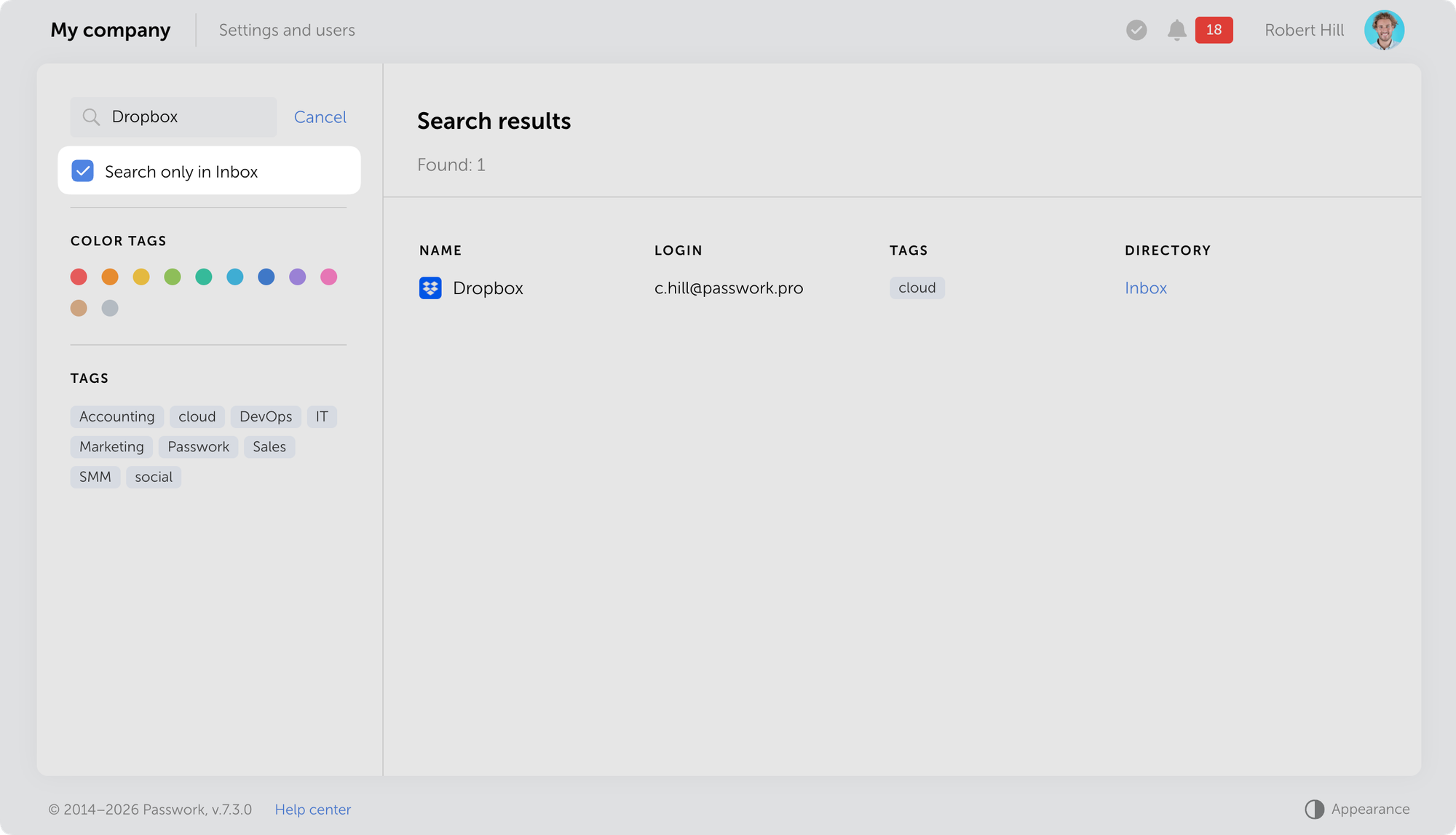
Added an option to limit search to the current vault or Inbox. A checkbox is now available below the search bar that, when enabled, restricts search to the selected area.
Other changes
Fixed an issue where quickly switching between directories and Recents, Favorites, or Inbox pages could display an incorrect or empty password list
Fixed an issue where importing files with long notes could cause the process to freeze
Fixed an issue in MongoDB connection string handling
You can find all information about Passwork updates in our release notes
In the new version, we've added search filtering by current directory and made minor improvements to the import process, localization, and UI. The update is available in the Customer portal.
Die neue Version führt biometrische Authentifizierung und Passkeys ein, die Möglichkeit, mehrere URLs für ein einzelnes Passwort hinzuzufügen, E-Mail-Adressverifizierung für Benutzer, E-Mail-basierte Authentifizierung sowie zahlreiche weitere Verbesserungen und Fehlerbehebungen.
Biometrische Authentifizierung und Passkeys
Passwork unterstützt jetzt biometrische Authentifizierung, Passkeys und Sicherheitsschlüssel basierend auf dem WebAuthn-Standard. Sie können sich jetzt bei Passwork mit Ihrem Fingerabdruck, Face ID, PIN-Code oder einem Hardware-Sicherheitsschlüssel (YubiKey und ähnliche Geräte) anmelden.
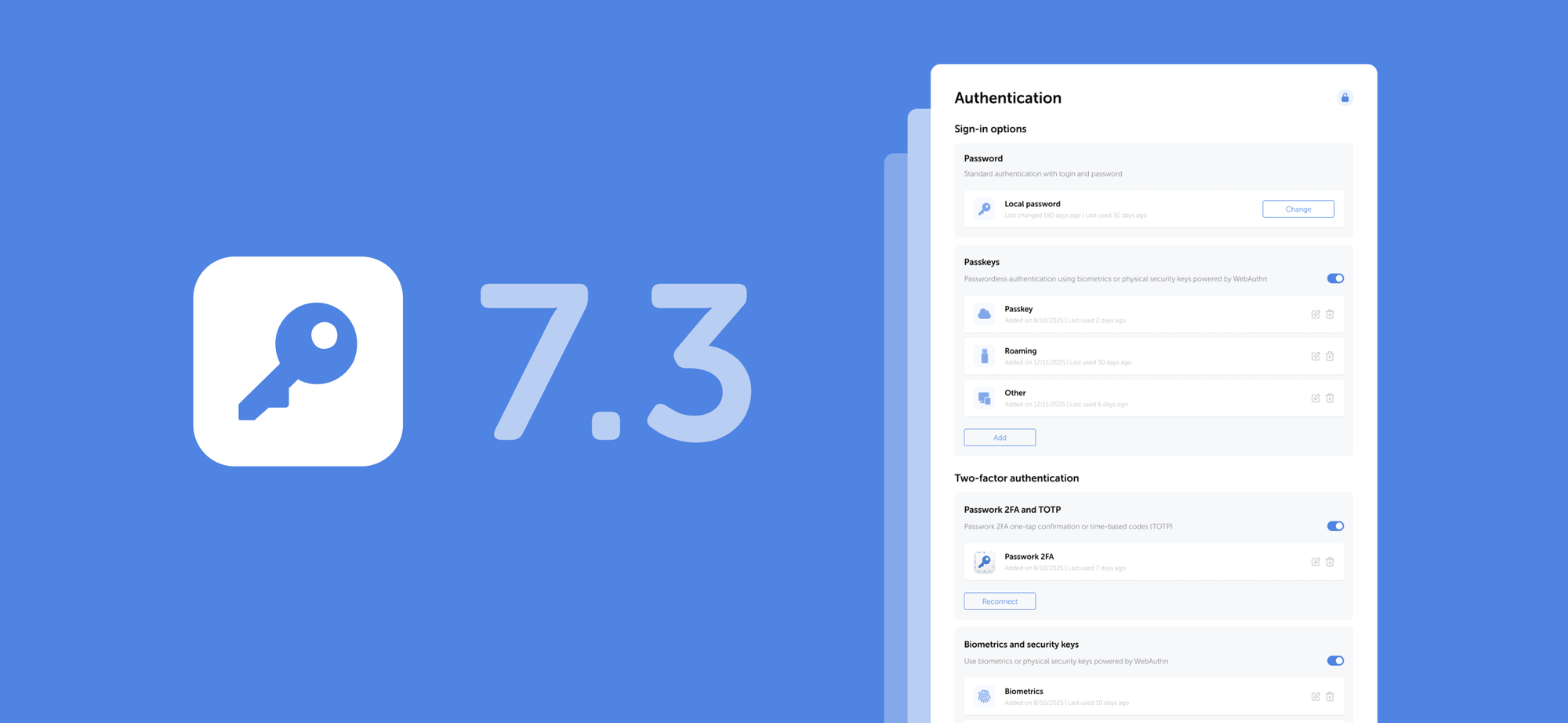
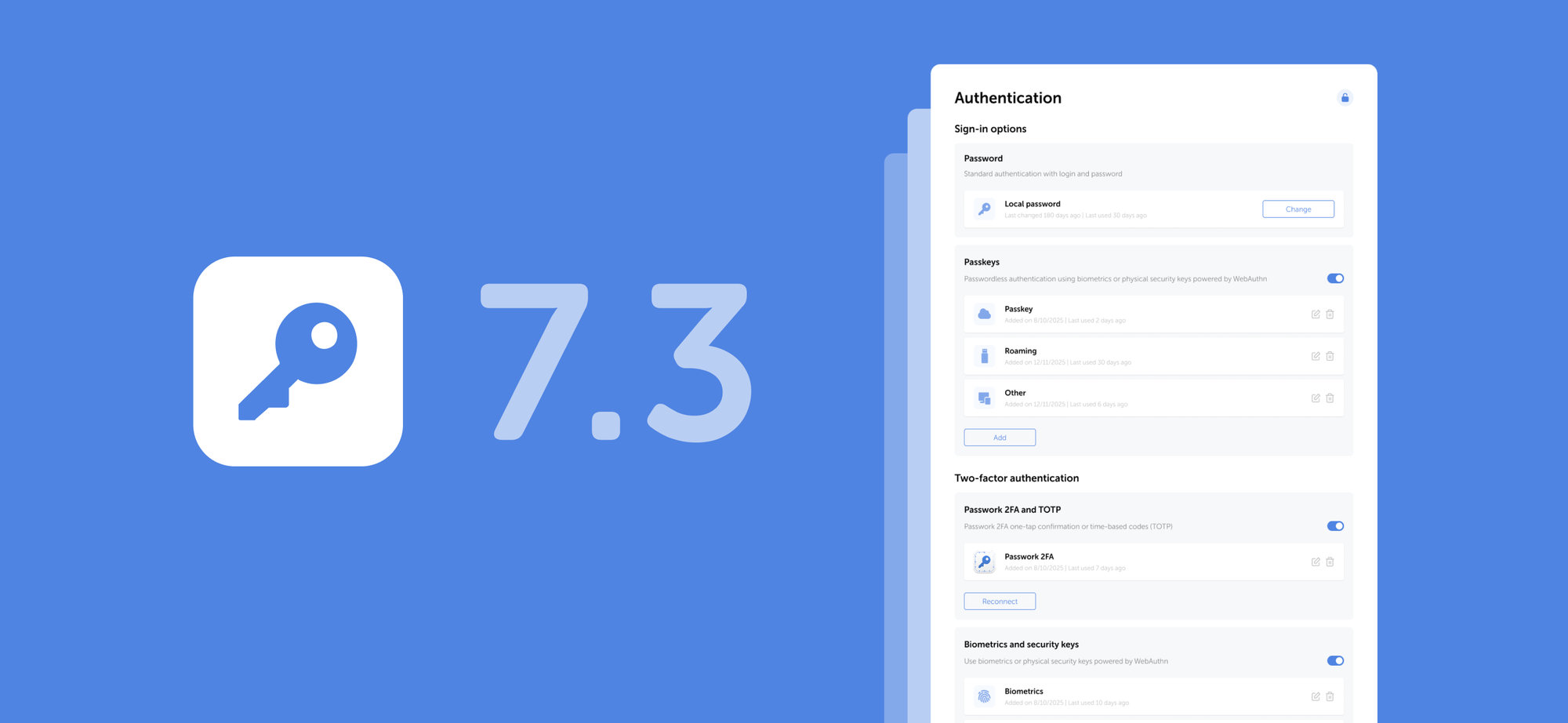
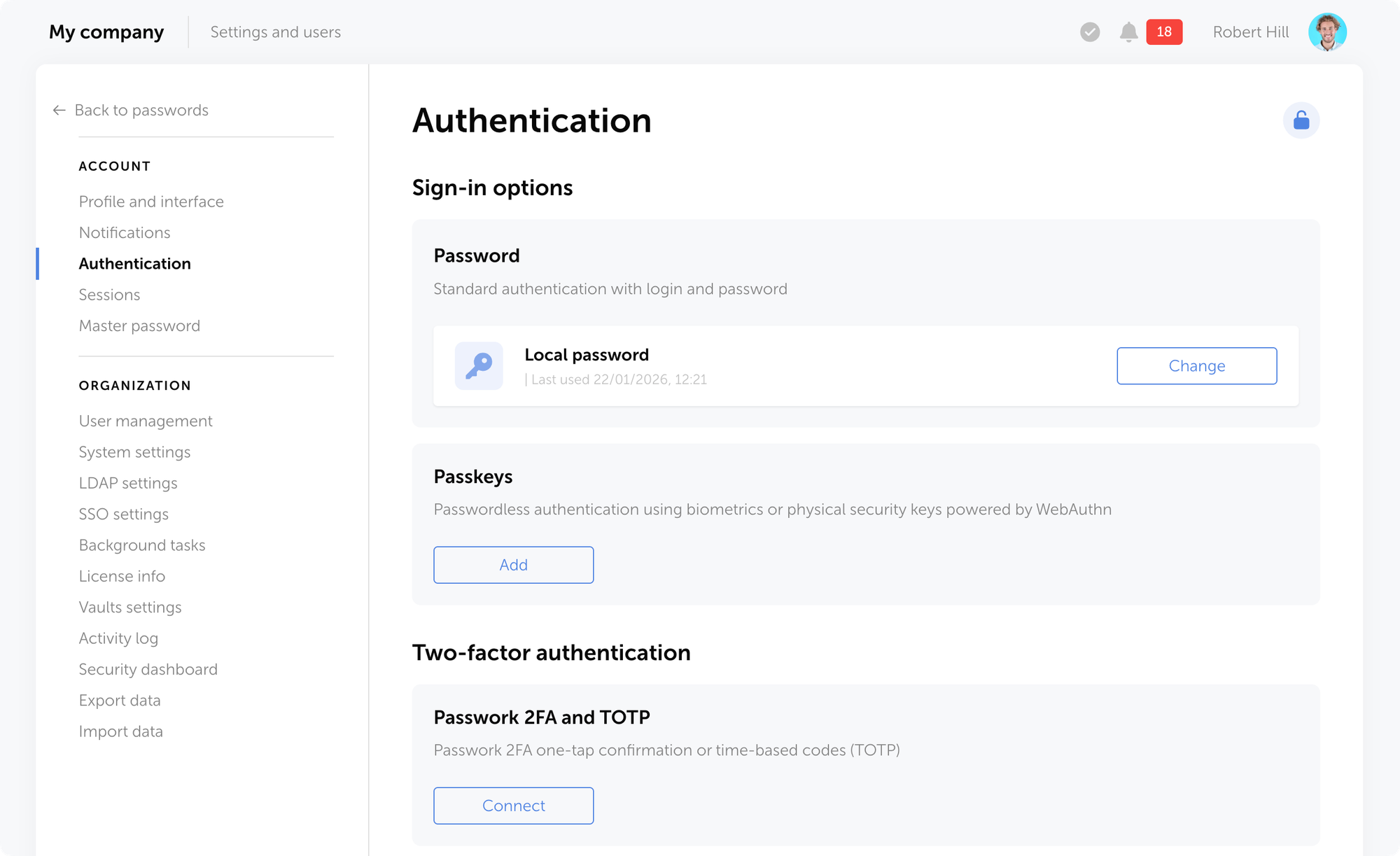
Auf der Einstellungsseite Authentifizierung können Sie neue Anmeldemethoden hinzufügen, bestehende verwalten, Ihr Passwort ändern oder passwortlose Authentifizierung über Biometrie oder Hardware-Sicherheitsschlüssel aktivieren.
Die Seite mit den Authentifizierungseinstellungen wird nach 5 Minuten Inaktivität automatisch gesperrt — klicken Sie auf das Schloss-Symbol in der oberen rechten Ecke, um sie zu entsperren.
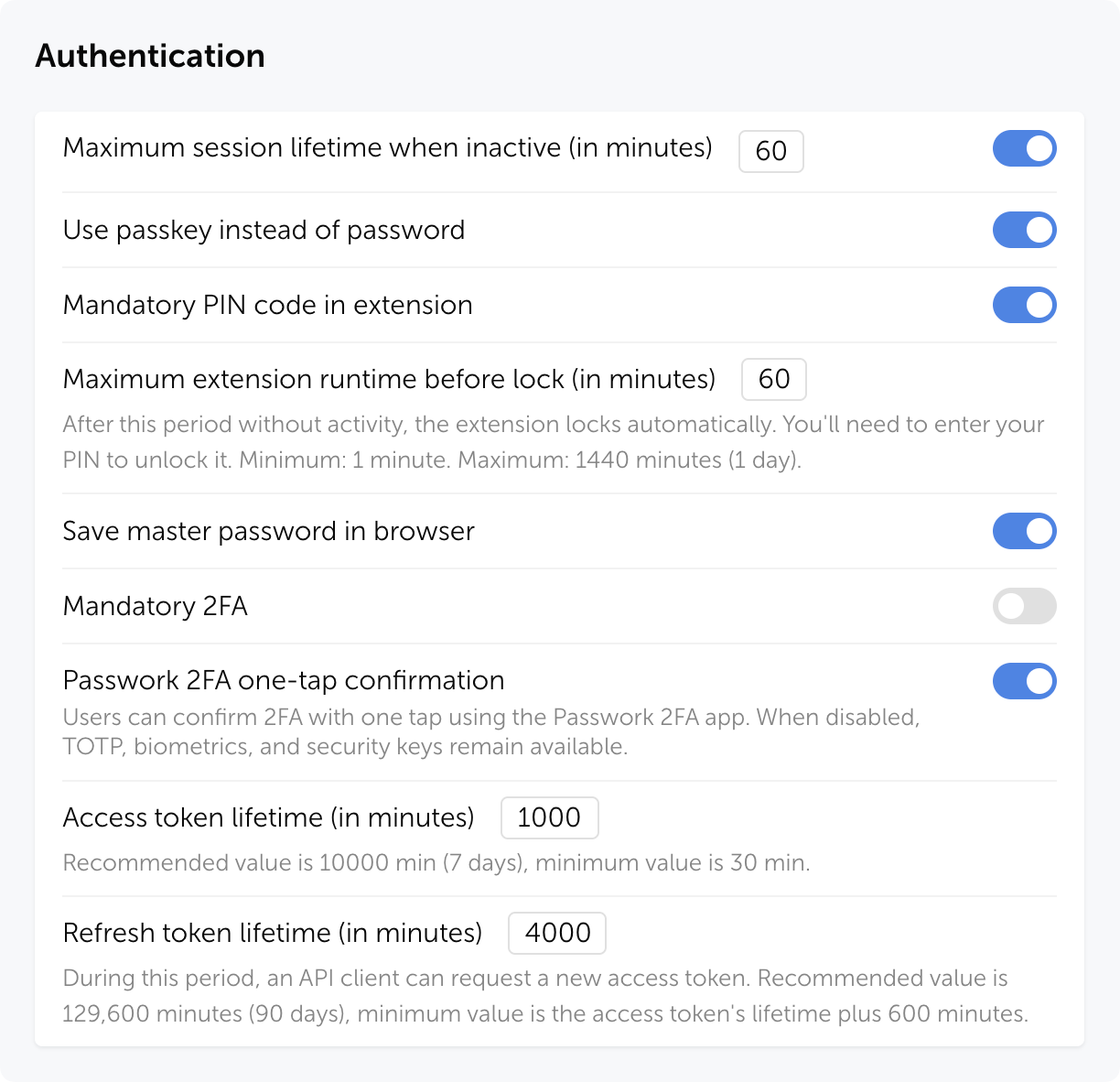
Die neue Rolleneinstellung Passkey anstelle von Passwort verwenden ermöglicht es Benutzern, sich mit einem Passkey anstelle ihres lokalen oder Domain-Passworts zu authentifizieren.
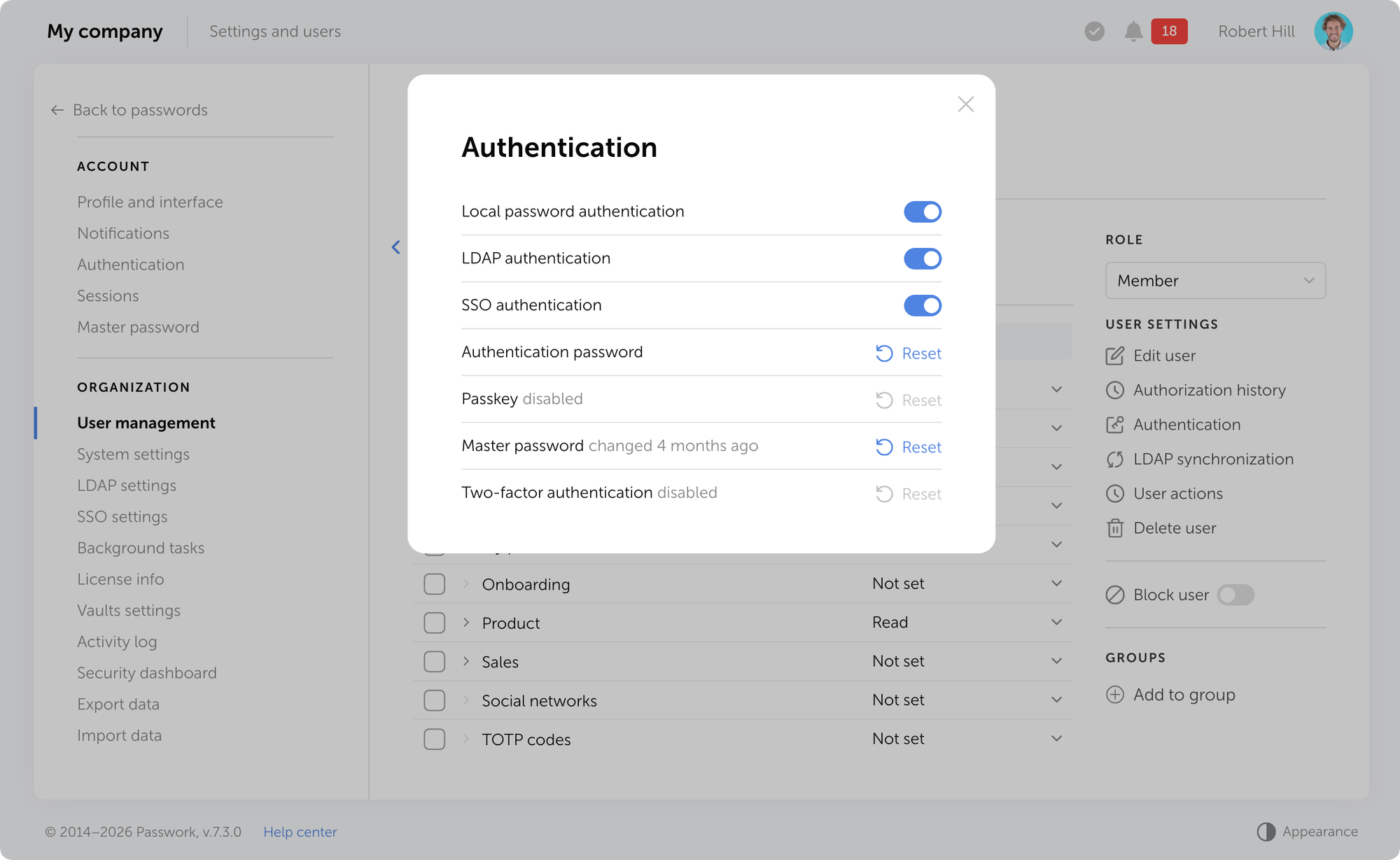
Sie können einen Passkey für einen einzelnen Benutzer auf dessen Seite im Bereich Benutzerverwaltung über das Modalfenster Authentifizierung zurücksetzen.
Erfahren Sie mehr über Authentifizierungsmethoden in unserem Benutzerhandbuch.
Mehrere URLs pro Eintrag
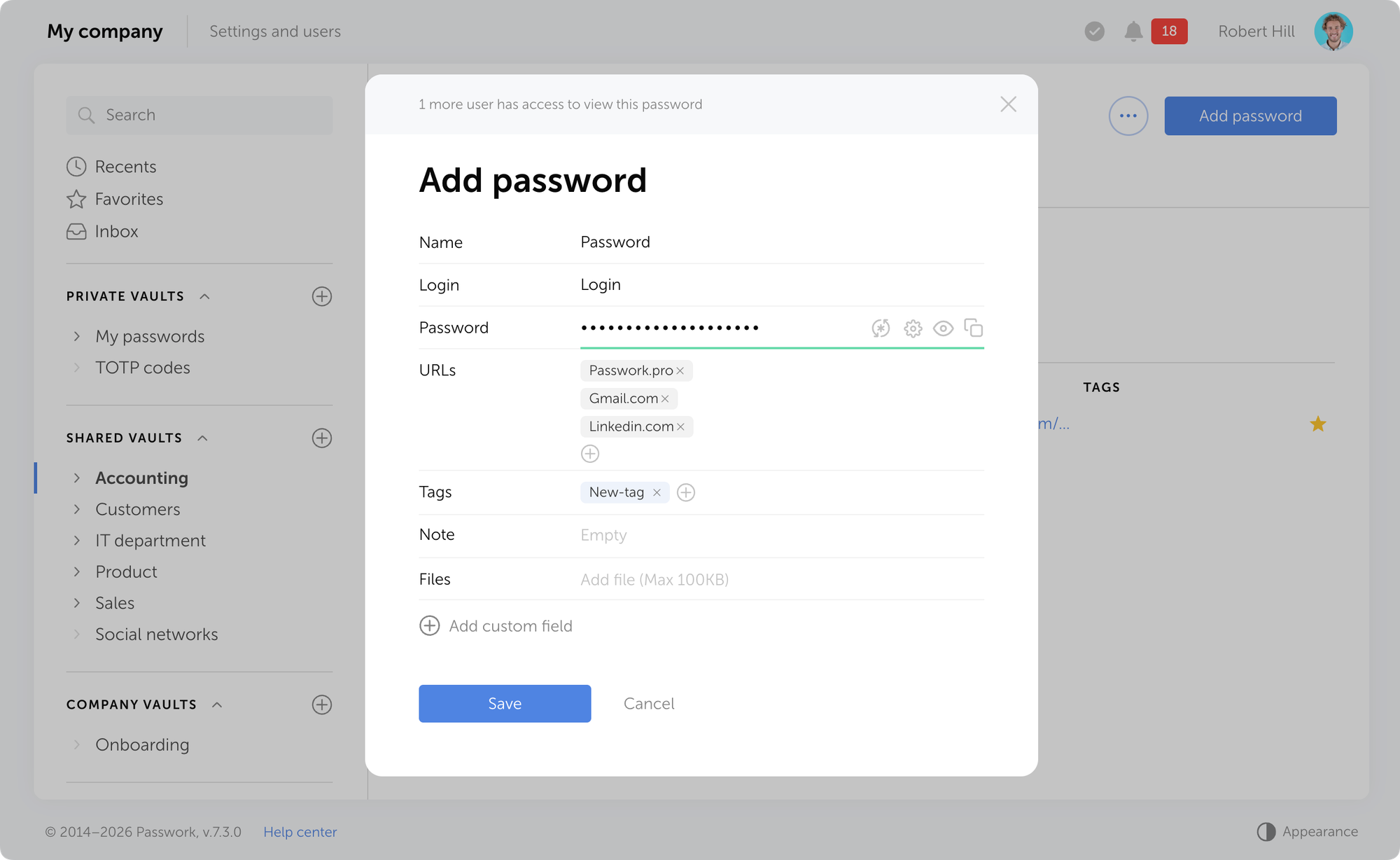
Sie können jetzt mehrere URLs zu einem einzelnen Eintrag hinzufügen. Dies ist nützlich, wenn ein Konto für den Zugriff auf verschiedene Adressen verwendet wird: Test- und Produktionsumgebungen, regionale Versionen einer Website oder verwandte Unternehmensdienste. Die Browser-Erweiterung schlägt automatisch das Ausfüllen von Anmeldedaten auf jeder der angegebenen URLs vor.
E-Mail-Verifizierung
Passwork unterstützt jetzt die obligatorische E-Mail-Verifizierung für Benutzer. Wenn ein Benutzer seine E-Mail-Adresse hinzufügt oder ändert, sendet Passwork eine Verifizierungs-E-Mail mit einem Bestätigungslink.
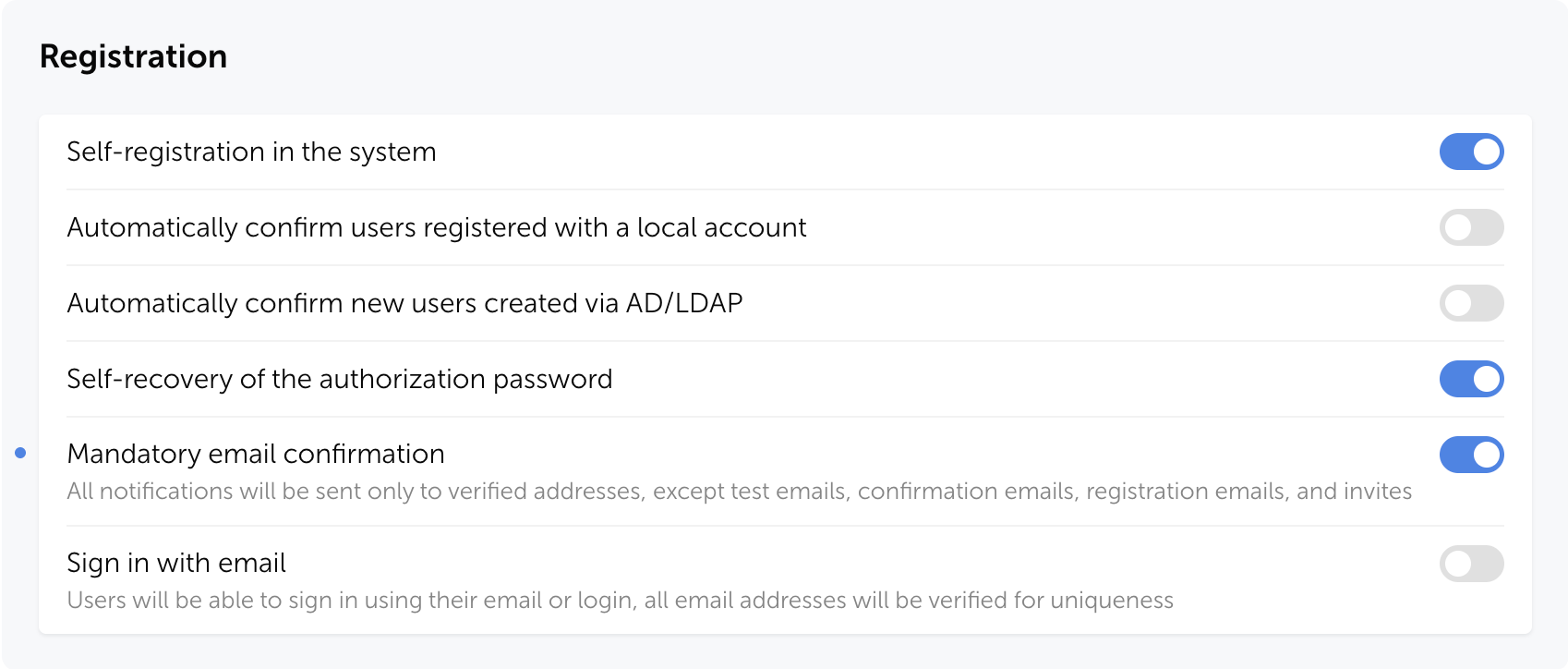
E-Mail-Benachrichtigungen werden nur an verifizierte Adressen gesendet. Ausnahmen sind: Test-E-Mails, Verifizierungs-E-Mails, Registrierungs-E-Mails und Einladungen.
Sie können die obligatorische E-Mail-Bestätigung in Systemeinstellungen → Registrierung → Obligatorische E-Mail-Bestätigung aktivieren.
Ohne E-Mail-Verifizierung können ungültige Adressen im System erscheinen. Dies kann Probleme verursachen: Benachrichtigungen erreichen Benutzer nicht, die Passwortzurücksetzung schlägt fehl und Sicherheitsrisiken entstehen. Die E-Mail-Bestätigung stellt sicher, dass Nachrichten nur an legitime Empfänger zugestellt werden.
E-Mail-basierte Authentifizierung
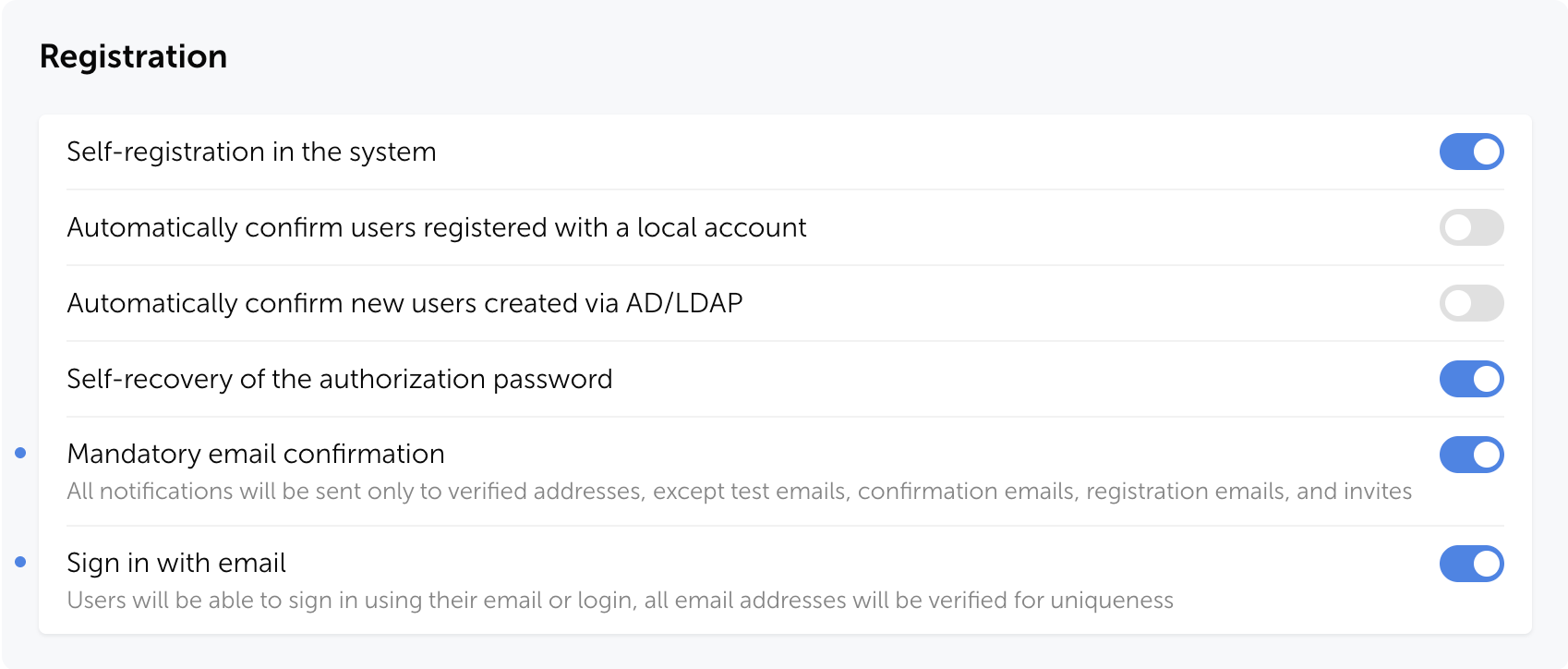
Passwork bietet jetzt die Möglichkeit, sich mit einer verifizierten E-Mail-Adresse anstelle eines Logins anzumelden, um die Authentifizierung zu vereinfachen und Anmeldefehler zu reduzieren. Nach Aktivierung dieser Einstellung bleibt die Anmeldung mit Benutzername weiterhin verfügbar, und alle E-Mail-Adressen werden auf Eindeutigkeit im System geprüft.
Sie können die E-Mail-basierte Authentifizierung in Passwork unter Systemeinstellungen → Registrierung → Mit E-Mail anmelden aktivieren.
Verbesserungen
Der Benutzerfilter im Aktivitätsprotokoll wurde verbessert: Die Suche berücksichtigt jetzt nicht nur den Aktionsinitiator, sondern auch verknüpfte Benutzer.
Ein Problem wurde behoben, bei dem der Ordnerfilter im Sicherheits-Dashboard und Aktivitätsprotokoll möglicherweise keine Daten aus verschachtelten Unterordnern einbezog, wenn ein übergeordneter Ordner ausgewählt wurde.
Die automatische Sperrung der Authentifizierungseinstellungen-Seite nach 5 Minuten Inaktivität wurde hinzugefügt.
Eine Option wurde hinzugefügt, um für jeden Shortcut individuell eine Farbe festzulegen, ohne die Farbe des ursprünglichen Passworts zu ändern.
Verbesserungen an der Benutzeroberfläche und Lokalisierung wurden vorgenommen.
Fehlerbehebungen
Ein Problem wurde behoben, bei dem die Option „Bearbeiten" in der Benutzerverwaltung nicht aktiviert wurde, wenn die Option „Benutzer-E-Mail bearbeiten" in den Rolleneinstellungen aktiviert war.
Die fehlerhafte Anzeige des Banners mit der Aufforderung, ein Dienstkonto hinzuzufügen, auf der LDAP-Server-Bearbeitungsseite nach dem Neuladen der Seite wurde korrigiert.
Ein Problem wurde behoben, bei dem die Schaltfläche „Aktualisieren" im Benutzerbearbeitungs-Modal inaktiv bleiben konnte, wenn nicht gespeicherte Änderungen vorhanden waren.
Ein Problem im Einrichtungsassistenten wurde behoben, bei dem eine fehlerhafte Meldung „Datenbank existiert bereits" auf der Datenbankverbindungsseite angezeigt werden konnte.
Ein Problem wurde behoben, bei dem nach dem Speichern von Änderungen im Modal „Tresor-Zugang" oder „Ordner-Zugang" eine fehlerhafte Meldung „Änderungen verwerfen?" beim Versuch angezeigt wurde, das Fenster zu schließen.
Ein Problem wurde behoben, bei dem Benachrichtigungen über fehlgeschlagene PIN-Code-Eingabeversuche in der Browser-Erweiterung möglicherweise nicht gesendet wurden.
Alle Informationen über Passwork-Updates finden Sie in unseren Versionshinweisen
In der neuen Version wurden Unterstützung für Passkeys und Biometrie, ein Mechanismus zur E-Mail-Verifizierung für Benutzer, die Möglichkeit, mehrere URLs für ein einzelnes Passwort anzugeben, unabhängige Shortcut-Farbeinstellungen sowie zahlreiche Verbesserungen und Fehlerbehebungen hinzugefügt.
La nueva versión introduce autenticación biométrica y por passkey, la opción de añadir múltiples URL para una sola contraseña, verificación de direcciones de correo electrónico para usuarios, autenticación basada en correo electrónico y numerosas otras mejoras y correcciones.
Autenticación biométrica y passkeys
Se ha añadido soporte para autenticación biométrica, passkeys y llaves de seguridad basadas en el estándar WebAuthn. Ahora es posible iniciar sesión en Passwork utilizando huella dactilar, Face ID, código PIN o una llave de seguridad de hardware (YubiKey y dispositivos similares).
En la página de configuración de Autenticación, puede añadir nuevos métodos de inicio de sesión, gestionar los existentes, cambiar su contraseña o habilitar la autenticación sin contraseña mediante biometría o llaves de seguridad de hardware.
La página de configuración de autenticación se bloquea automáticamente después de 5 minutos de inactividad — haga clic en el icono de candado en la esquina superior derecha para desbloquearla.
La nueva configuración de rol Usar passkey en lugar de contraseña permite a los usuarios autenticarse con una passkey en lugar de su contraseña local o de dominio.
Puede restablecer una passkey para un usuario individual en su página en la sección Gestión de usuarios a través de la ventana modal Autenticación.
Obtenga más información sobre los métodos de autenticación en nuestro manual de usuario.
Múltiples URL por entrada
Ahora es posible añadir múltiples URL a una sola entrada. Esto es útil cuando una cuenta se utiliza para acceder a diferentes direcciones: entornos de prueba y producción, versiones regionales de un sitio web o servicios relacionados de la empresa. La extensión del navegador sugerirá automáticamente completar las credenciales en cualquiera de las URL especificadas.
Verificación de correo electrónico
Passwork ahora soporta la verificación obligatoria de correo electrónico para usuarios. Cuando un usuario añade o cambia su dirección de correo electrónico, Passwork envía un correo de verificación con un enlace de confirmación.
Las notificaciones por correo electrónico solo se enviarán a direcciones verificadas. Las excepciones incluyen: correos de prueba, correos de verificación, correos de registro e invitaciones.
Puede habilitar la confirmación obligatoria de correo electrónico en Configuración del sistema → Registro → Confirmación obligatoria de correo electrónico.
Sin verificación de correo electrónico, pueden aparecer direcciones inválidas en el sistema. Esto puede crear problemas: las notificaciones no llegan a los usuarios, el restablecimiento de contraseña falla y surgen riesgos de seguridad. La confirmación de correo electrónico asegura que los mensajes se entreguen solo a destinatarios legítimos.
Autenticación basada en correo electrónico
Se ha añadido la posibilidad de iniciar sesión en Passwork utilizando una dirección de correo electrónico verificada en lugar de un nombre de usuario para simplificar la autenticación y reducir los errores de inicio de sesión. Después de habilitar esta configuración, el inicio de sesión basado en nombre de usuario permanece disponible, y todas las direcciones de correo electrónico se verificarán para asegurar su unicidad en el sistema.
Puede habilitar la autenticación basada en correo electrónico en Passwork en Configuración del sistema → Registro → Iniciar sesión con correo electrónico.
Mejoras
Se mejoró el filtro de usuarios en el Registro de actividad: la búsqueda ahora considera no solo al iniciador de la acción sino también a los usuarios vinculados.
Se corrigió un problema donde el filtro de carpetas en el Panel de seguridad y el Registro de actividad podría no incluir datos de subcarpetas anidadas al seleccionar una carpeta principal.
Se añadió el bloqueo automático de la página de configuración de autenticación después de 5 minutos de inactividad.
Se añadió una opción para establecer un color para cada acceso directo individualmente sin cambiar el color de la contraseña inicial.
Se realizaron mejoras en la interfaz de usuario y la localización.
Corrección de errores
Se corrigió un problema donde la opción Editar en Gestión de usuarios no se activaba cuando la opción «Editar correo electrónico del usuario» estaba habilitada en la configuración de roles.
Se corrigió la visualización incorrecta del banner que solicita añadir una cuenta de servicio en la página de edición del servidor LDAP después de recargar la página.
Se corrigió un problema donde el botón Actualizar en la ventana modal de edición de usuario podía permanecer inactivo cuando había cambios sin guardar.
Se corrigió un problema en el asistente de configuración donde un mensaje incorrecto «La base de datos ya existe» podía mostrarse en la página de conexión de base de datos.
Se corrigió un problema donde después de guardar cambios en la ventana modal de Acceso a bóveda o Acceso a carpeta, se mostraba un mensaje incorrecto «¿Descartar cambios?» al intentar cerrar la ventana.
Se corrigió un problema donde las notificaciones sobre intentos fallidos de ingreso de código PIN en la extensión del navegador podrían no enviarse.
Puede encontrar toda la información sobre las actualizaciones de Passwork en nuestras notas de versión
En la nueva versión, hemos añadido soporte para passkeys y biometría, un mecanismo de verificación de direcciones de correo electrónico para usuarios, la opción de especificar múltiples URL para una sola contraseña, personalización independiente del color de accesos directos, así como numerosas…
The new version introduces biometric and passkey authentication, the option to add multiple URLs for a single password, email address verification for users, email-based authentication, and numerous other improvements and fixes.
Biometric authentication and passkeys
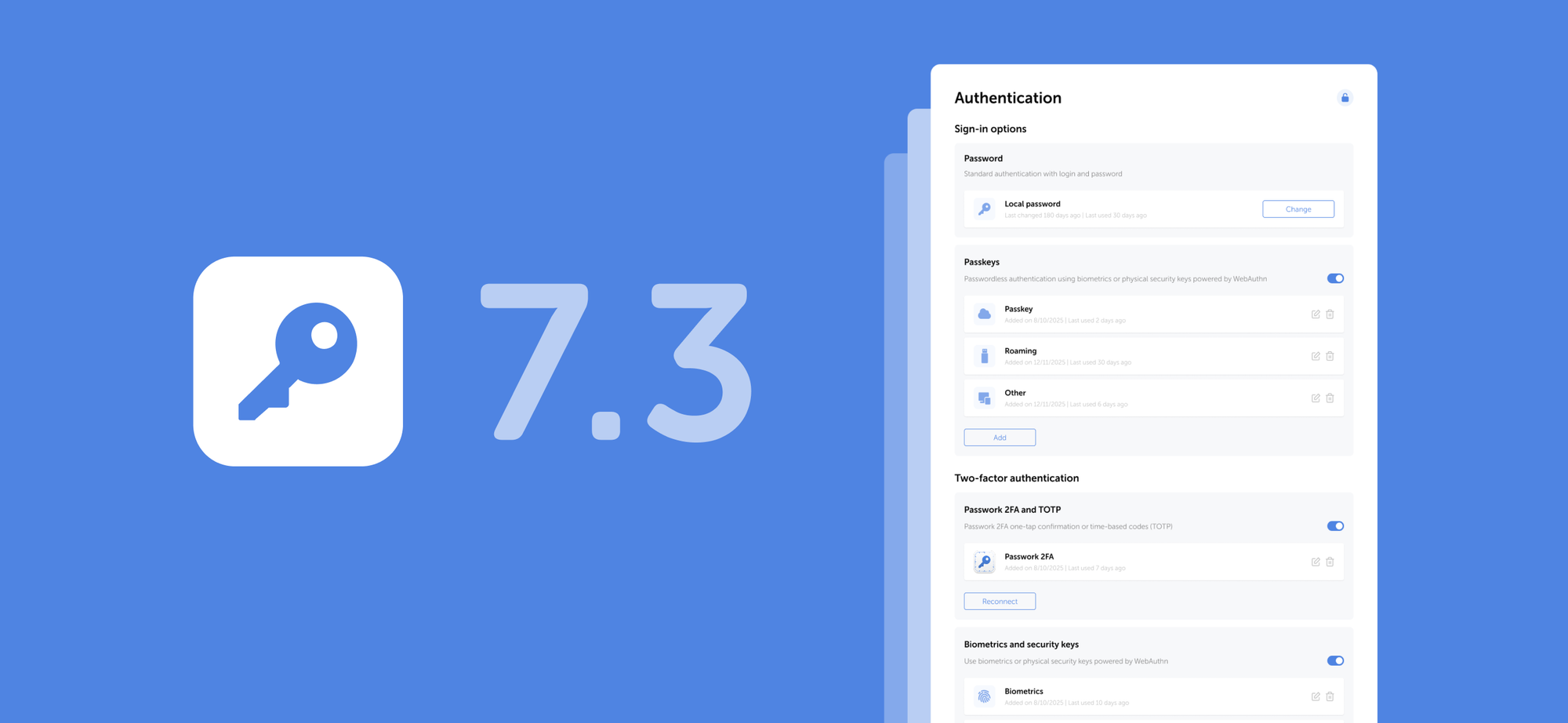
We've added support for biometric authentication, passkeys, and security keys based on the WebAuthn standard. You can now sign in to Passwork using your fingerprint, Face ID, PIN code, or a hardware security key (YubiKey and similar devices).
On the Authentication settings page, you can add new sign-in methods, manage existing ones, change your password, or enable passwordless authentication through biometrics or hardware security keys.
The authentication settings page automatically locks after 5 minutes of inactivity — click the lock icon in the top-right corner to unlock it.
The new role setting Use passkey instead of password allows users to authenticate with a passkey instead of their local or domain password.
You can reset a passkey for an individual user on their page in the User management section through the Authentication modal window.
Learn more about authentication methods in our user manual.
Multiple URLs per entry
You can now add multiple URLs to a single entry. This is useful when one account is used to access different addresses: test and production environments, regional versions of a website, or related company services. The browser extension will automatically suggest filling in credentials on any of the specified URLs.
Email verification
Passwork now supports mandatory email verification for users. When a user adds or changes their email address, Passwork sends a verification email with a confirmation link.
Email notifications will only be sent to verified addresses. Exceptions include: test emails, verification emails, registration emails, and invites.
You can enable mandatory email confirmation in System settings → Registration → Mandatory email confirmation.
Without email verification, invalid addresses can appear in the system. This can create problems: notifications don't reach users, password reset fails, and security risks emerge. Email confirmation ensures that messages are delivered only to legitimate recipients.
Email-based authentication
We've added the ability to sign in to Passwork using a verified email address instead of a login to simplify authentication and reduce login errors. After enabling this setting, username-based sign-in remains available, and all email addresses will be checked for uniqueness in the system.
You can enable email-based authentication in Passwork in System settings → Registration→ Sign in with email.
Improvements
Improved the user filter in the Activity log: search now considers not only the action initiator but also linked users
Fixed an issue where the folder filter in Security dashboard and Activity log might not include data from nested subfolders when selecting a parent folder
Added automatic locking of the authentication settings page after 5 minutes of inactivity
Added an option to set a color for each shortcut individually without changing the color of the initial password
Fixed an issue where the Edit option in User management was not activated when the "Edit user email" option was enabled in role settings
Fixed incorrect display of the banner prompting to add a service account on the LDAP server edit page after reloading the page
Fixed an issue where the Update button in the user edit modal could remain inactive when there were unsaved changes
Fixed an issue in the setup wizard where an incorrect "Database already exists" message could be displayed on the database connection page
Fixed an issue where after saving changes in the Vault access or Folder access modal, an incorrect "Discard changes?" message was displayed when attempting to close the window
Fixed an issue where notifications about failed PIN code entry attempts in the browser extension might not be sent
You can find all information about Passwork updates in our release notes
In the new version, we've added support for passkeys and biometrics, an email address verification mechanism for users, the option to specify multiple URLs for a single password, independent shortcut color customization, as well as numerous improvements and fixes.


 Eirik Salmi
 Mike Shikun
 Eirik Salmi