Back

Password security

Latest — Dec 12, 2025
Was ist Passwortverwaltung?

Passwortverwaltung bezeichnet die Praxis des sicheren Erstellens, Speicherns, Organisierens und Kontrollierens des Zugriffs auf Passwörter und andere Authentifizierungsdaten. Sie kombiniert menschliche Prozesse mit spezialisierten Softwaretools, um sicherzustellen, dass jedes Konto ein starkes, einzigartiges Passwort verwendet — ohne dass Benutzer sich alle merken müssen.

Ob Sie eine Einzelperson sind, die ihr digitales Leben absichern möchte, oder ein IT-Administrator, der die digitalen Ressourcen eines Unternehmens schützt — das Verständnis von Passwortverwaltung ist essenziell.

Dieser Leitfaden erklärt alles Wissenswerte: Was Passwortverwaltung ist, warum sie wichtig ist, wie sie funktioniert und wie sie effektiv implementiert werden kann. Sie erfahren mehr über verschiedene Arten von Passwort-Managern, wichtige Funktionen und Best Practices, die vor den häufigsten Sicherheitsbedrohungen schützen.

Passwortverwaltung verstehen

Im Kern adressiert Passwortverwaltung eine grundlegende Herausforderung: Menschen sind schlecht darin, sichere Passwörter zu erstellen und zu merken. Wir greifen auf vorhersehbare Muster zurück, verwenden vertraute Kombinationen für mehrere Konten wieder und priorisieren Bequemlichkeit über Sicherheit.

Passwortverwaltungssysteme kompensieren diese inhärenten Einschränkungen, indem sie die kognitive Last und Komplexität übernehmen. Als Praxis und Technologie umfasst Passwortverwaltung mehrere Schlüsselfunktionen:

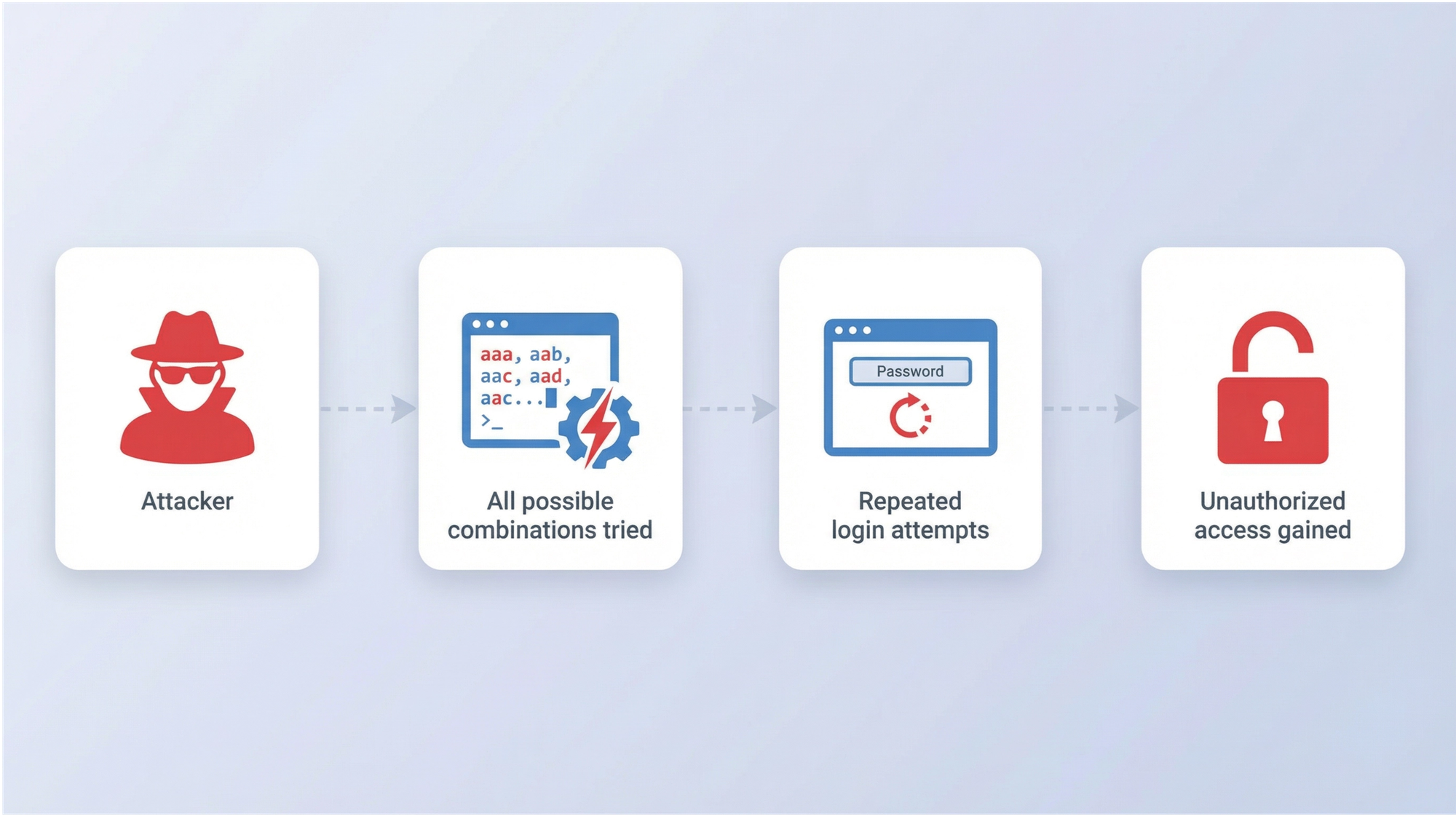
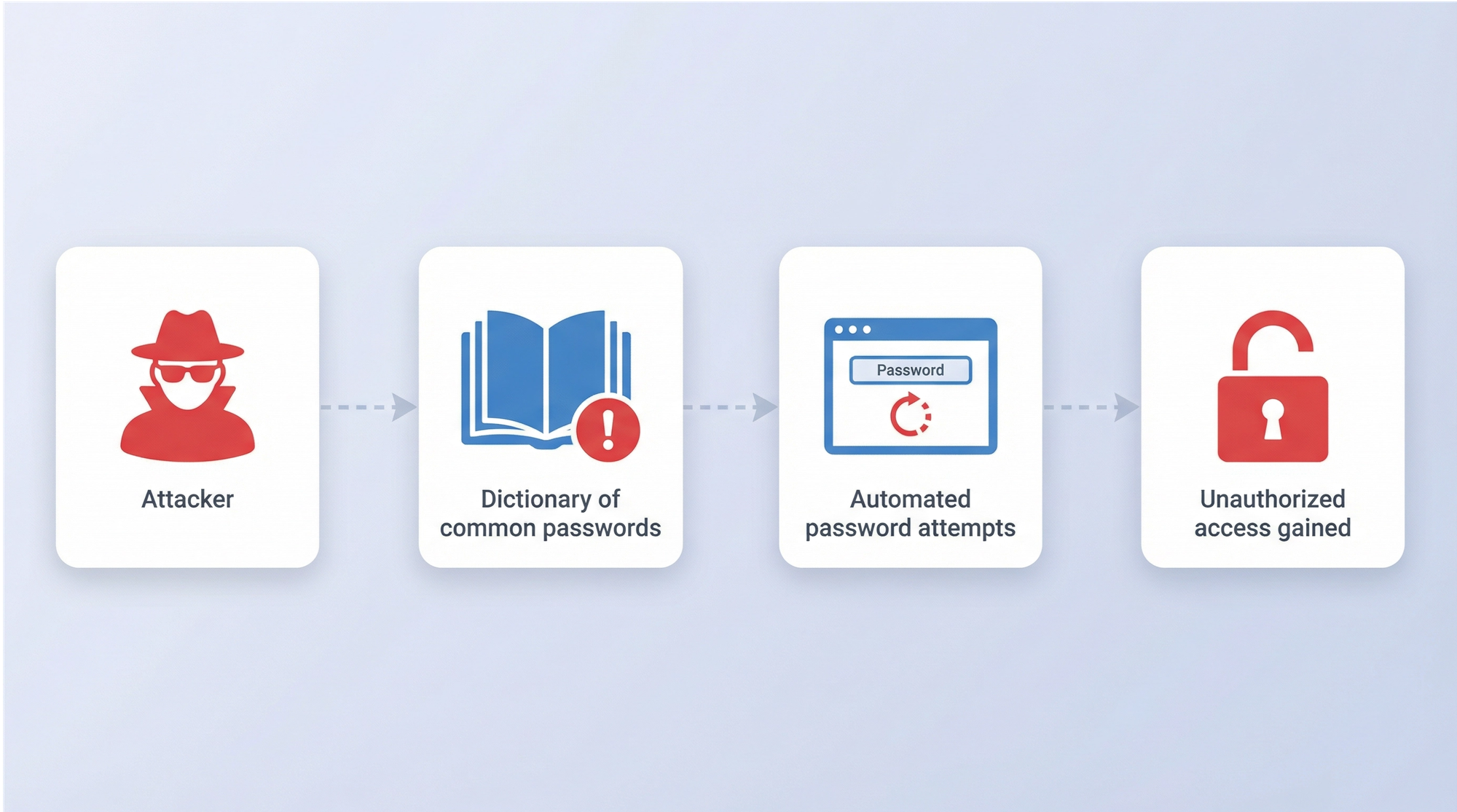
  • Passwortgenerierung: Erstellung starker, zufälliger Passwörter, die Sicherheitsanforderungen erfüllen und gängigen Angriffsmethoden wie Brute-Force- und Wörterbuchangriffen widerstehen.
  • Sichere Speicherung: Verschlüsselung und Speicherung von Passwörtern in einem geschützten Tresor, auf den nur autorisierte Benutzer zugreifen können.
  • Organisation: Kategorisierung und Verwaltung von Anmeldedaten über Hunderte von Konten hinweg, sodass sie bei Bedarf leicht zu finden sind.
  • Zugriffskontrolle: Festlegung, wer auf welche Passwörter zugreifen darf — besonders wichtig in Team- und Unternehmensumgebungen.
  • Autofill und Automatisierung: Automatisches Eintragen von Anmeldedaten in Login-Formulare, um Reibungsverluste zu reduzieren und gleichzeitig die Sicherheit zu gewährleisten.
  • Audit-Protokolle: Aufzeichnung, wer wann auf welche Anmeldedaten zugegriffen hat, damit Sicherheitsteams verdächtige Aktivitäten erkennen, Vorfälle untersuchen und regulatorische Compliance gewährleisten können.

Passwortverwaltung hat sich von rudimentären Praktiken zu ausgereifter Sicherheitsinfrastruktur entwickelt. Die erste Generation digitaler Passwort-Manager führte grundlegende Verschlüsselung (wie den Blowfish-Algorithmus) und zentralisierte Speicherung ein, adressierte unmittelbare Sicherheitslücken, verfügte aber nicht über die granularen Kontrollen, die Unternehmen benötigen.

Moderne Passwortverwaltungssysteme stellen einen grundlegenden Wandel dar: Sie kombinieren militärische Verschlüsselung, Zero-Knowledge-Architektur, rollenbasierte Zugriffskontrollen und umfassende Audit-Funktionen. Heutige Lösungen setzen Sicherheitsrichtlinien durch, erkennen Anomalien, integrieren sich in bestehende Infrastrukturen und bieten die Transparenz, die Organisationen benötigen, um Compliance aufrechtzuerhalten und in Echtzeit auf Bedrohungen zu reagieren.

Warum ist Passwortverwaltung wichtig?
Warum ist Passwortverwaltung wichtig?

Laut dem Data Breach Investigations Report 2025 von Verizon dienten gestohlene Anmeldedaten in 22 % aller bestätigten Datenschutzverletzungen als initialer Zugriffsvektor — bei einfachen Webanwendungsangriffen steigt dieser Wert auf 88 %.

Allein in der ersten Jahreshälfte 2025 wurden durch über 8.000 globale Datenschutzverletzungen etwa 345 Millionen Datensätze exponiert — ein Beleg für das anhaltende und katastrophale Ausmaß von Credential-basierten Angriffen. Hinter diesen Statistiken verbirgt sich eine grundlegende Inkompatibilität zwischen menschlicher Kognition und modernen Sicherheitsanforderungen.

Der menschliche Faktor

Unser Gehirn wurde schlicht nicht für dieses Informationstempo konzipiert. Psychologische Forschung zeigt, dass Menschen nur etwa 7±2 Informationseinheiten zuverlässig im Arbeitsgedächtnis behalten können. Dennoch wird erwartet, dass Hunderte einzigartige, komplexe Passwörter verwaltet werden — jedes eine zufällige Zeichenfolge aus Groß- und Kleinbuchstaben, Zahlen und Symbolen.

Angesichts dieser unmöglichen Aufgabe entwickeln Menschen Bewältigungsmechanismen, die die Sicherheit untergraben:

  • Vorhersehbare Muster: Hinzufügen von „123" oder „!", um Komplexitätsanforderungen zu erfüllen.
  • Passwort-Wiederverwendung: Über 60 % der Menschen verwenden Passwörter für mehrere Konten wieder.
  • Aufschreiben von Passwörtern: Haftnotizen am Monitor sind erstaunlich verbreitet.
  • Einfache Passwörter: „password", „123456" und „qwerty" gehören weltweit immer noch zu den häufigsten Passwörtern.

Dieses Verhalten ist keine Faulheit. Es ist eine rationale Reaktion auf eine überwältigende kognitive Belastung. Passwort-Müdigkeit ist real und führt zu Sicherheitsabkürzungen.

Passwort-Müdigkeit bezeichnet die mentale Erschöpfung und Frustration, die Benutzer beim Erstellen, Merken, Verwalten und Zurücksetzen einer übermäßigen Anzahl von Passwörtern für mehrere Konten erleben.

Die Folgen schlechter Passworthygiene

Wenn Passwortsicherheit versagt, kaskadieren die Konsequenzen:

  • Für Einzelpersonen: Identitätsdiebstahl, Finanzbetrug, Datenschutzverletzungen und der zeitaufwändige Prozess der Wiederherstellung kompromittierter Konten. Das durchschnittliche Opfer von Identitätsdiebstahl verbringt 200 Stunden mit der Problemlösung.
  • Für Unternehmen: Datenschutzverletzungen kosten durchschnittlich 4,44 Millionen US-Dollar pro Vorfall, laut IBMs Cost of a Data Breach Report. Neben direkten finanziellen Verlusten drohen Organisationen Bußgelder, rechtliche Haftung, Reputationsschäden und Vertrauensverlust bei Kunden.
  • Für IT-Teams: Passwortbezogene Helpdesk-Tickets verbrauchen in typischen Organisationen 20-50 % der IT-Support-Ressourcen. Jede „Passwort vergessen"-Anfrage steht für Zeit, die für strategische Initiativen genutzt werden könnte.

Die Vorteile effektiver Passwortverwaltung

Die Implementierung einer ordnungsgemäßen Passwortverwaltung liefert messbare Verbesserungen:

  • Erhöhte Sicherheit: Einzigartige, starke Passwörter für jedes Konto eliminieren den Dominoeffekt der Passwort-Wiederverwendung. Selbst wenn ein Passwort kompromittiert wird, bleiben andere Konten sicher.
  • Reduzierte kognitive Belastung: Sie merken sich ein Masterpasswort statt Hunderter. Die mentale Entlastung ist sofort und erheblich.
  • Zeitersparnis: Autofill eliminiert die Minuten, die mit dem Eintippen oder Zurücksetzen von Passwörtern verbracht werden. Für Organisationen bedeutet dies jährlich Tausende Stunden Produktivitätsgewinn.
  • Compliance-Unterstützung: Viele Vorschriften (DSGVO, HIPAA, SOC 2) verlangen von Organisationen den Nachweis einer ordnungsgemäßen Anmeldedatenverwaltung. Passwort-Manager liefern die für die Compliance erforderlichen Audit-Protokolle und Kontrollen.
  • Verbesserte Benutzererfahrung: Reibungsloser Zugriff auf Konten ohne Frustration durch Passwortzurücksetzungen oder Kontosperrungen.

Wie funktioniert Passwortverwaltung?

Das Verständnis der Mechanismen der Passwortverwaltung hilft, sowohl ihre Sicherheit als auch ihre Benutzerfreundlichkeit zu schätzen. Moderne Passwort-Manager balancieren starke Verschlüsselung mit benutzerfreundlichem Zugriff.

Das Masterpasswort-Konzept

Alles beginnt mit Ihrem Masterpasswort — dem einzigen Passwort, das Sie sich merken müssen. Dieses Passwort entsperrt Ihren verschlüsselten Tresor mit allen anderen Anmeldedaten.

Viele Benutzer erstellen Masterpasswörter mithilfe von Passphrasen — zufällige Wörter, die aneinandergereiht werden wie correct-horse-battery-staple — die sowohl sicher als auch einprägsam sind.
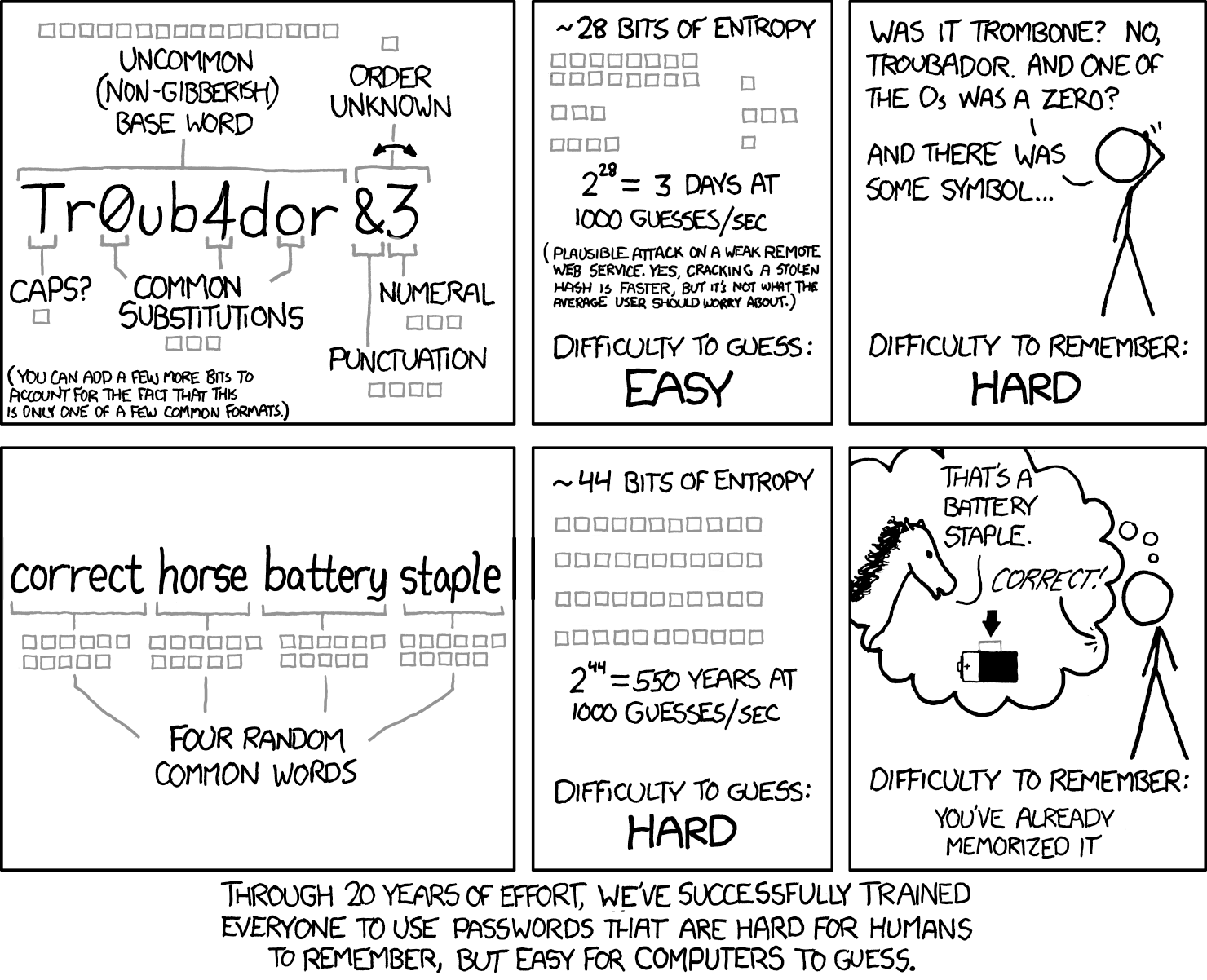
Verwendung einer Passphrase für Merkbarkeit und Stärke
Quelle: XCDC.com

Der XKCD-Comic, der dieses Konzept populär machte, demonstrierte eine entscheidende Erkenntnis: Vier oder fünf zufällige gebräuchliche Wörter erzeugen mehr Entropie (Zufälligkeit) als ein kürzeres komplexes Passwort und sind dabei viel leichter zu merken.

Der verschlüsselte Tresor

Ihr Passwort-Tresor ist eine verschlüsselte Datenbank, die alle Ihre Anmeldedaten, Notizen und andere sensible Informationen speichert. Moderne Passwort-Manager verwenden AES-256-Verschlüsselung — denselben Standard, der von Regierungen und Militärs weltweit eingesetzt wird.

Das macht ihn sicher:

  • Verschlüsselung im Ruhezustand: Ihre Daten werden verschlüsselt, bevor sie Ihr Gerät verlassen. Selbst das Passwort-Manager-Unternehmen kann Ihre Tresorinhalte nicht lesen.
  • Zero-Knowledge-Architektur: Der Dienstanbieter hat niemals Zugriff auf Ihr Masterpasswort oder unverschlüsselte Daten. Wenn deren Server kompromittiert werden, bleiben Ihre Passwörter geschützt.
  • Verschlüsselung bei der Übertragung: Bei der Synchronisierung zwischen Geräten reist Ihr verschlüsselter Tresor durch sichere Kanäle (TLS/SSL), was eine weitere Schutzebene hinzufügt.
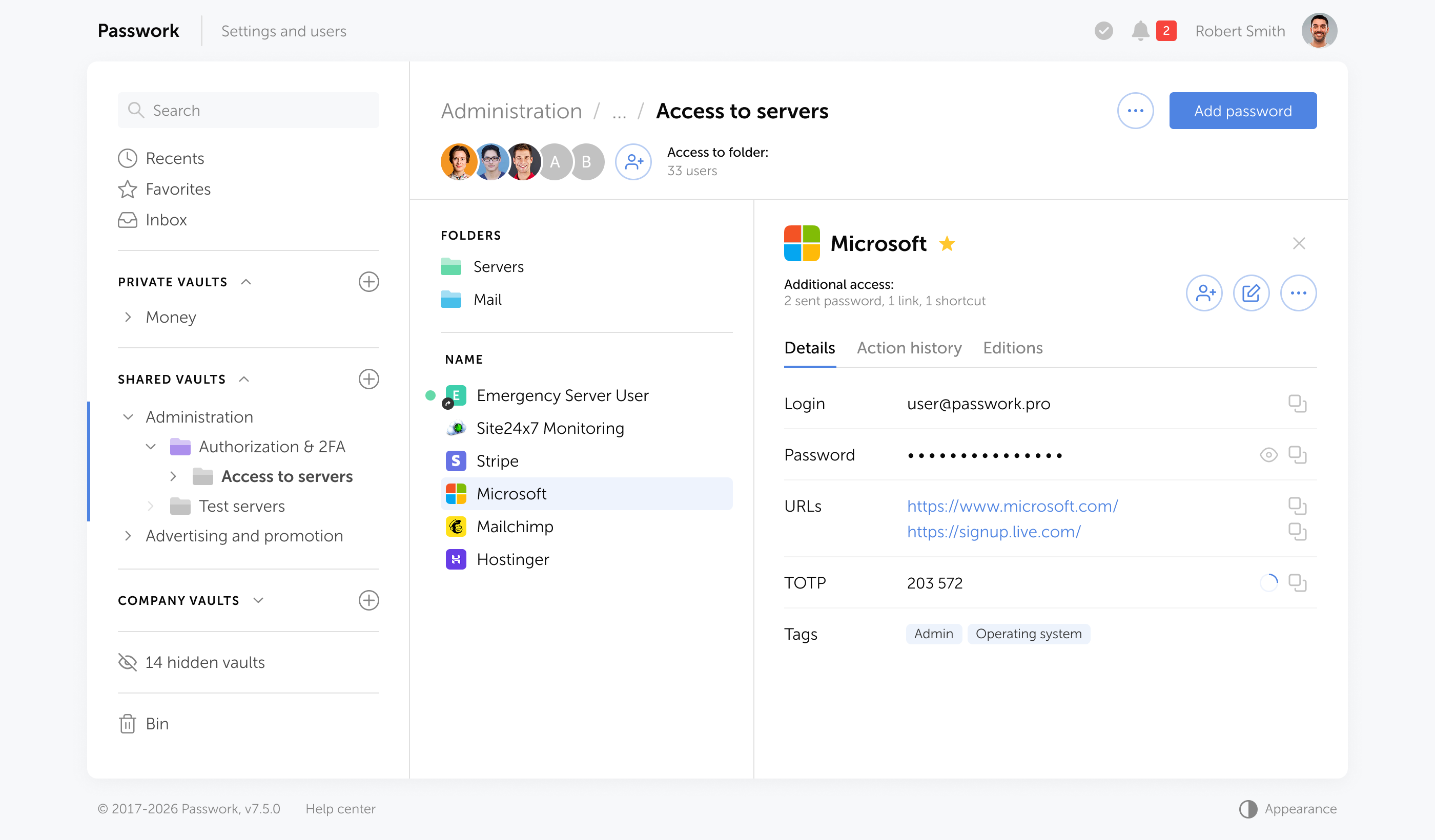
On-Premise-Passwort-Manager wie Passwork gehen noch weiter. Ihr verschlüsselter Tresor verlässt niemals Ihre Infrastruktur — keine Cloud-Synchronisierung, keine externen Server, kein Zugriff durch Dritte. Die Daten verbleiben auf Ihren Servern, hinter Ihrer Firewall, unter Ihren Zugriffskontrollen.

Die Benutzerreise

So funktioniert Passwortverwaltung in der Praxis:

  1. Ersteinrichtung: Sie erstellen Ihr Masterpasswort, richten Ihr Konto und Sicherheitseinstellungen ein — Multi-Faktor-Authentifizierung, Zugriffskontrollen und Tresor-Parameter.
  2. Passwörter hinzufügen: Wenn Sie sich bei bestehenden Konten anmelden, erkennt der Passwort-Manager Login-Formulare und bietet an, Ihre Anmeldedaten zu speichern. Sie können Passwörter auch manuell hinzufügen oder aus Browsern oder anderen Passwort-Managern importieren.
  3. Passwortgenerierung: Beim Erstellen neuer Konten generiert der Passwort-Manager starke, zufällige Passwörter entsprechend den Anforderungen der Website. Sie müssen nie wieder über die Passworterstellung nachdenken.
  4. Autofill: Wenn Sie eine Login-Seite besuchen, erkennt der Passwort-Manager die Website und bietet an, Ihre Anmeldedaten einzutragen. Ein Klick, und Sie sind eingeloggt.
  5. Synchronisierung: Ihr verschlüsselter Tresor synchronisiert sich über alle Ihre Geräte — Smartphone, Tablet, Laptop, Desktop. Änderungen auf einem Gerät erscheinen überall.
  6. Sicheres Teilen: Wenn Sie Anmeldedaten mit Familienmitgliedern oder Teammitgliedern teilen müssen, verschlüsselt und überträgt der Passwort-Manager diese sicher, ohne sie im Klartext preiszugeben.

Arten von Passwort-Managern
Arten von Passwort-Managern

Passwort-Manager unterscheiden sich erheblich in Architektur, Sicherheitsmodell und Bereitstellungsoptionen. Das Verständnis dieser Unterschiede ist für die Auswahl der richtigen Lösung essenziell.

Browserbasierte Passwort-Manager

In Webbrowser wie Chrome, Firefox, Safari und Edge integriert, bieten diese Passwort-Manager grundlegende Funktionalität ohne zusätzliche Software.

Vorteile:

  • Kostenlos und sofort verfügbar
  • Nahtlose Integration mit dem Browser
  • Automatische Synchronisierung über Geräte mit demselben Browser
  • Keine Lernkurve

Nachteile:

  • Beschränkt auf Browser-Passwörter
  • Grundlegende Sicherheitsfunktionen im Vergleich zu dedizierten Lösungen
  • Anfällig bei kompromittiertem Browser-Konto
  • Eingeschränkte Freigabefunktionen
  • Inkonsistente browserübergreifende Funktionalität

Geeignet für: Gelegenheitsnutzer mit einfachen Anforderungen, die hauptsächlich ein Browser-Ökosystem verwenden.

Eigenständige Passwort-Manager

Diese Anwendungen speichern Ihren verschlüsselten Passwort-Tresor lokal auf Ihrem Gerät statt in der Cloud. Sie sind für die individuelle Nutzung konzipiert und priorisieren lokale Kontrolle über Mehräte-Komfort.

Vorteile:

  • Vollständige Kontrolle über Ihre Daten
  • Keine Abhängigkeit von Cloud-Diensten
  • Funktioniert offline
  • Maximale Privatsphäre

Nachteile:

  • Manuelle Synchronisierung zwischen Geräten
  • Risiko von Datenverlust bei Geräteausfall ohne Backups
  • Weniger komfortabel für Mehrgeräte-Nutzer
  • Erfordert mehr technisches Wissen

Geeignet für: Datenschutzbewusste Benutzer, Personen mit eingeschränkter Internetverbindung oder alle, die lokale Datenspeicherung bevorzugen.

Cloud-basierte Passwort-Manager

Die beliebteste Kategorie: Diese Dienste speichern Ihren verschlüsselten Tresor auf ihren Servern und synchronisieren ihn über alle Ihre Geräte.

Vorteile:

  • Nahtlose Synchronisierung über unbegrenzte Geräte
  • Von überall mit Internetzugang erreichbar
  • Automatische Backups
  • Umfangreiche Funktionen (Freigabe, Auditing, Breach-Monitoring)
  • Benutzerfreundliche Oberflächen
  • Mobile Apps mit biometrischer Authentifizierung

Nachteile:

  • Erfordert Vertrauen in den Dienstanbieter
  • Abonnementkosten für Premium-Funktionen
  • Abhängig von Internetverbindung
  • Potenzielles Ziel für Angreifer (obwohl Verschlüsselung die Daten schützt)

Geeignet für: Die meisten Einzelnutzer, Familien und kleine Teams, die Komfort und umfassende Funktionen wünschen.

Enterprise-Passwort-Manager

Für Organisationen konzipiert, bieten diese Lösungen zusätzliche administrative Kontrollen, Compliance-Funktionen, Integration mit Unternehmenssystemen und werden On-Premise bereitgestellt. Diese Architektur eliminiert Abhängigkeiten von externen Anbietern. Sie definieren den Sicherheitsperimeter, verwalten Zugriffskontrollen und bewahren vollständige operative Unabhängigkeit.

Vorteile:

  • Vollständige Datenhoheit
  • Keine externen Abhängigkeiten oder Cloud-Dienstanbieter
  • Automatische Compliance mit Datenlokalisierungsvorschriften
  • Integration mit Active Directory, LDAP und SSO-Systemen
  • Zentralisierte Administration mit granularer Richtliniendurchsetzung
  • Rollenbasierte Zugriffskontrollen und Privileged Access Management
  • Umfassende Audit-Protokolle und Compliance-Berichte
  • Automatisierte Onboarding-/Offboarding-Workflows
  • Schutz vor anbieterseitigen Sicherheitsvorfällen

Nachteile:

  • Höhere anfängliche Infrastruktur- und Lizenzkosten
  • Komplexere Einrichtung und Administration
  • Kann IT-Expertise erfordern
  • Organisation verwaltet Backups und Disaster Recovery

Geeignet für: Unternehmen jeder Größe, IT-Teams, die gemeinsame Anmeldedaten verwalten, Organisationen mit Compliance-Anforderungen.

Schlüsselfunktionen von Passwort-Managern
Schlüsselfunktionen von Passwort-Managern

Moderne Passwort-Manager bieten weit mehr als einfache Passwortspeicherung. Das Verständnis dieser Funktionen hilft bei der Evaluierung von Lösungen und der Maximierung ihres Nutzens.

Kernfunktionen

  • Passwortgenerierung: Erstellt starke, zufällige Passwörter basierend auf anpassbaren Kriterien (Länge, Zeichentypen, Symboleinschluss). Die besten Generatoren erstellen Passwörter, die mit aktueller Technologie Jahrhunderte lang Brute-Force-Angriffen widerstehen.
  • Sichere Speicherung: Verschlüsselter Tresor für Passwörter, wobei viele Manager auch sichere Notizen, Kreditkarteninformationen, Identitätsdokumente und andere sensible Daten speichern.
  • Autofill: Erkennt automatisch Login-Formulare und füllt Anmeldedaten mit einem Klick oder Tippen aus. Erweitertes Autofill unterscheidet zwischen ähnlichen Websites, um Phishing-Angriffe zu verhindern.
  • Plattformübergreifende Synchronisierung: Hält Ihren Tresor über Windows, macOS, Linux, iOS, Android und Webbrowser synchronisiert.
  • Browser-Erweiterungen: Integrationen für Chrome, Firefox, Safari, Edge und andere Browser, die Autofill und Passworterfassung ermöglichen.
  • Mobile Apps: Vollwertige Anwendungen für Smartphones und Tablets, oft mit biometrischer Authentifizierung.

Sicherheitsfunktionen

  • Multi-Faktor-Authentifizierung (MFA): Fügt einen zweiten Verifizierungsschritt über Ihr Masterpasswort hinaus hinzu. Optionen umfassen Authenticator-Apps (TOTP), SMS-Codes, Hardware-Keys (YubiKey) oder biometrische Verifizierung.
  • Biometrische Authentifizierung: Entsperren Sie Ihren Tresor per Fingerabdruck, Gesichtserkennung oder anderen biometrischen Methoden auf unterstützten Geräten.
  • Sicherheits-Dashboard: Analysiert Ihre Passwörter und identifiziert:
    • Schwache Passwörter, die Sicherheitsstandards nicht erfüllen
    • Wiederverwendete Passwörter für mehrere Konten
    • Alte Passwörter, die lange nicht geändert wurden
  • Zero-Knowledge-Architektur: Stellt sicher, dass selbst das Passwort-Manager-Unternehmen nicht auf Ihre unverschlüsselten Daten zugreifen kann.
  • Notfallzugriff: Bestimmen Sie vertrauenswürdige Kontakte, die nach einer Wartezeit auf Ihren Tresor zugreifen können, falls Sie handlungsunfähig werden.

Freigabe- und Kollaborationsfunktionen

  • Sicheres Teilen: Teilen Sie einzelne Passwörter oder ganze Ordner mit Familienmitgliedern oder Teammitgliedern, ohne Passwörter im Klartext preiszugeben.
  • Team-Konten: Organisieren Sie Passwörter nach Abteilung, Projekt oder Zugangslevel mit rollenbasierten Berechtigungen.
  • Zugriffskontrollen: Definieren Sie, wer bestimmte Passwörter anzeigen, nutzen oder ändern darf.
  • Freigabeverlauf: Verfolgen Sie, wann Passwörter geteilt, aufgerufen oder geändert wurden.

Erweiterte Funktionen

  • Passwortverlauf: Speichert frühere Versionen von Passwörtern, sodass Sie bei Bedarf zurückkehren können.
  • Sichere Notizen: Speichern Sie sensible Informationen über Passwörter hinaus — Softwarelizenzen, WLAN-Zugangsdaten, Serverdetails, Wiederherstellungscodes.
  • Dateianhänge: Hängen Sie verschlüsselte Dateien an Tresor-Einträge an (Verträge, Zertifikate, Dokumente).
  • API-Zugriff: Für Entwickler und Power-User: Programmatischer Zugriff auf den Passwort-Manager.
  • CLI-Tools: Kommandozeilen-Schnittstellen zur Integration der Passwortverwaltung in Entwicklungs-Workflows.
  • Audit-Protokolle: Detaillierte Aufzeichnungen aller Tresor-Aktivitäten für Sicherheitsüberwachung und Compliance.

Best Practices für die Passwortverwaltung
Best Practices für die Passwortverwaltung

Einen Passwort-Manager zu besitzen, ist nur der erste Schritt. Diese Best Practices stellen sicher, dass Sie ihn effektiv und sicher nutzen.

1. Erstellen Sie ein unknackbares Masterpasswort

Ihr Masterpasswort ist der einzige Schwachpunkt Ihrer gesamten Passwortsicherheit. Machen Sie es richtig:

  • Verwenden Sie mindestens 16 Zeichen (länger ist besser)
  • Kombinieren Sie zufällige Wörter zu einer einprägsamen Passphrase
  • Vermeiden Sie persönliche Informationen (Namen, Daten, Adressen)
  • Verwenden Sie niemals ein Passwort wieder, das Sie anderswo genutzt haben

2. Aktivieren Sie Multi-Faktor-Authentifizierung

Fügen Sie Ihrem Passwort-Manager-Konto eine zweite Sicherheitsebene hinzu. Selbst wenn jemand Ihr Masterpasswort entdeckt, kann er ohne den zweiten Faktor nicht auf Ihren Tresor zugreifen. Authenticator-Apps (Passwork 2FA, Google Authenticator, Authy) sind sicherer als SMS-Codes. Hardware-Sicherheitsschlüssel (YubiKey) bieten den stärksten Schutz.

3. Verwenden Sie einzigartige Passwörter für jedes Konto

Dies ist die Grundregel der Passwortsicherheit. Ihr Passwort-Manager macht es mühelos — lassen Sie ihn für jedes Konto ein einzigartiges Passwort generieren. Wenn eine Website kompromittiert wird, bleiben Ihre anderen Konten sicher.

4. Generieren Sie lange, komplexe Passwörter

Maximieren Sie beim Erstellen von Passwörtern Länge und Komplexität:

  • Streben Sie mindestens 16-20 Zeichen an
  • Verwenden Sie alle Zeichentypen (Groß-, Kleinbuchstaben, Zahlen, Symbole)
  • Lassen Sie den Passwort-Manager sie zufällig generieren

5. Führen Sie regelmäßige Passwort-Audits durch

Planen Sie vierteljährliche Überprüfungen mithilfe des Sicherheits-Dashboards Ihres Passwort-Managers:

  • Aktualisieren Sie schwache Passwörter
  • Eliminieren Sie wiederverwendete Passwörter
  • Ändern Sie alte Passwörter (besonders für kritische Konten)
  • Entfernen Sie Passwörter für Konten, die Sie nicht mehr nutzen

6. Reagieren Sie sofort auf Breach-Warnungen

Wenn Ihr Passwort-Manager Sie über ein kompromittiertes Passwort informiert, ändern Sie es sofort. Warten Sie nicht — kompromittierte Anmeldedaten werden oft innerhalb von Stunden ausgenutzt.

7. Organisieren Sie Ihren Tresor durchdacht

Erstellen Sie eine logische Struktur:

  • Verwenden Sie Ordner oder Tags zur Kategorisierung von Passwörtern (Arbeit, Privat, Finanzen etc.)
  • Fügen Sie Notizen zu Passwörtern mit Sicherheitsfragen, Kontonummern oder anderen relevanten Informationen hinzu
  • Markieren Sie kritische Konten zur einfachen Identifizierung

8. Sichern Sie Ihren Tresor regelmäßig

Obwohl Cloud-basierte Passwort-Manager Backups automatisch handhaben, sollten Sie Folgendes in Betracht ziehen:

  • Exportieren Sie regelmäßig ein verschlüsseltes Backup
  • Speichern Sie das Backup an einem separaten sicheren Ort
  • Testen Sie Ihr Backup, um sicherzustellen, dass es funktioniert

9. Richten Sie Notfallzugriff ein

Bestimmen Sie eine vertrauenswürdige Person, die auf Ihren Tresor zugreifen kann, falls Ihnen etwas zustößt. Die meisten Passwort-Manager bieten Notfallzugriffsfunktionen mit konfigurierbaren Wartezeiten.

10. Nutzen Sie sichere Freigabefunktionen

Beim Teilen von Passwörtern mit Teammitgliedern:

  • Verwenden Sie die integrierten Freigabefunktionen des Passwort-Managers
  • Senden Sie niemals Passwörter per E-Mail, SMS oder Messenger-Apps
  • Entziehen Sie den Zugriff sofort, wenn er nicht mehr benötigt wird
  • Überprüfen Sie regelmäßig, wer Zugriff auf geteilte Passwörter hat

11. Halten Sie Ihren Passwort-Manager aktuell

Aktivieren Sie automatische Updates, um sicherzustellen, dass Sie die neuesten Sicherheitspatches und Funktionen erhalten. Dies gilt für Browser-Erweiterungen, mobile Apps und Desktop-Anwendungen.

12. Vermeiden Sie häufige Fehler

  • Speichern Sie nicht Ihr Masterpasswort in Ihrem Tresor (zirkuläre Abhängigkeit)
  • Teilen Sie niemals Ihr Masterpasswort mit irgendjemandem
  • Verwenden Sie nicht Autofill des Passwort-Managers auf öffentlichen oder geteilten Computern
  • Ignorieren Sie nicht Sicherheitswarnungen Ihres Passwort-Managers
  • Gehen Sie nicht davon aus, dass Sie völlig sicher sind — bleiben Sie wachsam

Häufig gestellte Fragen
Häufig gestellte Fragen

Sind Passwort-Manager sicher?

Ja, bei ordnungsgemäßer Implementierung sind Passwort-Manager deutlich sicherer als die Alternativen (Passwort-Wiederverwendung, Aufschreiben oder schwache Passwörter). Sie verwenden militärische AES-256-Verschlüsselung und Zero-Knowledge-Architektur — selbst das Passwort-Manager-Unternehmen kann nicht auf Ihre unverschlüsselten Daten zugreifen. Obwohl kein System zu 100 % unverwundbar ist, haben Passwort-Manager bewährte Erfolgsbilanz und werden von Sicherheitsexperten empfohlen, einschließlich der NSA und CISA.

Können Passwort-Manager gehackt werden?

Obwohl Passwort-Manager theoretisch von Angreifern ins Visier genommen werden können, sind erfolgreiche Angriffe extrem selten und erfordern typischerweise ausgefeilte Techniken. Die verwendete Verschlüsselung ist mit aktueller Technologie praktisch unknackbar. Die meisten „Passwort-Manager-Breaches", von denen Sie hören, betreffen kompromittierte Benutzerkonten (schwache Masterpasswörter, keine MFA) statt Fehler im Passwort-Manager selbst. Ein starkes Masterpasswort und die Aktivierung von Multi-Faktor-Authentifizierung machen Ihren Passwort-Manager hochresistent gegen Angriffe.

Sollte ich einen kostenlosen oder kostenpflichtigen Passwort-Manager verwenden?

Kostenlose Passwort-Manager bieten ausreichende Sicherheit für grundlegende Anforderungen. Kostenpflichtige Passwort-Manager bieten zusätzliche Funktionen wie erweiterte Freigabe, Prioritäts-Support, Dark-Web-Monitoring und mehr Speicherplatz. Für Einzelpersonen reichen kostenlose Optionen oft aus. Für Familien und Unternehmen bieten kostenpflichtige Pläne bessere Kollaborationstools und administrative Kontrollen. Der wichtigste Faktor ist die Wahl eines seriösen Passwort-Managers und dessen konsequente Nutzung — unabhängig davon, ob kostenlos oder kostenpflichtig.

Kann ich Passwörter sicher mit Familie oder Teammitgliedern teilen?

Ja, moderne Passwort-Manager beinhalten sichere Freigabefunktionen, die Passwörter vor der Übertragung verschlüsseln. Sie können einzelne Passwörter oder ganze Ordner mit bestimmten Personen teilen und den Zugriff jederzeit widerrufen. Das ist weit sicherer als das Senden von Passwörtern per E-Mail, SMS oder Messenger-Apps. Familienpläne ermöglichen typischerweise jedem Mitglied einen eigenen Tresor plus gemeinsame Familienordner. Unternehmenspläne bieten detailliertere Berechtigungskontrollen.

Brauche ich einen Passwort-Manager, wenn ich Zwei-Faktor-Authentifizierung verwende?

Ja. Zwei-Faktor-Authentifizierung (2FA) und Passwort-Manager dienen ergänzenden Zwecken. 2FA fügt einen zweiten Verifizierungsschritt über Ihr Passwort hinaus hinzu und bietet Schutz, selbst wenn Ihr Passwort kompromittiert wird. Dennoch benötigen Sie für jedes Konto starke, einzigartige Passwörter — genau das bieten Passwort-Manager. Tatsächlich können viele Passwort-Manager auch 2FA-Codes speichern und automatisch ausfüllen, was die Kombination noch komfortabler macht.

Kann ich einen Passwort-Manager auf öffentlichen oder geteilten Computern verwenden?

Die Verwendung Ihres Passwort-Managers auf öffentlichen Computern (Bibliotheken, Internetcafés) oder geteilten Computern (Hotel-Business-Center) wird generell nicht empfohlen — aufgrund des Risikos von Keyloggern oder anderer Malware. Wenn Sie von einem öffentlichen Computer aus auf Konten zugreifen müssen, verwenden Sie den Web-Tresor Ihres Passwort-Managers in einem privaten/Inkognito-Browserfenster, melden Sie sich nach Abschluss vollständig ab und ändern Sie danach Ihr Masterpasswort.

Fazit

Passwortverwaltung ist keine Option mehr — sie ist essenzielle Infrastruktur für das digitale Leben. Die durchschnittliche Person verwaltet Hunderte von Konten, die jeweils sichere Authentifizierung erfordern. Der Versuch, sich einzigartige, starke Passwörter für jedes Konto zu merken, ist unmöglich, und die Alternativen — Passwort-Wiederverwendung, schwache Passwörter oder schriftliche Notizen — schaffen ernsthafte Sicherheitslücken.

Passwort-Manager lösen dieses Problem. Sie generieren starke Passwörter, speichern sie sicher mit militärischer Verschlüsselung und füllen sie bei Bedarf automatisch aus. Sie merken sich ein Masterpasswort; der Passwort-Manager übernimmt den Rest.

Die Vorteile gehen über Sicherheit hinaus. Passwort-Manager sparen Zeit, reduzieren Frustration, verbessern die Produktivität und unterstützen Compliance-Anforderungen. Für Unternehmen reduzieren sie die Helpdesk-Belastung und schützen vor den kostspieligen Folgen von Datenschutzverletzungen.

Passwork ist ein EU-ansässiges Unternehmen mit einem bewährten Namen in der Cybersicherheit und bietet eine Enterprise-Passwortverwaltungslösung für Organisationen, die volle Kontrolle über ihre Sicherheitsinfrastruktur verlangen.

Mit On-Premise-Bereitstellung als Kernkonzept gewährleistet Passwork vollständige Datenhoheit, Zero-Knowledge-Verschlüsselung und Compliance mit Branchenvorschriften — gestützt durch ISO 27001-Zertifizierung.
Machen Sie heute den ersten Schritt. Starten Sie Ihre kostenlose Passwork-Testversion und erleben Sie, wie einfach sichere Passwortverwaltung sein kann.

Weiterführende Lektüre

Guide to Advanced Encryption Standard (AES)
Learn how AES encryption works, why it's the standard for data security, and how AES-256 protects everything from passwords to TOP SECRET data.
GDPR password security: Guide to effective staff training
Learn proven strategies to train employees for GDPR password security compliance. Reduce breach risks with practical training methods.
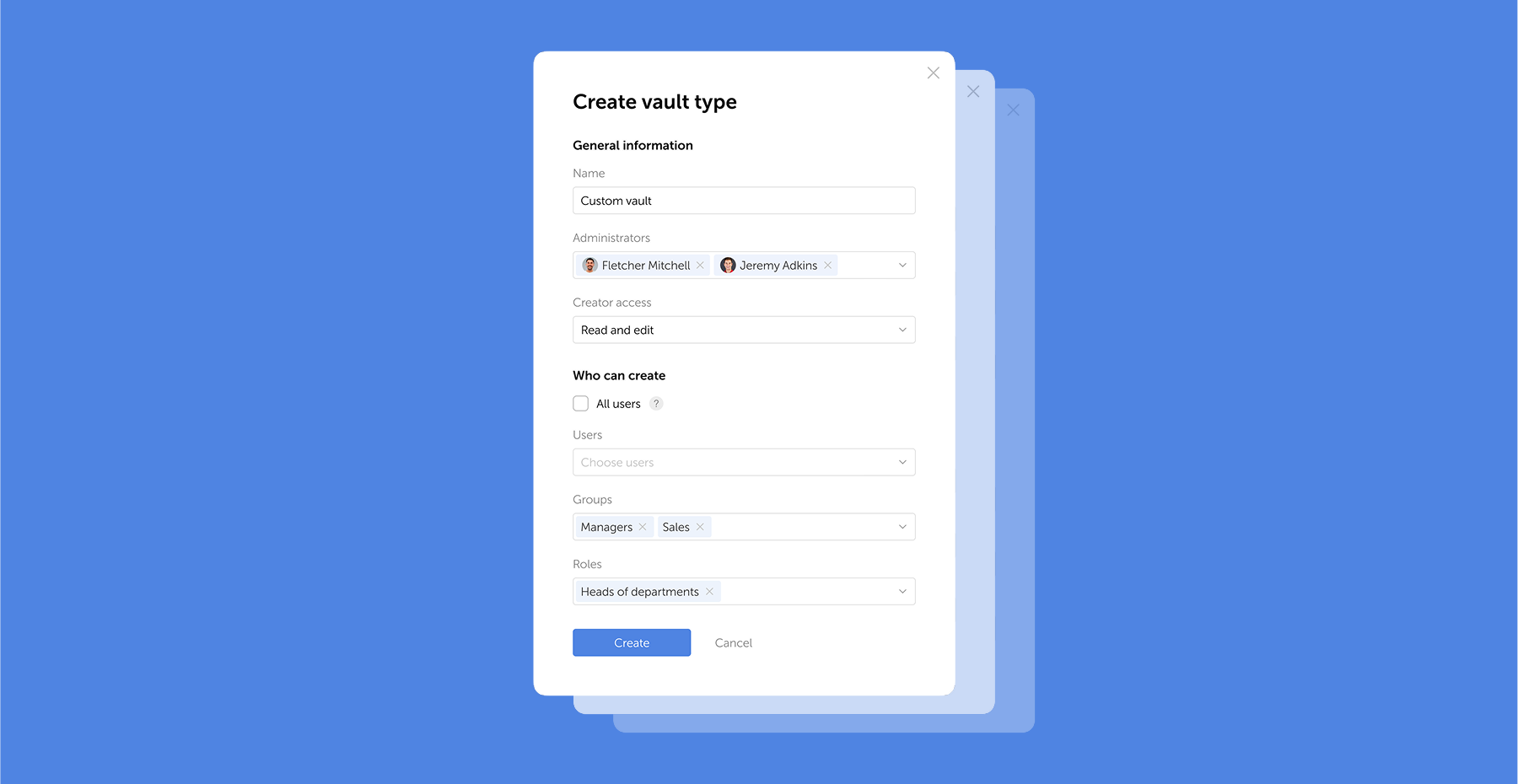
Passwork 7.1: Vault types
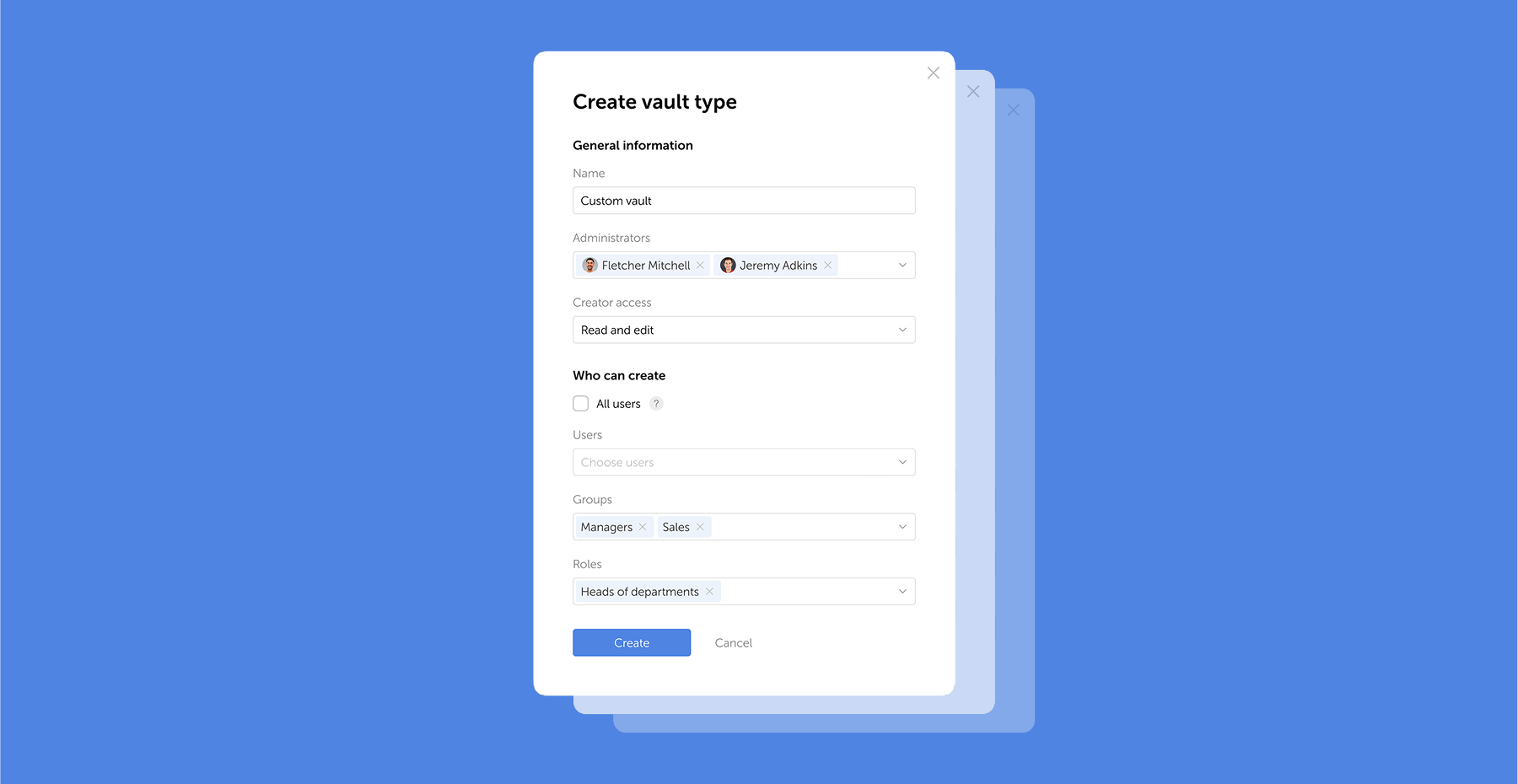
Vault types Passwork 7.1 introduces a robust vault types architecture, providing enterprise-grade access control for enhanced security and management. Vault types address a key challenge for administrators: controlling data access and delegating vault management across large organizations. Previously, the choice was limited to two types. Now, you can create

Was ist Passwortverwaltung?

Dec 12, 2025 — 16 min read
¿Qué es la gestión de contraseñas?

La gestión de contraseñas es la práctica de crear, almacenar, organizar y controlar de forma segura el acceso a contraseñas y otras credenciales de autenticación. Combina procesos humanos con herramientas de software especializadas para garantizar que cada cuenta utilice una contraseña única y segura sin que los usuarios tengan que memorizarlas todas.

Ya sea una persona que intenta proteger su vida digital o un administrador de TI que protege los activos digitales de su organización, comprender la gestión de contraseñas es esencial.

Esta guía explica todo lo que necesita saber: qué es la gestión de contraseñas, por qué es importante, cómo funciona y cómo implementarla de manera efectiva. Aprenderá sobre los diferentes tipos de gestores de contraseñas, las características clave que debe buscar y las mejores prácticas que lo protegen de las amenazas de seguridad más comunes.

Comprender la gestión de contraseñas

En esencia, la gestión de contraseñas aborda un desafío fundamental: los humanos somos terribles creando y recordando contraseñas seguras. Recurrimos a patrones predecibles, reciclamos combinaciones familiares en diferentes cuentas y priorizamos la comodidad sobre la seguridad.

Los sistemas de gestión de contraseñas compensan estas limitaciones inherentes al asumir la carga cognitiva y la complejidad en nuestro nombre. Como práctica y tecnología, la gestión de contraseñas abarca varias funciones clave:

  • Generación de contraseñas: Crear contraseñas fuertes y aleatorias que cumplan con los requisitos de seguridad y resistan métodos de ataque comunes como la fuerza bruta y los ataques de diccionario.
  • Almacenamiento seguro: Cifrar y almacenar contraseñas en una bóveda protegida a la que solo pueden acceder los usuarios autorizados.
  • Organización: Categorizar y gestionar credenciales en cientos de cuentas, facilitando su localización cuando se necesitan.
  • Control de acceso: Determinar quién puede acceder a qué contraseñas, algo particularmente importante en entornos de equipo y empresariales.
  • Autocompletado y automatización: Introducir automáticamente las credenciales en los formularios de inicio de sesión, reduciendo la fricción mientras se mantiene la seguridad.
  • Registros de auditoría: Registrar quién accedió a qué credenciales y cuándo, permitiendo a los equipos de seguridad detectar actividad sospechosa, investigar incidentes y mantener el cumplimiento de los requisitos regulatorios.

La gestión de contraseñas ha evolucionado desde prácticas rudimentarias hasta una infraestructura de seguridad sofisticada. La primera generación de gestores de contraseñas digitales introdujo cifrado básico (como el algoritmo Blowfish) y almacenamiento centralizado, abordando las brechas de seguridad inmediatas pero careciendo de los controles granulares que las empresas requerían.

Los sistemas modernos de gestión de contraseñas representan un cambio fundamental: combinan cifrado de grado militar, arquitectura de conocimiento cero, controles de acceso basados en roles y capacidades de auditoría integrales. Las soluciones actuales aplican políticas de seguridad, detectan anomalías, se integran con la infraestructura existente y proporcionan la visibilidad que las organizaciones necesitan para mantener el cumplimiento y responder a las amenazas en tiempo real.

¿Por qué es importante la gestión de contraseñas?

¿Por qué es importante la gestión de contraseñas?

Según el Informe de Investigaciones de Brechas de Datos 2025 de Verizon, las credenciales robadas sirvieron como vector de acceso inicial en el 22% de todas las brechas confirmadas, y esa cifra aumenta al 88% en ataques básicos a aplicaciones web.

Solo en la primera mitad de 2025, más de 8.000 brechas de datos a nivel mundial expusieron aproximadamente 345 millones de registros, lo que demuestra la escala persistente y catastrófica de los ataques basados en credenciales. Detrás de estas estadísticas hay una incompatibilidad fundamental entre la cognición humana y las demandas de seguridad modernas.

El factor humano

Nuestros cerebros simplemente no fueron diseñados para este ritmo de información. La investigación psicológica muestra que los humanos solo pueden recordar de manera fiable 7±2 elementos de datos en la memoria de trabajo. Sin embargo, se espera que gestionemos cientos de contraseñas únicas y complejas — cada una una cadena aleatoria de letras mayúsculas, minúsculas, números y símbolos.

Ante esta tarea imposible, las personas desarrollan mecanismos de afrontamiento que socavan la seguridad:

  • Patrones predecibles: Añadir «123» o «!» para cumplir con los requisitos de complejidad.
  • Reutilización de contraseñas: Más del 60% de las personas reutilizan contraseñas en múltiples cuentas.
  • Escribir contraseñas: Las notas adhesivas en los monitores siguen siendo sorprendentemente comunes.
  • Contraseñas simples: «password», «123456» y «qwerty» siguen estando entre las contraseñas más comunes a nivel mundial.

Este comportamiento no es pereza. Es una respuesta racional a una carga cognitiva abrumadora. La fatiga de contraseñas es real y conduce a atajos de seguridad.

La fatiga de contraseñas es el agotamiento mental y la frustración que experimentan los usuarios al crear, recordar, gestionar y restablecer un número excesivo de contraseñas en múltiples cuentas.

Las consecuencias de una mala higiene de contraseñas

Cuando falla la seguridad de las contraseñas, las consecuencias se multiplican:

  • Para individuos: Robo de identidad, fraude financiero, violaciones de privacidad y el proceso que consume tiempo de recuperar cuentas comprometidas. La víctima promedio de robo de identidad pasa 200 horas resolviendo el problema.
  • Para empresas: Las brechas de datos cuestan un promedio de 4,44 millones de dólares por incidente, según el Informe del Coste de una Brecha de Datos de IBM. Más allá de las pérdidas financieras directas, las organizaciones enfrentan multas regulatorias, responsabilidad legal, daño reputacional y pérdida de confianza del cliente.
  • Para equipos de TI: Los tickets de soporte relacionados con contraseñas consumen del 20 al 50% de los recursos de soporte de TI en organizaciones típicas. Cada solicitud de «olvidé mi contraseña» representa tiempo que podría dedicarse a iniciativas estratégicas.

Los beneficios de una gestión de contraseñas efectiva

Implementar una gestión de contraseñas adecuada ofrece mejoras medibles:

  • Seguridad mejorada: Contraseñas únicas y fuertes para cada cuenta eliminan el efecto dominó de la reutilización de credenciales. Incluso si una contraseña se ve comprometida, sus otras cuentas permanecen seguras.

  • Carga cognitiva reducida: Recuerda una contraseña maestra en lugar de cientos. El alivio mental es inmediato y significativo.
  • Ahorro de tiempo: El autocompletado elimina los minutos dedicados a escribir o restablecer contraseñas. Para las organizaciones, esto se traduce en miles de horas de productividad anualmente.
  • Soporte de cumplimiento: Muchas regulaciones (GDPR, HIPAA, SOC 2) requieren que las organizaciones demuestren una gestión adecuada de credenciales. Los gestores de contraseñas proporcionan los registros de auditoría y controles necesarios para el cumplimiento.
  • Experiencia de usuario mejorada: Acceso fluido a las cuentas sin la fricción de restablecimientos de contraseñas o bloqueos de cuenta.

¿Cómo funciona la gestión de contraseñas?

Comprender la mecánica de la gestión de contraseñas ayuda a apreciar tanto su seguridad como su usabilidad. Los gestores de contraseñas modernos equilibran un cifrado fuerte con un acceso fácil de usar.

El concepto de contraseña maestra

Todo comienza con su contraseña maestra — la única contraseña que necesita recordar. Esta contraseña desbloquea su bóveda cifrada que contiene todas sus otras credenciales.

Muchos usuarios crean contraseñas maestras usando frases de contraseña, palabras aleatorias encadenadas como correct-horse-battery-staple, que son tanto seguras como memorables.

Usar una frase de contraseña para memorabilidad y fortaleza
Fuente: XCDC.com

El cómic de XKCD que popularizó este concepto demostró una idea crucial: cuatro o cinco palabras comunes aleatorias crean más entropía (aleatoriedad) que una contraseña compleja más corta, siendo mucho más fáciles de recordar.

La bóveda cifrada

Su bóveda de contraseñas es una base de datos cifrada que almacena todas sus credenciales, notas y otra información sensible. Los gestores de contraseñas modernos utilizan cifrado AES-256, el mismo estándar utilizado por gobiernos y ejércitos de todo el mundo.

Esto es lo que la hace segura:

  • Cifrado en reposo: Sus datos se cifran antes de salir de su dispositivo. Incluso la empresa del gestor de contraseñas no puede leer el contenido de su bóveda.
  • Arquitectura de conocimiento cero: El proveedor del servicio nunca tiene acceso a su contraseña maestra ni a sus datos sin cifrar. Si sus servidores son vulnerados, sus contraseñas permanecen protegidas.
  • Cifrado en tránsito: Al sincronizar entre dispositivos, su bóveda cifrada viaja a través de canales seguros (TLS/SSL), añadiendo otra capa de protección.
Los gestores de contraseñas locales como Passwork van más allá. Su bóveda cifrada nunca sale de su infraestructura — sin sincronización en la nube, sin servidores externos, sin acceso de terceros. Los datos permanecen en sus servidores, detrás de su cortafuegos, bajo sus controles de acceso.

El recorrido del usuario

Así es como funciona la gestión de contraseñas en la práctica:

  1. Configuración inicial: Crea su contraseña maestra, configura su cuenta y ajustes de seguridad — autenticación multifactor, controles de acceso y parámetros de la bóveda.
  2. Añadir contraseñas: A medida que inicia sesión en cuentas existentes, el gestor de contraseñas detecta los formularios de inicio de sesión y ofrece guardar sus credenciales. También puede añadir contraseñas manualmente o importarlas desde navegadores u otros gestores de contraseñas.
  3. Generación de contraseñas: Al crear nuevas cuentas, el gestor de contraseñas genera contraseñas fuertes y aleatorias según los requisitos del sitio. No necesita pensar más en la creación de contraseñas.
  4. Autocompletado: Cuando visita una página de inicio de sesión, el gestor de contraseñas reconoce el sitio y ofrece completar sus credenciales. Un clic y ya ha iniciado sesión.
  5. Sincronización: Su bóveda cifrada se sincroniza en todos sus dispositivos — teléfono, tableta, portátil, ordenador de escritorio. Los cambios realizados en un dispositivo aparecen en todas partes.
  6. Compartir de forma segura: Cuando necesita compartir credenciales con miembros de la familia o del equipo, el gestor de contraseñas las cifra y transmite de forma segura, sin exponerlas en texto plano.

Tipos de gestores de contraseñas

Tipos de gestores de contraseñas

Los gestores de contraseñas varían significativamente en arquitectura, modelo de seguridad y opciones de implementación. Comprender estas diferencias es esencial para seleccionar la solución adecuada.

Gestores de contraseñas basados en navegador

Integrados en navegadores web como Chrome, Firefox, Safari y Edge, estos gestores de contraseñas ofrecen funcionalidad básica sin software adicional.

Ventajas:

  • Gratuitos y disponibles de inmediato
  • Integración perfecta con el navegador
  • Sincronización automática entre dispositivos que usan el mismo navegador
  • Sin curva de aprendizaje

Desventajas:

  • Limitados solo a contraseñas del navegador
  • Funciones de seguridad básicas comparadas con soluciones dedicadas
  • Vulnerables si la cuenta del navegador se ve comprometida
  • Capacidades de compartir limitadas
  • Funcionalidad inconsistente entre navegadores

Ideal para: Usuarios ocasionales con necesidades simples que principalmente usan un ecosistema de navegador.

Gestores de contraseñas independientes

Estas aplicaciones almacenan su bóveda de contraseñas cifrada localmente en su dispositivo en lugar de en la nube. Diseñados para uso individual, priorizan el control local sobre la comodidad multidispositivo.

Ventajas:

  • Control completo sobre sus datos
  • Sin dependencia de servicios en la nube
  • Funciona sin conexión
  • Máxima privacidad

Desventajas:

  • Sincronización manual entre dispositivos
  • Riesgo de pérdida de datos si el dispositivo falla sin copias de seguridad
  • Menos conveniente para usuarios con múltiples dispositivos
  • Requiere más conocimiento técnico

Ideal para: Usuarios preocupados por la privacidad, aquellos con conectividad a internet limitada, o cualquiera que prefiera el almacenamiento local de datos.

Gestores de contraseñas basados en la nube

La categoría más popular, estos servicios almacenan su bóveda cifrada en sus servidores y la sincronizan en todos sus dispositivos.

Ventajas:

  • Sincronización perfecta entre dispositivos ilimitados
  • Accesible desde cualquier lugar con internet
  • Copias de seguridad automáticas
  • Conjuntos de funciones completos (compartir, auditoría, monitoreo de brechas)
  • Interfaces fáciles de usar
  • Aplicaciones móviles con autenticación biométrica

Desventajas:

  • Requiere confianza en el proveedor del servicio
  • Costes de suscripción para funciones premium
  • Dependiente de la conectividad a internet
  • Objetivo potencial para atacantes (aunque el cifrado protege los datos)

Ideal para: La mayoría de usuarios individuales, familias y equipos pequeños que desean comodidad y funciones completas.

Gestores de contraseñas empresariales

Diseñados para organizaciones, estas soluciones añaden controles administrativos, funciones de cumplimiento, integración con sistemas corporativos y se implementan de forma local. Esta arquitectura elimina dependencias de proveedores externos. Usted define el perímetro de seguridad, gestiona los controles de acceso y mantiene una independencia operativa completa.

Ventajas:

  • Soberanía completa de los datos
  • Cero dependencias externas o proveedores de servicios en la nube
  • Cumplimiento automático con las regulaciones de residencia de datos
  • Integración con Active Directory, LDAP y sistemas SSO
  • Administración centralizada con aplicación de políticas granulares
  • Controles de acceso basados en roles y gestión de acceso privilegiado
  • Registros de auditoría completos e informes de cumplimiento
  • Flujos de trabajo automatizados de incorporación/desvinculación
  • Protección contra incidentes de seguridad del lado del proveedor

Desventajas:

  • Mayores costes iniciales de infraestructura y licencias
  • Configuración y administración más complejas
  • Puede requerir experiencia en TI
  • La organización gestiona las copias de seguridad y la recuperación ante desastres

Ideal para: Empresas de todos los tamaños, equipos de TI que gestionan credenciales compartidas, organizaciones con requisitos de cumplimiento.

Características clave de los gestores de contraseñas

Características clave de los gestores de contraseñas

Los gestores de contraseñas modernos ofrecen mucho más que almacenamiento básico de contraseñas. Comprender estas funciones le ayuda a evaluar soluciones y maximizar su valor.

Funciones principales

  • Generación de contraseñas: Crea contraseñas fuertes y aleatorias basadas en criterios personalizables (longitud, tipos de caracteres, inclusión de símbolos). Los mejores generadores crean contraseñas que resisten ataques de fuerza bruta durante siglos.
  • Almacenamiento seguro: Bóveda cifrada para contraseñas, con muchos gestores que también almacenan notas seguras, información de tarjetas de crédito, documentos de identidad y otros datos sensibles.
  • Autocompletado: Detecta automáticamente los formularios de inicio de sesión y completa las credenciales con un clic o toque. El autocompletado avanzado distingue entre sitios similares para prevenir ataques de phishing.
  • Sincronización multiplataforma: Mantiene su bóveda sincronizada en Windows, macOS, Linux, iOS, Android y navegadores web.
  • Extensiones de navegador: Integraciones para Chrome, Firefox, Safari, Edge y otros navegadores que permiten el autocompletado y la captura de contraseñas.
  • Aplicaciones móviles: Aplicaciones con todas las funciones para smartphones y tabletas, a menudo con autenticación biométrica.

Funciones de seguridad

  • Autenticación multifactor (MFA): Añade un segundo paso de verificación más allá de su contraseña maestra. Las opciones incluyen aplicaciones de autenticación (TOTP), códigos SMS, llaves de hardware (YubiKey) o verificación biométrica.
  • Autenticación biométrica: Desbloquee su bóveda usando huella dactilar, reconocimiento facial u otros métodos biométricos en dispositivos compatibles.
  • Panel de seguridad: Analiza sus contraseñas e identifica:
    • Contraseñas débiles que no cumplen con los estándares de seguridad
    • Contraseñas reutilizadas en múltiples cuentas
    • Contraseñas antiguas que no se han cambiado recientemente
  • Arquitectura de conocimiento cero: Garantiza que ni siquiera la empresa del gestor de contraseñas pueda acceder a sus datos sin cifrar.
  • Acceso de emergencia: Designa contactos de confianza que pueden acceder a su bóveda después de un período de espera si usted queda incapacitado.

Funciones de compartir y colaboración

  • Compartir de forma segura: Comparta contraseñas individuales o carpetas enteras con miembros de la familia o del equipo sin exponer las contraseñas en texto plano.
  • Cuentas de equipo: Organice contraseñas por departamento, proyecto o nivel de acceso con permisos basados en roles.
  • Controles de acceso: Defina quién puede ver, usar o modificar contraseñas específicas.
  • Historial de compartidos: Registre cuándo se compartieron, accedieron o modificaron las contraseñas.

Funciones avanzadas

  • Historial de contraseñas: Mantiene versiones anteriores de las contraseñas, permitiéndole revertir si es necesario.
  • Notas seguras: Almacene información sensible más allá de las contraseñas — licencias de software, credenciales WiFi, detalles de servidores, códigos de recuperación.
  • Archivos adjuntos: Adjunte archivos cifrados a elementos de la bóveda (contratos, certificados, documentos).
  • Acceso API: Para desarrolladores y usuarios avanzados, acceso programático al gestor de contraseñas.
  • Herramientas CLI: Interfaces de línea de comandos para integrar la gestión de contraseñas en flujos de trabajo de desarrollo.
  • Registros de auditoría: Registros detallados de todas las actividades de la bóveda para monitoreo de seguridad y cumplimiento.

Mejores prácticas de gestión de contraseñas

Mejores prácticas de gestión de contraseñas

Tener un gestor de contraseñas es solo el primer paso. Seguir estas mejores prácticas garantiza que lo esté usando de manera efectiva y segura.

1. Cree una contraseña maestra inquebrantable

Su contraseña maestra es el único punto de fallo para toda su seguridad de contraseñas. Hágala valer:

  • Use al menos 16 caracteres (más es mejor)
  • Combine palabras aleatorias en una frase de contraseña memorable
  • Evite información personal (nombres, fechas, direcciones)
  • Nunca reutilice una contraseña que haya usado en otro lugar

2. Active la autenticación multifactor

Añada una segunda capa de seguridad a su cuenta del gestor de contraseñas. Incluso si alguien descubre su contraseña maestra, no podrá acceder a su bóveda sin el segundo factor. Las aplicaciones de autenticación (Passwork 2FA, Google Authenticator, Authy) son más seguras que los códigos SMS. Las llaves de seguridad de hardware (YubiKey) ofrecen la protección más fuerte.

3. Use contraseñas únicas para cada cuenta

Esta es la regla fundamental de la seguridad de contraseñas. Su gestor de contraseñas lo hace sencillo — deje que genere una contraseña única para cada cuenta. Si un sitio sufre una brecha, sus otras cuentas permanecen seguras.

4. Genere contraseñas largas y complejas

Al crear contraseñas, maximice la longitud y complejidad:

  • Apunte a un mínimo de 16-20 caracteres
  • Use todos los tipos de caracteres (mayúsculas, minúsculas, números, símbolos)
  • Deje que el gestor de contraseñas las genere aleatoriamente

5. Realice auditorías de contraseñas regulares

Programe revisiones trimestrales usando el panel de seguridad de su gestor de contraseñas:

  • Actualice contraseñas débiles
  • Elimine contraseñas reutilizadas
  • Cambie contraseñas antiguas (especialmente para cuentas críticas)
  • Elimine contraseñas de cuentas que ya no usa

6. Responda inmediatamente a las alertas de brechas

Cuando su gestor de contraseñas le notifique de una contraseña comprometida, cámbiela inmediatamente. No espere — las credenciales filtradas a menudo se explotan en cuestión de horas.

7. Organice su bóveda de manera reflexiva

Cree una estructura lógica:

  • Use carpetas o etiquetas para categorizar contraseñas (Trabajo, Personal, Finanzas, etc.)
  • Añada notas a las contraseñas con preguntas de seguridad, números de cuenta u otra información relevante
  • Marque las cuentas críticas para una fácil identificación

8. Haga copias de seguridad de su bóveda regularmente

Aunque los gestores de contraseñas basados en la nube manejan las copias de seguridad automáticamente, considere:

  • Exportar una copia de seguridad cifrada periódicamente
  • Almacenar la copia de seguridad en una ubicación segura separada
  • Probar su copia de seguridad para asegurarse de que funciona

9. Configure el acceso de emergencia

Designe a una persona de confianza que pueda acceder a su bóveda si algo le sucede. La mayoría de los gestores de contraseñas ofrecen funciones de acceso de emergencia con períodos de espera configurables.

10. Use las funciones de compartir de forma segura

Al compartir contraseñas con miembros del equipo:

  • Use las funciones de compartir integradas del gestor de contraseñas
  • Nunca envíe contraseñas por correo electrónico, mensajes de texto o aplicaciones de mensajería
  • Revoque el acceso inmediatamente cuando ya no sea necesario
  • Revise regularmente quién tiene acceso a las contraseñas compartidas

11. Mantenga su gestor de contraseñas actualizado

Active las actualizaciones automáticas para asegurarse de tener los últimos parches de seguridad y funciones. Esto se aplica a extensiones de navegador, aplicaciones móviles y aplicaciones de escritorio.

12. Evite errores comunes

  • No almacene su contraseña maestra en su bóveda (dependencia circular)
  • No comparta su contraseña maestra con nadie, nunca
  • No use el autocompletado del gestor de contraseñas en ordenadores públicos o compartidos
  • No ignore las advertencias de seguridad de su gestor de contraseñas
  • No asuma que está completamente seguro — manténgase vigilante

Preguntas frecuentes

Preguntas frecuentes

¿Son seguros los gestores de contraseñas?

Sí, cuando se implementan correctamente, los gestores de contraseñas son significativamente más seguros que las alternativas (reutilizar contraseñas, escribirlas o usar contraseñas débiles). Utilizan cifrado AES-256 de grado militar y arquitectura de conocimiento cero, lo que significa que ni siquiera la empresa del gestor de contraseñas puede acceder a sus datos sin cifrar. Aunque ningún sistema es 100% invulnerable, los gestores de contraseñas tienen un historial probado y son recomendados por expertos en seguridad, incluidos la NSA y CISA.

¿Pueden ser hackeados los gestores de contraseñas?

Aunque los gestores de contraseñas pueden teóricamente ser objetivo de atacantes, los ataques exitosos son extremadamente raros y típicamente requieren técnicas sofisticadas. El cifrado utilizado es prácticamente inquebrantable con la tecnología actual. La mayoría de las «brechas de gestores de contraseñas» de las que oye hablar involucran cuentas de usuario comprometidas (contraseñas maestras débiles, sin MFA) en lugar de fallos en el propio gestor de contraseñas. Usar una contraseña maestra fuerte y activar la autenticación multifactor hace que su gestor de contraseñas sea altamente resistente a los ataques.

¿Debería usar un gestor de contraseñas gratuito o de pago?

Los gestores de contraseñas gratuitos proporcionan seguridad adecuada para necesidades básicas. Los gestores de contraseñas de pago ofrecen funciones adicionales como compartir avanzado, soporte prioritario, monitoreo de la dark web y más almacenamiento. Para individuos, las opciones gratuitas a menudo son suficientes. Para familias y empresas, los planes de pago proporcionan mejores herramientas de colaboración y controles administrativos. El factor más importante es elegir un gestor de contraseñas de buena reputación y usarlo consistentemente, independientemente de si es gratuito o de pago.

¿Puedo compartir contraseñas de forma segura con familiares o miembros del equipo?

Sí, los gestores de contraseñas modernos incluyen funciones de compartir seguro que cifran las contraseñas antes de la transmisión. Puede compartir contraseñas individuales o carpetas enteras con personas específicas, y puede revocar el acceso en cualquier momento. Esto es mucho más seguro que enviar contraseñas por correo electrónico, mensajes de texto o aplicaciones de mensajería. Los planes familiares típicamente permiten que cada persona tenga su propia bóveda más carpetas familiares compartidas. Los planes empresariales ofrecen controles de permisos más granulares.

¿Necesito un gestor de contraseñas si uso autenticación de dos factores?

Sí. La autenticación de dos factores (2FA) y los gestores de contraseñas sirven propósitos complementarios. 2FA añade un segundo paso de verificación más allá de su contraseña, proporcionando protección incluso si su contraseña se ve comprometida. Sin embargo, todavía necesita contraseñas fuertes y únicas para cada cuenta — que es lo que proporcionan los gestores de contraseñas. De hecho, muchos gestores de contraseñas también pueden almacenar y autocompletar códigos 2FA, haciendo la combinación aún más conveniente.

¿Puedo usar un gestor de contraseñas en ordenadores públicos o compartidos?

Generalmente no se recomienda usar su gestor de contraseñas en ordenadores públicos (bibliotecas, cibercafés) u ordenadores compartidos (centros de negocios de hoteles) debido al riesgo de keyloggers u otro malware. Si debe acceder a cuentas desde un ordenador público, use la bóveda web de su gestor de contraseñas en una ventana de navegador privada/incógnito, cierre sesión completamente cuando termine y cambie su contraseña maestra después.

Conclusión

La gestión de contraseñas ya no es opcional — es infraestructura esencial para la vida digital. La persona promedio gestiona cientos de cuentas, cada una requiriendo autenticación segura. Intentar recordar contraseñas únicas y fuertes para cada cuenta es imposible, y las alternativas — reutilización de contraseñas, contraseñas débiles o notas escritas — crean vulnerabilidades de seguridad graves.

Los gestores de contraseñas resuelven este problema. Generan contraseñas fuertes, las almacenan de forma segura con cifrado de grado militar y las autocompl etan cuando se necesitan. Usted recuerda una contraseña maestra; el gestor de contraseñas se encarga de todo lo demás.

Los beneficios van más allá de la seguridad. Los gestores de contraseñas ahorran tiempo, reducen la frustración, mejoran la productividad y apoyan los requisitos de cumplimiento. Para las empresas, reducen la carga del servicio de asistencia y protegen contra las costosas consecuencias de las brechas de datos.

Passwork es una empresa con sede en la UE con un nombre de confianza en ciberseguridad que ofrece una solución de gestión de contraseñas de nivel empresarial diseñada para organizaciones que exigen control total sobre su infraestructura de seguridad.

Con la implementación local como núcleo, Passwork garantiza la propiedad completa de los datos, cifrado de conocimiento cero y cumplimiento de las regulaciones de la industria — respaldado por la certificación ISO 27001.
Dé el primer paso hoy. Comience su prueba gratuita de Passwork y descubra lo fácil que puede ser la gestión segura de contraseñas.

Lecturas adicionales

Guía del Estándar de Cifrado Avanzado (AES)
Aprenda cómo funciona el cifrado AES, por qué es el estándar para la seguridad de datos y cómo AES-256 protege todo, desde contraseñas hasta datos ALTO SECRETO.
Seguridad de contraseñas GDPR: Guía para la formación efectiva del personal
Aprenda estrategias probadas para formar a los empleados en el cumplimiento de seguridad de contraseñas GDPR. Reduzca los riesgos de brechas con métodos de formación prácticos.
Passwork 7.1: Tipos de bóveda
Tipos de bóveda Passwork 7.1 introduce una arquitectura robusta de tipos de bóveda, proporcionando control de acceso de nivel empresarial para una seguridad y gestión mejoradas. Los tipos de bóveda abordan un desafío clave para los administradores: controlar el acceso a los datos y delegar la gestión de bóvedas en grandes organizaciones. Anteriormente, la elección estaba limitada a dos tipos. Ahora puede crear

¿Qué es la gestión de contraseñas?

Dec 12, 2025 — 14 min read
What is password management?

Password management is the practice of securely creating, storing, organizing, and controlling access to passwords and other authentication credentials. It combines human processes with specialized software tools to ensure that every account uses a strong, unique password without requiring users to memorize them all.

Whether you're an individual trying to secure your online life or an IT administrator protecting your organization's digital assets, understanding password management is essential.

This guide explains everything you need to know: what password management is, why it matters, how it works, and how to implement it effectively. You'll learn about different types of password managers, key features to look for, and best practices that protect you from the most common security threats.

Understanding password management

At its core, password management addresses a fundamental challenge: humans are terrible at creating and remembering secure passwords. We default to predictable patterns, recycle familiar combinations across accounts, and prioritize convenience over security.

Password management systems compensate for these inherent limitations by assuming the cognitive burden and complexity on our behalf. As both a practice and a technology, password management encompasses several key functions:

  • Password generation: Creating strong, random passwords that meet security requirements and resist common attack methods like brute force and dictionary attacks.
  • Secure storage: Encrypting and storing passwords in a protected vault that only authorized users can access.
  • Organization: Categorizing and managing credentials across hundreds of accounts, making them easy to find when needed.
  • Access control: Determining who can access which passwords, particularly important in team and enterprise environments.
  • Autofill and automation: Automatically entering credentials into login forms, reducing friction while maintaining security.
  • Audit trails: Recording who accessed which credentials and when, allowing security teams to detect suspicious activity, investigate incidents, and maintain compliance with regulatory requirements.

Password management has evolved from rudimentary practices to sophisticated security infrastructure. The first generation of digital password managers introduced basic encryption (like Blowfish algorithm) and centralized storage, addressing immediate security gaps but lacking the granular controls enterprises required.

Modern password management systems represent a fundamental shift: they combine military-grade encryption, zero-knowledge architecture, role-based access controls, and comprehensive audit capabilities. Today's solutions enforce security policies, detect anomalies, integrate with existing infrastructure, and provide the visibility organizations need to maintain compliance and respond to threats in real time.

Why is password management important?

Why is password management important?

According to Verizon's 2025 Data Breach Investigations Report, stolen credentials served as the initial access vector in 22% of all confirmed breaches, with that figure jumping to 88% for basic web application attacks.

In the first half of 2025 alone, over 8,000 global data breaches exposed approximately 345 million records, demonstrating the persistent and catastrophic scale of credential-based attacks. Behind these statistics lies a fundamental incompatibility between human cognition and modern security demands.

The human factor

Our brains simply weren't designed for this pace of information. Psychological research shows that humans can reliably remember only 7±2 pieces of data in working memory. Yet we're expected to manage hundreds of unique, complex passwords — each a random string of uppercase letters, lowercase letters, numbers, and symbols.

Faced with this impossible task, people develop coping mechanisms that undermine security:

  • Predictable patterns: Adding "123" or "!" to meet complexity requirements.
  • Password reuse: Over 60% of people reuse passwords across multiple accounts.
  • Writing passwords down: Sticky notes on monitors remain surprisingly common.
  • Simple passwords: "password," "123456," and "qwerty" still rank among the most common passwords globally.

This behavior isn't laziness. It's a rational response to an overwhelming cognitive burden. Password fatigue is real, and it leads to security shortcuts.

Password fatigue is the mental exhaustion and frustration users experience from creating, remembering, managing, and resetting an excessive number of passwords across multiple accounts.

The consequences of poor password hygiene

When password security fails, the consequences cascade:

  • For individuals: Identity theft, financial fraud, privacy violations, and the time-consuming process of recovering compromised accounts. The average victim of identity theft spends 200 hours resolving the issue.
  • For businesses: Data breaches cost an average of $4.44 million per incident, according to IBM's Cost of a Data Breach Report. Beyond direct financial losses, organizations face regulatory fines, legal liability, reputational damage, and loss of customer trust.
  • For IT teams: Password-related help desk tickets consume 20-50% of IT support resources in typical organizations. Every "forgot password" request represents time that could be spent on strategic initiatives.

The benefits of effective password management

Implementing proper password management delivers measurable improvements:

  • Enhanced security: Unique, strong passwords for every account eliminate the domino effect of credential reuse. Even if one password is compromised, your other accounts remain secure.
  • Reduced cognitive load: You remember one master password instead of hundreds. The mental relief is immediate and significant.
  • Time savings: Autofill eliminates the minutes spent typing or resetting passwords. For organizations, this translates to thousands of hours of productivity annually.
  • Compliance support: Many regulations (GDPR, HIPAA, SOC 2) require organizations to demonstrate proper credential management. Password managers provide the audit trails and controls needed for compliance.
  • Improved user experience: Seamless access to accounts without the friction of password resets or account lockouts.

How does password management work?

Understanding the mechanics of password management helps you appreciate both its security and its usability. Modern password managers balance strong encryption with user-friendly access.

The master password concept

Everything starts with your master password — the single password you need to remember. This password unlocks your encrypted vault containing all your other credentials.

Many users create master passwords using passphrases, random words strung together like correct-horse-battery-staple, which are both secure and memorable.

Using a passphrase for memorability and strength
Source: XCDC.com

The XKCD comic that popularized this concept demonstrated a crucial insight: four or five random common words create more entropy (randomness) than a shorter complex password, while being far easier to remember.

The encrypted vault

Your password vault is an encrypted database that stores all your credentials, notes, and other sensitive information. Modern password managers use AES-256 encryption, the same standard used by governments and militaries worldwide.

Here's what makes it secure:

  • Encryption at rest: Your data is encrypted before it leaves your device. Even the password manager company cannot read your vault contents.
  • Zero-knowledge architecture: The service provider never has access to your master password or unencrypted data. If their servers are breached, your passwords remain protected.
  • Encryption in transit: When syncing across devices, your encrypted vault travels through secure channels (TLS/SSL), adding another layer of protection.
On-premise password managers such as Passwork take this further. Your encrypted vault never leaves your infrastructure — no cloud sync, no external servers, no third-party access. The data stays on your servers, behind your firewall, under your access controls.

The user journey

Here's how password management works in practice:

  1. Initial setup: You create your master password, set up your account and security settings — multi-factor authentication, access controls, and vault parameters.
  2. Adding passwords: As you log into existing accounts, the password manager detects login forms and offers to save your credentials. You can also manually add passwords or import them from browsers or other password managers.
  3. Password generation: When creating new accounts, the password manager generates strong, random passwords according to the site's requirements. You never need to think about password creation again.
  4. Autofill: When you visit a login page, the password manager recognizes the site and offers to fill in your credentials. One click, and you're logged in.
  5. Syncing: Your encrypted vault syncs across all your devices — phone, tablet, laptop, desktop. Changes made on one device appear everywhere.
  6. Secure sharing: When you need to share credentials with family members or team members, the password manager encrypts and transmits them securely, without exposing them in plain text.

Types of password managers

Types of password managers

Password managers vary significantly in architecture, security model, and deployment options. Understanding these differences is essential for selecting the right solution.

Browser-based password managers

Built into web browsers like Chrome, Firefox, Safari, and Edge, these password managers offer basic functionality without additional software.

Pros:

  • Free and immediately available
  • Seamless integration with the browser
  • Automatic syncing across devices using the same browser
  • No learning curve

Cons:

  • Limited to browser-only passwords
  • Basic security features compared to dedicated solutions
  • Vulnerable if browser account is compromised
  • Limited sharing capabilities
  • Inconsistent cross-browser functionality

Best for: Casual users with simple needs who primarily use one browser ecosystem.

Standalone password managers

These applications store your encrypted password vault locally on your device rather than in the cloud. Designed for individual use, they prioritize local control over multi-device convenience.

Pros:

  • Complete control over your data
  • No reliance on cloud services
  • Works offline
  • Maximum privacy

Cons:

  • Manual syncing across devices
  • Risk of data loss if device fails without backups
  • Less convenient for multi-device users
  • Requires more technical knowledge

Best for: Privacy-conscious users, those with limited internet connectivity, or anyone who prefers local data storage.

Cloud-based password managers

The most popular category, these services store your encrypted vault on their servers and sync it across all your devices.

Pros:

  • Seamless syncing across unlimited devices
  • Accessible from anywhere with internet
  • Automatic backups
  • Rich feature sets (sharing, auditing, breach monitoring)
  • User-friendly interfaces
  • Mobile apps with biometric authentication

Cons:

  • Requires trust in the service provider
  • Subscription costs for premium features
  • Dependent on internet connectivity
  • Potential target for attackers (though encryption protects data)

Best for: Most individual users, families, and small teams who want convenience and comprehensive features.

Enterprise password managers

Designed for organizations, these solutions add administrative controls, compliance features, integration with corporate systems and are deployed on-premise. This architecture eliminates dependencies on external providers. You define the security perimeter, manage access controls, and maintain complete operational independence.

Pros:

  • Complete data sovereignty
  • Zero external dependencies or cloud service providers
  • Automatic compliance with data residency regulations
  • Integration with Active Directory, LDAP, and SSO systems
  • Centralized administration with granular policy enforcement
  • Role-based access controls and privileged access management
  • Comprehensive audit logs and compliance reporting
  • Automated onboarding/offboarding workflows
  • Protection from provider-side security incidents

Cons:

  • Higher upfront infrastructure and licensing costs
  • More complex setup and administration
  • May require IT expertise
  • Organization manages backups and disaster recovery

Best for: Businesses of all sizes, IT teams managing shared credentials, organizations with compliance requirements.

Key features of password managers

Key features of password managers

Modern password managers offer far more than basic password storage. Understanding these features helps you evaluate solutions and maximize their value.

Core features

  • Password generation: Creates strong, random passwords based on customizable criteria (length, character types, symbol inclusion). The best generators create passwords that resist brute force attacks for centuries.
  • Secure storage: Encrypted vault for passwords, with many managers also storing secure notes, credit card information, identity documents, and other sensitive data.
  • Autofill: Automatically detects login forms and fills credentials with one click or tap. Advanced autofill distinguishes between similar sites to prevent phishing attacks.
  • Cross-platform syncing: Keeps your vault synchronized across Windows, macOS, Linux, iOS, Android, and web browsers.
  • Browser extensions: Integrations for Chrome, Firefox, Safari, Edge, and other browsers that enable autofill and password capture.
  • Mobile apps: Full-featured applications for smartphones and tablets, often with biometric authentication.

Security features

  • Multi-factor authentication (MFA): Adds a second verification step beyond your master password. Options include authenticator apps (TOTP), SMS codes, hardware keys (YubiKey), or biometric verification.
  • Biometric authentication: Unlock your vault using fingerprint, face recognition, or other biometric methods on supported devices.
  • Security dashboard: Analyzes your passwords and identifies:
    • Weak passwords that don't meet security standards
    • Reused passwords across multiple accounts
    • Old passwords that haven't been changed recently
  • Zero-knowledge architecture: Ensures that even the password manager company cannot access your unencrypted data.
  • Emergency access: Designates trusted contacts who can access your vault after a waiting period if you become incapacitated.

Sharing and collaboration features

  • Secure sharing: Share individual passwords or entire folders with family members or team members without exposing passwords in plain text.
  • Team accounts: Organize passwords by department, project, or access level with role-based permissions.
  • Access controls: Define who can view, use, or modify specific passwords.
  • Sharing history: Track when passwords were shared, accessed, or modified.

Advanced features

  • Password history: Maintains previous versions of passwords, allowing you to revert if needed.
  • Secure notes: Store sensitive information beyond passwords — software licenses, WiFi credentials, server details, recovery codes.
  • File attachments: Attach encrypted files to vault items (contracts, certificates, documents).
  • API access: For developers and power users, programmatic access to the password manager.
  • CLI tools: Command-line interfaces for integrating password management into development workflows.
  • Audit logs: Detailed records of all vault activities for security monitoring and compliance.

Password management best practices

Password management best practices

Having a password manager is only the first step. Following these best practices ensures you're using it effectively and securely.

1. Create an unbreakable master password

Your master password is the single point of failure for your entire password security. Make it count:

  • Use at least 16 characters (longer is better)
  • Combine random words into a memorable passphrase
  • Avoid personal information (names, dates, addresses)
  • Never reuse a password you've used anywhere else

2. Enable multi-factor authentication

Add a second layer of security to your password manager account. Even if someone discovers your master password, they can't access your vault without the second factor. Authenticator apps (Passwork 2FA, Google Authenticator, Authy) are more secure than SMS codes. Hardware security keys (YubiKey) offer the strongest protection.

3. Use unique passwords for every account

This is the fundamental rule of password security. Your password manager makes it effortless — let it generate a unique password for each account. If one site is breached, your other accounts remain secure.

4. Generate long, complex passwords

When creating passwords, maximize length and complexity:

  • Aim for 16-20 characters minimum
  • Use all character types (uppercase, lowercase, numbers, symbols)
  • Let the password manager generate them randomly

5. Conduct regular password audits

Schedule quarterly reviews using your password manager's security dashboard:

  • Update weak passwords
  • Eliminate reused passwords
  • Change old passwords (especially for critical accounts)
  • Remove passwords for accounts you no longer use

6. Respond immediately to breach alerts

When your password manager notifies you of a compromised password, change it immediately. Don't wait, breached credentials are often exploited within hours.

7. Organize your vault thoughtfully

Create a logical structure:

  • Use folders or tags to categorize passwords (Work, Personal, Finance, etc.)
  • Add notes to passwords with security questions, account numbers, or other relevant information
  • Mark critical accounts for easy identification

8. Back up your vault regularly

While cloud-based password managers handle backups automatically, consider:

  • Exporting an encrypted backup periodically
  • Storing the backup in a separate secure location
  • Testing your backup to ensure it works

9. Set up emergency access

Designate a trusted person who can access your vault if something happens to you. Most password managers offer emergency access features with configurable waiting periods.

10. Use secure sharing features

When sharing passwords with team members:

  • Use the password manager's built-in sharing features
  • Never send passwords via email, text, or messaging apps
  • Revoke access immediately when no longer needed
  • Regularly review who has access to shared passwords

11. Keep your password manager updated

Enable automatic updates to ensure you have the latest security patches and features. This applies to browser extensions, mobile apps, and desktop applications.

12. Avoid common mistakes

  • Don't store your master password in your vault (circular dependency)
  • Don't share your master password with anyone, ever
  • Don't use password manager autofill on public or shared computers
  • Don't ignore security warnings from your password manager
  • Don't assume you're completely secure — stay vigilant

Frequently Asked Questions

Frequently Asked Questions

Are password managers safe?

Yes, when properly implemented, password managers are significantly safer than the alternatives (reusing passwords, writing them down, or using weak passwords). They use military-grade AES-256 encryption and zero-knowledge architecture, meaning even the password manager company cannot access your unencrypted data. While no system is 100% invulnerable, password managers have proven track records and are recommended by security experts, including the NSA and CISA.

Can password managers be hacked?

While password managers can theoretically be targeted by attackers, successful attacks are extremely rare and typically require sophisticated techniques. The encryption used is virtually unbreakable with current technology. Most "password manager breaches" you hear about involve compromised user accounts (weak master passwords, no MFA) rather than flaws in the password manager itself. Using a strong master password and enabling multi-factor authentication makes your password manager highly resistant to attacks.

Should I use a free or paid password manager?

Free password managers provide adequate security for basic needs. Paid password managers offer additional features like advanced sharing, priority support, dark web monitoring, and more storage. For individuals, free options are often sufficient. For families and businesses, paid plans provide better collaboration tools and administrative controls. The most important factor is choosing a reputable password manager and using it consistently, regardless of whether it's free or paid.

Can I share passwords safely with family or team members?

Yes, modern password managers include secure sharing features that encrypt passwords before transmission. You can share individual passwords or entire folders with specific people, and you can revoke access at any time. This is far safer than sending passwords via email, text, or messaging apps. Family plans typically allow each person to have their own vault plus shared family folders. Business plans offer more granular permission controls.

Do I need a password manager if I use two-factor authentication?

Yes. Two-factor authentication (2FA) and password managers serve complementary purposes. 2FA adds a second verification step beyond your password, providing protection even if your password is compromised. However, you still need strong, unique passwords for each account — which is what password managers provide. In fact, many password managers can also store and autofill 2FA codes, making the combination even more convenient.

Can I use a password manager on public or shared computers?

It's generally not recommended to use your password manager on public computers (libraries, internet cafes) or shared computers (hotel business centers) due to the risk of keyloggers or other malware. If you must access accounts from a public computer, use your password manager's web vault in a private/incognito browser window, log out completely when finished, and change your master password afterward.

Conclusion

Password management isn't optional anymore — it's essential infrastructure for digital life. The average person manages hundreds of accounts, each requiring secure authentication. Trying to remember unique, strong passwords for every account is impossible, and the alternatives — password reuse, weak passwords, or written notes — create serious security vulnerabilities.

Password managers solve this problem. They generate strong passwords, store them securely with military-grade encryption, and autofill them when needed. You remember one master password; the password manager handles everything else.

The benefits extend beyond security. Password managers save time, reduce frustration, improve productivity, and support compliance requirements. For businesses, they reduce help desk burden and protect against the costly consequences of data breaches.

Passwork is an EU-based company with a trusted name in cybersecurity delivering enterprise-grade password management solution designed for organizations that demand full control over their security infrastructure.

With on-premise deployment at its core, Passwork ensures complete data ownership, zero-knowledge encryption, and compliance with industry regulations — backed by ISO 27001 certification.
Take the first step today. Start your free Passwork trial and see how easy secure password management can be.

Further reading

Guide to Advanced Encryption Standard (AES)
Learn how AES encryption works, why it’s the standard for data security, and how AES-256 protects everything from passwords to TOP SECRET data.
GDPR password security: Guide to effective staff training
Learn proven strategies to train employees for GDPR password security compliance. Reduce breach risks with practical training methods.
Passwork 7.1: Vault types
Vault types Passwork 7.1 introduces a robust vault types architecture, providing enterprise-grade access control for enhanced security and management. Vault types address a key challenge for administrators: controlling data access and delegating vault management across large organizations. Previously, the choice was limited to two types. Now, you can create

What is password management?

Dec 12, 2025 — 8 min read
What is password reuse and why is it a major security risk?

Password reuse is using the same password across multiple accounts. It's one of the most dangerous yet common security mistakes people make online. Despite warnings from security experts, studies show that over 60% of people admit to reusing passwords across different platforms. This seemingly harmless habit creates a domino effect: when one account is compromised, attackers gain access to every other account sharing that password.

Think of password reuse as using the same key for your house, car, office, and safe. If someone steals that key, they access everything. This vulnerability is exploited thousands of times daily through automated attacks that can test millions of stolen credentials in minutes.

Understanding what password reuse is and why it poses such a critical threat is the first step toward building stronger password security habits that protect both personal and organizational data.

The psychology of password reuse

Convenience vs. security

The average person manages 100+ online accounts, from email and banking to streaming services and shopping sites. Creating and remembering a unique password for each account feels overwhelming, so we default to familiar patterns. We choose convenience over security because the threat feels abstract — until it becomes personal.

Our brains are wired to minimize cognitive load. Remembering one strong password feels manageable; remembering 100 feels impossible. This mental shortcut, however, creates a single point of failure that attackers actively exploit. The convenience of password reuse comes with a hidden cost: exponential risk.

The myth of the "unimportant" account

Many people justify password reuse by categorizing accounts as "important" (banking, work email) versus "unimportant" (forums, newsletters, gaming sites). They use unique passwords for critical accounts but reuse passwords for everything else. This strategy fails because attackers don't distinguish between account types — they simply need one breach to start.

That forgotten forum account from 2015 becomes the entry point. Once attackers have your credentials from a low-security breach, they test them everywhere: your email, financial accounts, work systems. The "unimportant" account becomes the key that unlocks everything else.

How attackers exploit password reuse: Credential stuffing explained

The anatomy of a credential stuffing attack

Credential stuffing is an automated cyberattack that exploits password reuse at scale. Here's how it works:

  1. Data breach occurs — Attackers obtain millions of username/password combinations from a compromised website or service
  2. Credentials are compiled — Stolen credentials are aggregated into massive databases and sold or shared on dark web forums
  3. Automated testing begins — Attackers use bots to systematically test these credentials across thousands of websites and services
  4. Successful logins are exploited — When credentials work, attackers gain access to accounts, steal data, make fraudulent purchases, or sell access to others
How attackers exploit password reuse: Credential stuffing explained

Unlike brute-force attacks that guess passwords, credential stuffing uses real credentials that people have already chosen. Success rates range from 0.1% to 2% — which sounds low until you realize attackers test billions of credentials. Even a 0.5% success rate means 5 million compromised accounts from 1 billion attempts.

According to the 2025 Verizon Data Breach Investigations Report, stolen credentials remain the most common attack vector, involved in 88% of basic web application breaches.

The report emphasizes that password reuse transforms individual breaches into widespread security crises, with stolen credentials used as the initial access vector in 22% of all breaches analyzed.

How to break the habit: Best practices for eliminating password reuse

Password reuse is one of the most common and dangerous security habits. The fix isn't complicated, but it does require a deliberate shift in how you manage credentials. The following practices give a clear, actionable path to eliminating reuse entirely, without adding friction to your daily workflow.

How to break the habit: Best practices for eliminating password reuse

1. Use a secure password manager

A password manager is the single most effective tool for eliminating password reuse. It generates, stores, and automatically fills unique passwords for every account, removing the memory burden that drives password reuse.

Modern password managers like Passwork use military-grade encryption to protect your credentials and require only one master password to access your vault. This transforms password management from an impossible task into a simple, secure system.

2. Create strong, unique passwords for every account

Every account should have its own password — no exceptions. Strong passwords should be:

  • At least 15 characters long — NIST's updated guidelines raised the minimum from 8 to 15 characters, reflecting the reality that longer passwords exponentially increase cracking difficulty.
  • Randomly generated — Avoid patterns, dictionary words, or personal information.
  • Unique — Never reused across accounts, even with slight variations.

Passphrases as an alternative

A passphrase — a sequence of four or more random, unrelated words — is another strong option, especially where passwords need to be memorized. correct-horse-battery-staple is significantly harder to crack than P@ssw0rd123 and far easier to recall. The key word is random: phrases drawn from song lyrics or common expressions don't qualify.

For machine-generated credentials and service accounts, random passwords remain the stronger choice. For human-facing logins where memorability matters, passphrases offer a practical balance between security and usability.

Password managers handle both — generating and storing either format automatically, so every credential meets security standards without requiring you to create or remember them manually.

3. Enable Multi-Factor Authentication (MFA)

Multi-factor authentication adds a second verification step beyond your password, typically a code sent to your phone or generated by an authenticator app. Even if attackers obtain your password through a breach, MFA blocks unauthorized access.

Enable MFA on every account that offers it, prioritizing email, banking, work systems, and social media. This single step dramatically reduces your vulnerability to credential stuffing attacks.

4. Conduct regular password audits

Password hygiene requires ongoing maintenance. Conduct quarterly audits to identify and replace:

  • Reused passwords — Find accounts sharing the same credentials
  • Weak passwords — Identify passwords that don't meet current security standards
  • Compromised passwords — Check if your credentials have appeared in known data breaches

Passwork includes built-in audit tools that automatically flag these issues and guide you through fixes.

How Passwork helps you eliminate password reuse

Passwork is designed specifically to solve the password reuse problem for individuals and organizations.

How Passwork helps you eliminate password reuse

Here's how:

  • Password generator — Create cryptographically strong, unique passwords instantly with customizable length and character requirements.
  • Password audit feature — Passwork automatically scans your vault to identify weak or compromised passwords. The security dashboard shows exactly which credentials need attention, prioritizing fixes by threats.
  • Secure sharing — Share credentials with team members without exposing passwords through insecure channels like email or messaging apps.
  • Role-based access control — Organizations can enforce password policies and monitor compliance across teams — ensuring password reuse doesn't become an organizational vulnerability.

By centralizing password management and automating security best practices, Passwork transforms password reuse from an overwhelming problem into a solved challenge. The combination of generation, storage, auditing, and monitoring creates a comprehensive system that protects both individual users and entire organizations from credential-based attacks.

Frequently Asked Questions

Frequently Asked Questions

Why is password reuse considered more dangerous than using weak passwords?

Password reuse creates a domino effect. When one service gets breached, attackers automatically test those stolen credentials across thousands of other websites through credential stuffing attacks. Even if you use a strong password like "mK9#pL2@vN4$xR7," reusing it across multiple accounts means one breach compromises everything. A weak but unique password only affects one account. Password reuse transforms individual breaches into widespread security crises — which is why stolen credentials are involved in 88% of basic web application breaches according to the 2025 Verizon Data Breach Investigations Report.

What is credential stuffing and how does it work?

Credential stuffing is an automated attack that exploits password reuse at scale. Attackers obtain millions of username/password combinations from breached websites, compile them into massive databases, then use bots to systematically test these credentials across thousands of services. Success rates range from 0.1% to 2% — which means 5 million compromised accounts from 1 billion attempts at just 0.5% success. Unlike brute-force attacks that guess passwords, credential stuffing uses real credentials people have already chosen, making it significantly more effective.

Can I safely reuse passwords for "unimportant" accounts?

No. The distinction between "important" and "unimportant" accounts is meaningless to attackers. That forgotten forum account from 2015 becomes the entry point. Once attackers have your credentials from any breach, they test them everywhere — your email, financial accounts, work systems. Low-security sites often have weaker breach protection, making them easier targets. Attackers don't care which door they enter; they just need one breach to access everything else sharing that password.

How does a password manager solve the password reuse problem?

Password managers eliminate the memory burden that drives password reuse. They generate cryptographically strong, unique passwords for every account, store them in an encrypted vault, and automatically fill them when needed. You only remember one master password to access your vault. Modern password managers like Passwork use military-grade encryption and include audit tools that automatically identify reused, weak, or compromised passwords — transforming password management from an impossible task into a simple, secure system.

Does Multi-Factor Authentication (MFA) protect me if I reuse passwords?

MFA adds significant protection but doesn't eliminate the risk. Even if attackers obtain your password through a breach, MFA blocks unauthorized access by requiring a second verification step. However, not all accounts offer MFA, and sophisticated attackers have developed MFA bypass techniques. MFA should complement unique passwords, not replace them. The strongest security combines unique passwords for every account with MFA enabled wherever available — creating multiple layers of defense.

How often should I audit my passwords for reuse?

Conduct password audits quarterly to identify and fix security issues. Regular audits help you find reused passwords, weak credentials that don't meet current security standards, and passwords that have appeared in known data breaches. Passwork's built-in audit tools automate this process, scanning your vault and flagging issues with prioritization by risk level. This ongoing maintenance ensures password hygiene doesn't degrade over time as you create new accounts or as new breaches occur.

Conclusion

Password reuse is a critical security vulnerability that attackers exploit daily through credential stuffing attacks. Every reused password is a master key that attackers can use to unlock multiple accounts, turning a single breach into a cascading security crisis.

The solution combines three components: unique passwords for every account, a password manager for secure storage and generation, and multi-factor authentication as an additional security layer. Start with a password audit to identify reused credentials, replace them systematically, and enable MFA everywhere. These steps require minutes to implement but provide lasting protection.

Ready to take control of your credentials? Start your free Passwork trial and explore practical ways to protect your business.
What is a password generator?
Password generator automatically creates strong, random passwords using letters, numbers & special characters to eliminate weak credentials
Guide to Advanced Encryption Standard (AES)
Learn how AES encryption works, why it’s the standard for data security, and how AES-256 protects everything from passwords to TOP SECRET data.
The 2025 small business cybersecurity checklist: A complete guide | Passwork
Passwork’s 2025 cybersecurity checklist, based on the NIST framework, provides actionable steps to prevent data breaches and financial loss.

What is password reuse and why is it a major security risk?

Feb 27, 2023 — 5 min read

We live in a digital age, and children must learn about internet safety as a first port of call. They are constantly on their phones and tablets, and many of them complete their coursework online. To secure personal information, all of these services require a password, but the passwords are frequently pre-set for youngsters, who do not get to create their own.

Children will never learn how to create secure passwords if such passwords are never changed. This renders them vulnerable to hacking. It is our responsibility as parents to educate our children about internet safety. This includes not only stopping kids from accessing improper information, but also explaining why. The greatest method for children to learn about computer security is to see adults who are skilled in the field. Continue reading to learn how to teach your children about password security fast and effortlessly.

Make unique and fun passwords

Passwords should be easy for your children to remember but tough for others to guess. That may appear to be an oxymoron, but if you make it fun, your child will be more likely to remember their passwords. Here are some easy ideas to get their creative juices flowing:

• Make up your own sentences or words. If they had a favorite stuffed animal as a youngster, try to integrate it, but don't make it the sole word. Use three or more to create complexity.

• Use basic, popular passwords such as ABCDE, 123455, or "password" instead. Hackers can easily breach them and obtain access to your accounts.

• Use passwords that are at least eight characters long

• Use numbers, uppercase letters, and symbols as needed. Also, avoid using them in apparent ways. Avoid substituting letters for vowels, such as an exclamation point (!) for I and an at symbol (@) for a. These are basic replacements that are easy to understand.

• Create unique passwords for each website. If your password is hacked and you use it in several places, hackers will have access to your children's sensitive information in multiple areas.

Passwords should not be shared

This one may be difficult for your children to grasp. They do, after all, know your phone's password! However, it is critical that your children do not share their passwords with anyone other than their parents—including their siblings. The more people who know their password, the more likely it is that people who should not have access to their accounts will.

Explain some of the scenarios that could occur to your children to ensure that they understand why they should not share their passwords. Listed below are a few examples:

• Someone could steal their identity

• Someone could send hurtful messages and jeopardize friendships

• Someone could open accounts on questionable platforms using their identity

• Someone could change their passwords and keep them from accessing their accounts

• If there are bank accounts attached, someone could spend their money

These are just a few examples, but they should be enough to convince your children not to share their passwords. If they do, they must inform you of who they shared it with and why. You can then decide whether or not to change their passwords.

Remember, as a parent, this does not apply to you. As a precaution, you should have all of your children's passwords who are under the age of 18. This will give you peace of mind because you will know you can monitor their online activity for their safety and security. There are many frightening people out there, and not just those looking to steal their passwords.

Avoid using the same password in multiple places

It may be difficult to keep track of so many different passwords, but it is critical that you and your child develop a unique password for each website, platform, or program. This will assist to safeguard their data:

• If there is a data breach in one place, they simply need to be concerned about that one location

• If you use the same password, they may have access to far more information, which might be harmful

Your child may not be able to use a password manager at school, but there are security services that can assist you in storing passwords across various platforms. They can also generate secure passwords that are difficult to decipher. These are useful tools, but you should not rely only on them for all of your passwords in case you are locked out.

What does a strong password look like?

You may be asking what makes a password strong now that you know what to do and what to avoid while teaching your children password safety. There are several approaches to constructing a secure password, and you must ensure that passwords are simple for your youngster to remember.

One method is to speak to their interests or their sense of humor.

• Use their passions as a source of inspiration. If they enjoy magic, you may perform something like AbramagiCkadabrA#7. This is an excellent password since it includes random capitalization, a number, and a distinctive character.

• Use something amusing for them. For example, because little children are typically delighted by potty humor, you may establish their username @uniFARTcorn3. Again, you've covered all of the possible factors for password requirements, and your kids will have a good time inputting it.

• Make use of meals and pastimes. You might, for example, create their password Apple3picking! EAO. They enjoy apple harvesting, their favorite number, a special character, and strange apple orchard letters or abbreviations.

You want to make your password difficult to guess but easy to remember, so choosing items that will activate your memory or make you smile when your child enters it will increase the likelihood that they will remember it.

It is not suggested to keep a digital file of passwords on your computer, but if necessary, you may write them down for your children until they learn them. Just be careful not to lose track of where you wrote them!


Comprehensive guide: Cybersecurity vocabulary – terms and phrases you need to know
Cybersecurity — as complex as it sounds — is an essential concept that we all need to be aware of in this day and age. Computers, phones, and smart devices have become an extension of our bodies at this point, which makes their security paramount. From your family photos to your bank
Why do employees ignore cybersecurity policies?
Employees often ignore cybersecurity rules not out of laziness, but because they feel generic, irrelevant, or disconnected from real work. True change starts with empathy, leadership, and context-driven policies. Read the full article to learn how to make security stick.
Passwork: Secrets management and automation for DevOps
Introduction In corporate environment, the number of passwords, keys, and digital certificates is rapidly increasing, and secrets management is becoming one of the critical tasks for IT teams. Secrets management addresses the complete lifecycle of sensitive data: from secure generation and encrypted storage to automated rotation and audit trails. As

How to teach children about password security: Tips for parents

Jan 12, 2023 — 6 min read

Of course you want to keep your data safe. So why are so many security precautions frequently overlooked? Many accounts, for example, are protected by weak passwords, making it easy for hackers to do their work. There is a fine line between selecting a password that no one can guess and selecting a password that is easy to remember. As a result, we will examine this topic in depth today and ensure that you no longer need to click on the "lost password" link.

What exactly is a strong password?

So let's begin with a definition. A secure password is one that cannot be guessed or broken by an intruder.

Computers are utilized by hackers in order to try out various combinations of letters, numbers, and symbols. Passwords that are only a few characters long and consist entirely of letters and digits are easy for modern computers to crack in a couple of seconds. Because of this, it is vital to utilize robust combinations of capital and lowercase letters, numbers, and special characters in one password. There is a minimum length requirement of 12 characters for passwords, although using a longer password is strongly encouraged.

To summarize the attributes of a secure password, they are as follows:

• At least 12 characters are required. The more complicated your password, the better.

• Upper and lower case letters, numbers, and special characters are included. Such passwords are more difficult to crack.

• Does not contain keyboard paths

• It is not based on your personal information

• Each of your accounts has its own password

You have undoubtedly observed that a variety of websites "care" about the security level of your password. When you are making an account, you will frequently see tooltips that remind you to include a particular amount of characters, as well as numbers and letters. Weak passwords have a far higher chance of being disapproved by the system. Keep in mind that, for reasons related to your security, you should never use the same password for several accounts.

A secure password should be unique

You may use a strong password for all of your accounts after you've created one. However, doing so will leave you more exposed to assaults. If a hacker obtains your password, they will be able to access whatever account you used it for, including email, social media, and work accounts.

According to surveys, many people use the same password because it is easier to remember. Don't worry, there are several tools available to assist you with managing multiple passwords. We'll get to them later.

While adding special characters in passwords is an excellent approach to increase their security, not all accounts accept all characters. However, in most scenarios, the following are used: ! " #% & *, / : | $ ; ': _? ().

Here are some examples of strong passwords that make use of special characters:

• P7j12$# eBT1cL@Kfg

• $j2kr^ALpr!Kf#ZjnGb#

Ideas for creating a strong password

Fortunately, there are several methods for creating unique and secure passwords for each of your accounts. Let's go over each one in detail:

1. Use a password generator/password manager

If you don't have the time to come up with secure passwords, a password generator that can also serve as a manager is a very simple and straightforward solution that you may use.

2. Choose a phrase, not a word

Passwords are significantly less secure than passphrases since they are often lengthier and more difficult to guess or crack. Instead of a word, pick a phrase and use the first letters, digits, and punctuation from that phrase to generate an apparently random combination of characters. Experiment with different wording and punctuation.

Here are some examples of how the passphrases technique may be used to generate secure passwords:

• I first went to Disneyland when I was four years old and it made me happy: I1stw2DLwIw8yrs&immJ

• My friend Matt ate six donuts at a bakery cafe and it cost him £10: MfMa6d@tbc&ich£10

3. Pick a more unique option

Open a dictionary or book and select a random word, or better yet, many. Combine them with numbers and symbols to make it far more difficult for a hacker to decipher.

As an example:

• Sand, fork, smoke, okay — Sand%fork9smoke/okay37

4. Experiment with phrases and quotes

If you need a password that is difficult for others to guess but easy for you to remember, try variants on a phrase or statement that means something to you. Simply choose a memorable sentence and replace parts of the letters with numbers and symbols.

For example:

• “For the first time in forever”: Disney’s Frozen: 4da1stTymein4eva-Frozen

5. Make use of emojis

You may always use emoticons to add symbols to your passwords without making them difficult to remember. You can't add emojis, but you can attempt emoticons made out of punctuation marks, characters, and/or numbers.

For example:

• \_(ツ)_/¯

• (>^_^)> <(^_^<)

• (~.~) (o_O)

What should I do after I have created a password?

1. Set passwords for specific accounts
You'll still need to generate a unique password for each of your accounts once you've created a strong password that you can remember. Instead of creating several new ones, you may include the name of the platform you use at the end. For example, if your password was nHd3#pHAuFP8, just add the word EMa1l to the end of your email address to get nHd3#pHAuFP8EMa1l.

2. Make your password a part of your muscle memory
If you want to be able to recall your password, typing it out several times can help you do so. You will be able to memorize information far more easily as a result of the muscle memory that you will develop.

How to keep your passwords safe?

1. Choose a good password manager
Use a trustworthy password manager whether you're setting your own safe passwords or looking for an internet service to handle it for you. It creates, saves, and manages all of your passwords in a single safe online account. All you have to do is put all your account passwords in the application and then safeguard them with one "master password". This means you just have to remember a single strong password.

2. Use two-factor authentication
You've heard it before, but we'll say it again. Two-factor authentication (2FA) adds an additional level of protection. Even if someone steals your password, you can prevent them from accessing your account. This is often a one-time code supplied to you by text message or other means. Receiving an SMS, by the way, is not the most secure method since a hacker might obtain your mobile phone number in a SIM swap fraud and gain access to your verification code.

Apps using two-factor authentication are far more secure. Google Authenticator, for example, or Microsoft Authenticator.

3. Passwords should not be saved on your phone, tablet, or computer
Although it might not be immediately visible, this is a common approach for people to save their passwords. That should not be done. Your files, emails, messenger conversations, and notes may all be hacked.

4. Keep your password confidential
Even if you completely trust the person to whom you are handing your password, sending it in a text message or email is risky. Even if you speak it aloud or write it down on paper, someone who is interested can overhear you and take notes behind you.


Python connector 0.1.5: Automated secrets management
The new Python connector version 0.1.5 expands CLI utility capabilities. We’ve added commands that solve critical tasks for DevOps engineers and developers — secure retrieval and updating of secrets in automated pipelines. What this solves Hardcoded secrets, API keys, tokens, and database credentials create security vulnerabilities and operational bottlenecks.
How to protect your online business from cyberattacks
Protect your online business from cyber threats with actionable strategies, from employee education to advanced tools like Passwork. Learn about phishing, ransomware, and more while discovering how to enhance security with simple yet effective measures. Stay protected — read the full article!
How secure are smart home devices?
Are you sure that your home is protected in the way that you think? Sure, you can secure it with modern locks or an alarm system to protect yourself from robbers who want to steal your money or furniture, but what about those who are looking at your home as

How to create a secure password

Dec 8, 2022 — 5 min read

The most frequently-used password globally is "123456”. However, analyzing passwords by country can yield some quite fascinating results.

We frequently choose weak passwords such as "123456" since they are easy to remember and input. The differences between such passwords can sometimes be found in the language itself. For example, if the English have "password" at the top of their list, the Germans prefer "passwort", and the French use "azerty" instead of "qwerty" due to the peculiarities of the French keyboard layout, which has the letter A instead of the usual Q.

When a weak password is driven by culture, things get much more intriguing. The password "Juventus" is likely to appeal to fans of the Italian football team Juventus. This password is also the fourth most popular option among Italian Internet users. The club is from Turin, Piedmont, and is supported by about 9 million people. At first look, the unique password "Anathema" appears to be a typical occurrence in Turkey, where the British band Anathema's name is among the top ten most common passwords.

A weak password is widespread

ExpressVPN together with Pollfish interviewed 1,000 customers about their password preferences in order to learn more about how individuals approach password formation.

Here are some of their findings:

• The typical internet-goer uses the same password for six different websites and/or platforms

• Relatives are likely to be able to guess their passwords from internet accounts, according to 43% of respondents

• When generating passwords, two out of every five people utilize different variants of their first and/or last name

These findings demonstrate a lack of cybersecurity knowledge, despite the fact that 81% of respondents feel confident in the security and privacy of their existing passwords.

According to the survey results, passwords frequently contain personal information. Below, you will find the most shared personal information with the percentage of respondents who revealed that their passwords contained personal information.

• First Name (42.3%)

• Surname (40%)

• Middle Name (31.6%)

• Date of birth (43.9%)

• Social security number (30.3%)

• Phone number (32.2%)

• Pet name (43.8%)

• Child's name (37.5%)

• Ex-partner's name (26.1%)

The most common passwords in various countries

Based on an infographic from ExpressVPN, the picture below illustrates the most often used passwords in various nations, practically all of which are in the top ten in their respective countries. Many are exclusive to these nations and demonstrate how cultural influences impact password creation.

Much of the information presented comes from a third-party study of stolen credentials (which were made public by Github user Ata Hakç). These datasets are based on the language of the individual sites, allowing the information to be distributed by country.

Let's have a look at some interesting variations of passwords. For instance, the phrase "I love you forever" may be deciphered from the password "5201314," which is commonly used by people from Hong Kong. In contrast, users in Croatia make use of the password “Dinamo”, which is derived from the name of an illustrious football team based in Zagreb. Martin is the password that is used by people from Slovakia. In Slovakia, the name Martin has a position as the fourth most common name. The Greeks, on the other hand, chose not to put undue effort into themselves and instead went with the most straightforward password out of the list, which was 212121. On the other hand, Ukrainians use the pretty difficult password Pov1mLy727. Apart from Ukraine, there are other countries where users more often than not create strong passwords. Let’s take a look.

These 10 countries create the strongest passwords

According to the results of the National Privacy Test that was carried out by NordVPN, the greatest marks were obtained by Italians in regard to their understanding of robust passwords. The following is a list of the top ten nations in which people come up with the most complicated passwords.

1. Italy 94.3 (points out of 100)

2. Switzerland 94

3. Spain 93.5

4. Germany 93.3

5. France 92.3

6. Denmark 91.8

7. UK 90.7

8. Belgium 90.4

9. Canada 89.4

10. USA 89.3

The top 10 did not include Australia (88.9), South Africa (86.2), Saudi Arabia (85.7), Russia (81.4), Brazil (81.2), Turkey (73.9), and India (78.4).

"This study demonstrates that individuals from all around the world are aware of how to generate secure passwords. The information is there, but people aren't using it in the right ways," says Chad Hammond, a security specialist at NordPass.

Also in November 2022, NordPass published a study that found out which passwords network users use most often. According to the findings of the survey, the majority of individuals still rely on simple passwords such as their own names, the names of their favorite sports teams or foods, simple numerical combinations, and other straightforward options.

NordPass security specialist Chad Hammond also stated, "Using unique passwords is really crucial, and it's scary that so many individuals still don't." It is critical to generate distinct passwords for each account. "We put all accounts with the same password in danger when we reuse passwords: in the case of a data breach, one account at risk can compromise the others."To summarize, it is reasonable to state that it does not matter where you were born, where you live, or what you are passionate about; you must always use unique passwords. We recommend that you make your password difficult to guess by making it more complicated or by using a password generator. This will increase the level of security provided by your password. In addition to this, we strongly suggest that you take advantage of two-factor authentication wherever it is an option. If you add an additional layer of protection to your accounts, be it in the form of an app, biometrics, or a physical security key, you will notice a significant increase in their level of security.


Passwork 7: Security verified by HackerOne
Passwork has successfully completed the penetration testing, carried out by HackerOne — the world’s largest platform for coordinating bug bounty programs and security assessments. This independent evaluation confirmed Passwork’s highest level of data protection and strong resilience against modern cyber threats. What the pentest covered Security architecture and data
GDPR password security: Guide to effective staff training
Learn proven strategies to train employees for GDPR password security compliance. Reduce breach risks with practical training methods.
Incident response planning: Preparedness vs. reality
Discover key insights from Passwork webinar on incident response planning. Why teamwork and tools drive real cybersecurity resilience.

Global password patterns: enterprise security culture analysis

Nov 24, 2022 — 13 min read

Ein Passwort mit chinesischen Schriftzeichen kann sehr sicher sein, wenn die Zeichen zufällig gewählt werden, das Passwort ausreichend lang ist und die Website oder Anwendung Unicode korrekt verarbeitet. Chinesische Schriftzeichen machen ein Passwort nicht automatisch stark. Vorhersagbare Phrasen, Daten, Namen und wiederverwendete Passwörter bleiben unabhängig vom verwendeten Zeichensatz anfällig.

Die Frage ist wichtig, weil die Antwort tatsächlich geteilt ist. Die Mathematik spricht für chinesische Schriftzeichen – ein größerer Zeichenpool erhöht die theoretische Entropie pro Zeichen. Die realen Daten erzählen eine komplexere Geschichte. Eine USENIX Security-Studie aus dem Jahr 2019 analysierte 73,1 Millionen chinesische Web-Passwörter und stellte fest, dass viele davon anfälliger für Online-Rateangriffe waren als ihre englischen Pendants. Dieser Artikel beleuchtet beide Seiten: die Entropie-Mathematik, die Verhaltensbefunde, die Unicode-Implementierungsrisiken und was IT-Teams mit diesen Informationen tatsächlich anfangen sollten.


Wichtigste Erkenntnisse

  • Ein größerer Zeichensatz erhöht die theoretische Entropie, aber nur wenn die Zeichen zufällig gewählt werden. CJK-Zeichen umfassen Zehntausende von Unicode-Codepunkten im Vergleich zu 95 für druckbares ASCII. Diese Lücke ist auf dem Papier real. Sie verschwindet in dem Moment, in dem ein Mensch eine erkennbare Phrase anstelle einer zufälligen Zeichenfolge wählt.
  • Von Menschen gewählte chinesische Passwörter sind oft schwächer als sie erscheinen. Eine USENIX Security-Studie aus dem Jahr 2019 analysierte 73,1 Millionen reale chinesische Web-Passwörter und stellte fest, dass diese anfälliger für Online-Rateangriffe waren als englische Passwörter. Pinyin-Sequenzen, kulturell übliche Ziffernfolgen und bekannte Phrasen sind in sprachspezifischen Angriffswörterbüchern gut vertreten.
  • Unicode-Kompatibilität ist auf vielen Systemen ein ungelöstes Problem. Authentifizierungssysteme, die auf ASCII-Annahmen aufgebaut wurden, können Nicht-ASCII-Eingaben ablehnen, inkonsistente Normalisierung anwenden, Bytes statt Zeichen zählen oder Passwörter stillschweigend kürzen. Ein Passwort, das bei der Kontoerstellung funktioniert, kann beim Login, bei der Wiederherstellung oder auf einem mobilen Gerät versagen.
  • Länge und Zufälligkeit sind wichtiger als die verwendeten Zeichen. NIST, OWASP und CISA verweisen alle auf dieselbe Grundlage: lange, einzigartige, zufällig generierte Passwörter, die in einem Passwort-Manager gespeichert und mit MFA kombiniert werden. Die Zeichenkategorie ist eine nachrangige Überlegung.
  • Passwortkomplexität schützt nicht vor Phishing, Credential Stuffing oder Session-Diebstahl. Vier der fünf größten US-Mega-Datenlecks im Jahr 2024 betrafen gestohlene oder kompromittierte Passwörter. Der verwendete Zeichensatz war irrelevant. MFA, einzigartige Passwörter pro Account und Blocklisten für kompromittierte Passwörter sind die Maßnahmen, die das reale Risiko reduzieren.

Sind Passwörter mit chinesischen Schriftzeichen tatsächlich sicherer?

Sie können es sein, aber nicht automatisch. Die Sicherheit jedes Passworts hängt davon ab, wie unvorhersagbar es für einen Angreifer ist. Ein größerer Zeichensatz erhöht die theoretische Anzahl möglicher Passwörter. CJK-Zeichen in Unicode umfassen Zehntausende von Codepunkten – verglichen mit 95 für druckbares ASCII. Auf dem Papier ist diese Lücke erheblich.

Das Problem ist, dass theoretische Stärke eine zufällige Auswahl voraussetzt. Von Menschen gewählte Passwörter funktionieren nicht so. Ein Passwort, das aus einer erkennbaren chinesischen Phrase, einer Zeichenfolge verbunden mit einem Namen oder Datum oder einem kulturell üblichen Muster besteht, gibt einem Angreifer ein viel kleineres Ziel als der gesamte Zeichensatz vermuten lässt. Ein sprachbewusstes Wörterbuch, das aus echten chinesischen Passwörtern erstellt wurde, kann 我的密码 (Chinesisch für „mein Passwort") in Sekunden knacken – unabhängig davon, wie groß der CJK-Pool technisch gesehen ist.

Der Zeichensatz ist also wichtig, aber nur wenn das Passwort zufällig generiert wird. Eine bedeutungsvolle chinesische Phrase und eine zufällige CJK-Zeichenfolge sind sicherheitstechnisch nicht dasselbe.

💡
CJK-Zeichen (Chinesisch, Japanisch, Koreanisch) in Unicode umfassen Zehntausende von Codepunkten. Das ist theoretisch ein bedeutender Vorteil. In der Praxis materialisiert sich dieser Vorteil nur, wenn das Passwort zufällig generiert wird und das System Unicode korrekt verarbeitet.

Was ist ein Zeichensatz?

Zeichensatz — Die Sammlung unterschiedlicher Zeichen, aus denen ein Passwort zusammengesetzt werden kann. Standard-druckbares ASCII hat 95 Zeichen; ein gängiges CJK-Subset hat etwa 20.000. Ein größerer Zeichensatz erhöht die theoretische Anzahl möglicher Passwörter für eine bestimmte Länge, was die Kosten eines Brute-Force-Angriffs erhöht — aber nur wenn die Zeichen zufällig gewählt werden.

Was ist ein Wörterbuchangriff?

Wörterbuchangriff — Eine Methode zum Knacken von Passwörtern durch systematisches Testen einer vorgefertigten Liste wahrscheinlicher Kandidaten: gängige Wörter, Namen, Phrasen, Tastaturmuster und bekannte geleakte Passwörter. Im Gegensatz zu Brute-Force-Angriffen, die jede mögliche Kombination ausprobieren, nutzen Wörterbuchangriffe vorhersagbare menschliche Entscheidungen aus. Sprachspezifische Wörterbücher — einschließlich Pinyin-Sequenzen und kulturell üblicher chinesischer Phrasen — machen diesen Angriff auch gegen Nicht-ASCII-Passwörter effektiv.


Die Entropie-Mathematik: Warum CJK-Zeichen Stärke hinzufügen können

Die Entropie-Mathematik: Warum CJK-Zeichen Stärke hinzufügen können

Passwort-Entropie misst, wie viele Versuche ein Angreifer benötigen würde, um alle möglichen Passwörter eines bestimmten Typs durchzuprobieren. Das Standardmodell lautet: Entropie (in Bits) = log₂(Zeichensatzgröße) × Passwortlänge. Eine höhere Zahl bedeutet ein schwierigeres Brute-Force-Problem.

Die folgende Tabelle zeigt, wie verschiedene Zeichenpools unter diesem Modell abschneiden. Alle Werte setzen voraus, dass das Passwort zufällig generiert wird – eine Bedingung, die von Menschen gewählte Passwörter selten erfüllen.

Passwortmodell Angenommener Zeichenpool Bits pro Zeichen Anmerkungen
Druckbares ASCII 95 Zeichen 6,57 Weitgehend kompatibel; einfach für Passwort-Manager zu generieren und automatisch auszufüllen.
20.000-Zeichen CJK-Subset 20.000 Zeichen 14,29 Höhere theoretische Entropie pro Zeichen; Eingabe und Systemunterstützung sind schwieriger.
90.000-Zeichen CJK/Han-ähnlicher Satz 90.000 Zeichen 16,46 Illustrative Obergrenze; kein praktischer täglicher Eingabepool.
Gängige chinesische Phrase Von Menschen gewählte Wörter Nicht sicher berechenbar Anfällig für sprachspezifische Wörterbücher unabhängig von der Zeichenanzahl.

Die Zahlen sehen für CJK-Zeichen überzeugend aus. Ein zufällig gewähltes Zeichen aus einem 20.000-Zeichen-Pool trägt mehr als die doppelte Entropie eines zufällig gewählten druckbaren ASCII-Zeichens. Ein fünf Zeichen langes zufälliges CJK-Passwort könnte theoretisch die Entropie eines zehn Zeichen langen zufälligen ASCII-Passworts erreichen.

Zwei Einschränkungen sind zu beachten:

  • Zufällige Auswahl. Die Formel setzt voraus, dass jedes Zeichen mit gleicher Wahrscheinlichkeit gewählt wird. Ein Mensch, der chinesische Schriftzeichen auswählt, verhält sich nicht wie ein Zufallszahlengenerator.
  • Systemunterstützung. Höhere Entropie pro Zeichen hilft nicht, wenn das System die Eingabe ablehnt, kürzt oder falsch verarbeitet. Theoretische Stärke und praktische Sicherheit sind nicht dasselbe.

Unicode 17.0, veröffentlicht 2025, definiert insgesamt 159.801 Zeichen über alle Schriftsysteme hinweg (Unicode Consortium, 2025). Diese Zahl wird oft zitiert, um einen enormen Passwortraum nahezulegen. Es ist erwähnenswert, dass 159.801 die Größe des gesamten Unicode-Repertoires ist – nicht ein realistischer Pool von Zeichen, aus dem ein Benutzer bei der Passworterstellung schöpfen würde. Der praktische CJK-Zeichenpool für die meisten Benutzer sind die etwa 20.000 Zeichen im allgemeinen Gebrauch, nicht das gesamte Unicode-Inventar.


Die reale Einschränkung: Chinesische Benutzer wählen oft vorhersagbare Passwörter

Die reale Einschränkung: Chinesische Benutzer wählen oft vorhersagbare Passwörter

Der wichtigste empirische Beleg zu diesem Thema stammt aus einer USENIX Security-Studie aus dem Jahr 2019 von Ding Wang und Kollegen der Peking University, Wuhan University und der University of Virginia. Die Forscher analysierten 73,1 Millionen reale chinesische Web-Passwörter und 33,2 Millionen englische Web-Passwörter von neun Diensten, darunter soziale Foren, Gaming-Plattformen, E-Commerce-Seiten und Programmierer-Communities.

Ihr Hauptergebnis war das, was sie bifaziale Sicherheit nannten: Chinesische Passwörter waren anfälliger für Online-Rateangriffe (bis zu 10.000 Versuche) als englische Passwörter, aber die Passwörter, die diese ersten Versuche überstanden, waren stärker gegen hochvolumige Offline-Angriffe. Bei 10 Millionen Versuchen war ihr verbesserter Cracking-Algorithmus bei 33,2% bis 49,8% der chinesischen Datensätze erfolgreich – er knackte zwischen 92% und 188% mehr Passwörter als der bisherige Stand der Technik. Wie die IEEE Spectrum-Zusammenfassung der Forschung anmerkt, kann ein Passwort, das nach englischsprachigen Annahmen stark aussieht, für einen Mandarin-Sprecher sofort offensichtlich sein.

Die Muster, die Angreifer ausnutzen, umfassen:

  • Pinyin-Sequenzen – romanisiertes Chinesisch, wie „woaini" („Ich liebe dich"), das von Passwort-Stärke-Messern großer Dienste als „stark" bewertet wurde, obwohl es für Mandarin-Sprecher trivial zu erraten ist.
  • Kulturell übliche Ziffernfolgen – „5201314" klingt im Chinesischen wie „Ich liebe dich für immer"; „520" allein ist eine gängige Kurzform.
  • Telefonnummer-Fragmente – chinesische Benutzer fügen Mobilnummern häufiger in Passwörter ein als englischsprachige Benutzer.
  • Geburtstags- und Datumsformate – in Passwörtern mit höheren Raten eingebettet als in englischsprachigen Datensätzen.
  • Reine Ziffernfolgen – „123456", „111111", „123321" und ähnliche Sequenzen erscheinen mit hoher Häufigkeit.
  • Verschachtelte Muster – abwechselnde Buchstaben und Ziffern in Formaten wie „a12345" oder „12345a".

Nichts davon bedeutet, dass chinesischsprachige Benutzer weniger sicherheitsbewusst sind. Es bedeutet, dass jede Sprachgemeinschaft vorhersagbare Muster entwickelt, und Angreifer Wörterbücher erstellen, die dazu passen. Die praktische Lektion: Die Verwendung chinesischer Schriftzeichen umgeht keine Wörterbuchangriffe. Sie verändert nur, zu welchem Wörterbuch der Angreifer greift.

CTA Image

Der Passwortgenerator von Passwork erstellt lange, zufällige Anmeldedaten, die all diese Muster vermeiden — unabhängig davon, mit welchem Zeichensatz Sie arbeiten. Erfahren Sie, wie es funktioniert


Unicode-Kompatibilitätsrisiken: Warum manche Seiten diese Passwörter ablehnen oder beschädigen

Viele Authentifizierungssysteme wurden auf ASCII-Annahmen aufgebaut und wurden nie vollständig aktualisiert. Das Ergebnis ist eine Reihe von Fehlermodi, die Benutzer aussperren, ihre Passwörter stillschweigend schwächen oder die Wiederherstellung unmöglich machen können.

Einige Definitionen sind hier hilfreich. UTF-8 ist die gängigste Kodierung für Unicode-Text im Web – sie stellt jeden Unicode-Codepunkt als ein bis vier Bytes dar. Ein Unicode-Codepunkt ist die eindeutige Nummer, die jedem Zeichen zugewiesen ist. Unicode-Normalisierung ist der Prozess der Umwandlung visuell äquivalenter Zeichensequenzen in eine kanonische Form; NFC (Normalization Form Composed) ist der gängigste Standard für die Textspeicherung. Visuell ähnliche Zeichen sind verschiedene Codepunkte, die auf dem Bildschirm identisch aussehen, was zu Login-Fehlern führen kann, wenn sich die gespeicherten und eingegebenen Formen unterscheiden.

Risiko Warum es wichtig ist Empfehlung für Benutzer Empfehlung für IT-Teams
Ablehnung von Nicht-ASCII-Eingaben Das Passwort wird möglicherweise gar nicht akzeptiert. Testen Sie Kontoerstellung, Login, Wiederherstellung und mobilen Zugriff, bevor Sie sich darauf festlegen. Entfernen Sie Zeichenverbote, die keine spezifische technische Begründung haben.
Inkonsistente Normalisierung Das gleiche sichtbare Passwort kann je nach Normalisierung des Systems unterschiedlich gehasht werden. Vermeiden Sie kombinierende Zeichensequenzen für wichtige Accounts. Definieren und dokumentieren Sie das Normalisierungsverhalten; wenden Sie es konsistent an jedem Eingabepunkt an.
Stillschweigende Kürzung Zeichen jenseits eines Byte- oder Zeichenlimits können stillschweigend entfernt werden. Vermeiden Sie Systeme, die ohne Warnung kürzen; testen Sie mit einem langen Passwort. Kürzen Sie niemals stillschweigend; erzwingen Sie ein klares Maximum und geben Sie eine explizite Fehlermeldung zurück.
Eingabemethoden-Abhängigkeit Benutzer können das Passwort möglicherweise nicht auf jedem Gerät oder Tastaturlayout eingeben. Bestätigen Sie den Zugriff von mobilen Geräten, Notfall-Wiederherstellungsabläufen und jedem Gerät, das Sie in einer Krise nutzen könnten. Testen Sie Unicode-Eingabe über Web-, Mobil-, SSO-, API- und Helpdesk-Wiederherstellungspfade hinweg.

Das Problem mit der Eingabemethode verdient besondere Aufmerksamkeit. Ein Passwort, das mit einem IME (Input Method Editor) auf einem Desktop eingegeben wird, kann auf einem abgesicherten Firmengerät, einem Hotelcomputer oder einem Telefon mit einer anderen Tastatur-App unmöglich zu reproduzieren sein. Für ein Masterpasswort oder Wiederherstellungsdaten ist das ein ernsthaftes Benutzerfreundlichkeitsrisiko.


Was moderne Passwortrichtlinien über Unicode-Zeichen sagen

OWASPs Authentication Cheat Sheet ist eindeutig: Erlauben Sie alle Zeichen, einschließlich Unicode und Leerzeichen. Es empfiehlt, auf Kompositionsregeln zu verzichten, die Zeichentypen einschränken, legt eine Mindestpasswortlänge fest, die davon abhängt, ob MFA aktiviert ist (8 Zeichen mit MFA, 15 ohne, gemäß NIST SP 800-63B), und verlangt ein Maximum von mindestens 64 Zeichen ohne stillschweigende Kürzung. Es empfiehlt außerdem, Passwörter zu blockieren, die in Datensätzen kompromittierter Passwörter erscheinen.

CISAs Richtlinien für starke Passwörter empfehlen Passwörter, die mindestens 16 Zeichen lang, zufällig und einzigartig pro Account sind – gespeichert in einem Passwort-Manager und kombiniert mit Phishing-resistenter MFA. Die Richtlinien schränken Zeichensätze nicht ein.

NISTs benutzerorientierte Richtlinien rahmen Passwörter als inhärent unsicher ein und empfehlen den Übergang zu MFA und Passkeys, wo immer möglich. Es wird darauf hingewiesen, dass Offline-Angriffe eine enorme Anzahl von Versuchen durchführen können – was Passwortlänge und Zufälligkeit zu den primären Verteidigungsmaßnahmen gegen das Knacken macht, nicht die Zeichenkategorie.

Der gemeinsame Nenner aller drei Quellen: Länge und Zufälligkeit sind wichtiger als die verwendeten Zeichen. Unicode-Zeichen sind erlaubt und können helfen, aber sie sind kein Ersatz für Länge, Einzigartigkeit und einen Passwort-Manager.


Sollten Sie chinesische Schriftzeichen in Ihrem eigenen Passwort verwenden?

Für die meisten Accounts lautet die Antwort: Lassen Sie Ihren Passwort-Manager entscheiden. Ein zufällig generiertes 20-Zeichen ASCII-Passwort aus einem Passwort-Manager hat hohe Entropie, funktioniert auf jedem System und erfordert keine manuelle Eingabe. Das ist die Grundlage.

Chinesische Schriftzeichen sind in einem engeren Rahmen sinnvoll: Der Benutzer kann sie zuverlässig auf jedem verwendeten Gerät eingeben, der Dienst unterstützt nachweislich Unicode an jedem Berührungspunkt (Login, Wiederherstellung, Mobil, API), und das resultierende Passwort ist lang, einzigartig und keine erkennbare Phrase.

Szenario Empfohlener Ansatz Begründung
Passwort-Manager kann generieren und automatisch ausfüllen Langes zufälliges Passwort, üblicherweise ASCII-kompatibel Hohe Entropie und breite Kompatibilität ohne manuelle Eingabe erforderlich.
Passwort muss auswendig gelernt werden Lange Passphrase aus nicht zusammenhängenden Wörtern Einfacher geräteübergreifend einzugeben; weniger abhängig von Unicode-Unterstützung.
Benutzer möchte chinesische Schriftzeichen verwenden Als Teil eines längeren einzigartigen Passworts verwenden, erst nachdem die Unicode-Unterstützung vollständig getestet wurde Fügt mögliche Entropie hinzu, birgt aber Kompatibilitätsrisiken.
Unternehmens-Account Richtlinie befolgen: mindestens 16 Zeichen, einzigartig, MFA erforderlich, Blockliste für kompromittierte Passwörter aktiv Reduziert das reale Risiko von Account-Kompromittierungen in der gesamten Organisation.
Hochrisiko-Account Starkes einzigartiges Passwort plus MFA oder Passkeys Komplexität allein schützt nicht vor Phishing oder gestohlenen Anmeldedaten.

Das einzige Szenario, in dem chinesische Schriftzeichen einen klaren Mehrwert bieten: Ein Passwort, das ein Angreifer realistischerweise in kein Wörterbuch aufnehmen könnte, zufällig generiert, verwendet auf einem System mit verifizierter Unicode-Unterstützung. Außerhalb dieses Szenarios überwiegen die Kompatibilitätskosten oft die Entropiegewinne.


Wovor chinesische Schriftzeichen nicht schützen können

Entropie ist eine Verteidigung gegen Raten und Knacken. Sie adressiert nicht die anderen Wege, auf denen Anmeldedaten kompromittiert werden.

Der Jahresbericht 2024 des ITRC zu Datenlecks verzeichnete 3.158 US-Datenkompromittierungen und 1.350.835.988 Benachrichtigungen über Datenlecks im Jahr 2024 – ein Anstieg der Benachrichtigungen um 211% gegenüber 2023. Vier der fünf größten Mega-Datenlecks betrafen gestohlene oder kompromittierte Passwörter. Angriffe auf Ticketmaster, AT&T und Change Healthcare, unter anderem, hätten mit MFA oder Passkeys blockiert werden können. Die Zeichenkomplexität dieser Passwörter war irrelevant.

Die Bedrohungen, die Passwortkomplexität nicht adressieren kann:

  • Phishing – eine überzeugende gefälschte Login-Seite erfasst das Passwort unabhängig davon, wie es konstruiert wurde
  • Keylogging und Malware – Anmeldedaten werden bei der Eingabe erfasst, bevor die Verschlüsselung greift
  • Session-Diebstahl – ein Angreifer, der einen authentifizierten Sitzungstoken stiehlt, umgeht das Passwort vollständig
  • Credential Stuffing – wiederverwendete Passwörter aus einem Datenleck werden gegen andere Dienste getestet; Einzigartigkeit ist die einzige Verteidigung
  • Passwort-Wiederverwendung – ein starkes Passwort mit chinesischen Schriftzeichen, das auf fünf Accounts verwendet wird, ist fünfmal so exponiert
  • Social Engineering – ein Angreifer, der einen Helpdesk überzeugt, einen Account zurückzusetzen, berührt das Passwort nie
  • Kompromittierter Passwort-Manager-Tresor – wenn der Tresor gehackt wird und das Masterpasswort schwach ist, sind alle gespeicherten Anmeldedaten gefährdet

Die Maßnahmen, die diese Bedrohungen adressieren, sind MFA, Passkeys, einzigartige Passwörter pro Account, Blocklisten für kompromittierte Passwörter, Phishing-resistente Authentifizierung und regelmäßige Sicherheitsaudits. Ein komplexeres Passwort ist eine Schicht. Es ist kein Ersatz für die anderen.


Fazit

Fazit

Chinesische Schriftzeichen können die theoretische Stärke eines Passworts verbessern – aber nur unter denselben Bedingungen, die jedes Passwort stark machen: ausreichende Länge, echte Zufälligkeit, Einzigartigkeit über Accounts hinweg und ein System, das Unicode korrekt verarbeitet. Eine bedeutungsvolle chinesische Phrase, eine Pinyin-Sequenz oder eine kulturell vertraute Ziffernfolge erfüllt diese Bedingungen nicht. Die USENIX-Forschung zu 73,1 Millionen chinesischen Web-Passwörtern macht das deutlich.

Für die meisten Benutzer lautet die praktische Antwort: Ein Passwort-Manager, der lange, zufällige Anmeldedaten generiert, kombiniert mit MFA oder Passkeys auf jedem Account, der diese unterstützt. Für IT-Teams liegt die Priorität darin, Authentifizierungssysteme zu bauen, die Unicode erlauben, ohne es zu beschädigen – und Länge, Einzigartigkeit und Prüfungen auf kompromittierte Passwörter als Grundlage jeder Passwortrichtlinie durchzusetzen.

Für Organisationen, die Anmeldedaten über Teams und Systeme hinweg verwalten, hilft ein Unternehmens-Passwort-Manager wie Passwork dabei, einzigartige Anmeldedaten zu generieren, zu speichern, zu teilen und zu prüfen, während Administratoren die nötigen Kontrollen erhalten, um konsistente Passwortpraktiken durchzusetzen.

CTA Image

Starke Anmeldedaten sind eine Schicht einer funktionierenden Sicherheitsstrategie. Passwork gibt IT-Teams die Infrastruktur, um diese Schicht in großem Maßstab zu verwalten — selbstgehostet oder Cloud, prüfbar und für Unternehmensumgebungen konzipiert. Passwork kostenlos testen


FAQ

FAQ

Sind chinesische Schriftzeichen besser als Sonderzeichen in Passwörtern?

Chinesische Schriftzeichen können einen größeren theoretischen Zeichenpool bieten als der Standardsatz von Sonderzeichen, was eine höhere Entropie pro zufällig gewähltem Zeichen ergibt. In der Praxis sind Zufälligkeit und Länge wichtiger als die verwendete Zeichenkategorie. Ein langes zufälliges Passwort mit druckbarem ASCII ist stärker als eine kurze bedeutungsvolle chinesische Phrase.

Ist ein kurzes chinesisches Passwort sicher?

Nicht zuverlässig. Ein kurzes Passwort aus einem großen Zeichensatz kann eine akzeptable theoretische Entropie haben, wenn es zufällig gewählt wird, aber kurze Passwörter bleiben anfällig für Offline-Cracking, da die Hardware-Leistung zunimmt. Ein fünf Zeichen langes zufälliges CJK-Passwort ist kein Ersatz für ein 16 Zeichen oder längeres Passwort. Länge und Zufälligkeit zusammen bestimmen die reale Stärke.

Kann ich Pinyin als Passwort verwenden?

Pinyin allein ist eine schlechte Wahl. Romanisiertes Chinesisch ist ein bekanntes Muster, und Angreifer erstellen sprachspezifische Wörterbücher, die gängige Pinyin-Sequenzen, Namen und Phrasen enthalten. Die USENIX-Forschung ergab, dass Pinyin-basierte Passwörter zu den am erfolgreichsten geknackten im chinesischen Datensatz gehörten. Pinyin kombiniert mit anderen zufälligen Elementen in einem längeren Passwort ist weniger vorhersagbar, aber ein vom Passwort-Manager generiertes Passwort ist sicherer.

Erlauben alle Websites chinesische Schriftzeichen in Passwörtern?

Nein. Viele Systeme lehnen Nicht-ASCII-Eingaben ab, wenden inkonsistente Unicode-Normalisierung an, zählen Bytes statt Zeichen oder kürzen lange Zeichenfolgen stillschweigend. Bevor Sie sich für wichtige Accounts auf chinesische Schriftzeichen verlassen, testen Sie den vollständigen Authentifizierungsablauf: Kontoerstellung, Login, Passwortänderung, Wiederherstellung und mobilen Zugriff. Wenn ein Schritt fehlschlägt, verwenden Sie stattdessen ein kompatibles Passwort.

Sind Emojis sicherer als chinesische Schriftzeichen?

Emojis bringen dieselben Unicode-Kompatibilitätsrisiken wie CJK-Zeichen mit sich und führen zusätzliche Probleme ein: Emoji-Codepunkte können sich zwischen Unicode-Versionen ändern, die Darstellung variiert plattformübergreifend, und die Eingabe auf vielen Geräten ist langsam und unzuverlässig. Sie sind nicht automatisch sicherer. Dieselben Bedingungen gelten – Zufälligkeit, Länge und verifizierte Systemunterstützung.

Sollte ein Passwort-Manager chinesische Schriftzeichen generieren?

Die meisten Passwort-Manager verwenden aus gutem Grund standardmäßig ASCII-kompatible Zeichensätze: breite Kompatibilität, zuverlässiges Autofill und keine Abhängigkeit von Eingabemethoden. Wenn Sie CJK-Zeichen einbeziehen möchten, überprüfen Sie, ob der Zieldienst Unicode korrekt von Anfang bis Ende verarbeitet, bevor Sie es aktivieren. Für die meisten Accounts ist ein langes zufälliges ASCII-Passwort die sicherere und praktischere Wahl.

Stoppen chinesische Schriftzeichen Credential Stuffing?

Nein. Credential-Stuffing-Angriffe verwenden Passwörter, die bei einem Datenleck gestohlen wurden, gegen andere Dienste. Die Verteidigung ist Einzigartigkeit – ein Passwort pro Account – nicht Komplexität. Ein einzigartiges 16-Zeichen ASCII-Passwort stoppt Credential Stuffing genauso effektiv wie ein einzigartiges Passwort mit chinesischen Schriftzeichen. Blocklisten für kompromittierte Passwörter und MFA bieten zusätzlichen Schutz.

Was ist die beste praktische Empfehlung?

Verwenden Sie einen Passwort-Manager, um lange, einzigartige, zufällige Passwörter für jeden Account zu generieren. Aktivieren Sie MFA oder Passkeys überall dort, wo der Dienst es unterstützt. Wenn Sie chinesische Schriftzeichen verwenden möchten, überprüfen Sie zuerst die Unicode-Unterstützung auf jedem Authentifizierungspfad. Die Kombination aus einzigartigen Passwörtern, einem Passwort-Manager und MFA adressiert das gesamte Spektrum realer Bedrohungen für Anmeldedaten.

Brute-Force-Angriffe 2026: Typen, Beispiele und Präventionsmaßnahmen
GPU-Cluster, KI-gestützte Wortlisten, Botnets mit 2,8 Millionen Geräten. Brute-Force hat skaliert. Dieser Leitfaden behandelt sechs Angriffsvarianten, reale Fälle aus 2025 und eine mehrschichtige Verteidigungsstrategie, die Ihr Team heute umsetzen kann.
Der Stand der Secrets-Ausbreitung 2026: Wichtige Erkenntnisse aus dem GitGuardian-Bericht
28,65 Millionen Secrets wurden 2025 auf öffentlichem GitHub geleakt. KI beschleunigt das Problem. Interne Repos sind 6× stärker exponiert als öffentliche. Und 64% der Secrets von 2022 sind heute noch gültig. Hier erfahren Sie, was die Daten für Ihre Sicherheitsstrategie bedeuten.
Einblick in reale Supply-Chain-Angriffe: Bitwarden CLI, Axios und Vercel
Warum Ihr Netzwerk hacken, wenn Angreifer eine vertrauenswürdige Abhängigkeit mit Millionen von Downloads kompromittieren und sich unbemerkt in Tausende von Organisationen einschleusen können? Drei Kampagnen aus 2026 beweisen, dass Supply-Chain-Angriffe keine Einzelfälle mehr sind.

Wie sicher ist ein Passwort mit chinesischen Schriftzeichen?

Chinesische Schriftzeichen können die Entropie erhöhen, wenn sie zufällig sind, aber Kompatibilität und Vorhersehbarkeit sind entscheidend. Sichere Unicode-Passwort-Praktiken.

Nov 24, 2022 — 16 min read

Una contraseña que utiliza caracteres chinos puede ser muy segura si los caracteres se eligen aleatoriamente, la contraseña es lo suficientemente larga y el sitio web o la aplicación maneja Unicode correctamente. Los caracteres chinos no hacen que una contraseña sea fuerte automáticamente. Las frases predecibles, las fechas, los nombres y las contraseñas reutilizadas siguen siendo vulnerables independientemente del conjunto de caracteres del que provengan.

La pregunta importa porque la respuesta está genuinamente dividida. Las matemáticas favorecen a los caracteres chinos — un conjunto de caracteres más grande aumenta la entropía teórica por carácter. Los datos del mundo real cuentan una historia más complicada. Un estudio de USENIX Security de 2019 analizó 73,1 millones de contraseñas web chinas y descubrió que muchas eran más débiles contra ataques de adivinación en línea que sus equivalentes en inglés. Este artículo examina ambos lados: las matemáticas de la entropía, la evidencia conductual, los riesgos de implementación de Unicode y lo que los equipos de TI deberían hacer realmente con esta información.


Puntos clave

  • Un conjunto de caracteres más grande aumenta la entropía teórica, pero solo cuando los caracteres se eligen aleatoriamente. Los caracteres CJK cubren decenas de miles de puntos de código Unicode en comparación con 95 para ASCII imprimible. Esa diferencia es real en el papel. Desaparece en el momento en que un humano elige una frase reconocible en lugar de una cadena aleatoria.
  • Las contraseñas chinas elegidas por humanos suelen ser más débiles de lo que parecen. Un estudio de USENIX Security de 2019 analizó 73,1 millones de contraseñas web chinas del mundo real y descubrió que eran más vulnerables a ataques de adivinación en línea que las contraseñas en inglés. Las secuencias de pinyin, las cadenas de dígitos culturalmente comunes y las frases familiares están bien representadas en los diccionarios de ataque específicos del idioma.
  • La compatibilidad con Unicode es un problema sin resolver en muchos sistemas. Los sistemas de autenticación construidos con suposiciones de ASCII pueden rechazar la entrada no ASCII, aplicar normalización inconsistente, contar bytes en lugar de caracteres o truncar silenciosamente las contraseñas. Una contraseña que funciona en la creación de la cuenta puede fallar en el inicio de sesión, la recuperación o en un dispositivo móvil.
  • La longitud y la aleatoriedad importan más que qué caracteres se usan. NIST, OWASP y CISA apuntan a la misma base: contraseñas largas, únicas y generadas aleatoriamente, almacenadas en un gestor de contraseñas, combinadas con MFA. La categoría de caracteres es una consideración secundaria.
  • La complejidad de la contraseña no aborda el phishing, el credential stuffing o el robo de sesiones. Cuatro de las cinco mayores mega-brechas de EE. UU. en 2024 involucraron contraseñas robadas o comprometidas. El conjunto de caracteres utilizado fue irrelevante. MFA, contraseñas únicas por cuenta y listas de bloqueo de contraseñas filtradas son los controles que reducen el riesgo en el mundo real.

¿Son realmente más seguras las contraseñas con caracteres chinos?

Pueden serlo, pero no automáticamente. La seguridad de cualquier contraseña depende de cuán impredecible sea para un atacante. Un conjunto de caracteres más grande aumenta el número teórico de contraseñas posibles. Los caracteres CJK en Unicode cubren decenas de miles de puntos de código — en comparación con 95 para ASCII imprimible. En el papel, esa diferencia es significativa.

El problema es que la fortaleza teórica asume una selección aleatoria. Las contraseñas elegidas por humanos no funcionan así. Una contraseña construida a partir de una frase china reconocible, una secuencia de caracteres vinculada a un nombre o fecha, o un patrón culturalmente común le da al atacante un objetivo mucho más pequeño de lo que sugiere el conjunto completo de caracteres. Un diccionario consciente del idioma construido a partir de contraseñas chinas reales puede descifrar 我的密码 (en chino «mi contraseña») en segundos — independientemente de cuán grande sea técnicamente el conjunto CJK.

Por lo tanto, el conjunto de caracteres importa, pero solo cuando la contraseña se genera aleatoriamente. Una frase china significativa y una cadena CJK aleatoria no son la misma propuesta de seguridad.

💡
Los caracteres CJK (chino, japonés, coreano) en Unicode cubren decenas de miles de puntos de código. Eso es una ventaja significativa en teoría. En la práctica, la ventaja solo se materializa cuando la contraseña se genera aleatoriamente y el sistema maneja Unicode correctamente.

¿Qué es un conjunto de caracteres?

Conjunto de caracteres — La colección de caracteres distintos de los que puede componerse una contraseña. El ASCII imprimible estándar tiene 95 caracteres; un subconjunto CJK común tiene alrededor de 20.000. Un conjunto de caracteres más grande aumenta el número teórico de contraseñas posibles para una longitud determinada, lo que eleva el costo de un ataque de fuerza bruta — pero solo cuando los caracteres se eligen aleatoriamente.

¿Qué es un ataque de diccionario?

Ataque de diccionario — Un método para descifrar contraseñas probando sistemáticamente una lista preconstruida de candidatos probables: palabras comunes, nombres, frases, patrones de teclado y contraseñas filtradas conocidas. A diferencia de los ataques de fuerza bruta que prueban todas las combinaciones posibles, los ataques de diccionario explotan las elecciones humanas predecibles. Los diccionarios específicos del idioma — incluyendo secuencias de pinyin y frases chinas culturalmente comunes — hacen que este ataque sea efectivo también contra contraseñas no ASCII.


Las matemáticas de la entropía: por qué los caracteres CJK pueden añadir fortaleza

Las matemáticas de la entropía: por qué los caracteres CJK pueden añadir fortaleza

La entropía de la contraseña mide cuántos intentos necesitaría un atacante para agotar todas las contraseñas posibles de un tipo determinado. El modelo estándar es: entropía (en bits) = log₂(tamaño del conjunto de caracteres) × longitud de la contraseña. Un número más alto significa un problema de fuerza bruta más difícil.

La tabla a continuación muestra cómo se comparan diferentes conjuntos de caracteres bajo este modelo. Cada cifra asume que la contraseña se genera aleatoriamente — una condición que las contraseñas elegidas por humanos rara vez cumplen.

Modelo de contraseña Conjunto de caracteres asumido Bits por carácter Notas
ASCII imprimible 95 caracteres 6,57 Ampliamente compatible; fácil de generar y autocompletar para los gestores de contraseñas.
Subconjunto CJK de 20.000 caracteres 20.000 caracteres 14,29 Mayor entropía teórica por carácter; la entrada y el soporte del sistema son más difíciles.
Conjunto CJK/Han de 90.000 caracteres 90.000 caracteres 16,46 Límite superior ilustrativo; no es un conjunto de entrada práctico para uso diario.
Frase china común Palabras elegidas por humanos No calculable de forma segura Vulnerable a diccionarios específicos del idioma independientemente del número de caracteres.

Los números parecen convincentes para los caracteres CJK. Un carácter elegido aleatoriamente de un conjunto de 20.000 caracteres tiene más del doble de la entropía de un carácter ASCII imprimible elegido aleatoriamente. Una contraseña CJK aleatoria de cinco caracteres podría teóricamente igualar la entropía de una contraseña ASCII aleatoria de diez caracteres.

Se aplican dos advertencias:

  • Selección aleatoria. La fórmula asume que cada carácter se elige con igual probabilidad. Un humano eligiendo caracteres chinos no se comporta como un generador de números aleatorios.
  • Soporte del sistema. Una mayor entropía por carácter no ayuda si el sistema rechaza, trunca o maneja incorrectamente la entrada. La fortaleza teórica y la seguridad práctica no son lo mismo.

Unicode 17.0, publicado en 2025, define un total de 159.801 caracteres en todos los scripts (Unicode Consortium, 2025). Esa cifra se cita a menudo para sugerir un enorme espacio de contraseñas. Vale la pena señalar que 159.801 es el tamaño del repertorio completo de Unicode — no un conjunto realista de caracteres del que un usuario extraería al crear una contraseña. El conjunto práctico de caracteres CJK para la mayoría de los usuarios son los aproximadamente 20.000 caracteres de uso común, no el inventario completo de Unicode.


La advertencia del mundo real: los usuarios chinos a menudo eligen contraseñas predecibles

La advertencia del mundo real: los usuarios chinos a menudo eligen contraseñas predecibles

La evidencia empírica más importante sobre este tema proviene de un estudio de USENIX Security de 2019 realizado por Ding Wang y colegas de la Universidad de Pekín, la Universidad de Wuhan y la Universidad de Virginia. Los investigadores analizaron 73,1 millones de contraseñas web chinas del mundo real y 33,2 millones de contraseñas web en inglés de nueve servicios, cubriendo foros sociales, plataformas de juegos, sitios de comercio electrónico y comunidades de programadores.

Su hallazgo clave fue lo que llamaron seguridad bifacial: las contraseñas chinas eran más débiles contra ataques de adivinación en línea (hasta 10.000 intentos) que las contraseñas en inglés, pero las contraseñas que sobrevivieron a esos intentos iniciales eran más fuertes contra ataques fuera de línea de alto volumen. Con 10 millones de intentos, su algoritmo de descifrado mejorado tuvo éxito contra el 33,2% al 49,8% de los conjuntos de datos chinos — descifrando entre un 92% y un 188% más contraseñas que el estado del arte anterior. Como señala el resumen de IEEE Spectrum de la investigación, una contraseña que parece fuerte según las suposiciones del idioma inglés puede ser inmediatamente obvia para un hablante de mandarín.

Los patrones que explotan los atacantes incluyen:

  • Secuencias de pinyin — chino romanizado, como «woaini» («te amo»), que los medidores de fortaleza de contraseñas en los principales servicios calificaron como «fuerte» a pesar de ser trivialmente adivinable por hablantes de mandarín.
  • Cadenas de dígitos culturalmente comunes — «5201314» suena como «te amo para siempre» en chino; «520» solo es una abreviatura común.
  • Fragmentos de números de teléfono — los usuarios chinos incluyen números de móvil en las contraseñas con más frecuencia que los usuarios de habla inglesa.
  • Formatos de cumpleaños y fechas — incrustados en contraseñas con tasas más altas que en los conjuntos de datos en inglés.
  • Cadenas de solo dígitos — «123456», «111111», «123321» y secuencias similares aparecen con alta frecuencia.
  • Patrones intercalados — letras y dígitos alternados en formatos como «a12345» o «12345a».

Nada de esto significa que los usuarios de habla china sean menos conscientes de la seguridad. Significa que cualquier comunidad lingüística desarrolla patrones predecibles, y los atacantes construyen diccionarios para coincidir con ellos. La lección práctica: usar caracteres chinos no evita los ataques de diccionario. Cambia qué diccionario alcanza el atacante.

CTA Image

El generador de contraseñas de Passwork crea credenciales largas y aleatorias que evitan todos estos patrones — independientemente del conjunto de caracteres con el que esté trabajando. Vea cómo funciona


Riesgos de compatibilidad con Unicode: por qué algunos sitios rechazan o rompen estas contraseñas

Muchos sistemas de autenticación fueron construidos con suposiciones de ASCII y nunca se han actualizado completamente. El resultado es un conjunto de modos de fallo que pueden bloquear a los usuarios, debilitar silenciosamente sus contraseñas o hacer imposible la recuperación.

Algunas definiciones ayudan aquí. UTF-8 es la codificación más común para texto Unicode en la web — representa cada punto de código Unicode como de uno a cuatro bytes. Un punto de código Unicode es el número único asignado a cada carácter. La normalización Unicode es el proceso de convertir secuencias de caracteres visualmente equivalentes en una forma canónica; NFC (Forma de Normalización Compuesta) es el estándar más común para el almacenamiento de texto. Los caracteres visualmente similares son puntos de código diferentes que se ven idénticos en pantalla, lo que puede causar fallos de inicio de sesión si las formas almacenadas e ingresadas difieren.

Riesgo Por qué importa Consejo para usuarios Consejo para equipos de TI
Rechazo de entrada no ASCII La contraseña puede no ser aceptada en absoluto. Pruebe la creación de cuenta, el inicio de sesión, la recuperación y el acceso móvil antes de comprometerse con ella. Elimine las prohibiciones de caracteres que no tengan una justificación técnica específica.
Normalización inconsistente La misma contraseña visible puede generar un hash diferente dependiendo de cómo el sistema normalice la entrada. Evite combinar secuencias de caracteres para cuentas importantes. Defina y documente el comportamiento de normalización; aplíquelo consistentemente en cada punto de entrada.
Truncamiento silencioso Los caracteres más allá de un límite de bytes o caracteres pueden ser eliminados silenciosamente. Evite sistemas que truncan sin advertencia; pruebe con una contraseña larga. Nunca trunque silenciosamente; aplique un máximo claro y devuelva un error explícito.
Dependencia del método de entrada Los usuarios pueden no poder escribir la contraseña en todos los dispositivos o configuraciones de teclado. Confirme el acceso desde dispositivos móviles, flujos de recuperación de emergencia y cualquier dispositivo que pueda usar en una crisis. Pruebe la entrada Unicode en web, móvil, SSO, API y rutas de recuperación del servicio de asistencia.

El problema del método de entrada merece énfasis. Una contraseña escrita con un IME (editor de método de entrada) en un escritorio puede ser imposible de reproducir en un dispositivo corporativo bloqueado, una computadora de hotel o un teléfono con una aplicación de teclado diferente. Para una contraseña maestra o una credencial de recuperación, eso es un riesgo serio de usabilidad.


Lo que dice la guía moderna de contraseñas sobre los caracteres Unicode

La hoja de trucos de autenticación de OWASP es directa: permita todos los caracteres, incluidos Unicode y espacios en blanco. Recomienda no establecer reglas de composición que restrinjan los tipos de caracteres, establece una longitud mínima de contraseña vinculada a si MFA está habilitado (8 caracteres con MFA, 15 sin él, según NIST SP 800-63B), y requiere un máximo de al menos 64 caracteres sin truncamiento silencioso. También recomienda bloquear contraseñas que aparezcan en conjuntos de datos de contraseñas filtradas.

La guía de contraseñas seguras de CISA recomienda contraseñas de al menos 16 caracteres de longitud, aleatorias y únicas por cuenta — almacenadas en un gestor de contraseñas y combinadas con MFA resistente al phishing. La guía no restringe los conjuntos de caracteres.

La guía para usuarios de NIST enmarca las contraseñas como inherentemente inseguras y recomienda avanzar hacia MFA y passkeys siempre que sea posible. Señala que los ataques fuera de línea pueden intentar una cantidad enorme de conjeturas — haciendo que la longitud y la aleatoriedad de la contraseña sean las defensas principales contra el descifrado, no la categoría de caracteres.

El hilo común en las tres fuentes: la longitud y la aleatoriedad importan más que qué caracteres se usen. Los caracteres Unicode están permitidos y pueden ayudar, pero no son un sustituto de la longitud, la unicidad y un gestor de contraseñas.


¿Debería usar caracteres chinos en su propia contraseña?

Para la mayoría de las cuentas, la respuesta es: deje que su gestor de contraseñas decida. Una contraseña ASCII de 20 caracteres generada aleatoriamente por un gestor de contraseñas tiene alta entropía, funciona en todos los sistemas y no requiere escritura manual. Esa es la línea base.

Los caracteres chinos tienen sentido en un conjunto más reducido de circunstancias: el usuario puede escribirlos de manera confiable en todos los dispositivos que usa, el servicio demuestra soportar Unicode en cada punto de contacto (inicio de sesión, recuperación, móvil, API), y la contraseña resultante es larga, única y no es una frase reconocible.

Escenario Enfoque recomendado Razón
El gestor de contraseñas puede generar y autocompletar Contraseña larga aleatoria, generalmente compatible con ASCII Alta entropía y amplia compatibilidad sin necesidad de escritura manual.
La contraseña debe memorizarse Frase de contraseña larga de palabras no relacionadas Más fácil de escribir en todos los dispositivos; menos dependiente del soporte Unicode.
El usuario quiere usar caracteres chinos Úselos como parte de una contraseña única más larga solo después de probar el soporte Unicode de extremo a extremo Añade posible entropía pero introduce riesgos de compatibilidad.
Cuenta empresarial Siga la política: mínimo 16 caracteres, única, MFA requerido, lista de bloqueo de contraseñas filtradas activa Reduce el riesgo de compromiso de cuenta en el mundo real en toda la organización.
Cuenta de alto riesgo Contraseña única fuerte más MFA o passkeys La complejidad por sí sola no protege contra el phishing o las credenciales robadas.

El único escenario donde los caracteres chinos claramente añaden valor: una contraseña que un atacante no podría incluir de manera realista en ningún diccionario, generada aleatoriamente, usada en un sistema con soporte Unicode verificado. Fuera de ese escenario, los costos de compatibilidad a menudo superan las ganancias de entropía.


Contra qué no pueden proteger los caracteres chinos

La entropía es una defensa contra la adivinación y el descifrado. No aborda las otras formas en que las credenciales se ven comprometidas.

El Informe anual de brechas de datos 2024 del ITRC registró 3.158 compromisos de datos en EE. UU. y 1.350.835.988 notificaciones de brechas en 2024 — un aumento del 211% en notificaciones desde 2023. Cuatro de las cinco mayores mega-brechas involucraron contraseñas robadas o comprometidas. Los ataques contra Ticketmaster, AT&T y Change Healthcare, entre otros, podrían haberse bloqueado con MFA o passkeys. La complejidad de caracteres de esas contraseñas fue irrelevante.

Las amenazas que la complejidad de la contraseña no puede abordar:

  • Phishing — una página de inicio de sesión falsa convincente captura la contraseña independientemente de cómo se haya construido
  • Keylogging y malware — las credenciales se capturan en la entrada antes de que se aplique el cifrado
  • Robo de sesión — un atacante que roba un token de sesión autenticado evita la contraseña por completo
  • Credential stuffing — las contraseñas reutilizadas de una brecha se prueban contra otros servicios; la unicidad es la única defensa
  • Reutilización de contraseñas — una contraseña fuerte de caracteres chinos usada en cinco cuentas está cinco veces más expuesta
  • Ingeniería social — un atacante que convence a un servicio de asistencia de restablecer una cuenta nunca toca la contraseña
  • Bóveda de gestor de contraseñas comprometida — si la bóveda es vulnerada y la contraseña maestra es débil, todas las credenciales almacenadas están en riesgo

Los controles que abordan estas amenazas son MFA, passkeys, contraseñas únicas por cuenta, listas de bloqueo de contraseñas filtradas, autenticación resistente al phishing y auditorías de seguridad regulares. Una contraseña más compleja es una capa. No es un sustituto de las demás.


Conclusión

Conclusión

Los caracteres chinos pueden mejorar la fortaleza teórica de una contraseña — pero solo bajo las mismas condiciones que hacen que cualquier contraseña sea fuerte: longitud suficiente, aleatoriedad genuina, unicidad entre cuentas y un sistema que maneje Unicode correctamente. Una frase china significativa, una secuencia de pinyin o una cadena de números culturalmente familiar no cumple esas condiciones. La investigación de USENIX sobre 73,1 millones de contraseñas web chinas lo deja claro.

Para la mayoría de los usuarios, la respuesta práctica es un gestor de contraseñas que genere credenciales largas, aleatorias y únicas, combinado con MFA o passkeys en cualquier cuenta que los soporte. Para los equipos de TI, la prioridad es construir sistemas de autenticación que permitan Unicode sin romperlo — y aplicar la longitud, la unicidad y las verificaciones de contraseñas filtradas como la base de cualquier política de contraseñas.

Para las organizaciones que gestionan credenciales en equipos y sistemas, un gestor de contraseñas corporativo como Passwork ayuda a generar, almacenar, compartir y auditar credenciales únicas mientras brinda a los administradores los controles que necesitan para aplicar prácticas de contraseñas consistentes.

CTA Image

Las credenciales fuertes son una capa de una postura de seguridad funcional. Passwork brinda a los equipos de TI la infraestructura para gestionar esa capa a escala — autoalojado o en la nube, auditable y diseñado para entornos empresariales. Pruebe Passwork gratis


Preguntas frecuentes

Preguntas frecuentes

¿Son los caracteres chinos mejores que los caracteres especiales en las contraseñas?

Los caracteres chinos pueden ofrecer un conjunto de caracteres teórico más grande que el conjunto estándar de caracteres especiales, lo que proporciona mayor entropía por carácter elegido aleatoriamente. En la práctica, la aleatoriedad y la longitud importan más que qué categoría de carácter se use. Una contraseña larga aleatoria usando ASCII imprimible es más fuerte que una frase china corta con significado.

¿Es segura una contraseña china corta?

No de manera confiable. Una contraseña corta de un conjunto de caracteres grande puede tener una entropía teórica razonable si se elige aleatoriamente, pero las contraseñas cortas siguen siendo vulnerables al descifrado fuera de línea a medida que el hardware mejora. Una contraseña CJK aleatoria de cinco caracteres no es un sustituto de una contraseña de 16 caracteres o más. La longitud y la aleatoriedad juntas determinan la fortaleza en el mundo real.

¿Puedo usar pinyin como contraseña?

El pinyin solo es una mala elección. El chino romanizado es un patrón bien conocido, y los atacantes construyen diccionarios específicos del idioma que incluyen secuencias de pinyin comunes, nombres y frases. La investigación de USENIX encontró que las contraseñas basadas en pinyin estaban entre las más exitosamente descifradas en el conjunto de datos chino. El pinyin combinado con otros elementos aleatorios en una contraseña más larga es menos predecible, pero una credencial generada por un gestor de contraseñas es más segura.

¿Todos los sitios web permiten caracteres chinos en las contraseñas?

No. Muchos sistemas rechazan la entrada no ASCII, aplican normalización Unicode inconsistente, cuentan bytes en lugar de caracteres o truncan silenciosamente cadenas largas. Antes de confiar en caracteres chinos para cualquier cuenta importante, pruebe el flujo de autenticación completo: creación de cuenta, inicio de sesión, cambio de contraseña, recuperación y acceso móvil. Si algún paso falla, use una contraseña compatible en su lugar.

¿Son los emojis más seguros que los caracteres chinos?

Los emojis conllevan los mismos riesgos de compatibilidad con Unicode que los caracteres CJK e introducen problemas adicionales: los puntos de código de emoji pueden cambiar entre versiones de Unicode, la representación varía entre plataformas, y la entrada en muchos dispositivos es lenta y poco confiable. No son automáticamente más seguros. Se aplican las mismas condiciones — aleatoriedad, longitud y soporte del sistema verificado.

¿Debería un gestor de contraseñas generar caracteres chinos?

La mayoría de los gestores de contraseñas utilizan por defecto conjuntos de caracteres compatibles con ASCII por una buena razón: amplia compatibilidad, autocompletado confiable y sin dependencia del método de entrada. Si desea incluir caracteres CJK, verifique que el servicio de destino maneje Unicode correctamente de extremo a extremo antes de habilitarlo. Para la mayoría de las cuentas, una contraseña ASCII larga y aleatoria es la opción más segura y práctica.

¿Los caracteres chinos detienen el credential stuffing?

No. Los ataques de credential stuffing reproducen contraseñas robadas de una brecha contra otros servicios. La defensa es la unicidad — una contraseña por cuenta — no la complejidad. Una contraseña ASCII única de 16 caracteres detiene el credential stuffing tan efectivamente como una contraseña única de caracteres chinos. Las listas de bloqueo de contraseñas filtradas y MFA añaden protección adicional.

¿Cuál es la mejor recomendación práctica?

Use un gestor de contraseñas para generar contraseñas largas, únicas y aleatorias para cada cuenta. Habilite MFA o passkeys siempre que el servicio los soporte. Si desea usar caracteres chinos, verifique primero el soporte Unicode en cada ruta de autenticación. La combinación de contraseñas únicas, un gestor de contraseñas y MFA aborda toda la gama de amenazas de credenciales del mundo real.

Ataques de fuerza bruta en 2026: tipos, ejemplos y cómo prevenirlos
Clústeres de GPU, listas de palabras asistidas por IA, botnets de 2,8 millones de dispositivos. La fuerza bruta ha escalado. Esta guía cubre seis variantes de ataque, casos reales de 2025 y una estrategia de defensa por capas que su equipo puede implementar hoy.
El estado de la dispersión de secretos en 2026: hallazgos clave del informe de GitGuardian
28,65 millones de secretos filtrados en GitHub público en 2025. La IA está acelerando el problema. Los repositorios internos están 6 veces más expuestos que los públicos. Y el 64% de los secretos de 2022 siguen siendo válidos hoy. Esto es lo que significan los datos para su postura de seguridad.
Dentro de ataques reales a la cadena de suministro: Bitwarden CLI, Axios y Vercel
¿Por qué vulnerar su red cuando los atacantes pueden comprometer una dependencia de confianza con millones de descargas e infiltrarse silenciosamente en miles de organizaciones a la vez? Tres campañas de 2026 demuestran que los ataques a la cadena de suministro ya no son incidentes aislados.

¿Qué tan segura es una contraseña con caracteres chinos?

Los caracteres chinos pueden aumentar la entropía si son aleatorios, pero la compatibilidad y previsibilidad importan. Aprenda prácticas seguras con Unicode.

Nov 24, 2022 — 14 min read

A password that uses Chinese characters can be very secure if the characters are chosen randomly, the password is long enough, and the website or application handles Unicode correctly. Chinese characters do not automatically make a password strong. Predictable phrases, dates, names, and reused passwords remain vulnerable regardless of the character set they draw from.

The question matters because the answer is genuinely split. The math favors Chinese characters – a larger character pool raises theoretical entropy per character. The real-world data tells a more complicated story. A 2019 USENIX Security study analyzed 73.1 million Chinese web passwords and found that many were weaker against online guessing attacks than their English counterparts. This article works through both sides: the entropy math, the behavioral evidence, the Unicode implementation risks, and what IT teams should actually do with this information.


Key takeaways

  • A larger character set raises theoretical entropy but only when characters are chosen randomly. CJK characters cover tens of thousands of Unicode code points compared to 95 for printable ASCII. That gap is real on paper. It disappears the moment a human picks a recognizable phrase instead of a random string.
  • Human-chosen Chinese passwords are often weaker than they appear. A 2019 USENIX Security study analyzed 73.1 million real-world Chinese web passwords and found they were more vulnerable to online guessing attacks than English passwords. Pinyin sequences, culturally common digit strings, and familiar phrases are well-represented in language-specific attack dictionaries.
  • Unicode compatibility is an unsolved problem on many systems. Authentication systems built around ASCII assumptions can reject non-ASCII input, apply inconsistent normalization, count bytes instead of characters, or silently truncate passwords. A password that works at account creation may fail at login, recovery, or on a mobile device.
  • Length and randomness matter more than which characters you use. NIST, OWASP, and CISA all point to the same foundation: long, unique, randomly generated passwords stored in a password manager, paired with MFA. Character category is a secondary consideration.
  • Password complexity does not address phishing, credential stuffing, or session theft. Four of the five largest U.S. mega-breaches in 2024 involved stolen or compromised passwords. The character set used was irrelevant. MFA, unique passwords per account, and breached-password blocklists are the controls that reduce real-world risk.

Are Chinese-character passwords actually more secure?

They can be, but not automatically. The security of any password depends on how unpredictable it is to an attacker. A larger character set raises the theoretical number of possible passwords. CJK characters in Unicode cover tens of thousands of code points – compared to 95 for printable ASCII. On paper, that gap is significant.

The problem is that theoretical strength assumes random selection. Human-chosen passwords don't work that way. A password built from a recognizable Chinese phrase, a character sequence tied to a name or date, or a culturally common pattern gives an attacker a much smaller target than the full character set suggests. A language-aware dictionary built from real Chinese passwords can crack 我的密码 (Chinese for "my password") in seconds – regardless of how large the CJK pool technically is.

So the character set matters, but only when the password is generated randomly. A meaningful Chinese phrase and a random CJK string are not the same security proposition.

💡
CJK (Chinese, Japanese, Korean) characters in Unicode cover tens of thousands of code points. That is a meaningful advantage in theory. In practice, the advantage only materializes when the password is generated randomly and the system handles Unicode correctly.

What is character set?

Character set — The collection of distinct characters a password can be drawn from. Standard printable ASCII has 95 characters; a common CJK subset has around 20,000. A larger character set increases the theoretical number of possible passwords for a given length, which raises the cost of a brute-force attack — but only when characters are chosen randomly.

What is a dictionary attack?

Dictionary attack — A method of cracking passwords by systematically testing a pre-built list of likely candidates: common words, names, phrases, keyboard patterns, and known leaked passwords. Unlike brute-force attacks that try every possible combination, dictionary attacks exploit predictable human choices. Language-specific dictionaries — including pinyin sequences and culturally common Chinese phrases — make this attack effective against non-ASCII passwords too.


The entropy math: why CJK characters can add strength

The entropy math: why CJK characters can add strength

Password entropy measures how many guesses an attacker would need to exhaust all possible passwords of a given type. The standard model is: entropy (in bits) = log₂(character set size) × password length. A higher number means a harder brute-force problem.

The table below shows how different character pools compare under this model. Every figure assumes the password is generated randomly – a condition that human-chosen passwords rarely meet.

Password model Assumed character pool Bits per character Notes
Printable ASCII 95 characters 6.57 Broadly compatible; easy for password managers to generate and autofill.
20,000-character CJK subset 20,000 characters 14.29 Higher theoretical entropy per character; input and system support are harder.
90,000-character CJK/Han-like set 90,000 characters 16.46 Illustrative upper bound; not a practical daily input pool.
Common Chinese phrase Human-chosen words Not safely calculable Vulnerable to language-specific dictionaries regardless of character count.

The numbers look compelling for CJK characters. A randomly chosen character from a 20,000-character pool carries more than twice the entropy of a randomly chosen printable ASCII character. A five-character random CJK password could theoretically match the entropy of a ten-character random ASCII password.

Two caveats apply:

  • Random selection. The formula assumes every character is chosen with equal probability. A human picking Chinese characters does not behave like a random number generator.
  • System support. Higher entropy per character does not help if the system rejects, truncates, or mishandles the input. Theoretical strength and practical security are not the same thing.

Unicode 17.0, released in 2025, defines a total of 159,801 characters across all scripts (Unicode Consortium, 2025). That figure is often cited to suggest an enormous password space. It is worth noting that 159,801 is the size of the entire Unicode repertoire – not a realistic pool of characters a user would draw from when creating a password. The practical CJK character pool for most users is the roughly 20,000 characters in common use, not the full Unicode inventory.


The real-world caveat: Chinese users often choose predictable passwords

The real-world caveat: Chinese users often choose predictable passwords

The most important empirical evidence on this topic comes from a 2019 USENIX Security study by Ding Wang and colleagues at Peking University, Wuhan University, and the University of Virginia. The researchers analyzed 73.1 million real-world Chinese web passwords and 33.2 million English web passwords from nine services, covering social forums, gaming platforms, e-commerce sites, and programmer communities.

Their key finding was what they called bifacial security: Chinese passwords were weaker against online guessing attacks (up to 10,000 guesses) than English passwords, but the passwords that survived those initial guesses were stronger against high-volume offline attacks. At 10 million guesses, their improved cracking algorithm succeeded against 33.2% to 49.8% of the Chinese datasets -- cracking between 92% and 188% more passwords than the prior state of the art. As the IEEE Spectrum summary of the research notes, a password that looks strong by English-language assumptions can be immediately obvious to a Mandarin speaker.

The patterns attackers exploit include:

  • Pinyin sequences – romanized Chinese, such as "woaini" ("I love you"), which password strength meters at major services rated as "strong" despite being trivially guessable by Mandarin speakers.
  • Culturally common digit strings – "5201314" sounds like "I love you forever" in Chinese; "520" alone is a common shorthand.
  • Phone-number fragments – Chinese users include mobile numbers in passwords more often than English-speaking users.
  • Birthday and date formats – embedded in passwords at higher rates than in English-language datasets.
  • Digit-only strings – "123456," "111111," "123321," and similar sequences appear at high frequency.
  • Interleaved patterns – alternating letters and digits in formats like "a12345" or "12345a".

None of this means Chinese-speaking users are less security-conscious. It means that any language community develops predictable patterns, and attackers build dictionaries to match. The practical lesson: using Chinese characters does not bypass dictionary attacks. It shifts which dictionary the attacker reaches for.

CTA Image

Passwork's password generator creates long, random credentials that avoid all of these patterns — regardless of which character set you're working with. See how it works


Unicode compatibility risks: why some sites reject or break these passwords

Many authentication systems were built around ASCII assumptions and have never been fully updated. The result is a set of failure modes that can lock users out, silently weaken their passwords, or make recovery impossible.

A few definitions help here. UTF-8 is the most common encoding for Unicode text on the web – it represents each Unicode code point as one to four bytes. A Unicode code point is the unique number assigned to each character. Unicode normalization is the process of converting visually equivalent character sequences into a canonical form; NFC (Normalization Form Composed) is the most common standard for text storage. Visually similar characters are different code points that look identical on screen which can cause login failures if the stored and entered forms differ.

Risk Why it matters Advice for users Advice for IT teams
Rejection of non-ASCII input The password may not be accepted at all. Test account creation, login, recovery, and mobile access before committing to it. Remove character bans that have no specific technical justification.
Inconsistent normalization The same visible password may hash differently depending on how the system normalizes input. Avoid combining character sequences for important accounts. Define and document normalization behavior; apply it consistently at every input point.
Silent truncation Characters beyond a byte or character limit may be silently dropped. Avoid systems that truncate without warning; test with a long password. Never truncate silently; enforce a clear maximum and return an explicit error.
Input-method dependency Users may not be able to type the password on every device or keyboard layout. Confirm access from mobile devices, emergency recovery flows, and any device you might use in a crisis. Test Unicode input across web, mobile, SSO, API, and helpdesk recovery paths.

The input-method problem deserves emphasis. A password typed with an IME (input method editor) on a desktop may be impossible to reproduce on a locked-down corporate device, a hotel computer, or a phone with a different keyboard app. For a master password or a recovery credential, that is a serious usability risk.


What modern password guidance says about Unicode characters

OWASP's Authentication Cheat Sheet is direct: allow all characters, including Unicode and whitespace. It recommends against composition rules that restrict character types, sets a minimum password length tied to whether MFA is enabled (8 characters with MFA, 15 without, per NIST SP 800-63B), and requires a maximum of at least 64 characters with no silent truncation. It also recommends blocking passwords that appear in breached-password datasets.

CISA's strong-password guidance recommends passwords that are at least 16 characters long, random, and unique per account – stored in a password manager and paired with phishing-resistant MFA. The guidance does not restrict character sets.

NIST's user-facing guidance frames passwords as inherently insecure and recommends moving toward MFA and passkeys wherever possible. It notes that offline attacks can attempt an enormous number of guesses – making password length and randomness the primary defenses against cracking, not character category.

The consistent thread across all three sources: length and randomness matter more than which characters you use. Unicode characters are permitted and can help, but they are not a substitute for length, uniqueness, and a password manager.


Should you use Chinese characters in your own password?

For most accounts, the answer is: let your password manager decide. A randomly generated 20-character ASCII password from a password manager has high entropy, works on every system, and requires no manual typing. That is the baseline.

Chinese characters make sense in a narrower set of circumstances: the user can type them reliably on every device they use, the service demonstrably supports Unicode at every touchpoint (login, recovery, mobile, API), and the resulting password is long, unique, and not a recognizable phrase.

Scenario Recommended approach Reason
Password manager can generate and autofill Long random password, usually ASCII-compatible High entropy and broad compatibility with no manual typing required.
Password must be memorized Long passphrase of unrelated words Easier to type across devices; less dependent on Unicode support.
User wants to use Chinese characters Use them as part of a longer unique password only after testing Unicode support end-to-end Adds possible entropy but introduces compatibility risks.
Enterprise account Follow policy: minimum 16 characters, unique, MFA required, breached-password blocklist active Reduces real-world account compromise risk across the organization.
High-risk account Strong unique password plus MFA or passkeys Complexity alone does not protect against phishing or stolen credentials.

The one scenario where Chinese characters clearly add value: a password that an attacker could not realistically include in any dictionary, generated randomly, used on a system with verified Unicode support. Outside that scenario, the compatibility costs often outweigh the entropy gains.


What Chinese characters cannot protect against

Entropy is a defense against guessing and cracking. It does not address the other ways credentials get compromised.

The ITRC's 2024 Annual Data Breach Report recorded 3,158 U.S. data compromises and 1,350,835,988 breach notices in 2024 – a 211% increase in notices from 2023. Four of the five largest mega-breaches involved stolen or compromised passwords. Attacks against Ticketmaster, AT&T, and Change Healthcare, among others, could have been blocked with MFA or passkeys. The character complexity of those passwords was irrelevant.

The threats that password complexity cannot address:

  • Phishing -- a convincing fake login page captures the password regardless of how it was constructed
  • Keylogging and malware -- credentials are captured at input before encryption applies
  • Session theft -- an attacker who steals an authenticated session token bypasses the password entirely
  • Credential stuffing -- reused passwords from one breach are tested against other services; uniqueness is the only defense
  • Password reuse -- a strong Chinese-character password used across five accounts is five times as exposed
  • Social engineering -- an attacker who convinces a help desk to reset an account never touches the password
  • Compromised password manager vault -- if the vault is breached and the master password is weak, all stored credentials are at risk

The controls that address these threats are MFA, passkeys, unique passwords per account, breached-password blocklists, phishing-resistant authentication, and regular security audits. A more complex password is one layer. It is not a substitute for the others.


Conclusion

Conclusion

Chinese characters can improve a password's theoretical strength – but only under the same conditions that make any password strong: sufficient length, genuine randomness, uniqueness across accounts, and a system that handles Unicode correctly. A meaningful Chinese phrase, a pinyin sequence, or a culturally familiar number string does not meet those conditions. The USENIX research on 73.1 million Chinese web passwords makes that clear.

For most users, the practical answer is a password manager generating long, random credentials, paired with MFA or passkeys on any account that supports them. For IT teams, the priority is building authentication systems that allow Unicode without breaking it -- and enforcing length, uniqueness, and breached-password checks as the foundation of any password policy.

For organizations managing credentials across teams and systems, a corporate password manager such as Passwork helps generate, store, share, and audit unique credentials while giving administrators the controls they need to enforce consistent password practices.

CTA Image

Strong credentials are one layer of a working security posture. Passwork gives IT teams the infrastructure to manage that layer at scale — self-hosted or cloud, auditable, and built for enterprise environments. Try Passwork free


FAQ

FAQ

Are Chinese characters better than special characters in passwords?

Chinese characters can offer a larger theoretical character pool than the standard set of special characters, which gives higher entropy per randomly chosen character. In practice, randomness and length matter more than which category of character you use. A long random password using printable ASCII is stronger than a short meaningful Chinese phrase.

Is a short Chinese password secure?

Not reliably. A short password from a large character set can have reasonable theoretical entropy if chosen randomly, but short passwords remain vulnerable to offline cracking as hardware improves. A five-character random CJK password is not a substitute for a 16-character or longer password. Length and randomness together determine real-world strength.

Can I use pinyin as a password?

Pinyin alone is a poor choice. Romanized Chinese is a well-known pattern, and attackers build language-specific dictionaries that include common pinyin sequences, names, and phrases. The USENIX research found that pinyin-based passwords were among the most successfully cracked in the Chinese dataset. Pinyin combined with other random elements in a longer password is less predictable, but a password manager-generated credential is safer.

Do all websites allow Chinese characters in passwords?

No. Many systems reject non-ASCII input, apply inconsistent Unicode normalization, count bytes instead of characters, or silently truncate long strings. Before relying on Chinese characters for any important account, test the full authentication flow: account creation, login, password change, recovery, and mobile access. If any step fails, use a compatible password instead.

Are emojis safer than Chinese characters?

Emojis carry the same Unicode compatibility risks as CJK characters and introduce additional problems: emoji code points can change across Unicode versions, rendering varies across platforms, and input on many devices is slow and unreliable. They are not automatically more secure. The same conditions apply -- randomness, length, and verified system support.

Should a password manager generate Chinese characters?

Most password managers default to ASCII-compatible character sets for good reason: broad compatibility, reliable autofill, and no input-method dependency. If you want to include CJK characters, verify that the target service handles Unicode correctly end-to-end before enabling it. For most accounts, a long random ASCII password is the safer and more practical choice.

Do Chinese characters stop credential stuffing?

No. Credential stuffing attacks replay passwords stolen from one breach against other services. The defense is uniqueness -- one password per account -- not complexity. A unique 16-character ASCII password stops credential stuffing just as effectively as a unique Chinese-character password. Breached-password blocklists and MFA add further protection.

What is the best practical recommendation?

Use a password manager to generate long, unique, random passwords for every account. Enable MFA or passkeys wherever the service supports it. If you want to use Chinese characters, verify Unicode support on every authentication path first. The combination of unique passwords, a password manager, and MFA addresses the full range of real-world credential threats.

Brute force attacks in 2026: Types, examples & how to prevent them
GPU clusters, AI-assisted wordlists, botnets of 2.8M devices. Brute force has scaled. This guide covers six attack variants, real-world cases from 2025, and a layered defense strategy your team can implement today.
The state of secrets sprawl in 2026: Key findings from GitGuardian’s report
28.65 million secrets leaked on public GitHub in 2025. AI is accelerating the problem. Internal repos are 6× more exposed than public ones. And 64% of secrets from 2022 are still valid today. Here is what the data means for your security posture.
Inside real supply chain attacks: Bitwarden CLI, Axios, and Vercel
Why breach your network when attackers can compromise a trusted dependency with millions of downloads and slip silently into thousands of organizations at once? Three 2026 campaigns prove supply chain attacks are no longer isolated incidents.

How secure is a password that uses Chinese characters?

Chinese characters can raise entropy when random, but compatibility and predictability matter. Learn safe Unicode password practices.

Nov 10, 2022 — 6 min read

It's possible that you've become familiar with the term "time-based one-time passwords" (TOTP) in relation to "two-factor authentication" (FA) or "multi-factor authentication" (MFA).

However, do you really understand TOTP and how they work?

The Meaning of TOTP

"Time-Based One-Time Passwords” refer to passwords that are only valid for 30-90 seconds after they have been formed with a shared secret value and the current time on the system.

Passwords are almost always composed of six-digit sequences that are changed every thirty seconds. On the other hand, some implementations of TOTP make use of four-digit codes that become invalid after a period of 90 seconds.

An open standard is used in the TOTP algorithm, and this standard is detailed in RFC 6238.

What is a shared secret?

TOTP authentication uses a shared secret in the form of a secret key that is shared between the client and the server.

To the naked eye, the Shared Secret seems to be a string with a representation in Base32 that is similar to the following:

KRUGS4ZANFZSAYJAONUGC4TFMQQHGZLDOJSXIIDFPBQW24DMMU======

Computers are able to comprehend and make sense of information even if it is not legible by humans in the manner in which it is presented.

The client and the server both have a copy of the shared secret safely stored on their respective systems after a single transmission of the secret.

If an adversary is able to discover the value of the shared secret, then they will be able to construct their own unique one-time passcodes that are legitimate. Because of this, every implementation of TOTP needs to pay particular attention to securely storing the shared secret in a safe manner.

What is system time?

There is a clock that is integrated into every computer and mobile phone that measures what is referred to as Unix time.

Unix time is measured in terms of the number of seconds that have passed since January 1, 1970, at 00:00:00 UTC.

Unix time appears to be nothing more than a string of numbers:

1643788666

This small number, however, is excellent for the generation of an OTP since the majority of electrical devices using Unix time clocks are sufficiently synced with one another.

Implementations of the TOTP Authentication Protocol

The use of passwords is not recommended. However, you may increase security by combining a traditional password with a time-sensitive one-time password (TOTP). This combination is known as two-factor authentication or 2FA, and it may be used to authenticate your accounts, virtual private networks (VPNs), and apps securely.

TOTP can be implemented in hardware and software tokens:

• The TOTP hardware token is a physical keychain that displays the current code on a small screen

• The TOTP soft token is a mobile application that displays a code on a phone’s screen

It makes no difference whether you use software tokens or hardware tokens. The purpose of using two different forms of authentication is to increase the level of protection afforded to your online accounts. You have access to a one-time password generator that you may use during two-factor authentication to obtain access to your account. This generator is available to you regardless of whether you have a key fob or a smartphone with an authentication app.

How does a time-based one-time password work?

The value of the shared secret is included in the generation of each time-based one-time password (TOTP), which is dependent on the current time.

To produce a one-time password, the TOTP method takes into account both the current Unix time and the shared secret value.

The counter in the HMAC-based one-time password (HOTP) method is swapped out for the value of the current time in the time-based one-time password algorithm, which is a version of the HOTP algorithm.

The one-time password (TOTP) technique is based on a hash function that, given an input of indeterminate length, generates a short character string of fixed length. This explanation avoids getting too bogged down in technical language. If you simply have the result of a hash function, you will not be able to recreate the original parameters that were used to generate it. This is one of the hash function's strengths.

It is essential to keep in mind that TOTP offers a higher level of security than HOTP. Every 30 seconds, a brand new password is produced while using TOTP. When using HOTP, a new password is not created until after the previous one has been entered and used. The fact that the one-time password for HOTP continues to work even after it has been used for authentication leaves hackers with a significant window of opportunity to mount a successful assault.

Authentication using Multiple Factors (MFA)

A user must first register their TOTP token in any multi-factor authentication (MFA) system that supports a time-based one-time password before they can use the device to connect to their account.

Some TOTP soft tokens need the registration of a different OTP generator for each account. This effectively implies that if you add two accounts to your authenticator app, the program will produce two temporary passwords, one for each account, every 30 seconds. A single TOTP soft token (authenticator program) may support an infinite number of one-time password generators. Individual one-time password generators safeguard the security of all other accounts in the case where the security of an account is compromised.

To use 2FA, a secret must be created and shared between the TOTP token and the security system. The security system's secret must then be passed to the token.

How is the shared secret sent to the token?

Typically, the security system creates a QR code and requests that the user scan it using an authenticator app.

A QR code of this type is a visual depiction of a lengthy string of letters. The shared secret is, roughly speaking, part of this lengthy sequence.

The software will string the image and extract the secret when the user scans the QR code using the authenticator app. The authenticator program may now utilize the shared secret to generate one-time passwords.

When registering a TOTP token, the secret is only sent once. Many of the concerns about stealing the private key are alleviated. An adversary can still steal the secret, but they must first physically steal the token.

It works even when you're not connected to the internet!

To use the TOTP technique, you do not need an active internet connection on your smartphone or a physical key.

The TOTP token only needs to obtain the shared secret value once. The security system and the OTP generator may thus produce successive password values without needing to communicate. As a consequence, time-based one-time passwords (TOTP) operate even when the computer is turned off.


The 2025 small business cybersecurity checklist: A complete guide | Passwork
Passwork’s 2025 cybersecurity checklist, based on the NIST framework, provides actionable steps to prevent data breaches and financial loss.
Passwork: Secrets management and automation for DevOps
Introduction In corporate environment, the number of passwords, keys, and digital certificates is rapidly increasing, and secrets management is becoming one of the critical tasks for IT teams. Secrets management addresses the complete lifecycle of sensitive data: from secure generation and encrypted storage to automated rotation and audit trails. As
5 ways to keep your business safe from cyber threats
In an era where cybercrime is rampant, businesses must take a proactive approach to safeguard their confidential information. In 2021 alone, over 118 million people have been affected by data breaches, and this number is expected to rise exponentially. In this post, we’ll discuss some of the best practices

All about Time-Based One-Time Passwords (TOTP)

Aug 30, 2022 — 6 min read

Nearly 20 years ago, the National Institute of Standards and Technology (NIST) established guidelines for secure passwords. Indeed, they are still used by many websites, portals, and other services. You’re likely familiar with these password requirements — there ought to be at least 8 characters, both capital and lowercase letters, digits, and special characters. Despite these guidelines, passwords that meet these requirements are no longer safe from modern attackers. The only thing any of us can do to improve the security of our accounts is to make sure that our passwords are lengthy, complicated, and unique for each account. Due to the strict password management requirements, this strategy is, nevertheless, laborious and intimidating for many.

The same password rules do not apply today

In the modern day, password-based security is no longer seen as sufficient. Our digital world is continuously expanding, thus it is more important than ever to make sure that our data is safeguarded from cybercriminals. Cybercriminals perceive an opportunity to target people in a more sophisticated way as a result of the increasing usage of internet services. One explanation is that, although we benefit from technological improvement for our personal, social, or economic growth, cybercriminals have also benefited from the advantages of improved computer graphics cards and machine learning to enhance their attack strategies. In addition to the problem of more sophisticated cyberattacks, there are two interrelated problems with conventional password rules:

The first concern lies in our human nature — keeping track of passwords is tough

You may take a few steps as an individual to increase the security of your passwords. Start by lengthening and making your passwords more complicated. Second, create a unique password for each website you visit. The difficulty of remembering a password increases with its complexity. As a result, we frequently select passwords that are not entirely suitable yet are simple to remember. The difficulty of managing several complicated passwords for every online account leads to the frequent reuse of the same passwords across multiple platforms. As a result, a successful attacker immediately wins big.

However, the high level of password complexity necessary to maintain online safety should not be blamed; rather, it should be pointed out that we can’t improve our inadequate password management skills. Using a password manager to generate and store secure passwords is a useful solution. It is not humanly possible to manage strong passwords for all of our internet accounts without assistance, such as password managers. Because they can't recall the complicated, random sequences of letters, numbers, and special characters, the problem increases the likelihood that individuals will write down their passwords. Passwords are left exposed in digital files stored on a computer or in desk-top notes, making it simple for hackers to hack and read passwords.

The second problem is that passwords have a mathematical limit

There are only ever a finite amount of potential password combinations since a password is a mix of letters, numbers, and symbols. As a result, the best technique for breaking passwords is brute force attacks. Until the correct combination is identified and the password is broken, brute force attacks attempt all possible combinations of letters, numbers, and symbols. Theoretically, a stronger password would be one that is harder to guess due to its length, complexity, and number of possible permutations. However, attackers are now substantially more frequently exploiting Graphic Processing Units (GPUs) to break passwords. GPUs are a component of a computer's graphics card and were first designed to speed up the loading of images and movies. They now show promise for computing hashes (the method used in brute force attacks).

According to studies on password cracking times, passwords may be cracked much more quickly using sophisticated computer graphics cards. Using the most recent computer graphic cards, an 8-character password that used to take 8 hours to crack in 2018 now only takes 39 minutes (see the conclusive 2022 results in the table below). Passwords are gradually getting simpler to crack as a result of recent technical developments, which is a concerning trend. More crucial, however, is the fact that if a password has already been stolen, repeated across sites, or contains basic phrases, attackers may access your accounts right away, regardless of the complexity of the password or the attacker's graphics card.

Consider a 4-character password made up of all 26 letters in the Latin alphabet (case-insensitive) in order to visualize this mathematical example.

26^4 = 456,976 possible password combinations

The number of viable choices rises to when you include digits, uppercase and lowercase letters, and special characters.

95^4 = 81,450,625 possible password combinations

However, because the password must contain at least one special character, one number, one capital letter, and one lowercase letter, the quantity drops to

5,353,920 possible password combinations.

Nevertheless, assuming there are no password-entry security measures, this can be cracked in less than a second by a computer (such as automatic account blocking).

Increase the length and complexity of passwords

Longer or more complicated password phrases are strongly advised when creating new passwords. In this manner, potential attackers will have a harder time breaking the codes. It's crucial to take into account the popularity of the selected password combination in addition to the amount of alternative password combinations. For instance, lists of frequently used passwords or phrases, such as "qwerty," "password," or "12345," are frequently used in brute force assaults.

Therefore, the password should be completely unique or not contain any words at all. For instance, one technique would be to employ acronyms or mnemonics, such as generating a password out of the first few characters of a long text. As an illustration, consider making the password ‘Ilts@7S!’ out of the words I love to ski at Seven Springs.

Password length and complexity alone are insufficient

We are aware that adding length and complexity to passwords is the only method to increase their strength and, consequently, the safety of our accounts. The time it typically takes an attacker to break a password in 2022 using a powerful commercial computer is displayed below. This chart, which has been analysed and periodically updated since 2018, shows how quickly passwords can be broken on current machines. This pattern indicates that, despite our best efforts to create passwords that are longer and more complicated, passwords alone are no longer sufficient to meet the required internet security standards.

In conclusion, password rules increase the complexity of passwords without necessarily enhancing their security.


Why do employees ignore cybersecurity policies?
Employees often ignore cybersecurity rules not out of laziness, but because they feel generic, irrelevant, or disconnected from real work. True change starts with empathy, leadership, and context-driven policies. Read the full article to learn how to make security stick.
Why do I need a password manager?
Password managers protect your accounts by encrypting credentials, generating strong passwords, and blocking phishing attacks. They help individuals and businesses streamline password management, minimizing risks from weak or reused passwords. Discover their key features in the full article.
Passwork: Secrets management and automation for DevOps
Introduction In corporate environment, the number of passwords, keys, and digital certificates is rapidly increasing, and secrets management is becoming one of the critical tasks for IT teams. Secrets management addresses the complete lifecycle of sensitive data: from secure generation and encrypted storage to automated rotation and audit trails. As

Why your passwords are no longer secure

Jun 16, 2022 — 6 min read

Whenever the word ‘cybersecurity’ appears, the word ‘password’ springs to mind in parallel. People use them everywhere, from mobile phone locks to the protection of personal and state data stored on individual devices or websites. Everyone knows that a strong and secure password is able to save our sensitive information, however, cybercriminals have invented a huge variety of methods to hack our passwords in order to compromise us. So, modern problems require modern solutions. Now, there are a lot of alternative ways to protect access to personal data. The usual passwords are replaced by multi-layer authentication or just more progressive technologies. These are fingerprints and face recognition functions, keychains, and password vaults. But what is the future of passwords? Will they become an outdated option or stay a necessary part of access.

Why are passwords considered weak?

With the growth of cybercrime, the requirements for passwords are increasing. The first passwords consisted of short, easily-memorized word or numeral combinations, but they were too easy to crack. Now, passwords are sophisticated alpha-numeral combinations, sometimes too long to remember. Nevertheless, it is still possible for hackers to find the solution and get access to your account. Passwords are usually based on some common information like a date of birth, the name of a child, or a home pet, which implies that hackers are able to find out what it is if they have enough time. The other reason why passwords become targets is the fact that they provide unrestricted access to your account. Moreover, many people use the same or similar passwords for many different accounts, so they simplify the process of collecting their sensitive data from multiple sources. Of course, using the same password for every account mitigates the risk of forgetting the password, but reusing the combination is quite risky. Users are sure that they won’t be hacked as the data they store is not valuable enough to be stolen, but it’s a common mistake as almost everyone can be compromised or fall victim to a bot attack that is aimed at spreading spam or malicious links. So, the best way to protect your privacy is not to reuse the same password and exploit multi-layer authentication for your accounts.

The anti-password movement

This movement was established as soon as people understood that usual passwords are more vulnerable than they should be. Passwords are inconvenient and provide multiple avenues for fraudsters to obtain your data and profit from it. The most typical method for hackers to profit from this data is to sell it on the dark web for fast cash. Advanced attacks on logins have been known to shut down entire corporations or launch ransomware campaigns. Credential stuffing is the most well-known form of password hacking, it is based on the reusing of the same password for multiple accounts, pairing it with different email addresses or logins. It is usually aimed at taking over as much information from corporate accounts as possible. Thus, internet users realized that passwords are not the most powerful protection that can be exploited for security goals. So, what was made in addition to, or in place of, the password?

Multi-factor authentication

Single-factor authentication refers to the requirement of only one password to access an account. This method of protection has been used for a long time, but now it’s obsolete. The new practice in authentication is multi-factor access which requires passing two or more layers of authentication before accessing an account. The possible steps of this sophisticated technology could be the PIN code, the server-generated one-time code sent to your email address or mobile phone, or even fingerprints and face recognition.

It makes access more complicated but also serves as an additional barrier to compromise attempts and data thieves. This motivates them to move on to more straightforward targets. While it isn't infallible, it does dissuade attackers from trying anything else, potentially rescuing you from disaster.

Another successful way of protection is the passphrase that is used instead of common password combinations. It is represented as the meaningful or meaningless word combination consisting of up to 100 words. It seems to be hard to remember a long phrase, but it is much easier than remembering alpha-numeric combinations including substitution, capitalization, and different numbers. Hackers will find it incredibly difficult to break into a system since passwords are several words long and can contain an endless number of word combinations. Another good thing about such protection is the lack of necessity to install the special apps or systems required to use this technique. It can be applied to every account without special password character limits.

Is the password dead?

The first hacking attacks were conducted as early as the 80s. Regardless of this, people still use passwords as the main protection force for their private information. So, why can’t we replace it with more modern and convenient technologies?

First of all, it’s related to the ease of creating passwords. The password is generated by the user himself, so there’s no need to create and exploit special services that would be able to provide protection for the account on the user’s behalf. Another point is the privacy of users. The password is one of the more private ways of authentication as it doesn’t require any personal information, it can be a random combination of numbers and lack sense, unlike methods such as biomedical data access, which is connected with personal information that could get out into cyberspace. The last but not the least important point lies in the simplicity of replacing passwords. It can be useful in the event of a major data breach, as it’s easier to change the password than the biomedical options that are used for fingerprints or face recognition.

Conclusion

So what will be the future of passwords? Passwords will definitely be used as one layer of a multi-factor security system for the next few years as there are still no more useful options for saving our privacy than passwords. People are continuing to look for the perfect method of protection, so maybe in a few years, something will finally appear and the world will be able to say goodbye to long sophisticated passwords. Some services have already turned to new systems of access, like one-time codes or fingerprints, but there is still a possibility of being hacked. Indeed, users still believe that a multi-layer system of protection is more convenient than any possible alternative.


Why your passwords are no longer secure (Part 1)
Nearly 20 years ago, the National Institute of Standards and Technology (NIST) established guidelines for secure passwords. Indeed, they are still used by many websites, portals, and other services. You’re likely familiar with these password requirements — there ought to be at least 8 characters, both capital and lowercase letters,
Passwork 7.2 release
The new version introduces customizable notifications with flexible delivery options, enhanced event logging descriptions, expanded CLI functionality, server-side PIN code storage for the browser extension, and the ability to enable client-side encryption during initial Passwork configuration. Notification settings We’ve added a dedicated notification settings section where you can choose notification
Passwork 7: Security verified by HackerOne
Passwork has successfully completed the penetration testing, carried out by HackerOne — the world’s largest platform for coordinating bug bounty programs and security assessments. This independent evaluation confirmed Passwork’s highest level of data protection and strong resilience against modern cyber threats. What the pentest covered Security architecture and data

The future of password security

Mar 31, 2022 — 15 min read
Password-cracking techniques used by hackers

Which words pop into your head when creating a password for your new account on a website or on a social network? Safety? Privacy? Well, there’s some bad news — hackers are clued-up on hacking any kind of password that you can think into existence, and as a matter of fact, it’s a global problem.

According to recent Kaspersky analysis of 193 million real-world passwords, 59% can be cracked in under one hour using a modern GPU and smart guessing algorithms. Even more alarming, 45% of those passwords fall in under one minute. This data underscores a harsh reality for enterprise security teams: traditional password complexity rules are failing.

Attackers no longer rely solely on manual guessing. They deploy industrialized, AI-assisted tools and Malware-as-a-Service platforms to harvest credentials at an unprecedented scale. The leak of 16 billion credentials from 30 data sources and the exposure of 184 million credentials on underground markets demonstrate the sheer volume of data available to threat actors.

This article explains how each major password cracking technique works, the real-world scale of these threats, and what organizations must do to defend against them. Understanding the attacker’s toolkit is the first step in securing your enterprise infrastructure.

What is password cracking?

Password cracking is the process by which attackers attempt to recover or bypass authentication credentials — either by decrypting stolen password hashes offline or by guessing credentials directly against live systems. Techniques range from automated brute-force and dictionary attacks to AI-powered guessing, phishing, and infostealer malware.

Security professionals divide these techniques into two primary categories: online and offline attacks:

  • Online attacks involve interacting directly with a live authentication system, such as a website login portal or an SSH gateway. These attacks are inherently constrained by network latency, rate-limiting, and account lockout policies.
  • Offline attacks pose a far greater enterprise threat. When attackers steal a database of hashed passwords, they can attempt to crack them on their own hardware without triggering any network alarms. Unconstrained by rate limits, attackers leverage immense computational power. A single modern GPU, such as an NVIDIA RTX 4090, can process 164 billion MD5 hashes per second. Against this level of hardware, weak passwords are mathematically trivial to break.

Top 12 Password cracking techniques hackers use in 2025

1. Brute force attack

Brute force attack

A brute force attack relies on exhaustive enumeration. The attacker’s software systematically tries every possible combination of characters — letters, numbers, and symbols — until it finds the correct match. It is the most fundamental password cracking technique, guaranteeing success eventually, provided the attacker has enough time and computing power.

The scale of brute force attacks has expanded massively due to cloud computing. Attackers can rent massive GPU clusters for a few dollars per hour, bringing supercomputer-level cracking capabilities to anyone.

To defend against brute force attacks, organizations must enforce minimum length requirements of at least 12 characters. Length provides exponentially more protection than complexity. Implement strict account lockout policies for online portals to stop live guessing.

For stored data, ensure all passwords are hashed using computationally expensive algorithms like bcrypt or Argon2, which intentionally slow down the verification process and neutralize hardware advantages.

2. Dictionary attack

Dictionary attack

A dictionary attack uses a precompiled list of likely passwords to guess credentials. Attackers leverage massive wordlists, such as the infamous RockYou dataset, Have I Been Pwned dumps, and custom lists derived from Open-Source Intelligence (OSINT). They combine these base words with rule-based mutations, adding common numbers, capitalization, and “leet speak” substitutions (e.g., replacing “a” with “@”).

This method is highly efficient because we are predictable. We favor memorable words and patterns. Kaspersky’s analysis revealed that 57% of all analyzed passwords contain a dictionary word or a common symbol combination. Instead of trying every possible character, a dictionary attack tests the passwords people actually use, drastically reducing the time required to breach an account.

Defense requires blocking common passwords at the point of creation. Integrate a breached password monitoring service into your Active Directory or identity provider to prevent users from selecting known compromised terms. Enforce true randomness in password generation, moving away from simple substitutions that dictionary rules easily anticipate.

3. Credential stuffing

Credential stuffing

Credential stuffing exploits the human habit of password reuse. Attackers take massive lists of usernames and passwords exposed in one breach and systematically test them across hundreds of other services using automated botnets. If a user utilizes the same password for their personal email and their corporate VPN, a breach of the former immediately compromises the latter.

The 2025 Verizon Data Breach Investigations Report (DBIR) highlights the dominance of this technique. Compromised credentials served as the initial access vector in 22% of all confirmed breaches. Credential stuffing accounted for a median 19% of all daily authentication attempts across monitored networks, spiking to an overwhelming 44% on the worst days. The 2023 breach of 23andMe stands as a canonical example of how devastating this attack vector can be when users recycle credentials.

Defending against credential stuffing requires eliminating password reuse entirely. The only reliable way to prevent credential stuffing is to use unique, complex passwords for every corporate service.

Since employees cannot memorize dozens of unique credentials, companies must implement an enterprise password manager like Passwork. It automatically generates and securely stores unique credentials, eliminating the practice of password reuse. Deploy Multi-Factor Authentication (MFA) across all external-facing portals. Security teams must monitor authentication logs for anomalous login patterns.

4. Password spraying

Password spraying

Password spraying is the inverse of a traditional brute force attack. Instead of trying thousands of passwords against a single account, an attacker tries one highly probable password — such as "“Password1!” or “Welcome2025” — against thousands of different accounts. This “low and slow” approach is specifically designed to evade account lockout policies and intrusion detection systems.

This technique remains highly effective against large organizations. SSH.com notes that Single Sign-On (SSO) environments are particularly vulnerable, as one successful guess grants access to a wide array of corporate resources. Attackers often time their spraying campaigns to coincide with corporate events, seasonal changes, or new employee onboarding, using passwords relevant to the context.

To stop password spraying, organizations must block commonly sprayed passwords globally. Implement MFA to ensure that a guessed password alone is insufficient for access. Security Information and Event Management (SIEM) systems should be configured to monitor for distributed, low-frequency login failures across the network, which often indicate an ongoing spray attack.

5. Rainbow table attack

Rainbow table attack

A rainbow table attack uses massive, precomputed tables of hash-to-plaintext pairings to reverse cryptographic hashes instantly. Instead of calculating hashes on the fly, the attacker simply looks up the stolen hash in their database to find the corresponding password. This technique is devastatingly effective against older, unsalted hashing algorithms like LM, NTLM, and MD5.

The effectiveness of rainbow tables relies entirely on the absence of a cryptographic “salt” — a random string of data added to the password before hashing. If two users have the same password, an unsalted hash will look identical for both. A rainbow table exploits this predictability. Defending against rainbow tables is straightforward: ensure all password storage uses salted hashing. When a unique salt is added to every password, the precomputed tables become useless.

6. Phishing and spear phishing

Phishing and spear phishing

The easiest and most common way of hacking someone’s password is phishing. There are plenty of techniques here: phishing can take the form of an email, an SMS, a direct message on a social media platform, or a public post on a website.

Phishing bypasses the technical challenge of cracking a password by simply tricking the user into handing it over. Attackers deploy fake login pages, deceptive email lures, and sophisticated Adversary-in-the-Middle (AiTM) proxy attacks. AiTM attacks are particularly dangerous because they sit between the user and the legitimate service, capturing session cookies and MFA tokens in real time.

Adversary-in-the-Middle (AiTM) is a type of cyberattack where an attacker secretly intercepts and relays communication between a user and a legitimate service in real time.

Phishing takes many forms. Spear phishing targets specific individuals with highly personalized lures. Smishing uses SMS messages, vishing relies on voice calls, and whaling targets C-suite executives. The IBM Cost of a Data Breach Report 2025 identified phishing as the most common initial attack vector, responsible for 16% of breaches at an average cost of $4.88 million per incident.

Phishing and spear phishing

Defense requires a multi-layered approach. Regular security awareness training helps employees recognize deceptive tactics. Deploy strict email filtering and DMARC authentication to block malicious messages before they reach the inbox. Most importantly, organizations must transition to phishing-resistant MFA, such as FIDO2 security keys or passkeys, which mathematically bind the authentication token to the specific legitimate domain, rendering stolen credentials useless.

When an employee navigates to a login page, the Passwork browser extension analyzes the underlying URL before offering to autofill any credentials. If an attacker uses a deceptive domain — such as “micros0ft.com” instead of “microsoft.com” — that visually impersonates a legitimate corporate service, Passwork will not recognize the site and will refuse to insert the password.

7. Keylogger and infostealer malware

While traditional keyloggers simply recorded keystrokes, modern attackers utilize highly sophisticated infostealer malware. Families like Lumma, Acreed, and StealC V2 operate silently, extracting saved browser passwords, active session cookies, cryptocurrency wallets, and MFA tokens in a single sweep.

The scale of this threat is staggering. According to Vectra AI and DeepStrike, infostealers stole 1.8 billion credentials from 5.8 million devices in 2025 — representing an 800% year-over-year increase. This explosion is driven by the Malware-as-a-Service (MaaS) model. Sophisticated infostealer platforms are available on dark web forums for as little as $200 per month, lowering the barrier to entry for cybercriminals.

infostealer malware

To defend against infostealers, organizations must deploy robust Endpoint Detection and Response (EDR) solutions. Implement privileged access management to restrict the execution of unauthorized software. Employees must be strictly prohibited from saving corporate credentials in built-in browser password managers. Using a dedicated, encrypted vault like Passwork isolates credentials from malicious endpoint processes and prevents mass theft by infostealers.

8. Man-in-the-Middle (MitM) attack

Man-in-the-Middle (MitM) attack

A Man-in-the-Middle (MitM) attack occurs when an attacker intercepts communication between a user and a legitimate service. This can happen on unsecured public Wi-Fi networks, through rogue access points, or via DNS cache poisoning. The attacker captures the traffic, extracting plaintext passwords or session tokens as they travel across the network.

The modern evolution of this technique is the Adversary-in-the-Middle (AiTM) proxy attack. Attackers use reverse proxies to seamlessly relay traffic between the victim and the real authentication server. When the user enters their password and MFA code, the proxy captures the resulting authenticated session cookie, allowing the attacker to bypass MFA entirely.

Defense relies on robust encryption and network security. Enforce HTTPS and TLS 1.3 across all internal and external communications. Require the use of corporate VPNs when employees connect from public or untrusted networks. To defeat AiTM attacks, deploy phishing-resistant FIDO2 authentication, which validates the origin of the request and prevents session token theft.

9. Social engineering

Social engineering

Social engineering attacks target the human layer of security. Attackers use pretexting, impersonation, and psychological manipulation to bypass technical controls. A common tactic involves calling the IT service desk, impersonating a legitimate employee, and requesting an urgent password reset.

Research from Specops Secure Service Desk highlights that helpdesk agents are frequent targets for these attacks. Attackers gather personal information from LinkedIn or other public sources to answer basic security questions, convincing the agent to hand over temporary credentials or reset an MFA device.

Defending against social engineering requires strict, verifiable protocols. Service desks must implement rigorous identity verification procedures that do not rely on easily discoverable public information. Security awareness training should extend to IT staff, focusing on the tactics used to manipulate support personnel. Implement Zero Trust access policies to limit the blast radius if an account is compromised through human error.

10. Hybrid attack

Hybrid attack

A hybrid attack combines the speed of a dictionary attack with the thoroughness of a brute force approach. Attackers take a known base word — often a company name, a season, or a previously leaked password — and append or prepend numbers, symbols, and years.

This technique is exceptionally effective against post-breach password resets. When forced to change a compromised password like “Atlanta2024!”, a user will predictably change it to “Atlanta2025!”. Attackers know this behavior and configure their cracking tools to test these incremental variations automatically.

Defense requires strict password history policies. Active Directory and identity providers must be configured to block incremental variations of previous passwords. Organizations should move away from arbitrary password expiration policies, which encourage users to create predictable, iterative passwords, and instead focus on continuous breached password monitoring.

11. Pass-the-Hash (PtH) and Kerberoasting

Pass-the-Hash (PtH) & Kerberoasting

Pass-the-Hash (PtH) and Kerberoasting are advanced techniques specifically targeting enterprise Active Directory environments. In a PtH attack, an adversary extracts the NTLM hash of a user’s password from a compromised machine’s memory using tools like Mimikatz. They then use this hash to authenticate to other network resources without ever needing to crack the plaintext password.

Kerberoasting targets service accounts. Any authenticated domain user can request a Kerberos service ticket for a Service Principal Name (SPN). The attacker extracts this ticket and takes it offline, attempting to crack the service account’s password hash at their leisure. Because service accounts often have high privileges and rarely change their passwords, they are prime targets.

Defending against these lateral movement techniques requires strict control over privileged accounts. Adhere to the principle of least privilege. Passwork allows teams to securely manage shared administrative passwords using a Role-Based Access Control (RBAC) model, ensuring that critical hashes are not compromised due to careless storage. Monitor network traffic for unusual Kerberos ticket requests. Transition to Group Managed Service Accounts (gMSAs), which automatically rotate complex passwords, eliminating the risk of offline Kerberoasting.

12. AI-powered password guessing

AI-powered password guessing

Artificial Intelligence has fundamentally altered the password cracking landscape. Tools like PassGAN use Generative Adversarial Networks (GANs) trained on massive datasets of leaked credentials. Instead of relying on static wordlists or rigid mutation rules, these neural networks learn the underlying psychology of how humans construct passwords. They generate statistically likely candidates with terrifying accuracy.

When AI generation is combined with high-speed hashing tools like Hashcat, the overall success rate of cracking campaigns increases dramatically. AI tools complement traditional methods, filling the gaps where dictionary rules fail.

Defense against AI-powered guessing requires passwords that lack human patterns entirely. Organizations must mandate the use of password managers to generate and store passwords of 15 or more characters with true cryptographic randomness. Combine this with robust MFA and continuous breached password monitoring to mitigate the threat of AI-generated guesses.

How hackers prioritize their targets

Attackers operate with a clear economic model, prioritizing techniques based on efficiency, scale, and the value of the target. Credential stuffing and phishing are the preferred methods for mass exploitation. Because stolen credentials sell for as little as $10 on criminal markets, the return on investment for automated stuffing campaigns is exceptionally high.

When attackers acquire a database of hashed passwords, they turn to dictionary attacks and AI-powered guessing, reserving resource-intensive brute force attacks for high-value administrative accounts. Infostealer malware is deployed selectively against targets likely to yield access to corporate networks, cryptocurrency assets, or proprietary source code.

Time is always on the attacker’s side. Check Point found that organizations take an average of 94 days to remediate compromised credentials exposed in GitHub repositories. Attackers exploit this window aggressively, using automated scripts to validate and weaponize leaked secrets within minutes of exposure. Understanding this prioritization helps defenders allocate their resources effectively, focusing on the attack vectors that present the highest statistical risk.

How to protect your organization against password cracking

Securing an enterprise against modern password cracking requires a comprehensive, layered defense strategy. Technical controls must align with human behavior to create a resilient authentication environment.

  1. Enforce strong, unique passwords
    Length matters more than complexity. Following NIST SP 800-63B guidance, organizations should require passwords of at least 12 characters. Because humans cannot memorize dozens of long, random strings, provide an enterprise password manager to generate and store truly random credentials for every service.
  2. Deploy Multi-Factor Authentication (MFA)
    MFA is mandatory, but not all MFA is equal. Prioritize phishing-resistant authentication methods like FIDO2 security keys or passkeys. Move away from SMS-based One-Time Passwords (OTPs), which are highly vulnerable to SIM swapping and AiTM proxy attacks.
  3. Monitor for breached credentials
    The Verizon 2025 DBIR notes that only 3% of passwords meet NIST complexity requirements. Organizations must continuously check employee passwords against known breach databases. If a credential appears in a public dump, the system should force an immediate reset.
  4. Implement privileged access management
    Protect service accounts and shared credentials, which are the primary targets for lateral movement attacks like Pass-the-Hash and Kerberoasting. Restrict administrative access and log all privileged sessions.
  5. Conduct security awareness training
    Social engineering and phishing remain the most common initial access vectors. Regular, contextual training and simulated phishing tests measurably reduce employee susceptibility to credential harvesting lures.
  6. Deploy a centralized enterprise password manager
    Security policies work effectively when employees have convenient tools to follow them. Implementing an enterprise password manager like Passwork solves the human factor problem.

Passwork provides teams with an encrypted vault featuring granular Role-Based Access Control (RBAC), detailed audit logs, and seamless Active Directory/SSO integration. For companies with strict compliance requirements, Passwork offers an on-premise version, allowing organizations to host all encrypted data exclusively on their own servers and eliminate the risks associated with cloud breaches.

Conclusion

The threat landscape has shifted fundamentally. Password cracking has evolved from a niche technical skill into an industrialized, AI-assisted, and MaaS-enabled attack category. The 2025 data is unambiguous: stolen credentials drive the vast majority of corporate breaches, and the tools available to attackers have never been more powerful or accessible. Relying on outdated complexity rules and manual password management is a guaranteed path to compromise.

The most effective organizational response requires a holistic approach. It combines strong password hygiene, phishing-resistant MFA, continuous breach monitoring, and a centralized password management platform.

Are you ready to protect your corporate infrastructure against modern cracking techniques? Discover how Passwork helps enterprise teams securely store, generate, and manage corporate passwords with complete control over their data.

Ready to take the first step? Start your free Passwork trial to get complete control, automated credential management, and enterprise-grade data protection.

Frequently asked questions

What is the most common password cracking technique in 2025?

Credential stuffing is the most prevalent technique at scale, accounting for a median 19% of all daily authentication attempts according to the Verizon 2025 DBIR. Phishing was the most common initial breach vector, responsible for 16% of confirmed breaches, as reported in the IBM 2025 Cost of a Data Breach Report.

How long does it take to crack a password?

It depends entirely on length, complexity, and the hashing algorithm used. Kaspersky’s analysis of 193 million real-world passwords found that 59% could be cracked in under one hour using a modern GPU and smart guessing algorithms. An 8-character alphanumeric password can be cracked by an RTX 4090 in approximately 17 seconds. Passwords of 15 or more truly random characters would take centuries to crack with current hardware.

To guarantee the use of such cryptographically strong passwords without sacrificing productivity, organizations should rely on built-in password generators provided by solutions like Passwork.

What is the difference between a brute force and a dictionary attack?

A brute force attack tries every possible character combination systematically, which is thorough but slow. A dictionary attack uses a precompiled list of likely passwords, including common words, leaked credentials, and OSINT-derived terms. Dictionary attacks are far faster in practice because most real-world passwords follow predictable human patterns.

Can AI crack passwords?

Yes. AI-powered tools like PassGAN use neural networks trained on real password datasets to generate statistically likely guesses. Research shows PassGAN can crack 51% of common passwords in under one minute and 65% within one hour — significantly outperforming traditional dictionary attacks on their own.

Does multi-factor authentication prevent password cracking?

MFA significantly raises the bar, but it is not a complete defense. Adversary-in-the-Middle (AiTM) attacks can intercept MFA tokens in real time. Phishing-resistant FIDO2 or passkey authentication is the current gold standard for preventing credential-based attacks.

The 2025 small business cybersecurity checklist: A complete guide | Passwork
Passwork’s 2025 cybersecurity checklist, based on the NIST framework, provides actionable steps to prevent data breaches and financial loss.
Passwork 7.1: Vault types
Vault types Passwork 7.1 introduces a robust vault types architecture, providing enterprise-grade access control for enhanced security and management. Vault types address a key challenge for administrators: controlling data access and delegating vault management across large organizations. Previously, the choice was limited to two types. Now, you can create
Passwork 7: Security verified by HackerOne
Passwork has successfully completed the penetration testing, carried out by HackerOne — the world’s largest platform for coordinating bug bounty programs and security assessments. This independent evaluation confirmed Passwork’s highest level of data protection and strong resilience against modern cyber threats. What the pentest covered Security architecture and data

Password-cracking techniques used by hackers

Nov 5, 2021 — 6 min read

Cryptography is both beautiful and terrifying. Perhaps a bit like your ex-wife. Despite this, it represents a vital component of day-to-day internet security; without it, our secrets kept in the digital world would be exposed to everyone, even your employer. I doubt you’d want information regarding your sexual preferences to be displayed to the regional sales manager while at an interview with Goldman Sachs, right?

Computers are designed to do exactly what we ask them to do. But sometimes there are certain things that we don’t want them to do, like expose your data through some kind of backdoor. This is where cryptography comes into play. It transforms useful data into something that can’t be understood without the proper credentials.

Let’s take a look at an example. Most internet services need to store their users’ password data on their own servers. But they can’t store the exact values that people input on their devices because, in the event of a data breach, malevolent intruders would effectively gain access to a simple spreadsheet of all usernames and passwords.

This is where ‘Hash’ and ‘Salt’ help us a lot. Throughout this article, we’re going to explain these two important encryption concepts through simple functions in Node.JS.

What is a ‘hash’?

A ‘hash’ literally means something that has been chopped and mixed, and originally was used to describe a kind of food. Now, chopping and mixing are exactly what the hash function does! You start with some data, you pass it through a hash function where it gets whisked and chopped, and then you watch it get transformed into a fixed-length value (which at first sight seems pretty meaningless). The important nuance here is that, contrary to cooking, an input always produces a corresponding output. For the purposes of cryptography, such a hash function should be easily computable and all values should be unique. It should work in a similar way to mashing potatoes – mashing is a one-way process; the raw potato may not be restored once it has been mashed. Indeed, the result of a hash function should be impenetrable to computer-led reverse engineering efforts.

These properties come in handy when you’re looking to store user passwords on a database – you don’t want anyone to know their real values.

Let’s implement a hash in Node.JS!

First, let’s import the createHash function from the built-in ‘crypto’ module:

const { createHash } = require ('crypto');

Next, we ought to define the module that we’re naming as the ‘hash’ (which takes a string as the input, and returns a hash as the output):

function hash(input) {
    return createHash();
}

We also need to specify the hashing algorithm that we want to use. In our case, it will be SHA256. SHA stands for Secure Hash Algorithm and it returns a 256-bit digest (output). It is important to architect your code so it is easy to switch between algorithms because at some point in time they won’t be secure anymore. Remember, cryptography is always evolving.

function hash(input) {
    return createHash('sha256');
}

Once we call our hashing function, we may call ‘update’ with the input value and return the output by calling ‘digest’. We should also specify the format of the output (e.g. hex). In our case, we’ll go with Base64.

function hash(input) {
    return createHash('sha256').update(input).digest('base64');
}

Now that we have our hash function, we can provide some input, and console log the result.

let youShallNotPassPass = 'admin1234';
const hashRes1 = hash(youShallNotPassPass);
console.log(hashRes1)

Here’s our baby hash:
rJaJ4ickJwheNbnT4+I+2IyzQ0gotDuG/AWWytTG4nA=

So, how can we use this long, convoluted string of numbers, letters, and symbols? Well, now it’s easy to compare two values while operating with only hashes.

let youShallNotPassPass = 'admin1234';
const hashRes1 = hash(youShallNotPassPass);
const hashRes2 = hash(youShallNotPassPass);
const isThereMatch = hashRes1 === hashRes2;
console.log(isThereMatch ? 'hashes match' : 'hashes do not match’)

As long as hash values are unique object representations, they can be useful for object identification. For example, they might be used to iterate through objects in an array or find a specific one in the database.

But we have a problem. Hash functions are very predictable. On top of that, people don’t use strong passwords that often, so the hacker may just compare the hashes on a database with a precomputed spreadsheet of the most common passwords. If the values match – the password is compromised.

Because of this, it’s insufficient to just use a hash function to store unique ids on a password database.

And that’s where our second topic makes an entrance – Salt.

‘Salt’ is a bit like the mineral salt that you would add to a batch of mashed potatoes – the taste will definitely depend on the amount and type of salt used. This is exactly what salt in cryptography is – random data that is used as an additional input to a hash function. Its use makes it much harder to guess what exact data stands behind a certain hash.

So, let’s salt our hash function!

First, we ought to import ‘Scrypt' and ‘RandomBytes’ from the ‘crypto’ module:

const { scryptSync, randomBytes } = require('crypto');

Next, let’s implement signup and login functions that take ‘nickname’ and ‘password’ as their inputs:

function signup(nickname, password) { }
function login(nickname, password) { }

When the user signs up, we will generate a salt, which is a random Base64 string:

const salt = randomBytes(16).toString('base64');

And now, we hash the password with a 'pinch' of salt and a key length, which is usually 64:

const hashedPassword = scryptSync(password, salt, 64).toString('base64');

We use ‘Scrypt’ because it’s designed to be expensive computationally and memory-wise in order to make brute-force attacks unrewarding. It’s also used as proof of work in cryptocurrency mining.

Now that we have hashed the password, we need to store the accompanying salt in our database. We can do this by appending it to the hashed password with a semicolon as a separator:

const user = { nickname, password: salt + ':' + hashedPassword}

Here’s our final signup function:

function signup(nickname, password) {
    const salt = randomBytes(16).toString('base64');
    const hashedPassword = scryptSync(password, salt, 64).toString('base64');
    const user = { nickname, password: salt + ':' + hashedPassword};
    users.push(user);
    return user;
}

Now let’s create our login function. When the user wants to log in, we can grab the salt from our database to recreate the original hash:

const user = users.find(v => v.nickname === nickname);
const [salt, key] = user.password.split(':');
const hash = scryptSync(password, salt, 64);

After that, we simply check whether the result matches the hash in our database. If it does, the login is successful:

const match = hash === key;
return match;

Here is the complete login function:

function login(nickname, password) {
    const user = users.find(v => v.nickname === nickname);
    const [salt, key] = user.password.split(':');
    const hash = scryptSync(password, salt, 64).toString('base64');
    const match = hash === key;
    return match;
}

Let’s do some testing:

//We register the user:
const user = signup('Amy', '1234');

//We try to login with the wrong pass:
let isSuccess = login('Amy', '12345');
console.log(isSuccess ? 'Login success' : 'Wrong password!')

//Wrong password!
//We try to login with the correct pass:
isSuccess = login('Amy', '1234')
console.log(isSuccess ? 'Login success' : 'Wrong password!')

//Login success

Our example, hopefully, has provided you with a very simplified explanation of the signup and login process. It’s important to note that our code is not protected against timing attacks and it doesn’t use PKI infrastructure to check hashes, so there are plenty of vulnerabilities for hackers to exploit.

Cryptography itself can be described as the constant war between hackers and cryptographic engineers. Or, that familiar legal battle with your ex-wife over her maintenance payments. After all, what works today may not work tomorrow. A proof of MD5 hash algorithm vulnerability is a very good example.

So if your task is to ensure your users’ data privacy, be ready to constantly update your functions to counteract the recent ‘breakthroughs’.


Python connector 0.1.5: Automated secrets management
The new Python connector version 0.1.5 expands CLI utility capabilities. We’ve added commands that solve critical tasks for DevOps engineers and developers — secure retrieval and updating of secrets in automated pipelines. What this solves Hardcoded secrets, API keys, tokens, and database credentials create security vulnerabilities and operational bottlenecks.
How secure are smart home devices?
Are you sure that your home is protected in the way that you think? Sure, you can secure it with modern locks or an alarm system to protect yourself from robbers who want to steal your money or furniture, but what about those who are looking at your home as
Insider threats: Prevention vs. privacy
Insider threats are a major cybersecurity risk, often overlooked. Prevention requires balancing trust and security focus on monitoring risk-based behaviors, not constant surveillance. Use AI for early detection, educate staff, and be transparent to foster trust while protecting data.

What is password hashing and salting?