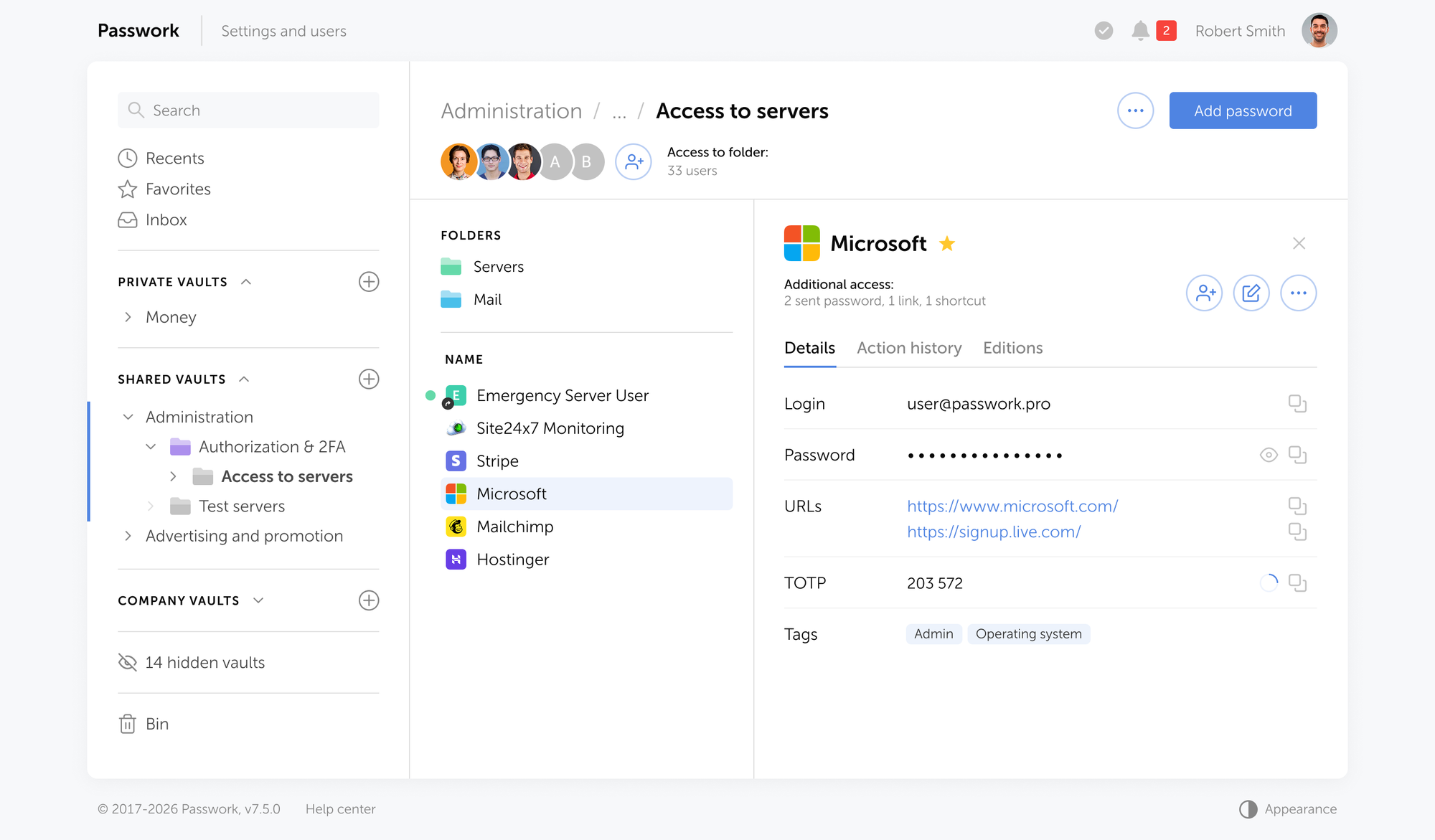
Passwork's vault policies (also called Vault Types): a configurable governance layer that lets administrators define, for each category of vault, who its permanent administrators are, what access level vault creators get, and who is allowed to create vaults of that type. Once set, these rules apply automatically to every vault created under that type.
Most enterprises can't say with certainty who has administrator rights over a given team's shared credential vault, because admin access gets granted informally, without a policy behind it. Enterprise password vault policies fix this by binding admin rights to the vault's policy itself, not to whoever happened to create it.
This guide explains how Passwork's Vault Types architecture gives CIOs and CISOs a working model for vault governance, beyond basic password rules.
Key takeaways
Vault policies bind admin rights to the vault type itself, not to whoever created it, closing the gap where nobody can say who actually controls a shared vault.
Passwork avoids a single master key that unlocks every vault at once; recovery runs through a separate, offline recovery account instead.
Compared to consumer tools that rely on a shared key or super-admin, Passwork avoids that single point of failure by design.
A named 5-policy checklist (limiting private vaults, assigning corporate admins, planning emergency access, syncing RBAC via AD/LDAP, and aligning password rules with NIST SP 800-63B Rev. 4) turns a deployment into working governance.
Non-removable admins and exportable audit logs give auditors direct evidence for NIS2 Article 21(2) and ISO 27001 controls 5.15/8.15, which factors into 39% of breaches per Verizon's 2026 DBIR.
What are vault policies and why CIOs need them
Vault policies are governance rules that determine who can create a vault, who is automatically granted administrator access to it, and who cannot be removed from that access. They shift the conversation from "password complexity requirements" to vault governance: structural control over corporate credential storage, not just the credentials themselves.
Three categories of tools claim to solve this:
Consumer password managers handle personal or small-team credential sharing well but were not built for departmental governance at scale.
Privileged access management (PAM) platforms secure infrastructure-level and service accounts but add cost and complexity that most credential-sharing use cases don't need.
Enterprise password managers with dedicated vault policy engines sit between the two, and that's the approach this article focuses on.
CIO action item: Audit your organization for "rogue vaults" — shared folders or team vaults created without IT's knowledge, often inside a consumer tool an individual department adopted independently.
The architecture behind vault policies: how Passwork structures access control
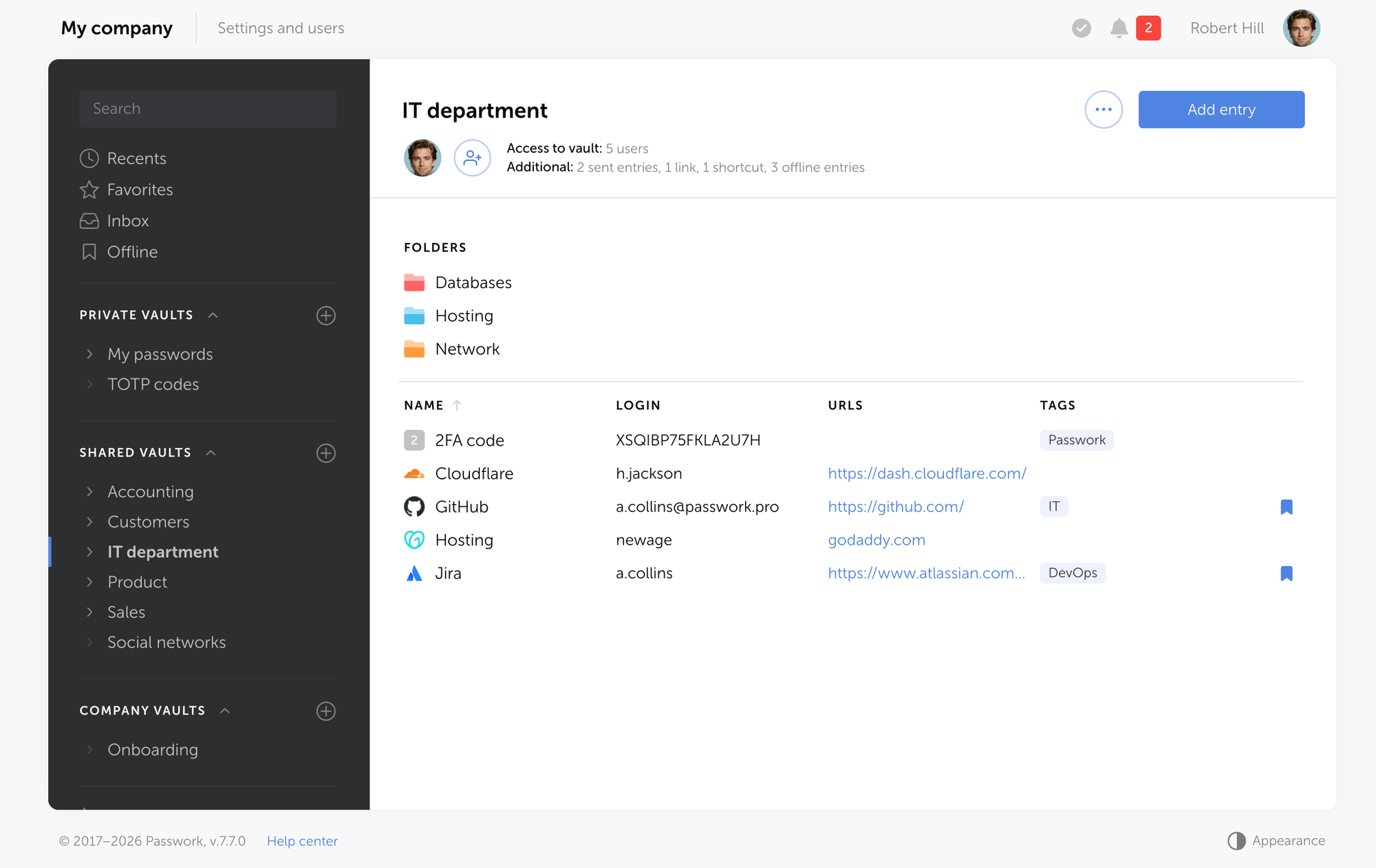
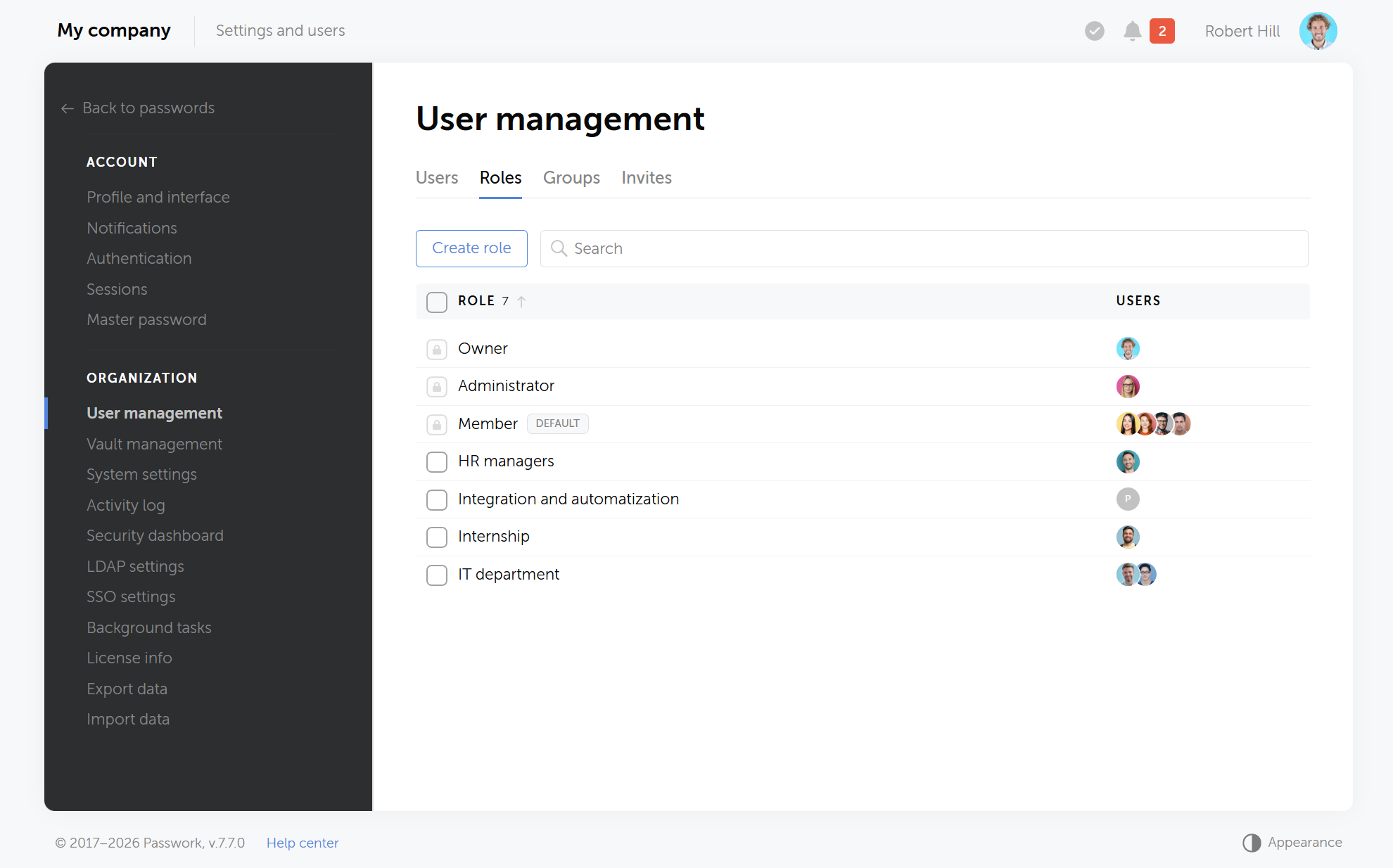
Passwork 7.1 introduced a vault types architecture where each vault policy defines its own administrators, creator permissions, and creation rules before a single vault exists. Every new vault built under that policy automatically inherits its designated administrators, and the vault's owner cannot remove them.
Configuring vault policies in Passwork's Vault Types settings
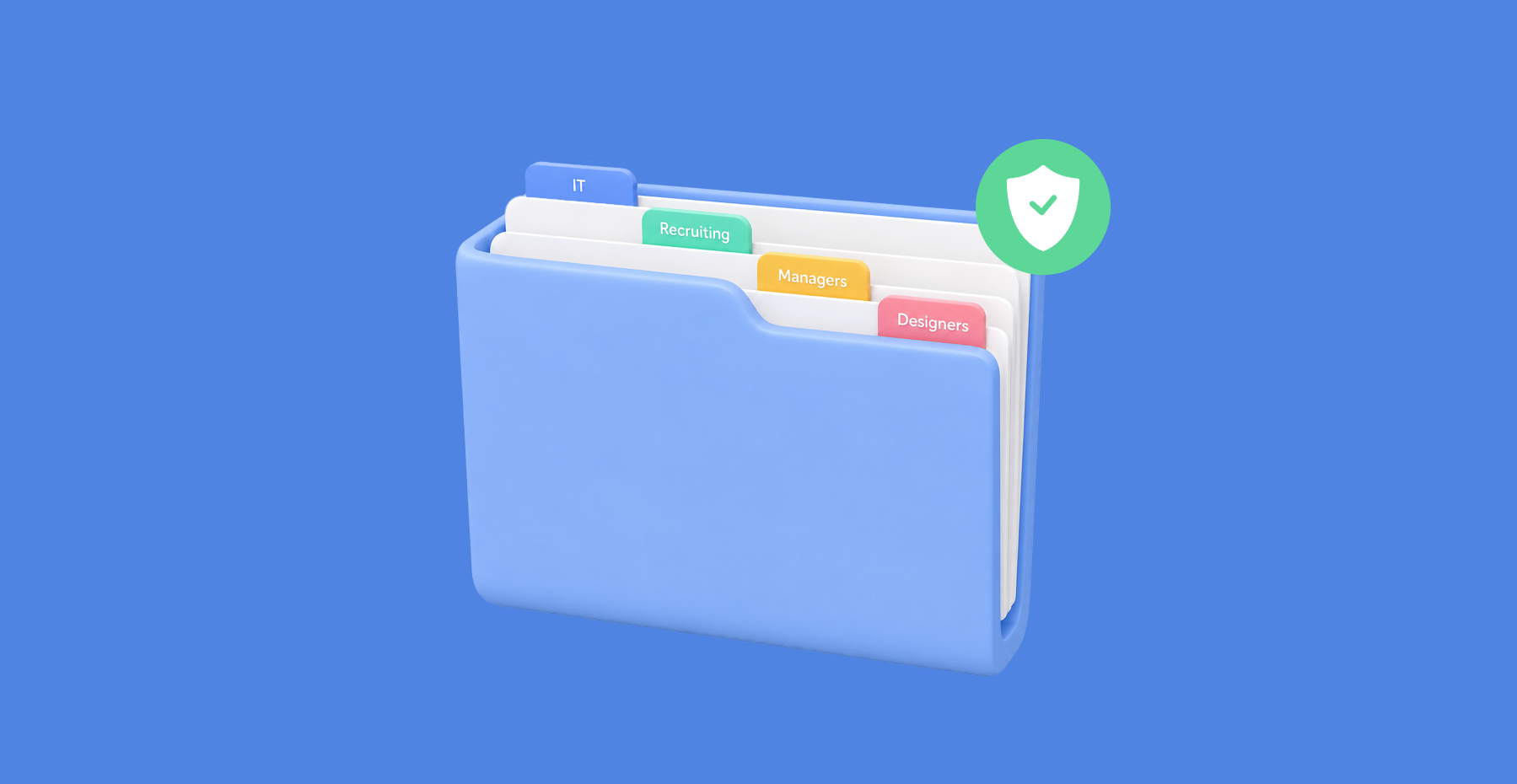
Two basic vault types ship by default: User vaults, private or shared credential stores controlled entirely by their creator, and Company vaults, which always include the organization's corporate administrators. Beyond these, administrators can create unlimited custom vault types, one per department, project, or access tier, each with its own designated administrators and creation rules.
This produces three concrete outcomes for the business:
Command over team vaults without a single super-administrator holding a master key to every password in the company.
A recovery path that works when someone leaves or loses access, through a pre-provisioned recovery account whose master password is stored offline.
No mandatory "one button" or master key that unlocks the entire organization's credentials at once.
Creating a new vault policy in Passwork: assigning corporate administrators and creation rules
Version 7.4 added restriction controls specifically for User vaults, letting administrators limit sharing and creation permissions on the personal-vault tier too, closing a gap that basic vault types alone didn't cover.
See how Vault Types let you assign non-removable corporate administrators per department without creating a single point of failure. Explore Passwork's Vault Types.
CIO action item: Map your organizational structure to vault types, one per department or project, and assign corporate administrators before teams start creating vaults on their own.
How Passwork compares to other approaches to vault access control
What matters for any credential management tool is whether the admin role is bound to a policy in advance, and whether recovering access requires a key that also opens everything else in the organization. In the table below, "No" in the single-key column is the answer you want: it means there's no built-in single point of failure.
Product
Corporate admins by vault policy
Access recovery
Single key opens everything
Passwork
Yes
Yes
No — by design
1Password
Partially
Partially
No — by design
LastPass
No
Partially
Yes — single point of failure
Bitwarden
No
Yes
Yes — single point of failure
Passbolt
No
Yes
Yes — single point of failure
CyberArk
Partially
Partially
Partially — depends on deployment
Consumer-oriented password managers often let team admins manage a shared vault, but rarely apply that policy automatically to every new vault a department creates.
Some tools rely on a single super admin who can reset any user's password and reach every shared folder in the company. Others tie all corporate vaults to one shared encryption key, so compromising that key exposes everything at once.
PAM platforms solve a different problem: they vault privileged infrastructure credentials, often behind their own master or breakglass key, rather than governing team-level password sharing.
CIO action item: Score your current credential tool against these three criteria: policy-bound admin assignment, a working recovery path, and the absence of a mandatory universal key.
The 5-policy vault governance checklist every CIO should implement
Five specific configuration decisions turn a password manager deployment into functioning vault governance. Each addresses a distinct failure mode observed in real incident response engagements, not a theoretical risk.
Disable private vault creation and sharing where it isn't required. Unrestricted private vaults are exactly how rogue vaults form outside IT's visibility. Restrict private vault creation to roles that genuinely need it.
Assign corporate administrators to every team and departmental vault policy. This guarantees continuous oversight without depending on any single individual remembering to add themselves.
Define an emergency access policy before you need one. Decide between a single organization-wide recovery contour or separate recovery accounts per department, and store master credentials for that recovery account offline.
Implement RBAC (role-based access control) through Active Directory or LDAP. Syncing groups and roles automatically applies the principle of least privilege and removes manual provisioning errors when staff change roles.
Align password length and rotation rules with current NIST guidance. NIST SP 800-63B Rev. 4 (2025) sets a 15-character minimum for passwords used as the sole authentication factor and formally retires the mandatory 90-day rotation requirement (NIST SP 800-63B, 2025) [verify exact publication URL before print]. Forced rotation without evidence of compromise pushes users toward predictable, incremented passwords, which is precisely the outcome the guidance now discourages.
CIO action item: Run a gap audit against all five policies this quarter, and assign an owner for each finding rather than treating the audit as a one-time report.
Meeting NIS2 and ISO 27001 requirements with vault governance
Vault policies map directly onto two requirements auditors check first: documented access control and a verifiable audit trail. NIS2 Directive (EU) 2022/2555, Article 21(2), requires access control policies and multi-factor authentication as part of an entity's cybersecurity risk-management measures. ISO/IEC 27001:2022 controls 5.15 and 8.15 require the same pairing: a defined access model plus a record of who exercised it and when.
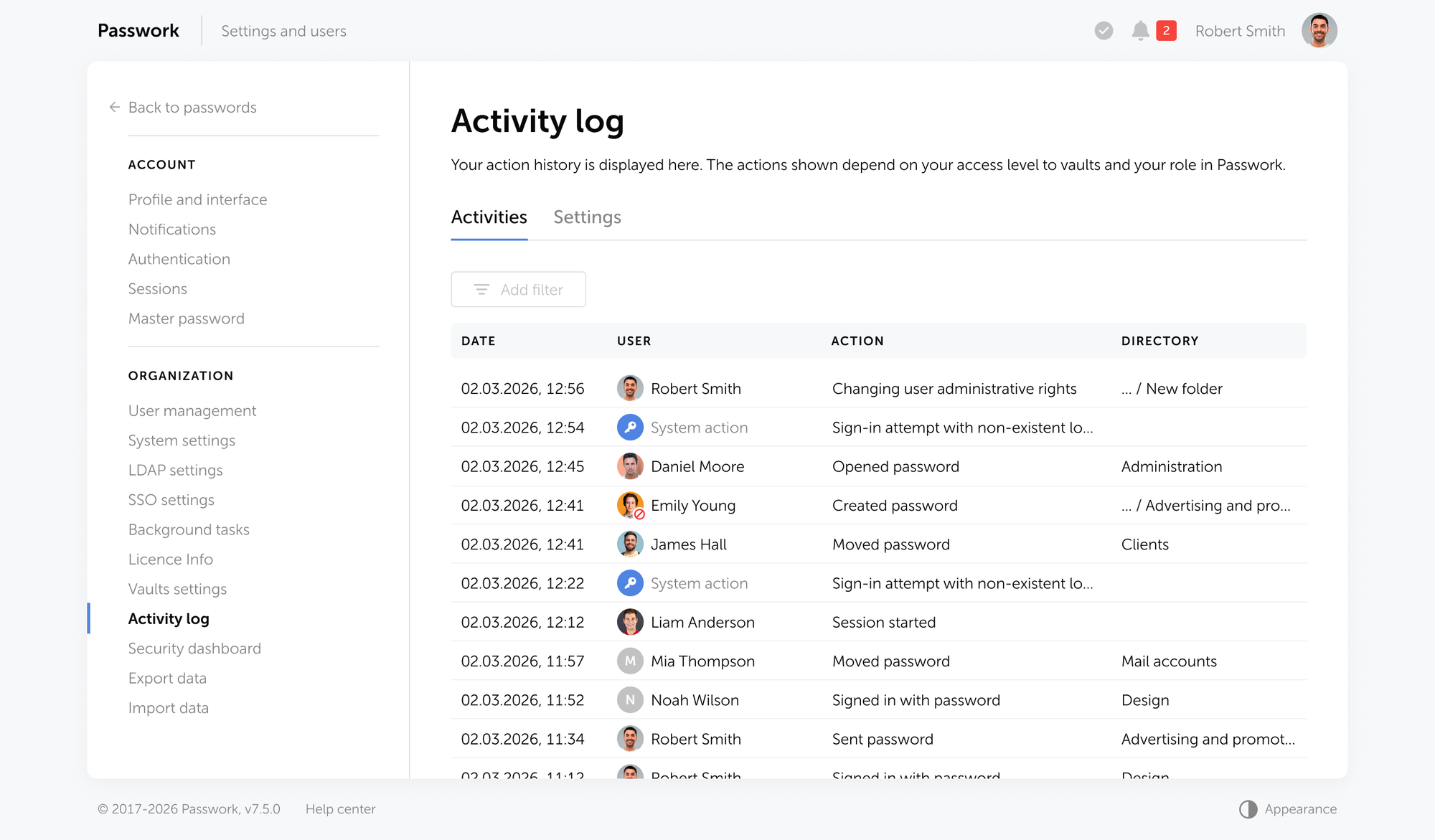
Corporate administrators bound to a vault policy cover the access-control side without a manual spreadsheet. Timestamped, exportable audit logs cover the rest.
Verizon's 2026 DBIR found credentials present at some stage of 39% of breaches, as the initial access vector in 13% of confirmed breaches, and the lead vector behind 52% of Basic Web Application Attacks. IBM's 2026 Cost of a Data Breach Report puts the global average breach cost at $4.99 million, a 12% increase over last year and a record high.
CIO action item: Ask your security team for a current NIS2 access-control coverage report this month, before an auditor asks for it first.
What this means for your rollout
Vault governance is a structural decision, made the way network segmentation is: designed around departments and risk tiers before an incident forces a redesign. The organizations that get this right treat it that way from the start. Under NIS2 and GDPR, that structure is now a requirement for enterprises in scope.
Start with the audit, not the tool. Map which vaults exist today, who actually controls them, and where the recovery path breaks if one person leaves.
Frequently asked questions
What is the difference between a password policy and a vault policy?
A password policy governs the credential itself (length, complexity, rotation). A vault policy governs the container: who can create it, who is automatically an administrator, and who cannot be removed. Enterprise governance needs both, but vault policies close the access-control gap password rules alone leave open.
Can a corporate administrator be removed from a Passwork vault?
No. Administrators assigned at the vault policy level are automatically added to every new vault under that policy and cannot be removed or demoted by the vault's owner, ensuring continuous oversight even if individual vault owners change (see Passwork 7.1: Vault types).
Does Passwork require a single master key that unlocks all company vaults?
No. Passwork supports either a unified recovery contour or separate recovery accounts and keys per department or vault policy. Organizations choose the structure; there's no mandatory single key that opens every vault at once.
How does vault governance help with NIS2 compliance?
NIS2 Article 21(2) requires documented access control policies and audit capability. Vault policies with non-removable corporate administrators and exportable audit logs give auditors direct evidence of who can access credentials and when access changed.
Is a 90-day password rotation policy still required under NIST guidance?
No. NIST SP 800-63B Rev. 4 (2025) removes the mandatory periodic rotation requirement for passwords, recommending rotation only after evidence of compromise, alongside a 15-character minimum for single-factor passwords.
Passwork's vault policies: a CIO's guide to enterprise security
Passwork's Vault Types bind admin rights to the vault policy itself, not to whoever created it, closing a gap most enterprises don't even know exists. This guide gives CIOs and CISOs a working model for vault governance, mapped to NIS2 and ISO 27001 requirements.
A complexidade da palavra-passe é uma regra de política que exige a combinação de tipos de carateres (maiúsculas, minúsculas, dígitos e símbolos), partindo do princípio de que maior variedade de carateres produz maior entropia e maior resistência a tentativas de adivinhação.
P@ssw0rd123! provavelmente cumpre todas as regras de complexidade aplicadas pela Group Policy. Mesmo assim, um equipamento com GPU moderna demora cerca de 2 segundos a descobri-la, porque o padrão em que assenta é um dos primeiros que qualquer dicionário de cracking testa.
É esta a falha essencial. As regras de complexidade foram concebidas para aumentar a entropia, mas os utilizadores acabaram por recorrer a substituições previsíveis, anotar as palavras-passe e reutilizar a mesma credencial numa dúzia de serviços. Em 2024, o NIST abandonou formalmente os requisitos obrigatórios de complexidade na SP 800-63B-4. Seguem-se as razões e o que a substitui.
Seis aspetos a corrigir antes de fechar este separador
Deixar de exigir combinações de carateres. A NIST SP 800-63B-4 elimina as regras de composição obrigatórias, porque levam os utilizadores a recorrer a fórmulas previsíveis, como Password1!, que as ferramentas de cracking testam primeiro.
Aumentar o comprimento mínimo e tornar as palavras-passe verdadeiramente aleatórias. O mínimo é de 8 carateres com a MFA ativada e de 15 sem MFA; o objetivo realista para a maioria das políticas empresariais é de 12 ou mais. Convém gerar as palavras-passe com uma ferramenta, uma vez que uma palavra-passe longa criada por uma pessoa continua a ser previsível.
Eliminar o calendário de rotação forçada. Alterar uma palavra-passe apenas quando existirem indícios de comprometimento, e não a cada 60 ou 90 dias, um ciclo que só gera variações do tipo Summer2026!.
Adicionar a verificação de violações de dados na criação. Bloqueia precisamente as palavras-passe que os atacantes já estão a testar, algo que nenhuma regra de composição alguma vez fez.
Adicionar MFA e migrar para passkeys sempre que possível. A MFA impede que uma palavra-passe exposta seja suficiente por si só. As passkeys vão mais longe e eliminam por completo o segredo partilhado, pelo que já não há nada que um atacante possa obter por phishing ou roubar.
Delegar a aplicação das regras a um gestor de palavras-passe. A Group Policy não consegue verificar se uma palavra-passe foi exposta nem registar quem acedeu a uma credencial partilhada. Um gestor de palavras-passe foi concebido precisamente para cobrir essa camada.
O que são as regras de complexidade de palavras-passe
As regras de complexidade de palavras-passe são requisitos de política que obrigam a combinar tipos de carateres, normalmente pelo menos uma letra maiúscula, uma letra minúscula, um dígito e um símbolo, partindo do princípio de que maior variedade de carateres produz maior entropia e maior resistência a ataques de adivinhação.
Estas regras tornaram-se norma nas TI empresariais durante as décadas de 2000 e 2010, normalmente associadas a um comprimento mínimo de 8 carateres e a uma rotação obrigatória a cada 60 a 90 dias. A política de palavras-passe predefinida do Active Directory continua a ser fornecida com os requisitos de composição ativados, e a maioria das listas de verificação de conformidade dessa época partia do princípio de que a complexidade e a rotação eram a base da segurança das contas.
O pressuposto subjacente à regra era válido em teoria: um conjunto de carateres maior por posição significa mais combinações possíveis, o que implica uma pesquisa por força bruta mais longa. Na prática, a regra interage com o comportamento humano de uma forma que compromete o seu próprio objetivo, assunto da secção seguinte.
O que o NIST alterou e porque é que isso importa
A NIST SP 800-63B-4 elimina as regras obrigatórias de composição de carateres e as reposições periódicas de palavras-passe, citando provas de que ambas as práticas degradam a segurança no mundo real em vez de a melhorar. A atualização substitui a complexidade prescritiva por requisitos baseados no comprimento e pela verificação de violações de dados.
A fundamentação consta do Anexo A da publicação: as regras de composição levam os utilizadores a criar palavras-passe previsíveis e formulaicas, ao passo que a rotação forçada leva as pessoas a fazer alterações triviais (Summer2025! passa a Summer2026!) ou a reutilizar palavras-passe antigas com um dígito acrescentado. Nenhum destes comportamentos aumenta a resistência à adivinhação ou ao cracking.
«A investigação demonstrou que os utilizadores reagem de forma muito previsível aos requisitos impostos pelas regras de composição (políticas). Por exemplo, um utilizador que poderia ter escolhido ‹password› como palavra-passe teria uma probabilidade relativamente elevada de escolher ‹Password1› se fosse obrigado a incluir uma letra maiúscula e um número, ou ‹Password1!› se também fosse exigido um símbolo.» — NIST SP 800-63B-4
Na prática, a mudança é esta:
Composição de carateres:
Antes: exigir maiúsculas, minúsculas, dígito e caráter especial.
Agora: sem regras de composição. Aceitar qualquer caráter imprimível, incluindo espaços.
Rotação:
Antes: fazer expirar as palavras-passe a cada 60 a 90 dias.
Agora: sem rotação forçada. Alterar apenas perante indícios de comprometimento.
Comprimento mínimo:
Antes: 8 carateres eram frequentemente considerados suficientes por si só.
Agora: 8 carateres são o mínimo absoluto para palavras-passe utilizadas em autenticação multifator. Se a palavra-passe for a única proteção, os sistemas devem exigir um mínimo de 15 carateres. Recomendam-se 12 ou mais carateres como mínimo prático em ambiente empresarial.
Pistas de palavra-passe:
Antes: eram permitidas pistas baseadas em conhecimento.
Agora: sem pistas, pois revelam informação que um atacante pode utilizar diretamente.
Verificação de violações de dados:
Antes: em grande parte ausente da política.
Agora: verificar cada palavra-passe face a conjuntos conhecidos de violações de dados na criação e em cada alteração.
Se o GPO do Active Directory continuar a impor a lista de verificação da década de 2010, está agora a trabalhar contra as orientações que foi concebido para cumprir.
A falha comportamental das regras de complexidade
As regras de complexidade falham porque forçam um comportamento previsível. Perante um requisito de composição, os utilizadores convergem para o mesmo punhado de padrões de substituição: @ em vez de a, 1 em vez de i ou l, uma maiúscula no início, um dígito ou símbolo no fim. As ferramentas de cracking testam estes padrões em primeiro lugar, o que é exatamente o oposto do que a política pretendia.
É o resultado habitual de pedir a seres humanos que gerem entropia a pedido. Sob carga cognitiva, as pessoas optam pelo caminho de menor resistência: uma palavra fácil de memorizar, uma transformação previsível, um padrão que já utilizaram. Password1! and Summer2026! são o resultado de uma política de complexidade aplicada a pessoas reais.
A entropia da palavra-passe mede o grau de imprevisibilidade de uma palavra-passe, em bits. Cada bit adicional duplica o número de tentativas de que um atacante necessita para um ataque de força bruta. Depende do tamanho do conjunto de carateres e do comprimento, mas o comprimento pesa mais; pressupõe ainda uma escolha totalmente aleatória, o que as palavras-passe escolhidas por pessoas raramente alcançam.
As consequências agravam-se. Quando um utilizador adota uma fórmula que satisfaz a política, aplica a mesma fórmula em todo o lado: a mesma palavra de base, as mesmas substituições, ligeiramente ajustadas em cada site. É reutilização de palavras-passe com passos adicionais, e é precisamente por isso que o credential stuffing (utilização em massa de credenciais roubadas) funciona em grande escala. O 2025 Data Breach Investigations Report da Verizon concluiu que as credenciais roubadas ou reutilizadas continuam a ser o principal vetor de acesso inicial nas violações de dados e que estão envolvidas na grande maioria dos incidentes em aplicações web.
A fadiga das palavras-passe agrava o problema. Os colaboradores que têm de gerir requisitos de política em dezenas de sistemas não ficam mais cuidadosos a cada nova regra. Ficam cansados, e os utilizadores cansados escrevem as palavras-passe em notas autocolantes ou guardam-nas numa folha de cálculo que ninguém cifra.
Comprimento e aleatoriedade superam a complexidade: A matemática
Uma palavra-passe de 8 carateres, escolhida de forma verdadeiramente aleatória num conjunto de 95 carateres, tem aproximadamente 52 bits de entropia. Uma palavra-passe «complexa» escolhida por uma pessoa raramente se aproxima desse valor. Os estudos sobre palavras-passe criadas por utilizadores sob regras de composição situam a entropia real mais perto de 20-30 bits, porque as escolhas de carateres não são aleatórias. Seguem os padrões de substituição descritos acima.
Tipo de palavra-passe
Entropia máxima
Entropia real
Motivo
8 carateres, complexa, escolhida por uma pessoa
~52 bits
~20-30 bits
Substituições previsíveis (@, 1, primeira letra maiúscula)
8 carateres, complexa, verdadeiramente aleatória
~52 bits
~52 bits
Sem enviesamento humano na escolha dos carateres
Frase-passe de 4 palavras (Diceware)
~52 bits
~44-52 bits
A aleatoriedade vem da escolha das palavras, não de padrões inventados de memória
A diferença entre as duas primeiras linhas resume todo o problema das regras de complexidade: o limite teórico e o resultado no mundo real são dois valores distintos, e a política só controla o limite.
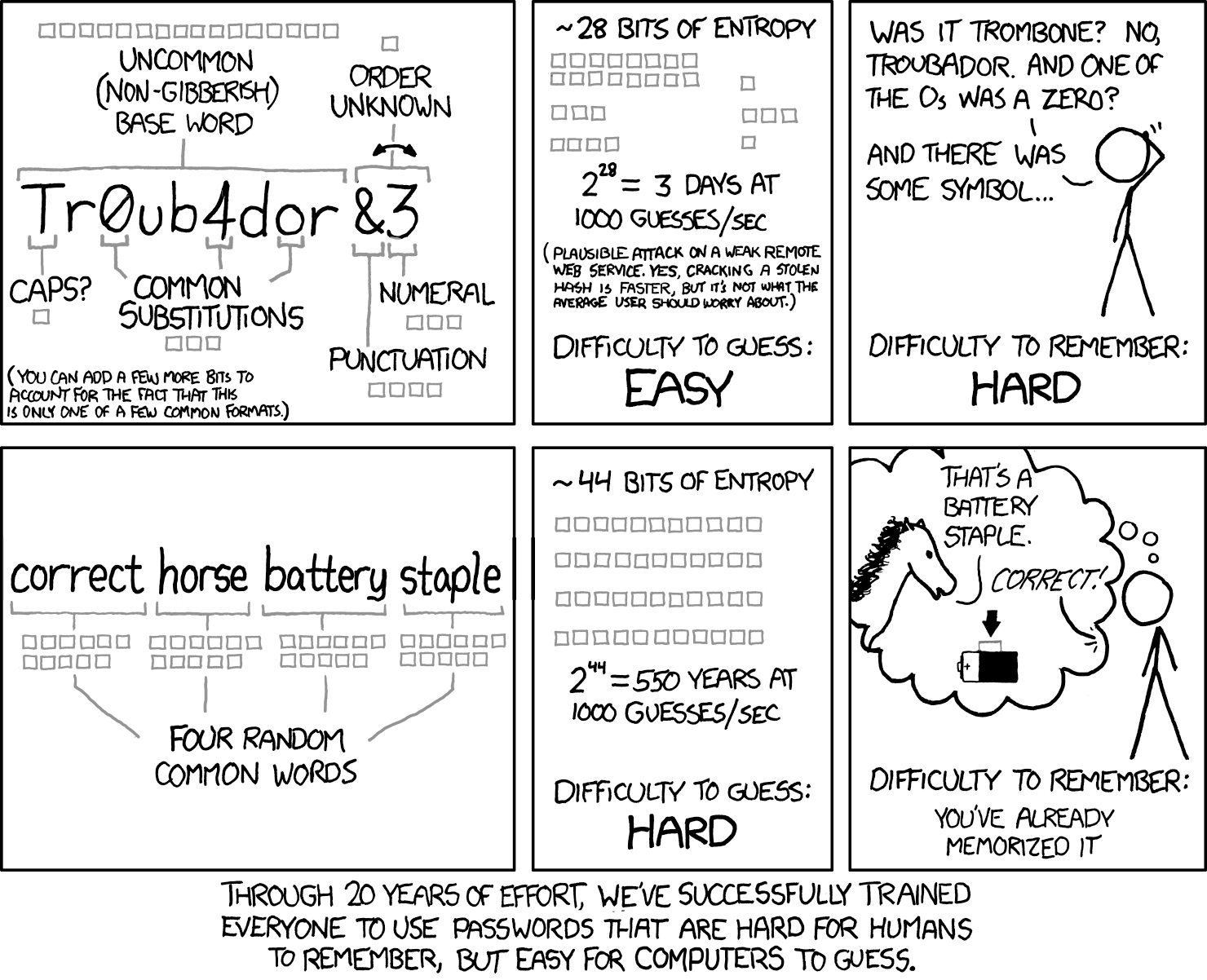
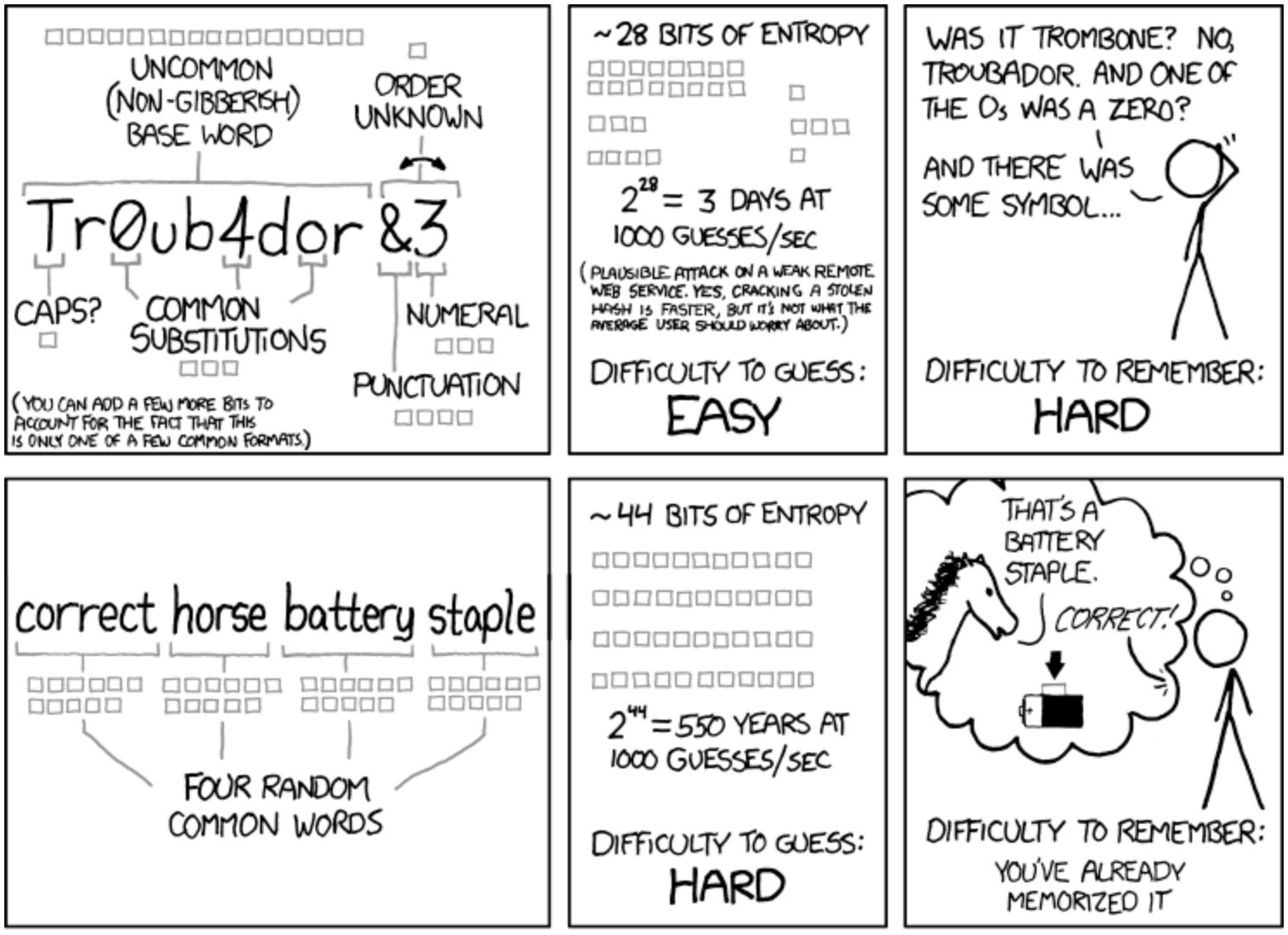
Uma frase-passe elimina essa diferença. Quatro palavras escolhidas ao acaso de uma lista de 7776 palavras (o tamanho padrão da lista de palavras EFF/Diceware) produzem cerca de 52 bits de entropia, o que iguala o máximo teórico dessa palavra-passe complexa de 8 carateres e é muito mais fácil de memorizar. correct horse battery staple é o exemplo clássico e mantém-se válido porque a aleatoriedade resulta da seleção das palavras e não de uma substituição de carateres que uma pessoa tenha de inventar no momento.
Na prática: uma palavra-passe de 12 carateres, toda em minúsculas e escolhida ao acaso entre 26 carateres, tem mais entropia real do que uma palavra-passe «complexa» de 8 carateres escolhida por uma pessoa, porque as pessoas são previsíveis e a matemática não é.
O comprimento faz a entropia crescer exponencialmente a cada caráter adicional. As regras de composição acrescentam um espaço de pesquisa pequeno e fácil de adivinhar a uma cadeia curta. Face às taxas de hash das GPU modernas, essa diferença determina se um ataque de força bruta demora horas ou séculos.
Como abandonar as regras de complexidade
Abandonar as regras de complexidade herdadas não exige um projeto de vários trimestres. A maior parte do trabalho é de política e configuração, e não de nova infraestrutura, e corresponde de perto ao que a NIST SP 800-63B-4 e o OWASP Authentication Cheat Sheet recomendam: atualizar o documento de política de palavras-passe, ajustar as definições do fornecedor de identidade e conceder aos utilizadores um período de tolerância para atualizarem as palavras-passe existentes no início de sessão seguinte.
Lista de verificação de 5 passos para migrar das regras de complexidade:
Atualizar primeiro a política escrita. Substituir os requisitos de composição de carateres por um comprimento mínimo de 15 carateres, com palavras-passe geradas ao acaso em vez de compostas manualmente. Eliminar as regras obrigatórias de dígito, símbolo e maiúscula, bem como as reposições forçadas periódicas, pois ambas acrescentam fricção sem um ganho de segurança correspondente depois de imposto o comprimento mínimo.
Reconfigurar o fornecedor de identidade. A maioria dos sistemas AD/LDAP e SSO permite desativar a imposição de complexidade e definir um comprimento mínimo de forma independente. Testar a alteração num grupo-piloto antes de a implementar em toda a organização.
Adicionar a verificação de violações de dados. Verificar as novas palavras-passe, no momento da criação, face a listas de palavras-passe já expostas em violações. Isto faz mais para travar o credential stuffing do que impor um dígito e um símbolo, porque bloqueia precisamente as palavras-passe que os atacantes já estão a testar, e não apenas padrões fracos.
Implementar MFA resistente a phishing. Uma palavra-passe longa e nunca exposta continua a ser um ponto único de falha se for obtida por phishing. Dar prioridade a chaves de segurança FIDO2/WebAuthn ou a passkeys no acesso à produção. O TOTP serve como alternativa, mas o objetivo devem ser as chaves de segurança e as passkeys.
Conceder um período de tolerância, não uma reposição forçada. Se todos forem obrigados a alterar as palavras-passe no mesmo dia, surge uma enxurrada de padrões do tipo Winter2026!. Em alternativa, deixar que as palavras-passe rodem naturalmente no início de sessão seguinte ou na expiração.
As equipas que fazem esta mudança tendem a obter um benefício secundário que ninguém inclui no documento de política: o volume de tickets de helpdesk relativos a reposições de palavras-passe diminui, porque não existe um ciclo de rotação forçada a gerar todos os trimestres tickets do tipo «Esqueci-me da minha nova palavra-passe».
Para contas de serviço e segredos que não podem depender de forma alguma da memória humana, a lógica é diferente: segredos gerados com 32 ou mais carateres, guardados num gestor de palavras-passe, e não algo que alguém escreva de memória.
O Passwork gera e guarda palavras-passe e segredos de alta entropia e permite o início de sessão sem palavra-passe com biometria, passkeys e chaves de segurança WebAuthn, pelo que a equipa nunca precisa de inventar de memória uma palavra-passe «complexa». Experimentar o Passwork gratuitamente
Porque é que a MFA e as passkeys são o verdadeiro objetivo final
Mesmo uma política de palavras-passe bem concebida é uma medida transitória. A segurança caminha para a autenticação sem palavra-passe baseada em FIDO2 e WebAuthn, onde não existe, à partida, qualquer segredo partilhado para roubar.
As passkeys são resistentes a phishing por conceção: a chave privada nunca sai do dispositivo e a parte confiante (relying party) armazena apenas uma chave pública, sem qualquer valor para um atacante que não possua o hardware correspondente. A Apple, a Google e a Microsoft são compatíveis com passkeys de forma nativa nas respetivas plataformas, segundo a especificação W3C WebAuthn, e a adoção por parte dos consumidores avançou mais depressa do que a maioria previa.
A adoção nas empresas segue um calendário mais lento. Três fatores mantêm a maioria das organizações a anos de distância de abandonar totalmente as palavras-passe:
Aplicações legadas que se autenticam em diretórios locais (on-premises) ou são anteriores à compatibilidade com WebAuthn e não podem ser reescritas de um dia para o outro
Configurações de identidade federada em que as integrações de SSO, SAML e LDAP têm de acomodar as passkeys a par dos protocolos existentes, e não substituí-los de imediato
Logística de implementação à escala de toda a força de trabalho: registo de dispositivos, recuperação de contas quando uma chave de hardware é perdida e capacidade do helpdesk para acompanhar a transição
Nesse intervalo, a política de palavras-passe descrita acima (comprimento, verificação de violações de dados, MFA), aplicada através de ferramentas e não de um PDF, é o que mantém uma organização segura enquanto a transição decorre.
O que um gestor de palavras-passe aplica e a Group Policy não consegue
Um Group Policy Object (GPO) define regras de composição de palavras-passe, mas não tem forma de verificar se uma palavra-passe já foi exposta, nem mecanismo para rastrear quem acedeu posteriormente a uma credencial partilhada. Um gestor de palavras-passe colmata essa lacuna: verifica as credenciais face a bases de dados de violações, impõe o comprimento em toda a organização e regista cada evento de acesso. É a camada de aplicação que falta estruturalmente ao GPO.
O Passwork, um gestor de palavras-passe empresarial autoalojado, aplica isto ao nível do cofre: impõe o comprimento mínimo em toda a organização sem reintroduzir regras de combinação de carateres e organiza as credenciais das equipas em cofres partilhados com controlo de acesso baseado em funções, que atribui permissões por grupo e não por conta individual.
O gerador integrado do Passwork produz palavras-passe criptograficamente aleatórias e de alta entropia, do tipo que uma pessoa não consegue inventar de forma fiável à mão, e guarda-as diretamente no cofre. O preenchimento automático trata depois do início de sessão, pelo que ninguém tem de memorizar nem voltar a escrever o que o gerador criou. Isto elimina o último ponto em que uma pessoa ainda poderia enfraquecer a palavra-passe: o momento em que tenta tornar memorizável uma cadeia longa e aleatória e, sem dar por isso, a torna previsível.
Ao contrário das ferramentas que tratam apenas de inícios de sessão de pessoas, o Passwork combina a gestão de palavras-passe e a gestão de segredos num único cofre: chaves de API, tokens de acesso, credenciais de bases de dados e certificados TLS coexistem com as palavras-passe dos utilizadores sob os mesmos controlos de acesso e o mesmo registo de auditoria.
Fazer a transição
As regras de complexidade são um vestígio de uma época em que os atacantes dependiam de tentativas de adivinhação por força bruta e não de ferramentas automatizadas. Quando os ataques de credential stuffing conseguem testar milhares de variantes de palavras-passe por segundo, deixa de fazer sentido pedir aos utilizadores que inventem entropia manualmente. O comprimento e a MFA fazem o trabalho que as regras de composição deveriam fazer, sem depender da memória de ninguém.
A atualização do NIST é o reconhecimento formal de algo que os profissionais de segurança observam há mais de uma década: as pessoas são o elo mais fraco de qualquer política que lhes peça que gerem aleatoriedade a pedido.
Comece pela auditoria. Extraia as definições atuais de palavras-passe do GPO, verifique se ainda impõem composição e rotação e compare-as com a SP 800-63B-4.
Se a Group Policy continuar a impor regras de composição de carateres herdadas de 2010, a solução é mais simples do que parece. Comece pelo comprimento, adicione a verificação de violações de dados e deixe que um gestor de palavras-passe trate da aplicação das regras. Ver como o Passwork gere a governação de palavras-passe empresariais
Perguntas frequentes
O NIST aplica-se à minha organização se esta não for uma agência federal dos EUA?
A NIST SP 800-63 é a norma global de facto para a política de palavras-passe, mesmo fora dos requisitos federais. O Authentication Cheat Sheet da OWASP baseia-se diretamente nela, e organismos nacionais, incluindo o BSI da Alemanha e a ANSSI de França, estão a alinhar progressivamente as suas próprias recomendações pelos mesmos princípios.
Qual é o comprimento mínimo de palavra-passe que o NIST recomenda atualmente?
A NIST SP 800-63B-4 estabelece 8 carateres como o mínimo absoluto para palavras-passe utilizadas em conjunto com autenticação multifator. Se a palavra-passe for o único controlo de segurança (sem MFA), os sistemas devem exigir um mínimo de 15 carateres. Na prática, a maioria das equipas empresariais deve considerar 12 ou mais carateres como o limiar mínimo realista, uma vez que 8 carateres, por si só, oferecem pouca margem face ao hardware de cracking atual, mesmo com a MFA ativada.
Devo continuar a impor alterações periódicas de palavras-passe?
Não. A NIST SP 800-63B-4 elimina explicitamente a rotação obrigatória. Altere uma palavra-passe apenas quando existirem indícios de comprometimento, como uma correspondência numa base de dados de violações ou um início de sessão suspeito, ou quando o próprio utilizador o solicitar.
As passkeys substituem totalmente as palavras-passe?
Ainda não, e não tão cedo na maioria dos ambientes. As passkeys são a direção a longo prazo, mas a adoção é gradual devido aos sistemas legados e à complexidade da implementação. Os gestores de palavras-passe colmatam essa lacuna ao tratar, hoje, da higiene das palavras-passe, da verificação de violações de dados e do controlo de acessos.
Como verificar se uma palavra-passe foi comprometida numa violação de dados sem a expor?
Utilize a API de k-anonymity do Have I Been Pwned. A palavra-passe é submetida a hash no lado do cliente com SHA-1 e apenas os primeiros cinco carateres do hash são transmitidos ao serviço. A palavra-passe completa e o hash completo nunca circulam na rede.
Regras de complexidade de palavras-passe: porque estão obsoletas e o que usar
O NIST abandonou as regras obrigatórias de complexidade de palavras-passe. Eis porque os requisitos de composição falharam, o que recomenda a SP 800-63B-4 e uma lista de verificação de 5 passos para migrar a Group Policy da lista de verificação da década de 2010.
Passwortkomplexität ist eine Richtlinienregel, die verlangt, dass ein Passwort verschiedene Zeichentypen (Großbuchstaben, Kleinbuchstaben, Ziffern und Symbole) kombiniert — in der Annahme, dass mehr Zeichenvielfalt höhere Entropie und stärkeren Schutz gegen das Erraten von Passwörtern erzeugt.
P@ssw0rd123! erfüllt wahrscheinlich jede Komplexitätsregel, die Ihre Gruppenrichtlinie vorschreibt. Trotzdem benötigt ein modernes GPU-System nur etwa 2 Sekunden, um es zu knacken, da das dahinterliegende Muster zu den ersten gehört, die jedes Cracking-Wörterbuch ausprobiert.
Das ist das Kernproblem. Komplexitätsregeln wurden entwickelt, um die Entropie zu erhöhen, aber Benutzer sind stattdessen auf vorhersehbare Ersetzungen ausgewichen, haben Passwörter aufgeschrieben und dieselben Anmeldedaten über ein Dutzend Dienste hinweg wiederverwendet. Im Jahr 2024 hat NIST die Komplexitätsvorgaben in SP 800-63B-4 offiziell aufgegeben. Hier erfahren Sie, warum — und was sie ersetzt.
Sechs Dinge, die Sie beheben sollten, bevor Sie diesen Tab schließen
Verzichten Sie auf vorgeschriebene Zeichenkombinationen. NIST SP 800-63B-4 streicht die verbindlichen Zusammensetzungsregeln — sie treiben Benutzer zu vorhersehbaren Formeln wie Password1!, die Cracking-Tools zuerst testen.
Erhöhen Sie die Mindestlänge und machen Sie Passwörter wirklich zufällig. 8 Zeichen sind das Minimum bei aktivierter MFA, 15 sind das Minimum ohne MFA, und 12+ ist das realistische Ziel für die meisten Unternehmensrichtlinien. Generieren Sie Passwörter mit einem Tool, da ein langes Passwort, das ein Mensch sich ausdenkt, immer noch vorhersehbar ist.
Streichen Sie den erzwungenen Rotationszyklus. Ändern Sie ein Passwort nur, wenn es Hinweise auf eine Kompromittierung gibt — nicht nach einem 60- oder 90-Tage-Timer, der nur Summer2026!-ähnliche Anpassungen erzeugt.
Fügen Sie eine Breach-Prüfung bei der Erstellung hinzu. Diese blockiert genau die Passwörter, die Angreifer bereits ausprobieren — etwas, das keine Zusammensetzungsregel jemals geleistet hat.
Fügen Sie MFA hinzu und wechseln Sie zu Passkeys, wo immer möglich. MFA verhindert, dass ein geleaktes Passwort allein ausreicht. Passkeys gehen noch weiter und eliminieren das geteilte Geheimnis vollständig, sodass für einen Angreifer nichts mehr übrig bleibt, das er phishen oder stehlen könnte.
Übertragen Sie die Durchsetzung einem Passwort-Manager. Gruppenrichtlinien können weder den Breach-Status prüfen noch protokollieren, wer auf ein geteiltes Passwort zugegriffen hat. Ein Passwort-Manager ist genau für diese Aufgabe konzipiert.
Was sind Passwortkomplexitätsregeln
Passwortkomplexitätsregeln sind Richtlinienanforderungen, die ein Passwort dazu zwingen, verschiedene Zeichentypen zu kombinieren — typischerweise mindestens einen Großbuchstaben, einen Kleinbuchstaben, eine Ziffer und ein Symbol — in der Annahme, dass mehr Zeichenvielfalt höhere Entropie und stärkeren Schutz gegen Rateangriffe erzeugt.
Diese Regeln wurden in den 2000er und 2010er Jahren zum Standard in der Unternehmens-IT, meist in Kombination mit einer Mindestlänge von 8 Zeichen und einer obligatorischen Rotation alle 60 bis 90 Tage. Die Standard-Passwortrichtlinie von Active Directory wird immer noch mit aktivierten Zusammensetzungsanforderungen ausgeliefert, und die meisten Compliance-Checklisten aus dieser Ära gingen davon aus, dass Komplexität und Rotation die Basis für Kontosicherheit bilden.
Die Annahme hinter der Regel war theoretisch fundiert: Ein größerer Zeichensatz pro Position bedeutet mehr mögliche Kombinationen, was eine längere Brute-Force-Suche bedeutet. In der Praxis interagiert die Regel mit dem menschlichen Verhalten auf eine Weise, die ihr eigenes Ziel untergräbt — das Thema des nächsten Abschnitts.
Was NIST geändert hat — und warum es wichtig ist
NIST SP 800-63B-4 streicht die obligatorischen Zeichenzusammensetzungsregeln und periodischen Passwort-Resets und begründet dies damit, dass beide Praktiken die reale Sicherheit eher verschlechtern als verbessern. Das Update ersetzt vorschreibende Komplexität durch längenbasierte Anforderungen und Breach-Screening.
Die Begründung findet sich in Anhang A der Publikation: Zusammensetzungsregeln treiben Benutzer zu vorhersehbaren, formelhaften Passwörtern, während erzwungene Rotation dazu führt, dass Personen triviale Änderungen vornehmen (Summer2025! wird zu Summer2026!) oder alte Passwörter mit einer angehängten Ziffer wiederverwenden. Keines dieser Verhaltensweisen erhöht den Schutz gegen Erraten oder Knacken.
„Forschungen haben gezeigt, dass Benutzer auf sehr vorhersehbare Weise auf die Anforderungen reagieren, die durch Zusammensetzungsregeln (Richtlinien) auferlegt werden. Beispielsweise würde ein Benutzer, der vielleicht „password" als Passwort gewählt hätte, relativ wahrscheinlich „Password1" wählen, wenn ein Großbuchstabe und eine Zahl erforderlich sind, oder „Password1!", wenn zusätzlich ein Symbol verlangt wird." — NIST SP 800-63B-4
Hier die Änderung in der Praxis:
Zeichenzusammensetzung:
Alt — Großbuchstaben, Kleinbuchstaben, Ziffer und Sonderzeichen vorschreiben.
Neu — keine Zusammensetzungsregeln. Alle druckbaren Zeichen akzeptieren, einschließlich Leerzeichen.
Rotation:
Alt — Passwörter alle 60-90 Tage ablaufen lassen.
Neu — keine erzwungene Rotation. Änderung nur bei Hinweisen auf Kompromittierung.
Mindestlänge:
Alt — 8 Zeichen wurden oft als allein ausreichend behandelt.
Neu — 8 Zeichen sind das absolute Minimum für Passwörter, die mit Multi-Faktor-Authentifizierung verwendet werden. Wenn ein Passwort die einzige Sicherheitsmaßnahme ist, müssen Systeme mindestens 15 Zeichen verlangen. 12+ Zeichen werden als praktischer Unternehmensstandard empfohlen.
Passworthinweise:
Alt — wissensbasierte Hinweise waren erlaubt.
Neu — keine Hinweise, da sie Informationen preisgeben, die ein Angreifer direkt nutzen kann.
Breach-Prüfung:
Alt — in Richtlinien weitgehend fehlend.
Neu — jedes Passwort bei der Erstellung und bei jeder Änderung gegen bekannte Breach-Datenbanken prüfen.
Wenn Ihr Active Directory GPO noch die Checkliste aus den 2010er Jahren durchsetzt, arbeitet es jetzt gegen die Richtlinien, für deren Erfüllung es entwickelt wurde.
Das Verhaltensversagen von Komplexitätsregeln
Komplexitätsregeln scheitern, weil sie vorhersehbares Verhalten erzwingen. Unter einer Zusammensetzungsanforderung konvergieren Benutzer auf dieselben wenigen Ersetzungsmuster: @ für a, 1 für i oder l, ein Großbuchstabe am Anfang, eine Ziffer oder ein Symbol am Ende. Cracking-Tools testen diese Muster zuerst — genau das Gegenteil dessen, was die Richtlinie beabsichtigte.
Es ist das Standardergebnis, wenn Menschen aufgefordert werden, spontan Entropie zu erzeugen. Personen unter kognitiver Belastung greifen zum Weg des geringsten Widerstands: ein einprägsames Wort, eine vorhersehbare Transformation, ein Muster, das sie schon einmal verwendet haben. Password1! und Summer2026! sind das Ergebnis von Komplexitätsrichtlinien, die auf echte Menschen angewendet werden.
Passwortentropie misst, wie unvorhersehbar ein Passwort ist, in Bits. Jedes zusätzliche Bit verdoppelt die Versuche, die ein Angreifer für einen Brute-Force-Angriff benötigt. Sie hängt von der Zeichensatzgröße und der Länge ab, wobei die Länge mehr Gewicht hat — und sie setzt eine vollständig zufällige Auswahl voraus, die von Menschen gewählte Passwörter selten erreichen.
Die Konsequenz verstärkt sich. Sobald ein Benutzer eine Formel gefunden hat, die die Richtlinie erfüllt, wendet er dieselbe Formel überall an: dasselbe Basiswort, dieselben Ersetzungen, leicht pro Website angepasst. Das ist Passwortwiederverwendung mit zusätzlichen Schritten, und genau deshalb funktioniert Credential Stuffing im großen Maßstab. Der 2025 Data Breach Investigations Report von Verizon stellte fest, dass gestohlene oder wiederverwendete Anmeldedaten der häufigste Initialzugriffsvektor bei Sicherheitsverletzungen bleiben und bei der großen Mehrheit der Webanwendungsvorfälle beteiligt sind.
Passwortmüdigkeit verschärft das Problem. Mitarbeiter, die Richtlinienanforderungen über Dutzende von Systemen hinweg jonglieren, werden mit jeder neuen Regel nicht vorsichtiger. Sie werden müde, und müde Benutzer schreiben Passwörter auf Haftnotizen oder speichern sie in einer Tabelle, die niemand verschlüsselt.
Länge und Zufälligkeit schlagen Komplexität — die Mathematik
Ein 8-Zeichen-Passwort, das wirklich zufällig aus einem 95-Zeichen-Satz gezogen wird, hat etwa 52 Bits Entropie. Ein von Menschen gewähltes „komplexes" Passwort kommt selten auch nur annähernd daran heran. Studien zu benutzergenerierten Passwörtern unter Zusammensetzungsregeln beziffern die reale Entropie auf etwa 20-30 Bits, weil die Zeichenauswahl nicht zufällig ist. Sie folgt den oben beschriebenen Ersetzungsmustern.
Passworttyp
Max. Entropie
Tatsächliche Entropie
Warum
8 Zeichen komplex, von Menschen gewählt
~52 Bits
~20-30 Bits
Vorhersehbare Ersetzungen (@, 1, Großbuchstabe am Anfang)
8 Zeichen komplex, wirklich zufällig
~52 Bits
~52 Bits
Keine menschliche Verzerrung bei der Zeichenauswahl
4-Wort-Passphrase (Diceware)
~52 Bits
~44-52 Bits
Zufälligkeit kommt aus der Wortwahl, nicht aus gedächtnisbasierten Mustern
Die Lücke zwischen den ersten beiden Zeilen ist das gesamte Problem mit Komplexitätsregeln: Die theoretische Obergrenze und das reale Ergebnis sind zwei verschiedene Zahlen, und die Richtlinie kontrolliert nur die Obergrenze.
Eine Passphrase schließt diese Lücke. Vier Wörter, die zufällig aus einer 7.776-Wort-Liste ausgewählt werden (die Standard-EFF/Diceware-Wortlistengröße), erzeugen etwa 52 Bits Entropie — entsprechend dem theoretischen Maximum des 8-Zeichen-komplexen Passworts, sind dabei aber dramatisch leichter zu merken. correct horse battery staple ist das kanonische Beispiel, und es funktioniert, weil die Zufälligkeit aus der Wortauswahl kommt, nicht aus Zeichenersetzungen, die ein Mensch spontan erfinden muss.
Die praktische Erkenntnis: Ein 12-Zeichen-Passwort, das nur aus Kleinbuchstaben besteht und zufällig aus 26 Zeichen gezogen wird, hat mehr reale Entropie als ein 8-Zeichen-„komplexes" Passwort, das ein Mensch tatsächlich wählt, weil Menschen vorhersehbar sind und die Mathematik nicht.
Länge skaliert die Entropie exponentiell mit jedem zusätzlichen Zeichen. Zusammensetzungsregeln fügen einen kleinen, leicht zu erratenden Suchraum auf eine kurze Zeichenkette. Gegen moderne GPU-Hash-Raten bestimmt dieser Unterschied, ob ein Brute-Force-Angriff Stunden oder Jahrhunderte dauert.
Wie Sie sich von Komplexitätsregeln verabschieden
Die Abkehr von veralteten Komplexitätsregeln erfordert kein mehrmonatiges Projekt. Der Großteil der Arbeit besteht aus Richtlinien und Konfiguration, nicht aus neuer Infrastruktur, und entspricht eng dem, was sowohl NIST SP 800-63B-4 als auch das OWASP Authentication Cheat Sheet empfehlen: das Passwortrichtliniendokument aktualisieren, die Einstellungen des Identity Providers anpassen und den Benutzern eine Übergangsfrist geben, um bestehende Passwörter bei der nächsten Anmeldung zu aktualisieren.
Die 5-Schritte-Checkliste für die Migration von Komplexitätsregeln:
Aktualisieren Sie zuerst die schriftliche Richtlinie. Ersetzen Sie Zeichenzusammensetzungsanforderungen durch eine Mindestlänge von 15 Zeichen, die zufällig generiert statt manuell zusammengestellt werden. Streichen Sie die obligatorischen Ziffern-, Symbol- und Großbuchstabenregeln zusammen mit periodisch erzwungenen Resets — beides erhöht den Aufwand ohne entsprechenden Sicherheitsgewinn, sobald die Mindestlänge durchgesetzt wird.
Konfigurieren Sie den Identity Provider neu. Die meisten AD/LDAP- und SSO-Systeme ermöglichen es, die Komplexitätsdurchsetzung zu deaktivieren und eine Mindestlänge unabhängig festzulegen. Testen Sie die Änderung an einer Pilotgruppe, bevor Sie sie organisationsweit ausrollen.
Fügen Sie Breach-Datenbank-Screening hinzu. Prüfen Sie neue Passwörter bei der Erstellung gegen bekannte geleakte Passwortlisten. Dies leistet mehr gegen Credential Stuffing als eine erzwungene Ziffer und ein Symbol, weil es genau die Passwörter blockiert, die Angreifer bereits ausprobieren — nicht nur schwache Muster.
Implementieren Sie phishing-resistente MFA. Ein langes, nicht geleaktes Passwort ist immer noch ein Single Point of Failure, wenn es gephisht wird. Priorisieren Sie FIDO2/WebAuthn-Sicherheitsschlüssel oder Passkeys für den Produktivzugriff. TOTP funktioniert als Fallback, aber Sicherheitsschlüssel und Passkeys sollten das Ziel sein.
Gewähren Sie eine Übergangsfrist, keinen erzwungenen Reset. Wenn Sie alle zwingen, ihre Passwörter am selben Tag zu ändern, erhalten Sie eine Flut von Winter2026!-ähnlichen Mustern. Lassen Sie Passwörter stattdessen natürlich bei der nächsten Anmeldung oder beim Ablauf rotieren.
Teams, die diese Umstellung vornehmen, erleben tendenziell einen Nebeneffekt, den niemand im Richtliniendokument erwähnt: Das Helpdesk-Ticketvolumen für Passwort-Resets sinkt, weil es keinen erzwungenen Rotationszyklus mehr gibt, der vierteljährlich „Ich habe mein neues Passwort vergessen"-Tickets generiert.
Für Dienstkonten und Secrets, die sich überhaupt nicht auf das menschliche Gedächtnis verlassen können, ist die Kalkulation anders: generierte 32+-Zeichen-Secrets, die in einem Passwort-Manager gespeichert werden, anstatt etwas, das jemand aus dem Gedächtnis eingibt.
Passwork generiert und speichert Passwörter und Secrets mit hoher Entropie und unterstützt passwortlose Anmeldung mit Biometrie, Passkeys und WebAuthn-Sicherheitsschlüsseln, sodass Ihr Team nie wieder ein „komplexes" Passwort aus dem Gedächtnis erfinden muss. Entdecken Sie Passwork mit einer kostenlosen Testversion
Warum MFA und Passkeys das eigentliche Ziel sind
Selbst eine gut konzipierte Passwortrichtlinie ist eine Übergangsmaßnahme. Die Richtung, in die sich die Sicherheit entwickelt, ist passwortlose Authentifizierung auf Basis von FIDO2 und WebAuthn, bei der es überhaupt kein geteiltes Geheimnis mehr gibt, das gestohlen werden könnte.
Passkeys sind von Grund auf phishing-resistent: Der private Schlüssel verlässt niemals das Gerät, und die Relying Party speichert nur einen öffentlichen Schlüssel, der für einen Angreifer ohne die passende Hardware wertlos ist. Apple, Google und Microsoft unterstützen Passkeys nativ auf ihren Plattformen gemäß der W3C WebAuthn-Spezifikation, und die Verbraucherakzeptanz hat sich schneller entwickelt als die meisten vorhergesagt hatten.
Die Unternehmenseinführung läuft langsamer. Drei Faktoren halten die meisten Organisationen noch Jahre davon ab, Passwörter vollständig abzuschaffen:
Legacy-Anwendungen, die sich gegen On-Premise-Verzeichnisse authentifizieren oder vor der WebAuthn-Unterstützung entwickelt wurden und nicht über Nacht umgeschrieben werden können
Föderierte Identitäts-Setups, bei denen SSO, SAML und LDAP-Integrationen Passkeys neben bestehenden Protokollen unterstützen müssen, nicht diese vollständig ersetzen
Rollout-Logistik im Unternehmensmaßstab: Geräteregistrierung, Kontowiederherstellung bei Verlust eines Hardware-Schlüssels und Helpdesk-Kapazität zur Unterstützung des Übergangs
In diesem Zeitfenster ist die oben beschriebene Passwortrichtlinie (Länge, Breach-Screening, MFA) — durchgesetzt durch Tools statt durch ein PDF — das, was eine Organisation sicher hält, während der Übergang voranschreitet.
Was ein Passwort-Manager durchsetzt, was Gruppenrichtlinien nicht können
Ein Gruppenrichtlinienobjekt definiert Passwortzusammensetzungsregeln, hat aber keine Möglichkeit zu prüfen, ob ein Passwort bereits geleakt wurde, und keinen Mechanismus zur Nachverfolgung, wer danach auf ein geteiltes Passwort zugegriffen hat. Ein Passwort-Manager schließt diese Lücke: Er prüft Anmeldedaten gegen Breach-Datenbanken, setzt die Länge organisationsweit durch und protokolliert jedes Zugriffsereignis. Das ist die Durchsetzungsebene, die GPO strukturell fehlt.
Passwork, ein selbst gehosteter Unternehmens-Passwort-Manager, wendet dies auf Tresor-Ebene an: Er setzt die Mindestlänge organisationsweit durch, ohne Zeichenmix-Regeln wieder einzuführen, und organisiert Team-Anmeldedaten in geteilten Tresoren mit rollenbasierter Zugriffskontrolle, die Berechtigungen nach Gruppe statt nach individuellem Konto festlegt.
Der integrierte Generator von Passwork erzeugt kryptografisch zufällige Passwörter mit hoher Entropie — die Art, die eine Person nicht zuverlässig von Hand erfinden kann — und speichert sie direkt im Tresor. Autofill übernimmt dann die Anmeldung, sodass niemand jemals das vom Generator Erstellte auswendig lernen oder erneut eingeben muss. Das eliminiert den letzten Punkt, an dem ein Mensch das Passwort noch schwächen könnte: den Moment, in dem jemand versucht, eine lange, zufällige Zeichenkette merkbar zu machen und sie dabei stillschweigend vorhersehbar macht.
Im Gegensatz zu Tools, die nur menschliche Logins verwalten, kombiniert Passwork Passwortverwaltung und Secrets Management in einem Tresor: API-Schlüssel, Zugriffstoken, Datenbank-Anmeldedaten und TLS-Zertifikate befinden sich neben Benutzerpasswörtern unter denselben Zugriffskontrollen und im selben Audit-Log.
Die Umstellung vollziehen
Komplexitätsregeln sind ein Überbleibsel aus einer Ära, als Angreifer sich auf Brute-Force-Raten statt auf automatisierte Tools verließen. Sobald Credential-Stuffing-Angriffe Tausende von Passwortvarianten pro Sekunde testen können, macht es keinen Sinn mehr, Benutzer zu bitten, manuell Entropie zu erzeugen. Länge und MFA erledigen die Aufgabe, die Zusammensetzungsregeln erfüllen sollten, ohne sich auf das Gedächtnis von irgendjemandem zu verlassen.
Das NIST-Update ist eine formelle Anerkennung dessen, was Sicherheitsexperten seit über einem Jahrzehnt beobachten: Menschen sind das schwächste Glied in jeder Richtlinie, die sie auffordert, auf Abruf Zufälligkeit zu erzeugen.
Beginnen Sie mit dem Audit. Rufen Sie Ihre aktuellen GPO-Passworteinstellungen ab, prüfen Sie, ob sie noch Zusammensetzung und Rotation vorschreiben, und vergleichen Sie das mit SP 800-63B-4.
Wenn Ihre Gruppenrichtlinie noch Zeichenzusammensetzungsregeln von 2010 durchsetzt, ist die Lösung einfacher als gedacht. Beginnen Sie mit der Länge, fügen Sie Breach-Screening hinzu und überlassen Sie einem Passwort-Manager die Durchsetzung. Sehen Sie, wie Passwork die Unternehmens-Passwort-Governance handhabt
Häufig gestellte Fragen
Gilt NIST für meine Organisation, wenn ich keine US-Bundesbehörde bin?
NIST SP 800-63 ist der de facto globale Standard für Passwortrichtlinien, auch außerhalb von Bundesanforderungen. Das OWASP Authentication Cheat Sheet bezieht sich direkt darauf, und nationale Behörden einschließlich des deutschen BSI und der französischen ANSSI richten ihre eigenen Empfehlungen zunehmend an denselben Prinzipien aus.
Was ist die von NIST jetzt empfohlene Mindestpasswortlänge?
NIST SP 800-63B-4 legt 8 Zeichen als absolutes Minimum für Passwörter fest, die zusammen mit Multi-Faktor-Authentifizierung verwendet werden. Wenn ein Passwort die einzige Sicherheitskontrolle ist (keine MFA), müssen Systeme mindestens 15 Zeichen verlangen. In der Praxis sollten die meisten Unternehmensteams 12 oder mehr Zeichen als realistischen Arbeitsstandard betrachten, da 8 Zeichen allein wenig Spielraum gegen aktuelle Cracking-Hardware bieten — selbst bei aktivierter MFA.
Sollte ich weiterhin periodische Passwortänderungen durchsetzen?
Nein. NIST SP 800-63B-4 streicht ausdrücklich die obligatorische Rotation. Ändern Sie ein Passwort nur, wenn es Hinweise auf eine Kompromittierung gibt, wie z. B. eine Übereinstimmung in einer Breach-Datenbank oder eine verdächtige Anmeldung, oder wenn der Benutzer es selbst wünscht.
Ersetzen Passkeys Passwörter vollständig?
Noch nicht, und für die meisten Umgebungen nicht so bald. Passkeys sind die langfristige Richtung, aber die Einführung erfolgt schrittweise aufgrund von Legacy-Systemen und der Komplexität des Rollouts. Passwort-Manager überbrücken diese Lücke, indem sie heute Passworthygiene, Breach-Screening und Zugriffskontrolle übernehmen.
Wie kann ich prüfen, ob ein Passwort geleakt wurde, ohne es preiszugeben?
Verwenden Sie die Have I Been Pwned k-Anonymity API. Das Passwort wird clientseitig mit SHA-1 gehasht, und nur die ersten fünf Zeichen des Hashs werden an den Dienst übertragen. Das vollständige Passwort und der komplette Hash werden niemals über das Netzwerk übertragen.
Warum Passwortkomplexitätsregeln überholt sind (und was stattdessen funktioniert)
NIST hat die Pflicht zur Passwortkomplexität abgeschafft. Erfahren Sie, warum Zeichenanforderungen kontraproduktiv waren, was SP 800-63B-4 stattdessen empfiehlt, und wie Sie Ihre Gruppenrichtlinien in 5 Schritten modernisieren.
La complejidad de contraseñas es una regla de política que exige que una contraseña combine tipos de caracteres (mayúsculas, minúsculas, dígitos y símbolos) bajo la suposición de que una mayor variedad de caracteres produce mayor entropía y mayor resistencia a los intentos de adivinación.
P@ssw0rd123! probablemente cumple con todas las reglas de complejidad que aplica su Política de Grupo. También le toma a un equipo GPU moderno aproximadamente 2 segundos descifrarlo, porque el patrón detrás de él es una de las primeras cosas que cualquier diccionario de cracking intenta.
Ese es el fallo principal. Las reglas de complejidad fueron diseñadas para aumentar la entropía, pero los usuarios convergieron en sustituciones predecibles, anotaron las contraseñas y reutilizaron la misma credencial en una docena de servicios. En 2024, NIST abandonó formalmente los requisitos de complejidad en SP 800-63B-4. Aquí explicamos por qué y qué lo reemplaza.
Seis cosas que corregir antes de cerrar esta pestaña
Deje de exigir combinaciones de caracteres. NIST SP 800-63B-4 elimina las reglas de composición obligatorias; empujan a los usuarios hacia fórmulas predecibles como Password1! que las herramientas de cracking prueban primero.
Aumente el mínimo de longitud y haga que las contraseñas sean verdaderamente aleatorias. 8 caracteres es el mínimo con MFA habilitado, 15 es el mínimo sin él, y 12+ es el objetivo realista para la mayoría de las políticas empresariales. Genere contraseñas con una herramienta, ya que una contraseña larga creada por un humano sigue siendo predecible.
Elimine el calendario de rotación forzada. Cambie una contraseña solo cuando haya evidencia de compromiso, no con un temporizador de 60 o 90 días que solo genera ajustes del tipo Summer2026!.
Agregue verificación de brechas al momento de la creación. Esto bloquea exactamente las contraseñas que los atacantes ya están probando, algo que ninguna regla de composición logró jamás.
Agregue MFA y migre a passkeys donde sea posible. MFA impide que una contraseña filtrada sea suficiente por sí sola. Los passkeys van más allá y eliminan el secreto compartido por completo, por lo que no queda nada que un atacante pueda suplantar o robar mediante phishing.
Delegue la aplicación a un gestor de contraseñas. La Política de Grupo no puede verificar el estado de brechas ni registrar quién accedió a una credencial compartida. Un gestor de contraseñas está diseñado para cubrir exactamente esa capa.
Qué son las reglas de complejidad de contraseñas
Las reglas de complejidad de contraseñas son requisitos de política que obligan a que una contraseña combine tipos de caracteres, típicamente al menos una letra mayúscula, una letra minúscula, un dígito y un símbolo, bajo la suposición de que una mayor variedad de caracteres produce mayor entropía y mayor resistencia a los ataques de adivinación.
Estas reglas se convirtieron en estándar en la TI empresarial durante las décadas de 2000 y 2010, generalmente combinadas con una longitud mínima de 8 caracteres y rotación obligatoria cada 60 a 90 días. La política de contraseñas predeterminada de Active Directory todavía viene con los requisitos de composición habilitados, y la mayoría de las listas de verificación de cumplimiento de esa época asumían que la complejidad y la rotación eran la base para la seguridad de las cuentas.
La suposición detrás de la regla era sólida en teoría: un conjunto de caracteres más grande por posición significa más combinaciones posibles, lo que significa una búsqueda de fuerza bruta más larga. En la práctica, la regla interactúa con el comportamiento humano de una manera que socava su propio objetivo, tema de la siguiente sección.
Qué cambió NIST — y por qué importa
NIST SP 800-63B-4 elimina las reglas obligatorias de composición de caracteres y los restablecimientos periódicos de contraseñas, citando evidencia de que ambas prácticas degradan la seguridad en el mundo real en lugar de mejorarla. La actualización reemplaza la complejidad prescriptiva con requisitos basados en longitud y verificación de brechas.
La justificación se encuentra en el Apéndice A de la publicación: las reglas de composición empujan a los usuarios hacia contraseñas predecibles y formulaicas, mientras que la rotación forzada lleva a las personas a hacer cambios triviales (Summer2025! se convierte en Summer2026!) o reutilizar contraseñas antiguas con un dígito añadido. Ninguno de estos comportamientos aumenta la resistencia a la adivinación o el cracking.
«La investigación ha demostrado que los usuarios responden de maneras muy predecibles a los requisitos impuestos por las reglas de composición (políticas). Por ejemplo, un usuario que podría haber elegido "password" como su contraseña probablemente elegiría "Password1" si se le exige incluir una letra mayúscula y un número, o "Password1!" si también se requiere un símbolo.» — NIST SP 800-63B-4
Este es el cambio en la práctica:
Composición de caracteres:
Antes — exigir mayúsculas, minúsculas, dígitos y caracteres especiales.
Ahora — sin reglas de composición. Aceptar cualquier carácter imprimible, incluyendo espacios.
Rotación:
Antes — caducar contraseñas cada 60-90 días.
Ahora — sin rotación forzada. Cambiar solo ante evidencia de compromiso.
Longitud mínima:
Antes — 8 caracteres a menudo se trataban como suficientes por sí solos.
Ahora — 8 caracteres es el mínimo absoluto para contraseñas utilizadas con autenticación multifactor. Si una contraseña es su única seguridad, los sistemas deben exigir un mínimo de 15 caracteres. Se recomiendan 12+ caracteres como el piso práctico empresarial.
Pistas de contraseña:
Antes — se permitían pistas basadas en conocimiento.
Ahora — sin pistas, ya que filtran información que un atacante puede usar directamente.
Verificación de brechas:
Antes — en gran parte ausente de la política.
Ahora — verificar cada contraseña contra corpus de brechas conocidas al momento de la creación y en cada cambio.
Si su GPO de Active Directory todavía aplica la lista de verificación de la era 2010, ahora está trabajando en contra de las directrices que fue diseñado para satisfacer.
El fallo conductual de las reglas de complejidad
Las reglas de complejidad fallan porque fuerzan un comportamiento predecible. Bajo un requisito de composición, los usuarios convergen en el mismo puñado de patrones de sustitución: @ por a, 1 por i o l, una letra mayúscula al principio, un dígito o símbolo al final. Las herramientas de cracking prueban estos patrones primero, lo cual es exactamente lo contrario de lo que la política pretendía.
Es el resultado predeterminado de pedir a los humanos que generen entropía bajo demanda. Las personas bajo carga cognitiva recurren al camino de menor resistencia: una palabra memorable, una transformación predecible, un patrón que han usado antes. Password1! y Summer2026! son el resultado de la política de complejidad aplicada a humanos reales.
La entropía de contraseña mide cuán impredecible es una contraseña, en bits. Cada bit añadido duplica las conjeturas que un atacante necesita para un crackeo por fuerza bruta. Depende del tamaño del conjunto de caracteres y la longitud, siendo la longitud más importante — y asume una selección completamente aleatoria, algo que las contraseñas elegidas por humanos rara vez logran.
La consecuencia se multiplica. Una vez que un usuario establece una fórmula que satisface la política, aplica la misma fórmula en todas partes: la misma palabra base, las mismas sustituciones, ligeramente modificadas por sitio. Eso es reutilización de contraseñas con pasos adicionales, y es precisamente por qué el credential stuffing funciona a escala. El Informe de Investigaciones de Brechas de Datos 2025 de Verizon encontró que las credenciales robadas o reutilizadas siguen siendo el principal vector de acceso inicial en las brechas, involucradas en la gran mayoría de los incidentes de aplicaciones web.
La fatiga de contraseñas empeora el problema. Los empleados que manejan requisitos de políticas en docenas de sistemas no se vuelven más cuidadosos con cada nueva regla. Se cansan, y los usuarios cansados escriben contraseñas en notas adhesivas o las almacenan en una hoja de cálculo que nadie cifra.
La longitud y la aleatoriedad superan a la complejidad — las matemáticas
Una contraseña de 8 caracteres elegida verdaderamente al azar de un conjunto de 95 caracteres tiene aproximadamente 52 bits de entropía. Una contraseña «compleja» elegida por un humano rara vez se acerca. Estudios sobre contraseñas generadas por usuarios bajo reglas de composición sitúan la entropía real más cerca de 20-30 bits, porque las elecciones de caracteres no son aleatorias. Siguen los patrones de sustitución descritos anteriormente.
Tipo de contraseña
Entropía máxima
Entropía real
Por qué
8 caracteres compleja, elegida por humano
~52 bits
~20-30 bits
Sustituciones predecibles (@, 1, primera letra mayúscula)
8 caracteres compleja, verdaderamente aleatoria
~52 bits
~52 bits
Sin sesgo humano en la selección de caracteres
Frase de contraseña de 4 palabras (Diceware)
~52 bits
~44-52 bits
La aleatoriedad proviene de la elección de palabras, no de patrones inventados de memoria
La brecha entre las dos primeras filas es todo el problema con las reglas de complejidad: el techo teórico y el resultado del mundo real son dos números diferentes, y la política solo controla el techo.
Una frase de contraseña cierra esa brecha. Cuatro palabras elegidas al azar de una lista de 7.776 palabras (el tamaño estándar de la lista de palabras EFF/Diceware) producen aproximadamente 52 bits de entropía — igualando el máximo teórico de esa contraseña compleja de 8 caracteres, mientras son dramáticamente más fáciles de recordar. correct horse battery staple es el ejemplo canónico, y se mantiene porque la aleatoriedad proviene de la selección de palabras, no de la sustitución de caracteres que un humano tiene que inventar en el momento.
La conclusión práctica: una contraseña de 12 caracteres completamente en minúsculas elegida aleatoriamente de 26 caracteres tiene más entropía real que una contraseña «compleja» de 8 caracteres que un humano realmente elige, porque los humanos son predecibles y las matemáticas no lo son.
La longitud escala la entropía exponencialmente con cada carácter adicional. Las reglas de composición añaden un pequeño espacio de búsqueda fácilmente adivinable sobre una cadena corta. Contra las tasas de hash de GPU modernas, esa diferencia determina si un ataque de fuerza bruta toma horas o siglos.
Cómo abandonar las reglas de complejidad
Abandonar las reglas de complejidad heredadas no requiere un proyecto de varios trimestres. La mayor parte del trabajo es política y configuración, no nueva infraestructura, y se alinea estrechamente con lo que NIST SP 800-63B-4 y la Hoja de trucos de autenticación de OWASP recomiendan: actualizar el documento de política de contraseñas, ajustar la configuración del proveedor de identidad y dar a los usuarios un período de gracia para actualizar las contraseñas existentes en el próximo inicio de sesión.
La lista de verificación de migración de reglas de complejidad en 5 pasos:
Actualice primero la política escrita. Reemplace los requisitos de composición de caracteres con una longitud mínima de 15 caracteres, generados aleatoriamente en lugar de compuestos a mano. Elimine las reglas obligatorias de dígitos, símbolos y mayúsculas, junto con los restablecimientos forzados periódicos; ambos añaden fricción sin una ganancia de seguridad correspondiente una vez que se aplica la longitud mínima.
Reconfigure el proveedor de identidad. La mayoría de los sistemas AD/LDAP y SSO permiten deshabilitar la aplicación de complejidad y establecer una longitud mínima de forma independiente. Pruebe el cambio en un grupo piloto antes de implementarlo en toda la organización.
Agregue verificación contra bases de datos de brechas. Verifique las nuevas contraseñas contra listas de contraseñas comprometidas conocidas al momento de la creación. Esto hace más para detener el credential stuffing que forzar un dígito y un símbolo, porque bloquea exactamente las contraseñas que los atacantes ya están probando, no solo patrones débiles.
Implemente MFA resistente al phishing. Una contraseña larga y no comprometida sigue siendo un único punto de fallo si es objeto de phishing. Priorice las llaves de seguridad FIDO2/WebAuthn o los passkeys para el acceso de producción. TOTP funciona como alternativa, pero las llaves de seguridad y los passkeys deberían ser el objetivo.
Otorgue un período de gracia, no un restablecimiento forzado. Obligue a todos a cambiar contraseñas el mismo día y obtendrá una avalancha de patrones estilo Winter2026!. En su lugar, permita que las contraseñas roten naturalmente en el próximo inicio de sesión o vencimiento.
Los equipos que hacen este cambio tienden a ver un beneficio secundario que nadie pone en el documento de política: el volumen de tickets de soporte técnico para restablecimientos de contraseña disminuye, porque no hay un ciclo de rotación forzada que genere tickets de «olvidé mi nueva contraseña» cada trimestre.
Para cuentas de servicio y secretos que no pueden depender de la memoria humana en absoluto, el cálculo es diferente: secretos generados de 32+ caracteres almacenados en un gestor de contraseñas en lugar de algo que alguien escriba de memoria.
Passwork genera y almacena contraseñas y secretos de alta entropía, y admite el inicio de sesión sin contraseña con biometría, passkeys y llaves de seguridad WebAuthn, para que su equipo nunca tenga que inventar una contraseña «compleja» de memoria. Explore Passwork con una prueba gratuita
Por qué MFA y los passkeys son el objetivo final real
Incluso una política de contraseñas bien diseñada es una medida de transición. La dirección hacia la que se dirige la seguridad es la autenticación sin contraseña basada en FIDO2 y WebAuthn, donde no hay secreto compartido que robar en primer lugar.
Los passkeys son resistentes al phishing por diseño: la clave privada nunca abandona el dispositivo, y la parte que confía almacena solo una clave pública que no tiene valor para un atacante sin el hardware correspondiente. Apple, Google y Microsoft admiten passkeys de forma nativa en sus plataformas, según la especificación W3C WebAuthn, y la adopción del consumidor ha avanzado más rápido de lo que la mayoría predijo.
La adopción empresarial sigue una línea de tiempo más lenta. Tres factores mantienen a la mayoría de las organizaciones a años de retirar las contraseñas por completo:
Aplicaciones heredadas que se autentican contra directorios on-premise o son anteriores al soporte de WebAuthn y no se pueden reescribir de la noche a la mañana
Configuraciones de identidad federada donde SSO, SAML e integraciones LDAP necesitan acomodar passkeys junto con los protocolos existentes, no reemplazarlos por completo
Logística de implementación a escala de la fuerza laboral: inscripción de dispositivos, recuperación de cuentas cuando se pierde una llave de hardware y capacidad del servicio de asistencia para apoyar la transición
En esa ventana, la política de contraseñas descrita anteriormente (longitud, verificación de brechas, MFA) aplicada a través de herramientas en lugar de un PDF es lo que mantiene segura a una organización mientras la transición se desarrolla.
Lo que un gestor de contraseñas aplica y la Política de Grupo no puede
Un Objeto de Política de Grupo define reglas de composición de contraseñas, pero no tiene forma de verificar si una contraseña ya se ha filtrado, y ningún mecanismo para rastrear quién accedió a una credencial compartida posteriormente. Un gestor de contraseñas cierra esa brecha: verifica las credenciales contra bases de datos de brechas, aplica la longitud en toda la organización y registra cada evento de acceso. Esa es la capa de aplicación que GPO estructuralmente carece.
Passwork, un gestor de contraseñas corporativo autoalojado, aplica esto a nivel de bóveda: aplica la longitud mínima en toda la organización sin reintroducir reglas de combinación de caracteres, y organiza las credenciales del equipo en bóvedas compartidas con control de acceso basado en roles que delimita los permisos por grupo en lugar de por cuenta individual.
El generador integrado de Passwork produce contraseñas criptográficamente aleatorias y de alta entropía, del tipo que una persona no puede inventar de forma fiable a mano, y las almacena directamente en la bóveda. El autocompletado luego maneja el inicio de sesión, por lo que nadie tiene que memorizar ni volver a escribir lo que el generador creó. Esto elimina el último punto donde un humano aún podría debilitar la contraseña: el momento en que alguien intenta hacer memorable una cadena larga y aleatoria y silenciosamente la hace predecible en su lugar.
A diferencia de las herramientas que solo manejan inicios de sesión humanos, Passwork combina la gestión de contraseñas y la gestión de secretos en una sola bóveda: claves API, tokens de acceso, credenciales de bases de datos y certificados TLS se encuentran junto a las contraseñas de usuario bajo los mismos controles de acceso y registro de auditoría.
Realizando el cambio
Las reglas de complejidad son un remanente de una era en la que los atacantes dependían de la adivinación por fuerza bruta en lugar de herramientas automatizadas. Una vez que los ataques de credential stuffing pueden probar miles de variantes de contraseñas por segundo, pedir a los usuarios que inventen entropía manualmente deja de tener sentido. La longitud y MFA hacen el trabajo que se suponía que debían hacer las reglas de composición, sin depender de la memoria de nadie.
La actualización de NIST es un reconocimiento formal de algo que los profesionales de seguridad han observado durante más de una década: los humanos son el eslabón más débil en cualquier política que les pida generar aleatoriedad bajo demanda.
Comience con la auditoría. Extraiga la configuración actual de contraseñas de su GPO, verifique si todavía exige composición y rotación, y compare con SP 800-63B-4.
Si su Política de Grupo todavía aplica reglas de composición de caracteres de 2010, la solución es más simple de lo que parece. Comience con la longitud, agregue verificación de brechas y deje que un gestor de contraseñas maneje la aplicación. Vea cómo Passwork maneja la gobernanza de contraseñas corporativas
Preguntas frecuentes
¿Se aplica NIST a mi organización si no soy una agencia federal de EE. UU.?
NIST SP 800-63 es el estándar global de facto para la política de contraseñas incluso fuera de los requisitos federales. La Hoja de trucos de autenticación de OWASP se basa directamente en él, y los organismos nacionales, incluidos el BSI de Alemania y la ANSSI de Francia, están alineando progresivamente sus propias recomendaciones con los mismos principios.
¿Cuál es la longitud mínima de contraseña que NIST recomienda ahora?
NIST SP 800-63B-4 establece 8 caracteres como el mínimo absoluto para contraseñas utilizadas junto con autenticación multifactor. Si una contraseña es el único control de seguridad (sin MFA), los sistemas deben exigir un mínimo de 15 caracteres. En la práctica, la mayoría de los equipos empresariales deberían tratar 12 o más caracteres como el piso de trabajo realista, ya que 8 caracteres por sí solos ofrecen poco margen contra el hardware de cracking actual incluso con MFA implementado.
¿Debería seguir aplicando cambios periódicos de contraseña?
No. NIST SP 800-63B-4 elimina explícitamente la rotación obligatoria. Cambie una contraseña solo cuando haya evidencia de compromiso, como una coincidencia en una base de datos de brechas o un inicio de sesión sospechoso, o cuando el usuario lo solicite.
¿Los passkeys reemplazan las contraseñas por completo?
Todavía no, y no pronto para la mayoría de los entornos. Los passkeys son la dirección a largo plazo, pero la adopción es gradual debido a los sistemas heredados y la complejidad de implementación. Los gestores de contraseñas cierran esa brecha al manejar la higiene de contraseñas, la verificación de brechas y el control de acceso hoy.
¿Cómo verifico si una contraseña ha sido comprometida sin exponerla?
Utilice la API de k-anonimato de Have I Been Pwned. La contraseña se hashea del lado del cliente con SHA-1, y solo los primeros cinco caracteres del hash se transmiten al servicio. La contraseña completa y el hash completo nunca viajan por la red.
Por qué las reglas de complejidad de contraseñas están obsoletas (y qué usar en su lugar)
NIST eliminó las reglas obligatorias de complejidad de contraseñas. Descubra por qué los requisitos de composición fueron contraproducentes, qué recomienda SP 800-63B-4 y una lista de 5 pasos para actualizar su Group Policy.
Password complexity is a policy rule that requires a password to mix character types (uppercase, lowercase, digits, and symbols) on the assumption that more character variety produces higher entropy and stronger resistance to guessing.
P@ssw0rd123! probably meets every complexity rule your Group Policy enforces. It also takes a modern GPU rig about 2 seconds to crack, because the pattern behind it is one of the first things any cracking dictionary tries.
That's the core failure. Complexity rules were built to increase entropy, but users converged on predictable substitutions instead, wrote passwords down, and reused the same credential across a dozen services. In 2024, NIST formally abandoned complexity mandates in SP 800-63B-4. Here is why, and what replaces it.
Six things to fix before you close this tab
Stop requiring character mixes. NIST SP 800-63B-4 drops mandatory composition rules, they push users toward predictable formulas like Password1! that cracking tools test first.
Raise the length floor, and make passwords truly random. 8 characters is the minimum with MFA in place, 15 is the minimum without it, and 12+ is the realistic target for most enterprise policies. Generate passwords with a tool, since a long password a human comes up with is still predictable.
Drop the forced rotation schedule. Change a password only when there's evidence of compromise, not on a 60- or 90-day timer that just generates Summer2026!-style tweaks.
Add breach screening at creation. This blocks the exact passwords attackers are already trying, something no composition rule ever did.
Add MFA, and move to passkeys where you can. MFA stops a leaked password from being enough on its own. Passkeys go further and remove the shared secret entirely, so there's nothing left for an attacker to phish or steal.
Hand enforcement to a password manager. Group Policy can't check breach status or log who touched a shared credential. A password manager is built to cover exactly that layer.
What are password complexity rules
Password complexity rules are policy requirements that force a password to mix character types, typically at least one uppercase letter, one lowercase letter, one digit, and one symbol, on the assumption that more character variety produces higher entropy and stronger resistance to guessing attacks.
These rules became standard in enterprise IT during the 2000s and 2010s, usually paired with a minimum length of 8 characters and mandatory rotation every 60 to 90 days. Active Directory's default password policy still ships with composition requirements enabled, and most compliance checklists from that era assumed complexity and rotation were the baseline for account security.
The assumption behind the rule was sound in theory: a larger character set per position means more possible combinations, which means a longer brute-force search. In practice, the rule interacts with human behavior in a way that undermines its own goal, which is the subject of the next section.
What NIST changed — and why it matters
NIST SP 800-63B-4 drops mandatory character-composition rules and periodic password resets, citing evidence that both practices degrade real-world security rather than improve it. The update replaces prescriptive complexity with length-based requirements and breach screening.
The rationale sits in Appendix A of the publication: composition rules push users toward predictable, formulaic passwords, while forced rotation drives people to make trivial changes (Summer2025! becomes Summer2026!) or reuse old passwords with a digit appended. Neither behavior increases resistance to guessing or cracking.
"Research has shown that users respond in very predictable ways to the requirements imposed by composition rules (policies). For example, a user who might have chosen “password” as their password would be relatively likely to choose “Password1” if required to include an uppercase letter and a number or “Password1!” if a symbol is also required." — NIST SP 800-63B-4
Here is the shift in practice:
Character composition:
Old — require uppercase, lowercase, digit, and special character.
New — no composition rules. Accept any printable character, including spaces.
Rotation:
Old — expire passwords every 60-90 days.
New — no forced rotation. Change only on evidence of compromise.
Minimum length:
Old — 8 characters was often treated as sufficient on its own.
New — 8 characters is the absolute minimum for passwords used in multi-factor authentication. If a password is your only security, systems must require a minimum of 15 characters. 12+ characters recommended as the practical enterprise floor.
Password hints:
Old — knowledge-based hints were permitted.
New — no hints, since they leak information an attacker can use directly.
Breach checking:
Old — largely absent from policy.
New — screen every password against known breach corpuses at creation and at every change.
If your Active Directory GPO still enforces the 2010-era checklist, it is now working against the guidance it was built to satisfy.
The behavioral failure of complexity rules
Complexity rules fail because they force predictable behavior. Under a composition requirement, users converge on the same handful of substitution patterns: @ for a, 1 for i or l, a capital letter at the start, a digit or symbol at the end. Cracking tools test these patterns first, which is exactly backwards from what the policy intended.
It's the default outcome of asking humans to generate entropy on demand. People under cognitive load reach for the path of least resistance: a memorable word, a predictable transformation, a pattern they've used before. Password1! and Summer2026! are the result of complexity policy applied to actual humans.
Password entropy measures how unpredictable a password is, in bits. Each added bit doubles the guesses an attacker needs for a brute-force crack. It depends on character set size and length, with length carrying more weight — and it assumes fully random selection, which human-chosen passwords rarely achieve.
The consequence compounds. Once a user settles on a formula that satisfies the policy, they apply the same formula everywhere: the same base word, the same substitutions, tweaked slightly per site. That's password reuse with extra steps, and it's precisely why credential stuffing works at scale. Verizon's 2025 Data Breach Investigations Report found that stolen or reused credentials remain the top initial access vector across breaches, involved in a large majority of web application incidents.
Password fatigue makes the problem worse. Employees juggling policy requirements across dozens of systems don't get more careful with each new rule. They get tired, and tired users write passwords on sticky notes or store them in a spreadsheet nobody encrypts.
Length and randomness beat complexity — the math
An 8-character password drawn truly at random from a 95-character set has roughly 52 bits of entropy. A human-chosen "complex" password rarely gets close. Studies on user-generated passwords under composition rules put real-world entropy closer to 20-30 bits, because the character choices aren't random. They follow the substitution patterns described above.
Password type
Max entropy
Actual entropy
Why
8-char complex, human-chosen
~52 bits
~20-30 bits
Predictable substitutions (@, 1, capital first letter)
8-char complex, truly random
~52 bits
~52 bits
No human bias in character selection
4-word passphrase (Diceware)
~52 bits
~44-52 bits
Randomness comes from word choice, not memory-invented patterns
The gap between the first two rows is the entire problem with complexity rules: the theoretical ceiling and the real-world outcome are two different numbers, and policy only controls the ceiling.
A passphrase closes that gap. Four words chosen at random from a 7,776-word list (the standard EFF/Diceware wordlist size) produce about 52 bits of entropy — matching the theoretical maximum of that 8-character complex password, while being dramatically easier to remember. correct horse battery staple is the canonical example, and it holds up because the randomness comes from word selection, not character substitution a human has to invent on the spot.
The practical takeaway: a 12-character all-lowercase password drawn randomly from 26 characters has more real entropy than an 8-character "complex" password a human actually chooses, because humans are predictable and mathematics is not.
Length scales entropy exponentially with each additional character. Composition rules add a small, easily-guessed search space on top of a short string. Against modern GPU hash rates, that difference determines whether a brute force attack takes hours or centuries.
How to move away from complexity rules
Moving off legacy complexity rules doesn't require a multi-quarter project. Most of the work is policy and configuration, not new infrastructure, and it maps closely to what NIST SP 800-63B-4 and the OWASP Authentication Cheat Sheet both recommend: update the password policy document, adjust the identity provider's settings, and give users a grace period to update existing passwords at next login.
The 5-step complexity rule migration checklist:
Update the written policy first. Replace character-composition requirements with a minimum length of 15 characters, generated at random rather than composed by hand. Drop mandatory digit, symbol, and uppercase rules, along with periodic forced resets, both add friction without a corresponding security gain once minimum length is enforced.
Reconfigure the identity provider. Most AD/LDAP and SSO systems let you disable complexity enforcement and set a minimum length independently. Test the change on a pilot group before rolling out organization-wide.
Add breach-database screening. Check new passwords against known-breached password lists at creation time. This does more to stop credential stuffing than forcing a digit and a symbol, because it blocks the exact passwords attackers are already trying, not just weak patterns.
Deploy phishing-resistant MFA. A long, unbreached password is still a single point of failure if it gets phished. Prioritize FIDO2/WebAuthn security keys or passkeys for production access. TOTP works as a fallback, but security keys and passkeys should be the goal.
Give a grace period, not a forced reset. Force everyone to change passwords on the same day and you get a flood of Winter2026!-style patterns. Let passwords rotate naturally at next login or expiration instead.
Teams that make this switch tend to see a secondary benefit nobody puts in the policy document: helpdesk ticket volume for password resets drops, because there's no forced rotation cycle generating "I forgot my new password" tickets every quarter.
For service accounts and secrets that can't rely on human memory at all, the calculus is different: generated 32+ character secrets stored in a password manager rather than something anyone types from memory.
Passwork generates and stores high-entropy passwords and secrets, and supports passwordless sign-in with biometrics, passkeys, and WebAuthn security keys, so your team never has to invent a "complex" password from memory. Explore Passwork with a free trial
Why MFA and passkeys are the real endgame
Even a well-designed password policy is a transitional measure. The direction security is heading is passwordless authentication built on FIDO2 and WebAuthn, where there's no shared secret to steal in the first place.
Passkeys are phishing-resistant by design: the private key never leaves the device, and the relying party stores only a public key that has no value to an attacker without the matching hardware. Apple, Google, and Microsoft support passkeys natively across their platforms, per the W3C WebAuthn specification, and consumer adoption has moved faster than most predicted.
Enterprise adoption runs on a slower timeline. Three factors keep most organizations years away from retiring passwords entirely:
Legacy applications that authenticate against on-prem directories or predate WebAuthn support and can't be rewritten overnight
Federated identity setups where SSO, SAML, and LDAP integrations need to accommodate passkeys alongside existing protocols, not replace them outright
Workforce-scale rollout logistics: device enrollment, account recovery when a hardware key is lost, and help desk capacity to support the transition
In that window, the password policy described above (length, breach screening, MFA) enforced through tooling rather than a PDF is what keeps an organization secure while the transition plays out.
What a password manager enforces that Group Policy cannot
A Group Policy Object defines password composition rules, but has no way to check whether a password has already leaked, and no mechanism for tracking who accessed a shared credential afterward. A password manager closes that gap: it screens credentials against breach databases, enforces length organization-wide, and logs every access event. That's the enforcement layer GPO structurally lacks.
Passwork, a self-hosted corporate password manager, applies this at the vault level: it enforces minimum length organization-wide without reintroducing character-mix rules, and organizes team credentials into shared vaults with role-based access control that scopes permissions by group instead of by individual account.
Passwork's built-in generator produces cryptographically random, high-entropy passwords, the kind a person cannot reliably invent by hand, and stores them directly in the vault. Autofill then handles login, so no one ever has to memorize or retype what the generator created. That removes the last point where a human could still weaken the password: the moment someone tries to make a long, random string memorable and quietly makes it predictable instead.
Unlike tools that handle only human logins, Passwork combines password management and secrets management in one vault: API keys, access tokens, database credentials, and TLS certificates sit alongside user passwords under the same access controls and audit log.
Making the switch
Complexity rules are a holdover from an era when attackers relied on brute-force guessing rather than automated tooling. Once credential-stuffing attacks can test thousands of password variants per second, asking users to invent entropy manually stops making sense. Length and MFA do the job composition rules were supposed to do, without relying on anyone's memory.
The NIST update is a formal acknowledgment of something security practitioners have watched happen for over a decade: humans are the weakest link in any policy that asks them to generate randomness on demand.
Start with the audit. Pull your current GPO password settings, check whether they still mandate composition and rotation, and map that against SP 800-63B-4.
If your Group Policy still enforces character-composition rules from 2010, the fix is simpler than it looks. Start with length, add breach screening, and let a password manager handle enforcement. See how Passwork handles corporate password governance
Frequently asked questions
Does NIST apply to my organization if I am not a US federal agency?
NIST SP 800-63 is the de facto global standard for password policy even outside federal requirements. OWASP's Authentication Cheat Sheet draws directly from it, and national bodies including Germany's BSI and France's ANSSI are progressively aligning their own recommendations with the same principles.
What is the minimum password length NIST recommends now?
NIST SP 800-63B-4 sets 8 characters as the absolute minimum for passwords used alongside multi-factor authentication. If a password is the only security control (no MFA), systems must require a minimum of 15 characters. In practice, most enterprise teams should treat 12 or more characters as the realistic working floor, since 8 characters alone offers little margin against current cracking hardware even with MFA in place.
Should I still enforce periodic password changes?
No. NIST SP 800-63B-4 explicitly drops mandatory rotation. Change a password only when there is evidence of compromise, such as a breach database match or a suspicious login, or when the user requests it themselves.
Do passkeys replace passwords entirely?
Not yet, and not soon for most environments. Passkeys are the long-term direction, but adoption is gradual due to legacy systems and rollout complexity. Password managers bridge that gap by handling password hygiene, breach screening, and access control today.
How do I check if a password has been breached without exposing it?
Use the Have I Been Pwned k-anonymity API. The password gets hashed client-side with SHA-1, and only the first five characters of the hash are transmitted to the service. The full password and the complete hash never travel over the network.
Why password complexity rules are dead (and what to use instead)
NIST droped mandatory password complexity rules. Here's why composition requirements backfired, what SP 800-63B-4 recommends instead, and a 5-step checklist to migrate your Group Policy off the 2010-era checklist.
A partilha segura de palavras-passe é a prática de conceder acesso a credenciais partilhadas através de um cofre cifrado, em que os utilizadores se autenticam no cofre em vez de receberem a palavra-passe em claro. Preserva a responsabilização individual e proporciona um registo de acesso revogável e auditável — as duas propriedades que os métodos de partilha informais não conseguem oferecer, por razões estruturais.
A maioria das organizações está longe deste padrão. As credenciais circulam na empresa de formas que ninguém concebeu e ninguém monitoriza: uma palavra-passe de base de dados enviada pelo Slack, uma conta de administrador enviada por e-mail a um prestador externo, um início de sessão da folha de pagamentos numa folha de cálculo que três pessoas do departamento financeiro conseguem abrir. O acesso é real. O registo de auditoria não é.
Pontos principais
As violações de credenciais demoram, em média, 241 dias a ser detetadas. O relatório IBM Cost of a Data Breach Report de 2025 situa o custo médio global de uma violação em 4,44 milhões de dólares. Sem uma governação centralizada das credenciais, não existe forma fiável de saber que uma credencial foi comprometida até que o dano já esteja feito.
As credenciais partilhadas através do Slack, de e-mail ou de folhas de cálculo não deixam registo de auditoria. Quando um membro da equipa sai, não existe forma fiável de identificar todos os sistemas a que teria acesso. A lacuna de responsabilização é estrutural: a credencial foi partilhada, mas a responsabilidade por ela nunca foi transferida.
Um gestor de palavras-passe com integração AD/LDAP automatiza o aprovisionamento logo no primeiro dia e revoga todo o acesso ao cofre no momento em que uma conta do AD é desativada. Sem isso, a saída de colaboradores continua a ser manual e os ex-colaboradores mantêm o acesso durante mais tempo do que o previsto.
A NIST SP 800-63B Rev. 4 eleva o comprimento mínimo da palavra-passe para 15 carateres e proíbe a rotação periódica obrigatória. Se a política da organização ainda exigir uma rotação de 90 em 90 dias, está desatualizada: a rotação forçada leva a alterações incrementais previsíveis, não a credenciais mais fortes.
Os registos de auditoria transformam um incidente de segurança, que seria um jogo de adivinhas, numa investigação estruturada. Um registo com indicação temporal de quem acedeu a que credencial, quando e a partir de onde indica exatamente o que foi exposto — e quem tinha acesso nessa altura.
Os inícios de sessão de administrador partilhados tornam impossível a atribuição individual. Quando cinco pessoas utilizam a mesma credencial, não há forma de saber quem alterou uma definição, quem se autenticou durante um incidente ou a quem é preciso revogar o acesso. A partilha mediada pelo cofre atribui o acesso a uma pessoa, não a uma palavra-passe.
As ligações seguras de utilização única e o acesso com tempo limitado eliminam o problema da revogação manual. A ligação expira após ser utilizada e a permissão expira numa data definida. Sem necessidade de qualquer pedido de saída.
Porque é que a partilha segura de palavras-passe em equipas é fundamental?
Os números financeiros são concretos. Segundo a IBM, no relatório Cost of a Data Breach Report de 2025, o custo médio global de uma violação de dados foi de 4,44 milhões de dólares, e as violações que envolvem credenciais comprometidas demoram, em média, 241 dias a ser identificadas e contidas. Isto equivale a quase oito meses de exposição não detetada — tempo suficiente para um atacante mapear a infraestrutura, exfiltrar dados e estabelecer persistência antes de ser detetado.
O valor de 241 dias não é um cenário extremo. É a mediana. As organizações sem governação centralizada das credenciais não dispõem de um mecanismo fiável para detetar que uma credencial foi comprometida até que o dano já esteja feito. Uma gestão estruturada das credenciais reduz a janela de deteção que torna as violações dispendiosas.
Partilha insegura de palavras-passe: riscos e soluções
Método inseguro
Riscos de segurança e conformidade
Alternativa segura
Aplicações de mensagens e e-mail
As credenciais permanecem indefinidamente no histórico das conversas, aumentando a exposição a sequestro de contas e phishing. A ausência de registos de auditoria viola as normas do RGPD e da NIS2.
A partilha mediada pelo cofre mantém as credenciais cifradas. As ligações seguras de utilização única para prestadores externos expiram automaticamente após a utilização.
Folhas de cálculo e ficheiros locais partilhados
Os pontos de acesso partilhados eliminam a responsabilização individual, carecem de permissões granulares e aumentam o risco de exfiltração em massa.
O controlo de acesso baseado em funções (RBAC) restringe as permissões a Leitura, Edição ou Administração. Os cofres por departamento limitam o raio de impacto.
Saída manual de colaboradores
As contas órfãs deixam acesso residual aos ambientes, porque a equipa de TI não consegue acompanhar todos os sistemas a que um ex-colaborador teve acesso.
A integração com o Active Directory e o LDAP automatiza o aprovisionamento. Desativar uma conta do AD revoga instantaneamente todo o acesso ao cofre associado.
Inícios de sessão de administrador partilhados
As palavras-passe partilhadas impedem a atribuição individual durante incidentes e falham os controlos do SOC 2. A rotação forçada leva a palavras-passe fracas.
A governação centralizada substitui os inícios de sessão partilhados por contas de cofre individuais. O acesso ao cofre exige MFA resistente a phishing e palavras-passe conformes com a NIST.
O problema da partilha insegura de palavras-passe: mensageiros, folhas de cálculo e e-mail
Segundo orelatório Data Breach Investigations Report da Verizon, de 2026, as credenciais comprometidas são o vetor de acesso inicial em 13 % das violações, mas surgem nalgum ponto da cadeia de ataque em 39 % de todos os incidentes — uma proporção significativa entre mais de 22 000 violações confirmadas analisadas no relatório.
No caso mediano, apenas 49 % das palavras-passe de um utilizador em diferentes serviços são únicas, o que significa que uma única credencial exposta abre, com frequência, o acesso a vários sistemas através de credential stuffing — uma conclusão do próprio estudo suplementar sobre credenciais do DBIR 2025 da Verizon, que continua atual.
O problema de base é estrutural. Quando as credenciais são partilhadas através do Slack, de e-mail ou de uma folha de cálculo, não existe registo de auditoria. Quando um membro da equipa sai, não há forma fiável de identificar todos os sistemas a que teria acesso. A credencial existe algures fora do cofre (numa caixa de entrada, num histórico de conversas, numa captura de ecrã) e não há mecanismo de revogação que não passe por alterar a palavra-passe manualmente, em todos os sistemas afetados.
Esta é a lacuna de responsabilização. A credencial foi partilhada, mas a responsabilidade por ela não foi transferida. Ninguém sabe quem a tem, onde está guardada ou se já foi reencaminhada. Um modelo de acesso mediado pelo cofre fecha essa lacuna por conceção: o acesso é concedido a uma pessoa, não a uma palavra-passe, e pode ser revogado numa única ação.
💡
Dados da Passwork: A telemetria interna de organizações a migrar para o Passwork indica que 64 % dos departamentos de TI descobrem que, pelo menos, 15 % das suas credenciais ativas pertenciam a ex-colaboradores ou a prestadores inativos que tinham saído da empresa meses antes.
Um guia para a gestão segura de palavras-passe partilhadas
A arquitetura de uma partilha segura de credenciais assenta em três decisões: que ferramenta utilizar, como estruturar o acesso e que modelo de permissões aplicar. Acertando nestes três pontos, o resto da implementação decorre naturalmente.
Passo 1: escolher um gestor de palavras-passe empresarial com arquitetura zero-knowledge
O fornecedor do cofre nunca deve ter acesso às credenciais armazenadas. Numa arquitetura zero-knowledge, a cifragem e a decifragem ocorrem do lado do cliente. O servidor guarda apenas texto cifrado.
Este é o requisito fundamental para a soberania dos dados ao abrigo do RGPD: se o fornecedor não consegue ler as credenciais, uma violação do lado do fornecedor não as pode expor. Para organizações da UE, uma implementação on-premise ou em cloud alojada na UE (com residência de dados em jurisdição da UE) elimina por completo a exposição ao Cloud Act dos EUA.
💡
Sugestão da Passwork: A cifragem zero-knowledge protege os dados em trânsito e em repouso, mas a verdadeira soberania dos dados exige controlo sobre o ambiente de alojamento. Para organizações em setores altamente regulados, implementar o cofre on-premise é a única forma de eliminar os riscos associados à cloud de terceiros e de garantir total conformidade com as leis locais de residência de dados.
Passo 2: estruturar os cofres por equipa e nível de sensibilidade
Organize as credenciais partilhadas por departamento, projeto ou sistema — Desenvolvimento, Operações, Financeiro, Marketing. Esta estrutura limita o raio de impacto de uma conta comprometida.
Se o acesso ao cofre de um membro da equipa de Marketing for comprometido, o atacante chega apenas às credenciais de Marketing, não às cadeias de ligação da base de dados de produção. Isto também torna as revisões de acesso viáveis: está a analisar um conjunto limitado de permissões, e não uma lista indiferenciada de todas as credenciais da organização.
💡
Sugestão da Passwork: Os tipos de cofre flexíveis da Passwork permitem espelhar a estrutura organizacional. É possível atribuir administradores dedicados a cofres departamentais específicos, mantendo um administrador global que gere as configurações do sistema — sem ter acesso às credenciais armazenadas nesses cofres.
Passo 3: implementar um modelo de acesso em três níveis baseado em funções
O modelo de três níveis é a estrutura de governação mínima viável para a partilha segura de credenciais em equipas:
Leitura: O utilizador pode ver e copiar a palavra-passe em claro dentro do cofre, mas não pode alterá-la nem eliminá-la. Adequado para membros da equipa que precisam de se autenticar diretamente num sistema, mas que não devem poder alterar ou eliminar a credencial.
Edição: O utilizador pode atualizar e gerir as credenciais dentro do grupo que lhe foi atribuído. Adequado para líderes de equipa e responsáveis de sistemas encarregados de manter as credenciais atualizadas.
Administração: O utilizador gere a composição dos grupos, as permissões e as políticas de acesso. Reservado a administradores de TI e responsáveis de segurança.
Este modelo garante que as permissões estão alinhadas com a responsabilidade de cada um: os membros da equipa autenticam-se e leem, os líderes gerem, os administradores governam. Alterar a função de alguém resume-se à atualização de uma única permissão.
Boas práticas de partilha de palavras-passe para uma partilha segura de credenciais
Para além da estrutura básica do cofre, cinco práticas operacionais distinguem um sistema realmente conforme de um que apenas parece conforme no papel.
Ligações seguras de utilização única para prestadores externos
Quando um fornecedor ou um profissional independente precisa de aceder a uma credencial específica, uma ligação de utilização única gera um URL que expira após uma única utilização ou ao fim de um período definido. O destinatário acede à credencial sem ser adicionado ao cofre como utilizador permanente. Assim que a ligação expira, o acesso termina automaticamente. Não há passo de revogação manual, nem ticket de saída esquecido, nem acesso residual.
Imagine a alternativa: um prestador termina um contrato de seis semanas. Alguém na equipa de TI deveria remover o seu acesso ao cofre. Esse pedido fica numa fila durante duas semanas. O prestador, já a trabalhar para outro cliente, continua com acesso ao ambiente de staging. As ligações de utilização única tornam este cenário estruturalmente impossível.
Acesso com tempo limitado para projetos temporários
A maioria dos gestores de palavras-passe empresariais permite conceder acesso com uma data de expiração definida. Basta defini-la ao aprovisionar o prestador — se o contrato durar seis semanas, o acesso expira na sexta semana. Sem necessidade de pedido de saída, sem acompanhamento manual, sem acesso que sobreviva silenciosamente ao projeto. Isto elimina a causa mais comum da proliferação de credenciais: antigos utilizadores que nunca chegaram a ser removidos corretamente.
MFA resistente a phishing no próprio cofre
Segundo o Okta Secure Sign-In Trends Report de 2025, da Okta, a adoção de MFA nas organizações atingiu os 70 % — o que significa que quase 30 % dos utilizadores continuam sem qualquer MFA. Para o acesso ao cofre, a MFA resistente a phishing (chaves de hardware FIDO2 ou passkeys vinculadas ao dispositivo) é o padrão exigido ao abrigo da NIS2.
As OTP por SMS não são recomendadas: são vulneráveis a SIM-swapping e a proxies de phishing em tempo real, e os auditores da NIS2 estão cada vez mais atentos a esta distinção.
Comprimento da palavra-passe alinhado com a NIST Rev. 4
A atualização de 2025 à NIST SP 800-63B Rev. 4 eleva o comprimento mínimo da palavra-passe para 15 carateres quando esta é utilizada como único fator de autenticação, e elimina explicitamente a rotação periódica obrigatória, substituindo-a por alterações de credenciais desencadeadas por indícios de comprometimento.
Esta é a revisão mais significativa das diretrizes federais de palavras-passe dos EUA em quase uma década. Se a política da organização ainda exigir rotação a cada 90 dias, já está desatualizada e é efetivamente contraproducente: a rotação forçada leva os utilizadores a alterações incrementais previsíveis (Palavra-passe1! → Palavra-passe2!) em vez de credenciais genuinamente mais fortes.
💡
Sugestão da Passwork: A transição para um mínimo de 15 carateres, associada à eliminação da rotação forçada, reduz efetivamente os pedidos de suporte de TI. Quando as empresas desativam a rotação obrigatória a cada 90 dias, os pedidos ao helpdesk relacionados com palavras-passe caem, em média, 40 % no primeiro ano.
Auditoria de acesso abrangente
Os registos de auditoria têm de captar quem acedeu a que credencial, quando e a partir de onde. Para a conformidade com o RGPD e a NIS2, esta é a principal evidência solicitada pelos auditores — antes dos documentos de política, antes dos diagramas de arquitetura, antes de qualquer outra coisa. Um registo com indicação temporal que mostre exatamente quem acedeu à credencial da base de dados de produção às 2:14 AM de uma terça-feira pesa mais numa auditoria do que uma centena de páginas de política de controlo de acesso.
Boas práticas operacionais para uma partilha segura de credenciais
Boa prática
Valor operacional
Impacto na conformidade e na segurança
Ligações seguras de utilização única
Gera URLs com expiração para prestadores externos, proporcionando acesso de utilização única a credenciais sem adicionar utilizadores permanentes ao cofre.
Elimina os passos de revogação manual e evita acesso residual proveniente de pedidos de saída esquecidos.
Acesso com tempo limitado
Define datas de expiração automática nas permissões do cofre para contratos de projetos temporários.
Evita a proliferação de credenciais, garantindo que os antigos utilizadores perdem o acesso automaticamente quando um projeto termina.
MFA resistente a phishing
Impõe chaves de hardware FIDO2 ou passkeys vinculadas ao dispositivo em todos os inícios de sessão principais no cofre.
Cumpre as normas em vigor da NIS2 e bloqueia ameaças avançadas como o SIM-swapping e os proxies de phishing em tempo real.
Política de palavras-passe alinhada com a NIST
Impõe um comprimento mínimo de 15 carateres e substitui a rotação periódica por alterações desencadeadas por indícios de comprometimento.
Está alinhada com as diretrizes da NIST SP 800-63B Rev. 4 e impede os utilizadores de criar credenciais fracas e previsíveis.
Auditoria de acesso abrangente
Regista registos com indicação temporal, detalhando quem acedeu a que credencial, quando e a partir de onde.
Fornece a principal evidência exigida nas auditorias de conformidade com o RGPD e a NIS2.
Requisitos regulamentares: RGPD, NIS2, SOC 2 e ISO 27001
As credenciais não geridas criam simultaneamente uma exposição de segurança e uma falha de conformidade — muitas vezes, as duas coisas ao mesmo tempo. O artigo 32.º do RGPD exige «medidas técnicas e organizativas adequadas» para proteger os dados pessoais. As credenciais partilhadas sem registo de auditoria falham diretamente esse critério: demonstrar controlos de acesso adequados exige provas de quem teve acesso a quê e quando.
Enquadramento
Requisito relevante
Como a gestão centralizada de palavras-passe o resolve
RGPD (art. 32.º)
Medidas técnicas adequadas para proteger dados pessoais
Cofre cifrado, RBAC, registos de auditoria e arquitetura zero-knowledge
NIS2 (art. 21.º)
Políticas de controlo de acesso documentadas e implementação de MFA
Modelo de acesso baseado em funções, MFA resistente a phishing e registos de revisão de acessos
SOC 2 (CC6.1)
Controlos de acesso lógico associados a identidades individuais
As contas de cofre individuais substituem os inícios de sessão partilhados; todas as ações são atribuídas
ISO 27001 (A.5.15 / A.5.16)
Política de controlo de acesso e gestão de acessos de utilizadores
Aprovisionamento e desaprovisionamento centralizados e revisões periódicas de acesso
A aplicação da NIS2 já está em vigor. As coimas podem atingir 10 milhões de euros ou 2 % do volume de negócios anual global. As conclusões de pré-auditorias do quarto trimestre de 2025, na Alemanha, nos Países Baixos e na Áustria, assinalaram sistematicamente a ausência de MFA, contas com privilégios excessivos e credenciais de serviço não geridas como as principais falhas.
O padrão é consistente em todas as auditorias falhadas: as organizações tinham controlos implementados, mas não conseguiam apresentar registos, registos de revisão de acessos nem relatórios de higiene de credenciais. Os auditores tratam os controlos não documentados da mesma forma que os controlos inexistentes.
A escassez de competências agrava o problema. Segundo o ENISA relatório NIS Investments 2025 da ENISA (publicado em dezembro de 2025), 76 % das organizações da UE relatam dificuldades em recrutar perfis qualificados em cibersegurança, e 45 % apontam a falta de competências necessárias como o principal obstáculo.
Para equipas com falta de pessoal, as ferramentas automatizadas colmatam a lacuna que o número de colaboradores não consegue cobrir: o controlo de acesso baseado no cofre, a integração com o AD e as revisões de acesso agendadas funcionam continuamente, sem exigir uma equipa de IAM dedicada para as operar manualmente.
Consulte o nosso guia de conformidade com a NIS2 para um mapeamento detalhado dos requisitos de conformidade em controlos técnicos específicos.
Passos práticos de implementação: o modelo de governação de palavras-passe em 4 passos
O modelo de governação de palavras-passe em 4 passos dá aos gestores de TI uma sequência de implementação concreta, que revela problemas numa fase inicial e constrói adesão organizacional antes de um lançamento alargado a toda a empresa.
Passo 1: realizar um piloto com o departamento de TI
Comece pela equipa que vai administrar o sistema. Um piloto de duas semanas revela problemas de integração, atritos na experiência de utilização e lacunas nas políticas antes de afetarem o resto da organização. Também dá à equipa de TI experiência direta com a ferramenta antes de se esperar que lhe dê suporte.
O Passwork implementa-se on-premise ou na cloud da UE, pelo que o ambiente do piloto reproduz exatamente a configuração de produção — sem necessidade de infraestrutura separada. A equipa de TI pode validar a estrutura do cofre, testar a sincronização com o AD e confirmar os registos de auditoria antes de alargar a implementação ao resto da organização.
Passo 2: integrar com o Active Directory ou o LDAP
A integração com o Active Directory ou o LDAP é o passo técnico mais importante de todos. A integração AD/LDAP automatiza o aprovisionamento de utilizadores: os novos colaboradores surgem no cofre logo no primeiro dia, com o acesso determinado pela sua associação a grupos do AD. Quando uma conta do AD é desativada (na saída do colaborador), todo o acesso ao cofre associado é revogado de imediato. Sem ticket de saída manual. Sem fila de espera de duas semanas. Sem ex-colaboradores com acesso ativo ao ambiente de staging.
Isto é importante porque a alternativa é um processo manual que não escala. Com 200 colaboradores e 40 grupos de credenciais partilhadas, acompanhar quem tem acesso a quê sem sincronização automática transforma-se num jogo de adivinhas, em vez de num processo de governação.
A integração do Passwork com o AD e o LDAP trata disto de forma nativa. A associação a grupos no AD mapeia diretamente para as permissões do cofre — quando alguém passa da equipa de Desenvolvimento para a de Operações, o seu acesso ao cofre atualiza-se automaticamente na sincronização seguinte.
💡
Dados da Passwork: As organizações que utilizam o Passwork com integração ativa com o AD ou o LDAP relatam que a automatização deste fluxo de trabalho elimina o desfasamento entre a saída de um colaborador e a revogação das credenciais — garantindo que o acesso é terminado de forma instantânea.
Passo 3: formar a equipa no novo fluxo de trabalho
O caminho seguro tem de ser mais rápido do que a alternativa insegura. Se partilhar uma credencial através de um gestor de palavras-passe demora 5 minutos e partilhá-la pelo Slack demora 5 segundos, as pessoas vão usar o Slack. A formação deve concentrar-se nos três cenários mais comuns:
Partilhar uma credencial com um novo membro da equipa.
Conceder acesso temporário a um prestador através de uma ligação de utilização única e revogar o acesso quando um projeto termina.
Manter o foco nas tarefas, em vez de na política.
Mantenha o foco nas tarefas, em vez de na política. No Passwork, os três cenários demoram menos de um minuto a partir da interface do cofre — gerar uma ligação de utilização única para um prestador exige apenas dois cliques e produz um URL que expira automaticamente após a primeira utilização ou ao fim de um período definido. É essa rapidez que torna a adoção duradoura.
Passo 4: estabelecer monitorização contínua e revisões trimestrais de acesso
Agende revisões trimestrais para identificar permissões obsoletas, credenciais não utilizadas e contas que nunca tiveram a saída devidamente processada. Os registos de auditoria tornam isto viável: a revisão transforma-se numa consulta estruturada, em vez de numa investigação manual.
Procura-se identificar contas às quais não se acede há 90 dias, credenciais que não são alteradas desde uma janela de comprometimento conhecida e contas de prestadores que já deveriam ter expirado. As ferramentas de auditoria de segurança do Passwork identificam estes casos automaticamente — palavras-passe fracas, contas inativas e utilizadores com privilégios excessivos surgem num único relatório, sem necessidade de uma verificação manual em todos os cofres.
Conclusão
A partilha segura de palavras-passe é um problema de governação de acessos. Mover as credenciais para um cofre é apenas o primeiro passo. O RBAC (controlo de acesso baseado em funções), os registos de auditoria, a MFA resistente a phishing e a integração com o AD são o que distingue um sistema conforme e auditável de uma versão apenas um pouco mais organizada do mesmo risco.
O modelo de governação de palavras-passe em 4 passos oferece uma sequência exequível: piloto com a equipa de TI, ligação ao AD, formação no fluxo de trabalho real e revisão trimestral. Sem a integração com o AD, a saída de colaboradores continua manual. Sem formação, as pessoas continuam a usar o Slack.
Se a política de palavras-passe da organização for anterior a agosto de 2025, precisa de ser revista. Se a organização estiver abrangida pela NIS2 e não conseguir apresentar registos de acesso quando solicitado, a lacuna é real, mensurável e corrigível. As ferramentas para a fechar já existem — a questão é saber se se adequam à infraestrutura e aos requisitos de conformidade da organização.
O Passwork foi concebido exatamente para este contexto: organizações que precisam de governação total das credenciais sem terem de entregar os seus dados a uma cloud de terceiros. Implementa-se on-premise ou na cloud da UE, integra-se nativamente com o AD e o LDAP e produz, por predefinição, os registos de auditoria que os auditores da NIS2 exigem. Se o modelo em 4 passos descrito neste artigo é o destino pretendido, o Passwork é a infraestrutura que torna cada passo operacional.
O Passwork oferece um período de teste totalmente funcional — sem restrições de funcionalidades e sem necessidade de uma chamada comercial para começar. Implemente-o na sua própria infraestrutura, ligue-o ao AD e percorra o modelo de governação com a equipa de TI antes de se comprometer. Se está a avaliar opções para a conformidade com a NIS2 ou se apenas precisa de tirar as credenciais das folhas de cálculo e colocá-las num sistema controlado, comece o seu teste gratuito ou explore as opções de implementação.
Perguntas frequentes
O que é a partilha segura de palavras-passe em equipas?
A partilha segura de palavras-passe em equipas consiste em utilizar cofres cifrados e geridos de forma centralizada, com controlos de acesso baseados em funções, para distribuir credenciais sem expor as palavras-passe reais aos utilizadores finais. Preserva a responsabilização individual e proporciona um registo de acesso revogável e auditável — as duas propriedades que a partilha por e-mail ou por aplicações de conversação não consegue oferecer.
De que forma um gestor de palavras-passe ajuda na conformidade com a NIS2?
Um gestor de palavras-passe ajuda na conformidade com a NIS2 ao impor políticas de autenticação fortes, fornecer registos de auditoria centralizados de todos os acessos às credenciais e permitir a revogação rápida do acesso quando os utilizadores saem ou mudam de função. Estes controlos respondem diretamente aos requisitos de controlo de acesso documentados no artigo 21.º da NIS2, e os registos de auditoria constituem a principal evidência solicitada pelos reguladores.
Qual é a diferença entre uma ligação segura de utilização única e o acesso com tempo limitado?
Uma ligação segura de utilização única expira após uma única utilização, sendo adequada para partilhar uma credencial com um prestador externo que precisa de acesso apenas uma vez. O acesso com tempo limitado concede a um utilizador acesso contínuo a uma entrada do cofre até uma data de expiração definida, sendo adequado para contratos de projetos temporários. Ambos eliminam o passo de revogação manual que falha na maioria dos processos de saída de colaboradores.
O que exige a NIST SP 800-63B Rev. 4 para as palavras-passe empresariais?
A revisão de agosto de 2025 da NIST SP 800-63B exige um comprimento mínimo de 15 carateres para a palavra-passe quando esta é utilizada como único fator de autenticação, e proíbe explicitamente a rotação periódica obrigatória de palavras-passe. As palavras-passe só devem ser alteradas quando existirem indícios de comprometimento — não segundo um calendário fixo.
De que forma a integração com o Active Directory melhora a segurança das credenciais?
A integração AD/LDAP automatiza o aprovisionamento e o desaprovisionamento do cofre. Quando a conta do AD de um novo colaborador é criada, este recebe automaticamente acesso ao cofre com base na sua associação a grupos. Quando a conta do AD é desativada no momento da saída, o acesso ao cofre é revogado de imediato — eliminando a causa mais comum de exposição de credenciais após o fim do vínculo laboral.
O RBAC é excessivo para uma equipa pequena?
Não. Um modelo de três níveis (leitura, edição e administração) é a estrutura mínima viável e adapta-se a equipas de qualquer dimensão. Mesmo com cinco pessoas, esta distinção é importante: um prestador com Leitura não pode substituir acidentalmente uma credencial de produção, e apenas um Administrador pode adicionar ou remover outros utilizadores de um cofre.
Partilha segura de palavras-passe: guia para gestores de TI
Saiba como implementar a partilha segura de palavras-passe em equipas. Descubra boas práticas de RBAC, conformidade com a NIS2 e integração com o AD para proteger credenciais partilhadas.
Sicheres Teilen von Passwörtern bezeichnet die Praxis, Zugang zu gemeinsam genutzten Anmeldedaten über einen verschlüsselten Tresor zu gewähren. Dabei authentifizieren sich Benutzer am Tresor, anstatt das Rohpasswort zu erhalten. Diese Methode bewahrt die individuelle Verantwortlichkeit und bietet einen widerrufbaren, auditierbaren Zugriffsnachweis — zwei Eigenschaften, die informelle Weitergabemethoden strukturell nicht bieten können.
Die meisten Organisationen sind von diesem Standard weit entfernt. Anmeldedaten bewegen sich auf Wegen durch das Unternehmen, die niemand geplant hat und niemand verfolgt: ein Datenbankpasswort per Slack gesendet, ein Admin-Konto per E-Mail an einen Auftragnehmer, ein Lohnbuchhaltungs-Login in einer Tabelle, auf die drei Personen in der Finanzabteilung zugreifen können. Der Zugang ist real. Der Audit-Trail ist es nicht.
Kernpunkte
Die Erkennung von Credential-Breaches dauert durchschnittlich 241 Tage. Der IBM Cost of a Data Breach Report 2025 beziffert die durchschnittlichen globalen Kosten eines Datenlecks auf 4,44 Millionen US-Dollar. Ohne zentrale Credential-Governance gibt es keinen zuverlässigen Weg zu wissen, dass Anmeldedaten kompromittiert wurden, bis der Schaden entstanden ist.
Über Slack, E-Mail oder Tabellen geteilte Anmeldedaten hinterlassen keinen Audit-Trail. Wenn ein Teammitglied das Unternehmen verlässt, gibt es keinen zuverlässigen Weg, jeden Systemzugang zu identifizieren, den die Person hatte. Die Verantwortlichkeitslücke ist architektonisch bedingt: Die Anmeldedaten wurden geteilt, aber die Eigentümerschaft wurde nie übertragen.
Ein Passwort-Manager mit AD/LDAP-Integration automatisiert die Bereitstellung ab dem ersten Tag und entzieht sämtlichen Tresorzugang in dem Moment, wenn ein AD-Konto deaktiviert wird. Ohne diese Integration bleibt das Offboarding manuell, und ehemalige Mitarbeiter behalten länger Zugang, als beabsichtigt.
NIST SP 800-63B Rev. 4 erhöht die Mindestpasswortlänge auf 15 Zeichen und verbietet die obligatorische periodische Rotation. Wenn Ihre Richtlinie noch eine 90-Tage-Rotation vorschreibt, ist sie veraltet: Erzwungene Rotation führt zu vorhersehbaren inkrementellen Änderungen, nicht zu stärkeren Anmeldedaten.
Audit-Logs verwandeln einen Sicherheitsvorfall von einem Ratespiel in eine strukturierte Untersuchung. Ein mit Zeitstempel versehener Nachweis, wer wann und von wo auf welche Anmeldedaten zugegriffen hat, zeigt genau, was exponiert wurde — und wer zu diesem Zeitpunkt Zugang hatte.
Gemeinsam genutzte Admin-Logins machen individuelle Zuordnung unmöglich. Wenn fünf Personen dieselben Anmeldedaten verwenden, gibt es keine Möglichkeit zu wissen, wer eine Einstellung geändert hat, wer sich während eines Vorfalls authentifiziert hat oder wessen Zugang widerrufen werden muss. Tresor-vermittelte Freigabe weist den Zugang einer Person zu, nicht einem Passwort.
Einmal-Links und zeitlich begrenzter Zugang eliminieren das Problem der manuellen Widerrufung. Der Link läuft nach Verwendung ab, die Berechtigung läuft an einem festgelegten Datum ab. Kein Offboarding-Ticket erforderlich.
Warum ist sicheres Teilen von Passwörtern in Teams so wichtig?
Die finanziellen Risiken sind konkret. Laut dem IBM Cost of a Data Breach Report 2025 betrugen die durchschnittlichen globalen Kosten eines Datenlecks 4,44 Millionen US-Dollar, und Breaches mit kompromittierten Anmeldedaten benötigen durchschnittlich 241 Tage zur Identifizierung und Eindämmung. Das sind fast acht Monate unentdeckter Exposition — lang genug für einen Angreifer, Ihre Infrastruktur zu kartieren, Daten zu exfiltrieren und Persistenz aufzubauen, bevor jemand etwas bemerkt.
Die 241-Tage-Zahl ist kein Worst-Case-Szenario. Sie ist der Median. Organisationen ohne zentrale Credential-Governance haben keinen zuverlässigen Mechanismus, um zu erkennen, dass Anmeldedaten kompromittiert wurden, bis der Schaden bereits entstanden ist. Strukturiertes Credential-Management reduziert die Erkennungslücke, die Breaches teuer macht.
Unsicheres Teilen von Passwörtern: Risiken und Lösungen
Unsichere Methode
Sicherheits- und Compliance-Risiken
Sichere Alternative
Messaging-Apps und E-Mail
Anmeldedaten verbleiben unbegrenzt in Chat-Verläufen, was die Anfälligkeit für Hijacking und Phishing erhöht. Fehlende Audit-Trails verstoßen gegen DSGVO- und NIS2-Standards.
Tresor-vermittelte Freigabe hält Anmeldedaten verschlüsselt. Einmal-Links für externe Auftragnehmer laufen automatisch nach Verwendung ab.
Gemeinsam genutzte Tabellen und lokale Dateien
Gemeinsame Zugriffspunkte eliminieren individuelle Verantwortlichkeit, haben keine granularen Berechtigungen und erhöhen das Risiko von Massen-Exfiltration.
Rollenbasierte Zugriffskontrolle beschränkt Berechtigungen auf Lesen, Bearbeiten oder Admin. Abteilungsbezogene Tresore begrenzen den Schadensradius.
Manuelles Offboarding
Verwaiste Konten hinterlassen Restzugang zu Umgebungen, weil die IT nicht jedes System verfolgen kann, auf das ein ehemaliger Mitarbeiter zugegriffen hat.
Active Directory- und LDAP-Integration automatisiert die Bereitstellung. Das Deaktivieren eines AD-Kontos entzieht sofort sämtlichen zugehörigen Tresorzugang.
Gemeinsam genutzte Admin-Logins
Gemeinsam genutzte Passwörter verhindern individuelle Zuordnung bei Vorfällen und versagen bei SOC 2-Kontrollen. Erzwungene Rotation führt zu schwachen Passwörtern.
Zentrale Governance ersetzt gemeinsam genutzte Logins durch individuelle Tresorkonten. Tresorzugang erfordert Phishing-resistente MFA und NIST-konforme Passwörter.
Das Problem mit unsicherem Teilen von Passwörtern: Messenger, Tabellen und E-Mail
Laut dem Verizon Data Breach Investigations Report 2026 sind kompromittierte Anmeldedaten der initiale Zugriffsvektor bei 13% der Breaches, erscheinen aber irgendwo in der Angriffskette bei 39% aller Vorfälle — ein erheblicher Anteil bei mehr als 22.000 bestätigten Breaches, die im Bericht analysiert wurden.
Im Median sind nur 49% der Passwörter eines Benutzers über verschiedene Dienste hinweg einzigartig. Das bedeutet, dass ein einzelnes geleaktes Credential routinemäßig Zugang zu mehreren Systemen durch Credential Stuffing eröffnet — ein Ergebnis aus Verizons eigener ergänzender DBIR-Credential-Forschung von 2025, das weiterhin aktuell ist.
Das Grundproblem ist architektonisch. Wenn Anmeldedaten über Slack, E-Mail oder eine Tabelle geteilt werden, gibt es keinen Audit-Trail. Wenn ein Teammitglied das Unternehmen verlässt, gibt es keinen zuverlässigen Weg, jedes System zu identifizieren, auf das es zugreifen konnte. Die Anmeldedaten existieren irgendwo außerhalb des Tresors (in einem Posteingang, einem Chat-Verlauf, einem Screenshot) und es gibt keinen Widerrufsmechanismus außer der manuellen Rotation des Passworts über alle betroffenen Systeme hinweg.
Das ist die Verantwortlichkeitslücke. Die Anmeldedaten wurden geteilt, aber die Eigentümerschaft wurde nicht übertragen. Niemand weiß, wer sie hat, wo sie gespeichert sind oder ob sie bereits weitergeleitet wurden. Ein Tresor-vermitteltes Zugriffsmodell schließt diese Lücke konstruktionsbedingt: Der Zugang wird einer Person gewährt, nicht einem Passwort, und kann mit einer einzigen Aktion widerrufen werden.
💡
Passwork-Einblick: Interne Telemetriedaten von Organisationen, die zu Passwork migrieren, zeigen, dass 64% der IT-Abteilungen feststellen, dass mindestens 15% ihrer aktiven Anmeldedaten ehemaligen Mitarbeitern oder inaktiven Auftragnehmern gehörten, die das Unternehmen Monate zuvor verlassen hatten.
Ein Leitfaden für sicheres gemeinsames Passwort-Management
Die Architektur des sicheren Teilens von Anmeldedaten basiert auf drei Entscheidungen: welches Tool Sie verwenden, wie Sie den Zugang strukturieren und welches Berechtigungsmodell Sie anwenden. Wenn Sie diese richtig treffen, folgt der Rest der Implementierung.
Schritt 1: Wählen Sie einen Enterprise-Passwort-Manager mit Zero-Knowledge-Architektur
Der Tresor-Anbieter darf niemals Zugang zu gespeicherten Anmeldedaten haben. Zero-Knowledge-Architektur bedeutet, dass Ver- und Entschlüsselung auf der Client-Seite erfolgen. Der Server speichert nur verschlüsselten Text.
Dies ist die grundlegende Anforderung für DSGVO-Datensouveränität: Wenn der Anbieter Ihre Anmeldedaten nicht lesen kann, kann ein anbieterseitiger Breach sie nicht exponieren. Für EU-Organisationen eliminiert On-Premise-Deployment oder EU-gehostete Cloud (mit Datenresidenz in EU-Gerichtsbarkeit) die Exposition durch den US Cloud Act vollständig.
💡
Passwork-Tipp: Zero-Knowledge-Verschlüsselung schützt Daten bei der Übertragung und im Ruhezustand, aber echte Datensouveränität erfordert Kontrolle über die Hosting-Umgebung. Für Organisationen in stark regulierten Branchen ist das On-Premise-Deployment des Tresors der einzige Weg, Cloud-Risiken durch Drittanbieter zu eliminieren und vollständige Compliance mit lokalen Datenresidenzgesetzen zu garantieren.
Schritt 2: Strukturieren Sie Tresore nach Team und Sensibilitätsstufe
Organisieren Sie gemeinsam genutzte Anmeldedaten nach Abteilung, Projekt oder System — Entwicklung, Betrieb, Finanzen, Marketing. Diese Struktur begrenzt den Schadensradius eines kompromittierten Kontos.
Wenn der Tresorzugang eines Marketing-Teammitglieds kompromittiert wird, erreicht der Angreifer Marketing-Anmeldedaten, nicht Produktions-Datenbankstrings. Es macht auch Zugriffsüberprüfungen handhabbar: Sie überprüfen einen begrenzten Satz von Berechtigungen, nicht eine undifferenzierte Liste aller Anmeldedaten in der Organisation.
💡
Passwork-Tipp: Passworks flexible Tresortypen ermöglichen es Ihnen, Ihre Organisationsstruktur abzubilden. Sie können dedizierte Administratoren für spezifische Abteilungstresore zuweisen, während ein globaler Administrator Systemkonfigurationen verwaltet — ohne Zugang zu den in diesen Tresoren gespeicherten Anmeldedaten zu haben.
Schritt 3: Implementieren Sie ein dreistufiges rollenbasiertes Zugriffsmodell
Das dreistufige Modell ist die minimale praktikable Governance-Struktur für sicheres Teilen von Anmeldedaten in Teams:
Lesen: Der Benutzer kann das Rohpasswort innerhalb des Tresors anzeigen und kopieren, aber nicht ändern oder löschen. Geeignet für Teammitglieder, die sich direkt bei einem System authentifizieren müssen, aber keine Möglichkeit haben sollten, die Anmeldedaten zu ändern oder zu löschen.
Bearbeiten: Der Benutzer kann Anmeldedaten innerhalb seiner zugewiesenen Gruppe aktualisieren und verwalten. Geeignet für Teamleiter und Systemverantwortliche, die für die Aktualität der Anmeldedaten verantwortlich sind.
Administration: Der Benutzer verwaltet Gruppenmitgliedschaften, Berechtigungen und Zugriffsrichtlinien. Beschränkt auf IT-Administratoren und Sicherheitsverantwortliche.
Dieses Modell stellt sicher, dass Berechtigungen auf die Verantwortung abgestimmt sind: Teammitglieder authentifizieren sich und lesen, Leiter verwalten, Administratoren regieren. Das Ändern der Rolle einer Person ist eine einzige Berechtigungsaktualisierung.
Best Practices für sicheres Teilen von Anmeldedaten
Über die grundlegende Tresorstruktur hinaus trennen fünf operative Praktiken ein konformes System von einem, das nur auf dem Papier konform aussieht.
Einmal-Links für externe Auftragnehmer
Wenn ein Anbieter oder Freiberufler Zugang zu bestimmten Anmeldedaten benötigt, generiert ein Einmal-Link eine URL, die nach einmaliger Verwendung oder nach einem definierten Zeitfenster abläuft. Der Empfänger greift auf die Anmeldedaten zu, ohne dem Tresor als permanenter Benutzer hinzugefügt zu werden. Sobald der Link abläuft, endet der Zugang automatisch. Es gibt keinen manuellen Widerrufsschritt, kein vergessenes Offboarding-Ticket, keinen Restzugang.
Stellen Sie sich die Alternative vor: Ein Auftragnehmer beendet einen sechswöchigen Einsatz. Jemand im IT-Team soll seinen Tresorzugang entfernen. Dieses Ticket liegt zwei Wochen in einer Warteschlange. Der Auftragnehmer, der jetzt für einen anderen Kunden arbeitet, hat immer noch Zugang zu Ihrer Staging-Umgebung. Einmal-Links machen dieses Szenario strukturell unmöglich.
Zeitlich begrenzter Zugang für temporäre Projekte
Die meisten Enterprise-Passwort-Manager unterstützen Zugriffsgewährungen mit einem definierten Ablaufdatum. Legen Sie es bei der Bereitstellung für den Auftragnehmer fest — wenn der Einsatz sechs Wochen dauert, läuft der Zugang in Woche sechs ab. Kein Offboarding-Ticket erforderlich, keine manuelle Nachverfolgung, kein Zugang, der stillschweigend das Projekt überdauert. Dies eliminiert die häufigste Quelle von Credential Sprawl: ehemalige Benutzer, die nie ordnungsgemäß entfernt wurden.
Phishing-resistente MFA auf dem Tresor selbst
Laut Oktas Secure Sign-In Trends Report 2025 erreichte die MFA-Adoption bei Arbeitskräften 70% — das bedeutet, dass fast 30% der Benutzer sie noch gar nicht haben. Für Tresorzugang ist Phishing-resistente MFA (FIDO2-Hardware-Keys oder gerätegebundene Passkeys) der operative Standard unter NIS2.
SMS-basierte OTPs werden nicht empfohlen: Sie sind anfällig für SIM-Swapping und Echtzeit-Phishing-Proxys, und NIS2-Prüfer sind sich dieser Unterscheidung zunehmend bewusst.
Passwortlänge gemäß NIST Rev. 4
Die Aktualisierung 2025 von NIST SP 800-63B Rev. 4 erhöht die Mindestpasswortlänge auf 15 Zeichen, wenn ein Passwort als einziger Authentifikator verwendet wird, und missbilligt explizit die obligatorische periodische Rotation, die durch kompromittierungsbedingte Credential-Änderungen ersetzt wird.
Dies ist die bedeutendste Überarbeitung der bundesstaatlichen Passwort-Richtlinien seit fast einem Jahrzehnt. Wenn Ihre Richtlinie noch eine 90-Tage-Rotation vorschreibt, ist sie bereits veraltet und aktiv kontraproduktiv: Erzwungene Rotation treibt Benutzer zu vorhersehbaren inkrementellen Änderungen (Password1! → Password2!) anstatt zu wirklich stärkeren Anmeldedaten.
💡
Passwork-Tipp: Der Übergang zu einem 15-Zeichen-Minimum bei gleichzeitiger Abschaffung der erzwungenen Rotation reduziert tatsächlich IT-Support-Tickets. Wenn Unternehmen obligatorische 90-Tage-Rotationen deaktivieren, sinken passwortbezogene Helpdesk-Anfragen im ersten Jahr durchschnittlich um 40%.
Umfassende Zugriffsprotokollierung
Audit-Logs müssen erfassen, wer wann und von wo auf welche Anmeldedaten zugegriffen hat. Für DSGVO- und NIS2-Compliance sind dies die primären Nachweise, die Prüfer anfordern — noch vor Richtliniendokumenten, vor Architekturdiagrammen, vor allem anderen. Ein mit Zeitstempel versehenes Log, das genau zeigt, wer um 2:14 Uhr morgens an einem Dienstag auf die Produktions-Datenbank-Anmeldedaten zugegriffen hat, hat in einem Audit mehr Gewicht als hundert Seiten Zugriffskontrollrichtlinie.
Operative Best Practices für sicheres Teilen von Anmeldedaten
Best Practice
Operativer Nutzen
Compliance- und Sicherheitsauswirkung
Einmal-Links
Generieren Sie ablaufende URLs für externe Auftragnehmer, um einmaligen Credential-Zugang ohne Hinzufügen permanenter Benutzer zum Tresor zu ermöglichen.
Eliminiert manuelle Widerrufsschritte und verhindert Restzugang durch vergessene Offboarding-Tickets.
Zeitlich begrenzter Zugang
Setzen Sie automatische Ablaufdaten für Tresorberechtigungen bei temporären Projekteinsätzen.
Verhindert Credential Sprawl, indem sichergestellt wird, dass ehemalige Benutzer automatisch den Zugang verlieren, wenn ein Projekt endet.
Phishing-resistente MFA
Erzwingen Sie FIDO2-Hardware-Keys oder gerätegebundene Passkeys für alle primären Tresor-Logins.
Erfüllt aktive NIS2-Standards und blockiert fortgeschrittene Bedrohungen wie SIM-Swapping und Echtzeit-Phishing-Proxys.
NIST-konforme Passwortrichtlinie
Erzwingen Sie eine Mindestlänge von 15 Zeichen und ersetzen Sie periodische Rotation durch kompromittierungsbedingte Änderungen.
Entspricht den NIST SP 800-63B Rev. 4-Richtlinien und verhindert, dass Benutzer schwache, vorhersehbare Anmeldedaten erstellen.
Umfassende Zugriffsprotokollierung
Erfassen Sie mit Zeitstempel versehene Logs, die dokumentieren, wer wann und von wo auf welche Anmeldedaten zugegriffen hat.
Liefert die primären Nachweise, die für DSGVO- und NIS2-Compliance-Audits erforderlich sind.
Regulatorische Anforderungen: DSGVO, NIS2, SOC 2 und ISO 27001
Unverwaltete Anmeldedaten verursachen sowohl ein Sicherheitsrisiko als auch ein Compliance-Versagen — oft gleichzeitig. DSGVO Artikel 32 erfordert „geeignete technische und organisatorische Maßnahmen" zum Schutz personenbezogener Daten. Gemeinsam genutzte Anmeldedaten ohne Audit-Trail verstoßen direkt gegen diesen Standard: Der Nachweis angemessener Zugriffskontrollen erfordert Belege, wer wann auf was Zugang hatte.
Framework
Relevante Anforderung
Wie zentrales Passwort-Management diese adressiert
DSGVO (Art. 32)
Geeignete technische Maßnahmen zum Schutz personenbezogener Daten
Verschlüsselter Tresor, RBAC, Audit-Logs und Zero-Knowledge-Architektur
NIS2 (Art. 21)
Dokumentierte Zugriffskontrollrichtlinien und MFA-Deployment
Rollenbasiertes Zugriffsmodell, Phishing-resistente MFA und Zugriffsüberprüfungsprotokolle
SOC 2 (CC6.1)
Logische Zugriffskontrollen, die an individuelle Identitäten gebunden sind
Individuelle Tresorkonten ersetzen gemeinsam genutzte Logins; jede Aktion wird zugeordnet
ISO 27001 (A.5.15 / A.5.16)
Zugriffskontrollrichtlinie und Benutzerzugangsverwaltung
Zentralisierte Bereitstellung, Deprovisionierung und periodische Zugriffsüberprüfungen
Die NIS2-Durchsetzung ist aktiv. Bußgelder erreichen 10 Millionen Euro oder 2% des globalen Jahresumsatzes. Pre-Audit-Ergebnisse aus Q4 2025 in Deutschland, den Niederlanden und Österreich monierten durchgängig fehlende MFA, überprivilegierte Konten und unverwaltete Service-Anmeldedaten als primäre Mängel.
Das Muster bei gescheiterten Audits ist konsistent: Organisationen hatten Kontrollen implementiert, konnten aber keine Logs, keine Zugriffsüberprüfungsprotokolle, keine Credential-Hygiene-Berichte vorlegen. Prüfer behandeln undokumentierte Kontrollen genauso wie fehlende.
Der Fachkräftemangel verschärft das Problem. Laut dem ENISA NIS Investments 2025 Report (veröffentlicht im Dezember 2025) berichten 76% der EU-Organisationen von Schwierigkeiten bei der Rekrutierung qualifizierter Cybersicherheitsprofile, und 45% nennen einen Mangel an erforderlichen Fähigkeiten als Haupthindernis.
Für unterbesetzte Teams überbrückt automatisiertes Tooling die Lücke, die Personal nicht füllen kann: Tresor-basierte Zugriffskontrolle, AD-Integration und geplante Zugriffsüberprüfungen laufen kontinuierlich, ohne dass ein dediziertes IAM-Team sie manuell betreiben muss.
Lesen Sie unseren NIS2-Compliance-Leitfaden für eine detaillierte Zuordnung von Compliance-Anforderungen zu spezifischen technischen Kontrollen.
Praktische Implementierungsschritte: Das 4-Schritte-Passwort-Governance-Modell
Das 4-Schritte-Passwort-Governance-Modell gibt IT-Managern eine konkrete Deployment-Sequenz, die Probleme frühzeitig aufdeckt und die organisatorische Akzeptanz vor einem unternehmensweiten Rollout aufbaut.
Schritt 1: Führen Sie einen Piloten mit der IT-Abteilung durch
Beginnen Sie mit dem Team, das das System administrieren wird. Ein zweiwöchiger Pilot deckt Integrationsprobleme, Reibungspunkte bei der Benutzererfahrung und Richtlinienlücken auf, bevor sie die breitere Organisation betreffen. Er gibt Ihrem IT-Team auch direkte Erfahrung mit dem Tool, bevor es erwartet wird, es zu unterstützen.
Passwork wird On-Premise oder in der EU-Cloud deployed, sodass die Pilotumgebung genau Ihrem Produktions-Setup entspricht — keine separate Infrastruktur erforderlich. Ihr IT-Team kann die Tresorstruktur validieren, die AD-Synchronisation testen und die Audit-Log-Ausgabe bestätigen, bevor es an den Rest der Organisation ausgerollt wird.
Schritt 2: Integrieren Sie mit Active Directory oder LDAP
Die Integration mit Active Directory oder LDAP ist der wichtigste technische Schritt. AD/LDAP-Integration automatisiert die Benutzerbereitstellung: Neue Mitarbeiter erscheinen am ersten Tag im Tresor, wobei der Zugang durch ihre AD-Gruppenmitgliedschaft bestimmt wird. Wenn ein AD-Konto (beim Offboarding) deaktiviert wird, wird sämtlicher zugehöriger Tresorzugang sofort entzogen. Kein manuelles Offboarding-Ticket. Keine zweiwöchige Warteschlange. Kein ehemaliger Mitarbeiter mit aktivem Zugang zu Ihrer Staging-Umgebung.
Das ist wichtig, weil die Alternative ein manueller Prozess ist, der nicht skaliert. Wenn Sie 200 Mitarbeiter und 40 gemeinsam genutzte Credential-Gruppen haben, wird die Nachverfolgung, wer auf was Zugang hat, ohne automatisierte Synchronisation zum Ratespiel statt zu einem Governance-Prozess.
Passworks AD- und LDAP-Integration bewältigt dies nativ. Gruppenmitgliedschaft in AD wird direkt auf Tresorberechtigungen abgebildet — wenn jemand vom Entwicklungsteam zum Betrieb wechselt, wird sein Tresorzugang automatisch bei der nächsten Synchronisation aktualisiert.
💡
Passwork-Einblick: Organisationen, die Passwork mit aktiver AD- oder LDAP-Integration verwenden, berichten, dass die Automatisierung dieses Workflows die Verzögerung zwischen dem Ausscheiden eines Mitarbeiters und der Credential-Widerrufung eliminiert — und sicherstellt, dass der Zugang sofort beendet wird.
Schritt 3: Schulen Sie das Team im neuen Workflow
Der sichere Weg muss schneller sein als der unsichere Workaround. Wenn das Teilen eines Credentials über einen Passwort-Manager 5 Minuten dauert, während das Teilen über Slack 5 Sekunden dauert, werden die Leute Slack verwenden. Die Schulung sollte sich auf die drei häufigsten Szenarien konzentrieren:
Teilen eines Credentials mit einem neuen Teammitglied.
Gewähren eines temporären Zugangs für einen Auftragnehmer über einen Einmal-Link und Widerrufen des Zugangs, wenn ein Projekt endet.
Halten Sie es aufgabenorientiert statt richtlinienorientiert. In Passwork dauern alle drei Szenarien weniger als eine Minute über die Tresor-Oberfläche — das Generieren eines Einmal-Links für einen Auftragnehmer erfordert zwei Klicks und erzeugt eine URL, die automatisch nach dem ersten Gebrauch oder nach einem definierten Zeitfenster abläuft. Diese Geschwindigkeit ist es, die die Akzeptanz festigt.
Schritt 4: Etablieren Sie fortlaufende Überwachung und vierteljährliche Zugriffsüberprüfungen
Planen Sie vierteljährliche Überprüfungen, um veraltete Berechtigungen, ungenutzte Anmeldedaten und Konten zu identifizieren, die nie ordnungsgemäß offgeboardet wurden. Audit-Logs machen dies handhabbar: Die Überprüfung wird zu einer strukturierten Abfrage statt einer manuellen Untersuchung.
Sie suchen nach Konten, auf die seit 90 Tagen nicht zugegriffen wurde, Anmeldedaten, die seit einem bekannten Kompromittierungsfenster nicht rotiert wurden, und Auftragnehmerkonten, die abgelaufen sein sollten. Passworks Sicherheitsaudit-Tools zeigen diese automatisch an — schwache Passwörter, inaktive Konten und überprivilegierte Benutzer erscheinen in einem einzigen Bericht, anstatt dass ein manueller Durchgang durch jeden Tresor erforderlich ist.
Fazit
Sicheres Teilen von Passwörtern ist ein Zugangs-Governance-Problem. Das Verschieben von Anmeldedaten in einen Tresor ist der erste Schritt. RBAC, Audit-Logs, Phishing-resistente MFA und AD-Integration sind das, was ein konformes, auditierbares System von einer etwas besser organisierten Version desselben Risikos unterscheidet.
Das 4-Schritte-Passwort-Governance-Modell gibt Ihnen eine praktikable Sequenz: Pilotieren Sie mit der IT, verbinden Sie mit AD, schulen Sie am tatsächlichen Workflow, überprüfen Sie vierteljährlich. Überspringen Sie die AD-Integration, und das Offboarding bleibt manuell. Überspringen Sie die Schulung, und die Leute verwenden weiterhin Slack.
Wenn Ihre Passwortrichtlinie vor August 2025 erstellt wurde, ist eine Überprüfung erforderlich. Wenn Ihre Organisation im Geltungsbereich von NIS2 liegt und keine Zugriffs-Logs auf Anfrage vorlegen kann, ist die Lücke real, messbar und behebbar. Das Tooling, um sie zu schließen, existiert — die Frage ist, ob es zu Ihrer Infrastruktur und Ihren Compliance-Anforderungen passt.
Passwork ist genau für diesen Kontext gebaut: Organisationen, die vollständige Credential-Governance benötigen, ohne Daten an eine Drittanbieter-Cloud zu übergeben. Es wird On-Premise oder in der EU-Cloud deployed, integriert sich nativ mit AD und LDAP und erstellt standardmäßig die Audit-Trails, die NIS2-Prüfer anfordern. Wenn das in diesem Artikel beschriebene 4-Schritte-Modell Ihr Ziel ist, ist Passwork die Infrastruktur, die jeden Schritt operativ macht.
Passwork bietet eine voll funktionsfähige Testversion — keine Funktionseinschränkungen, kein Verkaufsgespräch erforderlich, um zu starten. Deployen Sie es in Ihrer eigenen Infrastruktur, verbinden Sie es mit Ihrem AD und durchlaufen Sie das Governance-Modell mit Ihrem IT-Team, bevor Sie sich festlegen. Wenn Sie Optionen für NIS2-Compliance evaluieren oder einfach Anmeldedaten aus Tabellen in ein kontrolliertes System überführen müssen, starten Sie Ihre kostenlose Testversion oder erkunden Sie Deployment-Optionen.
Häufig gestellte Fragen
Was ist sicheres Teilen von Passwörtern in Teams?
Sicheres Teilen von Passwörtern in Teams bezeichnet die Praxis, verschlüsselte, zentral verwaltete Tresore mit rollenbasierten Zugriffskontrollen zu verwenden, um Anmeldedaten zu verteilen, ohne die eigentlichen Passwörter den Endbenutzern preiszugeben. Es bewahrt die individuelle Verantwortlichkeit und bietet einen widerrufbaren, auditierbaren Zugriffsnachweis — die zwei Eigenschaften, die E-Mail- und Chat-basiertes Teilen nicht bieten können.
Wie hilft ein Passwort-Manager bei der NIS2-Compliance?
Ein Passwort-Manager hilft bei der NIS2-Compliance, indem er starke Authentifizierungsrichtlinien durchsetzt, zentralisierte Audit-Logs aller Credential-Zugriffe bereitstellt und eine schnelle Widerrufung des Zugangs ermöglicht, wenn Benutzer ausscheiden oder ihre Rolle wechseln. Diese Kontrollen adressieren die dokumentierten Zugriffskontrollanforderungen von NIS2 Artikel 21 direkt, und die Audit-Logs dienen als primärer Nachweis, den Regulierungsbehörden anfordern.
Was ist der Unterschied zwischen einem Einmal-Link und zeitlich begrenztem Zugang?
Ein Einmal-Link läuft nach einmaliger Verwendung ab und eignet sich daher für das Teilen von Anmeldedaten mit einem externen Auftragnehmer, der nur einmal Zugang benötigt. Zeitlich begrenzter Zugang gewährt einem Benutzer fortlaufenden Zugang zu einem Tresoreintrag bis zu einem definierten Ablaufdatum und eignet sich für temporäre Projekteinsätze. Beide eliminieren den manuellen Widerrufsschritt, den die meisten Offboarding-Prozesse übersehen.
Was erfordert NIST SP 800-63B Rev. 4 für Unternehmenspasswörter?
Die Revision von NIST SP 800-63B vom August 2025 erfordert eine Mindestpasswortlänge von 15 Zeichen, wenn ein Passwort als einziger Authentifikator verwendet wird, und verbietet ausdrücklich die obligatorische periodische Passwortrotation. Passwörter sollten nur geändert werden, wenn es Hinweise auf eine Kompromittierung gibt — nicht nach einem festen Zeitplan.
Wie verbessert die Active Directory-Integration die Credential-Sicherheit?
AD/LDAP-Integration automatisiert die Tresor-Bereitstellung und -Deprovisionierung. Wenn das AD-Konto eines neuen Mitarbeiters erstellt wird, erhält dieser automatisch Tresorzugang basierend auf seiner Gruppenmitgliedschaft. Wenn sein AD-Konto beim Offboarding deaktiviert wird, wird der Tresorzugang sofort entzogen — was die häufigste Quelle von Credential-Exposition nach dem Ausscheiden eliminiert.
Ist RBAC übertrieben für ein kleines Team?
Nein. Ein dreistufiges Modell (Lesen, Bearbeiten und Administration) ist die minimale praktikable Struktur und skaliert auf Teams jeder Größe herunter. Auch bei fünf Personen ist diese Unterscheidung wichtig: Ein Auftragnehmer mit Lesezugang kann nicht versehentlich ein Produktions-Credential überschreiben, und ein Administrator ist der Einzige, der andere Benutzer zu einem Tresor hinzufügen oder daraus entfernen kann.
Sichere Passwortfreigabe im Unternehmen: Ein Leitfaden für IT-Manager
Erfahren Sie, wie Sie sichere Passwortfreigabe in Teams implementieren. Best Practices für RBAC, NIS2-Konformität und AD-Integration zum Schutz gemeinsamer Zugangsdaten.
El uso compartido seguro de contraseñas es la práctica de otorgar acceso a credenciales compartidas a través de una bóveda cifrada, donde los usuarios se autentican en la bóveda en lugar de recibir la contraseña en texto plano. Preserva la responsabilidad individual y proporciona un registro de acceso revocable y auditable — las dos propiedades que los métodos informales de compartición no pueden proporcionar estructuralmente.
La mayoría de las organizaciones están lejos de ese estándar. Las credenciales se mueven por la empresa de formas que nadie diseñó y nadie rastrea: una contraseña de base de datos enviada por Slack, una cuenta de administrador enviada por correo electrónico a un contratista, un inicio de sesión de nóminas en una hoja de cálculo que tres personas de Finanzas pueden abrir. El acceso es real. El registro de auditoría no lo es.
Puntos clave
Las brechas de credenciales tardan 241 días de media en detectarse. El informe Cost of a Data Breach Report 2025 de IBM sitúa el coste medio global de una brecha en 4,44 millones de dólares. Sin una gobernanza centralizada de credenciales, no existe una forma fiable de saber que una credencial ha sido comprometida hasta que el daño ya está hecho.
Las credenciales compartidas a través de Slack, correo electrónico u hojas de cálculo no dejan registro de auditoría. Cuando un miembro del equipo se va, no hay forma fiable de identificar cada sistema al que podía acceder. La brecha de responsabilidad es arquitectónica: la credencial ha sido compartida, pero la propiedad nunca ha sido transferida.
Un gestor de contraseñas con integración AD/LDAP automatiza el aprovisionamiento desde el primer día y revoca todo el acceso a la bóveda en el momento en que se desactiva una cuenta AD. Sin él, la baja de empleados sigue siendo manual y los exempleados mantienen el acceso más tiempo del previsto.
NIST SP 800-63B Rev. 4 eleva la longitud mínima de contraseña a 15 caracteres y prohíbe la rotación periódica obligatoria. Si su política aún exige rotación cada 90 días, está desactualizada: la rotación forzada genera cambios incrementales predecibles, no credenciales más fuertes.
Los registros de auditoría convierten un incidente de seguridad de un juego de adivinanzas en una investigación estructurada. Un registro con marca de tiempo de quién accedió a qué credencial, cuándo y desde dónde le indica exactamente qué fue expuesto — y quién tenía acceso en ese momento.
Los inicios de sesión de administrador compartidos hacen imposible la atribución individual. Cuando cinco personas usan la misma credencial, no hay forma de saber quién cambió una configuración, quién se autenticó durante un incidente o a quién se le debe revocar el acceso. El uso compartido mediado por bóveda asigna el acceso a una persona, no a una contraseña.
Los enlaces seguros de un solo uso y el acceso con tiempo limitado eliminan el problema de la revocación manual. El enlace caduca después de su uso, el permiso caduca en una fecha establecida. No se requiere ticket de baja.
¿Por qué es crítico el uso compartido seguro de contraseñas en equipos?
Las implicaciones financieras son concretas. Según el informe Cost of a Data Breach Report 2025 de IBM, el coste medio global de una brecha de datos fue de 4,44 millones de dólares, y las brechas que involucran credenciales comprometidas tardan una media de 241 días en identificarse y contenerse. Eso es casi ocho meses de exposición no detectada — tiempo suficiente para que un atacante mapee su infraestructura, exfiltre datos y establezca persistencia antes de que alguien lo note.
La cifra de 241 días no es un escenario del peor caso. Es la mediana. Las organizaciones que carecen de gobernanza centralizada de credenciales no tienen un mecanismo fiable para detectar que una credencial ha sido comprometida hasta que el daño ya está hecho. La gestión estructurada de credenciales reduce la brecha de detección que hace que las brechas sean costosas.
Uso compartido inseguro de contraseñas: Riesgos y soluciones
Método inseguro
Riesgos de seguridad y cumplimiento
Alternativa segura
Aplicaciones de mensajería y correo electrónico
Las credenciales permanecen en los historiales de chat indefinidamente, aumentando la exposición al secuestro y phishing. La falta de registros de auditoría viola los estándares GDPR y NIS2.
El uso compartido mediado por bóveda mantiene las credenciales cifradas. Los enlaces seguros de un solo uso para contratistas externos caducan automáticamente después de su uso.
Hojas de cálculo compartidas y archivos locales
Los puntos de acceso compartidos eliminan la responsabilidad individual, carecen de permisos granulares y aumentan los riesgos de exfiltración masiva.
El control de acceso basado en roles restringe los permisos a Lectura, Edición o Administración. Las bóvedas departamentales limitan el radio de impacto.
Baja manual
Las cuentas huérfanas dejan acceso residual a entornos porque TI no puede rastrear cada sistema al que accedió un exempleado.
La integración con Active Directory y LDAP automatiza el aprovisionamiento. Desactivar una cuenta AD revoca instantáneamente todo el acceso a la bóveda asociado.
Inicios de sesión de administrador compartidos
Las contraseñas compartidas impiden la atribución individual durante incidentes y no cumplen con los controles SOC 2. La rotación forzada lleva a contraseñas débiles.
La gobernanza centralizada reemplaza los inicios de sesión compartidos con cuentas de bóveda individuales. El acceso a la bóveda requiere MFA resistente al phishing y contraseñas conformes con NIST.
El problema del uso compartido inseguro de contraseñas: Mensajería, hojas de cálculo y correo electrónico
Según el informeData Breach Investigations Report 2026 de Verizon, las credenciales comprometidas son el vector de acceso inicial en el 13% de las brechas, pero aparecen en algún punto de la cadena de ataque en el 39% de todos los incidentes — una proporción significativa entre más de 22.000 brechas confirmadas analizadas en el informe.
En el caso mediano, solo el 49% de las contraseñas de un usuario en diferentes servicios son únicas, lo que significa que una credencial filtrada rutinariamente abre acceso a múltiples sistemas a través de credential stuffing — un hallazgo de la investigación complementaria de credenciales DBIR 2025 de Verizon que sigue siendo actual.
El problema raíz es arquitectónico. Cuando las credenciales se comparten a través de Slack, correo electrónico o una hoja de cálculo, no hay registro de auditoría. Cuando un miembro del equipo se va, no hay forma fiable de identificar cada sistema al que podía acceder. La credencial existe en algún lugar fuera de la bóveda (en una bandeja de entrada, un historial de chat, una captura de pantalla) y no hay mecanismo de revocación más que rotar la contraseña en cada sistema afectado manualmente.
Esta es la brecha de responsabilidad. La credencial ha sido compartida, pero la propiedad no ha sido transferida. Nadie sabe quién la tiene, dónde está almacenada o si ya ha sido reenviada. Un modelo de acceso mediado por bóveda cierra esa brecha por diseño: el acceso se otorga a una persona, no a una contraseña, y puede revocarse en una sola acción.
💡
Dato de Passwork: La telemetría interna de organizaciones que migran a Passwork indica que el 64% de los departamentos de TI descubren que al menos el 15% de sus credenciales activas pertenecían a exempleados o contratistas inactivos que dejaron la empresa meses antes.
Una guía para la gestión segura de contraseñas compartidas
La arquitectura del uso compartido seguro de credenciales se basa en tres decisiones: qué herramienta utiliza, cómo estructura el acceso y qué modelo de permisos aplica. Si acierta en estas, el resto de la implementación sigue naturalmente.
Paso 1: Elija un gestor de contraseñas empresarial con arquitectura de conocimiento cero
El proveedor de la bóveda nunca debe tener acceso a las credenciales almacenadas. La arquitectura de conocimiento cero significa que el cifrado y descifrado ocurren en el lado del cliente. El servidor solo almacena texto cifrado.
Este es el requisito fundamental para la soberanía de datos del GDPR: si el proveedor no puede leer sus credenciales, una brecha del lado del proveedor no puede exponerlas. Para las organizaciones de la UE, el despliegue local o la nube alojada en la UE (con residencia de datos en jurisdicción de la UE) elimina completamente la exposición a la US Cloud Act.
💡
Consejo de Passwork: El cifrado de conocimiento cero protege los datos en tránsito y en reposo, pero la verdadera soberanía de datos requiere control sobre el entorno de alojamiento. Para organizaciones en sectores altamente regulados, desplegar la bóveda en local es la única forma de eliminar los riesgos de nube de terceros y garantizar el cumplimiento total con las leyes locales de residencia de datos.
Paso 2: Estructure las bóvedas por equipo y nivel de sensibilidad
Organice las credenciales compartidas por departamento, proyecto o sistema — Desarrollo, Operaciones, Finanzas, Marketing. Esta estructura limita el radio de impacto de una cuenta comprometida.
Si el acceso a la bóveda de un miembro del equipo de Marketing se ve comprometido, el atacante alcanza las credenciales de marketing, no las cadenas de conexión a la base de datos de producción. También hace que las revisiones de acceso sean manejables: está revisando un conjunto limitado de permisos, no una lista indiferenciada de cada credencial en la organización.
💡
Consejo de Passwork: Los tipos de bóveda flexibles de Passwork le permiten reflejar su estructura organizativa. Puede asignar administradores dedicados a bóvedas departamentales específicas mientras mantiene un administrador global que gestiona las configuraciones del sistema — sin tener acceso a las credenciales almacenadas en esas bóvedas.
Paso 3: Implemente un modelo de acceso basado en roles de tres niveles
El modelo de tres niveles es la estructura de gobernanza mínima viable para el uso compartido seguro de credenciales en equipos:
Lectura: El usuario puede ver y copiar la contraseña en texto plano dentro de la bóveda, pero no puede modificarla ni eliminarla. Apropiado para miembros del equipo que necesitan autenticarse directamente en un sistema, pero no deben tener capacidad de cambiar o eliminar la credencial.
Edición: El usuario puede actualizar y gestionar credenciales dentro de su grupo asignado. Apropiado para líderes de equipo y propietarios de sistemas que son responsables de mantener las credenciales actualizadas.
Administración: El usuario gestiona la membresía del grupo, permisos y políticas de acceso. Restringido a administradores de TI y responsables de seguridad.
Este modelo asegura que los permisos estén alineados con la responsabilidad: los miembros del equipo se autentican y leen, los líderes gestionan, los administradores gobiernan. Cambiar el rol de alguien es una única actualización de permisos.
Mejores prácticas de uso compartido de contraseñas para credenciales seguras
Más allá de la estructura básica de la bóveda, cinco prácticas operativas separan un sistema conforme de uno que solo parece conforme en el papel.
Enlaces seguros de un solo uso para contratistas externos
Cuando un proveedor o freelance necesita acceso a una credencial específica, un enlace de un solo uso genera una URL que caduca después de un único uso o después de una ventana de tiempo definida. El destinatario accede a la credencial sin ser añadido a la bóveda como usuario permanente. Una vez que el enlace caduca, el acceso termina automáticamente. No hay paso de revocación manual, no hay ticket de baja olvidado, no hay acceso residual.
Imagine la alternativa: un contratista termina un proyecto de seis semanas. Se supone que alguien del equipo de TI debe eliminar su acceso a la bóveda. Ese ticket permanece en una cola durante dos semanas. El contratista, ahora trabajando para otro cliente, todavía tiene acceso a su entorno de staging. Los enlaces de un solo uso hacen ese escenario estructuralmente imposible.
Acceso con tiempo limitado para proyectos temporales
La mayoría de los gestores de contraseñas empresariales admiten concesiones de acceso con una fecha de caducidad definida. Establézcala cuando aprovisione al contratista — si el proyecto dura seis semanas, el acceso caduca en la semana seis. No se requiere ticket de baja, no hay seguimiento manual, no hay acceso que sobreviva silenciosamente al proyecto. Esto elimina la fuente más común de proliferación de credenciales: antiguos usuarios que nunca fueron eliminados correctamente.
MFA resistente al phishing en la propia bóveda
Según el informe Secure Sign-In Trends Report 2025 de Okta, la adopción de MFA en el ámbito laboral alcanzó el 70% — lo que significa que casi el 30% de los usuarios aún carecen de él por completo. Para el acceso a la bóveda, el MFA resistente al phishing (llaves de hardware FIDO2 o passkeys vinculadas al dispositivo) es el estándar operativo bajo NIS2.
Los OTP basados en SMS no se recomiendan: son vulnerables al SIM-swapping y a los proxies de phishing en tiempo real, y los auditores de NIS2 son cada vez más conscientes de la distinción.
Longitud de contraseña alineada con NIST Rev. 4
La actualización de 2025 de NIST SP 800-63B Rev. 4 eleva la longitud mínima de contraseña a 15 caracteres cuando una contraseña se usa como único autenticador, y deprecia explícitamente la rotación periódica obligatoria, reemplazándola con cambios de credenciales activados por compromiso.
Esta es la revisión más significativa de las directrices federales de contraseñas en casi una década. Si su política aún exige rotación cada 90 días, ya está desactualizada y es activamente contraproducente: la rotación forzada lleva a los usuarios hacia cambios incrementales predecibles (Password1! → Password2!) en lugar de credenciales genuinamente más fuertes.
💡
Consejo de Passwork: La transición a un mínimo de 15 caracteres mientras se elimina la rotación forzada en realidad reduce los tickets de soporte de TI. Cuando las empresas desactivan las rotaciones obligatorias de 90 días, las solicitudes al helpdesk relacionadas con contraseñas disminuyen un promedio del 40% durante el primer año.
Auditoría de acceso integral
Los registros de auditoría deben capturar quién accedió a qué credencial, cuándo y desde dónde. Para el cumplimiento de GDPR y NIS2, esta es la evidencia principal que solicitan los auditores — antes que los documentos de políticas, antes que los diagramas de arquitectura, antes que cualquier otra cosa. Un registro con marca de tiempo que muestra exactamente quién accedió a la credencial de la base de datos de producción a las 2:14 AM un martes tiene más peso en una auditoría que cien páginas de política de control de acceso.
Mejores prácticas operativas para el uso compartido seguro de credenciales
Mejor práctica
Valor operativo
Impacto en cumplimiento y seguridad
Enlaces seguros de un solo uso
Genere URLs con caducidad para contratistas externos para proporcionar acceso de uso único a credenciales sin añadir usuarios permanentes a la bóveda.
Elimina los pasos de revocación manual y previene el acceso residual de tickets de baja olvidados.
Acceso con tiempo limitado
Establezca fechas de caducidad automáticas en los permisos de la bóveda para proyectos temporales.
Previene la proliferación de credenciales asegurando que los antiguos usuarios pierdan el acceso automáticamente cuando termina un proyecto.
MFA resistente al phishing
Aplique llaves de hardware FIDO2 o passkeys vinculadas al dispositivo para todos los inicios de sesión principales en la bóveda.
Cumple con los estándares activos de NIS2 y bloquea amenazas avanzadas como SIM-swapping y proxies de phishing en tiempo real.
Política de contraseñas alineada con NIST
Aplique una longitud mínima de 15 caracteres y reemplace la rotación periódica con cambios activados por compromiso.
Se alinea con las directrices NIST SP 800-63B Rev. 4 e impide que los usuarios creen credenciales débiles y predecibles.
Auditoría de acceso integral
Capture registros con marca de tiempo que detallen quién accedió a qué credencial, cuándo y desde dónde.
Proporciona la evidencia principal requerida para las auditorías de cumplimiento de GDPR y NIS2.
Requisitos regulatorios: GDPR, NIS2, SOC 2 e ISO 27001
Las credenciales no gestionadas crean tanto una exposición de seguridad como un fallo de cumplimiento — a menudo simultáneamente. El Artículo 32 del GDPR requiere «medidas técnicas y organizativas apropiadas» para proteger los datos personales. Las credenciales compartidas sin registro de auditoría no cumplen ese estándar directamente: demostrar controles de acceso apropiados requiere evidencia de quién tuvo acceso a qué, y cuándo.
Marco normativo
Requisito relevante
Cómo lo aborda la gestión centralizada de contraseñas
GDPR (Art. 32)
Medidas técnicas apropiadas para proteger datos personales
Bóveda cifrada, RBAC, registros de auditoría y arquitectura de conocimiento cero
NIS2 (Art. 21)
Políticas documentadas de control de acceso y despliegue de MFA
Modelo de acceso basado en roles, MFA resistente al phishing y registros de revisión de acceso
SOC 2 (CC6.1)
Controles de acceso lógico vinculados a identidades individuales
Las cuentas de bóveda individuales reemplazan los inicios de sesión compartidos; cada acción es atribuida
ISO 27001 (A.5.15 / A.5.16)
Política de control de acceso y gestión de acceso de usuarios
Aprovisionamiento centralizado, desaprovisionamiento y revisiones periódicas de acceso
La aplicación de NIS2 está activa. Las multas alcanzan los 10 millones de euros o el 2% de la facturación anual global. Los hallazgos previos a auditorías del cuarto trimestre de 2025 en Alemania, Países Bajos y Austria señalaron consistentemente la falta de MFA, cuentas con privilegios excesivos y credenciales de servicio no gestionadas como fallos principales.
El patrón en las auditorías fallidas es consistente: las organizaciones tenían controles implementados pero no podían producir registros, ni registros de revisión de acceso, ni informes de higiene de credenciales. Los auditores tratan los controles no documentados igual que los ausentes.
La brecha de habilidades agrava el problema. Según el informe NIS Investments 2025 de ENISA (publicado en diciembre de 2025), el 76% de las organizaciones de la UE reportan dificultades para contratar perfiles cualificados en ciberseguridad, y el 45% cita la falta de habilidades requeridas como su principal barrera.
Para equipos con poco personal, las herramientas automatizadas cubren la brecha que la plantilla no puede: el control de acceso basado en bóveda, la integración con AD y las revisiones de acceso programadas funcionan continuamente sin requerir un equipo dedicado de IAM para operarlas manualmente.
Lea nuestra guía de cumplimiento NIS2 para un mapeo detallado de los requisitos de cumplimiento con controles técnicos específicos.
Pasos prácticos de implementación: El modelo de gobernanza de contraseñas en 4 pasos
El modelo de gobernanza de contraseñas en 4 pasos proporciona a los responsables de TI una secuencia de despliegue concreta que detecta problemas temprano y construye la adopción organizativa antes de un despliegue a toda la empresa.
Paso 1: Realice un piloto con el departamento de TI
Comience con el equipo que administrará el sistema. Un piloto de dos semanas detecta problemas de integración, fricciones en la experiencia de usuario y brechas en las políticas antes de que afecten a la organización más amplia. También da a su equipo de TI experiencia directa con la herramienta antes de que se espere que la soporten.
Passwork se despliega en local o en la nube de la UE, por lo que el entorno piloto refleja exactamente su configuración de producción — no se requiere infraestructura separada. Su equipo de TI puede validar la estructura de la bóveda, probar la sincronización con AD y confirmar la salida de los registros de auditoría antes de desplegar al resto de la organización.
Paso 2: Integre con Active Directory o LDAP
Integrar con Active Directory o LDAP es el paso técnico más importante. La integración AD/LDAP automatiza el aprovisionamiento de usuarios: los nuevos empleados aparecen en la bóveda en su primer día, con acceso determinado por su pertenencia a grupos de AD. Cuando se desactiva una cuenta AD (en la baja) todo el acceso a la bóveda asociado se revoca inmediatamente. Sin ticket de baja manual. Sin cola de dos semanas. Sin exempleado con acceso activo a su entorno de staging.
Esto importa porque la alternativa es un proceso manual que no escala. Cuando tiene 200 empleados y 40 grupos de credenciales compartidas, rastrear quién tiene acceso a qué sin sincronización automatizada se convierte en un juego de adivinanzas en lugar de un proceso de gobernanza.
La integración de Passwork con AD y LDAP maneja esto de forma nativa. La pertenencia a grupos en AD se mapea directamente a los permisos de la bóveda — cuando alguien pasa del equipo de Desarrollo a Operaciones, su acceso a la bóveda se actualiza automáticamente en la siguiente sincronización.
💡
Dato de Passwork: Las organizaciones que utilizan Passwork con integración activa de AD o LDAP informan que automatizar este flujo de trabajo elimina el retraso entre la salida de un empleado y la revocación de credenciales — asegurando que el acceso se termine instantáneamente.
Paso 3: Capacite al equipo en el nuevo flujo de trabajo
El camino seguro debe ser más rápido que el atajo inseguro. Si compartir una credencial a través de un gestor de contraseñas toma 5 minutos mientras compartirla por Slack toma 5 segundos, la gente usará Slack. La capacitación debe centrarse en los tres escenarios más comunes:
Compartir una credencial con un nuevo miembro del equipo.
Otorgar acceso temporal a un contratista a través de un enlace de un solo uso, y revocar el acceso cuando termina un proyecto.
Mantenerlo orientado a tareas en lugar de orientado a políticas.
Manténgalo orientado a tareas en lugar de orientado a políticas. En Passwork, los tres escenarios toman menos de un minuto desde la interfaz de la bóveda — generar un enlace de un solo uso para un contratista requiere dos clics y produce una URL que caduca automáticamente después del primer uso o después de una ventana de tiempo definida. Esa velocidad es lo que hace que la adopción perdure.
Paso 4: Establezca monitorización continua y revisiones trimestrales de acceso
Programe revisiones trimestrales para identificar permisos obsoletos, credenciales no utilizadas y cuentas que nunca fueron dadas de baja correctamente. Los registros de auditoría hacen esto manejable: la revisión se convierte en una consulta estructurada en lugar de una investigación manual.
Está buscando cuentas a las que no se ha accedido en 90 días, credenciales que no se han rotado desde una ventana de compromiso conocida, y cuentas de contratistas que deberían haber caducado. Las herramientas de auditoría de seguridad de Passwork detectan esto automáticamente — contraseñas débiles, cuentas inactivas y usuarios con privilegios excesivos aparecen en un único informe en lugar de requerir un barrido manual por cada bóveda.
Conclusión
El uso compartido seguro de contraseñas es un problema de gobernanza de acceso. Mover las credenciales a una bóveda es el primer paso. RBAC, registros de auditoría, MFA resistente al phishing e integración con AD son lo que separa un sistema conforme y auditable de una versión ligeramente más organizada del mismo riesgo.
El modelo de gobernanza de contraseñas en 4 pasos le proporciona una secuencia viable: piloto con TI, conexión a AD, capacitación en el flujo de trabajo real, revisión trimestral. Si omite la integración con AD, la baja sigue siendo manual. Si omite la capacitación, la gente sigue usando Slack.
Si su política de contraseñas es anterior a agosto de 2025, necesita una revisión. Si su organización está dentro del alcance de NIS2 y no puede producir registros de acceso bajo demanda, la brecha es real, medible y solucionable. Las herramientas para cerrarla existen — la pregunta es si se ajustan a su infraestructura y requisitos de cumplimiento.
Passwork está diseñado exactamente para ese contexto: organizaciones que necesitan gobernanza completa de credenciales sin ceder datos a una nube de terceros. Se despliega en local o en la nube de la UE, se integra de forma nativa con AD y LDAP, y produce los registros de auditoría que los auditores de NIS2 solicitan por defecto. Si el modelo de 4 pasos descrito en este artículo es donde quiere llegar, Passwork es la infraestructura que hace operativo cada paso.
Passwork ofrece una prueba totalmente funcional — sin restricciones de funciones, sin necesidad de llamada comercial para comenzar. Despliéguelo en su propia infraestructura, conéctelo a su AD y ejecute el modelo de gobernanza con su equipo de TI antes de comprometerse. Si está evaluando opciones para el cumplimiento de NIS2 o simplemente necesita sacar las credenciales de las hojas de cálculo y ponerlas en un sistema controlado, inicie su prueba gratuita o explore las opciones de despliegue.
Preguntas frecuentes
¿Qué es el uso compartido seguro de contraseñas en equipos?
El uso compartido seguro de contraseñas en equipos es la práctica de utilizar bóvedas cifradas y gestionadas centralmente con controles de acceso basados en roles para distribuir credenciales sin exponer las contraseñas reales a los usuarios finales. Preserva la responsabilidad individual y proporciona un registro de acceso revocable y auditable — las dos propiedades que el uso compartido basado en correo electrónico y chat no puede proporcionar.
¿Cómo ayuda un gestor de contraseñas con el cumplimiento de NIS2?
Un gestor de contraseñas ayuda con el cumplimiento de NIS2 aplicando políticas de autenticación sólidas, proporcionando registros de auditoría centralizados de todo el acceso a credenciales y permitiendo la revocación rápida del acceso cuando los usuarios se van o cambian de rol. Estos controles abordan directamente los requisitos de control de acceso documentados del Artículo 21 de NIS2, y los registros de auditoría sirven como la evidencia principal que solicitan los reguladores.
¿Cuál es la diferencia entre un enlace seguro de un solo uso y el acceso con tiempo limitado?
Un enlace seguro de un solo uso caduca después de un único uso, lo que lo hace adecuado para compartir una credencial con un contratista externo que necesita acceso una vez. El acceso con tiempo limitado otorga a un usuario acceso continuo a una entrada de la bóveda hasta una fecha de caducidad definida, adecuado para proyectos temporales. Ambos eliminan el paso de revocación manual que la mayoría de los procesos de baja omiten.
¿Qué requiere NIST SP 800-63B Rev. 4 para las contraseñas empresariales?
La revisión de agosto de 2025 de NIST SP 800-63B requiere una longitud mínima de contraseña de 15 caracteres cuando una contraseña se usa como único autenticador, y prohíbe explícitamente la rotación periódica obligatoria de contraseñas. Las contraseñas solo deben cambiarse cuando hay evidencia de compromiso — no según un calendario fijo.
¿Cómo mejora la integración con Active Directory la seguridad de las credenciales?
La integración AD/LDAP automatiza el aprovisionamiento y desaprovisionamiento de la bóveda. Cuando se crea la cuenta AD de un nuevo empleado, recibe acceso a la bóveda basado en su pertenencia a grupos automáticamente. Cuando su cuenta AD se desactiva en la baja, el acceso a la bóveda se revoca inmediatamente — eliminando la fuente más común de exposición de credenciales posterior al empleo.
¿Es excesivo RBAC para un equipo pequeño?
No. Un modelo de tres niveles (lectura, edición y administración) es la estructura mínima viable y escala hacia abajo para equipos de cualquier tamaño. Incluso con cinco personas, esa distinción importa: un contratista con Lectura no puede sobrescribir accidentalmente una credencial de producción, y un Administrador es el único que puede añadir o eliminar otros usuarios de una bóveda.
Compartir contraseñas de forma segura en el trabajo: Guía para responsables de TI
Aprenda a implementar el uso compartido seguro de contraseñas en equipos. Descubra las mejores prácticas de RBAC, cumplimiento NIS2 e integración con AD para proteger credenciales compartidas.
Secure password sharing is the practice of granting access to shared credentials through an encrypted vault, where users authenticate to the vault rather than receiving the raw password. It preserves individual accountability and provides a revocable, auditable access trail — the two properties that informal sharing methods structurally cannot provide.
Most organizations are nowhere near that standard. Credentials move through the business in ways nobody designed and nobody tracks: a database password sent over Slack, an admin account emailed to a contractor, a payroll login in a spreadsheet that three people in Finance can open. The access is real. The audit trail is not.
Key takeaways
Credential breaches take 241 days to detect on average. IBM's 2025 Cost of a Data Breach Report puts the global average breach cost at $4.44 million. Without centralized credential governance, there is no reliable way to know a credential is compromised until the damage is done.
Credentials shared via Slack, email, or spreadsheets leave no audit trail. When a team member leaves, there is no reliable way to identify every system they could access. The accountability gap is architectural: the credential has been shared, but ownership has never been transferred.
A password manager with AD/LDAP integration automates provisioning on day one and revokes all vault access the moment an AD account is disabled. Without it, offboarding stays manual and former employees keep access longer than anyone intends.
NIST SP 800-63B Rev. 4 raises the minimum password length to 15 characters and prohibits mandatory periodic rotation. If your policy still mandates 90-day rotation, it is out of date: forced rotation drives predictable incremental changes, not stronger credentials.
Audit logs turn a security incident from a guessing game into a structured investigation. A timestamped record of who accessed which credential, when, and from where tells you exactly what was exposed — and who had access at the time.
Shared admin logins make individual attribution impossible. When five people use the same credential, there is no way to know who changed a setting, who authenticated during an incident, or whose access needs to be revoked. Vault-mediated sharing assigns access to a person, not a password.
One-time secure links and time-limited access eliminate the manual revocation problem. The link expires after use, the permission expires on a set date. No offboarding ticket required.
Why is secure password sharing in teams critical?
The financial stakes are concrete. According to IBM's 2025 Cost of a Data Breach Report, the global average cost of a data breach was $4.44 million, and breaches involving compromised credentials take an average of 241 days to identify and contain. That is nearly eight months of undetected exposure — long enough for an attacker to map your infrastructure, exfiltrate data, and establish persistence before anyone notices.
The 241-day figure is not a worst-case scenario. It is the median. Organizations that lack centralized credential governance have no reliable mechanism to detect that a credential has been compromised until the damage is already done. Structured credential management reduces the detection gap that makes breaches expensive.
Insecure password sharing: risks and solutions
Insecure method
Security and compliance risks
Secure alternative
Messaging apps and email
Credentials remain in chat histories indefinitely, increasing exposure to hijacking and phishing. Missing audit trails violate GDPR and NIS2 standards.
Vault-mediated sharing keeps credentials encrypted. One-time secure links for external contractors expire automatically after use.
Role-based access control restricts permissions to Read, Edit, or Admin. Departmental vaults limit the blast radius.
Manual offboarding
Orphaned accounts leave residual access to environments because IT cannot track every system a former employee accessed.
Active Directory and LDAP integration automates provisioning. Disabling an AD account instantly revokes all associated vault access.
Shared admin logins
Shared passwords prevent individual attribution during incidents and fail SOC 2 controls. Forced rotation leads to weak passwords.
Centralized governance replaces shared logins with individual vault accounts. Vault access requires phishing-resistant MFA and NIST-compliant passwords.
The problem with insecure password sharing: Messengers, spreadsheets, and email
According to the2026 Verizon Data Breach Investigations Report, сompromised credentials are the initial access vector in 13% of breaches, but appear somewhere in the attack chain in 39% of all incidents — a significant share across more than 22,000 confirmed breaches analyzed in the report.
In the median case, only 49% of a user's passwords across different services are unique, meaning one leaked credential routinely opens access to multiple systems through credential stuffing — a finding from Verizon's own supplemental 2025 DBIR credential research that remains current.
The root problem is architectural. When credentials are shared via Slack, email, or a spreadsheet, there is no audit trail. When a team member leaves, there is no reliable way to identify every system they could access. The credential exists somewhere outside the vault (in an inbox, a chat history, a screenshot) and there is no revocation mechanism short of rotating the password across every affected system manually.
This is the accountability gap. The credential has been shared, but ownership has not been transferred. Nobody knows who has it, where it is stored, or whether it has already been forwarded. A vault-mediated access model closes that gap by design: access is granted to a person, not a password, and it can be revoked in a single action.
💡
Passwork insight: Internal telemetry from organizations migrating to Passwork indicates that 64% of IT departments discover that at least 15% of their active credentials belonged to former employees or inactive contractors who left the company months prior.
A guide to secure shared password management
The architecture of secure credential sharing rests on three decisions: which tool you use, how you structure access, and what permissions model you apply. Get these right and the rest of the implementation follows.
Step 1: Choose an enterprise password manager with zero-knowledge architecture
The vault provider must never have access to stored credentials. Zero-knowledge architecture means encryption and decryption happen on the client side. The server holds only ciphertext.
This is the foundational requirement for GDPR data sovereignty: if the vendor cannot read your credentials, a vendor-side breach cannot expose them. For EU organizations, on-premise deployment or EU-hosted cloud (with data residency in EU jurisdiction) eliminates US Cloud Act exposure entirely.
💡
Passwork tip: Zero-knowledge encryption protects data in transit and at rest, but true data sovereignty requires control over the hosting environment. For organizations in highly regulated sectors, deploying the vault on-premise is the only way to eliminate third-party cloud risks and guarantee complete compliance with local data residency laws.
Step 2: Structure vaults by team and sensitivity level
Organize shared credentials by department, project, or system — Development, Operations, Finance, Marketing. This structure limits the blast radius of a compromised account.
If a Marketing team member's vault access is compromised, the attacker reaches marketing credentials, not production database strings. It also makes access reviews tractable: you are reviewing a bounded set of permissions, not an undifferentiated list of every credential in the organization.
💡
Passwork tip: Passwork’s flexible vault types allow you to mirror your organizational structure. You can assign dedicated administrators to specific departmental vaults while maintaining a global administrator who manages system configurations — without having access to the credentials stored within those vaults.
Step 3: Implement a three-tier role-based access model
The three-tier model is the minimum viable governance structure for secure credential sharing in teams:
Read: The user can view and copy the raw password within the vault but cannot modify or delete it. Appropriate for team members who need to authenticate to a system directly, but should have no ability to change or delete the credential.
Edit: The user can update and manage credentials within their assigned group. Appropriate for team leads and system owners who are responsible for keeping credentials current.
Administration: The user manages group membership, permissions, and access policies. Restricted to IT administrators and security leads.
This model ensures that permissions are scoped to responsibility: team members authenticate and read, leads manage, administrators govern. Changing someone's role is a single permission update.
Password sharing best practices for secure credential sharing
Beyond the basic vault structure, five operational practices separate a compliant system from one that merely looks compliant on paper.
One-time secure links for external contractors
When a vendor or freelancer needs access to a specific credential, a one-time link generates a URL that expires after a single use or after a defined time window. The recipient accesses the credential without being added to the vault as a permanent user. Once the link expires, access ends automatically. There is no manual revocation step, no forgotten offboarding ticket, no residual access.
Picture the alternative: a contractor finishes a six-week engagement. Someone on the IT team is supposed to remove their vault access. That ticket sits in a queue for two weeks. The contractor, now working for a different client, still has access to your staging environment. One-time links make that scenario structurally impossible.
Time-limited access for temporary projects
Most enterprise password managers support access grants with a defined expiration date. Set it when you provision the contractor — if the engagement runs six weeks, access expires on week six. No offboarding ticket required, no manual follow-up, no access that quietly outlasts the project. This eliminates the most common source of credential sprawl: former users who were never properly removed.
Phishing-resistant MFA on the vault itself
According to Okta's 2025 Secure Sign-In Trends Report, workforce MFA adoption reached 70% — meaning nearly 30% of users still lack it entirely. For vault access, phishing-resistant MFA (FIDO2 hardware keys or device-bound passkeys) is the operative standard under NIS2.
SMS-based OTPs are not recommended: they are vulnerable to SIM-swapping and real-time phishing proxies, and NIS2 auditors are increasingly aware of the distinction.
Password length aligned with NIST Rev. 4
The 2025 update to NIST SP 800-63B Rev. 4 raises the minimum password length to 15 characters when a password is used as the sole authenticator, and explicitly deprecates mandatory periodic rotation, replacing it with compromise-triggered credential changes.
This is the most significant revision to federal password guidance in nearly a decade. If your policy still mandates 90-day rotation, it is already out of date and actively counterproductive: forced rotation drives users toward predictable incremental changes (Password1! → Password2!) rather than genuinely stronger credentials.
💡
Passwork tip: Transitioning to a 15-character minimum while eliminating forced rotation actually reduces IT support tickets. When companies disable mandatory 90-day rotations, password-related helpdesk requests drop by an average of 40% within the first year.
Comprehensive access auditing
Audit logs must capture who accessed which credential, when, and from where. For GDPR and NIS2 compliance, this is the primary evidence auditors request — ahead of policy documents, ahead of architecture diagrams, ahead of anything else. A timestamped log showing exactly who accessed the production database credential at 2:14 AM on a Tuesday carries more weight in an audit than a hundred pages of access control policy.
Operational best practices for secure credential sharing
Best practice
Operational value
Compliance and security impact
One-time secure links
Generate expiring URLs for external contractors to provide single-use credential access without adding permanent users to the vault.
Eliminates manual revocation steps and prevents residual access from forgotten offboarding tickets.
Time-limited access
Set automatic expiration dates on vault permissions for temporary project engagements.
Prevents credential sprawl by ensuring former users lose access automatically when a project ends.
Phishing-resistant MFA
Enforce FIDO2 hardware keys or device-bound passkeys for all primary vault logins.
Meets active NIS2 standards and blocks advanced threats like SIM-swapping and real-time phishing proxies.
NIST-aligned password policy
Enforce a 15-character minimum length and replace periodic rotation with compromise-triggered changes.
Aligns with NIST SP 800-63B Rev. 4 guidelines and stops users from creating weak, predictable credentials.
Comprehensive access auditing
Capture timestamped logs detailing who accessed which credential, when, and from where.
Provides the primary evidence required for GDPR and NIS2 compliance audits.
Regulatory requirements: GDPR, NIS2, SOC 2, and ISO 27001
Unmanaged credentials create both a security exposure and a compliance failure — often simultaneously. GDPR Article 32 requires "appropriate technical and organisational measures" to protect personal data. Shared credentials with no audit trail fail that standard directly: demonstrating appropriate access controls requires evidence of who had access to what, and when.
Framework
Relevant requirement
How centralized password management addresses it
GDPR (Art. 32)
Appropriate technical measures to protect personal data
Encrypted vault, RBAC, audit logs, and zero-knowledge architecture
NIS2 (Art. 21)
Documented access control policies and MFA deployment
Role-based access model, phishing-resistant MFA, and access review records
SOC 2 (CC6.1)
Logical access controls tied to individual identities
Individual vault accounts replace shared logins; every action is attributed
ISO 27001 (A.5.15 / A.5.16)
Access control policy and user access management
Centralized provisioning, deprovisioning, and periodic access reviews
NIS2 enforcement is active. Fines reach €10 million or 2% of global annual turnover. Pre-audit findings from Q4 2025 across Germany, the Netherlands, and Austria consistently flagged missing MFA, over-privileged accounts, and unmanaged service credentials as primary failures.
The pattern across failed audits is consistent: organizations had controls in place but could produce no logs, no access review records, no credential hygiene reports. Auditors treat undocumented controls the same as absent ones.
The skills gap compounds the problem. According to ENISA's NIS Investments 2025 report (published December 2025), 76% of EU organizations report difficulties recruiting qualified cybersecurity profiles, and 45% cite a lack of required skills as their main barrier.
For understaffed teams, automated tooling covers the gap that headcount cannot: vault-based access control, AD integration, and scheduled access reviews run continuously without requiring a dedicated IAM team to operate them manually.
Read our NIS2 compliance guide for a detailed mapping of compliance requirements to specific technical controls.
Practical implementation steps: The 4-step password governance model
The 4-step password governance model gives IT managers a concrete deployment sequence that surfaces problems early and builds organizational adoption before a company-wide rollout.
Step 1: Run a pilot with the IT department
Start with the team that will administer the system. A two-week pilot surfaces integration issues, user experience friction, and policy gaps before they affect the broader organization. It also gives your IT team direct experience with the tool before they are expected to support it.
Passwork deploys on-premise or in the EU cloud, so the pilot environment mirrors your production setup exactly — no separate infrastructure required. Your IT team can validate the vault structure, test AD sync, and confirm audit log output before rolling out to the rest of the organization.
Step 2: Integrate with Active Directory or LDAP
Integrating with Active Directory or LDAP is the single most important technical step. AD/LDAP integration automates user provisioning: new employees appear in the vault on their first day, with access determined by their AD group membership. When an AD account is disabled (at offboarding) all associated vault access is revoked immediately. No manual offboarding ticket. No two-week queue. No former employee with active access to your staging environment.
This matters because the alternative is a manual process that doesn't scale. When you have 200 employees and 40 shared credential groups, tracking who has access to what without automated sync becomes a guessing game rather than a governance process.
Passwork's AD and LDAP integration handles this natively. Group membership in AD maps directly to vault permissions — when someone moves from the Development team to Operations, their vault access updates automatically on the next sync.
💡
Passwork insight: Organizations using Passwork with active AD or LDAP integration report that automating this workflow eliminates the lag between an employee’s departure and credential revocation — ensuring access is terminated instantly.
Step 3: Train the team on the new workflow
The secure path must be faster than the insecure workaround. If sharing a credential through a password manager takes 5 minutes while sharing it via Slack takes 5 seconds, people will use Slack. Training should focus on the three most common scenarios:
Sharing a credential with a new team member.
Granting temporary access to a contractor through a one-time link, and revoking access when a project ends.
Keeping it task-oriented rather than policy-oriented.
Keep it task-oriented rather than policy-oriented. In Passwork, all three scenarios take under a minute from the vault interface — generating a one-time link for a contractor requires two clicks and produces a URL that expires automatically after first use or after a defined time window. That speed is what makes adoption stick.
Step 4: Establish ongoing monitoring and quarterly access reviews
Schedule quarterly reviews to identify stale permissions, unused credentials, and accounts that were never properly offboarded. Audit logs make this tractable: the review becomes a structured query rather than a manual investigation.
You are looking for accounts that haven't been accessed in 90 days, credentials that haven't been rotated since a known compromise window, and contractor accounts that should have expired. Passwork's security audit tools surface these automatically — weak passwords, inactive accounts, and over-privileged users appear in a single report rather than requiring a manual sweep across every vault.
Conclusion
Secure password sharing is an access governance problem. Moving credentials into a vault is the first step. RBAC, audit logs, phishing-resistant MFA, and AD integration are what separate a compliant, auditable system from a slightly more organized version of the same risk.
The 4-step password governance model gives you a workable sequence: pilot with IT, connect to AD, train on the actual workflow, review quarterly. Skip AD integration and offboarding stays manual. Skip training and people keep using Slack.
If your password policy predates August 2025, it needs a review. If your organization is in scope for NIS2 and cannot produce access logs on demand, the gap is real, measurable, and fixable. The tooling to close it exists — the question is whether it fits your infrastructure and compliance requirements.
Passwork is built for exactly that context: organizations that need full credential governance without surrendering data to a third-party cloud. It deploys on-premise or in the EU cloud, integrates natively with AD and LDAP, and produces the audit trails NIS2 auditors ask for by default. If the 4-step model described in this article is where you want to land, Passwork is the infrastructure that makes each step operational.
Passwork offers a fully functional trial — no feature restrictions, no sales call required to get started. Deploy it in your own infrastructure, connect it to your AD, and run through the governance model with your IT team before committing. If you're evaluating options for NIS2 compliance or just need to get credentials out of spreadsheets and into a controlled system, start your free trial or explore deployment options.
Frequently Asked Questions
What is secure password sharing in teams?
Secure password sharing in teams is the practice of using encrypted, centrally managed vaults with role-based access controls to distribute credentials without exposing the actual passwords to end users. It preserves individual accountability and provides a revocable, auditable access trail — the two properties that email and chat-based sharing cannot provide.
How does a password manager help with NIS2 compliance?
A password manager helps with NIS2 compliance by enforcing strong authentication policies, providing centralized audit logs of all credential access, and enabling rapid revocation of access when users leave or change roles. These controls address the documented access control requirements of NIS2 Article 21 directly, and the audit logs serve as the primary evidence regulators request.
What is the difference between a one-time secure link and time-limited access?
A one-time secure link expires after a single use, making it suited for sharing a credential with an external contractor who needs access once. Time-limited access grants a user ongoing access to a vault entry until a defined expiration date, suited for temporary project engagements. Both eliminate the manual revocation step that most offboarding processes miss.
What does NIST SP 800-63B Rev. 4 require for enterprise passwords?
The August 2025 revision of NIST SP 800-63B requires a minimum password length of 15 characters when a password is used as the sole authenticator, and explicitly prohibits mandatory periodic password rotation. Passwords should only be changed when there is evidence of compromise — not on a fixed schedule.
How does Active Directory integration improve credential security?
AD/LDAP integration automates vault provisioning and deprovisioning. When a new employee's AD account is created, they receive vault access based on their group membership automatically. When their AD account is disabled at offboarding, vault access is revoked immediately — eliminating the most common source of post-employment credential exposure.
Is RBAC overkill for a small team?
No. A three-tier model (read, edit, and administration) is the minimum viable structure and scales down to teams of any size. Even with five people, that distinction matters: a contractor on Read can't accidentally overwrite a production credential, and an Administrator is the only one who can add or remove other users from a vault.
Secure password sharing at work: A guide for IT managers
Learn how to implement secure password sharing in teams. Discover best practices for RBAC, NIS2 compliance, and AD integration to protect shared credentials.
A gestão de palavras-passe em equipa consiste em armazenar, organizar e partilhar credenciais num grupo através de uma ferramenta dedicada (gestor de palavras-passe), em vez de mensageiros, folhas de cálculo ou cofres individuais nos navegadores. Quando bem implementada, dá a cada membro da equipa acesso exatamente ao que necessita, e nada mais, com um registo de auditoria completo de quem acedeu a quê e quando.
Este guia aborda os problemas reais que as equipas enfrentam ao partilhar credenciais sem um sistema adequado, o que procurar numa solução, a forma como o Passwork responde a cada desafio e como conduzir uma migração sem perturbar a equipa.
Pontos principais
O abuso de credenciais surge em 39 % de todas as violações de dados, o que o torna a técnica mais disseminada em toda a cadeia de ataque, e não apenas no acesso inicial.
Os três modos de falha da partilha informal de credenciais são as lacunas de visibilidade, o alargamento indevido de permissões (scope creep) e as falhas na saída de colaboradores. Todos podem ser evitados com um gestor de palavras-passe estruturado.
A NIST SP 800-63B Rev. 4 mudou as regras: palavras-passe com um mínimo de 15 caracteres, sem requisitos de composição obrigatórios e sem expiração periódica. Muitas organizações continuam a aplicar políticas que contradizem as três medidas.
Uma gestão eficaz de palavras-passe em equipa exige mais do que armazenamento: o controlo de acesso baseado em funções (RBAC), os registos de auditoria, a integração com AD/LDAP, o SSO e a partilha externa segura são indispensáveis para qualquer equipa com mais do que um punhado de pessoas.
A saída de um colaborador é um evento de segurança, não uma formalidade de RH. Uma lista de verificação de credenciais em 7 passos, executada até ao último dia do colaborador (ou antes), fecha as lacunas que a maioria dos incidentes explora.
A migração é bem-sucedida ou falha consoante a gestão da mudança, não a tecnologia. A falha mais comum é manter a antiga folha de cálculo em uso após a implementação.
O custo da partilha informal de credenciais
A maioria das equipas começa com uma folha partilhada do Google Sheets, uma mensagem no Slack ou uma nota adesiva na porta da sala de servidores. Funciona. Até deixar de funcionar.
O custo médio de uma violação de dados desceu para 4,44 milhões de dólares em 2025, a primeira descida em cinco anos, segundo o 2025 Cost of a Data Breach Report da IBM. Continuam a ser 4,44 milhões de dólares por incidente. E as credenciais roubadas ou comprometidas continuam profundamente enraizadas na forma como os ataques se desenrolam: o 2026 Data Breach Investigations Report da Verizon concluiu que o abuso de credenciais surge, em algum momento, em 39 % de todas as violações de dados, sendo a técnica mais disseminada de todo o conjunto de dados.
O problema da partilha informal tem três modos de falha distintos:
Lacunas de visibilidade. Quando uma palavra-passe fica numa conversa do Slack, não existe registo de quem a tem, de quem a reencaminhou ou de se foi alterada. Se essa credencial vier a ser comprometida, não é possível reconstituir a cronologia.
Alargamento indevido de permissões (scope creep). As folhas de cálculo não impõem limites de acesso. Um programador que precisou de uma palavra-passe de base de dados em janeiro continua a ter a folha inteira em dezembro, incluindo credenciais de sistemas em que nunca tocou e de contas a que não tem motivo para aceder.
Falhas na saída de colaboradores. É aqui que a partilha informal causa mais danos. Quando um colaborador sai, a equipa de TI não dispõe de um inventário fiável dos acessos que essa pessoa tinha. A resposta habitual (alterar todas as palavras-passe partilhadas) é simultaneamente disruptiva e raramente completa. Algumas credenciais ficam esquecidas. Outras só são alteradas semanas depois.
Um estudo de 2024 da Huntress concluiu que 46 % das pessoas tiveram uma palavra-passe roubada nesse ano. Nas organizações que dependem de folhas de cálculo partilhadas e de mensagens de chat, essa exposição multiplica-se por cada conta existente no ficheiro.
O que as equipas realmente necessitam de um gestor de palavras-passe
Antes de avaliar qualquer ferramenta, convém definir claramente os requisitos. A lista seguinte reflete o que os gestores de TI e as equipas de segurança identificam de forma consistente como indispensável.
Um repositório centralizado e estruturado
As credenciais dispersas pelos navegadores e pelos cofres pessoais de cada indivíduo são, na prática, invisíveis para a organização. Um gestor de palavras-passe para equipas necessita de um único repositório pesquisável, acessível a toda a equipa e organizado por projeto, sistema ou departamento, com nomenclatura e etiquetagem coerentes.
Controlo de acesso flexível e granular
Nem todos precisam de tudo. Um programador júnior não precisa de credenciais da base de dados de produção. Um prestador de serviços externo não precisa de contas de administração internas. O controlo de acesso baseado em funções (RBAC) permite definir quem pode ler, editar ou gerir credenciais ao nível do cofre ou da pasta, e aplicar esses limites de forma automática.
Mecanismos de partilha segura
Por vezes, é necessário partilhar uma credencial com alguém exterior à organização: um fornecedor, um prestador de serviços, um parceiro. Enviá-la por e-mail ou chat é um incidente de segurança à espera de acontecer. A ferramenta adequada disponibiliza ligações de utilização única e com limite de tempo, que expiram após o primeiro acesso ou após um prazo definido.
Monitorização de atividade e registos de auditoria
Os quadros de conformidade, incluindo os SOC 2 Trust Services Criteria CC6.1 e o anexo A.9 da ISO 27001, exigem provas documentadas de quem acedeu a quê e quando. Um registo de auditoria não é opcional. É o rasto documental que evita problemas durante um incidente ou uma auditoria.
Integração com a infraestrutura de TI existente
Um gestor de palavras-passe que exija um silo de identidades separado cria mais trabalho, não menos. A integração com o Active Directory (AD), o LDAP e os fornecedores de SSO permite que os utilizadores se autentiquem com as credenciais que já possuem, e que o aprovisionamento e o desaprovisionamento ocorram automaticamente quando os RH atualizam o diretório.
NIST SP 800-63B Rev. 4: O que mudou em 2025
A NIST SP 800-63B Rev. 4 (2025) atualiza as diretrizes de identidade digital a que a maioria das políticas de segurança empresariais faz referência. Várias alterações afetam diretamente a forma como as organizações devem configurar as suas políticas de palavras-passe.
Área da política
Orientação da Rev. 3
Orientação da Rev. 4
Comprimento mínimo da palavra-passe
8 caracteres
15 caracteres (quando a palavra-passe é o único autenticador)
Regras de composição
«Não deveria» impor regras arbitrárias
«Não deve» impor requisitos de composição arbitrários
Expiração periódica
Desaconselhada
Proibida, salvo suspeita de comprometimento
Verificação de palavras-passe comprometidas
Fortemente recomendada
Obrigatória
A passagem de não deveria (should not) para não deve (shall not) nas regras de composição é significativa. As organizações que ainda aplicam políticas do tipo «incluir um número, um símbolo e uma letra maiúscula» estão agora em desacordo com as orientações do NIST, e com razão. A investigação mostra de forma consistente que as regras de complexidade forçada produzem padrões previsíveis: Password1!, Summer2024@, Qwerty#1. O comprimento é um indicador de segurança mais fiável do que a diversidade de caracteres.
O mínimo de 15 caracteres reflete a mesma lógica. Uma frase-passe de 15 caracteres como correct-horse-battery-staple é muito mais resistente a ataques de força bruta do que uma P@ssw0rd de 8 caracteres.
O requisito obrigatório de verificação de palavras-passe comprometidas significa que as organizações precisam de um mecanismo para comparar as novas palavras-passe com bases de dados de violações conhecidas no momento da criação ou da reposição, e não apenas no início de sessão.
Como o Passwork responde a cada desafio
A gestão de credenciais exige um equilíbrio constante entre controlos de segurança rigorosos e rapidez operacional. O Passwork resolve estes desafios de infraestrutura ao integrar-se diretamente nos serviços de diretório existentes, ao automatizar o controlo de acesso e ao proporcionar visibilidade total sobre a utilização das credenciais.
Organização dos dados: Cofres, pastas, etiquetas e histórico
O Passwork estrutura as credenciais numa hierarquia de cofres e pastas. Um cofre pode corresponder a um departamento ou a um projeto. As pastas existentes dentro dele agrupam credenciais relacionadas. As etiquetas acrescentam uma dimensão transversal: é possível etiquetar as credenciais por ambiente (produção, staging, desenvolvimento) ou por tipo de sistema (base de dados, nuvem, rede), independentemente do local da árvore de pastas onde se encontrem.
Cada entrada de credencial mantém um histórico de alterações completo. Se uma palavra-passe foi rodada na terça-feira passada às 14:32 por um utilizador específico, fica registado. Se for necessário reverter ou auditar uma alteração, o histórico está disponível. É o tipo de rastreabilidade que os auditores de SOC 2 e ISO 27001 exigem.
Acesso baseado em funções: Separação entre acesso aos dados e administração do sistema
O Passwork separa o acesso aos dados do controlo administrativo através de dois mecanismos distintos: os grupos de utilizadores e as funções do sistema.
Os grupos de utilizadores controlam o acesso aos dados: este modelo gere o acesso a cofres e pastas. As permissões são atribuídas a um grupo (por exemplo, a equipa de DevOps) e todos os membros herdam-nas automaticamente. Quando alguém entra na equipa, obtém acesso. Quando sai, é removido do grupo e o acesso é revogado em todos os cofres e pastas a que o grupo está associado.
As funções do sistema definem os privilégios administrativos: as funções predefinidas e personalizadas gerem o acesso às definições do sistema, às configurações de LDAP e aos registos de auditoria globais. Assim, os utilizadores padrão interagem apenas com os cofres que lhes foram atribuídos, enquanto os administradores gerem a infraestrutura da plataforma. No modelo Zero-Knowledge, os administradores do sistema não conseguem aceder às palavras-passe propriamente ditas.
As permissões dentro dos cofres são granulares: só de leitura, edição e administração. Um utilizador com permissão só de leitura pode obter credenciais, mas não pode modificá-las nem eliminá-las. Um administrador pode gerir a estrutura e os membros do cofre. É possível combinar estas permissões em cofres diferentes para o mesmo utilizador: um programador pode ter acesso de edição ao cofre de staging e acesso só de leitura ao de produção.
Esta estrutura resolve diretamente o problema da saída de colaboradores. Quando um colaborador sai, a sua conta é desativada. As suas associações a grupos são removidas. O acesso deixa de existir. Não é necessário qualquer inventário manual do tipo «a que é que esta pessoa tinha acesso?».
Segurança e integração: 2FA, AD/LDAP e SSO
O Passwork impõe a autenticação de dois fatores (2FA) ao nível da organização. Os administradores podem torná-la obrigatória para todos os utilizadores, e não apenas opcional. Os métodos compatíveis incluem aplicações de autenticação TOTP, chaves de segurança de hardware, biometria e passkeys.
Nas organizações que utilizam o Active Directory ou o LDAP, o Passwork sincroniza utilizadores e grupos diretamente a partir do diretório. O aprovisionamento e o desaprovisionamento de utilizadores seguem o diretório: quando os RH desativam uma conta no AD, o acesso correspondente no Passwork é revogado automaticamente. Isto elimina o passo manual que a maioria dos processos de saída de colaboradores deixa escapar.
A integração de SSO através de SAML permite que os utilizadores se autentiquem através do fornecedor de identidade existente. Não há credenciais separadas do Passwork para gerir, nem risco de reutilização de palavras-passe, nem fricção para o utilizador final.
Partilha externa: Ligações seguras de utilização única
Partilhar uma credencial com uma entidade externa (um prestador de serviços, um fornecedor, um testador de intrusão) sem expor o cofre é uma necessidade operacional comum. O Passwork resolve-a com ligações de partilha de utilização única e com limite de tempo. Gera-se uma ligação para uma credencial específica, define-se uma validade (horas, dias ou um único acesso) e envia-se. Depois de a ligação expirar ou ser utilizada, deixa de existir. O destinatário nunca obtém acesso ao próprio cofre.
Isto é categoricamente diferente de colar uma palavra-passe num e-mail. A ligação é cifrada em trânsito, o evento de acesso fica registado e é possível revogá-la antes de expirar, se as circunstâncias mudarem.
Auditoria: Registos de atividade e painel de segurança
Cada ação no Passwork (criação, modificação, acesso, partilha e eliminação de credenciais) é registada no registo de atividade com data e hora e com a identificação do utilizador. O registo é exportável e pode ser encaminhado para um SIEM através de Syslog ou da integração com o Windows Event Viewer.
O painel de segurança destaca palavras-passe fracas, palavras-passe antigas e credenciais que não são rodadas há um período definido. Isto dá à equipa de segurança uma visão contínua da higiene das credenciais, sem auditorias manuais. Quando uma credencial surge como fraca ou reutilizada, fica visível para o administrador, em vez de ficar enterrada numa folha de cálculo.
Autoalojado vs. nuvem: Que modelo de implementação se adequa à organização
O Passwork está disponível em dois modelos de implementação. A escolha entre eles depende dos requisitos de conformidade, da capacidade de TI e da tolerância ao risco.
Critério
Autoalojado
Passwork Cloud
Residência dos dados
Infraestrutura própria
Nuvem soberana da UE
Tempo de implementação
De horas a dias
Minutos
Controlo de conformidade
Total (a pilha tecnológica é da organização)
Modelo de responsabilidade partilhada
Esforço de manutenção
A equipa da organização gere as atualizações
Gerido pelo Passwork
Cifragem
AES-256, do lado do cliente, nos servidores da organização
AES-256, zero-knowledge, do lado do cliente
Ideal para
Setores regulados, administração pública, ambientes de elevada segurança
PMEs, equipas distribuídas, implementação rápida
A implementação autoalojada faz sentido quando a organização opera sob requisitos rigorosos de soberania dos dados: organismos públicos, instituições financeiras, organizações de saúde e empresas sujeitas a regulamentação setorial que proíbe a saída dos dados da infraestrutura interna. O Passwork é executado nos servidores da própria organização (Linux com Docker ou Windows Server) e todos os dados de credenciais são cifrados com AES-256 antes de chegarem sequer ao disco. As chaves de cifragem permanecem na posse da organização.
O Passwork Cloud é a escolha certa quando é necessário ficar operacional rapidamente e não existe capacidade de TI para gerir uma infraestrutura nas instalações. A instância na nuvem está alojada sob jurisdição da UE e utiliza a mesma arquitetura de cifragem zero-knowledge, do lado do cliente, da versão autoalojada. O Passwork Cloud tem certificação ISO 27001 e está em conformidade com o RGPD e a NIS2.
Ambos os modelos incluem o conjunto completo de funcionalidades: RBAC, integração com AD/LDAP, SSO, registos de auditoria e a REST API.
A lista de verificação de saída de colaboradores: Proteger as credenciais quando alguém sai
A maioria dos incidentes de segurança de credenciais associados a colaboradores que saem acontece porque a saída de colaboradores é tratada como um processo de RH, e não como um processo de segurança. Os passos seguintes devem decorrer em paralelo com o último dia do colaborador, ou antes dele.
A lista de verificação de credenciais em 7 passos para a saída de colaboradores
Desativar a conta de imediato. No Passwork, a desativação de uma conta de utilizador revoga instantaneamente todo o acesso a cofres e pastas. Se a sincronização com AD/LDAP estiver configurada, isto acontece automaticamente quando a conta do diretório é desativada.
Auditar as credenciais partilhadas. Rever o registo de atividade para identificar as credenciais a que o colaborador que sai acedeu nos últimos 30 a 90 dias. Esta é a lista de rotação.
Rodar as credenciais a que tinha acesso de edição. O acesso só de leitura representa menor risco; o acesso de edição significa que o colaborador poderia ter copiado ou modificado a credencial. Estas devem ser rodadas em primeiro lugar.
Revogar as ligações de partilha ativas. Verificar se existem ligações de utilização única por expirar geradas pelo colaborador. Revogá-las antes do último dia.
Reatribuir a propriedade dos cofres. Se o colaborador era proprietário ou administrador de algum cofre, transferir a propriedade para outro administrador antes de a conta ser desativada.
Verificar a existência de cofres pessoais. Alguns utilizadores guardam credenciais profissionais em cofres pessoais do navegador ou em contas de gestores de palavras-passe fora da ferramenta corporativa. Isto é shadow IT. Deve ser tratado na política da organização, e não apenas na saída do colaborador.
Documentar o processo. Registar as ações de saída executadas, as credenciais rodadas e a data e hora. Este é o rasto de prova para uma futura auditoria.
A diferença entre uma saída de colaborador sem problemas e um incidente de credenciais reside, normalmente, em o passo 2 ter sido executado antes ou depois de o colaborador sair.
Boas práticas para a gestão de palavras-passe em equipa em 2026
Implementar um gestor de palavras-passe é apenas o primeiro passo para proteger a infraestrutura da organização. Para construir uma postura de segurança resiliente, é necessário alinhar os fluxos de trabalho diários com os padrões modernos de autenticação e eliminar os hábitos que expõem as credenciais a ameaças externas.
As práticas seguintes centram-se em reduzir a superfície de ataque, proteger a comunicação entre máquinas e criar uma experiência de utilização fluida que elimine, de forma natural, as soluções alternativas inseguras.
Tratar o shadow IT antes que seja ele a tratar-nos
O shadow IT na gestão de credenciais refere-se à utilização, pelos colaboradores, de gestores de palavras-passe pessoais, de palavras-passe guardadas no navegador ou de folhas de cálculo partilhadas fora da ferramenta autorizada. Segundo a Huntress (2024), mais de um quarto dos profissionais de cibersegurança identifica a utilização de palavras-passe iguais ou fracas pelos colaboradores como o hábito de segurança mais problemático.
A solução não é uma circular interna sobre políticas. É tornar a ferramenta aprovada mais fácil de utilizar do que a alternativa informal. As extensões de navegador, as aplicações móveis e a compatibilidade com preenchimento automático eliminam a fricção que leva as pessoas a recorrer a alternativas informais. Se utilizar um gestor de palavras-passe for mais rápido do que abrir uma folha de cálculo, a maioria dos colaboradores vai utilizá-lo.
Aplicar os mínimos da NIST Rev. 4 à política de palavras-passe
Atualizar a política de palavras-passe da organização de acordo com a NIST SP 800-63B Rev. 4 (2025):
Mínimo de 15 caracteres para palavras-passe utilizadas como único autenticador
Sem regras de composição obrigatórias (sem requisitos do tipo «incluir um número e um símbolo»)
Sem expiração periódica; rodar apenas em caso de comprometimento confirmado ou suspeito
Verificar as novas palavras-passe numa base de dados de credenciais comprometidas
O painel de segurança do Passwork assinala as palavras-passe fracas que não cumprem os limiares definidos. Combinado com uma política que reflita as orientações atuais do NIST, resulta numa postura defensável de higiene das credenciais.
Tratar as credenciais não humanas como credenciais de primeira classe
As chaves de API, as palavras-passe de contas de serviço, as cadeias de ligação a bases de dados e os tokens de implementação também são credenciais. Muitas vezes são mais perigosas do que as credenciais humanas, porque têm longa duração, raramente são rodadas e estão frequentemente incorporadas em código ou em ficheiros de configuração.
O Passwork gere segredos (credenciais de máquina) a par das palavras-passe humanas, com o mesmo RBAC, o mesmo registo de auditoria e o mesmo acompanhamento de rotação. Os guias técnicos do Passwork abordam a gestão de segredos em fluxos de trabalho DevOps, incluindo a integração com pipelines de CI/CD.
Impor a 2FA em todas as contas
O relatório 2026 State of Passkeys da FIDO Alliance concluiu que 5 mil milhões de passkeys estão atualmente em utilização ativa a nível mundial e que 68 % das organizações estão a implementar, a testar ou a lançar passkeys para a autenticação dos colaboradores. As passkeys indicam a direção a seguir, mas, entretanto, a 2FA baseada em TOTP em todas as contas é o nível mínimo.
No Passwork, os administradores podem tornar a 2FA obrigatória ao nível da organização. Os utilizadores não têm a possibilidade de a recusar. Se a configuração atual torna a 2FA opcional, trata-se de uma lacuna de política que vale a pena corrigir hoje.
Migrar a equipa para um gestor de palavras-passe centralizado
A migração falha quando é tratada como um projeto técnico e não como um projeto de gestão da mudança. Os passos técnicos são simples. Levar a equipa a abandonar os métodos antigos exige mais trabalho.
O modelo de migração em 5 fases
Inventário (semana 1-2). Identificar todos os repositórios de credenciais atualmente em uso: folhas de cálculo, perfis de navegador partilhados, gestores de palavras-passe pessoais, mensagens de chat. Não se deve presumir que se conhecem todos; convém perguntar à equipa. O objetivo é obter um quadro completo antes de começar a mover o que quer que seja.
Desenho da estrutura (semana 2-3). Definir a hierarquia de cofres e pastas antes de importar o que quer que seja. Uma estrutura plana com 200 credenciais num único cofre dificilmente é melhor do que uma folha de cálculo. A estrutura deve refletir a forma como a equipa realmente trabalha: por projeto, por sistema, por ambiente ou por equipa.
Importação e validação (semana 3-4). Importar as credenciais das fontes existentes com as ferramentas de importação do Passwork. Validar se as entradas estão completas e corretamente categorizadas. Atribuir a propriedade e as permissões de acesso antes de anunciar a migração.
Formação e implementação (semana 4-5). Realizar uma sessão curta (30 minutos bastam para a maioria das equipas) sobre a extensão de navegador, a forma de obter uma credencial e a forma de partilhar uma. O objetivo é eliminar a desculpa «não sei como se utiliza».
Desativação dos repositórios antigos (semana 6+). Definir um prazo firme para retirar a folha de cálculo ou a pasta partilhada. Anunciá-lo com antecedência. Depois do prazo, eliminar o repositório antigo e confirmar com a equipa que o novo sistema é a única fonte de verdade.
A falha de migração mais comum é manter o sistema antigo em funcionamento «só por precaução». Enquanto a folha de cálculo existir, algumas pessoas vão continuar a utilizá-la.
Pôr em prática
A distância entre «temos um gestor de palavras-passe» e «a segurança das nossas credenciais está realmente sob controlo» é maior do que a maioria das equipas espera. A ferramenta é a parte fácil. O trabalho está na estrutura dos cofres, na política de acessos, no processo de saída de colaboradores e na higiene contínua: garantir que as credenciais fracas são rodadas e que a folha de cálculo que alguém das finanças ainda utiliza é desativada.
Começar pelo inventário. Não é possível proteger o que não se vê. Depois de saber que credenciais existem e onde se encontram, todos os restantes passos decorrem de forma lógica.
A gestão de palavras-passe em equipa consiste em armazenar, partilhar e controlar o acesso a credenciais num grupo através de uma ferramenta dedicada. Substitui os métodos informais (folhas de cálculo, mensagens de chat, perfis de navegador partilhados) por um sistema estruturado que aplica controlos de acesso, regista a atividade e permite uma saída de colaboradores segura.
Porque é que partilhar palavras-passe por mensageiros ou e-mail é um risco de segurança?
As credenciais enviadas através de plataformas de mensagens ou de e-mail ficam armazenadas em vários locais fora do controlo da organização: a pasta de enviados do remetente, a caixa de entrada do destinatário, o histórico de mensagens e, potencialmente, servidores de terceiros. Não há expiração, nem revogação de acesso, nem registo de auditoria. Se qualquer uma das contas for comprometida, a credencial fica exposta.
O que deve incluir um gestor de palavras-passe para equipas?
Um gestor de palavras-passe para equipas deve disponibilizar armazenamento centralizado de credenciais, controlo de acesso baseado em funções (RBAC), registo de auditoria, partilha externa segura, integração com AD/LDAP e SSO e imposição obrigatória da 2FA. Para equipas de DevOps, o acesso por API e a gestão de segredos para pipelines de CI/CD também são necessários.
O que exige a NIST SP 800-63B Rev. 4 para as palavras-passe?
A NIST SP 800-63B Rev. 4 (2025) exige um mínimo de 15 caracteres quando a palavra-passe é o único autenticador, proíbe regras de composição obrigatórias (como exigir números ou símbolos), elimina as políticas de expiração periódica e determina a verificação das novas palavras-passe em bases de dados de credenciais comprometidas conhecidas.
Como ajuda um gestor de palavras-passe na saída de colaboradores?
Um gestor de palavras-passe com RBAC e integração com AD/LDAP torna a saída de colaboradores determinística. A desativação da conta de utilizador ou a sua remoção de um grupo do diretório revoga imediatamente o acesso a todos os cofres associados. O registo de atividade mostra as credenciais a que o colaborador acedeu, o que fornece uma lista de rotação precisa em vez de uma estimativa.
Qual é a diferença entre a gestão de palavras-passe autoalojada e na nuvem?
Um gestor de palavras-passe autoalojado é executado na infraestrutura da própria organização, o que garante controlo total sobre a residência dos dados, as chaves de cifragem e a configuração. Um gestor de palavras-passe na nuvem é alojado pelo fornecedor. Ambos podem utilizar cifragem zero-knowledge, o que significa que os servidores do fornecedor nunca veem credenciais em texto em claro. A opção autoalojada é preferida para setores regulados; a opção na nuvem é mais rápida de implementar e exige menos esforço de manutenção.
Como migrar uma equipa para um novo gestor de palavras-passe?
Começar por um inventário de todos os repositórios de credenciais existentes, desenhar a estrutura dos cofres antes de importar o que quer que seja, importar e validar as credenciais, realizar uma sessão de formação curta e definir um prazo firme para retirar o sistema antigo. A falha mais comum é deixar a antiga folha de cálculo ou pasta partilhada acessível após a migração; enquanto existir, alguns membros da equipa vão continuar a utilizá-la.
Gestão de palavras-passe em equipa: Guia completo para 2026
Saiba como as equipas partilham credenciais em segurança em 2026: RBAC, registos de auditoria, listas de verificação de saída de colaboradores, requisitos da NIST SP 800-63B Rev. 4 e implementação autoalojada vs. na nuvem.
Team-Passwortverwaltung bezeichnet die Praxis, Zugangsdaten innerhalb einer Gruppe mit einem dedizierten Tool (Passwort-Manager) zu speichern, zu organisieren und zu teilen — anstelle von Messengern, Tabellenkalkulationen oder individuellen Browser-Tresoren. Richtig umgesetzt erhält jedes Teammitglied Zugriff auf genau das, was es benötigt, nicht mehr, mit einem vollständigen Audit-Trail darüber, wer wann auf was zugegriffen hat.
Dieser Leitfaden behandelt die tatsächlichen Probleme, auf die Teams stoßen, wenn sie Zugangsdaten ohne ein geeignetes System teilen, worauf Sie bei einer Lösung achten sollten, wie Passwork jede Herausforderung adressiert und wie Sie eine Migration durchführen, ohne Ihr Team zu beeinträchtigen.
Wichtige Erkenntnisse
Missbrauch von Zugangsdaten tritt in 39 % aller Sicherheitsverletzungen auf und ist damit die am weitesten verbreitete Technik über die gesamte Angriffskette hinweg — nicht nur beim initialen Zugriff.
Die drei Fehlerarten beim informellen Teilen von Zugangsdaten sind Sichtbarkeitslücken, schleichende Zugriffsausweitung und Offboarding-Versäumnisse. Alle drei sind mit einem strukturierten Passwort-Manager vermeidbar.
NIST SP 800-63B Rev. 4 hat die Regeln geändert: mindestens 15 Zeichen für Passwörter, keine obligatorischen Komplexitätsanforderungen und kein periodisches Ablaufdatum. Viele Organisationen arbeiten noch mit Richtlinien, die allen drei Punkten widersprechen.
Effektive Team-Passwortverwaltung erfordert mehr als nur Speicherung: RBAC, Audit-Logs, AD/LDAP-Integration, SSO und sicheres externes Teilen sind für jedes Team, das über eine Handvoll Personen hinausgeht, unverzichtbar.
Offboarding ist ein Sicherheitsereignis, keine HR-Formalität. Eine 7-Schritte-Checkliste für Zugangsdaten, die am oder vor dem letzten Arbeitstag eines Mitarbeiters durchgeführt wird, schließt die Lücken, die die meisten Vorfälle ausnutzen.
Migration gelingt oder scheitert am Change Management, nicht an der Technologie. Der häufigste Fehler ist, die alte Tabellenkalkulation nach dem Rollout weiter zugänglich zu lassen.
Die Kosten des informellen Teilens von Zugangsdaten
Die meisten Teams beginnen mit einem geteilten Google Sheet, einer Slack-Nachricht oder einem Klebezettel an der Serverraumtür. Es funktioniert. Bis es nicht mehr funktioniert.
Die durchschnittlichen Kosten einer Datenschutzverletzung sanken laut dem IBM Cost of a Data Breach Report 2025 auf 4,44 Millionen US-Dollar — der erste Rückgang seit fünf Jahren. Das sind immer noch 4,44 Millionen US-Dollar pro Vorfall. Und gestohlene oder kompromittierte Zugangsdaten bleiben tief in der Durchführung von Angriffen verankert: Der Verizon Data Breach Investigations Report 2026 stellte fest, dass der Missbrauch von Zugangsdaten irgendwann in 39 % aller Sicherheitsverletzungen auftritt — die häufigste Technik im gesamten Datensatz.
Das Problem des informellen Teilens hat drei unterschiedliche Fehlerarten:
Sichtbarkeitslücken. Wenn ein Passwort in einem Slack-Thread existiert, gibt es keine Aufzeichnung darüber, wer es hat, wer es weitergeleitet hat oder ob es geändert wurde. Wenn diese Zugangsdaten später kompromittiert werden, können Sie den zeitlichen Ablauf nicht rekonstruieren.
Schleichende Zugriffsausweitung. Tabellenkalkulationen erzwingen keine Zugriffsgrenzen. Ein Entwickler, der im Januar ein Datenbankpasswort benötigte, hat im Dezember immer noch das gesamte Sheet — einschließlich Zugangsdaten für Systeme, die er nie berührt hat, und Accounts, auf die er keinen Zugriff haben sollte.
Offboarding-Versäumnisse. Hier verursacht informelles Teilen den größten Schaden. Wenn ein Mitarbeiter das Unternehmen verlässt, hat die IT kein zuverlässiges Inventar dessen, worauf er Zugriff hatte. Die Standardreaktion (jedes geteilte Passwort ändern) ist sowohl störend als auch selten vollständig. Einige Zugangsdaten werden übersehen. Einige werden wochenlang nicht geändert.
Eine Huntress-Studie von 2024 ergab, dass 46 % der Menschen in diesem Jahr ein Passwort gestohlen wurde. Für Organisationen, die sich auf geteilte Tabellenkalkulationen und Chat-Nachrichten verlassen, multipliziert sich diese Gefährdung über jeden Account in der Datei.
Was Teams wirklich von einem Passwort-Manager benötigen
Bevor Sie ein Tool evaluieren, ist es hilfreich, die Anforderungen klar zu definieren. Die folgende Liste spiegelt wider, was IT-Manager und Sicherheitsteams durchweg als unverzichtbar identifizieren.
Ein zentrales, strukturiertes Repository
Zugangsdaten, die über die Browser und persönlichen Tresore einzelner Personen verstreut sind, sind für die Organisation praktisch unsichtbar. Ein Team-Passwort-Manager benötigt ein einziges, durchsuchbares Repository, auf das das gesamte Team zugreifen kann — organisiert nach Projekt, System oder Abteilung, mit einheitlicher Benennung und Tagging.
Flexible, granulare Zugriffskontrolle
Nicht jeder benötigt alles. Ein Junior-Entwickler braucht keine Produktionsdatenbank-Zugangsdaten. Ein externer Dienstleister braucht keine internen Admin-Accounts. Rollenbasierte Zugriffskontrolle (RBAC) ermöglicht es Ihnen zu definieren, wer Zugangsdaten auf Tresor- oder Ordnerebene lesen, bearbeiten oder verwalten darf — und diese Grenzen automatisch durchzusetzen.
Sichere Freigabemechanismen
Manchmal müssen Sie Zugangsdaten mit jemandem außerhalb Ihrer Organisation teilen: einem Anbieter, einem externen Dienstleister, einem Partner. Diese per E-Mail oder Chat zu versenden ist ein Sicherheitsvorfall, der nur darauf wartet zu passieren. Das richtige Tool bietet zeitlich begrenzte Einmal-Links, die nach dem ersten Zugriff oder nach einem festgelegten Zeitfenster ablaufen.
Aktivitätsüberwachung und Audit-Logs
Compliance-Frameworks einschließlich SOC 2 Trust Services Criteria CC6.1 und ISO 27001 Annex A.9 erfordern dokumentierte Nachweise darüber, wer wann auf was zugegriffen hat. Ein Audit-Log ist nicht optional. Es ist der Nachweis, der Sie bei einem Vorfall oder einer Prüfung vor Schwierigkeiten bewahrt.
Integration in bestehende IT-Infrastruktur
Ein Passwort-Manager, der einen separaten Identitätssilo erfordert, schafft mehr Arbeit, nicht weniger. Integration mit Active Directory (AD), LDAP und SSO-Anbietern bedeutet, dass sich Benutzer mit den Zugangsdaten authentifizieren, die sie bereits haben, und Bereitstellung/Deprovisionierung automatisch erfolgt, wenn HR das Verzeichnis aktualisiert.
NIST SP 800-63B Rev. 4: Was sich 2025 geändert hat
NIST SP 800-63B Rev. 4 (2025) aktualisiert die Richtlinien für digitale Identität, auf die sich die meisten Unternehmenssicherheitsrichtlinien beziehen. Mehrere Änderungen wirken sich direkt darauf aus, wie Organisationen ihre Passwortrichtlinien konfigurieren sollten.
Richtlinienbereich
Rev. 3 Empfehlung
Rev. 4 Empfehlung
Minimale Passwortlänge
8 Zeichen
15 Zeichen (wenn das Passwort der einzige Authentifikator ist)
Verboten, es sei denn, eine Kompromittierung wird vermutet
Prüfung auf kompromittierte Passwörter
Dringend empfohlen
Verpflichtend
Der Wechsel von sollte nicht zu darf nicht bei Komplexitätsregeln ist bedeutsam. Organisationen, die immer noch „muss eine Zahl, ein Symbol, einen Großbuchstaben enthalten"-Richtlinien durchsetzen, sind nun nicht mehr mit den NIST-Empfehlungen konform — und das aus gutem Grund. Forschungen zeigen durchweg, dass erzwungene Komplexitätsregeln vorhersehbare Muster erzeugen: Password1!, Summer2024@, Qwerty#1. Länge ist ein zuverlässigeres Sicherheitssignal als Zeichenvielfalt.
Das 15-Zeichen-Minimum folgt der gleichen Logik. Eine 15 Zeichen lange Passphrase wie correct-horse-battery-staple ist weitaus widerstandsfähiger gegen Brute-Force-Angriffe als ein 8-Zeichen-Passwort wie P@ssw0rd.
Die verpflichtende Prüfung auf kompromittierte Passwörter bedeutet, dass Organisationen einen Mechanismus benötigen, um neue Passwörter zum Zeitpunkt der Erstellung oder des Zurücksetzens gegen bekannte Breach-Datenbanken zu prüfen — nicht erst beim Login.
Wie Passwork jede Herausforderung adressiert
Die Verwaltung von Zugangsdaten erfordert einen ständigen Ausgleich zwischen strengen Sicherheitskontrollen und operativer Geschwindigkeit. Passwork löst diese Infrastrukturherausforderungen durch direkte Integration in Ihre bestehenden Verzeichnisdienste, Automatisierung der Zugriffskontrolle und vollständige Transparenz über die Nutzung von Zugangsdaten.
Datenorganisation: Tresore, Ordner, Tags und Verlauf
Passwork strukturiert Zugangsdaten in einer Hierarchie aus Tresoren und Ordnern. Ein Tresor kann einer Abteilung oder einem Projekt entsprechen. Ordner darin gruppieren zusammengehörige Zugangsdaten. Tags fügen eine übergreifende Dimension hinzu: Sie können Zugangsdaten nach Umgebung (Produktion, Staging, Entwicklung) oder nach Systemtyp (Datenbank, Cloud, Netzwerk) taggen — unabhängig davon, wo sie in der Ordnerstruktur liegen.
Jeder Zugangsdateneintrag pflegt einen vollständigen Änderungsverlauf. Wenn ein Passwort letzten Dienstag um 14:32 Uhr von einem bestimmten Benutzer rotiert wurde, wird das aufgezeichnet. Wenn Sie eine Änderung rückgängig machen oder prüfen müssen, ist der Verlauf vorhanden. Dies ist die Art von Nachverfolgbarkeit, nach der SOC 2- und ISO 27001-Prüfer fragen.
Rollenbasierter Zugriff: Trennung von Datenzugriff und Systemadministration
Passwork trennt den Datenzugriff von der administrativen Kontrolle durch zwei unterschiedliche Mechanismen: Benutzergruppen und Systemrollen.
Benutzergruppen steuern den Datenzugriff — Dieses Modell verwaltet den Zugriff auf Tresore und Ordner. Sie weisen einer Gruppe (wie dem DevOps-Team) Berechtigungen zu, und jedes Mitglied erbt diese Berechtigungen automatisch. Wenn jemand dem Team beitritt, erhält er Zugriff. Wenn er geht, entfernen Sie ihn aus der Gruppe und der Zugriff wird für jeden Tresor und Ordner, den diese Gruppe berührt, widerrufen.
Systemrollen definieren administrative Privilegien — Vordefinierte und benutzerdefinierte Rollen verwalten den Zugriff auf Systemeinstellungen, LDAP-Konfigurationen und globale Audit-Logs. Dies stellt sicher, dass Standardbenutzer nur mit ihren zugewiesenen Tresoren interagieren, während Administratoren die Plattforminfrastruktur verwalten. Unter dem Zero-Knowledge-Modell können Systemadministratoren nicht auf tatsächliche Passwörter zugreifen.
Berechtigungen innerhalb von Tresoren sind granular: Nur Lesen, Bearbeiten und Admin. Ein Nur-Lesen-Benutzer kann Zugangsdaten abrufen, aber nicht ändern oder löschen. Ein Admin kann die Struktur und Mitgliedschaft des Tresors verwalten. Sie können diese Berechtigungen über verschiedene Tresore für denselben Benutzer mischen: Ein Entwickler könnte Bearbeitungszugriff auf den Staging-Tresor und Nur-Lesen-Zugriff auf Produktion haben.
Diese Struktur löst das Offboarding-Problem direkt. Wenn ein Mitarbeiter das Unternehmen verlässt, deaktivieren Sie sein Konto. Seine Gruppenmitgliedschaften werden entfernt. Der Zugriff ist weg. Kein manuelles Inventar von „worauf hatte diese Person Zugriff?" erforderlich.
Sicherheit und Integration: 2FA, AD/LDAP und SSO
Passwork erzwingt Zwei-Faktor-Authentifizierung (2FA) auf Organisationsebene. Administratoren können sie für alle Benutzer verpflichtend machen, nicht nur optional. Unterstützte Methoden umfassen TOTP-Authenticator-Apps, Hardware-Sicherheitsschlüssel, Biometrie und Passkeys.
Für Organisationen, die Active Directory oder LDAP betreiben, synchronisiert Passwork Benutzer und Gruppen direkt aus dem Verzeichnis. Benutzerbereitstellung und -deprovisionierung folgen dem Verzeichnis: Wenn HR ein Konto in AD deaktiviert, wird der entsprechende Passwork-Zugriff automatisch widerrufen. Dies eliminiert den manuellen Schritt, den die meisten Offboarding-Prozesse übersehen.
SSO-Integration über SAML bedeutet, dass sich Benutzer über Ihren bestehenden Identity Provider authentifizieren. Keine separaten Passwork-Zugangsdaten zu verwalten, kein Passwort-Wiederverwendungsrisiko und keine Reibungsverluste für den Endbenutzer.
Externe Freigabe: Sichere Einmal-Links
Das Teilen von Zugangsdaten mit einer externen Partei (einem Auftragnehmer, einem Anbieter, einem Penetrationstester), ohne Ihren Tresor preiszugeben, ist ein häufiges operatives Erfordernis. Passwork handhabt dies mit zeitlich begrenzten Einmal-Freigabelinks. Sie generieren einen Link für bestimmte Zugangsdaten, legen ein Ablaufdatum fest (Stunden, Tage oder ein einziger Zugriff) und senden ihn. Sobald der Link abläuft oder verwendet wird, ist er weg. Der Empfänger erhält niemals Zugriff auf den Tresor selbst.
Dies unterscheidet sich kategorisch vom Einfügen eines Passworts in eine E-Mail. Der Link ist während der Übertragung verschlüsselt, das Zugriffsereignis wird protokolliert, und Sie können ihn vor Ablauf widerrufen, wenn sich die Umstände ändern.
Auditing: Aktivitätsprotokolle und Sicherheits-Dashboard
Jede Aktion in Passwork (Erstellung, Änderung, Zugriff, Freigabe, Löschung von Zugangsdaten) wird im Aktivitätsprotokoll mit Zeitstempel und Benutzerzuordnung aufgezeichnet. Das Protokoll ist exportierbar und kann über Syslog oder Windows Event Viewer-Integration an ein SIEM weitergeleitet werden.
Das Sicherheits-Dashboard zeigt schwache Passwörter, alte Passwörter und Zugangsdaten an, die innerhalb eines definierten Zeitraums nicht rotiert wurden. Dies gibt dem Sicherheitsteam einen kontinuierlichen Überblick über die Zugangsdaten-Hygiene ohne manuelle Audits. Wenn Zugangsdaten als schwach oder wiederverwendet erscheinen, ist dies für den Administrator sichtbar, nicht in einer Tabellenkalkulation vergraben.
Self-hosted vs. Cloud: Welche Bereitstellung passt zu Ihrer Organisation
Passwork ist in zwei Bereitstellungsmodellen verfügbar. Die Wahl zwischen ihnen hängt von Ihren Compliance-Anforderungen, IT-Kapazitäten und Risikotoleranz ab.
Self-hosted-Bereitstellung ist sinnvoll, wenn Ihre Organisation unter strengen Datensouveränitätsanforderungen arbeitet: Behörden, Finanzinstitute, Gesundheitsorganisationen und Unternehmen, die branchenspezifischen Vorschriften unterliegen, die verbieten, dass Daten die interne Infrastruktur verlassen. Sie betreiben Passwork auf Ihren eigenen Servern (Linux mit Docker oder Windows Server), und alle Zugangsdaten werden mit AES-256 verschlüsselt, bevor sie jemals die Festplatte berühren. Die Verschlüsselungsschlüssel bleiben bei Ihnen.
Passwork Cloud ist die richtige Wahl, wenn Sie schnell einsatzbereit sein müssen und nicht die IT-Kapazität haben, um eine On-Premises-Infrastruktur zu verwalten. Die Cloud-Instanz wird innerhalb der EU-Jurisdiktion gehostet und verwendet dieselbe Zero-Knowledge-, clientseitige Verschlüsselungsarchitektur wie die Self-hosted-Version. Passwork Cloud ist ISO 27001 zertifiziert und DSGVO- sowie NIS2-konform.
Beide Modelle unterstützen den vollständigen Funktionsumfang: RBAC, AD/LDAP-Integration, SSO, Audit-Logs und die REST API.
Die Offboarding-Checkliste: Zugangsdaten sichern, wenn jemand das Unternehmen verlässt
Die meisten Sicherheitsvorfälle im Zusammenhang mit ausscheidenden Mitarbeitern passieren, weil Offboarding als HR-Prozess behandelt wird, nicht als Sicherheitsprozess. Die folgenden Schritte sollten parallel zu oder vor dem letzten Arbeitstag des Mitarbeiters durchgeführt werden.
Die 7-Schritte-Offboarding-Checkliste für Zugangsdaten
Deaktivieren Sie das Konto sofort. In Passwork widerruft die Deaktivierung eines Benutzerkontos sofort alle Tresor- und Ordnerzugriffe. Wenn AD/LDAP-Synchronisierung konfiguriert ist, geschieht dies automatisch, wenn das Verzeichniskonto deaktiviert wird.
Prüfen Sie geteilte Zugangsdaten. Überprüfen Sie das Aktivitätsprotokoll auf Zugangsdaten, auf die der ausscheidende Mitarbeiter in den letzten 30-90 Tagen zugegriffen hat. Dies ist Ihre Rotationsliste.
Rotieren Sie Zugangsdaten, auf die er Bearbeitungszugriff hatte. Nur-Lesen-Zugriff ist risikoärmer; Bearbeitungszugriff bedeutet, dass er die Zugangsdaten hätte kopieren oder ändern können. Rotieren Sie diese zuerst.
Widerrufen Sie alle aktiven Freigabelinks. Prüfen Sie auf nicht abgelaufene Einmal-Links, die der Mitarbeiter generiert hat. Widerrufen Sie sie vor dem letzten Arbeitstag.
Übertragen Sie die Tresor-Eigentümerschaft. Wenn der Mitarbeiter Tresore besaß oder administrierte, übertragen Sie die Eigentümerschaft auf einen anderen Administrator, bevor das Konto deaktiviert wird.
Prüfen Sie auf persönliche Tresore. Einige Benutzer speichern Arbeitszugangsdaten in persönlichen Browser-Tresoren oder Passwort-Manager-Konten außerhalb des Unternehmenstools. Dies ist Shadow IT. Adressieren Sie dies in Ihrer Richtlinie, nicht erst beim Offboarding.
Dokumentieren Sie den Prozess. Protokollieren Sie die durchgeführten Offboarding-Aktionen, die rotierten Zugangsdaten und den Zeitstempel. Dies ist der Nachweis für ein zukünftiges Audit.
Der Unterschied zwischen einem sauberen Offboarding und einem Zugangsdaten-Vorfall liegt meist darin, ob Schritt 2 vor oder nach dem Ausscheiden des Mitarbeiters durchgeführt wurde.
Best Practices für Team-Passwortverwaltung 2026
Die Implementierung eines Passwort-Managers ist nur der erste Schritt zur Absicherung der Infrastruktur Ihrer Organisation. Um eine widerstandsfähige Sicherheitslage aufzubauen, müssen Sie Ihre täglichen Arbeitsabläufe mit modernen Authentifizierungsstandards in Einklang bringen und Gewohnheiten eliminieren, die Zugangsdaten externen Bedrohungen aussetzen.
Die folgenden Praktiken konzentrieren sich auf die Reduzierung der Angriffsfläche, die Sicherung der Maschine-zu-Maschine-Kommunikation und die Etablierung einer nahtlosen Benutzererfahrung, die unsichere Workarounds auf natürliche Weise eliminiert.
Adressieren Sie Shadow IT, bevor es Sie adressiert
Shadow IT im Bereich der Zugangsdatenverwaltung bedeutet, dass Mitarbeiter persönliche Passwort-Manager, im Browser gespeicherte Passwörter oder geteilte Tabellenkalkulationen außerhalb des genehmigten Tools verwenden. Laut Huntress (2024) identifizieren mehr als ein Viertel der Cybersicherheitsexperten Mitarbeiter, die dieselben oder schwache Passwörter verwenden, als ihre problematischste Sicherheitsgewohnheit.
Die Lösung ist kein Richtlinienmemo. Sie besteht darin, das genehmigte Tool einfacher zu bedienen als den Workaround. Browser-Erweiterungen, mobile Apps und Autofill-Unterstützung beseitigen die Reibung, die Menschen zu informellen Alternativen treibt. Wenn die Nutzung eines Passwort-Managers schneller ist als das Öffnen einer Tabellenkalkulation, werden die meisten Mitarbeiter ihn verwenden.
Wenden Sie die NIST Rev. 4-Mindestanforderungen auf Ihre Passwortrichtlinie an
Aktualisieren Sie die Passwortrichtlinie Ihrer Organisation entsprechend NIST SP 800-63B Rev. 4 (2025):
Mindestens 15 Zeichen für Passwörter, die als einziger Authentifikator verwendet werden
Keine obligatorischen Komplexitätsregeln (keine „muss eine Zahl und ein Symbol enthalten"-Anforderungen)
Kein periodisches Ablaufdatum; Rotation nur bei bestätigter oder vermuteter Kompromittierung
Neue Passwörter gegen eine Datenbank kompromittierter Zugangsdaten prüfen
Das Sicherheits-Dashboard von Passwork markiert schwache Passwörter, die Ihre definierten Schwellenwerte nicht erfüllen. Kombinieren Sie dies mit einer Richtlinie, die aktuelle NIST-Empfehlungen widerspiegelt, und Sie haben eine vertretbare Zugangsdaten-Hygiene-Position.
Behandeln Sie nicht-menschliche Zugangsdaten als vollwertige Bürger
API-Schlüssel, Service-Account-Passwörter, Datenbankverbindungszeichenfolgen und Deployment-Tokens sind ebenfalls Zugangsdaten. Sie sind oft gefährlicher als menschliche Zugangsdaten, weil sie langlebig sind, selten rotiert werden und häufig in Code oder Konfigurationsdateien eingebettet sind.
Passwork handhabt Secrets (Maschinen-Zugangsdaten) zusammen mit menschlichen Passwörtern, mit denselben RBAC-, Audit-Logging- und Rotationsverfolgungsfunktionen. Die technischen Leitfäden von Passwork behandeln Secrets-Management für DevOps-Workflows, einschließlich CI/CD-Pipeline-Integration.
Erzwingen Sie 2FA flächendeckend
Der State of Passkeys Report 2026 der FIDO Alliance ergab, dass 5 Milliarden Passkeys weltweit aktiv genutzt werden und 68 % der Organisationen Passkeys für die Mitarbeiterauthentifizierung einführen, pilotieren oder ausrollen. Passkeys repräsentieren die Entwicklungsrichtung, aber in der Zwischenzeit ist TOTP-basierte 2FA auf jedem Account der Mindeststandard.
In Passwork können Administratoren 2FA auf Organisationsebene verpflichtend machen. Es gibt keine Opt-out-Möglichkeit für Benutzer. Wenn Ihre aktuelle Einrichtung 2FA optional macht, ist das eine Richtlinienlücke, die es wert ist, heute geschlossen zu werden.
Migration Ihres Teams zu einem zentralen Passwort-Manager
Migration scheitert, wenn sie als technisches Projekt behandelt wird statt als Change-Management-Projekt. Die technischen Schritte sind unkompliziert. Das Team dazu zu bringen, die alten Methoden nicht mehr zu verwenden, erfordert mehr Arbeit.
Das 5-Phasen-Migrationsframework
Inventur (Woche 1-2). Identifizieren Sie alle derzeit genutzten Zugangsdatenspeicher: Tabellenkalkulationen, geteilte Browser-Profile, persönliche Passwort-Manager, Chat-Nachrichten. Gehen Sie nicht davon aus, dass Sie alle kennen; fragen Sie das Team. Das Ziel ist ein vollständiges Bild, bevor Sie etwas verschieben.
Strukturdesign (Woche 2-3). Definieren Sie Ihre Tresor- und Ordnerhierarchie, bevor Sie etwas importieren. Eine flache Struktur mit 200 Zugangsdaten in einem Tresor ist kaum besser als eine Tabellenkalkulation. Gestalten Sie sie entsprechend der tatsächlichen Arbeitsweise Ihres Teams: nach Projekt, nach System, nach Umgebung oder nach Team.
Import und Validierung (Woche 3-4). Importieren Sie Zugangsdaten aus bestehenden Quellen mit den Import-Tools von Passwork. Validieren Sie, dass Einträge vollständig und korrekt kategorisiert sind. Weisen Sie Eigentümerschaft und Zugriffsberechtigungen zu, bevor Sie die Migration ankündigen.
Schulung und Rollout (Woche 4-5). Führen Sie eine kurze Sitzung durch (30 Minuten reichen für die meisten Teams), die die Browser-Erweiterung behandelt, wie man Zugangsdaten abruft und wie man sie teilt. Das Ziel ist, die Ausrede „Ich weiß nicht, wie man es benutzt" zu beseitigen.
Alte Speicher außer Betrieb nehmen (Woche 6+). Setzen Sie eine feste Frist für die Abschaltung der Tabellenkalkulation oder des geteilten Ordners. Kündigen Sie sie im Voraus an. Nach der Frist löschen Sie den alten Speicher und bestätigen Sie mit dem Team, dass das neue System die einzige Wahrheitsquelle ist.
Der häufigste Migrationsfehler ist, das alte System „nur für den Fall" weiter zugänglich zu lassen. Solange die Tabellenkalkulation existiert, werden einige Leute sie verwenden.
In die Praxis umsetzen
Die Lücke zwischen „wir haben einen Passwort-Manager" und „unsere Zugangsdatensicherheit ist tatsächlich unter Kontrolle" ist größer, als die meisten Teams erwarten. Das Tool ist der einfache Teil. Die Arbeit sind die Tresor-Struktur, die Zugriffsrichtlinie, der Offboarding-Prozess und die laufende Hygiene: sicherstellen, dass schwache Zugangsdaten rotiert werden und dass die Tabellenkalkulation, die jemand in der Finanzabteilung noch verwendet, außer Betrieb genommen wird.
Beginnen Sie mit der Inventur. Sie können nicht sichern, was Sie nicht sehen können. Sobald Sie wissen, welche Zugangsdaten existieren und wo sie sich befinden, folgt jeder andere Schritt logisch.
Team-Passwortverwaltung ist die Praxis, Zugangsdaten innerhalb einer Gruppe mit einem dedizierten Tool zu speichern, zu teilen und den Zugriff darauf zu kontrollieren. Sie ersetzt informelle Methoden (Tabellenkalkulationen, Chat-Nachrichten, geteilte Browser-Profile) durch ein strukturiertes System, das Zugriffskontrollen durchsetzt, Aktivitäten protokolliert und sicheres Offboarding unterstützt.
Warum ist das Teilen von Passwörtern über Messenger oder E-Mail ein Sicherheitsrisiko?
Zugangsdaten, die über Messaging-Plattformen oder E-Mail gesendet werden, werden an mehreren Orten außerhalb Ihrer Kontrolle gespeichert: im Gesendet-Ordner des Absenders, im Posteingang des Empfängers, im Nachrichtenverlauf und möglicherweise auf Servern von Drittanbietern. Es gibt kein Ablaufdatum, keinen Zugriffswiderruf und keinen Audit-Trail. Wenn eines der Konten kompromittiert wird, sind die Zugangsdaten offengelegt.
Was sollte ein Team-Passwort-Manager beinhalten?
Ein Team-Passwort-Manager sollte zentrale Zugangsdatenspeicherung, rollenbasierte Zugriffskontrolle (RBAC), Audit-Logging, sichere externe Freigabe, Integration mit AD/LDAP und SSO sowie verpflichtende 2FA-Durchsetzung bieten. Für DevOps-Teams sind API-Zugriff und Secrets-Management für CI/CD-Pipelines ebenfalls erforderlich.
Was erfordert NIST SP 800-63B Rev. 4 für Passwörter?
NIST SP 800-63B Rev. 4 (2025) erfordert mindestens 15 Zeichen, wenn ein Passwort der einzige Authentifikator ist, verbietet obligatorische Komplexitätsregeln (wie das Erfordernis von Zahlen oder Symbolen), eliminiert periodische Ablaufrichtlinien und schreibt vor, neue Passwörter gegen bekannte Datenbanken kompromittierter Zugangsdaten zu prüfen.
Wie hilft ein Passwort-Manager beim Mitarbeiter-Offboarding?
Ein Passwort-Manager mit RBAC und AD/LDAP-Integration macht Offboarding deterministisch. Das Deaktivieren eines Benutzerkontos oder das Entfernen aus einer Verzeichnisgruppe widerruft sofort den Zugriff auf alle zugehörigen Tresore. Das Aktivitätsprotokoll zeigt, auf welche Zugangsdaten zugegriffen wurde, und gibt Ihnen eine präzise Rotationsliste statt einer Vermutung.
Was ist der Unterschied zwischen Self-hosted und Cloud-Passwortverwaltung?
Ein Self-hosted-Passwort-Manager läuft auf Ihrer eigenen Infrastruktur und gibt Ihnen volle Kontrolle über Datenspeicherort, Verschlüsselungsschlüssel und Konfiguration. Ein Cloud-Passwort-Manager wird vom Anbieter gehostet. Beide können Zero-Knowledge-Verschlüsselung verwenden, was bedeutet, dass die Server des Anbieters niemals Klartext-Zugangsdaten sehen. Self-hosted wird für regulierte Branchen bevorzugt; Cloud ist schneller bereitzustellen und erfordert weniger Wartungsaufwand.
Wie migriert man ein Team zu einem neuen Passwort-Manager?
Beginnen Sie mit einer Inventur aller bestehenden Zugangsdatenspeicher, entwerfen Sie Ihre Tresor-Struktur, bevor Sie etwas importieren, importieren und validieren Sie Zugangsdaten, führen Sie eine kurze Schulung durch und setzen Sie eine feste Frist für die Abschaltung des alten Systems. Der häufigste Fehler ist, die alte Tabellenkalkulation oder den geteilten Ordner nach der Migration weiter zugänglich zu lassen; solange sie existiert, werden einige Teammitglieder sie verwenden.
La gestión de contraseñas en equipo es la práctica de almacenar, organizar y compartir credenciales entre un grupo utilizando una herramienta dedicada (gestor de contraseñas), en lugar de mensajeros, hojas de cálculo o bóvedas individuales del navegador. Cuando se hace correctamente, proporciona a cada miembro del equipo acceso exactamente a lo que necesita, nada más, con un registro completo de auditoría de quién accedió a qué y cuándo.
Esta guía cubre los problemas reales que enfrentan los equipos al compartir credenciales sin un sistema adecuado, qué buscar en una solución, cómo Passwork aborda cada desafío y cómo ejecutar una migración sin interrumpir a su equipo.
Puntos clave
El abuso de credenciales aparece en el 39% de todas las brechas, convirtiéndolo en la técnica más generalizada en toda la cadena de ataque — no solo en el acceso inicial.
Los tres modos de fallo del intercambio informal de credenciales son las brechas de visibilidad, la expansión de alcance y los fallos en la baja de empleados. Los tres son prevenibles con un gestor de contraseñas estructurado.
NIST SP 800-63B Rev. 4 ha cambiado las reglas: contraseñas de mínimo 15 caracteres, sin requisitos obligatorios de composición y sin caducidad periódica. Muchas organizaciones todavía aplican políticas que contradicen las tres.
La gestión efectiva de contraseñas en equipo requiere más que almacenamiento: RBAC, registros de auditoría, integración AD/LDAP, SSO y uso compartido externo seguro son innegociables para cualquier equipo más allá de un puñado de personas.
La baja de empleados es un evento de seguridad, no una formalidad de RRHH. Una lista de verificación de credenciales de 7 pasos ejecutada en o antes del último día del empleado cierra las brechas que la mayoría de los incidentes explotan.
La migración tiene éxito o fracasa en la gestión del cambio, no en la tecnología. El fallo más común es dejar la antigua hoja de cálculo en su lugar después del despliegue.
El costo del intercambio informal de credenciales
La mayoría de los equipos comienzan con una hoja de cálculo compartida en Google, un mensaje de Slack o una nota adhesiva en la puerta de la sala de servidores. Funciona. Hasta que deja de funcionar.
El costo promedio de una brecha de datos bajó a $4.44 millones en 2025, la primera disminución en cinco años, según el Informe de Costo de una Brecha de Datos 2025 de IBM. Eso sigue siendo $4.44 millones por incidente. Y las credenciales robadas o comprometidas siguen profundamente incrustadas en cómo se desarrollan los ataques: el Informe de Investigaciones de Brechas de Datos 2026 de Verizon encontró que el abuso de credenciales aparece en algún momento en el 39% de todas las brechas, convirtiéndolo en la técnica más generalizada en el conjunto de datos.
El problema del intercambio informal tiene tres modos de fallo distintos:
Brechas de visibilidad. Cuando una contraseña vive en un hilo de Slack, no hay registro de quién la tiene, quién la reenvió o si fue cambiada. Si esa credencial se ve comprometida posteriormente, no se puede reconstruir la línea de tiempo.
Expansión de alcance. Las hojas de cálculo no imponen límites de acceso. Un desarrollador que necesitaba una contraseña de base de datos en enero todavía tiene toda la hoja en diciembre, incluyendo credenciales para sistemas que nunca ha tocado y cuentas a las que no tiene por qué acceder.
Fallos en la baja de empleados. Aquí es donde el intercambio informal causa más daño. Cuando un empleado se va, TI no tiene un inventario confiable de a qué tenía acceso. La respuesta estándar (cambiar cada contraseña compartida) es tanto disruptiva como raramente completa. Algunas credenciales se omiten. Algunas no se cambian durante semanas.
Un estudio de Huntress de 2024 encontró que el 46% de las personas tuvieron una contraseña robada ese año. Para las organizaciones que dependen de hojas de cálculo compartidas y mensajes de chat, esa exposición se multiplica en cada cuenta del archivo.
Lo que los equipos realmente necesitan de un gestor de contraseñas
Antes de evaluar cualquier herramienta, es útil definir los requisitos claramente. La lista a continuación refleja lo que los gerentes de TI y los equipos de seguridad identifican consistentemente como innegociable.
Un repositorio centralizado y estructurado
Las credenciales dispersas en los navegadores individuales y bóvedas personales son funcionalmente invisibles para la organización. Un gestor de contraseñas de equipo necesita un repositorio único y con capacidad de búsqueda al que todo el equipo pueda acceder, organizado por proyecto, sistema o departamento, con nomenclatura y etiquetado consistentes.
Control de acceso flexible y granular
No todos necesitan todo. Un desarrollador junior no necesita credenciales de bases de datos de producción. Un contratista no necesita cuentas de administrador internas. El control de acceso basado en roles (RBAC) permite definir quién puede leer, editar o administrar credenciales a nivel de bóveda o carpeta, e imponer esos límites automáticamente.
Mecanismos de uso compartido seguros
A veces es necesario compartir una credencial con alguien fuera de su organización: un proveedor, un contratista, un socio. Enviarla por correo electrónico o chat es un evento de seguridad esperando a ocurrir. La herramienta adecuada proporciona enlaces de tiempo limitado y un solo uso que expiran después del primer acceso o después de un período establecido.
Monitoreo de actividad y registros de auditoría
Los marcos de cumplimiento, incluyendo SOC 2 Trust Services Criteria CC6.1 e ISO 27001 Anexo A.9, requieren evidencia documentada de quién accedió a qué y cuándo. Un registro de auditoría no es opcional. Es el rastro documental que lo mantiene fuera de problemas durante un incidente o una auditoría.
Integración con la infraestructura de TI existente
Un gestor de contraseñas que requiere un silo de identidad separado crea más trabajo, no menos. La integración con Active Directory (AD), LDAP y proveedores de SSO significa que los usuarios se autentican con las credenciales que ya tienen, y el aprovisionamiento/desaprovisionamiento ocurre automáticamente cuando RRHH actualiza el directorio.
NIST SP 800-63B Rev. 4: Qué cambió en 2025
NIST SP 800-63B Rev. 4 (2025) actualiza las directrices de identidad digital que la mayoría de las políticas de seguridad empresarial referencian. Varios cambios afectan directamente cómo las organizaciones deben configurar sus políticas de contraseñas.
Área de política
Guía Rev. 3
Guía Rev. 4
Longitud mínima de contraseña
8 caracteres
15 caracteres (cuando la contraseña es el único autenticador)
Reglas de composición
«No debería» imponer reglas arbitrarias
«No deberá» imponer requisitos de composición arbitrarios
Caducidad periódica
Desaconsejada
Prohibida a menos que se sospeche compromiso
Verificación de contraseñas comprometidas
Muy recomendada
Obligatoria
El cambio de no debería a no deberá en las reglas de composición es significativo. Las organizaciones que todavía imponen políticas de «debe incluir un número, un símbolo, una letra mayúscula» ahora están fuera de alineación con la guía de NIST, y por buenas razones. La investigación muestra consistentemente que las reglas de complejidad forzada producen patrones predecibles: Password1!, Summer2024@, Qwerty#1. La longitud es una señal de seguridad más confiable que la diversidad de caracteres.
El mínimo de 15 caracteres refleja la misma lógica. Una frase de contraseña de 15 caracteres como correct-horse-battery-staple es mucho más resistente a ataques de fuerza bruta que una P@ssw0rd de 8 caracteres.
El requisito obligatorio de verificación de contraseñas comprometidas significa que las organizaciones necesitan un mecanismo para comprobar las nuevas contraseñas contra bases de datos de brechas conocidas en el momento de la creación o el restablecimiento, no solo al iniciar sesión.
Cómo Passwork aborda cada desafío
La gestión de credenciales requiere un equilibrio constante entre controles de seguridad estrictos y velocidad operativa. Passwork resuelve estos desafíos de infraestructura integrándose directamente en sus servicios de directorio existentes, automatizando el control de acceso y proporcionando visibilidad completa sobre el uso de credenciales.
Organización de datos: Bóvedas, carpetas, etiquetas e historial
Passwork estructura las credenciales en una jerarquía de bóvedas y carpetas. Una bóveda puede corresponder a un departamento o un proyecto. Las carpetas dentro de ella agrupan credenciales relacionadas. Las etiquetas añaden una dimensión transversal: puede etiquetar credenciales por entorno (producción, staging, desarrollo) o por tipo de sistema (base de datos, nube, red) independientemente de dónde se encuentren en el árbol de carpetas.
Cada entrada de credencial mantiene un historial completo de cambios. Si una contraseña fue rotada el martes pasado a las 14:32 por un usuario específico, eso queda registrado. Si necesita revertir o auditar un cambio, el historial está ahí. Este es el tipo de trazabilidad que los auditores de SOC 2 e ISO 27001 solicitan.
Acceso basado en roles: Separando el acceso a datos y la administración del sistema
Passwork separa el acceso a datos del control administrativo a través de dos mecanismos distintos: grupos de usuarios y roles del sistema.
Los grupos de usuarios controlan el acceso a datos — Este modelo gestiona el acceso a bóvedas y carpetas. Se asignan permisos a un grupo (como el equipo de DevOps) y cada miembro hereda esos permisos automáticamente. Cuando alguien se une al equipo, obtiene acceso. Cuando se va, se le elimina del grupo y el acceso se revoca en cada bóveda y carpeta que ese grupo toca.
Los roles del sistema definen privilegios administrativos — Los roles predefinidos y personalizados gestionan el acceso a la configuración del sistema, configuraciones LDAP y registros de auditoría globales. Esto asegura que los usuarios estándar solo interactúen con sus bóvedas asignadas, mientras que los administradores gestionan la infraestructura de la plataforma. Bajo el modelo Zero-Knowledge, los administradores del sistema no pueden acceder a las contraseñas reales.
Los permisos dentro de las bóvedas son granulares: solo lectura, editar y admin. Un usuario de solo lectura puede recuperar credenciales pero no puede modificarlas o eliminarlas. Un admin puede gestionar la estructura y membresía de la bóveda. Puede mezclar estos permisos en diferentes bóvedas para el mismo usuario: un desarrollador puede tener acceso de edición a la bóveda de staging y acceso de solo lectura a producción.
Esta estructura resuelve directamente el problema de la baja de empleados. Cuando un empleado se va, se desactiva su cuenta. Sus membresías de grupo se eliminan. El acceso desaparece. No se requiere ningún inventario manual de «¿a qué tenía acceso esta persona?».
Seguridad e integración: 2FA, AD/LDAP y SSO
Passwork impone la autenticación de dos factores (2FA) a nivel de organización. Los administradores pueden hacerla obligatoria para todos los usuarios, no solo opcional. Los métodos compatibles incluyen aplicaciones de autenticación TOTP, llaves de seguridad de hardware, biometría y passkeys.
Para las organizaciones que ejecutan Active Directory o LDAP, Passwork sincroniza usuarios y grupos directamente desde el directorio. El aprovisionamiento y desaprovisionamiento de usuarios sigue al directorio: cuando RRHH desactiva una cuenta en AD, el acceso correspondiente en Passwork se revoca automáticamente. Esto elimina el paso manual que la mayoría de los procesos de baja omiten.
La integración SSO vía SAML significa que los usuarios se autentican a través de su proveedor de identidad existente. No hay credenciales separadas de Passwork que gestionar, no hay riesgo de reutilización de contraseñas y no hay fricción para el usuario final.
Uso compartido externo: Enlaces seguros de un solo uso
Compartir una credencial con una parte externa (un contratista, un proveedor, un probador de penetración) sin exponer su bóveda es una necesidad operativa común. Passwork maneja esto con enlaces de uso compartido de tiempo limitado y un solo uso. Se genera un enlace para una credencial específica, se establece una caducidad (horas, días o un solo acceso) y se envía. Una vez que el enlace expira o se usa, desaparece. El destinatario nunca obtiene acceso a la bóveda en sí.
Esto es categóricamente diferente de pegar una contraseña en un correo electrónico. El enlace está cifrado en tránsito, el evento de acceso se registra y puede revocarlo antes de la caducidad si las circunstancias cambian.
Auditoría: Registros de actividad y panel de seguridad
Cada acción en Passwork (creación de credenciales, modificación, acceso, uso compartido, eliminación) se registra en el registro de actividad con una marca de tiempo y atribución de usuario. El registro es exportable y puede reenviarse a un SIEM vía Syslog o integración con Windows Event Viewer.
El panel de seguridad muestra contraseñas débiles, contraseñas antiguas y credenciales que no se han rotado en un período definido. Esto proporciona al equipo de seguridad una vista continua de la higiene de credenciales sin auditorías manuales. Cuando una credencial aparece como débil o reutilizada, es visible para el administrador, no enterrada en una hoja de cálculo.
Autoalojado vs. nube: Qué implementación se adapta a su organización
Passwork está disponible en dos modelos de implementación. La elección entre ellos depende de sus requisitos de cumplimiento, capacidad de TI y tolerancia al riesgo.
Criterio
Autoalojado
Passwork Cloud
Residencia de datos
Su propia infraestructura
Nube soberana de la UE
Tiempo de implementación
Horas a días
Minutos
Control de cumplimiento
Completo (usted es dueño de la pila)
Modelo de responsabilidad compartida
Carga de mantenimiento
Su equipo gestiona las actualizaciones
Gestionado por Passwork
Cifrado
AES-256, lado del cliente, en sus servidores
AES-256, zero-knowledge, lado del cliente
Ideal para
Industrias reguladas, gobierno, entornos de alta seguridad
La implementación autoalojada tiene sentido cuando su organización opera bajo requisitos estrictos de soberanía de datos: agencias gubernamentales, instituciones financieras, organizaciones de salud y empresas sujetas a regulaciones sectoriales específicas que prohíben que los datos salgan de la infraestructura interna. Ejecuta Passwork en sus propios servidores (Linux con Docker o Windows Server), y todos los datos de credenciales se cifran con AES-256 antes de que toquen el disco. Las claves de cifrado permanecen con usted.
Passwork Cloud es la opción correcta cuando necesita estar operativo rápidamente y no tiene la capacidad de TI para gestionar infraestructura local. La instancia en la nube está alojada dentro de la jurisdicción de la UE y utiliza la misma arquitectura de cifrado zero-knowledge del lado del cliente que la versión autoalojada. Passwork Cloud tiene certificación ISO 27001 y cumple con GDPR y NIS2.
Ambos modelos soportan el conjunto completo de características: RBAC, integración AD/LDAP, SSO, registros de auditoría y la REST API.
La lista de verificación de baja: Asegurando las credenciales cuando alguien se va
La mayoría de los incidentes de seguridad de credenciales relacionados con empleados que se van ocurren porque la baja se trata como un proceso de RRHH, no como un proceso de seguridad. Los pasos a continuación deben ejecutarse en paralelo con, o antes del, último día del empleado.
La lista de verificación de credenciales de 7 pasos para la baja
Desactivar la cuenta inmediatamente. En Passwork, desactivar una cuenta de usuario revoca todo el acceso a bóvedas y carpetas instantáneamente. Si la sincronización AD/LDAP está configurada, esto ocurre automáticamente cuando la cuenta del directorio se desactiva.
Auditar las credenciales compartidas. Revisar el registro de actividad para las credenciales a las que el empleado que se va accedió en los últimos 30-90 días. Esta es su lista de rotación.
Rotar las credenciales a las que tenían acceso de edición. El acceso de solo lectura es de menor riesgo; el acceso de edición significa que podrían haber copiado o modificado la credencial. Rotar esas primero.
Revocar cualquier enlace de uso compartido activo. Verificar si hay enlaces de un solo uso no expirados que el empleado generó. Revocarlos antes del último día.
Reasignar la propiedad de la bóveda. Si el empleado era propietario o administrador de alguna bóveda, transferir la propiedad a otro administrador antes de que la cuenta sea desactivada.
Verificar bóvedas personales. Algunos usuarios almacenan credenciales de trabajo en bóvedas personales del navegador o cuentas de gestores de contraseñas fuera de la herramienta corporativa. Esto es shadow IT. Abordarlo en su política, no solo en la baja.
Documentar el proceso. Registrar las acciones de baja tomadas, las credenciales rotadas y la marca de tiempo. Esta es la evidencia para una auditoría futura.
La diferencia entre una baja limpia y un incidente de credenciales es generalmente si el paso 2 ocurrió antes o después de que el empleado se fuera.
Mejores prácticas para la gestión de contraseñas en equipo en 2026
Implementar un gestor de contraseñas es solo el primer paso para asegurar la infraestructura de su organización. Para construir una postura de seguridad resiliente, debe alinear sus flujos de trabajo diarios con los estándares de autenticación modernos y eliminar los hábitos que exponen las credenciales a amenazas externas.
Las siguientes prácticas se centran en reducir la superficie de ataque, asegurar la comunicación máquina a máquina y establecer una experiencia de usuario fluida que elimine naturalmente las soluciones alternativas inseguras.
Abordar el shadow IT antes de que lo aborde a usted
El shadow IT en la gestión de credenciales significa que los empleados usan gestores de contraseñas personales, contraseñas guardadas en el navegador u hojas de cálculo compartidas fuera de la herramienta autorizada. Según Huntress (2024), más de una cuarta parte de los profesionales de ciberseguridad identifican que los empleados que usan las mismas contraseñas o contraseñas débiles son su hábito de seguridad más problemático.
La solución no es un memorando de política. Es hacer que la herramienta aprobada sea más fácil de usar que la alternativa. Las extensiones del navegador, las aplicaciones móviles y el soporte de autocompletado eliminan la fricción que impulsa a las personas hacia alternativas informales. Si usar un gestor de contraseñas es más rápido que abrir una hoja de cálculo, la mayoría de los empleados lo usarán.
Aplicar los mínimos de NIST Rev. 4 a su política de contraseñas
Actualice la política de contraseñas de su organización para reflejar NIST SP 800-63B Rev. 4 (2025):
Mínimo de 15 caracteres para contraseñas usadas como único autenticador
Sin reglas de composición obligatorias (sin requisitos de «debe incluir un número y un símbolo»)
Sin caducidad periódica; rotar solo ante compromiso confirmado o sospechado
Verificar las nuevas contraseñas contra una base de datos de credenciales comprometidas
El panel de seguridad de Passwork marca las contraseñas débiles que no cumplen con sus umbrales definidos. Combine esto con una política que refleje la guía actual de NIST, y tendrá una postura de higiene de credenciales defendible.
Tratar las credenciales no humanas como ciudadanos de primera clase
Las claves API, las contraseñas de cuentas de servicio, las cadenas de conexión de bases de datos y los tokens de implementación también son credenciales. A menudo son más peligrosas que las credenciales humanas porque son de larga duración, rara vez se rotan y frecuentemente están incrustadas en archivos de código o configuración.
Passwork maneja secretos (credenciales de máquinas) junto con las contraseñas humanas, con el mismo RBAC, registro de auditoría y seguimiento de rotación. Las guías técnicas de Passwork cubren la gestión de secretos para flujos de trabajo de DevOps, incluyendo la integración de pipelines CI/CD.
Imponer 2FA en todos los ámbitos
El informe State of Passkeys 2026 de FIDO Alliance encontró que 5 mil millones de passkeys están ahora en uso activo a nivel mundial, y el 68% de las organizaciones están implementando, pilotando o desplegando passkeys para la autenticación de empleados. Las passkeys representan la dirección del camino, pero mientras tanto, 2FA basado en TOTP en cada cuenta es la línea base.
En Passwork, los administradores pueden hacer obligatorio el 2FA a nivel de organización. No hay opción de exclusión para los usuarios. Si su configuración actual hace que el 2FA sea opcional, esa es una brecha de política que vale la pena cerrar hoy.
Migrar su equipo a un gestor de contraseñas centralizado
La migración falla cuando se trata como un proyecto técnico en lugar de un proyecto de gestión del cambio. Los pasos técnicos son sencillos. Lograr que el equipo deje de usar los métodos antiguos requiere más trabajo.
El marco de migración de 5 fases
Inventario (semana 1-2). Identificar todos los almacenes de credenciales actualmente en uso: hojas de cálculo, perfiles de navegador compartidos, gestores de contraseñas personales, mensajes de chat. No asuma que los conoce todos; pregunte al equipo. El objetivo es una imagen completa antes de comenzar a mover nada.
Diseño de estructura (semana 2-3). Definir su jerarquía de bóvedas y carpetas antes de importar nada. Una estructura plana con 200 credenciales en una bóveda es apenas mejor que una hoja de cálculo. Diseñar en torno a cómo su equipo realmente trabaja: por proyecto, por sistema, por entorno o por equipo.
Importar y validar (semana 3-4). Importar credenciales de fuentes existentes usando las herramientas de importación de Passwork. Validar que las entradas estén completas y correctamente categorizadas. Asignar propiedad y permisos de acceso antes de anunciar la migración.
Capacitación y despliegue (semana 4-5). Realizar una sesión corta (30 minutos es suficiente para la mayoría de los equipos) cubriendo la extensión del navegador, cómo recuperar una credencial y cómo compartir una. El objetivo es eliminar la excusa «No sé cómo usarlo».
Desmantelar los almacenes antiguos (semana 6+). Establecer una fecha límite firme para retirar la hoja de cálculo o carpeta compartida. Anunciarla con anticipación. Después de la fecha límite, eliminar el almacén antiguo y confirmar con el equipo que el nuevo sistema es la única fuente de verdad.
El fallo de migración más común es dejar el sistema antiguo en su lugar «por si acaso». Mientras la hoja de cálculo exista, algunas personas la usarán.
Poniéndolo en práctica
La brecha entre «tenemos un gestor de contraseñas» y «nuestra seguridad de credenciales está realmente bajo control» es más amplia de lo que la mayoría de los equipos esperan. La herramienta es la parte fácil. El trabajo es la estructura de la bóveda, la política de acceso, el proceso de baja y la higiene continua: asegurarse de que las credenciales débiles se roten y que la hoja de cálculo que alguien en finanzas todavía usa se retire.
Comience con el inventario. No puede asegurar lo que no puede ver. Una vez que sepa qué credenciales existen y dónde residen, cada otro paso sigue lógicamente.
La gestión de contraseñas en equipo es la práctica de almacenar, compartir y controlar el acceso a las credenciales en un grupo utilizando una herramienta dedicada. Reemplaza los métodos informales (hojas de cálculo, mensajes de chat, perfiles de navegador compartidos) con un sistema estructurado que impone controles de acceso, registra la actividad y soporta la baja segura de empleados.
¿Por qué compartir contraseñas a través de mensajeros o correo electrónico es un riesgo de seguridad?
Las credenciales enviadas a través de plataformas de mensajería o correo electrónico se almacenan en múltiples ubicaciones fuera de su control: la carpeta de enviados del remitente, la bandeja de entrada del destinatario, el historial de mensajes y potencialmente servidores de terceros. No hay caducidad, no hay revocación de acceso y no hay registro de auditoría. Si cualquiera de las cuentas se ve comprometida, la credencial queda expuesta.
¿Qué debe incluir un gestor de contraseñas de equipo?
Un gestor de contraseñas de equipo debe proporcionar almacenamiento centralizado de credenciales, control de acceso basado en roles (RBAC), registro de auditoría, uso compartido externo seguro, integración con AD/LDAP y SSO, e imposición obligatoria de 2FA. Para equipos de DevOps, el acceso API y la gestión de secretos para pipelines CI/CD también son necesarios.
¿Qué requiere NIST SP 800-63B Rev. 4 para las contraseñas?
NIST SP 800-63B Rev. 4 (2025) requiere un mínimo de 15 caracteres cuando una contraseña es el único autenticador, prohíbe las reglas de composición obligatorias (como requerir números o símbolos), elimina las políticas de caducidad periódica y exige la verificación de las nuevas contraseñas contra bases de datos de credenciales comprometidas conocidas.
¿Cómo ayuda un gestor de contraseñas con la baja de empleados?
Un gestor de contraseñas con RBAC e integración AD/LDAP hace que la baja sea determinista. Desactivar una cuenta de usuario o eliminarla de un grupo de directorio revoca su acceso a todas las bóvedas asociadas inmediatamente. El registro de actividad muestra a qué credenciales accedieron, proporcionándole una lista de rotación precisa en lugar de una suposición.
¿Cuál es la diferencia entre la gestión de contraseñas autoalojada y en la nube?
Un gestor de contraseñas autoalojado se ejecuta en su propia infraestructura, dándole control total sobre la residencia de datos, las claves de cifrado y la configuración. Un gestor de contraseñas en la nube está alojado por el proveedor. Ambos pueden usar cifrado zero-knowledge, lo que significa que los servidores del proveedor nunca ven las credenciales en texto plano. El autoalojado es preferido para industrias reguladas; la nube es más rápida de implementar y requiere menos carga de mantenimiento.
¿Cómo se migra un equipo a un nuevo gestor de contraseñas?
Comience con un inventario de todos los almacenes de credenciales existentes, diseñe su estructura de bóvedas antes de importar nada, importe y valide las credenciales, realice una sesión de capacitación corta y establezca una fecha límite firme para retirar el sistema antiguo. El fallo más común es dejar la antigua hoja de cálculo o carpeta compartida accesible después de la migración; mientras exista, algunos miembros del equipo la usarán.
Gestión de contraseñas en equipo: La guía completa para 2026
Descubra cómo los equipos comparten credenciales de forma segura en 2026: RBAC, registros de auditoría, listas de verificación para bajas, requisitos de NIST SP 800-63B Rev. 4 y despliegue autoalojado vs. en la nube.
Team password management is the practice of storing, organizing, and sharing credentials across a group using a dedicated tool (password manager), rather than messengers, spreadsheets, or individual browser vaults. Done right, it gives every team member access to exactly what they need, nothing more, with a full audit trail of who touched what and when.
This guide covers the real problems teams run into when sharing credentials without a proper system, what to look for in a solution, how Passwork addresses each challenge, and how to run a migration without disrupting your team.
Key takeaways
Credential abuse appears in 39% of all breaches, making it the most pervasive technique across the full attack chain — not just at initial access.
The three failure modes of informal credential sharing are visibility gaps, scope creep, and offboarding failures. All three are preventable with a structured password manager.
NIST SP 800-63B Rev. 4 has changed the rules: 15-character minimum passwords, no mandatory composition requirements, and no periodic expiration. Many organizations are still running policies that contradict all three.
Effective team password management requires more than storage: RBAC, audit logs, AD/LDAP integration, SSO, and secure external sharing are non-negotiable for any team beyond a handful of people.
Offboarding is a security event, not an HR formality. A 7-step credential checklist run on or before an employee's last day closes the gaps that most incidents exploit.
Migration succeeds or fails on change management, not technology. The most common failure is leaving the old spreadsheet in place after rollout.
The cost of informal credential sharing
Most teams start with a shared Google Sheet, a Slack message, or a sticky note on the server room door. It works. Until it doesn't.
The average cost of a data breach dropped to $4.44 million in 2025, the first decline in five years, according to IBM's 2025 Cost of a Data Breach Report. That's still $4.44 million per incident. And stolen or compromised credentials remain deeply embedded in how attacks unfold: Verizon's 2026 Data Breach Investigations Report found that credential abuse appears at some point in 39% of all breaches, making it the single most pervasive technique in the dataset.
The informal sharing problem has three distinct failure modes:
Visibility gaps. When a password lives in a Slack thread, there's no record of who has it, who forwarded it, or whether it was changed. If that credential is later compromised, you can't reconstruct the timeline.
Scope creep. Spreadsheets don't enforce access boundaries. A developer who needed one database password in January still has the whole sheet in December, including credentials for systems they've never touched and accounts they have no business accessing.
Offboarding failures. This is where informal sharing causes the most damage. When an employee leaves, IT has no reliable inventory of what they had access to. The standard response (change every shared password) is both disruptive and rarely complete. Some credentials get missed. Some don't get changed for weeks.
A 2024 Huntress study found that 46% of people had a password stolen that year. For organizations relying on shared spreadsheets and chat messages, that exposure is multiplied across every account in the file.
What teams actually need from a password manager
Before evaluating any tool, it helps to define the requirements clearly. The list below reflects what IT managers and security teams consistently identify as non-negotiable.
A centralized, structured repository
Credentials scattered across individuals' browsers and personal vaults are functionally invisible to the organization. A team password manager needs a single, searchable repository that the whole team can access, organized by project, system, or department, with consistent naming and tagging.
Flexible, granular access control
Not everyone needs everything. A junior developer doesn't need production database credentials. A contractor doesn't need internal admin accounts. Role-based access control (RBAC) lets you define who can read, edit, or manage credentials at the vault or folder level, and enforce those boundaries automatically.
Secure sharing mechanisms
Sometimes you need to share a credential with someone outside your organization: a vendor, a contractor, a partner. Sending it over email or chat is a security event waiting to happen. The right tool provides time-limited, single-use links that expire after first access or after a set window.
Activity monitoring and audit logs
Compliance frameworks including SOC 2 Trust Services Criteria CC6.1 and ISO 27001 Annex A.9 require documented evidence of who accessed what and when. An audit log isn't optional. It's the paper trail that keeps you out of trouble during an incident or an audit.
Integration with existing IT infrastructure
A password manager that requires a separate identity silo creates more work, not less. Integration with Active Directory (AD), LDAP, and SSO providers means users authenticate with the credentials they already have, and provisioning/deprovisioning happens automatically when HR updates the directory.
NIST SP 800-63B Rev. 4: What changed in 2025
NIST SP 800-63B Rev. 4 (2025) updates the digital identity guidelines that most enterprise security policies reference. Several changes directly affect how organizations should configure their password policies.
Policy area
Rev. 3 guidance
Rev. 4 guidance
Minimum password length
8 characters
15 characters (when password is the sole authenticator)
The shift from should not to shall not on composition rules is significant. Organizations that still enforce "must include one number, one symbol, one uppercase letter" policies are now out of alignment with NIST guidance, and for good reason. Research consistently shows that forced complexity rules produce predictable patterns: Password1!, Summer2024@, Qwerty#1. Length is a more reliable security signal than character diversity.
The 15-character minimum reflects the same logic. A 15-character passphrase like correct-horse-battery-staple is far more resistant to brute-force attacks than an 8-character P@ssw0rd.
The mandatory compromised password screening requirement means organizations need a mechanism to check new passwords against known breach databases at the point of creation or reset, not just at login.
How Passwork addresses each challenge
Managing credentials requires a constant balance between strict security controls and operational speed. Passwork solves these infrastructure challenges by integrating directly into your existing directory services, automating access control, and providing complete visibility over credential usage.
Data organization: Vaults, folders, tags, and history
Passwork structures credentials in a hierarchy of vaults and folders. A vault might correspond to a department or a project. Folders within it group related credentials. Tags add a cross-cutting dimension: you can tag credentials by environment (production, staging, dev) or by system type (database, cloud, network) regardless of where they sit in the folder tree.
Every credential entry maintains a full change history. If a password was rotated last Tuesday at 14:32 by a specific user, that's recorded. If you need to roll back or audit a change, the history is there. This is the kind of traceability that SOC 2 and ISO 27001 auditors ask for.
Role-based access: Separating data access and system administration
Passwork separates data access from administrative control through two distinct mechanisms: user groups and system roles.
User groups control data access — This model manages access to vaults and folders. You assign permissions to a group (such as the DevOps team) and every member inherits those permissions automatically. When someone joins the team, they get access. When they leave, you remove them from the group and access is revoked across every vault and folder that group touches.
System roles define administrative privileges — Predefined and custom roles manage access to system settings, LDAP configurations, and global audit logs. This ensures standard users only interact with their assigned vaults, while administrators manage the platform infrastructure. Under the Zero-Knowledge model, system administrators cannot access actual passwords.
Permissions within vaults are granular: read-only, edit, and admin. A read-only user can retrieve credentials but can't modify or delete them. An admin can manage the vault's structure and membership. You can mix these permissions across different vaults for the same user: a developer might have edit access to the staging vault and read-only access to production.
This structure directly solves the offboarding problem. When an employee leaves, you deactivate their account. Their group memberships are removed. Access is gone. No manual inventory of "what did this person have access to?" required.
Security and integration: 2FA, AD/LDAP, and SSO
Passwork enforces two-factor authentication (2FA) at the organization level. Administrators can make it mandatory for all users, not just optional. Supported methods include TOTP authenticator apps, hardware security keys, biometrics, and passkeys.
For organizations running Active Directory or LDAP, Passwork syncs users and groups directly from the directory. User provisioning and deprovisioning follow the directory: when HR disables an account in AD, the corresponding Passwork access is revoked automatically. This eliminates the manual step that most offboarding processes miss.
SSO integration via SAML means users authenticate through your existing identity provider. No separate Passwork credentials to manage, no password reuse risk, and no friction for the end user.
External sharing: Secure one-time links
Sharing a credential with an external party (a contractor, a vendor, a penetration tester) without exposing your vault is a common operational need. Passwork handles this with time-limited, single-use sharing links. You generate a link for a specific credential, set an expiration (hours, days, or a single access), and send it. Once the link expires or is used, it's gone. The recipient never gets access to the vault itself.
This is categorically different from pasting a password into an email. The link is encrypted in transit, the access event is logged, and you can revoke it before expiration if circumstances change.
Auditing: Activity logs and security dashboard
Every action in Passwork (credential creation, modification, access, sharing, deletion) is recorded in the activity log with a timestamp and user attribution. The log is exportable and can be forwarded to a SIEM via Syslog or Windows Event Viewer integration.
The security dashboard surfaces weak passwords, old passwords, and credentials that haven't been rotated in a defined period. This gives the security team a continuous view of credential hygiene without manual audits. When a credential shows up as weak or reused, it's visible to the administrator, not buried in a spreadsheet.
Want to see Passwork's audit log and security dashboard in action? Request a free demo
Self-hosted vs. cloud: Which deployment fits your organization
Passwork is available in two deployment models. The choice between them depends on your compliance requirements, IT capacity, and risk tolerance.
Self-hosted deployment makes sense when your organization operates under strict data sovereignty requirements: government agencies, financial institutions, healthcare organizations, and companies subject to sector-specific regulations that prohibit data leaving internal infrastructure. You run Passwork on your own servers (Linux with Docker or Windows Server), and all credential data is encrypted with AES-256 before it ever touches the disk. The encryption keys stay with you.
Passwork Cloud is the right choice when you need to be operational quickly and don't have the IT capacity to manage on-premises infrastructure. The cloud instance is hosted within EU jurisdiction, and uses the same zero-knowledge, client-side encryption architecture as the self-hosted version. Passwork Cloud is ISO 27001 certified and GDPR and NIS2 compliant.
Both models support the full feature set: RBAC, AD/LDAP integration, SSO, audit logs, and the REST API.
The offboarding checklist: Securing credentials when someone leaves
Most credential security incidents tied to departing employees happen because offboarding is treated as an HR process, not a security process. The steps below should run in parallel with, or ahead of, the employee's last day.
The 7-step offboarding credential checklist
Disable the account immediately. In Passwork, deactivating a user account revokes all vault and folder access instantly. If AD/LDAP sync is configured, this happens automatically when the directory account is disabled.
Audit shared credentials. Review the activity log for credentials the departing employee accessed in the last 30-90 days. This is your rotation list.
Rotate credentials they had edit access to. Read-only access is lower risk; edit access means they could have copied or modified the credential. Rotate those first.
Revoke any active sharing links. Check for unexpired one-time links the employee generated. Revoke them before the last day.
Reassign vault ownership. If the employee owned or administered any vaults, transfer ownership to another administrator before the account is deactivated.
Check for personal vaults. Some users store work credentials in personal browser vaults or password manager accounts outside the corporate tool. This is shadow IT. Address it in your policy, not just at offboarding.
Document the process. Log the offboarding actions taken, the credentials rotated, and the timestamp. This is the evidence trail for a future audit.
The difference between a clean offboarding and a credential incident is usually whether step 2 happened before or after the employee left.
Best practices for team password management in 2026
Implementing a password manager is only the first step toward securing your organization's infrastructure. To build a resilient security posture, you must align your daily workflows with modern authentication standards and eliminate the habits that expose credentials to external threats.
The following practices focus on reducing the attack surface, securing machine-to-machine communication, and establishing a seamless user experience that naturally eliminates insecure workarounds.
Address shadow IT before it addresses you
Shadow IT in credential management means employees using personal password managers, browser-saved passwords, or shared spreadsheets outside the sanctioned tool. According to Huntress (2024), more than a quarter of cybersecurity professionals identify employees using the same or weak passwords as their most problematic security habit.
The solution isn't a policy memo. It's making the approved tool easier to use than the workaround. Browser extensions, mobile apps, and autofill support remove the friction that drives people to informal alternatives. If using a password manager is faster than opening a spreadsheet, most employees will use it.
Apply NIST Rev. 4 minimums to your password policy
Update your organization's password policy to reflect NIST SP 800-63B Rev. 4 (2025):
Minimum 15 characters for passwords used as the sole authenticator
No mandatory composition rules (no "must include a number and symbol" requirements)
No periodic expiration; rotate only on confirmed or suspected compromise
Screen new passwords against a compromised credential database
Passwork's security dashboard flags weak passwords that don't meet your defined thresholds. Pair this with a policy that reflects current NIST guidance, and you have a defensible credential hygiene posture.
Treat non-human credentials as first-class citizens
API keys, service account passwords, database connection strings, and deployment tokens are credentials too. They're often more dangerous than human credentials because they're long-lived, rarely rotated, and frequently embedded in code or configuration files.
Passwork handles secrets (machine credentials) alongside human passwords, with the same RBAC, audit logging, and rotation tracking. The Passwork technical guides cover secrets management for DevOps workflows, including CI/CD pipeline integration.
Enforce 2FA across the board
The FIDO Alliance's 2026 State of Passkeys report found that 5 billion passkeys are now in active use globally, and 68% of organizations are deploying, piloting, or rolling out passkeys for employee authentication. Passkeys represent the direction of travel, but in the meantime, TOTP-based 2FA on every account is the baseline.
In Passwork, administrators can make 2FA mandatory at the organization level. There's no opt-out for users. If your current setup makes 2FA optional, that's a policy gap worth closing today.
Migrating your team to a centralized password manager
Migration fails when it's treated as a technical project rather than a change management project. The technical steps are straightforward. Getting the team to stop using the old methods takes more work.
The 5-phase migration framework
Inventory (week 1-2). Identify all credential stores currently in use: spreadsheets, shared browser profiles, personal password managers, chat messages. Don't assume you know all of them; ask the team. The goal is a complete picture before you start moving anything.
Structure design (week 2-3). Define your vault and folder hierarchy before importing anything. A flat structure with 200 credentials in one vault is barely better than a spreadsheet. Design around how your team actually works: by project, by system, by environment, or by team.
Import and validate (week 3-4). Import credentials from existing sources using Passwork's import tools. Validate that entries are complete and correctly categorized. Assign ownership and access permissions before announcing the migration.
Training and rollout (week 4-5). Run a short session (30 minutes is enough for most teams) covering the browser extension, how to retrieve a credential, and how to share one. The goal is removing the excuse "I don't know how to use it."
Decommission old stores (week 6+). Set a hard deadline for retiring the spreadsheet or shared folder. Announce it in advance. After the deadline, delete the old store and confirm with the team that the new system is the only source of truth.
The most common migration failure is leaving the old system in place "just in case." As long as the spreadsheet exists, some people will use it.
Putting it into practice
The gap between "we have a password manager" and "our credential security is actually under control" is wider than most teams expect. The tool is the easy part. The work is the vault structure, the access policy, the offboarding process, and the ongoing hygiene: making sure weak credentials get rotated and that the spreadsheet someone in finance is still using gets retired.
Start with the inventory. You can't secure what you can't see. Once you know what credentials exist and where they live, every other step follows logically.
Passwork is available as a self-hosted solution with full control over your data, and as a cloud deployment hosted in an EU sovereign cloud under EU jurisdiction. Explore deployment options and request a demo
Frequently asked questions
What is team password management?
Team password management is the practice of storing, sharing, and controlling access to credentials across a group using a dedicated tool. It replaces informal methods (spreadsheets, chat messages, shared browser profiles) with a structured system that enforces access controls, logs activity, and supports secure offboarding.
Why is sharing passwords via messengers or email a security risk?
Credentials sent through messaging platforms or email are stored in multiple locations outside your control: the sender's sent folder, the recipient's inbox, message history, and potentially third-party servers. There's no expiration, no access revocation, and no audit trail. If either account is compromised, the credential is exposed.
What should a team password manager include?
A team password manager should provide centralized credential storage, role-based access control (RBAC), audit logging, secure external sharing, integration with AD/LDAP and SSO, and mandatory 2FA enforcement. For DevOps teams, API access and secrets management for CI/CD pipelines are also necessary.
What does NIST SP 800-63B Rev. 4 require for passwords?
NIST SP 800-63B Rev. 4 (2025) requires a minimum of 15 characters when a password is the sole authenticator, prohibits mandatory composition rules (such as requiring numbers or symbols), eliminates periodic expiration policies, and mandates screening new passwords against known compromised credential databases.
How does a password manager help with employee offboarding?
A password manager with RBAC and AD/LDAP integration makes offboarding deterministic. Deactivating a user account or removing them from a directory group revokes their access to all associated vaults immediately. The activity log shows which credentials they accessed, giving you a precise rotation list rather than a guess.
What is the difference between self-hosted and cloud password management?
A self-hosted password manager runs on your own infrastructure, giving you full control over data residency, encryption keys, and configuration. A cloud password manager is hosted by the vendor. Both can use zero-knowledge encryption, meaning the vendor's servers never see plaintext credentials. Self-hosted is preferred for regulated industries; cloud is faster to deploy and requires less maintenance overhead.
How do you migrate a team to a new password manager?
Start with an inventory of all existing credential stores, design your vault structure before importing anything, import and validate credentials, run a short training session, and set a hard deadline for retiring the old system. The most common failure is leaving the old spreadsheet or shared folder accessible after the migration; as long as it exists, some team members will use it.
Team password management: The complete guide for 2026
Learn how teams share credentials securely in 2026 — RBAC, audit logs, offboarding checklists, NIST SP 800-63B Rev. 4 requirements, and self-hosted vs. cloud deployment.
Durante décadas, a resposta a «como se cria uma palavra-passe forte?» foi: acrescentar uma maiúscula, pôr um símbolo no fim, juntar um número. O problema é que, sujeitas a regras, as pessoas tornam-se previsíveis. A maiúscula vai para o início. O símbolo e o número vão para o fim. As ferramentas de quebra de palavras-passe sabem-no, porque foram treinadas com milhares de milhões de palavras-passe reais de pessoas que seguiram exatamente o mesmo instinto.
Tanto a memória humana como os algoritmos de quebra funcionam à base de padrões. Este é o conflito, e não desaparece ao acrescentar @ ao final do nome de um cão. Este guia explica os mecanismos, a única exceção e o que é, na prática, um sistema de credenciais sustentável.
Pontos principais
Quanto mais fácil é memorizar uma palavra-passe, mais fácil é quebrá-la. A facilidade de memorização e a segurança puxam em sentidos opostos. Esta tensão é estrutural: decorre do modo como a memória humana funciona.
As substituições de símbolose as regras de complexidade não aumentam de forma significativa a segurança. Os algoritmos modernos de quebra de palavras-passe são treinados especificamente com estes padrões humanos previsíveis, o que permite aos atacantes contorná-las com ataques de força bruta otimizados.
As diretrizes mais recentes do NIST SP 800-63B eliminam oficialmente as regras de complexidade obrigatórias e a rotação de 90 em 90 dias, e estabelecem um novo mínimo recomendado de 15 carateres.
O único tipo de palavra-passe simultaneamente memorizável e criptograficamente forte é a frase-passe Diceware: palavras aleatórias escolhidas com dados, e não pelo utilizador.
É necessário memorizar exatamente uma palavra-passe: a frase-passe mestra que desbloqueia o gestor de palavras-passe. Todas as outras credenciais devem ser geradas aleatoriamente e guardadas no cofre.
O que é uma palavra-passe forte
Uma palavra-passe forte é uma credencial que resiste tanto à adivinhação automatizada como a ataques dirigidos. O NIST SP 800-63B fixa o mínimo em 8 carateres, recomenda que os sistemas aceitem até 64 carateres e elimina por completo as regras de complexidade obrigatórias em favor do comprimento e da unicidade. A base de trabalho prática para a maioria das equipas de segurança é de 12 a 16 carateres gerados aleatoriamente, com entropia superior a 75 bits.
Quatro parâmetros definem se uma palavra-passe cumpre essa base:
Comprimento. A variável mais eficaz. Cada caráter adicional multiplica exponencialmente o espaço de pesquisa. Com 12 carateres, uma cadeia alfanumérica totalmente aleatória exige milhares de milhões de anos para ser quebrada por força bruta à velocidade atual do hardware. Com 8, essa janela reduz-se a horas.
Aleatoriedade. As palavras-passe escolhidas por pessoas concentram-se em torno de padrões previsíveis: nomes, datas, palavras do dicionário com substituições. Um gerador de palavras-passe elimina por completo essa concentração. Uma palavra-passe escolhida por uma pessoa é provavelmente mais fraca do que parece.
Unicidade. Uma credencial por conta. Uma única palavra-passe comprometida dá acesso a todos os sistemas onde é utilizada. A reutilização transforma uma violação isolada numa oportunidade de movimento lateral.
Sem expiração injustificada. O NIST SP 800-63B desaconselha expressamente a rotação periódica obrigatória. A rotação forçada produz incrementos previsíveis (Password1 → Password2) e leva os utilizadores a escolher palavras-passe de base mais fracas. Deve alterar-se uma credencial quando existirem indícios de comprometimento.
O paradoxo da memorização: Porque é que o cérebro é um fator de risco
Qualquer propriedade que torne uma palavra-passe mais fácil de memorizar torna-a também mais fácil de adivinhar. A memória humana codifica a informação através de padrões, associações e significado. Uma palavra-passe que fica na memória fá-lo porque se liga a algo já conhecido: uma palavra, uma data, um nome, uma forma no teclado. Essas mesmas ligações são precisamente o que as ferramentas de quebra exploram.
PassGAN (Generative Adversarial Network para quebra de palavras-passe) e ferramentas semelhantes são treinadas com milhares de milhões de credenciais divulgadas. Não experimentam aaaaaaa antes de p@ssword. Experimentam o que as pessoas realmente escolhem, pela ordem em que realmente o escolhem. Usar @ em vez de a em password dá p@ssword, que o PassGAN gera ao fim de apenas alguns milhares de tentativas, em menos de uma fração de segundo. Pôr a primeira letra em maiúscula e acrescentar 1 no fim são padrões que o modelo já viu milhões de vezes.
💡
De acordo com a análise de IA da Home Security Heroes, a maioria das palavras-passe mais comuns pode ser quebrada em segundos, porque as ferramentas de IA modelam a psicologia humana à escala em vez de adivinharem ao acaso
O comprimento e o conjunto de carateres são ambos importantes, mas não têm o mesmo peso. A tabela de palavras-passe de 2025 da Hive Systems, testada com 12 × RTX 5090 GPUs e bcrypt com fator de trabalho 10, mostra que uma palavra-passe de 8 carateres só com letras minúsculas é quebrada em três semanas. Com maiúsculas, números e símbolos, esse valor sobe para 164 anos com o mesmo hardware. Uma palavra-passe de 12 carateres com o mesmo conjunto completo de carateres mistos leva a tabela para a escala dos séculos.
A tabela é atualizada anualmente para refletir o hardware de GPU de consumo atual. A passagem da edição de 2024 para a de 2025 reflete tanto um hardware mais rápido como pressupostos mais realistas sobre a robustez dos hashes, retirados do que a Hive Systems observou em dados reais de violações.
Porque os conselhos tradicionais sobre palavras-passe estão obsoletos
As antigas regras de complexidade (oito carateres, uma maiúscula, um número, um símbolo) falharam porque estavam erradas quanto ao comportamento humano sob restrições. Enquanto o paradoxo da memorização descreve uma falha cognitiva, as regras de complexidade obrigatórias produziram uma falha de política sobreposta a essa.
Durante anos, a abordagem de quebra dominante foram os ataques de dicionário: ferramentas automatizadas que percorrem palavras conhecidas e substituições comuns. As equipas de segurança responderam impondo complexidade. O problema é que as pessoas sob pressão de complexidade são previsíveis. Quando lhes é pedido que acrescentem um símbolo, a maioria coloca-o no fim. Quando lhes é pedido que substituam uma letra, a maioria escolhe as mesmas substituições. As regras concebidas para aumentar a imprevisibilidade produziram uma nova camada de comportamento previsível.
💡
O NIST reconheceu-o na SP 800-63B: as orientações eliminaram expressamente as renovações periódicas obrigatórias e as regras de complexidade, apontando precisamente este modo de falha
A outra falha dos conselhos antigos era a política de rotação de 90 dias. As renovações forçadas produzem Summer2025! seguido de Fall2025!. O DBIR de 2026 da Verizon, que analisou mais de 22 000 violações confirmadas em 145 países, concluiu que a exploração de vulnerabilidades ultrapassou o roubo de credenciais como principal ponto de entrada das violações (31 %). O abuso de credenciais surge com 13 % como vetor de acesso inicial, mas esse valor considera apenas a primeira ação. O DBIR concluiu que o abuso de credenciais aparece em 39 % de todas as violações quando medido ao longo de toda a cadeia de ataque, o que o torna a técnica mais disseminada do conjunto de dados.
O comprimento é a principal defesa. Uma frase-passe de 15 carateres composta por palavras aleatórias é ordens de magnitude mais forte do que uma cadeia de 8 símbolos, e uma pessoa consegue de facto memorizá-la.
A nova norma: Diretrizes NIST SP 800-63B Rev. 4
NIST SP 800-63B Rev. 4 (2025) define a base atual para a segurança das palavras-passe. Quando a palavra-passe é o único fator de autenticação, os sistemas têm de exigir um mínimo de 8 carateres e devem exigir pelo menos 15 carateres. As regras de complexidade obrigatórias (símbolos, números e combinação de maiúsculas e minúsculas forçados) são expressamente eliminadas, tal como o ciclo de expiração de 90 dias. A verificação de novas palavras-passe em listas de credenciais conhecidas como comprometidas passa a ser obrigatória, e não opcional.
A mudança completa de política resume-se assim:
Regra
Orientação anterior (Rev. 3)
Orientação atual (Rev. 4)
Comprimento mínimo
8 carateres
8 carateres obrigatórios; 15 recomendados
Requisitos de complexidade
Obrigatórios (símbolos, números, maiúsculas)
Eliminados, já não são exigidos
Expiração da palavra-passe
De 90 em 90 dias
Apenas quando há suspeita de comprometimento
Dicas de palavra-passe
Permitidas
Proibidas
Autenticação baseada em conhecimento
Permitida
Proibida
Verificação em listas de credenciais comprometidas
Opcional
Obrigatória
A lógica por trás da eliminação da complexidade está bem documentada. A investigação do próprio NIST concluiu que os requisitos de complexidade empurram os utilizadores para padrões previsíveis e aumentam os custos de suporte sem melhorar de forma significativa a resistência a ataques automatizados. O comprimento tem uma relação matemática direta com a dificuldade de quebra: cada caráter adicional multiplica exponencialmente o espaço de pesquisa.
Para os administradores de TI, a implicação prática é clara: é necessário atualizar as políticas de palavras-passe para exigir 15 ou mais carateres, remover as imposições arbitrárias de complexidade e implementar verificações em listas de palavras-passe comprometidas, como o conjunto de dados Have I Been Pwned, que o NIST refere expressamente. Deve deixar-se de forçar rotações por calendário.
É na gestão de políticas de palavras-passe para centenas de utilizadores que a imposição das regras falha. O Passwork dá às equipas de TI controlo centralizado sobre cofres de credenciais, acesso baseado em funções e registos de auditoria, sem transferir a complexidade para os utilizadores finais. Ver como funciona o Passwork
Palavras-passe vs. frases-passe
Uma frase-passe é uma sequência de palavras aleatórias e não relacionadas, utilizada como credencial única. As palavras são mais fáceis de reter do que carateres aleatórios, e só o comprimento eleva a entropia muito acima do que a maioria das palavras-passe baseadas em carateres alcança. Quatro palavras já superam uma cadeia típica de 10 carateres com maiúsculas e minúsculas.
A entropia de uma palavra-passe mede o grau de imprevisibilidade de uma credencial, expressa em bits. Maior entropia significa mais combinações possíveis que um atacante tem de experimentar.
Tr0ub4dor&3 parece complexa. Mas é uma palavra do dicionário com substituições previsíveis, uma maiúscula no início e um símbolo e um número acrescentados no fim, um padrão que as ferramentas de quebra modelam explicitamente. A sua entropia efetiva é muito inferior à que aparenta.
correct horse battery staple ilustra diretamente o cálculo. Quatro palavras escolhidas aleatoriamente dessa lista dão aproximadamente 44 bits de entropia (log₂ de 2000⁴). Seis palavras aleatórias da lista Diceware (7776 palavras) produzem cerca de 77 bits, o suficiente para resistir a ataques de força bruta durante décadas com a velocidade de computação atual.
A palavra decisiva é «aleatória». «Adoro o meu cão Biscuit» é uma frase-passe, mas não é aleatória. Reflete informação pessoal e uma estrutura de frase natural que as ferramentas de quebra conseguem modelar. Uma frase-passe inventada por uma pessoa não é aleatória, precisamente porque foi inventada. A verdadeira aleatoriedade exige um método que retire por completo a escolha humana da equação.
Como criar uma palavra-passe forte que não se esquece
As técnicas abaixo resolvem um problema específico: como criar e memorizar uma única frase-passe mestra. Essa frase-passe tem uma única função: desbloquear o gestor de palavras-passe. Para todas as outras credenciais, a resposta é uma palavra-passe gerada aleatoriamente e guardada nesse gestor, e não uma frase-passe construída e memorizada pelo utilizador.
O método Diceware
O método Diceware gera frases-passe criptograficamente aleatórias com dados físicos e uma lista de palavras normalizada. Como a aleatoriedade provém do lançamento dos dados e não de uma escolha humana, a frase-passe resultante tem entropia comprovável e contorna por completo o paradoxo da memorização.
Transfira a EFF Large Wordlist, que contém 7776 palavras indexadas por códigos de dados de cinco dígitos (por exemplo, 16132 = cleft).
Lance cinco dados de seis faces (ou um dado cinco vezes). Registe o resultado, por exemplo, 2-4-1-3-6.
Procure a palavra correspondente na lista da EFF. 24136 corresponde a dragster.
Repita os passos 2 e 3 mais cinco vezes para gerar uma frase-passe de seis palavras.
O resultado poderá ser: dragster cleft robin usage stomp anvil. Escreva-a temporariamente.
Seis palavras da lista da EFF dão aproximadamente 77,5 bits de entropia. Esse é o objetivo. Cinco palavras (64,6 bits) são aceitáveis para a maioria dos casos de utilização; quatro palavras é o mínimo absoluto para uma palavra-passe mestra.
Sem dados? Utilizar um gerador
Se não houver dados físicos disponíveis, o gerador gratuito de frases-passe do Passwork aplica a mesma lógica no navegador. Funciona inteiramente a nível local: nada é guardado nem transmitido. É possível ajustar o número de palavras, os separadores e as maiúsculas conforme os requisitos. O resultado é igualmente aleatório de forma comprovável, tal como no Diceware, sem a consulta à lista de palavras.
O método da frase
O método da frase é mais adequado para quem precisa de criar rapidamente uma palavra-passe mestra forte sem dados. Escolhe-se uma frase com significado pessoal, mas não conhecida publicamente, e deriva-se uma palavra-passe a partir da sua estrutura.
Frase de exemplo: «My first car was a 1998 Honda and I drove it to college.» (O meu primeiro carro foi um Honda de 1998 e conduzi-o até à faculdade.)
Palavra-passe derivada:MfcWa1998HaIdItC
Resulta numa cadeia de 16 carateres, com maiúsculas, minúsculas e números, sem qualquer relação com o dicionário. A própria frase funciona como mnemónica: lembra-se a frase, não a palavra-passe.
A limitação: este método produz menos entropia do que o Diceware, porque as pessoas escolhem frases fáceis de memorizar, e essas frases seguem padrões gramaticais previsíveis. Deve usar-se apenas para a palavra-passe mestra quando o Diceware não for prático. Para tudo o resto, deve utilizar-se um gestor.
A técnica do palácio da memória
O palácio da memória (método dos loci) é uma técnica mnemónica para reter a frase-passe mestra gerada com o Diceware. Funciona associando cada palavra a um local físico específico de um espaço familiar: a casa, o trajeto para o trabalho, um edifício bem conhecido.
Para memorizar dragster cleft robin usage stomp anvil:
Escolha um percurso familiar por um espaço bem conhecido: porta de entrada, corredor, cozinha, sala, escadas, quarto.
Atribua uma palavra a cada local. Crie uma imagem vívida e invulgar: um dragster a rugir pela porta de entrada, uma rocha cleft a fender o chão do corredor, um robin pousado na bancada da cozinha.
Percorra mentalmente o trajeto, por ordem, várias vezes. Quanto mais estranha a imagem, mais fiável é a fixação.
Passadas 24 horas, teste a memorização sem consultar a frase-passe escrita. A maioria das pessoas consegue recordar as seis palavras após três ou quatro percursos mentais.
O palácio da memória funciona porque o cérebro codifica a informação espacial e visual de forma mais fiável do que cadeias abstratas. Não se está a memorizar dragster cleft robin usage stomp anvil. Está-se a memorizar um percurso pela casa.
Depois de memorizada a frase-passe, deve destruir-se a cópia escrita.
Saber construir e reter uma frase-passe mestra é uma competência útil. Mas a facilidade de memorização é uma restrição, e as restrições geram compromissos. Um gestor de palavras-passe elimina por completo essa restrição: gera credenciais com entropia total, guarda-as cifradas e recupera-as sem exigir que se memorize mais do que uma frase-passe. As técnicas acima servem para proteger essa única frase-passe. Tudo o resto deve ser gerado, não inventado.
A única norma: Uma frase-passe, tudo o resto num gestor de palavras-passe
O paradoxo da memorização tem uma única solução estrutural. Memoriza-se uma frase-passe mestra gerada aleatoriamente. Um gestor de palavras-passe gera e guarda tudo o resto, produzindo credenciais totalmente aleatórias e únicas para cada conta, que nunca é necessário ver, escrever nem memorizar. Esta estrutura mantém-se quer existam cinco contas, quer quinhentas.
Na prática, isto significa:
Nenhuma reutilização de palavras-passe entre contas: cada credencial é única e gerada aleatoriamente
Uma única coisa a memorizar: a frase-passe mestra criada com o Diceware
Nenhuma decisão de segurança a tomar no início de sessão: o gestor trata da geração, do armazenamento e do preenchimento automático
O Passwork foi concebido para esta arquitetura. Está disponível numa implementação autoalojada ou como serviço cloud. Ambas as opções utilizam cifragem do lado do cliente AES-256: as credenciais são cifradas antes de saírem do dispositivo e o Passwork nunca vê palavras-passe em texto em claro.
Os dois modelos de implementação diferem numa só dimensão:
A opção autoalojada mantém todos os dados dentro da própria infraestrutura
A opção cloud elimina a sobrecarga operacional de gerir uma instância própria, sem alterar o modelo de cifragem
O controlo de acessos baseado em funções permite que os administradores atribuam permissões de cofres a equipas em vez de a indivíduos, o que é relevante quando se gerem credenciais para uma equipa e não apenas para uma única pessoa. Um novo engenheiro herda o acesso aos cofres certos no primeiro dia e perde-o no momento em que sai, sem necessidade de limpeza manual.
Para as equipas com requisitos de conformidade, os registos de auditoria do Passwork fornecem um histórico completo de quem acedeu a que credencial e quando, o tipo de documentação que os controlos SOC 2 CC6.1 e ISO 27001:2022 Anexo A 5.15 exigem. Os guias técnicos abordam a integração AD/LDAP, o SAML SSO e o acesso por REST API para as equipas que precisam de integrar a gestão de credenciais em fluxos de trabalho existentes.
Exemplos de palavras-passe fortes: Como é uma boa credencial em 2026
Tipo de credencial
Exemplo
Entropia (aprox.)
Memorizável?
Utilização recomendada
Complexa de 8 carateres
Tr0ub4dor&3
~28 bits efetivos
Não
Evitar
Aleatória de 12 carateres
k9#Lm2@pQr7!
~78 bits
Não
Aceitável para contas de baixo risco
Diceware de 4 palavras
dragster cleft robin usage
~51 bits
Sim
Contas secundárias
Diceware de 6 palavras
dragster cleft robin usage stomp anvil
~77 bits
Sim (com palácio da memória)
Apenas palavra-passe mestra
Derivada de uma frase
MfcWa1998HaIdItC
~52 bits
Sim (através da frase)
Apenas palavra-passe mestra
Gerada por máquina
k9#Lm2@pQr7!xN3$
~105 bits
Não: guardada no gestor
Todas as outras contas
Segredo gerado por máquina
eyJhbGciOiJIUzI1...
256 bits
N/D
Chaves de API e tokens: utilizar um gestor de segredos
A coluna «utilização recomendada» é o ponto essencial. As palavras-passe Diceware e as derivadas de frases surgem uma só vez na vida, como credencial mestra. Todas as outras contas recebem uma palavra-passe gerada por máquina que nunca se vê, nunca se escreve e nunca é necessário memorizar.
Colocar em prática
O paradoxo da memorização não se resolve com atalhos: tem solução. Memorizar uma única coisa, gerada aleatoriamente, com um método que retira o cérebro do processo. Usá-la para desbloquear um gestor de palavras-passe que trata de todas as outras credenciais com uma aleatoriedade gerada por máquina em que ninguém precisa de pensar.
Gerar uma frase-passe Diceware de 6 palavras. Codificá-la com um palácio da memória. Colocar tudo o resto num cofre.
Depois de definida a frase-passe mestra, o Passwork trata do resto: credenciais em cofre, controlos de acesso para equipas e um registo de auditoria completo. Disponível numa implementação autoalojada ou na cloud. Experimentar o Passwork grátis
Perguntas frequentes
Que comprimento deve ter uma palavra-passe forte em 2026?
NIST SP 800-63B Rev. 4 (2025) define o mínimo absoluto em 8 carateres, mas recomenda pelo menos 15 carateres quando a palavra-passe é o único fator de autenticação. Para palavras-passe mestras que protegem um cofre de palavras-passe ou contas privilegiadas, uma frase-passe Diceware de 6 palavras (cerca de 25 a 35 carateres) é a melhor prática atual. O comprimento é o principal fator de resistência à quebra.
O que é a entropia de uma palavra-passe e porque é importante?
A entropia de uma palavra-passe mede o grau de imprevisibilidade de uma palavra-passe, expresso em bits. Calcula-se como o log₂ do número de combinações possíveis. Uma frase-passe Diceware de 6 palavras extraída da lista da EFF tem aproximadamente 77,5 bits de entropia. Maior entropia significa que um atacante tem de experimentar mais combinações para quebrar a palavra-passe por força bruta. As regras de complexidade acrescentam menos entropia do que parece; o comprimento acrescenta entropia de forma direta e previsível.
Uma frase-passe é mais segura do que uma palavra-passe complexa?
Sim, na maioria dos casos. Uma frase-passe aleatória de 6 palavras tem maior entropia do que uma típica palavra-passe «complexa» de 10 carateres e resiste muito melhor à correspondência de padrões que as ferramentas de quebra baseadas em IA utilizam. A palavra decisiva é aleatória. Uma frase-passe construída com palavras de significado pessoal é mais fraca do que parece, porque as escolhas humanas seguem padrões previsíveis.
O que é o método Diceware?
O Diceware é uma técnica para gerar frases-passe aleatórias lançando dados físicos e associando os resultados a palavras de uma lista normalizada. A EFF Large Wordlist contém 7776 palavras indexadas por códigos de dados de cinco dígitos. Lançar cinco dados uma vez produz uma palavra; seis lançamentos produzem uma frase-passe de seis palavras com aproximadamente 77,5 bits de entropia. Como a aleatoriedade provém dos dados e não de uma escolha humana, o resultado é comprovadamente imprevisível.
Deve continuar a utilizar-se um gestor de palavras-passe quando se tem uma frase-passe forte?
Sim. Uma frase-passe forte resolve o problema da credencial mestra: a única palavra-passe que se memoriza para desbloquear tudo o resto. Não resolve o problema de gerir dezenas de credenciais distintas em sistemas diferentes. Um gestor de palavras-passe gera palavras-passe totalmente aleatórias e únicas para cada conta e guarda-as em segurança. A frase-passe é a chave do cofre. O cofre faz o resto.
Como memorizar uma frase-passe longa?
A técnica do palácio da memória (método dos loci) é o método mais fiável para a maioria das pessoas. Atribui-se cada palavra da frase-passe a um local específico ao longo de um percurso familiar (a casa, o trajeto para o trabalho) e cria-se uma imagem mental vívida para cada palavra. Percorre-se o trajeto mentalmente várias vezes ao longo de 24 a 48 horas. A maioria das pessoas consegue recordar de forma fiável uma frase-passe de seis palavras após quatro ou cinco treinos.
O que mudou nas diretrizes de palavras-passe do NIST?
O NIST SP 800-63B Rev. 4 introduziu várias alterações significativas. Eliminou os requisitos de complexidade obrigatórios (símbolos, números e combinação de maiúsculas e minúsculas forçados). Eliminou a expiração de palavras-passe por calendário, recomendando renovações apenas quando há suspeita de comprometimento. Proibiu as dicas de palavra-passe e as perguntas de autenticação baseada em conhecimento. Passou a exigir a verificação de novas palavras-passe em listas de credenciais conhecidas como comprometidas. O comprimento mínimo mantém-se em 8 carateres, com 15 carateres como padrão recomendado para a autenticação de um só fator.
Porque não se podem simplesmente criar palavras-passe memorizáveis sem um gestor?
Porque a facilidade de memorização e a segurança estão em tensão direta. O cérebro humano codifica a informação através de padrões e associações. Qualquer palavra-passe que pareça memorizável tem, por definição, um padrão, e os padrões são exatamente o que os algoritmos de quebra são treinados para encontrar. A única saída deste paradoxo é memorizar uma frase-passe mestra forte e delegar tudo o resto numa ferramenta que gera aleatoriedade verdadeira.
Como criar uma palavra-passe forte que não se esquece (guia 2026)
As regras de complexidade falharam. Acrescentar @ ao nome de um cão não torna uma palavra-passe forte: torna-a previsível. Este guia explica o que o NIST SP 800-63B realmente exige, porque o Diceware supera qualquer regra de complexidade e o sistema de uma única frase-passe que resolve o resto.
Jahrzehntelang lautete die Antwort auf „Wie erstelle ich ein starkes Passwort?": Fügen Sie einen Großbuchstaben hinzu, setzen Sie ein Symbol ans Ende, hängen Sie eine Zahl an. Das Problem ist, dass Menschen unter Regeln vorhersehbar sind. Der Großbuchstabe steht am Anfang. Symbol und Zahl stehen am Ende. Cracking-Tools wissen das, weil sie mit Milliarden echter Passwörter von Menschen trainiert wurden, die genau demselben Instinkt folgten.
Sowohl das menschliche Gedächtnis als auch Cracking-Algorithmen arbeiten mit Mustern. Das ist der Konflikt, und er verschwindet nicht, indem Sie @ an den Namen Ihres Hundes anhängen. Dieser Leitfaden erklärt die Mechanismen, die einzige Ausnahme und wie ein nachhaltiges Zugangsdatensystem tatsächlich aussieht.
Wichtigste Erkenntnisse
Je einfacher ein Passwort zu merken ist, desto einfacher ist es zu knacken. Merkbarkeit und Sicherheit ziehen in entgegengesetzte Richtungen. Diese Spannung ist strukturell bedingt: Sie ergibt sich aus der Funktionsweise des menschlichen Gedächtnisses.
Symbolersetzungen und Komplexitätsregeln erhöhen die Sicherheit nicht wesentlich. Moderne Passwort-Cracking-Algorithmen sind speziell auf diese vorhersehbaren menschlichen Muster trainiert, sodass Angreifer sie mit optimierten Brute-Force-Angriffen umgehen können.
Die aktuellen NIST SP 800-63B-Richtlinien streichen offiziell verpflichtende Komplexitätsregeln und 90-Tage-Rotationen und legen ein neues empfohlenes Minimum von 15 Zeichen fest.
Der einzige Passworttyp, der sowohl merkbar als auch kryptografisch stark ist, ist eine Diceware-Passphrase: zufällige Wörter, die durch Würfel gewählt werden, nicht von Ihnen.
Sie müssen sich genau ein Passwort merken: die Master-Passphrase, die Ihren Passwort-Manager entsperrt. Alle anderen Zugangsdaten sollten zufällig generiert und im Tresor gespeichert werden.
Was ist ein starkes Passwort
Ein starkes Passwort ist ein Zugangsdatum, das sowohl automatisierten Rateversuchen als auch gezielten Angriffen standhält. NIST SP 800-63B legt das Minimum auf 8 Zeichen fest, empfiehlt Systemen, bis zu 64 Zeichen zu akzeptieren, und streicht verpflichtende Komplexitätsregeln vollständig zugunsten von Länge und Einzigartigkeit. Der praktische Arbeitsstandard für die meisten Sicherheitsteams liegt bei 12-16 zufällig generierten Zeichen mit einer Entropie über 75 Bit.
Vier Parameter definieren, ob ein Passwort diese Baseline erfüllt:
Länge. Die einzelne effektivste Variable. Jedes zusätzliche Zeichen multipliziert den Suchraum exponentiell. Bei 12 Zeichen erfordert eine vollständig zufällige alphanumerische Zeichenkette Milliarden von Jahren zum Brute-Forcen bei aktuellen Hardware-Geschwindigkeiten. Bei 8 Zeichen schrumpft dieses Fenster auf Stunden.
Zufälligkeit. Von Menschen gewählte Passwörter gruppieren sich um vorhersehbare Muster: Namen, Daten, Wörterbuchwörter mit Ersetzungen. Ein Passwortgenerator eliminiert diese Gruppierung vollständig. Wenn Sie es gewählt haben, ist es wahrscheinlich schwächer, als es aussieht.
Einzigartigkeit. Ein Zugangsdatum pro Account. Ein einzelnes kompromittiertes Passwort gewährt Zugriff auf jedes System, in dem es vorkommt. Wiederverwendung verwandelt einen isolierten Breach in eine Gelegenheit zur lateralen Bewegung.
Kein Ablauf ohne Grund. NIST SP 800-63B lehnt verpflichtende periodische Rotation ausdrücklich ab. Erzwungene Rotation produziert vorhersehbare Inkremente (Password1 → Password2) und trainiert Benutzer, schwächere Basispasswörter zu wählen. Ändern Sie ein Zugangsdatum, wenn es Hinweise auf eine Kompromittierung gibt.
Das Merkbarkeits-Paradoxon: Warum Ihr Gehirn eine Schwachstelle ist
Jede Eigenschaft, die ein Passwort leichter merkbar macht, macht es auch leichter zu erraten. Das menschliche Gedächtnis kodiert Informationen durch Muster, Assoziationen und Bedeutung. Ein Passwort, das in Ihrem Gedächtnis haften bleibt, tut dies, weil es mit etwas verbunden ist, das Sie bereits kennen: ein Wort, ein Datum, ein Name, eine Tastaturform. Dieselben Verbindungen sind genau das, was Cracking-Tools ausnutzen.
PassGAN (Generative Adversarial Network für Passwort-Cracking) und ähnliche Tools sind mit Milliarden geleakter Zugangsdaten trainiert. Sie probieren nicht aaaaaaa vor p@ssword. Sie probieren die Dinge, die Menschen tatsächlich wählen, in der Reihenfolge, in der Menschen sie tatsächlich wählen. Das Ersetzen von @ für a in password ergibt p@ssword, das PassGAN innerhalb der ersten paar Tausend Versuche in weniger als einem Bruchteil einer Sekunde generiert. Den ersten Buchstaben großzuschreiben und 1 am Ende hinzuzufügen, sind Muster, die das Modell millionenfach gesehen hat.
💡
Laut der Home Security Heroes KI-Analyse können die meisten gängigen Passwörter in Sekunden geknackt werden, weil KI-Tools die menschliche Psychologie im großen Maßstab modellieren, anstatt zufällig zu raten
Länge und Zeichensatz sind beide wichtig, aber nicht gleich wichtig. Die Passwort-Tabelle 2025 von Hive Systems, getestet gegen 12 × RTX 5090 GPUs mit bcrypt bei Arbeitsfaktor 10, zeigt, dass ein 8-Zeichen-Passwort, das nur Kleinbuchstaben verwendet, in drei Wochen fällt. Fügen Sie Großbuchstaben, Zahlen und Symbole hinzu, und diese Zahl erreicht 164 Jahre gegen dieselbe Hardware. Ein 12-Zeichen-Passwort mit demselben vollständigen gemischten Zeichensatz bringt die Tabelle in Jahrhunderte.
Die Tabelle wird jährlich aktualisiert, um aktuelle Consumer-GPU-Hardware widerzuspiegeln. Die Verschiebung von der Ausgabe 2024 zu 2025 spiegelt sowohl schnellere Hardware als auch realistischere Hash-Stärke-Annahmen wider, die aus dem gewonnen wurden, was Hive Systems in tatsächlichen Breach-Daten beobachtete.
Warum traditionelle Passwort-Ratschläge tot sind
Die alten Komplexitätsregeln (acht Zeichen, ein Großbuchstabe, eine Zahl, ein Symbol) scheiterten, weil sie sich bezüglich des menschlichen Verhaltens unter Einschränkungen irrten. Während das Merkbarkeits-Paradoxon ein kognitives Versagen beschreibt, produzierten verpflichtende Komplexitätsregeln ein Richtlinienversagen zusätzlich dazu.
Jahrelang war der dominierende Cracking-Ansatz der Wörterbuchangriff: automatisierte Tools, die bekannte Wörter und gängige Ersetzungen durchgingen. Sicherheitsteams reagierten mit verpflichtender Komplexität. Das Problem ist, dass Menschen unter Komplexitätsdruck vorhersehbar sind. Wenn sie aufgefordert werden, ein Symbol hinzuzufügen, fügen die meisten Menschen es am Ende hinzu. Wenn sie aufgefordert werden, einen Buchstaben zu ersetzen, wählen die meisten dieselben Ersetzungen. Die Regeln, die darauf ausgelegt waren, die Unvorhersehbarkeit zu erhöhen, produzierten eine neue Schicht vorhersehbaren Verhaltens.
💡
NIST erkannte dies in SP 800-63B: Die Richtlinie strich ausdrücklich verpflichtende periodische Zurücksetzungen und Komplexitätsregeln unter Verweis auf genau diesen Fehlermodus
Das andere Versagen alter Ratschläge war die 90-Tage-Rotationsrichtlinie. Erzwungene Zurücksetzungen produzieren Summer2025! gefolgt von Fall2025!. Der DBIR 2026 von Verizon, der über 22.000 bestätigte Breaches in 145 Ländern analysierte, stellte fest, dass die Ausnutzung von Schwachstellen den Diebstahl von Zugangsdaten als primären Breach-Einstiegspunkt überholt hat (31 %). Zugangsdaten-Missbrauch liegt bei 13 % als initialer Zugangsvektor, aber diese Zahl betrachtet nur die erste Aktion. Der DBIR stellte fest, dass Zugangsdaten-Missbrauch in 39 % aller Breaches auftaucht, wenn er über die gesamte Angriffskette gemessen wird — damit ist er die am weitesten verbreitete Technik im Datensatz.
Länge ist die primäre Verteidigung. Eine 15-Zeichen-Passphrase aus zufälligen Wörtern ist um Größenordnungen stärker als eine 8-Zeichen-Zeichenkette aus Symbolen, und ein Mensch kann sie tatsächlich behalten.
Der neue Standard: NIST SP 800-63B Rev. 4 Richtlinien
NIST SP 800-63B Rev. 4 (2025) legt die aktuelle Baseline für Passwortsicherheit fest. Wenn ein Passwort der einzige Authentifizierungsfaktor ist, müssen Systeme ein Minimum von 8 Zeichen verlangen und sollten mindestens 15 Zeichen verlangen. Verpflichtende Komplexitätsregeln (erzwungene Symbole, Zahlen, Groß-/Kleinschreibung) werden ausdrücklich gestrichen, ebenso der 90-Tage-Ablaufzyklus. Die Überprüfung neuer Passwörter gegen bekannte Breach-Zugangsdatenlisten ist jetzt erforderlich, nicht optional.
Die vollständige Richtlinienänderung sieht so aus:
Regel
Alte Richtlinie (Rev. 3)
Neue Richtlinie (Rev. 4)
Mindestlänge
8 Zeichen
8 Zeichen erforderlich; 15 empfohlen
Komplexitätsanforderungen
Verpflichtend (Symbole, Zahlen, Großbuchstaben)
Gestrichen, nicht mehr erforderlich
Passwortablauf
Alle 90 Tage
Nur bei Verdacht auf Kompromittierung
Passworthinweise
Erlaubt
Verboten
Wissensbasierte Authentifizierung
Erlaubt
Verboten
Prüfung gegen Breach-Listen
Optional
Erforderlich
Die Logik hinter dem Streichen der Komplexität ist gut dokumentiert. NISTs eigene Forschung ergab, dass Komplexitätsanforderungen Benutzer zu vorhersehbaren Mustern drängen und die Supportkosten erhöhen, ohne die Widerstandsfähigkeit gegen automatisierte Angriffe wesentlich zu verbessern. Länge hat eine direkte mathematische Beziehung zur Cracking-Schwierigkeit: Jedes zusätzliche Zeichen multipliziert den Suchraum exponentiell.
Für IT-Administratoren ist die praktische Implikation klar: Aktualisieren Sie Ihre Passwortrichtlinien, um 15+ Zeichen zu verlangen, entfernen Sie willkürliche Komplexitätsvorgaben und implementieren Sie Prüfungen gegen bekannte Breach-Passwortlisten wie den Have I Been Pwned-Datensatz, auf den NIST ausdrücklich verweist. Hören Sie auf, Rotationen nach einem Kalenderplan zu erzwingen.
Die Verwaltung von Passwortrichtlinien über Hunderte von Benutzern hinweg ist der Punkt, an dem die Durchsetzung zusammenbricht. Passwork gibt IT-Teams zentrale Kontrolle über Zugangsdaten-Tresore, rollenbasierten Zugriff und Audit-Logs — ohne die Komplexität auf Endbenutzer abzuwälzen. So funktioniert Passwork
Passwörter vs. Passphrasen
Eine Passphrase ist eine Sequenz zufälliger, nicht zusammenhängender Wörter, die als einzelnes Zugangsdatum verwendet wird. Wörter sind leichter zu behalten als zufällige Zeichen, und allein die Länge treibt die Entropie weit über das hinaus, was die meisten zeichenbasierten Passwörter erreichen. Vier Wörter übertreffen bereits eine typische 10-Zeichen-Zeichenkette mit Groß-/Kleinschreibung.
Passwort-Entropie misst, wie unvorhersehbar ein Zugangsdatum ist, ausgedrückt in Bit. Höhere Entropie bedeutet mehr mögliche Kombinationen, die ein Angreifer ausprobieren muss.
Tr0ub4dor&3 sieht komplex aus. Aber es ist ein Wörterbuchwort mit vorhersehbaren Ersetzungen, einem Großbuchstaben am Anfang und einem Symbol und einer Zahl am Ende — ein Muster, das Cracking-Tools explizit modellieren. Seine effektive Entropie ist weit niedriger, als es erscheint.
correct horse battery staple illustriert die Mathematik direkt. Vier zufällig aus dieser Liste gewählte Wörter ergeben ungefähr 44 Bit Entropie (log₂ von 2.000⁴). Sechs zufällige Wörter aus der Diceware-Liste (7.776 Wörter) erzeugen etwa 77 Bit — genug, um Brute-Force-Angriffen bei aktuellen Rechengeschwindigkeiten jahrzehntelang zu widerstehen.
Das kritische Wort ist zufällig. „Ich liebe meinen Hund Keks" ist eine Passphrase, aber sie ist nicht zufällig. Sie spiegelt persönliche Informationen und eine natürliche Satzstruktur wider, die Cracking-Tools modellieren können. Eine Passphrase, die Sie erfunden haben, ist nicht zufällig, weil Sie sie erfunden haben. Echte Zufälligkeit erfordert eine Methode, die die menschliche Wahl vollständig aus der Gleichung entfernt.
So erstellen Sie ein starkes Passwort, das Sie nicht vergessen
Die folgenden Techniken lösen ein spezifisches Problem: wie man eine einzelne Master-Passphrase erstellt und sich merkt. Diese Passphrase hat eine Aufgabe — Ihren Passwort-Manager zu entsperren. Für alle anderen Zugangsdaten, die Sie besitzen, ist die Antwort ein zufällig generiertes Passwort, das in diesem Manager gespeichert wird, keine Passphrase, die Sie konstruiert und auswendig gelernt haben.
Die Diceware-Methode
Die Diceware-Methode generiert kryptografisch zufällige Passphrasen unter Verwendung physischer Würfel und einer standardisierten Wortliste. Da die Zufälligkeit von Würfelwürfen stammt und nicht von menschlicher Wahl, hat die resultierende Passphrase nachweisbare Entropie und umgeht das Merkbarkeits-Paradoxon vollständig.
Laden Sie die EFF Large Wordlist herunter, die 7.776 Wörter enthält, die durch fünfstellige Würfelcodes indiziert sind (z. B. 16132 = cleft).
Würfeln Sie fünf sechsseitige Würfel (oder einen Würfel fünfmal). Notieren Sie das Ergebnis, zum Beispiel 2-4-1-3-6.
Suchen Sie das entsprechende Wort in der EFF-Liste. 24136 entspricht dragster.
Wiederholen Sie die Schritte 2-3 fünf weitere Male, um eine Sechs-Wort-Passphrase zu generieren.
Ihr Ergebnis könnte lauten: dragster cleft robin usage stomp anvil. Schreiben Sie es vorübergehend auf.
Sechs Wörter aus der EFF-Liste ergeben ungefähr 77,5 Bit Entropie. Das ist das Ziel. Fünf Wörter (64,6 Bit) sind für die meisten Anwendungsfälle akzeptabel; vier Wörter sind das absolute Minimum für ein Masterpasswort.
Keine Würfel? Verwenden Sie einen Generator
Wenn keine physischen Würfel verfügbar sind, wendet Passworks kostenloser Passphrasen-Generator dieselbe Logik in einem Browser an. Er läuft vollständig lokal — nichts wird gespeichert oder übertragen. Sie können die Wortanzahl, Trennzeichen und Großschreibung an Ihre Anforderungen anpassen. Die Ausgabe ist dasselbe nachweisbar zufällige Ergebnis wie bei Diceware, ohne das Nachschlagen in der Wortliste.
Die Satz-Methode
Die Satz-Methode eignet sich besser für Personen, die schnell ein starkes Masterpasswort erstellen müssen, ohne Würfel. Nehmen Sie einen Satz, der persönlich bedeutsam, aber nicht öffentlich bekannt ist, und leiten Sie ein Passwort aus seiner Struktur ab.
Beispielsatz:„Mein erstes Auto war ein 1998er Honda und ich fuhr damit zur Uni."
Abgeleitetes Passwort:MeAwe1998HuifdU
Dies erzeugt eine 15-Zeichen-Zeichenkette mit Groß-/Kleinschreibung und Zahlen, die keine Wörterbuchbeziehung hat. Der Satz selbst ist die Eselsbrücke: Sie merken sich den Satz, nicht das Passwort.
Die Einschränkung: Diese Methode erzeugt weniger Entropie als Diceware, weil Menschen merkbare Sätze wählen und merkbare Sätze vorhersehbaren grammatikalischen Mustern folgen. Verwenden Sie sie nur für das Masterpasswort, wenn Diceware nicht praktikabel ist. Für alles andere verwenden Sie einen Manager.
Die Gedächtnispalast-Technik
Der Gedächtnispalast (Loci-Methode) ist eine mnemonische Technik zum Behalten der Master-Passphrase, die Sie mit Diceware generiert haben. Sie funktioniert, indem jedes Wort mit einem bestimmten physischen Ort in einem vertrauten Raum verknüpft wird: Ihr Zuhause, Ihr Arbeitsweg, ein Gebäude, das Sie gut kennen.
Um sich dragster cleft robin usage stomp anvil zu merken:
Wählen Sie eine vertraute Route durch einen Raum, den Sie gut kennen: Ihre Haustür, Flur, Küche, Wohnzimmer, Treppe, Schlafzimmer.
Ordnen Sie jedem Ort ein Wort zu. Machen Sie das Bild lebendig und ungewöhnlich: ein Dragster, der durch Ihre Haustür rast, ein Spalt (cleft) im Felsen, der Ihren Flurboden teilt, ein Rotkehlchen (robin), das auf Ihrer Küchentheke sitzt.
Gehen Sie die Route mehrmals gedanklich durch, der Reihe nach. Je seltsamer das Bild, desto zuverlässiger bleibt es haften.
Nach 24 Stunden testen Sie das Erinnern, ohne auf die geschriebene Passphrase zu schauen. Die meisten Menschen können sich nach drei oder vier gedanklichen Durchgängen an alle sechs Wörter erinnern.
Der Gedächtnispalast funktioniert, weil das Gehirn räumliche und visuelle Informationen zuverlässiger kodiert als abstrakte Zeichenketten. Sie merken sich nicht dragster cleft robin usage stomp anvil. Sie merken sich einen Gang durch Ihr Haus.
Sobald die Passphrase auswendig gelernt ist, vernichten Sie die schriftliche Kopie.
Zu wissen, wie man eine Master-Passphrase konstruiert und behält, ist eine nützliche Fähigkeit. Aber Merkbarkeit ist eine Einschränkung, und Einschränkungen erzeugen Kompromisse. Ein Passwort-Manager entfernt diese Einschränkung vollständig: Er generiert Zugangsdaten mit voller Entropie, speichert sie verschlüsselt und ruft sie ab, ohne Sie zu bitten, sich an irgendetwas außer einer Passphrase zu erinnern. Die obigen Techniken existieren, um diese eine Passphrase zu schützen. Alles andere sollte generiert, nicht erfunden werden.
Der einzige Standard: Eine Passphrase, alles andere im Passwort-Manager
Das Merkbarkeits-Paradoxon hat eine einzige strukturelle Lösung. Sie merken sich eine zufällig generierte Master-Passphrase. Ein Passwort-Manager generiert und speichert alles andere und erzeugt vollständig zufällige, einzigartige Zugangsdaten für jedes Konto, die Sie nie sehen, eingeben oder sich merken müssen. Diese Struktur gilt, ob Sie fünf Konten oder fünfhundert haben.
In der Praxis bedeutet das:
Keine Passwortwiederverwendung über Konten hinweg — jedes Zugangsdatum ist einzigartig und zufällig generiert.
Eine Sache zum Merken — die Master-Passphrase, die Sie mit Diceware erstellt haben.
Keine Sicherheitsentscheidungen beim Login — der Manager übernimmt Generierung, Speicherung und Autofill.
Passwork ist für diese Architektur gebaut. Es ist als selbstgehostete Bereitstellung oder als Cloud-Service verfügbar. Beide Optionen verwenden AES-256-Client-seitige Verschlüsselung: Zugangsdaten werden verschlüsselt, bevor sie Ihr Gerät verlassen, und Passwork sieht niemals Klartext-Passwörter.
Die beiden Bereitstellungsmodelle unterscheiden sich in einer Dimension:
Die selbstgehostete Option behält alle Daten in Ihrer eigenen Infrastruktur.
Die Cloud-Option entfernt den operativen Aufwand des Betriebs einer eigenen Instanz, ohne das Verschlüsselungsmodell zu ändern.
Rollenbasierte Zugriffskontrolle ermöglicht es Administratoren, Tresorberechtigungen an Teams statt an Einzelpersonen zuzuweisen — relevant, wenn Sie Zugangsdaten für ein Team verwalten und nicht nur für sich selbst. Ein neuer Ingenieur erbt ab dem ersten Tag Zugriff auf die richtigen Tresore und verliert ihn in dem Moment, in dem er geht, ohne dass manuelle Bereinigung erforderlich ist.
Für Teams mit Compliance-Anforderungen bieten Passworks Audit-Logs einen vollständigen Nachweis darüber, wer wann auf welches Zugangsdatum zugegriffen hat — die Art von Dokumentation, die SOC 2 CC6.1 und ISO 27001:2022 Annex A 5.15-Kontrollen erfordern. Die technischen Anleitungen behandeln AD/LDAP-Integration, SAML SSO und REST API-Zugriff für Teams, die Zugangsdatenverwaltung in bestehende Workflows einbetten müssen.
Beispiele für starke Passwörter: Wie gute Passwörter 2026 aussehen
Zugangsdaten-Typ
Beispiel
Entropie (ca.)
Merkbar?
Empfohlene Verwendung
8-Zeichen komplex
Tr0ub4dor&3
~28 Bit effektiv
Nein
Vermeiden
12-Zeichen zufällig
k9#Lm2@pQr7!
~78 Bit
Nein
Akzeptabel für risikoarme Konten
4-Wort Diceware
dragster cleft robin usage
~51 Bit
Ja
Sekundäre Konten
6-Wort Diceware
dragster cleft robin usage stomp anvil
~77 Bit
Ja (mit Gedächtnispalast)
Nur Masterpasswort
Satz-abgeleitet
MfcWa1998HaIdItC
~52 Bit
Ja (über Satz)
Nur Masterpasswort
Maschinell generiert
k9#Lm2@pQr7!xN3$
~105 Bit
Nein — im Manager gespeichert
Alle anderen Konten
Maschinell generiertes Secret
eyJhbGciOiJIUzI1...
256 Bit
N/A
API-Keys, Tokens: Secrets-Manager verwenden
Die Spalte „Empfohlene Verwendung" ist der Punkt. Diceware- und satzabgeleitete Passwörter erscheinen einmal in Ihrem Leben, als Master-Zugangsdatum. Jedes andere Konto erhält ein maschinell generiertes Passwort, das Sie nie sehen, nie eingeben und nie merken müssen.
In die Praxis umsetzen
Das Merkbarkeits-Paradoxon hat keinen Workaround — es hat eine Lösung. Merken Sie sich eine Sache, zufällig generiert, mit einer Methode, die Ihr Gehirn aus dem Prozess entfernt. Verwenden Sie diese, um einen Passwort-Manager zu entsperren, der alle anderen Zugangsdaten mit maschinell generierter Zufälligkeit verwaltet, über die Sie nie nachdenken müssen.
Generieren Sie eine 6-Wort-Diceware-Passphrase. Kodieren Sie sie mit einem Gedächtnispalast. Legen Sie alles andere in einen Tresor.
Sobald Ihre Master-Passphrase festgelegt ist, übernimmt Passwork den Rest: gespeicherte Zugangsdaten, Team-Zugriffskontrollen und ein vollständiges Audit-Protokoll. Verfügbar als selbstgehostete Bereitstellung oder in der Cloud. Passwork kostenlos testen
Häufig gestellte Fragen
Wie lang sollte ein starkes Passwort 2026 sein?
NIST SP 800-63B Rev. 4 (2025) legt das absolute Minimum auf 8 Zeichen fest, empfiehlt aber mindestens 15 Zeichen, wenn ein Passwort der einzige Authentifizierungsfaktor ist. Für Masterpasswörter, die einen Passwort-Tresor oder privilegierte Konten schützen, ist eine 6-Wort-Diceware-Passphrase (etwa 25-35 Zeichen) die aktuelle Best Practice. Länge ist der primäre Treiber der Cracking-Resistenz.
Was ist Passwort-Entropie und warum ist sie wichtig?
Passwort-Entropie misst, wie unvorhersehbar ein Passwort ist, ausgedrückt in Bit. Sie wird als log₂ der Anzahl möglicher Kombinationen berechnet. Eine 6-Wort-Diceware-Passphrase aus der EFF-Liste hat ungefähr 77,5 Bit Entropie. Höhere Entropie bedeutet, dass ein Angreifer mehr Kombinationen ausprobieren muss, um das Passwort per Brute-Force zu knacken. Komplexitätsregeln fügen weniger Entropie hinzu, als es den Anschein hat; Länge fügt Entropie direkt und vorhersehbar hinzu.
Ist eine Passphrase sicherer als ein komplexes Passwort?
Ja, in den meisten Fällen. Eine zufällige 6-Wort-Passphrase hat eine höhere Entropie als ein typisches 10-Zeichen-„komplexes" Passwort, und sie ist weitaus resistenter gegen die Mustererkennung, die KI-Cracking-Tools verwenden. Das Schlüsselwort ist zufällig. Eine Passphrase, die aus persönlich bedeutsamen Wörtern aufgebaut ist, ist schwächer als sie erscheint, weil menschliche Entscheidungen vorhersehbaren Mustern folgen.
Was ist die Diceware-Methode?
Diceware ist eine Technik zur Generierung zufälliger Passphrasen durch Würfeln mit physischen Würfeln und Zuordnung der Ergebnisse zu Wörtern auf einer standardisierten Liste. Die EFF Large Wordlist enthält 7.776 Wörter, die durch fünfstellige Würfelcodes indiziert sind. Einmal fünf Würfel zu werfen ergibt ein Wort; sechs Würfe ergeben eine Sechs-Wort-Passphrase mit ungefähr 77,5 Bit Entropie. Da die Zufälligkeit von Würfeln stammt und nicht von menschlicher Wahl, ist das Ergebnis nachweislich unvorhersehbar.
Sollte ich trotzdem einen Passwort-Manager verwenden, wenn ich eine starke Passphrase habe?
Ja. Eine starke Passphrase löst das Master-Zugangsdaten-Problem: das eine Passwort, das Sie sich merken, um alles andere zu entsperren. Sie löst nicht das Problem der Verwaltung von Dutzenden separater Zugangsdaten über verschiedene Systeme hinweg. Ein Passwort-Manager generiert vollständig zufällige, einzigartige Passwörter für jedes Konto und speichert sie sicher. Die Passphrase ist der Schlüssel zum Tresor. Der Tresor erledigt den Rest.
Wie merke ich mir eine lange Passphrase?
Die Gedächtnispalast-Technik (Loci-Methode) ist für die meisten Menschen die zuverlässigste Methode. Ordnen Sie jedes Wort in Ihrer Passphrase einem bestimmten Ort entlang einer vertrauten Route zu (Ihr Zuhause, Ihr Arbeitsweg) und erstellen Sie für jedes Wort ein lebhaftes mentales Bild. Gehen Sie die Route über 24-48 Stunden mehrmals gedanklich durch. Die meisten Menschen können sich nach vier oder fünf Übungsdurchgängen zuverlässig an eine Sechs-Wort-Passphrase erinnern.
Was hat sich in den NIST-Passwortrichtlinien geändert?
NIST SP 800-63B Rev. 4 hat mehrere bedeutende Änderungen vorgenommen. Es strich verpflichtende Komplexitätsanforderungen (erzwungene Symbole, Zahlen, Groß-/Kleinschreibung). Es eliminierte kalenderbasiertes Passwortablaufen und empfiehlt Zurücksetzungen nur bei Verdacht auf Kompromittierung. Es verbot Passworthinweise und wissensbasierte Authentifizierungsfragen. Es verlangt jetzt die Prüfung neuer Passwörter gegen bekannte Breach-Zugangsdatenlisten. Die Mindestlänge bleibt bei 8 Zeichen, mit 15 Zeichen als empfohlenem Standard für Einzelfaktor-Authentifizierung.
Warum kann ich nicht einfach merkbare Passwörter ohne Manager erstellen?
Weil Merkbarkeit und Sicherheit in direkter Spannung zueinander stehen. Das menschliche Gehirn kodiert Informationen durch Muster und Assoziationen. Jedes Passwort, das sich merkbar anfühlt, ist per Definition gemustert — und Muster sind das, worauf Cracking-Algorithmen trainiert sind. Der einzige Ausweg aus diesem Paradoxon ist, sich eine starke Master-Passphrase zu merken und alles andere an ein Tool zu delegieren, das echte Zufälligkeit generiert.
So erstellen Sie ein starkes Passwort, das Sie nicht vergessen (Leitfaden 2026)
Komplexitätsregeln sind gescheitert. Ein @ zum Namen Ihres Hundes hinzuzufügen macht ein Passwort nicht sicher — es macht es vorhersehbar. Dieser Leitfaden erklärt, was NIST SP 800-63B tatsächlich fordert, warum Diceware jede Komplexitätsregel übertrifft und wie das Ein-Passphrase-System alles löst.
Durante décadas, la respuesta a «¿cómo creo una contraseña segura?» fue: añada una mayúscula, ponga un símbolo al final, agregue un número. El problema es que los humanos bajo reglas son predecibles. La mayúscula va al principio. El símbolo y el número van al final. Las herramientas de descifrado lo saben, porque fueron entrenadas con miles de millones de contraseñas reales de personas que siguieron exactamente el mismo instinto.
Tanto la memoria humana como los algoritmos de descifrado funcionan con patrones. Ese es el conflicto, y no desaparece añadiendo @ al final del nombre de su mascota. Esta guía explica la mecánica, la única excepción y cómo es realmente un sistema de credenciales sostenible.
Puntos clave
Cuanto más fácil es recordar una contraseña, más fácil es descifrarla. La memorabilidad y la seguridad tiran en direcciones opuestas. Esa tensión es estructural: proviene de cómo funciona la memoria humana.
Las sustituciones de símbolos y las reglas de complejidad no aumentan significativamente la seguridad. Los algoritmos modernos de descifrado de contraseñas están entrenados específicamente en estos patrones humanos predecibles, lo que permite a los atacantes eludirlos con ataques de fuerza bruta optimizados.
Las últimas directrices NIST SP 800-63B eliminan oficialmente las reglas de complejidad obligatorias y las rotaciones de 90 días, estableciendo un nuevo mínimo recomendado de 15 caracteres.
El único tipo de contraseña que es memorable y criptográficamente fuerte es una frase de contraseña Diceware: palabras aleatorias elegidas por dados, no por usted.
Solo necesita memorizar una contraseña: la frase de contraseña maestra que desbloquea su gestor de contraseñas. Todas las demás credenciales deben generarse aleatoriamente y almacenarse en la bóveda.
Qué es una contraseña segura
Una contraseña segura es una credencial que resiste tanto los intentos automatizados como los ataques dirigidos. NIST SP 800-63B establece el mínimo en 8 caracteres, recomienda que los sistemas acepten hasta 64 caracteres y elimina por completo las reglas de complejidad obligatorias en favor de la longitud y la unicidad. La base práctica de trabajo para la mayoría de los equipos de seguridad es de 12-16 caracteres generados aleatoriamente, con una entropía superior a 75 bits.
Cuatro parámetros definen si una contraseña cumple esa base:
Longitud. La variable más efectiva. Cada carácter adicional multiplica el espacio de búsqueda exponencialmente. Con 12 caracteres, una cadena alfanumérica completamente aleatoria requiere miles de millones de años para descifrar por fuerza bruta a las velocidades de hardware actuales. Con 8, esa ventana se reduce a horas.
Aleatoriedad. Las contraseñas elegidas por humanos se agrupan en torno a patrones predecibles: nombres, fechas, palabras de diccionario con sustituciones. Un generador de contraseñas elimina esa agrupación por completo. Si usted la eligió, probablemente sea más débil de lo que parece.
Unicidad. Una credencial por cuenta. Una sola contraseña comprometida otorga acceso a cada sistema donde aparece. La reutilización transforma una brecha aislada en una oportunidad de movimiento lateral.
Sin caducidad sin causa. NIST SP 800-63B desaconseja explícitamente la rotación periódica obligatoria. La rotación forzada produce incrementos predecibles (Password1 → Password2) y entrena a los usuarios a elegir contraseñas base más débiles. Cambie una credencial cuando haya evidencia de compromiso.
La paradoja de la memorabilidad: Por qué su cerebro es una vulnerabilidad
Cualquier propiedad que hace que una contraseña sea más fácil de recordar también la hace más fácil de adivinar. La memoria humana codifica información a través de patrones, asociaciones y significado. Una contraseña que permanece en su mente lo hace porque se conecta con algo que ya conoce: una palabra, una fecha, un nombre, una forma de teclado. Esas mismas conexiones son exactamente lo que explotan las herramientas de descifrado.
PassGAN (Red Generativa Adversarial para descifrado de contraseñas) y herramientas similares están entrenadas con miles de millones de credenciales filtradas. No prueban aaaaaaa antes de p@ssword. Prueban las cosas que los humanos realmente eligen, en el orden en que los humanos realmente las eligen. Sustituir @ por a en password le da p@ssword, que PassGAN genera dentro de los primeros miles de intentos en menos de una fracción de segundo. Poner mayúscula en la primera letra y añadir 1 al final son patrones que el modelo ha visto millones de veces.
💡
Según el análisis de IA de Home Security Heroes, la mayoría de las contraseñas comunes pueden descifrarse en segundos porque las herramientas de IA modelan la psicología humana a escala en lugar de adivinar aleatoriamente
La longitud y el conjunto de caracteres importan, pero no importan igual. La tabla de contraseñas de Hive Systems de 2025, probada contra 12 × RTX 5090 GPUs con bcrypt en factor de trabajo 10, muestra que una contraseña de 8 caracteres usando solo letras minúsculas cae en tres semanas. Añada mayúsculas, números y símbolos, y esa cifra alcanza 164 años contra el mismo hardware. Una contraseña de 12 caracteres con el mismo conjunto completo de caracteres mixtos lleva la tabla a siglos.
La tabla se actualiza anualmente para reflejar el hardware GPU de consumo actual. El cambio de la edición de 2024 a 2025 refleja tanto hardware más rápido como suposiciones de fortaleza de hash más realistas extraídas de lo que Hive Systems observó en datos reales de brechas.
Por qué los consejos tradicionales sobre contraseñas están obsoletos
Las antiguas reglas de complejidad (ocho caracteres, una mayúscula, un número, un símbolo) fallaron porque estaban equivocadas sobre el comportamiento humano bajo restricciones. Mientras que la paradoja de la memorabilidad describe un fallo cognitivo, las reglas de complejidad obligatorias produjeron un fallo de política sobre él.
Durante años, el enfoque de descifrado dominante fueron los ataques de diccionario: herramientas automatizadas recorriendo palabras conocidas y sustituciones comunes. Los equipos de seguridad respondieron exigiendo complejidad. El problema es que los humanos bajo presión de complejidad son predecibles. Cuando se les dice que añadan un símbolo, la mayoría lo añade al final. Cuando se les dice que sustituyan una letra, la mayoría elige las mismas sustituciones. Las reglas diseñadas para aumentar la imprevisibilidad produjeron una nueva capa de comportamiento predecible.
💡
NIST reconoció esto en SP 800-63B: la guía eliminó explícitamente los restablecimientos periódicos obligatorios y las reglas de complejidad, citando exactamente este modo de fallo
El otro fallo de los consejos antiguos fue la política de rotación de 90 días. Los restablecimientos forzados producen Summer2025! seguido de Fall2025!. El DBIR de 2026 de Verizon, que analizó más de 22.000 brechas confirmadas en 145 países, encontró que la explotación de vulnerabilidades ha superado al robo de credenciales como principal punto de entrada de brechas (31%). El abuso de credenciales se sitúa en el 13% como vector de acceso inicial, pero esa cifra solo mira la primera acción. El DBIR encontró que el abuso de credenciales aparece en el 39% de todas las brechas cuando se mide a lo largo de toda la cadena de ataque, convirtiéndolo en la técnica más generalizada del conjunto de datos.
La longitud es la defensa principal. Una frase de contraseña de 15 caracteres construida con palabras aleatorias es órdenes de magnitud más fuerte que una cadena de símbolos de 8 caracteres, y un humano puede realmente recordarla.
El nuevo estándar: Directrices NIST SP 800-63B Rev. 4
NIST SP 800-63B Rev. 4 (2025) establece la base actual para la seguridad de contraseñas. Cuando una contraseña es el único factor de autenticación, los sistemas deben requerir un mínimo de 8 caracteres y deberían requerir al menos 15 caracteres. Las reglas de complejidad obligatorias (símbolos forzados, números, mayúsculas y minúsculas) se eliminan explícitamente, al igual que el ciclo de caducidad de 90 días. Verificar las nuevas contraseñas contra listas de credenciales conocidas filtradas es ahora obligatorio, no opcional.
El cambio completo en la política se ve así:
Regla
Directriz anterior (Rev. 3)
Nueva directriz (Rev. 4)
Longitud mínima
8 caracteres
8 caracteres obligatorios; 15 recomendados
Requisitos de complejidad
Obligatorios (símbolos, números, mayúsculas)
Eliminados, ya no requeridos
Caducidad de contraseña
Cada 90 días
Solo cuando se sospeche compromiso
Pistas de contraseña
Permitidas
Prohibidas
Autenticación basada en conocimiento
Permitida
Prohibida
Verificación contra listas de brechas
Opcional
Obligatoria
La lógica detrás de eliminar la complejidad está bien documentada. La propia investigación de NIST encontró que los requisitos de complejidad empujan a los usuarios hacia patrones predecibles y aumentan los costes de soporte sin mejorar significativamente la resistencia a ataques automatizados. La longitud tiene una relación matemática directa con la dificultad de descifrado: cada carácter adicional multiplica el espacio de búsqueda exponencialmente.
Para los administradores de TI, la implicación práctica es clara: actualice sus políticas de contraseñas para requerir más de 15 caracteres, elimine los mandatos de complejidad arbitrarios e implemente verificaciones contra listas de contraseñas filtradas conocidas como el conjunto de datos de Have I Been Pwned, al que NIST hace referencia explícitamente. Deje de forzar rotaciones en un calendario programado.
Gestionar políticas de contraseñas en cientos de usuarios es donde falla la aplicación. Passwork ofrece a los equipos de TI control centralizado sobre bóvedas de credenciales, acceso basado en roles y registros de auditoría, sin transferir la complejidad a los usuarios finales. Vea cómo funciona Passwork
Contraseñas vs. frases de contraseña
Una frase de contraseña es una secuencia de palabras aleatorias y no relacionadas usadas como una sola credencial. Las palabras son más fáciles de retener que los caracteres aleatorios, y la longitud por sí sola eleva la entropía muy por encima de lo que logran la mayoría de las contraseñas basadas en caracteres. Cuatro palabras ya superan a una cadena típica de 10 caracteres con mayúsculas y minúsculas.
La entropía de contraseña mide cuán impredecible es una credencial, expresada en bits. Mayor entropía significa más combinaciones posibles que un atacante debe probar.
Tr0ub4dor&3 parece compleja. Pero es una palabra de diccionario con sustituciones predecibles, una mayúscula al principio y un símbolo y número añadidos al final, un patrón que las herramientas de descifrado modelan explícitamente. Su entropía efectiva es mucho menor de lo que parece.
correct horse battery staple ilustra las matemáticas directamente. Cuatro palabras elegidas aleatoriamente de esa lista dan aproximadamente 44 bits de entropía (log₂ de 2.000⁴). Seis palabras aleatorias de la lista Diceware (7.776 palabras) producen alrededor de 77 bits, suficiente para resistir ataques de fuerza bruta durante décadas a las velocidades de computación actuales.
La palabra crítica es aleatorio. «Amo a mi perro Galleta» es una frase de contraseña, pero no es aleatoria. Refleja información personal y una estructura de oración natural que las herramientas de descifrado pueden modelar. Una frase de contraseña que usted inventó no es aleatoria, porque usted la inventó. La verdadera aleatoriedad requiere un método que elimine la elección humana de la ecuación por completo.
Las técnicas a continuación resuelven un problema específico: cómo crear y recordar una única frase de contraseña maestra. Esa frase de contraseña tiene un solo trabajo — desbloquear su gestor de contraseñas. Para todas las demás credenciales que posee, la respuesta es una contraseña generada aleatoriamente almacenada dentro de ese gestor, no una frase de contraseña que construyó y memorizó.
El método Diceware
El método Diceware genera frases de contraseña criptográficamente aleatorias usando dados físicos y una lista de palabras estandarizada. Debido a que la aleatoriedad proviene de tiradas de dados en lugar de elección humana, la frase de contraseña resultante tiene entropía demostrable y evita la paradoja de la memorabilidad por completo.
Descargue la lista de palabras grande de EFF, que contiene 7.776 palabras indexadas por códigos de dados de cinco dígitos (p. ej., 16132 = cleft).
Lance cinco dados de seis caras (o un dado cinco veces). Registre el resultado, por ejemplo, 2-4-1-3-6.
Busque la palabra correspondiente en la lista de EFF. 24136 corresponde a dragster.
Repita los pasos 2-3 cinco veces más para generar una frase de contraseña de seis palabras.
Su resultado podría ser: dragster cleft robin usage stomp anvil. Escríbalo temporalmente.
Seis palabras de la lista de EFF dan aproximadamente 77,5 bits de entropía. Ese es el objetivo. Cinco palabras (64,6 bits) es aceptable para la mayoría de casos de uso; cuatro palabras es el mínimo absoluto para una contraseña maestra.
¿Sin dados? Use un generador
Si no hay dados físicos disponibles, el generador gratuito de frases de contraseña de Passwork aplica la misma lógica en un navegador. Se ejecuta completamente en local — nada se almacena ni transmite. Puede ajustar el número de palabras, separadores y capitalización según sus requisitos. El resultado es el mismo resultado demostrablemente aleatorio que Diceware, sin la búsqueda en la lista de palabras.
El método de la oración
El método de la oración es más adecuado para personas que necesitan crear una contraseña maestra segura rápidamente sin dados. Tome una oración que sea personalmente significativa pero no públicamente conocida, y derive una contraseña de su estructura.
Oración de ejemplo:«Mi primer coche fue un Honda de 1998 y lo conduje a la universidad.»
Contraseña derivada:MpcfuHd1998ylcalu
Esto produce una cadena de 17 caracteres con mayúsculas y minúsculas y números que no tiene relación con el diccionario. La oración misma es el mnemotécnico: recuerda la oración, no la contraseña.
La limitación: este método produce menos entropía que Diceware porque los humanos eligen oraciones memorables, y las oraciones memorables siguen patrones gramaticales predecibles. Úselo solo para la contraseña maestra cuando Diceware no sea práctico. Para todo lo demás, use un gestor.
La técnica del palacio de la memoria
El palacio de la memoria (Método de Loci) es una técnica mnemotécnica para retener la frase de contraseña maestra que generó con Diceware. Funciona asociando cada palabra con una ubicación física específica en un espacio familiar: su casa, su ruta de desplazamiento, un edificio que conoce bien.
Para memorizar dragster cleft robin usage stomp anvil:
Elija una ruta familiar a través de un espacio que conoce bien: su puerta de entrada, pasillo, cocina, sala de estar, escaleras, dormitorio.
Asigne una palabra a cada ubicación. Haga la imagen vívida e inusual: un dragster rugiendo a través de su puerta de entrada, una roca hendida partiendo el suelo de su pasillo, un petirrojo sentado en la encimera de su cocina.
Recorra la ruta mentalmente, en orden, varias veces. Cuanto más extraña sea la imagen, más fiablemente permanece.
Después de 24 horas, pruebe el recuerdo sin mirar la frase de contraseña escrita. La mayoría de las personas pueden recordar las seis palabras después de tres o cuatro recorridos mentales.
El palacio de la memoria funciona porque el cerebro codifica la información espacial y visual de manera más fiable que las cadenas abstractas. No está memorizando dragster cleft robin usage stomp anvil. Está memorizando un paseo por su casa.
Una vez memorizada la frase de contraseña, destruya la copia escrita.
Saber cómo construir y retener una frase de contraseña maestra es una habilidad útil. Pero la memorabilidad es una restricción, y las restricciones producen compromisos. Un gestor de contraseñas elimina esa restricción por completo: genera credenciales con entropía completa, las almacena cifradas y las recupera sin pedirle que recuerde nada más allá de una frase de contraseña. Las técnicas anteriores existen para proteger esa única frase de contraseña. Todo lo demás debe generarse, no inventarse.
El único estándar: Una frase de contraseña, todo lo demás en un gestor de contraseñas
La paradoja de la memorabilidad tiene una única solución estructural. Memoriza una frase de contraseña maestra generada aleatoriamente. Un gestor de contraseñas genera y almacena todo lo demás, produciendo credenciales completamente aleatorias y únicas para cada cuenta que nunca necesita ver, escribir ni recordar. Esa estructura se mantiene tanto si tiene cinco cuentas como quinientas.
En la práctica, esto significa:
Cero reutilización de contraseñas entre cuentas — cada credencial es única y generada aleatoriamente.
Una sola cosa que memorizar — la frase de contraseña maestra que creó con Diceware.
Sin decisiones de seguridad que tomar al iniciar sesión — el gestor maneja la generación, almacenamiento y autocompletado.
Passwork está diseñado para esta arquitectura. Está disponible como despliegue autoalojado o como servicio en la nube. Ambas opciones utilizan cifrado AES-256 del lado del cliente: las credenciales se cifran antes de salir de su dispositivo, y Passwork nunca ve las contraseñas en texto plano.
Los dos modelos de despliegue difieren en una dimensión:
La opción autoalojada mantiene todos los datos dentro de su propia infraestructura.
La opción en la nube elimina la carga operativa de ejecutar su propia instancia sin cambiar el modelo de cifrado.
El control de acceso basado en roles permite a los administradores asignar permisos de bóveda a equipos en lugar de a individuos — relevante si gestiona credenciales para un equipo en lugar de solo para usted mismo. Un nuevo ingeniero hereda acceso a las bóvedas correctas desde el primer día y lo pierde en el momento en que se va, sin necesidad de limpieza manual.
Para equipos con requisitos de cumplimiento, los registros de auditoría de Passwork proporcionan un registro completo de quién accedió a qué credencial y cuándo — el tipo de documentación que requieren los controles SOC 2 CC6.1 e ISO 27001:2022 Anexo A 5.15. Las guías técnicas cubren la integración con AD/LDAP, SAML SSO y acceso REST API para equipos que necesitan integrar la gestión de credenciales en flujos de trabajo existentes.
Ejemplos de contraseñas seguras: Cómo luce una buena contraseña en 2026
Tipo de credencial
Ejemplo
Entropía (aprox.)
¿Memorable?
Uso recomendado
8 caracteres complejos
Tr0ub4dor&3
~28 bits efectivos
No
Evitar
12 caracteres aleatorios
k9#Lm2@pQr7!
~78 bits
No
Aceptable para cuentas de bajo riesgo
4 palabras Diceware
dragster cleft robin usage
~51 bits
Sí
Cuentas secundarias
6 palabras Diceware
dragster cleft robin usage stomp anvil
~77 bits
Sí (con palacio de la memoria)
Solo contraseña maestra
Derivada de oración
MfcWa1998HaIdItC
~52 bits
Sí (mediante oración)
Solo contraseña maestra
Generada por máquina
k9#Lm2@pQr7!xN3$
~105 bits
No — almacenada en el gestor
Todas las demás cuentas
Secreto generado por máquina
eyJhbGciOiJIUzI1...
256 bits
N/A
Claves API, tokens: use un gestor de secretos
La columna de «uso recomendado» es el punto. Las contraseñas Diceware y derivadas de oraciones aparecen una vez en su vida, como la credencial maestra. Todas las demás cuentas obtienen una contraseña generada por máquina que nunca ve, nunca escribe y nunca necesita recordar.
Poniéndolo en práctica
La paradoja de la memorabilidad no tiene un rodeo — tiene una solución. Memorice una cosa, generada aleatoriamente, usando un método que elimine su cerebro del proceso. Use eso para desbloquear un gestor de contraseñas que maneje todas las demás credenciales con aleatoriedad generada por máquina en la que nunca tiene que pensar.
Genere una frase de contraseña Diceware de 6 palabras. Codifíquela con un palacio de la memoria. Ponga todo lo demás en una bóveda.
Una vez establecida su frase de contraseña maestra, Passwork se encarga del resto: credenciales en bóveda, controles de acceso de equipo y un registro de auditoría completo. Disponible como despliegue autoalojado o en la nube. Pruebe Passwork gratis
Preguntas frecuentes
¿Qué longitud debe tener una contraseña segura en 2026?
NIST SP 800-63B Rev. 4 (2025) establece el mínimo absoluto en 8 caracteres pero recomienda al menos 15 caracteres cuando una contraseña es el único factor de autenticación. Para contraseñas maestras que protegen una bóveda de contraseñas o cuentas privilegiadas, una frase de contraseña Diceware de 6 palabras (aproximadamente 25-35 caracteres) es la mejor práctica actual. La longitud es el principal impulsor de la resistencia al descifrado.
¿Qué es la entropía de contraseña y por qué importa?
La entropía de contraseña mide cuán impredecible es una contraseña, expresada en bits. Se calcula como log₂ del número de combinaciones posibles. Una frase de contraseña Diceware de 6 palabras extraída de la lista de EFF tiene aproximadamente 77,5 bits de entropía. Mayor entropía significa que un atacante debe probar más combinaciones para descifrar la contraseña por fuerza bruta. Las reglas de complejidad añaden menos entropía de lo que aparentan; la longitud añade entropía directa y predeciblemente.
¿Es una frase de contraseña más segura que una contraseña compleja?
Sí, en la mayoría de los casos. Una frase de contraseña aleatoria de 6 palabras tiene mayor entropía que una contraseña «compleja» típica de 10 caracteres, y es mucho más resistente al reconocimiento de patrones que usan las herramientas de descifrado con IA. La palabra clave es aleatoria. Una frase de contraseña construida con palabras personalmente significativas es más débil de lo que parece porque las elecciones humanas siguen patrones predecibles.
¿Qué es el método Diceware?
Diceware es una técnica para generar frases de contraseña aleatorias lanzando dados físicos y mapeando los resultados a palabras en una lista estandarizada. La lista de palabras grande de EFF contiene 7.776 palabras indexadas por códigos de dados de cinco dígitos. Lanzar cinco dados una vez produce una palabra; seis lanzamientos producen una frase de contraseña de seis palabras con aproximadamente 77,5 bits de entropía. Debido a que la aleatoriedad proviene de dados en lugar de elección humana, el resultado es demostrablemente impredecible.
¿Debo seguir usando un gestor de contraseñas si tengo una frase de contraseña segura?
Sí. Una frase de contraseña segura resuelve el problema de la credencial maestra: la única contraseña que memoriza para desbloquear todo lo demás. No resuelve el problema de gestionar docenas de credenciales separadas en diferentes sistemas. Un gestor de contraseñas genera contraseñas completamente aleatorias y únicas para cada cuenta y las almacena de forma segura. La frase de contraseña es la llave de la bóveda. La bóveda hace el resto.
¿Cómo recuerdo una frase de contraseña larga?
La técnica del palacio de la memoria (Método de Loci) es el método más fiable para la mayoría de las personas. Asigne cada palabra de su frase de contraseña a una ubicación específica a lo largo de una ruta familiar (su casa, su desplazamiento) y cree una imagen mental vívida para cada palabra. Recorra la ruta mentalmente varias veces durante 24-48 horas. La mayoría de las personas pueden recordar de manera fiable una frase de contraseña de seis palabras después de cuatro o cinco prácticas.
¿Qué cambió en las directrices de contraseñas de NIST?
NIST SP 800-63B Rev. 4 realizó varios cambios significativos. Eliminó los requisitos de complejidad obligatorios (símbolos forzados, números, mayúsculas y minúsculas). Eliminó la caducidad de contraseñas basada en calendario, recomendando restablecimientos solo cuando se sospeche compromiso. Prohibió las pistas de contraseña y las preguntas de autenticación basadas en conocimiento. Ahora requiere verificar las nuevas contraseñas contra listas de credenciales filtradas conocidas. La longitud mínima sigue siendo 8 caracteres, con 15 caracteres como estándar recomendado para autenticación de factor único.
¿Por qué no puedo simplemente crear contraseñas memorables sin un gestor?
Porque la memorabilidad y la seguridad están en tensión directa. El cerebro humano codifica información a través de patrones y asociaciones. Cualquier contraseña que se sienta memorable es, por definición, con patrón — y los patrones son lo que los algoritmos de descifrado están entrenados para encontrar. La única salida de esta paradoja es memorizar una frase de contraseña maestra segura y delegar todo lo demás a una herramienta que genera verdadera aleatoriedad.
Cómo crear una contraseña segura que no olvidará (guía 2026)
Las reglas de complejidad fracasaron. Añadir @ al nombre de su mascota no hace segura una contraseña — la hace predecible. Esta guía cubre lo que NIST SP 800-63B realmente exige, por qué Diceware supera cualquier regla de complejidad y el sistema de una frase que resuelve todo lo demás.
For decades, the answer to "how do I make a strong password?" was: add a capital letter, throw a symbol at the end, append a number. The problem is that humans under rules are predictable. The capital goes at the front. The symbol and number go at the back. Cracking tools know this, because they were trained on billions of real passwords from people who followed exactly the same instinct.
Both human memory and cracking algorithms run on patterns. That's the conflict, and it doesn't go away by adding @ to the end of your dog's name. This guide explains the mechanics, the one exception, and what a sustainable credential system actually looks like.
Key takeaways
The easier a password is to remember, the easier it is to crack. Memorability and security pull in opposite directions. That tension is structural: it comes from how human memory works.
Symbol substitutionsand complexity rules do not meaningfully increase security. Modern password-cracking algorithms are trained specifically on these predictable human patterns, allowing attackers to bypass them with optimized brute-force attacks.
The latest NIST SP 800-63B guidelines officially drop mandatory complexity rules and 90-day rotations, establishing a new recommended minimum of 15 characters.
The only password type that is both memorable and cryptographically strong is a Diceware passphrase: random words chosen by dice, not by you.
You need to memorize exactly one password: the master passphrase that unlocks your password manager. Every other credential should be randomly generated and stored in the vault.
What is a strong password
A strong password is a credential that resists both automated guessing and targeted attacks. NIST SP 800-63B sets the minimum at 8 characters, recommends systems accept up to 64 characters, and drops mandatory complexity rules entirely in favor of length and uniqueness. The practical working baseline for most security teams is 12-16 randomly generated characters, with entropy above 75 bits.
Four parameters define whether a password meets that baseline:
Length. The single most effective variable. Each additional character multiplies the search space exponentially. At 12 characters, a fully random alphanumeric string requires billions of years to brute-force at current hardware speeds. At 8, that window collapses to hours.
Randomness. Human-chosen passwords cluster around predictable patterns: names, dates, dictionary words with substitutions. A password generator removes that clustering entirely. If you chose it, it is probably weaker than it looks.
Uniqueness. One credential per account. A single compromised password grants access to every system where it appears. Reuse transforms an isolated breach into a lateral movement opportunity.
No expiration without cause. NIST SP 800-63B explicitly deprecates mandatory periodic rotation. Forced rotation produces predictable increments (Password1 → Password2) and trains users to choose weaker base passwords. Change a credential when there is evidence of compromise.
The memorability paradox: Why your brain is a liability
Any property that makes a password easier to remember also makes it easier to guess. Human memory encodes information through patterns, associations, and meaning. A password that sticks in your mind does so because it connects to something you already know: a word, a date, a name, a keyboard shape. Those same connections are exactly what cracking tools exploit.
PassGAN (Generative Adversarial Network for password cracking) and similar tools are trained on billions of leaked credentials. They do not try aaaaaaa before p@ssword. They try the things humans actually choose, in the order humans actually choose them. Substituting @ for a in password gives you p@ssword, which PassGAN generates within the first few thousand guesses in less than a fraction of a second. Capitalising the first letter and adding 1 at the end are patterns the model has seen millions of times.
💡
According to the Home Security Heroes AI analysis, most common passwords can be cracked in seconds because AI tools model human psychology at scale instead of guessing randomly
Length and character set both matter, but they don't matter equally.Hive Systems' 2025 password table, tested against 12 × RTX 5090 GPUs with bcrypt at work factor 10, shows that an 8-character password using only lowercase letters falls in three weeks. Add uppercase, numbers, and symbols, and that figure reaches 164 years against the same hardware. A 12-character password with the same full mixed-character set takes the table into centuries.
The table is updated annually to reflect current consumer GPU hardware. The shift from the 2024 edition to 2025 reflects both faster hardware and more realistic hash strength assumptions drawn from what Hive Systems observed in actual breach data.
Why traditional password advice is dead
The old complexity rules (eight characters, one uppercase, one number, one symbol) failed, because they were wrong about human behaviour under constraints. Where the memorability paradox describes a cognitive failure, mandatory complexity rules produced a policy failure on top of it.
For years, the dominant cracking approach was dictionary attacks: automated tools cycling through known words and common substitutions. Security teams responded by mandating complexity. The problem is that humans under complexity pressure are predictable. When told to add a symbol, most people add it at the end. When told to substitute a letter, most choose the same substitutions. The rules designed to increase unpredictability produced a new layer of predictable behaviour.
💡
NIST recognised this in SP 800-63B: the guidance explicitly dropped mandatory periodic resets and complexity rules, citing exactly this failure mode
The other failure of old advice was the 90-day rotation policy. Forced resets produce Summer2025! followed by Fall2025!. Verizon's 2026 DBIR, which analyzed over 22,000 confirmed breaches across 145 countries, found that vulnerability exploitation has now overtaken credential theft as the primary breach entry point (31%). Credential abuse sits at 13% as an initial access vector, but that figure looks at only the first action. The DBIR found that credential abuse appears in 39% of all breaches when measured across the full attack chain making it the single most pervasive technique in the dataset.
Length is the primary defense. A 15-character passphrase built from random words is orders of magnitude stronger than an 8-character string of symbols, and a human can actually remember it.
The new standard: NIST SP 800-63B Rev. 4 guidelines
NIST SP 800-63B Rev. 4 (2025) sets the current baseline for password security. When a password is the only authentication factor, systems must require a minimum of 8 characters and should require at least 15 characters. Mandatory complexity rules (forced symbols, numbers, mixed case) are explicitly dropped, as is the 90-day expiration cycle. Checking new passwords against known-breached credential lists is now required, not optional.
The full shift in policy looks like this:
Rule
Old guidance (Rev. 3)
New guidance (Rev. 4)
Minimum length
8 characters
8 characters required; 15 recommended
Complexity requirements
Mandatory (symbols, numbers, uppercase)
Dropped, no longer required
Password expiration
Every 90 days
Only when compromise is suspected
Password hints
Allowed
Prohibited
Knowledge-based authentication
Allowed
Prohibited
Checking against breached lists
Optional
Required
The logic behind dropping complexity is well-documented. NIST's own research found that complexity requirements push users toward predictable patterns and increase support costs without meaningfully improving resistance to automated attacks. Length has a direct mathematical relationship with cracking difficulty: each additional character multiplies the search space exponentially.
For IT administrators, the practical implication is clear: update your password policies to require 15+ characters, remove arbitrary complexity mandates, and implement checks against known-breached password lists such as the Have I Been Pwned dataset, which NIST explicitly references. Stop forcing rotations on a calendar schedule.
Managing password policies across hundreds of users is where enforcement breaks down. Passwork gives IT teams centralized control over credential vaults, role-based access, and audit logs, without pushing complexity onto end users. See how Passwork works
Passwords vs. passphrases
A passphrase is a sequence of random, unrelated words used as a single credential. Words are easier to retain than random characters, and length alone pushes entropy well above what most character-based passwords achieve. Four words already outperform a typical 10-character mixed-case string .
Password entropy measures how unpredictable a credential is, expressed in bits. Higher entropy means more possible combinations an attacker must try.
Tr0ub4dor&3 looks complex. But it is a dictionary word with predictable substitutions, a capital at the start, and a symbol and number appended at the end, a pattern that cracking tools model explicitly. Its effective entropy is far lower than it appears.
correct horse battery staple illustrates the math directly. Four words chosen randomly from that list gives approximately 44 bits of entropy (log₂ of 2,000⁴). Six random words from the Diceware list (7,776 words) produces around 77 bits, enough to resist brute-force attacks for decades at current computing speeds.
The critical word is random. "I love my dog Biscuit" is a passphrase, but it is not random. It reflects personal information and a natural sentence structure that cracking tools can model. A passphrase you invented is not random, because you invented it. True randomness requires a method that removes human choice from the equation entirely.
The techniques below solve one specific problem: how to create and remember a single master passphrase. That passphrase has one job — unlocking your password manager. For every other credential you own, the answer is a randomly generated password stored inside that manager, not a passphrase you constructed and memorized.
The Diceware method
The Diceware method generates cryptographically random passphrases using physical dice and a standardized word list. Because the randomness comes from dice rolls rather than human choice, the resulting passphrase has provable entropy and sidesteps the memorability paradox entirely.
Download the EFF Large Wordlist, which contains 7,776 words indexed by five-digit dice codes (e.g., 16132 = cleft).
Roll five six-sided dice (or one die five times). Record the result, for example, 2-4-1-3-6.
Look up the corresponding word in the EFF list. 24136 maps to dragster.
Repeat steps 2-3 five more times to generate a six-word passphrase.
Your result might be: dragster cleft robin usage stomp anvil. Write it down temporarily.
Six words from the EFF list gives approximately 77.5 bits of entropy. That is the target. Five words (64.6 bits) is acceptable for most use cases; four words is the absolute minimum for a master password.
No dice? Use a generator
If physical dice aren't available, Passwork's free passphrase generator applies the same logic in a browser. It runs entirely locally — nothing is stored or transmitted. You can adjust word count, separators, and capitalization to match your requirements. The output is the same provably random result as Diceware, without the wordlist lookup.
The sentence method
The sentence method is better suited for people who need to create a strong master password quickly without dice. Take a sentence that is personally meaningful but not publicly known, and derive a password from its structure.
Example sentence: "My first car was a 1998 Honda and I drove it to college."
Derived password:MfcWa1998HaIdItC
This produces a 16-character string with mixed case and numbers that has no dictionary relationship. The sentence itself is the mnemonic: you remember the sentence, not the password.
The limitation: this method produces less entropy than Diceware because humans choose memorable sentences, and memorable sentences follow predictable grammatical patterns. Use it only for the master password when Diceware is not practical. For everything else, use a manager.
The memory palace technique
The memory palace (Method of Loci) is a mnemonic technique for retaining the master passphrase you generated with Diceware. It works by associating each word with a specific physical location in a familiar space: your home, your commute route, a building you know well.
To memorize dragster cleft robin usage stomp anvil:
Choose a familiar route through a space you know well: your front door, hallway, kitchen, living room, stairs, bedroom.
Assign one word to each location. Make the image vivid and unusual: a dragster roaring through your front door, a cleft rock splitting your hallway floor, a robin sitting on your kitchen counter.
Walk the route mentally, in order, several times. The stranger the image, the more reliably it sticks.
After 24 hours, test recall without looking at the written passphrase. Most people can recall all six words after three or four mental walkthroughs.
The memory palace works because the brain encodes spatial and visual information more reliably than abstract strings. You are not memorizing dragster cleft robin usage stomp anvil. You are memorizing a walk through your house.
Once the passphrase is memorized, destroy the written copy.
Knowing how to construct and retain a master passphrase is a useful skill. But memorability is a constraint, and constraints produce compromises. A password manager removes that constraint entirely: it generates credentials with full entropy, stores them encrypted, and retrieves them without asking you to remember anything beyond one passphrase. The techniques above exist to protect that one passphrase. Everything else should be generated, not invented.
The only standard: One passphrase, everything else in a password manager
The memorability paradox has a single structural solution. You memorize one randomly generated master passphrase. A password manager generates and stores everything else, producing fully random, unique credentials for every account that you never need to see, type, or remember. That structure holds whether you have five accounts or five hundred.
In practice, this means:
Zero password reuse across accounts — every credential is unique and randomly generated.
One thing to memorize — the master passphrase you created with Diceware.
No security decisions to make at login — the manager handles generation, storage, and autofill.
Passwork is built for this architecture. It is available as a self-hosted deployment or as a cloud service. Both options use AES-256 client-side encryption: credentials are encrypted before they leave your device, and Passwork never sees plaintext passwords.
The two deployment models differ in one dimension:
The self-hosted option keeps all data within your own infrastructure.
The cloud option removes the operational overhead of running your own instance without changing the encryption model.
Role-based access control lets administrators assign vault permissions to teams rather than individuals — relevant if you are managing credentials for a team rather than just yourself. A new engineer inherits access to the right vaults on day one and loses it the moment they leave, with no manual cleanup required.
For teams with compliance requirements, Passwork's audit logs provide a full record of who accessed which credential and when — the kind of documentation that SOC 2 CC6.1 and ISO 27001:2022 Annex A 5.15 controls require. The technical guides cover AD/LDAP integration, SAML SSO, and REST API access for teams that need to embed credential management into existing workflows.
Strong password examples: What good looks like in 2026
Credential type
Example
Entropy (approx.)
Memorable?
Recommended use
8-char complex
Tr0ub4dor&3
~28 bits effective
No
Avoid
12-char random
k9#Lm2@pQr7!
~78 bits
No
Acceptable for low-risk accounts
4-word Diceware
dragster cleft robin usage
~51 bits
Yes
Secondary accounts
6-word Diceware
dragster cleft robin usage stomp anvil
~77 bits
Yes (with memory palace)
Master password only
Sentence-derived
MfcWa1998HaIdItC
~52 bits
Yes (via sentence)
Master password only
Machine-generated
k9#Lm2@pQr7!xN3$
~105 bits
No — stored in manager
All other accounts
Machine-generated secret
eyJhbGciOiJIUzI1...
256 bits
N/A
API keys, tokens: use a secrets manager
The "recommended use" column is the point. Diceware and sentence-derived passwords appear once in your life, as the master credential. Every other account gets a machine-generated password that you never see, never type, and never need to remember.
Putting it into practice
The memorability paradox does not have a workaround — it has a solution. Memorize one thing, generated randomly, using a method that removes your brain from the process. Use that to unlock a password manager that handles every other credential with machine-generated randomness you never have to think about.
Generate a 6-word Diceware passphrase. Encode it with a memory palace. Put everything else in a vault.
Once your master passphrase is set, Passwork handles the rest: vaulted credentials, team access controls, and a full audit trail. Available as a self-hosted deployment or in the cloud. Try Passwork free
Frequently asked questions
How long should a strong password be in 2026?
NIST SP 800-63B Rev. 4 (2025) sets the absolute minimum at 8 characters but recommends at least 15 characters when a password is the sole authentication factor. For master passwords protecting a password vault or privileged accounts, a 6-word Diceware passphrase (roughly 25-35 characters) is the current best practice. Length is the primary driver of cracking resistance.
What is password entropy and why does it matter?
Password entropy measures how unpredictable a password is, expressed in bits. It is calculated as log₂ of the number of possible combinations. A 6-word Diceware passphrase drawn from the EFF list has approximately 77.5 bits of entropy. Higher entropy means an attacker must try more combinations to crack the password by brute force. Complexity rules add less entropy than they appear to; length adds entropy directly and predictably.
Is a passphrase more secure than a complex password?
Yes, in most cases. A 6-word random passphrase has higher entropy than a typical 10-character "complex" password, and it is far more resistant to the pattern-matching that AI cracking tools use. The key word is random. A passphrase built from personally meaningful words is weaker than it appears because human choices follow predictable patterns.
What is the Diceware method?
Diceware is a technique for generating random passphrases by rolling physical dice and mapping the results to words on a standardized list. The EFF Large Wordlist contains 7,776 words indexed by five-digit dice codes. Rolling five dice once produces one word; six rolls produce a six-word passphrase with approximately 77.5 bits of entropy. Because the randomness comes from dice rather than human choice, the result is provably unpredictable.
Should I still use a password manager if I have a strong passphrase?
Yes. A strong passphrase solves the master credential problem: the one password you memorize to unlock everything else. It does not solve the problem of managing dozens of separate credentials across different systems. A password manager generates fully random, unique passwords for every account and stores them securely. The passphrase is the key to the vault. The vault does the rest.
How do I remember a long passphrase?
The memory palace technique (Method of Loci) is the most reliable method for most people. Assign each word in your passphrase to a specific location along a familiar route (your home, your commute) and create a vivid mental image for each word. Walk the route mentally several times over 24-48 hours. Most people can reliably recall a six-word passphrase after four or five practice runs.
What changed in NIST's password guidelines?
NIST SP 800-63B Rev. 4 made several significant changes. It dropped mandatory complexity requirements (forced symbols, numbers, mixed case). It eliminated calendar-based password expiration, recommending resets only when compromise is suspected. It prohibited password hints and knowledge-based authentication questions. It now requires checking new passwords against known-breached credential lists. The minimum length remains 8 characters, with 15 characters as the recommended standard for single-factor authentication.
Why can't I just create memorable passwords without a manager?
Because memorability and security are in direct tension. The human brain encodes information through patterns and associations. Any password that feels memorable is, by definition, patterned — and patterns are what cracking algorithms are trained to find. The only exit from this paradox is to memorize one strong master passphrase and delegate everything else to a tool that generates true randomness.
How to create a strong password you won't forget (2026 guide)
Complexity rules failed. Adding @ to your dog's name doesn't make a password strong — it makes it predictable. This guide covers what NIST SP 800-63B actually requires, why Diceware beats every complexity rule, and the one-passphrase system that solves the rest.
A maioria das violações não começa com um ataque sofisticado. Começa com uma palavra-passe que alguém utilizou em dois sites diferentes. Segundo o 2026 Data Breach Investigations Report da Verizon, as credenciais roubadas estiveram presentes, nalgum ponto, em 39 % de todas as violações confirmadas, não apenas como porta de entrada, mas também ao longo do movimento lateral, da persistência e do roubo de dados.
A exploração de vulnerabilidades ultrapassou as credenciais como principal vetor de acesso inicial, mas os atacantes não abandonaram o abuso de credenciais. Integraram-no mais a fundo na cadeia de intrusão. Se os colaboradores reutilizarem palavras-passe (e, estatisticamente, a maioria fá-lo), a empresa está exposta a riscos de reutilização de palavras-passe que só se tornam visíveis quando os atacantes já estão dentro.
Pontos principais
Uma única palavra-passe reutilizada cria um risco sistémico imediato. Quando uma credencial é divulgada a partir de qualquer fonte, pessoal ou empresarial, ferramentas automatizadas testam-na em toda a rede da organização em poucas horas.
O credential stuffing (teste automatizado de credenciais roubadas) é altamente automatizado e imediato. Poucas horas após uma violação pública, os atacantes testam, de forma automatizada, bases de dados de credenciais divulgadas contra portais empresariais.
O sequestro de sessão (session hijacking) contorna por completo a autenticação multifator (MFA). Os infostealers (malware de roubo de informação) roubam cookies de sessão ativos juntamente com as palavras-passe guardadas no navegador, o que permite aos atacantes clonar sessões legítimas sem acionar pedidos de MFA.
A rotação forçada de palavras-passe enfraquece a segurança empresarial. As alterações obrigatórias a cada 90 dias conduzem a padrões previsíveis. As normas atuais (incluindo a NIST SP 800-63B) recomendam um comprimento mínimo de 15 caracteres e a rotação apenas em caso de comprometimento efetivo.
Eliminar a reutilização exige uma abordagem estruturada assente em três pilares. As organizações devem atualizar as políticas desatualizadas, realizar auditorias de credenciais para identificar shadow IT e implementar um cofre centralizado que torne os hábitos seguros isentos de fricção.
O controlo sistémico deve substituir a responsabilidade individual. O gestor de palavras-passe automatiza a higiene das credenciais: analisa continuamente a existência de duplicados, protege contas de serviço órfãs e gere o acesso granular de fornecedores num cofre centralizado.
Porque a reutilização de palavras-passe é perigosa: O panorama de 2026
A reutilização de palavras-passe cria um ponto único de falha em todas as contas que partilham a mesma credencial. Quando os atacantes obtêm essa credencial a partir de qualquer fonte (empresarial ou pessoal), ferramentas automatizadas testam-na no correio eletrónico empresarial, nos portais de VPN e nas aplicações na nuvem em poucas horas. Em 2025, a Recorded Future indexou 1,95 mil milhões de exposições de credenciais provenientes de malware, das quais 31 % incluíam cookies de sessão ativos que contornam por completo a MFA (autenticação multifator).
Os criminosos criam e comercializam combolists: ficheiros estruturados de pares de e-mail/palavra-passe divulgados, reunidos ao longo de anos de violações de dados. As ferramentas automatizadas testam estes pares nas páginas de início de sessão empresariais, nos portais de VPN e nas aplicações na nuvem poucas horas após o aparecimento de uma nova lista em mercados da dark web. O ataque é mecânico: pegar numa lista de credenciais conhecidas, testá-las numa página de início de sessão e recolher os acertos.
Os infostealers são o canal mais rápido e mais perigoso. Este malware é executado de forma silenciosa num dispositivo infetado, extrai todas as palavras-passe guardadas no navegador, recolhe os cookies de sessão ativos e exfiltra o pacote, muitas vezes em poucos minutos. Se o atacante tiver um token de sessão válido, não é registado qualquer evento de início de sessão, não surge nenhum pedido de MFA e o acesso parece totalmente legítimo.
O volume em 2025 foi impressionante. O 2025 Identity Threat Landscape Report da Recorded Future (publicado em março de 2026) detetou 1,95 mil milhões de exposições de credenciais de combolists de malware ao longo do ano, com um forte aumento do volume: o último trimestre produziu mais 90 % de credenciais indexadas do que o primeiro. O 2026 Identity Breach Report da Constella Intelligence concluiu que quase 60 % dos conjuntos de dados de violações analisados eram compilações de credenciais recicladas, um aumento face ao ano anterior.
Um detalhe dos dados da Recorded Future merece atenção: 276 milhões das credenciais indexadas em 2025 incluíam cookies de sessão ativos. Isto significa que 31 % das credenciais provenientes de malware contornam por completo a MFA, por conceção. A reutilização de palavras-passe é perigosa. A reutilização de credenciais combinada com o sequestro de sessão é um problema de outra categoria.
11 riscos da reutilização de palavras-passe que toda a empresa deve conhecer
A reutilização de palavras-passe cria uma cadeia de vulnerabilidades. Cada um dos riscos abaixo é independente, mas, numa intrusão real, acumulam-se. Um atacante que explore o risco n.º 1 obtém muitas vezes a posição necessária para explorar os riscos n.º 3, 7 e 11 na mesma sessão.
1. Os ataques de início de sessão automatizados atingem todas as contas em simultâneo
Quando uma palavra-passe surge numa violação, os atacantes testam-na em simultâneo no correio eletrónico da empresa, no sistema de RH, no armazenamento na nuvem e no portal de VPN. Trata-se de credential stuffing, totalmente automatizado e executado em grande escala poucas horas após o aparecimento de uma nova combolist. Segundo a investigação complementar da Verizon sobre credential stuffing, no âmbito do DBIR 2025, a proporção diária mediana de credential stuffing nos logs de fornecedores de SSO foi de 19 % de todas as tentativas de autenticação. Quase uma em cada cinco tentativas de início de sessão, num dia normal.
2. Uma violação num dispositivo pessoal torna-se um problema da empresa
Se o portátil doméstico de um colaborador for infetado por malware infostealer (através de uma ligação de phishing ou de uma descarga comprometida), todas as palavras-passe guardadas no navegador são roubadas. Se alguma delas coincidir com as que o colaborador utiliza no trabalho, os sistemas da empresa ficam expostos. A empresa não teve qualquer participação nessa violação, mas suporta as consequências na mesma.
O 2025 Annual Identity Exposure Report da SpyCloud concluiu que 91 % das organizações declararam ter sofrido um incidente relacionado com identidade no último ano, quase o dobro dos valores do ano anterior, com o malware infostealer como um dos principais fatores. A infeção não precisa de ocorrer num equipamento da empresa para se tornar um problema da empresa.
3. Uma palavra-passe abre muitas portas
Numa empresa, os sistemas estão interligados. Um atacante que entre numa conta com uma palavra-passe reutilizada pode usar essa mesma credencial para sondar outros sistemas internos. O que começa como acesso à conta de um único colaborador pode estender-se a servidores de ficheiros, ferramentas internas ou consolas de administração. Quando a intrusão é detetada, o atacante já está lá dentro há semanas.
4. As aplicações não controladas criam backdoors ocultas
Os colaboradores inscrevem-se por iniciativa própria em ferramentas (gestão de projetos, plataformas de design, aplicações de comunicação) com o e-mail profissional e, muitas vezes, com uma palavra-passe que também usam no trabalho. A equipa de TI desconhece a existência destas contas. Quando uma dessas aplicações sofre uma violação, o atacante fica com uma credencial funcional para os sistemas da empresa, através de uma porta que ninguém sabia estar aberta.
Trata-se de shadow IT, um dos riscos de reutilização de palavras-passe mais difíceis de gerir, porque a exposição ocorre por completo fora do alcance da visibilidade da empresa.
5. A autenticação de dois fatores nem sempre protege
Vale a pena adotar a 2FA. Mas não resolve por completo a reutilização de palavras-passe. Os atacantes intercetam o processo de autenticação em tempo real e capturam tanto a palavra-passe como o token de sessão temporário que comprova que a verificação da 2FA já foi concluída. Com esse token, entram, e a 2FA, do ponto de vista do sistema, já cumpriu a sua função.
A 2FA reduz o risco de forma significativa. Ainda assim, uma palavra-passe reutilizada continua a dar aos atacantes um ponto de partida utilizável, e o sequestro de sessão retira a MFA da equação por completo.
6. As palavras-passe reutilizadas podem reprovar na próxima auditoria
Se a empresa trata dados de pagamento ou dados pessoais, ou opera ao abrigo de qualquer quadro formal de segurança, as práticas de gestão de palavras-passe são analisadas com rigor. Normas de segurança como SOC 2, ISO 27001 e PCI DSS exigem que os controlos de acesso sejam geridos de forma adequada, e os auditores verificam se a organização aplica requisitos de qualidade das palavras-passe. A constatação de reutilização generalizada é um sinal de alerta que pode resultar em conclusões de auditoria, falhas de certificação ou lacunas de conformidade que exigem correção formal antes de ser possível fechar um negócio ou renovar um contrato.
7. O acesso de fornecedores faz parte da superfície de ataque
Os prestadores de serviços e os fornecedores externos precisam frequentemente de acesso aos sistemas da empresa. Se essas credenciais forem partilhadas de forma descuidada, ou se o próprio pessoal do fornecedor reutilizar palavras-passe, uma violação no fornecedor torna-se uma violação na organização. O 2026 DBIR da Verizon concluiu que 48 % das violações envolveram, de alguma forma, um terceiro, o que representa um aumento de 60 % face ao ano anterior. As contas de fornecedores são frequentemente esquecidas depois de um projeto terminar. O acesso mantém-se ativo, a palavra-passe nunca muda e ninguém o vigia.
8. As palavras-passe de sistemas também são reutilizadas
As contas de serviço e as credenciais de sistema recebem muito menos atenção do que as contas dos colaboradores. Um programador que gere três ambientes de bases de dados com a mesma palavra-passe não consta de nenhuma lista de saída de colaboradores dos RH. Ninguém é responsável por essa credencial, pelo que ninguém a audita. Quando um ambiente é comprometido, todos os sistemas que partilham essa credencial ficam expostos.
Estas contas não constam de um diretório normal de colaboradores. Nenhuma pessoa é responsável por elas. É por essa lacuna que os atacantes passam.
9. As contas profissionais e pessoais contaminam-se mutuamente
A linha entre palavras-passe pessoais e profissionais esbateu-se quase por completo. Segundo o 2025 Annual Identity Exposure Report da SpyCloud, 70 % dos utilizadores expostos em violações reutilizaram palavras-passe já expostas em várias contas. A SpyCloud descreve esta percentagem como uma taxa histórica (all-time), ou seja, reflete o comportamento de reutilização acumulado em todas as violações do seu conjunto de dados, e não um retrato de um único ano. Um colaborador que usa a palavra-passe de trabalho numa conta pessoal expõe a empresa quando essa conta pessoal sofre uma violação. O inverso é igualmente verdadeiro.
Os dados da SpyCloud mostram ainda que as exposições provenientes de infostealers combinam cada vez mais dados de identidade pessoais e empresariais do mesmo dispositivo, o que torna a fronteira entre o pessoal e o profissional funcionalmente irrelevante para um atacante que já tem a credencial.
10. As alterações forçadas de palavra-passe têm o efeito contrário
Muitas empresas continuam a exigir que os colaboradores alterem as palavras-passe a cada 90 dias. O resultado é, normalmente, Password123! passar a Password124!, uma alteração que cumpre a política sem oferecer qualquer proteção real. As pessoas fazem a menor alteração possível para que o lembrete desapareça.
NIST SP 800-63B-4 (2025) desaconselha a rotação periódica obrigatória precisamente por este motivo. As alterações forçadas produzem padrões previsíveis. A norma exige um mínimo de 15 caracteres para palavras-passe escolhidas pelo utilizador quando a palavra-passe é o único autenticador, e recomenda a rotação apenas perante indícios de comprometimento, e não segundo um calendário.
11. As credenciais roubadas são difíceis de detetar
Quando um atacante utiliza uma palavra-passe real e válida de um colaborador, a sua atividade assemelha-se ao comportamento normal de um utilizador. Não dispara nenhum alarme, nenhum início de sessão é bloqueado e não surge qualquer sinal evidente de que algo está errado. Pode permanecer nos sistemas durante semanas, a ler e-mails, a aceder a ficheiros e a mapear a estrutura interna, antes de alguém reparar. Segundo o 2025 Cost of a Data Breach Report da IBM, as organizações demoraram em média 158 dias a identificar uma violação e mais 83 dias a contê-la, o que perfaz um ciclo de vida total de 241 dias, o valor mais baixo em nove anos, mas ainda assim suficiente para um atacante com uma credencial válida causar danos graves.
O Passwork permite saber com clareza quem tem acesso a quê e sinaliza as credenciais fracas, reutilizadas ou com a rotação em atraso. Ver como funciona
Como afastar a equipa da reutilização de palavras-passe
Mudar os hábitos de palavras-passe numa equipa não se consegue com o envio de um documento de política. É necessário eliminar a fricção que faz com que a reutilização pareça necessária. A estrutura abaixo (a estratégia de defesa de palavras-passe em três pilares: política, auditoria e cofre) aborda cada camada em que a reutilização se enraíza.
Pilar 1 – Política: Alterar as regras, e não apenas os lembretes.
Abandone a exigência de rotação a cada 90 dias. Siga, em vez disso, as diretrizes da NIST SP 800-63B: exija palavras-passe com pelo menos 15 caracteres, verifique as novas palavras-passe face a listas de violações conhecidas e deixe de impor regras de complexidade que apenas geram padrões como Summer2026!. Comunique a alteração à equipa com uma justificação clara: «estamos a abandonar a rotação forçada porque produzia palavras-passe previsíveis, e não seguras». As pessoas cumprem as regras que compreendem.
Área da política
Abordagem tradicional
NIST SP 800-63B (2025)
Comprimento mínimo
8 caracteres
15 caracteres (escolhidos pelo utilizador)
Rotação
A cada 90 dias
Apenas perante indícios de comprometimento
Regras de complexidade
Maiúsculas + número + símbolo obrigatórios
Não recomendadas, pois geram padrões previsíveis
Verificação face a violações
Raramente implementada
Obrigatória: verificação face a listas de violações conhecidas
Restrição de reutilização
Frequentemente, as 5 palavras-passe anteriores
Única por conta, imposta por ferramentas
Contas partilhadas
Comuns na prática
Proibidas: um ID único por utilizador
Pilar 2 – Auditoria: Descobrir o que realmente se tem entre mãos.
Antes de poder corrigir o problema, é necessário mapeá-lo. Nesta fase, não se auditam palavras-passe, audita-se a superfície de ataque. Obtenha uma lista de todos os sistemas, aplicações e serviços a que a equipa acede. Verifique no diretório AD/LDAP as contas ativas, as contas obsoletas e as credenciais partilhadas. Identifique onde o SSO já abrange a autenticação e onde não abrange. O resultado é um retrato claro: quantas palavras-passe distintas a equipa gere realmente e que sistemas representam maior risco se essas credenciais forem comprometidas.
Este é o trabalho de base do Pilar 3. Depois de o gestor de palavras-passe estar implementado, realiza-se a segunda passagem: a análise de palavras-passe fracas, duplicadas ou obsoletas em tudo o que está fora do SSO. É nesse momento que surge o retrato completo.
Pilar 3 – Cofre: Tornar a opção segura a opção mais fácil.
Implemente um gestor de palavras-passe de utilização obrigatória para todas as contas fora do SSO. O objetivo é tornar a opção segura a opção predefinida. Quando a ferramenta gera e preenche as credenciais automaticamente, a reutilização deixa de ser uma escolha. Faça a implementação equipa a equipa, a começar pelos grupos com acesso aos sistemas mais sensíveis. Complemente-a com uma breve sessão de integração, e não com um documento de formação extenso.
💡
Estes três pilares abordam diretamente a reutilização de palavras-passe. No entanto, não substituem a MFA nem um processo de saída de colaboradores estruturado. Se uma palavra-passe única for divulgada e não existir um segundo fator, a conta continua comprometida. Se as credenciais de um ex-colaborador não forem revogadas no último dia, nenhuma auditoria o detetará a tempo. Encare este plano como uma base, e não como uma defesa completa.
Como o Passwork aborda a reutilização de palavras-passe a nível organizacional
A gestão da reutilização de palavras-passe exige a passagem da responsabilidade individual para o controlo sistémico. A tabela abaixo resume a forma como o Passwork mitiga os principais riscos de reutilização de palavras-passe identificados neste guia.
Risco de reutilização de palavras-passe
Nível de risco
Resposta e mitigação do Passwork
Movimento lateral e credential stuffing (riscos 1, 3 e 9)
Crítico
O Security Dashboard (painel de segurança) sinaliza automaticamente palavras-passe duplicadas, fracas e desatualizadas em todos os cofres. Os administradores podem identificar e eliminar credenciais partilhadas antes que os atacantes as explorem.
Malware infostealer e exposição do armazenamento no navegador (risco 2)
Elevado
O Passwork substitui as palavras-passe guardadas de forma insegura no navegador por um cofre centralizado e cifrado. Os colaboradores acedem às credenciais através de extensões de navegador seguras, o que impede que dados em bruto fiquem em cache local em texto em claro.
Contas de serviço e de sistema órfãs (risco 8)
Elevado
Os cofres estruturados permitem às equipas atribuir uma responsabilidade explícita às credenciais de bases de dados, de API e de serviços. Cada credencial de sistema é catalogada, monitorizada e auditada.
Acesso de fornecedores e prestadores de serviços sem gestão (risco 7)
Elevado
O controlo de acesso baseado em funções (RBAC) concede acesso temporário e granular a credenciais específicas. Os administradores revogam o acesso de imediato, num único passo, quando um projeto ou contrato termina.
Falhas de auditoria e de conformidade (risco 6)
Elevado
Os registos de atividade detalhados e a auditoria de segurança contínua fornecem prova verificável da qualidade das palavras-passe e do controlo de acessos para a conformidade com SOC 2, ISO 27001 e PCI DSS.
O painel de auditoria de segurança do Passwork analisa continuamente todos os cofres. As credenciais fracas e desatualizadas surgem automaticamente, sem necessidade de verificação manual. Os administradores dispõem de uma vista consolidada de todas as equipas e contas. É essa camada de visibilidade que permite que uma auditoria de credenciais funcione em grande escala.
O controlo de acesso baseado em funções (RBAC) significa que as palavras-passe são partilhadas através do cofre, e não através de mensagens de chat ou de cadeias de e-mails. Quando um membro da equipa se junta a um projeto, obtém automaticamente acesso às credenciais relevantes. Quando sai, o acesso é revogado num único passo. Deixa de ser necessário procurar a que pastas partilhadas ainda tem acesso.
Para organizações com requisitos rigorosos de residência de dados ou de conformidade, o Passwork está disponível numa implementação autoalojada: tudo é executado em infraestrutura sob o controlo da organização, sem dependência de um fornecedor externo. As equipas que pretendam uma implementação mais rápida, sem gerir os próprios servidores, podem utilizar o Passwork Cloud, que oferece o mesmo conjunto de funcionalidades sem a carga de infraestrutura.
Conclusão
A reutilização de palavras-passe persiste porque os sistemas que a rodeiam fazem dela o caminho de menor resistência. Quando 70 % dos utilizadores expostos em violações reutilizam palavras-passe já expostas em várias contas, a resposta não é um memorando mais enérgico sobre higiene, mas sim eliminar as condições que fazem com que a reutilização pareça necessária.
A estratégia de defesa de palavras-passe em três pilares oferece à equipa um caminho prático. Primeiro, as alterações à política, porque auditar com base em regras erradas faz perder tempo. Depois, a auditoria, porque não se pode corrigir o que não se vê. Por fim, o cofre, porque a imposição sem ferramentas é apenas documentação.
O primeiro mês fará surgir uma longa lista de riscos de reutilização e de palavras-passe fracas, agora visíveis. Isso não é um problema: é a auditoria a cumprir a sua função. Execute primeiro a auditoria. Tudo o resto decorre do que ela revelar.
Pôr fim à reutilização de palavras-passe antes que se transforme numa violação. O Passwork dá à equipa visibilidade total sobre o estado das credenciais e impõe a partilha segura em toda a organização, em infraestrutura sob controlo próprio ou na nuvem. Iniciar o teste gratuito hoje
Perguntas frequentes
A reutilização de palavras-passe é um problema se a palavra-passe for muito forte?
Sim. Uma palavra-passe forte exposta numa violação pode ser utilizada de imediato pelos atacantes: não precisam de a descobrir, porque já a têm em texto em claro na base de dados da violação. A robustez só é relevante contra ataques de adivinhação. Perante uma lista de credenciais roubadas, uma palavra-passe de 20 caracteres não oferece mais proteção do que uma de 6. O que conta é a unicidade, e não a complexidade.
Como auditar a reutilização de palavras-passe numa empresa?
Utilize um gestor de palavras-passe empresarial com auditoria de segurança integrada, que sinalize automaticamente credenciais duplicadas, fracas ou desatualizadas em todas as contas. As verificações manuais não escalam e deixam escapar contas de serviço, inícios de sessão partilhados e shadow IT. A análise automatizada proporciona visibilidade contínua, em vez de um retrato pontual.
A autenticação de dois fatores impede os ataques de reutilização de palavras-passe?
Não por completo. Os atacantes podem capturar, em tempo real, tanto a palavra-passe como o token de sessão ativo, e contornar a 2FA depois de esta já ter sido superada. A Recorded Future concluiu que 31 % das credenciais provenientes de malware em 2025 incluíam cookies de sessão ativos, ou seja, a MFA foi ultrapassada por conceção e não neutralizada. A 2FA é uma camada de defesa importante, mas não anula o risco criado pelas palavras-passe reutilizadas.
O que é uma combolist?
Uma combolist é um ficheiro com milhões de pares de nome de utilizador e palavra-passe divulgados, recolhidos de várias violações de dados e vendidos em mercados criminosos. Os atacantes utilizam estas listas para testar automaticamente credenciais em sistemas de início de sessão. Se uma palavra-passe constar de uma delas, proveniente de qualquer violação, em qualquer lugar, todas as contas em que tenha sido reutilizada ficam em risco.
Uma auditoria de segurança pode sinalizar a reutilização de palavras-passe?
Sim. Os auditores que avaliam a conformidade com SOC 2, ISO 27001 ou PCI DSS procuram evidências de que os controlos de acesso são geridos de forma adequada. A reutilização generalizada de palavras-passe é tratada como uma falha de controlo e resulta, em regra, numa constatação formal que tem de ser resolvida antes de a certificação ou a atestação ser concedida.
Qual é a diferença entre credential stuffing e um ataque de força bruta?
O credential stuffing utiliza pares de nome de utilizador/palavra-passe já roubados, provenientes de bases de dados de violações, e testa-os noutros serviços. Os ataques de força bruta tentam adivinhar uma palavra-passe desconhecida através da geração de combinações. O credential stuffing é mais rápido, mais barato e mais eficaz contra palavras-passe reutilizadas, porque o atacante já tem a resposta correta e apenas descobre que fechaduras ela abre.
O que diz o NIST sobre a rotação de palavras-passe?
A NIST SP 800-63B-4 (versão final, julho de 2025) desaconselha a rotação periódica obrigatória. As alterações forçadas produzem padrões incrementais previsíveis (Password1 passa a Password2) sem melhorar a segurança. A norma recomenda a rotação apenas quando existem indícios de comprometimento e fixa um comprimento mínimo de 15 caracteres para palavras-passe escolhidas pelo utilizador e usadas como único autenticador.
11 riscos da reutilização de palavras-passe e como evitá-los
Reutilizar uma palavra-passe parece inofensivo, mas não é. Eis por que razão uma única credencial divulgada pode comprometer a segurança de toda a organização e como evitar que isso aconteça.


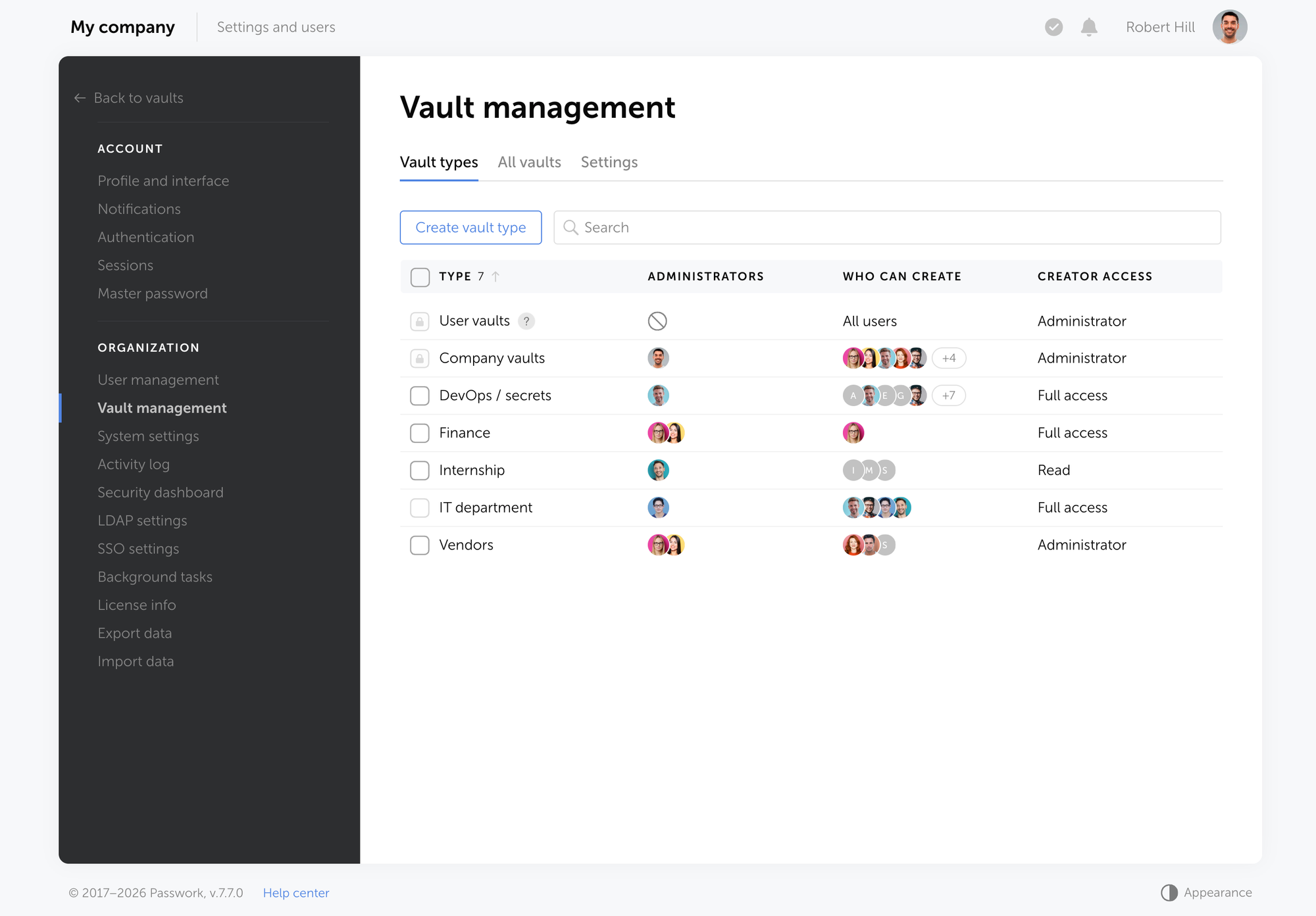
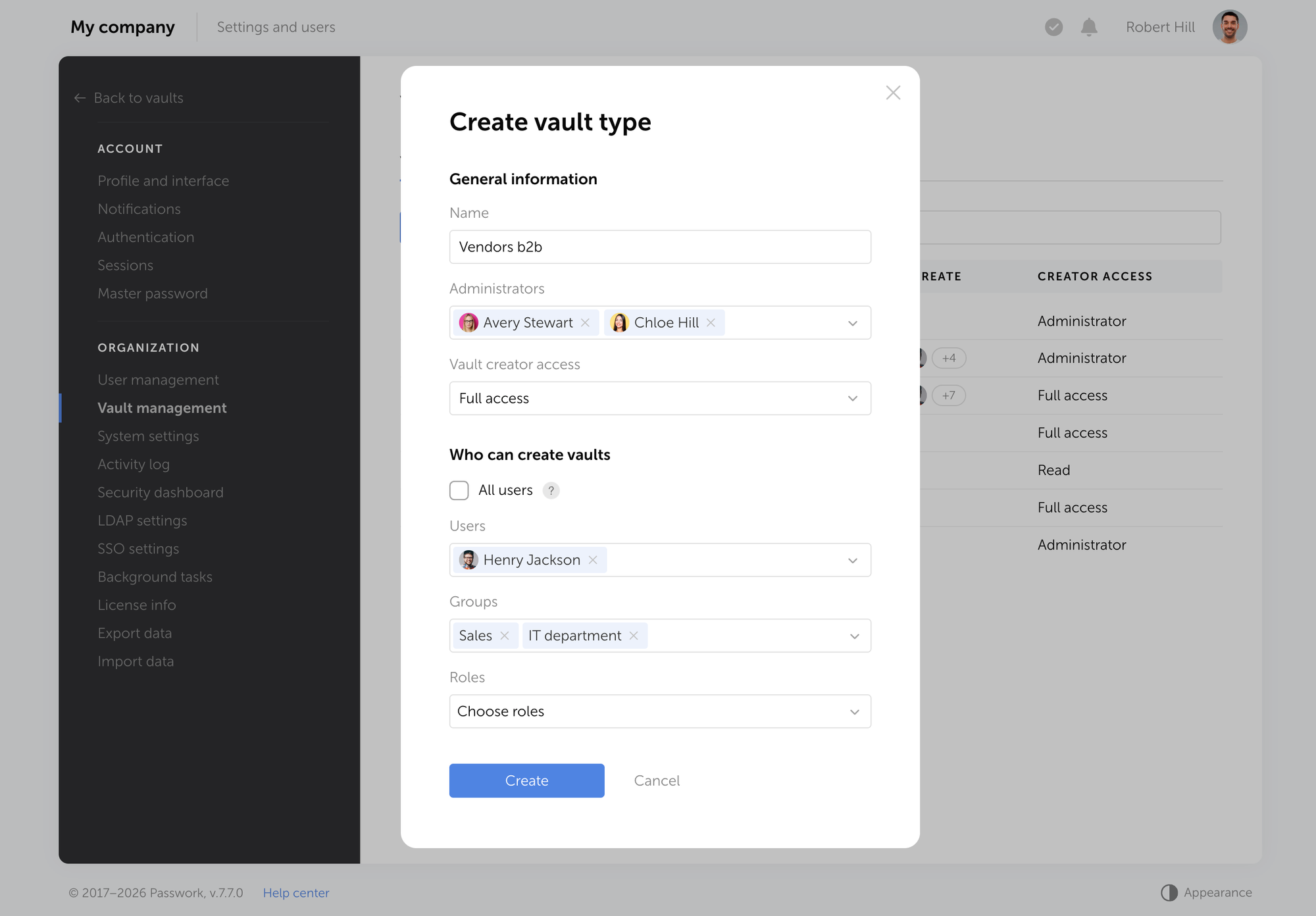
 Passwork Team
 Alex Muntyan
 Alex Muntyan