Back

Compliance & regulations

Latest — Apr 2, 2026
Requisitos de contraseñas NIS2: Qué deben hacer las empresas europeas en 2026

Introducción

A medida que las organizaciones se apresuran hacia la fecha límite del 30 de junio de 2026 para sus primeras auditorías formales de cumplimiento NIS2, la seguridad de credenciales ha surgido como un punto crítico de fallo en las evaluaciones tempranas en toda la UE.

Los hallazgos de las preauditorías del cuarto trimestre de 2025 muestran que las brechas en la gestión de identidades y accesos (IAM) representan una parte significativa de las deficiencias de cumplimiento señaladas por las autoridades nacionales.

Específicamente, los auditores identifican repetidamente la falta de autenticación multifactor (MFA), cuentas con privilegios excesivos y credenciales de servicio no gestionadas como vulnerabilidades principales, en línea con los datos de ENISA que muestran que el 34% de las organizaciones actualmente enfrentan carencias graves de competencias en la implementación de IAM.

Los requisitos de contraseñas NIS2 exigen que las empresas europeas implementen autenticación multifactor, apliquen políticas de credenciales robustas alineadas con las directrices NIST SP 800-63B, y monitoricen continuamente las contraseñas comprometidas para cumplir con las medidas de gestión de riesgos del Artículo 21.

Las organizaciones que tratan estos controles como ejercicios de documentación en lugar de realidades operativas son las que están fallando en las preauditorías.


Puntos clave

  • El Artículo 21(2)(i) y (j) requiere políticas documentadas de control de acceso y despliegue de MFA — ambos se verifican activamente en los ciclos de auditoría de 2026.
  • NIST SP 800-63B (revisión de 2025) establece un mínimo de 15 caracteres y desaconseja la rotación obligatoria de 90 días — los cambios de contraseña deben activarse por evidencia de compromiso, no por calendario.
  • Los fallos más comunes en las preauditorías del cuarto trimestre de 2025: MFA ausente en sistemas internos, cuentas con privilegios excesivos e identidades inactivas que nunca se desactivaron tras la baja del empleado.
  • Las multas alcanzan 10 millones de euros o el 2% de la facturación anual global; la brecha promedio cuesta 4,4 millones de dólares — los controles de credenciales cuestan una fracción de cualquiera de estas cifras.
  • El principal fallo de auditoría no es la falta de controles, sino la falta de evidencia. Las organizaciones que no pueden presentar registros de acceso, documentación de revisiones de acceso e informes de higiene de credenciales fallan independientemente de lo que hayan implementado.

El panorama de auditorías NIS2 en 2026: Qué verifican los reguladores

El informe ENISA NIS Investments 2025 revela una tensión marcada: el 70% de las organizaciones de la UE citan el cumplimiento normativo como su principal impulsor de inversión en ciberseguridad, pero el 34% reporta carencias de competencias específicamente en gestión de identidades y accesos. La intención de cumplimiento y la preparación operativa no son lo mismo — y los auditores lo saben.

Las autoridades competentes nacionales están realizando preauditorías estructuradas tanto de entidades esenciales (grandes organizaciones en sectores de alta criticidad según el Anexo I: energía, banca, sanidad, infraestructura digital) como de entidades importantes (sectores del Anexo II que incluyen servicios postales, producción alimentaria y gestión de residuos).

El modelo de supervisión difiere — las entidades esenciales enfrentan auditorías proactivas y regulares; las entidades importantes se supervisan de forma reactiva — pero ambas categorías deben cumplir requisitos técnicos idénticos según el Artículo 21.

Los hallazgos de las preauditorías del cuarto trimestre de 2025 en Alemania, Países Bajos y Austria señalan consistentemente los mismos fallos de gestión de identidades:

  • Cuentas con privilegios excesivos — cuentas de usuario estándar con derechos administrativos, cuentas de servicio con permisos a nivel de dominio que nunca se han limitado
  • MFA ausente o inconsistente — MFA implementado para acceso en la nube pero ausente en sistemas internos y puntos de entrada VPN
  • Tokens y claves API no gestionados — credenciales para integraciones de terceros almacenadas en texto plano, hojas de cálculo o bandejas de entrada compartidas
  • Cuentas inactivas — exempleados y contratistas con cuentas de Active Directory que nunca se desactivaron tras la baja
  • Sin proceso documentado de revisión de accesos — organizaciones que aplican controles pero no pueden presentar evidencia de revisión periódica

El último punto es el más importante. Los auditores no solo verifican si los controles existen — verifican si las organizaciones pueden demostrar que esos controles están operando continuamente.

Artículo 21: Decodificando los mandatos de identidad y acceso

El Artículo 21 de la Directiva (UE) 2022/2555 requiere que las entidades esenciales e importantes adopten «medidas técnicas, operativas y organizativas apropiadas y proporcionadas» para gestionar los riesgos de los sistemas de redes e información. La directiva no prescribe longitudes específicas de contraseña ni métodos de MFA — establece requisitos basados en resultados que las organizaciones deben traducir en controles concretos.

Dos subcláusulas son directamente relevantes para la seguridad de credenciales:

  • El Artículo 21(2)(i) requiere «seguridad de recursos humanos, políticas de control de acceso y gestión de activos».
  • El Artículo 21(2)(j) exige «el uso de autenticación multifactor o soluciones de autenticación continua… cuando sea apropiado».

La frase «cuando sea apropiado» no es una escapatoria — la guía técnica de ENISA y las transposiciones nacionales la interpretan consistentemente como obligatoria para escenarios de acceso privilegiado y acceso remoto.

La directiva también marca un cambio estructural en cómo se enmarca la seguridad. La Directiva NIS anterior trataba la ciberseguridad en gran medida como respuesta a incidentes: detectar, reportar, recuperar. NIS2 traslada la obligación hacia arriba.

Dos subcláusulas adicionales definen esta postura proactiva:

  • El Artículo 21(2)(a) requiere análisis de riesgos documentado y políticas de seguridad de sistemas de información.
  • El Artículo 21(2)(g) exige prácticas básicas de ciberhigiene y formación.

La expectativa es que las organizaciones operen dentro de una mentalidad de arquitectura de confianza cero — donde el acceso se valida continuamente, no se asume después de la autenticación inicial.

Este cambio tiene implicaciones directas para la gestión de contraseñas. Un documento de política guardado en una carpeta compartida no es un control. Un control es una medida técnica aplicada con una pista de auditoría que demuestra que se aplica consistentemente en todas las cuentas, sistemas y tipos de usuario.

Requisitos específicos de política de contraseñas para 2026

Una política de contraseñas conforme a NIS2 en 2026 implica alinearse con las directrices de identidad digital de NIST (SP 800-63B, revisión de 2025) mientras se aborda la realidad de amenazas de credenciales confirmada por las investigaciones más recientes.

Las credenciales comprometidas siguen siendo el vector de acceso inicial más común, presente en el 22% de todas las brechas confirmadas — y el 88% de los ataques básicos a aplicaciones web involucraron credenciales robadas específicamente.

La reutilización de contraseñas agrava la exposición: los datos de infostealers muestran que solo el 49% de las contraseñas de un usuario en diferentes servicios son únicas, lo que significa que una sola cuenta comprometida rutinariamente abre acceso a muchas otras. La participación de terceros en las brechas se duplicó interanualmente, del 15% al 30%, con el abuso de credenciales en el centro de ese riesgo de cadena de suministro. Una política que no tenga en cuenta esta superficie de ataque es estructuralmente incompleta.

La revisión de 2025 de NIST SP 800-63B introduce dos cambios significativos que afectan directamente la planificación del cumplimiento NIS2:

  1. Mínimo de 15 caracteres cuando un secreto memorizado (contraseña) se utiliza como único autenticador. Esto reemplaza la línea base anterior de 8 caracteres y refleja la realidad computacional de los ataques de fuerza bruta modernos.
  2. Desaprobación de la rotación periódica forzada — los cambios obligatorios de contraseña cada 90 días se desaconsejan explícitamente. La rotación forzada produce cambios incrementales predecibles («Verano2025!» → «Otoño2025!») y aumenta la carga del servicio de asistencia sin mejorar la seguridad. La rotación debe activarse por evidencia de compromiso, no por calendario.

Una política de contraseñas conforme para 2026 debe incluir los siguientes controles:

  1. Longitud sobre complejidad — mínimo de 15 caracteres; permitir frases de contraseña; no exigir mezcla obligatoria de clases de caracteres que produzca sustituciones predecibles
  2. Bloqueo de palabras de diccionario y patrones — rechazar contraseñas que contengan palabras comunes, secuencias de teclado (qwerty, 123456) y cadenas de nombre de usuario
  3. Sin reutilización de contraseñas — aplicar verificaciones de historial en sistemas críticos; los ataques de credential stuffing dependen de credenciales reutilizadas de brechas anteriores
  4. Rotación activada por compromiso — cambiar contraseñas inmediatamente cuando las credenciales aparezcan en datos de brechas, no según un calendario fijo
  5. Política de contraseñas detallada (FGPP) — aplicar reglas más estrictas a cuentas privilegiadas, cuentas de servicio y cuentas con acceso a datos sensibles, separadas de la política de usuario estándar

Para organizaciones que ejecutan entornos de Active Directory, la política de contraseñas detallada (FGPP) permite aplicar diferentes objetos de configuración de contraseñas (PSO) a usuarios o grupos de seguridad específicos — permitiendo controles más estrictos para administradores sin imponer la misma fricción a todos los usuarios.

CTA Image

El panel de seguridad de contraseñas de Passwork identifica credenciales débiles, obsoletas y comprometidas en toda su bóveda — proporcionando la visibilidad necesaria para aplicar estos controles antes de que lo haga un auditor. Pruebe Passwork gratis

Autenticación multifactor: Más allá del SMS

La MFA resistente al phishing es el estándar operativo bajo NIS2 — y excluye las contraseñas de un solo uso basadas en SMS. La MFA bloquea el 99,9% de los ataques automatizados contra cuentas de usuario, pero el phishing sigue siendo el vector de intrusión más común, representando el 60% de los incidentes analizados en el ENISA Threat Landscape 2025. Los OTP por SMS y los códigos basados en correo electrónico son vulnerables a proxies de phishing en tiempo real que interceptan tokens durante la sesión — no protegen contra esta clase de ataques.

La distinción entre métodos de MFA aceptables e inaceptables bajo NIS2 no está explícitamente codificada en el texto de la directiva, pero la guía de ENISA y el marco NIST AAL2/AAL3 (SP 800-63B) proporcionan el estándar de referencia:

Método MFA Estado NIS2 Motivo
Llaves de hardware FIDO2 / WebAuthn ✅ Conforme Resistente al phishing; vinculación criptográfica al origen
Passkeys (vinculadas al dispositivo) ✅ Conforme Resistente al phishing; sin secreto compartido transmitido
Aplicaciones de autenticación TOTP ⚠️ Condicional Aceptable para usuarios estándar; no suficiente para acceso privilegiado
Notificaciones push (con coincidencia de números) ⚠️ Condicional Reduce los ataques de fatiga MFA; aún susceptible a cierta ingeniería social
OTP por SMS ❌ No recomendado Vulnerable a SIM swapping, ataques SS7, phishing en tiempo real
OTP por correo electrónico ❌ No recomendado Depende de la seguridad de la cuenta de correo; no es un factor separado

Para acceso privilegiado — administradores de dominio, operaciones de seguridad, cuentas de sistema — se aplican los requisitos NIST SP 800-63B AAL3: autenticadores resistentes al phishing con claves no exportables. Los tokens de hardware FIDO2 (YubiKey, Google Titan) o las passkeys vinculadas al dispositivo cumplen este estándar.

Para entornos de Active Directory, implementar MFA resistente al phishing requiere integración con Azure AD Conditional Access o una solución MFA local compatible que aplique autenticación respaldada por hardware para roles privilegiados. La MFA basada en TOTP estándar configurada a nivel de aplicación no protege la autenticación de AD en sí misma.

Fortificación de Active Directory y gestión del ciclo de vida de cuentas

Active Directory sigue siendo la columna vertebral de identidad para la mayoría de los entornos empresariales europeos — y es el objetivo principal en los ataques basados en credenciales. El cumplimiento de NIS2 requiere que la fortificación de AD se trate como un proceso documentado y auditable, no como una tarea de configuración única.

Paso 1: Auditar y delimitar las cuentas privilegiadas

Realice un inventario completo de las cuentas con pertenencia a Domain Admin, Enterprise Admin, Schema Admin y Backup Operators. Cada cuenta en estos grupos debe tener un propietario identificado, una justificación de negocio documentada y MFA aplicado a nivel de autenticación. Elimine cualquier cuenta que no pueda justificarse.

Paso 2: Implementar política de contraseñas detallada (FGPP)

Cree objetos de configuración de contraseñas separados para cuentas privilegiadas (mínimo de 15+ caracteres, verificación de brechas, sin reutilización durante 24 ciclos) y usuarios estándar (mínimo de 15+ caracteres, verificación de brechas). Aplique los PSO directamente a grupos de seguridad, no a cuentas individuales, para mantener la consistencia cuando cambie la pertenencia.

Paso 3: Proteger e inventariar las cuentas de servicio

Las cuentas de servicio y las identidades no humanas son la clase de credenciales más consistentemente pasada por alto en los hallazgos de preauditoría. Para cada cuenta de servicio: documente el sistema al que sirve, limite los permisos al mínimo requerido, rote las credenciales según un calendario definido y almacénelas en una bóveda centralizada de secretos — no en scripts, archivos de configuración ni hojas de cálculo compartidas. Las cuentas de servicio administradas de grupo (gMSA) en AD automatizan la rotación de contraseñas para cuentas de servicio y deben usarse siempre que la aplicación las soporte.

Paso 4: Automatizar las bajas y la gestión de cuentas inactivas

Las cuentas inactivas — objetos de Active Directory de exempleados, contratistas y sistemas desmantelados — son un punto de fallo persistente en las auditorías. Implemente flujos de trabajo automatizados de baja que deshabiliten las cuentas dentro de las 24 horas posteriores a las actualizaciones del sistema de RRHH. Ejecute informes mensuales sobre cuentas sin actividad de inicio de sesión en más de 90 días y deshabilítelas o elimínelas tras su revisión. Esto no es opcional según el Artículo 21(2)(i): la gestión de activos incluye el ciclo de vida de los activos de identidad.

Paso 5: Habilitar y revisar los registros de auditoría

La política de auditoría de AD debe capturar eventos de inicio de sesión de cuentas, cambios en la gestión de cuentas, uso de privilegios y acceso al servicio de directorio. Estos registros deben conservarse durante un período consistente con sus obligaciones de notificación de incidentes según el Artículo 21(2)(b) — la mayoría de las implementaciones nacionales requieren un mínimo de 12 meses. Reenvíe los registros a un SIEM para correlación y alertas.

Paso 6: Aplicar el acceso de mínimo privilegio

Realice revisiones trimestrales de acceso para todos los roles privilegiados. Utilice control de acceso basado en roles (RBAC) para asignar permisos a roles, no a individuos. Documente cada revisión — la fecha, el revisor, las cuentas examinadas y los cambios realizados. Esta documentación es lo primero que solicitan los auditores.

CTA Image

Los pasos 2, 3, 5 y 6 tienen una dependencia común: un sistema centralizado que aplique políticas de contraseñas, almacene credenciales de cuentas de servicio de forma segura, registre cada evento de acceso y mapee permisos a roles. Passwork cubre los cuatro — con sincronización LDAP/AD, un panel de seguridad de contraseñas integrado, registros de actividad inmutables y acceso a bóvedas basado en roles. Obtenga una prueba gratuita y compruebe usted mismo cómo Passwork se integra en su entorno AD

El coste del cumplimiento frente al coste del incumplimiento

El coste del cumplimiento frente al coste del incumplimiento

El argumento financiero para invertir en seguridad de credenciales es claro cuando se comparan las cifras.

Los costes de implementación del cumplimiento NIS2 en el primer año oscilan entre 150 000 € y 750 000 € dependiendo de la complejidad del sector, el tamaño de la organización y la madurez de los controles existentes. Este rango cubre el desarrollo de políticas, herramientas técnicas, formación del personal y trabajo de asesoría externa. Para organizaciones con programas de seguridad maduros, el coste incremental es considerablemente menor — principalmente el trabajo de cubrir brechas en gestión de identidades y documentación.

La alternativa es considerablemente más cara. Las entidades esenciales enfrentan multas de hasta 10 millones de euros o el 2% de la facturación anual global — la cifra que sea mayor. Las entidades importantes enfrentan hasta 7 millones de euros o el 1,4% de la facturación.

Estas son cifras máximas; las autoridades nacionales aplican proporcionalidad. Pero la dirección de la aplicación es clara: la BSI de Alemania, el NCSC holandés y el CERT.at de Austria han señalado que los fallos en gestión de identidades serán priorizados en los ciclos de auditoría de 2026.

El cálculo del coste de una brecha añade una tercera dimensión. El coste promedio de una brecha de datos es de 4,4 millones de dólares (IBM Cost of a Data Breach Report 2025), y el compromiso de credenciales es el principal vector de ataque inicial. Una organización que evita una brecha implementando controles de credenciales conformes ha recuperado, en términos financieros, más que su inversión en cumplimiento.

Para entidades esenciales que operan en energía, sanidad o servicios financieros, el cálculo del ROI no admite dudas. El coste de implementar MFA resistente al phishing, un gestor de contraseñas centralizado y la fortificación automatizada de AD en una organización de 500 personas es una fracción de una sola multa regulatoria — por no hablar de una brecha.

Cómo un gestor de contraseñas corporativo garantiza la preparación para auditorías

La brecha de evidencia es donde la mayoría de los programas de cumplimiento NIS2 fallan. Las organizaciones implementan controles — aplican políticas de contraseñas, implementan MFA, realizan revisiones de acceso — pero no pueden presentar la documentación que demuestre que estos controles están operando continuamente. Los auditores no aceptan garantías verbales. Piden registros.

Un gestor de contraseñas corporativo aborda directamente el problema de la evidencia en auditorías de cumplimiento. Proporciona tres categorías de documentación que los reguladores requieren:

  • Registros centralizados de control de acceso. Cada credencial en la organización se almacena en una bóveda estructurada con permisos definidos. Los auditores pueden ver, para cada contraseña: quién tiene acceso, a qué nivel de permiso, cuándo se concedió el acceso y cuándo se revisó por última vez. Esto se corresponde directamente con los requisitos de política de control de acceso del Artículo 21(2)(i).
  • Registros de actividad inmutables. Cada acción — creación, modificación, acceso, compartición y eliminación de contraseñas — se registra con una marca de tiempo e identidad de usuario. Estos registros no pueden ser alterados por usuarios estándar y proporcionan la pista de auditoría requerida según las obligaciones del Artículo 21(2)(b) sobre gestión de incidentes y del Artículo 21(2)(f) sobre evaluación de efectividad. Cuando ocurre un incidente de seguridad, los registros muestran exactamente qué credenciales fueron accedidas y por quién.
  • Análisis de seguridad automatizado. Los paneles de seguridad de contraseñas que identifican continuamente credenciales débiles, reutilizadas, obsoletas y comprometidas proporcionan evidencia continua de que la organización está gestionando activamente la higiene de credenciales — no solo estableciendo una política y olvidándola. Esta es la evidencia de continuidad operativa que distingue un programa de cumplimiento maduro de un ejercicio de marcar casillas.

Para fines de notificación de incidentes, la capacidad de identificar inmediatamente qué credenciales fueron potencialmente expuestas — y a qué sistemas acceden — es operativamente crítica. El Artículo 21(2)(b) de NIS2 requiere procedimientos de gestión de incidentes; un inventario centralizado de credenciales es la base de cualquier respuesta significativa a incidentes.

Cómo Passwork cierra la brecha de evidencia de auditoría
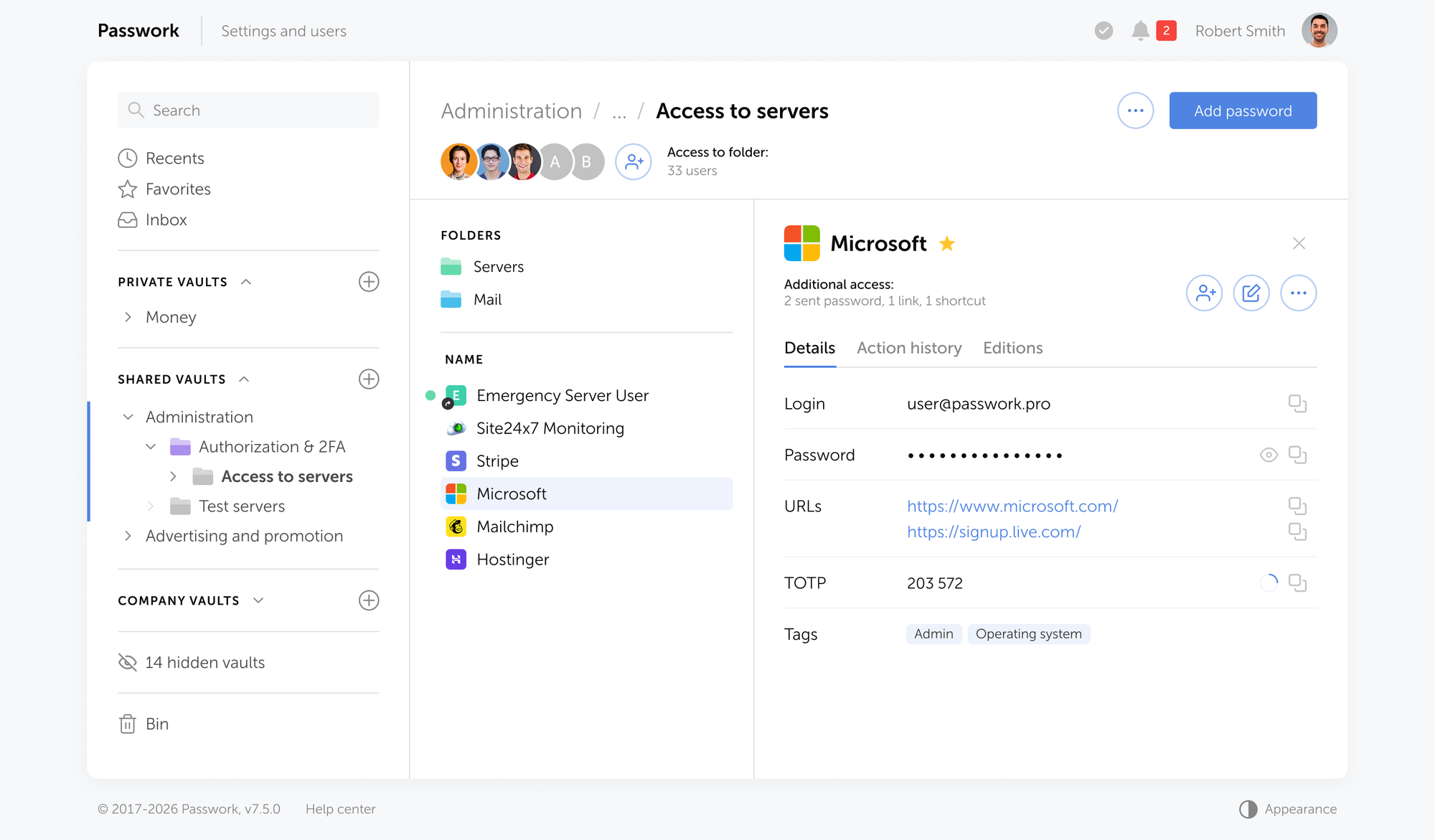
Passwork proporciona todas estas capacidades como una solución autoalojada implementada dentro de su propia infraestructura.

Passwork proporciona todas estas capacidades como una solución autoalojada implementada dentro de su propia infraestructura. Los datos de credenciales nunca abandonan su entorno. La sincronización de grupos LDAP/AD mapea automáticamente su estructura de directorio existente a los permisos de bóveda, reduciendo la carga administrativa mientras mantiene la documentación de control de acceso que los auditores NIS2 requieren.

El registro completo de actividad, el modelo de acceso basado en roles y el panel de seguridad de contraseñas proporcionan a los responsables de cumplimiento el paquete de evidencia que necesitan — sin compilación manual antes de cada auditoría.

Conclusión

Los requisitos de contraseñas NIS2 no son una nueva categoría de carga de cumplimiento

Los requisitos de contraseñas NIS2 no son una nueva categoría de carga de cumplimiento — son una formalización de prácticas de seguridad que ya deberían estar implementadas. Las organizaciones que fallan en las preauditorías del cuarto trimestre de 2025 no fallan porque los requisitos no estén claros. Fallan porque la gestión de identidades se ha tratado como mantenimiento de infraestructura en lugar de un control de seguridad documentado y auditable.

El camino hacia el cumplimiento es concreto: alinear las políticas de contraseñas con NIST SP 800-63B, implementar MFA resistente al phishing para acceso privilegiado y remoto, fortificar Active Directory con FGPP y gestión automatizada del ciclo de vida, e implementar gestión centralizada de credenciales que produzca la evidencia de auditoría que los reguladores exigen.

La seguridad de credenciales es la base sobre la que descansan todos los demás controles NIS2. Si un atacante puede autenticarse como un usuario legítimo, su segmentación de red, su cifrado y sus capacidades de detección de incidentes enfrentan un problema más difícil. Hacer bien la identidad no es un prerrequisito para el cumplimiento de NIS2 — es el cumplimiento de NIS2, operativamente.

CTA Image

Passwork proporciona a su organización control centralizado de credenciales, una pista de auditoría completa y la estructura de evidencia documentada que convierte una auditoría de cumplimiento de una carrera contrarreloj en una revisión sencilla. Explore las opciones de implementación de Passwork

Preguntas frecuentes

Preguntas frecuentes

¿Cuáles son los requisitos de contraseñas NIS2 según el Artículo 21?

El Artículo 21(2)(i) de la Directiva (UE) 2022/2555 requiere que las entidades esenciales e importantes implementen políticas de control de acceso y medidas de seguridad de recursos humanos. En la práctica, esto significa aplicar longitudes mínimas de contraseña alineadas con NIST SP 800-63B (15 caracteres para autenticadores únicos), verificar credenciales contra bases de datos de brechas, prohibir la reutilización de contraseñas y aplicar políticas detalladas más estrictas a las cuentas privilegiadas.

¿Exige NIS2 la autenticación multifactor?

El Artículo 21(2)(j) requiere el uso de MFA «cuando sea apropiado». La guía técnica de ENISA y las transposiciones nacionales interpretan esto consistentemente como obligatorio para acceso privilegiado, acceso remoto y cualquier sistema que maneje datos sensibles. Los OTP basados en SMS no se consideran suficientes — los métodos resistentes al phishing como las llaves de hardware FIDO2 o las passkeys vinculadas al dispositivo son el estándar esperado para escenarios de acceso de alto riesgo.

¿Cuál es la fecha límite para el cumplimiento de NIS2 en 2026?

Los estados miembros de la UE debían transponer NIS2 a la legislación nacional antes de octubre de 2024. La aplicación está activa, y las autoridades competentes nacionales están realizando auditorías estructuradas durante todo 2026. No hay una única «fecha límite» — se espera que las organizaciones cumplan ahora, y el ciclo de auditoría de junio de 2026 es cuando muchas entidades esenciales enfrentarán su primera evaluación formal.

¿Cuáles son las multas por incumplimiento de NIS2?

Las entidades esenciales enfrentan multas de hasta 10 millones de euros o el 2% de la facturación anual global, la cifra que sea mayor. Las entidades importantes enfrentan hasta 7 millones de euros o el 1,4% de la facturación anual global. Las autoridades nacionales aplican proporcionalidad, pero los fallos en gestión de identidades — MFA ausente, cuentas no gestionadas, registros de auditoría inexistentes — se señalan explícitamente como áreas prioritarias de aplicación para 2026.

¿Cómo ayuda un gestor de contraseñas con el cumplimiento de NIS2?

Un gestor de contraseñas corporativo aborda la brecha de evidencia que causa la mayoría de los fallos de cumplimiento. Proporciona registros centralizados de control de acceso, registros de actividad inmutables y análisis automatizado de seguridad de credenciales — las tres categorías de documentación que los auditores NIS2 requieren. Una solución autoalojada como Passwork mantiene todos los datos de credenciales dentro de su propia infraestructura, satisfaciendo tanto los requisitos de control de acceso de NIS2 como las obligaciones de residencia de datos.

¿Cuál es la diferencia entre entidades esenciales e importantes según NIS2?

Las entidades esenciales son grandes organizaciones en sectores de alta criticidad listados en el Anexo I de la directiva — energía, banca, sanidad, infraestructura digital, transporte y agua. Enfrentan supervisión proactiva con auditorías regulares. Las entidades importantes abarcan sectores del Anexo II que incluyen servicios postales, producción alimentaria y gestión de residuos, y se supervisan de forma reactiva. Ambas categorías deben cumplir requisitos técnicos idénticos según el Artículo 21.

¿Qué longitud de contraseña requiere NIS2?

NIS2 no especifica directamente una longitud de contraseña — requiere medidas alineadas con «el estado del arte» y los estándares relevantes. El estándar aplicable es NIST SP 800-63B (revisión de 2025), que establece un mínimo de 15 caracteres cuando un secreto memorizado se utiliza como único autenticador. Para cuentas protegidas por MFA, un mínimo más corto puede ser aceptable, pero 15 caracteres sigue siendo la línea base recomendada para todas las cuentas.

Modelos de implementación de gestores de contraseñas: Nube, autoalojado e híbrido
Elegir dónde ejecutar su gestor de contraseñas importa tanto como elegir cuál. Esta guía desglosa la implementación en la nube, autoalojada e híbrida — con una matriz de cumplimiento para GDPR, HIPAA y NIS2, y una visión clara de las compensaciones que conlleva cada modelo.
¿Qué es una passkey? Guía de autenticación sin contraseña
Una passkey es una credencial resistente al phishing almacenada en su dispositivo. Inicie sesión con un toque biométrico — sin contraseña que recordar o robar. Esta guía cubre los mecanismos técnicos, la configuración de plataformas, datos de rendimiento del mundo real y lo que la transición significa para los equipos empresariales.
Cinco formas de hacer que los usuarios amen la seguridad de contraseñas
Los usuarios no se resisten a la seguridad — se resisten a la fricción. Cinco estrategias basadas en evidencia para actualizar su política de contraseñas, impulsar la adopción del gestor de contraseñas y construir una cultura de seguridad que los empleados realmente sigan.

Requisitos de contraseñas NIS2: qué deben hacer las empresas europeas en 2026

Las deficiencias en credenciales son el principal punto de fallo en auditorías NIS2 en 2026. Esta guía cubre los requisitos de contraseñas del Artículo 21, la alineación con NIST SP 800-63B, los pasos para fortalecer AD y la evidencia de auditoría que los reguladores solicitan primero.


Apr 2, 2026 — 14 min read
NIS2-Passwortanforderungen: Was europäische Unternehmen 2026 tun müssen

Einleitung

Während Organisationen auf die Frist zum 30. Juni 2026 für ihre ersten formellen NIS2-Compliance-Audits zusteuern, hat sich die Sicherheit von Zugangsdaten als kritischer Schwachpunkt in frühen Bewertungen in der gesamten EU herauskristallisiert.

Vor-Audit-Ergebnisse aus Q4 2025 zeigen, dass Lücken im Identity and Access Management (IAM) einen erheblichen Teil der von nationalen Behörden markierten Compliance-Mängel ausmachen.

Konkret identifizieren Auditoren wiederholt fehlende Multi-Faktor-Authentifizierung (MFA), überprivilegierte Accounts und nicht verwaltete Service-Zugangsdaten als primäre Schwachstellen — in Übereinstimmung mit ENISA-Daten, die zeigen, dass 34 % der Organisationen derzeit mit schwerwiegendem Fachkräftemangel bei der IAM-Implementierung konfrontiert sind.

NIS2-Passwortanforderungen verpflichten europäische Unternehmen zur Implementierung von Multi-Faktor-Authentifizierung, zur Durchsetzung strenger Zugangsdaten-Richtlinien gemäß den NIST SP 800-63B-Leitlinien und zur kontinuierlichen Überwachung auf kompromittierte Passwörter, um die Risikomanagement-Maßnahmen nach Artikel 21 zu erfüllen.

Organisationen, die diese Kontrollen als Dokumentationsübungen statt als operative Realitäten behandeln, scheitern bei den Vor-Audits.


Kernpunkte

  • Artikel 21(2)(i) und (j) erfordern dokumentierte Zugriffskontrollrichtlinien und MFA-Implementierung — beides wird in den Audit-Zyklen 2026 aktiv geprüft.
  • NIST SP 800-63B (Revision 2025) setzt ein Minimum von 15 Zeichen und stuft die obligatorische 90-Tage-Rotation als veraltet ein — Passwortänderungen sollten durch Hinweise auf Kompromittierung ausgelöst werden, nicht durch den Kalender.
  • Die häufigsten Vor-Audit-Fehler Q4 2025: fehlende MFA bei internen Systemen, überprivilegierte Accounts und inaktive Identitäten, die nach dem Offboarding nie deaktiviert wurden.
  • Bußgelder erreichen 10 Mio. € oder 2 % des weltweiten Jahresumsatzes; ein durchschnittlicher Breach kostet 4,4 Mio. $ — Kontrollen für Zugangsdaten kosten einen Bruchteil beider Summen.
  • Das häufigste Audit-Versagen sind nicht fehlende Kontrollen — sondern fehlende Nachweise. Organisationen, die keine Zugriffsprotokolle, Zugriffsüberprüfungsaufzeichnungen und Berichte zur Zugangsdaten-Hygiene vorlegen können, scheitern unabhängig davon, was sie implementiert haben.

Die NIS2-Audit-Landschaft 2026: Was Regulierungsbehörden prüfen

Der ENISA NIS Investments 2025-Bericht offenbart eine deutliche Spannung: 70 % der EU-Organisationen nennen regulatorische Compliance als Haupttreiber ihrer Cybersicherheitsinvestitionen, doch 34 % berichten von Kompetenzlücken speziell im Identity and Access Management. Compliance-Absicht und operative Bereitschaft sind nicht dasselbe — und Auditoren wissen das.

Nationale zuständige Behörden führen nun strukturierte Vor-Audits sowohl bei wesentlichen Einrichtungen (große Organisationen in hochkritischen Sektoren nach Anhang I: Energie, Bankwesen, Gesundheitswesen, digitale Infrastruktur) als auch bei wichtigen Einrichtungen (Anhang-II-Sektoren einschließlich Postdienste, Lebensmittelproduktion und Abfallwirtschaft) durch.

Das Aufsichtsmodell unterscheidet sich — wesentliche Einrichtungen unterliegen proaktiven, regelmäßigen Audits; wichtige Einrichtungen werden reaktiv überwacht — aber beide Kategorien müssen identische technische Anforderungen nach Artikel 21 erfüllen.

Vor-Audit-Ergebnisse aus Q4 2025 aus Deutschland, den Niederlanden und Österreich markieren durchgehend dieselben Identity-Management-Fehler:

  • Überprivilegierte Accounts — Standard-Benutzerkonten mit Administratorrechten, Service-Accounts mit Domain-Level-Berechtigungen, die nie eingeschränkt wurden
  • Fehlende oder inkonsistente MFA — MFA für Cloud-Zugriff implementiert, aber bei internen Systemen und VPN-Zugangspunkten fehlend
  • Nicht verwaltete Tokens und API-Schlüssel — Zugangsdaten für Drittanbieter-Integrationen, die im Klartext, in Tabellenkalkulationen oder gemeinsamen Postfächern gespeichert sind
  • Inaktive Accounts — ehemalige Mitarbeiter und Auftragnehmer mit Active-Directory-Accounts, die nach dem Offboarding nie deaktiviert wurden
  • Kein dokumentierter Zugriffsüberprüfungsprozess — Organisationen, die Kontrollen anwenden, aber keine Nachweise über regelmäßige Überprüfungen vorlegen können

Der letzte Punkt ist der wichtigste. Auditoren prüfen nicht nur, ob Kontrollen existieren — sie prüfen, ob Organisationen beweisen können, dass diese Kontrollen kontinuierlich funktionieren.

Artikel 21: Die Identitäts- und Zugriffsvorgaben entschlüsseln

Artikel 21 der Richtlinie (EU) 2022/2555 verlangt von wesentlichen und wichtigen Einrichtungen, „angemessene und verhältnismäßige technische, operative und organisatorische Maßnahmen" zur Bewältigung von Risiken für Netz- und Informationssysteme zu ergreifen. Die Richtlinie schreibt keine spezifischen Passwortlängen oder MFA-Methoden vor — sie legt ergebnisorientierte Anforderungen fest, die Organisationen in konkrete Kontrollen umsetzen müssen.

Zwei Unterabsätze sind direkt relevant für die Sicherheit von Zugangsdaten:

  • Artikel 21(2)(i) erfordert „Sicherheit des Personals, Zugriffskontrollrichtlinien und Asset-Management".
  • Artikel 21(2)(j) schreibt „die Verwendung von Multi-Faktor-Authentifizierung oder kontinuierlichen Authentifizierungslösungen… wo angemessen" vor.

Der Ausdruck „wo angemessen" ist keine Ausnahme — ENISA-Leitlinien und nationale Umsetzungen interpretieren ihn durchgehend als obligatorisch für privilegierten Zugang und Remote-Zugriff-Szenarien.

Die Richtlinie markiert auch einen strukturellen Wandel in der Rahmung von Sicherheit. Die vorherige NIS-Richtlinie behandelte Cybersicherheit weitgehend als Incident Response: erkennen, melden, wiederherstellen. NIS2 verlagert die Pflicht nach vorn.

Zwei weitere Unterabsätze definieren diese proaktive Haltung:

  • Artikel 21(2)(a) erfordert dokumentierte Risikoanalysen und Informationssystem-Sicherheitsrichtlinien.
  • Artikel 21(2)(g) schreibt grundlegende Cyber-Hygiene-Praktiken und Schulungen vor.

Die Erwartung ist, dass Organisationen im Rahmen einer Zero-Trust-Architektur-Denkweise arbeiten — bei der Zugriff kontinuierlich validiert und nicht nach der ersten Authentifizierung vorausgesetzt wird.

Dieser Wandel hat direkte Auswirkungen auf das Passwortmanagement. Ein Richtliniendokument, das in einem gemeinsamen Ordner liegt, ist keine Kontrolle. Eine Kontrolle ist eine durchgesetzte technische Maßnahme mit einem Audit-Trail, der zeigt, dass sie konsistent auf alle Accounts, Systeme und Benutzertypen angewendet wird.

Spezifische Passwortrichtlinien-Anforderungen für 2026

Eine NIS2-konforme Passwortrichtlinie im Jahr 2026 bedeutet die Ausrichtung an den NIST-Leitlinien für digitale Identitäten (SP 800-63B, Revision 2025) bei gleichzeitiger Berücksichtigung der Bedrohungsrealität für Zugangsdaten, die durch aktuelle Forschung bestätigt wird.

Kompromittierte Zugangsdaten bleiben der häufigste initiale Angriffsvektor und sind in 22 % aller bestätigten Breaches präsent — und 88 % der einfachen Webanwendungsangriffe beinhalteten speziell gestohlene Zugangsdaten.

Die Wiederverwendung von Passwörtern verstärkt die Exposition: Infostealer-Daten zeigen, dass nur 49 % der Passwörter eines Benutzers über verschiedene Dienste hinweg einzigartig sind, was bedeutet, dass ein einzelner kompromittierter Account routinemäßig Zugang zu vielen anderen öffnet. Die Beteiligung Dritter an Breaches hat sich im Jahresvergleich von 15 % auf 30 % verdoppelt, mit Missbrauch von Zugangsdaten im Zentrum dieses Lieferkettenrisikos. Eine Richtlinie, die diese Angriffsfläche nicht berücksichtigt, ist strukturell unvollständig.

Die Revision 2025 von NIST SP 800-63B führt zwei wesentliche Änderungen ein, die sich direkt auf die NIS2-Compliance-Planung auswirken:

  1. Minimum von 15 Zeichen, wenn ein auswendig gelerntes Geheimnis (Passwort) als einziger Authentifikator verwendet wird. Dies ersetzt die bisherige 8-Zeichen-Baseline und spiegelt die rechnerische Realität moderner Brute-Force-Angriffe wider.
  2. Abschaffung der erzwungenen periodischen Rotation — obligatorische 90-Tage-Passwortänderungen werden ausdrücklich nicht empfohlen. Erzwungene Rotation erzeugt vorhersehbare inkrementelle Änderungen („Sommer2025!" → „Herbst2025!") und erhöht die Helpdesk-Last, ohne die Sicherheit zu verbessern. Rotation sollte durch Hinweise auf Kompromittierung ausgelöst werden, nicht durch den Kalender.

Eine konforme Passwortrichtlinie für 2026 muss folgende Kontrollen enthalten:

  1. Länge vor Komplexität — mindestens 15 Zeichen; Passphrasen zulassen; keine obligatorischen Zeichenklassen-Kombinationen verlangen, die vorhersehbare Substitutionen erzeugen
  2. Blockieren von Wörterbuchwörtern und Mustern — Passwörter ablehnen, die gängige Wörter, Tastatur-Sequenzen (qwerty, 123456) und Benutzernamen-Strings enthalten
  3. Keine Passwort-Wiederverwendung — Verlaufsprüfungen über kritische Systeme hinweg durchsetzen; Credential-Stuffing-Angriffe basieren auf wiederverwendeten Zugangsdaten aus früheren Breaches
  4. Kompromittierungsgesteuerte Rotation — Passwörter sofort ändern, wenn Zugangsdaten in Breach-Daten auftauchen, nicht nach einem festen Zeitplan
  5. Feingranulare Passwortrichtlinie (FGPP) — strengere Regeln für privilegierte Accounts, Service-Accounts und Accounts mit Zugriff auf sensible Daten anwenden, getrennt von der Standard-Benutzerrichtlinie

Für Organisationen, die Active-Directory-Umgebungen betreiben, ermöglicht die feingranulare Passwortrichtlinie (FGPP) die Anwendung verschiedener Passworteinstellungsobjekte (PSOs) auf bestimmte Benutzer oder Sicherheitsgruppen — was strengere Kontrollen für Administratoren ermöglicht, ohne allen Benutzern dieselbe Reibung aufzuerlegen.

CTA Image

Das Passwork-Passwortsicherheits-Dashboard kennzeichnet schwache, veraltete und kompromittierte Zugangsdaten in Ihrem gesamten Tresor — und gibt Ihnen die Transparenz, um diese Kontrollen durchzusetzen, bevor es ein Auditor tut. Passwork kostenlos testen

Multi-Faktor-Authentifizierung: Über SMS hinausgehen

Phishing-resistente MFA ist der operative Standard unter NIS2 — und schließt SMS-basierte Einmal-Passwörter aus. MFA blockiert 99,9 % der automatisierten Angriffe auf Benutzerkonten, aber Phishing bleibt der häufigste Eindringungsvektor und macht 60 % der in der ENISA Threat Landscape 2025 analysierten Vorfälle aus. SMS-OTPs und E-Mail-basierte Codes sind anfällig für Echtzeit-Phishing-Proxies, die Tokens während der Sitzung abfangen — sie schützen nicht vor dieser Angriffsklasse.

Die Unterscheidung zwischen akzeptablen und nicht akzeptablen MFA-Methoden unter NIS2 ist im Richtlinientext nicht explizit kodifiziert, aber ENISA-Leitlinien und das NIST AAL2/AAL3-Framework (SP 800-63B) liefern den Referenzstandard:

MFA-Methode NIS2-Status Begründung
FIDO2 / WebAuthn Hardware-Schlüssel ✅ Konform Phishing-resistent; kryptografische Bindung an den Ursprung
Passkeys (gerätegebunden) ✅ Konform Phishing-resistent; kein gemeinsames Geheimnis wird übertragen
TOTP-Authenticator-Apps ⚠️ Bedingt Akzeptabel für Standardbenutzer; nicht ausreichend für privilegierten Zugang
Push-Benachrichtigungen (mit Nummernabgleich) ⚠️ Bedingt Reduziert MFA-Fatigue-Angriffe; immer noch anfällig für einige Social-Engineering-Methoden
SMS OTP ❌ Nicht empfohlen Anfällig für SIM-Swapping, SS7-Angriffe, Echtzeit-Phishing
E-Mail OTP ❌ Nicht empfohlen Abhängig von E-Mail-Account-Sicherheit; kein separater Faktor

Für privilegierten Zugang — Domain-Administratoren, Security Operations, Systemkonten — gelten die NIST SP 800-63B AAL3-Anforderungen: Phishing-resistente Authentifikatoren mit nicht exportierbaren Schlüsseln. FIDO2-Hardware-Token (YubiKey, Google Titan) oder gerätegebundene Passkeys erfüllen diese Anforderung.

Für Active-Directory-Umgebungen erfordert die Implementierung von Phishing-resistenter MFA die Integration mit Azure AD Conditional Access oder einer kompatiblen On-Premises-MFA-Lösung, die hardwaregestützte Authentifizierung für privilegierte Rollen durchsetzt. Standard-TOTP-basierte MFA, die auf Anwendungsebene konfiguriert ist, schützt die AD-Authentifizierung selbst nicht.

Active Directory härten und Account-Lebenszyklen verwalten

Active Directory bleibt das Identitäts-Rückgrat für die Mehrheit der europäischen Unternehmensumgebungen — und ist das primäre Ziel bei Angriffen auf Zugangsdaten. NIS2-Compliance erfordert, dass AD-Härtung als dokumentierter, auditierbarer Prozess behandelt wird, nicht als einmalige Konfigurationsaufgabe.

Schritt 1: Privilegierte Accounts auditieren und eingrenzen

Führen Sie eine vollständige Inventur der Accounts mit Domain Admin-, Enterprise Admin-, Schema Admin- und Backup Operators-Mitgliedschaft durch. Jeder Account in diesen Gruppen sollte einen benannten Besitzer, eine dokumentierte Geschäftsbegründung und durchgesetzte MFA auf der Authentifizierungsebene haben. Entfernen Sie alle Accounts, die nicht begründet werden können.

Schritt 2: Feingranulare Passwortrichtlinie (FGPP) implementieren

Erstellen Sie separate Passworteinstellungsobjekte für privilegierte Accounts (15+ Zeichen Minimum, Breach-Screening, keine Wiederverwendung für 24 Zyklen) und Standardbenutzer (15+ Zeichen Minimum, Breach-Screening). Wenden Sie PSOs direkt auf Sicherheitsgruppen an, nicht auf einzelne Accounts, um Konsistenz bei Mitgliedschaftsänderungen zu wahren.

Schritt 3: Service-Accounts sichern und inventarisieren

Service-Accounts und nicht-menschliche Identitäten sind die am häufigsten übersehene Zugangsdaten-Klasse in Vor-Audit-Ergebnissen. Für jeden Service-Account: dokumentieren Sie das System, das er bedient, begrenzen Sie Berechtigungen auf das erforderliche Minimum, rotieren Sie Zugangsdaten nach einem definierten Zeitplan und speichern Sie sie in einem zentralen Secrets Vault — nicht in Skripten, Konfigurationsdateien oder gemeinsamen Tabellenkalkulationen. Group Managed Service Accounts (gMSA) in AD automatisieren die Passwortrotation für Service-Accounts und sollten überall dort verwendet werden, wo die Anwendung sie unterstützt.

Schritt 4: Offboarding und Verwaltung inaktiver Accounts automatisieren

Inaktive Accounts — Active-Directory-Objekte für ehemalige Mitarbeiter, Auftragnehmer und stillgelegte Systeme — sind ein dauerhafter Audit-Fehlerpunkt. Implementieren Sie automatisierte Offboarding-Workflows, die Accounts innerhalb von 24 Stunden nach HR-System-Updates deaktivieren. Erstellen Sie monatliche Berichte über Accounts ohne Login-Aktivität in den letzten 90+ Tagen und deaktivieren oder löschen Sie diese nach Überprüfung. Dies ist unter Artikel 21(2)(i) nicht optional: Asset-Management umfasst den Lebenszyklus von Identitäts-Assets.

Schritt 5: Audit-Protokolle aktivieren und überprüfen

Die AD-Audit-Richtlinie muss Account-Anmeldeereignisse, Account-Verwaltungsänderungen, Privilegiennutzung und Verzeichnisdienstzugriff erfassen. Diese Protokolle müssen für einen Zeitraum aufbewahrt werden, der mit Ihren Verpflichtungen zur Incident-Meldung nach Artikel 21(2)(b) übereinstimmt — die meisten nationalen Umsetzungen erfordern mindestens 12 Monate. Leiten Sie Protokolle zur Korrelation und Alarmierung an ein SIEM weiter.

Schritt 6: Least-Privilege-Zugriff durchsetzen

Führen Sie vierteljährliche Zugriffsüberprüfungen für alle privilegierten Rollen durch. Verwenden Sie rollenbasierte Zugriffskontrolle (RBAC), um Berechtigungen Rollen zuzuweisen, nicht Einzelpersonen. Dokumentieren Sie jede Überprüfung — das Datum, den Prüfer, die untersuchten Accounts und die vorgenommenen Änderungen. Diese Dokumentation ist das Erste, wonach Auditoren fragen.

CTA Image

Die Schritte 2, 3, 5 und 6 haben eine gemeinsame Abhängigkeit: ein zentralisiertes System, das Passwortrichtlinien durchsetzt, Service-Account-Zugangsdaten sicher speichert, jedes Zugriffsereignis protokolliert und Berechtigungen Rollen zuordnet. Passwork deckt alle vier ab — mit LDAP/AD-Synchronisierung, einem integrierten Passwortsicherheits-Dashboard, unveränderlichen Aktivitätsprotokollen und rollenbasiertem Tresor-Zugriff. Holen Sie sich eine kostenlose Testversion und sehen Sie selbst, wie Passwork in Ihre AD-Umgebung passt

Die Kosten der Compliance vs. die Kosten des Scheiterns

Die Kosten der Compliance vs. die Kosten des Scheiterns

Das finanzielle Argument für Investitionen in die Sicherheit von Zugangsdaten ist eindeutig, wenn die Zahlen nebeneinander gestellt werden.

Die Implementierungskosten für NIS2-Compliance im ersten Jahr liegen zwischen 150.000 € und 750.000 €, abhängig von der Sektorkomplexität, der Organisationsgröße und dem Reifegrad bestehender Kontrollen. Diese Spanne umfasst Richtlinienentwicklung, technische Tools, Mitarbeiterschulungen und externe Beratung. Für Organisationen mit ausgereiften Sicherheitsprogrammen sind die inkrementellen Kosten erheblich niedriger — hauptsächlich die Lückenfüllung im Identity Management und der Dokumentation.

Die Alternative ist deutlich teurer. Wesentliche Einrichtungen drohen Bußgelder von bis zu 10 Millionen € oder 2 % des weltweiten Jahresumsatzes — je nachdem, welcher Betrag höher ist. Wichtige Einrichtungen drohen bis zu 7 Millionen € oder 1,4 % des Umsatzes.

Dies sind Höchstbeträge; nationale Behörden wenden Verhältnismäßigkeit an. Aber die Durchsetzungsrichtung ist klar: Das BSI in Deutschland, das NCSC in den Niederlanden und das CERT.at in Österreich haben alle signalisiert, dass Identity-Management-Fehler in den Audit-Zyklen 2026 priorisiert werden.

Die Breach-Kostenberechnung fügt eine dritte Dimension hinzu. Die durchschnittlichen Kosten eines Datenschutzverstoßes betragen 4,4 Millionen $ (IBM Cost of a Data Breach Report 2025), und die Kompromittierung von Zugangsdaten ist der führende initiale Angriffsvektor. Eine Organisation, die einen Breach durch die Implementierung konformer Zugangsdaten-Kontrollen vermeidet, hat finanziell gesehen ihre Compliance-Investition mehr als zurückgewonnen.

Für wesentliche Einrichtungen in den Bereichen Energie, Gesundheitswesen oder Finanzdienstleistungen ist die ROI-Berechnung eindeutig. Die Kosten für die Implementierung von Phishing-resistenter MFA, einem zentralen Passwort-Manager und automatisierter AD-Härtung in einer 500-Personen-Organisation sind ein Bruchteil eines einzigen Bußgeldes — ganz zu schweigen von einem Breach.

Wie ein Unternehmens-Passwort-Manager die Audit-Bereitschaft sicherstellt

Die Nachweislücke ist der Punkt, an dem die meisten NIS2-Compliance-Programme scheitern. Organisationen implementieren Kontrollen — sie setzen Passwortrichtlinien durch, sie implementieren MFA, sie führen Zugriffsüberprüfungen durch — aber sie können die Dokumentation nicht vorlegen, die belegt, dass diese Kontrollen kontinuierlich funktionieren. Auditoren akzeptieren keine mündlichen Zusicherungen. Sie verlangen Protokolle.

Ein Unternehmens-Passwort-Manager adressiert das Problem der Compliance-Audit-Nachweise direkt. Er liefert drei Kategorien von Dokumentation, die Regulierungsbehörden verlangen:

  • Zentralisierte Zugriffskontrollaufzeichnungen. Jede Zugangsberechtigung in der Organisation wird in einem strukturierten Tresor mit definierten Berechtigungen gespeichert. Auditoren können für jedes Passwort sehen: wer Zugriff hat, auf welchem Berechtigungslevel, wann der Zugriff gewährt wurde und wann er zuletzt überprüft wurde. Dies entspricht direkt den Anforderungen an Zugriffskontrollrichtlinien nach Artikel 21(2)(i).
  • Unveränderliche Aktivitätsprotokolle. Jede Aktion — Passworterstellung, -änderung, -zugriff, -weitergabe, -löschung — wird mit Zeitstempel und Benutzeridentität aufgezeichnet. Diese Protokolle können von Standardbenutzern nicht geändert werden und liefern den Audit-Trail, der nach Artikel 21(2)(b) Incident Handling und Artikel 21(2)(f) Wirksamkeitsbewertung erforderlich ist. Bei einem Sicherheitsvorfall zeigen die Protokolle genau, auf welche Zugangsdaten zugegriffen wurde und von wem.
  • Automatisierte Sicherheitsanalyse. Passwortsicherheits-Dashboards, die kontinuierlich schwache, wiederverwendete, veraltete und kompromittierte Zugangsdaten kennzeichnen, liefern fortlaufende Nachweise, dass die Organisation aktiv die Zugangsdaten-Hygiene verwaltet — nicht nur eine Richtlinie festlegt und sie vergisst. Dies ist der Nachweis der operativen Kontinuität, der ein ausgereiftes Compliance-Programm von einer Checkbox-Übung unterscheidet.

Für Zwecke der Incident-Meldung ist die Fähigkeit, sofort zu identifizieren, welche Zugangsdaten potenziell exponiert wurden — und auf welche Systeme sie Zugriff haben — operativ entscheidend. NIS2 Artikel 21(2)(b) erfordert Incident-Handling-Verfahren; ein zentrales Zugangsdaten-Inventar ist die Grundlage jeder sinnvollen Incident Response.

Wie Passwork die Audit-Nachweislücke schließt

Passwork bietet all diese Funktionen als selbst gehostete Lösung, die in Ihrer eigenen Infrastruktur bereitgestellt wird.

Passwork bietet all diese Funktionen als selbst gehostete Lösung, die in Ihrer eigenen Infrastruktur bereitgestellt wird. Zugangsdaten verlassen niemals Ihre Umgebung. LDAP/AD-Gruppensynchronisierung ordnet Ihre bestehende Verzeichnisstruktur automatisch den Tresor-Berechtigungen zu und reduziert den administrativen Aufwand bei gleichzeitiger Aufrechterhaltung der Zugriffskontrolldokumentation, die NIS2-Auditoren verlangen.

Das vollständige Aktivitätsprotokoll, das rollenbasierte Zugriffsmodell und das Passwortsicherheits-Dashboard geben Compliance-Beauftragten das Nachweispaket, das sie benötigen — ohne manuelle Zusammenstellung vor jedem Audit.

Fazit

NIS2-Passwortanforderungen sind keine neue Kategorie von Compliance-Belastung

NIS2-Passwortanforderungen sind keine neue Kategorie von Compliance-Belastung — sie sind eine Formalisierung von Sicherheitspraktiken, die bereits vorhanden sein sollten. Die Organisationen, die bei den Q4 2025 Vor-Audits scheitern, scheitern nicht, weil die Anforderungen unklar sind. Sie scheitern, weil Identity Management als Infrastrukturwartung behandelt wurde statt als dokumentierte, auditierbare Sicherheitskontrolle.

Der Weg zur Compliance ist konkret: Passwortrichtlinien an NIST SP 800-63B ausrichten, Phishing-resistente MFA für privilegierten und Remote-Zugriff implementieren, Active Directory mit FGPP und automatisiertem Lifecycle-Management härten und zentrales Zugangsdaten-Management implementieren, das die von Regulierungsbehörden geforderten Audit-Nachweise produziert.

Die Sicherheit von Zugangsdaten ist das Fundament, auf dem jede andere NIS2-Kontrolle ruht. Wenn sich ein Angreifer als legitimer Benutzer authentifizieren kann, stehen Ihre Netzwerksegmentierung, Ihre Verschlüsselung und Ihre Incident-Detection-Fähigkeiten vor einem schwierigeren Problem. Identity richtig umzusetzen ist keine Voraussetzung für NIS2-Compliance — es ist NIS2-Compliance, operativ gesehen.

CTA Image

Passwork gibt Ihrer Organisation zentrale Zugangsdaten-Kontrolle, einen vollständigen Audit-Trail und die dokumentierte Nachweisstruktur, die ein Compliance-Audit von einer hektischen Angelegenheit in eine unkomplizierte Überprüfung verwandelt. Entdecken Sie die Bereitstellungsoptionen von Passwork

Häufig gestellte Fragen

Häufig gestellte Fragen

Was sind die NIS2-Passwortanforderungen nach Artikel 21?

Artikel 21(2)(i) der Richtlinie (EU) 2022/2555 verlangt von wesentlichen und wichtigen Einrichtungen die Implementierung von Zugriffskontrollrichtlinien und Personalsicherheitsmaßnahmen. In der Praxis bedeutet dies die Durchsetzung von Mindestpasswortlängen gemäß NIST SP 800-63B (15 Zeichen für alleinige Authentifikatoren), das Screening von Zugangsdaten gegen Breach-Datenbanken, das Verbot der Passwort-Wiederverwendung und die Anwendung strengerer feingranularer Richtlinien für privilegierte Accounts.

Schreibt NIS2 Multi-Faktor-Authentifizierung vor?

Artikel 21(2)(j) erfordert die Verwendung von MFA „wo angemessen". ENISA-Leitlinien und nationale Umsetzungen interpretieren dies durchgehend als obligatorisch für privilegierten Zugang, Remote-Zugriff und jedes System, das sensible Daten verarbeitet. SMS-basierte OTPs werden nicht als ausreichend angesehen — Phishing-resistente Methoden wie FIDO2-Hardware-Schlüssel oder gerätegebundene Passkeys sind der erwartete Standard für Hochrisiko-Zugangsszenarien.

Was ist die Frist für NIS2-Compliance im Jahr 2026?

EU-Mitgliedstaaten waren verpflichtet, NIS2 bis Oktober 2024 in nationales Recht umzusetzen. Die Durchsetzung ist aktiv, und nationale zuständige Behörden führen im Jahr 2026 strukturierte Audits durch. Es gibt keine einzelne „Frist" — von Organisationen wird erwartet, dass sie jetzt konform sind, und der Audit-Zyklus im Juni 2026 ist der Zeitpunkt, an dem viele wesentliche Einrichtungen ihre erste formelle Bewertung haben werden.

Welche Bußgelder drohen bei NIS2-Nichteinhaltung?

Wesentliche Einrichtungen drohen Bußgelder von bis zu 10 Millionen € oder 2 % des weltweiten Jahresumsatzes, je nachdem, welcher Betrag höher ist. Wichtige Einrichtungen drohen bis zu 7 Millionen € oder 1,4 % des weltweiten Jahresumsatzes. Nationale Behörden wenden Verhältnismäßigkeit an, aber Identity-Management-Fehler — fehlende MFA, nicht verwaltete Accounts, fehlende Audit-Protokolle — sind explizit als vorrangige Durchsetzungsbereiche für 2026 gekennzeichnet.

Wie hilft ein Passwort-Manager bei der NIS2-Compliance?

Ein Unternehmens-Passwort-Manager adressiert die Nachweislücke, die die meisten Compliance-Fehler verursacht. Er bietet zentralisierte Zugriffskontrollaufzeichnungen, unveränderliche Aktivitätsprotokolle und automatisierte Zugangsdaten-Sicherheitsanalyse — die drei Kategorien von Dokumentation, die NIS2-Auditoren verlangen. Eine selbst gehostete Lösung wie Passwork hält alle Zugangsdaten in Ihrer eigenen Infrastruktur und erfüllt sowohl NIS2-Zugriffskontrollanforderungen als auch Datenlokalisierungsverpflichtungen.

Was ist der Unterschied zwischen wesentlichen und wichtigen Einrichtungen unter NIS2?

Wesentliche Einrichtungen sind große Organisationen in hochkritischen Sektoren, die in Anhang I der Richtlinie aufgeführt sind — Energie, Bankwesen, Gesundheitswesen, digitale Infrastruktur, Transport und Wasser. Sie unterliegen proaktiver Aufsicht mit regelmäßigen Audits. Wichtige Einrichtungen umfassen Anhang-II-Sektoren einschließlich Postdienste, Lebensmittelproduktion und Abfallwirtschaft und werden reaktiv überwacht. Beide Kategorien müssen identische technische Anforderungen nach Artikel 21 erfüllen.

Welche Passwortlänge erfordert NIS2?

NIS2 spezifiziert keine Passwortlänge direkt — es erfordert Maßnahmen, die mit dem „Stand der Technik" und relevanten Standards übereinstimmen. Der anwendbare Standard ist NIST SP 800-63B (Revision 2025), der ein Minimum von 15 Zeichen festlegt, wenn ein auswendig gelerntes Geheimnis als einziger Authentifikator verwendet wird. Für Accounts, die durch MFA geschützt sind, kann ein kürzeres Minimum akzeptabel sein, aber 15 Zeichen bleibt die empfohlene Baseline für alle Accounts.

Bereitstellungsmodelle für Passwort-Manager: Cloud, Self-Hosted & Hybrid
Die Wahl des Betriebsorts für Ihren Passwort-Manager ist genauso wichtig wie die Wahl des Anbieters. Dieser Leitfaden erläutert Cloud-, Self-Hosted- und Hybrid-Bereitstellung — mit einer Compliance-Matrix für DSGVO, HIPAA und NIS2 sowie einem klaren Blick auf die Kompromisse jedes Modells.
Was ist ein Passkey? Leitfaden zur passwortlosen Authentifizierung
Ein Passkey ist eine Phishing-resistente Anmeldeinformation, die auf Ihrem Gerät gespeichert wird. Melden Sie sich mit einem biometrischen Antippen an — kein Passwort zum Merken oder Stehlen. Dieser Leitfaden behandelt die technischen Mechanismen, die Plattformeinrichtung, reale Leistungsdaten und was der Übergang für Unternehmensteams bedeutet.
Fünf Wege, damit Benutzer Passwortsicherheit lieben
Benutzer wehren sich nicht gegen Sicherheit — sie wehren sich gegen Reibung. Fünf evidenzbasierte Strategien, um Ihre Passwortrichtlinie zu aktualisieren, die Akzeptanz von Passwort-Managern zu fördern und eine Sicherheitskultur aufzubauen, der Mitarbeiter tatsächlich folgen.

NIS2-Passwortanforderungen: Was europäische Unternehmen 2026 tun müssen

Lücken bei Anmeldedaten sind 2026 der häufigste Grund für NIS2-Audit-Fehler. Dieser Leitfaden behandelt die Passwortanforderungen nach Artikel 21, die Abstimmung mit NIST SP 800-63B, AD-Härtungsschritte und die Auditnachweise, die Regulierungsbehörden zuerst anfordern.

Apr 2, 2026 — 14 min read
NIS2 password requirements: What European companies must do in 2026

Introduction

As organizations race toward the June 30, 2026 deadline for their first formal NIS2 compliance audits, credential security has emerged as a critical failure point in early assessments across the EU.

Pre-audit findings from Q4 2025 show that identity and access management (IAM) gaps account for a significant portion of compliance deficiencies flagged by national authorities.

Specifically, auditors are repeatedly identifying missing multi-factor authentication (MFA), over-privileged accounts, and unmanaged service credentials as primary vulnerabilities, aligning with ENISA data showing that 34% of organizations currently face severe skills shortages in IAM implementation.

NIS2 password requirements mandate that European companies implement multi-factor authentication, enforce strong credential policies aligned with NIST SP 800-63B guidelines, and continuously monitor for compromised passwords to comply with Article 21 risk management measures.

Organizations that treat these controls as documentation exercises rather than operational realities are the ones failing pre-audits.


Key takeaways

  • Article 21(2)(i) and (j) require documented access control policies and MFA deployment — both are actively checked in 2026 audit cycles.
  • NIST SP 800-63B (2025 revision) sets a 15-character minimum and deprecates mandatory 90-day rotation — password changes should be triggered by evidence of compromise, not by calendar.
  • The most common Q4 2025 pre-audit failures: missing MFA on internal systems, over-privileged accounts, and dormant identities that were never disabled after offboarding.
  • Fines reach €10M or 2% of global annual turnover; the average breach costs $4.4M — credential controls cost a fraction of either figure.
  • The leading audit failure is not missing controls — it is missing evidence. Organizations that cannot produce access logs, access review records, and credential hygiene reports fail regardless of what they have deployed.

The 2026 NIS2 audit landscape: What regulators are checking

The ENISA NIS Investments 2025 report reveals a sharp tension: 70% of EU organizations cite regulatory compliance as their primary cybersecurity investment driver, yet 34% report skills gaps specifically in identity and access management. Compliance intent and operational readiness are not the same thing — and auditors know it.

National competent authorities are now conducting structured pre-audits of both essential entities (large organizations in high-criticality sectors under Annex I: energy, banking, healthcare, digital infrastructure) and important entities (Annex II sectors including postal services, food production, and waste management).

The supervision model differs — essential entities face proactive, regular audits; important entities are monitored reactively — but both categories must meet identical technical requirements under Article 21.

Pre-audit findings from Q4 2025 across Germany, the Netherlands, and Austria consistently flag the same identity management failures:

  • Over-privileged accounts — standard user accounts with administrative rights, service accounts with domain-level permissions that have never been scoped down
  • Missing or inconsistent MFA — MFA deployed for cloud access but absent from internal systems and VPN entry points
  • Unmanaged tokens and API keys — credentials for third-party integrations stored in plaintext, spreadsheets, or shared inboxes
  • Dormant accounts — former employees and contractors with active directory accounts that were never disabled after offboarding
  • No documented access review process — organizations that apply controls but cannot produce evidence of periodic review

The last point matters most. Auditors are not just checking whether controls exist — they are checking whether organizations can prove those controls are operating continuously.

Article 21: Decoding the identity and access mandates

Article 21 of Directive (EU) 2022/2555 requires essential and important entities to take "appropriate and proportionate technical, operational and organisational measures" to manage risks to network and information systems. The directive does not prescribe specific password lengths or MFA methods — it sets outcome-based requirements that organizations must translate into concrete controls.

Two sub-clauses are directly relevant to credential security:

  • Article 21(2)(i) requires "human resources security, access control policies and asset management."
  • Article 21(2)(j) mandates "the use of multi-factor authentication or continuous authentication solutions… where appropriate."

The phrase "where appropriate" is not a loophole — ENISA technical guidance and national transpositions consistently interpret it as mandatory for privileged access and remote access scenarios.

The directive also marks a structural shift in how security is framed. The previous NIS Directive treated cybersecurity largely as incident response: detect, report, recover. NIS2 moves the obligation upstream.

Two additional sub-clauses define this proactive posture:

  • Article 21(2)(a) requires documented risk analysis and information system security policies.
  • Article 21(2)(g) mandates basic cyber hygiene practices and training.

The expectation is that organizations operate within a zero-trust architecture mindset — where access is continuously validated, not assumed after initial authentication.

This shift has direct implications for password management. A policy document sitting in a shared folder is not a control. A control is an enforced technical measure with an audit trail showing it is applied consistently across all accounts, systems, and user types.

Specific password policy requirements for 2026

NIS2-compliant password policy in 2026 means aligning with NIST digital identity guidelines (SP 800-63B, 2025 revision) while addressing the credential threat reality confirmed by the latest research.

Compromised credentials remain the most common initial access vector, present in 22% of all confirmed breaches — and 88% of basic web application attacks involved stolen credentials specifically.

Password reuse compounds the exposure: infostealer data shows that only 49% of a user's passwords across different services are unique, meaning a single compromised account routinely opens access to many others. Third-party involvement in breaches doubled year-over-year, from 15% to 30%, with credential abuse at the center of that supply chain risk. Policy that does not account for this attack surface is structurally incomplete.

The 2025 revision of NIST SP 800-63B makes two significant changes that directly affect NIS2 compliance planning:

  1. 15-character minimum when a memorized secret (password) is used as the sole authenticator. This replaces the previous 8-character baseline and reflects the computational reality of modern brute-force attacks.
  2. Deprecation of forced periodic rotation — mandatory 90-day password changes are explicitly discouraged. Forced rotation produces predictable incremental changes ("Summer2025!" → "Autumn2025!") and increases help desk load without improving security. Rotation should be triggered by evidence of compromise, not by calendar.

A compliant password policy for 2026 must include the following controls:

  1. Length over complexity — minimum 15 characters; allow passphrases; do not require mandatory character-class mixing that produces predictable substitutions
  2. Dictionary word and pattern blocking — reject passwords containing common words, keyboard walks (qwerty, 123456), and username strings
  3. No password reuse — enforce history checks across critical systems; credential stuffing attacks rely on reused credentials from previous breaches
  4. Compromise-triggered rotation — change passwords immediately when credentials appear in breach data, not on a fixed schedule
  5. Fine-grained password policy (FGPP) — apply stricter rules to privileged accounts, service accounts, and accounts with access to sensitive data, separate from standard user policy

For organizations running Active Directory environments, fine-grained password policy (FGPP) allows different password settings objects (PSOs) to be applied to specific users or security groups — enabling stricter controls for administrators without imposing the same friction on all users.

CTA Image

Passwork's password security dashboard flags weak, outdated, and compromised credentials across your entire vault — giving you the visibility to enforce these controls before an auditor does. Try Passwork free

Multi-factor authentication: Moving beyond SMS

Phishing-resistant MFA is the operative standard under NIS2 — and it excludes SMS-based one-time passwords. MFA blocks 99.9% of automated attacks on user accounts, but phishing remains the most common intrusion vector, accounting for 60% of incidents analyzed in the ENISA Threat Landscape 2025. SMS OTPs and email-based codes are vulnerable to real-time phishing proxies that intercept tokens mid-session — they do not protect against this attack class.

The distinction between acceptable and unacceptable MFA methods under NIS2 is not explicitly codified in the directive text, but ENISA guidance and the NIST AAL2/AAL3 framework (SP 800-63B) provide the reference standard:

MFA method NIS2 status Reason
FIDO2 / WebAuthn hardware keys ✅ Compliant Phishing-resistant; cryptographic binding to origin
Passkeys (device-bound) ✅ Compliant Phishing-resistant; no shared secret transmitted
TOTP authenticator apps ⚠️ Conditional Acceptable for standard users; not sufficient for privileged access
Push notifications (with number matching) ⚠️ Conditional Reduces MFA fatigue attacks; still susceptible to some social engineering
SMS OTP ❌ Not recommended Vulnerable to SIM swapping, SS7 attacks, real-time phishing
Email OTP ❌ Not recommended Depends on email account security; not a separate factor

For privileged access — domain administrators, security operations, system accounts — NIST SP 800-63B AAL3 requirements apply: phishing-resistant authenticators with non-exportable keys. FIDO2 hardware tokens (YubiKey, Google Titan) or device-bound passkeys meet this bar.

For Active Directory environments, deploying phishing-resistant MFA requires integration with Azure AD Conditional Access or a compatible on-premises MFA solution that enforces hardware-backed authentication for privileged roles. Standard TOTP-based MFA configured at the application layer does not protect AD authentication itself.

Hardening Active Directory and managing account lifecycles

Active Directory remains the identity backbone for the majority of European enterprise environments — and it is the primary target in credential-based attacks. NIS2 compliance requires that AD hardening be treated as a documented, auditable process, not a one-time configuration task.

Step 1: Audit and scope privileged accounts

Run a full inventory of accounts with Domain Admin, Enterprise Admin, Schema Admin, and Backup Operators membership. Every account in these groups should have a named owner, a documented business justification, and MFA enforced at the authentication layer. Remove any accounts that cannot be justified.

Step 2: Implement fine-grained password policy (FGPP)

Create separate Password Settings Objects for privileged accounts (15+ character minimum, breach screening, no reuse for 24 cycles) and standard users (15+ character minimum, breach screening). Apply PSOs directly to security groups, not individual accounts, to maintain consistency as membership changes.

Step 3: Secure and inventory service accounts

Service accounts and non-human identities are the most consistently overlooked credential class in pre-audit findings. For each service account: document the system it serves, scope permissions to the minimum required, rotate credentials on a defined schedule, and store them in a centralized secrets vault — not in scripts, configuration files, or shared spreadsheets. Group Managed Service Accounts (gMSA) in AD automate password rotation for service accounts and should be used wherever the application supports them.

Step 4: Automate offboarding and dormant account management

Dormant accounts — active directory objects for former employees, contractors, and decommissioned systems — are a persistent audit failure point. Implement automated offboarding workflows that disable accounts within 24 hours of HR system updates. Run monthly reports on accounts with no login activity in 90+ days and disable or delete them after review. This is not optional under Article 21(2)(i): asset management includes the lifecycle of identity assets.

Step 5: Enable and review audit logs

AD audit policy must capture account logon events, account management changes, privilege use, and directory service access. These logs must be retained for a period consistent with your incident reporting obligations under Article 21(2)(b) — most national implementations require a minimum of 12 months. Forward logs to a SIEM for correlation and alerting.

Step 6: Enforce least-privilege access

Conduct quarterly access reviews for all privileged roles. Use role-based access control (RBAC) to assign permissions to roles, not individuals. Document each review — the date, reviewer, accounts examined, and changes made. This documentation is what auditors ask for first.

CTA Image

Steps 2, 3, 5, and 6 have a common dependency: a centralized system that enforces password policies, stores service account credentials securely, logs every access event, and maps permissions to roles. Passwork covers all four — with LDAP/AD synchronization, a built-in password security dashboard, immutable activity logs, and role-based vault access. Get a free trial and see for yourself how Passwork fits into your AD environment

The cost of compliance vs. the cost of failure

The cost of compliance vs. the cost of failure

The financial case for investing in credential security is straightforward when the numbers are placed side by side.

First-year NIS2 compliance implementation costs range from €150,000 to €750,000 depending on sector complexity, organization size, and the maturity of existing controls. This range covers policy development, technical tooling, staff training, and external advisory work. For organizations with mature security programs, the incremental cost is considerably lower — primarily the gap-filling work in identity management and documentation.

The alternative is considerably more expensive. Essential entities face fines of up to €10 million or 2% of global annual turnover — whichever figure is higher. Important entities face up to €7 million or 1.4% of turnover.

These are maximum figures; national authorities apply proportionality. But the direction of enforcement is clear: Germany's BSI, the Dutch NCSC, and Austria's CERT.at have all signaled that identity management failures will be prioritized in 2026 audit cycles.

The breach cost calculation adds a third dimension. The average cost of a data breach is $4.4 million (IBM Cost of a Data Breach Report 2025), and credential compromise is the leading initial attack vector. An organization that avoids one breach by implementing compliant credential controls has, in financial terms, more than recovered its compliance investment.

For essential entities operating in energy, healthcare, or financial services, the ROI calculation is not close. The cost of deploying phishing-resistant MFA, a centralized password manager, and automated AD hardening across a 500-person organization is a fraction of a single regulatory fine — let alone a breach.

How a corporate password manager ensures audit readiness

The evidence gap is where most NIS2 compliance programs break down. Organizations implement controls — they enforce password policies, they deploy MFA, they conduct access reviews — but they cannot produce the documentation that demonstrates these controls are operating continuously. Auditors do not accept verbal assurances. They ask for logs.

A corporate password manager addresses the compliance audit evidence problem directly. It provides three categories of documentation that regulators require:

  • Centralized access control records. Every credential in the organization is stored in a structured vault with defined permissions. Auditors can see, for each password: who has access, at what permission level, when access was granted, and when it was last reviewed. This maps directly to Article 21(2)(i) access control policy requirements.
  • Immutable activity logs. Every action — password creation, modification, access, sharing, deletion — is recorded with a timestamp and user identity. These logs cannot be altered by standard users and provide the audit trail required under Article 21(2)(b) incident handling and Article 21(2)(f) effectiveness assessment obligations. When a security incident occurs, the logs show exactly what credentials were accessed and by whom.
  • Automated security analysis. Password security dashboards that continuously flag weak, reused, outdated, and compromised credentials provide ongoing evidence that the organization is actively managing credential hygiene — not just setting a policy and forgetting it. This is the operational continuity evidence that distinguishes a mature compliance program from a checkbox exercise.

For incident reporting purposes, the ability to immediately identify which credentials were potentially exposed — and which systems they access — is operationally critical. NIS2 Article 21(2)(b) requires incident handling procedures; a centralized credential inventory is the foundation of any meaningful incident response.

How Passwork closes the audit evidence gap

Passwork provides all of these capabilities as a self-hosted solution deployed within your own infrastructure.

Passwork provides all of these capabilities as a self-hosted solution deployed within your own infrastructure. Credential data never leaves your environment. LDAP/AD group synchronization maps your existing directory structure to vault permissions automatically, reducing administrative overhead while maintaining the access control documentation NIS2 auditors require.

The full activity log, role-based access model, and password security dashboard give compliance officers the evidence package they need — without manual compilation before each audit.

Conclusion

NIS2 password requirements are not a new category of compliance burden

NIS2 password requirements are not a new category of compliance burden — they are a formalization of security practices that should already be in place. The organizations failing Q4 2025 pre-audits are not failing because the requirements are unclear. They are failing because identity management has been treated as infrastructure maintenance rather than a documented, auditable security control.

The path to compliance is concrete: align password policies with NIST SP 800-63B, deploy phishing-resistant MFA for privileged and remote access, harden Active Directory with FGPP and automated lifecycle management, and implement centralized credential management that produces the audit evidence regulators demand.

Credential security is the foundation on which every other NIS2 control rests. If an attacker can authenticate as a legitimate user, your network segmentation, your encryption, and your incident detection capabilities all face a harder problem. Getting identity right is not a prerequisite for NIS2 compliance — it is NIS2 compliance, operationally.

CTA Image

Passwork gives your organization centralized credential control, a full audit trail, and the documented evidence structure that turns a compliance audit from a scramble into a straightforward review. Explore Passwork's deployment options

Frequently asked questions

Frequently asked questions

What are the NIS2 password requirements under Article 21?

Article 21(2)(i) of Directive (EU) 2022/2555 requires essential and important entities to implement access control policies and human resources security measures. In practice, this means enforcing minimum password lengths aligned with NIST SP 800-63B (15 characters for sole authenticators), screening credentials against breach databases, banning password reuse, and applying stricter fine-grained policies to privileged accounts.

Does NIS2 mandate multi-factor authentication?

Article 21(2)(j) requires the use of MFA "where appropriate." ENISA technical guidance and national transpositions consistently interpret this as mandatory for privileged access, remote access, and any system handling sensitive data. SMS-based OTPs are not considered sufficient — phishing-resistant methods such as FIDO2 hardware keys or device-bound passkeys are the expected standard for high-risk access scenarios.

What is the deadline for NIS2 compliance in 2026?

EU member states were required to transpose NIS2 into national law by October 2024. Enforcement is active, and national competent authorities are conducting structured audits throughout 2026. There is no single "deadline" — organizations are expected to be compliant now, and the June 2026 audit cycle is when many essential entities will face their first formal assessment.

What are the fines for NIS2 non-compliance?

Essential entities face fines of up to €10 million or 2% of global annual turnover, whichever is higher. Important entities face up to €7 million or 1.4% of global annual turnover. National authorities apply proportionality, but identity management failures — missing MFA, unmanaged accounts, absent audit logs — are explicitly flagged as priority enforcement areas for 2026.

How does a password manager help with NIS2 compliance?

A corporate password manager addresses the evidence gap that causes most compliance failures. It provides centralized access control records, immutable activity logs, and automated credential security analysis — the three categories of documentation that NIS2 auditors require. A self-hosted solution like Passwork keeps all credential data within your own infrastructure, satisfying both NIS2 access control requirements and data residency obligations.

What is the difference between essential and important entities under NIS2?

Essential entities are large organizations in high-criticality sectors listed in Annex I of the directive — energy, banking, healthcare, digital infrastructure, transport, and water. They face proactive supervision with regular audits. Important entities cover Annex II sectors including postal services, food production, and waste management, and are monitored reactively. Both categories must meet identical technical requirements under Article 21.

What password length does NIS2 require?

NIS2 does not specify a password length directly — it requires measures aligned with "the state of the art" and relevant standards. The applicable standard is NIST SP 800-63B (2025 revision), which sets a 15-character minimum when a memorized secret is used as the sole authenticator. For accounts protected by MFA, a shorter minimum may be acceptable, but 15 characters remains the recommended baseline for all accounts.

Password Manager Deployment Models: Cloud, Self-Hosted & Hybrid
Choosing where to run your password manager matters as much as choosing which one. This guide breaks down cloud, self-hosted, and hybrid deployment — with a compliance matrix for GDPR, HIPAA, and NIS2, and a clear look at the trade-offs each model carries.
What is a passkey? Guide to passwordless authentication
A passkey is a phishing-resistant credential stored on your device. Sign in with a biometric tap — no password to remember or steal. This guide covers the technical mechanics, platform setup, real-world performance data, and what the transition means for enterprise teams.
Five ways to make users love password security
Users don’t resist security — they resist friction. Five evidence-based strategies to update your password policy, drive password manager adoption, and build a security culture employees actually follow.

NIS2 password requirements: What European companies must do in 2026

Credential gaps are the leading NIS2 audit failure point in 2026. This guide covers Article 21 password requirements, NIST SP 800-63B alignment, AD hardening steps, and the audit evidence regulators ask for first.

Aug 22, 2025 — 7 min read
GDPR password security: Guide to effective staff training

Introduction

GDPR password security is an essential component of modern data protection strategies and a key aspect of GDPR compliance. Under the General Data Protection Regulation (GDPR), organizations are legally required to implement special technical and organizational measures to safeguard personal data. Passwords remain the most common authentication mechanism, and they also represent one of the weakest links in information security when poorly managed.

According to Verizon Data Breach Investigations Report 2024, human error, including credential misuse, remains a significant factor in data breaches, accounting for a substantial percentage of incidents. This highlights the critical need for effective employee training in GDPR password security. Strong technical tools are vital, but security gaps quickly appear if employees aren’t properly trained. This article examines best practices for employee training, identifies common mistakes, and demonstrates how business can mitigate risks through practical policies and modern tools.

Why training matters in GDPR password security

GDPR requires organizations to demonstrate accountability. That means it is not enough to set policies. Businesses must prove that employees understand and apply them. Password misuse remains one of the most frequent root causes of data breaches, often associated with weak or reused credentials.

From a regulatory perspective, insufficient password controls can be interpreted as a failure to apply "appropriate technical and organizational measures" under Article 32 of GDPR. This translates into direct financial and reputational risks, making cybersecurity training a critical investment.

Training employees is the bridge between abstract policy and daily practice. By equipping staff with knowledge and tools, companies not only reduce the risk of data breaches and cyberattacks but also create an auditable record of compliance.

GDPR password security training: Best practices

Effective GDPR password security training is not a one-time event but a continuous process. Employees must see security as part of their daily responsibilities rather than an annual compliance requirement. These are practical recommendations for employee training:

Ongoing, concise learning
Short, frequent sessions are far more effective than long, one-off seminars. Use onboarding modules, quarterly refreshers, and targeted updates after incidents. For example, new hires can generate their first password directly in a password manager, immediately experiencing how the system enforces company-wide security policies.

Learn by doing with simulations
Real-world simulations make lessons stick. A phishing exercise or a mock "compromised shared password" scenario shows how a single mistake can endanger the organization. In the Passwork password manager, such training can be replicated when the system flags outdated or reused passwords, prompting employees to walk through the secure update workflow with full audit logging.

Modern and practical password policies
Overly complex rules often push staff into shortcuts. Instead, focus on length, uniqueness, and blocking reuse. Passwork automates this by generating strong, unique passwords and preventing weak combinations, eliminating the burden of memorization and reducing risky workarounds.

Seamless integration with daily workflows
Employees are more likely to follow secure practices when security tools are built into their routine. Passwork integrates with LDAP and SSO, allowing staff to log in with their standard corporate accounts while administrators gain centralized oversight of accounts and groups.

Role-based training and access control
Different departments face different risks: general staff deal with operational routine issues, finance teams — with fraud attempts, and IT teams manage critical systems. Passwork role-based access control (RBAC) allows employees to see firsthand that they have access only to the credentials required for their role, no more.

A no-blame reporting culture
Security only works when staff feel safe reporting mistakes. Passwork provides audit trails and real-time alerts for critical events, enabling quick remediation and turning incidents into learning opportunities instead of sources of punishment.

The most successful programs blend practical exercises, clear communication, and tools that reinforce correct behavior at the point of use. With platforms like Passwork, secure practices become effortless, turning password management from a weak point into a core strength for compliance and resilience.

Common mistakes employees make with passwords

Despite awareness campaigns, many companies continue to face recurring issues in password behavior. These mistakes point out a gap between policy and practice, where employees either misunderstand requirements or prioritize convenience over security. Recognizing these pitfalls is the first step in addressing them through training and enforcement. Even in organizations with formal password policies, employees often fall into predictable traps:

  • Reusing passwords across multiple systems
  • Choosing weak or guessable patterns such as names, dates, or simple sequences
  • Storing credentials insecurely on notes, spreadsheets, or messengers
  • Failing to update compromised passwords after breaches
  • Bypassing complex policies with shortcuts (e.g., adding "1!" each time)
  • Neglecting multi-factor authentication (MFA) setup, even when available, is a common oversight that significantly weakens access control

Passwork helps businesses eliminate these problems systematically. Zero Knowledge architecture and AES-256 encryption ensure data protection by design. LDAP and SSO integration simplify authentication, and RBAC provides granular access control so that employees only see what they are authorized to use. Multi-factor authentication (MFA) further reduces risks if a password is compromised. Built-in audit trails and real-time monitoring enable security leaders to swiftly identify and address issues such as password reuse and weak credential creation. Employees naturally adopt secure practices, closing the gap between policy and daily behavior.

Business risks of poor GDPR password security

Companies that fail to secure passwords face multiple risks:

  • Regulatory fines of up to €20 million or 4% of global turnover or non-compliance with GDPR requirements
  • Operational disruptions if accounts are locked or compromised
  • Financial loss from investigations, lawsuits, and compensation
  • Reputational damage and customer churn
  • Supply chain risks occur when compromised passwords affect partners

Password training is universally important, but some industries face higher stakes:

  • Healthcare. Medical records are highly sensitive and overlap with HIPAA.
  • Finance. Passwords protect transactions and client trust.
  • Legal and consulting. Compromised credentials can expose client data.
  • Public sector and education. High user volumes and limited budgets make password training a critical necessity.
  • Technology and SaaS. Shared developer credentials and API keys require strict governance and oversight.

These risks represent everyday realities across industries. The vast majority of attacks exploiting weak passwords are opportunistic rather than targeted, meaning any business that relies on outdated password practices is automatically at risk. Poor password security is no longer just an IT issue. It is a strategic business risk with legal, financial, and reputational consequences.

By adopting strong training programs and enterprise-level solutions like Passwork, organizations can transform passwords from a liability into a managed part of their security posture.

Conclusion

GDPR password security is both a compliance requirement and a business safeguard. Employee training transforms password policies from abstract rules into daily habits that protect data, reduce risk, and demonstrate accountability.

Security leaders should combine concise training sessions, simulations, practical password policies, and strong technical tools. By embedding Passwork into this ecosystem, organizations both educate staff and provide them with resources to comply effortlessly. Training is about building a security culture where GDPR password security becomes second nature, protecting the business and its customers.

FAQ: Frequently asked questions about GDPR password security training

Q: What does GDPR say about passwords?
A: GDPR does not prescribe exact password rules (e.g., "must be 12 characters long"). Instead, Article 32 requires organizations to implement "appropriate technical and organizational measures" to ensure data security. This is a risk-based approach. For passwords, this means your policies (length, complexity, MFA) must be strong enough to protect the specific personal data you process. A failure to enforce strong password hygiene can be interpreted as a direct violation of this requirement, leading to significant fines.

Q: How can we make security training engaging so employees actually pay attention?
A: The key is to move beyond passive lectures. Effective training is interactive and context-driven. Use gamification (e.g., leaderboards for completing security quizzes), real-world phishing simulations, and role-playing scenarios where teams must respond to a mock data breach. Tying training directly to the tools they use daily, like a password manager, makes the lessons practical. For example, instead of just talking about strong passwords, have them generate one in the company's password manager during the training itself.

Q: What are the essential components of effective GDPR training?
A: Effective programs combine GDPR fundamentals with practical application. This includes secure password creation, using password managers, multi-factor authentication, breach response procedures, and role-specific scenarios to keep the content relevant.

Q: How does password training support GDPR compliance?
A: Documented training initiatives serve as proof of "appropriate technical and organizational measures" under Article 32. Good record-keeping shows regulators that employees have been properly trained and helps organizations track progress and demonstrate accountability during audits.

Q: What metrics prove training is effective?
A: Organizations should monitor the following metrics: reduced password-related incidents, stronger password strength scores, increased adoption of password management tools, and a decline in password reset requests. These metrics provide tangible evidence that training translates into improved security.

Ready to take the first step? Try Passwork with a free demo and explore practical ways to protect your business.

Further reading

HIPAA requirements for password management
Table of contents * Introduction * How HIPAA works * Cybersecurity and clinical efficiency * HIPAA and password management * How to train staff to meet HIPAA standards * How Passwork supports HIPAA compliance * Sustainable HIPAA compliance Introduction In the complex ecosystem of modern healthcare, patient data is essential for secure management. In 2024, the U.
Cyber insurance: A false sense of security?
Table of contents * Introduction * Cyber insurance: What does it cover? * The day-to-day reality of cybersecurity * Navigating Global Compliance * The rewards and challenges of cybersecurity * Conclusion Introduction As cyber threats and data breaches become more frequent and sophisticated, many organizations are looking to cyber insurance as a way to manage risk.
Four ways to make users love password security

GDPR password security: Guide to effective staff training

Aug 14, 2025 — 8 min read
HIPAA requirements for password management

Introduction

In the complex ecosystem of modern healthcare, patient data is essential for secure management. In 2024, the U.S. healthcare sector experienced over 700 large-scale data breaches, marking the third consecutive year with such a high volume of incidents. This surge compromised over 275 million patient records, a significant 63.5% increase from 2023.

"Healthcare data are more sensitive than other types of data because any data tampering can lead to faulty treatment, with fatal and irreversible losses to patients" — Healthcare Data Breaches, MDPI

The consequences go far beyond financial penalties and reputational damage. Breaches of electronic Protected Health Information (ePHI) can disrupt patient care, compromise safety, and erode public trust. As the American Hospital Association highlights, since 2020, healthcare breaches have affected over 590 million patient records — more than the entire U.S. population, with a significant number of individuals being affected multiple times. 

Healthcare operates in a 24/7 environment where delays in authentication can impact patient care. Systems must provide strong protection without disrupting urgent clinical workflows. Password management is no longer just an IT function. It is now a mission-critical process directly tied to patient safety and regulatory compliance under the Health Insurance Portability and Accountability Act (HIPAA).

How HIPAA works

HIPAA is a U.S. federal law that establishes strict requirements for safeguarding sensitive patient health information from unauthorized disclosure. In addition to privacy protection acts, the HIPAA Security Rule specifically addresses the protection of ePHI, any personally identifiable health information created, stored, transmitted, or received electronically.

HIPAA applies to:

  • Covered entities: hospitals, clinics, physicians, insurers, and healthcare clearinghouses
  • Business associates: service providers (IT, billing, cloud hosting, consultants) that handle ePHI on behalf of covered entities

HIPAA is structured around several interconnected rules, each serving a distinct purpose in protecting patient data:

  • The Privacy Rule sets standards for how PHI can be used and disclosed
  • Security Rule defines administrative, physical, and technical safeguards to protect ePHI
  • Breach Notification Rule requires covered entities and business associates to notify affected individuals, the U.S. Department of Health and Human Services (HHS), and sometimes the media, in the event of a breach
  • The Enforcement Rule outlines penalties for violations

Organizations must document their policies, conduct periodic risk assessments, and ensure that staff are properly trained. Non-compliance can lead to сivil fines up to millions of dollars, criminal penalties, including imprisonment, in cases of willful neglect or malicious misuse, and permanent listing on the public "Wall of Shame" for reported breaches. HIPAA compliance isn’t just about avoiding penalties — it’s about protecting patient safety and trust. A breach of PHI can result in identity theft, financial fraud, and critical interruptions to patient care, underscoring the vital importance of robust healthcare data security.

Cybersecurity and clinical efficiency

The 2024 NIST Digital Identity Guidelines (SP 800-63B) represent a significant evolution in cybersecurity best practices. These guidelines advocate for a shift away from overly complex passwords towards longer, more memorable passphrases, widespread adoption of multi-factor authentication (MFA), and enhanced breach detection capabilities. While these changes undeniably enhance healthcare cybersecurity, they also necessitate that healthcare providers reassess their existing tools and policies to align with modern security paradigms, like Zero trust architecture.

The NIST Digital Identity Guidelines provide a comprehensive framework that complements HIPAA requirements, offering detailed guidance on implementing robust identity and access management. For healthcare organizations, this means:

  • Identity proofing. Ensuring that individuals are the ones who they claim to be during the account creation process, reducing the risk of fraudulent access.
  • Authenticator Assurance Levels (AALs). NIST defines different levels of assurance for authenticators, from single-factor passwords to strong multi-factor methods. Healthcare organizations should strive for higher AALs for access to sensitive ePHI.
  • Federated identity management. Leveraging standards like Single Sign-On (SSO) and LDAP Integration to streamline user access across disparate systems while maintaining strong security controls. This reduces password fatigue and improves overall security posture.
  • Lifecycle management. Implementing robust processes for managing identities from creation to deactivation, including timely revocation of access rights for departing personnel. This is crucial for maintaining data integrity and preventing unauthorized access.

By integrating NIST recommendations, healthcare organizations can build a more resilient and adaptable cybersecurity posture in healthcare, moving beyond minimum compliance to proactive risk mitigation. This proactive approach is vital in combating evolving threats such as ransomware attacks and sophisticated phishing campaigns.

HIPAA and password management

The HIPAA Security Rule takes a structured approach to password management, breaking it into administrative and technical safeguards. Together, these safeguards form a framework that organizations must adapt to their operational realities, while still meeting regulatory expectations. All of that is done to keep their patient data secure.

Administrative safeguards focus on policy, governance, and people. They require:

  • Documented password policies that define how passwords are created, changed, stored, and removed. These policies must be clear, enforceable, and aligned with risk assessments
  • User training programs that educate staff on password hygiene, how to avoid common pitfalls such as reusing or sharing passwords, and how to recognize social engineering attempts. Training must be ongoing, not a one-time event
  • Risk-based access controls that ensure staff have only the level of access they need to perform their duties, following the HIPAA minimum necessary principle
  • Retention of documentation — all policies, risk assessments, and decisions must be recorded and kept for at least six years, enabling compliance audits and investigations

Technical safeguards address the systems and tools used to enforce secure authentication and access management. They include:

  • Authentication mechanisms to verify that the person accessing ePHI is the one who they claim to be — for example, username and password combinations backed up by multi-factor authentication
  • Logging and audit trails that record every authentication event and track changes to sensitive data, enabling investigation procedures of anomalies or breaches
  • Interoperability, ensuring that authentication and password controls work consistently across all environments — from electronic health record (EHR) systems to medical devices and cloud services

HIPAA further differentiates between required and addressable specifications. Required safeguards are non-negotiable — failure to implement them constitutes non-compliance. Addressable safeguards give organizations some flexibility: they can either adopt the recommended control or implement an alternative that achieves the same level of protection. In either case, the decision must be well-documented, justified, and periodically reviewed to ensure it remains appropriate and effective.

A well-designed password management program under HIPAA doesn’t stop at compliance — it also considers usability, scalability, and the unique pressures of healthcare workflows. Implemented correctly, it can reduce risks without creating operational friction, making secure access part of the daily routine rather than a barrier to patient care.

How to train staff to meet HIPAA standards

Human error remains a primary driver of healthcare data breaches. Therefore, effective staff training is not just a regulatory checkbox but an essential component of HIPAA compliance and overall ePHI protection. While regular, role-specific security awareness training for clinicians, administrators, and IT staff is fundamental, a truly effective program extends far beyond basic awareness. The goal is to transform passive compliance into active participation, empowering employees to be the first line of defense against breaches. Compliance is as much about operational discipline as it is about technology. Healthcare organizations should:

  • Implement Role-Based Access Control (RBAC) to enforce least-privilege policies.
  • Utilize LDAP Integration and Single Sign-On for centralized onboarding and offboarding processes, enhancing access rights management.
  • Separate vaults and permissions by department, specialty, or function to ensure granular control
  • Maintain comprehensive audit trails for all credential activities, crucial for accountability and forensic analysis

Organizations should consider incorporating advanced training modules on emerging cybersecurity threats, such as ransomware and advanced persistent threats (APTs), specifically tailored to the healthcare context. This includes practical exercises in incident response, data recovery, and business continuity planning. Furthermore, training should focus on the human element of security and foster a culture of vigilance, making sure that every employee understands their role in protecting sensitive patient data. This can involve gamified learning, interactive workshops, and regular communication channels for security updates and best practices. 

How Passwork supports HIPAA compliance

Selecting a password manager for healthcare organizations means not only meeting the highest standards of healthcare data security and regulatory compliance, but also ensuring that the solution fits seamlessly into the daily workflow of medical staff. Complex tools are often rejected in practice, forcing employees to revert to insecure workarounds. Passwork architecture is designed to meet HIPAA-specific compliance challenges while remaining intuitive enough for fast and easy adoption.

  • Certifications and security practices. Passwork is ISO 27001 certified, demonstrating adherence to internationally recognized information security standards. Regular penetration testing via HackerOne ensures the platform remains resilient against emerging threats.
  • On-premise deployment. Passwork supports self-hosted deployment, allowing healthcare organizations to run the system entirely within their infrastructure. This approach keeps credentials under direct organizational control, meets HIPAA data protection requirements, and minimizes exposure to third-party risks.
  • Data protection by design. With a zero-knowledge architecture and AES-256 end-to-end encryption, Passwork ensures that no one — not even the service provider — can access stored credentials. This aligns directly with HIPAA privacy, security, and technical safeguard provisions.
  • Access management. Integration with LDAP and SSO centralizes authentication and user management, making it easier to enforce consistent security policies across large and distributed healthcare environments.
  • Granular access control. Passwork RBAC enables administrators to assign precise permissions to each user or group. Only authorized staff can access specific vaults or entries, supporting the HIPAA minimum necessary standard.
  • Audit trail and real-time monitoring. HIPAA requires detailed audit controls. Passwork logs all actions, including password creation, modification, sharing, and deletion. Real-time alerts for critical events enable quick detection and response to potential security incidents.
  • Multi-factor authentication (MFA). Adding an extra layer of protection, MFA helps safeguard accounts even if a password is compromised.
  • Easy onboarding and usability. The clean and intuitive interface allows healthcare staff to start using the system immediately without requiring extensive training or disrupting patient care workflows. Passwork received the "Ease of Use" award from Capterra, which confirms that the solution is user-friendly and does not require extensive training.

By combining advanced security measures, regulatory alignment, and user-friendly design, Passwork enables healthcare organizations to protect ePHI effectively while maintaining HIPAA compliance in a practical, sustainable manner.

Sustainable HIPAA compliance

Achieving compliance is only the first step. Maintaining compliance requires ongoing attention. Healthcare organizations should:

  • Conduct regular risk assessments and update policies accordingly
  • Review audit logs for anomalies
  • Refresh training content annually
  • Continuously evaluate tools and workflows against evolving threats and regulatory updates

HIPAA compliance is not just a legal obligation — it is central to fostering patient trust and ensuring patient safety. Secure, efficient password management plays a critical role in protecting ePHI and enabling high-quality care. By combining strong encryption, granular access controls, integration with enterprise systems, and ease of use, Passwork helps healthcare organizations meet and sustain HIPAA compliance. In doing so, it safeguards sensitive data, reduces breach risks, and supports the life-critical mission of healthcare.

Ready to take the first step? Try Passwork with a free demo and explore practical ways to protect your business.

Further reading

Insider threats: Prevention vs. privacy
Insider threats are a major cybersecurity risk, often overlooked. Prevention requires balancing trust and security focus on monitoring risk-based behaviors, not constant surveillance. Use AI for early detection, educate staff, and be transparent to foster trust while protecting data.
Passwork 7: Security verified by HackerOne
Passwork has successfully completed the penetration testing, carried out by HackerOne — the world’s largest platform for coordinating bug bounty programs and security assessments. This independent evaluation confirmed Passwork’s highest level of data protection and strong resilience against modern cyber threats. What the pentest covered Security architecture and data
How to protect your online business from cyberattacks
Protect your online business from cyber threats with actionable strategies, from employee education to advanced tools like Passwork. Learn about phishing, ransomware, and more while discovering how to enhance security with simple yet effective measures. Stay protected — read the full article!

HIPAA requirements for password management