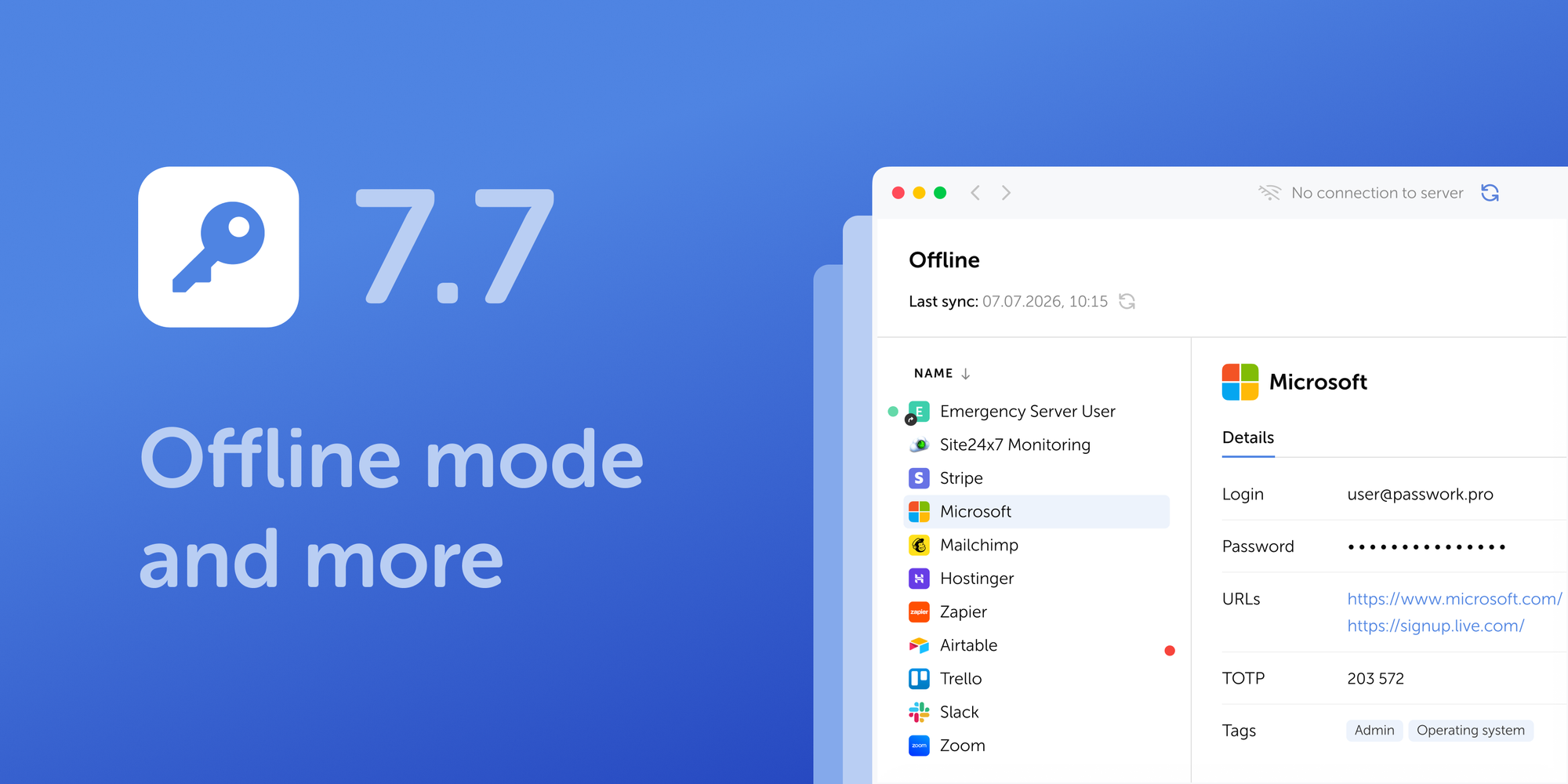
Passwork has been included in the Capterra Shortlist 2026 for Password Management. The Shortlist recognizes products with the highest user ratings and the strongest category popularity, based on verified customer reviews collected through Capterra's platform. Passwork holds a 4.7 overall rating from 79 reviews.
What customers say about Passwork
Customers name two factors that matter most to them: security that meets enterprise-level requirements, and an interface teams learn quickly, without lengthy training.
"Password management with role-based vaults and private vaults, ease of use for the end-users, user management via LDAP and SAMLv2, and a usable API was the key features for us when deciding on a web-based password vault solution." — Infrastructure Architect
That ease of use carries into daily operations as well as the initial buying decision.
"We wanted a simple and secure way to manage shared passwords instead of sending credentials through chat or keeping them in spreadsheets. Passwork solved that problem well and their support is very responsive." — Head of Success
Users highlight the simplicity of installation and the ease of migrating from other access management solutions.
“Passwork’s pros: - Ease of installation (for a self hosted server) - Easy migration from our legacy tool via CSV export/import - Folder structure, great search function - Productivity boost thank to the browser integration.” – Software Engineer
About Capterra
Capterra is a U.S.-based platform that helps businesses research and compare software based on verified user reviews, side-by-side comparisons, and category rankings. Vendors don't pay for placement in the Shortlist itself; the ranking is calculated from rating volume and satisfaction scores across the category.
"We build Passwork to fit naturally into the way organizations already work. That means a clear interface for everyday users, responsive technical support, and integrations that help IT teams connect Passwork with their existing infrastructure and workflows. We’re glad to see that these efforts have earned Passwork a place on the Capterra Shortlist 2026." – Alex Muntyan, CEO Passwork
Verified reviews are a solid starting point for evaluating a password manager. The next step is seeing how that experience translates to your own AD setup and existing integrations.
Passwork earned a spot on the Capterra Shortlist 2026 for Password Management. The recognition is built on verified reviews citing ease of setup, legacy-tool migration, and browser integration that speeds up daily use.
As notícias de cibersegurança de agosto tiveram um fio condutor: os atacantes encontraram formas de contornar o próprio início de sessão, em vez de o atacar diretamente. Contornos de autenticação, tokens forjados, sessões roubadas, chaves de API expostas e credenciais de máquina divulgadas permitiram repetidamente obter acesso sem que os atacantes tivessem de quebrar uma palavra-passe ou derrotar a autenticação multifator (MFA).
Foram encontradas mais de 9300 chaves de acesso AWS ativas em repositórios públicos, logs de compilação e imagens de contentores. Entre as chaves empresariais contavam-se 526 chaves root e 242 chaves IAM com permissões completas de AdministratorAccess.
O incidente de março na cadeia de fornecimento do LiteLLM poderá ter exposto mais de 2500 organizações e 434 000 pipelines de CI/CD, segundo uma avaliação de impacto publicada em agosto.
Os investigadores encontraram 4576 tokens de API do n8n em repositórios públicos do GitHub; entre as instâncias acessíveis testadas, 36 % aceitaram pelo menos uma chave exposta.
O Mirage2FA visou 9426 endereços de e-mail do Microsoft 365 e comprometeu até 4532 deles através do roubo de sessões autenticadas após a MFA.
O mesmo padrão surgiu em quatro vulnerabilidades divulgadas: N-able N-central, Citrix NetScaler, Keycloak e SharePoint tiveram falhas divulgadas capazes de contornar a autenticação ou os controlos de identidade. Em paralelo, a atividade de pulverização de palavras-passe (password spraying) aumentou 155 vezes, à medida que os atacantes procuravam lacunas na aplicação da MFA.
Os incidentes abaixo mostram como a autenticação se estende para além das palavras-passe e dos ecrãs de início de sessão, e onde as equipas de TI e de segurança precisam de ajustar os controlos.
Exploração ativa de um contorno crítico da autenticação na plataforma de gestão remota N-able N-central (CVE-2026-18577)
O que aconteceu: A vulnerabilidade CVE-2026-18577 (CVSS 8,1) permite que um atacante remoto e não autenticado contorne por completo a autenticação e obtenha acesso administrativo aos servidores N-central. A falha resulta de uma correção incompleta de uma vulnerabilidade anterior, a CVE-2026-18556. Desde 1 de agosto de 2026 tem sido registada exploração ativa em ambiente real, com os atacantes a utilizar a funcionalidade legítima Take Control para alcançar os endpoints dos clientes após o comprometimento e a implementar um túnel cloudflared para acesso remoto persistente.
Porque importa: As plataformas de monitorização e gestão remotas (RMM) detêm o nível de privilégio mais elevado em toda a infraestrutura de uma organização e nos respetivos clientes ligados. Um contorno da autenticação neste tipo de software cria de imediato um risco de exposição na cadeia de fornecimento a toda a carteira de clientes.
Recomendação defensiva: As equipas de TI devem verificar com urgência a versão da plataforma e confirmar que o hotfix 2026.3.1.10 da N-able (2026.3.1 Hotfix 2) está instalado. Também é essencial rever as sessões privilegiadas ativas.
Contorno remoto da autenticação, sem interação do utilizador, no Citrix NetScaler Gateway (CVE-2026-19490)
O que aconteceu: A Citrix corrigiu uma vulnerabilidade crítica de autenticação por caminho alternativo, a CVE-2026-19490 (pontuação CVSS 9,3), no NetScaler ADC e no NetScaler Gateway. Um atacante remoto não autenticado pode explorar a falha em configurações de gateway afetadas sem qualquer interação do utilizador. Os pré-requisitos variam consoante a versão: as compilações afetadas mais recentes exigem uma configuração SAML, além de uma configuração de Gateway ou AAA, pelo que nem todas as implementações do NetScaler estão expostas da mesma forma.
Porque importa: Os gateways de acesso remoto servem de principal defesa de perímetro das redes empresariais. Um contorno bem-sucedido da autenticação nesta camada anula por completo o valor das credenciais empresariais dos colaboradores e das políticas de MFA.
Recomendação defensiva: Dado que estes appliances estão diretamente expostos à internet, as equipas de TI devem realizar uma atualização de emergência para as compilações corrigidas disponibilizadas pela Citrix (14.1-73.32 ou 13.1-63.21 e posteriores).
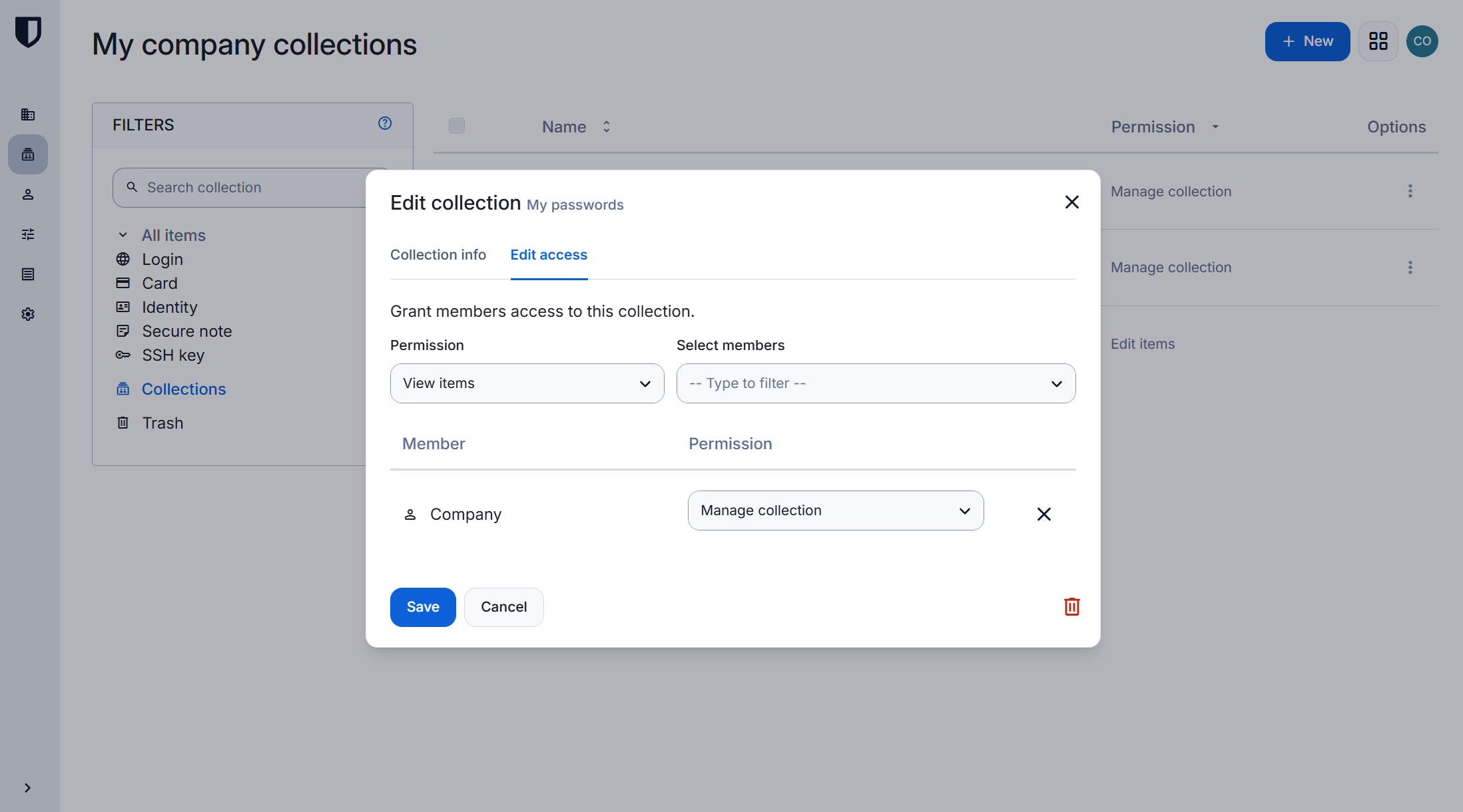
O Passwork acrescenta uma camada de gestão centralizada e auditada para as credenciais e os segredos que estão por trás dos gateways e das ferramentas RMM. Ver como funciona o controlo de acessos do Passwork.
Vulnerabilidade crítica de redefinição de palavra-passe no Keycloak (CVE-2026-18963) que permite a tomada remota de contas
O que aconteceu: Foi encontrada uma vulnerabilidade crítica, a CVE-2026-18963 (pontuação CVSS 9,1 segundo a Red Hat), no fluxo de recuperação de palavra-passe (reset-credentials) do Keycloak. Devido a uma validação incorreta do estado, um atacante remoto e não autenticado pode redefinir a palavra-passe de qualquer utilizador, incluindo a dos administradores. As correções foram publicadas no Keycloak 26.7.2, bem como no Red Hat build of Keycloak 26.4.15 e 26.6.6.
Porque importa: As falhas de validação nos fluxos de recuperação de contas minam quaisquer requisitos rigorosos de complexidade das palavras-passe ou a MFA inicial, dando aos atacantes um caminho direto para comprometer o fornecedor de identidade (IdP).
Recomendação defensiva: As equipas de TI devem dar prioridade à aplicação de correções nos servidores Keycloak e testar os fluxos de redefinição de palavra-passe e de recuperação de contas com o mesmo rigor aplicado aos métodos de autenticação principais.
Vulnerabilidade crítica de execução remota de código CVE-2026-69836 (CVSS 10,0) corrigida no diretório na nuvem do Microsoft Entra ID
O que aconteceu: A Microsoft corrigiu uma vulnerabilidade crítica de execução remota de código, a CVE-2026-69836, no serviço na nuvem do Entra ID, relacionada com a desserialização de dados não fidedignos. Ao contrário das restantes falhas deste resumo, trata-se de um problema de execução remota de código na infraestrutura na nuvem, e não de um contorno de credenciais ou da autenticação. A Microsoft resolveu o problema do lado do servidor, sem exigir qualquer ação por parte dos clientes. A falha foi inicialmente assinalada como explorada em ataques reais, mas a Microsoft reviu depois o estado para «não explorada».
Porque importa: O Entra ID é o ponto central de controlo de acesso e de autorização para milhares de empresas. As vulnerabilidades de gravidade máxima na infraestrutura na nuvem dos fornecedores de identidade criam riscos globais em todo o ecossistema de confiança.
Recomendação defensiva: Apesar da correção automática aplicada pelo fornecedor, as equipas de segurança devem monitorizar anomalias nos logs de identidade na nuvem e rever os pressupostos de risco sobre o acesso durante incidentes que afetem fornecedores de serviços essenciais.
A exposição em massa de chaves AWS ativas ameaça a tomada total de contas empresariais
O que aconteceu: Uma investigação da Truffle Security identificou mais de 9300 chaves de acesso AWS expostas em repositórios públicos, logs de compilação e imagens de contentores, chaves que se mantiveram válidas e ativas durante anos. Destas, 817 pertenciam a empresas, incluindo 526 chaves root e 242 chaves IAM com permissões completas de AdministratorAccess, que concedem controlo total sobre a infraestrutura na nuvem.
Porque importa: As chaves de acesso de longa duração expostas, sobretudo as com direitos de administrador, dão aos atacantes acesso sem entraves aos recursos na nuvem, contornando por completo os portais de autorização habituais e a MFA.
Recomendação defensiva: As equipas de TI devem proibir a utilização de contas root da AWS em processos de rotina, configurar a análise contínua de fontes públicas à procura de segredos expostos e revogar e rodar de imediato quaisquer chaves comprometidas, seguindo as boas práticas da própria AWS para o utilizador root.
Relatório da CloudSEK avalia a potencial exposição decorrente do incidente de março na cadeia de fornecimento do LiteLLM
O que aconteceu: A 11 de agosto, a CloudSEK publicou uma avaliação de impacto do comprometimento de 24 de março que envolveu as versões maliciosas 1.82.7 e 1.82.8 do LiteLLM. O relatório estima que a exposição de curta duração no PyPI (os pacotes estiveram disponíveis publicamente durante cerca de 40 minutos) pode ter afetado mais de 2500 organizações e mais de 434 000 pipelines de CI/CD em todo o mundo.
A avaliação centra-se na potencial exposição de credenciais de máquina de elevado valor disponíveis nos ambientes de desenvolvimento e de compilação afetados. Os valores da CloudSEK descrevem o risco de exposição reconstituído, e não o comprometimento confirmado de todas as organizações ou pipelines mencionados.
Porque importa: Os ambientes de desenvolvimento de IA e de automatização de compilação concentram hoje a maior quantidade de segredos não humanos (de máquina) numa organização. Comprometer as ferramentas na fase de compilação permite aos atacantes atingir o interior da infraestrutura, e o intervalo entre o incidente original e uma estimativa completa da exposição mostra durante quanto tempo este risco pode permanecer por quantificar.
Recomendação defensiva: As credenciais de máquina exigem um controlo rigoroso do ciclo de vida, rotação e auditoria dos direitos de acesso. As equipas de TI precisam de implementar a monitorização de segurança das bibliotecas de terceiros e proteger as variáveis de ambiente nos pipelines de CI/CD. Os guias técnicos do Passwork abordam padrões de rotação de segredos baseados em API que se integram diretamente neste tipo de reforço de pipelines.
Vulnerabilidade na extensão de navegador N-able Passportal expõe as chaves mestras dos cofres de palavras-passe dos utilizadores
O que aconteceu: A extensão de navegador Passportal aceitava mensagens de websites de terceiros e de elementos iframe. Os atacantes podiam enviar um pedido e obter tokens de acesso da extensão com chaves secretas. Isto permitia extrair todo o conteúdo do cofre de palavras-passe, incluindo as seeds para gerar códigos TOTP de utilização única. A N-able publicou em julho de 2026 uma correção que adiciona a verificação da origem dos pedidos; a cobertura da Dark Reading em agosto detalhou a falha e o seu impacto.
Porque importa: Os gestores de palavras-passe concentram os segredos mais críticos de uma organização. Comprometer a extensão de navegador de um gestor de palavras-passe contorna, na prática, toda a arquitetura de segurança, incluindo os fatores de MFA. O risco agravou-se pelo facto de os tokens de atualização permanecerem válidos durante 100 dias.
Recomendação defensiva: As organizações devem impor atualizações automáticas regulares das extensões de navegador nos dispositivos dos colaboradores e, ao selecionar soluções de gestão de identidades e acessos (IAM), avaliar se estas oferecem cifragem de ponta a ponta das operações do lado do cliente.
Uma extensão de navegador é tão fiável quanto a sua arquitetura. O Passwork utiliza cifragem AES-256 do lado do cliente com um modelo zero-knowledge, pelo que os dados do cofre permanecem cifrados mesmo em trânsito pela camada do navegador. Explorar a arquitetura de segurança do Passwork
A campanha de phishing Mirage2FA contorna a autenticação multifator do Microsoft 365 através do roubo de sessões
O que aconteceu: A plataforma Mirage2FA utiliza phishing adversary-in-the-middle (AiTM) para intercetar tokens legítimos de autorização de sessão do Microsoft 365. A campanha comprometeu até 4532 endereços de e-mail, cerca de 48 % dos 9426 endereços visados, em 3518 domínios de organizações nos EUA e na UE.
Porque importa: Os cookies de sessão passam, na prática, a equivaler às credenciais do utilizador depois de a verificação MFA inicial ser concluída. O roubo de sessão contorna os fatores de proteção habituais sem exigir que uma palavra-passe ou um código sejam introduzidos novamente.
Recomendação defensiva: A MFA tradicional baseada em SMS ou em códigos de aplicação já não é suficiente, por si só, para proteger os sistemas na nuvem. As organizações devem adotar métodos de autenticação resistentes a phishing, reduzir a duração dos tokens de sessão e implementar a monitorização de comportamentos de sessão anómalos.
Contorno da autenticação JWT no Microsoft SharePoint (CVE-2026-55040) permite a personificação de qualquer utilizador
O que aconteceu: Foi descoberta no SharePoint Server Subscription Edition a vulnerabilidade CVE-2026-55040, que permite a um atacante remoto e não autenticado gerar um token JWT forjado e personificar qualquer utilizador ou administrador do portal. A Microsoft corrigiu a falha em julho de 2026. A análise técnica da Rapid7 em agosto detalhou a cadeia de defeitos subjacente, incluindo um requisito de assinatura de tokens desativado e uma validação fraca dos elementos do token, e confirmou a exploração ativa.
Porque importa: Os erros de validação de JWT permitem aos atacantes contornar totalmente a autenticação sem precisarem de roubar as palavras-passe dos utilizadores.
Recomendação defensiva: As relações de confiança entre serviços e a validação de tokens devem ser verificadas e controladas pelas equipas de TI com o mesmo rigor aplicado às palavras-passe dos utilizadores e às sessões MFA.
Exploração de uma vulnerabilidade SSRF no MLflow (CVE-2026-64849) para exfiltração encoberta de credenciais em ambientes na nuvem
O que aconteceu: Foi encontrada, no registo de modelos do MLflow Tracking Server, uma vulnerabilidade de falsificação de pedidos do lado do servidor (SSRF) com pontuação CVSS de 9,3, a CVE-2026-64849. Permite que um atacante não autenticado contorne as proteções de webhooks e aceda a serviços internos de metadados na nuvem para exfiltrar credenciais de curta duração. O problema afeta todas as versões do MLflow anteriores à 3.15.0.
Porque importa: Os serviços de metadados na nuvem emitem frequentemente chaves de acesso de curta duração que, uma vez comprometidas, podem ser usadas pelos atacantes para um rápido movimento lateral dentro do ambiente na nuvem de uma empresa.
Recomendação defensiva: As equipas que gerem plataformas de machine learning devem atualizar o MLflow para a versão 3.15.0 e restringir o acesso de rede aos serviços de metadados a partir de contentores e de ferramentas de IA, seguindo o padrão das orientações da AWS para a configuração do IMDSv2.
Milhares de tokens de API do n8n expostos em repositórios do GitHub ameaçam comprometer serviços de TI ligados
O que aconteceu: Os investigadores encontraram 4576 tokens de API do n8n únicos em repositórios públicos do GitHub, associados a 1255 hosts. Os testes em instâncias acessíveis revelaram que 36 % (321 de 896 hosts acessíveis) aceitaram pelo menos uma chave exposta. Com um token privilegiado, os atacantes podiam ver as estruturas dos fluxos de trabalho de automação e os logs de execução, bem como extrair credenciais guardadas no n8n para integrações com bases de dados e serviços de terceiros.
Porque importa: As plataformas de automação e integração funcionam como centros onde se acumulam palavras-passe, chaves de API e direitos de acesso a numerosos sistemas de TI empresariais. Um único token de API exposto de um destes centros cria um enorme risco de comprometimento em cascata em toda a infraestrutura de TI, mesmo que a própria exposição não seja registada como CVE.
Recomendação defensiva: Os departamentos de TI devem alargar as políticas de análise de segredos para além do código principal das aplicações, abrangendo também os ficheiros de configuração das ferramentas de automação e integração.
Aumento de 155 vezes nos ataques de password spraying que exploram configurações incorretas e exceções da MFA
O que aconteceu: Os analistas registaram um aumento de 155 vezes na escala dos ataques de password spraying no primeiro semestre de 2026. A análise de 23 empresas afetadas concluiu que 8 delas não tinham qualquer autenticação multifator (MFA). Nos restantes 15 casos, a MFA estava ativada mas não funcionava, porque os departamentos de TI tinham configurado exceções para «localizações fidedignas», limitado a aplicação da política a um subconjunto de aplicações ou de grupos de utilizadores, ou deixado a MFA em modo apenas de relatório (auditoria).
Porque importa: A implementação da MFA não garante proteção se subsistirem pontos cegos nas políticas de segurança. Os atacantes procuram ativamente lacunas e aplicações deixadas sem proteção de MFA para obter acesso inicial à rede.
Recomendação defensiva: As equipas de TI devem eliminar as exceções de «endereços IP fidedignos», aplicar uma cobertura abrangente de MFA em todos os pontos de entrada externos e auditar regularmente a forma como as políticas de segurança são efetivamente aplicadas.
Alegações não verificadas do hacker «TheHatman» sobre o roubo em massa de credenciais de clientes empresariais do Microsoft Entra
O que aconteceu: Entre 1 e 17 de agosto de 2026, um utilizador de um fórum de hackers com o pseudónimo «TheHatman» publicou ofertas de venda de dados de colaboradores de grandes empresas, alegadamente obtidos em ambientes na nuvem do Microsoft Entra através de credenciais comprometidas. Os investigadores da Unit 42 não conseguiram confirmar um vetor de entrada específico nem uma violação efetiva do próprio serviço Entra, pelo que a ameaça ficou classificada como «violação não verificada através de roubo de credenciais de contas».
Porque importa: Embora as alegações do hacker sobre a violação da infraestrutura do fornecedor continuem por confirmar, o incidente atraiu grande atenção e ilustrou como os atacantes utilizam palavras-passe comprometidas para comprometer tenants na nuvem. As equipas de TI devem tratar alegações não verificadas deste tipo como um sinal para verificar os seus próprios sistemas, e não como prova de que a própria plataforma foi violada.
Recomendação defensiva: As equipas de TI e de segurança devem configurar uma monitorização regular de credenciais de colaboradores expostas e estar atentas a sinais de MFA fatigue e a tentativas de password spraying contra diretórios de identidade na nuvem. As ameaças não verificadas devem servir para construir hipóteses de threat hunting, e não para desencadear respostas de pânico.
Análise comparativa da eficácia da resposta do SOC com base em testes de red team da CISA
O que aconteceu: A Cybersecurity and Infrastructure Security Agency (CISA) avaliou as defesas de duas organizações através de testes de intrusão de red team. Uma das organizações não detetou nem conteve de todo as ações dos atacantes, enquanto a outra detetou rapidamente as tentativas iniciais de comprometimento e isolou os hosts afetados. As recomendações da CISA incluem manter perfis de deteção de referência, utilizar políticas de Conditional Access para identidades de carga de trabalho e rodar e revogar tokens com rapidez.
Porque importa: As ferramentas de monitorização são inúteis sem processos de resposta a incidentes bem afinados. A proteção de ambientes na nuvem e híbridos depende diretamente da integração dos sistemas de gestão de identidades e acessos (IAM) com os playbooks de piquete (on-call) da equipa de segurança.
Recomendação defensiva: Os processos de inventário de privilégios, a verificação de Conditional Access e a revogação de emergência de tokens de sessão devem ser praticados regularmente através de simulacros e de simulações de ataques.
Em agosto, os atacantes contornaram a autenticação com tokens forjados, sessões roubadas e chaves expostas, e grande parte desta atividade não aciona os alertas em que a maioria das organizações confia. Na prática, isto significa que a política de palavras-passe, por si só, já não cobre a maior parte da superfície de ataque: as sessões, os tokens e as credenciais de máquina precisam dos mesmos controlos de ciclo de vida que as palavras-passe já têm.
Três prioridades para setembro:
Corrigir os quatro contornos da autenticação divulgados. O N-central e o SharePoint tiveram exploração ativa em ambiente real confirmada neste período de análise. O NetScaler e o Keycloak justificam uma correção urgente, dada a sua gravidade, mesmo sem exploração confirmada até à data.
Auditar a autenticação de ponta a ponta, e não apenas o ecrã de início de sessão. A MFA no início de sessão oferece proteção limitada se a recuperação de contas, a validação de JWT, a duração das sessões ou a cobertura do Conditional Access tiverem lacunas. O Mirage2FA e o CaptiveCrunch contornaram ambos a MFA ao roubar uma sessão ou um token após a autenticação, e não ao derrotá-la.
Analisar repositórios e pipelines de CI/CD à procura de chaves expostas, como fizeram a GitGuardian e a Truffle Security em agosto, e integrar a revogação e a rotação nas operações de rotina, em vez de as deixar para a resposta a incidentes.
Estes três problemas partilham uma causa de raiz: credenciais e segredos dispersos por repositórios, pipelines e caixas de correio, sem um único local onde ver quem tem acesso a quê. O Passwork responde a isto com um cofre cifrado único para palavras-passe e segredos, acesso baseado em funções, registos de auditoria e rotação orientada por API.
Notícias mensais de cibersegurança: Autenticação sob cerco
Os incidentes de agosto de 2026 contornaram totalmente a autenticação: exploits confirmados no N-able N-central e no SharePoint, mais de 9300 chaves AWS expostas e o Mirage2FA a sequestrar sessões após a MFA. O que as equipas de TI e de segurança devem corrigir e auditar primeiro.
Die Cybersicherheitsnachrichten im August hatten einen gemeinsamen Nenner: Angreifer fanden Wege, den Login selbst zu umgehen, anstatt ihn direkt anzugreifen. Authentifizierungsumgehungen, gefälschte Tokens, gestohlene Sitzungen, exponierte API-Schlüssel und durchgesickerte Maschinen-Zugangsdaten ermöglichten wiederholt Zugriff, ohne dass Angreifer ein Passwort knacken oder MFA überwinden mussten.
Mehr als 9.300 aktive AWS-Zugriffsschlüssel wurden in öffentlichen Repositories, Build-Logs und Container-Images gefunden. Unter den Unternehmensschlüsseln befanden sich 526 Root-Schlüssel und 242 IAM-Schlüssel mit vollständigen AdministratorAccess-Berechtigungen.
Der LiteLLM-Supply-Chain-Vorfall vom März hat möglicherweise mehr als 2.500 Organisationen und 434.000 CI/CD-Pipelines exponiert, so eine im August veröffentlichte Folgenabschätzung.
Forscher fanden 4.576 n8n-API-Tokens in öffentlichen GitHub-Repositories; bei den getesteten erreichbaren Instanzen akzeptierten 36 % mindestens einen durchgesickerten Schlüssel.
Mirage2FA zielte auf 9.426 Microsoft-365-E-Mail-Adressen ab und kompromittierte bis zu 4.532 davon durch das Stehlen authentifizierter Sitzungen nach MFA.
Das gleiche Muster zeigte sich bei vier offengelegten Schwachstellen: N-able N-central, Citrix NetScaler, Keycloak und SharePoint offenbarten Schwachstellen, die in der Lage waren, Authentifizierung oder Identitätskontrollen zu umgehen. Unabhängig davon stieg die Password-Spraying-Aktivität um das 155-Fache, da Angreifer nach Lücken in der MFA-Durchsetzung suchten.
Die folgenden Vorfälle zeigen, wie sich Authentifizierung über Passwörter und Anmeldebildschirme hinaus erweitert — und wo IT- und Sicherheitsteams ihre Kontrollen anpassen müssen.
Aktive Ausnutzung einer kritischen Authentifizierungsumgehung in der N-able N-central Remote-Management-Plattform (CVE-2026-18577)
Was geschah: Die Schwachstelle CVE-2026-18577 (CVSS 8.1) ermöglicht es einem entfernten, nicht authentifizierten Angreifer, die Authentifizierung vollständig zu umgehen und administrativen Zugriff auf N-central-Server zu erlangen. Die Schwachstelle resultiert aus einer unvollständigen Behebung einer früheren Schwachstelle, CVE-2026-18556. Seit dem 1. August 2026 wird aktive Ausnutzung in freier Wildbahn verzeichnet, wobei Angreifer die legitime Take-Control-Funktion nutzen, um nach der Kompromittierung Kundenendpunkte zu erreichen, und einen cloudflared-Tunnel für persistenten Fernzugriff einrichten.
Warum es wichtig ist: Remote-Monitoring- und Management-Plattformen (RMM) verfügen über die höchste Berechtigungsstufe über die gesamte Infrastruktur einer Organisation und ihrer verbundenen Clients. Eine Authentifizierungsumgehung in solcher Software schafft sofort ein Supply-Chain-Expositionsrisiko über die gesamte Kundenbasis hinweg.
Die Handlungsempfehlung: IT-Teams müssen dringend ihre Plattformversion überprüfen und bestätigen, dass der N-able-Hotfix 2026.3.1.10 (2026.3.1 Hotfix 2) installiert ist. Eine Überprüfung aktiver privilegierter Sitzungen ist ebenfalls kritisch.
Remote-Authentifizierungsumgehung ohne Benutzerinteraktion in Citrix NetScaler Gateway (CVE-2026-19490)
Was geschah: Citrix hat eine kritische Alternate-Path-Authentifizierungsschwachstelle, CVE-2026-19490 (CVSS-Score 9.3), in NetScaler ADC und NetScaler Gateway gepatcht. Ein nicht authentifizierter Remote-Angreifer kann die Schwachstelle bei betroffenen Gateway-Konfigurationen ohne jegliche Benutzerinteraktion ausnutzen. Die Voraussetzungen variieren je nach Version: Neuere betroffene Builds erfordern zusätzlich zu einem Gateway- oder AAA-Setup eine SAML-Konfiguration, sodass nicht jede NetScaler-Bereitstellung gleichermaßen exponiert ist.
Warum es wichtig ist: Remote-Access-Gateways dienen als primäre Perimeter-Verteidigung für Unternehmensnetzwerke. Eine erfolgreiche Authentifizierungsumgehung auf dieser Ebene negiert vollständig den Wert von Unternehmens-Zugangsdaten und MFA-Richtlinien der Mitarbeiter.
Die Handlungsempfehlung: Da diese Appliances direkt dem Internet ausgesetzt sind, sollten IT-Teams ein Notfall-Update auf die von Citrix bereitgestellten gepatchten Builds durchführen (14.1-73.32 oder 13.1-63.21 und höher).
Kritische Keycloak-Passwort-Reset-Schwachstelle (CVE-2026-18963) führt zu Remote-Account-Übernahme
Was geschah: Eine kritische Schwachstelle, CVE-2026-18963 (CVSS-Score 9.1 laut Red Hat), wurde im Passwort-Recovery-Flow (reset-credentials) von Keycloak gefunden. Aufgrund unsachgemäßer Statusvalidierung kann ein entfernter, nicht authentifizierter Angreifer das Passwort eines beliebigen Benutzers zurücksetzen, einschließlich das von Administratoren. Fixes wurden in Keycloak 26.7.2 sowie im Red Hat Build von Keycloak 26.4.15 und 26.6.6 veröffentlicht.
Warum es wichtig ist: Validierungsfehler in Account-Recovery-Flows untergraben alle strengen Passwort-Komplexitätsanforderungen oder initiale MFA und geben Angreifern einen direkten Weg zur Kompromittierung des Identity Providers (IdP).
Die Handlungsempfehlung: IT-Teams sollten das Patchen von Keycloak-Servern priorisieren und Passwort-Reset- sowie Account-Recovery-Flows mit derselben Sorgfalt testen, die für primäre Authentifizierungsmethoden gilt.
Kritische Remote-Code-Execution-Schwachstelle CVE-2026-69836 (CVSS 10.0) im Cloud-Verzeichnis von Microsoft Entra ID behoben
Was geschah: Microsoft hat eine kritische Remote-Code-Execution-Schwachstelle, CVE-2026-69836, im Cloud-Dienst von Entra ID behoben, die mit der Deserialisierung nicht vertrauenswürdiger Daten zusammenhängt. Anders als die anderen Schwachstellen in dieser Zusammenfassung handelt es sich hierbei um ein Remote-Code-Execution-Problem in der Cloud-Infrastruktur, nicht um eine Credential- oder Authentifizierungsumgehung. Microsoft hat das Problem serverseitig behoben, sodass keine Maßnahmen seitens der Kunden erforderlich sind. Die Schwachstelle wurde zunächst als in realen Angriffen ausgenutzt gekennzeichnet, aber Microsoft revidierte den Status später auf „nicht ausgenutzt".
Warum es wichtig ist: Entra ID ist der zentrale Knotenpunkt für Zugriffskontrolle und Autorisierung für Tausende von Unternehmen. Schwachstellen mit maximaler Schwere in der Cloud-Infrastruktur von Identity Providern schaffen globale Risiken über das gesamte vertrauenswürdige Ökosystem hinweg.
Die Handlungsempfehlung: Trotz des automatisch vom Anbieter angewendeten Patches sollten Sicherheitsteams Cloud-Identity-Logs auf Anomalien überwachen und Risikoannahmen bezüglich des Zugriffs während Vorfällen, die wichtige Dienstanbieter betreffen, überdenken.
Massenexposition aktiver AWS-Schlüssel bedroht vollständige Übernahme von Unternehmens-Accounts
Was geschah: Eine Untersuchung von Truffle Security identifizierte mehr als 9.300 AWS-Zugriffsschlüssel, die in öffentliche Repositories, Build-Logs und Container-Images durchgesickert waren — Schlüssel, die jahrelang gültig und aktiv blieben. Davon gehörten 817 Unternehmen, darunter 526 Root-Schlüssel und 242 IAM-Schlüssel mit vollständigen AdministratorAccess-Berechtigungen, die vollständige Kontrolle über die Cloud-Infrastruktur gewähren.
Warum es wichtig ist: Durchgesickerte langlebige Zugriffsschlüssel, insbesondere solche mit Administratorrechten, geben Angreifern ungehinderten Zugang zu Cloud-Ressourcen und umgehen dabei vollständig Standard-Autorisierungsportale und MFA.
Die Handlungsempfehlung: IT-Teams müssen die Verwendung von AWS-Root-Accounts in Routineprozessen verbieten, kontinuierliches Scanning öffentlicher Quellen auf exponierte Secrets einrichten und kompromittierte Schlüssel sofort widerrufen und rotieren, gemäß den AWS-eigenen Best Practices für Root-Benutzer.
CloudSEK-Bericht kartiert potenzielle Exposition durch den LiteLLM-Supply-Chain-Vorfall vom März
Was geschah: Am 11. August veröffentlichte CloudSEK eine Folgenabschätzung zur Kompromittierung vom 24. März, die die bösartigen LiteLLM-Releases 1.82.7 und 1.82.8 betraf. Der Bericht schätzt, dass die kurzlebige PyPI-Exposition (die Pakete waren etwa 40 Minuten lang öffentlich verfügbar) mehr als 2.500 Organisationen und über 434.000 CI/CD-Pipelines weltweit betroffen haben könnte.
Die Bewertung konzentriert sich auf die potenzielle Exposition hochwertiger Maschinen-Zugangsdaten, die betroffenen Entwicklungs- und Build-Umgebungen zur Verfügung standen. Die Zahlen von CloudSEK beschreiben ein rekonstruiertes Expositionsrisiko, keine bestätigte Kompromittierung jeder genannten Organisation oder Pipeline.
Warum es wichtig ist: KI-Entwicklungs- und Build-Automatisierungsumgebungen weisen heute die höchste Konzentration an nicht-menschlichen (Maschinen-)Secrets in einer Organisation auf. Die Kompromittierung von Tooling in der Build-Phase ermöglicht es Angreifern, tief in die Infrastruktur einzudringen, und die Verzögerung zwischen dem ursprünglichen Vorfall und einer vollständigen Expositionsschätzung zeigt, wie lange dieses Risiko unquantifiziert bleiben kann.
Die Handlungsempfehlung: Maschinen-Zugangsdaten erfordern strikte Lebenszykluskontrollen, Rotation und Audit der Zugriffsrechte. IT-Teams müssen Sicherheitsmonitoring für Drittanbieter-Bibliotheken implementieren und Umgebungsvariablen in CI/CD-Pipelines schützen. Die technischen Leitfäden von Passwork behandeln API-basierte Secret-Rotationsmuster, die direkt in diese Art von Pipeline-Härtung passen.
Schwachstelle in der N-able-Passportal-Browsererweiterung exponiert Masterpasswörter der Passwort-Tresore von Benutzern
Was geschah: Die Passportal-Browsererweiterung akzeptierte Nachrichten von Drittanbieter-Websites und iframe-Elementen. Angreifer konnten eine Anfrage senden und Erweiterungs-Zugriffstoken mit geheimen Schlüsseln erhalten. Dies ermöglichte die Extraktion des gesamten Inhalts des Passwort-Tresors, einschließlich Seeds zur Generierung von Einmal-TOTP-Codes. N-able veröffentlichte im Juli 2026 einen Patch, der eine Origin-Prüfung für Anfragen hinzufügte; die August-Berichterstattung von Dark Reading beschrieb die Schwachstelle und ihre Auswirkungen im Detail.
Warum es wichtig ist: Passwort-Manager konzentrieren die kritischsten Secrets einer Organisation. Die Kompromittierung einer Passwort-Manager-Browsererweiterung umgeht effektiv die gesamte Sicherheitsarchitektur, einschließlich MFA-Faktoren. Das Risiko wurde dadurch verschärft, dass Refresh-Tokens 100 Tage lang gültig blieben.
Die Handlungsempfehlung: Organisationen müssen regelmäßige automatische Updates von Browsererweiterungen auf Mitarbeitergeräten durchsetzen und bei der Auswahl von IAM-Lösungen bewerten, ob diese Ende-zu-Ende-Verschlüsselung clientseitiger Operationen unterstützen.
Eine Browsererweiterung ist nur so vertrauenswürdig wie ihre Architektur. Passwork verwendet clientseitige AES-256-Verschlüsselung mit einem Zero-Knowledge-Modell, sodass Tresor-Daten auch bei der Übertragung durch die Browser-Schicht verschlüsselt bleiben. Entdecken Sie die Sicherheitsarchitektur von Passwork
Mirage2FA-Phishing-Kampagne umgeht Microsoft-365-Multi-Faktor-Authentifizierung durch Sitzungsdiebstahl
Was geschah: Die Mirage2FA-Plattform nutzt Adversary-in-the-Middle-Phishing (AiTM), um legitime Microsoft-365-Sitzungsautorisierungstoken abzufangen. Die Kampagne kompromittierte bis zu 4.532 E-Mail-Adressen, etwa 48 % der 9.426 angegriffenen Adressen, über 3.518 Organisations-Domains in den USA und der EU.
Warum es wichtig ist: Sitzungs-Cookies werden effektiv zu Benutzer-Zugangsdaten, sobald die initiale MFA-Verifizierung bestanden wurde. Sitzungsdiebstahl umgeht standardmäßige Schutzfaktoren, ohne dass ein Passwort oder Code erneut eingegeben werden muss.
Die Handlungsempfehlung: Traditionelle SMS- oder App-Code-basierte MFA reicht allein nicht mehr aus, um Cloud-Systeme zu schützen. Organisationen müssen phishing-resistente Authentifizierungsmethoden einführen, Sitzungstoken-Lebensdauern verkürzen und Monitoring für anomales Sitzungsverhalten einrichten.
JWT-Authentifizierungsumgehung in Microsoft SharePoint (CVE-2026-55040) ermöglicht Identitätswechsel zu beliebigem Benutzer
Was geschah: Eine Schwachstelle, CVE-2026-55040, wurde in SharePoint Server Subscription Edition entdeckt, die es einem entfernten, nicht authentifizierten Angreifer ermöglicht, ein gefälschtes JWT-Token zu generieren und jeden Benutzer oder Portal-Administrator zu imitieren. Microsoft hat die Schwachstelle im Juli 2026 gepatcht. Die technische August-Analyse von Rapid7 beschrieb die Kette von Defekten dahinter, einschließlich einer deaktivierten Token-Signaturanforderung und schwacher Validierung von Token-Elementen, und bestätigte aktive Ausnutzung.
Warum es wichtig ist: JWT-Validierungsfehler ermöglichen es Angreifern, die Authentifizierung vollständig zu umgehen, ohne Benutzerpasswörter stehlen zu müssen.
Die Handlungsempfehlung: Service-to-Service-Vertrauensbeziehungen und Token-Validierung müssen von IT-Teams mit derselben Sorgfalt geprüft und kontrolliert werden, die für Benutzerpasswörter und MFA-Sitzungen gilt.
Ausnutzung einer SSRF-Schwachstelle in MLflow (CVE-2026-64849) zur verdeckten Credential-Exfiltration aus Cloud-Umgebungen
Was geschah: Eine Server-Side-Request-Forgery-Schwachstelle (SSRF) mit einem CVSS-Score von 9.3, CVE-2026-64849, wurde in der Model-Registry des MLflow Tracking Servers gefunden. Sie ermöglicht es einem nicht authentifizierten Angreifer, Webhook-Schutzmaßnahmen zu umgehen und interne Cloud-Metadaten-Dienste zu erreichen, um kurzlebige Zugangsdaten zu exfiltrieren. Das Problem betrifft alle MLflow-Versionen vor 3.15.0.
Warum es wichtig ist: Cloud-Metadaten-Dienste geben oft kurzlebige Zugriffsschlüssel aus, die nach einer Kompromittierung von Angreifern für schnelle laterale Bewegung innerhalb der Cloud-Umgebung eines Unternehmens verwendet werden können.
Die Handlungsempfehlung: Teams, die Machine-Learning-Plattformen betreiben, müssen MLflow auf Version 3.15.0 patchen und den Netzwerkzugang zu Metadaten-Diensten von Containern und KI-Tooling einschränken, gemäß dem Muster in der AWS-IMDSv2-Konfigurationsanleitung.
Tausende durchgesickerte n8n-API-Tokens in GitHub-Repositories gefunden, bedrohen Kompromittierung verbundener IT-Dienste
Was geschah: Forscher fanden 4.576 eindeutige n8n-API-Tokens in öffentlichen GitHub-Repositories, verknüpft mit 1.255 Hosts. Tests an erreichbaren Instanzen ergaben, dass 36 % davon (321 von 896 erreichbaren Hosts) mindestens einen durchgesickerten Schlüssel akzeptierten. Mit einem privilegierten Token konnten Angreifer Automatisierungs-Workflow-Strukturen und Ausführungsprotokolle einsehen sowie in n8n für Drittanbieter-Datenbank- und Dienstintegrationen gespeicherte Zugangsdaten extrahieren.
Warum es wichtig ist: Automatisierungs- und Integrationsplattformen fungieren als Knotenpunkte, an denen Passwörter, API-Schlüssel und Zugriffsrechte auf zahlreiche Unternehmens-IT-Systeme zusammenlaufen. Ein einzelner durchgesickerter API-Token zu einem solchen Knotenpunkt schafft ein massives Risiko einer kaskadierenden Kompromittierung der gesamten IT-Infrastruktur, auch wenn die Exposition selbst nicht als CVE erfasst wird.
Die Handlungsempfehlung: IT-Abteilungen müssen Secret-Scanning-Richtlinien über den Kern-Anwendungscode hinaus erweitern und auch Konfigurationsdateien von Automatisierungs- und Integrationstools abdecken.
155-facher Anstieg von Password-Spraying-Angriffen, die MFA-Fehlkonfigurationen und -Ausnahmen ausnutzen
Was geschah: Analysten verzeichneten einen 155-fachen Anstieg des Umfangs von Password-Spraying-Angriffen in der ersten Hälfte 2026. Eine Analyse von 23 betroffenen Unternehmen ergab, dass 8 davon überhaupt keine Multi-Faktor-Authentifizierung (MFA) hatten. In den verbleibenden 15 Fällen war MFA aktiviert, funktionierte aber nicht, weil IT-Abteilungen Ausnahmen für „vertrauenswürdige Standorte" konfiguriert, die Richtliniendurchsetzung auf eine Teilmenge von Anwendungen oder Benutzergruppen beschränkt oder MFA im Report-Only-Modus (Audit-Modus) belassen hatten.
Warum es wichtig ist: Die Bereitstellung von MFA garantiert keinen Schutz, wenn blinde Flecken in den Sicherheitsrichtlinien verbleiben. Angreifer suchen aktiv nach Schlupflöchern und Anwendungen, die nicht durch MFA geschützt sind, um initialen Netzwerkzugang zu erlangen.
Die Handlungsempfehlung: IT-Teams müssen „vertrauenswürdige IP-Adressen"-Ausnahmen eliminieren, umfassende MFA-Abdeckung über alle externen Einstiegspunkte implementieren und regelmäßig auditieren, wie Sicherheitsrichtlinien tatsächlich durchgesetzt werden.
Unbestätigte Behauptungen des Hackers „TheHatman" über massenhaften Credential-Diebstahl bei Microsoft-Entra-Unternehmenskunden
Was geschah: Zwischen dem 1. und 17. August 2026 veröffentlichte ein Hacker-Forum-Benutzer unter dem Namen „TheHatman" Angebote zum Verkauf von Mitarbeiterdaten großer Unternehmen, die angeblich aus Microsoft-Entra-Cloud-Umgebungen durch kompromittierte Zugangsdaten erlangt wurden. Forscher von Unit 42 konnten weder einen spezifischen Einstiegsvektor noch einen tatsächlichen Breach des Entra-Dienstes selbst bestätigen, sodass die Bedrohung als „unbestätigter Breach via Account-Credential-Diebstahl" klassifiziert bleibt.
Warum es wichtig ist: Auch wenn die Behauptungen des Hackers über einen Breach der Anbieterinfrastruktur unbestätigt bleiben, zog der Vorfall breite Aufmerksamkeit auf sich und illustrierte, wie Angreifer kompromittierte Passwörter nutzen, um Cloud-Tenants zu kompromittieren. Unbestätigte Behauptungen dieser Art sollten von IT-Teams als Signal behandelt werden, die eigenen Systeme zu überprüfen, nicht als Beweis dafür, dass die Plattform selbst gebrochen wurde.
Die Handlungsempfehlung: IT- und Sicherheitsteams müssen regelmäßiges Monitoring auf durchgesickerte Mitarbeiter-Zugangsdaten einrichten und auf Anzeichen von MFA-Fatigue und Password-Spraying-Versuchen gegen Cloud-Identity-Verzeichnisse achten. Unbestätigte Bedrohungen sollten genutzt werden, um Threat-Hunting-Hypothesen aufzubauen, nicht um Panik-Reaktionen auszulösen.
Vergleichende Analyse der SOC-Reaktionseffektivität basierend auf CISA-Red-Team-Tests
Was geschah: Die Cybersecurity and Infrastructure Security Agency (CISA) bewertete die Verteidigung zweier Organisationen durch Red-Team-Penetrationstests. Eine Organisation verpasste die Aktionen der Angreifer vollständig und konnte sie nicht eindämmen, während die andere initiale Kompromittierungsversuche schnell erkannte und die betroffenen Hosts isolierte. CISAs Empfehlungen umfassen die Pflege von Baseline-Erkennungsprofilen, die Verwendung von Conditional-Access-Richtlinien für Workload-Identitäten und das prompte Rotieren und Widerrufen von Tokens.
Warum es wichtig ist: Monitoring-Tools sind ohne gut eingespielte Incident-Response-Prozesse nutzlos. Der Schutz von Cloud- und Hybrid-Umgebungen hängt direkt von der Integration von Identity-and-Access-Management-Systemen (IAM) mit den Bereitschafts-Playbooks der Sicherheitsteams ab.
Die Handlungsempfehlung: Privilege-Inventory-Prozesse, Conditional-Access-Verifizierung und Notfall-Sitzungstoken-Widerruf müssen regelmäßig durch Übungen und Angriffssimulationen trainiert werden.
Im August umgingen Angreifer die Authentifizierung mithilfe gefälschter Tokens, gestohlener Sitzungen und durchgesickerter Schlüssel — und ein Großteil dieser Aktivität löst nicht die Alarme aus, auf die sich die meisten Organisationen verlassen. In der Praxis bedeutet das, dass Passwortrichtlinien allein den größten Teil Ihrer Angriffsfläche nicht mehr abdecken: Sitzungen, Tokens und Maschinen-Zugangsdaten benötigen dieselben Lebenszykluskontrollen, die Passwörter bereits haben.
Drei Prioritäten für September:
Patchen Sie die vier offengelegten Authentifizierungsumgehungen. N-central und SharePoint hatten in diesem Berichtszeitraum bestätigte Ausnutzung in freier Wildbahn. NetScaler und Keycloak erfordern angesichts ihrer Schwere dringendes Patchen, auch ohne bisher bestätigte Ausnutzung.
Auditieren Sie die Authentifizierung durchgängig, nicht nur den Anmeldebildschirm. MFA bei der Anmeldung bietet begrenzten Schutz, wenn Account-Recovery, JWT-Validierung, Sitzungslebensdauern oder Conditional-Access-Abdeckung Lücken aufweisen. Mirage2FA und CaptiveCrunch umgingen beide MFA, indem sie eine Sitzung oder ein Token nach der Authentifizierung stahlen, nicht indem sie sie überwanden.
Scannen Sie Repositories und CI/CD-Pipelines auf exponierte Schlüssel, so wie GitGuardian und Truffle Security es im August taten, und integrieren Sie Widerruf und Rotation in den Routinebetrieb statt in die Incident Response.
Diese drei Probleme haben eine gemeinsame Ursache: Zugangsdaten und Secrets, die über Repos, Pipelines und Posteingänge verstreut sind, ohne einen einzigen Ort, um zu sehen, wer Zugriff auf was hat. Passwork adressiert dies mit einem verschlüsselten Tresor für Passwörter und Secrets, rollenbasiertem Zugriff, Audit-Logs und API-gesteuerter Rotation.
Fordern Sie eine Passwork-Demo an und beginnen Sie mit einer Bestandsaufnahme dessen, was Ihr Team bereits über verschiedene Systeme verstreut hat.
Monatliche Cybersecurity-News: Authentifizierung unter Beschuss
Die Vorfälle im August 2026 umgingen die Authentifizierung vollständig: bestätigte Exploits in N-able N-central und SharePoint, über 9.300 exponierte AWS-Schlüssel und Mirage2FA, das Sitzungen nach MFA kapert. Das sollten IT- und Sicherheitsteams zuerst patchen und prüfen.
Las noticias de ciberseguridad de agosto tuvieron un hilo conductor común: los atacantes encontraron formas de eludir el inicio de sesión en lugar de atacarlo directamente. Las elusiones de autenticación, los tokens falsificados, las sesiones robadas, las claves API expuestas y las credenciales de máquinas filtradas proporcionaron repetidamente acceso sin requerir que los atacantes descifren una contraseña o derroten el MFA.
Se encontraron más de 9.300 claves de acceso de AWS activas en repositorios públicos, registros de compilación e imágenes de contenedores. Entre las claves corporativas había 526 claves root y 242 claves IAM con permisos completos de AdministratorAccess.
El incidente de cadena de suministro de LiteLLM de marzo puede haber expuesto a más de 2.500 organizaciones y 434.000 pipelines de CI/CD, según una evaluación de impacto publicada en agosto.
Los investigadores encontraron 4.576 tokens de API de n8n en repositorios públicos de GitHub; entre las instancias accesibles probadas, el 36% aceptó al menos una clave filtrada.
Mirage2FA apuntó a 9.426 direcciones de correo electrónico de Microsoft 365 y comprometió hasta 4.532 de ellas robando sesiones autenticadas después del MFA.
El mismo patrón apareció en cuatro vulnerabilidades divulgadas: N-able N-central, Citrix NetScaler, Keycloak y SharePoint revelaron fallos capaces de eludir la autenticación o los controles de identidad. Por separado, la actividad de password spraying aumentó 155 veces mientras los atacantes buscaban brechas en la aplicación del MFA.
Los incidentes a continuación muestran cómo la autenticación se está expandiendo más allá de las contraseñas y las pantallas de inicio de sesión — y dónde los equipos de TI y seguridad necesitan ajustar sus controles.
Explotación activa de una elusión crítica de autenticación en la plataforma de gestión remota N-able N-central (CVE-2026-18577)
Qué sucedió: La vulnerabilidad CVE-2026-18577 (CVSS 8.1) permite a un atacante remoto no autenticado eludir completamente la autenticación y obtener acceso administrativo a los servidores N-central. El fallo proviene de una corrección incompleta de una vulnerabilidad anterior, CVE-2026-18556. Se ha registrado explotación activa en entornos reales desde el 1 de agosto de 2026, con atacantes utilizando la función legítima Take Control para alcanzar los endpoints de los clientes después del compromiso y desplegando un túnel cloudflared para acceso remoto persistente.
Por qué es importante: Las plataformas de monitorización y gestión remotas (RMM) poseen el nivel de privilegio más alto en toda la infraestructura de una organización y sus clientes conectados. Una elusión de autenticación en este tipo de software crea inmediatamente un riesgo de exposición de cadena de suministro en toda la base de clientes.
La conclusión defensiva: Los equipos de TI deben verificar urgentemente la versión de su plataforma y confirmar que el hotfix de N-able 2026.3.1.10 (2026.3.1 Hotfix 2) está instalado. También es crítica una revisión de las sesiones privilegiadas activas.
Elusión de autenticación remota sin interacción en Citrix NetScaler Gateway (CVE-2026-19490)
Qué sucedió: Citrix parcheó una vulnerabilidad crítica de autenticación por ruta alternativa, CVE-2026-19490 (puntuación CVSS 9.3), en NetScaler ADC y NetScaler Gateway. Un atacante remoto no autenticado puede explotar el fallo en configuraciones de gateway afectadas sin ninguna interacción del usuario. Las precondiciones varían según la versión: las compilaciones afectadas más recientes requieren una configuración SAML además de una configuración de Gateway o AAA, por lo que no todos los despliegues de NetScaler están expuestos de la misma manera.
Por qué es importante: Los gateways de acceso remoto sirven como la defensa perimetral principal para las redes corporativas. Una elusión de autenticación exitosa en esta capa anula completamente el valor de las credenciales corporativas de los empleados y las políticas de MFA.
La conclusión defensiva: Dado que estos dispositivos están directamente expuestos a Internet, los equipos de TI deben realizar una actualización de emergencia a las compilaciones parcheadas proporcionadas por Citrix (14.1-73.32 o 13.1-63.21 y posteriores).
Vulnerabilidad crítica de restablecimiento de contraseña en Keycloak (CVE-2026-18963) que conduce a la toma de control remota de cuentas
Qué sucedió: Se encontró una vulnerabilidad crítica, CVE-2026-18963 (puntuación CVSS 9.1 según Red Hat), en el flujo de recuperación de contraseña (reset-credentials) de Keycloak. Debido a una validación de estado inadecuada, un atacante remoto no autenticado puede restablecer la contraseña de cualquier usuario, incluidos los administradores. Se han publicado correcciones en Keycloak 26.7.2, así como en Red Hat build of Keycloak 26.4.15 y 26.6.6.
Por qué es importante: Los fallos de validación en los flujos de recuperación de cuentas socavan cualquier requisito estricto de complejidad de contraseñas o MFA inicial, dando a los atacantes una ruta directa para comprometer el proveedor de identidad (IdP).
La conclusión defensiva: Los equipos de TI deben priorizar el parcheo de los servidores Keycloak y probar los flujos de restablecimiento de contraseña y recuperación de cuentas con el mismo rigor aplicado a los métodos de autenticación principales.
Vulnerabilidad crítica de ejecución remota de código CVE-2026-69836 (CVSS 10.0) corregida en el directorio en la nube de Microsoft Entra ID
Qué sucedió: Microsoft corrigió una vulnerabilidad crítica de ejecución remota de código, CVE-2026-69836, en el servicio en la nube de Entra ID, relacionada con la deserialización de datos no confiables. A diferencia de los otros fallos en este resumen, esta es una vulnerabilidad de ejecución remota de código en infraestructura en la nube, no una elusión de credenciales o autenticación. Microsoft resolvió el problema del lado del servidor, sin requerir ninguna acción por parte de los clientes. El fallo fue inicialmente marcado como explotado en ataques reales, pero Microsoft revisó posteriormente el estado a «no explotado».
Por qué es importante: Entra ID es el centro principal para el control de acceso y la autorización de miles de empresas. Las vulnerabilidades de máxima gravedad en la infraestructura en la nube de los proveedores de identidad crean riesgos globales en todo el ecosistema de confianza.
La conclusión defensiva: A pesar del parche automático aplicado por el proveedor, los equipos de seguridad deben monitorizar anomalías en los registros de identidad en la nube y revisar las suposiciones de riesgo sobre el acceso durante incidentes que afecten a proveedores de servicios clave.
La exposición masiva de claves de AWS activas amenaza con la toma de control total de cuentas corporativas
Qué sucedió: La investigación de Truffle Security identificó más de 9.300 claves de acceso de AWS filtradas en repositorios públicos, registros de compilación e imágenes de contenedores — claves que permanecieron válidas y activas durante años. De estas, 817 pertenecían a empresas, incluyendo 526 claves root y 242 claves IAM con permisos completos de AdministratorAccess, otorgando control total sobre la infraestructura en la nube.
Por qué es importante: Las claves de acceso de larga duración filtradas, especialmente aquellas con derechos de administrador, dan a los atacantes acceso sin impedimentos a los recursos en la nube, evitando los portales de autorización estándar y el MFA por completo.
La conclusión defensiva: Los equipos de TI deben prohibir el uso de cuentas root de AWS en procesos rutinarios, configurar el escaneo continuo de fuentes públicas en busca de secretos expuestos y revocar y rotar inmediatamente cualquier clave comprometida, siguiendo las mejores prácticas de usuario root de AWS.
El informe de CloudSEK mapea la exposición potencial del incidente de cadena de suministro de LiteLLM de marzo
Qué sucedió: El 11 de agosto, CloudSEK publicó una evaluación de impacto del compromiso del 24 de marzo que involucró las versiones maliciosas de LiteLLM 1.82.7 y 1.82.8. El informe estima que la breve exposición en PyPI (los paquetes estuvieron disponibles públicamente durante aproximadamente 40 minutos) puede haber afectado a más de 2.500 organizaciones y más de 434.000 pipelines de CI/CD en todo el mundo.
La evaluación se centra en la exposición potencial de credenciales de máquinas de alto valor disponibles en los entornos de desarrollo y compilación afectados. Las cifras de CloudSEK describen el riesgo de exposición reconstruido, no el compromiso confirmado de cada organización o pipeline mencionado.
Por qué es importante: Los entornos de desarrollo de IA y automatización de compilaciones ahora contienen la mayor concentración de secretos no humanos (de máquinas) en una organización. Comprometer las herramientas en la etapa de compilación permite a los atacantes penetrar profundamente en la infraestructura, y el retraso entre el incidente original y una estimación completa de exposición muestra cuánto tiempo ese riesgo puede permanecer sin cuantificar.
La conclusión defensiva: Las credenciales de máquinas requieren un control estricto del ciclo de vida, rotación y auditoría de derechos de acceso. Los equipos de TI necesitan implementar monitorización de seguridad para bibliotecas de terceros y proteger las variables de entorno en los pipelines de CI/CD. Las guías técnicas de Passwork cubren patrones de rotación de secretos basados en API que encajan directamente en este tipo de fortalecimiento de pipelines.
Una vulnerabilidad en la extensión de navegador N-able Passportal expone las claves maestras de la bóveda de contraseñas de los usuarios
Qué sucedió: La extensión de navegador Passportal aceptaba mensajes de sitios web de terceros y elementos iframe. Los atacantes podían enviar una solicitud y obtener tokens de acceso de la extensión que contenían claves secretas. Esto permitía la extracción de todo el contenido de la bóveda de contraseñas, incluidas las semillas para generar códigos TOTP de un solo uso. N-able lanzó un parche añadiendo verificación de origen para las solicitudes en julio de 2026; la cobertura de Dark Reading en agosto detalló el fallo y su impacto.
Por qué es importante: Los gestores de contraseñas concentran los secretos más críticos de una organización. Comprometer la extensión de navegador de un gestor de contraseñas efectivamente elude toda la arquitectura de seguridad, incluidos los factores MFA. El riesgo se agravó porque los tokens de actualización permanecían válidos durante 100 días.
La conclusión defensiva: Las organizaciones necesitan aplicar actualizaciones automáticas regulares de las extensiones de navegador en los dispositivos de los empleados, y al seleccionar soluciones IAM, evaluar si soportan cifrado de extremo a extremo de las operaciones del lado del cliente.
Una extensión de navegador es tan confiable como su arquitectura. Passwork utiliza cifrado AES-256 del lado del cliente con un modelo de conocimiento cero, por lo que los datos de la bóveda permanecen cifrados incluso en tránsito a través de la capa del navegador. Explore la arquitectura de seguridad de Passwork
La campaña de phishing Mirage2FA elude la autenticación multifactor de Microsoft 365 mediante robo de sesiones
Qué sucedió: La plataforma Mirage2FA utiliza phishing de adversario en el medio (AiTM) para interceptar tokens legítimos de autorización de sesión de Microsoft 365. La campaña comprometió hasta 4.532 direcciones de correo electrónico, aproximadamente el 48% de las 9.426 direcciones objetivo, en 3.518 dominios de organizaciones en EE. UU. y la UE.
Por qué es importante: Las cookies de sesión se convierten efectivamente en el equivalente de las credenciales de usuario una vez que la verificación MFA inicial ha pasado. El robo de sesiones elude los factores de protección estándar sin requerir que se vuelva a introducir una contraseña o código.
La conclusión defensiva: El MFA tradicional basado en SMS o códigos de aplicación ya no es suficiente para proteger los sistemas en la nube por sí solo. Las organizaciones necesitan adoptar métodos de autenticación resistentes al phishing, acortar los tiempos de vida de los tokens de sesión y configurar la monitorización de comportamiento de sesión anómalo.
La elusión de autenticación JWT en Microsoft SharePoint (CVE-2026-55040) permite la suplantación de cualquier usuario
Qué sucedió: Se descubrió una vulnerabilidad, CVE-2026-55040, en SharePoint Server Subscription Edition que permite a un atacante remoto no autenticado generar un token JWT falsificado y suplantar a cualquier usuario o administrador del portal. Microsoft parcheó el fallo en julio de 2026. El análisis técnico de Rapid7 en agosto detalló la cadena de defectos detrás de él, incluyendo un requisito de firma de token deshabilitado y una validación débil de los elementos del token, y confirmó la explotación activa.
Por qué es importante: Los errores de validación de JWT permiten a los atacantes eludir completamente la autenticación sin necesidad de robar contraseñas de usuarios.
La conclusión defensiva: Las relaciones de confianza de servicio a servicio y la validación de tokens deben ser verificadas y controladas por los equipos de TI con el mismo rigor aplicado a las contraseñas de usuarios y las sesiones MFA.
Explotación de una vulnerabilidad SSRF en MLflow (CVE-2026-64849) para la exfiltración encubierta de credenciales de entornos en la nube
Qué sucedió: Se encontró una vulnerabilidad de falsificación de solicitudes del lado del servidor (SSRF) con una puntuación CVSS de 9.3, CVE-2026-64849, en el registro de modelos del MLflow Tracking Server. Permite a un atacante no autenticado eludir las protecciones de webhook y alcanzar los servicios internos de metadatos en la nube para exfiltrar credenciales de corta duración. El problema afecta a todas las versiones de MLflow anteriores a 3.15.0.
Por qué es importante: Los servicios de metadatos en la nube a menudo emiten claves de acceso de corta duración que, una vez comprometidas, pueden ser utilizadas por los atacantes para un movimiento lateral rápido dentro del entorno en la nube de una empresa.
La conclusión defensiva: Los equipos que ejecutan plataformas de aprendizaje automático necesitan parchear MLflow a la versión 3.15.0 y restringir el acceso de red a los servicios de metadatos desde contenedores y herramientas de IA, siguiendo el patrón en la guía de configuración de IMDSv2 de AWS.
Miles de tokens de API de n8n filtrados encontrados en repositorios de GitHub, amenazando el compromiso de servicios de TI conectados
Qué sucedió: Los investigadores encontraron 4.576 tokens de API de n8n únicos en repositorios públicos de GitHub, vinculados a 1.255 hosts. Las pruebas contra instancias accesibles encontraron que el 36% de ellas (321 de 896 hosts accesibles) aceptaron al menos una clave filtrada. Con un token privilegiado, los atacantes podrían ver las estructuras de flujos de trabajo de automatización, los registros de ejecución y extraer credenciales almacenadas en n8n para integraciones de bases de datos y servicios de terceros.
Por qué es importante: Las plataformas de automatización e integración actúan como centros donde se acumulan contraseñas, claves API y derechos de acceso a numerosos sistemas de TI corporativos. Un solo token de API filtrado hacia tal centro crea un riesgo masivo de compromiso en cascada en toda la infraestructura de TI, aunque la exposición en sí no se rastrea como un CVE.
La conclusión defensiva: Los departamentos de TI necesitan extender las políticas de escaneo de secretos más allá del código de aplicación principal, cubriendo también los archivos de configuración de herramientas de automatización e integración.
Aumento de 155 veces en ataques de password spraying que explotan configuraciones erróneas y excepciones de MFA
Qué sucedió: Los analistas registraron un aumento de 155 veces en la escala de ataques de password spraying en la primera mitad de 2026. El análisis de 23 empresas afectadas encontró que 8 de ellas no tenían autenticación multifactor (MFA) en absoluto. En los 15 casos restantes, el MFA estaba habilitado pero no funcionaba, porque los departamentos de TI habían configurado excepciones para «ubicaciones de confianza», limitado la aplicación de políticas a un subconjunto de aplicaciones o grupos de usuarios, o dejado el MFA funcionando en modo de solo informe (auditoría).
Por qué es importante: Implementar MFA no garantiza protección si quedan puntos ciegos en las políticas de seguridad. Los atacantes buscan activamente lagunas y aplicaciones dejadas sin protección por MFA para obtener acceso inicial a la red.
La conclusión defensiva: Los equipos de TI necesitan eliminar las excepciones de «direcciones IP de confianza», implementar cobertura completa de MFA en todos los puntos de entrada externos y auditar regularmente cómo se aplican realmente las políticas de seguridad.
Afirmaciones no verificadas del hacker «TheHatman» sobre robo masivo de credenciales de clientes corporativos de Microsoft Entra
Qué sucedió: Entre el 1 y el 17 de agosto de 2026, un usuario de un foro de hackers que se hace llamar «TheHatman» publicó ofertas para vender datos de empleados de grandes empresas, supuestamente obtenidos de entornos en la nube de Microsoft Entra a través de credenciales comprometidas. Los investigadores de Unit 42 no pudieron confirmar un vector de entrada específico o una violación real del servicio Entra en sí, dejando la amenaza clasificada como una «violación no verificada mediante robo de credenciales de cuenta».
Por qué es importante: Aunque las afirmaciones del hacker sobre la violación de la infraestructura del proveedor permanecen sin confirmar, el incidente atrajo amplia atención e ilustró cómo los atacantes utilizan contraseñas comprometidas para comprometer los tenants en la nube. Las afirmaciones no verificadas de este tipo deben ser tratadas por los equipos de TI como una señal para verificar sus propios sistemas, no como prueba de que la plataforma en sí fue violada.
La conclusión defensiva: Los equipos de TI y seguridad necesitan configurar la monitorización regular de credenciales de empleados filtradas y estar atentos a señales de fatiga de MFA e intentos de password spraying contra directorios de identidad en la nube. Las amenazas no verificadas deben usarse para construir hipótesis de búsqueda de amenazas, no para desencadenar respuestas de pánico.
Análisis comparativo de la efectividad de respuesta del SOC basado en pruebas de red team de CISA
Qué sucedió: La Agencia de Seguridad de Infraestructura y Ciberseguridad (CISA) evaluó las defensas de dos organizaciones mediante pruebas de penetración de red team. Una organización falló completamente en detectar y contener las acciones de los atacantes, mientras que la otra detectó rápidamente los intentos de compromiso inicial y aisló los hosts afectados. Las recomendaciones de CISA incluyen mantener perfiles de detección de referencia, usar políticas de acceso condicional para identidades de carga de trabajo y rotar y revocar tokens con prontitud.
Por qué es importante: Las herramientas de monitorización son inútiles sin procesos de respuesta a incidentes bien perfeccionados. La protección de entornos en la nube e híbridos depende directamente de la integración de los sistemas de gestión de identidad y acceso (IAM) con los procedimientos de guardia del equipo de seguridad.
La conclusión defensiva: Los procesos de inventario de privilegios, verificación de acceso condicional y revocación de emergencia de tokens de sesión deben practicarse regularmente mediante simulacros y simulaciones de ataques.
En agosto, los atacantes eludieron la autenticación usando tokens falsificados, sesiones robadas, claves filtradas — y gran parte de esta actividad no activa las alertas en las que la mayoría de las organizaciones confían. En la práctica, esto significa que la política de contraseñas por sí sola ya no cubre la mayor parte de su superficie de ataque: las sesiones, los tokens y las credenciales de máquinas necesitan los mismos controles de ciclo de vida que las contraseñas ya tienen.
Tres prioridades para septiembre:
Parchear las cuatro elusiones de autenticación divulgadas. N-central y SharePoint tuvieron explotación confirmada en entornos reales durante este período de revisión. NetScaler y Keycloak justifican un parcheo urgente dada su gravedad, incluso sin explotación confirmada hasta la fecha.
Auditar la autenticación de extremo a extremo, no solo la pantalla de inicio de sesión. El MFA en el inicio de sesión proporciona protección limitada si la recuperación de cuentas, la validación de JWT, los tiempos de vida de sesión o la cobertura de acceso condicional tienen brechas. Tanto Mirage2FA como CaptiveCrunch eludieron el MFA robando una sesión o token después de la autenticación, no derrotándola.
Escanear repositorios y pipelines de CI/CD en busca de claves expuestas, de la manera en que GitGuardian y Truffle Security lo hicieron en agosto, e incorporar la revocación y rotación en las operaciones rutinarias en lugar de la respuesta a incidentes.
Estos tres problemas comparten una causa raíz: credenciales y secretos dispersos en repositorios, pipelines y bandejas de entrada, sin un único lugar para ver quién tiene acceso a qué. Passwork aborda esto con una bóveda cifrada para contraseñas y secretos, acceso basado en roles, registros de auditoría y rotación impulsada por API.
Noticias mensuales de ciberseguridad: La autenticación bajo asedio
Los incidentes de agosto de 2026 eludieron la autenticación por completo: exploits confirmados en N-able N-central y SharePoint, más de 9300 claves AWS expuestas y Mirage2FA secuestrando sesiones tras MFA. Esto es lo que los equipos de TI y seguridad deben parchear y auditar primero.
August's cybersecurity news had a common thread: attackers found ways around the login itself instead of attacking it directly. Authentication bypasses, forged tokens, stolen sessions, exposed API keys, and leaked machine credentials repeatedly provided access without requiring attackers to crack a password or defeat MFA.
More than 9,300 active AWS access keys were found in public repositories, build logs, and container images. Among the corporate keys were 526 root keys and 242 IAM keys with full AdministratorAccess permissions.
The March LiteLLM supply-chain incident may have exposed more than 2,500 organizations and 434,000 CI/CD pipelines, according to an impact assessment published in August.
Researchers found 4,576 n8n API tokens in public GitHub repositories; among reachable instances tested, 36% accepted at least one leaked key.
Mirage2FA targeted 9,426 Microsoft 365 email addresses and compromised up to 4,532 of them by stealing authenticated sessions after MFA.
The same pattern showed up in four disclosed vulnerabilities: N-able N-central, Citrix NetScaler, Keycloak, and SharePoint all disclosed flaws capable of bypassing authentication or identity controls. Separately, password-spraying activity rose 155-fold as attackers probed for gaps in MFA enforcement.
The incidents below show how authentication is expanding beyond passwords and login screens — and where IT and security teams need to adjust their controls.
Active exploitation of a critical authentication bypass in N-able N-central remote management platform (CVE-2026-18577)
What happened: The vulnerability CVE-2026-18577 (CVSS 8.1) allows a remote, unauthenticated attacker to fully bypass authentication and gain administrative access to N-central servers. The flaw stems from an incomplete fix for a previous vulnerability, CVE-2026-18556. Active in-the-wild exploitation has been recorded since August 1, 2026, with attackers using the legitimate Take Control feature to reach customer endpoints after compromise and deploying a cloudflared tunnel for persistent remote access.
Why it matters: Remote monitoring and management (RMM) platforms hold the highest privilege level across an organization's entire infrastructure and its connected clients. An authentication bypass in such software immediately creates a supply-chain exposure risk across the whole client base.
The defensive takeaway: IT teams must urgently check their platform version and confirm that N-able hotfix 2026.3.1.10 (2026.3.1 Hotfix 2) is installed. A review of active privileged sessions is also critical.
Remote, zero-interaction authentication bypass in Citrix NetScaler Gateway (CVE-2026-19490)
What happened: Citrix patched a critical alternate-path authentication vulnerability, CVE-2026-19490 (CVSS score 9.3), in NetScaler ADC and NetScaler Gateway. An unauthenticated remote attacker can exploit the flaw on affected gateway configurations without any user interaction. Preconditions vary by version: newer affected builds require a SAML configuration in addition to a Gateway or AAA setup, so not every NetScaler deployment is exposed the same way.
Why it matters: Remote access gateways serve as the primary perimeter defense for corporate networks. A successful authentication bypass at this layer completely negates the value of employee corporate credentials and MFA policies.
The defensive takeaway: Because these appliances are directly exposed to the internet, IT teams should perform an emergency update to the patched builds provided by Citrix (14.1-73.32 or 13.1-63.21 and later).
Passwork adds a centrally managed, audited layer for the credentials and secrets behind your gateways and RMM tools. See how Passwork's access control works.
Critical Keycloak password-reset vulnerability (CVE-2026-18963) leading to remote account takeover
What happened: A critical vulnerability, CVE-2026-18963 (CVSS score 9.1 per Red Hat), was found in Keycloak's password recovery (reset-credentials) flow. Due to improper state validation, a remote, unauthenticated attacker can reset any user's password, including administrators'. Fixes have been released in Keycloak 26.7.2, as well as Red Hat build of Keycloak 26.4.15 and 26.6.6.
Why it matters: Validation flaws in account-recovery flows undermine any strict password-complexity requirements or initial MFA, giving attackers a direct path to compromising the identity provider (IdP).
The defensive takeaway: IT teams should prioritize patching Keycloak servers and test password-reset and account-recovery flows with the same rigor applied to primary authentication methods.
Critical remote code execution vulnerability CVE-2026-69836 (CVSS 10.0) fixed in Microsoft Entra ID's cloud directory
What happened: Microsoft fixed a critical remote code execution vulnerability, CVE-2026-69836, in Entra ID's cloud service, related to deserialization of untrusted data. Unlike the other flaws in this digest, this is a remote code execution issue in cloud infrastructure, not a credential or authentication bypass. Microsoft resolved the issue server-side, requiring no action from customers. The flaw was initially flagged as exploited in real-world attacks, but Microsoft later revised the status to "not exploited."
Why it matters: Entra ID is the central hub for access control and authorization for thousands of companies. Maximum-severity vulnerabilities in identity providers' cloud infrastructure create global risks across the entire trusted ecosystem.
The defensive takeaway: Despite the automatic patch applied by the provider, security teams should monitor for anomalies in cloud identity logs and revisit risk assumptions about access during incidents affecting key service providers.
Mass exposure of active AWS keys threatens full takeover of corporate accounts
What happened: Research by Truffle Security identified more than 9,300 AWS access keys leaked into public repositories, build logs, and container images, keys that remained valid and active for years. Of these, 817 belonged to companies, including 526 root keys and 242 IAM keys with full AdministratorAccess permissions, granting complete control over cloud infrastructure.
Why it matters: Leaked long-lived access keys, especially those with administrator rights, give attackers unimpeded access to cloud resources, bypassing standard authorization portals and MFA entirely.
The defensive takeaway: IT teams must prohibit the use of AWS root accounts in routine processes, set up continuous scanning of public sources for exposed secrets, and immediately revoke and rotate any compromised keys, following AWS's own root user best practices.
CloudSEK report maps potential exposure from the March LiteLLM supply-chain incident
What happened: On August 11, CloudSEK published an impact assessment of the March 24 compromise involving malicious LiteLLM releases 1.82.7 and 1.82.8. The report estimates that the short-lived PyPI exposure (the packages were publicly available for roughly 40 minutes) may have affected more than 2,500 organizations and over 434,000 CI/CD pipelines worldwide.
The assessment focuses on the potential exposure of high-value machine credentials available to affected development and build environments. CloudSEK’s figures describe reconstructed exposure risk, not confirmed compromise of every named organization or pipeline.
Why it matters: AI development and build automation environments now hold the highest concentration of non-human (machine) secrets in an organization. Compromising tooling at the build stage lets attackers strike deep inside the infrastructure, and the delay between the original incident and a full exposure estimate shows how long that risk can go unquantified.
The defensive takeaway: Machine credentials require strict lifecycle control, rotation, and access-rights auditing. IT teams need to implement security monitoring for third-party libraries and protect environment variables in CI/CD pipelines. Passwork's technical guides cover API-based secret rotation patterns that fit directly into this kind of pipeline hardening.
Vulnerability in the N-able Passportal browser extension exposes users' password vault master keys
What happened: The Passportal browser extension accepted messages from third-party websites and iframe elements. Attackers could send a request and obtain extension access tokens containing secret keys. This allowed extraction of the entire contents of the password vault, including seeds for generating one-time TOTP codes. N-able released a patch adding origin-checking for requests in July 2026; Dark Reading's August coverage detailed the flaw and its impact.
Why it matters: Password managers concentrate an organization's most critical secrets. Compromising a password manager's browser extension effectively bypasses the entire security architecture, MFA factors included. The risk was compounded by refresh tokens remaining valid for 100 days.
The defensive takeaway: Organizations need to enforce regular automatic updates of browser extensions on employee devices, and when selecting IAM solutions, evaluate whether they support end-to-end encryption of client-side operations.
A browser extension is only as trustworthy as its architecture. Passwork uses client-side AES-256 encryption with a zero-knowledge model, so vault data stays encrypted even in transit through the browser layer. Explore Passwork's security architecture
Mirage2FA phishing campaign bypasses Microsoft 365 multi-factor authentication through session theft
What happened: The Mirage2FA platform uses adversary-in-the-middle (AiTM) phishing to intercept legitimate Microsoft 365 session authorization tokens. The campaign compromised up to 4,532 email addresses, roughly 48% of the 9,426 addresses targeted, across 3,518 organization domains in the US and EU.
Why it matters: Session cookies effectively become the equivalent of user credentials once initial MFA verification has passed. Session theft bypasses standard protection factors without requiring a password or code to be re-entered.
The defensive takeaway: Traditional SMS- or app-code-based MFA is no longer sufficient to protect cloud systems on its own. Organizations need to adopt phishing-resistant authentication methods, shorten session token lifetimes, and set up monitoring for anomalous session behavior.
JWT authentication bypass in Microsoft SharePoint (CVE-2026-55040) allows impersonation of any user
What happened: A vulnerability, CVE-2026-55040, was discovered in SharePoint Server Subscription Edition that lets a remote, unauthenticated attacker generate a forged JWT token and impersonate any user or portal administrator. Microsoft patched the flaw in July 2026. Rapid7's August technical analysis detailed the chain of defects behind it, including a disabled token signature requirement and weak validation of token elements, and confirmed active exploitation.
Why it matters: JWT validation errors let attackers fully bypass authentication without needing to steal user passwords.
The defensive takeaway: Service-to-service trust relationships and token validation must be checked and controlled by IT teams with the same rigor applied to user passwords and MFA sessions.
Exploitation of an SSRF vulnerability in MLflow (CVE-2026-64849) for covert credential exfiltration from cloud environments
What happened: A server-side request forgery (SSRF) vulnerability with a CVSS score of 9.3, CVE-2026-64849, was found in the model registry of the MLflow Tracking Server. It lets an unauthenticated attacker bypass webhook safeguards and reach internal cloud metadata services to exfiltrate short-lived credentials. The issue affects all MLflow versions prior to 3.15.0.
Why it matters: Cloud metadata services often issue short-lived access keys that, once compromised, can be used by attackers for rapid lateral movement inside a company's cloud environment.
The defensive takeaway: Teams running machine learning platforms need to patch MLflow to version 3.15.0 and restrict network access to metadata services from containers and AI tooling, following the pattern in AWS's IMDSv2 configuration guidance.
Thousands of leaked n8n API tokens found in GitHub repositories, threatening compromise of connected IT services
What happened: Researchers found 4,576 unique n8n API tokens in public GitHub repositories, linked to 1,255 hosts. Testing against accessible instances found that 36% of them (321 of 896 reachable hosts) accepted at least one leaked key. With a privileged token, attackers could view automation workflow structures, execution logs, and extract credentials stored in n8n for third-party database and service integrations.
Why it matters: Automation and integration platforms act as hubs where passwords, API keys, and access rights to numerous corporate IT systems accumulate. A single leaked API token to such a hub creates massive risk of cascading compromise across the entire IT infrastructure, even though the exposure itself is not tracked as a CVE.
The defensive takeaway: IT departments need to extend secret-scanning policies beyond core application code, covering configuration files of automation and integration tools as well.
155-fold surge in password-spraying attacks exploiting MFA misconfigurations and exceptions
What happened: Analysts recorded a 155-fold increase in the scale of password-spraying attacks in the first half of 2026. Analysis of 23 affected companies found that 8 of them had no multi-factor authentication (MFA) at all. In the remaining 15 cases, MFA was enabled but failed to work, because IT departments had configured exceptions for "trusted locations," limited policy enforcement to a subset of applications or user groups, or left MFA running in report-only (audit) mode.
Why it matters: Deploying MFA does not guarantee protection if blind spots remain in security policies. Attackers actively search for loopholes and applications left unprotected by MFA to gain initial network access.
The defensive takeaway: IT teams need to eliminate "trusted IP address" exceptions, implement comprehensive MFA coverage across all external entry points, and regularly audit how security policies are actually enforced.
Unverified claims by hacker "TheHatman" of mass credential theft from Microsoft Entra corporate customers
What happened: Between August 1 and 17, 2026, a hacker forum user going by "TheHatman" posted offers to sell employee data from large enterprises, allegedly obtained from Microsoft Entra cloud environments through compromised credentials. Unit 42 researchers were unable to confirm a specific entry vector or an actual breach of the Entra service itself, leaving the threat classified as an "unverified breach via account credential theft."
Why it matters: Even though the hacker's claims of breaching the provider's infrastructure remain unconfirmed, the incident drew wide attention and illustrated how attackers use compromised passwords to compromise cloud tenants. Unverified claims of this kind should be treated by IT teams as a signal to check their own systems, not as proof that the platform itself was breached.
The defensive takeaway: IT and security teams need to set up regular monitoring for leaked employee credentials and watch for signs of MFA fatigue and password-spraying attempts against cloud identity directories. Unverified threats should be used to build threat-hunting hypotheses, not to trigger panic responses.
Comparative analysis of SOC response effectiveness based on CISA red team tests
What happened: The Cybersecurity and Infrastructure Security Agency (CISA) evaluated the defenses of two organizations through red team penetration testing. One organization completely missed and failed to contain the attackers' actions, while the other quickly detected initial compromise attempts and isolated the affected hosts. CISA's recommendations include maintaining baseline detection profiles, using Conditional Access policies for workload identities, and promptly rotating and revoking tokens.
Why it matters: Monitoring tools are useless without well-honed incident-response processes. Protecting cloud and hybrid environments depends directly on integrating identity and access management (IAM) systems with security team on-call playbooks.
The defensive takeaway: Privilege inventory processes, Conditional Access verification, and emergency session-token revocation need to be practiced regularly through drills and attack simulations.
In August, attackers went around authentication using forged tokens, stolen sessions, leaked keys and much of this activity doesn't trip the alerts most organizations rely on. In practice, that means password policy alone no longer covers most of your attack surface: sessions, tokens, and machine credentials need the same lifecycle controls that passwords already have.
Three priorities for September:
Patch the four disclosed authentication bypasses. N-central and SharePoint had confirmed in-the-wild exploitation this review period. NetScaler and Keycloak warrant urgent patching given their severity, even without confirmed exploitation to date.
Audit authentication end to end, not just the login screen. MFA at sign-in provides limited protection if account recovery, JWT validation, session lifetimes, or Conditional Access coverage have gaps. Mirage2FA and CaptiveCrunch both bypassed MFA by stealing a session or token after authentication, not by defeating it.
Scan repositories and CI/CD pipelines for exposed keys, the way GitGuardian and Truffle Security did in August, and build revocation and rotation into routine operations rather than incident response.
These three issues share a root cause: credentials and secrets scattered across repos, pipelines, and inboxes, with no single place to see who has access to what. Passwork addresses that with one encrypted vault for passwords and secrets, role-based access, audit logs, and API-driven rotation.
Request a Passwork demo and start with an inventory of what your team already has scattered across systems.
Monthly cybersecurity news: Authentication under siege
August 2026's incidents bypassed authentication entirely: confirmed exploits in N-able N-central and SharePoint, 9,300+ exposed AWS keys, and Mirage2FA hijacking sessions after MFA. Here's what IT and security teams need to patch and audit first.
A implementação de um gestor de palavras-passe só é eficaz quando os utilizadores finais conseguem transformar o primeiro convite num fluxo de trabalho diário seguro e repetível. O Passwork apoia este objetivo com integração baseada em funções: cada grupo recebe um cenário adaptado às tarefas que tem de realizar na plataforma.
Gestores de departamento: estruturam equipas e delegam o acesso sem recorrer à TI a cada pedido
Administradores de TI e responsáveis pelos sistemas: implementam a plataforma, configuram cofres e gerem as definições de toda a organização
Engenheiros de DevOps e integradores: ligam o Passwork à infraestrutura existente através da API e da CLI
Especialistas de segurança e responsáveis pela conformidade: configuram o registo de auditoria, as políticas de acesso e os controlos associados a requisitos regulamentares
Utilizadores finais: passam do primeiro convite ao trabalho diário em segurança
Este guia centra-se no último cenário: o que os utilizadores finais percorrem, passo a passo, desde o momento em que recebem um convite.
O percurso do utilizador num relance
O cenário Integração de utilizadores demora aproximadamente 15–30 minutos e abrange cinco etapas: ativar a conta, instalar as ferramentas do dia a dia, proteger o início de sessão, aprender as ações essenciais e trabalhar com credenciais partilhadas nos cofres adequados.
A sequência ajuda os utilizadores a passar da obtenção de acesso à criação dos hábitos de que precisarão mais tarde: utilizar o Passwork sempre que são necessárias credenciais, gerar palavras-passe em vez de as criar manualmente e perceber onde devem ficar as credenciais pessoais e as da empresa. Este foco na usabilidade reflete-se na distinção do Passwork como Best for User Interface na seleção de 2026 da Software Advice.
Começar pelo início de sessão e pela configuração de conta adequados
O primeiro passo depende da forma como a organização configurou o Passwork. Os colaboradores podem autenticar-se através de Single Sign-On (SSO) com um fornecedor de identidade da empresa, através da integração com o Active Directory por Lightweight Directory Access Protocol (LDAP) ou com uma conta local do Passwork. O registo de uma conta local pode também exigir a aprovação de um administrador.
As organizações que utilizam cifragem do lado do cliente acrescentam a palavra-passe mestra. O Passwork utiliza-a para cifrar a chave privada do utilizador no dispositivo, e a própria palavra-passe mestra nunca é transmitida ao servidor. Deve ser diferente da palavra-passe de início de sessão do utilizador no Passwork, quando aplicável, e da palavra-passe de domínio ou de SSO. Ao contrário da palavra-passe normal de uma conta, não tem mecanismo de recuperação. Um administrador pode repô-la, mas isso implica a perda dos dados cifrados privados do utilizador.
Uma vez ativa a conta, o Passwork aproxima-se de onde os colaboradores utilizam as credenciais. A extensão do navegador oferece preenchimento automático, geração de palavras-passe e acesso aos cofres diretamente no navegador. Depois de instalarem a extensão a partir da loja do navegador, os utilizadores introduzem o URL do Passwork da organização no campo do endereço do anfitrião e iniciam sessão com as suas credenciais. A aplicação móvel disponibiliza o mesmo fluxo de trabalho em iOS e Android, enquanto uma aplicação desktop para Windows e Linux pode ser implementada em ambientes onde uma extensão do navegador é menos adequada. A disponibilidade depende das permissões e da configuração da organização.
A aplicação móvel liga-se a partir da versão desktop do Passwork através da leitura de um código QR, o que oferece aos utilizadores uma forma simples de autorizar a aplicação para a sua organização.
Recomenda-se também desativar o gestor de palavras-passe integrado do navegador depois de instalar a extensão. A execução simultânea de ambos pode originar conflitos de preenchimento automático e tornar menos previsível o fluxo de trabalho pretendido.
Aqui, a conveniência tem uma finalidade de segurança: as tarefas de rotina, como iniciar sessão ou criar uma credencial, podem decorrer dentro do fluxo de trabalho gerido e não à margem dele.
Proteger a conta antes de começar o trabalho de rotina
A proteção da conta surge logo no início do cenário de utilizadores. A autenticação de dois fatores (2FA) acrescenta mais uma etapa de verificação ao início de sessão, pelo que a posse da palavra-passe da conta, por si só, não é suficiente para aceder.
Consoante a política e a configuração da organização, os utilizadores podem ligar a aplicação Passwork 2FA, um autenticador Time-based One-Time Password (TOTP), como o Google Authenticator ou o Microsoft Authenticator, ou chaves de segurança compatíveis com WebAuthn e autenticação biométrica.
Passkeys também podem estar disponíveis quando ativadas para a função do utilizador. Utilizam a biometria do dispositivo ou uma chave de segurança física compatível para autenticação sem palavra-passe, e os utilizadores podem registar várias passkeys para diferentes dispositivos.
Incluir estas opções no percurso inicial do utilizador ajuda a tornar a proteção da conta parte da configuração, e não uma tarefa de que os colaboradores têm de se lembrar mais tarde.
Ensinar as três ações do dia a dia
A maioria dos colaboradores só precisa de um pequeno conjunto de ações para começar a trabalhar de forma produtiva:
Guardar uma credencial
Gerar uma palavra-passe
Utilizar o preenchimento automático
Em conjunto, estas três ações abrangem grande parte da interação diária de um colaborador com um gestor de palavras-passe.
Ao adicionar uma entrada, os utilizadores indicam o nome, o nome de utilizador, a palavra-passe, o URL e, opcionalmente, uma descrição. O URL tem uma função prática que vai além da documentação: o Passwork utiliza-o para associar as credenciais guardadas ao website adequado no preenchimento automático. Um URL incorreto ou em falta pode impedir que a entrada esperada seja apresentada.
Para novas contas e alterações de palavra-passe, os utilizadores podem gerar credenciais durante a criação de uma entrada ou através da extensão do navegador. O comprimento da palavra-passe e os conjuntos de carateres podem ser configurados no gerador, mas os requisitos que os colaboradores seguem devem ser determinados pela política de palavras-passe da própria organização.
Instruções para adicionar uma palavra-passe
Colocar as credenciais pessoais e partilhadas no local certo
Saber onde guardar uma credencial é tão importante como saber guardá-la.
Um cofre privado só é visível para o respetivo utilizador e destina-se a credenciais e notas pessoais. Os cofres da empresa contêm credenciais utilizadas por uma equipa ou departamento, incluindo contas de serviço partilhadas, com o acesso gerido pelo proprietário ou administrador do cofre.
Esta distinção tem uma consequência operacional. Uma credencial de equipa guardada no cofre privado de uma pessoa fica disponível apenas para essa pessoa. Guardá-la no cofre da empresa adequado mantém-na acessível aos colegas que têm as permissões necessárias, mesmo quando o colaborador original não está disponível.
Os utilizadores só veem os cofres e as pastas da empresa a que têm permissão de acesso. Quando falta algo necessário para o seu trabalho, o guia de integração orienta-os a pedir acesso ao gestor do departamento ou ao administrador do Passwork, em vez de criarem uma solução de armazenamento paralela.
Utilizar o guia como parte da implementação
Para as equipas de implementação, o cenário de utilizadores pode integrar a própria comunicação da implementação. Envie-o com o convite do Passwork e indique aos colaboradores quem pode ajudar em caso de falta de acesso a cofres ou de problemas com a conta.
Mantenha a mensagem centrada no percurso do utilizador. Os métodos de autenticação, a cifragem do lado do cliente, as opções de 2FA, as passkeys e a disponibilidade das aplicações dependem da configuração da organização, pelo que os colaboradores precisam do percurso relevante para o seu ambiente e não de detalhes administrativos sobre todas as configurações possíveis.
Um gestor de palavras-passe implementado torna-se útil quando os colaboradores sabem como o incorporar no trabalho diário. O guia de utilizadores do Passwork liga a ativação da conta a esse resultado: início de sessão seguro, acesso prático às credenciais, algumas ações repetíveis e uma distinção clara entre dados privados e dados da empresa.
Partilhe o cenário Integração de utilizadores com os novos colaboradores como parte da implementação do Passwork e dê-lhes um percurso definido do convite à utilização diária.
Se a sua equipa partilha credenciais através de folhas de cálculo, chat ou armazenamento do navegador, o Passwork oferece um cofre autoalojado com RBAC, registo de auditoria e saída de colaboradores com um clique, sem preços de nível empresarial. Instalar o Passwork na sua infraestrutura e deixe de se perguntar quem ainda tem a palavra-passe do Wi-Fi de há três admissões.
Guia de integração de utilizadores do Passwork: do convite ao uso diário
O Passwork permite uma integração baseada em funções: cada grupo recebe um cenário adaptado às tarefas que tem de realizar na plataforma. Descubra a integração de utilizadores e o percurso que os utilizadores finais seguem, do convite à utilização diária.
Eine Passwortverwaltungs-Einführung wird erst dann effektiv, wenn Endbenutzer ihre erste Einladung in einen sicheren, wiederholbaren Arbeitsablauf für den Alltag umwandeln können. Passwork unterstützt dies mit rollenbasiertem Onboarding: Jede Gruppe erhält ein Szenario, das auf ihre Aufgaben auf der Plattform zugeschnitten ist.
Abteilungsleiter — richten Teamstrukturen ein und delegieren Zugriffe, ohne für jede Anfrage die IT einzubeziehen.
IT-Administratoren und Systemverantwortliche — stellen die Plattform bereit, konfigurieren Tresore und verwalten organisationsweite Einstellungen.
DevOps-Ingenieure und Integratoren — verbinden Passwork über API und CLI mit der bestehenden Infrastruktur.
Sicherheitsspezialisten und Compliance-Beauftragte — konfigurieren Audit-Protokollierung, Zugriffsrichtlinien und Kontrollen gemäß regulatorischer Anforderungen.
Endbenutzer — gelangen von der ersten Einladung zur sicheren täglichen Arbeit.
Dieser Leitfaden konzentriert sich auf das letzte Szenario: Was Endbenutzer Schritt für Schritt durchlaufen, ab dem Moment, in dem sie eine Einladung erhalten.
Die Benutzerreise im Überblick
Das Szenario Benutzer-Onboarding dauert etwa 15–30 Minuten und umfasst fünf Phasen: Aktivierung des Accounts, Installation der alltäglichen Tools, Absicherung der Anmeldung, Erlernen der Kernaktionen und Arbeiten mit gemeinsam genutzten Anmeldedaten in den richtigen Tresoren.
Die Abfolge hilft Benutzern, vom Zugang zur Etablierung der Gewohnheiten zu gelangen, die sie später benötigen: Passwork dort nutzen, wo Anmeldedaten erforderlich sind, Passwörter generieren statt sie manuell zu erstellen, und verstehen, wohin persönliche und Unternehmensanmeldedaten gehören. Dieser Fokus auf Benutzerfreundlichkeit spiegelt sich darin wider, dass Passwork in der Software Advice 2026-Auswahl als Bestes für Benutzeroberfläche ausgezeichnet wurde.
Mit der richtigen Anmeldung und Account-Einrichtung beginnen
Der erste Schritt hängt davon ab, wie die Organisation Passwork konfiguriert hat. Mitarbeiter können sich über Single Sign-On (SSO) mit einem unternehmenseigenen Identity Provider authentifizieren, über Lightweight Directory Access Protocol (LDAP)-Integration mit Active Directory oder mit einem lokalen Passwork-Account. Die lokale Account-Registrierung kann auch eine Administrator-Genehmigung erfordern.
Organisationen, die clientseitige Verschlüsselung verwenden, fügen das Masterpasswort hinzu. Passwork verwendet es, um den privaten Schlüssel des Benutzers auf dem Gerät zu verschlüsseln, und das Masterpasswort selbst wird niemals an den Server übertragen. Es muss sich vom Passwork-Anmeldepasswort des Benutzers unterscheiden, sofern zutreffend, sowie von dessen Domain- oder SSO-Passwort. Anders als ein normales Account-Passwort gibt es keinen Wiederherstellungsmechanismus. Ein Administrator kann es zurücksetzen, aber dies führt zum Verlust der privaten verschlüsselten Daten des Benutzers.
Sobald der Account aktiv ist, rückt Passwork näher dorthin, wo Mitarbeiter Anmeldedaten verwenden. Die Browsererweiterung bietet Autofill, Passwortgenerierung und Tresorzugriff direkt im Browser. Nach der Installation der Erweiterung aus dem Browser-Store geben Benutzer die Passwork-URL ihrer Organisation im Feld für die Host-Adresse ein und melden sich mit ihren Anmeldedaten an. Die mobile App bringt denselben Arbeitsablauf auf iOS und Android, während eine Desktop-Anwendung für Windows und Linux in Umgebungen eingesetzt werden kann, in denen eine Browsererweiterung weniger geeignet ist. Die Verfügbarkeit hängt von den organisatorischen Berechtigungen und der Konfiguration ab.
Die mobile App wird über die Desktop-Version von Passwork durch Scannen eines QR-Codes verbunden, was Benutzern eine unkomplizierte Möglichkeit bietet, die App für ihre Organisation zu autorisieren.
Es wird außerdem empfohlen, den integrierten Passwort-Manager des Browsers nach der Installation der Erweiterung zu deaktivieren. Der gleichzeitige Betrieb beider kann zu Autofill-Konflikten führen und den beabsichtigten Arbeitsablauf weniger vorhersehbar machen.
Komfort dient hier einem Sicherheitszweck: Routineaufgaben wie das Anmelden oder Erstellen von Anmeldedaten können innerhalb des verwalteten Arbeitsablaufs stattfinden, anstatt ihn zu umgehen.
Den Account absichern, bevor die Routinearbeit beginnt
Der Account-Schutz kommt im Benutzer-Szenario früh zum Einsatz. Die Zwei-Faktor-Authentifizierung (2FA) fügt der Anmeldung einen weiteren Verifizierungsschritt hinzu, sodass der Besitz des Account-Passworts allein für den Zugang nicht ausreicht.
Abhängig von der Organisationsrichtlinie und Konfiguration können Benutzer die Passwork 2FA-App, einen Time-based One-Time Password (TOTP)-Authenticator wie Google Authenticator oder Microsoft Authenticator oder WebAuthn-kompatible Sicherheitsschlüssel und biometrische Authentifizierung verbinden.
Passkeys können ebenfalls verfügbar sein, wenn sie für die Rolle des Benutzers aktiviert sind. Sie nutzen Geräte-Biometrie oder einen kompatiblen physischen Sicherheitsschlüssel für passwortlose Authentifizierung, und Benutzer können mehrere Passkeys für verschiedene Geräte registrieren.
Die Integration dieser Optionen in die initiale Benutzerreise hilft dabei, den Account-Schutz zu einem Teil der Einrichtung zu machen, anstatt ihn als Aufgabe zu belassen, an die sich Mitarbeiter später erinnern müssen.
Die drei alltäglichen Aktionen vermitteln
Die meisten Mitarbeiter benötigen nur eine kleine Anzahl von Aktionen, um produktiv arbeiten zu können:
Anmeldedaten speichern
Passwort generieren
Autofill verwenden
Zusammen decken diese drei Aktionen einen Großteil der täglichen Interaktion ab, die ein Mitarbeiter mit einem Passwort-Manager hat.
Beim Hinzufügen eines Eintrags geben Benutzer dessen Namen, Login, Passwort, URL und eine optionale Beschreibung an. Die URL hat über die Dokumentation hinaus eine praktische Funktion: Passwork verwendet sie, um gespeicherte Anmeldedaten mit der entsprechenden Website für Autofill abzugleichen. Eine falsche oder fehlende URL kann verhindern, dass der erwartete Eintrag angezeigt wird.
Für neue Accounts und Passwortänderungen können Benutzer Anmeldedaten entweder beim Erstellen eines Eintrags oder über die Browsererweiterung generieren. Passwortlänge und Zeichensätze können im Generator konfiguriert werden, während die eigene Passwortrichtlinie der Organisation die Anforderungen bestimmen sollte, denen die Mitarbeiter folgen.
Anleitung zum Hinzufügen eines Passworts
Persönliche und gemeinsam genutzte Anmeldedaten am richtigen Ort speichern
Zu wissen, wo man Anmeldedaten speichert, ist ebenso wichtig wie zu wissen, wie man sie speichert.
Ein privater Tresor ist nur für seinen Benutzer sichtbar und ist für persönliche Anmeldedaten und Notizen vorgesehen. Unternehmenstresore enthalten Anmeldedaten, die von einem Team oder einer Abteilung verwendet werden, einschließlich gemeinsam genutzter Dienstkonten, wobei der Zugriff vom Tresor-Besitzer oder Administrator verwaltet wird.
Die Unterscheidung hat eine operative Konsequenz. Anmeldedaten eines Teams, die im privaten Tresor einer Person gespeichert sind, bleiben nur dieser Person zugänglich. Die Speicherung im entsprechenden Unternehmenstresor stellt sicher, dass sie für Kollegen mit den erforderlichen Berechtigungen zugänglich bleiben — auch wenn der ursprüngliche Mitarbeiter nicht verfügbar ist.
Benutzer sehen nur Unternehmenstresore und Ordner, für die sie Zugriffsberechtigungen haben. Wenn etwas für ihre Arbeit Erforderliches fehlt, weist der Onboarding-Leitfaden sie an, den Zugriff bei ihrem Abteilungsleiter oder Passwork-Administrator anzufordern, anstatt eine parallele Speicherlösung zu erstellen.
Den Leitfaden als Teil Ihrer Einführung nutzen
Für Implementierungsteams kann das Benutzer-Szenario Teil der Rollout-Kommunikation selbst werden. Senden Sie es zusammen mit der Passwork-Einladung und teilen Sie den Mitarbeitern mit, wer bei fehlendem Tresorzugriff oder Account-Problemen helfen kann.
Halten Sie die Nachricht auf die Benutzerreise fokussiert. Authentifizierungsmethoden, clientseitige Verschlüsselung, 2FA-Optionen, Passkeys und Anwendungsverfügbarkeit hängen von der Konfiguration der Organisation ab. Daher benötigen Mitarbeiter den für ihre Umgebung relevanten Pfad und keine administrativen Details zu jeder möglichen Einrichtung.
Ein bereitgestellter Passwort-Manager wird nützlich, wenn Mitarbeiter wissen, wie sie ihn in ihre tägliche Arbeit integrieren können. Der Passwork-Benutzer-Leitfaden verbindet die Account-Aktivierung mit diesem Ergebnis: sichere Anmeldung, bequemer Zugriff auf Anmeldedaten, einige wiederholbare Aktionen und eine klare Unterscheidung zwischen privaten und Unternehmensdaten.
Teilen Sie das Szenario Benutzer-Onboarding mit neuen Mitarbeitern als Teil Ihrer Passwork-Einführung und geben Sie ihnen einen definierten Weg von der Einladung bis zur täglichen Nutzung.
Wenn Ihr Team Anmeldedaten über Tabellenkalkulationen, Chat oder Browser-Speicher teilt, bietet Passwork Ihnen einen selbst gehosteten Tresor mit RBAC, Audit-Protokollierung und Offboarding mit einem Klick — ohne Enterprise-Preise. Richten Sie Passwork auf Ihrer Infrastruktur ein und hören Sie auf, sich zu fragen, wer noch das WLAN-Passwort von vor drei Einstellungen hat.
Leitfaden zum Passwork Benutzer-Onboarding — von der Einladung zur täglichen Nutzung
Passwork unterstützt rollenbasiertes Onboarding: Jede Gruppe erhält ein Szenario, das auf ihre Anforderungen an die Plattform zugeschnitten ist. Entdecken Sie das Benutzer-Onboarding und den Weg der Endnutzer von der Einladung bis zur täglichen Nutzung.
La implementación de un gestor de contraseñas solo se vuelve efectiva cuando los usuarios finales pueden convertir su primera invitación en un flujo de trabajo diario seguro y repetible. Passwork respalda esto con incorporación basada en roles: cada grupo recibe un escenario diseñado en torno a lo que necesita hacer en la plataforma.
Responsables de departamento — configuran estructuras de equipo y delegan acceso sin involucrar a TI para cada solicitud.
Administradores de TI y propietarios de sistemas — despliegan la plataforma, configuran bóvedas y gestionan ajustes a nivel de organización.
Ingenieros DevOps e integradores — conectan Passwork a la infraestructura existente a través de API y CLI.
Especialistas en seguridad y responsables de cumplimiento — configuran registros de auditoría, políticas de acceso y controles vinculados a requisitos normativos.
Usuarios finales — pasan de su primera invitación al trabajo diario seguro.
Esta guía se centra en el último escenario: lo que experimentan los usuarios finales, paso a paso, desde el momento en que reciben una invitación.
El recorrido del usuario en resumen
El escenario de incorporación de usuarios toma aproximadamente 15–30 minutos y cubre cinco etapas: activar la cuenta, instalar las herramientas cotidianas, asegurar el inicio de sesión, aprender las acciones principales y trabajar con credenciales compartidas en las bóvedas correctas.
La secuencia ayuda a los usuarios a pasar de obtener acceso a establecer los hábitos que necesitarán más adelante: usar Passwork donde se requieran credenciales, generar contraseñas en lugar de crearlas manualmente y comprender dónde pertenecen las credenciales personales y corporativas. Este enfoque en la usabilidad se refleja en que Passwork fue nombrado Mejor por Interfaz de Usuario en la selección de Software Advice de 2026.
Comience con el inicio de sesión y la configuración de cuenta correctos
El primer paso depende de cómo la organización haya configurado Passwork. Los empleados pueden autenticarse mediante Single Sign-On (SSO) con un proveedor de identidad corporativo, mediante integración Lightweight Directory Access Protocol (LDAP) con Active Directory, o con una cuenta local de Passwork. El registro de cuenta local también puede requerir aprobación del administrador.
Las organizaciones que utilizan cifrado del lado del cliente añaden la contraseña maestra. Passwork la utiliza para cifrar la clave privada del usuario en el dispositivo, y la contraseña maestra nunca se transmite al servidor. Debe ser diferente de la contraseña de inicio de sesión de Passwork del usuario, cuando corresponda, y de su contraseña de dominio o SSO. A diferencia de una contraseña de cuenta regular, no tiene mecanismo de recuperación. Un administrador puede restablecerla, pero hacerlo resulta en la pérdida de los datos privados cifrados del usuario.
Una vez que la cuenta está activa, Passwork se acerca a donde los empleados usan credenciales. La extensión del navegador proporciona autocompletado, generación de contraseñas y acceso a bóvedas directamente en el navegador. Después de instalar la extensión desde la tienda del navegador, los usuarios ingresan la URL de Passwork de su organización en el campo de dirección del host e inician sesión con sus credenciales. La aplicación móvil lleva el mismo flujo de trabajo a iOS y Android, mientras que una aplicación de escritorio para Windows y Linux puede desplegarse en entornos donde una extensión de navegador es menos adecuada. La disponibilidad depende de los permisos y la configuración de la organización.
La aplicación móvil se conecta desde la versión de escritorio de Passwork escaneando un código QR, brindando a los usuarios una forma sencilla de autorizar la aplicación para su organización.
También se recomienda desactivar el gestor de contraseñas integrado del navegador después de instalar la extensión. Ejecutar ambos puede crear conflictos de autocompletado y hacer que el flujo de trabajo previsto sea menos predecible.
La comodidad aquí sirve a un propósito de seguridad: las tareas rutinarias como iniciar sesión o crear una credencial pueden ocurrir dentro del flujo de trabajo gestionado en lugar de fuera de él.
Asegure la cuenta antes de que comience el trabajo rutinario
La protección de la cuenta aparece temprano en el escenario de usuarios. La autenticación de dos factores (2FA) añade otro paso de verificación al inicio de sesión, por lo que la posesión de la contraseña de la cuenta por sí sola no es suficiente para el acceso.
Dependiendo de la política y configuración de la organización, los usuarios pueden conectar la aplicación Passwork 2FA, un autenticador de contraseña de un solo uso basada en tiempo (TOTP) como Google Authenticator o Microsoft Authenticator, o llaves de seguridad compatibles con WebAuthn y autenticación biométrica.
Las Passkeys también pueden estar disponibles cuando están habilitadas para el rol del usuario. Utilizan biometría del dispositivo o una llave de seguridad física compatible para autenticación sin contraseña, y los usuarios pueden registrar múltiples passkeys para diferentes dispositivos.
Incluir estas opciones en el recorrido inicial del usuario ayuda a que la protección de la cuenta sea parte de la configuración en lugar de una tarea que los empleados tengan que recordar más tarde.
Enseñe las tres acciones cotidianas
La mayoría de los empleados solo necesitan un pequeño conjunto de acciones para comenzar a trabajar de manera productiva:
Guardar una credencial
Generar una contraseña
Usar el autocompletado
Juntas, estas tres acciones cubren gran parte de la interacción diaria que un empleado tiene con un gestor de contraseñas.
Al añadir una entrada, los usuarios proporcionan su nombre, inicio de sesión, contraseña, URL y descripción opcional. La URL tiene un papel práctico más allá de la documentación: Passwork la utiliza para hacer coincidir las credenciales guardadas con el sitio web apropiado para el autocompletado. Una URL incorrecta o faltante puede impedir que aparezca la entrada esperada.
Para cuentas nuevas y cambios de contraseña, los usuarios pueden generar credenciales mientras crean una entrada o a través de la extensión del navegador. La longitud de la contraseña y los conjuntos de caracteres pueden configurarse en el generador, mientras que la política de contraseñas propia de la organización debe determinar los requisitos que siguen los empleados.
Instrucciones sobre cómo añadir una contraseña
Coloque las credenciales personales y compartidas en el lugar correcto
Saber dónde guardar una credencial es tan importante como saber cómo guardarla.
Una bóveda privada solo es visible para su usuario y está destinada a credenciales personales y notas. Las bóvedas corporativas contienen credenciales utilizadas por un equipo o departamento, incluidas cuentas de servicio compartidas, con acceso gestionado por el propietario de la bóveda o el administrador.
La distinción tiene una consecuencia operativa. Una credencial de equipo almacenada en la bóveda privada de alguien permanece disponible solo para esa persona. Almacenarla en la bóveda corporativa apropiada la mantiene accesible para los colegas que tienen los permisos requeridos, incluso cuando el empleado original no está disponible.
Los usuarios solo ven las bóvedas y carpetas corporativas a las que tienen permiso de acceso. Cuando falta algo necesario para su trabajo, la guía de incorporación los dirige a solicitar acceso a su responsable de departamento o administrador de Passwork en lugar de crear un sistema de almacenamiento paralelo.
Use la guía como parte de su implementación
Para los equipos de implementación, el escenario de usuarios puede convertirse en parte de la comunicación de implementación. Envíelo con la invitación de Passwork e indique a los empleados quién puede ayudar con el acceso faltante a bóvedas o problemas de cuenta.
Mantenga el mensaje centrado en el recorrido del usuario. Los métodos de autenticación, el cifrado del lado del cliente, las opciones de 2FA, las passkeys y la disponibilidad de aplicaciones dependen de la configuración de la organización, por lo que los empleados necesitan la ruta relevante para su entorno en lugar de detalles administrativos sobre cada configuración posible.
Un gestor de contraseñas desplegado se vuelve útil cuando los empleados saben cómo incorporarlo a su trabajo diario. La guía de usuarios de Passwork conecta la activación de la cuenta con ese resultado: inicio de sesión seguro, acceso conveniente a credenciales, algunas acciones repetibles y una distinción clara entre datos privados y corporativos.
Comparta el escenario de incorporación de usuarios con los nuevos empleados como parte de su implementación de Passwork y bríndeles un camino definido desde la invitación hasta el uso cotidiano.
Si su equipo comparte credenciales a través de hojas de cálculo, chat o almacenamiento del navegador, Passwork le ofrece una bóveda autoalojada con RBAC, registro de auditoría y baja de usuarios con un clic, sin precios empresariales. Configure Passwork en su infraestructura y deje de preguntarse quién todavía tiene la contraseña del Wi-Fi de hace tres contrataciones.
Guía de incorporación de usuarios en Passwork: de la invitación al uso diario
Passwork permite una incorporación basada en roles: cada grupo recibe un escenario adaptado a sus necesidades en la plataforma. Descubra el proceso de incorporación de usuarios y el recorrido desde la invitación hasta el uso diario.
A password-management rollout becomes effective only when end users can turn their first invitation into a secure, repeatable everyday workflow. Passwork supports this with role-based onboarding: each group gets a scenario built around what they need to do on the platform.
Department managers — set up team structures and delegate access without involving IT for every request
IT administrators and system owners — deploy the platform, configure vaults, and manage organization-wide settings
DevOps engineers and integrators — connect Passwork to existing infrastructure through the API and CLI
Security specialists and compliance officers — configure audit logging, access policies, and controls tied to regulatory requirements
End users — move from their first invitation to secure daily work
This guide focuses on the last scenario: what end users go through, step by step, from the moment they receive an invitation.
The user journey at a glance
The User Onboarding scenario takes approximately 15–30 minutes and covers five stages: activating the account, installing everyday tools, securing sign-in, learning the core actions, and working with shared credentials in the right vaults.
The sequence helps users move from gaining access to establishing the habits they will need later: using Passwork where credentials are required, generating passwords instead of creating them manually, and understanding where personal and corporate credentials belong. This focus on usability is reflected in Passwork being named Best for User Interface in Software Advice’s 2026 selection.
Start with the right sign-in and account setup
The first step depends on how the organization has configured Passwork. Employees may authenticate through Single Sign-On (SSO) with a corporate identity provider, through Lightweight Directory Access Protocol (LDAP) integration with Active Directory, or with a local Passwork account. Local account registration may also require administrator approval.
Organizations using client-side encryption add the master password. Passwork uses it to encrypt the user’s private key on the device, and the master password itself is never transmitted to the server. It must be different from the user’s Passwork login password, where applicable, and from their domain or SSO password. Unlike a regular account password, it has no recovery mechanism. An administrator can reset it, but doing so results in the loss of the user’s private encrypted data.
Once the account is active, Passwork moves closer to where employees use credentials. The browser extension provides autofill, password generation, and vault access directly in the browser. After installing the extension from the browser’s store, users enter their organization’s Passwork URL in the host address field and sign in with their credentials. The mobile app brings the same workflow to iOS and Android, while a Windows and Linux desktop application can be deployed in environments where a browser extension is less suitable. Availability depends on organizational permissions and configuration.
The mobile app is connected from the desktop version of Passwork by scanning a QR code, giving users a straightforward way to authorize the app for their organization.
We also recommend disabling the browser's built-in password manager after installing the extension. Running both can create autofill conflicts and make the intended workflow less predictable.
Convenience here serves a security purpose: routine tasks such as signing in or creating a credential can happen inside the managed workflow instead of around it.
Secure the account before routine work begins
Account protection comes early in the Users scenario. Two-factor authentication (2FA) adds another verification step to sign-in, so possession of the account password alone is insufficient for access.
Depending on organizational policy and configuration, users can connect the Passwork 2FA app, a Time-based One-Time Password (TOTP) authenticator such as Google Authenticator or Microsoft Authenticator, or WebAuthn-compatible security keys and biometric authentication.
Passkeys may also be available when enabled for the user’s role. They use device biometrics or a compatible physical security key for passwordless authentication, and users can register multiple passkeys for different devices.
Putting these options into the initial user journey helps make account protection part of setup rather than a task employees have to remember later.
Teach the three everyday actions
Most employees only need a small set of actions to start working productively:
Save a credential
Generate a password
Use autofill
Together, these three actions cover much of the daily interaction an employee has with a password manager.
When adding an entry, users provide its name, login, password, URL, and optional description. The URL has a practical role beyond documentation: Passwork uses it to match saved credentials with the appropriate website for autofill. An incorrect or missing URL can prevent the expected entry from appearing.
For new accounts and password changes, users can generate credentials either while creating an entry or through the browser extension. Password length and character sets can be configured in the generator, while the organization's own password policy should determine the requirements employees follow.
How to add a password instructions
Put personal and shared credentials in the right place
Knowing where to save a credential is as important as knowing how to save one.
A private vault is visible only to its user and is intended for personal credentials and notes. Corporate vaults hold credentials used by a team or department, including shared service accounts, with access managed by the vault owner or administrator.
The distinction has an operational consequence. A team credential stored in someone’s private vault remains available only to that person. Storing it in the appropriate corporate vault keeps it accessible to colleagues who have the required permissions, including when the original employee is unavailable.
Users only see corporate vaults and folders they have permission to access. When something required for their work is missing, the onboarding guide directs them to request access from their department manager or Passwork administrator rather than create a parallel storage arrangement.
Use the guide as part of your rollout
For implementation teams, the Users scenario can become part of the rollout communication itself. Send it with the Passwork invitation and tell employees who can help with missing vault access or account issues.
Keep the message focused on the user journey. Authentication methods, client-side encryption, 2FA options, passkeys, and application availability depend on the organization’s configuration, so employees need the path relevant to their environment rather than administrative details about every possible setup.
A deployed password manager becomes useful when employees know how to incorporate it into their daily work. The Passwork Users guide connects account activation with that outcome: secure sign-in, convenient access to credentials, a few repeatable actions, and a clear distinction between private and corporate data.
Share the User onboarding scenario scenario with new employees as part of your Passwork rollout and give them a defined path from invitation to everyday use.
If your team shares credentials through spreadsheets, chat, or browser storage, Passwork gives you a self-hosted vault with RBAC, audit logging, and one-click offboarding, without enterprise pricing. Set up Passwork on your infrastructure and stop wondering who still has the Wi-Fi password from three hires ago.
A guide to Passwork User Onboarding from invitation to daily practice
Passwork supports role-based onboarding: each group gets a scenario built around what they need to do on the platform. Explore the User Onboarding and discover the journey end users take from invitation to daily use.
Para ensinar às crianças a segurança das palavras-passe, basta um hábito repetível: criar uma frase-passe única, protegê-la com um segundo passo de início de sessão e pedir ajuda quando um início de sessão ou uma mensagem parecer estranho. Uma palavra-passe é o segredo que abre uma conta.
A maioria das famílias só pensa nisto depois de acontecer algo: uma conta Roblox tomada por um estranho, um colega que adivinhou uma palavra-passe a partir de uma data de nascimento, uma mensagem que parece vir da escola a pedir para «confirmar» um início de sessão. A rotina Criar, Proteger, Recuperar descrita abaixo demora cerca de dez minutos a ensinar e continua útil à medida que a criança passa da primeira conta de jogos para os inícios de sessão da escola e do e-mail, que gere sozinha.
Pontos principais
Uma regra sobre palavras-passe perdura quando a criança percebe o que está a proteger: basta perguntar o que a criança detestaria perder e o argumento surge por si.
A lição muda com a idade: uma criança de seis anos só precisa da regra da privacidade; um adolescente precisa de independência, com uma rede de segurança para os erros.
O comprimento vence a complexidade: uma frase-passe longa é mais fácil de memorizar para uma criança e mais difícil de adivinhar do que uma carregada de símbolos.
Uma palavra-passe por si só não basta: a 2FA ou uma passkey impede a maioria das tomadas de conta, mesmo que a palavra-passe seja exposta.
Um aviso rápido e sem culpabilização vale mais do que uma palavra-passe perfeita: comunicar um erro cedo é o que realmente limita os danos.
Criar uma palavra-passe e a motivação para proteger o que é importante
Uma palavra-passe protege o que é importante para a criança online, incluindo trabalhos escolares, progresso em jogos, mensagens, fotografias e informações pessoais. Descreva-a como a chave de uma divisão digital: quem obtiver a chave pode entrar na divisão, alterar o que lá está ou impedir o dono de entrar.
Esta analogia dá às crianças uma razão para se preocuparem sem as assustar. Comece por mostrar à criança o que cada conta contém.
O que protege
Porque é importante
Conta da escola
Pode conter trabalhos, mensagens e dados pessoais.
Conta de jogos
Pode conter progresso guardado, compras e conversas.
Conta de rede social
Pode conter fotografias, contactos e mensagens privadas.
Conta de e-mail
Pode servir de via de redefinição para outras contas.
Convém dar especial atenção à palavra-passe do e-mail. Os serviços de e-mail recebem frequentemente ligações de redefinição de palavra-passe de outras contas, pelo que o acesso ao e-mail pode dar acesso a outras contas. A CEOP Education (o programa de segurança infantil da National Crime Agency do Reino Unido) aconselha as famílias a utilizarem uma palavra-passe distinta e forte para o e-mail.
Pergunte à criança o que quer manter seguro em cada conta. A resposta pode ser um desenho, uma mensagem de um amigo ou o progresso guardado num jogo. A segurança das palavras-passe para crianças faz mais sentido quando a palavra-passe protege algo a que a criança dá valor.
Ensinar a segurança das palavras-passe de acordo com a idade
Para ensinar às crianças a segurança das palavras-passe, a responsabilidade deve corresponder à idade, à confiança e ao tipo de conta. Atribua a cada conta a sua própria frase-passe longa e aumente a autonomia gradualmente. Mantenha uma via clara para pedir ajuda em caso de palavras-passe esquecidas, mensagens suspeitas, dispositivos perdidos e recuperação de contas.
Uma frase-passe é uma palavra-passe mais longa, composta por várias palavras. Escolha palavras que a criança consiga memorizar, mas que as outras pessoas não consigam associar-lhe. Exclua nomes, datas de nascimento, nomes de escolas, moradas, animais de estimação, equipas favoritas e dados publicados online.
Cada conta precisa de uma frase-passe diferente. Se uma palavra-passe reutilizada surgir numa violação de dados, alguém pode experimentá-la nas outras contas da criança.
As orientações de 2025 do NIST para consumidores recomendam pelo menos 15 carateres quando é exigida uma palavra-passe e dão prioridade ao comprimento. Esse valor deve servir de referência para os pais, e não de teste que a criança tenha de superar. Um gestor de palavras-passe pode guardar palavras-passe longas e difíceis de memorizar.
Evite obrigar as crianças a acrescentar símbolos e números, salvo se o site o exigir. Substituir uma letra por um número cria muitas vezes um padrão fácil de prever. Siga as regras do site, dando prioridade ao comprimento e a palavras-passe únicas.
Dos 5 aos 8 anos: Aprender a regra da privacidade
Nesta faixa etária, as crianças podem aprender que uma palavra-passe se mantém secreta perante amigos, colegas, outros jogadores e desconhecidos. Os pais ou o encarregado de educação podem ajudar a criá-la, introduzi-la, guardá-la ou recuperá-la.
A lição deve ser curta. Diga: «Esta palavra-passe abre a tua conta. Mantemo-la em segredo e podes sempre pedir-me ajuda.»
Dos 9 aos 12 anos: Criar uma frase-passe em conjunto
Deixe a criança escolher várias palavras sem relação entre si. Verifique se as palavras não contêm dados pessoais e explique depois que a frase-passe final pertence a uma única conta.
Peça à criança que lhe explique a regra por palavras suas. Se conseguir descrever por que motivo é arriscado reutilizar palavras-passe, percebeu a razão de ser da regra.
Adolescentes: Passar a responsabilidade gradualmente
Os adolescentes podem criar e guardar as suas próprias palavras-passe, rever as opções de recuperação e gerir uma segunda verificação de início de sessão. Convém acordar antecipadamente o que devem fazer se perderem o acesso ou responderem a uma mensagem suspeita.
Respeite a privacidade crescente dos adolescentes, mantendo uma regra de ajuda sem culpabilização. Comunicar um erro cedo deve conduzir a uma ação calma. A lista de verificação de privacidade online para pais da UNICEF recomenda atribuir aos filhos mais velhos uma responsabilidade adequada à idade pela sua privacidade e segurança.
Experimentar esta noite: Verificação da frase-passe em cinco minutos
Escolha uma conta de baixo risco que a criança já utilize
Pergunte que informações ou atividade a conta protege
Verifique se a palavra-passe é única e não contém dados pessoais
Decida onde a família a vai guardar em segurança
Pratique esta frase: «Há algo estranho na minha conta, por isso preciso de ajuda.»
Proteger a palavra-passe depois de criada
Uma boa frase-passe só funciona quando a família consegue mantê-la privada, guardá-la em segurança e recuperar a conta se algo correr mal. Comece pelas contas de e-mail, escola, jogos, compras e redes sociais. Podem conter informações pessoais, compras guardadas, mensagens privadas ou dados de pagamento.
Utilize o plano Criar, Guardar, Adicionar uma segunda verificação:
Crie uma palavra-passe única para cada conta. Utilize uma frase-passe longa quando a criança precisa de a escrever ou memorizar. Deixe que um gestor de palavras-passe gere uma palavra-passe aleatória quando a memorização é desnecessária.
Guarde-a em segurança. Um gestor de palavras-passe é uma ferramenta que cria e guarda palavras-passe diferentes, para que a família não precise de se lembrar de todas. A sua palavra-passe mestra abre o cofre de palavras-passe, pelo que o adulto responsável deve criá-la e protegê-la com cuidado.
Adicione uma segunda verificação. A autenticação de dois fatores (2FA) acrescenta outra verificação depois da palavra-passe. Pode ser uma aprovação num dispositivo ou um código de uma aplicação. Também pode encontrar a designação verificação em dois passos, 2SV ou MFA.
Ative a 2FA nas contas importantes sempre que o serviço a ofereça. Mantenha os códigos de recuperação privados e guarde-os separadamente da palavra-passe. Qualquer pessoa com um código de recuperação válido poderá conseguir entrar na conta.
Uma passkey permite aprovar um início de sessão com o PIN do dispositivo, a impressão digital ou o reconhecimento facial, em vez de escrever uma palavra-passe. Se esta opção estiver disponível, verifique como é possível recuperar a conta se o dispositivo for perdido ou substituído.
O National Cyber Security Centre do Reino Unido recomenda passkeys quando são compatíveis e a verificação em dois passos quando as passkeys não estão disponíveis. As opções de recuperação continuam a variar consoante o serviço e a idade da criança.
Reconhecer phishing e manter a palavra-passe privada
Estabeleça com as crianças um limite preciso: «Nunca partilhes uma palavra-passe com um amigo, um colega, outro jogador ou um desconhecido.» As crianças mais novas podem precisar da ajuda dos pais ou do encarregado de educação. À medida que ganham autonomia, convém acordar regras de recuperação e de comunicação, em vez de exigir acesso a todas as contas.
Um pedido de palavra-passe pode soar amigável ou urgente. Outro jogador pode oferecer itens de jogo gratuitos. Uma mensagem que parece vir da escola pode alegar que a conta da criança será encerrada se não iniciar sessão de imediato.
O phishing é uma mensagem ou um site falso que tenta roubar uma palavra-passe, um código de verificação ou informações pessoais. As crianças não precisam de avaliar sozinhas todas as mensagens. Ensine-as a parar e a pedir ajuda.
Parar antes de iniciar sessão
Pare. Não responda nem introduza uma palavra-passe.
Não clique na ligação. Mostre a mensagem a um adulto de confiança.
Abra a aplicação oficial, utilize um marcador existente ou escreva um endereço conhecido.
A FTC dá o mesmo conselho. Contacte uma organização através de uma aplicação, de um número de telefone ou de um site que já saiba ser genuíno, em vez de utilizar os dados da mensagem suspeita.
Uma mensagem num jogo pode dizer: «Confirme a sua conta agora para manter os seus itens.» Diga à criança que pare. Se for adequado, tire uma captura de ecrã e peça a um adulto que verifique a conta através da aplicação habitual.
Nunca culpe uma criança por ter clicado. A vergonha atrasa o aviso. Um aviso rápido dá à família mais tempo para alterar a palavra-passe, rever a atividade e impedir novas alterações.
Recuperar uma conta sem entrar em pânico
Recupere a conta através da via oficial do serviço, altere a palavra-passe exposta e verifique o que aconteceu. A criança deve começar por informar um adulto de confiança. Em conjunto, podem rever a atividade recente, remover dispositivos desconhecidos, repor a segunda verificação de início de sessão e guardar em segurança os novos dados de recuperação.
Utilize a parte Recuperar da rotina Criar, Proteger, Recuperar:
Informe um adulto de confiança. Explique o que aconteceu, incluindo qualquer ligação aberta, palavra-passe introduzida, código partilhado, compra detetada ou início de sessão inesperado comunicado.
Abra o serviço oficial. Utilize a aplicação conhecida, um marcador guardado ou um endereço que o adulto escreva diretamente. Evite as ligações e os números de telefone da mensagem suspeita.
Redefina a palavra-passe. Siga o processo oficial de recuperação de conta do serviço num dispositivo familiar e atualizado. Crie uma palavra-passe nova e única. Se a palavra-passe antiga foi reutilizada, altere-a em todas as contas em que aparece.
Reveja a atividade e os dispositivos da conta. Procure inícios de sessão, mensagens, compras, alterações de perfil ou endereços de recuperação desconhecidos. Termine a sessão nos dispositivos que a família não reconhece, se o serviço oferecer essa opção.
Reponha a proteção da conta. Volte a ativar a 2FA, confirme que a passkey continua a funcionar e substitua os códigos de recuperação que possam ter sido expostos. Trate os códigos de recuperação como credenciais privadas e guarde-os em segurança.
O que verificar após uma redefinição
A nova palavra-passe é única
O endereço de e-mail ou o número de telefone de recuperação está correto
Os dispositivos desconhecidos tiveram a sessão terminada, sempre que possível
A 2FA ou a passkey continua ativa
As compras, as mensagens e as alterações de perfil parecem familiares
As palavras-passe guardadas em dispositivos partilhados foram atualizadas
O controlo parental e as definições de privacidade continuam corretos
Os passos de recuperação variam consoante o serviço. Por exemplo, a Google indica que alterar a palavra-passe de uma conta de criança supervisionada desativa a Verificação em dois passos. As famílias que utilizam este tipo de conta têm de a ativar novamente após a redefinição.
Transformar a segurança das palavras-passe num hábito familiar
Para ensinar às crianças a segurança das palavras-passe, convém praticar a rotina Criar, Proteger, Recuperar até pedir ajuda parecer natural. Comece hoje por uma conta: reveja a frase-passe, adicione uma segunda verificação de início de sessão, se estiver disponível, e pergunte à criança a quem recorreria se um início de sessão parecesse estranho.
Para uma explicação do armazenamento seguro destinada a adultos, leia o que significa gestão de palavras-passe e descubra como pode ajudar tanto no trabalho como no quotidiano.
Perguntas frequentes
Qual é uma forma segura de uma criança criar uma palavra-passe?
Ajude-as a criar, para cada conta, uma frase-passe longa e única, ou seja, uma palavra-passe composta por várias palavras. Exclua nomes, datas de nascimento, nomes de escolas, equipas e outros dados pessoais fáceis de adivinhar. Os pais podem ajudar as crianças mais novas a guardar a frase-passe e a recuperar a conta em segurança.
As crianças devem partilhar as palavras-passe com os pais?
As crianças nunca devem partilhar palavras-passe com amigos, colegas, outros jogadores ou desconhecidos. As crianças mais novas precisam muitas vezes da ajuda dos pais ou do encarregado de educação para criar, guardar ou recuperar contas. À medida que ganham autonomia, convém acordar em conjunto regras de recuperação e de segurança, com um processo claro para pedir ajuda.
O que deve fazer uma criança se uma mensagem lhe pedir uma palavra-passe?
Deve parar e pedir ajuda a um adulto de confiança antes de clicar numa ligação, responder ou introduzir qualquer informação. Em vez disso, deve abrir a aplicação oficial ou escrever o endereço de um site conhecido. Esta pausa ajuda a proteger contra mensagens de phishing e sites falsos concebidos para roubar dados de início de sessão.
A autenticação de dois fatores é útil nas contas das crianças?
Sim. A autenticação de dois fatores acrescenta uma segunda verificação depois da palavra-passe, como a aprovação num dispositivo ou um código de uma aplicação. Ative-a nas contas importantes, quando estiver disponível. Verifique como a família pode recuperar esse segundo passo se o dispositivo for perdido, substituído ou danificado.
Como ensinar segurança de palavras-passe às crianças: dicas para pais
Guia para pais sobre como ensinar segurança de palavras-passe: despertar motivação genuína, adaptar as lições à idade, criar frases-passe robustas, ativar 2FA ou passkeys, reconhecer tentativas de phishing e recuperar contas com calma através da rotina repetível Criar, Proteger, Recuperar.
Vermitteln Sie Kindern Passwortsicherheit mit einer wiederholbaren Gewohnheit: eine einzigartige Passphrase erstellen, diese mit einem zweiten Anmeldeschritt schützen und um Hilfe bitten, wenn ein Login oder eine Nachricht verdächtig erscheint. Ein Passwort ist das Geheimnis, das ein Konto öffnet.
Die meisten Familien denken erst darüber nach, wenn etwas passiert ist: ein Roblox-Konto, das von einem Fremden übernommen wurde, ein Klassenkamerad, der ein Passwort anhand eines Geburtstags erraten hat, eine Nachricht, die aussieht, als käme sie von der Schule und bittet, einen Login zu „bestätigen". Die unten beschriebene Erstellen, Schützen, Wiederherstellen-Routine lässt sich in etwa zehn Minuten vermitteln und funktioniert weiter, wenn ein Kind von seinem ersten Gaming-Konto zu den Schul- und E-Mail-Logins übergeht, die es selbstständig verwaltet.
Wichtige Erkenntnisse
Eine Passwortregel bleibt hängen, wenn das Kind versteht, was sie schützt: Fragen Sie, was es ungern verlieren würde, und das Argument ergibt sich von selbst.
Die Lektion ändert sich mit dem Alter: Ein Sechsjähriger braucht nur die Datenschutzregel, ein Teenager braucht Unabhängigkeit mit einem Sicherheitsnetz für Fehler.
Länge schlägt Komplexität: Eine lange Passphrase ist für ein Kind leichter zu merken und schwerer zu erraten als eine, die mit Symbolen überladen ist.
Ein Passwort allein reicht nicht aus: 2FA oder ein Passkey stoppt die meisten Übernahmen, selbst wenn das Passwort durchsickert.
Eine schnelle, vorwurfsfreie Meldung ist besser als ein perfektes Passwort: Das frühe Melden eines Fehlers begrenzt tatsächlich den Schaden.
Ein Passwort erstellen und Motivation zum Schutz wichtiger Dinge aufbauen
Ein Passwort schützt die Dinge, die Ihrem Kind online wichtig sind, einschließlich Schularbeiten, Spielfortschritt, Nachrichten, Fotos und persönlicher Informationen. Beschreiben Sie es als einen Schlüssel zu einem digitalen Raum: Jemand, der den Schlüssel bekommt, kann den Raum betreten, ändern, was darin ist, oder den Besitzer aussperren.
Diese Analogie gibt Kindern einen Grund, sich darum zu kümmern, ohne sie zu erschrecken. Beginnen Sie damit, Ihrem Kind zu zeigen, was jedes Konto enthält.
Was es schützt
Warum es wichtig ist
Schulkonto
Es kann Aufgaben, Nachrichten und persönliche Daten enthalten.
Gaming-Konto
Es kann gespeicherte Fortschritte, Käufe und Unterhaltungen enthalten.
Social-Media-Konto
Es kann Fotos, Kontakte und private Nachrichten enthalten.
E-Mail-Konto
Es kann den Wiederherstellungsweg für andere Konten bereitstellen.
Schenken Sie dem E-Mail-Passwort besondere Aufmerksamkeit. E-Mail-Dienste erhalten oft Passwort-Reset-Links für andere Konten, sodass der Zugang zur E-Mail zu Zugang an anderer Stelle führen kann. CEOP Education (das Kindersicherheitsprogramm der britischen National Crime Agency) empfiehlt Familien, ein separates, starkes Passwort für E-Mail zu verwenden.
Fragen Sie, was Ihr Kind in jedem Konto schützen möchte. Die Antwort könnte eine Zeichnung, eine Nachricht von einem Freund oder ein gespeicherter Spielfortschritt sein. Passwortsicherheit für Kinder macht mehr Sinn, wenn das Passwort etwas schützt, das ihnen wichtig ist.
Vermitteln Sie Kindern Passwortsicherheit, indem Sie die Verantwortung an Alter, Selbstvertrauen und Kontotyp anpassen. Geben Sie jedem Konto eine eigene lange Passphrase und erhöhen Sie die Unabhängigkeit schrittweise. Halten Sie einen klaren Weg offen, um bei vergessenen Passwörtern, verdächtigen Nachrichten, verlorenen Geräten und Kontowiederherstellung um Hilfe zu bitten.
Eine Passphrase ist ein längeres Passwort aus mehreren Wörtern. Wählen Sie Wörter, die sich das Kind merken kann, die andere Menschen aber nicht mit ihm in Verbindung bringen können. Lassen Sie Namen, Geburtstage, Schulnamen, Adressen, Haustiere, Lieblingsmannschaften und online veröffentlichte Details weg.
Jedes Konto braucht eine andere Passphrase. Wenn ein wiederverwendetes Passwort in einem Datenleck auftaucht, kann jemand es bei den anderen Konten des Kindes ausprobieren.
Die Verbraucherempfehlung von NIST aus dem Jahr 2025 empfiehlt mindestens 15 Zeichen, wenn ein Passwort erforderlich ist, und behandelt Länge als Hauptpriorität. Verwenden Sie diese Zahl als Orientierung für Eltern und nicht als Test, den das Kind bestehen muss. Ein Passwort-Manager kann lange Passwörter speichern, die schwer zu merken sind.
Vermeiden Sie es, Kinder zu zwingen, Symbole und Zahlen hinzuzufügen, es sei denn, die Website verlangt es. Das Ersetzen eines Buchstabens durch eine Zahl erzeugt oft ein leicht vorhersagbares Muster. Befolgen Sie die Regeln der Website, während Sie Länge und Einzigartigkeit priorisieren.
Alter 5–8: Die Datenschutzregel lernen
Kinder in dieser Altersgruppe können lernen, dass ein Passwort vor Freunden, Klassenkameraden, anderen Spielern und Fremden geheim bleibt. Ein Elternteil oder Erziehungsberechtigter kann ihnen helfen, es zu erstellen, einzugeben, zu speichern oder wiederherzustellen.
Halten Sie die Lektion kurz. Sagen Sie: „Dieses Passwort öffnet dein Konto. Wir halten es privat, und du kannst mich jederzeit um Hilfe bitten."
Alter 9–12: Gemeinsam eine Passphrase erstellen
Lassen Sie das Kind mehrere nicht zusammenhängende Wörter wählen. Prüfen Sie, ob die Wörter keine persönlichen Fakten enthalten, und erklären Sie dann, dass die fertige Passphrase zu einem Konto gehört.
Bitten Sie das Kind, die Regel mit eigenen Worten zu erklären. Wenn es beschreiben kann, warum die Wiederverwendung von Passwörtern riskant ist, hat es den Grund hinter der Regel verstanden.
Teenager: Verantwortung schrittweise übergeben
Teenager können ihre eigenen Passwörter erstellen und speichern, Wiederherstellungsoptionen überprüfen und eine zweite Anmeldeprüfung verwalten. Vereinbaren Sie im Voraus, was sie tun sollen, wenn sie den Zugang verlieren oder auf eine verdächtige Nachricht reagieren.
Respektieren Sie ihre wachsende Privatsphäre, während Sie eine vorwurfsfreie Hilferegel beibehalten. Das frühe Melden eines Fehlers sollte zu ruhigem Handeln führen. Die UNICEF-Checkliste zur Online-Privatsphäre für Eltern empfiehlt, älteren Kindern altersgerechte Verantwortung für ihre Privatsphäre und Sicherheit zu übertragen.
Probieren Sie das heute Abend aus: Der Fünf-Minuten-Passphrase-Check
Wählen Sie ein risikoarmes Konto, das Ihr Kind bereits nutzt.
Fragen Sie, welche Informationen oder Aktivitäten das Konto schützt.
Prüfen Sie, ob das Passwort einzigartig ist und keine persönlichen Fakten enthält.
Entscheiden Sie, wo die Familie es sicher speichern wird.
Üben Sie diesen Satz: „Etwas scheint mit meinem Konto nicht zu stimmen, ich brauche Hilfe."
Das Passwort nach der Erstellung schützen
Eine gute Passphrase funktioniert nur, wenn die Familie sie privat halten, sicher speichern und das Konto wiederherstellen kann, falls etwas schiefgeht. Beginnen Sie mit E-Mail-, Schul-, Gaming-, Shopping- und Social-Media-Konten. Sie können persönliche Informationen, gespeicherte Käufe, private Nachrichten oder Zahlungsdetails enthalten.
Verwenden Sie den Plan „Erstellen, Speichern, Zweite Prüfung hinzufügen":
Erstellen Sie ein einzigartiges Passwort für jedes Konto. Verwenden Sie eine lange Passphrase, wenn das Kind sie tippen oder sich merken muss. Lassen Sie einen Passwort-Manager ein zufälliges Passwort generieren, wenn das Auswendiglernen nicht nötig ist.
Speichern Sie es sicher. Ein Passwort-Manager ist ein Werkzeug, das verschiedene Passwörter erstellt und speichert, sodass die Familie sich nicht alle merken muss. Sein Masterpasswort öffnet den Passwort-Tresor, daher sollte der verantwortliche Elternteil es sorgfältig erstellen und schützen.
Fügen Sie eine zweite Prüfung hinzu. Zwei-Faktor-Authentifizierung (2FA) fügt nach dem Passwort eine weitere Prüfung hinzu. Dies kann eine Bestätigung auf einem Gerät oder ein Code aus einer App sein. Sie können dies auch als 2-Schritt-Verifizierung, 2SV oder MFA bezeichnet sehen.
Aktivieren Sie 2FA für wichtige Konten, wenn der Dienst es anbietet. Halten Sie Wiederherstellungscodes privat und speichern Sie sie getrennt vom Passwort. Jeder mit einem funktionierenden Wiederherstellungscode kann möglicherweise auf das Konto zugreifen.
Ein Passkey ermöglicht es, eine Anmeldung mit einer Geräte-PIN, einem Fingerabdruck oder Gesichtsscan zu bestätigen, anstatt ein Passwort einzugeben. Wenn Sie diese Option sehen, prüfen Sie, wie das Konto wiederhergestellt werden kann, falls das Gerät verloren geht oder ersetzt wird.
Das britische National Cyber Security Centre empfiehlt Passkeys, wo sie unterstützt werden, und 2-Schritt-Verifizierung, wo Passkeys nicht verfügbar sind. Die Wiederherstellungsoptionen unterscheiden sich je nach Dienst und Alter des Kindes.
Geben Sie Kindern eine klare Grenze: „Teile niemals ein Passwort mit einem Freund, Klassenkameraden, anderen Spieler oder Fremden." Jüngere Kinder benötigen möglicherweise Hilfe von einem Elternteil oder Erziehungsberechtigten. Wenn Kinder unabhängiger werden, vereinbaren Sie stattdessen Wiederherstellungs- und Melderegeln, anstatt Zugang zu jedem Konto zu verlangen.
Eine Anfrage nach einem Passwort kann freundlich oder dringend klingen. Ein anderer Spieler könnte kostenlose Spielgegenstände anbieten. Eine Nachricht, die scheinbar von der Schule kommt, könnte behaupten, das Konto des Kindes werde geschlossen, wenn es sich nicht sofort anmeldet.
Phishing ist eine gefälschte Nachricht oder Website, die versucht, ein Passwort, einen Verifizierungscode oder persönliche Informationen zu stehlen. Kinder müssen nicht jede Nachricht allein beurteilen. Bringen Sie ihnen bei, innezuhalten und um Hilfe zu bitten.
Vor dem Anmelden innehalten
Stopp. Nicht antworten oder ein Passwort eingeben.
Nicht auf den Link klicken. Zeigen Sie die Nachricht einem vertrauenswürdigen Erwachsenen.
Öffnen Sie die offizielle App, verwenden Sie ein bestehendes Lesezeichen oder geben Sie eine bekannte Adresse ein.
Die FTC gibt den gleichen Rat. Kontaktieren Sie eine Organisation über eine App, Telefonnummer oder Website, von der Sie bereits wissen, dass sie echt ist, anstatt Details aus der verdächtigen Nachricht zu verwenden.
Eine Spielnachricht könnte sagen: „Bestätigen Sie jetzt Ihr Konto, um Ihre Gegenstände zu behalten." Sagen Sie Ihrem Kind, es soll stoppen. Falls angemessen, machen Sie einen Screenshot und bitten Sie einen Erwachsenen, das Konto über die normale App zu überprüfen.
Machen Sie einem Kind niemals Vorwürfe, wenn es geklickt hat. Scham verzögert die Meldung. Eine schnelle Meldung gibt der Familie mehr Zeit, das Passwort zu ändern, die Aktivität zu überprüfen und weitere Änderungen zu stoppen.
Ein Konto ohne Panik wiederherstellen
Stellen Sie ein Konto über den offiziellen Weg des Dienstes wieder her, ändern Sie das kompromittierte Passwort und prüfen Sie, was passiert ist. Das Kind sollte zuerst einem vertrauenswürdigen Erwachsenen Bescheid sagen. Gemeinsam können sie die letzten Aktivitäten überprüfen, unbekannte Geräte entfernen, die zweite Anmeldeprüfung wiederherstellen und neue Wiederherstellungsdetails sicher speichern.
Verwenden Sie den „Wiederherstellen"-Teil der Erstellen, Schützen, Wiederherstellen-Routine:
Einem vertrauenswürdigen Erwachsenen Bescheid sagen. Erklären Sie, was passiert ist, einschließlich geöffneter Links, eingegebener Passwörter, geteilter Codes, bemerkter Käufe oder gemeldeter unerwarteter Anmeldungen.
Den offiziellen Dienst öffnen. Verwenden Sie die bekannte App, ein gespeichertes Lesezeichen oder eine Adresse, die der Elternteil direkt eingibt. Vermeiden Sie Links und Telefonnummern aus der verdächtigen Nachricht.
Das Passwort zurücksetzen. Folgen Sie dem offiziellen Kontowiederherstellungsprozess des Dienstes auf einem vertrauten, aktuellen Gerät. Erstellen Sie ein neues, einzigartiges Passwort. Falls das alte Passwort wiederverwendet wurde, ändern Sie es bei jedem Konto, wo es vorkommt.
Kontoaktivität und Geräte überprüfen. Suchen Sie nach unbekannten Anmeldungen, Nachrichten, Käufen, Profiländerungen oder Wiederherstellungsadressen. Melden Sie Geräte ab, die die Familie nicht erkennt, falls der Dienst diese Option bietet.
Kontoschutz wiederherstellen. Aktivieren Sie 2FA erneut, bestätigen Sie, dass der Passkey noch funktioniert, und ersetzen Sie alle Wiederherstellungscodes, die möglicherweise kompromittiert wurden. Behandeln Sie Wiederherstellungscodes als private Anmeldedaten und speichern Sie sie sicher.
Was nach einem Reset zu prüfen ist
Das neue Passwort ist einzigartig.
Die Wiederherstellungs-E-Mail-Adresse oder Telefonnummer ist korrekt.
Unbekannte Geräte wurden nach Möglichkeit abgemeldet.
2FA oder der Passkey bleibt aktiv.
Käufe, Nachrichten und Profiländerungen sehen vertraut aus.
Gespeicherte Passwörter auf gemeinsam genutzten Geräten wurden aktualisiert.
Jugendschutz- und Datenschutzeinstellungen bleiben korrekt.
Die Wiederherstellungsschritte unterscheiden sich je nach Dienst. Zum Beispiel sagt Google, dass das Ändern des Passworts eines beaufsichtigten Kinderkontos die 2-Schritt-Verifizierung deaktiviert. Familien, die diesen Kontotyp verwenden, müssen sie nach dem Reset erneut aktivieren.
Passwortsicherheit zur Familiengewohnheit machen
Um Kindern Passwortsicherheit zu vermitteln, üben Sie die „Erstellen, Schützen, Wiederherstellen"-Routine, bis das Bitten um Hilfe normal erscheint. Beginnen Sie heute mit einem Konto: Überprüfen Sie seine Passphrase, fügen Sie eine zweite Anmeldeprüfung hinzu, falls verfügbar, und fragen Sie Ihr Kind, wem es Bescheid sagen würde, wenn ein Login verdächtig aussieht.
Für eine Erklärung zur sicheren Speicherung auf Erwachsenenebene lesen Sie, was Passwortverwaltung bedeutet und entdecken Sie, wie sie sowohl bei der Arbeit als auch im Alltag helfen kann.
Häufig gestellte Fragen
Was ist ein sicherer Weg für ein Kind, ein Passwort zu erstellen?
Helfen Sie ihnen, eine lange, einzigartige Passphrase zu erstellen — ein Passwort aus mehreren Wörtern — für jedes Konto. Lassen Sie Namen, Geburtstage, Schulnamen, Mannschaften und andere leicht zu erratende persönliche Fakten weg. Ein Elternteil kann jüngeren Kindern helfen, die Passphrase zu speichern und das Konto sicher wiederherzustellen.
Sollten Kinder Passwörter mit Eltern teilen?
Kinder sollten niemals Passwörter mit Freunden, Klassenkameraden, anderen Spielern oder Fremden teilen. Jüngere Kinder brauchen oft die Hilfe eines Elternteils oder Erziehungsberechtigten, um Konten zu erstellen, zu speichern oder wiederherzustellen. Wenn Kinder unabhängiger werden, vereinbaren Sie gemeinsam Wiederherstellungs- und Sicherheitsregeln mit einem klaren Prozess, um Hilfe zu bitten.
Was sollte ein Kind tun, wenn eine Nachricht nach einem Passwort fragt?
Es sollte stoppen und einen vertrauenswürdigen Erwachsenen fragen, bevor es auf einen Link klickt, antwortet oder Informationen eingibt. Öffnen Sie stattdessen die offizielle App oder geben Sie eine bekannte Website-Adresse ein. Diese Pause hilft, vor Phishing-Nachrichten und gefälschten Websites zu schützen, die darauf ausgelegt sind, Anmeldedaten zu stehlen.
Ist Zwei-Faktor-Authentifizierung für Kinderkonten sinnvoll?
Ja. Zwei-Faktor-Authentifizierung fügt nach dem Passwort eine zweite Prüfung hinzu, wie eine Bestätigung auf einem Gerät oder einen Code aus einer App. Aktivieren Sie sie für wichtige Konten, wenn verfügbar. Prüfen Sie, wie die Familie diesen zweiten Schritt wiederherstellen kann, falls das Gerät verloren geht, ersetzt oder beschädigt wird.
Kindern Passwortsicherheit beibringen: Tipps für Eltern
Ein Elternratgeber zur Passwortsicherheit für Kinder: echte Motivation wecken, Lektionen altersgerecht anpassen, starke Passphrasen erstellen, 2FA oder Passkeys einrichten, Phishing erkennen und Konten ruhig wiederherstellen — mit der wiederholbaren Routine: Erstellen, Schützen, Wiederherstellen.
Enseñe a los niños sobre seguridad de contraseñas con un hábito repetible: crear una frase de contraseña única, protegerla con un segundo paso de inicio de sesión y pedir ayuda cuando un inicio de sesión o mensaje parezca sospechoso. Una contraseña es el secreto que abre una cuenta.
La mayoría de las familias solo piensan en esto después de que algo sucede: una cuenta de Roblox tomada por un extraño, un compañero de clase que adivinó una contraseña a partir de una fecha de cumpleaños, un mensaje que parece ser del colegio pidiendo «confirmar» un inicio de sesión. La rutina Crear, Proteger, Recuperar que se describe a continuación toma unos diez minutos para enseñar y sigue funcionando a medida que el niño pasa de su primera cuenta de juegos a los inicios de sesión escolares y de correo electrónico que gestiona solo.
Puntos clave
Una regla de contraseña se fija cuando el niño entiende qué protege: pregunte qué odiarían perder, y el argumento se hace solo.
La lección cambia con la edad: un niño de seis años solo necesita la regla de privacidad, un adolescente necesita independencia con una red de seguridad para errores.
La longitud supera a la complejidad: una frase de contraseña larga es más fácil de recordar para un niño y más difícil de adivinar que una cargada de símbolos.
Una contraseña sola no es suficiente: 2FA o una passkey detiene la mayoría de los robos de cuenta incluso si la contraseña se filtra.
Un informe rápido y sin culpas supera a una contraseña perfecta: informar un error a tiempo es lo que realmente limita el daño.
Crear una contraseña y motivación para proteger cosas importantes
Una contraseña protege las cosas que le importan a su hijo en internet, incluyendo tareas escolares, progreso en juegos, mensajes, fotos e información personal. Descríbala como una llave de una habitación digital: alguien que obtenga la llave puede entrar en la habitación, cambiar lo que hay dentro o dejar fuera a su dueño.
Esta analogía da a los niños una razón para preocuparse sin asustarlos. Comience mostrando a su hijo lo que contiene cada cuenta.
Qué protege
Por qué importa
Cuenta escolar
Puede contener tareas, mensajes y datos personales.
Cuenta de juegos
Puede guardar progreso, compras y conversaciones.
Cuenta social
Puede contener fotos, contactos y mensajes privados.
Cuenta de correo electrónico
Puede proporcionar la ruta de recuperación para otras cuentas.
Preste especial atención a la contraseña del correo electrónico. Los servicios de correo electrónico a menudo reciben enlaces de restablecimiento de contraseña para otras cuentas, por lo que el acceso al correo electrónico puede llevar al acceso a otros lugares. CEOP Education (el programa de seguridad infantil de la Agencia Nacional contra el Crimen del Reino Unido) aconseja a las familias usar una contraseña separada y fuerte para el correo electrónico.
Pregunte qué quiere mantener seguro su hijo en cada cuenta. Su respuesta podría ser un dibujo, un mensaje de un amigo o el progreso guardado de un juego. La seguridad de contraseñas para niños tiene más sentido cuando la contraseña protege algo que ellos valoran.
Enseñar a los niños sobre seguridad de contraseñas de manera apropiada para su edad
Enseñe a los niños sobre seguridad de contraseñas adaptando la responsabilidad a su edad, confianza y tipo de cuenta. Dé a cada cuenta su propia frase de contraseña larga, y luego aumente la independencia gradualmente. Mantenga una vía clara para pedir ayuda con contraseñas olvidadas, mensajes sospechosos, dispositivos perdidos y recuperación de cuentas.
Una frase de contraseña es una contraseña más larga compuesta por varias palabras. Elija palabras que el niño pueda recordar pero que otras personas no puedan relacionar con él. Evite nombres, fechas de cumpleaños, nombres de colegios, direcciones, mascotas, equipos favoritos y datos publicados en internet.
Cada cuenta necesita una frase de contraseña diferente. Si una contraseña reutilizada aparece en una filtración de datos, alguien puede probarla en las otras cuentas del niño.
La guía para consumidores de NIST de 2025 recomienda al menos 15 caracteres cuando se requiere una contraseña y trata la longitud como la prioridad principal. Use esa cifra como orientación para los padres en lugar de una prueba que el niño deba aprobar. Un gestor de contraseñas puede almacenar contraseñas largas que son difíciles de recordar.
Evite obligar a los niños a añadir símbolos y números a menos que el sitio web lo requiera. Sustituir un número por una letra a menudo crea un patrón fácil de predecir. Siga las reglas del sitio web mientras prioriza la longitud y la unicidad.
Edades 5–8: Aprender la regla de privacidad
Los niños en este rango de edad pueden aprender que una contraseña se mantiene en secreto de amigos, compañeros de clase, otros jugadores y extraños. Un padre o tutor puede ayudarles a crearla, introducirla, almacenarla o recuperarla.
Mantenga la lección corta. Diga: «Esta contraseña abre tu cuenta. La mantenemos privada, y siempre puedes pedirme ayuda».
Edades 9–12: Crear una frase de contraseña juntos
Deje que el niño elija varias palabras no relacionadas. Compruebe que las palabras no contengan datos personales, luego explique que la frase de contraseña terminada pertenece a una sola cuenta.
Pida al niño que le explique la regla. Si puede describir por qué reutilizar contraseñas es arriesgado, ha entendido la razón detrás de la regla.
Adolescentes: Entregar la responsabilidad gradualmente
Los adolescentes pueden crear y almacenar sus propias contraseñas, revisar las opciones de recuperación y gestionar un segundo paso de verificación de inicio de sesión. Acuerde de antemano qué deben hacer si pierden el acceso o responden a un mensaje sospechoso.
Respete su creciente privacidad mientras mantiene una regla de ayuda sin vergüenza. Informar un error a tiempo debería llevar a una acción tranquila. La lista de verificación de privacidad en línea para padres de UNICEF recomienda dar a los niños mayores responsabilidad apropiada para su edad sobre su privacidad y seguridad.
Pruebe esto esta noche: La verificación de frase de contraseña de cinco minutos
Elija una cuenta de bajo riesgo que su hijo ya use.
Pregunte qué información o actividad protege la cuenta.
Compruebe que su contraseña sea única y no contenga datos personales.
Decida dónde la almacenará la familia de forma segura.
Practique esta frase: «Algo parece mal con mi cuenta, necesito ayuda».
Proteger la contraseña después de crearla
Una buena frase de contraseña solo funciona cuando la familia puede mantenerla privada, almacenarla de forma segura y recuperar la cuenta si algo sale mal. Comience con las cuentas de correo electrónico, escolar, de juegos, de compras y sociales. Pueden contener información personal, compras guardadas, mensajes privados o datos de pago.
Use el plan Crear, Almacenar, Añadir una segunda verificación:
Cree una contraseña única para cada cuenta. Use una frase de contraseña larga cuando el niño necesite escribirla o recordarla. Deje que un gestor de contraseñas genere una contraseña aleatoria cuando la memorización no sea necesaria.
Almacénela de forma segura. Un gestor de contraseñas es una herramienta que crea y almacena diferentes contraseñas para que la familia no necesite recordarlas todas. Su contraseña maestra abre la bóveda de contraseñas, por lo que el padre responsable debe crearla y protegerla cuidadosamente.
Añada una segunda verificación. La autenticación de dos factores (2FA) añade otra verificación después de la contraseña. Esto podría ser una aprobación en un dispositivo o un código de una aplicación. También puede ver esto llamado verificación en 2 pasos, 2SV o MFA.
Active 2FA para las cuentas importantes cuando el servicio lo ofrezca. Mantenga los códigos de recuperación privados y almacénelos por separado de la contraseña. Cualquier persona con un código de recuperación válido puede entrar en la cuenta.
Una passkey permite a alguien aprobar un inicio de sesión con un PIN del dispositivo, huella dactilar o escaneo facial en lugar de escribir una contraseña. Si ve esta opción, compruebe cómo se puede recuperar la cuenta si el dispositivo se pierde o se reemplaza.
El Centro Nacional de Ciberseguridad del Reino Unido recomienda passkeys donde sean compatibles y verificación en 2 pasos donde las passkeys no estén disponibles. Las opciones de recuperación todavía difieren según el servicio y la edad del niño.
Reconocer el phishing y mantener la contraseña privada
Dé a los niños un límite exacto: «Nunca compartas una contraseña con un amigo, compañero de clase, otro jugador o extraño». Los niños más pequeños pueden necesitar ayuda de un padre o tutor. A medida que los niños se vuelven más independientes, acuerde reglas de recuperación e informes en lugar de exigir acceso a cada cuenta.
Una solicitud de contraseña puede sonar amigable o urgente. Otro jugador podría ofrecer objetos gratis del juego. Un mensaje que parece venir del colegio podría afirmar que la cuenta del niño se cerrará a menos que inicie sesión inmediatamente.
El phishing es un mensaje o sitio web falso que intenta robar una contraseña, código de verificación o información personal. Los niños no necesitan juzgar cada mensaje solos. Enséñeles a hacer una pausa y pedir ayuda.
Hacer una pausa antes de iniciar sesión
Deténgase. No responda ni introduzca una contraseña.
No haga clic en el enlace. Muestre el mensaje a un adulto de confianza.
Abra la aplicación oficial, use un marcador existente o escriba una dirección conocida.
La FTC da el mismo consejo. Contacte con una organización a través de una aplicación, número de teléfono o sitio web que ya sepa que es genuino, en lugar de usar los datos del mensaje sospechoso.
Un mensaje de un juego podría decir: «Confirma tu cuenta ahora para conservar tus objetos». Diga a su hijo que se detenga. Si es apropiado, tome una captura de pantalla y pida a un adulto que verifique la cuenta a través de la aplicación normal.
Nunca culpe a un niño por hacer clic. La vergüenza retrasa los informes. Un informe rápido da a la familia más tiempo para cambiar la contraseña, revisar la actividad y detener más cambios.
Recuperar una cuenta sin pánico
Recupere una cuenta a través de la ruta oficial del servicio, cambie la contraseña expuesta y compruebe qué sucedió. El niño debe informar primero a un adulto de confianza. Juntos, pueden revisar la actividad reciente, eliminar dispositivos desconocidos, restaurar el segundo paso de verificación de inicio de sesión y almacenar los nuevos datos de recuperación de forma segura.
Use la parte Recuperar de la rutina Crear, Proteger, Recuperar:
Informe a un adulto de confianza. Explique lo que sucedió, incluyendo cualquier enlace abierto, contraseña introducida, código compartido, compra detectada o inicio de sesión inesperado reportado.
Abra el servicio oficial. Use su aplicación conocida, un marcador guardado o una dirección que el padre escriba directamente. Evite enlaces y números de teléfono del mensaje sospechoso.
Restablezca la contraseña. Siga el proceso oficial de recuperación de cuenta del servicio en un dispositivo familiar y actualizado. Cree una contraseña nueva y única. Si la contraseña anterior se reutilizó, cámbiela en cada cuenta donde aparezca.
Revise la actividad de la cuenta y los dispositivos. Busque inicios de sesión desconocidos, mensajes, compras, cambios de perfil o direcciones de recuperación. Cierre la sesión de los dispositivos que la familia no reconozca, si el servicio ofrece esa opción.
Restaure la protección de la cuenta. Vuelva a activar 2FA, confirme que la passkey todavía funciona y reemplace cualquier código de recuperación que pueda haber sido expuesto. Trate los códigos de recuperación como credenciales privadas y almacénelos de forma segura.
Qué verificar después de un restablecimiento
La nueva contraseña es única.
La dirección de correo electrónico o número de teléfono de recuperación es correcta.
Se ha cerrado la sesión de los dispositivos desconocidos cuando sea posible.
2FA o la passkey permanece activa.
Las compras, mensajes y cambios de perfil parecen familiares.
Las contraseñas guardadas en dispositivos compartidos se han actualizado.
Los controles parentales y la configuración de privacidad permanecen correctos.
Los pasos de recuperación difieren según el servicio. Por ejemplo, Google indica que cambiar la contraseña de una cuenta de niño supervisada desactiva la verificación en 2 pasos. Las familias que usan ese tipo de cuenta necesitan volver a activarla después del restablecimiento.
Hacer de la seguridad de contraseñas un hábito familiar
Para enseñar a los niños sobre seguridad de contraseñas, practique la rutina Crear, Proteger, Recuperar hasta que pedir ayuda se sienta normal. Comience con una cuenta hoy: revise su frase de contraseña, añada un segundo paso de verificación de inicio de sesión si está disponible y pregunte a su hijo a quién le diría si un inicio de sesión pareciera sospechoso.
Para una explicación a nivel adulto sobre el almacenamiento seguro, lea qué significa gestión de contraseñas y descubra cómo puede ayudar tanto en el trabajo como en la vida cotidiana.
Preguntas frecuentes
¿Cuál es una forma segura para que un niño cree una contraseña?
Ayúdele a crear una frase de contraseña larga y única, que es una contraseña compuesta por varias palabras, para cada cuenta. Evite nombres, fechas de cumpleaños, nombres de colegios, equipos y otros datos personales fáciles de adivinar. Un padre puede ayudar a los niños más pequeños a almacenar la frase de contraseña y recuperar la cuenta de forma segura.
¿Deberían los niños compartir contraseñas con los padres?
Los niños nunca deben compartir contraseñas con amigos, compañeros de clase, otros jugadores o extraños. Los niños más pequeños a menudo necesitan la ayuda de un padre o tutor para crear, almacenar o recuperar cuentas. A medida que los niños ganan independencia, acuerde juntos reglas de recuperación y seguridad, con un proceso claro para solicitar ayuda.
¿Qué debería hacer un niño si un mensaje pide una contraseña?
Debería detenerse y preguntar a un adulto de confianza antes de hacer clic en un enlace, responder o introducir cualquier información. Abra la aplicación oficial o escriba una dirección de sitio web conocida en su lugar. Esta pausa ayuda a proteger contra mensajes de phishing y sitios web falsos diseñados para robar datos de inicio de sesión.
¿Es útil la autenticación de dos factores para las cuentas de los niños?
Sí. La autenticación de dos factores añade una segunda verificación después de la contraseña, como una aprobación en un dispositivo o un código de una aplicación. Actívela para las cuentas importantes cuando esté disponible. Compruebe cómo puede la familia recuperar ese segundo paso si el dispositivo se pierde, se reemplaza o se daña.
Cómo enseñar a los niños sobre seguridad de contraseñas: consejos para padres
Guía para padres sobre cómo enseñar seguridad de contraseñas a los niños: despertar motivación real, adaptar las lecciones según la edad, crear frases de contraseña seguras, añadir 2FA o passkeys, detectar intentos de phishing y recuperar cuentas con calma mediante una rutina repetible de Crear…
Teach children password security with one repeatable habit: create a unique passphrase, protect it with a second sign-in step, and ask for help when a login or message looks wrong. A password is the secret that opens an account.
Most families only think about this after something happens: a Roblox account taken over by a stranger, a classmate who guessed a password from a birthday, a message that looks like it's from the school asking to "confirm" a login. The Create, Protect, Recover routine below takes about ten minutes to teach and keeps working as a child moves from their first gaming account to the school and email logins they manage alone.
Key takeaways
A password rule sticks when the child understands what it protects: ask what they'd hate to lose, and the argument makes itself.
The lesson changes with age: a six-year-old just needs the privacy rule, a teenager needs independence with a safety net for mistakes.
Length beats complexity: a long passphrase is easier for a child to remember and harder to guess than one loaded with symbols.
A password alone isn't enough: 2FA or a passkey stops most takeovers even if the password leaks.
A fast, no-blame report beats a perfect password: reporting a mistake early is what actually limits the damage.
Create a password and motivation to protect important things
A password protects the things your child cares about online, including schoolwork, game progress, messages, photos, and personal information. Describe it as a key to a digital room: someone who gets the key may enter the room, change what is inside, or lock its owner out.
This analogy gives children a reason to care without frightening them. Start by showing your child what each account holds.
What it protects
Why it matters
School account
It may contain assignments, messages, and personal details.
Gaming account
It may hold saved progress, purchases, and conversations.
Social account
It can contain photos, contacts, and private messages.
Email account
It may provide the reset route for other accounts.
Give the email password special attention. Email services often receive password-reset links for other accounts, so access to email may lead to access elsewhere. CEOP Education (the UK National Crime Agency's child safety programme) advises families to use a separate, strong password for email.
Ask what your child wants to keep safe in each account. Their answer might be a drawing, a message from a friend, or saved game progress. Password safety for kids makes more sense when the password protects something they value.
Teach children password security in a way that is age-appropriate
Teach children password security by matching responsibility to their age, confidence, and account type. Give every account its own long passphrase, then increase independence gradually. Keep a clear route for asking for help with forgotten passwords, suspicious messages, lost devices, and account recovery.
A passphrase is a longer password made from several words. Choose words the child can remember but other people cannot connect to them. Leave out names, birthdays, school names, addresses, pets, favourite teams, and details posted online.
Each account needs a different passphrase. If a reused password appears in a data breach, someone can try it on the child's other accounts.
NIST's 2025 consumer guidance recommends at least 15 characters when a password is required and treats length as the main priority. Use that figure as guidance for parents rather than a test the child must pass. A password manager can store long passwords that are difficult to remember.
Avoid forcing children to add symbols and numbers unless the website requires them. Substituting a number for a letter often creates an easy-to-predict pattern. Follow the website's rules while prioritising length and uniqueness.
Ages 5–8: Learn the privacy rule
Children in this age range can learn that a password stays secret from friends, classmates, other players, and strangers. A parent or guardian may help them create, enter, store, or recover it.
Keep the lesson short. Say: "This password opens your account. We keep it private, and you can always ask me for help."
Ages 9–12: Create a passphrase together
Let the child choose several unrelated words. Check that the words contain no personal facts, then explain that the finished passphrase belongs to one account.
Ask the child to explain the rule back to you. If they can describe why password reuse is risky, they have understood the reason behind the rule.
Teens: Hand over responsibility gradually
Teens can create and store their own passwords, review recovery options, and manage a second sign-in check. Agree in advance on what they should do if they lose access or respond to a suspicious message.
Respect their growing privacy while keeping a no-shame help rule. Reporting a mistake early should lead to calm action. UNICEF's online privacy checklist for parents recommends giving older children age-appropriate responsibility for their privacy and security.
Try this tonight: The five-minute passphrase check
Choose one low-risk account your child already uses.
Ask what information or activity the account protects.
Check that its password is unique and contains no personal facts.
Decide where the family will store it safely.
Practice this sentence: "Something looks wrong with my account, so I need help."
Protect the password after it is made
A good passphrase works only when the family can keep it private, store it safely, and recover the account if something goes wrong. Start with email, school, gaming, shopping, and social accounts. They may contain personal information, saved purchases, private messages, or payment details.
Use the Create, Store, Add a Second Check plan:
Create a unique password for each account. Use a long passphrase when the child needs to type or remember it. Let a password manager generate a random password when memorisation is unnecessary.
Store it securely. A password manager is a tool that creates and stores different passwords so the family does not need to remember them all. Its master password opens the password vault, so the responsible parent should create and protect it carefully.
Add a second check. Two-factor authentication (2FA) adds another check after the password. This might be an approval on a device or a code from an app. You may also see this called 2-step verification, 2SV, or MFA.
Turn on 2FA for important accounts when the service offers it. Keep recovery codes private and store them separately from the password. Anyone with a working recovery code may be able to enter the account.
A passkey lets someone approve a sign-in with a device PIN, fingerprint, or face scan instead of typing a password. If you see this option, check how the account can be recovered if the device is lost or replaced.
The UK's National Cyber Security Centre recommends passkeys where supported and 2-step verification where passkeys are unavailable. Recovery options still differ by service and the child's age.
Give children one exact boundary: "Never share a password with a friend, classmate, other player, or stranger." Younger children may need help from a parent or guardian. As children become more independent, agree on recovery and reporting rules instead of demanding access to every account.
A request for a password can sound friendly or urgent. Another player might offer free game items. A message that seems to come from school might claim the child's account will close unless they sign in immediately.
Phishing is a fake message or website that tries to steal a password, verification code, or personal information. Children do not need to judge every message alone. Teach them to pause and ask for help.
Pause before you sign in
Stop. Do not reply or enter a password.
Do not click the link. Show the message to a trusted adult.
Open the official app, use an existing bookmark, or type a known address.
The FTC gives the same advice. Contact an organisation through an app, phone number, or website you already know is genuine, rather than using details in the suspicious message.
A game message might say, "Confirm your account now to keep your items." Tell your child to stop. If appropriate, take a screenshot and ask an adult to check the account through the normal app.
Never blame a child for clicking. Shame delays reporting. A quick report gives the family more time to change the password, review activity, and stop further changes.
Recover an account without panic
Recover an account through the service's official route, change the exposed password, and check what happened. The child should tell a trusted adult first. Together, they can review recent activity, remove unknown devices, restore the second sign-in check, and store new recovery details safely.
Use the Recover part of the Create, Protect, Recover routine:
Tell a trusted adult. Explain what happened, including any link opened, password entered, code shared, purchase noticed, or unexpected sign-in reported.
Open the official service. Use its known app, a saved bookmark, or an address that the parent types directly. Avoid links and phone numbers from the suspicious message.
Reset the password. Follow the service's official account-recovery process on a familiar, updated device. Create a new, unique password. If the old password was reused, change it on every account where it appears.
Review account activity and devices. Look for unfamiliar sign-ins, messages, purchases, profile changes, or recovery addresses. Sign out of devices the family does not recognise, if the service offers that option.
Restore account protection. Turn 2FA back on, confirm that the passkey still works, and replace any recovery codes that may have been exposed. Treat recovery codes as private credentials and store them securely.
What to check after a reset
The new password is unique.
The recovery email address or phone number is correct.
Unknown devices have been signed out where possible.
2FA or the passkey remains active.
Purchases, messages, and profile changes look familiar.
Saved passwords on shared devices have been updated.
Parental controls and privacy settings remain correct.
Recovery steps differ by service. For example, Google says that changing the password of a supervised child account turns off 2-Step Verification. Families using that account type need to turn it on again after the reset.
Make password security a family habit
To teach children password security, practise the Create, Protect, Recover routine until asking for help feels normal. Start with one account today: review its passphrase, add a second sign-in check if available, and ask your child who they would tell if a login looked wrong.
For an adult-level explanation of secure storage, read what password management means and discover how it can help both at work and in everyday life.
Frequently asked questions
What is a safe way for a child to make a password?
Help them create a long, unique passphrase, which is a password made from several words, for each account. Leave out names, birthdays, school names, teams, and other easy-to-guess personal facts. A parent can help younger children store the passphrase and recover the account safely.
Should children share passwords with parents?
Children should never share passwords with friends, classmates, other players, or strangers. Younger children often need a parent or guardian's help to create, store, or recover accounts. As children gain independence, agree on recovery and safety rules together, with a clear process for requesting help.
What should a child do if a message asks for a password?
They should stop and ask a trusted adult before clicking a link, replying, or entering any information. Open the official app or type a known website address instead. This pause helps protect against phishing messages and fake websites designed to steal login details.
Is two-factor authentication useful for children's accounts?
Yes. Two-factor authentication adds a second check after the password, such as approval on a device or a code from an app. Turn it on for important accounts when available. Check how the family can recover that second step if the device is lost, replaced, or damaged.
How to teach children about password security: Tips for parents
A parent's guide to teaching kids password security: spark real motivation, tailor lessons by age, build strong passphrases, add 2FA or passkeys, spot phishing attempts, and recover accounts calmly through a repeatable Create, Protect, Recover routine.
O Passwork foi distinguido como Best for User Interface na seleção de 2026 de software de gestão de palavras-passe da Software Advice. O Passwork recebeu também o selo FrontRunners 2026. O reconhecimento baseia-se em avaliações verificadas de utilizadores e em estudos de mercado independentes. O Passwork tem uma classificação global de 4,7 em 5, com base em mais de 79 avaliações verificadas.
A Software Advice distinguiu o Passwork pela sua interface de utilizador e incluiu o produto na seleção FrontRunners de 2026. A metodologia FrontRunners avalia o software elegível em termos de usabilidade, satisfação dos clientes e presença digital, recorrendo a avaliações verificadas e a estudos independentes de produtos e de mercado.
Uma interface clara favorece a adoção, ao permitir que os colaboradores giram credenciais sem formação extensa. O Passwork combina fluxos de trabalho simples com permissões de cofre, SSO, integração AD/LDAP e auditoria de segurança.
Saiba como o Passwork organiza as credenciais através de cofres partilhados, permissões de acesso e registos de atividade: explorar o Passwork.
O que as equipas dizem sobre o Passwork
Os utilizadores referem com frequência uma adoção rápida, uma interface clara e um processo de configuração simples como razões para terem escolhido o Passwork.
«Excelente experiência para uma pequena equipa de desenvolvimento de software. Migrámos da nossa ferramenta anterior e adotámo-lo de imediato. A interface intuitiva quase não exige curva de aprendizagem e traz muita clareza à nossa gestão de segredos.» – Automação industrial, 11-50 colaboradores
Várias avaliações referem que o Passwork se mantém acessível a colaboradores sem perfil técnico e que, ao mesmo tempo, é compatível com grandes volumes de entradas e com fluxos de trabalho administrativos mais exigentes.
«Precisávamos de um gestor de palavras-passe que abrangesse todo o pessoal da empresa, com cifragem do lado do cliente, e não apenas a equipa técnica. O Passwork conseguiu oferecê-lo, com uma interface muito simples e acessível a todos. Além disso, a equipa do Passwork prestou um suporte de resposta rápida e foi melhorando a solução ao longo do tempo, acrescentando as funcionalidades mais necessárias e as melhorias de desempenho exigidas para dar resposta a empresas de muito grande dimensão.» – Tecnologias e serviços de informação, 51-200 colaboradores
As equipas técnicas valorizam também a implementação autoalojada, a cifragem do lado do cliente, a compatibilidade com SSO e a gestão flexível de permissões.
«A minha experiência global com o Passwork tem sido muito positiva. A plataforma é simples de utilizar e a configuração decorreu sem problemas. Funcionalidades como a solução autoalojada, a compatibilidade com SSO e a gestão flexível de permissões facilitam a integração no nosso fluxo de trabalho.» – Segurança informática e de redes, 51-200 colaboradores
O selo FrontRunners 2026 reconhece igualmente a satisfação dos clientes, a usabilidade e a presença digital. O Passwork continuará a melhorar os fluxos de trabalho do dia a dia, preservando os controlos exigidos pelas equipas de TI e de segurança.
Passwork distinguido como Best for User Interface e reconhecido como FrontRunner 2026
O Passwork foi distinguido como Best for User Interface na seleção de 2026 de software de gestão de palavras-passe da Software Advice e obteve o selo FrontRunners 2026.
Passwork wurde in der Passwort-Management-Software-Auswahl 2026 von Software Advice als Best for User Interface ausgezeichnet. Passwork erhielt außerdem das FrontRunners 2026 Badge. Die Auszeichnung basiert auf verifizierten Nutzerbewertungen und unabhängiger Marktforschung. Passwork hat eine Gesamtbewertung von 4,7 von 5 aus mehr als 79 verifizierten Bewertungen.
Software Advice zeichnete Passwork für seine Benutzeroberfläche aus und nahm das Produkt in seine FrontRunners-Auswahl 2026 auf. Die FrontRunners-Methodik bewertet geeignete Software hinsichtlich Benutzerfreundlichkeit, Kundenzufriedenheit und digitaler Präsenz unter Verwendung verifizierter Bewertungen sowie unabhängiger Produkt- und Marktforschung.
Eine klare Benutzeroberfläche fördert die Akzeptanz, indem sie Mitarbeitern hilft, Zugangsdaten ohne umfangreiche Schulung zu verwalten. Passwork kombiniert einfache Arbeitsabläufe mit Tresor-Berechtigungen, SSO, AD/LDAP-Integration und Sicherheitsaudits.
Erfahren Sie, wie Passwork Zugangsdaten durch gemeinsame Tresore, Zugriffsberechtigungen und Aktivitätsprotokolle organisiert: Passwork entdecken.
Was Teams über Passwork sagen
Benutzer erwähnen häufig die schnelle Einführung, eine übersichtliche Oberfläche und einen reibungslosen Einrichtungsprozess, wenn sie beschreiben, warum sie sich für Passwork entschieden haben.
„Großartige Erfahrung für ein kleines Software-Entwicklungsteam. Wir sind von unserem alten Tool migriert und haben es sofort übernommen. Die intuitive Benutzeroberfläche erfordert praktisch keine Einarbeitungszeit und bringt viel Klarheit in unser Secret-Management." – Industrial Automation, 11-50 Mitarbeiter
Mehrere Bewertungen weisen darauf hin, dass Passwork auch für nicht-technische Mitarbeiter zugänglich bleibt und gleichzeitig eine große Anzahl von Einträgen sowie anspruchsvollere administrative Arbeitsabläufe unterstützt.
„Wir brauchten einen Passwort-Manager, der alle Mitarbeiter des Unternehmens einbezieht, mit clientseitiger Verschlüsselung, und nicht nur das technische Personal. Passwork konnte das mit einer sehr einfachen und für jeden zugänglichen Oberfläche bieten. Darüber hinaus bot das Passwork-Team schnellen Support und verbesserte die Lösung im Laufe der Zeit, indem die am meisten benötigten Funktionen und Leistungsverbesserungen für die Unterstützung sehr großer Unternehmen hinzugefügt wurden." – Information Technology and Services, 51-200 Mitarbeiter
Technische Teams schätzen auch die Self-Hosted-Bereitstellung, clientseitige Verschlüsselung, SSO-Unterstützung und flexibles Berechtigungsmanagement.
„Meine Gesamterfahrung mit Passwork war sehr positiv. Die Plattform ist unkompliziert zu bedienen, die Einrichtung verlief reibungslos. Funktionen wie die Self-Hosted-Lösung, SSO-Unterstützung und flexibles Berechtigungsmanagement erleichtern die Integration in unseren Arbeitsablauf." – Computer & Network Security, 51-200 Mitarbeiter
Das FrontRunners 2026 Badge würdigt auch Kundenzufriedenheit, Benutzerfreundlichkeit und digitale Präsenz. Die Verbesserung alltäglicher Arbeitsabläufe wird fortgesetzt, während die von IT- und Sicherheitsteams benötigten Kontrollen erhalten bleiben.
Passwork als Best for User Interface ausgezeichnet und als FrontRunner 2026 anerkannt
Passwork wurde in der Passwortmanagement-Software-Auswahl 2026 von Software Advice als Best for User Interface ausgezeichnet und erhielt das FrontRunners 2026 Badge.
Passwork ha sido reconocido como Mejor interfaz de usuario en la selección de software de gestión de contraseñas de Software Advice 2026. Passwork también recibió la insignia FrontRunners 2026. El reconocimiento se basa en reseñas verificadas de usuarios e investigación de mercado independiente. Passwork tiene una calificación general de 4.7 sobre 5 a partir de más de 79 reseñas verificadas.
Software Advice reconoció a Passwork por su interfaz de usuario e incluyó el producto en su selección FrontRunners 2026. La metodología FrontRunners evalúa el software elegible en términos de usabilidad, satisfacción del cliente y presencia digital, utilizando reseñas verificadas junto con investigación independiente de productos y mercado.
Una interfaz clara impulsa la adopción al ayudar a los empleados a gestionar credenciales sin necesidad de capacitación extensa. Passwork combina flujos de trabajo sencillos con permisos de bóveda, SSO, integración con AD/LDAP y auditoría de seguridad.
Descubra cómo Passwork organiza las credenciales a través de bóvedas compartidas, permisos de acceso y registros de actividad: explore Passwork.
Lo que dicen los equipos sobre Passwork
Los usuarios mencionan con frecuencia la rápida adopción, la interfaz clara y el proceso de configuración fluido al describir por qué eligieron Passwork.
«Gran experiencia para un pequeño equipo de desarrollo de software. Migramos desde nuestra herramienta anterior y la adoptamos de inmediato. La interfaz intuitiva prácticamente no requiere curva de aprendizaje y aporta mucha claridad a nuestra gestión de secretos.» – Automatización Industrial, 11-50 empleados
Varias reseñas señalan que Passwork sigue siendo accesible para empleados no técnicos mientras admite grandes cantidades de entradas y flujos de trabajo administrativos más exigentes.
«Necesitábamos un gestor de contraseñas que incluyera a todo el personal de la empresa, con cifrado del lado del cliente, y no solo al personal técnico. Passwork pudo proporcionar eso con una interfaz muy simple y accesible para todos. Además, el equipo de Passwork brindó soporte de respuesta rápida y mejoró la solución con el tiempo, añadiendo las funciones más necesarias y mejoras de rendimiento requeridas para soportar empresas muy grandes.» – Tecnología de la Información y Servicios, 51-200 empleados
Los equipos técnicos también valoran el despliegue autoalojado, el cifrado del lado del cliente, el soporte de SSO y la gestión flexible de permisos.
«Mi experiencia general con Passwork ha sido muy positiva. La plataforma es fácil de usar, la configuración fue fluida. Funciones como la solución autoalojada, el soporte de SSO y la gestión flexible de permisos facilitan su integración en nuestro flujo de trabajo.» – Seguridad Informática y de Redes, 51-200 empleados
La insignia FrontRunners 2026 también reconoce la satisfacción del cliente, la usabilidad y la presencia digital. Continuaremos mejorando los flujos de trabajo diarios mientras preservamos los controles requeridos por los equipos de TI y seguridad.
Passwork nombrado Mejor Interfaz de Usuario y reconocido como FrontRunner 2026
Passwork fue nombrado Mejor Interfaz de Usuario en la selección de software de gestión de contraseñas 2026 de Software Advice y obtuvo la insignia FrontRunners 2026.
Passwork has been named Best for User Interface in Software Advice's 2026 password management software selection. Passwork also received the FrontRunners 2026 badge. The recognition is based on verified user reviews and independent market research. Passwork has an overall rating of 4.7 out of 5 from more than 79 verified reviews.
Software Advice recognized Passwork for its user interface and included the product in its 2026 FrontRunners selection. The FrontRunners methodology evaluates eligible software across usability, customer satisfaction, and digital presence, using verified reviews alongside independent product and market research.
A clear interface drives adoption by helping employees manage credentials without extensive training. Passwork combines simple workflows with vault permissions, SSO, AD/LDAP integration, and security auditing.
See how Passwork organizes credentials through shared vaults, access permissions, and activity records: explore Passwork.
What teams say about Passwork
Users often mention quick adoption, a clear interface, and a smooth setup process when describing why they chose Passwork.
"Great experience for a small software dev team. We have migrated from our legacy tool and immediately adopted it. The intuitive interface requiere nearly no learning curve and add a lot of clarity to our secret management." – Industrial Automation, 11-50 employees
Several reviews note that Passwork remains accessible to non-technical employees while supporting large numbers of entries and more demanding administrative workflows.
"We needed a password manager that would include all company staff, with client-side encryption, and not only the technical staff. Passwork was able to provide that with a very simple and accessible interface for everyone. Moreover, the Passwork team provided fast-response support and improved the solution over time, adding the most needed features and performance improvements required to support very large compagnies." – Information Technology and Services, 51-200 employees
Technical teams also value self-hosted deployment, client-side encryption, SSO support, and flexible permission management.
"My overall experience with Passwork has been very positive. The platform is straightforward to work with, the setup was smooth. Features like the self-hosted solution, SSO support, and flexible permission management make it easy to integrate into our workflow." – Computer & Network Security, 51-200 employees
The FrontRunners 2026 badge also recognizes customer satisfaction, usability, and digital presence. We will continue improving everyday workflows while preserving the controls required by IT and security teams.
O Passwork cifra cada cofre com a sua própria chave independente. O Bitwarden cifra uma organização inteira com uma única chave partilhada. Esta única opção de conceção determina até onde pode chegar uma credencial roubada: uma chave por cofre expõe um só cofre, ao passo que uma única chave de organização partilhada pode comprometer todos os itens corporativos da empresa.
Esta diferença determina o raio de impacto após um comprometimento, o funcionamento da recuperação de contas e a possibilidade de o incidente de uma equipa se propagar aos dados de outra. Ambas as abordagens são conceções zero-knowledge legítimas e documentadas. Têm apenas consequências operacionais diferentes, e é isso que esta comparação analisa.
Esta diferença sente-se de forma concreta numa saída de colaboradores, numa aquisição em que os cofres de duas equipas passam subitamente a exigir tratamento separado, ou numa revisão pós-incidente em que é necessário indicar exatamente o que um atacante poderia alcançar com uma única chave roubada. Mencionar isto desde o início facilita a aplicação do resto desta comparação ao ambiente próprio, seja qual for o gestor de palavras-passe utilizado atualmente.
Em resumo
Fronteira de cifragem. O Passwork gera uma chave independente para cada cofre. O Bitwarden gera uma única Organization Symmetric Key (chave simétrica da organização) para toda a organização.
Raio de impacto. Uma chave de cofre do Passwork que seja divulgada expõe apenas esse cofre. Uma chave de organização do Bitwarden que seja divulgada expõe todas as cipher keys corporativas, porque todas são cifradas pela mesma chave principal.
Coleções vs. cofres. As coleções do Bitwarden restringem quem vê que itens, mas não acrescentam nenhuma fronteira criptográfica. A chave da organização continua a decifrar todas as coleções. Um cofre do Passwork é simultaneamente uma unidade de controlo de acesso e uma fronteira de chave autónoma.
Tipos de cofre. O Passwork define cofres da empresa e cofres pessoais, além de um número ilimitado de tipos de cofre personalizados com conjuntos de administradores próprios, e cada instância continua a ter a sua própria chave, independentemente do tipo. O Bitwarden não tem um modelo equivalente de cofres por tipo.
Recuperação. O processo de recuperação do Passwork emite uma nova chave e restaura o acesso apenas aos cofres já partilhados com outra conta. A recuperação do Bitwarden assenta num único par de chaves RSA da organização, pelo que um administrador pode desbloquear qualquer membro inscrito, o que é cómodo, mas concentra o risco nesse único par de chaves.
Como o Passwork cifra os cofres
O Passwork funciona com uma arquitetura zero-knowledge: o servidor nunca dispõe de informação suficiente para decifrar os dados dos cofres e a palavra-passe mestra nunca sai do dispositivo do utilizador. Todas as chaves criptográficas são geradas do lado do cliente, pelo que o servidor armazena apenas texto cifrado e chaves públicas (visão geral de segurança, visão geral de criptografia).
Duas camadas de cifragem
O Passwork aplica duas camadas de cifragem. A cifragem do lado do servidor (AES-256) protege tudo em repouso e está sempre ativa. A cifragem do lado do cliente protege os campos sensíveis antes de saírem do dispositivo.
A hierarquia de chaves: da palavra-passe mestra à chave do cofre
O que mais importa nesta comparação é a hierarquia de chaves. Uma palavra-passe mestra deriva uma chave mestra através de PBKDF2. Essa chave mestra decifra uma chave privada RSA. A chave privada RSA decifra então uma chave de cofre: uma chave simétrica AES-256 gerada no cliente especificamente para um cofre.
Cada cofre tem a sua própria chave, gerada de forma independente no momento em que o cofre é criado. Cada utilizador com acesso possui uma cópia distinta dessa chave, cifrada com a respetiva chave pública RSA, e só a chave privada correspondente a consegue decifrar. O comprometimento da chave de um cofre não expõe a chave de nenhum outro cofre.
Isolamento abaixo do cofre: registos e anexos
O isolamento prossegue abaixo do cofre. Cada registo tem a sua própria chave de registo, cifrada com a chave do cofre, e cada ficheiro anexo tem a sua própria chave de anexo, cifrada com a chave do registo. Uma chave de registo divulgada expõe um registo, e não o cofre inteiro. Uma chave de anexo divulgada expõe um ficheiro. A chave do cofre situa-se a meio dessa cadeia, separando os registos de um cofre dos registos de todos os outros cofres, que é a camada em que esta comparação se concentra.
Partilha sem expor a chave
A partilha segue o mesmo padrão. Conceder acesso a um colega implica que o atual detentor decifre a chave do cofre com a sua própria chave privada e a volte a cifrar com a chave pública do destinatário. O servidor lida apenas com texto cifrado (mecanismos de partilha). Níveis de acesso como Ver, Editar, Acesso total e Administrador são aplicados pela aplicação, e não pela criptografia: todos os que têm acesso a um cofre possuem a mesma chave subjacente, e as permissões determinam o que a interface permite a cada pessoa fazer com ela.
Documentação do Passwork
Para obter o detalhe técnico completo desta arquitetura, consulte a visão geral de segurança (cifragem do lado do servidor, segurança da infraestrutura, opções de implementação) e a visão geral de criptografia (cifragem do lado do cliente, geração de chaves, modelo zero-knowledge).
Como o Bitwarden cifra os dados da organização
O Bitwarden cifra todos os dados de cofre pertencentes à organização com uma única chave partilhada: uma Organization Symmetric Key obtida a partir de um CSPRNG, gerada uma só vez para toda a organização. De acordo com o whitepaper de segurança do próprio Bitwarden, esta chave única decifra todos os itens de cofre corporativos. A própria chave, sem proteção, nunca é armazenada nos servidores do Bitwarden.
Uma chave de organização, muitas cipher keys
Os itens individuais continuam a ter a sua própria chave. Cada cipher (termo do Bitwarden para um item armazenado) tem uma Cipher Key única de 64 bytes. Essa Cipher Key é cifrada por uma User Symmetric Key pessoal ou, no caso de tudo o que pertence à organização, pela única Organization Symmetric Key. Aceder a essa chave de organização expõe de uma só vez todas as cipher keys corporativas, porque todas remontam à mesma chave principal.
As coleções controlam o acesso, não a cifragem
As coleções, o mecanismo de agrupamento do Bitwarden, assentam sobre isto sem alterar a criptografia. Uma coleção controla que membros e grupos podem ver que itens, mas não acrescenta nenhuma chave própria ao nível da coleção. Uma única chave de organização decifra o conteúdo de todas as coleções dessa organização, facto confirmado pela documentação do servidor do próprio Bitwarden. Remover alguém de uma coleção revoga o acesso por via da pertença, e não através de uma fronteira criptográfica associada a essa coleção específica.
A recuperação de contas assenta na mesma chave partilhada
A recuperação de contas segue o mesmo padrão de chave única. Quando um membro adere à funcionalidade de recuperação de contas do Bitwarden, a sua User Symmetric Key pessoal é cifrada com a chave pública RSA da organização, formando aquilo a que o Bitwarden chama Account Recovery Key. Para recuperar um membro bloqueado, a chave privada RSA da organização decifra essa Account Recovery Key e obtém a chave de cifragem pessoal do membro. Um único administrador com a permissão Manage account recovery (gerir a recuperação de contas) pode fazê-lo para qualquer membro inscrito.
O Passwork distingue os cofres por tipo, e não apenas por proprietário. A documentação define dois tipos básicos de cofre: cofres da empresa, armazenamento partilhado com direitos de acesso configuráveis para uma equipa, e cofres pessoais, armazenamento criado por um único utilizador e que inicialmente lhe pertence.
Gestão de cofres no Passwork
Ambos os tipos recebem o mesmo tratamento de chave por cofre, pelo que um cofre pessoal está tão isolado criptograficamente de um cofre da empresa como dois cofres da empresa quaisquer estão entre si.
Os cofres pessoais podem tornar-se cofres partilhados
Um cofre pessoal não fica bloqueado a uma só pessoa de forma permanente. O proprietário pode partilhá-lo com colegas e, nesse momento, passa a funcionar como um cofre partilhado, com o acesso regido da mesma forma que qualquer outro cofre partilhado no Passwork.
Definições do tipo de cofre no Passwork
Tipos de cofre personalizados e atribuição obrigatória de administradores
O Passwork permite ainda que os administradores definam um número ilimitado de tipos de cofre personalizados, cada um com o seu próprio conjunto de administradores designados e as suas próprias regras de acesso. Isto permite a uma organização impor, por exemplo, um grupo de administradores para os cofres de finanças e outro diferente para os cofres de engenharia, sem depender de atribuições de permissões ad hoc a posteriori.
Cofres da empresa e pastas aninhadas no Passwork
Os administradores podem também desativar por completo a criação de cofres pessoais, forçando todos os dados a ficarem em cofres da empresa ou em tipos de cofre personalizados, onde a atribuição de administradores é obrigatória.
Leitura relacionada
Para uma análise mais detalhada do funcionamento dos tipos de cofre e das políticas de administração no Passwork, ver as políticas de cofre do Passwork explicadas.
Como isto se compara às coleções e às Enterprise Policies do Bitwarden
O Bitwarden não tem uma abstração equivalente de cofres por tipo. O seu análogo mais próximo, as coleções, agrupa itens dentro de uma organização, mas não os isola criptograficamente: como referido anteriormente, uma única Organization Symmetric Key decifra o conteúdo de todas as coleções, e remover um membro de uma coleção revoga o acesso por via da pertença, e não através de uma fronteira de chave separada. As coleções também não têm o conceito de um conjunto dedicado de administradores, como têm os tipos de cofre da empresa e personalizados do Passwork.
Definições de coleção no Bitwarden
As Enterprise Policies do Bitwarden funcionam numa camada completamente diferente. Políticas como Single organization, Centralize organization ownership, Master password requirements, Require two-step login e Account recovery administration aplicam-se a toda a organização, e não por coleção ou por tipo de cofre (documentação de políticas do Bitwarden). Um administrador que aplique uma política de robustez da palavra-passe mestra, por exemplo, define uma regra para toda a organização. Não existe um equivalente por coleção ou por tipo de cofre que permita delimitar essa regra de forma mais restrita.
A diferença prática
As políticas de cofre do Passwork dão ao administrador uma forma estrutural de separar os dados individuais dos dados de equipa, atribuir administradores responsáveis por tipo e manter cada instância de qualquer dos tipos com a sua própria chave. As coleções do Bitwarden organizam o acesso dentro de uma única chave partilhada, e as respetivas políticas configuram o comportamento numa organização que já partilha essa chave, independentemente da coleção ou do tipo de dados a que uma determinada política se destina.
O que isto significa na prática
A arquitetura de chaves de cada produto origina quatro diferenças operacionais concretas: o raio de impacto após um comprometimento, a facilidade com que as equipas podem ser isoladas, o funcionamento da recuperação e a forma como uma auditoria responde a «o que poderia esta credencial decifrar».
Raio de impacto de um único segredo comprometido
No Passwork, uma chave de cofre divulgada, uma chave privada RSA divulgada ou uma palavra-passe mestra comprometida limita o atacante a um cofre ou aos cofres partilhados desse utilizador, e não à organização inteira. No Bitwarden, como todas as cipher keys corporativas remontam a uma única Organization Symmetric Key, o comprometimento dessa chave expõe todos os itens de cofre da organização.
Isolamento entre várias equipas
Uma organização com várias equipas no Passwork pode atribuir a cada equipa o seu próprio cofre, cada um com a sua própria chave, pelo que um incidente no cofre de uma equipa não tem nenhum caminho criptográfico para o cofre de outra. No Bitwarden, as equipas são tipicamente separadas por coleções dentro da mesma organização, o que é controlo de acesso sobreposto a uma única chave de organização partilhada.
Modelo de recuperação
O processo de recuperação do Passwork não restaura a chave mestra original. Estabelece uma nova, e o utilizador mantém acesso apenas aos cofres cujo acesso já tinha sido partilhado antes com outra conta. A recuperação de contas do Bitwarden assenta num único par de chaves RSA da organização, pelo que um administrador com a permissão adequada pode recuperar qualquer membro inscrito sem que esse membro tenha partilhado previamente o que quer que seja (documentação de recuperação de contas). Isto é operacionalmente cómodo. Significa também que a chave privada RSA de recuperação da organização é um ponto único de exposição para o cofre de todos os membros inscritos.
Âmbito de auditoria e conformidade
Quando um auditor pergunta «o que poderia esta credencial decifrar», o modelo por cofre do Passwork dá uma resposta curta e específica: um cofre, ou uma lista nomeada de cofres a que esse utilizador tinha acesso. No modelo de chave única de organização do Bitwarden, a resposta honesta à mesma pergunta é «tudo o que a organização possui», porque não existe subdivisão criptográfica abaixo do nível da organização a que se possa apontar. Nenhuma das respostas está errada, mas documentam-se de forma muito diferente num pacote de evidências de auditoria.
Tabela comparativa
A tabela seguinte resume onde as duas arquiteturas divergem, desde a chave raiz até à partilha e à recuperação.
Aspeto
Passwork
Bitwarden
Fronteira criptográfica dos dados partilhados
Cada cofre
A organização inteira
Chave raiz dos dados corporativos
Chave de cofre por cofre
Uma Organization Symmetric Key
Granularidade do isolamento
Uma chave por cofre
Uma chave para toda a organização
Coleções / pastas
Controlo de acesso sobre uma fronteira criptográfica por cofre
Apenas controlo de acesso, sem fronteira criptográfica
Distinção por tipo de cofre
Cofres da empresa, personalizados e pessoais, cada um com a sua chave
Sem abstração de cofres por tipo; coleções e políticas ao nível da organização
Raiz de recuperação
Por utilizador / por cofre; a chave antiga não pode ser restaurada, o acesso tem de ser partilhado previamente
Um único par de chaves RSA da organização; um administrador pode recuperar qualquer utilizador inscrito
Raio de impacto de um segredo de recuperação
Um cofre ou as chaves de um utilizador
A organização inteira
Modelo de partilha
Recifrar a chave do cofre com a chave pública de cada destinatário; o servidor vê apenas texto cifrado
Chave da organização partilhada através da pertença; uma chave para todos os membros
Passar à prática
A questão não é saber qual dos fornecedores tem a melhor criptografia em abstrato. É saber se os dados necessitam realmente de isolamento por chave única ou por cofre. As equipas que tratam segredos sujeitos a requisitos regulamentares, a infraestrutura de um cliente específico ou uma fronteira de conformidade que tem de permanecer separada beneficiam diretamente de chaves por cofre. As equipas em que todos já partilham plena confiança mútua beneficiam menos do isolamento adicional.
Ambas as arquiteturas são consideradas zero-knowledge. A diferença está no que uma única chave roubada pode alcançar depois: um cofre ou a organização inteira. Esse é o ponto a confrontar com o modelo de risco próprio antes da próxima revisão de segurança.
Pretende ver o isolamento de chaves por cofre nos seus próprios dados antes de decidir? Experimente o Passwork gratuitamente e verifique como os tipos de cofre, a atribuição de administradores e as fronteiras de chaves resistem à sua própria revisão de segurança.
Perguntas frequentes
O Bitwarden utiliza uma chave de cifragem separada por cofre?
Não. O Bitwarden cifra todos os dados de cofre pertencentes à organização com uma única Organization Symmetric Key. Os itens individuais têm a sua própria Cipher Key, mas essa Cipher Key é cifrada pela mesma chave de organização, e não por uma chave por cofre.
Pode uma única chave comprometida decifrar todos os cofres do Passwork?
Não. Cada cofre do Passwork tem a sua própria chave de cofre, gerada de forma independente. O comprometimento da chave de um cofre expõe apenas esse cofre, e não qualquer outro cofre da organização.
Qual é a diferença entre uma coleção do Bitwarden e um cofre do Passwork?
Uma coleção do Bitwarden é um agrupamento de controlo de acesso dentro de uma organização que já partilha uma única chave de cifragem. Não acrescenta nenhuma fronteira criptográfica própria. Um cofre do Passwork é simultaneamente uma unidade de controlo de acesso e uma fronteira criptográfica, porque tem a sua própria chave de cofre.
O Passwork tem políticas ao nível da organização, como as Enterprise Policies do Bitwarden?
A distinção documentada publicamente do lado do Passwork são os tipos de cofre (da empresa, personalizados, partilhados e pessoais), e não um motor de políticas ao nível da organização.
Como funciona, do ponto de vista criptográfico, a recuperação de contas do Bitwarden?
A chave de cifragem pessoal de um membro inscrito é cifrada com a chave pública RSA da organização. Para recuperar o membro, a chave privada RSA da organização decifra essa cópia, e um administrador com a permissão Manage account recovery pode fazê-lo para qualquer membro inscrito.
Os cofres da empresa e os cofres pessoais do Passwork são cifrados de forma diferente?
Não. Ambos os tipos de cofre passam pela mesma hierarquia de chaves por cofre. O tipo afeta a forma como o cofre é utilizado e a quem se destina, e não a criptografia que o protege.
O que acontece, do ponto de vista criptográfico, quando o Bitwarden remove um utilizador de uma coleção?
A própria chave da organização não se altera. Remover alguém de uma coleção revoga o acesso através da pertença à organização ou à coleção, e não pela rotação da chave de cifragem que protege o conteúdo da coleção.
Passwork vs Bitwarden: diferenças na arquitetura de cifragem de cofres
O Passwork cifra cada cofre com uma chave própria. O Bitwarden cifra toda a organização com uma única chave partilhada. Esta comparação analisa as consequências para o raio de impacto, o isolamento entre equipas, a recuperação de contas e as respostas de auditoria quando uma credencial é divulgada.



 Passwork Team
 Alex Muntyan
 Passwork Team