Access management belongs at the start of an SMB cybersecurity checklist because it determines who can open the systems where the business runs. When access is unclear or excessive, a patch, a backup, or a security tool cannot reliably stop the wrong person from reaching company data.
For a small medium business (SMB), access management means controllingfour things:
Identity: Who exists in your systems.
Authentication: How they prove who they are.
Authorization: What they can do once inside.
Revocation: How that access disappears when it should.
Passwork's cybersecurity checklist for small business lays out the full baseline an SMB needs. This article goes deeper into one piece of that baseline: how to set up identity, authentication, authorization, and revocation as a system that holds up day to day.
Key takeaways
Access management needs an inventory of people, accounts, applications, credentials, and owners before any policy decision makes sense.
Multi-factor authentication (MFA) must cover email, administrator, remote-access, finance, cloud-storage, and sensitive-data accounts first.
Role-based access control (RBAC) and controlled credential sharing reduce access that stays active longer than a job actually requires.
Access reviews, offboarding, and audit records turn a one-time setup into an operating process that keeps working.
Why access management comes first in an SMB cybersecurity checklist
Access management comes first because every other control depends on it. Backups, endpoint protection, and monitoring tools all assume that the accounts touching them are the right ones, with the right permissions, at the right time.
Identity and access management (IAM) is the discipline that manages this. NIST describes IAM as "a fundamental and critical cybersecurity capability" focused on ensuring the right people and things have the right access to the right resources at the right time. Authentication proves that a user or system is who it claims to be. Authorization decides what that user or system can do once it has logged in. Both steps have to work for any downstream control to matter.
This dependency shows up across the business:
Email and SaaS accounts are the route to password resets, shared documents, and customer records.
Endpoint administrator rights determine whether a user can install software or disable security settings.
Backup administrator accounts and cloud-storage permissions determine whether recovery data can be altered or deleted.
Contractor and vendor access determines whether people outside the business keep access after a project ends.
Incident response depends on the ability to disable accounts, revoke sessions, and trace who touched a given credential.
IBM's 2026 Cost of a Data Breach Report puts the global average cost of a breach at $4.99 million. That figure illustrates why the access decisions behind a breach carry real weight.
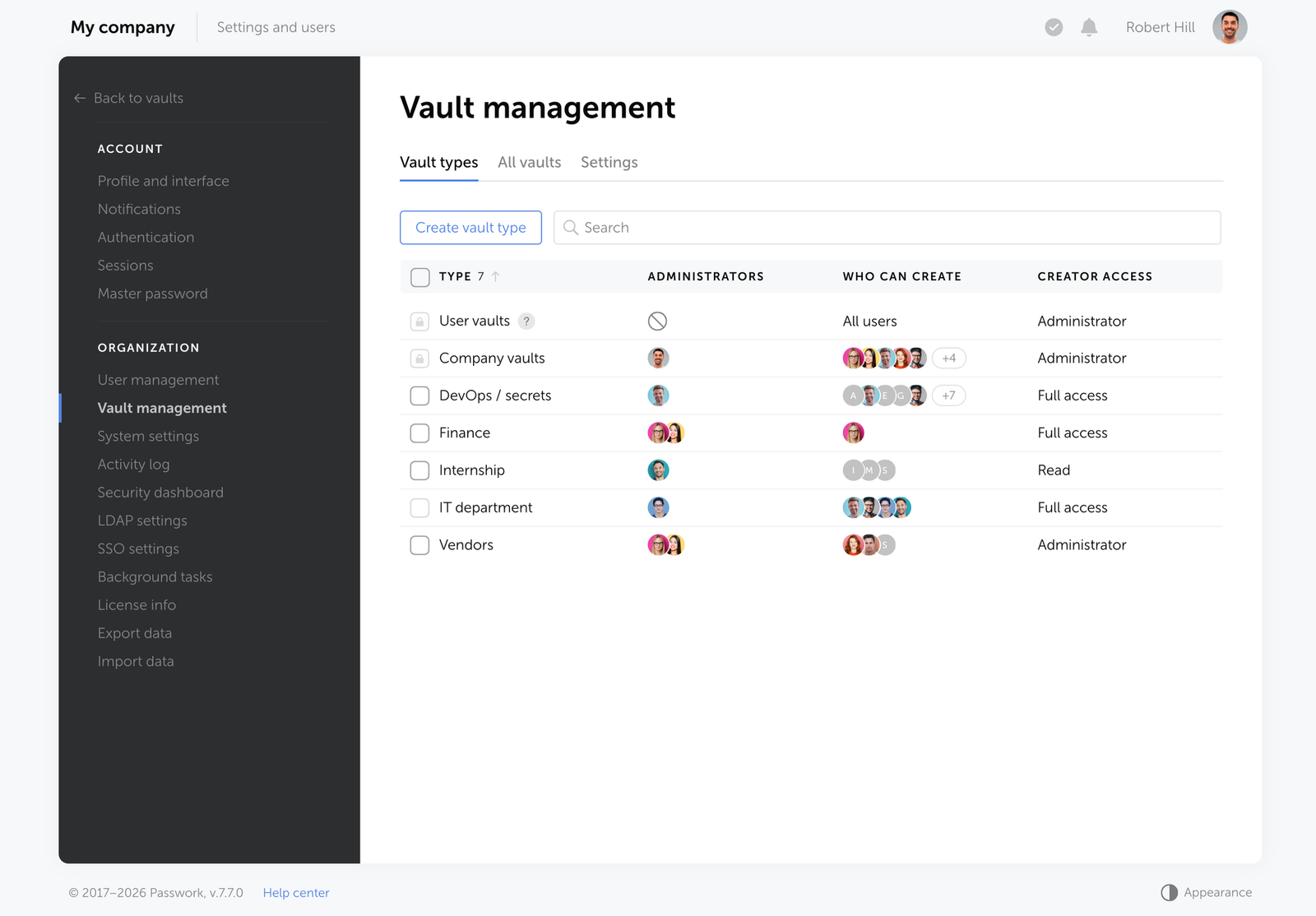
Passwork gives your team an organized vault for shared passwords and secrets, with permissions that map to your team's workflow. See how Passwork's access management works.
Inventory every identity and access path
An identity inventory lists every account type that can reach company resources, along with the person or team accountable for it. It goes beyond a generic asset list because it names an owner for each entry, including accounts that are shared, automated, or outside the payroll system.
Start by separating human identities from non-human ones. Employees and administrators need individual accounts. Vendors, contractors, and shared mailboxes need a named owner even if the account itself is used by more than one person. Service accounts and API keys, the credentials applications use to talk to each other, need the same accountability, since they often carry permissions no human account has.
Identity or account type
Examples
Owner
System or vault
Access level
MFA status
Review date
Employee
Standard staff login
Manager
Identity provider
Role-based
Enabled
Quarterly
Administrator
System or network admin
IT lead
Directory / infrastructure
Elevated
Enabled
Monthly
Contractor / vendor
Portal login, project access
Project owner
Vendor system
Time-limited
Enabled where supported
At contract milestones
Shared credential
Legacy tool, vendor portal
Vault owner
Password manager vault
Least privilege
N/A or vault MFA
Quarterly
Service account / API key
Automation, integration
System owner
Application config
Scoped, minimal
N/A
At rotation
A shared password, an API token, or a vendor portal login that cannot be replaced immediately still needs an owner recorded today. That single field turns an inventory into something you can act on during a review or an incident.
Authenticate strong identities and authorize only the required access
Authentication and authorization are where most account takeovers succeed or fail. Getting MFA onto the right accounts, replacing shared logins with named access, and building roles around actual job duties closes the gaps attackers use most often to get in and move around once inside.
Apply MFA to the accounts that control the business
Multi-factor authentication (MFA), a login method requiring more than one verification factor, should be enforced through technical controls and verified. CISA directs small businesses to enforce MFA with technical controls and to enable it for all administrator accounts. Start with email, administrator, remote-access, finance, cloud-storage, and sensitive-data accounts, since these give an attacker the most reach if compromised.
Phishing-resistant authentication binds the login to the legitimate service, which makes stolen credentials far harder to reuse. FIDO2 security keys and passkeys are the current examples. NIST SP 800-63B Revision 4 requires applications at Authenticator Assurance Level 2 (AAL2) to offer a phishing-resistant option, without mandating it as the only method for every business. Treat this as the direction to move toward for your highest-risk accounts first, then extend it to other logins as your setup allows.
Document recovery paths separately. Restrict who can reset another person's MFA, protect any emergency "break-glass" account with a named owner and limited use, and review that account after every use.
Make unique credentials practical with a controlled password manager
Credential stuffing is the automated reuse of stolen username-and-password pairs against other services. It works because people reuse the same password across accounts, so one leaked login gives attackers a key that fits multiple doors. Verizon's 2026 Data Breach Investigations Report puts credential abuse at 13% of initial access vectors and credentials at 28% of the data types stolen in breaches.
Unique passwords break that attack: a leaked credential only unlocks the one service it was leaked from. The practical goal is organization-controlled, unique credentials with named access, replacing the shared spreadsheet or chat message that too many teams still rely on. A password-management policy that requires a unique, generated password for every account gives this goal a written baseline. A password manager built for teams makes that policy realistic day to day, generating and storing credentials while controlling exactly who can retrieve them.
Build roles around work, then remove standing administrator rights
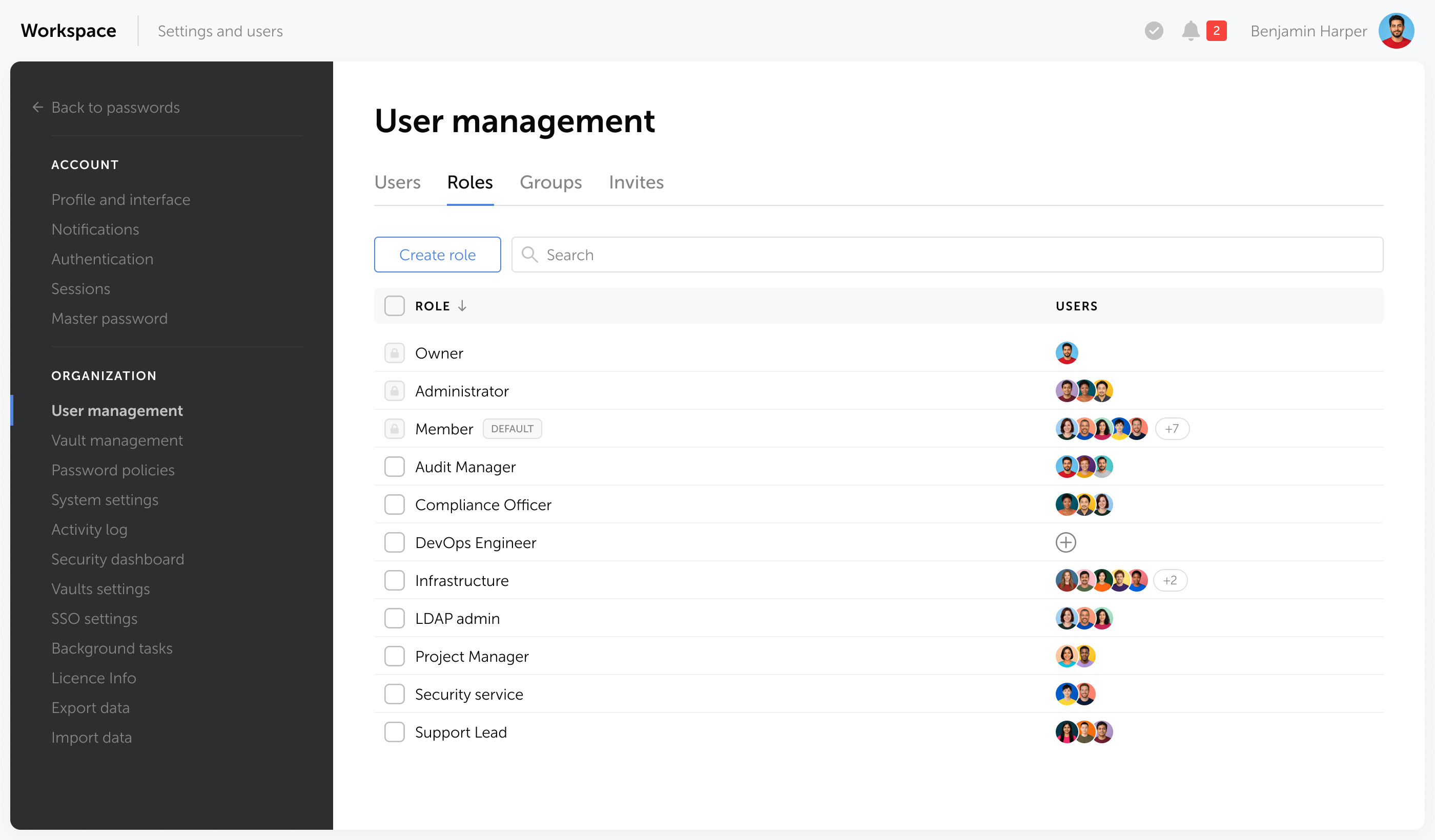
Role-based access control (RBAC) assigns permissions based on current job duties rather than accumulated history. Every administrator should also hold a separate standard account for daily work, so routine tasks such as email and browsing never run from a high-privilege login.
A short example: finance staff get access to accounting systems, support staff get access to the help desk platform, and IT administrators get approved administrative access to infrastructure. Application owners approve role assignments, IT confirms the technical setup matches the approval.
Replace anonymous shared access with accountable access
Individual accounts give better accountability than shared logins, since every action traces to one person. Some legacy tools and vendor portals still force shared credentials. When that happens, store the credential in a controlled vault with named user access, least-privilege permissions, an audit trail, and a scheduled rotation trigger.
If a vendor portal or legacy tool still forces a shared login, Passwork lets you store it once, grant access by name, and log every retrieval. Explore Passwork's vault permissions for accounts you cannot eliminate yet.
The SMBaccess control loop
Access has to change as people and roles change, and someone has to confirm that the change actually happened. The joiner-mover-leaver lifecycle describes the three moments access must be updated: when someone joins, when their role changes, and when they leave.
Onboarding, a job change, a contract ending, extended inactivity, a system change, or a suspected compromise should all trigger an access update. Rather than adopting a universal offboarding time target, document a risk-based service level for your business and confirm in each case that you met it.
Illustrative scenario: a sales manager leaves the company. IT needs to check the identity-provider account, the active email session, the CRM role, cloud-storage sharing permissions, VPN access, the mobile device, and any credential-vault membership. Missing even one of these leaves a live path into company systems after the person is gone.
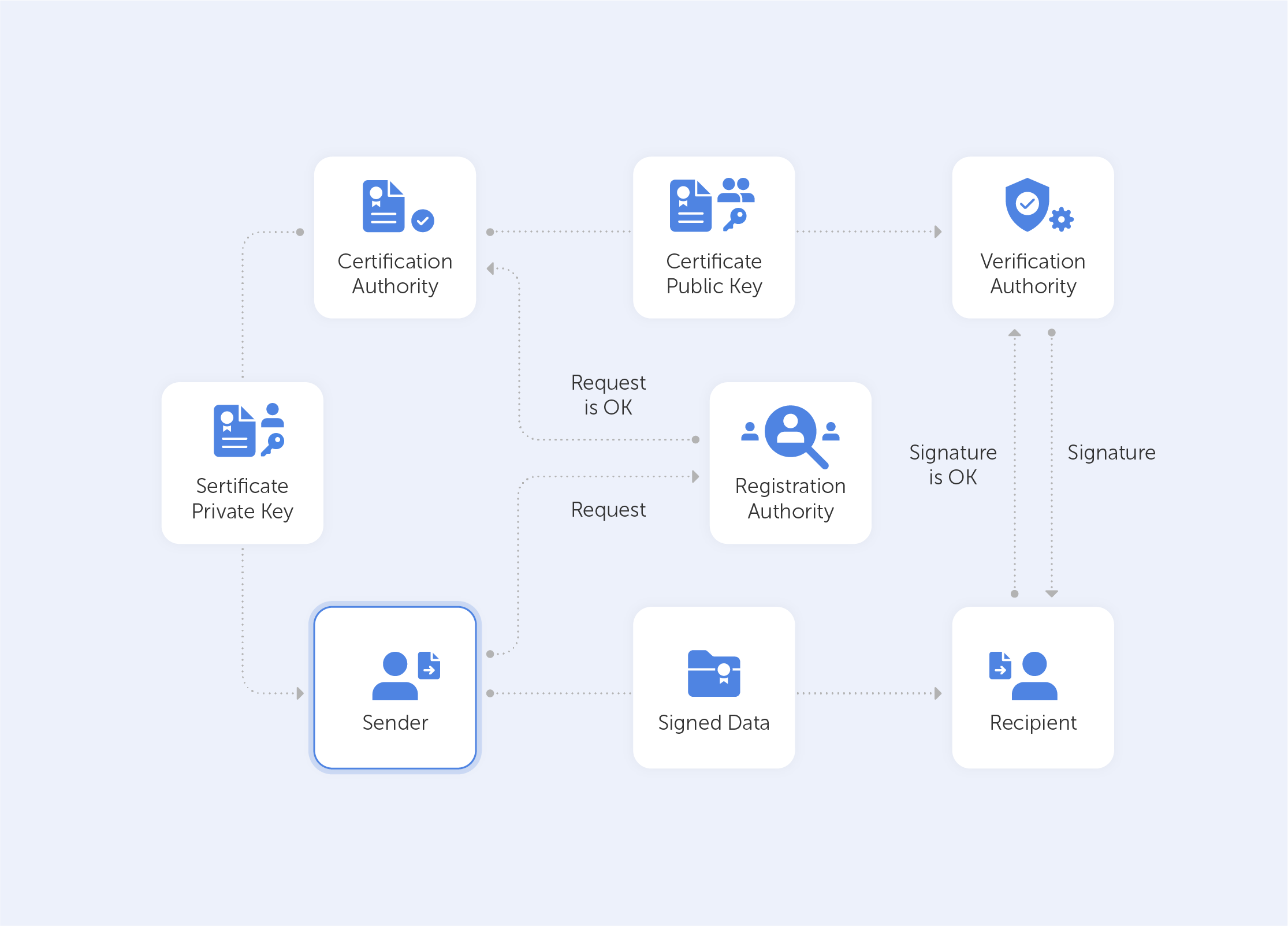
The SMBaccess control loop,shown in the table below, covers five stages: inventory, authenticate, authorize, change or remove, and verify. Each stage maps directly to a control a small or medium business can run without an enterprise IAM budget.
Control
Accountable owner
Trigger or cadence
Evidence to retain
Done when
Identity inventory
IT lead or MSP
Quarterly and after a major system change
Export or controlled register
Every business system and account class has an owner.
MFA coverage
IT lead or MSP
New account; monthly compliance check
Identity-provider MFA report
Priority accounts are enrolled and exceptions are documented.
Role and privilege assignment
Application owner with IT approval
New role or access request
Approved ticket or workflow record
Access matches the current job role.
Offboarding
Manager, HR trigger, and IT execution
Departure or contract end
Revocation checklist and timestamps
Access, sessions, devices, and vault membership are removed or transferred.
Access review
Application owner
Risk-based cadence, commonly quarterly for sensitive systems
Review record and remediation list
Unneeded access is removed and exceptions have an owner and expiry.
Shared-credential review
Vault owner
Role change, suspected compromise, or scheduled review
Vault audit record and rotation record
Only approved users retain access and rotation actions are documented.
How Passwork handles credential access management
Passwork centralizes team passwords and secrets, controls who can retrieve them, and logs every access event, working alongside an identity provider rather than replacing it. It handles authorization and access removal: granting people the right credentials, and cutting that access the moment a role or employment status changes.
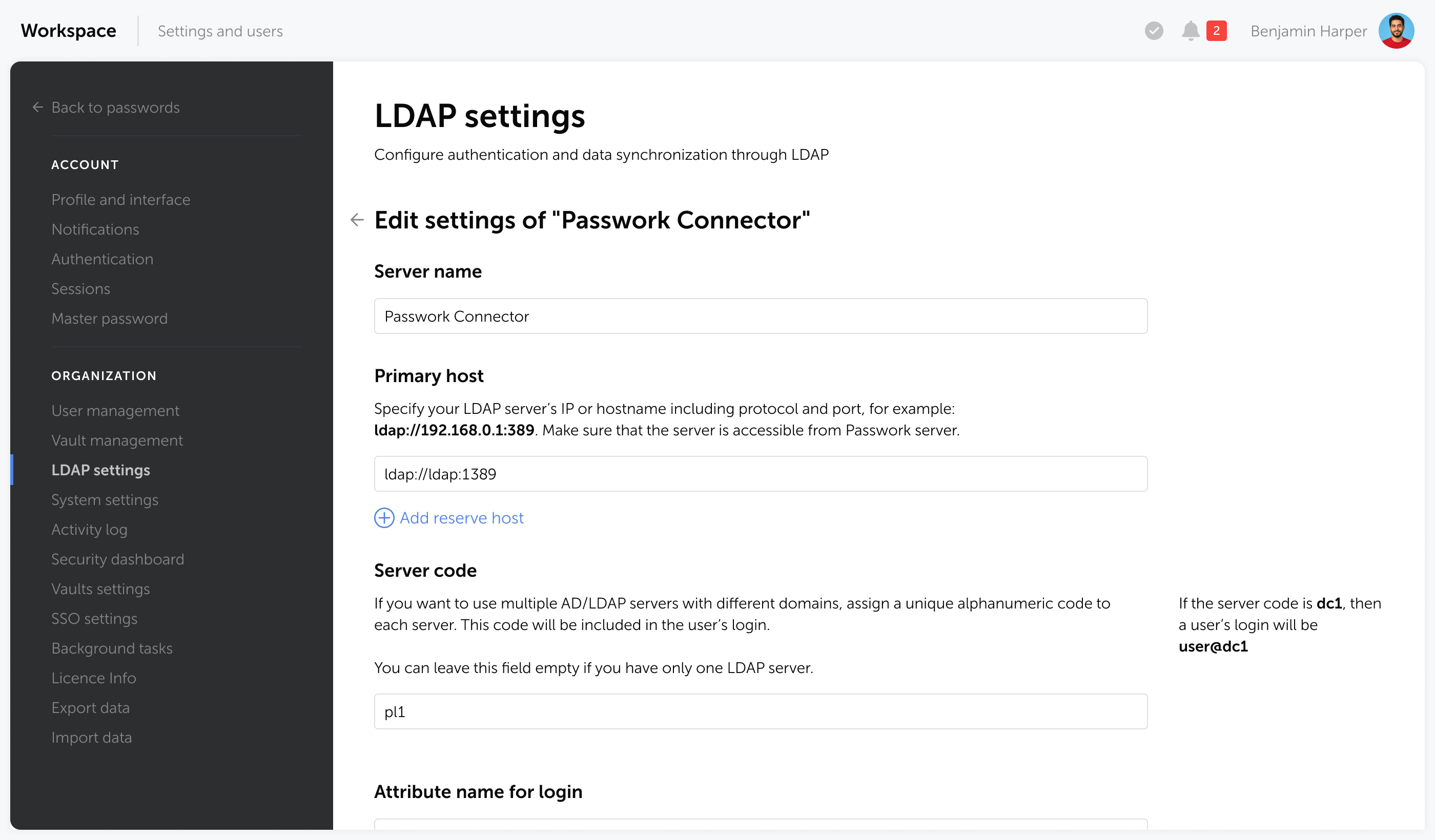
Map groups to vaults. Each directory group gets read, write, share, or audit-only access to a vault or folder based on its role.
Centralize the credentials. Store passwords, API keys, and certificates in shared, organization-owned vaults instead of personal browser stores, spreadsheets, or chat threads.
Audit every action. Check the log for who accessed, changed, shared, or exported a credential, and when. Export it to a SIEM tool if your security team needs it there.
Passwork governs credential access. It doesn't replace the identity source, the documented lifecycle, or the named owner behind each access decision. Those responsibilities stay with the organization.
Conclusion
A small business doesn't need an enterprise IAM budget to get this right. It needs four things happening in order: know who has access, authenticate and authorize it correctly, remove it the moment something changes, and verify that the removal actually happened. One owner, one piece of evidence, every time.
Ready to put team passwords and secrets under structured, auditable access control? Try Passwork in your infrastructure and see how directory groups, vault permissions, and audit logs fit your rollout.
Frequently asked questions
What is access management for a small business?
Access management is the process of deciding who can use company systems and data, what they can do after signing in, and how that access is reviewed or removed. For a small medium business, it covers employee accounts, administrator access, contractors, shared credentials, and service accounts.
What access controls should an SMB implement first?
Start by identifying the accounts and applications that control business operations. Enforce MFA for priority accounts, remove unnecessary administrator and shared access, then document offboarding and access reviews so the controls keep working after setup.
How often should a small business review access?
Review frequency should match a system's risk and the business's rate of change. Sensitive systems need more frequent validation, and every periodic review should record the reviewer, the removals, and any approved exceptions with an expiry date.
How should contractors and departing employees be handled?
Assign contractor access an expiry tied to the contract, not an open-ended date. For departing employees, revoke identity-provider access, active sessions, device access, and vault membership together, and document the timestamps as evidence the removal happened.
Can a password manager replace an IAM system?
A corporate password manager governs access to passwords and secrets. IAM manages identities, authentication, and access across applications more broadly. Passwork works alongside directory services and identity providers for the credential-access part of that wider model.
Access management for SMBs: The first cybersecurity layer
Access management belongs at the top of your SMB cybersecurity checklist. Learn how to set up identity, authentication, authorization, and revocation as a system that holds up day to day.
Até março de 2029, todos os certificados TLS publicamente fiáveis expirarão em 47 dias ou menos. Atualmente, o limite ainda é de 398 dias. Esta redução de oito vezes nos ciclos de renovação é a pressão mais recente sobre a infraestrutura de chave pública (PKI), o sistema que já autentica a maior parte do tráfego, dos dispositivos e do código em execução em produção.
A infraestrutura de chave pública (PKI) é o sistema de autoridades de certificação, políticas e chaves criptográficas que comprova que um servidor, um dispositivo ou uma pessoa é quem afirma ser na Internet. Emite, valida e revoga os certificados digitais subjacentes ao HTTPS, ao acesso por VPN, à assinatura de código e à autenticação entre máquinas. Cada cadeado TLS num navegador remonta a uma cadeia de confiança da PKI.
Pontos principais
A PKI é o enquadramento de autoridades de certificação, certificados e chaves criptográficas que estabelece confiança entre máquinas, servidores e pessoas na Internet
O Ballot SC-081v3 do CA/Browser Forum reduz a validade máxima dos certificados TLS de 398 para 47 dias entre março de 2026 e março de 2029
As identidades de máquina já superam as identidades humanas na proporção de 109 para 1 nas organizações inquiridas pela Palo Alto Networks no relatório 2026 Identity Security Landscape
Em agosto de 2024, o NIST finalizou normas de criptografia pós-quântica prontas para produção; a agilidade de algoritmos da PKI é o que permite a uma organização migrar sem reconstruir a confiança de raiz
O que é a PKI?
Infraestrutura de chave pública (PKI) é o enquadramento de políticas, funções e tecnologia que emite, valida e revoga os certificados digitais que associam uma chave pública a uma identidade verificada. Permite que um navegador confie num site, que um dispositivo se autentique numa rede ou que um servidor verifique outro, sem que nenhuma das partes partilhe previamente um segredo.
A confiança baseada em segredo partilhado não escala para além de um punhado de sistemas. Uma palavra-passe ou uma chave de API só prova a identidade a quem já tem uma cópia, e cada novo sistema que precise de verificar essa identidade necessita de uma cópia própria, de armazenamento próprio e de um calendário de rotação próprio. A PKI resolve este problema com pares de chaves assimétricas: uma chave pública que qualquer pessoa pode ter e uma chave privada que só o proprietário detém. Uma autoridade de certificação (CA) atesta uma única vez o vínculo entre ambas, e cada parte confiante confia nessa assinatura, em vez de gerir um segredo próprio com cada contraparte.
Um certificado digital é uma declaração de identidade, vinculada criptograficamente e com validade limitada, que uma CA atestou, e não um substituto de palavra-passe. A sua confiança assenta numa prova matemática que uma chave privada consegue fornecer, e não no facto de o próprio certificado se manter secreto.
Como funciona a PKI?
A PKI funciona ao emparelhar uma chave pública com uma chave privada através de cifragem assimétrica. A chave privada permanece com o proprietário e serve para assinar ou decifrar; a chave pública é publicada dentro de um certificado, para que qualquer pessoa possa verificar essa assinatura ou cifrar algo que só o proprietário consegue ler. Uma autoridade de certificação valida o emparelhamento antes de emitir o certificado.
O ciclo de vida do certificado percorre cinco fases:
Geração do par de chaves: um dispositivo ou utilizador gera localmente um par de chaves pública/privada. A chave privada nunca sai desse dispositivo sem estar cifrada.
Pedido de assinatura de certificado (CSR): o requerente reúne a chave pública e os dados de identidade num CSR e envia-o a uma CA ou a uma autoridade de registo.
Validação e emissão pela CA: a CA verifica que o requerente controla o domínio, o dispositivo ou a identidade alegados e, em seguida, assina um certificado que vincula essa chave pública à identidade verificada.
Utilização do certificado: o certificado autentica o servidor ou o dispositivo e protege a sessão, normalmente através de TLS, ou assina dados como código ou e-mail.
Renovação ou revogação: o certificado é renovado antes de expirar ou revogado antecipadamente, através de uma lista de revogação de certificados ou de um serviço OCSP, se a chave privada for comprometida ou a identidade mudar.
Na prática, o TLS combina os dois tipos de cifragem, em vez de depender apenas da criptografia assimétrica. As chaves assimétricas são computacionalmente dispendiosas, pelo que um handshake TLS só as utiliza para autenticar o servidor e negociar uma chave de sessão simétrica partilhada; o resto da ligação funciona com cifragem simétrica, mais rápida. Para a sequência completa do handshake, consulte como funciona o TLS.
Os principais componentes de uma PKI
Uma PKI tem seis elementos essenciais: a autoridade de certificação que emite a confiança, a autoridade de registo que verifica a identidade, a base de dados e a lista de revogação que acompanham o estado dos certificados, a política que define as regras e o módulo de segurança de hardware (HSM) que protege a chave privada da CA. Se faltar um deles, a cadeia de confiança quebra-se de uma forma específica e previsível.
Componente
Função
O que falha sem ele
Autoridade de certificação (CA)
Emite e assina certificados; é a âncora de confiança
Sem âncora de confiança; nada contra o que validar
Autoridade de registo (RA)
Verifica a identidade antes de a CA emitir
Os certificados são emitidos sem confirmar quem os pediu realmente
Base de dados de certificados
Armazena os certificados emitidos e os respetivos metadados
Nenhum registo do que foi emitido, a quem ou quando
Lista de revogação de certificados (CRL)
Publica os certificados revogados antes de expirarem
Um certificado comprometido continua a ser considerado de confiança até expirar naturalmente
Política de certificados
Define as regras de validação e as classes de certificados
Critérios de emissão incoerentes na CA
Módulo de segurança de hardware (HSM)
Armazena e utiliza a chave privada da CA sem a expor
A exposição da chave raiz compromete todos os certificados que a CA alguma vez emitiu
Modelos de confiança da PKI: Público, privado e híbrido
A PKI funciona com dois modelos de confiança. A PKI pública, ou Web PKI, é regida pelo CA/Browser Forum e emite os certificados em que os navegadores confiam por predefinição para sites e serviços públicos. A PKI privada é a hierarquia de CA própria de uma organização, em que só se confia dentro dessa organização, para servidores internos, parques de dispositivos IoT e VPN. A maioria das empresas utiliza ambas.
Modelo
Regido por
Utilização típica
Duração típica dos certificados
PKI pública / Web PKI
CA/Browser Forum, CAs públicas
Sites públicos, APIs, e-mail
A diminuir para 47 dias até 2029
PKI privada / interna
Política de CA da própria organização
Servidores internos, dispositivos IoT, VPN, mTLS
Definida pela política interna, frequentemente de um a dois anos
Em qualquer dos modelos, os certificados encadeiam-se numa hierarquia: uma CA raiz assina CAs intermédias, que por sua vez assinam os certificados que os sistemas finais efetivamente utilizam. As organizações de maior dimensão ligam por vezes duas hierarquias entre si ou operam uma malha em que várias CAs se certificam mutuamente, mas uma cadeia hierárquica simples cobre a maioria das implementações.
Para que serve a PKI?
A PKI protege o tráfego HTTPS, autentica clientes VPN e Wi-Fi, assina código e documentos, cifra o e-mail através de S/MIME e estabelece a identidade de dispositivos em parques IoT e service meshes. Sempre que dois sistemas precisam de verificar a identidade um do outro antes de trocar dados, é normalmente um certificado que faz esse trabalho.
HTTPS/TLS para sites e APIs: o certificado por trás do cadeado, que cifra a sessão e autentica o servidor
Cifragem e assinatura de e-mail (S/MIME): comprova que uma mensagem veio do remetente indicado e que não foi alterada durante o trânsito
Assinatura de código: verifica que um software ou um controlador não foi adulterado desde que o editor o assinou
Autenticação em VPN e Wi-Fi: os certificados de dispositivo ou de utilizador substituem ou complementam as palavras-passe de rede partilhadas
Identidade de dispositivos IoT: cada dispositivo recebe o seu próprio certificado, em vez de uma credencial partilhada incorporada no firmware
Cargas de trabalho em contentores e service mesh (mTLS): os serviços autenticam-se mutuamente antes de qualquer tráfego fluir, à velocidade das máquinas
Porque é que a PKI é mais difícil de gerir em 2026
Três forças estão a convergir nas operações de PKI em 2026: os prazos de validade dos certificados estão a encurtar segundo um calendário fixo, as identidades de máquina cresceram para além do que o acompanhamento manual consegue gerir, e falhar a renovação tem agora um custo mensurável. Nenhuma das três é especulativa; cada uma tem uma fonte datada por trás.
O Ballot SC-081v3 do CA/Browser Forumreduz gradualmente a validade máxima dos certificados TLS publicamente fiáveis de 398 para 47 dias, em fases entre março de 2026 e março de 2029. Um certificado que antes era renovado uma vez por ano passará a ser renovado cerca de oito vezes por ano no final desse calendário. A renovação manual, aquela que se baseia num lembrete no calendário e numa pessoa a copiar um novo certificado para um ficheiro de configuração, não sobrevive a essa frequência a qualquer escala real.
A escala agrava o problema. No inquérito 2026 Identity Security Landscape da Palo Alto Networks, realizado junto de 2930 organizações, concluiu-se que as identidades de máquina, incluindo os agentes de IA, superam já as identidades humanas na proporção de 109 para 1. A maioria dessas identidades de máquina acaba por precisar de um certificado, de uma chave ou de ambos, e uma proporção de 109:1 torna uma folha de cálculo ou uma caixa de correio partilhada a ferramenta errada quase de imediato.
DigiCert, no 2025 Trust Pulse Survey, quantifica o custo de errar neste ponto: 45 % das empresas tiveram tempo de inatividade dos serviços devido a um incidente relacionado com certificados no último ano, e 18,5 % desses incidentes custaram mais de 250 000 dólares. Um certificado expirado provoca uma falha em modo fechado (fail-closed): os navegadores bloqueiam o site, as APIs rejeitam a ligação e os clientes VPN não conseguem autenticar-se, até que alguém detete o problema e renove o certificado. O mercado está a crescer à medida da carga de trabalho: a despesa em PKI é avaliada em 7420 milhões de dólares em 2025 e deverá atingir 22 990 milhões de dólares até 2031, uma taxa de crescimento anual composta de 20,76 %, segundo a Mordor Intelligence.
Pressão
Porque é importante agora
O que exige em termos operacionais
Validade dos certificados de 47 dias (2026-2029)
A frequência de renovação aumenta cerca de oito vezes face à base de 398 dias
Gestão automatizada do ciclo de vida de certificados (CLM), e não renovação manual
Proporção de 109:1 entre identidades de máquina e humanas
O acompanhamento manual deixa de funcionar muito antes dessa escala
Um processo de inventário e rotação dimensionado para identidades de máquina, incluindo as contas humanas
45 % das empresas afetadas por indisponibilidade relacionada com certificados
Perto de um em cada cinco desses incidentes custa mais de 250 000 dólares
Monitorização e alertas antes da expiração, e não depois de uma falha
A PKI e a transição pós-quântica
Em agosto de 2024, o NIST finalizou as suas primeiras normas de criptografia pós-quântica (PQC) prontas para produção: FIPS 203 (ML-KEM) para a troca de chaves e FIPS 204 (ML-DSA) e FIPS 205 (SLH-DSA) para assinaturas digitais. A PKI atual assenta em algoritmos RSA e de curva elíptica que um computador quântico suficientemente potente poderá vir a quebrar, e estas normas são as substitutas para as quais as organizações irão migrar.
Atualmente, ninguém dispõe de um ataque funcional contra RSA-2048 ou ECDSA, e nenhum calendário credível aponta para um ataque próximo. O que a PKI já tem, porém, é exatamente a propriedade de que esta migração precisa: agilidade criptográfica (crypto-agility). Um certificado associa uma identidade a um par de chaves e a um algoritmo, e voltar a emitir esse certificado com um novo algoritmo não exige reconstruir a hierarquia de confiança que lhe está subjacente.
As organizações que fazem o inventário dos locais onde o RSA e o ECDSA são utilizados atualmente e confirmam que as suas ferramentas de CA e de CLM conseguem emitir certificados pós-quânticos quando o ecossistema estiver preparado migrarão ao seu próprio ritmo. As normas de 2024 do NISTsão o ponto de partida, e não um prazo que já tenha passado.
PKI versus as ferramentas com que é confundida
A PKI, um certificado TLS e a cifragem em geral são usados indistintamente, mas não são a mesma coisa. A PKI é o enquadramento; um certificado é uma das coisas que esse enquadramento emite; a cifragem é uma das finalidades para que um certificado pode ser utilizado. Uma quarta confusão é relevante do ponto de vista operacional: a PKI comprova a identidade de máquinas, mas não armazena as credenciais utilizadas por pessoas que mantêm uma autoridade de certificação em funcionamento.
Um certificado TLS/SSL é uma única credencial X.509. A PKI é o sistema completo que a emite, valida e pode revogar, incluindo a CA, as políticas e a infraestrutura de revogação por trás desse único ficheiro, tal como se explica no guia de certificados SSL/TLS . A PKI rege a identidade e a confiança: um certificado pode permitir a cifragem, mas a função da PKI é comprovar quem detém uma chave, e não cifrar dados por si só. Para a mecânica da própria cifragem, consulte cifragem de palavras-passe e cifragem zero-knowledge.
A confusão mais relevante para quem gere uma CA é a quarta. A PKI comprova que um servidor, um dispositivo ou uma carga de trabalho é quem afirma ser. Não armazena nem partilha as credenciais utilizadas por pessoas que mantêm a própria CA em funcionamento: as credenciais de início de sessão de administração e de raiz da CA, os PINs de acesso ao HSM e as chaves de API ou os segredos de clientes ACME que os scripts de automatização utilizam para pedir e renovar certificados. Estas tendem a acabar numa folha de cálculo partilhada ou numa conversa de chat, o que é um problema de gestão de palavras-passe, e não de PKI. Colmatar essa lacuna é exatamente aquilo para que foi concebido um gestor de palavras-passe e segredos como o Passwork: guardar em cofre as credenciais em torno da emissão de certificados, e não o processo de emissão em si.
Lista de verificação de implementação da PKI
Uma implementação de PKI funcional assenta em seis decisões tomadas antes de o primeiro certificado ser emitido: âmbito da hierarquia, isolamento da CA raiz, armazenamento das chaves privadas, automatização do ciclo de vida, guarda em cofre das credenciais de quem a opera e um plano de migração pós-quântica. Se uma delas for ignorada, acabará por surgir como um incidente mais tarde, normalmente num momento inconveniente.
Defina o âmbito e os níveis da hierarquia de CA: decida o que necessita de uma CA raiz, o que necessita de uma intermédia e o que pode funcionar numa hierarquia existente antes de criar uma nova.
Mantenha a CA raiz offline: coloque-a online apenas para assinar certificados intermédios e volte a desligá-la da rede de seguida. Uma raiz comprometida invalida todos os certificados que a CA alguma vez emitiu.
Armazene as chaves privadas num módulo de segurança de hardware: o armazenamento de chaves apenas em software continua a ser o ponto de comprometimento mais comum de uma CA.
Automatize a gestão do ciclo de vida dos certificados antes da obrigatoriedade dos 47 dias: a renovação manual que funcionava num ciclo de 398 dias não sobreviverá a oito renovações por ano.
Guarde em cofre as credenciais operacionais da própria CA: as credenciais de início de sessão de raiz e de administração da CA, os PINs do HSM e as chaves de API de automatização devem estar num cofre com controlo de acesso e auditado, e não em scripts ou documentos partilhados.
Elabore já um plano de migração pós-quântica: faça o inventário dos locais onde se utilizam RSA e ECDSA e confirme que as ferramentas de CA e de CLM são compatíveis com a substituição de algoritmos antes de surgir um acontecimento que imponha a migração.
No seu conjunto, estes seis passos constituem uma lista de verificação prática de preparação para a PKI que a maioria das organizações consegue percorrer numa única sessão de planeamento. Para a mecânica criptográfica subjacente referida ao longo do texto, consulte a visão geral de criptografia , que apresenta o detalhe ao nível da implementação.
Conclusão
A função da PKI é limitada e bem definida: comprovar que um servidor, um dispositivo ou uma pessoa é quem afirma ser e proteger o canal depois de isso estar estabelecido. Não corrige endpoints, não aplica o princípio do menor privilégio nem substitui a governação de acessos, e tratá-la como um programa de segurança completo é a forma como essas outras camadas acabam por ser negligenciadas. O que muda em 2026 é o ritmo operacional: certificados com renovação a cada 47 dias até 2029, identidades de máquina a superar as humanas na proporção de 109 para 1 e uma migração pós-quântica que compensa quem começa cedo e não tarde.
Automatize o ciclo de renovação antes de o calendário dos 47 dias o impor, mantenha a CA raiz offline e guarde as credenciais que operam a própria CA num local com controlo de acesso e registo de auditoria.
Os scripts de automatização de certificados, os PINs do HSM e as credenciais de administração da CA são credenciais como quaisquer outras e circulam em conversas de chat e em folhas de cálculo com a mesma frequência. Iniciar um teste gratuito do Passwork
Perguntas frequentes
O que é a PKI em termos simples?
A infraestrutura de chave pública (PKI) é o sistema de políticas, funções e tecnologia que emite, verifica e revoga os certificados digitais que comprovam que um servidor, um dispositivo ou uma pessoa é quem afirma ser na Internet.
A PKI continua a ser relevante em 2026?
Sim. A PKI sustenta o HTTPS, a assinatura de e-mail, a autenticação em VPN e Wi-Fi, a identidade de dispositivos IoT e a segurança de service mesh. Se alguma coisa, hoje é ainda mais importante: os prazos de validade dos certificados estão a encurtar para 47 dias até 2029 e as identidades de máquina já superam as humanas na proporção de 109 para 1.
Qual é a diferença entre a PKI e um certificado SSL/TLS?
A PKI é o enquadramento completo: autoridades de certificação, políticas, revogação e gestão de chaves. Um certificado TLS/SSL é uma única credencial que esse enquadramento emite para proteger um site ou serviço.
O que acontece quando um certificado da PKI expira inesperadamente?
Os serviços que dele dependem falham em modo fechado (fail-closed). Os navegadores bloqueiam o site, as APIs rejeitam ligações e os clientes VPN não conseguem autenticar-se até alguém o renovar. Dados recentes de inquéritos mostram que 45 % das empresas passaram por isto no último ano.
Um gestor de palavras-passe substitui a necessidade de PKI?
Não. Resolvem problemas diferentes. A PKI comprova a identidade de máquinas e dispositivos; um gestor de palavras-passe protege as credenciais utilizadas por pessoas, como os inícios de sessão de administração da CA e os PINs do HSM, que mantêm a própria PKI em funcionamento.
Como afeta a computação quântica a PKI?
A PKI atual assenta em algoritmos assimétricos que um computador quântico suficientemente potente poderá vir a quebrar. Em agosto de 2024, o NIST finalizou substitutos pós-quânticos prontos para produção (FIPS 203, 204, 205), e as organizações devem planear a migração em vez de esperar por um acontecimento que a imponha.
O que é a PKI? Infraestrutura de chave pública em 2026
Até 2029, a validade dos certificados desce para 47 dias. Eis o que é realmente a PKI, como funciona e quais as credenciais humanas que mantêm a CA em funcionamento e que a própria PKI não protege.
Para marzo de 2029, todo certificado TLS de confianza pública caducará en 47 días o menos. Ahora mismo todavía son 398. Ese recorte de ocho veces en los ciclos de renovación es la presión más reciente sobre la infraestructura de clave pública (PKI), el sistema que ya autentica la mayor parte del tráfico, los dispositivos y el código que se ejecutan hoy en producción.
La infraestructura de clave pública (PKI) es el sistema de autoridades de certificación, políticas y claves criptográficas que demuestra que un servidor, un dispositivo o una persona es quien dice ser en línea. Emite, valida y revoca los certificados digitales que sustentan HTTPS, el acceso VPN, la firma de código y la autenticación entre máquinas. Todo candado TLS de un navegador se remonta a una cadena de confianza de PKI.
Puntos clave
PKI es el marco de autoridades de certificación, certificados y claves criptográficas que establece confianza entre máquinas, servidores y personas en línea
La Ballot SC-081v3 del CA/Browser Forum reduce la validez máxima de los certificados TLS de 398 a 47 días entre marzo de 2026 y marzo de 2029
Las identidades de máquina ya superan a las identidades humanas en una proporción de 109 a 1 en las organizaciones que Palo Alto Networks encuestó para su informe Identity Security Landscape de 2026
NIST finalizó en agosto de 2024 los estándares de criptografía poscuántica listos para producción; el diseño con agilidad de algoritmos de PKI es lo que permite a una organización migrar sin reconstruir la confianza desde cero
¿Qué es PKI?
La infraestructura de clave pública (PKI) es el marco de políticas, roles y tecnología que emite, valida y revoca los certificados digitales que vinculan una clave pública a una identidad verificada. Permite que un navegador confíe en un sitio web, que un dispositivo se autentique ante una red, o que un servidor verifique a otro, sin que ninguna de las partes comparta un secreto de antemano.
La confianza basada en secretos compartidos no escala más allá de un puñado de sistemas. Una contraseña o una clave de API demuestra la identidad únicamente a quien ya tiene una copia de ella, y cada nuevo sistema que necesita verificar esa identidad requiere su propia copia, su propio almacenamiento y su propio calendario de rotación. PKI resuelve esto con pares de claves asimétricas: una clave pública que cualquiera puede tener, y una clave privada que solo conserva el propietario. Una autoridad de certificación (CA) da fe del vínculo entre ambas una sola vez, y cada parte que confía acepta esa única firma en lugar de gestionar su propio secreto con cada contraparte.
Un certificado digital es una declaración de identidad vinculada criptográficamente y con una validez limitada en el tiempo, avalada por una CA, no un sustituto de contraseña. Su confianza se basa en matemáticas que una clave privada puede demostrar, no en que el certificado en sí permanezca en secreto.
¿Cómo funciona PKI?
PKI funciona emparejando una clave pública con una clave privada mediante cifrado asimétrico. La clave privada permanece con su propietario y firma o descifra; la clave pública se publica dentro de un certificado, de modo que cualquiera puede verificar esa firma o cifrar algo que solo el propietario puede leer. Una autoridad de certificación valida el emparejamiento antes de emitir el certificado.
El ciclo de vida del certificado atraviesa cinco etapas:
Generación del par de claves: un dispositivo o usuario genera localmente un par de claves pública/privada. La clave privada nunca sale de ese dispositivo sin cifrar.
Solicitud de firma de certificado (CSR): el solicitante empaqueta la clave pública y los datos de identidad en una CSR y la envía a una CA o a una autoridad de registro.
Validación y emisión por la CA: la CA verifica que el solicitante controla el dominio, el dispositivo o la identidad reclamada, y luego firma un certificado que vincula esa clave pública con la identidad verificada.
Uso del certificado: el certificado autentica el servidor o dispositivo y protege la sesión, normalmente mediante TLS, o firma datos como código o correo electrónico.
Renovación o revocación: el certificado se renueva antes de caducar, o se revoca de forma anticipada mediante una lista de revocación de certificados o un respondedor OCSP si la clave privada se ve comprometida o la identidad cambia.
En la práctica, TLS combina ambos tipos de cifrado en lugar de depender solo de la criptografía asimétrica. Las claves asimétricas son costosas de procesar, por lo que un handshake TLS las usa únicamente para autenticar el servidor y negociar una clave de sesión simétrica compartida; el resto de la conexión se ejecuta sobre un cifrado simétrico más rápido. Para ver la secuencia completa del handshake, consulta cómo funciona TLS.
Los componentes principales de una PKI
Una PKI tiene seis piezas en movimiento: la autoridad de certificación que emite confianza, la autoridad de registro que verifica la identidad, la base de datos y la lista de revocación que registran el estado de los certificados, la política que fija las reglas, y el módulo de seguridad de hardware que protege la clave privada de la CA. Si se elimina cualquiera de ellas, la cadena de confianza se rompe de una forma específica y predecible.
Componente
Función
Qué falla sin él
Autoridad de certificación (CA)
Emite y firma certificados; es el ancla de confianza
No hay ancla de confianza; no queda nada contra qué validar
Autoridad de registro (RA)
Verifica la identidad antes de que la CA emita el certificado
Los certificados se emiten sin confirmar quién los solicitó realmente
Base de datos de certificados
Almacena los certificados emitidos y sus metadatos
No queda registro de qué se emitió, a quién ni cuándo
Lista de revocación de certificados (CRL)
Publica los certificados revocados antes de que caduquen
Un certificado comprometido sigue siendo de confianza hasta que caduca de forma natural
Política de certificados
Define las reglas de validación y las clases de certificados
Estándares de emisión incoherentes en toda la CA
Módulo de seguridad hardware (HSM)
Almacena y utiliza la clave privada de la CA sin exponerla
La exposición de la clave raíz compromete todos los certificados que la CA haya emitido
Modelos de confianza de PKI: Pública, privada e híbrida
PKI funciona con dos modelos de confianza. La PKI pública, o Web PKI, está regida por el CA/Browser Forum y emite los certificados en los que los navegadores confían por defecto para sitios web y servicios públicos. La PKI privada es la jerarquía de CA propia de una organización, de confianza únicamente dentro de esa organización, para servidores internos, flotas de IoT y VPN. La mayoría de las empresas usan ambas.
Modelo
Regido por
Uso típico
Vigencia típica del certificado
PKI pública / Web PKI
CA/Browser Forum, CA públicas
Sitios web públicos, API, correo electrónico
Baja a 47 días en 2029
PKI privada / interna
La política de CA propia de la organización
Servidores internos, dispositivos IoT, VPN, mTLS
Definida por política interna, a menudo de uno a dos años
En cualquiera de los dos modelos, los certificados se encadenan a través de una jerarquía: una CA raíz firma CA intermedias, que a su vez firman los certificados que realmente usan los sistemas finales. Las organizaciones más grandes a veces unen dos jerarquías entre sí, o ejecutan una malla en la que varias CA se certifican de forma cruzada, pero una cadena jerárquica sencilla cubre la mayoría de los despliegues.
¿Para qué se usa PKI?
PKI protege el tráfico HTTPS, autentica clientes VPN y Wi-Fi, firma código y documentos, cifra el correo electrónico mediante S/MIME, y establece la identidad de los dispositivos para flotas de IoT y mallas de servicios. Siempre que dos sistemas necesitan verificar mutuamente su identidad antes de intercambiar datos, suele ser un certificado el que hace ese trabajo.
HTTPS/TLS para sitios web y API: el certificado detrás del candado, que cifra la sesión y autentica el servidor
Cifrado y firma de correo electrónico (S/MIME): demuestra que un mensaje procede del remitente indicado y que no fue alterado en tránsito
Firma de código: verifica que el software o un controlador no ha sido manipulado desde que el editor lo firmó
Autenticación VPN y Wi-Fi: los certificados de dispositivo o de usuario sustituyen o complementan las contraseñas de red compartidas
Identidad de dispositivos IoT: cada dispositivo recibe su propio certificado en lugar de una credencial compartida integrada en el firmware
Cargas de trabajo en contenedores y malla de servicios (mTLS): los servicios se autentican entre sí antes de que circule cualquier tráfico, a velocidad de máquina
Por qué PKI es más difícil de gestionar en 2026
Tres fuerzas convergen sobre las operaciones de PKI en 2026: la vida útil de los certificados se reduce según un calendario fijo, las identidades de máquina han crecido más allá de lo que el seguimiento manual puede gestionar, y equivocarse en la renovación ahora tiene un coste medido. Ninguna de las tres es especulativa; cada una tiene una fuente fechada detrás.
La Ballot SC-081v3 del CA/Browser Forum reduce por etapas la validez máxima de los certificados TLS de confianza pública de 398 a 47 días, entre marzo de 2026 y marzo de 2029. Un certificado que antes se renovaba una vez al año se renovará unas ocho veces al año al final de ese calendario. La renovación manual, la que depende de un recordatorio en el calendario y de una persona copiando un nuevo certificado en un archivo de configuración, no sobrevive a esa frecuencia a ninguna escala real.
La escala agrava el problema. La encuesta Identity Security Landscape 2026 de Palo Alto Networks, realizada a 2930 organizaciones, encontró que las identidades de máquina, agentes de IA incluidos, ya superan a las identidades humanas en una proporción de 109 a 1. La mayoría de esas identidades de máquina acaban necesitando un certificado, una clave, o ambos, y una proporción de 109:1 convierte a una hoja de cálculo o a una bandeja de entrada compartida en la herramienta equivocada casi de inmediato.
La encuesta Trust Pulse 2025 de DigiCert pone cifras al coste de equivocarse en esto: el 45 % de las empresas sufrió tiempo de inactividad del servicio por un incidente relacionado con certificados en el último año, y el 18,5 % de esos incidentes costó más de 250 000 $. Un certificado caducado falla en modo cerrado (fail-closed) y bloquea el acceso: los navegadores bloquean el sitio, las API rechazan la conexión y los clientes VPN no pueden autenticarse, hasta que alguien lo nota y lo renueva. El mercado está escalando para estar a la altura de la carga de trabajo: el gasto en PKI se valora en 7420 millones $ en 2025 y se proyecta que alcance los 22 990 millones $ en 2031, una tasa de crecimiento anual compuesto del 20,76 %, según Mordor Intelligence.
Presión
Por qué importa ahora
Qué exige a nivel operativo
Validez de certificado de 47 días (2026-2029)
La frecuencia de renovación aumenta unas ocho veces frente a la referencia de 398 días
Gestión automatizada del ciclo de vida de certificados (CLM), no renovación manual
Proporción de identidad máquina-humano de 109:1
El seguimiento manual colapsa mucho antes de llegar a esa escala
Un proceso de inventario y rotación dimensionado para identidades de máquina, cuentas humanas incluidas
45 % de las empresas afectadas por caídas relacionadas con certificados
Cerca de uno de cada cinco de esos incidentes cuesta más de 250 000 $
Monitorización y alertas antes de la caducidad, no después de una caída
PKI y el cambio poscuántico
NIST finalizó en agosto de 2024 sus primeros estándares de criptografía poscuántica (PQC) listos para producción: FIPS 203 (ML-KEM) para el intercambio de claves, y FIPS 204 (ML-DSA) y FIPS 205 (SLH-DSA) para firmas digitales. La PKI actual se apoya en algoritmos RSA y de curva elíptica que un ordenador cuántico suficientemente potente podría llegar a romper, y estos estándares son los sustitutos a los que migrarán las organizaciones.
Hoy nadie tiene un ataque funcional contra RSA-2048 o ECDSA, y ningún calendario creíble sitúa uno cerca. Sin embargo, lo que PKI ya tiene es exactamente la propiedad que esta migración necesita: agilidad criptográfica. Un certificado vincula una identidad a un par de claves y a un algoritmo, y volver a emitir ese certificado con un nuevo algoritmo no requiere reconstruir la jerarquía de confianza que hay debajo.
Las organizaciones que hagan inventario de dónde se usan hoy RSA y ECDSA, y que confirmen que sus herramientas de CA y CLM pueden emitir certificados poscuánticos en cuanto el ecosistema esté listo, migrarán según su propio calendario. Los estándares de 2024 de NIST son el punto de partida, no un plazo que ya haya pasado.
PKI frente a las herramientas con las que se confunde
PKI, un certificado TLS y el cifrado en general se usan indistintamente, pero no son lo mismo. PKI es el marco; un certificado es una de las cosas que ese marco emite; el cifrado es uno de los usos que se le puede dar a un certificado. Hay una cuarta confusión que importa a nivel operativo: PKI demuestra la identidad de las máquinas, pero no almacena las credenciales humanas que mantienen en marcha una autoridad de certificación.
Un certificado TLS/SSL es una única credencial X.509. PKI es todo el sistema que lo emite, lo valida y puede revocarlo, incluida la CA, las políticas y la infraestructura de revocación que hay detrás de ese único archivo, tal y como explica nuestra guía de certificados SSL/TLS. PKI rige la identidad y la confianza: un certificado puede habilitar el cifrado, pero el trabajo de PKI es demostrar quién posee una clave, no cifrar datos por sí misma. Para conocer la mecánica del cifrado en sí, consulta cifrado de contraseñas y cifrado de conocimiento cero.
La confusión que más importa para quien gestiona una CA es la cuarta. PKI demuestra que un servidor, dispositivo o carga de trabajo es quien dice ser. No almacena ni comparte las credenciales de cara al ser humano que mantienen en marcha a la propia CA: los inicios de sesión raíz y de administrador de la CA, los PIN de acceso al HSM, y las claves de API o los secretos de cliente ACME que usan los scripts de automatización para solicitar y renovar certificados. Esas credenciales suelen acabar en una hoja de cálculo compartida o en un hilo de chat, lo cual es un problema de gestión de contraseñas, no de PKI. Cerrar esa brecha es exactamente para lo que está pensado un gestor de contraseñas y secretos como Passwork: custodiar las credenciales en torno a la emisión de certificados, no el propio proceso de emisión.
Lista de verificación para implementar PKI
Un despliegue de PKI que funciona se apoya en seis decisiones tomadas antes de emitir el primer certificado: el alcance de la jerarquía, el aislamiento de la CA raíz, el almacenamiento de la clave privada, la automatización del ciclo de vida, la custodia de credenciales para las personas que la operan, y un plan de migración poscuántica. Si se omite cualquiera de ellas, acaba aflorando como un incidente más adelante, normalmente en un momento inoportuno.
Define el alcance y los niveles de la jerarquía de CA: decide qué necesita una CA raíz, qué necesita una intermedia, y qué puede funcionar bajo una jerarquía existente antes de crear una nueva.
Mantén la CA raíz sin conexión: ponla en línea solo para firmar certificados intermedios y vuelve a desconectarla después. Una raíz comprometida invalida todos los certificados que la CA haya emitido jamás.
Almacena las claves privadas en un módulo de seguridad hardware: el almacenamiento de claves solo por software sigue siendo el punto más común de compromiso de una CA.
Automatiza la gestión del ciclo de vida de certificados antes del mandato de 47 días: la renovación manual que funcionaba con un ciclo de 398 días no sobrevivirá a ocho renovaciones al año.
Custodia las propias credenciales operativas de la CA: los inicios de sesión raíz y de administrador de la CA, los PIN del HSM y las claves de API de automatización pertenecen a una bóveda con control de acceso y auditoría, no a scripts o documentos compartidos.
Elabore ya un plan de migración poscuántica: haga inventario de dónde se usan RSA y ECDSA, y confirme que las herramientas de CA y CLM admiten el cambio de algoritmo antes de que llegue un evento que lo obligue.
En conjunto, estos seis pasos forman una lista de verificación práctica de preparación de PKI que la mayoría de las organizaciones puede completar en una sola sesión de planificación. Para conocer la mecánica criptográfica subyacente mencionada a lo largo del artículo, nuestro resumen de criptografía cubre el detalle a nivel de implementación.
Conclusión
La función de PKI es acotada y está bien definida: demostrar que un servidor, dispositivo o persona es quien dice ser, y proteger el canal una vez establecido eso. No parchea endpoints, no aplica el principio de mínimo privilegio ni sustituye la gobernanza de accesos, y tratarla como un programa de seguridad completo es precisamente como se acaban omitiendo esas otras capas. Lo que cambia en 2026 es el ritmo operativo: certificados que se renuevan cada 47 días para 2029, identidades de máquina que superan a las humanas en una proporción de 109 a 1, y una migración poscuántica que recompensa empezar pronto en lugar de tarde.
Automatice el ciclo de renovación antes de que el calendario de 47 días obligue a hacerlo, mantenga la CA raíz sin conexión, y guarde las credenciales que hacen funcionar a la propia CA en un lugar con control de acceso y un registro de auditoría.
Los scripts de automatización de certificados, los PIN del HSM y los inicios de sesión de administrador de la CA son credenciales como cualquier otra, y se comparten en chats y hojas de cálculo con la misma frecuencia. Comienza una prueba gratuita de Passwork
Preguntas frecuentes
¿Qué es PKI en términos sencillos?
La infraestructura de clave pública (PKI) es el sistema de políticas, roles y tecnología que emite, verifica y revoca los certificados digitales que demuestran que un servidor, un dispositivo o una persona es quien dice ser en línea.
¿Sigue siendo relevante PKI en 2026?
Sí. PKI sustenta HTTPS, la firma de correo electrónico, la autenticación VPN y Wi-Fi, la identidad IoT y la seguridad de las mallas de servicios. Si acaso, ahora importa más: la vida útil de los certificados se reduce a 47 días para 2029, y las identidades de máquina ya superan a las humanas en una proporción de 109 a 1.
¿Cuál es la diferencia entre PKI y un certificado SSL/TLS?
PKI es el marco completo: autoridades de certificación, políticas, revocación y gestión de claves. Un certificado TLS/SSL es una única credencial que ese marco emite para proteger un sitio web o servicio.
¿Qué ocurre cuando un certificado de PKI caduca de forma inesperada?
Los servicios que dependen de él fallan en modo cerrado (fail-closed) y bloquean el acceso. Los navegadores bloquean el sitio, las API rechazan las conexiones y los clientes VPN no pueden autenticarse hasta que alguien lo renueva. Datos de encuestas recientes muestran que el 45 % de las empresas sufrió esto en el último año.
¿Un gestor de contraseñas sustituye la necesidad de PKI?
No. Resuelven problemas distintos. PKI demuestra la identidad de máquinas y dispositivos; un gestor de contraseñas protege las credenciales de cara al ser humano, como los inicios de sesión de administrador de la CA y los PIN del HSM, que mantienen en marcha a la propia PKI.
¿Cómo afecta la computación cuántica a PKI?
La PKI actual se apoya en algoritmos asimétricos que un ordenador cuántico suficientemente potente podría llegar a romper. NIST finalizó en agosto de 2024 los sustitutos poscuánticos listos para producción (FIPS 203, 204, 205), y las organizaciones deberían planificar la migración en lugar de esperar a un evento que las obligue.
¿Qué es PKI? La infraestructura de clave pública explicada para 2026
Para 2029, los certificados caducarán cada 47 días. Esto es lo que es realmente PKI, cómo funciona y las credenciales humanas que mantienen en marcha tu CA, algo que PKI en sí no protege.
Bis März 2029 wird jedes öffentlich vertrauenswürdige TLS-Zertifikat nach spätestens 47 Tagen ablaufen. Aktuell sind es noch 398 Tage. Diese Verachtfachung der Erneuerungszyklen ist der neueste Druck auf die Public-Key-Infrastruktur (PKI) – das System, das schon heute den Großteil des Datenverkehrs, der Geräte und des Codes in Produktionsumgebungen authentifiziert.
Die Public-Key-Infrastruktur (PKI) ist das System aus Zertifizierungsstellen, Richtlinien und kryptografischen Schlüsseln, das belegt, dass ein Server, ein Gerät oder eine Person online tatsächlich der ist, der er zu sein vorgibt. Sie stellt die digitalen Zertifikate aus, die hinter HTTPS, VPN-Zugriff, Codesignierung und der Authentifizierung zwischen Maschinen stehen, validiert sie und kann sie widerrufen. Jedes TLS-Schlosssymbol im Browser führt letztlich auf eine PKI-Vertrauenskette zurück.
Das Wichtigste in Kürze
PKI ist das Framework aus Zertifizierungsstellen, Zertifikaten und kryptografischen Schlüsseln, das Vertrauen zwischen Maschinen, Servern und Menschen im Internet herstellt.
Mit Ballot SC-081v3 senkt das CA/Browser Forum die maximale Gültigkeitsdauer von TLS-Zertifikaten zwischen März 2026 und März 2029 von 398 auf 47 Tage.
In den von Palo Alto Networks für den Identity Security Landscape Report 2026 befragten Organisationen übersteigt die Zahl der Maschinenidentitäten die der menschlichen Identitäten bereits im Verhältnis 109 zu 1.
Das NIST hat im August 2024 produktionsreife Standards für Post-Quanten-Kryptografie verabschiedet. Dank des kryptoagilen Designs von PKI können Organisationen migrieren, ohne die Vertrauensstruktur von Grund auf neu aufzubauen.
Was ist PKI?
Die Public-Key-Infrastruktur (PKI) ist das Framework aus Richtlinien, Rollen und Technologien, das digitale Zertifikate ausstellt, validiert und widerruft und dabei einen öffentlichen Schlüssel an eine verifizierte Identität bindet. Sie ermöglicht es einem Browser, einer Website zu vertrauen, einem Gerät, sich im Netzwerk zu authentifizieren, oder einem Server, einen anderen zu verifizieren – ohne dass beide Seiten vorab ein gemeinsames Geheimnis austauschen müssen.
Vertrauen auf Basis eines gemeinsamen Geheimnisses skaliert nicht über eine Handvoll Systeme hinaus. Ein Passwort oder ein API-Schlüssel belegt eine Identität nur gegenüber demjenigen, der bereits eine Kopie davon besitzt, und jedes neue System, das diese Identität prüfen muss, braucht seine eigene Kopie, eigenen Speicher und einen eigenen Rotationsplan. PKI löst dieses Problem mit asymmetrischen Schlüsselpaaren: einem öffentlichen Schlüssel, den jeder besitzen kann, und einem privaten Schlüssel, den nur der Eigentümer hält. Eine Zertifizierungsstelle (CA) bestätigt die Bindung zwischen beiden einmalig, und jede vertrauende Partei verlässt sich auf genau diese eine Signatur, statt mit jedem Gegenüber ein eigenes Geheimnis zu verwalten.
Ein digitales Zertifikat ist eine kryptografisch gebundene, zeitlich begrenzte Identitätsaussage, für die eine CA bürgt – kein Passwortersatz. Sein Vertrauen beruht auf Mathematik, die ein privater Schlüssel beweisen kann, nicht darauf, dass das Zertifikat selbst geheim bleibt.
Wie funktioniert PKI?
PKI funktioniert, indem sie einen öffentlichen Schlüssel über asymmetrische Verschlüsselung mit einem privaten Schlüssel verknüpft. Der private Schlüssel verbleibt beim Eigentümer und signiert oder entschlüsselt Daten; der öffentliche Schlüssel wird im Zertifikat veröffentlicht, sodass jeder diese Signatur prüfen oder Daten verschlüsseln kann, die nur der Eigentümer lesen kann. Eine Zertifizierungsstelle validiert die Zuordnung, bevor sie das Zertifikat ausstellt.
Der Lebenszyklus eines Zertifikats durchläuft fünf Phasen:
Schlüsselpaargenerierung: Ein Gerät oder Benutzer generiert lokal ein Schlüsselpaar aus öffentlichem und privatem Schlüssel. Der private Schlüssel verlässt dieses Gerät niemals unverschlüsselt.
Zertifikatssignierungsanfrage (CSR): Der Antragsteller bündelt den öffentlichen Schlüssel und die Identitätsangaben in einem CSR und sendet ihn an eine CA oder Registrierungsstelle.
Validierung und Ausstellung durch die CA: Die CA prüft, ob der Antragsteller tatsächlich die Kontrolle über die angegebene Domain, das Gerät oder die Identität hat, und signiert dann ein Zertifikat, das diesen öffentlichen Schlüssel an die verifizierte Identität bindet.
Nutzung des Zertifikats: Das Zertifikat authentifiziert den Server oder das Gerät und sichert die Sitzung, meist über TLS, oder signiert Daten wie Code oder E-Mails.
Erneuerung oder Widerruf: Das Zertifikat wird vor Ablauf erneuert oder vorzeitig über eine Zertifikatssperrliste oder einen OCSP-Responder widerrufen, falls der private Schlüssel kompromittiert wurde oder sich die Identität ändert.
In der Praxis kombiniert TLS beide Verschlüsselungsarten, statt sich allein auf asymmetrische Kryptografie zu verlassen. Asymmetrische Schlüssel sind rechenintensiv, daher nutzt ein TLS-Handshake sie nur, um den Server zu authentifizieren und einen gemeinsamen symmetrischen Sitzungsschlüssel auszuhandeln; der Rest der Verbindung läuft über die schnellere symmetrische Verschlüsselung. Die vollständige Handshake-Abfolge finden Sie unter So funktioniert TLS.
Die Kernkomponenten einer PKI
Eine PKI besteht aus sechs beweglichen Teilen: der Zertifizierungsstelle, die Vertrauen ausstellt, der Registrierungsstelle, die Identitäten prüft, der Datenbank und der Sperrliste, die den Zertifikatsstatus nachverfolgen, der Richtlinie, die die Regeln festlegt, und dem Hardware-Sicherheitsmodul, das den privaten Schlüssel der CA schützt. Entfernt man auch nur eines davon, bricht die Vertrauenskette auf eine bestimmte, vorhersehbare Weise.
Komponente
Rolle
Was ohne sie ausfällt
Zertifizierungsstelle (CA)
Stellt Zertifikate aus und signiert sie; der Vertrauensanker
Kein Vertrauensanker; nichts mehr, wogegen validiert werden kann
Registrierungsstelle (RA)
Prüft die Identität, bevor die CA ausstellt
Zertifikate werden ausgestellt, ohne zu bestätigen, wer sie tatsächlich angefordert hat
Zertifikatsdatenbank
Speichert ausgestellte Zertifikate und deren Metadaten
Keine Aufzeichnung darüber, was, an wen und wann ausgestellt wurde
Zertifikatssperrliste (CRL)
Veröffentlicht widerrufene Zertifikate vor deren Ablauf
Ein kompromittiertes Zertifikat bleibt vertrauenswürdig, bis es von selbst abläuft
Zertifikatsrichtlinie (Certificate Policy)
Legt Validierungsregeln und Zertifikatsklassen fest
Uneinheitliche Ausstellungsstandards innerhalb der CA
Hardware-Sicherheitsmodul (HSM)
Speichert und nutzt den privaten Schlüssel der CA, ohne ihn offenzulegen
Die Offenlegung des Root-Schlüssels kompromittiert jedes Zertifikat, das die CA je ausgestellt hat
PKI-Vertrauensmodelle: Öffentlich, privat und hybrid
PKI basiert auf zwei Vertrauensmodellen. Öffentliche PKI, auch Web-PKI genannt, wird vom CA/Browser Forum geregelt und stellt die Zertifikate aus, denen Browser für öffentliche Websites und Dienste standardmäßig vertrauen. Private PKI ist die eigene CA-Hierarchie einer Organisation, der nur innerhalb dieser Organisation vertraut wird – für interne Server, IoT-Flotten und VPNs. Die meisten Unternehmen betreiben beide Modelle.
Modell
Geregelt durch
Typische Nutzung
Typische Zertifikatslaufzeit
Öffentliche / Web-PKI
CA/Browser Forum, öffentliche CAs
Öffentliche Websites, APIs, E-Mail
Sinkt bis 2029 auf 47 Tage
Private / interne PKI
Die eigene CA-Richtlinie der Organisation
Interne Server, IoT-Geräte, VPN, mTLS
Von interner Richtlinie festgelegt, oft ein bis zwei Jahre
In beiden Modellen reihen sich Zertifikate in einer Hierarchie aneinander: Eine Root-CA signiert Zwischen-CAs, die wiederum die Zertifikate signieren, die Endsysteme tatsächlich verwenden. Größere Organisationen verbinden manchmal zwei Hierarchien miteinander oder betreiben ein Mesh, in dem sich mehrere CAs gegenseitig zertifizieren, doch eine einfache hierarchische Kette deckt die meisten Einsätze ab.
Wofür wird PKI eingesetzt?
PKI sichert HTTPS-Datenverkehr, authentifiziert VPN- und WLAN-Clients, signiert Code und Dokumente, verschlüsselt E-Mails über S/MIME und etabliert Geräteidentitäten für IoT-Flotten und Service-Meshes. Immer wenn zwei Systeme vor dem Datenaustausch die Identität des anderen prüfen müssen, übernimmt in der Regel ein Zertifikat diese Aufgabe.
HTTPS/TLS für Websites und APIs: das Zertifikat hinter dem Schlosssymbol, das die Sitzung verschlüsselt und den Server authentifiziert.
E-Mail-Verschlüsselung und -Signierung (S/MIME): Belegt, dass eine Nachricht vom angegebenen Absender stammt und auf dem Transportweg nicht verändert wurde.
Codesignierung: Bestätigt, dass Software oder ein Treiber seit der Signierung durch den Herausgeber nicht manipuliert wurde.
VPN- und WLAN-Authentifizierung: Geräte- oder Benutzerzertifikate ersetzen oder ergänzen gemeinsam genutzte Netzwerkpasswörter.
IoT-Geräteidentität: Jedes Gerät erhält sein eigenes Zertifikat statt eines gemeinsamen, fest in die Firmware eingebetteten Zugangsdatensatzes.
Containerisierte Workloads und Service-Mesh (mTLS): Dienste authentifizieren sich gegenseitig, bevor Datenverkehr fließt – automatisch, ohne menschlichen Eingriff.
Warum PKI im Jahr 2026 schwerer zu verwalten ist
Im Jahr 2026 treffen drei Kräfte im PKI-Betrieb zusammen: Zertifikatslaufzeiten schrumpfen nach einem festen Zeitplan, Maschinenidentitäten haben ein Ausmaß erreicht, das manuelles Tracking nicht mehr bewältigen kann, und ein Fehler bei der Erneuerung hat inzwischen einen messbaren Preis. Keiner dieser drei Punkte ist spekulativ; für jeden gibt es eine datierte Quelle.
Mit Ballot SC-081v3 senkt das CA/Browser Forum die maximale Gültigkeitsdauer öffentlich vertrauenswürdiger TLS-Zertifikate in Stufen zwischen März 2026 und März 2029 von 398 auf 47 Tage. Ein Zertifikat, das früher einmal jährlich erneuert wurde, wird am Ende dieses Zeitplans etwa achtmal pro Jahr erneuert. Eine manuelle Erneuerung – die Art, die auf einer Kalendererinnerung und einer Person beruht, die ein neues Zertifikat in eine Konfigurationsdatei kopiert – überlebt diese Frequenz in keinem relevanten Maßstab.
Die schiere Größenordnung verschärft das Problem. Die Identity Security Landscape-Umfrage 2026 von Palo Alto Networks unter 2.930 Organisationen ergab, dass Maschinenidentitäten, KI-Agenten eingeschlossen, menschliche Identitäten bereits im Verhältnis 109 zu 1 übersteigen. Die meisten dieser Maschinenidentitäten benötigen irgendwann ein Zertifikat, einen Schlüssel oder beides, und bei einem Verhältnis von 109:1 wird eine Tabelle oder ein gemeinsamer Posteingang fast augenblicklich zum falschen Werkzeug.
Die Trust Pulse Survey 2025 von DigiCert beziffert, was ein solcher Fehler kostet: 45 % der Unternehmen hatten im vergangenen Jahr einen Service-Ausfall durch einen zertifikatsbezogenen Vorfall, und 18,5 % dieser Vorfälle kosteten mehr als 250.000 US-Dollar. Ein abgelaufenes Zertifikat fällt fail-closed aus und blockiert den Zugriff: Browser blockieren die Website, APIs lehnen die Verbindung ab, VPN-Clients können sich nicht authentifizieren – bis jemand es bemerkt und erneuert. Der Markt wächst entsprechend der Arbeitslast: Die Ausgaben für PKI werden laut Mordor Intelligence 2025 auf 7,42 Milliarden US-Dollar geschätzt und sollen bis 2031 auf 22,99 Milliarden US-Dollar steigen, was einer jährlichen Wachstumsrate von 20,76 % entspricht.
Druck
Warum das jetzt wichtig ist
Was es operativ erfordert
47-tägige Zertifikatsgültigkeit (2026-2029)
Die Erneuerungsfrequenz steigt gegenüber der 398-Tage-Basis um etwa das Achtfache
Verhältnis von Maschinen- zu menschlichen Identitäten von 109:1
Manuelles Tracking versagt deutlich vor Erreichen dieser Größenordnung
Ein Inventar- und Rotationsprozess, der auf Maschinenidentitäten ausgelegt ist – menschliche Konten eingeschlossen
45 % der Unternehmen von zertifikatsbezogenen Ausfällen betroffen
Fast jeder fünfte dieser Vorfälle kostet über 250.000 US-Dollar
Überwachung und Alarmierung vor Ablauf, nicht erst nach einem Ausfall
PKI und der Wandel hin zu Post-Quanten-Kryptografie
Das NIST hat im August 2024 seine ersten produktionsreifen Standards für Post-Quanten-Kryptografie (PQC) verabschiedet: FIPS 203 (ML-KEM) für den Schlüsselaustausch sowie FIPS 204 (ML-DSA) und FIPS 205 (SLH-DSA) für digitale Signaturen. Die heutige PKI beruht auf RSA- und Elliptic-Curve-Algorithmen, die ein ausreichend leistungsfähiger Quantencomputer irgendwann brechen könnte, und genau zu diesen Standards werden Organisationen migrieren.
Derzeit existiert kein funktionierender Angriff gegen RSA-2048 oder ECDSA, und keine glaubwürdige Prognose rückt einen solchen in greifbare Nähe. Was PKI jedoch bereits mitbringt, ist genau die Eigenschaft, die diese Migration braucht: Krypto-Agilität. Ein Zertifikat bindet eine Identität an ein Schlüsselpaar und einen Algorithmus, und ein Zertifikat mit einem neuen Algorithmus neu auszustellen, erfordert keinen Neuaufbau der darunterliegenden Vertrauenshierarchie.
Organisationen, die heute erfassen, wo RSA und ECDSA eingesetzt werden, und sicherstellen, dass ihre CA- und CLM-Tools Post-Quanten-Zertifikate ausstellen können, sobald das Ökosystem bereit ist, migrieren nach ihrem eigenen Zeitplan. Die Standards des NIST aus dem Jahr 2024 sind der Ausgangspunkt, keine bereits verstrichene Frist.
PKI im Vergleich zu den Begriffen, mit denen es oft verwechselt wird
PKI, ein TLS-Zertifikat und Verschlüsselung im Allgemeinen werden oft synonym verwendet, sind aber nicht dasselbe. PKI ist das Framework; ein Zertifikat ist eines der Dinge, die dieses Framework ausstellt; Verschlüsselung ist eine mögliche Anwendung eines Zertifikats. Eine vierte Verwechslung ist operativ besonders relevant: PKI belegt Maschinenidentität, speichert aber nicht die menschlichen Zugangsdaten, die eine Zertifizierungsstelle am Laufen halten.
Ein TLS/SSL-Zertifikat ist ein einzelner X.509-Berechtigungsnachweis. PKI ist das gesamte System, das ihn ausstellt, validiert und widerrufen kann – einschließlich der CA, der Richtlinien und der Widerrufsinfrastruktur hinter dieser einen Datei, wie unser Leitfaden zu SSL/TLS-Zertifikaten im Detail erklärt. PKI regelt Identität und Vertrauen: Ein Zertifikat kann Verschlüsselung ermöglichen, aber die Aufgabe von PKI ist es, zu belegen, wer einen Schlüssel besitzt – nicht, Daten selbst zu verschlüsseln. Die Mechanik der Verschlüsselung selbst erläutern Passwortverschlüsselung und Zero-Knowledge-Verschlüsselung.
Für alle, die eine CA betreiben, ist die vierte Verwechslung die wichtigste. PKI belegt, dass ein Server, ein Gerät oder ein Workload tatsächlich der ist, der er zu sein vorgibt. Sie speichert oder teilt jedoch nicht die menschlichen Zugangsdaten, die die CA selbst am Laufen halten: Root- und Admin-CA-Logins, HSM-Zugriffs-PINs sowie die API-Schlüssel oder ACME-Client-Secrets, die Automatisierungsskripte zum Anfordern und Erneuern von Zertifikaten nutzen. Diese landen häufig in einer gemeinsam genutzten Tabelle oder einem Chat-Verlauf – das ist ein Problem des Passwortmanagements, kein Problem der PKI. Genau diese Lücke zu schließen, ist die Aufgabe eines Passwort- und Secrets-Managers wie Passwork: die Zugangsdaten rund um die Zertifikatsausstellung zu verwahren, nicht den Ausstellungsprozess selbst.
Checkliste zur PKI-Implementierung
Eine funktionierende PKI-Bereitstellung beruht auf sechs Entscheidungen, die vor der Ausstellung des ersten Zertifikats getroffen werden müssen: Umfang der Hierarchie, Isolation der Root-CA, Speicherung der privaten Schlüssel, Automatisierung des Lebenszyklus, Verwahrung der Zugangsdaten der verantwortlichen Personen und ein Post-Quanten-Migrationsplan. Wird eine dieser Entscheidungen übersprungen, zeigt sich das später als Vorfall – meist zu einem ungünstigen Zeitpunkt.
Umfang und CA-Hierarchieebenen festlegen: Entscheiden Sie, was eine Root-CA benötigt, was eine Zwischen-CA braucht und was unter einer bestehenden Hierarchie laufen kann, bevor eine neue aufgebaut wird.
Die Root-CA offline halten: Sie wird nur online geschaltet, um Zwischenzertifikate zu signieren, und danach wieder offline genommen. Eine kompromittierte Root-CA macht jedes Zertifikat ungültig, das sie je ausgestellt hat.
Private Schlüssel in einem Hardware-Sicherheitsmodul speichern: Eine rein softwarebasierte Schlüsselspeicherung bleibt der häufigste Angriffspunkt für eine CA-Kompromittierung.
Certificate-Lifecycle-Management vor der 47-Tage-Vorgabe automatisieren: Eine manuelle Erneuerung, die bei einem 398-Tage-Zyklus funktioniert hat, überlebt acht Erneuerungen pro Jahr nicht.
Die operativen Zugangsdaten der CA selbst verwahren: Root- und Admin-CA-Logins, HSM-PINs und Automatisierungs-API-Schlüssel gehören in einen zugriffskontrollierten, auditierten Tresor – nicht in Skripte oder gemeinsam genutzte Dokumente.
Jetzt einen Post-Quanten-Migrationsplan erstellen: Erfassen Sie, wo RSA und ECDSA eingesetzt werden, und stellen Sie sicher, dass die CA- und CLM-Tools einen Algorithmuswechsel unterstützen, bevor ein äußeres Ereignis die Migration erzwingt.
Zusammen ergeben diese sechs Schritte eine praktische Checkliste zur PKI-Bereitschaft, die die meisten Organisationen in einer einzigen Planungssitzung durchgehen können. Die zugrunde liegende kryptografische Mechanik, auf die hier durchgängig verwiesen wird, erläutert unser Überblick zur Kryptografie auf Implementierungsebene im Detail.
Fazit
Die Aufgabe von PKI ist eng gefasst und klar definiert: zu belegen, dass ein Server, ein Gerät oder eine Person der ist, der er zu sein vorgibt, und den Kanal zu sichern, sobald das feststeht. PKI patcht keine Endpunkte, setzt nicht das Prinzip der geringsten Privilegien durch und ersetzt keine Zugriffs-Governance – wer sie als vollständiges Sicherheitsprogramm behandelt, lässt genau diese anderen Ebenen aus. Was sich 2026 ändert, ist das operative Tempo: Zertifikate, die bis 2029 alle 47 Tage erneuert werden, Maschinenidentitäten, die menschliche im Verhältnis 109 zu 1 übersteigen, und eine Post-Quanten-Migration, die einen frühen statt einen späten Start belohnt.
Automatisieren Sie den Erneuerungszyklus, bevor der 47-Tage-Zeitplan es erzwingt, halten Sie die Root-CA offline, und bewahren Sie die Zugangsdaten, die die CA selbst betreiben, an einem Ort mit Zugriffskontrolle und Audit-Trail auf.
Automatisierungsskripte für Zertifikate, HSM-PINs und CA-Admin-Logins sind Zugangsdaten wie jede andere – und sie werden genauso häufig per Chat und Tabelle weitergegeben. Kostenlose Passwork-Testversion starten
Häufig gestellte Fragen
Was ist PKI einfach erklärt?
Die Public-Key-Infrastruktur (PKI) ist das System aus Richtlinien, Rollen und Technologien, das die digitalen Zertifikate ausstellt, prüft und widerruft, die belegen, dass ein Server, ein Gerät oder eine Person online tatsächlich der ist, der er zu sein vorgibt.
Ist PKI im Jahr 2026 noch relevant?
Ja. PKI bildet die Grundlage für HTTPS, E-Mail-Signierung, VPN- und WLAN-Authentifizierung, IoT-Identität und Service-Mesh-Sicherheit. Wenn überhaupt, ist sie heute noch wichtiger: Zertifikatslaufzeiten schrumpfen bis 2029 auf 47 Tage, und Maschinenidentitäten übersteigen menschliche bereits im Verhältnis 109 zu 1.
Was ist der Unterschied zwischen PKI und einem SSL/TLS-Zertifikat?
PKI ist das vollständige Framework: Zertifizierungsstellen, Richtlinien, Widerruf und Schlüsselmanagement. Ein TLS/SSL-Zertifikat ist ein einzelner Berechtigungsnachweis, den dieses Framework ausstellt, um eine einzelne Website oder einen Dienst zu sichern.
Was passiert, wenn ein PKI-Zertifikat unerwartet abläuft?
Dienste, die sich darauf verlassen, fallen fail-closed aus und blockieren den Zugriff. Browser blockieren die Website, APIs lehnen Verbindungen ab, und VPN-Clients können sich nicht authentifizieren, bis jemand das Zertifikat erneuert. Aktuelle Umfragedaten zeigen, dass 45 % der Unternehmen dies im vergangenen Jahr erlebt haben.
Ersetzt ein Passwortmanager die Notwendigkeit von PKI?
Nein. Beide lösen unterschiedliche Probleme. PKI belegt Maschinen- und Geräteidentität; ein Passwortmanager sichert die menschlichen Zugangsdaten, wie CA-Admin-Logins und HSM-PINs, die die PKI selbst am Laufen halten.
Wie wirkt sich Quantencomputing auf PKI aus?
Die heutige PKI beruht auf asymmetrischen Algorithmen, die ein ausreichend leistungsfähiger Quantencomputer irgendwann brechen könnte. Das NIST hat im August 2024 produktionsreife Post-Quanten-Alternativen (FIPS 203, 204, 205) verabschiedet, und Organisationen sollten die Migration planen, statt auf ein erzwingendes Ereignis zu warten.
Was ist PKI? Public-Key-Infrastruktur für 2026 erklärt
Zertifikate laufen ab 2029 bereits nach 47 Tagen ab. Hier erfahren Sie, was PKI tatsächlich ist, wie sie funktioniert und welche menschlichen Zugangsdaten Ihre CA am Laufen halten – Zugangsdaten, die PKI selbst nicht schützt.
By March 2029, every publicly trusted TLS certificate will expire in 47 days or less. Right now it's still 398. That eightfold cut in renewal cycles is the newest pressure on public key infrastructure (PKI), the system that already authenticates most of the traffic, devices, and code running in production today.
Public key infrastructure (PKI) is the system of certificate authorities, policies, and cryptographic keys that proves a server, device, or person is who it claims to be online. It issues, validates, and revokes the digital certificates behind HTTPS, VPN access, code signing, and machine-to-machine authentication. Every TLS padlock in a browser traces back to a PKI trust chain.
Key takeaways
PKI is the framework of certificate authorities, certificates, and cryptographic keys that establishes trust between machines, servers, and people online.
The CA/Browser Forum's Ballot SC-081v3 cuts maximum TLS certificate validity from 398 days to 47 days between March 2026 and March 2029.
Machine identities already outnumber human identities 109 to 1 across the organizations Palo Alto Networks surveyed for its 2026 Identity Security Landscape report.
NIST finalized production-ready post-quantum cryptography standards in August 2024; PKI's algorithm-agile design is what lets an organization migrate without rebuilding trust from scratch.
What is PKI?
Public key infrastructure (PKI) is the framework of policies, roles, and technology that issues, validates, and revokes the digital certificates binding a public key to a verified identity. It lets a browser trust a website, a device authenticate to a network, or one server verify another, without either side sharing a secret in advance.
Shared-secret trust doesn't scale past a handful of systems. A password or an API key proves identity only to whoever already holds a copy of it, and every new system that needs to verify that identity needs its own copy, its own storage, and its own rotation schedule. PKI solves this with asymmetric key pairs: a public key anyone can have, and a private key only the owner holds. A certificate authority (CA) vouches for the binding between the two once, and every relying party trusts that one signature instead of managing its own secret with every counterparty.
A digital certificate is a cryptographically bound, time-limited identity claim that a CA has vouched for, not a password substitute. Its trust rests on math a private key can prove, not on the certificate itself staying secret.
How does PKI work?
PKI works by pairing a public key with a private key through asymmetric encryption. The private key stays with its owner and signs or decrypts; the public key is published inside a certificate, so anyone can verify that signature or encrypt something only the owner can read. A certificate authority validates the pairing before issuing the certificate.
The certificate lifecycle runs through five stages:
Key pair generation: a device or user generates a public/private key pair locally. The private key never leaves that device unencrypted.
Certificate signing request (CSR): the applicant packages the public key and identity details into a CSR and sends it to a CA or registration authority.
CA validation and issuance: the CA verifies that the requester controls the domain, device, or identity claimed, then signs a certificate binding that public key to the verified identity.
Certificate use: the certificate authenticates the server or device and secures the session, usually via TLS, or signs data such as code or email.
Renewal or revocation: the certificate is renewed before it expires, or revoked early through a certificate revocation list or OCSP responder if the private key is compromised or the identity changes.
In practice, TLS combines both encryption types rather than relying on asymmetric cryptography alone. Asymmetric keys are computationally expensive, so a TLS handshake uses them only to authenticate the server and negotiate a shared symmetric session key; the rest of the connection runs on faster symmetric encryption. For the full handshake sequence, see how TLS works.
The core components of a PKI
A PKI has six moving parts: the certificate authority that issues trust, the registration authority that verifies identity, the database and revocation list that track certificate status, the policy that sets the rules, and the hardware security module that protects the CA's private key. Remove any one and the trust chain breaks in a specific, predictable way.
Component
Role
What breaks without it
Certificate authority (CA)
Issues and signs certificates; the trust anchor
No trust anchor; nothing left to validate against
Registration authority (RA)
Verifies identity before the CA issues
Certificates get issued without confirming who actually requested them
Certificate database
Stores issued certificates and their metadata
No record of what was issued, to whom, or when
Certificate revocation list (CRL)
Publishes revoked certificates before they expire
A compromised certificate stays trusted until it naturally expires
Certificate policy
Defines validation rules and certificate classes
Inconsistent issuance standards across the CA
Hardware security module (HSM)
Stores and uses the CA's private key without exposing it
Root key exposure compromises every certificate the CA ever issued
PKI trust models: Public, private, and hybrid
PKI runs on two trust models. Public, or Web, PKI is governed by the CA/Browser Forum and issues the certificates browsers trust by default for public websites and services. Private PKI is an organization's own CA hierarchy, trusted only inside that organization, for internal servers, IoT fleets, and VPNs. Most enterprises run both.
Model
Governed by
Typical use
Typical certificate lifetime
Public / Web PKI
CA/Browser Forum, public CAs
Public websites, APIs, email
Falling to 47 days by 2029
Private / internal PKI
The organization's own CA policy
Internal servers, IoT devices, VPN, mTLS
Set by internal policy, often one to two years
Within either model, certificates chain up through a hierarchy: a root CA signs intermediate CAs, which sign the certificates end systems actually use. Larger organizations sometimes bridge two hierarchies together, or run a mesh where multiple CAs cross-certify each other, but a straightforward hierarchical chain covers most deployments.
What is PKI used for?
PKI secures HTTPS traffic, authenticates VPN and Wi-Fi clients, signs code and documents, encrypts email through S/MIME, and establishes device identity for IoT fleets and service meshes. Wherever two systems need to verify each other's identity before exchanging data, a certificate is usually doing that work.
HTTPS/TLS for websites and APIs: the certificate behind the padlock, encrypting the session and authenticating the server.
Email encryption and signing (S/MIME): proves a message came from the stated sender and wasn't altered in transit.
Code signing: verifies that software or a driver hasn't been tampered with since the publisher signed it.
VPN and Wi-Fi authentication: device or user certificates replace or supplement shared network passwords.
IoT device identity: each device gets its own certificate instead of a shared credential baked into firmware.
Containerized workloads and service mesh (mTLS): services authenticate each other before any traffic flows, at machine speed.
Why PKI is harder to manage in 2026
Three forces are converging on PKI operations in 2026: certificate lifespans are shrinking on a fixed schedule, machine identities have scaled past what manual tracking can handle, and getting renewal wrong now carries a measured cost. None of the three is speculative; each has a dated source behind it.
The CA/Browser Forum's Ballot SC-081v3 phases the maximum validity of publicly trusted TLS certificates down from 398 days to 47 days, in stages between March 2026 and March 2029. A certificate that used to renew once a year will renew roughly eight times a year by the end of that schedule. Manual renewal, the kind that runs on a calendar reminder and a person copying a new certificate into a config file, does not survive that frequency at any real scale.
Scale compounds the problem. Palo Alto Networks' 2026 Identity Security Landscape survey of 2,930 organizations found machine identities, AI agents included, now outnumber human identities 109 to 1. Most of those machine identities eventually need a certificate, a key, or both, and a 109:1 ratio makes a spreadsheet or a shared inbox the wrong tool almost immediately.
DigiCert's 2025 Trust Pulse Survey puts a number on the cost of getting this wrong: 45% of enterprises had service downtime from a certificate-related incident in the past year, and 18.5% of those incidents cost more than $250,000. An expired certificate fails closed: browsers block the site, APIs reject the connection, VPN clients can't authenticate, until someone notices and renews it. The market is scaling to match the workload: PKI spending is valued at $7.42 billion in 2025 and projected to reach $22.99 billion by 2031, a 20.76% compound annual growth rate, according to Mordor Intelligence.
Pressure
Why it matters now
What it demands operationally
47-day certificate validity (2026-2029)
Renewal frequency rises roughly eightfold versus the 398-day baseline
Automated certificate lifecycle management (CLM), not manual renewal
109:1 machine-to-human identity ratio
Manual tracking breaks down well before that scale
An inventory and rotation process sized for machine identities, human accounts included
45% of enterprises hit by cert-related downtime
Close to one in five of those incidents costs over $250,000
Monitoring and alerting before expiry, not after an outage
PKI and the post-quantum shift
NIST finalized its first production-ready post-quantum cryptography (PQC) standards in August 2024: FIPS 203 (ML-KEM) for key exchange, and FIPS 204 (ML-DSA) and FIPS 205 (SLH-DSA) for digital signatures. Today's PKI relies on RSA and elliptic-curve algorithms that a sufficiently powerful quantum computer could eventually break, and these standards are the replacements organizations will migrate to.
No one has a working attack against RSA-2048 or ECDSA today, and no credible timeline puts one close. What PKI already has, though, is exactly the property this migration needs: crypto-agility. A certificate binds an identity to a key pair and an algorithm, and reissuing that certificate with a new algorithm doesn't require rebuilding the trust hierarchy underneath it.
Organizations that inventory where RSA and ECDSA are used today, and confirm their CA and CLM tooling can issue post-quantum certificates once the ecosystem is ready, will migrate on their own schedule. NIST's 2024 standards are the starting point, not a deadline that's already passed.
PKI vs. the tools it gets confused with
PKI, a TLS certificate, and encryption in general get used interchangeably, and they aren't the same thing. PKI is the framework; a certificate is one thing that framework issues; encryption is one thing a certificate can be used for. A fourth confusion matters operationally: PKI proves machine identity, but it doesn't store the human credentials that keep a certificate authority running.
A TLS/SSL certificate is a single X.509 credential. PKI is the entire system that issues, validates, and can revoke it, including the CA, the policies, and the revocation infrastructure behind that one file, as our SSL/TLS certificates guide breaks down. PKI governs identity and trust: a certificate can enable encryption, but PKI's job is proving who holds a key, not scrambling data on its own. For the mechanics of encryption itself, see password encryption and zero-knowledge encryption.
The confusion that matters most for anyone running a CA is the fourth one. PKI proves that a server, device, or workload is who it claims to be. It doesn't store or share the human-facing credentials that keep the CA itself running: root and admin CA logins, HSM access PINs, and the API keys or ACME client secrets automation scripts use to request and renew certificates. Those tend to end up in a shared spreadsheet or a chat thread, which is a password management problem, not a PKI one. Closing that gap is exactly what a password and secrets manager like Passwork is built for: vaulting the credentials around certificate issuance, not the issuance process itself.
PKI implementation checklist
A working PKI deployment rests on six decisions made before the first certificate is issued: hierarchy scope, root CA isolation, private key storage, lifecycle automation, credential vaulting for the people running it, and a post-quantum migration plan. Skip any one and it surfaces as an incident later, usually at an inconvenient time.
Define scope and CA hierarchy tiers: decide what needs a root CA, what needs an intermediate, and what can run under an existing hierarchy before standing up a new one.
Keep the root CA offline: bring it online only to sign intermediate certificates, then take it back offline. A compromised root invalidates every certificate the CA has ever issued.
Store private keys in a hardware security module: software-only key storage remains the most common point of CA compromise.
Automate certificate lifecycle management ahead of the 47-day mandate: manual renewal that worked on a 398-day cycle will not survive eight renewals a year.
Vault the CA's own operational credentials: root and admin CA logins, HSM PINs, and automation API keys belong in an access-controlled, audited vault, not in scripts or shared documents.
Build a post-quantum migration plan now: inventory where RSA and ECDSA are used, and confirm the CA and CLM tooling support algorithm swaps before a forcing event arrives.
Together, these six steps make up a practical PKI readiness checklist most organizations can work through in a single planning session. For the underlying cryptographic mechanics referenced throughout, our cryptography overview covers the implementation-level detail.
Conclusion
PKI's job is narrow and well-defined: prove that a server, device, or person is who they claim to be, and secure the channel once that's established. It doesn't patch endpoints, enforce least privilege, or replace access governance, and treating it as a complete security program is how those other layers get skipped. What changes in 2026 is the operational tempo: certificates renewing every 47 days by 2029, machine identities outnumbering human ones 109 to 1, and a post-quantum migration that rewards starting early rather than late.
Automate the renewal cycle before the 47-day schedule forces the issue, keep the root CA offline, and put the credentials that run the CA itself somewhere with access control and an audit trail.
Certificate automation scripts, HSM PINs, and CA admin logins are credentials like any other, and they get passed around in chat and spreadsheets just as often. Start a free Passwork trial
Frequently asked questions
What is PKI in simple terms?
Public key infrastructure (PKI) is the system of policies, roles, and technology that issues, verifies, and revokes the digital certificates proving a server, device, or person is who they claim to be online.
Is PKI still relevant in 2026?
Yes. PKI underpins HTTPS, email signing, VPN and Wi-Fi authentication, IoT identity, and service-mesh security. If anything it matters more now: certificate lifespans are shrinking to 47 days by 2029, and machine identities already outnumber human ones 109 to 1.
What's the difference between PKI and an SSL/TLS certificate?
PKI is the full framework: certificate authorities, policies, revocation, and key management. A TLS/SSL certificate is a single credential that framework issues to secure one website or service.
What happens when a PKI certificate expires unexpectedly?
Services relying on it fail closed. Browsers block the site, APIs reject connections, and VPN clients can't authenticate until someone renews it. Recent survey data shows 45% of enterprises hit this in the past year.
Does a password manager replace the need for PKI?
No. They solve different problems. PKI proves machine and device identity; a password manager secures the human-facing credentials, like CA admin logins and HSM PINs, that keep the PKI itself running.
How does quantum computing affect PKI?
Today's PKI relies on asymmetric algorithms a sufficiently powerful quantum computer could eventually break. NIST finalized production-ready post-quantum replacements (FIPS 203, 204, 205) in August 2024, and organizations should plan migration rather than wait for a forcing event.
What is PKI? Public key infrastructure explained for 2026
Certificates now expire every 47 days by 2029. Here is what PKI actually is, how it works, and the human credentials that keep your CA running, which PKI itself does not protect.
Os algoritmos simétricos cifram e decifram dados com uma única chave partilhada. É essa conceção de chave única que os torna suficientemente rápidos para proteger uma base de dados em tempo real e suficientemente duradouros para que as orientações pós-quânticas da NSA não exijam qualquer alteração de algoritmo para continuar a confiar neles. O que falha à escala empresarial não é a matemática subjacente: é fazer chegar essa chave a todos os que dela precisam e retirá-la de forma limpa a todos os que já não precisam.
Esse compromisso, velocidade e simplicidade em troca da distribuição de chaves, resume toda a criptografia simétrica. Tudo o resto (cifras de blocos versus cifras de fluxo, AES contra ChaCha20, o que muda quando a computação quântica se tornar real) são pormenores que assentam nessa base.
Pontos principais
A cifragem simétrica utiliza uma única chave para cifrar e decifrar, razão pela qual é suficientemente rápida para grandes volumes de dados e tráfego em tempo real.
Os seus dois pontos fortes reais são a velocidade bruta e a durabilidade face à computação quântica. O AES-256 não precisa de qualquer alteração algorítmica para se manter seguro perante um adversário quântico.
As suas duas limitações reais são o problema da distribuição de chaves e a ausência de não repúdio, uma vez que ambas as partes detêm uma chave idêntica.
Segundo as orientações CNSA 2.0 da NSA, o AES-256 mantém-se tal como está. A migração obrigatória de 2027-2035 visa o RSA e a ECC, e não as cifras simétricas.
As empresas resolvem o problema da distribuição com cifragem híbrida e hierarquias de chaves estruturadas, e não abandonando os algoritmos simétricos.
O que é a cifragem simétrica?
A cifragem simétrica utiliza uma chave secreta para transformar dados em texto cifrado e para os repor em texto em claro. O remetente e cada destinatário autorizado detêm uma cópia idêntica dessa chave. Quem a tem consegue ler os dados. Quem não a tem não consegue, independentemente da quantidade de texto cifrado que intercete.
Os algoritmos simétricos dividem-se em duas famílias. Uma cifra de blocos, como o AES, cifra os dados em blocos de tamanho fixo (128 bits de cada vez, no caso do AES), aplicando preenchimento ou encadeando blocos para tudo o que for maior. Uma cifra de fluxo, como o ChaCha20 ou o já retirado RC4, cifra um fluxo contínuo de dados um bit ou um byte de cada vez, o que se adequa melhor a contextos de baixa latência ou com recursos limitados do que preencher dados em blocos.
É o comprimento da chave que define a margem de segurança real. O AES admite chaves de 128, 192 e 256 bits, e a de 256 bits tornou-se a predefinição prática para tudo o que é sensível, uma vez que a diferença de custo em desempenho é pequena e a margem de segurança é maior.
A cifragem assimétrica resolve o problema da partilha de chaves de outra forma: uma chave pública cifra, uma chave privada matematicamente associada decifra, e as duas nunca precisam de se encontrar no mesmo lugar. Os algoritmos simétricos dispensam totalmente essa matemática. O custo é que ambas as partes precisam do mesmo segredo antes de poderem comunicar, e é aí que reside o verdadeiro compromisso.
Critério
Cifragem simétrica
Cifragem assimétrica
Chaves utilizadas
Uma chave secreta partilhada para cifrar e decifrar
Um par de chaves associadas: uma chave pública que cifra e uma chave privada que decifra
Velocidade
Suficientemente rápida para grandes volumes de dados e tráfego em tempo real
Várias ordens de grandeza mais lenta para o mesmo volume
Utilização típica
Cifragem de dados em repouso, de bases de dados e de discos, tráfego de sessão
Troca de chaves, assinaturas digitais, handshakes iniciais
Distribuição de chaves
Requer um canal seguro para partilhar a chave antes da utilização
A chave pública pode ser partilhada abertamente; só a chave privada se mantém secreta
Não repúdio
Não assegurado, uma vez que ambas as partes detêm uma chave idêntica
Assegurado, através de assinaturas digitais ligadas a uma única chave privada
Algoritmos comuns
AES, ChaCha20
RSA, ECC (ECDSA, ECDHE)
Situação pós-quântica
O AES-256 não precisa de alteração de algoritmo ao abrigo da CNSA 2.0
O RSA e a ECC enfrentam uma substituição obrigatória pelo ML-KEM e pelo ML-DSA
As vantagens dos algoritmos simétricos
Velocidade e eficiência
Para o mesmo volume de dados, os algoritmos simétricos são várias ordens de grandeza mais rápidos do que os assimétricos. O AES-256-GCM consegue cifrar uma base de dados completa, um volume de disco ou uma sessão TLS ativa sem a sobrecarga computacional que a matemática de chave pública implica a essa escala. É por isso que todos os principais protocolos utilizam cifras simétricas para a transferência de dados propriamente dita e reservam a criptografia assimétrica para o handshake. Essa diferença explica também porque o TLS 1.3 executa uma troca assimétrica exatamente uma vez por sessão e entrega depois tudo o resto ao AES ou ao ChaCha20.
Concebidos para grandes volumes de dados
Cifrar gigabytes de registos, ficheiros de log ou cópias de segurança com um algoritmo assimétrico torna-se impraticável muito antes de se tornar apenas lento. As cifras simétricas escalam de forma linear com o volume de dados e, em hardware moderno, funcionam a uma velocidade próxima da do barramento de memória. É esta propriedade que torna viáveis em produção ferramentas de cifragem integral de disco como o BitLocker e o LUKS, bem como a cifragem por registo dentro das aplicações, em vez de as relegar para uma tarefa em lote que alguém executa durante a noite.
Simples de implementar e auditar
Uma chave, um algoritmo, nenhum par de chaves para gerar, trocar ou validar. Menos componentes móveis significam menos pontos onde uma implementação pode correr mal, e isso explica em grande parte porque o AES resistiu a mais de duas décadas de criptanálise pública como norma do NIST sem uma quebra prática. As implementações do AES são também amplamente validadas no âmbito do Cryptographic Algorithm Validation Program do NIST, pelo que uma equipa que o adote não depende de uma biblioteca desenvolvida internamente ou não auditada.
Durabilidade face à computação quântica
Os algoritmos simétricos são a única parte da pilha criptográfica que não precisa de mudar para a era pós-quântica. O algoritmo de Grover dá a um computador quântico uma aceleração quadrática teórica na pesquisa de chaves por força bruta, mas uma aceleração quadrática contra um espaço de chaves de 2²⁵⁶ apenas reduz para metade a resistência quântica do AES-256, deixando uma margem efetiva de 128 bits, cuja quebra continua computacionalmente inviável com qualquer hardware previsto num roteiro realista. A secção sobre computação quântica, mais abaixo, explica o que a CNSA 2.0 diz realmente sobre este ponto e porque a pressão de migração recai inteiramente sobre os algoritmos assimétricos.
As desvantagens dos algoritmos simétricos
O problema da distribuição de chaves
Todos os esquemas simétricos esbarram no mesmo obstáculo: como fazer chegar a chave secreta à outra parte sem que alguém à escuta também a obtenha? Enviar a chave pelo mesmo canal que os dados anula o propósito, enviá-la em separado não escala para lá de um punhado de pessoas, e uma chave partilhada por chat ou e-mail fica em texto em claro na caixa de entrada de alguém indefinidamente. Este problema, por si só, é a razão pela qual a cifragem híbrida existe, e é abordado em pormenor mais adiante neste artigo.
A escalabilidade degrada-se rapidamente
Numa rede em que cada par de utilizadores precisa de uma chave partilhada única, o número de chaves cresce segundo n(n-1)/2. Dez utilizadores precisam de 45 chaves distintas. Cem utilizadores precisam de 4950. Uma organização de engenharia de média dimensão que começa com 20 pessoas a partilhar credenciais de bases de dados e cresce para 200 passa de 190 chaves por par para quase 20 000, sem que ninguém tenha decidido deliberadamente tornar a gestão de chaves mais difícil. Gerir, rodar e revogar manualmente tantas chaves por par exige uma gestão de chaves automatizada ou, de forma mais prática, uma arquitetura partilhada em que os utilizadores não precisem, cada um, de uma chave direta por par.
A solução alternativa habitual, uma única chave partilhada por equipa ou departamento em vez de uma por par, troca o problema de escalabilidade por um problema de raio de impacto ainda pior: uma única chave divulgada expõe todas as credenciais que o grupo partilha, e rodá-la implica mexer em tudo ao mesmo tempo, em vez de numa única relação.
Se a equipa já anda a gerir palavras-passe partilhadas de bases de dados e chaves de API para um número crescente de pessoas, é exatamente este o problema com que se depara. Experimentar o Passwork gratuitamente e ver o acesso ao nível do cofre substituir a folha de cálculo.
Ausência de não repúdio
Como o remetente e o destinatário detêm uma chave idêntica, nada no texto cifrado prova quem o criou de facto. Qualquer uma das partes poderia ter gerado a mesma mensagem com a mesma chave, pelo que a cifragem simétrica, por si só, não consegue fornecer o tipo de prova de origem que uma assinatura digital fornece. Isto importa mais do que parece: se uma credencial partilhada de base de dados for divulgada e duas pessoas tiverem tido acesso à chave que a cifrou, a cifragem simétrica, por si só, não oferece qualquer forma criptográfica de determinar qual delas a utilizou. Os sistemas que precisam de não repúdio acrescentam assinaturas assimétricas por cima ou recorrem ao registo de acessos para determinar quem fez o quê e quando.
AES vs. ChaCha20: Qual utilizar na prática?
Utilize o AES-256-GCM quando o hardware dispuser de aceleração AES-NI, o que abrange a maioria das CPU modernas de servidores e computadores de secretária. Utilize o ChaCha20-Poly1305 quando não dispuser, em chips móveis, dispositivos embebidos ou ambientes exclusivamente de software, onde o AES funciona sem suporte de hardware. Esta é a regra prática do AES-NI, e resolve a escolha na esmagadora maioria das implementações.
Propriedade
AES-256-GCM
ChaCha20-Poly1305
Dependência de hardware
Requer AES-NI para velocidade máxima
Rápido em software puro, sem hardware especial
Caso de utilização típico
Servidores, computadores de secretária, cifragem de bases de dados
Dispositivos móveis e embebidos, WireGuard, partes do TLS 1.3
Tamanho da chave / nonce
Chave de 256 bits, nonce de 96 bits
Chave de 256 bits, nonce de 96 bits
Ambos são modos de cifragem autenticada, o que significa que detetam adulterações além de ocultarem o conteúdo, numa única passagem, sem precisarem de um passo de autenticação acrescentado à parte. Ambos estão aprovados para utilização no TLS 1.3, e o WireGuard, o protocolo VPN integrado no kernel do Linux, utiliza o ChaCha20-Poly1305 como a sua única cifra precisamente por essa independência do hardware.
O AES-NI não é novo nem raro: a Intel acrescentou-o às CPU de servidores e de computadores de secretária a partir da geração Westmere, em 2010, e a AMD seguiu-a pouco depois. Para a maioria das equipas, a questão prática é saber se a pilha de software utiliza efetivamente essa aceleração, em vez de recorrer a uma implementação lenta e sem aceleração. A lista de algoritmos legados deve ser posta de parte por completo: o DES e o 3DES estão descontinuados ao abrigo da NIST SP 800-131A Rev. 2, e o RC4 e o Blowfish têm fraquezas práticas conhecidas que os excluem de qualquer utilização com tráfego real em 2026.
Computação quântica e algoritmos simétricos: O que muda realmente
O algoritmo de Grover reduz para metade a margem de segurança efetiva do AES-256, para cerca de 128 bits de resistência quântica, o que continua a tornar computacionalmente inviável um ataque de força bruta com qualquer hardware quântico previsível. O algoritmo em si não precisa de mudar. Compare-se com o que o algoritmo de Grover faz a uma chave de 128 bits: reduz a margem efetiva para 64 bits, bem dentro do alcance da força bruta, e é essa a verdadeira razão pela qual as chaves de 256 bits são hoje o mínimo prático para tudo o que tenha uma vida longa, e não uma mera preferência conservadora.
A CNSA 2.0 impõe uma substituição definitiva do RSA e da ECC. Não toca no AES-256. As FAQ da Commercial National Security Algorithm Suite 2.0 publicadas pela NSA afirmam que os requisitos simétricos são «essencialmente os mesmos» que os da CNSA 1.0, desde que os tamanhos de chave se mantenham nos 256 bits. A migração obrigatória segue um calendário fixo: as novas aquisições de National Security Systems (sistemas de segurança nacional) têm de estar em conformidade com a CNSA 2.0 até 1 de janeiro de 2027, o equipamento não conforme é retirado até 31 de dezembro de 2030, a CNSA 2.0 torna-se obrigatória até 31 de dezembro de 2031 e a resistência quântica total está prevista para 2035. Todos estes prazos dizem respeito à substituição da troca de chaves e das assinaturas RSA e ECC pelo ML-KEM e pelo ML-DSA, as normas pós-quânticas que o NIST finalizou como FIPS 203 e FIPS 204 em agosto de 2024.
Existe, no entanto, um risco quântico real que afeta os dados protegidos por cifragem simétrica: harvest-now-decrypt-later (recolher agora, decifrar depois). Um atacante que grava hoje tráfego cifrado, apostando que um futuro computador quântico quebrará a troca de chaves assimétrica que o protegeu, está a visar o handshake RSA ou ECC, e não a chave de sessão AES em si. Uma chave de sessão TLS de curta duração, descartada no momento em que a ligação termina, é um alvo pobre para este tipo de recolha. A exposição real diz respeito a dados cuja confidencialidade a longo prazo ainda depende de uma troca de chaves assimétrica realizada há anos: registos governamentais, assinaturas digitais de longa duração ou propriedade intelectual cifrada com uma chave envolvida por RSA que nunca foi rodada para um esquema pós-quântico.
Nada disto altera as orientações específicas para as cifras simétricas. As organizações que planeiam uma migração pós-quântica devem concentrar esse esforço na substituição da troca de chaves e das assinaturas RSA e ECC, e não na renovação das chaves de implementações AES-256 que já cumprem o requisito de 256 bits.
Superar as desvantagens: Como as empresas gerem, na prática, as chaves simétricas
A resposta padrão do setor ao problema da distribuição de chaves é a cifragem híbrida, que já funciona por baixo de quase todas as ligações seguras do dia a dia. O TLS 1.3 utiliza uma troca de chaves assimétrica (normalmente ECDHE) para acordar um segredo partilhado através de uma rede não fiável sem nunca transmitir esse segredo diretamente, e passa depois para uma cifra simétrica, AES-256-GCM ou ChaCha20-Poly1305, para o tráfego da sessão propriamente dito. A criptografia assimétrica resolve uma vez, no início da ligação, o problema de «como acordar um segredo sem que ninguém o ouça»; a criptografia simétrica faz o trabalho pesado em tudo o que se segue, porque nessa altura ambas as partes já partilham a chave de que precisam.
Esse padrão resolve a distribuição para uma sessão pontual. Não resolve a gestão de chaves para dados em repouso nem para segredos empresariais de longa duração que sobrevivem a qualquer ligação individual, como credenciais guardadas num cofre durante meses ou anos e partilhadas por toda uma equipa. Isso exige controlos deliberados e contínuos:
Rodar as chaves segundo um calendário definido e imediatamente após qualquer suspeita de comprometimento, e não de forma ad hoc, ao sabor de quem se lembrar de o fazer
Separar funções para que nenhum administrador possa, sozinho, aceder a uma chave, exportá-la e utilizá-la, o que limita os danos que uma única conta comprometida pode causar
Registar cada acesso e cada exportação de chaves e encaminhar esses registos para uma equipa de segurança que os reveja efetivamente com regularidade, e não para um repositório de retenção que ninguém abre
Armazenar as chaves num módulo de segurança de hardware (HSM) ou num cofre equivalente baseado em hardware, e não em ficheiros de configuração, variáveis de ambiente ou numa folha de cálculo partilhada, nenhum dos quais foi concebido para manter um segredo em segredo
Automatizar a rotação e a revogação, em vez de depender de alguém que se lembre de o fazer durante a saída de colaboradores, uma vez que é precisamente esse o passo que se salta quando o tempo aperta
Cada uma destas medidas é uma correção de processo aplicada sobre o algoritmo e, em conjunto, tratam a gestão de chaves como uma disciplina própria, com um responsável definido, e não como algo que acontece por omissão quando alguém se lembra.
Como o Passwork aplica isto: Uma hierarquia de chaves que isola cada registo
A arquitetura zero-knowledge do próprio Passwork é uma resposta concreta aos problemas de distribuição e de escalabilidade descritos acima. A cadeia do lado do cliente funciona assim:
Uma palavra-passe mestra, nunca transmitida ao servidor, deriva uma chave mestra através do PBKDF2, com cerca de 300 000 iterações do lado do cliente
Essa chave mestra decifra a chave privada RSA-2048 do utilizador, que por sua vez decifra as chaves de cada cofre a que o utilizador tem acesso
Cada chave de cofre desbloqueia, por sua vez, a chave AES-256 individual de cada registo nele contido, e só essa chave decifra a palavra-passe ou o segredo propriamente dito
Todos os passos dessa cadeia acontecem no cliente. O servidor apenas armazena texto cifrado e chaves cifradas que não tem forma de ler por si só.
O objetivo de construir o sistema desta forma é o raio de impacto. Uma chave comprometida ou rodada afeta um registo ou um cofre, e não o conjunto de credenciais de toda a organização, porque não existe uma chave mestra única que desbloqueie tudo de uma vez, nem um equivalente ao problema das chaves por par n(n-1)/2 descrito anteriormente.
Alterar uma palavra-passe mestra apenas volta a envolver a chave privada do utilizador. Não exige voltar a cifrar todos os registos a que essa chave pode, em última instância, chegar, e é essa a diferença operacional entre uma rotação que demora segundos e outra que exige uma janela de manutenção. O Passwork executa também uma camada AES-256 independente do lado do servidor, sobre esta cadeia do lado do cliente, pelo que comprometer uma camada de cifragem não entrega a outra a um atacante, um padrão relacionado com a cifragem ponta a ponta dos sistemas de mensagens, mas distinto dela.
O acesso a uma credencial partilhada pode, ainda assim, ser revogado instantaneamente e registado, e é isso que transforma «quem consegue tecnicamente decifrar isto» em «quem continua realmente autorizado a fazê-lo». Os pormenores completos de implementação constam da documentação sobre a arquitetura criptográfica do Passwork.
Cifragem simétrica e requisitos de conformidade
A maioria dos referenciais que mencionam a cifragem descreve o que esta deve alcançar, e não que algoritmo utilizar, e confundir esta distinção conduz a alegações de conformidade que não resistem a uma auditoria.
O artigo 32.º, n.º 1, alínea a), do RGPD indica «a pseudonimização e a cifragem dos dados pessoais» como exemplo de medida técnica de segurança adequada, uma opção entre várias e não uma imposição de uma cifra específica. O artigo deixa a implementação, incluindo o algoritmo a utilizar, à avaliação de riscos da própria organização.
O requisito 3.5.1 da PCI DSS v4.0 exige que os dados armazenados dos titulares de cartões se tornem ilegíveis através de hashes unidirecionais, truncagem, tokens de índice ou criptografia forte com processos documentados de gestão de chaves, e conhecer a diferença entre hashing e cifragem é importante neste ponto, uma vez que apenas uma dessas quatro opções é reversível. O requisito não refere o AES nem especifica um comprimento mínimo de chave, pelo que tratar a PCI DSS como uma «obrigação de AES-256», alegação que aparece em bastantes artigos de blogues de segurança, exagera o que a norma realmente diz. Uma organização que consiga documentar o seu processo de criptografia e de gestão de chaves cumpre o requisito, independentemente do algoritmo aprovado que utilize.
A Diretiva NIS2 (UE) 2022/2555, no artigo 21.º, exige que as entidades essenciais e importantes implementem medidas de gestão de riscos que abranjam as suas redes e sistemas de informação, mais uma vez sem prescrever um algoritmo específico. Exige, sim, que as organizações consigam demonstrar que medidas tomaram e porquê, e é aí que a rotação de chaves documentada, o registo de acessos e uma hierarquia de chaves definida deixam de ser extras desejáveis e passam a ser provas de auditoria.
O padrão é coerente nos três casos: os reguladores exigem criptografia e gestão de chaves fortes e documentadas e deixam a escolha do algoritmo à organização. Essa é uma razão para escolher o AES-256 ou o ChaCha20-Poly1305 pelos seus méritos técnicos, e não porque uma regulamentação específica os menciona.
Conclusão
Nada disto altera o veredicto essencial: a cifragem simétrica nunca falhou no algoritmo, e a computação quântica não muda isso. O AES-256 continua a cumprir a sua função à velocidade de que as empresas precisam. O que determina realmente se as credenciais de uma organização estão seguras é quem detém que chave, como essa chave é rodada e com que rapidez o acesso desaparece quando alguém sai. A hierarquia de chaves por registo do Passwork, descrita acima, é uma forma concreta de evitar que esse trabalho se torne ingerível à escala.
Comece por auditar que sistemas ainda gerem chaves simétricas manualmente e, depois, transfira-os para uma estrutura em que uma única chave comprometida não consiga chegar mais longe do que o necessário.
Testar como a cifragem AES-256 por registo e uma hierarquia de chaves estruturada resistem à dispersão de credenciais da própria organização. Iniciar um teste gratuito do Passwork, sem necessidade de cartão de crédito.
Perguntas frequentes: Algoritmos simétricos para a segurança dos dados
Qual é a diferença entre cifragem simétrica e assimétrica?
A cifragem simétrica utiliza uma única chave partilhada para cifrar e decifrar dados. A cifragem assimétrica utiliza um par de chaves matematicamente associadas: uma chave pública que cifra e uma chave privada que decifra. A simétrica é mais rápida e adequa-se a grandes volumes de dados; a assimétrica resolve a troca de chaves e permite assinaturas digitais.
O AES-256 é resistente à computação quântica?
Sim, para efeitos práticos. O algoritmo de Grover dá a um computador quântico uma aceleração teórica que reduz para metade a margem de segurança efetiva do AES-256, para cerca de 128 bits, o que continua a tornar computacionalmente inviável um ataque de força bruta. As orientações CNSA 2.0 da NSA não exigem qualquer alteração de algoritmo para que o AES-256 se mantenha aprovado.
Em que consiste o problema da distribuição de chaves na cifragem simétrica?
É o desafio de fazer chegar uma chave secreta partilhada a todas as partes autorizadas sem que alguém à escuta a intercete, uma vez que o mesmo canal que transporta os dados não pode transportar também a chave em segurança. A cifragem híbrida, que utiliza uma troca de chaves assimétrica para estabelecer uma chave de sessão simétrica, é a solução padrão.
A CNSA 2.0 obriga as organizações a substituir o AES-256?
Não. As FAQ da CNSA 2.0 da NSA afirmam que os requisitos simétricos se mantêm essencialmente inalterados em relação à CNSA 1.0, desde que os tamanhos de chave se mantenham nos 256 bits. A migração obrigatória de 2027-2035 visa o RSA e a ECC, que a CNSA 2.0 substitui pelas normas pós-quânticas ML-KEM e ML-DSA.
Quando utilizar o ChaCha20 em vez do AES?
O ChaCha20-Poly1305 deve ser utilizado em hardware sem aceleração AES-NI, como chips móveis, dispositivos embebidos ou ambientes exclusivamente de software, onde supera o AES executado sem suporte de hardware. O AES-256-GCM deve ser utilizado sempre que o AES-NI estiver disponível, o que abrange a maioria dos servidores e computadores de secretária modernos.
O que é um módulo de segurança de hardware (HSM) e porque é importante para a gestão de chaves?
Um HSM é um dispositivo de hardware dedicado que gera, armazena e utiliza chaves criptográficas sem nunca as expor em texto em claro fora do dispositivo. É importante porque retira as chaves da memória das aplicações, dos ficheiros de configuração e das folhas de cálculo, os locais onde são mais frequentemente expostas ou divulgadas por acidente.
Como afeta a ameaça «Harvest Now, Decrypt Later» a cifragem simétrica?
Os atacantes podem gravar hoje tráfego cifrado, apostando que um futuro computador quântico quebrará a troca de chaves assimétrica que o protegeu. Essa ameaça visa o handshake RSA ou ECC, e não a chave de sessão AES em si; as chaves simétricas de curta duração são um alvo pobre para este tipo de recolha, em comparação com dados de longo prazo protegidos por cifragem assimétrica.
Algoritmos simétricos: Prós, contras e riscos-chave em 2026
O AES-256 nunca foi o ponto fraco. Eis porque é a distribuição de chaves, e não o algoritmo, que determina se a cifragem simétrica resiste à escala empresarial em 2026.
Symmetrische Algorithmen verschlüsseln und entschlüsseln Daten mit einem einzigen gemeinsamen Schlüssel. Dieses Ein-Schlüssel-Design macht sie schnell genug, um eine Datenbank in Echtzeit zu schützen, und robust genug, dass die Post-Quantum-Richtlinien der NSA keine Algorithmusänderung erfordern, um ihnen weiterhin zu vertrauen. Was im Unternehmensmaßstab tatsächlich scheitert, ist die Verteilung dieses einen Schlüssels an alle, die ihn benötigen, und der saubere Entzug für alle, die ihn nicht mehr brauchen — nicht die zugrunde liegende Mathematik.
Dieser Kompromiss — Geschwindigkeit und Einfachheit gegen Schlüsselverteilung — ist die gesamte Geschichte der symmetrischen Kryptografie. Alles andere, Block- versus Stromchiffren, AES gegen ChaCha20, was sich ändert, wenn Quantencomputing Realität wird, sind Details darunter.
Zentrale Erkenntnisse
Symmetrische Verschlüsselung verwendet einen Schlüssel sowohl für die Ver- als auch für die Entschlüsselung, weshalb sie schnell genug für große Datenmengen und Echtzeit-Datenverkehr ist.
Ihre beiden echten Stärken sind Rohgeschwindigkeit und Quantenbeständigkeit. AES-256 benötigt keine algorithmische Änderung, um gegen einen Quantenangreifer sicher zu bleiben.
Ihre beiden echten Grenzen sind das Schlüsselverteilungsproblem und das Fehlen der Nichtabstreitbarkeit, da beide Parteien einen identischen Schlüssel besitzen.
Gemäß der CNSA 2.0-Richtlinie der NSA bleibt AES-256 unverändert. Das Migrationsmandat für 2027-2035 zielt auf RSA und ECC ab, nicht auf symmetrische Chiffren.
Unternehmen lösen das Verteilungsproblem mit hybrider Verschlüsselung und strukturierten Schlüsselhierarchien, nicht indem sie symmetrische Algorithmen aufgeben.
Was ist symmetrische Verschlüsselung?
Symmetrische Verschlüsselung verwendet einen geheimen Schlüssel, um Daten in Chiffretext zu verwandeln und wieder in Klartext zurückzuverwandeln. Der Absender und jeder autorisierte Empfänger besitzen eine identische Kopie dieses Schlüssels. Wer ihn hat, kann die Daten lesen. Wer ihn nicht hat, kann es nicht — unabhängig davon, wie viel Chiffretext abgefangen wird.
Symmetrische Algorithmen lassen sich in zwei Familien einteilen. Eine Blockchiffre wie AES verschlüsselt Daten in Blöcken fester Größe (128 Bit pro Block bei AES) und füllt oder verkettet Blöcke für größere Datenmengen. Eine Stromchiffre wie ChaCha20 oder das inzwischen ausgemusterte RC4 verschlüsselt einen kontinuierlichen Datenstrom Bit für Bit oder Byte für Byte. Das eignet sich besser für Kontexte mit niedriger Latenz oder begrenzten Ressourcen als das Auffüllen von Daten zu Blöcken.
Die Schlüssellänge bestimmt die tatsächliche Sicherheitsmarge. AES unterstützt 128-, 192- und 256-Bit-Schlüssel, wobei 256 Bit zum praktischen Standard für alles Sensible geworden ist. Der Leistungsunterschied ist gering, aber die Sicherheitsmarge ist größer.
Asymmetrische Verschlüsselung löst das Problem der Schlüsselweitergabe anders: Ein öffentlicher Schlüssel verschlüsselt, ein mathematisch verknüpfter privater Schlüssel entschlüsselt, und beide müssen nie am selben Ort zusammenkommen. Symmetrische Algorithmen überspringen diese Mathematik vollständig. Der Preis ist, dass beide Seiten dasselbe Geheimnis benötigen, bevor sie kommunizieren können — und genau hier liegt der eigentliche Kompromiss.
Kriterium
Symmetrische Verschlüsselung
Asymmetrische Verschlüsselung
Verwendete Schlüssel
Ein gemeinsamer geheimer Schlüssel für Ver- und Entschlüsselung
Ein verknüpftes Schlüsselpaar: ein öffentlicher Schlüssel zum Verschlüsseln, ein privater Schlüssel zum Entschlüsseln
Geschwindigkeit
Schnell genug für große Datenmengen und Echtzeit-Datenverkehr
Um Größenordnungen langsamer bei gleichem Volumen
Typischer Einsatz
Verschlüsselung ruhender Daten, Datenbank- und Festplattenverschlüsselung, Sitzungsdatenverkehr
Benötigt einen sicheren Kanal zur Schlüsselweitergabe vor der Nutzung
Der öffentliche Schlüssel kann offen geteilt werden; nur der private Schlüssel bleibt geheim
Nichtabstreitbarkeit
Nicht gegeben, da beide Parteien einen identischen Schlüssel besitzen
Gegeben durch digitale Signaturen, die an einen privaten Schlüssel gebunden sind
Gängige Algorithmen
AES, ChaCha20
RSA, ECC (ECDSA, ECDHE)
Quantenstatus
AES-256 benötigt keine Algorithmusänderung gemäß CNSA 2.0
RSA und ECC unterliegen einer vorgeschriebenen Ablösung durch ML-KEM und ML-DSA
Die Vorteile symmetrischer Algorithmen
Geschwindigkeit und Effizienz
Symmetrische Algorithmen sind um Größenordnungen schneller als asymmetrische bei gleichem Datenvolumen. AES-256-GCM kann eine vollständige Datenbank, ein Festplattenvolumen oder eine Live-TLS-Sitzung verschlüsseln — ohne den Rechenaufwand, den Public-Key-Mathematik in diesem Maßstab mit sich bringt. Deshalb verwenden alle großen Protokolle symmetrische Chiffren für die eigentliche Datenübertragung und reservieren asymmetrische Kryptografie für den Handshake. Diese Lücke ist auch der Grund, warum TLS 1.3 genau einen asymmetrischen Austausch pro Sitzung durchführt und dann alles Weitere an AES oder ChaCha20 übergibt.
Für große Datenmengen konzipiert
Die Verschlüsselung von Gigabytes an Datensätzen, Protokolldateien oder Backups mit einem asymmetrischen Algorithmus wird unpraktisch, lange bevor sie nur langsam wird. Symmetrische Chiffren skalieren linear mit dem Datenvolumen und laufen auf moderner Hardware nahe der Speicherbusgeschwindigkeit. Diese Eigenschaft macht Vollverschlüsselungstools wie BitLocker und LUKS sowie die Verschlüsselung einzelner Datensätze innerhalb von Anwendungen produktionstauglich — statt eines Batch-Jobs, den jemand über Nacht ausführt.
Einfach zu implementieren und zu prüfen
Ein Schlüssel, ein Algorithmus, kein Schlüsselpaar zum Generieren, Austauschen oder Validieren. Weniger bewegliche Teile bedeuten weniger Stellen, an denen eine Implementierung schiefgehen kann. Das ist ein wichtiger Grund, warum AES als NIST-Standard über zwei Jahrzehnte öffentlicher Kryptoanalyse ohne praktischen Bruch überstanden hat. AES-Implementierungen werden zudem weitgehend gegen das Cryptographic Algorithm Validation Program von NIST validiert, sodass ein Team, das es einsetzt, sich nicht auf eine selbst entwickelte oder ungeprüfte Bibliothek verlässt.
Quantenbeständigkeit
Symmetrische Algorithmen sind der einzige Teil des kryptografischen Stacks, der für die Post-Quantum-Ära keine Änderung benötigt. Grovers Algorithmus gibt einem Quantencomputer eine theoretische quadratische Beschleunigung gegen Brute-Force-Schlüsselsuche, aber eine quadratische Beschleunigung gegen einen 2²⁵⁶-Schlüsselraum halbiert die Quantenresistenz von AES-256 nur auf eine effektive 128-Bit-Marge. Diese bleibt mit jeglicher Hardware auf einem realistischen Entwicklungspfad rechnerisch unmöglich zu brechen. Der Abschnitt über Quantencomputing weiter unten behandelt, was CNSA 2.0 tatsächlich dazu sagt und warum der Migrationsdruck vollständig auf asymmetrischen Algorithmen liegt.
Die Nachteile symmetrischer Algorithmen
Das Schlüsselverteilungsproblem
Jedes symmetrische Schema stößt auf dieselbe Hürde: Wie bringt man den geheimen Schlüssel zur anderen Partei, ohne dass ein Lauscher ihn auch erhält? Den Schlüssel über denselben Kanal wie die Daten zu senden, verfehlt den Zweck. Ein separater Versand per Post skaliert nicht über eine Handvoll Personen hinaus. Und ein per Chat oder E-Mail geteilter Schlüssel liegt auf unbestimmte Zeit im Klartext in jemandes Posteingang. Dieses einzelne Problem ist der Grund, warum hybride Verschlüsselung überhaupt existiert — es wird später in diesem Artikel ausführlich behandelt.
Skalierbarkeit bricht schnell zusammen
Ein Netzwerk, in dem jedes Benutzerpaar einen eindeutigen gemeinsamen Schlüssel benötigt, wächst mit n(n-1)/2. Zehn Benutzer benötigen 45 verschiedene Schlüssel. Hundert Benutzer benötigen 4.950. Eine mittelgroße Engineering-Abteilung, die mit 20 Personen beginnt, die Datenbank-Zugangsdaten teilen, und auf 200 wächst, geht von 190 paarweisen Schlüsseln auf fast 20.000 — ohne dass jemand beschlossen hätte, das Schlüsselmanagement absichtlich schwieriger zu machen. Die Verwaltung, Rotation und der Widerruf so vieler paarweiser Schlüssel von Hand erfordert automatisiertes Schlüsselmanagement oder, praktischer, eine gemeinsame Architektur, in der Benutzer nicht jeweils einen direkten paarweisen Schlüssel benötigen.
Der übliche Workaround — ein einziger gemeinsamer Schlüssel pro Team oder Abteilung statt pro Paar — tauscht das Skalierbarkeitsproblem gegen ein schlimmeres Blast-Radius-Problem ein: Ein geleakter Schlüssel legt nun jede Zugangsberechtigung offen, die die gesamte Gruppe teilt, und eine Rotation bedeutet, alles auf einmal anzufassen statt nur eine Beziehung.
Wenn Ihr Team bereits gemeinsame Datenbankpasswörter und API-Schlüssel über eine wachsende Belegschaft hinweg verwaltet, ist dies genau das Problem, auf das Sie stoßen. Testen Sie Passwork kostenlos und sehen Sie, wie Zugangskontrolle auf Tresor-Ebene die Tabellenkalkulation ersetzt.
Keine Nichtabstreitbarkeit
Da Absender und Empfänger einen identischen Schlüssel besitzen, beweist nichts am Chiffretext, wer ihn tatsächlich erstellt hat. Beide Parteien hätten dieselbe Nachricht mit demselben Schlüssel erzeugen können, sodass symmetrische Verschlüsselung allein nicht die Art von Ursprungsnachweis liefern kann, die eine digitale Signatur bietet. Das ist wichtiger, als es klingt: Wenn eine gemeinsam genutzte Datenbank-Zugangsberechtigung durchsickert und zwei Personen Zugang zum Verschlüsselungsschlüssel hatten, gibt symmetrische Verschlüsselung allein keine kryptografische Möglichkeit festzustellen, wer ihn verwendet hat. Systeme, die Nichtabstreitbarkeit benötigen, setzen asymmetrische Signaturen zusätzlich ein oder verlassen sich auf Zugriffsprotokolle, um festzustellen, wer was und wann getan hat.
AES vs. ChaCha20: Welchen sollten Sie tatsächlich verwenden?
Verwenden Sie AES-256-GCM, wenn Ihre Hardware AES-NI-Beschleunigung hat — das trifft auf die meisten modernen Server- und Desktop-CPUs zu. Verwenden Sie ChaCha20-Poly1305, wenn nicht — auf mobilen Chips, eingebetteten Geräten oder reinen Software-Umgebungen, in denen AES ohne Hardware-Unterstützung läuft. Das ist die AES-NI-Faustregel, und sie entscheidet die Wahl für die überwiegende Mehrheit der Implementierungen.
Eigenschaft
AES-256-GCM
ChaCha20-Poly1305
Hardware-Abhängigkeit
Benötigt AES-NI für volle Geschwindigkeit
Schnell in reiner Software, keine spezielle Hardware erforderlich
Typischer Anwendungsfall
Server, Desktops, Datenbankverschlüsselung
Mobil, eingebettet, WireGuard, Teile von TLS 1.3
Schlüssel-/Nonce-Größe
256-Bit-Schlüssel, 96-Bit-Nonce
256-Bit-Schlüssel, 96-Bit-Nonce
Beide sind authentifizierte Verschlüsselungsmodi, was bedeutet, dass sie Manipulationen erkennen und Inhalte verbergen — in einem Durchgang, anstatt einen nachträglichen Authentifizierungsschritt zu benötigen. Beide sind für TLS 1.3 zugelassen, und WireGuard, das in den Linux-Kernel integrierte VPN-Protokoll, verwendet ChaCha20-Poly1305 als einzige Chiffre — genau wegen dieser Hardware-Unabhängigkeit.
AES-NI ist weder neu noch selten: Intel fügte es Server- und Desktop-CPUs ab der Westmere-Generation 2010 hinzu, und AMD folgte kurz darauf. Die praktische Frage für die meisten Teams ist, ob ihr Software-Stack diese Beschleunigung tatsächlich nutzt, anstatt auf eine langsame, unbeschleunigte Implementierung zurückzufallen. Überspringen Sie die Liste veralteter Algorithmen vollständig: DES und 3DES sind gemäß NIST SP 800-131A Rev. 2 veraltet, und RC4 und Blowfish haben bekannte praktische Schwächen, die sie für alles ausschließen, was 2026 Live-Datenverkehr verarbeitet.
Quantencomputing und symmetrische Algorithmen: Was sich tatsächlich ändert
Grovers Algorithmus halbiert die effektive Sicherheitsmarge von AES-256 auf ungefähr 128 Bit Quantenresistenz. Diese bleibt mit jeglicher absehbarer Quantenhardware rechnerisch unmöglich per Brute-Force zu brechen. Der Algorithmus selbst muss nicht geändert werden. Vergleichen Sie das mit dem, was Grovers Algorithmus mit einem 128-Bit-Schlüssel macht: Er senkt die effektive Marge auf 64 Bit, gut im Brute-Force-Bereich. Das ist der eigentliche Grund, warum 256-Bit-Schlüssel jetzt der praktische Mindeststandard für alles Langlebige sind — nicht nur eine konservative Präferenz.
CNSA 2.0 erzwingt einen harten Umstieg für RSA und ECC. AES-256 bleibt unangetastet. Das FAQ zur Commercial National Security Algorithm Suite 2.0 der NSA besagt, dass die symmetrischen Anforderungen „im Wesentlichen dieselben" sind wie bei CNSA 1.0, sofern die Schlüsselgrößen bei 256 Bit bleiben. Die vorgeschriebene Migration läuft nach einem festen Zeitplan: Neue Beschaffungen für Nationale Sicherheitssysteme müssen ab dem 1. Januar 2027 CNSA 2.0-konform sein, nicht konforme Ausrüstung wird bis zum 31. Dezember 2030 ausgemustert, CNSA 2.0 wird bis zum 31. Dezember 2031 verpflichtend, und vollständige Quantenresistenz ist für 2035 angestrebt. Jede dieser Fristen gilt für die Ablösung von RSA- und ECC-Schlüsselaustausch und -Signaturen durch ML-KEM und ML-DSA — die Post-Quantum-Standards, die NIST im August 2024 als FIPS 203 und FIPS 204 finalisiert hat.
Es gibt allerdings ein echtes Quantenrisiko, das symmetrisch geschützte Daten betrifft: Harvest-Now-Decrypt-Later. Ein Angreifer, der heute verschlüsselten Datenverkehr aufzeichnet und darauf setzt, dass ein zukünftiger Quantencomputer den asymmetrischen Schlüsselaustausch bricht, der ihn geschützt hat, zielt auf den RSA- oder ECC-Handshake ab — nicht auf den AES-Sitzungsschlüssel selbst. Ein kurzlebiger TLS-Sitzungsschlüssel, der im Moment des Verbindungsabbaus verworfen wird, ist ein schlechtes Sammelziel. Die tatsächliche Exposition betrifft Daten, deren langfristige Vertraulichkeit immer noch von einem asymmetrischen Schlüsselaustausch abhängt, der vor Jahren durchgeführt wurde — Regierungsunterlagen, langlebige digitale Signaturen oder geistiges Eigentum, das unter einem RSA-verpackten Schlüssel verschlüsselt wurde, der nie auf ein Post-Quantum-Schema rotiert wurde.
Nichts davon ändert die Richtlinien für symmetrische Chiffren im Speziellen. Organisationen, die eine Post-Quantum-Migration planen, sollten diese Anstrengung in die Ablösung von RSA- und ECC-Schlüsselaustausch und -Signaturen investieren — nicht in die Neuverschlüsselung von AES-256-Implementierungen, die bereits die 256-Bit-Anforderung erfüllen.
Die Nachteile überwinden: Wie Unternehmen symmetrische Schlüssel tatsächlich verwalten
Die branchenübliche Antwort auf das Schlüsselverteilungsproblem ist hybride Verschlüsselung — und sie läuft bereits bei fast jeder sicheren Verbindung, die Sie herstellen. TLS 1.3 verwendet asymmetrischen Schlüsselaustausch (typischerweise ECDHE), um über ein nicht vertrauenswürdiges Netzwerk ein gemeinsames Geheimnis zu vereinbaren, ohne dieses Geheimnis direkt zu übertragen. Dann wechselt es zu einer symmetrischen Chiffre — AES-256-GCM oder ChaCha20-Poly1305 — für den eigentlichen Sitzungsdatenverkehr. Asymmetrische Kryptografie löst das „Wie vereinbaren wir ein Geheimnis, ohne dass jemand mithört"-Problem einmal zu Beginn der Verbindung. Symmetrische Kryptografie übernimmt die Hauptlast für alles danach, weil dann beide Seiten bereits den benötigten Schlüssel teilen.
Dieses Muster löst die Verteilung für eine einmalige Sitzung. Es löst nicht das Schlüsselmanagement für ruhende Daten oder für langlebige Unternehmensgeheimnisse, die jede einzelne Verbindung überdauern — Zugangsdaten, die monatelang oder jahrelang in einem Tresor liegen und über ein ganzes Team geteilt werden. Das erfordert bewusste, kontinuierliche Kontrollen:
Schlüssel nach einem definierten Zeitplan rotieren und sofort nach jedem Verdacht auf Kompromittierung — nicht ad hoc, gesteuert davon, wer gerade daran denkt.
Aufgaben trennen, sodass kein einzelner Administrator einen Schlüssel einseitig abrufen, exportieren und verwenden kann. Das begrenzt, wie viel Schaden ein kompromittiertes Konto anrichten kann.
Jeden Schlüsselzugriff und -export protokollieren und diese Protokolle an ein Sicherheitsteam weiterleiten, das sie tatsächlich regelmäßig überprüft — nicht an einen Aufbewahrungsspeicher, den niemand öffnet.
Schlüssel in einem Hardware Security Module (HSM) oder einem gleichwertigen hardwaregestützten Tresor speichern — nicht in Konfigurationsdateien, Umgebungsvariablen oder einer geteilten Tabellenkalkulation, die nicht dafür gebaut wurden, ein Geheimnis geheim zu halten.
Rotation und Widerruf automatisieren, anstatt sich darauf zu verlassen, dass jemand beim Offboarding daran denkt — denn genau dieser Schritt wird unter Zeitdruck übersprungen.
Jede dieser Maßnahmen ist eine Prozessverbesserung, die auf den Algorithmus aufgesetzt wird. Zusammen behandeln sie Schlüsselmanagement als eigene Disziplin mit definiertem Verantwortlichen — nicht als etwas, das automatisch passiert, wenn jemand daran denkt.
Wie Passwork dies umsetzt: Eine Schlüsselhierarchie, die jeden Datensatz isoliert
Passworks eigene Zero-Knowledge-Architektur ist eine konkrete Antwort auf die oben beschriebenen Verteilungs- und Skalierbarkeitsprobleme. Die clientseitige Kette funktioniert so:
Ein Masterpasswort, das nie an den Server übertragen wird, leitet über PBKDF2 mit etwa 300.000 clientseitigen Iterationen einen Master-Schlüssel ab.
Dieser Master-Schlüssel entschlüsselt den privaten RSA-2048-Schlüssel des Benutzers, der wiederum die Schlüssel für jeden Tresor entschlüsselt, auf den der Benutzer Zugriff hat.
Jeder Tresor-Schlüssel entsperrt seinerseits den individuellen AES-256-Schlüssel für jeden darin enthaltenen Datensatz, und nur dieser Schlüssel entschlüsselt das tatsächliche Passwort oder Geheimnis.
Jeder Schritt in dieser Kette findet auf dem Client statt. Der Server speichert nur Chiffretext und verschlüsselte Schlüssel, die er selbst nicht lesen kann.
Der Sinn dieses Aufbaus ist der Blast Radius. Ein kompromittierter oder rotierter Schlüssel betrifft einen Datensatz oder einen Tresor — nicht den gesamten Zugangsdatenbestand der Organisation. Es gibt keinen einzelnen Master-Schlüssel, der alles auf einmal entsperrt, kein Äquivalent zum oben beschriebenen n(n-1)/2-Problem mit paarweisen Schlüsseln.
Das Ändern eines Masterpassworts verpackt nur den privaten Schlüssel des Benutzers neu. Es erfordert keine Neuverschlüsselung jedes Datensatzes, den dieser Schlüssel letztendlich erreichen kann — das ist der operative Unterschied zwischen einer Rotation, die Sekunden dauert, und einer, die ein Wartungsfenster erfordert. Passwork betreibt zusätzlich eine unabhängige serverseitige AES-256-Schicht über dieser clientseitigen Kette. Die Kompromittierung einer Verschlüsselungsschicht übergibt einem Angreifer nicht die andere — ein Muster, das verwandt mit, aber unterschiedlich von Ende-zu-Ende-Verschlüsselung in Messaging-Systemen ist.
Der Zugang zu einem geteilten Zugangsdatensatz kann weiterhin sofort widerrufen und protokolliert werden — das verwandelt „wer kann das technisch entschlüsseln" in „wer ist tatsächlich noch autorisiert". Vollständige Implementierungsdetails finden Sie in Passworks Dokumentation zur Kryptografie-Architektur.
Symmetrische Verschlüsselung und Compliance-Anforderungen
Die meisten Rahmenwerke, die Verschlüsselung erwähnen, beschreiben, was sie erreichen muss — nicht welchen Algorithmus man verwenden soll. Diese Unterscheidung falsch zu verstehen, führt zu Compliance-Behauptungen, die einer Prüfung nicht standhalten.
DSGVO Artikel 32(1)(a) nennt „die Pseudonymisierung und Verschlüsselung personenbezogener Daten" als Beispiel für eine geeignete technische Sicherheitsmaßnahme — eine Option unter mehreren, keine Vorschrift für eine bestimmte Chiffre. Der Artikel überlässt die Implementierung, einschließlich der Algorithmuswahl, der eigenen Risikobewertung der Organisation.
PCI DSS v4.0 Anforderung 3.5.1 verlangt, gespeicherte Karteninhaberdaten durch Einweg-Hashes, Kürzung, Index-Token oder starke Kryptografie mit dokumentierten Schlüsselmanagement-Prozessen unlesbar zu machen. Der Unterschied zwischen Hashing und Verschlüsselung ist hier wichtig, da nur eine dieser vier Optionen umkehrbar ist. Die Anforderung nennt weder AES noch spezifiziert sie eine Mindestschlüssellänge. PCI DSS als „AES-256-Mandat" zu behandeln — eine Behauptung, die in mehr als ein paar Sicherheits-Blogbeiträgen auftaucht — übertreibt, was der Standard tatsächlich sagt. Eine Organisation, die ihre Kryptografie und ihren Schlüsselmanagement-Prozess dokumentieren kann, erfüllt die Anforderung unabhängig davon, welchen zugelassenen Algorithmus sie verwendet.
Die NIS2-Richtlinie (EU) 2022/2555, Artikel 21, verpflichtet wesentliche und wichtige Einrichtungen, Risikomanagement-Maßnahmen für ihre Netz- und Informationssysteme umzusetzen — wiederum ohne einen spezifischen Algorithmus vorzuschreiben. Sie verlangt jedoch, dass Organisationen zeigen können, welche Maßnahmen sie ergriffen haben und warum. Hier werden dokumentierte Schlüsselrotation, Zugriffsprotokolle und eine definierte Schlüsselhierarchie von „nice-to-have" zu Prüfungsnachweisen.
Das Muster über alle drei hinweg ist konsistent: Regulierungsbehörden verlangen starke, dokumentierte Kryptografie und Schlüsselmanagement und überlassen die Algorithmuswahl der Organisation. Das ist ein Grund, AES-256 oder ChaCha20-Poly1305 aufgrund ihrer technischen Vorzüge zu wählen — nicht weil eine bestimmte Vorschrift sie namentlich nennt.
Fazit
Nichts davon ändert das grundlegende Urteil: Der Algorithmus war nie der Punkt, an dem symmetrische Verschlüsselung scheiterte, und Quantencomputing verschiebt dieses Ziel nicht. AES-256 erfüllt seine Aufgabe weiterhin mit der Geschwindigkeit, die Unternehmen benötigen. Die Arbeit, die tatsächlich bestimmt, ob die Zugangsdaten einer Organisation sicher sind, ist: wer welchen Schlüssel besitzt, wie er rotiert wird und wie schnell der Zugang entzogen wird, wenn jemand geht. Die oben beschriebene Schlüsselhierarchie pro Datensatz von Passwork ist eine konkrete Möglichkeit, diese Arbeit im großen Maßstab handhabbar zu halten.
Beginnen Sie damit zu prüfen, welche Systeme symmetrische Schlüssel noch manuell verwalten, und verschieben Sie diese dann in eine Struktur, in der ein einzelner kompromittierter Schlüssel nicht mehr erreichen kann, als er muss.
Testen Sie, wie AES-256-Verschlüsselung pro Datensatz und eine strukturierte Schlüsselhierarchie gegen Ihre eigene Zugangsdaten-Wildwuchs bestehen. Starten Sie eine kostenlose Testversion von Passwork — keine Kreditkarte erforderlich.
FAQ: Symmetrische Algorithmen für Datensicherheit
Was ist der Unterschied zwischen symmetrischer und asymmetrischer Verschlüsselung?
Symmetrische Verschlüsselung verwendet einen gemeinsamen Schlüssel sowohl zum Ver- als auch zum Entschlüsseln von Daten. Asymmetrische Verschlüsselung verwendet ein mathematisch verknüpftes Schlüsselpaar: einen öffentlichen Schlüssel zum Verschlüsseln und einen privaten Schlüssel zum Entschlüsseln. Symmetrisch ist schneller und eignet sich für große Datenmengen; asymmetrisch löst den Schlüsselaustausch und ermöglicht digitale Signaturen.
Ist AES-256 quantenresistent?
Ja, für praktische Zwecke. Grovers Algorithmus gibt einem Quantencomputer eine theoretische Beschleunigung, die die effektive Sicherheitsmarge von AES-256 auf etwa 128 Bit halbiert — das bleibt rechnerisch unmöglich per Brute-Force zu brechen. Die CNSA 2.0-Richtlinie der NSA erfordert keine Algorithmusänderung, damit AES-256 zugelassen bleibt.
Was ist das Schlüsselverteilungsproblem bei symmetrischer Verschlüsselung?
Es ist die Herausforderung, einen gemeinsamen geheimen Schlüssel an alle autorisierten Parteien zu bringen, ohne dass ein Lauscher ihn abfängt — da derselbe Kanal, der die Daten überträgt, den Schlüssel nicht sicher übertragen kann. Hybride Verschlüsselung, die asymmetrischen Schlüsselaustausch zur Etablierung eines symmetrischen Sitzungsschlüssels verwendet, ist die Standardlösung.
Verlangt CNSA 2.0 von Organisationen, AES-256 zu ersetzen?
Nein. Das FAQ zu CNSA 2.0 der NSA besagt, dass die symmetrischen Anforderungen im Wesentlichen unverändert gegenüber CNSA 1.0 sind, sofern die Schlüsselgrößen bei 256 Bit bleiben. Das vorgeschriebene Migrationsmandat 2027-2035 zielt auf RSA und ECC ab, die CNSA 2.0 durch die Post-Quantum-Standards ML-KEM und ML-DSA ersetzt.
Wann sollten Sie ChaCha20 statt AES verwenden?
Verwenden Sie ChaCha20-Poly1305 auf Hardware ohne AES-NI-Beschleunigung, wie mobilen Chips, eingebetteten Geräten oder reinen Software-Umgebungen, wo es AES ohne Hardware-Unterstützung übertrifft. Verwenden Sie AES-256-GCM überall dort, wo AES-NI verfügbar ist — das trifft auf die meisten modernen Server und Desktops zu.
Was ist ein Hardware Security Module (HSM) und warum ist es für das Schlüsselmanagement wichtig?
Ein HSM ist ein dediziertes Hardware-Gerät, das kryptografische Schlüssel generiert, speichert und verwendet, ohne sie jemals im Klartext außerhalb des Geräts preiszugeben. Es ist wichtig, weil es Schlüssel aus dem Anwendungsspeicher, Konfigurationsdateien und Tabellenkalkulationen entfernt — den Orten, an denen sie am häufigsten versehentlich offengelegt oder geleakt werden.
Wie wirkt sich die „Harvest Now, Decrypt Later"-Bedrohung auf symmetrische Verschlüsselung aus?
Angreifer können heute verschlüsselten Datenverkehr aufzeichnen und darauf setzen, dass ein zukünftiger Quantencomputer den asymmetrischen Schlüsselaustausch bricht, der ihn geschützt hat. Diese Bedrohung zielt auf den RSA- oder ECC-Handshake ab, nicht auf den AES-Sitzungsschlüssel selbst. Kurzlebige symmetrische Schlüssel sind im Vergleich zu langfristig asymmetrisch geschützten Daten ein schlechtes Sammelziel.
Symmetrische Algorithmen: Vor- und Nachteile sowie Schlüsselrisiken 2026
AES-256 war nie die Schwachstelle. Warum die Schlüsselverteilung — nicht der Algorithmus — darüber entscheidet, ob symmetrische Verschlüsselung 2026 im Unternehmen standhält.
Los algoritmos simétricos cifran y descifran datos con una única clave compartida. Ese diseño de clave única es lo que los hace lo suficientemente rápidos para proteger una base de datos en tiempo real, y lo suficientemente duraderos como para que la guía postcuántica de la NSA no requiera cambiar de algoritmo para seguir confiando en ellos. Lo que realmente falla a escala empresarial es conseguir que esa única clave llegue a todos los que la necesitan, y retirarla correctamente de quienes ya no deberían tenerla — no las matemáticas subyacentes.
Esa compensación entre velocidad y simplicidad frente a la distribución de claves es toda la historia de la criptografía simétrica. Todo lo demás — cifrados de bloque frente a cifrados de flujo, AES contra ChaCha20, qué cambia cuando la computación cuántica sea una realidad — son detalles por debajo de eso.
Puntos clave
El cifrado simétrico utiliza una clave tanto para cifrar como para descifrar, razón por la cual es lo suficientemente rápido para grandes volúmenes de datos y tráfico en tiempo real.
Sus dos verdaderas fortalezas son la velocidad bruta y la durabilidad cuántica. AES-256 no necesita ningún cambio algorítmico para permanecer seguro contra un adversario cuántico.
Sus dos verdaderas limitaciones son el problema de distribución de claves y la falta de no repudio, ya que ambas partes poseen una clave idéntica.
Bajo la guía CNSA 2.0 de la NSA, AES-256 se mantiene sin cambios. El mandato de migración 2027-2035 apunta a RSA y ECC, no a los cifrados simétricos.
Las empresas resuelven el problema de distribución con cifrado híbrido y jerarquías de claves estructuradas, no abandonando los algoritmos simétricos.
¿Qué es el cifrado simétrico?
El cifrado simétrico utiliza una clave secreta para convertir los datos en texto cifrado y devolverlos a texto plano. El remitente y cada destinatario autorizado poseen una copia idéntica de esa clave. Quien la tiene puede leer los datos. Quien no la tiene, no puede — sin importar cuánto texto cifrado intercepte.
Los algoritmos simétricos se dividen en dos familias. Un cifrado de bloque, como AES, cifra los datos en fragmentos de tamaño fijo (128 bits a la vez para AES), rellenando o encadenando bloques para cualquier cosa mayor. Un cifrado de flujo, como ChaCha20 o el ya retirado RC4, cifra un flujo continuo de datos un bit o byte a la vez, lo que se adapta mejor a contextos de baja latencia o recursos limitados que rellenar datos en bloques.
La longitud de la clave es lo que establece el margen de seguridad real. AES admite claves de 128, 192 y 256 bits, y 256 bits se ha convertido en el estándar práctico para cualquier cosa sensible, ya que la diferencia de coste en rendimiento es pequeña y el margen de seguridad es mayor.
El cifrado asimétrico resuelve el problema del intercambio de claves de manera diferente: una clave pública cifra, una clave privada matemáticamente vinculada descifra, y las dos nunca necesitan encontrarse en el mismo lugar. Los algoritmos simétricos omiten completamente esas matemáticas. El coste es que ambos lados necesitan el mismo secreto antes de poder comunicarse, que es donde reside la verdadera compensación.
Criterio
Cifrado simétrico
Cifrado asimétrico
Claves utilizadas
Una clave secreta compartida para cifrar y descifrar
Un par de claves vinculadas: una clave pública que cifra, una clave privada que descifra
Velocidad
Suficientemente rápido para grandes volúmenes de datos y tráfico en tiempo real
Órdenes de magnitud más lento para el mismo volumen
Uso típico
Cifrado de datos en reposo, cifrado de bases de datos y discos, tráfico de sesión
Intercambio de claves, firmas digitales, handshakes iniciales
Distribución de claves
Necesita un canal seguro para compartir la clave antes de usarla
La clave pública puede compartirse abiertamente; solo la clave privada permanece secreta
No repudio
No proporcionado, ya que ambas partes poseen una clave idéntica
Proporcionado, mediante firmas digitales vinculadas a una clave privada
Algoritmos comunes
AES, ChaCha20
RSA, ECC (ECDSA, ECDHE)
Postura cuántica
AES-256 no necesita cambio de algoritmo bajo CNSA 2.0
RSA y ECC enfrentan un reemplazo obligatorio con ML-KEM y ML-DSA
Las ventajas de los algoritmos simétricos
Velocidad y eficiencia
Los algoritmos simétricos son órdenes de magnitud más rápidos que los asimétricos para el mismo volumen de datos. AES-256-GCM puede cifrar una base de datos completa, un volumen de disco o una sesión TLS en vivo sin la sobrecarga computacional que conllevan las matemáticas de clave pública a esa escala, razón por la cual todos los protocolos principales utilizan cifrados simétricos para la transferencia real de datos y reservan la criptografía asimétrica para el handshake. Esa diferencia también explica por qué TLS 1.3 ejecuta un intercambio asimétrico exactamente una vez por sesión y luego entrega todo lo demás a AES o ChaCha20.
Diseñado para grandes volúmenes de datos
Cifrar gigabytes de registros, archivos de log o copias de seguridad con un algoritmo asimétrico se vuelve impráctico mucho antes de volverse meramente lento. Los cifrados simétricos escalan linealmente con el volumen de datos y, en hardware moderno, funcionan cerca de la velocidad del bus de memoria. Esa es la propiedad que hace que las herramientas de cifrado de disco completo como BitLocker y LUKS, y el cifrado por registro dentro de las aplicaciones, sean viables en producción en lugar de un trabajo por lotes que alguien ejecuta durante la noche.
Simple de implementar y auditar
Una clave, un algoritmo, sin par de claves que generar, intercambiar o validar. Menos piezas móviles significa menos lugares donde una implementación puede fallar, y es en gran parte la razón por la que AES ha sobrevivido más de dos décadas de criptoanálisis público como estándar NIST sin una ruptura práctica. Las implementaciones de AES también están ampliamente validadas contra el Programa de Validación de Algoritmos Criptográficos de NIST, por lo que un equipo que lo adopta no depende de una biblioteca casera o no auditada.
Durabilidad cuántica
Los algoritmos simétricos son la única parte de la pila criptográfica que no necesita cambiar para la era postcuántica. El algoritmo de Grover proporciona a un ordenador cuántico una aceleración teórica cuadrática contra la búsqueda de claves por fuerza bruta, pero una aceleración cuadrática contra un espacio de claves de 2²⁵⁶ solo reduce a la mitad la resistencia cuántica de AES-256 a un margen efectivo de 128 bits, que sigue siendo computacionalmente inviable de romper con cualquier hardware en una hoja de ruta realista. La sección de computación cuántica más adelante cubre lo que CNSA 2.0 realmente dice sobre esto, y por qué la presión de migración recae enteramente sobre los algoritmos asimétricos.
Las desventajas de los algoritmos simétricos
El problema de distribución de claves
Todo esquema simétrico se topa con el mismo muro: ¿cómo se hace llegar la clave secreta a la otra parte sin que un intruso también la obtenga? Enviar la clave por el mismo canal que los datos anula el propósito, enviarla por separado por correo no escala más allá de un puñado de personas, y una clave compartida por chat o correo electrónico queda en texto plano en la bandeja de entrada de alguien indefinidamente. Este único problema es la razón por la que existe el cifrado híbrido, y se cubre en detalle más adelante en este artículo.
La escalabilidad se descompone rápidamente
Una red donde cada par de usuarios necesita una clave compartida única crece a n(n-1)/2. Diez usuarios necesitan 45 claves distintas. Cien usuarios necesitan 4.950. Una organización de ingeniería de tamaño medio que comienza con 20 personas compartiendo credenciales de base de datos y crece a 200 pasa de 190 claves por pares a casi 20.000, sin que nadie haya decidido hacer la gestión de claves más difícil a propósito. Gestionar, rotar y revocar tantas claves por pares manualmente exige gestión automatizada de claves o, más prácticamente, una arquitectura compartida donde los usuarios no necesitan una clave directa por pares.
La solución alternativa habitual, una única clave compartida por equipo o departamento en lugar de por par, intercambia el problema de escalabilidad por un problema peor de radio de explosión: una clave filtrada ahora expone cada credencial que comparte todo el grupo, y rotarla significa tocar todo a la vez en lugar de una sola relación.
Si su equipo ya está gestionando contraseñas de bases de datos compartidas y claves API con una plantilla en crecimiento, este es el problema con el que se está encontrando. Pruebe Passwork gratis y vea cómo el acceso a nivel de bóveda reemplaza la hoja de cálculo.
Sin no repudio
Dado que el remitente y el destinatario poseen una clave idéntica, nada en el texto cifrado demuestra quién lo creó realmente. Cualquiera de las partes podría haber generado el mismo mensaje con la misma clave, por lo que el cifrado simétrico por sí solo no puede proporcionar el tipo de prueba de origen que ofrece una firma digital. Esto importa más de lo que parece: si una credencial de base de datos compartida se filtra y dos personas tenían acceso a la clave que la cifraba, el cifrado simétrico por sí solo no proporciona ninguna forma criptográfica de establecer cuál de ellas la usó. Los sistemas que necesitan no repudio agregan firmas asimétricas encima, o dependen del registro de accesos para establecer quién hizo qué y cuándo.
AES vs. ChaCha20: ¿cuál debería usar realmente?
Use AES-256-GCM cuando su hardware tenga aceleración AES-NI, lo que cubre la mayoría de las CPU modernas de servidor y escritorio. Use ChaCha20-Poly1305 cuando no la tenga — en chips móviles, dispositivos embebidos o entornos de solo software donde AES funciona sin soporte de hardware. Esta es la regla general de AES-NI, y resuelve la elección para la gran mayoría de las implementaciones.
Propiedad
AES-256-GCM
ChaCha20-Poly1305
Dependencia de hardware
Necesita AES-NI para velocidad completa
Rápido en software puro, sin hardware especial
Caso de uso típico
Servidores, escritorios, cifrado de bases de datos
Móvil, embebido, WireGuard, partes de TLS 1.3
Tamaño de clave / nonce
Clave de 256 bits, nonce de 96 bits
Clave de 256 bits, nonce de 96 bits
Ambos son modos de cifrado autenticado, lo que significa que detectan manipulaciones además de ocultar el contenido, en una sola pasada en lugar de necesitar un paso de autenticación añadido. Ambos están aprobados para uso en TLS 1.3, y WireGuard, el protocolo VPN integrado en el kernel de Linux, utiliza ChaCha20-Poly1305 como su único cifrado precisamente por esa razón de independencia del hardware.
AES-NI no es nuevo ni raro: Intel lo añadió a las CPU de servidor y escritorio a partir de la generación Westmere en 2010, y AMD siguió poco después. La pregunta práctica para la mayoría de los equipos es si su pila de software realmente usa esa aceleración en lugar de recurrir a una implementación lenta y no acelerada. Omita completamente la lista de sistemas heredados: DES y 3DES están obsoletos bajo NIST SP 800-131A Rev. 2, y RC4 y Blowfish tienen debilidades prácticas conocidas que los descartan para cualquier cosa que maneje tráfico en vivo en 2026.
Computación cuántica y algoritmos simétricos: ¿Qué cambia realmente?
El algoritmo de Grover reduce a la mitad el margen de seguridad efectivo de AES-256 a aproximadamente 128 bits de resistencia cuántica, lo que sigue siendo computacionalmente inviable de romper por fuerza bruta con cualquier hardware cuántico previsible. El algoritmo en sí no necesita cambiar. Compare eso con lo que el algoritmo de Grover hace a una clave de 128 bits: reduce el margen efectivo a 64 bits, bien dentro del alcance de la fuerza bruta, lo cual es la razón real por la que las claves de 256 bits son ahora el piso práctico para cualquier cosa de larga duración en lugar de una preferencia conservadora.
CNSA 2.0 fuerza un cambio obligatorio para RSA y ECC. No toca AES-256. El FAQ del Commercial National Security Algorithm Suite 2.0 de la NSA establece que sus requisitos simétricos son «esencialmente los mismos» que los de CNSA 1.0, siempre que los tamaños de clave se mantengan en 256 bits. La migración obligatoria funciona con un calendario fijo: las nuevas adquisiciones de Sistemas de Seguridad Nacional deben ser compatibles con CNSA 2.0 para el 1 de enero de 2027, el equipamiento no compatible se elimina gradualmente para el 31 de diciembre de 2030, CNSA 2.0 se vuelve obligatorio para el 31 de diciembre de 2031, y se apunta a la resistencia cuántica completa para 2035. Cada uno de esos plazos se aplica a reemplazar el intercambio de claves y las firmas RSA y ECC con los estándares postcuánticos ML-KEM y ML-DSA, que NIST finalizó como FIPS 203 y FIPS 204 en agosto de 2024.
Sin embargo, hay un riesgo cuántico real que sí afecta a los datos protegidos simétricamente: «recopilar ahora, descifrar después». Un atacante que graba tráfico cifrado hoy, apostando a que un futuro ordenador cuántico romperá el intercambio de claves asimétrico que lo protegió, está apuntando al handshake RSA o ECC, no a la clave de sesión AES en sí. Una clave de sesión TLS de corta duración, descartada en el momento en que se cierra la conexión, es un objetivo de recopilación deficiente. La exposición real son datos cuya confidencialidad a largo plazo todavía depende de un intercambio de claves asimétrico realizado hace años — registros gubernamentales, firmas digitales de larga duración o propiedad intelectual cifrada bajo una clave envuelta con RSA que nunca se rotó a un esquema postcuántico.
Nada de esto cambia la orientación específica para los cifrados simétricos. Las organizaciones que planifican una migración postcuántica deberían dedicar ese esfuerzo a reemplazar el intercambio de claves y las firmas RSA y ECC, no a cambiar las claves de implementaciones AES-256 que ya cumplen con el requisito de 256 bits.
Superando las desventajas: Cómo gestionan realmente las empresas las claves simétricas
La respuesta estándar de la industria al problema de distribución de claves es el cifrado híbrido, y ya está funcionando debajo de casi cada conexión segura que realiza. TLS 1.3 utiliza el intercambio de claves asimétrico (típicamente ECDHE) para acordar un secreto compartido a través de una red no confiable sin transmitir nunca ese secreto directamente, luego cambia a un cifrado simétrico — AES-256-GCM o ChaCha20-Poly1305 — para el tráfico real de la sesión. La criptografía asimétrica resuelve el problema de «cómo acordamos un secreto sin que nadie lo escuche» una vez, al inicio de la conexión; la criptografía simétrica hace el trabajo pesado para todo lo demás, porque para entonces ambos lados ya comparten la clave que necesitan.
Ese patrón resuelve la distribución para una sesión puntual. No resuelve la gestión de claves para datos en reposo o para secretos empresariales de larga duración que sobreviven a cualquier conexión individual — credenciales que permanecen en una bóveda durante meses o años, compartidas en todo un equipo. Eso requiere controles deliberados y continuos:
Rote las claves según un calendario definido e inmediatamente después de cualquier sospecha de compromiso, no de forma ad hoc impulsada por quien se acuerde de hacerlo.
Separe las funciones para que ningún administrador individual pueda acceder, exportar y usar una clave unilateralmente, lo que limita cuánto daño puede hacer una cuenta comprometida.
Registre cada acceso a claves y acción de exportación, y envíe esos registros a un equipo de seguridad que realmente los revise según un calendario, en lugar de un depósito de retención que nadie abre.
Almacene las claves en un Módulo de Seguridad de Hardware (HSM) o una bóveda equivalente respaldada por hardware en lugar de en archivos de configuración, variables de entorno o una hoja de cálculo compartida — ninguno de los cuales fue diseñado para mantener un secreto en secreto.
Automatice la rotación y revocación en lugar de depender de que alguien recuerde hacerlo durante la baja de empleados, ya que ese es exactamente el paso que se salta bajo presión de tiempo.
Cada uno de estos es una corrección de proceso superpuesta al algoritmo, y juntos tratan la gestión de claves como su propia disciplina con un propietario definido, en lugar de algo que sucede por defecto cuando alguien se acuerda.
Cómo aplica esto Passwork: Una jerarquía de claves que aísla cada registro
La propia arquitectura de conocimiento cero de Passwork es una respuesta concreta a los problemas de distribución y escalabilidad descritos anteriormente. La cadena del lado del cliente funciona así:
Una contraseña maestra, nunca transmitida al servidor, deriva una clave maestra a través de PBKDF2 con aproximadamente 300.000 iteraciones del lado del cliente.
Esa clave maestra descifra la clave privada RSA-2048 del usuario, que descifra las claves de cada bóveda a la que el usuario tiene acceso.
Cada clave de bóveda, a su vez, desbloquea la clave AES-256 individual para cada registro dentro de ella, y solo esa clave descifra la contraseña o secreto real.
Cada paso en esa cadena ocurre en el cliente. El servidor solo almacena texto cifrado y claves cifradas que no tiene forma de leer por sí mismo.
El objetivo de construirlo de esta manera es el radio de explosión. Una clave comprometida o rotada afecta a un registro o una bóveda, no a todo el patrimonio de credenciales de la organización, porque no hay una única clave maestra que desbloquee todo a la vez — ningún equivalente al problema de claves por pares n(n-1)/2 descrito anteriormente.
Cambiar una contraseña maestra solo vuelve a envolver la clave privada del usuario. No requiere volver a cifrar cada registro al que esa clave puede eventualmente acceder, lo cual es la diferencia operativa entre una rotación que tarda segundos y una que requiere una ventana de mantenimiento. Passwork también ejecuta una capa AES-256 independiente del lado del servidor encima de esta cadena del lado del cliente, por lo que comprometer una capa de cifrado no entrega la otra al atacante — un patrón relacionado pero distinto del cifrado de extremo a extremo en sistemas de mensajería.
El acceso a una credencial compartida todavía puede revocarse instantáneamente y registrarse, lo que transforma «quién puede técnicamente descifrar esto» en «quién está realmente todavía autorizado». Los detalles completos de implementación están en la documentación de arquitectura criptográfica de Passwork.
Cifrado simétrico y requisitos de cumplimiento
La mayoría de los marcos que mencionan el cifrado describen lo que debe lograr, no qué algoritmo usar, y confundir esa distinción lleva a afirmaciones de cumplimiento que no resisten una auditoría.
El Artículo 32(1)(a) del RGPD nombra «la seudonimización y el cifrado de datos personales» como ejemplo de una medida técnica de seguridad apropiada — una opción entre varias en lugar de un mandato para un cifrado específico. El artículo deja la implementación, incluyendo qué algoritmo usar, a la propia evaluación de riesgos de la organización.
El Requisito 3.5.1 de PCI DSS v4.0 exige hacer ilegibles los datos de titulares de tarjetas almacenados mediante hashes unidireccionales, truncamiento, tokens de índice o criptografía fuerte con procesos documentados de gestión de claves — y conocer la diferencia entre hashing y cifrado importa aquí, ya que solo una de esas cuatro opciones es reversible. No nombra AES ni especifica una longitud mínima de clave, por lo que tratar PCI DSS como un «mandato de AES-256» — una afirmación que aparece en más de unas pocas publicaciones de blogs de seguridad — exagera lo que el estándar realmente dice. Una organización que puede documentar su proceso de criptografía y gestión de claves cumple el requisito independientemente del algoritmo aprobado que ejecute.
La Directiva NIS2 (UE) 2022/2555, Artículo 21, requiere que las entidades esenciales e importantes implementen medidas de gestión de riesgos que cubran sus sistemas de redes e información, nuevamente sin prescribir un algoritmo específico. Sí requiere que las organizaciones puedan demostrar qué medidas tomaron y por qué, que es donde la rotación de claves documentada, el registro de accesos y una jerarquía de claves definida dejan de ser opcionales y se convierten en evidencia de auditoría.
El patrón en los tres es consistente: los reguladores exigen criptografía fuerte y documentada y gestión de claves, y dejan la elección del algoritmo a la organización. Esa es una razón para elegir AES-256 o ChaCha20-Poly1305 por sus méritos técnicos, no porque una regulación específica los nombre.
Conclusión
Nada de esto cambia el veredicto básico: el algoritmo nunca fue donde falló el cifrado simétrico, y la computación cuántica no mueve esa meta. AES-256 todavía hace su trabajo a la velocidad que necesitan las empresas. El trabajo que realmente determina si las credenciales de una organización están seguras es quién tiene qué clave, cómo se rota y qué tan rápido desaparece el acceso cuando alguien se va. La jerarquía de claves por registro de Passwork, cubierta anteriormente, es una forma concreta de evitar que ese trabajo se vuelva inmanejable a escala.
Comience auditando qué sistemas todavía gestionan claves simétricas manualmente, luego muévalos a una estructura donde una única clave comprometida no pueda alcanzar más de lo necesario.
Pruebe cómo el cifrado AES-256 por registro y una jerarquía de claves estructurada resisten frente a su propia dispersión de credenciales. Inicie una prueba gratuita de Passwork — no se requiere tarjeta de crédito.
FAQ: Algoritmos simétricos para la seguridad de datos
¿Cuál es la diferencia entre cifrado simétrico y asimétrico?
El cifrado simétrico utiliza una clave compartida tanto para cifrar como para descifrar datos. El cifrado asimétrico utiliza un par de claves matemáticamente vinculadas: una clave pública que cifra y una clave privada que descifra. El simétrico es más rápido y se adapta a grandes volúmenes de datos; el asimétrico resuelve el intercambio de claves y permite firmas digitales.
¿Es AES-256 resistente a la computación cuántica?
Sí, a efectos prácticos. El algoritmo de Grover proporciona a un ordenador cuántico una aceleración teórica que reduce a la mitad el margen de seguridad efectivo de AES-256 a aproximadamente 128 bits, lo que sigue siendo computacionalmente inviable de romper por fuerza bruta. La guía CNSA 2.0 de la NSA no requiere ningún cambio de algoritmo para que AES-256 siga aprobado.
¿Qué es el problema de distribución de claves en el cifrado simétrico?
Es el desafío de hacer llegar una clave secreta compartida a cada parte autorizada sin que un intruso la intercepte, ya que el mismo canal que transporta los datos no puede transportar la clave de forma segura también. El cifrado híbrido, utilizando intercambio de claves asimétrico para establecer una clave de sesión simétrica, es la solución estándar.
¿CNSA 2.0 requiere que las organizaciones reemplacen AES-256?
No. El FAQ de CNSA 2.0 de la NSA establece que sus requisitos simétricos son esencialmente los mismos que los de CNSA 1.0, siempre que los tamaños de clave se mantengan en 256 bits. La migración obligatoria 2027-2035 apunta a RSA y ECC, que CNSA 2.0 reemplaza con los estándares postcuánticos ML-KEM y ML-DSA.
¿Cuándo se debería usar ChaCha20 en lugar de AES?
Use ChaCha20-Poly1305 en hardware sin aceleración AES-NI, como chips móviles, dispositivos embebidos o entornos de solo software, donde supera a AES funcionando sin soporte de hardware. Use AES-256-GCM donde AES-NI esté disponible, lo que cubre la mayoría de los servidores y escritorios modernos.
¿Qué es un Módulo de Seguridad de Hardware (HSM) y por qué importa para la gestión de claves?
Un HSM es un dispositivo de hardware dedicado que genera, almacena y utiliza claves criptográficas sin exponerlas nunca en texto plano fuera del dispositivo. Importa porque elimina las claves de la memoria de la aplicación, archivos de configuración y hojas de cálculo — los lugares donde más a menudo se exponen o filtran accidentalmente.
¿Cómo afecta la amenaza «Recopilar ahora, descifrar después» al cifrado simétrico?
Los atacantes pueden grabar tráfico cifrado hoy, apostando a que un futuro ordenador cuántico romperá el intercambio de claves asimétrico que lo protegió. Esa amenaza apunta al handshake RSA o ECC, no a la clave de sesión AES en sí; las claves simétricas de corta duración son un objetivo de recopilación deficiente en comparación con los datos protegidos asimétricos de larga duración.
Algoritmos simétricos: ventajas, desventajas y riesgos clave en 2026
AES-256 nunca fue el punto débil. Descubra por qué la distribución de claves, no el algoritmo, determina si el cifrado simétrico funciona a escala empresarial en 2026.
Symmetric algorithms encrypt and decrypt data with a single shared key. That single-key design is what makes them fast enough to protect a database in real time, and durable enough that the NSA's post-quantum guidance requires no algorithm change to keep trusting them. What actually breaks at enterprise scale is getting that one key to everyone who needs it, and taking it away cleanly from everyone who doesn't, not the underlying math.
That trade-off, speed and simplicity against key distribution, is the whole story of symmetric cryptography. Everything else, block versus stream ciphers, AES against ChaCha20, what changes once quantum computing is real, is detail underneath it.
Key takeaways
Symmetric encryption uses one key for both encryption and decryption, which is why it's fast enough for bulk data and real-time traffic.
Its two real strengths are raw speed and quantum durability. AES-256 needs no algorithmic change to remain secure against a quantum adversary.
Its two real limits are the key distribution problem and the lack of non-repudiation, since both parties hold an identical key.
Under the NSA's CNSA 2.0 guidance, AES-256 stays as-is. The 2027-2035 migration mandate targets RSA and ECC, not symmetric ciphers.
Enterprises solve the distribution problem with hybrid encryption and structured key hierarchies, not by abandoning symmetric algorithms.
What is symmetric encryption?
Symmetric encryption uses one secret key to scramble data into ciphertext and unscramble it back into plaintext. The sender and every authorized recipient hold an identical copy of that key. Whoever has it can read the data. Whoever doesn't, can't, regardless of how much ciphertext they intercept.
Symmetric algorithms fall into two families. A block cipher, like AES, encrypts data in fixed-size chunks (128 bits at a time for AES), padding or chaining blocks together for anything larger. A stream cipher, like ChaCha20 or the now-retired RC4, encrypts a continuous stream of data one bit or byte at a time, which suits low-latency or resource-constrained contexts better than padding data into blocks.
Key length is what sets the actual security margin. AES supports 128-, 192-, and 256-bit keys, and 256-bit has become the practical default for anything sensitive, since the cost difference in performance is small and the security margin is larger.
Asymmetric encryption solves the key-sharing problem differently: a public key encrypts, a mathematically linked private key decrypts, and the two never need to meet in the same place. Symmetric algorithms skip that math entirely. The cost is that both sides need the same secret before they can talk, which is where the real trade-off lives.
Criterion
Symmetric encryption
Asymmetric encryption
Keys used
One shared secret key for both encryption and decryption
A linked key pair: a public key that encrypts, a private key that decrypts
Speed
Fast enough for bulk data and real-time traffic
Orders of magnitude slower for the same volume
Typical use
Encrypting data at rest, database and disk encryption, session traffic
Key exchange, digital signatures, initial handshakes
Key distribution
Needs a secure channel to share the key before use
The public key can be shared openly; only the private key stays secret
Non-repudiation
Not provided, since both parties hold an identical key
Provided, through digital signatures tied to one private key
Common algorithms
AES, ChaCha20
RSA, ECC (ECDSA, ECDHE)
Quantum posture
AES-256 needs no algorithm change under CNSA 2.0
RSA and ECC face a mandated replacement with ML-KEM and ML-DSA
The pros of symmetric algorithms
Speed and efficiency
Symmetric algorithms are orders of magnitude faster than asymmetric ones for the same volume of data. AES-256-GCM can encrypt a full database, a disk volume, or a live TLS session without the computational overhead that public-key math carries at that scale, which is why every major protocol uses symmetric ciphers for the actual data transfer and reserves asymmetric cryptography for the handshake. That gap is also why TLS 1.3 runs an asymmetric exchange exactly once per session and then hands everything else to AES or ChaCha20.
Built for bulk data
Encrypting gigabytes of records, log files, or backups with an asymmetric algorithm turns impractical well before it turns merely slow. Symmetric ciphers scale linearly with data volume and, on modern hardware, run close to the memory bus speed. That's the property that makes full-disk encryption tools like BitLocker and LUKS, and per-record encryption inside applications, viable in production instead of a batch job someone runs overnight.
Simple to implement and audit
One key, one algorithm, no key pair to generate, exchange, or validate. Fewer moving parts means fewer places for an implementation to go wrong, and it's a large part of why AES has survived over two decades of public cryptanalysis as a NIST standard without a practical break. AES implementations are also widely validated against NIST's Cryptographic Algorithm Validation Program, so a team adopting it isn't relying on a homegrown or unaudited library.
Quantum durability
Symmetric algorithms are the one part of the cryptographic stack that doesn't need to change for the post-quantum era. Grover's algorithm gives a quantum computer a theoretical quadratic speedup against brute-force key search, but a quadratic speedup against a 2²⁵⁶ keyspace still only halves AES-256's quantum resistance to a 128-bit effective margin, which stays computationally infeasible to break with any hardware on a realistic roadmap. The quantum computing section below covers what CNSA 2.0 actually says about this, and why the migration pressure sits entirely on asymmetric algorithms instead.
The cons of symmetric algorithms
The key distribution problem
Every symmetric scheme runs into the same wall: how do you get the secret key to the other party without an eavesdropper getting it too? Sending the key over the same channel as the data defeats the purpose, mailing it separately doesn't scale past a handful of people, and a key shared over chat or email sits in plaintext in someone's inbox indefinitely. This single problem is why hybrid encryption exists at all, and it's covered in detail later in this article.
Scalability breaks down fast
A network where every pair of users needs a unique shared key grows at n(n-1)/2. Ten users need 45 distinct keys. A hundred users need 4,950. A mid-sized engineering org that starts with 20 people sharing database credentials and grows to 200 goes from 190 pairwise keys to nearly 20,000, without anyone deciding to make key management harder on purpose. Managing, rotating, and revoking that many pairwise keys by hand demands automated key management or, more practically, a shared architecture where users don't each need a direct pairwise key at all.
The usual workaround, a single shared key per team or department instead of per pair, trades the scalability problem for a worse blast-radius problem: one leaked key now exposes every credential the whole group shares, and rotating it means touching everything at once rather than one relationship.
If your team is already juggling shared database passwords and API keys across a growing headcount, this is the problem you're running into. Try Passwork free and see vault-level access replace the spreadsheet.
No non-repudiation
Because sender and recipient hold an identical key, nothing about the ciphertext proves who actually created it. Either party could have generated the same message with the same key, so symmetric encryption alone can't provide the kind of proof-of-origin that a digital signature does. That matters more than it sounds: if a shared database credential leaks and two people had access to the key that encrypted it, symmetric encryption alone gives you no cryptographic way to establish which one used it. Systems that need non-repudiation layer asymmetric signatures on top, or rely on access logging to establish who did what and when.
AES vs. ChaCha20: which one should you actually use?
Use AES-256-GCM when your hardware has AES-NI acceleration, which covers most modern server and desktop CPUs. Use ChaCha20-Poly1305 when it doesn't, on mobile chips, embedded devices, or software-only environments where AES runs without hardware support. This is the AES-NI rule of thumb, and it settles the choice for the overwhelming majority of deployments.
Property
AES-256-GCM
ChaCha20-Poly1305
Hardware dependency
Needs AES-NI for full speed
Fast in pure software, no special hardware
Typical use case
Servers, desktops, database encryption
Mobile, embedded, WireGuard, parts of TLS 1.3
Key / nonce size
256-bit key, 96-bit nonce
256-bit key, 96-bit nonce
Both are authenticated encryption modes, meaning they detect tampering as well as hide content, in a single pass rather than needing a bolted-on authentication step. Both are approved for use in TLS 1.3, and WireGuard, the VPN protocol built into the Linux kernel, uses ChaCha20-Poly1305 as its only cipher for exactly that hardware-independence reason.
AES-NI isn't new or rare: Intel added it to server and desktop CPUs starting with the Westmere generation in 2010, and AMD followed shortly after. The practical question for most teams is whether their software stack actually uses that acceleration instead of falling back to a slow, unaccelerated implementation. Skip the legacy list entirely: DES and 3DES are deprecated under NIST SP 800-131A Rev. 2, and RC4 and Blowfish have known practical weaknesses that rule them out for anything handling live traffic in 2026.
Quantum computing and symmetric algorithms: What actually changes
Grover's algorithm halves AES-256's effective security margin to roughly 128 bits of quantum resistance, which remains computationally infeasible to brute-force with any foreseeable quantum hardware. The algorithm itself doesn't need to change. Compare that to what Grover's algorithm does to a 128-bit key: it drops the effective margin to 64 bits, well within brute-force range, which is the actual reason 256-bit keys are now the practical floor for anything long-lived rather than a conservative preference.
CNSA 2.0 forces a hard cutover for RSA and ECC. It does not touch AES-256. The NSA's Commercial National Security Algorithm Suite 2.0 FAQ states that its symmetric requirements are "essentially the same" as CNSA 1.0's, provided key sizes stay at 256 bits. The mandated migration runs on a fixed clock: new National Security Systems acquisitions must be CNSA 2.0-compliant by January 1, 2027, non-compliant equipment phases out by December 31, 2030, CNSA 2.0 becomes mandatory by December 31, 2031, and full quantum resistance is targeted for 2035. Every one of those deadlines applies to replacing RSA and ECC key exchange and signatures with ML-KEM and ML-DSA, the post-quantum standards NIST finalized as FIPS 203 and FIPS 204 in August 2024.
There's a real quantum risk that does touch symmetric-protected data, though: harvest-now-decrypt-later. An attacker who records encrypted traffic today, betting on a future quantum computer to break the asymmetric key exchange that protected it, is targeting the RSA or ECC handshake, not the AES session key itself. A short-lived TLS session key, discarded the moment the connection closes, is a poor harvesting target. The actual exposure is data whose long-term confidentiality still depends on an asymmetric key exchange performed years ago, government records, long-lived digital signatures, or intellectual property encrypted under an RSA-wrapped key that was never rotated to a post-quantum scheme.
None of this changes the guidance for symmetric ciphers specifically. Organizations planning a post-quantum migration should spend that effort on replacing RSA and ECC key exchange and signatures, not on re-keying AES-256 deployments that already meet the 256-bit requirement.
Overcoming the cons: How enterprises actually manage symmetric keys
The industry-standard answer to the key distribution problem is hybrid encryption, and it's already running under nearly every secure connection you make. TLS 1.3 uses asymmetric key exchange (typically ECDHE) to agree on a shared secret over an untrusted network without ever transmitting that secret directly, then switches to a symmetric cipher, AES-256-GCM or ChaCha20-Poly1305, for the actual session traffic. Asymmetric cryptography solves the "how do we agree on a secret without anyone overhearing it" problem once, at connection start; symmetric cryptography does the heavy lifting for everything after, because by then both sides already share the key they need.
That pattern solves distribution for a one-off session. It doesn't solve key management for data at rest or for long-lived enterprise secrets that outlive any single connection, credentials sitting in a vault for months or years, shared across a whole team. That takes deliberate, ongoing controls:
Rotate keys on a defined schedule and immediately after any suspected compromise, not on an ad hoc basis driven by whoever remembers to do it.
Separate duties so no single administrator can access, export, and use a key unilaterally, which limits how much damage one compromised account can do.
Log every key access and export action, and route those logs to a security team that actually reviews them on a schedule, rather than a retention bucket nobody opens.
Store keys in a Hardware Security Module (HSM) or an equivalent hardware-backed vault rather than in configuration files, environment variables, or a shared spreadsheet, none of which were built to keep a secret secret.
Automate rotation and revocation instead of relying on someone remembering to do it during offboarding, since that's exactly the step that gets skipped under time pressure.
Each of these is a process fix layered on top of the algorithm, and together they treat key management as its own discipline with a defined owner, rather than something that happens by default when someone remembers.
How Passwork applies this: A key hierarchy that isolates every record
Passwork's own zero-knowledge architecture is a concrete answer to the distribution and scalability problems above. The client-side chain runs like this:
A master password, never transmitted to the server, derives a master key through PBKDF2 with roughly 300,000 client-side iterations.
That master key decrypts the user's RSA-2048 private key, which decrypts the keys for each vault the user has access to.
Each vault key, in turn, unlocks the individual AES-256 key for every record inside it, and only that key decrypts the actual password or secret.
Every step in that chain happens on the client. The server only ever stores ciphertext and encrypted keys it has no way to read on its own.
The point of building it this way is blast radius. A compromised or rotated key affects one record or one vault, not the entire organization's credential estate, because there's no single master key that unlocks everything at once, no equivalent of the n(n-1)/2 pairwise-key problem described earlier.
Changing a master password only re-wraps the user's private key. It doesn't require re-encrypting every record that key can eventually reach, which is the operational difference between a rotation that takes seconds and one that takes a maintenance window. Passwork also runs an independent server-side AES-256 layer on top of this client-side chain, so compromising one encryption layer doesn't hand an attacker the other, a pattern related to but distinct from end-to-end encryption in messaging systems.
Access to a shared credential can still be revoked instantly and logged, which is what turns "who can technically decrypt this" into "who is actually still authorized to." Full implementation details live in Passwork's cryptography architecture documentation.
Symmetric encryption and compliance requirements
Most frameworks that mention encryption describe what it must accomplish, not which algorithm to use, and getting that distinction wrong leads to compliance claims that don't hold up under audit.
GDPR Article 32(1)(a) names "the pseudonymisation and encryption of personal data" as an example of an appropriate technical security measure, one option among several rather than a mandate for a specific cipher. The article leaves the implementation, including which algorithm to use, to the organization's own risk assessment.
PCI DSS v4.0 Requirement 3.5.1 requires rendering stored cardholder data unreadable through one-way hashes, truncation, index tokens, or strong cryptography with documented key-management processes, and knowing the difference between hashing and encryption matters here, since only one of those four options is reversible. It does not name AES or specify a minimum key length, so treating PCI DSS as an "AES-256 mandate", a claim that shows up in more than a few security blog posts, overstates what the standard actually says. An organization that can document its cryptography and key-management process meets the requirement regardless of which approved algorithm it runs.
The NIS2 Directive (EU) 2022/2555, Article 21, requires essential and important entities to implement risk-management measures covering their network and information systems, again without prescribing a specific algorithm. It does require that organizations be able to show what measures they took and why, which is where documented key rotation, access logging, and a defined key hierarchy stop being nice-to-haves and start being audit evidence.
The pattern across all three is consistent: regulators require strong, documented cryptography and key management, and leave the algorithm choice to the organization. That's a reason to pick AES-256 or ChaCha20-Poly1305 on their technical merits, not because a specific regulation names them.
Conclusion
None of this changes the basic verdict: the algorithm was never where symmetric encryption failed, and quantum computing doesn't move that goalpost. AES-256 still does its job at the speed enterprises need. The work that actually determines whether an organization's credentials are safe is who holds which key, how it's rotated, and how fast access disappears when someone leaves. Passwork's per-record key hierarchy, covered above, is one concrete way to keep that work from becoming unmanageable at scale.
Start by auditing which systems still manage symmetric keys manually, then move those into a structure where a single compromised key can't reach more than it has to.
Test how per-record AES-256 encryption and a structured key hierarchy hold up against your own credential sprawl. Start a free trial of Passwork — no credit card required.
FAQ: Symmetric algorithms for data security
What is the difference between symmetric and asymmetric encryption?
Symmetric encryption uses one shared key for both encrypting and decrypting data. Asymmetric encryption uses a mathematically linked key pair: a public key that encrypts and a private key that decrypts. Symmetric is faster and suits bulk data; asymmetric solves key exchange and enables digital signatures.
Is AES-256 quantum-resistant?
Yes, for practical purposes. Grover's algorithm gives a quantum computer a theoretical speedup that halves AES-256's effective security margin to about 128 bits, which stays computationally infeasible to brute-force. The NSA's CNSA 2.0 guidance requires no algorithm change for AES-256 to remain approved.
What is the key distribution problem in symmetric encryption?
It's the challenge of getting a shared secret key to every authorized party without an eavesdropper intercepting it, since the same channel that carries the data can't safely carry the key too. Hybrid encryption, using asymmetric key exchange to establish a symmetric session key, is the standard fix.
Does CNSA 2.0 require organizations to replace AES-256?
No. The NSA's CNSA 2.0 FAQ states its symmetric requirements are essentially unchanged from CNSA 1.0, provided key sizes stay at 256 bits. The mandated 2027-2035 migration targets RSA and ECC, which CNSA 2.0 replaces with the post-quantum standards ML-KEM and ML-DSA.
When should you use ChaCha20 instead of AES?
Use ChaCha20-Poly1305 on hardware without AES-NI acceleration, such as mobile chips, embedded devices, or software-only environments, where it outperforms AES running without hardware support. Use AES-256-GCM wherever AES-NI is available, which covers most modern servers and desktops.
What is a Hardware Security Module (HSM) and why does it matter for key management?
An HSM is a dedicated hardware device that generates, stores, and uses cryptographic keys without ever exposing them in plaintext outside the device. It matters because it removes keys from application memory, config files, and spreadsheets, the places they're most often accidentally exposed or leaked.
How does the "Harvest Now, Decrypt Later" threat affect symmetric encryption?
Attackers can record encrypted traffic today, betting a future quantum computer will break the asymmetric key exchange that protected it. That threat targets the RSA or ECC handshake, not the AES session key itself; short-lived symmetric keys are a poor harvesting target compared to long-term asymmetric-protected data.
Symmetric algorithms: Pros, cons and 2026 key risks
AES-256 was never the weak point. Here's why key distribution, not the algorithm, decides whether symmetric encryption holds up at enterprise scale in 2026.
Todos os fornecedores de gestores de palavras-passe afirmam oferecer uma segurança robusta. Poucos mostram a documentação de arquitetura ou o resumo do teste de intrusão que permitiria confirmá-lo. É no intervalo entre uma página de segurança e uma afirmação verificada que a due diligence tem de começar.
Avaliar as funcionalidades de segurança de um gestor de palavras-passe significa confrontar com provas, e não com textos de marketing, a arquitetura de cifragem, a força da autenticação, a governação de acessos, a verificação independente, o alinhamento com a conformidade e a resiliência operacional.
Este é um guia de verificação de segurança, não um guia de compra, e integra o guia de gestão de palavras-passe empresarial do Passwork, de âmbito mais alargado. Se ainda estiver a comparar fornecedores quanto ao custo, à implementação e à adequação a DevOps, comece pelo modelo de compra completo com 10 critérios; regresse aqui quando tiver uma lista restrita e precisar de confirmar que as afirmações de segurança se sustentam.
Pontos principais
Verifique em vez de aceitar a afirmação sem questionar: confronte a página de segurança de cada fornecedor com provas antes de assinar.
Zero-knowledge e cifragem em repouso não são a mesma coisa. Pergunte onde são geradas e guardadas as chaves.
A força da MFA e o comportamento do tempo limite de sessão importam mais do que uma lista de funcionalidades: teste-os diretamente.
A granularidade do RBAC e a revogação efetiva na saída de colaboradores, para lá da desativação no SSO, definem na prática o princípio do menor privilégio.
Um certificado ISO/IEC 27001 válido e um resumo do teste de intrusão são a prova mínima, não extras.
Associe as afirmações dos fornecedores a cláusulas específicas do RGPD, da NIS2 e do NIST, e não a uma linguagem vaga de «conformidade».
Porque é que «tem cifragem» não é uma resposta de segurança
«Utilizamos cifragem de nível militar» nada diz sobre quem pode decifrar o cofre, como decorreria uma violação ou se algum auditor externo alguma vez testou a afirmação. A cifragem é um requisito mínimo, não um fator diferenciador. O que determina realmente o risco está uma camada abaixo da mensagem de marketing.
Os riscos de errar nesta avaliação continuam a aumentar.O custo médio global de uma violação de dados atingiu 4,99 milhões de dólares em 2026, um aumento de 12 % e um máximo histórico, segundo o Cost of a Data Breach Report 2026 da IBM. O risco associado às credenciais também não desapareceu: o 2026 Data Breach Investigations Report da Verizon concluiu que a exploração de vulnerabilidades subiu para 31 % das violações como primeiro ponto de entrada registado em 2026 e ultrapassou o abuso de credenciais, que desceu para 13 % nessa mesma contagem do primeiro passo. Quando se considera qualquer fase de um ataque, e não apenas o movimento inicial, o abuso de credenciais continua presente em 39 % das violações, o ponto de estrangulamento mais comum do relatório.
Uma afirmação verificada e outra não verificada podem ter exatamente a mesma redação num site. «Os seus dados são cifrados com AES-256» é verdade tanto para um gestor de palavras-passe com uma arquitetura zero-knowledge genuína como para outro em que o fornecedor detém todas as chaves e pode decifrar registos a pedido. A redação, por si só, não indica qual dos dois se está a adquirir. É essa a lacuna que este modelo colmata, um pilar de cada vez.
Todas as afirmações da página de segurança de um fornecedor podem ser verificadas. Os seis pilares abaixo fornecem uma lista fixa do que verificar e de como o fazer.
O modelo de verificação de segurança de gestores de palavras-passe
O modelo de verificação de segurança de gestores de palavras-passe divide a due diligence dos fornecedores em seis pilares: arquitetura de cifragem, segurança da autenticação e das sessões, governação de acessos, verificação independente, alinhamento com a conformidade e resiliência operacional. Aplique a grelha de avaliação abaixo a qualquer fornecedor, atual ou potencial, antes de confiar numa afirmação que não verificou pessoalmente.
Pilar
O que verificar
Como verificar
Notas de aprovação/reprovação
1. Arquitetura de cifragem
Zero-knowledge vs. cifragem em repouso, localização das chaves
Pedir a documentação de arquitetura; perguntar onde são geradas as chaves
Reprovado: o fornecedor consegue decifrar os dados a pedido
2. Segurança da autenticação e das sessões
Força do método de MFA, compatibilidade com passkeys, tempo limite de sessão
Testar diretamente o bloqueio automático e a reautenticação
Reprovado: MFA apenas por SMS, sem tempo limite configurável
3. Governação de acessos
Granularidade do RBAC, revogação na saída de colaboradores
Simular uma saída de colaborador; verificar o que sobrevive à desativação no SSO
Reprovado: palavras-passe partilhadas que ninguém consegue rodar de forma centralizada
4. Verificação independente
ISO/IEC 27001, periodicidade dos testes de intrusão
Pedir o relatório atual e as datas do certificado
Reprovado: sem relatório ou com um certificado caducado
5. Alinhamento com a conformidade
Correspondência com cláusulas do RGPD, da NIS2 e do NIST
Perguntar a que artigo ou secção corresponde uma afirmação
Reprovado: apenas «estamos em conformidade», sem cláusula indicada
6. Resiliência operacional
Acesso offline, cópias de segurança, modelo de implementação
Perguntar o que acontece durante uma interrupção ou na perda de um dispositivo
Reprovado: sem processo de recuperação documentado
Trate a quarta coluna como uma folha de trabalho viva, não como uma descrição. Registe um resultado real, aprovado ou reprovado, para cada pilar à medida que recolhe provas e classifique como reprovado, por predefinição, tudo o que não conseguir verificar num prazo razoável. Um fornecedor que precisa de três e-mails de seguimento para responder a um pedido de documentação também está a revelar algo sobre a forma como irá gerir um incidente.
Cada pilar tem a sua própria secção abaixo, com as perguntas específicas a fazer e o aspeto de uma aprovação ou reprovação na prática.
Pilar 1: Arquitetura de cifragem e conceção zero-knowledge
Uma arquitetura zero-knowledge significa que o fornecedor não consegue ler os dados nem mesmo perante uma obrigação legal, e não apenas que opta por não os consultar. A cifragem em repouso é uma afirmação muito mais fraca: o fornecedor detém as chaves e pode, em princípio, decifrar o cofre. Confundir as duas é a lacuna mais comum na página de segurança de um fornecedor.
Cifragem em repouso vs. zero-knowledge
A cifragem em repouso protege os dados de um agente externo que roube a base de dados. Não os protege do próprio fornecedor, de uma ordem judicial nem de um elemento interno com acesso à base de dados. O zero-knowledge, também descrito como cifragem ponto a ponto quando aplicado a dispositivos sincronizados, colmata essa lacuna: a cifragem e a decifragem ocorrem exclusivamente no cliente, e o servidor armazena apenas texto cifrado e material de chaves cifrado que não consegue decifrar por si só. Arquitetura zero-knowledge é o termo a procurar explicitamente, e não «cifragem forte».
Como testar a afirmação
Os mecanismos importam mais do que o rótulo. As chaves devem ser geradas no lado do cliente com um gerador de números aleatórios criptograficamente seguro, derivadas através de uma função de derivação de chaves (KDF), como PBKDF2 ou Argon2, com um número elevado de iterações, e utilizadas para cifrar os dados dos cofres e dos registos com AES-256. Chaves por cofre ou por registo, em vez de uma única chave mestra que abranja toda a organização, limitam o raio de impacto caso uma chave venha a ser comprometida.
Uma forma útil de testar se a explicação de um fornecedor é real: pedir-lhe que percorra a cadeia desde a palavra-passe mestra até ao registo em texto simples. Numa conceção zero-knowledge genuína, essa cadeia decorre inteiramente no lado do cliente. A palavra-passe mestra deriva uma chave mestra, a chave mestra decifra uma chave privada armazenada, cifrada, no servidor, a chave privada desbloqueia as chaves de cada cofre e as chaves dos cofres desbloqueiam as chaves individuais dos registos, que decifram cada palavra-passe ou segredo. Se a explicação saltar um passo, ou se o servidor tiver de participar para concluir a decifragem, a arquitetura não é zero-knowledge, independentemente do que diga a brochura.
Lista de verificação
Peça a documentação de arquitetura ou de criptografia
Confirme onde são geradas as chaves de cifragem: no dispositivo cliente ou no servidor
Pergunte se as chaves são exclusivas de cada cofre ou partilhadas por toda a organização
Confirme que KDF é utilizada e qual o número de iterações ou o custo de memória
Leitura relacionada
Passwork vs Bitwarden: Em que difere a arquitetura de cifragem dos cofres. Os dois produtos ilustram este pilar a partir de extremos opostos. O Passwork gera uma chave AES-256 independente para cada cofre, pelo que uma chave divulgada expõe apenas esse cofre, e não o resto da organização. O Bitwarden deriva uma única chave simétrica da organização (Organization Symmetric Key) que envolve a chave de cifra de cada item empresarial, pelo que uma chave da organização comprometida expõe tudo o que pertence à organização. Ambas são conceções zero-knowledge legítimas: a diferença está no raio de impacto após o comprometimento de uma única chave.
Pilar 2: Segurança da autenticação e das sessões
A NIST SP 800-63B-4 determina que os verificadores têm obrigatoriamente (SHALL) de permitir a utilização de gestores de palavras-passe e da funcionalidade de preenchimento automático (secção 3.1.1.2). Um fornecedor cujo produto entra em conflito com o preenchimento automático do navegador, ou cuja política predefinida ainda impõe a rotação de palavras-passe a cada 90 dias, está a contrariar a norma atual, e não a proteger a organização.
Força da MFA e das passkeys
A autenticação multifator (MFA) é inegociável, mas nem toda a MFA é igual. Os códigos por SMS são a opção mais fraca e são vulneráveis a ataques de SIM swap. As palavras-passe de utilização única baseadas no tempo (TOTP) são mais fortes e funcionam offline. As notificações push acrescentam comodidade, mas são vulneráveis a prompt bombing, a menos que sejam combinadas com a correspondência de números. As chaves de segurança de hardware e as passkeys, assentes na norma FIDO2, resistem ao phishing por conceção, porque a credencial está vinculada à origem para a qual foi criada. A compatibilidade com passkeys indica um fornecedor que acompanha as normas atuais.
O desbloqueio biométrico também merece uma análise mais atenta. O Face ID ou um leitor de impressões digitais é normalmente uma camada de comodidade sobre a credencial propriamente dita, que desbloqueia uma chave armazenada no dispositivo em vez de substituir completamente a MFA. É um compromisso razoável num dispositivo pessoal, mas confirme o que acontece num dispositivo partilhado ou não gerido: o desbloqueio biométrico, por si só, concede acesso ao cofre ou continua a exigir o passo de autenticação subjacente?
Palavra-passe mestra e regras de sessão
Os requisitos da palavra-passe mestra merecem o mesmo escrutínio. A NIST SP 800-63B-4 define um patamar concreto: um mínimo de 15 caracteres para palavras-passe de fator único e nenhuma exigência de rotação periódica sem indícios de comprometimento. Se a política predefinida de um fornecedor ainda obrigar a alterar a palavra-passe mestra a cada 90 dias, essa política é anterior à norma atual.
O comportamento do tempo limite de sessão e do bloqueio automático determina durante quanto tempo um dispositivo roubado ou deixado sem vigilância continua explorável. Não confie apenas na ficha técnica. Abra a aplicação, deixe-a inativa durante o tempo limite indicado e confirme que é realmente bloqueada. Teste também o que acontece após uma reposição de palavra-passe: todas as outras sessões ativas são revogadas de imediato ou uma sessão antiga num segundo dispositivo continua a funcionar?
Lista de verificação
Opções de MFA disponíveis: TOTP, push com correspondência de números, chave de hardware, passkey/FIDO2
Política de palavra-passe mestra: baseada no comprimento, sem rotação em intervalos fixos
Tempo limite de sessão e bloqueio automático: teste-os diretamente, não se limite a ler a especificação
Gestão de sessões simultâneas após uma reposição forçada de palavra-passe ou um fim de sessão
Pilar 3: Governação de acessos e menor privilégio
O controlo de acessos baseado em funções (RBAC) parece um simples requisito a assinalar até se testar o que acontece quando alguém sai. Desativar uma conta de início de sessão único (SSO) revoga o acesso baseado no diretório. Não tem qualquer efeito sobre uma palavra-passe partilhada que quatro pessoas já conhecem, uma chave de API em cache num pipeline de CI ou um token armazenado localmente.
Qual a granularidade real do RBAC
Pergunte qual é a granularidade real do RBAC. O acesso ao nível da função («Administrador» versus «Membro») é a opção menos granular. O acesso baseado em grupos, em que as permissões estão associadas a uma equipa ou departamento e as pessoas as herdam por pertencerem ao grupo, escala melhor e corresponde à forma como o controlo de acessos baseado em funções deve funcionar: conceder acesso ao grupo uma vez e depois adicionar ou remover pessoas. O acesso por pasta ou por item, sobreposto aos grupos, é o que permite a um administrador entregar as credenciais de um fornecedor a um prestador de serviços sem abrir o cofre inteiro.
Desativar no SSO não é revogar
Desativar no SSO ou no AD não é revogar o acesso. É desativar no diretório. Um colaborador que sai e que partilhou um início de sessão para um portal de fornecedor, um dispositivo de rede ou uma aplicação legada continua a conhecer essa palavra-passe até alguém a alterar. Verificar a governação de acessos significa perguntar como o fornecedor trata essa lacuna: uma credencial partilhada é assinalada para rotação na saída do colaborador ou fica simplesmente ali, por revogar, indefinidamente?
A urgência não é teórica. O tempo médio de breakout do eCrime, ou seja, o tempo entre o acesso inicial e o movimento lateral, desceu para 29 minutos em 2025, 65 % mais rápido do que em 2024, segundo o 2026 Global Threat Report da CrowdStrike. Uma revisão de acessos anual não deteta uma credencial que deveria ter sido revogada em abril. Uma revogação em tempo real, desencadeada por eventos, deteta.
As identidades de máquina exigem a mesma disciplina
O princípio do menor privilégio tem de abranger as identidades de máquina, e não apenas as pessoas. As chaves de API, as contas de serviço e as credenciais de CI/CD ficam frequentemente fora do modelo de RBAC por completo: são aprovisionadas uma vez e nunca mais revistas. Pergunte se as contas de serviço têm funções próprias com âmbito definido e uma política de rotação, separadas das contas de utilizador interativas, ou se são um acréscimo improvisado ao mesmo sistema de permissões concebido para pessoas.
Aproveite para fazer mais uma pergunta: o fornecedor consegue responder a «quem teve acesso a esta credencial no mês passado», a posteriori, a partir de um registo de auditoria, sem abrir um pedido de suporte? Caso contrário, o menor privilégio é uma declaração de política, e não um controlo efetivamente aplicado.
Pilar 4: Verificação independente: Auditorias, certificações e histórico de violações
Qualquer pessoa pode escrever «segurança de nível empresarial» numa página de destino. Uma certificação de segurança atual e identificada, com um período de validade, um resumo recente de um teste de intrusão e um histórico de incidentes documentado são o que distingue uma afirmação de uma afirmação verificável. Se um fornecedor não apresentar nenhum dos três, considere isso uma resposta.
O que uma certificação prova realmente
A certificação ISO/IEC 27001 confirma que um fornecedor opera um sistema de gestão de segurança da informação certificado, avaliado por um auditor externo acreditado face a uma norma internacional reconhecida, e não uma lista de verificação autoavaliada. Verifique diretamente as datas de emissão e de validade do certificado, em vez de confiar num selo num site: as certificações são normalmente renovadas anualmente e um selo sem data visível pode estar desatualizado há anos.
Um resumo de um teste de intrusão, idealmente realizado por um terceiro independente ou coordenado através de um programa como o HackerOne, mostra se alguém exterior à equipa do fornecedor tentou recentemente penetrar nos sistemas e o que encontrou.
Pergunte também o que a certificação abrange realmente. Uma declaração de âmbito limitada à «TI corporativa» ou a uma única linha de produtos é uma prova mais fraca do que uma que abranja todo o ambiente de produção onde as credenciais estão armazenadas. Alguns fornecedores também abrem o código-fonte à auditoria de clientes ou de investigadores independentes. Trata-se de um sinal mais forte do que um certificado isolado, embora seja suficientemente invulgar para que a sua ausência não seja, por si só, motivo de exclusão.
O histórico de violações é, em si, uma funcionalidade de segurança
A forma como um fornecedor geriu o seu último incidente de segurança, caso tenha tido algum, é, em si mesma, uma funcionalidade de segurança. A ausência total de histórico de incidentes documentado não é plausível para nenhum fornecedor que opere em grande escala. A pergunta mais útil é se o fornecedor mantém um processo de monitorização e divulgação, ou se «nunca tivemos um incidente» é toda a resposta.
O que pedir ao fornecedor
Certificação de segurança atual (como a ISO/IEC 27001), com datas de emissão e de validade
Resumo do teste de intrusão mais recente e periodicidade dos testes (no mínimo, anual)
Pilar 5: Alinhamento com a conformidade (NIST, RGPD, NIS2 e regras setoriais)
Um fornecedor que afirma estar «em conformidade com o RGPD» ou «preparado para a NIS2» sem indicar um artigo específico está a fazer uma afirmação de marketing, e não uma afirmação jurídica. O artigo 32.º do RGPD e o artigo 21.º da NIS2 indicam, cada um, medidas técnicas concretas. Associe as afirmações de um fornecedor diretamente a essas cláusulas e deixe a equipa jurídica confirmar o que «em conformidade» significa para as obrigações específicas da organização.
Artigo 32.º do RGPD
O artigo 32.º, n.º 1, alíneas a) e b), do RGPD exige que os responsáveis pelo tratamento e os subcontratantes apliquem «a pseudonimização e a cifragem dos dados pessoais» e «a capacidade de assegurar a confidencialidade, integridade, disponibilidade e resiliência permanentes dos sistemas e dos serviços de tratamento» (RGPD, art. 32.º). No caso de um gestor de palavras-passe, isto corresponde diretamente ao Pilar 1 (arquitetura de cifragem) e ao Pilar 6 (resiliência) acima, e não a uma política de privacidade genérica.
Artigo 21.º da NIS2
O artigo 21.º, n.º 2, da NIS2 é ainda mais específico. A alínea h) do artigo 21.º, n.º 2, exige «políticas e procedimentos relativos à utilização de criptografia e, se for caso disso, de cifragem». A alínea j) do mesmo número exige «a utilização de soluções de autenticação multifator ou de autenticação contínua [...] se for caso disso» (Diretiva (UE) 2022/2555 (NIS2), art. 21.º). As entidades essenciais e importantes abrangidas pela NIS2 precisam de um fornecedor capaz de indicar ambas as cláusulas pelo número, e não de um que diga «sim, temos MFA» sem indicar onde é aplicada. Os requisitos de acesso e de criptografia da NIS2 aprofundam o que conta como conformidade especificamente para organizações europeias.
NIST e regras setoriais
A NIST SP 800-63B-4, abordada no Pilar 2, é a norma específica de autenticação subjacente à linguagem sobre MFA de ambos os enquadramentos. Vale a pena confirmar que a política predefinida de um fornecedor a reflete efetivamente, e não uma regra de rotação mais antiga e mais rígida herdada de uma norma anterior.
As regras setoriais acrescentam-se a estas três. As organizações de saúde acrescentam a Security Rule da HIPAA, as entidades financeiras da UE acrescentam o DORA e os compradores do setor público têm frequentemente requisitos de residência dos dados que nenhum dos anteriores refere diretamente. Nada disto altera a pergunta fundamental a colocar a um fornecedor de gestores de palavras-passe: que artigo ou cláusula cumpre a sua arquitetura, e essa correspondência está documentada ou é apenas afirmada?
Pilar 6: Resiliência operacional, acesso offline, cópias de segurança e modelo de implementação
As garantias de segurança não resistem a uma falha de rede, à perda de um dispositivo ou a um incidente na nuvem do fornecedor, a menos que o fornecedor as tenha concebido para isso. O acesso offline, um processo de cópia de segurança e recuperação testado e um modelo de implementação que não entregue todas as chaves à infraestrutura de uma única empresa são o que mantém um gestor de palavras-passe utilizável, e seguro, quando algo falha.
Falhas de rede e acesso offline
Pergunte o que acontece quando a rede falha a meio de uma sessão. Alguns produtos falham em modo fechado (fail-closed) e impedem os utilizadores de aceder a qualquer credencial até a ligação ser restabelecida. Outros oferecem um modo offline delimitado e só de leitura para os registos que um utilizador tenha marcado explicitamente para armazenamento em cache local cifrada, e voltam a sincronizar tudo assim que a ligação regressa. O modo só de leitura é a predefinição mais segura: criar, editar e eliminar devem exigir uma ligação ativa e autenticada.
Cópia de segurança e recuperação
A cópia de segurança e a recuperação constituem a segunda metade da resiliência. Pergunte como são cifradas as cópias de segurança, quem controla a infraestrutura de cópias de segurança e como é efetivamente testado um restauro completo, e não apenas agendado. Uma cópia de segurança que nunca foi restaurada num exercício é uma esperança, não um plano.
Modelo de implementação e resiliência da infraestrutura
O modelo de implementação determina quem controla as chaves. Um fornecedor totalmente alojado na nuvem detém a infraestrutura, mesmo numa conceção zero-knowledge, o que significa que a disponibilidade e a jurisdição dependem da região de nuvem e da resposta a incidentes desse fornecedor. As implementações autoalojadas e híbridas colocam a infraestrutura, e a escolha do local onde os dados residem fisicamente, nas mãos do cliente, o que é mais importante para organizações com requisitos de residência dos dados, de isolamento físico (air gap) ou setoriais nas áreas da saúde, das finanças, da administração pública ou das infraestruturas críticas.
Pergunte também pelos modos de falha ao nível da infraestrutura. Servidores de aplicação redundantes e um cluster de base de dados corretamente configurado evitam que uma única falha de hardware interrompa totalmente o acesso. Para organizações que operam redes totalmente isoladas ou com isolamento físico, confirme que a implementação funciona de forma contínua sem qualquer ligação de saída à internet; um instalador offline, por si só, não o garante.
Como o Passwork aborda estes seis pilares
Este modelo aplica-se a qualquer fornecedor, incluindo o Passwork. O Passwork é um gestor de palavras-passe e de segredos autoalojado e zero-knowledge, concebido para equipas empresariais e de DevOps. Eis como responde a cada um dos seis pilares acima, com ligações para a mesma documentação que um avaliador externo pediria.
Arquitetura de cifragem: o Passwork utiliza um modelo de cifragem zero-knowledge no lado do cliente. As chaves são geradas e utilizadas no cliente. O servidor armazena apenas texto cifrado e material de chaves cifrado, que é cifrado uma segunda vez com uma camada AES-256 independente no lado do servidor. As chaves mestras são derivadas através de PBKDF2 com um número elevado de iterações, e os dados dos cofres e dos registos utilizam AES-256 com chaves exclusivas por cofre e por registo, e não uma única chave para toda a organização.
Autenticação e governação de acessos: o Passwork é compatível com TOTP, WebAuthn/passkeys, desbloqueio biométrico, SSO via SAML e sincronização LDAP/AD, a par de tempos limite de sessão configuráveis e limiares de bloqueio após tentativas de início de sessão falhadas. O RBAC funciona através de funções e grupos personalizados ilimitados, com mapeamento de grupos do AD, para que as alterações no diretório se reflitam automaticamente no acesso aos cofres, sem esperar por um pedido de suporte. As políticas por tipo de cofre vinculam os administradores corporativos à própria categoria do cofre, e não a quem o criou, o que elimina a lacuna dos cofres pessoais não controlados que o acesso ao nível da função, por si só, não deteta.
Registo de auditoria e verificação independente: todas as ações sobre cofres, pastas e palavras-passe, bem como as ações de administração, ficam registadas num registo de atividade exportável, filtrável por utilizador, data e tipo de ação, que pode alimentar diretamente um SIEM. O Passwork tem certificação ISO 27001 e é submetido anualmente a testes de intrusão externos através do HackerOne; o registo de auditorias e certificações do próprio Passwork é o mesmo tipo de documento que este modelo pede a todos os fornecedores, e não uma afirmação a aceitar sem provas.
Alinhamento com a conformidade: a implementação autoalojada do Passwork mantém os dados na infraestrutura do cliente, o que simplifica os requisitos de residência dos dados ao abrigo do RGPD e das regras setoriais, e o RBAC vinculado a políticas, a par dos registos de auditoria exportáveis, corresponde às medidas de gestão de riscos do artigo 21.º, n.º 2, da NIS2 e aos controlos do Anexo A da ISO/IEC 27001 relativos à gestão de acessos e ao registo de eventos.
Resiliência operacional: como o Passwork é executado na infraestrutura do próprio cliente, incluindo redes com isolamento físico, a disponibilidade e a estratégia de cópias de segurança ficam sob o controlo do cliente, e não dependentes do calendário de resolução de incidentes na nuvem de um fornecedor. O modo offline seguro permite aos utilizadores consultar registos especificamente marcados sem ligação ativa, só de leitura, com expiração automática da cache e sincronização completa do registo de atividade quando a ligação é restabelecida.
Conclusão
Nenhum dos seis pilares acima é exótico. São os documentos, as perguntas e os testes concretos que transformam a página de segurança de um fornecedor de uma simples afirmação em algo efetivamente verificado: onde estão as chaves, como se comportam realmente a MFA e as sessões, se a saída de colaboradores abrange as credenciais partilhadas e se um certificado ISO 27001 está efetivamente em vigor, e não apenas prometido.
Escolha o pilar em que a resposta do fornecedor atual é mais fraca e comece aí a próxima conversa de renovação.
Se estiver a avaliar um gestor de palavras-passe, ou a auditar o que já utiliza, experimente o Passwork gratuitamente e aplique este modelo a um cofre autoalojado e zero-knowledge, concebido para responder com provas a cada uma destas perguntas.
Perguntas frequentes
Qual é a diferença entre «cifrado» e «zero-knowledge» num gestor de palavras-passe?
A cifragem em repouso significa apenas que os dados ficam ilegíveis nos servidores do fornecedor; o fornecedor pode continuar a deter as chaves. Zero-knowledge significa que o fornecedor nunca tem acesso ao texto simples nem às chaves para o decifrar. Só a chave do utilizador, no lado do cliente, consegue desbloquear o cofre, mesmo que a infraestrutura do fornecedor seja totalmente comprometida.
Um gestor de palavras-passe tem de ser compatível com passkeys para ser considerado seguro?
Não obrigatoriamente, mas a compatibilidade com passkeys e FIDO2 indica que o fornecedor acompanha as normas de autenticação atuais. A MFA, idealmente não limitada a SMS, é o requisito mínimo inegociável. As passkeys são cada vez mais esperadas como complemento, sobretudo para um início de sessão no próprio cofre que seja resistente ao phishing.
O que acontece à segurança do gestor de palavras-passe se o serviço na nuvem do fornecedor ficar indisponível?
Se o fornecedor só permitir acesso online, uma interrupção pode impedir o acesso a todas as credenciais até o serviço ser restabelecido. Procure um modo local offline ou só de leitura documentado, um processo de cópia de segurança e recuperação testado e uma opção de implementação, autoalojada ou híbrida, que mantenha o controlo do lado da organização se a infraestrutura do fornecedor falhar.
Com que frequência devem ser novamente verificadas as certificações de segurança de um gestor de palavras-passe?
As certificações como a ISO/IEC 27001 são normalmente renovadas anualmente. Peça as datas de emissão e de validade do certificado atual, em vez de presumir que um selo referido no site de um fornecedor continua válido; uma certificação caducada passa facilmente despercebida sem uma verificação direta.
O que exigem realmente o RGPD ou a NIS2 da arquitetura de um gestor de palavras-passe?
O artigo 32.º, n.º 1, alíneas a) e b), do RGPD exige «a pseudonimização e a cifragem dos dados pessoais» e a capacidade de assegurar a confidencialidade, integridade, disponibilidade e resiliência permanentes dos sistemas de tratamento. As alíneas h) e j) do artigo 21.º, n.º 2, da NIS2 exigem políticas de criptografia documentadas e autenticação multifator ou contínua. Peça ao fornecedor que associe a sua arquitetura a estas cláusulas específicas, em vez de responder com um genérico «sim, estamos em conformidade».
Um gestor de palavras-passe autoalojado é mais seguro do que um alojado na nuvem?
Não automaticamente, mas altera quem controla a disponibilidade, a residência dos dados e a resposta a incidentes. Um fornecedor alojado na nuvem detém a infraestrutura mesmo numa conceção zero-knowledge, pelo que uma interrupção ou violação do seu lado afeta diretamente a organização. As implementações autoalojadas e híbridas mantêm a infraestrutura, e a localização física dos dados, nas mãos do cliente, o que é mais importante em ambientes regulados, com isolamento físico ou sensíveis à residência dos dados.
Funcionalidades de segurança dos gestores de palavras-passe: Como avaliá-las
A página de segurança de um fornecedor faz muitas promessas. Este modelo de seis pilares mostra como verificar quais são realmente verdadeiras, antes de assinar ou renovar.
Jeder Anbieter von Passwort-Managern behauptet, hohe Sicherheit zu bieten. Nur wenige legen Ihnen die Architekturdokumentation oder die Pentest-Zusammenfassung vor, die eine Überprüfung ermöglichen würden. Die Lücke zwischen einer Sicherheitsseite und einer verifizierten Aussage ist der Punkt, an dem die Sorgfaltsprüfung beginnen muss.
Die Bewertung der Sicherheitsfunktionen eines Passwort-Managers bedeutet, Verschlüsselungsarchitektur, Authentifizierungsstärke, Zugriffssteuerung, unabhängige Verifizierung, Compliance-Ausrichtung und betriebliche Resilienz anhand von Nachweisen zu prüfen — nicht anhand von Marketingtexten.
Dies ist ein Leitfaden zur Sicherheitsverifizierung, kein Einkaufsratgeber, und Teil unseres umfassenderen Leitfadens für Enterprise-Passwort-Management. Wenn Sie noch Anbieter nach Kosten, Deployment und DevOps-Eignung vergleichen, beginnen Sie mit dem vollständigen 10-Kriterien-Bewertungsrahmen; kehren Sie hierher zurück, sobald Sie eine Auswahlliste haben und die Sicherheitsaussagen überprüfen müssen.
Wichtige Erkenntnisse
Verifizieren, nicht blind vertrauen: Prüfen Sie jede Sicherheitsseite eines Anbieters anhand von Nachweisen, bevor Sie unterzeichnen.
Zero-Knowledge und Verschlüsselung im Ruhezustand sind nicht dasselbe. Fragen Sie, wo Schlüssel generiert und gespeichert werden.
MFA-Stärke und Session-Timeout-Verhalten sind wichtiger als eine Feature-Liste — testen Sie selbst.
RBAC-Granularität und echte Offboarding-Widerrufung, über ein SSO-Deaktivieren hinaus, definieren das Prinzip der minimalen Rechte in der Praxis.
Ein aktuelles ISO/IEC 27001-Zertifikat und eine Pentest-Zusammenfassung sind der Basisnachweis, keine Extras.
Ordnen Sie Anbieteraussagen konkreten DSGVO-, NIS2- und NIST-Klauseln zu, nicht vagen „compliant"-Formulierungen.
Warum „es hat Verschlüsselung" keine Sicherheitsantwort ist
„Wir verwenden militärische Verschlüsselung" sagt nichts darüber aus, wer Ihren Tresor entschlüsseln kann, wie sich ein Sicherheitsvorfall auswirken würde oder ob jemals ein externer Prüfer die Behauptung getestet hat. Verschlüsselung ist Grundvoraussetzung, kein Alleinstellungsmerkmal. Was Ihr tatsächliches Risiko bestimmt, liegt eine Ebene unter dem Marketingtext.
Die Konsequenzen falscher Entscheidungen steigen weiter.Die globalen Durchschnittskosten einer Datenschutzverletzung erreichten 4,99 Millionen US-Dollar im Jahr 2026, ein Anstieg um 12 % und ein neuer Rekord, laut IBMs Cost of a Data Breach Report 2026. Das Risiko durch Anmeldedaten ist ebenfalls nicht verschwunden: Verizons Data Breach Investigations Report 2026 ergab, dass die Ausnutzung von Schwachstellen auf 31 % der Sicherheitsverletzungen als ersten erfassten Einstiegspunkt im Jahr 2026 anstieg und damit den Missbrauch von Anmeldedaten übertraf, der in dieser ersten Erfassung auf 13 % fiel. Betrachtet man den gesamten Angriffsverlauf und nicht nur den ersten Schritt, taucht der Missbrauch von Anmeldedaten immer noch in 39 % der Sicherheitsverletzungen auf — der häufigste Engpass im Bericht.
Eine verifizierte Aussage und eine nicht verifizierte können auf einer Website identisch aussehen. „Ihre Daten werden mit AES-256 verschlüsselt" trifft sowohl auf einen Passwort-Manager mit echter Zero-Knowledge-Architektur zu als auch auf einen, bei dem der Anbieter jeden Schlüssel besitzt und Datensätze auf Anfrage entschlüsseln kann. Die Formulierung allein gibt keinen Hinweis darauf, welchen Sie kaufen. Diese Lücke schließt dieses Framework, Säule für Säule.
Jede Aussage auf der Sicherheitsseite eines Anbieters ist überprüfbar. Die sechs folgenden Säulen geben Ihnen eine feste Liste dessen, was und wie zu prüfen ist.
Das Framework zur Sicherheitsverifizierung von Passwort-Managern
Das Framework zur Sicherheitsverifizierung von Passwort-Managern unterteilt die Anbieter-Sorgfaltsprüfung in sechs Säulen: Verschlüsselungsarchitektur, Authentifizierungs- und Sitzungssicherheit, Zugriffssteuerung, unabhängige Verifizierung, Compliance-Ausrichtung und betriebliche Resilienz. Wenden Sie die folgende Scorecard auf jeden Anbieter an — aktuellen oder potenziellen — bevor Sie einer Aussage vertrauen, die Sie nicht selbst überprüft haben.
Säule
Was zu prüfen ist
Wie verifizieren
Bestanden/Nicht bestanden
1. Verschlüsselungsarchitektur
Zero-Knowledge vs. Verschlüsselung im Ruhezustand, Schlüsselstandort
Architekturdokumentation anfordern; fragen, wo Schlüssel generiert werden
Nicht bestanden: Anbieter kann Ihre Daten auf Anfrage entschlüsseln
Nicht bestanden: Nur SMS-MFA, kein konfigurierbares Timeout
3. Zugriffssteuerung
RBAC-Granularität, Offboarding-Widerrufung
Offboarding simulieren; prüfen, was nach SSO-Deaktivierung bestehen bleibt
Nicht bestanden: Geteilte Passwörter, die niemand zentral rotieren kann
4. Unabhängige Verifizierung
ISO/IEC 27001, Pentest-Häufigkeit
Aktuellen Bericht und Zertifikatsdaten anfordern
Nicht bestanden: Kein Bericht oder abgelaufenes Zertifikat
5. Compliance-Ausrichtung
Zuordnung zu DSGVO-, NIS2-, NIST-Klauseln
Fragen, welchem Artikel oder Abschnitt eine Aussage zugeordnet ist
Nicht bestanden: Nur „wir sind compliant", keine Klausel genannt
6. Betriebliche Resilienz
Offline-Zugriff, Backups, Deployment-Modell
Fragen, was bei Ausfall oder verlorenem Gerät passiert
Nicht bestanden: Kein dokumentierter Wiederherstellungsprozess
Behandeln Sie die vierte Spalte als aktives Arbeitsblatt, nicht als Beschreibung. Tragen Sie für jede Säule ein tatsächliches Bestanden oder Nicht bestanden ein, während Sie Nachweise sammeln, und bewerten Sie alles, was Sie nicht innerhalb eines angemessenen Zeitrahmens verifizieren können, standardmäßig als Nicht bestanden. Ein Anbieter, der drei Nachfass-E-Mails für eine Dokumentationsanfrage benötigt, sagt Ihnen auch etwas darüber, wie er mit einem Sicherheitsvorfall umgehen wird.
Jede Säule erhält unten einen eigenen Abschnitt mit den konkreten Fragen, die zu stellen sind, und was ein Bestanden oder Nicht bestanden in der Praxis bedeutet.
Säule 1: Verschlüsselungsarchitektur und Zero-Knowledge-Design
Zero-Knowledge-Architektur bedeutet, dass der Anbieter Ihre Daten auch unter rechtlichem Zwang nicht lesen kann — nicht, dass er einfach beschließt, nicht hinzusehen. Verschlüsselung im Ruhezustand ist eine viel schwächere Aussage: Der Anbieter besitzt die Schlüssel und kann im Prinzip Ihren Tresor entschlüsseln. Die Verwechslung dieser beiden Konzepte ist die häufigste Lücke auf Sicherheitsseiten von Anbietern.
Verschlüsselung im Ruhezustand vs. Zero-Knowledge
Verschlüsselung im Ruhezustand schützt Daten vor einem Außenstehenden, der die Datenbank stiehlt. Sie schützt Daten nicht vor dem Anbieter selbst, vor einer Vorladung oder vor einem Insider mit Datenbankzugriff. Zero-Knowledge, auch als Ende-zu-Ende-Verschlüsselung bezeichnet, wenn sie über synchronisierte Geräte hinweg angewendet wird, schließt diese Lücke: Verschlüsselung und Entschlüsselung finden ausschließlich auf dem Client statt, und der Server speichert nur Chiffretext und verschlüsseltes Schlüsselmaterial, das er allein nicht entschlüsseln kann. Zero-Knowledge-Architektur ist der Begriff, nach dem Sie namentlich suchen sollten, nicht „starke Verschlüsselung".
So testen Sie die Aussage
Die Mechanik ist wichtiger als das Etikett. Schlüssel sollten clientseitig mit einem kryptografisch sicheren Zufallszahlengenerator generiert, durch eine Schlüsselableitungsfunktion (KDF) wie PBKDF2 oder Argon2 mit hoher Iterationszahl abgeleitet und zur Verschlüsselung von Tresor- und Datensatzdaten mit AES-256 verwendet werden. Separate Schlüssel pro Tresor oder pro Datensatz, statt eines einzigen Master-Schlüssels für die gesamte Organisation, begrenzen den Schadensradius, falls ein einzelner Schlüssel jemals kompromittiert wird.
Ein nützlicher Test, ob die Erklärung eines Anbieters stimmt: Bitten Sie ihn, die Kette vom Masterpasswort bis zum Klartext-Datensatz durchzugehen. In einem echten Zero-Knowledge-Design verläuft diese Kette durchgehend clientseitig. Das Masterpasswort leitet einen Master-Schlüssel ab, der Master-Schlüssel entschlüsselt einen privaten Schlüssel, der verschlüsselt auf dem Server liegt, der private Schlüssel entsperrt die Tresor-Schlüssel, und die Tresor-Schlüssel entsperren die einzelnen Datensatz-Schlüssel, die jedes Passwort oder Geheimnis entschlüsseln. Wenn die Erklärung einen Schritt auslässt oder der Server an der Entschlüsselung teilnehmen muss, ist die Architektur nicht Zero-Knowledge — unabhängig davon, was die Broschüre sagt.
Verifizierungs-Checkliste
Architektur- oder Kryptografie-Dokumentation anfordern.
Bestätigen, wo Verschlüsselungsschlüssel generiert werden: Client-Gerät oder Server.
Fragen, ob Schlüssel pro Tresor eindeutig sind oder organisationsweit geteilt werden.
Bestätigen, welche KDF verwendet wird und deren Iterationszahl oder Speicherkosten.
Weiterführende Lektüre
Passwork vs. Bitwarden: Wie sich die Tresor-Verschlüsselungsarchitektur unterscheidet. Die beiden Produkte veranschaulichen diese Säule von entgegengesetzten Enden. Passwork generiert einen unabhängigen AES-256-Schlüssel für jeden Tresor, sodass ein geleakter Schlüssel nur diesen einen Tresor exponiert, nicht den Rest der Organisation. Bitwarden leitet einen einzigen Organisations-Symmetrischen-Schlüssel ab, der den Cipher-Schlüssel jedes Unternehmens-Elements umschließt, sodass ein kompromittierter Organisationsschlüssel alles exponiert, was der Organisation gehört. Beide sind legitime Zero-Knowledge-Designs — der Unterschied liegt im Schadensradius, nachdem ein einzelner Schlüssel kompromittiert wurde.
Säule 2: Authentifizierung und Sitzungssicherheit
NIST SP 800-63B-4 weist Verifizierer an, die Nutzung von Passwort-Managern und Autofill-Funktionalität zu erlauben (Abschnitt 3.1.1.2). Ein Anbieter, dessen Produkt Browser-Autofill bekämpft oder dessen Standardrichtlinie immer noch eine 90-Tage-Passwortrotation erzwingt, arbeitet gegen den aktuellen Standard, nicht für Ihre Sicherheit.
MFA- und Passkey-Stärke
Multi-Faktor-Authentifizierung (MFA) ist nicht verhandelbar, aber nicht alle MFA ist gleich. SMS-Codes sind die schwächste Option und anfällig für SIM-Swap-Angriffe. Zeitbasierte Einmalpasswörter (TOTP) sind stärker und funktionieren offline. Push-Benachrichtigungen bieten Komfort, sind aber anfällig für Prompt-Bombing, es sei denn, sie werden mit Nummernabgleich kombiniert. Hardware-Sicherheitsschlüssel und Passkeys, basierend auf dem FIDO2-Standard, widerstehen Phishing durch Design, da die Anmeldedaten an den Ursprung gebunden sind, für den sie erstellt wurden. Passkey-Unterstützung signalisiert einen Anbieter, der mit aktuellen Standards Schritt hält.
Biometrische Entsperrung verdient ebenfalls einen genaueren Blick. Face ID oder ein Fingerabdruckleser ist normalerweise eine Komfortschicht über der eigentlichen Anmeldeinformation und entsperrt einen auf dem Gerät gespeicherten Schlüssel, anstatt MFA vollständig zu ersetzen. Das ist ein vernünftiger Kompromiss auf einem persönlichen Gerät, aber bestätigen Sie, was auf einem gemeinsam genutzten oder nicht verwalteten Gerät passiert: Gewährt biometrische Entsperrung allein Tresor-Zugriff, oder erfordert sie immer noch den zugrunde liegenden Authentifizierungsschritt?
Masterpasswort- und Sitzungsregeln
Masterpasswort-Anforderungen verdienen die gleiche Prüfung. NIST SP 800-63B-4 setzt eine konkrete Messlatte: mindestens 15 Zeichen für Einzelfaktor-Passwörter und keine periodische Rotationsanforderung ohne Nachweis einer Kompromittierung. Wenn die Standardrichtlinie eines Anbieters immer noch eine Masterpasswort-Änderung alle 90 Tage erzwingt, ist diese Richtlinie veraltet.
Sitzungs-Timeout und Auto-Lock-Verhalten bestimmen, wie lange ein gestohlenes oder unbeaufsichtigtes Gerät ausnutzbar bleibt. Verlassen Sie sich nicht auf das Datenblatt. Öffnen Sie die App, lassen Sie sie für das angegebene Timeout-Fenster im Leerlauf und bestätigen Sie, dass sie tatsächlich sperrt. Testen Sie auch, was nach einem Passwort-Reset passiert: Werden alle anderen aktiven Sitzungen sofort widerrufen, oder funktioniert eine veraltete Sitzung auf einem zweiten Gerät weiter?
Checkliste
Angebotene MFA-Optionen: TOTP, Push mit Nummernabgleich, Hardware-Schlüssel, Passkey/FIDO2.
Masterpasswort-Richtlinie: längenbasiert, keine Rotation in festen Intervallen.
Sitzungs-Timeout und Auto-Lock: selbst testen, nicht nur die Spezifikation lesen.
Behandlung gleichzeitiger Sitzungen nach erzwungenem Passwort-Reset oder Abmeldung.
Säule 3: Zugriffssteuerung und minimale Rechte
Rollenbasierte Zugriffssteuerung (RBAC) klingt wie ein Kontrollkästchen, bis Sie testen, was passiert, wenn jemand das Unternehmen verlässt. Das Deaktivieren eines Single-Sign-On-Accounts (SSO) widerruft verzeichnisbasierten Zugriff. Es ändert nichts an einem geteilten Passwort, das vier Personen bereits kennen, einem API-Schlüssel, der in einer CI-Pipeline zwischengespeichert ist, oder einem lokal gespeicherten Token.
Wie granular RBAC tatsächlich wird
Fragen Sie, wie granular RBAC tatsächlich wird. Zugriff auf Rollenebene („Administrator" versus „Mitglied") ist die gröbste Option. Gruppenbasierter Zugriff, bei dem Berechtigungen an ein Team oder eine Abteilung angehängt werden und Personen sie durch Mitgliedschaft erben, skaliert besser und entspricht der beabsichtigten Funktionsweise von rollenbasierter Zugriffssteuerung: Gewähren Sie der Gruppe einmal Zugriff, dann fügen Sie Personen hinzu oder entfernen sie. Zugriff pro Ordner oder pro Element, über Gruppen hinaus geschichtet, ermöglicht es einem Administrator, die Anmeldedaten eines Lieferanten an einen Auftragnehmer weiterzugeben, ohne den gesamten Tresor zu öffnen.
SSO-Deaktivierung ist keine Widerrufung
SSO- oder AD-Deaktivierung ist keine Zugriffswiderrufung. Es ist eine Verzeichnis-Deaktivierung. Ein ausscheidender Mitarbeiter, der ein Login für ein Lieferantenportal, ein Netzwerkgerät oder eine Legacy-Anwendung geteilt hat, kennt dieses Passwort immer noch, bis jemand es ändert. Die Verifizierung der Zugriffssteuerung bedeutet zu fragen, wie der Anbieter diese Lücke handhabt: Wird eine geteilte Anmeldeinformation beim Offboarding zur Rotation markiert, oder bleibt sie einfach unverändert und nicht widerrufen?
Die Dringlichkeit hier ist nicht theoretisch. Die durchschnittliche eCrime-Breakout-Zeit — die Zeit vom Erstzugriff bis zur lateralen Bewegung — sank 2025 auf 29 Minuten, 65 % schneller als 2024, laut CrowdStrikes Global Threat Report 2026. Eine jährliche Zugriffsüberprüfung erfasst keine Anmeldeinformation, die im April hätte widerrufen werden sollen. Echtzeitige, ereignisgesteuerte Widerrufung schon.
Maschinenidentitäten brauchen die gleiche Disziplin
Das Prinzip der minimalen Rechte muss auf Maschinenidentitäten ausgedehnt werden, nicht nur auf Personen. API-Schlüssel, Dienstkonten und CI/CD-Anmeldedaten liegen oft vollständig außerhalb des RBAC-Modells, einmal bereitgestellt und nie wieder überprüft. Fragen Sie, ob Dienstkonten ihre eigenen begrenzten Rollen und Rotationsrichtlinien erhalten, getrennt von interaktiven Benutzerkonten, oder ob sie ein Nachgedanke sind, der an dasselbe für Menschen gebaute Berechtigungssystem angeflanscht wurde.
Stellen Sie noch eine weitere Frage: Kann der Anbieter beantworten „Wer hatte letzten Monat Zugriff auf diese Anmeldeinformation", nachträglich, aus einem Audit-Log, ohne ein Support-Ticket? Wenn nicht, ist das Prinzip der minimalen Rechte eine Richtlinienaussage, keine durchgesetzte Kontrolle.
Säule 4: Unabhängige Verifizierung: Audits, Zertifizierungen und Vorfallhistorie
Jeder kann „Enterprise-Grade-Sicherheit" auf eine Landingpage schreiben. Ein aktuelles, namentlich genanntes Sicherheitszertifikat mit gültigem Datumsbereich, eine aktuelle Penetrationstest-Zusammenfassung und eine dokumentierte Vorfallhistorie sind der Unterschied zwischen einer Aussage und einer Aussage, die Sie überprüfen können. Wenn ein Anbieter keines der drei vorlegt, behandeln Sie das als Antwort.
Was ein Zertifikat tatsächlich beweist
Eine ISO/IEC 27001-Zertifizierung bestätigt, dass ein Anbieter ein zertifiziertes Informationssicherheits-Managementsystem betreibt, das von einem akkreditierten externen Prüfer gegen einen anerkannten internationalen Standard bewertet wurde — keine selbst bewertete Checkliste. Überprüfen Sie das Ausstellungs- und Ablaufdatum des Zertifikats direkt, anstatt einem Badge auf einer Website zu vertrauen: Zertifizierungen werden typischerweise jährlich erneuert, und ein Badge ohne sichtbares Datum könnte Jahre veraltet sein.
Eine Penetrationstest-Zusammenfassung, idealerweise von einem unabhängigen Dritten oder koordiniert durch ein Programm wie HackerOne, zeigt, ob jemand außerhalb des eigenen Teams des Anbieters kürzlich versucht hat einzubrechen und was gefunden wurde.
Fragen Sie auch, was das Zertifikat tatsächlich abdeckt. Eine Scope-Aussage, die auf „Unternehmens-IT" oder eine einzelne Produktlinie beschränkt ist, ist ein schwächerer Nachweis als eine, die die gesamte Produktionsumgebung abdeckt, die Ihre Anmeldedaten speichert. Einige Anbieter öffnen ihren Quellcode auch für Audits durch Kunden oder unabhängige Forscher. Das ist ein stärkeres Signal als ein Zertifikat allein, obwohl es ungewöhnlich genug ist, dass sein Fehlen nicht automatisch disqualifiziert.
Vorfallhistorie ist selbst ein Sicherheitsmerkmal
Wie ein Anbieter seinen letzten Sicherheitsvorfall gehandhabt hat, falls es einen gab, ist selbst ein Sicherheitsmerkmal. Keine dokumentierte Vorfallhistorie ist für jeden Anbieter, der im großen Maßstab operiert, unplausibel. Die nützlichere Frage ist, ob der Anbieter einen Überwachungs- und Offenlegungsprozess betreibt oder ob „wir hatten nie einen Vorfall" die gesamte Antwort ist.
Was vom Anbieter anzufordern ist
Aktuelles Sicherheitszertifikat (wie ISO/IEC 27001), mit Ausstellungs- und Ablaufdatum.
Aktuellste Penetrationstest-Zusammenfassung und Testhäufigkeit (mindestens jährlich).
Säule 5: Compliance-Ausrichtung (NIST, DSGVO, NIS2 und Branchenvorschriften)
Ein Anbieter, der „DSGVO-konform" oder „NIS2-bereit" behauptet, ohne einen konkreten Artikel zu nennen, macht eine Marketingaussage, keine rechtliche. DSGVO Artikel 32 und NIS2 Artikel 21 nennen jeweils konkrete technische Maßnahmen. Ordnen Sie die Aussagen eines Anbieters direkt diesen Klauseln zu und lassen Sie Ihre Rechtsabteilung bestätigen, was „konform" für Ihre spezifischen Verpflichtungen bedeutet.
DSGVO Artikel 32
DSGVO Artikel 32(1)(a)-(b) verlangt von Verantwortlichen und Auftragsverarbeitern, „die Pseudonymisierung und Verschlüsselung personenbezogener Daten" und „die Fähigkeit, die Vertraulichkeit, Integrität, Verfügbarkeit und Belastbarkeit der Systeme und Dienste im Zusammenhang mit der Verarbeitung auf Dauer sicherzustellen" zu implementieren (DSGVO, Art. 32). Für einen Passwort-Manager wird dies direkt auf Säule 1 (Verschlüsselungsarchitektur) und Säule 6 (Resilienz) oben abgebildet, nicht auf eine allgemeine Datenschutzrichtlinie.
NIS2 Artikel 21
NIS2 Artikel 21(2) wird noch spezifischer. Artikel 21(2)(h) verlangt „Konzepte und Verfahren für den Einsatz von Kryptografie und gegebenenfalls Verschlüsselung". Artikel 21(2)(j) verlangt „die Verwendung von Lösungen zur Multi-Faktor-Authentifizierung oder kontinuierlichen Authentifizierung... wo angemessen" (NIS2-Richtlinie (EU) 2022/2555, Art. 21). Wesentliche und wichtige Einrichtungen unter NIS2 benötigen einen Anbieter, der auf beide Klauseln namentlich verweisen kann, nicht einen, der sagt „ja, wir unterstützen MFA", ohne zu sagen, wo es durchgesetzt wird. NIS2-Zugriffs- und Kryptografieanforderungen gehen tiefer auf das ein, was für europäische Organisationen speziell als konform gilt.
NIST und branchenspezifische Vorschriften
NIST SP 800-63B-4, behandelt unter Säule 2, ist der authentifizierungsspezifische Standard hinter der MFA-Sprache beider Frameworks. Es lohnt sich zu bestätigen, dass die Standardrichtlinie eines Anbieters ihn tatsächlich widerspiegelt, nicht eine ältere, strengere Rotationsregel, die von einem früheren Standard übrig geblieben ist.
Branchenspezifische Vorschriften schichten sich über diese drei. Gesundheitsorganisationen fügen die HIPAA-Sicherheitsregel hinzu, Finanzunternehmen in der EU fügen DORA hinzu, und öffentliche Auftraggeber haben oft Datenhaltungsanforderungen, die keine der oben genannten direkt benennt. Nichts davon ändert die grundlegende Frage an einen Passwort-Manager-Anbieter: Welchen Artikel oder welche Klausel erfüllt seine Architektur, und ist diese Zuordnung dokumentiert oder nur behauptet?
Säule 6: Betriebliche Resilienz, Offline-Zugriff, Backups und Deployment-Modell
Sicherheitsgarantien überstehen keinen Netzwerkausfall, ein verlorenes Gerät oder einen Cloud-Vorfall des Anbieters, es sei denn, der Anbieter hat dafür gebaut. Offline-Zugriff, ein getesteter Backup- und Wiederherstellungsprozess und ein Deployment-Modell, das nicht alle Schlüssel der Infrastruktur eines Unternehmens übergibt, halten einen Passwort-Manager nutzbar — und sicher — wenn etwas kaputt geht.
Netzwerkausfälle und Offline-Zugriff
Fragen Sie, was passiert, wenn das Netzwerk mitten in einer Sitzung ausfällt. Einige Produkte schließen fehlerhaft, sperren Benutzer von allen Anmeldedaten aus, bis die Verbindung wiederhergestellt ist. Andere bieten einen begrenzten, schreibgeschützten Offline-Modus für Datensätze, die ein Benutzer explizit für lokales, verschlüsseltes Caching markiert hat, und synchronisieren alles zurück, sobald die Verbindung wiederhergestellt ist. Schreibgeschützt ist der sicherere Standard: Erstellen, Bearbeiten und Löschen sollten eine aktive, authentifizierte Verbindung erfordern.
Backup und Wiederherstellung
Backup und Wiederherstellung ist die zweite Hälfte der Resilienz. Fragen Sie, wie Backups verschlüsselt werden, wer die Backup-Infrastruktur kontrolliert und wie eine vollständige Wiederherstellung tatsächlich getestet wird — nicht geplant. Ein Backup, das nie in einer Übung wiederhergestellt wurde, ist eine Hoffnung, kein Plan.
Deployment-Modell und Infrastruktur-Resilienz
Das Deployment-Modell entscheidet, wer die Schlüssel kontrolliert. Ein vollständig Cloud-gehosteter Anbieter hält die Infrastruktur, selbst unter einem Zero-Knowledge-Design, was bedeutet, dass Verfügbarkeit und Jurisdiktion von der Cloud-Region und der Vorfallreaktion dieses Anbieters abhängen. Self-Hosted- und Hybrid-Deployment legen die Infrastruktur und die Wahl, wo Daten physisch liegen, in die Hände des Kunden, was am wichtigsten für Organisationen mit Datenhaltungs-, Air-Gap- oder branchenspezifischen Anforderungen im Gesundheitswesen, Finanzwesen, in Behörden oder kritischer Infrastruktur ist.
Fragen Sie auch nach Ausfallmodi auf Infrastrukturebene. Redundante Anwendungsserver und ein ordnungsgemäß konfigurierter Datenbankcluster verhindern, dass ein einzelner Hardwareausfall den Zugriff vollständig lahmlegt. Für Organisationen, die vollständig isolierte oder Air-Gapped-Netzwerke betreiben, bestätigen Sie, dass das Deployment ohne ausgehende Internetverbindung dauerhaft funktioniert; ein Offline-Installer allein garantiert das nicht.
Wie Passwork diese sechs Säulen angeht
Dieses Framework gilt für jeden Anbieter, einschließlich Passwork. Passwork ist ein Self-Hosted Zero-Knowledge Passwort- und Secrets-Manager, entwickelt für Enterprise- und DevOps-Teams. So beantwortet es jede der sechs oben genannten Säulen, mit Links zur gleichen Dokumentation, die ein externer Prüfer anfordern würde.
Verschlüsselungsarchitektur: Passwork verwendet ein Zero-Knowledge, clientseitiges Verschlüsselungsmodell. Schlüssel werden auf dem Client generiert und verwendet. Der Server speichert nur Chiffretext und verschlüsseltes Schlüsselmaterial, das zusätzlich mit einer unabhängigen serverseitigen AES-256-Schicht verschlüsselt ist. Master-Schlüssel werden durch PBKDF2 mit hoher Iterationszahl abgeleitet, und Tresor- und Datensatzdaten verwenden AES-256 mit eindeutigen Schlüsseln pro Tresor und pro Datensatz, nicht einem organisationsweiten Schlüssel.
Authentifizierung und Zugriffssteuerung: Passwork unterstützt TOTP, WebAuthn/Passkeys, biometrische Entsperrung, SAML SSO und LDAP/AD-Synchronisierung, zusammen mit konfigurierbaren Sitzungs-Timeouts und Fehlversuchs-Sperrschwellen. RBAC läuft über unbegrenzte benutzerdefinierte Rollen und Gruppen, mit AD-Gruppenabbildung, sodass Verzeichnisänderungen automatisch in den Tresor-Zugriff einfließen, anstatt auf ein Ticket zu warten. Tresortyp-Richtlinien binden Unternehmensadministratoren an eine Tresor-Kategorie selbst, nicht an denjenigen, der ihn zufällig erstellt hat, und schließen die Lücke durch Rogue-Personal-Tresore, die Zugriff auf Rollenebene allein übersieht.
Audit-Logging und unabhängige Verifizierung: Jede Tresor-, Ordner-, Passwort- und Admin-Aktion landet in einem exportierbaren Aktivitätsprotokoll, filterbar nach Benutzer, Datum und Aktionstyp, und kann direkt in ein SIEM eingespeist werden. Passwork ist ISO 27001 zertifiziert und unterzieht sich jährlichen externen Penetrationstests durch HackerOne; Passworks eigene Audit- und Zertifizierungsunterlagen sind die gleiche Art von Dokumentation, die dieses Framework von jedem Anbieter verlangt, keine Aussage, der man blind vertrauen muss.
Compliance-Ausrichtung: Passworks Self-Hosted-Deployment hält Daten auf der Kundeninfrastruktur, was Datenhaltungsanforderungen unter DSGVO und Branchenvorschriften vereinfacht, und sein richtliniengebundenes RBAC plus exportierbare Audit-Logs entsprechen den Risikomanagementmaßnahmen von NIS2 Artikel 21(2) und den ISO/IEC 27001 Anhang A-Kontrollen zu Zugriffsmanagement und Protokollierung.
Betriebliche Resilienz: Da Passwork auf der eigenen Infrastruktur des Kunden läuft, einschließlich Air-Gapped-Netzwerken, bleiben Verfügbarkeit und Backup-Strategie unter der Kontrolle des Kunden statt der Cloud-Vorfall-Timeline eines Anbieters. Der sichere Offline-Modus ermöglicht es Benutzern, speziell markierte Datensätze ohne Live-Verbindung anzuzeigen, schreibgeschützt, mit automatischem Cache-Ablauf und vollständiger Aktivitätsprotokoll-Synchronisierung bei Wiederverbindung.
Fazit
Keine der sechs oben genannten Säulen ist exotisch. Sie sind die spezifischen Dokumente, Fragen und Tests, die die Sicherheitsseite eines Anbieters von einer Aussage in etwas verwandeln, das Sie tatsächlich überprüft haben: wo die Schlüssel liegen, wie sich MFA und Sitzungen wirklich verhalten, ob Offboarding geteilte Anmeldedaten erreicht und ob ein ISO 27001-Zertifikat aktuell ist statt angestrebt.
Wählen Sie die Säule, bei der die Antwort Ihres aktuellen Anbieters am schwächsten ist, und beginnen Sie dort Ihr nächstes Verlängerungsgespräch.
Wenn Sie einen Passwort-Manager evaluieren oder den vorhandenen auditieren, testen Sie Passwork kostenlos und wenden Sie dieses Framework auf einen Zero-Knowledge Self-Hosted Tresor an, der darauf ausgelegt ist, jede dieser Fragen mit Nachweisen zu beantworten.
Häufig gestellte Fragen
Was ist der Unterschied zwischen „verschlüsselt" und „Zero-Knowledge" bei einem Passwort-Manager?
Verschlüsselung im Ruhezustand bedeutet nur, dass Daten auf den Servern des Anbieters verschlüsselt sind; der Anbieter kann dennoch die Schlüssel besitzen. Zero-Knowledge bedeutet, dass der Anbieter niemals den Klartext oder die Schlüssel zur Entschlüsselung hat. Nur der clientseitige Schlüssel des Benutzers kann den Tresor entsperren, selbst wenn die Infrastruktur des Anbieters vollständig kompromittiert wird.
Muss ein Passwort-Manager Passkeys unterstützen, um als sicher zu gelten?
Nicht zwingend, aber Passkey- und FIDO2-Unterstützung signalisiert, dass der Anbieter mit aktuellen Authentifizierungsstandards Schritt hält. MFA, idealerweise nicht nur SMS, ist die nicht verhandelbare Grundlage. Passkeys werden zunehmend darüber hinaus erwartet, insbesondere für phishing-resistente Anmeldung am Tresor selbst.
Was passiert mit der Sicherheit des Passwort-Managers, wenn der Cloud-Dienst des Anbieters ausfällt?
Wenn der Anbieter nur Online-Zugriff unterstützt, kann ein Ausfall Sie von allen Anmeldedaten aussperren, bis der Dienst wiederhergestellt ist. Achten Sie auf einen dokumentierten Offline- oder schreibgeschützten lokalen Modus, einen getesteten Backup- und Wiederherstellungsprozess und eine Deployment-Option — Self-Hosted oder Hybrid — die Sie die Kontrolle behält, falls die Infrastruktur des Anbieters ausfällt.
Wie oft sollten die Sicherheitszertifizierungen eines Passwort-Managers erneut verifiziert werden?
Zertifizierungen wie ISO/IEC 27001 werden typischerweise jährlich erneuert. Fordern Sie das Ausstellungs- und Ablaufdatum des aktuellen Zertifikats an, anstatt anzunehmen, dass ein auf der Website eines Anbieters erwähntes Badge noch gültig ist; ein abgelaufenes Zertifikat ist ohne direkte Prüfung leicht zu übersehen.
Was verlangt DSGVO oder NIS2 tatsächlich von der Architektur eines Passwort-Managers?
DSGVO Artikel 32(1)(a)-(b) verlangt „die Pseudonymisierung und Verschlüsselung personenbezogener Daten" und die Fähigkeit, die fortlaufende Vertraulichkeit, Integrität, Verfügbarkeit und Belastbarkeit von Verarbeitungssystemen sicherzustellen. NIS2 Artikel 21(2)(h) und (j) verlangen dokumentierte Kryptografie-Richtlinien und Multi-Faktor- oder kontinuierliche Authentifizierung. Bitten Sie einen Anbieter, seine Architektur diesen spezifischen Klauseln zuzuordnen, nicht mit einem allgemeinen „ja, wir sind konform" zu antworten.
Ist ein Self-Hosted Passwort-Manager sicherer als ein Cloud-gehosteter?
Nicht automatisch, aber es ändert, wer Verfügbarkeit, Datenhaltung und Vorfallreaktion kontrolliert. Ein Cloud-gehosteter Anbieter hält die Infrastruktur selbst unter einem Zero-Knowledge-Design, sodass ein Ausfall oder eine Sicherheitsverletzung auf deren Seite Sie direkt betrifft. Self-Hosted- und Hybrid-Deployment halten die Infrastruktur und den physischen Standort der Daten in den Händen des Kunden, was am wichtigsten für regulierte, Air-Gapped- oder datenhaltungssensible Umgebungen ist.
Sicherheitsfunktionen von Passwortmanagern: So bewerten Sie sie
Die Sicherheitsseite Ihres Anbieters macht viele Versprechen. Hier ist das Sechs-Säulen-Framework, um zu prüfen, welche davon wirklich zutreffen — vor Vertragsabschluss oder Verlängerung.
Todos los proveedores de gestores de contraseñas afirman tener una seguridad sólida. Pocos muestran la documentación de arquitectura o el resumen de pruebas de penetración que permitiría confirmarlo. La brecha entre una página de seguridad y una afirmación verificada es donde debe comenzar la debida diligencia.
Evaluar las funciones de seguridad de un gestor de contraseñas significa verificar la arquitectura de cifrado, la fortaleza de la autenticación, la gobernanza de acceso, la verificación independiente, la alineación con normativas y la resiliencia operativa contra evidencia, no contra textos de marketing.
Esta es una guía de verificación de seguridad, no una guía de compra, y forma parte de nuestra guía completa de gestión de contraseñas empresariales. Si todavía está comparando proveedores por costo, despliegue y compatibilidad con DevOps, comience con el marco completo de 10 criterios de compra; vuelva aquí una vez que tenga una lista corta y necesite confirmar que las afirmaciones de seguridad se sostienen.
Conclusiones clave
Verifique, no acepte la afirmación tal cual: contraste cada página de seguridad del proveedor con evidencia antes de firmar.
Conocimiento cero y cifrado en reposo no son lo mismo. Pregunte dónde se generan y almacenan las claves.
La fortaleza del MFA y el comportamiento del tiempo de espera de sesión importan más que una lista de características — pruébelos usted mismo.
La granularidad del RBAC y la revocación real en la baja del empleado, más allá de desactivar el SSO, definen el privilegio mínimo en la práctica.
Un certificado ISO/IEC 27001 vigente y un resumen de pruebas de penetración son la prueba básica, no extras.
Asocie las afirmaciones del proveedor con cláusulas específicas del GDPR, NIS2 y NIST, no con lenguaje vago de «cumplimiento».
Por qué «tiene cifrado» no es una respuesta de seguridad
«Usamos cifrado de nivel militar» no dice nada sobre quién puede descifrar su bóveda, cómo se desarrollaría una brecha o si algún auditor externo ha probado alguna vez esa afirmación. El cifrado es lo mínimo esperado, no un diferenciador. Lo que realmente determina su riesgo está una capa por debajo de la línea de marketing.
Las consecuencias de equivocarse siguen aumentando.El costo promedio global de una brecha de datos alcanzó los 4,99 millones de dólares en 2026, un aumento del 12% y un máximo histórico, según el informe Cost of a Data Breach Report 2026 de IBM. El riesgo relacionado con credenciales tampoco ha desaparecido: el informe Data Breach Investigations Report 2026 de Verizon encontró que la explotación de vulnerabilidades ascendió al 31% de las brechas como primer punto de entrada registrado en 2026, superando al abuso de credenciales, que cayó al 13% en ese mismo conteo del primer paso. Rastreado en cualquier punto a lo largo de un ataque en lugar de solo el movimiento inicial, el abuso de credenciales todavía aparece en el 39% de las brechas, el punto de estrangulamiento más común en el informe.
Una afirmación verificada y una no verificada pueden leerse de forma idéntica en un sitio web. «Sus datos están cifrados con AES-256» es cierto tanto para un gestor de contraseñas con arquitectura genuina de conocimiento cero como para uno donde el proveedor tiene todas las claves y puede descifrar registros bajo solicitud. La redacción por sí sola no indica cuál está comprando. Esa es la brecha que este marco cierra, un pilar a la vez.
Cada afirmación en la página de seguridad de un proveedor es verificable. Los seis pilares a continuación le dan una lista fija de qué verificar y cómo verificarlo.
El marco de verificación de seguridad de gestores de contraseñas
El marco de verificación de seguridad de gestores de contraseñas divide la debida diligencia del proveedor en seis pilares: arquitectura de cifrado, autenticación y seguridad de sesión, gobernanza de acceso, verificación independiente, alineación con normativas y resiliencia operativa. Ejecute la tarjeta de puntuación a continuación contra cualquier proveedor, actual o potencial, antes de confiar en una afirmación que no haya verificado usted mismo.
Pilar
Qué verificar
Cómo verificar
Notas de aprobado/suspenso
1. Arquitectura de cifrado
Conocimiento cero vs. cifrado en reposo, ubicación de claves
Solicite la documentación de arquitectura; pregunte dónde se generan las claves
Suspenso: el proveedor puede descifrar sus datos bajo demanda
2. Autenticación y seguridad de sesión
Fortaleza del método MFA, soporte de passkeys, tiempo de espera de sesión
Pruebe el bloqueo automático y la reautenticación usted mismo
Suspenso: MFA solo por SMS, sin tiempo de espera configurable
3. Gobernanza de acceso
Granularidad de RBAC, revocación en bajas
Simule una baja de empleado; verifique qué sobrevive a la desactivación de SSO
Suspenso: contraseñas compartidas que nadie puede rotar centralmente
4. Verificación independiente
ISO/IEC 27001, cadencia de pruebas de penetración
Solicite el informe actual y las fechas del certificado
Suspenso: sin informe o certificado caducado
5. Alineación con normativas
Mapeo a cláusulas de GDPR, NIS2, NIST
Pregunte a qué artículo o sección corresponde una afirmación
Suspenso: solo «cumplimos», sin nombrar ninguna cláusula
6. Resiliencia operativa
Acceso sin conexión, copias de seguridad, modelo de despliegue
Pregunte qué sucede durante una interrupción o pérdida de dispositivo
Suspenso: sin proceso de recuperación documentado
Trate la cuarta columna como una hoja de trabajo activa, no como una descripción. Complete un aprobado o suspenso real para cada pilar a medida que recopile evidencia, y califique como suspenso por defecto cualquier cosa que no pueda verificar en un plazo razonable. Un proveedor que necesita tres correos electrónicos de seguimiento para responder una solicitud de documentación le está diciendo algo sobre cómo manejará un incidente también.
Cada pilar tiene su propia sección a continuación, con las preguntas específicas a formular y cómo se ve un aprobado o suspenso en la práctica.
Pilar 1: Arquitectura de cifrado y diseño de conocimiento cero
La arquitectura de conocimiento cero significa que el proveedor no puede leer sus datos ni siquiera bajo coacción legal, no que simplemente elija no mirar. El cifrado en reposo es una afirmación mucho más débil: el proveedor tiene las claves y puede, en principio, descifrar su bóveda. Confundir los dos es la brecha más común en la página de seguridad de un proveedor.
Cifrado en reposo vs. conocimiento cero
El cifrado en reposo protege los datos de un intruso que roba la base de datos. No protege los datos del propio proveedor, de una citación judicial o de un empleado interno con acceso a la base de datos. El conocimiento cero, también descrito como cifrado de extremo a extremo cuando se aplica a dispositivos sincronizados, cierra esa brecha: el cifrado y descifrado ocurren exclusivamente en el cliente, y el servidor almacena solo texto cifrado y material de claves cifrado que no puede descifrar por sí solo. Arquitectura de conocimiento cero es el término que debe buscar por nombre, no «cifrado fuerte».
Cómo probar la afirmación
Los mecanismos importan más que la etiqueta. Las claves deben generarse del lado del cliente con un generador de números aleatorios criptográficamente seguro, derivarse a través de una función de derivación de claves (KDF) como PBKDF2 o Argon2 con un alto número de iteraciones, y usarse para cifrar los datos de bóveda y registro con AES-256. Las claves por bóveda o por registro, en lugar de una clave maestra que cubra toda la organización, limitan el radio de explosión si una sola clave se ve comprometida.
Una forma útil de probar si la explicación de un proveedor es real: pídale que recorra la cadena desde la contraseña maestra hasta el registro en texto plano. En un diseño genuino de conocimiento cero, esa cadena se ejecuta del lado del cliente en todo momento. La contraseña maestra deriva una clave maestra, la clave maestra descifra una clave privada almacenada, cifrada, en el servidor, la clave privada desbloquea las claves por bóveda, y las claves de bóveda desbloquean las claves de registro individuales que descifran cada contraseña o secreto. Si la explicación omite un paso, o el servidor necesita participar para completar el descifrado, la arquitectura no es de conocimiento cero, independientemente de lo que diga el folleto.
Lista de verificación
Solicite la documentación de arquitectura o criptografía.
Confirme dónde se generan las claves de cifrado: dispositivo del cliente o servidor.
Pregunte si las claves son únicas por bóveda o compartidas en toda la organización.
Confirme qué KDF se utiliza y su número de iteraciones o costo de memoria.
Lectura relacionada
Passwork vs. Bitwarden: cómo difiere la arquitectura de cifrado de bóvedas. Los dos productos ilustran este pilar desde extremos opuestos. Passwork genera una clave AES-256 independiente para cada bóveda, por lo que una clave filtrada expone solo esa bóveda, no el resto de la organización. Bitwarden deriva una única Organization Symmetric Key que envuelve la clave de cifrado de cada elemento corporativo, por lo que una clave de organización comprometida expone todo lo que posee la organización. Ambos son diseños legítimos de conocimiento cero — la diferencia es el radio de explosión después de que una sola clave se ve comprometida.
Pilar 2: Autenticación y seguridad de sesión
NIST SP 800-63B-4 indica a los verificadores que DEBERÁN permitir el uso de gestores de contraseñas y la funcionalidad de autocompletado (Sec. 3.1.1.2). Un proveedor cuyo producto obstaculiza el autocompletado del navegador, o cuya política predeterminada todavía fuerza la rotación de contraseñas cada 90 días, está trabajando contra el estándar actual, no protegiéndole.
Fortaleza del MFA y passkeys
La autenticación multifactor (MFA) es innegociable, pero no todos los MFA son iguales. Los códigos SMS son la opción más débil y vulnerables a ataques de intercambio de SIM. Las contraseñas de un solo uso basadas en tiempo (TOTP) son más fuertes y funcionan sin conexión. Las notificaciones push añaden comodidad pero son vulnerables a bombardeos de solicitudes a menos que se combinen con coincidencia de números. Las llaves de seguridad de hardware y las passkeys, basadas en el estándar FIDO2, resisten el phishing por diseño porque la credencial está vinculada al origen donde fue creada. El soporte de passkeys indica que un proveedor está al día con los estándares actuales.
El desbloqueo biométrico también merece una mirada más cercana. Face ID o un lector de huellas dactilares suele ser una capa de comodidad sobre la credencial real, desbloqueando una clave almacenada en el dispositivo en lugar de reemplazar completamente el MFA. Ese es un compromiso razonable en un dispositivo personal, pero confirme qué sucede en uno compartido o no gestionado: ¿el desbloqueo biométrico solo otorga acceso a la bóveda, o todavía requiere el paso de autenticación subyacente?
Contraseña maestra y reglas de sesión
Los requisitos de la contraseña maestra merecen el mismo escrutinio. NIST SP 800-63B-4 establece un umbral concreto: un mínimo de 15 caracteres para contraseñas de un solo factor, y ningún requisito de rotación periódica en ausencia de evidencia de compromiso. Si la política predeterminada de un proveedor todavía fuerza un cambio de contraseña maestra cada 90 días, esa política es anterior al estándar actual.
El tiempo de espera de sesión y el comportamiento de bloqueo automático determinan cuánto tiempo permanece explotable un dispositivo robado o desatendido. No confíe en la palabra de la hoja de especificaciones. Abra la aplicación, déjela inactiva durante el período de tiempo de espera indicado y confirme que realmente se bloquea. Pruebe también qué sucede después de un restablecimiento de contraseña: ¿se revoca inmediatamente cada otra sesión activa, o una sesión obsoleta en un segundo dispositivo sigue funcionando?
Lista de verificación
Opciones de MFA ofrecidas: TOTP, push con coincidencia de números, llave de hardware, passkey/FIDO2.
Política de contraseña maestra: basada en longitud, no en rotación de intervalo fijo.
Tiempo de espera de sesión y bloqueo automático: pruébelo usted mismo, no solo lea las especificaciones.
Manejo de sesiones concurrentes después de un restablecimiento de contraseña forzado o cierre de sesión.
Pilar 3: Gobernanza de acceso y privilegio mínimo
El control de acceso basado en roles (RBAC) suena como una casilla de verificación hasta que prueba qué sucede cuando alguien se va. Desactivar una cuenta de inicio de sesión único (SSO) revoca el acceso basado en directorio. No hace nada con una contraseña compartida que cuatro personas ya conocen, una clave API almacenada en caché en un pipeline de CI o un token almacenado localmente.
Qué tan granular es realmente el RBAC
Pregunte qué tan granular es realmente el RBAC. El acceso a nivel de rol («Administrador» versus «Miembro») es la opción más gruesa. El acceso basado en grupos, donde los permisos se adjuntan a un equipo o departamento y las personas los heredan por membresía, escala mejor y coincide con cómo está diseñado el control de acceso basado en roles: otorgue acceso al grupo una vez, luego añada o elimine personas de él. El acceso por carpeta o por elemento, superpuesto sobre los grupos, es lo que permite a un administrador entregar las credenciales de un proveedor a un contratista sin abrir toda la bóveda.
Desactivar SSO no es revocación
Desactivar SSO o AD no es revocación de acceso. Es desactivación de directorio. Un empleado que se va y que compartió un inicio de sesión para un portal de proveedores, un dispositivo de red o una aplicación heredada todavía conoce esa contraseña hasta que alguien la cambie. Verificar la gobernanza de acceso significa preguntar cómo el proveedor maneja esa brecha: ¿se marca una credencial compartida para rotación al dar de baja al empleado, o simplemente permanece ahí, sin revocar, indefinidamente?
La urgencia aquí no es teórica. El tiempo promedio de propagación de eCrime, el tiempo desde el acceso inicial hasta el movimiento lateral, cayó a 29 minutos en 2025, un 65% más rápido que en 2024, según el Global Threat Report 2026 de CrowdStrike. Una revisión de acceso anual no detecta una credencial que debería haberse revocado en abril. La revocación en tiempo real, impulsada por eventos, sí lo hace.
Las identidades de máquinas necesitan la misma disciplina
El privilegio mínimo debe extenderse a las identidades de máquinas, no solo a las personas. Las claves API, las cuentas de servicio y las credenciales de CI/CD a menudo quedan completamente fuera del modelo RBAC, aprovisionadas una vez y nunca revisadas de nuevo. Pregunte si las cuentas de servicio obtienen sus propios roles con alcance definido y política de rotación, separados de las cuentas de usuario interactivas, o si son una ocurrencia tardía añadida al mismo sistema de permisos construido para humanos.
Haga una pregunta más mientras está en ello: ¿puede el proveedor responder «quién tuvo acceso a esta credencial el mes pasado», después del hecho, desde un registro de auditoría, sin un ticket de soporte? Si no, el privilegio mínimo es una declaración de política, no un control aplicado.
Pilar 4: Verificación independiente: auditorías, certificaciones e historial de brechas
Cualquiera puede escribir «seguridad de nivel empresarial» en una página de destino. Una certificación de seguridad actual y nombrada con un rango de fechas válido, un resumen reciente de pruebas de penetración y un historial de incidentes documentado son la diferencia entre una afirmación y una afirmación que puede verificar. Si un proveedor no puede presentar ninguno de los tres, trate eso como una respuesta.
Qué demuestra realmente una certificación
La certificación ISO/IEC 27001 confirma que un proveedor opera un sistema de gestión de seguridad de la información certificado, evaluado por un auditor externo acreditado según un estándar internacional reconocido, no una lista de verificación autoevaluada. Verifique las fechas de emisión y vencimiento del certificado directamente en lugar de confiar en una insignia en un sitio web: las certificaciones generalmente se renuevan anualmente, y una insignia sin fecha visible podría tener años de antigüedad.
Un resumen de pruebas de penetración, idealmente de un tercero independiente o coordinado a través de un programa como HackerOne, muestra si alguien fuera del propio equipo del proveedor ha intentado irrumpir recientemente, y qué encontró.
Pregunte también qué cubre realmente la certificación. Una declaración de alcance limitada a «TI corporativo» o una sola línea de productos es evidencia más débil que una que cubra todo el entorno de producción que almacena sus credenciales. Algunos proveedores también abren su código fuente a la auditoría por parte de clientes o investigadores independientes. Esa es una señal más fuerte que un certificado solo, aunque es lo suficientemente poco común como para que su ausencia no sea automáticamente descalificadora.
El historial de brechas es en sí mismo una característica de seguridad
Cómo un proveedor manejó su último incidente de seguridad, si ha tenido uno, es en sí mismo una característica de seguridad. Ningún historial de incidentes documentado es inverosímil para cualquier proveedor que opere a escala. La pregunta más útil es si el proveedor ejecuta un proceso de monitoreo y divulgación, o si «nunca hemos tenido un incidente» es toda la respuesta.
Qué solicitar al proveedor
Certificación de seguridad actual (como ISO/IEC 27001), con fechas de emisión y vencimiento.
Resumen de la prueba de penetración más reciente y cadencia de pruebas (anual, como mínimo).
Pilar 5: Alineación con normativas (NIST, GDPR, NIS2 y reglas sectoriales)
Un proveedor que afirma «cumplimiento con GDPR» o «preparado para NIS2» sin nombrar un artículo específico está haciendo una afirmación de marketing, no legal. El Artículo 32 del GDPR y el Artículo 21 de NIS2 nombran cada uno medidas técnicas concretas. Asocie las afirmaciones de un proveedor con esas cláusulas directamente, y deje que su equipo legal confirme qué significa «cumplimiento» para sus obligaciones específicas.
Artículo 32 del GDPR
El Artículo 32(1)(a)-(b) del GDPR requiere que los responsables y encargados implementen «la seudonimización y el cifrado de datos personales» y «la capacidad de garantizar la confidencialidad, integridad, disponibilidad y resiliencia permanentes de los sistemas y servicios de tratamiento» (GDPR, Art. 32). Para un gestor de contraseñas, eso se relaciona directamente con el Pilar 1 (arquitectura de cifrado) y el Pilar 6 (resiliencia) anteriores, no con una política de privacidad genérica.
Artículo 21 de NIS2
El Artículo 21(2) de NIS2 es aún más específico. El Artículo 21(2)(h) requiere «políticas y procedimientos relativos al uso de criptografía y, en su caso, de cifrado». El Artículo 21(2)(j) requiere «el uso de autenticación multifactor o de soluciones de autenticación continua... cuando proceda» (Directiva NIS2 (UE) 2022/2555, Art. 21). Las entidades esenciales e importantes bajo NIS2 necesitan un proveedor que pueda señalar ambas cláusulas por número, no uno que diga «sí, soportamos MFA» sin decir dónde se aplica. Los requisitos de acceso y criptografía de NIS2 profundizan en lo que cuenta como cumplimiento para organizaciones europeas específicamente.
NIST y reglas específicas del sector
NIST SP 800-63B-4, cubierto en el Pilar 2, es el estándar específico de autenticación detrás del lenguaje de MFA de ambos marcos. Vale la pena confirmar que la política predeterminada de un proveedor realmente lo refleja, no una regla de rotación más estricta y antigua dejada de un estándar anterior.
Las reglas específicas del sector se superponen a estas tres. Las organizaciones de salud añaden la regla de seguridad de HIPAA, las entidades financieras en la UE añaden DORA, y los compradores del sector público a menudo tienen requisitos de residencia que ninguno de los anteriores nombra directamente. Nada de eso cambia la pregunta subyacente que debe hacer a un proveedor de gestor de contraseñas: ¿qué artículo o cláusula satisface su arquitectura, y ese mapeo está documentado o simplemente afirmado?
Pilar 6: Resiliencia operativa, acceso sin conexión, copias de seguridad y modelo de despliegue
Las garantías de seguridad no sobreviven al contacto con una interrupción de red, un dispositivo perdido o un incidente en la nube del proveedor a menos que el proveedor haya construido para ello. El acceso sin conexión, un proceso de copia de seguridad y recuperación probado, y un modelo de despliegue que no entregue todas las claves a la infraestructura de una sola empresa son lo que mantiene un gestor de contraseñas usable — y seguro — cuando algo falla.
Interrupciones de red y acceso sin conexión
Pregunte qué sucede cuando la red se cae a mitad de sesión. Algunos productos fallan de forma cerrada, bloqueando a los usuarios de todas las credenciales hasta que se restaure la conectividad. Otros ofrecen un modo sin conexión con alcance limitado y solo lectura para registros que un usuario ha marcado explícitamente para almacenamiento en caché local cifrado, sincronizando todo de vuelta en el momento en que la conexión regresa. Solo lectura es el valor predeterminado más seguro: crear, editar y eliminar deberían requerir una conexión activa y autenticada.
Copia de seguridad y recuperación
La copia de seguridad y recuperación es la segunda mitad de la resiliencia. Pregunte cómo se cifran las copias de seguridad, quién controla la infraestructura de copias de seguridad y cómo se prueba realmente una restauración completa, no solo se programa. Una copia de seguridad que nunca se ha restaurado en un simulacro es una esperanza, no un plan.
Modelo de despliegue y resiliencia de infraestructura
El modelo de despliegue decide quién controla las claves. Un proveedor completamente alojado en la nube tiene la infraestructura, incluso bajo un diseño de conocimiento cero, lo que significa que el tiempo de actividad y la jurisdicción dependen de la región de nube de ese proveedor y su respuesta a incidentes. El despliegue autoalojado e híbrido pone la infraestructura, y la elección de dónde residen físicamente los datos, en manos del cliente, lo cual importa más para organizaciones con requisitos de residencia de datos, aislamiento de red o requisitos específicos del sector en salud, finanzas, gobierno o infraestructura crítica.
Pregunte también sobre los modos de fallo a nivel de infraestructura. Los servidores de aplicaciones redundantes y un clúster de base de datos correctamente configurado evitan que una sola falla de hardware deje fuera de servicio el acceso por completo. Para organizaciones que ejecutan redes completamente aisladas o sin conexión a internet, confirme que el despliegue funciona sin conexión a internet saliente de forma continua; un instalador sin conexión por sí solo no lo garantiza.
Cómo Passwork aborda estos seis pilares
Este marco se aplica a cualquier proveedor, incluido Passwork. Passwork es un gestor de contraseñas y secretos autoalojado, de conocimiento cero, construido para equipos empresariales y de DevOps. Así es como responde a cada uno de los seis pilares anteriores, con enlaces a la misma documentación que un evaluador externo solicitaría.
Arquitectura de cifrado: Passwork utiliza un modelo de cifrado de conocimiento cero del lado del cliente. Las claves se generan y usan en el cliente. El servidor almacena solo texto cifrado y material de claves cifrado, cifrado una segunda vez con una capa AES-256 independiente del lado del servidor encima. Las claves maestras se derivan a través de PBKDF2 con un alto número de iteraciones, y los datos de bóveda y registro usan AES-256 con claves únicas por bóveda y por registro, no una clave para toda la organización.
Autenticación y gobernanza de acceso: Passwork soporta TOTP, WebAuthn/passkeys, desbloqueo biométrico, SAML SSO y sincronización LDAP/AD, junto con tiempos de espera de sesión configurables y umbrales de bloqueo por intentos fallidos de inicio de sesión. El RBAC funciona a través de roles y grupos personalizados ilimitados, con mapeo de grupos de AD para que los cambios de directorio fluyan automáticamente al acceso a la bóveda en lugar de esperar un ticket. Las políticas de tipo de bóveda vinculan a los administradores corporativos a una categoría de bóveda en sí, no a quien la creó, cerrando la brecha de bóvedas personales no autorizadas que el acceso a nivel de rol solo no detecta.
Registro de auditoría y verificación independiente: cada bóveda, carpeta, contraseña y acción de administrador llega a un registro de actividad exportable, filtrable por usuario, fecha y tipo de acción, y puede alimentar un SIEM directamente. Passwork está certificado en ISO 27001 y se somete a pruebas de penetración externas anuales a través de HackerOne; el registro de auditoría y certificación de Passwork es el mismo tipo de documento que este marco pide a cada proveedor que presente, no una afirmación que aceptar por fe.
Alineación con normativas: el despliegue autoalojado de Passwork mantiene los datos en la infraestructura del cliente, lo que simplifica los requisitos de residencia de datos bajo GDPR y reglas sectoriales, y su RBAC vinculado a políticas más registros de auditoría exportables se relacionan con las medidas de gestión de riesgos del Artículo 21(2) de NIS2 y los controles del Anexo A de ISO/IEC 27001 sobre gestión de acceso y registro.
Resiliencia operativa: debido a que Passwork se ejecuta en la propia infraestructura del cliente, incluidas redes sin conexión a internet, el tiempo de actividad y la estrategia de copias de seguridad permanecen bajo el control del cliente en lugar del cronograma de incidentes de nube de un proveedor. El modo seguro sin conexión permite a los usuarios ver registros específicamente marcados sin una conexión activa, solo lectura, con caducidad automática de caché y sincronización completa del registro de actividad al reconectarse.
Conclusión
Ninguno de los seis pilares anteriores es exótico. Son los documentos, preguntas y pruebas específicas que convierten la página de seguridad de un proveedor de una afirmación en algo que realmente ha verificado: dónde residen las claves, cómo se comportan realmente el MFA y las sesiones, si la baja de empleados alcanza a las credenciales compartidas, y si un certificado ISO 27001 está vigente en lugar de ser aspiracional.
Elija el pilar donde la respuesta de su proveedor actual es más débil, y comience su próxima conversación de renovación allí.
Si está evaluando un gestor de contraseñas, o auditando el que ya tiene, pruebe Passwork gratis y aplique este marco a una bóveda autoalojada de conocimiento cero construida para responder cada una de estas preguntas con evidencia.
Preguntas frecuentes
¿Cuál es la diferencia entre «cifrado» y «conocimiento cero» en un gestor de contraseñas?
El cifrado en reposo solo significa que los datos están codificados en los servidores del proveedor; el proveedor todavía puede tener las claves. El conocimiento cero significa que el proveedor nunca tiene el texto plano ni las claves para descifrarlo. Solo la clave del lado del cliente del usuario puede desbloquear la bóveda, incluso si la infraestructura del proveedor está completamente comprometida.
¿Un gestor de contraseñas necesita soportar passkeys para considerarse seguro?
No estrictamente, pero el soporte de passkeys y FIDO2 indica que el proveedor está al día con los estándares actuales de autenticación. El MFA, idealmente no solo SMS, es la línea base innegociable. Las passkeys se esperan cada vez más además de esto, especialmente para el inicio de sesión resistente al phishing en la propia bóveda.
¿Qué sucede con la seguridad del gestor de contraseñas si el servicio en la nube del proveedor se cae?
Si el proveedor solo soporta acceso en línea, una interrupción puede bloquearle de todas las credenciales hasta que se reanude el servicio. Busque un modo sin conexión o local de solo lectura documentado, un proceso de copia de seguridad y recuperación probado, y una opción de despliegue — autoalojado o híbrido — que le mantenga en control si la infraestructura del proveedor falla.
¿Con qué frecuencia deben re-verificarse las certificaciones de seguridad de un gestor de contraseñas?
Las certificaciones como ISO/IEC 27001 generalmente se renuevan anualmente. Solicite las fechas de emisión y vencimiento del certificado actual en lugar de asumir que una insignia mencionada en el sitio web de un proveedor todavía está activa; un certificado caducado es fácil de pasar por alto sin verificar directamente.
¿Qué requiere realmente el GDPR o NIS2 de la arquitectura de un gestor de contraseñas?
El Artículo 32(1)(a)-(b) del GDPR requiere «la seudonimización y el cifrado de datos personales» y la capacidad de garantizar la confidencialidad, integridad, disponibilidad y resiliencia continuas de los sistemas de tratamiento. El Artículo 21(2)(h) y (j) de NIS2 requieren políticas de criptografía documentadas y autenticación multifactor o continua. Pida a un proveedor que asocie su arquitectura con estas cláusulas específicas, no que responda con un genérico «sí, cumplimos».
¿Es un gestor de contraseñas autoalojado más seguro que uno alojado en la nube?
No automáticamente, pero cambia quién controla el tiempo de actividad, la residencia de datos y la respuesta a incidentes. Un proveedor alojado en la nube tiene la infraestructura incluso bajo un diseño de conocimiento cero, por lo que una interrupción o brecha de su lado le afecta directamente. El despliegue autoalojado e híbrido mantiene la infraestructura, y la ubicación física de los datos, en manos del cliente, lo cual importa más para entornos regulados, sin conexión a internet o sensibles a la residencia de datos.
Funciones de seguridad de gestores de contraseñas: cómo evaluarlas
La página de seguridad de su proveedor hace muchas promesas. Aquí tiene un marco de seis pilares para verificar cuáles son realmente ciertas antes de firmar o renovar.
Every password manager vendor claims strong security. Few show you the architecture documentation or the pentest summary that would let you confirm it. The gap between a security page and a verified claim is where due diligence has to start.
Evaluating a password manager's security features means checking encryption architecture, authentication strength, access governance, independent verification, compliance alignment, and operational resilience against evidence, not marketing copy.
This is a security-verification guide, not a buying guide, and part of our broader enterprise password management guide. If you're still comparing vendors on cost, deployment, and DevOps fit, start with the full 10-criteria buying framework; come back here once you have a shortlist and need to confirm the security claims hold up.
Key Takeaways
Verify, don't take the claim at face value: run every vendor's security page against evidence before you sign.
Zero-knowledge and encryption at rest are not the same thing. Ask where keys are generated and held.
MFA strength and session timeout behavior matter more than a features list — test them yourself.
RBAC granularity and real offboarding revocation, beyond an SSO disable, define least privilege in practice.
A current ISO/IEC 27001 certificate, and pentest summary are the baseline proof, not extras.
Map vendor claims to specific GDPR, NIS2, and NIST clauses, not vague "compliant" language.
Why "it has encryption" isn't a security answer
"We use military-level encryption" says nothing about who can decrypt your vault, how a breach would play out, or whether an outside auditor has ever tested the claim. Encryption is table stakes, not a differentiator. What actually determines your risk sits one layer below the marketing line.
The stakes for getting this wrong keep rising.The global average cost of a data breach reached $4.99 million in 2026, a 12% increase and a record high, according to IBM's Cost of a Data Breach Report 2026. Credential-related risk hasn't disappeared either: Verizon's 2026 Data Breach Investigations Report found that vulnerability exploitation climbed to 31% of breaches as the first recorded entry point in 2026, overtaking credential abuse, which fell to 13% in that same first-step count. Tracked at any point across an attack rather than just the opening move, credential abuse still shows up in 39% of breaches, the most common chokepoint in the report.
A verified claim and an unverified one can read identically on a website. "Your data is encrypted with AES-256" is true of a password manager with genuine zero-knowledge architecture and of one where the vendor holds every key and can decrypt records on request. The wording alone gives no indication which one you're buying. That's the gap this framework closes, one pillar at a time.
Every claim on a vendor's security page is checkable. The six pillars below give you a fixed list of what to check and how to check it.
The password manager security verification framework
The password manager security verification framework breaks vendor due diligence into six pillars: encryption architecture, authentication and session security, access governance, independent verification, compliance alignment, and operational resilience. Run the scorecard below against any vendor, current or prospective, before trusting a claim you haven't checked yourself.
Pillar
What to check
How to verify
Pass/fail notes
1. Encryption architecture
Zero-knowledge vs. encryption at rest, key location
Request the architecture documentation; ask where keys are generated
Simulate an offboarding; check what survives SSO disable
Fail: shared passwords no one can rotate centrally
4. Independent verification
ISO/IEC 27001, pentest cadence
Request the current report and certificate dates
Fail: no report, or a lapsed certificate
5. Compliance alignment
Mapping to GDPR, NIS2, NIST clauses
Ask which article or section a claim maps to
Fail: only "we are compliant," no clause named
6. Operational resilience
Offline access, backups, deployment model
Ask what happens during an outage or lost device
Fail: no documented recovery process
Treat the fourth column as a live worksheet, not a description. Fill in an actual pass or fail for each pillar as you gather evidence, and score anything you can't verify within a reasonable timeframe as a fail by default. A vendor that needs three follow-up emails to answer a documentation request is telling you something about how it will handle an incident, too.
Each pillar gets its own section below, with the specific questions to ask and what a pass or fail looks like in practice.
Pillar 1: Encryption architecture and zero-knowledge design
Zero-knowledge architecture means the provider cannot read your data even under legal compulsion, not that it simply chooses not to look. Encryption at rest is a much weaker claim: the vendor holds the keys and can, in principle, decrypt your vault. Confusing the two is the single most common gap in a vendor's security page.
Encryption at rest vs. zero-knowledge
Encryption at rest protects data from an outsider who steals the database. It does not protect data from the vendor itself, from a subpoena, or from an insider with database access. Zero-knowledge, also described as end-to-end encryption when applied across synced devices, closes that gap: encryption and decryption happen exclusively on the client, and the server stores only ciphertext and encrypted key material it cannot decrypt on its own. Zero-knowledge architecture is the term to look for by name, not "strong encryption."
How to test the claim
The mechanics matter more than the label. Keys should be generated client-side with a cryptographically secure random number generator, derived through a key derivation function (KDF) such as PBKDF2 or Argon2 with a high iteration count, and used to encrypt vault and record data with AES-256. Per-vault or per-record keys, rather than one master key covering the whole organization, limit the blast radius if a single key is ever compromised.
A useful way to test whether a vendor's explanation is real: ask them to walk the chain from master password to plaintext record. In a genuine zero-knowledge design, that chain runs client-side the whole way. The master password derives a master key, the master key decrypts a private key stored, encrypted, on the server, the private key unlocks per-vault keys, and vault keys unlock the individual record keys that decrypt each password or secret. If the explanation skips a step, or the server needs to participate to complete decryption, the architecture isn't zero-knowledge, regardless of what the brochure says.
Verification checklist
Request the architecture or cryptography documentation.
Confirm where encryption keys are generated: client device or server.
Ask whether keys are unique per vault or shared across the organization.
Confirm which KDF is used and its iteration count or memory cost.
Related reading
Passwork vs. Bitwarden: how vault encryption architecture differs. The two products illustrate this pillar from opposite ends. Passwork generates an independent AES-256 key for every vault, so a leaked key exposes that one vault, not the rest of the organization. Bitwarden derives a single Organization Symmetric Key that wraps every corporate item's cipher key, so one compromised organization key exposes everything the organization owns. Both are legitimate zero-knowledge designs — the difference is the blast radius after a single key is compromised.
Pillar 2: Authentication and session security
NIST SP 800-63B-4 tells verifiers they SHALL allow the use of password managers and autofill functionality (Sec. 3.1.1.2). A vendor whose product fights browser autofill, or whose default policy still forces 90-day password rotation, is working against the current standard, not securing you.
MFA and passkey strength
Multi-factor authentication (MFA) is non-negotiable, but not all MFA is equal. SMS codes are the weakest option and vulnerable to SIM-swap attacks. Time-based one-time passwords (TOTP) are stronger and work offline. Push notifications add convenience but are vulnerable to prompt-bombing unless paired with number matching. Hardware security keys and passkeys, built on the FIDO2 standard, resist phishing by design because the credential is bound to the origin it was created for. Passkey support signals a vendor keeping pace with current standards.
Biometric unlock deserves a closer look, too. Face ID or a fingerprint reader is usually a convenience layer on top of the actual credential, unlocking a device-stored key rather than replacing MFA entirely. That's a reasonable trade-off on a personal device, but confirm what happens on a shared or unmanaged one: does biometric unlock alone grant vault access, or does it still require the underlying authentication step?
Master password and session rules
Master password requirements deserve the same scrutiny. NIST SP 800-63B-4 sets a concrete bar: a 15-character minimum for single-factor passwords, and no periodic rotation requirement absent evidence of compromise. If a vendor's default policy still forces a master password change every 90 days, that policy predates the current standard.
Session timeout and auto-lock behavior decide how long a stolen or unattended device stays exploitable. Don't take the spec sheet's word for it. Open the app, leave it idle for the stated timeout window, and confirm it actually locks. Test what happens after a password reset, too: does every other active session get revoked immediately, or does a stale session on a second device keep working?
Checklist
MFA options offered: TOTP, push with number matching, hardware key, passkey/FIDO2.
Master password policy: length-based, not fixed-interval rotation.
Session timeout and auto-lock: test it yourself, don't just read the spec.
Concurrent session handling after a forced password reset or logout.
Pillar 3: Access governance and least privilege
Role-based access control (RBAC) sounds like a checkbox until you test what happens when someone leaves. Disabling a single sign-on (SSO) account revokes directory-based access. It does nothing to a shared password four people already know, an API key cached in a CI pipeline, or a locally stored token.
How granular RBAC actually gets
Ask how granular RBAC actually gets. Role-level access ("Administrator" versus "Member") is the coarsest option. Group-based access, where permissions attach to a team or department and people inherit them by membership, scales better and matches how role-based access control is meant to work: grant the group access once, then add or remove people from it. Per-folder or per-item access, layered on top of groups, is what lets an admin hand one vendor's credentials to a contractor without opening the whole vault.
SSO disable is not revocation
SSO or AD disable is not access revocation. It's directory disable. A departing employee who shared a login for a vendor portal, a network device, or a legacy application still knows that password until someone changes it. Verifying access governance means asking how the vendor handles that gap: does a shared credential get flagged for rotation on offboarding, or does it just sit there, unrevoked, indefinitely?
The urgency here isn't theoretical. Average eCrime breakout time, the time from initial access to lateral movement, dropped to 29 minutes in 2025, 65% faster than 2024, according to CrowdStrike's 2026 Global Threat Report. An annual access review doesn't catch a credential that should have been revoked in April. Real-time, event-driven revocation does.
Machine identities need the same discipline
Least privilege has to extend to machine identities, not people alone. API keys, service accounts, and CI/CD credentials often sit outside the RBAC model entirely, provisioned once and never reviewed again. Ask whether service accounts get their own scoped roles and rotation policy, separate from interactive user accounts, or whether they're an afterthought bolted onto the same permission system built for humans.
Ask one more question while you're at it: can the vendor answer "who had access to this credential last month," after the fact, from an audit log, without a support ticket? If not, least privilege is a policy statement, not an enforced control.
Pillar 4: Independent verification: audits, certifications, and breach history
Anyone can write "enterprise-grade security" on a landing page. A current, named security certification with a valid date range, a recent penetration test summary, and a documented incident history are the difference between a claim and a claim you can check. If a vendor won't produce any of the three, treat that as an answer.
What a certification actually proves
ISO/IEC 27001 certification confirms a vendor operates a certified information security management system, assessed by an accredited third-party auditor against a recognized international standard, not a self-graded checklist. Check the certificate's issue and expiry dates directly instead of trusting a badge on a website: certifications are typically renewed annually, and a badge with no visible date could be years out of date.
A penetration test summary, ideally from an independent third party or coordinated through a program like HackerOne, shows whether anyone outside the vendor's own team has tried to break in recently, and what they found.
Ask what the certification actually covers, too. A scope statement limited to "corporate IT" or a single product line is weaker evidence than one covering the full production environment that stores your credentials. Some vendors also open their source code to auditing by customers or independent researchers. That's a stronger signal than a certificate alone, though it's uncommon enough that its absence isn't automatically disqualifying.
Breach history is itself a security feature
How a vendor handled its last security incident, if it has had one, is itself a security feature. No documented incident history at all is implausible for any vendor operating at scale. The more useful question is whether the vendor runs a monitoring and disclosure process, or whether "we've never had an incident" is the entire answer.
What to request from the vendor
Current security certification (such as ISO/IEC 27001), with issue and expiry dates.
Most recent penetration test summary and testing cadence (annual, at minimum).
Pillar 5: Compliance alignment (NIST, GDPR, NIS2, and sector rules)
A vendor claiming "GDPR compliant" or "NIS2 ready" without naming a specific article is making a marketing claim, not a legal one. GDPR Article 32 and NIS2 Article 21 each name concrete technical measures. Map a vendor's claims to those clauses directly, and let your legal team confirm what "compliant" means for your specific obligations.
GDPR Article 32
GDPR Article 32(1)(a)-(b) requires controllers and processors to implement "the pseudonymisation and encryption of personal data" and "the ability to ensure the ongoing confidentiality, integrity, availability and resilience of processing systems and services" (GDPR, Art. 32). For a password manager, that maps directly to Pillar 1 (encryption architecture) and Pillar 6 (resilience) above, not to a generic privacy policy.
NIS2 Article 21
NIS2 Article 21(2) gets more specific still. Article 21(2)(h) requires "policies and procedures regarding the use of cryptography and, where appropriate, encryption." Article 21(2)(j) requires "the use of multi-factor authentication or continuous authentication solutions... where appropriate" (NIS2 Directive (EU) 2022/2555, Art. 21). Essential and important entities under NIS2 need a vendor that can point to both clauses by number, not one that says "yes, we support MFA" without saying where it's enforced. NIS2's access and cryptography requirements go deeper into what counts as compliant for European organizations specifically.
NIST and sector-specific rules
NIST SP 800-63B-4, covered under Pillar 2, is the authentication-specific standard behind both frameworks' MFA language. It's worth confirming a vendor's default policy actually reflects it, not an older, stricter rotation rule left over from a previous standard.
Sector-specific rules layer on top of these three. Healthcare organizations add HIPAA's security rule, financial entities in the EU add DORA, and public-sector buyers often carry residency requirements none of the above name directly. None of that changes the underlying question to ask a password manager vendor: which article or clause does its architecture satisfy, and is that mapping documented or just asserted?
Pillar 6: Operational resilience, offline access, backups, and deployment model
Security guarantees don't survive contact with a network outage, a lost device, or a vendor's cloud incident unless the vendor built for it. Offline access, a tested backup and recovery process, and a deployment model that doesn't hand every key to one company's infrastructure are what keep a password manager usable, and secure, when something breaks.
Network outages and offline access
Ask what happens when the network drops mid-session. Some products fail closed, locking users out of every credential until connectivity returns. Others offer a scoped, read-only offline mode for records a user has explicitly marked for local, encrypted caching, syncing everything back the moment the connection returns. Read-only is the safer default: create, edit, and delete should require an active, authenticated connection.
Backup and recovery
Backup and recovery is the second half of resilience. Ask how backups are encrypted, who controls the backup infrastructure, and how a full restore is actually tested, not scheduled. A backup that has never been restored in a drill is a hope, not a plan.
Deployment model and infrastructure resilience
Deployment model decides who controls the keys. A fully cloud-hosted vendor holds the infrastructure, even under a zero-knowledge design, meaning uptime and jurisdiction depend on that vendor's cloud region and incident response. Self-hosted and hybrid deployment put the infrastructure, and the choice of where data physically lives, in the customer's hands, which matters most for organizations with data-residency, air-gap, or sector-specific requirements in healthcare, finance, government, or critical infrastructure.
Ask about failure modes at the infrastructure level, too. Redundant application servers and a properly configured database cluster keep a single hardware failure from taking down access entirely. For organizations running fully isolated or air-gapped networks, confirm the deployment functions with no outbound internet connection on an ongoing basis; an offline installer alone doesn't guarantee that.
How Passwork approaches these six pillars
This framework applies to any vendor, Passwork included. Passwork is a self-hosted, zero-knowledge password and secrets manager built for enterprise and DevOps teams. Here's how it answers each of the six pillars above, with links to the same documentation an external evaluator would request.
Encryption architecture: Passwork uses a zero-knowledge, client-side encryption model. Keys are generated and used on the client. The server stores only ciphertext and encrypted key material, encrypted a second time with an independent server-side AES-256 layer on top. Master keys derive through PBKDF2 with a high iteration count, and vault and record data use AES-256 with unique keys per vault and per record, not one organization-wide key.
Authentication and access governance: Passwork supports TOTP, WebAuthn/passkeys, biometric unlock, SAML SSO, and LDAP/AD sync, alongside configurable session timeouts and failed-login lockout thresholds. RBAC runs through unlimited custom roles and groups, with AD group mapping so directory changes flow into vault access automatically instead of waiting on a ticket. Vault-type policies bind corporate administrators to a vault category itself, not to whoever happened to create it, closing the rogue-personal-vault gap that role-level access alone misses.
Audit logging and independent verification: every vault, folder, password, and admin action lands in an exportable activity log, filterable by user, date, and action type, and can feed a SIEM directly. Passwork is ISO 27001 certified and undergoes annual external penetration testing through HackerOne; Passwork's own audit and certification record is the same kind of document this framework asks every vendor to produce, not a claim to take on faith.
Compliance alignment: Passwork's self-hosted deployment keeps data on customer infrastructure, which simplifies data-residency requirements under GDPR and sector rules, and its policy-bound RBAC plus exportable audit logs map to NIS2 Article 21(2) risk-management measures and ISO/IEC 27001 Annex A controls around access management and logging.
Operational resilience: because Passwork runs on the customer's own infrastructure, including air-gapped networks, uptime and backup strategy stay under the customer's control rather than a vendor's cloud incident timeline. Secure offline mode lets users view specifically marked records without a live connection, read-only, with automatic cache expiration and full activity-log sync on reconnect.
Conclusion
None of the six pillars above are exotic. They're the specific documents, questions, and tests that turn a vendor's security page from a claim into something you've actually checked: where the keys live, how MFA and sessions really behave, whether offboarding reaches shared credentials, and whether a ISO 27001 certificate is current rather than aspirational.
Pick the pillar where your current vendor's answer is weakest, and start your next renewal conversation there.
If you're evaluating a password manager, or auditing the one you already have, try Passwork free and run this framework against a zero-knowledge, self-hosted vault built to answer every one of these questions with evidence.
Frequently asked questions
What's the difference between "encrypted" and "zero-knowledge" in a password manager?
Encryption at rest just means data is scrambled on the vendor's servers; the vendor can still hold the keys. Zero-knowledge means the vendor never has the plaintext or the keys to decrypt it. Only the user's client-side key can unlock the vault, even if the vendor's infrastructure is fully compromised.
Does a password manager need to support passkeys to be considered secure?
Not strictly, but passkey and FIDO2 support signals the vendor is keeping pace with current authentication standards. MFA, ideally not SMS-only, is the non-negotiable baseline. Passkeys are increasingly expected on top of it, especially for phishing-resistant sign-in to the vault itself.
What happens to password manager security if the vendor's cloud service goes down?
If the vendor only supports online access, an outage can lock you out of every credential until service resumes. Look for a documented offline or read-only local mode, a tested backup and recovery process, and a deployment option, self-hosted or hybrid, that keeps you in control if the provider's infrastructure fails.
How often should a password manager's security certifications be re-verified?
Certifications such as ISO/IEC 27001 are typically renewed annually. Ask for the current certificate's issue and expiry dates rather than assuming a badge mentioned on a vendor's website is still active; a lapsed certification is easy to miss without checking directly.
What does GDPR or NIS2 actually require from a password manager's architecture?
GDPR Article 32(1)(a)-(b) requires "the pseudonymisation and encryption of personal data" and the ability to ensure ongoing confidentiality, integrity, availability, and resilience of processing systems. NIS2 Article 21(2)(h) and (j) require documented cryptography policies and multi-factor or continuous authentication. Ask a vendor to map its architecture to these specific clauses, not to answer with a generic "yes, we're compliant."
Is a self-hosted password manager more secure than a cloud-hosted one?
Not automatically, but it changes who controls uptime, data residency, and incident response. A cloud-hosted vendor holds the infrastructure even under a zero-knowledge design, so an outage or breach on their end affects you directly. Self-hosted and hybrid deployment keep the infrastructure, and the physical location of the data, in the customer's hands, which matters most for regulated, air-gapped, or data-residency-sensitive environments.
Password manager security features: How to evaluate them
Your vendor's security page makes a lot of promises. Here's the six-pillar framework for checking which ones are actually true, before you sign or renew.
Os agentes de IA detêm hoje chaves de API e credenciais de bases de dados que antes pertenciam apenas a pessoas ou a pipelines. Também transportam tokens de serviço, muitas vezes com menos restrições do que as que alguma vez seriam aplicadas a um utilizador humano. Um inquérito da Palo Alto Networks de 2026, realizado junto de 2930 decisores de cibersegurança em 20 países, identificou uma média de 109 identidades de máquina por cada identidade humana nas organizações inquiridas, e 79 dessas 109 eram agentes de IA. O inquérito mostra a rapidez com que as identidades não humanas se tornaram um problema de gestão de acessos.
A maioria das organizações emite credenciais para agentes da mesma forma que entrega um portátil a um novo colaborador: cria uma conta, concede acesso amplo para que nada falhe e passa ao assunto seguinte. Esta abordagem funciona com pessoas, porque um colaborador humano normalmente para e verifica antes de executar uma ação que possa causar danos. Funciona pior com um sistema que age com base na instrução que parecer mais convincente no texto que acabou de ler.
Este artigo trata da vertente das credenciais na segurança de agentes: como emitir, delimitar e auditar os segredos de que um agente autónomo ou uma ferramenta baseada em LLM necessita, sem lhe entregar uma chave mestra permanente. Baseia-se no modelo de segredos para DevOps do Passwork, que já responde à maior parte desta questão no caso dos pipelines de CI/CD. A pegada de credenciais de um agente está muito mais próxima da de um pipeline do que da de uma pessoa.
Pontos principais
Os agentes já superam em número os colaboradores. 109 identidades de máquina por cada pessoa, 79 delas agentes de IA (Palo Alto Networks, 2026).
Cada agente tem a sua própria conta de serviço. As contas partilhadas impedem a atribuição das ações no momento em que algo corre mal.
Delimitar as permissões à tarefa. Uma única permissão de API e o acesso mais restrito possível ao cofre determinam se um comprometimento custa uma credencial ou a frota inteira.
Ajustar a duração dos tokens ao tempo de execução. 15-60 minutos para agentes por tarefa, até 4 horas para agentes sempre ativos.
Os ficheiros de configuração estáticos são a origem mais frequente de fugas. Só em 2025, a GitGuardian encontrou 24 008 segredos expostos em ficheiros de configuração MCP públicos.
Manter as credenciais em bruto numa camada isolada de execução de ferramentas. Um intermediário de credenciais (credential broker) pode implementar esta fronteira, desde que o agente que interage com o modelo nunca receba o segredo.
A filtragem e a análise acrescentam fricção, não autorização. O Comment and Control contornou a filtragem, a análise de segredos e a lista de permissões de rede do Copilot Agent, enquanto o CamoLeak utilizou o proxy Camo do GitHub como canal de exfiltração separado. Estes casos sustentam uma fronteira de autorização assente num intermediário, mas não provam que esta consiga travar, por si só, a injeção de prompts.
Uma identidade por agente torna a revogação cirúrgica. Desativa-se a conta comprometida enquanto todos os outros agentes continuam a funcionar.
A rotação continua a exigir um processo gerido pela própria organização. O Passwork cobre contas, acessos, tokens e registos de auditoria como base.
Porque é que as credenciais de agentes de IA precisam de controlos diferentes
Um script segue sempre o mesmo caminho de código, pelo que é possível delimitar o respetivo acesso antes de ser executado. Um agente de IA escolhe a ferramenta a chamar com base no texto que lê em tempo de execução, e parte desse texto pode vir de um atacante. O OWASP (Open Worldwide Application Security Project) designa este modo de falha como LLM06:2025, Excessive Agency: resultados do modelo inesperados, ambíguos ou manipulados podem desencadear ações prejudiciais quando um agente dispõe de funcionalidades, permissões ou autonomia excessivas.
A injeção de prompts (prompt injection) é texto concebido para se sobrepor às instruções de um agente. É uma das formas como esta manipulação acontece, mas não a única. Duas divulgações do último ano mostram como isto se traduz na prática: o Comment and Control (abril de 2026) exfiltrou tokens ativos de três agentes de programação através de um comentário oculto no GitHub, e o CamoLeak (outubro de 2025) utilizou um pull request oculto para levar o GitHub Copilot Chat a divulgar dados de repositórios privados através de um canal de proxy de imagens. Em ambos os casos, um agente tinha acesso a ferramentas, uma credencial ativa estava ao seu alcance e um texto não fiável levou o agente a tratá-lo como uma instrução. A Regra 6 explica o mecanismo de ambos.
As 7 regras para proteger as credenciais de agentes de IA
Estas regras aplicam a um ator que decide o seu próximo passo a mesma disciplina de acesso que as equipas de DevOps já utilizam para os segredos dos pipelines. A maioria assenta em controlos que as plataformas de segredos e de identidade mais maduras já oferecem. O que muda é onde traçar a fronteira entre aquilo que o agente pode pedir e aquilo que lhe é permitido deter.
Regra 1: Atribuir a cada agente a sua própria conta de serviço
Uma conta de serviço é uma identidade de acesso criada para um sistema automatizado e não para uma pessoa, com função e par de tokens próprios, independente de qualquer colaborador. Cada agente em produção precisa de uma. Partilhar uma única conta entre vários agentes impede a atribuição das ações. Quando algo corre mal, o log indica «o agente», em vez de identificar a execução, a tarefa ou a implementação que causou o problema.
O guia do Passwork sobre contas de serviço e tokens de API faz disto a primeira regra para qualquer automatização, agentes incluídos: nunca autenticar um script ou um agente com uma conta pessoal. As permissões de uma conta pessoal são normalmente mais amplas do que a tarefa exige. As suas ações ficam registadas em nome de um colaborador e não da automatização, e revogar o acesso implica editar o perfil pessoal de alguém, em vez de eliminar uma conta dedicada.
Conta
Finalidade
Acesso
agent-support-triage-ro
Lê pedidos do CRM e redige respostas
Só de leitura, cofre de helpdesk
agent-deploy-approval
Revê e aprova implementações
Só de leitura, cofre de infraestrutura
agent-cred-rotator
Faz a rotação de segredos de forma agendada
Ler e editar, ambos os ambientes
Atribua nomes às contas pela função, e não por número. agent-support-triage-ro diz a um engenheiro de serviço o que a conta faz, mesmo daqui a seis meses. agent-3 não diz nada.
aplicar o princípio do menor privilégio, limitando o agente às ferramentas e permissões mínimas necessárias e aplicando a autorização de forma independente nos sistemas a jusante;
exigir aprovação humana antes de ações de elevado impacto.
No Passwork, construa a função do agente em torno de uma única permissão, «Use API» (utilizar a API), com a gestão de utilizadores, a integração LDAP e a administração do SSO desativadas, ou seja, o mesmo modelo de acesso baseado em API que as equipas de DevOps já utilizam para os segredos. Conceda o acesso a cofres e pastas separadamente, ao nível mais restrito que a tarefa exigir: só de leitura, a menos que a função do agente seja escrever, e ao nível da pasta em vez do cofre quando apenas precisa de um subconjunto.
Um bot de suporte que lê uma credencial de helpdesk não tem motivo para partilhar uma função com um agente de implementação que acede a credenciais de bases de dados de produção, mesmo que uma função partilhada seja mais fácil de configurar. Se um agente for comprometido, essa decisão de delimitação separa um incidente que afeta uma credencial de um incidente que afeta toda a frota.
Regra 3: Ajustar a duração dos tokens ao tempo de execução do agente
Um agente acionado uma vez por tarefa, para responder a um pedido ou rever um pull request, comporta-se como uma tarefa curta de CI (integração contínua). Não se comporta como uma pessoa que inicia sessão para o dia de trabalho, pelo que as suas credenciais não devem durar tanto como a sessão de uma pessoa.
O Passwork emite um par de tokens: um accessToken, utilizado em cada pedido à API, e um refreshToken, que solicita um novo par quando o token de acesso expira. As durações recomendadas variam consoante a tarefa:
Caso de utilização
Token de acesso
Token de atualização
Agente por tarefa (acionado uma vez por tarefa)
15-60 minutos
1 dia
Agente sempre ativo
1-4 horas
30 dias
Script agendado ou acionado manualmente
1 hora
7 dias
Estes intervalos são recomendações do próprio Passwork e não uma norma universal. Verifique a duração predefinida dos tokens na sua plataforma antes de assumir que corresponde a estes valores. As predefinições são normalmente pensadas para a comodidade e não para uma tarefa de agente de curta duração, pelo que encurtá-las é um passo deliberado, e não algo que se herda.
No Passwork 7.6.0 e versões posteriores, é possível rodar o par de tokens completo, apenas o token de acesso ou apenas o token de atualização. Rodar o par completo invalida ambos os tokens anteriores. Rodar apenas o token de atualização invalida o token de atualização anterior, mas mantém o token de acesso atual válido até expirar por si. Os testes de revogação devem ser concebidos em função do modo utilizado. Guarde os tokens de atualização como segredos de elevado valor e longa duração, num repositório seguro de segredos ou no armazenamento seguro fornecido pela plataforma; o RFC 9700 apresenta princípios de proteção úteis, embora o Passwork documente estes tokens como tokens de sessão de API e não como tokens OAuth.
Regra 4: Manter as credenciais fora dos repositórios e dos ficheiros de configuração MCP
As fugas de credenciais de agentes têm frequentemente origem em ficheiros de texto simples que se encontram no próprio diretório de trabalho do agente. O relatório State of Secrets Sprawl 2026 da GitGuardian identificou 24 008 segredos únicos expostos em ficheiros de configuração MCP (Model Context Protocol) no GitHub público durante 2025. Os mecanismos de análise da GitGuardian confirmaram que 2117 deles ainda funcionavam no momento da deteção. Em todo o GitHub público, surgiram 28,6 milhões de segredos codificados diretamente (hardcoded) em commits durante 2025, um aumento de 34 % face a 2024. Os segredos associados a serviços de IA cresceram 81 %, para mais de 1,27 milhões, incluindo mais de 113 000 chaves de API da DeepSeek divulgadas.
O MCP é uma norma de código aberto que permite às aplicações de IA ligar-se a ferramentas e fontes de dados externas. A investigação da Trend Micro sobre configurações de servidores MCP concluiu que cerca de 48 % dos servidores analisados recomendam passar as credenciais através de um ficheiro .env. A alternativa comum é codificá-las diretamente num ficheiro de configuração JSON em texto simples. Ambas as abordagens colocam vários segredos num único ficheiro que o próprio processo do agente consegue abrir.
Referencie o nome da variável na configuração e obtenha o valor real de uma plataforma de segredos no arranque do processo, em vez de o ler de um ficheiro a que o agente tem acesso direto:
Isto resolve o problema dos ficheiros estáticos, mas não decide quem obtém o valor real nem para onde esse valor vai depois de obtido. A Regra 5 trata dessa parte.
Regra 5: Encaminhar todas as credenciais através de uma camada isolada de execução de ferramentas
Remover um segredo de um repositório ou de um ficheiro de configuração MCP é importante, mas não resolve tudo se esse valor acabar diretamente no ambiente de execução do próprio agente. Um programador sabe que não deve colar uma chave de API numa janela de chat. Um agente não tem um instinto equivalente. Quando um segredo entra numa resposta de ferramenta, numa linha de depuração ou num rastreio de raciocínio produzido pelo modelo, pode reaparecer em qualquer lugar onde esse texto seja registado, guardado em cache ou reproduzido.
A abordagem mais segura é manter os segredos na camada de execução de ferramentas, implementada aqui como um intermediário de credenciais ou um serviço de execução de ferramentas, onde o modelo não os consegue ver. O agente pede a uma ferramenta dedicada que execute uma tarefa específica, como verificar o estado de uma implementação ou obter um registo. A ferramenta utiliza o segredo para concluir a tarefa e devolve ao agente apenas o resultado.
Para fornecer segredos no arranque de um processo, sem os guardar em ficheiros de texto simples como mcp.json ou .env, utilize passwork-cli exec.
O utilitário passwork-cli exec carrega os segredos num processo filho apenas enquanto esse processo está em execução. Não os escreve em disco nem os inclui no resultado do comando. O princípio fundamental é manter as credenciais ao nível da ferramenta, onde ficam fora do contexto do modelo e de qualquer texto que o LLM possa ler.
Manter o segredo fora do contexto do modelo fecha uma via de divulgação. Um agente alvo de injeção de prompts pode ainda pedir ao intermediário que execute uma operação para a qual está tecnicamente autorizado, apenas no momento errado ou sobre o registo errado. O intermediário precisa dos seus próprios controlos de políticas antes do repositório de segredos, e a Regra 6 explica o que acontece quando, mesmo assim, uma injeção chega tão longe.
Isto também limita, por si só, os danos causados pelo acesso ao sistema de ficheiros. Um processo de agente que consegue ler um ficheiro .env carrega a credencial diretamente para a sua memória de trabalho, e nenhuma permissão de ficheiro o impede quando é o próprio agente a fazer a leitura. O encaminhamento através de um intermediário que o agente pode chamar, mas não inspecionar, impõe a fronteira que a Regra 4 inicia.
Regra 6: Tratar a filtragem de resultados como rede de segurança, e não como defesa principal
Em 15 de abril de 2026, o investigador Aonan Guan e os investigadores da Johns Hopkins Zhengyu Liu e Gavin Zhong publicaram o Comment and Control: três demonstrações de prova de conceito contra o Claude Code Security Review, o Gemini CLI Action e o GitHub Copilot Agent. Cada uma utilizou uma superfície de injeção diferente (o título de um pull request, um comentário de issue, um comentário HTML oculto) para expor segredos do runner como ANTHROPIC_API_KEY e GITHUB_TOKEN.
A Anthropic atribuiu à descoberta que lhe dizia respeito uma pontuação CVSS de 9,4, acima do limiar crítico. Nenhum dos três fornecedores atribuiu um CVE nem publicou um aviso de segurança. Não confie num feed de CVE para detetar o próximo caso: não devolveu nada para uma fuga de credenciais confirmada, crítica e acionável remotamente em três agentes amplamente implementados.
O caso do Copilot Agent mostra porque é que a filtragem, por si só, não é suficiente. O relatório de Guan descreve três defesas à frente do Copilot Agent: filtragem de variáveis, análise de segredos baseada em diffs e uma lista de permissões de rede. A cadeia demonstrada contornou as três: leu segredos por uma via que o filtro não detetou, codificou valores para passarem pelo mecanismo de análise e exfiltrou-os através de um endpoint do GitHub que a lista de permissões já autorizava.
O CamoLeak, uma vulnerabilidade anterior do Copilot Chat, mostra que este risco não se limita a runners de agentes nem a segredos de CI. O investigador Omer Mayraz encontrou-a no Copilot Chat em junho de 2025 e publicou os detalhes a 8 de outubro de 2025: conteúdo oculto num pull request levou o Chat a codificar dados de repositórios privados em pedidos de imagem encaminhados através do proxy Camo do GitHub. Mayraz atribuiu-lhe uma pontuação CVSS de 9,6. O GitHub mitigou o problema, registado como CVE-2025-59145, até 14 de agosto de 2025.
Os filtros de resultados, a análise e as listas de permissões de saída reduzem a probabilidade de uma fuga ser bem-sucedida, mas nenhum deles consegue, por si só, autorizar ou bloquear um pedido de ferramenta. Devem ser tratados como redes de segurança. Combine-os com autorização independente a jusante, validação de argumentos, ferramentas restritas com uma única finalidade e aprovação humana para ações de elevado impacto.
Regra 7: Registar todas as ações e limitar a revogação a uma única identidade
O registo de atividade do Passwork guarda os eventos em CEF (Common Event Format), adequado para reencaminhamento para um SIEM (plataforma de gestão de informações e eventos de segurança) através de syslog. Os campos documentados incluem o código do evento (por exemplo, item_created), um nível de gravidade, uma descrição, o ID e o nome de utilizador de quem executou a ação e o IP do cliente. A documentação sobre o reencaminhamento de eventos do Passwork apresenta a lista completa de campos, tanto para o syslog do Linux como para o Visualizador de Eventos do Windows.
Uma conta de serviço dedicada atribui cada operação registada a uma única identidade de automatização. Num dia mau, é uma peça fiável do quadro. Reconstruir o que uma execução específica de um agente fez realmente continua a exigir a correlação dos logs do intermediário, dos serviços a jusante e do tráfego de saída no mesmo intervalo de tempo.
O valor nota-se de qualquer forma. Quando um agente faz algo que ninguém planeou, quer tenha seguido uma instrução injetada, quer tenha interpretado mal uma tarefa, uma conta de serviço por agente indica que identidade, que sessão e que segredos foram envolvidos, sem ser necessário cruzar um token partilhado com marcas temporais. A revogação também fica isolada: desativam-se os tokens dessa conta e todos os outros agentes continuam a funcionar. É um argumento mais forte a favor de contas separadas do que qualquer painel de controlo.
Construir controlos de credenciais de agentes com o Passwork
O Passwork disponibiliza os controlos essenciais para gerir o acesso de agentes. No caso dos agentes de IA, estes controlos podem organizar-se em torno de cinco áreas:
Atribuir a cada função de agente uma conta de serviço dedicada. Contas separadas mantêm o acesso dos agentes isolado e a atividade atribuível.
Aplicar o princípio do menor privilégio através de funções e ACL granulares. Limite cada conta aos cofres, pastas e operações necessários para a sua tarefa. Modelos normalizados de funções e ACL podem simplificar o aprovisionamento em escala.
Tratar a rotação de credenciais como um fluxo de trabalho completo. Substitua a credencial no sistema de destino, atualize-a no Passwork, revogue a credencial antiga e verifique que o acesso antigo terminou. A GitGuardian concluiu que mais de 64 % das credenciais confirmadas como válidas em 2022 continuavam válidas em janeiro de 2026.
Utilizar credenciais dinâmicas quando necessário. As cargas de trabalho que precisam de credenciais de curta duração geradas a pedido podem exigir um serviço de segredos dinâmicos ou de concessão temporária de credenciais (credential leasing) a par do cofre.
Ligar a atividade dos agentes à restante infraestrutura de monitorização. Verifique as capacidades de monitorização da edição e da versão do Passwork em utilização e reencaminhe os registos de atividade para um SIEM quando for necessária correlação de eventos ou alertas quase em tempo real.
Lista de verificação de credenciais de agentes de IA
Percorra estas oito verificações antes de um agente utilizar uma credencial real em produção.
Identidade dedicada. Este agente tem a sua própria conta de serviço ou identidade de carga de trabalho, separada de todos os outros agentes e de todas as pessoas?
Menor privilégio. A função, o acesso ao cofre ou à pasta e o âmbito de recursos foram limitados ao que a tarefa realmente exige?
Só de leitura por predefinição. A escrita, a eliminação e a comunicação externa foram desativadas, a menos que a tarefa as exija especificamente?
Ciclo de vida dos tokens. A duração do token de acesso foi ajustada à duração de uma execução, com os tokens de atualização protegidos e revogáveis?
Sem exposição estática. Foi confirmado que a credencial não está presente em repositórios, ficheiros .env, configurações MCP nem em qualquer outro ficheiro da árvore de trabalho do agente?
Fronteira do intermediário. Um intermediário separado e isolado detém o segredo, enquanto o agente que interage com o modelo recebe apenas um resultado minimizado?
Controlos de segurança testados. O tratamento de resultados, a validação de argumentos e as restrições de saída foram testados contra dados de entrada maliciosos, em vez de se assumir que funcionam?
Contenção verificável. É possível correlacionar os logs do agente, do intermediário e dos sistemas a jusante, e revogar a identidade afetada sem perturbar nenhum outro agente?
O que isto significa para a sua equipa
Limitar a função de um agente à permissão «Use API» e ao acesso mínimo a cofres é uma alteração de configuração. A maioria das plataformas de segredos já o permite. O trabalho de engenharia está na camada à volta: um intermediário entre o agente e o repositório de segredos, a filtragem de resultados como rede de segurança contra fugas e registos de auditoria que permitam revogar uma identidade sem afetar as restantes.
Comece pelo agente que tem hoje o acesso mais amplo no seu ambiente e reduza a respetiva função ao que a tarefa exige.
As contas de serviço, as listas de controlo de acesso granulares e o registo de atividade em CEF do Passwork fornecem os elementos base para a gestão de credenciais de agentes. Experimente o Passwork no seu ambiente.
Perguntas frequentes
Um agente de IA deve reutilizar a conta de serviço de CI/CD já existente?
Não. O acesso do pipeline foi delimitado para implementações, e um agente que faça outra coisa herda permissões de que nunca precisou. Partilhar uma conta também funde dois atores numa única identidade de auditoria, e é precisamente essa distinção que será necessária durante um incidente. Atribua a cada função, por ambiente, a sua própria conta.
Que duração deve ter o token de uma credencial de agente?
Deve corresponder à forma como o agente funciona. Os agentes acionados uma vez por tarefa encaixam na mesma janela de 15 a 60 minutos para o token de acesso que o Passwork recomenda para tarefas curtas de CI. Os agentes sempre ativos podem justificar 1 a 4 horas. Qualquer duração superior é uma credencial permanente com um rótulo de curta duração.
É possível guardar o token do cofre no ficheiro de configuração MCP?
É exatamente a classe de ficheiros em que a GitGuardian encontrou 24 008 segredos expostos no GitHub público em 2025. Referencie o nome da variável no ficheiro de configuração, mantenha o valor real fora dele e obtenha-o no arranque do processo através de um intermediário de credenciais, com uma ferramenta como passwork-cli exec.
Um cofre de palavras-passe impede a injeção de prompts?
Não. Um fornecedor que afirme o contrário está a exagerar. A injeção de prompts mitiga-se ao nível da arquitetura do agente: ferramentas restritas, uma fronteira entre instruções e conteúdo ingerido, autorização independente no sistema a jusante e aprovação humana em ações de elevado impacto. Um cofre limita o alcance de uma injeção bem-sucedida e indica depois exatamente que credenciais foram afetadas.
Quantos agentes de IA executa já uma empresa típica?
Um inquérito da Palo Alto Networks de 2026, realizado junto de 2930 decisores de cibersegurança, identificou uma média de 109 identidades de máquina por identidade humana, incluindo 79 identidades de agentes de IA por pessoa, nas organizações inquiridas. Trata-se de uma média do inquérito e não de uma garantia de que cada empresa tenha individualmente mais agentes do que colaboradores, mas é um sinal razoável de que, na maioria dos ambientes, a identidade dos agentes já ultrapassou o que uma gestão improvisada consegue acompanhar.
Os incidentes do GitHub Copilot e do CamoLeak significam que estes agentes não são seguros?
Não. Ambos foram descobertas de prova de conceito divulgadas por investigadores, e os fornecedores envolvidos responderam. Mostram que a filtragem e a análise são apenas parte da defesa: as cadeias de injeção podem contorná-las ou utilizar vias de exfiltração separadas. É por isso que a fronteira do intermediário descrita na Regra 5 é importante, independentemente do fornecedor do agente utilizado.
Credenciais de agentes de IA: 7 regras para um controlo de acesso seguro
Os agentes de IA já superam os colaboradores na maioria das empresas e detêm credenciais ativas. Agem com base em texto convincente, o que torna controlos fracos um risco para toda a frota. Este artigo mostra como delimitar, isolar e revogar credenciais de agentes para conter um comprometimento.
KI-Agenten besitzen heute API-Schlüssel und Datenbank-Anmeldedaten, die früher nur Personen oder Pipelines gehörten. Sie verfügen auch über Service-Tokens, oft mit weniger Einschränkungen als ein menschlicher Benutzer jemals erhalten würde. Eine Palo Alto Networks-Umfrage von 2026 unter 2.930 Cybersicherheitsentscheidern in 20 Ländern ergab durchschnittlich 109 Maschinenidentitäten pro menschlicher Identität in den befragten Organisationen, wobei 79 dieser 109 KI-Agenten waren. Die Umfrage zeigt, wie schnell sich nicht-menschliche Identität zu einem Zugangsverwaltungsproblem entwickelt hat.
Die meisten Organisationen vergeben Agenten-Anmeldedaten auf die gleiche Weise wie einen Laptop an einen neuen Mitarbeiter: Account erstellen, breiten Zugriff gewähren, damit nichts kaputtgeht, und weitermachen. Dieser Ansatz funktioniert bei Menschen, weil ein menschlicher Mitarbeiter typischerweise innehält und prüft, bevor er eine Aktion ausführt, die Schaden verursachen könnte. Er funktioniert weniger gut bei einem System, das auf jede Anweisung reagiert, die im gerade gelesenen Text am überzeugendsten erscheint.
Dieser Artikel behandelt die Anmeldedaten-Seite der Agentensicherheit: wie man die Secrets, die ein autonomer Agent oder ein LLM-basiertes Tool benötigt, ausstellt, beschränkt und prüft, ohne ihm einen dauerhaften Hauptschlüssel zu übergeben. Er stützt sich auf Passworks DevOps-Secrets-Modell, das diese Frage für CI/CD-Pipelines bereits größtenteils beantwortet. Der Anmeldedaten-Fußabdruck eines Agenten liegt viel näher an dem einer Pipeline als an dem einer Person.
Wichtige Erkenntnisse
Agenten übersteigen bereits die Mitarbeiteranzahl. 109 Maschinenidentitäten pro Mensch, davon 79 KI-Agenten (Palo Alto Networks, 2026).
Jeder Agent erhält sein eigenes Service-Konto. Gemeinsam genutzte Konten löschen die Zuordnung in dem Moment, in dem etwas schiefgeht.
Berechtigungen auf die Aufgabe beschränken. Eine einzelne API-Berechtigung plus der engste Tresor-Zugriff entscheidet, ob eine Kompromittierung einen Anmeldedatensatz oder die gesamte Flotte kostet.
Token-Lebensdauer an die Laufzeit anpassen. 15-60 Minuten für aufgabenbasierte Agenten, bis zu 4 Stunden für permanent laufende.
Statische Konfigurationsdateien werden am häufigsten geleakt. GitGuardian fand allein 2025 24.008 Secrets, die in öffentlichen MCP-Konfigurationsdateien exponiert waren.
Rohe Anmeldedaten in einer isolierten Tool-Ausführungsschicht aufbewahren. Ein Credential Broker kann diese Grenze implementieren, vorausgesetzt, der modellseitige Agent erhält das Secret niemals.
Filterung und Scanning fügen Reibung hinzu, keine Autorisierung. Comment and Control umging die Filterung, das Secret-Scanning und die Netzwerk-Allowlist von Copilot Agent, während CamoLeak GitHubs Camo-Proxy als separaten Exfiltrationskanal nutzte. Diese Fälle unterstützen eine vermittelte Autorisierungsgrenze, beweisen aber nicht, dass sie Prompt Injection allein stoppen kann.
Eine Identität pro Agent macht den Widerruf chirurgisch präzise. Deaktivieren Sie ein kompromittiertes Konto, während alle anderen Agenten weiterlaufen.
Rotation erfordert weiterhin einen Prozess, den Sie selbst durchführen. Passwork deckt Konten, Zugriff, Tokens und Audit-Logs als Grundlage ab.
Warum KI-Agenten-Anmeldedaten andere Kontrollen benötigen
Ein Skript folgt jedes Mal demselben Codepfad, sodass Sie seinen Zugriff beschränken können, bevor es jemals ausgeführt wird. Ein KI-Agent wählt, welches Tool er aufrufen soll, basierend auf Text, den er zur Laufzeit liest, und ein Teil dieses Textes kann von einem Angreifer stammen. OWASP (Open Worldwide Application Security Project) benennt diesen Fehlermodus LLM06:2025, Excessive Agency: unerwartete, mehrdeutige oder manipulierte Modellausgabe kann schädliche Aktionen auslösen, wenn ein Agent über übermäßige Funktionalität, Berechtigungen oder Autonomie verfügt.
Prompt Injection ist Text, der darauf ausgelegt ist, die Anweisungen eines Agenten zu überschreiben. Es ist eine Möglichkeit, wie diese Manipulation geschieht, nicht die einzige. Zwei Enthüllungen aus dem vergangenen Jahr zeigen, wie das in der Praxis aussieht: Comment and Control (April 2026) exfiltrierte Live-Tokens von drei Coding-Agenten durch einen versteckten GitHub-Kommentar, und CamoLeak (Oktober 2025) nutzte einen versteckten Pull Request, um GitHub Copilot Chat dazu zu bringen, private Repository-Daten über einen Image-Proxy-Kanal zu leaken. In beiden Fällen hatte ein Agent Tool-Zugriff, ein Live-Anmeldedatensatz war in Reichweite, und nicht vertrauenswürdiger Text brachte den Agenten dazu, ihn als Anweisung zu behandeln. Regel 6 behandelt die Mechanik beider Fälle.
Die 7 Regeln zur Absicherung von KI-Agenten-Anmeldedaten
Diese Regeln wenden die Zugangsdisziplin, die DevOps-Teams bereits für Pipeline-Secrets verwenden, auf einen Akteur an, der seinen nächsten Schritt selbst entscheidet. Die meisten basieren auf Kontrollen, die ausgereifte Secrets- und Identitätsplattformen bereits bieten. Was sich ändert, ist, wo die Grenze zwischen dem gezogen wird, was der Agent anfordern kann und was er halten darf.
Regel 1: Jedem Agenten ein eigenes Service-Konto geben
Ein Service-Konto ist ein Login, das für ein automatisiertes System statt für eine Person erstellt wurde, mit eigener Rolle und eigenem Token-Paar, unabhängig von jedem Mitarbeiter. Jeder Produktions-Agent benötigt eines. Die gemeinsame Nutzung eines einzelnen Kontos über mehrere Agenten hinweg löscht die Zuordnung. Wenn etwas schiefgeht, sagt das Log „der Agent", anstatt Ihnen mitzuteilen, welcher Lauf, welche Aufgabe oder welches Deployment es verursacht hat.
Passworks Leitfaden zu Service-Konten und API-Tokens macht dies zur ersten Regel für jede Automatisierung, einschließlich Agenten: Authentifizieren Sie niemals ein Skript oder einen Agenten mit einem persönlichen Konto. Die Berechtigungen eines persönlichen Kontos sind in der Regel breiter als für die Aufgabe erforderlich. Seine Aktionen werden unter dem Namen eines Mitarbeiters statt dem der Automatisierung protokolliert, und das Widerrufen des Zugriffs bedeutet, das persönliche Profil einer Person zu bearbeiten, anstatt ein dediziertes Konto zu löschen.
Konto
Zweck
Zugriff
agent-support-triage-ro
Liest CRM-Tickets, entwirft Antworten
Nur Lesen, Helpdesk-Tresor
agent-deploy-approval
Prüft und genehmigt Deployments
Nur Lesen, Infrastruktur-Tresor
agent-cred-rotator
Rotiert Secrets nach Zeitplan
Lesen und Bearbeiten, beide Umgebungen
Benennen Sie Konten nach Funktion, nicht nach Nummer. agent-support-triage-ro sagt einem Bereitschaftstechniker auch in sechs Monaten noch, was das Konto tut. agent-3 sagt ihm nichts.
Durchsetzung des Least-Privilege-Prinzips, indem der Agent auf die minimal erforderlichen Tools und Berechtigungen beschränkt und die Autorisierung unabhängig in nachgelagerten Systemen durchgesetzt wird;
menschliche Genehmigung vor Aktionen mit hoher Auswirkung erfordern.
Bauen Sie in Passwork die Rolle des Agenten um eine einzige Berechtigung namens Use API auf, mit deaktivierter Benutzerverwaltung, LDAP-Integration und SSO-Administration — dasselbe API-gesteuerte Zugriffsmodell, das DevOps-Teams bereits für Secrets verwenden. Gewähren Sie Tresor- und Ordnerzugriff separat, auf der engsten Ebene, die die Aufgabe erfordert: Nur Lesen, es sei denn, die Aufgabe des Agenten ist das Schreiben, Ordnerebene statt Tresorebene, wenn er nur eine Teilmenge benötigt.
Ein Support-Bot, der einen Helpdesk-Anmeldedatensatz liest, hat keinen Grund, eine Rolle mit einem Deploy-Agenten zu teilen, der Produktionsdatenbank-Anmeldedaten berührt, selbst wenn eine gemeinsame Rolle einfacher einzurichten ist. Wenn ein Agent kompromittiert wird, trennt diese Beschränkungsentscheidung einen Ein-Anmeldedaten-Vorfall von einem flottenweiten.
Regel 3: Token-Lebensdauer an die Laufzeit des Agenten anpassen
Ein Agent, der einmal pro Aufgabe ausgelöst wird, um ein Ticket zu beantworten oder einen Pull Request zu prüfen, verhält sich wie ein kurzer CI-Job (Continuous Integration). Er verhält sich nicht wie eine Person, die sich für den Tag anmeldet, daher sollten seine Anmeldedaten nicht so lange halten wie die Sitzung einer Person.
Passwork stellt ein Token-Paar aus: ein accessToken, das bei jeder API-Anfrage verwendet wird, und ein refreshToken, das ein neues Paar anfordert, sobald das Access-Token abläuft. Empfohlene Lebensdauern skalieren mit der Aufgabe:
Anwendungsfall
Access-Token
Refresh-Token
Aufgabenbasierter Agent (einmal pro Job)
15-60 Minuten
1 Tag
Permanent laufender Agent
1-4 Stunden
30 Tage
Geplantes oder manuell ausgelöstes Skript
1 Stunde
7 Tage
Dies sind Passworks eigene empfohlene Bereiche, kein universeller Standard. Prüfen Sie die Standard-Token-Lebensdauer Ihrer Plattform, bevor Sie davon ausgehen, dass sie diesen Zahlen entspricht. Standardeinstellungen sind in der Regel auf Komfort ausgelegt, nicht auf eine kurzlebige Agentenaufgabe, daher ist ihre Verkürzung ein bewusster Schritt, den Sie unternehmen, nicht einer, den Sie erben.
In Passwork 7.6.0 und später können Sie das vollständige Token-Paar, das Access-Token allein oder das Refresh-Token allein rotieren. Die Rotation des vollständigen Paares invalidiert beide vorherigen Tokens. Die Rotation nur des Refresh-Tokens invalidiert das vorherige Refresh-Token, lässt aber das aktuelle Access-Token gültig, bis es von selbst abläuft. Bauen Sie Ihre Widerrufstests um den Modus auf, den Sie verwenden. Speichern Sie Refresh-Tokens als hochwertige, langlebige Secrets in einem sicheren Secret Store oder einer plattformbereitgestellten sicheren Speicherung; RFC 9700 bietet nützliche Schutzprinzipien, obwohl Passwork diese als API-Sitzungstokens und nicht als OAuth-Tokens dokumentiert.
Regel 4: Anmeldedaten aus Repositories und MCP-Konfigurationsdateien fernhalten
Agenten-Anmeldedaten werden oft aus Klartextdateien geleakt, die im Arbeitsverzeichnis des Agenten liegen. GitGuardians Bericht State of Secrets Sprawl 2026 fand 24.008 einzigartige Secrets, die 2025 in MCP-Konfigurationsdateien (Model Context Protocol) auf öffentlichem GitHub exponiert waren. GitGuardians Scanner bestätigten, dass 2.117 davon zum Zeitpunkt der Erkennung noch funktionierten. Auf dem öffentlichen GitHub insgesamt erschienen 2025 28,6 Millionen hartcodierte Secrets in Commits, ein Anstieg von 34% gegenüber 2024. Secrets im Zusammenhang mit KI-Diensten wuchsen um 81% auf über 1,27 Millionen, darunter mehr als 113.000 geleakte DeepSeek-API-Schlüssel.
MCP ist ein Open-Source-Standard, der es KI-Anwendungen ermöglicht, sich mit externen Tools und Datenquellen zu verbinden. Trend Micros Forschung zu MCP-Serverkonfigurationen ergab, dass etwa 48% der überprüften Server empfehlen, Anmeldedaten über eine .env-Datei zu übergeben. Hartcodierung in eine Klartext-JSON-Konfiguration ist die gängige Alternative. Beide Ansätze legen mehrere Secrets in eine Datei, die der eigene Prozess des Agenten öffnen kann.
Referenzieren Sie den Variablennamen in der Konfiguration und holen Sie den tatsächlichen Wert beim Prozessstart von einer Secrets-Plattform ab, anstatt aus einer Datei, die der Agent direkt lesen kann:
Dies behebt das Problem mit statischen Dateien, entscheidet aber nicht, wer den tatsächlichen Wert abruft oder wohin dieser Wert nach dem Abruf geht. Regel 5 behandelt diesen Teil.
Regel 5: Jeden Anmeldedatensatz durch eine isolierte Tool-Ausführungsschicht leiten
Das Entfernen eines Secrets aus einem Repository oder einer MCP-Konfigurationsdatei ist wichtig, aber es ist nicht die vollständige Lösung, wenn dieser Wert dann direkt in die eigene Laufzeit des Agenten gelangt. Ein Entwickler weiß, dass er einen API-Schlüssel nicht in ein Chat-Fenster einfügen sollte. Ein Agent hat keinen vergleichbaren Instinkt. Sobald ein Secret in eine Tool-Antwort, eine Debug-Zeile oder eine vom Modell produzierte Reasoning-Trace gelangt, kann es überall wieder auftauchen, wo dieser Text protokolliert, gecacht oder wiedergegeben wird.
Der sicherste Ansatz ist es, Secrets in der Tool-Ausführungsschicht zu halten, hier als Credential Broker oder Tool-Ausführungsdienst implementiert, wo das Modell sie nicht sehen kann. Der Agent bittet ein dediziertes Tool, eine bestimmte Aufgabe auszuführen, wie etwa den Deployment-Status zu prüfen oder einen Datensatz abzurufen. Das Tool verwendet das Secret, um die Aufgabe abzuschließen, und gibt nur das Ergebnis an den Agenten zurück.
Um Secrets bereitzustellen, wenn ein Prozess startet, ohne sie in Klartextdateien wie mcp.json oder .env zu speichern, verwenden Sie passwork-cli exec.
Das Dienstprogramm passwork-cli exec lädt Secrets nur während der Ausführung in einen Kindprozess. Es schreibt sie nicht auf die Festplatte und fügt sie nicht in die Befehlsausgabe ein. Das Schlüsselprinzip ist, Anmeldedaten auf der Tool-Ebene zu halten, wo sie außerhalb des Modellkontexts und jedes Textes bleiben, den das LLM lesen kann.
Das Secret aus dem Modellkontext fernzuhalten, schließt einen Offenlegungspfad. Ein prompt-injizierter Agent kann den Broker immer noch bitten, eine Operation auszuführen, zu der er technisch berechtigt ist, nur zum falschen Zeitpunkt oder am falschen Datensatz. Der Broker benötigt seine eigenen Richtlinienprüfungen vor dem Secret Store, und Regel 6 behandelt, was passiert, wenn eine Injection trotzdem so weit kommt.
Dies begrenzt auch den Schaden durch Dateisystemzugriff an sich. Ein Agentenprozess, der eine .env-Datei lesen kann, zieht den Anmeldedatensatz direkt in seinen Arbeitsspeicher, und keine Dateiberechtigung stoppt das, sobald der Agent selbst das Lesen durchführt. Die Weiterleitung durch einen Broker, den der Agent aufrufen, aber nicht inspizieren kann, erzwingt die Grenze, die Regel 4 beginnt.
Regel 6: Ausgabefilterung als Backstop behandeln, nicht als Hauptverteidigung
Am 15. April 2026 veröffentlichten der Forscher Aonan Guan und die Johns-Hopkins-Forscher Zhengyu Liu und Gavin Zhong Comment and Control: drei Proof-of-Concept-Demonstrationen gegen Claude Code Security Review, Gemini CLI Action und GitHub Copilot Agent. Jede nutzte eine andere Injection-Oberfläche — einen Pull-Request-Titel, einen Issue-Kommentar, einen versteckten HTML-Kommentar — um Runner-Secrets wie ANTHROPIC_API_KEY und GITHUB_TOKEN zu exponieren.
Anthropic bewertete seinen eigenen Fund mit 9.4 CVSS, über der kritischen Schwelle. Keiner der drei Anbieter vergab eine CVE oder veröffentlichte einen Sicherheitshinweis. Verlassen Sie sich nicht auf einen CVE-Feed, um den nächsten zu finden: Er lieferte nichts für ein bestätigtes, kritisches, aus der Ferne auslösbares Credential-Leak in drei weit verbreiteten Agenten.
Der Fall Copilot Agent zeigt, warum Filterung allein nicht standhält. Guans Bericht beschreibt drei Verteidigungslinien vor Copilot Agent: Variablenfilterung, diff-basiertes Secret-Scanning und eine Netzwerk-Allowlist. Die demonstrierte Kette umging alle drei, las Secrets über einen Weg, den der Filter übersah, kodierte Werte am Scanner vorbei und exfiltrierte über einen GitHub-Endpunkt, den die Allowlist bereits erlaubte.
CamoLeak, eine frühere Copilot-Chat-Schwachstelle, zeigt, dass dieses Risiko nicht auf Agenten-Runner oder CI-Secrets beschränkt ist. Der Forscher Omer Mayraz fand sie im Juni 2025 in Copilot Chat und veröffentlichte Details am 8. Oktober 2025: versteckte Pull-Request-Inhalte veranlassten Chat, private Repository-Daten in Bildanfragen zu kodieren, die über GitHubs Camo-Proxy geleitet wurden. Mayraz bewertete es mit CVSS 9.6. GitHub entschärfte das Problem, erfasst als CVE-2025-59145, bis zum 14. August 2025.
Ausgabefilter, Scanning und Egress-Allowlists reduzieren die Chance, dass ein Leak erfolgreich ist, aber keines von ihnen kann eine Tool-Anfrage allein autorisieren oder blockieren. Behandeln Sie sie als Backstops. Kombinieren Sie sie mit unabhängiger nachgelagerter Autorisierung, Argumentvalidierung, engen Einzweck-Tools und menschlicher Genehmigung für Aktionen mit hoher Auswirkung.
Regel 7: Jede Aktion protokollieren und Widerruf auf eine Identität isoliert halten
Passworks Aktivitätsprotokoll zeichnet Ereignisse im CEF-Format (Common Event Format) auf, geeignet für die Weiterleitung an ein SIEM (Security Information and Event Management Platform) über syslog. Dokumentierte Felder umfassen den Ereigniscode (zum Beispiel item_created), eine Schweregradbewertung, eine Beschreibung, die Benutzer-ID und das Login des handelnden Benutzers sowie die Client-IP. Passworks Ereignisweiterleitungsdokumentation behandelt die vollständige Feldliste sowohl für Linux-syslog als auch für Windows Event Viewer.
Ein dediziertes Service-Konto ordnet jede protokollierte Operation einer einzelnen Automatisierungsidentität zu. Das ist ein zuverlässiges Puzzleteil an einem schlechten Tag. Zu rekonstruieren, was ein bestimmter Agentenlauf tatsächlich getan hat, bedeutet immer noch, Ihre Broker-Logs, nachgelagerten Service-Logs und Egress-Logs im selben Zeitfenster zu korrelieren.
Der Wert zeigt sich unabhängig davon. Wenn ein Agent etwas tut, das niemand geplant hat, sei es, weil er einer injizierten Anweisung folgte oder eine Aufgabe falsch verstand, sagt Ihnen ein agentenspezifisches Service-Konto, welche Identität, welche Sitzung und welche Secrets berührt wurden, ohne ein gemeinsames Token mit Zeitstempeln abzugleichen. Auch der Widerruf bleibt isoliert: Deaktivieren Sie die Tokens dieses einen Kontos, und jeder andere Agent läuft weiter. Das ist ein stärkeres Argument für separate Konten als jedes Dashboard.
Aufbau von Agenten-Anmeldedaten-Kontrollen mit Passwork
Passwork bietet die Kernkontrollen für die Verwaltung des Agentenzugriffs. Für KI-Agenten können diese Kontrollen in fünf Bereichen organisiert werden:
Jeder Agentenfunktion ein dediziertes Service-Konto geben. Separate Konten halten den Agentenzugriff isoliert und die Aktivität zuordenbar.
Least Privilege durch Rollen und granulare ACLs anwenden. Beschränken Sie jedes Konto auf die Tresore, Ordner und Operationen, die für seine Aufgabe erforderlich sind. Standardisierte Rollen- und ACL-Vorlagen können die Bereitstellung im großen Maßstab vereinfachen.
Anmeldedaten-Rotation als End-to-End-Workflow behandeln. Ersetzen Sie den Anmeldedatensatz im Zielsystem, aktualisieren Sie ihn in Passwork, widerrufen Sie den alten Anmeldedatensatz und überprüfen Sie, dass der alte Zugriff beendet ist. GitGuardian fand, dass mehr als 64% der 2022 als gültig bestätigten Anmeldedaten im Januar 2026 noch gültig waren.
Dynamische Anmeldedaten verwenden, wo erforderlich. Workloads, die kurzlebige, auf Anfrage generierte Anmeldedaten benötigen, erfordern möglicherweise einen Dynamic-Secret- oder Credential-Leasing-Dienst neben dem Tresor.
Agentenaktivität mit dem breiteren Monitoring-Stack verbinden. Überprüfen Sie die Monitoring-Fähigkeiten der verwendeten Passwork-Edition und -Version und leiten Sie Aktivitätsdatensätze an ein SIEM weiter, wenn Ereigniskorrelation oder Near-Real-Time-Alerting erforderlich ist.
KI-Agenten-Anmeldedaten-Checkliste
Gehen Sie diese Acht-Punkte-Prüfung durch, bevor ein Agent in der Produktion einen echten Anmeldedatensatz berührt.
Dedizierte Identität. Hat dieser Agent sein eigenes Service-Konto oder seine eigene Workload-Identität, getrennt von jedem anderen Agenten und jedem Menschen?
Least Privilege. Haben Sie seine Rolle, seinen Tresor- oder Ordnerzugriff und seinen Ressourcenumfang auf das beschränkt, was die Aufgabe tatsächlich benötigt?
Nur-Lesen-Standard. Haben Sie Schreiben, Löschen und externe Kommunikation deaktiviert, es sei denn, die Aufgabe erfordert sie ausdrücklich?
Token-Lebenszyklus. Haben Sie die Access-Token-Lebensdauer an die Länge eines Laufs angepasst, mit geschützten und widerrufbaren Refresh-Tokens?
Keine statische Exponierung. Haben Sie bestätigt, dass der Anmeldedatensatz in Repositories, .env-Dateien, MCP-Konfiguration und jeder anderen Datei im Arbeitsbaum des Agenten fehlt?
Broker-Grenze. Hält ein separater, isolierter Broker das Secret, während der modellseitige Agent nur ein minimiertes Ergebnis erhält?
Getestete Sicherheitskontrollen. Haben Sie die Ausgabebehandlung, Argumentvalidierung und Egress-Beschränkungen gegen adversarial Input getestet, anstatt anzunehmen, dass sie funktionieren?
Überprüfbare Eindämmung. Können Sie Agenten-, Broker- und nachgelagerte Logs korrelieren und die betroffene Identität widerrufen, ohne einen anderen Agenten zu stören?
Was das für Ihr Team bedeutet
Die Rolle eines Agenten auf Use API und minimalen Tresorzugriff zu beschränken, ist eine Konfigurationsänderung. Die meisten Secrets-Plattformen unterstützen dies bereits. Die Engineering-Arbeit liegt in der Schicht darum herum: ein Broker zwischen dem Agenten und dem Secret Store, Ausgabefilterung als Backstop gegen Leaks und Audit-Logs, die es Ihnen ermöglichen, eine Identität zu widerrufen, ohne den Rest zu berühren.
Beginnen Sie mit dem Agenten, der heute den breitesten Zugriff in Ihrer Umgebung hat, und reduzieren Sie seine Rolle auf das, was die Aufgabe erfordert.
Passworks Service-Konten, granulare Zugriffskontrolllisten und CEF-Aktivitätsprotokollierung geben Ihnen die Bausteine für das Agenten-Anmeldedaten-Management. Testen Sie Passwork in Ihrer Umgebung.
Häufig gestellte Fragen
Sollte ein KI-Agent unser bestehendes CI/CD-Service-Konto wiederverwenden?
Nein. Der Zugriff der Pipeline wurde für das Deployment beschränkt, und ein Agent, der etwas anderes tut, erbt Berechtigungen, die er nie benötigte. Das Teilen eines Kontos verschmilzt auch zwei Akteure zu einer Audit-Identität, was die Unterscheidung ist, die Sie während eines Vorfalls benötigen. Geben Sie jeder Funktion, pro Umgebung, ihr eigenes Konto.
Welche Token-Lebensdauer sollte ein Agenten-Anmeldedatensatz haben?
Passen Sie sie daran an, wie der Agent läuft. Agenten, die einmal pro Aufgabe ausgelöst werden, passen in dasselbe 15-bis-60-Minuten-Access-Token-Fenster, das Passwork für kurze CI-Jobs empfiehlt. Permanent laufende Agenten können 1 bis 4 Stunden rechtfertigen. Alles länger ist ein stehender Anmeldedatensatz mit kurzlebigem Etikett.
Können wir das Tresor-Token in der MCP-Konfigurationsdatei behalten?
Das ist genau die Dateiklasse, in der GitGuardian 2025 24.008 exponierte Secrets auf öffentlichem GitHub fand. Referenzieren Sie den Variablennamen in der Konfigurationsdatei, halten Sie den tatsächlichen Wert davon fern und rufen Sie den Wert beim Prozessstart über einen Credential Broker ab, mit einem Tool wie passwork-cli exec.
Verhindert ein Passwort-Tresor Prompt Injection?
Nein. Ein Anbieter, der etwas anderes behauptet, übertreibt. Prompt Injection wird auf der Architekturebene des Agenten gemindert: enge Tools, eine Grenze zwischen Anweisungen und aufgenommenem Inhalt, unabhängige Autorisierung am nachgelagerten System und menschliche Genehmigung bei Aktionen mit hoher Auswirkung. Ein Tresor begrenzt, wie weit eine erfolgreiche Injection reichen kann, und sagt Ihnen nachher genau, welche Anmeldedaten berührt wurden.
Wie viele KI-Agenten betreibt ein typisches Unternehmen bereits?
Eine Palo Alto Networks-Umfrage von 2026 unter 2.930 Cybersicherheitsentscheidern ergab durchschnittlich 109 Maschinenidentitäten pro menschlicher Identität, darunter 79 KI-Agenten-Identitäten pro Mensch, in den befragten Organisationen. Das ist ein Umfragedurchschnitt, keine Garantie, dass jedes Unternehmen einzeln mehr Agenten als Mitarbeiter hat, aber es ist ein vernünftiges Signal, dass das Agenten-Identitätsmanagement in den meisten Umgebungen über Ad-hoc-Management hinausgewachsen ist.
Bedeuten die GitHub Copilot- und CamoLeak-Vorfälle, dass diese Agenten unsicher sind?
Nein. Beide waren von Forschern offengelegte Proof-of-Concept-Funde, und die beteiligten Anbieter haben darauf reagiert. Sie zeigen, dass Filterung und Scanning nur ein Teil der Verteidigung sind: Injection-Ketten können sie umgehen oder separate Exfiltrationspfade nutzen. Deshalb ist die Broker-Grenze in Regel 5 wichtig, unabhängig davon, welchen Agenten welchen Anbieters Sie einsetzen.
KI-Agenten-Anmeldedaten: 7 Regeln für sichere Zugriffskontrolle
KI-Agenten übertreffen heute die Mitarbeiterzahl in den meisten Firmen und haben aktive Zugangsdaten. Sie reagieren auf überzeugenden Text – schwache Zugriffskontrollen werden so zum firmenweiten Risiko. Der Artikel zeigt, wie man Agenten-Zugangsdaten eingrenzt, isoliert und widerruft.
Los agentes de IA ahora poseen claves API y credenciales de bases de datos que antes pertenecían únicamente a personas o pipelines. También llevan tokens de servicio, a menudo con menos restricciones de las que jamás tendría un usuario humano. Una encuesta de Palo Alto Networks de 2026 a 2.930 responsables de ciberseguridad en 20 países encontró un promedio de 109 identidades de máquina por cada identidad humana en las organizaciones encuestadas, y 79 de esas 109 eran agentes de IA. La encuesta muestra lo rápido que la identidad no humana se ha convertido en un problema de gestión de acceso.
La mayoría de las organizaciones emiten credenciales para agentes de la misma manera que entregan un portátil a un nuevo empleado: crear una cuenta, otorgar acceso amplio para que nada falle, y seguir adelante. Ese enfoque funciona para las personas, porque un empleado humano normalmente se detendrá y verificará antes de tomar una acción que pueda causar daño. Funciona menos bien para un sistema que actúa según cualquier instrucción que parezca más convincente en el texto que acaba de leer.
Este artículo cubre el aspecto de credenciales de la seguridad de agentes: cómo emitir, delimitar y auditar los secretos que un agente autónomo o herramienta basada en LLM necesita, sin entregarle una llave maestra permanente. Se apoya en el modelo de secretos DevOps de Passwork, que ya responde la mayor parte de esta pregunta para pipelines de CI/CD. La huella de credenciales de un agente se asemeja mucho más a la de un pipeline que a la de una persona.
Puntos clave
Los agentes ya superan en número a los empleados. 109 identidades de máquina por humano, 79 de ellas agentes de IA (Palo Alto Networks, 2026).
Cada agente obtiene su propia cuenta de servicio. Las cuentas compartidas eliminan la atribución en el momento en que algo sale mal.
Delimitar permisos a la tarea. Un único permiso de API más el acceso más restringido a la bóveda determina si un compromiso cuesta una credencial o toda la flota.
Ajustar la vida útil del token al tiempo de ejecución. 15-60 minutos para agentes basados en tareas, hasta 4 horas para los que están siempre activos.
Los archivos de configuración estáticos son los que más filtran. GitGuardian encontró 24.008 secretos expuestos en archivos de configuración MCP públicos solo en 2025.
Mantener las credenciales sin procesar en una capa de ejecución de herramientas aislada. Un intermediario de credenciales puede implementar este límite, siempre que el agente orientado al modelo nunca reciba el secreto.
El filtrado y escaneo añaden fricción en lugar de autorización. Comment and Control eludió el filtrado, escaneo de secretos y lista de permitidos de red de Copilot Agent, mientras que CamoLeak usó el proxy Camo de GitHub como canal de exfiltración separado. Estos casos respaldan un límite de autorización intermediado, pero no demuestran que pueda detener la inyección de prompts por sí solo.
Una identidad por agente hace que la revocación sea quirúrgica. Desactivar una cuenta comprometida mientras todos los demás agentes siguen funcionando.
La rotación aún requiere un proceso que usted mismo ejecute. Passwork cubre cuentas, acceso, tokens y registros de auditoría como base.
Por qué las credenciales de agentes de IA necesitan controles diferentes
Un script sigue la misma ruta de código cada vez, por lo que puede delimitar su acceso antes de que se ejecute. Un agente de IA elige qué herramienta llamar basándose en el texto que lee en tiempo de ejecución, y parte de ese texto puede provenir de un atacante. OWASP (Open Worldwide Application Security Project) denomina este modo de fallo LLM06:2025, Agencia Excesiva: la salida inesperada, ambigua o manipulada del modelo puede desencadenar acciones dañinas cuando un agente tiene funcionalidad, permisos o autonomía excesivos.
La inyección de prompts es texto diseñado para anular las instrucciones de un agente. Es una forma en que ocurre esta manipulación, no la única. Dos divulgaciones del último año muestran cómo se ve en la práctica: Comment and Control (abril de 2026) exfiltró tokens activos de tres agentes de codificación a través de un comentario oculto de GitHub, y CamoLeak (octubre de 2025) usó un pull request oculto para hacer que GitHub Copilot Chat filtrara datos de repositorios privados a través de un canal de proxy de imágenes. En ambos casos, un agente tenía acceso a herramientas, una credencial activa estaba al alcance, y texto no confiable hizo que el agente lo tratara como una instrucción. La Regla 6 cubre los mecanismos de ambos.
Las 7 reglas para asegurar las credenciales de agentes de IA
Estas reglas aplican la disciplina de acceso que los equipos DevOps ya usan para secretos de pipeline a un actor que decide su propio siguiente movimiento. La mayoría se ejecutan con controles que las plataformas maduras de secretos e identidad ya ofrecen. Lo que cambia es dónde trazar el límite entre lo que el agente puede solicitar y lo que tiene permitido poseer.
Regla 1: Dar a cada agente su propia cuenta de servicio
Una cuenta de servicio es un inicio de sesión creado para un sistema automatizado en lugar de una persona, con su propio rol y su propio par de tokens, independiente de cualquier empleado. Cada agente en producción necesita una. Compartir una sola cuenta entre múltiples agentes elimina la atribución. Cuando algo sale mal, el registro dice «el agente» en lugar de indicar qué ejecución, qué tarea o qué despliegue lo causó.
La guía de Passwork sobre cuentas de servicio y tokens API establece esto como la primera regla para cualquier automatización, incluidos los agentes: nunca autenticar un script o agente con una cuenta personal. Los permisos de una cuenta personal suelen ser más amplios de lo que el trabajo necesita. Sus acciones se registran bajo el nombre de un empleado en lugar del de la automatización, y revocar el acceso significa editar el perfil personal de alguien en lugar de eliminar una cuenta dedicada.
Cuenta
Propósito
Acceso
agent-support-triage-ro
Lee tickets de CRM, redacta respuestas
Solo lectura, bóveda de soporte
agent-deploy-approval
Revisa y aprueba despliegues
Solo lectura, bóveda de infraestructura
agent-cred-rotator
Rota secretos según programación
Leer y editar, ambos entornos
Nombrar las cuentas por función, no por número. agent-support-triage-ro le indica a un ingeniero de guardia qué hace la cuenta seis meses después. agent-3 no le dice nada.
aplicar el mínimo privilegio limitando al agente a las herramientas y permisos mínimos requeridos y aplicando autorización de forma independiente en los sistemas posteriores;
requerir aprobación humana antes de acciones de alto impacto.
En Passwork, construir el rol del agente alrededor de un único permiso llamado Use API, con gestión de usuarios, integración LDAP y administración SSO desactivados — el mismo modelo de acceso basado en API que los equipos DevOps ya usan para secretos. Otorgar acceso a bóvedas y carpetas por separado, en el nivel más restringido que la tarea requiera: solo lectura a menos que el trabajo del agente sea escribir, nivel de carpeta en lugar de nivel de bóveda cuando solo necesita un subconjunto.
Un bot de soporte que lee una credencial de helpdesk no tiene razón para compartir un rol con un agente de despliegue que toca credenciales de base de datos de producción, incluso si un rol compartido es más fácil de configurar. Si un agente se ve comprometido, esa decisión de delimitación separa un incidente de una credencial de uno que afecta a toda la flota.
Regla 3: Ajustar la vida útil del token a cuánto tiempo se ejecuta el agente
Un agente que se dispara una vez por tarea, para responder un ticket o revisar un pull request, se comporta como un trabajo corto de CI (integración continua). No se comporta como una persona iniciando sesión para el día, por lo que sus credenciales no deberían durar tanto como la sesión de una persona.
Passwork emite un par de tokens: un accessToken usado en cada solicitud API, y un refreshToken que solicita un nuevo par una vez que el token de acceso expira. Las vidas útiles recomendadas escalan con el trabajo:
Caso de uso
Token de acceso
Token de actualización
Agente basado en tareas (se dispara una vez por trabajo)
15-60 minutos
1 día
Agente siempre activo
1-4 horas
30 días
Script programado o activado manualmente
1 hora
7 días
Estos son los rangos recomendados por Passwork, no un estándar universal. Verifique la vida útil predeterminada del token de su plataforma antes de asumir que coincide con estos números. Los valores predeterminados generalmente se establecen por conveniencia, no para una tarea de agente de corta duración, por lo que acortarlos es un paso deliberado que usted toma, no uno que hereda.
En Passwork 7.6.0 y versiones posteriores, puede rotar el par completo de tokens, solo el token de acceso, o solo el token de actualización. Rotar el par completo invalida ambos tokens anteriores. Rotar solo el token de actualización invalida el token de actualización anterior pero deja el token de acceso actual válido hasta que expire por sí solo. Construya sus pruebas de revocación alrededor del modo que utilice. Almacene los tokens de actualización como secretos de alto valor y larga duración, usando un almacén de secretos seguro o almacenamiento seguro proporcionado por la plataforma; RFC 9700 proporciona principios de protección útiles, aunque Passwork documenta estos como tokens de sesión API en lugar de tokens OAuth.
Regla 4: Mantener las credenciales fuera de repositorios y archivos de configuración MCP
Las credenciales de agentes a menudo se filtran desde archivos de texto plano ubicados en el propio directorio de trabajo del agente. El informe State of Secrets Sprawl 2026 de GitGuardian encontró 24.008 secretos únicos expuestos en archivos de configuración MCP (Model Context Protocol) en GitHub público durante 2025. Los escáneres de GitGuardian confirmaron que 2.117 de ellos aún funcionaban en el momento de la detección. En todo GitHub público, 28,6 millones de secretos codificados aparecieron en commits durante 2025, un aumento del 34% respecto a 2024. Los secretos vinculados a servicios de IA crecieron un 81% hasta superar 1,27 millones, incluyendo más de 113.000 claves API de DeepSeek filtradas.
MCP es un estándar de código abierto que permite a las aplicaciones de IA conectarse a herramientas externas y fuentes de datos. La investigación de Trend Micro sobre configuraciones de servidores MCP encontró que aproximadamente el 48% de los servidores que revisó recomiendan pasar credenciales a través de un archivo .env. Codificar en un archivo de configuración JSON de texto plano es la alternativa común. Ambos enfoques ponen varios secretos en un archivo que el propio proceso del agente puede abrir.
Referenciar el nombre de la variable en la configuración, y obtener el valor real desde una plataforma de secretos al inicio del proceso en lugar de desde un archivo que el agente puede leer directamente:
Esto soluciona el problema del archivo estático pero no decide quién obtiene el valor real o a dónde va ese valor una vez obtenido. La Regla 5 cubre esa parte.
Regla 5: Enrutar cada credencial a través de una capa de ejecución de herramientas aislada
Eliminar un secreto de un repositorio o archivo de configuración MCP importa, pero no es la solución completa si ese valor luego llega directamente al tiempo de ejecución del propio agente. Un desarrollador sabe que no debe pegar una clave API en una ventana de chat. Un agente no tiene un instinto equivalente. Una vez que un secreto entra en una respuesta de herramienta, una línea de depuración, o una traza de razonamiento que el modelo produce, puede reaparecer en cualquier lugar donde ese texto se registre, almacene en caché o reproduzca.
El enfoque más seguro es mantener los secretos en la capa de ejecución de herramientas, implementada aquí como un intermediario de credenciales o servicio de ejecución de herramientas, donde el modelo no puede verlos. El agente solicita a una herramienta dedicada que realice una tarea específica, como verificar el estado del despliegue u obtener un registro. La herramienta usa el secreto para completar la tarea y devuelve solo el resultado al agente.
Para proporcionar secretos cuando un proceso se inicia, sin almacenarlos en archivos de texto plano como mcp.json o .env, usar passwork-cli exec.
La utilidad passwork-cli exec carga secretos en un proceso hijo solo mientras ese proceso está en ejecución. No los escribe en disco ni los incluye en la salida del comando. El principio clave es mantener las credenciales a nivel de herramienta, donde permanecen fuera del contexto del modelo y cualquier texto que el LLM pueda leer.
Mantener el secreto fuera del contexto del modelo cierra una ruta de divulgación. Un agente con inyección de prompt aún puede solicitar al intermediario que realice una operación para la que técnicamente está autorizado, solo en el momento equivocado o en el registro equivocado. El intermediario necesita sus propias verificaciones de política frente al almacén de secretos, y la Regla 6 cubre lo que sucede cuando una inyección aún llega tan lejos.
Esto también limita el daño del acceso al sistema de archivos por sí solo. Un proceso de agente que puede leer un archivo .env extrae la credencial directamente a su memoria de trabajo, y ningún permiso de archivo lo detiene una vez que es el propio agente quien hace la lectura. Enrutar a través de un intermediario que el agente puede llamar pero no inspeccionar refuerza el límite que la Regla 4 inicia.
Regla 6: Tratar el filtrado de salida como un respaldo, no como su defensa principal
El 15 de abril de 2026, el investigador Aonan Guan y los investigadores de Johns Hopkins Zhengyu Liu y Gavin Zhong publicaron Comment and Control: tres demostraciones de prueba de concepto contra Claude Code Security Review, Gemini CLI Action y GitHub Copilot Agent. Cada una usó una superficie de inyección diferente — un título de pull request, un comentario de issue, un comentario HTML oculto — para exponer secretos del runner como ANTHROPIC_API_KEY y GITHUB_TOKEN.
Anthropic calificó su propio hallazgo con 9.4 CVSS, por encima del umbral crítico. Ninguno de los tres proveedores asignó un CVE ni publicó un aviso de seguridad. No confíe en un feed de CVE para detectar el próximo: no devolvió nada para una filtración de credenciales crítica, confirmada y ejecutable remotamente en tres agentes ampliamente desplegados.
El caso de Copilot Agent muestra por qué el filtrado solo no es suficiente. El informe de Guan describe tres defensas frente a Copilot Agent: filtrado de variables, escaneo de secretos basado en diff y una lista de permitidos de red. La cadena demostrada eludió las tres, leyendo secretos a través de una ruta que el filtro no detectó, codificando valores para pasar el escáner, y exfiltrando a través de un endpoint de GitHub que la lista de permitidos ya permitía.
CamoLeak, una vulnerabilidad anterior de Copilot Chat, muestra que este riesgo no se limita a runners de agentes o secretos de CI. El investigador Omer Mayraz lo encontró en Copilot Chat en junio de 2025 y publicó detalles el 8 de octubre de 2025: contenido oculto de pull request hizo que Chat codificara datos de repositorios privados en solicitudes de imágenes enrutadas a través del proxy Camo de GitHub. Mayraz lo calificó con CVSS 9.6. GitHub mitigó el problema, registrado como CVE-2025-59145, para el 14 de agosto de 2025.
Los filtros de salida, el escaneo y las listas de permitidos de egreso reducen la probabilidad de que una filtración tenga éxito, pero ninguno de ellos puede autorizar o bloquear una solicitud de herramienta por sí solo. Trátelos como respaldos. Combínelos con autorización independiente en sistemas posteriores, validación de argumentos, herramientas estrechas de propósito único y aprobación humana para acciones de alto impacto.
Regla 7: Registrar cada acción y mantener la revocación aislada a una identidad
El registro de actividad de Passwork registra eventos en CEF (Common Event Format), adecuado para reenviar a un SIEM (plataforma de gestión de información y eventos de seguridad) a través de syslog. Los campos documentados incluyen el código del evento (por ejemplo, item_created), una calificación de severidad, una descripción, el ID e inicio de sesión del usuario actuante, y la IP del cliente. La documentación de reenvío de eventos de Passwork cubre la lista completa de campos tanto para syslog de Linux como para el Visor de eventos de Windows.
Una cuenta de servicio dedicada atribuye cada operación registrada a una única identidad de automatización. Esa es una pieza confiable del panorama en un mal día. Reconstruir lo que realmente hizo una ejecución específica de agente aún significa correlacionar sus registros de intermediario, registros de servicios posteriores y registros de egreso en la misma ventana de tiempo.
El valor se muestra independientemente. Cuando un agente hace algo que nadie planeó, ya sea que siguió una instrucción inyectada o malinterpretó una tarea, una cuenta de servicio por agente le indica qué identidad, qué sesión y qué secretos tocó, sin cruzar referencias de un token compartido contra marcas de tiempo. La revocación también permanece aislada: desactivar los tokens de esa única cuenta, y todos los demás agentes siguen funcionando. Ese es un argumento más fuerte para cuentas separadas que cualquier panel de control.
Construyendo controles de credenciales de agentes con Passwork
Passwork proporciona los controles centrales para gestionar el acceso de agentes. Para agentes de IA, estos controles pueden organizarse en cinco áreas:
Dar a cada función de agente una cuenta de servicio dedicada. Las cuentas separadas mantienen el acceso del agente aislado y la actividad atribuible.
Aplicar mínimo privilegio a través de roles y ACLs granulares. Limitar cada cuenta a las bóvedas, carpetas y operaciones requeridas para su tarea. Las plantillas estandarizadas de roles y ACL pueden simplificar el aprovisionamiento a escala.
Tratar la rotación de credenciales como un flujo de trabajo de extremo a extremo. Reemplazar la credencial en el sistema de destino, actualizarla en Passwork, revocar la credencial antigua y verificar que el acceso antiguo ha terminado. GitGuardian encontró que más del 64% de las credenciales confirmadas como válidas en 2022 seguían siendo válidas en enero de 2026.
Usar credenciales dinámicas donde sea necesario. Las cargas de trabajo que necesitan credenciales de corta duración generadas bajo demanda pueden requerir un servicio de secretos dinámicos o arrendamiento de credenciales junto con la bóveda.
Conectar la actividad del agente a la pila de monitoreo más amplia. Verificar las capacidades de monitoreo de la edición y versión de Passwork en uso, y reenviar registros de actividad a un SIEM donde se requiera correlación de eventos o alertas en tiempo casi real.
Lista de verificación de credenciales de agentes de IA
Recorrer esta comprobación de ocho puntos antes de que un agente toque una credencial real en producción.
Identidad dedicada. ¿Este agente tiene su propia cuenta de servicio o identidad de carga de trabajo, separada de todos los demás agentes y de todos los humanos?
Mínimo privilegio. ¿Ha limitado su rol, acceso a bóvedas o carpetas, y alcance de recursos a lo que la tarea realmente necesita?
Solo lectura por defecto. ¿Ha deshabilitado escritura, eliminación y comunicación externa a menos que la tarea específicamente lo requiera?
Ciclo de vida del token. ¿Ha ajustado la vida útil del token de acceso a la duración de una ejecución, con tokens de actualización protegidos y revocables?
Sin exposición estática. ¿Ha confirmado que la credencial está ausente de repositorios, archivos .env, configuración MCP, y cualquier otro archivo en el árbol de trabajo del agente?
Límite del intermediario. ¿Un intermediario separado y aislado mantiene el secreto mientras el agente orientado al modelo recibe solo un resultado minimizado?
Controles de seguridad probados. ¿Ha probado el manejo de salida, validación de argumentos y restricciones de egreso contra entrada adversaria, en lugar de asumir que funcionan?
Contención verificable. ¿Puede correlacionar registros de agente, intermediario y sistemas posteriores, y revocar la identidad afectada sin interrumpir ningún otro agente?
Qué significa esto para su equipo
Delimitar el rol de un agente a Use API y acceso mínimo a la bóveda es un cambio de configuración. La mayoría de las plataformas de secretos ya lo soportan. El trabajo de ingeniería está en la capa que lo rodea: un intermediario entre el agente y el almacén de secretos, filtrado de salida como respaldo contra filtraciones, y registros de auditoría que le permitan revocar una identidad sin tocar el resto.
Comience con el agente que tiene el acceso más amplio en su entorno hoy, y reduzca su rol a lo que el trabajo requiere.
Las cuentas de servicio de Passwork, las listas de control de acceso granulares y el registro de actividad CEF le brindan los bloques de construcción para la gestión de credenciales de agentes. Pruebe Passwork en su entorno.
Preguntas frecuentes
¿Debería un agente de IA reutilizar nuestra cuenta de servicio de CI/CD existente?
No. El acceso del pipeline fue delimitado para el despliegue, y un agente haciendo algo diferente hereda permisos que nunca necesitó. Compartir una cuenta también fusiona dos actores en una identidad de auditoría, que es la distinción que necesitará durante un incidente. Dé a cada función, por entorno, su propia cuenta.
¿Qué vida útil de token debería tener una credencial de agente?
Ajustarla a cómo se ejecuta el agente. Los agentes que se disparan una vez por tarea encajan en la misma ventana de token de acceso de 15 a 60 minutos que Passwork recomienda para trabajos cortos de CI. Los agentes siempre activos pueden justificar de 1 a 4 horas. Cualquier cosa más larga es una credencial permanente con etiqueta de corta duración.
¿Podemos mantener el token de la bóveda en el archivo de configuración MCP?
Esa es exactamente la clase de archivo donde GitGuardian encontró 24.008 secretos expuestos en GitHub público en 2025. Referenciar el nombre de la variable en el archivo de configuración, mantener el valor real fuera de él, y obtener el valor al inicio del proceso a través de un intermediario de credenciales, usando una herramienta como passwork-cli exec.
¿Una bóveda de contraseñas previene la inyección de prompts?
No. Un proveedor que afirme lo contrario está exagerando. Se mitiga la inyección de prompts a nivel de arquitectura del agente: herramientas estrechas, un límite entre instrucciones y contenido ingerido, autorización independiente en el sistema posterior, y aprobación humana en acciones de alto impacto. Una bóveda limita hasta dónde puede llegar una inyección exitosa, y le indica después exactamente qué credenciales fueron tocadas.
¿Cuántos agentes de IA ejecuta ya una empresa típica?
Una encuesta de Palo Alto Networks de 2026 a 2.930 responsables de ciberseguridad encontró un promedio de 109 identidades de máquina por identidad humana, incluyendo 79 identidades de agentes de IA por humano, en las organizaciones encuestadas. Ese es un promedio de encuesta, no una garantía de que cada empresa individualmente tenga más agentes que empleados, pero es una señal razonable de que la identidad de agentes ha superado la gestión ad hoc en la mayoría de los entornos.
¿Los incidentes de GitHub Copilot y CamoLeak significan que estos agentes no son seguros de usar?
No. Ambos fueron hallazgos de prueba de concepto divulgados por investigadores, y los proveedores involucrados respondieron a ellos. Muestran que el filtrado y escaneo son solo parte de la defensa: las cadenas de inyección pueden eludirlos o usar rutas de exfiltración separadas. Por eso el límite del intermediario en la Regla 5 importa independientemente del agente de qué proveedor ejecute.
Credenciales de agentes IA: 7 reglas para un control de acceso seguro
Los agentes de IA ya superan a los empleados en la mayoría de las empresas y tienen credenciales activas. Actúan según texto convincente, lo que convierte controles débiles en un riesgo para toda la empresa. El artículo explica cómo limitar, aislar y revocar credenciales para contener un fallo
AI agents now hold API keys and database credentials that used to belong only to people or pipelines. They carry service tokens too, often with fewer restrictions than a human user would ever get. A 2026 Palo Alto Networks survey of 2,930 cybersecurity decision-makers across 20 countries found an average of 109 machine identities for every human identity in the organizations surveyed, and 79 of those 109 were AI agents. The survey shows how fast non-human identity has turned into an access-management problem.
Most organizations issue agent credentials the same way they issue a laptop to a new hire: create an account, grant broad access so nothing breaks, move on. That approach holds up for people, because a human employee will typically pause and check before taking an action that could cause damage. It holds up less well for a system that acts on whatever instruction looks most convincing in the text it just read.
This article covers the credential side of agent security: how to issue, scope, and audit the secrets an autonomous agent or LLM-based tool needs, without handing it a standing master key. It leans on Passwork's DevOps secrets model, which already answers most of this question for CI/CD pipelines. An agent's credential footprint sits much closer to a pipeline's than to a person's.
Key takeaways
Agents already outnumber employees. 109 machine identities per human, 79 of them AI agents (Palo Alto Networks, 2026).
Every agent gets its own service account. Shared accounts erase attribution the moment something goes wrong.
Scope permissions to the task. A single API permission plus the narrowest vault access decides whether a compromise costs one credential or the whole fleet.
Match token lifetime to runtime. 15-60 minutes for task-based agents, up to 4 hours for always-on ones.
Static config files leak most often. GitGuardian found 24,008 secrets exposed in public MCP config files in 2025 alone.
Keep raw credentials in an isolated tool-execution layer. A credential broker can implement this boundary, provided the model-facing agent never receives the secret.
Filtering and scanning add friction rather than authorization. Comment and Control bypassed Copilot Agent's filtering, secret scanning, and network allowlist, while CamoLeak used GitHub's Camo proxy as a separate exfiltration channel. These cases support a brokered authorization boundary, but don't prove it can stop prompt injection on its own.
One identity per agent makes revocation surgical. Disable one compromised account while every other agent keeps running.
Rotation still takes a process you run yourself. Passwork covers accounts, access, tokens, and audit logs as the foundation.
Why AI agent credentials need different controls
A script follows the same code path every time, so you can scope its access before it ever runs. An AI agent picks which tool to call based on text it reads at runtime, and some of that text can come from an attacker. OWASP (Open Worldwide Application Security Project) names this failure mode LLM06:2025, Excessive Agency: unexpected, ambiguous, or manipulated model output can trigger harmful actions when an agent has excessive functionality, permissions, or autonomy.
Prompt injection is text crafted to override an agent's instructions. It's one way this manipulation happens, not the only one. Two disclosures from the past year show what it looks like in practice: Comment and Control (April 2026) exfiltrated live tokens from three coding agents through a hidden GitHub comment, and CamoLeak (October 2025) used a hidden pull request to make GitHub Copilot Chat leak private repository data through an image-proxy channel. In both cases an agent held tool access, a live credential sat within reach, and untrusted text made the agent treat it as an instruction. Rule 6 covers the mechanics of both.
The 7 rules for securing AI agent credentials
These rules apply the access discipline DevOps teams already use for pipeline secrets to an actor that decides its own next move. Most of them run on controls that mature secrets and identity platforms already offer. What changes is where to draw the boundary between what the agent can request and what it's allowed to hold.
Rule 1: Give every agent its own service account
A service account is a login created for an automated system rather than a person, with its own role and its own token pair, independent of any employee. Every production agent needs one. Sharing a single account across multiple agents erases attribution. When something goes wrong, the log says "the agent" instead of telling you which run, which task, or which deployment caused it.
Passwork's guide to service accounts and API tokens makes this the first rule for any automation, agents included: never authenticate a script or agent with a personal account. A personal account's permissions are usually broader than the job needs. Its actions log under an employee's name instead of the automation's, and revoking access means editing someone's personal profile instead of deleting a dedicated account.
Account
Purpose
Access
agent-support-triage-ro
Reads CRM tickets, drafts replies
Read only, helpdesk vault
agent-deploy-approval
Reviews and approves deployments
Read only, infrastructure vault
agent-cred-rotator
Rotates secrets on schedule
Read and edit, both environments
Name accounts by function, not by number. agent-support-triage-ro tells an on-call engineer what the account does six months from now. agent-3 tells them nothing.
enforce least privilege by limiting the agent to the minimum tools and permissions required and independently enforcing authorization in downstream systems;
require human approval before high-impact actions.
In Passwork, build the agent's role around a single permission called Use API, with user management, LDAP integration, and SSO administration switched off — the same API-driven access model DevOps teams already use for secrets. Grant vault and folder access separately, at the narrowest level the task requires: read only unless the agent's job is to write, folder-level rather than vault-level when it only needs a subset.
A support bot that reads one helpdesk credential has no reason to share a role with a deploy agent that touches production database credentials, even if one shared role is easier to set up. If an agent is compromised, that scoping decision separates a one-credential incident from a fleet-wide one.
Rule 3: Match token lifetime to how long the agent runs
An agent that fires once per task, to answer a ticket or review a pull request, behaves like a short CI (continuous integration) job. It doesn't behave like a person logging in for the day, so its credentials shouldn't last as long as a person's session.
Passwork issues a token pair: an accessToken used on every API request, and a refreshToken that requests a new pair once the access token expires. Recommended lifetimes scale with the job:
Use case
Access token
Refresh token
Task-based agent (fires once per job)
15-60 minutes
1 day
Always-on agent
1-4 hours
30 days
Scheduled or manually triggered script
1 hour
7 days
These are Passwork's own recommended ranges, not a universal standard. Check your platform's default token lifetime before assuming it matches these numbers. Defaults are usually set for convenience, not for a short-lived agent task, so shortening them is a deliberate step you take, not one you inherit.
In Passwork 7.6.0 and later, you can rotate the full token pair, the access token alone, or the refresh token alone. Rotating the full pair invalidates both previous tokens. Rotating only the refresh token invalidates the previous refresh token but leaves the current access token valid until it expires on its own. Build your revocation testing around whichever mode you use. Store refresh tokens as high-value, long-lived secrets, using a secure secret store or platform-provided secure storage; RFC 9700 provides useful protection principles, even though Passwork documents these as API session tokens rather than OAuth tokens.
Rule 4: Keep credentials out of repositories and MCP configuration files
Agent credentials often leak from plaintext files sitting in the agent's own working directory. GitGuardian's State of Secrets Sprawl 2026 report found 24,008 unique secrets exposed in MCP (Model Context Protocol) configuration files on public GitHub during 2025. GitGuardian's scanners confirmed 2,117 of them still worked at the moment of detection. Across public GitHub as a whole, 28.6 million hardcoded secrets appeared in commits during 2025, a 34% jump over 2024. Secrets tied to AI services grew 81% to over 1.27 million, including more than 113,000 leaked DeepSeek API keys.
MCP is an open-source standard that lets AI applications connect to external tools and data sources. Trend Micro's research on MCP server configurations found that roughly 48% of the servers it reviewed recommend passing credentials through a .env file. Hardcoding into a plaintext JSON config is the common alternative. Both approaches put several secrets in one file the agent's own process can open.
Reference the variable name in config, and get the actual value from a secrets platform at process start instead of from a file the agent can read directly:
This fixes the static-file problem but doesn't decide who fetches the actual value or where that value goes once fetched. Rule 5 covers that part.
Rule 5: Route every credential through an isolated tool-execution layer
Removing a secret from a repository or MCP config file matters, but it isn't the whole fix if that value then lands straight in the agent's own runtime. A developer knows not to paste an API key into a chat window. An agent has no equivalent instinct. Once a secret enters a tool response, a debug line, or a reasoning trace the model produces, it can resurface anywhere that text gets logged, cached, or replayed.
The safest approach is to keep secrets in the tool-execution layer, implemented here as a credential broker or tool-execution service, where the model cannot see them. The agent asks a dedicated tool to perform a specific task, such as checking deployment status or fetching a record. The tool uses the secret to complete the task and returns only the result to the agent.
To provide secrets when a process starts, without storing them in plaintext files such as mcp.json or .env, use passwork-cli exec.
The passwork-cli exec utility loads secrets into a child process only while that process is running. It does not write them to disk or include them in the command output. The key principle is to keep credentials at the tool level, where they stay outside the model’s context and any text the LLM can read.
Keeping the secret out of model context closes one disclosure path. A prompt-injected agent can still ask the broker to perform an operation it's technically authorized to make, just at the wrong time or on the wrong record. The broker needs its own policy checks in front of the secret store, and Rule 6 covers what happens when an injection still gets that far.
This also limits damage from filesystem access on its own. An agent process that can read a .env file pulls the credential straight into its working memory, and no file permission stops that once the agent itself is doing the reading. Routing through a broker the agent can call but not inspect enforces the boundary that Rule 4 starts.
Rule 6: Treat output filtering as a backstop, not your main defense
On 15 April 2026, researcher Aonan Guan and Johns Hopkins researchers Zhengyu Liu and Gavin Zhong published Comment and Control: three proof-of-concept demonstrations against Claude Code Security Review, Gemini CLI Action, and GitHub Copilot Agent. Each used a different injection surface, a pull request title, an issue comment, a hidden HTML comment, to expose runner secrets like ANTHROPIC_API_KEY and GITHUB_TOKEN.
Anthropic rated its own finding 9.4 CVSS, above the critical threshold. None of the three vendors assigned a CVE or published a security advisory. Don’t rely on a CVE feed to catch the next one: it returned nothing for a confirmed, critical, remotely triggerable credential leak in three widely deployed agents.
The Copilot Agent case shows why filtering alone doesn't hold. Guan's report describes three defenses in front of Copilot Agent: variable filtering, diff-based secret scanning, and a network allowlist. The demonstrated chain got past all three, reading secrets through a route the filter missed, encoding values past the scanner, and exfiltrating through a GitHub endpoint the allowlist already permitted.
CamoLeak, an earlier Copilot Chat vulnerability, shows that this risk is not limited to agent runners or CI secrets. Researcher Omer Mayraz found it in Copilot Chat in June 2025 and published details on 8 October 2025: hidden pull request content caused Chat to encode private repository data into image requests routed through GitHub's Camo proxy. Mayraz rated it CVSS 9.6. GitHub mitigated the issue, tracked as CVE-2025-59145, by 14 August 2025.
Output filters, scanning, and egress allowlists reduce the chance a leak succeeds, but none of them can authorize or block a tool request on their own. Treat them as backstops. Pair them with independent downstream authorization, argument validation, narrow single-purpose tools, and human approval for high-impact actions.
Rule 7: Log every action and keep revocation isolated to one identity
Passwork's activity log records events in CEF (Common Event Format), suitable for forwarding to a SIEM (security information and event management platform) over syslog. Documented fields include the event code (for example, item_created), a severity rating, a description, the acting user's ID and login, and the client IP. Passwork's event forwarding documentation covers the full field list for both Linux syslog and Windows Event Viewer.
A dedicated service account attributes every logged operation to a single automation identity. That's one reliable piece of the picture on a bad day. Reconstructing what one specific agent run actually did still means correlating your broker logs, downstream service logs, and egress logs across the same time window.
The value shows up regardless. When an agent does something nobody planned, whether it followed an injected instruction or misread a task, a per-agent service account tells you which identity, which session, and which secrets it touched, without cross-referencing a shared token against timestamps. Revocation stays isolated too: disable that one account's tokens, and every other agent keeps running. That's a stronger argument for separate accounts than any dashboard.
Building agent credential controls with Passwork
Passwork provides the core controls for managing agent access. For AI agents, these controls can be organized around five areas:
Give each agent function a dedicated service account. Separate accounts keep agent access isolated and activity attributable.
Apply least privilege through roles and granular ACLs. Limit each account to the vaults, folders, and operations required for its task. Standardized role and ACL templates can simplify provisioning at scale.
Treat credential rotation as an end-to-end workflow. Replace the credential in the target system, update it in Passwork, revoke the old credential, and verify that old access has ended. GitGuardian found that more than 64% of credentials confirmed as valid in 2022 were still valid in January 2026.
Use dynamic credentials where required. Workloads that need short-lived credentials generated on demand may require a dynamic-secret or credential-leasing service alongside the vault.
Connect agent activity to the wider monitoring stack. Verify the monitoring capabilities of the Passwork edition and version in use, and forward activity records to a SIEM where event correlation or near-real-time alerting is required.
AI agent credential checklist
Run through this eight-check gate before an agent touches a real credential in production.
Dedicated identity. Does this agent have its own service account or workload identity, separate from every other agent and every human?
Least privilege. Have you limited its role, vault or folder access, and resource scope to what the task actually needs?
Read-only default. Have you disabled write, deletion, and external communication unless the task specifically requires them?
Token lifecycle. Have you matched the access-token lifetime to the length of a run, with refresh tokens protected and revocable?
No static exposure. Have you confirmed the credential is absent from repositories, .env files, MCP config, and every other file in the agent's working tree?
Broker boundary. Does a separate, isolated broker hold the secret while the model-facing agent receives only a minimized result?
Tested safety controls. Have you tested output handling, argument validation, and egress restrictions against adversarial input, rather than assuming they work?
Verifiable containment. Can you correlate agent, broker, and downstream logs, and revoke the affected identity without disrupting any other agent?
What this means for your team
Scoping an agent's role to Use API and minimum vault access is a config change. Most secrets platforms already support it. The engineering work sits in the layer around it: a broker between the agent and the secret store, output filtering as a backstop against leaks, and audit logs that let you revoke one identity without touching the rest.
Start with the agent that has the broadest access in your environment today, and cut its role down to what the job requires.
Passwork's service accounts, granular access control lists, and CEF activity logging give you the building blocks for agent credential management. Try Passwork in your environment.
Frequently asked questions
Should an AI agent reuse our existing CI/CD service account?
No. The pipeline's access was scoped for deployment, and an agent doing something else inherits permissions it never needed. Sharing an account also merges two actors into one audit identity, which is the distinction you'll need during an incident. Give each function, per environment, its own account.
What token lifetime should an agent credential have?
Match it to how the agent runs. Agents that fire once per task fit the same 15-to-60-minute access token window Passwork recommends for short CI jobs. Always-on agents can justify 1 to 4 hours. Anything longer is a standing credential wearing a short-lived label.
Can we keep the vault token in the MCP config file?
That's exactly the file class where GitGuardian found 24,008 exposed secrets on public GitHub in 2025. Reference the variable name in the config file, keep the actual value out of it, and fetch the value at process start through a credential broker, using a tool like passwork-cli exec.
Does a password vault prevent prompt injection?
No. A vendor claiming otherwise is overselling. You mitigate prompt injection at the agent's architecture level: narrow tools, a boundary between instructions and ingested content, independent authorization at the downstream system, and human approval on high-impact actions. A vault limits how far a successful injection can reach, and it tells you afterward exactly which credentials were touched.
How many AI agents does a typical company already run?
A 2026 Palo Alto Networks survey of 2,930 cybersecurity decision-makers found an average of 109 machine identities per human identity, including 79 AI-agent identities per human, across the organizations surveyed. That's a survey average, not a guarantee that every company individually has more agents than employees, but it's a reasonable signal that agent identity has outgrown ad hoc management in most environments.
Do the GitHub Copilot and CamoLeak incidents mean these agents are unsafe to use?
No. Both were researcher-disclosed proof-of-concept findings, and the vendors involved responded to them. They show that filtering and scanning are only part of the defense: injection chains can bypass them or use separate exfiltration paths. That’s why the broker boundary in Rule 5 matters regardless of which vendor’s agent you run.
AI agent credentials: 7 rules for secure access control
AI agents now outnumber employees inside most companies and hold live credentials. They act on convincing text, a habit that turns weak credential controls into a fleet-wide risk. This article shows how to scope, isolate, and revoke agent credentials to contain a single compromise.
Um único colaborador que consiga criar o registo de um fornecedor e depois aprovar a fatura desse fornecedor não precisa da ajuda de mais ninguém para fazer passar um pagamento indevido. Não é necessário conluio nem é preciso falsificar nada: basta, por si só, uma única conta com acessos excessivos. A segregação de funções (SoD) é o controlo que fecha essa lacuna. Divide um processo sensível em etapas que têm de ser concluídas por pessoas diferentes, para que ninguém consiga executar uma transação do início ao fim sem verificação.
O princípio está na base da maioria dos quadros de controlo interno nas áreas financeira, de TI e de operações de segurança. Os auditores perguntam por ele pelo nome. Os reguladores citam-no em cláusulas específicas. E o custo de o ignorar continua a aumentar: o caso mediano de fraude ocupacional custou 104 000 dólares em 2026 e o caso médio prolongou-se durante cerca de 12 meses até ser detetado, segundo o relatório da ACFE Occupational Fraud 2026: A Report to the Nations.
Pontos principais
A SoD reparte a autorização, a custódia e a manutenção de registos por pessoas diferentes, para que uma única conta não consiga concluir sozinha um processo sensível.
É distinta do princípio do menor privilégio e do RBAC. O menor privilégio limita a quantidade de acesso que uma pessoa tem, o RBAC é o mecanismo e a SoD é a regra de conceção que decide que combinação de funções uma única conta pode deter.
O caso mediano de fraude ocupacional custou 104 000 dólares em 2026 e prolongou-se durante cerca de 12 meses até ser detetado (ACFE).
O NIST AC-5, o anexo A 5.3 da ISO 27001 e o art. 21(2)(i) da NIS2 preveem controlos de SoD documentados, embora o peso legal varie consoante o setor.
As equipas sem uma plataforma dedicada de governação e administração de identidades (IGA) ou de governação, risco e conformidade (GRC) podem aplicar a SoD através de controlos compensatórios: funções de administração não removíveis, encaminhamento de aprovações, registo de auditoria e revisão periódica.
O que é a segregação de funções (SoD)?
A segregação de funções (SoD) é um controlo interno que divide um processo sensível em etapas, normalmente autorização, custódia ou execução, e registo ou reconciliação, e atribui cada etapa a uma pessoa diferente. Nenhum indivíduo inicia e aprova a mesma transação, nem manuseia um ativo e regista o seu próprio movimento. O objetivo é que a fraude ou o erro passem a exigir conluio, e não apenas uma oportunidade.
A SoD não é o mesmo que um organograma. Uma linha hierárquica mostra quem gere quem, mas não diz nada sobre quem pode criar um fornecedor, aprovar o respetivo pagamento e reconciliar o razão sem que uma segunda pessoa reveja alguma vez a transação. Duas pessoas podem reportar ao mesmo gestor e cumprir a SoD, desde que nenhuma delas consiga concluir sozinha o processo completo. O princípio dos quatro olhos, que exige que pelo menos duas pessoas aprovem uma ação sensível, é a expressão mais simples desta ideia.
Segregação de funções vs. menor privilégio vs. RBAC
A SoD não é o menor privilégio, e o menor privilégio não é o RBAC. O menor privilégio limita a quantidade de acesso que uma pessoa tem. A SoD limita a possibilidade de uma pessoa concluir sozinha um processo sensível completo, mesmo dentro do acesso que lhe é permitido. O RBAC (controlo de acesso baseado em funções) é o mecanismo que normalmente aplica ambos, ao associar permissões a funções em vez de a indivíduos.
As três ideias falham de forma diferente quando aplicadas isoladamente. O menor privilégio sem SoD continua a permitir que uma conta com um âmbito restrito crie e aprove o mesmo tipo de registo, porque restrito não significa isolado. O RBAC sem SoD pode, discretamente, atribuir a uma pessoa duas funções que nunca se deveriam sobrepor, como um técnico de contas a pagar que substitui um aprovador durante uma semana de férias. As definições de funções parecem corretas, mas a combinação anula o controlo.
Nada disto torna o RBAC desnecessário. É a ferramenta que torna a SoD aplicável em grande escala. Consulte como o RBAC atribui acessos por função para conhecer o modelo subjacente: em vez de acompanhar permissões individuais, um administrador define funções e as regras de SoD decidem que funções uma única conta pode deter em simultâneo.
Princípio
O que controla
O que falha sem ele
Menor privilégio
A quantidade de acesso que uma conta tem
As contas acumulam, ao longo do tempo, permissões não utilizadas e de alto risco
RBAC
A correspondência entre o acesso e a função profissional
As permissões são atribuídas caso a caso, de forma inconsistente, pessoa a pessoa
Segregação de funções
Se uma conta consegue concluir sozinha um processo sensível
Uma única conta comprometida ou usada com negligência pode consumar uma fraude ou causar danos sem a intervenção de uma segunda parte
Conflitos comuns de segregação de funções (com exemplos)
Existe um conflito de segregação de funções sempre que uma conta ou uma pessoa detém duas funções que, combinadas, lhe permitem concluir um processo sensível sem a intervenção de uma segunda parte. Os exemplos mais claros encontram-se nas finanças e nas compras, mas o mesmo padrão de falha surge em pipelines de DevOps, sistemas de RH e cofres de credenciais.
Os requisitos formais de SoD remontam aos escândalos contabilísticos da Enron e da WorldCom no início da década de 2000, que levaram diretamente à Lei Sarbanes-Oxley e à sua exigência de controlos internos da secção 404. Essa história continua a moldar a forma como os auditores abordam este controlo: a SoD existe porque a confiança informal deixa de funcionar quando uma empresa ultrapassa uma certa dimensão.
Quando uma pessoa pode criar um fornecedor e aprovar o respetivo pagamento, a fraude não exige qualquer conluio.
Área
Tarefas incompatíveis
O que permitem se forem combinadas
Finanças
Criar um fornecedor + aprovar a respetiva fatura
Pagamentos a fornecedores fictícios sem um segundo revisor
Compras
Pedir uma compra + aprovar a nota de encomenda
Despesas não autorizadas que contornam os controlos orçamentais
TI / DevOps
Implementar código + aprovar a implementação
Código não revisto chega à produção, incluindo backdoors
RH
Definir o salário de um colaborador + processar os salários
Alterações salariais não autorizadas que mais ninguém verifica
Gestão de credenciais
Criar um cofre + conceder os direitos de administração desse cofre
Uma conta que armazena segredos e controla quem os pode ver, sem supervisão independente
Administração de TI
Aprovisionar contas de utilizador + aprovar pedidos de acesso
Contas criadas e aprovadas pela mesma pessoa, sem passar por revisão
Se uma das linhas desta tabela descreve o funcionamento atual do cofre, essa lacuna pode ser corrigida. Experimentar o Passwork gratuitamente para ver como as políticas de cofres a fecham.
Como construir uma matriz de segregação de funções
Uma matriz de segregação de funções cruza as funções com as ações que essas funções podem executar, para que os conflitos fiquem visíveis antes de causarem problemas. A construção de uma matriz envolve cinco passos.
Identificar os processos críticos. Comece por tudo o que movimenta dinheiro, altera acessos ou afeta a produção: pagamentos a fornecedores, alterações salariais, implementação de código, administração de credenciais e de cofres.
Listar todas as funções envolvidas. Inclua lado a lado as funções correspondentes a cargos (técnico de contas a pagar, engenheiro de DevOps) e as funções de sistema (administrador de cofres, aprovador).
Cruzar funções com ações. Construa uma grelha com as funções num eixo e as ações, como criar, aprovar, executar e registar, no outro. Assinale todas as ações que cada função pode executar atualmente.
Assinalar as sobreposições. Qualquer função que possa iniciar e aprovar o mesmo processo, ou executá-lo e registá-lo, constitui um conflito.
Resolver cada conflito. Reatribua a função, divida o processo por duas funções ou, quando a reatribuição não for viável, documente um controlo compensatório.
Um pequeno exemplo prático, com três funções e três ações num processo de contas a pagar:
Função
Criar fornecedor
Aprovar pagamento
Reconciliar o razão
Técnico de contas a pagar
Sim
Não
Não
Gestor financeiro
Não
Sim
Não
Auditor
Não
Não
Sim
Nenhuma linha tem todas as colunas assinaladas. É assim que a matriz deve funcionar.
Controlos de SoD preventivos vs. de deteção (e controlos compensatórios para equipas reduzidas)
Os controlos de SoD preventivos impedem uma atribuição incompatível antes de esta acontecer, normalmente através do bloqueio de uma combinação de funções no próprio sistema de acessos. Os controlos de deteção identificam os conflitos a posteriori, através de registos de auditoria e da revisão periódica de acessos. Os controlos compensatórios substituem uns e outros quando uma equipa é demasiado pequena para separar totalmente um processo.
Os controlos preventivos são os mais fortes, porque eliminam totalmente a oportunidade. Um sistema de funções que se recusa a permitir que uma conta detenha simultaneamente as funções de «aprovador» e de «requerente» no mesmo fluxo de trabalho nunca deixa que o conflito chegue a formar-se.
Os controlos de deteção aceitam que alguma sobreposição é inevitável e, em vez de a impedirem, detetam-na. Um registo de auditoria que documenta quem criou uma entrada, quem a aprovou e quem lhe acedeu depois permite a um revisor identificar um conflito durante uma certificação de acessos, mesmo que o sistema o tenha permitido.
A maioria das orientações sobre SoD pressupõe uma plataforma dedicada de governação e administração de identidades (IGA) ou de GRC a executar verificações contínuas de conflitos. As pequenas equipas de TI raramente dispõem desse orçamento, e a maioria das orientações omite o que fazer em alternativa.
Quatro controlos compensatórios cobrem a maior parte da lacuna. Trata-se da base de SoD de quatro controlos:
Separar funções sempre que o número de colaboradores o permita
Encaminhar para um segundo aprovador tudo o que não possa ser separado
Registar todas as ações privilegiadas num registo de auditoria exportável
Rever os acessos segundo um calendário fixo, em vez de nunca o fazer
Nenhum dos quatro exige uma plataforma de GRC. Os quatro exigem que alguém seja responsável pelo calendário.
Segregação de funções e quadros de conformidade
A segregação de funções aparece, pelo nome ou como requisito, na maioria dos principais quadros de conformidade, embora o peso legal varie consoante o setor e a jurisdição. A SOX associa-a aos controlos sobre o relato financeiro, o NIST e a ISO enquadram-na como um controlo de segurança geral e a NIS2 integra-a nos requisitos de política de controlo de acesso para entidades essenciais e importantes na UE.
Nenhum destes quadros fornece uma matriz de SoD já pronta. Exigem que a organização tenha uma e que consiga demonstrar como os conflitos são resolvidos.
Quadro
O que exige
Referência
SOX
Controlos internos documentados sobre o relato financeiro, incluindo controlos de acesso que impedem uma pessoa de concluir sozinha determinadas transações
As organizações definem e documentam as tarefas individuais e configuram depois o acesso aos sistemas de modo que nenhuma combinação de tarefas permita a uma conta concluir sozinha um processo sensível
As entidades essenciais e importantes aplicam medidas que abrangem a segurança dos recursos humanos, as políticas de controlo de acesso e a gestão de ativos
A exigência da secção 404 da SOX é a que a maioria dos programas de SoD orientados para a conformidade cita por reflexo, embora se aplique especificamente aos controlos sobre o relato financeiro das empresas cotadas, e não a todos os quadros desta tabela. A obrigatoriedade legal da SoD para uma determinada organização depende do setor, da jurisdição e dos quadros aplicáveis. A equipa de conformidade ou a equipa jurídica é a fonte adequada para essa determinação. Esta tabela é um mapa, não um parecer jurídico.
Como o Passwork aplica a segregação de funções no cofre
O Passwork integra a segregação de funções no cofre através de quatro mecanismos: funções de administração não removíveis, funções RBAC personalizadas, sincronização de grupos AD/LDAP e um registo de auditoria exportável. Em conjunto, separam quem cria um cofre de quem o controla permanentemente e fazem da revisão de acessos uma exportação agendada, em vez de uma recolha manual.
Gestão de cofres no Passwork
As políticas de cofres atribuem administradores ao nível do tipo de cofre, e não a quem quer que crie o cofre. Uma política de cofre define que administradores corporativos obtêm acesso automático e não removível a todos os cofres desse tipo, para que a pessoa que cria um novo cofre de departamento não possa, mais tarde, retirar discretamente a supervisão. Trata-se de um controlo preventivo: o conflito entre «criador» e «administrador permanente» nunca tem oportunidade de se formar.
Gestão de funções no Passwork
As funções RBAC personalizadas separam a administração da conta e dos utilizadores do acesso diário aos cofres. O Passwork inclui três funções predefinidas, Proprietário, Administrador e Membro, e permite um número ilimitado de funções personalizadas com âmbito nas definições da conta, na gestão de cofres, na gestão de utilizadores, nos métodos de autenticação e no acesso à API. Consulte como conceber uma política de RBAC empresarial para saber como estruturar as funções antes da implementação. Uma função criada para um técnico de helpdesk não precisa de autoridade sobre políticas de cofres, nem tem de a ter.
Definições de AD/LDAP no Passwork
A sincronização de grupos AD/LDAP aplica o controlo preventivo em grande escala. Em vez de um administrador verificar manualmente quem pertence a cada grupo do Passwork, é a pertença aos grupos do diretório que o determina. Quando os RH transferem alguém para outra equipa no Active Directory, o acesso dessa pessoa no Passwork acompanha automaticamente a mudança, e a revogação de acessos incompatíveis quando as funções mudam deixa de depender de alguém se lembrar de abrir um pedido.
Registo de atividade no Passwork
O Registo de atividade é a camada de deteção. Regista eventos ao nível de cofres, pastas, palavras-passe e conta, filtráveis por data, utilizador e tipo de ação, e exportáveis para Syslog, Windows Event Viewer ou um SIEM. Para um auditor que pede provas da revisão de acessos, um registo exportável faz a diferença entre uma resposta concreta e uma promessa. A descrição completa das capacidades de gestão de acessos do Passwork explica como estas peças se articulam.
Lista de verificação de segregação de funções
Utilize esta lista de verificação para passar de uma configuração de acessos improvisada para um programa documentado de segregação de funções, com ou sem uma plataforma de GRC dedicada.
Mapeie todos os processos críticos que movimentam dinheiro, alteram acessos ou afetam a produção
Construa uma matriz de segregação de funções e assinale todas as funções que possam iniciar e aprovar a mesma ação
Atribua administradores não removíveis por tipo de cofre ou de política, para que a supervisão não dependa de quem criou o recurso
Ative a sincronização de grupos AD/LDAP, para que as alterações de acesso acompanhem as atualizações do diretório em vez de dependerem de pedidos manuais
Ative o registo de auditoria exportável para todas as ações privilegiadas
Agende revisões periódicas de acessos, mais frequentes para as funções de alto risco do que para as funções padrão
Documente os controlos compensatórios sempre que a separação estrita não seja viável e registe o responsável por cada um
Conclusão
A segregação de funções funciona como uma disciplina de conceção contínua: sempre que uma função muda, um cofre é criado ou um novo pipeline entra em produção, a pergunta é a mesma. Uma única conta consegue concluir isto sozinha? Se sim, trata-se de um conflito à espera de que um incidente o revele.
A matriz e as referências de conformidade são importantes, mas o trabalho diário é operacional: administradores não removíveis, grupos sincronizados e um registo de auditoria que alguém realmente lê. É aí que a SoD se mantém ou, discretamente, deixa de ter importância.
Comece por abrir o cofre mais sensível e verificar quem pode criar, aprovar e auditar acessos nesse cofre sem qualquer controlo.
Se um administrador desse cofre pode criar, aprovar e auditar acessos sem qualquer controlo, corrija a situação antes que uma auditoria a detete. Iniciar um teste gratuito do Passwork para configurar políticas de cofres que separem essas funções desde o primeiro dia.
Perguntas frequentes sobre a segregação de funções
A segregação de funções é o mesmo que o princípio do menor privilégio?
Não. O menor privilégio limita a quantidade de acesso que uma pessoa tem. A segregação de funções garante que nenhuma pessoa consegue concluir sozinha um processo sensível completo, mesmo dentro do acesso que lhe é permitido. Uma conta com um âmbito restrito pode, ainda assim, violar a SoD se for a única conta envolvida tanto na autorização como na execução de uma transação.
A segregação de funções aplica-se a contas de máquina e de serviço?
Sim. Os scripts de automatização e as contas de serviço podem deter direitos incompatíveis tal como as pessoas, por exemplo, um pipeline que implementa código e aprova a sua própria implementação. As revisões de SoD devem incluir as contas de serviço e as identidades de automatização a par das contas humanas, sobretudo à medida que os pipelines de CI/CD e os agentes de IA assumem mais ações privilegiadas sem supervisão.
A segregação de funções é legalmente obrigatória?
Depende do quadro e do setor. A secção 404 da SOX associa-a aos controlos sobre o relato financeiro das empresas cotadas. O NIST, a ISO 27001 e a NIS2 tratam-na como um controlo de segurança esperado, e não como uma obrigação legal autónoma. Verifique que quadros se aplicam à organização antes de tratar uma única referência como um requisito geral.
Como podem as pequenas equipas aplicar a SoD sem uma plataforma de GRC dedicada?
Através de controlos compensatórios: separar funções sempre que o número de colaboradores o permita, encaminhar as sobreposições inevitáveis para um segundo aprovador, registar todas as ações privilegiadas num registo de auditoria exportável e rever os acessos segundo um calendário fixo. Nada disto exige software de governação de identidades, embora continue a ser necessário que alguém seja responsável pelo calendário.
Com que frequência deve ser revista uma matriz de segregação de funções?
As funções de alto risco, como as de administrador de cofres ou de sistemas, devem ser revistas mensalmente. As funções de risco médio podem seguir um ciclo trimestral. Reveja também a matriz imediatamente após qualquer alteração de funções, já que é nesse momento que surgem com mais frequência novos conflitos.
O que é a segregação de funções (SoD)? Definição e exemplos
Quem consegue criar um fornecedor e aprovar o respetivo pagamento não precisa da ajuda de ninguém para movimentar dinheiro que deveria ter exigido uma segunda assinatura. Eis o que é realmente a segregação de funções, exemplos reais de conflitos e como aplicá-la sem uma equipa de GRC dedicada.

 Passwork Team
 Alex Muntyan
 Passwork Team