Are you sure that your home is protected in the way that you think? Sure, you can secure it with modern locks or an alarm system to protect yourself from robbers who want to steal your money or furniture, but what about those who are looking at your home as a means of stealing your privacy?
As the number of smart electronic devices we use every day increases, we have to make sure that the personal information that is recorded by these devices is safe.
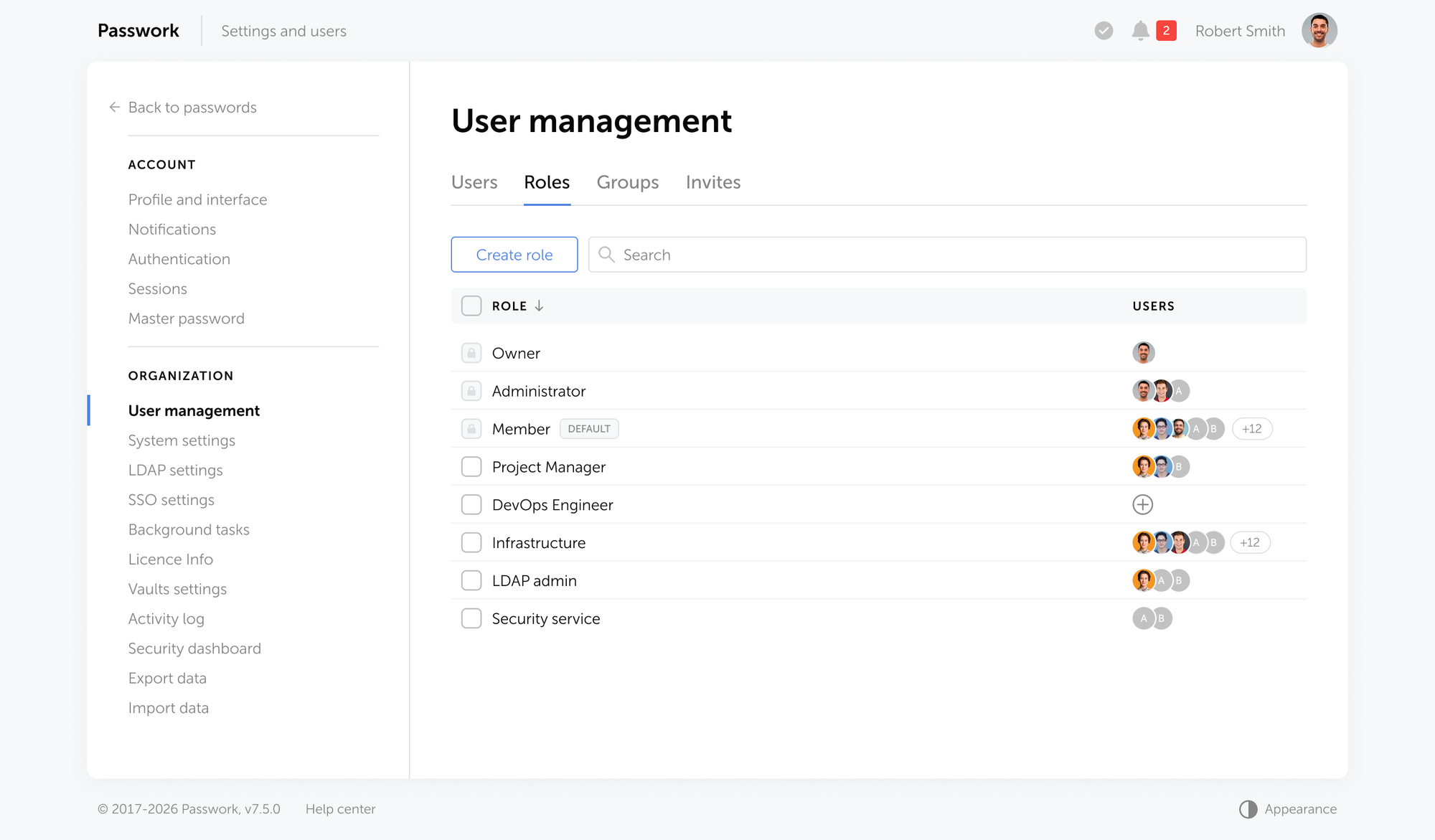
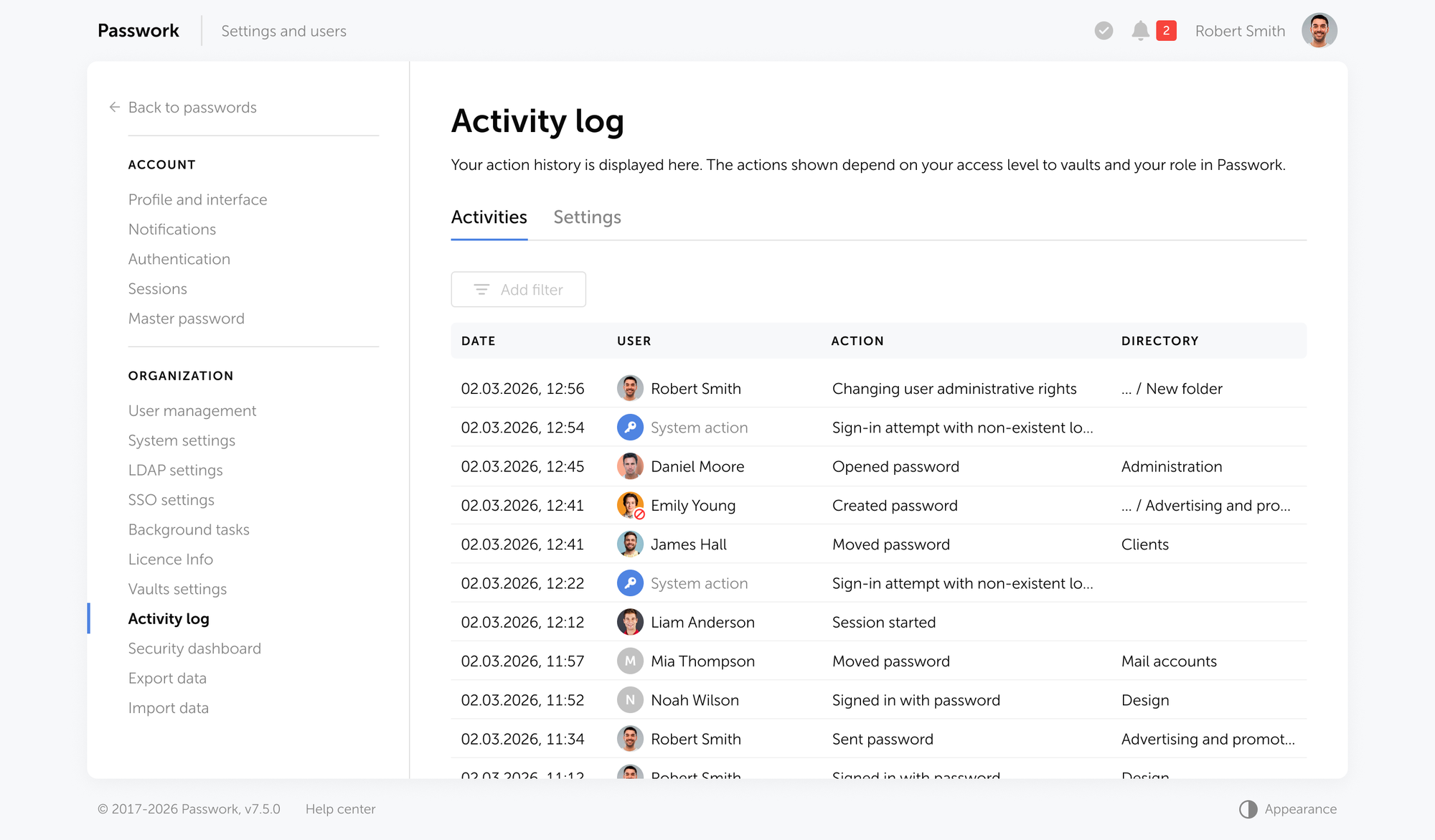
So let’s talk about home security and how to protect yourself from those that are looking for ways to hack your smart devices.
Which smart devices can be hacked?
Almost every smart system used with modern devices is potentially dangerous as hackers know hundreds of ways to obtain remote access to them. But still, some devices seem too ordinary and primitive to be hacked. Perhaps a robot vacuum cleaner or a smart baby monitor. But there are more sophisticated technologies like a smart TV or smart house security system. They're all vulnerable since they're connected to the internet and are frequently part of your home Wi-Fi network. Recent research showed that every one of them has several serious security flaws.
What are the risks?
Many experts note that when it comes to smart home devices, you should be thinking about ‘when’ they will be hacked, not 'if,' because many are notoriously easy to hack and provide no protection whatsoever. Scientists from the European watchdog Eurovomsumers examined 16 regularly used devices from a variety of manufacturers and discovered 54 vulnerabilities that exposed consumers to hacker attacks, with potential implications ranging from security system deactivation to personal data theft.
According to the results of research, hackers can gain access to highly sensitive information such as banking credentials or even utilise many linked devices to stage enormous distributed denial of service (DDOS) operations, which allows them to ruin banking or other service networks.
Whenever most internet users realise the vulnerabilities associated with the usage of computers connected to the Internet, many people still do not pay enough attention to the fact that their home smart devices also present the same danger. As all home devices are commonly connected to the same Wi-Fi network, it gives an opportunity for hackers to get access to all domestic technologies at the same time.
Security gaps
One of the most significant dangers that are presented by smart home devices is the potential for a ‘deauthentication attack’, in which a hacker orders the device to disconnect from the house Wi-Fi. It may cause the blocking of systems and devices, which won’t be able to respond to users’ requests as a result. It was also discovered that some apps designed for home appliances are able to transfer unencrypted data. It means that if hackers break into their system, they’ll gain access to the owner's personal information, such as Wi-Fi passwords or even listen to what happens around the device if it’s equipped with a microphone. A stolen WiFi password may provide hackers access to phones or computers connected to this network and lead to an eventual data leak.
Due to the gaps in security systems, smart devices often have flaws that make them vulnerable to attack. Designers of these devices focus on the comfort of exploitation and multifunctionality of their products, but not on their security. But now, when almost everything from house alarms to refrigerators can be hacked, it becomes a paramount point.
Recent research that took place in America and Europe has shown that about a half of interviewees use smart home devices, but most of them do nothing to protect themselves from being compromised. Thus, even though people know about the risks, they still do nothing to minimize them. One of the possible reasons for such behavior is the lack of knowledge and accessible information about how to make the usage of smart home devices secure.
How can you secure your home devices?
Of course, the most basic way to protect yourself from the hacking of your smart home devices is just not to use them and replace them with less functional but safer options. But what if you can’t go without such a pleasure? Well, Euroconsumers — one of the most well-known private organizations for consumers — developed a list of recommendations that can help people who want to maintain their privacy while using smart devices:
1. Use an ethernet cable instead of Wi-Fi to connect your devices to the network where possible;
2. Create strong multilayered passwords for your devices and Wi-Fi;
3. After installing your Wi-Fi network, always change the default name;
4. Always keep your devices up-to-date and switch them off if you’re not using them at a certain moment;
5. When you use a device for the first time, always finish the setup procedure;
6. Do not buy cheap devices with a low level of protection.
Conclusion
When we’re talking about smart devices, we’re not just talking about full smart house systems such as alarms. Rather, we’re talking about smart appliances such as TVs, doorbell systems, vacuum cleaners, and other common household things. Using them makes our lives more comfortable and saves time and energy. However, they each have their own flaws, and many are vulnerable when it comes to hacking. So, consumers should pay attention to this point of using smart devices and consider all possible ways to protect their privacy without refusing to exploit such useful appliances. If you use one of these devices, try to get more information regarding what manufacturers pay more attention to regarding the security of their goods. Moreover, make sure to protect your own devices from hacking. It won’t take a lot of time or effort, but it will save your sensitive data and protect you from being compromised.
Which words pop into your head when creating a password for your new account on a website or on a social network? Safety? Privacy? Well, there’s some bad news — hackers are clued-up on hacking any kind of password that you can think into existence, and as a matter of fact, it’s a global problem.
According to recent Kaspersky analysis of 193 million real-world passwords, 59% can be cracked in under one hour using a modern GPU and smart guessing algorithms. Even more alarming, 45% of those passwords fall in under one minute. This data underscores a harsh reality for enterprise security teams: traditional password complexity rules are failing.
Attackers no longer rely solely on manual guessing. They deploy industrialized, AI-assisted tools and Malware-as-a-Service platforms to harvest credentials at an unprecedented scale. The leak of 16 billion credentials from 30 data sources and the exposure of 184 million credentials on underground markets demonstrate the sheer volume of data available to threat actors.
This article explains how each major password cracking technique works, the real-world scale of these threats, and what organizations must do to defend against them. Understanding the attacker’s toolkit is the first step in securing your enterprise infrastructure.
What is password cracking?
Password cracking is the process by which attackers attempt to recover or bypass authentication credentials — either by decrypting stolen password hashes offline or by guessing credentials directly against live systems. Techniques range from automated brute-force and dictionary attacks to AI-powered guessing, phishing, and infostealer malware.
Security professionals divide these techniques into two primary categories: online and offline attacks:
Online attacks involve interacting directly with a live authentication system, such as a website login portal or an SSH gateway. These attacks are inherently constrained by network latency, rate-limiting, and account lockout policies.
Offline attacks pose a far greater enterprise threat. When attackers steal a database of hashed passwords, they can attempt to crack them on their own hardware without triggering any network alarms. Unconstrained by rate limits, attackers leverage immense computational power. A single modern GPU, such as an NVIDIA RTX 4090, can process 164 billion MD5 hashes per second. Against this level of hardware, weak passwords are mathematically trivial to break.
Top 12 Password cracking techniques hackers use in 2025
1. Brute force attack
A brute force attack relies on exhaustive enumeration. The attacker’s software systematically tries every possible combination of characters — letters, numbers, and symbols — until it finds the correct match. It is the most fundamental password cracking technique, guaranteeing success eventually, provided the attacker has enough time and computing power.
The scale of brute force attacks has expanded massively due to cloud computing. Attackers can rent massive GPU clusters for a few dollars per hour, bringing supercomputer-level cracking capabilities to anyone.
To defend against brute force attacks, organizations must enforce minimum length requirements of at least 12 characters. Length provides exponentially more protection than complexity. Implement strict account lockout policies for online portals to stop live guessing.
For stored data, ensure all passwords are hashed using computationally expensive algorithms like bcrypt or Argon2, which intentionally slow down the verification process and neutralize hardware advantages.
2. Dictionary attack
A dictionary attack uses a precompiled list of likely passwords to guess credentials. Attackers leverage massive wordlists, such as the infamous RockYou dataset, Have I Been Pwned dumps, and custom lists derived from Open-Source Intelligence (OSINT). They combine these base words with rule-based mutations, adding common numbers, capitalization, and “leet speak” substitutions (e.g., replacing “a” with “@”).
This method is highly efficient because we are predictable. We favor memorable words and patterns. Kaspersky’s analysis revealed that 57% of all analyzed passwords contain a dictionary word or a common symbol combination. Instead of trying every possible character, a dictionary attack tests the passwords people actually use, drastically reducing the time required to breach an account.
Defense requires blocking common passwords at the point of creation. Integrate a breached password monitoring service into your Active Directory or identity provider to prevent users from selecting known compromised terms. Enforce true randomness in password generation, moving away from simple substitutions that dictionary rules easily anticipate.
3. Credential stuffing
Credential stuffing exploits the human habit of password reuse. Attackers take massive lists of usernames and passwords exposed in one breach and systematically test them across hundreds of other services using automated botnets. If a user utilizes the same password for their personal email and their corporate VPN, a breach of the former immediately compromises the latter.
The 2025 Verizon Data Breach Investigations Report (DBIR) highlights the dominance of this technique. Compromised credentials served as the initial access vector in 22% of all confirmed breaches. Credential stuffing accounted for a median 19% of all daily authentication attempts across monitored networks, spiking to an overwhelming 44% on the worst days. The 2023 breach of 23andMe stands as a canonical example of how devastating this attack vector can be when users recycle credentials.
Defending against credential stuffing requires eliminating password reuse entirely. The only reliable way to prevent credential stuffing is to use unique, complex passwords for every corporate service.
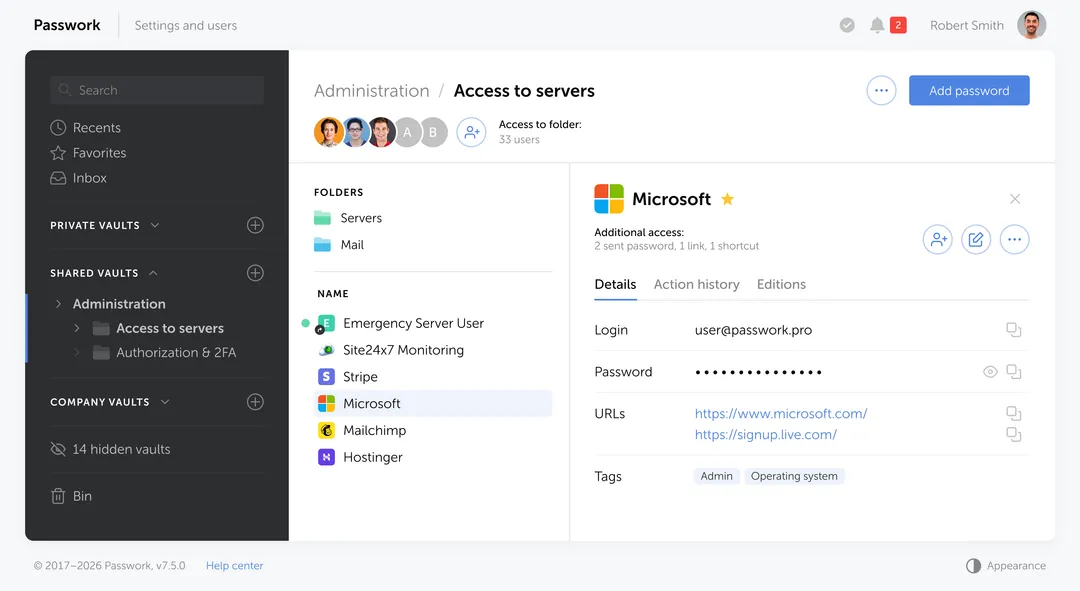
Since employees cannot memorize dozens of unique credentials, companies must implement an enterprise password manager like Passwork. It automatically generates and securely stores unique credentials, eliminating the practice of password reuse. Deploy Multi-Factor Authentication (MFA) across all external-facing portals. Security teams must monitor authentication logs for anomalous login patterns.
4. Password spraying
Password spraying is the inverse of a traditional brute force attack. Instead of trying thousands of passwords against a single account, an attacker tries one highly probable password — such as "“Password1!” or “Welcome2025” — against thousands of different accounts. This “low and slow” approach is specifically designed to evade account lockout policies and intrusion detection systems.
This technique remains highly effective against large organizations. SSH.com notes that Single Sign-On (SSO) environments are particularly vulnerable, as one successful guess grants access to a wide array of corporate resources. Attackers often time their spraying campaigns to coincide with corporate events, seasonal changes, or new employee onboarding, using passwords relevant to the context.
To stop password spraying, organizations must block commonly sprayed passwords globally. Implement MFA to ensure that a guessed password alone is insufficient for access. Security Information and Event Management (SIEM) systems should be configured to monitor for distributed, low-frequency login failures across the network, which often indicate an ongoing spray attack.
5. Rainbow table attack
A rainbow table attack uses massive, precomputed tables of hash-to-plaintext pairings to reverse cryptographic hashes instantly. Instead of calculating hashes on the fly, the attacker simply looks up the stolen hash in their database to find the corresponding password. This technique is devastatingly effective against older, unsalted hashing algorithms like LM, NTLM, and MD5.
The effectiveness of rainbow tables relies entirely on the absence of a cryptographic “salt” — a random string of data added to the password before hashing. If two users have the same password, an unsalted hash will look identical for both. A rainbow table exploits this predictability. Defending against rainbow tables is straightforward: ensure all password storage uses salted hashing. When a unique salt is added to every password, the precomputed tables become useless.
6. Phishing and spear phishing
The easiest and most common way of hacking someone’s password is phishing. There are plenty of techniques here: phishing can take the form of an email, an SMS, a direct message on a social media platform, or a public post on a website.
Phishing bypasses the technical challenge of cracking a password by simply tricking the user into handing it over. Attackers deploy fake login pages, deceptive email lures, and sophisticated Adversary-in-the-Middle (AiTM) proxy attacks. AiTM attacks are particularly dangerous because they sit between the user and the legitimate service, capturing session cookies and MFA tokens in real time.
Adversary-in-the-Middle (AiTM) is a type of cyberattack where an attacker secretly intercepts and relays communication between a user and a legitimate service in real time.
Phishing takes many forms. Spear phishing targets specific individuals with highly personalized lures. Smishing uses SMS messages, vishing relies on voice calls, and whaling targets C-suite executives. The IBM Cost of a Data Breach Report 2025 identified phishing as the most common initial attack vector, responsible for 16% of breaches at an average cost of $4.88 million per incident.
Defense requires a multi-layered approach. Regular security awareness training helps employees recognize deceptive tactics. Deploy strict email filtering and DMARC authentication to block malicious messages before they reach the inbox. Most importantly, organizations must transition to phishing-resistant MFA, such as FIDO2 security keys or passkeys, which mathematically bind the authentication token to the specific legitimate domain, rendering stolen credentials useless.
When an employee navigates to a login page, the Passwork browser extension analyzes the underlying URL before offering to autofill any credentials. If an attacker uses a deceptive domain — such as “micros0ft.com” instead of “microsoft.com” — that visually impersonates a legitimate corporate service, Passwork will not recognize the site and will refuse to insert the password.
7. Keylogger and infostealer malware
While traditional keyloggers simply recorded keystrokes, modern attackers utilize highly sophisticated infostealer malware. Families like Lumma, Acreed, and StealC V2 operate silently, extracting saved browser passwords, active session cookies, cryptocurrency wallets, and MFA tokens in a single sweep.
The scale of this threat is staggering. According to Vectra AI and DeepStrike, infostealers stole 1.8 billion credentials from 5.8 million devices in 2025 — representing an 800% year-over-year increase. This explosion is driven by the Malware-as-a-Service (MaaS) model. Sophisticated infostealer platforms are available on dark web forums for as little as $200 per month, lowering the barrier to entry for cybercriminals.
To defend against infostealers, organizations must deploy robust Endpoint Detection and Response (EDR) solutions. Implement privileged access management to restrict the execution of unauthorized software. Employees must be strictly prohibited from saving corporate credentials in built-in browser password managers. Using a dedicated, encrypted vault like Passwork isolates credentials from malicious endpoint processes and prevents mass theft by infostealers.
8. Man-in-the-Middle (MitM) attack
A Man-in-the-Middle (MitM) attack occurs when an attacker intercepts communication between a user and a legitimate service. This can happen on unsecured public Wi-Fi networks, through rogue access points, or via DNS cache poisoning. The attacker captures the traffic, extracting plaintext passwords or session tokens as they travel across the network.
The modern evolution of this technique is the Adversary-in-the-Middle (AiTM) proxy attack. Attackers use reverse proxies to seamlessly relay traffic between the victim and the real authentication server. When the user enters their password and MFA code, the proxy captures the resulting authenticated session cookie, allowing the attacker to bypass MFA entirely.
Defense relies on robust encryption and network security. Enforce HTTPS and TLS 1.3 across all internal and external communications. Require the use of corporate VPNs when employees connect from public or untrusted networks. To defeat AiTM attacks, deploy phishing-resistant FIDO2 authentication, which validates the origin of the request and prevents session token theft.
9. Social engineering
Social engineering attacks target the human layer of security. Attackers use pretexting, impersonation, and psychological manipulation to bypass technical controls. A common tactic involves calling the IT service desk, impersonating a legitimate employee, and requesting an urgent password reset.
Research from Specops Secure Service Desk highlights that helpdesk agents are frequent targets for these attacks. Attackers gather personal information from LinkedIn or other public sources to answer basic security questions, convincing the agent to hand over temporary credentials or reset an MFA device.
Defending against social engineering requires strict, verifiable protocols. Service desks must implement rigorous identity verification procedures that do not rely on easily discoverable public information. Security awareness training should extend to IT staff, focusing on the tactics used to manipulate support personnel. Implement Zero Trust access policies to limit the blast radius if an account is compromised through human error.
10. Hybrid attack
A hybrid attack combines the speed of a dictionary attack with the thoroughness of a brute force approach. Attackers take a known base word — often a company name, a season, or a previously leaked password — and append or prepend numbers, symbols, and years.
This technique is exceptionally effective against post-breach password resets. When forced to change a compromised password like “Atlanta2024!”, a user will predictably change it to “Atlanta2025!”. Attackers know this behavior and configure their cracking tools to test these incremental variations automatically.
Defense requires strict password history policies. Active Directory and identity providers must be configured to block incremental variations of previous passwords. Organizations should move away from arbitrary password expiration policies, which encourage users to create predictable, iterative passwords, and instead focus on continuous breached password monitoring.
11. Pass-the-Hash (PtH) and Kerberoasting
Pass-the-Hash (PtH) and Kerberoasting are advanced techniques specifically targeting enterprise Active Directory environments. In a PtH attack, an adversary extracts the NTLM hash of a user’s password from a compromised machine’s memory using tools like Mimikatz. They then use this hash to authenticate to other network resources without ever needing to crack the plaintext password.
Kerberoasting targets service accounts. Any authenticated domain user can request a Kerberos service ticket for a Service Principal Name (SPN). The attacker extracts this ticket and takes it offline, attempting to crack the service account’s password hash at their leisure. Because service accounts often have high privileges and rarely change their passwords, they are prime targets.
Defending against these lateral movement techniques requires strict control over privileged accounts. Adhere to the principle of least privilege. Passwork allows teams to securely manage shared administrative passwords using a Role-Based Access Control (RBAC) model, ensuring that critical hashes are not compromised due to careless storage. Monitor network traffic for unusual Kerberos ticket requests. Transition to Group Managed Service Accounts (gMSAs), which automatically rotate complex passwords, eliminating the risk of offline Kerberoasting.
12. AI-powered password guessing
Artificial Intelligence has fundamentally altered the password cracking landscape. Tools like PassGAN use Generative Adversarial Networks (GANs) trained on massive datasets of leaked credentials. Instead of relying on static wordlists or rigid mutation rules, these neural networks learn the underlying psychology of how humans construct passwords. They generate statistically likely candidates with terrifying accuracy.
When AI generation is combined with high-speed hashing tools like Hashcat, the overall success rate of cracking campaigns increases dramatically. AI tools complement traditional methods, filling the gaps where dictionary rules fail.
Defense against AI-powered guessing requires passwords that lack human patterns entirely. Organizations must mandate the use of password managers to generate and store passwords of 15 or more characters with true cryptographic randomness. Combine this with robust MFA and continuous breached password monitoring to mitigate the threat of AI-generated guesses.
How hackers prioritize their targets
Attackers operate with a clear economic model, prioritizing techniques based on efficiency, scale, and the value of the target. Credential stuffing and phishing are the preferred methods for mass exploitation. Because stolen credentials sell for as little as $10 on criminal markets, the return on investment for automated stuffing campaigns is exceptionally high.
When attackers acquire a database of hashed passwords, they turn to dictionary attacks and AI-powered guessing, reserving resource-intensive brute force attacks for high-value administrative accounts. Infostealer malware is deployed selectively against targets likely to yield access to corporate networks, cryptocurrency assets, or proprietary source code.
Time is always on the attacker’s side. Check Point found that organizations take an average of 94 days to remediate compromised credentials exposed in GitHub repositories. Attackers exploit this window aggressively, using automated scripts to validate and weaponize leaked secrets within minutes of exposure. Understanding this prioritization helps defenders allocate their resources effectively, focusing on the attack vectors that present the highest statistical risk.
How to protect your organization against password cracking
Securing an enterprise against modern password cracking requires a comprehensive, layered defense strategy. Technical controls must align with human behavior to create a resilient authentication environment.
Enforce strong, unique passwords Length matters more than complexity. Following NIST SP 800-63B guidance, organizations should require passwords of at least 12 characters. Because humans cannot memorize dozens of long, random strings, provide an enterprise password manager to generate and store truly random credentials for every service.
Deploy Multi-Factor Authentication (MFA) MFA is mandatory, but not all MFA is equal. Prioritize phishing-resistant authentication methods like FIDO2 security keys or passkeys. Move away from SMS-based One-Time Passwords (OTPs), which are highly vulnerable to SIM swapping and AiTM proxy attacks.
Monitor for breached credentials The Verizon 2025 DBIR notes that only 3% of passwords meet NIST complexity requirements. Organizations must continuously check employee passwords against known breach databases. If a credential appears in a public dump, the system should force an immediate reset.
Implement privileged access management Protect service accounts and shared credentials, which are the primary targets for lateral movement attacks like Pass-the-Hash and Kerberoasting. Restrict administrative access and log all privileged sessions.
Conduct security awareness training Social engineering and phishing remain the most common initial access vectors. Regular, contextual training and simulated phishing tests measurably reduce employee susceptibility to credential harvesting lures.
Deploy a centralized enterprise password manager Security policies work effectively when employees have convenient tools to follow them. Implementing an enterprise password manager like Passwork solves the human factor problem.
Passwork provides teams with an encrypted vault featuring granular Role-Based Access Control (RBAC), detailed audit logs, and seamless Active Directory/SSO integration. For companies with strict compliance requirements, Passwork offers an on-premise version, allowing organizations to host all encrypted data exclusively on their own servers and eliminate the risks associated with cloud breaches.
Conclusion
The threat landscape has shifted fundamentally. Password cracking has evolved from a niche technical skill into an industrialized, AI-assisted, and MaaS-enabled attack category. The 2025 data is unambiguous: stolen credentials drive the vast majority of corporate breaches, and the tools available to attackers have never been more powerful or accessible. Relying on outdated complexity rules and manual password management is a guaranteed path to compromise.
The most effective organizational response requires a holistic approach. It combines strong password hygiene, phishing-resistant MFA, continuous breach monitoring, and a centralized password management platform.
Are you ready to protect your corporate infrastructure against modern cracking techniques? Discover how Passwork helps enterprise teams securely store, generate, and manage corporate passwords with complete control over their data.
Ready to take the first step? Start your free Passwork trial to get complete control, automated credential management, and enterprise-grade data protection.
Frequently asked questions
What is the most common password cracking technique in 2025?
Credential stuffing is the most prevalent technique at scale, accounting for a median 19% of all daily authentication attempts according to the Verizon 2025 DBIR. Phishing was the most common initial breach vector, responsible for 16% of confirmed breaches, as reported in the IBM 2025 Cost of a Data Breach Report.
How long does it take to crack a password?
It depends entirely on length, complexity, and the hashing algorithm used. Kaspersky’s analysis of 193 million real-world passwords found that 59% could be cracked in under one hour using a modern GPU and smart guessing algorithms. An 8-character alphanumeric password can be cracked by an RTX 4090 in approximately 17 seconds. Passwords of 15 or more truly random characters would take centuries to crack with current hardware.
To guarantee the use of such cryptographically strong passwords without sacrificing productivity, organizations should rely on built-in password generators provided by solutions like Passwork.
What is the difference between a brute force and a dictionary attack?
A brute force attack tries every possible character combination systematically, which is thorough but slow. A dictionary attack uses a precompiled list of likely passwords, including common words, leaked credentials, and OSINT-derived terms. Dictionary attacks are far faster in practice because most real-world passwords follow predictable human patterns.
Can AI crack passwords?
Yes. AI-powered tools like PassGAN use neural networks trained on real password datasets to generate statistically likely guesses. Research shows PassGAN can crack 51% of common passwords in under one minute and 65% within one hour — significantly outperforming traditional dictionary attacks on their own.
Does multi-factor authentication prevent password cracking?
MFA significantly raises the bar, but it is not a complete defense. Adversary-in-the-Middle (AiTM) attacks can intercept MFA tokens in real time. Phishing-resistant FIDO2 or passkey authentication is the current gold standard for preventing credential-based attacks.
If you've heard of ‘SHA’ in various forms but aren't sure what it stands for or why it's essential — you’re in luck! We'll attempt to shed some light on the family of cryptographic hash algorithms today.
But, before we get into SHA, let's go over what a hash function is and how it works. Before you can comprehend what SHA-1 and SHA-2 are, you must first grasp these principles.
Let's get started.
What Is a hash function?
A hash function relates to a set of characters (known as a key) of a certain length. The hash value is a representation of the original string of characters, however, it is usually smaller.
Because the shorter hash value is simpler to search for than the lengthier text, hashing is used for indexing and finding things in databases. Encryption employs hashing as well.
SHA-1, SHA-2, SHA-256… What’s this all about?
There are three types of secure hash algorithms: SHA-1, SHA-2, and SHA-256. The initial iteration of the algorithm was SHA-1, which was followed by SHA-2, an updated and better version of the first. The SHA-2 method produces a plethora of bit-length variables, which are referred to as SHA-256. Simply put, if you see “SHA-2,” “SHA-256” or “SHA-256 bit,” those names are referring to the same thing.
The NIST's Formal Acceptance
FIPS 180-4, published by the National Institute of Standards and Technology, officially defines the SHA-256 standard. Moreover, a set of test vectors is included with standardization and formalization to confirm that developers have correctly implemented the method.
Let’s break down the algorithm and how it works:
1. Append padding bits
The first step in our hashing process is to add bits to our original message to make it the same length as the standard length needed for the hash function. To accomplish so, we begin by adding a few details to the message we already have. The amount of bits we add is determined so that the message's length is precisely 64 bits less than a multiple of 512 after these bits are added. This can be expressed mathematically in the following way:
n x 512 = M + P + 64
M is the original message's length. P stands for padded bits.
2. Append length bits
Now that we've added our padding bits to the original message, we can go ahead and add our length bits, which are equal to 64 bits, to make the whole message an exact multiple of 512.
We know we need to add 64 extra bits, so we'll compute them by multiplying the modulo of the original message (the one without the padding) by 232. We add those lengths to the padded bits in the message and get the complete message block, which must be a multiple of 512.
3. Initialize the buffers
We now have our message block, on which we will begin our calculations in order to determine the final hash. Before we get started, I want to point out that we'll need certain default settings to get started with the steps we'll be taking.
a = 0x6a09e667 b = 0xbb67ae85 c = 0x3c6ef372 d = 0xa54ff53a e = 0x510e527f f = 0x9b05688c g = 0x1f83d9ab h = 0x5be0cd19
Keep these principles in the back of your mind for now; all will fit together in the following phase. There are a further 64 variables to remember, which will operate as keys and are symbolized by the letter 'k.'
Let's go on to the portion where we calculate the hash using these data.
4. Compression Function
As a result, here is where the majority of the hashing algorithm is found. The whole message block, which is 'n x 512' bits long, is broken into 'n' chunks of 512 bits, each of which is then put through 64 rounds of operations, with the result being provided as input for the next round of operations.
The 64 rounds of operation conducted on a 512-bit message are plainly visible in the figure above. We can see that we send in two inputs: W(i) and K(i). During the first 16 rounds, we further break down the 512-bit message into 16 pieces, each consisting of 32 bits. Indeed, we must compute the value for W(i) at each step.
W(i) = Wⁱ⁻¹⁶ + σ⁰ + Wⁱ⁻⁷ + σ¹ where, σ⁰ = (Wⁱ⁻¹⁵ ROTR⁷(x)) XOR (Wⁱ⁻¹⁵ ROTR¹⁸(x)) XOR (Wⁱ⁻¹⁵ SHR³(x)) σ¹ = (Wⁱ⁻² ROTR¹⁷(x)) XOR (Wⁱ⁻² ROTR¹⁹(x)) XOR (Wⁱ⁻² SHR¹⁰(x)) ROTRⁿ(x) = Circular right rotation of 'x' by 'n' bits SHRⁿ(x) = Circular right shift of 'x' by 'n' bits
5. Output
Every round's output is used as an input for the next round, and so on until just the final bits of the message are left, at which point the result of the last round for the nth portion of the message block will give us the result, i.e. the hash for the whole message. The output has a length of 256 bits.
Conclusion
In a nutshell, the whole principle behind SHA would sound something like this:
We determine the length of the message to be hashed, then add a few bits to it, beginning with '1' and continuing with '0' and then ‘1’ again until the message length is precisely 64 bits less than a multiple of 512. By multiplying the modulo of the original message by 232, we may add the remaining 64 bits. The complete message block may be represented as 'n x 512' bits after the remaining bits are added. Now, we split each of these 512 bits into 16 pieces, each of 32 bits, using the compression function, which consists of 64 rounds of operations. For the first 16 rounds, these 16 sections, each of 32 bits, operate as input, and for the next 48 rounds, we have a technique to compute the W(i). We also include preset buffer settings and 'k' values for each of the 64 rounds. We can now begin computing hashes since we have all of the necessary numbers and formulae. The hashing procedure is then repeated 64 times, with the result of the i round serving as the input for the i+1 round. As a result, the output of the 64th operation of the nth round will be the output, which is the hash of the whole message.
The SHA-256 hashing algorithm is now one of the most extensively used hashing algorithms since it has yet to be cracked and the hashes are generated rapidly when compared to other safe hashes such as the SHA-512. It is well-established, but the industry is working to gradually transition to SHA-512, which is more secure, since experts believe SHA-256 may become susceptible to hacking in the near future.
If the concept of ‘quantum cryptography' sounds complicated to you, you're right. That’s why this ‘encryption tutorial for dummies’ shall demystify the concept and provide an explanation in layman’s terms.
Quantum cryptography, which has been around for a few decades, is becoming more and more important to our daily lives because of its ability to protect essential data in a manner that conventional encryption techniques cannot.
What is it?
Cryptography, as we all know, is a technique that aims to encrypt data by scrambling plain text so that only those with the appropriate ‘key’ can read it. By extension, quantum cryptography encrypts data and transmits it in an unhackable manner using the principles of quantum mechanics.
While such a concept seems straightforward, the intricacy resides in the quantum mechanics that underpin quantum cryptography. For example:
The particles that make up the cosmos are fundamentally unpredictable, and they may exist in several places or states of existence at the same time;
A quantum attribute cannot be measured without causing it to change or be disturbed;
Some quantum attributes of a particle can be cloned, but not the whole particle.
How does it work?
Theoretically, quantum cryptography operates by following a model that was first published in 1984.
Assume there are two people called Alice and Bob who want to communicate a message in a safe manner, according to the model of quantum cryptography. Alice sends Bob a key, which serves as the signal for the communication to begin. One of the most important components is a stream of photons that go in just one direction. Each photon corresponds to a single bit of data — either a 0 or a 1 — in the computer's memory. However, in addition to traveling in a straight path, these photons are oscillating, or vibrating, in a certain fashion as they move.
The photons pass via a polarizer before reaching Alice, the sender, who then commences the transmission. When some photons pass through a polarizer with the same vibrations as before, and when others pass through with different vibrations, the filter is said to be ‘polarized’. There are many polarization states to choose from, including vertical (1 bit), horizontal (0 bit), 45 degrees right (1 bit) and 45 degrees left (0 bit). In whatever system she employs, the broadcast has one of two polarizations, each encoding a single bit, which is either 0 or 1.
From the polarizer to the receiver, the photons are now traveling via optical fiber to Bob. Each photon is analyzed using a beam splitter, which determines the polarization of each photon. After receiving the photon key, Bob does not recognize the right polarization of the photons, so he chooses one polarization at random from a pool of available options. Alice now compares the polarizers Bob used to polarize the key and informs Bob of the polarizer she used to deliver each photon to the receiver. Bob checks to see whether he used the right polarizer at this point. The photons that were read with the incorrect splitter are then eliminated, and the sequence that is left is deemed the key sequence.
Let's pretend there is an eavesdropper present, who goes by the name of Eve. Eve seeks to listen in and has the same tools as Bob in order to do so successfully. However, Bob has the benefit of being able to converse with Alice in order to check which polarizer type was used for each photon, but Eve does not. Eve is ultimately responsible for rendering the final key.
Alice and Bob would also be aware if Eve was listening in on their conversation. After Eve observes the flow of photons, the photon locations that Alice and Bob anticipate to see will be altered as a result of her observations.
Well, that’s all pretty mind-blowing, but for us, the general public, the biggest question is…
Is it really used?
Although the model described above has not yet been fully developed, there have been successful implementations of it, including the following:
The University of Cambridge and the Toshiba Corporation collaborated to develop a high-bit-rate quantum key distribution system based on the BB84 quantum cryptography protocol;
DARPA's Quantum Network, which operated from 2002 to 2007, was a 10-node QKD (Quantum Key Distribution) network constructed by Boston University, Harvard University, and IBM Research. It was operated by the Defense Advanced Research Projects Agency;
Quantum Xchange created the first quantum network in the United States, which is comprised of over 1,000 kilometers of optical fiber;
The development of commercial QKD systems was also carried out by commercial businesses such as ID Quantique, Toshiba, Quintessence Labs, and MagiQ Technologies Inc.
As you can see, these rare implementations are pretty far from what you’d expect to use every day. But hopefully, that will change in the near future.
The pros and cons of quantum cryptography
As with any developing technology, the state of it now (2022), may be very different to its state in the future. Thus, the following table may change dramatically. We do believe, however, that we’ll see fewer points in the ‘Limitations’ column as the years go on.
The need for unbreakable encryption is right there staring us down. The development of quantum computers is on the horizon, and the security of encrypted data is now in jeopardy due to the threat of quantum computing. We are fortunate in that quantum cryptography, in the form of QKD, provides us with the answer we need to protect our information long into the future — all while adhering to the difficult laws of quantum physics.
End-to-end encryption has been introduced by many communication providers in recent years, notably WhatsApp and Zoom. Although those companies have tried to explain the concept to their user base several times, we believe they failed. Whilst it's clear that these platforms have increased security, most don’t know how or why. Well, encryption is a rather simple concept to understand: It converts data into an unreadable format. But what exactly does "end-to-end" imply? What are the advantages and disadvantages of this added layer of security? We'll explain this as simply as possible without diving too much into the underlying math and technical terminology.
What is end-to-end encryption?
End-to-end encryption (E2EE) is a state-of-the-art protocol for communication security. Only the sender and the intended recipient(s) have access to the data in an end-to-end encrypted system. The encrypted data on the server is inaccessible to both hackers and undesirable third parties.
End-to-end encryption is best understood when compared to the encryption-in-transit approach, so let’s perform a quick recap. If a service employs encryption-in-transit, it is usually encrypted on your device before being delivered to the server. It’s then decrypted for processing on the server before it’s re-encrypted and routed to its final destination. When the data is in transit, it’s encrypted, but when it’s ‘at rest’, it’s decrypted. This safeguards the data during the most dangerous stage of the journey, transit — when it’s most exposed to hackers, interception, and theft.
End-to-end encryption, on the other hand, is the process of encrypting data on your device and not decrypting it until it reaches its destination. When your message travels through the server, not even the service that is delivering the data can view the content of your message.
In practice, this means that messengers using 'real' end-to-end encryption, like Signal, know only your phone number and the date of your last login – nothing more.
This is important for users that want to be sure their communication is kept secure from prying eyes. There are also some real-life examples that utilize end-to-end encryption for financial transactions and commercial communication.
How does it work?
The generation of a public-private key pair ensures the security of end-to-end encryption. This method, also known as asymmetric cryptography, encrypts and decrypts the message using distinct cryptographic keys. Public keys are widely distributed and are used to encrypt or ‘lock’ messages. Only the owner has access to the private keys, which are needed to unlock or decrypt the communication.
Whenever the user takes part in any end-to-end encrypted communication, the system automatically generates dedicated public and private keys.
If this sounds too complicated, here is a verysimple metaphor:
You just bought a new Rolex for your buddy, who lives in Australia. Now, it’s already in a fancy green leather box, so you decide to put the stamp directly on it and send it. There is nothing wrong with that approach as long as you trust that the postal workers won’t steal it.
However, if you decide to put the Rolex box inside another box, hiding the nature of the gift from all interacting parties along the way, then you’ve effectively ensured (for all intents and purposes) that the Rolex is only visible to the intended recipient; when your mate from down under gets a hold of the box, he takes his pair of scissors and ‘decrypts’ the present. Indeed, you’ve ensured ‘end-to-end’ encryption.
You’re already using end-to-end encryption, daily
As we mentioned before, during an E2EE interaction, the server that delivers encrypted data between one "end" and the other "end" is unable to decode and read the data it sends. Even the servers' owners are unable to access the information since it is not saved on the servers themselves, only the "endpoints" (or the devices) of the discussion can decode the data.
If you’re daily using messengers like WhatsApp, iMessage, and Signal (where E2EE is enabled by default) or Telegram, Allo, and Facebook's ‘Secret Conversation’ function (where E2EE can be manually activated) – you’re already using end-to-end encryption.
What's more fascinating is that E2EE communication providers don't require you to trust them. And that’s great!
The fact that their systems can be hacked makes no difference to you because the transported data is encrypted and can only be read by the sender and receiver, which has enraged several organizations. There are known cases when such agencies asked for special ‘backdoors’ that would allow them to decrypt messages.
Why isn’t everything end-to-end encrypted?
End-to-end encryption is theoretically sound, but it lacks flexibility, thus it can't be utilized when the "two ends" that communicate data don't exist, such as with cloud storage.
This is why Zero-Knowledge Encryption was created, a solution that overcomes the problem by hiding the encryption key, even from the storage provider, resulting in an authentication request without the requirement for password exchange.
Moreover, end-to-end encryption does not hide information about the message, such as the date and time it was sent or the people who participated in the conversation. This metadata might provide indications on where the 'end-point' might be – not great if you are the target of a hacker.
The biggest problem, however, is that in reality, we never know whether the communication is end-to-end encrypted. Providers may claim to provide end-to-end encryption when what they truly deliver is encryption-in-transit. The information might be kept on a third-party server that can be accessed by anybody who has access to the server.
Conclusion
While it’s obvious that you shouldn’t be shipping Dave’s Rolex in its fancy green box, the reality is, if you’ve nothing to hide and you’re not transporting something incredibly valuable, encryption-in-transit is up to the job.
End-to-end encryption is a wonderful technology that enables a high level of security when properly implemented. But it doesn't really tackle the main issue – the end-user, still, to this day, needs to trust the system that they’re using to communicate. We hope that the next generation of encryption technologies such as ZKP will be able to change that.
In this year of our lord, 2022, the term ‘Zero-Knowledge Encryption’ equates to best-in-class data insurance. We’ve already written an article named “What is Zero-Knowledge Proof?”, so we’re not going to look at definitions here, but rather, we’re going to explore the pros and cons of Zero-Knowledge proof encryption when compared to other technologies.
But for those who don’t want to dive deep into technical details, here’s an explanation of what Zero-Knowledge Encryption means:
It simply implies that no one else (not even the service provider) has access to your password-protected data.
This is important because even if your files are completely encrypted, if the server has access to the keys, a centralized hacker attack can result in a data breach.
In order to gain a better understanding of the factors that led to the development of Zero-Knowledge Encryption, we've decided to present a succinct, yet comprehensive, assessment of the advantages and disadvantages of three existing options:
Encryption-in-transit
Data in-transit, also known as data in motion, is data that is actively flowing from one point to another, such as that over the internet or over a private network. Data protection in transit refers to the security of data while it is being transferred from one network to another or from a local storage device to a cloud storage device. Effective data protection measures for in-transit data are critical because data is often considered less secure while in transit. Think of it like hiring security guards to accompany your cash-in-transit vehicle’s trip to the bank.
This means that, while using this approach, stored docs are 100% decryptable, so vulnerable.
As for our everyday life, the following technologies use the ‘encryption-in-transit’approach:
Any data encryption is the process of converting one type of data into another that cannot be decrypted by unauthorized users. For example, you may have saved a copy of your passport. You obviously don't want this data to be easily accessed. If you store encrypted data on your server, it’s effectively "resting" there (which is why it’s called encryption-at-rest). This is usually accomplished by the use of an algorithm that is incomprehensible to a user who does not have access to the encryption key needed to decode it. Only an authorized person will be able to access the file, ensuring that your data is kept safe.
The Advanced Encryption Standard (AES) is often used to encrypt data at rest.
But, in order to access the data, you need a key — and that’s where the potential vulnerability lies.
Encryption-at-rest is like storing your data in a secret vault, encryption-in-transit is like putting it in an armored vehicle with security guards for transport.
End-to-end encryption
End-to-end encryption is the act of applying encryption to messages on one device so that only the device to which it is sent can decrypt it. The message travels all the way from the sender to the recipient in encrypted form.
In practice, it means that only the communicating users (who have the key) can read the messages.
End-to-end encryption has created an impregnable fortress for communication services (for example, messengers), going beyond the security "façade" of encryption-in-transit and encryption-at-rest solutions.
This is the most common approach when protecting oneself against data breaches nowadays, but it only works from "one end to the other," as the term implies. Even though this all sounds great, end-to-end encryption can only be used for a "communication system" like Whatsapp or Telegram.
While theoretically sound, end-to-end encryption lacks flexibility, so it can’t be used when the "two ends" that share data don't exist, such as for cloud storage.
This is the motivation behind the development of Zero-Knowledge Encryption, a method that solves the problem by hiding the encryption key, even from the storage provider, resulting in an authentication request without the need for password exchange.
Zero-Knowledge encryption
To log in to an account, you usually have to type in the exact password. In today's hyperconnected world, it's normal practice to tell the server your secret key ahead of time and test whether it matches.
Instead, there is another, more secure way, to manage this delicate process and that’s called Zero-Knowledge Encryption.
Without diving deep, The Zero-Knowledge relies on three main requirements:
Completeness — an honest prover will be able to convince the verifier that he has the password by completing some process in the required way;
Soundness — the verifier will almost certainly discover when the prover is lying;
Zero-knowledge — if the prover has a password, the verifier receives no more information other than the fact that the statement is true.
Essentially, the system will check to see if you can demonstrate your knowledge several times by responding to various conditions. It’s like a brute force attack carried out backwards — you perform the same action many times in order to make sure that the prover isn’t lying.
Instead of concluding, let’s round up the pros and cons of Zero-Knowledge proof encryption when compared to the alternatives:
The con here is a clear example of the exceptional security provided by the Zero-Knowledge Encryption solution, which prevents even system administrators from recovering your password. This is why we, at Passwork, rely on this technology in our products. Ultimately, that’s why you can rely on us too.
Many times, we’ve mentioned self-signed certificates and their most common use cases in our blog. After all, the main difference between a regular certificate and a self-signed one is that in the latter case, you act as the CA (Certificate Authority). But there are a variety of services that provide CA services for free, with the most popular being ‘Let’s Encrypt’, which is going to be the subject of this article.
What’s that?
‘Let’s Encrypt’ is a free certificate authority developed by the Internet Security Research Group (ISRG).
It provides free TLS/SSL certificates to any suitable client via the ACME (Automatic Certificate Management Environment) protocol. You can use these certificates to encrypt communication between your web server and your users. ‘Let's Encrypt’ provides two types of certificates. Single-domain SSL and Wildcard SSL, which covers a single domain and all of its subdomains. Both types of SSL certificates have a 90-day validity period. These domain-validated certificates do not require a dedicated IP address. They accomplish this by delivering the client a unique token and then retrieving a key generated from that token via an HTTP or DNS request.
There are dozens of clients available which can be easily integrated with a variety of standard administrative tools, services, and servers. They also come written in a range of different computer languages.
We'll use the win-acme client in this tutorial because it's a basic, open-source, and constantly updated command-line application. It not only produces certificates but also automatically installs and renews them. And yes, this tutorial is for Windows users.
How does it work?
‘Let's Encrypt’ verifies the ownership of your domain before issuing a certificate. On your server, the Let's Encrypt client creates a temporary file (a token) with the required information. The Let's Encrypt validation server then sends an HTTP request to get the file and validates the token, ensuring that your domain's DNS record resolves to the ‘Let's Encrypt’ client-server.
In an HTTP-based challenge, for example, the client will generate a key from a unique token and an account token, then save the results in a file that the web server will serve. The file is then retrieved from the Let's Encrypt servers at: http://passwork.com/.well-known/acme-challenge/token.
The client has demonstrated that it can control resources on example.com if the key is correct, and the server will sign and provide a certificate.
How do I set it up?
Before we start:
Make sure that you’ve downloaded the latest version of the application on the server from its Github release page;
Scroll down to ‘assets’ and download the zip package named win-acme.v2.x.x.x.zip from the release page. If you're having difficulty with Internet Explorer, you may install Chrome on the server following this approach. Once the application has been downloaded, unpack it and save it somewhere safe for future use.
Now let’s Generate the Let’s Encrypt Certificates
Simply run wacs.exe to generate the Let's Encrypt certificates. Because we downloaded the application via the internet, you may receive a notification from Windows Defender claiming that "Windows protected your PC". Because of this, after clicking the "More Info" link, click the "Run Anyway" option. Because it’s open-source and widely utilized, the application is completely safe to use.
Follow these simple steps once the application has started:
Choose N in the main menu to create a new certificate with default settings;
Choose how you want to determine the domain name(s) that you want to include in the certificate. These may be derived from the bindings of an IIS site, or you can input them manually;
A registration is created with the ACME server if no existing one can be found. You will be asked to agree to its terms of service and to provide an email address that the administrators can use to contact you;
The program negotiates with the ACME server to try and prove your ownership of the domain(s) that you want to create the certificate for. By default, the http validation mode is picked and handled by our self-hosting plugin. Getting validation right is often the most tricky part of getting an ACME certificate. If there are problems, please check out some of the common issues for an answer;
After the proof has been provided, the program gets the new certificate from the ACME server and updates or creates IIS bindings as required, according to the logic documented here;
The program remembers all choices that you made while creating the certificate and applies them for each subsequent renewal.
And that’s pretty much it. It will successfully generate an SSL certificate for you if your domain is pointing to your server. It will also include a scheduled task that will renew the certificate when it expires. The SSL certificate will be installed automatically by the application.
Are there other options?
‘Certbot’ is the most widely used kind of ‘Let's Encrypt’ client. We didn’t give it much light in this article because it's “designed for Linux” and also a little more advanced. It comes with easy-to-use automatic configuration features for Apache and Nginx. And yes, there is a Windows version as well.
There are many other clients to choose from – the ACME protocol is open and well-documented. On their website, ‘Let's Encrypt’ keeps track of all ACME clients.
Here’s a list of the best options (n.b. most are for Linux):
lego. Lego is a one-file binary installation written in Go that supports many DNS providers;
acme.sh. Acme.sh is a simple shell script that can run in non-privileged mode and interact with more than 30 different DNS providers;
Caddy. Caddy is a full web server written in Go with built-in support for Let’s Encrypt.
‘Let’s Encrypt’ is just great, there are no other ways to put it. It’s a free, automated, and open certificate authority, run for the public’s benefit. It can be accessed via a variety of tools and services. The best part is, they really keep their motto close to heart:
“We give people the digital certificates they need in order to enable HTTPS (SSL/TLS) for websites, for free, in the most user-friendly way we can. We do this because we want to create a more secure and privacy-respecting Web for all.”
It is rare for technologies to be born from ambitious philosophical concepts or mind games. But, when it comes to security and cryptography – everything is a riddle.
One of such riddles is ‘How can you prove that you know a secret without giving it away?’. Or in other words, ‘how can you tell someone you love them without saying that you love them?’.
The Zero-Knowledge Proof technique, as suggested by the name, uses cryptographic algorithms to allow several parties to verify the authenticity of a piece of information without having to share the material that makes it up. But how is it possible to prove something without supporting evidence? In this article, we’ll try our best to break it down for you as easily as possible.
Why?
We’re asking ourselves day after day – why on Earth would people decide to use such a complicated concept. Well, millions of people use the internet every day, accepting cookies and sharing personal information in exchange for access to services and digital products. Users are gradually becoming more vulnerable to security breaches and unauthorized access to their data. Furthermore, individuals frequently have to give up their privacy in return for digital platform services such as suggestions, consultations, tailored support, and so on, all of which wouldn’t be available when browsing privately. Due to all the above mentioned, there is a certain asymmetry regarding access to information – you give your information in exchange for a service.
In 1985, three great minds noticed ‘a great disturbance in the Force’ ahead of their time and released a paper called "The Knowledge Complexity of Interactive Proof-Systems" which introduced the concept of Zero-Knowledge Proof (ZKP) for the first time.
So what is it?
ZKP is a set of tools that allows an item of data to be evaluated without having to reveal the data that supports it. This is made feasible by a set of cryptographic methods that allow a "tester" to mathematically prove to a "verifier" that a computational statement is valid without disclosing any data.
It is possible to establish that particular facts are correct without having to share them with a third party in this way. For example, a user could demonstrate that he is of legal age to access a product or service without having to reveal his exact age. Or, it’s a bit like showing your friend your driving license instead of proving to him that you can drive by road-tripping to Mexico.
This technique is often used in the digital world to authenticate systems without the risk of information being stolen. Indeed, it’s no longer necessary to provide any personal data in order to establish a person's identity.
Sounds great, but how does it work?
The prover and the verifier are the two most important roles in zero-knowledge proofs. The prover must demonstrate that they are aware of the secret whereas the verifier must be able to determine whether or not the prover is lying.
It works because the verifier asks the prover to do actions that can only be done if the prover is certain that he or she is aware of the secret. If the prover is guessing, the verifier's tests will catch him or her out. If the secret is known, the prover will pass the verifier's exam with flying colors every time. It's similar to when a bank or other institution requests letters from a known secret word in order to authenticate your identity. You're not telling the bank how much money you have in your account; you're simply demonstrating that you know.
Assume that two characters, Alice and Bob, find themselves at the mouth of a cave with two independent entrances leading to two different paths (A and B). A door inside the cave connects both paths, but it can only be unlocked with a secret code. This code belongs to Bob (the 'tester,') and Alice (the 'verifier,') wants to buy it, but first, she wants to make sure Bob isn't lying.
How can Bob demonstrate to Alice that he has the code without divulging its contents? They perform the following to achieve this: Bob enters the cave via one of the entrances at random while Alice waits outside (A or B). Once inside, Alice approaches the front door, summons Bob, and instructs him to use one of the two exits. Bob will always be able to return by the path that Alice used since he knows the secret code.
Bob will always be able to return via the path that Alice directs him to, even if it does not coincide with the one he chose in the first place, because he can unlock the door and depart through the other side with the secret code.
But wait a minute, there is still a 50% chance that both Alice and Bob chose the same path, right? It is correct indeed, however, if this exercise is repeated several times, the likelihood that Bob will escape along the same path chosen by Alice without possessing the code decreases until it is almost impossible. Conclusion? If Bob leaves this path a sufficient number of times, he has unmistakably shown to Alice that his claim of holding the secret code is true. Moreover, there was no need to reveal the actual code in this case.
You can find out more about the Bob and Alice metaphor here.
Got it, so how is it used?
As for right now, ZKP is developing hand in hand with blockchain technology.
Zcash is a crypto platform that uses a unique iteration of zero-knowledge proofs (called zk-SNARKs). It allows native transactions to stay entirely encrypted while still being confirmed under the network's consensus rules. It’s a great example of this technology being used in practice.
Even though zero-knowledge proofs have a lot of potential to change the way today's data systems verify information, the technology is still considered to be in its infancy — primarily because researchers are still figuring out how to best use this concept while identifying any potential flaws. This, however, doesn’t stop us from using this protocol in our products! ;)
For a deeper understanding of the technical aspects and history behind this protocol, we recommend watching this video on YouTube.
Cryptography is both beautiful and terrifying. Perhaps a bit like your ex-wife. Despite this, it represents a vital component of day-to-day internet security; without it, our secrets kept in the digital world would be exposed to everyone, even your employer. I doubt you’d want information regarding your sexual preferences to be displayed to the regional sales manager while at an interview with Goldman Sachs, right?
Computers are designed to do exactly what we ask them to do. But sometimes there are certain things that we don’t want them to do, like expose your data through some kind of backdoor. This is where cryptography comes into play. It transforms useful data into something that can’t be understood without the proper credentials.
Let’s take a look at an example. Most internet services need to store their users’ password data on their own servers. But they can’t store the exact values that people input on their devices because, in the event of a data breach, malevolent intruders would effectively gain access to a simple spreadsheet of all usernames and passwords.
This is where ‘Hash’ and ‘Salt’ help us a lot. Throughout this article, we’re going to explain these two important encryption concepts through simple functions in Node.JS.
What is a ‘hash’?
A ‘hash’ literally means something that has been chopped and mixed, and originally was used to describe a kind of food. Now, chopping and mixing are exactly what the hash function does! You start with some data, you pass it through a hash function where it gets whisked and chopped, and then you watch it get transformed into a fixed-length value (which at first sight seems pretty meaningless). The important nuance here is that, contrary to cooking, an input always produces a corresponding output. For the purposes of cryptography, such a hash function should be easily computable and all values should be unique. It should work in a similar way to mashing potatoes – mashing is a one-way process; the raw potato may not be restored once it has been mashed. Indeed, the result of a hash function should be impenetrable to computer-led reverse engineering efforts.
These properties come in handy when you’re looking to store user passwords on a database – you don’t want anyone to know their real values.
First, let’s import the createHash function from the built-in ‘crypto’ module:
const { createHash } = require ('crypto');
Next, we ought to define the module that we’re naming as the ‘hash’ (which takes a string as the input, and returns a hash as the output):
function hash(input) {
return createHash();
}
We also need to specify the hashing algorithm that we want to use. In our case, it will be SHA256. SHA stands for Secure Hash Algorithm and it returns a 256-bit digest (output). It is important to architect your code so it is easy to switch between algorithms because at some point in time they won’t be secure anymore. Remember, cryptography is always evolving.
function hash(input) {
return createHash('sha256');
}
Once we call our hashing function, we may call ‘update’ with the input value and return the output by calling ‘digest’. We should also specify the format of the output (e.g. hex). In our case, we’ll go with Base64.
function hash(input) {
return createHash('sha256').update(input).digest('base64');
}
Now that we have our hash function, we can provide some input, and console log the result.
let youShallNotPassPass = 'admin1234';
const hashRes1 = hash(youShallNotPassPass);
console.log(hashRes1)
So, how can we use this long, convoluted string of numbers, letters, and symbols? Well, now it’s easy to compare two values while operating with only hashes.
let youShallNotPassPass = 'admin1234';
const hashRes1 = hash(youShallNotPassPass);
const hashRes2 = hash(youShallNotPassPass);
const isThereMatch = hashRes1 === hashRes2;
console.log(isThereMatch ? 'hashes match' : 'hashes do not match’)
As long as hash values are unique object representations, they can be useful for object identification. For example, they might be used to iterate through objects in an array or find a specific one in the database.
But we have a problem. Hash functions are very predictable. On top of that, people don’t use strong passwords that often, so the hacker may just compare the hashes on a database with a precomputed spreadsheet of the most common passwords. If the values match – the password is compromised.
Because of this, it’s insufficient to just use a hash function to store unique ids on a password database.
And that’s where our second topic makes an entrance – Salt.
‘Salt’ is a bit like the mineral salt that you would add to a batch of mashed potatoes – the taste will definitely depend on the amount and type of salt used. This is exactly what salt in cryptography is – random data that is used as an additional input to a hash function. Its use makes it much harder to guess what exact data stands behind a certain hash.
We use ‘Scrypt’ because it’s designed to be expensive computationally and memory-wise in order to make brute-force attacks unrewarding. It’s also used as proof of work in cryptocurrency mining.
Now that we have hashed the password, we need to store the accompanying salt in our database. We can do this by appending it to the hashed password with a semicolon as a separator:
const user = { nickname, password: salt + ':' + hashedPassword}
Here’s our final signup function:
function signup(nickname, password) {
const salt = randomBytes(16).toString('base64');
const hashedPassword = scryptSync(password, salt, 64).toString('base64');
const user = { nickname, password: salt + ':' + hashedPassword};
users.push(user);
return user;
}
Now let’s create our login function. When the user wants to log in, we can grab the salt from our database to recreate the original hash:
//We register the user:
const user = signup('Amy', '1234');
//We try to login with the wrong pass:
let isSuccess = login('Amy', '12345');
console.log(isSuccess ? 'Login success' : 'Wrong password!')
//Wrong password!
//We try to login with the correct pass:
isSuccess = login('Amy', '1234')
console.log(isSuccess ? 'Login success' : 'Wrong password!')
//Login success
Our example, hopefully, has provided you with a very simplified explanation of the signup and login process. It’s important to note that our code is not protected against timing attacks and it doesn’t use PKI infrastructure to check hashes, so there are plenty of vulnerabilities for hackers to exploit.
Cryptography itself can be described as the constant war between hackers and cryptographic engineers. Or, that familiar legal battle with your ex-wife over her maintenance payments. After all, what works today may not work tomorrow. A proof of MD5 hash algorithm vulnerability is a very good example.
So if your task is to ensure your users’ data privacy, be ready to constantly update your functions to counteract the recent ‘breakthroughs’.
Let's imagine that you decided to google ‘best sauces for Wagyu steak’. You went through several web pages, and then on page two of the search results, you get this notification from your Chrome browser:
Something went wrong, that's for sure. What happened? Should you proceed to the page without a private connection?
An IT expert would surely reply:
The error that you got here was probably because of an SSL/TLS handshake failure.
SSL? TLS?? Acronyms you’ve no doubt heard before, but ones that nevertheless evoke a dreary sense of confusion in the untrained mind. In this article, we’ll try to explain what SSL/TLS is, how it works and at the very least, you’ll understand what that lock icon on the address bar is.
Where did TLS originate?
TLS stands for Transport Layer Security, and it is right now the most common kind of Web PKI. It’s used not only to encrypt internet browsing but also for end-to-end connection (video calling, messaging, gaming, etc.).
As for now, we expect almost any kind of connection on the internet to be encrypted, and if something is encrypted, we get an alert similar to that seen in figure A. But that wasn't always the case. If you go back to the mid-90s – very little on the internet was encrypted. Maybe that was because fewer people were using the internet back then, or maybe it was because there weren’t credit-card details flying all over the place.
The history of TLS starts with Netscape. In 1994, it developed Secure Socket Layer 1 – the grandfather of modern TLS. Technically, it fits between TCP and HTTP as a security layer. While version 1 was used only internally and was full of bugs, very quickly, they fixed all the issues and released SSL 2. Then, Netscape patented it in 1995 with a view to stopping other people patenting it so they could release it for free. This was a very odd yet generous move, considering what the real-life patent practice was at that time.
In 1995, the world was introduced to Internet Explorer, a browser that used a rival technology called PCT (Private Communications Technology), which was very similar to SSL. But as with any rivalry – there could only be one winner. In November 1996, SSL 3 was released, which, of course, was an improvement on SSL 2. Right after that, the Internet Engineering Task Force created the Transport Layer Security Working Group to decide what the new standard for internet encryption would be. It was subsequently renamed from SSL to TLS (as far as we know, this was because Microsoft didn't want Netscape to have dibs on the name). It actually took three years for the group to release TLS 1. It was so similar to SSL 3 that people began to name it SSL 3.1. But over time, through updates, the security level rose massively; bugs were terminated, ciphers were improved, protocols were updated etc.
How does TLS actually work?
TLS is a PKI protocol that exists between two parties. They effectively have to agree on certain things to identify each other as trustworthy. This process of identification is called a 'handshake'.
Let’s take a look at a TLS 1.2 handshake, as an example.
First, let's load any webpage, then, depending on your browser, press the lock icon near the web address text field. You’ll be shown certificate info and somewhere between the lines you'll find a string like this:
This is called a Cipher Suite. It’s a string-like representation of our 'handshake' recipe.
So, let’s go through some of the things shown here:
First, we have ECDHE (Elliptic-curve Diffie–Hellman), which is a key agreement protocol that allows two parties, each having an elliptic-curve public–private key pair, to establish a shared secret over an insecure channel. In layman’s terms, this is known as key exchange;
The RSA is our Public Key authentication mechanism (remember, we need a Public Key for any PKI);
AES256 refers to the cipher that we’re going to use (AES) and its' key size (256);
Lastly, SHA384 is effectively a building block that is used to perform hash functions.
Now, the trick is to exchange all that data in just several messages via our 'handshake'.
What exactly happens when we go to a new web page?
After we establish a TCP (Transmission Control Protocol) connection, we start our handshake. As always on the web, the user (Client) is requesting data from the Server – so he sends a 'Client Hello' message, which contains a bunch of data including:
The max TLS version that this Client can support so that both parties are able to 'speak the same language;
A random number to protect from replay attacks;
List of the cipher suites that the Client supports.
Assuming the Server is live, it responds with 'Server Hello', containing the Cipher Suite and TLS version it chose to connect with the Client + a random number. If the server can't choose a Suite or TLS version due to version incompatibility – it sends back a TLS Alert with a handshake failure. At this point, both the User and the Server know the communication protocol.
Keep in mind that the server is sending a Public key and a Certificate containing an RSA key. It’s important to know that the Certificate has an expiration date. You’ll understand why by the end of the article.
On top of that, the Server is sending a Server Key Exchange Message containing parameters for ECDHE with a public value. Very importantly, this Exchange Message also contains a digital signature (all previous messages are summarized using a hash function and signed using the private key of the Server). This signature is crucial because it provides proof that the Server is who they say they are.
When the Server is done transmitting all the above-mentioned messages, it sends a 'Server Hello Done' message. In Layman’s terms, that’s an ‘I’m done for the day, I’ll see you at the pub’ kind of message.
The Client, on the other hand, will look at the Certificate and verify it. After that, it will verify the signature using the Certificate (you can't have one without the other). If all goes well, the Client is assured of the Server’s authenticity and sends a Client Key Exchange Message. This message doesn't contain a Certificate but does contain a Premaster Secret. It is then combined with the random numbers that were generated during the ‘Hello’ messages to produce a Master Secret. The Master Secret is going to be used for encryption at the next step.
It may seem very complicated now, but we’re almost done!
The next stage involves the Client sending the ‘Change Cipher Spec’ message, which basically says "I’ve got everything, so I can begin encryption – the next message I'll send you is going to be encrypted with parameters and keys".
After that, the Client proceeds to send the ‘Finished’ message containing a summary of all the messages so far encrypted. This helps to ensure that nobody fiddled with the messages; if the Server can't decrypt the message, it leaves the 'conversation'.
The Server will reply in the same way – with a Change Cipher Spec and a Finished message.
Handshaking is now done, parties can exchange HTTP requests/responses and load data. By the way, the only difference between HTTP and HTTPS is that the last one is secure – that's what the 'S' stands for there.
As you can see, it's incredibly difficult to crack this system open. However, that's exactly what we need to ensure security. Moreover, those two round trips that the data travels take no time at all, which is great; nobody wants their GitHub to take a month and a half to load up. By the way, the more advanced TLS 1.3 does all that in just one round trip!
Your connection is not private
When something goes wrong with TLS, you’ll see the warning that we demonstrated at the very beginning of this article. Usually, those are issues associated with the Certificate and its expiration date. That’s why your internet will refuse to work if you’ve messed around with the time and date settings on your device. But, if everything with the date and time is in check – never proceed to a website that triggers this warning, because most likely, between you and the server, somebody is parsing your private data.
Let’s imagine that somehow you’re in the driver’s seat of a start-up, and a successful one too. You’ve successfully passed several investment rounds and you’re well on your way to success. Now, big resources lead to big data and with big data, there’s a lot of responsibility. Managing data in such a company is a struggle, especially considering that data is usually structured in an access hierarchy – Excel tables and Google Docs just don’t cut the cake anymore. Instead, the company yearns for a protocol well equipped to manage data. The company yearns for LDAP.
What is LDAP?
The story of LDAP starts at the University of Michigan in the early 1990s when a graduate student, Tim Howes, was tasked with creating a campus-wide directory using the X.500 computer networking standard. Unfortunately, accessing X.500 records was impossible without a dedicated server. Additionally, there was no such thing as a ‘client app’. As a result, Howes co-created DIXIE, a directory client for X.500. This work set the foundations for LDAP, a standards-based version of DIXIE for both clients and servers – an acronym for the Lightweight Directory Access Protocol.
It was designed to maintain a data hierarchy for small bits of information. Unlike ‘Finder’ on your Mac, or ‘Windows Explorer’ on your PC, the ‘files’ inside the directory tree, although small, are contained in a very hierarchical order – exactly what you need to organize, for example, your HR structure, or when accessing a file. Compared to good old Excel, it is not a program, but rather a protocol. Essentially, a set of tools that allow users to find the information that they need very quickly.
Importantly, this protocol answers three key questions regarding data management:
— Who? Users must authenticate themselves in order to access directories. — How? A special language is used that provides for query or data manipulations. — Where? Data is stored and organized in a proper manner.

Let’s now go through these key questions in greater detail.
Who?
It’s bad taste to provide internal data to any old Joe. That’s why LDAP users cannot access information without first proving their identity.
LDAP authentication involves verifying provided usernames and passwords by connecting with a directory service that uses the LDAP protocol. All this data is stored in what is referred to as a core user. This is a lot like logging into Facebook, where you’re only able to access a user’s feed and photos if they’ve accepted your friend request, or if their profile has been set to public.
Some companies that require advanced security use a Simple Authentication and Security Layer (SASL), for example, Kerberos, for the authentication process.
In addition, to ensure the maximum safety of LDAP messages, as soon as data is accessed via devices outside the company’s walls, Transport Layer Security (TLS) may be used.
How?
The main task of a data management system is to provide “many things to many users”.
Rather than creating a complex system for each type of information service, LDAP provides a handful of common APIs (LDAP commands) to do this. Supporting applications, of course, have to be written to use these APIs properly. Still, the LDAP provides the basic service of locating information and can thus be used to store information for other system services, such as DNS, DHCP, etc.
Basic LDAP commands
Let’s look at the ‘Search’ LDAP command as an example, if you’d like to know which group a particular user is a part of, you might need to input something like this:
Isn’t it beautiful? Not quite as simple as performing a Google search, that’s for sure. So, your employees will perform all their directory services tasks through a point-and-click management interface like Varonis DatAdvantage.
All those interfaces may vary depending on their configuration, which is why new employees should be trained to use them, even if they’ve used LDAP before.
Where?
As we mentioned before, LDAP has the structure of a tree of information. Starting with the roots, it contains hierarchical nodes relating to a variety of data, by which the query may then be answered.
The root node of the tree doesn't really exist and can't be accessed directly. There is a special entry called the root directory specific entry, or rootDSE, that contains a description of the whole tree, its layout, and its contents. But, this really isn't the root of the tree itself. Each entry contains a set of properties, or attributes, in which data values are stored.
The tree itself is called the directory information tree (DIT). Branches of this tree contain all the data on the LDAP server. Every branch leads to a leaf in the end – a data entry, or directory service entry (DSE). These entries contain actual records that describe objects such as users, computers, settings, etc.
For example, such a tree for your company could start with the description of a position held, starting with you at the top as the director, finishing at the bottom with Joe Bloggs, the intern.
Each position would be tied to a person with a set of attributes, complete with links to subordinates. The attributes for a person may include their name, surname, phone number, email, in addition to their responsibilities. Each attribute would have a value inside, like ‘Joe’ for name and ‘Bloggs’ for surname.
The actual data contents may vary, as they totally depend on use. For example, you could have data issuing rights to certain people regarding the coffee machine. So, no Frappuccino for our intern Joe.
Sure, you can add more sophisticated data regarding each individual – their personal family trees, or even voice samples for instance, but typically, the LDAP would just point to the place where such data can be found.
Is it worth it?
LDAP is able to aggregate information from different sources, making it easier for an enterprise to manage information. But as with any type of data organization, the biggest difficulty is creating a proper design for your tree. There is always trial and error involved while building a directory for a specific corporate structure. Sometimes this process is so difficult that it even results in the reorganization of the company itself in favor of the hierarchical model. Despite this, for almost thirty years, the LDAP has held its title as the most efficient solution for the organization of corporate data.
Imagine you’re a system administrator at Home Depot. Just as you’re about to head home, you notice that your network has just authorized the connection of a new air-conditioner. Nothing too peculiar, right? The next morning, you wake up to find that terabytes of data including logins, passwords and customer credit card information have been transferred to hackers. Well, that’s exactly what happened in 2014, when a group of hackers, under the guise of an unassuming HVAC system, landed an attack that cost Home Depot over $17.5 million dollars, all over an incorrectly configured PKI. In this article, we’ll be conducting a crash course in PKI management.
So, what’s a PKI?
‘Public key infrastructure’ is a term that relates to a set of measures and policies that allow one to deploy and manage one of the most common forms of online encryption – public-key encryption. Apart from being a key-keeper for your browser, the PKI also secures a variety of different infrastructures, including internal communication within organizations, Internet of Things (IoT), peer to peer connection, and so on. There are two main types of PKIs:
• The Web PKI, also known as the “Internet PKI”, has been defined by RFC 5280 and refined by the CA/Browser Forum. It works by default with browsers and pretty much everything else that uses TLS (you probably use it every day).
• An Internal PKI – is the one you run for your own needs. We’re talking about encrypted local networks, data containers, enterprise IT applications or corporate endpoints like laptops and phones. Generally speaking, it can be used for anything that you want to identify.
At its core, PKI has a public cryptographic key that is used not to encrypt your data, but rather to authenticate the identities of the communicating parties. It’s like the bouncer outside an up-market club in Mayfair – you’re not getting in if you’re not on the list. However, without this ‘bouncer’, the concept of trustworthy online communication would be thrown to the wind.
So, how does it work?
PKI is built around two main concepts – keys and certificates. As with an Enigma machine, where the machine’s settings are used to encrypt a message (or establish a secure protocol), a key within a PKIisa long string of bits used to encrypt or decrypt encoded data. The main difference between the Enigma machine and a PKI is that with the latter, you have to somehow let your recipient know the settings used to encode the encrypted message.
The PKI gets its name because each party in a secured connection has two keys: public and private. A generic cipher protocol on the other hand, usually only uses a private one.
The public key is known to everyone and is used throughout the network to encode data, but the data cannot be accessed without a private key, which is used for decoding. These two keys are bound by complex mathematical functions which are difficult to reverse-engineer or crack by brute force. By the way, this principle is an epitome of asymmetrical cryptography.
So, this is how data is encrypted within a public key infrastructure. But let’s not forget that identity verification is just as important when dealing with PKIs – that’s where certificates come into play.
Digital Identity
PKI certificates are most commonly seen as digital passports containing lots of assigned data. One of the most important pieces of information in such a certificate relates to the public key: the certificate is the mechanism by which that key is shared – just like your Taxpayer Identification Number (TIN) or driver’s license, for instance.
But it’s not really valid unless it has been issued by some kind of entrusted authority. In our case, this is the certificate authority (CA). Here, there is an attestation from a trusted source that the entity is who they claim to be.
With this in mind, it becomes very easy to grasp what the PKI consists of:
• A certificate authority, which issues digital certificates, signs them with its public key and stores them in a repository for reference;
• A registration authority, which verifies the identities of those requesting digital certificates. A CA can act as its registration authority or can use a third party to do so;
• A certificate database that stores both the certificates, their metadata and, most importantly, their expiration dates;
• A certificate policy outlining the PKI's procedures (this is basically a set of instructions that allows others to judge how trustworthy a PKI is).
What is a PKI used for?
A PKI is great for securing web traffic – data flowing through the open internet can be easily intercepted and read if it isn't encrypted. Moreover, it can be difficult to trust a sender’s identity if there isn’t some kind of verification procedure in place.
But even though SSL/TLS certificates (that secure browsing activities) may demonstrate the most widespread implementation of PKI, the list doesn’t end there. PKI can also be used for:
• Digital signatures on software;
• Restricted access to enterprise intranets and VPNs;
• Password-free Wi-fi access based on device ownership;
• Email and data encryption procedures.
PKI use is taking off exponentially; even a microwave can connect to Instagram nowadays. This emerging world of IoT devices brings us new challenges and even devices seemingly existing in closed environments now require security. Taking the ‘evil air conditioner’ that we spoke about in the introduction as an example – gone are the days where we can take a piece of kit for face value. Some of the most compelling PKI use cases today center around IoT. Auto manufacturers and medical device manufacturers are two prime examples of industries currently introducing PKI for IoT devices. Edison’s Electronic Health Check-up System would be a very good example here, but we’ll save that for a future deep-dive.
Is PKI a cure-all?
As with any technology – execution is sometimes more important than the design itself. A recent study by the Ponemon Institute surveyed nearly 603 IT and security professionals across 14 industries to understand the current state of PKI and digital certificate management practices. This study revealed widespread gaps and challenges, for example:
• 73% of security professionals admit that digital certificates still cause unplanned downtime and application outages;
• 71% of security professionals state that migration to the cloud demands significant changes to their PKI practices;
• 76% of security professionals say that failure to secure keys and certificates undermines the trust their organization relies upon to operate.
The biggest issue, however, is that most organizations lack the resources to support PKI. Moreover, only 38% of respondents claim they have the staff to properly maintain PKI. So for most organizations PKI maintenance becomes a burden rather than a cure-all.
To sum up, PKI is a silent guard that secures the privacy of ordinary online content consumers. However, in the hands of true professionals, it becomes a power tool that creates an encryption infrastructure that is almost infinitely scalable. It lives in your browser, your phone, your Wi-fi access point, throughout the web and beyond. Most importantly, however, a correctly-configured PKI is the distance between your business and an imposter air conditioner that wants your hard-earned cash.
Password managers are a game-changer when it comes to security, convenience and efficiency. If you're new to them, you might be wondering what is the purpose of a password manager? The answer lies in avoiding the risks that come with weak or reused passwords. Managing passwords securely can be a real challenge. Cyber threats like identity theft, data breaches and more are all too real. The safest way to store passwords is with a personal password keeper.
Think of it as a simple password vault for all your login credentials. Rather than relying on your memory or insecure methods like writing them down, the safest place to keep passwords is using a password manager ensuring that all your credentials are stored in an encrypted database, accessible only through a master password. With a password manager, you can secure your password and create strong, unique passwords — no more worrying about remembering them all.
What do password managers do? They securely store passwords, and many also help in automatically filling in your credentials on websites, reducing the risk of phishing attacks. They also help with keeping passwords securely across all your devices — that means your credentials are safe wherever you access them.
Why a password manager is essential for security
The human factor in digital security
The more digital we become — the COVID-19 pandemic has certainly accelerated that — the more online accounts we have. And with that comes more passwords to keep track of. Unfortunately, human error is a leading cause of data breaches. People still use weak passwords or reuse the same credentials across multiple sites. That makes it far too easy for cybercriminals to get in. Password managers enhance your password practices to prevent vulnerabilities.
Phishing attacks have become incredibly common, and weak password practices expose businesses to risks. Is it safe to use password managers? Yes, a password manager eliminates the risk of human error and keeps your credentials safe by storing them in an encrypted database. It can automatically fill in your credentials only when a legitimate site is detected. That stops you from unknowingly entering passwords on phishing sites. And because it eliminates the risk of human error, protecting your passwords becomes much easier.
Security audits
Security audits are a key part of any business's security strategy. Weak, outdated, or compromised credentials can lead to security vulnerabilities. Businesses that fail to enforce strong password policies risk non-compliance with industry regulations.
One of the key benefits of password managers is that it can automatically alert users when passwords need updating. It also provides an audit trail, making it easier to track and manage password changes efficiently. Additionally, password managers ensure quick password rotation when an employee leaves the company, minimizing the risk of data leaks — this proactive security measure helps companies comply with industry standards and pass audits with ease.
Managing absences and staff changes
Temporary absences and staff turnover can disrupt business workflows. A business password manager ensures employees with the necessary permissions can access credentials securely. That prevents bottlenecks and inefficiencies.
For example, if a key team member is on vacation or out sick, other employees may need access to shared accounts. With a password manager, authorized team members can securely retrieve credentials without compromising security.
Disaster recovery is another critical aspect. In the unfortunate event of an emergency where key personnel are unavailable, having a secure and structured password management system ensures continuity. Companies can avoid business disruptions by ensuring authorized personnel can access critical information without compromising security policies.
Seamless access across devices and browsers
A key advantage of password managers is that they work seamlessly across multiple browsers and devices. Solutions like Passwork are where flexibility really shines. Whether you’re using a desktop, laptop, or smartphone, you can securely store your passwords and access them anywhere. That's especially useful for remote teams, who need smooth and secure login experiences.
Browser extensions fill in credentials automatically, cutting down on login friction. You can use Chrome, Firefox, Safari or Edge — your choice. Many password managers support cross-platform synchronization, changes made on one device are instantly available on another.
Password manager pricing and what to expect
Password managers come in all shapes and sizes, and so do the costs. You can get a basic version for free, with the essentials, while premium plans offer advanced security features like two-factor authentication, encrypted password sharing and audit logs. Choosing an easy to use password manager is essential for keeping things simple and secure. Business solutions often include features for multiple users, ensuring secure credential management across the board.
While a free password manager may be sufficient for individuals, businesses should consider paid options to benefit from enterprise-grade security and administrative controls. Scalable plans that grow with your organization's needs can be a cost-effective way to manage security. And the cost of investing in a password manager is often much lower than the financial and reputational damage caused by a data breach.
Organizations that proactively invest in password security mitigate risks and reduce the likelihood of costly security incidents. When you're shopping for the best way to store passwords, consider what matters most to you: encryption, ease of use, and the ability to store passwords securely across different platforms. Look for features like two-factor authentication and secure password sharing for optimal protection.
Getting started with a password manager
How to use a password manager? It’s pretty straightforward — choose a password manager that fits your needs. Consider factors such as encryption strength, compatibility with devices, and business-oriented features if you need them.
Install the software or use a web-based version for cloud-based access
Start storing passwords securely by importing existing credentials or generating new, strong passwords
Enable auto-fill and auto-change to save time and reduce the risk of phishing attacks
Set up two-factor authentication (2FA) for extra security layer against unauthorized access
Password managers also allow users to categorize passwords into folders or groups, making it easier to manage credentials efficiently. Businesses can take advantage of role-based access control (RBAC) to ensure employees only have access to the passwords relevant to their job responsibilities.
Different types of password managers
Cloud-based
Cloud-based solutions store encrypted passwords on remote servers, allowing you to access your credentials from any device. They offer convenience and accessibility, but you have to trust the provider's security measures. Passwork Cloud ensures high-level encryption and secure access, giving businesses full control over their password management while maintaining ease of use.
Self-hosted
Self-hosted solutions store passwords on a company servers rather than the cloud. While they reduce the risk of cloud-based attacks. Self-hosted password managers provide organizations with complete data control, allowing them to implement their own security policies and compliance measures. This makes them ideal for companies that prioritize on-premises data security.
Browser-based
Many web browsers offer built-in password management tools, but they often lack the advanced security features of dedicated solutions. Web browser password manager is better suited for casual users rather than businesses handling sensitive data. These managers may also be vulnerable to browser-based threats or device compromises. A standalone password manager is a more robust choice for organizations that require enterprise-grade security.
Essential features of a reliable password manager
Strong encryption
A secure password manager should use AES-256 encryption to protect stored credentials from cyber threats. This ensures that even if your data is intercepted, it remains unreadable to unauthorized users.
Auto-fill and auto-change
These features simplify login processes and improve password security by automatically updating passwords when needed. Auto-change is particularly useful for regularly updating credentials without manual effort.
Two-factor authentication
Adds an extra layer of security, ensuring that even if a master password is compromised, unauthorized access is prevented. Many password managers support biometric authentication, such as fingerprint or facial recognition, for added protection.
Intuitive and user-friendly interface
A password manager should be easy to navigate, making it simple for users to store, retrieve, and manage credentials effectively.
Stay safe and secure your data with a password manager
Secure password management is a must. If you haven't started using a password manager yet, now is the time to take control of your online security. If you use a password manager what do you as the user need to remember is just a single master password — that's it. Protect your passwords with the help of a password manager and keep them safe from cyber threats.
Passwork is where security and convenience meet-the necessities for businesses that are serious about staying ahead. That means more than just a password manager. It means a robust security system that reduces the risk of human error. By automating password management and giving you secure, centralized access to sensitive data Passwork helps you protect your business in real-time.
Whatever your company size, investing in secure password management just makes sense. Don't wait for a data breach to happen. Take the next step now with Passwork and start protecting what matters most.
Password managers protect your accounts by encrypting credentials, generating strong passwords, and blocking phishing attacks. They help individuals and businesses streamline password management, minimizing risks from weak or reused passwords. Discover their key features in the full article.
A couple of guesses — your mother's maiden name, your date of birth, your pet's name. And Bam! Your password is stolen.
Password theft is becoming more common every day. While one of the most notorious incidents was the 2014 Russian hacker incident that compromised more than 1.2 billion passwords, this is far from an isolated event. There are news stories about password-related breaches almost every day. And yet, many people continue to use weak, easily guessable passwords.
Why? Because they’re easy to remember. But as simple as these passwords are for you, they’re even easier for hackers to crack. This is a serious concern for businesses, where cybersecurity is paramount.
Why security policies alone aren't enough
Large enterprises often implement password policies requiring employees to use strong passwords. However, since it's easier to remember short passwords, many employees disregard the policies and choose weak passwords. A policy alone isn’t much help here.
The solution? A corporate password manager that ensures strong, unguessable passwords are used across the company. By using the right technology, you can significantly reduce the risk of a data breach.
While a corporate password manager can choose passwords for you, how do you choose the right one for your business? Here are some tips to help you find the best software for your enterprise.
Tip #1: Choose the right solution for your company
Password management solutions typically come in two forms: SaaS (cloud-based) or on-premise. Both have their advantages, depending on your company’s needs.
SaaS (Software-as-a-Service): This option is managed by the provider, and you typically pay a subscription fee based on the number of users or the level of service. SaaS solutions are great for small- to mid-sized businesses, as they offer flexibility, scalability, and minimal setup costs.
On-Premise: With an on-premise solution, the software is hosted on your company’s own servers. While there’s a higher upfront cost for hardware and software licenses, this option is ideal for larger enterprises that require full control over their data for compliance or security reasons.
Both options have their merits, so choose a vendor that offers both SaaS and on-premise solutions. This way, you can make a decision based on your company’s specific needs, ensuring you have the right balance between cost, security, and scalability.
Tip #2: Identify potential vulnerabilities
A critical feature of any corporate password manager is its ability to safeguard your data against vulnerabilities. Before committing to a solution, take the time to identify any weak points in the software.
Here’s a quick test: Sign in to the password manager and press F12 to open the browser’s developer console. In the “Network” tab, check for any external requests, like analytics scripts or third-party integrations. A secure password manager should not allow external third-party scripts that could expose you to cross-site scripting (XSS) or other attacks.
When third parties are allowed to call into the system, they can make the system vulnerable. Whether you prefer a SaaS password manager or an on-premise password manager, it should hold all sensitive information in such a way that external applications cannot access them.
Tip #3: Verify encryption standards
The password manager should store all passwords in an encrypted form. To verify this, use the browser’s developer tools again (F12 → Network tab). Now open any website where you need to sign in. Save the password in the password manager. Check whether the password appears as plain text or in encrypted form.
If it’s stored in plain text, the system is vulnerable to hacks. Strong encryption is essential. Look for password managers that use AES-256 encryption combined with an RSA handshake, which is the gold standard for secure data encryption.
Different password managers have different encryption standards. The highest cipher is AES-256 with an RSA handshake. This is military-grade encryption and is virtually unhackable. If your corporate password manager provides this level of encryption and owns its own servers, you don’t have to worry about the security of your information.
Tip #4: Choose a vendor with transparent policies
When selecting a password manager, transparency is key. Check the vendor’s website for whitepapers and documentation on the algorithms and cryptography they use. Vendors with open-source or auditable code are preferable, as they demonstrate a commitment to transparency and security.
Zero-knowledge encryption is another critical feature. This means that the vendor has no access to your master password or any of your sensitive data. For instance, Passwork ensures all passwords are stored in encrypted vaults using a 256-bit cipher, making them accessible only to the user.
Opting for an open-source solution is a smart move, as it allows you to inspect the code and confirm that the cryptography being used is reliable and secure.
Tip #5: Ensure auditability
If you opt for an on-premise solution, auditability is important. You should be able to inspect and audit the internal code to verify that it meets your company’s security standards.
Regular password audits are also essential for maintaining a secure system. A good password manager will automatically notify you when passwords need to be updated due to age or reuse across multiple services. This feature helps maintain optimal security across your entire organization.
If the code is open-source, you may even have the ability to customize it. However, be cautious, as making changes to the code can introduce instability. Always consult with the vendor before making any significant modifications.
Tip #6: Implement two-factor authentication (2FA)
A reliable corporate password manager should support strong two-factor authentication (2FA) options to enhance security. Passwords alone aren’t always enough to safeguard sensitive data, as they can be stolen or cracked. 2FA ensures that even if a password is compromised, an additional authentication factor—such as a code sent to your phone or an authentication app—protects your accounts.
When selecting a password manager, ensure it integrates with a variety of 2FA methods, such as time-based one-time passwords (TOTP) or SMS codes. Implementing 2FA will greatly reduce the risk of unauthorized access to your corporate accounts, making it an essential security measure for any business.
Tip #7: Test the SSL security
Advanced corporate password management tools use Secure Sockets Layer (SSL). The SSL transfers data securely between the client and the server. Passwork uses SSL along with AES-256 bit encryption and RSA handshake to ensure your data is encrypted according to the highest standards.
There are several online tools to check if there are any potential issues with the SSL quality of the password manager. With tools such as SSL Labs and SSL Checker, you can find out if the SSL certificates of the password manager are valid.
Tip #8: Look for flexibility across platforms
A good corporate password manager should work seamlessly across all platforms and devices your employees use. Whether it’s desktop or mobile, macOS, Windows, iOS, or Android, the solution should offer compatibility with all major operating systems.
Additionally, ensure the password manager offers browser extensions for popular web browsers such as Chrome, Firefox, Safari, and Edge. Syncing across devices is another crucial feature. If an employee saves a password on their desktop browser, it should automatically be available when they log in on their mobile device.
The bottom line
There are several corporate password managers available, but make sure you choose the best one. Your password manager should not only be secure but also adaptable to your company’s needs. If you find a password manager that meets all the criteria listed above and is affordable, choose it to safeguard your passwords.
Remember, security isn’t an area where you can afford to cut corners. Your enterprise passwords are extremely important so don’t compromise on quality. Choose password manager that meets all your security requirements, including strong encryption, transparency, auditability, and two-factor authentication.
As the saying goes, “If you’re not paying for the product, you are the product.” Make the right choice by selecting software that keeps your company’s details safe. It not only simplifies things for your employees but also ensures your valuable information remains secure from prying eyes.