Latest — Jul 14, 2025
Private password breach checking: A new algorithm for secure password validation

Introduction

Data breaches have become routine: millions of users worldwide face the consequences of compromised passwords. The scale is staggering: billions of credentials are exposed, fueling automated attacks and credential stuffing on a massive scale. Services like "Have I Been Pwned" now track over 12 billion breached accounts, and that number keeps growing.

Security professionals and users face a direct challenge: how can we check if a password has been compromised in a data breach without revealing the password itself to the checking service? The task sounds simple, but in reality, it requires a delicate balance between privacy, security, and performance.

Traditional approaches force a trade-off. Direct hash lookups are fast but unsafe: they expose the full hash, risking password leaks. More sophisticated cryptographic protocols offer strong privacy guarantees but come with significant computational overhead and implementation complexity that makes them impractical for many real-world applications.

We’re introducing a solution that bridges this gap: Private password breach checking using obfuscated deterministic bloom filter indices. This innovative approach provides strong privacy guarantees while maintaining the efficiency needed for practical deployment in password managers, authentication systems, and enterprise security infrastructure.

Existing solutions and their tradeoffs

To understand the significance of our new approach, it's important to examine the current methods for password breach checking and their inherent limitations.

Direct hash lookup: Simple but insecure

The earliest password breach checking services, such as LeakedSource, employed a straightforward approach: users would submit the SHA-1 hash of their password, and the service would check if that exact hash appeared in their breach database. Although simple to deploy and very fast to apply, this method is insecure and prone to potential attacks.

When a user submits their password hash directly, they're essentially handing over a cryptographic fingerprint of their password to the service. This creates several attack vectors: malicious actors could perform rainbow table attacks against the submitted hash, launch focused dictionary attacks targeting that specific hash, or correlate the same password across multiple services. The fundamental problem is that the hash itself becomes a valuable piece of information that can be exploited.

K-anonymity: A step forward with remaining vulnerabilities

Recognizing the security issues with direct hash submission, Troy Hunt introduced the k-anonymity approach for the "Have I Been Pwned" service, which has since been adopted by major companies including Cloudflare and Microsoft. This method represents a significant improvement in privacy protection while maintaining reasonable performance characteristics.

In the k-anonymity approach, instead of sending the full password hash, the client computes the SHA-1 hash of their password and sends only the first 5 hexadecimal characters (representing 20 bits) to the server. The server then returns all hashes in its database that begin with that prefix, typically between 400 and 800 hashes. The client then checks locally whether their full hash appears in the returned list.
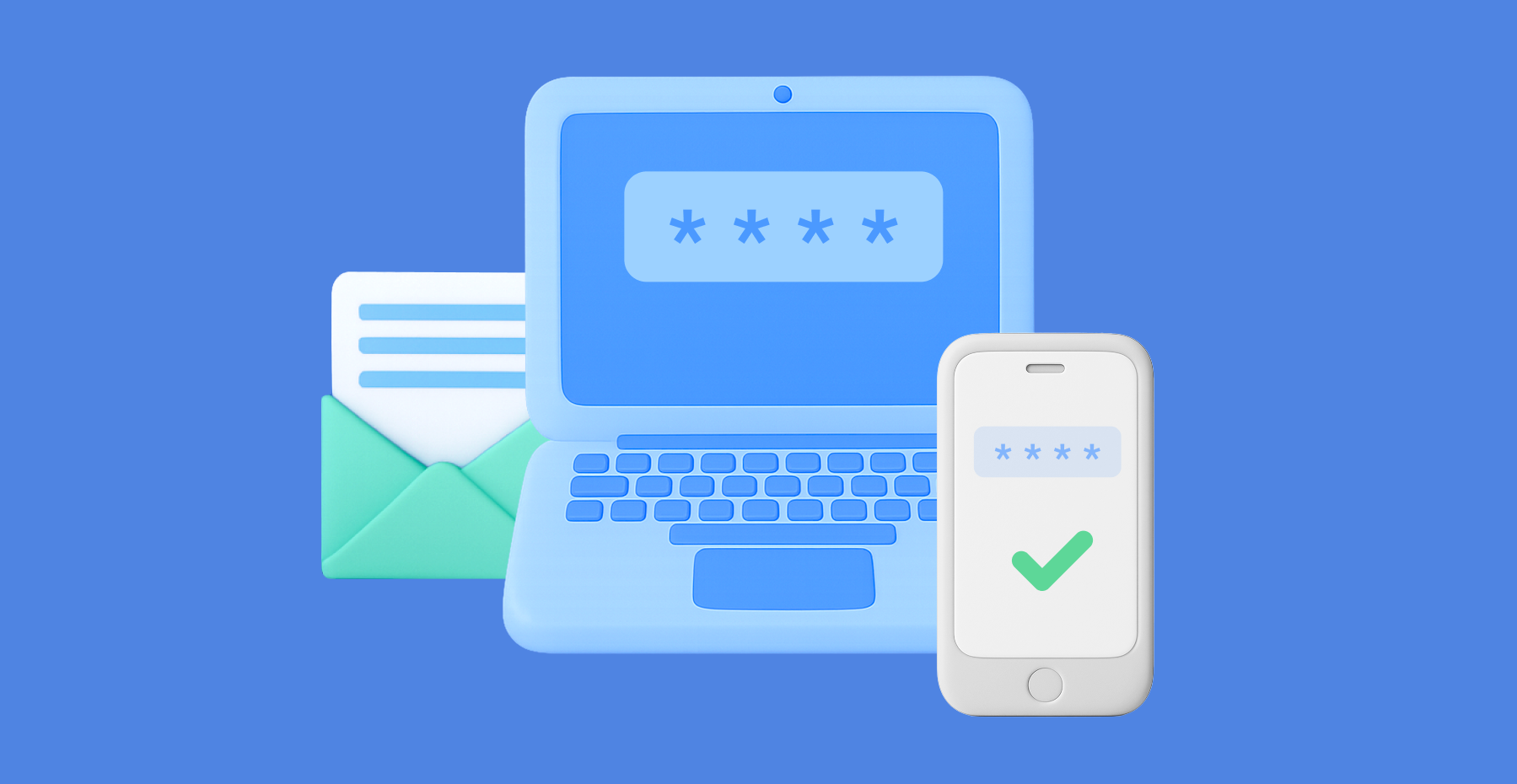
This approach offers several advantages: it's simple to implement, provides reasonable privacy protection, and uses bandwidth efficiently. However, recent security analysis has revealed significant vulnerabilities. The method still leaks 20 bits of entropy about the password, and research has demonstrated that this partial information can increase password cracking success rates by an order of magnitude when attackers have access to the leaked prefixes. The approach is particularly vulnerable to targeted attacks against highvalue accounts, where even partial information can be valuable to sophisticated adversaries.

Cryptographic protocols: Strong privacy at a high cost

At the other end of the spectrum, advanced cryptographic protocols offer robust privacy guarantees but come with substantial implementation and performance costs. Two primary approaches have emerged in this category: Oblivious Pseudorandom Functions (OPRF) and Private Set Intersection (PSI).

The OPRF approach, used in Google's Password Checkup service and Apple's iCloud Keychain, employs a sophisticated cryptographic dance. The client first "blinds" its password hash using a random value, creating a masked version that reveals nothing about the original password. The server then applies a pseudorandom function to this blinded value without learning anything about the underlying password. Finally, the client "unblinds" the result and checks if the final value exists in a pre-downloaded set of breached identifiers.

Private Set Intersection protocols take a different approach, using advanced cryptographic techniques like homomorphic encryption or garbled circuits. These protocols allow a client to learn the intersection of its password set and the server's breach database without either party revealing their complete set to the other.

While these cryptographic approaches provide excellent privacy guarantees with no information leakage, they come with significant drawbacks. They require complex implementations involving elliptic curve cryptography, impose high computational costs that can be 100 to 1000 times slower than simple hash operations, and in some PSI protocols, require substantial bandwidth for large breach sets. These factors make them impractical for many real-world applications, particularly those requiring real-time password validation or deployment on resource-constrained devices.

Local and offline approaches: Perfect privacy with practical limitations

Some organizations have opted for local or offline approaches to achieve perfect privacy. There are services like "Have I Been Pwned" that offer downloadable password lists, allowing organizations to download the entire breach database (approximately 25GB uncompressed, 11GB compressed) and perform searches locally. Organizations can also build local Bloom filters from these datasets, reducing storage requirements to around 860MB for 500 million passwords with a 0.1% false positive rate.

While local approaches provide perfect privacy since no network communication is required, they present their own challenges. Storage requirements can be prohibitive, especially for mobile applications. Keeping the local database synchronized with new breaches requires regular updates, and the approach is generally impractical for most enduser applications, particularly on mobile devices with limited storage capacity.

Our innovation: Obfuscated deterministic bloom filter indices

Our new algorithm represents a fundamental breakthrough in password breach checking by introducing a new approach that combines the efficiency of Bloom filters with sophisticated obfuscation techniques. The result is a system that provides strong privacy guarantees while maintaining the performance characteristics needed for real-world deployment.

Understanding bloom filters: The foundation

To understand our approach, it's helpful to first grasp the concept of a Bloom filter. A Bloom filter is a space-efficient probabilistic data structure designed to test whether an element is a member of a set. Think of it as a highly compressed representation of a large dataset that can quickly answer the question "Is this item definitely not in the set?" or "This item might be in the set."

The beauty of Bloom filters lies in their efficiency. Instead of storing the actual password hashes, a Bloom filter represents the breach database as a large array of bits. When a password hash is added to the filter, multiple hash functions are applied to generate several index positions in the bit array, and those positions are set to 1. To check if a password might be compromised, the same hash functions are applied to generate the same index positions, and if all those positions contain 1, the password might be in the breach database.

The probabilistic nature of Bloom filters means they can produce false positives (indicating a password might be breached when it actually isn't) but never false negatives (they will never miss a password that is actually breached). This characteristic makes them perfect for security applications where it's better to err on the side of caution.

The core innovation: Deterministic obfuscation

The key insight behind our algorithm is that while Bloom filters are efficient, directly querying specific bit positions would still reveal information about the password being checked. Our solution introduces a sophisticated obfuscation mechanism that hides the real query among carefully crafted noise.

The algorithm operates on a simple but powerful principle: when checking a password, instead of requesting only the bit positions that correspond to that password, the client also requests additional "noise" positions that are generated deterministically but appear random to the server. This creates a situation where the server cannot distinguish between the real query positions and the fake ones, effectively hiding the password being checked.

What makes this approach particularly elegant is the use of deterministic noise generation. Unlike random noise, which would create different query patterns each time the same password is checked, our deterministic approach ensures that checking the same password always generates the same set of noise positions. This consistency is crucial for both security and efficiency reasons.

How the algorithm works: A three-phase process

Our algorithm operates through three distinct phases, each designed to maintain privacy while ensuring efficient operation.

Phase 1: Server setup
The server begins by taking a comprehensive set of compromised password hashes from known data breaches. These hashes are then used to populate a large Bloom filter bit array. For each compromised password hash, multiple hash functions are applied to generate several index positions in the bit array, and those positions are marked as 1. The result is a compact representation of millions or billions of compromised passwords that can be queried efficiently.

Phase 2: Client query generation
When a client wants to check a password, the process begins by computing a cryptographic hash of the password. The client then generates two sets of indices: the "true indices" that correspond to the password being checked, and "noise indices" that serve as decoys.

The true indices are generated by applying the same hash functions used by the server to the password hash. These are the positions in the Bloom filter that would need to be checked to determine if the password is compromised.

The noise indices are generated using a pseudorandom function keyed with a secret that only the client knows. This secret ensures that the noise appears random to the server but is deterministic for the client. The number of noise indices is carefully chosen to provide strong privacy guarantees while maintaining efficiency.

Once both sets of indices are generated, they are combined and shuffled in a deterministic but unpredictable manner. This shuffling ensures that the server cannot distinguish between real and fake indices based on their position in the query.

Phase 3: Query processing and response
The client sends the shuffled set of indices to the server, which responds with the bit values at each requested position. The server has no way to determine which indices correspond to the actual password being checked and which are noise.

Upon receiving the response, the client examines only the bit values corresponding to the true indices. If any of these positions contains a 0, the password is definitively not compromised. If all true index positions contain 1, the password may be compromised, though there's a small possibility of a false positive due to the probabilistic nature of Bloom filters.

The power of deterministic noise

The deterministic nature of our noise generation provides several crucial advantages over alternative approaches. When the same password is checked multiple times, the exact same query is sent to the server each time. This consistency prevents correlation attacks where an adversary might try to identify patterns across multiple queries for the same password.

In contrast, if random noise were used, repeated queries for the same password would generate different noise patterns each time. A sophisticated adversary could potentially analyze multiple queries and identify the common elements, gradually narrowing down the true indices. Our deterministic approach eliminates this vulnerability entirely.

The deterministic noise also provides computational efficiency benefits. Since the same password always generates the same query, clients can cache results, and the system can optimize for repeated queries without compromising security.

Key benefits: Bridging the privacy-performance gap

Our algorithm delivers a unique combination of benefits that address the fundamental challenges in password breach checking, offering a practical solution that doesn't force users to choose between privacy and performance.

Strong privacy guarantees

The algorithm provides robust privacy protection through several mechanisms. The deterministic obfuscation ensures that queries for different passwords are computationally indistinguishable to the server. Even with access to vast computational resources and knowledge of common passwords, an adversarial server cannot determine which password is being checked based solely on the query pattern.

The system is specifically designed to resist correlation attacks, where an adversary attempts to learn information by analyzing multiple queries over time. Because the same password always generates the same query pattern, repeated checks don't provide additional information that could compromise privacy. This stands in stark contrast to systems using random noise, where multiple queries for the same password would eventually reveal the true query pattern.

Operating under an honest-but-curious threat model, the algorithm assumes the server will follow the protocol yet may attempt to extract information from observed queries. Our approach ensures that even a sophisticated adversary with access to public breach databases and the ability to store and analyze all queries over time cannot extract meaningful information about the passwords being checked.

Exceptional performance characteristics

One of the most compelling aspects of our algorithm is its performance profile. Experimental evaluation demonstrates that the system achieves sub-millisecond query times, making it suitable for real-time password validation scenarios. This performance is achieved through the efficient nature of Bloom filter operations and the streamlined query process.

The bandwidth overhead is minimal, typically requiring less than 1KB per query. This efficiency makes the algorithm practical for mobile applications and environments with limited network connectivity. The low bandwidth requirements also reduce server costs and improve scalability for service providers.

The computational overhead on both client and server sides is minimal. Clients need only perform basic cryptographic hash operations and simple bit manipulations. Servers can respond to queries with straightforward bit array lookups. This simplicity stands in stark contrast to cryptographic protocols that require complex elliptic curve operations or homomorphic encryption computations.

Scalability and practical deployment

Built for real-world deployment, the algorithm ensures that server-side infrastructure can efficiently process millions of concurrent queries while keeping response times consistent. The Bloom filter representation allows for compact storage of massive breach databases, making it economically feasible to maintain comprehensive breach checking services.

The system supports easy updates as new breaches are discovered. New compromised passwords can be added to the Bloom filter without requiring changes to the client-side implementation or forcing users to update their software. This flexibility is crucial for maintaining up-to-date protection against emerging threats.

Robust resistance to denial-of-service attacks is another advantage. The lightweight nature of query processing means that servers can handle high query volumes without significant resource consumption. Because queries are deterministic, effective caching can further boost performance and reduce server load.

Compatibility and integration

Our approach is designed to integrate seamlessly with existing security infrastructure. The algorithm can be implemented as a drop-in replacement for existing password breach checking mechanisms without requiring significant changes to client applications. Password managers, authentication systems, and enterprise security tools can adopt the algorithm with minimal modification to their existing codebases.

The system is compatible with various deployment models, from cloud-based services to on-premises installations. Organizations can choose to operate their own breach checking infrastructure using our algorithm while maintaining the same privacy and performance benefits.

The algorithm also supports various customization options to meet specific security requirements. Organizations can adjust the noise levels, Bloom filter parameters, and other configuration options to balance privacy, performance, and storage requirements according to their specific needs.

Real-world applications: Transforming password security

The practical benefits of our algorithm translate into significant improvements across a wide range of security applications and use cases. The combination of strong privacy guarantees and high performance opens up new possibilities for password security that were previously impractical or impossible.

Password managers: Enhanced security without compromise

Password managers represent one of the most compelling applications for our algorithm. These tools are responsible for generating, storing, and managing passwords for millions of users, making them a critical component of modern digital security. However, traditional password managers have faced challenges in implementing comprehensive breach checking due to privacy and performance constraints.

With our algorithm, password managers can now offer real-time breach checking for all stored passwords without compromising user privacy. When users save a new password or during periodic security audits, the password manager can instantly verify whether the password has appeared in known data breaches. This capability enables password managers to provide immediate feedback to users, encouraging them to change compromised passwords before they can be exploited.

The low latency and minimal bandwidth requirements make it practical to check passwords in real-time as users type them during password creation. This immediate feedback can guide users toward stronger, uncompromised passwords without creating friction in the user experience. The privacy guarantees ensure that even the password manager service provider cannot learn about the specific passwords being checked, maintaining the trust that is essential for these security tools.

Authentication systems: Proactive security measures

Modern authentication systems can leverage our algorithm to implement proactive security measures that protect users from credential-based attacks. During login attempts, authentication systems can check submitted passwords against breach databases in real time, identifying potentially compromised credentials before they can be used maliciously.

This capability enables authentication systems to implement adaptive security policies. For example, if a user attempts to log in with a password that has been found in a data breach, the system can require additional authentication factors, prompt for a password change, or temporarily restrict account access until the user updates their credentials. These measures can significantly reduce the success rate of credential stuffing attacks and other password-based threats.

The algorithm's performance characteristics make it suitable for high-volume authentication scenarios, such as enterprise login systems or consumer web services with millions of users. The sub-millisecond query times ensure that breach checking doesn't introduce noticeable delays in the authentication process, maintaining a smooth user experience while enhancing security.

Enterprise security infrastructure: Comprehensive protection

Large organizations face unique challenges in password security due to the scale and complexity of their IT environments. Our algorithm provides enterprise security teams with powerful tools for implementing comprehensive password security policies across their organizations.

Enterprise security systems can use the algorithm to continuously monitor employee passwords against breach databases, identifying compromised credentials before they can be exploited by attackers. This monitoring can be integrated with existing identity and access management systems, automatically triggering password reset requirements when compromised credentials are detected.

The algorithm also supports compliance requirements by providing organizations with the ability to demonstrate that they are actively monitoring for compromised credentials. Many regulatory frameworks and security standards require organizations to implement measures for detecting and responding to credential compromise, and our algorithm provides a practical, privacy-preserving solution for meeting these requirements. For organizations with strict data privacy requirements, the algorithm's privacy guarantees ensure that sensitive password information never leaves the organization's control. This capability is particularly important for organizations in regulated industries or those handling sensitive personal information.

Consumer applications: Democratizing security

The efficiency and simplicity of our algorithm make it practical to implement in consumer applications that previously couldn't afford the overhead of comprehensive breach checking. Mobile applications, web browsers, and other consumer software can now offer enterprise-grade password security features without requiring significant computational resources or complex cryptographic implementations.

Web browsers can integrate the algorithm to provide real-time feedback when users create or update passwords on websites. This integration can help users avoid reusing compromised passwords across multiple sites, reducing their exposure to credential stuffing attacks. The low bandwidth requirements make this practical even on mobile networks with limited connectivity.

Consumer applications can also use the algorithm to implement security dashboards that help users understand and improve their overall password security posture. By checking all of a user's passwords against breach databases, these applications can provide personalized recommendations for improving security without compromising the privacy of individual passwords.

Service providers: Enabling privacy-preserving security services

Our algorithm creates new opportunities for service providers to offer privacy-preserving security services. Companies can build breach checking services that provide strong privacy guarantees to their customers, enabling new business models and service offerings that were previously impractical due to privacy concerns.

The algorithm's efficiency makes it economically viable to operate large-scale breach checking services. The low computational and bandwidth requirements reduce operational costs, making it possible to offer these services at scale while maintaining reasonable pricing. The ability to handle high query volumes also enables service providers to serve large customer bases without significant infrastructure investments.

Service providers can also offer the algorithm as a component of broader security platforms, integrating breach checking with other security services such as threat intelligence, vulnerability management, and security monitoring. This integration can provide customers with comprehensive security solutions that address multiple aspects of cybersecurity while maintaining strong privacy protections.

Conclusion: A new era in password security

The introduction of our Private password breach checking algorithm using obfuscated deterministic bloom filter indices represents a significant advancement in the field of password security. By successfully bridging the gap between privacy and performance, we have created a solution that makes comprehensive password breach checking practical for a wide range of applications and use cases.

The algorithm's key innovations — deterministic noise generation, efficient Bloom filter operations, and sophisticated obfuscation techniques — combine to deliver a system that provides strong privacy guarantees while maintaining the performance characteristics needed for real-world deployment. With sub-millisecond query times and minimal bandwidth overhead, the algorithm makes it possible to implement real-time password breach checking in applications ranging from consumer password managers to enterprise authentication systems.

The privacy guarantees provided by our algorithm are particularly significant in today's regulatory environment, where data protection and user privacy are increasingly important considerations. By ensuring that password information never needs to be revealed to checking services, our algorithm enables organizations to implement comprehensive security measures while maintaining compliance with privacy regulations and user expectations.

The practical impact of this technology extends far beyond technical improvements. By making privacy-preserving password breach checking accessible and efficient, we are enabling a new generation of security tools and services that can better protect users from the growing threat of credential-based attacks. The algorithm's compatibility with existing infrastructure and ease of implementation mean that these benefits can be realized quickly and broadly across the security ecosystem.

As cyber threats continue to evolve and data breaches become increasingly common, the need for effective password security measures will only grow. Our algorithm provides a foundation for building more secure, privacy-preserving systems that can adapt to meet these challenges while maintaining the usability and performance that users expect.

The development of this algorithm represents just the beginning of our work in privacy-preserving security technologies. We are committed to continuing research and development in this area, exploring new applications and improvements that can further enhance the security and privacy of digital systems.

We believe that the future of cybersecurity lies in solutions that don't force users to choose between security and privacy. Our Private password breach checking algorithm demonstrates that it is possible to achieve both goals simultaneously, providing a model for future innovations in security technology.

For organizations and developers interested in implementing this technology, we encourage you to explore the detailed technical specifications and implementation guidance provided in our comprehensive research paper. The paper includes formal security analysis, detailed implementation recommendations, and comprehensive performance evaluations that provide the foundation for successful deployment of this algorithm in production environments.

For complete technical details, implementation guidance, and formal security analysis, please refer to our full research paper: Private password breach-checking using obfuscated deterministic bloom filter indices.
* The research paper includes detailed mathematical proofs, comprehensive performance benchmarks, and complete implementation examples for developers interested in integrating this technology into their applications.

Passwork 7.1: Vault types
Vault types Passwork 7.1 introduces a robust vault types architecture, providing enterprise-grade access control for enhanced security and management. Vault types address a key challenge for administrators: controlling data access and delegating vault management across large organizations. Previously, the choice was limited to two types. Now, you can create
Browser extension 2.0.26 release
Version 2.0.27 * Further improved clickjacking protection: added blocking of clicks on hidden elements and checking for element overlap and CSS transformations * Fixed an issue when following a link from a notification to a deleted vault or password * Fixed an issue that could cause the extension to log out
Python connector 0.1.5: Automated secrets management
The new Python connector version 0.1.5 expands CLI utility capabilities. We’ve added commands that solve critical tasks for DevOps engineers and developers — secure retrieval and updating of secrets in automated pipelines. What this solves Hardcoded secrets, API keys, tokens, and database credentials create security vulnerabilities and operational bottlenecks.

Private password breach checking: A new algorithm for secure password validation

Jul 7, 2025 — 7 min read
Common myths about password managers

Introduction

Would you trust a single key to open every door in your life? Probably not. And yet, when it comes to online security, countless people unwittingly take similar risks by using weak or easy-to-guess passwords — or by using the same password over and over again. Enter password managers — software designed to protect your digital life. But despite their growing popularity, myths about password managers persist, often deterring people from adopting them.

In this article, we’ll unravel common myths about password managers, explain how they work, and why indeed you can’t afford not to use them in order to up your cybersecurity. Let’s separate fact from fiction and give you the necessary tools to make smart choices to be safe online.

What is a password manager?

A password manager is like a digital vault that stores, generates, and manages your passwords securely. Instead of remembering dozens of complex passwords, you only need to remember one. These software products encrypt your credentials, ensuring that even if someone gains access to your device, they can’t decrypt your data without the master key.

Modern password managers, like Passwork, are not limited just by storing passwords. They offer features like password sharing, secure notes, and compatibility with multi-factor authentication (MFA). Think of it as your personal cybersecurity assistant, making it easy for you to stay safe without sacrificing your online experience.

Myth 1: Password managers aren’t safe or secure

This is one of the oldest password myths out there. Many believe that storing all your sensitive information in one place is just asking for trouble, but the reality is quite the opposite. Reputable password managers use end-to-end encryption to protect your data, so even if their servers are compromised, your passwords remain unreadable without your master password. And since most password managers don’t store your master password, even the provider can’t access your information.

No security system is 100% foolproof, but dismissing password managers for this reason is like refusing to lock your door because a burglar might pick the lock. In fact, password managers greatly reduce your risk by helping you create and store strong, unique passwords for every account. Consider this: a Verizon study found that 81% of data breaches are caused by weak or reused passwords. Using a password manager is like having a bank vault for your credentials—far safer than sticky notes, spreadsheets, or browser storage. It’s a crucial layer in your cybersecurity strategy.

Real-world perspective: A study by Verizon found that 81% of data breaches are caused by weak or reused passwords. Using a password manager minimizes this risk, making it a crucial layer in your cybersecurity strategy.

Myth 2: Putting all my passwords in one place makes them easy to hack

This myth stems from the fear of a "single point of failure." However, password managers are designed to be resilient. They use zero-knowledge architecture, meaning your data is encrypted locally before it’s stored. Even if the manager’s servers are compromised, your information remains secure.

And — depending on the app or service in question — features such as biometric authentication and MFA add another layer of defense, one that can't be pierced without you there to open it.

Myth 3: Remembering all my passwords is safer than trusting technology to do it for me

Let’s face it: How many of us can be bothered to remember a unique, 16-character password for every account? The human brain simply isn’t wired for this task. This is why people frequently depend on risky practices like weak passwords or using the same password for multiple accounts.

Analogy: Would you memorize every phone number in your phone book? No, you keep them in your phone. Password managers serve the same purpose, but for your digital credentials.

Myth 4: It’s a hassle to get a password manager up and running

Some people are fed up with password managers because they think the setup process is too technical. The reality? The majority of password managers are built as user-friendly as possible.

For instance, Passwork provides clear user interfaces and easy step-by-step instruction, with which absolute lay persons can't do anything wrong. Their API connector also specialise in browser extensions and mobile apps for ease of use.

Pro tip: Start small by importing passwords from your browser or manually add just a few important accounts. Once you realize how much time and strain it saves, you might even regret that you didn’t make the switch sooner.

Myth 5: Your passwords will be compromised if your computer is stolen

This is a myth, and it neglects several strong security features in modern password managers. Even if someone physically stole your device, they’d still need your master password or biometric data to access your vault.

Myth 6: Password length doesn’t matter as long as it’s complex

Complexity is important, but so does length, and maybe even more so. It becomes exponentially more difficult to crack a longer password, even with the most sophisticated software.

Example: A 12-character password consisting of random words (e.g., "PurpleElephantSky") is far more secure than a shorter, complex one will ever be ("P@ssw0rd").

Myth 7: Two-factor authentication (2FA) makes passwords irrelevant

While 2FA is an excellent security measure, it’s not a replacement for strong passwords. Instead, consider it an added layer of protection. A weak or reused password is enough to get you hacked even with the added layer of 2FA protection.

Myth 8: You can reuse passwords for low-importance accounts

Even "low-importance" accounts can be exploited in credential stuffing attacks, where stolen passwords are used to break into other accounts. It also requires you to reset a lot of other passwords and, if you’ve reused a lot of passwords (which is a bad idea), might put a significant portion of your digital life at risk

This is where a password manager comes in — creating unique passwords for each and every account without determining a tier of "importance".

How Passwork improves online security

Passwork takes password management to the next level by combining robust security features with user-friendly design. Here’s how it stands out:

  • Team sharing: Share passwords with your team securely keeping everything private.
  • Customizable policies: Set password strength requirements and expiration dates to enforce best practices.
  • End-to-end encryption: Your data is encrypted locally, ensuring that only you can access it.
  • Seamless integration: Use browser extensions and mobile apps to access your credentials anytime, anywhere.

With Passwork, managing your passwords becomes effortless, freeing you to focus on what truly matters.

FAQs

  1. Are password managers safe to use?
    Yes, password managers encrypt everything, so, much safer than say browser storage.
  2. Is it possible for hackers to get into my password manager?
    Not without your master password or biometric authentication. Features like zero-knowledge architecture further enhance security.
  3. What happens if I forget my master password?
    With most password managers, you can set up recovery options, but you must safeguard your master password.
  4. I use 2FA, do I still need a password manager?
    Yes, 2FA complements strong passwords but doesn’t replace them. A password manager ensures your passwords are both strong and unique.
  5. Are password managers difficult to set up?
    Not at all! Most tools, including Passwork, are designed for ease of use and come with setup guides.
  6. Can I share passwords securely with a team?
    Yes, tools like Passwork offer features for secure password sharing within teams.

Conclusion

Password managers are no longer a luxury: they are a must-have in today’s pretty much entirely digital world. By debunking these myths, we hope to encourage more users to embrace password managers.

Still hesitant? The risks of weak or reused passwords far outweigh the few minutes it takes to set up a password manager. Be in charge of your online security today — your future self will thank you.

Ready to take the first step? Try Passwork with a free demo and explore practical ways to protect your business.

Further reading

How to protect your online business from cyberattacks
Protect your online business from cyber threats with actionable strategies, from employee education to advanced tools like Passwork. Learn about phishing, ransomware, and more while discovering how to enhance security with simple yet effective measures. Stay protected — read the full article!
Recommendations for the safe integration of AI systems
AI technologies are changing industries fast and most companies are already using or will use AI in the next few years. While AI brings many benefits — increased efficiency, customer satisfaction and revenue growth — its also introduces unique risks that need to be addressed proactively. From reputation damage to compliance violations
The art of deception: The threats hidden behind innocent notifications and how to prevent them
The art of deception: the threats hidden behind innocent notifications and how to prevent them

Common myths about password managers

Worried that password managers are risky or hard to use? It’s time to rethink. In this article, we debunk common myths about password managers, break down how they actually work, and show why solutions like Passwork are vital for your cybersecurity. Learn how these tools keep your data protected.

Jun 30, 2025 — 4 min read

In der neuen Version wurde eine Option zum Teilen von Passwörtern mit Benutzergruppen eingeführt, Unterstützung für den OTPAuth-Verschlüsselungsalgorithmus zur Generierung von TOTP-Codes implementiert, interne Link-Unterstützung zwischen der 6. und 7. Version von Passwork hinzugefügt sowie verschiedene UI- und Lokalisierungsprobleme behoben.

Gruppen-Passwortfreigabe (nur in der Version ohne clientseitige Verschlüsselung)

Jetzt können Sie Passwörter an eine Gruppe von Benutzern senden — ein neues Feld Gruppen wurde dem Modal-Fenster zur Passwortfreigabe hinzugefügt. Der Passwortzugriff wird automatisch aktualisiert:

  • Wenn neue Benutzer zu einer Gruppe hinzugefügt werden, sehen sie das Passwort sofort in ihrem Posteingang.
  • Wenn Benutzer aus einer Gruppe entfernt werden, verschwindet das Passwort aus ihrem Posteingang.
  • Wenn dasselbe Passwort sowohl direkt als auch über eine Gruppe mit einem Benutzer geteilt wird, hat das direkt festgelegte Zugangslevel Vorrang.

Verbesserungen

  • Unterstützung für Links zu Tresoren, Ordnern, Passwörtern, Shortcuts und anderen Entitäten zwischen der 6. und 7. Version von Passwork hinzugefügt.
  • Unterstützung für den OTPAuth-Verschlüsselungsalgorithmus zur Generierung von TOTP-Codes hinzugefügt.
  • Ein Tooltip Durch Rolle verboten für Einstellungen hinzugefügt, die Benutzern aufgrund von Rollenbeschränkungen nicht zur Verfügung stehen.
  • Detaillierte Protokollierung von SSO-Einstellungsänderungen hinzugefügt.
  • Option zum Anzeigen des Aktionsverlaufs für Shortcuts hinzugefügt, die mit gelöschten Passwörtern verknüpft sind.
  • Option zum Navigieren zum Verzeichnis eines Shortcuts aus Modal-Fenstern für zusätzlichen Zugriff hinzugefügt, sofern Benutzer Zugriff auf die angegebenen Verzeichnisse haben.
  • Leerzustand für das Modal-Fenster zum Datenexport hinzugefügt.
  • Kontrollkästchen für Verzeichnisse in Benutzerverwaltung deaktiviert, wenn der Benutzer Vollständiger Zugang oder niedrigere Berechtigungen dafür hat.
  • Das Erscheinungsbild der gelöschten Shortcut-Karte aktualisiert.

Fehlerbehebungen

  • Ein Problem behoben, bei dem die Schaltfläche zum Zurücksetzen des Masterpassworts im Modal-Fenster Autorisierung und 2FA nicht korrekt funktionierte, wenn die lokale Passwortautorisierung deaktiviert war.
  • Ein Problem behoben, bei dem Benutzer die Schaltfläche Als Besitzer zuweisen beim Ändern der Rolle eines anderen Benutzers sehen konnten, aber der Versuch, die Eigentümerschaft zuzuweisen, zu einer Zugriff verweigert-Meldung führte.
  • Ein Problem behoben, bei dem das Öffnen eines Passworts dazu führte, dass die aktuelle Verzeichnisauswahl im Navigationsbereich verschwand.
  • Ein Problem behoben, bei dem das Ereignis 2FA verbunden im Aktivitätsprotokoll protokolliert wurde, bevor die 2FA-Verbindung bestätigt wurde.
  • Ein Problem behoben, bei dem nicht alle Gruppen und Rollen in Filtern angezeigt wurden.
  • Ein Zugriff verweigert-Fehler beim Navigieren von einem Shortcut zum ursprünglichen Passwort in einem Tresor mit Zugangslevel Lesen und Bearbeiten behoben.
  • Ein Fehler behoben, der beim Öffnen des Passwort-Kontextmenüs auftrat, wenn das TOTP-Feld eine OTPAuth-URI enthielt.
  • Ein Problem behoben, bei dem das Löschen eines Passworts über API oder durch einen anderen Benutzer keine Weiterleitung zur Seite Kürzlich in der Webversion auslöste.
  • Ein Problem behoben, bei dem das Aktivieren/Deaktivieren der Einstellung Hintergrundaufgabenverlauf automatisch löschen dazu führte, dass die Aufgabe erst nach Aktualisieren der Seite im Scheduler erschien.
  • Ein Problem behoben, bei dem ein Ordner nach dem Verschieben weiterhin in seinem ursprünglichen Verzeichnis angezeigt wurde, bis die erweiterten Verzeichnisse im Navigationsbereich ein-/ausgeklappt wurden.
  • Ein Problem behoben, bei dem das Erstellen eines neuen Tresors dazu führte, dass erweiterte Verzeichnisse im Navigationsbereich eingeklappt wurden.
  • Ein Problem behoben, bei dem nicht alle Benutzer im Fenster zum Hinzufügen von Benutzern für einen Tresor angezeigt wurden.
  • Ein Problem behoben, bei dem die Abbrechen-Schaltfläche das Feld DN zum Finden von Gruppen in AD/LDAP beim Hinzufügen eines LDAP-Servers nicht löschte.
  • Ein Problem behoben, bei dem die Systembenachrichtigung zum Zurücksetzen des Autorisierungspassworts nicht automatisch verschwand.
  • Ein Problem mit dem Zurücksetzen ausgewählter Rollen, Gruppen und Einladungen in der Benutzerverwaltung behoben, wenn die Suchanfrage leer war.
  • Ein Problem behoben, bei dem der Gruppenfilter nach dem Löschen des Rollenfilters zurückgesetzt wurde.
  • Ein Problem behoben, bei dem verschachtelte Elemente im Navigationsbereich nach dem Erstellen eines neuen Tresors eingeklappt wurden.
  • Ein Problem mit der fehlerhaften Anzeige einiger Symbole auf der Registerkarte für Tresor-Zugriffsanfragen behoben.
  • Fehlerhafte Schriftart in Verzeichnisnamen behoben.
Alle Informationen zu Passwork-Updates finden Sie in unseren Release Notes

Passwork 7 Release
In Passwork 7 wurde alles verbessert: Der Code wurde mit den neuesten Technologien komplett neu geschrieben, eine vollwertige API implementiert, die Oberfläche aktualisiert, Gruppen und Rollen neu gestaltet, das automatische Hinzufügen von Systemadministratoren zu Tresoren abgeschafft und die Zugriffsverwaltung noch flexibler gestaltet. Dies wird den Komfort der Administration erheblich verbessern
Passwork 7.1 Release
In der neuen Version wurde die Möglichkeit eingeführt, benutzerdefinierte Tresortypen mit automatisch zugewiesenen Administratoren zu erstellen, die Vererbung von gruppenbasierten Zugriffsrechten und die Handhabung von TOTP-Code-Parametern verfeinert sowie zahlreiche Korrekturen und Verbesserungen vorgenommen. Tresortypen In Passwork 7.1 können Sie benutzerdefinierte Tresortypen erstellen
Passwork 7.2 Release
Die neue Version führt anpassbare Benachrichtigungen mit flexiblen Zustelloptionen ein, erweiterte Ereignisprotokollbeschreibungen, erweiterte CLI-Funktionalität, serverseitige PIN-Code-Speicherung für die Browser-Erweiterung und die Möglichkeit, clientseitige Verschlüsselung während der Erstkonfiguration von Passwork zu aktivieren. Benachrichtigungseinstellungen Es wurde ein dedizierter Bereich für Benachrichtigungseinstellungen hinzugefügt, in dem Sie Benachrichtigungsoptionen wählen können

Passwork 7.0.8 Release

Jun 30, 2025 — 5 min read

En la nueva versión, se ha introducido una opción para compartir contraseñas con grupos de usuarios, se ha implementado soporte para el algoritmo de cifrado OTPAuth para generar códigos TOTP, se ha añadido soporte para enlaces internos entre las versiones 6 y 7 de Passwork, y se han resuelto varios problemas de interfaz de usuario y localización.

Compartir contraseñas con grupos (solo en la versión sin cifrado del lado del cliente)

Ahora puede enviar contraseñas a un grupo de usuarios — se ha añadido un nuevo campo Grupos en la ventana modal de compartir contraseñas. El acceso a las contraseñas se actualiza automáticamente:

  • Cuando se añaden nuevos usuarios a un grupo, verán inmediatamente la contraseña en su Bandeja de entrada
  • Cuando se eliminan usuarios de un grupo, la contraseña desaparecerá de su Bandeja de entrada
  • Si la misma contraseña se comparte con un usuario tanto directamente como a través de un grupo, el nivel de acceso establecido directamente tendrá prioridad

Mejoras

  • Se ha añadido soporte para enlaces a bóvedas, carpetas, contraseñas, accesos directos y otras entidades entre las versiones 6 y 7 de Passwork
  • Se ha añadido soporte para el algoritmo de cifrado OTPAuth para generar códigos TOTP
  • Se ha añadido un tooltip Prohibido por rol para configuraciones no disponibles para los usuarios debido a limitaciones de rol
  • Se ha añadido registro detallado de los cambios en la configuración de SSO
  • Se ha añadido una opción para ver el historial de acciones de accesos directos vinculados a contraseñas eliminadas
  • Se ha añadido la opción de navegar al directorio de un acceso directo desde las ventanas modales de acceso adicional, siempre que el usuario tenga acceso a los directorios especificados
  • Se ha añadido un estado vacío para la ventana modal de exportación de datos
  • Se han deshabilitado las casillas de verificación para directorios en Gestión de usuarios si el usuario tiene Acceso completo o permisos inferiores para ellos
  • Se ha actualizado la apariencia de la tarjeta de acceso directo eliminado

Corrección de errores

  • Se ha corregido un problema donde el botón de restablecimiento de contraseña maestra en la ventana modal de Autorización y 2FA no funcionaba correctamente cuando la autorización por contraseña local estaba deshabilitada
  • Se ha corregido un problema donde los usuarios podían ver el botón Asignar como propietario al cambiar el rol de otro usuario, pero al intentar asignar la propiedad aparecía un mensaje de Acceso denegado
  • Se ha corregido un problema donde al abrir una contraseña desaparecía la selección del directorio actual en el panel de navegación
  • Se ha corregido un problema donde el evento 2FA conectado se registraba en el Registro de actividad antes de que se confirmara la conexión de 2FA
  • Se ha corregido un problema donde no se mostraban todos los grupos y roles en los filtros
  • Se ha corregido un error de Acceso denegado al intentar navegar desde un acceso directo a la contraseña inicial en una bóveda con nivel de acceso Leer y editar
  • Se ha corregido un error que ocurría al abrir el menú contextual de la contraseña si el campo TOTP contenía un URI OTPAuth
  • Se ha corregido un problema donde eliminar una contraseña a través de API o por otro usuario no activaba una redirección a la página Recientes en la versión web
  • Se ha corregido un problema donde habilitar/deshabilitar la configuración Limpiar automáticamente el historial de tareas en segundo plano causaba que la tarea apareciera en el programador solo después de actualizar la página
  • Se ha corregido un problema donde una carpeta continuaba mostrándose en su directorio original después de ser movida hasta que los directorios expandidos en el panel de navegación se colapsaban/expandían
  • Se ha corregido un problema donde crear una nueva bóveda causaba que los directorios expandidos en el panel de navegación se colapsaran
  • Se ha corregido un problema donde no se mostraban todos los usuarios en la ventana de adición de usuarios para una bóveda
  • Se ha corregido un problema donde el botón cancelar no limpiaba el campo DN para encontrar grupos en AD/LDAP al añadir un servidor LDAP
  • Se ha corregido un problema donde la notificación del sistema sobre el restablecimiento de la contraseña de autorización no desaparecía automáticamente
  • Se ha corregido un problema con el restablecimiento de roles, grupos e invitaciones seleccionados en la gestión de usuarios cuando la consulta de búsqueda estaba vacía
  • Se ha corregido un problema donde el filtro de grupo se restablecía después de limpiar el filtro de rol
  • Se ha corregido un problema donde los elementos anidados en el panel de navegación se colapsaban después de crear una nueva bóveda
  • Se ha corregido un problema con la visualización incorrecta de algunos iconos en la pestaña de solicitud de acceso a bóvedas
  • Se ha corregido la fuente incorrecta en los nombres de directorios
Puede encontrar toda la información sobre las actualizaciones de Passwork en nuestras notas de la versión

Lanzamiento de Passwork 7
En Passwork 7, se ha mejorado todo: se ha reescrito completamente el código utilizando las últimas tecnologías, se ha implementado una API completa, se ha actualizado la interfaz, se han rediseñado los grupos y roles, se ha abandonado la adición automática de administradores del sistema a las bóvedas, y se ha hecho la gestión de derechos de acceso aún más flexible. Esto mejorará significativamente la comodidad de la administración
Lanzamiento de Passwork 7.1
En la nueva versión, se ha introducido la capacidad de crear tipos de bóvedas personalizados con administradores asignados automáticamente, se ha refinado la herencia de derechos de acceso basados en grupos y el manejo de parámetros de códigos TOTP, además de numerosas correcciones y mejoras. Tipos de bóvedas En Passwork 7.1, puede crear tipos de bóvedas personalizados
Lanzamiento de Passwork 7.2
La nueva versión introduce notificaciones personalizables con opciones de entrega flexibles, descripciones mejoradas del registro de eventos, funcionalidad CLI ampliada, almacenamiento del código PIN en el servidor para la extensión del navegador y la capacidad de habilitar el cifrado del lado del cliente durante la configuración inicial de Passwork. Configuración de notificaciones Se ha añadido una sección dedicada de configuración de notificaciones donde puede elegir las opciones de notificación

Lanzamiento de Passwork 7.0.8

Jun 30, 2025 — 4 min read
Passwork 7.0.8 release

In the new version, we've introduced an option to share passwords with groups of users, implemented support for the OTPAuth encryption algorithm for generating TOTP codes, added internal link support between the 6th and 7th versions of Passwork, and resolved various UI and localization issues.

Group password sharing (only in the version without client-side encryption)

Now you can send passwords to a group of users — a new Groups field has been added to the password-sharing modal window. Password access updates automatically:

  • When new users are added to a group, they will immediately see the password in their Inbox
  • When users are removed from a group, the password will disappear from their Inbox
  • If the same password is shared with a user both directly and through a group, the access level set directly will take precedence

Improvements

  • Added support for links to vaults, folders, passwords, shortcuts, and other entities between the 6th and 7th versions of Passwork
  • Added support for the OTPAuth encryption algorithm for generating TOTP codes
  • Added a Forbidden by role tooltip for settings unavailable to users due to role limitations
  • Added detailed logging of SSO settings changes
  • Added an option to view the action history for shortcuts linked to deleted passwords
  • Added the option to navigate to a shortcut's directory from additional access modal windows, provided users has access to the specified directories
  • Added an empty state for the data export modal window
  • Disabled checkboxes for directories in User management if the user has Full access or lower permissions for them
  • Updated the appearance of deleted shortcut card

Bug fixes

  • Fixed an issue where the master password reset button in the Authorization and 2FA modal window did not work correctly when local password authorization was disabled
  • Fixed an issue where users could see the Assign as owner button when changing another user's role, but attempting to assign ownership resulted in an Access denied message
  • Fixed an issue where opening a password caused the current directory selection to disappear in the navigation panel
  • Fixed an issue where the 2FA connected event was logged in Activity log before the 2FA connection was confirmed
  • Fixed an issue where not all groups and roles were displayed in filters
  • Fixed an Access denied error when attempting to navigate from a shortcut to the initial password in a vault with Read and edit access level
  • Fixed an error that occurred when opening the password context menu if the TOTP field contained an OTPAuth URI
  • Fixed an issue where deleting a password via API or by another user did not trigger a redirect to the Recents page in the web version
  • Fixed an issue where enabling/disabling the Automatically clear background task history setting caused the task to appear in the scheduler only after refreshing the page
  • Fixed an issue where a folder continued to display in its original directory after being moved until the expanded directories in the navigation panel were collapsed/expanded
  • Fixed an issue where creating a new vault caused expanded directories in the navigation panel to collapse
  • Fixed an issue where not all users were displayed in the user addition window for a vault
  • Fixed an issue where the cancel button did not clear the DN for finding groups in AD/LDAP field when adding an LDAP server
  • Fixed an issue where the system notification about resetting the authorization password did not automatically disappear
  • Fixed an issue with resetting selected roles, groups, and invitations in user management when the search query was empty
  • Fixed an issue where the group filter was reset after clearing the role filter
  • Fixed an issue where nested elements in the navigation panel collapsed after creating a new vault
  • Fixed an issue with incorrect display of some icons on the vault access request tab
  • Fixed incorrect font in directory names
You can find all information about Passwork updates in our release notes

Passwork 7 release
In Passwork 7, we improved everything: completely rewrote the code using the latest technologies, implemented a full-fledged API, updated the interface, redesigned groups and roles, abandoned the automatic addition of system administrators to vaults, and made access rights management even more flexible. This will significantly enhance the convenience of administration
Passwork 7.1 release
In the new version, we have introduced the capability to create custom vault types with automatically assigned administrators, refined the inheritance of group-based access rights and handling of TOTP code parameters, as well as made numerous fixes and improvements. Vault types In Passwork 7.1, you can create custom vault
Passwork 7.2 release
The new version introduces customizable notifications with flexible delivery options, enhanced event logging descriptions, expanded CLI functionality, server-side PIN code storage for the browser extension, and the ability to enable client-side encryption during initial Passwork configuration. Notification settings We’ve added a dedicated notification settings section where you can choose notification

Passwork 7.0.8 release

Jun 30, 2025 — 8 min read
How to protect your online business from cyberattacks

Introduction

Imagine waking up one morning to find your business crippled by a cyber attack — your customer data stolen, your systems locked, and your reputation hanging by a thread. It’s a nightmare scenario, but one faced by countless businesses every year. Cybersecurity is no longer optional; it’s a necessity. Whether you're running a small business or managing a large enterprise, understanding how to prevent cyber attacks is critical to staying ahead of increasingly sophisticated threats.

In this article, we’ll dive into practical strategies for protecting your business from cyber attacks, ranging from securing networks to educating employees. We’ll also explore how tools like Passwork password manager can play a pivotal role in fortifying your defenses. Ready to safeguard your business? Let’s get started.

What is a cyberattack?

A cyberattack is an intentional attempt by hackers or malicious actors to compromise the security of a system or network. These attacks come in various forms, including phishing, ransomware, denial-of-service (DoS), and malware. For businesses, the stakes are high — financial loss, data breaches, and damaged reputations are just the tip of the iceberg.

Common types of cyber attacks on businesses


Phishing

Phishing involves fraudulent emails or messages designed to trick employees into revealing sensitive information, such as login credentials or financial data.

Reports: Phishing remains one of the most prevalent and damaging forms of cyberattacks. In Q4 2024 alone, 989,123 phishing attacks were detected globally (APWG).

Example: In 2023, attackers impersonated Microsoft in a phishing campaign targeting over 120,000 employees across industries. The emails mimicked legitimate notifications, resulting in compromised credentials for several corporate accounts.

Ransomware

Ransomware attacks involve hackers encrypting your systems and demanding payment for decryption keys.

Reports: In 2024, 59% of organizations were hit by ransomware attacks, with 70% of these attacks resulting in data encryption. The average ransom demand increased to $2.73 million, a sharp rise from $1.85 million in 2023 (Varonis Ransomware Statistics).

Example: In 2024, the Colonial Pipeline ransomware attack crippled fuel supply across the eastern U.S. The company paid a $4.4 million ransom to regain access to its systems, highlighting the severe operational and financial impacts of such attacks.

DDoS (Distributed Denial of Service)

DDoS attacks aim to disrupt operations by overwhelming servers with traffic.

Reports: In 2023, the largest recorded DDoS attack peaked at 71 million requests per second, targeting Google Cloud.

Example: In 2024, the GitHub DDoS attack brought down the platform for hours, affecting millions of developers globally. The attack exploited botnets to flood GitHub’s servers with malicious traffic.

Credential stuffing

Attackers use stolen login credentials from one breach to gain access to other systems due to password reuse. Attackers use stolen credentials from one breach to gain access to other systems.

Reports: With 65% of users reusing passwords, credential stuffing remains a critical threat.

Example: In 2023, attackers used credential stuffing to breach Zoom accounts, exposing private meetings and sensitive data. The attack leveraged credentials leaked in earlier breaches of unrelated platforms.

Malware

Malware refers to malicious software, such as viruses, worms, or spyware, that infiltrates systems to steal data or cause damage.

Reports: Malware-related email threats accounted for 39.6% of all email attacks in 2024, and the global financial impact of malware exceeded $20 billion annually (NU Cybersecurity Report).

Example: The Emotet malware campaign in 2023 targeted financial institutions worldwide, stealing banking credentials and causing widespread disruptions.

Social engineering

Social engineering manipulates individuals into revealing confidential information or granting access to secure systems.

Reports: In 2024, 68% of breaches involved the human element, often through social engineering tactics like pretexting, baiting, and tailgating (Verizon DBIR).

Example: In 2023, an attacker posing as a senior executive tricked an employee at Toyota Boshoku Corporation into transferring $37 million to a fraudulent account.

Supply chain attacks

Supply chain attacks exploit vulnerabilities in third-party vendors or suppliers to infiltrate larger organizations.

Reports: In 2023, 62% of system intrusions were traced back to supply chain vulnerabilities (IBM X-Force).

Example: The SolarWinds attack remains one of the most damaging supply chain incidents. Hackers compromised the Orion software update, affecting thousands of organizations, including government agencies and Fortune 500 companies.

Data breaches

Data breaches involve unauthorized access to sensitive customer or company information.

Reports: In 2024, the average cost of a data breach reached $4.45 million, a 15% increase over three years (IBM Cost of a Data Breach Report 2024). These breaches often result from weak passwords, phishing, or insider threats.

Example: In 2023, the T-Mobile data breach exposed the personal information of 37 million customers, including names, addresses, and phone numbers, leading to significant reputational damage and regulatory scrutiny.

Understanding these threats is the first step toward prevention.

How to protect your online business from cyber attacks

Protecting your business from cyber threats requires a multi-layered approach. Below are actionable strategies to fortify your defenses.

Secure your networks and databases

Your network is the backbone of your business operations, making it a prime target for attackers. Implement these measures to secure it:

Install firewalls
Firewalls act as a barrier between your internal network and external threats.

Use VPNs
Encrypt data transfers with Virtual Private Networks to prevent interception.

Segment networks
Divide your network into smaller sections to contain breaches.

Recommendation: Reduce the risk of data breaches by segmenting your network. Isolate sensitive customer data from general operations to limit unauthorized access and minimize potential exposure in case of a breach.

Educate your employees

Your employees are your first line of defense — and often the weakest link. Training them on cybersecurity best practices can significantly reduce risks.

Conduct regular workshops
Teach employees how to recognize phishing emails and suspicious links.

Simulate cyber attacks
Run mock scenarios to test their response and improve preparedness.

Create a reporting system
Encourage employees to report potential threats immediately.

Recommendation: Since 95% of cybersecurity breaches are caused by human error, prioritize educating your team. Implement regular cybersecurity training to raise awareness and equip employees with the knowledge to identify and prevent potential threats.

Ensure proper password management

Weak passwords are an open invitation for hackers. Proper password management is essential to protecting your systems.

Use strong passwords
Encourage the use of complex passwords with a mix of letters, numbers, and symbols.

Adopt a password manager
Implement a secure solution like Passwork to simplify password management, encourage unique passwords for each account, and reduce the risk of breaches.

Change passwords regularly
Implement policies for periodic password updates.

Recommendation: Use a secure password manager to generate and store complex, unique passwords for all accounts, enforce regular password updates, and eliminate the risks associated with weak or reused credentials.

Carefully manage access and identity

Controlling who has access to sensitive data is crucial. Follow these steps:

Role-based access control (RBAC)
Assign access based on job roles.

Monitor access logs
Regularly review who accessed what and when.

Deactivate unused accounts
Immediately revoke access for former employees.

Set up multi-factor authentication (MFA)

Passwords alone aren’t enough. MFA adds an extra layer of security by requiring multiple forms of verification.

SMS or email codes
Require a code sent to the user’s phone or email.

Biometric authentication
Use fingerprint or facial recognition for secure access.

App-based authentication
Tools like Passwork 2Fa and Google Authenticator offer reliable MFA solutions.

Encrypt your data

Encryption ensures that even if data is intercepted, it remains unreadable to unauthorized users.

Encrypt files
Use advanced encryption algorithms for sensitive documents.

Secure communication channels
Encrypt emails and messaging platforms.

Adopt end-to-end encryption
Particularly important for customer-facing applications.

Create backups

Backups are your safety net in the event of a ransomware attack or accidental data loss.

Automate backups
Use cloud services to schedule regular backups.

Keep multiple copies
Store backups both online and offline.

Test recovery
Periodically test your ability to restore data from backups.

Ensure your software is kept up-to-date

Outdated software is a goldmine for hackers. Regular updates close known vulnerabilities.

Enable automatic updates
Ensure your systems update without manual intervention.

Patch management
Use tools to monitor and apply security patches.

Audit software
Regularly review third-party applications for potential risks.

Create security policies and practices

Formal policies provide a clear framework for cybersecurity.

Draft a cybersecurity policy
Include guidelines for data handling, password use, and incident response.

Conduct regular audits
Review compliance with security protocols.

Update policies
Adapt your policies to evolving threats.

Inform your customers

Transparency builds trust. Inform customers about your cybersecurity measures and educate them on protecting their data.

Send security tips
Share advice via newsletters or blogs.

Offer secure payment options
Use encrypted payment gateways.

Respond to breaches
Communicate openly and promptly if an incident occurs.

Understand what data you have and classify it

Knowing what data you store — and its value — is key to prioritizing protection.

Inventory your data
Create a list of sensitive information, such as customer details and financial records.

Classify data
Separate high-risk data from less critical information.

Limit data collection
Only collect what’s necessary for business operations.

How Passwork protects your business from cyberattacks

Passwork password manager is a game-changer for businesses aiming to strengthen their cybersecurity. Here’s how:

Centralized password management
Simplifies and secures access for teams.

Role-based permissions
Ensures employees only access what they need.

Audit trails
Tracks password usage for accountability.

Encrypted storage
Keeps passwords safe from unauthorized access.

FAQ

What’s the most common type of cyberattack on businesses?
Phishing is the most prevalent, accounting for over 80% of reported incidents.

How does Passwork enhance password security?
Passwork provides encrypted storage, role-based permissions, and audit trails for secure password management.

How often should I update my software?
Software should be updated as soon as patches are available to close vulnerabilities.

What’s the importance of encryption in cybersecurity?
Encryption ensures that intercepted data remains unreadable to unauthorized users.

Can small businesses afford cybersecurity measures?
Yes, many affordable tools and strategies cater specifically to small businesses. Passwork provides flexible and cost-effective plans tailored for small businesses.

What should I do if my business suffers a cyberattack?
Immediately contain the breach, inform stakeholders, and consult cybersecurity professionals.

How can I educate employees about cybersecurity?
Conduct regular workshops, simulate attacks, and provide easy-to-follow guidelines.

Conclusion

Cybersecurity isn’t just a technical issue — it’s a business imperative. By implementing the strategies outlined above, you can protect your online business from cyberattacks, safeguard sensitive data, and build trust with your customers. Tools like Passwork make it easier than ever to stay secure without sacrificing efficiency.

Ready to take the first step? Try Passwork with a free demo and explore practical ways to protect your business.

Further reading:

Four ways to make users love password security
Why do employees ignore cybersecurity policies?
Employees often ignore cybersecurity rules not out of laziness, but because they feel generic, irrelevant, or disconnected from real work. True change starts with empathy, leadership, and context-driven policies. Read the full article to learn how to make security stick.
Recommendations for the safe integration of AI systems
AI technologies are changing industries fast and most companies are already using or will use AI in the next few years. While AI brings many benefits — increased efficiency, customer satisfaction and revenue growth — its also introduces unique risks that need to be addressed proactively. From reputation damage to compliance violations

How to protect your online business from cyberattacks

Protect your online business from cyber threats with actionable strategies, from employee education to advanced tools like Passwork. Learn about phishing, ransomware, and more while discovering how to enhance security with simple yet effective measures. Stay protected — read the full article!

Jun 19, 2025 — 2 min read
Passwork 7.0.7 Release

Das Update Passwork 7.0.7 ist im Kundenportal verfügbar.

  • Fehlerhafte Migration von Anhängen und Passwort-Versionen zu Passwork 7 behoben
  • Problem behoben, bei dem die API-Sitzung nach der Token-Erneuerung zurückgesetzt werden konnte
  • Allgemeine Leistung und Stabilität verbessert
Alle Informationen zu Passwork-Updates finden Sie in unseren Release Notes
Passwork 7 Release
In Passwork 7 wurde alles verbessert: Der Code wurde mit neuesten Technologien komplett neu geschrieben, eine vollwertige API implementiert, die Benutzeroberfläche aktualisiert, Gruppen und Rollen neu gestaltet, die automatische Hinzufügung von Systemadministratoren zu Tresoren abgeschafft und die Verwaltung von Zugriffsrechten noch flexibler gestaltet. Dies wird den Komfort der Administration erheblich verbessern
Passwork 7.1: Tresortypen
Tresortypen Passwork 7.1 führt eine robuste Tresortypen-Architektur ein, die eine unternehmenstaugliche Zugriffskontrolle für verbesserte Sicherheit und Verwaltung bietet. Tresortypen lösen eine zentrale Herausforderung für Administratoren: die Kontrolle des Datenzugriffs und die Delegation der Tresorverwaltung in großen Organisationen. Zuvor war die Auswahl auf zwei Typen beschränkt. Jetzt können Sie
Passwork 7.2 Release
Die neue Version führt anpassbare Benachrichtigungen mit flexiblen Zustellungsoptionen, verbesserte Beschreibungen der Ereignisprotokollierung, erweiterte CLI-Funktionalität, serverseitige PIN-Code-Speicherung für die Browser-Erweiterung und die Möglichkeit ein, clientseitige Verschlüsselung während der Erstkonfiguration von Passwork zu aktivieren. Benachrichtigungseinstellungen Es wurde ein spezieller Bereich für Benachrichtigungseinstellungen hinzugefügt, in dem Sie Benachrichtigungen

Passwork 7.0.7 Release

Jun 19, 2025 — 2 min read
Lanzamiento de Passwork 7.0.7

La actualización Passwork 7.0.7 está disponible en el portal de clientes.

  • Se corrigió la migración incorrecta de archivos adjuntos y ediciones de contraseñas a Passwork 7
  • Se solucionó un problema donde la sesión de API podía restablecerse después de la renovación del token
  • Se mejoró el rendimiento general y la estabilidad
Puede encontrar toda la información sobre las actualizaciones de Passwork en nuestras notas de la versión
Lanzamiento de Passwork 7
En Passwork 7, mejoramos todo: reescribimos completamente el código utilizando las últimas tecnologías, implementamos una API completa, actualizamos la interfaz, rediseñamos grupos y roles, abandonamos la adición automática de administradores del sistema a las bóvedas e hicimos la gestión de derechos de acceso aún más flexible. Esto mejorará significativamente la comodidad de la administración
Passwork 7.1: Tipos de bóveda
Tipos de bóveda Passwork 7.1 introduce una arquitectura robusta de tipos de bóveda, proporcionando control de acceso de nivel empresarial para una seguridad y gestión mejoradas. Los tipos de bóveda abordan un desafío clave para los administradores: controlar el acceso a los datos y delegar la gestión de bóvedas en grandes organizaciones. Anteriormente, la elección estaba limitada a dos tipos. Ahora, puede crear
Lanzamiento de Passwork 7.2
La nueva versión introduce notificaciones personalizables con opciones de entrega flexibles, descripciones mejoradas del registro de eventos, funcionalidad ampliada de CLI, almacenamiento del código PIN en el servidor para la extensión del navegador y la capacidad de habilitar el cifrado del lado del cliente durante la configuración inicial de Passwork. Configuración de notificaciones Hemos añadido una sección dedicada de configuración de notificaciones donde puede elegir las opciones de notificación

Lanzamiento de Passwork 7.0.7

Jun 19, 2025 — 2 min read
Passwork 7.0.7 release

Passwork 7.0.7 update is available in the Customer portal.

  • Fixed incorrect migration of attachments and password editions to Passwork 7
  • Fixed an issue where the API session could be reset after token renewal
  • Improved overall performance and stability
You can find all information about Passwork updates in our release notes
Passwork 7 release
In Passwork 7, we improved everything: completely rewrote the code using the latest technologies, implemented a full-fledged API, updated the interface, redesigned groups and roles, abandoned the automatic addition of system administrators to vaults, and made access rights management even more flexible. This will significantly enhance the convenience of administration
Passwork 7.1: Vault types
Vault types Passwork 7.1 introduces a robust vault types architecture, providing enterprise-grade access control for enhanced security and management. Vault types address a key challenge for administrators: controlling data access and delegating vault management across large organizations. Previously, the choice was limited to two types. Now, you can create
Passwork 7.2 release
The new version introduces customizable notifications with flexible delivery options, enhanced event logging descriptions, expanded CLI functionality, server-side PIN code storage for the browser extension, and the ability to enable client-side encryption during initial Passwork configuration. Notification settings We’ve added a dedicated notification settings section where you can choose notification

Passwork 7.0.7 release

Jun 6, 2025 — 2 min read
Passwork 7.0.6 Release

Das Update Passwork 7.0.6 ist im Kundenportal verfügbar.

  • Fehlerhafter Name der Hintergrundaufgabe für die LDAP-Synchronisierung im Testmodus wurde korrigiert
  • Ein Problem wurde behoben, bei dem Änderungen an Rolleneinstellungen nach dem Festlegen der minimalen Refresh-Token-Lebensdauer nicht gespeichert werden konnten
  • Die allgemeine Systemstabilität und Leistung wurden verbessert
Alle Informationen zu Passwork-Updates finden Sie in unseren Release Notes
Passwork 7.1 Release
In der neuen Version wurde die Möglichkeit eingeführt, benutzerdefinierte Tresortypen mit automatisch zugewiesenen Administratoren zu erstellen. Die Vererbung gruppenbasierter Zugriffsrechte und die Handhabung von TOTP-Code-Parametern wurden verfeinert sowie zahlreiche Fehlerbehebungen und Verbesserungen vorgenommen. Tresortypen In Passwork 7.1 können Sie benutzerdefinierte Tresortypen erstellen
Passwork 7.2 Release
Die neue Version führt anpassbare Benachrichtigungen mit flexiblen Zustellungsoptionen ein, erweiterte Ereignisprotokollbeschreibungen, erweiterte CLI-Funktionalität, serverseitige PIN-Code-Speicherung für die Browser-Erweiterung sowie die Möglichkeit, clientseitige Verschlüsselung während der Erstkonfiguration von Passwork zu aktivieren. Benachrichtigungseinstellungen Es wurde ein dedizierter Bereich für Benachrichtigungseinstellungen hinzugefügt, in dem Sie Benachrichtigungen auswählen können
Passwork 7.1: Tresortypen
Tresortypen Passwork 7.1 führt eine robuste Tresortypen-Architektur ein, die unternehmensgerechte Zugriffskontrolle für verbesserte Sicherheit und Verwaltung bietet. Tresortypen lösen eine zentrale Herausforderung für Administratoren: die Kontrolle des Datenzugriffs und die Delegation der Tresorverwaltung in großen Organisationen. Zuvor war die Auswahl auf zwei Typen beschränkt. Jetzt können Sie erstellen

Passwork 7.0.6 Release

Jun 6, 2025 — 2 min read

La actualización Passwork 7.0.6 está disponible en el portal de clientes.

  • Se corrigió el nombre incorrecto de la tarea en segundo plano para la sincronización LDAP en modo de prueba
  • Se corrigió un problema por el cual los cambios en la configuración de roles no se podían guardar después de establecer el tiempo de vida mínimo del token de actualización
  • Se mejoró la estabilidad general del sistema y el rendimiento
Puede encontrar toda la información sobre las actualizaciones de Passwork en nuestras notas de la versión
Lanzamiento de Passwork 7.1
En la nueva versión, se ha introducido la capacidad de crear tipos de bóvedas personalizados con administradores asignados automáticamente, se ha refinado la herencia de derechos de acceso basados en grupos y el manejo de parámetros de códigos TOTP, así como numerosas correcciones y mejoras. Tipos de bóvedas En Passwork 7.1, puede crear tipos de bóvedas personalizados
Lanzamiento de Passwork 7.2
La nueva versión introduce notificaciones personalizables con opciones de entrega flexibles, descripciones mejoradas del registro de eventos, funcionalidad ampliada de CLI, almacenamiento del código PIN en el servidor para la extensión del navegador y la capacidad de habilitar el cifrado del lado del cliente durante la configuración inicial de Passwork. Configuración de notificaciones Se ha añadido una sección dedicada de configuración de notificaciones donde puede elegir las notificaciones
Passwork 7.1: Tipos de bóvedas
Tipos de bóvedas Passwork 7.1 introduce una arquitectura robusta de tipos de bóvedas, proporcionando control de acceso de nivel empresarial para una seguridad y gestión mejoradas. Los tipos de bóvedas abordan un desafío clave para los administradores: controlar el acceso a los datos y delegar la gestión de bóvedas en grandes organizaciones. Anteriormente, la elección estaba limitada a dos tipos. Ahora, puede crear

Lanzamiento de Passwork 7.0.6

Jun 6, 2025 — 2 min read
Passwork 7.0.6 release

Passwork 7.0.6 update is available in the Customer portal.

  • Fixed incorrect background task name for LDAP synchronization in test mode
  • Fixed an issue where changes in role settings could not be saved after setting the minimum refresh token lifetime
  • Improved overall system stability and performance
You can find all information about Passwork updates in our release notes
Passwork 7.1 release
In the new version, we have introduced the capability to create custom vault types with automatically assigned administrators, refined the inheritance of group-based access rights and handling of TOTP code parameters, as well as made numerous fixes and improvements. Vault types In Passwork 7.1, you can create custom vault
Passwork 7.2 release
The new version introduces customizable notifications with flexible delivery options, enhanced event logging descriptions, expanded CLI functionality, server-side PIN code storage for the browser extension, and the ability to enable client-side encryption during initial Passwork configuration. Notification settings We’ve added a dedicated notification settings section where you can choose notification
Passwork 7.1: Vault types
Vault types Passwork 7.1 introduces a robust vault types architecture, providing enterprise-grade access control for enhanced security and management. Vault types address a key challenge for administrators: controlling data access and delegating vault management across large organizations. Previously, the choice was limited to two types. Now, you can create

Passwork 7.0.6 release

Jun 5, 2025 — 3 min read
Passwork erhält das Best Ease of Use 2025 Abzeichen auf Capterra

Passwork wurde von Capterra, einer führenden Plattform für Softwarebewertungen, mit dem „Best Ease of Use 2025"-Award in der Kategorie Passwortverwaltung ausgezeichnet. Diese Auszeichnung basiert auf authentischen Nutzerbewertungen und spiegelt das Vertrauen, die Zufriedenheit und die positiven Erfahrungen unserer Kunden wider.

Was Kunden über uns sagen

Der Capterra-Award festigt Passworks Ruf als bevorzugte Lösung für Unternehmen, die eine Kombination aus robuster Sicherheit und herausragender Benutzerfreundlichkeit suchen — und unsere Kunden stimmen dem zu.

„Das Beste ist, dass es nahezu keine Probleme bei Endnutzern gibt — die Software ist so intuitiv, dass keiner der Benutzer nach der ersten Einführung weitere Fragen hatte." — CTO

Die Auszeichnung unterstreicht unser Engagement, Unternehmen weltweit intuitive und benutzerfreundliche Lösungen für die Passwortverwaltung bereitzustellen.

„Die intuitive Oberfläche und teamfreundlichen Funktionen machen es zu einer fantastischen Wahl für Unternehmen und Einzelpersonen, die eine sichere und flexible Passwortverwaltungslösung suchen." — Leiter IT

Über die Plattform

Capterra ist eine US-amerikanische Online-Plattform, die Unternehmen dabei hilft, Softwarelösungen zu entdecken, zu vergleichen und auszuwählen. Sie bietet verifizierte Nutzerbewertungen, Produktvergleiche, Preisinformationen und Kategorierankings für Tausende von Softwaretypen. Unternehmen nutzen Capterra, um Tools auf Basis von echtem Kundenfeedback zu recherchieren, während Softwareanbieter die Plattform nutzen, um ihre Produkte zu präsentieren und mit potenziellen Käufern in Kontakt zu treten.

Bei Passwork sind wir der Überzeugung, dass Cybersicherheit nicht kompliziert sein muss. Deshalb setzen wir uns dafür ein, eine Lösung bereitzustellen, die nicht nur sicher und effizient, sondern auch unglaublich einfach zu bedienen ist.

„Die Akzeptanz von Passwork ist sehr gut: Mitarbeiter gewöhnen sich schnell an neue Funktionen. Sie organisieren bereits den Bereich entsprechend ihrer Struktur und überlegen, wie sie Tresore gestalten können." — Systemadministrator

Wir sind unseren Kunden für ihr Vertrauen und ihr Feedback dankbar, das uns antreibt, Passwork noch besser zu machen. 

Erfahren Sie, wie Passwork das Lifecycle-Management von Anmeldedaten in Ihrer Infrastruktur automatisiert. Holen Sie sich eine kostenlose Demo mit vollem API-Zugriff.

Passwork gewinnt Best Customer Support 2026 von Software Advice
Wir freuen uns, mitteilen zu können, dass der Kundensupport von Passwork als der beste in der Kategorie Passwort-Manager von Software Advice ausgezeichnet wurde.
Passwork 7 Release
In Passwork 7 wurde alles verbessert: Der Code wurde mit den neuesten Technologien komplett neu geschrieben, eine vollwertige API implementiert, die Oberfläche aktualisiert, Gruppen und Rollen neu gestaltet, das automatische Hinzufügen von Systemadministratoren zu Tresoren abgeschafft und die Verwaltung von Zugriffsrechten noch flexibler gemacht. Dies verbessert den Komfort der Administration erheblich.
Fallstudie: Stadt Melle und Passwork
Passwork hat die interne Sicherheit der Stadt Melle verbessert, indem ein zuverlässiges System für die Passwortverwaltung geschaffen wurde.

Passwork erhält Best Ease of Use 2025 Auszeichnung auf Capterra

Passwork wurde von Capterra mit der Auszeichnung „Best Ease of Use 2025" in der Kategorie Passwortverwaltung ausgezeichnet.

Jun 5, 2025 — 3 min read
Passwork obtiene la insignia Best Ease of Use 2025 en Capterra

Passwork ha sido reconocido con el premio «Best Ease of Use 2025» en la categoría de gestión de contraseñas por Capterra, una plataforma líder de reseñas de software. Este premio se basa en reseñas reales de usuarios, lo que proporciona un reflejo preciso de la confianza, satisfacción y experiencias positivas de nuestros clientes.

Lo que dicen nuestros clientes

El premio de Capterra consolida la reputación de Passwork como la solución preferida para empresas que buscan una combinación de seguridad robusta y usabilidad incomparable — y nuestros clientes están de acuerdo.

«Lo mejor es que prácticamente no hay problemas con los usuarios finales — es tan intuitivo que ninguno de los usuarios tuvo preguntas adicionales después de la primera introducción al software.» — CTO

El premio destaca nuestro compromiso de proporcionar a empresas de todo el mundo soluciones de gestión de contraseñas intuitivas y fáciles de usar.

«La interfaz intuitiva y las funciones orientadas al trabajo en equipo lo convierten en una opción fantástica para empresas y particulares que buscan una solución de gestión de contraseñas segura y flexible.» — Director de TI

Acerca de la plataforma

Capterra es una plataforma en línea con sede en Estados Unidos que ayuda a las empresas a descubrir, comparar y elegir soluciones de software. Incluye reseñas verificadas de usuarios, comparaciones de productos lado a lado, información de precios y clasificaciones por categorías en miles de tipos de software. Las empresas utilizan Capterra para investigar herramientas basándose en comentarios reales de clientes, mientras que los proveedores de software la utilizan para mostrar sus productos y conectar con compradores potenciales.

En Passwork, creemos que la ciberseguridad no debería ser complicada. Por eso estamos comprometidos a ofrecer una solución que no solo sea segura y eficiente, sino también increíblemente sencilla de usar.

«La adopción de Passwork está siendo muy buena: los empleados se están adaptando fácilmente a las nuevas funciones. Ya están organizando el espacio para ajustarlo a su estructura, pensando en cómo diseñar las bóvedas.» — Administrador de sistemas

Estamos agradecidos a nuestros clientes por su confianza y comentarios, que nos impulsan a mejorar Passwork continuamente. 

Descubra cómo Passwork automatiza la gestión del ciclo de vida de credenciales en su infraestructura. Obtenga una demostración gratuita con acceso completo a la API.

Passwork gana Best Customer Support 2026 de Software Advice
Nos complace compartir que el soporte al cliente de Passwork ha sido reconocido como el mejor en la categoría de gestores de contraseñas por Software Advice.
Lanzamiento de Passwork 7
En Passwork 7, mejoramos todo: reescribimos completamente el código utilizando las últimas tecnologías, implementamos una API completa, actualizamos la interfaz, rediseñamos los grupos y roles, abandonamos la adición automática de administradores del sistema a las bóvedas e hicimos la gestión de derechos de acceso aún más flexible. Esto mejorará significativamente la comodidad de la administración
Caso de estudio: la ciudad de Melle y Passwork
Passwork ha mejorado la seguridad interna en la ciudad de Melle creando un sistema fiable para la gestión de contraseñas.

Passwork obtiene la insignia Best Ease of Use 2025 en Capterra

Passwork ha sido reconocido con el premio «Best Ease of Use 2025» en la categoría de gestión de contraseñas por Capterra.

Jun 5, 2025 — 3 min read
Passwork earnes Best Ease of Use 2025 badge on Capterra

Passwork has been recognized with the "Best Ease of Use 2025" award in the password management category by Capterra, a leading software review platform. This award is based on genuine user reviews, providing an accurate reflection of our customers' trust, satisfaction, and positive experiences.

What customers say about us

The Capterra award solidifies Passwork's reputation as the go-to solution for businesses seeking a combination of robust security and unparalleled usability — and our clients agree.

"The best thing is the near-zero end-user problems — it's so intuitive that none of the users had any further questions after first introducing the software." — CTO

The award highlights our commitment to providing businesses worldwide with intuitive, user-friendly password management solutions.

"Intuitive interface and team-friendly features make it a fantastic choice for businesses and individuals looking for a secure and flexible password management solution." — Head of IT

About the platform

Capterra is a U.S.-based online platform that helps businesses discover, compare, and choose software solutions. It features verified user reviews, side-by-side product comparisons, pricing information, and category rankings across thousands of software types. Companies use Capterra to research tools based on real customer feedback, while software vendors use it to showcase their products and connect with potential buyers.

At Passwork, we believe that cybersecurity shouldn't be complicated. That’s why we’re committed to delivering a solution that’s not only secure and efficient but also incredibly simple to use.

"Passwork adoption is getting very good: employees are taking to new features easily. They are already organizing space to fit their structure, thinking about how to design vaults."  — System administrator

We are grateful to our customers for their trust and feedback, which drive us to make Passwork even better. 

See how Passwork automates credential lifecycle management in your infrastructure. Get free demo with full API access.

Passwork wins Best Customer Support 2026 by Software Advice
We’re excited to share that Passwork’s customer support has been recognized as the best in the Password Managers category by Software Advice.
Passwork 7 release
In Passwork 7, we improved everything: completely rewrote the code using the latest technologies, implemented a full-fledged API, updated the interface, redesigned groups and roles, abandoned the automatic addition of system administrators to vaults, and made access rights management even more flexible. This will significantly enhance the convenience of administration
Case study: City of Melle and Passwork
Passwork has improved the internal security at the City of Melle by creating a reliable system for password management.

Passwork earnes Best Ease of Use 2025 badge on Capterra

Passwork has been recognized with the "Best Ease of Use 2025" award in the password management category by Capterra.

Jun 3, 2025 — 3 min read
Passwork 7.0.5 Release

In der neuen Version wurden die Sortieralgorithmen für Tresore, Passwörter und Shortcuts verbessert, die Einstellungen für Autorisierungspasswortrichtlinien erweitert sowie zahlreiche Verbesserungen an der Benutzeroberfläche und Lokalisierung vorgenommen.

Verbesserungen

  • Neue Einstellungen Passwort-Wiederverwendung einschränken und Passwort-Verlaufslänge zu den Komplexitätsrichtlinien für Autorisierungspasswörter hinzugefügt
  • Option hinzugefügt, um aus Kürzlich und Favoriten zum ursprünglichen Passwortverzeichnis zu navigieren
  • Tooltips für lange Gruppen-, Ordner-, Passwort- und Shortcut-Namen hinzugefügt
  • Erstellung von zusätzlichen Feldern mit doppelten Namen oder Namen, die bereits in Systemfeldern verwendet werden, verhindert — identische Namen mit unterschiedlicher Groß-/Kleinschreibung sind erlaubt
  • Filter in Benutzerverwaltung und Aktivitätsprotokoll verbessert
  • Benutzeroberfläche, dunkles Theme und Lokalisierung verbessert

Fehlerbehebungen

  • Sortierung von Tresoren, Ordnern, Passwörtern und Shortcuts in Favoriten, Posteingang, Suche und Papierkorb korrigiert
  • Problem behoben, bei dem das SMTP-Passwortfeld manchmal Leer anzeigte, obwohl ein Passwort festgelegt war
  • Problem behoben, bei dem der Versuch, ein Passwort mit vielen Zeichen im Passwort-Feld zu öffnen, das Öffnen von Karten verhinderte und Benutzer zu Kürzlich weitergeleitet wurden
  • Problem behoben, bei dem nach der Anmeldung über LDAP manchmal eine Aufforderung zur Änderung des lokalen Passworts erschien
  • Problem behoben, bei dem die Einstellungen für die Masterpasswort-Komplexitätsrichtlinie in den Rolleneinstellungen erschienen, wenn die clientseitige Verschlüsselung deaktiviert war
  • Problem behoben, bei dem einige Systembenachrichtigungen nicht an Administratoren und Benutzer mit Berechtigung zur Ansicht gesendet wurden
  • Problem behoben, bei dem manuell importierte Daten beim Zurückkehren zur Datenzuordnung zurückgesetzt wurden
  • Falsche Anzeige von Zugangsstufen im Ereignis Systemeinstellungen geändert korrigiert
  • Sortierung nach Datum im Papierkorb korrigiert
Alle Informationen zu Passwork-Updates finden Sie in unseren Release Notes
Passwork 7.1 Release
In der neuen Version wurde die Möglichkeit eingeführt, benutzerdefinierte Tresortypen mit automatisch zugewiesenen Administratoren zu erstellen, die Vererbung von gruppenbasierten Zugriffsrechten und die Handhabung von TOTP-Code-Parametern verfeinert sowie zahlreiche Korrekturen und Verbesserungen vorgenommen. Tresortypen In Passwork 7.1 können Sie benutzerdefinierte Tresortypen erstellen
Passwork 7.2 Release
Die neue Version führt anpassbare Benachrichtigungen mit flexiblen Zustelloptionen, erweiterte Ereignisprotokollbeschreibungen, erweiterte CLI-Funktionalität, serverseitige PIN-Code-Speicherung für die Browser-Erweiterung und die Möglichkeit ein, clientseitige Verschlüsselung während der Erstkonfiguration von Passwork zu aktivieren. Benachrichtigungseinstellungen Es wurde ein dedizierter Bereich für Benachrichtigungseinstellungen hinzugefügt, in dem Sie Benachrichtigungen auswählen können
Passwork 7.1: Tresortypen
Tresortypen Passwork 7.1 führt eine robuste Tresortypen-Architektur ein, die unternehmenstaugliche Zugangskontrolle für verbesserte Sicherheit und Verwaltung bietet. Tresortypen adressieren eine zentrale Herausforderung für Administratoren: die Kontrolle des Datenzugriffs und die Delegation der Tresorverwaltung in großen Organisationen. Zuvor war die Auswahl auf zwei Typen beschränkt. Jetzt können Sie erstellen

Passwork 7.0.5 Release

Jun 3, 2025 — 3 min read

En la nueva versión, se han mejorado los algoritmos de ordenación para bóvedas, contraseñas y accesos directos, se han ampliado los ajustes para las políticas de contraseñas de autorización y se han realizado numerosas mejoras en la interfaz de usuario y la localización.

Mejoras

  • Se han añadido los nuevos ajustes Restringir reutilización de contraseñas y Longitud del historial de contraseñas a las políticas de complejidad de contraseñas de autorización.
  • Se ha añadido una opción para navegar al directorio inicial de la contraseña desde Recientes y Favoritos.
  • Se han añadido tooltips para nombres largos de grupos, carpetas, contraseñas y accesos directos.
  • Se ha impedido la creación de campos adicionales con nombres duplicados o nombres ya utilizados en campos del sistema — se permiten nombres idénticos con diferentes mayúsculas y minúsculas.
  • Se han mejorado los filtros en Gestión de usuarios y Registro de actividad.
  • Se han mejorado la interfaz de usuario, el tema oscuro y la localización.

Corrección de errores

  • Se ha corregido la ordenación de bóvedas, carpetas, contraseñas y accesos directos en Favoritos, Bandeja de entrada, Búsqueda y Papelera.
  • Se ha corregido un problema donde el campo de contraseña SMTP a veces mostraba Vacío aunque se había establecido una contraseña.
  • Se ha corregido un problema donde al intentar abrir una contraseña con muchos caracteres en el campo Contraseña se impedía la apertura de las tarjetas y los usuarios eran redirigidos a Recientes.
  • Se ha corregido un problema donde a veces aparecía un mensaje para cambiar la contraseña local después de iniciar sesión a través de LDAP.
  • Se ha corregido un problema donde los ajustes de política de complejidad de contraseña maestra aparecían en la configuración de roles cuando el cifrado del lado del cliente estaba desactivado.
  • Se ha corregido un problema donde algunas notificaciones del sistema no se enviaban a los administradores y usuarios con permiso para verlas.
  • Se ha corregido un problema donde los datos importados manualmente se restablecían al volver al mapeo de datos.
  • Se ha corregido la visualización incorrecta de los niveles de acceso en el evento Configuración del sistema cambiada.
  • Se ha corregido la ordenación por fecha en la Papelera.
Puede encontrar toda la información sobre las actualizaciones de Passwork en nuestras notas de la versión
Lanzamiento de Passwork 7.1
En la nueva versión, se ha introducido la capacidad de crear tipos de bóvedas personalizados con administradores asignados automáticamente, se ha perfeccionado la herencia de derechos de acceso basados en grupos y el manejo de parámetros de códigos TOTP, además de numerosas correcciones y mejoras. Tipos de bóvedas En Passwork 7.1, puede crear tipos de bóvedas personalizados
Lanzamiento de Passwork 7.2
La nueva versión introduce notificaciones personalizables con opciones de entrega flexibles, descripciones mejoradas del registro de eventos, funcionalidad CLI ampliada, almacenamiento del código PIN del lado del servidor para la extensión del navegador y la capacidad de habilitar el cifrado del lado del cliente durante la configuración inicial de Passwork. Ajustes de notificaciones Se ha añadido una sección dedicada de ajustes de notificaciones donde puede elegir las opciones de notificación
Passwork 7.1: Tipos de bóvedas
Tipos de bóvedas Passwork 7.1 introduce una arquitectura robusta de tipos de bóvedas, proporcionando control de acceso de nivel empresarial para una seguridad y gestión mejoradas. Los tipos de bóvedas abordan un desafío clave para los administradores: controlar el acceso a los datos y delegar la gestión de bóvedas en grandes organizaciones. Anteriormente, la elección estaba limitada a dos tipos. Ahora, puede crear

Lanzamiento de Passwork 7.0.5

Jun 3, 2025 — 3 min read
Passwork 7.0.5 release

In the new version, we’ve improved sorting algorithms for vaults, passwords, and shortcuts, extended settings for authorization password policies, and made numerous improvements to the UI and localization.

Improvements

  • Added new settings Restrict password reuse and Password history length to the authorization password complexity policies
  • Added an option to navigate to the initial password directory from the Recents and Favorites
  • Added tooltips for long group, folder, password, and shortcut names
  • Prevented creation of additional fields with duplicate names or names already used in system fields — identical names with different cases are allowed
  • Improved filters in User management and Activity log
  • Improved the UI, dark theme, and localization

Bug fixes

  • Fixed sorting of vaults, folders, passwords, and shortcuts in Favorites, Inbox, Search, and Bin
  • Fixed an issue where the SMTP password field sometimes displayed Empty even though a password was set
  • Fixed an issue where trying to open a password with a lot of characters in the Password field prevented cards from opening and users were redirected to the Recents
  • Fixed an issue where a prompt to change the local password sometimes appeared after logging in via LDAP
  • Fixed an issue where the Master password complexity policy settings appeared in role settings when the client-side encryption was disabled
  • Fixed an issue where some system notifications were not sent to administrators and users with permission to view them
  • Fixed an issue where manually imported data was reset when returning to data mapping
  • Fixed incorrect display of access levels in the System settings changed event
  • Fixed sorting by date in the Bin
You can find all information about Passwork updates in our release notes
Passwork 7.1 release
In the new version, we have introduced the capability to create custom vault types with automatically assigned administrators, refined the inheritance of group-based access rights and handling of TOTP code parameters, as well as made numerous fixes and improvements. Vault types In Passwork 7.1, you can create custom vault
Passwork 7.2 release
The new version introduces customizable notifications with flexible delivery options, enhanced event logging descriptions, expanded CLI functionality, server-side PIN code storage for the browser extension, and the ability to enable client-side encryption during initial Passwork configuration. Notification settings We’ve added a dedicated notification settings section where you can choose notification
Passwork 7.1: Vault types
Vault types Passwork 7.1 introduces a robust vault types architecture, providing enterprise-grade access control for enhanced security and management. Vault types address a key challenge for administrators: controlling data access and delegating vault management across large organizations. Previously, the choice was limited to two types. Now, you can create

Passwork 7.0.5 release