Alex Muntyan

Alex Muntyan

Under Alex's leadership, Passwork has been driven by a straightforward premise: enterprise-grade security should not require enterprise-grade complexity.
📍 Barcelona
Latest — Apr 19, 2026
NIS2 aktuelle Neuigkeiten: Was sich 2026 geĂ€ndert hat und was das fĂŒr EU-Unternehmen bedeutet

18. April 2026 — Belgiens erste NIS2-Durchsetzungsfrist. Wesentliche Einrichtungen waren verpflichtet, verifizierte Dokumentation einzureichen, die bestĂ€tigt, dass Cybersicherheitskontrollen implementiert sind — geprĂŒft durch eine akkreditierte Stelle oder direkt durch das Centre for Cybersecurity Belgium. SelbsterklĂ€rungen wurden nicht akzeptiert.

22 von 27 Mitgliedstaaten haben die NIS2-Umsetzung abgeschlossen. Die Durchsetzung ist in Deutschland, Frankreich und den Niederlanden aktiv — Regulierungsbehörden fĂŒhren Audits durch und verhĂ€ngen Bußgelder.

Gleichzeitig sind 84 % der Organisationen, die einer aktiven Durchsetzung unterliegen, nach eigener Aussage nicht bereit — laut der CyberSmart-Umfrage vom April 2026 unter 670 betroffenen FĂŒhrungskrĂ€ften aus acht LĂ€ndern. Diese Zahl hat sich in sechs Monaten nicht wesentlich verĂ€ndert.

Dieser Artikel behandelt den aktuellen Stand der Durchsetzung, was als NĂ€chstes kommt und was IT- und Sicherheitsverantwortliche vor der nĂ€chsten Frist angehen mĂŒssen.


Wichtigste Erkenntnisse

  • Belgien setzte die erste Frist. Am 18. April 2026 waren wesentliche Einrichtungen verpflichtet, verifizierte Selbstbewertungen ĂŒber CyberFundamentals (CyFun), ISO/IEC 27001 oder direkte CCB-Inspektion einzureichen.
  • Die Bereitschaft bleibt kritisch niedrig. Nur 16 % der Unternehmen fĂŒhlen sich vollstĂ€ndig vorbereitet, dennoch sehen 75 % die Compliance als Wettbewerbsvorteil. Die LĂŒcke liegt in der Umsetzung: BudgetbeschrĂ€nkungen, fehlende ImplementierungsleitfĂ€den und blinde Flecken in der Lieferkette sind die eigentlichen Hindernisse.
  • Polen erweiterte den Geltungsbereich auf 42.000 Organisationen. Das geĂ€nderte KSC-Gesetz trat am 3. April 2026 in Kraft und umfasst nun auch Lebensmittelproduktion, Abfallwirtschaft und weitere Sektoren. Die offizielle EntitĂ€tenliste wurde am 13. April 2026 veröffentlicht.
  • Lieferkettenrisiko ist die am schwierigsten zu schließende LĂŒcke. Nur etwa 1 von 10 Unternehmen bewertete 2024 die Sicherheitslage ihrer Lieferanten angemessen (UK NCSC). NIS2 Artikel 21 verlangt dokumentierte Sicherheitsverpflichtungen gegenĂŒber Dritten und kontinuierliche Überwachung.
  • Die Vorstandshaftung ist persönlich. NIS2 Artikel 20 macht Leitungsorgane direkt verantwortlich fĂŒr die Genehmigung von Cybersicherheitsmaßnahmen und die Absolvierung entsprechender Schulungen. In Deutschland drohen einzelnen FĂŒhrungskrĂ€ften Bußgelder von bis zu 500.000 € fĂŒr Governance-VersĂ€umnisse — zusĂ€tzlich zu organisatorischen Strafen.
  • Das Vereinigte Königreich entwickelt ein strengeres Parallelregime — und multinationale Unternehmen mĂŒssen beides verfolgen. Das UK Cyber Security and Resilience Bill fĂŒhrt zweistufige Strafen ein (bis zu 17 Mio. ÂŁ oder 4 % des weltweiten Umsatzes bei schweren VerstĂ¶ĂŸen), direkte MSP-Regulierung und eine breitere Definition von VorfĂ€llen, die auch potenzielle VorfĂ€lle erfasst — nicht nur bestĂ€tigte. Eine einzige NIS2-Compliance-Strategie reicht fĂŒr grenzĂŒberschreitende GeschĂ€fte nicht aus.
  • Die Kontrollen, die Auditoren zuerst prĂŒfen, lassen sich auch am schnellsten implementieren. Zugriffsmanagement, Passwortrichtlinien und MFA sind in Artikel 21 explizit gefordert — und sie erzeugen den Audit-Trail, der sowohl Artikel 21 als auch die Vorstandsaufsichtspflichten nach Artikel 20 erfĂŒllt.

Was ist NIS2 und wer ist betroffen

Was ist NIS2 und wer ist betroffen

NIS2 (Richtlinie EU 2022/2555) ist der aktualisierte Rechtsrahmen der EU fĂŒr Netz- und Informationssicherheit. Sie ersetzt die ursprĂŒngliche NIS-Richtlinie und erweitert sowohl den Kreis der erfassten Einrichtungen als auch die Schwere der Verpflichtungen. Die Richtlinie gilt fĂŒr mittlere und große Organisationen in 18 kritischen Sektoren.

Ihre Organisation fÀllt unter die NIS2-Richtlinie, wenn:

  • Sie in einem in Anhang I oder Anhang II der Richtlinie aufgefĂŒhrten Sektor tĂ€tig ist
  • Sie den GrĂ¶ĂŸenschwellenwert erfĂŒllt â€” mindestens 50 BeschĂ€ftigte oder ein Jahresumsatz und/oder eine Jahresbilanzsumme von mehr als 10 Millionen Euro (Anhang zur Empfehlung 2003/361/EG)
  • Sie als kritische Einrichtung gemĂ€ĂŸ Richtlinie (EU) 2022/2557 (CER-Richtlinie) eingestuft ist, unabhĂ€ngig von ihrer GrĂ¶ĂŸe

Sobald bestĂ€tigt ist, dass Ihre Organisation in den Geltungsbereich fĂ€llt, hĂ€ngt die Einstufung als wesentliche oder wichtige Einrichtung von zwei Faktoren ab: dem Anhang, unter den Ihr Sektor fĂ€llt, und der GrĂ¶ĂŸe Ihrer Organisation.

Wesentliche Einrichtung Wichtige Einrichtung
Anhang Anhang I (Sektoren mit hoher KritikalitÀt) Anhang II (sonstige kritische Sektoren)
GrĂ¶ĂŸe Groß: ≄ 250 BeschĂ€ftigte oder Umsatz > 50 Mio. € oder Bilanzsumme > 43 Mio. € Mittel: 50–249 BeschĂ€ftigte oder Umsatz / Bilanzsumme 10–50 Mio. €
Aufsicht Proaktiv, ex-ante — Audits und Inspektionen ohne vorherigen Vorfall Reaktiv, ex-post — ausgelöst durch VorfĂ€lle oder Beschwerden
Maximale Strafe 10 Millionen € oder 2 % des weltweiten Jahresumsatzes 7 Millionen € oder 1,4 % des weltweiten Jahresumsatzes
Beispiele Energienetzbetreiber, KrankenhÀuser, Cloud-Anbieter, Banken Lebensmittelhersteller, Postdienste, Online-MarktplÀtze, Chemieproduzenten

Einige Organisationen fallen unabhĂ€ngig von ihrer GrĂ¶ĂŸe unter NIS2:

  • Ein Anbieter öffentlicher elektronischer Kommunikationsnetze oder öffentlich zugĂ€nglicher elektronischer Kommunikationsdienste
  • Ein Vertrauensdiensteanbieter
  • Eine Top-Level-Domain-(TLD)-Namenregistrierungsstelle oder ein DNS-Dienstanbieter
  • Der einzige Anbieter eines Dienstes in einem Mitgliedstaat, der fĂŒr die Aufrechterhaltung kritischer gesellschaftlicher oder wirtschaftlicher AktivitĂ€ten unerlĂ€sslich ist
  • Eine Einrichtung, deren Störung erhebliche Auswirkungen auf die öffentliche Sicherheit, die öffentliche Ordnung oder die öffentliche Gesundheit haben könnte
  • Eine Einrichtung, deren Störung ein erhebliches systemisches Risiko auslösen könnte, insbesondere in Sektoren, in denen eine solche Störung grenzĂŒberschreitende Auswirkungen haben könnte

Wenn Ihre Organisation Teil eines grĂ¶ĂŸeren Konzerns ist, mĂŒssen BeschĂ€ftigtenzahl und Finanzkennzahlen ĂŒber alle verbundenen Unternehmen aggregiert werden — eine Tochtergesellschaft mit 40 BeschĂ€ftigten kann dennoch in den Geltungsbereich fallen, wenn der Mutterkonzern die Schwellenwerte ĂŒberschreitet.

Stand MĂ€rz 2026 haben 22 von 27 EU-Mitgliedstaaten nationale Umsetzungsgesetze verabschiedet. Frankreich, Irland, Luxemburg, die Niederlande und Spanien befinden sich noch im Gesetzgebungsverfahren, gemĂ€ĂŸ der Analyse von Skadden vom MĂ€rz 2026.


Hauptthema: Belgiens Frist am 18. April

Hauptthema: Belgiens Frist am 18. April

Am 18. April 2026 lief in Belgien die NIS2-KonformitĂ€tsbewertungsfrist ab. Wesentliche Einrichtungen waren verpflichtet, die aktive Umsetzung von Cybersicherheits-Risikomanagementmaßnahmen nachzuweisen und entsprechende Belege beim Centre for Cybersecurity Belgium (CCB) einzureichen — ĂŒber einen von drei anerkannten Compliance-Wegen:

  • CyberFundamentals (CyFunÂź): Mindestens eine Basic- oder Important-Verifizierung erlangen oder eine unterschriebene Vereinbarung mit einer akkreditierten Bewertungsstelle vorlegen.
  • ISO/IEC 27001: Den Zertifizierungsumfang, die ErklĂ€rung zur Anwendbarkeit (SoA) und den jĂŒngsten internen Auditbericht einreichen. Die vollstĂ€ndige Zertifizierung muss bis April 2027 abgeschlossen sein.
  • Direkte Inspektion: Eine Selbstbewertung mit unterstĂŒtzender Dokumentation vorlegen und formell eine CCB-Inspektion beantragen — ein Weg, der direkt zu Aufsichtsmaßnahmen fĂŒhren kann.

Reine Selbstbescheinigungen werden nicht akzeptiert. Das VersĂ€umnis, vollstĂ€ndige und fristgerechte Dokumentation einzureichen, kann zu Verwaltungsmaßnahmen, finanziellen Sanktionen und weiteren Aufsichtsmaßnahmen fĂŒhren.

Das von Belgien etablierte Muster (formelle Drittbewertung, dokumentierte Nachweise, Unterzeichnung durch die GeschÀftsleitung, persönliche Haftung) ist die Vorlage, der der Rest der EU folgt.


Die NIS2-BereitschaftslĂŒcke: 84 % der Unternehmen sind nicht bereit

Die NIS2-BereitschaftslĂŒcke: 84 % der Unternehmen sind nicht bereit

16 % der europĂ€ischen Unternehmen, die NIS2 einhalten mĂŒssen, fĂŒhlen sich vollstĂ€ndig vorbereitet, wĂ€hrend 11 % der betroffenen Organisationen sich noch unsicher sind, was NIS2 ĂŒberhaupt ist. Diese Zahlen stammen aus der CyberSmart-Umfrage unter 670 FĂŒhrungskrĂ€ften aus dem Vereinigten Königreich, Polen, den Niederlanden, Irland, Frankreich, Deutschland, Italien, DĂ€nemark und Belgien, durchgefĂŒhrt Ende 2025 — alle aus Organisationen, die in den NIS2-Geltungsbereich fallen.

Das Problem ist die Umsetzung

Die naheliegende Annahme, dass Unternehmen NIS2 einfach nicht ernst nehmen, hĂ€lt einer PrĂŒfung nicht stand. 75 % der Befragten sehen zumindest einen gewissen Wettbewerbsvorteil in der Compliance, und 27 % betrachten diesen Vorteil als erheblich. Die grĂ¶ĂŸten Bedenken hinsichtlich Nicht-Compliance waren operativer und reputationsbezogener Natur.

BefĂŒrchtungen bei Nicht-Compliance Anteil der Befragten
ProduktivitÀtsverlust 18 %
Reputationsverlust 18 %
Kundenverlust 18 %
Bußgelder 16 %
Hohe Rechts- und Behebungskosten 16 %
Betriebsunterbrechung 15 %
Rechtliche Konsequenzen 14 %
Vertrauensverlust bei Investoren oder Stakeholdern 14 %

Nur 3 % der Befragten gaben an, keinerlei Bedenken hinsichtlich der Folgen einer Nicht-Compliance zu haben.

Warum Organisationen scheitern

Auf die Frage, warum sie noch nicht vollstÀndig compliant seien, gaben die Befragten in allen untersuchten Regionen konsistente Antworten. Die Hindernisse sind praktischer Natur:

Hindernis Anteil der Befragten
BudgetbeschrÀnkungen 20 %
Fehlende LeitfÀden zur Umsetzung 16 %
Mangel an interner Expertise und Ressourcen 14 %
Unsicher, was NIS2 ist oder wie Compliance erreicht wird 11 %
UnfÀhigkeit, das Lieferkettenrisiko zu bewerten 10 %

Budget ist das grĂ¶ĂŸte Hindernis, signalisiert aber etwas Tieferliegendes. FĂŒr einen Teil der Organisationen wird NIS2-Compliance immer noch nicht als unverzichtbarer Budgetposten behandelt. Die LĂŒcke bei den LeitfĂ€den ist ebenso aufschlussreich: 16 % fehlt die Implementierungsanleitung und 11 % sind unsicher, was NIS2 von ihnen verlangt — obwohl sie gesetzlich zur Compliance verpflichtet sind.

Das Lieferkettenrisiko verschĂ€rft die Herausforderung. Nur etwa 1 von 10 Unternehmen bewertete 2024 die Sicherheitsmaßnahmen ihrer Lieferanten angemessen, laut NCSC des Vereinigten Königreichs — und 10 % der Umfrageteilnehmer nannten die UnfĂ€higkeit, ihre gesamte Lieferkette zu bewerten, als Hauptgrund fĂŒr Nicht-Compliance.

Was Organisationen tatsÀchlich tun

Das Bild zeigt einen teilweisen Fortschritt. GĂ€ngige Sicherheitsprotokolle (Schulungen, VerschlĂŒsselung, Risikobewertungen) werden angewandt, oft unabhĂ€ngig von NIS2. Die anspruchsvolleren Anforderungen (Lieferkettenbewertung, formelle Gap-Analyse, MFA-Durchsetzung) hinken deutlich hinterher.

Umgesetzte Maßnahme Anteil der Befragten
Verpflichtende Cybersicherheitsschulungen fĂŒr Mitarbeiter 44 %
DatenverschlĂŒsselung 37 %
RegelmĂ€ĂŸige Risikobewertungen (geplant) 35 %
Sichere Backups und Disaster Recovery 34 %
Incident-Response-Plan 31 %
Unternehmensverantwortlichkeit etabliert 31 %
Vorfallmeldeverfahren 30 %
Zeitnahes Patching und Updates 26 %
NIS2-Gap-Analyse durchgefĂŒhrt 26 %
Lieferkette bewertet 23 %
MFA durchgesetzt 23 %
RegelmĂ€ĂŸige Penetrationstests (geplant) 20 %
Nichts davon 2 %
CTA Image

MFA-Durchsetzung und Zugangskontrolle gehören zu den am wenigsten umgesetzten NIS2-Maßnahmen — dennoch sind sie das Erste, was Auditoren prĂŒfen. Erfahren Sie, wie Passwork die Zugangsdaten-Governance handhabt

RegulierungsmĂŒdigkeit ist real

Organisationen, die in der EU tĂ€tig sind, können gleichzeitig Verpflichtungen unter NIS2, DSGVO, DORA, dem EU Cybersecurity Act und ISO 27001 unterliegen. Diese Rahmenwerke ĂŒberschneiden sich erheblich, doch die Navigation erfordert Zeit, Expertise und Ressourcen, die die meisten Organisationen intern nicht haben.

Verordnung Anteil der Befragten, die ihr unterliegen
NIS2 42 %
EU Cybersecurity Act 34 %
DSGVO 30 %
ISO/IEC 27001 27 %
EU Cyber Resilience Act 24 %
NIST Cybersecurity Framework 21 %
DORA 12 %
PCI DSS 11 %

42 % der Befragten sagen, es gebe zu viele Vorschriften, 35 % sagen, sie ĂŒberschneiden sich zu stark, und 27 % sind der Meinung, dass ihnen zu viel Gewicht beigemessen wird.

Compliance ist jetzt eine geschÀftliche Anforderung

Nicht nur Regulierungsbehörden fordern Nachweise. Der Marktdruck kommt von allen Seiten:

  • 42 % wurden von Partnern aufgefordert, NIS2-Compliance nachzuweisen
  • 41 % wurden von Investoren dazu aufgefordert
  • 36 % wurden von Kunden oder Interessenten dazu aufgefordert

NIS2 ist noch ein relativ neuer Standard. Je mehr Organisationen ihn in die Lieferanten- und Partner-Due-Diligence einbetten, desto mehr wird der Compliance-Nachweis von außergewöhnlich zu routinemĂ€ĂŸig. In vielen Sektoren ist er bereits eine GeschĂ€ftsbedingung.

Regionale Highlights

Die Umfrage zeigt bedeutende Unterschiede zwischen den MĂ€rkten:

  • Polen zeichnet sich durch die stĂ€rkste Compliance-Kultur aus: Kein einziger polnischer Befragter gab an, 5 % oder weniger seines IT-Budgets fĂŒr Sicherheit auszugeben. In der Mehrheit der polnischen Organisationen ist der Vorstand oder die GeschĂ€ftsleitung fĂŒr Compliance verantwortlich.
  • Benelux zeigt eine Diskrepanz: CEOs sind am hĂ€ufigsten verantwortlich (43 %), dennoch geben 10 % der Unternehmen zu wenig fĂŒr Sicherheit aus — der höchste Wert in der Umfrage gemeinsam mit anderen Regionen.
  • Deutschland, Frankreich und Italien zeigen die höchste RegulierungsmĂŒdigkeit: 44 % sagen, es gebe zu viele Vorschriften, 39 % sagen, sie ĂŒberschneiden sich zu stark.
  • DĂ€nemark verzeichnet die höchste regulatorische Skepsis: 34 % sehen keinen Wettbewerbsvorteil in der Compliance, und 55 % sagen, es gebe zu viele Vorschriften — der höchste Wert in allen untersuchten Regionen.
  • Vereinigtes Königreich und Irland zeigen Investorendruck als besonders starken Treiber: 58 % der Unternehmen in der Region wurden von Investoren aufgefordert, NIS2-Compliance nachzuweisen, verglichen mit 41 % in allen Regionen.

Die regulatorische Divergenz zwischen EU und UK: Was multinationale Unternehmen wissen mĂŒssen

Die regulatorische Divergenz zwischen EU und UK: Was multinationale Unternehmen wissen mĂŒssen

FĂŒr Organisationen, die sowohl in der EU als auch im Vereinigten Königreich tĂ€tig sind, ist NIS2-Compliance nur ein Teil des Bildes. Das Vereinigte Königreich entwickelt seinen eigenen Cyber Security and Resilience Bill — der im Januar 2026 seine zweite Lesung passierte und sich seit Februar im Ausschussstadium befindet — und schlĂ€gt wesentliche Änderungen der NIS Regulations 2018 vor.

Die beiden Rahmenwerke teilen gemeinsame Ziele, unterscheiden sich aber in Punkten, die eine einheitliche Compliance-Strategie unzureichend machen.

Wesentliche Unterschiede zwischen NIS2 und dem UK Bill

Dimension NIS2 (EU) UK Cyber Security & Resilience Bill
Sektorenumfang 18 Sektoren einschließlich öffentliche Verwaltung, Raumfahrt, Lebensmittel, Fertigung Wesentliche Dienste + digitale Dienste + neue Kategorie Rechenzentren
MSP-Regulierung Indirekt, ĂŒber Lieferkettenverpflichtungen Direkt — Relevant Managed Service Providers (RMSPs) sind eine neue regulierte Kategorie
„Kritische Lieferanten" Nicht direkt reguliert ZustĂ€ndige Behörden können kritische Lieferanten direkt benennen
Standardstrafe 10 Mio. € oder 2 % des weltweiten Umsatzes 10 Mio. £ oder 2 % des weltweiten Umsatzes
Höhere Strafstufe Nicht zutreffend (einstufig) 17 Mio. ÂŁ oder 4 % des weltweiten Umsatzes bei schweren VerstĂ¶ĂŸen (Sicherheitsverletzungen, MeldeversĂ€umnisse)
Kundenbenachrichtigung Nicht erforderlich Erforderlich fĂŒr Rechenzentren, RDSPs und RMSPs nach VorfĂ€llen
Vorfalldefinition TatsĂ€chliche nachteilige Auswirkung TatsĂ€chliche oder potenzielle nachteilige Auswirkung — breiterer Umfang meldepflichtiger VorfĂ€lle

Zweistufige Strafen — strenger als NIS2

Der UK Bill fĂŒhrt eine zweistufige Strafstruktur ein: ein Standardmaximum von 10 Mio. ÂŁ oder 2 % des weltweiten Umsatzes fĂŒr weniger schwere VerstĂ¶ĂŸe und ein höheres Maximum von 17 Mio. ÂŁ oder 4 % des weltweiten Umsatzes fĂŒr schwere VerstĂ¶ĂŸe — einschließlich Sicherheitsverletzungen und MeldeversĂ€umnissen.

Regulierungsbehörden können zusĂ€tzlich tĂ€gliche Bußgelder von bis zu 100.000 ÂŁ fĂŒr andauernde Nicht-Compliance verhĂ€ngen. Dies ĂŒbertrifft die einstufige Struktur von NIS2.

Direkte MSP-Regulierung: Schließung einer LĂŒcke, die NIS2 offen ließ

Der Bill reguliert Managed Service Provider direkt — eine LĂŒcke in NIS2, die das Vereinigte Königreich explizit adressiert. SchĂ€tzungsweise 900 bis 1.100 MSPs werden als Relevant Managed Service Providers (RMSPs) unter direkte ICO-Aufsicht gestellt, mit dem vollen Spektrum an Verpflichtungen einschließlich obligatorischer Registrierung, definierter Sicherheitsstandards und Vorfallmeldung innerhalb vorgeschriebener Fristen.

Organisationen, die externe IT-Anbieter nutzen, sollten diese Anbieter fragen, wie sie sich vorbereiten.

Breitere Vorfalldefinition

Die aktuellen NIS Regulations definieren einen Vorfall als jedes Ereignis mit einer tatsĂ€chlichen nachteiligen Auswirkung auf die Sicherheit. Der Bill erweitert dies, um jedes Ereignis zu erfassen, das eine nachteilige Auswirkung hat oder haben könnte — was bedeutet, dass Organisationen potenzielle VorfĂ€lle bewerten und darauf reagieren mĂŒssen, nicht nur bestĂ€tigte. Dies wird das Volumen meldepflichtiger Ereignisse wesentlich erhöhen.

Die Bedrohungslandschaft im Vereinigten Königreich

Die regulatorische VerschĂ€rfung spiegelt ein echtes Risikobild wider. Cyberangriffe kosten britische Unternehmen schĂ€tzungsweise 14,7 Milliarden ÂŁ jĂ€hrlich — etwa 0,5 % des BIP — basierend auf unabhĂ€ngiger Forschung, die von der britischen Regierung in Auftrag gegeben wurde. Die durchschnittlichen Kosten eines erheblichen Cyberangriffs fĂŒr ein einzelnes Unternehmen liegen bei fast 195.000 ÂŁ.

Regulatorische Fragmentierung in den EU-Mitgliedstaaten

Die Divergenz besteht nicht nur zwischen der EU und dem Vereinigten Königreich. Trotz der Umsetzungsfrist im Oktober 2024 bleibt die NIS2-Implementierung in den 27 Mitgliedstaaten stark fragmentiert. Österreichs NISG 2026, Polens KSC-Gesetz und das niederlĂ€ndische Cyberbeveiligingswet fĂŒhren jeweils nationale Variationen bei Strafen, Durchsetzungsverfahren und sektorspezifischen Anforderungen ein — was unverhĂ€ltnismĂ€ĂŸige Compliance-Kosten fĂŒr grenzĂŒberschreitend tĂ€tige Organisationen verursacht.


Polen: KSC-Gesetz in Kraft, EntitÀtenliste veröffentlicht

Polens geĂ€ndertes Gesetz ĂŒber das nationale Cybersicherheitssystem (KSC) trat am 3. April 2026 in Kraft.

Polens geĂ€ndertes Gesetz ĂŒber das nationale Cybersicherheitssystem (KSC) trat am 3. April 2026 in Kraft. Die offizielle Liste der wesentlichen und wichtigen Einrichtungen wurde am 13. April 2026 veröffentlicht.

Das Ausmaß der Änderung ist erheblich. Der vorherige KSC-Rahmen umfasste etwa 400 Einrichtungen. Das geĂ€nderte Gesetz bringt schĂ€tzungsweise 42.000 Organisationen in den Geltungsbereich — darunter fast 28.000 öffentliche Einrichtungen.

Neue Sektoren nun abgedeckt

FĂŒnf Sektoren werden erstmals vom polnischen Cybersicherheitsrecht erfasst:

Neuer Sektor Anhang
Lebensmittelproduktion, -verarbeitung und -vertrieb Anhang II
Abfallwirtschaft Anhang II
Chemieproduktion und -vertrieb Anhang II
Post- und Kurierdienste Anhang II
Fertigung (Medizinprodukte, Kraftfahrzeuge, Elektronik) Anhang II

Polen erweiterte auch mehrere bestehende Sektoren ĂŒber die NIS2-Basis hinaus — Energie umfasst nun den Kohlebergbau; Banken und Finanzmarktinfrastruktur erhielten zusĂ€tzliche Einrichtungstypen. Die Klassifizierung ist nicht immer offensichtlich: Organisationen in neu abgedeckten Sektoren sollten eine vorlĂ€ufige Selbstbewertung durchfĂŒhren, bevor sie davon ausgehen, außerhalb des Geltungsbereichs zu liegen.

Wichtige Compliance-Fristen

Frist Verpflichtung
13. April 2026 Offizielle Liste der wesentlichen und wichtigen Einrichtungen veröffentlicht
3. Oktober 2026 Frist fĂŒr RegistrierungsantrĂ€ge
3. April 2027 VollstÀndige Umsetzung aller Verpflichtungen aus Kapitel 3
3. April 2028 Erstes Sicherheitsaudit der Informationssysteme (wesentliche Einrichtungen)

Die Registrierung erfolgt nicht automatisch — die meisten Organisationen mĂŒssen sich selbst bewerten und innerhalb von 6 Monaten nach ErfĂŒllung der Kriterien einen Antrag stellen. Die Nichtregistrierung befreit eine Organisation nicht von ihren Verpflichtungen; sie fĂŒgt einen Verstoß hinzu.

Niederlande: Das Cyberbeveiligingswet steht kurz vor dem Inkrafttreten

Das niederlĂ€ndische Cyberbeveiligingswet (Cbw) — die niederlĂ€ndische Umsetzung von NIS2 — passierte am 15. April 2026 das ReprĂ€sentantenhaus und soll voraussichtlich im Q2 2026 in Kraft treten.

Das niederlĂ€ndische Cyberbeveiligingswet (Cbw) — die niederlĂ€ndische Umsetzung von NIS2 — passierte am 15. April 2026 das ReprĂ€sentantenhaus und soll voraussichtlich im Q2 2026 in Kraft treten.

Das Gesetz fĂŒhrt vier Kernverpflichtungen fĂŒr alle betroffenen Organisationen ein:

  • 10 verpflichtende Sorgfaltspflichtmaßnahmen â€” Risikoanalyse, Zugriffsmanagement, MFA, Incident Response, Lieferkettensicherheit, VerschlĂŒsselung und vier weitere. Eine ISO 27001-Zertifizierung hilft, stellt aber allein keine vollstĂ€ndige Compliance dar.
  • Dreistufige Vorfallmeldung â€” FrĂŒhwarnung innerhalb von 24 Stunden, Folgemeldung innerhalb von 72 Stunden, Abschlussbericht innerhalb von 30 Tagen, alle ĂŒber das NCSC-Portal eingereicht.
  • Persönliche Vorstandshaftung â€” Leitungsorgane mĂŒssen Cybersicherheitsmaßnahmen formell genehmigen, die Umsetzung ĂŒberwachen und Cybersicherheitsschulungen absolvieren. Die vollstĂ€ndige Delegation an die IT ohne aktive Aufsicht schafft direkte persönliche Haftung.

Bußgelder erreichen bis zu 10 Mio. € oder 2 % des weltweiten Umsatzes fĂŒr wesentliche Einrichtungen und 7 Mio. € oder 1,4 % fĂŒr wichtige Einrichtungen.

Die meisten Organisationen benötigen vier bis sechs Monate, um das erforderliche Compliance-Niveau zu erreichen. Wer noch keine Gap-Analyse gestartet hat, dem lÀuft die Zeit davon.


Vorstandshaftung: Artikel 20 macht es persönlich

NIS2 Artikel 20 macht Leitungsorgane direkt und persönlich verantwortlich fĂŒr die Cybersicherheits-Governance.

NIS2 Artikel 20 macht Leitungsorgane direkt und persönlich verantwortlich fĂŒr die Cybersicherheits-Governance. Drei Haftungsebenen gelten:

  • Genehmigungshaftung. Leitungsorgane mĂŒssen Cybersicherheits-Risikomanagementmaßnahmen formell genehmigen. Wenn sich diese Maßnahmen als unzureichend erweisen und zu einem Vorfall fĂŒhren, werden die Genehmigungsentscheidung und die Personen, die sie getroffen haben, von Regulierungsbehörden geprĂŒft.
  • Schulungshaftung. Artikel 20(2) verlangt, dass FĂŒhrungskrĂ€fte Cybersicherheitsschulungen absolvieren, die ausreichen, um Risiken zu erkennen und Risikomanagementpraktiken zu bewerten. Unkenntnis technischer Details ist keine vertretbare Position mehr.
  • Aufsichtshaftung. Die vollstĂ€ndige Delegation an die IT oder einen externen MSSP ohne Aufrechterhaltung der Governance-Aufsicht schafft direkte persönliche Haftung. In Deutschland drohen einzelnen FĂŒhrungskrĂ€ften Bußgelder von bis zu 500.000 € fĂŒr Governance-VersĂ€umnisse — getrennt von organisatorischen Strafen. GeschĂ€ftsfĂŒhrer können auch vorĂŒbergehend von FĂŒhrungspositionen ausgeschlossen werden bei grober FahrlĂ€ssigkeit.

Die Analyse von KPMG Law vom April 2026 zur deutschen Umsetzung bestĂ€tigt, dass dies keine Theorie ist. MSI Global Alliance formuliert den Wandel klar: Cybersicherheit steht jetzt auf derselben Governance-Ebene wie die Finanzberichterstattung. GeschĂ€ftsfĂŒhrer sind fĂŒr die Cybersicherheitslage ihrer Organisation verantwortlich, mit Verpflichtungen einschließlich dokumentierter Risikomanagementrichtlinien und nachweisbarer Überwachung von Dritten.


Wie Passwork die NIS2-Compliance unterstĂŒtzt

Der schnellste Weg, die hĂ€ufigsten NIS2-LĂŒcken zu schließen, besteht darin, den Zugriff unter Kontrolle zu bringen. Artikel 21 der Richtlinie verlangt ausdrĂŒcklich, dass Organisationen Zugriffsmanagementrichtlinien implementieren, starke Authentifizierung durchsetzen und dokumentierte Audit-Trails fĂŒhren. Dies sind auch die Kontrollen, die Regulierungsbehörden zuerst prĂŒfen — und diejenigen, die die meisten Organisationen immer noch manuell oder uneinheitlich handhaben.

Wie Passwork die NIS2-Compliance unterstĂŒtzt

Ein Passwort-Manager adressiert dies direkt. Er zentralisiert die Speicherung von Zugangsdaten, setzt rollenbasierte Zugriffsrichtlinien durch und erstellt einen verifizierbaren Nachweis darĂŒber, wer wann auf was zugegriffen hat — die Art von Belegen, die Auditoren erwarten.

Zugriffsmanagement und Audit-Trails

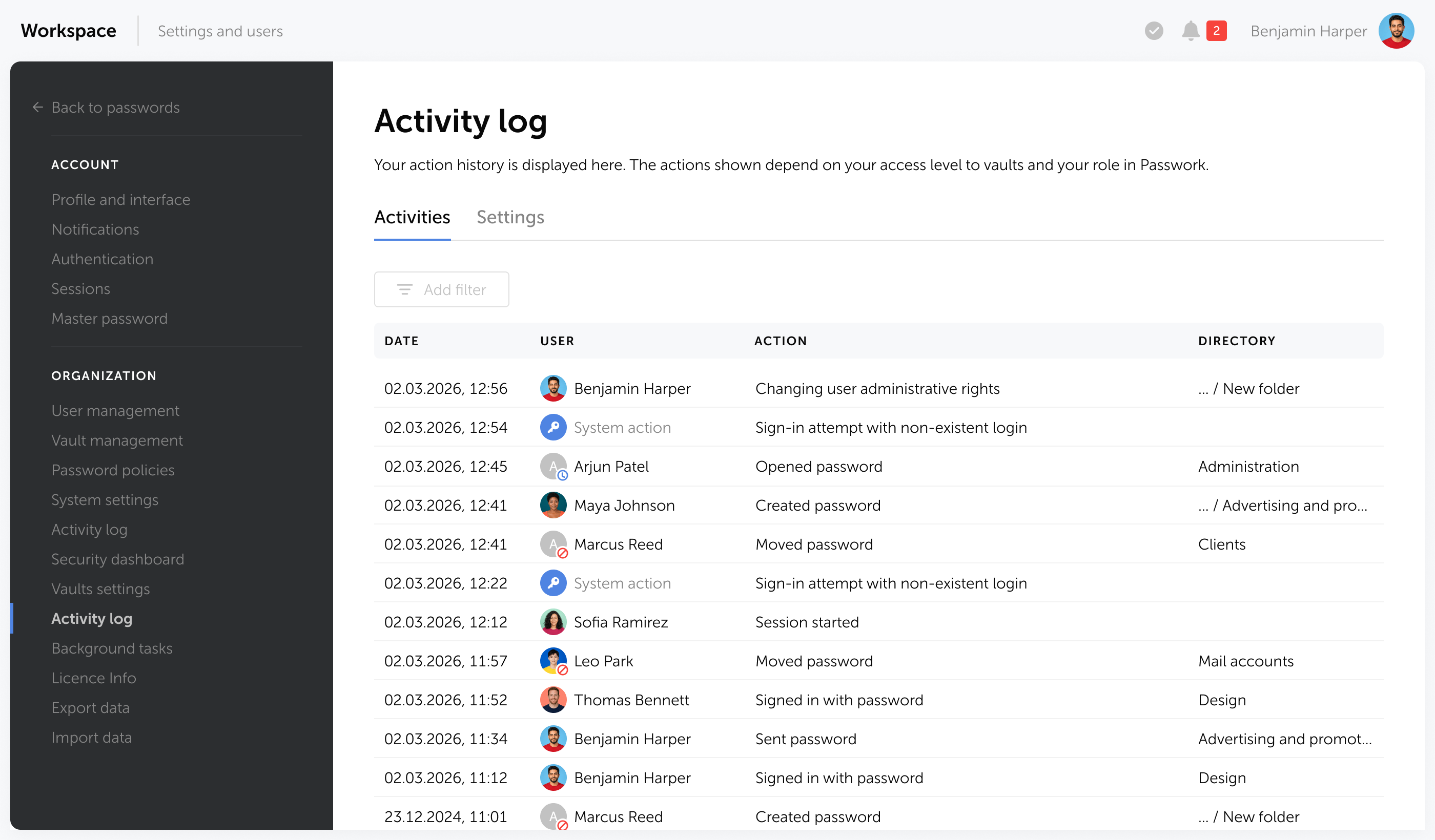
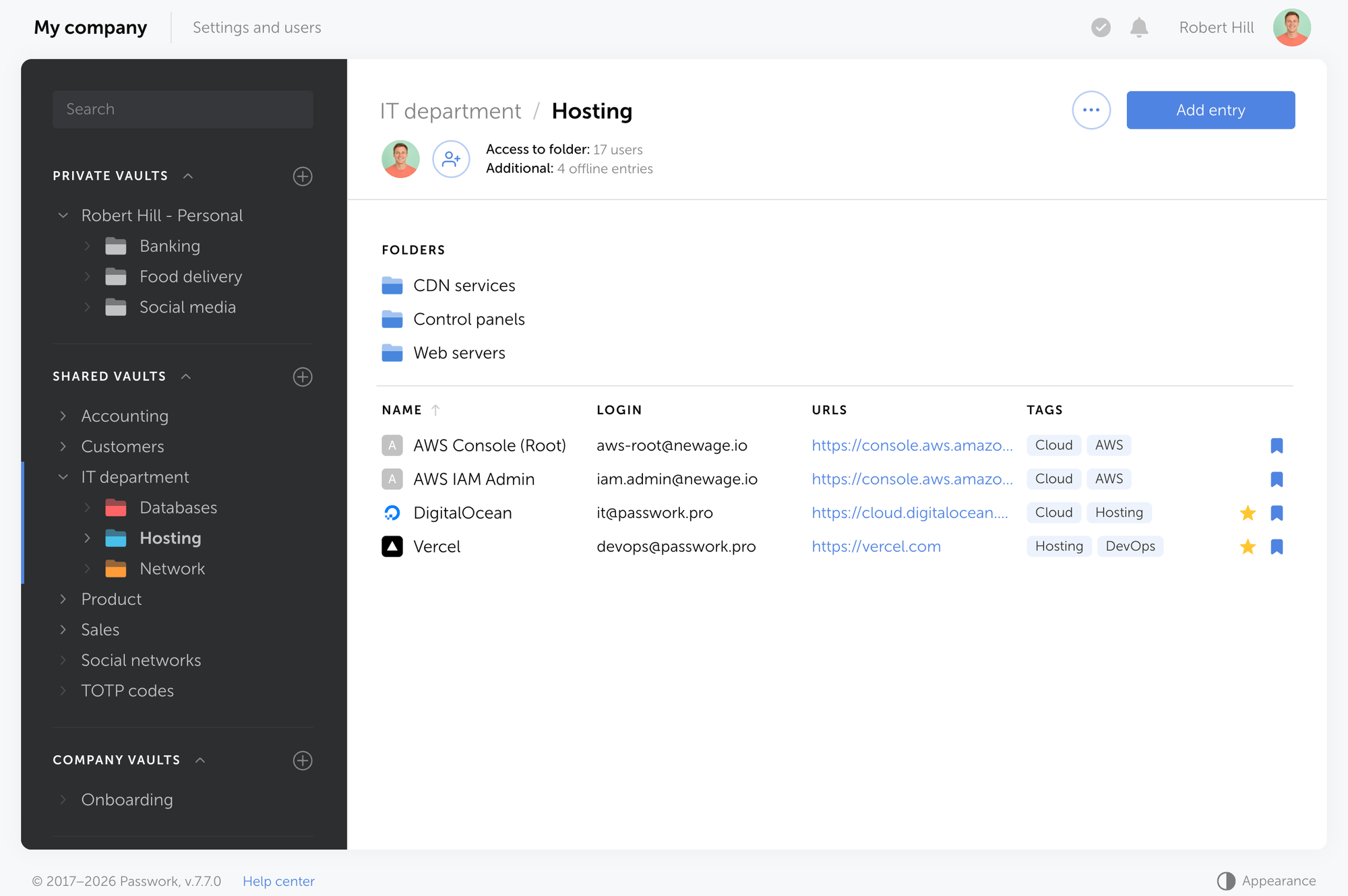
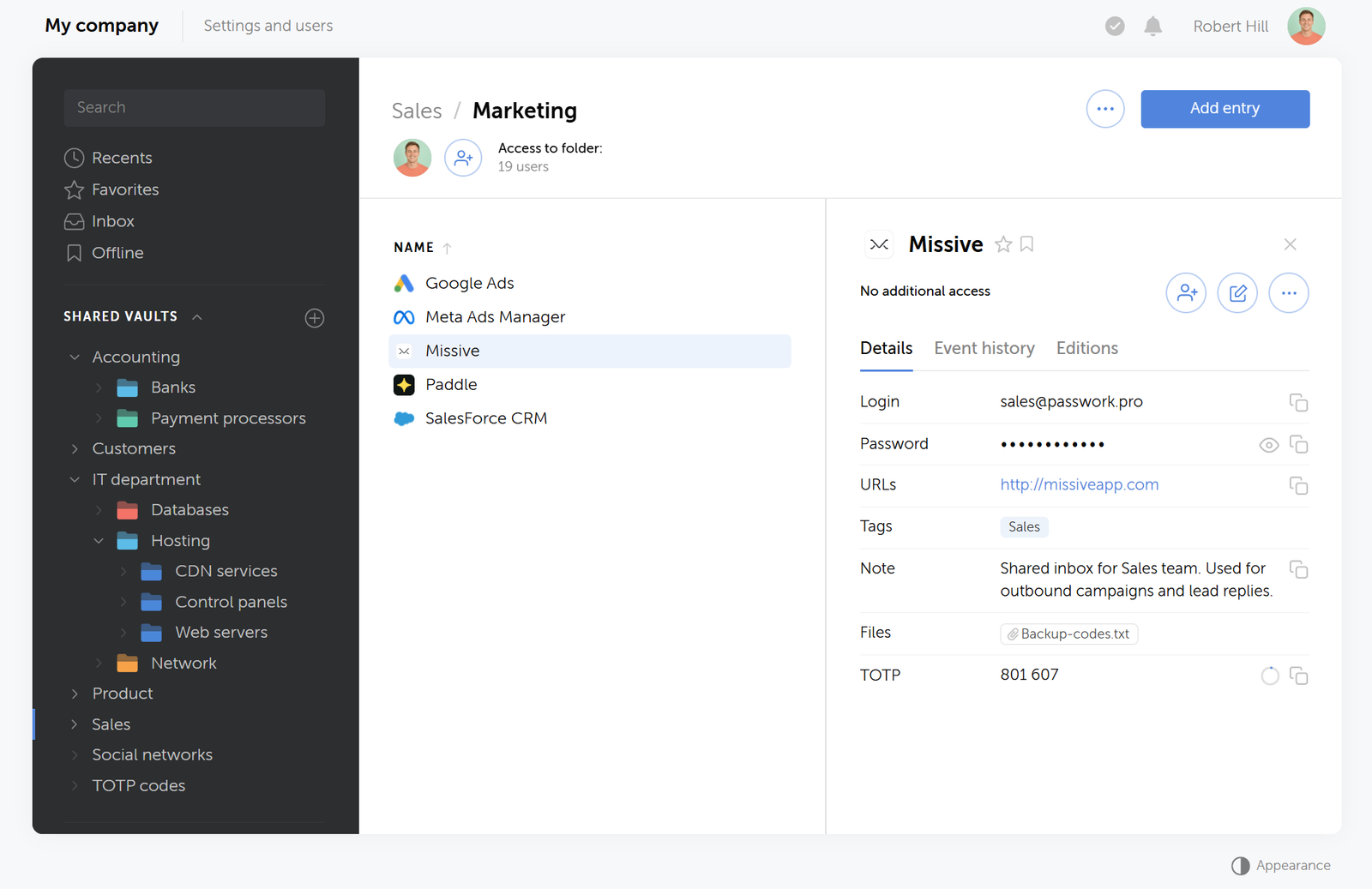
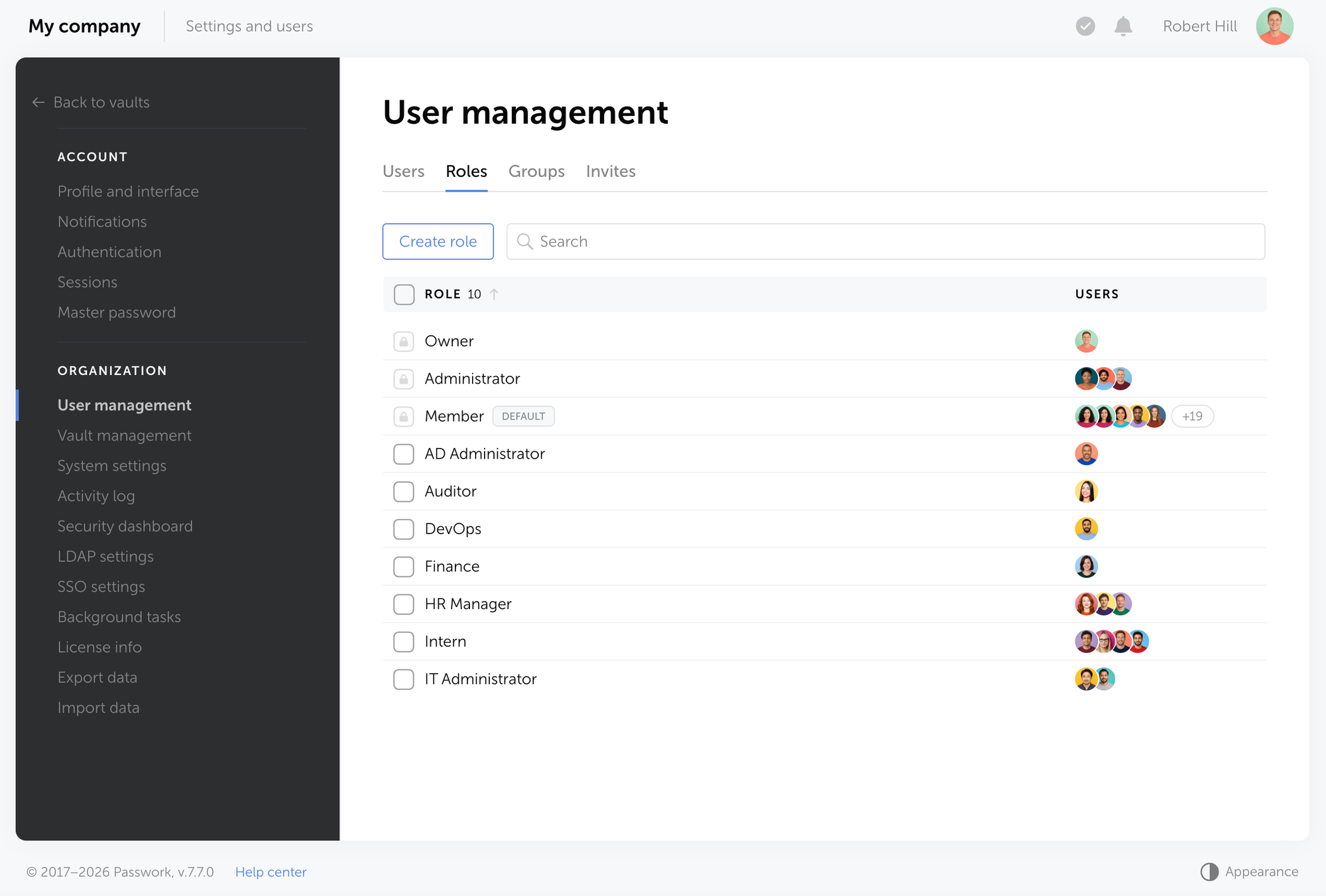
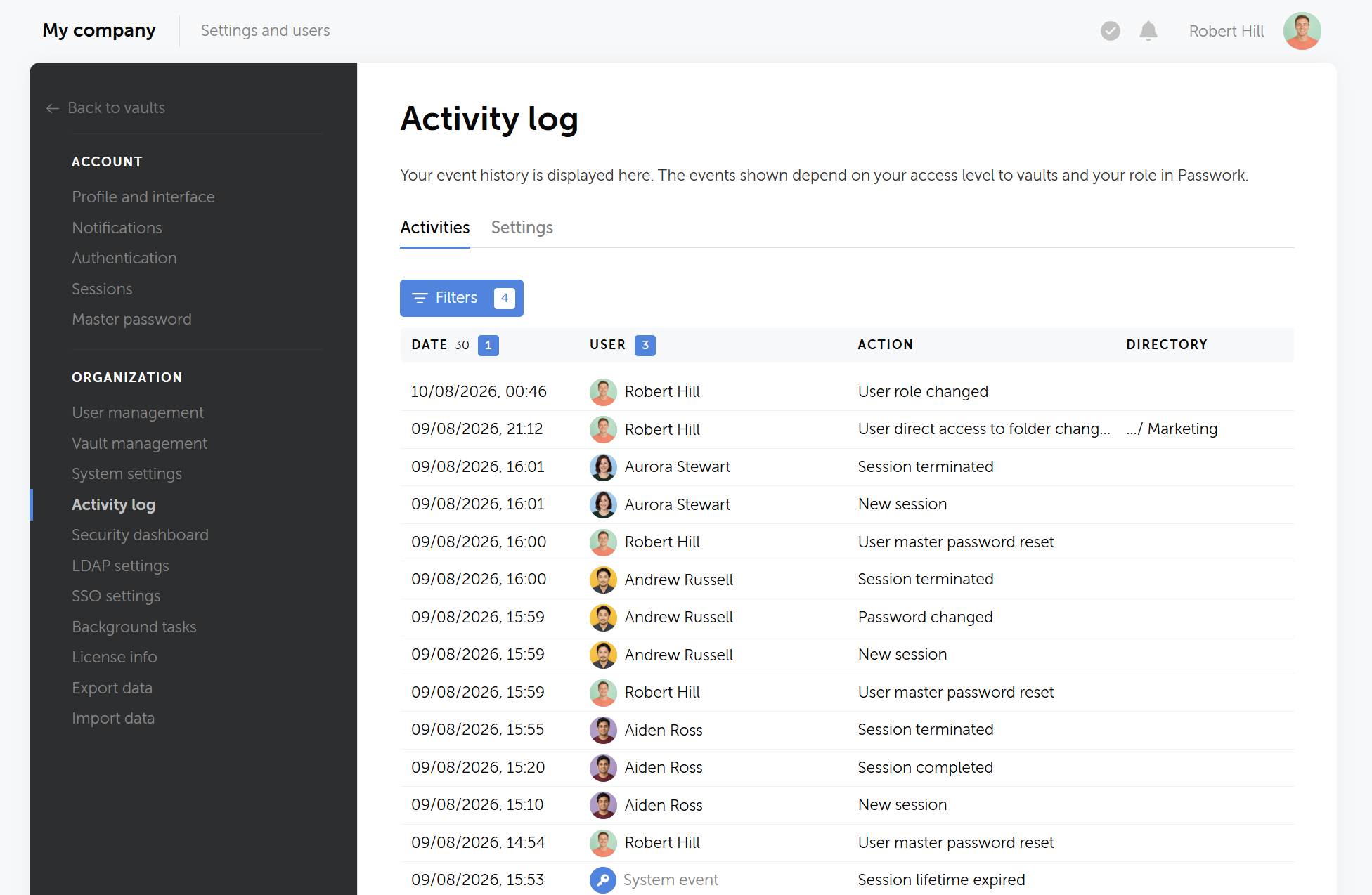
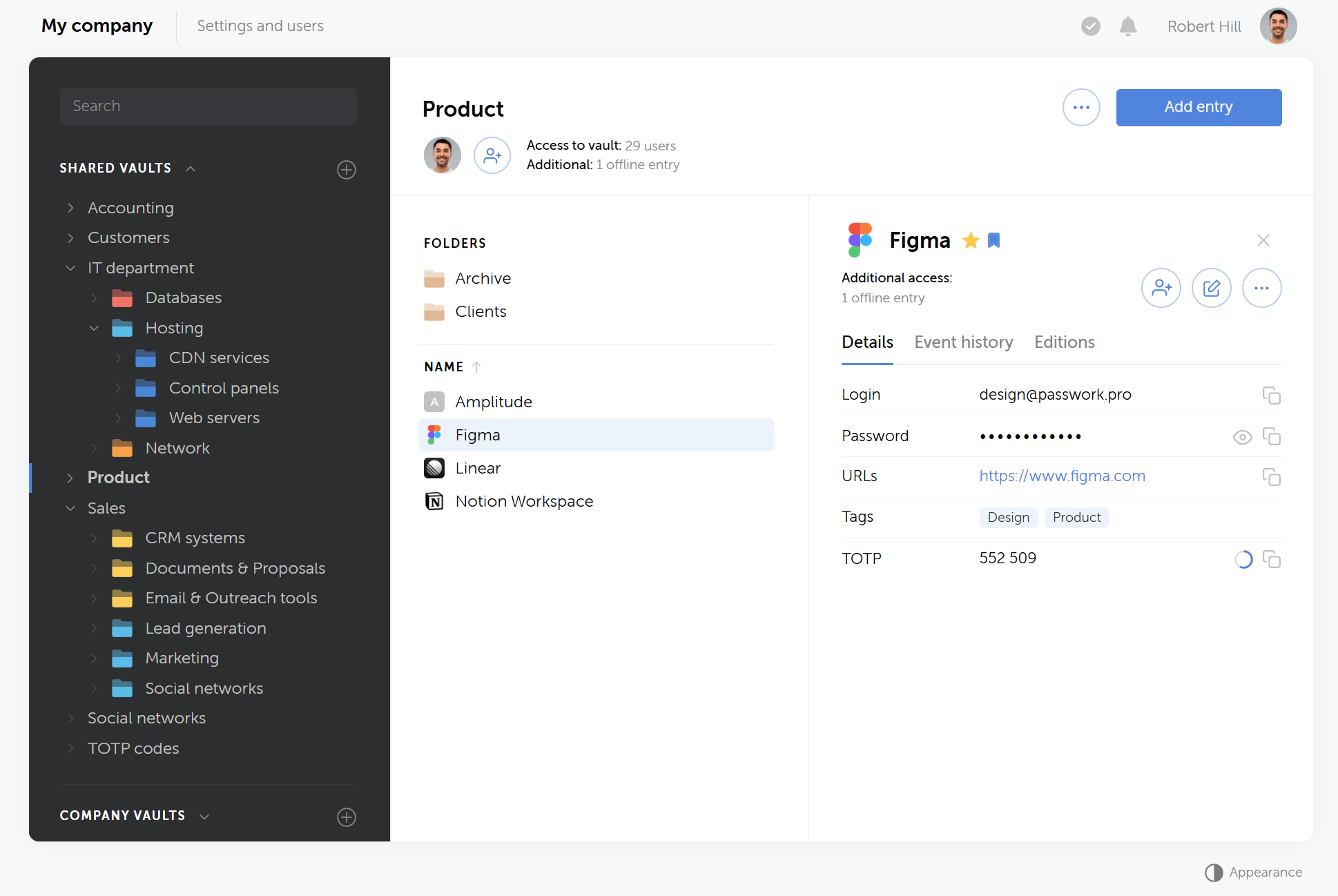
Passwork bietet strukturierte, rollenbasierte Zugriffskontrolle fĂŒr alle gemeinsam genutzten Zugangsdaten. Administratoren vergeben Berechtigungen auf Tresor-, Ordner- und individueller Passwortebene. Jedes Zugriffsereignis — Anzeigen, Kopieren, Bearbeiten, Teilen, Löschen — wird mit Zeitstempel und BenutzeridentitĂ€t protokolliert.

Zugriffsmanagement und Audit-Trails

Dieser Audit-Trail ist direkt relevant fĂŒr NIS2 Artikel 21(2)(i), der von Organisationen verlangt, „Richtlinien und Verfahren fĂŒr den Einsatz von Kryptografie und gegebenenfalls VerschlĂŒsselung" zu implementieren und Zugriffskontrollen ĂŒber sensible Systeme aufrechtzuerhalten. Wenn eine Regulierungsbehörde nach Belegen fĂŒr die Zugriffs-Governance fragt, ist ein vollstĂ€ndiges, durchsuchbares Protokoll die Antwort.

Kontinuierliche Überwachung

NIS2 erfordert eine fortlaufende SicherheitsĂŒberwachung. Passwork unterstĂŒtzt dies durch einen Echtzeit-AktivitĂ€tsfeed und konfigurierbare Benachrichtigungen fĂŒr jedes Zugangsdaten-Ereignis: ein Passwort, das von einem unerwarteten Benutzer angezeigt wurde, ein gemeinsamer Tresor, auf den außerhalb der Arbeitszeiten zugegriffen wurde, ein privilegiertes Konto, das ohne Change-Ticket geĂ€ndert wurde.

NIS2 erfordert eine fortlaufende SicherheitsĂŒberwachung.

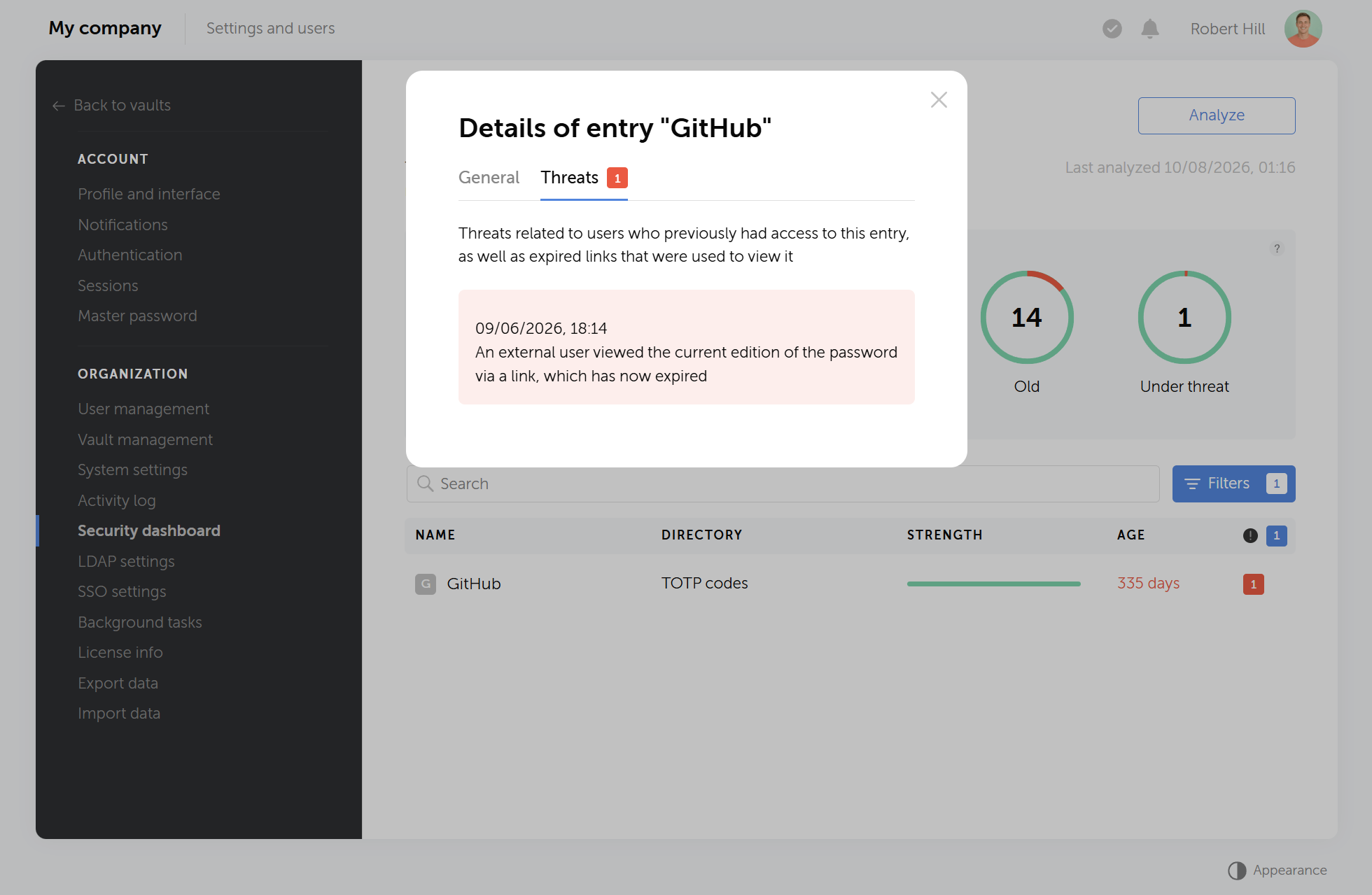
Das Passwort-Sicherheits-Dashboard kennzeichnet schwache, wiederverwendete, veraltete und potenziell kompromittierte Zugangsdaten in der gesamten Organisation — und gibt Sicherheitsteams kontinuierliche Transparenz ohne manuelle Audits.

ISO 27001-zertifiziert und kontinuierlich getestet

Passwork besitzt eine ISO/IEC 27001-Zertifizierung — derselbe Standard, den Belgien als NIS2-Compliance-Weg unter seinem CyFun-Rahmenwerk akzeptiert. Die Zertifizierung bestĂ€tigt einen systematischen, auditierbaren Ansatz fĂŒr das Informationssicherheitsmanagement.

FĂŒr Organisationen, die ihre Sicherheitslage gegenĂŒber Regulierungsbehörden, Partnern oder Kunden nachweisen mĂŒssen, bietet die ISO 27001-Zertifizierung von Passwork unabhĂ€ngig verifizierbare Belege.

Self-hosted Bereitstellung

Passwork wird vollstĂ€ndig in Ihrer eigenen Infrastruktur bereitgestellt. Alle Daten werden mit AES-256 verschlĂŒsselt und verlassen niemals Ihre Server. Es gibt keine AbhĂ€ngigkeit von Cloud-Diensten Dritter — was sowohl fĂŒr die NIS2-Compliance als auch fĂŒr die Lieferkettenrisikobestimmungen relevant ist, die von Organisationen verlangen, die Sicherheit ihrer Dienstleister zu bewerten.

Der Quellcode ist auditierbar. Ihr Sicherheitsteam kann vor der Bereitstellung ĂŒberprĂŒfen, dass keine versteckten Schwachstellen vorhanden sind.

CTA Image

Passwork bietet Ihrem Team strukturierte Zugriffskontrolle, ein vollstĂ€ndiges Audit-Protokoll und kontinuierliche Überwachung der Zugangsdaten — alles innerhalb Ihrer eigenen Infrastruktur. Erfahren Sie, wie Passwork die NIS2-Compliance unterstĂŒtzt


Compliance-Kalender

Die folgende Tabelle zeigt die wichtigsten Compliance-Ereignisse in chronologischer Reihenfolge. Unsichere oder geschÀtzte Daten sind entsprechend gekennzeichnet.

Datum Ereignis
18. April 2026 Belgien: NIS2-KonformitĂ€tsbewertungsfrist fĂŒr wesentliche Einrichtungen zum Nachweis der CyFun Basic/Important-Verifizierung oder ISO 27001-Dokumentation.
6. Mai 2026 Polen: Frist fĂŒr den Minister fĂŒr Digitales, bestehende Betreiber wesentlicher Dienste automatisch zur offiziellen Liste der wesentlichen und wichtigen Einrichtungen (Wykaz KSC) hinzuzufĂŒgen.
11. Juni 2026 EU: Cyber Resilience Act (CRA)-Rahmen zur Notifizierung von KonformitÀtsbewertungsstellen tritt in Kraft.
Mitte 2026 (erwartet) Deutschland: BSI-Registrierung öffnet fĂŒr neu qualifizierende kritische Einrichtungen unter dem KRITIS-Dachgesetz.
1. Juli 2026 (erwartet) Niederlande: Cyberbeveiligingswet (NIS2-Umsetzung) und Wet weerbaarheid kritieke entiteiten (CER-Umsetzung) sollen voraussichtlich in Kraft treten.
17. Juli 2026 Deutschland: Erste Registrierungsfrist fĂŒr kritische Einrichtungen unter dem KRITIS-Dachgesetz beim Bundesamt fĂŒr Bevölkerungsschutz und Katastrophenhilfe (BBK).
17. Juli 2026 Belgien: Wichtige Einrichtungen gelten automatisch als kritische Einrichtungen gemĂ€ĂŸ dem Gesetz ĂŒber die Resilienz kritischer Einrichtungen.
Juli 2026 (erwartet) Frankreich: Erwartete Parlamentsabstimmung ĂŒber das „Loi rĂ©silience des infrastructures critiques et renforcement de la cybersĂ©curitĂ©" (ReCyF) zur NIS2- und CER-Umsetzung.
2. August 2026 EU: Hauptbestimmungen des Artificial Intelligence Act treten in Kraft, einschließlich Verpflichtungen fĂŒr Betreiber von KI-Systemen mit hohem Risiko und volle Durchsetzungsbefugnisse fĂŒr das AI Office.
18. August 2026 EU: E-Evidence-Verordnung (EU 2023/1543) wird anwendbar und ermöglicht Behörden, Dienstanbieter direkt anzuweisen, elektronische Beweismittel innerhalb von 10 Tagen zu erstellen oder zu sichern.

Fazit

Fazit

Belgiens Frist am 18. April ist verstrichen. Es wird nicht die letzte sein. Regulierungsbehörden in 27 Mitgliedstaaten wechseln von Leitlinien zu Audits, und die Bereitschaftsquote von 16 % bedeutet, dass die große Mehrheit der betroffenen Organisationen genau jetzt exponiert ist.

Das Muster ist bei jeder frĂŒhen Durchsetzungsmaßnahme konsistent: Die Kontrollen, die Regulierungsbehörden zuerst prĂŒfen, sind Zugriffsmanagement, Governance privilegierter Zugangsdaten und Audit-Trails. Dies sind nicht die schwierigsten Anforderungen in NIS2 — sie sind die konkretesten, die am besten dokumentierbaren und die am unmittelbarsten umsetzbaren.

Den Zugriff unter Kontrolle zu bringen, ist der schnellste Weg, die am besten auditierbaren Compliance-LĂŒcken zu schließen. Es erfĂŒllt die Anforderungen von Artikel 21 direkt, unterstĂŒtzt die LieferkettenĂŒberwachung und erzeugt den Nachweis-Trail, den die Vorstandshaftung nach Artikel 20 verlangt. Ein Passwort-Manager mit rollenbasiertem Zugriff, einem vollstĂ€ndigen Audit-Protokoll und kontinuierlicher Überwachung adressiert alle drei Punkte.

Passwork ist ISO/IEC 27001-zertifiziert und wird vollstĂ€ndig in Ihrer eigenen Infrastruktur bereitgestellt. Die Lösung wurde genau fĂŒr die Art von Zugriffs-Governance entwickelt, nach der NIS2-Auditoren suchen.

CTA Image

Passwork ist ein selbst gehosteter Passwort-Manager fĂŒr Unternehmen. Er setzt rollenbasierte Zugriffsrichtlinien durch, fĂŒhrt ein vollstĂ€ndiges Audit-Protokoll aller Zugangsdaten-AktivitĂ€ten und wird vollstĂ€ndig in Ihrer eigenen Infrastruktur bereitgestellt. Testen Sie Passwork in Ihrer Infrastruktur


HĂ€ufig gestellte Fragen

HĂ€ufig gestellte Fragen

Was ist die NIS2-Richtlinie und fĂŒr wen gilt sie?

NIS2 (Richtlinie EU 2022/2555) ist der Rechtsrahmen der EU fĂŒr Netz- und Informationssicherheit und ersetzt die ursprĂŒngliche NIS-Richtlinie von 2016. Sie gilt fĂŒr mittlere und große Organisationen in 18 kritischen Sektoren — einschließlich Energie, Gesundheitswesen, Finanzwesen, Verkehr, digitale Infrastruktur und Fertigung — mit mindestens 50 BeschĂ€ftigten oder 10 Millionen Euro Jahresumsatz oder Bilanzsumme.

Was sind die wichtigsten Cybersicherheitsverpflichtungen unter NIS2?

NIS2 Artikel 21 verlangt von Organisationen die Umsetzung von Risikoanalyse, Incident Response, GeschĂ€ftskontinuitĂ€tsmaßnahmen, Lieferkettensicherheit, Zugriffsrichtlinien, MFA, VerschlĂŒsselung und Schwachstellenmanagement. Diese Maßnahmen mĂŒssen vom Leitungsorgan gemĂ€ĂŸ Artikel 20 formell genehmigt werden, mit dokumentierten Nachweisen der Umsetzung fĂŒr behördliche PrĂŒfungen.

Welche Bußgelder drohen Organisationen bei NIS2-Nicht-Compliance?

Wesentlichen Einrichtungen drohen Bußgelder von bis zu 10 Millionen € oder 2 % des weltweiten Jahresumsatzes, je nachdem, welcher Betrag höher ist. Wichtigen Einrichtungen drohen bis zu 7 Millionen € oder 1,4 % des weltweiten Umsatzes. Mehrere Mitgliedstaaten ĂŒberschreiten diese Mindestgrenzen — Deutschland erlaubt Bußgelder von bis zu 20 Millionen € fĂŒr wesentliche Einrichtungen sowie individuelle Bußgelder von bis zu 500.000 € fĂŒr FĂŒhrungskrĂ€fte bei Governance-VersĂ€umnissen.

Was verlangt NIS2 fĂŒr Zugriffsmanagement und Zugangsdatensicherheit?

Artikel 21(2)(i) verlangt Richtlinien fĂŒr Zugriffskontrolle, Authentifizierung und den Einsatz von Kryptografie. In der Praxis bedeutet dies rollenbasierten Zugriff auf kritische Systeme, durchgesetzte MFA, dokumentierte Zugangsdatenrichtlinien und einen vollstĂ€ndigen Audit-Trail privilegierter Zugriffsereignisse. Gemeinsam genutzte Passwörter, nicht verwaltete Dienstkonten und undokumentierte Zugriffspfade sind direkte Compliance-VerstĂ¶ĂŸe unter diesem Artikel.

Wie adressiert NIS2 die Lieferkettensicherheit?

Artikel 21(2)(d) verlangt von Organisationen, die Cybersicherheitslage ihrer direkten Lieferanten und Dienstleister zu bewerten und zu managen. Dies umfasst die Abbildung kritischer AbhĂ€ngigkeiten von Dritten, die Verankerung von Sicherheitsverpflichtungen in VertrĂ€gen und die kontinuierliche Überwachung der Lieferantenlage. Nur etwa 1 von 10 Unternehmen bewertete 2024 die Sicherheitsmaßnahmen ihrer Lieferanten angemessen, laut UK NCSC.

Was sind die NIS2-Vorfallmeldefristen?

NIS2 schreibt einen dreistufigen Prozess vor: eine 24-Stunden-FrĂŒhwarnung an die nationale Behörde nach Erkennung eines erheblichen Vorfalls, eine 72-Stunden-Detailmeldung mit einer ersten Auswirkungsbewertung und einen 30-Tage-Abschlussbericht mit Ursachenanalyse und Behebungsschritten. Diese Fristen gelten sowohl fĂŒr wesentliche als auch fĂŒr wichtige Einrichtungen und erfordern vorab getestete, automatisierte Reaktionsworkflows, um sie zuverlĂ€ssig einzuhalten.

Welche persönliche Haftung tragen FĂŒhrungskrĂ€fte unter NIS2?

Artikel 20 macht Leitungsorgane direkt verantwortlich fĂŒr die Genehmigung von Cybersicherheits-Risikomanagementmaßnahmen, die Überwachung ihrer Umsetzung und die Absolvierung von Cybersicherheitsschulungen. FĂŒhrungskrĂ€fte können persönlich fĂŒr Governance-VersĂ€umnisse haftbar gemacht werden. In Deutschland drohen einzelnen FĂŒhrungskrĂ€ften Bußgelder von bis zu 500.000 € unter dem nationalen NIS2-Umsetzungsgesetz, und GeschĂ€ftsfĂŒhrer können bei grober FahrlĂ€ssigkeit vorĂŒbergehend von FĂŒhrungspositionen ausgeschlossen werden.

ErfĂŒllt eine ISO 27001-Zertifizierung die NIS2-Anforderungen?

Eine ISO 27001-Zertifizierung wird in einigen Mitgliedstaaten als Compliance-Weg anerkannt — Belgien akzeptiert sie als Nachweis der NIS2-KonformitĂ€t, sofern Organisationen den Zertifizierungsumfang, die ErklĂ€rung zur Anwendbarkeit und den jĂŒngsten internen Auditbericht einreichen. Eine Zertifizierung allein stellt jedoch in den meisten Rechtsordnungen keine vollstĂ€ndige NIS2-Compliance dar. Sie reduziert die Compliance-LĂŒcke erheblich und bietet Auditoren eine anerkannte Nachweisbasis, doch Organisationen mĂŒssen weiterhin die Umsetzung aller Artikel-21-Maßnahmen nachweisen.

NIS2 aktuelle Neuigkeiten: Was sich 2026 geĂ€ndert hat und was das fĂŒr EU-Unternehmen bedeutet

Belgien hat den ersten KonformitĂ€tsbewertungs-Stichtag auf den 18. April 2026 festgesetzt. Die Niederlande stehen kurz vor der Durchsetzung. Hier erfahren Sie, wo die regulatorische Welle aktuell steht — und was IT-Verantwortliche jetzt konkret tun mĂŒssen.

Apr 19, 2026 â€” 24 min read
Últimas noticias sobre NIS2: cambios en 2026 y aplicación para empresas de la UE

18 de abril de 2026 — Primer plazo de aplicaciĂłn de NIS2 en BĂ©lgica. Las entidades esenciales debĂ­an presentar documentaciĂłn verificada que confirmara la implementaciĂłn de controles de ciberseguridad, evaluados por un organismo acreditado o directamente por el Centre for Cybersecurity Belgium. No se aceptaron autodeclaraciones.

22 de los 27 estados miembros han completado la transposición de NIS2. La aplicación está activa en Alemania, Francia y los Países Bajos — los reguladores están realizando auditorías y aplicando sanciones.

Mientras tanto, el 84% de las organizaciones que enfrentan aplicaciĂłn activa no estĂĄn preparadas, segĂșn su propia admisiĂłn — de acuerdo con la encuesta de CyberSmart de abril de 2026 a 670 lĂ­deres empresariales dentro del alcance en ocho paĂ­ses. Esa cifra no ha variado significativamente en seis meses.

Este artĂ­culo cubre el estado actual de la aplicaciĂłn, lo que viene a continuaciĂłn y lo que los lĂ­deres de TI y seguridad deben abordar antes de que llegue el prĂłximo plazo.


Conclusiones clave

  • BĂ©lgica estableciĂł el primer plazo. El 18 de abril de 2026, las entidades esenciales debĂ­an presentar autoevaluaciones verificadas a travĂ©s de CyberFundamentals (CyFun), ISO/IEC 27001 o inspecciĂłn directa del CCB.
  • La preparaciĂłn sigue siendo crĂ­ticamente baja. Solo el 16% de las empresas se sienten completamente preparadas, aunque el 75% ve el cumplimiento como una ventaja competitiva. El problema estĂĄ en la ejecuciĂłn: las restricciones presupuestarias, la falta de orientaciĂłn para la implementaciĂłn y los puntos ciegos en la cadena de suministro son los verdaderos obstĂĄculos.
  • Polonia ampliĂł el alcance a 42.000 organizaciones. La Ley KSC modificada entrĂł en vigor el 3 de abril de 2026, añadiendo producciĂłn de alimentos, gestiĂłn de residuos y otros sectores. La lista oficial de entidades se publicĂł el 13 de abril de 2026.
  • El riesgo de la cadena de suministro es la brecha mĂĄs difĂ­cil de cerrar. Solo alrededor de 1 de cada 10 empresas evaluaba adecuadamente la postura de seguridad de sus proveedores en 2024 (UK NCSC). El ArtĂ­culo 21 de NIS2 requiere obligaciones de seguridad documentadas para terceros y monitoreo continuo.
  • La responsabilidad de la direcciĂłn es personal. El ArtĂ­culo 20 de NIS2 hace que los Ăłrganos de direcciĂłn sean directamente responsables de aprobar las medidas de ciberseguridad y completar la formaciĂłn pertinente. En Alemania, los directivos individuales enfrentan multas de hasta 500.000 € por fallos de gobernanza — independientes de las sanciones organizacionales.
  • El Reino Unido estĂĄ construyendo un rĂ©gimen paralelo mĂĄs estricto — y las multinacionales deben seguir ambos. El UK Cyber Security and Resilience Bill introduce sanciones de dos niveles (hasta 17 millones de libras o el 4% de la facturaciĂłn global por fallos graves), regulaciĂłn directa de MSP y una definiciĂłn de incidente mĂĄs amplia que captura incidentes potenciales — no solo los confirmados. Una Ășnica estrategia de cumplimiento de NIS2 no es suficiente para operaciones transfronterizas.
  • Los controles que los auditores examinan primero son tambiĂ©n los mĂĄs rĂĄpidos de implementar. La gestiĂłn de accesos, las polĂ­ticas de credenciales y MFA estĂĄn explĂ­citamente requeridos en el ArtĂ­culo 21 — y generan la pista de auditorĂ­a que satisface tanto los requisitos de supervisiĂłn del ArtĂ­culo 21 como del ArtĂ­culo 20.

Qué es NIS2 y a quién cubre

Qué es NIS2 y a quién cubre

NIS2 (Directiva UE 2022/2555) es el marco legal actualizado de la UE para la seguridad de redes e informaciĂłn. Reemplaza la Directiva NIS original y amplĂ­a tanto el alcance de las entidades cubiertas como la severidad de las obligaciones. La directiva se aplica a organizaciones medianas y grandes en 18 sectores crĂ­ticos.

Su organizaciĂłn estĂĄ cubierta por la directiva NIS2 si:

Una vez confirmado que su organización estå dentro del alcance, su clasificación como entidad esencial o importante depende de dos factores: el anexo en el que se encuentra su sector y el tamaño de su organización.

Entidad esencial Entidad importante
Anexo Anexo I (sectores de alta criticidad) Anexo II (otros sectores crĂ­ticos)
Tamaño Grande: ≄ 250 empleados, o facturaciĂłn > 50 M€, o balance > 43 M€ Mediana: 50–249 empleados, o facturaciĂłn / balance 10–50 M€
Supervisión Proactiva, ex-ante — auditorías e inspecciones sin incidente previo Reactiva, ex-post — activada por incidentes o denuncias
Multa mĂĄxima 10 millones de euros o 2% de la facturaciĂłn anual global 7 millones de euros o 1,4% de la facturaciĂłn anual global
Ejemplos Operadores de redes eléctricas, hospitales, proveedores de nube, bancos Fabricantes de alimentos, servicios postales, marketplaces en línea, productores químicos

Algunas organizaciones estån dentro del alcance de NIS2 independientemente de su tamaño:

  • Un proveedor de redes pĂșblicas de comunicaciones electrĂłnicas o servicios de comunicaciones electrĂłnicas disponibles pĂșblicamente
  • Un proveedor de servicios de confianza
  • Un registro de nombres de dominio de nivel superior (TLD) o proveedor de servicios DNS
  • El Ășnico proveedor de un servicio en un Estado miembro que es esencial para el mantenimiento de actividades sociales o econĂłmicas crĂ­ticas
  • Una entidad cuya interrupciĂłn podrĂ­a tener un impacto significativo en la seguridad pĂșblica, la seguridad ciudadana o la salud pĂșblica
  • Una entidad cuya interrupciĂłn podrĂ­a inducir un riesgo sistĂ©mico significativo, en particular para sectores donde dicha interrupciĂłn podrĂ­a tener un impacto transfronterizo

Si su organizaciĂłn pertenece a un grupo corporativo mĂĄs grande, el nĂșmero de empleados y las cifras financieras deben agregarse entre las entidades vinculadas — una filial con 40 empleados puede estar dentro del alcance si el grupo matriz supera los umbrales.

A marzo de 2026, 22 de los 27 estados miembros de la UE han adoptado legislaciĂłn nacional de implementaciĂłn. Francia, Irlanda, Luxemburgo, los PaĂ­ses Bajos y España permanecen en proceso legislativo, segĂșn el anĂĄlisis de Skadden de marzo de 2026.


Noticia principal: Plazo del 18 de abril en Bélgica

Noticia principal: Plazo del 18 de abril en Bélgica

El 18 de abril de 2026, BĂ©lgica alcanzĂł el plazo de evaluaciĂłn de conformidad de NIS2. Las entidades esenciales debĂ­an demostrar la implementaciĂłn activa de medidas de gestiĂłn de riesgos de ciberseguridad y presentar evidencia de respaldo al Centre for Cybersecurity Belgium (CCB) — a travĂ©s de una de las tres vĂ­as de cumplimiento reconocidas:

  • CyberFundamentals (CyFunÂź): Obtener al menos una verificaciĂłn de nivel Basic o Important, o contar con un acuerdo firmado con un organismo de evaluaciĂłn acreditado.
  • ISO/IEC 27001: Presentar el alcance de la certificaciĂłn, la DeclaraciĂłn de Aplicabilidad (SoA) y el informe de auditorĂ­a interna mĂĄs reciente. La certificaciĂłn completa debe completarse antes de abril de 2027.
  • InspecciĂłn directa: Proporcionar una autoevaluaciĂłn con documentaciĂłn de respaldo y solicitar formalmente una inspecciĂłn del CCB — una vĂ­a que puede conducir directamente a medidas de supervisiĂłn.

La autoatestaciĂłn por sĂ­ sola no se acepta. No presentar documentaciĂłn completa y oportuna puede resultar en medidas administrativas, sanciones financieras y acciones de supervisiĂłn adicionales.

El patrón que Bélgica ha establecido (evaluación formal por terceros, evidencia documentada, aprobación de la dirección, responsabilidad personal) es la plantilla que sigue el resto de la UE.


La brecha de preparaciĂłn de NIS2: El 84% de las empresas no estĂĄn preparadas

La brecha de preparaciĂłn de NIS2: El 84% de las empresas no estĂĄn preparadas

El 16% de las empresas europeas obligadas a cumplir con NIS2 se sienten completamente preparadas, mientras que el 11% de las organizaciones dentro del alcance todavĂ­a no estĂĄn seguras de quĂ© es NIS2. Estas cifras provienen de la encuesta de CyberSmart a 670 lĂ­deres empresariales del Reino Unido, Polonia, los PaĂ­ses Bajos, Irlanda, Francia, Alemania, Italia, Dinamarca y BĂ©lgica, realizada a finales de 2025 — todos de organizaciones dentro del alcance de NIS2.

El problema estĂĄ en la ejecuciĂłn

La suposiciĂłn obvia de que las empresas simplemente no se toman NIS2 en serio no se sostiene. El 75% de los encuestados ve al menos cierta ventaja competitiva en el cumplimiento, y el 27% considera que esa ventaja es significativa. Las principales preocupaciones sobre el incumplimiento fueron operativas y reputacionales.

Temor al incumplimiento Porcentaje de encuestados
Pérdida de productividad 18%
Pérdida de reputación 18%
Pérdida de clientes 18%
Multas 16%
Altos costes legales y de remediaciĂłn 16%
InterrupciĂłn del negocio 15%
Repercusiones legales 14%
Pérdida de confianza de inversores o partes interesadas 14%

Solo el 3% de los encuestados afirmĂł no tener ninguna preocupaciĂłn sobre las repercusiones del incumplimiento.

Por qué las organizaciones se quedan cortas

Cuando se les preguntó por qué no habían cumplido completamente, los encuestados dieron respuestas consistentes en todas las regiones encuestadas. Las barreras son pråcticas:

Barrera Porcentaje de encuestados
Restricciones presupuestarias 20%
Falta de orientaciĂłn sobre cĂłmo implementar 16%
Falta de experiencia y recursos internos 14%
No saben qué es NIS2 ni cómo cumplir 11%
Incapacidad de evaluar el riesgo de la cadena de suministro 10%

El presupuesto es el principal obståculo, pero indica algo mås profundo. Para una parte de las organizaciones, el cumplimiento de NIS2 todavía no se trata como una partida presupuestaria innegociable. La brecha de orientación es igualmente reveladora: el 16% carece de dirección para la implementación, y el 11% no estå seguro de qué les exige NIS2 a pesar de estar legalmente obligados a cumplir.

El riesgo de la cadena de suministro agrava el desafĂ­o. Solo alrededor de 1 de cada 10 empresas evaluaba adecuadamente las medidas de seguridad de sus proveedores en 2024, segĂșn el NCSC del Reino Unido — y el 10% de los encuestados citĂł la incapacidad de evaluar toda su cadena de suministro como la razĂłn principal del incumplimiento.

Qué estån haciendo realmente las organizaciones

El panorama muestra un progreso parcial. Los protocolos de seguridad comunes (formaciĂłn, cifrado, evaluaciones de riesgo) se estĂĄn aplicando, a menudo de forma independiente a NIS2. Los requisitos mĂĄs exigentes (evaluaciĂłn de la cadena de suministro, anĂĄlisis formal de brechas, aplicaciĂłn de MFA) van significativamente por detrĂĄs.

Medida implementada Porcentaje de encuestados
FormaciĂłn obligatoria en ciberseguridad para empleados 44%
Cifrado de datos 37%
Evaluaciones de riesgo regulares (planificadas) 35%
Copias de seguridad y recuperaciĂłn ante desastres 34%
Plan de respuesta a incidentes 31%
Responsabilidad corporativa establecida 31%
Procedimiento de notificaciĂłn de incidentes 30%
Parches y actualizaciones oportunos 26%
AnĂĄlisis de brechas NIS2 realizado 26%
Cadena de suministro evaluada 23%
MFA aplicado 23%
Pruebas de penetraciĂłn regulares (planificadas) 20%
Ninguna de las anteriores 2%
CTA Image

La aplicación de MFA y el control de acceso están entre las medidas NIS2 menos implementadas — sin embargo, son lo primero que comprueban los auditores. Descubra cómo Passwork gestiona la gobernanza de credenciales

La fatiga regulatoria es real

Las organizaciones que operan en la UE pueden enfrentar simultĂĄneamente obligaciones bajo NIS2, GDPR, DORA, la Ley de Ciberseguridad de la UE e ISO 27001. Estos marcos se superponen significativamente, pero navegarlos aĂșn requiere tiempo, experiencia y recursos que la mayorĂ­a de las organizaciones no tienen internamente.

RegulaciĂłn Porcentaje de encuestados sujetos a ella
NIS2 42%
Ley de Ciberseguridad de la UE 34%
GDPR 30%
ISO/IEC 27001 27%
Ley de Ciberresiliencia de la UE 24%
NIST Cybersecurity Framework 21%
DORA 12%
PCI DSS 11%

El 42% de los encuestados dice que hay demasiadas regulaciones que cumplir, el 35% dice que muchas se superponen y el 27% siente que se les da demasiado énfasis.

El cumplimiento es ahora un requisito comercial

Los reguladores no son los Ășnicos que exigen pruebas. La presiĂłn del mercado crece desde todas las direcciones:

  • El 42% ha sido solicitado para demostrar cumplimiento de NIS2 por socios
  • El 41% ha sido solicitado por inversores
  • El 36% ha sido solicitado por clientes o prospectos

NIS2 sigue siendo un estĂĄndar relativamente nuevo. A medida que mĂĄs organizaciones lo incorporen en la debida diligencia de proveedores y socios, demostrar el cumplimiento pasarĂĄ de ser excepcional a rutinario. Ya es una condiciĂłn para hacer negocios en muchos sectores.

Aspectos destacados regionales

La encuesta revela diferencias significativas entre mercados:

  • Polonia destaca como la cultura de cumplimiento mĂĄs fuerte: ningĂșn encuestado polaco informĂł gastar el 5% o menos de su presupuesto de TI en seguridad. El consejo de administraciĂłn o la alta direcciĂłn es responsable del cumplimiento en la mayorĂ­a de las organizaciones polacas.
  • Benelux muestra una desconexiĂłn: los CEO son los mĂĄs comĂșnmente responsables (43%), pero el 10% de las empresas estĂĄ subinvirtiendo en seguridad — la tasa mĂĄs alta conjunta en la encuesta.
  • Alemania, Francia e Italia muestran la mayor fatiga regulatoria: el 44% dice que hay demasiadas regulaciones, el 39% dice que se superponen demasiado.
  • Dinamarca registra el mayor escepticismo regulatorio: el 34% no ve una ventaja competitiva en el cumplimiento, y el 55% dice que hay demasiadas regulaciones — la cifra mĂĄs alta en todas las regiones encuestadas.
  • Reino Unido e Irlanda muestran la presiĂłn de los inversores como un motor particularmente fuerte: el 58% de las empresas en la regiĂłn han sido solicitadas por inversores para demostrar cumplimiento de NIS2, comparado con el 41% en todas las regiones.

La divergencia regulatoria UE vs. Reino Unido: Lo que las multinacionales deben saber

La divergencia regulatoria UE vs. Reino Unido: Lo que las multinacionales deben saber

Para las organizaciones que operan tanto en la UE como en el Reino Unido, el cumplimiento de NIS2 es solo parte del panorama. El Reino Unido estĂĄ avanzando con su propio Cyber Security and Resilience Bill — que pasĂł su segunda lectura en enero de 2026 y ha estado progresando a travĂ©s de la etapa de comitĂ© desde febrero — propone enmiendas significativas a las NIS Regulations 2018.

Los dos marcos comparten objetivos comunes pero difieren de maneras que hacen insuficiente una Ășnica estrategia de cumplimiento.

Diferencias clave entre NIS2 y el proyecto de ley del Reino Unido

DimensiĂłn NIS2 (UE) UK Cyber Security & Resilience Bill
Alcance sectorial 18 sectores incluyendo administraciĂłn pĂșblica, espacio, alimentaciĂłn, manufactura Servicios esenciales + servicios digitales + nueva categorĂ­a de centros de datos
RegulaciĂłn de MSP Indirecta, a travĂ©s de obligaciones de la cadena de suministro Directa — Los Proveedores de Servicios Gestionados Relevantes (RMSPs) son una nueva categorĂ­a regulada
«Proveedores críticos» No regulados directamente Las autoridades competentes designadas pueden designar directamente proveedores críticos
Multa estándar 10 M€ o 2% de la facturación global 10 M£ o 2% de la facturación global
Nivel superior de multa N/A (nivel Ășnico) 17 MÂŁ o 4% de la facturaciĂłn global por fallos graves (brechas de seguridad, fallos de notificaciĂłn)
Notificación a clientes No requerida Requerida para centros de datos, RDSPs y RMSPs después de incidentes
Definición de incidente Efecto adverso real Efecto adverso real o potencial — alcance más amplio de incidentes notificables

Sanciones de dos niveles — más estrictas que NIS2

El proyecto de ley del Reino Unido introduce una estructura de sanciones de dos niveles: un máximo estándar de 10 millones de libras o el 2% de la facturación global para fallos menos graves, y un máximo superior de 17 millones de libras o el 4% de la facturación global para fallos graves — incluyendo brechas de seguridad y fallos en la notificación de incidentes.

Los reguladores pueden imponer adicionalmente multas diarias de hasta 100.000 libras por incumplimiento continuado. Esto supera la estructura de nivel Ășnico de NIS2.

RegulaciĂłn directa de MSP: Cerrando una brecha que NIS2 dejĂł abierta

El proyecto de ley regula directamente a los proveedores de servicios gestionados — una brecha en NIS2 que el Reino Unido está abordando explícitamente. Se estima que entre 900 y 1.100 MSP quedarán bajo supervisión directa del ICO como Proveedores de Servicios Gestionados Relevantes (RMSPs), sujetos al conjunto completo de obligaciones incluyendo registro obligatorio, estándares de seguridad definidos y notificación de incidentes dentro de plazos establecidos.

Las organizaciones que utilizan proveedores de TI externos deberĂ­an preguntar a esos proveedores cĂłmo se estĂĄn preparando.

DefiniciĂłn de incidente mĂĄs amplia

Las actuales NIS Regulations definen un incidente como cualquier evento que tenga un efecto adverso real en la seguridad. El proyecto de ley amplía esto para capturar cualquier evento que tenga, o pueda tener, un efecto adverso — lo que significa que las organizaciones deben evaluar y responder a incidentes potenciales, no solo a los confirmados. Esto aumentará materialmente el volumen de eventos notificables.

El panorama de amenazas en el Reino Unido

El endurecimiento regulatorio refleja un panorama de riesgo genuino. Se estima que los ciberataques cuestan a las empresas del Reino Unido 14.700 millones de libras anuales — equivalente a aproximadamente el 0,5% del PIB — segĂșn investigaciĂłn independiente encargada por el gobierno del Reino Unido. El coste medio de un ciberataque significativo para una empresa individual es de casi 195.000 libras.

FragmentaciĂłn regulatoria entre los estados miembros de la UE

La divergencia no es solo entre la UE y el Reino Unido. A pesar del plazo de transposición de octubre de 2024, la implementación de NIS2 en los 27 estados miembros sigue muy fragmentada. La NISG 2026 de Austria, la Ley KSC de Polonia y la Cyberbeveiligingswet holandesa introducen variaciones nacionales en sanciones, procedimientos de aplicación y requisitos específicos del sector — creando costes de cumplimiento desproporcionados para las organizaciones transfronterizas.


Polonia: Ley KSC en vigor, lista de entidades publicada

La Ley modificada del Sistema Nacional de Ciberseguridad (KSC) de Polonia entrĂł en vigor el 3 de abril de 2026.

La Ley modificada del Sistema Nacional de Ciberseguridad (KSC) de Polonia entrĂł en vigor el 3 de abril de 2026. La lista oficial de entidades esenciales e importantes se publicĂł el 13 de abril de 2026.

La escala del cambio es sustancial. El marco KSC anterior cubrĂ­a aproximadamente 400 entidades. La ley modificada incluye en su alcance aproximadamente 42.000 organizaciones — incluyendo casi 28.000 organismos del sector pĂșblico.

Nuevos sectores ahora cubiertos

Cinco sectores entran en la legislaciĂłn polaca de ciberseguridad por primera vez:

Nuevo sector Anexo
ProducciĂłn, procesamiento y distribuciĂłn de alimentos Anexo II
GestiĂłn de residuos Anexo II
ProducciĂłn y distribuciĂłn quĂ­mica Anexo II
Servicios postales y de mensajerĂ­a Anexo II
Manufactura (dispositivos médicos, vehículos de motor, electrónica) Anexo II

Polonia tambiĂ©n ampliĂł varios sectores existentes mĂĄs allĂĄ de la base de NIS2 — energĂ­a ahora incluye minerĂ­a del carbĂłn; banca e infraestructura del mercado financiero incorporaron tipos de entidades adicionales. La clasificaciĂłn no siempre es obvia: las organizaciones en sectores reciĂ©n cubiertos deben realizar una autoevaluaciĂłn preliminar antes de asumir que estĂĄn fuera del alcance.

Plazos clave de cumplimiento

Plazo ObligaciĂłn
13 de abril de 2026 PublicaciĂłn de la lista oficial de entidades esenciales e importantes
3 de octubre de 2026 Plazo para la solicitud de registro
3 de abril de 2027 ImplementaciĂłn completa de todas las obligaciones del CapĂ­tulo 3
3 de abril de 2028 Primera auditorĂ­a de seguridad del sistema de informaciĂłn (entidades esenciales)

El registro no es automĂĄtico — la mayorĂ­a de las organizaciones deben autoevaluarse y solicitar dentro de los 6 meses siguientes al cumplimiento de los criterios. No registrarse no exime a una organizaciĂłn de sus obligaciones; añade una infracciĂłn adicional.

PaĂ­ses Bajos: La Cyberbeveiligingswet estĂĄ casi en vigor

La Cyberbeveiligingswet (Cbw) holandesa — la transposición de NIS2 de los Países Bajos — fue aprobada por la Cámara de Representantes el 15 de abril de 2026 y se espera que entre en vigor en el segundo trimestre de 2026.

La Cyberbeveiligingswet (Cbw) holandesa — la transposición de NIS2 de los Países Bajos — fue aprobada por la Cámara de Representantes el 15 de abril de 2026 y se espera que entre en vigor en el segundo trimestre de 2026.

La ley introduce cuatro obligaciones fundamentales para todas las organizaciones dentro del alcance:

  • 10 medidas obligatorias de deber de diligencia â€” anĂĄlisis de riesgos, gestiĂłn de accesos, MFA, respuesta a incidentes, seguridad de la cadena de suministro, cifrado y otras cuatro. La certificaciĂłn ISO 27001 ayuda pero no constituye cumplimiento total por sĂ­ sola.
  • NotificaciĂłn de incidentes en tres pasos â€” alerta temprana en 24 horas, notificaciĂłn de seguimiento en 72 horas, informe final en 30 dĂ­as, todo enviado a travĂ©s del portal NCSC.
  • Responsabilidad personal del consejo â€” los Ăłrganos de direcciĂłn deben aprobar formalmente las medidas de ciberseguridad, supervisar la implementaciĂłn y completar formaciĂłn en ciberseguridad. Delegar completamente a TI sin supervisiĂłn activa crea exposiciĂłn personal directa.

Las multas alcanzan hasta 10 millones de euros o el 2% de la facturaciĂłn global para entidades esenciales, y 7 millones de euros o el 1,4% para entidades importantes.

La mayorĂ­a de las organizaciones necesitan de cuatro a seis meses para alcanzar el nivel de cumplimiento requerido. Aquellas que aĂșn no han comenzado un anĂĄlisis de brechas se estĂĄn quedando sin tiempo.


Responsabilidad del consejo: El ArtĂ­culo 20 lo hace personal

El ArtĂ­culo 20 de NIS2 hace que los Ăłrganos de direcciĂłn sean directa y personalmente responsables de la gobernanza de ciberseguridad.

El ArtĂ­culo 20 de NIS2 hace que los Ăłrganos de direcciĂłn sean directa y personalmente responsables de la gobernanza de ciberseguridad. Se aplican tres niveles de exposiciĂłn:

  • Responsabilidad de aprobaciĂłn. Los Ăłrganos de direcciĂłn deben aprobar formalmente las medidas de gestiĂłn de riesgos de ciberseguridad. Si esas medidas resultan inadecuadas y conducen a un incidente, la decisiĂłn de aprobaciĂłn y las personas que la tomaron serĂĄn examinadas por los reguladores.
  • Responsabilidad de formaciĂłn. El ArtĂ­culo 20(2) requiere que los ejecutivos completen formaciĂłn en ciberseguridad suficiente para identificar riesgos y evaluar prĂĄcticas de gestiĂłn de riesgos. La ignorancia de los detalles tĂ©cnicos ya no es una posiciĂłn defendible.
  • Responsabilidad de supervisiĂłn. Delegar completamente a TI o a un MSSP externo sin mantener la supervisiĂłn de gobernanza crea exposiciĂłn personal directa. En Alemania, los directivos individuales enfrentan multas de hasta 500.000 € por fallos de gobernanza — independientes de cualquier sanciĂłn organizacional. Los directores tambiĂ©n pueden ser inhabilitados temporalmente de funciones directivas por negligencia grave.

El anĂĄlisis de KPMG Law de abril de 2026 sobre la implementaciĂłn alemana confirma que esto no es teĂłrico. MSI Global Alliance plantea el cambio claramente: la ciberseguridad ahora se sitĂșa al mismo nivel de gobernanza que la informaciĂłn financiera. Los directores son responsables de la postura de ciberseguridad de su organizaciĂłn, con obligaciones que incluyen polĂ­ticas documentadas de gestiĂłn de riesgos y supervisiĂłn demostrable de terceros.


CĂłmo Passwork apoya el cumplimiento de NIS2

La forma mås råpida de cerrar las brechas mås comunes de NIS2 es poner el acceso bajo control. El Artículo 21 de la directiva requiere explícitamente que las organizaciones implementen políticas de gestión de accesos, apliquen autenticación fuerte y mantengan pistas de auditoría documentadas. Estos son también los controles que los reguladores examinan primero y los que la mayoría de las organizaciones todavía manejan manualmente o de forma inconsistente.

CĂłmo Passwork apoya el cumplimiento de NIS2

Un gestor de contraseñas aborda esto directamente. Centraliza el almacenamiento de credenciales, aplica polĂ­ticas de acceso basadas en roles y crea un registro verificable de quiĂ©n accediĂł a quĂ© y cuĂĄndo — el tipo de evidencia que los auditores esperan ver.

GestiĂłn de accesos y pistas de auditorĂ­a

Passwork ofrece control de acceso estructurado y basado en roles en todas las credenciales compartidas. Los administradores asignan permisos a nivel de bĂłveda, carpeta y contraseña individual. Cada evento de acceso — visualizaciĂłn, copia, ediciĂłn, comparticiĂłn, eliminaciĂłn — se registra con una marca de tiempo e identidad de usuario.

GestiĂłn de accesos y pistas de auditorĂ­a

Esta pista de auditoría es directamente relevante para el Artículo 21(2)(i) de NIS2, que requiere que las organizaciones implementen «políticas y procedimientos relativos al uso de criptografía y, en su caso, cifrado» y mantengan controles de acceso sobre sistemas sensibles. Cuando un regulador solicita evidencia de gobernanza de accesos, un registro completo y consultable es la respuesta.

Monitoreo continuo

NIS2 requiere monitoreo de seguridad continuo. Passwork lo apoya a través de un feed de actividad en tiempo real y notificaciones configurables para cualquier evento de credenciales: una contraseña visualizada por un usuario inesperado, una bóveda compartida accedida fuera del horario laboral, una cuenta privilegiada modificada sin un ticket de cambio.

NIS2 requiere monitoreo de seguridad continuo.

El panel de seguridad de contraseñas marca las credenciales dĂ©biles, reutilizadas, obsoletas y potencialmente comprometidas en toda la organizaciĂłn — dando a los equipos de seguridad visibilidad continua sin auditorĂ­a manual.

Certificado ISO 27001 y probado continuamente

Passwork cuenta con certificaciĂłn ISO/IEC 27001 — el mismo estĂĄndar que BĂ©lgica acepta como vĂ­a de cumplimiento de NIS2 bajo su marco CyFun. La certificaciĂłn confirma un enfoque sistemĂĄtico y auditable de la gestiĂłn de la seguridad de la informaciĂłn.

Para las organizaciones que necesitan demostrar su postura de seguridad ante reguladores, socios o clientes, la certificaciĂłn ISO 27001 de Passwork proporciona evidencia verificable de forma independiente.

ImplementaciĂłn autoalojada

Passwork se implementa completamente dentro de su propia infraestructura. Todos los datos estĂĄn cifrados con AES-256 y nunca salen de sus servidores. No hay dependencia de servicios en la nube de terceros — lo cual importa tanto para el cumplimiento de NIS2 como para las disposiciones de riesgo de la cadena de suministro que requieren que las organizaciones evalĂșen la seguridad de sus proveedores de servicios.

El cĂłdigo fuente es auditable. Su equipo de seguridad puede verificar que no hay vulnerabilidades ocultas antes de la implementaciĂłn.

CTA Image

Passwork proporciona a su equipo control de acceso estructurado, un registro de auditoría completo y monitoreo continuo de credenciales — todo dentro de su propia infraestructura. Descubra cómo Passwork apoya el cumplimiento de NIS2


Calendario de cumplimiento

La siguiente tabla describe los eventos clave de cumplimiento, ordenados cronolĂłgicamente. Las fechas inciertas o estimadas se indican como corresponde.

Fecha Evento
18 de abril de 2026 Bélgica: Plazo de evaluación de conformidad NIS2 para que las entidades esenciales demuestren verificación CyFun Basic/Important o documentación ISO 27001.
6 de mayo de 2026 Polonia: Plazo para que el Ministro de Asuntos Digitales añada automåticamente a los operadores de servicios clave existentes a la lista oficial de entidades esenciales e importantes (Wykaz KSC).
11 de junio de 2026 UE: El marco de la Ley de Ciberresiliencia (CRA) sobre notificaciĂłn de organismos de evaluaciĂłn de la conformidad comienza a aplicarse.
Mediados de 2026 (previsto) Alemania: Se abre el registro del BSI para las entidades crĂ­ticas que califican bajo la KRITIS-Dachgesetz.
1 de julio de 2026 (previsto) PaĂ­ses Bajos: Se espera que la Cyberbeveiligingswet (implementaciĂłn de NIS2) y la Wet weerbaarheid kritieke entiteiten (implementaciĂłn de CER) entren en vigor.
17 de julio de 2026 Alemania: Primer plazo de registro para entidades crĂ­ticas bajo la KRITIS-Dachgesetz ante la Oficina Federal de ProtecciĂłn Civil y Asistencia en Desastres (BBK).
17 de julio de 2026 Bélgica: Las entidades importantes se consideran automåticamente entidades críticas de conformidad con la ley sobre resiliencia de entidades críticas.
Julio de 2026 (previsto) Francia: Votación parlamentaria prevista sobre la «Loi résilience des infrastructures critiques et renforcement de la cybersécurité» (ReCyF) para la implementación de NIS2 y CER.
2 de agosto de 2026 UE: Se aplican las disposiciones principales de la Ley de Inteligencia Artificial, incluyendo obligaciones para operadores de sistemas de IA de alto riesgo y plenos poderes de aplicaciĂłn para la Oficina de IA.
18 de agosto de 2026 UE: El Reglamento de Pruebas ElectrĂłnicas (UE 2023/1543) se hace aplicable, permitiendo a las autoridades ordenar directamente a los proveedores de servicios que produzcan o conserven pruebas electrĂłnicas en un plazo de 10 dĂ­as.

ConclusiĂłn

ConclusiĂłn

El plazo del 18 de abril de BĂ©lgica ha pasado. No serĂĄ el Ășltimo. Los reguladores en los 27 estados miembros estĂĄn pasando de la orientaciĂłn a las auditorĂ­as, y la cifra de preparaciĂłn del 16% significa que la gran mayorĂ­a de las organizaciones dentro del alcance estĂĄn expuestas en este momento.

El patrón es consistente en cada acción de aplicación temprana: los controles que los reguladores examinan primero son la gestión de accesos, la gobernanza de credenciales privilegiadas y las pistas de auditoría. Estos no son los requisitos más difíciles de NIS2 — son los más concretos, los más documentables y los más inmediatamente accionables.

Poner el acceso bajo control es la forma mås råpida de cerrar las brechas de cumplimiento mås auditables. Satisface directamente los requisitos del Artículo 21, apoya la supervisión de la cadena de suministro y genera la pista de evidencia que exige la responsabilidad del consejo del Artículo 20. Un gestor de contraseñas con acceso basado en roles, un registro de auditoría completo y monitoreo continuo aborda los tres aspectos.

Passwork tiene certificación ISO/IEC 27001 y se implementa completamente dentro de su propia infraestructura. Fue diseñado exactamente para el tipo de gobernanza de accesos que buscan los auditores de NIS2.

CTA Image

Passwork es un gestor de contraseñas autoalojado diseñado para empresas. Aplica políticas de acceso basadas en roles, mantiene un registro de auditoría completo de toda la actividad de credenciales y se implementa completamente dentro de su propia infraestructura. Pruebe Passwork en su infraestructura


Preguntas frecuentes

Preguntas frecuentes

¿Qué es la Directiva NIS2 y a quién se aplica?

NIS2 (Directiva UE 2022/2555) es el marco legal de la UE para la seguridad de redes e información, que reemplaza la Directiva NIS original de 2016. Se aplica a organizaciones medianas y grandes en 18 sectores críticos — incluyendo energía, salud, finanzas, transporte, infraestructura digital y manufactura — con al menos 50 empleados o 10 millones de euros en facturación anual o balance total.

ÂżCuĂĄles son las principales obligaciones de ciberseguridad bajo NIS2?

El ArtĂ­culo 21 de NIS2 requiere que las organizaciones implementen anĂĄlisis de riesgos, respuesta a incidentes, medidas de continuidad del negocio, seguridad de la cadena de suministro, polĂ­ticas de control de acceso, MFA, cifrado y gestiĂłn de vulnerabilidades. Estas medidas deben ser aprobadas formalmente por el Ăłrgano de direcciĂłn bajo el ArtĂ­culo 20, con evidencia documentada de implementaciĂłn disponible para inspecciĂłn regulatoria.

¿Qué multas pueden enfrentar las organizaciones por incumplimiento de NIS2?

Las entidades esenciales enfrentan multas de hasta 10 millones de euros o el 2% de la facturación anual global, lo que sea mayor. Las entidades importantes enfrentan hasta 7 millones de euros o el 1,4% de la facturación global. Varios estados miembros superan estos mínimos — Alemania permite multas de hasta 20 millones de euros para entidades esenciales, más multas individuales a directivos de hasta 500.000 € por fallos de gobernanza.

¿Qué requiere NIS2 para la gestión de accesos y la seguridad de credenciales?

El Artículo 21(2)(i) requiere políticas que cubran el control de acceso, la autenticación y el uso de criptografía. En la pråctica, esto significa acceso basado en roles a sistemas críticos, MFA aplicado, políticas de credenciales documentadas y una pista de auditoría completa de eventos de acceso privilegiado. Las contraseñas compartidas, las cuentas de servicio no gestionadas y las rutas de acceso no documentadas son fallos de cumplimiento directos bajo este artículo.

ÂżCĂłmo aborda NIS2 la seguridad de la cadena de suministro?

El ArtĂ­culo 21(2)(d) requiere que las organizaciones evalĂșen y gestionen la postura de ciberseguridad de sus proveedores directos y proveedores de servicios. Esto incluye mapear las dependencias crĂ­ticas de terceros, incorporar obligaciones de seguridad en los contratos y monitorear la postura del proveedor de forma continua. Solo alrededor de 1 de cada 10 empresas evaluaba adecuadamente las medidas de seguridad de sus proveedores en 2024, segĂșn el UK NCSC.

ÂżCuĂĄles son los plazos de notificaciĂłn de incidentes de NIS2?

NIS2 establece un proceso de tres etapas: una alerta temprana de 24 horas a la autoridad nacional tras detectar un incidente significativo, una notificaciĂłn detallada de 72 horas con una evaluaciĂłn inicial del impacto, y un informe final de 30 dĂ­as que cubra el anĂĄlisis de causa raĂ­z y los pasos de remediaciĂłn. Estos plazos se aplican tanto a entidades esenciales como importantes y requieren flujos de trabajo de respuesta automatizados y pre-probados para cumplirse de manera fiable.

¿Qué responsabilidad personal enfrentan los ejecutivos bajo NIS2?

El Artículo 20 hace que los órganos de dirección sean directamente responsables de aprobar las medidas de gestión de riesgos de ciberseguridad, supervisar su implementación y completar formación en ciberseguridad. Los ejecutivos pueden ser considerados personalmente responsables por fallos de gobernanza. En Alemania, los directivos individuales enfrentan multas de hasta 500.000 € bajo la ley nacional de implementación de NIS2, y los directores pueden ser inhabilitados temporalmente de funciones directivas por negligencia grave.

ÂżSatisface la certificaciĂłn ISO 27001 los requisitos de NIS2?

La certificaciĂłn ISO 27001 se reconoce como una vĂ­a de cumplimiento en algunos estados miembros — BĂ©lgica la acepta como evidencia de conformidad con NIS2, siempre que las organizaciones presenten el alcance de la certificaciĂłn, la DeclaraciĂłn de Aplicabilidad y el informe de auditorĂ­a interna mĂĄs reciente. Sin embargo, la certificaciĂłn por sĂ­ sola no constituye cumplimiento total de NIS2 en la mayorĂ­a de las jurisdicciones. Reduce significativamente la brecha de cumplimiento y proporciona a los auditores una base de evidencia reconocida, pero las organizaciones aĂșn deben demostrar la implementaciĂłn de todas las medidas del ArtĂ­culo 21.

Últimas noticias sobre NIS2: QuĂ© cambiĂł en 2026 y quĂ© significa para las empresas de la UE

Bélgica estableció el primer plazo de evaluación de conformidad para el 18 de abril de 2026. Los Países Bajos estån a días de iniciar la aplicación. Aquí se explica dónde se encuentra la oleada regulatoria en este momento y qué deben abordar ahora los responsables de TI.

Apr 19, 2026 â€” 20 min read
NIS2 latest news: 2026 changes and enforcement for EU businesses

April 18, 2026 — Belgium's first NIS2 enforcement deadline. Essential entities were required to submit verified documentation confirming that cybersecurity controls are in place, assessed by an accredited body or the Centre for Cybersecurity Belgium directly. Self-declarations were not accepted.

22 of 27 member states have completed NIS2 transposition. Enforcement is active in Germany, France, and the Netherlands — regulators are auditing, and fines are being applied.

Meanwhile, 84% of organizations facing active enforcement are, by their own admission, not ready — according to CyberSmart's April 2026 survey of 670 in-scope business leaders across eight countries. That number has not moved meaningfully in six months.

This article covers where enforcement stands today, what is coming next, and what IT and security leaders need to address before the next deadline arrives.


Key takeaways

  • Belgium set the first deadline. On April 18, 2026, essential entities were required to submit verified self-assessments via CyberFundamentals (CyFun), ISO/IEC 27001, or direct CCB inspection.
  • Readiness remains critically low. Only 16% of businesses feel fully prepared, yet 75% see compliance as a competitive advantage. The gap is execution: budget constraints, missing implementation guidance, and supply chain blind spots are the real blockers.
  • Poland expanded scope to 42,000 organizations. The amended KSC Act entered into force on April 3, 2026, adding food production, waste management, and other sectors. The official entity list launched April 13, 2026.
  • Supply chain risk is the hardest gap to close. Only around 1 in 10 businesses were adequately assessing their suppliers' security posture as recently as 2024 (UK NCSC). NIS2 Article 21 requires documented third-party security obligations and continuous monitoring.
  • Board liability is personal. NIS2 Article 20 makes management bodies directly accountable for approving cybersecurity measures and completing relevant training. In Germany, individual managers face fines of up to €500,000 for governance failures — separate from organizational penalties.
  • The UK is building a stricter parallel regime — and multinationals must track both. The UK Cyber Security and Resilience Bill introduces two-tier penalties (up to ÂŁ17M or 4% of global turnover for serious failures), direct MSP regulation, and a broader incident definition that captures potential incidents — not just confirmed ones. A single NIS2 compliance strategy is not sufficient for cross-border operations.
  • The controls auditors examine first are also the fastest to implement. Access management, credential policies, and MFA are explicitly required under Article 21 — and they generate the audit trail that satisfies both Article 21 and Article 20 board oversight requirements.

What is NIS2 and who does it cover

What is NIS2 and who does it cover

NIS2 (Directive EU 2022/2555) is the EU's updated legal framework for network and information security. It replaces the original NIS Directive and expands both the scope of covered entities and the severity of obligations. The directive applies to medium-sized and larger organizations across 18 critical sectors.

You organisation is covered by the NIS2 directive if:

Once your organisation is confirmed in scope, its classification as an essential or important entity depends on two factors: the annex your sector falls under, and your organisation's size.

Essential entity Important entity
Annex Annex I (high criticality sectors) Annex II (other critical sectors)
Size Large: ≄ 250 employees, or turnover > €50M, or balance sheet > €43M Medium: 50–249 employees, or turnover / balance sheet €10–50M
Supervision Proactive, ex-ante — audits and inspections without prior incident Reactive, ex-post — triggered by incidents or complaints
Max fine €10 million or 2% of global annual turnover €7 million or 1.4% of global annual turnover
Examples Energy grid operators, hospitals, cloud providers, banks Food manufacturers, postal services, online marketplaces, chemical producers

Some organisations fall within NIS2 scope regardless of size:

  • A provider of public electronic communications networks or publicly available electronic communications services
  • A trust service provider
  • A top-level domain (TLD) name registry or DNS service provider
  • The sole provider of a service in a Member State that is essential for the maintenance of critical societal or economic activities
  • An entity whose disruption could have a significant impact on public safety, public security, or public health
  • An entity whose disruption could induce a significant systemic risk, in particular for sectors where such disruption could have a cross-border impact

If your organisation belongs to a larger corporate group, headcount and financials must be aggregated across linked entities — a subsidiary with 40 employees may still be in scope if the parent group exceeds the thresholds.

As of March 2026, 22 of 27 EU member states have adopted national implementing legislation. France, Ireland, Luxembourg, the Netherlands, and Spain remain in the legislative process, according to Skadden's March 2026 analysis.


Top story: Belgium's April 18 deadline

Top story: Belgium's April 18 deadline

On April 18, 2026, Belgium hit the NIS2 conformity assessment deadline. Essential entities were required to demonstrate active implementation of cybersecurity risk-management measures and submit supporting evidence to the Centre for Cybersecurity Belgium (CCB) — via one of three recognised compliance pathways:

  • CyberFundamentals (CyFunÂź): Obtain at least a Basic or Important verification, or hold a signed agreement with an accredited assessment body.
  • ISO/IEC 27001: Submit the certification scope, Statement of Applicability (SoA), and the most recent internal audit report. Full certification must be completed by April 2027.
  • Direct inspection: Provide a self-assessment with supporting documentation and formally request a CCB inspection — a pathway that may lead directly to supervisory measures.

Self-attestation alone is not accepted. Failure to submit complete and timely documentation may result in administrative measures, financial penalties, and further supervisory action.

The pattern Belgium has set (formal third-party assessment, documented evidence, management sign-off, personal liability) is the template the rest of the EU is following.


The NIS2 readiness gap: 84% of businesses are not ready

The NIS2 readiness gap: 84% of businesses are not ready

16% of European businesses required to comply with NIS2 feel fully prepared while 11% of in-scope organizations are still unsure what NIS2 is. These figures come from CyberSmart's survey of 670 business leaders across the UK, Poland, the Netherlands, Ireland, France, Germany, Italy, Denmark, and Belgium, conducted in late 2025 — all from organizations within NIS2's scope.

The problem is execution

The obvious assumption that businesses simply aren't taking NIS2 seriously doesn't hold up. 75% of respondents see at least some competitive advantage in compliance, and 27% consider that advantage significant. The top concerns around non-compliance were operational and reputational.

Fear of non-compliance Share of respondents
Loss of productivity 18%
Reputational loss 18%
Loss of customers 18%
Fines 16%
High legal and remediation costs 16%
Business interruption 15%
Legal repercussions 14%
Investor or stakeholder loss of confidence 14%

Only 3% of respondents said they have no concerns about the repercussions of non-compliance at all.

Why organizations are falling short

When asked why they hadn't fully complied, respondents gave consistent answers across every region surveyed. The barriers are practical:

Barrier Share of respondents
Budget constraints 20%
Lack of guidance on how to implement 16%
Lack of internal expertise and resources 14%
Unsure what NIS2 is or how to comply 11%
Unable to assess supply chain risk 10%

Budget is the leading obstacle but it signals something deeper. For a portion of organizations, NIS2 compliance is still not treated as a non-negotiable budget line. The guidance gap is equally telling: 16% lack implementation direction, and 11% are unsure what NIS2 requires of them despite being legally obligated to comply.

Supply chain risk compounds the challenge. Only around 1 in 10 businesses were adequately assessing their suppliers' security measures as recently as 2024, according to the UK's NCSC — and 10% of survey respondents cited inability to assess their full supply chain as the primary reason for non-compliance.

What organizations are actually doing

The picture is one of partial progress. Common security protocols (training, encryption, risk assessments) are being applied, often independently of NIS2. The more demanding requirements (supply chain assessment, formal gap analysis, MFA enforcement) lag significantly behind.

Measure implemented Share of respondents
Mandatory cybersecurity training for employees 44%
Data encryption 37%
Regular risk assessments (planned) 35%
Secure backups and disaster recovery 34%
Incident response plan 31%
Corporate accountability established 31%
Incident reporting procedure 30%
Timely patching and updates 26%
NIS2 gap analysis conducted 26%
Supply chain assessed 23%
MFA enforced 23%
Regular penetration testing (planned) 20%
None of the above 2%
CTA Image

MFA enforcement and access control are among the least-implemented NIS2 measures — yet they're the first thing auditors check. See how Passwork handles credential governance

Regulatory fatigue is real

Organizations operating in the EU can simultaneously face obligations under NIS2, GDPR, DORA, the EU Cybersecurity Act, and ISO 27001. These frameworks overlap significantly, but navigating them still requires time, expertise, and resources that most organizations don't have in-house.

Regulation Share of respondents subject to it
NIS2 42%
EU Cybersecurity Act 34%
GDPR 30%
ISO/IEC 27001 27%
EU Cyber Resilience Act 24%
NIST Cybersecurity Framework 21%
DORA 12%
PCI DSS 11%

42% of respondents say there are too many regulations to comply with, 35% say too many overlap, and 27% feel there is too much emphasis placed on them.

Compliance is now a commercial requirement

Regulators are not the only ones demanding proof. Market pressure is building from every direction:

  • 42% have been asked to prove NIS2 compliance by partners
  • 41% have been asked by investors
  • 36% have been asked by customers or prospects

NIS2 is still a relatively new standard. As more organizations embed it into supplier and partner due diligence, demonstrating compliance will shift from exceptional to routine. It is already a condition of doing business in many sectors.

Regional highlights

The survey reveals meaningful differences across markets:

  • Poland stands out as the strongest compliance culture: not a single Polish respondent reported spending 5% or less of their IT budget on security. The board or C-suite is responsible for compliance in the majority of Polish organizations.
  • Benelux shows a disconnect: CEOs are most commonly accountable (43%), yet 10% of businesses are underspending on security — the joint-highest rate in the survey.
  • Germany, France and Italy show the highest regulatory fatigue: 44% say there are too many regulations, 39% say they overlap too much.
  • Denmark records the highest regulatory skepticism: 34% do not see a competitive advantage in compliance, and 55% say there are too many regulations — the highest figure across all regions surveyed.
  • UK and Ireland show investor pressure as a particularly strong driver: 58% of businesses in the region have been asked by investors to prove NIS2 compliance, compared to 41% across all regions.

The EU vs. UK regulatory divergence: What multinationals must know

The EU vs. UK regulatory divergence: what multinationals must know

For organizations operating across both the EU and the UK, NIS2 compliance is only part of the picture. The UK is advancing its own Cyber Security and Resilience Bill — which passed its second reading in January 2026 and has been progressing through committee stage since February — proposes significant amendments to the NIS Regulations 2018.

The two frameworks share common objectives but differ in ways that make a single compliance strategy insufficient.

Key differences between NIS2 and the UK Bill

Dimension NIS2 (EU) UK Cyber Security & Resilience Bill
Sector scope 18 sectors including public administration, space, food, manufacturing Essential services + digital services + new data centre category
MSP regulation Indirect, via supply chain obligations Direct — Relevant Managed Service Providers (RMSPs) are a new regulated category
"Critical suppliers" Not directly regulated Designated competent authorities can directly designate critical suppliers
Standard fine €10M or 2% global turnover £10M or 2% global turnover
Higher fine tier N/A (single tier) ÂŁ17M or 4% global turnover for serious failures (security breaches, notification failures)
Customer notification Not required Required for data centres, RDSPs, and RMSPs after incidents
Incident definition Actual adverse effect Actual or potential adverse effect — broader scope of reportable incidents

Two-tier penalties — stricter than NIS2

The UK Bill introduces a two-tier penalty structure: a standard maximum of £10M or 2% of global turnover for less serious failures, and a higher maximum of £17M or 4% of global turnover for serious failures — including security breaches and incident notification failures.

Regulators can additionally impose daily fines of up to ÂŁ100,000 for ongoing non-compliance. This exceeds NIS2's single-tier structure.

Direct MSP regulation: closing a gap NIS2 left open

The Bill directly regulates managed service providers — a gap in NIS2 that the UK is explicitly addressing. An estimated 900 to 1,100 MSPs will come under direct ICO oversight as Relevant Managed Service Providers (RMSPs), subject to the full suite of obligations including mandatory registration, defined security standards, and incident reporting within prescribed timeframes.

Organizations using external IT providers should be asking those providers how they are preparing.

Broader incident definition

The current NIS Regulations define an incident as any event having an actual adverse effect on security. The Bill broadens this to capture any event having, or capable of having, an adverse effect — meaning organizations must assess and respond to potential incidents, not only confirmed ones. This will materially increase the volume of reportable events.

The UK threat landscape

The regulatory tightening reflects a genuine risk picture. Cyber attacks are estimated to cost UK businesses £14.7 billion annually — equivalent to approximately 0.5% of GDP — based on independent research commissioned by the UK government. The average cost of a significant cyber attack for an individual business is nearly £195,000.

Regulatory fragmentation across EU member states

The divergence is not only between the EU and UK. Despite the October 2024 transposition deadline, NIS2 implementation across the 27 member states remains highly fragmented. Austria's NISG 2026, Poland's KSC Act, and the Dutch Cyberbeveiligingswet each introduce national variations in penalties, enforcement procedures, and sector-specific requirements — creating disproportionate compliance costs for cross-border organizations.


Poland: KSC Act in force, entity list published

Poland's amended Act on the National Cybersecurity System (KSC) entered into force on April 3, 2026.

Poland's amended Act on the National Cybersecurity System (KSC) entered into force on April 3, 2026. The official list of key and important entities launched on April 13, 2026.

The scale of change is substantial. The previous KSC framework covered approximately 400 entities. The amended law brings an estimated 42,000 organizations into scope — including nearly 28,000 public sector bodies.

New sectors now covered

Five sectors enter Polish cybersecurity law for the first time:

New sector Annex
Food production, processing and distribution Annex II
Waste management Annex II
Chemical production and distribution Annex II
Postal and courier services Annex II
Manufacturing (medical devices, motor vehicles, electronics) Annex II

Poland also expanded several existing sectors beyond the NIS2 baseline — energy now includes coal mining; banking and financial market infrastructure picked up additional entity types. Classification is not always obvious: organizations in newly covered sectors should conduct a preliminary self-assessment before assuming they fall outside scope.

Key compliance deadlines

Deadline Obligation
April 13, 2026 Official list of essential and important entities published
October 3, 2026 Registration application deadline
April 3, 2027 Full implementation of all Chapter 3 obligations
April 3, 2028 First information system security audit (essential entities)

Registration is not automatic — most organizations must self-assess and apply within 6 months of meeting the criteria. Failing to register does not exempt an organization from its obligations; it adds a violation on top.

Netherlands: The Cyberbeveiligingswet is almost in force

The Dutch Cyberbeveiligingswet (Cbw) — the Netherlands' transposition of NIS2 — passed the House of Representatives on April 15, 2026 and is expected to take effect on Q2 2026.

The Dutch Cyberbeveiligingswet (Cbw) — the Netherlands' transposition of NIS2 — passed the House of Representatives on April 15, 2026 and is expected to take effect on Q2 2026.

The law introduces four core obligations for all in-scope organizations:

  • 10 mandatory duty-of-care measures â€” risk analysis, access management, MFA, incident response, supply chain security, encryption, and four others. ISO 27001 certification helps but does not constitute full compliance on its own.
  • Three-step incident reporting â€” early warning within 24 hours, follow-up notification within 72 hours, final report within 30 days, all submitted via the NCSC portal.
  • Personal board liability â€” governing bodies must formally approve cybersecurity measures, oversee implementation, and complete cybersecurity training. Delegating entirely to IT without active oversight creates direct personal exposure.

Fines reach up to €10M or 2% of global turnover for essential entities, and €7M or 1.4% for important entities.

Most organizations need four to six months to reach the required compliance level. Those that haven't started a gap analysis yet are running out of time.


Board liability: Article 20 makes it personal

NIS2 Article 20 makes management bodies directly and personally accountable for cybersecurity governance.

NIS2 Article 20 makes management bodies directly and personally accountable for cybersecurity governance. Three layers of exposure apply:

  • Approval liability. Management bodies must formally approve cybersecurity risk-management measures. If those measures prove inadequate and lead to an incident, the approval decision and the people who made it will be examined by regulators.
  • Training liability. Article 20(2) requires executives to complete cybersecurity training sufficient to identify risks and assess risk-management practices. Ignorance of technical details is no longer a defensible position.
  • Oversight liability. Delegating entirely to IT or a third-party MSSP without maintaining governance oversight creates direct personal exposure. In Germany, individual managers face fines of up to €500,000 for governance failures — separate from any organizational penalty. Directors can also be temporarily banned from management roles for serious negligence.

KPMG Law's April 2026 analysis of the German implementation confirms this is not theoretical. MSI Global Alliance frames the shift plainly: cybersecurity now sits at the same governance level as financial reporting. Directors are responsible for their organization's cybersecurity posture, with obligations including documented risk management policies and demonstrable oversight of third parties.


How Passwork supports NIS2 compliance

The fastest way to close the most common NIS2 gaps is to bring access under control. Article 21 of the directive explicitly requires organizations to implement access management policies, enforce strong authentication, and maintain documented audit trails. These are also the controls regulators examine first and the ones most organizations still handle manually or inconsistently.

How Passwork supports NIS2 compliance

A password manager addresses this directly. It centralizes credential storage, enforces role-based access policies, and creates a verifiable record of who accessed what and when — the kind of evidence auditors expect to see.

Access management and audit trails

Passwork offers structured, role-based access control across all shared credentials. Admins assign permissions at the vault, folder, and individual password level. Every access event — view, copy, edit, share, deletion — is logged with a timestamp and user identity.

Access management and audit trails

This audit trail is directly relevant to NIS2 Article 21(2)(i), which requires organizations to implement "policies and procedures regarding the use of cryptography and, where appropriate, encryption" and to maintain access controls over sensitive systems. When a regulator asks for evidence of access governance, a complete, searchable log is the answer.

Continuous monitoring

NIS2 requires ongoing security monitoring. Passwork supports this through a real-time activity feed and configurable notifications for any credential event: a password viewed by an unexpected user, a shared vault accessed outside working hours, a privileged account modified without a change ticket.

NIS2 requires ongoing security monitoring.

The password security dashboard flags weak, reused, outdated, and potentially compromised credentials across the entire organization — giving security teams continuous visibility without manual auditing.

ISO 27001 certified and continuously tested

Passwork holds ISO/IEC 27001 certification — the same standard Belgium accepts as a NIS2 compliance pathway under its CyFun framework. The certification confirms a systematic, auditable approach to information security management

For organizations that need to demonstrate security posture to regulators, partners, or customers, Passwork's ISO 27001 certification provides independently verifiable evidence.

Self-hosted deployment

Passwork deploys entirely within your own infrastructure. All data is encrypted with AES-256 and never leaves your servers. There is no dependency on third-party cloud services — which matters both for NIS2 compliance and for the supply chain risk provisions that require organizations to assess the security of their service providers.

The source code is auditable. Your security team can verify there are no hidden vulnerabilities before deployment.

CTA Image

Passwork gives your team structured access control, a full audit log, and continuous credential monitoring — all within your own infrastructure. See how Passwork supports NIS2 compliance


Compliance calendar

The following table outlines the key compliance events, sorted chronologically. Uncertain or estimated dates are flagged accordingly.

Date Event
April 18, 2026 Belgium: NIS2 conformity assessment deadline for essential entities to demonstrate CyFun Basic/Important verification or ISO 27001 documentation.
May 6, 2026 Poland: Deadline for the Minister of Digital Affairs to automatically add existing key service operators to the official list of key and important entities (Wykaz KSC).
June 11, 2026 EU: Cyber Resilience Act (CRA) framework on notification of conformity assessment bodies starts to apply.
Mid 2026 (expected) Germany: BSI registration opens for newly qualifying critical entities under the KRITIS-Dachgesetz.
July 1, 2026 (expected) Netherlands: Cyberbeveiligingswet (NIS2 implementation) and Wet weerbaarheid kritieke entiteiten (CER implementation) expected to enter into force.
July 17, 2026 Germany: First registration deadline for critical entities under the KRITIS-Dachgesetz with the Federal Office of Civil Protection and Disaster Assistance (BBK).
July 17, 2026 Belgium: Important entities automatically considered as critical entities pursuant to the law on the resilience of critical entities.
July 2026 (expected) France: Expected parliamentary vote on the "Loi résilience des infrastructures critiques et renforcement de la cybersécurité" (ReCyF) for NIS2 and CER implementation.
August 2, 2026 EU: Main provisions of the Artificial Intelligence Act apply, including obligations for operators of high-risk AI systems and full enforcement powers for the AI Office.
August 18, 2026 EU: E-Evidence Regulation (EU 2023/1543) becomes applicable, enabling authorities to directly order service providers to produce or preserve electronic evidence within 10 days.

Conclusion

Conclusion

Belgium's April 18 deadline has passed. It will not be the last. Regulators across 27 member states are moving from guidance to audits, and the 16% readiness figure means the vast majority of in-scope organizations are exposed right now.

The pattern is consistent across every early enforcement action: the controls regulators examine first are access management, privileged credential governance, and audit trails. These are not the hardest requirements in NIS2 — they are the most concrete, the most documentable, and the most immediately actionable.

Getting access under control is the fastest way to close the most auditable compliance gaps. It satisfies Article 21 requirements directly, supports supply chain oversight, and generates the evidence trail that Article 20 board liability demands. A password manager with role-based access, a complete audit log, and continuous monitoring addresses all three.

Passwork is ISO/IEC 27001 certified and deploys entirely within your own infrastructure. It was designed for exactly the kind of access governance NIS2 auditors look for.

CTA Image

Passwork is a self-hosted password manager built for businesses. It enforces role-based access policies, maintains a complete audit log of all credential activity, and deploys entirely within your own infrastructure. Try Passwork in your infrastructure


Frequently Asked Questions

Frequently Asked Quistions

What is the NIS2 Directive and who does it apply to?

NIS2 (Directive EU 2022/2555) is the EU's legal framework for network and information security, replacing the original NIS Directive from 2016. It applies to medium and large organizations in 18 critical sectors — including energy, healthcare, finance, transport, digital infrastructure, and manufacturing — with at least 50 employees or €10 million in annual turnover or balance sheet total.

What are the main cybersecurity obligations under NIS2?

NIS2 Article 21 requires organizations to implement risk analysis, incident response, business continuity measures, supply chain security, access control policies, MFA, encryption, and vulnerability management. These measures must be formally approved by the management body under Article 20, with documented evidence of implementation available for regulatory inspection.

What fines can organizations face for NIS2 non-compliance?

Essential entities face fines of up to €10 million or 2% of global annual turnover, whichever is higher. Important entities face up to €7 million or 1.4% of global turnover. Several member states exceed these minimums — Germany allows fines up to €20 million for essential entities, plus individual manager fines of up to €500,000 for governance failures.

What does NIS2 require for access management and credential security?

Article 21(2)(i) requires policies covering access control, authentication, and the use of cryptography. In practice, this means role-based access to critical systems, enforced MFA, documented credential policies, and a complete audit trail of privileged access events. Shared passwords, unmanaged service accounts, and undocumented access paths are direct compliance failures under this article.

How does NIS2 address supply chain security?

Article 21(2)(d) requires organizations to assess and manage the cybersecurity posture of their direct suppliers and service providers. This includes mapping critical third-party dependencies, embedding security obligations in contracts, and monitoring supplier posture on an ongoing basis. Only around 1 in 10 businesses were adequately assessing their suppliers' security measures as recently as 2024, according to the UK NCSC.

What are the NIS2 incident reporting deadlines?

NIS2 mandates a three-stage process: a 24-hour early warning to the national authority after detecting a significant incident, a 72-hour detailed notification with an initial impact assessment, and a 30-day final report covering root cause analysis and remediation steps. These deadlines apply to both essential and important entities and require pre-tested, automated response workflows to meet reliably.

What personal liability do executives face under NIS2?

Article 20 makes management bodies directly accountable for approving cybersecurity risk-management measures, overseeing their implementation, and completing cybersecurity training. Executives can be held personally liable for governance failures. In Germany, individual managers face fines of up to €500,000 under national NIS2 implementation law, and directors can be temporarily banned from management roles for serious negligence.

Does ISO 27001 certification satisfy NIS2 requirements?

ISO 27001 certification is recognized as a compliance pathway in some member states — Belgium accepts it as evidence of NIS2 conformity, provided organizations submit the certification scope, Statement of Applicability, and the most recent internal audit report. However, certification alone does not constitute full NIS2 compliance in most jurisdictions. It significantly reduces the compliance gap and provides auditors with a recognized evidence baseline, but organizations must still demonstrate implementation of all Article 21 measures.

NIS2 latest news: What changed in 2026 and what it means for EU businesses

84% of in-scope organizations admit they're not ready. Belgium set the first conformity assessment deadline on April 18, 2026. The Netherlands is days away from enforcement. Here's where the regulatory wave stands and what IT leaders need to act on now.

Apr 11, 2026 â€” 17 min read
Brute-Force-Angriffe 2026: Was sie sind, wie sie funktionieren und wie man sie stoppt

Einleitung

Um 3:14 Uhr nachts beobachtet niemand die Authentifizierungs-Logs. Ein Skript, das auf einer gemieteten Cloud-Instanz lĂ€uft, sendet seinen zehntausendsten Anmeldeversuch an ein VPN-Portal. Um 3:17 Uhr erhĂ€lt es eine Antwort, die sich von den anderen unterscheidet. Zugriff gewĂ€hrt. Keine Malware, kein Social Engineering, keine Insider-Bedrohung. Nur ein schwaches Passwort, automatisierte Geduld und eine LĂŒcke im Monitoring.

Einer von drei erfolgreichen Angriffen auf Webanwendungen beginnt heute auf die gleiche Weise: Ein automatisiertes Skript durchlĂ€uft Anmeldedaten, bis etwas funktioniert. Laut dem Verizon Data Breach Investigations Report 2025 haben sich Brute-Force-Angriffe auf einfache Webanwendungen im letzten Jahr fast verdreifacht — von etwa 20 % auf 60 %. Dies signalisiert, dass automatisierte Credential-Angriffe zur primĂ€ren Waffe geworden sind, nicht zum Ausweichplan.

Die zugrundeliegende Mechanik hat sich nicht geĂ€ndert: Kombinationen ausprobieren, bis eine funktioniert. Was sich geĂ€ndert hat, ist die Geschwindigkeit, Skalierung und Intelligenz hinter diesen Versuchen. Moderne GPU-Cluster, KI-gestĂŒtzte Wordlist-Generierung und Botnets mit Millionen kompromittierter GerĂ€te haben das, was einst ein langsamer, auffĂ€lliger Angriff war, in etwas Schnelles, Verteiltes und schwer Erkennbares verwandelt.

Dieser Artikel behandelt, was Brute-Force-Angriffe sind, wie sie sich 2026 entwickelt haben, die sechs Hauptvarianten, Praxisbeispiele aus 2025–2026 und eine mehrschichtige Verteidigungsstrategie, die Ihr Team heute implementieren kann.


Wichtigste Erkenntnisse

  • Brute-Force-Angriffe sind automatisierte Credential-Angriffe — Skripte durchlaufen systematisch Benutzernamen- und Passwortkombinationen, bis eine funktioniert, und nutzen schwache, wiederverwendete oder vorhersagbare Passwörter aus — nicht Software-Schwachstellen.
  • Sechs verschiedene Varianten zielen auf unterschiedliche Schwachstellen ab: Einfache Brute-Force, Dictionary-Angriffe, Credential Stuffing, Password Spraying, Reverse Brute Force und Hybrid-Angriffe — jede darauf ausgelegt, einen bestimmten Satz von Abwehrmaßnahmen zu umgehen.
  • Moderne Hardware hat schwache Passwörter unhaltbar gemacht: Ein GPU-Cluster kann ein 8-Zeichen-MD5-gehashtes Passwort in Minuten knacken. PasswortlĂ€nge und sicheres Hashing bestimmen den realen Widerstand.
  • Mehrschichtige Abwehrmaßnahmen funktionieren, aber nur bei konsequenter Durchsetzung. MFA, starke Passwortrichtlinien, Breach-Datenbank-PrĂŒfung, Kontosperren, Rate Limiting und ein Passwort-Manager machen Brute-Force-Angriffe gemeinsam unpraktikabel. Jede einzelne LĂŒcke reicht einem Angreifer zur Ausnutzung.
  • Erkennung ist eine prĂ€ventive Kontrolle, nicht nur eine reaktive. Das Erkennen von Angriffssignaturen — Spitzen bei fehlgeschlagenen Anmeldungen, langsame Spraying-Muster, unmögliche Reisen — gibt Ihrem Team Zeit, die Quelle zu blockieren, bevor Anmeldedaten validiert werden.
  • Ein Passwort-Manager ist die strukturelle Lösung fĂŒr Credential-Wiederverwendung — die Hauptursache hinter Credential Stuffing. FĂŒr Teams erzwingt er auch Rotation, markiert kompromittierte Anmeldedaten und schließt die Offboarding-LĂŒcke, die veraltete Anmeldedaten jahrelang gĂŒltig lĂ€sst.

Was ist ein Brute-Force-Angriff?

Ein Brute-Force-Angriff verschafft unbefugten Zugriff auf ein System durch systematisches Ausprobieren jeder möglichen Kombination von Anmeldedaten (Benutzernamen, Passwörter oder VerschlĂŒsselungsschlĂŒssel), bis die richtige gefunden ist. Er nutzt menschliches Verhalten aus: schwache, wiederverwendete oder vorhersagbare Passwörter.

Stellen Sie es sich vor wie das Ausprobieren jedes SchlĂŒssels an einem SchlĂŒsselbund. Mit genĂŒgend Zeit und Rechenleistung wird irgendwann einer passen. Das Ziel des Angreifers ist es, diese Zeit auf etwas Praktikables zu reduzieren — und 2026 macht moderne Hardware das zunehmend erreichbar.

Brute-Force-Angriffe zielen auf Authentifizierungs-Endpunkte: Anmeldeseiten, SSH- und RDP-Dienste, VPN-Portale, API-Gateways und Admin-Panels. Jedes System, das einen Benutzernamen und ein Passwort akzeptiert, ist ein potenzielles Ziel.

Wie Brute-Force-Angriffe 2026 funktionieren

Wie Brute-Force-Angriffe 2026 funktionieren

Im Kern ist ein Brute-Force-Angriff Automatisierung im großen Maßstab. Ein Angreifer setzt ein Skript oder Tool ein, das Credential-Kombinationen in schneller Folge an den Authentifizierungs-Endpunkt eines Zielsystems sendet. Das Skript protokolliert erfolgreiche Treffer und macht weiter.

Was 2026 von vor einem Jahrzehnt unterscheidet, ist die Infrastruktur hinter diesen Skripten.

Der KI- und Hardware-Faktor

Moderne Grafikkarten (ursprĂŒnglich fĂŒr Gaming und maschinelles Lernen entwickelt) sind außergewöhnlich effizient bei paralleler Berechnung — genau das, was Password Cracking erfordert. Ein Cluster aus 12 NVIDIA RTX 5090 GPUs kann Hunderte Milliarden MD5-Hash-Kombinationen pro Sekunde testen (Hive Systems).

Bei schwach gehashten Anmeldedaten fĂ€llt ein 8-Zeichen-Passwort in Minuten — oder weniger. Gegen bcrypt mit modernen Kosteneinstellungen kann dieselbe Hardware Jahre benötigen. Der Unterschied liegt nicht an der Hardware des Angreifers. Es geht darum, ob das Zielsystem Passwörter sicher speichert.

Machine-Learning-Modelle, die auf geleakten Passwort-DatensÀtzen trainiert wurden (Tools wie PassGAN, basierend auf Generative Adversarial Networks), lernen reale Passwortverteilungen ohne menschengeschriebene Regeln. Sie sagen wahrscheinliche Muster voraus: An Namen angehÀngte Geburtstage, gÀngige Zeichensubstitutionen, kulturspezifische Phrasen.

In Tests gegen den RockYou-Breach-Datensatz traf PassGAN 47 % der echten Passwörter. In Kombination mit konventionellen Cracking-Tools wurden 24 % mehr Treffer erzielt als mit beiden AnsĂ€tzen allein. Der Suchraum schrumpft nicht durch Brute Force — er schrumpft durch Vorhersage.

Die Quantenbedrohung

Quantencomputing nutzt quantenmechanische PhĂ€nomene zur Informationsverarbeitung auf eine Weise, die klassische Computer nicht können. WĂ€hrend ein klassischer Prozessor Möglichkeiten sequenziell durcharbeitet, wertet ein Quantensystem viele ZustĂ€nde gleichzeitig aus. Angewendet auf Kryptografie wird diese ParallelitĂ€t zur direkten Bedrohung fĂŒr die mathematischen Probleme, die der aktuellen VerschlĂŒsselung zugrunde liegen.

Quantencomputing fĂŒhrt ein lĂ€ngerfristiges Risiko ein. IBMs Quanten-Roadmap prognostiziert, dass kryptografisch relevante Quantencomputer aktuelle asymmetrische VerschlĂŒsselungsstandards noch in diesem Jahrzehnt untergraben könnten.

Quantenangriffe auf gehashte Passwörter bleiben theoretisch, aber Organisationen, die langlebige Geheimnisse und VerschlĂŒsselungsschlĂŒssel verwalten, sollten mit der Evaluierung von Post-Quanten-Kryptografiestandards beginnen — NIST hat seine ersten Post-Quanten-Standards 2024 finalisiert.

Botnets und verteilte Angriffe

Ein Botnet ist ein Netzwerk kompromittierter GerĂ€te (Server, Router, IoT-Endpunkte, PCs), die ohne Wissen ihrer Besitzer von einem Angreifer ferngesteuert werden. Jedes GerĂ€t fungiert als unabhĂ€ngiger Knoten, der Anfragen senden, Systeme sondieren oder Anmeldeversuche ĂŒbermitteln kann. Die Skalierung kann Millionen koordiniert arbeitender Maschinen erreichen.

Angreifer operieren selten von einer einzelnen IP aus. Moderne Brute-Force-Kampagnen nutzen Botnets, um Anmeldeversuche ĂŒber verschiedene Quelladressen zu verteilen und so IP-basiertes Rate Limiting und geografische Sperren zu umgehen.

Anfang 2025 verfolgte die Shadowserver Foundation eine Kampagne, die tÀglich 2,8 Millionen IP-Adressen nutzte, um VPN-Anmeldeportale von Palo Alto Networks, Ivanti und SonicWall anzugreifen (BleepingComputer).

Die Shadowserver Foundation verfolgte eine Kampagne mit 2,8 Millionen IP-Adressen

Die angreifenden Knoten waren ĂŒberwiegend kompromittierte MikroTik-, Huawei- und Cisco-Router — gekaperte GerĂ€te verteilt ĂŒber Dutzende LĂ€nder, wobei der grĂ¶ĂŸte Cluster aus Brasilien stammte. Der Traffic wurde ĂŒber Residential-Proxy-Netzwerke geleitet, sodass jeder Versuch wie normaler Heimanwender-Traffic aussah statt wie ein Bot. Standard-IP-basierte Abwehrmaßnahmen sahen etwas, das wie normaler Traffic aussah.

Arten von Brute-Force-Angriffen

Brute-Force-Angriffe teilen ein Prinzip: Zugang durch systematisches Testen von Anmeldedaten erlangen, bis etwas funktioniert. Die Methoden unterscheiden sich darin, was sie testen, woher sie ihre Daten beziehen und welche Abwehrmaßnahmen sie umgehen sollen.

1. Einfacher Brute-Force-Angriff

Die direkteste Variante: Jede mögliche Zeichenkombination wird der Reihe nach ausprobiert — aaa, aab, aac — bis ein Treffer gefunden wird. Keine Vorkenntnisse ĂŒber das Ziel sind erforderlich. Der Angriff verlĂ€sst sich vollstĂ€ndig auf Rechenleistung.

Er ist nur gegen kurze oder einfache Passwörter effektiv. Bei einem 8-Zeichen-Passwort mit gemischten Zeichen können moderne GPU-Cluster die Suche in Stunden abschließen. Ab 12 Zeichen wird derselbe Ansatz rechnerisch unpraktikabel — der Suchraum wĂ€chst exponentiell mit jedem hinzugefĂŒgten Zeichen.

2. Dictionary-Angriff

Ein Dictionary-Angriff ersetzt die erschöpfende AufzÀhlung durch eine kuratierte Liste wahrscheinlicher Passwörter (Wörter, Phrasen und bekannte Anmeldedaten) und verengt so den Suchraum dramatisch. Der Angreifer setzt auf menschliche Vorhersagbarkeit statt auf rohe Rechenleistung.

Diese Listen reichen von einfachen Zusammenstellungen der 10.000 hĂ€ufigsten Passwörter bis zu Multi-Gigabyte-DatensĂ€tzen aus geleakten Anmeldedaten, regionalen Slang und branchenspezifischer Terminologie. Jedes Passwort, das natĂŒrlicher Sprache Ă€hnelt, ist anfĂ€llig. ZufĂ€lligkeit ist die einzige zuverlĂ€ssige Verteidigung.

3. Credential Stuffing

Credential Stuffing ist die automatisierte Wiederverwendung von Benutzernamen-Passwort-Paaren, die bei frĂŒheren Datenschutzverletzungen gestohlen wurden. Angreifer nehmen Benutzernamen-Passwort-Paare und testen sie gegen andere Dienste und nutzen die Tatsache aus, dass viele Benutzer dieselben Anmeldedaten ĂŒber mehrere Konten hinweg wiederverwenden.

Im Juli 2024 wurde eine Zusammenstellung von fast 10 Milliarden einzigartigen Passwörtern — genannt RockYou2024 — in einem kriminellen Forum veröffentlicht und bot Angreifern einen beispiellosen Pool an Anmeldedaten (Cybernews, 2024).

Das VerstĂ€ndnis der Gefahren der Passwortwiederverwendung ist hier wesentlicher Kontext — ein einziges kompromittiertes Konto auf einer Plattform kann sich kaskadenartig auf den gesamten digitalen Fußabdruck auswirken.

4. Password Spraying

Password Spraying kehrt den typischen Ansatz um. Anstatt viele Passwörter gegen ein Konto zu probieren (was Sperren auslöst), probiert der Angreifer ein oder zwei gĂ€ngige Passwörter — Password1!, Welcome2026 — ĂŒber Tausende von Konten.

Es bleibt unter Sperrschwellen und ist besonders effektiv gegen große Organisationen mit schwachen Passwortrichtlinien. Über 97 % der IdentitĂ€tsangriffe beinhalten Password Spray oder Brute Force, laut dem Microsoft Digital Defence Report 2025.

5. Reverse-Brute-Force-Angriff

Ein Reverse-Brute-Force-Angriff beginnt mit einem bekannten Passwort (typischerweise aus einem Breach oder einem bekannten Standard stammend) und testet es systematisch gegen eine Liste von Benutzernamen. Die Anmeldedaten sind fix; die IdentitÀt ist die Unbekannte.

Diese Methode ist am effektivsten, wenn das Zielpasswort weit verbreitet ist: Ein Standard-Firmenpasswort, das beim Onboarding verteilt wurde, ein gĂ€ngiges durch eine schwache Richtlinie vorgeschriebenes Muster oder ein Credential, das in einem frĂŒheren Leak auftauchte. WĂ€hrend ein Standardangriff ein Konto tief sondiert, sondiert ein Reverse-Angriff viele Konten mit chirurgischer PrĂ€zision.

6. Hybrid-Brute-Force-Angriff

Ein Hybrid-Brute-Force-Angriff kombiniert Wörterbuch-Wörter mit programmatischen Mutationen — AnhĂ€ngen von Zahlen, Jahren oder Sonderzeichen (Summer2026!, admin@123), Ersetzen von Buchstaben durch Symbole oder Verschieben der Groß-/Kleinschreibung. Er ist darauf ausgelegt, Passwörter zu knacken, die komplex erscheinen, aber vorhersagbaren Konstruktionsmustern folgen.

Diese Angriffe zielen auf die LĂŒcke zwischen Passwortrichtlinie und menschlichem Verhalten. Wenn Benutzer aufgefordert werden, ein Passwort zu „verkomplizieren", fĂŒhren sie selten echte ZufĂ€lligkeit ein — sie hĂ€ngen 1! an ein bekanntes Wort an oder schreiben den ersten Buchstaben groß. Hybrid-Angriffe sind genau darauf ausgelegt, diesen Instinkt auszunutzen, was regelbasierte KomplexitĂ€tsanforderungen zu einer schwĂ€cheren Verteidigung als LĂ€nge allein macht.

Vergleichstabelle fĂŒr Brute-Force-Angriffe

Angriffstyp Methodik PrimÀres Ziel Beste Abwehr
Einfache Brute-Force Erschöpfende ZeichenaufzÀhlung Einzelnes Konto Kontosperre, lange Passwörter
Dictionary-Angriff Vordefinierte Wort-/Phrasenlisten Einzelnes Konto Passphrasen, Blocklisten gÀngiger Passwörter
Credential Stuffing Gestohlene Benutzernamen/Passwort-Paare Mehrere Konten ĂŒber Dienste hinweg MFA, Breach-Datenbank-PrĂŒfungen
Password Spraying Wenige Passwörter, viele Konten Gesamte Organisation MFA, Blockierung gÀngiger Passwörter
Reverse Brute Force Bekanntes Passwort, unbekannter Benutzername Benutzerverzeichnis Verhinderung von Benutzernamen-Enumeration
Hybrid-Angriff Dictionary + regelbasierte Mutationen Ein oder mehrere Konten Lange Passphrasen, Passwort-Manager
CTA Image

Die Verwaltung von Anmeldedaten in einem großen Team schafft genau die AngriffsflĂ€che, die Brute-Force-Kampagnen ausnutzen. Erfahren Sie, wie Passwork Team-Tresore mit rollenbasiertem Zugriff und durchgesetzten Passwortrichtlinien strukturiert

Praxisbeispiele fĂŒr Brute-Force-Angriffe (2025)

Praxisbeispiele fĂŒr Brute-Force-Angriffe (2025–2026)

Brute-Force- und Credential-Stuffing-Angriffe stellen weiterhin eine erhebliche Bedrohung dar und entwickeln sich in Raffinesse und Umfang weiter. Die folgenden FĂ€lle aus 2025 und 2026 verdeutlichen die anhaltenden Risiken und die kritische Bedeutung robuster Authentifizierung und Sicherheitspraktiken.

Australische Superannuation-Fonds — MĂ€rz 2025

Angriffstyp: Credential Stuffing (koordiniert, Multi-Target).

Am Wochenende vom 29.–30. MĂ€rz 2025 wurden fĂŒnf große australische Pensionsfonds (AustralianSuper, REST Super, Hostplus, Australian Retirement Trust und Insignia Financial) gleichzeitig mit Combo-Listen aus unabhĂ€ngigen frĂŒheren Breaches angegriffen. Über 20.000 Konten wurden kompromittiert.

Vier AustralianSuper-Mitglieder verloren zusammen 500.000 AUD. REST schaltete sein MemberAccess-Portal vollstÀndig ab, nachdem bei ca. 8.000 Mitgliedern persönliche Daten offengelegt worden waren.

Kontext: MFA war auf einigen Plattformen verfĂŒgbar, aber nicht durchgesetzt. Regulierungsbehörden identifizierten dies als die primĂ€re Bedingung, die den Angriff im großen Maßstab erfolgreich machte.
Quelle: BleepingComputer (April 2025)

23andMe — 2023 → regulatorische Konsequenzen 2025

Angriffstyp: Credential Stuffing

Zwischen April und September 2023 testeten Angreifer Anmeldedaten aus unabhĂ€ngigen Breaches gegen 23andMe-Konten. Durch die DNA-Relatives-Funktion kaskadierten anfĂ€ngliche Kompromittierungen in die Offenlegung genetischer und Abstammungsdaten von etwa 6,9 Millionen Nutzern — von denen die meisten nie direkt angegriffen worden waren.

Kontext: Im Juni 2025 verhĂ€ngte das UK ICO eine Geldstrafe von 2,31 Millionen ÂŁ gegen 23andMe wegen VersĂ€umnisses, MFA auf Konten mit sensiblen genetischen Daten durchzusetzen. Im MĂ€rz 2025 meldete das Unternehmen Chapter 11-Insolvenz an. Der erste bedeutende PrĂ€zedenzfall, der das Fehlen obligatorischer MFA direkt mit einer Regulierungsstrafe verknĂŒpft.
Quelle: ICO-Strafbescheid (Juni 2025)

„Mega Leak" — 16 Milliarden Anmeldedaten offengelegt — Juni 2025

Angriffstyp: Credential Stuffing (Quelldaten)

Im Juni 2025 entdeckten Cybernews-Forscher ca. 30 DatensĂ€tze mit ĂŒber 16 Milliarden AnmeldedatensĂ€tzen — URLs, Benutzernamen und Klartext-Passwörter. Die Daten wurden hauptsĂ€chlich durch Infostealer-Malware gesammelt, die auf VerbrauchergerĂ€te abzielte. Betroffene Plattformen waren unter anderem Google, Apple und Facebook. Bemerkenswert: BleepingComputer bestĂ€tigte, dass die DatensĂ€tze einen erheblichen Anteil recycelter Anmeldedaten aus Ă€lteren Breaches enthalten — nicht alle DatensĂ€tze stellen also frische Offenlegungen dar.

Kontext: Das Leak wurde von Forschern der University of Connecticut als „Blaupause fĂŒr Massenverbrechen" beschrieben. Es befeuerte direkt Credential-Stuffing-Kampagnen gegen große Webdienste wĂ€hrend des spĂ€ten 2025 und unterstrich das Ausmaß von Infostealer-Malware als Credential-Lieferkette fĂŒr Angreifer.
Quelle: Cybernews (Juni 2025), BleepingComputer (Juni 2025)

Jaguar Land Rover — MĂ€rz 2025 + September 2025

Angriffstyp: Credential Stuffing / gestohlene Anmeldedaten (Infostealer-Herkunft)

Im MĂ€rz 2025 durchbrach die HELLCAT-Ransomware-Gruppe JLR mit gestohlenen Jira-Anmeldedaten, die durch Infostealer-Malware gesammelt wurden. Bedrohungsakteur „Rey" leakte am 10. MĂ€rz ca. 700 interne Dokumente. Tage spĂ€ter nutzte ein zweiter Akteur „APTS" Anmeldedaten aus dem Jahr 2021 — die einem Drittanbieter-Auftragnehmer gehörten — um auf denselben Jira-Server zuzugreifen und weitere ca. 350 GB Daten zu leaken, darunter Quellcode, Entwicklungsprotokolle und Mitarbeiterdaten.

Im September 2025 legte ein separater Angriff, der einer Gruppe namens „Scattered Spider Lapsus$ Hunters" zugeschrieben wurde, globale IT-Systeme lahm und stoppte die Produktion im Halewood-Werk, wobei Mitarbeiter nach Hause geschickt wurden.

Kontext: Der MĂ€rz-Breach zeigte, dass veraltete Anmeldedaten aus 2021 auch 2025 noch gĂŒltig waren — keine Rotation, kein MFA auf der Jira-Instanz. Der September-Vorfall fiel mit dem „New Plate Day" in Großbritannien zusammen und maximierte die finanziellen Verluste, da HĂ€ndler keine Fahrzeuge registrieren oder ausliefern konnten.
Quelle: CYFIRMA-Untersuchungsbericht (September 2025)

Zusammenfassungstabelle

Vorfall Jahr Angriffstyp Auswirkung HauptversÀumnis
Australische Super-Fonds 2025 Credential Stuffing 20.000+ Konten; 500.000 AUD gestohlen MFA verfĂŒgbar aber nicht durchgesetzt
23andMe 2023/2025 Credential Stuffing 6,9 Mio. DatensĂ€tze; 2,31 Mio. ÂŁ Strafe; Insolvenz Kein obligatorisches MFA fĂŒr sensible Konten
„Mega Leak" 2025 Credential Stuffing (Quelldaten) 16 Mrd. DatensĂ€tze offengelegt Infostealer-Malware; kein MFA auf Zieldiensten
Jaguar Land Rover 2025 Credential Stuffing Ca. 350 GB geleakt; Produktion gestoppt Veraltete Anmeldedaten aus 2021 noch gĂŒltig; kein MFA auf Jira

Wie erkennt man einen Brute-Force-Angriff?

PrĂ€vention ist das Ziel, aber Erkennung ist das Sicherheitsnetz. Brute-Force-Angriffe hinterlassen konsistente Signaturen in Authentifizierungs-Logs — wenn Sie wissen, worauf Sie achten mĂŒssen.

  • Spitzen bei fehlgeschlagenen Anmeldeversuchen — Ein plötzlicher Anstieg von Authentifizierungsfehlern gegen ein einzelnes Konto oder verteilt ĂŒber viele ist der direkteste Indikator. Legen Sie eine Baseline fĂŒr Ihre Umgebung fest und alarmieren Sie bei Abweichungen.
  • Mehrere Sperren von derselben Quell-IP — Selbst verteilte Angriffe hinterlassen teilweise Muster. Wiederholte Sperren, die vom selben IP-Bereich oder ASN (Autonomous System Number) stammen, deuten auf automatisierte AktivitĂ€t hin.
  • Unmögliche Reisen — Ein Benutzer, der sich von London und dann innerhalb von 30 Minuten von Singapur authentifiziert, löst in modernen SIEM- und Identity-Plattformen automatisch eine Markierung aus. Das Signal allein ist nicht schlĂŒssig: VPN-Exit-Nodes, Split-Tunneling-Konfigurationen und Cloud-Proxy-Dienste produzieren routinemĂ€ĂŸig False Positives. Der Wert liegt in der Untersuchung, die es auslöst — nicht in der Annahme, die es bestĂ€tigt.
  • Hohes Anfragevolumen an Authentifizierungs-Endpunkte — Hunderte von POST-Anfragen pro Minute an /login oder /api/auth von einer einzelnen Quelle sind kein organischer Traffic. Überwachen Sie Ihre Login-Endpunkte auf Anfrageraten, die die menschliche Tippgeschwindigkeit ĂŒberschreiten.
  • Verteilte Low-and-Slow-Muster — Password Spraying vermeidet gezielt das Auslösen von Sperren pro Konto. Achten Sie auf ein Muster, bei dem viele verschiedene Konten jeweils genau einen oder zwei fehlgeschlagene Versuche innerhalb eines kurzen Zeitfensters erhalten — dies ist die Spraying-Signatur.
  • Ungewöhnliche User-Agent-Strings oder fehlende Header — Automatisierte Tools senden oft Anfragen mit generischen oder fehlenden User-Agent-Strings, fehlenden Standard-Browser-Headern oder mit ungewöhnlichen TLS-Fingerprints.

Wie verhindert man Brute-Force-Angriffe?

Wie verhindert man Brute-Force-Angriffe?

Die Verteidigung gegen Brute Force ist ein Stack. Jede Schicht kompensiert die SchwÀchen der anderen.

Starke Passwortrichtlinien durchsetzen

LĂ€nge ist wichtiger als KomplexitĂ€t. Eine 16-Zeichen-Passphrase ist exponentiell schwerer zu knacken als ein 8-Zeichen-String mit gemischten Zeichen. Bewegen Sie Ihre Organisation weg von MindestlĂ€ngen-Richtlinien, die technisch P@ssw0rd erlauben, hin zu Mindest-Entropie-Richtlinien, die echte Unvorhersehbarkeit erfordern. Lesen Sie Best Practices fĂŒr Enterprise Password Management fĂŒr ein strukturiertes Framework.

SchlĂŒsselanforderungen gemĂ€ĂŸ NIST SP 800-63B:

  • Mindestens 15 Zeichen fĂŒr Konten ohne MFA; mindestens 8 mit durchgesetztem MFA
  • Keine willkĂŒrlichen KomplexitĂ€tsregeln, die vorhersagbare Muster erzeugen
  • Maximale LĂ€nge von mindestens 64 Zeichen zur UnterstĂŒtzung von Passphrasen
  • Blockieren von Passwörtern, die in Breach-Datenbanken erscheinen — neue Anmeldedaten bei der Erstellung gegen Dienste wie Have I Been Pwned prĂŒfen, nicht erst danach

Anmeldedaten gegen Breach-Datenbanken prĂŒfen

Bevor ein Passwort akzeptiert wird, ĂŒberprĂŒfen Sie, ob es nicht bereits in einem bekannten Datenleck aufgetaucht ist. NIST SP 800-63B und OWASP verlangen dies als separate Kontrolle — getrennt von PasswortlĂ€nge- oder KomplexitĂ€tsregeln. Ein Angreifer, der einen Dictionary-Angriff gegen Ihre Systeme ausfĂŒhrt, arbeitet mit denselben geleakten DatensĂ€tzen. Das Blockieren dieser Passwörter bei der Registrierung entfernt sie vollstĂ€ndig von der AngriffsflĂ€che.

Multi-Faktor-Authentifizierung implementieren

MFA ist die wirksamste Einzelkontrolle gegen Credential-basierte Angriffe — ein kompromittiertes Passwort allein reicht nicht fĂŒr den Zugang. Allerdings ist MFA nicht unfehlbar. MFA-Fatigue-Angriffe — bei denen Angreifer wiederholte Push-Benachrichtigungen senden, bis ein Benutzer aus Frustration eine genehmigt — haben MFA bei großen Organisationen umgangen. Phishing-resistente MFA-Methoden wie FIDO2 und Passkeys eliminieren diesen Vektor vollstĂ€ndig.

Kontosperren und progressive Verzögerungen konfigurieren

Konfigurieren Sie Authentifizierungssysteme so, dass Konten nach einer definierten Anzahl fehlgeschlagener Versuche (typischerweise 5–10) gesperrt werden, oder implementieren Sie progressive Verzögerungen, die mit jedem Fehlversuch exponentiell zunehmen. Progressive Verzögerungen sind oft vorzuziehen gegenĂŒber harten Sperren, die selbst fĂŒr Denial-of-Service gegen legitime Benutzer missbraucht werden können.

Rate Limiting auf IP- und ASN-Ebene anwenden

Kontosperren schĂŒtzen einzelne Konten. Rate Limiting schĂŒtzt den Authentifizierungs-Endpunkt selbst. Dies sind unterschiedliche Kontrollen mit unterschiedlichen Zielen. Begrenzen Sie die Anzahl der Anmeldeanfragen pro IP-Adresse pro Zeitfenster. Eskalieren Sie zu ASN-Level-Blockierung, wenn verteilte Muster auftreten.

CAPTCHA und Bot-Management einsetzen

CAPTCHA-Challenges unterscheiden menschliche Benutzer von automatisierten Skripten auf der Authentifizierungsebene. Moderne Bot-Management-Plattformen gehen weiter und analysieren Verhaltenssignale — Mausbewegung, Tipprhythmus, TLS-Fingerprints — um nicht-menschlichen Traffic zu identifizieren, bevor er das Anmeldeformular erreicht.

Zero-Trust-Architektur implementieren

Zero Trust basiert auf dem Prinzip, dass kein Benutzer, GerĂ€t oder Netzwerksegment von Natur aus vertrauenswĂŒrdig ist. Selbst nach erfolgreicher Authentifizierung wird der Zugriff kontinuierlich basierend auf Kontext verifiziert: GerĂ€tezustand, Standort, Verhalten und Least-Privilege-Zugriffsregeln. Wenn ein Brute-Force-Angriff ein Konto kompromittiert, begrenzt Zero Trust den Explosionsradius, indem laterale Bewegung zu anderen Systemen und Ressourcen verhindert wird.

Authentifizierungs-Logs ĂŒberwachen und bei Anomalien alarmieren

Erkennung ist eine prĂ€ventive Kontrolle, nicht nur eine reaktive. Das Erkennen eines laufenden Angriffs gibt Ihrem Team Zeit, die Quelle zu blockieren, Sitzungen ungĂŒltig zu machen und den Schaden einzudĂ€mmen. Konfigurieren Sie SIEM-Alarme fĂŒr: Spitzen bei fehlgeschlagenen Authentifizierungsversuchen, Unmögliche-Reisen-Ereignisse, hohes Anfragevolumen an Login-Endpunkte und das Low-and-Slow-Spraying-Muster, bei dem viele Konten jeweils genau einen oder zwei Fehlversuche innerhalb eines kurzen Zeitfensters erhalten.

Einen Passwort-Manager verwenden

Passwortwiederverwendung ist der Treibstoff, der Credential Stuffing im großen Maßstab praktikabel macht. Wenn ein Breach Anmeldedaten offenlegt, wird jeder andere Dienst, bei dem dieses Passwort wiederverwendet wird, automatisch verwundbar — ohne zusĂ€tzlichen Aufwand des Angreifers. Ein Passwort-Manager eliminiert dies, indem er ein einzigartiges Passwort mit hoher Entropie fĂŒr jedes Konto generiert und speichert, wodurch Wiederverwendung strukturell unmöglich wird.

FĂŒr einzelne Benutzer erreicht jeder seriöse Passwort-Manager dies. FĂŒr Teams und Organisationen sind die Anforderungen anders und die EinsĂ€tze höher.

Passwork wurde speziell fĂŒr diese Umgebung entwickelt. Es bietet IT-Teams einen zentralisierten, strukturierten Tresor, in dem Anmeldedaten mit granularer, rollenbasierter Zugriffskontrolle organisiert sind: Jeder Benutzer sieht nur das, was seine Rolle erlaubt, nicht mehr. Geteilte Anmeldedaten werden in geteilten Tresoren mit definierten Berechtigungen gespeichert.

Passwork wurde speziell fĂŒr diese Umgebung entwickelt.

Mehrere Funktionen von Passwork adressieren direkt die in diesem Artikel behandelten Angriffsvektoren:

  • Anpassbarer Passwort-Generator — erzwingt LĂ€ngen- und KomplexitĂ€tsanforderungen bei der Erstellung, sodass die Richtlinien-Compliance nicht dem individuellen Urteil ĂŒberlassen wird.
  • Passwortsicherheits-Dashboard — verfolgt kontinuierlich den Status aller gespeicherten Anmeldedaten und markiert schwache, wiederverwendete, veraltete und potenziell kompromittierte Passwörter im gesamten Tresor. Wenn ein Mitarbeiter das Unternehmen verlĂ€sst, markiert Passwork automatisch jede Anmeldedaten, auf die diese Person Zugriff hatte, als potenziell kompromittiert und fordert zur Rotation auf.
  • Zero-Knowledge-Client-seitige VerschlĂŒsselung — Anmeldedaten werden auf der Client-Seite verschlĂŒsselt, bevor sie den Server erreichen. Selbst mit vollem Zugriff auf die Datenbank oder die zugrundeliegende Infrastruktur erhĂ€lt ein Angreifer nichts Lesbares. Der VerschlĂŒsselungsschlĂŒssel verlĂ€sst nie das GerĂ€t des Benutzers.
  • VollstĂ€ndiges Audit-Log — jede Aktion im Tresor wird protokolliert: Wer hat auf was zugegriffen, wann und von wo. Dies ist die Sichtbarkeitsebene, die Post-Incident-Untersuchungen ermöglicht und die Compliance mit DSGVO, NIS2 und Ă€hnlichen Frameworks unterstĂŒtzt.
  • Zwei-Faktor-Authentifizierung, Passkeys und Hardware-SicherheitsschlĂŒssel — Passwork unterstĂŒtzt 2FA ĂŒber Authenticator-Apps und WebAuthn-basierte Authentifizierung einschließlich Biometrie und FIDO2-Hardware-SchlĂŒssel und fĂŒgt eine zweite Schicht ĂŒber das Tresor-Passwort selbst hinaus hinzu.
  • Konfigurierbare Kontosperre — Administratoren legen den Schwellenwert fĂŒr fehlgeschlagene Anmeldeversuche fest, nach dem ein Konto gesperrt wird. Dies wendet Brute-Force- und Credential-Stuffing-Schutz auf Tresor-Ebene an — nicht nur am Netzwerkperimeter.
  • Self-Hosted-Deployment — Passwork lĂ€uft vollstĂ€ndig innerhalb Ihrer eigenen Infrastruktur. Anmeldedaten verlassen nie Ihre Umgebung, werden auf Server- und Client-Seite mit AES-256 verschlĂŒsselt (Zero-Knowledge-Architektur) und werden ausschließlich von Ihrem Team verwaltet.
Passwortsicherheits-Dashboard

Der JLR-Breach illustrierte, was ohne diese Struktur passiert: Anmeldedaten aus 2021, die einem Drittanbieter-Auftragnehmer gehörten, waren vier Jahre spĂ€ter noch gĂŒltig, ohne Rotation und ohne MFA auf der Jira-Instanz. Ein zentralisierter Tresor mit durchgesetzten Rotationsrichtlinien und einem Offboarding-Workflow hĂ€tte dieses Fenster geschlossen, bevor es ausgenutzt wurde.

Fazit

Fazit

Brute-Force-Angriffe sind in der Praxis skalierbarer geworden. GĂŒnstige GPU-Rechenleistung, KI-gestĂŒtzte Wordlist-Generierung und massive Botnets bedeuten, dass das, was einst erhebliche Ressourcen erforderte, jetzt fast keine mehr benötigt. Der 37-%-Anteil von Webanwendungsangriffen, die im Verizon DBIR 2025 Brute Force zugeschrieben werden, ist das Ergebnis dieser ZugĂ€nglichkeit.

Die gute Nachricht: Die Abwehrmaßnahmen funktionieren. MFA, starke und einzigartige Passwörter, Kontosperr-Richtlinien und VerhaltensĂŒberwachung machen Brute-Force-Angriffe gemeinsam unpraktikabel gegen ein gehĂ€rtetes Ziel. Angreifer bewegen sich in Richtung des geringsten Widerstands — was bedeutet, dass Organisationen, die mehrschichtige Authentifizierungssicherheit effektiv implementieren, sich selbst aus dem Pool leichter Ziele entfernen.

Das eigentliche Risiko besteht darin, dass sie inkonsistent angewendet werden — ein Team nutzt MFA, ein anderes nicht. Geteilte Anmeldedaten in Tabellenkalkulationen gespeichert; Passwortrichtlinien, die auf dem Papier existieren, aber technisch nicht durchgesetzt werden. Das Schließen dieser LĂŒcken ist, wo die eigentliche Arbeit liegt.

CTA Image

Passwork bietet IT-Teams einen strukturierten, prĂŒffĂ€higen Credential-Tresor mit rollenbasiertem Zugriff — entwickelt fĂŒr Umgebungen, in denen Inkonsistenz Risiken schafft. VollstĂ€ndiges Self-Hosted-Deployment und Zero-Knowledge-VerschlĂŒsselung — auf Ihrer Infrastruktur vom ersten Tag an. Kostenlose Testversion erhalten

HĂ€ufig gestellte Fragen

HĂ€ufig gestellte Fragen

Was ist der Unterschied zwischen einem Brute-Force-Angriff und einem Dictionary-Angriff?

Ein einfacher Brute-Force-Angriff probiert systematisch jede mögliche Zeichenkombination ohne Vorkenntnisse. Ein Dictionary-Angriff verwendet eine kuratierte Liste wahrscheinlicher Passwörter — gĂ€ngige Wörter, bekannte Phrasen, geleakte Anmeldedaten — um den Suchraum zu reduzieren. Dictionary-Angriffe sind schneller und gezielter; einfache Brute Force ist erschöpfend, aber langsamer. Beide werden durch lange, zufĂ€llige Passwörter besiegt, die nicht natĂŒrlicher Sprache Ă€hneln.

Können Brute-Force-Angriffe MFA umgehen?

Standard-Brute-Force kann MFA nicht direkt umgehen — ein korrektes Passwort allein reicht nicht fĂŒr den Zugang. Allerdings nutzen Angreifer benachbarte Techniken: MFA-Fatigue (wiederholtes Senden von Push-Benachrichtigungen, bis der Benutzer eine genehmigt), Echtzeit-Phishing (Abfangen und Wiederverwenden von MFA-Token) und Session-Hijacking (Stehlen authentifizierter Sitzungscookies nach dem Login). Phishing-resistente MFA-Methoden wie FIDO2-Hardware-SchlĂŒssel und Passkeys eliminieren die Phishing- und Fatigue-Vektoren vollstĂ€ndig.

Sind Brute-Force-Angriffe illegal?

Ja. Unbefugte Brute-Force-Angriffe gegen Systeme, die Sie nicht besitzen oder fĂŒr die Sie keine ausdrĂŒckliche Genehmigung zum Testen haben, sind nach der Computerbetruggesetzgebung in den meisten Rechtsordnungen illegal — einschließlich des Computer Fraud and Abuse Act (CFAA) in den Vereinigten Staaten, des Computer Misuse Act im Vereinigten Königreich und der EU-Richtlinie ĂŒber Angriffe auf Informationssysteme (2013/40/EU). Die Strafen umfassen erhebliche Geldstrafen und Freiheitsstrafen. Autorisierte Penetrationstests erfordern eine schriftliche Genehmigung des SystemeigentĂŒmers.

Wie lange dauert es, ein Passwort mit Brute Force zu knacken?

Das hÀngt von der PasswortlÀnge, dem Zeichensatz und der Art der Hash-Speicherung ab. Ein 8-Zeichen-MD5-gehashtes Passwort fÀllt in unter einer Stunde gegen einen modernen GPU-Cluster. Dasselbe Passwort, mit bcrypt bei hohem Kostenfaktor gehasht, kann auf derselben Hardware Jahre dauern. LÀnge ist die zuverlÀssigste Variable unter Ihrer Kontrolle: Jedes zusÀtzliche Zeichen multipliziert den Suchraum exponentiell. Eine 16-Zeichen-Passphrase gegen bcrypt ist mit aktueller Hardware rechnerisch unpraktikabel zu knacken.

Was ist Credential Stuffing und wie unterscheidet es sich von Brute Force?

Credential Stuffing verwendet verifizierte Benutzernamen/Passwort-Paare aus frĂŒheren Datenschutzverletzungen und testet sie gegen andere Dienste. Es rĂ€t nicht — es verwendet wieder. Brute Force generiert oder durchlĂ€uft Kombinationen ohne Vorkenntnisse ĂŒber gĂŒltige Anmeldedaten. Credential Stuffing ist schneller und gezielter, weil es mit echten Anmeldedaten arbeitet, und es hat speziell wegen der Passwortwiederverwendung ĂŒber Dienste hinweg Erfolg.

Welche Systeme werden am hÀufigsten von Brute-Force-Angriffen angegriffen?

Authentifizierungs-Endpunkte mit öffentlicher Exposition tragen das höchste Risiko: SSH- und RDP-Dienste, VPN-Portale, Webanwendungs-Anmeldeseiten, Admin-Panels (WordPress /wp-admin, cPanel) und API-Authentifizierungs-Endpunkte. Die Kampagne 2025, die 2,8 Millionen IPs nutzte, konzentrierte sich speziell auf VPN-Gateways und Firewalls — Perimeter-GerĂ€te, die bei Kompromittierung direkten Zugang zu internen Netzwerken bieten.

Brute-Force-Angriffe 2026: Was sie sind und wie Sie sich schĂŒtzen

GPU-Cluster, KI-gestĂŒtzte Wortlisten, Botnets mit 2,8 Mio. GerĂ€ten. Brute Force hat skaliert. Dieser Leitfaden behandelt sechs Angriffsvarianten, reale FĂ€lle aus 2025 und eine mehrschichtige Verteidigungsstrategie zur sofortigen Umsetzung.

Apr 11, 2026 â€” 20 min read
Ataques de fuerza bruta en 2026: qué son, cómo funcionan y cómo detenerlos

IntroducciĂłn

A las 3:14 AM, nadie estĂĄ vigilando los registros de autenticaciĂłn. Un script ejecutĂĄndose en una instancia en la nube alquilada envĂ­a su intento de inicio de sesiĂłn nĂșmero diez mil a un portal VPN. A las 3:17 AM, recibe una respuesta diferente a las demĂĄs. Acceso concedido. No hay malware, ni ingenierĂ­a social, ni amenaza interna. Solo una contraseña dĂ©bil, paciencia automatizada y una brecha en la supervisiĂłn.

Uno de cada tres ataques exitosos contra aplicaciones web ahora comienza de la misma manera: un script automatizado probando credenciales hasta que algo funciona. SegĂșn el Informe de Investigaciones de Filtraciones de Datos 2025 de Verizon, los ataques de fuerza bruta contra aplicaciones web bĂĄsicas casi se triplicaron durante el Ășltimo año — saltando de aproximadamente 20% a 60%. Es una señal de que los ataques automatizados de credenciales se han convertido en un arma principal, no en un recurso de respaldo.

La mecĂĄnica subyacente no ha cambiado: probar combinaciones hasta que una funcione. Lo que ha cambiado es la velocidad, escala e inteligencia detrĂĄs de esos intentos. Los clĂșsteres de GPU modernos, la generaciĂłn de listas de palabras asistida por IA y las botnets que abarcan millones de dispositivos comprometidos han transformado lo que alguna vez fue un ataque lento y ruidoso en algo rĂĄpido, distribuido y difĂ­cil de detectar.

Este artĂ­culo cubre quĂ© son los ataques de fuerza bruta, cĂłmo han evolucionado en 2026, las seis variantes principales, ejemplos del mundo real de 2025–2026 y una estrategia de defensa por capas que su equipo puede implementar hoy.


Puntos clave

  • Los ataques de fuerza bruta son ataques automatizados de credenciales — los scripts prueban sistemĂĄticamente combinaciones de nombre de usuario y contraseña hasta que una funciona, explotando contraseñas dĂ©biles, reutilizadas o predecibles en lugar de vulnerabilidades de software.
  • Seis variantes distintas atacan diferentes debilidades: fuerza bruta simple, ataques de diccionario, credential stuffing, password spraying, fuerza bruta inversa y ataques hĂ­bridos — cada uno diseñado para evadir un conjunto especĂ­fico de defensas.
  • El hardware moderno ha hecho indefendibles las contraseñas dĂ©biles: un clĂșster de GPU puede descifrar una contraseña de 8 caracteres con hash MD5 en minutos. La longitud de la contraseña y el hash seguro son lo que determina la resistencia en el mundo real.
  • Las defensas por capas funcionan, pero solo cuando se aplican consistentemente. MFA, polĂ­ticas de contraseñas robustas, verificaciĂłn contra bases de datos de filtraciones, bloqueo de cuentas, limitaciĂłn de velocidad y un gestor de contraseñas hacen colectivamente que los ataques de fuerza bruta sean imprĂĄcticos. Cualquier brecha individual es suficiente para que un atacante la explote.
  • La detecciĂłn es un control preventivo, no solo reactivo. Reconocer las firmas de ataque — picos de inicios de sesiĂłn fallidos, patrones de spraying lentos y graduales, viajes imposibles — le da a su equipo tiempo para bloquear la fuente antes de que las credenciales sean validadas.
  • Un gestor de contraseñas es la soluciĂłn estructural para la reutilizaciĂłn de credenciales — la causa raĂ­z detrĂĄs del credential stuffing. Para equipos, tambiĂ©n impone la rotaciĂłn, marca credenciales comprometidas y cierra la brecha de desvinculaciĂłn que deja credenciales obsoletas vĂĄlidas durante años.

¿Qué es un ataque de fuerza bruta?

Un ataque de fuerza bruta obtiene acceso no autorizado a un sistema probando sistemåticamente todas las combinaciones posibles de credenciales (nombres de usuario, contraseñas o claves de cifrado) hasta encontrar la correcta. Explota el comportamiento humano: contraseñas débiles, reutilizadas o predecibles.

Piénselo como probar cada llave de un llavero. Dado suficiente tiempo y potencia de cómputo, una eventualmente encajarå. El objetivo del atacante es reducir ese tiempo a algo pråctico y, en 2026, el hardware moderno lo hace cada vez mås alcanzable.

Los ataques de fuerza bruta apuntan a endpoints de autenticación: påginas de inicio de sesión, servicios SSH y RDP, portales VPN, puertas de enlace API y paneles de administración. Cualquier sistema que acepte un nombre de usuario y contraseña es un objetivo potencial.

CĂłmo funcionan los ataques de fuerza bruta en 2026

CĂłmo funcionan los ataques de fuerza bruta en 2026

En esencia, un ataque de fuerza bruta es automatizaciĂłn a escala. Un atacante despliega un script o herramienta que envĂ­a combinaciones de credenciales al endpoint de autenticaciĂłn de un sistema objetivo en rĂĄpida sucesiĂłn. El script registra las coincidencias exitosas y continĂșa.

Lo que separa 2026 de hace una década es la infraestructura detrås de esos scripts.

El factor de la IA y el hardware

Las tarjetas grĂĄficas modernas (originalmente diseñadas para juegos y aprendizaje automĂĄtico) son excepcionalmente eficientes en computaciĂłn paralela, que es exactamente lo que requiere el descifrado de contraseñas. Un clĂșster de 12 GPU NVIDIA RTX 5090 puede probar cientos de miles de millones de combinaciones de hash MD5 por segundo (Hive Systems).

Contra credenciales con hash dĂ©bil, una contraseña de 8 caracteres cae en minutos — o menos. Contra bcrypt con configuraciones de costo modernas, el mismo hardware puede tardar años. La diferencia no estĂĄ en el hardware del atacante. EstĂĄ en si el sistema objetivo almacena las contraseñas de forma segura.

Los modelos de aprendizaje automåtico entrenados con conjuntos de datos de contraseñas filtradas (herramientas como PassGAN, construidas sobre redes generativas adversarias) aprenden distribuciones de contraseñas del mundo real sin reglas escritas por humanos. Predicen patrones probables: fechas de nacimiento añadidas a nombres, sustituciones comunes de caracteres, frases culturalmente específicas.

En pruebas contra el conjunto de datos de la filtraciĂłn RockYou, PassGAN coincidiĂł con el 47% de las contraseñas reales. Combinado con herramientas de descifrado convencionales, descubriĂł un 24% mĂĄs de coincidencias que cualquiera de los enfoques por separado. El espacio de bĂșsqueda no se reduce por fuerza bruta — se reduce por predicciĂłn.

La amenaza cuĂĄntica

La computaciĂłn cuĂĄntica utiliza fenĂłmenos mecĂĄnico-cuĂĄnticos para procesar informaciĂłn de maneras que las computadoras clĂĄsicas no pueden. Mientras un procesador clĂĄsico trabaja a travĂ©s de posibilidades secuencialmente, un sistema cuĂĄntico evalĂșa muchos estados simultĂĄneamente. Aplicado a la criptografĂ­a, ese paralelismo se convierte en una amenaza directa a los problemas matemĂĄticos que sustentan el cifrado actual.

La computación cuåntica introduce un riesgo a mås largo plazo. La hoja de ruta cuåntica de IBM proyecta que las computadoras cuånticas criptogråficamente relevantes podrían socavar los eståndares actuales de cifrado asimétrico dentro de esta década.

Los ataques cuĂĄnticos a contraseñas hasheadas siguen siendo teĂłricos, pero las organizaciones que gestionan secretos de larga duraciĂłn y claves de cifrado deberĂ­an comenzar a evaluar los estĂĄndares de criptografĂ­a post-cuĂĄntica — NIST finalizĂł sus primeros estĂĄndares post-cuĂĄnticos en 2024.

Botnets y ataques distribuidos

Una botnet es una red de dispositivos comprometidos (servidores, routers, endpoints IoT, computadoras personales) controlados remotamente por un atacante sin el conocimiento de sus propietarios. Cada dispositivo actĂșa como un nodo independiente, capaz de enviar solicitudes, sondear sistemas o enviar intentos de inicio de sesiĂłn. La escala puede alcanzar millones de mĂĄquinas operando de forma coordinada.

Los atacantes rara vez operan desde una sola IP. Las campañas modernas de fuerza bruta usan botnets para distribuir intentos de inicio de sesión a través de diferentes direcciones de origen, evadiendo la limitación de velocidad basada en IP y el bloqueo geogråfico.

A principios de 2025, la Shadowserver Foundation rastreó una campaña que utilizaba 2,8 millones de direcciones IP diariamente para atacar portales de inicio de sesión VPN de Palo Alto Networks, Ivanti y SonicWall (BleepingComputer).

La Shadowserver Foundation rastreó una campaña que utilizaba 2,8 millones de direcciones IP

Los nodos atacantes eran predominantemente routers MikroTik, Huawei y Cisco comprometidos — dispositivos secuestrados distribuidos en docenas de paĂ­ses, con el clĂșster mĂĄs grande originĂĄndose en Brasil. El trĂĄfico se enrutaba a travĂ©s de redes de proxy residenciales, haciendo que cada intento pareciera provenir de un usuario domĂ©stico normal en lugar de un bot. Las defensas estĂĄndar basadas en IP veĂ­an lo que parecĂ­a trĂĄfico normal.

Tipos de ataques de fuerza bruta

Los ataques de fuerza bruta comparten un principio: obtener acceso probando sistemåticamente credenciales hasta que algo funcione. Los métodos difieren en qué prueban, cómo obtienen sus datos y qué defensas estån diseñados para evadir.

1. Ataque de fuerza bruta simple

La variante más directa: cada combinación de caracteres posible se prueba en secuencia — aaa, aab, aac — hasta encontrar una coincidencia. No se requiere conocimiento previo del objetivo. El ataque depende enteramente de la potencia computacional.

Es efectivo solo contra contraseñas cortas o simples. Contra una contraseña de 8 caracteres usando caracteres mixtos, los clĂșsteres de GPU modernos pueden completar la bĂșsqueda en horas. MĂĄs allĂĄ de 12 caracteres, el mismo enfoque se vuelve computacionalmente imprĂĄctico — el espacio de bĂșsqueda crece exponencialmente con cada carĂĄcter añadido.

2. Ataque de diccionario

Un ataque de diccionario reemplaza la enumeraciĂłn exhaustiva con una lista curada de contraseñas probables (palabras, frases y credenciales conocidas), reduciendo drĂĄsticamente el espacio de bĂșsqueda. El atacante apuesta por la previsibilidad humana en lugar de la computaciĂłn bruta.

Estas listas van desde compilaciones bĂĄsicas de las 10.000 contraseñas mĂĄs comunes hasta conjuntos de datos de varios gigabytes construidos a partir de credenciales filtradas, jerga regional y terminologĂ­a especĂ­fica de la industria. Cualquier contraseña que se parezca al lenguaje natural es vulnerable. La aleatoriedad es la Ășnica defensa confiable.

3. Credential stuffing

El credential stuffing es la reutilizaciĂłn automatizada de pares de nombre de usuario y contraseña robados de filtraciones de datos anteriores. Los atacantes toman pares de nombre de usuario y contraseña y los prueban contra otros servicios, explotando el hecho de que muchos usuarios reutilizan las mismas credenciales en mĂșltiples cuentas.

En julio de 2024, una compilaciĂłn de casi 10 mil millones de contraseñas Ășnicas — denominada RockYou2024 — fue publicada en un foro criminal, proporcionando a los atacantes un conjunto de credenciales sin precedentes del cual trabajar (Cybernews, 2024).

Comprender los peligros de la reutilizaciĂłn de contraseñas es un contexto esencial aquĂ­ — una sola cuenta comprometida en una plataforma puede propagarse en acceso a travĂ©s de toda una huella digital.

4. Password spraying

El password spraying invierte el enfoque tĂ­pico. En lugar de probar muchas contraseñas contra una cuenta (lo que activa bloqueos), el atacante prueba una o dos contraseñas comunes — Password1!, Welcome2026 — en miles de cuentas.

Se mantiene por debajo de los umbrales de bloqueo y es particularmente efectivo contra grandes organizaciones con polĂ­ticas de contraseñas dĂ©biles. MĂĄs del 97% de los ataques de identidad involucran password spraying o fuerza bruta, segĂșn el Informe de Defensa Digital de Microsoft 2025.

5. Ataque de fuerza bruta inversa

Un ataque de fuerza bruta inversa comienza con una contraseña conocida (típicamente obtenida de una filtración o un valor predeterminado conocido) y la prueba sistemåticamente contra una lista de nombres de usuario. La credencial estå fija; la identidad es la incógnita.

Este mĂ©todo es mĂĄs efectivo cuando la contraseña objetivo es ampliamente compartida: una contraseña corporativa predeterminada distribuida durante la incorporaciĂłn, un patrĂłn comĂșn exigido por una polĂ­tica dĂ©bil, o una credencial que apareciĂł en una filtraciĂłn anterior. Donde un ataque estĂĄndar sondea una cuenta en profundidad, un ataque inverso sondea muchas cuentas con precisiĂłn quirĂșrgica.

6. Ataque hĂ­brido de fuerza bruta

Un ataque hĂ­brido de fuerza bruta combina palabras de diccionario con mutaciones programĂĄticas — añadiendo nĂșmeros, años o caracteres especiales (Summer2026!, admin@123), sustituyendo letras con sĂ­mbolos o cambiando mayĂșsculas. EstĂĄ diseñado para descifrar contraseñas que parecen complejas pero siguen patrones de construcciĂłn predecibles.

Estos ataques apuntan a la brecha entre la polĂ­tica de contraseñas y el comportamiento humano. Cuando se requiere que los usuarios «compliquen» una contraseña, rara vez introducen verdadera aleatoriedad — añaden 1! a una palabra familiar o ponen en mayĂșscula la primera letra. Los ataques hĂ­bridos estĂĄn construidos para explotar exactamente ese instinto, haciendo que los requisitos de complejidad basados en reglas sean una defensa mĂĄs dĂ©bil que la longitud sola.

Tabla comparativa de ataques de fuerza bruta

Tipo de ataque MetodologĂ­a Objetivo principal Mejor defensa
Fuerza bruta simple EnumeraciĂłn exhaustiva de caracteres Cuenta Ășnica Bloqueo de cuenta, contraseñas largas
Ataque de diccionario Listas predefinidas de palabras/frases Cuenta Ășnica Frases de contraseña, listas de bloqueo de contraseñas comunes
Credential stuffing Pares de usuario/contraseña robados MĂșltiples cuentas en servicios MFA, verificaciones de bases de datos de filtraciones
Password spraying Pocas contraseñas, muchas cuentas Organización completa MFA, bloqueo de contraseñas comunes
Fuerza bruta inversa Contraseña conocida, usuario desconocido Directorio de usuarios Prevención de enumeración de usuarios
Ataque hĂ­brido Diccionario + mutaciones basadas en reglas Una o mĂșltiples cuentas Frases de contraseña largas, gestores de contraseñas
CTA Image

Gestionar credenciales en un equipo grande crea exactamente la superficie de ataque que explotan las campañas de fuerza bruta. Vea cómo Passwork estructura bóvedas de equipo con acceso basado en roles y políticas de contraseñas aplicadas

Ejemplos reales de ataques de fuerza bruta (2025)

Ejemplos reales de ataques de fuerza bruta (2025–2026)

Los ataques de fuerza bruta y credential stuffing continĂșan siendo una amenaza significativa, evolucionando en sofisticaciĂłn y escala. Los siguientes casos de 2025 y 2026 destacan los riesgos persistentes y la importancia crĂ­tica de prĂĄcticas robustas de autenticaciĂłn y seguridad.

Fondos de jubilación australianos — marzo 2025

Tipo de ataque: Credential stuffing (coordinado, multi-objetivo).

Durante el fin de semana del 29–30 de marzo de 2025, cinco importantes fondos de pensiones australianos (AustralianSuper, REST Super, Hostplus, Australian Retirement Trust e Insignia Financial) fueron atacados simultáneamente usando listas combinadas de filtraciones anteriores no relacionadas. Más de 20.000 cuentas fueron comprometidas.

Cuatro miembros de AustralianSuper perdieron colectivamente 500.000 AUD. REST cerró su portal MemberAccess por completo después de que ~8.000 miembros tuvieran datos personales expuestos.

Contexto: MFA estaba disponible en algunas plataformas pero no era obligatorio. Los reguladores identificaron esto como la condición principal que permitió que el ataque tuviera éxito a escala.
Fuente: BleepingComputer (abril 2025)

23andMe — 2023 → consecuencias regulatorias en 2025

Tipo de ataque: Credential stuffing

Entre abril y septiembre de 2023, los atacantes probaron credenciales de filtraciones no relacionadas contra cuentas de 23andMe. A travĂ©s de la funciĂłn DNA Relatives, los compromisos iniciales se propagaron en exposiciĂłn de datos genĂ©ticos y de ascendencia pertenecientes a aproximadamente 6,9 millones de usuarios — la mayorĂ­a de los cuales nunca habĂ­an sido atacados directamente.

Contexto: En junio de 2025, la ICO del Reino Unido multó a 23andMe con 2,31 millones de libras por no aplicar MFA en cuentas que contenían datos genéticos sensibles. En marzo de 2025, la empresa se declaró en bancarrota bajo el Capítulo 11. El primer precedente importante que vincula directamente la ausencia de MFA obligatorio con una multa regulatoria.
Fuente: Aviso de sanciĂłn de ICO (junio 2025)

«Mega filtraciĂłn» — 16 mil millones de credenciales expuestas — junio 2025

Tipo de ataque: Credential stuffing (datos fuente)

En junio de 2025, investigadores de Cybernews descubrieron ~30 conjuntos de datos que contenĂ­an mĂĄs de 16 mil millones de registros de inicio de sesiĂłn — URL, nombres de usuario y contraseñas en texto plano. Los datos fueron recolectados principalmente por malware infostealer dirigido a dispositivos de consumidores. Las plataformas afectadas incluyeron Google, Apple, Facebook y otras. Notablemente, BleepingComputer confirmĂł que los conjuntos de datos incluyen una proporciĂłn significativa de credenciales recicladas de filtraciones anteriores, lo que significa que no todos los registros representan exposiciones nuevas.

Contexto: La filtración fue descrita por investigadores de la Universidad de Connecticut como «un plan para el cibercrimen masivo». Alimentó directamente las campañas de credential stuffing en los principales servicios web durante finales de 2025 y subrayó la escala del malware infostealer como cadena de suministro de credenciales para los atacantes.
Fuente: Cybernews (junio 2025), BleepingComputer (junio 2025)

Jaguar Land Rover — marzo 2025 + septiembre 2025

Tipo de ataque: Credential stuffing / credenciales robadas (fuente infostealer)

En marzo de 2025, el grupo de ransomware HELLCAT vulnerĂł JLR usando credenciales de Jira robadas recolectadas mediante malware infostealer. El actor de amenazas «Rey» filtrĂł ~700 documentos internos el 10 de marzo. DĂ­as despuĂ©s, un segundo actor «APTS» usĂł credenciales que databan de 2021 — pertenecientes a un contratista externo — para acceder al mismo servidor Jira y filtrar ~350 GB adicionales de datos incluyendo cĂłdigo fuente, registros de desarrollo y expedientes de empleados.

En septiembre de 2025, un ataque separado atribuido a un grupo que se autodenominaba «Scattered Spider Lapsus$ Hunters» paralizó los sistemas de TI globales y detuvo la fabricación en la planta de Halewood, enviando a los empleados a casa.

Contexto: La filtraciĂłn de marzo demostrĂł que las credenciales obsoletas de 2021 seguĂ­an siendo vĂĄlidas en 2025 — sin rotaciĂłn, sin MFA en la instancia de Jira. El incidente de septiembre coincidiĂł con el «DĂ­a de Nueva MatrĂ­cula» del Reino Unido, maximizando las pĂ©rdidas financieras ya que los concesionarios no podĂ­an registrar ni entregar vehĂ­culos.
Fuente: Informe de investigaciĂłn de CYFIRMA (septiembre 2025)

Tabla resumen

Incidente Año Tipo de ataque Impacto Fallo clave
Fondos de jubilaciĂłn australianos 2025 Credential stuffing 20.000+ cuentas; 500K AUD robados MFA disponible pero no obligatorio
23andMe 2023/2025 Credential stuffing 6,9M registros; multa de 2,31M ÂŁ; bancarrota Sin MFA obligatorio para cuentas sensibles
«Mega filtración» 2025 Credential stuffing (datos fuente) 16B registros expuestos Malware infostealer; sin MFA en servicios objetivo
Jaguar Land Rover 2025 Credential stuffing ~350 GB filtrados; producciĂłn detenida Credenciales obsoletas de 2021 aĂșn vĂĄlidas; sin MFA en Jira

CĂłmo detectar un ataque de fuerza bruta

La prevenciĂłn es el objetivo, pero la detecciĂłn es la red de seguridad. Los ataques de fuerza bruta dejan firmas consistentes en los registros de autenticaciĂłn — si sabe quĂ© buscar.

  • Picos en intentos de inicio de sesiĂłn fallidos — Un aumento repentino en fallos de autenticaciĂłn contra una sola cuenta, o distribuidos en muchas, es el indicador mĂĄs directo. Establezca una lĂ­nea base para su entorno y alerte sobre desviaciones.
  • MĂșltiples bloqueos desde la misma IP de origen — Incluso los ataques distribuidos dejan patrones parciales. Bloqueos repetidos originados desde el mismo rango de IP o ASN (NĂșmero de Sistema AutĂłnomo) sugieren actividad automatizada.
  • Viaje imposible — Un usuario autenticĂĄndose desde Londres y luego desde Singapur en 30 minutos activa una alerta automĂĄtica en plataformas SIEM y de identidad modernas. La señal por sĂ­ sola no es concluyente: los nodos de salida VPN, las configuraciones de tĂșnel dividido y los servicios de proxy en la nube producen rutinariamente falsos positivos. El valor estĂĄ en la investigaciĂłn que provoca — no en la suposiciĂłn que confirma.
  • Alto volumen de solicitudes a endpoints de autenticaciĂłn — Cientos de solicitudes POST por minuto a /login o /api/auth desde una sola fuente no es trĂĄfico orgĂĄnico. Supervise sus endpoints de inicio de sesiĂłn para tasas de solicitud que excedan la velocidad de escritura humana.
  • Patrones distribuidos lentos y graduales — El password spraying especĂ­ficamente evita activar bloqueos por cuenta. Busque un patrĂłn donde muchas cuentas diferentes reciben exactamente uno o dos intentos fallidos dentro de una ventana corta — esta es la firma del spraying.
  • Cadenas de user-agent inusuales o encabezados faltantes — Las herramientas automatizadas a menudo envĂ­an solicitudes con cadenas de user-agent genĂ©ricas o ausentes, encabezados de navegador estĂĄndar faltantes o con huellas TLS inusuales.

CĂłmo prevenir ataques de fuerza bruta

CĂłmo prevenir ataques de fuerza bruta

La defensa contra la fuerza bruta es una pila. Cada capa compensa las debilidades de las otras.

Aplicar políticas de contraseñas robustas

La longitud importa mås que la complejidad. Una frase de contraseña de 16 caracteres es exponencialmente mås difícil de descifrar que una cadena de 8 caracteres de caracteres mixtos. Aleje a su organización de políticas de longitud mínima que técnicamente permiten P@ssw0rd y muévase hacia políticas de entropía mínima que requieran verdadera imprevisibilidad. Revise las mejores pråcticas de gestión de contraseñas empresariales para un marco estructurado.

Requisitos clave segĂșn NIST SP 800-63B:

  • MĂ­nimo 15 caracteres para cuentas sin MFA; mĂ­nimo 8 con MFA aplicado
  • Sin reglas de complejidad arbitrarias que produzcan patrones predecibles
  • Longitud mĂĄxima de al menos 64 caracteres para soportar frases de contraseña
  • Bloquear contraseñas que aparezcan en bases de datos de filtraciones — verificar nuevas credenciales contra servicios como Have I Been Pwned en el momento de creaciĂłn, no despuĂ©s

Verificar credenciales contra bases de datos de filtraciones

Antes de aceptar una contraseña, verifique que no haya aparecido ya en una filtraciĂłn de datos conocida. NIST SP 800-63B y OWASP requieren esto como un control distinto — separado de las reglas de longitud o complejidad de contraseña. Un atacante ejecutando un ataque de diccionario contra sus sistemas estĂĄ trabajando con los mismos conjuntos de datos filtrados. Bloquear esas contraseñas en el registro las elimina de la superficie de ataque por completo.

Implementar autenticaciĂłn multifactor

MFA es el control individual mĂĄs efectivo contra ataques basados en credenciales — una contraseña comprometida por sĂ­ sola no es suficiente para el acceso. Dicho esto, MFA no es infalible. Los ataques de fatiga MFA — donde los atacantes envĂ­an notificaciones push repetidas hasta que un usuario aprueba una por frustraciĂłn — han evadido MFA en organizaciones importantes. Los mĂ©todos MFA resistentes al phishing como FIDO2 y passkeys eliminan este vector por completo.

Configurar bloqueos de cuenta y retrasos progresivos

Configure los sistemas de autenticaciĂłn para bloquear cuentas despuĂ©s de un nĂșmero definido de intentos fallidos (tĂ­picamente 5–10), o implemente retrasos progresivos que aumenten exponencialmente con cada fallo. Los retrasos progresivos son a menudo preferibles a los bloqueos duros, que pueden ser utilizados como arma para denegaciĂłn de servicio contra usuarios legĂ­timos.

Aplicar limitaciĂłn de velocidad a nivel de IP y ASN

El bloqueo de cuenta protege cuentas individuales. La limitaciĂłn de velocidad protege el endpoint de autenticaciĂłn en sĂ­. Estos son controles diferentes con objetivos diferentes. Restrinja el nĂșmero de solicitudes de inicio de sesiĂłn por direcciĂłn IP por ventana de tiempo. Escale al bloqueo a nivel de ASN cuando surjan patrones distribuidos.

Desplegar CAPTCHA y gestiĂłn de bots

Los desafĂ­os CAPTCHA diferencian usuarios humanos de scripts automatizados en la capa de autenticaciĂłn. Las plataformas modernas de gestiĂłn de bots van mĂĄs allĂĄ, analizando señales de comportamiento — movimiento del ratĂłn, cadencia de escritura, huellas TLS — para identificar trĂĄfico no humano antes de que llegue al formulario de inicio de sesiĂłn.

Implementar arquitectura de confianza cero

La confianza cero opera bajo el principio de que ningĂșn usuario, dispositivo o segmento de red es inherentemente confiable. Incluso despuĂ©s de una autenticaciĂłn exitosa, el acceso se verifica continuamente segĂșn el contexto: salud del dispositivo, ubicaciĂłn, comportamiento y reglas de acceso de mĂ­nimo privilegio. Si un ataque de fuerza bruta compromete una cuenta, la confianza cero limita el radio de explosiĂłn previniendo el movimiento lateral a otros sistemas y recursos.

Supervisar registros de autenticaciĂłn y alertar sobre anomalĂ­as

La detección es un control preventivo, no solo reactivo. Detectar un ataque en progreso le da a su equipo tiempo para bloquear la fuente, invalidar sesiones y contener el daño. Configure alertas SIEM para: picos en intentos de autenticación fallidos, eventos de viaje imposible, alto volumen de solicitudes a endpoints de inicio de sesión y el patrón de spraying lento y gradual donde muchas cuentas reciben exactamente uno o dos fallos dentro de una ventana corta.

Usar un gestor de contraseñas

La reutilizaciĂłn de contraseñas es el combustible que hace viable el credential stuffing a escala. Cuando una filtraciĂłn expone una credencial, cada otro servicio donde esa contraseña se reutiliza se vuelve vulnerable — automĂĄticamente, sin ningĂșn esfuerzo adicional del atacante. Un gestor de contraseñas elimina esto generando y almacenando una contraseña Ășnica de alta entropĂ­a para cada cuenta, haciendo la reutilizaciĂłn estructuralmente imposible.

Para usuarios individuales, cualquier gestor de contraseñas de buena reputación logra esto. Para equipos y organizaciones, los requisitos son diferentes y los riesgos son mayores.

Passwork estĂĄ construido especĂ­ficamente para este entorno. Proporciona a los equipos de TI una bĂłveda centralizada y estructurada donde las credenciales se organizan con control de acceso granular basado en roles: cada usuario ve solo lo que su rol permite, nada mĂĄs. Las credenciales compartidas se almacenan en bĂłvedas compartidas con permisos definidos.

Passwork estĂĄ construido especĂ­ficamente para este entorno.

Varias caracterĂ­sticas de Passwork abordan directamente los vectores de ataque cubiertos en este artĂ­culo:

  • Generador de contraseñas personalizable — aplica requisitos de longitud y complejidad en el momento de creaciĂłn, para que el cumplimiento de polĂ­ticas no quede al juicio individual.
  • Panel de seguridad de contraseñas — rastrea continuamente el estado de todas las credenciales almacenadas, marcando contraseñas dĂ©biles, reutilizadas, obsoletas y potencialmente comprometidas en toda la bĂłveda. Cuando un empleado se va, Passwork marca automĂĄticamente cada credencial a la que tenĂ­a acceso como potencialmente comprometida y solicita la rotaciĂłn.
  • Cifrado de conocimiento cero del lado del cliente — las credenciales se cifran en el lado del cliente antes de llegar al servidor. Incluso con acceso completo a la base de datos o la infraestructura subyacente, un atacante no recupera nada legible. La clave de cifrado nunca sale del dispositivo del usuario.
  • Registro de auditorĂ­a completo — cada acciĂłn en la bĂłveda se registra: quiĂ©n accediĂł a quĂ©, cuĂĄndo y desde dĂłnde. Esta es la capa de visibilidad que hace posible la investigaciĂłn post-incidente y apoya el cumplimiento con GDPR, NIS2 y marcos similares.
  • AutenticaciĂłn de dos factores, passkeys y llaves de seguridad de hardware — Passwork soporta 2FA mediante aplicaciones de autenticaciĂłn y autenticaciĂłn basada en WebAuthn incluyendo biometrĂ­a y llaves de hardware FIDO2, añadiendo una segunda capa mĂĄs allĂĄ de la contraseña de la bĂłveda en sĂ­.
  • Bloqueo de cuenta configurable — los administradores establecen el umbral de intentos de inicio de sesiĂłn fallidos despuĂ©s del cual una cuenta se bloquea. Esto aplica protecciĂłn contra fuerza bruta y credential stuffing a nivel de la bĂłveda misma — no solo en el perĂ­metro de red.
  • Despliegue autoalojado — Passwork se ejecuta completamente dentro de su propia infraestructura. Los datos de credenciales nunca salen de su entorno, se cifran con AES-256 tanto en el lado del servidor como del cliente (arquitectura de conocimiento cero), y son gestionados exclusivamente por su equipo.
Panel de seguridad de contraseñas

La filtración de JLR ilustró lo que sucede sin esta estructura: las credenciales de 2021 pertenecientes a un contratista externo seguían siendo vålidas cuatro años después, sin rotación y sin MFA en la instancia de Jira. Una bóveda centralizada con políticas de rotación aplicadas y un flujo de trabajo de desvinculación habría cerrado esa ventana antes de que fuera explotada.

ConclusiĂłn

ConclusiĂłn

Los ataques de fuerza bruta se han vuelto mĂĄs escalables en la prĂĄctica. La computaciĂłn GPU barata, la generaciĂłn de listas de palabras asistida por IA y las botnets masivas significan que lo que antes requerĂ­a recursos significativos ahora no requiere casi ninguno. El 37% de los ataques a aplicaciones web atribuidos a fuerza bruta en el DBIR 2025 de Verizon es el resultado de esa accesibilidad.

La buena noticia: las defensas funcionan. MFA, contraseñas robustas y Ășnicas, polĂ­ticas de bloqueo de cuenta y supervisiĂłn del comportamiento hacen colectivamente que los ataques de fuerza bruta sean imprĂĄcticos contra un objetivo endurecido. Los atacantes se mueven hacia la menor resistencia — lo que significa que las organizaciones que implementan seguridad de autenticaciĂłn por capas efectivamente se eliminan del grupo de objetivos fĂĄciles.

El riesgo real es que se aplican inconsistentemente — un equipo usando MFA, otro no. Credenciales compartidas almacenadas en hojas de cĂĄlculo; polĂ­ticas de contraseñas que existen en papel pero no se aplican tĂ©cnicamente. Cerrar esas brechas es donde estĂĄ el verdadero trabajo.

CTA Image

Passwork proporciona a los equipos de TI una bóveda de credenciales estructurada y auditable con acceso basado en roles — construida para los entornos donde la inconsistencia crea riesgo. Despliegue autoalojado completo y cifrado de conocimiento cero — en su infraestructura desde el primer día. Obtener prueba gratuita

Preguntas frecuentes

Preguntas frecuentes

ÂżCuĂĄl es la diferencia entre un ataque de fuerza bruta y un ataque de diccionario?

Un ataque de fuerza bruta simple prueba cada combinaciĂłn de caracteres posible sistemĂĄticamente, sin conocimiento previo. Un ataque de diccionario usa una lista curada de contraseñas probables — palabras comunes, frases conocidas, credenciales filtradas — para reducir el espacio de bĂșsqueda. Los ataques de diccionario son mĂĄs rĂĄpidos y dirigidos; la fuerza bruta simple es exhaustiva pero mĂĄs lenta. Ambos son derrotados por contraseñas largas y aleatorias que no se parezcan al lenguaje natural.

ÂżPueden los ataques de fuerza bruta evadir MFA?

La fuerza bruta estĂĄndar no puede evadir MFA directamente — una contraseña correcta por sĂ­ sola no es suficiente para el acceso. Sin embargo, los atacantes usan tĂ©cnicas adyacentes: fatiga MFA (enviar notificaciones push repetidas hasta que el usuario apruebe una), phishing en tiempo real (capturar y reproducir tokens MFA), y secuestro de sesiĂłn (robar cookies de sesiĂłn autenticadas despuĂ©s del inicio de sesiĂłn). Los mĂ©todos MFA resistentes al phishing como las llaves de hardware FIDO2 y passkeys eliminan los vectores de phishing y fatiga por completo.

ÂżSon ilegales los ataques de fuerza bruta?

Sí. Los ataques de fuerza bruta no autorizados contra sistemas que usted no posee o no tiene permiso explícito para probar son ilegales bajo la legislación de fraude informático en la mayoría de las jurisdicciones — incluyendo la Ley de Fraude y Abuso Informático (CFAA) en Estados Unidos, la Ley de Uso Indebido de Computadoras en el Reino Unido, y la Directiva de la UE sobre Ataques contra Sistemas de Información (2013/40/UE). Las sanciones incluyen multas significativas y prisión. Las pruebas de penetración autorizadas requieren permiso escrito del propietario del sistema.

¿Cuånto tiempo lleva descifrar una contraseña con fuerza bruta?

Depende de la longitud de la contraseña, el conjunto de caracteres y cĂłmo se almacena el hash. Una contraseña de 8 caracteres con hash MD5 cae en menos de una hora contra un clĂșster de GPU moderno. La misma contraseña hasheada con bcrypt a un factor de costo alto puede tardar años en el mismo hardware. La longitud es la variable mĂĄs confiable bajo su control: cada carĂĄcter adicional multiplica el espacio de bĂșsqueda exponencialmente. Una frase de contraseña de 16 caracteres contra bcrypt es computacionalmente imprĂĄctico de descifrar con el hardware actual.

¿Qué es el credential stuffing y en qué se diferencia de la fuerza bruta?

El credential stuffing usa pares verificados de nombre de usuario/contraseña de filtraciones de datos anteriores y los prueba contra otros servicios. No adivina — reutiliza. La fuerza bruta genera o cicla a travĂ©s de combinaciones sin conocimiento previo de credenciales vĂĄlidas. El credential stuffing es mĂĄs rĂĄpido y dirigido porque trabaja con credenciales reales, y tiene Ă©xito especĂ­ficamente debido a la reutilizaciĂłn de contraseñas entre servicios.

ÂżQuĂ© sistemas son mĂĄs comĂșnmente atacados por ataques de fuerza bruta?

Los endpoints de autenticaciĂłn con exposiciĂłn pĂșblica conllevan el mayor riesgo: servicios SSH y RDP, portales VPN, pĂĄginas de inicio de sesiĂłn de aplicaciones web, paneles de administraciĂłn (WordPress /wp-admin, cPanel) y endpoints de autenticaciĂłn API. La campaña de 2025 que utilizĂł 2,8 millones de IP se centrĂł especĂ­ficamente en puertas de enlace VPN y firewalls — dispositivos perimetrales que, si se comprometen, proporcionan acceso directo a las redes internas.

Ataques de fuerza bruta en 2026: qué son y cómo detenerlos

ClĂșsteres de GPU, diccionarios asistidos por IA, botnets de 2,8 millones de dispositivos. La fuerza bruta ha escalado. Esta guĂ­a cubre seis variantes de ataque, casos reales de 2025 y una estrategia de defensa en capas que su equipo puede implementar hoy.

Apr 11, 2026 â€” 17 min read
Brute force attacks in 2026: what they are, how they work, and how to stop them

Introduction

At 3:14 AM, no one is watching the authentication logs. A script running on a rented cloud instance sends its ten-thousandth login attempt to a VPN portal. At 3:17 AM, it gets a response that's different from the others. Access granted. There is no malware, no social engineering, no insider threat. Just a weak password, automated patience, and a gap in monitoring.

One in three successful attacks against web applications now begins the same way: an automated script cycling through credentials until something works. According to the 2025 Verizon Data Breach Investigations Report, brute force attacks against basic web applications nearly tripled over the last year — jumping from roughly 20% to 60%. It's a signal that automated credential attacks have become a primary weapon, not a fallback.

The underlying mechanics haven't changed: try combinations until one works. What has changed is the speed, scale, and intelligence behind those attempts. Modern GPU clusters, AI-assisted wordlist generation, and botnets spanning millions of compromised devices have transformed  what was once a slow, noisy attack into something fast, distributed, and difficult to detect.

This article covers what brute force attacks are, how they’ve evolved in 2026, the six main variants, real-world examples from 2025–2026, and a layered defense strategy your team can implement today.


Key takeaways

  • Brute force attacks are automated credential attacks — scripts systematically cycle through username and password combinations until one works, exploiting weak, reused, or predictable passwords rather than software vulnerabilities.
  • Six distinct variants target different weaknesses: simple brute force, dictionary attacks, credential stuffing, password spraying, reverse brute force, and hybrid attacks — each designed to bypass a specific set of defenses.
  • Modern hardware has made weak passwords indefensible: a GPU cluster can crack an 8-character MD5-hashed password in minutes. Password length and secure hashing are what determine real-world resistance.
  • Layered defenses work but only when consistently enforced. MFA, strong password policies, breach database screening, account lockouts, rate limiting, and a password manager collectively make brute force attacks impractical. Any single gap is enough for an attacker to exploit.
  • Detection is a preventive control, not just a reactive one. Recognizing attack signatures — failed login spikes, low-and-slow spraying patterns, impossible travel — gives your team time to block the source before credentials are validated.
  • A password manager is the structural fix for credential reuse — the root cause behind credential stuffing. For teams, it also enforces rotation, flags compromised credentials, and closes the offboarding gap that leaves stale credentials valid for years.

What is a brute force attack?

A brute force attack gains unauthorized access to a system by systematically trying every possible combination of credentials (usernames, passwords, or encryption keys) until the correct one is found. It exploits  human behavior: weak, reused, or predictable passwords.

Think of it as trying every key on a keyring. Given enough time and computing power, one will eventually fit. The attacker's goal is to reduce that time to something practical and in 2026, modern hardware makes that increasingly achievable.

Brute force attacks target authentication endpoints: login pages, SSH and RDP services, VPN portals, API gateways, and admin panels. Any system that accepts a username and password is a potential target.

How brute force attacks work in 2026

How brute force attacks work in 2026

At its core, a brute force attack is automation at scale. An attacker deploys a script or tool that sends credential combinations to a target system's authentication endpoint in rapid succession. The script logs successful matches and moves on.

What separates 2026 from a decade ago is the infrastructure behind those scripts.

The AI and hardware factor

Modern graphics cards (originally designed for gaming and machine learning) are exceptionally efficient at parallel computation, which is exactly what password cracking requires. A cluster of 12 NVIDIA RTX 5090 GPUs can test hundreds of billions of MD5 hash combinations per second (Hive Systems).

Against weakly hashed credentials, an 8-character password falls in minutes — or less. Against bcrypt with modern cost settings, the same hardware may take years. The difference isn't the attacker's hardware. It's whether the target system stores passwords securely.

Machine learning models trained on leaked password datasets (tools like PassGAN, built on generative adversarial networks) learn real-world password distributions without human-written rules. They predict likely patterns: birthdays appended to names, common character substitutions, culturally specific phrases.

In testing against the RockYou breach dataset, PassGAN matched 47% of real passwords. Сombined with conventional cracking tools, it uncovered 24% more matches than either approach alone. The search space doesn't shrink by brute force — it shrinks by prediction.

The quantum threat

Quantum computing uses quantum-mechanical phenomena to process information in ways classical computers cannot. Where a classical processor works through possibilities sequentially, a quantum system evaluates many states simultaneously. Applied to cryptography, that parallelism becomes a direct threat to the mathematical problems that underpin current encryption.

Quantum computing introduces a longer-term risk. IBM's quantum roadmap projects that cryptographically relevant quantum computers could undermine current asymmetric encryption standards within this decade.

Quantum  attacks on hashed passwords remain theoretical, but organizations managing long-lived secrets and encryption keys should begin evaluating post-quantum cryptography standards — NIST finalized its first post-quantum standards in 2024.

Botnets and distributed attacks

A botnet is a network of compromised devices (servers, routers, IoT endpoints, personal computers) controlled remotely by an attacker without their owners' knowledge. Each device acts as an independent node, capable of sending requests, probing systems, or submitting login attempts. The scale can reach millions of machines operating in coordination.

Attackers rarely operate from a single IP. Modern brute force campaigns use botnets to distribute login attempts across different source addresses, bypassing IP-based rate limiting and geographic blocking.

In early 2025, the Shadowserver Foundation tracked a campaign using 2.8 million IP addresses daily to target  VPN login portals from Palo Alto Networks, Ivanti, and SonicWall (BleepingComputer).

he Shadowserver Foundation tracked a campaign using 2.8 million IP addresses

The attacking nodes were predominantly compromised MikroTik, Huawei, and Cisco routers — hijacked devices spread across dozens of countries, with the largest cluster originating from Brazil. The traffic was routed through residential proxy networks, making each attempt appear to come from a regular home user rather than a bot. Standard IP-based defenses saw what looked like normal traffic.

Types of brute force attacks

Brute force attacks share one principle: gain access by systematically testing credentials until something works. The methods differ in what they test, how they source their data, and which defenses they're designed to bypass.

1. Simple brute force attack

The most straightforward variant: every possible character combination is tried in sequence — aaa, aab, aac — until a match is found. No prior knowledge of the target is required. The attack relies entirely on computational power.

It is effective only against short or simple passwords. Against an 8-character password using mixed characters, modern GPU clusters can complete the search in hours. Beyond 12 characters, the same approach becomes computationally impractical — the search space grows exponentially with each added character.

2. Dictionary attack

A dictionary attack replaces exhaustive enumeration with a curated list of likely passwords (words, phrases, and known credentials) dramatically narrowing the search space. The attacker bets on human predictability rather than raw computation.

These lists range from basic compilations of the 10,000 most common passwords to multi-gigabyte datasets built from leaked credentials, regional slang, and industry-specific terminology. Any password that resembles natural language is vulnerable. Randomness is the only reliable defense.

3. Credential stuffing

Credential stuffing is the automated reuse of username and password pairs stolen from previous data breaches. Attackers take username and password pairs and test them against other services, exploiting the fact that many users reuse the same credentials across multiple accounts.

In July 2024, a compilation of nearly 10 billion unique passwords — dubbed RockYou2024 — was posted on a criminal forum, providing attackers with an unprecedented pool of credentials to work from (Cybernews, 2024).

Understanding the dangers of password reuse is essential context here — a single compromised account on one platform can cascade into access across an entire digital footprint.

4. Password spraying

Password spraying inverts the typical approach. Rather than trying many passwords against one account (which triggers lockouts), the attacker tries one or two common passwords — Password1!, Welcome2026 — across thousands of accounts.

It stays below lockout thresholds and is particularly effective against large organizations with weak password policies. Over 97% of identity attacks involve password spray or brute force, according to Microsoft Digital Defence Report 2025.

5. Reverse brute force attack

A reverse brute force attack starts with a known password (typically sourced from a breach or a known default) and tests it systematically against a list of usernames. The credential is fixed; the identity is the unknown.

This method is most effective when the target password is widely shared: a default corporate password distributed during onboarding, a common pattern mandated by a weak policy, or a credential that appeared in a previous leak. Where a standard attack probes one account deeply, a reverse attack probes many accounts with surgical precision.

6. Hybrid brute force attack

A hybrid brute force attack combines dictionary words with programmatic mutations — appending numbers, years, or special characters (Summer2026!, admin@123), substituting letters with symbols, or shifting capitalization. It is designed to crack passwords that appear complex but follow predictable construction patterns.

These attacks target the gap between password policy and human behavior. When users are required to "complicate" a password, they rarely introduce true randomness — they append 1! to a familiar word or capitalize the first letter. Hybrid attacks are built to exploit exactly that instinct, making rule-based complexity requirements a weaker defense than length alone.

Brute force attack comparison table

Attack type Methodology Primary target Best defense
Simple brute force Exhaustive character enumeration Single account Account lockout, long passwords
Dictionary attack Predefined word/phrase lists Single account Passphrases, blocklists of common passwords
Credential stuffing Stolen username/password pairs Multiple accounts across services MFA, breach database checks
Password spraying Few passwords, many accounts Entire organization MFA, blocking common passwords
Reverse brute force Known password, unknown username User directory Username enumeration prevention
Hybrid attack Dictionary + rule-based mutations Single or multiple accounts Long passphrases, password managers
CTA Image

Managing credentials across a large team creates exactly the attack surface brute force campaigns exploit. See how Passwork structures team vaults with role-based access and enforced password policies

Real-world brute force attack examples (2025)

Real-world brute force attack examples (2025–2026)

Brute force and credential stuffing attacks continue to be a significant threat, evolving in sophistication and scale. The following cases from 2025 and 2026 highlight the persistent risks and the critical importance of robust authentication and security practices.

Australian superannuation funds — March 2025

Attack type: Credential stuffing (coordinated, multi-target).

Over the weekend of 29–30 March 2025, five major Australian pension funds (AustralianSuper, REST Super, Hostplus, Australian Retirement Trust, and Insignia Financial) were simultaneously targeted using combo lists from unrelated prior breaches. Over 20,000 accounts were compromised.

Four AustralianSuper members collectively lost AUD 500,000. REST shut down its MemberAccess portal entirely after ~8,000 members had personal data exposed.

Context: MFA was available on some platforms but not enforced. Regulators identified this as the primary condition that allowed the attack to succeed at scale.
Source: BleepingComputer (April 2025)

23andMe — 2023 → regulatory consequences in 2025

Attack type: Credential stuffing

Between April and September 2023, attackers tested credentials from unrelated breaches against 23andMe accounts. Through the DNA Relatives feature, initial compromises cascaded into exposure of genetic and ancestry data belonging to approximately 6.9 million users — most of whom had never been directly targeted.

Context: In June 2025, the UK ICO fined 23andMe ÂŁ2.31 million for failing to enforce MFA on accounts holding sensitive genetic data. In March 2025, the company filed for Chapter 11 bankruptcy. The first major precedent linking the absence of mandatory MFA directly to a regulatory fine.
Source: ICO penalty notice (June 2025)

"Mega Leak" — 16 billion credentials exposed — June 2025

Attack type: Credential stuffing (source data)

In June 2025, Cybernews researchers discovered ~30 datasets containing over 16 billion login records — URLs, usernames, and plaintext passwords. The data was harvested primarily by infostealer malware targeting consumer devices. Platforms affected included Google, Apple, Facebook, and others. Notably, BleepingComputer confirmed the datasets include a significant proportion of recycled credentials from older breaches, meaning not all records represent fresh exposures.

Context: The leak was described by researchers at the University of Connecticut as "a blueprint for mass cybercrime." It directly fueled credential stuffing campaigns across major web services throughout late 2025 and underscored the scale of infostealer malware as a credential supply chain for attackers.
Source: Cybernews (June 2025), BleepingComputer (June 2025)

Jaguar Land Rover — March 2025 + September 2025

Attack type: Credential stuffing / stolen credentials (infostealer-sourced)

In March 2025, the HELLCAT ransomware group breached JLR using stolen Jira credentials harvested via infostealer malware. Threat actor "Rey" leaked ~700 internal documents on 10 March. Days later, a second actor "APTS" used credentials dating back to 2021 — belonging to a third-party contractor — to access the same Jira server and leak an additional ~350 GB of data including source code, development logs, and employee records.

In September 2025, a separate attack attributed to a group calling itself "Scattered Spider Lapsus$ Hunters" shut down global IT systems and halted manufacturing at the Halewood plant, with employees sent home.

Context: The March breach demonstrated that stale credentials from 2021 were still valid in 2025 — no rotation, no MFA on the Jira instance. The September incident coincided with the UK's "New Plate Day," maximizing financial losses as dealers could not register or deliver vehicles.
Source: CYFIRMA investigation report (September 2025)

Summary table

Incident Year Attack type Impact Key failure
Australian super funds 2025 Credential stuffing 20,000+ accounts; AUD 500K stolen MFA available but not enforced
23andMe 2023/2025 Credential stuffing 6.9M records; ÂŁ2.31M fine; bankruptcy No mandatory MFA for sensitive accounts
"Mega Leak" 2025 Credential stuffing (source data) 16B records exposed Infostealer malware; no MFA on targeted services
Jaguar Land Rover 2025 Credential stuffing ~350 GB leaked; production halted Stale credentials from 2021 still valid; no MFA on Jira

How to detect a brute force attack

Prevention is the goal, but detection is the safety net. Brute force attacks leave consistent signatures in authentication logs — if you know what to look for.

  • Spikes in failed login attempts — A sudden increase in authentication failures against a single account, or spread across many, is the most direct indicator. Establish a baseline for your environment and alert on deviations.
  • Multiple lockouts from the same source IP — Even distributed attacks leave partial patterns. Repeated lockouts originating from the same IP range or ASN (Autonomous System Number) suggest automated activity.
  • Impossible travel — A user authenticating from London and then from Singapore within 30 minutes triggers an automatic flag in modern SIEM and identity platforms. The signal alone is not conclusive: VPN exit nodes, split-tunneling configurations, and cloud proxy services routinely produce false positives. The value is in the investigation it prompts — not the assumption it confirms.
  • High request volume to authentication endpoints — Hundreds of POST requests per minute to /login or /api/auth from a single source is not organic traffic. Monitor your login endpoints for request rates that exceed human typing speed.
  • Distributed low-and-slow patterns — Password spraying specifically avoids triggering per-account lockouts. Look for a pattern where many different accounts each receive exactly one or two failed attempts within a short window — this is the spraying signature.
  • Unusual user-agent strings or missing headers — Automated tools often send requests with generic or absent user-agent strings, missing standard browser headers, or with unusual TLS fingerprints.

How to prevent brute force attacks

How to prevent brute force attacks

Defense against brute force is a stack. Each layer compensates for the weaknesses of the others.

Enforce strong password policies

Length matters more than complexity. A 16-character passphrase is exponentially harder to crack than an 8-character string of mixed characters. Move your organization away from minimum-length policies that technically permit P@ssw0rd and toward minimum-entropy policies that require genuine unpredictability. Review enterprise password management best practices for a structured framework.

Key requirements per NIST SP 800-63B:

  • Minimum 15 characters for accounts without MFA; minimum 8 with MFA enforced
  • No arbitrary complexity rules that produce predictable patterns
  • Maximum length of at least 64 characters to support passphrases
  • Block passwords that appear in breach databases — check new credentials against services like Have I Been Pwned at the point of creation, not after the fact

Screen credentials against breach databases

Before a password is accepted, verify it hasn't already appeared in a known data breach. NIST SP 800-63B and OWASP both require this as a distinct control — separate from password length or complexity rules. An attacker running a dictionary attack against your systems is working from the same leaked datasets. Blocking those passwords at registration removes them from the attack surface entirely.

Implement multi-factor authentication

MFA is the single most effective control against credential-based attacks — a compromised password alone is not enough  for access. That said , MFA is not infallible. MFA fatigue attacks — where attackers send repeated push notifications until a user approves one out of frustration — have bypassed MFA at major organizations. Phishing-resistant MFA methods such as FIDO2 and passkeys  eliminate this vector entirely. 

Configure account lockouts and progressive delays

Configure authentication systems to lock accounts after a defined number of failed attempts (typically 5–10), or implement progressive delays that increase exponentially with each failure. Progressive delays are often preferable to hard lockouts, which can themselves be weaponized for denial-of-service against legitimate users.

Apply rate limiting at the IP and ASN level

Account lockout protects individual accounts. Rate limiting protects the authentication endpoint itself. These are different controls with different targets. Restrict the number of login requests per IP address per time window. Escalate to ASN-level blocking when distributed patterns emerge.

Deploy CAPTCHA and bot management

CAPTCHA challenges differentiate human users from automated scripts at the authentication layer. Modern bot management platforms go further, analyzing behavioral signals — mouse movement, typing cadence, TLS fingerprints — to identify non-human traffic before it reaches the login form.

Implement zero trust architecture

Zero trust operates on the principle that no user, device, or network segment is inherently trusted. Even after successful authentication, access is continuously verified based on context: device health, location, behavior, and least-privilege access rules. If a brute force attack does compromise  one account, zero trust limits the blast radius by preventing lateral movement to other systems and resources.

Monitor authentication logs and alert on anomalies

Detection is a preventive control, not just a reactive one. Catching an attack in progress gives your team time to block the source, invalidate sessions, and contain the damage. Configure SIEM alerts for: spikes in failed authentication attempts, impossible travel events, high request volume to login endpoints, and the low-and-slow spraying pattern where many accounts each receive exactly one or two failures within a short window.

Use a password manager

Password reuse is the fuel that makes credential stuffing viable at scale. When one breach exposes a credential, every other service where that password is reused becomes vulnerable — automatically, without any additional effort from the attacker. A password manager eliminates this by generating and storing a unique, high-entropy password for every account, making reuse structurally impossible.

For individual users, any reputable password manager achieves this. For teams and organizations, the requirements are different and the stakes are higher.

Passwork is built specifically for this environment. It gives IT teams a centralized, structured vault where credentials are organized with granular, role-based access control: each user sees only what their role permits, nothing more. Shared credentials are stored in shared vaults with defined permissions.

Passwork is built specifically for this environment.

Several of Passwork's features directly address the attack vectors covered in this article:

  • Customizable password generator â€” enforces length and complexity requirements at the point of creation, so policy compliance isn't left to individual judgment.
  • Password security dashboard â€” continuously tracks the status of all stored credentials, flagging weak, reused, outdated, and potentially compromised passwords across the entire vault. When an employee leaves, Passwork automatically marks every credential they had access to as potentially compromised and prompts rotation.
  • Zero-knowledge client-side encryption — credentials are encrypted on the client side before they ever reach the server. Even with full access to the database or underlying infrastructure, an attacker retrieves nothing readable. The encryption key never leaves the user's device.
  • Full audit log â€” every action in the vault is logged: who accessed what, when, and from where. This is the visibility layer that makes post-incident investigation possible and supports compliance with GDPR, NIS2, and similar frameworks.
  • Two-factor authentication, passkeys, and hardware security keys â€” Passwork supports 2FA via authenticator apps and WebAuthn-based authentication including biometrics and FIDO2 hardware keys, adding a second layer beyond the vault password itself.
  • Configurable account lockout — administrators set the threshold of failed login attempts after which an account is locked. This applies brute-force and credential stuffing protection at the vault level itself — not just at the network perimeter.
  • Self-hosted deployment â€” Passwork runs entirely within your own infrastructure. Credential data never leaves your environment, is encrypted with AES-256 on both server and client sides (zero-knowledge architecture), and is managed exclusively by your team.

Password security dashboard

The JLR breach illustrated what happens without this structure: credentials from 2021 belonging to a third-party contractor were still valid four years later, with no rotation and no MFA on the Jira instance. A centralized vault with enforced rotation policies and an offboarding workflow would have closed that window before it was exploited.

Conclusion

Conclusion

Brute force attacks have become more scalable in practice. Cheap GPU compute, AI-assisted wordlist generation, and massive botnets mean that what once required significant resources now requires almost none. The 37% share of web application attacks attributed to brute force in the 2025 Verizon DBIR is the result of that accessibility.

The good news: the defenses work. MFA, strong and unique passwords, account lockout policies, and behavioral monitoring collectively make brute force attacks impractical against a hardened target. Attackers move toward lowest resistance  — which means organizations that implement layered authentication security effectively remove themselves from the easy-target pool.

The real risk is that they're inconsistently applied — one team using MFA, another not. Shared credentials stored in spreadsheets; password policies that exist on paper but aren't enforced technically. Closing those gaps is where the real work lies.

CTA Image

Passwork gives IT teams a structured, auditable credential vault with role-based access — built for the environments where inconsistency creates risk. Full self-hosted deployment and zero-knowledge encryption — on your infrastructure from day one. Get free trial

Frequently asked questions

Frequently asked questions

What is the difference between a brute force attack and a dictionary attack?

A simple brute force attack tries every possible character combination systematically, with no prior knowledge. A dictionary attack uses a curated list of likely passwords — common words, known phrases, leaked credentials — to reduce the search space. Dictionary attacks are faster and more targeted; simple brute force is exhaustive but slower. Both are defeated by long, random passwords that don't resemble natural language.

Can brute force attacks bypass MFA?

Standard brute force cannot bypass MFA directly — a correct password alone isn't enough  for access. However, attackers use adjacent techniques: MFA fatigue (sending repeated push notifications until the user approves), real-time phishing (capturing and replaying MFA tokens), and session hijacking (stealing authenticated session cookies after login). Phishing-resistant MFA methods such as FIDO2 hardware keys and passkeys eliminate the phishing and fatigue vectors entirely.

Are brute force attacks illegal?

Yes. Unauthorized brute force attacks against systems you do not own or have explicit permission to test are illegal under computer fraud legislation in most jurisdictions — including the Computer Fraud and Abuse Act (CFAA) in the United States, the Computer Misuse Act in the United Kingdom, and the EU Directive on Attacks Against Information Systems (2013/40/EU). Penalties include significant fines and imprisonment. Authorized penetration testing requires written permission from the system owner.

How long does it take to crack a password with brute force?

It depends on password length, character set, and how the hash is stored. A 8-character MD5-hashed password falls in under an hour against a modern GPU cluster. The same password hashed with bcrypt at a high cost factor may take years on the same hardware. Length is the most reliable variable under your control: every additional character multiplies the search space exponentially. A 16-character passphrase against bcrypt is computationally impractical to crack with current hardware.

What is credential stuffing and how does it differ from brute force?

Credential stuffing uses verified username/password pairs from previous data breaches and tests them against other services. It doesn't guess — it reuses. Brute force generates or cycles through combinations without prior knowledge of valid credentials. Credential stuffing is faster and more targeted because it works with real credentials, and it succeeds specifically because of password reuse across services.

What systems are most commonly targeted by brute force attacks?

Authentication endpoints with public exposure carry the highest risk: SSH and RDP services, VPN portals, web application login pages, admin panels (WordPress /wp-admin, cPanel), and API authentication endpoints. The 2025 campaign utilizing  2.8 million IPs focused specifically on VPN gateways and firewalls — perimeter devices that, if compromised, provide direct access to internal networks.

Brute force attacks in 2026: What they are and how to stop them

GPU clusters, AI-assisted wordlists, botnets of 2.8M devices. Brute force has scaled. This guide covers six attack variants, real-world cases from 2025, and a layered defense strategy your team can implement today.

Apr 10, 2026 â€” 12 min read
Passwort-Chaos: Warum es ein GeschÀftsproblem ist und wie Sie es lösen

Einleitung

Es ist Montagmorgen. Ein Entwickler kann sich nicht in die Produktionsdatenbank einloggen. Das Passwort wurde letzte Woche rotiert, die Aktualisierung erreichte nie die gemeinsame Tabelle, und das System ist ausgefallen. Jemand eröffnet ein Help-Desk-Ticket. IT-Ingenieure unterbrechen ihre Arbeit. Vierzig Minuten spÀter ist die Krise gelöst.

Die Rechnung: 70 $ — ein Ticket, ein Ingenieur, ein frustrierter Entwickler, der fast eine Stunde lang nichts produziert hat.

Multiplizieren Sie das mit jedem vergessenen, abgelaufenen oder falsch kommunizierten Zugangsdaten in Ihrer Organisation, und das Passwort-Chaos hört auf, ein IT-Ärgernis zu sein, und beginnt wie ein Bilanzproblem auszusehen.

Und das Ticket ist nur der sichtbare Teil. Es zĂ€hlt nicht den verlorenen Kontext des Entwicklers nach einem unterbrochenen Morgen, das Deployment, das sich verzögerte, oder das KundengesprĂ€ch, das verschoben wurde. Es blutet still, ĂŒber alle Teams hinweg, das ganze Jahr lang.

Passwort-Chaos ist die unorganisierte, unsichere und kostspielige Ausbreitung von Zugangsdaten in einer Organisation — unverwaltet, dupliziert und ĂŒber unsichere KanĂ€le geteilt. Laut dem Verizon Data Breach Investigations Report waren kompromittierte Passwörter im Jahr 2025 an 28 % aller Datenschutzverletzungen beteiligt. Das finanzielle Risiko ist real: Die globalen durchschnittlichen Kosten einer Datenschutzverletzung erreichten 2025 4,44 Millionen Dollar (IBM).

Dieser Artikel schlĂŒsselt auf, warum Passwort-Chaos trotz Sicherheitsrichtlinien fortbesteht, was es tatsĂ€chlich in Bezug auf Sicherheit, ProduktivitĂ€t und Compliance kostet — und wie man es strukturell behebt, nicht nur symptomatisch.


Wichtige Erkenntnisse

  • Kompromittierte Passwörter stecken hinter der Mehrheit der Sicherheitsverletzungen â€” nicht ausgefeilte Exploits, sondern Zugangsdaten, die wiederverwendet, sorglos geteilt oder nie rotiert wurden.
  • Passwortbezogene Probleme beanspruchen einen unverhĂ€ltnismĂ€ĂŸig großen Anteil der IT-KapazitĂ€t â€” ZurĂŒcksetzungen, Sperrungen und Zugriffsanfragen, die gar nicht erst existieren sollten.
  • Veraltete Passwortrichtlinien verschlimmern das Problem, anstatt es zu lösen — erzwungene Rotation und KomplexitĂ€tsregeln fĂŒhren zu Workarounds, die die tatsĂ€chliche Sicherheit verringern.
  • Unverwaltete Zugangsdaten machen Compliance-Audits nahezu unmöglich â€” ohne ein zentralisiertes Audit-Log gibt es keine Möglichkeit nachzuweisen, wer auf was Zugriff hatte.
  • Die Lösung ist strukturell â€” zentralisierte Speicherung, rollenbasierte Zugriffskontrolle und ein klarer Offboarding-Prozess beseitigen die Ursachen, nicht nur die Symptome.

Warum Passwort-Chaos ein stiller GeschÀftskiller ist

Passwort-Chaos ist die unkontrollierte Ausbreitung von Zugangsdaten in einer Organisation — gespeichert in Tabellen, ĂŒber Chat geteilt, ĂŒber Systeme hinweg dupliziert und ohne konsistenten Prozess verwaltet. Es ist ein Zustand, der sich im Laufe der Zeit verstĂ€rkt und gleichzeitig Sicherheit, ProduktivitĂ€t und Compliance gefĂ€hrdet.

Sicherheitsrisiken

Unverwaltete Zugangsdaten bleiben nicht eingedÀmmt. Sie verbreiten sich, werden schwÀcher und werden ausgenutzt:

  • Passwort-MĂŒdigkeit fĂŒhrt zu Wiederverwendung. Wenn Mitarbeiter Dutzende von Konten verwalten, greifen sie auf vertraute, schwache Zugangsdaten zurĂŒck — oft dasselbe Passwort fĂŒr mehrere Systeme.
  • Wiederverwendung ermöglicht Credential Stuffing im großen Stil. Angreifer nehmen gestohlene Benutzername-Passwort-Paare aus einer Sicherheitsverletzung und automatisieren Login-Versuche bei Hunderten anderer Dienste. Verizons Forschung bestĂ€tigt, dass gestohlene Zugangsdaten mit 86 % der Sicherheitsverletzungen bei webbasierten Anwendungen verbunden sind.
  • Geteilte Zugangsdaten in unkontrollierten KanĂ€len schaffen dauerhafte Exposition. Sobald ein Passwort ein sicheres System verlĂ€sst — ĂŒber Slack, E-Mail oder eine Tabelle — gibt es keinen Audit-Trail und keinen Widerrufsmechanismus. Es existiert irgendwo, wo Sie es nicht sehen oder kontrollieren können.

ProduktivitÀts- und Betriebsrisiken

  • 40 % aller Help-Desk-Anrufe sind passwortbezogen (Gartner). Das ist ein erheblicher Anteil der IT-KapazitĂ€t, der von einem Problem absorbiert wird, dessen Ursache bekannt und lösbar ist.
  • Wenn der Zugang blockiert ist, stoppt die Arbeit. Die nachgelagerten Kosten eines Ingenieurs oder Analysten, der auf eine ZurĂŒcksetzung wartet — verlorener Kontext, verzögerte Deployments, verschobene Deadlines — verstĂ€rken die direkten Kosten des Tickets selbst.
  • Workarounds werden zu dauerhaften Einrichtungen. TemporĂ€re gemeinsame Konten, im Browser gespeicherte Passwörter und angepinnte Slack-Nachrichten beginnen als AbkĂŒrzungen und enden als nicht nachverfolgte Zugriffspunkte.

Compliance-Risiken

Die Ausbreitung von Zugangsdaten macht die Einhaltung von Vorschriften schwerer nachweisbar und leichter zu verfehlen:

  • Unverwaltete Zugangsdaten machen Zugriffskontrolle unmöglich nachweisbar unter DSGVO, NIS2, SOC 2, HIPAA oder ISO 27001. PrĂŒfer akzeptieren kein „wir glauben, der Zugriff war begrenzt" — sie verlangen Beweise.
  • Ohne ein zentralisiertes Audit-Log gibt es keine Aufzeichnung darĂŒber, wer wann auf was Zugriff hatte. Diese LĂŒcke ist sowohl ein Compliance-Versagen als auch ein forensischer blinder Fleck bei der Incident-Response.
  • Offboarding ohne Zugangsdaten-Rotation lĂ€sst den Zugang unbegrenzt offen. Ehemalige Mitarbeiter, Auftragnehmer und Lieferanten behalten den Zugriff auf Systeme lange nach Ende ihrer Zusammenarbeit.

Der Kumulationseffekt

Jede Risikodimension verstÀrkt die anderen. Ein wiederverwendetes Passwort wird zum Credential-Stuffing-Vektor. Ein gestopftes Zugangsdaten umgeht Zugriffskontrollen. Eine umgangene Kontrolle hinterlÀsst keinen Audit-Trail. Bis die Sicherheitsverletzung erkannt wird, ist der Schaden bereits angerichtet. Passwort-Chaos ist ein systemischer Zustand, der eine systemische Reaktion erfordert.

Passwort-Chaos in der Praxis

Passwort-Chaos in der Praxis

Passwort-Chaos kĂŒndigt sich selten als Sicherheitsereignis an. Es sieht aus wie ein gewöhnlicher Dienstag.

Ein mittelstĂ€ndisches SaaS-Unternehmen betreibt seine Infrastruktur ĂŒber AWS, drei interne Tools, ein CRM und eine Staging-Umgebung, die vom Entwicklerteam gemeinsam genutzt wird. Zugangsdaten werden so verwaltet wie immer: eine gemeinsame Tabelle auf Google Drive, ein paar angepinnte EintrĂ€ge in einem Team-Slack-Kanal und eine Handvoll Passwörter, die nur im Kopf eines Senior-Ingenieurs existieren.

So sieht das aus:

  • Woche 1. Ein neuer Auftragnehmer tritt dem Backend-Team bei. Jemand teilt das Staging-Datenbank-Passwort ĂŒber Slack-DM. Der Auftragnehmer beendet seinen Einsatz sechs Wochen spĂ€ter. Niemand rotiert die Zugangsdaten. Sie bleiben gĂŒltig.
  • Woche 3. Der CRM-Anbieter erzwingt eine PasswortzurĂŒcksetzung. Der Teamleiter aktualisiert die Tabelle. Zwei Entwickler verpassen die Aktualisierung vollstĂ€ndig und verbringen den grĂ¶ĂŸten Teil eines Vormittags damit, etwas zu beheben, das sie fĂŒr ein API-Problem halten. Ein Release wird verschoben.
  • Woche 5. Ein Senior-Ingenieur nimmt zwei Wochen Urlaub. Drei Systeme benötigen in dieser Zeit Zugriff. Jemand findet einen Workaround: Ein zweites Konto mit Admin-Rechten wird erstellt. Es wird vier Monate lang nicht entfernt.
  • Woche 7. Ein Entwickler verlĂ€sst das Unternehmen. HR benachrichtigt die IT. Die IT deaktiviert das Active-Directory-Konto. Niemand prĂŒft, auf welche gemeinsamen Zugangsdaten der Entwickler Zugriff hatte — die Staging-Umgebung, das AWS-Testkonto, das interne Monitoring-Tool. Alle drei bleiben unter diesen Zugangsdaten zugĂ€nglich.
  • Woche 9. Ein IT-Audit markiert die gemeinsame Google-Drive-Tabelle als Compliance-LĂŒcke vor einer SOC-2-ÜberprĂŒfung. Das Sicherheitsteam verbringt drei Tage damit, manuell zu ermitteln, wer wann auf welche Zugangsdaten Zugriff hatte und ob seit dem letzten Mitarbeiteraustritt welche rotiert wurden. Mehrere wurden es nicht.
  • Woche 10. Ein Phishing-Angriff kompromittiert das Google-Konto eines Mitarbeiters. Der Angreifer hat nun Lesezugriff auf die Zugangsdaten-Tabelle. Das Team weiß dies 19 Tage lang nicht.

Die meisten der frĂŒheren Ereignisse hatten eine vernĂŒnftige ErklĂ€rung: Ein Auftragnehmer brauchte Zugriff, jemand war im Urlaub. Woche 10 ist der Punkt, an dem diese ErklĂ€rungen nicht mehr greifen. Sie ist auch vollstĂ€ndig vorhersehbar — jede LĂŒcke, die sich in den vorherigen neun Wochen angesammelt hatte, war noch offen, als der Angreifer eintraf.

Das Chaos baut sich nicht dramatisch auf. Es sammelt sich still an, ein Workaround nach dem anderen.

CTA Image

Passwort-Chaos kostet mehr, als die meisten Teams ahnen. Passwork bietet IT-Teams einen strukturierten Tresor mit rollenbasierter Zugriffskontrolle und vollstĂ€ndigem Audit-Log — vollstĂ€ndig in Ihrer eigenen Infrastruktur bereitgestellt. Sehen Sie, wie es funktioniert

Warum traditionelle Passwortrichtlinien 2026 versagen

Veraltete Passwortrichtlinien wurden fĂŒr ein anderes Bedrohungsmodell entwickelt. Obligatorische 30-Tage-Rotation, KomplexitĂ€tsregeln mit Symbolen und Zahlen und das Verbot der Wiederverwendung — diese Regeln waren gut gemeint, aber es hat sich gezeigt, dass sie das Risiko erhöhen, anstatt es zu reduzieren.

Die aktuellen NIST-Richtlinien (SP 800-63B) empfehlen ausdrĂŒcklich, auf obligatorische periodische PasswortĂ€nderungen zu verzichten, es sei denn, es gibt Hinweise auf eine Kompromittierung. Erzwungene Rotation fĂŒhrt zu vorhersehbaren Mustern: Password1! wird im nĂ€chsten Zyklus zu Password2!. Benutzer schreiben Passwörter auf. Die Wiederverwendung nimmt zu.

Alter Ansatz Aktuelle Best Practice (NIST SP 800-63B)
Obligatorische Rotation alle 30–90 Tage Änderung nur bei Hinweis auf Kompromittierung
KomplexitĂ€tsregeln (Symbole, Zahlen, Groß-/Kleinschreibung) LĂ€nge vor KomplexitĂ€t; Passphrasen empfohlen
Verbot der Passwortwiederverwendung (letzte N Passwörter) Nutzung von Breach-Detection-Datenbanken zur Kennzeichnung kompromittierter Zugangsdaten
Keine Sichtbarkeit, wer auf was zugegriffen hat VollstÀndiges Audit-Log mit AktivitÀtsverfolgung auf Benutzerebene

Das Ergebnis veralteter Richtlinien: Mitarbeiter umgehen sie, die Sicherheit wird schwÀcher, und IT-Teams verbringen Zeit mit der Durchsetzung von Regeln, die das tatsÀchliche Risiko nicht reduzieren.

Passwort-Chaos dauerhaft beheben: der 4-Schritte-Plan

Die Behebung von Passwort-Chaos erfordert einen strukturierten Ansatz und eine bewusste Änderung der Art und Weise, wie Zugangsdaten in der Organisation erstellt, gespeichert, geteilt und widerrufen werden.

1. PrĂŒfen Sie Ihre aktuelle Zugangsdaten-Landschaft

Erfassen Sie jedes System, jede Anwendung und jedes gemeinsame Konto. Identifizieren Sie Zugangsdaten, die außerhalb eines sicheren Tresors gespeichert sind: Tabellen, E-Mail-Threads, Chat-Protokolle, im Browser gespeicherte Passwörter. Quantifizieren Sie die Exposition, bevor Sie versuchen, sie zu beheben.

2. Zentralisieren Sie in einem sicheren Tresor

Verschieben Sie alle Zugangsdaten in einen zentralisierten Passwort-Manager mit verschlĂŒsselter Speicherung. FĂŒr Organisationen in regulierten Branchen oder mit strengen Anforderungen an den Datenstandort hĂ€lt eine On-Premise- oder selbstgehostete Bereitstellung alle Daten innerhalb des Unternehmensperimeters — ohne AbhĂ€ngigkeit von einer Drittanbieter-Cloud.

3. Setzen Sie Zugriffskontrolle mit RBAC durch

Rollenbasierte Zugriffskontrolle (RBAC) stellt sicher, dass Mitarbeiter nur auf die Zugangsdaten zugreifen, die ihre Rolle erfordert. Wenn jemand die Organisation verlĂ€sst, wird der Zugriff sofort widerrufen — und das System markiert alle Zugangsdaten, auf die er Zugriff hatte, zur Rotation.

4. Automatisieren Sie mit MFA und Integrationen

Verlangen Sie Multi-Faktor-Authentifizierung (MFA) fĂŒr den Tresor-Zugriff. Integrieren Sie Ihren bestehenden Verzeichnisdienst ĂŒber LDAP oder Active Directory, um Benutzer und Gruppen automatisch zu synchronisieren. Nutzen Sie API-Zugriff, um das Zugangsdaten-Management in CI/CD-Pipelines und DevOps-Workflows einzubetten.

Warum Passwork die richtige Wahl fĂŒr Unternehmenskontrolle ist

Passwork ist ein On-Premise-Passwort-Manager, der fĂŒr Unternehmen entwickelt wurde, die volle Kontrolle ĂŒber ihre Zugangsdaten benötigen. Jedes Datenelement bleibt innerhalb der unternehmenseigenen Infrastruktur, und Ihr Team ist in Minuten einsatzbereit, nicht in Wochen.

Warum Passwork die richtige Wahl fĂŒr Unternehmenskontrolle ist

Passwörter erstellen und teilen ohne Reibungsverluste

Das meiste Zugangsdaten-Chaos beginnt nicht mit einer Sicherheitsverletzung. Es beginnt damit, dass ein Mitarbeiter ein Passwort in Slack einfĂŒgt, weil es keine schnellere Option gab. Passwork beseitigt diese Versuchung, indem der sichere Weg der einfache wird.

Passwörter speichern

Das HinzufĂŒgen eines Passworts dauert Sekunden: FĂŒllen Sie die Felder aus, fĂŒgen Sie Tags oder Farbmarkierungen zur schnellen Filterung hinzu und speichern Sie es im entsprechenden Ordner. Die Ordnerstruktur spiegelt wider, wie Teams tatsĂ€chlich arbeiten — organisiert nach Projekt, Umgebung, Abteilung oder Kunde. Mitarbeiter finden, was sie brauchen, ĂŒber Suche oder Tags.

0:00
/0:25

Zugriff teilen

MĂŒssen Sie den Zugriff mit einem Kollegen oder einem ganzen Team teilen? Laden Sie sie zu einem gemeinsamen Ordner ein — sie erhalten Zugriff auf alle Zugangsdaten darin, mit der von Ihnen definierten Berechtigungsstufe. FĂŒr EinzelfĂ€lle senden Sie Zugangsdaten direkt an einen anderen Benutzer.

0:00
/0:16

Onboarding und Offboarding

Wenn jemand einem Projekt beitritt, fĂŒgen Sie ihn zum Tresor oder Ordner hinzu. Wenn er das Unternehmen verlĂ€sst, markiert Passwork automatisch alle Zugangsdaten, auf die er Zugriff hatte, als potenziell kompromittiert und fordert das Team auf, sie zu rotieren.

Wenn sie das Unternehmen verlassen, markiert Passwork automatisch alle Zugangsdaten

Zugriff ĂŒber GerĂ€te und Workflows hinweg

Browser-Erweiterungen und Mobile Apps halten Passwörter gerĂ€teĂŒbergreifend zugĂ€nglich — das automatische AusfĂŒllen erledigt den Rest. FĂŒr DevOps-Teams bringen CLI und Python SDK denselben Zugriff direkt in Terminal-Workflows und Skripte.

Der On-Premise-Vorteil

FĂŒr Organisationen in Finanzwesen, Regierung, Gesundheitswesen und anderen regulierten Sektoren ist es eine zwingende Anforderung, Zugangsdaten innerhalb des Unternehmensperimeters zu halten — keine PrĂ€ferenz. Passwork lĂ€uft auf den unternehmenseigenen Servern (Linux oder Windows, mit oder ohne Docker), verschlĂŒsselt mit AES-256 auf Server- und Client-Seite. Die Zero-Knowledge-Architektur bedeutet, dass selbst das Passwork-Team keinen Zugriff auf Ihre Daten hat.

Passwork beseitigt diese AbhĂ€ngigkeit vollstĂ€ndig. Die Anwendung lĂ€uft auf den unternehmenseigenen Servern (Linux oder Windows, mit oder ohne Docker), verschlĂŒsselt mit AES-256 auf Server- und Client-Seite. Die Zero-Knowledge-Architektur bedeutet, dass selbst das Passwork-Team keinen Zugriff auf Ihre Daten hat.

Wichtige Funktionen fĂŒr IT- und Sicherheitsteams

  • LDAP/AD-Integration und SAML SSO â€” synchronisieren Sie Benutzer und Gruppen aus Ihrem Verzeichnisdienst; authentifizieren Sie sich ĂŒber Ihren bestehenden Identity-Provider.
  • Rollenbasierte Zugriffskontrolle â€” granulare Berechtigungen auf Benutzer- und Gruppenebene; benutzerdefinierte Tresortypen mit automatischer Administratorzuweisung.
  • VollstĂ€ndiges Audit-Log â€” jede Aktion im System wird protokolliert und ist auswertbar, was SOC 2, ISO 27001 und interne Sicherheitsrichtlinien unterstĂŒtzt.
  • Secrets Management â€” speichern Sie API-SchlĂŒssel, Zugriffs-Token, Datenbankzugangsdaten, SSH-SchlĂŒssel, TLS-Zertifikate und Service-Account-Zugangsdaten zusammen mit Benutzerpasswörtern in einem einheitlichen Tresor.
  • Passwort-Sicherheits-Dashboard â€” markiert schwache, wiederverwendete, veraltete und kompromittierte Zugangsdaten in der gesamten Organisation.
  • PrĂŒfbarer Quellcode â€” Organisationen können ihr eigenes Sicherheitsaudit des Passwork-Quellcodes durchfĂŒhren, um vor der Bereitstellung zu ĂŒberprĂŒfen, dass keine Schwachstellen vorhanden sind.

Passwork besitzt die ISO/IEC 27001-Zertifizierung, die einen systematischen, geprĂŒften Ansatz fĂŒr das Informationssicherheitsmanagement bestĂ€tigt.

Fazit

Fazit

Passwort-Chaos ist eine finanzielle und sicherheitstechnische Belastung — und eine vollstĂ€ndig vermeidbare. Das 70-$-Reset-Ticket, die 4,44-Millionen-Dollar-Sicherheitsverletzung, das Audit, das offenbart, dass niemand weiß, wer auf was Zugriff hatte: Nichts davon ist unvermeidlich. Es sind die vorhersehbaren Folgen davon, Zugangsdaten als Nebensache zu behandeln.

Das Muster ist ĂŒber Organisationen jeder GrĂ¶ĂŸe hinweg konsistent. Passwörter werden ĂŒber die falschen KanĂ€le geteilt. Richtlinien werden inkonsistent durchgesetzt. Zugriffsrechte sammeln sich im Laufe der Zeit an und werden nie bereinigt. Jemand geht, und niemand rotiert die Zugangsdaten, die er berĂŒhrt hat. Jede LĂŒcke ist fĂŒr sich klein. Zusammen schaffen sie die Bedingungen fĂŒr eine Sicherheitsverletzung — oder ein Compliance-Versagen, das genauso kostspielig ist.

Die Lösung ist eine strukturelle Änderung: zentralisierte Speicherung, definierter Zugriff, ein vollstĂ€ndiger Audit-Trail und ein Prozess, der die sichere Option zur Standardoption macht — nicht zur unbequemen.

Passwork ist darauf ausgelegt, diese Änderung unkompliziert zu machen. Ob Sie in Ihrer eigenen Infrastruktur oder in der Cloud bereitstellen, Ihr Team erhĂ€lt einen strukturierten Tresor, rollenbasierten Zugriff und die Transparenz, um genau zu wissen, wer auf was zugreifen kann — bevor etwas schiefgeht.

CTA Image

Bereit, die Zugangsdaten-Ausbreitung durch strukturierte Kontrolle zu ersetzen? Testen Sie Passwork in Ihrer eigenen Infrastruktur — unser Team unterstĂŒtzt Sie bei Installation und Konfiguration. Kostenlose Demo anfordern

FAQ: das Zugangsdaten-Chaos bÀndigen

FAQ: das Zugangsdaten-Chaos bÀndigen

Wie verwaltet man Passwörter fĂŒr ein Team, ohne sie unsicher zu teilen?

Verwenden Sie einen zentralisierten Passwort-Manager mit rollenbasierter Zugriffskontrolle. Jedes Teammitglied greift nur auf die Zugangsdaten zu, die seiner Rolle zugewiesen sind — kein direktes Teilen erforderlich. Gemeinsame Tresore mit granularen Berechtigungen ersetzen Tabellen und Chat-basierte Zugangsdaten-Verteilung. Wenn jemand geht, wird sein Zugriff widerrufen und betroffene Zugangsdaten werden automatisch zur Rotation markiert.

Ist es sicher, GeschÀftspasswörter in einem Browser zu speichern?

Nein. Im Browser gespeicherte Passwörter bieten keine Zugriffskontrolle, keinen Audit-Trail und keine VerschlĂŒsselung ĂŒber das eigene Sicherheitsmodell des Browsers hinaus. Sie synchronisieren sich ĂŒber GerĂ€te hinweg durch Cloud-Konten, die möglicherweise nicht den Sicherheitsstandards von Unternehmen entsprechen. Eine Browser-Kompromittierung legt alle gespeicherten Zugangsdaten gleichzeitig offen.

Was ist Credential Stuffing und wie verhindert ein Passwort-Manager es?

Credential Stuffing ist ein Angriff, bei dem gestohlene Benutzername/Passwort-Paare aus einer Sicherheitsverletzung automatisch bei anderen Diensten getestet werden. Er ist erfolgreich wegen Passwort-Wiederverwendung. Ein Passwort-Manager generiert und speichert einzigartige, starke Zugangsdaten fĂŒr jedes Konto und eliminiert die Wiederverwendung, die Credential Stuffing effektiv macht. Kombiniert mit MFA wird der primĂ€re Angriffsvektor eliminiert.

Wie unterstĂŒtzt ein Passwort-Manager die DSGVO- und SOC-2-Compliance?

Ein Passwort-Manager mit vollstĂ€ndigem Audit-Log, RBAC und On-Premise-Bereitstellung unterstĂŒtzt Compliance-Anforderungen direkt. Die DSGVO erfordert nachweisbare Kontrolle darĂŒber, wer auf personenbezogene Daten zugreift. SOC 2 erfordert Nachweise fĂŒr Zugriffsmanagement und Überwachung. Ein Audit-Log mit AktivitĂ€tsverfolgung auf Benutzerebene liefert die Dokumentation, die PrĂŒfer benötigen — und die Transparenz, die Sicherheitsteams brauchen, um auf Anomalien zu reagieren.

Was passiert mit gemeinsamen Zugangsdaten, wenn ein Mitarbeiter geht?

Bei Passwork löst das Offboarding einen sofortigen Zugriffsentzug aus. Das System identifiziert alle Zugangsdaten, auf die der ausscheidende Mitarbeiter Zugriff hatte, und markiert sie als potenziell kompromittiert, was das Team zur Rotation auffordert. Ohne ein zentralisiertes System ist dieser Prozess manuell, fehleranfÀllig und oft unvollstÀndig.

Macht ein Passwort-Manager MFA ĂŒberflĂŒssig?

Nein — und das sollte er auch nicht. Ein Passwort-Manager sichert die Speicherung und den Zugriff auf Zugangsdaten; MFA sichert die Authentifizierung. Sie adressieren unterschiedliche AngriffsflĂ€chen. Ein starkes, einzigartiges Passwort verhindert Credential Stuffing; MFA verhindert unbefugten Zugriff, selbst wenn ein Passwort kompromittiert wurde. Die beiden Kontrollen ergĂ€nzen sich, sind aber nicht austauschbar.

Wie lange dauert es, einen Passwort-Manager in einer Organisation bereitzustellen?

Eine selbstgehostete Lösung wie Passwork kann auf bestehender Infrastruktur — Linux oder Windows, mit oder ohne Docker — in unter einer Stunde bereitgestellt werden. LDAP- und Active-Directory-Integration synchronisiert Benutzer und Gruppen automatisch, sodass keine manuelle Bereitstellung von Konten erforderlich ist. Die meisten Teams sind innerhalb eines Tages nach der Bereitstellung voll einsatzbereit.

Was ist Passwort-Wiederverwendung und warum ist es ein großes Sicherheitsrisiko?
Passwort-Wiederverwendung gefĂ€hrdet 88 % der Sicherheitsverletzungen. Erfahren Sie, warum die Verwendung desselben Passworts fĂŒr mehrere Konten gefĂ€hrlich ist und wie Sie diese Gewohnheit heute noch ablegen.
Passwork 7.6 Release: Service-Accounts
Das neueste Passwork-Release fĂŒgt Service-Accounts mit Multi-Token-API-UnterstĂŒtzung, gespeicherte Filter, mobile Web-UI und automatische Papierkorb-Bereinigung hinzu. Sehen Sie, was sich geĂ€ndert hat.
Ist passwortlose Authentifizierung nach NIS2 fĂŒr Compliance erforderlich?
NIS2 Artikel 21(2)(j) schreibt MFA „wo angemessen" vor — nicht standardmĂ€ĂŸig passwortlos. Erfahren Sie, was die ENISA-Richtlinien tatsĂ€chlich erfordern, wie PrĂŒfer Ihre Implementierung bewerten und wie Sie eine vertretbare hybride Compliance-Position fĂŒr 2026 aufbauen.

Passwort-Chaos: Warum es ein GeschÀftsproblem ist und wie Sie es lösen

Ein vergessenes Passwort kostet 70 $. Ein Datenleck kostet 4,44 Millionen $. Beides beginnt gleich — Zugangsdaten ĂŒber Slack geteilt, in Tabellen gespeichert, nie geĂ€ndert. Hier erfahren Sie, was Passwort-Chaos wirklich kostet und wie Sie es beseitigen.

Apr 10, 2026 â€” 14 min read
Caos de contraseñas: Por qué es un problema empresarial y cómo solucionarlo

IntroducciĂłn

Es lunes por la mañana. Un desarrollador no puede iniciar sesión en la base de datos de producción. La contraseña se rotó la semana pasada, la actualización nunca llegó a la hoja de cålculo compartida y el sistema estå caído. Alguien abre un ticket de soporte. Los ingenieros de TI dejan lo que estån haciendo. Cuarenta minutos después, la crisis estå resuelta.

La factura: $70 — un ticket, un ingeniero, un desarrollador frustrado que no produjo nada durante la mayor parte de una hora.

Multiplique esto por cada credencial olvidada, expirada o mal comunicada en toda su organización, y el caos de contraseñas deja de ser una molestia de TI para convertirse en un problema de balance financiero.

Y el ticket es solo la parte visible. No cuenta el contexto perdido del desarrollador tras una mañana interrumpida, el despliegue que se retrasó o la llamada con el cliente que se pospuso. Se filtra silenciosamente, en todos los equipos, durante todo el año.

El caos de contraseñas es la dispersiĂłn desorganizada, insegura y costosa de credenciales en una organizaciĂłn — sin gestionar, duplicadas y compartidas a travĂ©s de canales inseguros. SegĂșn el Informe de Investigaciones de Brechas de Datos de Verizon, las contraseñas comprometidas estuvieron involucradas en el 28% de todas las brechas de datos en 2025. La exposiciĂłn financiera es real: el coste promedio global de una brecha de datos alcanzĂł los $4.44 millones en 2025 (IBM).

Este artĂ­culo analiza por quĂ© el caos de contraseñas persiste a pesar de las polĂ­ticas de seguridad, quĂ© cuesta realmente en tĂ©rminos de seguridad, productividad y cumplimiento — y cĂłmo solucionarlo de forma estructural, no solo sintomĂĄtica.


Puntos clave

  • Las contraseñas comprometidas estĂĄn detrĂĄs de la mayorĂ­a de las brechas â€” no exploits sofisticados, sino credenciales reutilizadas, compartidas descuidadamente o nunca rotadas.
  • Los problemas relacionados con contraseñas consumen una parte desproporcionada de la capacidad de TI â€” restablecimientos, bloqueos y solicitudes de acceso que no deberĂ­an existir en primer lugar.
  • Las polĂ­ticas de contraseñas heredadas empeoran el problema, no lo mejoran — la rotaciĂłn forzada y las reglas de complejidad impulsan soluciones alternativas que reducen la seguridad real.
  • Las credenciales no gestionadas hacen que las auditorĂ­as de cumplimiento sean casi imposibles â€” sin un registro de auditorĂ­a centralizado, no hay forma de demostrar quiĂ©n tuvo acceso a quĂ©.
  • La soluciĂłn es estructural â€” almacenamiento centralizado, control de acceso basado en roles y un proceso claro de desvinculaciĂłn eliminan las causas raĂ­z, no solo los sĂ­ntomas.

Por qué el caos de contraseñas es un asesino silencioso de empresas

El caos de contraseñas es la dispersiĂłn descontrolada de credenciales en una organizaciĂłn — almacenadas en hojas de cĂĄlculo, compartidas por chat, duplicadas en mĂșltiples sistemas y gestionadas sin un proceso consistente. Es una condiciĂłn que se agrava con el tiempo, creando exposiciĂłn simultĂĄnea en seguridad, productividad y cumplimiento.

Riesgos de seguridad

Las credenciales no gestionadas no permanecen contenidas. Se dispersan, se debilitan y son explotadas:

  • La fatiga de contraseñas impulsa la reutilizaciĂłn. Cuando los empleados gestionan docenas de cuentas, recurren a credenciales familiares y dĂ©biles — a menudo la misma contraseña en mĂșltiples sistemas.
  • La reutilizaciĂłn permite el credential stuffing a gran escala. Los atacantes toman pares de nombre de usuario y contraseña filtrados de una brecha y automatizan intentos de inicio de sesiĂłn en cientos de otros servicios. La investigaciĂłn de Verizon confirma que las credenciales robadas estĂĄn vinculadas al 86% de las brechas de seguridad que involucran aplicaciones basadas en web.
  • Las credenciales compartidas en canales no controlados crean exposiciĂłn permanente. Una vez que una contraseña sale de un sistema seguro — vĂ­a Slack, correo electrĂłnico o una hoja de cĂĄlculo — no hay registro de auditorĂ­a ni mecanismo de revocaciĂłn. Existe en algĂșn lugar que no se puede ver ni controlar.

Riesgos de productividad y operacionales

  • El 40% de todas las llamadas al servicio de soporte estĂĄn relacionadas con contraseñas (Gartner). Eso representa una parte significativa de la capacidad de TI absorbida por un problema con una causa raĂ­z conocida y solucionable.
  • Cuando se bloquea el acceso, el trabajo se detiene. El coste indirecto de un ingeniero o analista esperando un restablecimiento — contexto perdido, despliegues retrasados, plazos pospuestos — se suma al coste directo del ticket en sĂ­.
  • Las soluciones alternativas se convierten en elementos permanentes. Cuentas compartidas temporales, contraseñas guardadas en el navegador y mensajes fijados en Slack comienzan como atajos y terminan como puntos de acceso no rastreados.

Riesgos de cumplimiento

La dispersiĂłn de credenciales hace que el cumplimiento normativo sea mĂĄs difĂ­cil de demostrar y mĂĄs fĂĄcil de incumplir:

  • Las credenciales no gestionadas hacen imposible demostrar el control de acceso bajo GDPR, NIS2, SOC 2, HIPAA o ISO 27001. Los auditores no aceptan «creemos que el acceso estaba limitado» — requieren evidencia.
  • Sin un registro de auditorĂ­a centralizado, no hay constancia de quiĂ©n tuvo acceso a quĂ© y cuĂĄndo. Esa brecha es tanto un fallo de cumplimiento como un punto ciego forense durante la respuesta a incidentes.
  • La desvinculaciĂłn sin rotaciĂłn de credenciales deja el acceso abierto indefinidamente. Exempleados, contratistas y proveedores mantienen acceso a los sistemas mucho despuĂ©s de que termine su compromiso.

El efecto acumulativo

Cada dimensión de riesgo amplifica las otras. Una contraseña reutilizada se convierte en un vector de credential stuffing. Una credencial comprometida elude los controles de acceso. Un control eludido no deja rastro de auditoría. Para cuando se detecta la brecha, el daño ya estå hecho. El caos de contraseñas es una condición sistémica que requiere una respuesta sistémica.

El caos de contraseñas en la pråctica

El caos de contraseñas en la pråctica

El caos de contraseñas rara vez se anuncia como un evento de seguridad. Parece un martes rutinario.

Una empresa SaaS mediana ejecuta su infraestructura en AWS, tres herramientas internas, un CRM y un entorno de staging compartido por el equipo de desarrollo. Las credenciales se gestionan como siempre se ha hecho: una hoja de cålculo compartida en Google Drive, algunas entradas fijadas en un canal de Slack del equipo y un puñado de contraseñas que existen solo en la memoria de un ingeniero senior.

AsĂ­ es como se ve:

  • Semana 1. Un nuevo contratista se une al equipo de backend. Alguien comparte la contraseña de la base de datos de staging por mensaje directo de Slack. El contratista termina su compromiso seis semanas despuĂ©s. Nadie rota la credencial. Sigue siendo vĂĄlida.
  • Semana 3. El proveedor del CRM fuerza un restablecimiento de contraseña. El lĂ­der del equipo actualiza la hoja de cĂĄlculo. Dos desarrolladores se pierden la actualizaciĂłn por completo y pasan la mayor parte de una mañana solucionando lo que asumen es un problema de API. Se retrasa un lanzamiento.
  • Semana 5. Un ingeniero senior toma dos semanas de vacaciones. Tres sistemas necesitan acceso durante ese tiempo. Alguien encuentra una soluciĂłn alternativa: se crea una segunda cuenta con derechos de administrador. No se eliminarĂĄ durante cuatro meses.
  • Semana 7. Un desarrollador deja la empresa. RRHH notifica a TI. TI desactiva la cuenta de Active Directory. Nadie verifica a quĂ© credenciales compartidas tenĂ­a acceso el desarrollador — el entorno de staging, la cuenta de prueba de AWS, la herramienta de monitorizaciĂłn interna. Las tres siguen siendo accesibles con esas credenciales.
  • Semana 9. Una auditorĂ­a de TI señala la hoja de cĂĄlculo compartida de Google Drive como una brecha de cumplimiento antes de una revisiĂłn de SOC 2. El equipo de seguridad pasa tres dĂ­as mapeando manualmente quiĂ©n tuvo acceso a quĂ© credenciales, cuĂĄndo y si alguna ha sido rotada desde la Ășltima salida de un empleado. Varias no lo han sido.
  • Semana 10. Un ataque de phishing compromete la cuenta de Google de un empleado. El atacante ahora tiene acceso de lectura a la hoja de cĂĄlculo de credenciales. El equipo no lo sabe durante 19 dĂ­as.

La mayorĂ­a de los eventos anteriores tenĂ­an una explicaciĂłn razonable: un contratista necesitaba acceso, alguien estaba de vacaciones. La semana 10 es donde esas explicaciones se agotan. TambiĂ©n es completamente predecible — cada brecha que se acumulĂł durante las nueve semanas anteriores seguĂ­a abierta cuando llegĂł el atacante.

El caos no se construye dramĂĄticamente. Se acumula silenciosamente, una soluciĂłn alternativa a la vez.

CTA Image

El caos de contraseñas cuesta mĂĄs de lo que la mayorĂ­a de los equipos creen. Passwork ofrece a los equipos de TI una bĂłveda estructurada con acceso basado en roles y un registro de auditorĂ­a completo — desplegado completamente dentro de su propia infraestructura. Vea cĂłmo funciona

Por qué las políticas tradicionales de contraseñas estån fallando en 2026

Las polĂ­ticas de contraseñas heredadas fueron diseñadas para un modelo de amenazas diferente. RotaciĂłn obligatoria cada 30 dĂ­as, reglas de complejidad que requieren sĂ­mbolos y nĂșmeros, y prohibiciĂłn de reutilizaciĂłn — estas reglas tenĂ­an buenas intenciones, pero se ha demostrado que aumentan el riesgo en lugar de reducirlo.

Las directrices actuales de NIST (SP 800-63B) recomiendan explícitamente no realizar cambios periódicos obligatorios de contraseñas a menos que haya evidencia de compromiso. La rotación forzada conduce a patrones predecibles: Password1! se convierte en Password2! en el siguiente ciclo. Los usuarios anotan las contraseñas. La reutilización aumenta.

Enfoque antiguo Mejores prĂĄcticas actuales (NIST SP 800-63B)
Rotación obligatoria cada 30–90 días Cambiar solo ante evidencia de compromiso
Reglas de complejidad (sĂ­mbolos, nĂșmeros, mayĂșsculas y minĂșsculas) Longitud sobre complejidad; se recomiendan frases de contraseña
Prohibir reutilizaciĂłn de contraseñas (Ășltimas N contraseñas) Usar bases de datos de detecciĂłn de brechas para marcar credenciales comprometidas
Sin visibilidad de quién accedió a qué Registro de auditoría completo con seguimiento de actividad a nivel de usuario

El resultado de las polĂ­ticas obsoletas: los empleados las eluden, la seguridad se debilita y los equipos de TI pasan tiempo aplicando reglas que no reducen el riesgo real.

Cómo solucionar el caos de contraseñas definitivamente: el plan de 4 pasos

Solucionar el caos de contraseñas requiere un enfoque estructurado y un cambio deliberado en cómo se crean, almacenan, comparten y revocan las credenciales en toda la organización.

1. Audite su panorama actual de credenciales

Mapee cada sistema, aplicación y cuenta compartida. Identifique las credenciales almacenadas fuera de una bóveda segura: hojas de cålculo, hilos de correo electrónico, registros de chat, contraseñas guardadas en el navegador. Cuantifique la exposición antes de intentar solucionarla.

2. Centralice en una bĂłveda segura

Mueva todas las credenciales a un gestor de contraseñas centralizado con almacenamiento cifrado. Para organizaciones en industrias reguladas o con requisitos estrictos de residencia de datos, un despliegue on-premise o autoalojado mantiene todos los datos dentro del perĂ­metro de la empresa — sin dependencia de la nube de terceros.

3. Aplique control de acceso con RBAC

El control de acceso basado en roles (RBAC) garantiza que los empleados accedan solo a las credenciales que su rol requiere. Cuando alguien deja la organización, el acceso se revoca inmediatamente — y el sistema marca todas las credenciales a las que tenía acceso para rotación.

4. Automatice con MFA e integraciones

Requiera autenticaciĂłn multifactor (MFA) para el acceso a la bĂłveda. Integre con su servicio de directorio existente vĂ­a LDAP o Active Directory para sincronizar usuarios y grupos automĂĄticamente. Use el acceso API para integrar la gestiĂłn de credenciales en pipelines CI/CD y flujos de trabajo DevOps.

Por qué Passwork es la opción adecuada para el control empresarial

Passwork es un gestor de contraseñas on-premise diseñado para empresas que requieren control total sobre sus datos de credenciales. Cada dato permanece dentro de la propia infraestructura de la empresa y poner en marcha a su equipo lleva minutos, no semanas.

Por qué Passwork es la opción adecuada para el control empresarial

Crear y compartir contraseñas sin fricción

La mayoría del caos de credenciales no comienza con una brecha. Comienza con un empleado pegando una contraseña en Slack porque no había una opción mås råpida. Passwork elimina esa tentación haciendo que el camino seguro sea el fåcil.

Almacenar contraseñas

Añadir una contraseña lleva segundos: complete los campos, adjunte etiquetas o etiquetas de color para un filtrado rĂĄpido y guĂĄrdela en la carpeta correspondiente. La estructura de carpetas refleja cĂłmo trabajan realmente los equipos — organizado por proyecto, entorno, departamento o cliente. Los empleados encuentran lo que necesitan mediante bĂșsqueda o etiquetas.

0:00
/0:25

Compartir acceso

¿Necesita compartir acceso con un colega o un equipo completo? Invítelos a una carpeta compartida — obtienen acceso a todas las credenciales dentro de ella, al nivel de permiso que usted defina. Para casos puntuales, envíe una credencial directamente a otro usuario.

0:00
/0:16

IncorporaciĂłn y desvinculaciĂłn

Cuando alguien se une a un proyecto, añådalo a la bóveda o carpeta. Cuando deja la empresa, Passwork marca automåticamente cada credencial a la que tenía acceso como potencialmente comprometida y solicita al equipo que las rote.

Cuando dejan la empresa, Passwork marca automĂĄticamente cada credencial

Acceso en dispositivos y flujos de trabajo

Las extensiones de navegador y las aplicaciones mĂłviles mantienen las contraseñas accesibles en todos los dispositivos — el autocompletado se encarga del resto. Para los equipos de DevOps, la CLI y el SDK de Python llevan el mismo acceso directamente a los flujos de trabajo de terminal y scripts.

La ventaja on-premise

Para organizaciones en finanzas, gobierno, salud y otros sectores regulados, mantener los datos de credenciales dentro del perímetro de la empresa es un requisito estricto — no una preferencia. Passwork se ejecuta en los propios servidores de la organización (Linux o Windows, con o sin Docker), cifrado con AES-256 tanto en el lado del servidor como del cliente. La arquitectura de conocimiento cero significa que ni siquiera el propio equipo de Passwork puede acceder a sus datos.

Passwork elimina esa dependencia por completo. La aplicaciĂłn se ejecuta en los propios servidores de la organizaciĂłn (Linux o Windows, con o sin Docker), cifrada con AES-256 tanto en el lado del servidor como del cliente. La arquitectura de conocimiento cero significa que ni siquiera el propio equipo de Passwork puede acceder a sus datos.

Capacidades clave para equipos de TI y seguridad

  • IntegraciĂłn LDAP/AD y SAML SSO â€” sincronice usuarios y grupos desde su servicio de directorio; autentique a travĂ©s de su proveedor de identidad existente.
  • Control de acceso basado en roles â€” permisos granulares a nivel de usuario y grupo; tipos de bĂłveda personalizados con asignaciĂłn automĂĄtica de administrador.
  • Registro de auditorĂ­a completo â€” cada acciĂłn dentro del sistema se registra y es reportable, cumpliendo con los requisitos de SOC 2, ISO 27001 y polĂ­ticas de seguridad internas.
  • GestiĂłn de secretos â€” almacene claves API, tokens de acceso, credenciales de bases de datos, claves SSH, certificados TLS y credenciales de cuentas de servicio junto con las contraseñas de usuario en una bĂłveda unificada.
  • Panel de seguridad de contraseñas â€” marca credenciales dĂ©biles, reutilizadas, desactualizadas y comprometidas en toda la organizaciĂłn.
  • CĂłdigo fuente auditable â€” las organizaciones pueden realizar su propia auditorĂ­a de seguridad del cĂłdigo base de Passwork para verificar que no hay vulnerabilidades antes del despliegue.

Passwork cuenta con certificaciĂłn ISO/IEC 27001, confirmando un enfoque sistemĂĄtico y auditado de la gestiĂłn de seguridad de la informaciĂłn.

ConclusiĂłn

ConclusiĂłn

El caos de contraseñas es una responsabilidad financiera y de seguridad — y completamente prevenible. El ticket de restablecimiento de $70, la brecha de $4.44 millones, la auditorĂ­a que revela que nadie sabe quiĂ©n tuvo acceso a quĂ©: nada de esto es inevitable. Son el resultado predecible de tratar las credenciales como algo secundario.

El patrĂłn es consistente en organizaciones de todos los tamaños. Las contraseñas se comparten a travĂ©s de canales incorrectos. Las polĂ­ticas se aplican de manera inconsistente. El acceso se acumula con el tiempo y nunca se limpia. Alguien se va, y nadie rota las credenciales que tocĂł. Cada brecha es pequeña por sĂ­ sola. Juntas, crean las condiciones para una violaciĂłn — o un fallo de cumplimiento igual de costoso.

La solución es un cambio estructural: almacenamiento centralizado, acceso definido, un registro de auditoría completo y un proceso que haga que la opción segura sea la predeterminada — no la inconveniente.

Passwork estĂĄ diseñado para hacer ese cambio sencillo. Ya sea que despliegue en su propia infraestructura o en la nube, su equipo obtiene una bĂłveda estructurada, acceso basado en roles y la visibilidad para saber exactamente quiĂ©n puede acceder a quĂ© — antes de que algo salga mal.

CTA Image

¿Listo para reemplazar la dispersión de credenciales con un control estructurado? Pruebe Passwork en su propia infraestructura — nuestro equipo le asistirá con la instalación y configuración. Solicite una demostración gratuita

FAQ: domando el caos de credenciales

FAQ: domando el caos de credenciales

¿Cómo se gestionan las contraseñas de un equipo sin compartirlas de forma insegura?

Use un gestor de contraseñas centralizado con control de acceso basado en roles. Cada miembro del equipo accede solo a las credenciales asignadas a su rol — sin necesidad de compartir directamente. Las bĂłvedas compartidas con permisos granulares reemplazan las hojas de cĂĄlculo y la distribuciĂłn de credenciales basada en chat. Cuando alguien se va, su acceso se revoca y las credenciales afectadas se marcan para rotaciĂłn automĂĄticamente.

¿Es seguro almacenar contraseñas empresariales en un navegador?

No. Las contraseñas almacenadas en el navegador no ofrecen control de acceso, ni registro de auditoría, ni cifrado mås allå del propio modelo de seguridad del navegador. Se sincronizan entre dispositivos a través de cuentas en la nube que pueden no cumplir con los eståndares de seguridad empresarial. Un compromiso del navegador expone todas las credenciales guardadas simultåneamente.

¿Qué es el credential stuffing y cómo lo previene un gestor de contraseñas?

El credential stuffing es un ataque donde los pares de nombre de usuario/contraseña robados de una brecha se prueban automĂĄticamente en otros servicios. Tiene Ă©xito debido a la reutilizaciĂłn de contraseñas. Un gestor de contraseñas genera y almacena credenciales Ășnicas y fuertes para cada cuenta, eliminando la reutilizaciĂłn que hace efectivo el credential stuffing. Combinado con MFA, elimina el vector de ataque principal.

¿Cómo apoya un gestor de contraseñas el cumplimiento de GDPR y SOC 2?

Un gestor de contraseñas con registro de auditorĂ­a completo, RBAC y despliegue on-premise apoya directamente los requisitos de cumplimiento. GDPR requiere control demostrable sobre quiĂ©n accede a los datos personales. SOC 2 requiere evidencia de gestiĂłn y monitorizaciĂłn del acceso. Un registro de auditorĂ­a con seguimiento de actividad a nivel de usuario proporciona la documentaciĂłn que los auditores necesitan — y la visibilidad que los equipos de seguridad necesitan para actuar ante anomalĂ­as.

¿Qué sucede con las credenciales compartidas cuando un empleado se va?

En Passwork, la desvinculaciĂłn activa una revocaciĂłn inmediata del acceso. El sistema identifica todas las credenciales a las que el empleado saliente tenĂ­a acceso y las marca como potencialmente comprometidas, solicitando al equipo que las rote. Sin un sistema centralizado, este proceso es manual, propenso a errores y a menudo incompleto.

¿Un gestor de contraseñas elimina la necesidad de MFA?

No — y no deberĂ­a. Un gestor de contraseñas asegura el almacenamiento y acceso de credenciales; MFA asegura la autenticaciĂłn. Abordan superficies de ataque diferentes. Una contraseña fuerte y Ășnica previene el credential stuffing; MFA previene el acceso no autorizado incluso cuando una contraseña estĂĄ comprometida. Los dos controles son complementarios, no intercambiables.

¿Cuånto tiempo lleva desplegar un gestor de contraseñas en toda una organización?

Una solución autoalojada como Passwork puede desplegarse en la infraestructura existente — Linux o Windows, con o sin Docker — en menos de una hora. La integración con LDAP y Active Directory sincroniza usuarios y grupos automáticamente, por lo que no es necesario aprovisionar cuentas manualmente. La mayoría de los equipos están completamente operativos en un día desde el despliegue.

What is password reuse and why is it a major security risk?
Password reuse puts 88% of breaches at risk. Learn why using the same password across accounts is dangerous and how to break the habit today.
Passwork 7.6 release: Service accounts
The latest Passwork release adds service accounts with multi-token API support, saved filters, mobile web UI, and automatic Bin cleanup. See what changed.
Is NIS2 passwordless authentication required for compliance?
NIS2 Article 21(2)(j) mandates MFA "where appropriate" — not passwordless by default. Learn what ENISA guidance actually requires, how auditors evaluate your implementation, and how to build a defensible hybrid compliance posture for 2026.

Caos de contraseñas: por qué es un problema empresarial y cómo solucionarlo

Una contraseña olvidada cuesta 70 $. Una brecha cuesta 4,44 millones de dĂłlares. Ambas empiezan igual — credenciales compartidas por Slack, almacenadas en hojas de cĂĄlculo, nunca rotadas. Descubra quĂ© cuesta realmente el caos de contraseñas y cĂłmo eliminarlo.

Apr 10, 2026 â€” 12 min read
Password chaos: Why it's a business problem and how to fix it

Introduction

It's Monday morning. A developer can't log in to the production database. The password was rotated last week, the update never reached the shared spreadsheet, and the system is down. Someone opens a help desk ticket. IT engineers drops what they're doing. Forty minutes later, the crisis is resolved.

The bill: $70 — one ticket, one engineer, one frustrated developer who produced nothing for the better part of an hour.

Multiply that by every forgotten, expired, or miscommunicated credential across your organization, and password chaos stops being an IT annoyance and starts looking like a balance sheet problem.
And the ticket is just the visible part. It doesn't count the developer's lost context after an interrupted morning, the deployment that slipped, or the client call that got pushed. It bleeds quietly, across every team, all year long.

Password chaos is the disorganized, insecure, and costly sprawl of credentials across an organization — unmanaged, duplicated, and shared through unsafe channels. According to the Verizon Data Breach Investigations Report, compromised passwords were involved in 28% of all data breaches in 2025. The financial exposure is real: the global average cost of a data breach reached $4.44 million in 2025, (IBM).

This article breaks down why password chaos persists despite security policies, what it actually costs across security, productivity, and compliance — and how to fix it structurally, not just symptomatically.


Key takeaways

  • Compromised passwords are behind the majority of breaches â€” not sophisticated exploits, but credentials that were reused, shared carelessly, or never rotated.
  • Password-related issues consume a disproportionate share of IT capacity â€” resets, lockouts, and access requests that shouldn't exist in the first place.
  • Legacy password policies make the problem worse, not better — forced rotation and complexity rules drive workarounds that reduce actual security.
  • Unmanaged credentials make compliance audits nearly impossible â€” without a centralized audit log, there's no way to prove who had access to what.
  • The fix is structural â€” centralized storage, role-based access control, and a clear offboarding process eliminate the root causes, not just the symptoms.

Why password chaos is a silent business killer

Password chaos is the uncontrolled sprawl of credentials across an organization — stored in spreadsheets, shared over chat, duplicated across systems, and managed without a consistent process. It's a condition that compounds over time, creating simultaneous exposure across security, productivity, and compliance.

Security risks

Unmanaged credentials don't stay contained. They spread, weaken, and get exploited:

  • Password fatigue drives reuse. When employees manage dozens of accounts, they default to familiar, weak credentials — often the same password across multiple systems.
  • Reuse enables credential stuffing at scale. Attackers take leaked username and password pairs from one breach and automate login attempts across hundreds of other services. Verizon's research confirms that stolen credentials are tied to 86% of security breaches involving web-based applications.
  • Shared credentials in uncontrolled channels create permanent exposure. Once a password leaves a secure system — via Slack, email, or a spreadsheet — there's no audit trail and no revocation mechanism. It exists somewhere you can't see or control.

Productivity and operational risks

  • 40% of all help desk calls are password-related (Gartner). That's a significant share of IT capacity absorbed by a problem with a known, solvable root cause.
  • When access is blocked, work stops. The downstream cost of an engineer or analyst waiting for a reset — lost context, delayed deployments, pushed deadlines — compounds the direct cost of the ticket itself.
  • Workarounds become permanent fixtures. Temporary shared accounts, browser-saved passwords, and pinned Slack messages start as shortcuts and end as untracked access points.

Compliance risks

Credential sprawl makes regulatory compliance harder to demonstrate and easier to fail:

  • Unmanaged credentials make access control impossible to prove under GDPR, NIS2, SOC 2, HIPAA, or ISO 27001. Auditors don't accept "we think access was limited" — they require evidence.
  • Without a centralized audit log, there's no record of who had access to what and when. That gap is both a compliance failure and a forensic blind spot during incident response.
  • Offboarding without credential rotation leaves access open indefinitely. Former employees, contractors, and vendors retain access to systems long after their engagement ends.

The compounding effect

Each risk dimension amplifies the others. A reused password becomes a credential stuffing vector. A stuffed credential bypasses access controls. A bypassed control leaves no audit trail. By the time the breach is detected the damage is already done. Password chaos is a systemic condition that requires a systemic response.

Password chaos in practice

Password chaos in practice

Password chaos rarely announces itself as a security event. It looks like a routine Tuesday.

A mid-size SaaS company runs its infrastructure across AWS, three internal tools, a CRM, and a staging environment shared by the dev team. Credentials are managed the way they always have been: a shared spreadsheet on Google Drive, a few pinned entries in a team Slack channel, and a handful of passwords that exist only in one senior engineer's memory.

Here's what it looks like:

  • Week 1. A new contractor joins the backend team. Someone shares the staging database password over Slack DM. The contractor finishes the engagement six weeks later. No one rotates the credential. It stays valid.

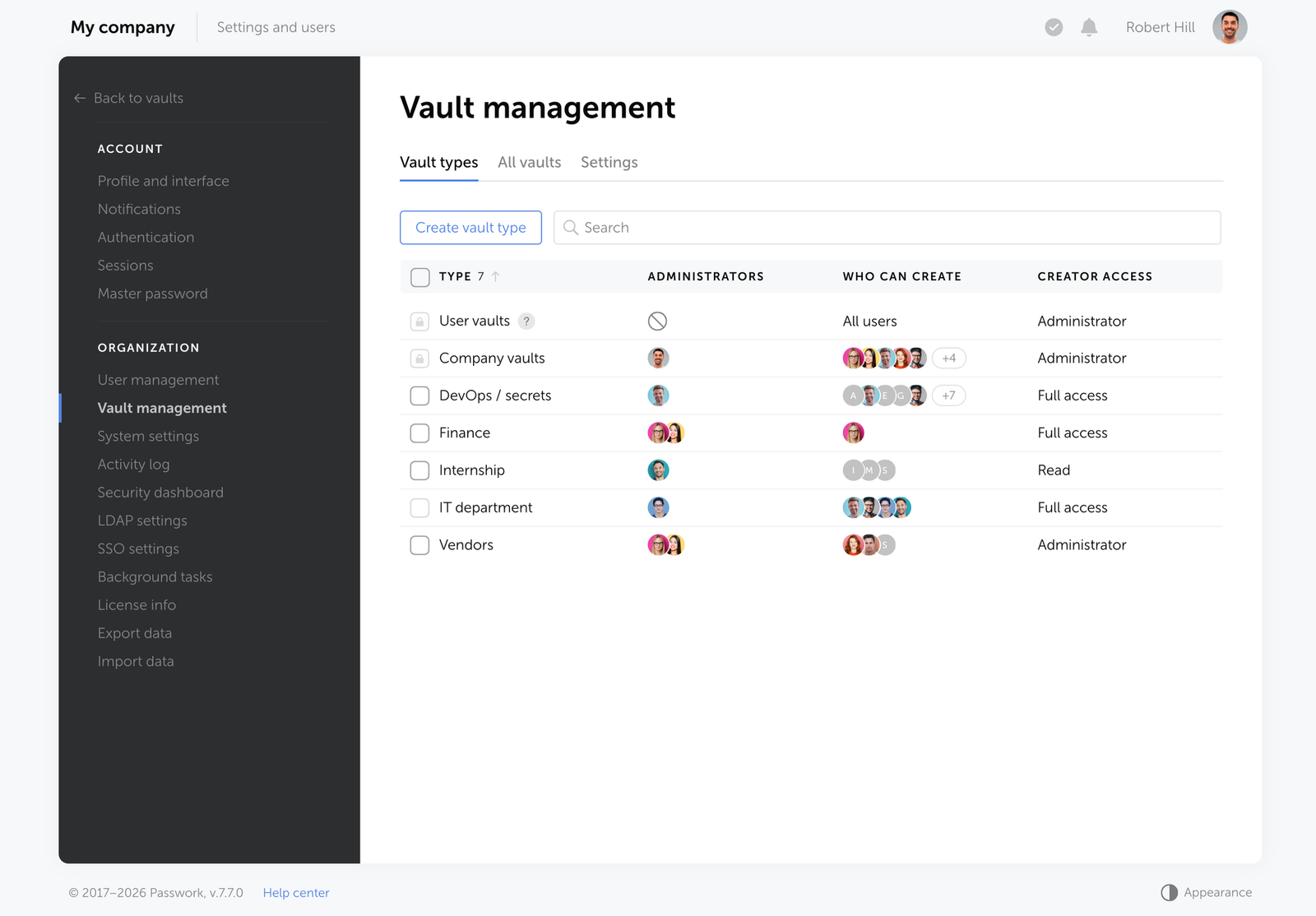
  • Week 3. The CRM vendor forces a password reset. The team lead updates the spreadsheet. Two developers miss the update entirely and spend the better part of a morning troubleshooting what they assume is an API issue. A release gets pushed.
  • Week 5. A senior engineer takes two weeks of leave. Three systems need access during that time. Someone finds a workaround: a second account gets created with admin rights. It won't be removed for four months.
  • Week 7. A developer leaves the company. HR notifies IT. IT disables the Active Directory account. Nobody checks which shared credentials the developer had access to — the staging environment, the AWS test account, the internal monitoring tool. All three remain accessible under those credentials.
  • Week 9. An IT audit flags the shared Google Drive spreadsheet as a compliance gap ahead of a SOC 2 review. The security team spends three days manually mapping who had access to which credentials, when, and whether any have been rotated since the last employee departure. Several haven't.
  • Week 10. A phishing attack compromises one employee's Google account. The attacker now has read access to the credential spreadsheet. The team doesn't know this for 19 days.

Most of the earlier events had a reasonable explanation: a contractor needed access, someone was on leave. Week 10 is where those explanations run out. It's also entirely predictable — every gap that accumulated over the previous nine weeks was still open when the attacker arrived.

The chaos doesn't build dramatically. It accumulates quietly, one workaround at a time.

CTA Image

Password chaos costs more than most teams realize. Passwork gives IT teams a structured vault with role-based access and a full audit log — deployed entirely within your own infrastructure. See how it works

Why traditional password policies are failing in 2026

Legacy password policies were designed for a different threat model. Mandatory 30-day rotation, complexity rules requiring symbols and numbers, and prohibition of reuse — these rules were well-intentioned, but they've been shown to increase risk rather than reduce it.

NIST's current guidelines (SP 800-63B) explicitly recommend against mandatory periodic password changes unless there's evidence of compromise. Forced rotation leads to predictable patterns: Password1! becomes Password2! on the next cycle. Users write passwords down. Reuse increases.

Old approach Current best practice (NIST SP 800-63B)
Mandatory rotation every 30–90 days Change only on evidence of compromise
Complexity rules (symbols, numbers, mixed case) Length over complexity; passphrases encouraged
Prohibit password reuse (last N passwords) Use breach-detection databases to flag compromised credentials
No visibility into who accessed what Full audit log with user-level activity tracking

The result of outdated policies: employees work around them, security weakens, and IT teams spend time enforcing rules that don't reduce actual risk.

How to fix password chaos for good: the 4-step blueprint

Fixing password chaos requires a structured approach and a deliberate change to how credentials are created, stored, shared, and revoked across the organization.

1. Audit your current credential landscape

Map every system, application, and shared account. Identify credentials stored outside a secure vault: spreadsheets, email threads, chat logs, browser-saved passwords. Quantify exposure before attempting to fix it.

2. Centralize into a secure vault

Move all credentials into a centralized password manager with encrypted storage. For organizations in regulated industries or with strict data residency requirements, an on-premise or self-hosted deployment keeps all data within the company perimeter — no third-party cloud dependency.

3. Enforce access control with RBAC

Role-based access control (RBAC) ensures that employees access only the credentials their role requires. When someone leaves the organization, access is revoked immediately — and the system flags all credentials they had access to for rotation.

4. Automate with MFA and integrations

Require multi-factor authentication (MFA) for vault access. Integrate with your existing directory service via LDAP or Active Directory to synchronize users and groups automatically. Use API access to embed credential management into CI/CD pipelines and DevOps workflows.

Why Passwork is the right fit for enterprise control

Passwork is an on-premise password manager built for businesses that require full control over their credential data. Every piece of data stays within the company's own infrastructure and getting your team up and running takes minutes, not weeks.

Why Passwork is the right fit for enterprise control

Creating and sharing passwords without the friction

Most credential chaos doesn't start with a breach. It starts with an employee pasting a password into Slack because there was no faster option. Passwork removes that temptation by making the secure path the easy one.

Storing passwords

Adding a password takes seconds: fill in the fields, attach tags or color labels for quick filtering, and save it to the relevant folder. he folder structure mirrors how teams actually work — organized by project, environment, department, or client. Employees find what they need through search or tags.

0:00
/0:25

Sharing access

Need to share access with a colleague or an entire team? Invite them to a shared folder — they get access to every credential inside it, at the permission level you define. For one-off cases, send a credential directly to another user.

0:00
/0:16

Onboarding and offboarding

When someone joins a project, add them to the vault or folder. When they leave the company, Passwork automatically flags every credential they had access to as potentially compromised and prompts the team to rotate them.

When they leave the company, Passwork automatically flags every credential

Access across devices and workflows

Browser extensions and mobile apps keep passwords accessible across devices — autofill handles the rest. For DevOps teams, the CLI and Python SDK bring the same access directly into terminal workflows and scripts.

The on-premise advantage

For organizations in finance, government, healthcare, and other regulated sectors, keeping credential data within the company perimeter is a hard requirement — not a preference. Passwork runs on the organization's own servers (Linux or Windows, with or without Docker), encrypted with AES-256 on both server and client sides. Zero-knowledge architecture means that even Passwork's own team cannot access your data.

Passwork eliminates that dependency entirely. The application runs on the organization's own servers (Linux or Windows, with or without Docker), encrypted with AES-256 on both server and client sides. Zero-knowledge architecture means that even Passwork's own team cannot access your data.

Key capabilities for IT and security teams

  • LDAP/AD integration and SAML SSO â€” synchronize users and groups from your directory service; authenticate through your existing identity provider.
  • Role-based access control â€” granular permissions at the user and group level; custom vault types with automatic administrator assignment.
  • Full audit log â€” every action within the system is logged and reportable, supporting SOC 2, ISO 27001, and internal security policy requirements.
  • Secrets management â€” store API keys, access tokens, database credentials, SSH keys, TLS certificates, and service account credentials alongside user passwords in a unified vault.
  • Password security dashboard â€” flags weak, reused, outdated, and compromised credentials across the entire organization.
  • Auditable source code â€” organizations can conduct their own security audit of the Passwork codebase to verify there are no vulnerabilities before deployment.

Passwork holds ISO/IEC 27001 certification, confirming a systematic, audited approach to information security management.

Conclusion

Conclusion

Password chaos is a financial and security liability — and an entirely preventable one. The $70 reset ticket, the $4.44 million breach, the audit that reveals no one knows who had access to what: none of these are inevitable. They're the predictable outcome of treating credentials as an afterthought.

The pattern is consistent across organizations of every size. Passwords get shared through the wrong channels. Policies get enforced inconsistently. Access accumulates over time and never gets cleaned up. Someone leaves, and no one rotates the credentials they touched. Each gap is small on its own. Together, they create the conditions for a breach — or a compliance failure that's just as costly.

The fix is a structural change: centralized storage, defined access, a full audit trail, and a process that makes the secure option the default one — not the inconvenient one.

Passwork is built to make that change straightforward. Whether you deploy on your own infrastructure or in the cloud, your team gets a structured vault, role-based access, and the visibility to know exactly who can reach what — before something goes wrong.

CTA Image

Ready to replace credential sprawl with structured control? Try Passwork on your own infrastructure — our team will assist with installation and configuration. Request a free demo

FAQ: taming the credential chaos

FAQ: taming the credential chaos

How do you manage passwords for a team without sharing them insecurely?

Use a centralized password manager with role-based access control. Each team member accesses only the credentials assigned to their role — no direct sharing required. Shared vaults with granular permissions replace spreadsheets and chat-based credential distribution. When someone leaves, their access is revoked and affected credentials are flagged for rotation automatically.

Is it safe to store business passwords in a browser?

No. Browser-stored passwords offer no access control, no audit trail, and no encryption beyond the browser's own security model. They sync across devices through cloud accounts that may not meet enterprise security standards. A browser compromise exposes every saved credential simultaneously.

What is credential stuffing and how does a password manager prevent it?

Credential stuffing is an attack where stolen username/password pairs from one breach are automatically tested against other services. It succeeds because of password reuse. A password manager generates and stores unique, strong credentials for every account, eliminating the reuse that makes credential stuffing effective. Combined with MFA, it removes the primary attack vector.

How does a password manager support GDPR and SOC 2 compliance?

A password manager with a full audit log, RBAC, and on-premise deployment directly supports compliance requirements. GDPR requires demonstrable control over who accesses personal data. SOC 2 requires evidence of access management and monitoring. An audit log with user-level activity tracking provides the documentation auditors need — and the visibility security teams need to act on anomalies.

What happens to shared credentials when an employee leaves?

In Passwork offboarding triggers an immediate access revocation. The system identifies all credentials the departing employee had access to and marks them as potentially compromised, prompting the team to rotate them. Without a centralized system, this process is manual, error-prone, and often incomplete.

Does a password manager eliminate the need for MFA?

No — and it shouldn't. A password manager secures credential storage and access; MFA secures authentication. They address different attack surfaces. A strong, unique password prevents credential stuffing; MFA prevents unauthorized access even when a password is compromised. The two controls are complementary, not interchangeable.

How long does it take to deploy a password manager across an organization?

A self-hosted solution like Passwork can be deployed on existing infrastructure — Linux or Windows, with or without Docker — in under an hour. LDAP and Active Directory integration synchronizes users and groups automatically, so there's no need to provision accounts manually. Most teams are fully operational within a day of deployment.

What is password reuse and why is it a major security risk?
Password reuse puts 88% of breaches at risk. Learn why using the same password across accounts is dangerous and how to break the habit today.
Passwork 7.6 release: Service accounts
The latest Passwork release adds service accounts with multi-token API support, saved filters, mobile web UI, and automatic Bin cleanup. See what changed.
Is NIS2 passwordless authentication required for compliance?
NIS2 Article 21(2)(j) mandates MFA “where appropriate” — not passwordless by default. Learn what ENISA guidance actually requires, how auditors evaluate your implementation, and how to build a defensible hybrid compliance posture for 2026.

Password chaos: Why it's a business problem and how to fix it

A forgotten password costs $70. A breach costs $4.44 million. Both start the same way — credentials shared over Slack, stored in spreadsheets, never rotated. Here's what password chaos actually costs and how to eliminate it.

Apr 9, 2026 â€” 10 min read
Ist passwortlose Authentifizierung fĂŒr NIS2-KonformitĂ€t erforderlich?

Einleitung

NIS2 Artikel 21(2)(j) schreibt MFA „wo angemessen" vor — passwortlose Authentifizierung wird nicht explizit gefordert. Allerdings empfiehlt ENISAs Leitfaden von 2025 nachdrĂŒcklich Phishing-resistente MFA, wodurch passwortlose Verfahren zum Standard fĂŒr die Compliance werden. Organisationen, die FIDO2 oder Passkeys einsetzen, sind bei Audits besser aufgestellt als solche, die auf SMS OTP oder veralteten reinen Passwort-Zugang setzen.

Die Frist fĂŒr formelle NIS2-Compliance-Audits rĂŒckt schnell nĂ€her. IdentitĂ€ts- und Zugangsverwaltung taucht regelmĂ€ĂŸig als einer der am genauesten geprĂŒften Bereiche auf — fehlende MFA, ĂŒberprivilegierte Accounts und unverwaltete Anmeldedaten sind die Kontrollen, die Auditoren zuerst prĂŒfen.

Sie prĂŒfen, ob Organisationen nachweisen können, dass Kontrollen kontinuierlich und verhĂ€ltnismĂ€ĂŸig ĂŒber alle Systeme hinweg funktionieren, einschließlich Legacy-Infrastruktur, die niemals FIDO2 unterstĂŒtzen wird.

Diese LĂŒcke zwischen moderner und Legacy-Authentifizierung ist der Punkt, an dem die meisten Organisationen exponiert sind.


Kernpunkte

  • NIS2 schreibt keine passwortlose Authentifizierung vor â€” es schreibt MFA „wo angemessen" gemĂ€ĂŸ Artikel 21(2)(j) vor.
  • ENISAs Leitfaden von 2025 positioniert Phishing-resistente MFA (FIDO2, Passkeys) als bevorzugte Implementierung.
  • „Wo angemessen" ist keine Schlupfloch â€” es bedeutet verpflichtend fĂŒr privilegierten Zugang, Remote-Zugang und sensible Systeme.
  • Legacy-Systeme, die FIDO2 nicht unterstĂŒtzen können, mĂŒssen durch kompensierende Kontrollen abgedeckt werden: zentralisierte Anmeldedatenverwaltung, ZugriffsĂŒberprĂŒfungen und dokumentierte Audit-Trails.
  • Auditoren verlangen Nachweise, nicht nur eingesetzte Kontrollen. Logs, ZugriffsĂŒberprĂŒfungen und Berichte zur Anmeldedatenhygiene sind das, was Audits besteht.

Artikel 21(2)(j) entschlĂŒsselt: Ist passwortlos verpflichtend?

NIS2 Artikel 21(2)(j) erfordert „die Verwendung von Multi-Faktor-Authentifizierung oder kontinuierlichen Authentifizierungslösungen
 wo angemessen." Eine bestimmte Technologie wird nicht vorgeschrieben. Passwortlose Authentifizierung wird nicht explizit gefordert — aber ENISAs technischer Leitfaden von 2025 identifiziert Phishing-resistente MFA als empfohlenen Standard, und Auditoren behandeln FIDO2 und Passkeys als Maßstab, an dem andere Implementierungen gemessen werden.

Der vollstĂ€ndige Text von Artikel 21 formuliert Sicherheitsanforderungen als ergebnisorientiert: Organisationen mĂŒssen „angemessene und verhĂ€ltnismĂ€ĂŸige technische, operative und organisatorische Maßnahmen" ergreifen, um Risiken zu managen. Die Richtlinie vermeidet bewusst die Vorschrift bestimmter Werkzeuge und ĂŒberlĂ€sst die Implementierung der Risikobewertung der jeweiligen Organisation.

„Die Verwendung von Multi-Faktor-Authentifizierung oder kontinuierlichen Authentifizierungslösungen, gesicherter Sprach-, Video- und Textkommunikation und gesicherter Notfallkommunikationssysteme innerhalb der Einrichtung, wo angemessen." — Artikel 21(2)(j), Richtlinie (EU) 2022/2555

Der Ausdruck „wo angemessen" hat in der Praxis eine spezifische Bedeutung. ENISAs technischer Implementierungsleitfaden interpretiert ihn durchgehend als verpflichtend fĂŒr:

  • Privilegierte und administrative Accounts (§11.3.2)
  • Remote-Zugang, VPN und internetexponierte Zugangspunkte (§11.4)
  • Zugang zu sensiblen Daten und kritischen Systemen, wobei die Authentifizierungsmethode der Klassifizierung des Assets entsprechen muss (§11.7.2)
  • Zugang von Dritten und Auftragnehmern — abgedeckt unter den Verpflichtungen zur Lieferkettensicherheit (Art. 21(2)(d))

FĂŒr Standardbenutzer auf risikoarmen Systemen gewĂ€hrt die VerhĂ€ltnismĂ€ĂŸigkeitsklausel Organisationen eine gewisse FlexibilitĂ€t, aber diese FlexibilitĂ€t muss in einer formellen Risikobewertung dokumentiert werden.

Die „VerhĂ€ltnismĂ€ĂŸigkeits"-Klausel: Legacy-Systeme in einer passwortlosen Welt verwalten

Die „VerhĂ€ltnismĂ€ĂŸigkeits

Die VerhĂ€ltnismĂ€ĂŸigkeitsanforderung in Artikel 21 ist das am meisten missverstandene Element der NIS2-Compliance und das praktisch wichtigste fĂŒr Organisationen mit gemischter Infrastruktur. VerhĂ€ltnismĂ€ĂŸig bedeutet nicht „optional". Es bedeutet, dass die Sicherheitsmaßnahme dem Risikoprofil des Systems, den darin enthaltenen Daten sowie der GrĂ¶ĂŸe und Exposition der Organisation entsprechen muss.

Das ist wichtig, weil viele Unternehmensumgebungen Systeme beinhalten, die FIDO2 oder Passkeys nicht unterstĂŒtzen können: Ă€ltere ERP-Plattformen, industrielle Steuerungssysteme, Legacy-Webanwendungen und On-Premises-Tools, die vor der Existenz von WebAuthn entwickelt wurden. Passwortlos auf diese Systeme zu erzwingen ist technisch unmöglich. Sie unkontrolliert zu lassen ist ein Compliance-Verstoß.

FĂŒr Legacy-Systeme erfordert der verhĂ€ltnismĂ€ĂŸige Ansatz:

  • Dokumentierte Risikobewertung â€” jedes Legacy-System nach Risikolevel formal klassifizieren und begrĂŒnden, warum eine vollstĂ€ndige passwortlose EinfĂŒhrung technisch nicht machbar ist
  • Kompensierende Kontrollen â€” starke Passwortrichtlinien (15+ Zeichen, keine Wiederverwendung, Rotation bei Kompromittierung), zentralisierte Anmeldedatenspeicherung und ZugriffsbeschrĂ€nkungen
  • ZugriffsĂŒberprĂŒfungen â€” regelmĂ€ĂŸige, dokumentierte ÜberprĂŒfungen, wer auf was Zugriff hat, mit Nachweisen, die fĂŒr Audits aufbewahrt werden
  • Audit-Trail â€” jeder Zugriff auf Anmeldedaten, jede Änderung und jedes Teilen-Ereignis wird protokolliert und ist abrufbar

Das SchlĂŒsselwort fĂŒr Auditoren ist „dokumentiert". Eine nicht dokumentierte kompensierende Kontrolle ist keine Kontrolle.

CTA Image

Die Verwaltung von Anmeldedaten ĂŒber Legacy- und moderne Systeme hinweg erfordert einen zentralisierten Ansatz. Passwork bietet strukturierte Tresore, rollenbasierten Zugriff und einen vollstĂ€ndigen Audit-Trail — und liefert Ihnen die dokumentierten Nachweise, die Auditoren fĂŒr jedes System in Ihrer Infrastruktur benötigen. So funktioniert es

Phishing-resistente MFA: Warum passwortlos der Favorit der Auditoren ist

Phishing-resistente MFA — hauptsĂ€chlich FIDO2/WebAuthn Hardware-Keys und gerĂ€tegebundene Passkeys — ist die Implementierung, die Auditoren bevorzugen, weil sie das Problem des geteilten Geheimnisses vollstĂ€ndig eliminiert. Im Gegensatz zu SMS OTP oder TOTP-Codes sind FIDO2-Anmeldedaten kryptografisch an die Ursprungsdomain gebunden, was Echtzeit-Phishing-Proxy-Angriffe technisch unmöglich macht.

Die Unterscheidung ist operativ relevant. SMS OTPs sind anfĂ€llig fĂŒr SIM-Swapping und SS7-Interception. TOTP-Codes können von Adversary-in-the-Middle-Proxies abgefangen werden. Push-Benachrichtigungen sind anfĂ€llig fĂŒr MFA-Fatigue-Angriffe — bei denen Benutzer Anfragen genehmigen, nur um die Benachrichtigungen zu stoppen. Keine dieser Angriffsklassen funktioniert gegen FIDO2.

MFA-Methode NIS2-Status Warum
FIDO2 / WebAuthn Hardware-Keys ✅ Bevorzugt Phishing-resistent; kryptografisch an Ursprung gebunden
Passkeys (gerĂ€tegebunden) ✅ Bevorzugt Phishing-resistent; kein geteiltes Geheimnis wird ĂŒbertragen
TOTP Authenticator-Apps ⚠ Bedingt Akzeptabel fĂŒr Standardbenutzer; unzureichend fĂŒr privilegierten Zugang
Push-Benachrichtigungen (mit Nummernabgleich) ⚠ Bedingt Reduziert MFA-Fatigue; weiterhin anfĂ€llig fĂŒr Social Engineering
SMS OTP ❌ Nicht empfohlen AnfĂ€llig fĂŒr SIM-Swapping, SS7-Angriffe, Echtzeit-Phishing
E-Mail OTP ❌ Nicht empfohlen AbhĂ€ngig von E-Mail-Account-Sicherheit; kein separater Faktor

Passkeys gewinnen rapide an Bedeutung: 92 % der Organisationen planen laut dem 2026 CISO Perspectives Report (Portnox) die EinfĂŒhrung passwortloser Authentifizierung im Jahr 2026. Auditoren, die 2026 die NIS2-Compliance ĂŒberprĂŒfen, verwenden diese Entwicklung als Maßstab. Organisationen, die fĂŒr privilegierten Zugang ausschließlich auf SMS MFA setzen, werden mit Fragen konfrontiert, die sie nicht leicht beantworten können.

MFA-Fatigue

MFA-Fatigue ist eine Social-Engineering-Technik: Ein Angreifer löst wiederholt Push-Authentifizierungsanfragen aus, bis der Benutzer eine genehmigt. Es erfordert keine Malware und keinen Diebstahl von Anmeldedaten — nur einen abgelenkten Administrator und eine schlecht konfigurierte Eingabeaufforderung. Aufsehenerregende Sicherheitsverletzungen bei Uber und Cisco nutzten beide Push-Fatigue als initialen Zugriffsvektor.

MFA-Fatigue ist ein reales operatives Problem im Kontext von NIS2-Audits. Organisationen, die Push-basierte MFA ohne Nummernabgleich einsetzen oder MFA inkonsistent ĂŒber Systeme hinweg anwenden, schaffen sowohl SicherheitslĂŒcken als auch Benutzer-Widerstand. Die Lösung ist der Einsatz Phishing-resistenter Methoden, die ĂŒberhaupt keine Benutzerentscheidung erfordern.

FIDO2 und Passkeys eliminieren die menschliche Entscheidung vollstĂ€ndig — die Authentifizierung ist kryptografisch an die legitime Domain gebunden, ohne etwas zu genehmigen und ohne etwas, das durch Social Engineering manipuliert werden könnte.

Die hybride Compliance-Strategie mit Passwork

Die meisten Unternehmensumgebungen werden vor dem Audit-Zyklus keine 100-prozentige passwortlose Abdeckung erreichen. Die realistische Compliance-Position ist hybrid: passwortlos, wo technisch machbar, streng kontrollierte Passwortverwaltung ĂŒberall sonst. Die kritische Anforderung ist, dass das â€žĂŒberall sonst" dokumentiert, auditierbar und nachweislich verwaltet wird.

Hier wird ein unternehmensweiter Passwort-Manager zu einer Compliance-Kontrolle und nicht nur zu einem Convenience-Tool. Systeme, die FIDO2 nicht unterstĂŒtzen können, benötigen weiterhin Anmeldedaten — und diese Anmeldedaten mĂŒssen sicher gespeichert, zugangskontrolliert, bei Kompromittierung rotiert und vollstĂ€ndig auditierbar sein.

Die hybride Compliance-Strategie: Die LĂŒcke mit Passwork schließen

Passwork adressiert die hybride Compliance-LĂŒcke durch vier spezifische Funktionen:

  1. Passwortlose Authentifizierung â€” der Zugang zum Tresor selbst kann ĂŒber Biometrie, Passkeys oder Hardware-SicherheitsschlĂŒssel (einschließlich YubiKey und andere WebAuthn-kompatible GerĂ€te) gesichert werden, wodurch das Passwort als schwĂ€chstes Glied am Einstiegspunkt eliminiert wird
  2. Zentralisierte Anmeldedatenverwaltung â€” alle Passwörter fĂŒr Legacy-Systeme, Service-Accounts, API-Keys und gemeinsam genutzte Anmeldedaten werden in verschlĂŒsselten Tresoren gespeichert, niemals in Tabellen oder gemeinsamen PosteingĂ€ngen
  3. Rollenbasierte Zugriffskontrolle â€” granulare Berechtigungen stellen sicher, dass jeder Benutzer nur auf die Anmeldedaten zugreift, die seine Rolle erfordert; ĂŒberprivilegierte Accounts werden strukturell verhindert
  4. VollstĂ€ndiger Audit-Trail â€” jeder Zugriff auf Anmeldedaten, jede Änderung, jedes Teilen-Ereignis und jeder fehlgeschlagene Anmeldeversuch wird mit Zeitstempel und Benutzerzuordnung protokolliert und liefert die dokumentierten Nachweise, die Auditoren benötigen
  5. ZugriffsĂŒberprĂŒfungen â€” periodische ÜberprĂŒfungen des Tresor-Zugangs können durchgefĂŒhrt und exportiert werden, um die Anforderung von Artikel 21(2)(i) nach dokumentierten Zugriffskontrollrichtlinien zu erfĂŒllen

FĂŒr Organisationen, die Active Directory- oder LDAP-Umgebungen betreiben, integriert sich Passwork direkt — das bedeutet, dass Benutzerbereitstellung und -deprovisionierung durch die bestehende IdentitĂ€tsinfrastruktur fließen, anstatt eine parallele Verwaltungsbelastung zu schaffen.

CTA Image

Passwork ist als Self-Hosted-Lösung mit voller Kontrolle ĂŒber Ihre Daten verfĂŒgbar — keine AbhĂ€ngigkeit von Drittanbieter-Clouds, keine Daten verlassen Ihren Perimeter. Deployment-Optionen erkunden

5 Schritte zur NIS2-Authentifizierungs-Compliance 2026

NIS2 erfordert Maßnahmen, die dem Risiko angemessen sind. In der Praxis bedeutet das, dass Auditoren nicht bewerten, ob Sie MFA haben, sondern ob Ihre MFA-Implementierung dem Bedrohungsmodell standhĂ€lt. Die folgenden fĂŒnf Schritte ĂŒbersetzen diese Anforderung in eine konkrete Handlungssequenz, geordnet nach Audit-PrioritĂ€t.

  1. Erfassen Sie Ihre AuthentifizierungsoberflĂ€che. Inventarisieren Sie jedes System, jede Anwendung und jeden Zugangspunkt nach der aktuell verwendeten Authentifizierungsmethode. Klassifizieren Sie jeweils nach Risikolevel: privilegierter Zugang, Remote-Zugang, sensible Daten, Standard intern. Dieses Inventar ist die Grundlage Ihrer VerhĂ€ltnismĂ€ĂŸigkeitsargumentation.
  2. Setzen Sie Phishing-resistente MFA zuerst auf Hochrisiko-Zugangspunkten ein. Priorisieren Sie FIDO2/WebAuthn Hardware-Keys oder Passkeys fĂŒr privilegierte Accounts, Remote-Zugang und sensible Systeme. Hier schauen Auditoren zuerst hin und hier ist das Risiko am höchsten. TOTP ist als Übergangsmaßnahme fĂŒr Standardbenutzer akzeptabel, wĂ€hrend der Rollout fortgesetzt wird.
  3. Implementieren Sie einen zentralisierten Passwort-Manager fĂŒr Legacy-Systeme. Jedes System, das passwortlose Authentifizierung nicht unterstĂŒtzen kann, muss seine Anmeldedaten in einem strukturierten Tresor mit rollenbasiertem Zugriff und vollstĂ€ndigem Audit-Log verwaltet haben. Anmeldedaten in Tabellen, gemeinsamen PosteingĂ€ngen oder Klartextdateien sind ein sofortiger Audit-Fehler.
  4. Dokumentieren Sie Ihre Risikobewertungen und kompensierenden Kontrollen. Erstellen Sie fĂŒr jedes System, bei dem passwortlos technisch nicht machbar ist, eine schriftliche Risikobewertung, die erklĂ€rt, warum und welche kompensierenden Kontrollen vorhanden sind. Diese Dokumentation ist das, was Auditoren ĂŒberprĂŒfen — nicht nur die Kontrollen selbst.
  5. Etablieren und belegen Sie periodische ZugriffsĂŒberprĂŒfungen. Planen Sie vierteljĂ€hrliche ZugriffsĂŒberprĂŒfungen fĂŒr privilegierte Accounts und halbjĂ€hrliche ÜberprĂŒfungen fĂŒr Standard-Accounts. Exportieren und bewahren Sie die ÜberprĂŒfungsaufzeichnungen auf. Artikel 21(2)(i) erfordert dokumentierte Zugriffskontrollrichtlinien — „wir ĂŒberprĂŒfen den Zugriff" ist ohne Aufzeichnungen, die beweisen, dass es stattgefunden hat, nicht ausreichend.

Fazit

Fazit

NIS2-Compliance bei der Authentifizierung ist eine Risikomanagement-Übung, keine Technologie-Checkliste. Die Richtlinie erfordert, dass Organisationen verhĂ€ltnismĂ€ĂŸige, dokumentierte Entscheidungen darĂŒber treffen, wie sie den Zugang zu jedem System in ihrer Umgebung sichern. FĂŒr Hochrisiko-Zugangspunkte ist Phishing-resistente MFA der erwartete Standard. FĂŒr Legacy-Systeme, die sie nicht unterstĂŒtzen können, sind dokumentierte kompensierende Kontrollen die Anforderung.

Die Organisationen, die 2026 VorabprĂŒfungen nicht bestehen, scheitern nicht, weil ihnen Kontrollen fehlen. Sie scheitern, weil sie keine Nachweise vorlegen können, dass diese Kontrollen konsistent funktionieren: Zugriffsprotokolle, ZugriffsĂŒberprĂŒfungsaufzeichnungen, Berichte zur Anmeldedatenhygiene und dokumentierte Risikobewertungen.

Passwork liefert genau diese Nachweisebene: strukturierte Tresore, rollenbasierten Zugriff, vollstĂ€ndige Audit-Logs und ZugriffsĂŒberprĂŒfungs-Exporte, die Auditoren das geben, was sie brauchen. In Kombination mit Phishing-resistenter MFA auf Ihren Hochrisiko-Zugangspunkten ist dies das, was eine vertretbare hybride Compliance-Position ausmacht.

CTA Image

Bereit, die LĂŒcke in der Anmeldedatenverwaltung vor Ihrem NIS2-Audit zu schließen? Passwork gibt Ihrem Team zentralisierte Anmeldedatenkontrolle, einen vollstĂ€ndigen Audit-Trail und Self-Hosted-Deployment — alle dokumentierten Nachweise, die Auditoren benötigen. Passwork in Ihrer Infrastruktur testen

FAQ: HĂ€ufige Fragen zur NIS2-Authentifizierung

FAQ: HĂ€ufige Fragen zur NIS2-Authentifizierung

Erfordert NIS2 MFA fĂŒr interne Systeme?

Artikel 21(2)(j) erfordert MFA „wo angemessen". ENISA-Leitlinien und nationale Umsetzungen interpretieren dies durchgehend als verpflichtend fĂŒr privilegierte Accounts und Remote-Zugang, unabhĂ€ngig davon, ob der Zugang intern oder extern ist. FĂŒr Standardbenutzer auf risikoarmen Systemen gilt VerhĂ€ltnismĂ€ĂŸigkeit — aber die Entscheidung muss in einer formellen Risikobewertung dokumentiert werden, nicht angenommen.

Welche Bußgelder drohen bei nicht-konformer MFA unter NIS2?

Wesentliche Einrichtungen riskieren Bußgelder von bis zu 10 Millionen Euro oder 2 % des weltweiten Jahresumsatzes, je nachdem, welcher Betrag höher ist. Wichtige Einrichtungen riskieren bis zu 7 Millionen Euro oder 1,4 % des weltweiten Jahresumsatzes. Über regulatorische Bußgelder hinaus erreichten die durchschnittlichen Kosten einer Datenschutzverletzung in den USA 2025 10,22 Millionen Dollar (IBM Cost of a Data Breach Report 2025) — Anmeldedatenkontrollen kosten einen Bruchteil beider BetrĂ€ge.

Können wir SMS MFA fĂŒr die NIS2-Compliance verwenden?

SMS OTP wird unter NIS2 fĂŒr privilegierten Zugang oder sensible Systeme nicht empfohlen. Es ist anfĂ€llig fĂŒr SIM-Swapping, SS7-Angriffe und Echtzeit-Phishing-Proxies. Die ENISA-Leitlinien stimmen mit NIST SP 800-63B ĂŒberein, das SMS als eingeschrĂ€nkten Authentifikator klassifiziert. FĂŒr Standardbenutzer in risikoarmen Kontexten kann SMS als Übergangsmaßnahme akzeptabel sein — aber es sollte nicht der Endpunkt Ihrer MFA-Strategie sein und wird bei Audits genau geprĂŒft.

Was gilt als „Phishing-resistente" MFA unter NIS2?

Phishing-resistente MFA bedeutet Authentifizierungsmethoden, bei denen die Anmeldedaten nicht von einem Angreifer in Echtzeit abgefangen und wiedergegeben werden können. FIDO2/WebAuthn Hardware-SicherheitsschlĂŒssel und gerĂ€tegebundene Passkeys erfĂŒllen diese Definition — sie verwenden Public-Key-Kryptografie, die an die Ursprungsdomain gebunden ist. TOTP-Codes, SMS OTPs und Push-Benachrichtigungen erfĂŒllen diesen Standard nicht, da sie einen Wert ĂŒbertragen oder anzeigen, der von einem Angreifer erfasst und verwendet werden kann.

Wie handhaben wir NIS2 MFA fĂŒr Service-Accounts und API-Keys?

Service-Accounts und API-Keys sind ein hĂ€ufiger Audit-Fehlerpunkt — sie haben oft erhöhte Berechtigungen und keine MFA, weil sie nicht-interaktiv sind. NIS2-Compliance fĂŒr diese Accounts erfordert zentralisierte Speicherung in einem verschlĂŒsselten Tresor mit Zugriffskontrollen und Audit-Logging, regelmĂ€ĂŸige Rotation ausgelöst durch Risikobewertung oder Kompromittierungserkennung sowie dokumentierte EigentĂŒmerschaft. Jede Service-Anmeldedaten sollte einen benannten EigentĂŒmer haben, der fĂŒr ihren Lebenszyklus verantwortlich ist.

NIS2-Passwortanforderungen: Was europĂ€ische Unternehmen 2026 tun mĂŒssen
LĂŒcken bei Anmeldedaten sind der fĂŒhrende Punkt fĂŒr NIS2-Audit-Versagen 2026. Dieser Leitfaden behandelt die Passwortanforderungen nach Artikel 21, die Angleichung an NIST SP 800-63B, AD-HĂ€rtungsschritte und die Audit-Nachweise, die Regulierungsbehörden zuerst anfordern.
PrĂ€vention von Datenschutzverletzungen fĂŒr Unternehmen: Über den einfachen Virenschutz hinaus
82 % der Angriffe 2026 sind malwarefrei — Virenschutz wird sie nicht abfangen. Dieser Leitfaden behandelt eine 7-Schichten-Verteidigungsstrategie fĂŒr Anmeldedatendiebstahl, Lateral Movement und Lieferkettenangriffe.
Passwork 7.6 Release: Service-Accounts
Die neueste Passwork-Version fĂŒgt Service-Accounts mit Multi-Token-API-UnterstĂŒtzung, gespeicherte Filter, mobile Web-UI und automatische Papierkorb-Bereinigung hinzu. Sehen Sie, was sich geĂ€ndert hat.

Ist passwortlose Authentifizierung fĂŒr NIS2-KonformitĂ€t erforderlich?

NIS2 Artikel 21(2)(j) schreibt MFA „wo angemessen" vor — nicht standardmĂ€ĂŸig passwortlos. Erfahren Sie, was die ENISA-Richtlinien tatsĂ€chlich fordern, wie PrĂŒfer Ihre Implementierung bewerten und wie Sie eine verteidigungsfĂ€hige hybride Compliance-Strategie fĂŒr 2026 aufbauen.

Apr 9, 2026 â€” 12 min read
¿Es obligatoria la autenticación sin contraseña de NIS2 para el cumplimiento?

IntroducciĂłn

El ArtĂ­culo 21(2)(j) de NIS2 exige MFA «cuando proceda» — no requiere explĂ­citamente la autenticaciĂłn sin contraseña. Sin embargo, la guĂ­a de ENISA de 2025 recomienda encarecidamente MFA resistente al phishing, convirtiendo la autenticaciĂłn sin contraseña en el estĂĄndar para el cumplimiento. Las organizaciones que implementan FIDO2 o passkeys estĂĄn mejor posicionadas para las auditorĂ­as que aquellas que dependen de SMS OTP o del acceso heredado solo con contraseña.

La fecha límite para las auditorías formales de cumplimiento de NIS2 se acerca rápidamente. La gestión de identidades y accesos surge constantemente como una de las áreas más examinadas — la falta de MFA, las cuentas con privilegios excesivos y las credenciales no gestionadas son los controles que los auditores verifican primero.

Los auditores verifican si las organizaciones pueden demostrar que los controles operan de forma continua y proporcionada en todos los sistemas, incluida la infraestructura heredada que nunca admitirĂĄ FIDO2.

Esa brecha entre la autenticaciĂłn moderna y heredada es donde la mayorĂ­a de las organizaciones estĂĄn expuestas.


Puntos clave

  • NIS2 no exige la autenticaciĂłn sin contraseña â€” exige MFA «cuando proceda» segĂșn el ArtĂ­culo 21(2)(j).
  • La guĂ­a de ENISA de 2025 posiciona el MFA resistente al phishing (FIDO2, passkeys) como la implementaciĂłn preferida.
  • «Cuando proceda» no es una laguna legal â€” significa obligatorio para el acceso privilegiado, el acceso remoto y los sistemas sensibles.
  • Los sistemas heredados que no pueden soportar FIDO2 deben estar cubiertos por controles compensatorios: gestiĂłn centralizada de credenciales, revisiones de acceso y registros de auditorĂ­a documentados.
  • Los auditores exigen evidencia, no solo controles implementados. Los registros, las revisiones de acceso y los informes de higiene de credenciales son lo que aprueba las auditorĂ­as.

Decodificando el Artículo 21(2)(j): ¿Es obligatoria la autenticación sin contraseña?

El ArtĂ­culo 21(2)(j) de NIS2 requiere «el uso de autenticaciĂłn multifactor o soluciones de autenticaciĂłn continua
 cuando proceda.» No prescribe una tecnologĂ­a especĂ­fica. La autenticaciĂłn sin contraseña no se exige explĂ­citamente — pero la guĂ­a tĂ©cnica de ENISA de 2025 identifica el MFA resistente al phishing como el estĂĄndar recomendado, y los auditores tratan FIDO2 y passkeys como el punto de referencia contra el cual se miden otras implementaciones.

El texto completo del Artículo 21 enmarca los requisitos de seguridad como basados en resultados: las organizaciones deben tomar «medidas técnicas, operativas y organizativas apropiadas y proporcionadas» para gestionar el riesgo. La directiva evita deliberadamente prescribir herramientas específicas, dejando la implementación a la evaluación de riesgos de la entidad.

«El uso de autenticaciĂłn multifactor o soluciones de autenticaciĂłn continua, comunicaciones de voz, vĂ­deo y texto seguras y sistemas de comunicaciones de emergencia seguros dentro de la entidad, cuando proceda.» — ArtĂ­culo 21(2)(j), Directiva (UE) 2022/2555

La frase «cuando proceda» tiene un significado específico en la pråctica. La Guía de Implementación Técnica de ENISA la interpreta consistentemente como obligatoria para:

  • Cuentas privilegiadas y administrativas (§11.3.2)
  • Acceso remoto, VPN y puntos de entrada con conexiĂłn a Internet (§11.4)
  • Acceso a datos sensibles y sistemas crĂ­ticos, donde el mĂ©todo de autenticaciĂłn debe coincidir con la clasificaciĂłn del activo (§11.7.2)
  • Acceso de terceros y contratistas — cubierto bajo las obligaciones de seguridad de la cadena de suministro (Art. 21(2)(d))

Para usuarios internos estĂĄndar en sistemas de bajo riesgo, la clĂĄusula de proporcionalidad otorga cierta flexibilidad a las organizaciones, pero esa flexibilidad debe documentarse en una evaluaciĂłn de riesgos formal.

La clåusula de «proporcionalidad»: Gestión de sistemas heredados en un mundo sin contraseñas

La clåusula de «proporcionalidad»: Gestión de sistemas heredados en un mundo sin contraseñas

El requisito de proporcionalidad en el Artículo 21 es el elemento mås malinterpretado del cumplimiento de NIS2 y el mås pråcticamente importante para las organizaciones que operan infraestructura mixta. Proporcionado no significa «opcional». Significa que la medida de seguridad debe coincidir con el perfil de riesgo del sistema, los datos que contiene y el tamaño y exposición de la entidad.

Esto importa porque muchos entornos empresariales incluyen sistemas que no pueden soportar FIDO2 o passkeys: plataformas ERP antiguas, sistemas de control industrial, aplicaciones web heredadas y herramientas locales construidas antes de que existiera WebAuthn. Forzar la autenticación sin contraseña en estos sistemas es técnicamente imposible. Dejarlos sin control es un fallo de cumplimiento.

Para sistemas heredados, el enfoque proporcionado requiere:

  • EvaluaciĂłn de riesgos documentada â€” clasificar formalmente cada sistema heredado por nivel de riesgo y justificar por quĂ© la adopciĂłn completa de autenticaciĂłn sin contraseña no es tĂ©cnicamente factible
  • Controles compensatorios â€” polĂ­ticas de contraseñas robustas (mĂĄs de 15 caracteres, sin reutilizaciĂłn, rotaciĂłn activada por compromiso), almacenamiento centralizado de credenciales y restricciones de acceso
  • Revisiones de acceso â€” revisiones periĂłdicas y documentadas de quiĂ©n tiene acceso a quĂ©, con evidencia conservada para auditorĂ­a
  • Registro de auditorĂ­a â€” cada acceso a credenciales, cambio y evento de comparticiĂłn registrado y recuperable

La palabra clave para los auditores es «documentado». Un control compensatorio no documentado no es un control.

CTA Image

Gestionar credenciales en sistemas heredados y modernos requiere un enfoque centralizado. Passwork proporciona bóvedas estructuradas, control de acceso basado en roles y un registro de auditoría completo — brindando la evidencia documentada que los auditores requieren para cada sistema en su infraestructura. Vea cómo funciona

MFA resistente al phishing: Por qué la autenticación sin contraseña es la favorita del auditor

El MFA resistente al phishing — principalmente llaves de hardware FIDO2/WebAuthn y passkeys vinculados al dispositivo — es la implementaciĂłn que prefieren los auditores porque elimina por completo el problema del secreto compartido. A diferencia de SMS OTP o cĂłdigos TOTP, las credenciales FIDO2 estĂĄn criptogrĂĄficamente vinculadas al dominio de origen, haciendo tĂ©cnicamente imposibles los ataques de proxy de phishing en tiempo real.

La distinción importa operativamente. Los SMS OTP son vulnerables al intercambio de SIM y la interceptación SS7. Los códigos TOTP pueden ser interceptados por proxies de adversario en el medio. Las notificaciones push son susceptibles a ataques de fatiga de MFA — donde los usuarios aprueban solicitudes simplemente para detener las notificaciones. Ninguna de estas clases de ataque funciona contra FIDO2.

Método MFA Estado NIS2 Por qué
Llaves de hardware FIDO2 / WebAuthn ✅ Preferido Resistente al phishing; criptográficamente vinculado al origen
Passkeys (vinculados al dispositivo) ✅ Preferido Resistente al phishing; sin secreto compartido transmitido
Aplicaciones de autenticaciĂłn TOTP ⚠ Condicional Aceptable para usuarios estĂĄndar; insuficiente para acceso privilegiado
Notificaciones push (con coincidencia de nĂșmeros) ⚠ Condicional Reduce la fatiga de MFA; aĂșn susceptible a ingenierĂ­a social
SMS OTP ❌ No recomendado Vulnerable al intercambio de SIM, ataques SS7, phishing en tiempo real
Email OTP ❌ No recomendado Depende de la seguridad de la cuenta de correo; no es un factor separado

Los passkeys estĂĄn ganando tracciĂłn rĂĄpidamente: el 92% de las organizaciones planea adoptar la autenticaciĂłn sin contraseña en 2026 segĂșn el Informe de Perspectivas CISO 2026 (Portnox). Los auditores que revisan el cumplimiento de NIS2 en 2026 estĂĄn utilizando esta trayectoria como punto de referencia. Las organizaciones que aĂșn dependen exclusivamente de SMS MFA para el acceso privilegiado enfrentarĂĄn preguntas que no pueden responder fĂĄcilmente.

Fatiga de MFA

La fatiga de MFA es una tĂ©cnica de ingenierĂ­a social: un atacante activa repetidamente solicitudes de autenticaciĂłn push hasta que el usuario aprueba una. No requiere malware ni robo de credenciales — solo un administrador distraĂ­do y un aviso mal configurado. Las brechas de alto perfil en Uber y Cisco utilizaron la fatiga push como vector de acceso inicial.

La fatiga de MFA es una preocupaciĂłn operativa real en los contextos de auditorĂ­a de NIS2. Las organizaciones que implementan MFA basado en push sin coincidencia de nĂșmeros, o que aplican MFA de manera inconsistente entre sistemas, crean tanto brechas de seguridad como resistencia del usuario. La soluciĂłn es implementar mĂ©todos resistentes al phishing que no requieran ninguna decisiĂłn del usuario.

FIDO2 y passkeys eliminan completamente la decisiĂłn humana — la autenticaciĂłn estĂĄ criptogrĂĄficamente vinculada al dominio legĂ­timo, sin nada que aprobar y nada que manipular mediante ingenierĂ­a social

La estrategia de cumplimiento hĂ­brida con Passwork

La mayoría de los entornos empresariales no lograrån una cobertura 100% sin contraseña antes del ciclo de auditoría. La postura de cumplimiento realista es híbrida: sin contraseña donde sea técnicamente factible, gestión de contraseñas estrictamente controlada en todo lo demås. El requisito crítico es que ese «todo lo demås» esté documentado, sea auditable y esté demostrablemente gestionado.

AquĂ­ es donde un gestor de contraseñas corporativo se convierte en un control de cumplimiento, no solo en una herramienta de conveniencia. Los sistemas que no pueden soportar FIDO2 aĂșn requieren credenciales — y esas credenciales deben almacenarse de forma segura, con control de acceso, rotarse ante compromiso y ser completamente auditables.

La estrategia de cumplimiento hĂ­brida: Cerrando la brecha con Passwork

Passwork aborda la brecha de cumplimiento híbrido a través de cuatro capacidades específicas:

  1. AutenticaciĂłn sin contraseña â€” el acceso a la propia bĂłveda puede asegurarse mediante biometrĂ­a, passkeys o llaves de seguridad de hardware (incluyendo YubiKey y otros dispositivos compatibles con WebAuthn), eliminando la contraseña como el eslabĂłn mĂĄs dĂ©bil en el punto de entrada
  2. GestiĂłn centralizada de credenciales â€” todas las contraseñas para sistemas heredados, cuentas de servicio, claves API y credenciales compartidas almacenadas en bĂłvedas cifradas, nunca en hojas de cĂĄlculo o bandejas de entrada compartidas
  3. Control de acceso basado en roles â€” los permisos granulares aseguran que cada usuario acceda solo a las credenciales que su rol requiere; las cuentas con privilegios excesivos se previenen estructuralmente
  4. Registro de auditorĂ­a completo â€” cada acceso a credenciales, modificaciĂłn, evento de comparticiĂłn e intento de inicio de sesiĂłn fallido se registra con marcas de tiempo y atribuciĂłn de usuario, proporcionando la evidencia documentada que los auditores requieren
  5. Revisiones de acceso â€” se pueden realizar y exportar revisiones periĂłdicas del acceso a la bĂłveda, satisfaciendo el requisito del ArtĂ­culo 21(2)(i) para polĂ­ticas de control de acceso documentadas

Para organizaciones que ejecutan entornos Active Directory o LDAP, Passwork se integra directamente — lo que significa que el aprovisionamiento y desaprovisionamiento de usuarios fluye a travĂ©s de la infraestructura de identidad existente en lugar de crear una carga de gestiĂłn paralela.

CTA Image

Passwork está disponible como solución autoalojada con control total sobre sus datos — sin dependencia de nube de terceros, sin datos que salgan de su perímetro. Explore las opciones de implementación

5 pasos para el cumplimiento de autenticaciĂłn NIS2 en 2026

NIS2 requiere medidas proporcionadas al riesgo. En la prĂĄctica, eso significa que los auditores evaluarĂĄn no si tiene MFA, sino si su implementaciĂłn de MFA resiste el modelo de amenazas. Los siguientes cinco pasos traducen ese requisito en una secuencia de acciones concreta, ordenada por prioridad de auditorĂ­a.

  1. Mapee su superficie de autenticación. Haga un inventario de cada sistema, aplicación y punto de acceso por método de autenticación actualmente en uso. Clasifique cada uno por nivel de riesgo: acceso privilegiado, acceso remoto, datos sensibles, interno eståndar. Este inventario es la base de su argumento de proporcionalidad.
  2. Implemente MFA resistente al phishing en los puntos de acceso de alto riesgo primero. Priorice las llaves de hardware FIDO2/WebAuthn o passkeys para cuentas privilegiadas, acceso remoto y sistemas sensibles. AquĂ­ es donde los auditores miran primero y donde el riesgo es mayor. TOTP es aceptable como medida provisional para usuarios estĂĄndar mientras continĂșa el despliegue.
  3. Implemente un gestor de contraseñas centralizado para sistemas heredados. Cada sistema que no puede soportar autenticación sin contraseña debe tener sus credenciales gestionadas en una bóveda estructurada con acceso basado en roles y un registro de auditoría completo. Las credenciales en hojas de cålculo, bandejas de entrada compartidas o archivos de texto plano son un fallo de auditoría inmediato.
  4. Documente sus evaluaciones de riesgos y controles compensatorios. Para cada sistema donde la autenticaciĂłn sin contraseña no es tĂ©cnicamente factible, produzca una evaluaciĂłn de riesgos escrita explicando por quĂ© y quĂ© controles compensatorios estĂĄn implementados. Esta documentaciĂłn es lo que revisan los auditores — no solo los controles en sĂ­.
  5. Establezca y evidencie revisiones de acceso periĂłdicas. Programe revisiones de acceso trimestrales para cuentas privilegiadas y revisiones semestrales para cuentas estĂĄndar. Exporte y conserve los registros de revisiĂłn. El ArtĂ­culo 21(2)(i) requiere polĂ­ticas de control de acceso documentadas — «revisamos el acceso» no es suficiente sin registros que demuestren que sucediĂł.

ConclusiĂłn

ConclusiĂłn

El cumplimiento de NIS2 en autenticaciĂłn es un ejercicio de gestiĂłn de riesgos, no una lista de verificaciĂłn tecnolĂłgica. La directiva requiere que las organizaciones tomen decisiones proporcionadas y documentadas sobre cĂłmo aseguran el acceso a cada sistema en su entorno. Para puntos de acceso de alto riesgo, el MFA resistente al phishing es el estĂĄndar esperado. Para sistemas heredados que no pueden soportarlo, los controles compensatorios documentados son el requisito.

Las organizaciones que estĂĄn fallando las pre-auditorĂ­as en 2026 no estĂĄn fallando porque carecen de controles. EstĂĄn fallando porque no pueden producir evidencia de que esos controles operan de manera consistente: registros de acceso, registros de revisiĂłn de acceso, informes de higiene de credenciales y evaluaciones de riesgos documentadas.

Passwork proporciona exactamente esa capa de evidencia: bĂłvedas estructuradas, acceso basado en roles, registros de auditorĂ­a completos y exportaciones de revisiĂłn de acceso que dan a los auditores lo que necesitan. Combinado con MFA resistente al phishing en sus puntos de acceso de alto riesgo, esto es lo que parece una postura de cumplimiento hĂ­brida defendible.

CTA Image

¿Listo para cerrar la brecha de gestión de credenciales antes de su auditoría NIS2? Passwork brinda a su equipo control centralizado de credenciales, un registro de auditoría completo e implementación autoalojada — toda la evidencia documentada que los auditores requieren. Pruebe Passwork en su infraestructura

Preguntas frecuentes: Preguntas comunes sobre autenticaciĂłn NIS2

Preguntas frecuentes: Preguntas comunes sobre autenticaciĂłn NIS2

ÂżRequiere NIS2 MFA para sistemas internos?

El ArtĂ­culo 21(2)(j) requiere MFA «cuando proceda». La guĂ­a de ENISA y las transposiciones nacionales interpretan consistentemente esto como obligatorio para cuentas privilegiadas y acceso remoto, independientemente de si el acceso es interno o externo. Para usuarios internos estĂĄndar en sistemas de bajo riesgo, se aplica la proporcionalidad — pero la decisiĂłn debe documentarse en una evaluaciĂłn de riesgos formal, no asumirse.

ÂżCuĂĄles son las multas por MFA no conforme bajo NIS2?

Las entidades esenciales enfrentan multas de hasta 10 millones de euros o el 2% de la facturación anual global, lo que sea mayor. Las entidades importantes enfrentan hasta 7 millones de euros o el 1,4% de la facturación anual global. Más allá de las multas regulatorias, el costo promedio de una brecha de datos en EE. UU. alcanzó los 10,22 millones de dólares en 2025 (Informe de Costo de una Brecha de Datos de IBM 2025) — los controles de credenciales cuestan una fracción de cualquiera de las cifras.

ÂżPodemos usar SMS MFA para el cumplimiento de NIS2?

SMS OTP no se recomienda bajo NIS2 para acceso privilegiado o sistemas sensibles. Es vulnerable al intercambio de SIM, ataques SS7 y proxies de phishing en tiempo real. La guía de ENISA se alinea con NIST SP 800-63B, que clasifica SMS como un autenticador restringido. Para usuarios estándar en contextos de bajo riesgo, SMS puede ser aceptable como medida de transición — pero no debería ser el punto final de su estrategia de MFA, y atraerá escrutinio en las auditorías.

¿Qué cuenta como MFA «resistente al phishing» bajo NIS2?

MFA resistente al phishing significa mĂ©todos de autenticaciĂłn donde la credencial no puede ser interceptada y reproducida por un atacante en tiempo real. Las llaves de seguridad de hardware FIDO2/WebAuthn y los passkeys vinculados al dispositivo cumplen esta definiciĂłn — utilizan criptografĂ­a de clave pĂșblica vinculada al dominio de origen. Los cĂłdigos TOTP, SMS OTP y las notificaciones push no cumplen este estĂĄndar porque transmiten o muestran un valor que puede ser capturado y utilizado por un atacante.

ÂżCĂłmo manejamos el MFA de NIS2 para cuentas de servicio y claves API?

Las cuentas de servicio y las claves API son un punto de fallo comĂșn en las auditorĂ­as — a menudo tienen permisos elevados y no tienen MFA porque no son interactivas. El cumplimiento de NIS2 para estas cuentas requiere almacenamiento centralizado en una bĂłveda cifrada con controles de acceso y registro de auditorĂ­a, rotaciĂłn regular activada por evaluaciĂłn de riesgos o detecciĂłn de compromiso, y propiedad documentada. Cada credencial de servicio debe tener un propietario nombrado responsable de su ciclo de vida.

Requisitos de contraseñas NIS2: Lo que las empresas europeas deben hacer en 2026
Las brechas de credenciales son el principal punto de fallo en las auditorías NIS2 en 2026. Esta guía cubre los requisitos de contraseñas del Artículo 21, la alineación con NIST SP 800-63B, los pasos de fortalecimiento de AD y la evidencia de auditoría que los reguladores solicitan primero.
PrevenciĂłn de brechas de datos para empresas: MĂĄs allĂĄ del antivirus bĂĄsico
El 82% de los ataques en 2026 no usan malware — el antivirus no los detectarĂĄ. Esta guĂ­a cubre una estrategia de defensa de 7 capas diseñada para el robo de credenciales, el movimiento lateral y el compromiso de la cadena de suministro.
Lanzamiento de Passwork 7.6: Cuentas de servicio
La Ășltima versiĂłn de Passwork añade cuentas de servicio con soporte API de mĂșltiples tokens, filtros guardados, interfaz web mĂłvil y limpieza automĂĄtica de la papelera. Vea quĂ© cambiĂł.

¿La autenticación sin contraseña es obligatoria para cumplir con NIS2?

El artĂ­culo 21(2)(j) de NIS2 exige MFA «donde sea apropiado» — no autenticaciĂłn sin contraseña por defecto. Descubra quĂ© requiere realmente la guĂ­a de ENISA, cĂłmo evalĂșan los auditores su implementaciĂłn y cĂłmo construir una postura de cumplimiento hĂ­brida defendible para 2026.

Apr 9, 2026 â€” 10 min read
Is NIS2 passwordless authentication required for compliance?

Introduction

NIS2 Article 21(2)(j) mandates MFA "where appropriate" — it does not explicitly require passwordless authentication. However, ENISA's 2025 guidance strongly recommends phishing-resistant MFA, making passwordless the standard for compliance. Organizations that deploy FIDO2 or passkeys are better positioned for audit than those relying on SMS OTP or legacy password-only access.

The deadline for formal NIS2 compliance audits is approaching fast. Identity and access management consistently surfaces as one of the most scrutinized areas — missing MFA, over-privileged accounts, and unmanaged credentials are the controls auditors check first.

They are checking whether organizations can prove controls operate continuously and proportionately across every system, including legacy infrastructure that will never support FIDO2.

That gap between modern and legacy authentication is where most organizations are exposed.


Key takeaways

  • NIS2 does not mandate passwordless authentication â€” it mandates MFA "where appropriate" under Article 21(2)(j).
  • ENISA's 2025 guidance positions phishing-resistant MFA (FIDO2, passkeys) as the preferred implementation.
  • "Where appropriate" is not a loophole â€” it means mandatory for privileged access, remote access, and sensitive systems.
  • Legacy systems that cannot support FIDO2 must be covered by compensating controls: centralized credential management, access reviews, and documented audit trails.
  • Auditors demand evidence, not just deployed controls. Logs, access reviews, and credential hygiene reports are what pass audits.

Decoding Article 21(2)(j): Is passwordless mandatory?

NIS2 Article 21(2)(j) requires "the use of multi-factor authentication or continuous authentication solutions
 where appropriate." It does not prescribe a specific technology. Passwordless authentication is not explicitly mandated — but ENISA's 2025 technical guidance identifies phishing-resistant MFA as the recommended standard, and auditors treat FIDO2 and passkeys as the benchmark against which other implementations are measured.

The full text of Article 21 frames security requirements as outcome-based: organizations must take "appropriate and proportionate technical, operational and organisational measures" to manage risk. The directive deliberately avoids prescribing specific tools, leaving implementation to the entity's risk assessment.

"The use of multi-factor authentication or continuous authentication solutions, secured voice, video and text communications and secured emergency communication systems within the entity, where appropriate." — Article 21(2)(j), Directive (EU) 2022/2555

The phrase "where appropriate" has a specific meaning in practice. ENISA's Technical Implementation Guidance consistently interprets it as mandatory for:

  • Privileged and administrative accounts (§11.3.2)
  • Remote access, VPN, and internet-facing entry points (§11.4)
  • Access to sensitive data and critical systems, where the authentication method must match the asset's classification (§11.7.2)
  • Third-party and contractor access — covered under supply chain security obligations (Art. 21(2)(d))

For standard internal users on low-risk systems, the proportionality clause gives organizations some flexibility but that flexibility must be documented in a formal risk assessment.

The "proportionate" clause: Managing legacy systems in a passwordless world

The "proportionate" clause: Managing legacy systems in a passwordless world

The proportionality requirement in Article 21 is the most misunderstood element of NIS2 compliance and the most practically important for organizations running mixed infrastructure. Proportionate does not mean "optional." It means the security measure must match the risk profile of the system, the data it holds, and the entity's size and exposure.

This matters because many enterprise environments include systems that cannot support FIDO2 or passkeys: older ERP platforms, industrial control systems, legacy web applications, and on-premises tools built before WebAuthn existed. Forcing passwordless on these systems is technically impossible. Leaving them uncontrolled is a compliance failure.

For legacy systems, the proportionate approach requires:

  • Documented risk assessment â€” formally classify each legacy system by risk level and justify why full passwordless adoption is not technically feasible
  • Compensating controls â€” strong password policies (15+ characters, no reuse, compromise-triggered rotation), centralized credential storage, and access restrictions
  • Access reviews â€” periodic, documented reviews of who has access to what, with evidence retained for audit
  • Audit trail â€” every credential access, change, and sharing event logged and retrievable

The key word for auditors is "documented." An undocumented compensating control is not a control.

CTA Image

Managing credentials across legacy and modern systems requires a centralized approach. Passwork provides structured vaults, role-based access, and a full audit trail — giving you the documented evidence auditors require for every system in your infrastructure. See how it works

Phishing-resistant MFA: Why passwordless is the auditor's favorite

Phishing-resistant MFA — primarily FIDO2/WebAuthn hardware keys and device-bound passkeys — is the implementation auditors prefer because it eliminates the shared-secret problem entirely. Unlike SMS OTP or TOTP codes, FIDO2 credentials are cryptographically bound to the origin domain, making real-time phishing proxy attacks technically impossible.

The distinction matters operationally. SMS OTPs are vulnerable to SIM swapping and SS7 interception. TOTP codes can be intercepted by adversary-in-the-middle proxies. Push notifications are susceptible to MFA fatigue attacks — where users approve requests simply to stop the notifications. None of these attack classes work against FIDO2.

MFA method NIS2 status Why
FIDO2 / WebAuthn hardware keys ✅ Preferred Phishing-resistant; cryptographically bound to origin
Passkeys (device-bound) ✅ Preferred Phishing-resistant; no shared secret transmitted
TOTP authenticator apps ⚠ Conditional Acceptable for standard users; insufficient for privileged access
Push notifications (with number matching) ⚠ Conditional Reduces MFA fatigue; still susceptible to social engineering
SMS OTP ❌ Not recommended Vulnerable to SIM swapping, SS7 attacks, real-time phishing
Email OTP ❌ Not recommended Depends on email account security; not a separate factor

Passkeys are gaining rapid traction: 92% of organizations plan to adopt passwordless authentication in 2026 according to 2026 CISO Perspectives Report (Portnox). Auditors reviewing NIS2 compliance in 2026 are using this trajectory as a benchmark. Organizations still relying exclusively on SMS MFA for privileged access will face questions they cannot easily answer.

MFA fatigue

MFA fatigue is a social engineering technique: an attacker repeatedly triggers push authentication requests until the user approves one. It requires no malware and no credential theft — only a distracted administrator and a poorly configured prompt. High-profile breaches at Uber and Cisco both used push fatigue as the initial access vector.

MFA fatigue is a real operational concern in NIS2 audit contexts. Organizations that deploy push-based MFA without number matching, or that apply MFA inconsistently across systems, create both security gaps and user resistance. The solution is to deploy phishing-resistant methods that require no user decision at all.

FIDO2 and passkeys remove the human decision entirely — authentication is cryptographically bound to the legitimate domain, with nothing to approve and nothing to socially engineer

The hybrid compliance strategy with Passwork

Most enterprise environments will not achieve 100% passwordless coverage before the audit cycle. The realistic compliance posture is hybrid: passwordless where technically feasible, tightly controlled password management everywhere else. The critical requirement is that the "everywhere else" is documented, auditable, and demonstrably managed.

This is where a corporate password manager becomes a compliance control, not just a convenience tool. Systems that cannot support FIDO2 still require credentials — and those credentials must be stored securely, access-controlled, rotated on compromise, and fully auditable.

The hybrid compliance strategy: Bridging the gap with Passwork

Passwork addresses the hybrid compliance gap through four specific capabilities:

  1. Passwordless authentication â€” access to the vault itself can be secured via biometrics, passkeys, or hardware security keys (including YubiKey and other WebAuthn-compatible devices), eliminating the password as the weakest link at the entry point
  2. Centralized credential management â€” all passwords for legacy systems, service accounts, API keys, and shared credentials stored in encrypted vaults, never in spreadsheets or shared inboxes
  3. Role-based access control â€” granular permissions ensure that each user accesses only the credentials their role requires; over-privileged accounts are structurally prevented
  4. Full audit trail â€” every credential access, modification, sharing event, and failed login attempt is logged with timestamps and user attribution, providing the documented evidence auditors require
  5. Access reviews â€” periodic reviews of vault access can be conducted and exported, satisfying the Article 21(2)(i) requirement for documented access control policies

For organizations running Active Directory or LDAP environments, Passwork integrates directly — meaning user provisioning and deprovisioning flows through existing identity infrastructure rather than creating a parallel management burden.

CTA Image

Passwork is available as a self-hosted solution with full control over your data — no third-party cloud dependency, no data leaving your perimeter. Explore deployment options

5 steps to NIS2 authentication compliance in 2026

NIS2 requires measures proportionate to the risk. In practice, that means auditors will evaluate not whether you have MFA, but whether your MFA implementation holds up against the threat model. The following five steps translate that requirement into a concrete action sequence, ordered by audit priority.

  1. Map your authentication surface. Inventory every system, application, and access point by authentication method currently in use. Classify each by risk level: privileged access, remote access, sensitive data, standard internal. This inventory is the foundation of your proportionality argument.
  2. Deploy phishing-resistant MFA on high-risk access points first. Prioritize FIDO2/WebAuthn hardware keys or passkeys for privileged accounts, remote access, and sensitive systems. This is where auditors look first and where the risk is highest. TOTP is acceptable as an interim measure for standard users while rollout continues.
  3. Implement a centralized password manager for legacy systems. Every system that cannot support passwordless authentication must have its credentials managed in a structured vault with role-based access and a full audit log. Credentials in spreadsheets, shared inboxes, or plaintext files are an immediate audit failure.
  4. Document your risk assessments and compensating controls. For every system where passwordless is not technically feasible, produce a written risk assessment explaining why and what compensating controls are in place. This documentation is what auditors review — not just the controls themselves.
  5. Establish and evidence periodic access reviews. Schedule quarterly access reviews for privileged accounts and semi-annual reviews for standard accounts. Export and retain the review records. Article 21(2)(i) requires documented access control policies — "we review access" is not sufficient without records proving it happened.

Conclusion

Conclusion

NIS2 compliance on authentication is a risk management exercise, not a technology checklist. The directive requires that organizations make proportionate, documented decisions about how they secure access to every system in their environment. For high-risk access points, phishing-resistant MFA is the expected standard. For legacy systems that cannot support it, documented compensating controls are the requirement.

The organizations failing pre-audits in 2026 are not failing because they lack controls. They are failing because they cannot produce evidence that those controls are operating consistently: access logs, access review records, credential hygiene reports, and documented risk assessments.

Passwork provides exactly that evidence layer: structured vaults, role-based access, complete audit logs, and access review exports that give auditors what they need. Combined with phishing-resistant MFA on your high-risk access points, this is what a defensible hybrid compliance posture looks like.

CTA Image

Ready to close the credential management gap before your NIS2 audit? Passwork gives your team centralized credential control, a full audit trail, and self-hosted deployment — all the documented evidence auditors require. Try Passwork in your infrastructure

FAQ: Common NIS2 authentication questions

FAQ: Common NIS2 authentication questions

Does NIS2 require MFA for internal systems?

Article 21(2)(j) requires MFA "where appropriate." ENISA guidance and national transpositions consistently interpret this as mandatory for privileged accounts and remote access, regardless of whether the access is internal or external. For standard internal users on low-risk systems, proportionality applies — but the decision must be documented in a formal risk assessment, not assumed.

What are the fines for non-compliant MFA under NIS2?

Essential entities face fines of up to €10 million or 2% of global annual turnover, whichever is higher. Important entities face up to €7 million or 1.4% of global annual turnover. Beyond regulatory fines, the average cost of a data breach in the US reached $10.22 million in 2025 (IBM Cost of a Data Breach Report 2025) — credential controls cost a fraction of either figure.

Can we use SMS MFA for NIS2 compliance?

SMS OTP is not recommended under NIS2 for privileged access or sensitive systems. It is vulnerable to SIM swapping, SS7 attacks, and real-time phishing proxies. ENISA guidance aligns with NIST SP 800-63B, which classifies SMS as a restricted authenticator. For standard users in low-risk contexts, SMS may be acceptable as a transitional measure — but it should not be the endpoint of your MFA strategy, and it will attract scrutiny in audits.

What counts as "phishing-resistant" MFA under NIS2?

Phishing-resistant MFA means authentication methods where the credential cannot be intercepted and replayed by an attacker in real time. FIDO2/WebAuthn hardware security keys and device-bound passkeys meet this definition — they use public-key cryptography bound to the origin domain. TOTP codes, SMS OTPs, and push notifications do not meet this standard because they transmit or display a value that can be captured and used by an attacker.

How do we handle NIS2 MFA for service accounts and API keys?

Service accounts and API keys are a common audit failure point — they often have elevated permissions and no MFA because they are non-interactive. NIS2 compliance for these accounts requires centralized storage in an encrypted vault with access controls and audit logging, regular rotation triggered by risk assessment or compromise detection, and documented ownership. Every service credential should have a named owner responsible for its lifecycle.

NIS2 password requirements: What European companies must do in 2026
Credential gaps are the leading NIS2 audit failure point in 2026. This guide covers Article 21 password requirements, NIST SP 800-63B alignment, AD hardening steps, and the audit evidence regulators ask for first.
Data breach prevention for business: Beyond basic antivirus
82% of attacks in 2026 are malware-free — antivirus won’t catch them. This guide covers a 7-layer defense strategy built for credential theft, lateral movement, and supply chain compromise.
Passwork 7.6 release: Service accounts
The latest Passwork release adds service accounts with multi-token API support, saved filters, mobile web UI, and automatic Bin cleanup. See what changed.

Is NIS2 passwordless authentication required for compliance?

NIS2 Article 21(2)(j) mandates MFA "where appropriate" — not passwordless by default. Learn what ENISA guidance actually requires, how auditors evaluate your implementation, and how to build a defensible hybrid compliance posture for 2026.

Apr 5, 2026 â€” 16 min read
NIS2-Compliance-Berichterstattung: Wie Automatisierung den Aufwand reduziert

Einleitung

NIS2 verlangt von Organisationen, innerhalb von 24 Stunden nach Erkennung eines bedeutenden Vorfalls eine FrĂŒhwarnung einzureichen — doch die durchschnittliche manuelle Vorfallsuntersuchung dauert lĂ€nger, um allein die grundlegenden Fakten festzustellen.

Die Richtlinie macht hier keine Ausnahmen. Die Uhr startet bei der Erkennung. Und fĂŒr Sicherheitsteams, die bereits am Limit arbeiten, ist genau diese LĂŒcke zwischen regulatorischen Erwartungen und operativer Machbarkeit der Punkt, an dem die Compliance scheitert.

Die 72-Stunden-Benachrichtigung und der 30-Tage-Abschlussbericht fĂŒgen weitere Ebenen der Dokumentation, Schweregradbewertung und grenzĂŒberschreitenden Auswirkungsanalyse hinzu. All das, wĂ€hrend der Vorfall selbst möglicherweise noch aktiv ist. Manuelle Workflows wurden dafĂŒr nicht konzipiert. Die Frage ist, welche Teile automatisiert werden sollten und wie.

Dieser Artikel ordnet das vollstÀndige 24-72-30-Berichterstattungsrahmenwerk spezifischen AutomatisierungsfÀhigkeiten zu, identifiziert welche Aufgaben sicher an Tools delegiert werden können und definiert, wo menschliche Beurteilung unverzichtbar bleibt.


Kernpunkte

  • NIS2 Artikel 23 schreibt einen dreistufigen Berichterstattungsprozess vor — FrĂŒhwarnung innerhalb von 24 Stunden, Vorfallsmeldung innerhalb von 72 Stunden und Abschlussbericht innerhalb von 30 Tagen. Jede Frist hat spezifische Inhaltsanforderungen.
  • Automatisierung ist eine regulatorische Erwartung — NIS2 Artikel 29 befasst sich mit Aufsichtsregelungen fĂŒr Cybersicherheit, und die Umsetzungsleitlinien von ENISA im Rahmen der Richtlinie empfehlen automatisierte Überwachung und Berichterstattung als Teil eines ausgereiften Compliance-Programms.
  • Die EU sieht sich einer strukturellen PersonallĂŒcke von etwa 299.000 CybersicherheitsfachkrĂ€ften gegenĂŒber — unterbesetzte Teams können manuelle Compliance-Workflows nicht neben aktiver Bedrohungsabwehr aufrechterhalten. Automatisierung entfernt die Aufgaben, die von vornherein kein menschliches Urteilsvermögen erfordern sollten.
  • Der finanzielle Vorteil der Automatisierung ist messbar — Organisationen, die KI und Automatisierung fĂŒr Compliance einsetzen, berichten von bis zu 40 % niedrigeren Compliance-Kosten und einer 80 % kĂŒrzeren Vorbereitungszeit fĂŒr Audits. Bei Datenschutzverletzungen spart Automatisierung durchschnittlich 2,2 Millionen US-Dollar im Vergleich zu Organisationen ohne sie.
  • Credential-Management ist eine dokumentierte NIS2-Verpflichtung — Artikel 21(2)(i) verlangt ausdrĂŒcklich Zugriffskontrollrichtlinien und Asset-Management; Artikel 21(2)(j) schreibt MFA vor. Kompromittierte Anmeldedaten sind der hĂ€ufigste initiale Zugriffsvektor, und Regulierungsbehörden behandeln IdentitĂ€ts-Governance als primĂ€res Auditziel.
  • Automatisierung ĂŒbernimmt Datenerfassung, Triage und Beweiszusammenstellung — Menschen treffen die Entscheidungen — EndgĂŒltige Freigabe von Benachrichtigungen, Ursachenbestimmung und regulatorische Kommunikation erfordern menschliche Verantwortlichkeit. Das Ziel ist sicherzustellen, dass Sicherheitsfachleute ihre Zeit fĂŒr das aufwenden, was nur sie tun können.

Die RealitÀt der NIS2-Berichterstattungslast

NIS2 (Richtlinie (EU) 2022/2555) ist das primĂ€re Cybersicherheits-Rahmenwerk der EU fĂŒr kritische Infrastruktur. Sie ersetzte die ursprĂŒngliche NIS-Richtlinie und erweiterte die verbindlichen Sicherheits- und Vorfallsmeldepflichten auf ĂŒber 160.000 Organisationen in wesentlichen und wichtigen Sektoren — von Energie und Bankwesen bis hin zu Abfallwirtschaft und Lebensmittelproduktion.

Die NIS2-Compliance-Berichterstattung stellt konkrete, zeitgebundene Verpflichtungen fĂŒr alle diese Organisationen auf. Diese Verpflichtungen manuell, unter Druck und mit begrenztem Personal zu erfĂŒllen, ist strukturell unzuverlĂ€ssig.

Das 24-72-30-Berichterstattungsrahmenwerk erklÀrt

NIS2-Richtlinie (EU) 2022/2555 Artikel 23 legt eine dreistufige Berichterstattungspflicht fĂŒr bedeutende VorfĂ€lle fest:

Stufe Frist Erforderlicher Inhalt
FrĂŒhwarnung 24 Stunden Benachrichtigung, dass ein bedeutender Vorfall eingetreten ist oder vermutet wird; Angabe, ob er grenzĂŒberschreitend sein könnte
Vorfallsmeldung 72 Stunden Erste Bewertung: Schweregrad, Auswirkungen, Kompromittierungsindikatoren
Abschlussbericht 30 Tage VollstĂ€ndige Vorfallsbeschreibung, Ursache, Abhilfemaßnahmen, grenzĂŒberschreitende Auswirkungen

Jede Stufe baut auf der vorherigen auf. Wenn die 24-Stunden-FrĂŒhwarnung versĂ€umt oder ungenau ist, ist die 72-Stunden-Benachrichtigung kompromittiert, bevor sie beginnt.

Was einen „bedeutenden Vorfall" ausmacht

GemĂ€ĂŸ Artikel 23(3) der Richtlinie (EU) 2022/2555 ist ein Vorfall bedeutend, wenn er eines von zwei Kriterien erfĂŒllt: Er hat eine schwerwiegende Betriebsstörung oder finanzielle Verluste fĂŒr die Organisation verursacht (oder ist dazu in der Lage), oder er hat andere Personen durch erheblichen materiellen oder immateriellen Schaden beeintrĂ€chtigt (oder ist dazu in der Lage).

Der Test ist disjunktiv und vorausschauend. Ein Vorfall, der noch keinen Schaden verursacht hat, aber dazu in der Lage ist, löst dennoch die Meldepflicht aus. Organisationen können nicht warten, bis der Schaden eintritt, bevor sie ihr CSIRT benachrichtigen.

FĂŒr Anbieter digitaler Dienste — einschließlich Cloud-Computing-Dienste, Managed-Service-Provider, DNS-Anbieter und Rechenzentren — fĂŒgt die DurchfĂŒhrungsverordnung (EU) 2024/2690 der Kommission spezifische quantitative Schwellenwerte zusĂ€tzlich zur Artikel 23(3)-Grundlage hinzu.

Klassifizierungsfaktor Schwellenwert fĂŒr „bedeutend" Quelle
Finanzieller Verlust Direkter Verlust ĂŒber 500.000 € oder 5 % des Jahresumsatzes (je nachdem, was niedriger ist) DurchfĂŒhrungsverordnung (EU) 2024/2690
Dienststörung Kerndienst nicht verfĂŒgbar oder schwer beeintrĂ€chtigt fĂŒr >30 Minuten, oder jede Dauer bei BeeintrĂ€chtigung kritischer Infrastruktur Artikel 23(3)
Betroffene Nutzer Erheblicher Anteil der Dienstnutzer oder jede Auswirkung auf nachgelagerte BetriebsablÀufe anderer Einrichtungen Artikel 23(3)
Datenkompromittierung Unbefugter Zugriff auf oder Exfiltration von Daten, die materiellen Schaden verursachen können, einschließlich GeschĂ€ftsgeheimnisse DurchfĂŒhrungsverordnung (EU) 2024/2690
GrenzĂŒberschreitende Auswirkungen Vorfall betrifft oder könnte Dienste in mehr als einem Mitgliedstaat betreffen Artikel 23(3)
Bedrohungsakteurprofil Indikatoren fĂŒr APT, staatlich geförderte AktivitĂ€ten oder Beteiligung von Nationalstaaten ENISA-Leitlinien
Wiederkehrender Vorfall Jeder Vorfall, der Teil eines Musters wiederholter Ereignisse ist DurchfĂŒhrungsverordnung (EU) 2024/2690
Physischer Schaden Vorfall, der in der Lage ist, Tod oder erheblichen Gesundheitsschaden bei einer Person zu verursachen DurchfĂŒhrungsverordnung (EU) 2024/2690

Sektorbehörden können strengere Schwellenwerte zusĂ€tzlich zu diesen Grundlagen anwenden. Zypern beispielsweise verlangt FrĂŒhwarnungen innerhalb von sechs Stunden nach Erkennung — deutlich vor der NIS2-Anforderung von 24 Stunden. FĂŒr Cloud- und SaaS-Anbieter löst jeder Ausfall von mehr als 10 Minuten, der mehr als eine Million Nutzer (oder mehr als 5 % der Nutzerbasis) betrifft, eine sofortige Eskalation aus.

Die operative Herausforderung besteht darin, dass die Bewertung dieser Schwellenwerte Echtzeitdaten erfordert. Ohne automatisierte Überwachung muss ein Sicherheitsanalyst Protokolle manuell korrelieren, den Umfang bewerten und eine Schweregradbeurteilung vornehmen — oft wĂ€hrend der Vorfall noch aktiv ist. Diese Beurteilung bestimmt direkt, ob eine Meldepflicht ausgelöst wird. Im Zweifelsfall ist das regulatorische Prinzip eindeutig: Übermeldung zieht keine Strafe nach sich, Untermeldung schon.

Die Ressourcen- und TalentlĂŒcke

Der EU-CybersicherheitsfachkrĂ€ftemangel liegt bei etwa 299.000 Fachleuten, laut ENISA-SchĂ€tzungen. Diese LĂŒcke hat direkte operative Konsequenzen: 81 % der Organisationen betrachten Einstellungsschwierigkeiten als SchlĂŒsselfaktor, der ihre AnfĂ€lligkeit fĂŒr Cyberangriffe erhöht.

Unterbesetzte Teams können manuelle Compliance-Workflows nicht neben aktiver Bedrohungsabwehr aufrechterhalten. Automatisierung ersetzt keine Sicherheitsfachleute — sie entfernt die Aufgaben, die sie von vornherein nicht erfordern sollten.

Wie Automatisierung die Berichterstattungslast direkt reduziert

Wie Automatisierung die Berichterstattungslast direkt reduziert

Der Wert der Automatisierung fĂŒr die NIS2-Compliance ordnet sich spezifischen Aufgaben an spezifischen Punkten in der Berichterstattungs-Timeline zu.

Automatisierung der 24-Stunden-FrĂŒhwarnung

Bei Stunde null korreliert ein SIEM-System (Security Information and Event Management) eingehende Protokolldaten und löst einen Alarm aus. Bei Stunde zwei fĂŒhrt eine SOAR-Plattform (Security Orchestration, Automation and Response) einen ersten Schweregrad-Bewertungs-Workflow aus — wobei Asset-KritikalitĂ€t, Anzahl betroffener Nutzer und Threat-Intelligence-Kontext automatisch abgerufen werden.

Bis Stunde vier hat das System bereits einen FrĂŒhwarnungs-Benachrichtigungsentwurf erstellt, der mit verfĂŒgbaren Vorfallsdaten gefĂŒllt ist. Der Analyst ĂŒberprĂŒft, passt an und reicht ein.

Optimierung der 72-Stunden-Vorfallsmeldung

Die 72-Stunden-Benachrichtigung erfordert strukturierte Beweise: Kompromittierungsindikatoren, betroffene Systeme, vorlĂ€ufige Auswirkungsbewertung. Diese manuell aus unterschiedlichen Protokollquellen (Firewalls, Endpunkte, IdentitĂ€tsanbieter, Cloud-Plattformen) zu sammeln, dauert Stunden und fĂŒhrt zu Übertragungsfehlern.

Automatisierte Protokollaggregation zieht diese Daten in einen einheitlichen Vorfallsdatensatz. Die Beweissammlung lĂ€uft parallel zur Reaktion, nicht danach. VorlagenausfĂŒllungs-Tools fĂŒllen die Benachrichtigungsstruktur vorab mit verifizierten Datenpunkten, sodass Analysten validieren statt zusammenstellen mĂŒssen.

Vereinfachung des 30-Tage-Abschlussberichts

Der Abschlussbericht verlangt eine vollstĂ€ndige Vorfall-Timeline, Ursachenanalyse und dokumentierte Abhilfemaßnahmen. Automatisierte Audit-Trails erfassen jede SystemstatusĂ€nderung, jedes Zugriffsereignis und jede KonfigurationsĂ€nderung wĂ€hrend des gesamten Vorfallslebenszyklus — und erstellen einen zeitgestempelten Datensatz, der direkt auf die erforderliche Struktur des Berichts abgebildet wird.

Kontinuierliche Compliance-Monitoring-Tools verfolgen den Fortschritt der Abhilfemaßnahmen anhand definierter Kontrollen und markieren unvollstĂ€ndige Aktionen vor der Abgabefrist.

Das Automatisierungs-Toolkit fĂŒr NIS2-Compliance

Der Kern-Automatisierungsstack fĂŒr NIS2-Compliance-Berichterstattung umfasst vier Tool-Kategorien: SIEM und SOAR fĂŒr Erkennung und Reaktion, GRC-Plattformen fĂŒr Kontrollmanagement, Third-Party-RisikoĂŒberwachung fĂŒr Lieferkettenverpflichtungen und Credential-Management-Lösungen fĂŒr Zugriffsnachweise.

Jede adressiert eine unterschiedliche LĂŒcke im manuellen Berichterstattungs-Workflow. Credential-Management wird im folgenden Abschnitt detailliert behandelt — es schließt die Audit-BeweislĂŒcke, die SIEM- und GRC-Tools offen lassen: Wer hatte Zugriff, auf was und wann.

Ein strukturelles Risiko, das von vornherein genannt werden sollte: fragmentierte Toollandschaft. Organisationen, die Compliance-Workflows aus unverbundenen Einzellösungen zusammenstellen — ein separates SIEM, eine eigenstĂ€ndige GRC-Tabelle, ein manuelles Credential-Inventar — schaffen SichtbarkeitslĂŒcken zwischen Systemen.

Ein Vorfall, der drei Tools ohne gemeinsames Datenmodell berĂŒhrt, produziert drei TeildatensĂ€tze, von denen keiner allein den Beweisstandard fĂŒr eine NIS2-Benachrichtigung erfĂŒllt. Die Integration zwischen Tools macht die Beweiskette erst kohĂ€rent.

SIEM- und SOAR-Integration

SIEM-Plattformen bieten Echtzeit-Bedrohungserkennung durch Aggregation und Korrelation von Ereignisdaten aus der gesamten Umgebung. SOAR-Plattformen erweitern dies durch Automatisierung von Reaktions-Workflows, Isolation betroffener Systeme, Benachrichtigung von Stakeholdern und Initiierung der Beweissammlung ohne manuelle Intervention. Zusammen komprimieren sie die Zeit zwischen Erkennung und dokumentierter FrĂŒhwarnung von Stunden auf Minuten.

GRC-Plattformen

Eine GRC-Plattform (Governance, Risk and Compliance) zentralisiert Richtlinienmanagement, ordnet Kontrollen regulatorischen Rahmenwerken zu und verfolgt den Compliance-Status kontinuierlich. FĂŒr NIS2 bedeutet dies eine Live-Ansicht darĂŒber, welche Artikel-21-Kontrollen implementiert sind, welche mangelhaft sind und welche sofortige Aufmerksamkeit erfordern — ohne manuelle Tabellenkalkulationspflege.

Lieferketten-RisikoĂŒberwachung

NIS2 Artikel 21(2)(d) verlangt ausdrĂŒcklich von Organisationen, die Sicherheit in Lieferketten zu adressieren — einschließlich der Sicherheitspraktiken direkter Lieferanten und Dienstleister. JĂ€hrlich durchgefĂŒhrte manuelle Lieferantenbewertungen erfĂŒllen diese Verpflichtung nicht; die Richtlinie setzt kontinuierliche Sichtbarkeit der Risikolage von Drittparteien voraus.

Automatisierte Third-Party-Risikoplattformen ĂŒberwachen kontinuierlich Sicherheitskonfigurationen von Anbietern, ZertifikatsgĂŒltigkeit und bekannte Schwachstellenexposition. Wenn sich die Sicherheitslage eines Lieferanten verschlechtert — ein fehlkonfigurierter Endpunkt, ein ungepatchtes CVE, eine abgelaufene Zertifizierung — markiert die Plattform dies in Echtzeit, nicht bei der nĂ€chsten geplanten ÜberprĂŒfung. FĂŒr Organisationen mit Dutzenden oder Hunderten von Lieferanten ist dies der einzige operativ praktikable Ansatz zur Artikel 21(2)(d)-Compliance.

Was NIS2 Artikel 29 ĂŒber Automatisierung sagt

Artikel 29 der Richtlinie (EU) 2022/2555 legt Aufsichtsregelungen fĂŒr wesentliche Einrichtungen fest, einschließlich der Befugnis zustĂ€ndiger Behörden, dokumentierte Nachweise implementierter Kontrollen zu verlangen.

Die Umsetzungsleitlinien von ENISA im Rahmen der Richtlinie empfehlen automatisierte Überwachungs- und Berichterstattungsmechanismen als Teil eines ausgereiften NIS2-Compliance-Programms. Automatisierung ist die operative Haltung, die die aufsichtliche PrĂŒfung gemĂ€ĂŸ Artikel 29 voraussetzt.

CTA Image

NIS2-Compliance ĂŒber mehrere Rahmenwerke hinweg verwalten? Die Audit-Logs und Zugriffskontrollfunktionen von Passwork sind genau fĂŒr diese Art von regulatorischer Überschneidung konzipiert. Passwork entdecken

Die Audit-BeweislĂŒcke mit Passwork schließen

Die Audit-BeweislĂŒcke mit Passwork schließen

NIS2 Artikel 21 verlangt von Organisationen, technische und organisatorische Maßnahmen zu implementieren, die Zugriffskontrolle, Credential-Management und Multi-Faktor-Authentifizierung abdecken. Das hĂ€ufigste Audit-Versagen ist nicht fehlende Kontrollen — es sind fehlende Nachweise, dass diese Kontrollen kontinuierlich funktionieren.

Warum Credential-Management eine NIS2-PrioritÀt ist

Kompromittierte Anmeldedaten bleiben der hĂ€ufigste initiale Zugriffsvektor bei bestĂ€tigten Datenschutzverletzungen. Jede Credential-Kompromittierung, die sich zu einem meldepflichtigen Vorfall entwickelt, lĂ€sst sich auf ein Zugriffskontrollversagen zurĂŒckfĂŒhren — ein ĂŒberprivilegiertes Konto, ein geteiltes Passwort, ein nicht rotiertes Service-Credential.

Die Richtlinie ist in diesem Punkt explizit. Artikel 21(2)(i) der NIS2-Richtlinie (EU) 2022/2555 listet unter den obligatorischen Cybersicherheits-Risikomanagement-Maßnahmen: „Sicherheit des Personals, Konzepte fĂŒr die Zugriffskontrolle und Management von Anlagen." Die Anforderung existiert genau deshalb, weil IdentitĂ€t dort ist, wo die meisten VorfĂ€lle beginnen — und die Regulierungsbehörden wissen das.

Die DurchfĂŒhrungsverordnung der Kommission (EU) 2024/2690, die technische und methodische Anforderungen gemĂ€ĂŸ Artikel 21 spezifiziert, verstĂ€rkt dies direkt:

„Die betreffenden Einrichtungen sollten eine Richtlinie zur Sicherheit von Netz- und Informationssystemen sowie themenspezifische Richtlinien festlegen, wie etwa Richtlinien zur Zugriffskontrolle, die mit der Richtlinie zur Sicherheit von Netz- und Informationssystemen kohĂ€rent sein sollten."

Artikel 21(2)(j) verlangt darĂŒber hinaus „die Verwendung von Lösungen zur Multi-Faktor-Authentifizierung oder kontinuierlichen Authentifizierung, gesicherte Sprach-, Video- und Textkommunikation und gegebenenfalls gesicherte Notfall-Kommunikationssysteme innerhalb der Einrichtung." Credential-Hygiene und Zugriffs-Governance sind keine optionalen HĂ€rtungsmaßnahmen.

FĂŒr einen tieferen Einblick, wie NIS2-Passwortanforderungen auf Artikel 21 abgebildet werden, siehe die detaillierte AufschlĂŒsselung von Passwork.

Automatisierte Audit-Trails und unverÀnderliche Protokolle

Passwork zeichnet automatisch jede Passworterstellung, -Ă€nderung, jedes Freigabeereignis und jede Zugriffsaktion auf — mit Zeitstempeln, Benutzerzuordnung und Tresor-Kontext. Dieses AktivitĂ€tsprotokoll ist kontinuierlich und erfordert keine manuelle Eingabe von Administratoren. EintrĂ€ge können nach der Erstellung nicht bearbeitet oder gelöscht werden — was das Protokoll audit-zuverlĂ€ssig macht.

Die regulatorische Grundlage fĂŒr diese Erwartung ist klar. Artikel 21(2)(b) der Richtlinie (EU) 2022/2555 verlangt von Einrichtungen, Maßnahmen zu implementieren, die „BewĂ€ltigung von SicherheitsvorfĂ€llen" abdecken — was die Existenz strukturierter, abrufbarer Nachweise dessen voraussetzt, was passiert ist, wann und unter wessen Anmeldedaten. Ohne ein unverĂ€nderliches Zugriffsprotokoll ist die Vorfallsrekonstruktion Spekulation.

Artikel 21(2)(f) erweitert dies auf „Sicherheit bei Erwerb, Entwicklung und Wartung von Netz- und Informationssystemen" — und deckt die Systeme ab, ĂŒber die Anmeldedaten verwaltet und zugegriffen werden. Auditoren, die die Compliance gemĂ€ĂŸ dieser Klausel ĂŒberprĂŒfen, werden nach Nachweisen suchen, dass der Zugriff auf sensible Systeme durchgĂ€ngig kontrolliert und nachverfolgbar war.

Die DurchfĂŒhrungsverordnung (EU) 2024/2690 macht die Protokollierungserwartung operativ: Einrichtungen mĂŒssen „ihre Netz- und Informationssysteme ĂŒberwachen" und „Maßnahmen zur Bewertung" erkannter Ereignisse ergreifen — ein Prozess, der nur mit kontinuierlichen, strukturierten AktivitĂ€tsaufzeichnungen möglich ist. Ad-hoc oder manuell zusammengestellte Protokolle erfĂŒllen diesen Standard nicht.

Passwork zeichnet automatisch jede Passworterstellung, -Ă€nderung, jedes Freigabeereignis und jede Zugriffsaktion auf

Die Leitlinien von ENISA zur NIS2-Umsetzung betonen ferner, dass zustĂ€ndige Behörden bei der AusĂŒbung der Aufsicht bewerten werden, ob Einrichtungen „technische und methodische Anforderungen" in einer dokumentierten, nachprĂŒfbaren Form implementiert haben — was bedeutet, dass Audit-Trails exportierbar und audit-lesbar sein mĂŒssen, nicht nur intern sichtbar.

Die detaillierten AktivitÀtsberichte von Passwork liefern genau das: einen strukturierten, exportierbaren Datensatz, der direkt auf das abgebildet ist, was Regulierungsbehörden sehen möchten.

Zentralisierte Zugriffskontrolle und AD/LDAP-Integration

Zentralisierte Zugriffskontrolle ist ein Ansatz, bei dem alle Berechtigungen fĂŒr Systeme, Anmeldedaten und Ressourcen von einer einzigen administrativen Ebene aus verwaltet werden — anstatt separat ĂŒber einzelne Tools oder Teams konfiguriert zu werden. AD/LDAP-Integration verbindet diese Ebene direkt mit dem bestehenden Verzeichnisdienst der Organisation (Active Directory oder LDAP), sodass Gruppenmitgliedschaften und RollenĂ€nderungen im Verzeichnis automatisch an nachgelagerte Zugriffsrichtlinien weitergegeben werden.

Die rollenbasierte Zugriffskontrolle (RBAC) von Passwork ermöglicht es Administratoren, Berechtigungen auf Ebene einzelner Benutzer oder Gruppen zuzuweisen, wobei die AD/LDAP-Integration Verzeichnisgruppen automatisch mit Passwork-Zugriffsrichtlinien synchronisiert.

Die rollenbasierte Zugriffskontrolle (RBAC) von Passwork ermöglicht es Administratoren, Berechtigungen auf Ebene einzelner Benutzer oder Gruppen zuzuweisen

Wenn ein Mitarbeiter ausscheidet oder die Rolle wechselt, wird der Zugriff ĂŒber das Verzeichnis widerrufen oder angepasst, nicht ĂŒber einen manuellen Ticket-Prozess, der Tage dauern kann.

Betroffene Einrichtungen implementieren Konzepte fĂŒr die Zugriffskontrolle, die mit der Richtlinie zur Sicherheit von Netz- und Informationssystemen kohĂ€rent sind
 einschließlich IdentitĂ€ts- und Zugriffsmanagement. — DurchfĂŒhrungsverordnung der Kommission (EU) 2024/2690

Das Self-Hosted-Bereitstellungsmodell von Passwork hĂ€lt alle Credential-Daten innerhalb der eigenen Infrastruktur der Organisation und adressiert damit direkt die Zugriffskontrollanforderungen von Artikel 21(2)(i) und unterstĂŒtzt DatensouverĂ€nitĂ€tsverpflichtungen, die sich mit der DSGVO ĂŒberschneiden.

Kontinuierliche Passwortsicherheitsanalyse

Das Sicherheits-Dashboard von Passwork markiert automatisch schwache, wiederverwendete, veraltete und kompromittierte Anmeldedaten im gesamten Tresor. Diese kontinuierliche Überwachungshaltung demonstriert die proaktive Risikomanagement-Haltung, die NIS2 Artikel 21(2)(a) verlangt.

Das Sicherheits-Dashboard von Passwork markiert automatisch schwache, wiederverwendete, veraltete und kompromittierte Anmeldedaten im gesamten Tresor.

Wenn ein Auditor fragt „Woher wissen Sie, dass Ihre Credential-Hygiene aufrechterhalten wird?" ist die Antwort ein Live-Dashboard und ein exportierbarer Bericht.

CTA Image

Passwork liefert den Audit-Trail, die Zugriffskontrollnachweise und die Credential-Hygiene-Berichterstattung, die NIS2-Artikel-21-Audits erfordern. Sehen Sie, wie es funktioniert

Quantifizierte Vorteile der Automatisierung fĂŒr NIS2-Compliance

Zeiteinsparung und Kostenreduzierung

Organisationen, die Compliance-Automatisierung implementieren, berichten von 40–60 % niedrigeren Gesamt-Compliance-Kosten und bis zu 80 % kĂŒrzerer Zeit fĂŒr die Audit-Beweissammlung, laut Forrester-Forschung. FĂŒr ein Compliance-Team, das 200 Stunden fĂŒr die Vorbereitung eines einzigen Audit-Zyklus aufwendet, ĂŒbersetzt sich diese Reduzierung direkt in KapazitĂ€t fĂŒr andere Arbeit.

Die globalen durchschnittlichen Kosten einer Datenschutzverletzung lagen 2025 bei 4,44 Millionen US-Dollar. Organisationen mit umfassender Sicherheits-KI und Automatisierung sparten durchschnittlich 1,9 Millionen US-Dollar pro Verletzung im Vergleich zu denen ohne — und dĂ€mmten Verletzungen 80 Tage schneller ein. Bei Datenschutzverletzungsszenarien ĂŒbersteigen die durchschnittlichen Einsparungen durch Sicherheitsautomatisierung typische Implementierungskosten.

Genauigkeit und Audit-Bereitschaft

Manuelle Datensammlung fĂŒhrt zu Übertragungsfehlern, Versionskonflikten und DokumentationslĂŒcken. Automatisierte Beweissammlung eliminiert diese Fehlermodi, indem sie Daten direkt aus Quellsystemen zieht — und sicherstellt, dass das, was Auditoren erhalten, mit dem ĂŒbereinstimmt, was tatsĂ€chlich passiert ist.

Skalierbarkeit ĂŒber Multi-Framework-Compliance hinweg

NIS2-Kontrollen ĂŒberschneiden sich erheblich mit DORA (Digital Operational Resilience Act), DSGVO Artikel 32 und ISO/IEC 27001. Die Automatisierung fĂŒr NIS2 — insbesondere rund um Audit-Trails, Zugriffskontrolle und Vorfallsdokumentation — baut eine Compliance-Infrastruktur auf, die mehrere Rahmenwerke gleichzeitig bedient. Die Investition potenziert sich.

Moderne GRC-Plattformen formalisieren diese Überschneidung durch Multi-Framework-Compliance-Orchestrierung: Eine einzelne Kontrolle wird einmal zugeordnet, kontinuierlich bewertet und gleichzeitig gegen NIS2, DSGVO und ISO 27001 berichtet.

Ohne dies pflegen Compliance-Teams parallele DokumentationssĂ€tze fĂŒr jedes Rahmenwerk — eine strukturelle Ineffizienz, die die Audit-Vorbereitungszeit vervielfacht und Versionskonflikte zwischen Rahmenwerken einfĂŒhrt. Organisationen, die sowohl NIS2 als auch DORA unterliegen, stehen beispielsweise nahezu identischen Vorfallsberichterstattungsverpflichtungen gegenĂŒber; eine einheitliche Plattform handhabt beides aus derselben Beweisbasis.

PrÀdiktive Compliance: Von reaktiv zu proaktiv

Die nĂ€chste Reifestufe jenseits der kontinuierlichen Überwachung ist prĂ€diktives Compliance-Management. KI-gesteuerte Analyseplattformen analysieren historische Compliance-Daten, Kontrollabweichungsmuster und Threat-Intelligence-Feeds, um wahrscheinliche Compliance-LĂŒcken aufzudecken, bevor sie sich zu VorfĂ€llen oder Audit-Feststellungen materialisieren.

FĂŒr NIS2 bedeutet dies die Identifizierung, welche Kontrollen zu einer Defizienz tendieren — eine Zugriffsrichtlinie, die seit 11 Monaten nicht ĂŒberprĂŒft wurde, ein Credential-Set, das sich seiner Rotationsschwelle nĂ€hert, ein Lieferant, dessen Sicherheitsbewertung ĂŒber drei aufeinanderfolgende Bewertungen gesunken ist — und deren Markierung, bevor eine Regulierungsbehörde dies tut. Der Wechsel von reaktiver Behebung zu proaktiver PrĂ€vention ist der Punkt, an dem Automatisierung aufhört, ein Berichterstattungstool zu sein, und beginnt, eine Risikomanagement-FĂ€higkeit zu werden.

Automatisierung + menschliche Aufsicht: Die richtige Balance finden

Automatisierung + menschliche Aufsicht: Die richtige Balance finden

Was vollstÀndig automatisiert werden sollte

Die folgenden Aufgaben eignen sich fĂŒr vollstĂ€ndige Automatisierung: Protokollsammlung und -aggregation, erste Schweregradbewertung, Beweiszusammenstellung, BenachrichtigungsvorlagenausfĂŒllung, kontinuierliche Credential-Überwachung, Zugriffsbereitstellung und -entzug ĂŒber Verzeichnisintegration und Compliance-Status-Dashboards.

Diese sind hochvolumig, zeitkritisch und fehleranfĂ€llig bei manueller DurchfĂŒhrung. Automatisierung handhabt sie schneller und konsistenter als jedes Team.

Was menschlich geleitet bleiben muss

Strategische Entscheidungen können nicht an automatisierte Systeme delegiert werden. EndgĂŒltige Freigabe von Vorfallsbenachrichtigungen, Vorstandskommunikation, Ursachenbestimmung, Entscheidungen zur öffentlichen Offenlegung und regulatorische Verhandlungen erfordern alle menschliches Urteilsvermögen, Verantwortlichkeit und rechtliche Befugnis.

Das Ziel ist nicht, Menschen aus dem Compliance-Prozess zu entfernen — es ist sicherzustellen, dass Menschen ihre Zeit fĂŒr Entscheidungen aufwenden, die nur sie treffen können.

Implementierungs-Roadmap: Erste Schritte mit NIS2-Berichterstattungsautomatisierung

Schritt 1 — Gap-Bewertung und Tool-Auswahl

Ordnen Sie Ihre aktuellen Workflows fĂŒr Vorfallserkennung, Dokumentation und Berichterstattung der 24-72-30-Timeline zu. Identifizieren Sie, wo manuelle Schritte das höchste Verzögerungs- oder Fehlerrisiko erzeugen. WĂ€hlen Sie Tools — SIEM, SOAR, GRC, PAM (Privileged Access Management), Credential-Management — basierend auf IntegrationsfĂ€higkeit mit Ihrem bestehenden Stack, nicht allein auf Feature-Listen.

Schritt 2 — Integration und Workflow-Design

Verbinden Sie Tools mit Datenquellen: Endpunkte, IdentitĂ€tsanbieter, Netzwerkinfrastruktur, Cloud-Plattformen. Entwerfen Sie automatisierte Workflows fĂŒr jede Berichterstattungsstufe — was den FrĂŒhwarnungsentwurf auslöst, was die 72-Stunden-Benachrichtigung fĂŒllt, was den Abschlussbericht speist. Testen Sie jeden Workflow gegen einen simulierten Vorfall vor dem Go-Live.

Schritt 3 — Test und kontinuierliche Verbesserung

FĂŒhren Sie Tabletop-Übungen mit den automatisierten Workflows durch. Messen Sie Zeit-bis-zur-FrĂŒhwarnung, BeweisvollstĂ€ndigkeit und Benachrichtigungsgenauigkeit. Behandeln Sie jede Übung als Kalibrierungsereignis — passen Sie Schwellenwerte, Vorlagen und Eskalationspfade basierend auf den Ergebnissen an. NIS2-Compliance ist kein Projekt mit einem Enddatum; es ist eine operative FĂ€higkeit, die fortlaufende Verfeinerung erfordert.

Fazit

Fazit

Das 24-72-30-Berichterstattungsrahmenwerk von NIS2 ist nicht fĂŒr manuelle Workflows konzipiert. Die Richtlinie setzt Fristen, die kontinuierliche Überwachung, strukturierte Beweise und dokumentierte Kontrollen voraussetzen — keine Tabellenkalkulationen, die unter Druck zusammengestellt werden, wĂ€hrend ein Vorfall noch aktiv ist.

Das operative Argument fĂŒr Automatisierung ist eindeutig: Bei 24 Stunden ist ein Team, das bereits Protokolle aggregiert, den Schweregrad bewertet und eine Benachrichtigungsvorlage vorbefĂŒllt hat, compliant. Ein Team, das bei null anfĂ€ngt, ist es nicht. Diese LĂŒcke ist ein Prozessdesign-Problem, das Technologie löst.

Credential-Governance gemĂ€ĂŸ Artikel 21 ist eine dokumentierte Verpflichtung — und die Nachweise, die Regulierungsbehörden verlangen werden, ordnen sich direkt den Zugriffskontrollversagen zu, bei denen die meisten VorfĂ€lle beginnen. Audit-Trails, RBAC, MFA-Durchsetzung und kontinuierliche PasswortsicherheitsĂŒberwachung sind Nachweise.

Drei Dinge bestimmen, ob eine Organisation NIS2-Berichterstattungsverpflichtungen unter Druck erfĂŒllt: die Erkennungsgeschwindigkeit, die QualitĂ€t der automatisierten Beweissammlung und die VollstĂ€ndigkeit der Zugriffskontrolldokumentation. Jedes ist mit den richtigen Tools adressierbar. Keines ist allein mit guten Absichten und einem fĂ€higen Team adressierbar.

Die Organisationen, die die 24-Stunden-Frist konsequent einhalten werden, sind diejenigen, die die FĂ€higkeit vor dem Vorfall aufgebaut haben — nicht diejenigen, die es geplant hatten.

CTA Image

Passwork liefert Sicherheitsteams den Audit-Trail, die Zugriffskontrolldokumentation und das Credential-Monitoring, das NIS2 Artikel 21 erfordert. Sehen Sie, wie Passwork in Ihre Compliance-Infrastruktur passt: passwork.pro

HĂ€ufig gestellte Fragen

HĂ€ufig gestellte Fragen

Was sind die NIS2-Vorfallsberichterstattungsanforderungen?

NIS2 Artikel 23 verlangt von wesentlichen und wichtigen Einrichtungen, einen dreistufigen Bericht fĂŒr bedeutende VorfĂ€lle einzureichen: eine FrĂŒhwarnung innerhalb von 24 Stunden, eine Vorfallsmeldung innerhalb von 72 Stunden und einen Abschlussbericht innerhalb von 30 Tagen. Jede Stufe hat spezifische Inhaltsanforderungen bezĂŒglich Vorfallsumfang, Schweregrad, Auswirkungen und Abhilfemaßnahmen.

Wie lange haben Organisationen Zeit, einen NIS2-Vorfall zu melden?

Organisationen mĂŒssen eine FrĂŒhwarnung innerhalb von 24 Stunden nach Kenntniserlangung eines bedeutenden Vorfalls einreichen. Eine detailliertere Vorfallsmeldung folgt innerhalb von 72 Stunden. Ein umfassender Abschlussbericht — einschließlich Ursachenanalyse und Abhilfeschritte — ist innerhalb von 30 Tagen nach der ersten Benachrichtigung fĂ€llig.

Was ist ein „bedeutender Vorfall" gemĂ€ĂŸ NIS2?

GemĂ€ĂŸ Artikel 23(3) ist ein Vorfall bedeutend, wenn er schwerwiegende Betriebsstörungen, finanzielle Verluste oder materiellen Schaden fĂŒr andere Einrichtungen verursacht. Die technischen Leitlinien von ENISA fĂŒgen quantitative Schwellenwerte basierend auf der Anzahl betroffener Nutzer, der Dienstausfalldauer und dem geografischen Umfang hinzu. Die Bestimmung der Bedeutsamkeit erfordert Echtzeitdaten — weshalb automatisierte Überwachung entscheidend ist.

Wie kann Automatisierung bei der NIS2-Compliance-Berichterstattung helfen?

Automatisierung komprimiert die Zeit zwischen Vorfallserkennung und regulatorischer Benachrichtigung, indem sie Protokollaggregation, Schweregradbewertung, Beweissammlung und VorlagenausfĂŒllung ohne manuelle Intervention handhabt. Sie pflegt auch kontinuierliche Audit-Trails und Compliance-Monitoring und stellt sicher, dass Organisationen immer in einem berichtsfĂ€higen Zustand sind, anstatt nach einem Vorfall hastig Beweise zu rekonstruieren.

Wie hilft ein Passwortmanager wie Passwork bei der NIS2-Compliance?

Passwork adressiert die NIS2-Artikel-21-Anforderungen durch automatisierte Audit-Logs aller Credential-Zugriffs- und Änderungsereignisse, rollenbasierte Zugriffskontrolle mit AD/LDAP-Integration, kontinuierliche Passwortsicherheitsanalyse und ein Self-Hosted-Bereitstellungsmodell, das Credential-Daten innerhalb der Infrastruktur der Organisation hĂ€lt. Diese Funktionen liefern die dokumentierten Nachweise, die Auditoren gemĂ€ĂŸ Artikel 21(2)(b), (f) und (i) verlangen.

Was passiert, wenn Sie die NIS2-24-Stunden-Berichterstattungsfrist versÀumen?

Das VersĂ€umen der 24-Stunden-FrĂŒhwarnungsfrist setzt wesentliche Einrichtungen aufsichtlichen Maßnahmen durch nationale zustĂ€ndige Behörden aus, einschließlich verbindlicher Anweisungen, Geldbußen und — fĂŒr wesentliche Einrichtungen — potenzieller vorĂŒbergehender Suspendierung von Managementfunktionen. Geldbußen gemĂ€ĂŸ NIS2 erreichen 10 Millionen € oder 2 % des globalen Jahresumsatzes fĂŒr wesentliche Einrichtungen.

Was ist der Unterschied zwischen wesentlichen und wichtigen NIS2-Einrichtungen?

Wesentliche Einrichtungen operieren in hochkritischen Sektoren, die in Anhang I der Richtlinie aufgefĂŒhrt sind — Energie, Bankwesen, Gesundheitswesen, digitale Infrastruktur und andere — und unterliegen proaktiver, regelmĂ€ĂŸiger Aufsicht. Wichtige Einrichtungen fallen unter Anhang-II-Sektoren (Postdienste, Lebensmittelproduktion, Abfallwirtschaft usw.) und unterliegen reaktiver Aufsicht. Beide Kategorien mĂŒssen identische technische Anforderungen gemĂ€ĂŸ Artikel 21 und dieselben Vorfallsberichterstattungsverpflichtungen gemĂ€ĂŸ Artikel 23 erfĂŒllen.

NIS2-Compliance-Berichterstattung: Wie Automatisierung den Aufwand reduziert

Das 24–72–30-Melderahmenwerk von NIS2 setzt kontinuierliches Monitoring und strukturierte Nachweise voraus — nicht manuelle Workflows unter Zeitdruck. Dieser Artikel ordnet jede Frist spezifischen Automatisierungsfunktionen zu und definiert, wo menschliches Urteilsvermögen unverzichtbar bleibt.

Apr 5, 2026 â€” 20 min read
Informes de cumplimiento NIS2: cĂłmo la automatizaciĂłn reduce la carga

IntroducciĂłn

NIS2 exige que las organizaciones presenten una alerta temprana en las 24 horas siguientes a la detección de un incidente significativo — sin embargo, la investigación manual promedio de un incidente tarda más que eso solo para establecer los hechos básicos.

A la directiva no le importa. El reloj comienza en el momento de la detecciĂłn. Y para los equipos de seguridad que ya trabajan a plena capacidad, esa brecha entre lo que el reglamento espera y lo que es operativamente posible es exactamente donde el cumplimiento falla.

La notificación de 72 horas y el informe final de 30 días añaden capas adicionales de documentación, evaluación de gravedad y anålisis de impacto transfronterizo. Todo mientras el incidente en sí puede seguir activo. Los flujos de trabajo manuales no fueron diseñados para esto. La pregunta es qué partes automatizar y cómo.

Este artĂ­culo mapea el marco completo de informes de 24–72–30 frente a capacidades de automatizaciĂłn especĂ­ficas, identifica quĂ© tareas pueden delegarse de forma segura a las herramientas y define dĂłnde el juicio humano sigue siendo innegociable.


Puntos clave

  • El ArtĂ­culo 23 de NIS2 establece un proceso de notificaciĂłn en tres etapas — alerta temprana en 24 horas, notificaciĂłn del incidente en 72 horas e informe final en 30 dĂ­as. Cada plazo conlleva requisitos de contenido especĂ­ficos.
  • La automatizaciĂłn es una expectativa regulatoria — el ArtĂ­culo 29 de NIS2 aborda los mecanismos de supervisiĂłn para la ciberseguridad, y las directrices de implementaciĂłn de ENISA bajo la directiva recomiendan la monitorizaciĂłn y los informes automatizados como parte de un programa de cumplimiento maduro.
  • La UE enfrenta una brecha estructural de personal de aproximadamente 299.000 profesionales de ciberseguridad — los equipos con falta de personal no pueden mantener flujos de trabajo de cumplimiento manuales junto con la respuesta activa a amenazas. La automatizaciĂłn elimina las tareas que no deberĂ­an requerir juicio humano en primer lugar.
  • El caso financiero para la automatizaciĂłn es medible — las organizaciones que utilizan IA y automatizaciĂłn para el cumplimiento informan hasta un 40% de reducciĂłn en los costes de cumplimiento y un 80% de reducciĂłn en el tiempo de preparaciĂłn de auditorĂ­as. En escenarios de brechas, la automatizaciĂłn ahorra un promedio de 2,2 millones de dĂłlares en comparaciĂłn con las organizaciones que no la tienen.
  • La gestiĂłn de credenciales es una obligaciĂłn documentada de NIS2 — el ArtĂ­culo 21(2)(i) exige explĂ­citamente polĂ­ticas de control de acceso y gestiĂłn de activos; el ArtĂ­culo 21(2)(j) establece MFA. Las credenciales comprometidas son el vector de acceso inicial mĂĄs comĂșn, y los reguladores tratan la gobernanza de identidades como un objetivo principal de auditorĂ­a.
  • La automatizaciĂłn gestiona la recopilaciĂłn de datos, el triaje y la compilaciĂłn de evidencias; los humanos son responsables de las decisiones — la aprobaciĂłn final de las notificaciones, la determinaciĂłn de la causa raĂ­z y la comunicaciĂłn regulatoria requieren responsabilidad humana. El objetivo es garantizar que los profesionales de seguridad dediquen su tiempo a lo que solo ellos pueden hacer.

La realidad de la carga de informes de NIS2

NIS2 (Directiva (UE) 2022/2555) es el marco principal de ciberseguridad de la UE para infraestructuras críticas. Reemplazó la Directiva NIS original y extendió las obligaciones de seguridad e informes de incidentes a más de 160.000 organizaciones en sectores esenciales e importantes — desde energía y banca hasta gestión de residuos y producción de alimentos.

Los informes de cumplimiento de NIS2 imponen obligaciones concretas y con plazos definidos a todas ellas. Cumplir esas obligaciones manualmente, bajo presiĂłn, con personal limitado, es estructuralmente poco fiable.

El marco de informes de 24–72–30 explicado

El ArtĂ­culo 23 de la Directiva NIS2 (UE) 2022/2555 establece una obligaciĂłn de informes en tres etapas para incidentes significativos:

Etapa Plazo Contenido requerido
Alerta temprana 24 horas NotificaciĂłn de que ha ocurrido o se sospecha un incidente significativo; indicaciĂłn de si puede ser transfronterizo
NotificaciĂłn del incidente 72 horas EvaluaciĂłn inicial: gravedad, impacto, indicadores de compromiso
Informe final 30 dĂ­as DescripciĂłn completa del incidente, causa raĂ­z, medidas de remediaciĂłn, impacto transfronterizo

Cada etapa se construye sobre la anterior. Si la alerta temprana de 24 horas se omite o es inexacta, la notificaciĂłn de 72 horas queda comprometida antes de comenzar.

Qué constituye un «incidente significativo»

SegĂșn el ArtĂ­culo 23(3) de la Directiva (UE) 2022/2555, un incidente es significativo si cumple uno de los dos criterios: ha causado (o es capaz de causar) una interrupciĂłn operativa grave o pĂ©rdidas financieras a la entidad, o ha afectado (o es capaz de afectar) a otras personas mediante daños materiales o inmateriales considerables.

La prueba es disyuntiva y prospectiva. Un incidente que aĂșn no ha causado daño pero es capaz de hacerlo todavĂ­a activa la obligaciĂłn de notificaciĂłn. Las organizaciones no pueden esperar a que el daño se materialice antes de notificar a su CSIRT.

Para los proveedores de servicios digitales — incluyendo servicios de computaciĂłn en la nube, proveedores de servicios gestionados, proveedores de DNS y centros de datos — el Reglamento de EjecuciĂłn de la ComisiĂłn (UE) 2024/2690 añade umbrales cuantitativos especĂ­ficos ademĂĄs de la base del ArtĂ­culo 23(3).

Factor de clasificación Umbral para «significativo» Fuente
PĂ©rdida financiera PĂ©rdida directa superior a 500.000 € o el 5% de la facturaciĂłn anual (lo que sea menor) Reglamento de EjecuciĂłn (UE) 2024/2690
InterrupciĂłn del servicio Servicio principal no disponible o gravemente degradado durante >30 minutos, o cualquier duraciĂłn que afecte a infraestructuras crĂ­ticas ArtĂ­culo 23(3)
Usuarios afectados ProporciĂłn significativa de usuarios del servicio, o cualquier impacto en las operaciones posteriores de otras entidades ArtĂ­culo 23(3)
Compromiso de datos Acceso no autorizado o exfiltración de datos capaces de causar daño material, incluidos secretos comerciales Reglamento de Ejecución (UE) 2024/2690
Impacto transfronterizo El incidente afecta o podrĂ­a afectar a servicios en mĂĄs de un Estado miembro ArtĂ­culo 23(3)
Perfil del actor de amenaza Indicadores de APT, actividad patrocinada por estados o participaciĂłn de estados-naciĂłn Directrices de ENISA
Incidente recurrente Cualquier incidente que forme parte de un patrĂłn de eventos repetidos Reglamento de EjecuciĂłn (UE) 2024/2690
Daño físico Incidente capaz de causar la muerte o daños considerables a la salud de una persona Reglamento de Ejecución (UE) 2024/2690

Las autoridades sectoriales pueden aplicar umbrales más estrictos además de estas bases. Chipre, por ejemplo, exige alertas tempranas en las seis horas siguientes a la detección — muy por delante del requisito de 24 horas de NIS2. Para los proveedores de nube y SaaS, cualquier interrupción que supere los 10 minutos y afecte a más de un millón de usuarios (o más del 5% de la base de usuarios) desencadena una escalada inmediata.

El desafĂ­o operativo es que evaluar estos umbrales requiere datos en tiempo real. Sin monitorizaciĂłn automatizada, un analista de seguridad debe correlacionar manualmente los registros, evaluar el alcance y emitir un juicio de gravedad — a menudo mientras el incidente aĂșn estĂĄ activo. Ese juicio determina directamente si se activa una obligaciĂłn de notificaciĂłn. En caso de duda, el principio regulatorio es inequĂ­voco: la sobrenotificaciĂłn no conlleva penalizaciĂłn, la infranotificaciĂłn sĂ­.

La brecha de recursos y talento

La escasez de competencias en ciberseguridad en la UE asciende a aproximadamente 299.000 profesionales, segĂșn estimaciones de ENISA. Esa brecha tiene consecuencias operativas directas: el 81% de las organizaciones considera que las dificultades de contrataciĂłn son un factor clave que aumenta su exposiciĂłn a ciberataques.

Los equipos con falta de personal no pueden mantener flujos de trabajo de cumplimiento manuales junto con la respuesta activa a amenazas. La automatización no reemplaza a los profesionales de seguridad — elimina las tareas que no deberían requerirlos en primer lugar.

CĂłmo la automatizaciĂłn reduce directamente la carga de informes

CĂłmo la automatizaciĂłn reduce directamente la carga de informes

El valor de la automatizaciĂłn en el cumplimiento de NIS2 se corresponde con tareas especĂ­ficas en puntos especĂ­ficos de la lĂ­nea temporal de informes.

AutomatizaciĂłn de la alerta temprana de 24 horas

En la hora cero, un sistema SIEM (Gestión de Información y Eventos de Seguridad) correlaciona los datos de registro entrantes y dispara una alerta. En la hora dos, una plataforma SOAR (Orquestación, Automatización y Respuesta de Seguridad) ejecuta un flujo de trabajo de puntuación de gravedad inicial — extrayendo automáticamente la criticidad del activo, el recuento de usuarios afectados y el contexto de inteligencia de amenazas.

Para la hora cuatro, el sistema ya ha redactado una plantilla de notificaciĂłn de alerta temprana completada con los datos del incidente disponibles. El analista revisa, ajusta y envĂ­a.

OptimizaciĂłn de la notificaciĂłn del incidente de 72 horas

La notificaciĂłn de 72 horas requiere evidencia estructurada: indicadores de compromiso, sistemas afectados, evaluaciĂłn preliminar del impacto. Recopilar esto manualmente de fuentes de registro dispares (cortafuegos, endpoints, proveedores de identidad, plataformas en la nube) lleva horas e introduce errores de transcripciĂłn.

La agregación automatizada de registros extrae estos datos en un registro de incidentes unificado. La recopilación de evidencias se ejecuta en paralelo con la respuesta, no después de ella. Las herramientas de cumplimentación de plantillas rellenan previamente la estructura de notificación con puntos de datos verificados, dejando a los analistas validar en lugar de compilar.

SimplificaciĂłn del informe final de 30 dĂ­as

El informe final exige una cronología completa del incidente, análisis de la causa raíz y pasos de remediación documentados. Las pistas de auditoría automatizadas capturan cada cambio de estado del sistema, evento de acceso y modificación de configuración a lo largo de todo el ciclo de vida del incidente — creando un registro con marca de tiempo que se corresponde directamente con la estructura requerida del informe.

Las herramientas de monitorización continua del cumplimiento rastrean el progreso de la remediación frente a los controles definidos, señalando las acciones incompletas antes de la fecha límite de presentación.

El kit de herramientas de automatizaciĂłn para el cumplimiento de NIS2

La pila de automatizaciĂłn central para los informes de cumplimiento de NIS2 abarca cuatro categorĂ­as de herramientas: SIEM y SOAR para detecciĂłn y respuesta, plataformas GRC para gestiĂłn de controles, monitorizaciĂłn de riesgos de terceros para obligaciones de la cadena de suministro y soluciones de gestiĂłn de credenciales para evidencia de acceso.

Cada una aborda una brecha distinta en el flujo de trabajo de informes manuales. La gestiĂłn de credenciales se cubre en detalle en la secciĂłn siguiente — cierra la brecha de evidencia de auditorĂ­a que las herramientas SIEM y GRC dejan abierta: quiĂ©n tuvo acceso, a quĂ© y cuĂĄndo.

Un riesgo estructural que vale la pena nombrar de entrada: las herramientas fragmentadas. Las organizaciones que ensamblan flujos de trabajo de cumplimiento a partir de soluciones puntuales desconectadas — un SIEM separado, una hoja de cálculo GRC independiente, un inventario manual de credenciales — crean brechas de visibilidad entre sistemas.

Un incidente que afecta a tres herramientas sin un modelo de datos compartido produce tres registros parciales, ninguno de los cuales por sĂ­ solo satisface el estĂĄndar probatorio para una notificaciĂłn de NIS2. La integraciĂłn entre herramientas es lo que hace que la cadena de evidencia sea coherente.

IntegraciĂłn de SIEM y SOAR

Las plataformas SIEM proporcionan detecciĂłn de amenazas en tiempo real agregando y correlacionando datos de eventos en todo el entorno. Las plataformas SOAR extienden esto automatizando los flujos de trabajo de respuesta, aislando los sistemas afectados, notificando a las partes interesadas e iniciando la recopilaciĂłn de evidencias sin intervenciĂłn manual. Juntas, comprimen el tiempo entre la detecciĂłn y la alerta temprana documentada de horas a minutos.

Plataformas GRC

Una plataforma GRC (Gobernanza, Riesgo y Cumplimiento) centraliza la gestión de políticas, mapea los controles a los marcos regulatorios y rastrea el estado de cumplimiento de forma continua. Para NIS2, esto significa mantener una vista en vivo de qué controles del Artículo 21 estån implementados, cuåles son deficientes y cuåles requieren atención inmediata, sin mantenimiento manual de hojas de cålculo.

MonitorizaciĂłn de riesgos de la cadena de suministro

El Artículo 21(2)(d) de NIS2 exige explícitamente que las organizaciones aborden la seguridad en las cadenas de suministro — incluyendo las prácticas de seguridad de los proveedores directos y proveedores de servicios. Las evaluaciones manuales de proveedores realizadas anualmente no satisfacen esta obligación; la directiva presupone visibilidad continua sobre la postura de riesgo de terceros.

Las plataformas automatizadas de riesgo de terceros monitorizan continuamente las configuraciones de seguridad de los proveedores, la validez de los certificados y la exposiciĂłn a vulnerabilidades conocidas. Cuando la postura de seguridad de un proveedor se degrada — un endpoint mal configurado, un CVE sin parchear, una certificaciĂłn caducada — la plataforma lo señala en tiempo real en lugar de en la prĂłxima revisiĂłn programada. Para organizaciones con decenas o cientos de proveedores, este es el Ășnico enfoque operativamente viable para el cumplimiento del ArtĂ­culo 21(2)(d).

Lo que dice el ArtĂ­culo 29 de NIS2 sobre la automatizaciĂłn

El ArtĂ­culo 29 de la Directiva (UE) 2022/2555 establece mecanismos de supervisiĂłn para entidades esenciales, incluyendo la autoridad de las autoridades competentes para exigir evidencia documentada de los controles implementados.

Las directrices de implementaciĂłn de ENISA bajo la directiva recomiendan mecanismos automatizados de monitorizaciĂłn e informes como parte de un programa maduro de cumplimiento de NIS2. La automatizaciĂłn es la postura operativa que presupone el escrutinio supervisor bajo el ArtĂ­culo 29.

CTA Image

ÂżGestiona el cumplimiento de NIS2 en mĂșltiples marcos? Los registros de auditorĂ­a y las funciones de control de acceso de Passwork estĂĄn diseñados exactamente para este tipo de superposiciĂłn regulatoria. Explore Passwork

Cerrando la brecha de evidencia de auditorĂ­a con Passwork

Cerrando la brecha de evidencia de auditorĂ­a con Passwork

El ArtĂ­culo 21 de NIS2 exige que las organizaciones implementen medidas tĂ©cnicas y organizativas que cubran el control de acceso, la gestiĂłn de credenciales y la autenticaciĂłn multifactor. El fallo de auditorĂ­a mĂĄs comĂșn no es la falta de controles — es la falta de evidencia de que esos controles operan de forma continua.

Por qué la gestión de credenciales es una prioridad de NIS2

Las credenciales comprometidas siguen siendo el vector de acceso inicial mĂĄs comĂșn en las brechas confirmadas. Cada compromiso de credenciales que escala a un incidente notificable se remonta a un fallo de control de acceso — una cuenta con privilegios excesivos, una contraseña compartida, una credencial de servicio sin rotar.

La directiva es explĂ­cita en este punto. El ArtĂ­culo 21(2)(i) de la Directiva NIS2 (UE) 2022/2555 enumera entre las medidas obligatorias de gestiĂłn de riesgos de ciberseguridad: «seguridad de los recursos humanos, polĂ­ticas de control de acceso y gestiĂłn de activos». El requisito existe precisamente porque la identidad es donde comienzan la mayorĂ­a de los incidentes — y los reguladores lo saben.

El Reglamento de Ejecución de la Comisión (UE) 2024/2690, que especifica los requisitos técnicos y metodológicos bajo el Artículo 21, refuerza esto directamente:

«Las entidades pertinentes deberían establecer una política sobre la seguridad de las redes y sistemas de información, así como políticas específicas por tema, como las políticas de control de acceso, que deberían ser coherentes con la política sobre la seguridad de las redes y sistemas de información».

El Artículo 21(2)(j) exige ademås «el uso de autenticación multifactor o soluciones de autenticación continua, comunicaciones de voz, vídeo y texto seguras y sistemas de comunicación de emergencia seguros dentro de la entidad». La higiene de credenciales y la gobernanza del acceso no son medidas de endurecimiento opcionales.

Para una visión mås detallada de cómo los requisitos de contraseñas de NIS2 se corresponden con el Artículo 21, consulte el anålisis detallado de Passwork.

Pistas de auditorĂ­a automatizadas y registros inmutables

Passwork registra automĂĄticamente cada creaciĂłn, modificaciĂłn, evento de comparticiĂłn y acciĂłn de acceso de contraseñas — con marcas de tiempo, atribuciĂłn de usuario y contexto de la bĂłveda. Este registro de actividad es continuo y no requiere entrada manual de los administradores. Las entradas no pueden editarse ni eliminarse despuĂ©s del hecho, lo que hace que el registro sea fiable para los auditores.

La base regulatoria para esta expectativa es clara. El ArtĂ­culo 21(2)(b) de la Directiva (UE) 2022/2555 exige que las entidades implementen medidas que cubran la «gestiĂłn de incidentes» — lo que presupone la existencia de evidencia estructurada y recuperable de lo que sucediĂł, cuĂĄndo y bajo quĂ© credenciales. Sin un registro de acceso inmutable, la reconstrucciĂłn del incidente es especulaciĂłn.

El ArtĂ­culo 21(2)(f) extiende esto a la «seguridad en la adquisiciĂłn, desarrollo y mantenimiento de redes y sistemas de informaciĂłn» — cubriendo los sistemas a travĂ©s de los cuales se gestionan y acceden las credenciales. Los auditores que revisen el cumplimiento bajo esta clĂĄusula buscarĂĄn evidencia de que el acceso a los sistemas sensibles fue controlado y trazable de extremo a extremo.

El Reglamento de EjecuciĂłn (UE) 2024/2690 hace operativa la expectativa de registro: las entidades deben «monitorizar sus redes y sistemas de informaciĂłn» y «tomar medidas para evaluar» los eventos detectados — un proceso que solo es posible con registros de actividad continuos y estructurados. Los registros ad hoc o ensamblados manualmente no satisfacen este estĂĄndar.

Passwork registra automåticamente cada creación, modificación, evento de compartición y acción de acceso de contraseñas

Las directrices de ENISA sobre la implementaciĂłn de NIS2 enfatizan ademĂĄs que las autoridades competentes, al ejercer la supervisiĂłn, evaluarĂĄn si las entidades han implementado «requisitos tĂ©cnicos y metodolĂłgicos» de forma documentada y verificable — lo que significa que las pistas de auditorĂ­a deben ser exportables y legibles para los auditores, no meramente visibles internamente.

Los informes detallados de actividad de Passwork proporcionan exactamente eso: un registro estructurado y exportable que se corresponde directamente con lo que los reguladores solicitan ver.

Control de acceso centralizado e integraciĂłn con AD/LDAP

El control de acceso centralizado es un enfoque donde todos los permisos a sistemas, credenciales y recursos se gestionan desde una Ășnica capa administrativa — en lugar de configurarse por separado en herramientas o equipos individuales. La integraciĂłn con AD/LDAP conecta esa capa directamente con el servicio de directorio existente de la organizaciĂłn (Active Directory o LDAP), de modo que las membresĂ­as de grupos y los cambios de roles en el directorio se propagan automĂĄticamente a las polĂ­ticas de acceso posteriores.

El control de acceso basado en roles (RBAC) de Passwork permite a los administradores asignar permisos a nivel de usuario individual o grupo, con la integraciĂłn AD/LDAP sincronizando los grupos del directorio con las polĂ­ticas de acceso de Passwork automĂĄticamente.

El control de acceso basado en roles (RBAC) de Passwork permite a los administradores asignar permisos a nivel de usuario individual o grupo

Cuando un empleado se marcha o cambia de rol, el acceso se revoca o ajusta a través del directorio, no mediante un proceso manual de tickets que puede tardar días.

Las entidades pertinentes deberán implementar políticas de control de acceso que sean coherentes con la política sobre la seguridad de las redes y sistemas de información
 incluyendo la gestión de identidades y accesos. — Reglamento de Ejecución de la Comisión (UE) 2024/2690

El modelo de despliegue autoalojado de Passwork mantiene todos los datos de credenciales dentro de la propia infraestructura de la organizaciĂłn, abordando directamente los requisitos de control de acceso del ArtĂ­culo 21(2)(i) y respaldando las obligaciones de soberanĂ­a de datos que se cruzan con el RGPD.

Anålisis continuo de seguridad de contraseñas

El panel de seguridad de Passwork señala automåticamente las credenciales débiles, reutilizadas, desactualizadas y comprometidas en toda la bóveda. Esta postura de monitorización continua demuestra la gestión proactiva de riesgos que exige el Artículo 21(2)(a) de NIS2.

El panel de seguridad de Passwork señala automåticamente las credenciales débiles, reutilizadas, desactualizadas y comprometidas en toda la bóveda.

Cuando un auditor pregunta «¿cómo sabe que se mantiene la higiene de credenciales?», la respuesta es un panel en vivo y un informe exportable.

CTA Image

Passwork proporciona la pista de auditorĂ­a, la evidencia de control de acceso y los informes de higiene de credenciales que requieren las auditorĂ­as del ArtĂ­culo 21 de NIS2. Vea cĂłmo funciona

Beneficios cuantificados de la automatizaciĂłn para el cumplimiento de NIS2

Ahorro de tiempo y reducciĂłn de costes

Las organizaciones que implementan automatizaciĂłn de cumplimiento informan un 40–60% menos de costes totales de cumplimiento y hasta un 80% de reducciĂłn en el tiempo de recopilaciĂłn de evidencias de auditorĂ­a, segĂșn la investigaciĂłn de Forrester. Para un equipo de cumplimiento que dedica 200 horas a preparar un Ășnico ciclo de auditorĂ­a, esa reducciĂłn se traduce directamente en capacidad para otro trabajo.

El coste medio global de una brecha de datos se situó en 4,44 millones de dólares en 2025. Las organizaciones con amplia IA y automatización de seguridad ahorraron un promedio de 1,9 millones de dólares por brecha en comparación con las que no la tenían — y contuvieron las brechas 80 días más rápido. En escenarios de brechas, los ahorros medios de la automatización de seguridad superan los costes típicos de implementación.

PrecisiĂłn y preparaciĂłn para auditorĂ­as

La recopilación manual de datos introduce errores de transcripción, conflictos de versiones y brechas en la documentación. La recopilación automatizada de evidencias elimina estos modos de fallo extrayendo datos directamente de los sistemas de origen — asegurando que lo que los auditores reciben coincide con lo que realmente sucedió.

Escalabilidad en el cumplimiento de mĂșltiples marcos

Los controles de NIS2 se superponen significativamente con DORA (Ley de Resiliencia Operativa Digital), el ArtĂ­culo 32 del RGPD e ISO/IEC 27001. Automatizar para NIS2 — particularmente en torno a pistas de auditorĂ­a, control de acceso y documentaciĂłn de incidentes — construye una infraestructura de cumplimiento que sirve a mĂșltiples marcos simultĂĄneamente. La inversiĂłn se multiplica.

Las plataformas GRC modernas formalizan esta superposiciĂłn a travĂ©s de la orquestaciĂłn de cumplimiento de mĂșltiples marcos: un Ășnico control mapeado una vez, evaluado continuamente e informado contra NIS2, RGPD e ISO 27001 simultĂĄneamente.

Sin esto, los equipos de cumplimiento mantienen conjuntos de documentaciĂłn paralelos para cada marco — una ineficiencia estructural que multiplica el tiempo de preparaciĂłn de auditorĂ­as e introduce conflictos de versiones entre marcos. Las organizaciones sujetas tanto a NIS2 como a DORA, por ejemplo, enfrentan obligaciones de notificaciĂłn de incidentes casi idĂ©nticas; una plataforma unificada gestiona ambas desde la misma base de evidencias.

Cumplimiento predictivo: de reactivo a proactivo

El siguiente nivel de madurez mĂĄs allĂĄ de la monitorizaciĂłn continua es la gestiĂłn predictiva del cumplimiento. Las plataformas de anĂĄlisis impulsadas por IA analizan datos histĂłricos de cumplimiento, patrones de desviaciĂłn de controles y fuentes de inteligencia de amenazas para detectar brechas de cumplimiento probables antes de que se materialicen en incidentes o hallazgos de auditorĂ­a.

Para NIS2, esto significa identificar quĂ© controles tienden hacia la deficiencia — una polĂ­tica de acceso no revisada en 11 meses, un conjunto de credenciales acercĂĄndose a su umbral de rotaciĂłn, un proveedor cuya puntuaciĂłn de seguridad ha disminuido durante tres evaluaciones consecutivas — y señalarlos antes de que lo haga un regulador. El cambio de la remediaciĂłn reactiva a la prevenciĂłn proactiva es donde la automatizaciĂłn deja de ser una herramienta de informes y comienza a ser una capacidad de gestiĂłn de riesgos.

AutomatizaciĂłn + supervisiĂłn humana: Encontrando el equilibrio adecuado

AutomatizaciĂłn + supervisiĂłn humana: Encontrando el equilibrio adecuado

Qué debe estar completamente automatizado

Las siguientes tareas son apropiadas para la automatizaciĂłn completa: recopilaciĂłn y agregaciĂłn de registros, puntuaciĂłn inicial de gravedad, compilaciĂłn de evidencias, cumplimentaciĂłn de plantillas de notificaciĂłn, monitorizaciĂłn continua de credenciales, aprovisionamiento y desaprovisionamiento de acceso mediante integraciĂłn de directorio y paneles de estado de cumplimiento.

Estas son tareas de alto volumen, sensibles al tiempo y propensas a errores cuando se realizan manualmente. La automatizaciĂłn las gestiona mĂĄs rĂĄpido y de forma mĂĄs consistente que cualquier equipo.

Qué debe permanecer liderado por humanos

Las decisiones estratĂ©gicas no pueden delegarse a sistemas automatizados. La aprobaciĂłn final de las notificaciones de incidentes, la comunicaciĂłn a nivel de consejo, la determinaciĂłn de la causa raĂ­z, las decisiones de divulgaciĂłn pĂșblica y la negociaciĂłn regulatoria requieren juicio humano, responsabilidad y autoridad legal.

El objetivo no es eliminar a los humanos del proceso de cumplimiento — es asegurar que los humanos dediquen su tiempo a las decisiones que solo ellos pueden tomar.

Hoja de ruta de implementaciĂłn: Primeros pasos con la automatizaciĂłn de informes de NIS2

Paso 1 — Evaluación de brechas y selección de herramientas

Mapee sus flujos de trabajo actuales de detección, documentación e informes de incidentes frente a la línea temporal de 24-72-30. Identifique dónde los pasos manuales crean el mayor retraso o riesgo de error. Seleccione herramientas — SIEM, SOAR, GRC, PAM (Gestión de Acceso Privilegiado), gestión de credenciales — basándose en la capacidad de integración con su pila existente, no solo en las listas de características.

Paso 2 — IntegraciĂłn y diseño de flujos de trabajo

Conecte las herramientas a las fuentes de datos: endpoints, proveedores de identidad, infraestructura de red, plataformas en la nube. Diseñe flujos de trabajo automatizados para cada etapa de informes — quĂ© desencadena el borrador de alerta temprana, quĂ© completa la notificaciĂłn de 72 horas, quĂ© alimenta el informe final. Pruebe cada flujo de trabajo con un incidente simulado antes de la puesta en marcha.

Paso 3 — Pruebas y mejora continua

Realice ejercicios de simulaciĂłn utilizando los flujos de trabajo automatizados. Mida el tiempo hasta la alerta temprana, la completitud de las evidencias y la precisiĂłn de las notificaciones. Trate cada simulacro como un evento de calibraciĂłn — ajuste umbrales, plantillas y rutas de escalada segĂșn los resultados. El cumplimiento de NIS2 no es un proyecto con fecha de finalizaciĂłn; es una capacidad operativa que requiere refinamiento continuo.

ConclusiĂłn

ConclusiĂłn

El marco de informes de 24–72–30 de NIS2 no estĂĄ diseñado para flujos de trabajo manuales. La directiva establece plazos que presuponen monitorizaciĂłn continua, evidencias estructuradas y controles documentados — no hojas de cĂĄlculo ensambladas bajo presiĂłn mientras un incidente aĂșn estĂĄ activo.

El argumento operativo para la automatización es sencillo: a las 24 horas, un equipo que ya ha agregado registros, puntuado la gravedad y rellenado previamente una plantilla de notificación estå en cumplimiento. Un equipo que empieza desde cero no lo estå. Esa brecha es un problema de diseño de procesos que la tecnología resuelve.

La gobernanza de credenciales bajo el ArtĂ­culo 21 es una obligaciĂłn documentada — y la evidencia que los reguladores solicitarĂĄn se corresponde directamente con los fallos de control de acceso donde comienzan la mayorĂ­a de los incidentes. Las pistas de auditorĂ­a, RBAC, la aplicaciĂłn de MFA y la monitorizaciĂłn continua de la seguridad de contraseñas son evidencia.

Tres cosas determinan si una organizaciĂłn cumple con las obligaciones de informes de NIS2 bajo presiĂłn: la velocidad de detecciĂłn, la calidad de la recopilaciĂłn automatizada de evidencias y la completitud de la documentaciĂłn de control de acceso. Cada una es abordable con las herramientas adecuadas. Ninguna es abordable solo con buenas intenciones y un equipo capaz.

Las organizaciones que cumplirán consistentemente el plazo de 24 horas son las que construyeron la capacidad antes del incidente — no las que planeaban hacerlo.

CTA Image

Passwork proporciona a los equipos de seguridad la pista de auditorĂ­a, la documentaciĂłn de control de acceso y la monitorizaciĂłn de credenciales que exige el ArtĂ­culo 21 de NIS2. Vea cĂłmo Passwork encaja en su infraestructura de cumplimiento: passwork.pro

Preguntas frecuentes

Preguntas frecuentes

ÂżCuĂĄles son los requisitos de notificaciĂłn de incidentes de NIS2?

El ArtĂ­culo 23 de NIS2 exige que las entidades esenciales e importantes presenten un informe en tres etapas para incidentes significativos: una alerta temprana en 24 horas, una notificaciĂłn del incidente en 72 horas y un informe final en 30 dĂ­as. Cada etapa tiene requisitos de contenido especĂ­ficos que cubren el alcance del incidente, la gravedad, el impacto y las medidas de remediaciĂłn.

ÂżCuĂĄnto tiempo tienen las organizaciones para notificar un incidente de NIS2?

Las organizaciones deben presentar una alerta temprana en las 24 horas siguientes a tener conocimiento de un incidente significativo. Una notificación del incidente más detallada sigue en 72 horas. Un informe final completo — que incluya el análisis de la causa raíz y los pasos de remediación — vence en 30 días desde la notificación inicial.

ÂżQuĂ© es un «incidente significativo» segĂșn NIS2?

SegĂșn el ArtĂ­culo 23(3), un incidente es significativo si causa una interrupciĂłn operativa grave, pĂ©rdidas financieras o daños materiales a otras entidades. Las directrices tĂ©cnicas de ENISA añaden umbrales cuantitativos basados en el nĂșmero de usuarios afectados, la duraciĂłn de la interrupciĂłn del servicio y el alcance geogrĂĄfico. Determinar la significatividad requiere datos en tiempo real — por eso la monitorizaciĂłn automatizada es crĂ­tica.

ÂżCĂłmo puede ayudar la automatizaciĂłn con los informes de cumplimiento de NIS2?

La automatización comprime el tiempo entre la detección del incidente y la notificación regulatoria gestionando la agregación de registros, la puntuación de gravedad, la recopilación de evidencias y la cumplimentación de plantillas sin intervención manual. También mantiene pistas de auditoría continuas y monitorización del cumplimiento, asegurando que las organizaciones estén siempre en un estado notificable en lugar de apresurarse a reconstruir evidencias después de un incidente.

¿Cómo ayuda un gestor de contraseñas como Passwork con el cumplimiento de NIS2?

Passwork aborda los requisitos del Artículo 21 de NIS2 proporcionando registros de auditoría automatizados de todos los eventos de acceso y modificación de credenciales, control de acceso basado en roles con integración AD/LDAP, anålisis continuo de seguridad de contraseñas y un modelo de despliegue autoalojado que mantiene los datos de credenciales dentro de la infraestructura de la organización. Estas características producen la evidencia documentada que los auditores requieren bajo los Artículos 21(2)(b), (f) e (i).

¿Qué sucede si no cumple el plazo de notificación de 24 horas de NIS2?

No cumplir el plazo de alerta temprana de 24 horas expone a las entidades esenciales a acciones de supervisión por parte de las autoridades nacionales competentes, incluyendo instrucciones vinculantes, multas y — para las entidades esenciales — posible suspensión temporal de las funciones de gestión. Las multas bajo NIS2 alcanzan los 10 millones de euros o el 2% de la facturación anual global para las entidades esenciales.

ÂżCuĂĄl es la diferencia entre entidades esenciales e importantes de NIS2?

Las entidades esenciales operan en sectores de alta criticidad enumerados en el Anexo I de la directiva — energĂ­a, banca, sanidad, infraestructura digital y otros — y estĂĄn sujetas a supervisiĂłn proactiva y regular. Las entidades importantes se encuentran bajo los sectores del Anexo II (servicios postales, producciĂłn de alimentos, gestiĂłn de residuos, etc.) y estĂĄn sujetas a supervisiĂłn reactiva. Ambas categorĂ­as deben cumplir requisitos tĂ©cnicos idĂ©nticos bajo el ArtĂ­culo 21 y las mismas obligaciones de notificaciĂłn de incidentes bajo el ArtĂ­culo 23.

Informes de cumplimiento NIS2: cĂłmo la automatizaciĂłn reduce la carga

El marco de notificación 24–72–30 de NIS2 asume monitorización continua y evidencias estructuradas, no flujos de trabajo manuales bajo presión. Este artículo relaciona cada plazo con capacidades de automatización específicas y define dónde el criterio humano sigue siendo imprescindible.

Apr 5, 2026 â€” 16 min read
NIS2 compliance reporting: How automation reduces the burden

Itroduction

NIS2 requires organizations to submit an early warning within 24 hours of detecting a significant incident — yet the average manual incident investigation takes longer than that just to establish basic facts.

The directive doesn't care. The clock starts at detection. And for security teams already running at capacity, that gap between what the regulation expects and what's operationally possible is exactly where compliance breaks down.

The 72-hour notification and 30-day final report add further layers of documentation, severity assessment, and cross-border impact analysis. All while the incident itself may still be active. Manual workflows weren't designed for this. The question is which parts to automate, and how.

This article maps the full 24–72–30 reporting framework against specific automation capabilities, identifies which tasks can be safely delegated to tooling, and defines where human judgment remains non-negotiable.


Key takeaways

  • NIS2 Article 23 mandates a three-stage reporting process — early warning within 24 hours, incident notification within 72 hours, and a final report within 30 days. Each deadline carries specific content requirements.
  • Automation is a regulatory expectation — NIS2 Article 29 addresses supervisory arrangements for cybersecurity, and ENISA's implementing guidance under the directive recommends automated monitoring and reporting as part of a mature compliance program.
  • The EU faces a structural staffing gap of approximately 299,000 cybersecurity professionals — understaffed teams cannot sustain manual compliance workflows alongside active threat response. Automation removes the tasks that shouldn't require human judgment in the first place.
  • The financial case for automation is measurable — organizations using AI and automation for compliance report up to a 40% reduction in compliance costs and an 80% reduction in audit preparation time. In breach scenarios, automation saves an average of $2.2 million compared to organizations without it.
  • Credential management is a documented NIS2 obligation — Article 21(2)(i) explicitly requires access control policies and asset management; Article 21(2)(j) mandates MFA. Compromised credentials are the most common initial access vector, and regulators treat identity governance as a primary audit target.
  • Automation handles data collection, triage, and evidence compilation, humans own the decisions — final sign-off on notifications, root cause determination, and regulatory communication require human accountability. The goal is to ensure security professionals spend their time on what only they can do.

The reality of the NIS2 reporting burden

NIS2 (Directive (EU) 2022/2555) is the EU's primary cybersecurity framework for critical infrastructure. It replaced the original NIS Directive and extended mandatory security and incident reporting obligations to 160,000+ organizations across essential and important sectors — from energy and banking to waste management and food production.

NIS2 compliance reporting places concrete, time-bound obligations on all of them. Meeting those obligations manually, under pressure, with limited staff, is structurally unreliable.

The 24–72–30 reporting framework explained

NIS2 Directive (EU) 2022/2555 Article 23 establishes a three-stage reporting obligation for significant incidents:

Stage Deadline Required content
Early warning 24 hours Notification that a significant incident has occurred or is suspected; indication of whether it may be cross-border
Incident notification 72 hours Initial assessment: severity, impact, indicators of compromise
Final report 30 days Full incident description, root cause, remediation steps, cross-border impact

Each stage builds on the previous one. If the 24-hour early warning is missed or inaccurate, the 72-hour notification is compromised before it begins.

What constitutes a "significant incident"

Under Article 23(3) of Directive (EU) 2022/2555, an incident is significant if it meets either of two criteria: it has caused (or is capable of causing) severe operational disruption or financial loss to the entity, or it has affected (or is capable of affecting) other persons through considerable material or non-material damage.

The test is disjunctive and forward-looking. An incident that has not yet caused harm but is capable of doing so still triggers the reporting obligation. Organizations cannot wait for damage to materialize before notifying their CSIRT.

For digital service providers — including cloud computing services, managed service providers, DNS providers, and data centers — Commission Implementing Regulation (EU) 2024/2690 adds specific quantitative thresholds on top of the Article 23(3) baseline.

Classification factor Threshold for "significant" Source
Financial loss Direct loss exceeding €500K or 5% of annual turnover (whichever is lower) Implementing Regulation (EU) 2024/2690
Service disruption Core service unavailable or severely degraded for >30 minutes, or any duration affecting critical infrastructure Article 23(3)
Users affected Significant proportion of service users, or any impact on other entities' downstream operations Article 23(3)
Data compromise Unauthorized access to or exfiltration of data capable of causing material harm, including trade secrets Implementing Regulation (EU) 2024/2690
Cross-border impact Incident affects or could affect services in more than one Member State Article 23(3)
Threat actor profile Indicators of APT, state-sponsored activity, or nation-state involvement ENISA guidance
Recurring incident Any incident that is part of a pattern of repeated events Implementing Regulation (EU) 2024/2690
Physical harm Incident capable of causing death or considerable damage to a person's health Implementing Regulation (EU) 2024/2690

Sector authorities may apply stricter thresholds on top of these baselines. Cyprus, for instance, requires early warnings within six hours of detection — well ahead of NIS2's 24-hour requirement. For cloud and SaaS providers, any outage exceeding 10 minutes that affects more than one million users (or more than 5% of the user base) triggers immediate escalation.

The operational challenge is that evaluating these thresholds requires real-time data. Without automated monitoring, a security analyst must manually correlate logs, assess scope, and make a severity judgment — often while the incident is still active. That judgment directly determines whether a reporting obligation is triggered. When in doubt, the regulatory principle is unambiguous: over-reporting carries no penalty, under-reporting does.

The resource and talent gap

The EU cybersecurity skills shortage stands at approximately 299,000 professionals, according to ENISA estimates. That gap has direct operational consequences: 81% of organizations view hiring difficulties as a key factor raising their exposure to cyberattacks.

Understaffed teams cannot sustain manual compliance workflows alongside active threat response. Automation doesn't replace security professionals — it removes the tasks that shouldn't require them in the first place.

How automation directly reduces the reporting burden

How automation directly reduces the reporting burden

Automation's value in NIS2 compliance maps to specific tasks at specific points in the reporting timeline.

Automating the 24-hour early warning

At hour zero, a SIEM (Security Information and Event Management) system correlates incoming log data and fires an alert. At hour two, a SOAR (Security Orchestration, Automation and Response) platform runs an initial severity scoring workflow — pulling asset criticality, affected user count, and threat intelligence context automatically.

By hour four, the system has already drafted an early warning notification template populated with available incident data. The analyst reviews, adjusts, and submits.

Streamlining the 72-hour incident notification

The 72-hour notification requires structured evidence: indicators of compromise, affected systems, preliminary impact assessment. Collecting this manually from disparate log sources (firewalls, endpoints, identity providers, cloud platforms) takes hours and introduces transcription errors.

Automated log aggregation pulls this data into a unified incident record. Evidence collection runs in parallel with response, not after it. Template population tools pre-fill the notification structure with verified data points, leaving analysts to validate rather than compile.

Simplifying the 30-day final report

The final report demands a complete incident timeline, root cause analysis, and documented remediation steps. Automated audit trails capture every system state change, access event, and configuration modification throughout the incident lifecycle — creating a timestamped record that maps directly to the report's required structure.

Continuous compliance monitoring tools track remediation progress against defined controls, flagging incomplete actions before the submission deadline.

The automation toolkit for NIS2 compliance

The core automation stack for NIS2 compliance reporting spans four tool categories: SIEM and SOAR for detection and response, GRC platforms for control management, third-party risk monitoring for supply chain obligations, and credential management solutions for access evidence.

Each addresses a distinct gap in the manual reporting workflow. Credential management is covered in detail in the section below — it closes the audit evidence gap that SIEM and GRC tools leave open: who had access, to what, and when.

One structural risk worth naming upfront: fragmented tooling. Organizations that assemble compliance workflows from disconnected point solutions — a separate SIEM, a standalone GRC spreadsheet, a manual credential inventory — create visibility gaps between systems.

An incident that touches three tools with no shared data model produces three partial records, none of which alone satisfies the evidentiary standard for a NIS2 notification. Integration between tools is what makes the evidence chain coherent.

SIEM and SOAR integration

SIEM platforms provide real-time threat detection by aggregating and correlating event data across the environment. SOAR platforms extend this by automating response workflows, isolating affected systems, notifying stakeholders, and initiating evidence collection without manual intervention. Together, they compress the time between detection and documented early warning from hours to minutes.

GRC platforms

A GRC platform (Governance, Risk, and Compliance) centralize policy management, map controls to regulatory frameworks, and track compliance status continuously. For NIS2, this means maintaining a live view of which Article 21 controls are implemented, which are deficient, and which require immediate attention, without manual spreadsheet maintenance.

Supply chain risk monitoring

NIS2 Article 21(2)(d) explicitly requires organizations to address security in supply chains — including the security practices of direct suppliers and service providers. Manual vendor assessments conducted annually do not satisfy this obligation; the directive presupposes ongoing visibility into third-party risk posture.

Automated third-party risk platforms continuously monitor vendor security configurations, certificate validity, and known vulnerability exposure. When a supplier's security posture degrades — a misconfigured endpoint, an unpatched CVE, a lapsed certification — the platform flags it in real time rather than at the next scheduled review. For organizations with dozens or hundreds of suppliers, this is the only operationally viable approach to Article 21(2)(d) compliance.

What NIS2 Article 29 says about automation

Article 29 of Directive (EU) 2022/2555 establishes supervisory arrangements for essential entities, including the authority of competent authorities to require documented evidence of implemented controls.

ENISA's implementing guidance under the directive recommends automated monitoring and reporting mechanisms as part of a mature NIS2 compliance program. Automation is the operational posture that supervisory scrutiny under Article 29 presupposes.

CTA Image

Managing NIS2 compliance across multiple frameworks? Passwork's audit logs and access control features are built for exactly this kind of regulatory overlap. Explore Passwork

Closing the audit evidence gap with Passwork

Closing the audit evidence gap with Passwork

NIS2 Article 21 requires organizations to implement technical and organizational measures covering access control, credential management, and multi-factor authentication. The most common audit failure is not missing controls — it is missing evidence that those controls operate continuously.

Why credential management is a NIS2 priority

Compromised credentials remain the most common initial access vector in confirmed breaches. Every credential compromise that escalates to a reportable incident traces back to an access control failure — an over-privileged account, a shared password, an unrotated service credential.

The directive is explicit on this point. Article 21(2)(i) of NIS2 Directive (EU) 2022/2555 lists among mandatory cybersecurity risk-management measures: "human resources security, access control policies and asset management." The requirement exists precisely because identity is where most incidents begin — and regulators know it.

The Commission's Implementing Regulation (EU) 2024/2690, which specifies technical and methodological requirements under Article 21, reinforces this directly:

"The relevant entities should establish a policy on the security of network and information systems as well as topic-specific policies, such as policies on access control, which should be coherent with the policy on the security of network and information systems."

Article 21(2)(j) further requires "the use of multi-factor authentication or continuous authentication solutions, secured voice, video and text communications and secured emergency communication systems within the entity." Credential hygiene and access governance are not optional hardening measures.

For a deeper look at how NIS2 password requirements map to Article 21, see the Passwork's dedicated breakdown.

Automated audit trails and immutable logs

Passwork automatically records every password creation, modification, sharing event, and access action — with timestamps, user attribution, and vault context. This activity log is continuous and requires no manual input from administrators. Entries cannot be edited or deleted after the fact, which is what makes the log auditor-reliable.

The regulatory basis for this expectation is clear. Article 21(2)(b) of Directive (EU) 2022/2555 requires entities to implement measures covering "incident handling" — which presupposes the existence of structured, retrievable evidence of what happened, when, and under whose credentials.Without an immutable access log, incident reconstruction is guesswork.

Article 21(2)(f) extends this to "security in network and information systems acquisition, development and maintenance" — covering the systems through which credentials are managed and accessed. Auditors reviewing compliance under this clause will look for evidence that access to sensitive systems was controlled and traceable end-to-end.

The Implementing Regulation (EU) 2024/2690 makes the logging expectation operational: entities must "monitor their network and information systems" and "take actions to evaluate" detected events — a process that is only possible with continuous, structured activity records. Ad hoc or manually assembled logs do not satisfy this standard.

Passwork automatically records every password creation, modification, sharing event, and access action

ENISA's guidance on NIS2 implementation further emphasizes that competent authorities, when exercising supervision, will assess whether entities have implemented "technical and methodological requirements" in a documented, verifiable form — meaning audit trails must be exportable and auditor-readable, not merely internally visible.

Passwork's detailed activity reports provide exactly that: a structured, exportable record that maps directly to what regulators ask to see.

Centralized access control and AD/LDAP integration

Centralized access control is an approach where all permissions to systems, credentials, and resources are managed from a single administrative layer — rather than configured separately across individual tools or teams. AD/LDAP integration connects that layer directly to the organization's existing directory service (Active Directory or LDAP), so group memberships and role changes in the directory propagate automatically to downstream access policies.

Passwork's role-based access control (RBAC) allows administrators to assign permissions at the individual user or group level, with AD/LDAP integration synchronizing directory groups to Passwork access policies automatically.

Passwork's role-based access control (RBAC) allows administrators to assign permissions at the individual user or group level

When an employee leaves or changes roles, access is revoked or adjusted through the directory, not through a manual ticket process that may take days.

Relevant entities shall implement access control policies that are coherent with the policy on the security of network and information systems
 including identity and access management. — Commission Implementing Regulation (EU) 2024/2690

Passwork's self-hosted deployment model keeps all credential data within the organization's own infrastructure, directly addressing Article 21(2)(i)'s access control requirements and supporting data sovereignty obligations that intersect with GDPR.

Continuous password security analysis

Passwork's security dashboard automatically flags weak, reused, outdated, and compromised credentials across the entire vault. This continuous monitoring posture demonstrates the proactive risk management stance that NIS2 Article 21(2)(a) requires.

Passwork's security dashboard automatically flags weak, reused, outdated, and compromised credentials across the entire vault.

When an auditor asks "how do you know your credential hygiene is maintained?" the answer is a live dashboard and an exportable report.

CTA Image

Passwork provides the audit trail, access control evidence, and credential hygiene reporting that NIS2 Article 21 audits require. See how it works

Quantified benefits of automation for NIS2 compliance

Time savings and cost reduction

Organizations implementing compliance automation report 40–60% lower total compliance costs and up to 80% reduction in audit evidence collection time, according to Forrester research. For a compliance team spending 200 hours preparing for a single audit cycle, that reduction translates directly into capacity for other work.

The global average cost of a data breach stood at $4.44 million in 2025. Organizations with extensive security AI and automation saved an average of $1.9 million per breach compared to those without — and contained breaches 80 days faster. In breach scenarios, average savings from security automation exceed typical implementation costs.

Accuracy and audit readiness

Manual data collection introduces transcription errors, version conflicts, and documentation gaps. Automated evidence collection eliminates these failure modes by pulling data directly from source systems — ensuring that what auditors receive matches what actually happened.

Scalability across multi-framework compliance

NIS2 controls overlap significantly with DORA (Digital Operational Resilience Act), GDPR Article 32, and ISO/IEC 27001. Automating for NIS2 — particularly around audit trails, access control, and incident documentation — builds a compliance infrastructure that serves multiple frameworks simultaneously. The investment compounds.

Modern GRC platforms formalize this overlap through multi-framework compliance orchestration: a single control mapped once, evaluated continuously, and reported against NIS2, GDPR, and ISO 27001 simultaneously.

Without this, compliance teams maintain parallel documentation sets for each framework — a structural inefficiency that multiplies audit preparation time and introduces version conflicts between frameworks. Organizations subject to both NIS2 and DORA, for instance, face near-identical incident reporting obligations; a unified platform handles both from the same evidence base.

Predictive compliance: from reactive to proactive

The next maturity level beyond continuous monitoring is predictive compliance management. AI-driven analytics platforms analyze historical compliance data, control drift patterns, and threat intelligence feeds to surface likely compliance gaps before they materialize into incidents or audit findings.

For NIS2, this means identifying which controls are trending toward deficiency — an access policy not reviewed in 11 months, a credential set approaching its rotation threshold, a supplier whose security score has declined over three consecutive assessments — and flagging them before a regulator does. The shift from reactive remediation to proactive prevention is where automation stops being a reporting tool and starts being a risk management capability.

Automation + human oversight: Finding the right balance

Automation + human oversight: Finding the right balance

What should be fully automated

The following tasks are appropriate for full automation: log collection and aggregation, initial severity scoring, evidence compilation, notification template population, continuous credential monitoring, access provisioning and deprovisioning via directory integration, and compliance status dashboards.

These are high-volume, time-sensitive, and error-prone when done manually. Automation handles them faster and more consistently than any team.

What must remain human-led

Strategic decisions cannot be delegated to automated systems. Final sign-off on incident notifications, board-level communication, root cause determination, public disclosure decisions, and regulatory negotiation all require human judgment, accountability, and legal authority.

The goal is not to remove humans from the compliance process — it is to ensure humans are spending their time on decisions only they can make.

Implementation roadmap: Getting started with NIS2 reporting automation

Step 1 — Gap assessment and tool selection

Map your current incident detection, documentation, and reporting workflows against the 24-72-30 timeline. Identify where manual steps create the highest delay or error risk. Select tools — SIEM, SOAR, GRC, PAM (Privileged Access Management), credential management — based on integration capability with your existing stack, not feature lists alone.

Step 2 — Integration and workflow design

Connect tools to data sources: endpoints, identity providers, network infrastructure, cloud platforms. Design automated workflows for each reporting stage — what triggers the early warning draft, what populates the 72-hour notification, what feeds the final report. Test each workflow against a simulated incident before go-live.

Step 3 — Testing and continuous improvement

Run tabletop exercises using the automated workflows. Measure time-to-early-warning, evidence completeness, and notification accuracy. Treat each drill as a calibration event — adjust thresholds, templates, and escalation paths based on results. NIS2 compliance is not a project with an end date; it is an operational capability that requires ongoing refinement.

CTA Image

Credential data stays where your policy says it should. Passwork's self-hosted deployment keeps your vault within your own infrastructure — no third-party cloud, no data residency ambiguity, full alignment with GDPR Article 32 obligations. If you're evaluating hosting models for your organization, read our breakdown of self-hosted vs. cloud password manager deployment — and what each means for NIS2 compliance. Read the guide

Conclusion

Conclusion

NIS2's 24–72–30 reporting framework is not designed for manual workflows. The directive sets deadlines that assume continuous monitoring, structured evidence, and documented controls — not spreadsheets assembled under pressure while an incident is still active.

The operational argument for automation is straightforward: at 24 hours, a team that has already aggregated logs, scored severity, and pre-populated a notification template is compliant. A team starting from scratch is not. That gap is a process design problem that technology solves.

Credential governance under Article 21 is a documented obligation — and the evidence that regulators will ask for maps directly to the access control failures where most incidents begin. Audit trails, RBAC, MFA enforcement, and continuous password security monitoring are evidence.

Three things determine whether an organization meets NIS2 reporting obligations under pressure: the speed of detection, the quality of automated evidence collection, and the completeness of access control documentation. Each is addressable with the right tooling. None is addressable with good intentions and a capable team alone.

The organizations that will meet the 24-hour deadline consistently are the ones that built the capability before the incident — not the ones that planned to.

CTA Image

Passwork gives security teams the audit trail, access control documentation, and credential monitoring that NIS2 Article 21 requires. See how Passwork fits into your compliance infrastructure: passwork.pro

Frequently asked questions

Frequently asked questions

What are the NIS2 incident reporting requirements?

NIS2 Article 23 requires essential and important entities to submit a three-stage report for significant incidents: an early warning within 24 hours, an incident notification within 72 hours, and a final report within 30 days. Each stage has specific content requirements covering incident scope, severity, impact, and remediation measures.

How long do organizations have to report a NIS2 incident?

Organizations must submit an early warning within 24 hours of becoming aware of a significant incident. A more detailed incident notification follows within 72 hours. A comprehensive final report — including root cause analysis and remediation steps — is due within 30 days of the initial notification.

What is a "significant incident" under NIS2?

Under Article 23(3), an incident is significant if it causes severe operational disruption, financial loss, or material damage to other entities. ENISA technical guidance adds quantitative thresholds based on the number of affected users, service downtime duration, and geographic scope. Determining significance requires real-time data — which is why automated monitoring is critical.

How can automation help with NIS2 compliance reporting?

Automation compresses the time between incident detection and regulatory notification by handling log aggregation, severity scoring, evidence collection, and template population without manual intervention. It also maintains continuous audit trails and compliance monitoring, ensuring organizations are always in a reportable state rather than scrambling to reconstruct evidence after an incident.

How does a password manager like Passwork help with NIS2 compliance?

Passwork addresses NIS2 Article 21 requirements by providing automated audit logs of all credential access and modification events, role-based access control with AD/LDAP integration, continuous password security analysis, and a self-hosted deployment model that keeps credential data within the organization's infrastructure. These features produce the documented evidence that auditors require under Article 21(2)(b), (f), and (i).

What happens if you miss the NIS2 24-hour reporting deadline?

Missing the 24-hour early warning deadline exposes essential entities to supervisory action by national competent authorities, including binding instructions, fines, and — for essential entities — potential temporary suspension of management functions. Fines under NIS2 reach €10 million or 2% of global annual turnover for essential entities.

What is the difference between NIS2 essential and important entities?

Essential entities operate in high-criticality sectors listed in Annex I of the directive — energy, banking, healthcare, digital infrastructure, and others — and face proactive, regular supervision. Important entities fall under Annex II sectors (postal services, food production, waste management, etc.) and are subject to reactive supervision. Both categories must meet identical technical requirements under Article 21 and the same incident reporting obligations under Article 23.

NIS2 compliance reporting: How automation reduces the burden

NIS2's 24–72–30 reporting framework assumes continuous monitoring and structured evidence — not manual workflows under pressure. This article maps each deadline to specific automation capabilities and defines where human judgment remains non-negotiable.

Apr 5, 2026 â€” 17 min read
EuropÀischer Passwort-Manager: Cloud vs. On-Premises im Vergleich

Einleitung

Datenresidenz und DatensouverÀnitÀt klingen fast wie dasselbe. Sind sie aber nicht.

Viele europĂ€ische Unternehmen wĂ€hlen einen US-basierten Anbieter, entscheiden sich fĂŒr die EU-Rechenzentrum-Option und betrachten die Frage der Datenresidenz als gelöst. Rechtlich ist sie das nicht. Der US CLOUD Act gibt amerikanischen Bundesbehörden die Befugnis, jedes in den USA eingetragene Unternehmen zur Herausgabe von Daten zu zwingen, die ĂŒberall auf der Welt gespeichert sind. Die Daten befinden sich in Europa. Die rechtliche Verpflichtung nicht.

Dies ist die Spannung, auf die europĂ€ische Unternehmen stoßen, wenn sie entscheiden, wie sie einen Passwort-Manager hosten. DSGVO, NIS2, DORA und der CLOUD Act schaffen sich ĂŒberschneidende Anforderungen, die sich nicht durch die Wahl des nĂ€chstgelegenen Rechenzentrums lösen lassen. Das Hosting-Modell (wem die Infrastruktur gehört, unter welcher Rechtsordnung, mit welchem Maß an organisatorischer Kontrolle) ist es, was das Compliance-Bild tatsĂ€chlich bestimmt.

Dieser Leitfaden zeigt die Hosting-Modelle auf, die europĂ€ischen Unternehmen zur VerfĂŒgung stehen, den regulatorischen Rahmen, der jedes einzelne prĂ€gt, und die Kriterien, die die Entscheidung bestimmen sollten.


Kernaussagen

  • Die Wahl eines EU-Rechenzentrums löst die DatensouverĂ€nitĂ€t nicht. Wenn der Anbieter in den USA eingetragen ist, zwingt der CLOUD Act ihn, Daten an amerikanische Behörden herauszugeben — unabhĂ€ngig davon, wo sich die Server physisch befinden.
  • Vier regulatorische Rahmenwerke prĂ€gen die Hosting-Entscheidung. DSGVO, NIS2, DORA und der US CLOUD Act schaffen sich ĂŒberschneidende Verpflichtungen, die keine Rechenzentrumsauswahl allein erfĂŒllen kann. Das Hosting-Modell bestimmt die rechtliche VerteidigungsfĂ€higkeit.
  • On-Premises ist das einzige Modell, das den Zugriff Dritter konstruktionsbedingt ausschließt. Es eliminiert die CLOUD-Act-Exposition vollstĂ€ndig und gibt der Organisation die volle Infrastrukturkontrolle, erfordert jedoch interne IT-KapazitĂ€ten fĂŒr Betrieb und Wartung.
  • SouverĂ€ne EU-Cloud ist ein glaubwĂŒrdiger Mittelweg. Die europĂ€ischen Ausgaben fĂŒr souverĂ€ne Cloud-IaaS sollen 2026 voraussichtlich 12,6 Milliarden US-Dollar erreichen — ein Anstieg von 83 % im Jahresvergleich (Gartner, 2026). Das Modell liefert verwaltete Infrastruktur ohne Risiko auslĂ€ndischer Rechtsordnung.
  • Das richtige Modell hĂ€ngt von vier Variablen ab. Branchenklassifizierung, regulatorische Exposition, interne IT-KapazitĂ€t und Gesamtbetriebskosten bestimmen, ob On-Premises, souverĂ€ne EU-Cloud oder hybride Architektur die vertretbare Wahl ist.

Das europÀische Hosting-Spektrum

EuropĂ€ischen Unternehmen stehen fĂŒnf unterschiedliche Hosting-Konfigurationen fĂŒr einen Passwort-Manager zur VerfĂŒgung. Zwei fallen fĂŒr die meisten EU-Unternehmen außerhalb realistischer Compliance-Überlegungen. Drei sind einer eingehenden Bewertung wert.

US-Cloud mit US-Rechenzentrum liegt außerhalb des Umfangs dieses Leitfadens und fĂŒr die meisten europĂ€ischen Unternehmen außerhalb des Bereichs realistischer Überlegungen. Wenn sich Server in den Vereinigten Staaten befinden und die Muttergesellschaft in den USA eingetragen ist, befinden sich die Daten physisch außerhalb der EU. Diese Kombination löst DSGVO-Übertragungspflichten gemĂ€ĂŸ Artikeln 44–49 aus und schafft gleichzeitig volle CLOUD-Act-Exposition.

US-Cloud mit EU-Rechenzentrum ist einen Schritt nĂ€her an der Compliance — aber keine saubere Lösung. Der Passwort-Manager-Anbieter betreibt Server in einer EU-Region (z. B. Frankfurt, Dublin), sodass sich die Daten physisch in Europa befinden. Das erfĂŒllt die DSGVO-Anforderungen zur Datenresidenz auf dem Papier. Wenn die Muttergesellschaft jedoch in den USA eingetragen ist, gilt der US CLOUD Act unabhĂ€ngig davon, wo sich die Server befinden. Amerikanische Behörden können legal Zugang zu diesen Daten verlangen, ohne EU-RechtskanĂ€le zu nutzen. Das Risiko ist geringer als beim vorherigen Modell, aber SouverĂ€nitĂ€t ist nicht garantiert.

Die drei Modelle, die einer Bewertung wert sind:

  • SouverĂ€ne EU-Cloud. Der Dienst lĂ€uft auf Infrastruktur, die von EU-basierten Anbietern betrieben wird, außerhalb der US- oder anderer auslĂ€ndischer Rechtsordnung. Dieses Modell erfĂŒllt die DSGVO-Anforderungen zur Datenresidenz und eliminiert die CLOUD-Act-Exposition.
  • On-Premises-Bereitstellung. Der Passwort-Manager lĂ€uft vollstĂ€ndig innerhalb der eigenen Infrastruktur der Organisation (physische Server, Private Cloud oder Air-Gap-Umgebungen). Kein Drittanbieter hat Zugriff auf die Anmeldedaten. Dies ist das einzige Modell, das vollstĂ€ndige Infrastrukturkontrolle bietet.
  • Hybride Architektur. Eine Kombination aus On-Premises-Tresoren fĂŒr sensible Anmeldedaten und cloudbasiertem Zugriff fĂŒr verteilte Teams. Erfordert sorgfĂ€ltige Richtliniengestaltung, um Compliance-LĂŒcken zwischen den beiden Umgebungen zu vermeiden.

Die Wahl zwischen diesen Modellen ist eine Frage der Regulierung und des Risikomanagements.

Wie EU-Vorschriften das Passwort-Manager-Hosting bestimmen

DSGVO, NIS2, DORA und der US CLOUD Act erlegen jeweils spezifische Verpflichtungen auf, die direkt einschrÀnken, welches Hosting-Modell eine europÀische Organisation vertretbar wÀhlen kann.

DSGVO, NIS2, DORA und der US CLOUD Act erlegen jeweils spezifische Verpflichtungen auf, die direkt einschrĂ€nken, welches Hosting-Modell eine europĂ€ische Organisation vertretbar wĂ€hlen kann. Das VerstĂ€ndnis der Wechselwirkung zwischen diesen Rahmenwerken ist der Ausgangspunkt fĂŒr jede Bereitstellungsentscheidung.

DSGVO und Datenresidenz

Die Datenschutz-Grundverordnung ist das primĂ€re Rechtsrahmenwerk der EU fĂŒr die Erhebung, Speicherung und Übertragung personenbezogener Daten. Sie gilt fĂŒr jede Organisation, die personenbezogene Daten von EU-BĂŒrgern verarbeitet, unabhĂ€ngig davon, wo diese Organisation ihren Sitz hat.

Die DSGVO verlangt nicht ausdrĂŒcklich, dass Daten innerhalb der EU gespeichert werden. Sie verlangt, dass personenbezogene Daten, die außerhalb der EU ĂŒbertragen werden, nach einem gleichwertigen Standard geschĂŒtzt werden — durch Standardvertragsklauseln (SCCs), AngemessenheitsbeschlĂŒsse oder andere Übertragungsmechanismen gemĂ€ĂŸ Artikeln 44–49. FĂŒr einen Passwort-Manager, der Mitarbeiter-Anmeldedaten und zugehörige Metadaten (Benutzernamen, URLs, E-Mail-Adressen) speichert, gilt die DSGVO direkt.

„Jegliche Übermittlung personenbezogener Daten, die bereits verarbeitet werden oder nach ihrer Übermittlung an ein Drittland oder eine internationale Organisation zur Verarbeitung bestimmt sind, ist nur zulĂ€ssig, wenn der Verantwortliche und der Auftragsverarbeiter die in diesem Kapitel niedergelegten Bedingungen einhalten und auch die sonstigen Bestimmungen dieser Verordnung eingehalten werden." — DSGVO, Artikel 44 (Allgemeine GrundsĂ€tze der DatenĂŒbermittlung)

Das Risiko ist nicht theoretisch. Im August 2024 verhĂ€ngte die niederlĂ€ndische Datenschutzbehörde eine Geldstrafe von 290 Millionen Euro gegen Uber wegen der Übertragung personenbezogener Daten europĂ€ischer Taxifahrer auf US-Server ohne Anwendung der nach DSGVO Kapitel V erforderlichen Schutzmaßnahmen. Keine Standardvertragsklauseln, kein Angemessenheitsbeschluss, kein alternativer Übertragungsmechanismus. Der Verstoß erstreckte sich ĂŒber mehr als zwei Jahre. Der Fall veranschaulicht direkt, wie die Durchsetzung von Artikel 44 in der Praxis aussieht: Mitarbeiterdaten, grenzĂŒberschreitende Infrastruktur und eine neunstellige Strafe.

NIS2 und kritische Infrastruktur

Die NIS2-Richtlinie (Netz- und Informationssicherheitsrichtlinie 2) ist die primĂ€re Cybersicherheitsgesetzgebung der EU und ersetzt die ursprĂŒngliche NIS-Richtlinie von 2016. Sie legt verbindliche Sicherheitsanforderungen fĂŒr Organisationen fest, die in kritischen Sektoren in den EU-Mitgliedstaaten tĂ€tig sind, mit Schwerpunkt auf Risikomanagement, Vorfallmeldung und Lieferkettensicherheit.

NIS2 erweitert den Kreis der als „wesentliche" oder „wichtige" Einrichtungen eingestuften Organisationen erheblich. Sektoren wie Energie, Verkehr, Bankwesen, Gesundheitswesen, digitale Infrastruktur und öffentliche Verwaltung mĂŒssen ihre Technologieanbieter nun als Teil ihres Sicherheitsperimeters behandeln, nicht nur ihre interne Infrastruktur.

Ein Passwort-Manager, der Anmeldedaten in einer Drittanbieter-Cloud-Umgebung speichert, fĂ€llt unter diesen Perimeter. Er ist ein direkter Lieferant eines sicherheitskritischen Dienstes. NIS2 Artikel 21(2) verlangt von den betroffenen Einrichtungen die Umsetzung von Maßnahmen, die mindestens Folgendes umfassen:

„Sicherheit der Lieferkette einschließlich sicherheitsbezogener Aspekte der Beziehungen zwischen den einzelnen Einrichtungen und ihren unmittelbaren Anbietern oder Diensteanbietern." — NIS2-Richtlinie, Artikel 21(2), Richtlinie (EU) 2022/2555

Die Wahl eines US-basierten Cloud-Anbieters fĂŒr die Speicherung von Anmeldedaten ohne dokumentierte Risikobewertung schafft eine konkrete Compliance-LĂŒcke. Nach NIS2 können nationale Aufsichtsbehörden verbindliche Anweisungen erteilen und Bußgelder verhĂ€ngen. FĂŒr wesentliche Einrichtungen begrĂŒndet Artikel 20 auch die persönliche Haftung der Mitglieder des Leitungsorgans.

DORA und Besonderheiten des Finanzsektors

Der Digital Operational Resilience Act (DORA) ist das regulatorische Rahmenwerk der EU fĂŒr digitale operationelle Resilienz im Finanzsektor. Er legt Anforderungen fest, wie Finanzunternehmen IKT-Risiken (Informations- und Kommunikationstechnologie) managen, und deckt DrittanbieterabhĂ€ngigkeiten, Vorfallmeldung und Resilienztests ab, um die StabilitĂ€t von Finanzdienstleistungen in der EU zu gewĂ€hrleisten.

Ein cloudbasierter Passwort-Manager qualifiziert sich als IKT-Drittanbieter-Dienst nach DORA. Diese Einstufung löst spezifische vertragliche Verpflichtungen aus — einschließlich der Anforderung zu dokumentieren, wo Daten gespeichert und verarbeitet werden. Artikel 30(2)(b) der Verordnung (EU) 2022/2554 lautet:

„Die Standorte, d. h. die Regionen oder LĂ€nder, in denen die vertraglich vereinbarten oder ausgelagerten Funktionen und IKT-Dienste erbracht werden sollen und in denen Daten verarbeitet werden sollen, einschließlich des Speicherorts, sowie die Anforderung an den IKT-Drittanbieter, das Finanzunternehmen vorab zu benachrichtigen, wenn er beabsichtigt, solche Standorte zu Ă€ndern." — DORA, Artikel 30(2)(b), Verordnung (EU) 2022/2554

Wenn der Passwort-Manager-Anbieter in den USA ansĂ€ssig ist, muss das Finanzinstitut dokumentieren, wie es die CLOUD-Act-Exposition handhabt, und sicherstellen, dass der Vertrag die DORA-Anforderungen fĂŒr Datenzugang, PortabilitĂ€t und KĂŒndigung erfĂŒllt.

Der US CLOUD Act

Der Clarifying Lawful Overseas Use of Data Act (CLOUD Act, 2018) ist ein US-Bundesgesetz, das Strafverfolgungsbehörden ermöglicht, in den USA eingetragene Unternehmen zur Herausgabe von Daten zu zwingen, die ĂŒberall auf der Welt gespeichert sind, einschließlich Servern in EU-Rechenzentren. Die Verpflichtung gilt unabhĂ€ngig davon, wo sich die Daten physisch befinden. Der entscheidende Faktor ist die Unternehmensgerichtsbarkeit des Anbieters.

Das Gesetz ist in diesem Punkt eindeutig:

„Ein Anbieter von elektronischen Kommunikationsdiensten oder Remote-Computing-Diensten muss den Verpflichtungen dieses Kapitels nachkommen, Inhalte einer leitungsgebundenen oder elektronischen Kommunikation sowie Aufzeichnungen oder andere Informationen in Bezug auf einen Kunden oder Abonnenten, die sich im Besitz, Gewahrsam oder unter der Kontrolle des Anbieters befinden, zu sichern, zu sichern oder offenzulegen, unabhĂ€ngig davon, ob sich diese Kommunikation, Aufzeichnung oder andere Information innerhalb oder außerhalb der Vereinigten Staaten befindet." — 18 U.S.C. § 2713, Pub. L. 115–141, div. V, §103(a)(1), 23. MĂ€rz 2018

Das Unternehmen kann die Anordnung anfechten, aber die rechtliche Verpflichtung besteht unabhÀngig davon, wo sich die Server befinden.

FĂŒr europĂ€ische Organisationen, die mit sensiblen Anmeldedaten umgehen (privilegierter Zugang, Passwörter fĂŒr Finanzsysteme, InfrastrukturschlĂŒssel), schafft dies ein strukturelles Risiko, das EU-Regionen-Rechenzentren allein nicht lösen. SouverĂ€ne Cloud oder On-Premises-Bereitstellung sind die einzigen Modelle, die diese Exposition vollstĂ€ndig eliminieren.

CTA Image

Passwork ist ein europĂ€ischer Passwort-Manager, der genau fĂŒr dieses regulatorische Umfeld entwickelt wurde — mit On-Premises- und Cloud-Optionen, die auf DSGVO- und NIS2-Compliance sowie DatensouverĂ€nitĂ€t ausgelegt sind. So funktioniert es

Cloud-Passwort-Manager in Europa: Komfort vs. Kontrolle

Cloud-Hosting bedeutet, dass die Server des Anbieters Ihre Daten speichern und verarbeiten — die Organisation greift ĂŒber das Internet auf den Dienst zu, ohne die zugrunde liegende Infrastruktur zu verwalten.

Cloud-Hosting bedeutet, dass die Server des Anbieters Ihre Daten speichern und verarbeiten — die Organisation greift ĂŒber das Internet auf den Dienst zu, ohne die zugrunde liegende Infrastruktur zu verwalten. Bei Passwort-Managern bedeutet dies, dass Anmeldedaten, Metadaten und Zugriffsprotokolle auf Servern liegen, die einem Dritten gehören und von diesem betrieben werden, in Rechenzentren, die die Organisation nicht kontrolliert.

Cloudbasierte Passwort-Manager bieten schnelle Bereitstellung, automatische Updates und keinen Infrastruktur-Overhead. FĂŒr viele europĂ€ische Organisationen sind sie die Standardwahl — 53 % der EU-Unternehmen nutzten 2025 kostenpflichtige Cloud-Computing-Dienste, ein Anstieg um 7,4 Prozentpunkte gegenĂŒber 2023 (Eurostat, 2026).

Der Reiz ist offensichtlich: keine Server zu warten, der Anbieter ĂŒbernimmt das Patching, und der Zugriff funktioniert von jedem GerĂ€t aus. FĂŒr KMU ohne dedizierte Sicherheitsteams senkt dies die HĂŒrde fĂŒr die EinfĂŒhrung eines ordnungsgemĂ€ĂŸen Anmeldedaten-Managements.

Wo Cloud fĂŒr EU-Organisationen zu kurz greift

Das Modell der geteilten Verantwortung ist das zentrale Thema. Bei einer Cloud-Bereitstellung kontrolliert der Anbieter die Infrastruktur, die Architektur des VerschlĂŒsselungsschlĂŒssel-Managements und die Backup-Systeme. Die Organisation kontrolliert den Benutzerzugang und die Richtlinien, aber nicht die zugrunde liegende Datenumgebung.

Zero-Knowledge-Architektur adressiert dies teilweise: Wenn der Anbieter niemals die EntschlĂŒsselungsschlĂŒssel besitzt, kann ein serverseitiger Sicherheitsvorfall keine Klartext-Anmeldedaten offenlegen. Die ICO-Strafe gegen LastPass veranschaulicht die Grenzen — der Vorfall legte Metadaten (Namen, E-Mails, URLs) offen, obwohl verschlĂŒsselte Tresorinhalte geschĂŒtzt waren. Metadaten sind personenbezogene Daten nach der DSGVO.

AES-256-VerschlĂŒsselung im Ruhezustand ist eine Grundanforderung, kein Unterscheidungsmerkmal. Entscheidend ist, wo SchlĂŒssel generiert und gespeichert werden, wer darauf zugreifen kann und ob die Architektur des Anbieters diese SchlĂŒssel außerhalb seiner eigenen Reichweite hĂ€lt.

On-Premises-Passwort-Manager: Maximale SouverÀnitÀt

On-Premises-Bereitstellung bedeutet, dass der Passwort-Manager auf Servern lÀuft, die der Organisation gehören und von ihr betrieben werden.

On-Premises-Bereitstellung bedeutet, dass der Passwort-Manager auf Servern lĂ€uft, die der Organisation gehören und von ihr betrieben werden — kein Anbieter hat Netzwerkzugriff auf den Anmeldedatenspeicher. Alle Anmeldedaten, Metadaten und Zugriffsprotokolle verbleiben innerhalb des eigenen Infrastrukturperimeters der Organisation.

Dies ist das einzige Hosting-Modell, das die Anforderungen an die DatensouverĂ€nitĂ€t vollstĂ€ndig erfĂŒllt und die Drittanbieter-Exposition konstruktionsbedingt eliminiert.

FĂŒr Organisationen in regulierten Sektoren (Finanzinstitute, Gesundheitsdienstleister, Betreiber kritischer Infrastrukturen unter NIS2) entfernt die On-Premises-Bereitstellung eine ganze Kategorie von Drittanbieter-Risiken aus der Compliance-Gleichung.

Wo On-Premises die einzige praktikable Option ist

Air-Gap-Umgebungen stellen die sicherste Variante dar: Der Passwort-Manager wird in einem Netzwerk ohne Internetverbindung betrieben. Dies ist relevant fĂŒr industrielle Steuerungssysteme, klassifizierte Umgebungen oder jeden Kontext, in dem der Anmeldedatenspeicher physisch von externen Netzwerken isoliert sein muss.

Wie oben dargelegt, ist die On-Premises-Bereitstellung mit einem Nicht-US-Anbieter das einzige Modell, das die CLOUD-Act-Exposition vollstĂ€ndig eliminiert, indem es die US-Unternehmensgerichtsbarkeit entfernt, die die Verpflichtung ĂŒberhaupt erst auslöst.

On-Premises-Bereitstellung: Vor- und Nachteile

Faktor Vorteil EinschrÀnkung
DatensouverĂ€nitĂ€t VollstĂ€ndig — kein Drittanbieter-Zugriff Erfordert interne Richtliniendurchsetzung
Regulatorische Compliance Eliminiert CLOUD-Act-Exposition; vereinfacht DSGVO-, NIS2-, DORA-Audits Compliance-Dokumentation weiterhin erforderlich
Sicherheitskontrolle Volle Kontrolle ĂŒber VerschlĂŒsselung, SchlĂŒsselverwaltung, Zugriff Organisation trĂ€gt volle Verantwortung fĂŒr SicherheitshĂ€rtung
Infrastruktur LĂ€uft in bestehender Umgebung, einschließlich Air-Gap-Netzwerken Erfordert ServerkapazitĂ€t und Wartung
Updates Organisation kontrolliert Update-Zeitplan Patching liegt in interner Verantwortung
Kosten Keine nutzerbasierten SaaS-GebĂŒhren bei Skalierung Höhere anfĂ€ngliche Einrichtungskosten; laufender IT-Overhead
VerfĂŒgbarkeit AbhĂ€ngig von interner InfrastrukturzuverlĂ€ssigkeit Kein Anbieter-SLA fĂŒr VerfĂŒgbarkeit
Bereitstellungsgeschwindigkeit Vorhersehbare, kontrollierte EinfĂŒhrung Langsamere anfĂ€ngliche Einrichtung als Cloud

Die TCO-Kalkulation verlagert Kosten von wiederkehrenden SaaS-GebĂŒhren zu internen IT-Arbeitskosten und Infrastruktur. FĂŒr Organisationen, die bereits eigene Server betreiben und ein Sicherheitsteam haben, sind die Grenzkosten fĂŒr das HinzufĂŒgen eines selbst gehosteten Passwort-Managers oft niedriger als es erscheint.

Die tatsĂ€chlichen Kosten von On-Premises liegen in der operativen Disziplin, die fĂŒr die Wartung erforderlich ist. Unternehmen ohne dediziertes Sicherheitsteam oder ausgereiften Patch-Management-Prozess werden feststellen, dass die EinschrĂ€nkungsspalte schwieriger zu handhaben ist, als die Vorteilsspalte vermuten lĂ€sst.

Passwork ist als vollstĂ€ndig selbst gehostete Lösung verfĂŒgbar: auf den eigenen Servern der Organisation bereitgestellt, ohne ausgehende Verbindungen. Der Quellcode steht zur PrĂŒfung zur VerfĂŒgung, und die Plattform unterstĂŒtzt Air-Gap-Umgebungen. FĂŒr Teams, die PrĂŒfern oder Regulierungsbehörden gegenĂŒber vollstĂ€ndige DatensouverĂ€nitĂ€t nachweisen mĂŒssen, ist dies das Bereitstellungsmodell, das die Diskussion beendet.

CTA Image

Passwork On-Premises gibt Ihrem Team volle Infrastrukturkontrolle — kein Drittanbieter-Zugriff, ohne Ausnahmen. On-Premises-Bereitstellung erkunden

Der souverÀne Cloud-Mittelweg

SouverĂ€ne EU-Cloud-Anbieter bieten einen dritten Weg: verwaltete Infrastruktur mit Cloud-typischem Komfort, die vollstĂ€ndig innerhalb der EU-Rechtsordnung betrieben wird und außerhalb der Reichweite auslĂ€ndischer Rechtsrahmen liegt. Die europĂ€ischen Ausgaben fĂŒr souverĂ€ne Cloud-IaaS sollen 2026 voraussichtlich 12,6 Milliarden US-Dollar erreichen, ein Anstieg von 83 % gegenĂŒber 2025 (Gartner, 2026).

Das Wachstum wird durch geopolitischen Druck angetrieben. Der US CLOUD Act, kombiniert mit aufsehenerregenden VorfĂ€llen im Zusammenhang mit Hyperscaler-AbhĂ€ngigkeit, hat europĂ€ische Organisationen dazu gebracht, ihre Cloud-Anbieterwahl zu ĂŒberdenken.

FĂŒr einen Passwort-Manager, der auf souverĂ€ner Cloud-Infrastruktur bereitgestellt wird, liefert die Hosting-Umgebung dokumentierte Nachweise, dass die Daten innerhalb der EU-Rechtsordnung verbleiben — direkt relevant fĂŒr die NIS2-Compliance-Dokumentation und DORA-Drittanbieter-Risikobewertungen.

SouverÀne Cloud adressiert Rechtsordnung und Infrastrukturkontrolle. Sie ersetzt nicht die Notwendigkeit, die Passwort-Manager-Anwendung selbst zu bewerten. Die Hosting-Schicht und die Anwendungsschicht sind separate Sicherheitsfragen.

Hybride Architektur

Eine hybride Architektur kombiniert On-Premises-Tresore fĂŒr sensible Anmeldedaten mit cloudbasiertem Zugriff fĂŒr verteilte Teams. Es ist eine Richtlinien- und Engineering-Entscheidung, die explizite Grenzen zwischen dem erfordert, was lokal bleibt und was durch externe Infrastruktur lĂ€uft.

Der Reiz ist praktischer Natur. Organisationen mit Remote- oder international verteilten Teams können nicht immer jede Authentifizierungsanfrage durch ein On-Premises-System leiten, ohne Latenz- oder VerfĂŒgbarkeitsrisiken einzufĂŒhren. Ein hybrides Setup ermöglicht es Sicherheitsteams, die sensibelsten Anmeldedatenklassen (privilegierte Konten, Infrastruktur-Secrets, Compliance-sensible Anmeldedaten) in einem lokal kontrollierten Tresor zu halten und gleichzeitig den Zugriff auf weniger sensible Ressourcen ĂŒber eine Cloud-Schicht zu erweitern.

Die Compliance-KomplexitĂ€t skaliert jedoch mit der Architektur. Jede Grenze zwischen den On-Premises- und Cloud-Komponenten ist eine potenzielle LĂŒcke: in der Audit-Abdeckung, in der Durchsetzung von Zugriffsrichtlinien, im Umfang der Incident Response. Wenn die Cloud-Schicht unter eine auslĂ€ndische Rechtsordnung fĂ€llt, erstrecken sich die SouverĂ€nitĂ€tsschutzmaßnahmen der On-Premises-Komponente nicht automatisch darauf.

Hybride Architektur ist das flexibelste Modell in diesem Spektrum — und das anspruchsvollste im korrekten Betrieb. FĂŒr Organisationen mit der Engineering-KapazitĂ€t, es zu verwalten, bietet es eine praktikable Balance zwischen Kontrolle und ZugĂ€nglichkeit. FĂŒr diejenigen ohne diese KapazitĂ€t ist On-Premises oder souverĂ€ne EU-Cloud die vertretbarere Wahl.

Passwork fĂŒr europĂ€ische Unternehmen: Von Anfang an fĂŒr SouverĂ€nitĂ€t gebaut

Passwork fĂŒr europĂ€ische Unternehmen: Von Anfang an fĂŒr SouverĂ€nitĂ€t gebaut

Passwork ist ein europĂ€ischer Passwort-Manager — als europĂ€isches Unternehmen eingetragen und betrieben, mit rechtlichem Sitz in Spanien unter EU-Recht. Er wurde zuerst On-Premises entwickelt, fĂŒr Organisationen, die volle Infrastrukturkontrolle benötigen, und bietet seitdem eine Cloud-Option, die vollstĂ€ndig innerhalb der EU gehostet wird.

Dies ist fĂŒr europĂ€ische Unternehmen wichtig, weil die Rechtsordnung des Anbieters selbst Teil des Compliance-Bildes ist. Ein europĂ€isches Unternehmen, das unter EU-Recht operiert, unterliegt keiner US-CLOUD-Act-Exposition. Die Architektur und Bereitstellungsoptionen von Passwork wurden mit diesem regulatorischen Kontext im Sinn entwickelt.

On-Premises-Bereitstellung

Passwork On-Premises lĂ€uft vollstĂ€ndig innerhalb der eigenen Infrastruktur der Organisation. Der Anbieter hat keinen Zugriff auf den Anmeldedatenspeicher — keinen Fernzugriff, keine Telemetrie und keine HintertĂŒr. Alle Daten, VerschlĂŒsselungsschlĂŒssel und Backups verbleiben innerhalb der Systeme der Organisation.

SchlĂŒsselfĂ€higkeiten fĂŒr regulierte Umgebungen:

  • Volle Infrastrukturkontrolle — Bereitstellung auf eigenen Servern, Private Cloud oder Air-Gap-Netzwerken. UnterstĂŒtzt Umgebungen ohne Internetverbindung.
  • Zero-Knowledge-Architektur — Anmeldedaten werden auf der Client-Seite ver- und entschlĂŒsselt. Der Server speichert nur Chiffretext und verarbeitet niemals Klartext-Passwörter, was bedeutet, dass ein kompromittierter Server nichts Lesbares offenlegt.
  • Rollenbasierte Zugriffskontrolle — Granulare Berechtigungen auf Tresor-, Ordner- und Anmeldedaten-Ebene. Integration mit Active Directory, Azure AD, LDAP und SAML SSO fĂŒr automatisierte Benutzerbereitstellung und Lifecycle-Management.
  • Audit-Protokolle — VollstĂ€ndige AktivitĂ€tshistorie fĂŒr jeden Anmeldedaten-Zugriff, jede Änderung und jedes Freigabeereignis. UnterstĂŒtzt direkt die DSGVO-Rechenschaftspflicht und NIS2-Vorfallsdokumentation.
  • AES-256-VerschlĂŒsselung — Anmeldedaten im Ruhezustand und bei der Übertragung verschlĂŒsselt. SchlĂŒssel verbleiben innerhalb der Infrastruktur der Organisation.
  • Compliance-Berichte — Integriertes Reporting fĂŒr Sicherheitsaudits, ZugriffsĂŒberprĂŒfungen und regulatorische Dokumentation.
  • Skaliert von 10 bis ĂŒber 30.000 Benutzer — Dieselbe Architektur funktioniert fĂŒr ein mittelstĂ€ndisches IT-Team und ein Großunternehmen mit komplexen Berechtigungsstrukturen.

Die Mehrheit der Passwork-Kunden wĂ€hlt laut unternehmensinternen Daten die On-Premises-Bereitstellung. Dies gilt insbesondere fĂŒr Großunternehmen, Regierungsstellen und Organisationen in stark regulierten Branchen.

Passwork Cloud: EU-gehostet, Zero-Knowledge

Passwork Cloud wird in Deutschland gehostet. Alle Daten bleiben innerhalb der EU-Rechtsordnung, verarbeitet und gespeichert unter EU-Recht.

Passwork Cloud wird in Deutschland gehostet. Alle Daten bleiben innerhalb der EU-Rechtsordnung, verarbeitet und gespeichert unter EU-Recht.

Die Architektur verwendet clientseitige VerschlĂŒsselung mit Zero-Knowledge-Design: Der Server sieht niemals Klartext-Anmeldedaten. Ver- und EntschlĂŒsselung erfolgen auf der Client-Seite, sodass auch im Falle eines serverseitigen Vorfalls die Anmeldedaten geschĂŒtzt bleiben.

Passwork Cloud enthÀlt den vollstÀndigen Enterprise-Funktionsumfang:

  • Benutzerverwaltung, Active Directory / LDAP-Integration, SSO
  • Audit-Protokolle und Compliance-Berichte
  • Erweiterte MFA und Sicherheitsrichtlinien
  • Browser-Erweiterungen, mobile Apps und REST API
  • DevOps-Secrets-Management — CLI, Python-Bibliothek, Kubernetes-Integration, CI/CD-Pipeline-UnterstĂŒtzung

Die Preise beginnen bei 3 € pro Benutzer pro Monat (Standardlizenz) und 4,50 € pro Benutzer pro Monat (Erweiterte Lizenz). Die langfristigen Betriebskosten liegen etwa 30 % unter dem Branchendurchschnitt.

Sicherheitsstatus

Passwork besitzt eine ISO 27001-Zertifizierung fĂŒr Entwicklung, Infrastruktur und Betrieb. Das Unternehmen fĂŒhrt jĂ€hrliche Penetrationstests durch Dritte durch, einschließlich ĂŒber HackerOne, und wendet einen DevSecOps-Ansatz mit statischer und dynamischer Analyse an, die in jeden Build integriert ist.

Dieser Sicherheitsstatus ist direkt relevant fĂŒr Organisationen, die die Sicherheitspraktiken ihres Passwort-Manager-Anbieters dokumentieren mĂŒssen — eine Anforderung sowohl nach NIS2 Artikel 21 als auch nach dem DORA-Rahmenwerk fĂŒr Drittanbieter-Risikomanagement.

Entscheidungsrahmen: Das richtige Modell fĂŒr Ihre Organisation wĂ€hlen

Das richtige Hosting-Modell hÀngt von vier Variablen ab: regulatorische Exposition, Branchenklassifizierung, interne IT-KapazitÀt und Gesamtbetriebskosten. Die folgende Tabelle ordnet gÀngige Organisationsprofile empfohlenen Bereitstellungsmodellen zu.

Organisationsprofil Empfohlenes Modell Haupttreiber
KMU, kein regulierter Sektor, begrenztes IT-Team SouverÀne EU-Cloud Geringer Overhead; EU-Rechtsordnung ohne Infrastrukturinvestition
Mittelstand, allgemeines Unternehmen SouverÀne EU-Cloud oder Hybrid DSGVO-Compliance ohne vollstÀndige Infrastrukturinvestition
Finanzinstitut (DORA-reguliert) On-Premises oder souverĂ€ne EU-Cloud DORA-Anforderungen fĂŒr Drittanbieter-Risiko; Notwendigkeit von Audit- und Austrittsrechten
Kritische Infrastruktur (NIS2 wesentliche Einrichtung) On-Premises oder souverÀne EU-Cloud NIS2-Lieferkettensicherheit; dokumentiertes IKT-AbhÀngigkeitsmanagement
Gesundheitswesen, öffentlicher Sektor On-Premises oder souverÀne EU-Cloud Sensible Datenkategorien; nationale Anforderungen zur Datenlokalisierung
Verteidigung, klassifizierte Umgebungen On-Premises, Air-Gap Absolute Isolationsanforderung; keine externe Netzwerkverbindung
Multinational mit verteilten Teams Hybride Architektur Balance zwischen zentraler Kontrolle und Anforderungen fĂŒr Fernzugriff

TCO-Überlegungen

Die Gesamtbetriebskosten fĂŒr jedes Modell umfassen mehr als Lizenz- oder Infrastrukturkosten. Compliance-Overhead ist ein realer Kostenfaktor: Die Zeit fĂŒr Anbieter-Risikobewertungen, Audit-Dokumentation und Incident-Response-Planung variiert erheblich je nach Modell.

On-Premises-Bereitstellung konzentriert die Compliance-Arbeit intern — die Organisation kontrolliert die Umgebung und kann Audit-Nachweise direkt erbringen. Cloud-Bereitstellungen verlagern einen Teil der Compliance-Arbeit auf das Anbietermanagement: ÜberprĂŒfung von Sicherheitszertifizierungen, Aushandeln von DPA-Bedingungen, Pflege eines DORA-Drittanbieterregister-Eintrags.

FĂŒr NIS2-regulierte Einrichtungen kann der Compliance-Overhead einer schlecht dokumentierten Cloud-Bereitstellung die Infrastrukturkosten einer On-Premises-Bereitstellung ĂŒbersteigen. Diese Kalkulation lohnt sich, bevor man zur reibungsĂ€rmsten Option greift.

Fazit

Das Hosting-Modell fĂŒr einen Passwort-Manager ist eine architektonische Entscheidung mit langfristigen Compliance-Auswirkungen.

Das Hosting-Modell fĂŒr einen Passwort-Manager ist eine architektonische Entscheidung mit langfristigen Compliance-Auswirkungen. DSGVO, NIS2, DORA und der US CLOUD Act schaffen ein regulatorisches Umfeld, in dem die falsche Wahl dokumentierte Haftung erzeugt.

Das Modellspektrum gibt europĂ€ischen Organisationen echte Optionen. Die richtige Wahl hĂ€ngt von der Branchenklassifizierung, der regulatorischen Exposition, der internen IT-KapazitĂ€t und einer ehrlichen TCO-Kalkulation ab, die den Compliance-Overhead einschließt.

FĂŒr Organisationen, die maximale Kontrolle benötigen, eliminiert die On-Premises-Bereitstellung die Drittanbieter-Exposition vollstĂ€ndig. FĂŒr diejenigen, die verwaltete Infrastruktur ohne Risiko auslĂ€ndischer Rechtsordnung benötigen, ist souverĂ€ne EU-Cloud ein glaubwĂŒrdiger Weg. Hybride Architekturen funktionieren, wenn keines der Extreme zur operativen RealitĂ€t passt.

Passwork ist ein europĂ€ischer Passwort-Manager, der das gesamte Spektrum abdeckt: On-Premises-Bereitstellung fĂŒr Organisationen, die vollstĂ€ndige Infrastrukturkontrolle benötigen, und EU-gehostete Cloud fĂŒr Teams, die verwaltetes Hosting ohne Verzicht auf DatensouverĂ€nitĂ€t wĂŒnschen. Beide Optionen basieren auf derselben Zero-Knowledge-VerschlĂŒsselungsarchitektur und beinhalten die Audit-, Zugriffskontroll- und Compliance-Reporting-Funktionen, die regulierte europĂ€ische Unternehmen benötigen.


CTA Image

Bereit fĂŒr den ersten Schritt? Starten Sie Ihre kostenlose Passwork-Testversion, um vollstĂ€ndige Kontrolle, automatisiertes Anmeldedaten-Management und unternehmensweiten Datenschutz zu erhalten.

HĂ€ufig gestellte Fragen

HĂ€ufig gestellte Fragen

Ist ein Cloud-Passwort-Manager DSGVO-konform?

Ein Cloud-Passwort-Manager kann DSGVO-konform sein, wenn der Anbieter personenbezogene Daten auf einer gĂŒltigen Rechtsgrundlage verarbeitet, einen Auftragsverarbeitungsvertrag (AVV) bereitstellt, der die Anforderungen von Artikel 28 erfĂŒllt, und angemessene Schutzmaßnahmen fĂŒr DatenĂŒbertragungen außerhalb der EU anwendet. Die Compliance hĂ€ngt von der Architektur und den Vertragsbedingungen des Anbieters ab — nicht allein vom Cloud-Hosting.

Verlangt die DSGVO, dass Daten in Europa gespeichert werden?

Die DSGVO schreibt keine EU-Datenspeicherung vor. Sie verlangt, dass personenbezogene Daten, die außerhalb der EU ĂŒbertragen werden, nach einem gleichwertigen Standard geschĂŒtzt werden — durch AngemessenheitsbeschlĂŒsse, Standardvertragsklauseln oder andere Mechanismen gemĂ€ĂŸ Artikeln 44–49. Die Speicherung von Daten in der EU vereinfacht die Compliance, ist aber keine rechtliche Anforderung der Verordnung selbst.

Was ist der US CLOUD Act und warum ist er fĂŒr EU-Unternehmen relevant?

Der US CLOUD Act (2018) erlaubt US-Bundesbehörden, in den USA eingetragene Unternehmen zur Herausgabe von Daten zu zwingen, die ĂŒberall auf der Welt gespeichert sind, einschließlich EU-Rechenzentren. FĂŒr europĂ€ische Organisationen, die US-basierte Passwort-Manager-Anbieter nutzen, bedeutet dies, dass Anmeldedaten dem Zugriff der US-Regierung unterliegen könnten, unabhĂ€ngig davon, wo sich die Server physisch befinden.

Wann gilt NIS2 fĂŒr Hosting-Entscheidungen bei Passwort-Managern?

NIS2 gilt, wenn die Organisation als „wesentliche" oder „wichtige" Einrichtung eingestuft ist — darunter Energie, Verkehr, Bankwesen, Gesundheitswesen, digitale Infrastruktur und öffentliche Verwaltung. FĂŒr diese Organisationen ist ein Passwort-Manager Teil der IKT-Lieferkette, und Artikel 21 verlangt dokumentierte Sicherheitsmaßnahmen fĂŒr alle Lieferkettenkomponenten.

Was verlangt DORA fĂŒr cloudbasierte Passwort-Manager in Finanzdienstleistungen?

DORA verlangt von Finanzunternehmen, ein Register der IKT-Drittanbieter zu fĂŒhren, Risikobewertungen kritischer Anbieter durchzufĂŒhren und sicherzustellen, dass VertrĂ€ge Audit-, Datenzugangs- und Austrittsrechte enthalten. Ein cloudbasierter Passwort-Manager, der von einem Finanzinstitut genutzt wird, ist ein IKT-Drittanbieter-Dienst nach DORA — das Institut muss diese AbhĂ€ngigkeit formell dokumentieren und managen.

Was ist der Unterschied zwischen einer souverÀnen EU-Cloud und einem regulÀren EU-Rechenzentrum?

Ein regulĂ€res EU-Rechenzentrum, das von einem US-Unternehmen betrieben wird, unterliegt weiterhin der US-Rechtsordnung durch den CLOUD Act. Ein souverĂ€ner Cloud-Anbieter ist vollstĂ€ndig innerhalb der EU eingetragen und wird dort betrieben, ohne rechtliche Verpflichtung, auslĂ€ndischen Regierungsanfragen nach Daten nachzukommen. Die Unterscheidung ist relevant fĂŒr DSGVO-Transfer-Risikobewertungen und NIS2-Lieferkettendokumentation.

Wie unterstĂŒtzt Passwork die Compliance fĂŒr europĂ€ische Organisationen?

Passwork ist ein europĂ€isches Unternehmen unter EU-Recht, ISO 27001-zertifiziert, mit On-Premises- und EU-gehosteten Cloud-Bereitstellungsoptionen. Die On-Premises-Bereitstellung eliminiert den Drittanbieter-Zugriff vollstĂ€ndig. Die Cloud-Version wird in Deutschland unter EU-Rechtsordnung mit Zero-Knowledge-VerschlĂŒsselung gehostet. Beide Optionen umfassen Audit-Protokolle, Compliance-Berichte und rollenbasierte Zugriffskontrolle zur UnterstĂŒtzung der DSGVO-, NIS2- und DORA-Anforderungen.

PrĂ€vention von Datenschutzverletzungen fĂŒr Unternehmen: Über einfachen Virenschutz hinaus
82 % der Angriffe im Jahr 2026 sind malware-frei — Virenschutz wird sie nicht erkennen. Dieser Leitfaden behandelt eine 7-Schichten-Verteidigungsstrategie, die fĂŒr Anmeldedatendiebstahl, laterale Bewegung und Lieferkettenangriffe konzipiert ist.
Bereitstellungsmodelle fĂŒr Passwort-Manager: Cloud, Self-Hosted & Hybrid
Die Wahl, wo Sie Ihren Passwort-Manager betreiben, ist genauso wichtig wie die Wahl, welchen Sie verwenden. Dieser Leitfaden erklĂ€rt Cloud-, Self-Hosted- und Hybrid-Bereitstellung — mit einer Compliance-Matrix fĂŒr DSGVO, HIPAA und NIS2 und einem klaren Blick auf die Kompromisse jedes Modells.
FrĂŒhjahr 2026 EU-Cybersicherheits-Update: Was sich geĂ€ndert hat
Das FrĂŒhjahr 2026 brachte den bedeutendsten institutionellen Sicherheitsvorfall der EU, ihre ersten Cybersanktionen des Jahres und vier wichtige Cybersicherheitsvorschriften, die gleichzeitig in Kraft treten. NIS2, DORA, CRA und CSA2 setzen nun harte Fristen — und echte Strafen. Hier erfahren Sie, was sich geĂ€ndert hat, wer betroffen ist und was zu tun ist.

EuropÀischer Passwort-Manager: Cloud vs. On-Premises im Vergleich

Welches Hosting-Modell schĂŒtzt Ihre Zugangsdaten wirklich gemĂ€ĂŸ EU-Recht — und warum ein EU-Rechenzentrum allein nicht ausreicht. Ein praktischer Leitfaden fĂŒr europĂ€ische Organisationen zu GDPR, NIS2, DORA und dem US CLOUD Act.

Apr 5, 2026 â€” 21 min read
Alojamiento de gestores de contraseñas en Europa: guía cloud vs on-premises

IntroducciĂłn

Residencia de datos y soberanĂ­a de datos suenan casi como lo mismo. Pero no lo son.

Muchas organizaciones europeas eligen un proveedor estadounidense, seleccionan la opciĂłn de centro de datos en la UE y consideran resuelta la cuestiĂłn de la residencia de datos. Legalmente, no lo estĂĄ. La ley CLOUD Act de EE. UU. otorga a las autoridades federales estadounidenses el poder de obligar a cualquier empresa constituida en EE. UU. a entregar datos almacenados en cualquier parte del mundo. Los datos estĂĄn en Europa. La obligaciĂłn legal no.

Esta es la tensión que enfrentan las empresas europeas al elegir cómo alojar un gestor de contraseñas. GDPR, NIS2, DORA y la CLOUD Act crean requisitos superpuestos que no se resuelven eligiendo el centro de datos mås cercano. El modelo de alojamiento (quién posee la infraestructura, bajo qué jurisdicción, con qué nivel de control organizativo) es lo que realmente determina el panorama de cumplimiento.

Esta guĂ­a mapea los modelos de alojamiento disponibles para las organizaciones europeas, el marco regulatorio que configura cada uno y los criterios que deben guiar la decisiĂłn.


Puntos clave

  • Elegir un centro de datos en la UE no resuelve la soberanĂ­a de datos. Si el proveedor estĂĄ constituido en EE. UU., la CLOUD Act le obliga a entregar datos a las autoridades estadounidenses — independientemente de dĂłnde se encuentren fĂ­sicamente los servidores.
  • Cuatro marcos regulatorios configuran la decisiĂłn de alojamiento. GDPR, NIS2, DORA y la CLOUD Act de EE. UU. crean obligaciones superpuestas que ninguna selecciĂłn de centro de datos por sĂ­ sola puede satisfacer. El modelo de alojamiento es lo que determina la defensibilidad legal.
  • El despliegue local es el Ășnico modelo que elimina el acceso de terceros por diseño. Elimina completamente la exposiciĂłn a la CLOUD Act y otorga a la organizaciĂłn control total de la infraestructura, pero requiere capacidad interna de TI para operar y mantener.
  • La nube soberana de la UE es un punto intermedio creĂ­ble. Se proyecta que el gasto europeo en IaaS de nube soberana alcanzarĂĄ los 12.600 millones de dĂłlares en 2026 — un aumento del 83% interanual (Gartner, 2026). El modelo ofrece infraestructura gestionada sin riesgo de jurisdicciĂłn extranjera.
  • El modelo adecuado depende de cuatro variables. La clasificaciĂłn del sector, la exposiciĂłn regulatoria, la capacidad interna de TI y el coste total de propiedad determinan si el despliegue local, la nube soberana de la UE o la arquitectura hĂ­brida es la opciĂłn defendible.

El espectro de alojamiento europeo

Las organizaciones europeas tienen cinco configuraciones de alojamiento distintas disponibles para un gestor de contraseñas. Dos quedan fuera de la consideración realista de cumplimiento para la mayoría de las empresas de la UE. Tres merecen una evaluación en profundidad.

Nube estadounidense con centro de datos en EE. UU. queda fuera del alcance de esta guĂ­a y, para la mayorĂ­a de las organizaciones europeas, fuera del alcance de la consideraciĂłn realista. Cuando los servidores estĂĄn ubicados en Estados Unidos y la empresa matriz estĂĄ constituida en EE. UU., los datos residen fĂ­sicamente fuera de la UE. Esa combinaciĂłn activa las obligaciones de transferencia del GDPR segĂșn los ArtĂ­culos 44–49 y crea exposiciĂłn total a la CLOUD Act simultĂĄneamente.

Nube estadounidense con centro de datos en la UE es un paso mĂĄs cerca del cumplimiento — pero no una soluciĂłn limpia. El proveedor del gestor de contraseñas opera servidores en una regiĂłn de la UE (por ejemplo, FrĂĄncfort, DublĂ­n), por lo que los datos residen fĂ­sicamente en Europa. Eso satisface los requisitos de residencia de datos del GDPR sobre el papel. Sin embargo, cuando la empresa matriz estĂĄ constituida en EE. UU., la CLOUD Act de EE. UU. se aplica independientemente de dĂłnde estĂ©n los servidores. Las autoridades estadounidenses pueden obligar legalmente al acceso a esos datos sin invocar los canales legales de la UE. El riesgo es menor que en el modelo anterior, pero la soberanĂ­a no estĂĄ garantizada.

Los tres modelos que vale la pena evaluar:

  • Nube soberana de la UE. El servicio se ejecuta en infraestructura propiedad de proveedores con sede en la UE y operada por ellos, fuera de la jurisdicciĂłn estadounidense u otra extranjera. Este modelo aborda los requisitos de residencia de datos del GDPR y elimina la exposiciĂłn a la CLOUD Act.
  • Despliegue local. El gestor de contraseñas se ejecuta completamente dentro de la propia infraestructura de la organizaciĂłn (servidores fĂ­sicos, nube privada o entornos aislados). NingĂșn proveedor externo tiene acceso a los datos de credenciales. Este es el Ășnico modelo que proporciona control completo de la infraestructura.
  • Arquitectura hĂ­brida. Una combinaciĂłn de bĂłvedas locales para credenciales sensibles y acceso basado en la nube para equipos distribuidos. Requiere un diseño cuidadoso de polĂ­ticas para evitar crear brechas de cumplimiento entre los dos entornos.

La elecciĂłn entre estos modelos es una cuestiĂłn de regulaciĂłn y gestiĂłn de riesgos.

Cómo las regulaciones de la UE dictan el alojamiento de gestores de contraseñas

GDPR, NIS2, DORA y la CLOUD Act de EE. UU. imponen cada una obligaciones específicas que restringen directamente qué modelo de alojamiento puede elegir defensiblemente una organización europea.

GDPR, NIS2, DORA y la CLOUD Act de EE. UU. imponen cada una obligaciones específicas que restringen directamente qué modelo de alojamiento puede elegir defensiblemente una organización europea. Comprender la interacción entre estos marcos es el punto de partida para cualquier decisión de despliegue.

GDPR y residencia de datos

El Reglamento General de Protección de Datos es el principal marco legal de la UE que rige la recopilación, almacenamiento y transferencia de datos personales. Se aplica a cualquier organización que procese datos personales de residentes de la UE, independientemente de dónde esté ubicada esa organización.

El GDPR no exige explĂ­citamente que los datos se almacenen dentro de la UE. Lo que exige es que los datos personales transferidos fuera de la UE estĂ©n protegidos con un estĂĄndar equivalente — a travĂ©s de ClĂĄusulas Contractuales Tipo (CCT), decisiones de adecuaciĂłn u otros mecanismos de transferencia segĂșn los ArtĂ­culos 44–49. Para un gestor de contraseñas que almacena credenciales de empleados y metadatos asociados (nombres de usuario, URL, direcciones de correo electrĂłnico), el GDPR se aplica directamente.

«Cualquier transferencia de datos personales que estĂ©n siendo objeto de tratamiento o que vayan a ser objeto de tratamiento despuĂ©s de la transferencia a un tercer paĂ­s o a una organizaciĂłn internacional solo se efectuarĂĄ si, a reserva de las demĂĄs disposiciones del presente Reglamento, el responsable y el encargado del tratamiento cumplen las condiciones establecidas en el presente capĂ­tulo.» — GDPR, ArtĂ­culo 44 (Principio general de las transferencias)

El riesgo no es teĂłrico. En agosto de 2024, la Autoridad de ProtecciĂłn de Datos de los PaĂ­ses Bajos multĂł a Uber con 290 millones de euros por transferir los datos personales de conductores de taxi europeos a servidores de EE. UU. sin aplicar ninguna de las salvaguardas requeridas segĂșn el CapĂ­tulo V del GDPR. Sin ClĂĄusulas Contractuales Tipo, sin decisiĂłn de adecuaciĂłn, sin mecanismo alternativo de transferencia. La violaciĂłn abarcĂł mĂĄs de dos años. El caso ilustra directamente cĂłmo es la aplicaciĂłn del ArtĂ­culo 44 en la prĂĄctica: datos de empleados, infraestructura transfronteriza y una multa de nueve cifras.

NIS2 e infraestructura crĂ­tica

La Directiva NIS2 (Directiva de Seguridad de las Redes y de la InformaciĂłn 2) es la principal legislaciĂłn de ciberseguridad de la UE, que sustituye a la Directiva NIS original de 2016. Establece requisitos de seguridad vinculantes para las organizaciones que operan en sectores crĂ­ticos en los Estados miembros de la UE, con un enfoque en la gestiĂłn de riesgos, la notificaciĂłn de incidentes y la seguridad de la cadena de suministro.

NIS2 amplĂ­a significativamente el alcance de las organizaciones clasificadas como entidades «esenciales» o «importantes». Sectores que incluyen energĂ­a, transporte, banca, sanidad, infraestructura digital y administraciĂłn pĂșblica ahora deben tratar a sus proveedores de tecnologĂ­a como parte de su perĂ­metro de seguridad, no solo su infraestructura interna.

Un gestor de contraseñas que almacena credenciales en un entorno de nube de terceros entra dentro de ese perímetro. Es un proveedor directo de un servicio crítico para la seguridad. El Artículo 21(2) de NIS2 requiere que las entidades cubiertas implementen medidas que incluyan al menos:

«Seguridad de la cadena de suministro, incluidos los aspectos relacionados con la seguridad relativos a las relaciones entre cada entidad y sus proveedores o prestadores de servicios directos.» — Directiva NIS2, ArtĂ­culo 21(2), Directiva (UE) 2022/2555

Elegir un proveedor de nube con sede en EE. UU. para el almacenamiento de credenciales sin una evaluaciĂłn de riesgos documentada crea una brecha de cumplimiento concreta. SegĂșn NIS2, las autoridades de supervisiĂłn nacionales pueden emitir instrucciones vinculantes e imponer multas. Para las entidades esenciales, el ArtĂ­culo 20 tambiĂ©n establece responsabilidad personal para los miembros del Ăłrgano de direcciĂłn.

DORA y especificidades del sector financiero

El Reglamento de Resiliencia Operativa Digital (DORA) es el marco regulatorio de la UE para la resiliencia operativa digital en el sector financiero. Establece requisitos sobre cĂłmo las entidades financieras gestionan los riesgos de tecnologĂ­as de la informaciĂłn y la comunicaciĂłn (TIC), cubriendo dependencias de terceros, notificaciĂłn de incidentes y pruebas de resiliencia, para garantizar la estabilidad de los servicios financieros en toda la UE.

Un gestor de contraseñas alojado en la nube califica como un servicio TIC de terceros segĂșn DORA. Esa clasificaciĂłn activa obligaciones contractuales especĂ­ficas — incluyendo el requisito de documentar dĂłnde se almacenan y procesan los datos. El ArtĂ­culo 30(2)(b) del Reglamento (UE) 2022/2554 establece:

«Las ubicaciones, es decir, las regiones o paĂ­ses, donde se prestarĂĄn las funciones contratadas o subcontratadas y los servicios de TIC y donde se procesarĂĄn los datos, incluida la ubicaciĂłn de almacenamiento, y el requisito de que el proveedor tercero de servicios de TIC notifique a la entidad financiera con antelaciĂłn si prevĂ© modificar dichas ubicaciones.» — DORA, ArtĂ­culo 30(2)(b), Reglamento (UE) 2022/2554

Si el proveedor del gestor de contraseñas tiene sede en EE. UU., la institución financiera debe documentar cómo gestiona la exposición a la CLOUD Act y garantizar que el contrato cumpla con los requisitos de DORA sobre acceso a datos, portabilidad y terminación.

La CLOUD Act de EE. UU.

La Ley de ClarificaciĂłn del Uso Legal de Datos en el Extranjero (CLOUD Act, 2018) es una ley federal de EE. UU. que permite a las agencias de aplicaciĂłn de la ley obligar a las empresas constituidas en EE. UU. a entregar datos almacenados en cualquier parte del mundo, incluidos servidores ubicados en centros de datos de la UE. La obligaciĂłn se aplica independientemente de dĂłnde residan fĂ­sicamente los datos. El factor determinante es la jurisdicciĂłn corporativa del proveedor.

El estatuto es inequĂ­voco en este punto:

«Un proveedor de servicio de comunicaciĂłn electrĂłnica o servicio de computaciĂłn remota deberĂĄ cumplir con las obligaciones de este capĂ­tulo de preservar, respaldar o divulgar el contenido de una comunicaciĂłn electrĂłnica o por cable y cualquier registro u otra informaciĂłn perteneciente a un cliente o suscriptor dentro de la posesiĂłn, custodia o control de dicho proveedor, independientemente de si dicha comunicaciĂłn, registro o informaciĂłn se encuentra dentro o fuera de los Estados Unidos.» — 18 U.S.C. § 2713, Pub. L. 115–141, div. V, §103(a)(1), 23 de marzo de 2018

La empresa puede impugnar la orden, pero la obligación legal existe independientemente de dónde estén ubicados los servidores.

Para las organizaciones europeas que manejan credenciales sensibles (acceso privilegiado, contraseñas de sistemas financieros, claves de infraestructura) esto crea un riesgo estructural que los centros de datos en la regiĂłn de la UE por sĂ­ solos no resuelven. La nube soberana o el despliegue local son los Ășnicos modelos que eliminan esta exposiciĂłn por completo.

CTA Image

Passwork es un gestor de contraseñas europeo creado exactamente para este entorno regulatorio, con opciones tanto locales como en la nube diseñadas en torno al cumplimiento de GDPR y NIS2 y la soberanía de datos. Vea cómo funciona

Gestores de contraseñas en la nube en Europa: Conveniencia vs control

Alojamiento en la nube significa que los servidores del proveedor almacenan y procesan sus datos — la organizaciĂłn accede al servicio a travĂ©s de internet sin gestionar ninguna infraestructura subyacente.

Alojamiento en la nube significa que los servidores del proveedor almacenan y procesan sus datos — la organizaciĂłn accede al servicio a travĂ©s de internet sin gestionar ninguna infraestructura subyacente. Para los gestores de contraseñas, esto significa que las credenciales, los metadatos y los registros de acceso residen en servidores propiedad de un tercero y operados por Ă©l, en centros de datos que la organizaciĂłn no controla.

Los gestores de contraseñas alojados en la nube ofrecen despliegue rĂĄpido, actualizaciones automĂĄticas y sin sobrecarga de infraestructura. Para muchas organizaciones europeas, son la opciĂłn predeterminada — el 53% de las empresas de la UE utilizaron servicios de computaciĂłn en la nube de pago en 2025, 7,4 puntos porcentuales mĂĄs que en 2023 (Eurostat, 2026).

El atractivo es sencillo: no hay servidores que mantener, el proveedor se encarga de los parches y el acceso funciona desde cualquier dispositivo. Para las PYMES sin equipos de seguridad dedicados, esto reduce la barrera para implementar una gestiĂłn adecuada de credenciales.

DĂłnde la nube se queda corta para las organizaciones de la UE

El modelo de responsabilidad compartida es el problema central. En un despliegue en la nube, el proveedor controla la infraestructura, la arquitectura de gestiĂłn de claves de cifrado y los sistemas de respaldo. La organizaciĂłn controla el acceso de usuarios y las polĂ­ticas, pero no el entorno de datos subyacente.

La arquitectura de conocimiento cero aborda parcialmente esto: si el proveedor nunca posee las claves de descifrado, una brecha del lado del servidor no puede exponer credenciales en texto plano. La multa del ICO contra LastPass ilustra los lĂ­mites — la brecha expuso metadatos (nombres, correos electrĂłnicos, URL) aunque el contenido cifrado de las bĂłvedas estaba protegido. Los metadatos son datos personales segĂșn el GDPR.

El cifrado AES-256 en reposo es un requisito båsico, no un diferenciador. Lo que importa es dónde se generan y almacenan las claves, quién puede acceder a ellas y si la arquitectura del proveedor mantiene esas claves fuera de su propio alcance.

Gestores de contraseñas locales: Måxima soberanía

El despliegue local significa que el gestor de contraseñas se ejecuta en servidores que la organización posee y opera

El despliegue local significa que el gestor de contraseñas se ejecuta en servidores que la organizaciĂłn posee y opera — ningĂșn proveedor tiene acceso de red al almacĂ©n de credenciales. Todas las credenciales, metadatos y registros de acceso permanecen dentro del propio perĂ­metro de infraestructura de la organizaciĂłn.

Este es el Ășnico modelo de alojamiento que satisface completamente los requisitos de soberanĂ­a de datos y elimina la exposiciĂłn a terceros por diseño.

Para organizaciones en sectores regulados (instituciones financieras, proveedores de atenciĂłn sanitaria, operadores de infraestructura crĂ­tica segĂșn NIS2) el despliegue local elimina toda una categorĂ­a de riesgo de terceros de la ecuaciĂłn de cumplimiento.

DĂłnde el despliegue local es la Ășnica opciĂłn viable

Los entornos aislados representan la variante mås segura: el gestor de contraseñas opera en una red sin conectividad a internet. Esto es relevante para sistemas de control industrial, entornos clasificados o cualquier contexto donde el almacén de credenciales deba estar físicamente aislado de redes externas.

Como se cubriĂł anteriormente, el despliegue local con un proveedor no estadounidense es el Ășnico modelo que elimina completamente la exposiciĂłn a la CLOUD Act al eliminar la jurisdicciĂłn corporativa estadounidense que activa la obligaciĂłn en primer lugar.

Despliegue local: Ventajas y desventajas

Factor Ventaja LimitaciĂłn
Soberanía de datos Completa — sin acceso de terceros Requiere aplicación de políticas internas
Cumplimiento normativo Elimina exposiciĂłn a la CLOUD Act; simplifica auditorĂ­as de GDPR, NIS2, DORA La documentaciĂłn de cumplimiento sigue siendo necesaria
Control de seguridad Control total sobre cifrado, gestiĂłn de claves, acceso La organizaciĂłn asume toda la responsabilidad del refuerzo de seguridad
Infraestructura Se ejecuta en el entorno existente, incluidas redes aisladas Requiere capacidad de servidor y mantenimiento
Actualizaciones La organizaciĂłn controla el calendario de actualizaciones La aplicaciĂłn de parches es responsabilidad interna
Coste Sin tarifas SaaS por usuario a escala Mayor coste inicial de configuraciĂłn; sobrecarga continua de TI
Disponibilidad Depende de la fiabilidad de la infraestructura interna Sin SLA del proveedor para tiempo de actividad
Velocidad de despliegue ImplementaciĂłn predecible y controlada ConfiguraciĂłn inicial mĂĄs lenta que la nube

El cålculo del TCO desplaza los costes de las tarifas SaaS recurrentes al trabajo de TI interno y la infraestructura. Para organizaciones que ya operan sus propios servidores y tienen un equipo de seguridad en su lugar, el coste marginal de añadir un gestor de contraseñas autoalojado es a menudo menor de lo que parece.

El coste real del despliegue local es la disciplina operativa necesaria para mantenerlo. Las empresas que carecen de un equipo de seguridad dedicado o un proceso maduro de gestiĂłn de parches encontrarĂĄn la columna de limitaciones mĂĄs difĂ­cil de gestionar de lo que sugiere la columna de ventajas.

Passwork estĂĄ disponible como una soluciĂłn completamente autoalojada: desplegada en los propios servidores de la organizaciĂłn, sin conexiones salientes. El cĂłdigo fuente estĂĄ disponible para auditorĂ­a, y la plataforma soporta entornos aislados. Para equipos que necesitan demostrar soberanĂ­a total de datos a auditores o reguladores, este es el modelo de despliegue que cierra el argumento.

CTA Image

Passwork local otorga a su equipo control total de la infraestructura — sin acceso de terceros, sin excepciones. Explore el despliegue local

El punto intermedio de la nube soberana

Los proveedores de nube soberana de la UE ofrecen una tercera vĂ­a: infraestructura gestionada con la comodidad del estilo de la nube, operada completamente dentro de la jurisdicciĂłn de la UE y fuera del alcance de los marcos legales extranjeros. Se proyecta que el gasto europeo en IaaS de nube soberana alcanzarĂĄ los 12.600 millones de dĂłlares en 2026, un aumento del 83% respecto a 2025 (Gartner, 2026).

El crecimiento estĂĄ impulsado por la presiĂłn geopolĂ­tica. La CLOUD Act de EE. UU., combinada con incidentes de alto perfil que involucran dependencia de hiperescaladores, ha llevado a las organizaciones europeas a reconsiderar sus elecciones de proveedores de nube.

Para un gestor de contraseñas desplegado en infraestructura de nube soberana, el entorno de alojamiento proporciona evidencia documentada de que los datos permanecen dentro de la jurisdicciĂłn de la UE — directamente relevante para la documentaciĂłn de cumplimiento de NIS2 y las evaluaciones de riesgo de terceros de DORA.

La nube soberana aborda la jurisdicción y el control de la infraestructura. No reemplaza la necesidad de evaluar la propia aplicación del gestor de contraseñas. La capa de alojamiento y la capa de aplicación son cuestiones de seguridad separadas.

Arquitectura hĂ­brida

Una arquitectura hĂ­brida combina bĂłvedas locales para credenciales sensibles con acceso basado en la nube para equipos distribuidos. Es una decisiĂłn de polĂ­tica e ingenierĂ­a que requiere lĂ­mites explĂ­citos entre lo que permanece local y lo que pasa por infraestructura externa.

El atractivo es pråctico. Las organizaciones con equipos remotos o distribuidos internacionalmente no siempre pueden enrutar cada solicitud de autenticación a través de un sistema local sin introducir latencia o riesgos de disponibilidad. Una configuración híbrida permite a los equipos de seguridad mantener las clases de credenciales mås sensibles (cuentas privilegiadas, secretos de infraestructura, credenciales sensibles para el cumplimiento) en una bóveda controlada localmente, mientras extienden el acceso a recursos menos sensibles a través de una capa en la nube.

La complejidad del cumplimiento, sin embargo, escala con la arquitectura. Cada lĂ­mite entre los componentes locales y en la nube es una brecha potencial: en cobertura de auditorĂ­a, en aplicaciĂłn de polĂ­ticas de acceso, en alcance de respuesta a incidentes. Si la capa en la nube cae bajo una jurisdicciĂłn extranjera, las protecciones de soberanĂ­a del componente local no se extienden automĂĄticamente a ella.

La arquitectura híbrida es el modelo más flexible en este espectro — y el más exigente de operar correctamente. Para organizaciones con la capacidad de ingeniería para gestionarlo, ofrece un equilibrio viable entre control y accesibilidad. Para aquellas sin ella, el despliegue local o la nube soberana de la UE es la opción más defendible.

Passwork para empresas europeas: Construido para la soberanĂ­a desde el principio

Passwork para empresas europeas: Construido para la soberanĂ­a desde el principio

Passwork es un gestor de contraseñas europeo — constituido y operado como empresa europea, con su base legal en España bajo la legislaciĂłn de la UE. Fue construido primero para despliegue local, para organizaciones que necesitan control total de la infraestructura, y desde entonces ha añadido una opciĂłn en la nube alojada completamente dentro de la UE.

Esto importa para las empresas europeas porque la propia jurisdicción del proveedor es parte del panorama de cumplimiento. Una empresa europea que opera bajo la legislación de la UE no tiene exposición a la CLOUD Act de EE. UU. La arquitectura y las opciones de despliegue de Passwork fueron diseñadas teniendo en cuenta este contexto regulatorio.

Despliegue local

Passwork local se ejecuta completamente dentro de la propia infraestructura de la organizaciĂłn. El proveedor no tiene acceso al almacĂ©n de credenciales — sin acceso remoto, sin telemetrĂ­a y sin puerta trasera. Todos los datos, claves de cifrado y copias de seguridad permanecen dentro de los sistemas de la organizaciĂłn.

Capacidades clave para entornos regulados:

  • Control total de la infraestructura — despliegue en sus propios servidores, nube privada o redes aisladas. Soporta entornos sin conectividad a internet.
  • Arquitectura de conocimiento cero — las credenciales se cifran y descifran en el lado del cliente. El servidor almacena solo texto cifrado y nunca procesa contraseñas en texto plano, lo que significa que un servidor comprometido no expone nada legible.
  • Control de acceso basado en roles — permisos granulares a nivel de bĂłveda, carpeta y credencial. Se integra con Active Directory, Azure AD, LDAP y SSO SAML para el aprovisionamiento automatizado de usuarios y la gestiĂłn del ciclo de vida.
  • Registros de auditorĂ­a — historial completo de actividad para cada acceso, modificaciĂłn y evento de comparticiĂłn de credenciales. Soporta directamente los requisitos de responsabilidad del GDPR y la documentaciĂłn de incidentes de NIS2.
  • Cifrado AES-256 — credenciales cifradas en reposo y en trĂĄnsito. Las claves permanecen dentro de la infraestructura de la organizaciĂłn.
  • Informes de cumplimiento — informes integrados para auditorĂ­as de seguridad, revisiones de acceso y documentaciĂłn regulatoria.
  • Escala de 10 a mĂĄs de 30.000 usuarios — la misma arquitectura funciona para un equipo de TI de mercado medio y una gran empresa con estructuras de permisos complejas.

La mayorĂ­a de los clientes de Passwork eligen el despliegue local, segĂșn los datos internos de la empresa. Esto es especialmente cierto para grandes empresas, organismos gubernamentales y organizaciones en industrias altamente reguladas.

Passwork Cloud: Alojado en la UE, conocimiento cero

Passwork Cloud estĂĄ alojado en Alemania. Todos los datos permanecen dentro de la jurisdicciĂłn de la UE, procesados y almacenados bajo la legislaciĂłn de la UE.

Passwork Cloud estĂĄ alojado en Alemania. Todos los datos permanecen dentro de la jurisdicciĂłn de la UE, procesados y almacenados bajo la legislaciĂłn de la UE.

La arquitectura utiliza cifrado del lado del cliente con diseño de conocimiento cero: el servidor nunca ve credenciales en texto plano. El cifrado y descifrado ocurren en el lado del cliente, por lo que incluso en caso de un incidente del lado del servidor, los datos de credenciales permanecen protegidos.

Passwork Cloud incluye el conjunto completo de funciones empresariales:

  • GestiĂłn de usuarios, integraciĂłn con Active Directory / LDAP, SSO
  • Registros de auditorĂ­a e informes de cumplimiento
  • MFA avanzado y polĂ­ticas de seguridad
  • Extensiones de navegador, aplicaciones mĂłviles y REST API
  • GestiĂłn de secretos DevOps — CLI, biblioteca Python, integraciĂłn con Kubernetes, soporte de pipelines CI/CD

Los precios comienzan en 3 € por usuario al mes (licencia estándar) y 4,50 € por usuario al mes (licencia avanzada). Los costes de propiedad a largo plazo son aproximadamente un 30% inferiores al promedio de la industria.

Postura de seguridad

Passwork posee certificación ISO 27001 en desarrollo, infraestructura y operaciones. La empresa realiza pruebas de penetración anuales por terceros, incluso a través de HackerOne, y aplica un enfoque DevSecOps con anålisis eståtico y dinåmico integrado en cada compilación.

Esta postura de seguridad es directamente relevante para las organizaciones que necesitan documentar las prĂĄcticas de seguridad de su proveedor de gestor de contraseñas — un requisito tanto del ArtĂ­culo 21 de NIS2 como del marco de gestiĂłn de riesgos de terceros de DORA.

Marco de decisiĂłn: Eligiendo el modelo adecuado para su organizaciĂłn

El modelo de alojamiento adecuado depende de cuatro variables: exposiciĂłn regulatoria, clasificaciĂłn del sector, capacidad interna de TI y coste total de propiedad. La tabla siguiente mapea perfiles organizativos comunes a modelos de despliegue recomendados.

Perfil de organizaciĂłn Modelo recomendado Factor clave
PYME, sin sector regulado, equipo de TI limitado Nube soberana de la UE Baja sobrecarga; jurisdicciĂłn de la UE sin inversiĂłn en infraestructura
Mercado medio, empresa general Nube soberana de la UE o hĂ­brido Cumplimiento del GDPR sin inversiĂłn total en infraestructura
InstituciĂłn financiera (regulada por DORA) Local o nube soberana de la UE Requisitos de riesgo de terceros de DORA; necesidad de derechos de auditorĂ­a y salida
Infraestructura crĂ­tica (entidad esencial NIS2) Local o nube soberana de la UE Seguridad de la cadena de suministro NIS2; gestiĂłn documentada de dependencias TIC
Sanidad, sector pĂșblico Local o nube soberana de la UE CategorĂ­as de datos sensibles; requisitos nacionales de localizaciĂłn de datos
Defensa, entornos clasificados Local, aislado Requisito de aislamiento absoluto; sin conectividad de red externa
Multinacional con equipos distribuidos Arquitectura hĂ­brida Equilibrio entre control central y necesidades de acceso remoto

Consideraciones de TCO

El coste total de propiedad para cada modelo incluye mĂĄs que costes de licencia o infraestructura. La sobrecarga de cumplimiento es una partida real: el tiempo dedicado a evaluaciones de riesgo de proveedores, documentaciĂłn de auditorĂ­a y planificaciĂłn de respuesta a incidentes varĂ­a significativamente segĂșn el modelo.

El despliegue local concentra el trabajo de cumplimiento internamente — la organizaciĂłn controla el entorno y puede producir evidencia de auditorĂ­a directamente. Los despliegues en la nube desplazan parte del trabajo de cumplimiento a la gestiĂłn de proveedores: revisar certificaciones de seguridad, negociar tĂ©rminos de DPA, mantener una entrada en el registro de terceros de DORA.

Para las entidades reguladas por NIS2, la sobrecarga de cumplimiento de un despliegue en la nube mal documentado puede superar el coste de infraestructura del despliegue local. Vale la pena hacer ese cĂĄlculo antes de optar por defecto por la opciĂłn de menor fricciĂłn.

ConclusiĂłn

El modelo de alojamiento para un gestor de contraseñas es una decisión arquitectónica con implicaciones de cumplimiento a largo plazo.

El modelo de alojamiento para un gestor de contraseñas es una decisión arquitectónica con implicaciones de cumplimiento a largo plazo. GDPR, NIS2, DORA y la CLOUD Act de EE. UU. crean un entorno regulatorio donde la elección incorrecta genera responsabilidad documentada.

El espectro de modelos ofrece a las organizaciones europeas opciones reales. La elecciĂłn correcta depende de la clasificaciĂłn del sector, la exposiciĂłn regulatoria, la capacidad interna de TI y un cĂĄlculo honesto del TCO que incluya la sobrecarga de cumplimiento.

Para organizaciones que necesitan mĂĄximo control, el despliegue local elimina completamente la exposiciĂłn a terceros. Para aquellas que necesitan infraestructura gestionada sin riesgo de jurisdicciĂłn extranjera, la nube soberana de la UE es un camino creĂ­ble. Las arquitecturas hĂ­bridas funcionan cuando ningĂșn extremo se ajusta a la realidad operativa.

Passwork es un gestor de contraseñas europeo que cubre todo el espectro: despliegue local para organizaciones que requieren control completo de la infraestructura, y nube alojada en la UE para equipos que desean alojamiento gestionado sin sacrificar la soberanía de datos. Ambas opciones estån construidas sobre la misma arquitectura de cifrado de conocimiento cero e incluyen las funciones de auditoría, control de acceso e informes de cumplimiento que necesitan las empresas europeas reguladas.


CTA Image

ÂżListo para dar el primer paso? Inicie su prueba gratuita de Passwork para obtener control completo, gestiĂłn automatizada de credenciales y protecciĂłn de datos de nivel empresarial.

Preguntas frecuentes

Preguntas frecuentes

¿Es un gestor de contraseñas en la nube compatible con el GDPR?

Un gestor de contraseñas en la nube puede ser compatible con el GDPR si el proveedor procesa datos personales bajo una base legal vĂĄlida, proporciona un Acuerdo de Procesamiento de Datos (DPA) que cumpla con los requisitos del ArtĂ­culo 28, y aplica salvaguardas apropiadas para cualquier transferencia de datos fuera de la UE. El cumplimiento depende de la arquitectura y los tĂ©rminos contractuales del proveedor — no solo del alojamiento en la nube.

ÂżExige el GDPR que los datos se almacenen en Europa?

El GDPR no obliga al almacenamiento de datos en la UE. Exige que los datos personales transferidos fuera de la UE estĂ©n protegidos con un estĂĄndar equivalente — a travĂ©s de decisiones de adecuaciĂłn, ClĂĄusulas Contractuales Tipo u otros mecanismos segĂșn los ArtĂ­culos 44–49. Almacenar datos en la UE simplifica el cumplimiento pero no es un requisito legal segĂșn el propio reglamento.

¿Qué es la CLOUD Act de EE. UU. y por qué importa a las empresas de la UE?

La CLOUD Act de EE. UU. (2018) permite a las autoridades federales estadounidenses obligar a las empresas constituidas en EE. UU. a entregar datos almacenados en cualquier parte del mundo, incluidos centros de datos de la UE. Para las organizaciones europeas que utilizan proveedores de gestores de contraseñas con sede en EE. UU., esto significa que los datos de credenciales podrían estar sujetos al acceso del gobierno estadounidense independientemente de dónde estén ubicados físicamente los servidores.

¿Cuåndo se aplica NIS2 a las decisiones de alojamiento de gestores de contraseñas?

NIS2 se aplica cuando la organizaciĂłn estĂĄ clasificada como entidad «esencial» o «importante» — cubriendo energĂ­a, transporte, banca, sanidad, infraestructura digital y administraciĂłn pĂșblica, entre otros. Para estas organizaciones, un gestor de contraseñas es parte de la cadena de suministro TIC, y el ArtĂ­culo 21 requiere medidas de seguridad documentadas para todos los componentes de la cadena de suministro.

¿Qué exige DORA para los gestores de contraseñas alojados en la nube en servicios financieros?

DORA exige que las entidades financieras mantengan un registro de proveedores de servicios TIC de terceros, realicen evaluaciones de riesgo de proveedores crĂ­ticos y garanticen que los contratos incluyan derechos de auditorĂ­a, acceso a datos y salida. Un gestor de contraseñas alojado en la nube utilizado por una instituciĂłn financiera es un servicio TIC de terceros segĂșn DORA — la instituciĂłn debe documentar y gestionar esta dependencia formalmente.

ÂżCuĂĄl es la diferencia entre una nube soberana de la UE y un centro de datos regular de la UE?

Un centro de datos regular de la UE operado por una empresa estadounidense sigue estando sujeto a la jurisdicción de EE. UU. a través de la CLOUD Act. Un proveedor de nube soberana estå constituido y opera completamente dentro de la UE, sin obligación legal de cumplir con solicitudes de datos de gobiernos extranjeros. La distinción importa para las evaluaciones de riesgo de transferencia del GDPR y la documentación de la cadena de suministro de NIS2.

ÂżCĂłmo apoya Passwork el cumplimiento para las organizaciones europeas?

Passwork es una empresa europea bajo la legislaciĂłn de la UE, con certificaciĂłn ISO 27001, y opciones de despliegue local y en la nube alojada en la UE. El despliegue local elimina completamente el acceso de terceros. La versiĂłn en la nube estĂĄ alojada en Alemania bajo jurisdicciĂłn de la UE con cifrado de conocimiento cero. Ambas opciones incluyen registros de auditorĂ­a, informes de cumplimiento y control de acceso basado en roles para apoyar los requisitos de GDPR, NIS2 y DORA.

PrevenciĂłn de brechas de datos para empresas: MĂĄs allĂĄ del antivirus bĂĄsico
El 82% de los ataques en 2026 no usan malware — el antivirus no los detectarĂĄ. Esta guĂ­a cubre una estrategia de defensa de 7 capas diseñada para el robo de credenciales, el movimiento lateral y el compromiso de la cadena de suministro.
Modelos de despliegue de gestores de contraseñas: Nube, autoalojado e híbrido
Elegir dĂłnde ejecutar su gestor de contraseñas importa tanto como elegir cuĂĄl. Esta guĂ­a desglosa el despliegue en la nube, autoalojado e hĂ­brido — con una matriz de cumplimiento para GDPR, HIPAA y NIS2, y una visiĂłn clara de las compensaciones que conlleva cada modelo.
Actualización de ciberseguridad de la UE primavera 2026: Qué cambió
La primavera de 2026 trajo la brecha institucional mĂĄs significativa de la UE, sus primeras sanciones cibernĂ©ticas del año y cuatro importantes regulaciones de ciberseguridad aplicĂĄndose simultĂĄneamente. NIS2, DORA, CRA y CSA2 ahora establecen plazos firmes — y sanciones reales. Esto es lo que cambiĂł, quiĂ©n estĂĄ afectado y quĂ© hacer.

Alojamiento de gestores de contraseñas en Europa: guía cloud vs on-premises

QuĂ© modelo de alojamiento protege realmente sus credenciales segĂșn la legislaciĂłn de la UE y por quĂ© elegir un centro de datos en la UE no es suficiente. Una guĂ­a prĂĄctica para organizaciones europeas que navegan por el RGPD, NIS2, DORA y la ley CLOUD de EE. UU.

Apr 5, 2026 â€” 18 min read
European password manager hosting: Cloud vs on-premises guide

Introduction

Data residency and data sovereignty sound almost like the same thing. But they aren't.

Many European organizations choose a US-based vendor, select the EU data center option, and consider the data residency question resolved. Legally, it isn't. The US CLOUD Act gives American federal authorities the power to compel any US-incorporated company to produce data stored anywhere in the world. The data is in Europe. The legal obligation is not.

This is the tension European businesses run into when choosing how to host a password manager. GDPR, NIS2, DORA, and the CLOUD Act create overlapping requirements that don't resolve by picking the nearest data center. The hosting model (who owns the infrastructure, under which jurisdiction, with what level of organizational control) is what actually determines the compliance picture.

This guide maps the hosting models available to European organizations, the regulatory framework that shapes each one, and the criteria that should drive the decision.


Key takeaways

  • Choosing an EU data center does not resolve data sovereignty. If the vendor is US-incorporated, the CLOUD Act compels them to produce data for American authorities — regardless of where the servers physically sit.
  • Four regulatory frameworks shape the hosting decision. GDPR, NIS2, DORA, and the US CLOUD Act create overlapping obligations that no data center selection alone can satisfy. The hosting model is what determines legal defensibility.
  • On-premises is the only model that eliminates third-party access by design. It removes CLOUD Act exposure entirely and gives the organization full infrastructure control, but requires internal IT capacity to operate and maintain.
  • Sovereign EU cloud is a credible middle ground. European spending on sovereign cloud IaaS is projected to reach $12.6 billion in 2026 — an 83% increase year-over-year (Gartner, 2026). The model delivers managed infrastructure without foreign jurisdiction risk.
  • The right model depends on four variables. Sector classification, regulatory exposure, internal IT capacity, and total cost of ownership determine whether on-premises, sovereign EU cloud, or hybrid architecture is the defensible choice.

The European hosting spectrum

European organizations have five distinct hosting configurations available for a password manager. Two fall outside realistic compliance consideration for most EU businesses. Three are worth evaluating in depth.

US cloud with US data center sits outside the scope of this guide and, for most European organizations, outside the scope of realistic consideration. When servers are located in the United States and the parent company is US-incorporated, data physically resides outside the EU. That combination triggers GDPR transfer obligations under Articles 44–49 and creates full CLOUD Act exposure simultaneously.

US cloud with EU data center is a step closer to compliance — but not a clean solution. The password manager vendor operates servers in an EU region (e.g., Frankfurt, Dublin), so data physically resides in Europe. That satisfies GDPR data residency requirements on paper. However, when the parent company is US-incorporated, the US CLOUD Act applies regardless of where the servers sit. American authorities can legally compel access to that data without invoking EU legal channels. The risk is lower than the previous model, but sovereignty is not guaranteed

The three models worth evaluating:

  • Sovereign EU cloud. The service runs on infrastructure owned and operated by EU-based providers, outside US or other foreign jurisdiction. This model addresses GDPR data residency requirements and eliminates CLOUD Act exposure.
  • On-premises deployment. The password manager runs entirely within the organization's own infrastructure (physical servers, private cloud, or air-gapped environments). No third-party vendor has access to credential data. This is the only model that gives complete infrastructure control.
  • Hybrid architecture. A combination of on-premises vaults for sensitive credentials and cloud-based access for distributed teams. Requires careful policy design to avoid creating compliance gaps between the two environments.

The choice between these models is a regulatory and risk management question.

How EU regulations dictate password manager hosting

GDPR, NIS2, DORA, and the US CLOUD Act each impose specific obligations that directly constrain which hosting model a European organization can defensibly choose.

GDPR, NIS2, DORA, and the US CLOUD Act each impose specific obligations that directly constrain which hosting model a European organization can defensibly choose. Understanding the interaction between these frameworks is the starting point for any deployment decision.

GDPR and data residency

The General Data Protection Regulation is the EU's primary legal framework governing the collection, storage, and transfer of personal data. It applies to any organization processing the personal data of EU residents, regardless of where that organization is based.

GDPR does not explicitly require data to be stored within the EU. What it requires is that personal data transferred outside the EU is protected to an equivalent standard — through Standard Contractual Clauses (SCCs), adequacy decisions, or other transfer mechanisms under Articles 44–49. For a password manager storing employee credentials and associated metadata (usernames, URLs, email addresses), GDPR applies directly.

"Any transfer of personal data which are undergoing processing or are intended for processing after transfer to a third country or to an international organisation shall take place only if, subject to the other provisions of this Regulation, the conditions laid down in this Chapter are complied with by the controller and processor." — GDPR, Article 44 (General principle for transfers)

The risk is not theoretical. In August 2024, the Dutch Data Protection Authority fined Uber €290 million for transferring the personal data of European taxi drivers to US servers without applying any of the safeguards required under GDPR Chapter V. No Standard Contractual Clauses, no adequacy decision, no alternative transfer mechanism. The violation spanned more than two years. The case directly illustrates what Article 44 enforcement looks like in practice: employee data, cross-border infrastructure, and a nine-figure penalty.

NIS2 and critical infrastructure

The NIS2 Directive (Network and Information Security Directive 2) is the EU's primary cybersecurity legislation, replacing the original NIS Directive from 2016. It establishes binding security requirements for organizations operating in critical sectors across EU member states, with a focus on risk management, incident reporting, and supply chain security.

NIS2 significantly expands the scope of organizations classified as "essential" or "important" entities. Sectors including energy, transport, banking, healthcare, digital infrastructure, and public administration must now treat their technology vendors as part of their security perimeter, not just their internal infrastructure.

A password manager storing credentials in a third-party cloud environment falls within that perimeter. It is a direct supplier of a security-critical service. NIS2 Article 21(2) requires covered entities to implement measures that include at least:

"Supply chain security, including security-related aspects concerning the relationships between each entity and its direct suppliers or service providers." — NIS2 Directive, Article 21(2), Directive (EU) 2022/2555

Choosing a US-based cloud provider for credential storage without a documented risk assessment creates a concrete compliance gap. Under NIS2, national supervisory authorities can issue binding instructions and impose fines. For essential entities, Article 20 also establishes personal liability for members of the management body.

DORA and financial sector specifics

The Digital Operational Resilience Act (DORA) is the EU's regulatory framework for digital operational resilience in the financial sector. It sets requirements for how financial entities manage information and communication technology (ICT) risks, covering third-party dependencies, incident reporting, and resilience testing, to ensure the stability of financial services across the EU.

A cloud-hosted password manager qualifies as an ICT third-party service under DORA. That classification triggers specific contractual obligations — including a requirement to document where data is stored and processed. Article 30(2)(b) of Regulation (EU) 2022/2554 states:

"The locations, namely the regions or countries, where the contracted or subcontracted functions and ICT services are to be provided and where data is to be processed, including the storage location, and the requirement for the ICT third-party service provider to notify the financial entity in advance if it envisages changing such locations" — DORA, Article 30(2)(b), Regulation (EU) 2022/2554

If the password manager provider is US-based, the financial institution must document how it manages CLOUD Act exposure and ensure the contract meets DORA's requirements for data access, portability, and termination.

The US CLOUD Act

The Clarifying Lawful Overseas Use of Data Act (CLOUD Act, 2018) is a US federal law that allows law enforcement agencies to compel US-incorporated companies to produce data stored anywhere in the world, including servers located in EU data centers. The obligation applies regardless of where the data physically resides. The determining factor is the corporate jurisdiction of the provider.

The statute is unambiguous on this point:

"A provider of electronic communication service or remote computing service shall comply with the obligations of this chapter to preserve, backup, or disclose the contents of a wire or electronic communication and any record or other information pertaining to a customer or subscriber within such provider's possession, custody, or control, regardless of whether such communication, record, or other information is located within or outside of the United States." — 18 U.S.C. § 2713, Pub. L. 115–141, div. V, §103(a)(1), March 23, 2018

The company can challenge the order, but the legal obligation exists regardless of where the servers are located.

For European organizations handling sensitive credentials (privileged access, financial system passwords, infrastructure keys) this creates a structural risk that EU-region data centers alone do not resolve. Sovereign cloud or on-premises deployment are the only models that eliminate this exposure entirely.

CTA Image

Passwork is a European password manager built for exactly this regulatory environment with both on-premises and cloud options designed around GDPR and NIS2 compliance and data sovereignty. See how it works

Cloud password managers in Europe: Convenience vs control

Cloud hosting means the vendor's servers store and process your data — the organization accesses the service over the internet without managing any underlying infrastructure.

Cloud hosting means the vendor's servers store and process your data — the organization accesses the service over the internet without managing any underlying infrastructure. For password managers, this means credentials, metadata, and access logs reside on servers owned and operated by a third party, in data centers the organization does not control.

Cloud-hosted password managers offer fast deployment, automatic updates, and no infrastructure overhead. For many European organizations, they are the default choice — 53% of EU enterprises used paid cloud computing services in 2025, up 7.4 percentage points from 2023 (Eurostat, 2026).

The appeal is straightforward: no servers to maintain, the vendor handles patching, and access works from any device. For SMBs without dedicated security teams, this lowers the barrier to deploying proper credential management.

Where cloud falls short for EU organizations

The shared responsibility model is the central issue. In a cloud deployment, the vendor controls the infrastructure, the encryption key management architecture, and the backup systems. The organization controls user access and policies but not the underlying data environment.

Zero-knowledge architecture partially addresses this: if the vendor never holds the decryption keys, a server-side breach cannot expose plaintext credentials. The ICO fine against LastPass illustrates the limits — the breach exposed metadata (names, emails, URLs) even though encrypted vault contents were protected. Metadata is personal data under GDPR.

AES-256 encryption at rest is a baseline requirement, not a differentiator. What matters is where keys are generated, stored, and who can access them and whether the vendor's architecture keeps those keys outside their own reach.

On-premises password managers: Maximum sovereignty

On-premises deployment means the password manager runs on servers the organization owns and operates

On-premises deployment means the password manager runs on servers the organization owns and operates — no vendor has network access to the credential store. All credentials, metadata, and access logs remain within the organization's own infrastructure perimeter.

This is the only hosting model that fully satisfies data sovereignty requirements and eliminates third-party exposure by design.

For organizations in regulated sectors (financial institutions, healthcare providers, critical infrastructure operators under NIS2) on-premises deployment removes an entire category of third-party risk from the compliance equation.

Where on-premises is the only viable option

Air-gapped environments represent the most secure variant: the password manager operates on a network with no internet connectivity. This is relevant for industrial control systems, classified environments, or any context where the credential store must be physically isolated from external networks.

As covered above, on-premises deployment with a non-US vendor is the only model that eliminates CLOUD Act exposure entirely by removing the US corporate jurisdiction that triggers the obligation in the first place.

On-premises deployment: Pros and cons

Factor Advantage Limitation
Data sovereignty Complete — no third-party access Requires internal policy enforcement
Regulatory compliance Eliminates CLOUD Act exposure; simplifies GDPR, NIS2, DORA audits Compliance documentation still required
Security control Full control over encryption, key management, access Organization bears full responsibility for security hardening
Infrastructure Runs in existing environment, including air-gapped networks Requires server capacity and maintenance
Updates Organization controls update schedule Patching is an internal responsibility
Cost No per-user SaaS fees at scale Higher upfront setup cost; ongoing IT overhead
Availability Dependent on internal infrastructure reliability No vendor SLA for uptime
Deployment speed Predictable, controlled rollout Slower initial setup than cloud

The TCO calculation shifts costs from recurring SaaS fees to internal IT labor and infrastructure. For organizations that already operate their own servers and have a security team in place, the marginal cost of adding a self-hosted password manager is often lower than it appears.

The real cost of on-premises is the operational discipline required to maintain it. Businesses that lack a dedicated security team or a mature patch management process will find the limitations column harder to manage than the advantages column suggests.

Passwork is available as a fully self-hosted solution: deployed on the organization's own servers, with no outbound connections. The source code is available for audit, and the platform supports air-gapped environments. For teams that need to demonstrate full data sovereignty to auditors or regulators, this is the deployment model that closes the argument.

CTA Image

Passwork on-premises gives your team full infrastructure control — no third-party access, no exceptions. Explore on-premises deployment

The sovereign cloud middle ground

Sovereign EU cloud providers offer a third path: managed infrastructure with cloud-style convenience, operated entirely within EU jurisdiction and outside the reach of foreign legal frameworks. European spending on sovereign cloud IaaS is projected to reach $12.6 billion in 2026, an 83% increase from 2025 (Gartner, 2026).

The growth is driven by geopolitical pressure. The US CLOUD Act, combined with high-profile incidents involving hyperscaler dependency, has pushed European organizations to reconsider their cloud vendor choices.

For a password manager deployed on sovereign cloud infrastructure, the hosting environment provides documented evidence that data stays within EU jurisdiction — directly relevant for NIS2 compliance documentation and DORA third-party risk assessments.

Sovereign cloud addresses jurisdiction and infrastructure control. It does not replace the need to evaluate the password manager application itself. The hosting layer and the application layer are separate security questions.

Hybrid architecture

A hybrid architecture combines on-premises vaults for sensitive credentials with cloud-based access for distributed teams. It is a policy and engineering decision that requires explicit boundaries between what stays local and what moves through external infrastructure.

The appeal is practical. Organizations with remote or internationally distributed teams cannot always route every authentication request through an on-premises system without introducing latency or availability risks. A hybrid setup lets security teams keep the most sensitive credential classes (privileged accounts, infrastructure secrets, compliance-sensitive credentials) in a locally controlled vault, while extending access to less sensitive resources through a cloud layer.

The compliance complexity, however, scales with the architecture. Every boundary between the on-premises and cloud components is a potential gap: in audit coverage, in access policy enforcement, in incident response scope. If the cloud layer falls under a foreign jurisdiction, the sovereignty protections of the on-premises component do not automatically extend to it.

Hybrid architecture is the most flexible model in this spectrum — and the most demanding to operate correctly. For organizations with the engineering capacity to manage it, it offers a workable balance between control and accessibility. For those without, on-premises or sovereign EU cloud is the more defensible choice.

Passwork for European businesses: Built for sovereignty from the start

Passwork for European businesses: Built for sovereignty from the start

Passwork is a European password manager — incorporated and operated as a European company, with its legal base in Spain under EU law. It was built on-premises first, for organizations that need full infrastructure control, and has since added a cloud option hosted entirely within the EU.

This matters for European businesses because the vendor's own jurisdiction is part of the compliance picture. A European company operating under EU law does not carry US CLOUD Act exposure. Passwork's architecture and deployment options were designed with this regulatory context in mind.

On-premises deployment

Passwork on-premises runs entirely within the organization's own infrastructure. The vendor has no access to the credential store — no remote access, no telemetry, and no backdoor. All data, encryption keys, and backups remain inside the organization's systems.

Key capabilities for regulated environments:

  • Full infrastructure control — deploy on your own servers, private cloud, or air-gapped networks. Supports environments with no internet connectivity.
  • Zero-knowledge architecture â€” credentials are encrypted and decrypted on the client side. The server stores only ciphertext and never processes plaintext passwords, which means a compromised server exposes nothing readable.
  • Role-based access control — granular permissions at vault, folder, and credential level. Integrates with Active Directory, Azure AD, LDAP, and SAML SSO for automated user provisioning and lifecycle management.
  • Audit logs — complete activity history for every credential access, modification, and sharing event. Directly supports GDPR accountability requirements and NIS2 incident documentation.
  • AES-256 encryption — credentials encrypted at rest and in transit. Keys stay within the organization's infrastructure.
  • Compliance reports — built-in reporting for security audits, access reviews, and regulatory documentation.
  • Scales from 10 to 30,000+ users — the same architecture works for a mid-market IT team and a large enterprise with complex permission structures.

The majority of Passwork's customers choose on-premises deployment, according to the company's internal data. This is especially true for large enterprises, government bodies, and organizations in highly regulated industries.

Passwork Cloud: EU-hosted, zero-knowledge

Passwork Cloud is hosted in Germany. All data stays within EU jurisdiction, processed and stored under EU law.

Passwork Cloud is hosted in Germany. All data stays within EU jurisdiction, processed and stored under EU law.

The architecture uses client-side encryption with zero-knowledge design: the server never sees plaintext credentials. Encryption and decryption happen on the client side, so even in the event of a server-side incident, credential data remains protected.

Passwork Cloud includes the full enterprise feature set:

  • User management, Active Directory / LDAP integration, SSO
  • Audit logs and compliance reports
  • Advanced MFA and security policies
  • Browser extensions, mobile apps, and REST API
  • DevOps secrets management — CLI, Python library, Kubernetes integration, CI/CD pipeline support

Pricing starts at €3 per user per month (Standard) and €4.50 per user per month (Advanced). Long-term ownership costs run approximately 30% below the industry average.

Security posture

Passwork holds ISO 27001 certification across development, infrastructure, and operations. The company runs annual third-party penetration tests, including through HackerOne, and applies a DevSecOps approach with static and dynamic analysis integrated into every build.

This security posture is directly relevant for organizations that need to document their password manager vendor's security practices — a requirement under both NIS2 Article 21 and DORA's third-party risk management framework.

Decision framework: Choosing the right model for your organization

The right hosting model depends on four variables: regulatory exposure, sector classification, internal IT capacity, and total cost of ownership. The table below maps common organizational profiles to recommended deployment models.

Organization profile Recommended model Key driver
SMB, no regulated sector, limited IT team Sovereign EU cloud Low overhead; EU jurisdiction without infrastructure investment
Mid-market, general enterprise Sovereign EU cloud or hybrid GDPR compliance without full infrastructure investment
Financial institution (DORA-regulated) On-premises or sovereign EU cloud DORA third-party risk requirements; need for audit and exit rights
Critical infrastructure (NIS2 essential entity) On-premises or sovereign EU cloud NIS2 supply chain security; documented ICT dependency management
Healthcare, public sector On-premises or sovereign EU cloud Sensitive data categories; national data localization requirements
Defense, classified environments On-premises, air-gapped Absolute isolation requirement; no external network connectivity
Multinational with distributed teams Hybrid architecture Balance between central control and remote access needs

TCO considerations

Total cost of ownership for each model includes more than licensing or infrastructure costs. Compliance overhead is a real line item: the time spent on vendor risk assessments, audit documentation, and incident response planning varies significantly by model.

On-premises deployment concentrates compliance work internally — the organization controls the environment and can produce audit evidence directly. Cloud deployments shift some compliance work to vendor management: reviewing security certifications, negotiating DPA terms, maintaining a DORA third-party register entry.

For NIS2-regulated entities, the compliance overhead of a poorly documented cloud deployment can exceed the infrastructure cost of on-premises deployment. That calculation is worth running before defaulting to the lowest-friction option.

Conclusion

The hosting model for a password manager is an architectural decision with long-term compliance implications.

The hosting model for a password manager is an architectural decision with long-term compliance implications. GDPR, NIS2, DORA, and the US CLOUD Act create a regulatory environment where the wrong choice generates documented liability.

The model spectrum gives European organizations real options. The right choice depends on sector classification, regulatory exposure, internal IT capacity, and an honest TCO calculation that includes compliance overhead.

For organizations that need maximum control, on-premises deployment eliminates third-party exposure entirely. For those that need managed infrastructure without foreign jurisdiction risk, sovereign EU cloud is a credible path. Hybrid architectures work when neither extreme fits the operational reality.

Passwork is a European password manager that covers the full spectrum: on-premises deployment for organizations that require complete infrastructure control, and EU-hosted cloud for teams that want managed hosting without sacrificing data sovereignty. Both options are built on the same zero-knowledge encryption architecture and include the audit, access control, and compliance reporting features that regulated European businesses need.


CTA Image

Ready to take te frist step? Start your free Passwork trial to get complete control, automated credential management, and enterprise-grade data protection.

Frequently asked questions

Frequently asked questions

Is a cloud password manager GDPR compliant?

A cloud password manager can be GDPR compliant if the vendor processes personal data under a valid legal basis, provides a Data Processing Agreement (DPA) meeting Article 28 requirements, and applies appropriate safeguards for any data transfers outside the EU. Compliance depends on the vendor's architecture and contractual terms — not cloud hosting alone.

Does GDPR require data to be stored in Europe?

GDPR does not mandate EU data storage. It requires that personal data transferred outside the EU is protected to an equivalent standard — through adequacy decisions, Standard Contractual Clauses, or other mechanisms under Articles 44–49. Storing data in the EU simplifies compliance but is not a legal requirement under the regulation itself.

What is the US CLOUD Act and why does it matter for EU businesses?

The US CLOUD Act (2018) allows US federal authorities to compel US-incorporated companies to produce data stored anywhere in the world, including EU data centers. For European organizations using US-based password manager vendors, this means credential data could be subject to US government access regardless of where the servers are physically located.

When does NIS2 apply to password manager hosting decisions?

NIS2 applies when the organization is classified as an "essential" or "important" entity — covering energy, transport, banking, healthcare, digital infrastructure, and public administration, among others. For these organizations, a password manager is part of the ICT supply chain, and Article 21 requires documented security measures for all supply chain components.

What does DORA require for cloud-hosted password managers in financial services?

DORA requires financial entities to maintain a register of ICT third-party service providers, conduct risk assessments of critical providers, and ensure contracts include rights to audit, data access, and exit. A cloud-hosted password manager used by a financial institution is an ICT third-party service under DORA — the institution must document and manage this dependency formally.

What is the difference between a sovereign EU cloud and a regular EU data center?

A regular EU data center operated by a US company is still subject to US jurisdiction through the CLOUD Act. A sovereign cloud provider is incorporated and operated entirely within the EU, with no legal obligation to comply with foreign government data requests. The distinction matters for GDPR transfer risk assessments and NIS2 supply chain documentation.

How does Passwork support compliance for European organizations?

Passwork is a European company under EU law, ISO 27001 certified, with on-premises and EU-hosted cloud deployment options. On-premises deployment eliminates third-party access entirely. The cloud version is hosted in Germany under EU jurisdiction with zero-knowledge encryption. Both options include audit logs, compliance reports, and role-based access control to support GDPR, NIS2, and DORA requirements.

Data breach prevention for business: Beyond basic antivirus
82% of attacks in 2026 are malware-free — antivirus won’t catch them. This guide covers a 7-layer defense strategy built for credential theft, lateral movement, and supply chain compromise.
Password Manager Deployment Models: Cloud, Self-Hosted & Hybrid
Choosing where to run your password manager matters as much as choosing which one. This guide breaks down cloud, self-hosted, and hybrid deployment — with a compliance matrix for GDPR, HIPAA, and NIS2, and a clear look at the trade-offs each model carries.
Spring 2026 EU cybersecurity update: What changed
Spring 2026 brought the EU’s most significant institutional breach, its first cyber sanctions of the year, and four major cybersecurity regulations enforcing simultaneously. NIS2, DORA, CRA, and CSA2 now set hard deadlines — and real penalties. Here’s what changed, who’s affected, and what to do.

European password manager hosting: Cloud vs on-premises guide

What hosting model actually protects your credentials under EU law and why picking an EU data center isn't enough. A practical guide for European organizations navigating GDPR, NIS2, DORA, and the US CLOUD Act.

Apr 4, 2026 â€” 14 min read
Datenschutzverletzungen verhindern: Warum Antivirus nicht reicht

Einleitung

Ihr Sicherheitsteam hat gerade die Antivirenlizenz verlĂ€ngert. Patches sind aktuell. Die Firewall-Regeln wurden seit zwei Jahren nicht geĂ€ndert — weil nichts schiefgegangen ist. Warum landen Organisationen mit all diesen Maßnahmen trotzdem auf der Liste der Datenschutzverletzungen?

Weil die Tools, die 2010 funktionierten, fĂŒr eine Bedrohung entwickelt wurden, die nicht mehr existiert.

Moderne Angreifer liefern keine Malware an Ihre Endpunkte. Sie beschaffen sich gĂŒltige Anmeldedaten — durch Phishing, eine geleakte Datenbank oder einen kompromittierten Anbieter — und authentifizieren sich wie jeder andere Benutzer. Von dort aus bewegen sie sich leise, eskalieren Berechtigungen und exfiltrieren Daten ĂŒber Wochen. Bis jemand es bemerkt, ist der Schaden bereits angerichtet.

Antivirensoftware hat keine Signatur fĂŒr einen legitimen Login.

Dieser Artikel erlĂ€utert, wie eine mehrschichtige, identitĂ€tszentrierte Verteidigung tatsĂ€chlich aussieht — und welche Kontrollen priorisiert werden sollten, wenn Sie 2026 einen Security-Stack aufbauen oder auditieren.


Wichtigste Erkenntnisse

  • Signaturbasierte Antivirensoftware ĂŒbersieht die Mehrheit moderner Angriffe. CrowdStrikes Global Threat Report 2026 stellte fest, dass 82 % der Erkennungen im Jahr 2025 malwarefrei waren — Angreifer nutzten Anmeldedatenmissbrauch und dateilose Techniken, die keinen binĂ€ren Fußabdruck zum Scannen hinterlassen.
  • Gestohlene Anmeldedaten sind der fĂŒhrende Erstzugriffsvektor. Verizons DBIR 2025 ergab, dass kompromittierte Anmeldedaten bei etwa 30 % der Datenschutzverletzungen beteiligt waren. Angreifer authentifizieren sich als legitime Benutzer und umgehen dabei jede Kontrolle, die zur Erkennung von Malware entwickelt wurde.
  • Enterprise-Passwortmanagement und PAM sind grundlegende Kontrollen. Zentralisierte Anmeldedatenspeicherung, Durchsetzung des Least-Privilege-Prinzips und Just-In-Time-Zugriffsbereitstellung adressieren direkt die Angriffsvektoren, die fĂŒr die meisten Datenschutzverletzungen verantwortlich sind.
  • Zero-Trust-Architektur ist die strukturelle Antwort auf laterale Bewegung. Kontinuierliche Verifizierung von IdentitĂ€t, GerĂ€tezustand und Verhaltenskontext — kombiniert mit Mikrosegmentierung — begrenzt einen Angreifer selbst nach der ersten Kompromittierung.
  • Compliance-Frameworks definieren das Minimum, nicht den angemessenen Standard. DSGVO, NIS2, SOC 2 und ISO 27001 schreiben alle Zugriffskontrollen und Incident-Response-Verfahren vor, aber keines definiert die genaue Implementierung. Die LĂŒcke zwischen dem Abhaken und effektiver Sicherheit ist dort, wo die meisten Datenschutzverletzungen auftreten.

Was ist eine Datenschutzverletzung? (Die moderne Definition)

Eine Datenschutzverletzung ist jeder bestĂ€tigte Vorfall, bei dem sensible, geschĂŒtzte oder vertrauliche Informationen ohne Autorisierung zugegriffen, offengelegt oder exfiltriert werden. Dies umfasst personenbezogene Daten (PII), Finanzdaten, geistiges Eigentum und geschĂŒtzte Gesundheitsinformationen (PHI).

Der Unterschied zwischen einem Sicherheitsvorfall und einer bestÀtigten Datenschutzverletzung ist operativ wichtig.

  • Sicherheitsvorfall â€” jedes Ereignis, das Vertraulichkeit, IntegritĂ€t oder VerfĂŒgbarkeit bedroht. Bewusst breit gefasst; die meisten eskalieren nicht weiter.
  • BestĂ€tigte Datenschutzverletzung â€” unberechtigter Zugriff auf Daten ist als Tatsache festgestellt. Dies löst obligatorische Meldepflichten gemĂ€ĂŸ DSGVO Artikel 33, NIS2 Artikel 23 und Ă€hnlichen Rahmenwerken aus.

Diese Grenze bestimmt Ihre rechtliche Exposition, Ihre Meldefrist und ob Aufsichtsbehörden Sie als Opfer oder als fahrlÀssige Partei behandeln.

Warum Antivirensoftware nicht mehr ausreicht, um Datenschutzverletzungen zu verhindern

Antivirensoftware scannt Dateien und Prozesse gegen eine Datenbank bekannter Malware-Signaturen und blockiert dann alles, was ĂŒbereinstimmt. Es war das richtige Tool fĂŒr eine Bedrohungslandschaft, die auf ausfĂŒhrbaren Dateien und bekannten VirenstĂ€mmen basierte.

Ältere Antivirensoftware basiert auf signaturbasierter Erkennung: Wenn die Bedrohung nicht in der Datenbank ist, wird sie nicht erkannt. Dieses Modell versagt bei Bedrohungen, die ĂŒberhaupt nicht wie Malware aussehen.

Laut CrowdStrikes Global Threat Report 2026 waren 82 % der Erkennungen im Jahr 2025 malwarefrei — das bedeutet, Angreifer nutzten Anmeldedatenmissbrauch, Living-off-the-Land-Techniken und dateilose AusfĂŒhrung, die keinen binĂ€ren Fußabdruck zum Scannen hinterlassen. Googles Threat Intelligence Team verfolgte 90 Zero-Day-Schwachstellen, die 2025 in freier Wildbahn ausgenutzt wurden, wobei jede ein Angriffsfenster darstellt, fĂŒr das noch keine Signatur existiert.

Die 7-Schichten-Strategie zur Verhinderung von Datenschutzverletzungen fĂŒr 2026

Die 7-Schichten-Strategie zur Verhinderung von Datenschutzverletzungen fĂŒr 2026

Ein mehrschichtiges Verteidigungsmodell adressiert die gesamte Angriffskette — vom Erstzugriff ĂŒber laterale Bewegung bis zur Exfiltration. Jede Schicht unten ist nach Auswirkung und ImplementierungsprioritĂ€t geordnet.

1. Phishing-resistente MFA und Enterprise-Passwortmanagement durchsetzen

Microsoft-Forschung bestĂ€tigt, dass MFA mehr als 99,2 % der Account-Kompromittierungsangriffe blockiert. Diese einzelne Kontrolle eliminiert die ĂŒberwiegende Mehrheit der anmeldedatenbasierten Eindringversuche — aber nur, wenn sie korrekt implementiert wird.

SMS-basierte MFA ist anfĂ€llig fĂŒr SIM-Swapping und Prompt-Bombing. Phishing-resistente Alternativen — FIDO2-Hardware-Keys, Passkeys und zertifikatsbasierte Authentifizierung — entfernen den menschlichen Abfangvektor vollstĂ€ndig. Diese sollten der Standard fĂŒr jeden Account mit Zugriff auf sensible Systeme sein.

MFA allein löst jedoch nicht das zugrundeliegende Problem der Anmeldedatenhygiene. Mitarbeiter verwenden Passwörter auf persönlichen und Unternehmenskonten wieder, teilen Anmeldedaten ĂŒber Chat und speichern sie in Tabellen. Verizons DBIR 2025 stellte fest, dass gestohlene Anmeldedaten bei etwa 30 % der Datenschutzverletzungen der Erstzugriffsvektor waren. Ein Enterprise-Passwortmanager schließt diese LĂŒcke durch Zentralisierung der Anmeldedatenspeicherung, Durchsetzung starker Passwortrichtlinien und Eliminierung von Ad-hoc-Freigaben.

Passwork ist speziell fĂŒr diesen Anwendungsfall entwickelt. Es wird vollstĂ€ndig auf Ihrer eigenen Infrastruktur bereitgestellt — keine Anmeldedaten verlassen jemals Ihre Umgebung. Alle Geheimnisse werden mit AES-256 sowohl auf Server- als auch auf Client-Seite unter einer Zero-Knowledge-Architektur verschlĂŒsselt.

Passwork ist speziell fĂŒr diesen Anwendungsfall entwickelt.

Die Integration mit Active Directory und LDAP automatisiert die Benutzerbereitstellung und -deprovisionierung, sodass der Zugriff in dem Moment entzogen wird, in dem ein Mitarbeiter das Unternehmen verlĂ€sst. Jeder Anmeldedatenzugriff, jede Änderung und jedes Freigabeereignis wird in einem manipulationssicheren Audit-Trail protokolliert — was direkt die Anforderungen an Insider-Bedrohungen und Compliance-Audits adressiert. Passwork ist ISO/IEC 27001-zertifiziert, was bestĂ€tigt, dass das Informationssicherheitsmanagement internationalen Standards entspricht.

CTA Image

Die Verwaltung gemeinsam genutzter Anmeldedaten ĂŒber Teams hinweg ohne einen strukturierten Tresor ist einer der schnellsten Wege zu einer Datenschutzverletzung. Erfahren Sie, wie Passwork Enterprise-Passwortmanagement handhabt → passwork.pro

2. Privileged Access Management (PAM) implementieren

Privileged Access Management (PAM) ist ein Sicherheitsframework, das den Zugriff auf Konten mit erhöhten Systemberechtigungen kontrolliert, ĂŒberwacht und auditiert — die Anmeldedaten, die einem Angreifer bei Kompromittierung administrative Kontrolle ĂŒber Ihre Infrastruktur geben.

PAM regelt den Zugriff auf hochwertige Ziele: Domain-Controller, Cloud-Konsolen, Datenbankserver und Netzwerkinfrastruktur. Über die Zugriffskontrolle hinaus erzwingt es zusĂ€tzliche Sicherheit auf Sitzungsebene: Aufzeichnung von AktivitĂ€ten, Auditierung von Befehlen und Bereitstellung von Zugriff durch Just-In-Time (JIT)-Mechanismen. JIT bedeutet, dass Admin-Rechte fĂŒr ein definiertes Zeitfenster gewĂ€hrt und automatisch entzogen werden — was dauerhafte Berechtigungen eliminiert, die Angreifer nach der ersten Kompromittierung ausnutzen können.

Das Prinzip der minimalen Rechtevergabe ist die operative Grundlage: Jeder Benutzer, jedes Dienstkonto und jede Anwendung erhĂ€lt nur den minimalen Zugriff, der fĂŒr ihre Funktion erforderlich ist, und nicht mehr.

Das rollenbasierte Zugriffsmodell von Passwork ermöglicht Administratoren die Zuweisung granularer Berechtigungen pro Benutzer oder Gruppe

Die Durchsetzung minimaler Rechte beginnt auf der Anmeldedatenebene. Das rollenbasierte Zugriffsmodell von Passwork ermöglicht Administratoren die Zuweisung granularer Berechtigungen pro Benutzer oder Gruppe — mit genauer Kontrolle darĂŒber, wer bestimmte Anmeldedaten ansehen, kopieren oder Ă€ndern kann.

Jede Rolle ist vollstĂ€ndig konfigurierbar: Anstatt zwischen vollem Administratorzugriff und keinem zu wĂ€hlen, können Berechtigungen auf spezifische Funktionen beschrĂ€nkt werden — Benutzerverwaltung, LDAP-Konfiguration, Audit-Logs oder Tresoreinstellungen — unabhĂ€ngig voneinander.

3. Eine Zero-Trust-Architektur einfĂŒhren

Zero Trust ist ein Sicherheitsmodell, das auf der Annahme basiert, dass keinem Benutzer, GerĂ€t oder Netzwerksegment standardmĂ€ĂŸig vertraut werden sollte — unabhĂ€ngig davon, ob die Anfrage innerhalb oder außerhalb des Unternehmensperimeters erfolgt. Der Zugriff wird erst nach kontinuierlicher Verifizierung von IdentitĂ€t, GerĂ€tezustand und Verhaltenskontext gewĂ€hrt.

Das Modell basiert auf drei Kernprinzipien:

  • Explizit verifizieren â€” jede Zugriffsanfrage wird basierend auf allen verfĂŒgbaren Datenpunkten authentifiziert und autorisiert: IdentitĂ€t, GerĂ€tezustand, Standort und Verhaltenskontext.
  • Least-Privilege-Zugriff verwenden â€” Benutzer und Systeme erhalten nur die Berechtigungen, die fĂŒr ihre aktuelle Aufgabe erforderlich sind, was den Explosionsradius einer Kompromittierung begrenzt.
  • Von einer Kompromittierung ausgehen â€” die Architektur ist so konzipiert, als ob ein Angreifer bereits drin ist. Mikrosegmentierung, verschlĂŒsselte Traffic-Inspektion und kontinuierliche Überwachung begrenzen laterale Bewegung, bevor sie eskaliert.

Diese Architektur adressiert direkt laterale Bewegung. Wenn ein Angreifer einen Endpunkt oder ein Konto kompromittiert, verhindern Zero-Trust-Mikrosegmentierung und kontinuierliche AuthentifizierungsprĂŒfungen, dass sie auf benachbarte Systeme ĂŒbergreifen.

Zero Trust ist eine Designphilosophie, die durch IdentitĂ€tsanbieter, Netzwerksegmentierung und Richtliniendurchsetzungspunkte implementiert wird — kein einzelnes Produkt oder keine einzelne Anbieterlösung. NIST SP 800-207 bietet das maßgebliche Framework fĂŒr die Implementierung.

4. Auf Endpoint Detection and Response (EDR) upgraden

Endpoint Detection and Response (EDR) ist eine Sicherheitstechnologie, die EndpunktaktivitĂ€ten kontinuierlich ĂŒberwacht — Prozesse, Netzwerkverbindungen, DateisystemĂ€nderungen und Benutzerverhalten — und automatisierte Reaktionen auslöst, wenn anomale Muster erkannt werden.

EDR ersetzt das statische Signaturmodell durch VerhaltensĂŒberwachung. Anstatt zu fragen „stimmt diese Datei mit einer bekannten Bedrohung ĂŒberein?", fragt EDR „verhĂ€lt sich dieser Prozess wie ein Angriff?"

Diese Unterscheidung erkennt dateilose Malware, Credential-Dumping-Tools und Ransomware-Staging-AktivitĂ€ten, bevor die AusfĂŒhrung abgeschlossen ist. EDR-Lösungen fĂŒhren ein kontinuierliches Telemetrie-Protokoll der EndpunktaktivitĂ€ten und ermöglichen eine forensische Rekonstruktion nach einem Vorfall — entscheidend sowohl fĂŒr die EindĂ€mmung als auch fĂŒr die Compliance-Berichterstattung.

Ransomware war bei 44 % der Datenschutzverletzungen im Jahr 2025 vorhanden, gegenĂŒber 32 % im Vorjahr. EDR mit automatisierten ReaktionsfĂ€higkeiten — Isolierung eines Endpunkts in dem Moment, in dem anomales Verhalten erkannt wird — ist heute eine Basiskontrolle fĂŒr jede Organisation, die sensible Daten verarbeitet.

EDR-Lösungen in der Praxis

  • CrowdStrike Falcon â€” cloudnativer Agent mit Echtzeit-Verhaltenserkennung, automatisierter EindĂ€mmung und Threat-Intelligence-Integration
  • SentinelOne Singularity Endpoint â€” autonome Reaktion ohne Cloud-AbhĂ€ngigkeit; enthĂ€lt Rollback-FĂ€higkeit fĂŒr Ransomware-betroffene Dateien
  • Microsoft Defender for Endpoint â€” tief in das Microsoft-Ökosystem integriert; deckt Windows, macOS, Linux, iOS und Android ab
  • Palo Alto Networks Cortex XDR â€” erweitert Endpunkt-Telemetrie auf Netzwerk- und Cloud-Daten; einheitliche Erkennung ĂŒber die gesamte AngriffsoberflĂ€che
  • Trend Micro Vision One â€” kombiniert EDR mit XDR ĂŒber E-Mail, Endpunkte, Server und Cloud-Workloads
  • Sophos Intercept X â€” enthĂ€lt Anti-Exploit- und Anti-Ransomware-Module neben Verhaltenserkennung; als Managed Service verfĂŒgbar
  • Cisco Secure Endpoint â€” integriert sich in Ciscos breiteren Security-Stack; stark bei Threat Hunting und retrospektiver Analyse

5. Data Loss Prevention (DLP) und VerschlĂŒsselung einsetzen

Data Loss Prevention (DLP) ist eine Reihe von Technologien und Richtlinien, die die Bewegung sensibler Daten ĂŒber Endpunkte, Netzwerke und Cloud-Umgebungen erkennen, ĂŒberwachen und einschrĂ€nken — um unbefugten Zugriff, Übertragung oder Exfiltration zu verhindern, bevor eine Datenschutzverletzung bestĂ€tigt wird.

Data Loss Prevention (DLP) und VerschlĂŒsselung einsetzen

DLP-Tools ĂŒberwachen und kontrollieren die Bewegung sensibler Daten: PII, Finanzdaten, Quellcode und regulierte Informationen. Sie setzen Richtlinien durch, die unbefugte Uploads in Cloud-Speicher blockieren, Exfiltration per E-Mail verhindern und anomale Massen-DatenĂŒbertragungen kennzeichnen.

DLP-Tools in der Praxis

Der Markt bietet Lösungen in drei Bereitstellungsmodellen — Endpunkt, Netzwerk und Cloud — die oft in einer einzigen Plattform kombiniert werden:

Endpunkt-DLP

  • Microsoft Purview DLP â€” native Integration mit Microsoft 365 und Windows-Endpunkten; deckt E-Mail, Teams, SharePoint und lokale DateiaktivitĂ€ten ab
  • Forcepoint DLP â€” verhaltensbasierte Erkennung mit tiefgehender InhaltsprĂŒfung ĂŒber Endpunkte und WebkanĂ€le
  • Digital Guardian (Fortra) â€” granularer Endpunkt-Agent mit forensischem Logging; starke Abdeckung fĂŒr geistiges Eigentum

Netzwerk- und Cloud-DLP

  • Netskope DLP â€” cloudnativ; konzipiert fĂŒr SaaS, IaaS und Web-Traffic-Inspektion
  • Symantec DLP (Broadcom) â€” deckt Netzwerk, Endpunkt und Cloud-Speicher mit Datenerkennung und -klassifizierung ab
  • Palo Alto Networks Enterprise DLP â€” in den NGFW- und Prisma-SASE-Stack integriert; kein separater Agent erforderlich
  • Varonis â€” kartiert sensible Daten ĂŒber Dateifreigaben, Cloud-Speicher und E-Mail; enthĂ€lt Anomalieerkennung fĂŒr Benutzerverhalten

VerschlĂŒsselung ist die ergĂ€nzende Kontrolle. Daten, die im Ruhezustand und bei der Übertragung verschlĂŒsselt sind, bleiben selbst bei Exfiltration unlesbar. VollstĂ€ndige FestplattenverschlĂŒsselung auf Endpunkten, TLS 1.3 fĂŒr Daten bei der Übertragung und offline gespeicherte verschlĂŒsselte Backups bilden die Baseline. FĂŒr regulierte Branchen ist VerschlĂŒsselung nicht optional — NIS2 Artikel 21 und DSGVO Artikel 32 verweisen beide darauf als angemessene technische Schutzmaßnahme.

6. Drittanbieter- und Lieferkettenrisiken managen

Drittanbieterrisiko ist die Exposition, die durch Anbieter, Auftragnehmer und Software-AbhĂ€ngigkeiten in Ihre Umgebung gelangt — EntitĂ€ten außerhalb Ihrer direkten Kontrolle, die dennoch Zugriff auf Ihre Systeme, Daten oder Codebasis haben. Die Beteiligung von Drittanbietern an Datenschutzverletzungen verdoppelte sich laut Verizons DBIR 2025 im Jahresvergleich.

Anbieterrisikomanagement erfordert mehr als jÀhrliche Fragebögen. Wirksame Kontrollen umfassen:

  • BeschrĂ€nkung des Drittanbieterzugriffs auf nur die Systeme, die sie benötigen
  • MFA-Anforderung fĂŒr alle externen Konten
  • Überwachung der Drittanbieter-SitzungsaktivitĂ€ten
  • Einbeziehung von Sicherheitsanforderungen in vertragliche Vereinbarungen

Lieferkettenangriffe sind ein eigenstĂ€ndiger und schwerer zu erkennender Vektor: Bösartiger Code wird in Software eingeschleust, bevor sie Sie erreicht — durch eine kompromittierte Build-Pipeline, ein manipuliertes Paket-Repository oder ein gekapertes Anbieter-Update. Wenn die Nutzlast ankommt, sieht sie bereits legitim aus. Zwei VorfĂ€lle von Anfang 2026 illustrieren das Ausmaß der Exposition:

  • Trivy (MĂ€rz 2026). Der Schwachstellenscanner von Aqua Security wurde ĂŒber seine Docker-Images kompromittiert und lieferte eine Information-Stealer-Nutzlast an Teams, die jeden Grund hatten, dem Tool zu vertrauen.
  • Axios (MĂ€rz 2026). Angreifer, die mit dem nordkoreanischen Bedrohungsakteur UNC1069 in Verbindung stehen, betteten einen Remote-Access-Trojaner in das weit verbreitete Axios-npm-Paket ein und verteilten ihn still ĂŒber die AbhĂ€ngigkeitskette.

In beiden FĂ€llen kam bösartiger Code ĂŒber einen vertrauenswĂŒrdigen Kanal — bevor eine interne Kontrolle die Chance hatte, ihn abzufangen. Effektive Verteidigung erfordert Software-Composition-Analyse und IntegritĂ€tsverifizierung fĂŒr alle Drittanbieterkomponenten.

7. Kontinuierliche Security-Awareness-Schulungen durchfĂŒhren

Der menschliche Faktor war bei 60 % der Datenschutzverletzungen im Jahr 2025 beteiligt. JĂ€hrliche Compliance-Schulungen Ă€ndern das Verhalten nicht — sie produzieren abgehakte Checkboxen, kein Sicherheitsbewusstsein.

Effektive Programme fĂŒhren kontinuierliche, simulierte Phishing-Kampagnen durch, die auf aktuelle Angriffstechniken kalibriert sind. Wenn ein Mitarbeiter auf einen simulierten Phishing-Link klickt, erhĂ€lt er sofort kontextbezogenes Feedback — nicht eine vierteljĂ€hrliche Erinnerung.

Gamifizierte Plattformen, die individuelle Verbesserungen im Laufe der Zeit verfolgen, erzielen messbare Reduzierungen der Klickraten. Sicherheitskultur wird durch Wiederholung und Relevanz aufgebaut, nicht durch jÀhrliche VortrÀge.

Wie Compliance-Frameworks die Verhinderung von Datenschutzverletzungen beeinflussen

Compliance-Frameworks (DSGVO, NIS2, DORA, SOC 2) schreiben spezifische technische Kontrollen vor: Zugriffsprotokollierung, VerschlĂŒsselung, Incident-Response-Verfahren und Anbietermanagement. Die ErfĂŒllung dieser Anforderungen etabliert eine Sicherheits-Baseline.

Compliance definiert den minimal akzeptablen Standard — nicht den angemessenen. Ein SOC 2 Type II-Audit bestĂ€tigt, dass Kontrollen wĂ€hrend des Auditzeitraums existierten und effektiv funktionierten; es macht keine Aussage darĂŒber, was am Tag nach dem Verlassen des Auditors passiert, oder ob diese Kontrollen gegen Ihre tatsĂ€chliche Bedrohungslandschaft ausreichen. Organisationen, die Compliance mit Sicherheitsstrategie gleichsetzen, erfahren den Unterschied in der Regel im ungĂŒnstigsten Moment.

Nutzen Sie Frameworks als strukturierten Ausgangspunkt. Bauen Sie basierend auf Ihrem tatsĂ€chlichen Bedrohungsmodell darĂŒber hinaus.

Was jedes Framework tatsÀchlich erfordert

Framework Geltungsbereich Wichtige technische Kontrollen Was nicht abgedeckt wird
DSGVO Personenbezogene Daten von EU-BĂŒrgern Zugriffskontrollen, VerschlĂŒsselung, Meldung von Datenschutzverletzungen innerhalb von 72 Stunden, Datenminimierung Spezifische Sicherheitsstandards; Implementierung wird der Organisation ĂŒberlassen
NIS2 Kritische Infrastruktur und wesentliche Dienste in der EU Risikomanagement, Vorfallmeldung, Lieferkettensicherheit, MFA PrÀskriptive technische Implementierung; fokussiert auf Ergebnisse
DORA Finanzunternehmen, die in der EU tÀtig sind IKT-Risikomanagement, Resilienz-Tests, IKT-Drittanbieteraufsicht, Vorfallklassifizierung Nicht-Finanzsektoren; bewusst enger Geltungsbereich
SOC 2 Dienstleistungsorganisationen, die Kundendaten verarbeiten VerfĂŒgbarkeit, Vertraulichkeit, VerarbeitungsintegritĂ€t, Zugriffsprotokollierung Punktuelles Audit; keine Garantie fĂŒr kontinuierliche Compliance
ISO 27001 Jede Organisation, die eine ISMS-Zertifizierung anstrebt Risikobewertung, Asset-Management, Zugriffskontrolle, Vorfallmanagement Operative Wirksamkeit; Zertifizierung bestÀtigt Prozesse, nicht Ergebnisse

Die Tabelle zeigt ein Muster: Jedes Framework deckt Zugriffskontrolle und Incident Response in irgendeiner Form ab, aber keines schreibt genau vor, wie. Diese ImplementierungslĂŒcke ist dort, wo die meisten Datenschutzverletzungen auftreten — nicht weil das Framework falsch war, sondern weil die Organisation bei der Checkbox aufgehört hat.

CTA Image

Passworks Audit-Logs, rollenbasierte Zugriffskontrollen und ISO 27001-Zertifizierung unterstĂŒtzen direkt die Compliance mit DSGVO-, NIS2- und SOC 2-Anforderungen. Entdecken Sie Passworks Compliance-relevante Funktionen → passwork.pro

Entwicklung eines Incident-Response-Plans (von einer Kompromittierung ausgehen)

PrĂ€vention ist niemals absolut. Der IBM Cost of a Data Breach Report 2025 stellte fest, dass die durchschnittliche Zeit zur Identifizierung und EindĂ€mmung einer Datenschutzverletzung 241 Tage betrĂ€gt. Organisationen mit einem getesteten Incident-Response-Plan dĂ€mmen Datenschutzverletzungen deutlich schneller ein — und schnellere EindĂ€mmung reduziert direkt die Kosten.

Ein wirksamer IR-Plan definiert: wer einen Vorfall deklariert, wie der Eskalationspfad aussieht, wie Systeme isoliert werden, wann Aufsichtsbehörden und betroffene Parteien benachrichtigt werden mĂŒssen und wie Beweise fĂŒr die forensische Analyse gesichert werden. DSGVO Artikel 33 erfordert die Meldung an Aufsichtsbehörden innerhalb von 72 Stunden nach Kenntnis einer Datenschutzverletzung — eine Frist, die ohne einen vordefinierten Prozess nicht einzuhalten ist.

Testen Sie den Plan. Eine Tabletop-Übung, die einmal im Jahr durchgefĂŒhrt wird, offenbart LĂŒcken, die keine Dokumentation aufdecken kann.

Fazit

Fazit

Die Bedrohungslandschaft hat sich entscheidend von malwarebasierten Angriffen hin zu IdentitÀtsausnutzung, dateilosen Techniken und Lieferkettenkompromittierungen verlagert. Ein signaturbasiertes Antivirenprodukt adressiert keinen dieser Vektoren effektiv.

Das oben beschriebene 7-Schichten-Modell — verankert durch phishing-resistente MFA, Enterprise-Passwortmanagement und Zero-Trust-Architektur — spiegelt wider, wie moderne Angriffe tatsĂ€chlich funktionieren und wo Kontrollen die grĂ¶ĂŸte Wirkung haben. Jede Schicht adressiert eine spezifische Phase der Angriffskette. Zusammen schaffen sie eine Defense-in-Depth, die Ă€ltere Perimetersicherheit nicht replizieren kann.

Auditieren Sie Ihren aktuellen Stack gegen diese sieben Schichten. Identifizieren Sie, welche Kontrollen fehlen, welche teilweise implementiert sind und welche falsch konfiguriert sind. Die LĂŒcken, die Sie finden, sind die LĂŒcken, die ein Angreifer zuerst finden wird.

CTA Image

Passwork ist als Self-hosted- und Cloud-Lösung verfĂŒgbar mit AES-256-VerschlĂŒsselung, AD/LDAP-Integration, vollstĂ€ndiger Audit-Protokollierung und ISO 27001-Zertifizierung. Testen Sie Passwork in Ihrer Umgebung → passwork.pro

HĂ€ufig gestellte Fragen

HĂ€ufig gestellte Fragen

Worauf sollten Unternehmen bei einem Enterprise-Passwortmanager achten?

Priorisieren Sie On-Premise- oder Self-hosted-Bereitstellung, damit Anmeldedaten innerhalb Ihrer Infrastruktur bleiben. Wesentliche FĂ€higkeiten umfassen Zero-Knowledge-AES-256-VerschlĂŒsselung, Active Directory- und LDAP-Integration fĂŒr automatisierte Benutzerbereitstellung, manipulationssichere Audit-Logs und ISO 27001-Zertifizierung. Passwork erfĂŒllt alle diese Anforderungen und wird vollstĂ€ndig in Ihrer eigenen Umgebung bereitgestellt.

Was ist die hĂ€ufigste Ursache fĂŒr eine Datenschutzverletzung im Jahr 2026?

Gestohlene Anmeldedaten bleiben der fĂŒhrende Erstzugriffsvektor. Verizons DBIR 2025 ergab, dass kompromittierte Anmeldedaten bei etwa 30 % der Datenschutzverletzungen beteiligt waren. Angreifer beschaffen sie durch Phishing, geleakte Datenbanken oder kompromittierte Anbieter — und authentifizieren sich dann als legitime Benutzer, wobei sie signaturbasierte Abwehrmechanismen vollstĂ€ndig umgehen.

Warum reicht Antivirensoftware nicht mehr aus, um Datenschutzverletzungen zu verhindern?

Antivirensoftware basiert auf signaturbasierter Erkennung: Sie identifiziert Bedrohungen durch Abgleich von Dateien mit einer Datenbank bekannter Malware. Laut CrowdStrikes Global Threat Report 2026 waren 82 % der Erkennungen im Jahr 2025 malwarefrei — das bedeutet, Angreifer nutzten Anmeldedatenmissbrauch und dateilose Techniken, die keinen binĂ€ren Fußabdruck zum Scannen hinterlassen.

Was ist der Unterschied zwischen einem Sicherheitsvorfall und einer Datenschutzverletzung?

Ein Sicherheitsvorfall ist jedes Ereignis, das Vertraulichkeit, IntegritĂ€t oder VerfĂŒgbarkeit bedroht — die meisten eskalieren nicht weiter. Eine bestĂ€tigte Datenschutzverletzung bedeutet, dass unberechtigter Zugriff auf Daten als Tatsache festgestellt ist. Diese Unterscheidung bestimmt Ihre rechtliche Exposition: DSGVO Artikel 33 und NIS2 Artikel 23 erfordern die Meldung an Aufsichtsbehörden innerhalb von 72 Stunden nach BestĂ€tigung einer Datenschutzverletzung.

Was bedeutet Zero-Trust-Architektur in der Praxis tatsÀchlich?

Zero Trust bedeutet, dass keinem Benutzer, GerĂ€t oder Netzwerksegment standardmĂ€ĂŸig vertraut wird — unabhĂ€ngig davon, ob die Anfrage innerhalb oder außerhalb des Unternehmensperimeters erfolgt. Jede Zugriffsanfrage wird gegen IdentitĂ€t, GerĂ€tezustand und Verhaltenskontext verifiziert. Mikrosegmentierung begrenzt laterale Bewegung, wenn ein Konto oder Endpunkt kompromittiert wird. NIST SP 800-207 bietet das maßgebliche Implementierungsframework.

Was ist ein Lieferkettenangriff und wie unterscheidet er sich von einer Standard-Anbieterverletzung?

Ein Lieferkettenangriff schleust bösartigen Code in Software ein, bevor sie den Endbenutzer erreicht — durch eine kompromittierte Build-Pipeline, ein manipuliertes Paket-Repository oder ein gekapertes Update. Anders als bei einer Anbieterverletzung, bei der der Angreiferzugriff die Bedrohung ist, macht ein Lieferkettenangriff die Software selbst zur Waffe. Wenn die Nutzlast ankommt, erscheint sie bereits legitim.

Was ist die durchschnittliche Zeit zur Erkennung und EindÀmmung einer Datenschutzverletzung?

Laut IBMs Cost of a Data Breach Report 2025 betrĂ€gt die durchschnittliche Zeit zur Identifizierung und EindĂ€mmung einer Datenschutzverletzung 241 Tage. Organisationen mit einem getesteten Incident-Response-Plan dĂ€mmen Datenschutzverletzungen deutlich schneller ein. Dieser Geschwindigkeitsunterschied reduziert direkt die finanzielle und regulatorische Exposition — einschließlich des 72-Stunden-Meldefensters, das gemĂ€ĂŸ DSGVO Artikel 33 erforderlich ist.

Was sollte ein Enterprise-Passwortmanager enthalten, um Compliance zu unterstĂŒtzen?

On-Premise-Bereitstellung, damit Anmeldedaten innerhalb Ihrer Infrastruktur bleiben, AES-256-Zero-Knowledge-VerschlĂŒsselung, Active Directory- und LDAP-Integration fĂŒr automatisierte Bereitstellung und Deprovisionierung, manipulationssichere Audit-Logs und ISO 27001-Zertifizierung. Diese FĂ€higkeiten adressieren direkt die Zugriffskontroll- und Audit-Anforderungen gemĂ€ĂŸ DSGVO, NIS2 und SOC 2. Passwork erfĂŒllt alle diese Anforderungen und wird vollstĂ€ndig in Ihrer eigenen Umgebung bereitgestellt.

Wie reduziert Privileged Access Management das Risiko von Datenschutzverletzungen?

PAM kontrolliert den Zugriff auf hochwertige Konten — Domain-Controller, Cloud-Konsolen, Datenbankserver — und erzwingt Just-In-Time-Bereitstellung: Admin-Rechte werden fĂŒr ein definiertes Zeitfenster gewĂ€hrt und automatisch entzogen. Dies eliminiert dauerhafte Berechtigungen, die Angreifer nach der ersten Kompromittierung ausnutzen. Das Prinzip der minimalen Rechtevergabe begrenzt den Explosionsradius eines einzelnen kompromittierten Kontos.

FrĂŒhjahr 2026 EU-Cybersicherheits-Update: Was sich geĂ€ndert hat
Das FrĂŒhjahr 2026 brachte die bedeutendste institutionelle Datenschutzverletzung der EU, ihre ersten Cyber-Sanktionen des Jahres und vier große Cybersicherheitsvorschriften, die gleichzeitig in Kraft treten. NIS2, DORA, CRA und CSA2 setzen jetzt harte Fristen — und echte Strafen. Hier erfahren Sie, was sich geĂ€ndert hat, wer betroffen ist und was zu tun ist.
NIS2-Passwortanforderungen: Was europĂ€ische Unternehmen 2026 tun mĂŒssen
LĂŒcken bei Anmeldedaten sind der fĂŒhrende NIS2-Audit-Fehlergrund im Jahr 2026. Dieser Leitfaden behandelt die Passwortanforderungen gemĂ€ĂŸ Artikel 21, die Ausrichtung an NIST SP 800-63B, AD-HĂ€rtungsschritte und die Auditnachweise, nach denen Aufsichtsbehörden zuerst fragen.
Bereitstellungsmodelle fĂŒr Passwortmanager: Cloud, Self-Hosted & Hybrid
Die Wahl, wo Sie Ihren Passwortmanager betreiben, ist genauso wichtig wie die Wahl, welchen Sie verwenden. Dieser Leitfaden erlĂ€utert Cloud-, Self-hosted- und Hybrid-Bereitstellung — mit einer Compliance-Matrix fĂŒr DSGVO, HIPAA und NIS2 und einem klaren Blick auf die Kompromisse, die jedes Modell mit sich bringt.

Datenschutzverletzungen verhindern: Warum Antivirus nicht reicht

82 % der Angriffe 2026 kommen ohne Malware aus — Antivirus erkennt sie nicht. Dieser Leitfaden zeigt eine 7-Schichten-Strategie gegen Credential-Diebstahl, Lateral Movement und Supply-Chain-Angriffe.

Apr 4, 2026 â€” 18 min read
PrevenciĂłn de filtraciones de datos para empresas: MĂĄs allĂĄ del antivirus bĂĄsico

IntroducciĂłn

Su equipo de seguridad acaba de renovar la licencia del antivirus. Los parches estĂĄn actualizados. Las reglas del firewall no han cambiado en dos años — porque nada saliĂł mal. Entonces, Âżpor quĂ© las organizaciones que tienen todo esto implementado siguen apareciendo en la lista de divulgaciĂłn de filtraciones?

Porque las herramientas que funcionaban en 2010 fueron diseñadas para una amenaza que ya no existe.

Los atacantes modernos no entregan malware a sus endpoints. Adquieren un conjunto vĂĄlido de credenciales — mediante phishing, una base de datos filtrada o un proveedor comprometido — y se autentican como cualquier otro usuario. A partir de ahĂ­, se mueven silenciosamente, escalan privilegios y exfiltran datos durante semanas. Para cuando alguien lo nota, el daño ya estĂĄ hecho.

El antivirus no tiene una firma para un inicio de sesiĂłn legĂ­timo.

Este artĂ­culo desglosa cĂłmo es realmente una defensa en capas centrada en la identidad — y quĂ© controles priorizar si estĂĄ construyendo o auditando una pila de seguridad en 2026.


Puntos clave

  • El antivirus basado en firmas no detecta la mayorĂ­a de los ataques modernos. El Informe Global de Amenazas 2026 de CrowdStrike encontrĂł que el 82% de las detecciones en 2025 no contenĂ­an malware — los atacantes utilizaron abuso de credenciales y tĂ©cnicas sin archivos que no dejan huella binaria para escanear.
  • Las credenciales robadas son el principal vector de acceso inicial. El DBIR 2025 de Verizon encontrĂł que las credenciales comprometidas estuvieron involucradas en aproximadamente el 30% de las filtraciones. Los atacantes se autentican como usuarios legĂ­timos, evadiendo todos los controles diseñados para detectar malware.
  • La gestiĂłn de contraseñas empresariales y PAM son controles fundamentales. El almacenamiento centralizado de credenciales, la aplicaciĂłn del principio de mĂ­nimo privilegio y el aprovisionamiento de acceso Just-In-Time abordan directamente los vectores de ataque responsables de la mayorĂ­a de las filtraciones.
  • La arquitectura Zero Trust es la respuesta estructural al movimiento lateral. La verificaciĂłn continua de identidad, estado del dispositivo y contexto de comportamiento — combinada con microsegmentaciĂłn — contiene a un atacante incluso despuĂ©s del compromiso inicial.
  • Los marcos de cumplimiento definen el mĂ­nimo, no el estĂĄndar apropiado. GDPR, NIS2, SOC 2 e ISO 27001 exigen controles de acceso y respuesta a incidentes, pero ninguno prescribe la implementaciĂłn exacta. La brecha entre la casilla de verificaciĂłn y la seguridad efectiva es donde ocurren la mayorĂ­a de las filtraciones.

¿Qué es una filtración de datos? (La definición moderna)

Una filtraciĂłn de datos es cualquier incidente confirmado en el que informaciĂłn sensible, protegida o confidencial es accedida, divulgada o exfiltrada sin autorizaciĂłn. Esto incluye informaciĂłn de identificaciĂłn personal (PII), registros financieros, propiedad intelectual e informaciĂłn de salud protegida (PHI).

La distinciĂłn entre un incidente de seguridad y una filtraciĂłn de datos confirmada es importante operativamente.

  • Incidente de seguridad â€” cualquier evento que amenaza la confidencialidad, integridad o disponibilidad. Amplio por diseño, la mayorĂ­a nunca escala mĂĄs allĂĄ.
  • FiltraciĂłn de datos confirmada â€” el acceso no autorizado a datos se establece como un hecho. Esto activa obligaciones de notificaciĂłn obligatorias bajo el ArtĂ­culo 33 del GDPR, el ArtĂ­culo 23 de NIS2 y marcos similares.

Ese lĂ­mite determina su exposiciĂłn legal, su plazo de notificaciĂłn y si los reguladores lo tratan como vĂ­ctima o como parte negligente.

Por qué el antivirus ya no es suficiente para la prevención de filtraciones de datos

El software antivirus escanea archivos y procesos contra una base de datos de firmas de malware conocidas, y luego bloquea cualquier cosa que coincida. Era la herramienta correcta para un panorama de amenazas construido alrededor de archivos ejecutables y cepas de virus conocidas.

El antivirus tradicional depende de la detecciĂłn basada en firmas: si la amenaza no estĂĄ en la base de datos, no se detecta. Ese modelo falla contra amenazas que no parecen malware en absoluto.

SegĂșn el Informe Global de Amenazas 2026 de CrowdStrike, el 82% de las detecciones en 2025 no contenĂ­an malware — lo que significa que los atacantes utilizaron abuso de credenciales, tĂ©cnicas living-off-the-land y ejecuciĂłn sin archivos que no dejan huella binaria para que el antivirus la escanee. El Equipo de Inteligencia de Amenazas de Google rastreĂł 90 vulnerabilidades de dĂ­a cero explotadas en la naturaleza en 2025, cada una representando una ventana de ataque donde aĂșn no existe ninguna firma.

La estrategia de prevenciĂłn de filtraciones de datos de 7 capas para 2026

La estrategia de prevenciĂłn de filtraciones de datos de 7 capas para 2026

Un modelo de defensa en capas aborda toda la cadena de ataque — desde el acceso inicial hasta el movimiento lateral y la exfiltración. Cada capa a continuación está ordenada por impacto y prioridad de implementación.

1. Implemente MFA resistente al phishing y gestión de contraseñas empresariales

La investigaciĂłn de Microsoft confirma que MFA bloquea mĂĄs del 99,2% de los ataques de compromiso de cuentas. Ese Ășnico control elimina la gran mayorĂ­a de las intrusiones basadas en credenciales, pero solo si se implementa correctamente.

El MFA basado en SMS es vulnerable al SIM-swapping y al bombardeo de solicitudes. Las alternativas resistentes al phishing — llaves de hardware FIDO2, passkeys y autenticación basada en certificados — eliminan por completo el vector de interceptación humana. Estas deberían ser el estándar para cualquier cuenta con acceso a sistemas sensibles.

Sin embargo, el MFA por sí solo no resuelve el problema subyacente de higiene de credenciales. Los empleados reutilizan contraseñas entre cuentas personales y corporativas, comparten credenciales por chat y las almacenan en hojas de cålculo. El DBIR 2025 de Verizon encontró que las credenciales robadas fueron el vector de acceso inicial en aproximadamente el 30% de las filtraciones. Un gestor de contraseñas empresarial cierra esa brecha centralizando el almacenamiento de credenciales, aplicando políticas de contraseñas fuertes y eliminando el uso compartido ad-hoc.

Passwork estĂĄ diseñado especĂ­ficamente para este caso de uso. Se implementa completamente en su propia infraestructura — ningĂșn dato de credenciales sale de su entorno. Todos los secretos estĂĄn cifrados con AES-256 tanto en el lado del servidor como del cliente bajo una arquitectura de conocimiento cero.

Passwork estå diseñado específicamente para este caso de uso.

La integración con Active Directory y LDAP automatiza el aprovisionamiento y desaprovisionamiento de usuarios, de modo que el acceso se revoca en el momento en que un empleado se va. Cada acceso, modificación y evento de uso compartido de credenciales se registra en un registro de auditoría a prueba de manipulaciones — abordando directamente los requisitos de amenazas internas y auditorías de cumplimiento. Passwork posee la certificación ISO/IEC 27001, lo que confirma que su gestión de seguridad de la información cumple con los estándares internacionales.

CTA Image

Gestionar credenciales compartidas entre equipos sin una bĂłveda estructurada es uno de los caminos mĂĄs rĂĄpidos hacia una filtraciĂłn. Vea cĂłmo Passwork gestiona las contraseñas empresariales → passwork.pro

2. Implemente la gestiĂłn de acceso privilegiado (PAM)

La gestión de acceso privilegiado (PAM) es un marco de seguridad que controla, monitorea y audita el acceso a cuentas con permisos elevados del sistema — las credenciales que, si se comprometen, dan a un atacante control administrativo sobre su infraestructura.

PAM gobierna el acceso a objetivos de alto valor: controladores de dominio, consolas en la nube, servidores de bases de datos e infraestructura de red. MĂĄs allĂĄ del control de acceso, aplica seguridad adicional a nivel de sesiĂłn: grabaciĂłn de actividad, auditorĂ­a de comandos y aprovisionamiento de acceso mediante mecanismos Just-In-Time (JIT). JIT significa que los derechos de administrador se otorgan por una ventana definida y se revocan automĂĄticamente — eliminando los privilegios permanentes que los atacantes pueden explotar despuĂ©s del compromiso inicial.

El principio de mĂ­nimo privilegio es la base operativa: cada usuario, cuenta de servicio y aplicaciĂłn recibe el acceso mĂ­nimo requerido para su funciĂłn, y nada mĂĄs.

El modelo de acceso basado en roles de Passwork permite a los administradores asignar permisos granulares por usuario o grupo

La aplicaciĂłn del mĂ­nimo privilegio comienza a nivel de credenciales. El modelo de acceso basado en roles de Passwork permite a los administradores asignar permisos granulares por usuario o grupo — controlando exactamente quiĂ©n puede ver, copiar o modificar credenciales especĂ­ficas.

Cada rol es completamente configurable: en lugar de elegir entre acceso de administrador completo y ninguno, puede delimitar permisos a funciones específicas — gestión de usuarios, configuración de LDAP, registros de auditoría o configuraciones de bóvedas — independientemente unas de otras.

3. Adopte una arquitectura Zero Trust

Zero Trust es un modelo de seguridad basado en la suposiciĂłn de que ningĂșn usuario, dispositivo o segmento de red debe ser confiable por defecto — independientemente de si la solicitud se origina dentro o fuera del perĂ­metro corporativo. El acceso se otorga solo despuĂ©s de la verificaciĂłn continua de identidad, estado del dispositivo y contexto de comportamiento.

El modelo se basa en tres principios fundamentales:

  • Verificar explĂ­citamente â€” cada solicitud de acceso se autentica y autoriza basĂĄndose en todos los puntos de datos disponibles: identidad, estado del dispositivo, ubicaciĂłn y contexto de comportamiento.
  • Usar acceso de mĂ­nimo privilegio â€” los usuarios y sistemas reciben solo los permisos requeridos para su tarea actual, limitando el radio de impacto de cualquier compromiso.
  • Asumir la brecha â€” la arquitectura estĂĄ diseñada como si un atacante ya estuviera dentro. La microsegmentaciĂłn, la inspecciĂłn de trĂĄfico cifrado y el monitoreo continuo contienen el movimiento lateral antes de que escale.

Esta arquitectura aborda directamente el movimiento lateral. Cuando un atacante compromete un endpoint o cuenta, la microsegmentaciĂłn de Zero Trust y las verificaciones continuas de autenticaciĂłn evitan que pivoten hacia sistemas adyacentes.

Zero Trust es una filosofĂ­a de diseño implementada a travĂ©s de proveedores de identidad, segmentaciĂłn de red y puntos de aplicaciĂłn de polĂ­ticas — no es un producto Ășnico o soluciĂłn de un proveedor. NIST SP 800-207 proporciona el marco autorizado para la implementaciĂłn.

4. Actualice a detecciĂłn y respuesta de endpoints (EDR)

La detección y respuesta de endpoints (EDR) es una tecnología de seguridad que monitorea continuamente la actividad de los endpoints — procesos, conexiones de red, cambios en el sistema de archivos y comportamiento del usuario — y activa respuestas automatizadas cuando se detectan patrones anómalos.

EDR reemplaza el modelo de firma eståtica con monitoreo de comportamiento. En lugar de preguntar «¿coincide este archivo con una amenaza conocida?», EDR pregunta «¿se comporta este proceso como un ataque?»

Esa distinciĂłn detecta malware sin archivos, herramientas de volcado de credenciales y actividad de preparaciĂłn de ransomware antes de que se complete la ejecuciĂłn. Las soluciones EDR mantienen un registro continuo de telemetrĂ­a de la actividad de los endpoints, permitiendo la reconstrucciĂłn forense despuĂ©s de un incidente — crĂ­tico tanto para la contenciĂłn como para los informes de cumplimiento.

El ransomware estuvo presente en el 44% de las filtraciones en 2025, frente al 32% del año anterior. EDR con capacidades de respuesta automatizada — aislando un endpoint en el momento en que se detecta un comportamiento anĂłmalo — es ahora un control bĂĄsico para cualquier organizaciĂłn que maneje datos sensibles.

Soluciones EDR en la prĂĄctica

  • CrowdStrike Falcon â€” agente nativo en la nube con detecciĂłn de comportamiento en tiempo real, contenciĂłn automatizada e integraciĂłn de inteligencia de amenazas
  • SentinelOne Singularity Endpoint â€” respuesta autĂłnoma sin dependencia de la nube; incluye capacidad de reversiĂłn para archivos afectados por ransomware
  • Microsoft Defender for Endpoint â€” profundamente integrado con el ecosistema de Microsoft; cubre Windows, macOS, Linux, iOS y Android
  • Palo Alto Networks Cortex XDR â€” extiende la telemetrĂ­a de endpoints a datos de red y nube; detecciĂłn unificada en toda la superficie de ataque
  • Trend Micro Vision One â€” combina EDR con XDR a travĂ©s de correo electrĂłnico, endpoints, servidores y cargas de trabajo en la nube
  • Sophos Intercept X â€” incluye mĂłdulos anti-exploit y anti-ransomware junto con detecciĂłn de comportamiento; disponible como servicio gestionado
  • Cisco Secure Endpoint â€” se integra con la pila de seguridad mĂĄs amplia de Cisco; fuerte en bĂșsqueda de amenazas y anĂĄlisis retrospectivo

5. Implemente prevención de pérdida de datos (DLP) y cifrado

La prevenciĂłn de pĂ©rdida de datos (DLP) es un conjunto de tecnologĂ­as y polĂ­ticas que detectan, monitorean y restringen el movimiento de datos sensibles a travĂ©s de endpoints, redes y entornos en la nube — previniendo el acceso, transferencia o exfiltraciĂłn no autorizados antes de que se confirme una filtraciĂłn.

Implemente prevención de pérdida de datos (DLP) y cifrado

Las herramientas DLP monitorean y controlan el movimiento de datos sensibles: PII, registros financieros, código fuente e información regulada. Aplican políticas que bloquean cargas no autorizadas al almacenamiento en la nube, previenen la exfiltración por correo electrónico y señalan transferencias masivas de datos anómalas.

Herramientas DLP en la prĂĄctica

El mercado ofrece soluciones en tres modelos de implementación — endpoint, red y nube — a menudo combinados dentro de una sola plataforma:

DLP de endpoint

  • Microsoft Purview DLP â€” integraciĂłn nativa con Microsoft 365 y endpoints de Windows; cubre correo electrĂłnico, Teams, SharePoint y actividad de archivos locales
  • Forcepoint DLP â€” detecciĂłn basada en comportamiento con inspecciĂłn profunda de contenido a travĂ©s de endpoints y canales web
  • Digital Guardian (Fortra) â€” agente de endpoint granular con registro a nivel forense; fuerte cobertura para propiedad intelectual

DLP de red y nube

  • Netskope DLP â€” nativo en la nube; diseñado para inspecciĂłn de trĂĄfico SaaS, IaaS y web
  • Symantec DLP (Broadcom) â€” cubre red, endpoint y almacenamiento en la nube con descubrimiento y clasificaciĂłn de datos
  • Palo Alto Networks Enterprise DLP â€” integrado en el NGFW y la pila Prisma SASE; no requiere agente separado
  • Varonis — mapea datos sensibles a travĂ©s de recursos compartidos de archivos, almacenamiento en la nube y correo electrĂłnico; incluye detecciĂłn de anomalĂ­as en el comportamiento del usuario

El cifrado es el control complementario. Los datos cifrados en reposo y en trĂĄnsito permanecen ilegibles incluso si se exfiltran. El cifrado de disco completo en endpoints, TLS 1.3 para datos en trĂĄnsito y copias de seguridad cifradas almacenadas fuera de lĂ­nea forman la lĂ­nea base. Para industrias reguladas, el cifrado no es opcional — el ArtĂ­culo 21 de NIS2 y el ArtĂ­culo 32 del GDPR lo mencionan como una medida tĂ©cnica apropiada.

6. Gestione el riesgo de terceros y cadena de suministro

El riesgo de terceros es la exposiciĂłn que entra en su entorno a travĂ©s de proveedores, contratistas y dependencias de software — entidades fuera de su control directo que, sin embargo, tienen acceso a sus sistemas, datos o cĂłdigo fuente. La participaciĂłn de terceros en las filtraciones se duplicĂł año tras año, segĂșn el DBIR 2025 de Verizon.

La gestiĂłn de riesgo de proveedores requiere mĂĄs que cuestionarios anuales. Los controles efectivos incluyen:

  • Limitar el acceso de terceros solo a los sistemas que necesitan
  • Requerir MFA para todas las cuentas externas
  • Monitorear la actividad de sesiĂłn de terceros
  • Incluir requisitos de seguridad en los acuerdos contractuales

Los ataques a la cadena de suministro son un vector distinto y mĂĄs difĂ­cil de detectar: el cĂłdigo malicioso se inyecta en el software antes de que llegue a usted — a travĂ©s de un pipeline de compilaciĂłn comprometido, un repositorio de paquetes manipulado o una actualizaciĂłn de proveedor secuestrada. Para cuando la carga Ăștil llega, ya parece legĂ­tima. Dos incidentes de principios de 2026 ilustran el rango de exposiciĂłn:

  • Trivy (marzo 2026). El escĂĄner de vulnerabilidades de Aqua Security fue comprometido a travĂ©s de sus imĂĄgenes Docker, entregando una carga Ăștil de robo de informaciĂłn a equipos que tenĂ­an toda la razĂłn para confiar en la herramienta.
  • Axios (marzo 2026). Atacantes vinculados al actor de amenazas norcoreano UNC1069 incrustaron un troyano de acceso remoto dentro del paquete npm Axios, ampliamente utilizado, y lo distribuyeron silenciosamente a travĂ©s de la cadena de dependencias.

En ambos casos, el cĂłdigo malicioso llegĂł a travĂ©s de un canal de confianza — antes de que cualquier control interno tuviera la oportunidad de interceptarlo. Una defensa efectiva requiere anĂĄlisis de composiciĂłn de software y verificaciĂłn de integridad para todos los componentes de terceros.

7. Realice formaciĂłn continua de concienciaciĂłn en seguridad

El elemento humano estuvo involucrado en el 60% de las filtraciones en 2025. La formación de cumplimiento anual no cambia el comportamiento — produce finalización de casillas de verificación, no concienciación en seguridad.

Los programas efectivos ejecutan campañas de phishing simuladas continuas, calibradas segĂșn las tĂ©cnicas de ataque actuales. Cuando un empleado hace clic en un enlace de phishing simulado, recibe retroalimentaciĂłn inmediata y contextual — no un recordatorio trimestral.

Las plataformas gamificadas que rastrean la mejora individual a lo largo del tiempo producen reducciones medibles en las tasas de clics. La cultura de seguridad se construye a través de la repetición y la relevancia, no de conferencias anuales.

CĂłmo los marcos de cumplimiento impactan en la prevenciĂłn de filtraciones de datos

Los marcos de cumplimiento (GDPR, NIS2, DORA, SOC 2) exigen controles técnicos específicos: registro de acceso, cifrado, procedimientos de respuesta a incidentes y gestión de proveedores. Cumplir con estos requisitos establece una línea base de seguridad.

El cumplimiento define el estĂĄndar mĂ­nimo aceptable — no el apropiado. Una auditorĂ­a SOC 2 Tipo II confirma que los controles existieron y operaron efectivamente durante el perĂ­odo de auditorĂ­a; no hace ninguna declaraciĂłn sobre lo que sucede el dĂ­a despuĂ©s de que el auditor se va, o si esos controles son suficientes contra su panorama de amenazas real. Las organizaciones que sustituyen el cumplimiento por la estrategia de seguridad tienden a descubrir la diferencia en el peor momento posible.

Use los marcos como un punto de partida estructurado. Construya mĂĄs allĂĄ de ellos basĂĄndose en su modelo de amenazas real.

Qué requiere realmente cada marco

Marco Alcance Controles técnicos clave Qué no cubre
GDPR Datos personales de residentes de la UE Controles de acceso, cifrado, notificaciĂłn de filtraciones en 72h, minimizaciĂłn de datos EstĂĄndares de seguridad especĂ­ficos; la implementaciĂłn queda a cargo de la organizaciĂłn
NIS2 Infraestructura crítica y servicios esenciales en toda la UE Gestión de riesgos, informes de incidentes, seguridad de la cadena de suministro, MFA Implementación técnica prescriptiva; se enfoca en resultados
DORA Entidades financieras que operan en la UE Gestión de riesgos TIC, pruebas de resiliencia, supervisión de TIC de terceros, clasificación de incidentes Sectores no financieros; alcance limitado por diseño
SOC 2 Organizaciones de servicios que manejan datos de clientes Disponibilidad, confidencialidad, integridad del procesamiento, registro de acceso AuditorĂ­a en un momento especĂ­fico; sin garantĂ­a de cumplimiento continuo
ISO 27001 Cualquier organizaciĂłn que busque certificaciĂłn SGSI EvaluaciĂłn de riesgos, gestiĂłn de activos, control de acceso, gestiĂłn de incidentes Efectividad operativa; la certificaciĂłn confirma el proceso, no los resultados

La tabla revela un patrón: cada marco cubre el control de acceso y la respuesta a incidentes de alguna forma, pero ninguno prescribe exactamente cómo. Esa brecha de implementación es donde ocurren la mayoría de las filtraciones — no porque el marco estuviera equivocado, sino porque la organización se detuvo en la casilla de verificación.

CTA Image

Los registros de auditoría, controles de acceso basados en roles y certificación ISO 27001 de Passwork apoyan directamente el cumplimiento de los requisitos de GDPR, NIS2 y SOC 2. Explore las características de Passwork relevantes para el cumplimiento → passwork.pro

Desarrollo de un plan de respuesta a incidentes (asumir la brecha)

La prevención nunca es absoluta. El Informe de Costo de una Filtración de Datos 2025 de IBM encontró que el tiempo medio para identificar y contener una filtración es de 241 días. Las organizaciones con un plan de respuesta a incidentes probado contienen las filtraciones significativamente más rápido — y una contención más rápida reduce directamente el costo.

Un plan de RI efectivo define: quiĂ©n declara un incidente, cĂłmo es la ruta de escalaciĂłn, cĂłmo se aĂ­slan los sistemas, cuĂĄndo se debe notificar a los reguladores y las partes afectadas, y cĂłmo se preserva la evidencia para el anĂĄlisis forense. El ArtĂ­culo 33 del GDPR requiere notificaciĂłn a las autoridades de supervisiĂłn dentro de las 72 horas posteriores a tener conocimiento de una filtraciĂłn — un plazo que es imposible de cumplir sin un proceso predefinido.

Pruebe el plan. Un ejercicio de simulación ejecutado una vez al año revela brechas que ninguna cantidad de documentación puede exponer.

ConclusiĂłn

ConclusiĂłn

El panorama de amenazas se ha alejado decisivamente de los ataques basados en malware hacia la explotación de identidad, técnicas sin archivos y compromiso de la cadena de suministro. Un producto antivirus basado en firmas no aborda ninguno de estos vectores de manera efectiva.

El modelo de 7 capas anterior — anclado por MFA resistente al phishing, gestiĂłn de contraseñas empresariales y arquitectura Zero Trust — refleja cĂłmo funcionan realmente los ataques modernos y dĂłnde los controles tienen el mayor impacto. Cada capa aborda una etapa especĂ­fica de la cadena de ataque. Juntas, crean una defensa en profundidad que la seguridad perimetral tradicional no puede replicar.

Audite su pila actual contra estas siete capas. Identifique qué controles estån ausentes, cuåles estån parcialmente implementados y cuåles estån mal configurados. Las brechas que encuentre son las brechas que un atacante encontrarå primero.

CTA Image

Passwork está disponible como solución autoalojada y en la nube con cifrado AES-256, integración AD/LDAP, registro de auditoría completo y certificación ISO 27001. Pruebe Passwork en su entorno → passwork.pro

Preguntas frecuentes

Preguntas frecuentes

¿Qué deben buscar las empresas en un gestor de contraseñas empresarial?

Priorice la implementaciĂłn local o autoalojada para que los datos de credenciales permanezcan dentro de su infraestructura. Las capacidades esenciales incluyen cifrado AES-256 de conocimiento cero, integraciĂłn con Active Directory y LDAP para aprovisionamiento automatizado de usuarios, registros de auditorĂ­a a prueba de manipulaciones y certificaciĂłn ISO 27001. Passwork cumple con todos estos requisitos y se implementa completamente dentro de su propio entorno.

ÂżCuĂĄl es la causa mĂĄs comĂșn de una filtraciĂłn de datos en 2026?

Las credenciales robadas siguen siendo el principal vector de acceso inicial. El DBIR 2025 de Verizon encontró que las credenciales comprometidas estuvieron involucradas en aproximadamente el 30% de las filtraciones. Los atacantes las obtienen mediante phishing, bases de datos filtradas o proveedores comprometidos — luego se autentican como usuarios legítimos, evadiendo todas las defensas basadas en firmas.

¿Por qué el antivirus ya no es suficiente para la prevención de filtraciones de datos?

El antivirus depende de la detecciĂłn basada en firmas: identifica amenazas comparando archivos con una base de datos de malware conocido. SegĂșn el Informe Global de Amenazas 2026 de CrowdStrike, el 82% de las detecciones en 2025 no contenĂ­an malware — lo que significa que los atacantes utilizaron abuso de credenciales y tĂ©cnicas sin archivos que no dejan huella binaria para que el antivirus la escanee.

ÂżCuĂĄl es la diferencia entre un incidente de seguridad y una filtraciĂłn de datos?

Un incidente de seguridad es cualquier evento que amenaza la confidencialidad, integridad o disponibilidad — la mayoría nunca escala más allá. Una filtración de datos confirmada significa que el acceso no autorizado a datos se establece como un hecho. Esa distinción determina su exposición legal: el Artículo 33 del GDPR y el Artículo 23 de NIS2 requieren notificación a las autoridades de supervisión dentro de las 72 horas posteriores a confirmar una filtración.

¿Qué significa realmente la arquitectura Zero Trust en la pråctica?

Zero Trust significa que ningĂșn usuario, dispositivo o segmento de red es confiable por defecto — independientemente de si la solicitud se origina dentro o fuera del perĂ­metro corporativo. Cada solicitud de acceso se verifica contra identidad, estado del dispositivo y contexto de comportamiento. La microsegmentaciĂłn limita el movimiento lateral si una cuenta o endpoint se ve comprometido. NIST SP 800-207 proporciona el marco de implementaciĂłn autorizado.

¿Qué es un ataque a la cadena de suministro y cómo difiere de una filtración de proveedor eståndar?

Un ataque a la cadena de suministro inyecta cĂłdigo malicioso en el software antes de que llegue al usuario final — a travĂ©s de un pipeline de compilaciĂłn comprometido, un repositorio de paquetes manipulado o una actualizaciĂłn secuestrada. A diferencia de una filtraciĂłn de proveedor, donde el acceso del atacante es la amenaza, un ataque a la cadena de suministro convierte el software en un arma. Para cuando la carga Ăștil llega, ya parece legĂ­tima.

ÂżCuĂĄl es el tiempo medio para detectar y contener una filtraciĂłn de datos?

SegĂșn el Informe de Costo de una FiltraciĂłn de Datos 2025 de IBM, el tiempo medio para identificar y contener una filtraciĂłn es de 241 dĂ­as. Las organizaciones con un plan de respuesta a incidentes probado contienen las filtraciones significativamente mĂĄs rĂĄpido. Esa diferencia de velocidad reduce directamente la exposiciĂłn financiera y regulatoria — incluyendo la ventana de notificaciĂłn de 72 horas requerida bajo el ArtĂ­culo 33 del GDPR.

¿Qué debe incluir un gestor de contraseñas empresarial para apoyar el cumplimiento?

ImplementaciĂłn local para que los datos de credenciales permanezcan dentro de su infraestructura, cifrado AES-256 de conocimiento cero, integraciĂłn con Active Directory y LDAP para aprovisionamiento y desaprovisionamiento automatizados, registros de auditorĂ­a a prueba de manipulaciones y certificaciĂłn ISO 27001. Estas capacidades abordan directamente los requisitos de control de acceso y auditorĂ­a bajo GDPR, NIS2 y SOC 2. Passwork cumple con todos estos requisitos y se implementa completamente dentro de su propio entorno.

ÂżCĂłmo reduce la gestiĂłn de acceso privilegiado el riesgo de filtraciĂłn?

PAM controla el acceso a cuentas de alto valor — controladores de dominio, consolas en la nube, servidores de bases de datos — y aplica aprovisionamiento Just-In-Time: los derechos de administrador se otorgan por una ventana definida y se revocan automĂĄticamente. Esto elimina los privilegios permanentes que los atacantes explotan despuĂ©s del compromiso inicial. El principio de mĂ­nimo privilegio limita el radio de impacto de cualquier cuenta comprometida individual.

Actualización de ciberseguridad de la UE primavera 2026: Qué cambió
La primavera de 2026 trajo la filtraciĂłn institucional mĂĄs significativa de la UE, sus primeras sanciones cibernĂ©ticas del año y cuatro regulaciones importantes de ciberseguridad aplicĂĄndose simultĂĄneamente. NIS2, DORA, CRA y CSA2 ahora establecen plazos firmes — y sanciones reales. Esto es lo que cambiĂł, quiĂ©n se ve afectado y quĂ© hacer.
Requisitos de contraseñas de NIS2: Qué deben hacer las empresas europeas en 2026
Las brechas de credenciales son el principal punto de fallo en las auditorías NIS2 en 2026. Esta guía cubre los requisitos de contraseñas del Artículo 21, la alineación con NIST SP 800-63B, los pasos de fortalecimiento de AD y la evidencia de auditoría que los reguladores solicitan primero.
Modelos de implementación de gestores de contraseñas: Nube, autoalojado e híbrido
Elegir dĂłnde ejecutar su gestor de contraseñas importa tanto como elegir cuĂĄl. Esta guĂ­a desglosa la implementaciĂłn en la nube, autoalojada e hĂ­brida — con una matriz de cumplimiento para GDPR, HIPAA y NIS2, y una visiĂłn clara de las compensaciones que conlleva cada modelo.

PrevenciĂłn de filtraciones de datos para empresas: MĂĄs allĂĄ del antivirus bĂĄsico

El 82% de los ataques en 2026 no usan malware — el antivirus no los detecta. Esta guĂ­a cubre una estrategia de defensa en 7 capas diseñada contra el robo de credenciales, el movimiento lateral y el compromiso de la cadena de suministro.

Apr 4, 2026 â€” 15 min read
Data breach prevention for business: Beyond basic antivirus

Introduction

Your security team just renewed the antivirus license. Patches are current. The firewall rules haven't changed in two years — because nothing went wrong. So why do organizations with all of this in place still end up on the breach disclosure list?

Because the tools that worked in 2010 were built for a threat that no longer exists.

Modern attackers don't deliver malware to your endpoints. They acquire a valid set of credentials — through phishing, a leaked database, or a compromised vendor — and authenticate like any other user. From there, they move quietly, escalate privileges, and exfiltrate data over weeks. By the time anyone notices, the damage is done.

Antivirus has no signature for a legitimate login.

This article breaks down what a layered, identity-centric defense actually looks like — and which controls to prioritize if you're building or auditing a security stack in 2026.


Key takeaways

  • Signature-based antivirus misses the majority of modern attacks. CrowdStrike's 2026 Global Threat Report found that 82% of detections in 2025 were malware-free — attackers used credential abuse and fileless techniques that leave no binary footprint to scan.
  • Stolen credentials are the leading initial access vector. Verizon's 2025 DBIR found compromised credentials involved in roughly 30% of breaches. Attackers authenticate as legitimate users bypassing every control built to detect malware.
  • Enterprise password management and PAM are foundational controls. Centralized credential storage, least-privilege enforcement, and Just-In-Time access provisioning directly address the attack vectors responsible for most breaches.
  • Zero Trust architecture is the structural answer to lateral movement. Continuous verification of identity, device health, and behavioral context — combined with micro-segmentation — contains an attacker even after initial compromise.
  • Compliance frameworks define the minimum, not the appropriate standard. GDPR, NIS2, SOC 2, and ISO 27001 all mandate access controls and incident response but none prescribes exact implementation. The gap between the checkbox and effective security is where most breaches occur.

What is a data breach? (The modern definition)

A data breach is any confirmed incident in which sensitive, protected, or confidential information is accessed, disclosed, or exfiltrated without authorization. This includes personally identifiable information (PII), financial records, intellectual property, and protected health information (PHI).

The distinction between a security incident and a confirmed data breach matters operationally.

  • Security incident â€” any event that threatens confidentiality, integrity, or availability. Broad by design, most never escalate further.
  • Confirmed data breach â€” unauthorized access to data is established as fact. This triggers mandatory notification obligations under GDPR Article 33, NIS2 Article 23, and similar frameworks.

That boundary determines your legal exposure, your notification timeline, and whether regulators treat you as a victim or a negligent party.

Why antivirus is no longer enough for data breach prevention

Antivirus software scans files and processes against a database of known malware signatures, then blocks anything that matches. It was the right tool for a threat landscape built around executable files and known virus strains.

Legacy antivirus relies on signature-based detection: if the threat isn't in the database, it isn't detected. That model fails against threats that don't look like malware at all.

According to CrowdStrike's 2026 Global Threat Report, 82% of detections in 2025 were malware-free — meaning attackers used credential abuse, living-off-the-land techniques, and fileless execution that leave no binary footprint for antivirus to scan. Google's Threat Intelligence Team tracked 90 zero-day vulnerabilities exploited in the wild in 2025, each representing an attack window where no signature yet exists.

The 7-layer data breach prevention strategy for 2026

The 7-layer data breach prevention strategy for 2026

A layered defense model addresses the full attack chain — from initial access through lateral movement to exfiltration. Each layer below is ordered by impact and implementation priority.

1. Enforce phishing-resistant MFA and enterprise password management

Microsoft research confirms that MFA blocks more than 99.2% of account compromise attacks. That single control eliminates the vast majority of credential-based intrusions but only if it's implemented correctly.

SMS-based MFA is vulnerable to SIM-swapping and prompt bombing. Phishing-resistant alternatives — FIDO2 hardware keys, passkeys, and certificate-based authentication — remove the human-intercept vector entirely. These should be the standard for any account with access to sensitive systems.

MFA alone, however, doesn't solve the underlying credential hygiene problem. Employees reuse passwords across personal and corporate accounts, share credentials over chat, and store them in spreadsheets. Verizon's 2025 DBIR found that stolen credentials were the initial access vector in roughly 30% of breaches. An enterprise password manager closes that gap by centralizing credential storage, enforcing strong password policies, and eliminating ad-hoc sharing.

Passwork is purpose-built for this use case. It deploys entirely on your own infrastructure — no credential data ever leaves your environment. All secrets are encrypted with AES-256 on both the server and client sides under a zero-knowledge architecture.

Passwork is purpose-built for this use case.

Integration with Active Directory and LDAP automates user provisioning and deprovisioning, so access is revoked the moment an employee leaves. Every credential access, modification, and sharing event is logged in a tamper-evident audit trail — directly addressing insider threat and compliance audit requirements. Passwork holds ISO/IEC 27001 certification, confirming its information security management meets international standards.

CTA Image

Managing shared credentials across teams without a structured vault is one of the fastest paths to a breach. See how Passwork handles enterprise password management → passwork.pro

2. Implement Privileged Access Management (PAM)

Privileged Access Management (PAM) is a security framework that controls, monitors, and audits access to accounts with elevated system permissions — the credentials that, if compromised, give an attacker administrative control over your infrastructure.

PAM governs access to high-value targets: domain controllers, cloud consoles, database servers, and network infrastructure. Beyond access control, it enforces additional session-level security: recording activity, auditing commands, and provisioning access through Just-In-Time (JIT) mechanisms. JIT means admin rights are granted for a defined window and automatically revoked — eliminating standing privileges that attackers can exploit after initial compromise.

The principle of least privilege is the operational foundation: every user, service account, and application receives the minimum access required for its function, and nothing more.

asswork's role-based access model lets administrators assign granular permissions per user or group

Enforcing least privilege starts at the credential level. Passwork's role-based access model lets administrators assign granular permissions per user or group — controlling exactly who can view, copy, or modify specific credentials.

Each role is fully configurable: rather than choosing between full administrator access and none, you can scope permissions to specific functions — user management, LDAP configuration, audit logs, or vault settings — independently of each other.

3. Adopt a Zero Trust architecture

Zero Trust is a security model built on the assumption that no user, device, or network segment should be trusted by default — regardless of whether the request originates inside or outside the corporate perimeter. Access is granted only after continuous verification of identity, device health, and behavioral context.

The model rests on three core principles:

  • Verify explicitly â€” every access request is authenticated and authorized based on all available data points: identity, device health, location, and behavioral context.
  • Use least privilege access â€” users and systems receive only the permissions required for their current task, limiting the blast radius of any compromise.
  • Assume breach â€” the architecture is designed as if an attacker is already inside. Micro-segmentation, encrypted traffic inspection, and continuous monitoring contain lateral movement before it escalates.

This architecture directly addresses lateral movement. When an attacker compromises one endpoint or account, Zero Trust micro-segmentation and continuous authentication checks prevent them from pivoting to adjacent systems.

Zero Trust is a design philosophy implemented through identity providers, network segmentation, and policy enforcement points — not a single product or vendor solution. NIST SP 800-207 provides the authoritative framework for implementation.

4. Upgrade to Endpoint Detection and Response (EDR)

Endpoint Detection and Response (EDR) is a security technology that continuously monitors endpoint activity — processes, network connections, file system changes, and user behavior — and triggers automated responses when anomalous patterns are detected.

EDR replaces the static signature model with behavioral monitoring. Instead of asking "does this file match a known threat?", EDR asks "does this process behave like an attack?"

That distinction catches fileless malware, credential dumping tools, and ransomware staging activity before execution completes. EDR solutions maintain a continuous telemetry record of endpoint activity, enabling forensic reconstruction after an incident — critical for both containment and compliance reporting.

Ransomware was present in 44% of breaches in 2025, up from 32% the prior year. EDR with automated response capabilities — isolating an endpoint the moment anomalous behavior is detected — is now a baseline control for any organization handling sensitive data.

EDR solutions in practice

  • CrowdStrike Falcon â€” cloud-native agent with real-time behavioral detection, automated containment, and threat intelligence integration
  • SentinelOne Singularity Endpoint â€” autonomous response without cloud dependency; includes rollback capability for ransomware-affected files
  • Microsoft Defender for Endpoint â€” deeply integrated with the Microsoft ecosystem; covers Windows, macOS, Linux, iOS, and Android
  • Palo Alto Networks Cortex XDR â€” extends endpoint telemetry to network and cloud data; unified detection across the full attack surface
  • Trend Micro Vision One â€” combines EDR with XDR across email, endpoints, servers, and cloud workloads
  • Sophos Intercept X â€” includes anti-exploit and anti-ransomware modules alongside behavioral detection; available as a managed service
  • Cisco Secure Endpoint â€” integrates with Cisco's broader security stack; strong on threat hunting and retrospective analysis

5. Deploy Data Loss Prevention (DLP) and encryption

Data Loss Prevention (DLP) is a set of technologies and policies that detect, monitor, and restrict the movement of sensitive data across endpoints, networks, and cloud environments — preventing unauthorized access, transfer, or exfiltration before a breach is confirmed.

Deploy Data Loss Prevention (DLP) and encryption

DLP tools monitor and control the movement of sensitive data: PII, financial records, source code, and regulated information. They enforce policies that block unauthorized uploads to cloud storage, prevent exfiltration via email, and flag anomalous bulk data transfers.

DLP tools in practice

The market offers solutions across three deployment models — endpoint, network, and cloud — often combined within a single platform:

Endpoint DLP

  • Microsoft Purview DLP â€” native integration with Microsoft 365 and Windows endpoints; covers email, Teams, SharePoint, and local file activity
  • Forcepoint DLP â€” behavior-based detection with deep content inspection across endpoints and web channels
  • Digital Guardian (Fortra) â€” granular endpoint agent with forensic-level logging; strong coverage for intellectual property

Network and cloud DLP

  • Netskope DLP â€” cloud-native; designed for SaaS, IaaS, and web traffic inspection
  • Symantec DLP (Broadcom) â€” covers network, endpoint, and cloud storage with data discovery and classification
  • Palo Alto Networks Enterprise DLP â€” integrated into the NGFW and Prisma SASE stack; no separate agent required
  • Varonis — maps sensitive data across file shares, cloud storage, and email; includes anomaly detection on user behavior

Encryption is the complementary control. Data encrypted at rest and in transit remains unreadable even if exfiltrated. Full-disk encryption on endpoints, TLS 1.3 for data in transit, and encrypted backups stored offline form the baseline. For regulated industries, encryption is not optional — NIS2 Article 21 and GDPR Article 32 both reference it as an appropriate technical safeguard.

6. Manage third-party and supply chain risk

Third-party risk is the exposure that enters your environment through vendors, contractors, and software dependencies — entities outside your direct control that nonetheless have access to your systems, data, or codebase. Third-party involvement in breaches doubled year-over-year, according to Verizon's 2025 DBIR.

Vendor risk management requires more than annual questionnaires. Effective controls include:

  • Limiting third-party access to only the systems they need
  • Requiring MFA for all external accounts
  • Monitoring third-party session activity
  • Including security requirements in contractual agreements

Supply chain attacks are a distinct and harder-to-detect vector: malicious code is injected into software before it reaches you — through a compromised build pipeline, a tampered package repository, or a hijacked vendor update. By the time the payload arrives, it already looks legitimate. Two incidents from early 2026 illustrate the range of exposure:

  • Trivy (March 2026). Aqua Security's vulnerability scanner was compromised through its Docker images, delivering an information-stealing payload to teams that had every reason to trust the tool.
  • Axios (March 2026). Attackers linked to North Korean threat actor UNC1069 embedded a remote access trojan inside the widely used Axios npm package and distributed it silently through the dependency chain.

In both cases, malicious code arrived through a trusted channel — before any internal control had a chance to intercept it. Effective defense requires software composition analysis and integrity verification for all third-party components.

7. Conduct continuous security awareness training

The human element was involved in 60% of breaches in 2025. Annual compliance training doesn't change behavior — it produces checkbox completion, not security awareness.

Effective programs run continuous, simulated phishing campaigns calibrated to current attack techniques. When an employee clicks a simulated phishing link, they receive immediate, contextual feedback — not a quarterly reminder.

Gamified platforms that track individual improvement over time produce measurable reductions in click rates. Security culture is built through repetition and relevance, not annual lectures.

How compliance frameworks impact data breach prevention

Compliance frameworks (GDPR, NIS2, DORA, SOC 2) mandate specific technical controls: access logging, encryption, incident response procedures, and vendor management. Meeting these requirements establishes a security baseline.

Compliance defines the minimum acceptable standard — not the appropriate one. A SOC 2 Type II audit confirms that controls existed and operated effectively during the audit period; it makes no statement about what happens the day after the auditor leaves, or whether those controls are sufficient against your actual threat landscape. Organizations that substitute compliance for security strategy tend to find out the difference at the worst possible moment.

Use frameworks as a structured starting point. Build beyond them based on your actual threat model.

What each framework actually requires

Framework Scope Key technical controls What it doesn't cover
GDPR Personal data of EU residents Access controls, encryption, breach notification within 72h, data minimization Specific security standards; implementation is left to the organization
NIS2 Critical infrastructure and essential services across the EU Risk management, incident reporting, supply chain security, MFA Prescriptive technical implementation; focuses on outcomes
DORA Financial entities operating in the EU ICT risk management, resilience testing, third-party ICT oversight, incident classification Non-financial sectors; narrow scope by design
SOC 2 Service organizations handling customer data Availability, confidentiality, processing integrity, access logging Point-in-time audit; no continuous compliance guarantee
ISO 27001 Any organization seeking ISMS certification Risk assessment, asset management, access control, incident management Operational effectiveness; certification confirms process, not outcomes

The table reveals a pattern: every framework covers access control and incident response in some form, but none prescribes exactly how. That implementation gap is where most breaches occur — not because the framework was wrong, but because the organization stopped at the checkbox.

CTA Image

Passwork's audit logs, role-based access controls, and ISO 27001 certification directly support compliance with GDPR, NIS2, and SOC 2 requirements. Explore Passwork's compliance-relevant features → passwork.pro

Developing an incident response plan (assume breach)

Prevention is never absolute. The IBM Cost of a Data Breach Report 2025 found that the mean time to identify and contain a breach is 241 days. Organizations with a tested incident response plan contain breaches significantly faster — and faster containment directly reduces cost.

An effective IR plan defines: who declares an incident, what the escalation path looks like, how systems are isolated, when regulators and affected parties must be notified, and how evidence is preserved for forensic analysis. GDPR Article 33 requires notification to supervisory authorities within 72 hours of becoming aware of a breach — a timeline that's impossible to meet without a pre-defined process.

Test the plan. A tabletop exercise run once a year reveals gaps that no amount of documentation can expose.

Conclusion

Conclusion

The threat landscape has moved decisively away from malware-based attacks toward identity exploitation, fileless techniques, and supply chain compromise. A signature-based antivirus product addresses none of these vectors effectively.

The 7-layer model above — anchored by phishing-resistant MFA, enterprise password management, and Zero Trust architecture — reflects how modern attacks actually work and where controls have the highest impact. Each layer addresses a specific stage of the attack chain. Together, they create defense in depth that legacy perimeter security cannot replicate.

Audit your current stack against these seven layers. Identify which controls are absent, which are partially implemented, and which are misconfigured. The gaps you find are the gaps an attacker will find first.

CTA Image

Passwork is available as a self-hosted and cloud solution with AES-256 encryption, AD/LDAP integration, full audit logging, and ISO 27001 certification. Try Passwork in your environment → passwork.pro

Frequently asked questions

Frequently asked questions

What should businesses look for in an enterprise password manager?

Prioritize on-premise or self-hosted deployment so credential data stays within your infrastructure. Essential capabilities include zero-knowledge AES-256 encryption, Active Directory and LDAP integration for automated user provisioning, tamper-evident audit logs, and ISO 27001 certification. Passwork meets all of these requirements and deploys entirely within your own environment.

What is the most common cause of a data breach in 2026?

Stolen credentials remain the leading initial access vector. Verizon's 2025 DBIR found that compromised credentials were involved in roughly 30% of breaches. Attackers obtain them through phishing, leaked databases, or compromised vendors — then authenticate as legitimate users, bypassing signature-based defenses entirely.

Why is antivirus no longer sufficient for data breach prevention?

Antivirus relies on signature-based detection: it identifies threats by matching files against a database of known malware. According to CrowdStrike's 2026 Global Threat Report, 82% of detections in 2025 were malware-free — meaning attackers used credential abuse and fileless techniques that leave no binary footprint for antivirus to scan.

What is the difference between a security incident and a data breach?

A security incident is any event that threatens confidentiality, integrity, or availability — most never escalate further. A confirmed data breach means unauthorized access to data is established as fact. That distinction determines your legal exposure: GDPR Article 33 and NIS2 Article 23 require notification to supervisory authorities within 72 hours of confirming a breach.

What does Zero Trust architecture actually mean in practice?

Zero Trust means no user, device, or network segment is trusted by default — regardless of whether the request originates inside or outside the corporate perimeter. Every access request is verified against identity, device health, and behavioral context. Micro-segmentation limits lateral movement if one account or endpoint is compromised. NIST SP 800-207 provides the authoritative implementation framework.

What is a supply chain attack and how does it differ from a standard vendor breach?

A supply chain attack injects malicious code into software before it reaches the end user — through a compromised build pipeline, a tampered package repository, or a hijacked update. Unlike a vendor breach, where attacker access is the threat, a supply chain attack weaponizes the software itself. By the time the payload arrives, it already appears legitimate.

What is the mean time to detect and contain a data breach?

According to IBM's Cost of a Data Breach Report 2025, the mean time to identify and contain a breach is 241 days. Organizations with a tested incident response plan contain breaches significantly faster. That speed difference directly reduces financial and regulatory exposure — including the 72-hour notification window required under GDPR Article 33.

What should an enterprise password manager include to support compliance?

On-premise deployment so credential data stays within your infrastructure, AES-256 zero-knowledge encryption, Active Directory and LDAP integration for automated provisioning and deprovisioning, tamper-evident audit logs, and ISO 27001 certification. These capabilities directly address access control and audit requirements under GDPR, NIS2, and SOC 2. Passwork meets all of these requirements and deploys entirely within your own environment.

How does Privileged Access Management reduce breach risk?

PAM controls access to high-value accounts — domain controllers, cloud consoles, database servers — and enforces Just-In-Time provisioning: admin rights are granted for a defined window and automatically revoked. This eliminates standing privileges that attackers exploit after initial compromise. The principle of least privilege limits the blast radius of any single compromised account.

Spring 2026 EU cybersecurity update: What changed
Spring 2026 brought the EU’s most significant institutional breach, its first cyber sanctions of the year, and four major cybersecurity regulations enforcing simultaneously. NIS2, DORA, CRA, and CSA2 now set hard deadlines — and real penalties. Here’s what changed, who’s affected, and what to do.
NIS2 password requirements: What European companies must do in 2026
Credential gaps are the leading NIS2 audit failure point in 2026. This guide covers Article 21 password requirements, NIST SP 800-63B alignment, AD hardening steps, and the audit evidence regulators ask for first.
Password Manager Deployment Models: Cloud, Self-Hosted & Hybrid
Choosing where to run your password manager matters as much as choosing which one. This guide breaks down cloud, self-hosted, and hybrid deployment — with a compliance matrix for GDPR, HIPAA, and NIS2, and a clear look at the trade-offs each model carries.

Data breach prevention for business: Beyond basic antivirus

82% of attacks in 2026 are malware-free — antivirus won't catch them. This guide covers a 7-layer defense strategy built for credential theft, lateral movement, and supply chain compromise.

Apr 3, 2026 â€” 14 min read
EU-Cybersicherheits-Update FrĂŒhjahr 2026: Was sich geĂ€ndert hat und wie Sie sich vorbereiten

Einleitung

Am 24. MĂ€rz 2026 verschafften sich Angreifer Zugang zu den AWS-Cloud-Konten der EuropĂ€ischen Kommission und entwendeten ĂŒber 350 GB an Daten, bevor sie blockiert wurden.

Die Erpressergruppe ShinyHunters ĂŒbernahm die Verantwortung. Die Kommission bestĂ€tigte den Vorfall am 30. MĂ€rz — damit handelt es sich um die gravierendste Kompromittierung einer EU-Institution in diesem Jahr und ein prĂ€zises Beispiel fĂŒr die Bedrohungslage, in der vier bedeutende EU-Cybersicherheitsverordnungen nun gleichzeitig durchgesetzt werden.

Das FrĂŒhjahr 2026 markiert eine Konvergenz: Die NIS2-Änderungen und der CSA2-Vorschlag vom 20. Januar, die aktive DORA-Durchsetzung durch nationale Aufsichtsbehörden und die sich schnell nĂ€hernde CRA-Meldepflicht am 11. September.

Die EU verhĂ€ngte am 16. MĂ€rz auch ihre ersten Cyber-Sanktionen des Jahres gegen chinesische und iranische Bedrohungsakteure. Dies sind keine Hintergrundereignisse — sie bilden den Durchsetzungskontext, den jede IT-FĂŒhrungskraft und jeder Compliance-Beauftragte jetzt verstehen muss.


Wichtigste Erkenntnisse

  • Datenpanne bei der EuropĂ€ischen Kommission bestĂ€tigt: Am 30. MĂ€rz 2026 stahl ShinyHunters ĂŒber 350 GB aus ihren AWS-Cloud-Konten, darunter Datenbanken, VertrĂ€ge und E-Mail-Server-Dumps.
  • Erste EU-Cyber-Sanktionen 2026: Am 16. MĂ€rz verhĂ€ngte der EU-Rat restriktive Maßnahmen gegen drei Unternehmen — Integrity Technology Group, Anxun Information Technology (China) und Emennet Pasargad (Iran) — sowie zwei Einzelpersonen.
  • NIS2- und CSA2-Änderungen vorgeschlagen: Am 20. Januar 2026 legte die EuropĂ€ische Kommission Änderungen vor, die ZustĂ€ndigkeit, Anwendungsbereich und Zertifizierungspflichten in beiden Rahmenwerken prĂ€zisieren.
  • CRA-Meldepflicht rĂŒckt nĂ€her: Die obligatorischen Meldepflichten fĂŒr Schwachstellen und VorfĂ€lle gemĂ€ĂŸ dem Cyber Resilience Act beginnen am 11. September 2026.
  • DORA-Durchsetzung ist aktiv: VollstĂ€ndig anwendbar seit dem 17. Januar 2025, wobei die BaFin und andere nationale Aufsichtsbehörden im gesamten Jahr 2026 PrĂŒfungen durchfĂŒhren.

Der Bedrohungskontext, der diese Änderungen erforderlich machte

Der Bedrohungskontext, der diese Änderungen erforderlich machte

Die regulatorische Beschleunigung der EU im FrĂŒhjahr 2026 ist eine direkte Reaktion auf einen dokumentierten Anstieg von Angriffen auf europĂ€ische Institutionen und kritische Infrastrukturen. Die Datenpanne bei der EuropĂ€ischen Kommission, die ersten EU-Cyber-Sanktionen des Jahres 2026 und das statistische Bild von ENISA und unabhĂ€ngigen Incident-Respondern weisen alle in dieselbe Richtung: Die Bedrohung ist real, gezielt und andauernd.

Die Datenpanne bei der EuropÀischen Kommission (MÀrz 2026)

Der Angriff vom 24. MĂ€rz auf die AWS-gehostete Europa.eu-Plattform der Kommission ist das deutlichste aktuelle Beispiel fĂŒr Cloud-Supply-Chain-Risiken. ShinyHunters — dieselbe Erpressergruppe hinter mehreren hochkarĂ€tigen Datendiebstahl-Kampagnen — behauptete, ĂŒber 350 GB an Daten entwendet zu haben: E-Mail-Server-Dumps, Datenbanken, vertrauliche Dokumente und VertrĂ€ge.

Ein 90-GB-Archiv erschien auf ihrer Darkweb-Leak-Seite. Die internen Systeme der Kommission waren nicht betroffen, aber der Vorfall legte eine strukturelle Schwachstelle offen: öffentlich zugÀngliche Cloud-Infrastruktur, die ohne die Zugangskontrollen und Credential-Hygiene betrieben wurde, die NIS2 und DORA vorschreiben sollen.

„Erste Erkenntnisse unserer laufenden Untersuchung deuten darauf hin, dass Daten von diesen Websites entwendet wurden. Die internen Systeme der Kommission waren von dem Cyberangriff nicht betroffen." — Pressemitteilung der EuropĂ€ischen Kommission, 27. MĂ€rz 2026

Dies war die zweite Datenpanne der Kommission im Jahr 2026. Ein Vorfall im Februar hatte bereits die Mobile-Device-Management-Plattform kompromittiert, die zur Verwaltung der MitarbeitergerĂ€te verwendet wird. Zwei bedeutende Datenpannen in zwei Monaten bei einer einzigen Institution sind kein Zufall — sie spiegeln eine anhaltende, gezielte Angriffskampagne wider.

EU-Cyber-Sanktionen — 16. MĂ€rz 2026

Am 16. MĂ€rz 2026 verhĂ€ngte der EU-Rat restriktive Maßnahmen gegen drei Unternehmen und zwei Einzelpersonen im Rahmen des EU-Cyber-Diplomatie-Instrumentariums — die ersten EU-Cyber-Sanktionen des Jahres.

Die sanktionierten Parteien:

  • Integrity Technology Group (China): Lieferte Produkte, die zur Kompromittierung von ĂŒber 65.000 GerĂ€ten in sechs EU-Mitgliedstaaten zwischen 2022 und 2023 verwendet wurden.
  • Anxun Information Technology (China): Erbrachte Hacking-Dienstleistungen gegen kritische EU-Infrastrukturen. Zwei MitgrĂŒnder wurden individuell sanktioniert.
  • Emennet Pasargad (Iran): Kompromittierte eine französische Abonnentendatenbank, manipulierte Werbetafeln wĂ€hrend der Olympischen Spiele 2024 in Paris zur Verbreitung von Desinformation und kompromittierte einen schwedischen SMS-Dienst.

Alle gelisteten Unternehmen unterliegen Vermögenssperren. Die beiden Einzelpersonen unterliegen zusÀtzlich Reiseverboten. Das EU-Cyber-Sanktionsregime umfasst nun insgesamt 19 Einzelpersonen und 7 Unternehmen.

Der statistische Hintergrund

Laut dem Bericht ENISA Threat Landscape 2025 machten DDoS-Angriffe 77 % aller erfassten EU-CybervorfÀlle aus, hauptsÀchlich getrieben von Hacktivistengruppen. Ransomware bleibt die operativ schÀdlichste Bedrohung: 81,1 % der Cybercrime-VorfÀlle gegen EU-Organisationen betrafen Ransomware.

Die öffentliche Verwaltung war der am hĂ€ufigsten angegriffene Sektor und reprĂ€sentierte 38 % aller VorfĂ€lle. Staatlich unterstĂŒtzte Gruppen intensivierten langfristige Spionagekampagnen gegen Telekommunikation, Logistik und Fertigung.

Das Bild der Incident-Responder vor Ort ist ebenso eindeutig. Der Eye Security Incident Report 2026 — basierend auf 630 Untersuchungen in den Benelux-LĂ€ndern und Deutschland — ergab, dass 70 % aller FĂ€lle Business Email Compromise (BEC) waren. Noch aufschlussreicher: 62 % der klassifizierten FĂ€lle seit Januar 2025 beinhalteten MFA-Umgehung. Angreifer brechen keine VerschlĂŒsselung — sie stehlen oder umgehen Anmeldedaten. Das ist genau der Angriffsvektor, den NIS2, DORA und die DSGVO-Durchsetzung schließen sollen.

CTA Image

Die Datenpanne bei der EuropĂ€ischen Kommission folgte einem gut dokumentierten Muster: kompromittierte Cloud-Anmeldedaten, kein Audit-Trail, keine Zugriffsgrenzen. Passwork bietet IT-Teams einen strukturierten Tresor mit rollenbasierter Zugriffskontrolle, granularen Berechtigungen und einem vollstĂ€ndigen AktivitĂ€tsprotokoll — genau die Kontrollen, die NIS2 und DORA ausdrĂŒcklich fordern. Passwork kostenlos testen

NIS2-Änderungen: Was sich am 20. Januar 2026 geĂ€ndert hat

Am 20. Januar 2026 schlug die EuropĂ€ische Kommission Änderungen zu NIS2 vor, die sich auf Rechtssicherheit, vereinfachte Compliance und prĂ€zisierte ZustĂ€ndigkeitsregeln konzentrieren. Der Vorschlag enthielt auch einen ĂŒberarbeiteten Cybersecurity Act (CSA2), der das Mandat der ENISA erweitert und auf eine verpflichtende Cybersicherheitszertifizierung fĂŒr Produkte und Dienste hinarbeitet, die in kritischen Sektoren eingesetzt werden.

Die drei praktischen Änderungen in NIS2

Die Änderungen adressieren drei Problemfelder, die im ersten Jahr der Umsetzung in den Mitgliedstaaten aufgetreten sind:

  1. Klarheit bei der ZustĂ€ndigkeit. Die Änderungen legen fest, welcher Mitgliedstaat die Aufsichtsbefugnis ĂŒber grenzĂŒberschreitend tĂ€tige Unternehmen hat — eine wesentliche Quelle der Compliance-Unsicherheit fĂŒr multinationale Organisationen, die gleichzeitig in mehreren EU-Rechtsordnungen operieren.
  2. Ransomware-Datenerfassung. Der Vorschlag standardisiert die Erfassung von Ransomware-bezogenen Vorfallsdaten in allen Mitgliedstaaten und ermöglicht so einen konsistenteren Austausch von Bedrohungsinformationen auf EU-Ebene.
  3. PrĂ€zisierung des Anwendungsbereichs. Eine neue Kategorie „kleine mittelstĂ€ndische Unternehmen" passt die Schwellenwerte an, die bestimmen, ob Organisationen unter die Klassifizierung als wesentliche oder wichtige Einrichtung gemĂ€ĂŸ NIS2 fallen.

CSA2: Die bedeutendere strukturelle VerÀnderung

Die CSA2-Revision erweitert sowohl den sachlichen als auch den persönlichen Anwendungsbereich des EU-Cybersicherheitsrahmens. Die entscheidende Änderung: Die Zertifizierung fĂŒr IKT-Produkte und -Dienste, die in kritischen Sektoren eingesetzt werden, wird von freiwillig auf verpflichtend umgestellt. Organisationen, die sich auf die aktuellen freiwilligen ENISA-Zertifizierungssysteme verlassen haben, mĂŒssen ihre Produktportfolios und LieferantenvertrĂ€ge neu bewerten, sobald CSA2 verabschiedet wird — erwartet Ende 2026 oder 2027.

Deutschland: NIS2-Umsetzung ist bereits in Kraft

Das deutsche NIS2-Umsetzungsgesetz (NIS2UmsuCG) trat am 6. Dezember 2025 in Kraft. Die BSI-Registrierungsfrist war der 6. MĂ€rz 2026. UngefĂ€hr 30.000 Unternehmen in Deutschland fallen unter NIS2. Eine Umfrage von nis2-check.de ergab, dass 80 % der betroffenen Unternehmen ihre Pflichten nicht kannten (ADVISORI, Februar 2026). Das Gesetz fĂŒhrt mit §38 NIS2UmsuCG eine persönliche Haftung der GeschĂ€ftsleitung ein — ein Novum im deutschen Cybersicherheitsrecht.

NIS2-Meldepflichten bei VorfÀllen

Berichtstyp Frist Inhalt
Erstmeldung Innerhalb von 24 Stunden Hinweis auf den Vorfall; ob er grenzĂŒberschreitend sein könnte
Zwischenbericht Innerhalb von 72 Stunden Aktualisierte EinschÀtzung; erste Schweregrad- und Auswirkungsbeurteilung
Abschlussbericht Innerhalb von 1 Monat VollstĂ€ndige Beschreibung, Ursachenanalyse, ergriffene Maßnahmen

DORA: Durchsetzung beginnt 2026

DORA (Verordnung EU 2022/2554) ist seit dem 17. Januar 2025 unmittelbar anwendbar. Es ist kein nationales Umsetzungsgesetz erforderlich und keine Verschiebung möglich. Im Jahr 2026 fĂŒhren nationale Aufsichtsbehörden, darunter die deutsche BaFin, aktive PrĂŒfungen bei Finanzinstituten und deren IKT-Drittanbietern durch.

FĂŒr wen DORA gilt

DORA gilt fĂŒr den gesamten Finanzsektor: Kreditinstitute, Versicherungsunternehmen, Wertpapierfirmen, Zahlungsdienstleister, Krypto-Asset-Dienstleister und — entscheidend — die IKT-Drittanbieter, die kritische Dienstleistungen fĂŒr diese Unternehmen erbringen.

Ein Cloud-Anbieter, der Kernbanksysteme hostet, fĂ€llt ebenso unter DORA wie die Bank selbst. Die Reichweite der Verordnung erstreckt sich weit ĂŒber traditionelle Finanzdienstleistungen hinaus.

Die fĂŒnf Compliance-SĂ€ulen

DORA organisiert seine Anforderungen in fĂŒnf Bereichen: IKT-Risikomanagement, Vorfallsmeldung, Tests der digitalen operationalen Resilienz, Drittanbieter-Risikomanagement und Informationsaustausch.

Die anspruchsvollste Anforderung ist das Threat-Led Penetration Testing (TLPT) — verpflichtend fĂŒr systemrelevante Institute. TLPT erfordert spezialisierte Red Teams, die reale Angriffsszenarien auf Basis aktueller Bedrohungsinformationen simulieren, nicht generische Penetrationstest-Methoden.

Compliance-LĂŒcken bleiben erheblich

Obwohl DORA seit ĂŒber einem Jahr in Kraft ist, bleibt die Bereitschaft im Sektor unvollstĂ€ndig. Eine Veeam-Umfrage ergab, dass 96 % der EMEA-Finanzorganisationen glauben, ihre Resilienz verbessern zu mĂŒssen, um die DORA-Anforderungen zu erfĂŒllen.

Eine Computerwoche-Umfrage ergab, dass 44 % der betroffenen Unternehmen erhebliche Umsetzungsprobleme melden. Spezifische LĂŒcken: 24 % haben keinen DORA-Umsetzungsverantwortlichen benannt, und 23 % haben keine Tests der digitalen operationalen Resilienz durchgefĂŒhrt.

Diese Zahlen bedeuten, dass BaFin-PrĂŒfer auf Organisationen treffen, die grundlegende Bereitschaftsschritte nicht abgeschlossen haben — mit Durchsetzungskonsequenzen, die den Lizenzentzug einschließen, nicht nur Bußgelder.

Cyber Resilience Act: Die Frist im September 2026

Der Cyber Resilience Act trat am 10. Dezember 2024 in Kraft. Ab dem 11. September 2026 mĂŒssen Hersteller und Importeure digitaler Produkte aktiv ausgenutzte Schwachstellen und schwerwiegende VorfĂ€lle innerhalb von 24 Stunden an ENISA melden. Die vollstĂ€ndigen CRA-Anforderungen — einschließlich der Security-by-Design-Pflichten — gelten ab dem 11. Dezember 2027.

Was der Meilenstein September 2026 umfasst

Am 11. September treten zwei spezifische Pflichten in Kraft:

  • Schwachstellenmeldung: Hersteller mĂŒssen aktiv ausgenutzte Schwachstellen innerhalb von 24 Stunden nach Kenntnisnahme an ENISA melden.
  • Vorfallsmeldung: Schwerwiegende VorfĂ€lle mit Auswirkungen auf die Sicherheit digitaler Produkte mĂŒssen ebenfalls innerhalb von 24 Stunden an ENISA gemeldet werden.

Die vollstĂ€ndigen CRA-Anforderungen — Security by Design, Software Bill of Materials (SBOM), kontinuierliches Schwachstellenmanagement und CE-Kennzeichnung fĂŒr digitale Produkte — gelten ab Dezember 2027. Organisationen, die bis Mitte 2026 nicht mit der Vorbereitung begonnen haben, werden Schwierigkeiten haben, diese Frist einzuhalten. Die maximale CRA-Geldstrafe betrĂ€gt 15 Millionen Euro oder 2,5 % des weltweiten Jahresumsatzes, je nachdem, welcher Betrag höher ist.

NIS2 vs. DORA vs. CRA vs. CSA2: Welche Verordnung gilt fĂŒr Sie?

NIS2 vs. DORA vs. CRA vs. CSA2: Welche Verordnung gilt fĂŒr Sie?

Das Lex-specialis-Prinzip bedeutet, dass sektorspezifische Verordnungen Vorrang vor allgemeinen haben. Finanzunternehmen, die DORA unterliegen, sind von bestimmten NIS2-Pflichten befreit, wenn DORA gleichwertige oder strengere Anforderungen stellt. Alle vier Verordnungen können sich bei großen Organisationen ĂŒberschneiden, die sektorĂŒbergreifend tĂ€tig sind — ein Cloud-Anbieter, der Finanzinstitute bedient und gleichzeitig IoT-Hardware herstellt, kann Pflichten aus allen vier Verordnungen gleichzeitig unterliegen.

Verordnungsvergleich

Verordnung Anwendungsbereich Kernpflicht NĂ€chste kritische Frist Maximale Geldstrafe
NIS2 (geĂ€ndert Jan. 2026) ~160.000 Einrichtungen EU-weit in 18 Sektoren; wesentliche und wichtige Einrichtungen Cybersicherheits-Risikomanagement, Vorfallsmeldung, Registrierung Q1 2026 (Umsetzungsfristen variieren je nach Mitgliedstaat) 10 Mio. € oder 2 % des weltweiten Umsatzes
DORA (in Kraft seit Jan. 2025) Finanzsektor + IKT-Drittanbieter IKT-Risikomanagement, TLPT, Drittanbieter-Überwachung Q1–Q2 2026 (BaFin-PrĂŒfungen) Sektorspezifisch, inkl. Lizenzentzug
CRA (in Kraft seit Dez. 2024) Hersteller und Importeure digitaler Produkte mit digitalen Elementen Security by Design, SBOM, Schwachstellenmanagement 11. September 2026 (Meldepflichten) 15 Mio. € oder 2,5 % des weltweiten Umsatzes
CSA2 (vorgeschlagen Jan. 2026) Hersteller/Anbieter in kritischen Sektoren; erweitert das ENISA-Mandat Verpflichtende Cybersicherheitszertifizierung Erwartete Verabschiedung: Ende 2026 oder 2027 Noch festzulegen

Entscheidungsmatrix: Gilt diese Verordnung fĂŒr Sie?

Frage Wenn JA Wenn NEIN
Ist Ihre Organisation in einem der 18 NIS2-Sektoren mit 50+ Mitarbeitern und 10+ Mio. € Umsatz tĂ€tig? NIS2 gilt PrĂŒfen Sie CSA2, wenn Sie digitale Produkte herstellen
Ist Ihre Organisation ein Finanzinstitut, ein Versicherungsunternehmen oder ein IKT-Anbieter fĂŒr den Finanzsektor? DORA gilt (NIS2 kann mit Lex-specialis-Ausnahmen gelten) —
Stellt Ihre Organisation digitale Produkte mit digitalen Elementen her oder importiert sie (Software, Hardware, IoT)? CRA gilt —
Bietet Ihre Organisation IKT-Produkte/Dienstleistungen fĂŒr kritische Sektoren an und strebt den EU-Marktzugang an? CSA2-Zertifizierung wird gelten —
CTA Image

DORA verlangt dokumentierte Zugangskontrollen und Audit-Trails fĂŒr alle privilegierten IKT-Konten. Passworks sichere Freigabe von Anmeldedaten und AktivitĂ€tsprotokollierung bieten Compliance-Teams die Nachweisspur, nach der PrĂŒfer fragen.

Praktische Compliance-Checkliste fĂŒr FrĂŒhjahr/Sommer 2026

Da 62 % der EU-CybervorfĂ€lle im Jahr 2025 MFA-Umgehung beinhalteten und 70 % als Business Email Compromise klassifiziert wurden, sind die dringendsten technischen Maßnahmen identitĂ€tsbezogen: MFA ĂŒberall durchsetzen, privilegierten Zugang prĂŒfen und die Exposition von Drittanbieter-Anmeldedaten bewerten. Regulatorische Compliance und operative Sicherheit weisen auf dieselben Kontrollen hin.

Sofortmaßnahmen (April – Juni 2026)

  1. BSI-Registrierung abschließen (Deutschland), falls noch nicht erfolgt. Kontaktieren Sie das BSI umgehend und dokumentieren Sie den Versuch — auch wenn die Frist vom 6. MĂ€rz verstrichen ist, ist der Nachweis eines gutglĂ€ubigen BemĂŒhens in Durchsetzungsverfahren relevant.
  2. Eine NIS2-Auswirkungsanalyse durchfĂŒhren. Ermitteln Sie, ob Ihre Organisation und ihre Tochtergesellschaften, Joint Ventures und kritischen Lieferanten unter die NIS2-Klassifizierung als wesentliche oder wichtige Einrichtung fallen.
  3. Einen 24/72-Stunden-Vorfallsmeldeprozess etablieren. Weisen Sie klare Verantwortlichkeiten zu, erstellen Sie Meldevorlagen und testen Sie den Eskalationspfad vollstÀndig, bevor ein Vorfall Sie zwingt, ihn zu nutzen.
  4. MFA fĂŒr alle Fernzugriffe und privilegierten Konten durchsetzen. Angesichts der Tatsache, dass 62 % der klassifizierten EU-VorfĂ€lle MFA-Umgehung beinhalteten (Eye Security, 2026), ist dies die einzelne Maßnahme mit dem höchsten Return on Investment.
  5. IKT-Drittanbieter prĂŒfen. DORA verlangt vertragliche Sicherheitsverpflichtungen fĂŒr alle kritischen IKT-Lieferanten. NIS2 verlangt Sicherheitsbewertungen der Lieferkette. Beide Verordnungen fordern dokumentierte Nachweise der Drittanbieter-Überwachung.
  6. Eine Richtlinie fĂŒr sicheres Credential-Management implementieren. Zentralisieren Sie das Passwort-Management fĂŒr privilegierte Konten, um den Credential-Diebstahl-Vektor zu verhindern, der bei der ShinyHunters-Datenpanne genutzt wurde. Unverwaltete geteilte Anmeldedaten bleiben der hĂ€ufigste Einstiegspunkt bei BEC- und Cloud-Konto-KompromittierungsfĂ€llen.

Mittelfristige Maßnahmen (Juli – September 2026)

  1. Auf die CRA-Meldepflichten vorbereiten (ab 11. September 2026). Etablieren Sie einen Prozess zur Schwachstellenoffenlegung, benennen Sie einen Ansprechpartner fĂŒr ENISA-Meldungen und bestĂ€tigen Sie, dass Ihr Produktinventar genau widerspiegelt, welche Artikel als „digitale Produkte mit digitalen Elementen" qualifizieren.
  2. Einen DORA-Resilienztest durchfĂŒhren. FĂŒhren Sie mindestens eine Tabletop-Übung durch. Systemrelevante Institute mĂŒssen ein vollstĂ€ndiges TLPT mit einem qualifizierten Red Team planen, das auf Basis aktueller Bedrohungsinformationen arbeitet.
  3. Mit der CSA2-Zertifizierungsbewertung beginnen. Identifizieren Sie, welche Produkte oder Dienstleistungen eine verpflichtende EU-Cybersicherheitszertifizierung gemĂ€ĂŸ CSA2 erfordern werden, und beauftragen Sie frĂŒhzeitig eine notifizierte Stelle — ZertifizierungszeitrĂ€ume sind lang.
  4. DSGVO-Compliance ĂŒberprĂŒfen. Der französische Conseil d'État bestĂ€tigte am 4. MĂ€rz 2026 eine DSGVO-Geldstrafe von 40 Millionen Euro gegen Criteo. Die Gesamtsumme der DSGVO-Bußgelder seit 2018 ĂŒbersteigt nun 7,1 Milliarden Euro, wobei allein 2025 1,2 Milliarden Euro verhĂ€ngt wurden (Kiteworks, MĂ€rz 2026). Die Datenschutzdurchsetzung befindet sich auf Höchstniveau — behandeln Sie sie als parallele Spur, nicht als separates Programm.

Fazit

Fazit

Bedrohungs- und Regulierungskontext konvergieren. Das EU-Cybersicherheitsumfeld im FrĂŒhjahr 2026 ist durch gleichzeitige VerschĂ€rfung der Regulierung und Eskalation von Angriffen gekennzeichnet. Die Datenpanne bei der EuropĂ€ischen Kommission und die ersten EU-Cyber-Sanktionen des Jahres sind keine isolierten Ereignisse — sie sind der Durchsetzungskontext fĂŒr NIS2, DORA, CRA und CSA2.

IdentitĂ€tssicherheit hat unmittelbare PrioritĂ€t. Der Diebstahl von Anmeldedaten durch Cloud-Konto-Kompromittierung ist genau das, was die NIS2-Anforderung „angemessener technischer Maßnahmen" verhindern soll. Da 62 % der EU-VorfĂ€lle im Jahr 2025 MFA-Umgehung beinhalteten, sind die Durchsetzung von MFA, die PrĂŒfung privilegierter Zugriffe und die Zentralisierung des Credential-Managements grundlegende Kontrollen — solche, die gleichzeitig das Risiko einer Datenpanne reduzieren und die Anforderungen von NIS2, DORA und DSGVO erfĂŒllen.

Die Fristen sind festgelegt. Die CRA-Meldepflicht am 11. September 2026 liegt sechs Monate entfernt. DORA-PrĂŒfungen laufen. Die NIS2-Registrierung in Deutschland endete am 6. MĂ€rz. Organisationen, die Compliance als DokumentationsĂŒbung statt als Sicherheitsverbesserungsprogramm behandeln, sind sowohl regulatorischen Strafen als auch operativen Risiken ausgesetzt.

Die gemeinsame Annahme in allen vier Rahmenwerken: Organisationen fĂŒhren dokumentierte, prĂŒfbare Kontrollen darĂŒber, wer auf welche Anmeldedaten zugreift, wann und warum. Das ist der Ausgangspunkt fĂŒr jedes ernsthafte Compliance-Programm — und die Baseline, an der Regulierungsbehörden prĂŒfen werden.

CTA Image

Passwork ist ein selbst gehosteter Unternehmens-Passwort-Manager mit rollenbasierter Zugriffskontrolle, detaillierten AktivitĂ€tsprotokollen und Zero-Knowledge-VerschlĂŒsselung — vollstĂ€ndig innerhalb Ihrer eigenen Infrastruktur bereitgestellt. Er adressiert die Credential-Management-Kontrollen, die NIS2, DORA und DSGVO verlangen, in einem einzigen, prĂŒfbaren System. Passwork kostenlos in Ihrer Infrastruktur testen

FAQ: EU-Cybersicherheitsverordnungen im FrĂŒhjahr 2026

FAQ: EU-Cybersicherheitsverordnungen im FrĂŒhjahr 2026

Was hat sich im EU-Cybersicherheitsrecht im FrĂŒhjahr 2026 geĂ€ndert?

Die EuropĂ€ische Kommission schlug am 20. Januar 2026 Änderungen zu NIS2 und einen neuen Cybersecurity Act (CSA2) vor. Die CRA-Meldepflichten beginnen am 11. September 2026. DORA wird seit Januar 2025 aktiv durchgesetzt. Die EU verhĂ€ngte am 16. MĂ€rz auch ihre ersten Cyber-Sanktionen des Jahres 2026 gegen chinesische und iranische Bedrohungsakteure.

Was ist der Unterschied zwischen NIS2 und DORA?

NIS2 ist eine breit angelegte Richtlinie, die 18 Sektoren abdeckt und sich auf Cybersicherheits-Risikomanagement und Vorfallsmeldung konzentriert. DORA ist eine speziell fĂŒr den Finanzsektor geltende Verordnung mit tiefergehenden Anforderungen an IKT-Risikomanagement, Resilienztests und Drittanbieter-Überwachung. Das Lex-specialis-Prinzip bedeutet, dass DORA fĂŒr Finanzunternehmen Vorrang hat, wenn seine Anforderungen strenger sind als die entsprechenden NIS2-Pflichten.

Welche Strafen drohen bei NIS2-Nichteinhaltung im Jahr 2026?

Wesentlichen Einrichtungen drohen Bußgelder von bis zu 10 Millionen Euro oder 2 % des weltweiten Jahresumsatzes, je nachdem, welcher Betrag höher ist. Wichtigen Einrichtungen drohen Bußgelder von bis zu 7 Millionen Euro oder 1,4 % des weltweiten Umsatzes. Das deutsche NIS2-Umsetzungsgesetz (§38 NIS2UmsuCG) fĂŒhrt zudem eine persönliche Haftung der GeschĂ€ftsleitung ein — ein Novum im deutschen Cybersicherheitsrecht.

Wann tritt der Cyber Resilience Act in Kraft?

Der CRA trat am 10. Dezember 2024 in Kraft. Die verpflichtenden Meldepflichten fĂŒr Schwachstellen und VorfĂ€lle beginnen am 11. September 2026. Die vollstĂ€ndigen Security-by-Design-Anforderungen und CE-Kennzeichnungspflichten gelten ab dem 11. Dezember 2027. Organisationen, die die Vorbereitung bis Ende 2026 verschieben, werden einen komprimierten Zeitrahmen fĂŒr die Frist 2027 haben.

Wer wurde im MĂ€rz 2026 unter den EU-Cyber-Sanktionen sanktioniert?

Am 16. MÀrz 2026 sanktionierte der EU-Rat Integrity Technology Group und Anxun Information Technology (beide mit Sitz in China) sowie Emennet Pasargad (mit Sitz im Iran) zusammen mit zwei chinesischen Einzelpersonen. Die Sanktionen umfassen Vermögenssperren; die beiden Einzelpersonen unterliegen zusÀtzlich Reiseverboten. Das EU-Cyber-Sanktionsregime umfasst nun insgesamt 19 Einzelpersonen und 7 Unternehmen.

Was ist der EU Cybersecurity Act 2 (CSA2)?

CSA2 ist die vorgeschlagene Überarbeitung des EU Cybersecurity Act, angekĂŒndigt am 20. Januar 2026. Er erweitert das Mandat der ENISA und fĂŒhrt eine verpflichtende Cybersicherheitszertifizierung fĂŒr IKT-Produkte und -Dienstleistungen ein, die in kritischen Sektoren eingesetzt werden — und ersetzt damit das aktuelle freiwillige Zertifizierungsrahmenwerk fĂŒr diese Kategorien. Erwartete Verabschiedung: Ende 2026 oder 2027.

Gilt NIS2 oder DORA fĂŒr Cloud-Anbieter?

Ein Cloud-Anbieter, der kritische Dienstleistungen fĂŒr Finanzinstitute erbringt, fĂ€llt als IKT-Drittanbieter unter DORA. Wenn derselbe Anbieter auch in einem der 18 NIS2-Sektoren mit den entsprechenden GrĂ¶ĂŸenschwellenwerten tĂ€tig ist, gilt NIS2 unabhĂ€ngig davon. Die beiden Verordnungen können — und tun dies hĂ€ufig — gleichzeitig fĂŒr dieselbe Organisation gelten.

Was geschah bei der Datenpanne der EuropÀischen Kommission 2026?

Am 24. MĂ€rz 2026 verschafften sich Angreifer Zugang zu den AWS-Cloud-Konten der EuropĂ€ischen Kommission, die die Europa.eu-Plattform hosten. Die Erpressergruppe ShinyHunters ĂŒbernahm die Verantwortung und behauptete, ĂŒber 350 GB an Daten entwendet zu haben, darunter Datenbanken, VertrĂ€ge und vertrauliche Dokumente. Die Kommission bestĂ€tigte die Datenpanne am 30. MĂ€rz 2026.

NIS2-Passwortanforderungen: Was europĂ€ische Unternehmen 2026 tun mĂŒssen
Credential-LĂŒcken sind 2026 der hĂ€ufigste Grund fĂŒr NIS2-Audit-MĂ€ngel. Dieser Leitfaden behandelt die Passwortanforderungen gemĂ€ĂŸ Artikel 21, die Ausrichtung an NIST SP 800-63B, AD-HĂ€rtungsschritte und die Audit-Nachweise, nach denen Regulierungsbehörden zuerst fragen.
Passwort-Manager-Bereitstellungsmodelle: Cloud, Self-Hosted & Hybrid
Die Wahl, wo Sie Ihren Passwort-Manager betreiben, ist ebenso wichtig wie die Wahl, welchen Sie verwenden. Dieser Leitfaden schlĂŒsselt Cloud-, Self-Hosted- und Hybrid-Bereitstellung auf — mit einer Compliance-Matrix fĂŒr DSGVO, HIPAA und NIS2 sowie einem klaren Blick auf die Kompromisse jedes Modells.
Was ist ein Passkey? Leitfaden zur passwortlosen Authentifizierung
Ein Passkey ist ein phishing-resistentes Credential, das auf Ihrem GerĂ€t gespeichert wird. Melden Sie sich mit einem biometrischen Tippen an — kein Passwort zum Merken oder Stehlen. Dieser Leitfaden behandelt die technischen Mechanismen, die Plattformeinrichtung, reale Leistungsdaten und was der Übergang fĂŒr Unternehmensteams bedeutet.

EU-Cybersicherheits-Update FrĂŒhjahr 2026: Was sich geĂ€ndert hat und wie Sie sich vorbereiten

Das FrĂŒhjahr 2026 brachte den grĂ¶ĂŸten institutionellen Sicherheitsvorfall der EU, die ersten Cybersanktionen des Jahres und vier große Cybersicherheitsvorschriften, die gleichzeitig in Kraft treten.

Apr 3, 2026 â€” 17 min read
Actualización de ciberseguridad de la UE primavera 2026: Qué cambió y cómo prepararse

IntroducciĂłn

El 24 de marzo de 2026, atacantes accedieron a las cuentas de AWS en la nube de la ComisiĂłn Europea y exfiltraron mĂĄs de 350 GB de datos antes de ser bloqueados.

El grupo de extorsión ShinyHunters se atribuyó la responsabilidad. La Comisión confirmó la brecha el 30 de marzo, convirtiéndola en el compromiso institucional de la UE mås significativo del año y una ilustración precisa del entorno de amenazas en el que cuatro importantes regulaciones de ciberseguridad de la UE se estån aplicando simultåneamente.

La primavera de 2026 marca una convergencia: las enmiendas a NIS2 y la propuesta CSA2 del 20 de enero, la aplicaciĂłn activa de DORA por parte de los reguladores nacionales, y la fecha lĂ­mite de notificaciĂłn del CRA del 11 de septiembre que se aproxima rĂĄpidamente.

La UE tambiĂ©n impuso sus primeras sanciones cibernĂ©ticas del año el 16 de marzo, dirigidas contra actores de amenazas chinos e iranĂ­es. Estos no son eventos de trasfondo — son el contexto de aplicaciĂłn que todo lĂ­der de TI y responsable de cumplimiento necesita comprender ahora.


Puntos clave

  • Confirmada la brecha de datos de la ComisiĂłn Europea: El 30 de marzo de 2026, ShinyHunters robĂł mĂĄs de 350 GB de sus cuentas de AWS en la nube, incluyendo bases de datos, contratos y volcados de servidores de correo.
  • Primeras sanciones cibernĂ©ticas de la UE en 2026: El 16 de marzo, el Consejo de la UE impuso medidas restrictivas contra tres entidades — Integrity Technology Group, Anxun Information Technology (China) y Emennet Pasargad (IrĂĄn) — y dos individuos.
  • Enmiendas propuestas a NIS2 y CSA2: El 20 de enero de 2026, la ComisiĂłn Europea introdujo cambios que aclaran la jurisdicciĂłn, el alcance y las obligaciones de certificaciĂłn en ambos marcos.
  • Fecha lĂ­mite de notificaciĂłn del CRA prĂłxima: Las obligaciones de notificaciĂłn de vulnerabilidades e incidentes bajo la Ley de Ciberresiliencia comienzan el 11 de septiembre de 2026.
  • La aplicaciĂłn de DORA estĂĄ activa: Totalmente aplicable desde el 17 de enero de 2025, con BaFin y otros reguladores nacionales realizando auditorĂ­as durante 2026.

El contexto de amenazas que hizo necesarios estos cambios

El contexto de amenazas que hizo necesarios estos cambios

La aceleración regulatoria de la UE en primavera de 2026 es una respuesta directa a un aumento documentado de ataques contra instituciones europeas e infraestructura crítica. La brecha de la Comisión Europea, las primeras sanciones cibernéticas de la UE en 2026, y el panorama estadístico de ENISA e investigadores de incidentes independientes apuntan en la misma dirección: la amenaza es real, dirigida y continua.

La brecha de la ComisiĂłn Europea (marzo 2026)

El ataque del 24 de marzo a la plataforma Europa.eu de la ComisiĂłn, alojada en AWS, es el ejemplo reciente mĂĄs claro de riesgo en la cadena de suministro en la nube. ShinyHunters — el mismo grupo de extorsiĂłn detrĂĄs de mĂșltiples campañas de robo de datos de alto perfil — afirmĂł haber obtenido mĂĄs de 350 GB de datos: volcados de servidores de correo, bases de datos, documentos confidenciales y contratos.

Un archivo de 90 GB apareciĂł en su sitio de filtraciones en la dark web. Los sistemas internos de la ComisiĂłn no se vieron afectados, pero el incidente expuso una vulnerabilidad estructural: infraestructura en la nube de cara al pĂșblico operada sin los controles de acceso y la higiene de credenciales que NIS2 y DORA estĂĄn diseñados para exigir.

«Los hallazgos iniciales de nuestra investigaciĂłn en curso sugieren que se han extraĂ­do datos de esos sitios web. Los sistemas internos de la ComisiĂłn no se vieron afectados por el ciberataque.» — Comunicado de prensa de la ComisiĂłn Europea, 27 de marzo de 2026

Esta fue la segunda brecha de la ComisiĂłn en 2026. Un incidente en febrero ya habĂ­a comprometido la plataforma de gestiĂłn de dispositivos mĂłviles utilizada para administrar los dispositivos del personal. Dos brechas significativas en dos meses en una sola instituciĂłn no es una coincidencia — refleja una campaña de ataques sostenida.

Sanciones cibernĂ©ticas de la UE — 16 de marzo de 2026

El 16 de marzo de 2026, el Consejo de la UE impuso medidas restrictivas contra tres entidades y dos individuos bajo el conjunto de herramientas de ciberdiplomacia de la UE — las primeras sanciones cibernĂ©ticas de la UE del año.

Las partes sancionadas:

  • Integrity Technology Group (China): ProporcionĂł productos utilizados para comprometer mĂĄs de 65.000 dispositivos en seis estados miembros de la UE entre 2022 y 2023.
  • Anxun Information Technology (China): ProporcionĂł servicios de hacking dirigidos a infraestructura crĂ­tica de la UE. Dos cofundadores fueron sancionados individualmente.
  • Emennet Pasargad (IrĂĄn): VulnerĂł una base de datos de suscriptores francesa, comprometiĂł vallas publicitarias durante los Juegos OlĂ­mpicos de ParĂ­s 2024 para difundir desinformaciĂłn, y comprometiĂł un servicio de SMS sueco.

Todas las entidades listadas enfrentan congelación de activos. Los dos individuos también enfrentan prohibiciones de viaje. El régimen de sanciones cibernéticas de la UE ahora cubre 19 individuos y 7 entidades.

El contexto estadĂ­stico

SegĂșn el informe ENISA Threat Landscape 2025, los ataques DDoS representaron el 77% de todos los incidentes cibernĂ©ticos registrados en la UE, impulsados principalmente por grupos hacktivistas. El ransomware sigue siendo la amenaza mĂĄs dañina operativamente: el 81,1% de los incidentes de ciberdelincuencia dirigidos a organizaciones de la UE involucraron ransomware.

La administraciĂłn pĂșblica fue el sector mĂĄs atacado, representando el 38% de todos los incidentes. Los grupos alineados con estados intensificaron las campañas de espionaje a largo plazo contra telecomunicaciones, logĂ­stica y manufactura.

El panorama de los investigadores de incidentes sobre el terreno es igualmente directo. El informe de incidentes 2026 de Eye Security — basado en 630 investigaciones en Benelux y Alemania — encontrĂł que el 70% de todos los casos fueron Compromiso de Correo ElectrĂłnico Empresarial (BEC). MĂĄs revelador: el 62% de los casos clasificados desde enero de 2025 involucraron elusiĂłn de MFA. Los atacantes no estĂĄn rompiendo el cifrado — estĂĄn robando o eludiendo credenciales. Ese es el vector que NIS2, DORA y la aplicaciĂłn del RGPD estĂĄn diseñados para cerrar.

CTA Image

La brecha de la Comisión Europea siguió un patrón bien documentado: credenciales en la nube comprometidas, sin registro de auditoría, sin límites de acceso. Passwork proporciona a los equipos de TI una bóveda estructurada con acceso basado en roles, permisos granulares y un registro completo de actividad — los controles que NIS2 y DORA exigen explícitamente. Pruebe Passwork gratis

Enmiendas a NIS2: Qué cambió el 20 de enero de 2026

El 20 de enero de 2026, la Comisión Europea propuso enmiendas a NIS2 centradas en la certeza jurídica, el cumplimiento simplificado y las reglas jurisdiccionales clarificadas. La propuesta también introdujo una Ley de Ciberseguridad (CSA2) revisada que amplía el mandato de ENISA y avanza hacia la certificación obligatoria de ciberseguridad para productos y servicios utilizados en sectores críticos.

Los tres cambios prĂĄcticos en NIS2

Las enmiendas abordan tres puntos problemåticos que surgieron durante el primer año de implementación en los estados miembros:

  1. Claridad jurisdiccional. Las enmiendas especifican quĂ© estado miembro tiene autoridad de supervisiĂłn sobre entidades transfronterizas — una fuente importante de incertidumbre de cumplimiento para organizaciones multinacionales que operan en mĂșltiples jurisdicciones de la UE simultĂĄneamente.
  2. RecopilaciĂłn de datos de ransomware. La propuesta estandariza la recopilaciĂłn de datos de incidentes relacionados con ransomware en los estados miembros, permitiendo un intercambio de inteligencia de amenazas mĂĄs consistente a nivel de la UE.
  3. Refinamiento del alcance. Una nueva categoría de «pequeña mediana empresa» ajusta los umbrales que determinan si las organizaciones se clasifican como entidades esenciales o importantes bajo NIS2.

CSA2: El cambio estructural mĂĄs significativo

La revisión de CSA2 amplía tanto el alcance material como subjetivo del marco de ciberseguridad de la UE. El cambio crítico: la certificación para productos y servicios de TIC utilizados en sectores críticos pasa de voluntaria a obligatoria. Las organizaciones que han confiado en los esquemas de certificación voluntaria actuales de ENISA necesitarán reevaluar sus carteras de productos y contratos con proveedores una vez que se adopte CSA2 — esperado a finales de 2026 o 2027.

Alemania: La implementaciĂłn de NIS2 ya estĂĄ en vigor

La ley de implementación de NIS2 de Alemania (NIS2UmsuCG) entró en vigor el 6 de diciembre de 2025. La fecha límite de registro en BSI fue el 6 de marzo de 2026. Aproximadamente 30.000 empresas en Alemania están bajo el ámbito de NIS2. Una encuesta de nis2-check.de encontró que el 80% de las empresas afectadas desconocían sus obligaciones (ADVISORI, febrero 2026). La ley introduce responsabilidad personal para la dirección bajo el §38 NIS2UmsuCG — una primicia en la legislación alemana de ciberseguridad.

Requisitos de notificaciĂłn de incidentes de NIS2

Tipo de informe Plazo Contenido
NotificaciĂłn inicial Dentro de 24 horas IndicaciĂłn del incidente; si puede ser transfronterizo
Informe intermedio Dentro de 72 horas EvaluaciĂłn actualizada; gravedad e impacto iniciales
Informe final Dentro de 1 mes DescripciĂłn completa, causa raĂ­z, medidas adoptadas

DORA: La aplicaciĂłn comienza en 2026

DORA (Reglamento UE 2022/2554) es directamente aplicable desde el 17 de enero de 2025. No se requiere ley de implementaciĂłn nacional y no es posible ningĂșn aplazamiento. En 2026, los reguladores nacionales, incluido BaFin de Alemania, estĂĄn realizando auditorĂ­as activas de instituciones financieras y sus proveedores de TIC terceros.

A quién cubre DORA

DORA se aplica a todo el sector financiero: entidades de crĂ©dito, compañías de seguros, empresas de inversiĂłn, proveedores de servicios de pago, proveedores de servicios de criptoactivos y — de manera crĂ­tica — los proveedores de TIC terceros que suministran servicios crĂ­ticos a estas entidades.

Un proveedor de nube que aloja sistemas bancarios centrales estĂĄ bajo DORA como proveedor de TIC tercero, al igual que el propio banco. El alcance del reglamento se extiende mucho mĂĄs allĂĄ de los servicios financieros tradicionales.

Los cinco pilares de cumplimiento

DORA organiza sus requisitos en torno a cinco ĂĄreas: gestiĂłn de riesgos de TIC, notificaciĂłn de incidentes, pruebas de resiliencia operativa digital, gestiĂłn de riesgos de terceros e intercambio de informaciĂłn.

El requisito mĂĄs exigente es la Prueba de PenetraciĂłn Guiada por Amenazas (TLPT) — obligatoria para instituciones sistĂ©micamente importantes. TLPT requiere equipos rojos especializados para simular escenarios de ataque reales basados en inteligencia de amenazas actual, no metodologĂ­as de pruebas de penetraciĂłn genĂ©ricas.

Las brechas de cumplimiento siguen siendo significativas

A pesar de que DORA lleva en vigor mås de un año, la preparación en el sector es incompleta. Una encuesta de Veeam encontró que el 96% de las organizaciones financieras de EMEA creen que necesitan mejorar su resiliencia para cumplir con los requisitos de DORA.

Una encuesta de Computerwoche encontrĂł que el 44% de las empresas afectadas reportan problemas significativos de implementaciĂłn. Brechas especĂ­ficas: el 24% no ha identificado un lĂ­der de implementaciĂłn de DORA, y el 23% no ha realizado pruebas de resiliencia operativa digital.

Estos nĂșmeros significan que los auditores de BaFin estĂĄn entrando en organizaciones que no han completado los pasos bĂĄsicos de preparaciĂłn — con consecuencias de aplicaciĂłn que incluyen la revocaciĂłn de licencias, no solo multas.

Ley de Ciberresiliencia: La fecha lĂ­mite de septiembre 2026

La Ley de Ciberresiliencia entrĂł en vigor el 10 de diciembre de 2024. A partir del 11 de septiembre de 2026, los fabricantes e importadores de productos digitales deben notificar a ENISA las vulnerabilidades explotadas activamente y los incidentes graves dentro de las 24 horas. Los requisitos completos del CRA — incluyendo las obligaciones de seguridad desde el diseño — se aplican a partir del 11 de diciembre de 2027.

Qué cubre el hito de septiembre 2026

Dos obligaciones especĂ­ficas se activan el 11 de septiembre:

  • NotificaciĂłn de vulnerabilidades: Los fabricantes deben notificar a ENISA las vulnerabilidades explotadas activamente dentro de las 24 horas siguientes a tener conocimiento de ellas.
  • NotificaciĂłn de incidentes: Los incidentes graves con impacto en la seguridad de los productos digitales tambiĂ©n deben notificarse a ENISA dentro de las 24 horas.

Los requisitos completos del CRA — seguridad desde el diseño, lista de materiales de software (SBOM), gestiĂłn continua de vulnerabilidades y marcado CE para productos digitales — se aplican a partir de diciembre de 2027. Las organizaciones que no hayan comenzado la preparaciĂłn a mediados de 2026 tendrĂĄn dificultades para cumplir esa fecha lĂ­mite. La multa mĂĄxima del CRA es de 15 millones de euros o el 2,5% de la facturaciĂłn anual global, lo que sea mayor.

NIS2 vs. DORA vs. CRA vs. CSA2: ¿Qué regulación le aplica?

NIS2 vs. DORA vs. CRA vs. CSA2: ¿Qué regulación le aplica?

El principio de lex specialis significa que las regulaciones sectoriales especĂ­ficas tienen precedencia sobre las generales. Las entidades financieras sujetas a DORA estĂĄn exentas de ciertas obligaciones de NIS2 donde DORA proporciona requisitos equivalentes o mĂĄs estrictos. Las cuatro regulaciones pueden superponerse para grandes organizaciones que operan en mĂșltiples sectores — un proveedor de nube que sirve a instituciones financieras mientras tambiĂ©n fabrica hardware IoT puede enfrentar obligaciones bajo las cuatro simultĂĄneamente.

ComparaciĂłn de regulaciones

Regulación Quién estå en el åmbito Deber principal Próxima fecha límite crítica Multa måxima
NIS2 (enmendada ene 2026) ~160.000 entidades en toda la UE en 18 sectores; entidades esenciales e importantes Gestión de riesgos de ciberseguridad, notificación de incidentes, registro T1 2026 (plazos de transposición varían por estado miembro) 10M € o 2% de ingresos globales
DORA (en vigor ene 2025) Sector financiero + proveedores de TIC terceros Gestión de riesgos de TIC, TLPT, supervisión de terceros T1–T2 2026 (auditorías de BaFin) Específica del sector, incl. revocación de licencia
CRA (en vigor dic 2024) Fabricantes e importadores de productos digitales con elementos digitales Seguridad desde el diseño, SBOM, gestiĂłn de vulnerabilidades 11 de septiembre de 2026 (obligaciones de notificaciĂłn) 15M € o 2,5% de ingresos globales
CSA2 (propuesta ene 2026) Fabricantes/proveedores en sectores crĂ­ticos; amplĂ­a mandato de ENISA CertificaciĂłn obligatoria de ciberseguridad AdopciĂłn esperada: finales de 2026 o 2027 Por determinar

Matriz de decisiĂłn: ÂżLe aplica esta regulaciĂłn?

Pregunta Si SÍ Si NO
¿Opera su organización en uno de los 18 sectores de NIS2 con más de 50 empleados e ingresos superiores a 10M €? Se aplica NIS2 Verifique CSA2 si fabrica productos digitales
ÂżEs su organizaciĂłn una instituciĂłn financiera, compañía de seguros o proveedor de TIC para el sector financiero? Se aplica DORA (NIS2 puede aplicarse con excepciones de lex specialis) —
¿Fabrica o importa su organización productos digitales con elementos digitales (software, hardware, IoT)? Se aplica CRA —
¿Proporciona su organización productos/servicios de TIC a sectores críticos y busca acceso al mercado de la UE? Se aplicará la certificación CSA2 —
CTA Image

DORA requiere controles de acceso documentados y registros de auditorĂ­a para todas las cuentas de TIC privilegiadas. El intercambio seguro de credenciales y el registro de actividad de Passwork proporcionan a los equipos de cumplimiento la evidencia que solicitan los auditores.

Lista de verificaciĂłn prĂĄctica de cumplimiento para primavera/verano 2026

Con el 62% de los incidentes cibernéticos de la UE en 2025 involucrando elusión de MFA y el 70% clasificados como Compromiso de Correo Electrónico Empresarial, las medidas técnicas mås inmediatas estån centradas en la identidad: imponer MFA en todas partes, auditar el acceso privilegiado y evaluar la exposición de credenciales de terceros. El cumplimiento regulatorio y la seguridad operativa apuntan a los mismos controles.

Acciones inmediatas (abril – junio 2026)

  1. Complete el registro en BSI (Alemania) si aĂșn no lo ha hecho. Contacte con BSI inmediatamente y documente el intento — incluso si ha pasado la fecha lĂ­mite del 6 de marzo, el registro del esfuerzo de buena fe importa en los procedimientos de aplicaciĂłn.
  2. Realice un anĂĄlisis de impacto de NIS2. Determine si su organizaciĂłn y sus subsidiarias, empresas conjuntas y proveedores crĂ­ticos estĂĄn bajo la clasificaciĂłn de entidad esencial o importante de NIS2.
  3. Establezca un proceso de notificaciĂłn de incidentes de 24/72 horas. Asigne responsabilidad clara, cree plantillas de notificaciĂłn y pruebe la ruta de escalamiento de extremo a extremo antes de que un incidente le obligue a usarla.
  4. Imponga MFA en todos los accesos remotos y cuentas privilegiadas. Dado que el 62% de los incidentes clasificados de la UE involucraron elusiĂłn de MFA (Eye Security, 2026), este es el control de mayor retorno de inversiĂłn disponible.
  5. Audite los proveedores de TIC terceros. DORA requiere obligaciones de seguridad contractuales para todos los proveedores de TIC crĂ­ticos. NIS2 requiere evaluaciones de seguridad de la cadena de suministro. Ambas regulaciones exigen evidencia documentada de supervisiĂłn de terceros.
  6. Implemente una polĂ­tica de gestiĂłn segura de credenciales. Centralice la gestiĂłn de contraseñas para cuentas privilegiadas para prevenir el vector de robo de credenciales utilizado en la brecha de ShinyHunters. Las credenciales compartidas no gestionadas siguen siendo el punto de entrada mĂĄs comĂșn en casos de BEC y compromiso de cuentas en la nube.

Acciones a medio plazo (julio – septiembre 2026)

  1. Prepårese para las obligaciones de notificación del CRA (efectivas el 11 de septiembre de 2026). Establezca un proceso de divulgación de vulnerabilidades, designe un punto de contacto para la notificación a ENISA y confirme que su inventario de productos refleja con precisión qué elementos califican como «productos digitales con elementos digitales».
  2. Realice una prueba de resiliencia DORA. Como mínimo, ejecute un ejercicio de simulación. Las instituciones sistémicamente importantes deben planificar un TLPT completo con un equipo rojo cualificado operando contra inteligencia de amenazas actual.
  3. Comience la evaluaciĂłn de certificaciĂłn CSA2. Identifique quĂ© productos o servicios requerirĂĄn certificaciĂłn obligatoria de ciberseguridad de la UE bajo CSA2 e involucre a un organismo notificado temprano — los plazos de certificaciĂłn son largos.
  4. Revise el cumplimiento del RGPD. El Conseil d'État francĂ©s confirmĂł una multa de 40 millones de euros del RGPD contra Criteo el 4 de marzo de 2026. Las multas totales del RGPD desde 2018 ahora superan los 7.100 millones de euros, con 1.200 millones de euros emitidos solo en 2025 (Kiteworks, marzo 2026). La aplicaciĂłn de la protecciĂłn de datos estĂĄ en su mĂĄxima intensidad — trĂĄtelo como una vĂ­a paralela, no como un programa separado.

ConclusiĂłn

ConclusiĂłn

El contexto de amenazas y regulatorio estĂĄn convergiendo. El entorno de ciberseguridad de la UE en primavera de 2026 estĂĄ definido por el endurecimiento simultĂĄneo de la regulaciĂłn y la escalada de ataques. La brecha de la ComisiĂłn Europea y las primeras sanciones cibernĂ©ticas de la UE del año no son eventos aislados — son el contexto de aplicaciĂłn para NIS2, DORA, CRA y CSA2.

La seguridad de identidad es la prioridad inmediata. El robo de credenciales mediante compromiso de cuentas en la nube es precisamente lo que el requisito de «medidas tĂ©cnicas apropiadas» de NIS2 estĂĄ diseñado para prevenir. Con el 62% de los incidentes de la UE en 2025 involucrando elusiĂłn de MFA, imponer MFA, auditar el acceso privilegiado y centralizar la gestiĂłn de credenciales son controles fundamentales — que simultĂĄneamente reducen el riesgo de brechas y satisfacen los requisitos de NIS2, DORA y RGPD.

Las fechas lĂ­mite son fijas. La fecha lĂ­mite de notificaciĂłn del CRA del 11 de septiembre de 2026 estĂĄ a seis meses. Las auditorĂ­as de DORA estĂĄn en curso. El registro de NIS2 en Alemania cerrĂł el 6 de marzo. Las organizaciones que tratan el cumplimiento como un ejercicio de documentaciĂłn en lugar de un programa de mejora de seguridad enfrentan tanto sanciones regulatorias como exposiciĂłn operativa.

La suposiciĂłn comĂșn en los cuatro marcos: las organizaciones mantienen control documentado y auditable sobre quiĂ©n accede a quĂ© credenciales, cuĂĄndo y por quĂ©. Ese es el punto de partida para cualquier programa serio de cumplimiento — y la lĂ­nea base contra la que los reguladores evaluarĂĄn.

CTA Image

Passwork es un gestor de contraseñas corporativo autoalojado con control de acceso basado en roles, registros de actividad detallados y cifrado de conocimiento cero — desplegado completamente dentro de su propia infraestructura. Aborda los controles de gestiĂłn de credenciales requeridos bajo NIS2, DORA y RGPD en un Ășnico sistema auditable. Pruebe Passwork gratis en su infraestructura

Preguntas frecuentes: Regulaciones de ciberseguridad de la UE en primavera 2026

Preguntas frecuentes: Regulaciones de ciberseguridad de la UE en primavera 2026

¿Qué cambió en la legislación de ciberseguridad de la UE en primavera 2026?

La Comisión Europea propuso enmiendas a NIS2 y una nueva Ley de Ciberseguridad (CSA2) el 20 de enero de 2026. Las obligaciones de notificación del CRA comienzan el 11 de septiembre de 2026. DORA ha estado en aplicación activa desde enero de 2025. La UE también impuso sus primeras sanciones cibernéticas de 2026 el 16 de marzo, dirigidas contra actores de amenazas chinos e iraníes.

ÂżCuĂĄl es la diferencia entre NIS2 y DORA?

NIS2 es una directiva amplia que cubre 18 sectores y se centra en la gestiĂłn de riesgos de ciberseguridad y la notificaciĂłn de incidentes. DORA es un reglamento especĂ­fico para el sector financiero, con requisitos mĂĄs profundos para la gestiĂłn de riesgos de TIC, pruebas de resiliencia y supervisiĂłn de terceros. El principio de lex specialis significa que DORA tiene precedencia para entidades financieras donde sus requisitos son mĂĄs estrictos que las obligaciones equivalentes de NIS2.

ÂżCuĂĄles son las sanciones por incumplimiento de NIS2 en 2026?

Las entidades esenciales enfrentan multas de hasta 10 millones de euros o el 2% de la facturaciĂłn anual global, lo que sea mayor. Las entidades importantes enfrentan multas de hasta 7 millones de euros o el 1,4% de los ingresos globales. La ley de implementaciĂłn de NIS2 de Alemania (§38 NIS2UmsuCG) tambiĂ©n introduce responsabilidad personal para la direcciĂłn — una primicia en la legislaciĂłn alemana de ciberseguridad.

ÂżCuĂĄndo entra en vigor la Ley de Ciberresiliencia?

El CRA entró en vigor el 10 de diciembre de 2024. Las obligaciones de notificación de vulnerabilidades e incidentes comienzan el 11 de septiembre de 2026. Los requisitos completos de seguridad desde el diseño y las obligaciones de marcado CE se aplican a partir del 11 de diciembre de 2027. Las organizaciones que retrasen la preparación hasta finales de 2026 enfrentarån un plazo comprimido para la fecha límite de 2027.

¿Quién fue sancionado bajo las sanciones cibernéticas de la UE en marzo 2026?

El 16 de marzo de 2026, el Consejo de la UE sancionó a Integrity Technology Group y Anxun Information Technology (ambas con sede en China) y Emennet Pasargad (con sede en Irån), junto con dos individuos chinos. Las sanciones incluyen congelación de activos; los dos individuos también enfrentan prohibiciones de viaje. El régimen de sanciones cibernéticas de la UE ahora cubre un total de 19 individuos y 7 entidades.

¿Qué es la Ley de Ciberseguridad de la UE 2 (CSA2)?

CSA2 es la revisión propuesta de la Ley de Ciberseguridad de la UE, anunciada el 20 de enero de 2026. Amplía el mandato de ENISA e introduce la certificación obligatoria de ciberseguridad para productos y servicios de TIC utilizados en sectores críticos — reemplazando el marco de certificación voluntaria actual para esas categorías. Adopción esperada: finales de 2026 o 2027.

ÂżSe aplica NIS2 o DORA a los proveedores de nube?

Un proveedor de nube que suministra servicios crĂ­ticos a instituciones financieras estĂĄ bajo DORA como proveedor de TIC tercero. Si el mismo proveedor tambiĂ©n opera en uno de los 18 sectores de NIS2 con los umbrales de tamaño relevantes, NIS2 se aplica de forma independiente. Las dos regulaciones pueden — y frecuentemente lo hacen — aplicarse simultĂĄneamente a la misma organizaciĂłn.

¿Qué ocurrió en la brecha de datos de la Comisión Europea de 2026?

El 24 de marzo de 2026, atacantes accedieron a las cuentas de AWS en la nube de la ComisiĂłn Europea que alojaban la plataforma Europa.eu. El grupo de extorsiĂłn ShinyHunters se atribuyĂł la responsabilidad y alegĂł el robo de mĂĄs de 350 GB de datos, incluyendo bases de datos, contratos y documentos confidenciales. La ComisiĂłn confirmĂł la brecha el 30 de marzo de 2026.

Requisitos de contraseñas de NIS2: Qué deben hacer las empresas europeas en 2026
Las brechas de credenciales son el principal punto de fallo en las auditorías de NIS2 en 2026. Esta guía cubre los requisitos de contraseñas del Artículo 21, la alineación con NIST SP 800-63B, los pasos de fortalecimiento de AD y la evidencia de auditoría que los reguladores solicitan primero.
Modelos de despliegue de gestores de contraseñas: Nube, autoalojado e híbrido
Elegir dĂłnde ejecutar su gestor de contraseñas importa tanto como elegir cuĂĄl. Esta guĂ­a desglosa el despliegue en nube, autoalojado e hĂ­brido — con una matriz de cumplimiento para RGPD, HIPAA y NIS2, y una visiĂłn clara de las compensaciones que conlleva cada modelo.
¿Qué es una passkey? Guía de autenticación sin contraseñas
Una passkey es una credencial resistente al phishing almacenada en su dispositivo. Inicie sesiĂłn con un toque biomĂ©trico — sin contraseña que recordar o robar. Esta guĂ­a cubre la mecĂĄnica tĂ©cnica, la configuraciĂłn de plataforma, los datos de rendimiento del mundo real y lo que significa la transiciĂłn para los equipos empresariales.

Actualización de ciberseguridad de la UE primavera 2026: Qué cambió y cómo prepararse

La primavera de 2026 trajo la brecha institucional mås significativa de la UE, sus primeras sanciones cibernéticas del año y cuatro regulaciones importantes de ciberseguridad en vigor simultåneamente.

Apr 3, 2026 â€” 14 min read
Spring 2026 EU cybersecurity update: What changed & how to prepare

Introduction

On March 24, 2026, attackers accessed the European Commission's AWS cloud accounts and exfiltrated over 350GB of data before being blocked.

The ShinyHunters extortion group claimed responsibility. The Commission confirmed the breach on March 30, making it the most significant EU institutional compromise of the year and a precise illustration of the threat environment in which four major EU cybersecurity regulations are now being enforced simultaneously.

Spring 2026 marks a convergence: the January 20 NIS2 amendments and CSA2 proposal, active DORA enforcement by national regulators, and the September 11 CRA reporting deadline approaching fast.

The EU also imposed its first cyber sanctions of the year on March 16, targeting Chinese and Iranian threat actors. These are not background events — they are the enforcement context every IT leader and compliance officer needs to understand now.


Key takeaways

  • European Commission data breach confirmed: On March 30, 2026, ShinyHunters stole over 350GB from its AWS cloud accounts, including databases, contracts, and mail server dumps.
  • First EU cyber sanctions of 2026: On March 16, the EU Council imposed restrictive measures against three entities — Integrity Technology Group, Anxun Information Technology (China), and Emennet Pasargad (Iran) — and two individuals.
  • NIS2 and CSA2 amendments proposed: On January 20, 2026, the European Commission introduced changes clarifying jurisdiction, scope, and certification obligations across both frameworks.
  • CRA reporting deadline approaching: Mandatory vulnerability and incident reporting obligations under the Cyber Resilience Act begin September 11, 2026.
  • DORA enforcement is active: Fully applicable since January 17, 2025, with BaFin and other national regulators conducting audits throughout 2026.

The threat context that made these changes necessary

The threat context that made these changes necessary

The Spring 2026 EU regulatory acceleration is a direct response to a documented surge in attacks on European institutions and critical infrastructure. The European Commission breach, the EU's first cyber sanctions of 2026, and the statistical picture from ENISA and independent incident responders all point in the same direction: the threat is real, targeted, and ongoing.

The European Commission breach (March 2026)

The March 24 attack on the Commission's AWS-hosted Europa.eu platform is the clearest recent example of cloud supply chain risk. ShinyHunters — the same extortion group behind multiple high-profile data theft campaigns — claimed to have taken over 350GB of data: mail server dumps, databases, confidential documents, and contracts.

A 90GB archive appeared on their dark web leak site. The Commission's internal systems were not affected, but the incident exposed a structural vulnerability: public-facing cloud infrastructure operated without the access controls and credential hygiene that NIS2 and DORA are designed to mandate.

"Early findings of our ongoing investigation suggest that data have been taken from those websites. The Commission's internal systems were not affected by the cyber-attack." — European Commission Press Release, March 27, 2026

This was the Commission's second breach in 2026. A February incident had already compromised the mobile device management platform used to manage staff devices. Two significant breaches in two months at a single institution is not a coincidence — it reflects a sustained targeting campaign.

EU cyber sanctions — March 16, 2026

On March 16, 2026, the EU Council imposed restrictive measures against three entities and two individuals under the EU's cyber diplomacy toolbox — the first EU cyber sanctions of the year.

The sanctioned parties:

  • Integrity Technology Group (China): Provided products used to compromise over 65,000 devices across six EU member states between 2022 and 2023.
  • Anxun Information Technology (China): Provided hacking services targeting EU critical infrastructure. Two co-founders were individually sanctioned.
  • Emennet Pasargad (Iran): Breached a French subscriber database, compromised advertising billboards during the 2024 Paris Olympics to spread disinformation, and compromised a Swedish SMS service.

All listed entities face asset freezes. The two individuals also face travel bans. The EU cyber sanctions regime now covers 19 individuals and 7 entities.

The statistical backdrop

According to the ENISA Threat Landscape 2025 report, DDoS attacks accounted for 77% of all recorded EU cyber incidents, driven primarily by hacktivist groups. Ransomware remains the most operationally damaging threat: 81.1% of cybercrime incidents targeting EU organizations involved ransomware.

Public administration was the most targeted sector, representing 38% of all incidents. State-aligned groups intensified long-term espionage campaigns against telecommunications, logistics, and manufacturing.

The picture from incident responders on the ground is equally direct. Eye Security's 2026 incident report — based on 630 investigations across Benelux and Germany — found that 70% of all cases were Business Email Compromise (BEC). More telling: 62% of classified cases since January 2025 involved MFA bypass. Attackers are not breaking encryption — they are stealing or bypassing credentials. That is the vector NIS2, DORA, and GDPR enforcement are all designed to close.

CTA Image

The European Commission breach followed a well-documented pattern: compromised cloud credentials, no audit trail, no access boundaries. Passwork gives IT teams a structured vault with role-based access, granular permissions, and a full activity log — the controls NIS2 and DORA explicitly require. Try Passwork free

NIS2 amendments: What changed on January 20, 2026

On January 20, 2026, the European Commission proposed amendments to NIS2 focused on legal certainty, streamlined compliance, and clarified jurisdictional rules. The proposal also introduced a revised Cybersecurity Act (CSA2) that expands ENISA's mandate and moves toward mandatory cybersecurity certification for products and services used in critical sectors.

The three practical changes in NIS2

The amendments address three pain points that emerged during the first year of implementation across member states:

  1. Jurisdictional clarity. The amendments specify which member state holds supervisory authority over cross-border entities — a major source of compliance uncertainty for multinational organizations operating in multiple EU jurisdictions simultaneously.
  2. Ransomware data collection. The proposal standardizes the collection of ransomware-related incident data across member states, enabling more consistent threat intelligence sharing at the EU level.
  3. Scope refinement. A new "small mid-cap" category adjusts the thresholds determining whether organizations fall under NIS2's essential or important entity classification.

CSA2: The more significant structural shift

The CSA2 revision expands both the material and subjective scope of the EU cybersecurity framework. The critical change: certification for ICT products and services used in critical sectors moves from voluntary to mandatory. Organizations that have relied on the current voluntary ENISA certification schemes will need to reassess their product portfolios and supplier contracts once CSA2 is adopted — expected late 2026 or 2027.

Germany: NIS2 implementation is already in force

Germany's NIS2 implementation law (NIS2UmsuCG) entered into force on December 6, 2025. The BSI registration deadline was March 6, 2026. Approximately 30,000 companies in Germany fall under NIS2. A survey by nis2-check.de found that 80% of affected companies were unaware of their obligations (ADVISORI, February 2026). The law introduces personal liability for management under §38 NIS2UmsuCG — a first in German cybersecurity law.

NIS2 incident reporting requirements

Report type Deadline Content
Initial notification Within 24 hours Indication of incident; whether it may be cross-border
Intermediate report Within 72 hours Updated assessment; initial severity and impact
Final report Within 1 month Full description, root cause, measures taken

DORA: Enforcement begins in 2026

DORA (Regulation EU 2022/2554) has been directly applicable since January 17, 2025. There is no national implementation law required and no postponement possible. In 2026, national regulators including Germany's BaFin are conducting active audits of financial institutions and their ICT third-party providers.

Who DORA covers

DORA applies to the entire financial sector: credit institutions, insurance companies, investment firms, payment service providers, crypto-asset service providers, and — critically — the ICT third-party providers supplying critical services to these entities.

A cloud provider hosting core banking systems falls under DORA as an ICT third-party provider, as does the bank itself. The regulation's reach extends well beyond traditional financial services.

The five compliance pillars

DORA organizes its requirements around five areas: ICT risk management, incident reporting, digital operational resilience testing, third-party risk management, and information sharing.

The most demanding requirement is Threat-Led Penetration Testing (TLPT) — mandatory for systemically important institutions. TLPT requires specialized red teams to simulate real attack scenarios based on current threat intelligence, not generic penetration testing methodologies.

Compliance gaps remain significant

Despite DORA being in force for over a year, readiness across the sector is incomplete. A Veeam survey found that 96% of EMEA financial organizations believe they need to improve their resilience to meet DORA requirements.

A Computerwoche survey found that 44% of affected companies report significant implementation problems. Specific gaps: 24% have not identified a DORA implementation lead, and 23% have not conducted digital operational resilience testing.

These numbers mean BaFin auditors are walking into organizations that have not completed basic readiness steps — with enforcement consequences that include license revocation, not just fines.

Cyber Resilience Act: The September 2026 deadline

The Cyber Resilience Act entered into force on December 10, 2024. From September 11, 2026, manufacturers and importers of digital products must report actively exploited vulnerabilities and severe incidents to ENISA within 24 hours. Full CRA requirements — including security-by-design obligations — apply from December 11, 2027.

What the September 2026 milestone covers

Two specific obligations activate on September 11:

  • Vulnerability reporting: Manufacturers must report actively exploited vulnerabilities to ENISA within 24 hours of becoming aware of them.
  • Incident reporting: Severe incidents with an impact on the security of digital products must also be reported to ENISA within 24 hours.

The full CRA requirements — security by design, software bill of materials (SBOM), ongoing vulnerability management, and CE marking for digital products — apply from December 2027. Organizations that have not started preparation by mid-2026 will struggle to meet that deadline. The maximum CRA fine is €15 million or 2.5% of global annual turnover, whichever is higher.

NIS2 vs. DORA vs. CRA vs. CSA2: Which regulation applies to you?

NIS2 vs. DORA vs. CRA vs. CSA2: Which regulation applies to you?

The lex specialis principle means that sector-specific regulations take precedence over general ones. Financial entities subject to DORA are exempt from certain NIS2 obligations where DORA provides equivalent or stricter requirements. All four regulations can overlap for large organizations operating across sectors — a cloud provider serving financial institutions while also manufacturing IoT hardware may face obligations under all four simultaneously.

Regulation comparison

Regulation Who is in scope Core duty Next critical deadline Max fine
NIS2 (amended Jan 2026) ~160,000 entities across the EU in 18 sectors; essential and important entities Cybersecurity risk management, incident reporting, registration Q1 2026 (transposition deadlines vary by member state) €10M or 2% of global revenue
DORA (in force Jan 2025) Financial sector + ICT third-party providers ICT risk management, TLPT, third-party oversight Q1–Q2 2026 (BaFin audits) Sector-specific, incl. license revocation
CRA (in force Dec 2024) Manufacturers and importers of digital products with digital elements Security by design, SBOM, vulnerability management September 11, 2026 (reporting obligations) €15M or 2.5% of global revenue
CSA2 (proposed Jan 2026) Manufacturers/providers in critical sectors; expands ENISA mandate Mandatory cybersecurity certification Expected adoption: late 2026 or 2027 TBD

Decision matrix: Does this regulation apply to you?

Question If YES If NO
Does your organization operate in one of NIS2's 18 sectors with 50+ employees and €10M+ revenue? NIS2 applies Check CSA2 if you manufacture digital products
Is your organization a financial institution, insurance company, or ICT provider to the financial sector? DORA applies (NIS2 may apply with lex specialis carve-outs) —
Does your organization manufacture or import digital products with digital elements (software, hardware, IoT)? CRA applies —
Does your organization provide ICT products/services to critical sectors and seek EU market access? CSA2 certification will apply —
CTA Image

DORA requires documented access controls and audit trails for all privileged ICT accounts. Passwork's secure credential sharing and activity logging give compliance teams the evidence trail auditors ask for.

Practical compliance checklist for Spring/Summer 2026

With 62% of EU cyber incidents in 2025 involving MFA bypass and 70% classified as Business Email Compromise, the most immediate technical measures are identity-focused: enforce MFA everywhere, audit privileged access, and assess third-party credential exposure. Regulatory compliance and operational security point to the same controls.

Immediate actions (April – June 2026)

  1. Complete BSI registration (Germany) if not yet done. Contact BSI immediately and document the attempt — even if the March 6 deadline has passed, the record of good-faith effort matters in enforcement proceedings.
  2. Conduct a NIS2 impact analysis. Determine whether your organization and its subsidiaries, joint ventures, and critical suppliers fall under NIS2's essential or important entity classification.
  3. Establish a 24/72-hour incident reporting process. Assign clear ownership, create notification templates, and test the escalation path end-to-end before an incident forces you to use it.
  4. Enforce MFA across all remote access and privileged accounts. Given that 62% of classified EU incidents involved MFA bypass (Eye Security, 2026), this is the single highest-ROI control available.
  5. Audit third-party ICT providers. DORA requires contractual security obligations for all critical ICT suppliers. NIS2 requires supply chain security assessments. Both regulations demand documented evidence of third-party oversight.
  6. Implement a secure credential management policy. Centralize password management for privileged accounts to prevent the credential theft vector used in the ShinyHunters breach. Unmanaged shared credentials remain the most common entry point in BEC and cloud account compromise cases.

Mid-term actions (July – September 2026)

  1. Prepare for CRA reporting obligations (effective September 11, 2026). Establish a vulnerability disclosure process, designate a contact point for ENISA reporting, and confirm that your product inventory accurately reflects which items qualify as "digital products with digital elements."
  2. Conduct a DORA resilience test. At minimum, run a tabletop exercise. Systemically important institutions must plan for full TLPT with a qualified red team operating against current threat intelligence.
  3. Begin CSA2 certification assessment. Identify which products or services will require mandatory EU cybersecurity certification under CSA2 and engage a notified body early — certification timelines are long.
  4. Review GDPR compliance. The French Conseil d'État upheld a €40 million GDPR fine against Criteo on March 4, 2026. Total GDPR fines since 2018 now exceed €7.1 billion, with €1.2 billion issued in 2025 alone (Kiteworks, March 2026). Data protection enforcement is at peak intensity — treat it as a parallel track, not a separate program.

Conclusion

Conclusion

The threat and regulatory context are converging. The Spring 2026 EU cybersecurity environment is defined by simultaneous tightening of regulation and escalation of attacks. The European Commission breach and the EU's first cyber sanctions of the year are not isolated events — they are the enforcement context for NIS2, DORA, CRA, and CSA2.

Identity security is the immediate priority. Credential theft via cloud account compromise is precisely what NIS2's "appropriate technical measures" requirement is designed to prevent. With 62% of EU incidents in 2025 involving MFA bypass, enforcing MFA, auditing privileged access, and centralizing credential management are foundational controls — ones that simultaneously reduce breach risk and satisfy requirements across NIS2, DORA, and GDPR.

The deadlines are fixed. The September 11, 2026 CRA reporting deadline is six months away. DORA audits are underway. NIS2 registration in Germany closed on March 6. Organizations that treat compliance as a documentation exercise rather than a security improvement program face both regulatory penalties and operational exposure.

The common assumption across all four frameworks: organizations maintain documented, auditable control over who accesses what credentials, when, and why. That is the starting point for any serious compliance program — and the baseline regulators will test against.

CTA Image

Passwork is a self-hosted corporate password manager with role-based access control, detailed activity logs, and zero-knowledge encryption — deployed entirely within your own infrastructure. It addresses the credential management controls required under NIS2, DORA, and GDPR in a single, auditable system. Try Passwork free in your infrastructure

FAQ: EU cybersecurity regulations in Spring 2026

FAQ: EU cybersecurity regulations in Spring 2026

What changed in EU cybersecurity law in Spring 2026?

The European Commission proposed amendments to NIS2 and a new Cybersecurity Act (CSA2) on January 20, 2026. The CRA's reporting obligations begin September 11, 2026. DORA has been in active enforcement since January 2025. The EU also imposed its first cyber sanctions of 2026 on March 16, targeting Chinese and Iranian threat actors.

What is the difference between NIS2 and DORA?

NIS2 is a broad directive covering 18 sectors and focusing on cybersecurity risk management and incident reporting. DORA is a regulation specific to the financial sector, with deeper requirements for ICT risk management, resilience testing, and third-party oversight. The lex specialis principle means DORA takes precedence for financial entities where its requirements are stricter than NIS2's equivalent obligations.

What are the penalties for NIS2 non-compliance in 2026?

Essential entities face fines of up to €10 million or 2% of global annual turnover, whichever is higher. Important entities face fines of up to €7 million or 1.4% of global revenue. Germany's NIS2 implementation law (§38 NIS2UmsuCG) also introduces personal liability for management — a first in German cybersecurity law.

When does the Cyber Resilience Act take effect?

The CRA entered into force on December 10, 2024. Mandatory vulnerability and incident reporting obligations begin September 11, 2026. Full security-by-design requirements and CE marking obligations apply from December 11, 2027. Organizations that delay preparation until late 2026 will face a compressed timeline for the 2027 deadline.

Who was sanctioned under EU cyber sanctions in March 2026?

On March 16, 2026, the EU Council sanctioned Integrity Technology Group and Anxun Information Technology (both China-based) and Emennet Pasargad (Iran-based), along with two Chinese individuals. Sanctions include asset freezes; the two individuals also face travel bans. The EU cyber sanctions regime now covers 19 individuals and 7 entities total.

What is the EU Cybersecurity Act 2 (CSA2)?

CSA2 is the proposed revision to the EU Cybersecurity Act, announced January 20, 2026. It expands ENISA's mandate and introduces mandatory cybersecurity certification for ICT products and services used in critical sectors — replacing the current voluntary certification framework for those categories. Expected adoption: late 2026 or 2027.

Does NIS2 or DORA apply to cloud providers?

A cloud provider supplying critical services to financial institutions falls under DORA as an ICT third-party provider. If the same provider also operates in one of NIS2's 18 sectors with the relevant size thresholds, NIS2 applies independently. The two regulations can — and frequently do — apply simultaneously to the same organization.

What happened in the European Commission data breach of 2026?

On March 24, 2026, attackers accessed the European Commission's AWS cloud accounts hosting the Europa.eu platform. The ShinyHunters extortion group claimed responsibility and alleged theft of over 350GB of data, including databases, contracts, and confidential documents. The Commission confirmed the breach on March 30, 2026.

NIS2 password requirements: What European companies must do in 2026
Credential gaps are the leading NIS2 audit failure point in 2026. This guide covers Article 21 password requirements, NIST SP 800-63B alignment, AD hardening steps, and the audit evidence regulators ask for first.
Password Manager Deployment Models: Cloud, Self-Hosted & Hybrid
Choosing where to run your password manager matters as much as choosing which one. This guide breaks down cloud, self-hosted, and hybrid deployment — with a compliance matrix for GDPR, HIPAA, and NIS2, and a clear look at the trade-offs each model carries.
What is a passkey? Guide to passwordless authentication
A passkey is a phishing-resistant credential stored on your device. Sign in with a biometric tap — no password to remember or steal. This guide covers the technical mechanics, platform setup, real-world performance data, and what the transition means for enterprise teams.

Spring 2026 EU cybersecurity update: What changed & how to prepare

Spring 2026 brought the EU's most significant institutional breach, its first cyber sanctions of the year, and four major cybersecurity regulations enforcing simultaneously. NIS2, DORA, CRA, and CSA2 now set hard deadlines — and real penalties. Here's what changed, who's affected, and what to do.

Apr 2, 2026 â€” 17 min read
Requisitos de contraseñas NIS2: Qué deben hacer las empresas europeas en 2026

IntroducciĂłn

A medida que las organizaciones se apresuran hacia la fecha lĂ­mite del 30 de junio de 2026 para sus primeras auditorĂ­as formales de cumplimiento NIS2, la seguridad de credenciales ha surgido como un punto crĂ­tico de fallo en las evaluaciones tempranas en toda la UE.

Los hallazgos de las preauditorías del cuarto trimestre de 2025 muestran que las brechas en la gestión de identidades y accesos (IAM) representan una parte significativa de las deficiencias de cumplimiento señaladas por las autoridades nacionales.

EspecĂ­ficamente, los auditores identifican repetidamente la falta de autenticaciĂłn multifactor (MFA), cuentas con privilegios excesivos y credenciales de servicio no gestionadas como vulnerabilidades principales, en lĂ­nea con los datos de ENISA que muestran que el 34% de las organizaciones actualmente enfrentan carencias graves de competencias en la implementaciĂłn de IAM.

Los requisitos de contraseñas NIS2 exigen que las empresas europeas implementen autenticación multifactor, apliquen políticas de credenciales robustas alineadas con las directrices NIST SP 800-63B, y monitoricen continuamente las contraseñas comprometidas para cumplir con las medidas de gestión de riesgos del Artículo 21.

Las organizaciones que tratan estos controles como ejercicios de documentaciĂłn en lugar de realidades operativas son las que estĂĄn fallando en las preauditorĂ­as.


Puntos clave

  • El ArtĂ­culo 21(2)(i) y (j) requiere polĂ­ticas documentadas de control de acceso y despliegue de MFA — ambos se verifican activamente en los ciclos de auditorĂ­a de 2026.
  • NIST SP 800-63B (revisiĂłn de 2025) establece un mĂ­nimo de 15 caracteres y desaconseja la rotaciĂłn obligatoria de 90 dĂ­as — los cambios de contraseña deben activarse por evidencia de compromiso, no por calendario.
  • Los fallos mĂĄs comunes en las preauditorĂ­as del cuarto trimestre de 2025: MFA ausente en sistemas internos, cuentas con privilegios excesivos e identidades inactivas que nunca se desactivaron tras la baja del empleado.
  • Las multas alcanzan 10 millones de euros o el 2% de la facturaciĂłn anual global; la brecha promedio cuesta 4,4 millones de dĂłlares — los controles de credenciales cuestan una fracciĂłn de cualquiera de estas cifras.
  • El principal fallo de auditorĂ­a no es la falta de controles, sino la falta de evidencia. Las organizaciones que no pueden presentar registros de acceso, documentaciĂłn de revisiones de acceso e informes de higiene de credenciales fallan independientemente de lo que hayan implementado.

El panorama de auditorías NIS2 en 2026: Qué verifican los reguladores

El informe ENISA NIS Investments 2025 revela una tensión marcada: el 70% de las organizaciones de la UE citan el cumplimiento normativo como su principal impulsor de inversión en ciberseguridad, pero el 34% reporta carencias de competencias específicamente en gestión de identidades y accesos. La intención de cumplimiento y la preparación operativa no son lo mismo — y los auditores lo saben.

Las autoridades competentes nacionales estĂĄn realizando preauditorĂ­as estructuradas tanto de entidades esenciales (grandes organizaciones en sectores de alta criticidad segĂșn el Anexo I: energĂ­a, banca, sanidad, infraestructura digital) como de entidades importantes (sectores del Anexo II que incluyen servicios postales, producciĂłn alimentaria y gestiĂłn de residuos).

El modelo de supervisiĂłn difiere — las entidades esenciales enfrentan auditorĂ­as proactivas y regulares; las entidades importantes se supervisan de forma reactiva — pero ambas categorĂ­as deben cumplir requisitos tĂ©cnicos idĂ©nticos segĂșn el ArtĂ­culo 21.

Los hallazgos de las preauditorías del cuarto trimestre de 2025 en Alemania, Países Bajos y Austria señalan consistentemente los mismos fallos de gestión de identidades:

  • Cuentas con privilegios excesivos — cuentas de usuario estĂĄndar con derechos administrativos, cuentas de servicio con permisos a nivel de dominio que nunca se han limitado
  • MFA ausente o inconsistente — MFA implementado para acceso en la nube pero ausente en sistemas internos y puntos de entrada VPN
  • Tokens y claves API no gestionados — credenciales para integraciones de terceros almacenadas en texto plano, hojas de cĂĄlculo o bandejas de entrada compartidas
  • Cuentas inactivas — exempleados y contratistas con cuentas de Active Directory que nunca se desactivaron tras la baja
  • Sin proceso documentado de revisiĂłn de accesos — organizaciones que aplican controles pero no pueden presentar evidencia de revisiĂłn periĂłdica

El Ășltimo punto es el mĂĄs importante. Los auditores no solo verifican si los controles existen — verifican si las organizaciones pueden demostrar que esos controles estĂĄn operando continuamente.

ArtĂ­culo 21: Decodificando los mandatos de identidad y acceso

El ArtĂ­culo 21 de la Directiva (UE) 2022/2555 requiere que las entidades esenciales e importantes adopten «medidas tĂ©cnicas, operativas y organizativas apropiadas y proporcionadas» para gestionar los riesgos de los sistemas de redes e informaciĂłn. La directiva no prescribe longitudes especĂ­ficas de contraseña ni mĂ©todos de MFA — establece requisitos basados en resultados que las organizaciones deben traducir en controles concretos.

Dos subclĂĄusulas son directamente relevantes para la seguridad de credenciales:

  • El ArtĂ­culo 21(2)(i) requiere «seguridad de recursos humanos, polĂ­ticas de control de acceso y gestiĂłn de activos».
  • El ArtĂ­culo 21(2)(j) exige «el uso de autenticaciĂłn multifactor o soluciones de autenticaciĂłn continua
 cuando sea apropiado».

La frase «cuando sea apropiado» no es una escapatoria — la guĂ­a tĂ©cnica de ENISA y las transposiciones nacionales la interpretan consistentemente como obligatoria para escenarios de acceso privilegiado y acceso remoto.

La directiva también marca un cambio estructural en cómo se enmarca la seguridad. La Directiva NIS anterior trataba la ciberseguridad en gran medida como respuesta a incidentes: detectar, reportar, recuperar. NIS2 traslada la obligación hacia arriba.

Dos subclĂĄusulas adicionales definen esta postura proactiva:

  • El ArtĂ­culo 21(2)(a) requiere anĂĄlisis de riesgos documentado y polĂ­ticas de seguridad de sistemas de informaciĂłn.
  • El ArtĂ­culo 21(2)(g) exige prĂĄcticas bĂĄsicas de ciberhigiene y formaciĂłn.

La expectativa es que las organizaciones operen dentro de una mentalidad de arquitectura de confianza cero — donde el acceso se valida continuamente, no se asume despuĂ©s de la autenticaciĂłn inicial.

Este cambio tiene implicaciones directas para la gestión de contraseñas. Un documento de política guardado en una carpeta compartida no es un control. Un control es una medida técnica aplicada con una pista de auditoría que demuestra que se aplica consistentemente en todas las cuentas, sistemas y tipos de usuario.

Requisitos específicos de política de contraseñas para 2026

Una política de contraseñas conforme a NIS2 en 2026 implica alinearse con las directrices de identidad digital de NIST (SP 800-63B, revisión de 2025) mientras se aborda la realidad de amenazas de credenciales confirmada por las investigaciones mås recientes.

Las credenciales comprometidas siguen siendo el vector de acceso inicial mĂĄs comĂșn, presente en el 22% de todas las brechas confirmadas — y el 88% de los ataques bĂĄsicos a aplicaciones web involucraron credenciales robadas especĂ­ficamente.

La reutilizaciĂłn de contraseñas agrava la exposiciĂłn: los datos de infostealers muestran que solo el 49% de las contraseñas de un usuario en diferentes servicios son Ășnicas, lo que significa que una sola cuenta comprometida rutinariamente abre acceso a muchas otras. La participaciĂłn de terceros en las brechas se duplicĂł interanualmente, del 15% al 30%, con el abuso de credenciales en el centro de ese riesgo de cadena de suministro. Una polĂ­tica que no tenga en cuenta esta superficie de ataque es estructuralmente incompleta.

La revisiĂłn de 2025 de NIST SP 800-63B introduce dos cambios significativos que afectan directamente la planificaciĂłn del cumplimiento NIS2:

  1. MĂ­nimo de 15 caracteres cuando un secreto memorizado (contraseña) se utiliza como Ășnico autenticador. Esto reemplaza la lĂ­nea base anterior de 8 caracteres y refleja la realidad computacional de los ataques de fuerza bruta modernos.
  2. DesaprobaciĂłn de la rotaciĂłn periĂłdica forzada — los cambios obligatorios de contraseña cada 90 dĂ­as se desaconsejan explĂ­citamente. La rotaciĂłn forzada produce cambios incrementales predecibles («Verano2025!» → «Otoño2025!») y aumenta la carga del servicio de asistencia sin mejorar la seguridad. La rotaciĂłn debe activarse por evidencia de compromiso, no por calendario.

Una política de contraseñas conforme para 2026 debe incluir los siguientes controles:

  1. Longitud sobre complejidad — mĂ­nimo de 15 caracteres; permitir frases de contraseña; no exigir mezcla obligatoria de clases de caracteres que produzca sustituciones predecibles
  2. Bloqueo de palabras de diccionario y patrones — rechazar contraseñas que contengan palabras comunes, secuencias de teclado (qwerty, 123456) y cadenas de nombre de usuario
  3. Sin reutilizaciĂłn de contraseñas — aplicar verificaciones de historial en sistemas crĂ­ticos; los ataques de credential stuffing dependen de credenciales reutilizadas de brechas anteriores
  4. RotaciĂłn activada por compromiso — cambiar contraseñas inmediatamente cuando las credenciales aparezcan en datos de brechas, no segĂșn un calendario fijo
  5. PolĂ­tica de contraseñas detallada (FGPP) — aplicar reglas mĂĄs estrictas a cuentas privilegiadas, cuentas de servicio y cuentas con acceso a datos sensibles, separadas de la polĂ­tica de usuario estĂĄndar

Para organizaciones que ejecutan entornos de Active Directory, la polĂ­tica de contraseñas detallada (FGPP) permite aplicar diferentes objetos de configuraciĂłn de contraseñas (PSO) a usuarios o grupos de seguridad especĂ­ficos — permitiendo controles mĂĄs estrictos para administradores sin imponer la misma fricciĂłn a todos los usuarios.

CTA Image

El panel de seguridad de contraseñas de Passwork identifica credenciales dĂ©biles, obsoletas y comprometidas en toda su bĂłveda — proporcionando la visibilidad necesaria para aplicar estos controles antes de que lo haga un auditor. Pruebe Passwork gratis

AutenticaciĂłn multifactor: MĂĄs allĂĄ del SMS

La MFA resistente al phishing es el estĂĄndar operativo bajo NIS2 — y excluye las contraseñas de un solo uso basadas en SMS. La MFA bloquea el 99,9% de los ataques automatizados contra cuentas de usuario, pero el phishing sigue siendo el vector de intrusiĂłn mĂĄs comĂșn, representando el 60% de los incidentes analizados en el ENISA Threat Landscape 2025. Los OTP por SMS y los cĂłdigos basados en correo electrĂłnico son vulnerables a proxies de phishing en tiempo real que interceptan tokens durante la sesiĂłn — no protegen contra esta clase de ataques.

La distinción entre métodos de MFA aceptables e inaceptables bajo NIS2 no estå explícitamente codificada en el texto de la directiva, pero la guía de ENISA y el marco NIST AAL2/AAL3 (SP 800-63B) proporcionan el eståndar de referencia:

Método MFA Estado NIS2 Motivo
Llaves de hardware FIDO2 / WebAuthn ✅ Conforme Resistente al phishing; vinculación criptográfica al origen
Passkeys (vinculadas al dispositivo) ✅ Conforme Resistente al phishing; sin secreto compartido transmitido
Aplicaciones de autenticaciĂłn TOTP ⚠ Condicional Aceptable para usuarios estĂĄndar; no suficiente para acceso privilegiado
Notificaciones push (con coincidencia de nĂșmeros) ⚠ Condicional Reduce los ataques de fatiga MFA; aĂșn susceptible a cierta ingenierĂ­a social
OTP por SMS ❌ No recomendado Vulnerable a SIM swapping, ataques SS7, phishing en tiempo real
OTP por correo electrónico ❌ No recomendado Depende de la seguridad de la cuenta de correo; no es un factor separado

Para acceso privilegiado — administradores de dominio, operaciones de seguridad, cuentas de sistema — se aplican los requisitos NIST SP 800-63B AAL3: autenticadores resistentes al phishing con claves no exportables. Los tokens de hardware FIDO2 (YubiKey, Google Titan) o las passkeys vinculadas al dispositivo cumplen este estándar.

Para entornos de Active Directory, implementar MFA resistente al phishing requiere integraciĂłn con Azure AD Conditional Access o una soluciĂłn MFA local compatible que aplique autenticaciĂłn respaldada por hardware para roles privilegiados. La MFA basada en TOTP estĂĄndar configurada a nivel de aplicaciĂłn no protege la autenticaciĂłn de AD en sĂ­ misma.

FortificaciĂłn de Active Directory y gestiĂłn del ciclo de vida de cuentas

Active Directory sigue siendo la columna vertebral de identidad para la mayorĂ­a de los entornos empresariales europeos — y es el objetivo principal en los ataques basados en credenciales. El cumplimiento de NIS2 requiere que la fortificaciĂłn de AD se trate como un proceso documentado y auditable, no como una tarea de configuraciĂłn Ășnica.

Paso 1: Auditar y delimitar las cuentas privilegiadas

Realice un inventario completo de las cuentas con pertenencia a Domain Admin, Enterprise Admin, Schema Admin y Backup Operators. Cada cuenta en estos grupos debe tener un propietario identificado, una justificaciĂłn de negocio documentada y MFA aplicado a nivel de autenticaciĂłn. Elimine cualquier cuenta que no pueda justificarse.

Paso 2: Implementar política de contraseñas detallada (FGPP)

Cree objetos de configuración de contraseñas separados para cuentas privilegiadas (mínimo de 15+ caracteres, verificación de brechas, sin reutilización durante 24 ciclos) y usuarios eståndar (mínimo de 15+ caracteres, verificación de brechas). Aplique los PSO directamente a grupos de seguridad, no a cuentas individuales, para mantener la consistencia cuando cambie la pertenencia.

Paso 3: Proteger e inventariar las cuentas de servicio

Las cuentas de servicio y las identidades no humanas son la clase de credenciales mĂĄs consistentemente pasada por alto en los hallazgos de preauditorĂ­a. Para cada cuenta de servicio: documente el sistema al que sirve, limite los permisos al mĂ­nimo requerido, rote las credenciales segĂșn un calendario definido y almacĂ©nelas en una bĂłveda centralizada de secretos — no en scripts, archivos de configuraciĂłn ni hojas de cĂĄlculo compartidas. Las cuentas de servicio administradas de grupo (gMSA) en AD automatizan la rotaciĂłn de contraseñas para cuentas de servicio y deben usarse siempre que la aplicaciĂłn las soporte.

Paso 4: Automatizar las bajas y la gestiĂłn de cuentas inactivas

Las cuentas inactivas — objetos de Active Directory de exempleados, contratistas y sistemas desmantelados — son un punto de fallo persistente en las auditorĂ­as. Implemente flujos de trabajo automatizados de baja que deshabiliten las cuentas dentro de las 24 horas posteriores a las actualizaciones del sistema de RRHH. Ejecute informes mensuales sobre cuentas sin actividad de inicio de sesiĂłn en mĂĄs de 90 dĂ­as y deshabilĂ­telas o elimĂ­nelas tras su revisiĂłn. Esto no es opcional segĂșn el ArtĂ­culo 21(2)(i): la gestiĂłn de activos incluye el ciclo de vida de los activos de identidad.

Paso 5: Habilitar y revisar los registros de auditorĂ­a

La polĂ­tica de auditorĂ­a de AD debe capturar eventos de inicio de sesiĂłn de cuentas, cambios en la gestiĂłn de cuentas, uso de privilegios y acceso al servicio de directorio. Estos registros deben conservarse durante un perĂ­odo consistente con sus obligaciones de notificaciĂłn de incidentes segĂșn el ArtĂ­culo 21(2)(b) — la mayorĂ­a de las implementaciones nacionales requieren un mĂ­nimo de 12 meses. ReenvĂ­e los registros a un SIEM para correlaciĂłn y alertas.

Paso 6: Aplicar el acceso de mĂ­nimo privilegio

Realice revisiones trimestrales de acceso para todos los roles privilegiados. Utilice control de acceso basado en roles (RBAC) para asignar permisos a roles, no a individuos. Documente cada revisión — la fecha, el revisor, las cuentas examinadas y los cambios realizados. Esta documentación es lo primero que solicitan los auditores.

CTA Image

Los pasos 2, 3, 5 y 6 tienen una dependencia comĂșn: un sistema centralizado que aplique polĂ­ticas de contraseñas, almacene credenciales de cuentas de servicio de forma segura, registre cada evento de acceso y mapee permisos a roles. Passwork cubre los cuatro — con sincronizaciĂłn LDAP/AD, un panel de seguridad de contraseñas integrado, registros de actividad inmutables y acceso a bĂłvedas basado en roles. Obtenga una prueba gratuita y compruebe usted mismo cĂłmo Passwork se integra en su entorno AD

El coste del cumplimiento frente al coste del incumplimiento

El coste del cumplimiento frente al coste del incumplimiento

El argumento financiero para invertir en seguridad de credenciales es claro cuando se comparan las cifras.

Los costes de implementaciĂłn del cumplimiento NIS2 en el primer año oscilan entre 150 000 € y 750 000 € dependiendo de la complejidad del sector, el tamaño de la organizaciĂłn y la madurez de los controles existentes. Este rango cubre el desarrollo de polĂ­ticas, herramientas tĂ©cnicas, formaciĂłn del personal y trabajo de asesorĂ­a externa. Para organizaciones con programas de seguridad maduros, el coste incremental es considerablemente menor — principalmente el trabajo de cubrir brechas en gestiĂłn de identidades y documentaciĂłn.

La alternativa es considerablemente más cara. Las entidades esenciales enfrentan multas de hasta 10 millones de euros o el 2% de la facturación anual global — la cifra que sea mayor. Las entidades importantes enfrentan hasta 7 millones de euros o el 1,4% de la facturación.

Estas son cifras måximas; las autoridades nacionales aplican proporcionalidad. Pero la dirección de la aplicación es clara: la BSI de Alemania, el NCSC holandés y el CERT.at de Austria han señalado que los fallos en gestión de identidades serån priorizados en los ciclos de auditoría de 2026.

El cålculo del coste de una brecha añade una tercera dimensión. El coste promedio de una brecha de datos es de 4,4 millones de dólares (IBM Cost of a Data Breach Report 2025), y el compromiso de credenciales es el principal vector de ataque inicial. Una organización que evita una brecha implementando controles de credenciales conformes ha recuperado, en términos financieros, mås que su inversión en cumplimiento.

Para entidades esenciales que operan en energĂ­a, sanidad o servicios financieros, el cĂĄlculo del ROI no admite dudas. El coste de implementar MFA resistente al phishing, un gestor de contraseñas centralizado y la fortificaciĂłn automatizada de AD en una organizaciĂłn de 500 personas es una fracciĂłn de una sola multa regulatoria — por no hablar de una brecha.

Cómo un gestor de contraseñas corporativo garantiza la preparación para auditorías

La brecha de evidencia es donde la mayorĂ­a de los programas de cumplimiento NIS2 fallan. Las organizaciones implementan controles — aplican polĂ­ticas de contraseñas, implementan MFA, realizan revisiones de acceso — pero no pueden presentar la documentaciĂłn que demuestre que estos controles estĂĄn operando continuamente. Los auditores no aceptan garantĂ­as verbales. Piden registros.

Un gestor de contraseñas corporativo aborda directamente el problema de la evidencia en auditorías de cumplimiento. Proporciona tres categorías de documentación que los reguladores requieren:

  • Registros centralizados de control de acceso. Cada credencial en la organizaciĂłn se almacena en una bĂłveda estructurada con permisos definidos. Los auditores pueden ver, para cada contraseña: quiĂ©n tiene acceso, a quĂ© nivel de permiso, cuĂĄndo se concediĂł el acceso y cuĂĄndo se revisĂł por Ășltima vez. Esto se corresponde directamente con los requisitos de polĂ­tica de control de acceso del ArtĂ­culo 21(2)(i).
  • Registros de actividad inmutables. Cada acciĂłn — creaciĂłn, modificaciĂłn, acceso, comparticiĂłn y eliminaciĂłn de contraseñas — se registra con una marca de tiempo e identidad de usuario. Estos registros no pueden ser alterados por usuarios estĂĄndar y proporcionan la pista de auditorĂ­a requerida segĂșn las obligaciones del ArtĂ­culo 21(2)(b) sobre gestiĂłn de incidentes y del ArtĂ­culo 21(2)(f) sobre evaluaciĂłn de efectividad. Cuando ocurre un incidente de seguridad, los registros muestran exactamente quĂ© credenciales fueron accedidas y por quiĂ©n.
  • AnĂĄlisis de seguridad automatizado. Los paneles de seguridad de contraseñas que identifican continuamente credenciales dĂ©biles, reutilizadas, obsoletas y comprometidas proporcionan evidencia continua de que la organizaciĂłn estĂĄ gestionando activamente la higiene de credenciales — no solo estableciendo una polĂ­tica y olvidĂĄndola. Esta es la evidencia de continuidad operativa que distingue un programa de cumplimiento maduro de un ejercicio de marcar casillas.

Para fines de notificaciĂłn de incidentes, la capacidad de identificar inmediatamente quĂ© credenciales fueron potencialmente expuestas — y a quĂ© sistemas acceden — es operativamente crĂ­tica. El ArtĂ­culo 21(2)(b) de NIS2 requiere procedimientos de gestiĂłn de incidentes; un inventario centralizado de credenciales es la base de cualquier respuesta significativa a incidentes.

CĂłmo Passwork cierra la brecha de evidencia de auditorĂ­a

Passwork proporciona todas estas capacidades como una soluciĂłn autoalojada implementada dentro de su propia infraestructura.

Passwork proporciona todas estas capacidades como una soluciĂłn autoalojada implementada dentro de su propia infraestructura. Los datos de credenciales nunca abandonan su entorno. La sincronizaciĂłn de grupos LDAP/AD mapea automĂĄticamente su estructura de directorio existente a los permisos de bĂłveda, reduciendo la carga administrativa mientras mantiene la documentaciĂłn de control de acceso que los auditores NIS2 requieren.

El registro completo de actividad, el modelo de acceso basado en roles y el panel de seguridad de contraseñas proporcionan a los responsables de cumplimiento el paquete de evidencia que necesitan — sin compilaciĂłn manual antes de cada auditorĂ­a.

ConclusiĂłn

Los requisitos de contraseñas NIS2 no son una nueva categoría de carga de cumplimiento

Los requisitos de contraseñas NIS2 no son una nueva categorĂ­a de carga de cumplimiento — son una formalizaciĂłn de prĂĄcticas de seguridad que ya deberĂ­an estar implementadas. Las organizaciones que fallan en las preauditorĂ­as del cuarto trimestre de 2025 no fallan porque los requisitos no estĂ©n claros. Fallan porque la gestiĂłn de identidades se ha tratado como mantenimiento de infraestructura en lugar de un control de seguridad documentado y auditable.

El camino hacia el cumplimiento es concreto: alinear las políticas de contraseñas con NIST SP 800-63B, implementar MFA resistente al phishing para acceso privilegiado y remoto, fortificar Active Directory con FGPP y gestión automatizada del ciclo de vida, e implementar gestión centralizada de credenciales que produzca la evidencia de auditoría que los reguladores exigen.

La seguridad de credenciales es la base sobre la que descansan todos los demás controles NIS2. Si un atacante puede autenticarse como un usuario legítimo, su segmentación de red, su cifrado y sus capacidades de detección de incidentes enfrentan un problema más difícil. Hacer bien la identidad no es un prerrequisito para el cumplimiento de NIS2 — es el cumplimiento de NIS2, operativamente.

CTA Image

Passwork proporciona a su organizaciĂłn control centralizado de credenciales, una pista de auditorĂ­a completa y la estructura de evidencia documentada que convierte una auditorĂ­a de cumplimiento de una carrera contrarreloj en una revisiĂłn sencilla. Explore las opciones de implementaciĂłn de Passwork

Preguntas frecuentes

Preguntas frecuentes

ÂżCuĂĄles son los requisitos de contraseñas NIS2 segĂșn el ArtĂ­culo 21?

El ArtĂ­culo 21(2)(i) de la Directiva (UE) 2022/2555 requiere que las entidades esenciales e importantes implementen polĂ­ticas de control de acceso y medidas de seguridad de recursos humanos. En la prĂĄctica, esto significa aplicar longitudes mĂ­nimas de contraseña alineadas con NIST SP 800-63B (15 caracteres para autenticadores Ășnicos), verificar credenciales contra bases de datos de brechas, prohibir la reutilizaciĂłn de contraseñas y aplicar polĂ­ticas detalladas mĂĄs estrictas a las cuentas privilegiadas.

ÂżExige NIS2 la autenticaciĂłn multifactor?

El ArtĂ­culo 21(2)(j) requiere el uso de MFA «cuando sea apropiado». La guĂ­a tĂ©cnica de ENISA y las transposiciones nacionales interpretan esto consistentemente como obligatorio para acceso privilegiado, acceso remoto y cualquier sistema que maneje datos sensibles. Los OTP basados en SMS no se consideran suficientes — los mĂ©todos resistentes al phishing como las llaves de hardware FIDO2 o las passkeys vinculadas al dispositivo son el estĂĄndar esperado para escenarios de acceso de alto riesgo.

ÂżCuĂĄl es la fecha lĂ­mite para el cumplimiento de NIS2 en 2026?

Los estados miembros de la UE debĂ­an transponer NIS2 a la legislaciĂłn nacional antes de octubre de 2024. La aplicaciĂłn estĂĄ activa, y las autoridades competentes nacionales estĂĄn realizando auditorĂ­as estructuradas durante todo 2026. No hay una Ășnica «fecha lĂ­mite» — se espera que las organizaciones cumplan ahora, y el ciclo de auditorĂ­a de junio de 2026 es cuando muchas entidades esenciales enfrentarĂĄn su primera evaluaciĂłn formal.

ÂżCuĂĄles son las multas por incumplimiento de NIS2?

Las entidades esenciales enfrentan multas de hasta 10 millones de euros o el 2% de la facturaciĂłn anual global, la cifra que sea mayor. Las entidades importantes enfrentan hasta 7 millones de euros o el 1,4% de la facturaciĂłn anual global. Las autoridades nacionales aplican proporcionalidad, pero los fallos en gestiĂłn de identidades — MFA ausente, cuentas no gestionadas, registros de auditorĂ­a inexistentes — se señalan explĂ­citamente como ĂĄreas prioritarias de aplicaciĂłn para 2026.

¿Cómo ayuda un gestor de contraseñas con el cumplimiento de NIS2?

Un gestor de contraseñas corporativo aborda la brecha de evidencia que causa la mayorĂ­a de los fallos de cumplimiento. Proporciona registros centralizados de control de acceso, registros de actividad inmutables y anĂĄlisis automatizado de seguridad de credenciales — las tres categorĂ­as de documentaciĂłn que los auditores NIS2 requieren. Una soluciĂłn autoalojada como Passwork mantiene todos los datos de credenciales dentro de su propia infraestructura, satisfaciendo tanto los requisitos de control de acceso de NIS2 como las obligaciones de residencia de datos.

ÂżCuĂĄl es la diferencia entre entidades esenciales e importantes segĂșn NIS2?

Las entidades esenciales son grandes organizaciones en sectores de alta criticidad listados en el Anexo I de la directiva — energĂ­a, banca, sanidad, infraestructura digital, transporte y agua. Enfrentan supervisiĂłn proactiva con auditorĂ­as regulares. Las entidades importantes abarcan sectores del Anexo II que incluyen servicios postales, producciĂłn alimentaria y gestiĂłn de residuos, y se supervisan de forma reactiva. Ambas categorĂ­as deben cumplir requisitos tĂ©cnicos idĂ©nticos segĂșn el ArtĂ­culo 21.

¿Qué longitud de contraseña requiere NIS2?

NIS2 no especifica directamente una longitud de contraseña — requiere medidas alineadas con «el estado del arte» y los estĂĄndares relevantes. El estĂĄndar aplicable es NIST SP 800-63B (revisiĂłn de 2025), que establece un mĂ­nimo de 15 caracteres cuando un secreto memorizado se utiliza como Ășnico autenticador. Para cuentas protegidas por MFA, un mĂ­nimo mĂĄs corto puede ser aceptable, pero 15 caracteres sigue siendo la lĂ­nea base recomendada para todas las cuentas.

Modelos de implementación de gestores de contraseñas: Nube, autoalojado e híbrido
Elegir dĂłnde ejecutar su gestor de contraseñas importa tanto como elegir cuĂĄl. Esta guĂ­a desglosa la implementaciĂłn en la nube, autoalojada e hĂ­brida — con una matriz de cumplimiento para GDPR, HIPAA y NIS2, y una visiĂłn clara de las compensaciones que conlleva cada modelo.
¿Qué es una passkey? Guía de autenticación sin contraseña
Una passkey es una credencial resistente al phishing almacenada en su dispositivo. Inicie sesiĂłn con un toque biomĂ©trico — sin contraseña que recordar o robar. Esta guĂ­a cubre los mecanismos tĂ©cnicos, la configuraciĂłn de plataformas, datos de rendimiento del mundo real y lo que la transiciĂłn significa para los equipos empresariales.
Cinco formas de hacer que los usuarios amen la seguridad de contraseñas
Los usuarios no se resisten a la seguridad — se resisten a la fricciĂłn. Cinco estrategias basadas en evidencia para actualizar su polĂ­tica de contraseñas, impulsar la adopciĂłn del gestor de contraseñas y construir una cultura de seguridad que los empleados realmente sigan.

Requisitos de contraseñas NIS2: qué deben hacer las empresas europeas en 2026

Las deficiencias en credenciales son el principal punto de fallo en auditorías NIS2 en 2026. Esta guía cubre los requisitos de contraseñas del Artículo 21, la alineación con NIST SP 800-63B, los pasos para fortalecer AD y la evidencia de auditoría que los reguladores solicitan primero.

Apr 2, 2026 â€” 14 min read
NIS2-Passwortanforderungen: Was europĂ€ische Unternehmen 2026 tun mĂŒssen

Einleitung

WĂ€hrend Organisationen auf die Frist zum 30. Juni 2026 fĂŒr ihre ersten formellen NIS2-Compliance-Audits zusteuern, hat sich die Sicherheit von Zugangsdaten als kritischer Schwachpunkt in frĂŒhen Bewertungen in der gesamten EU herauskristallisiert.

Vor-Audit-Ergebnisse aus Q4 2025 zeigen, dass LĂŒcken im Identity and Access Management (IAM) einen erheblichen Teil der von nationalen Behörden markierten Compliance-MĂ€ngel ausmachen.

Konkret identifizieren Auditoren wiederholt fehlende Multi-Faktor-Authentifizierung (MFA), ĂŒberprivilegierte Accounts und nicht verwaltete Service-Zugangsdaten als primĂ€re Schwachstellen — in Übereinstimmung mit ENISA-Daten, die zeigen, dass 34 % der Organisationen derzeit mit schwerwiegendem FachkrĂ€ftemangel bei der IAM-Implementierung konfrontiert sind.

NIS2-Passwortanforderungen verpflichten europĂ€ische Unternehmen zur Implementierung von Multi-Faktor-Authentifizierung, zur Durchsetzung strenger Zugangsdaten-Richtlinien gemĂ€ĂŸ den NIST SP 800-63B-Leitlinien und zur kontinuierlichen Überwachung auf kompromittierte Passwörter, um die Risikomanagement-Maßnahmen nach Artikel 21 zu erfĂŒllen.

Organisationen, die diese Kontrollen als DokumentationsĂŒbungen statt als operative RealitĂ€ten behandeln, scheitern bei den Vor-Audits.


Kernpunkte

  • Artikel 21(2)(i) und (j) erfordern dokumentierte Zugriffskontrollrichtlinien und MFA-Implementierung â€” beides wird in den Audit-Zyklen 2026 aktiv geprĂŒft.
  • NIST SP 800-63B (Revision 2025) setzt ein Minimum von 15 Zeichen und stuft die obligatorische 90-Tage-Rotation als veraltet ein â€” PasswortĂ€nderungen sollten durch Hinweise auf Kompromittierung ausgelöst werden, nicht durch den Kalender.
  • Die hĂ€ufigsten Vor-Audit-Fehler Q4 2025: fehlende MFA bei internen Systemen, ĂŒberprivilegierte Accounts und inaktive IdentitĂ€ten, die nach dem Offboarding nie deaktiviert wurden.
  • Bußgelder erreichen 10 Mio. € oder 2 % des weltweiten Jahresumsatzes; ein durchschnittlicher Breach kostet 4,4 Mio. $ â€” Kontrollen fĂŒr Zugangsdaten kosten einen Bruchteil beider Summen.
  • Das hĂ€ufigste Audit-Versagen sind nicht fehlende Kontrollen — sondern fehlende Nachweise. Organisationen, die keine Zugriffsprotokolle, ZugriffsĂŒberprĂŒfungsaufzeichnungen und Berichte zur Zugangsdaten-Hygiene vorlegen können, scheitern unabhĂ€ngig davon, was sie implementiert haben.

Die NIS2-Audit-Landschaft 2026: Was Regulierungsbehörden prĂŒfen

Der ENISA NIS Investments 2025-Bericht offenbart eine deutliche Spannung: 70 % der EU-Organisationen nennen regulatorische Compliance als Haupttreiber ihrer Cybersicherheitsinvestitionen, doch 34 % berichten von KompetenzlĂŒcken speziell im Identity and Access Management. Compliance-Absicht und operative Bereitschaft sind nicht dasselbe — und Auditoren wissen das.

Nationale zustĂ€ndige Behörden fĂŒhren nun strukturierte Vor-Audits sowohl bei wesentlichen Einrichtungen (große Organisationen in hochkritischen Sektoren nach Anhang I: Energie, Bankwesen, Gesundheitswesen, digitale Infrastruktur) als auch bei wichtigen Einrichtungen (Anhang-II-Sektoren einschließlich Postdienste, Lebensmittelproduktion und Abfallwirtschaft) durch.

Das Aufsichtsmodell unterscheidet sich — wesentliche Einrichtungen unterliegen proaktiven, regelmĂ€ĂŸigen Audits; wichtige Einrichtungen werden reaktiv ĂŒberwacht — aber beide Kategorien mĂŒssen identische technische Anforderungen nach Artikel 21 erfĂŒllen.

Vor-Audit-Ergebnisse aus Q4 2025 aus Deutschland, den Niederlanden und Österreich markieren durchgehend dieselben Identity-Management-Fehler:

  • Überprivilegierte Accounts â€” Standard-Benutzerkonten mit Administratorrechten, Service-Accounts mit Domain-Level-Berechtigungen, die nie eingeschrĂ€nkt wurden
  • Fehlende oder inkonsistente MFA â€” MFA fĂŒr Cloud-Zugriff implementiert, aber bei internen Systemen und VPN-Zugangspunkten fehlend
  • Nicht verwaltete Tokens und API-SchlĂŒssel â€” Zugangsdaten fĂŒr Drittanbieter-Integrationen, die im Klartext, in Tabellenkalkulationen oder gemeinsamen PostfĂ€chern gespeichert sind
  • Inaktive Accounts â€” ehemalige Mitarbeiter und Auftragnehmer mit Active-Directory-Accounts, die nach dem Offboarding nie deaktiviert wurden
  • Kein dokumentierter ZugriffsĂŒberprĂŒfungsprozess â€” Organisationen, die Kontrollen anwenden, aber keine Nachweise ĂŒber regelmĂ€ĂŸige ÜberprĂŒfungen vorlegen können

Der letzte Punkt ist der wichtigste. Auditoren prĂŒfen nicht nur, ob Kontrollen existieren — sie prĂŒfen, ob Organisationen beweisen können, dass diese Kontrollen kontinuierlich funktionieren.

Artikel 21: Die IdentitĂ€ts- und Zugriffsvorgaben entschlĂŒsseln

Artikel 21 der Richtlinie (EU) 2022/2555 verlangt von wesentlichen und wichtigen Einrichtungen, „angemessene und verhĂ€ltnismĂ€ĂŸige technische, operative und organisatorische Maßnahmen" zur BewĂ€ltigung von Risiken fĂŒr Netz- und Informationssysteme zu ergreifen. Die Richtlinie schreibt keine spezifischen PasswortlĂ€ngen oder MFA-Methoden vor — sie legt ergebnisorientierte Anforderungen fest, die Organisationen in konkrete Kontrollen umsetzen mĂŒssen.

Zwei UnterabsĂ€tze sind direkt relevant fĂŒr die Sicherheit von Zugangsdaten:

  • Artikel 21(2)(i) erfordert „Sicherheit des Personals, Zugriffskontrollrichtlinien und Asset-Management".
  • Artikel 21(2)(j) schreibt „die Verwendung von Multi-Faktor-Authentifizierung oder kontinuierlichen Authentifizierungslösungen
 wo angemessen" vor.

Der Ausdruck „wo angemessen" ist keine Ausnahme — ENISA-Leitlinien und nationale Umsetzungen interpretieren ihn durchgehend als obligatorisch fĂŒr privilegierten Zugang und Remote-Zugriff-Szenarien.

Die Richtlinie markiert auch einen strukturellen Wandel in der Rahmung von Sicherheit. Die vorherige NIS-Richtlinie behandelte Cybersicherheit weitgehend als Incident Response: erkennen, melden, wiederherstellen. NIS2 verlagert die Pflicht nach vorn.

Zwei weitere UnterabsÀtze definieren diese proaktive Haltung:

  • Artikel 21(2)(a) erfordert dokumentierte Risikoanalysen und Informationssystem-Sicherheitsrichtlinien.
  • Artikel 21(2)(g) schreibt grundlegende Cyber-Hygiene-Praktiken und Schulungen vor.

Die Erwartung ist, dass Organisationen im Rahmen einer Zero-Trust-Architektur-Denkweise arbeiten — bei der Zugriff kontinuierlich validiert und nicht nach der ersten Authentifizierung vorausgesetzt wird.

Dieser Wandel hat direkte Auswirkungen auf das Passwortmanagement. Ein Richtliniendokument, das in einem gemeinsamen Ordner liegt, ist keine Kontrolle. Eine Kontrolle ist eine durchgesetzte technische Maßnahme mit einem Audit-Trail, der zeigt, dass sie konsistent auf alle Accounts, Systeme und Benutzertypen angewendet wird.

Spezifische Passwortrichtlinien-Anforderungen fĂŒr 2026

Eine NIS2-konforme Passwortrichtlinie im Jahr 2026 bedeutet die Ausrichtung an den NIST-Leitlinien fĂŒr digitale IdentitĂ€ten (SP 800-63B, Revision 2025) bei gleichzeitiger BerĂŒcksichtigung der BedrohungsrealitĂ€t fĂŒr Zugangsdaten, die durch aktuelle Forschung bestĂ€tigt wird.

Kompromittierte Zugangsdaten bleiben der hĂ€ufigste initiale Angriffsvektor und sind in 22 % aller bestĂ€tigten Breaches prĂ€sent — und 88 % der einfachen Webanwendungsangriffe beinhalteten speziell gestohlene Zugangsdaten.

Die Wiederverwendung von Passwörtern verstĂ€rkt die Exposition: Infostealer-Daten zeigen, dass nur 49 % der Passwörter eines Benutzers ĂŒber verschiedene Dienste hinweg einzigartig sind, was bedeutet, dass ein einzelner kompromittierter Account routinemĂ€ĂŸig Zugang zu vielen anderen öffnet. Die Beteiligung Dritter an Breaches hat sich im Jahresvergleich von 15 % auf 30 % verdoppelt, mit Missbrauch von Zugangsdaten im Zentrum dieses Lieferkettenrisikos. Eine Richtlinie, die diese AngriffsflĂ€che nicht berĂŒcksichtigt, ist strukturell unvollstĂ€ndig.

Die Revision 2025 von NIST SP 800-63B fĂŒhrt zwei wesentliche Änderungen ein, die sich direkt auf die NIS2-Compliance-Planung auswirken:

  1. Minimum von 15 Zeichen, wenn ein auswendig gelerntes Geheimnis (Passwort) als einziger Authentifikator verwendet wird. Dies ersetzt die bisherige 8-Zeichen-Baseline und spiegelt die rechnerische RealitÀt moderner Brute-Force-Angriffe wider.
  2. Abschaffung der erzwungenen periodischen Rotation — obligatorische 90-Tage-PasswortĂ€nderungen werden ausdrĂŒcklich nicht empfohlen. Erzwungene Rotation erzeugt vorhersehbare inkrementelle Änderungen („Sommer2025!" → „Herbst2025!") und erhöht die Helpdesk-Last, ohne die Sicherheit zu verbessern. Rotation sollte durch Hinweise auf Kompromittierung ausgelöst werden, nicht durch den Kalender.

Eine konforme Passwortrichtlinie fĂŒr 2026 muss folgende Kontrollen enthalten:

  1. LĂ€nge vor KomplexitĂ€t — mindestens 15 Zeichen; Passphrasen zulassen; keine obligatorischen Zeichenklassen-Kombinationen verlangen, die vorhersehbare Substitutionen erzeugen
  2. Blockieren von Wörterbuchwörtern und Mustern — Passwörter ablehnen, die gĂ€ngige Wörter, Tastatur-Sequenzen (qwerty, 123456) und Benutzernamen-Strings enthalten
  3. Keine Passwort-Wiederverwendung — VerlaufsprĂŒfungen ĂŒber kritische Systeme hinweg durchsetzen; Credential-Stuffing-Angriffe basieren auf wiederverwendeten Zugangsdaten aus frĂŒheren Breaches
  4. Kompromittierungsgesteuerte Rotation — Passwörter sofort Ă€ndern, wenn Zugangsdaten in Breach-Daten auftauchen, nicht nach einem festen Zeitplan
  5. Feingranulare Passwortrichtlinie (FGPP) — strengere Regeln fĂŒr privilegierte Accounts, Service-Accounts und Accounts mit Zugriff auf sensible Daten anwenden, getrennt von der Standard-Benutzerrichtlinie

FĂŒr Organisationen, die Active-Directory-Umgebungen betreiben, ermöglicht die feingranulare Passwortrichtlinie (FGPP) die Anwendung verschiedener Passworteinstellungsobjekte (PSOs) auf bestimmte Benutzer oder Sicherheitsgruppen — was strengere Kontrollen fĂŒr Administratoren ermöglicht, ohne allen Benutzern dieselbe Reibung aufzuerlegen.

CTA Image

Das Passwork-Passwortsicherheits-Dashboard kennzeichnet schwache, veraltete und kompromittierte Zugangsdaten in Ihrem gesamten Tresor — und gibt Ihnen die Transparenz, um diese Kontrollen durchzusetzen, bevor es ein Auditor tut. Passwork kostenlos testen

Multi-Faktor-Authentifizierung: Über SMS hinausgehen

Phishing-resistente MFA ist der operative Standard unter NIS2 — und schließt SMS-basierte Einmal-Passwörter aus. MFA blockiert 99,9 % der automatisierten Angriffe auf Benutzerkonten, aber Phishing bleibt der hĂ€ufigste Eindringungsvektor und macht 60 % der in der ENISA Threat Landscape 2025 analysierten VorfĂ€lle aus. SMS-OTPs und E-Mail-basierte Codes sind anfĂ€llig fĂŒr Echtzeit-Phishing-Proxies, die Tokens wĂ€hrend der Sitzung abfangen — sie schĂŒtzen nicht vor dieser Angriffsklasse.

Die Unterscheidung zwischen akzeptablen und nicht akzeptablen MFA-Methoden unter NIS2 ist im Richtlinientext nicht explizit kodifiziert, aber ENISA-Leitlinien und das NIST AAL2/AAL3-Framework (SP 800-63B) liefern den Referenzstandard:

MFA-Methode NIS2-Status BegrĂŒndung
FIDO2 / WebAuthn Hardware-SchlĂŒssel ✅ Konform Phishing-resistent; kryptografische Bindung an den Ursprung
Passkeys (gerĂ€tegebunden) ✅ Konform Phishing-resistent; kein gemeinsames Geheimnis wird ĂŒbertragen
TOTP-Authenticator-Apps ⚠ Bedingt Akzeptabel fĂŒr Standardbenutzer; nicht ausreichend fĂŒr privilegierten Zugang
Push-Benachrichtigungen (mit Nummernabgleich) ⚠ Bedingt Reduziert MFA-Fatigue-Angriffe; immer noch anfĂ€llig fĂŒr einige Social-Engineering-Methoden
SMS OTP ❌ Nicht empfohlen AnfĂ€llig fĂŒr SIM-Swapping, SS7-Angriffe, Echtzeit-Phishing
E-Mail OTP ❌ Nicht empfohlen AbhĂ€ngig von E-Mail-Account-Sicherheit; kein separater Faktor

FĂŒr privilegierten Zugang — Domain-Administratoren, Security Operations, Systemkonten — gelten die NIST SP 800-63B AAL3-Anforderungen: Phishing-resistente Authentifikatoren mit nicht exportierbaren SchlĂŒsseln. FIDO2-Hardware-Token (YubiKey, Google Titan) oder gerĂ€tegebundene Passkeys erfĂŒllen diese Anforderung.

FĂŒr Active-Directory-Umgebungen erfordert die Implementierung von Phishing-resistenter MFA die Integration mit Azure AD Conditional Access oder einer kompatiblen On-Premises-MFA-Lösung, die hardwaregestĂŒtzte Authentifizierung fĂŒr privilegierte Rollen durchsetzt. Standard-TOTP-basierte MFA, die auf Anwendungsebene konfiguriert ist, schĂŒtzt die AD-Authentifizierung selbst nicht.

Active Directory hÀrten und Account-Lebenszyklen verwalten

Active Directory bleibt das IdentitĂ€ts-RĂŒckgrat fĂŒr die Mehrheit der europĂ€ischen Unternehmensumgebungen — und ist das primĂ€re Ziel bei Angriffen auf Zugangsdaten. NIS2-Compliance erfordert, dass AD-HĂ€rtung als dokumentierter, auditierbarer Prozess behandelt wird, nicht als einmalige Konfigurationsaufgabe.

Schritt 1: Privilegierte Accounts auditieren und eingrenzen

FĂŒhren Sie eine vollstĂ€ndige Inventur der Accounts mit Domain Admin-, Enterprise Admin-, Schema Admin- und Backup Operators-Mitgliedschaft durch. Jeder Account in diesen Gruppen sollte einen benannten Besitzer, eine dokumentierte GeschĂ€ftsbegrĂŒndung und durchgesetzte MFA auf der Authentifizierungsebene haben. Entfernen Sie alle Accounts, die nicht begrĂŒndet werden können.

Schritt 2: Feingranulare Passwortrichtlinie (FGPP) implementieren

Erstellen Sie separate Passworteinstellungsobjekte fĂŒr privilegierte Accounts (15+ Zeichen Minimum, Breach-Screening, keine Wiederverwendung fĂŒr 24 Zyklen) und Standardbenutzer (15+ Zeichen Minimum, Breach-Screening). Wenden Sie PSOs direkt auf Sicherheitsgruppen an, nicht auf einzelne Accounts, um Konsistenz bei MitgliedschaftsĂ€nderungen zu wahren.

Schritt 3: Service-Accounts sichern und inventarisieren

Service-Accounts und nicht-menschliche IdentitĂ€ten sind die am hĂ€ufigsten ĂŒbersehene Zugangsdaten-Klasse in Vor-Audit-Ergebnissen. FĂŒr jeden Service-Account: dokumentieren Sie das System, das er bedient, begrenzen Sie Berechtigungen auf das erforderliche Minimum, rotieren Sie Zugangsdaten nach einem definierten Zeitplan und speichern Sie sie in einem zentralen Secrets Vault — nicht in Skripten, Konfigurationsdateien oder gemeinsamen Tabellenkalkulationen. Group Managed Service Accounts (gMSA) in AD automatisieren die Passwortrotation fĂŒr Service-Accounts und sollten ĂŒberall dort verwendet werden, wo die Anwendung sie unterstĂŒtzt.

Schritt 4: Offboarding und Verwaltung inaktiver Accounts automatisieren

Inaktive Accounts — Active-Directory-Objekte fĂŒr ehemalige Mitarbeiter, Auftragnehmer und stillgelegte Systeme — sind ein dauerhafter Audit-Fehlerpunkt. Implementieren Sie automatisierte Offboarding-Workflows, die Accounts innerhalb von 24 Stunden nach HR-System-Updates deaktivieren. Erstellen Sie monatliche Berichte ĂŒber Accounts ohne Login-AktivitĂ€t in den letzten 90+ Tagen und deaktivieren oder löschen Sie diese nach ÜberprĂŒfung. Dies ist unter Artikel 21(2)(i) nicht optional: Asset-Management umfasst den Lebenszyklus von IdentitĂ€ts-Assets.

Schritt 5: Audit-Protokolle aktivieren und ĂŒberprĂŒfen

Die AD-Audit-Richtlinie muss Account-Anmeldeereignisse, Account-VerwaltungsĂ€nderungen, Privilegiennutzung und Verzeichnisdienstzugriff erfassen. Diese Protokolle mĂŒssen fĂŒr einen Zeitraum aufbewahrt werden, der mit Ihren Verpflichtungen zur Incident-Meldung nach Artikel 21(2)(b) ĂŒbereinstimmt — die meisten nationalen Umsetzungen erfordern mindestens 12 Monate. Leiten Sie Protokolle zur Korrelation und Alarmierung an ein SIEM weiter.

Schritt 6: Least-Privilege-Zugriff durchsetzen

FĂŒhren Sie vierteljĂ€hrliche ZugriffsĂŒberprĂŒfungen fĂŒr alle privilegierten Rollen durch. Verwenden Sie rollenbasierte Zugriffskontrolle (RBAC), um Berechtigungen Rollen zuzuweisen, nicht Einzelpersonen. Dokumentieren Sie jede ÜberprĂŒfung — das Datum, den PrĂŒfer, die untersuchten Accounts und die vorgenommenen Änderungen. Diese Dokumentation ist das Erste, wonach Auditoren fragen.

CTA Image

Die Schritte 2, 3, 5 und 6 haben eine gemeinsame AbhĂ€ngigkeit: ein zentralisiertes System, das Passwortrichtlinien durchsetzt, Service-Account-Zugangsdaten sicher speichert, jedes Zugriffsereignis protokolliert und Berechtigungen Rollen zuordnet. Passwork deckt alle vier ab — mit LDAP/AD-Synchronisierung, einem integrierten Passwortsicherheits-Dashboard, unverĂ€nderlichen AktivitĂ€tsprotokollen und rollenbasiertem Tresor-Zugriff. Holen Sie sich eine kostenlose Testversion und sehen Sie selbst, wie Passwork in Ihre AD-Umgebung passt

Die Kosten der Compliance vs. die Kosten des Scheiterns

Die Kosten der Compliance vs. die Kosten des Scheiterns

Das finanzielle Argument fĂŒr Investitionen in die Sicherheit von Zugangsdaten ist eindeutig, wenn die Zahlen nebeneinander gestellt werden.

Die Implementierungskosten fĂŒr NIS2-Compliance im ersten Jahr liegen zwischen 150.000 € und 750.000 €, abhĂ€ngig von der SektorkomplexitĂ€t, der OrganisationsgrĂ¶ĂŸe und dem Reifegrad bestehender Kontrollen. Diese Spanne umfasst Richtlinienentwicklung, technische Tools, Mitarbeiterschulungen und externe Beratung. FĂŒr Organisationen mit ausgereiften Sicherheitsprogrammen sind die inkrementellen Kosten erheblich niedriger — hauptsĂ€chlich die LĂŒckenfĂŒllung im Identity Management und der Dokumentation.

Die Alternative ist deutlich teurer. Wesentliche Einrichtungen drohen Bußgelder von bis zu 10 Millionen € oder 2 % des weltweiten Jahresumsatzes — je nachdem, welcher Betrag höher ist. Wichtige Einrichtungen drohen bis zu 7 Millionen € oder 1,4 % des Umsatzes.

Dies sind HöchstbetrĂ€ge; nationale Behörden wenden VerhĂ€ltnismĂ€ĂŸigkeit an. Aber die Durchsetzungsrichtung ist klar: Das BSI in Deutschland, das NCSC in den Niederlanden und das CERT.at in Österreich haben alle signalisiert, dass Identity-Management-Fehler in den Audit-Zyklen 2026 priorisiert werden.

Die Breach-Kostenberechnung fĂŒgt eine dritte Dimension hinzu. Die durchschnittlichen Kosten eines Datenschutzverstoßes betragen 4,4 Millionen $ (IBM Cost of a Data Breach Report 2025), und die Kompromittierung von Zugangsdaten ist der fĂŒhrende initiale Angriffsvektor. Eine Organisation, die einen Breach durch die Implementierung konformer Zugangsdaten-Kontrollen vermeidet, hat finanziell gesehen ihre Compliance-Investition mehr als zurĂŒckgewonnen.

FĂŒr wesentliche Einrichtungen in den Bereichen Energie, Gesundheitswesen oder Finanzdienstleistungen ist die ROI-Berechnung eindeutig. Die Kosten fĂŒr die Implementierung von Phishing-resistenter MFA, einem zentralen Passwort-Manager und automatisierter AD-HĂ€rtung in einer 500-Personen-Organisation sind ein Bruchteil eines einzigen Bußgeldes — ganz zu schweigen von einem Breach.

Wie ein Unternehmens-Passwort-Manager die Audit-Bereitschaft sicherstellt

Die NachweislĂŒcke ist der Punkt, an dem die meisten NIS2-Compliance-Programme scheitern. Organisationen implementieren Kontrollen — sie setzen Passwortrichtlinien durch, sie implementieren MFA, sie fĂŒhren ZugriffsĂŒberprĂŒfungen durch — aber sie können die Dokumentation nicht vorlegen, die belegt, dass diese Kontrollen kontinuierlich funktionieren. Auditoren akzeptieren keine mĂŒndlichen Zusicherungen. Sie verlangen Protokolle.

Ein Unternehmens-Passwort-Manager adressiert das Problem der Compliance-Audit-Nachweise direkt. Er liefert drei Kategorien von Dokumentation, die Regulierungsbehörden verlangen:

  • Zentralisierte Zugriffskontrollaufzeichnungen. Jede Zugangsberechtigung in der Organisation wird in einem strukturierten Tresor mit definierten Berechtigungen gespeichert. Auditoren können fĂŒr jedes Passwort sehen: wer Zugriff hat, auf welchem Berechtigungslevel, wann der Zugriff gewĂ€hrt wurde und wann er zuletzt ĂŒberprĂŒft wurde. Dies entspricht direkt den Anforderungen an Zugriffskontrollrichtlinien nach Artikel 21(2)(i).
  • UnverĂ€nderliche AktivitĂ€tsprotokolle. Jede Aktion — Passworterstellung, -Ă€nderung, -zugriff, -weitergabe, -löschung — wird mit Zeitstempel und BenutzeridentitĂ€t aufgezeichnet. Diese Protokolle können von Standardbenutzern nicht geĂ€ndert werden und liefern den Audit-Trail, der nach Artikel 21(2)(b) Incident Handling und Artikel 21(2)(f) Wirksamkeitsbewertung erforderlich ist. Bei einem Sicherheitsvorfall zeigen die Protokolle genau, auf welche Zugangsdaten zugegriffen wurde und von wem.
  • Automatisierte Sicherheitsanalyse. Passwortsicherheits-Dashboards, die kontinuierlich schwache, wiederverwendete, veraltete und kompromittierte Zugangsdaten kennzeichnen, liefern fortlaufende Nachweise, dass die Organisation aktiv die Zugangsdaten-Hygiene verwaltet — nicht nur eine Richtlinie festlegt und sie vergisst. Dies ist der Nachweis der operativen KontinuitĂ€t, der ein ausgereiftes Compliance-Programm von einer Checkbox-Übung unterscheidet.

FĂŒr Zwecke der Incident-Meldung ist die FĂ€higkeit, sofort zu identifizieren, welche Zugangsdaten potenziell exponiert wurden — und auf welche Systeme sie Zugriff haben — operativ entscheidend. NIS2 Artikel 21(2)(b) erfordert Incident-Handling-Verfahren; ein zentrales Zugangsdaten-Inventar ist die Grundlage jeder sinnvollen Incident Response.

Wie Passwork die Audit-NachweislĂŒcke schließt

Passwork bietet all diese Funktionen als selbst gehostete Lösung, die in Ihrer eigenen Infrastruktur bereitgestellt wird.

Passwork bietet all diese Funktionen als selbst gehostete Lösung, die in Ihrer eigenen Infrastruktur bereitgestellt wird. Zugangsdaten verlassen niemals Ihre Umgebung. LDAP/AD-Gruppensynchronisierung ordnet Ihre bestehende Verzeichnisstruktur automatisch den Tresor-Berechtigungen zu und reduziert den administrativen Aufwand bei gleichzeitiger Aufrechterhaltung der Zugriffskontrolldokumentation, die NIS2-Auditoren verlangen.

Das vollstĂ€ndige AktivitĂ€tsprotokoll, das rollenbasierte Zugriffsmodell und das Passwortsicherheits-Dashboard geben Compliance-Beauftragten das Nachweispaket, das sie benötigen — ohne manuelle Zusammenstellung vor jedem Audit.

Fazit

NIS2-Passwortanforderungen sind keine neue Kategorie von Compliance-Belastung

NIS2-Passwortanforderungen sind keine neue Kategorie von Compliance-Belastung — sie sind eine Formalisierung von Sicherheitspraktiken, die bereits vorhanden sein sollten. Die Organisationen, die bei den Q4 2025 Vor-Audits scheitern, scheitern nicht, weil die Anforderungen unklar sind. Sie scheitern, weil Identity Management als Infrastrukturwartung behandelt wurde statt als dokumentierte, auditierbare Sicherheitskontrolle.

Der Weg zur Compliance ist konkret: Passwortrichtlinien an NIST SP 800-63B ausrichten, Phishing-resistente MFA fĂŒr privilegierten und Remote-Zugriff implementieren, Active Directory mit FGPP und automatisiertem Lifecycle-Management hĂ€rten und zentrales Zugangsdaten-Management implementieren, das die von Regulierungsbehörden geforderten Audit-Nachweise produziert.

Die Sicherheit von Zugangsdaten ist das Fundament, auf dem jede andere NIS2-Kontrolle ruht. Wenn sich ein Angreifer als legitimer Benutzer authentifizieren kann, stehen Ihre Netzwerksegmentierung, Ihre VerschlĂŒsselung und Ihre Incident-Detection-FĂ€higkeiten vor einem schwierigeren Problem. Identity richtig umzusetzen ist keine Voraussetzung fĂŒr NIS2-Compliance — es ist NIS2-Compliance, operativ gesehen.

CTA Image

Passwork gibt Ihrer Organisation zentrale Zugangsdaten-Kontrolle, einen vollstĂ€ndigen Audit-Trail und die dokumentierte Nachweisstruktur, die ein Compliance-Audit von einer hektischen Angelegenheit in eine unkomplizierte ÜberprĂŒfung verwandelt. Entdecken Sie die Bereitstellungsoptionen von Passwork

HĂ€ufig gestellte Fragen

HĂ€ufig gestellte Fragen

Was sind die NIS2-Passwortanforderungen nach Artikel 21?

Artikel 21(2)(i) der Richtlinie (EU) 2022/2555 verlangt von wesentlichen und wichtigen Einrichtungen die Implementierung von Zugriffskontrollrichtlinien und Personalsicherheitsmaßnahmen. In der Praxis bedeutet dies die Durchsetzung von MindestpasswortlĂ€ngen gemĂ€ĂŸ NIST SP 800-63B (15 Zeichen fĂŒr alleinige Authentifikatoren), das Screening von Zugangsdaten gegen Breach-Datenbanken, das Verbot der Passwort-Wiederverwendung und die Anwendung strengerer feingranularer Richtlinien fĂŒr privilegierte Accounts.

Schreibt NIS2 Multi-Faktor-Authentifizierung vor?

Artikel 21(2)(j) erfordert die Verwendung von MFA „wo angemessen". ENISA-Leitlinien und nationale Umsetzungen interpretieren dies durchgehend als obligatorisch fĂŒr privilegierten Zugang, Remote-Zugriff und jedes System, das sensible Daten verarbeitet. SMS-basierte OTPs werden nicht als ausreichend angesehen — Phishing-resistente Methoden wie FIDO2-Hardware-SchlĂŒssel oder gerĂ€tegebundene Passkeys sind der erwartete Standard fĂŒr Hochrisiko-Zugangsszenarien.

Was ist die Frist fĂŒr NIS2-Compliance im Jahr 2026?

EU-Mitgliedstaaten waren verpflichtet, NIS2 bis Oktober 2024 in nationales Recht umzusetzen. Die Durchsetzung ist aktiv, und nationale zustĂ€ndige Behörden fĂŒhren im Jahr 2026 strukturierte Audits durch. Es gibt keine einzelne „Frist" — von Organisationen wird erwartet, dass sie jetzt konform sind, und der Audit-Zyklus im Juni 2026 ist der Zeitpunkt, an dem viele wesentliche Einrichtungen ihre erste formelle Bewertung haben werden.

Welche Bußgelder drohen bei NIS2-Nichteinhaltung?

Wesentliche Einrichtungen drohen Bußgelder von bis zu 10 Millionen € oder 2 % des weltweiten Jahresumsatzes, je nachdem, welcher Betrag höher ist. Wichtige Einrichtungen drohen bis zu 7 Millionen € oder 1,4 % des weltweiten Jahresumsatzes. Nationale Behörden wenden VerhĂ€ltnismĂ€ĂŸigkeit an, aber Identity-Management-Fehler — fehlende MFA, nicht verwaltete Accounts, fehlende Audit-Protokolle — sind explizit als vorrangige Durchsetzungsbereiche fĂŒr 2026 gekennzeichnet.

Wie hilft ein Passwort-Manager bei der NIS2-Compliance?

Ein Unternehmens-Passwort-Manager adressiert die NachweislĂŒcke, die die meisten Compliance-Fehler verursacht. Er bietet zentralisierte Zugriffskontrollaufzeichnungen, unverĂ€nderliche AktivitĂ€tsprotokolle und automatisierte Zugangsdaten-Sicherheitsanalyse — die drei Kategorien von Dokumentation, die NIS2-Auditoren verlangen. Eine selbst gehostete Lösung wie Passwork hĂ€lt alle Zugangsdaten in Ihrer eigenen Infrastruktur und erfĂŒllt sowohl NIS2-Zugriffskontrollanforderungen als auch Datenlokalisierungsverpflichtungen.

Was ist der Unterschied zwischen wesentlichen und wichtigen Einrichtungen unter NIS2?

Wesentliche Einrichtungen sind große Organisationen in hochkritischen Sektoren, die in Anhang I der Richtlinie aufgefĂŒhrt sind — Energie, Bankwesen, Gesundheitswesen, digitale Infrastruktur, Transport und Wasser. Sie unterliegen proaktiver Aufsicht mit regelmĂ€ĂŸigen Audits. Wichtige Einrichtungen umfassen Anhang-II-Sektoren einschließlich Postdienste, Lebensmittelproduktion und Abfallwirtschaft und werden reaktiv ĂŒberwacht. Beide Kategorien mĂŒssen identische technische Anforderungen nach Artikel 21 erfĂŒllen.

Welche PasswortlÀnge erfordert NIS2?

NIS2 spezifiziert keine PasswortlĂ€nge direkt — es erfordert Maßnahmen, die mit dem „Stand der Technik" und relevanten Standards ĂŒbereinstimmen. Der anwendbare Standard ist NIST SP 800-63B (Revision 2025), der ein Minimum von 15 Zeichen festlegt, wenn ein auswendig gelerntes Geheimnis als einziger Authentifikator verwendet wird. FĂŒr Accounts, die durch MFA geschĂŒtzt sind, kann ein kĂŒrzeres Minimum akzeptabel sein, aber 15 Zeichen bleibt die empfohlene Baseline fĂŒr alle Accounts.

Bereitstellungsmodelle fĂŒr Passwort-Manager: Cloud, Self-Hosted & Hybrid
Die Wahl des Betriebsorts fĂŒr Ihren Passwort-Manager ist genauso wichtig wie die Wahl des Anbieters. Dieser Leitfaden erlĂ€utert Cloud-, Self-Hosted- und Hybrid-Bereitstellung — mit einer Compliance-Matrix fĂŒr DSGVO, HIPAA und NIS2 sowie einem klaren Blick auf die Kompromisse jedes Modells.
Was ist ein Passkey? Leitfaden zur passwortlosen Authentifizierung
Ein Passkey ist eine Phishing-resistente Anmeldeinformation, die auf Ihrem GerĂ€t gespeichert wird. Melden Sie sich mit einem biometrischen Antippen an — kein Passwort zum Merken oder Stehlen. Dieser Leitfaden behandelt die technischen Mechanismen, die Plattformeinrichtung, reale Leistungsdaten und was der Übergang fĂŒr Unternehmensteams bedeutet.
FĂŒnf Wege, damit Benutzer Passwortsicherheit lieben
Benutzer wehren sich nicht gegen Sicherheit — sie wehren sich gegen Reibung. FĂŒnf evidenzbasierte Strategien, um Ihre Passwortrichtlinie zu aktualisieren, die Akzeptanz von Passwort-Managern zu fördern und eine Sicherheitskultur aufzubauen, der Mitarbeiter tatsĂ€chlich folgen.

NIS2-Passwortanforderungen: Was europĂ€ische Unternehmen 2026 tun mĂŒssen

LĂŒcken bei Anmeldedaten sind 2026 der hĂ€ufigste Grund fĂŒr NIS2-Audit-Fehler. Dieser Leitfaden behandelt die Passwortanforderungen nach Artikel 21, die Abstimmung mit NIST SP 800-63B, AD-HĂ€rtungsschritte und die Auditnachweise, die Regulierungsbehörden zuerst anfordern.

Apr 2, 2026 â€” 14 min read
NIS2 password requirements: What European companies must do in 2026

Introduction

As organizations race toward the June 30, 2026 deadline for their first formal NIS2 compliance audits, credential security has emerged as a critical failure point in early assessments across the EU.

Pre-audit findings from Q4 2025 show that identity and access management (IAM) gaps account for a significant portion of compliance deficiencies flagged by national authorities.

Specifically, auditors are repeatedly identifying missing multi-factor authentication (MFA), over-privileged accounts, and unmanaged service credentials as primary vulnerabilities, aligning with ENISA data showing that 34% of organizations currently face severe skills shortages in IAM implementation.

NIS2 password requirements mandate that European companies implement multi-factor authentication, enforce strong credential policies aligned with NIST SP 800-63B guidelines, and continuously monitor for compromised passwords to comply with Article 21 risk management measures.

Organizations that treat these controls as documentation exercises rather than operational realities are the ones failing pre-audits.


Key takeaways

  • Article 21(2)(i) and (j) require documented access control policies and MFA deployment â€” both are actively checked in 2026 audit cycles.
  • NIST SP 800-63B (2025 revision) sets a 15-character minimum and deprecates mandatory 90-day rotation â€” password changes should be triggered by evidence of compromise, not by calendar.
  • The most common Q4 2025 pre-audit failures: missing MFA on internal systems, over-privileged accounts, and dormant identities that were never disabled after offboarding.
  • Fines reach €10M or 2% of global annual turnover; the average breach costs $4.4M â€” credential controls cost a fraction of either figure.
  • The leading audit failure is not missing controls — it is missing evidence. Organizations that cannot produce access logs, access review records, and credential hygiene reports fail regardless of what they have deployed.

The 2026 NIS2 audit landscape: What regulators are checking

The ENISA NIS Investments 2025 report reveals a sharp tension: 70% of EU organizations cite regulatory compliance as their primary cybersecurity investment driver, yet 34% report skills gaps specifically in identity and access management. Compliance intent and operational readiness are not the same thing — and auditors know it.

National competent authorities are now conducting structured pre-audits of both essential entities (large organizations in high-criticality sectors under Annex I: energy, banking, healthcare, digital infrastructure) and important entities (Annex II sectors including postal services, food production, and waste management).

The supervision model differs — essential entities face proactive, regular audits; important entities are monitored reactively — but both categories must meet identical technical requirements under Article 21.

Pre-audit findings from Q4 2025 across Germany, the Netherlands, and Austria consistently flag the same identity management failures:

  • Over-privileged accounts â€” standard user accounts with administrative rights, service accounts with domain-level permissions that have never been scoped down
  • Missing or inconsistent MFA â€” MFA deployed for cloud access but absent from internal systems and VPN entry points
  • Unmanaged tokens and API keys â€” credentials for third-party integrations stored in plaintext, spreadsheets, or shared inboxes
  • Dormant accounts â€” former employees and contractors with active directory accounts that were never disabled after offboarding
  • No documented access review process â€” organizations that apply controls but cannot produce evidence of periodic review

The last point matters most. Auditors are not just checking whether controls exist — they are checking whether organizations can prove those controls are operating continuously.

Article 21: Decoding the identity and access mandates

Article 21 of Directive (EU) 2022/2555 requires essential and important entities to take "appropriate and proportionate technical, operational and organisational measures" to manage risks to network and information systems. The directive does not prescribe specific password lengths or MFA methods — it sets outcome-based requirements that organizations must translate into concrete controls.

Two sub-clauses are directly relevant to credential security:

  • Article 21(2)(i) requires "human resources security, access control policies and asset management."
  • Article 21(2)(j) mandates "the use of multi-factor authentication or continuous authentication solutions
 where appropriate."

The phrase "where appropriate" is not a loophole — ENISA technical guidance and national transpositions consistently interpret it as mandatory for privileged access and remote access scenarios.

The directive also marks a structural shift in how security is framed. The previous NIS Directive treated cybersecurity largely as incident response: detect, report, recover. NIS2 moves the obligation upstream.

Two additional sub-clauses define this proactive posture:

  • Article 21(2)(a) requires documented risk analysis and information system security policies.
  • Article 21(2)(g) mandates basic cyber hygiene practices and training.

The expectation is that organizations operate within a zero-trust architecture mindset — where access is continuously validated, not assumed after initial authentication.

This shift has direct implications for password management. A policy document sitting in a shared folder is not a control. A control is an enforced technical measure with an audit trail showing it is applied consistently across all accounts, systems, and user types.

Specific password policy requirements for 2026

NIS2-compliant password policy in 2026 means aligning with NIST digital identity guidelines (SP 800-63B, 2025 revision) while addressing the credential threat reality confirmed by the latest research.

Compromised credentials remain the most common initial access vector, present in 22% of all confirmed breaches — and 88% of basic web application attacks involved stolen credentials specifically.

Password reuse compounds the exposure: infostealer data shows that only 49% of a user's passwords across different services are unique, meaning a single compromised account routinely opens access to many others. Third-party involvement in breaches doubled year-over-year, from 15% to 30%, with credential abuse at the center of that supply chain risk. Policy that does not account for this attack surface is structurally incomplete.

The 2025 revision of NIST SP 800-63B makes two significant changes that directly affect NIS2 compliance planning:

  1. 15-character minimum when a memorized secret (password) is used as the sole authenticator. This replaces the previous 8-character baseline and reflects the computational reality of modern brute-force attacks.
  2. Deprecation of forced periodic rotation â€” mandatory 90-day password changes are explicitly discouraged. Forced rotation produces predictable incremental changes ("Summer2025!" → "Autumn2025!") and increases help desk load without improving security. Rotation should be triggered by evidence of compromise, not by calendar.

A compliant password policy for 2026 must include the following controls:

  1. Length over complexity â€” minimum 15 characters; allow passphrases; do not require mandatory character-class mixing that produces predictable substitutions
  2. Dictionary word and pattern blocking â€” reject passwords containing common words, keyboard walks (qwerty, 123456), and username strings
  3. No password reuse â€” enforce history checks across critical systems; credential stuffing attacks rely on reused credentials from previous breaches
  4. Compromise-triggered rotation â€” change passwords immediately when credentials appear in breach data, not on a fixed schedule
  5. Fine-grained password policy (FGPP) â€” apply stricter rules to privileged accounts, service accounts, and accounts with access to sensitive data, separate from standard user policy

For organizations running Active Directory environments, fine-grained password policy (FGPP) allows different password settings objects (PSOs) to be applied to specific users or security groups — enabling stricter controls for administrators without imposing the same friction on all users.

CTA Image

Passwork's password security dashboard flags weak, outdated, and compromised credentials across your entire vault — giving you the visibility to enforce these controls before an auditor does. Try Passwork free

Multi-factor authentication: Moving beyond SMS

Phishing-resistant MFA is the operative standard under NIS2 — and it excludes SMS-based one-time passwords. MFA blocks 99.9% of automated attacks on user accounts, but phishing remains the most common intrusion vector, accounting for 60% of incidents analyzed in the ENISA Threat Landscape 2025. SMS OTPs and email-based codes are vulnerable to real-time phishing proxies that intercept tokens mid-session — they do not protect against this attack class.

The distinction between acceptable and unacceptable MFA methods under NIS2 is not explicitly codified in the directive text, but ENISA guidance and the NIST AAL2/AAL3 framework (SP 800-63B) provide the reference standard:

MFA method NIS2 status Reason
FIDO2 / WebAuthn hardware keys ✅ Compliant Phishing-resistant; cryptographic binding to origin
Passkeys (device-bound) ✅ Compliant Phishing-resistant; no shared secret transmitted
TOTP authenticator apps ⚠ Conditional Acceptable for standard users; not sufficient for privileged access
Push notifications (with number matching) ⚠ Conditional Reduces MFA fatigue attacks; still susceptible to some social engineering
SMS OTP ❌ Not recommended Vulnerable to SIM swapping, SS7 attacks, real-time phishing
Email OTP ❌ Not recommended Depends on email account security; not a separate factor

For privileged access — domain administrators, security operations, system accounts — NIST SP 800-63B AAL3 requirements apply: phishing-resistant authenticators with non-exportable keys. FIDO2 hardware tokens (YubiKey, Google Titan) or device-bound passkeys meet this bar.

For Active Directory environments, deploying phishing-resistant MFA requires integration with Azure AD Conditional Access or a compatible on-premises MFA solution that enforces hardware-backed authentication for privileged roles. Standard TOTP-based MFA configured at the application layer does not protect AD authentication itself.

Hardening Active Directory and managing account lifecycles

Active Directory remains the identity backbone for the majority of European enterprise environments — and it is the primary target in credential-based attacks. NIS2 compliance requires that AD hardening be treated as a documented, auditable process, not a one-time configuration task.

Step 1: Audit and scope privileged accounts

Run a full inventory of accounts with Domain Admin, Enterprise Admin, Schema Admin, and Backup Operators membership. Every account in these groups should have a named owner, a documented business justification, and MFA enforced at the authentication layer. Remove any accounts that cannot be justified.

Step 2: Implement fine-grained password policy (FGPP)

Create separate Password Settings Objects for privileged accounts (15+ character minimum, breach screening, no reuse for 24 cycles) and standard users (15+ character minimum, breach screening). Apply PSOs directly to security groups, not individual accounts, to maintain consistency as membership changes.

Step 3: Secure and inventory service accounts

Service accounts and non-human identities are the most consistently overlooked credential class in pre-audit findings. For each service account: document the system it serves, scope permissions to the minimum required, rotate credentials on a defined schedule, and store them in a centralized secrets vault — not in scripts, configuration files, or shared spreadsheets. Group Managed Service Accounts (gMSA) in AD automate password rotation for service accounts and should be used wherever the application supports them.

Step 4: Automate offboarding and dormant account management

Dormant accounts — active directory objects for former employees, contractors, and decommissioned systems — are a persistent audit failure point. Implement automated offboarding workflows that disable accounts within 24 hours of HR system updates. Run monthly reports on accounts with no login activity in 90+ days and disable or delete them after review. This is not optional under Article 21(2)(i): asset management includes the lifecycle of identity assets.

Step 5: Enable and review audit logs

AD audit policy must capture account logon events, account management changes, privilege use, and directory service access. These logs must be retained for a period consistent with your incident reporting obligations under Article 21(2)(b) — most national implementations require a minimum of 12 months. Forward logs to a SIEM for correlation and alerting.

Step 6: Enforce least-privilege access

Conduct quarterly access reviews for all privileged roles. Use role-based access control (RBAC) to assign permissions to roles, not individuals. Document each review — the date, reviewer, accounts examined, and changes made. This documentation is what auditors ask for first.

CTA Image

Steps 2, 3, 5, and 6 have a common dependency: a centralized system that enforces password policies, stores service account credentials securely, logs every access event, and maps permissions to roles. Passwork covers all four — with LDAP/AD synchronization, a built-in password security dashboard, immutable activity logs, and role-based vault access. Get a free trial and see for yourself how Passwork fits into your AD environment

The cost of compliance vs. the cost of failure

The cost of compliance vs. the cost of failure

The financial case for investing in credential security is straightforward when the numbers are placed side by side.

First-year NIS2 compliance implementation costs range from €150,000 to €750,000 depending on sector complexity, organization size, and the maturity of existing controls. This range covers policy development, technical tooling, staff training, and external advisory work. For organizations with mature security programs, the incremental cost is considerably lower — primarily the gap-filling work in identity management and documentation.

The alternative is considerably more expensive. Essential entities face fines of up to €10 million or 2% of global annual turnover — whichever figure is higher. Important entities face up to €7 million or 1.4% of turnover.

These are maximum figures; national authorities apply proportionality. But the direction of enforcement is clear: Germany's BSI, the Dutch NCSC, and Austria's CERT.at have all signaled that identity management failures will be prioritized in 2026 audit cycles.

The breach cost calculation adds a third dimension. The average cost of a data breach is $4.4 million (IBM Cost of a Data Breach Report 2025), and credential compromise is the leading initial attack vector. An organization that avoids one breach by implementing compliant credential controls has, in financial terms, more than recovered its compliance investment.

For essential entities operating in energy, healthcare, or financial services, the ROI calculation is not close. The cost of deploying phishing-resistant MFA, a centralized password manager, and automated AD hardening across a 500-person organization is a fraction of a single regulatory fine — let alone a breach.

How a corporate password manager ensures audit readiness

The evidence gap is where most NIS2 compliance programs break down. Organizations implement controls — they enforce password policies, they deploy MFA, they conduct access reviews — but they cannot produce the documentation that demonstrates these controls are operating continuously. Auditors do not accept verbal assurances. They ask for logs.

A corporate password manager addresses the compliance audit evidence problem directly. It provides three categories of documentation that regulators require:

  • Centralized access control records. Every credential in the organization is stored in a structured vault with defined permissions. Auditors can see, for each password: who has access, at what permission level, when access was granted, and when it was last reviewed. This maps directly to Article 21(2)(i) access control policy requirements.
  • Immutable activity logs. Every action — password creation, modification, access, sharing, deletion — is recorded with a timestamp and user identity. These logs cannot be altered by standard users and provide the audit trail required under Article 21(2)(b) incident handling and Article 21(2)(f) effectiveness assessment obligations. When a security incident occurs, the logs show exactly what credentials were accessed and by whom.
  • Automated security analysis. Password security dashboards that continuously flag weak, reused, outdated, and compromised credentials provide ongoing evidence that the organization is actively managing credential hygiene — not just setting a policy and forgetting it. This is the operational continuity evidence that distinguishes a mature compliance program from a checkbox exercise.

For incident reporting purposes, the ability to immediately identify which credentials were potentially exposed — and which systems they access — is operationally critical. NIS2 Article 21(2)(b) requires incident handling procedures; a centralized credential inventory is the foundation of any meaningful incident response.

How Passwork closes the audit evidence gap

Passwork provides all of these capabilities as a self-hosted solution deployed within your own infrastructure.

Passwork provides all of these capabilities as a self-hosted solution deployed within your own infrastructure. Credential data never leaves your environment. LDAP/AD group synchronization maps your existing directory structure to vault permissions automatically, reducing administrative overhead while maintaining the access control documentation NIS2 auditors require.

The full activity log, role-based access model, and password security dashboard give compliance officers the evidence package they need — without manual compilation before each audit.

Conclusion

NIS2 password requirements are not a new category of compliance burden

NIS2 password requirements are not a new category of compliance burden — they are a formalization of security practices that should already be in place. The organizations failing Q4 2025 pre-audits are not failing because the requirements are unclear. They are failing because identity management has been treated as infrastructure maintenance rather than a documented, auditable security control.

The path to compliance is concrete: align password policies with NIST SP 800-63B, deploy phishing-resistant MFA for privileged and remote access, harden Active Directory with FGPP and automated lifecycle management, and implement centralized credential management that produces the audit evidence regulators demand.

Credential security is the foundation on which every other NIS2 control rests. If an attacker can authenticate as a legitimate user, your network segmentation, your encryption, and your incident detection capabilities all face a harder problem. Getting identity right is not a prerequisite for NIS2 compliance — it is NIS2 compliance, operationally.

CTA Image

Passwork gives your organization centralized credential control, a full audit trail, and the documented evidence structure that turns a compliance audit from a scramble into a straightforward review. Explore Passwork's deployment options

Frequently asked questions

Frequently asked questions

What are the NIS2 password requirements under Article 21?

Article 21(2)(i) of Directive (EU) 2022/2555 requires essential and important entities to implement access control policies and human resources security measures. In practice, this means enforcing minimum password lengths aligned with NIST SP 800-63B (15 characters for sole authenticators), screening credentials against breach databases, banning password reuse, and applying stricter fine-grained policies to privileged accounts.

Does NIS2 mandate multi-factor authentication?

Article 21(2)(j) requires the use of MFA "where appropriate." ENISA technical guidance and national transpositions consistently interpret this as mandatory for privileged access, remote access, and any system handling sensitive data. SMS-based OTPs are not considered sufficient — phishing-resistant methods such as FIDO2 hardware keys or device-bound passkeys are the expected standard for high-risk access scenarios.

What is the deadline for NIS2 compliance in 2026?

EU member states were required to transpose NIS2 into national law by October 2024. Enforcement is active, and national competent authorities are conducting structured audits throughout 2026. There is no single "deadline" — organizations are expected to be compliant now, and the June 2026 audit cycle is when many essential entities will face their first formal assessment.

What are the fines for NIS2 non-compliance?

Essential entities face fines of up to €10 million or 2% of global annual turnover, whichever is higher. Important entities face up to €7 million or 1.4% of global annual turnover. National authorities apply proportionality, but identity management failures — missing MFA, unmanaged accounts, absent audit logs — are explicitly flagged as priority enforcement areas for 2026.

How does a password manager help with NIS2 compliance?

A corporate password manager addresses the evidence gap that causes most compliance failures. It provides centralized access control records, immutable activity logs, and automated credential security analysis — the three categories of documentation that NIS2 auditors require. A self-hosted solution like Passwork keeps all credential data within your own infrastructure, satisfying both NIS2 access control requirements and data residency obligations.

What is the difference between essential and important entities under NIS2?

Essential entities are large organizations in high-criticality sectors listed in Annex I of the directive — energy, banking, healthcare, digital infrastructure, transport, and water. They face proactive supervision with regular audits. Important entities cover Annex II sectors including postal services, food production, and waste management, and are monitored reactively. Both categories must meet identical technical requirements under Article 21.

What password length does NIS2 require?

NIS2 does not specify a password length directly — it requires measures aligned with "the state of the art" and relevant standards. The applicable standard is NIST SP 800-63B (2025 revision), which sets a 15-character minimum when a memorized secret is used as the sole authenticator. For accounts protected by MFA, a shorter minimum may be acceptable, but 15 characters remains the recommended baseline for all accounts.

Password Manager Deployment Models: Cloud, Self-Hosted & Hybrid
Choosing where to run your password manager matters as much as choosing which one. This guide breaks down cloud, self-hosted, and hybrid deployment — with a compliance matrix for GDPR, HIPAA, and NIS2, and a clear look at the trade-offs each model carries.
What is a passkey? Guide to passwordless authentication
A passkey is a phishing-resistant credential stored on your device. Sign in with a biometric tap — no password to remember or steal. This guide covers the technical mechanics, platform setup, real-world performance data, and what the transition means for enterprise teams.
Five ways to make users love password security
Users don’t resist security — they resist friction. Five evidence-based strategies to update your password policy, drive password manager adoption, and build a security culture employees actually follow.

NIS2 password requirements: What European companies must do in 2026

Credential gaps are the leading NIS2 audit failure point in 2026. This guide covers Article 21 password requirements, NIST SP 800-63B alignment, AD hardening steps, and the audit evidence regulators ask for first.

Mar 31, 2026 â€” 11 min read
Stop googling acronyms: Cybersecurity 101 glossary for 2026

Introduction

If you had to explain the difference between XDR and MDR in a vendor meeting right now, without checking your notes — what would you say?

Cybercrime is projected to cost the global economy $10.5 trillion annually by 2026. A significant share of that damage traces back to misconfigured tools, misapplied policies, and decisions made without full context. The terminology is where the gaps begin.

This cybersecurity glossary for 2026 covers the terms that matter — Zero Trust, PAM, XDR, CTEM, DSPM, PQC — organized by business function, not alphabetically. Every definition includes the business context that vendor datasheets leave out.


Key takeaways

  • IAM vs. PAM: IAM governs all user access; PAM specifically secures privileged (admin-level) accounts — the higher-value target.
  • EDR vs. XDR vs. MDR: EDR covers endpoints; XDR extends visibility across the full environment; MDR is a managed service where a vendor's team runs either.
  • SIEM vs. SOAR: SIEM aggregates and correlates logs to surface alerts; SOAR automates the response workflows those alerts trigger.
  • CTEM and DSPM are the two 2026 terms appearing most frequently in board-level security conversations — both are covered in full below.
  • Shadow AI and PQC are no longer future concerns. Both require policy decisions now.

Identity and access management

Identity is the new perimeter. With the average cost of a data breach reaching $4.44 million in 2025, the majority of incidents involve compromised credentials — making this category the foundation of any security program.

  • IAM (Identity and Access Management) — the overarching framework for managing who can access which resources, under what conditions. IAM covers authentication, authorization, and the lifecycle of user accounts across the organization. Every other term in this section is a subset or extension of IAM.
  • PAM (Privileged Access Management) — a specialized discipline within IAM focused on accounts with elevated permissions: domain admins, root users, service accounts. A single compromised admin credential gives an attacker full control over infrastructure. PAM tools enforce session recording, just-in-time access, and credential vaulting for these accounts. For a detailed breakdown, see the Passwork guide on privileged access management.
  • Zero Trust — an architecture principle, not a product. The core rule: every access request is verified regardless of origin, including requests from inside the corporate network. Zero Trust requires MFA, least-privilege access, and continuous session monitoring. Vendors sell "Zero Trust solutions" — what they mean is tools that help implement the principle.
  • MFA (Multi-Factor Authentication) and passkeys — MFA requires a second verification factor beyond a password. Passkeys go further: they replace passwords entirely with cryptographic key pairs stored on the user's device, making phishing structurally impossible. The shift toward passkeys is accelerating as FIDO2/WebAuthn adoption grows across enterprise platforms.
  • SSO (Single Sign-On) — a mechanism that lets users authenticate once — typically against a central identity provider (IdP) such as Okta, Azure AD, or Google Workspace — and access multiple applications without re-entering credentials. When combined with MFA, it reduces the number of authentication entry points an attacker can target — instead of dozens of app-level logins, there is one.
  • RBAC (Role-Based Access Control) — assigns permissions based on job role rather than individual identity. A finance analyst gets access to finance systems; a developer gets access to code repositories. RBAC is the standard model for enforcing least privilege at scale.
  • ABAC (Attribute-Based Access Control) — a access control model that grants permissions based on attributes — properties of the user (role, department, clearance level), the resource (classification, owner, type), and the environment (time of day, location, device state). Unlike RBAC, which assigns permissions to roles, ABAC evaluates a combination of attributes against a policy at the moment of each access request.

Threat detection and incident response

EDR, XDR, and MDR are the three most-searched confusing acronyms in cybersecurity. Here is the direct answer: EDR monitors endpoints, XDR extends that visibility across network, cloud, and email, MDR is a managed service where a third-party team operates EDR or XDR on your behalf. The distinction matters when you're evaluating vendors.

  • EDR (Endpoint Detection and Response) — monitors laptops, servers, and workstations for malicious behavior in real time. EDR tools detect threats that signature-based antivirus misses — fileless attacks, lateral movement, living-off-the-land techniques. The internal security team manages it.
  • XDR (Extended Detection and Response) — extends EDR's visibility across the full environment: network traffic, cloud workloads, email, and identity systems. XDR correlates signals from multiple sources to surface multi-stage attacks that would appear as isolated anomalies in siloed tools.
  • MDR (Managed Detection and Response) — EDR or XDR delivered as a managed service. The vendor's analysts handle detection, triage, and initial response. MDR is the answer for organizations that lack the internal headcount to staff a 24/7 SOC — a real constraint given the 4.8 million professional shortage in the global cybersecurity workforce.
  • SIEM (Security Information and Event Management) — aggregates and correlates logs from every system in the environment: firewalls, endpoints, identity providers, cloud platforms. SIEM surfaces anomalies and generates alerts. It does not act on them.
  • SOAR (Security Orchestration, Automation, and Response) — automates the response workflows that SIEM alerts trigger. When SIEM flags a suspicious login, SOAR can automatically disable the account, notify the analyst, and open a ticket — without human intervention. SIEM detects; SOAR acts.
  • SOC (Security Operations Center) — the team, internal or outsourced, that monitors SIEM alerts, investigates incidents, and coordinates response. A SOC without SOAR automation is a team drowning in alerts.
  • DevSecOps — a development practice that integrates security controls directly into the CI/CD pipeline rather than treating them as a separate phase after deployment. Static code analysis, dependency scanning, secrets detection, and container image checks run automatically at each stage of the build. The goal is to catch vulnerabilities at the point where they are cheapest to fix — in the code, before it reaches production.
  • TTP (Tactics, Techniques, and Procedures) — the behavioral fingerprint of a threat actor. TTPs describe how attackers operate, mapped to frameworks like MITRE ATT&CK. Sharing TTP intelligence between organizations is the foundation of threat intelligence programs.

Cloud security and data posture

Cloud environments dissolve the traditional network boundary. The terms in this section address how organizations protect data that lives outside their own data centers — and increasingly, data they didn't know they had.

  • CNAPP (Cloud-Native Application Protection Platform) — unifies cloud workload protection, container security, infrastructure-as-code scanning, and API security into a single platform. CNAPP replaces the previous generation of point tools (CSPM + CWPP) with an integrated view of cloud risk.
  • DSPM (Data Security Posture Management) — one of the defining security priorities of 2025–2026. DSPM discovers, classifies, and assesses risk for data across cloud and hybrid environments — including shadow data that organizations didn't know existed. Where CSPM asks "is the infrastructure configured securely?", DSPM asks "where is sensitive data, and who can reach it?"
  • CASB (Cloud Access Security Broker) — the security checkpoint between users and cloud services like Microsoft 365, Google Workspace, or Salesforce. CASB enforces data policies, detects anomalous access, and provides visibility into shadow IT application usage.
  • DLP (Data Loss Prevention) — monitors and blocks sensitive data from leaving the organization through email, file uploads, USB transfers, or cloud sync. DLP is the enforcement layer; DSPM is the discovery and classification layer.
  • CIEM (Cloud Infrastructure Entitlement Management) — manages and right-sizes permissions in cloud environments, where over-provisioned IAM roles are one of the most common misconfigurations. CIEM identifies which identities have access to what cloud resources — and flags permissions that exceed what's actually needed.

Emerging threats and AI security — the 2026 additions

87% of security leaders identify AI-related vulnerabilities as the fastest-growing cyber threat in 2026, according to the WEF Global Cybersecurity Outlook. The terms below are already appearing in board-level conversations and vendor pitches. Understanding them now prevents expensive course corrections later.

  • CTEM (Continuous Threat Exposure Management) — a five-stage framework coined by Gartner in 2022 for continuously discovering, prioritizing, and remediating exposure across the attack surface. CTEM replaces point-in-time penetration tests — which leave organizations exposed between assessments — with an ongoing process of scoping, discovery, prioritization, validation, and mobilization. Gartner projects that organizations with CTEM programs will suffer two-thirds fewer breaches by 2026.
  • Shadow AI — the unsanctioned use of generative AI tools (ChatGPT, Microsoft Copilot, Google Gemini) by employees without IT approval or governance. Sensitive data entered into consumer AI tools may be used for model training, retained by the vendor, or exposed in data leaks. 97% of organizations that reported an AI-related security incident lacked proper AI access controls or governance policies, per IBM's 2025 Cost of a Data Breach Report. Shadow AI is the 2026 equivalent of shadow IT — and requires the same policy response.
  • LLM Security — the discipline of securing large language model deployments against prompt injection attacks, training data leakage, and model poisoning. As organizations deploy AI-powered tools internally, LLM security becomes an operational concern, not a research topic.
  • MCP (Model Context Protocol) — an open standard developed by Anthropic for how AI agents interact with external systems, tools, and data sources. Organizations deploying AI-powered security tools or autonomous agents need to understand MCP as the emerging integration layer — and the new attack surface it introduces.
  • PQC (Post-Quantum Cryptography) — cryptographic algorithms designed to resist attacks from quantum computers, which would break current RSA and ECC encryption. NIST finalized the first PQC standards in 2024 (FIPS 203, 204, 205). Organizations don't need to panic — but they do need to begin a cryptographic inventory: identifying which systems rely on vulnerable algorithms and planning migration timelines.
  • QKD (Quantum Key Distribution) — a method of distributing encryption keys using quantum mechanical properties, making interception detectable. QKD is a complementary approach to PQC, currently deployed in high-security government and financial contexts.

Compliance and governance

Security frameworks and regulations drive purchasing decisions, audit requirements, and board-level reporting. Knowing the acronyms prevents compliance theater — checkbox activity that satisfies auditors without reducing actual risk.

  • GRC (Governance, Risk, and Compliance) — the integrated framework for aligning security programs with business objectives and regulatory obligations. GRC platforms aggregate risk data, track control effectiveness, and generate audit evidence across multiple frameworks simultaneously.
  • NIST CSF (NIST Cybersecurity Framework) — the U.S. government's voluntary framework for managing cybersecurity risk, organized around six functions: Identify, Protect, Detect, Respond, Recover, and Govern.
  • ISO 27001 — the international standard for information security management systems (ISMS). Certification requires documented policies, risk assessments, and evidence of control implementation. ISO 27001 is the baseline credential for enterprise security programs operating across multiple jurisdictions.
  • SOC 2 — an audit standard for service organizations demonstrating that security, availability, and confidentiality controls meet AICPA Trust Service Criteria. SOC 2 Type II reports cover a period of time (typically 6–12 months), not a point-in-time snapshot. Relevant for any SaaS vendor or cloud provider handling customer data.
  • NIS2 — the EU's updated Network and Information Security Directive, effective October 2024. NIS2 expands compliance obligations to 18 sectors (up from 7 under NIS1), introduces direct liability for C-level executives, and mandates 24-hour incident reporting to national authorities. Organizations operating in the EU that haven't assessed their NIS2 obligations are already behind.
  • GDPR / HIPAA — the two most-referenced data protection regulations. GDPR (General Data Protection Regulation) governs personal data handling for EU residents globally. HIPAA (Health Insurance Portability and Accountability Act) governs protected health information in the U.S. Both carry significant financial penalties and require documented access controls, breach notification procedures, and data minimization practices.

Conclusion

Conclusion

Knowing the terminology is the foundation — but the real work is implementation. The terms in this cybersecurity glossary for 2026 map directly to decisions: which tools to buy, which frameworks to adopt, which risks to prioritize in the next budget cycle.

The credential layer sits at the intersection of IAM, PAM, and Zero Trust — and it's where most breaches begin. Passwork addresses this layer directly: a self-hosted password manager with role-based access control, full audit logs, and zero-knowledge encryption, deployed entirely within your own infrastructure. For organizations with strict data sovereignty requirements, the self-hosted deployment model keeps all credential data under your control, with no dependency on third-party cloud services.

Passwork is ISO/IEC 27001 certified and compliant with GDPR and NIS2. Deploy it on your own infrastructure, keep full control over your data, and test all features free. Start your trial → passwork.pro

Frequently asked questions

Frequently asked questions

What is the difference between EDR, MDR, and XDR?

EDR monitors endpoints for threats and is managed by the internal security team. XDR extends that visibility across network, cloud, email, and identity systems, correlating signals into a unified view. MDR is a managed service where a third-party vendor's analysts operate EDR or XDR on your behalf, handling detection and initial response.

Why is PAM considered more critical than standard IAM?

PAM secures privileged accounts — admin credentials that grant full control over infrastructure. A single compromised admin account can enable complete network takeover, ransomware deployment, or data exfiltration at scale. Standard IAM governs all users; PAM governs the accounts where a breach causes maximum damage.

What does Zero Trust mean in practice?

Zero Trust means every access request is verified regardless of where it originates — including requests from inside the corporate network. In practice, implementation requires MFA on all accounts, least-privilege access policies, network microsegmentation, and continuous monitoring of active sessions for anomalous behavior.

What is CTEM and why is Gartner pushing it?

CTEM (Continuous Threat Exposure Management) is a five-stage framework for continuously assessing and reducing an organization's attack surface. Gartner recommends it because annual penetration tests leave organizations exposed for months between assessments. CTEM turns exposure management into an ongoing operational process rather than a periodic event.

What is Shadow AI and why is it a security risk?

Shadow AI refers to employees using generative AI tools — ChatGPT, Copilot, Gemini — without IT approval or data governance controls. Sensitive business data entered into consumer AI platforms may be retained, used for training, or exposed in breaches. IBM's 2025 data shows 97% of organizations with AI-related incidents lacked proper AI access controls.

What is the difference between SIEM and SOAR?

SIEM aggregates logs from all systems and correlates them to surface security alerts. SOAR automates the response actions those alerts require — disabling accounts, blocking IPs, creating tickets, notifying analysts. SIEM is the detection layer; SOAR is the response layer. Most modern security programs need both.

Is PQC something organizations need to worry about now?

Yes — not to deploy immediately, but to plan. NIST finalized the first post-quantum cryptography standards in 2024. Organizations should conduct a cryptographic inventory now: identify systems relying on RSA or ECC encryption and assess migration complexity. Quantum computers capable of breaking current encryption are not imminent, but migration timelines are long.

Password Manager Deployment Models: Cloud, Self-Hosted & Hybrid
Choosing where to run your password manager matters as much as choosing which one. This guide breaks down cloud, self-hosted, and hybrid deployment — with a compliance matrix for GDPR, HIPAA, and NIS2, and a clear look at the trade-offs each model carries.
What is a passkey? Guide to passwordless authentication
A passkey is a phishing-resistant credential stored on your device. Sign in with a biometric tap — no password to remember or steal. This guide covers the technical mechanics, platform setup, real-world performance data, and what the transition means for enterprise teams.
Five ways to make users love password security
Users don’t resist security — they resist friction. Five evidence-based strategies to update your password policy, drive password manager adoption, and build a security culture employees actually follow.

Stop googling acronyms: Cybersecurity 101 glossary for 2026

Cybersecurity glossary for 2026: Zero Trust, PAM, XDR, CTEM, DSPM, PQC — and 20+ other terms explained with the business context vendor datasheets leave out. Organized by function, not alphabet.

Mar 25, 2026 â€” 12 min read
Bereitstellungsmodelle fĂŒr Passwort-Manager: Cloud, Self-hosted und Hybrid im Vergleich

Einleitung

Die meisten Organisationen verbringen Wochen damit, zu evaluieren, welchen Passwort-Manager sie kaufen sollen — und einen Nachmittag damit, zu entscheiden, wo sie ihn betreiben. Das ist das falsche VerhĂ€ltnis.

Das Bereitstellungsmodell bestimmt, ob Ihre Anmeldedaten einem Sicherheitsvorfall beim Anbieter unterliegen, ob Ihre Infrastruktur die DSGVO ohne zusĂ€tzliche rechtliche Mechanismen erfĂŒllt und ob Ihr Team das, was es aufgebaut hat, realistisch warten kann. Zwei Organisationen können identische Software betreiben und völlig unterschiedliche Sicherheitslagen haben — weil die eine Cloud und die andere Self-hosted gewĂ€hlt hat.

Das Ausmaß des Problems verdeutlicht die Tragweite. Sechzehn Milliarden Passwörter wurden in einem einzigen Datenkompilierungsvorfall im Juni 2025 offengelegt — eine Zahl, die Anmeldedatensicherheit als Infrastrukturproblem neu definiert, nicht als Problem des Benutzerverhaltens. Laut globalen Cybersicherheitsbewertungen im Jahr 2025 beinhalten 74 % der SicherheitsvorfĂ€lle gestohlene, schwache oder geleakte Anmeldedaten.

Ein Passwort-Manager ist die naheliegende Antwort. Aber das Bereitstellungsmodell, das Sie wĂ€hlen — Cloud, Self-hosted oder Hybrid — prĂ€gt alles, was folgt: wo Ihre Daten liegen, wer sie kontrolliert, welche Compliance-Frameworks Sie erfĂŒllen können und was Ihr Team fĂŒr die Wartung aufwenden wird.

Dieser Leitfaden bietet ein konkretes Framework fĂŒr diese architektonische Entscheidung.


Wichtigste Erkenntnisse

  • Das Bereitstellungsmodell ist eine architektonische Entscheidung. Cloud, Self-hosted und Hybrid optimieren jeweils fĂŒr unterschiedliche PrioritĂ€ten. Die falsche Wahl erzeugt Compliance-LĂŒcken, die teuer zu beheben sind.
  • Zero-Knowledge-VerschlĂŒsselung ist eine Grundvoraussetzung, kein Differenzierungsmerkmal. Die Bereitstellungsentscheidung bestimmt, wer den Server kontrolliert, der den Chiffretext speichert — und wer verantwortlich ist, wenn er kompromittiert wird.
  • Cloud tauscht Kontrolle gegen Komfort. Vom Anbieter verwaltete Infrastruktur bedeutet, dass ein Sicherheitsvorfall auf Anbieterebene alle Kunden gleichzeitig betrifft.
  • Self-hosted tauscht Komfort gegen Kontrolle. Anmeldedaten verlassen niemals Ihre Infrastruktur. Die operative Last — Patching, HochverfĂŒgbarkeit, Backups — liegt vollstĂ€ndig bei Ihrem Team.
  • Hybrid umfasst vier verschiedene Muster, nicht eines. Aufteilung nach SensibilitĂ€t, dezentrale Synchronisation, geteilte Steuerungsebene und Failover-Architektur haben jeweils unterschiedliche Sicherheitsimplikationen.
  • Vorschriften schreiben Kontrollen vor, keine Bereitstellungsmodelle. DSGVO und NIS2 können jeweils durch mehr als eine Architektur erfĂŒllt werden — aber einige Modelle machen die Compliance-Nachweise deutlich einfacher.
  • Rotieren Sie alle Anmeldedaten nach der Migration. Das ist der Schritt, den die meisten Organisationen ĂŒberspringen — und der wichtigste, wenn Sie von einem Cloud-Tresor migrieren.

Passwort-Manager-Architekturen verstehen

Das Kernkonzept der Zero-Knowledge-VerschlĂŒsselung

Zero-Knowledge-VerschlĂŒsselung ist eine Sicherheitsarchitektur, bei der alle Ver- und EntschlĂŒsselungsvorgĂ€nge ausschließlich auf dem GerĂ€t des Benutzers stattfinden — was bedeutet, dass der Server nur Chiffretext empfĂ€ngt, speichert und ĂŒbertrĂ€gt und keine kryptografische Möglichkeit hat, die zugrunde liegenden Daten zu lesen.

Zero-Knowledge-VerschlĂŒsselung ist eine Sicherheitsarchitektur, bei der alle Ver- und EntschlĂŒsselungsvorgĂ€nge ausschließlich auf dem GerĂ€t des Benutzers stattfinden

Bevor Bereitstellungsmodelle verglichen werden, lohnt es sich festzustellen, was sie gemeinsam haben. Unternehmenstaugliche Passwort-Manager — unabhĂ€ngig davon, wo der Tresor liegt — setzen auf Zero-Knowledge-Architektur. Ver- und EntschlĂŒsselung erfolgen auf GerĂ€teebene, unter Verwendung von Algorithmen wie AES-256. Der Server, ob er sich im Rechenzentrum eines Anbieters oder in Ihrem eigenen Rack befindet, speichert nur Chiffretext. Selbst der Anbieter kann Ihre Anmeldedaten nicht lesen.

Dies ist fĂŒr die Bereitstellungsentscheidung wichtig, weil die Zero-Knowledge-Architektur die Sicherheitsfrage von „Ist der Server vertrauenswĂŒrdig?" hin zu „Wer kontrolliert den Server, und was passiert, wenn er kompromittiert wird?" verschiebt. Die Antwort auf diese Frage unterscheidet sich erheblich zwischen den drei Modellen.

Die drei primÀren Bereitstellungsmodelle

Cloud-Bereitstellung bedeutet, dass der Anbieter den verschlĂŒsselten Passwort-Tresor auf seiner Infrastruktur hostet und verwaltet. Self-hosted-Bereitstellung bedeutet, dass die Organisation den Tresor auf ihren eigenen Servern oder in einer privaten Cloud betreibt. Hybrid-Bereitstellung kombiniert Elemente von beiden — typischerweise werden Datenspeicherung, Synchronisation oder administrative Kontrolle auf Cloud- und On-Premise-Komponenten aufgeteilt.

Die Wahl beeinflusst die Datenresidenz (wo Anmeldedaten physisch liegen), die organisatorische Kontrolle (wer Zugriff und Patching verwaltet) und die Wartungsverantwortung (wer reagiert, wenn etwas ausfĂ€llt). Jedes Modell optimiert fĂŒr unterschiedliche PrioritĂ€ten.

Merkmal Cloud Self-hosted Hybrid
Tresor-Standort Rechenzentrum des Anbieters Infrastruktur der Organisation Aufgeteilt auf beide
Kontrolle ĂŒber Datenresidenz Vom Anbieter definiert VollstĂ€ndige organisatorische Kontrolle Konfigurierbar nach Segment
Wer verwaltet das Patching Anbieter Internes IT-Team Geteilt
Wer reagiert auf VorfÀlle Anbieter (Infrastruktur) + Organisation (Anmeldedaten) Organisation Beide Parteien
InternetabhÀngigkeit Erforderlich Optional Teilweise
Bereitstellungsgeschwindigkeit Stunden bis Tage Tage bis Wochen Am lÀngsten
PrimÀrer Kompromiss Kontrolle gegen Komfort Komfort gegen Kontrolle KomplexitÀt gegen FlexibilitÀt
Am besten geeignet fĂŒr KMU, schnell wachsende Teams Regulierte Branchen, Air-Gapped-Umgebungen Multinationale Unternehmen, gemischte Compliance-Anforderungen

Cloud-basierte Passwort-Manager-Bereitstellung

Architektur und Mechanik

Cloud-basierte Bereitstellung ist ein Modell, bei dem der Anbieter die gesamte Server-Infrastruktur besitzt und betreibt — er hostet den verschlĂŒsselten Passwort-Tresor, verwaltet die VerfĂŒgbarkeit und ĂŒbernimmt die gesamte Backend-Wartung im Auftrag der Organisation.

In der Praxis verwaltet der Anbieter den gesamten Stack: Server, Load Balancer, Backups und VerfĂŒgbarkeitszonen. Die Organisation installiert Client-Anwendungen — Browser-Erweiterungen, Desktop-Apps, mobile Clients — die sich mit der API des Anbieters verbinden. Anmeldedaten werden lokal verschlĂŒsselt, bevor sie ĂŒbertragen werden, und als Chiffretext in der Umgebung des Anbieters gespeichert.

Aus IT-Perspektive ist der operative Aufwand minimal. Es gibt keine Server zu provisionieren, keine Datenbank-Cluster zu warten und keine Backup-ZeitplĂ€ne zu konfigurieren. Der Anbieter ĂŒbernimmt all das.

Strategische Vorteile

Der primĂ€re Vorteil ist Geschwindigkeit. Ein Cloud-Passwort-Manager kann organisationsweit in Stunden bis Tagen bereitgestellt werden, ohne Infrastrukturvoraussetzungen. Automatisches Patching bedeutet, dass die Organisation immer die neueste Version verwendet, ohne Wartungsfenster planen zu mĂŒssen. HochverfĂŒgbarkeit (HA) wird vom Anbieter verwaltet, typischerweise durch SLAs abgesichert, die die meisten internen IT-Teams selbststĂ€ndig nur schwer erreichen wĂŒrden.

Risiken und EinschrÀnkungen

Das Modell der geteilten Sicherheitsverantwortung ist das zentrale Risiko. Wenn die Infrastruktur eines Anbieters kompromittiert wird, sind alle Kunden gleichzeitig betroffen. Der LastPass-Sicherheitsvorfall von 2022 ist das deutlichste aktuelle Beispiel: Ein Angreifer erlangte Zugang zu einer Backup-Datenbank ĂŒber einen Drittanbieter-Cloud-Speicherdienst und betraf letztendlich etwa 1,6 Millionen britische Benutzer. Im Dezember 2025 verhĂ€ngte das britische Information Commissioner's Office eine Geldstrafe von etwa 1,6 Millionen US-Dollar gegen LastPass fĂŒr die SicherheitsmĂ€ngel, die den Vorfall ermöglichten. Der Vorfall zeigte, dass vom Anbieter verwaltete Compliance-Zertifizierungen das Anbieterrisiko nicht eliminieren.

Über das Risiko von SicherheitsvorfĂ€llen hinaus fĂŒhrt Cloud-Bereitstellung zu Datenresidenz-EinschrĂ€nkungen. Wenn die Rechenzentren eines Anbieters außerhalb der EU liegen, kann die Speicherung von Anmeldedaten dort zusĂ€tzliche rechtliche Mechanismen erfordern, um die Anforderungen der DSGVO an grenzĂŒberschreitende Übertragungen zu erfĂŒllen. Kontinuierliche Internetverbindung ist ebenfalls eine harte AbhĂ€ngigkeit — ein Ausfall beim Anbieter oder auf dem Netzwerkpfad macht es Benutzern unmöglich, auf Anmeldedaten zuzugreifen. Und Abonnementkosten akkumulieren unbegrenzt; es gibt keinen Punkt, an dem die Organisation die Infrastruktur „besitzt".

Self-hosted (On-Premise) Passwort-Manager-Bereitstellung

Architektur und Mechanik

Self-hosted-Bereitstellung ist ein Modell, bei dem die Organisation den Passwort-Manager auf ihrer eigenen Infrastruktur betreibt — mit vollstĂ€ndigem Eigentum am Tresor-Server, der Datenbank und jeder Netzwerkschicht, die sie umgibt.

Dies kann physische Server in einem Unternehmensrechenzentrum bedeuten, virtuelle Maschinen in einer privaten Cloud oder Container in einem Kubernetes-Cluster. Die Organisation installiert und konfiguriert die Passwort-Manager-Server-Software, verwaltet die Datenbank und ĂŒbernimmt alle Netzwerkzugriffskontrollen.

Das Client-Erlebnis ist identisch mit der Cloud: Benutzer greifen ĂŒber Browser-Erweiterungen und Desktop- oder Mobile-Apps auf Anmeldedaten zu. Der Unterschied liegt vollstĂ€ndig auf der Serverseite — die Organisation kontrolliert jede Schicht des Stacks.

Strategische Vorteile

Self-Hosting bietet vollstĂ€ndige DatensouverĂ€nitĂ€t. Anmeldedaten verlassen niemals die Infrastruktur der Organisation, was strenge Datenresidenzanforderungen direkt erfĂŒllt. FĂŒr Organisationen, die der DSGVO unterliegen, eliminiert dies die Notwendigkeit von Standardvertragsklauseln oder anderen Mechanismen fĂŒr grenzĂŒberschreitende Übertragungen. FĂŒr regulierte Branchen — RĂŒstungsunternehmen, Finanzinstitute, Gesundheitsorganisationen — ist dieses Maß an Kontrolle oft eine nicht verhandelbare Anforderung.

Self-hosted-Bereitstellungen unterstĂŒtzen auch Air-Gapped-Umgebungen. Ein Tresor-Server ohne externe Netzwerkverbindung ist physisch von internetbasierten Angriffen isoliert, was ihn fĂŒr klassifizierte Systeme oder kritische Infrastrukturen geeignet macht, in denen selbst verschlĂŒsselte ausgehende Verbindungen verboten sind. Und da kein Drittanbieter in der Kette ist, beschrĂ€nkt sich die AngriffsflĂ€che auf die eigene Infrastruktur der Organisation — die die Organisation bereits verteidigt.

Risiken und EinschrÀnkungen

Die operative Last ist real und sollte nicht unterschĂ€tzt werden. Self-Hosting erfordert dedizierte Infrastruktur (Server, Load Balancer fĂŒr HA, Backup-Systeme), Expertise zur Konfiguration und Wartung sowie einen disziplinierten Patching-Prozess. Sicherheitspatches fĂŒr die Passwort-Manager-Software mĂŒssen zeitnah eingespielt werden; ein verpasstes Update auf einem Self-hosted-Tresor ist das Problem der Organisation, nicht des Anbieters.

HochverfĂŒgbarkeit in einer Self-hosted-Umgebung bedeutet, sie selbst aufzubauen: redundante Datenbankknoten, Failover-Konfigurationen und getestete Wiederherstellungsverfahren. Organisationen, denen diese FĂ€higkeit fehlt — oder das IT-Personal, um sie zu warten — stehen vor dem echten Risiko, dass eine Self-hosted-Bereitstellung weniger verfĂŒgbar und weniger sicher wird als die Cloud-Alternative, die sie ersetzt hat.

Fehlkonfigurationen in Netzwerkzugriffskontrollen oder Datenbankberechtigungen können den Tresor internen Bedrohungen aussetzen, die eine vom Anbieter verwaltete Umgebung standardmĂ€ĂŸig handhaben wĂŒrde.

Passwork On-Premise
Passwork wurde speziell fĂŒr die On-Premise-Bereitstellung entwickelt. Es wird mit detaillierter Installationsdokumentation fĂŒr Linux-, Windows- und Docker-Umgebungen geliefert, und das Support-Team steht zur VerfĂŒgung, um bei der Konfiguration in jeder Phase zu unterstĂŒtzen.
Passwork kostenlos testen

Hybrid-Passwort-Manager-Bereitstellung

Definition der Hybrid-Architektur

Hybrid-Bereitstellung ist ein Modell, bei dem die Organisation die Passwort-Manager-FunktionalitĂ€t auf Cloud- und On-Premise-Komponenten aufteilt — wobei jeder Teil des Stacks der Umgebung zugewiesen wird, die am besten zu seinen Sicherheits-, Compliance- oder operativen Anforderungen passt.

„Hybrid" wird im Anbieter-Marketing hĂ€ufig ungenau verwendet und bedeutet oft nicht mehr als „wir haben sowohl eine Cloud- als auch eine On-Premise-Option". In der Praxis nehmen Unternehmens-Hybrid-Bereitstellungen vier verschiedene architektonische Formen an, jede mit unterschiedlichen Sicherheits- und operativen Implikationen.

  • Aufteilung nach SensibilitĂ€t behĂ€lt routinemĂ€ĂŸige Anmeldedaten — SaaS-Anwendungslogins, gemeinsame Team-Accounts — in einem Cloud-Tresor, wĂ€hrend hochsensible Anmeldedaten (privilegierte Accounts, Infrastruktur-Secrets, kryptografische SchlĂŒssel) in einem On-Premise-Tresor gespeichert werden. Dieses Muster reduziert den On-Premise-Footprint und schĂŒtzt gleichzeitig die wertvollsten Assets.
  • Dezentrale Speicherung mit Cloud-Synchronisation speichert den Passwort-Tresor lokal auf jedem GerĂ€t oder On-Premise-Server und nutzt Cloud-Infrastruktur nur zur Synchronisation zwischen Endpunkten. Die Cloud-Komponente hĂ€lt niemals die primĂ€re Kopie der Anmeldedaten — sie ĂŒbertrĂ€gt verschlĂŒsselte Deltas zwischen lokalen Speichern.
  • Geteilte Steuerungsebene trennt Tresorspeicherung von Administration: Anmeldedaten werden On-Premise gespeichert, aber die Management-Konsole, Audit-Logging und Policy-Durchsetzung laufen in der Cloud. Dieses Muster eignet sich fĂŒr Organisationen, die DatenlokalitĂ€t wollen, ohne den Overhead der internen Verwaltung einer administrativen OberflĂ€che.
  • Failover-Architektur betreibt den primĂ€ren Tresor On-Premise mit einem Cloud-gehosteten Replikat, das automatisch aktiviert wird, wenn die On-Premise-Umgebung nicht verfĂŒgbar ist. Dies ist ein Disaster-Recovery-Muster statt eines alltĂ€glichen Hybrids — die Cloud-Komponente existiert, um KontinuitĂ€t zu garantieren, nicht um routinemĂ€ĂŸigen Zugriff zu handhaben.
Hybrid-Bereitstellung ist ein Modell, bei dem die Organisation die Passwort-Manager-FunktionalitÀt auf Cloud- und On-Premise-Komponenten aufteilt

Strategische Vorteile

Hybrid-Bereitstellungen adressieren die zentrale Spannung zwischen Kontrolle und Komfort. Eine Organisation, die der DSGVO fĂŒr EU-Mitarbeiter-Anmeldedaten unterliegt, aber auch US-basierte SaaS-Accounts verwaltet, kann jeden Anmeldedatentyp zur entsprechenden Speicherumgebung routen.

Gemischte regulatorische Umgebungen — bei multinationalen Unternehmen ĂŒblich — werden handhabbar, wenn das Bereitstellungsmodell nach Datenklassifizierung, Geografie oder SensibilitĂ€tsstufe segmentiert werden kann.

Das Failover-Muster eliminiert speziell den Single Point of Failure, den sowohl reine Cloud- (Anbieterausfall) als auch reine Self-hosted-Bereitstellungen (On-Premise-Infrastrukturausfall) mit sich bringen. FĂŒr Organisationen mit hohen VerfĂŒgbarkeitsanforderungen und der IT-Reife, KomplexitĂ€t zu verwalten, kann Hybrid-Architektur bessere Resilienz bieten als jedes Modell allein.

Risiken und EinschrÀnkungen

Hybrid-Bereitstellungen sind die architektonisch komplexeste Option. Jede Grenze zwischen Cloud- und On-Premise-Komponenten ist eine potenzielle SicherheitslĂŒcke: SynchronisationskanĂ€le mĂŒssen verschlĂŒsselt und authentifiziert sein, Zugriffsrichtlinien mĂŒssen ĂŒber beide Umgebungen hinweg konsistent sein, und Audit-Logs mĂŒssen aus mehreren Quellen aggregiert werden, um ein kohĂ€rentes Bild des Anmeldedatenzugriffs zu liefern.

Inkonsistente Richtliniendurchsetzung an der Grenze — zum Beispiel MFA erforderlich On-Premise, aber nicht fĂŒr Cloud-synchronisierte Anmeldedaten erzwungen — kann ausnutzbare LĂŒcken schaffen, die keine der beiden Umgebungen isoliert hĂ€tte.

Der operative Overhead ist ebenfalls additiv. Das Team muss sowohl die On-Premise-Infrastruktur als auch die Cloud-Integration warten, und VorfĂ€lle können sich ĂŒber beide Umgebungen erstrecken, was Diagnose und Reaktion erschwert.

Compliance- und Datenresidenzanforderungen

Regulatorische Rahmenwerke schreiben keine Bereitstellungsmodelle vor — sie schreiben Kontrollen vor. Aber bestimmte Kontrollen sind mit spezifischen Bereitstellungsarchitekturen deutlich einfacher nachzuweisen.

DSGVO

Die DSGVO (Verordnung (EU) 2016/679) behandelt Anmeldedaten als personenbezogene Daten und erfordert, dass grenzĂŒberschreitende Übertragungen in DrittlĂ€nder Angemessenheitsstandards erfĂŒllen oder genehmigte Übertragungsmechanismen wie Standardvertragsklauseln verwenden.

Die Speicherung von Anmeldedaten in einer EU-Region-Cloud oder On-Premise innerhalb der EU eliminiert die Übertragungsfrage vollstĂ€ndig. Organisationen, die US-basierte Cloud-Anbieter nutzen, mĂŒssen ĂŒberprĂŒfen, ob der Datenverarbeitungsvertrag des Anbieters die Anmeldedatenspeicherung abdeckt und dass die relevante Rechenzentrumsregion vertraglich garantiert ist.

NIS2

NIS2 (Richtlinie (EU) 2022/2555) gilt fĂŒr wesentliche und wichtige Einrichtungen in kritischen Infrastruktursektoren. Sie verpflichtet Organisationen, Zugangskontrollmaßnahmen und sichere Authentifizierungspraktiken als Teil ihrer Cybersicherheits-Risikomanagement-Verpflichtungen zu implementieren.

Self-hosted- oder Hybrid-Bereitstellungen geben Organisationen direkte Kontrolle ĂŒber diese Kontrollen und die Nachweise, die benötigt werden, um sie gegenĂŒber nationalen zustĂ€ndigen Behörden zu demonstrieren.

Passwort-Manager mit eingebauten Audit-Logs und rollenbasierter Zugriffskontrolle — wie Passwork — vereinfachen den Prozess der Bereitstellung dieser Nachweise wĂ€hrend Bewertungen.

Erfahren Sie, wie Passwork Zugriffskontrolle und Audit-Logging handhabt — Passwork kostenlos testen

Migration und Vendor-Lock-in-Überlegungen

Die Migration zwischen Bereitstellungsmodellen ist im Prinzip operativ unkompliziert und in der Praxis wirklich komplex. Die meisten Passwort-Manager unterstĂŒtzen Tresor-Export im CSV- oder JSON-Format. Der Prozess umfasst den Export des bestehenden Tresors, den Import in das neue System, die ÜberprĂŒfung der IntegritĂ€t der Anmeldedaten und die Stilllegung der alten Umgebung.

Der kritische Sicherheitsschritt — einer, der hĂ€ufig ĂŒbersprungen wird — ist die Rotation aller Anmeldedaten nach der Migration. Alle Anmeldedaten, die in der alten Umgebung existierten, sollten als potenziell exponiert wĂ€hrend des Migrationsfensters behandelt werden, insbesondere wenn die alte Bereitstellung Cloud-basiert war und die Organisation aus SicherheitsgrĂŒnden zu Self-hosted wechselt. Die Passwortrotation fĂŒr privilegierte Accounts und gemeinsam genutzte Anmeldedaten sollte erfolgen, bevor der alte Tresor stillgelegt wird.

Das Vendor-Lock-in-Risiko variiert erheblich je nach Exportformat. Anbieter, die proprietĂ€re Formate verwenden — oder den Export auf bestimmte Tarife beschrĂ€nken — erzeugen echte Migrationsreibung. Vor der Festlegung auf eine Plattform sollten Sie ĂŒberprĂŒfen, dass das Exportformat offen ist (CSV oder JSON), dass der Export alle Anmeldedatenfelder enthĂ€lt (einschließlich TOTP-Secrets und benutzerdefinierter Felder) und dass der Prozess ohne AnbieterunterstĂŒtzung abgeschlossen werden kann. Dies ist ein vertraglicher und technischer Due-Diligence-Punkt, keine Nebensache.

Fazit

Die Entscheidung ĂŒber das Passwort-Manager-Bereitstellungsmodell hat dasselbe Gewicht wie die Softwareauswahl selbst.

Die Entscheidung ĂŒber das Passwort-Manager-Bereitstellungsmodell hat dasselbe Gewicht wie die Softwareauswahl selbst.

  • Cloud-Bereitstellung liefert Geschwindigkeit, operative Einfachheit und vom Anbieter verwaltete Compliance-Zertifizierungen — auf Kosten von Datenkontrolle und gemeinsamer Exposition bei SicherheitsvorfĂ€llen.
  • Self-hosted-Bereitstellung bietet vollstĂ€ndige DatensouverĂ€nitĂ€t und Air-Gap-FĂ€higkeit — auf Kosten erheblichen IT-Overheads und voller Verantwortung fĂŒr Sicherheitswartung.
  • Hybrid-Bereitstellung bietet ein konfigurierbares Gleichgewicht zwischen beiden, auf Kosten architektonischer KomplexitĂ€t.

Die richtige Wahl hÀngt von drei Faktoren ab: Ihren Compliance-Verpflichtungen (welche Vorschriften gelten und welche Datenresidenzanforderungen stellen sie), Ihren IT-Ressourcen (haben Sie die Infrastruktur und Expertise, um eine Self-hosted-Umgebung zuverlÀssig zu betreiben) und Ihrer Risikobereitschaft (wie gewichten Sie das Risiko eines Anbieter-Sicherheitsvorfalls gegen das Fehlkonfigurationsrisiko).

Passwork unterstĂŒtzt alle drei Bereitstellungsmodelle — Cloud, On-Premise und Hybrid — sodass die Architekturentscheidung Ihre Softwarewahl nicht einschrĂ€nkt.

  • Die On-Premise-Version liefert vollstĂ€ndige DatensouverĂ€nitĂ€t, LDAP/AD-Integration und rollenbasierte Zugriffskontrolle fĂŒr regulierte Umgebungen.
  • Die Cloud-Version bietet denselben Funktionsumfang mit vom Anbieter verwalteter Infrastruktur fĂŒr Teams, die Bereitstellungsgeschwindigkeit priorisieren.
  • Hybrid-Konfigurationen sind verfĂŒgbar fĂŒr Organisationen, die Anmeldedatenspeicherung ĂŒber Umgebungen hinweg segmentieren mĂŒssen.
Bereit fĂŒr den ersten Schritt? Beginnen Sie mit Ihren Compliance-Anforderungen, ordnen Sie sie dem Bereitstellungsmodell zu, das sie mit dem geringsten operativen Risiko erfĂŒllt, und testen Sie Passwork kostenlos, um zu sehen, wie es in Ihre Umgebung passt.

HĂ€ufig gestellte Fragen

HĂ€ufig gestellte Fragen

Was ist das sicherste Passwort-Manager-Bereitstellungsmodell?

Sicherheit hĂ€ngt von der ImplementierungsqualitĂ€t ab, nicht vom Bereitstellungsmodell. Eine gut gewartete Self-hosted-Bereitstellung mit ordnungsgemĂ€ĂŸen Zugriffskontrollen, aktuellen Patches und getesteten Backups ist sicherer als eine schlecht konfigurierte Cloud-Bereitstellung — und umgekehrt.Das Self-hosted-Modell eliminiert das Risiko von Drittanbieter-SicherheitsvorfĂ€llen, fĂŒhrt aber das Risiko von Fehlkonfiguration und unterwarteter Infrastruktur ein. Das Cloud-Modell lagert Infrastruktursicherheit an den Anbieter aus, erzeugt aber gemeinsame Risikoexposition.Die sicherste Option ist das Modell, das die Organisation angesichts ihrer tatsĂ€chlichen IT-FĂ€higkeiten auf dem höchsten Standard implementieren und warten kann.

Kann ich von einem Cloud-Passwort-Manager zu einem Self-hosted-Modell migrieren?

Ja. Exportieren Sie Ihren Tresor im CSV- oder JSON-Format vom Cloud-Anbieter, importieren Sie ihn in das Self-hosted-System, ĂŒberprĂŒfen Sie, ob alle Anmeldedaten korrekt ĂŒbertragen wurden, und rotieren Sie dann alle Passwörter — insbesondere privilegierte und gemeinsam genutzte Anmeldedaten.Planen Sie 1–2 Wochen Parallelbetrieb ein, um eventuelle LĂŒcken zu erkennen, bevor Sie den Cloud-Tresor stilllegen. BestĂ€tigen Sie vor dem Start, dass das Exportformat Ihres Cloud-Anbieters vollstĂ€ndig ist und alle Anmeldedatenfelder enthĂ€lt.

Was bedeutet eine Hybrid-Passwort-Manager-Bereitstellung eigentlich?

In der Praxis nimmt Hybrid vier Formen an:Aufteilung nach SensibilitĂ€t (routinemĂ€ĂŸige Anmeldedaten in der Cloud, sensible Anmeldedaten On-Premise)Dezentrale Speicherung mit Cloud-Synchronisation (lokaler Tresor, Cloud nur fĂŒr Synchronisation)Geteilte Steuerungsebene (On-Premise-Tresorspeicherung, Cloud-basierte Admin-Konsole)Failover-Architektur (On-Premise-PrimĂ€rsystem, Cloud-Disaster-Recovery)Jedes Muster hat unterschiedliche Sicherheits- und operative Implikationen. „Hybrid" als Marketingbegriff bedeutet oft einfach, dass ein Anbieter sowohl Cloud- als auch On-Premise-Optionen anbietet — das ist nicht dasselbe wie eine wirklich integrierte Hybrid-Architektur.

Welches Bereitstellungsmodell ist fĂŒr die DSGVO-KonformitĂ€t erforderlich?

Die DSGVO schreibt kein spezifisches Bereitstellungsmodell vor. Sowohl Cloud als auch Self-hosted können die DSGVO-Anforderungen erfĂŒllen. Die wichtigsten Anforderungen sind, dass Anmeldedaten sicher verarbeitet werden, dass grenzĂŒberschreitende Übertragungen in DrittlĂ€nder genehmigte Mechanismen verwenden (wie Standardvertragsklauseln oder Angemessenheitsentscheidungen) und dass mit jedem Anbieter, der personenbezogene Daten verarbeitet, ein Datenverarbeitungsvertrag besteht.Self-hosted-Bereitstellung innerhalb der EU eliminiert die Frage der grenzĂŒberschreitenden Übertragung vollstĂ€ndig. Cloud-Bereitstellung ĂŒber einen EU-Region-Anbieter mit einem konformen Datenverarbeitungsvertrag kann ebenfalls die DSGVO erfĂŒllen, vorausgesetzt der Anbieter garantiert die Datenresidenz vertraglich.

FĂŒnf Wege, damit Benutzer Passwortsicherheit lieben
Benutzer wehren sich nicht gegen Sicherheit — sie wehren sich gegen Reibung. FĂŒnf evidenzbasierte Strategien, um Ihre Passwortrichtlinie zu aktualisieren, die EinfĂŒhrung von Passwort-Managern voranzutreiben und eine Sicherheitskultur aufzubauen, der Mitarbeiter tatsĂ€chlich folgen.
Was ist ein Passkey? Leitfaden zur passwortlosen Authentifizierung
Ein Passkey ist eine Phishing-resistente Anmeldedaten, die auf Ihrem GerĂ€t gespeichert wird. Melden Sie sich mit einem biometrischen Tippen an — kein Passwort zum Merken oder Stehlen. Dieser Leitfaden behandelt die technischen Mechanismen, Plattformeinrichtung, reale Leistungsdaten und was der Übergang fĂŒr Unternehmensteams bedeutet.
Enterprise-Passwort-Management: Der B2B-Leitfaden zu Bereitstellung, Sicherheit & Implementierung (2026)
Ein umfassender Leitfaden fĂŒr B2B-FĂŒhrungskrĂ€fte zum Enterprise-Passwort-Management. Erkunden Sie Bereitstellungsoptionen (Cloud, On-Premise, Hybrid), Sicherheitsarchitektur und Best Practices fĂŒr die Implementierung.

Bereitstellungsmodelle fĂŒr Passwort-Manager: Cloud, Self-Hosted und Hybrid im Vergleich

Die Wahl des Bereitstellungsmodells fĂŒr Ihren Passwort-Manager ist ebenso wichtig wie die Wahl des Produkts selbst.

Mar 25, 2026 â€” 15 min read
Modelos de implementación de gestores de contraseñas: comparación entre nube, autoalojado e híbrido

IntroducciĂłn

La mayorĂ­a de las organizaciones dedican semanas a evaluar quĂ© gestor de contraseñas comprar — y una tarde a decidir dĂłnde ejecutarlo. Esa proporciĂłn estĂĄ equivocada.

El modelo de implementaciĂłn determina si sus credenciales estĂĄn sujetas a una brecha del proveedor, si su infraestructura satisface el GDPR sin mecanismos legales adicionales y si su equipo puede mantener de manera realista lo que ha construido. Dos organizaciones pueden ejecutar software idĂ©ntico y enfrentar posturas de seguridad completamente diferentes — porque una eligiĂł la nube y la otra eligiĂł autoalojamiento.

La escala del problema deja claras las implicaciones. DiecisĂ©is mil millones de contraseñas quedaron expuestas en un Ășnico incidente de compilaciĂłn de datos en junio de 2025 — una cifra que redefine la seguridad de credenciales como un problema de infraestructura, no como un problema de comportamiento del usuario. SegĂșn las evaluaciones globales de ciberseguridad de 2025, el 74% de las brechas involucran credenciales robadas, dĂ©biles o filtradas.

Un gestor de contraseñas es la respuesta obvia. Pero el modelo de implementaciĂłn que elija — nube, autoalojado o hĂ­brido — determina todo lo que sigue: dĂłnde residen sus datos, quiĂ©n los controla, quĂ© marcos de cumplimiento puede satisfacer y cuĂĄnto gastarĂĄ su equipo en mantenimiento.

Esta guĂ­a proporciona un marco concreto para tomar esa decisiĂłn arquitectĂłnica.


Puntos clave

  • El modelo de implementaciĂłn es una decisiĂłn arquitectĂłnica. Nube, autoalojado e hĂ­brido optimizan cada uno para un conjunto diferente de prioridades. La elecciĂłn incorrecta crea brechas de cumplimiento que son costosas de corregir.
  • El cifrado de conocimiento cero es una base, no un diferenciador. La decisiĂłn de implementaciĂłn determina quiĂ©n controla el servidor que almacena el texto cifrado — y quiĂ©n es responsable cuando se ve comprometido.
  • La nube intercambia control por conveniencia. La infraestructura gestionada por el proveedor significa que una brecha a nivel del proveedor afecta a todos los clientes simultĂĄneamente.
  • El autoalojamiento intercambia conveniencia por control. Las credenciales nunca abandonan su infraestructura. La carga operativa — parches, alta disponibilidad, copias de seguridad — recae completamente en su equipo.
  • HĂ­brido son cuatro patrones distintos, no uno. DivisiĂłn por sensibilidad, sincronizaciĂłn descentralizada, plano de control dividido y arquitectura de conmutaciĂłn por error tienen cada uno diferentes implicaciones de seguridad.
  • Las regulaciones prescriben controles, no modelos de implementaciĂłn. GDPR y NIS2 pueden satisfacerse cada uno con mĂĄs de una arquitectura — pero algunos modelos facilitan significativamente la producciĂłn de evidencia de cumplimiento.
  • Rote todas las credenciales despuĂ©s de la migraciĂłn. Es el paso que la mayorĂ­a de las organizaciones omiten — y el que mĂĄs importa al migrar desde una bĂłveda en la nube.

Comprender las arquitecturas de gestores de contraseñas

El concepto central del cifrado de conocimiento cero

El cifrado de conocimiento cero es una arquitectura de seguridad en la que todas las operaciones de cifrado y descifrado ocurren exclusivamente en el dispositivo del usuario — lo que significa que el servidor recibe, almacena y transmite solo texto cifrado y no tiene capacidad criptográfica para leer los datos subyacentes.

El cifrado de conocimiento cero es una arquitectura de seguridad en la que todas las operaciones de cifrado y descifrado ocurren exclusivamente en el dispositivo del usuario

Antes de comparar los modelos de implementaciĂłn, vale la pena establecer lo que comparten. Los gestores de contraseñas de nivel empresarial — independientemente de dĂłnde resida la bĂłveda — se basan en una arquitectura de conocimiento cero. El cifrado y descifrado ocurren a nivel del dispositivo, utilizando algoritmos como AES-256. El servidor, ya sea que estĂ© en el centro de datos de un proveedor o en su propio rack, almacena solo texto cifrado. Ni siquiera el proveedor puede leer sus credenciales.

Esto importa para la decisión de implementación porque la arquitectura de conocimiento cero desplaza la pregunta de seguridad de «¿es confiable el servidor?» hacia «¿quién controla el servidor y qué sucede si se ve comprometido?» La respuesta a esa pregunta difiere significativamente entre los tres modelos.

Los tres modelos principales de implementaciĂłn

La implementaciĂłn en la nube significa que el proveedor aloja y gestiona la bĂłveda de contraseñas cifrada en su infraestructura. La implementaciĂłn autoalojada significa que la organizaciĂłn ejecuta la bĂłveda en sus propios servidores o nube privada. La implementaciĂłn hĂ­brida combina elementos de ambas — tĂ­picamente dividiendo el almacenamiento de datos, la sincronizaciĂłn o el control administrativo entre componentes en la nube y locales.

La elección afecta la residencia de datos (dónde residen físicamente las credenciales), el control organizacional (quién gestiona el acceso y los parches) y la responsabilidad de mantenimiento (quién responde cuando algo falla). Cada modelo optimiza para un conjunto diferente de prioridades.

CaracterĂ­stica Nube Autoalojado HĂ­brido
UbicaciĂłn de la bĂłveda Centro de datos del proveedor Infraestructura de la organizaciĂłn Dividida entre ambas
Control de residencia de datos Definido por el proveedor Control total de la organizaciĂłn Configurable por segmento
Quién gestiona los parches Proveedor Equipo interno de TI Compartido
Quién responde a los incidentes Proveedor (infraestructura) + org (credenciales) Organización Ambas partes
Dependencia de internet Requerida Opcional Parcial
Velocidad de implementaciĂłn Horas a dĂ­as DĂ­as a semanas La mĂĄs larga
Compromiso principal Control por conveniencia Conveniencia por control Complejidad por flexibilidad
MĂĄs adecuado para PYMES, equipos de rĂĄpido crecimiento Industrias reguladas, entornos aislados Multinacionales, requisitos de cumplimiento mixtos

Implementación de gestor de contraseñas en la nube

Arquitectura y mecanismos

La implementaciĂłn en la nube es un modelo en el que el proveedor posee y opera toda la infraestructura del servidor — alojando la bĂłveda de contraseñas cifrada, gestionando la disponibilidad y manejando todo el mantenimiento del backend en nombre de la organizaciĂłn.

En la práctica, el proveedor gestiona toda la pila: servidores, balanceadores de carga, copias de seguridad y zonas de disponibilidad. La organización instala aplicaciones cliente — extensiones de navegador, aplicaciones de escritorio, clientes móviles — que se conectan a la API del proveedor. Las credenciales se cifran localmente antes de la transmisión y se almacenan como texto cifrado en el entorno del proveedor.

Desde la perspectiva de TI, la huella operativa es mĂ­nima. No hay servidores que aprovisionar, ni clĂșsteres de bases de datos que mantener, ni programas de copias de seguridad que configurar. El proveedor maneja todo eso.

Ventajas estratégicas

La ventaja principal es la velocidad. Un gestor de contraseñas en la nube puede implementarse en toda la organizaciĂłn en horas o dĂ­as, sin requisitos previos de infraestructura. La aplicaciĂłn automĂĄtica de parches significa que la organizaciĂłn siempre ejecuta la Ășltima versiĂłn sin programar ventanas de mantenimiento. La alta disponibilidad (HA) es gestionada por el proveedor, tĂ­picamente respaldada por SLAs que la mayorĂ­a de los equipos internos de TI tendrĂ­an dificultades para igualar de forma independiente.

Riesgos y limitaciones

El modelo de responsabilidad compartida de seguridad es el riesgo central. Cuando la infraestructura de un proveedor se ve comprometida, todos los clientes se ven afectados simultåneamente. La brecha de LastPass de 2022 es el ejemplo reciente mås claro: un atacante accedió a una base de datos de respaldo a través de un servicio de almacenamiento en la nube de terceros, afectando finalmente a aproximadamente 1,6 millones de usuarios del Reino Unido. En diciembre de 2025, la Oficina del Comisionado de Información del Reino Unido multó a LastPass con aproximadamente 1,6 millones de dólares por las fallas de seguridad que hicieron posible la brecha. El incidente demostró que las certificaciones de cumplimiento gestionadas por el proveedor no eliminan el riesgo del lado del proveedor.

MĂĄs allĂĄ del riesgo de brechas, la implementaciĂłn en la nube introduce restricciones de residencia de datos. Si los centros de datos de un proveedor estĂĄn ubicados fuera de la UE, almacenar credenciales allĂ­ puede requerir mecanismos legales adicionales para satisfacer los requisitos de transferencia transfronteriza del GDPR. La conectividad continua a internet tambiĂ©n es una dependencia estricta — una interrupciĂłn en el proveedor o en la ruta de red deja a los usuarios sin poder acceder a las credenciales. Y los costos de suscripciĂłn se acumulan indefinidamente; no hay un punto en el que la organizaciĂłn «posea» la infraestructura.

Implementación de gestor de contraseñas autoalojado (local)

Arquitectura y mecanismos

La implementaciĂłn autoalojada es un modelo en el que la organizaciĂłn ejecuta el gestor de contraseñas en su propia infraestructura — reteniendo la propiedad total del servidor de la bĂłveda, la base de datos y cada capa de red que los rodea.

Esto puede significar servidores fĂ­sicos en un centro de datos corporativo, mĂĄquinas virtuales en una nube privada o contenedores en un clĂșster de Kubernetes. La organizaciĂłn instala y configura el software del servidor del gestor de contraseñas, gestiona la base de datos y maneja todos los controles de acceso a la red.

La experiencia del cliente es idĂ©ntica a la nube: los usuarios acceden a las credenciales a travĂ©s de extensiones de navegador y aplicaciones de escritorio o mĂłviles. La diferencia estĂĄ completamente en el lado del servidor — la organizaciĂłn controla cada capa de la pila.

Ventajas estratégicas

El autoalojamiento proporciona soberanía completa de los datos. Las credenciales nunca abandonan la infraestructura de la organización, lo que satisface directamente los requisitos estrictos de residencia de datos. Para organizaciones sujetas al GDPR, esto elimina la necesidad de Cláusulas Contractuales Tipo u otros mecanismos de transferencia transfronteriza. Para industrias reguladas — contratistas de defensa, instituciones financieras, organizaciones de salud — este nivel de control es a menudo un requisito no negociable.

Las implementaciones autoalojadas tambiĂ©n admiten entornos aislados. Un servidor de bĂłveda sin conectividad de red externa estĂĄ fĂ­sicamente aislado de los ataques basados en internet, lo que lo hace apropiado para sistemas clasificados o infraestructura crĂ­tica donde incluso las conexiones salientes cifradas estĂĄn prohibidas. Y debido a que no hay un proveedor tercero en la cadena, la superficie de ataque se limita a la propia infraestructura de la organizaciĂłn — que la organizaciĂłn ya defiende.

Riesgos y limitaciones

La carga operativa es real y no debe subestimarse. El autoalojamiento requiere infraestructura dedicada (servidores, balanceadores de carga para HA, sistemas de respaldo), experiencia para configurarla y mantenerla, y un proceso disciplinado de aplicación de parches. Los parches de seguridad para el software del gestor de contraseñas deben aplicarse råpidamente; una actualización omitida en una bóveda autoalojada es problema de la organización, no del proveedor.

La alta disponibilidad en un entorno autoalojado significa construirla usted mismo: nodos de base de datos redundantes, configuraciones de conmutación por error y procedimientos de recuperación probados. Las organizaciones que carecen de esta capacidad — o del personal de TI para mantenerla — enfrentan un riesgo genuino de que una implementación autoalojada se vuelva menos disponible y menos segura que la alternativa en la nube que reemplazó.

Las configuraciones incorrectas en los controles de acceso a la red o los permisos de la base de datos pueden exponer la bĂłveda a amenazas internas que un entorno gestionado por el proveedor manejarĂ­a por defecto.

Passwork local
Passwork estå diseñado específicamente para implementación local. Se entrega con documentación de instalación detallada que cubre entornos Linux, Windows y Docker, y el equipo de soporte estå disponible para ayudar con la configuración en cada etapa.
Pruebe Passwork gratis

Implementación híbrida de gestor de contraseñas

DefiniciĂłn de la arquitectura hĂ­brida

La implementaciĂłn hĂ­brida es un modelo en el que la organizaciĂłn divide la funcionalidad del gestor de contraseñas entre componentes en la nube y locales — asignando cada parte de la pila al entorno que mejor se adapta a sus requisitos de seguridad, cumplimiento u operativos.

«Híbrido» se usa de manera imprecisa en el marketing de proveedores, a menudo significando poco mås que «tenemos tanto una opción en la nube como una local». En la pråctica, las implementaciones híbridas empresariales adoptan cuatro formas arquitectónicas distintas, cada una con diferentes implicaciones de seguridad y operativas.

  • DivisiĂłn por sensibilidad mantiene las credenciales rutinarias — inicios de sesiĂłn de aplicaciones SaaS, cuentas de equipo compartidas — en una bĂłveda en la nube, mientras que las credenciales altamente sensibles (cuentas privilegiadas, secretos de infraestructura, claves criptogrĂĄficas) se almacenan en una bĂłveda local. Este patrĂłn reduce la huella local mientras protege los activos de mayor valor.
  • Almacenamiento descentralizado con sincronizaciĂłn en la nube almacena la bĂłveda de contraseñas localmente en cada dispositivo o servidor local, usando la infraestructura en la nube solo para la sincronizaciĂłn entre puntos finales. El componente en la nube nunca contiene la copia principal de las credenciales — transmite deltas cifrados entre almacenes locales.
  • Plano de control dividido separa el almacenamiento de la bĂłveda de la administraciĂłn: las credenciales se almacenan localmente, pero la consola de gestiĂłn, el registro de auditorĂ­a y la aplicaciĂłn de polĂ­ticas se ejecutan en la nube. Este patrĂłn es adecuado para organizaciones que desean localidad de datos sin la sobrecarga de gestionar una interfaz administrativa internamente.
  • Arquitectura de conmutaciĂłn por error ejecuta la bĂłveda principal localmente, con una rĂ©plica alojada en la nube que se activa automĂĄticamente si el entorno local deja de estar disponible. Este es un patrĂłn de recuperaciĂłn ante desastres mĂĄs que un hĂ­brido del dĂ­a a dĂ­a — el componente en la nube existe para garantizar la continuidad, no para manejar el acceso rutinario.
La implementación híbrida es un modelo en el que la organización divide la funcionalidad del gestor de contraseñas entre componentes en la nube y locales

Ventajas estratégicas

Las implementaciones híbridas abordan la tensión central entre control y conveniencia. Una organización sujeta al GDPR para las credenciales de empleados de la UE pero que también gestiona cuentas SaaS con sede en EE. UU. puede dirigir cada tipo de credencial al entorno de almacenamiento apropiado.

Los entornos regulatorios mixtos — comunes en empresas multinacionales — se vuelven manejables cuando el modelo de implementación puede segmentarse por clasificación de datos, geografía o nivel de sensibilidad.

El patrĂłn de conmutaciĂłn por error especĂ­ficamente elimina el punto Ășnico de fallo que llevan tanto las implementaciones puramente en la nube (interrupciĂłn del proveedor) como las puramente autoalojadas (fallo de infraestructura local). Para organizaciones con requisitos de alta disponibilidad y la madurez de TI para gestionar la complejidad, la arquitectura hĂ­brida puede ofrecer mejor resiliencia que cualquiera de los modelos por separado.

Riesgos y limitaciones

Las implementaciones hĂ­bridas son la opciĂłn arquitectĂłnicamente mĂĄs compleja. Cada lĂ­mite entre componentes en la nube y locales es una brecha de seguridad potencial: los canales de sincronizaciĂłn deben estar cifrados y autenticados, las polĂ­ticas de acceso deben ser consistentes en ambos entornos y los registros de auditorĂ­a deben agregarse de mĂșltiples fuentes para proporcionar una imagen coherente del acceso a credenciales.

La aplicación inconsistente de políticas en el límite — por ejemplo, MFA requerido localmente pero no aplicado para credenciales sincronizadas en la nube — puede crear brechas explotables que ninguno de los entornos tendría de forma aislada.

La sobrecarga operativa también es aditiva. El equipo debe mantener tanto la infraestructura local como la integración en la nube, y los incidentes pueden abarcar ambos entornos, complicando el diagnóstico y la respuesta.

Requisitos de cumplimiento y residencia de datos

Los marcos regulatorios no prescriben modelos de implementación — prescriben controles. Pero ciertos controles son significativamente más fáciles de demostrar con arquitecturas de implementación específicas.

GDPR

El GDPR (Reglamento (UE) 2016/679) trata las credenciales como datos personales y requiere que las transferencias transfronterizas a terceros paĂ­ses cumplan con estĂĄndares de adecuaciĂłn o utilicen mecanismos de transferencia aprobados como las ClĂĄusulas Contractuales Tipo.

Almacenar credenciales en una nube de región de la UE o localmente dentro de la UE elimina la cuestión de la transferencia por completo. Las organizaciones que utilizan proveedores de nube con sede en EE. UU. deben verificar que el acuerdo de procesamiento de datos del proveedor cubra el almacenamiento de credenciales y que la región del centro de datos relevante esté garantizada contractualmente.

NIS2

La NIS2 (Directiva (UE) 2022/2555) se aplica a entidades esenciales e importantes en sectores de infraestructura crĂ­tica. Requiere que las organizaciones implementen medidas de control de acceso y prĂĄcticas de autenticaciĂłn segura como parte de sus obligaciones de gestiĂłn de riesgos de ciberseguridad.

Las implementaciones autoalojadas o hĂ­bridas dan a las organizaciones control directo sobre estos controles y la evidencia necesaria para demostrarlos ante las autoridades nacionales competentes.

Los gestores de contraseñas con registros de auditorĂ­a integrados y control de acceso basado en roles — como Passwork — simplifican el proceso de producir esa evidencia durante las evaluaciones.

Vea cómo Passwork maneja el control de acceso y el registro de auditoría — pruebe Passwork gratis

Consideraciones sobre migraciĂłn y dependencia del proveedor

Migrar entre modelos de implementación es operativamente sencillo en principio y genuinamente complejo en la pråctica. La mayoría de los gestores de contraseñas admiten la exportación de la bóveda en formato CSV o JSON. El proceso implica exportar la bóveda existente, importarla al nuevo sistema, verificar la integridad de las credenciales y desmantelar el entorno antiguo.

El paso crĂ­tico de seguridad — uno que se omite con frecuencia — es rotar todas las credenciales despuĂ©s de la migraciĂłn. Cualquier credencial que existiera en el entorno anterior debe tratarse como potencialmente expuesta durante la ventana de migraciĂłn, particularmente si la implementaciĂłn anterior era en la nube y la organizaciĂłn estĂĄ migrando a autoalojado por razones de seguridad. La rotaciĂłn de contraseñas para cuentas privilegiadas y credenciales compartidas debe realizarse antes de que se desmantele la bĂłveda antigua.

El riesgo de dependencia del proveedor varĂ­a significativamente segĂșn el formato de exportaciĂłn. Los proveedores que utilizan formatos propietarios — o que limitan la exportaciĂłn a niveles especĂ­ficos — crean una fricciĂłn real de migraciĂłn. Antes de comprometerse con una plataforma, verifique que el formato de exportaciĂłn sea abierto (CSV o JSON), que la exportaciĂłn incluya todos los campos de credenciales (incluidos secretos TOTP y campos personalizados), y que el proceso pueda completarse sin asistencia del proveedor. Este es un elemento de debida diligencia contractual y tĂ©cnica, no una ocurrencia tardĂ­a.

ConclusiĂłn

La decisión del modelo de implementación del gestor de contraseñas tiene el mismo peso que la selección del software en sí.

La decisión del modelo de implementación del gestor de contraseñas tiene el mismo peso que la selección del software en sí.

  • La implementaciĂłn en la nube ofrece velocidad, simplicidad operativa y certificaciones de cumplimiento gestionadas por el proveedor — a costa del control de datos y la exposiciĂłn compartida a brechas.
  • La implementaciĂłn autoalojada proporciona soberanĂ­a completa de los datos y capacidad de aislamiento — a costa de una sobrecarga significativa de TI y responsabilidad total del mantenimiento de seguridad.
  • La implementaciĂłn hĂ­brida ofrece un equilibrio configurable entre las dos, a costa de la complejidad arquitectĂłnica.

La elección correcta depende de tres factores: sus obligaciones de cumplimiento (qué regulaciones aplican y qué requisitos de residencia de datos imponen), sus recursos de TI (¿tiene la infraestructura y la experiencia para ejecutar un entorno autoalojado de manera confiable?) y su tolerancia al riesgo (¿cómo pondera el riesgo de brecha del proveedor frente al riesgo de configuración incorrecta?).

Passwork admite los tres modelos de implementación — nube, local e híbrido — para que la decisión arquitectónica no limite su elección de software.

  • La versiĂłn local ofrece soberanĂ­a completa de los datos, integraciĂłn LDAP/AD y control de acceso basado en roles para entornos regulados.
  • La versiĂłn en la nube proporciona el mismo conjunto de caracterĂ­sticas con infraestructura gestionada por el proveedor para equipos que priorizan la velocidad de implementaciĂłn.
  • Las configuraciones hĂ­bridas estĂĄn disponibles para organizaciones que necesitan segmentar el almacenamiento de credenciales entre entornos.
ÂżListo para dar el primer paso? Comience con sus requisitos de cumplimiento, asĂ­gnelos al modelo de implementaciĂłn que los satisfaga con el menor riesgo operativo y pruebe Passwork gratis para ver cĂłmo se adapta a su entorno.

Preguntas frecuentes

Preguntas frecuentes

¿Cuål es el modelo de implementación de gestor de contraseñas mås seguro?

La seguridad depende de la calidad de la implementación, no del modelo de implementación. Una implementación autoalojada bien mantenida con controles de acceso adecuados, parches actualizados y copias de seguridad probadas es más segura que una implementación en la nube mal configurada — y viceversa.El modelo autoalojado elimina el riesgo de brecha de proveedores terceros pero introduce el riesgo de configuración incorrecta e infraestructura con mantenimiento insuficiente. El modelo en la nube traslada la seguridad de la infraestructura al proveedor pero crea exposición de riesgo compartido.La opción más segura es cualquier modelo que la organización pueda implementar y mantener al más alto estándar dadas sus capacidades reales de TI.

¿Puedo migrar de un gestor de contraseñas en la nube a uno autoalojado?

SĂ­. Exporte su bĂłveda en formato CSV o JSON desde el proveedor en la nube, impĂłrtela al sistema autoalojado, verifique que todas las credenciales se transfirieron correctamente y luego rote todas las contraseñas — particularmente las credenciales privilegiadas y compartidas.Planifique 1-2 semanas de operaciĂłn paralela para detectar cualquier brecha antes de desmantelar la bĂłveda en la nube. Confirme antes de comenzar que el formato de exportaciĂłn de su proveedor en la nube estĂĄ completo e incluye todos los campos de credenciales.

¿Qué significa realmente una implementación híbrida de gestor de contraseñas?

En la prĂĄctica, hĂ­brido adopta cuatro formas:DivisiĂłn por sensibilidad (credenciales rutinarias en la nube, credenciales sensibles localmente)Almacenamiento descentralizado con sincronizaciĂłn en la nube (bĂłveda local, nube solo para sincronizaciĂłn)Plano de control dividido (almacenamiento de bĂłveda local, consola de administraciĂłn en la nube)Arquitectura de conmutaciĂłn por error (principal local, recuperaciĂłn ante desastres en la nube)Cada patrĂłn tiene diferentes implicaciones de seguridad y operativas. «HĂ­brido» como tĂ©rmino de marketing a menudo significa simplemente que un proveedor ofrece tanto opciones en la nube como locales — eso no es lo mismo que una arquitectura hĂ­brida genuinamente integrada.

¿Qué modelo de implementación se requiere para el cumplimiento del GDPR?

El GDPR no exige un modelo de implementación específico. Tanto la nube como el autoalojamiento pueden satisfacer los requisitos del GDPR. Los requisitos clave son que las credenciales se procesen de forma segura, que las transferencias transfronterizas a terceros países utilicen mecanismos aprobados (como Clåusulas Contractuales Tipo o decisiones de adecuación), y que exista un acuerdo de procesamiento de datos con cualquier proveedor que maneje datos personales.La implementación autoalojada dentro de la UE elimina la cuestión de la transferencia transfronteriza por completo. La implementación en la nube a través de un proveedor de región de la UE con un DPA conforme también puede satisfacer el GDPR, siempre que el proveedor garantice contractualmente la residencia de datos.

Cinco formas de hacer que los usuarios amen la seguridad de contraseñas
Los usuarios no se resisten a la seguridad — se resisten a la fricciĂłn. Cinco estrategias basadas en evidencia para actualizar su polĂ­tica de contraseñas, impulsar la adopciĂłn del gestor de contraseñas y construir una cultura de seguridad que los empleados realmente sigan.
¿Qué es una passkey? Guía de autenticación sin contraseña
Una passkey es una credencial resistente al phishing almacenada en su dispositivo. Inicie sesiĂłn con un toque biomĂ©trico — sin contraseña que recordar o robar. Esta guĂ­a cubre los mecanismos tĂ©cnicos, la configuraciĂłn de plataformas, datos de rendimiento del mundo real y lo que significa la transiciĂłn para los equipos empresariales.
Gestión de contraseñas empresariales: la guía B2B de implementación, seguridad e integración (2026)
Una guía completa para líderes B2B sobre gestión de contraseñas empresariales. Explore las opciones de implementación (nube, local, híbrido), arquitectura de seguridad y mejores pråcticas de implementación.

Modelos de despliegue de gestores de contraseñas: comparativa entre nube, autoalojado e híbrido

DĂłnde ejecutar su gestor de contraseñas importa tanto como cuĂĄl elegir. Esta guĂ­a analiza los despliegues en nube, autoalojados e hĂ­bridos — con una matriz de cumplimiento para GDPR, HIPAA y NIS2, y una visiĂłn clara de las ventajas y desventajas de cada modelo.

Mar 25, 2026 â€” 13 min read
Password manager deployment models: Cloud, self-hosted, and hybrid compared

Introduction

Most organizations spend weeks evaluating which password manager to buy — and an afternoon deciding where to run it. That's the wrong ratio.

The deployment model determines whether your credentials are subject to a vendor's breach, whether your infrastructure satisfies GDPR without additional legal mechanisms, and whether your team can realistically maintain what they've built. Two organizations can run identical software and face completely different security postures — because one chose cloud and the other chose self-hosted.

The scale of the problem makes the stakes clear. Sixteen billion passwords were exposed in a single data compilation incident in June 2025 — a number that reframes credential security as an infrastructure problem, not a user behavior problem. According to global cybersecurity assessments in 2025, 74% of breaches involve stolen, weak, or leaked credentials.

A password manager is the obvious response. But the deployment model you choose — cloud, self-hosted, or hybrid — shapes everything that follows: where your data lives, who controls it, what compliance frameworks you can satisfy, and what your team will spend maintaining it.

This guide gives a concrete framework for making that architectural decision.


Key takeways

  • Deployment model is an architectural decision. Cloud, self-hosted, and hybrid each optimize for a different set of priorities. The wrong choice creates compliance gaps that are expensive to unwind.
  • Zero-knowledge encryption is a baseline, not a differentiator. The deployment decision determines who controls the server storing the ciphertext — and who is responsible when it's compromised.
  • Cloud trades control for convenience. Vendor-managed infrastructure means a breach at the vendor level affects every customer simultaneously.
  • Self-hosted trades convenience for control. Credentials never leave your infrastructure. The operational burden — patching, HA, backups — falls entirely on your team.
  • Hybrid is four distinct patterns, not one. Split-by-sensitivity, decentralized sync, split control plane, and failover architecture each carry different security implications.
  • Regulations prescribe controls, not deployment models. GDPR and NIS2 can each be satisfied by more than one architecture — but some models make compliance evidence significantly easier to produce.
  • Rotate all credentials after migration. It's the step most organizations skip — and the one that matters most when moving away from a cloud vault.

Understanding password manager architectures

The core concept of zero-knowledge encryption

Zero-knowledge encryption is a security architecture in which all encryption and decryption operations occur exclusively on the user's device — meaning the server receives, stores, and transmits only ciphertext and has no cryptographic ability to read the underlying data.

Zero-knowledge encryption is a security architecture in which all encryption and decryption operations occur exclusively on the user's device

Before comparing deployment models, it's worth establishing what they share. Enterprise-grade password managers — regardless of where the vault lives — rely on zero-knowledge architecture. Encryption and decryption happen at the device level, using algorithms such as AES-256. The server, whether it sits in a vendor's data center or your own rack, stores only ciphertext. Even the vendor cannot read your credentials.

This matters for the deployment decision because zero-knowledge architecture shifts the security question away from "is the server trustworthy?" toward "who controls the server, and what happens if it's compromised?" The answer to that question differs significantly across the three models.

The three primary deployment models

Cloud deployment means the vendor hosts and manages the encrypted password vault on their infrastructure. Self-hosted deployment means the organization runs the vault on its own servers or private cloud. Hybrid deployment combines elements of both — typically splitting data storage, synchronization, or administrative control across cloud and on-premise components.

The choice affects data residency (where credentials physically reside), organizational control (who manages access and patching), and maintenance responsibility (who responds when something breaks). Each model optimizes for a different set of priorities.

Characteristic Cloud Self-hosted Hybrid
Vault location Vendor's data center Organization's infrastructure Split across both
Data residency control Vendor-defined Full organizational control Configurable by segment
Who manages patching Vendor Internal IT team Shared
Who responds to incidents Vendor (infrastructure) + org (credentials) Organization Both parties
Internet dependency Required Optional Partial
Deployment speed Hours to days Days to weeks Longest
Primary trade-off Control for convenience Convenience for control Complexity for flexibility
Best fits SMBs, fast-growing teams Regulated industries, air-gapped environments Multinationals, mixed compliance requirements

Cloud-based password manager deployment

Architecture and mechanics

Cloud-based deployment is a model in which the vendor owns and operates the entire server infrastructure — hosting the encrypted password vault, managing availability, and handling all backend maintenance on the organization's behalf.

In practice, the vendor manages the full stack: servers, load balancers, backups, and availability zones. The organization installs client applications — browser extensions, desktop apps, mobile clients — that connect to the vendor's API. Credentials are encrypted locally before transmission and stored as ciphertext in the vendor's environment.

From an IT perspective, the operational footprint is minimal. There are no servers to provision, no database clusters to maintain, and no backup schedules to configure. The vendor handles all of that.

Strategic advantages

The primary advantage is speed. A cloud password manager can be deployed organization-wide in hours to days, with no infrastructure prerequisites. Automatic patching means the organization is always running the latest version without scheduling maintenance windows. High availability (HA) is vendor-managed, typically backed by SLAs that most internal IT teams would struggle to match independently.

Risks and limitations

The shared security responsibility model is the central risk. When a vendor's infrastructure is compromised, every customer is affected simultaneously. The 2022 LastPass breach is the clearest recent example: an attacker accessed a backup database through a third-party cloud storage service, ultimately affecting approximately 1.6 million UK users. In December 2025, the UK Information Commissioner's Office fined LastPass approximately $1.6 million for the security failures that made the breach possible. The incident demonstrated that vendor-managed compliance certifications do not eliminate vendor-side risk.

Beyond breach risk, cloud deployment introduces data residency constraints. If a vendor's data centers are located outside the EU, storing credentials there may require additional legal mechanisms to satisfy GDPR's cross-border transfer requirements. Continuous internet connectivity is also a hard dependency — an outage at the vendor or on the network path leaves users unable to access credentials. And subscription costs accumulate indefinitely; there is no point at which the organization "owns" the infrastructure.

Self-hosted (on-premise) password manager deployment

Architecture and mechanics

Self-hosted deployment is a model in which the organization runs the password manager on its own infrastructure — retaining full ownership of the vault server, the database, and every network layer that surrounds them.

This can mean physical servers in a corporate data center, virtual machines in a private cloud, or containers in a Kubernetes cluster. The organization installs and configures the password manager server software, manages the database, and handles all network access controls.

The client experience is identical to cloud: users access credentials through browser extensions and desktop or mobile apps. The difference is entirely on the server side — the organization controls every layer of the stack.

Strategic advantages

Self-hosting provides complete data sovereignty. Credentials never leave the organization's infrastructure, which directly satisfies strict data residency requirements. For organizations subject to GDPR, this eliminates the need for Standard Contractual Clauses or other cross-border transfer mechanisms. For regulated industries — defense contractors, financial institutions, healthcare organizations — this level of control is often a non-negotiable requirement.

Self-hosted deployments also support air-gapped environments. A vault server with no external network connectivity is physically isolated from internet-based attacks, making it appropriate for classified systems or critical infrastructure where even encrypted outbound connections are prohibited. And because there is no third-party vendor in the chain, the attack surface is limited to the organization's own infrastructure — which the organization already defends.

Risks and limitations

The operational burden is real and should not be underestimated. Self-hosting requires dedicated infrastructure (servers, load balancers for HA, backup systems), expertise to configure and maintain it, and a disciplined patching process. Security patches for the password manager software must be applied promptly; a missed update on a self-hosted vault is the organization's problem, not the vendor's.

High availability in a self-hosted environment means building it yourself: redundant database nodes, failover configurations, and tested recovery procedures. Organizations that lack this capability — or the IT staff to maintain it — face a genuine risk that a self-hosted deployment becomes less available and less secure than the cloud alternative it replaced.

Misconfigurations in network access controls or database permissions can expose the vault to internal threats that a vendor-managed environment would handle by default.

CTA Image

Passwork on-premise
Passwork is built specifically for on-premise deployment. It ships with detailed installation documentation covering Linux, Windows, and Docker environments, and the support team is available to assist with configuration at every stage.
Try Passwork free

Hybrid password manager deployment

Defining the hybrid architecture

Hybrid deployment is a model in which the organization splits password manager functionality across cloud and on-premise components — assigning each part of the stack to the environment that best fits its security, compliance, or operational requirements.

"Hybrid" is used loosely in vendor marketing, often meaning little more than "we have both a cloud and an on-premise option." In practice, enterprise hybrid deployments take four distinct architectural forms, each with different security and operational implications.

  • Split-by-sensitivity keeps routine credentials — SaaS application logins, shared team accounts — in a cloud vault, while highly sensitive credentials (privileged accounts, infrastructure secrets, cryptographic keys) are stored in an on-premise vault. This pattern reduces the on-premise footprint while protecting the highest-value assets.
  • Decentralized storage with cloud sync stores the password vault locally on each device or on-premise server, using cloud infrastructure only for synchronization between endpoints. The cloud component never holds the primary copy of credentials — it transmits encrypted deltas between local stores.
  • Split control plane separates vault storage from administration: credentials are stored on-premise, but the management console, audit logging, and policy enforcement run in the cloud. This pattern suits organizations that want data locality without the overhead of managing an administrative interface internally.
  • Failover architecture runs the primary vault on-premise, with a cloud-hosted replica that activates automatically if the on-premise environment becomes unavailable. This is a disaster recovery pattern rather than a day-to-day hybrid — the cloud component exists to guarantee continuity, not to handle routine access.
Hybrid deployment is a model in which the organization splits password manager functionality across cloud and on-premise components

Strategic advantages

Hybrid deployments address the core tension between control and convenience. An organization subject to GDPR for EU employee credentials but also managing US-based SaaS accounts can route each credential type to the appropriate storage environment.

Mixed regulatory environments — common in multinational enterprises — become manageable when the deployment model can be segmented by data classification, geography, or sensitivity level.

The failover pattern specifically eliminates the single point of failure that both pure cloud (vendor outage) and pure self-hosted (on-premise infrastructure failure) deployments carry. For organizations with high availability requirements and the IT maturity to manage complexity, hybrid architecture can deliver better resilience than either model alone.

Risks and limitations

Hybrid deployments are the most architecturally complex option. Every boundary between cloud and on-premise components is a potential security gap: synchronization channels must be encrypted and authenticated, access policies must be consistent across both environments, and audit logs must be aggregated from multiple sources to provide a coherent picture of credential access.

Inconsistent policy enforcement at the boundary — for example, MFA required on-premise but not enforced for cloud-synced credentials — can create exploitable gaps that neither environment would have in isolation.

The operational overhead is also additive. The team must maintain both the on-premise infrastructure and the cloud integration, and incidents may span both environments, complicating diagnosis and response.

Compliance and data residency requirements

Regulatory frameworks don't prescribe deployment models — they prescribe controls. But certain controls are significantly easier to demonstrate with specific deployment architectures.

GDPR

GDPR (Regulation (EU) 2016/679) treats credentials as personal data and requires that cross-border transfers to third countries meet adequacy standards or use approved transfer mechanisms such as Standard Contractual Clauses.

Storing credentials in an EU-region cloud or on-premise within the EU eliminates the transfer question entirely. Organizations using US-based cloud vendors must verify that the vendor's data processing agreement covers credential storage and that the relevant data center region is contractually guaranteed.

NIS2

NIS2 (Directive (EU) 2022/2555) applies to essential and important entities across critical infrastructure sectors. It requires organizations to implement access control measures and secure authentication practices as part of their cybersecurity risk management obligations.

Self-hosted or hybrid deployments give organizations direct control over these controls and the evidence needed to demonstrate them to national competent authorities.

Password managers with built-in audit logs and role-based access control — such as Passwork — simplify the process of producing that evidence during assessments.

CTA Image

See how Passwork handles access control and audit logging — try Passwork free

Migration and vendor lock-in considerations

Migrating between deployment models is operationally straightforward in principle and genuinely complex in practice. Most password managers support vault export in CSV or JSON format. The process involves exporting the existing vault, importing it into the new system, verifying credential integrity, and decommissioning the old environment.

The critical security step — one that is frequently skipped — is rotating all credentials after migration. Any credential that existed in the old environment should be treated as potentially exposed during the migration window, particularly if the old deployment was cloud-based and the organization is moving to self-hosted for security reasons. Password rotation for privileged accounts and shared credentials should happen before the old vault is decommissioned.

Vendor lock-in risk varies significantly by export format. Vendors that use proprietary formats — or that limit export to specific tiers — create real migration friction. Before committing to a platform, verify that the export format is open (CSV or JSON), that the export includes all credential fields (including TOTP secrets and custom fields), and that the process can be completed without vendor assistance. This is a contractual and technical due diligence item, not an afterthought.

Conclusion

The password manager deployment model decision carries the same weight as the software selection itself.

The password manager deployment model decision carries the same weight as the software selection itself.

  • Cloud deployment delivers speed, operational simplicity, and vendor-managed compliance certifications — at the cost of data control and shared breach exposure.
  • Self-hosted deployment provides complete data sovereignty and air-gap capability — at the cost of significant IT overhead and full responsibility for security maintenance.
  • Hybrid deployment offers a configurable balance between the two, at the cost of architectural complexity.

The right choice depends on three factors: your compliance obligations (which regulations apply, and what data residency requirements do they impose), your IT resources (do you have the infrastructure and expertise to run a self-hosted environment reliably), and your risk tolerance (how do you weigh vendor breach risk against misconfiguration risk).

Passwork supports all three deployment models — cloud, on-premise, and hybrid — so the architecture decision doesn't constrain your software choice.

  • The on-premise version delivers full data sovereignty, LDAP/AD integration, and role-based access control for regulated environments.
  • The cloud version provides the same feature set with vendor-managed infrastructure for teams that prioritize deployment speed.
  • Hybrid configurations are available for organizations that need to segment credential storage across environments.
CTA Image

Ready to take the first step? Start with your compliance requirements, map them to the deployment model that satisfies them with the least operational risk, and try Passwork free to see how it fits your environment.

Frequently asked questions

Frequently asked questions

What is the most secure password manager deployment model?

Security depends on implementation quality, not deployment model. A well-maintained self-hosted deployment with proper access controls, current patches, and tested backups is more secure than a poorly configured cloud deployment — and vice versa.

The self-hosted model eliminates third-party vendor breach risk but introduces the risk of misconfiguration and under-maintained infrastructure. The cloud model offloads infrastructure security to the vendor but creates shared-risk exposure.

The most secure option is whichever model the organization can implement and maintain to the highest standard given its actual IT capabilities.

Can I migrate from a cloud password manager to a self-hosted one?

Yes. Export your vault in CSV or JSON format from the cloud provider, import it into the self-hosted system, verify that all credentials transferred correctly, and then rotate all passwords — particularly privileged and shared credentials.

Plan for 1–2 weeks of parallel operation to catch any gaps before decommissioning the cloud vault. Confirm before starting that your cloud provider's export format is complete and includes all credential fields.

What does a hybrid password manager deployment actually mean?

In practice, hybrid takes four forms:

  • Split-by-sensitivity (routine credentials in cloud, sensitive credentials on-premise)
  • Decentralized storage with cloud sync (local vault, cloud-only for synchronization)
  • Split control plane (on-premise vault storage, cloud-based admin console)
  • Failover architecture (on-premise primary, cloud disaster recovery)

Each pattern has different security and operational implications. "Hybrid" as a marketing term often means simply that a vendor offers both cloud and on-premise options — that is not the same as a genuinely integrated hybrid architecture.

Which deployment model is required for GDPR compliance?

GDPR does not mandate a specific deployment model. Both cloud and self-hosted can satisfy GDPR requirements. The key requirements are that credentials are processed securely, that cross-border transfers to third countries use approved mechanisms (such as Standard Contractual Clauses or adequacy decisions), and that a data processing agreement is in place with any vendor handling personal data.

Self-hosted deployment within the EU eliminates the cross-border transfer question entirely. Cloud deployment through an EU-region provider with a compliant DPA can also satisfy GDPR, provided the vendor contractually guarantees data residency.

Five ways to make users love password security
Users don’t resist security — they resist friction. Five evidence-based strategies to update your password policy, drive password manager adoption, and build a security culture employees actually follow.
What is a passkey? Guide to passwordless authentication
A passkey is a phishing-resistant credential stored on your device. Sign in with a biometric tap — no password to remember or steal. This guide covers the technical mechanics, platform setup, real-world performance data, and what the transition means for enterprise teams.
Enterprise password management: The B2B Guide to Deployment, Security & Implementation (2026)
A comprehensive guide for B2B leaders on enterprise password management. Explore deployment options (cloud, on-premise, hybrid), security architecture, and implementation best practices.

Password manager deployment models: Cloud, self-hosted, and hybrid compared

Choosing where to run your password manager matters as much as choosing which one. This guide breaks down cloud, self-hosted, and hybrid deployment — with a compliance matrix for GDPR, HIPAA, and NIS2, and a clear look at the trade-offs each model carries.

Mar 24, 2026 â€” 9 min read
Five ways to make users love password security

Password fatigue is real — and it's costing organizations more than they realize. Picture this: an employee sits down Monday morning, opens their laptop, and gets hit with a forced password reset prompt. They've already changed it twice this quarter. They type something like Summer2025!, click through, and move on. Your policy box is checked. Your security posture just got worse.

This isn't a user problem. It's a design problem. When password security feels like punishment, people route around it. Research confirms the pattern: a large-scale analysis of 19 billion passwords leaked between 2024 and 2025 found that 94% were reused or duplicated across multiple accounts — only 6% were unique.

Stolen credentials are now the initial access vector in 22% of all confirmed breaches, according to the 2025 Verizon Data Breach Investigations Report. Meanwhile, 40% of IT help desk calls are password-related, each reset costing an average of $70 in direct support time.

The good news: security that works with human behavior outperforms security that fights it. Here are five concrete strategies to shift your organization from password frustration to password culture.

1. Reframe your password policy around user experience

The single most impactful change most organizations can make costs nothing: update the policy itself.

Drop complexity theater, embrace length

NIST SP 800-63B Revision 4 (published July 2025) explicitly discourages mandatory complexity rules. The research behind this is straightforward: complexity rules produce predictable patterns. P@$$w0rd! is not a strong password. correct-horse-battery-staple is. NIST now recommends a minimum of 8 characters as a floor, encourages 15+ characters for single-factor authentication, and requires systems to accept up to 64 characters.

Introduce passphrases

A passphrase — three or four unrelated words strung together — is both easier to remember and harder to crack than a short complex string. Train users on this format and watch resistance drop. When people can actually remember their credentials, they stop writing them on sticky notes.

Kill arbitrary expiration

Forced rotation every 60 or 90 days is one of the biggest drivers of weak passwords. NIST SP 800-63B-4 is explicit: periodic rotation should not be required unless there is evidence of compromise. Move to a compromise-triggered model — check credentials against breach databases and prompt resets only when a credential is confirmed exposed.

Add real-time strength feedback

A password strength meter during creation gives users immediate, actionable guidance. It turns a compliance hurdle into a brief interaction. Small UX detail, measurable impact.

2. Make password managers effortless and essential

Only around 30% of internet users currently use a password manager. In an enterprise context, that gap represents thousands of credentials stored in browsers, spreadsheets, or memory — all of them vulnerable.

The case for enterprise password management goes beyond security. It's a productivity argument. When employees aren't hunting for credentials, resetting forgotten passwords, or waiting on IT support, they work faster.

Start at onboarding

The easiest time to establish a habit is before a competing habit exists. Integrate the password manager into day-one setup — alongside email configuration and VPN access. If it's part of the standard stack from the start, it's never an "extra step."

Get leadership to use it visibly

Adoption follows behavior, not mandates. When a CTO or IT director references the password manager in a team meeting, or a security officer shares a vault item during a workflow, it signals that this is how the organization actually operates.

Expand the use case

Password managers aren't just for login credentials. Secure storage for Wi-Fi passwords, software license keys, API tokens, and shared service accounts makes the tool genuinely useful — not just a compliance checkbox. The broader the utility, the stronger the adoption.

Passwork is built specifically for this context: team-based credential management with role-based access, audit logs, and the ability to share secrets securely across departments without exposing them in email or chat.

See how Passwork works in your environment
Passwork offers a free trial — no credit card required. Set up team vaults, configure role-based access, and test the full feature set with your actual team before making any commitment.
Start your free trial

3. Gamify security training and celebrate success

Most IT managers identify employee motivation as the biggest obstacle to implementing security protocols. Security leaders consistently point to a lack of accountability as the top barrier to engagement in training programs. Traditional compliance training — annual video modules, checkbox quizzes — doesn't move either needle.

Use game mechanics deliberately

Points, badges, team leaderboards, and progress tracking tap into the same psychological drivers as any well-designed app. When security training feels like a game rather than a chore, completion rates and retention both improve. Several platforms now offer this natively; the investment is modest compared to the cost of a single phishing incident.

Reframe phishing simulations

The standard approach — send a fake phishing email, shame the people who click — creates anxiety without building skill. A better model: when someone clicks, give them immediate, non-punitive feedback explaining exactly what the red flags were. Pair it with a short interactive lesson. Turn the failure into a learning moment rather than a gotcha.

Build a security champion network

Identify engaged employees across departments — not just IT — and give them a formal role as security advocates. They answer peer questions, surface concerns early, and extend your security team's reach without adding headcount. People take advice from colleagues they trust more readily than from policy documents.

Recognize good behavior publicly

When a team member reports a suspicious email, flags a potential breach, or completes advanced security training, acknowledge it. A brief mention in a team meeting or an internal channel costs nothing and reinforces the behavior you want to see more of.

4. Personalize security and make it relevant

Generic security messaging lands with generic results. The more relevant the training, the more it sticks.

Connect work habits to personal protection

Most employees don't compartmentalize their digital behavior perfectly. The password habits they develop at work carry over to personal accounts — and vice versa. Frame security training as something that protects their own data, their families, and their finances. Self-interest is a stronger motivator than corporate policy.

Tailor training by role

A finance team member faces different threats than a developer or a customer support agent. Role-based training that addresses the specific risks and access patterns of each group is more credible and more actionable than one-size-fits-all modules. It also signals that the organization has thought carefully about the actual threat landscape rather than just checking a compliance box.

Use real stories, not abstract statistics

"Credential stuffing attacks increased 45% year-over-year" is forgettable. A brief case study about a company similar to yours — what happened, how it started, what it cost — is not. Concrete narratives activate attention in a way that data tables don't.

Build a no-blame culture

If employees fear punishment for mistakes, they hide them. A security incident reported immediately is manageable; one that surfaces three weeks later after someone was too afraid to speak up is a crisis. Make it explicit and consistent: reporting a mistake is the right behavior, and it will be treated as such.

This is also directly relevant to GDPR compliance — timely incident reporting is a legal obligation under Article 33, which requires notification to supervisory authorities within 72 hours of becoming aware of a breach.

5. Embrace the passwordless future, today

Passwords are not going away overnight. But the trajectory is clear, and forward-looking organizations are already moving.

Understand passkeys

A passkey replaces the traditional password with a cryptographic key pair: a private key stored on the user's device, a public key registered with the service. Authentication happens via biometrics or device PIN — no password to remember, no password to steal, no password to reuse. The adoption numbers signal where this is heading: over 800 million Google accounts and 175 million Amazon users have already created passkeys.

Start with a pilot

You don't need to rearchitect your entire identity stack to begin. Pick one internal application with a high login frequency — a project management tool, an internal wiki, a developer portal — and run a passkey pilot with a volunteer group. Gather feedback, measure support ticket volume, and build the case for broader rollout.

MFA remains non-negotiable in the interim

Even with strong passwords and a password manager in place, MFA is the most effective single control against credential-based attacks. Adoption in large enterprises sits at around 87%, but drops to roughly 34% in small and mid-sized businesses. If your organization is in that gap, closing it is the highest-priority action on this list.

The key to adoption: choose MFA methods that fit how people actually work. Push notifications and authenticator apps have significantly lower friction than SMS codes; hardware keys are the strongest option for privileged accounts.

For a deeper look at how to structure your password policy around these principles — including NIST alignment and enforcement mechanisms — the Passwork blog has a dedicated guide.

Conclusion

Conclusion

The five strategies above share a common logic: security that respects how people actually behave produces better outcomes than security that demands they behave differently.

Updating your password policy to align with NIST SP 800-63B-4, deploying a password manager with genuine organizational buy-in, making training engaging rather than punitive, personalizing the message to each role, and building toward passwordless authentication — none of these require a large budget. They require a shift in framing.

Users don't resist security. They resist friction, confusion, and the feeling that policies exist to inconvenience them rather than protect them. Remove those barriers, and you'll find that most people are willing participants in building a stronger security culture.

Start with one strategy this quarter. Measure the impact. Build from there.

Ready to reduce password friction across your organization?
Passwork gives IT teams a self-hosted or cloud password manager built for enterprise workflows — with audit logs, LDAP integration, and granular access control. Try it free and see the difference a well-deployed password manager makes.
Start your free trial

Frequently Asked Questions

Frequently Asked Questions

What is password fatigue, and why does it matter for security?

Password fatigue describes the exhaustion users feel when managing too many complex, frequently changing passwords. It leads directly to risky behavior: reuse across accounts, predictable patterns, and insecure storage. Nearly half of users experienced a stolen password in 2024, with reuse as a leading cause.

What do the latest NIST password guidelines actually recommend?

NIST SP 800-63B Revision 4 (July 2025) recommends a minimum password length of 8 characters, encourages 15+ characters for single-factor authentication, supports passwords up to 64 characters, and explicitly discourages mandatory complexity rules and periodic forced rotation. Passwords should be screened against known breached credential lists, and MFA is strongly encouraged.

Is MFA enough on its own, without a strong password policy?

MFA significantly reduces the risk of credential-based attacks, but it's a layer, not a replacement. Some MFA methods (SMS in particular) are vulnerable to SIM-swapping and phishing. A strong password policy, a password manager, and MFA together provide defense in depth. Relying on any single control creates a single point of failure.

How does a no-blame culture improve password security specifically?

When employees fear punishment for security mistakes, they delay or avoid reporting incidents. Under GDPR Article 33, organizations must notify supervisory authorities within 72 hours of discovering a breach — a timeline that depends entirely on employees surfacing problems quickly. A no-blame culture isn't just good management practice; it's a compliance enabler.

What is a passkey? Guide to passwordless authentication
A passkey is a phishing-resistant credential stored on your device. Sign in with a biometric tap — no password to remember or steal. This guide covers the technical mechanics, platform setup, real-world performance data, and what the transition means for enterprise teams.
Enterprise password management: The B2B Guide to Deployment, Security & Implementation (2026)
A comprehensive guide for B2B leaders on enterprise password management. Explore deployment options (cloud, on-premise, hybrid), security architecture, and implementation best practices.
What is password management?
Learn what password management is, why it matters, and how it protects your accounts with encryption, secure storage, and access control.

Five ways to make users love password security

Users don't resist security — they resist friction. Five evidence-based strategies to update your password policy, drive password manager adoption, and build a security culture employees actually follow.

Mar 20, 2026 â€” 20 min read
Was ist ein Passkey und wie funktioniert er? Der vollstÀndige Leitfaden zur passwortlosen Sicherheit

Ein Passkey ist ein phishing-resistentes, passwortloses Authentifizierungs-Credential, das auf Public-Key-Kryptographie basiert. Bei der Erstellung eines Passkeys generiert Ihr GerĂ€t ein einzigartiges kryptographisches SchlĂŒsselpaar: einen öffentlichen SchlĂŒssel, der auf dem Server der Website gespeichert wird, und einen privaten SchlĂŒssel, der Ihr GerĂ€t niemals verlĂ€sst. Sie melden sich an, indem Sie Ihre IdentitĂ€t mit Biometrie oder einer PIN verifizieren.

Dieser Ansatz, standardisiert von der FIDO Alliance und zentral fĂŒr die passwortlose Authentifizierung, verhindert Phishing und Credential-Diebstahl, da der private SchlĂŒssel Ihr GerĂ€t niemals verlĂ€sst. Das Modell entspricht den Richtlinien von NIST SP 800-63B-4 und den DSGVO-Datenschutzanforderungen.

In der Praxis betreiben die meisten Organisationen gemischte Umgebungen — einige Dienste unterstĂŒtzen bereits Passkeys, andere werden dies erst in Jahren tun. Ein strukturierter Ansatz fĂŒr das Credential-Management deckt beides ab.

Dieser Leitfaden behandelt alles: wie Passkeys technisch funktionieren, den Unterschied zwischen synchronisierten und gerĂ€tegebundenen Passkeys, wie sie auf iPhone, Android und Windows eingerichtet werden, und was die neuesten Daten von 2025–2026 ĂŒber die reale Leistung aussagen.


Wichtigste Erkenntnisse

  • Passkeys nutzen Public-Key-Kryptographie: der private SchlĂŒssel bleibt auf Ihrem GerĂ€t; der Server speichert nur den öffentlichen SchlĂŒssel.
  • Passkeys sind konstruktionsbedingt phishing-resistent â€” eine gefĂ€lschte Website kann keine Passkey-Signatur anfordern.
  • Passkey-Anmeldungen erreichen eine Erfolgsquote von 93 %, verglichen mit 63 % bei anderen Authentifizierungsmethoden (FIDO Alliance Passkey Index, Oktober 2025).
  • Bei Verlust Ihres GerĂ€ts sind synchronisierte Passkeys ĂŒber iCloud Keychain oder die Google-Kontowiederherstellung wiederherstellbar.
  • Ende 2024 unterstĂŒtzen ĂŒber 15 Milliarden Konten Passkeys, und die Akzeptanz hat sich im Laufe des Jahres verdoppelt (FIDO Alliance, Dezember 2024).

Was ist ein Passkey?

Ein Passkey ist ein kryptographisches SchlĂŒsselpaar, das auf Ihrem GerĂ€t gespeichert ist. Die FIDO Alliance — das Branchenkonsortium hinter dem Standard — definiert Passkeys als Credentials, die „Passwörter durch kryptographische SchlĂŒsselpaare fĂŒr phishing-resistente Anmeldesicherheit und eine verbesserte Benutzererfahrung ersetzen".

Passkeys implementieren den FIDO2-Standard, wobei WebAuthn die Browser-GerĂ€t-Kommunikation handhabt. Wenn Sie einen Passkey erstellen, generiert Ihr GerĂ€t zwei mathematisch verknĂŒpfte SchlĂŒssel: einer bleibt auf Ihrem GerĂ€t (privat), einer geht an die Website (öffentlich).

Zum Anmelden beweisen Sie, dass Sie den privaten SchlĂŒssel besitzen, indem Sie eine kryptographische Challenge lösen — mit Ihrem Gesicht, Fingerabdruck oder einer PIN. Die Website verifiziert Ihre Antwort mit dem öffentlichen SchlĂŒssel, den sie bereits hat.

Der private SchlĂŒssel verlĂ€sst niemals Ihr GerĂ€t. Der Server sieht ihn nie. Es gibt nichts auf der Serverseite, das es zu stehlen lohnt.

Passkeys einfach erklÀrt

Vergleich zwischen Passwort und Passkey: Gehirn mit Schloss fĂŒr „etwas, das Sie wissen

Ein Passkey ist etwas, das Sie haben (Ihr GerĂ€t) plus etwas, das Sie sind (Ihr Fingerabdruck oder Gesicht). Ihr Telefon generiert den Passkey, und Sie entsperren ihn mit Biometrie. 

Der Dienst sieht niemals Ihren Fingerabdruck oder Ihr Gesicht, nur dass Sie den SchlĂŒssel entsperrt haben. Stellen Sie es sich wie eine HotelschlĂŒsselkarte vor: Sie haben die Karte, und die TĂŒr öffnet sich, wenn Sie sie antippen. Kein Code zum Merken, nichts zum Eintippen, nichts, das aus der Ferne gestohlen werden kann.

Das Problem mit traditionellen Passwörtern

Passwörter haben einen fundamentalen Fehler: Sie sind Geheimnisse, die geteilt werden mĂŒssen. Jedes Mal, wenn Sie eines eingeben, wird es ĂŒber Netzwerke ĂŒbertragen und auf Servern gespeichert. Der 2025 Verizon DBIR stellte fest, dass ĂŒber 53 % der Datenschutzverletzungen gestohlene oder per Brute-Force erratene Anmeldedaten beinhalten.

Benutzer verschĂ€rfen das Problem. Die Wiederverwendung von Passwörtern ist weit verbreitet, eine Verletzung bei einem Dienst fĂŒhrt zu kompromittierten Konten ĂŒberall. Phishing nutzt dies weiter aus: gefĂ€lschte Anmeldeseiten bringen Benutzer dazu, Anmeldedaten einzugeben und geben Angreifern direkten Zugriff. Hinzu kommt Passwort-MĂŒdigkeit, und Sie erhalten Haftnotizen oder „Firma2024"-Varianten.

Grafik, die den Anstieg von Credential-basierten Sicherheitsverletzungen von 2019 bis 2024 zeigt, mit einem Anstieg von 53 %. Symbole umfassen eine Phishing-E-Mail, ein Schloss und Beispiele fĂŒr schwache Passwörter.

HĂ€ufige Passwortprobleme:

  • Wiederverwendung — eine Verletzung entsperrt mehrere Konten.
  • Schwache Passwörter — „123456" dominiert immer noch.
  • Phishing-AnfĂ€lligkeit — gefĂ€lschte Seiten erfassen eingetippte Anmeldedaten.
  • Serverseitige Exposition — geleakte Datenbanken werden geknackt.
  • GedĂ€chtnisbelastung — Benutzer setzen zurĂŒck, schreiben auf oder vereinfachen.

Mit Passkeys gibt es kein Passwort zum Merken, kein Passwort zum Stehlen und keine Serverdatenbank, die verletzt werden kann.

Wie Passkeys tatsÀchlich funktionieren

Passkeys verwenden Public-Key-Kryptographie anstelle von geteilten Geheimnissen. Stellen Sie es sich wie einen physischen Briefkasten vor: der öffentliche SchlĂŒssel ist der Schlitz, durch den jeder eine Nachricht einwerfen kann, und der private SchlĂŒssel ist der SchlĂŒssel, der den Kasten öffnet. Nur die Person mit dem privaten SchlĂŒssel kann lesen, was drin ist.

Wenn Sie sich mit einem Passkey anmelden, sendet der Dienst oder die Website eine Challenge — eine einzigartige, zufĂ€llige Datenzeichenfolge. Ihr GerĂ€t verwendet den privaten SchlĂŒssel, um diese Challenge mathematisch zu signieren. Die Website ĂŒberprĂŒft dann die Signatur gegen den öffentlichen SchlĂŒssel, den sie wĂ€hrend der Registrierung gespeichert hat. Wenn die Signatur gĂŒltig ist, sind Sie drin.

Die FIDO Alliance standardisiert dies durch FIDO2. WebAuthn handhabt die Browser-GerÀt-Kommunikation. NIST erkennt dieses Modell als phishing-resistent an.

Schritt fĂŒr Schritt:

  1. GerĂ€t erstellt SchlĂŒsselpaar
  2. Privater SchlĂŒssel bleibt auf dem GerĂ€t
  3. Öffentlicher SchlĂŒssel wird an den Dienst gesendet
  4. Dienst sendet Challenge
  5. Sie genehmigen mit Biometrie
  6. GerÀt signiert Challenge
  7. Dienst validiert Signatur
  8. Sie sind angemeldet
VerschlĂŒsselungsprozess: Klartext wird mittels VerschlĂŒsselung in Chiffretext umgewandelt, dann zurĂŒck zu Klartext entschlĂŒsselt.

Schritt 1: Der Registrierungsprozess

Der Prozess der Erstellung eines Passkeys wird in der WebAuthn-Spezifikation als Registrierungszeremonie bezeichnet — die W3C-Web-API, die FIDO2 in Browsern implementiert.

Folgendes passiert:

  1. Sie besuchen eine Website und wÀhlen, einen Passkey zu erstellen.
  2. Die Website sendet eine Registrierungsanfrage ĂŒber die WebAuthn-API an Ihren Browser.
  3. Ihr Browser fordert Sie auf, Ihre IdentitĂ€t zu verifizieren — Face ID, Fingerabdruck oder PIN.
  4. Ihr GerĂ€t generiert ein einzigartiges öffentliches/privates SchlĂŒsselpaar speziell fĂŒr diese Website.
  5. Der öffentliche SchlĂŒssel wird an den Server der Website gesendet und gespeichert. Der private SchlĂŒssel wird in der sicheren Hardware Ihres GerĂ€ts gespeichert — dem Secure Enclave auf Apple-GerĂ€ten oder dem TPM (Trusted Platform Module)-Chip unter Windows.
Ein wichtiges Detail: FĂŒr jede Website wird ein anderes SchlĂŒsselpaar generiert. Passkeys werden niemals ĂŒber Websites hinweg wiederverwendet, was das Problem der Passwort-Wiederverwendung vollstĂ€ndig eliminiert.

Apple, Google und Microsoft implementieren dies jeweils ĂŒber plattformspezifische APIs (iCloud Keychain, Google Password Manager, Windows Hello), aber alle folgen den FIDO2- und WebAuthn-Standards. Ihre biometrischen Daten verlassen niemals Ihr GerĂ€t, nur der kryptographische Nachweis, dass Sie die SchlĂŒsselerstellung autorisiert haben.

Schritt 2: Der Authentifizierungsprozess

Die Anmeldung mit einem Passkey — die Authentifizierungszeremonie — ist ebenso unkompliziert:

  1. Sie besuchen die Website und klicken auf „Mit Passkey anmelden".
  2. Die Website sendet eine einzigartige, zufÀllige Challenge an Ihren Browser.
  3. Ihr Browser fordert Sie auf, Ihre IdentitÀt zu verifizieren (Biometrie oder PIN).
  4. Ihr GerĂ€t verwendet den privaten SchlĂŒssel, um die Challenge kryptographisch zu signieren.
  5. Die signierte Challenge geht zurĂŒck an den Server. Der Server verifiziert die Signatur mit dem gespeicherten öffentlichen SchlĂŒssel. Bei Übereinstimmung wird der Zugriff gewĂ€hrt.

WebAuthn standardisiert diesen Ablauf ĂŒber Browser und Plattformen hinweg. Der private SchlĂŒssel verlĂ€sst niemals Ihr GerĂ€t, und der Challenge-Response-Mechanismus verhindert Replay-Angriffe.

Die Challenge ist jedes Mal einzigartig. Selbst wenn ein Angreifer die signierte Antwort abfĂ€ngt, kann er sie nicht wiederverwenden — sie ist mathematisch an diese einzelne Sitzung gebunden.

GerĂ€teĂŒbergreifende Authentifizierung: QR-Codes und Bluetooth

Hier ist ein Szenario, das viele Benutzer verwirrt: Sie sind an einem Windows-Laptop, aber Ihr Passkey ist auf Ihrem iPhone gespeichert. Was passiert?

Der Browser zeigt einen QR-Code an. Sie scannen ihn mit Ihrem Telefon. Das Telefon und der Laptop stellen dann eine Bluetooth-Nahbereichsverbindung her, um die physische NĂ€he zu verifizieren — dies ist der Hybrid-Transport-Mechanismus, der im FIDO2 CTAP2-Protokoll definiert ist.

Die Bluetooth-NĂ€heprĂŒfung ist der kritische Sicherheitsschritt. Sie verhindert, dass ein entfernter Angreifer den QR-Code von einem anderen Standort aus verwendet. Ihr Telefon fĂŒhrt die biometrische Verifizierung lokal durch und sendet dann die signierte Challenge ĂŒber den sicheren Bluetooth-Kanal zurĂŒck an den Laptop.

Bluetooth ĂŒbertrĂ€gt nicht Ihren Passkey. Es bestĂ€tigt, dass Ihr Telefon sich physisch neben dem Computer befindet — was die gerĂ€teĂŒbergreifende Authentifizierung auch bei Verwendung eines zweiten GerĂ€ts phishing-resistent macht.

Passkeys vs. Passwörter: Wichtige Unterschiede

Ein Passwort ist eine geheime Zeichenfolge, die Sie erstellen und an einen Server senden, um Ihre IdentitĂ€t zu verifizieren. Passwörter haben einen fundamentalen strukturellen Fehler: Sie sind geteilte Geheimnisse. Die Website speichert Ihr Passwort (oder einen Hash davon), was bedeutet, dass eine Serververletzung es offenlegt. Passkeys sind kryptographische Nachweise. Ihr GerĂ€t hĂ€lt den privaten SchlĂŒssel; Dienste halten nur nutzlose öffentliche SchlĂŒssel.

Cloudflares Daten vom MĂ€rz 2025 ergaben, dass ungefĂ€hr 41 % der erfolgreichen menschlichen Authentifizierungsversuche geleakte Anmeldedaten beinhalten. Diese Zahl spiegelt Jahre der Passwort-Wiederverwendung ĂŒber verletzte Datenbanken wider.

Merkmal Passkey Passwort
Phishing-Resistenz Absolut — kryptographisch an die spezifische Domain gebunden Keine — kann auf jeder gefĂ€lschten Seite eingegeben werden
Credential-Stuffing-Risiko Null — kein geteiltes Geheimnis, das vom Server gestohlen werden kann Hoch — serverseitige Datenbanken sind Ziele von Verletzungen
Benutzererfahrung Ein biometrisches Tippen (durchschn. 8,5 Sekunden) Passwort eingeben + mögliche 2FA (durchschn. 31,2 Sekunden)
Speicherort Privater SchlĂŒssel auf dem GerĂ€t (Secure Enclave/TPM); öffentlicher SchlĂŒssel auf dem Server Gehashtes Passwort auf dem Server
Passwort-Wiederverwendungsrisiko Keines — einzigartiges SchlĂŒsselpaar pro Website Hoch — 41 % der Anmeldungen verwenden geleakte Anmeldedaten
Wiederherstellung bei Verlust Synchronisiert ĂŒber iCloud/Google; Hardware-Key-Backup PasswortzurĂŒcksetzung per E-Mail
Auswirkung einer Serververletzung Keine — öffentlicher SchlĂŒssel ist ohne den privaten SchlĂŒssel nutzlos Hoch — gehashte Passwörter können geknackt werden

Arten von Passkeys: Synchronisiert vs. gerÀtegebunden

Nicht alle Passkeys sind gleich. Die Unterscheidung zwischen synchronisierten und gerĂ€tegebundenen Passkeys ist sowohl fĂŒr die Sicherheit als auch fĂŒr die Compliance wichtig — und die meisten LeitfĂ€den ĂŒberspringen sie vollstĂ€ndig.

Synchronisierte Passkeys (Multi-Device FIDO Credentials)

Synchronisierte Passkeys werden in einem cloudbasierten Credential-Manager gespeichert und automatisch ĂŒber alle GerĂ€te in Ihrem Ökosystem synchronisiert. Erstellen Sie einen Passkey auf Ihrem iPhone, und er ist sofort auf Ihrem iPad und Mac verfĂŒgbar.

Diese Passkeys sind Ende-zu-Ende-verschlĂŒsselt. Der Cloud-Anbieter kann sie nicht lesen. GemĂ€ĂŸ NIST SP 800-63B-4 (veröffentlicht 2025) qualifizieren sich synchronisierte Passkeys als AAL2 (Authentication Assurance Level 2)-Authentifikatoren — geeignet fĂŒr die meisten Verbraucher- und Unternehmensanwendungen.

Am besten fĂŒr: Allgemeine Verbraucher, die meisten Unternehmensanwendungen, Dienste, bei denen gerĂ€teĂŒbergreifende Bequemlichkeit wichtig ist.

GerÀtegebundene Passkeys

GerĂ€tegebundene Passkeys werden auf einer bestimmten Hardware gespeichert — einem Hardware-SicherheitsschlĂŒssel wie einem YubiKey oder dem TPM-Chip in einem Windows-GerĂ€t — und können nicht kopiert oder synchronisiert werden. Sie existieren nur auf diesem einen GerĂ€t.

GemĂ€ĂŸ NIST SP 800-63B-4 qualifizieren sich gerĂ€tegebundene Passkeys als AAL3 — das höchste Authentifizierungssicherheitsniveau, erforderlich fĂŒr Regierungssysteme, Finanzinstitute und hochsichere Unternehmensumgebungen.

Am besten fĂŒr: Privileged Access Management, regulierte Branchen, Regierungssysteme.

Sind Passkeys sicher?

Ja. Passkeys sind deutlich sicherer als Passwörter. Passkeys eliminieren konstruktionsbedingt ganze Kategorien von Angriffen. Sie sind konstruktionsbedingt phishing-resistent und immun gegen Credential Stuffing. Der private SchlĂŒssel verlĂ€sst niemals das GerĂ€t des Benutzers.

Diese Architektur, basierend auf Public-Key-Kryptographie, neutralisiert auch Serververletzungen. Dienste speichern nur öffentliche SchlĂŒssel, die fĂŒr Angreifer nutzlos sind. Selbst wenn eine Datenbank geleakt wird, bleiben die Anmeldedaten sicher.

Der 2025 Verizon DBIR zeigt, dass Credential-Diebstahl 88 % der Webanwendungsverletzungen antreibt. Passkeys machen diesen Vektor irrelevant. NIST SP 800-63B klassifiziert dieses Modell als phishing-resistent, das höchste Authentifizierungssicherheitsniveau.

Sicherheitsvorteile:

  • Phishing unmöglich — kryptographisch an bestimmte Websites gebunden
  • Kein Credential-Diebstahl — private SchlĂŒssel verlassen niemals die GerĂ€te
  • Serververletzungen neutralisiert — nur öffentliche SchlĂŒssel, nutzlos fĂŒr Angreifer
  • Keine Replay-Angriffe — Challenge-Response verhindert Wiederverwendung
  • Biometrische Bindung — lokale Verifizierung, Biometrie wird niemals ĂŒbertragen
Phishing-Resistenz: Eine Phishing-E-Mail wird von einem Schild blockiert, mit einem Telefon, das ein gesperrtes SchlĂŒsselsymbol anzeigt.

Konstruktionsbedingt sicher

Passkeys bauen Sicherheit in die Architektur ein, nicht in das Benutzerverhalten. Mit Public-Key-Kryptographie verlĂ€sst der private SchlĂŒssel niemals Ihr GerĂ€t. Er bleibt in sicherer Hardware (TPM, Secure Enclave), die selbst dann unzugĂ€nglich ist, wenn Ihr GerĂ€t kompromittiert wird. Der Dienst speichert nur den öffentlichen SchlĂŒssel, der fĂŒr Angreifer nutzlos ist.

Diese strukturelle Trennung Ă€ndert alles. Wenn Server verletzt werden, finden Angreifer nichts NĂŒtzliches.

WebAuthn fĂŒgt eine weitere Schicht hinzu: Website-Bindung. WĂ€hrend der Registrierung bindet sich der Passkey kryptographisch an die Domain. Wenn eine Phishing-Seite versucht, den Passkey zu verwenden, schlĂ€gt die Authentifizierung fehl; die kryptographische Signatur stimmt nicht mit der falschen Domain ĂŒberein. NIST SP 800-63B erkennt dies als Verifier-Impersonation-Resistenz an, das höchste Sicherheitsniveau.

Sicherheit wird automatisch. Sie können nicht dazu gebracht werden, Anmeldedaten einzutippen, die nicht existieren. Sie können Passwörter nicht ĂŒber Websites hinweg wiederverwenden. Sie können nicht auf gefĂ€lschte Anmeldeseiten hereinfallen. Die Kryptographie kooperiert einfach nicht.

Warum Passkeys phishing-resistent sind

Passkeys sind kryptographisch an die spezifische Domain gebunden, auf der sie erstellt wurden — zum Beispiel google.com. Wenn Ihr Browser die Challenge des Servers signiert, enthĂ€lt er den Domainnamen in den signierten Daten. Wenn Sie auf einer gefĂ€lschten Seite landen (g00gle.com), funktioniert der Passkey fĂŒr google.com einfach nicht — die Domain stimmt nicht ĂŒberein. Es gibt kein Passwort, das Sie auf einer gefĂ€lschten Seite eintippen könnten.

Website-Bindung zur Phishing-PrÀvention: Passkey-GerÀt verbindet sich sicher mit einer legitimen Website (Bank.com), wird aber von einer Phishing-Website (FakeBank.com) blockiert.

Dies ist eine Eigenschaft, die SMS-basierte 2FA und sogar TOTP-Codes nicht bieten können. Diese können bei Echtzeit-Phishing-Angriffen abgefangen werden. Ein Passkey kann das nicht.

Können Passkeys gestohlen oder gehackt werden?

Der private SchlĂŒssel befindet sich im Secure Enclave (Apple) oder TPM (Windows) des GerĂ€ts — hardware-isolierten Chips, die manipulationssicher konzipiert sind. Selbst wenn Malware das GerĂ€t infiziert, kann sie den privaten SchlĂŒssel nicht aus dem Secure Enclave extrahieren. Ein Angreifer mĂŒsste auch die biometrische Verifizierung bestehen, um den Passkey zu verwenden.

Ein ehrlicher Vorbehalt: Malware mit ausreichenden Berechtigungen auf Betriebssystemebene könnte theoretisch die Authentifizierung auf der Betriebssystemschicht abfangen. Dies ist ein theoretisches Risiko, kein praktisches fĂŒr die meisten Benutzer — und die Exposition ist weit geringer als die nahezu sichere Gewissheit von Passwortdiebstahl durch Phishing oder Datenverletzungen.

Konstruktionsbedingt privat

Passkeys schĂŒtzen die PrivatsphĂ€re so grundlegend wie die Sicherheit. Ihr Fingerabdruck- oder Gesichtsscan verlĂ€sst niemals Ihr GerĂ€t. Die biometrische Authentifizierung findet lokal statt. Der Dienst sieht niemals Ihre biometrischen Daten, nur dass Sie den SchlĂŒssel entsperrt haben.

Public-Key-Kryptographie verhindert auch Tracking. Jeder Dienst erhĂ€lt einen anderen öffentlichen SchlĂŒssel. Anders als Passwörter (gleiche Anmeldedaten ĂŒberall) oder Cookies können Passkeys Ihre AktivitĂ€ten nicht ĂŒber Websites hinweg verknĂŒpfen. Google kann nicht sehen, was Sie bei Microsoft tun.

Dies entspricht den DSGVO-Prinzipien: minimale Datenerfassung, lokale Verarbeitung, Benutzerkontrolle. NIST-Richtlinien betonen ebenfalls datenschutzbewahrende Authentifizierung. Mit Passkeys beweisen Sie, wer Sie sind, ohne zu offenbaren, wer Sie sind.

Was passiert, wenn Sie Ihr GerÀt verlieren?

Dies ist die Frage, die die meisten Menschen vom Wechsel abhÀlt. Hier ist das vollstÀndige Bild:

  • Synchronisierte Passkeys — iCloud Keychain: Ihre Passkeys werden in iCloud Keychain gesichert, das Ende-zu-Ende-verschlĂŒsselt ist. Apple bestĂ€tigt, dass Apple selbst Ihre Passkeys nicht lesen kann. Richten Sie ein neues iPhone ein, melden Sie sich mit Ihrer Apple ID an, und Ihre Passkeys werden automatisch wiederhergestellt. Apples iCloud Keychain Escrow-System erzwingt eine 10-Versuche-Grenze — nach 10 fehlgeschlagenen Wiederherstellungsversuchen wird der Datensatz dauerhaft zerstört. Zwei-Faktor-Authentifizierung ist fĂŒr die Apple ID erforderlich.
  • Synchronisierte Passkeys — Google Password Manager: Melden Sie sich mit Ihrem Google-Konto auf einem neuen Android-GerĂ€t an, und Ihre Passkeys werden automatisch wiederhergestellt.
  • GerĂ€tegebundene Passkeys: Wenn Sie einen Hardware-SicherheitsschlĂŒssel verlieren, benötigen Sie ein Backup. Best Practice ist, zwei Hardware-SchlĂŒssel fĂŒr jedes Konto zu registrieren — halten Sie einen als Backup an einem sicheren Ort bereit.
  • Kontowiederherstellungskontakte: Apple, Google und Microsoft unterstĂŒtzen alle Wiederherstellungskontakte und Wiederherstellungscodes. Richten Sie diese ein, bevor Sie sie benötigen.

Die realen Vorteile von Passkeys: Daten 2025–2026

Der FIDO Alliance Passkey Index (Oktober 2025) aggregiert Leistungsdaten von Amazon, Google, Microsoft, PayPal, TikTok und fĂŒnf anderen großen Plattformen. Die Zahlen sind beeindruckend.

Passkey-Anmeldungen erreichen eine Erfolgsquote von 93 %, verglichen mit nur 63 % bei anderen Authentifizierungsmethoden — ein Unterschied von 30 Prozentpunkten. In Bezug auf Geschwindigkeit benötigen Passkeys durchschnittlich 8,5 Sekunden pro Anmeldung, verglichen mit 31,2 Sekunden fĂŒr traditionelle MFA — eine Reduktion der Anmeldezeit um 73 %. Organisationen berichten von einer Reduktion der anmeldebezogenen Helpdesk-VorfĂ€lle um bis zu 81 %, hauptsĂ€chlich PasswortzurĂŒcksetzungsanfragen.

Praxisbeispiele von der Authenticate 2025-Konferenz bestĂ€tigen diese Zahlen. Roblox erreichte eine 15%ige Reduktion von KontoĂŒbernahmen nach der Implementierung von Passkeys in seinem Anmeldeablauf (Corbado, 2025). TikTok berichtete von einer 97%igen Passkey-Authentifizierungs-Erfolgsquote. VicRoads in Australien rollte Passkeys an 5 Millionen Benutzer mit einem schrittweisen, datengesteuerten Ansatz aus.

Die Akzeptanz durch Verbraucher beschleunigt sich ebenfalls. Die FIDO Alliance World Passkey Day Verbraucherumfrage (April 2025) ergab, dass 69 % der Verbraucher Passkeys auf mindestens einem Konto aktiviert haben und 74 % Passkeys kennen. Dieselbe Umfrage ergab, dass 47 % der Verbraucher einen Kauf abbrechen, wenn sie ihr Passwort vergessen — ein Konversionsproblem, das Passkeys eliminieren.

EinschrÀnkungen und Nachteile von Passkeys

Passkeys lösen grundlegende Sicherheitsprobleme, sind aber noch nicht reibungslos. Die gerĂ€teĂŒbergreifende Synchronisation ist der grĂ¶ĂŸte Reibungspunkt. Apple synchronisiert ĂŒber iCloud Keychain, Google ĂŒber Password Manager, Microsoft ĂŒber Windows Hello, und diese Ökosysteme kommunizieren nicht miteinander. iPhone-zu-Windows erfordert umstĂ€ndliche QR-Codes.

Die Kontowiederherstellung wird schwieriger. Verlieren Sie Ihr Telefon ohne Backups, und Sie könnten sich aussperren. Plattformanbieter bieten Wiederherstellungsoptionen an, aber Benutzer mĂŒssen diese proaktiv aktivieren.

Herausforderungen bei der passwortlosen Authentifizierung: Ökosystem-Fragmentierung (Windows zu macOS und iOS zu Android), WiederherstellungskomplexitĂ€t (Cloud-Sync-Probleme), Legacy-LĂŒcken und Browser-Inkonsistenz.

Die UnterstĂŒtzung von Legacy-Systemen bleibt unvollstĂ€ndig. Viele interne Apps, VPNs und Ă€ltere Websites akzeptieren keine Passkeys. Passwörter verschwinden nicht ĂŒber Nacht.

Aktuelle EinschrÀnkungen

  • Das Schwachstellen-Problem. Die meisten Websites, die Passkeys unterstĂŒtzen, erlauben immer noch Passwort-Login als Fallback. Das bedeutet, dass die Sicherheit des Kontos nur so stark ist wie die schwĂ€chste verfĂŒgbare Authentifizierungsmethode. Ein Angreifer, der den „Passwort vergessen"-Ablauf auslösen kann, kann den Passkey immer noch komplett umgehen. Bis Dienste den Passwort-Fallback entfernen, fĂŒgen Passkeys eine stĂ€rkere Option hinzu — sie eliminieren nicht die Passwort-AngriffsflĂ€che.
  • ÖkosystemĂŒbergreifende Reibung. In iCloud Keychain gespeicherte Passkeys sind nicht automatisch auf Android verfĂŒgbar und umgekehrt. Ein Benutzer, der von iPhone zu Android wechselt, muss Passkeys auf der neuen Plattform neu registrieren. Passwort-Manager lösen dies, indem sie Passkeys in einem plattformunabhĂ€ngigen Tresor speichern, was sie zur besseren Wahl fĂŒr Benutzer macht, die ĂŒber mehrere Ökosysteme hinweg arbeiten.
  • Das Bootstrapping-Paradoxon. Um einen Passkey zu verwenden, benötigen Sie ein passkey-fĂ€higes GerĂ€t. Die Einrichtung eines neuen GerĂ€ts von Grund auf erfordert immer noch eine andere Möglichkeit zur Authentifizierung zuerst — typischerweise ein Passwort oder einen Wiederherstellungscode. FĂŒr Unternehmens-IT-Teams, die groß angelegte Rollouts verwalten, entsteht ein Henne-Ei-Problem: Passwörter können nicht vollstĂ€ndig eliminiert werden, bis jeder Benutzer einen Passkey registriert hat, aber die Registrierung erfordert die alten Anmeldedaten.
  • Begrenzte Akzeptanz. Stand Anfang 2026 unterstĂŒtzen 48 % der Top-100-Websites Passkeys. Die Mehrheit des Internets erfordert immer noch Passwörter. Passkeys und Passwörter werden jahrelang koexistieren — was bedeutet, dass Passwort-Management wĂ€hrend der Übergangszeit ein echter operativer Bedarf bleibt.

Plattform-Credential-Manager — iCloud Keychain, Google Password Manager, Windows Hello — sind fĂŒr einzelne Benutzer konzipiert, nicht fĂŒr Organisationen. Sie bieten keine geteilten Tresore, rollenbasierten Zugriffskontrollen oder Audit-Logs. Wenn ein Mitarbeiter das Unternehmen verlĂ€sst, gibt es keine zentrale Möglichkeit, seine Passkeys zu widerrufen oder geteilte Anmeldedaten zu rotieren.

FĂŒr IT-Teams, die Dutzende von Systemen verwalten, ist das eine operative LĂŒcke, keine geringfĂŒgige Unannehmlichkeit. Diese Koexistenz zu verwalten — Passkeys, wo unterstĂŒtzt, starke Passwörter, wo nicht — ist genau das, wofĂŒr Passwork entwickelt wurde. Strukturierte Tresore, granulare Zugriffskontrollen und vollstĂ€ndige Audit-Trails halten Legacy-Anmeldedaten sicher, wĂ€hrend Ihr Team Passkeys in seinem eigenen Tempo ausrollt.

Warum Organisationen immer noch einen Passwort-Manager benötigen

Passkeys lösen das Authentifizierungsproblem fĂŒr unterstĂŒtzte Dienste. Sie lösen nicht das Credential-Management-Problem fĂŒr alles andere.

Betrachten Sie, was eine typische Unternehmensumgebung tatsĂ€chlich enthĂ€lt: Dutzende von internen Tools, die Passkeys erst in Jahren unterstĂŒtzen werden, geteilte Dienstkonten, die nicht an ein einzelnes GerĂ€t gebunden werden können, API-SchlĂŒssel und SSH-Anmeldedaten, die kein Passkey-Äquivalent haben, und Legacy-Systeme, bei denen das Authentifizierungsmodell festgelegt ist. Nichts davon verschwindet, wenn Sie Passkeys fĂŒr Microsoft 365 und Google Workspace ausrollen.

Ein Unternehmens-Passwort-Manager handhabt, was Passkeys nicht können:

  • Geteilte Anmeldedaten â€” Dienstkonten, Admin-Logins und Team-Passwörter benötigen kontrollierten Zugriff mit klarer EigentĂŒmerschaft. Plattform-Keychains sind konstruktionsbedingt persönlich; sie haben kein Konzept fĂŒr geteilte Tresore oder rollenbasierte Berechtigungen.
  • Nicht-menschliche IdentitĂ€ten â€” API-SchlĂŒssel, SSH-SchlĂŒssel, Datenbank-Anmeldedaten und CI/CD-Secrets lassen sich nicht auf die Biometrie eines Benutzers abbilden. Sie benötigen einen sicheren Ort mit Zugriffskontrollen und Rotationsrichtlinien.
  • Legacy-Systeme â€” interne Tools, On-Premise-Anwendungen und Ă€ltere SaaS-Produkte werden jahrelang Passwörter erfordern. Diese Anmeldedaten benötigen dieselbe Sicherheitsdisziplin wie alles andere.
  • Offboarding â€” wenn ein Mitarbeiter das Unternehmen verlĂ€sst, muss die IT den Zugriff widerrufen und geteilte Anmeldedaten sofort rotieren. Es gibt keine zentrale Möglichkeit, dies ĂŒber iCloud Keychains oder Google-Konten hinweg zu tun.
  • Audit-Trails â€” SOC 2, ISO 27001 und Ă€hnliche Frameworks erfordern Nachweise darĂŒber, wer wann auf was zugegriffen hat. Plattform-Credential-Manager erstellen dieses Protokoll nicht.
  • PlattformĂŒbergreifende Umgebungen â€” Organisationen, die gleichzeitig Windows, macOS, Android und Linux betreiben, können sich nicht auf die native Synchronisation einer einzelnen Plattform verlassen. Ein herstellerneutraler Tresor deckt den gesamten Stack ab.

Die beiden Tools adressieren unterschiedliche Schichten desselben Problems. Passkeys handhaben die Benutzerauthentifizierung, wo der Standard unterstĂŒtzt wird. Ein Passwort-Manager deckt den Rest ab — und hĂ€lt die gesamte Credential-OberflĂ€che auditierbar.

Passwork kostenlos testen — strukturierte Tresore, granulare Zugriffskontrollen und Audit-Logs, entwickelt fĂŒr Teams, die Anmeldedaten wĂ€hrend der Umstellung auf passwortlose Authentifizierung verwalten.

Welche Dienste und Plattformen unterstĂŒtzen derzeit Passkeys?

Alle großen Plattformen unterstĂŒtzen jetzt Passkeys, obwohl die Implementierungsdetails variieren.

Apple speichert Passkeys in iCloud Keychain und synchronisiert sie Ende-zu-Ende-verschlĂŒsselt ĂŒber iPhones, iPads und Macs. Benutzer können sich mit Face ID oder Touch ID anmelden und ihr iPhone als Authentifikator fĂŒr Nicht-Apple-GerĂ€te ĂŒber QR-Code verwenden.

Google integriert Passkeys ĂŒber Google Password Manager auf Android und Chrome. Passkeys werden ĂŒber GerĂ€te synchronisiert, die im selben Google-Konto angemeldet sind, geschĂŒtzt durch eine dedizierte PIN oder biometrische Entsperrung.

Microsoft unterstĂŒtzt Passkeys ĂŒber Windows Hello, Microsoft Authenticator und Entra ID. Windows 10/11-GerĂ€te verwenden Biometrie oder PIN; die Authenticator-App speichert gerĂ€tegebundene Passkeys fĂŒr Unternehmenskonten mit optionaler Cloud-Synchronisation fĂŒr persönliche Konten.

Die FIDO Alliance zertifiziert Implementierungen und gewĂ€hrleistet plattformĂŒbergreifende InteroperabilitĂ€t. Die meisten modernen Browser (Chrome, Safari, Edge, Firefox) unterstĂŒtzen WebAuthn, was Passkeys ĂŒber Betriebssysteme hinweg nutzbar macht.

GerĂ€te und Browser, die Passkeys unterstĂŒtzen

Passkeys funktionieren auf modernen Plattformen, aber Versionsanforderungen sind wichtig. Hier ist die aktuelle KompatibilitĂ€tslandschaft basierend auf unseren Tests ĂŒber GerĂ€tekombinationen hinweg.

Plattform Mindestversion Browser-UnterstĂŒtzung Synchronisationsmethode
Apple iOS 16+, iPadOS 16+, macOS 13+ Safari, Chrome, Edge iCloud Keychain (Ende-zu-Ende-verschlĂŒsselt)
Android Android 9+ (API level 28+) Chrome, Edge, Firefox, Samsung Internet Google Password Manager
Windows Windows 10 19H1+ (TPM empfohlen), Windows 11 Chrome, Edge, Firefox Windows Hello + Microsoft Authenticator
Linux DistributionsabhÀngig Chrome, Edge, Firefox Drittanbieter oder nur lokal

Wichtige Erkenntnisse aus den Tests:

  • Apples Ökosystem synchronisiert nahtlos ĂŒber Apple-GerĂ€te hinweg, benötigt aber QR-Codes fĂŒr Nicht-Apple-Hardware.
  • Android-Passkeys werden ĂŒber Google-Konten synchronisiert, benötigen aber GerĂ€te-Entsperrung fĂŒr den Zugriff.
  • Windows Hello bietet gerĂ€tegebundene Passkeys; Cloud-Synchronisation wird noch fĂŒr persönliche Konten ausgerollt.
  • PlattformĂŒbergreifende AblĂ€ufe funktionieren, fĂŒhlen sich aber weniger ausgereift an als die Synchronisation innerhalb eines Ökosystems.

WebAuthn ermöglicht diese plattformĂŒbergreifende KompatibilitĂ€t. Browser implementieren den Standard, sodass Passkeys trotz unterschiedlicher Synchronisations-Backends ĂŒber Betriebssysteme hinweg funktionieren.

So beginnen Sie heute mit der Nutzung von Passkeys

Der Einstieg mit Passkeys dauert fĂŒnf Minuten. Hier ist der praktische Ablauf basierend auf der Einrichtung ĂŒber GerĂ€te hinweg.

Apple-Ökosystem (iPhone, iPad, Mac)

Passkeys auf Apple-GerĂ€ten werden in iCloud Keychain gespeichert und automatisch ĂŒber alle Apple-GerĂ€te synchronisiert, die mit derselben Apple ID angemeldet sind. Die Zwei-Faktor-Authentifizierung muss fĂŒr die Apple ID aktiviert sein.

  1. Besuchen Sie eine unterstĂŒtzte Website und gehen Sie zu den Kontoeinstellungen oder der Registrierungsseite.
  2. Suchen Sie nach der Option „Passkey erstellen" oder „Passkey hinzufĂŒgen".
  3. Tippen Sie auf die Option. Der Browser fordert Sie auf, Face ID, Touch ID oder Ihren GerÀte-Passcode zu verwenden.
  4. Authentifizieren Sie sich mit Ihrer Biometrie. Der Passkey wird automatisch in iCloud Keychain gespeichert.
  5. Bei zukĂŒnftigen Anmeldungen tippen Sie auf „Mit Passkey anmelden" und authentifizieren sich mit Face ID oder Touch ID.

Android (Google Password Manager)

Passkeys auf Android werden im Google Password Manager gespeichert und ĂŒber Android-GerĂ€te synchronisiert, die mit demselben Google-Konto angemeldet sind. Wenn eine Website anbietet, einen Passkey zu erstellen, fordert Android Sie auf, ihn im Google Password Manager zu speichern. Authentifizieren Sie sich mit Fingerabdruck, Gesichtserkennung oder Ihrer Bildschirmsperre-PIN.

Windows (Windows Hello / Microsoft Authenticator)

Unter Windows 11 können Passkeys in Windows Hello gespeichert werden — unter Verwendung des TPM-Chips des GerĂ€ts — oder in der Microsoft Authenticator-App. Windows Hello-Passkeys sind standardmĂ€ĂŸig gerĂ€tegebunden, was bedeutet, dass sie gemĂ€ĂŸ NIST SP 800-63B-4 als AAL3 qualifiziert sind.

Wenn eine Website anbietet, einen Passkey zu erstellen, fordert Windows Sie auf, ihn mit Windows Hello zu speichern. Authentifizieren Sie sich mit Ihrer Windows Hello-PIN, Fingerabdruck oder Gesichtserkennung.

Passwort-Manager

FĂŒr Organisationen, die Anmeldedaten in großem Maßstab verwalten, bietet ein Unternehmens-Passwort-Manager wie Passwork die Infrastruktur, um sowohl Legacy-Passwörter als auch den Übergang zu Passkeys zu handhaben — und hĂ€lt Anmeldedaten wĂ€hrend der gesamten Migration sicher und auditierbar.

Tipps aus den Tests:

  • Beginnen Sie mit Diensten, die Sie tĂ€glich nutzen, aber nicht geschĂ€ftskritisch sind.
  • Behalten Sie ein GerĂ€t als Backup, bevor Sie Passwörter entfernen.
  • Testen Sie die Wiederherstellung, bevor Sie sie benötigen.
  • Unternehmensbenutzer sollten die KompatibilitĂ€t mit bestehendem SSO ĂŒberprĂŒfen.

Welche Websites und Apps unterstĂŒtzen Passkeys?

Stand Anfang 2026 unterstĂŒtzen die wichtigsten Plattformen Passkeys, darunter: Google, Apple ID, Microsoft, Amazon, PayPal, GitHub, Shopify, Adobe, Uber, TikTok, eBay, Roblox, Coinbase, Best Buy und viele andere.

Das von der Community gepflegte Verzeichnis unter passkeys.directory bietet eine aktuelle, durchsuchbare Liste aller Websites und Apps, die Passkeys unterstĂŒtzen.

Fazit

Fazit

Passwörter verschwinden dieses Jahr nicht. Aber die Richtung ist klar: Über 15 Milliarden Konten unterstĂŒtzen bereits Passkeys, 87 % der Unternehmen setzen sie ein, und die LĂŒcke bei der Authentifizierungserfolgsquote — 93 % vs. 63 % — macht den Fall besser als jede Marketing-Behauptung es könnte.

Passkeys sind jetzt verfĂŒgbar, auf GerĂ€ten, die Menschen bereits besitzen, fĂŒr Dienste, die sie bereits nutzen. Die Technologie ist ausgereift. Die Standards sind festgelegt. Die verbleibende Reibung ist Akzeptanz, nicht FĂ€higkeit.

Der Übergang von Passwörtern zu Passkeys wird Jahre dauern, nicht Monate. WĂ€hrend dieser Zeit werden die meisten Organisationen hybride Umgebungen betreiben: Passkeys fĂŒr einige Dienste, Passwörter fĂŒr andere, Dienstkonten, die in keines der beiden Modelle passen. Die Sicherheitslage des Ganzen hĂ€ngt davon ab, wie gut Sie die Teile verwalten, die sich noch nicht bewegt haben.

Passwork ist fĂŒr diese Zeit entwickelt — strukturierte Tresore, Zugriffskontrollen und Audit-Trails, die Legacy-Anmeldedaten unter Kontrolle halten, wĂ€hrend die Passkey-Registrierung in Ihrem Team skaliert.

Der Wechsel von Passwörtern zu Passkeys ist ein Prozess, kein Schalter. Die Organisationen, die ihn bewusst verwalten, werden zu einer bedeutend stĂ€rkeren Sicherheitslage gelangen — mit weniger Reibung fĂŒr Benutzer und weniger VorfĂ€llen fĂŒr IT-Teams.

Bereit, Ihre Anmeldedaten wÀhrend der Umstellung zu sichern? Testen Sie Passwork 30 Tage kostenlos

HĂ€ufig gestellte Fragen

HĂ€ufig gestellte Fragen

Was ist ein Passkey und wie funktioniert er?

Ein Passkey ist ein digitales Credential, das Public-Key-Kryptographie anstelle eines geteilten Passworts verwendet. Ihr GerĂ€t generiert ein SchlĂŒsselpaar: der private SchlĂŒssel bleibt auf Ihrem GerĂ€t, der öffentliche SchlĂŒssel geht an den Dienst. Bei der Anmeldung entsperren Sie den privaten SchlĂŒssel mit Biometrie (Gesicht, Fingerabdruck), um eine Challenge zu signieren und Ihre IdentitĂ€t zu beweisen, ohne jemals Geheimnisse zu ĂŒbertragen.

Ersetzen Passkeys die Zwei-Faktor-Authentifizierung (2FA)?

Passkeys sind selbst eine Form der phishing-resistenten Multi-Faktor-Authentifizierung. Sie kombinieren „etwas, das Sie haben" (das GerĂ€t mit dem privaten SchlĂŒssel) und „etwas, das Sie sind" (biometrische Verifizierung). FĂŒr die meisten AnwendungsfĂ€lle bietet ein Passkey allein stĂ€rkere Sicherheit als ein Passwort kombiniert mit SMS-basierter 2FA — die ĂŒber SIM-Swapping oder Echtzeit-Phishing abgefangen werden kann.

Kann ich Passkeys auf mehreren GerÀten verwenden?

Ja. Synchronisierte Passkeys werden automatisch ĂŒber alle GerĂ€te in Ihrem Ökosystem synchronisiert — alle Apple-GerĂ€te, alle Android-GerĂ€te oder alle GerĂ€te, die denselben Drittanbieter-Passwort-Manager verwenden. GerĂ€tegebundene Passkeys sind an eine bestimmte Hardware gebunden und können nicht kopiert werden.

Können Passkeys gestohlen oder gehackt werden?

Das Stehlen eines Passkeys erfordert physischen GerĂ€tezugriff UND die Umgehung der Biometrie. Der private SchlĂŒssel verlĂ€sst niemals die sichere Hardware (TPM, Secure Enclave) und wird niemals ĂŒbertragen. Ferndiebstahl ist kryptographisch nicht durchfĂŒhrbar. Browser-basierte Sitzungsangriffe bleiben möglich, aber diese zielen auf die authentifizierte Sitzung, nicht auf den Passkey selbst.

Wie beginne ich mit der Nutzung von Passkeys?

Aktualisieren Sie Ihre GerĂ€te (iOS 16+, Android 9+, macOS 13+, Windows 11), aktivieren Sie Biometrie, und besuchen Sie dann einen unterstĂŒtzten Dienst wie Google- oder Microsoft-Kontoeinstellungen. WĂ€hlen Sie „Passkey erstellen" und folgen Sie den GerĂ€teaufforderungen. Es wird empfohlen, mit persönlichen Konten zu beginnen und die Wiederherstellung zu testen, bevor Passwörter entfernt werden.

Was sind die Nachteile von Passkeys?

Die plattformĂŒbergreifende Synchronisation bleibt fragmentiert — Apple-zu-Windows erfordert immer noch QR-Codes. Die Kontowiederherstellung erfordert proaktive Einrichtung. Die UnterstĂŒtzung von Legacy-Apps ist unvollstĂ€ndig. Und Passkeys decken keine geteilten Anmeldedaten, Dienstkonten oder Secrets ab, die nicht benutzergebunden sind.FĂŒr Organisationen ist die praktische Antwort ein hybrider Ansatz: Passkeys fĂŒr unterstĂŒtzte Dienste, ein Unternehmens-Passwort-Manager fĂŒr alles andere. Die beiden sind keine konkurrierenden Tools — sie decken unterschiedliche Teile der Credential-OberflĂ€che ab.

Was ist der Unterschied zwischen einem Passkey und einem SicherheitsschlĂŒssel wie einem YubiKey?

Ein Hardware-SicherheitsschlĂŒssel (wie ein YubiKey) ist ein physisches GerĂ€t, das einen gerĂ€tegebundenen Passkey speichert. Es ist eine Art von Passkey-Authentifikator. Der Begriff „Passkey" bezieht sich auf das Credential selbst; ein SicherheitsschlĂŒssel ist die Hardware, die es speichert und verwendet. Alle YubiKey-basierten Credentials sind Passkeys, aber nicht alle Passkeys erfordern einen YubiKey — die meisten Benutzer speichern Passkeys auf ihrem Telefon oder Laptop.

Was, wenn eine Website, die ich benötige, noch keine Passkeys unterstĂŒtzt?

Verwenden Sie einen Passwort-Manager, um ein starkes, einzigartiges Passwort fĂŒr diese Website zu speichern. Das Ziel ist nicht, alle Passwörter ĂŒber Nacht zu eliminieren — es geht darum, sie zu ersetzen, wo immer möglich, und den Rest sicher zu verwalten. Da die Akzeptanz wĂ€chst (48 % der Top-100-Websites Stand Anfang 2026), werden die Websites, die nur Passwörter erfordern, eine schrumpfende Minderheit sein.

Social Engineering vs. Phishing-Angriffe: Wichtige Unterschiede & Verteidigungsstrategien | Expertenleitfaden
Phishing ist Social Engineering — aber Social Engineering ist viel mehr als Phishing. Erfahren Sie den Unterschied, sehen Sie, wie KI beide Bedrohungen verĂ€ndert, und bauen Sie Abwehrmaßnahmen auf, die die gesamte AngriffsflĂ€che abdecken.
Was ist Privileged Access Management? Ein vollstÀndiger Leitfaden
Privilegierte Konten sind die wertvollsten Ziele fĂŒr Angreifer. Ein kompromittiertes Admin-Credential gibt volle Kontrolle ĂŒber Infrastruktur, Daten und Anwendungen. PAM adressiert dies durch Credential-Vaulting, SitzungsĂŒberwachung und Durchsetzung des Prinzips der geringsten Privilegien. So funktioniert es in der Praxis.
Enterprise Passwort-Management Best Practices: Der Sicherheitsleitfaden 2026
Wenn Ihre Passwortrichtlinie immer noch 90-Tage-Rotationen und acht Zeichen Minimum vorschreibt, ist sie veraltet. Dieser Leitfaden behandelt Enterprise Passwort-Management Best Practices fĂŒr 2026: Richtlinien, privilegierte Konten, nicht-menschliche IdentitĂ€ten, MFA und Compliance.

Was ist ein Passkey und wie funktioniert er? Der komplette Leitfaden zur passwortlosen Sicherheit

Ein Passkey ist eine phishing-resistente Zugangsdaten auf Ihrem GerĂ€t. Anmeldung per biometrischem Touch — kein Passwort nötig. Der Leitfaden deckt Technik, Plattform-Setup, Leistungsdaten und den UnternehmensĂŒbergang ab.

Mar 20, 2026 â€” 22 min read
¿Qué es una passkey y cómo funciona? La guía completa de seguridad sin contraseñas

Una passkey es una credencial de autenticaciĂłn sin contraseñas y resistente al phishing, basada en criptografĂ­a de clave pĂșblica. Cuando crea una passkey, su dispositivo genera un par de claves criptogrĂĄficas Ășnico: una clave pĂșblica almacenada en el servidor del sitio web y una clave privada que nunca abandona su dispositivo. Inicia sesiĂłn verificando su identidad con biometrĂ­a o un PIN.

Este enfoque, estandarizado por la FIDO Alliance y fundamental para la autenticación sin contraseñas, previene el phishing y el robo de credenciales porque la clave privada nunca abandona su dispositivo. El modelo se alinea con las directrices NIST SP 800-63B-4 y los requisitos de privacidad del GDPR.

En la prĂĄctica, la mayorĂ­a de las organizaciones operan en entornos mixtos — algunos servicios ya admiten passkeys, otros no lo harĂĄn durante años. Un enfoque estructurado de gestiĂłn de credenciales abarca ambos casos.

Esta guĂ­a cubre todo: cĂłmo funcionan las passkeys tĂ©cnicamente, la diferencia entre passkeys sincronizadas y vinculadas al dispositivo, cĂłmo configurarlas en iPhone, Android y Windows, y quĂ© dicen los datos mĂĄs recientes de 2025–2026 sobre el rendimiento en el mundo real.


Puntos clave

  • Las passkeys utilizan criptografĂ­a de clave pĂșblica: la clave privada permanece en su dispositivo; el servidor solo almacena la clave pĂșblica.
  • Las passkeys son resistentes al phishing por diseño â€” un sitio web falso no puede solicitar la firma de su passkey.
  • Los inicios de sesiĂłn con passkey logran una tasa de Ă©xito del 93%, comparado con el 63% de otros mĂ©todos de autenticaciĂłn (FIDO Alliance Passkey Index, octubre de 2025).
  • Si pierde su dispositivo, las passkeys sincronizadas son recuperables a travĂ©s de iCloud Keychain o la recuperaciĂłn de cuenta de Google.
  • A finales de 2024, mĂĄs de 15 mil millones de cuentas admiten passkeys, y la adopciĂłn se duplicĂł durante ese año (FIDO Alliance, diciembre de 2024).

¿Qué es una passkey?

Una passkey es un par de claves criptogrĂĄficas almacenado en su dispositivo. La FIDO Alliance — el consorcio de la industria detrĂĄs del estĂĄndar — define las passkeys como credenciales que «reemplazan las contraseñas con pares de claves criptogrĂĄficas para seguridad de inicio de sesiĂłn resistente al phishing y una experiencia de usuario mejorada».

Las passkeys implementan el estĂĄndar FIDO2, con WebAuthn gestionando la comunicaciĂłn entre el navegador y el dispositivo. Cuando crea una passkey, su dispositivo genera dos claves matemĂĄticamente vinculadas: una permanece en su dispositivo (privada), otra va al sitio web (pĂșblica).

Para iniciar sesiĂłn, demuestra que posee la clave privada resolviendo un desafĂ­o criptogrĂĄfico — utilizando su rostro, huella dactilar o PIN. El sitio web verifica su respuesta utilizando la clave pĂșblica que ya tiene.

La clave privada nunca abandona su dispositivo. El servidor nunca la ve. No hay nada en el lado del servidor que valga la pena robar.

Las passkeys en términos simples

Comparación entre contraseña y passkey: cerebro con un candado representando «algo que sabe» (contraseña) y un teléfono con una huella dactilar representando «algo que tiene + es» (passkey).

Una passkey es algo que tiene (su dispositivo) mĂĄs algo que es (su huella dactilar o rostro). Su telĂ©fono genera la passkey, y usted la desbloquea con biometrĂ­a. 

El servicio nunca ve su huella dactilar o rostro, solo que usted desbloqueĂł la clave. Piense en ello como una tarjeta de hotel: tiene la tarjeta, y la puerta se abre cuando la toca. No hay cĂłdigo que recordar, nada que escribir, nada que robar de forma remota.

El problema con las contraseñas tradicionales

Las contraseñas tienen un defecto fundamental: son secretos que deben compartirse. Cada vez que escribe una, viaja a través de redes y se almacena en servidores. El 2025 Verizon DBIR encontró que mås del 53% de las filtraciones de datos involucran credenciales robadas o descifradas por fuerza bruta.

Los usuarios agravan el problema. La reutilizaciĂłn de contraseñas es desenfrenada — una filtraciĂłn en un servicio se propaga a cuentas comprometidas en todas partes. El phishing explota esto aĂșn mĂĄs: pĂĄginas de inicio de sesiĂłn falsas engañan a los usuarios para que escriban credenciales, dando a los atacantes acceso directo. Añada la fatiga de contraseñas, y obtendrĂĄ notas adhesivas o variantes de «Company2024».

Gråfico que muestra el aumento de filtraciones basadas en credenciales de 2019 a 2024, con un incremento del 53%. Los iconos incluyen un correo de phishing, un candado y ejemplos de contraseñas débiles.

Problemas comunes con las contraseñas:

  • ReutilizaciĂłn — una filtraciĂłn desbloquea mĂșltiples cuentas.
  • Contraseñas dĂ©biles — «123456» todavĂ­a domina.
  • Vulnerabilidad al phishing — sitios falsos capturan credenciales escritas.
  • ExposiciĂłn del lado del servidor — las bases de datos filtradas se descifran.
  • Carga de memoria — los usuarios restablecen, anotan o simplifican.

Con las passkeys, no hay contraseña que recordar, no hay contraseña que robar y no hay base de datos del servidor que vulnerar.

CĂłmo funcionan realmente las passkeys

Las passkeys utilizan criptografĂ­a de clave pĂșblica en lugar de secretos compartidos. Piense en ello como un buzĂłn fĂ­sico: la clave pĂșblica es la ranura por donde cualquiera puede dejar un mensaje, y la clave privada es la llave que abre el buzĂłn. Solo la persona con la clave privada puede leer lo que hay dentro.

Cuando inicia sesiĂłn con una passkey, el servicio o sitio web envĂ­a un desafĂ­o — una cadena de datos Ășnica y aleatoria. Su dispositivo utiliza la clave privada para firmar ese desafĂ­o matemĂĄticamente. El sitio web luego verifica la firma contra la clave pĂșblica que almacenĂł durante el registro. Si la firma es vĂĄlida, tiene acceso.

La FIDO Alliance estandariza esto a través de FIDO2. WebAuthn gestiona la comunicación entre el navegador y el dispositivo. NIST reconoce este modelo como resistente al phishing.

Paso a paso:

  1. El dispositivo crea el par de claves
  2. La clave privada permanece en el dispositivo
  3. La clave pĂșblica se envĂ­a al servicio
  4. El servicio envĂ­a un desafĂ­o
  5. Usted aprueba con biometrĂ­a
  6. El dispositivo firma el desafĂ­o
  7. El servicio valida la firma
  8. Tiene acceso
Proceso de cifrado: el texto plano se convierte en texto cifrado mediante cifrado, luego se descifra de vuelta a texto plano.

Paso 1. El proceso de registro

El proceso de crear una passkey se denomina ceremonia de registro en la especificación WebAuthn — la API web del W3C que implementa FIDO2 en navegadores.

Esto es lo que sucede:

  1. Visita un sitio web y elige crear una passkey.
  2. El sitio web envía una solicitud de registro a su navegador a través de la API WebAuthn.
  3. Su navegador le solicita que verifique su identidad — Face ID, huella dactilar o PIN.
  4. Su dispositivo genera un par de claves pĂșblica/privada Ășnico especĂ­ficamente para este sitio web.
  5. La clave pĂșblica se envĂ­a al servidor del sitio web y se almacena. La clave privada se guarda en el hardware seguro de su dispositivo — el Secure Enclave en dispositivos Apple, o el chip TPM (Trusted Platform Module) en Windows.
Un detalle clave: se genera un par de claves diferente para cada sitio web. Las passkeys nunca se reutilizan entre sitios, lo que elimina completamente el problema de reutilización de contraseñas.

Apple, Google y Microsoft implementan esto a través de APIs específicas de la plataforma (iCloud Keychain, Google Password Manager, Windows Hello), pero todos siguen los eståndares FIDO2 y WebAuthn. Sus datos biométricos nunca abandonan su dispositivo, solo la prueba criptogråfica de que autorizó la creación de la clave.

Paso 2. El proceso de autenticaciĂłn

Iniciar sesión con una passkey — la ceremonia de autenticación — es igualmente sencillo:

  1. Visita el sitio web y hace clic en «Iniciar sesión con passkey».
  2. El sitio web envĂ­a un desafĂ­o Ășnico y aleatorio a su navegador.
  3. Su navegador le solicita que verifique su identidad (biometrĂ­a o PIN).
  4. Su dispositivo utiliza la clave privada para firmar criptogrĂĄficamente el desafĂ­o.
  5. El desafĂ­o firmado vuelve al servidor. El servidor verifica la firma utilizando la clave pĂșblica almacenada. Si coincide, se concede el acceso.

WebAuthn estandariza este flujo en navegadores y plataformas. La clave privada nunca abandona su dispositivo, y el mecanismo de desafĂ­o-respuesta previene ataques de repeticiĂłn.

El desafĂ­o es Ășnico cada vez. Incluso si un atacante intercepta la respuesta firmada, no puede reutilizarla — estĂĄ matemĂĄticamente vinculada a esa Ășnica sesiĂłn.

AutenticaciĂłn entre dispositivos: cĂłdigos QR y Bluetooth

Aquí hay un escenario que confunde a muchos usuarios: estå en un portåtil Windows, pero su passkey estå almacenada en su iPhone. ¿Qué sucede?

El navegador muestra un cĂłdigo QR. Lo escanea con su telĂ©fono. El telĂ©fono y el portĂĄtil luego establecen una conexiĂłn Bluetooth de corto alcance para verificar la proximidad fĂ­sica — este es el mecanismo de transporte hĂ­brido definido en el protocolo FIDO2 CTAP2.

La verificación de proximidad por Bluetooth es el paso de seguridad crítico. Evita que un atacante remoto utilice el código QR desde una ubicación diferente. Su teléfono realiza la verificación biométrica localmente, luego envía el desafío firmado de vuelta al portåtil a través del canal Bluetooth seguro.

Bluetooth no estĂĄ transmitiendo su passkey. EstĂĄ confirmando que su telĂ©fono estĂĄ fĂ­sicamente junto a la computadora — lo que hace que la autenticaciĂłn entre dispositivos sea resistente al phishing incluso cuando se utiliza un segundo dispositivo.

Passkeys vs. contraseñas: diferencias clave

Una contraseña es una cadena secreta de caracteres que usted crea y envĂ­a a un servidor para verificar su identidad. Las contraseñas tienen un defecto estructural fundamental: son secretos compartidos. El sitio web almacena su contraseña (o un hash de ella), lo que significa que una filtraciĂłn del servidor la expone. Las passkeys son pruebas criptogrĂĄficas — su dispositivo guarda la clave privada; los servicios solo guardan claves pĂșblicas inĂștiles.

Los datos de Cloudflare de marzo de 2025 encontraron que aproximadamente el 41% de los intentos exitosos de autenticaciĂłn humana involucran credenciales filtradas. Ese nĂșmero refleja años de reutilizaciĂłn de contraseñas en bases de datos vulneradas.

Característica Passkey Contraseña
Resistencia al phishing Absoluta — vinculada criptográficamente al dominio específico Ninguna — puede introducirse en cualquier sitio falso
Riesgo de credential stuffing Cero — no hay secreto compartido que robar del servidor Alto — las bases de datos del lado del servidor son objetivos de filtraciones
Experiencia de usuario Un toque biométrico (promedio 8,5 segundos) Escribir contraseña + posible 2FA (promedio 31,2 segundos)
UbicaciĂłn de almacenamiento Clave privada en el dispositivo (Secure Enclave/TPM); clave pĂșblica en el servidor Contraseña con hash en el servidor
Riesgo de reutilizaciĂłn de contraseña Ninguno — par de claves Ășnico por sitio Alto — el 41% de los inicios de sesiĂłn usan credenciales filtradas
Recuperación si se pierde Sincronizada vía iCloud/Google; copia de seguridad con llave de hardware Restablecimiento de contraseña vía correo electrónico
Impacto de filtraciĂłn del servidor Ninguno — la clave pĂșblica es inĂștil sin la clave privada Alto — las contraseñas con hash pueden descifrarse

Tipos de passkeys: sincronizadas vs. vinculadas al dispositivo

No todas las passkeys son iguales. La distinción entre passkeys sincronizadas y vinculadas al dispositivo importa tanto para la seguridad como para el cumplimiento — y la mayoría de las guías la omiten por completo.

Passkeys sincronizadas (credenciales FIDO multidispositivo)

Las passkeys sincronizadas se almacenan en un gestor de credenciales basado en la nube y se sincronizan automĂĄticamente en todos los dispositivos de su ecosistema. Cree una passkey en su iPhone, y estarĂĄ inmediatamente disponible en su iPad y Mac.

Estas passkeys están cifradas de extremo a extremo. El proveedor de la nube no puede leerlas. A partir de NIST SP 800-63B-4 (publicado en 2025), las passkeys sincronizadas califican como autenticadores AAL2 (Nivel de Garantía de Autenticación 2) — apropiadas para la mayoría de los casos de uso de consumidores y empresas.

Ideal para: Consumidores en general, la mayorĂ­a de las aplicaciones empresariales, servicios donde la comodidad entre dispositivos importa.

Passkeys vinculadas al dispositivo

Las passkeys vinculadas al dispositivo se almacenan en una pieza especĂ­fica de hardware — una llave de seguridad de hardware como un YubiKey, o el chip TPM en un dispositivo Windows — y no pueden copiarse ni sincronizarse. Existen solo en ese Ășnico dispositivo.

SegĂșn NIST SP 800-63B-4, las passkeys vinculadas al dispositivo califican como AAL3 — el nivel mĂĄs alto de garantĂ­a de autenticaciĂłn, requerido para sistemas gubernamentales, instituciones financieras y entornos empresariales de alta seguridad.

Ideal para: GestiĂłn de acceso privilegiado, industrias reguladas, sistemas gubernamentales.

ÂżSon seguras las passkeys?

Sí. Las passkeys son significativamente mås seguras que las contraseñas. Las passkeys eliminan categorías enteras de ataques por diseño. Son resistentes al phishing por diseño e inmunes al credential stuffing. La clave privada nunca abandona el dispositivo del usuario.

Esta arquitectura, construida sobre criptografĂ­a de clave pĂșblica, tambiĂ©n neutraliza las filtraciones de servidores. Los servicios almacenan solo claves pĂșblicas, inĂștiles para los atacantes. Incluso si una base de datos se filtra, las credenciales permanecen seguras.

El 2025 Verizon DBIR muestra que el robo de credenciales impulsa el 88% de las filtraciones de aplicaciones web. Las passkeys hacen que ese vector sea irrelevante. NIST SP 800-63B clasifica este modelo como resistente al phishing, el nivel mĂĄs alto de garantĂ­a de autenticaciĂłn.

Beneficios de seguridad:

  • Phishing imposible — vinculadas criptogrĂĄficamente a sitios especĂ­ficos
  • Sin robo de credenciales — las claves privadas nunca abandonan los dispositivos
  • Filtraciones de servidores neutralizadas — solo claves pĂșblicas, inĂștiles para los atacantes
  • Sin ataques de repeticiĂłn — el desafĂ­o-respuesta previene la reutilizaciĂłn
  • VinculaciĂłn biomĂ©trica — verificaciĂłn local, la biometrĂ­a nunca se transmite
Resistencia al phishing: un correo de phishing siendo bloqueado por un escudo, con un teléfono mostrando un símbolo de llave bloqueada.

Segura por diseño

Las passkeys incorporan la seguridad en la arquitectura, no en el comportamiento del usuario. Con criptografĂ­a de clave pĂșblica, la clave privada nunca abandona su dispositivo. Permanece en hardware seguro (TPM, Secure Enclave) inaccesible incluso si su dispositivo estĂĄ comprometido. El servicio almacena solo la clave pĂșblica, inĂștil para los atacantes.

Esta separaciĂłn estructural lo cambia todo. Cuando los servidores son vulnerados, los atacantes no encuentran nada Ăștil.

WebAuthn añade otra capa: vinculación al sitio. Durante el registro, la passkey se vincula criptogråficamente al dominio. Si un sitio de phishing intenta usar la passkey, la autenticación falla; la firma criptogråfica no coincidirå con el dominio incorrecto. NIST SP 800-63B reconoce esto como resistencia a la suplantación del verificador, el nivel mås alto de garantía.

La seguridad se vuelve automåtica. No se le puede engañar para que escriba credenciales que no existen. No puede reutilizar contraseñas entre sitios. No puede caer en påginas de inicio de sesión falsas. La criptografía simplemente no cooperarå.

Por qué las passkeys son resistentes al phishing

Las passkeys estĂĄn vinculadas criptogrĂĄficamente al dominio especĂ­fico donde fueron creadas — por ejemplo, google.com. Cuando su navegador firma el desafĂ­o del servidor, incluye el nombre del dominio en los datos firmados. Si llega a un sitio falso (g00gle.com), la passkey para google.com simplemente no funcionarĂĄ — el dominio no coincide. No hay contraseña para engañarle y que la escriba en una pĂĄgina falsa.

VinculaciĂłn al sitio para prevenir phishing: el dispositivo con passkey se conecta de forma segura a un sitio web legĂ­timo (Bank.com) pero estĂĄ bloqueado de un sitio web de phishing (FakeBank.com).

Esta es una propiedad que 2FA basado en SMS e incluso cĂłdigos TOTP no pueden ofrecer. Estos pueden ser interceptados en ataques de phishing en tiempo real. Una passkey no puede serlo.

ÂżPueden las passkeys ser robadas o hackeadas?

La clave privada reside en el Secure Enclave del dispositivo (Apple) o TPM (Windows) — chips aislados por hardware diseñados para ser resistentes a manipulaciones. Incluso si un malware infecta el dispositivo, no puede extraer la clave privada del Secure Enclave. Un atacante tambiĂ©n necesitarĂ­a pasar la verificaciĂłn biomĂ©trica para usar la passkey.

Una advertencia honesta: el malware con suficientes privilegios a nivel de sistema operativo podrĂ­a teĂłricamente interceptar la autenticaciĂłn en la capa del sistema operativo. Este es un riesgo teĂłrico, no prĂĄctico para la mayorĂ­a de los usuarios — y la exposiciĂłn es mucho menor que la casi certeza del robo de contraseñas vĂ­a phishing o filtraciones de datos.

Privada por diseño

Las passkeys protegen la privacidad tan fundamentalmente como la seguridad. Su escaneo de huella dactilar o rostro nunca abandona su dispositivo. La autenticación biométrica ocurre localmente. El servicio nunca ve sus datos biométricos, solo que usted desbloqueó la clave.

La criptografĂ­a de clave pĂșblica tambiĂ©n previene el rastreo. Cada servicio obtiene una clave pĂșblica diferente. A diferencia de las contraseñas (la misma credencial en todas partes) o las cookies, las passkeys no pueden vincular su actividad entre sitios. Google no puede ver lo que hace en Microsoft.

Esto se alinea con los principios del GDPR: recopilación mínima de datos, procesamiento local, control del usuario. Las directrices de NIST igualmente enfatizan la autenticación que preserva la privacidad. Con las passkeys, demuestra quién es sin revelar quién es.

¿Qué sucede si pierde su dispositivo?

Esta es la pregunta que detiene a la mayorĂ­a de las personas de cambiar. AquĂ­ estĂĄ el panorama completo:

  • Passkeys sincronizadas — iCloud Keychain: Sus passkeys estĂĄn respaldadas en iCloud Keychain, que estĂĄ cifrado de extremo a extremo. Apple confirma que Apple misma no puede leer sus passkeys. Configure un nuevo iPhone, inicie sesiĂłn en su Apple ID, y sus passkeys se restauran automĂĄticamente. El sistema de custodia de iCloud Keychain de Apple aplica un lĂ­mite de 10 intentos — despuĂ©s de 10 intentos de recuperaciĂłn fallidos, el registro se destruye permanentemente. Se requiere autenticaciĂłn de dos factores en el Apple ID.
  • Passkeys sincronizadas — Google Password Manager: Inicie sesiĂłn en su cuenta de Google en un nuevo dispositivo Android y sus passkeys se restauran automĂĄticamente.
  • Passkeys vinculadas al dispositivo: Si pierde una llave de seguridad de hardware, necesita una copia de seguridad. La mejor prĂĄctica es registrar dos llaves de hardware para cada cuenta — mantenga una como copia de seguridad en una ubicaciĂłn segura.
  • Contactos de recuperaciĂłn de cuenta: Apple, Google y Microsoft admiten contactos de recuperaciĂłn y cĂłdigos de recuperaciĂłn. ConfigĂșrelos antes de necesitarlos.

Los beneficios reales de las passkeys: datos 2025–2026

El FIDO Alliance Passkey Index (octubre de 2025) agrega datos de rendimiento de Amazon, Google, Microsoft, PayPal, TikTok y otras cinco plataformas principales. Los nĂșmeros son sorprendentes.

Los inicios de sesiĂłn con passkey logran una tasa de Ă©xito del 93%, comparado con solo el 63% para otros mĂ©todos de autenticaciĂłn — una diferencia de 30 puntos porcentuales. En tĂ©rminos de velocidad, las passkeys toman un promedio de 8,5 segundos por inicio de sesiĂłn, comparado con 31,2 segundos para MFA tradicional — una reducciĂłn del 73% en el tiempo de inicio de sesiĂłn. Las organizaciones reportan hasta un 81% de reducciĂłn en incidentes de soporte tĂ©cnico relacionados con el inicio de sesiĂłn, principalmente solicitudes de restablecimiento de contraseña.

Los casos de estudio del mundo real de la conferencia Authenticate 2025 refuerzan estas cifras. Roblox logró una reducción del 15% en la apropiación de cuentas después de implementar passkeys en su flujo de registro (Corbado, 2025). TikTok reportó una tasa de éxito de autenticación con passkey del 97%. VicRoads en Australia implementó passkeys para 5 millones de usuarios utilizando un enfoque gradual basado en datos.

La adopciĂłn por parte de los consumidores tambiĂ©n se estĂĄ acelerando. La Encuesta de Consumidores del DĂ­a Mundial de la Passkey de FIDO Alliance (abril de 2025) encontrĂł que el 69% de los consumidores han habilitado passkeys en al menos una cuenta, y el 74% conocen las passkeys. La misma encuesta encontrĂł que el 47% de los consumidores abandonarĂĄn una compra si olvidan su contraseña — un problema de conversiĂłn que las passkeys eliminan.

Limitaciones y desventajas de las passkeys

Las passkeys resuelven problemas de seguridad fundamentales pero aĂșn no son completamente fluidas. La sincronizaciĂłn entre dispositivos es el mayor punto de fricciĂłn. Apple sincroniza a travĂ©s de iCloud Keychain, Google a travĂ©s de Password Manager, Microsoft a travĂ©s de Windows Hello, y estos ecosistemas no se comunican. iPhone a Windows necesita cĂłdigos QR poco prĂĄcticos.

La recuperación de cuentas se vuelve mås complicada. Pierda su teléfono sin copias de seguridad, y podría quedarse bloqueado. Los proveedores de plataformas ofrecen opciones de recuperación, pero los usuarios deben habilitarlas proactivamente.

Desafíos en la autenticación sin contraseñas: fragmentación del ecosistema (Windows a macOS y iOS a Android), complejidad de recuperación (problemas de sincronización en la nube), brechas de sistemas heredados e inconsistencia del navegador.

El soporte para sistemas heredados sigue siendo incompleto. Muchas aplicaciones internas, VPNs y sitios mås antiguos no aceptan passkeys. Las contraseñas no van a desaparecer de la noche a la mañana.

Limitaciones actuales

  • El problema del eslabĂłn mĂĄs dĂ©bil. La mayorĂ­a de los sitios web que admiten passkeys todavĂ­a permiten el inicio de sesiĂłn con contraseña como respaldo. Esto significa que la seguridad de la cuenta es solo tan fuerte como el mĂ©todo de autenticaciĂłn mĂĄs dĂ©bil disponible. Un atacante que pueda activar el flujo «olvidĂ© mi contraseña» todavĂ­a puede eludir la passkey por completo. Hasta que los servicios eliminen el respaldo de contraseña, las passkeys añaden una opciĂłn mĂĄs fuerte — no eliminan la superficie de ataque de contraseñas.
  • FricciĂłn entre ecosistemas. Las passkeys almacenadas en iCloud Keychain no estĂĄn automĂĄticamente disponibles en Android, y viceversa. Un usuario que cambia de iPhone a Android debe volver a registrar las passkeys en la nueva plataforma. Los gestores de contraseñas resuelven esto almacenando passkeys en una bĂłveda agnĂłstica de plataforma, haciĂ©ndolos la mejor opciĂłn para usuarios que trabajan en mĂșltiples ecosistemas.
  • La paradoja del arranque. Para usar una passkey, necesita un dispositivo compatible con passkeys. Configurar un nuevo dispositivo desde cero todavĂ­a requiere otra forma de autenticarse primero — tĂ­picamente una contraseña o un cĂłdigo de recuperaciĂłn. Para equipos de TI empresarial que gestionan implementaciones a gran escala, esto crea un problema del huevo y la gallina: no se pueden eliminar completamente las contraseñas hasta que cada usuario haya registrado una passkey, pero el registro requiere las credenciales antiguas.
  • AdopciĂłn limitada. A principios de 2026, el 48% de los 100 principales sitios web admiten passkeys. La mayorĂ­a de internet todavĂ­a requiere contraseñas. Las passkeys y las contraseñas coexistirĂĄn durante años — lo que significa que la gestiĂłn de contraseñas sigue siendo una necesidad operativa real durante la transiciĂłn.

Los gestores de credenciales de plataforma — iCloud Keychain, Google Password Manager, Windows Hello — estĂĄn diseñados para usuarios individuales, no para organizaciones. No ofrecen bĂłvedas compartidas, controles de acceso basados en roles ni registros de auditorĂ­a. Cuando un empleado se va, no hay forma centralizada de revocar sus passkeys o rotar credenciales compartidas.

Para equipos de TI que gestionan docenas de sistemas, esa es una brecha operativa, no un inconveniente menor. Gestionar esa coexistencia — passkeys donde estĂ©n soportadas, contraseñas fuertes donde no — es exactamente para lo que Passwork estĂĄ diseñado. BĂłvedas estructuradas, controles de acceso granulares y registros de auditorĂ­a completos mantienen las credenciales heredadas seguras mientras su equipo implementa passkeys a su propio ritmo.

Por qué las organizaciones todavía necesitan un gestor de contraseñas

Las passkeys resuelven el problema de autenticaciĂłn para los servicios soportados. No resuelven el problema de gestiĂłn de credenciales para todo lo demĂĄs.

Considere lo que un entorno empresarial típico realmente contiene: docenas de herramientas internas que no soportarån passkeys durante años, cuentas de servicio compartidas que no pueden vincularse a un solo dispositivo, claves API y credenciales SSH que no tienen equivalente en passkey, y sistemas heredados donde el modelo de autenticación es fijo. Nada de eso desaparece cuando implementa passkeys para Microsoft 365 y Google Workspace.

Un gestor de contraseñas corporativo maneja lo que las passkeys no pueden:

  • Credenciales compartidas â€” las cuentas de servicio, inicios de sesiĂłn de administrador y contraseñas de equipo necesitan acceso controlado con propiedad clara. Los llaveros de plataforma son personales por diseño; no tienen concepto de bĂłvedas compartidas o permisos basados en roles.
  • Identidades no humanas â€” las claves API, claves SSH, credenciales de bases de datos y secretos de CI/CD no se mapean a la biometrĂ­a de un usuario. Necesitan un hogar seguro con controles de acceso y polĂ­ticas de rotaciĂłn.
  • Sistemas heredados â€” las herramientas internas, aplicaciones on-premise y productos SaaS mĂĄs antiguos seguirĂĄn requiriendo contraseñas durante años. Esas credenciales necesitan la misma disciplina de seguridad que todo lo demĂĄs.
  • DesvinculaciĂłn â€” cuando un empleado se va, TI necesita revocar el acceso y rotar las credenciales compartidas inmediatamente. No hay forma centralizada de hacer eso a travĂ©s de iCloud Keychains o cuentas de Google.
  • Registros de auditorĂ­a â€” SOC 2, ISO 27001 y marcos similares requieren evidencia de quiĂ©n accediĂł a quĂ© y cuĂĄndo. Los gestores de credenciales de plataforma no producen ese registro.
  • Entornos multiplataforma â€” las organizaciones que ejecutan Windows, macOS, Android y Linux simultĂĄneamente no pueden depender de la sincronizaciĂłn nativa de ninguna plataforma individual. Una bĂłveda agnĂłstica de proveedor cubre toda la pila.

Las dos herramientas abordan diferentes capas del mismo problema. Las passkeys manejan la autenticaciĂłn de usuario donde el estĂĄndar es soportado. Un gestor de contraseñas cubre el resto — y mantiene toda la superficie de credenciales auditable.

Pruebe Passwork gratis — bĂłvedas estructuradas, controles de acceso granulares y registros de auditorĂ­a diseñados para equipos que gestionan credenciales durante la transiciĂłn a la autenticaciĂłn sin contraseñas.

¿Qué servicios y plataformas admiten actualmente passkeys?

Todas las principales plataformas ahora admiten passkeys, aunque los detalles de implementaciĂłn varĂ­an.

Apple almacena las passkeys en iCloud Keychain, sincronizando cifrado de extremo a extremo a través de iPhones, iPads y Macs. Los usuarios pueden iniciar sesión con Face ID o Touch ID, y usar su iPhone como autenticador para dispositivos que no son Apple mediante código QR.

Google integra las passkeys a través de Google Password Manager en Android y Chrome. Las passkeys se sincronizan entre dispositivos conectados a la misma cuenta de Google, protegidas por un PIN dedicado o desbloqueo biométrico.

Microsoft admite passkeys a través de Windows Hello, Microsoft Authenticator y Entra ID. Los dispositivos Windows 10/11 usan biometría o PIN; la aplicación Authenticator almacena passkeys vinculadas al dispositivo para cuentas empresariales, con sincronización en la nube opcional para cuentas personales.

La FIDO Alliance certifica las implementaciones, asegurando la interoperabilidad entre plataformas. La mayorĂ­a de los navegadores modernos (Chrome, Safari, Edge, Firefox) admiten WebAuthn, haciendo que las passkeys sean utilizables en todos los sistemas operativos.

Dispositivos y navegadores que admiten passkeys

Las passkeys funcionan en plataformas modernas, pero los requisitos de versiĂłn importan. AquĂ­ estĂĄ el panorama actual de compatibilidad basado en nuestras pruebas en combinaciones de dispositivos.

Plataforma Versión mínima Soporte de navegador Método de sincronización
Apple iOS 16+, iPadOS 16+, macOS 13+ Safari, Chrome, Edge iCloud Keychain (cifrado de extremo a extremo)
Android Android 9+ (API level 28+) Chrome, Edge, Firefox, Samsung Internet Google Password Manager
Windows Windows 10 19H1+ (TPM recomendado), Windows 11 Chrome, Edge, Firefox Windows Hello + Microsoft Authenticator
Linux Dependiente de la distribuciĂłn Chrome, Edge, Firefox Terceros o solo local

Hallazgos clave de las pruebas:

  • El ecosistema de Apple sincroniza sin problemas entre dispositivos Apple pero necesita cĂłdigos QR para hardware que no es Apple.
  • Las passkeys de Android se sincronizan a travĂ©s de cuentas de Google pero necesitan desbloqueo del dispositivo para acceder.
  • Windows Hello ofrece passkeys vinculadas al dispositivo; la sincronizaciĂłn en la nube todavĂ­a se estĂĄ implementando para cuentas personales.
  • Los flujos entre plataformas funcionan pero se sienten menos pulidos que la sincronizaciĂłn dentro del ecosistema.

WebAuthn habilita esta compatibilidad entre plataformas — los navegadores implementan el estándar, así que las passkeys funcionan en todos los sistemas operativos a pesar de los diferentes backends de sincronización.

CĂłmo empezar a usar passkeys hoy

Comenzar con passkeys toma cinco minutos. AquĂ­ estĂĄ el flujo prĂĄctico basado en configurarlas en diferentes dispositivos.

Ecosistema Apple (iPhone, iPad, Mac)

Las passkeys en dispositivos Apple se almacenan en iCloud Keychain y se sincronizan automĂĄticamente en todos los dispositivos Apple conectados al mismo Apple ID. La autenticaciĂłn de dos factores debe estar habilitada en el Apple ID.

  1. Visite un sitio web compatible y vaya a la configuraciĂłn de la cuenta o la pĂĄgina de registro.
  2. Busque una opción «Crear una passkey» o «Añadir una passkey».
  3. Toque la opciĂłn. El navegador le solicita usar Face ID, Touch ID o el cĂłdigo de su dispositivo.
  4. AutentĂ­quese con su biometrĂ­a. La passkey se guarda en iCloud Keychain automĂĄticamente.
  5. En futuros inicios de sesión, toque «Iniciar sesión con passkey» y autentíquese con Face ID o Touch ID.

Android (Google Password Manager)

Las passkeys en Android se almacenan en Google Password Manager y se sincronizan entre dispositivos Android conectados a la misma cuenta de Google. Cuando un sitio web ofrece crear una passkey, Android le solicita guardarla en Google Password Manager. AutentĂ­quese con huella dactilar, reconocimiento facial o el PIN de bloqueo de pantalla.

Windows (Windows Hello / Microsoft Authenticator)

En Windows 11, las passkeys pueden almacenarse en Windows Hello — usando el chip TPM del dispositivo — o en la aplicación Microsoft Authenticator. Las passkeys de Windows Hello están vinculadas al dispositivo por defecto, lo que significa que califican como AAL3 bajo NIST SP 800-63B-4.

Cuando un sitio web ofrece crear una passkey, Windows le solicita guardarla con Windows Hello. AutentĂ­quese con su PIN de Windows Hello, huella dactilar o reconocimiento facial.

Gestor de contraseñas

Para organizaciones que gestionan credenciales a escala, un gestor de contraseñas corporativo como Passwork proporciona la infraestructura para manejar tanto contraseñas heredadas como la transiciĂłn a passkeys — manteniendo las credenciales seguras y auditables durante toda la migraciĂłn.

Consejos de las pruebas:

  • Comience con servicios que usa diariamente pero que no son crĂ­ticos para el negocio.
  • Mantenga un dispositivo como copia de seguridad antes de eliminar contraseñas.
  • Pruebe la recuperaciĂłn antes de necesitarla.
  • Los usuarios empresariales deben verificar la compatibilidad con el SSO existente.

¿Qué sitios web y aplicaciones admiten passkeys?

A principios de 2026, las principales plataformas que admiten passkeys incluyen: Google, Apple ID, Microsoft, Amazon, PayPal, GitHub, Shopify, Adobe, Uber, TikTok, eBay, Roblox, Coinbase, Best Buy y muchos otros.

El directorio mantenido por la comunidad en passkeys.directory proporciona una lista actual y consultable de cada sitio web y aplicaciĂłn que admite passkeys.

ConclusiĂłn

ConclusiĂłn

Las contraseñas no van a desaparecer este año. Pero la direcciĂłn es clara: mĂĄs de 15 mil millones de cuentas ya admiten passkeys, el 87% de las empresas las estĂĄn implementando, y la diferencia en la tasa de Ă©xito de autenticaciĂłn — 93% vs. 63% — hace el caso mejor de lo que cualquier afirmaciĂłn de marketing podrĂ­a.

Las passkeys estĂĄn disponibles ahora, en dispositivos que las personas ya poseen, para servicios que ya usan. La tecnologĂ­a estĂĄ madura. Los estĂĄndares estĂĄn establecidos. La fricciĂłn restante es la adopciĂłn, no la capacidad.

La transiciĂłn de contraseñas a passkeys tomarĂĄ años, no meses. Durante ese perĂ­odo, la mayorĂ­a de las organizaciones operarĂĄn entornos hĂ­bridos: passkeys para algunos servicios, contraseñas para otros, cuentas de servicio que no encajan en ningĂșn modelo. La postura de seguridad del conjunto depende de quĂ© tan bien gestione las partes que aĂșn no se han movido.

Passwork estĂĄ diseñado para este perĂ­odo — bĂłvedas estructuradas, controles de acceso y registros de auditorĂ­a que mantienen las credenciales heredadas bajo control mientras la inscripciĂłn de passkeys escala en su equipo.

El cambio de contraseñas a passkeys es un proceso, no un interruptor. Las organizaciones que lo gestionen deliberadamente llegarĂĄn a una postura de seguridad significativamente mĂĄs fuerte — con menos fricciĂłn para los usuarios y menos incidentes para los equipos de TI.

ÂżListo para asegurar sus credenciales durante la transiciĂłn? Pruebe Passwork gratis durante 30 dĂ­as

Preguntas frecuentes

Preguntas frecuentes

¿Qué es una passkey y cómo funciona?

Una passkey es una credencial digital que utiliza criptografĂ­a de clave pĂșblica en lugar de una contraseña compartida. Su dispositivo genera un par de claves: la clave privada permanece en su dispositivo, la clave pĂșblica va al servicio. Durante el inicio de sesiĂłn, desbloquea la clave privada con biometrĂ­a (rostro, huella dactilar) para firmar un desafĂ­o, demostrando su identidad sin transmitir nunca secretos.

ÂżLas passkeys reemplazan la autenticaciĂłn de dos factores (2FA)?

Las passkeys son en sĂ­ mismas una forma de autenticaciĂłn multifactor resistente al phishing. Combinan «algo que tiene» (el dispositivo con la clave privada) y «algo que es» (verificaciĂłn biomĂ©trica). Para la mayorĂ­a de los casos de uso, una passkey sola proporciona mayor seguridad que una contraseña combinada con 2FA basado en SMS — que puede ser interceptado mediante intercambio de SIM o phishing en tiempo real.

ÂżPuedo usar passkeys en mĂșltiples dispositivos?

SĂ­. Las passkeys sincronizadas se sincronizan automĂĄticamente en todos los dispositivos de su ecosistema — todos los dispositivos Apple, todos los dispositivos Android, o todos los dispositivos que usan el mismo gestor de contraseñas de terceros. Las passkeys vinculadas al dispositivo estĂĄn atadas a una pieza especĂ­fica de hardware y no pueden copiarse.

ÂżPueden las passkeys ser robadas o hackeadas?

Robar una passkey requiere acceso fĂ­sico al dispositivo Y evadir la biometrĂ­a. La clave privada nunca abandona el hardware seguro (TPM, Secure Enclave) y nunca se transmite. El robo remoto es criptogrĂĄficamente inviable. Los ataques de sesiĂłn basados en navegador siguen siendo posibles, pero estos apuntan a la sesiĂłn autenticada, no a la passkey en sĂ­.

ÂżCĂłmo empiezo a usar passkeys?

Actualice sus dispositivos (iOS 16+, Android 9+, macOS 13+, Windows 11), habilite la biometría, luego visite un servicio compatible como la configuración de cuenta de Google o Microsoft. Seleccione «Crear passkey» y siga las indicaciones del dispositivo. Recomendamos comenzar con cuentas personales, probar la recuperación antes de eliminar contraseñas.

ÂżCuĂĄles son las desventajas de las passkeys?

La sincronizaciĂłn entre plataformas sigue fragmentada — Apple a Windows todavĂ­a requiere cĂłdigos QR. La recuperaciĂłn de cuenta necesita configuraciĂłn proactiva. El soporte para aplicaciones heredadas es incompleto. Y las passkeys no cubren credenciales compartidas, cuentas de servicio o secretos que no estĂĄn vinculados a usuarios.Para organizaciones, la respuesta prĂĄctica es un enfoque hĂ­brido: passkeys para servicios soportados, un gestor de contraseñas corporativo para todo lo demĂĄs. Las dos no son herramientas competidoras — cubren diferentes partes de la superficie de credenciales.

ÂżCuĂĄl es la diferencia entre una passkey y una llave de seguridad como un YubiKey?

Una llave de seguridad de hardware (como un YubiKey) es un dispositivo fĂ­sico que almacena una passkey vinculada al dispositivo. Es un tipo de autenticador de passkey. El tĂ©rmino «passkey» se refiere a la credencial en sĂ­; una llave de seguridad es el hardware que la almacena y la usa. Todas las credenciales basadas en YubiKey son passkeys, pero no todas las passkeys requieren un YubiKey — la mayorĂ­a de los usuarios almacenan passkeys en su telĂ©fono o portĂĄtil.

ÂżQuĂ© pasa si un sitio web que necesito aĂșn no admite passkeys?

Use un gestor de contraseñas para almacenar una contraseña fuerte y Ășnica para ese sitio. El objetivo no es eliminar todas las contraseñas de la noche a la mañana — es reemplazarlas donde sea posible y gestionar el resto de forma segura. A medida que la adopciĂłn crece (48% de los 100 principales sitios web a principios de 2026), los sitios que solo usan contraseñas se convertirĂĄn en una minorĂ­a cada vez menor.

IngenierĂ­a social vs. ataques de phishing: diferencias clave y estrategias de defensa | guĂ­a experta
El phishing es ingeniería social — pero la ingeniería social es mucho más que phishing. Conozca la diferencia, vea cómo la IA está transformando ambas amenazas y construya defensas que cubran toda la superficie de ataque.
¿Qué es la gestión de acceso privilegiado? Una guía completa
Las cuentas privilegiadas son los objetivos de mayor valor para los atacantes. Una credencial de administrador comprometida da control total sobre infraestructura, datos y aplicaciones. PAM aborda esto mediante bĂłveda de credenciales, monitoreo de sesiones y aplicaciĂłn del principio de mĂ­nimo privilegio. AsĂ­ es como funciona en la prĂĄctica.
Mejores pråcticas de gestión de contraseñas empresariales: la guía de seguridad 2026
Si su política de contraseñas todavía exige rotaciones de 90 días y mínimos de ocho caracteres, estå desactualizada. Esta guía cubre las mejores pråcticas de gestión de contraseñas empresariales para 2026: política, cuentas privilegiadas, identidades no humanas, MFA y cumplimiento.

¿Qué es una passkey y cómo funciona? La guía completa de seguridad sin contraseñas

Una passkey es una credencial resistente al phishing almacenada en su dispositivo. Acceda con un toque biomĂ©trico — sin contraseña que recordar. La guĂ­a cubre tĂ©cnica, configuraciĂłn, datos de rendimiento y la transiciĂłn empresarial.

Mar 20, 2026 â€” 20 min read
What is a passkey and how does it work? The complete guide to passwordless security

A passkey is a phishing-resistant, passwordless authentication credential based on public-key cryptography. When you create a passkey, your device generates a unique cryptographic key pair: a public key stored on the website's server and a private key that never leaves your device. You log in by verifying your identity with biometrics or a PIN.

This approach, standardized by the FIDO Alliance and central to passwordless authentication. It prevents phishing and credential theft because the private key never leaves your device. The model aligns with NIST SP 800-63B-4 guidelines and GDPR privacy requirements.

In practice, most organizations run mixed environments — some services already support passkeys, others won't for years. A structured approach to credential management covers both.

This guide covers everything: how passkeys work technically, the difference between synced and device-bound passkeys, how to set them up on iPhone, Android, and Windows, and what the latest 2025–2026 data says about real-world performance.


Key takeaways

  • Passkeys use public-key cryptography: the private key stays on your device; the server only stores the public key.
  • Passkeys are phishing-resistant by design â€” a fake website cannot request your passkey signature.
  • Passkey sign-ins achieve a 93% success rate, compared to 63% for other authentication methods (FIDO Alliance Passkey Index, October 2025).
  • If you lose your device, synced passkeys are recoverable via iCloud Keychain or Google account recovery.
  • As of end 2024, 15+ billion accounts support passkeys, and adoption doubled over the course of that year (FIDO Alliance, December 2024).

What is a passkey?

A passkey is a cryptographic key pair stored on your device. The FIDO Alliance — the industry consortium behind the standard — defines passkeys as credentials that "replace passwords with cryptographic key pairs for phishing-resistant sign-in security and an improved user experience."

Passkeys implement the FIDO2 standard, with WebAuthn handling browser-device communication. When you create a passkey, your device generates two mathematically linked keys: one stays on your device (private), one goes to the website (public).

To log in, you prove you hold the private key by solving a cryptographic challenge — using your face, fingerprint, or PIN. The website verifies your answer using the public key it already has.

The private key never leaves your device. The server never sees it. There's nothing on the server side worth stealing.

Passkeys in simple terms

Comparison between password and passkey: brain with a lock representing 'something you know' (password) and a phone with a fingerprint representing 'something you have + are' (passkey).

A passkey is something you have (your device) plus something you are (your fingerprint or face). Your phone generates the passkey, and you unlock it with biometrics. 

The service never sees your fingerprint or face, only that you unlocked the key. Think of it like a hotel key card: you have the card, and the door unlocks when you tap it. No code to remember, nothing to type, nothing to steal remotely.

The problem with traditional passwords

Passwords have a fundamental flaw: they're secrets that must be shared. Every time you type one, it travels across networks and sits on servers. The 2025 Verizon DBIR found over 53% of data breaches involve stolen or brute-forced credentials.

Users compound the problem. Password reuse is rampant, a breach at one service cascades into compromised accounts everywhere. Phishing exploits this further: fake login pages trick users into typing credentials, handing attackers direct access. Add password fatigue, and you get sticky notes or "Company2024" variants.

Graph showing the rise in credential-based breaches from 2019 to 2024, with a 53% increase. Icons include a phishing email, a lock, and weak password examples.

Common password problems:

  • Reuse — one breach unlocks multiple accounts.
  • Weak passwords — "123456" still dominates.
  • Phishing vulnerability — fake sites capture typed credentials.
  • Server-side exposure — leaked databases get cracked.
  • Memory burden — users reset, write down, or simplify.

With passkeys, there's no password to remember, no password to steal, and no server database to breach.

How passkeys actually work

Passkeys use public-key cryptography instead of shared secrets. Think of it like a physical mailbox: the public key is the slot anyone can drop a message through, and the private key is the key that opens the box. Only the person with the private key can read what's inside.

When you log in with a passkey, the service or website sends a challenge — a unique, random string of data. Your device uses the private key to sign that challenge mathematically. The website then checks the signature against the public key it stored during registration. If the signature is valid, you're in.

The FIDO Alliance standardizes this through FIDO2. WebAuthn handles browser-device communication. NIST recognizes this model as phishing-resistant.

Step by step:

  1. Device creates key pair
  2. Private key stays on device
  3. Public key sent to service
  4. Service sends challenge
  5. You approve with biometrics
  6. Device signs challenge
  7. Service validates signature
  8. You're logged in
Encryption process: plain text is converted into cipher text using encryption, then decrypted back to plain text.

Step 1. The registration process

The process of creating a passkey is called the registration ceremony in the WebAuthn specification — the W3C web API that implements FIDO2 in browsers.

Here's what happens:

  1. You visit a website and choose to create a passkey.
  2. The website sends a registration request to your browser via the WebAuthn API.
  3. Your browser prompts you to verify your identity — Face ID, fingerprint, or PIN.
  4. Your device generates a unique public/private key pair specifically for this website.
  5. The public key is sent to the website's server and stored. The private key is saved in your device's secure hardware — the Secure Enclave on Apple devices, or the TPM (Trusted Platform Module) chip on Windows.
One key detail: a different key pair is generated for every website. Passkeys are never reused across sites, which eliminates the password reuse problem entirely.

Apple, Google, and Microsoft each implement this through platform-specific APIs (iCloud Keychain, Google Password Manager, Windows Hello), but all follow FIDO2 and WebAuthn standards. Your biometric data never leaves your device, only the cryptographic proof that you authorized key creation.

Step 2. The authentication process

Signing in with a passkey — the authentication ceremony — is equally straightforward:

  1. You visit the website and click "Sign in with passkey."
  2. The website sends a unique, random challenge to your browser.
  3. Your browser prompts you to verify your identity (biometrics or PIN).
  4. Your device uses the private key to cryptographically sign the challenge.
  5. The signed challenge goes back to the server. The server verifies the signature using the stored public key. If it matches, access is granted.

WebAuthn standardizes this flow across browsers and platforms. The private key never leaves your device, and the challenge-response mechanism prevents replay attacks.

The challenge is unique every time. Even if an attacker intercepts the signed response, they can't reuse it — it's mathematically bound to that single session.

Cross-device authentication: QR codes and Bluetooth

Here's a scenario that confuses many users: you're on a Windows laptop, but your passkey is stored on your iPhone. What happens?

The browser displays a QR code. You scan it with your phone. The phone and laptop then establish a short-range Bluetooth connection to verify physical proximity — this is the hybrid transport mechanism defined in the FIDO2 CTAP2 protocol.

The Bluetooth proximity check is the critical security step. It prevents a remote attacker from using the QR code from a different location. Your phone performs the biometric verification locally, then sends the signed challenge back to the laptop through the secure Bluetooth channel.

Bluetooth isn't transmitting your passkey. It's confirming that your phone is physically next to the computer — which is what makes cross-device authentication phishing-resistant even when using a second device.

Passkeys vs. passwords: Key differences

A password is a secret string of characters you create and submit to a server to verify your identity. Passwords have a fundamental structural flaw: they're shared secrets. The website stores your password (or a hash of it), which means a server breach exposes it. Passkeys are cryptographic proofs, your device holds the private key; services hold only useless public keys.

Cloudflare's March 2025 data found that approximately 41% of successful human authentication attempts involve leaked credentials. That number reflects years of password reuse across breached databases.

Feature Passkey Password
Phishing resistance Absolute — cryptographically bound to the specific domain None — can be entered on any fake site
Credential stuffing risk Zero — no shared secret to steal from the server High — server-side databases are breach targets
User experience One biometric tap (avg. 8.5 seconds) Type password + possible 2FA (avg. 31.2 seconds)
Storage location Private key on device (Secure Enclave/TPM); public key on server Hashed password on server
Password reuse risk None — unique key pair per site High — 41% of logins use leaked credentials
Recovery if lost Synced via iCloud/Google; hardware key backup Password reset via email
Server breach impact None — public key is useless without the private key High — hashed passwords can be cracked

Types of passkeys: Synced vs. device-bound

Not all passkeys are the same. The distinction between synced and device-bound passkeys matters for both security and compliance — and most guides skip it entirely.

Synced passkeys (multi-device FIDO credentials)

Synced passkeys are stored in a cloud-based credential manager and automatically synchronize across all devices in your ecosystem. Create a passkey on your iPhone, and it's immediately available on your iPad and Mac.

These passkeys are end-to-end encrypted. The cloud provider cannot read them. As of NIST SP 800-63B-4 (published 2025), synced passkeys qualify as AAL2 (Authentication Assurance Level 2) authenticators — appropriate for most consumer and enterprise use cases.

Best for: General consumers, most enterprise applications, services where cross-device convenience matters.

Device-bound passkeys

Device-bound passkeys are stored on a specific piece of hardware — a hardware security key such as a YubiKey, or the TPM chip in a Windows device — and cannot be copied or synchronized. They exist only on that one device.

Under NIST SP 800-63B-4, device-bound passkeys qualify as AAL3 — the highest authentication assurance level, required for government systems, financial institutions, and high-security enterprise environments.

Best for: Privileged access management, regulated industries, government systems.

Are passkeys secure?

Yes. Passkeys are significantly more secure than passwords. Passkeys eliminate entire categories of attacks by design. They're phishing-resistant by design and immune to credential stuffing. The private key never leaves the user's device.

This architecture, built on public-key cryptography, also neutralizes server breaches. Services store only public keys, useless to attackers. Even if a database leaks, credentials remain safe.

The 2025 Verizon DBIR shows credential theft driving 88% of web application breaches. Passkeys make that vector irrelevant. NIST SP 800-63B classifies this model as phishing-resistant, the highest authentication assurance level.

Security benefits:

  • Phishing impossible — cryptographically bound to specific sites
  • No credential theft — private keys never leave devices
  • Server breaches neutralized — public keys only, useless to attackers
  • No replay attacks — challenge-response prevents reuse
  • Biometric binding — local verification, biometrics never transmitted
Phishing resistance: a phishing email being blocked by a shield, with a phone displaying a locked key symbol.

Secure by design

Passkeys build security into the architecture, not user behavior. With public-key cryptography, the private key never leaves your device. It stays in secure hardware (TPM, Secure Enclave) inaccessible even if your device is compromised. The service stores only the public key, useless to attackers.

This structural separation changes everything. When servers get breached, attackers find nothing useful.

WebAuthn adds another layer: site binding. During registration, the passkey binds cryptographically to the domain. If a phishing site tries to use the passkey, authentication fails; the cryptographic signature won't match the wrong domain. NIST SP 800-63B recognizes this as verifier impersonation resistance, the highest assurance level.

Security becomes automatic. You can't be tricked into typing credentials that don't exist. You can't reuse passwords across sites. You can't fall for fake login pages. The cryptography simply won't cooperate.

Why passkeys are phishing-resistant

Passkeys are cryptographically bound to the specific domain where they were created — for example, google.com. When your browser signs the server's challenge, it includes the domain name in the signed data. If you land on a fake site (g00gle.com), the passkey for google.com simply won't work — the domain doesn't match. There's no password to trick you into typing on a fake page.

Site binding to prevent phishing: passkey device connects securely to a legitimate website (Bank.com) but is blocked from a phishing website (FakeBank.com).

This is a property that SMS-based 2FA and even TOTP codes can't offer. Those can be intercepted in real-time phishing attacks. A passkey can't be.

Can passkeys be stolen or hacked?

The private key lives in the device's Secure Enclave (Apple) or TPM (Windows) — hardware-isolated chips designed to be tamper-resistant. Even if malware infects the device, it can't extract the private key from the Secure Enclave. An attacker would also need to pass biometric verification to use the passkey.

One honest caveat: malware with sufficient OS-level privileges could theoretically intercept authentication at the operating system layer. This is a theoretical risk, not a practical one for most users — and the exposure is far lower than the near-certainty of password theft via phishing or data breaches.

Private by design

Passkeys protect privacy as fundamentally as security. Your fingerprint or face scan never leaves your device. Biometric authentication happens locally. The service never sees your biometric data, only that you unlocked the key.

Public-key cryptography also prevents tracking. Each service gets a different public key. Unlike passwords (same credential everywhere) or cookies, passkeys can't link your activity across sites. Google can't see what you do on Microsoft.

This aligns with GDPR principles: minimal data collection, local processing, user control. NIST guidelines similarly emphasize privacy-preserving authentication. With passkeys, you prove who you are without revealing who you are.

What happens if you lose your device?

This is the question that stops most people from switching. Here's the full picture:

  • Synced passkeys — iCloud Keychain: Your passkeys are backed up in iCloud Keychain, which is end-to-end encrypted. Apple confirms that Apple itself cannot read your passkeys. Set up a new iPhone, sign in to your Apple ID, and your passkeys restore automatically. Apple's iCloud Keychain escrow system enforces a 10-attempt limit — after 10 failed recovery attempts, the record is permanently destroyed. Two-factor authentication is required on the Apple ID.
  • Synced passkeys — Google Password Manager: Sign in to your Google account on a new Android device and your passkeys restore automatically.
  • Device-bound passkeys: If you lose a hardware security key, you need a backup. Best practice is to register two hardware keys for every account — keep one as a backup in a secure location.
  • Account recovery contacts: Apple, Google, and Microsoft all support recovery contacts and recovery codes. Set these up before you need them.

The real-world benefits of passkeys: 2025–2026 data

The FIDO Alliance Passkey Index (October 2025) aggregates performance data from Amazon, Google, Microsoft, PayPal, TikTok, and five other major platforms. The numbers are striking.

Passkey sign-ins achieve a 93% success rate, compared to just 63% for other authentication methods — a 30-percentage-point gap. In terms of speed, passkeys take an average of 8.5 seconds per sign-in, compared to 31.2 seconds for traditional MFA — a 73% reduction in login time. Organizations report up to an 81% reduction in sign-in-related help desk incidents, primarily password reset requests.

Real-world case studies from the Authenticate 2025 conference reinforce these figures. Roblox achieved a 15% reduction in account takeovers after implementing passkeys in its sign-up flow (Corbado, 2025). TikTok reported a 97% passkey authentication success rate. VicRoads in Australia rolled out passkeys to 5 million users using a phased, data-driven approach.

Consumer adoption is accelerating too. The FIDO Alliance World Passkey Day Consumer Survey (April 2025) found that 69% of consumers have enabled passkeys on at least one account, and 74% are aware of passkeys. The same survey found that 47% of consumers will abandon a purchase if they forget their password — a conversion problem that passkeys eliminate.

Limitations and drawbacks of passkeys

Passkeys solve fundamental security problems but aren't frictionless yet. Cross-device sync is the biggest friction point. Apple syncs through iCloud Keychain, Google through Password Manager, Microsoft through Windows Hello, and these ecosystems don't talk. iPhone-to-Windows needs clunky QR codes.

Account recovery gets trickier. Lose your phone without backups, and you could lock yourself out. Platform providers offer recovery options, but users must enable them proactively.

Challenges in passwordless authentication: ecosystem fragmentation (Windows to macOS and iOS to Android), recovery complexity (cloud sync issues), legacy gaps, and browser inconsistency.

Legacy system support remains incomplete. Many internal apps, VPNs, and older sites don't accept passkeys. Passwords aren't disappearing overnight.

Current limitations

  • The weakest-link problem. Most websites that support passkeys still allow password login as a fallback. This means the account's security is only as strong as the weakest authentication method available. An attacker who can trigger the "forgot password" flow can still bypass the passkey entirely. Until services remove the password fallback, passkeys add a stronger option — they don't eliminate the password attack surface.
  • Cross-ecosystem friction. Passkeys stored in iCloud Keychain aren't automatically available on Android, and vice versa. A user switching from iPhone to Android must re-enroll passkeys on the new platform. Password managers solve this by storing passkeys in a platform-agnostic vault, making them the better choice for users who work across multiple ecosystems.
  • The bootstrapping paradox. To use a passkey, you need a passkey-capable device. Setting up a new device from scratch still requires another way to authenticate first — typically a password or a recovery code. For enterprise IT teams managing large-scale rollouts, this creates a chicken-and-egg problem: you can't fully eliminate passwords until every user has enrolled a passkey, but enrollment requires the old credentials.
  • Limited adoption. As of early 2026, 48% of the top 100 websites support passkeys. The majority of the internet still requires passwords. Passkeys and passwords will coexist for years — which means password management remains a real operational need during the transition.

Platform credential managers — iCloud Keychain, Google Password Manager, Windows Hello — are designed for individual users, not organizations. They don't offer shared vaults, role-based access controls, or audit logs. When an employee leaves, there's no centralized way to revoke their passkeys or rotate shared credentials.

For IT teams managing dozens of systems, that's an operational gap, not a minor inconvenience. Managing that coexistence — passkeys where supported, strong passwords where not — is exactly what Passwork is built for. Structured vaults, granular access controls, and full audit trails keep legacy credentials secure while your team rolls out passkeys at its own pace.

Why organizations still need a password manager

Passkeys solve the authentication problem for supported services. They don't solve the credential management problem for everything else.

Consider what a typical enterprise environment actually contains: dozens of internal tools that won't support passkeys for years, shared service accounts that can't be tied to a single device, API keys and SSH credentials that have no passkey equivalent, and legacy systems where the authentication model is fixed. None of that disappears when you roll out passkeys for Microsoft 365 and Google Workspace.

A corporate password manager handles what passkeys can't:

  • Shared credentials â€” service accounts, admin logins, and team passwords need controlled access with clear ownership. Platform keychains are personal by design; they have no concept of shared vaults or role-based permissions.
  • Non-human identities â€” API keys, SSH keys, database credentials, and CI/CD secrets don't map to a user's biometric. They need a secure home with access controls and rotation policies.
  • Legacy systems â€” internal tools, on-premise applications, and older SaaS products will keep requiring passwords for years. Those credentials need the same security discipline as everything else.
  • Offboarding â€” when an employee leaves, IT needs to revoke access and rotate shared credentials immediately. There's no centralized way to do that across iCloud Keychains or Google accounts.
  • Audit trails â€” SOC 2, ISO 27001, and similar frameworks require evidence of who accessed what and when. Platform credential managers don't produce that log.
  • Cross-platform environments â€” organizations running Windows, macOS, Android, and Linux simultaneously can't rely on any single platform's native sync. A vendor-neutral vault covers the full stack.

The two tools address different layers of the same problem. Passkeys handle user authentication where the standard is supported. A password manager covers the rest — and keeps the whole credential surface auditable.

Try Passwork free — structured vaults, granular access controls, and audit logs built for teams managing credentials during the transition to passwordless authentication.

Which services and platforms currently support passkeys?

All major platforms now support passkeys, though implementation details vary.

Apple stores passkeys in iCloud Keychain, syncing end-to-end encrypted across iPhones, iPads, and Macs. Users can sign in with Face ID or Touch ID, and use their iPhone as an authenticator for non-Apple devices via QR code.

Google integrates passkeys through Google Password Manager on Android and Chrome. Passkeys sync across devices signed into the same Google account, protected by a dedicated PIN or biometric unlock.

Microsoft supports passkeys through Windows Hello, Microsoft Authenticator, and Entra ID. Windows 10/11 devices use biometrics or PIN; the Authenticator app stores device-bound passkeys for enterprise accounts, with optional cloud sync for personal accounts.

The FIDO Alliance certifies implementations, ensuring cross-platform interoperability. Most modern browsers (Chrome, Safari, Edge, Firefox) support WebAuthn, making passkeys usable across operating systems.

Devices and browsers that support passkeys

Passkeys work across modern platforms, but version requirements matter. Here is the current compatibility landscape based on our testing across device combinations.

Platform Minimum Version Browser Support Sync Method
Apple iOS 16+, iPadOS 16+, macOS 13+ Safari, Chrome, Edge iCloud Keychain (end-to-end encrypted)
Android Android 9+ (API level 28+) Chrome, Edge, Firefox, Samsung Internet Google Password Manager
Windows Windows 10 19H1+ (TPM recommended), Windows 11 Chrome, Edge, Firefox Windows Hello + Microsoft Authenticator
Linux Distribution-dependent Chrome, Edge, Firefox Third-party or local only

Key findings from testing:

  • Apple's ecosystem syncs seamlessly across Apple devices but needs QR codes for non-Apple hardware.
  • Android passkeys sync through Google accounts but need device unlock for access.
  • Windows Hello offers device-bound passkeys; cloud sync is still rolling out for personal accounts.
  • Cross-platform flows work but feel less polished than within-ecosystem sync.

WebAuthn enables this cross-platform compatibility, browsers implement the standard, so passkeys work across operating systems despite different sync backends.

How to start using passkeys today

Getting started with passkeys takes five minutes. Here is the practical flow based on setting them up across devices.

Apple ecosystem (iPhone, iPad, Mac)

Passkeys on Apple devices are stored in iCloud Keychain and sync automatically across all Apple devices signed in to the same Apple ID. Two-factor authentication must be enabled on the Apple ID.

  1. Visit a supported website and go to account settings or the sign-up page.
  2. Look for a "Create a passkey" or "Add a passkey" option.
  3. Tap the option. The browser prompts you to use Face ID, Touch ID, or your device passcode.
  4. Authenticate with your biometric. The passkey saves to iCloud Keychain automatically.
  5. On future logins, tap "Sign in with passkey" and authenticate with Face ID or Touch ID.

Android (Google Password Manager)

Passkeys on Android are stored in Google Password Manager and sync across Android devices signed in to the same Google account. When a website offers to create a passkey, Android prompts you to save it to Google Password Manager. Authenticate with fingerprint, face recognition, or your screen lock PIN.

Windows (Windows Hello / Microsoft Authenticator)

On Windows 11, passkeys can be stored in Windows Hello — using the device's TPM chip — or in the Microsoft Authenticator app. Windows Hello passkeys are device-bound by default, which means they qualify as AAL3 under NIST SP 800-63B-4.

When a website offers to create a passkey, Windows prompts you to save it with Windows Hello. Authenticate with your Windows Hello PIN, fingerprint, or face recognition.

Password manager

For organizations managing credentials at scale, a corporate password manager like Passwork provides the infrastructure to handle both legacy passwords and the transition to passkeys — keeping credentials secure and auditable throughout the migration.

Tips from testing:

  • Start with services you use daily but aren't business-critical.
  • Keep one device as backup before removing passwords.
  • Test recovery before you need it.
  • Enterprise users should verify compatibility with existing SSO.

Which websites and apps support passkeys?

As of early 2026, major platforms supporting passkeys include: Google, Apple ID, Microsoft, Amazon, PayPal, GitHub, Shopify, Adobe, Uber, TikTok, eBay, Roblox, Coinbase, Best Buy, and many others.

The community-maintained directory at passkeys.directory provides a current, searchable list of every website and app that supports passkeys.

Conclusion

Conclusion

Passwords aren't going away this year. But the direction is clear: 15+ billion accounts already support passkeys, 87% of enterprises are deploying them, and the authentication success rate gap — 93% vs. 63% — makes the case better than any marketing claim could.

Passkeys are available now, on devices people already own, for services they already use. The technology is mature. The standards are settled. The remaining friction is adoption, not capability.

The transition from passwords to passkeys will take years, not months. During that period, most organizations will run hybrid environments: passkeys for some services, passwords for others, service accounts that don't fit either model. The security posture of the whole depends on how well you manage the parts that haven't moved yet.

Passwork is built for this period — structured vaults, access controls, and audit trails that keep legacy credentials under control while passkey enrollment scales across your team.

The shift from passwords to passkeys is a process, not a switch. The organizations that manage it deliberately will arrive at a meaningfully stronger security posture — with less friction for users and fewer incidents for IT teams.

Ready to secure your credentials during the transition? Try Passwork free for 30 days

Frequently Asked Questions

Frequently Asked Questions

What is a passkey and how does it work?

A passkey is a digital credential that uses public-key cryptography instead of a shared password. Your device generates a key pair: private key stays on your device, public key goes to the service. During login, you unlock the private key with biometrics (face, fingerprint) to sign a challenge, proving your identity without ever transmitting secrets.

Do passkeys replace two-factor authentication (2FA)?

Passkeys are themselves a form of phishing-resistant multi-factor authentication. They combine "something you have" (the device with the private key) and "something you are" (biometric verification). For most use cases, a passkey alone provides stronger security than a password combined with SMS-based 2FA — which can be intercepted via SIM swapping or real-time phishing.

Can I use passkeys on multiple devices?

Yes. Synced passkeys automatically sync across all devices in your ecosystem — all Apple devices, all Android devices, or all devices using the same third-party password manager. Device-bound passkeys are tied to one specific piece of hardware and cannot be copied.

Can passkeys be stolen or hacked?

Stealing a passkey needs physical device access AND biometric bypass. The private key never leaves secure hardware (TPM, Secure Enclave) and never transmits. Remote theft is cryptographically infeasible. Browser-based session attacks remain possible, but these target the authenticated session, not the passkey itself.

How do I start using passkeys?

Update your devices (iOS 16+, Android 9+, macOS 13+, Windows 11), enable biometrics, then visit a supported service like Google or Microsoft account settings. Select "Create passkey" and follow device prompts. We recommend starting with personal accounts, testing recovery before removing passwords.

What are the cons of passkeys?

Cross-platform sync remains fragmented — Apple-to-Windows still requires QR codes. Account recovery needs proactive setup. Legacy app support is incomplete. And passkeys don't cover shared credentials, service accounts, or secrets that aren't user-bound.

For organizations, the practical answer is a hybrid approach: passkeys for supported services, a corporate password manager for everything else. The two aren't competing tools — they cover different parts of the credential surface.

What is the difference between a passkey and a security key like a YubiKey?

A hardware security key (like a YubiKey) is a physical device that stores a device-bound passkey. It's one type of passkey authenticator. The term "passkey" refers to the credential itself; a security key is the hardware that stores and uses it. All YubiKey-based credentials are passkeys, but not all passkeys require a YubiKey — most users store passkeys in their phone or laptop.

What if a website I need doesn't support passkeys yet?

Use a password manager to store a strong, unique password for that site. The goal isn't to eliminate all passwords overnight — it's to replace them wherever possible and manage the remainder securely. As adoption grows (48% of the top 100 websites as of early 2026), the password-only sites will become a shrinking minority.

Social engineering vs. phishing attacks: Key differences & defense strategies | expert guide
Phishing is social engineering — but social engineering is much more than phishing. Learn the difference, see how AI is reshaping both threats, and build defenses that cover the full attack surface.
What is Privileged Access Management? A Complete Guide
Privileged accounts are the highest-value targets for attackers. One compromised admin credential gives full control over infrastructure, data, and applications. PAM addresses this through credential vaulting, session monitoring, and least privilege enforcement. Here’s how it works in practice.
Enterprise Password Management Best Practices: The 2026 Security Guide
If your password policy still mandates 90-day rotations and eight-character minimums, it’s out of date. This guide covers enterprise password management best practices for 2026: policy, privileged accounts, non-human identities, MFA, and compliance.

What is a passkey and how does it work? The complete guide to passwordless security

A passkey is a phishing-resistant credential stored on your device. Sign in with a biometric tap — no password to remember or steal. This guide covers the technical mechanics, platform setup, real-world performance data, and what the transition means for enterprise teams.

Mar 18, 2026 â€” 9 min read
Guía de seguridad de contraseñas: Métodos expertos para proteger su identidad digital

La seguridad de las contraseñas constituye su primera línea de defensa contra las ciberamenazas. Un enfoque integral combina la creación de contraseñas robustas, el almacenamiento cifrado mediante gestores de contraseñas y la autenticación multifactor para contrarrestar ataques cada vez mås sofisticados dirigidos a su identidad digital.

El verdadero coste de las contraseñas débiles

Las filtraciones de datos cuestan a las organizaciones un promedio de 4,35 millones de dĂłlares por incidente, segĂșn el Informe de Costes de Filtraciones de Datos de IBM. SegĂșn el Informe DBIR 2025 de Verizon, las credenciales comprometidas son la causa principal de los incidentes de seguridad: el 22% de las brechas relacionadas con hackeos aprovechan contraseñas robadas o dĂ©biles.

Mås allå de las pérdidas financieras, las organizaciones enfrentan sanciones regulatorias, interrupciones operativas y daños reputacionales. El robo de identidad afecta a millones de personas anualmente, con atacantes explotando contraseñas débiles para acceder a sistemas bancarios, registros sanitarios y redes corporativas. Los efectos en cascada se extienden mucho mås allå de la brecha inicial: la confianza del cliente se erosiona, las responsabilidades legales se acumulan y los esfuerzos de recuperación consumen meses de recursos.

Las empresas luchan diariamente con incidentes de seguridad relacionados con contraseñas, donde las debilidades båsicas de credenciales provocan interrupciones significativas del negocio. La arquitectura de cifrado Zero-knowledge de Passwork y la documentación transparente de criptografía ayudan a las organizaciones a comprender exactamente cómo se protegen sus contraseñas, eliminando las conjeturas que a menudo conducen a compromisos de seguridad.

Vulnerabilidades comunes de contraseñas y métodos de ataque

El credential stuffing explota la reutilizaciĂłn de contraseñas en mĂșltiples cuentas. Los atacantes obtienen credenciales de una filtraciĂłn y las prueban sistemĂĄticamente contra otros servicios, teniendo Ă©xito cuando los usuarios reciclan contraseñas. Los ataques de diccionario prueban rĂĄpidamente contraseñas comunes y patrones predecibles contra cuentas objetivo.

El phishing sigue siendo devastadoramente efectivo. Los hackers elaboran correos electrónicos convincentes que engañan a los usuarios para que revelen sus credenciales directamente. Los ataques de fuerza bruta prueban combinaciones de caracteres, con contraseñas débiles cayendo en minutos. Las herramientas de descifrado de contraseñas aprovechan el procesamiento GPU para probar miles de millones de combinaciones por segundo.

Las vulnerabilidades mås explotadas provienen del comportamiento humano: usar «password123» o «qwerty», incorporar información personal fåcilmente descubrible como fechas de cumpleaños, y reutilizar la misma contraseña durante años. Have I Been Pwned documenta mås de 12.000 millones de cuentas comprometidas, demostrando la escala de exposición de credenciales. Los verificadores de contraseñas revelan que la mayoría de las contraseñas creadas por usuarios se descifrarían en menos de una hora usando herramientas eståndar.

Creación de contraseñas seguras y estrategias de gestión

La fortaleza de una contraseña depende fundamentalmente de la longitud mås que de la complejidad. Las directrices NIST recomiendan un mínimo de 12 caracteres, con cada caråcter adicional aumentando exponencialmente el tiempo de descifrado. Una frase de contraseña de 16 caracteres como «correct-horse-battery-staple» proporciona una seguridad superior en comparación con «P@ssw0rd!» mientras resulta mås fåcil de recordar.

Combinar mayĂșsculas, minĂșsculas, nĂșmeros y sĂ­mbolos crea complejidad, pero una frase de 20 caracteres de palabras aleatorias derrota a los atacantes mĂĄs efectivamente que una mezcla de 8 caracteres con caracteres especiales. Las matemĂĄticas de la entropĂ­a de contraseñas favorecen claramente la longitud.

Las frases de contraseña mĂĄs largas proporcionan mejor seguridad que las combinaciones complejas de caracteres. El generador de contraseñas integrado de Passwork sigue las directrices NIST, mientras que su capacidad dual combina gestiĂłn de contraseñas de nivel empresarial con gestiĂłn de secretos para equipos DevOps — algo que la mayorĂ­a de los gestores de contraseñas tradicionales no pueden ofrecer. Obtenga mĂĄs informaciĂłn sobre las opciones de implementaciĂłn empresarial de Passwork.

El almacenamiento seguro se vuelve esencial cuando se gestionan docenas de contraseñas Ășnicas. Escribir contraseñas en papel crea riesgos de seguridad fĂ­sica. Almacenarlas en documentos sin cifrar o en el almacenamiento del navegador expone las credenciales al malware. Los gestores de contraseñas resuelven este problema proporcionando bĂłvedas cifradas protegidas por una Ășnica contraseña maestra. Esto permite crear y mantener contraseñas Ășnicas y complejas para cada cuenta sin necesidad de recordarlas todas.

Guía de selección y configuración de gestores de contraseñas

La gestión empresarial de contraseñas requiere evaluar modelos de implementación, arquitectura de seguridad y capacidades operativas. 1Password enfatiza las funciones de compartición empresarial y la accesibilidad multiplataforma. KeePass proporciona flexibilidad de código abierto con control de base de datos local. LastPass ofrece la comodidad de la nube pero ha enfrentado incidentes de seguridad que plantean preocupaciones sobre la implementación.

Tabla comparativa de características de gestores de contraseñas:

CaracterĂ­stica

Passwork

1Password

KeePass

LastPass

Modelo de implementaciĂłn

On-premise/Cloud

Cloud

Local/Self-hosted

Cloud

GestiĂłn de secretos

✓

✗

✗

✗

Arquitectura Zero-Knowledge

✓

✓

✓

✓

Control de acceso basado en roles

Avanzado

EstĂĄndar

Limitado

EstĂĄndar

IntegraciĂłn LDAP/SSO

✓

✓

Limitado

✓

Registro de auditorĂ­a

Completo

EstĂĄndar

BĂĄsico

EstĂĄndar

IntegraciĂłn DevOps

Nativa

Limitada

Manual

Limitada

DocumentaciĂłn de criptografĂ­a transparente

✓

Parcial

✓

Parcial

Mientras que 1Password ofrece sólidas funciones empresariales y KeePass proporciona flexibilidad de código abierto, las empresas necesitan tanto gestión de contraseñas como gestión de secretos en una sola plataforma. La infraestructura moderna incluye no solo contraseñas humanas, sino también claves API, tokens y certificados. Passwork proporciona implementación on-premises, mientras que Bitwarden estå basado en la nube. Para las empresas, la relación coste-eficiencia sin funciones innecesarias es importante.

La configuraciĂłn comienza con la creaciĂłn de la contraseña maestra. Esta Ășnica credencial protege toda su bĂłveda, requiriendo mĂĄxima fortaleza: un mĂ­nimo de 16 caracteres combinando palabras aleatorias o una frase memorable con complejidad añadida. Active el cifrado en reposo y verifique que el gestor de contraseñas utilice cifrado AES-256 o estĂĄndares equivalentes.

La migración requiere un enfoque sistemåtico: inventariar las credenciales existentes, priorizar las cuentas críticas y transferir gradualmente las contraseñas mientras se actualizan las credenciales débiles. Configure las extensiones del navegador para la comodidad del autocompletado, pero verifique que requieran autenticación antes de rellenar las credenciales. Establezca procedimientos de copia de seguridad para los datos cifrados de la bóveda, asegurando opciones de recuperación si se pierde el acceso a la contraseña maestra.

¿Evaluando gestores de contraseñas empresariales? Solicite una demo del entorno para probar Passwork junto con otras soluciones.

AutenticaciĂłn multifactor y seguridad futura

La autenticaciĂłn multifactor (MFA) transforma la seguridad de contraseñas de un punto Ășnico de fallo a una defensa por capas. Incluso cuando los atacantes obtienen contraseñas mediante phishing o filtraciones, MFA bloquea el acceso no autorizado al requerir verificaciĂłn adicional. Esta capa de defensa secundaria reduce el riesgo de compromiso de cuentas en un 99,9%, segĂșn la investigaciĂłn de seguridad de Microsoft.

MFA combina algo que usted sabe (contraseña), algo que usted tiene (telĂ©fono o llave de seguridad), y algo que usted es (datos biomĂ©tricos). Este enfoque garantiza que el robo de credenciales por sĂ­ solo resulte insuficiente para el acceso a la cuenta. Las organizaciones que implementan MFA en sistemas crĂ­ticos reducen drĂĄsticamente los intentos exitosos de brecha, ya que los atacantes raramente poseen mĂșltiples factores de autenticaciĂłn.

El panorama de la autenticación evoluciona hacia sistemas sin contraseña. La biometría aprovecha huellas dactilares, reconocimiento facial o patrones de comportamiento para la verificación. Las passkeys, construidas sobre eståndares WebAuthn, permiten la autenticación criptogråfica sin contraseñas tradicionales. Estas tecnologías prometen mayor seguridad mientras reducen la fricción del usuario.

Passwork se integra perfectamente con los sistemas MFA existentes a través de conexiones SSO y LDAP, asegurando que se convierta en parte de su infraestructura de seguridad existente en lugar de crear otro silo de autenticación. Este enfoque de integración reduce la fricción del usuario mientras mantiene los beneficios de seguridad de la autenticación multicapa.

Métodos MFA y tecnologías emergentes de autenticación

Las aplicaciones de autenticaciĂłn como Google Authenticator o Microsoft Authenticator generan cĂłdigos basados en tiempo, proporcionando una seguridad sĂłlida sin las vulnerabilidades de los SMS. Las llaves de seguridad de hardware ofrecen mĂĄxima protecciĂłn contra el phishing mediante protocolos criptogrĂĄficos de desafĂ­o-respuesta. Los cĂłdigos basados en SMS siguen siendo comunes pero enfrentan riesgos de interceptaciĂłn mediante ataques de SIM swapping.

La autenticación biométrica ofrece comodidad y seguridad cuando se implementa correctamente. Los sensores de huellas dactilares y los sistemas de reconocimiento facial verifican la identidad sin requisitos de memorización. Sin embargo, los datos biométricos no pueden cambiarse si se comprometen, requiriendo una implementación cuidadosa con opciones alternativas.

Las passkeys representan el futuro de la autenticaciĂłn. WebAuthn habilita la criptografĂ­a de clave pĂșblica donde las claves privadas nunca abandonan su dispositivo. Las passkeys previenen el phishing utilizando verificaciĂłn criptogrĂĄfica en lugar de secretos compartidos para la autenticaciĂłn. Las principales plataformas ahora soportan la implementaciĂłn de passkeys, con una adopciĂłn acelerĂĄndose en entornos de consumidor y empresariales. El hardware biomĂ©trico funciona perfectamente con WebAuthn, combinando la seguridad de las claves criptogrĂĄficas con la comodidad de la verificaciĂłn por huella dactilar o facial.

ConclusiĂłn

La seguridad efectiva de contraseñas equilibra la protecciĂłn con la usabilidad. Implemente contraseñas Ășnicas y largas para cada cuenta. Almacene las credenciales en gestores de contraseñas cifrados en lugar de en la memoria o documentos inseguros. Active la autenticaciĂłn multifactor en sistemas crĂ­ticos. Monitorice la exposiciĂłn de credenciales a travĂ©s de servicios de notificaciĂłn de filtraciones.

Passwork estå diseñado para ser tanto seguro a nivel empresarial como genuinamente usable: el mejor sistema de seguridad es aquel que las personas realmente utilizan de manera consistente.

Preguntas frecuentes

¿Qué hace que una contraseña sea fuerte?

Las contraseñas fuertes combinan longitud e imprevisibilidad. Utilice un mínimo de 16 caracteres, combinando palabras aleatorias o tipos de caracteres mixtos. Evite información personal, palabras del diccionario o patrones predecibles. Cada caråcter adicional aumenta exponencialmente el tiempo de descifrado: una contraseña de 16 caracteres resiste ataques de fuerza bruta durante años, mientras que las contraseñas de 8 caracteres se descifran en horas. Las directrices NIST enfatizan la longitud sobre las reglas de complejidad que crean contraseñas memorables pero débiles como «Password1!». Los gestores de contraseñas eliminan la carga de memorización, permitiendo credenciales verdaderamente aleatorias.

¿Por qué debería usar un gestor de contraseñas?

Los gestores de contraseñas resuelven el conflicto fundamental entre seguridad y usabilidad. Los humanos no pueden recordar docenas de contraseñas Ășnicas y complejas, lo que lleva a patrones peligrosos de reutilizaciĂłn. Passwork tiene cifrado Zero-knowledge donde su contraseña maestra nunca llega a nuestros servidores, asegurando que solo usted pueda descifrar las credenciales. Las opciones de implementaciĂłn on-premise proporcionan control adicional para industrias reguladas. Los gestores de contraseñas tambiĂ©n generan contraseñas criptogrĂĄficamente aleatorias, almacenan claves API y certificados para flujos de trabajo DevOps, y proporcionan pistas de auditorĂ­a para requisitos de cumplimiento. La mejora de seguridad supera con creces la mĂ­nima curva de aprendizaje.

ÂżCĂłmo mejora la autenticaciĂłn multifactor mi seguridad?

MFA crea una defensa por capas que requiere mĂșltiples mĂ©todos de verificaciĂłn. Incluso cuando los atacantes roban contraseñas mediante phishing o filtraciones, no pueden acceder a las cuentas sin el segundo factor. Es mejor usar aplicaciones de autenticaciĂłn o llaves de hardware en lugar de cĂłdigos SMS, que enfrentan riesgos de interceptaciĂłn. La integraciĂłn de MFA con gestores de contraseñas a travĂ©s de SSO y LDAP garantiza flujos de trabajo fluidos mientras mantiene la seguridad. Las organizaciones que implementan MFA reducen los compromisos exitosos de cuentas en mĂĄs del 99%, segĂșn la investigaciĂłn de seguridad. Los segundos adicionales requeridos para la autenticaciĂłn proporcionan una protecciĂłn exponencialmente mayor contra ataques basados en credenciales.

¿Qué debo hacer si sospecho que mi contraseña ha sido comprometida?

Cambie inmediatamente la contraseña comprometida y cualquier cuenta que comparta esa credencial. Consulte HaveIBeenPwned para verificar si su correo electrĂłnico aparece en filtraciones conocidas. Active MFA en las cuentas afectadas si aĂșn no estĂĄ activo. Revise los registros de actividad de la cuenta para detectar accesos no autorizados. Realice una auditorĂ­a completa de contraseñas usando su gestor de contraseñas para identificar y actualizar credenciales reutilizadas. Monitorice las cuentas financieras e informes de crĂ©dito para detectar actividad fraudulenta. Considere congelar el crĂ©dito si se expuso informaciĂłn personal. Documente la cronologĂ­a del incidente y los sistemas afectados para posibles requisitos de informes regulatorios.

ÂżListo para tomar el control de sus credenciales? Comience su prueba gratuita de Passwork y explore formas prĂĄcticas de proteger su negocio.

Caso de estudio: Ciudad de Melle y Passwork
Passwork ha mejorado la seguridad interna en la Ciudad de Melle creando un sistema fiable para la gestión de contraseñas.
Passwork gana el premio al Mejor Soporte al Cliente 2026 de Software Advice
Nos complace compartir que el soporte al cliente de Passwork ha sido reconocido como el mejor en la categoría de Gestores de Contraseñas por Software Advice.
GuĂ­a del EstĂĄndar de Cifrado Avanzado (AES)
Descubra cómo funciona el cifrado AES, por qué es el eståndar para la seguridad de datos, y cómo AES-256 protege todo, desde contraseñas hasta datos TOP SECRET.

Guía de seguridad de contraseñas: Métodos expertos para proteger su identidad digital

La seguridad de contraseñas es su primera línea de defensa contra amenazas cibernéticas.

Mar 18, 2026 â€” 8 min read
Leitfaden zur Passwortsicherheit: Expertenmethoden zum Schutz Ihrer digitalen IdentitÀt

Passwortsicherheit bildet Ihre erste Verteidigungslinie gegen Cyberbedrohungen. Ein umfassender Ansatz kombiniert die Erstellung starker Passwörter, verschlĂŒsselte Speicherung durch Passwort-Manager und Multi-Faktor-Authentifizierung, um zunehmend ausgefeilten Angriffen auf Ihre digitale IdentitĂ€t entgegenzuwirken.

Die wahren Kosten schwacher Passwörter

Datenschutzverletzungen kosten Organisationen durchschnittlich 4,35 Millionen US-Dollar pro Vorfall, laut IBMs Cost of Data Breach Report. Laut dem Verizon DBIR 2025 Report sind kompromittierte Anmeldedaten die hĂ€ufigste Ursache fĂŒr SicherheitsvorfĂ€lle: 22 % der Hacking-bezogenen Sicherheitsverletzungen nutzen gestohlene oder schwache Passwörter aus.

Neben finanziellen Verlusten drohen Organisationen regulatorische Strafen, Betriebsunterbrechungen und ReputationsschĂ€den. IdentitĂ€tsdiebstahl betrifft jĂ€hrlich Millionen von Menschen, wobei Angreifer schwache Passwörter ausnutzen, um auf Bankensysteme, Gesundheitsdaten und Unternehmensnetzwerke zuzugreifen. Die Kaskadeneffekte reichen weit ĂŒber die ursprĂŒngliche Sicherheitsverletzung hinaus — das Kundenvertrauen schwindet, rechtliche Haftungen hĂ€ufen sich und Wiederherstellungsmaßnahmen beanspruchen monatelange Ressourcen.

Unternehmen kĂ€mpfen tĂ€glich mit passwortbezogenen SicherheitsvorfĂ€llen, bei denen grundlegende Schwachstellen bei Anmeldedaten zu erheblichen GeschĂ€ftsunterbrechungen fĂŒhren. Die Zero-Knowledge-VerschlĂŒsselungsarchitektur und transparente Kryptographie-Dokumentation von Passwork helfen Organisationen, genau zu verstehen, wie ihre Passwörter geschĂŒtzt werden, und eliminieren das RĂ€tselraten, das oft zu Sicherheitskompromissen fĂŒhrt.

HĂ€ufige Passwortschwachstellen und Angriffsmethoden

Credential Stuffing nutzt die Wiederverwendung von Passwörtern ĂŒber mehrere Konten hinweg aus. Angreifer erhalten Anmeldedaten aus einer Sicherheitsverletzung und testen sie systematisch bei anderen Diensten — mit Erfolg, wenn Benutzer Passwörter wiederverwenden. Wörterbuchangriffe testen schnell hĂ€ufige Passwörter und vorhersagbare Muster gegen Zielkonten.

Phishing bleibt verheerend effektiv. Hacker erstellen ĂŒberzeugende E-Mails, die Benutzer dazu verleiten, ihre Anmeldedaten direkt preiszugeben. Brute-Force-Angriffe testen Zeichenkombinationen, wobei schwache Passwörter innerhalb von Minuten geknackt werden. Passwort-Cracking-Tools nutzen GPU-Verarbeitung, um Milliarden von Kombinationen pro Sekunde zu testen.

Die am hĂ€ufigsten ausgenutzten Schwachstellen resultieren aus menschlichem Verhalten: die Verwendung von „password123" oder „qwerty", die Einbeziehung leicht auffindbarer persönlicher Informationen wie Geburtstage und die jahrelange Wiederverwendung desselben Passworts. Have I Been Pwned dokumentiert ĂŒber 12 Milliarden kompromittierte Konten und zeigt damit das Ausmaß der Exposition von Anmeldedaten. PasswortprĂŒfer zeigen, dass die meisten von Benutzern erstellten Passwörter mit Standardtools in weniger als einer Stunde geknackt werden könnten.

Sichere Passwörter erstellen und Verwaltungsstrategien

Die PasswortstĂ€rke hĂ€ngt grundlegend von der LĂ€nge ab, nicht von der KomplexitĂ€t. NIST-Richtlinien empfehlen ein Minimum von 12 Zeichen, wobei jedes zusĂ€tzliche Zeichen die Knackzeit exponentiell erhöht. Eine 16-stellige Passphrase wie „correct-horse-battery-staple" bietet ĂŒberlegene Sicherheit im Vergleich zu „P@ssw0rd!" und ist dabei leichter zu merken.

Die Kombination von Groß- und Kleinbuchstaben, Zahlen und Symbolen schafft KomplexitĂ€t, aber eine 20-stellige Phrase aus zufĂ€lligen Wörtern besiegt Angreifer effektiver als ein 8-stelliges Durcheinander von Sonderzeichen. Die Mathematik der Passwort-Entropie begĂŒnstigt eindeutig die LĂ€nge.

LĂ€ngere Passphrasen bieten bessere Sicherheit als komplexe Zeichenkombinationen. Der integrierte Passwortgenerator von Passwork folgt den NIST-Richtlinien, wĂ€hrend die duale FĂ€higkeit Passwortverwaltung auf Enterprise-Niveau mit Secrets Management fĂŒr DevOps-Teams kombiniert — etwas, das die meisten traditionellen Passwort-Manager nicht bieten können. Erfahren Sie mehr ĂŒber die Enterprise-Bereitstellungsoptionen von Passwork.

Sichere Speicherung wird essenziell, wenn Dutzende einzigartiger Passwörter verwaltet werden mĂŒssen. Das Aufschreiben von Passwörtern auf Papier schafft physische Sicherheitsrisiken. Die Speicherung in unverschlĂŒsselten Dokumenten oder im Browser-Speicher setzt Anmeldedaten Malware aus. Passwort-Manager lösen dieses Problem, indem sie verschlĂŒsselte Tresore bereitstellen, die durch ein einziges Masterpasswort geschĂŒtzt sind. Dies ermöglicht es Ihnen, einzigartige und komplexe Passwörter fĂŒr jedes Ihrer Konten zu erstellen und zu pflegen, ohne sich alle merken zu mĂŒssen.

Auswahl und Einrichtung eines Passwort-Managers

Enterprise-Passwortverwaltung erfordert die Bewertung von Bereitstellungsmodellen, Sicherheitsarchitektur und operativen FĂ€higkeiten. 1Password betont Business-Sharing-Funktionen und plattformĂŒbergreifende ZugĂ€nglichkeit. KeePass bietet Open-Source-FlexibilitĂ€t mit lokaler Datenbankkontrolle. LastPass bietet Cloud-Komfort, hat aber SicherheitsvorfĂ€lle erlebt, die Bedenken hinsichtlich der Bereitstellung aufwerfen.

Vergleichstabelle der Passwort-Manager-Funktionen:

Funktion

Passwork

1Password

KeePass

LastPass

Bereitstellungsmodell

On-premise/Cloud

Cloud

Lokal/Self-hosted

Cloud

Secrets Management

✓

✗

✗

✗

Zero-Knowledge-Architektur

✓

✓

✓

✓

Rollenbasierte Zugriffskontrolle

Erweitert

Standard

EingeschrÀnkt

Standard

LDAP/SSO-Integration

✓

✓

EingeschrÀnkt

✓

Audit-Protokollierung

Umfassend

Standard

Basis

Standard

DevOps-Integration

Nativ

EingeschrÀnkt

Manuell

EingeschrÀnkt

Transparente Kryptographie-Dokumentation

✓

Teilweise

✓

Teilweise

WĂ€hrend 1Password starke Business-Funktionen bietet und KeePass Open-Source-FlexibilitĂ€t bereitstellt, benötigen Unternehmen sowohl Passwortverwaltung als auch Secrets Management in einer Plattform. Moderne Infrastruktur umfasst nicht nur menschliche Passwörter, sondern auch API-SchlĂŒssel, Tokens und Zertifikate. Passwork bietet On-Premises-Bereitstellung, wĂ€hrend Bitwarden cloudbasiert ist. FĂŒr Unternehmen ist Kosteneffizienz ohne FunktionsĂŒberladung wichtig.

Die Einrichtung beginnt mit der Erstellung des Masterpassworts. Diese einzelne Anmeldeinformation schĂŒtzt Ihren gesamten Tresor und erfordert maximale StĂ€rke — mindestens 16 Zeichen, die zufĂ€llige Wörter oder eine einprĂ€gsame Phrase mit zusĂ€tzlicher KomplexitĂ€t kombinieren. Aktivieren Sie die VerschlĂŒsselung im Ruhezustand und ĂŒberprĂŒfen Sie, ob der Passwort-Manager AES-256 oder gleichwertige VerschlĂŒsselungsstandards verwendet.

Die Migration erfordert einen systematischen Ansatz: Inventarisieren Sie vorhandene Anmeldedaten, priorisieren Sie kritische Konten und ĂŒbertragen Sie Passwörter schrittweise, wĂ€hrend Sie schwache Anmeldedaten aktualisieren. Konfigurieren Sie Browser-Erweiterungen fĂŒr automatisches AusfĂŒllen, aber ĂŒberprĂŒfen Sie, dass diese eine Authentifizierung erfordern, bevor Anmeldedaten eingefĂŒgt werden. Richten Sie Backup-Verfahren fĂŒr verschlĂŒsselte Tresor-Daten ein, um Wiederherstellungsoptionen sicherzustellen, falls der Zugang zum Masterpasswort verloren geht.

Sie evaluieren Enterprise-Passwort-Manager? Fordern Sie eine Demo-Umgebung an, um Passwork neben anderen Lösungen zu testen.

Multi-Faktor-Authentifizierung und zukĂŒnftige Sicherheit

Multi-Faktor-Authentifizierung (MFA) verwandelt Passwortsicherheit von einem Single-Point-of-Failure in eine mehrschichtige Verteidigung. Selbst wenn Angreifer Passwörter durch Phishing oder Sicherheitsverletzungen erlangen, blockiert MFA unbefugten Zugriff, indem zusÀtzliche Verifizierung erforderlich ist. Diese sekundÀre Verteidigungsschicht reduziert das Risiko einer Kontokompromittierung um 99,9 %, laut Microsoft-Sicherheitsforschung.

MFA kombiniert etwas, das Sie wissen (Passwort), etwas, das Sie haben (Telefon oder SicherheitsschlĂŒssel), und etwas, das Sie sind (biometrische Daten). Dieser Ansatz stellt sicher, dass Anmeldedatendiebstahl allein fĂŒr den Kontozugriff nicht ausreicht. Organisationen, die MFA ĂŒber kritische Systeme hinweg implementieren, reduzieren erfolgreiche Einbruchsversuche drastisch, da Angreifer selten mehrere Authentifizierungsfaktoren besitzen.

Die Authentifizierungslandschaft entwickelt sich in Richtung passwortloser Systeme. Biometrie nutzt FingerabdrĂŒcke, Gesichtserkennung oder Verhaltensmuster zur Verifizierung. Passkeys, basierend auf WebAuthn-Standards, ermöglichen kryptographische Authentifizierung ohne traditionelle Passwörter. Diese Technologien versprechen verbesserte Sicherheit bei gleichzeitiger Reduzierung der Benutzerreibung.

Passwork integriert sich nahtlos in bestehende MFA-Systeme ĂŒber SSO- und LDAP-Verbindungen und stellt sicher, dass es Teil Ihrer bestehenden Sicherheitsinfrastruktur wird, anstatt ein weiteres Authentifizierungssilo zu schaffen. Dieser Integrationsansatz reduziert die Benutzerreibung, wĂ€hrend die Sicherheitsvorteile der mehrschichtigen Authentifizierung erhalten bleiben.

MFA-Methoden und aufkommende Authentifizierungstechnologien

Authenticator-Apps wie Google Authenticator oder Microsoft Authenticator generieren zeitbasierte Codes und bieten starke Sicherheit ohne SMS-Schwachstellen. Hardware-SicherheitsschlĂŒssel bieten maximalen Schutz gegen Phishing durch kryptographische Challenge-Response-Protokolle. SMS-basierte Codes bleiben verbreitet, sind aber durch SIM-Swapping-Angriffe anfĂ€llig fĂŒr Abfangung.

Biometrische Authentifizierung bietet Komfort und Sicherheit bei ordnungsgemĂ€ĂŸer Implementierung. Fingerabdrucksensoren und Gesichtserkennungssysteme verifizieren die IdentitĂ€t ohne Memorierungsanforderungen. Allerdings können biometrische Daten nicht geĂ€ndert werden, wenn sie kompromittiert werden, was eine sorgfĂ€ltige Implementierung mit Fallback-Optionen erfordert.

Passkeys reprĂ€sentieren die Zukunft der Authentifizierung. WebAuthn ermöglicht Public-Key-Kryptographie, bei der private SchlĂŒssel Ihr GerĂ€t niemals verlassen. Passkeys verhindern Phishing, indem sie kryptographische Verifizierung anstelle von geteilten Geheimnissen zur Authentifizierung verwenden. Große Plattformen unterstĂŒtzen jetzt die Passkey-Implementierung, wobei die Akzeptanz sowohl in Verbraucher- als auch in Unternehmensumgebungen beschleunigt wird. Biometrische Hardware funktioniert nahtlos mit WebAuthn und kombiniert die Sicherheit kryptographischer SchlĂŒssel mit dem Komfort der Fingerabdruck- oder Gesichtsverifizierung.

Fazit

Effektive Passwortsicherheit balanciert Schutz mit Benutzerfreundlichkeit. Implementieren Sie einzigartige, lange Passwörter fĂŒr jedes Konto. Speichern Sie Anmeldedaten in verschlĂŒsselten Passwort-Managern statt im GedĂ€chtnis oder unsicheren Dokumenten. Aktivieren Sie Multi-Faktor-Authentifizierung auf kritischen Systemen. Überwachen Sie die Exposition von Anmeldedaten durch Breach-Benachrichtigungsdienste.

Passwork ist so konzipiert, dass es sowohl auf Enterprise-Niveau sicher als auch wirklich benutzerfreundlich ist — das beste Sicherheitssystem ist dasjenige, das Menschen tatsĂ€chlich konsequent nutzen.

HĂ€ufig gestellte Fragen

Was macht ein starkes Passwort aus?

Starke Passwörter kombinieren LĂ€nge und Unvorhersehbarkeit. Verwenden Sie mindestens 16 Zeichen, die zufĂ€llige Wörter oder gemischte Zeichentypen kombinieren. Vermeiden Sie persönliche Informationen, Wörterbuchbegriffe oder vorhersehbare Muster. Jedes zusĂ€tzliche Zeichen erhöht die Knackzeit exponentiell — ein 16-stelliges Passwort widersteht Brute-Force-Angriffen jahrelang, wĂ€hrend 8-stellige Passwörter in Stunden geknackt werden. NIST-Richtlinien betonen LĂ€nge gegenĂŒber KomplexitĂ€tsregeln, die einprĂ€gsame, aber schwache Passwörter wie „Password1!" erzeugen. Passwort-Manager eliminieren die Memorierungslast und ermöglichen wirklich zufĂ€llige Anmeldedaten.

Warum sollte ich einen Passwort-Manager verwenden?

Passwort-Manager lösen den grundlegenden Konflikt zwischen Sicherheit und Benutzerfreundlichkeit. Menschen können sich Dutzende einzigartiger, komplexer Passwörter nicht merken, was zu gefĂ€hrlichen Wiederverwendungsmustern fĂŒhrt. Passwork verfĂŒgt ĂŒber Zero-Knowledge-VerschlĂŒsselung, bei der Ihr Masterpasswort niemals unsere Server erreicht, sodass nur Sie Anmeldedaten entschlĂŒsseln können. On-Premise-Bereitstellungsoptionen bieten zusĂ€tzliche Kontrolle fĂŒr regulierte Branchen. Passwort-Manager generieren auch kryptographisch zufĂ€llige Passwörter, speichern API-SchlĂŒssel und Zertifikate fĂŒr DevOps-Workflows und bieten Audit-Trails fĂŒr Compliance-Anforderungen. Die Sicherheitsverbesserung ĂŒberwiegt bei Weitem die minimale Lernkurve.

Wie verbessert Multi-Faktor-Authentifizierung meine Sicherheit?

MFA schafft eine mehrschichtige Verteidigung, die mehrere Verifizierungsmethoden erfordert. Selbst wenn Angreifer Passwörter durch Phishing oder Sicherheitsverletzungen stehlen, können sie ohne den zweiten Faktor nicht auf Konten zugreifen. Es ist besser, Authenticator-Apps oder Hardware-SchlĂŒssel anstelle von SMS-Codes zu verwenden, die Abfangrisiken ausgesetzt sind. Die MFA-Integration mit Passwort-Managern ĂŒber SSO und LDAP gewĂ€hrleistet nahtlose Workflows bei gleichzeitiger Aufrechterhaltung der Sicherheit. Organisationen, die MFA implementieren, reduzieren erfolgreiche Kontokompromittierungen laut Sicherheitsforschung um ĂŒber 99 %. Die zusĂ€tzlichen Sekunden, die fĂŒr die Authentifizierung benötigt werden, bieten exponentiell grĂ¶ĂŸeren Schutz gegen anmeldedatenbasierte Angriffe.

Was sollte ich tun, wenn ich vermute, dass mein Passwort kompromittiert wurde?

Ändern Sie sofort das kompromittierte Passwort und alle Konten, die diese Anmeldedaten teilen. ÜberprĂŒfen Sie bei HaveIBeenPwned, ob Ihre E-Mail-Adresse in bekannten Sicherheitsverletzungen erscheint. Aktivieren Sie MFA auf betroffenen Konten, falls noch nicht aktiv. ÜberprĂŒfen Sie KontoaktivitĂ€tsprotokolle auf unbefugten Zugriff. FĂŒhren Sie ein umfassendes Passwort-Audit mit Ihrem Passwort-Manager durch, um wiederverwendete Anmeldedaten zu identifizieren und zu aktualisieren. Überwachen Sie Finanzkonten und Kreditberichte auf betrĂŒgerische AktivitĂ€ten. ErwĂ€gen Sie eine Kreditsperre, wenn persönliche Informationen offengelegt wurden. Dokumentieren Sie den Vorfallzeitplan und die betroffenen Systeme fĂŒr potenzielle regulatorische Meldeanforderungen.

Bereit, die Kontrolle ĂŒber Ihre Anmeldedaten zu ĂŒbernehmen? Starten Sie Ihre kostenlose Passwork-Testversion und entdecken Sie praktische Wege, um Ihr Unternehmen zu schĂŒtzen.

Fallstudie: Stadt Melle und Passwork
Passwork hat die interne Sicherheit der Stadt Melle verbessert, indem ein zuverlĂ€ssiges System fĂŒr die Passwortverwaltung geschaffen wurde.
Passwork gewinnt Best Customer Support 2026 von Software Advice
Wir freuen uns mitzuteilen, dass der Kundensupport von Passwork in der Kategorie Passwort-Manager von Software Advice als bester ausgezeichnet wurde.
Leitfaden zum Advanced Encryption Standard (AES)
Erfahren Sie, wie AES-VerschlĂŒsselung funktioniert, warum sie der Standard fĂŒr Datensicherheit ist und wie AES-256 alles von Passwörtern bis zu TOP SECRET-Daten schĂŒtzt.

Leitfaden zur Passwortsicherheit: Expertenmethoden zum Schutz Ihrer digitalen IdentitÀt

Passwortsicherheit bildet Ihre erste Verteidigungslinie gegen Cyberbedrohungen.

Mar 17, 2026 â€” 13 min read

Der IBM Cost of a Data Breach Report 2025 beziffert die durchschnittlichen globalen Kosten einer Datenpanne auf 4,4 Millionen US-Dollar — ein RĂŒckgang von 9 % gegenĂŒber dem Vorjahr, aber immer noch ein erhebliches finanzielles Risiko fĂŒr Organisationen. Firewalls werden gepatcht. Systeme werden aktualisiert. Aber die Person, die zum Telefon greift, auf einen Link klickt oder einem Fremden die TĂŒr aufhĂ€lt — diese AngriffsflĂ€che schrumpft nicht von selbst.

Zwei Begriffe dominieren jede Cybersicherheitsdiskussion ĂŒber Angriffe auf Menschen: Social Engineering und Phishing. Sie werden oft synonym verwendet, was einen gefĂ€hrlichen blinden Fleck erzeugt. Den Unterschied — und die Beziehung zwischen ihnen — zu verstehen, ist der erste Schritt zum Aufbau von Verteidigungsmaßnahmen, die tatsĂ€chlich standhalten.

Social Engineering ist die ĂŒbergreifende psychologische Manipulationsstrategie. Phishing ist die hĂ€ufigste digitale Übermittlungsmethode. Das eine ist das Spielbuch; das andere ist ein spezifischer Spielzug.

Kernpunkte:

  • Social Engineering nutzt kognitive AbkĂŒrzungen aus, um Sicherheitskontrollen zu umgehen, ohne eine einzige Codezeile zu berĂŒhren.
  • Phishing ist die skalierbarste Form von Social Engineering: digital, wiederholbar und zunehmend automatisiert. Sein Hauptziel ist der Diebstahl von Zugangsdaten, aber es liefert auch Malware, Ransomware und betrĂŒgerische Finanztransfers.
  • Die beiden Begriffe sind nicht austauschbar. Jeder Phishing-Angriff ist Social Engineering — aber die meisten Social-Engineering-Angriffe sind kein Phishing. Verteidigungsmaßnahmen, die nur auf E-Mail-Filter ausgerichtet sind, lassen Telefonleitungen, physische Zugangspunkte und persönliche Manipulation völlig ungeschĂŒtzt.
  • Zugangsdatenkontrollen begrenzen den Schadensradius. Wenn Manipulation erfolgreich ist, bestimmen rollenbasierter Zugriff, eindeutige Passwörter pro System und vollstĂ€ndige Audit-Transparenz, wie weit sich ein Angreifer bewegen kann. Tools wie Passwork setzen diese Praktiken auf Infrastrukturebene durch.

Was ist Social Engineering?

Social Engineering ist die Praxis, menschliche Psychologie auszunutzen — anstatt technischer Schwachstellen — um unbefugten Zugang zu Systemen, Daten oder physischen RĂ€umlichkeiten zu erlangen. Ein Angreifer muss kein Passwort knacken, wenn er jemanden ĂŒberzeugen kann, es herauszugeben.

Was ist Social Engineering? Die Kunst der menschlichen Manipulation

Die Disziplin ist Ă€lter als Computer. BetrĂŒger, Spione und Hochstapler haben sich schon immer auf dieselben kognitiven AbkĂŒrzungen verlassen, die Menschen berechenbar machen. Was sich geĂ€ndert hat, ist das Ausmaß und die PrĂ€zision, mit der diese Techniken heute eingesetzt werden können.

Die psychologischen Auslöser, die es funktionieren lassen

Jeder erfolgreiche Social-Engineering-Angriff zieht an einem oder mehreren der folgenden Hebel:

  • Angst â€” „Ihr Konto wird gesperrt, wenn Sie nicht sofort handeln."
  • Dringlichkeit â€” „Die Überweisung muss heute noch vor GeschĂ€ftsschluss rausgehen."
  • AutoritĂ€t â€” Sich als CEO, PrĂŒfer oder IT-Administrator ausgeben.
  • Neugierde â€” Ein USB-Stick mit der Aufschrift „Q4 GehaltsĂŒberprĂŒfung", der auf einem Parkplatz liegt.
  • Gier â€” Ein zu-gut-um-wahr-zu-sein Angebot, Preis oder Gelegenheit.

Dies sind keine Designfehler in der menschlichen Kognition — sie sind Funktionen. Angreifer nutzen einfach dieselben mentalen AbkĂŒrzungen als Waffe, die Menschen helfen, unter Druck effizient zu funktionieren.

GĂ€ngige Social-Engineering-Techniken

Social Engineers setzen auf mehrere bewĂ€hrte Manipulationstechniken. Beim Pretexting erfinden sie glaubwĂŒrdige Szenarien, um sensible Informationen zu extrahieren. Ein anderer Ansatz, Baiting, lockt mit etwas VerfĂŒhrerischem — wie kostenloser Software — im Austausch fĂŒr vertrauliche Details. Dann gibt es Impersonation: Angreifer geben sich als jemand aus, den das Opfer kennt, um Zugang zu Daten oder Systemen zu erhalten.

Diese Methoden nutzen psychologische Auslöser wie Vertrauen, Dringlichkeit und AutoritĂ€t aus. Sie manipulieren Einzelpersonen dazu, zu handeln, ohne Sicherheitsrisiken zu berĂŒcksichtigen. Vertrauen lĂ€sst uns vermeintlichen Vorgesetzten gehorchen, Dringlichkeit schaltet kritisches Denken aus, AutoritĂ€t nutzt unseren Instinkt aus, Machtpersonen zu gehorchen.

Diese Auslöser nutzen soziale PhĂ€nomene wie Gehorsam gegenĂŒber AutoritĂ€t (Milgram-Experimente) und Knappheit/Dringlichkeit (Cialdini) aus. Sie umgehen rationale Überlegungen durch Amygdala-gesteuerte Reaktionen. Wenn eine E-Mail „DRINGEND" schreit, ĂŒberschreibt Angst rationales Denken — Opfer handeln, bevor sie hinterfragen.

Der Verizon 2025 DBIR stellt fest, dass 24 % der Sicherheitsverletzungen Social-Engineering-Taktiken beinhalteten. Dies demonstriert ihre Wirksamkeit bei der Ausnutzung menschlichen Verhaltens im Vergleich zu technischen Verteidigungsmaßnahmen. Andere Techniken wie Tailgating (physischen Zugang erlangen, indem man jemandem folgt) und Quid-pro-quo-Angriffe (etwas im Austausch fĂŒr Informationen anbieten) umgehen ebenfalls rationales Denken und Sicherheitsprotokolle, was sie schwer erkennbar macht.

Warnzeichen:
- Dringende Anfragen nach sensiblen Informationen
- Ungewöhnliches Verhalten von vertrauenswĂŒrdigen Quellen
- Anfragen, die normale Sicherheitsprotokolle umgehen

Was ist Phishing?

Phishing ist eine spezialisierte digitale Untergruppe von Social Engineering. Es nutzt hauptsĂ€chlich elektronische Kommunikation, um Einzelpersonen dazu zu verleiten, sensible Informationen wie Anmeldedaten preiszugeben. 

Im Gegensatz zu traditionellen Social-Engineering-Angriffen, die persönliche Interaktionen oder Telefonanrufe beinhalten können, wird Phishing ĂŒberwiegend durch bösartige E-Mails, gefĂ€lschte Websites oder Textnachrichten durchgefĂŒhrt. Diese Angriffe konzentrieren sich auf das Abfangen von Zugangsdaten und versuchen, Benutzernamen, Passwörter und andere wichtige Daten zu stehlen.

Was ist Phishing? Der digitale Übermittlungsmechanismus

Phishing-Taktiken setzen stark auf tĂ€uschende Nachrichten. Oft sind sie so gestaltet, dass sie wie legitime Kommunikation von vertrauenswĂŒrdigen Quellen wie Banken oder IT-Abteilungen aussehen. Diese Angriffe werden mit technischen Methoden wie gefĂ€lschten URLs, bösartigen Links und Websites umgesetzt, die echte Seiten imitieren.

Warum Zugangsdaten das Ziel sind: Sobald ein Angreifer gĂŒltige Anmeldedaten hat, kann er sich lateral durch Systeme bewegen, Berechtigungen eskalieren und Daten exfiltrieren — alles wĂ€hrend er als legitimer Benutzer erscheint. Genau deshalb sind Passwortverwaltungs-Praktiken wichtig: eindeutige, im Tresor gespeicherte Zugangsdaten bedeuten, dass ein einzelnes kompromittiertes Konto nicht zu einem vollstĂ€ndigen Sicherheitsverstoß eskaliert.

Arten von Phishing-Angriffen: einfach, gezielt und hochentwickelt

Phishing ist eine spezifische Untergruppe von Social Engineering, die tĂ€uschende digitale Nachrichten — E-Mail, SMS, Sprachanrufe oder Direktnachrichten — verwendet, um Zugangsdaten zu stehlen, Malware einzusetzen oder Ziele zu einer schĂ€dlichen Handlung zu manipulieren.

Wenn Social Engineering die Strategie ist, ist Phishing die skalierbarste Taktik darin. Es ist digital, wiederholbar und zunehmend automatisiert. Der IBM 2025 Cost of a Data Breach Report identifizierte Phishing als den fĂŒhrenden initialen Angriffsvektor, verantwortlich fĂŒr 16 % der Sicherheitsverletzungen bei durchschnittlichen Kosten von 4,4 Millionen US-Dollar pro Vorfall.

Die Evolution von Phishing-Angriffen

  • Spear-Phishing ist gezieltes Phishing. Anstatt ein weites Netz auszuwerfen, recherchieren Angreifer eine bestimmte Person — ihre Rolle, Kollegen, aktuelle Projekte — und erstellen eine Nachricht, die völlig legitim wirkt. Die Personalisierung erhöht die Erfolgsraten dramatisch.
  • Whaling ist Spear-Phishing, das auf FĂŒhrungskrĂ€fte der C-Suite abzielt. Die EinsĂ€tze sind höher (Zugangsdaten von FĂŒhrungskrĂ€ften erschließen mehr), und die Köder sind auf Anliegen von FĂŒhrungskrĂ€ften zugeschnitten: Vorstandskommunikation, M&A-AktivitĂ€ten, regulatorische Einreichungen.
  • Vishing (Voice-Phishing) nutzt Telefonanrufe, um Ziele zu manipulieren. Die Erkennung von Vishing-Angriffen stieg Ende 2024 und bis 2025 um 442 %. KI-Stimmenklonen hat diese Kategorie besonders gefĂ€hrlich gemacht — mehr dazu weiter unten.
  • Smishing (SMS-Phishing) nutzt die höheren Öffnungsraten von Textnachrichten und den relativen Mangel an Sicherheitstools auf mobilen GerĂ€ten aus. GefĂ€lschte Lieferbenachrichtigungen, Bankwarnungen und Zwei-Faktor-Authentifizierungsaufforderungen sind hĂ€ufige Köder.

Die folgende Tabelle vergleicht verschiedene Phishing-Typen:

Phishing-Typ Merkmale Typische Ziele Erkennungsschwierigkeit BegrĂŒndung
Spear-Phishing Gezielte, personalisierte E-Mails Bestimmte Einzelpersonen, Unternehmen Hoch Personalisierung umgeht generische Filter
Whaling Auf FĂŒhrungskrĂ€fte fokussiert, intensiv recherchiert C-Suite, Vorstandsmitglieder Sehr hoch Nutzt Insiderwissen, zielt auf Personen mit Übersteuerungsbefugnis, die weniger Kontrollen unterliegen
Smishing Bösartige Links per SMS Mobile Nutzer Hoch Keine URL-Vorschau auf MobilgerÀten, umgeht E-Mail-Sicherheitsstack vollstÀndig
Vishing Sprachanrufe mit gefĂ€lschter Anrufer-ID Einzelpersonen, Unternehmen Hoch → Sehr hoch (mit KI-Klonen) Keine ĂŒberprĂŒfbaren Artefakte (keine URL/Domain zur Verifizierung); Echtzeit-Interaktion setzt Opfer unter Druck

GĂ€ngige Phishing-Taktiken und Warnzeichen

KI ermöglicht die Generierung personalisierter Inhalte. Angreifer passen ihre AnsĂ€tze an spezifische Ziele an und fliegen unter dem Radar traditioneller Sicherheitstools. Angreifer manipulieren nun visuelle und akustische Elemente, um betrĂŒgerische Kommunikation zu erstellen, die völlig legitim erscheint — ein Trend, den der IBM Cost of Data Breach Report als zunehmend schwer erkennbar kennzeichnet. FĂŒr Cybersicherheitsteams bedeutet diese wachsende Raffinesse, sich gegen Bedrohungen zu verteidigen, die echt aussehen und klingen.

Warnzeichen:
- VerdĂ€chtige oder nicht ĂŒbereinstimmende URLs
- Unerwartete dringende Anfragen nach Informationen
- E-Mails von unbekannten oder falschen Domains

Social Engineering vs. Phishing: Unterschiede und Beziehung

Phishing ist eine spezifische Form von Social Engineering, die sich auf den Diebstahl von Zugangsdaten durch tĂ€uschende digitale Kommunikation konzentriert. WĂ€hrend Social Engineering eine breite Palette manipulativer Taktiken wie Pretexting und Baiting umfasst, zielt Phishing hauptsĂ€chlich darauf ab, Anmeldeinformationen zu stehlen, oft ĂŒber E-Mail, SMS oder SprachkanĂ€le. 

Der Hauptunterschied liegt in Medium und Fokus: Social Engineering umfasst physische/digitale Taktiken (z. B. persönliches Pretexting, Tailgating), wĂ€hrend Phishing digital-zentriert ist (E-Mail, SMS, Sprache ĂŒber gefĂ€lschte KanĂ€le) und immer eine Untergruppe von Social Engineering darstellt.

Die Beziehung ist hierarchisch, nicht konkurrierend. Phishing ist ein Werkzeug innerhalb des breiteren Social-Engineering-Werkzeugkastens.

Dimension Social Engineering Phishing
Umfang Breite psychologische Manipulationsstrategie Spezifische digitale Angriffstaktik
Medium Physisch, verbal, digital oder jede Kombination E-Mail, SMS, Sprachanrufe, Messaging-Plattformen
PrimÀres Ziel Zugang, Vertrauen, Informationen oder physischen Zutritt erlangen Zugangsdaten stehlen, Malware einsetzen, Finanztransfers auslösen
Zielausrichtung Kann hochgradig gezielt oder opportunistisch sein Reicht von Massenkampagnen bis zu chirurgischem Spear-Phishing
Technische Anforderung Keine — kann völlig nicht-digital sein Erfordert digitale Infrastruktur
Beispiele Pretexting, Baiting, Tailgating, Quid pro quo Spear-Phishing, Whaling, Vishing, Smishing

Ist Phishing eine Art von Social Engineering? Ja, definitiv. Jeder Phishing-Angriff ist Social Engineering, aber die meisten Social-Engineering-Angriffe sind kein Phishing. Diese Hierarchie zu erkennen ist wichtig, weil Verteidigungsmaßnahmen, die nur darauf ausgelegt sind, Phishing-E-Mails abzufangen, Pretexting-Anrufe, Baiting-Versuche und physische Eindringlinge komplett verfehlen werden.

Passwork kostenlos testen — erleben Sie, wie rollenbasierte Tresore und Audit-Protokollierung Ihre Zugangsdaten-Exposition reduzieren, ohne Reibung fĂŒr Ihr Team hinzuzufĂŒgen. Starten Sie Ihre kostenlose Testversion.

Die Bedrohungslandschaft 2025: Wie KI das Spiel verÀndert

Der Rat, der Phishing-Awareness-Trainings ein Jahrzehnt lang definierte — „Achten Sie auf schlechte Grammatik und Rechtschreibfehler" — ist heute weitgehend ĂŒberholt. Generative KI hat die sprachlichen Merkmale eliminiert, die Phishing-E-Mails einst erkennbar machten.

KI-generiertes Phishing in großem Maßstab

Große Sprachmodelle können grammatisch einwandfreie, kontextuell akkurate und tief personalisierte Phishing-Köder in Sekunden produzieren. Was frĂŒher einen erfahrenen Angreifer mit Sprachkenntnissen und stundenlanger Recherche erforderte, kann jetzt im industriellen Maßstab automatisiert werden. Der IBM-Bericht 2025 stellte fest, dass KI-generiertes Phishing die hĂ€ufigste Verwendung von KI bei Angriffen war und in 37 % der KI-involvierten Sicherheitsverletzungen auftrat.

Die Implikation ist direkt: Volumen ist fĂŒr Angreifer keine EinschrĂ€nkung mehr. Kampagnen, die einst Tausende anvisierten, können jetzt Millionen mit demselben Grad an scheinbarer Personalisierung anvisieren.

Deepfake-Vishing: Wenn Sie der Stimme nicht mehr vertrauen können

Anfang 2024 verlor das IngenieurbĂŒro Arup 25,6 Millionen US-Dollar, nachdem ein Mitarbeiter durch einen Deepfake-Videoanruf getĂ€uscht wurde, der den CFO des Unternehmens und andere Kollegen imitierte. Der Angreifer verwendete KI-geklonte Stimmen und Video, um ein legitimes internes Meeting zu simulieren. Der Mitarbeiter ĂŒberwies das Geld in dem Glauben, direkte Anweisungen von der GeschĂ€ftsleitung erhalten zu haben.

Dies ist kein Einzelfall — es ist eine Vorschau auf das Standardverfahren. Tools zum Stimmenklonen sind weit verbreitet, benötigen nur wenige Sekunden Audio, um eine ĂŒberzeugende Kopie zu generieren, und sind ohne technische Verifizierung zunehmend nicht vom Original zu unterscheiden.

MFA-Umgehung: Warum Multi-Faktor-Authentifizierung allein nicht ausreicht

Multi-Faktor-Authentifizierung (MFA) bleibt eine der effektivsten Kontrollen gegen Zugangsdatendiebstahl. Aber Social Engineering hat sich angepasst.

  • Prompt Bombing (auch MFA-Fatigue genannt) beinhaltet das Überfluten eines Ziels mit Authentifizierungs-Push-Benachrichtigungen, bis es eine aus Frustration oder Verwirrung genehmigt. Angreifer nutzen dann die genehmigte Sitzung, um Zugang zu erlangen.
  • Adversary-in-the-Middle (AiTM)-Angriffe verwenden Reverse-Proxy-Phishing-Kits, um Authentifizierungs-Tokens in Echtzeit abzufangen. Das Ziel fĂŒhrt einen legitim aussehenden Login durch — einschließlich MFA — wĂ€hrend der Angreifer das Sitzungs-Token erfasst und unabhĂ€ngig verwendet.

Die Schlussfolgerung: MFA ist notwendig, aber nicht ausreichend. Die Art der MFA ist wichtig, und ebenso die Schulung der Mitarbeiter, Manipulationsversuche zu erkennen, die auf den Authentifizierungsprozess selbst abzielen.

Wie Sie sich gegen Social Engineering und Phishing verteidigen

Effektive Verteidigung arbeitet gleichzeitig auf zwei Ebenen: menschliches Verhalten und technische Kontrollen. Keines funktioniert ohne das andere.

Menschenzentrierte Verteidigung

Dieses Vier-Schritte-Framework gibt Mitarbeitern ein konkretes mentales Modell fĂŒr den Umgang mit verdĂ€chtigen Situationen:

  1. FĂŒhlen â€” Bemerken Sie den emotionalen Auslöser. FĂŒhle ich mich gehetzt, Ă€ngstlich, neugierig oder geschmeichelt? Dieses GefĂŒhl ist das Signal.
  2. Verlangsamen â€” Pausieren Sie bewusst, bevor Sie handeln. Dringlichkeit ist ein Manipulationswerkzeug; legitime Anfragen können 60 Sekunden warten.
  3. Verifizieren â€” BestĂ€tigen Sie die Anfrage ĂŒber einen unabhĂ€ngigen Kanal. Antworten Sie nicht auf die verdĂ€chtige E-Mail — rufen Sie den Absender unter einer bekannten Nummer an.
  4. Handeln â€” Fahren Sie erst fort, wenn die Anfrage verifiziert ist. Wenn eine Verifizierung nicht möglich ist, eskalieren Sie an die Sicherheitsabteilung.

Die Medianzeit, bis ein Benutzer auf eine Phishing-E-Mail hereinfÀllt, betrÀgt unter 60 Sekunden. Dieses Framework ist darauf ausgelegt, diesen Reflex zu unterbrechen, bevor er abgeschlossen ist.

Out-of-Band-Verifizierung

Jede Anfrage, die Finanztransfers, Änderungen von Zugangsdaten oder Zugriff auf sensible Daten beinhaltet, sollte eine Verifizierung ĂŒber einen sekundĂ€ren, unabhĂ€ngigen Kanal erfordern. Wenn ein „CFO" per E-Mail eine Überweisung anfordert, rufen Sie den CFO direkt unter einer Telefonnummer aus dem Firmenverzeichnis an — nicht unter einer in der E-Mail angegebenen Nummer. Diese einzelne Kontrolle hĂ€tte den Arup-Deepfake-Angriff verhindert.

Kontinuierliche Simulation statt jÀhrlichem Training

JĂ€hrliches Sicherheitsbewusstseinstraining ist unzureichend. Angreifer arbeiten nicht nach einem Jahresplan. RegelmĂ€ĂŸige, realistische Phishing-Simulationen — variiert in Format, Ködertyp und Übermittlungskanal — bauen die Mustererkennung auf, die einmaliges Training nicht leisten kann. Das Ziel ist Reflex, nicht Erinnerung.

Eine schuldfreie Meldekultur ist ebenso wichtig. Mitarbeiter, die Bestrafung fĂŒrchten, weil sie auf einen Link geklickt haben, werden VorfĂ€lle verstecken anstatt zu melden, wodurch das FrĂŒhwarnsignal eliminiert wird, auf das Sicherheitsteams angewiesen sind.

Technische Kontrollen

Phishing-resistente MFA

Ersetzen Sie SMS-basierte und Push-Benachrichtigungs-MFA durch FIDO2/WebAuthn Hardware-SicherheitsschlĂŒssel oder Passkeys. Diese sind kryptografisch an die legitime Domain gebunden, was sie von Grund auf immun gegen AiTM-Angriffe und Prompt Bombing macht. CISA empfiehlt explizit phishing-resistente MFA als Standard fĂŒr hochwertige Konten.

E-Mail- und Web-Sicherheit

Implementieren Sie DMARC, DKIM und SPF ĂŒber alle sendenden Domains, um Domain-Spoofing zu verhindern. ErgĂ€nzen Sie dies durch erweiterte E-Mail-Filterung mit Link-Scanning, Attachment-Sandboxing und KI-basierter Anomalieerkennung. Diese Kontrollen werden nicht alles abfangen, aber sie erhöhen die Kosten einer erfolgreichen Kampagne erheblich.

Zero-Trust-Architektur

Zero Trust Network Access (ZTNA) basiert auf dem Prinzip „Niemals vertrauen, immer verifizieren". Selbst wenn ein Angreifer erfolgreich die Zugangsdaten eines Mitarbeiters kompromittiert, begrenzen Least-Privilege-Zugriffskontrollen, was er erreichen kann. Segmentierung begrenzt den Schadensradius. Dies ist die architektonische Antwort auf die RealitĂ€t, dass einige Angriffe erfolgreich sein werden.

Zugangsdatenhygiene ist grundlegend fĂŒr jede Zero-Trust-Implementierung — und sie ist eine der am meisten ĂŒbersehenen LĂŒcken in der Social-Engineering-Verteidigung. Wenn Mitarbeiter Passwörter systemĂŒbergreifend wiederverwenden oder sie in Tabellenkalkulationen und Chat-Protokollen speichern, kann ein einziger erfolgreicher Phishing-Versuch zu einem vollstĂ€ndigen Sicherheitsverstoß eskalieren.

Passwork adressiert dies direkt. Als Business-Passwortmanager fĂŒr Unternehmensumgebungen entwickelt, setzt er rollenbasierte Zugriffskontrollen durch, fĂŒhrt ein vollstĂ€ndiges Audit-Protokoll darĂŒber, wer wann auf welche Zugangsdaten zugegriffen hat, und eliminiert die informellen Praktiken zur Weitergabe von Zugangsdaten, die Angreifer ausnutzen. Wenn ein Phishing-Angriff erfolgreich ist und das Konto eines Mitarbeiters kompromittiert wird, begrenzen Passworks Zugriffskontrollen die laterale Bewegung — der Angreifer erreicht nur das, was diese Rolle legitimerweise berĂŒhrt, nicht mehr.

Fazit

Die Kluft zwischen Social Engineering und Phishing ist nicht semantisch — sie ist strategisch. Organisationen, die Phishing als das gesamte Problem behandeln, werden E-Mail-Filter aufbauen, wĂ€hrend sie ihre Telefonleitungen, physischen Zugangspunkte und menschliche Psychologie unverteidigt lassen.

Social Engineering vs. Phishing-Angriffe erfordert eine Reaktion, die dem vollen Umfang der Bedrohung entspricht: technische Kontrollen, die die AngriffsflÀche reduzieren, und eine Sicherheitskultur, die Mitarbeiter von der am meisten ausgenutzten Schwachstelle in eine aktive Verteidigungsschicht verwandelt.

Die 60 % der Sicherheitsverletzungen, die den menschlichen Faktor beinhalten, werden nicht allein durch Technologie gelöst. Sie werden von Organisationen gelöst, die gleichermaßen in Systeme und in die Menschen investieren, die sie betreiben — und die eine Art von Vertrauen aufbauen, bei der ein Mitarbeiter sich sicher fĂŒhlt zu sagen: „Irgendetwas an dieser Anfrage fĂŒhlte sich falsch an, also habe ich angehalten und nachgefragt."

Dieser Instinkt ist die menschliche Firewall. Es lohnt sich, sie bewusst aufzubauen. Und das technische Fundament darunter — kontrollierter Zugang, eindeutige Zugangsdaten, vollstĂ€ndige Audit-Transparenz — ist genau das, was ein Tool wie Passwork bereitstellen soll.

Passwork in Aktion erleben — fordern Sie eine kostenlose Testversion an und erkunden Sie, wie unternehmenstaugliches Zugangsdatenmanagement in Ihren bestehenden Sicherheits-Stack passt. Kostenlos starten.

HĂ€ufig gestellte Fragen

HĂ€ufig gestellte Fragen

Ist Phishing eine Art von Social Engineering?

Ja. Phishing ist eine spezifische Taktik innerhalb der breiteren Kategorie Social Engineering. Alle Phishing-Angriffe nutzen psychologische Manipulation — das definierende Merkmal von Social Engineering — aber geliefert ĂŒber digitale KanĂ€le. Social Engineering umfasst auch nicht-digitale Techniken wie Pretexting-Anrufe, physisches Tailgating und persönliche Impersonation.

Was ist der Unterschied zwischen Phishing und Spear-Phishing?

Standard-Phishing ist ein Massenverteilungsangriff: dieselbe tĂ€uschende Nachricht wird an Tausende von Zielen gesendet in der Hoffnung, dass ein gewisser Prozentsatz reagieren wird. Spear-Phishing ist gezielt — der Angreifer recherchiert eine bestimmte Person oder Organisation und erstellt eine Nachricht, die auf die Rolle, Beziehungen und den Kontext dieser Person zugeschnitten ist. Spear-Phishing hat eine deutlich höhere Erfolgsrate und ist die Technik der Wahl fĂŒr hochwertige Ziele.

Wie umgehen Angreifer MFA mit Social Engineering?

Zwei primĂ€re Methoden: Prompt Bombing (das Ziel mit MFA-Push-Benachrichtigungen ĂŒberfluten, bis es eine aus Erschöpfung genehmigt) und Adversary-in-the-Middle (AiTM)-Angriffe (Reverse-Proxy-Phishing-Kits verwenden, um Sitzungs-Tokens in Echtzeit abzufangen, wĂ€hrend das Ziel einen legitim aussehenden Login durchfĂŒhrt). Beide Methoden nutzen die menschliche Ebene des Authentifizierungsprozesses aus anstatt der kryptografischen Ebene. Die Verteidigung ist phishing-resistente MFA (FIDO2/WebAuthn), die kryptografisch an die legitime Domain gebunden ist und nicht von AiTM-Proxys abgefangen werden kann.

Was sind die hÀufigsten Social-Engineering-Techniken im Jahr 2026?

Die am weitesten verbreiteten Techniken umfassen KI-generiertes Spear-Phishing (personalisierte Köder, die im großen Maßstab mit großen Sprachmodellen erstellt werden), Deepfake-Vishing (KI-geklonte Sprachanrufe, die FĂŒhrungskrĂ€fte oder IT-Mitarbeiter imitieren), Business Email Compromise (Pretexting per E-Mail zur Autorisierung betrĂŒgerischer Überweisungen) und Prompt Bombing zur Überwindung von MFA. Physische Techniken wie Tailgating bleiben in Umgebungen mit unzureichenden Zugangskontrollen relevant.

Wie können Organisationen ihre AnfĂ€lligkeit fĂŒr Social Engineering messen?

RegelmĂ€ĂŸige Phishing-Simulationen liefern eine quantifizierbare Klickrate und Zugangsdaten-Übermittlungsrate in der gesamten Organisation. Red-Team-Übungen, die physische und sprachbasierte Social-Engineering-Szenarien einbeziehen, decken LĂŒcken auf, die reine E-Mail-Tests ĂŒbersehen. Das Verfolgen von Vorfallsmeldungen — einschließlich Beinahe-VorfĂ€lle — im Zeitverlauf zeigt, ob sich die Sicherheitskultur verbessert. Die wichtigste Kennzahl ist nicht, wie viele Mitarbeiter bei einer Simulation versagt haben; es ist, wie viele sie gemeldet haben.

Welche Rolle spielt Zugangsdatenverwaltung bei der Begrenzung von Social-Engineering-SchÀden?

Selbst wenn ein Angreifer einen Mitarbeiter erfolgreich manipuliert, Zugangsdaten preiszugeben, begrenzt starke Zugangsdatenhygiene den Schaden. Eindeutige Passwörter pro System bedeuten, dass ein einzelnes kompromittiertes Zugangsdatum nicht eskaliert. Rollenbasierte Zugriffskontrollen bedeuten, dass ein kompromittiertes Konto nur das erreichen kann, was diese Rolle legitimerweise benötigt. Audit-Protokolle bedeuten, dass das Eindringen erkennbar ist. Ein Passwortmanager setzt diese Praktiken systematisch durch, anstatt sich auf individuelle Disziplin zu verlassen.

Enterprise-Passwortverwaltung: Der B2B-Leitfaden zu Deployment, Sicherheit & Implementierung (2026)
Ein umfassender Leitfaden fĂŒr B2B-FĂŒhrungskrĂ€fte zur Enterprise-Passwortverwaltung. Erkunden Sie Deployment-Optionen (Cloud, On-Premise, Hybrid), Sicherheitsarchitektur und Best Practices fĂŒr die Implementierung.
DSGVO-Passwortsicherheit: Leitfaden fĂŒr effektive Mitarbeiterschulung
Lernen Sie bewĂ€hrte Strategien, um Mitarbeiter fĂŒr die DSGVO-Passwortsicherheits-Compliance zu schulen. Reduzieren Sie Sicherheitsrisiken mit praktischen Schulungsmethoden.
Passwork: Secrets Management und Automatisierung fĂŒr DevOps
EinfĂŒhrung In Unternehmensumgebungen steigt die Anzahl von Passwörtern, SchlĂŒsseln und digitalen Zertifikaten rapide, und Secrets Management wird zu einer der kritischen Aufgaben fĂŒr IT-Teams. Secrets Management befasst sich mit dem gesamten Lebenszyklus sensibler Daten: von der sicheren Generierung und verschlĂŒsselten Speicherung bis hin zu automatisierter Rotation und Audit-Trails. Da

Social Engineering vs. Phishing-Angriffe: Unterschiede verstehen und Abwehrmaßnahmen ergreifen

Phishing ist Social Engineering — aber Social Engineering ist weit mehr als Phishing. Erfahren Sie den Unterschied, wie KI beide Bedrohungen verĂ€ndert und wie Sie Ihre gesamte AngriffsflĂ€che schĂŒtzen.

Mar 17, 2026 â€” 15 min read

El Informe sobre el Coste de una FiltraciĂłn de Datos de IBM 2025 sitĂșa el coste medio global de una filtraciĂłn de datos en 4,4 millones de dĂłlares — una disminuciĂłn del 9% respecto al año anterior, pero aĂșn un riesgo financiero significativo para las organizaciones. Los firewalls se parchean. Los sistemas se actualizan. Pero la persona que contesta el telĂ©fono, hace clic en un enlace o mantiene la puerta abierta para un desconocido — esa superficie de ataque no se reduce por sĂ­ sola.

Dos tĂ©rminos dominan cada conversaciĂłn sobre ciberseguridad relacionada con ataques dirigidos a personas: ingenierĂ­a social y phishing. A menudo se usan indistintamente, lo que crea un punto ciego peligroso. Comprender la distinciĂłn — y la relaciĂłn entre ellos — es el primer paso para construir defensas que realmente funcionen.

La ingenierĂ­a social es la estrategia general de manipulaciĂłn psicolĂłgica. El phishing es su mĂ©todo de entrega digital mĂĄs comĂșn. Uno es el manual de estrategias; el otro es una jugada especĂ­fica.

Puntos principales:

  • La ingenierĂ­a social explota atajos cognitivos para eludir controles de seguridad sin tocar una sola lĂ­nea de cĂłdigo.
  • El phishing es la forma mĂĄs escalable de ingenierĂ­a social: digital, repetible y cada vez mĂĄs automatizada. Su objetivo principal es el robo de credenciales, pero tambiĂ©n distribuye malware, ransomware y transferencias financieras fraudulentas.
  • Los dos no son intercambiables. Cada ataque de phishing es ingenierĂ­a social — pero la mayorĂ­a de los ataques de ingenierĂ­a social no son phishing. Las defensas construidas Ășnicamente alrededor de filtros de correo electrĂłnico dejan las lĂ­neas telefĂłnicas, los puntos de acceso fĂ­sico y la manipulaciĂłn presencial completamente desprotegidos.
  • Los controles de credenciales limitan el radio de impacto. Cuando la manipulaciĂłn tiene Ă©xito, el acceso basado en roles, las contraseñas Ășnicas por sistema y la visibilidad completa de auditorĂ­a determinan hasta dĂłnde puede avanzar un atacante. Herramientas como Passwork aplican estas prĂĄcticas a nivel de infraestructura.

¿Qué es la ingeniería social?

La ingenierĂ­a social es la prĂĄctica de explotar la psicologĂ­a humana — en lugar de vulnerabilidades tĂ©cnicas — para obtener acceso no autorizado a sistemas, datos o espacios fĂ­sicos. Un atacante no necesita descifrar una contraseña si puede convencer a alguien de que se la entregue.

¿Qué es la ingeniería social? El arte de la manipulación humana

La disciplina es anterior a los ordenadores. Los estafadores, espías y defraudadores siempre han confiado en los mismos atajos cognitivos que hacen predecibles a los humanos. Lo que ha cambiado es la escala y precisión con la que estas técnicas pueden desplegarse ahora.

Los desencadenantes psicolĂłgicos que la hacen funcionar

Cada ataque de ingenierĂ­a social exitoso utiliza una o mĂĄs de las siguientes palancas:

  • Miedo â€” «Su cuenta serĂĄ suspendida a menos que actĂșe ahora».
  • Urgencia â€” «La transferencia bancaria debe salir antes del cierre de hoy».
  • Autoridad â€” Suplantar a un director ejecutivo, auditor o administrador de TI.
  • Curiosidad â€” Una memoria USB etiquetada como «RevisiĂłn Salarial Q4» dejada en un estacionamiento.
  • Codicia â€” Una oferta, premio u oportunidad demasiado buena para ser verdad.

Estos no son defectos de diseño en la cogniciĂłn humana — son caracterĂ­sticas. Los atacantes simplemente convierten en armas los mismos atajos mentales que ayudan a las personas a funcionar eficientemente bajo presiĂłn.

Técnicas comunes de ingeniería social

Los ingenieros sociales confĂ­an en varias tĂ©cnicas de manipulaciĂłn probadas. Con el pretexting, fabrican escenarios creĂ­bles para extraer informaciĂłn sensible. Otro enfoque, el baiting, ofrece algo tentador — como software gratuito — a cambio de detalles confidenciales. Luego estĂĄ la suplantaciĂłn de identidad: los atacantes se hacen pasar por alguien que la vĂ­ctima conoce para obtener acceso a datos o sistemas.

Estos mĂ©todos explotan desencadenantes psicolĂłgicos como la confianza, la urgencia y la autoridad. Manipulan a las personas para que actĂșen sin considerar los riesgos de seguridad. La confianza nos hace cumplir con los superiores percibidos, la urgencia desactiva el pensamiento crĂ­tico, la autoridad explota nuestro instinto de obedecer a figuras de poder.

Estos desencadenantes explotan fenĂłmenos sociales como la obediencia a la autoridad (experimentos de Milgram) y la escasez/urgencia (Cialdini). Evitan la deliberaciĂłn racional mediante respuestas impulsadas por la amĂ­gdala. Cuando un correo electrĂłnico grita «URGENTE», el miedo anula el pensamiento racional — las vĂ­ctimas actĂșan antes de cuestionar.

El DBIR 2025 de Verizon afirma que el 24% de las filtraciones involucraron tåcticas de ingeniería social. Esto demuestra su efectividad en la explotación del comportamiento humano en relación con las defensas técnicas. Otras técnicas como el tailgating (obtener acceso físico siguiendo a alguien) y los ataques de quid pro quo (ofrecer algo a cambio de información) también evitan el pensamiento racional y los protocolos de seguridad, haciéndolas difíciles de detectar.

Señales de alerta:
- Solicitudes urgentes de informaciĂłn sensible
- Comportamiento inusual de fuentes de confianza
- Solicitudes que evitan los protocolos de seguridad normales

¿Qué es el phishing?

El phishing es un subconjunto digital especializado de la ingenierĂ­a social. Utiliza principalmente comunicaciĂłn electrĂłnica para engañar a las personas y que revelen informaciĂłn sensible, como credenciales de inicio de sesiĂłn. 

A diferencia de los ataques tradicionales de ingeniería social, que pueden involucrar interacciones presenciales o llamadas telefónicas, el phishing se realiza predominantemente a través de correos electrónicos maliciosos, sitios web falsificados o mensajes de texto. Estos ataques se centran en la recolección de credenciales e intentan robar nombres de usuario, contraseñas y otros datos importantes.

¿Qué es el phishing? El mecanismo de entrega digital

Las tåcticas de phishing dependen en gran medida de mensajes engañosos. A menudo estån diseñados para parecer comunicaciones legítimas de fuentes de confianza, como bancos o departamentos de TI. Estos ataques se implementan utilizando métodos técnicos como URL falsificadas, enlaces maliciosos y sitios web que imitan a los reales.

Por quĂ© las credenciales son el premio: Una vez que un atacante tiene datos de inicio de sesiĂłn vĂĄlidos, puede moverse lateralmente a travĂ©s de los sistemas, escalar privilegios y extraer datos — todo mientras aparece como un usuario legĂ­timo. Esta es precisamente la razĂłn por la que las prĂĄcticas de gestiĂłn de contraseñas importan: las credenciales Ășnicas almacenadas en bĂłvedas significan que una sola cuenta comprometida no se convierte en una filtraciĂłn completa.

Tipos de ataques de phishing: bĂĄsicos, dirigidos y altamente sofisticados

El phishing es un subconjunto especĂ­fico de la ingenierĂ­a social que utiliza mensajes digitales engañosos — correo electrĂłnico, SMS, llamadas de voz o mensajes directos — para robar credenciales, desplegar malware o manipular a los objetivos para que realicen una acciĂłn perjudicial.

Si la ingenierĂ­a social es la estrategia, el phishing es la tĂĄctica mĂĄs escalable dentro de ella. Es digital, repetible y cada vez mĂĄs automatizado. El Informe sobre el Coste de una FiltraciĂłn de Datos 2025 de IBM identificĂł el phishing como el principal vector de ataque inicial, responsable del 16% de las filtraciones con un coste medio de 4,4 millones de dĂłlares por incidente.

La evoluciĂłn de los ataques de phishing

  • Spear phishing es phishing dirigido. En lugar de lanzar una red amplia, los atacantes investigan a un individuo especĂ­fico — su rol, colegas, proyectos recientes — y elaboran un mensaje que parece completamente legĂ­timo. La personalizaciĂłn aumenta drĂĄsticamente las tasas de Ă©xito.
  • Whaling es spear phishing dirigido a ejecutivos de nivel C. Las apuestas son mĂĄs altas (las credenciales de ejecutivos desbloquean mĂĄs), y los señuelos estĂĄn adaptados a las preocupaciones ejecutivas: comunicaciones de la junta, actividad de fusiones y adquisiciones, presentaciones regulatorias.
  • Vishing (phishing de voz) utiliza llamadas telefĂłnicas para manipular a los objetivos. La detecciĂłn de ataques de vishing aumentĂł un 442% a finales de 2024 y en 2025. La clonaciĂłn de voz con IA ha hecho esta categorĂ­a particularmente peligrosa — mĂĄs sobre esto a continuaciĂłn.
  • Smishing (phishing por SMS) explota las tasas de apertura mĂĄs altas de los mensajes de texto y la relativa falta de herramientas de seguridad en dispositivos mĂłviles. Las notificaciones falsas de entrega, alertas bancarias y solicitudes de autenticaciĂłn de dos factores son señuelos comunes.

La siguiente tabla compara diferentes tipos de phishing:

Tipo de phishing CaracterĂ­sticas Objetivos tĂ­picos Dificultad de detecciĂłn JustificaciĂłn
Spear Phishing Correos electrónicos dirigidos y personalizados Individuos específicos, empresas Alta La personalización evita los filtros genéricos
Whaling Enfocado en ejecutivos, altamente investigado Nivel C, miembros de la junta Muy alta Usa conocimiento interno, se dirige a personas con autoridad de anulaciĂłn que enfrentan menos controles
Smishing Enlaces maliciosos vĂ­a SMS Usuarios mĂłviles Alta Sin vista previa de URL en mĂłvil, evita completamente la pila de seguridad del correo electrĂłnico
Vishing Llamadas de voz con identificador de llamadas falsificado Individuos, empresas Alta → Muy alta (con clonación de IA) Sin artefactos inspeccionables (sin URL/dominio para verificar); la interacción en tiempo real presiona a la víctima

Tåcticas comunes de phishing y señales de alerta

La IA permite la generaciĂłn de contenido personalizado. Los atacantes adaptan sus enfoques a objetivos especĂ­ficos y pasan desapercibidos para las herramientas de seguridad tradicionales. Los atacantes ahora manipulan elementos visuales y voces para crear comunicaciones fraudulentas que parecen completamente legĂ­timas — una tendencia que el informe sobre el Coste de una FiltraciĂłn de Datos de IBM señala como cada vez mĂĄs difĂ­cil de detectar. Para los equipos de ciberseguridad, esta creciente sofisticaciĂłn significa defenderse contra amenazas que parecen y suenan reales.

Señales de alerta:
- URL sospechosas o que no coinciden
- Solicitudes urgentes inesperadas de informaciĂłn
- Correos electrĂłnicos de dominios desconocidos o incorrectos

IngenierĂ­a social vs. phishing: diferencias y relaciĂłn

El phishing es una forma especĂ­fica de ingenierĂ­a social centrada en el robo de credenciales a travĂ©s de comunicaciones digitales engañosas. Mientras que la ingenierĂ­a social abarca una amplia gama de tĂĄcticas manipulativas, como el pretexting y el baiting, el phishing estĂĄ dirigido principalmente a robar informaciĂłn de inicio de sesiĂłn, a menudo a travĂ©s de correo electrĂłnico, SMS o canales de voz. 

La principal diferencia radica en el medio y el enfoque: la ingeniería social abarca tåcticas físicas/digitales (por ejemplo, pretexting presencial, tailgating), mientras que el phishing es centrado en lo digital (correo electrónico, SMS, voz a través de canales falsificados), siempre un subconjunto de la ingeniería social.

La relaciĂłn es jerĂĄrquica, no competitiva. El phishing es una herramienta dentro del conjunto mĂĄs amplio de herramientas de ingenierĂ­a social.

DimensiĂłn IngenierĂ­a social Phishing
Alcance Estrategia amplia de manipulaciĂłn psicolĂłgica TĂĄctica de ataque digital especĂ­fica
Medio FĂ­sico, verbal, digital o cualquier combinaciĂłn Correo electrĂłnico, SMS, llamadas de voz, plataformas de mensajerĂ­a
Objetivo principal Obtener acceso, confianza, informaciĂłn o entrada fĂ­sica Robar credenciales, desplegar malware, provocar transferencias financieras
SegmentaciĂłn Puede ser altamente dirigida u oportunista Va desde campañas masivas hasta spear phishing quirĂșrgico
Requisito tĂ©cnico Ninguno — puede ser completamente no digital Requiere infraestructura digital
Ejemplos Pretexting, baiting, tailgating, quid pro quo Spear phishing, whaling, vishing, smishing

¿Es el phishing un tipo de ingeniería social? Sí, definitivamente. Cada ataque de phishing es ingeniería social, pero la mayoría de los ataques de ingeniería social no son phishing. Reconocer esta jerarquía importa porque las defensas diseñadas solo para detectar correos electrónicos de phishing pasarån por alto las llamadas de pretexting, los intentos de baiting y las intrusiones físicas por completo.

Pruebe Passwork gratis — vea cĂłmo las bĂłvedas basadas en roles y el registro de auditorĂ­a reducen su exposiciĂłn de credenciales sin añadir fricciĂłn para su equipo. Inicie su prueba gratuita.

El panorama de amenazas de 2025: cĂłmo la IA estĂĄ cambiando las reglas del juego

El consejo que definiĂł la formaciĂłn de concienciaciĂłn sobre phishing durante una dĂ©cada — «busque errores gramaticales y de ortografĂ­a» — ahora estĂĄ en gran medida obsoleto. La IA generativa ha eliminado los indicadores lingĂŒĂ­sticos que antes hacĂ­an identificables los correos electrĂłnicos de phishing.

Phishing generado por IA a escala

Los modelos de lenguaje grandes pueden producir señuelos de phishing gramaticalmente impecables, contextualmente precisos y profundamente personalizados en segundos. Lo que anteriormente requerĂ­a un atacante hĂĄbil con competencia lingĂŒĂ­stica y horas de investigaciĂłn ahora puede automatizarse a escala industrial. El informe de 2025 de IBM encontrĂł que el phishing generado por IA fue el uso mĂĄs comĂșn de la IA en ataques, apareciendo en el 37% de las filtraciones que involucraban IA.

La implicación es directa: el volumen ya no es una restricción para los atacantes. Las campañas que antes se dirigían a miles ahora pueden dirigirse a millones con el mismo nivel de personalización aparente.

Vishing con deepfake: cuando no se puede confiar en la voz

A principios de 2024, la firma de ingeniería Arup perdió 25,6 millones de dólares después de que un empleado fuera engañado por una videollamada deepfake que suplantaba al director financiero de la empresa y a otros colegas. El atacante usó voces clonadas con IA y video para simular una reunión interna legítima. El empleado transfirió los fondos creyendo que había recibido instrucciones directas de la alta dirección.

Este no es un incidente aislado — es una vista previa del procedimiento operativo estĂĄndar. Las herramientas de clonaciĂłn de voz estĂĄn ampliamente disponibles, requieren solo unos segundos de audio para generar una rĂ©plica convincente y son cada vez mĂĄs indistinguibles de lo real sin verificaciĂłn tĂ©cnica.

Elusión de MFA: por qué la autenticación multifactor no es suficiente por sí sola

La autenticaciĂłn multifactor (MFA) sigue siendo uno de los controles mĂĄs efectivos contra el robo de credenciales. Pero la ingenierĂ­a social se ha adaptado.

  • Bombardeo de solicitudes (tambiĂ©n llamado fatiga de MFA) implica inundar al objetivo con notificaciones push de autenticaciĂłn hasta que apruebe una por frustraciĂłn o confusiĂłn. Los atacantes luego usan la sesiĂłn aprobada para obtener acceso.
  • Los ataques de adversario en el medio (AiTM) usan kits de phishing de proxy inverso para interceptar tokens de autenticaciĂłn en tiempo real. El objetivo completa un inicio de sesiĂłn de apariencia legĂ­tima — incluyendo MFA — mientras el atacante captura el token de sesiĂłn y lo usa de forma independiente.

La conclusión: MFA es necesario pero no suficiente. El tipo de MFA importa, y también lo hace capacitar a los empleados para reconocer intentos de manipulación que apuntan al proceso de autenticación en sí.

CĂłmo defenderse contra la ingenierĂ­a social y el phishing

La defensa efectiva opera en dos vías simultåneamente: comportamiento humano y controles técnicos. Ninguna funciona sin la otra.

Defensas centradas en el ser humano

Este marco de cuatro pasos proporciona a los empleados un modelo mental concreto para manejar situaciones sospechosas:

  1. Sentir â€” Note el desencadenante emocional. ÂżMe siento apurado, asustado, curioso o halagado? Esa sensaciĂłn es la señal.
  2. Pausar â€” Haga una pausa deliberada antes de actuar. La urgencia es una herramienta de manipulaciĂłn; las solicitudes legĂ­timas pueden esperar 60 segundos.
  3. Verificar â€” Confirme la solicitud a travĂ©s de un canal independiente. No responda al correo electrĂłnico sospechoso — llame al remitente a un nĂșmero conocido.
  4. Actuar â€” Solo proceda una vez que la solicitud estĂ© verificada. Si la verificaciĂłn no es posible, escale al equipo de seguridad.

El tiempo medio para que un usuario caiga en un correo electrónico de phishing es menos de 60 segundos. Este marco estå diseñado para interrumpir ese reflejo antes de que se complete.

VerificaciĂłn fuera de banda

Cualquier solicitud que involucre transferencias financieras, cambios de credenciales o acceso a datos sensibles debe requerir verificaciĂłn a travĂ©s de un canal secundario e independiente. Si un «director financiero» envĂ­a un correo electrĂłnico solicitando una transferencia bancaria, llame al director financiero directamente usando un nĂșmero de telĂ©fono del directorio de la empresa — no uno proporcionado en el correo electrĂłnico. Este Ășnico control habrĂ­a prevenido el ataque deepfake de Arup.

SimulaciĂłn continua en lugar de formaciĂłn anual

La formaciĂłn anual de concienciaciĂłn sobre seguridad es insuficiente. Los atacantes no operan con un calendario anual. Las simulaciones de phishing regulares y realistas — variadas en formato, tipo de señuelo y canal de entrega — construyen el reconocimiento de patrones que la formaciĂłn Ășnica no puede lograr. El objetivo es el reflejo, no el recuerdo.

Una cultura de reporte sin culpa es igualmente importante. Los empleados que temen el castigo por hacer clic en un enlace ocultarån los incidentes en lugar de reportarlos, eliminando la señal de alerta temprana de la que dependen los equipos de seguridad.

Controles técnicos

MFA resistente al phishing

Reemplace MFA basado en SMS y notificaciones push con llaves de seguridad de hardware FIDO2/WebAuthn o passkeys. Estas estån vinculadas criptogråficamente al dominio legítimo, haciéndolas inmunes a los ataques AiTM y al bombardeo de solicitudes por diseño. CISA recomienda explícitamente MFA resistente al phishing como el eståndar para cuentas de alto valor.

Seguridad de correo electrĂłnico y web

Implemente DMARC, DKIM y SPF en todos los dominios de envío para prevenir la suplantación de dominios. Agregue filtrado avanzado de correo electrónico con escaneo de enlaces, sandboxing de archivos adjuntos y detección de anomalías basada en IA. Estos controles no detectarån todo, pero aumentan significativamente el coste de una campaña exitosa.

Arquitectura Zero Trust

El acceso a la red de confianza cero (ZTNA) opera bajo el principio de «nunca confiar, siempre verificar». Incluso si un atacante compromete exitosamente las credenciales de un empleado, los controles de acceso de mínimo privilegio limitan lo que pueden alcanzar. La segmentación contiene el radio de impacto. Esta es la respuesta arquitectónica a la realidad de que algunos ataques tendrån éxito.

La higiene de credenciales es fundamental para cualquier implementaciĂłn de Zero Trust — y es una de las brechas mĂĄs pasadas por alto en la defensa contra la ingenierĂ­a social. Cuando los empleados reutilizan contraseñas entre sistemas o las almacenan en hojas de cĂĄlculo y registros de chat, un solo intento de phishing exitoso puede convertirse en una filtraciĂłn completa.

Passwork aborda esto directamente. Como gestor de contraseñas empresarial diseñado para entornos corporativos, aplica controles de acceso basados en roles, mantiene un registro de auditorĂ­a completo de quiĂ©n accediĂł a quĂ© credenciales y cuĂĄndo, y elimina las prĂĄcticas informales de comparticiĂłn de credenciales que los atacantes explotan. Si un ataque de phishing tiene Ă©xito y la cuenta de un empleado se ve comprometida, los controles de acceso de Passwork limitan el movimiento lateral — el atacante solo alcanza lo que ese rol legĂ­timamente necesita, nada mĂĄs.

ConclusiĂłn

La brecha entre la ingenierĂ­a social y el phishing no es semĂĄntica — es estratĂ©gica. Las organizaciones que tratan el phishing como el problema completo construirĂĄn filtros de correo electrĂłnico mientras dejan sus lĂ­neas telefĂłnicas, puntos de acceso fĂ­sico y psicologĂ­a humana sin defensa.

Ingeniería social vs. ataques de phishing requiere una respuesta que coincida con el alcance completo de la amenaza: controles técnicos que reduzcan la superficie de ataque y una cultura de seguridad que convierta a los empleados de la vulnerabilidad mås explotada en una capa activa de defensa.

El 60% de las filtraciones que involucran el elemento humano no se resolverĂĄn solo con tecnologĂ­a. Se resolverĂĄn por organizaciones que inviertan igualmente en sistemas y en las personas que los operan — y que construyan el tipo de confianza donde un empleado se sienta seguro diciendo: «Algo en esta solicitud me pareciĂł extraño, asĂ­ que me detuve y pregunté».

Ese instinto es el cortafuegos humano. Vale la pena construirlo deliberadamente. Y la base tĂ©cnica debajo de Ă©l — acceso controlado, credenciales Ășnicas, visibilidad completa de auditorĂ­a — es exactamente lo que una herramienta como Passwork estĂĄ diseñada para proporcionar.

Vea Passwork en acción — solicite una prueba gratuita y explore cómo la gestión de credenciales de nivel empresarial se integra en su pila de seguridad existente. Comience gratis.

Preguntas frecuentes

Preguntas frecuentes

ÂżEs el phishing un tipo de ingenierĂ­a social?

SĂ­. El phishing es una tĂĄctica especĂ­fica dentro de la categorĂ­a mĂĄs amplia de ingenierĂ­a social. Todos los ataques de phishing utilizan manipulaciĂłn psicolĂłgica — la caracterĂ­stica definitoria de la ingenierĂ­a social — pero entregada a travĂ©s de canales digitales. La ingenierĂ­a social tambiĂ©n incluye tĂ©cnicas no digitales como llamadas de pretexting, tailgating fĂ­sico y suplantaciĂłn de identidad presencial.

ÂżCuĂĄl es la diferencia entre phishing y spear phishing?

El phishing estĂĄndar es un ataque de distribuciĂłn masiva: el mismo mensaje engañoso enviado a miles de objetivos con la esperanza de que algĂșn porcentaje responda. El spear phishing es dirigido — el atacante investiga a un individuo u organizaciĂłn especĂ­fica y elabora un mensaje adaptado al rol, relaciones y contexto de esa persona. El spear phishing tiene una tasa de Ă©xito significativamente mayor y es la tĂ©cnica preferida para objetivos de alto valor.

ÂżCĂłmo eluden los atacantes MFA usando ingenierĂ­a social?

Dos métodos principales: bombardeo de solicitudes (inundar al objetivo con notificaciones push de MFA hasta que apruebe una por fatiga) y ataques de adversario en el medio (AiTM) (usar kits de phishing de proxy inverso para capturar tokens de sesión en tiempo real mientras el objetivo completa un inicio de sesión de apariencia legítima). Ambos métodos explotan la capa humana del proceso de autenticación en lugar de la capa criptogråfica. La defensa es MFA resistente al phishing (FIDO2/WebAuthn), que estå vinculado criptogråficamente al dominio legítimo y no puede ser interceptado por proxies AiTM.

¿Cuåles son las técnicas de ingeniería social mås comunes en 2026?

Las técnicas mås prevalentes incluyen spear phishing generado por IA (señuelos personalizados creados a escala usando modelos de lenguaje grandes), vishing con deepfake (llamadas de voz clonadas con IA suplantando a ejecutivos o personal de TI), compromiso de correo electrónico empresarial (pretexting vía correo electrónico para autorizar transferencias fraudulentas) y bombardeo de solicitudes para derrotar MFA. Las técnicas físicas como el tailgating siguen siendo relevantes en entornos con controles de acceso inadecuados.

ÂżCĂłmo pueden las organizaciones medir su exposiciĂłn a la ingenierĂ­a social?

Las simulaciones regulares de phishing proporcionan una tasa de clics y tasa de envĂ­o de credenciales cuantificables en toda la organizaciĂłn. Los ejercicios de red team que incluyen escenarios de ingenierĂ­a social fĂ­sica y basada en voz revelan brechas que las pruebas solo por correo electrĂłnico no detectan. El seguimiento de informes de incidentes — incluyendo casi incidentes — a lo largo del tiempo muestra si la cultura de seguridad estĂĄ mejorando. La mĂ©trica que mĂĄs importa no es cuĂĄntos empleados fallaron una simulaciĂłn; es cuĂĄntos lo reportaron.

¿Qué papel juega la gestión de credenciales en limitar el daño de la ingeniería social?

Incluso cuando un atacante manipula exitosamente a un empleado para que revele credenciales, una buena higiene de credenciales limita el daño. Las contraseñas Ășnicas por sistema significan que una sola credencial comprometida no se propaga. Los controles de acceso basados en roles significan que una cuenta comprometida solo puede acceder a lo que ese rol legĂ­timamente necesita. Los registros de auditorĂ­a significan que la intrusiĂłn es detectable. Un gestor de contraseñas aplica estas prĂĄcticas sistemĂĄticamente en lugar de depender de la disciplina individual.

Enterprise password management: The B2B Guide to Deployment, Security & Implementation (2026)
A comprehensive guide for B2B leaders on enterprise password management. Explore deployment options (cloud, on-premise, hybrid), security architecture, and implementation best practices.
GDPR password security: Guide to effective staff training
Learn proven strategies to train employees for GDPR password security compliance. Reduce breach risks with practical training methods.
Passwork: Secrets management and automation for DevOps
Introduction In corporate environment, the number of passwords, keys, and digital certificates is rapidly increasing, and secrets management is becoming one of the critical tasks for IT teams. Secrets management addresses the complete lifecycle of sensitive data: from secure generation and encrypted storage to automated rotation and audit trails. As

IngenierĂ­a social vs. ataques de phishing: cĂłmo entender y defenderse de ambos

El phishing es ingenierĂ­a social, pero la ingenierĂ­a social es mucho mĂĄs que phishing. Conozca la diferencia, vea cĂłmo la IA estĂĄ transformando ambas amenazas y construya defensas que cubran toda la superficie de ataque.

Mar 17, 2026 â€” 13 min read

The IBM Cost of a Data Breach Report 2025 places the global average cost of a data breach at $4.4 million — a 9% decrease from the previous year but still a significant financial risk for organizations. Firewalls get patched. Systems get updated. But the person who picks up the phone, clicks a link, or holds the door open for a stranger — that attack surface doesn't shrink on its own.

Two terms dominate every cybersecurity conversation about human-targeted attacks: social engineering and phishing. They're often used interchangeably, which creates a dangerous blind spot. Understanding the distinction — and the relationship between them — is the first step toward building defenses that actually hold.

Social engineering is the overarching psychological manipulation strategy. Phishing is its most common digital delivery method. One is the playbook; the other is a specific play.

Main points:

  • Social engineering exploits cognitive shortcuts to bypass security controls without touching a single line of code.
  • Phishing is the most scalable form of social engineering: digital, repeatable, and increasingly automated. Its primary goal is credential theft, but it also delivers malware, ransomware, and fraudulent financial transfers.
  • The two are not interchangeable. Every phishing attack is social engineering — but most social engineering attacks are not phishing. Defenses built only around email filters leave phone lines, physical access points, and in-person manipulation entirely unaddressed.
  • Credential controls limit the blast radius. When manipulation succeeds role-based access, unique passwords per system, and full audit visibility determine how far an attacker can move. Tools like Passwork enforce these practices at the infrastructure level.

What is social engineering?

Social engineering is the practice of exploiting human psychology — rather than technical vulnerabilities — to gain unauthorized access to systems, data, or physical spaces. An attacker doesn't need to crack a password if they can convince someone to hand it over.

What is social engineering? The art of human manipulation

The discipline predates computers. Con artists, spies, and fraudsters have always relied on the same cognitive shortcuts that make humans predictable. What's changed is the scale and precision with which these techniques can now be deployed.

The psychological triggers that make it work

Every successful social engineering attack pulls on one or more of the following levers:

  • Fear â€” "Your account will be suspended unless you act now."
  • Urgency â€” "The wire transfer must go out before end of business today."
  • Authority â€” Impersonating a CEO, auditor, or IT administrator.
  • Curiosity â€” A USB drive labeled "Q4 Salary Review" left in a parking lot.
  • Greed â€” A too-good-to-be-true offer, prize, or opportunity.

These aren't design flaws in human cognition — they're features. Attackers simply weaponize the same mental shortcuts that help people function efficiently under pressure.

Common social engineering techniques

Social engineers rely on several proven manipulation techniques. With pretexting, they fabricate believable scenarios to extract sensitive information. Another approach, baiting, dangles something tempting — like free software — in exchange for confidential details. Then there's impersonation: attackers pose as someone the victim knows to gain access to data or systems.

These methods exploit psychological triggers such as trust, urgency, and authority. They manipulate individuals into acting without considering security risks. Trust makes us comply with perceived superiors, urgency disables critical thinking, authority exploits our instinct to obey figures of power.

These triggers exploit social phenomena like obedience to authority (Milgram experiments) and scarcity/urgency (Cialdini). They bypass rational deliberation via amygdala-driven responses. When an email screams "URGENT," fear overrides rational thought — victims act before questioning.

The Verizon 2025 DBIR states that 24% of breaches involved social engineering tactics. This demonstrates their effectiveness in exploiting human behavior relative to technical defenses. Other techniques like tailgating (gaining physical access by following someone) and quid pro quo attacks (offering something in return for information) also bypass rational thinking and security protocols, making them difficult to detect.

Red flags:
- Urgent requests for sensitive information
- Unusual behavior from trusted sources
- Requests bypassing normal security protocols

What is phishing?

Phishing is a specialized digital subset of social engineering. It primarily uses electronic communication to deceive individuals into revealing sensitive information, such as login credentials. 

Unlike traditional social engineering attacks, which may involve in-person interactions or phone calls, phishing is predominantly conducted through malicious emails, spoofed websites, or text messages. These attacks focus on credential harvesting and attempt to steal usernames, passwords, and other important data.

What is phishing? The digital delivery mechanism

Phishing tactics rely heavily on deceptive messages. Often they are designed to look like legitimate communications from trusted sources, such as banks or IT departments. These attacks are implemented using technical methods like spoofed URLs, malicious links, and websites that mimic real ones.

Why credentials are the prize: Once an attacker has valid login details, they can move laterally through systems, escalate privileges, and exfiltrate data — all while appearing as a legitimate user. This is precisely why password management practices matter: unique, vault-stored credentials mean a single compromised account doesn't cascade into a full breach.

Types of phishing attacks: basic, targeted, and highly sophisticated

Phishing is a specific subset of social engineering that uses deceptive digital messages — email, SMS, voice calls, or direct messages — to steal credentials, deploy malware, or manipulate targets into taking a harmful action.

If social engineering is the strategy, phishing is the most scalable tactic within it. It's digital, repeatable, and increasingly automated. IBM's 2025 Cost of a Data Breach Report identified phishing as the leading initial attack vector, responsible for 16% of breaches at an average cost of $4.4 million per incident.

The evolution of phishing attacks

  • Spear phishing is targeted phishing. Instead of casting a wide net, attackers research a specific individual — their role, colleagues, recent projects — and craft a message that feels entirely legitimate. The personalization dramatically increases success rates.
  • Whaling is spear phishing aimed at C-suite executives. The stakes are higher (executive credentials unlock more), and the lures are tailored to executive concerns: board communications, M&A activity, regulatory filings.
  • Vishing (voice phishing) uses phone calls to manipulate targets. Detection of vishing attacks surged 442% in late 2024 and into 2025. AI voice cloning has made this category particularly dangerous — more on that below.
  • Smishing (SMS phishing) exploits the higher open rates of text messages and the relative lack of security tooling on mobile devices. Fake delivery notifications, bank alerts, and two-factor authentication prompts are common lures.

The following table compares different phishing types:

Phishing type Characteristics Typical targets Difficulty to detect Justification
Spear Phishing Targeted, personalized emails Specific individuals, businesses High Personalization bypasses generic filters
Whaling Executive-focused, highly researched C-suite, board members Very High Uses insider knowledge, targets people with override authority who face fewer checks
Smishing Malicious links via SMS Mobile users High No URL preview on mobile, bypasses email security stack entirely
Vishing Voice calls with spoofed caller ID Individuals, companies High → Very High (with AI cloning) No inspectable artifacts (no URL/domain to verify); real-time interaction pressures victim

Common phishing tactics and red flags

AI enables personalized content generation. Attackers tailor their approaches to specific targets and fly under the radar of traditional security tools. Attackers now manipulate visuals and voices to create fraudulent communications that seem utterly legitimate — a trend the IBM Cost of Data Breach report flags as increasingly difficult to detect. For cybersecurity teams, this growing sophistication means defending against threats that look and sound real.

Red flags:
- Suspicious or mismatched URLs
- Unexpected urgent requests for information
- Emails from unfamiliar or incorrect domains

Social engineering vs. phishing: differences and relationship

Phishing is a specific form of social engineering focused on credential theft through deceptive digital communications. While social engineering encompasses a wide range of manipulative tactics, such as pretexting and baiting, phishing is primarily aimed at stealing login information, often via email, SMS, or voice channels. 

The main difference lies in medium and focus: social engineering spans physical/digital tactics (e.g., in-person pretexting, tailgating), while phishing is digital-centric (email, SMS, voice via spoofed channels), always a subset of social engineering.

The relationship is hierarchical, not competitive. Phishing is one tool within the broader social engineering toolkit.

Dimension Social engineering Phishing
Scope Broad psychological manipulation strategy Specific digital attack tactic
Medium Physical, verbal, digital, or any combination Email, SMS, voice calls, messaging platforms
Primary goal Gain access, trust, information, or physical entry Steal credentials, deploy malware, trigger financial transfers
Targeting Can be highly targeted or opportunistic Ranges from mass campaigns to surgical spear phishing
Technical requirement None — can be entirely non-digital Requires digital infrastructure
Examples Pretexting, baiting, tailgating, quid pro quo Spear phishing, whaling, vishing, smishing

Is phishing a type of social engineering? Yes, definitively. Every phishing attack is social engineering, but most social engineering attacks are not phishing. Recognizing this hierarchy matters because defenses designed only to catch phishing emails will miss pretexting calls, baiting attempts, and physical intrusions entirely.

Try Passwork free — see how role-based vaults and audit logging reduce your credential exposure without adding friction for your team. Start your free trial.

The 2025 threat landscape: How AI is changing the game

The advice that defined phishing awareness training for a decade — "look for bad grammar and spelling errors" — is now largely obsolete. Generative AI has eliminated the linguistic tells that once made phishing emails identifiable.

AI-generated phishing at scale

Large language models can produce grammatically flawless, contextually accurate, and deeply personalized phishing lures in seconds. What previously required a skilled attacker with language proficiency and hours of research can now be automated at industrial scale. IBM's 2025 report found that AI-generated phishing was the most common use of AI in attacks, appearing in 37% of AI-involved breaches.

The implication is direct: volume is no longer a constraint for attackers. Campaigns that once targeted thousands can now target millions with the same level of apparent personalization.

Deepfake vishing: when you can't trust the voice

In early 2024, engineering firm Arup lost $25.6 million after an employee was deceived by a deepfake video call impersonating the company's CFO and other colleagues. The attacker used AI-cloned voices and video to simulate a legitimate internal meeting. The employee transferred the funds believing they had received direct instructions from senior leadership.

This isn't an isolated incident — it's a preview of standard operating procedure. Voice cloning tools are widely available, require only a few seconds of audio to generate a convincing replica, and are increasingly indistinguishable from the real thing without technical verification.

MFA bypass: why multi-factor authentication isn't enough on its own

Multi-Factor Authentication (MFA) remains one of the most effective controls against credential theft. But social engineering has adapted.

  • Prompt bombing (also called MFA fatigue) involves flooding a target with authentication push notifications until they approve one out of frustration or confusion. Attackers then use the approved session to gain access.
  • Adversary-in-the-Middle (AiTM) attacks use reverse-proxy phishing kits to intercept authentication tokens in real time. The target completes a legitimate-looking login — including MFA — while the attacker captures the session token and uses it independently.

The takeaway: MFA is necessary but not sufficient. The type of MFA matters, and so does training employees to recognize manipulation attempts that target the authentication process itself.

How to defend against social engineering and phishing

Effective defense operates on two tracks simultaneously: human behavior and technical controls. Neither works without the other.

Human-centric defenses

This four-step framework gives employees a concrete mental model for handling suspicious situations:

  1. Feel â€” Notice the emotional trigger. Am I feeling rushed, scared, curious, or flattered? That sensation is the signal.
  2. Slow â€” Deliberately pause before acting. Urgency is a manipulation tool; legitimate requests can wait 60 seconds.
  3. Verify â€” Confirm the request through an independent channel. Don't reply to the suspicious email — call the sender on a known number.
  4. Act â€” Only proceed once the request is verified. If verification isn't possible, escalate to security.

The median time for a user to fall for a phishing email is under 60 seconds. This framework is designed to interrupt that reflex before it completes.

Out-of-band verification

Any request involving financial transfers, credential changes, or sensitive data access should require verification through a secondary, independent channel. If a "CFO" emails requesting a wire transfer, call the CFO directly using a phone number from the company directory — not one provided in the email. This single control would have prevented the Arup deepfake attack.

Continuous simulation over annual training

Annual security awareness training is insufficient. Attackers don't operate on an annual schedule. Regular, realistic phishing simulations — varied in format, lure type, and delivery channel — build the pattern recognition that one-time training cannot. The goal is reflex, not recall.

A no-blame reporting culture is equally important. Employees who fear punishment for clicking a link will hide incidents rather than report them, eliminating the early warning signal that security teams depend on.

Technical controls

Phishing-resistant MFA

Replace SMS-based and push-notification MFA with FIDO2/WebAuthn hardware security keys or passkeys. These are cryptographically bound to the legitimate domain, making them immune to AiTM attacks and prompt bombing by design. CISA explicitly recommends phishing-resistant MFA as the standard for high-value accounts.

Email and web security

Implement DMARC, DKIM, and SPF across all sending domains to prevent domain spoofing. Layer in advanced email filtering with link scanning, attachment sandboxing, and AI-based anomaly detection. These controls won't catch everything, but they significantly raise the cost of a successful campaign.

Zero Trust architecture

Zero Trust Network Access (ZTNA) operates on the principle of "never trust, always verify." Even if an attacker successfully compromises one employee's credentials, least-privilege access controls limit what they can reach. Segmentation contains the blast radius. This is the architectural response to the reality that some attacks will succeed.

Credential hygiene is foundational to any Zero Trust implementation — and it's one of the most overlooked gaps in social engineering defense. When employees reuse passwords across systems or store them in spreadsheets and chat logs, a single successful phishing attempt can cascade into a full breach.

Passwork addresses this directly. As a business password manager built for enterprise environments, it enforces role-based access controls, maintains a full audit log of who accessed which credentials and when, and eliminates the informal credential-sharing practices that attackers exploit. If a phishing attack does succeed and an employee's account is compromised, Passwork's access controls limit lateral movement — the attacker reaches only what that role legitimately touches, nothing more.

Conclusion

The gap between social engineering and phishing isn't semantic — it's strategic. Organizations that treat phishing as the whole problem will build email filters while leaving their phone lines, physical access points, and human psychology undefended.

Social engineering vs. phishing attacks requires a response that matches the full scope of the threat: technical controls that reduce the attack surface, and a security culture that turns employees from the most exploited vulnerability into an active layer of defense.

The 60% of breaches that involve the human element won't be solved by technology alone. They'll be solved by organizations that invest equally in systems and in the people who operate them — and who build the kind of trust where an employee feels safe saying, "Something about this request felt wrong, so I stopped and asked."

That instinct is the human firewall. It's worth building deliberately. And the technical foundation underneath it — controlled access, unique credentials, full audit visibility — is exactly what a tool like Passwork is designed to provide.

See Passwork in action — request a free trial and explore how enterprise-grade credential management fits into your existing security stack. Get started for free.

Frequently Asked Questions

Frequently Asked Questions

Is phishing a type of social engineering?

Yes. Phishing is a specific tactic within the broader category of social engineering. All phishing attacks use psychological manipulation — the defining characteristic of social engineering — but delivered through digital channels. Social engineering also includes non-digital techniques like pretexting calls, physical tailgating, and in-person impersonation.

What is the difference between phishing and spear phishing?

Standard phishing is a mass-distribution attack: the same deceptive message sent to thousands of targets in the hope that some percentage will respond. Spear phishing is targeted — the attacker researches a specific individual or organization and crafts a message tailored to that person's role, relationships, and context. Spear phishing has a significantly higher success rate and is the technique of choice for high-value targets.

How do attackers bypass MFA using social engineering?

Two primary methods: prompt bombing (flooding the target with MFA push notifications until they approve one out of fatigue) and Adversary-in-the-Middle (AiTM) attacks (using reverse-proxy phishing kits to capture session tokens in real time as the target completes a legitimate-seeming login). Both methods exploit the human layer of the authentication process rather than the cryptographic layer. The defense is phishing-resistant MFA (FIDO2/WebAuthn), which is cryptographically bound to the legitimate domain and cannot be intercepted by AiTM proxies.

What are the most common social engineering techniques in 2026?

The most prevalent techniques include AI-generated spear phishing (personalized lures created at scale using large language models), deepfake vishing (AI-cloned voice calls impersonating executives or IT staff), Business Email Compromise (pretexting via email to authorize fraudulent transfers), and prompt bombing to defeat MFA. Physical techniques like tailgating remain relevant in environments with inadequate access controls.

How can organizations measure their exposure to social engineering?

Regular phishing simulations provide a quantifiable click rate and credential submission rate across the organization. Red team exercises that include physical and voice-based social engineering scenarios reveal gaps that email-only testing misses. Tracking incident reports — including near-misses — over time shows whether the security culture is improving. The metric that matters most isn't how many employees failed a simulation; it's how many reported it.

What role does credential management play in limiting social engineering damage?

Even when an attacker successfully manipulates an employee into revealing credentials, strong credential hygiene limits the damage. Unique passwords per system mean a single compromised credential doesn't cascade. Role-based access controls mean a compromised account can only reach what that role legitimately needs. Audit logs mean the intrusion is detectable. A password manager enforces these practices systematically rather than relying on individual discipline.

Enterprise password management: The B2B Guide to Deployment, Security & Implementation (2026)
A comprehensive guide for B2B leaders on enterprise password management. Explore deployment options (cloud, on-premise, hybrid), security architecture, and implementation best practices.
GDPR password security: Guide to effective staff training
Learn proven strategies to train employees for GDPR password security compliance. Reduce breach risks with practical training methods.
Passwork: Secrets management and automation for DevOps
Introduction In corporate environment, the number of passwords, keys, and digital certificates is rapidly increasing, and secrets management is becoming one of the critical tasks for IT teams. Secrets management addresses the complete lifecycle of sensitive data: from secure generation and encrypted storage to automated rotation and audit trails. As

Social engineering vs. phishing attacks: How to understand and defend against both

Phishing is social engineering — but social engineering is much more than phishing. Learn the difference, see how AI is reshaping both threats, and build defenses that cover the full attack surface.

Mar 13, 2026 â€” 16 min read
Enterprise-Passwortmanagement: vollstĂ€ndiger Leitfaden fĂŒr B2B-Organisationen

Die meisten Organisationen haben Jahre damit verbracht, ihre Perimeter zu hĂ€rten — Firewalls, Endpoint-Erkennung, Threat-Intelligence-Feeds. Dennoch bleibt der hĂ€ufigste Weg, ĂŒber den Bedrohungsakteure eindringen, unverĂ€ndert: Sie melden sich einfach an.

Phishing rangierte 2025 als hĂ€ufigster initialer Angriffsvektor und war fĂŒr 16 % aller Datenschutzverletzungen verantwortlich — gegenĂŒber dem zweiten Platz im Vorjahr — laut IBMs Cost of a Data Breach Report 2025. Kompromittierte Anmeldedaten fielen auf den dritten Platz, gehörten aber weiterhin zu den kostspieligsten Vektoren mit durchschnittlich 4,67 Mio. USD pro Vorfall. Sicherheitsverletzungen, bei denen gestohlene Daten ĂŒber mehrere Umgebungen verteilt waren, waren mit durchschnittlich 5,05 Mio. USD pro Vorfall am teuersten — ein Beleg fĂŒr die erhöhte KomplexitĂ€t von Angriffen auf hybride Infrastrukturen.

Hier liegt das Paradoxon: Je mehr eine Organisation in Infrastruktur investiert, desto mehr Anmeldedaten erzeugt sie. B2B-Organisationen betreiben Hunderte von Cloud-Anwendungen, On-Premise-Systemen und eine wachsende Schicht nicht-menschlicher IdentitÀten: Servicekonten, API-Integrationen, KI-Agenten. Jede davon trÀgt Anmeldedaten. Die meisten dieser Anmeldedaten werden inkonsistent oder gar nicht verwaltet. Selbst das kleinste Leck gibt Angreifern die Möglichkeit, alle privaten Daten zu erlangen.

Enterprise-Passwortmanagement adressiert dies direkt: zentralisierte Speicherung, automatisierte Richtliniendurchsetzung und der Audit-Trail, den Compliance-Teams benötigen. Im Gegensatz zu Consumer-Passwortmanagern, die fĂŒr den individuellen Gebrauch konzipiert sind, bieten Enterprise-Passwortmanagement-Lösungen rollenbasierte Zugriffskontrollen (RBAC), administrative Überwachung und Integration mit bestehender Sicherheitsinfrastruktur.

Dieser Leitfaden gibt IT-Direktoren, Sicherheitsarchitekten und CISOs ein praktisches Framework zur Bewertung von Deployment-Modellen, zum VerstĂ€ndnis der Sicherheitsarchitektur, zur DurchfĂŒhrung eines phasenweisen Rollouts und zur Erstellung eines fundierten Business Case.

Enterprise-Passwortmanagement verstehen

VerschlĂŒsselte Dateien bildeten einst die Grundlage der organisatorischen Speicherung von Anmeldedaten. Im Laufe der Zeit entstanden dedizierte Plattformen zur Automatisierung der Rotation, Durchsetzung von KomplexitĂ€tsregeln und Überwachung auf Sicherheitsverletzungen. Heute integrieren sich diese Systeme direkt in die Identity-Management-Infrastruktur und verwalten vollstĂ€ndige Anmeldedaten-Lebenszyklen — von der Bereitstellung bis zur Dekommissionierung.

Organisationen fallen typischerweise in eine von drei Kategorien basierend auf ihrem Ansatz:

  • Basis: Tabellenkalkulationen oder freigegebene Dokumente, keine zentrale Überwachung, keine Richtliniendurchsetzung.
  • Mittel: Dedizierte Tools mit verschlĂŒsselten Tresoren und eingeschrĂ€nkter Freigabe — aber die IT kann Richtlinien immer noch nicht automatisch durchsetzen.
  • Enterprise: Richtlinienbasierte Systeme, die alle Anmeldedaten zentralisieren. Automatisierte Rotation lĂ€uft nach Zeitplan, rollenbasierte Berechtigungen spiegeln die Organisationsstruktur wider, und vollstĂ€ndige Audit-Trails erfĂŒllen Compliance-Anforderungen.
Die meisten Organisationen, die einen Vorfall im Zusammenhang mit Anmeldedaten erlebt haben, fallen zum Zeitpunkt der Sicherheitsverletzung in die ersten beiden Kategorien.

Was ist Enterprise-Passwortmanagement?

Im Kern ist Enterprise-Passwortmanagement ein verschlĂŒsselter Tresor, der Passwörter, API-SchlĂŒssel, Zertifikate und andere Geheimnisse unter strengen Zugriffskontrollen speichert. Berechtigungssysteme bestimmen Abrufrechte basierend auf Benutzerrollen und Kontext. Richtlinienautomatisierung setzt KomplexitĂ€tsregeln und RotationsplĂ€ne konsistent durch, wĂ€hrend Nutzungslimits unbefugtes Verhalten verhindern. Jede Interaktion erstellt einen Protokolleintrag, der sowohl SicherheitsĂŒberprĂŒfungen als auch Compliance-Berichte unterstĂŒtzt.

Was ist Enterprise-Passwortmanagement?

FĂŒnf architektonische Prinzipien definieren eine reife Implementierung:

  • Zero-Knowledge-Architektur — nur autorisierte Benutzer können ihre Daten entschlĂŒsseln; der Anbieter hĂ€lt niemals die SchlĂŒssel.
  • Rollenbasierte Berechtigungen — die Sichtbarkeit wird basierend auf organisatorischen Rollen eingeschrĂ€nkt, nicht auf individuellem Vertrauen.
  • Automatisierte Rotation — Geheimnisse werden nach definierten ZeitplĂ€nen ersetzt, um den Schaden bei einem Leak zu begrenzen.
  • IntegrationsfĂ€higkeiten — Verbindungen erstrecken sich ĂŒber Identity-Provider, privilegierte Systeme und Deployment-Pipelines.
  • Compliance-fĂ€hige Audit-Protokollierung â€” jedes Zugriffsereignis auf Anmeldedaten wird mit Zeitstempel, BenutzeridentitĂ€t und Kontext aufgezeichnet und erzeugt den Nachweispfad, den GDPR-, HIPAA-, PCI-DSS- und ISO-27001-Audits erfordern.

FĂŒr C-Level-FĂŒhrungskrĂ€fte steht die Compliance-Dokumentation typischerweise ganz oben auf der PrioritĂ€tenliste — Regulierungsbehörden verlangen vollstĂ€ndige Audit-Trails und dokumentierte Kontrollen. Über den regulatorischen Druck hinaus folgt Risikominderung, wenn Passwort-Wiederverwendung eliminiert und starke Sicherheitsstandards etabliert werden. Die betriebliche Effizienz verbessert sich messbar, wenn passwortbezogene Support-Tickets zurĂŒckgehen.

Wesentliche Unterschiede zwischen Consumer- und Enterprise-Passwortmanagern

Consumer-Passwortmanager dienen einzelnen Benutzern, die persönliche Anmeldedaten speichern. Enterprise-Lösungen erfĂŒllen organisatorische Anforderungen mit zentralisierter Verwaltung, Richtliniendurchsetzung und Compliance-Funktionen, fĂŒr die Consumer-Tools nie konzipiert wurden.

Funktion Consumer-Lösungen Enterprise-Lösungen
Administration Nur individuelle Kontrolle Zentralisierte IT-Überwachung mit rollenbasierter Delegation
Zugriffskontrollen Einfaches Teilen zwischen Benutzern Rollenbasierte Zugriffskontrolle, die die Organisationsstruktur widerspiegelt
Audit-Funktionen EingeschrĂ€nkte persönliche Nutzungsprotokolle VollstĂ€ndige Zugriffsprotokolle fĂŒr Compliance und SicherheitsĂŒberwachung
Integration Browser-Erweiterungen, mobile Apps Identity-Provider (AD — Active Directory; LDAP — Lightweight Directory Access Protocol; SSO — Single Sign-On), PAM-Systeme, Deployment-Pipelines
Deployment Nur Cloud-Abonnement On-Premise-, Cloud- oder Hybrid-Optionen
Secrets-Management Nur Passwort-Fokus Passwörter plus API-SchlĂŒssel, Zertifikate, Servicekonten

Passwork ist mit diesen Enterprise-Anforderungen als Standard konzipiert: rollenbasierte Zugriffskontrolle, die Teamstrukturen widerspiegelt, erweiterte administrative Tools fĂŒr IT-Überwachung, On-Premise-Deployment fĂŒr DatensouverĂ€nitĂ€t, AD/LDAP/SSO-Integrationen mit bestehender IdentitĂ€tsinfrastruktur und detaillierte Audit-Funktionen fĂŒr Compliance-Berichte.

Kritische Komponenten eines Enterprise-Passwort-Tresors

Enterprise-Tresore setzen mehrere Schutztechnologien ĂŒber den gesamten Lebenszyklus der Anmeldedaten ein. Zero-Knowledge-VerschlĂŒsselung stellt sicher, dass nur autorisierte Benutzer sensible Daten entschlĂŒsseln können — selbst Systemadministratoren können nicht auf gespeicherte Passwörter zugreifen. Das Prinzip der minimalen Rechtevergabe (PoLP) regelt jede Berechtigungsentscheidung. Automatisierte Rotation verkĂŒrzt Expositionsfenster, wenn Anmeldedaten entweichen.

  • Zero-Knowledge-Architektur implementiert clientseitige VerschlĂŒsselung: Die EntschlĂŒsselung erfolgt auf BenutzergerĂ€ten, niemals auf Servern. Dies ist die architektonische Garantie, die vertrauenswĂŒrdige Enterprise-Lösungen von denen unterscheidet, die nur Sicherheit behaupten.
  • Rollenbasierte Zugriffskontrolle bildet Organisationsstrukturen auf Berechtigungsmodelle ab. IT-Administratoren sehen Infrastruktur-Anmeldedaten; Finanzteams greifen auf Buchhaltungssystem-Passwörter zu. FĂŒr spezifische Aufgaben bietet Just-in-Time-Abruf von Anmeldedaten temporĂ€ren Zugriff, der nach der Nutzung automatisch ablĂ€uft — betriebliche FlexibilitĂ€t ohne dauerhafte Exposition.

Privileged-Access-Management-Integration

Privileged Access Management kontrolliert administrative Anmeldedaten, die erhöhten Systemzugriff gewĂ€hren — Domain-Administratoren, Datenbank-Superuser, Cloud-Administratoren. Ihre Kompromittierung gibt Angreifern die vollstĂ€ndige Kontrolle ĂŒber kritische Infrastruktur.

PAM-Integration adressiert dies durch mehrere Schichten: Automatisierte Erkennung lokalisiert privilegierte Konten in der gesamten Infrastruktur, Echtzeit-Überwachung erfasst administrative AktivitĂ€ten in Echtzeit, und Genehmigungsworkflows leiten Anfragen fĂŒr hohe Privilegien an zustĂ€ndige Manager weiter, bevor Zugriff gewĂ€hrt wird. VerschlĂŒsselte Speicherung in Kombination mit geplanter Rotation hĂ€lt diese Anmeldedaten wĂ€hrend ihres gesamten Lebenszyklus geschĂŒtzt.

Verwaltung nicht-menschlicher Anmeldedaten

Automatisierte Systeme benötigen Authentifizierungsmechanismen, die ohne menschliches Eingreifen funktionieren: Servicekonten, API-SchlĂŒssel, Anwendungspasswörter. Deployment-Pipelines verbinden sich mit Produktionsservern; Überwachungstools fragen kontinuierlich Datenbankmetriken ab. In den meisten Unternehmen ĂŒbersteigt die Anzahl nicht-menschlicher Anmeldedaten die traditionellen Benutzerpasswörter bei weitem.

Diese Anmeldedaten stellen eine spezifische Verwaltungsherausforderung dar. Servicekonten ĂŒberleben oft die Projekte, die sie erstellt haben. Das Ändern eines API-SchlĂŒssels erfordert die Aktualisierung jedes Systems, das ihn referenziert. Ohne aktive Governance sammeln sich verwaiste Anmeldedaten an, wĂ€hrend Teams die Rotation vermeiden, um Produktions-Deployments nicht zu unterbrechen.

Kritische Komponenten eines Enterprise-Passwort-Tresors

Passwork adressiert dies direkt. WĂ€hrend die meisten Enterprise-Passwortmanager nur menschliche Anmeldedaten verarbeiten, vereint Passwork Passwortmanagement mit DevOps-Secrets-Management in einer einzigen Plattform. Deployment-Pipelines integrieren sich direkt mit API-SchlĂŒssel-Rotation; Lebenszyklus-Tracking verfolgt Servicekonten von der Erstellung bis zur Dekommissionierung. Die gemeinsame Unterbringung von menschlichen und nicht-menschlichen Anmeldedaten eliminiert doppelte Tools und die damit verbundene betriebliche KomplexitĂ€t.

Erkennung und Verwaltung von Anmeldedaten

Vergessene Servicekonten, Schatten-IT-Passwörter und aufgegebene Auftragnehmer-Anmeldedaten bleiben in der gesamten Infrastruktur verborgen, bis etwas schiefgeht. Automatisierte Scans durchsuchen Netzwerke, Server, Anwendungen und Cloud-Plattformen, um diese nicht verwalteten Geheimnisse zu lokalisieren. Das Ergebnis ist ein vollstĂ€ndiges Inventar der Anmeldedaten — oft werden Hunderte von unbekannten Konten aufgedeckt, die eine ausnutzbare AngriffsflĂ€che schaffen.

Hochrisiko-Befunde erhalten sofortige Aufmerksamkeit: privilegierte Konten ohne RotationsplĂ€ne, Passwörter, die teamĂŒbergreifend geteilt werden, Servicekonten ohne designierten Besitzer. Lebenszyklus-Management bringt diese unter zentralisierte Governance und etabliert klare BesitzverhĂ€ltnisse zusammen mit Rotationsrichtlinien und Audit-Tracking. GDPR und PCI DSS verlangen von Organisationen, genau zu dokumentieren, wo sensible Daten existieren und wer Zugriffsberechtigungen hat. Automatisierte Erkennung macht dieses regulatorische Mandat erreichbar statt nur ambitioniert.

Erweiterte Sicherheitsfunktionen

Enterprise-Passwortmanagement kombiniert mehrere Sicherheitstechnologien zum Schutz von Anmeldedaten. AES-256-VerschlĂŒsselung mit Zero-Knowledge-Architektur bedeutet, dass alle VerschlĂŒsselung clientseitig erfolgt: Passwörter werden auf BenutzergerĂ€ten verschlĂŒsselt, bevor sie an Server ĂŒbertragen werden, und nur Benutzer mit den richtigen EntschlĂŒsselungsschlĂŒsseln können auf Klartext-Passwörter zugreifen.

Das Open Web Application Security Project (OWASP) bestĂ€tigt, dass aktuelle Hashing-Algorithmen — einschließlich Argon2id, bcrypt und PBKDF2 — eingebaute Salting-Mechanismen enthalten, die keine zusĂ€tzlichen Konfigurationsschritte erfordern.

Über Passwörter und VerschlĂŒsselung hinaus fĂŒgt Multi-Faktor-Authentifizierung Verifizierungsschichten hinzu. Zeitbasierte Einmalpasswörter (TOTP) generieren sechsstellige Codes, die alle 30 Sekunden aktualisiert werden. FĂŒr Phishing-resistente Hardware-Authentifizierung sind FIDO2/WebAuthn-SicherheitsschlĂŒssel die stĂ€rkere Option — der SchlĂŒssel kann physisch nicht auf einer gefĂ€lschten Domain verwendet werden. Organisationen können diese Methoden stapeln: Passwort plus TOTP fĂŒr Standardzugriff, Passwort plus FIDO2-SchlĂŒssel fĂŒr privilegierte Konten.

Enterprise-Passwort-Tresore stĂŒtzen sich auf mehrere Sicherheitstechnologien, die zusammenarbeiten. VerschlĂŒsselung schĂŒtzt gespeicherte Daten, MFA fĂŒgt Verifizierungsschichten hinzu, und automatisierte Überwachung erkennt Bedrohungen, bevor Schaden entsteht.

Sicherheitsfunktion Technologie Schutzniveau Implementierung
Zero-Knowledge-VerschlĂŒsselung AES-256 mit clientseitigen SchlĂŒsseln Höchstes — Anbieter kann nicht entschlĂŒsseln SchlĂŒssel verlassen niemals BenutzergerĂ€te, EntschlĂŒsselung erfolgt lokal
Multi-Faktor-Authentifizierung TOTP, Hardware-SchlĂŒssel, Biometrie Stark — erfordert mehrere Nachweise Integration mit bestehender Infrastruktur, stapelbare Methoden
Automatisierte Rotation Geplanter Ersatz von Anmeldedaten Reduziert Expositionsfenster Integration mit Systemen, richtliniengesteuerte ZeitplÀne
Audit-Protokollierung VollstĂ€ndige Zugriffsverfolgung Detektiv — identifiziert verdĂ€chtige Muster UnverĂ€nderliche Aufzeichnungen, Compliance-Berichte

Vergleich von Enterprise-Passwortmanagement-Lösungen

Die Plattformauswahl hĂ€ngt von Deployment-FlexibilitĂ€t, Integrationsanforderungen und organisatorischer GrĂ¶ĂŸe ab. Regulatorisches Umfeld, Teamstruktur und technische KapazitĂ€t prĂ€gen alle die Entscheidung.

Open-Source-Optionen bieten Code-Transparenz mit aktiven Communities. Reine Cloud-Plattformen tauschen Deployment-FlexibilitĂ€t gegen Komfort und schnellere Ersteinrichtung. Passwork adressiert eine LĂŒcke, die andere offen lassen: die Kombination von Passwortmanagement mit DevOps-Secrets-Management bei gleichzeitiger UnterstĂŒtzung von On-Premise- und Cloud-Deployment.

FĂŒr Organisationen mit 50–200 Benutzern sind Kosteneffizienz und Verwaltungseinfachheit am wichtigsten — IT-Manager benötigen On-Premise-Optionen fĂŒr regulatorische Kontrolle ohne Enterprise-Grade-KomplexitĂ€t. Organisationen mit 200–1.000 Benutzern haben andere PrioritĂ€ten: Compliance-Berichte, zentralisierte Governance und Integration mit bestehender IdentitĂ€tsinfrastruktur. Regulierte Branchen — Gesundheitswesen, Finanzen, Regierung — bewegen sich konsequent in Richtung On-Premise-Deployment, wo lokale DatensouverĂ€nitĂ€tsgesetze dies erfordern.

Leitfaden fĂŒr B2B-Organisationen: Wie Sie ihn lesen

Die folgenden Abschnitte sind als Entscheidungsrahmen strukturiert. Jeder Abschnitt ist in sich geschlossen. Organisationen, die sich bereits fĂŒr ein Deployment-Modell entschieden haben, können direkt zur Implementierung springen.

Teil 1: Deployment-Modelle — Cloud, On-Premise oder Hybrid?

Die Deployment-Entscheidung prĂ€gt alles, was folgt: Datenresidenz, Wartungsaufwand, Kostenstruktur und IntegrationskomplexitĂ€t. Es gibt keine universell richtige Antwort — nur die richtige Passung fĂŒr das regulatorische Umfeld und die betriebliche KapazitĂ€t einer bestimmten Organisation.

Schnellvergleich

Funktion Cloud-gehostet On-Premise Hybrid
Kontrolle Vom Anbieter verwaltete Infrastruktur Volle Kontrolle ĂŒber Daten und Infrastruktur On-Premise fĂŒr sensible Daten, Cloud fĂŒr FlexibilitĂ€t
Compliance Stark; Anbieter verfĂŒgen typischerweise ĂŒber SOC 2, ISO 27001 Zertifizierungen Ideal fĂŒr strenge Datenresidenz-Anforderungen Konfigurierbar zur ErfĂŒllung spezifischer regionaler Anforderungen
Kostenmodell Abonnementbasiert (OpEx) Höhere Vorabinvestition (CapEx) Mischung aus CapEx und OpEx
Wartung Vom Anbieter ĂŒbernommen Erfordert dedizierte IT-Ressourcen Geteilte Verantwortung
Skalierbarkeit Hoch Begrenzt durch interne Infrastruktur Hoch

Cloud-Deployment

Cloud-gehostete Lösungen bieten die schnellste Time-to-Value. Anbieter ĂŒbernehmen Infrastruktur, Updates und VerfĂŒgbarkeit. FĂŒr verteilte Belegschaften mit begrenzter interner IT-KapazitĂ€t beseitigt dieses Modell betriebliche Reibung. Der Kompromiss ist die AbhĂ€ngigkeit von der Sicherheitslage des Anbieters und, fĂŒr regulierte Branchen, potenzielle Spannungen mit Datenresidenz-Gesetzen.

On-Premise-Deployment

On-Premise-Installation hĂ€lt alle Anmeldedaten innerhalb der eigenen Infrastruktur der Organisation. FĂŒr Gesundheitswesen, Finanzdienstleistungen und Regierungssektoren — wo GDPR, HIPAA oder nationale DatensouverĂ€nitĂ€tsgesetze gelten — ist dies oft der einzig gangbare Weg. Das Kostenprofil unterscheidet sich: höhere Vorab-Infrastrukturinvestition, aber keine wiederkehrenden Pro-Benutzer-GebĂŒhren, die sich bei Skalierung summieren. FĂŒr Organisationen mit 200 oder mehr Benutzern begĂŒnstigt die langfristige Wirtschaftlichkeit hĂ€ufig On-Premise.

Hybrid-Deployment

Die meisten großen Unternehmen passen nicht eindeutig in eine der Kategorien. Ein multinationaler Konzern, der in der EU, den USA und APAC tĂ€tig ist, steht in jeder Region vor unterschiedlichen regulatorischen Anforderungen. Ein Finanzinstitut benötigt möglicherweise On-Premise-Speicherung fĂŒr privilegierte Anmeldedaten, wĂ€hrend es Cloud-basierten Zugriff fĂŒr allgemeine Belegschaftskonten ermöglicht.

Das Hybrid-Modell handhabt dies direkt: Sensible Anmeldedaten und privilegierte Konten bleiben On-Premise unter voller organisatorischer Kontrolle, wĂ€hrend die breitere Belegschaft eine Cloud-verbundene OberflĂ€che nutzt. Diese Architektur unterstĂŒtzt auch schrittweise Migration — Organisationen können Workloads inkrementell verschieben, anstatt sich zu einem vollstĂ€ndigen Cutover zu verpflichten.

Passwork unterstĂŒtzt sowohl On-Premise- als auch Cloud-Deployment und gibt Organisationen die FlexibilitĂ€t, mit einem Modell zu beginnen und zu einer Hybrid-Architektur zu erweitern, wenn sich die Anforderungen entwickeln.

FĂŒr Unternehmen, die ĂŒber mehrere Umgebungen oder GeschĂ€ftseinheiten hinweg bereitstellen, bietet Passwork Mengenrabatte bei Multi-Instanz-KĂ€ufen — was das Hybrid-Modell kosteneffektiv im großen Maßstab macht, nicht nur architektonisch sinnvoll. Testen Sie Passwork kostenlos, um den vollstĂ€ndigen Funktionsumfang zu evaluieren, bevor Sie sich fĂŒr ein Deployment-Modell entscheiden.

Teil 2: Sicherheitsarchitektur — ĂŒber den Tresor hinaus

VerschlĂŒsselung im Ruhezustand ist Standardvoraussetzung. Die Sicherheitsarchitektur eines ausgereiften Enterprise-Passwortmanagers geht erheblich weiter.

Zero-Knowledge-Architektur

Zero-Knowledge-Architektur bedeutet, dass der Anbieter niemals die SchlĂŒssel zur EntschlĂŒsselung von Kundendaten besitzt. Alle Ver- und EntschlĂŒsselung erfolgt clientseitig auf dem GerĂ€t des Benutzers. Selbst wenn die Infrastruktur des Anbieters kompromittiert wĂŒrde, wĂŒrde der Angreifer nur Chiffretext abrufen. Passwork dokumentiert seinen VerschlĂŒsselungsalgorithmus offen in seiner Technischen Dokumentation — Sicherheitsteams können die Implementierung unabhĂ€ngig verifizieren, anstatt Anbieterbehauptungen einfach zu akzeptieren.

Authentifizierungsschichten

  • Multi-Faktor-Authentifizierung: TOTP fĂŒgt eine zweite Verifizierungsschicht fĂŒr Standardzugriff hinzu. WebAuthn-Hardware-SicherheitsschlĂŒssel bieten Phishing-resistente Authentifizierung fĂŒr privilegierte Konten — der SchlĂŒssel kann physisch nicht gegen eine gefĂ€lschte Domain authentifizieren. Organisationen können diese Methoden basierend auf SensibilitĂ€tsstufe stapeln.
  • Single Sign-On: Integration mit bestehenden Identity-Providern — Microsoft Entra ID, Okta oder LDAP-basierten Verzeichnissen — bedeutet, dass Benutzer sich ĂŒber Infrastruktur authentifizieren, der sie bereits vertrauen. Wenn ein Mitarbeiter das Unternehmen verlĂ€sst, entzieht die Deprovisionierung ĂŒber den Identity-Provider sofort den Tresor-Zugriff.
  • Passkeys: Passkeys ersetzen das Passwort vollstĂ€ndig fĂŒr unterstĂŒtzte Anwendungen. Der private SchlĂŒssel verlĂ€sst niemals das GerĂ€t des Benutzers; die Authentifizierung verwendet eine kryptographische Challenge-Response. Mit der zunehmenden UnterstĂŒtzung von Passkeys durch Enterprise-Anwendungen wird dies der praktische Weg zur Eliminierung von Passwörtern fĂŒr menschliche Benutzer.

Teil 3: Implementierung und Rollout — ein phasenweiser Ansatz mit Passwork

Die Technologieauswahl ist der einfache Teil. Die schwierigere Arbeit ist organisatorischer Natur: Migration bestehender Anmeldedaten, Konfiguration von Integrationen und Tausende von Mitarbeitern dazu zu bringen, ihre Handhabung von Passwörtern zu Àndern. Ein phasenweiser Rollout reduziert Risiken und baut in jeder Phase Vertrauen auf, bevor der Umfang erweitert wird.

Implementierung und Rollout — ein phasenweiser Ansatz mit Passwork

Phase 1: Planung und Anbieterauswahl

Bevor Software installiert wird, benötigt das Projektteam ein klares Bild dessen, was es verwaltet. Diese Phase umfasst:

  • Inventar der Anmeldedaten: Katalogisierung bestehender Passwörter, Servicekonten, API-SchlĂŒssel und Zertifikate. Die meisten Organisationen entdecken deutlich mehr Anmeldedaten als erwartet — einschließlich verwaister Konten von ehemaligen Mitarbeitern und vergessener Servicekonten von stillgelegten Projekten.
  • Compliance-Mapping: Dokumentation, welche regulatorischen Rahmenwerke gelten (GDPR, HIPAA, PCI DSS, ISO 27001) und welche Audit-Nachweise jeweils erforderlich sind.
  • Deployment-Modell-Entscheidung: Basierend auf Datenresidenz-Anforderungen und IT-KapazitĂ€t wird On-Premise, Cloud oder Hybrid ausgewĂ€hlt.
  • Rollenstruktur-Design: Entwurf des initialen Berechtigungsmodells — wie Passworks rollenbasierte Zugriffskontrolle die Organisationshierarchie widerspiegeln wird.
  • Evaluation der Anbieter-Shortlist: Bewertung von Integrationsanforderungen (Active Directory, LDAP, SSO-Provider), Secrets-Management-BedĂŒrfnissen und Gesamtbetriebskosten.
Passworks Vertriebs- und Technikteams bieten in dieser Phase Pre-Deployment-Beratung an und helfen Organisationen, ihre bestehende Infrastruktur der Plattformarchitektur zuzuordnen, bevor ein Vertrag unterzeichnet wird.

Phase 2: Pilotprogramm

Die IT-Abteilung fĂŒhrt den Piloten durch. Diese Gruppe hat den technischen Kontext, um Integrationsprobleme zu identifizieren, und die Toleranz fĂŒr Unvollkommenheiten, die Endbenutzer nicht haben.

WĂ€hrend dieser Phase:

  • Identity-Provider-Integration wird konfiguriert — Verbindung von Passwork mit Active Directory oder LDAP fĂŒr Benutzerbereitstellung und Aktivierung von SSO ĂŒber den bestehenden Identity-Provider der Organisation.
  • Passwortrichtlinien gehen live: KomplexitĂ€tsanforderungen, RotationsplĂ€ne und MFA-Durchsetzung.
  • Migration der Anmeldedaten beginnt inkrementell. Passwork unterstĂŒtzt Import aus gĂ€ngigen Formaten und bietet MigrationsunterstĂŒtzung fĂŒr Organisationen, die von Legacy-Plattformen wechseln.
  • Pilotteilnehmer geben strukturiertes Feedback zu Benutzerfreundlichkeit, Browser-Erweiterungs-Verhalten und Workflow-Auswirkungen.

Migration von einem Legacy-Passwortmanager

Organisationen, die von Legacy-Passwortmanagern wechseln, stehen vor einer spezifischen Herausforderung: Benutzer haben jahrelang gespeicherte Anmeldedaten in einem bestehenden System, und ein harter Cutover verursacht Störungen. Passworks Migrations-Tools unterstĂŒtzen phasenweisen Import: Anmeldedaten werden in Batches nach Abteilung oder Anmeldedatentyp verschoben, was Parallelbetrieb wĂ€hrend des Übergangszeitraums ermöglicht. Das Legacy-System bleibt im Nur-Lese-Modus verfĂŒgbar, bis die Migration als abgeschlossen verifiziert ist.

Phase 3: Abteilungsweiser Rollout und Change Management

Die Expansion erfolgt Abteilung fĂŒr Abteilung, nicht auf einmal. Finanzen, HR und Betrieb haben jeweils unterschiedliche Anmeldedaten-Sets und unterschiedliche technische Komfortniveaus. Sequentielles Onboarding ermöglicht es dem IT-Team, Probleme in einer Abteilung zu adressieren, bevor zur nĂ€chsten ĂŒbergegangen wird.

Change Management ist der Punkt, an dem die meisten Enterprise-Rollouts erfolgreich sind oder scheitern. HÀufige Widerstandsmuster und wie sie adressiert werden können:

Einwand Antwort
„Ich benutze bereits den eingebauten Passwortmanager meines Browsers" Browser-Passwortmanagern fehlt zentralisierte Admin-Kontrolle, Audit-Protokollierung und MFA-Durchsetzung. Sie verarbeiten auch keine Servicekonten oder API-SchlĂŒssel.
„Das fĂŒgt Reibung zu meinem Workflow hinzu" Passworks Browser-Erweiterung ĂŒbernimmt Autofill automatisch. Nach der ersten Woche berichten die meisten Benutzer von schnellerer Authentifizierung, nicht langsamerer.
„Was passiert, wenn das System ausfĂ€llt?" On-Premise-Deployment eliminiert die AbhĂ€ngigkeit von der AnbieterverfĂŒgbarkeit. Offline-Zugriffsmodi sind fĂŒr kritische Anmeldedaten verfĂŒgbar.
„Ich vertraue einem Dritten unsere Passwörter nicht an" Zero-Knowledge-Architektur bedeutet, dass Passwork niemals EntschlĂŒsselungsschlĂŒssel besitzt. Der Anbieter kann gespeicherte Anmeldedaten nicht lesen, selbst wenn er dazu gezwungen wird.

WĂ€hrend dieser Phase migrieren auch Servicekonten und Anwendungs-Anmeldedaten in das System.

Passworks Secrets-Management-Funktionen verarbeiten API-SchlĂŒssel, Datenbank-Verbindungsstrings und Zertifikate neben menschlichen Anmeldedaten — wodurch die Notwendigkeit eines separaten Secrets-Managers entfĂ€llt.

Phase 4: Integration, Automatisierung und Governance

Die letzte Phase vervollstÀndigt die Integrationsschicht und etabliert laufende Governance.

  • Verzeichnissynchronisierung: SCIM-Bereitstellung automatisiert das Benutzerlebenszyklus-Management. Wenn die HR-Abteilung einen neuen Mitarbeiter im Identity-Provider anlegt, erstellt Passwork automatisch dessen Konto mit den korrekten Rollenzuweisungen. Wenn jemand das Unternehmen verlĂ€sst, erfolgt die Deprovisionierung sofort — keine manuellen Schritte, kein verwaister Zugriff.
  • Automatisierte Rotation: Geplante Rotation der Anmeldedaten lĂ€uft ohne menschliches Eingreifen. Passwork integriert sich mit Deployment-Pipelines, sodass die Rotation eines API-SchlĂŒssels gleichzeitig jedes abhĂ€ngige System aktualisiert — wodurch das Problem „Wir können das nicht rotieren, weil etwas kaputtgehen wĂŒrde" eliminiert wird.
  • Compliance-Berichte: Automatisierte Audit-Berichte generieren Nachweise fĂŒr GDPR-, HIPAA-, PCI-DSS- und ISO-27001-Audits. Das Audit-Log erfasst jedes Zugriffsereignis auf Anmeldedaten mit Zeitstempel, BenutzeridentitĂ€t und Kontext.
  • Laufende Governance: Das Projektteam etabliert ÜberprĂŒfungsrhythmen — vierteljĂ€hrliche ZugriffsĂŒberprĂŒfungen, jĂ€hrliche Richtlinien-Updates und Incident-Response-Verfahren, die Workflows zur Widerrufung von Anmeldedaten einschließen.

Teil 4: Der Business Case — ROI berechnen

Sicherheitsinvestitionen erfordern finanzielle BegrĂŒndung. Die Daten hier sind eindeutig.

Reduzierung der Help-Desk-Kosten

Passwortbezogene Probleme machen laut Gartner-Forschung 20–50 % aller IT-Help-Desk-Anrufe aus. Ein einzelnes Passwort-Reset verursacht ĂŒberraschend hohe Vollkosten, wenn IT-Arbeit einbezogen wird — und bei Skalierung ĂŒber Hunderte oder Tausende von Mitarbeitern summieren sich diese Tickets zu einem erheblichen und vollstĂ€ndig vermeidbaren Betriebsaufwand.

Self-Service-Passwort-Reset kombiniert mit einem Enterprise-Passwort-Tresor, der Autofill und Credential-Injection ĂŒbernimmt, eliminiert die Mehrheit dieser Tickets. Benutzer, die niemals ein Passwort manuell eingeben oder sich merken mĂŒssen, erzeugen weit weniger Sperrungsereignisse.

Vermeidung von Breach-Kosten

Die globalen durchschnittlichen Kosten einer Datenschutzverletzung erreichten 2025 4,44 Millionen USD, gegenĂŒber 4,88 Millionen USD im Jahr 2024 — aber Verletzungen, bei denen Daten ĂŒber mehrere Umgebungen verteilt waren, betrugen durchschnittlich 5,05 Millionen USD. Eine einzelne Kompromittierung von Anmeldedaten, die laterale Bewegung ĂŒber Cloud- und On-Premise-Systeme ermöglicht, kann diese Zahl leicht ĂŒberschreiten, sobald Regulierungsstrafen, Rechtskosten und ReputationsschĂ€den einbezogen werden.

Enterprise-Passwortmanagement reduziert die Breach-Wahrscheinlichkeit durch mehrere Mechanismen: Eliminierung der Passwort-Wiederverwendung, automatische Durchsetzung von KomplexitÀt, Erkennung kompromittierter Anmeldedaten durch Breach-Monitoring und Reduzierung von Expositionsfenstern durch automatisierte Rotation.

Teil 5: Die Zukunft der Authentifizierung — Verwaltung nicht-menschlicher IdentitĂ€ten

Menschliche Anmeldedaten sind der sichtbare Teil des Problems. Der weniger sichtbare Teil wÀchst schneller.

Der Aufstieg nicht-menschlicher IdentitÀten

Servicekonten, API-SchlĂŒssel, Datenbank-Verbindungsstrings, OAuth-Tokens und TLS-Zertifikate ĂŒbersteigen in den meisten Enterprise-Umgebungen mittlerweile die Anzahl menschlicher Benutzerpasswörter. KI-Agenten — autonome Systeme, die sich bei APIs, Datenbanken und internen Tools authentifizieren, um Aufgaben zu erledigen — beschleunigen diesen Trend. Jeder Agent trĂ€gt seine eigenen Anmeldedaten. Jede Anmeldedaten-Information ist eine potenzielle AngriffsflĂ€che.

Im Gegensatz zu menschlichen Passwörtern sind nicht-menschliche Anmeldedaten oft langlebig, werden selten rotiert und gehören niemandem bestimmten. Der Entwickler, der vor drei Jahren ein Servicekonto erstellt hat, hat das Unternehmen möglicherweise verlassen. Der in einem Deployment-Skript eingebettete API-SchlĂŒssel wird möglicherweise von einem Dutzend nachgelagerter Systeme referenziert. Seine Änderung erfordert teamĂŒbergreifende Koordination — also wird er nicht geĂ€ndert.

Secrets-Management als Disziplin

Die Verwaltung nicht-menschlicher Anmeldedaten erfordert einen dedizierten Ansatz — was die Branche Secrets-Management nennt. Passwork vereint Passwortmanagement und Secrets-Management in einer einzigen Plattform. Deployment-Pipelines integrieren sich direkt mit API-SchlĂŒssel-Rotation; Servicekonto-Lebenszyklus-Tracking lĂ€uft parallel zur Governance menschlicher Anmeldedaten. Organisationen eliminieren die betriebliche KomplexitĂ€t des Betriebs separater Tools fĂŒr menschliche und nicht-menschliche Anmeldedaten.

Das passwortlose Unternehmen

Die Entwicklung ist klar: Passwörter werden ersetzt, nicht verbessert. Passkeys eliminieren geteilte Geheimnisse fĂŒr menschliche Authentifizierung. Kurzlebige Tokens und zertifikatsbasierte Authentifizierung ĂŒbernehmen die Maschine-zu-Maschine-Kommunikation. Die Rolle eines Passwortmanagers entwickelt sich entsprechend weiter — von einem Tresor, der Passwörter speichert, zu einer IdentitĂ€tsinfrastruktur-Schicht, die den vollstĂ€ndigen Lebenszyklus der Anmeldedaten verwaltet, einschließlich der Übergangszeit, in der Passwörter, Passkeys und Secrets koexistieren.

Organisationen, die diese Infrastruktur jetzt aufbauen, sind besser fĂŒr diesen Übergang positioniert.

Fazit: Die Infrastruktur vor dem Breach aufbauen

Enterprise-Passwortmanagement ist Infrastruktur, kein Produktkauf. Organisationen, die es als solche behandeln — investieren in ordnungsgemĂ€ĂŸe Deployment-Architektur, phasenweise Implementierung und laufende Governance — vermeiden die durchschnittlichen Breach-Kosten von 4,44 Millionen USD, anstatt dazu beizutragen.

Das Entscheidungsframework ist unkompliziert: Bewertung der Datenresidenz-Anforderungen, Mapping der bestehenden IdentitĂ€tsinfrastruktur, BerĂŒcksichtigung nicht-menschlicher Anmeldedaten neben menschlichen und Auswahl eines Deployment-Modells, das zum regulatorischen Umfeld und zur betrieblichen KapazitĂ€t passt.

Passwork bietet On-Premise-, Cloud- und Hybrid-Deployment und kombiniert Passwortmanagement mit Secrets-Management in einer einzigen Plattform. Kostenlose MigrationsunterstĂŒtzung und Enterprise-Grade-Implementierungssupport stehen Organisationen zur VerfĂŒgung, die von einer Legacy-Lösung wechseln.

Bereit fĂŒr den nĂ€chsten Schritt? Testen Sie Passwork kostenlos und evaluieren Sie den vollstĂ€ndigen Funktionsumfang — Deployment-Optionen, Zugriffskontrollen, Secrets-Management und Audit-Funktionen.

HĂ€ufig gestellte Fragen

HĂ€ufig gestellte Fragen

Was ist Enterprise-Passwortmanagement?

Enterprise-Passwortmanagement speichert, kontrolliert und prĂŒft organisatorische Anmeldedaten zentral durch verschlĂŒsselte Tresore, rollenbasierte Zugriffskontrollen und automatisierte Passwortrotation. Im Gegensatz zu Consumer-Tools bieten Enterprise-Lösungen IT-Überwachung, Compliance-Berichte und Integration mit bestehender IdentitĂ€tsinfrastruktur.

Wie unterscheidet sich Enterprise-Passwortmanagement von einem regulÀren Passwortmanager?

Enterprise-Lösungen fĂŒgen zentralisierte Administration, vollstĂ€ndige Audit-Protokollierung und Identity-Provider-Integration mit AD/LDAP/SSO hinzu. Sie bieten Deployment-FlexibilitĂ€t — On-Premise, Cloud oder Hybrid — und ĂŒbernehmen Secrets-Management fĂŒr DevOps-Teams, nicht nur individuelle Passwortspeicherung.

Welches Deployment-Modell ist das richtige fĂŒr meine Organisation?

Regulierte Branchen erfordern typischerweise On-Premise-Deployment fĂŒr DatensouverĂ€nitĂ€t. Verteilte Belegschaften mit begrenzten IT-Ressourcen profitieren von Cloud-Deployment. Multinationale Unternehmen mit variierenden regionalen Vorschriften nutzen oft Hybrid-Architekturen, die sensible Anmeldedaten On-Premise halten, wĂ€hrend Cloud-Zugriff auf die allgemeine Belegschaft erweitert wird.

Wie unterstĂŒtzt Enterprise-Passwortmanagement die Compliance mit GDPR, HIPAA und PCI DSS?

Audit-Protokollierung dokumentiert jedes Zugriffsereignis auf Anmeldedaten und erfĂŒllt Dokumentationsanforderungen gemĂ€ĂŸ GDPR Artikel 30, HIPAAs Zugriffskontroll-Standards und PCI DSS Anforderung 8. Automatisierte Passwortrichtlinien-Durchsetzung demonstriert Kontrollen, und On-Premise-Deployment unterstĂŒtzt Datenresidenz-Verpflichtungen.

Was ist Zero-Knowledge-Architektur und warum ist sie wichtig?

Zero-Knowledge bedeutet, dass alle Ver- und EntschlĂŒsselung auf dem GerĂ€t des Benutzers stattfindet. Der Anbieter hĂ€lt niemals Klartext-Anmeldedaten oder die SchlĂŒssel zu deren EntschlĂŒsselung. Selbst im Falle einer anbieterseitigen Sicherheitsverletzung wĂŒrden Angreifer nur Chiffretext abrufen.

Wie verarbeitet ein Enterprise-Passwortmanager Servicekonten und API-SchlĂŒssel?

Dedizierte Secrets-Management-Funktionen speichern API-SchlĂŒssel, Datenbank-Verbindungsstrings, Zertifikate und Servicekonto-Anmeldedaten neben menschlichen Passwörtern. Automatisierte Rotation integriert sich mit Deployment-Pipelines, und Just-in-Time-Injection liefert Anmeldedaten im Moment des Bedarfs an Systeme, ohne sie im Klartext preiszugeben.

Passwork: Secrets-Management und Automatisierung fĂŒr DevOps
Introduction In corporate environment, the number of passwords, keys, and digital certificates is rapidly increasing, and secrets management is becoming one of the critical tasks for IT teams. Secrets management addresses the complete lifecycle of sensitive data: from secure generation and encrypted storage to automated rotation and audit trails. As
Fallstudie: Stadt Melle und Passwork
Passwork has improved the internal security at the City of Melle by creating a reliable system for password management.
Passwork 7.1: Tresor-Typen
Vault types Passwork 7.1 introduces a robust vault types architecture, providing enterprise-grade access control for enhanced security and management. Vault types address a key challenge for administrators: controlling data access and delegating vault management across large organizations. Previously, the choice was limited to two types. Now, you can create

Enterprise-Passwortverwaltung: Umfassender Leitfaden fĂŒr B2B-Organisationen

Ein umfassender Leitfaden zur Enterprise-Passwortverwaltung fĂŒr B2B-Entscheider. Deployment-Optionen (Cloud, On-Premise, Hybrid), Sicherheitsarchitektur und Best Practices fĂŒr die Implementierung.

Mar 13, 2026 â€” 20 min read
Gestión de contraseñas empresarial: guía completa para organizaciones B2B

La mayorĂ­a de las organizaciones han dedicado años a fortalecer sus perĂ­metros — firewalls, detecciĂłn de endpoints, fuentes de inteligencia de amenazas. Sin embargo, la forma mĂĄs comĂșn en que los actores de amenazas logran acceder sigue siendo la misma: simplemente inician sesiĂłn.

El phishing se posicionĂł como el principal vector de ataque inicial en 2025, responsable del 16% de todas las filtraciones de datos — ascendiendo desde el segundo lugar del año anterior — segĂșn el Informe del Coste de una FiltraciĂłn de Datos 2025 de IBM. Las credenciales comprometidas cayeron al tercer lugar, pero se mantuvieron entre los vectores mĂĄs costosos, con un promedio de $4,67 millones por incidente. Las filtraciones donde los datos robados se distribuyeron en mĂșltiples entornos fueron las mĂĄs costosas de todas, con un promedio de $5,05 millones por incidente — reflejando la complejidad agravada de los ataques a infraestructuras hĂ­bridas.

Esta es la paradoja: cuanto mås invierte una organización en infraestructura, mås credenciales genera. Las organizaciones B2B ejecutan cientos de aplicaciones en la nube, sistemas locales y una capa en expansión de identidades no humanas: cuentas de servicio, integraciones API, agentes de IA. Cada una porta credenciales. La mayoría de esas credenciales se gestionan de forma inconsistente, o no se gestionan en absoluto. Incluso la filtración mås pequeña brinda a los atacantes la oportunidad de obtener todos los datos privados.

La gestión de contraseñas empresarial aborda esto directamente: almacenamiento centralizado, aplicación automatizada de políticas y el registro de auditoría que requieren los equipos de cumplimiento. A diferencia de los gestores de contraseñas para consumidores diseñados para uso individual, las soluciones de gestión de contraseñas empresarial proporcionan controles de acceso basados en roles (RBAC), supervisión administrativa e integración con la infraestructura de seguridad existente.

Esta guĂ­a ofrece a directores de TI, arquitectos de seguridad y CISOs un marco prĂĄctico para evaluar modelos de despliegue, comprender la arquitectura de seguridad, ejecutar una implementaciĂłn por fases y construir un caso de negocio defendible.

Comprender la gestión de contraseñas empresarial

Los archivos cifrados formaron una vez la base del almacenamiento de credenciales organizacionales. Con el tiempo, surgieron plataformas dedicadas para automatizar la rotación, aplicar reglas de complejidad y monitorear filtraciones. Hoy, estos sistemas se integran directamente con la infraestructura de gestión de identidades y manejan ciclos de vida completos de credenciales — desde el aprovisionamiento hasta la desactivación.

Las organizaciones suelen clasificarse en una de tres categorĂ­as segĂșn su enfoque:

  • BĂĄsico: Hojas de cĂĄlculo o documentos compartidos, sin supervisiĂłn central, sin aplicaciĂłn de polĂ­ticas.
  • Intermedio: Herramientas dedicadas con bĂłvedas cifradas y uso compartido limitado — pero TI aĂșn no puede aplicar polĂ­ticas automĂĄticamente.
  • Empresarial: Sistemas basados en polĂ­ticas que centralizan todos los datos de credenciales. La rotaciĂłn automatizada se ejecuta segĂșn programaciĂłn, los permisos basados en roles reflejan la estructura organizacional y los registros de auditorĂ­a completos satisfacen los requisitos de cumplimiento.
La mayorĂ­a de las organizaciones que han experimentado un incidente relacionado con credenciales se encuentran en las dos primeras categorĂ­as en el momento de la filtraciĂłn.

¿Qué es la gestión de contraseñas empresarial?

En su esencia, la gestiĂłn de contraseñas empresarial es una bĂłveda cifrada que almacena contraseñas, claves API, certificados y otros secretos bajo estrictos controles de acceso. Los sistemas de permisos determinan los derechos de recuperaciĂłn segĂșn los roles de usuario y el contexto. La automatizaciĂłn de polĂ­ticas aplica reglas de complejidad y programas de rotaciĂłn de manera consistente, mientras que los lĂ­mites de uso previenen comportamientos no autorizados. Cada interacciĂłn crea una entrada de registro que respalda tanto las revisiones de seguridad como los informes de cumplimiento.

¿Qué es la gestión de contraseñas empresarial?

Cinco principios arquitectĂłnicos definen una implementaciĂłn madura:

  • Arquitectura de conocimiento cero — solo los usuarios autorizados pueden descifrar sus datos; el proveedor nunca posee las claves.
  • Permisos basados en roles — la visibilidad se restringe segĂșn los roles organizacionales, no segĂșn la confianza individual.
  • RotaciĂłn automatizada — los secretos se reemplazan segĂșn programaciones definidas, limitando el daño si las credenciales se filtran.
  • Capacidades de integraciĂłn — las conexiones se extienden a proveedores de identidad, sistemas privilegiados y pipelines de despliegue.
  • Registro de auditorĂ­a preparado para cumplimiento â€” cada evento de acceso a credenciales se registra con marca de tiempo, identidad del usuario y contexto, generando la evidencia que requieren las auditorĂ­as de GDPR, HIPAA, PCI DSS e ISO 27001.

Para los ejecutivos de nivel C, la documentaciĂłn de cumplimiento tiende a encabezar la lista de prioridades — los reguladores exigen registros de auditorĂ­a completos y controles documentados. MĂĄs allĂĄ de la presiĂłn regulatoria, la reducciĂłn de riesgos sigue cuando se elimina la reutilizaciĂłn de contraseñas y se establecen estĂĄndares de seguridad sĂłlidos. La eficiencia operativa mejora de forma medible cuando disminuyen los tickets de soporte relacionados con contraseñas.

Diferencias clave entre gestores de contraseñas para consumidores y empresariales

Los gestores de contraseñas para consumidores sirven a usuarios individuales que almacenan credenciales personales. Las soluciones empresariales satisfacen necesidades organizacionales con administración centralizada, aplicación de políticas y capacidades de cumplimiento que las herramientas para consumidores nunca fueron diseñadas para proporcionar.

CaracterĂ­stica Soluciones para consumidores Soluciones empresariales
AdministraciĂłn Solo control individual SupervisiĂłn centralizada de TI con delegaciĂłn basada en roles
Controles de acceso Uso compartido bĂĄsico entre usuarios Control de acceso basado en roles que refleja la estructura organizacional
Capacidades de auditorĂ­a Registros de uso personal limitados Registros de acceso completos para cumplimiento y monitoreo de seguridad
IntegraciĂłn Extensiones de navegador, aplicaciones mĂłviles Proveedores de identidad (AD — Active Directory; LDAP — Protocolo ligero de acceso a directorios; SSO — Inicio de sesiĂłn Ășnico), sistemas PAM, pipelines de despliegue
Despliegue Solo suscripciĂłn en la nube Opciones locales, en la nube o hĂ­bridas
Gestión de secretos Enfoque solo en contraseñas Contraseñas mås claves API, certificados, cuentas de servicio

Passwork estĂĄ construido con estos requisitos empresariales como valores predeterminados: control de acceso basado en roles que refleja las estructuras de equipo, herramientas administrativas avanzadas para supervisiĂłn de TI, despliegue local para soberanĂ­a de datos, integraciones AD/LDAP/SSO con la infraestructura de identidad existente y capacidades de auditorĂ­a detalladas para informes de cumplimiento.

Componentes críticos de una bóveda de contraseñas empresarial

Las bĂłvedas empresariales emplean mĂșltiples tecnologĂ­as de protecciĂłn a lo largo de todo el ciclo de vida de las credenciales. El cifrado de conocimiento cero garantiza que solo los usuarios autorizados puedan descifrar datos sensibles — incluso los administradores del sistema no pueden acceder a las contraseñas almacenadas. El Principio de MĂ­nimo Privilegio (PoLP) gobierna cada decisiĂłn de permisos. La rotaciĂłn automatizada reduce las ventanas de exposiciĂłn cuando las credenciales se filtran.

  • La arquitectura de conocimiento cero implementa cifrado del lado del cliente: el descifrado ocurre en los dispositivos de los usuarios, nunca en los servidores. Esta es la garantĂ­a arquitectĂłnica que separa las soluciones empresariales confiables de aquellas que simplemente afirman ser seguras.
  • El control de acceso basado en roles mapea las estructuras organizacionales a modelos de permisos. Los administradores de TI ven las credenciales de infraestructura; los equipos de Finanzas acceden a las contraseñas de los sistemas contables. Para tareas especĂ­ficas, la recuperaciĂłn de credenciales justo a tiempo proporciona acceso temporal que expira automĂĄticamente despuĂ©s del uso — flexibilidad operativa sin exposiciĂłn persistente.

IntegraciĂłn con gestiĂłn de acceso privilegiado

La gestión de acceso privilegiado controla las credenciales administrativas que otorgan acceso elevado al sistema — administradores de dominio, superusuarios de bases de datos, administradores de la nube. Su compromiso otorga a los atacantes control completo sobre la infraestructura crítica.

La integración PAM aborda esto a través de varias capas: el descubrimiento automatizado localiza cuentas privilegiadas en toda la infraestructura, el monitoreo en tiempo real captura la actividad administrativa a medida que se desarrolla, y los flujos de trabajo de aprobación dirigen las solicitudes de alto privilegio a los gerentes apropiados antes de que se otorgue el acceso. El almacenamiento cifrado combinado con la rotación programada mantiene estas credenciales protegidas durante todo su ciclo de vida.

GestiĂłn de credenciales no humanas

Los sistemas automatizados necesitan mecanismos de autenticaciĂłn que operen sin intervenciĂłn humana: cuentas de servicio, claves API, contraseñas de aplicaciones. Los pipelines de despliegue se conectan a servidores de producciĂłn; las herramientas de monitoreo consultan mĂ©tricas de bases de datos continuamente. En la mayorĂ­a de las empresas, las credenciales no humanas superan en nĂșmero a las contraseñas de usuario tradicionales por un margen significativo.

Estas credenciales presentan un desafío de gestión específico. Las cuentas de servicio a menudo sobreviven a los proyectos que las crearon. Cambiar una clave API requiere actualizar cada sistema que la referencia. Sin gobernanza activa, las credenciales huérfanas se acumulan mientras los equipos evitan la rotación para prevenir la interrupción de los despliegues de producción.

Componentes críticos de una bóveda de contraseñas empresarial

Passwork aborda esto directamente. Mientras que la mayorĂ­a de los gestores de contraseñas empresariales manejan solo credenciales humanas, Passwork unifica la gestiĂłn de contraseñas con la gestiĂłn de secretos DevOps en una Ășnica plataforma. Los pipelines de despliegue se integran directamente con la rotaciĂłn de claves API; el seguimiento del ciclo de vida sigue a las cuentas de servicio desde su creaciĂłn hasta su desactivaciĂłn. Alojar credenciales humanas y no humanas juntas elimina herramientas duplicadas y la complejidad operativa que crean.

Descubrimiento y gestiĂłn de credenciales

Las cuentas de servicio olvidadas, las contraseñas de TI en la sombra y las credenciales abandonadas de contratistas permanecen ocultas en toda la infraestructura hasta que algo sale mal. Los escaneos automatizados barren redes, servidores, aplicaciones y plataformas en la nube para localizar estos secretos no gestionados. El resultado es un inventario completo de credenciales — que a menudo revela cientos de cuentas desconocidas que crean superficie de ataque explotable.

Los hallazgos de alto riesgo reciben atención inmediata: cuentas privilegiadas sin programas de rotación, contraseñas compartidas entre equipos, cuentas de servicio sin propietario designado. La gestión del ciclo de vida las coloca bajo gobernanza centralizada, estableciendo propiedad clara junto con políticas de rotación y seguimiento de auditoría. Tanto GDPR como PCI DSS requieren que las organizaciones documenten exactamente dónde existen los datos sensibles y quién tiene permisos de acceso. El descubrimiento automatizado hace que este mandato regulatorio sea alcanzable en lugar de aspiracional.

CaracterĂ­sticas de seguridad avanzadas

La gestiĂłn de contraseñas empresarial combina mĂșltiples tecnologĂ­as de seguridad para proteger las credenciales. El cifrado AES-256 con arquitectura de conocimiento cero significa que todo el cifrado ocurre del lado del cliente: las contraseñas se cifran en los dispositivos de los usuarios antes de cualquier transmisiĂłn a los servidores, y solo los usuarios que poseen las claves de descifrado adecuadas pueden acceder a las contraseñas en texto plano.

El Proyecto Abierto de Seguridad de Aplicaciones Web (OWASP) confirma que los algoritmos de hashing de generación actual — incluyendo Argon2id, bcrypt y PBKDF2 — incorporan mecanismos de salting integrados, sin requerir pasos de configuración adicionales.

MĂĄs allĂĄ de las contraseñas y el cifrado, la autenticaciĂłn multifactor añade capas de verificaciĂłn. Las contraseñas de un solo uso basadas en tiempo (TOTP) generan cĂłdigos de seis dĂ­gitos que se actualizan cada 30 segundos. Para autenticaciĂłn resistente al phishing mediante hardware, las llaves de seguridad FIDO2/WebAuthn son la opciĂłn mĂĄs robusta — la llave fĂ­sicamente no puede usarse en un dominio falsificado. Las organizaciones pueden combinar estos mĂ©todos: contraseña mĂĄs TOTP para acceso estĂĄndar, contraseña mĂĄs llave FIDO2 para cuentas privilegiadas.

Las bĂłvedas de contraseñas empresariales dependen de mĂșltiples tecnologĂ­as de seguridad trabajando juntas. El cifrado protege los datos almacenados, la MFA añade capas de verificaciĂłn y el monitoreo automatizado detecta amenazas antes de que ocurra el daño.

CaracterĂ­stica de seguridad TecnologĂ­a Nivel de protecciĂłn ImplementaciĂłn
Cifrado de conocimiento cero AES-256 con claves del lado del cliente Máximo — el proveedor no puede descifrar Las claves nunca salen de los dispositivos del usuario, el descifrado ocurre localmente
AutenticaciĂłn multifactor TOTP, llaves de hardware, biometrĂ­a Fuerte — requiere mĂșltiples pruebas Se integra con la infraestructura existente, mĂ©todos combinables
RotaciĂłn automatizada Reemplazo programado de credenciales Reduce las ventanas de exposiciĂłn Se integra con sistemas, programaciones basadas en polĂ­ticas
Registro de auditoría Seguimiento completo de accesos Detectivo — identifica patrones sospechosos Registros inmutables, informes de cumplimiento

Comparación de soluciones de gestión de contraseñas empresarial

La selección de plataforma depende de la flexibilidad de despliegue, los requisitos de integración y la escala organizacional. El entorno regulatorio, la estructura del equipo y la capacidad técnica moldean la decisión.

Las opciones de código abierto ofrecen transparencia de código con comunidades activas. Las plataformas solo en la nube intercambian flexibilidad de despliegue por conveniencia y configuración inicial mås råpida. Passwork aborda un vacío que los demås dejan abierto: combinar la gestión de contraseñas con la gestión de secretos DevOps mientras soporta tanto despliegue local como en la nube.

Para organizaciones con 50–200 usuarios, la eficiencia de costos y la simplicidad de gestión son lo más importante — los gerentes de TI necesitan opciones locales para control regulatorio sin complejidad de nivel empresarial. Las organizaciones con 200–1.000 usuarios enfrentan diferentes prioridades: informes de cumplimiento, gobernanza centralizada e integración con la infraestructura de identidad existente. Las industrias reguladas — salud, finanzas, gobierno — se mueven consistentemente hacia el despliegue local donde las leyes locales de soberanía de datos lo requieren.

GuĂ­a para organizaciones B2B: CĂłmo leerla

Las secciones que siguen estĂĄn estructuradas como un marco de decisiĂłn. Cada secciĂłn es independiente. Las organizaciones ya comprometidas con un modelo de despliegue pueden saltar directamente a la implementaciĂłn.

Parte 1: Modelos de despliegue — ¿nube, local o híbrido?

La decisión de despliegue moldea todo lo que sigue: residencia de datos, carga de mantenimiento, estructura de costos y complejidad de integración. No hay una respuesta universalmente correcta — solo el ajuste adecuado para el entorno regulatorio y la capacidad operativa de una organización determinada.

ComparaciĂłn rĂĄpida

CaracterĂ­stica Alojado en la nube Local HĂ­brido
Control Infraestructura gestionada por el proveedor Control total sobre datos e infraestructura Local para datos sensibles, nube para flexibilidad
Cumplimiento Fuerte; los proveedores tĂ­picamente tienen certificaciones SOC 2, ISO 27001 Ideal para requisitos estrictos de residencia de datos Configurable para cumplir requisitos regionales especĂ­ficos
Modelo de costos Basado en suscripciĂłn (OpEx) Mayor inversiĂłn inicial (CapEx) CombinaciĂłn de CapEx y OpEx
Mantenimiento Gestionado por el proveedor Requiere recursos de TI dedicados Responsabilidad compartida
Escalabilidad Alta Limitada por la infraestructura interna Alta

Despliegue en la nube

Las soluciones alojadas en la nube ofrecen el tiempo de obtenciĂłn de valor mĂĄs rĂĄpido. Los proveedores gestionan la infraestructura, las actualizaciones y la disponibilidad. Para fuerzas de trabajo distribuidas con capacidad de TI interna limitada, este modelo elimina la fricciĂłn operativa. La contrapartida es la dependencia de la postura de seguridad del proveedor y, para industrias reguladas, posible tensiĂłn con las leyes de residencia de datos.

Despliegue local

La instalaciĂłn local mantiene todos los datos de credenciales dentro de la propia infraestructura de la organizaciĂłn. Para los sectores de salud, servicios financieros y gobierno — donde aplican GDPR, HIPAA o leyes nacionales de soberanĂ­a de datos — este es a menudo el Ășnico camino viable. El perfil de costos difiere: mayor inversiĂłn inicial en infraestructura, pero sin tarifas recurrentes por usuario que se acumulan a escala. Para organizaciones con 200 o mĂĄs usuarios, la economĂ­a a largo plazo frecuentemente favorece lo local.

Despliegue hĂ­brido

La mayorĂ­a de las grandes empresas no encajan perfectamente en ninguna categorĂ­a. Una multinacional que opera en la UE, EE.UU. y APAC enfrenta diferentes requisitos regulatorios en cada regiĂłn. Una instituciĂłn financiera puede necesitar almacenamiento local para credenciales privilegiadas mientras permite acceso basado en la nube para cuentas de la fuerza laboral general.

El modelo hĂ­brido maneja esto directamente: las credenciales sensibles y las cuentas privilegiadas permanecen localmente bajo control organizacional total, mientras que la fuerza laboral mĂĄs amplia usa una interfaz conectada a la nube. Esta arquitectura tambiĂ©n soporta migraciĂłn gradual — las organizaciones pueden mover cargas de trabajo incrementalmente en lugar de comprometerse con un corte total.

Passwork soporta tanto despliegue local como en la nube, brindando a las organizaciones la flexibilidad de comenzar con un modelo y expandirse a una arquitectura hĂ­brida a medida que evolucionan los requisitos.

Para empresas que despliegan en mĂșltiples entornos o unidades de negocio, Passwork ofrece descuentos por volumen en compras de mĂșltiples instancias — haciendo que el modelo hĂ­brido sea rentable a escala, no solo arquitectĂłnicamente sĂłlido. Pruebe Passwork gratis para evaluar el conjunto completo de caracterĂ­sticas antes de comprometerse con un modelo de despliegue.

Parte 2: Arquitectura de seguridad — más allá de la bóveda

El cifrado en reposo es lo båsico. La arquitectura de seguridad de un gestor de contraseñas empresarial maduro va considerablemente mås allå.

Arquitectura de conocimiento cero

La arquitectura de conocimiento cero significa que el proveedor nunca posee las claves para descifrar los datos del cliente. Todo el cifrado y descifrado ocurre del lado del cliente, en el dispositivo del usuario. Incluso si la infraestructura del proveedor fuera comprometida, el atacante solo recuperarĂ­a texto cifrado. Passwork documenta su algoritmo de cifrado abiertamente en su DocumentaciĂłn tĂ©cnica — los equipos de seguridad pueden verificar la implementaciĂłn independientemente en lugar de aceptar las afirmaciones del proveedor a ciegas.

Capas de autenticaciĂłn

  • AutenticaciĂłn multifactor: TOTP añade una segunda capa de verificaciĂłn para acceso estĂĄndar. Las llaves de seguridad hardware WebAuthn proporcionan autenticaciĂłn resistente al phishing para cuentas privilegiadas — la llave fĂ­sicamente no puede autenticarse contra un dominio falsificado. Las organizaciones pueden combinar estos mĂ©todos segĂșn el nivel de sensibilidad.
  • Inicio de sesiĂłn Ășnico: La integraciĂłn con proveedores de identidad existentes — Microsoft Entra ID, Okta o directorios basados en LDAP — significa que los usuarios se autentican a travĂ©s de infraestructura en la que ya confĂ­an. Cuando un empleado se va, el desaprovisionamiento a travĂ©s del proveedor de identidad revoca inmediatamente el acceso a la bĂłveda.
  • Passkeys: las passkeys reemplazan completamente la contraseña para aplicaciones compatibles. La clave privada nunca sale del dispositivo del usuario; la autenticaciĂłn usa un desafĂ­o-respuesta criptogrĂĄfico. A medida que se expande el soporte de aplicaciones empresariales para passkeys, este se convierte en el camino prĂĄctico hacia la eliminaciĂłn de contraseñas para usuarios humanos.

Parte 3: Implementación y despliegue — un enfoque por fases con Passwork

La selección de tecnología es la parte fåcil. El trabajo mås difícil es organizacional: migrar credenciales existentes, configurar integraciones y lograr que miles de empleados cambien cómo manejan las contraseñas. Un despliegue por fases reduce el riesgo y construye confianza en cada etapa antes de expandir el alcance.

Implementación y despliegue — un enfoque por fases con Passwork

Fase 1: PlanificaciĂłn y selecciĂłn de proveedor

Antes de instalar cualquier software, el equipo del proyecto necesita una imagen clara de lo que estĂĄ gestionando. Esta fase cubre:

  • Inventario de credenciales: Catalogar contraseñas existentes, cuentas de servicio, claves API y certificados. La mayorĂ­a de las organizaciones descubren significativamente mĂĄs credenciales de lo esperado — incluyendo cuentas huĂ©rfanas de empleados que se fueron y cuentas de servicio olvidadas de proyectos desactivados.
  • Mapeo de cumplimiento: Documentar quĂ© marcos regulatorios aplican (GDPR, HIPAA, PCI DSS, ISO 27001) y quĂ© evidencia de auditorĂ­a requiere cada uno.
  • DecisiĂłn del modelo de despliegue: BasĂĄndose en los requisitos de residencia de datos y capacidad de TI, seleccionar local, nube o hĂ­brido.
  • Diseño de estructura de roles: Esbozar el modelo de permisos inicial — cĂłmo el control de acceso basado en roles de Passwork reflejarĂĄ la jerarquĂ­a organizacional.
  • EvaluaciĂłn de lista corta de proveedores: Evaluar requisitos de integraciĂłn (Active Directory, LDAP, proveedores SSO), necesidades de gestiĂłn de secretos y costo total de propiedad.
Los equipos de ventas y técnicos de Passwork proporcionan consultoría previa al despliegue en esta etapa, ayudando a las organizaciones a mapear su infraestructura existente a la arquitectura de la plataforma antes de firmar cualquier contrato.

Fase 2: Programa piloto

El departamento de TI ejecuta el piloto. Este grupo tiene el contexto técnico para identificar problemas de integración y la tolerancia a imperfecciones que los usuarios finales no tienen.

Durante esta fase:

  • La integraciĂłn del proveedor de identidad se configura — conectando Passwork a Active Directory o LDAP para aprovisionamiento de usuarios, y habilitando SSO a travĂ©s del proveedor de identidad existente de la organizaciĂłn.
  • Las polĂ­ticas de contraseñas entran en vigor: requisitos de complejidad, programas de rotaciĂłn y aplicaciĂłn de MFA.
  • La migraciĂłn de credenciales comienza incrementalmente. Passwork soporta importaciĂłn desde formatos comunes y proporciona asistencia de migraciĂłn para organizaciones que se mudan desde plataformas heredadas.
  • Los participantes del piloto proporcionan retroalimentaciĂłn estructurada sobre usabilidad, comportamiento de la extensiĂłn del navegador e impacto en el flujo de trabajo.

Migración desde un gestor de contraseñas heredado

Las organizaciones que se mudan desde gestores de contraseñas heredados enfrentan un desafío específico: los usuarios tienen años de credenciales almacenadas en un sistema existente, y un corte abrupto crea disrupción. Las herramientas de migración de Passwork soportan importación por fases: las credenciales se mueven en lotes por departamento o tipo de credencial, permitiendo operación paralela durante la ventana de transición. El sistema heredado permanece disponible en modo de solo lectura hasta que se verifica que la migración estå completa.

Fase 3: Despliegue departamental y gestiĂłn del cambio

La expansión ocurre departamento por departamento, no todo de una vez. Finanzas, RRHH y operaciones cada uno tiene conjuntos de credenciales distintos y diferentes niveles de comodidad técnica. La incorporación secuencial permite al equipo de TI abordar problemas en un departamento antes de pasar al siguiente.

La gestión del cambio es donde la mayoría de los despliegues empresariales tienen éxito o fracasan. Patrones comunes de resistencia y cómo abordarlos:

ObjeciĂłn Respuesta
«Ya uso el gestor de contraseñas integrado de mi navegador» Los gestores de contraseñas del navegador carecen de control administrativo centralizado, registro de auditoría y aplicación de MFA. Tampoco manejan cuentas de servicio ni claves API.
«Esto añade fricción a mi flujo de trabajo» La extensión de navegador de Passwork maneja el autocompletado automåticamente. Después de la primera semana, la mayoría de los usuarios reportan autenticación mås råpida, no mås lenta.
«¿Qué pasa si el sistema se cae?» El despliegue local elimina la dependencia de disponibilidad del proveedor. Los modos de acceso sin conexión estån disponibles para credenciales críticas.
«No confío en un tercero con nuestras contraseñas» La arquitectura de conocimiento cero significa que Passwork nunca posee las claves de descifrado. El proveedor no puede leer las credenciales almacenadas incluso si fuera obligado.

Durante esta fase, las cuentas de servicio y las credenciales de aplicaciones también migran al sistema.

Las capacidades de gestión de secretos de Passwork manejan claves API, cadenas de conexión de bases de datos y certificados junto con credenciales humanas — eliminando la necesidad de un gestor de secretos separado.

Fase 4: IntegraciĂłn, automatizaciĂłn y gobernanza

La fase final completa la capa de integraciĂłn y establece la gobernanza continua.

  • SincronizaciĂłn de directorio: El aprovisionamiento SCIM automatiza la gestiĂłn del ciclo de vida del usuario. Cuando RRHH añade un nuevo empleado en el proveedor de identidad, Passwork crea automĂĄticamente su cuenta con las asignaciones de roles correctas. Cuando alguien se va, el desaprovisionamiento ocurre inmediatamente — sin pasos manuales, sin accesos huĂ©rfanos.
  • RotaciĂłn automatizada: La rotaciĂłn programada de credenciales se ejecuta sin intervenciĂłn humana. Passwork se integra con pipelines de despliegue para que rotar una clave API actualice cada sistema dependiente simultĂĄneamente, eliminando el problema de «no podemos rotar esto porque algo se romperå».
  • Informes de cumplimiento: Los informes de auditorĂ­a automatizados generan evidencia para auditorĂ­as de GDPR, HIPAA, PCI DSS e ISO 27001. El registro de auditorĂ­a captura cada evento de acceso a credenciales con marca de tiempo, identidad del usuario y contexto.
  • Gobernanza continua: El equipo del proyecto establece cadencias de revisiĂłn — revisiones de acceso trimestrales, actualizaciones de polĂ­ticas anuales y procedimientos de respuesta a incidentes que incluyen flujos de trabajo de revocaciĂłn de credenciales.

Parte 4: El caso de negocio — calculando el ROI

Las inversiones en seguridad requieren justificaciĂłn financiera. Los datos aquĂ­ son directos.

ReducciĂłn de costos del servicio de asistencia

Los problemas relacionados con contraseñas representan del 20 al 50% de todas las llamadas al servicio de asistencia de TI, segĂșn investigaciones de Gartner. Un solo restablecimiento de contraseña conlleva un costo totalmente cargado sorprendentemente alto cuando se tiene en cuenta la mano de obra de TI — y a escala, a travĂ©s de cientos o miles de empleados, estos tickets suman un gasto operativo significativo y completamente evitable.

El restablecimiento de contraseña de autoservicio combinado con una bóveda de contraseñas empresarial que maneja autocompletado e inyección de credenciales elimina la mayoría de estos tickets. Los usuarios que nunca necesitan escribir o recordar manualmente las contraseñas generan muchos menos eventos de bloqueo.

EvitaciĂłn de costos de filtraciĂłn

El costo promedio global de una filtraciĂłn de datos alcanzĂł los $4,44 millones en 2025, bajando de los $4,88 millones en 2024 — pero las filtraciones que involucran datos distribuidos en mĂșltiples entornos promediaron $5,05 millones. Un solo compromiso de credenciales que permita movimiento lateral a travĂ©s de sistemas en la nube y locales puede fĂĄcilmente exceder esta cifra una vez que se incluyen multas regulatorias, costos legales y daño reputacional.

La gestión de contraseñas empresarial reduce la probabilidad de filtración a través de varios mecanismos: eliminando la reutilización de contraseñas, aplicando complejidad automåticamente, detectando credenciales comprometidas mediante monitoreo de filtraciones y reduciendo las ventanas de exposición mediante rotación automatizada.

Parte 5: El futuro de la autenticación — gestionando identidades no humanas

Las credenciales humanas son la parte visible del problema. La parte menos visible estĂĄ creciendo mĂĄs rĂĄpido.

El auge de las identidades no humanas

Las cuentas de servicio, claves API, cadenas de conexiĂłn de bases de datos, tokens OAuth y certificados TLS ahora superan en nĂșmero a las contraseñas de usuarios humanos en la mayorĂ­a de los entornos empresariales. Los agentes de IA — sistemas autĂłnomos que se autentican en APIs, bases de datos y herramientas internas para completar tareas — estĂĄn acelerando esta tendencia. Cada agente porta sus propias credenciales. Cada credencial es una superficie de ataque potencial.

A diferencia de las contraseñas humanas, las credenciales no humanas a menudo son de larga duraciĂłn, raramente rotadas y no pertenecen a nadie en particular. El desarrollador que creĂł una cuenta de servicio hace tres años puede haber dejado la empresa. La clave API incrustada en un script de despliegue puede ser referenciada por una docena de sistemas posteriores. Cambiarla requiere coordinaciĂłn entre equipos — asĂ­ que no se cambia.

La gestiĂłn de secretos como disciplina

Gestionar credenciales no humanas requiere un enfoque dedicado — lo que la industria llama gestiĂłn de secretos. Passwork unifica la gestiĂłn de contraseñas y la gestiĂłn de secretos en una Ășnica plataforma. Los pipelines de despliegue se integran directamente con la rotaciĂłn de claves API; el seguimiento del ciclo de vida de cuentas de servicio se ejecuta junto con la gobernanza de credenciales humanas. Las organizaciones eliminan la complejidad operativa de ejecutar herramientas separadas para credenciales humanas y no humanas.

La empresa sin contraseñas

La trayectoria es clara: las contraseñas estĂĄn siendo reemplazadas, no mejoradas. Las passkeys eliminan los secretos compartidos para la autenticaciĂłn humana. Los tokens de corta duraciĂłn y la autenticaciĂłn basada en certificados manejan la comunicaciĂłn de mĂĄquina a mĂĄquina. El rol de un gestor de contraseñas evoluciona en consecuencia — de una bĂłveda que almacena contraseñas a una capa de infraestructura de identidad que gestiona el ciclo de vida completo de credenciales, incluyendo el perĂ­odo de transiciĂłn donde contraseñas, passkeys y secretos coexisten.

Las organizaciones que construyen esta infraestructura ahora estĂĄn mejor posicionadas para esa transiciĂłn.

ConclusiĂłn: Construya la infraestructura antes de la filtraciĂłn

La gestiĂłn de contraseñas empresarial es infraestructura, no una compra de producto. Las organizaciones que la tratan como tal — invirtiendo en arquitectura de despliegue adecuada, implementaciĂłn por fases y gobernanza continua — evitan el costo promedio de filtraciĂłn de $4,44 millones en lugar de contribuir a Ă©l.

El marco de decisiĂłn es directo: evaluar los requisitos de residencia de datos, mapear la infraestructura de identidad existente, tener en cuenta las credenciales no humanas junto con las humanas y seleccionar un modelo de despliegue que se ajuste a su entorno regulatorio y capacidad operativa.

Passwork ofrece despliegue local, en la nube e hĂ­brido, combinando la gestiĂłn de contraseñas con la gestiĂłn de secretos en una Ășnica plataforma. Asistencia de migraciĂłn gratuita y soporte de implementaciĂłn de nivel empresarial para organizaciones que se mudan desde una soluciĂłn heredada.

ÂżListo para el siguiente paso? Pruebe Passwork gratis y evalĂșe el conjunto completo de caracterĂ­sticas — opciones de despliegue, controles de acceso, gestiĂłn de secretos y capacidades de auditorĂ­a.

Preguntas frecuentes

Preguntas frecuentes

¿Qué es la gestión de contraseñas empresarial?

La gestión de contraseñas empresarial almacena, controla y audita centralmente las credenciales organizacionales a través de bóvedas cifradas, controles de acceso basados en roles y rotación de contraseñas automatizada. A diferencia de las herramientas para consumidores, las soluciones empresariales proporcionan supervisión de TI, informes de cumplimiento e integración con la infraestructura de identidad existente.

¿En qué se diferencia la gestión de contraseñas empresarial de un gestor de contraseñas normal?

Las soluciones empresariales añaden administraciĂłn centralizada, registro de auditorĂ­a completo e integraciĂłn con proveedores de identidad mediante AD/LDAP/SSO. Ofrecen flexibilidad de despliegue — local, nube o hĂ­brido — y manejan gestiĂłn de secretos para equipos DevOps, no solo almacenamiento de contraseñas individuales.

¿Qué modelo de despliegue es adecuado para mi organización?

Las industrias reguladas tĂ­picamente requieren despliegue local para soberanĂ­a de datos. Las fuerzas de trabajo distribuidas con recursos de TI limitados se benefician del despliegue en la nube. Las multinacionales con diferentes regulaciones regionales a menudo usan arquitecturas hĂ­bridas que mantienen las credenciales sensibles localmente mientras extienden el acceso en la nube a la fuerza laboral general.

¿Cómo apoya la gestión de contraseñas empresarial el cumplimiento con GDPR, HIPAA y PCI DSS?

El registro de auditoría documenta cada evento de acceso a credenciales, satisfaciendo los requisitos de documentación bajo el Artículo 30 de GDPR, los eståndares de control de acceso de HIPAA y el Requisito 8 de PCI DSS. La aplicación automatizada de políticas de contraseñas demuestra controles, y el despliegue local soporta las obligaciones de residencia de datos.

¿Qué es la arquitectura de conocimiento cero y por qué es importante?

Conocimiento cero significa que todo el cifrado y descifrado ocurre en el dispositivo del usuario. El proveedor nunca posee credenciales en texto plano ni las claves para descifrarlas. Incluso en caso de una filtraciĂłn del lado del proveedor, los atacantes solo recuperan texto cifrado.

¿Cómo maneja un gestor de contraseñas empresarial las cuentas de servicio y las claves API?

Las capacidades dedicadas de gestión de secretos almacenan claves API, cadenas de conexión de bases de datos, certificados y credenciales de cuentas de servicio junto con contraseñas humanas. La rotación automatizada se integra con pipelines de despliegue, y la inyección justo a tiempo entrega credenciales a los sistemas en el momento de necesidad sin exponerlas en texto plano.

Passwork: GestiĂłn de secretos y automatizaciĂłn para DevOps
Introduction In corporate environment, the number of passwords, keys, and digital certificates is rapidly increasing, and secrets management is becoming one of the critical tasks for IT teams. Secrets management addresses the complete lifecycle of sensitive data: from secure generation and encrypted storage to automated rotation and audit trails. As
Caso de estudio: Ciudad de Melle y Passwork
Passwork has improved the internal security at the City of Melle by creating a reliable system for password management.
Passwork 7.1: Tipos de bĂłveda
Vault types Passwork 7.1 introduces a robust vault types architecture, providing enterprise-grade access control for enhanced security and management. Vault types address a key challenge for administrators: controlling data access and delegating vault management across large organizations. Previously, the choice was limited to two types. Now, you can create

Gestión de contraseñas empresarial: guía completa para organizaciones B2B

Guía completa para líderes B2B sobre gestión de contraseñas empresarial. Explore opciones de despliegue (nube, local, híbrido), arquitectura de seguridad y mejores pråcticas de implementación.

Mar 13, 2026 â€” 16 min read
Enterprise password management: complete guide for B2B organizations

Most organizations have spent years hardening their perimeters — firewalls, endpoint detection, threat intelligence feeds. Yet the most common way threat actors get in remains unchanged: they simply log in.

Phishing ranked as the top initial attack vector in 2025, responsible for 16% of all data breaches — up from second place the prior year — according to IBM's Cost of a Data Breach Report 2025. Compromised credentials fell to third place but remained among the costliest vectors, averaging $4.67M per incident. Breaches where stolen data was spread across multiple environments were the most expensive of all, averaging $5.05M per incident — reflecting the compounded complexity of hybrid infrastructure attacks.

Here is the paradox: the more an organization invests in infrastructure, the more credentials it generates. B2B organizations run hundreds of cloud applications, on-premise systems, and an expanding layer of non-human identities: service accounts, API integrations, AI agents. Each one carries credentials. Most of those credentials are managed inconsistently, or not at all. Even the smallest leak gives the attackers the opportunity to obtain all private data.

Enterprise password management addresses this directly: centralized storage, automated policy enforcement, and the audit trail that compliance teams require. Unlike consumer password managers designed for individual use, enterprise password management solutions provide role-based access controls (RBAC), administrative oversight, and integration with existing security infrastructure.

This guide gives IT directors, security architects, and CISOs a practical framework for evaluating deployment models, understanding security architecture, executing a phased rollout, and building a defensible business case.

Understanding enterprise password management

Encrypted files once formed the foundation of organizational credential storage. Over time, dedicated platforms emerged to automate rotation, enforce complexity rules, and monitor for breaches. Today, these systems integrate directly with identity management infrastructure and handle complete credential lifecycles — from provisioning to decommissioning.

Organizations typically fall into one of three categories based on their approach:

  • Basic: Spreadsheets or shared documents, no central oversight, no policy enforcement.
  • Intermediate: Dedicated tools with encrypted vaults and limited sharing — but IT still cannot enforce policies automatically.
  • Enterprise: Policy-based systems that centralize all credential data. Automated rotation runs on schedule, role-based permissions mirror organizational structure, and complete audit trails satisfy compliance requirements.
Most organizations that have experienced a credential-related incident fall into the first two categories at the time of breach.

What is enterprise password management?

At its core, enterprise password management is an encrypted vault that stores passwords, API keys, certificates, and other secrets under strict access controls. Permission systems determine retrieval rights based on user roles and context. Policy automation enforces complexity rules and rotation schedules consistently, while usage limits prevent unauthorized behavior. Every interaction creates a log entry that supports both security reviews and compliance reporting.

What is enterprise password management?

Five architectural principles define a mature implementation:

  • Zero-knowledge architecture — only authorized users can decrypt their data; the vendor never holds the keys.
  • Role-based permissions — visibility is restricted based on organizational roles, not individual trust.
  • Automated rotation — secrets are replaced on defined schedules, limiting damage if credentials leak.
  • Integration capabilities — connections extend across identity providers, privileged systems, and deployment pipelines.
  • Compliance-ready audit logging â€” every credential access event is recorded with timestamp, user identity, and context, generating the evidence trail that GDPR, HIPAA, PCI DSS, and ISO 27001 audits require.

For C-level executives, compliance documentation tends to top the priority list — regulators demand complete audit trails and documented controls. Beyond regulatory pressure, risk reduction follows as password reuse gets eliminated and strong security standards take hold. Operational efficiency improves measurably when password-related support tickets decline.

Key differences between consumer and enterprise password managers

Consumer password managers serve individual users storing personal credentials. Enterprise solutions fulfill organizational needs with centralized administration, policy enforcement, and compliance capabilities that consumer tools were never designed to provide.

Feature Consumer solutions Enterprise solutions
Administration Individual control only Centralized IT oversight with role-based delegation
Access controls Basic sharing between users Role-based access control mirroring organizational structure
Audit capabilities Limited personal usage logs Complete access trails for compliance and security monitoring
Integration Browser extensions, mobile apps Identity providers (AD — active directory; LDAP — Lightweight directory access protocol; SSO — Single sign-on), PAM systems, deployment pipelines
Deployment Cloud-only subscription On-premise, cloud, or hybrid options
Secrets management Password-only focus Passwords plus API keys, certificates, service accounts

Passwork is built with these enterprise requirements as defaults: role-based access control that mirrors team structures, advanced administrative tools for IT oversight, on-premise deployment for data sovereignty, AD/LDAP/SSO integrations with existing identity infrastructure, and detailed audit capabilities for compliance reporting.

Critical components of an enterprise password vault

Enterprise vaults employ multiple protective technologies across the full credential lifecycle. Zero-knowledge encryption ensures only authorized users can decrypt sensitive data — even system administrators cannot access stored passwords. The Principle of Least Privilege (PoLP) governs every permission decision. Automated rotation shrinks exposure windows when credentials escape.

  • Zero-knowledge architecture implements client-side encryption: decryption happens on user devices, never on servers. This is the architectural guarantee that separates trustworthy enterprise solutions from those that merely claim security.
  • Role-based access control maps organizational structures to permission models. IT administrators see infrastructure credentials; Finance teams access accounting system passwords. For specific tasks, just-in-time credential retrieval provides temporary access that expires automatically after use — operational flexibility without persistent exposure.

Privileged access management integration

Privileged access management controls administrative credentials that grant elevated system access — domain administrators, database superusers, cloud administrators. Their compromise gives attackers complete control over critical infrastructure.

PAM integration addresses this through several layers: automated discovery locates privileged accounts across infrastructure, real-time monitoring captures administrative activity as it unfolds, and approval workflows route high-privilege requests to appropriate managers before access is granted. Encrypted storage combined with scheduled rotation keeps these credentials protected throughout their lifecycle.

Non-human credential management

Automated systems need authentication mechanisms that operate without human intervention: service accounts, API keys, application passwords. Deployment pipelines connect to production servers; monitoring tools query database metrics continuously. In most enterprises, non-human credentials outnumber traditional user passwords by a significant margin.

These credentials present a specific management challenge. Service accounts often outlive the projects that created them. Changing an API key requires updating every system that references it. Without active governance, orphaned credentials accumulate while teams avoid rotation to prevent breaking production deployments.

Critical components of an enterprise password vault

Passwork addresses this directly. While most enterprise password managers handle only human credentials, Passwork unifies password management with DevOps secrets management in a single platform. Deployment pipelines integrate directly with API key rotation; lifecycle tracking follows service accounts from creation to decommissioning. Housing both human and non-human credentials together eliminates duplicate tools and the operational complexity they create.

Credential discovery and management

Forgotten service accounts, shadow IT passwords, and abandoned contractor credentials remain hidden throughout infrastructure until something goes wrong. Automated scans sweep networks, servers, applications, and cloud platforms to locate these unmanaged secrets. The result is a complete credential inventory — often revealing hundreds of unknown accounts that create exploitable attack surface.

High-risk findings get immediate attention: privileged accounts without rotation schedules, passwords shared across teams, service accounts with no designated owner. Lifecycle management brings these under centralized governance, establishing clear ownership alongside rotation policies and audit tracking. GDPR and PCI DSS both require organizations to document exactly where sensitive data exists and who holds access permissions. Automated discovery makes this regulatory mandate achievable rather than aspirational.

Advanced security features

Enterprise password management combines multiple security technologies to protect credentials. AES-256 encryption with zero-knowledge architecture means all encryption happens client-side: passwords are encrypted on user devices before any transmission to servers, and only users holding proper decryption keys can access plaintext passwords.

The Open Web Application Security Project (OWASP) confirms that current-generation hashing algorithms — including Argon2id, bcrypt, and PBKDF2 — incorporate built-in salting mechanisms, requiring no additional configuration steps.

Beyond passwords and encryption, multi-factor authentication adds verification layers. Time-based one-time passwords (TOTP) generate six-digit codes that refresh every 30 seconds. or phishing-resistant hardware authentication, FIDO2/WebAuthn security keys are the stronger option — the key physically cannot be used on a spoofed domain.Organizations can stack these methods: password plus TOTP for standard access, password plus FIDO2 key for privileged accounts.

Enterprise password vaults rely on multiple security technologies working together. Encryption protects stored data, MFA adds verification layers, and automated monitoring catches threats before damage occurs.

Security feature Technology Protection level Implementation
Zero-knowledge encryption AES-256 with client-side keys Highest - provider cannot decrypt Keys never leave user devices, decryption happens locally
Multi-factor authentication TOTP, hardware keys, biometrics Strong — requires multiple proofs Integrates with existing infrastructure, stackable methods
Automated rotation Scheduled credential replacement Reduces exposure windows Integrates with systems, policy-driven schedules
Audit logging Complete access tracking Detective — identifies suspicious patterns Immutable records, compliance reporting

Comparing enterprise password management solutions

Platform selection depends on deployment flexibility, integration requirements, and organizational scale. Regulatory environment, team structure, and technical capacity all shape the decision.

Open-source options offer code transparency with active communities. Cloud-only platforms trade deployment flexibility for convenience and faster initial setup. Passwork addresses a gap the others leave open: combining password management with DevOps secrets management while supporting both on-premise and cloud deployment.

For organizations with 50–200 users, cost efficiency and management simplicity matter most — IT managers need on-premise options for regulatory control without enterprise-grade complexity. Organizations with 200–1,000 users face different priorities: compliance reporting, centralized governance, and integration with existing identity infrastructure. Regulated industries — healthcare, finance, government — consistently move toward on-premise deployment where local data sovereignty laws require it.

Guide for B2B organizations: How to read it

The sections that follow are structured as a decision framework. Each section is self-contained. Organizations already committed to a deployment model can skip directly to implementation.

Part 1: Deployment models — cloud, on-premise, or hybrid?

The deployment decision shapes everything that follows: data residency, maintenance burden, cost structure, and integration complexity. There is no universally correct answer — only the right fit for a given organization's regulatory environment and operational capacity.

Quick comparison

Feature Cloud-hosted On-premise Hybrid
Control Vendor-managed infrastructure Full control over data and infrastructure On-premise for sensitive data, cloud for flexibility
Compliance Strong; vendors typically hold SOC 2, ISO 27001 certifications Ideal for strict data residency requirements Configurable to meet specific regional requirements
Cost model Subscription-based (OpEx) Higher upfront investment (CapEx) Mix of CapEx and OpEx
Maintenance Handled by the vendor Requires dedicated IT resources Shared responsibility
Scalability High Limited by internal infrastructure High

Cloud deployment

Cloud-hosted solutions offer the fastest time-to-value. Vendors handle infrastructure, updates, and availability. For distributed workforces with limited internal IT capacity, this model removes operational friction. The trade-off is dependency on the vendor's security posture and, for regulated industries, potential tension with data residency laws.

On-premise deployment

On-premise installation keeps all credential data within the organization's own infrastructure. For healthcare, financial services, and government sectors — where GDPR, HIPAA, or national data sovereignty laws apply — this is often the only viable path. The cost profile differs: higher upfront infrastructure investment, but no recurring per-user fees that compound at scale. For organizations with 200 or more users, the long-term economics frequently favor on-premise.

Hybrid deployment

Most large enterprises don't fit neatly into either category. A multinational operating across the EU, US, and APAC faces different regulatory requirements in each region. A financial institution may need on-premise storage for privileged credentials while allowing cloud-based access for general workforce accounts.

The hybrid model handles this directly: sensitive credentials and privileged accounts stay on-premise under full organizational control, while the broader workforce uses a cloud-connected interface. This architecture also supports gradual migration — organizations can move workloads incrementally rather than committing to a full cutover.

Passwork supports both on-premise and cloud deployment, giving organizations the flexibility to start with one model and expand to a hybrid architecture as requirements evolve.

For enterprises deploying across multiple environments or business units, Passwork offers volume discounts on multi-instance purchases — making the hybrid model cost-effective at scale, not just architecturally sound. Try Passwork free to evaluate the full feature set before committing to a deployment model.

Part 2: Security architecture — beyond the vault

Encryption at rest is table stakes. The security architecture of a mature enterprise password manager goes considerably further.

Zero-knowledge architecture

Zero-knowledge architecture means the vendor never holds the keys to decrypt customer data. All encryption and decryption happens client-side, on the user's device. Even if the vendor's infrastructure were compromised, the attacker would retrieve only ciphertext. Passwork documents its encryption algorithm openly in its Technical documentation — security teams can verify the implementation independently rather than accepting vendor claims at face value.

Authentication layers

  • Multi-factor authentication: TOTP adds a second verification layer for standard access. WebAuthn hardware security keys provide phishing-resistant authentication for privileged accounts — the key physically cannot authenticate against a spoofed domain. Organizations can stack these methods based on sensitivity level.
  • Single Sign-On: Integration with existing identity providers — Microsoft Entra ID, Okta, or LDAP-based directories — means users authenticate through infrastructure they already trust. When an employee leaves, deprovisioning through the identity provider immediately revokes vault access.
  • Passkeys: passkeys replace the password entirely for supported applications. The private key never leaves the user's device; authentication uses a cryptographic challenge-response. As enterprise application support for passkeys expands, this becomes the practical path toward eliminating passwords for human users.

Part 3: Implementation and rollout — a phased approach with Passwork

Technology selection is the easy part. The harder work is organizational: migrating existing credentials, configuring integrations, and getting thousands of employees to change how they handle passwords. A phased rollout reduces risk and builds confidence at each stage before expanding scope.

Implementation and rollout — a phased approach with Passwork

Phase 1: Planning and vendor selection

Before any software is installed, the project team needs a clear picture of what it's managing. This phase covers:

  • Credential inventory: Catalog existing passwords, service accounts, API keys, and certificates. Most organizations discover significantly more credentials than expected — including orphaned accounts from departed employees and forgotten service accounts from decommissioned projects.
  • Compliance mapping: Document which regulatory frameworks apply (GDPR, HIPAA, PCI DSS, ISO 27001) and what audit evidence each requires.
  • Deployment model decision: Based on data residency requirements and IT capacity, select on-premise, cloud, or hybrid.
  • Role structure design: Draft the initial permission model — how Passwork's role-based access control will mirror the organizational hierarchy.
  • Vendor shortlist evaluation: Assess integration requirements (Active Directory, LDAP, SSO providers), secrets management needs, and total cost of ownership.
Passwork's sales and technical teams provide pre-deployment consultation at this stage, helping organizations map their existing infrastructure to the platform's architecture before any contract is signed.

Phase 2: Pilot program

The IT department runs the pilot. This group has the technical context to identify integration issues and the tolerance for rough edges that end users don't.

During this phase:

  • Identity provider integration gets configured — connecting Passwork to Active Directory or LDAP for user provisioning, and enabling SSO through the organization's existing identity provider.
  • Password policies go live: complexity requirements, rotation schedules, and MFA enforcement.
  • Credential migration begins incrementally. Passwork supports import from common formats and provides migration assistance for organizations moving from legacy platforms.
  • Pilot participants provide structured feedback on usability, browser extension behavior, and workflow impact.

Migrating from a legacy password manager

Organizations moving from legacy password managers face a specific challenge: users have years of stored credentials in an existing system, and a hard cutover creates disruption. Passwork's migration tooling supports phased import: credentials move in batches by department or credential type, allowing parallel operation during the transition window. The legacy system stays available in read-only mode until migration is verified complete.

Phase 3: Departmental rollout and change management

Expansion happens department by department, not all at once. Finance, HR, and operations each have distinct credential sets and different technical comfort levels. Sequential onboarding lets the IT team address issues in one department before moving to the next.

Change management is where most enterprise rollouts succeed or fail. Common resistance patterns and how to address them:

Objection Response
"I already use my browser's built-in password manager" Browser password managers lack centralized admin control, audit logging, and MFA enforcement. They also don't handle service accounts or API keys.
"This adds friction to my workflow" Passwork's browser extension handles autofill automatically. After the first week, most users report faster authentication, not slower.
"What happens if the system goes down?" On-premise deployment eliminates vendor availability dependency. Offline access modes are available for critical credentials.
"I don't trust a third party with our passwords" Zero-knowledge architecture means Passwork never holds decryption keys. The vendor cannot read stored credentials even if compelled.

During this phase, service accounts and application credentials also migrate into the system.

Passwork's secrets management capabilities handle API keys, database connection strings, and certificates alongside human credentials — eliminating the need for a separate secrets manager.

Phase 4: Integration, automation, and governance

The final phase completes the integration layer and establishes ongoing governance.

  • Directory synchronization: SCIM provisioning automates user lifecycle management. When HR adds a new employee in the identity provider, Passwork automatically creates their account with the correct role assignments. When someone leaves, deprovisioning happens immediately — no manual steps, no orphaned access.
  • Automated rotation: Scheduled credential rotation runs without human intervention. Passwork integrates with deployment pipelines so that rotating an API key updates every dependent system simultaneously, eliminating the "we can't rotate this because something will break" problem.
  • Compliance reporting: Automated audit reports generate evidence for GDPR, HIPAA, PCI DSS, and ISO 27001 audits. The audit log captures every credential access event with timestamp, user identity, and context.
  • Ongoing governance: The project team establishes review cadences — quarterly access reviews, annual policy updates, and incident response procedures that include credential revocation workflows.

Part 4: The business case — calculating ROI

Security investments require financial justification. The data here is straightforward.

Help desk cost reduction

Password-related issues account for 20–50% of all IT help desk calls, according to Gartner research. A single password reset carries a surprisingly high fully loaded cost when IT labor is factored in — and at scale, across hundreds or thousands of employees, these tickets add up to a significant and entirely avoidable operational expense.

Self-service password reset combined with an enterprise password vault that handles autofill and credential injection eliminates the majority of these tickets. Users who never need to manually type or remember passwords generate far fewer lockout events.

Breach cost avoidance

The global average cost of a data breach reached $4.44 million in 2025, down from $4.88 million in 2024 — but breaches involving data spread across multiple environments averaged $5.05 million. A single credential compromise enabling lateral movement across cloud and on-premise systems can easily exceed this figure once regulatory fines, legal costs, and reputational damage are included.

Enterprise password management reduces breach probability through several mechanisms: eliminating password reuse, enforcing complexity automatically, detecting compromised credentials through breach monitoring, and reducing exposure windows through automated rotation.

Part 5: The future of authentication — managing non-human identities

Human credentials are the visible part of the problem. The less-visible part is growing faster.

The rise of non-human identities

Service accounts, API keys, database connection strings, OAuth tokens, and TLS certificates now outnumber human user passwords in most enterprise environments. AI agents — autonomous systems that authenticate to APIs, databases, and internal tools to complete tasks — are accelerating this trend. Each agent carries its own credentials. Each credential is a potential attack surface.

Unlike human passwords, non-human credentials are often long-lived, rarely rotated, and owned by no one in particular. The developer who created a service account three years ago may have left the company. The API key embedded in a deployment script may be referenced by a dozen downstream systems. Changing it requires cross-team coordination — so it doesn't get changed.

Secrets management as a discipline

Managing non-human credentials requires a dedicated approach — what the industry calls secrets management. Passwork unifies password management and secrets management in a single platform. Deployment pipelines integrate directly with API key rotation; service account lifecycle tracking runs alongside human credential governance. Organizations eliminate the operational complexity of running separate tools for human and non-human credentials.

The passwordless enterprise

The trajectory is clear: passwords are being replaced, not improved. Passkeys eliminate shared secrets for human authentication. Short-lived tokens and certificate-based authentication handle machine-to-machine communication. The role of a password manager evolves accordingly — from a vault that stores passwords to an identity infrastructure layer that manages the full credential lifecycle, including the transition period where passwords, passkeys, and secrets coexist.

Organizations that build this infrastructure now are better positioned for that transition.

Conclusion: Build the infrastructure before the breach

Enterprise password management is infrastructure, not a product purchase. Organizations that treat it as such — investing in proper deployment architecture, phased implementation, and ongoing governance — avoid the $4.44 million average breach cost rather than contributing to it.

The decision framework is straightforward: assess data residency requirements, map existing identity infrastructure, account for non-human credentials alongside human ones, and select a deployment model that fits your regulatory environment and operational capacity.

Passwork offers on-premise, cloud, and hybrid deployment, combining password management with secrets management in a single platform. Free migration assistance are enterprise-grade implementation support for organizations moving from a legacy solution.

Ready for the next step? Try Passwork free and evaluate the full feature set — deployment options, access controls, secrets management, and audit capabilities.

Frequently asked questions

Frequently asked questions

What is enterprise password management?

Enterprise password management centrally stores, controls, and audits organizational credentials through encrypted vaults, role-based access controls, and automated password rotation. Unlike consumer tools, enterprise solutions provide IT oversight, compliance reporting, and integration with existing identity infrastructure.

How is enterprise password management different from a regular password manager?

Enterprise solutions add centralized administration, complete audit logging, and identity provider integration with AD/LDAP/SSO. They offer deployment flexibility — on-premise, cloud, or hybrid — and handle secrets management for DevOps teams, not just individual password storage.

What deployment model is right for my organization?

Regulated industries typically require on-premise deployment for data sovereignty. Distributed workforces with limited IT resources benefit from cloud deployment. Multinationals with varying regional regulations often use hybrid architectures that keep sensitive credentials on-premise while extending cloud access to the general workforce.

How does enterprise password management support compliance with GDPR, HIPAA, and PCI DSS?

Audit logging documents every credential access event, satisfying documentation requirements under GDPR Article 30, HIPAA's access control standards, and PCI DSS Requirement 8. Automated password policy enforcement demonstrates controls, and on-premise deployment supports data residency obligations.

What is zero-knowledge architecture, and why does it matter?

Zero-knowledge means all encryption and decryption happens on the user's device. The vendor never holds plaintext credentials or the keys to decrypt them. Even in the event of a vendor-side breach, attackers retrieve only ciphertext.

How does an enterprise password manager handle service accounts and API keys?

Dedicated secrets management capabilities store API keys, database connection strings, certificates, and service account credentials alongside human passwords. Automated rotation integrates with deployment pipelines, and just-in-time injection delivers credentials to systems at the moment of need without exposing them in plaintext.

Passwork: Secrets management and automation for DevOps
Introduction In corporate environment, the number of passwords, keys, and digital certificates is rapidly increasing, and secrets management is becoming one of the critical tasks for IT teams. Secrets management addresses the complete lifecycle of sensitive data: from secure generation and encrypted storage to automated rotation and audit trails. As
Case study: City of Melle and Passwork
Passwork has improved the internal security at the City of Melle by creating a reliable system for password management.
Passwork 7.1: Vault types
Vault types Passwork 7.1 introduces a robust vault types architecture, providing enterprise-grade access control for enhanced security and management. Vault types address a key challenge for administrators: controlling data access and delegating vault management across large organizations. Previously, the choice was limited to two types. Now, you can create

Enterprise password management: Complete guide for B2B organizations

A comprehensive guide for B2B leaders on enterprise password management. Explore deployment options (cloud, on-premise, hybrid), security architecture, and implementation best practices.

Mar 11, 2026 â€” 12 min read
Was ist Privileged Access Management? Ein vollstÀndiger Leitfaden

Privileged Access Management (PAM) ist eine Cybersicherheitslösung zum Schutz der wertvollsten Ressourcen einer Organisation: privilegierte Konten. Da Organisationen zunehmend Bedrohungen wie Datenschutzverletzungen und unbefugtem Zugriff ausgesetzt sind, bietet PAM die erforderlichen Werkzeuge zur Absicherung dieser hochwertigen Anmeldedaten.

Privilegierte Konten sind Benutzerkonten mit erweiterten Berechtigungen, die Zugriff auf kritische Systeme, sensible Daten und administrative Funktionen gewĂ€hren — weit ĂŒber das hinaus, was Standardbenutzer erreichen können. Diese Kategorie umfasst Administratorkonten, Dienstkonten, Root-Zugriff und andere hochprivilegierte Anmeldedaten. Aufgrund des Kontrollniveaus, das sie bieten, stellen diese Konten die wertvollsten Ziele fĂŒr Angreifer dar: Ein einziges kompromittiertes privilegiertes Konto kann einem Angreifer die vollstĂ€ndige Kontrolle ĂŒber Infrastruktur, Anwendungen und Daten verschaffen.

PAM adressiert dieses Risiko durch eine Reihe von Sicherheitsstrategien und -technologien zur Kontrolle, Überwachung und Auditierung privilegierter Konten. Dieser Leitfaden untersucht PAM, seine Kernkomponenten und wie es Organisationen hilft, Sicherheitsrisiken zu reduzieren, indem ihre sensibelsten Anmeldedaten unter strenger, ĂŒberprĂŒfbarer Kontrolle gehalten werden.

Privilegierten Zugriff verstehen

Privilegierter Zugriff bezeichnet ein erhöhtes Berechtigungsniveau, das Benutzern gewĂ€hrt wird und es ihnen ermöglicht, administrative Aufgaben auszufĂŒhren und auf kritische Systeme in der gesamten Organisation zuzugreifen. Diese Konten werden hĂ€ufig als GeneralschlĂŒssel zur IT-Infrastruktur der Organisation beschrieben.

Bei einer Kompromittierung erhalten Angreifer die Möglichkeit, Konfigurationen zu Àndern, sensible Daten zu exfiltrieren und weitreichende SchÀden am Betrieb zu verursachen.

Um dieses Risiko zu mindern, wird das Prinzip der minimalen Berechtigung angewendet. Es stellt sicher, dass Benutzern nur das fĂŒr ihre Rolle notwendige Mindestmaß an Zugriff gewĂ€hrt wird. Durch die EinschrĂ€nkung der Berechtigungen fĂŒr Konten können Organisationen die AngriffsflĂ€che reduzieren und die Sicherheit erhöhen.

Arten von privilegiertem Zugriff, die Sie absichern mĂŒssen

Privilegierte Konten fallen in drei Hauptkategorien, die jeweils unterschiedliche Risiken bergen.

  • Administratorkonten verfĂŒgen ĂŒber den umfassendsten Zugriff — sie kontrollieren Systemkonfigurationen, Benutzerberechtigungen und kritische Infrastruktur. Ein kompromittiertes Administratorkonto ĂŒbergibt einem Angreifer effektiv die SchlĂŒssel zur gesamten Umgebung.
  • Dienstkonten arbeiten im Hintergrund und fĂŒhren automatisierte Aufgaben, geplante Jobs und Systemprozesse ohne direkte menschliche Interaktion aus. Da sie selten die gleiche PrĂŒfung wie Benutzerkonten erhalten, werden sie oft zu ĂŒbersehenen Angriffsvektoren.
  • Anwendungskonten werden fĂŒr spezifische Software bereitgestellt, um mit den erforderlichen Berechtigungen zu funktionieren — Verbindung zu Datenbanken, Aufruf von APIs oder Zugriff auf Dateisysteme.

Diese Konten verfĂŒgen hĂ€ufig ĂŒber privilegierte Anmeldedaten wie Passwörter, SSH-SchlĂŒssel oder API-Tokens, die Zugriff gewĂ€hren. PAM-Lösungen konzentrieren sich auf die Sicherung dieser Anmeldedaten und die Verwaltung des Zugriffs auf diese Konten, um unbefugte AktivitĂ€ten zu verhindern.

Was sind privilegierte Anmeldedaten?

Privilegierte Anmeldedaten sind die Authentifizierungsdaten, die Zugriff auf privilegierte Konten gewĂ€hren. Sie umfassen Passwörter, API-SchlĂŒssel, SSH-SchlĂŒssel und andere sensible Tokens. Ein Passwort-Manager speichert und schĂŒtzt diese Anmeldedaten und ermöglicht eine sichere, zentralisierte Verwaltung.

Anmeldedaten-Tresore verwalten sowohl traditionelle Passwörter als auch DevOps-Geheimnisse (API-SchlĂŒssel, SSH-SchlĂŒssel, Zertifikate) innerhalb einer einzigen Plattform. Dieser einheitliche Ansatz hilft, die Fragmentierung zu vermeiden, die IT-Teams oft erleben, wenn sie separate Tools fĂŒr Passwortverwaltung und Secrets-Management jonglieren. Passwork wurde entwickelt, um Enterprise-Bereitstellungsoptionen zu bieten, die Passwort- und Secrets-Management in einer Lösung abdecken. Erfahren Sie mehr ĂŒber unsere On-Premise- und Cloud-Bereitstellungsoptionen.

Nicht-menschlicher privilegierter Zugriff

In IT-Umgebungen wird nicht-menschlicher privilegierter Zugriff zunehmend wichtiger. Dienstkonten, Anwendungskonten und andere MaschinenidentitĂ€ten ĂŒbersteigen oft die Anzahl menschlicher Konten. Diese Konten erfordern hĂ€ufig spezifische VerwaltungsansĂ€tze, insbesondere bei Automatisierung und API-Zugriff.

PAM-Lösungen fĂŒr nicht-menschlichen Zugriff zentralisieren die Verwaltung privilegierter Anmeldedaten, einschließlich API-SchlĂŒsseln und Dienstkonto-Tokens. Der folgende Ansatz stĂ€rkt die Sicherheit auf allen Berechtigungsebenen und hĂ€lt gleichzeitig CI/CD-Pipelines und andere Automatisierungs-Workflows am Laufen.

Die wahren Kosten kompromittierter Berechtigungen

Die finanziellen und reputationsbezogenen Auswirkungen einer Sicherheitsverletzung, die privilegierte Konten betrifft, können verheerend sein. Privilegierte Bedrohungsvektoren wie Anmeldedatendiebstahl, Berechtigungseskalation und Insider-Bedrohungen können zu Datenschutzverletzungen und schwerwiegenden rechtlichen Konsequenzen fĂŒhren. Investitionen in Privileged Access Management (PAM)-Lösungen reduzieren Sicherheitsrisiken erheblich.

Durch HĂ€rtung privilegierter Anmeldedaten und Implementierung strenger Zugriffskontrollen wird unbefugte Berechtigungseskalation gestoppt. PAM-Lösungen zentralisieren die Verwaltung privilegierter Konten und begrenzen die Anzahl der Benutzer mit administrativem Zugriff. Dies hilft, das Risiko von Datenschutzverletzungen, Insider-Bedrohungen und Systemfehlkonfigurationen zu mindern, indem die AngriffsflĂ€che reduziert und die AktivitĂ€ten derjenigen mit erweiterten Berechtigungen ĂŒberwacht werden.

Laut Microsoft helfen PAM-Lösungen Organisationen, kritische Systeme zu schĂŒtzen, indem sie unbefugten Zugriff auf Ressourcen ĂŒberwachen, erkennen und verhindern. Die potenziellen Auswirkungen kompromittierter Anmeldedaten werden dadurch reduziert.

PAM im Vergleich zu verwandten IdentitÀtsmanagement-Konzepten

Privileged Access Management (PAM) ist eine kritische Komponente der Cybersicherheitsstrategie einer Organisation zum Schutz privilegierter Konten. WĂ€hrend sich PAM auf die Sicherung und Überwachung des privilegierten Zugriffs auf sensible Systeme konzentriert, sollte es nicht mit verwandten IdentitĂ€tsmanagement-Konzepten wie Privileged Identity Management (PIM), Privileged User Management (PUM) und Privileged Session Management (PSM) verwechselt werden.

  • Identity Governance bildet die Grundlage von PIM, das privilegierte Konten ĂŒber ihren gesamten Lebenszyklus verwaltet und sicherstellt, dass nur autorisierte Benutzer erweiterte Berechtigungen erhalten.
  • Die Überwachung des Benutzerverhaltens und die Durchsetzung von Sicherheitsrichtlinien definieren den Ansatz von PUM zur Implementierung des Prinzips der minimalen Berechtigung ĂŒber privilegierte Operationen hinweg.
  • Durch Sitzungsaufzeichnung und EchtzeitĂŒberwachung liefert PSM forensische Beweise und erkennt privilegierte Bedrohungsvektoren wĂ€hrend aktiver administrativer Sitzungen.

PAM integriert sich in breitere Identity and Access Management (IAM)-Frameworks, ist jedoch auf die einzigartigen Risiken im Zusammenhang mit privilegierten Konten zugeschnitten. PAM konzentriert sich auf den kritischen Aspekt der Sicherheit des privilegierten Zugriffs. Zusammen gewĂ€hrleisten PAM und IAM Schutz fĂŒr alle Arten von Zugriff in der gesamten Organisation.

Konzept Definition PrimÀrer Fokus Kernfunktionen
PAM Sicherheit fĂŒr Benutzerkonten Sicherung aller privilegierten Anmeldedaten und Sitzungen Anmeldedaten-Tresor, SitzungsĂŒberwachung, Zugriffs-Workflows, Berechtigungserhöhung
PIM IdentitÀtszentrierter privilegierter Zugriff Verwaltung des Lebenszyklus privilegierter IdentitÀten IdentitÀtsbereitstellung, Governance, Zertifizierung
PUM Benutzerverhalten und Richtliniendurchsetzung Überwachung privilegierter BenutzeraktivitĂ€ten AktivitĂ€tsverfolgung, Richtliniendurchsetzung, Verhaltensanalyse
PSM Überwachung und Aufzeichnung privilegierter Sitzungen Sitzungskontrolle und Forensik Sitzungsaufzeichnung, Tastaturprotokollierung, EchtzeitĂŒberwachung

Privileged Identity Management (PIM)

Privileged Identity Management (PIM) ist eine Unterkategorie von PAM, die sich auf die Governance privilegierter IdentitĂ€ten innerhalb des Identity and Access Management (IAM)-Frameworks konzentriert. PIM stellt sicher, dass privilegierte Konten ĂŒber ihren gesamten Lebenszyklus ordnungsgemĂ€ĂŸ verwaltet werden und der Zugriff nach dem Prinzip der minimalen Berechtigung eingeschrĂ€nkt wird. Bei Integration mit IAM bietet PIM Identity Governance, was bedeutet, dass erweiterte Berechtigungen fĂŒr Benutzer nur bei Bedarf gewĂ€hrt und streng ĂŒberwacht werden.

Privileged User Management (PUM)

Privileged User Management (PUM) konzentriert sich auf den menschlichen Aspekt der Verwaltung privilegierter Konten. Es umfasst die Überwachung des Benutzerverhaltens. Durch die Verfolgung privilegierter Konten und ihrer Nutzungsmuster hilft PUM Organisationen, unbefugte Berechtigungseskalation zu verhindern, sodass nur autorisiertes Personal auf kritische Systeme und Daten zugreifen kann.

Privileged Session Management (PSM)

Privileged Session Management (PSM) spielt eine Rolle bei der Erkennung privilegierter Bedrohungsvektoren durch Verfolgung von SitzungsaktivitĂ€ten, Protokollierung von Tastatureingaben und Identifizierung anomaler Verhaltensweisen. Durch SitzungsĂŒberwachung und forensische Funktionen hilft PSM, potenzielle Sicherheitsverletzungen im Zusammenhang mit privilegierten Konten zu verhindern und zu mindern.

Warum Organisationen Privileged Access Management benötigen

Der Bedarf an Privileged Access Management (PAM) ergibt sich aus den wachsenden Risiken im Zusammenhang mit privilegierten Konten. Diese Konten stellen erhebliche Schwachstellen in der Sicherheitslage einer Organisation dar, da sie erweiterten Zugriff auf sensible Systeme bieten. Mit PAM können Organisationen sich gegen externe privilegierte Bedrohungsvektoren schĂŒtzen und Insider-Bedrohungen mindern.

PAM hilft, Sicherheitsrisiken zu reduzieren, indem das Prinzip der minimalen Berechtigung durchgesetzt wird. Diese Strategie minimiert sowohl das Risiko der Berechtigungseskalation als auch hilft Organisationen, regulatorische Compliance-Anforderungen wie DSGVO, PCI DSS und HIPAA zu erfĂŒllen.

Die Implementierung von PAM verbessert die betriebliche Effizienz durch zentralisierte Verwaltung privilegierter Anmeldedaten. Sie reduziert auch die KomplexitĂ€t der Verwaltung von Zugriffskontrollen ĂŒber verschiedene Systeme hinweg. DarĂŒber hinaus ermöglicht PAM Organisationen die Überwachung und Auditierung privilegierter Konten, sodass potenzielle Sicherheitsbedrohungen leichter zu identifizieren sind.

Organisationen, die PAM einsetzen, können auch von der FlexibilitÀt von On-Premise- oder Cloud-basierten Lösungen profitieren.

HĂ€ufige privilegierte Bedrohungsvektoren

Privilegierte Bedrohungsvektoren beziehen sich auf die verschiedenen Methoden, die Angreifer verwenden, um Schwachstellen in privilegierten Konten und privilegierten Anmeldedaten auszunutzen.

  • Anmeldedatendiebstahl: Passwörter oder SchlĂŒssel werden von Angreifern gestohlen, um unbefugten Zugriff zu erlangen.
  • Berechtigungseskalation: Angreifer erhöhen ihre Zugriffsrechte, um mehr Kontrolle ĂŒber kritische Systeme zu erlangen.
  • Laterale Bewegung: Einmal im Netzwerk bewegen sich Angreifer mithilfe kompromittierter privilegierter Konten ĂŒber Systeme hinweg, um ihre Reichweite zu erweitern.

PAM hilft, diese Bedrohungen durch den Schutz privilegierter Anmeldedaten zu mindern.

Hauptvorteile der PAM-Implementierung

  1. Risikominderung: Durch die Sicherung privilegierter Konten reduziert PAM die Wahrscheinlichkeit unbefugten Zugriffs und privilegierter Eskalation.
  2. Regulatorische Compliance: PAM hilft Organisationen, Branchenstandards wie DSGVO, HIPAA und PCI DSS zu erfĂŒllen.
  3. Betriebliche Effizienz: PAM vereinfacht die Verwaltung privilegierter Anmeldedaten und stellt sicher, dass Zugriff nur bei Bedarf gewÀhrt wird.
  4. Verbesserte Audit-Funktionen: Mit SitzungsĂŒberwachung und Protokollierung bietet PAM detaillierte Audit-Trails fĂŒr Compliance-Zwecke.

Die GeschĂ€ftsgrundlage fĂŒr PAM aufbauen

Um eine GeschĂ€ftsgrundlage fĂŒr PAM aufzubauen, sollten Sie die Sicherheits-, Betriebs- und finanziellen Vorteile berĂŒcksichtigen. Diese umfassen die Reduzierung privilegierter Bedrohungsvektoren, die Verhinderung von Datenschutzverletzungen und die Verbesserung der gesamten Sicherheitslage. Üblicherweise basiert die ROI-PrĂ€sentation auf Risikominderung, Compliance-Erfolgen und der Sichtbarkeit privilegierter Konten, um die UnterstĂŒtzung der GeschĂ€ftsfĂŒhrung fĂŒr die PAM-Implementierung zu sichern.

PAM und Compliance: ErfĂŒllung regulatorischer Anforderungen

PAM hilft Organisationen, sich an verschiedene regulatorische Standards anzupassen. Es adressiert direkt die strengen Zugriffsregeln in PCI DSS und HIPAA und unterstĂŒtzt gleichzeitig die risikobasierten Sicherheitsmaßnahmen, die von der DSGVO gefordert werden, sowie die fĂŒr SOX erforderlichen internen KontrollprĂŒfungen. Um diese Compliance nachzuweisen, stellt PAM sicher, dass alle privilegierten AktivitĂ€ten ĂŒberwacht und protokolliert werden.

Benötigen Sie einen Passwort-Manager, der in Ihrer Umgebung funktioniert? Erfahren Sie, wie Passwork in Ihren Stack passt — On-Premise-Bereitstellung, DevOps-Secrets-Management und Admin-Kontrollen, alles in einer Demo.

Kernkomponenten moderner PAM-Software

Eine PAM-Lösung besteht aus mehreren kritischen Komponenten:

  1. Passwort-Tresore: Sichere Speicherung fĂŒr privilegierte Anmeldedaten hilft, sicheren Zugriff und Verwaltung zu gewĂ€hrleisten.
  2. Echtzeit-SitzungsĂŒberwachung ist hilfreich bei der Erkennung potenzieller Hackerangriffe.
  3. Durchsetzung der minimalen Berechtigung zur Minimierung von Zugriffsrisiken.
  4. Audit und Berichterstattung helfen, Transparenz zu gewĂ€hrleisten und regulatorische Anforderungen zu unterstĂŒtzen.

Durch die Integration dieser Komponenten bieten PAM-Lösungen Schutz fĂŒr privilegierte Konten und privilegierte Anmeldedaten.

Erkennung und Verwaltung privilegierter Konten

Das Auffinden aller privilegierten Konten ĂŒber Server, Cloud-Plattformen und Endpunkte hinweg bildet die Grundlage fĂŒr sichere Governance. PAM erstellt ein vollstĂ€ndiges, kontinuierliches Inventar dieser Anmeldedaten. Um die Umgebung sicher zu halten, ĂŒbernimmt das System die regelmĂ€ĂŸige Passwortrotation und formale Zugriffszertifizierung. Da sich Konfigurationen und Assets hĂ€ufig Ă€ndern, verhindert die kontinuierliche Erkennung SicherheitslĂŒcken.

Überwachung und Verwaltung privilegierter Sitzungen

FĂŒr forensische Analysen zeichnet PAM genau auf, wie privilegierte Konten verwendet werden. EchtzeitĂŒberwachung erkennt Anomalien, sobald sie auftreten, was eine sofortige Bedrohungserkennung ermöglicht. WĂ€hrend Zugriffskontrollen einschrĂ€nken, wer diese Aufzeichnungen einsehen kann, liefern die Protokolle selbst Daten fĂŒr Untersuchungen. Diese Sichtbarkeit hilft, den Missbrauch von erweiterten Zugriffsrechten in Netzwerken zu stoppen, bevor er zu einem grĂ¶ĂŸeren Vorfall wird.

Privilegierte Erhöhung und Delegation

Permanente Administratorrechte halten ein hohes Risiko aufrecht. Durch die Verwendung von Just-in-Time-Zugriff wird das Prinzip der minimalen Berechtigung durchgesetzt. Das System liefert temporÀre Konten nur bei Bedarf durch Workflow-Genehmigungen. Diese Erhöhungen sind zeitlich begrenzt und werden automatisch widerrufen, sobald die Arbeit erledigt ist. Dieser Ansatz balanciert Sicherheit mit betrieblichen Anforderungen und reduziert die Exposition, ohne Workflows zu verlangsamen.

PAM und Zero-Trust-Architektur

Zero Trust basiert auf der Idee, niemals zu vertrauen und immer zu verifizieren. PAM unterstĂŒtzt dies durch die Durchsetzung minimaler Berechtigungen und kontinuierliche Verifizierung privilegierter Konten. Kontextbezogene Richtlinien prĂŒfen den GerĂ€testatus und das Verhalten, bevor Zugriff gewĂ€hrt wird. Integrationspunkte umfassen Policy-Engines und Identity-Broker, um sicheren Zugriff ĂŒber hybride Umgebungen hinweg zu ermöglichen.

HÀufige PAM-Implementierungsherausforderungen und Lösungen

Die Bereitstellung von PAM offenbart ein konsistentes Set von HĂŒrden fĂŒr Unternehmen. Ältere Anwendungen unterstĂŒtzen oft keine zeitgemĂ€ĂŸen Authentifizierungsstandards. Die KomplexitĂ€t erhöht sich mit verteilter Infrastruktur, bei der On-Premise-Hardware, Multi-Cloud-Umgebungen und SaaS-Plattformen alle unterschiedliche Mechanismen fĂŒr privilegierten Zugriff nutzen.

Herausforderungskategorie Spezifische Probleme BewÀhrte Lösungen
Integration von Legacy-Systemen Anwendungen, die hartcodierte Anmeldedaten erfordern; Systeme ohne API-UnterstĂŒtzung Anmeldedaten-Injektion ĂŒber Skripte; Privileged Session Management als Proxy; schrittweise Migrationsstrategien
IAM-/Verzeichnis-Integration Inkonsistente IdentitÀtsquellen; mehrere AD-Forests; Cloud-IdentitÀtsanbieter Föderiertes IdentitÀtsmanagement; LDAP-Synchronisierung; SSO-Integration
DevOps und Cloud Schnelle Bereitstellungen; kurzlebige Infrastruktur; Secrets im Code Secrets-Management-Integration; API-gesteuerter Anmeldedatenabruf; Container-native AnsÀtze
Benutzerakzeptanz Bedenken hinsichtlich Workflow-Unterbrechung; wahrgenommener ProduktivitĂ€tsverlust UnterstĂŒtzung der GeschĂ€ftsfĂŒhrung; stufenweise EinfĂŒhrung; Schulungsprogramme

Technische Integrationsprobleme und Lösungen

Die Integration eines PAM-Tools erfordert nahtlose KonnektivitĂ€t mit bestehenden Identity and Access Management (IAM)-Frameworks, um eine konsistente Richtliniendurchsetzung zu gewĂ€hrleisten. Technische HĂŒrden entstehen oft bei der Verwaltung von Konten ĂŒber hybride Cloud-Umgebungen oder veraltete Legacy-Architekturen hinweg. Um diese Risiken zu mindern, sollten Architekten Lösungen priorisieren, die breite AnwendungskompatibilitĂ€t und robuste API-UnterstĂŒtzung bieten.

DevOps- und Cloud-Umgebungen: Einzigartige PAM-Herausforderungen und Lösungen

Dynamische DevOps-Workflows und Cloud-native Architekturen fĂŒhren zu besonderen HĂŒrden fĂŒr PAM. Dienstkonten vermehren sich schnell ĂŒber CI/CD-Pipelines, containerisierte Workloads und Automatisierungsskripte — jedes trĂ€gt privilegierte Anmeldedaten, die Schutz erfordern. Hartcodierte API-SchlĂŒssel und statische Secrets, die in Repositories eingebettet sind, bleiben eine anhaltende Schwachstelle. Die Integration von PAM mit Secrets-Management und dynamischer Anmeldedaten-Injektion adressiert diese Risiken.

PAM-Best-Practices aus der Branchenerfahrung

Erfolgreiche PAM-Bereitstellungen folgen einem strukturierten, phasenweisen Ansatz, der auf dokumentierten Sicherheits-Frameworks basiert. Das Prinzip der minimalen Berechtigung dient als Eckpfeiler — jedes privilegierte Konto erhĂ€lt nur die Mindestberechtigungen, die fĂŒr seine vorgesehene Funktion erforderlich sind.

Die Governance ĂŒber privilegierte Anmeldedaten erfordert kontinuierliche Überwachung: automatisierte RotationsplĂ€ne, Echtzeit-SitzungsĂŒberwachung und regelmĂ€ĂŸige ZugriffsĂŒberprĂŒfungen tragen alle zu einer widerstandsfĂ€higen Sicherheitslage bei. Die Balance zwischen technischer Strenge und organisatorischer Bereitschaft bleibt fĂŒr eine nachhaltige EinfĂŒhrung wesentlich.

Bereitstellungsmodell Hauptvorteile Ideale AnwendungsfĂ€lle ImplementierungsĂŒberlegungen
On-Premise Volle DatensouverÀnitÀt, tiefe Legacy-Integration Regulierte Branchen, Air-Gapped-Netzwerke Höhere Infrastrukturkosten, dedizierte Wartungsteams
Cloud Schnelle Skalierbarkeit, reduzierter Overhead Verteilte Belegschaften, Multi-Cloud-Umgebungen AnbieterabhÀngigkeit, Bedenken hinsichtlich Netzwerklatenz
Hybrid FlexibilitĂ€t ĂŒber Umgebungen hinweg Organisationen in der Migration Komplexe Synchronisierung, einheitliche Richtliniendurchsetzung

Implementierung des Zugriffs mit minimalen Berechtigungen

Die Anwendung des Prinzips der minimalen Berechtigung durch PAM beginnt mit der Zuordnung jedes privilegierten Kontos zu seiner spezifischen operativen Rolle. Rollenbasierte Zugriffskontrolle bietet das strukturelle Framework und weist maßgeschneiderte Berechtigungen zu, die den tatsĂ€chlichen Verantwortlichkeiten jedes Benutzers entsprechen. RegelmĂ€ĂŸige ZugriffsĂŒberprĂŒfungen sind kritisch — ohne sie erweitert das schleichende Anwachsen von Berechtigungen allmĂ€hlich die Rechte ĂŒber das hinaus, was ein Konto tatsĂ€chlich benötigt, und vergrĂ¶ĂŸert im Laufe der Zeit die AngriffsflĂ€che.

Reifung Ihrer PAM-Implementierung

Basierend auf verfĂŒgbaren Ressourcen und Risikobereitschaft durchlaufen Sicherheitsteams definierte Reifegrade. Sie sollten mit grundlegendem Anmeldedaten-Vaulting beginnen und gemeinsam genutzte Administrator-Passwörter in verschlĂŒsselten Containern speichern. Von dort geht der Prozess zur Automatisierung ĂŒber, die richtlinienbasierte Rotation, genehmigte Workflows und die Verbindung mit Active Directory umfasst.

FĂŒr unternehmensweite Bereitstellungen werden tiefgreifende Kontoerkennung und DevOps-Secrets-Management notwendig. Die Verwaltung von Passwörtern zwischen Anwendungen spielt in dieser Phase ebenfalls eine SchlĂŒsselrolle. Schließlich erfordert volle betriebliche Reife Just-in-Time-Zugriff und die VerknĂŒpfung mit SIEM-Plattformen zur Erkennung von Verhaltensanomalien.

PAM-Erfolg messen: KPIs und Metriken, die zÀhlen

Um die EffektivitÀt von PAM-Implementierungen zu bewerten, sollten Organisationen spezifische KPIs verfolgen:

  • Risikominderung: Gemessen an der Verringerung privilegierter Bedrohungsvektoren und Sicherheitsverletzungen.
  • Betriebliche Effizienz: Überwachung von Verbesserungen in der Kontenverwaltung, einschließlich reduziertem manuellem Aufwand.
  • Compliance-Erfolg: ErfĂŒllung regulatorischer Standards wie DSGVO und PCI DSS.

Diese Metriken helfen, den Wert von PAM bei der Verbesserung der Sicherheit und Risikominderung zu demonstrieren.

Fazit: Sicherung des mÀchtigsten Zugriffs von Organisationen

PAM ist eine kritische Lösung zur Sicherung von Konten und privilegierten Anmeldedaten vor privilegierten Bedrohungsvektoren. Durch die Durchsetzung des Prinzips der minimalen Berechtigung hilft PAM, unbefugten Zugriff zu verhindern, Sicherheitsrisiken zu mindern und Compliance-Standards zu erfĂŒllen. Organisationen sollten die Bereitstellung von PAM in Betracht ziehen, um ihre sensibelsten Systeme und Daten zu schĂŒtzen.

Ihren aktuellen Passwort-Manager entwachsen? Sprechen Sie mit unserem Team ĂŒber Ihre Bereitstellungs- und Compliance-Anforderungen — wir helfen Ihnen, das richtige Setup fĂŒr Ihre Infrastruktur zu finden.

HĂ€ufig gestellte Fragen

HĂ€ufig gestellte Fragen

Was ist Privileged Access Management (PAM)?

Sicherheitsteams verwenden PAM, um den Zugriff auf Benutzerkonten durch drei Kernmechanismen zu verwalten: Anmeldedaten-Vaulting, SitzungsĂŒberwachung und Durchsetzung der minimalen Berechtigung.

Was macht Privileged Access Management?

Organisationen nutzen PAM, um den Zugriff einzuschrĂ€nken, die Nutzung privilegierter Konten zu ĂŒberwachen und Anmeldedaten wie Passwörter und SSH-SchlĂŒssel zu verwalten. Diese Kontrollen verhindern unbefugten Zugriff auf sensible Systeme und gewĂ€hrleisten die Einhaltung von Branchenstandards wie DSGVO, PCI DSS und HIPAA.

Was sind die Vorteile von Privileged Access Management?

PAM verbessert die Sicherheit durch Reduzierung privilegierter Bedrohungsvektoren, hilft Organisationen bei der ErfĂŒllung regulatorischer Compliance, verbessert die Konten-Governance und steigert die betriebliche Effizienz durch Zentralisierung der Verwaltung privilegierter Anmeldedaten.

Was sind privilegierte Konten?

Privilegierte Konten sind Konten, die erweiterten Zugriff auf kritische Systeme oder sensible Daten gewÀhren. Beispielsweise sind Administrator- oder Dienstkonten Ziele von Angreifern wegen ihrer erweiterten Berechtigungen und ihres Zugriffs auf die Kerninfrastruktur.

Wie funktioniert PAM?

VerschlĂŒsselte Anmeldedaten-Tresore speichern privilegierte Passwörter und SSH-SchlĂŒssel und kontrollieren den Zugriff durch granulare Berechtigungen und SitzungsĂŒberwachung. Wenn Benutzer erweiterten Zugriff benötigen, gewĂ€hren zeitbasierte Richtlinien temporĂ€re Berechtigungen, die automatisch ablaufen und das Prinzip der minimalen Berechtigung implementieren.

Was ist ein Beispiel fĂŒr PAM?

Ein Beispiel fĂŒr PAM ist die Verwendung eines Passwort-Managers zur sicheren Speicherung und Verwaltung privilegierter Anmeldedaten wie administrative Passwörter, SSH-SchlĂŒssel und API-Tokens. Der Zugriff auf diese Anmeldedaten wird auf Just-in-Time-Basis gewĂ€hrt, mit detaillierter SitzungsĂŒberwachung.

Was sind privilegierte Anmeldedaten?

Privilegierte Anmeldedaten sind die Authentifizierungsdaten (Passwörter, API-SchlĂŒssel, SSH-SchlĂŒssel), die Zugriff auf privilegierte Konten gewĂ€hren. Diese Anmeldedaten mĂŒssen gesichert und ordnungsgemĂ€ĂŸ verwaltet werden, um unbefugten Zugriff und Berechtigungseskalation zu verhindern.

Warum wird PAM benötigt?

PAM ist notwendig, um unbefugten Zugriff auf privilegierte Konten zu verhindern, privilegierte Bedrohungsvektoren zu mindern und Compliance-Anforderungen zu erfĂŒllen. Es stellt sicher, dass sensible Daten durch strenge Zugriffskontrollen und Überwachung des Benutzerverhaltens geschĂŒtzt werden.

Was sind hÀufige privilegierte Bedrohungsvektoren?

HĂ€ufige privilegierte Bedrohungsvektoren umfassen Anmeldedatendiebstahl, Berechtigungseskalation und Insider-Bedrohungen. Diese Schwachstellen ermöglichen es Angreifern, unbefugten Zugriff auf privilegierte Konten zu erlangen und böswillige Aktionen durchzufĂŒhren.

Wie unterstĂŒtzt Privileged Access Management ein Zero-Trust-Sicherheitsmodell?

Durch kontinuierliche Verifizierung privilegierter Konten unterstĂŒtzt PAM eine Zero-Trust-Haltung. Zugriff wird nur nach dem Prinzip der minimalen Berechtigung gewĂ€hrt, mit fortlaufender Überwachung aller AktivitĂ€ten zur GewĂ€hrleistung der Verifizierung. In der Praxis setzt PAM die Denkweise „niemals vertrauen, immer verifizieren" durch, indem Echtzeit-Zugriffsereignisse mit RichtlinienprĂŒfungen korreliert und bei Abweichungen alarmiert wird.

Was ist Privileged Access Management: VollstÀndiger Leitfaden

Privilegierte Konten sind die wertvollsten Ziele fĂŒr Angreifer.

Mar 11, 2026 â€” 14 min read
¿Qué es la gestión de acceso privilegiado? Una guía completa

La gestión de acceso privilegiado (PAM) es una solución de ciberseguridad diseñada para proteger los activos mås valiosos de una organización: las cuentas privilegiadas. A medida que las organizaciones enfrentan cada vez mås amenazas como violaciones de datos y accesos no autorizados, PAM proporciona las herramientas necesarias para proteger estas credenciales de alto valor.

Las cuentas privilegiadas son cuentas de usuario con permisos elevados que otorgan acceso a sistemas críticos, datos sensibles y funciones administrativas — mucho más allá de lo que los usuarios estándar pueden alcanzar. Esta categoría incluye cuentas de administrador, cuentas de servicio, acceso root y otras credenciales de alto privilegio. Debido al nivel de control que poseen, estas cuentas representan los objetivos de mayor valor para los atacantes: una sola cuenta privilegiada comprometida puede dar a un adversario control total sobre la infraestructura, aplicaciones y datos.

PAM aborda este riesgo mediante un conjunto de estrategias de seguridad y tecnologĂ­as para controlar, monitorear y auditar cuentas privilegiadas. Esta guĂ­a explora PAM, sus componentes principales y cĂłmo ayuda a las organizaciones a reducir los riesgos de seguridad manteniendo sus credenciales mĂĄs sensibles bajo un control estricto y verificable.

ComprensiĂłn del acceso privilegiado

El acceso privilegiado denota un nivel elevado de permisos otorgados a los usuarios, permitiĂ©ndoles realizar tareas administrativas y acceder a sistemas crĂ­ticos en toda la organizaciĂłn. Estas cuentas se describen comĂșnmente como las llaves maestras de la infraestructura de TI de la organizaciĂłn.

Si se ven comprometidas, los atacantes obtienen la capacidad de modificar configuraciones, exfiltrar datos sensibles y causar daños generalizados a las operaciones.

Para mitigar este riesgo, se aplica el principio de mĂ­nimo privilegio. Este asegura que a los usuarios se les otorgue solo el nivel mĂ­nimo de acceso necesario para su rol. Al limitar los permisos de las cuentas, las organizaciones pueden reducir la superficie de ataque y aumentar la seguridad.

Tipos de acceso privilegiado que necesita proteger

Las cuentas privilegiadas se dividen en tres categorĂ­as principales, cada una con riesgos distintos.

  • Las cuentas administrativas tienen el acceso mĂĄs amplio — controlan configuraciones del sistema, permisos de usuario e infraestructura crĂ­tica. Una cuenta de administrador comprometida efectivamente entrega a un atacante las llaves de todo el entorno.
  • Las cuentas de servicio operan en segundo plano, ejecutando tareas automatizadas, trabajos programados y procesos del sistema sin interacciĂłn humana directa. Debido a que rara vez reciben el mismo escrutinio que las cuentas de usuario, a menudo se convierten en vectores de ataque pasados por alto.
  • Las cuentas de aplicaciĂłn se aprovisionan para que un software especĂ­fico funcione con los permisos que requiere — conectĂĄndose a bases de datos, llamando APIs o accediendo a sistemas de archivos.

Las cuentas a menudo tienen credenciales privilegiadas, como contraseñas, claves SSH o tokens API, que proporcionan acceso. Las soluciones PAM se centran en proteger estas credenciales y gestionar el acceso a estas cuentas para prevenir actividades no autorizadas.

¿Qué son las credenciales privilegiadas?

Las credenciales privilegiadas son los datos de autenticación que otorgan acceso a cuentas privilegiadas. Incluyen contraseñas, claves API, claves SSH y otros tokens sensibles. Un gestor de contraseñas almacena y protege estas credenciales, permitiendo una gestión segura y centralizada.

Las bĂłvedas de credenciales manejan tanto contraseñas tradicionales como secretos de DevOps (claves API, claves SSH, certificados) dentro de una Ășnica plataforma. Este enfoque unificado ayuda a evitar la fragmentaciĂłn que los equipos de TI a menudo experimentan cuando manejan herramientas separadas de gestiĂłn de contraseñas y gestiĂłn de secretos. Diseñamos Passwork para ofrecer opciones de implementaciĂłn empresarial que cubren la gestiĂłn de contraseñas y secretos en una sola soluciĂłn. Obtenga mĂĄs informaciĂłn sobre nuestras opciones de implementaciĂłn local y en la nube.

Acceso privilegiado no humano

En los entornos de TI, el acceso privilegiado no humano estĂĄ volviĂ©ndose cada vez mĂĄs importante. Las cuentas de servicio, cuentas de aplicaciĂłn y otras identidades de mĂĄquina a menudo superan en nĂșmero a las cuentas humanas. Las cuentas a menudo requieren enfoques de gestiĂłn especĂ­ficos, especialmente cuando se trata de automatizaciĂłn y acceso API.

Las soluciones PAM para acceso no humano centralizan la gestiĂłn de credenciales privilegiadas, incluyendo claves API y tokens de cuentas de servicio. El siguiente enfoque fortalece la seguridad en todos los niveles de privilegio mientras mantiene los pipelines de CI/CD y otros flujos de trabajo de automatizaciĂłn funcionando sin problemas.

El verdadero costo de los privilegios comprometidos

El impacto financiero y reputacional de una violaciĂłn que involucra cuentas privilegiadas puede ser devastador. Los vectores de amenaza privilegiados, como el robo de credenciales, la escalada de privilegios y las amenazas internas pueden llevar a violaciones de datos y consecuencias legales severas. Invertir en soluciones de gestiĂłn de acceso privilegiado (PAM) reduce significativamente los riesgos de seguridad.

Fortalezca las credenciales privilegiadas e implemente controles de acceso estrictos para detener la escalada de privilegios no autorizada. Las soluciones PAM centralizan la gestiĂłn de cuentas privilegiadas y limitan el nĂșmero de usuarios con acceso administrativo. Esto ayuda a mitigar el riesgo de violaciones de datos, amenazas internas y configuraciones incorrectas del sistema al reducir la superficie de ataque y monitorear las actividades de aquellos con permisos elevados.

SegĂșn Microsoft, las soluciones PAM ayudan a las organizaciones a proteger sistemas crĂ­ticos mediante el monitoreo, detecciĂłn y prevenciĂłn del acceso no autorizado a recursos. Como resultado, se reduce el impacto potencial de las credenciales comprometidas.

PAM vs. conceptos relacionados de gestiĂłn de identidad

La gestión de acceso privilegiado (PAM) es un componente crítico de la estrategia de ciberseguridad de una organización, diseñado para proteger cuentas privilegiadas. Mientras que PAM se enfoca en proteger y monitorear el acceso privilegiado a sistemas sensibles, no debe confundirse con conceptos relacionados de gestión de identidad como la gestión de identidad privilegiada (PIM), la gestión de usuarios privilegiados (PUM) y la gestión de sesiones privilegiadas (PSM).

  • La gobernanza de identidad forma la base de PIM, que gestiona las cuentas privilegiadas a lo largo de su ciclo de vida y asegura que solo los usuarios autorizados reciban permisos elevados.
  • El monitoreo del comportamiento del usuario y la aplicaciĂłn de polĂ­ticas de seguridad definen el enfoque de PUM para implementar el principio de mĂ­nimo privilegio en las operaciones privilegiadas.
  • A travĂ©s de la grabaciĂłn de sesiones y el monitoreo en tiempo real, PSM proporciona evidencia forense y detecta vectores de amenaza privilegiados durante las sesiones administrativas activas.

PAM se integra con marcos mĂĄs amplios de gestiĂłn de identidad y acceso (IAM), pero estĂĄ adaptado a los riesgos Ășnicos asociados con las cuentas privilegiadas. PAM se enfoca en el aspecto crĂ­tico de la seguridad del acceso privilegiado. Juntos, PAM e IAM aseguran la protecciĂłn para todos los tipos de acceso en toda la organizaciĂłn.

Concepto DefiniciĂłn Enfoque principal Capacidades clave
PAM Seguridad para cuentas de usuario ProtecciĂłn de todas las credenciales y sesiones privilegiadas Almacenamiento de credenciales, monitoreo de sesiones, flujos de trabajo de acceso, elevaciĂłn de privilegios
PIM Acceso privilegiado centrado en identidad GestiĂłn del ciclo de vida de identidad privilegiada Aprovisionamiento de identidad, gobernanza, certificaciĂłn
PUM Comportamiento del usuario y aplicaciĂłn de polĂ­ticas Monitoreo de actividades de usuarios privilegiados Seguimiento de actividad, aplicaciĂłn de polĂ­ticas, anĂĄlisis de comportamiento
PSM Monitoreo y grabaciĂłn de sesiones privilegiadas Control de sesiones y anĂĄlisis forense GrabaciĂłn de sesiones, registro de pulsaciones de teclas, monitoreo en tiempo real

GestiĂłn de identidad privilegiada (PIM)

La gestiĂłn de identidad privilegiada (PIM) es un subconjunto de PAM enfocado en la gobernanza de identidades privilegiadas dentro del marco de gestiĂłn de identidad y acceso (IAM). PIM asegura que las cuentas privilegiadas se gestionen adecuadamente a lo largo de su ciclo de vida, limitando el acceso segĂșn el principio de mĂ­nimo privilegio. Si se integra con IAM, PIM proporciona gobernanza de identidad, lo que significa que los permisos elevados de los usuarios se otorgan solo cuando es necesario y se monitorean estrictamente.

GestiĂłn de usuarios privilegiados (PUM)

La gestiĂłn de usuarios privilegiados (PUM) se enfoca en el aspecto humano de la gestiĂłn de cuentas privilegiadas. Implica el monitoreo del comportamiento del usuario. Al rastrear las cuentas privilegiadas y sus patrones de uso, PUM ayuda a las organizaciones a prevenir la escalada de privilegios no autorizada, de modo que solo el personal autorizado pueda acceder a sistemas y datos crĂ­ticos.

GestiĂłn de sesiones privilegiadas (PSM)

La gestión de sesiones privilegiadas (PSM) desempeña un papel en la detección de vectores de amenaza privilegiados mediante el seguimiento de la actividad de sesión, el registro de pulsaciones de teclas y la identificación de comportamientos anómalos. A través del monitoreo de sesiones y capacidades forenses, PSM ayuda a prevenir y mitigar posibles violaciones de seguridad relacionadas con cuentas privilegiadas.

Por qué las organizaciones necesitan gestión de acceso privilegiado

La necesidad de la gestiĂłn de acceso privilegiado (PAM) surge de los crecientes riesgos asociados con las cuentas privilegiadas. Estas cuentas representan vulnerabilidades significativas en la postura de seguridad de una organizaciĂłn, ya que proporcionan acceso elevado a sistemas sensibles. Con PAM, las organizaciones pueden protegerse contra vectores de amenaza privilegiados externos y mitigar amenazas internas.

PAM ayuda a reducir los riesgos de seguridad aplicando el principio de mĂ­nimo privilegio. Esta estrategia minimiza el riesgo de escalada de privilegios y ayuda a las organizaciones a cumplir con los requisitos de cumplimiento normativo como GDPR, PCI DSS e HIPAA.

La implementación de PAM mejora la eficiencia operativa al ofrecer una gestión centralizada de credenciales privilegiadas. También reduce la complejidad de gestionar controles de acceso en diferentes sistemas. Ademås, PAM permite a las organizaciones monitorear y auditar cuentas privilegiadas, facilitando la identificación de posibles amenazas de seguridad.

Las organizaciones que implementan PAM también pueden beneficiarse de la flexibilidad de soluciones locales o basadas en la nube.

Vectores de amenaza privilegiados comunes

Los vectores de amenaza privilegiados se refieren a los diversos métodos que los atacantes utilizan para explotar debilidades en cuentas privilegiadas y credenciales privilegiadas.

  • Robo de credenciales: Los atacantes roban contraseñas o claves para obtener acceso no autorizado.
  • Escalada de privilegios: Los atacantes elevan sus derechos de acceso para obtener mĂĄs control sobre sistemas crĂ­ticos.
  • Movimiento lateral: Una vez dentro de la red, los atacantes se mueven entre sistemas utilizando cuentas privilegiadas comprometidas para extender su alcance.

PAM ayuda a mitigar estas amenazas protegiendo las credenciales privilegiadas.

Beneficios clave de la implementaciĂłn de PAM

  1. ReducciĂłn de riesgos: Al proteger las cuentas privilegiadas, PAM reduce la probabilidad de acceso no autorizado y escalada de privilegios.
  2. Cumplimiento normativo: PAM ayuda a las organizaciones a cumplir con estĂĄndares de la industria como GDPR, HIPAA y PCI DSS.
  3. Eficiencia operativa: PAM simplifica la gestiĂłn de credenciales privilegiadas y asegura que el acceso se otorgue solo cuando sea necesario.
  4. Capacidades de auditorĂ­a mejoradas: Con monitoreo de sesiones y registro, PAM proporciona pistas de auditorĂ­a detalladas para fines de cumplimiento.

Construyendo el caso de negocio para PAM

Para construir un caso de negocio para PAM, considere los beneficios de seguridad, operativos y financieros. Estos incluyen la reducciĂłn de vectores de amenaza privilegiados, la prevenciĂłn de violaciones de datos y la mejora de la postura de seguridad general. Generalmente, la presentaciĂłn del ROI se basa en la reducciĂłn de riesgos, los logros de cumplimiento y la visibilidad de las cuentas privilegiadas para ayudar a asegurar el patrocinio ejecutivo para la implementaciĂłn de PAM.

PAM y cumplimiento: cumpliendo con los requisitos normativos

PAM ayuda a las organizaciones a alinearse con varios eståndares normativos. Aborda directamente las reglas de acceso estrictas que se encuentran en PCI DSS e HIPAA, mientras también respalda las medidas de seguridad basadas en riesgo requeridas por GDPR y las auditorías de control interno necesarias para SOX. Para demostrar este cumplimiento, PAM asegura que toda la actividad privilegiada sea monitoreada y registrada.

ÂżNecesita un gestor de contraseñas que funcione en su entorno? Vea cĂłmo Passwork se adapta a su infraestructura — implementaciĂłn local, gestiĂłn de secretos DevOps y controles de administraciĂłn, todo en una demostraciĂłn.

Componentes principales del software PAM moderno

Una soluciĂłn PAM consiste en varios componentes crĂ­ticos:

  1. Bóvedas de contraseñas: El almacenamiento seguro de credenciales privilegiadas ayuda a garantizar un acceso y gestión seguros.
  2. Monitoreo de sesiones en tiempo real es Ăștil para detectar posibles ataques de hackers.
  3. AplicaciĂłn del mĂ­nimo privilegio para minimizar los riesgos de acceso.
  4. AuditorĂ­a e informes ayudan a garantizar la transparencia y respaldar los requisitos normativos.

Al integrar estos componentes, las soluciones PAM proporcionan protecciĂłn para cuentas privilegiadas y credenciales privilegiadas.

Descubrimiento y gestiĂłn de cuentas privilegiadas

Encontrar todas las cuentas privilegiadas en servidores, plataformas en la nube y endpoints forma la base de una gobernanza segura. PAM construye un inventario completo y continuo de estas credenciales. Para mantener el entorno seguro, el sistema maneja la rotación regular de contraseñas y la certificación formal de acceso. Dado que las configuraciones y activos cambian con frecuencia, el descubrimiento continuo previene puntos ciegos de seguridad.

Monitoreo y gestiĂłn de sesiones privilegiadas

Para el anålisis forense, PAM registra exactamente cómo se utilizan las cuentas privilegiadas. El monitoreo en tiempo real detecta anomalías a medida que ocurren, lo que permite detectar amenazas inmediatamente. Mientras que los controles de acceso restringen quién puede ver estas grabaciones, los registros en sí proporcionan datos para investigaciones. Esta visibilidad ayuda a detener el uso indebido del acceso elevado en las redes antes de que se convierta en un incidente mayor.

ElevaciĂłn y delegaciĂłn de privilegios

Los derechos de administrador permanentes mantienen un alto riesgo. Al usar acceso justo a tiempo, se aplica el principio de mínimo privilegio. El sistema entrega cuentas temporales a través de aprobaciones de flujo de trabajo solo cuando es necesario. Estas elevaciones duran un tiempo limitado y se revocan automåticamente una vez que el trabajo estå hecho. Este enfoque equilibra la seguridad con las necesidades operativas, reduciendo la exposición sin ralentizar los flujos de trabajo.

PAM y arquitectura Zero Trust

Zero Trust se basa en la idea de nunca confiar y siempre verificar. PAM respalda esto aplicando los mĂ­nimos privilegios y la verificaciĂłn continua de cuentas privilegiadas. Las polĂ­ticas conscientes del contexto verifican la postura del dispositivo y el comportamiento antes de otorgar acceso. Los puntos de integraciĂłn incluyen motores de polĂ­ticas e intermediarios de identidad para habilitar el acceso seguro en entornos hĂ­bridos.

DesafĂ­os comunes de implementaciĂłn de PAM y soluciones

La implementaciĂłn de PAM revela un conjunto consistente de obstĂĄculos para las empresas. Las aplicaciones mĂĄs antiguas a menudo no admiten estĂĄndares de autenticaciĂłn contemporĂĄneos. La complejidad aumenta con la infraestructura distribuida, donde el hardware local, los entornos multi-nube y las plataformas SaaS utilizan mecanismos distintos para el acceso privilegiado.

CategorĂ­a de desafĂ­o Problemas especĂ­ficos Soluciones probadas
IntegraciĂłn de sistemas heredados Aplicaciones que requieren credenciales codificadas; sistemas sin soporte API InyecciĂłn de credenciales mediante scripts; gestiĂłn de sesiones privilegiadas como proxy; estrategias de migraciĂłn gradual
IntegraciĂłn con IAM/directorio Fuentes de identidad inconsistentes; mĂșltiples bosques AD; proveedores de identidad en la nube GestiĂłn de identidad federada; sincronizaciĂłn LDAP; integraciĂłn SSO
DevOps y nube Implementaciones de ritmo rĂĄpido; infraestructura efĂ­mera; secretos en cĂłdigo IntegraciĂłn de gestiĂłn de secretos; recuperaciĂłn de credenciales basada en API; enfoques nativos de contenedores
Adopción por usuarios Preocupaciones por interrupción del flujo de trabajo; pérdida percibida de productividad Patrocinio ejecutivo; implementación por fases; programas de capacitación

Problemas de integración técnica y soluciones

Integrar una herramienta PAM requiere conectividad fluida con los marcos de gestión de identidad y acceso (IAM) existentes para garantizar una aplicación de políticas consistente. Los obståculos técnicos a menudo surgen al gestionar cuentas en entornos de nube híbrida o arquitecturas heredadas obsoletas. Para mitigar estos riesgos, los arquitectos deben priorizar soluciones que ofrezcan amplia compatibilidad de aplicaciones y soporte API robusto.

Entornos DevOps y nube: desafĂ­os y soluciones Ășnicos de PAM

Los flujos de trabajo dinámicos de DevOps y las arquitecturas nativas de la nube introducen obstáculos distintos para PAM. Las cuentas de servicio proliferan rápidamente en los pipelines de CI/CD, cargas de trabajo en contenedores y scripts de automatización — cada una con credenciales privilegiadas que exigen protección. Las claves API codificadas y los secretos estáticos incrustados en repositorios siguen siendo una vulnerabilidad persistente. Integrar PAM con la gestión de secretos y la inyección dinámica de credenciales aborda estos riesgos.

Mejores prĂĄcticas de PAM basadas en la experiencia de la industria

Las implementaciones exitosas de PAM siguen un enfoque estructurado y por fases basado en marcos de seguridad documentados. El principio de mínimo privilegio sirve como piedra angular — cada cuenta privilegiada recibe solo los permisos mínimos requeridos para su función designada.

La gobernanza sobre las credenciales privilegiadas exige supervisión continua: programas de rotación automatizada, monitoreo de sesiones en tiempo real y revisiones periódicas de acceso contribuyen a una postura de seguridad resiliente. Equilibrar el rigor técnico con la preparación organizacional sigue siendo esencial para una adopción sostenida.

Modelo de implementaciĂłn Ventajas clave Casos de uso ideales Consideraciones de implementaciĂłn
Local SoberanĂ­a total de datos, integraciĂłn profunda con sistemas heredados Industrias reguladas, redes aisladas Mayores costos de infraestructura, equipos de mantenimiento dedicados
Nube Escalabilidad rĂĄpida, menor sobrecarga Fuerzas de trabajo distribuidas, entornos multi-nube Dependencia del proveedor, preocupaciones de latencia de red
HĂ­brido Flexibilidad entre entornos Organizaciones en proceso de migraciĂłn SincronizaciĂłn compleja, aplicaciĂłn de polĂ­ticas unificada

ImplementaciĂłn del acceso de mĂ­nimo privilegio

Aplicar el principio de mĂ­nimo privilegio a travĂ©s de PAM comienza con mapear cada cuenta privilegiada a su rol operativo especĂ­fico. El control de acceso basado en roles proporciona el marco estructural, asignando permisos del tamaño adecuado que coinciden con las responsabilidades reales de cada usuario. Las revisiones periĂłdicas de acceso son crĂ­ticas — sin ellas, la acumulaciĂłn de privilegios expande gradualmente los permisos mĂĄs allĂĄ de lo que cualquier cuenta realmente necesita, ampliando la superficie de ataque con el tiempo.

MaduraciĂłn de su implementaciĂłn de PAM

SegĂșn los recursos disponibles y el apetito de riesgo, los equipos de seguridad avanzan a travĂ©s de niveles definidos de madurez. Debe comenzar con el almacenamiento bĂĄsico de credenciales y guardar contraseñas de administrador compartidas en contenedores cifrados. A partir de ahĂ­, el proceso avanza hacia la automatizaciĂłn, que incluye rotaciĂłn basada en polĂ­ticas, flujos de trabajo aprobados y conexiĂłn con Active Directory.

Para implementaciones a escala empresarial, el descubrimiento profundo de cuentas y la gestión de secretos de DevOps se vuelven necesarios. La gestión de contraseñas entre aplicaciones también juega un papel clave en esta etapa. Finalmente, la madurez operativa completa requiere acceso justo a tiempo y vinculación con plataformas SIEM para detectar anomalías de comportamiento.

Medición del éxito de PAM: KPIs y métricas que importan

Para evaluar la efectividad de las implementaciones de PAM, las organizaciones deben rastrear KPIs especĂ­ficos:

  • ReducciĂłn de riesgos: Medido por la disminuciĂłn de vectores de amenaza privilegiados y violaciones de seguridad.
  • Eficiencia operativa: Monitoreo de mejoras en la gestiĂłn de cuentas, incluyendo reducciĂłn de esfuerzos manuales.
  • Logro de cumplimiento: Cumplir con estĂĄndares normativos como GDPR y PCI DSS.

Estas métricas ayudan a demostrar el valor de PAM para mejorar la seguridad y reducir el riesgo.

ConclusiĂłn: protegiendo el acceso mĂĄs poderoso de las organizaciones

PAM es una soluciĂłn crĂ­tica para proteger cuentas y credenciales privilegiadas de vectores de amenaza privilegiados. Al aplicar el principio de mĂ­nimo privilegio, PAM ayuda a prevenir el acceso no autorizado, mitigar los riesgos de seguridad y cumplir con los estĂĄndares de cumplimiento. Las organizaciones deberĂ­an considerar implementar PAM para proteger sus sistemas y datos mĂĄs sensibles.

ÂżSu gestor de contraseñas actual se quedĂł pequeño? Hable con nuestro equipo sobre sus requisitos de implementaciĂłn y cumplimiento — le ayudaremos a encontrar la configuraciĂłn adecuada para su infraestructura.

Preguntas frecuentes

Preguntas frecuentes

¿Qué es la gestión de acceso privilegiado (PAM)?

Los equipos de seguridad utilizan PAM para gestionar el acceso a cuentas de usuario a través de tres mecanismos principales: almacenamiento de credenciales, monitoreo de sesiones y aplicación del mínimo privilegio.

¿Qué hace la gestión de acceso privilegiado?

Las organizaciones utilizan PAM para limitar el acceso, monitorear el uso de cuentas privilegiadas y gestionar credenciales como contraseñas y claves SSH. Estos controles previenen el acceso no autorizado a sistemas sensibles y aseguran el cumplimiento de eståndares de la industria como GDPR, PCI DSS e HIPAA.

ÂżCuĂĄles son los beneficios de la gestiĂłn de acceso privilegiado?

PAM mejora la seguridad al reducir los vectores de amenaza privilegiados, ayuda a las organizaciones a cumplir con el cumplimiento normativo, mejora la gobernanza de cuentas y mejora la eficiencia operativa al centralizar la gestiĂłn de credenciales privilegiadas.

¿Qué son las cuentas privilegiadas?

Las cuentas privilegiadas son cuentas que otorgan acceso elevado a sistemas crĂ­ticos o datos sensibles. Por ejemplo, las cuentas de administrador o de servicio son objetivos de los atacantes debido a sus permisos elevados y acceso a la infraestructura central.

ÂżCĂłmo funciona PAM?

Las bóvedas de credenciales cifradas almacenan contraseñas privilegiadas y claves SSH, controlando el acceso a través de permisos granulares y monitoreo de sesiones. Cuando los usuarios necesitan acceso elevado, las políticas basadas en tiempo otorgan privilegios temporales que expiran automåticamente e implementan los principios de mínimo privilegio.

¿Qué es un ejemplo de PAM?

Un ejemplo de PAM es el uso de un gestor de contraseñas para almacenar y gestionar de forma segura credenciales privilegiadas como contraseñas administrativas, claves SSH y tokens API. El acceso a estas credenciales se otorga de forma justo a tiempo, con monitoreo detallado de sesiones.

¿Qué son las credenciales privilegiadas?

Las credenciales privilegiadas son los datos de autenticación (contraseñas, claves API, claves SSH) que proporcionan acceso a cuentas privilegiadas. Estas credenciales necesitan ser protegidas y gestionadas adecuadamente para prevenir el acceso no autorizado y la escalada de privilegios.

¿Por qué es necesario PAM?

PAM es necesario para prevenir el acceso no autorizado a cuentas privilegiadas, mitigar vectores de amenaza privilegiados y cumplir con los requisitos de cumplimiento. Asegura que los datos sensibles estén protegidos mediante la aplicación de controles de acceso estrictos y el monitoreo del comportamiento del usuario.

ÂżCuĂĄles son los vectores de amenaza privilegiados comunes?

Los vectores de amenaza privilegiados comunes incluyen el robo de credenciales, la escalada de privilegios y las amenazas internas. Las vulnerabilidades permiten a los atacantes obtener acceso no autorizado a cuentas privilegiadas y realizar acciones maliciosas.

ÂżCĂłmo respalda la gestiĂłn de acceso privilegiado un modelo de seguridad Zero Trust?

A través de la verificación continua de cuentas privilegiadas, PAM respalda una postura Zero Trust. El acceso se otorga solo bajo el principio de mínimo privilegio, con monitoreo continuo de todas las actividades para asegurar la verificación. En la pråctica, PAM aplica la mentalidad de «nunca confiar, siempre verificar» al correlacionar eventos de acceso en tiempo real con verificaciones de políticas y alertar sobre desviaciones.

Qué es la gestión de acceso privilegiado: guía completa

Las cuentas privilegiadas son los objetivos de mayor valor para los atacantes.

Mar 11, 2026 â€” 12 min read
What is privileged access Management? A complete guide

Privileged access management (PAM) is a cybersecurity solution designed to protect an organization's most valuable assets: privileged accounts. As organizations increasingly face threats such as data breaches and unauthorized access, PAM provides the tools needed to secure these high-value credentials.

Privileged accounts are user accounts with elevated permissions that grant access to critical systems, sensitive data, and administrative functions — far beyond what standard users can reach. This category includes administrator accounts, service accounts, root access, and other high-privilege credentials. Because of the level of control they carry, these accounts represent the highest-value targets for attackers: a single compromised privileged account can give an adversary full control over infrastructure, applications, and data.

PAM addresses this risk through a set of security strategies and technologies for controlling, monitoring, and auditing privileged accounts. This guide explores PAM, its core components, and how it helps organizations reduce security risks by keeping their most sensitive credentials under strict, verifiable control.

Understanding privileged access

Privileged access denotes a heightened level of permissions granted to users, enabling them to perform administrative tasks and access critical systems across the organization. These accounts are commonly described as the master keys to the IT infrastructure of the organization.

If they are compromised, attackers gain the ability to modify configurations, exfiltrate sensitive data, and cause widespread damage to operations.

To mitigate this risk, the Principle of least privilege is applied. It ensures that users are granted only the minimum level of access necessary for their role. By limiting the permissions for accounts, organizations can reduce the attack surface and heighten security.

Types of privileged access you need to secure

Privileged accounts fall into three primary categories, each carrying distinct risks.

  • Administrative accounts hold the broadest access — they control system configurations, user permissions, and critical infrastructure. A compromised admin account effectively hands an attacker the keys to the entire environment.
  • Service accounts operate in the background, running automated tasks, scheduled jobs, and system processes without direct human interaction. Because they rarely get the same scrutiny as user accounts, they often become overlooked attack vectors.
  • Application accounts are provisioned for specific software to function with the permissions it requires — connecting to databases, calling APIs, or accessing file systems.

The accounts often have privileged credentials, such as passwords, SSH keys, or API tokens, that provide access. PAM solutions focus on securing these credentials and managing access to these accounts to prevent unauthorized activities.

What are privileged credentials?

Privileged credentials are the authentication data that grant access to privileged accounts. They include passwords, API keys, SSH keys, and other sensitive tokens. A password manager stores and protects these credentials, enabling secure, centralized management.

Credential vaults handle both traditional passwords and DevOps secrets (API keys, SSH keys, certificates) within a single platform. This unified approach helps avert the fragmentation IT teams often experience when juggling separate password management and secrets management tools. We designed Passwork to deliver enterprise deployment options that cover password plus secrets management in one solution. Learn more about our on-premise and cloud deployment options.

Non-human privileged access

In IT environments, non-human privileged access is becoming increasingly important. Service accounts, application accounts, and other machine identities often outnumber human accounts. The accounts often require specific management approaches, especially when dealing with automation and API access.

PAM solutions for non-human access centralize the management of privileged credentials, including API keys and service-account tokens. The following approach strengthens security across all privilege levels while keeping CI/CD pipelines and other automation workflows running smoothly. 

The true cost of compromised privileges

The financial and reputational impact of a breach that involves privileged accounts can be devastating. Privileged threat vectors, such as credential theft, privilege escalation, and insider threats can lead to data breaches and severe legal consequences. Investing in privileged access management (PAM) solutions significantly reduces security risks. 

Harden privileged credentials and implement tight access controls to stop unauthorized privilege escalation. PAM solutions centralize the management of privileged accounts, and limits the number of users with administrative access. This helps mitigate the risk of data breaches, insider threats, and system misconfigurations by reducing the attack surface and monitoring the activities of those with elevated permissions.

According to Microsoft, PAM solutions help organizations safeguard critical systems by monitoring, detecting, and preventing unauthorized access to resources. The potential impact of compromised credentials is reduced as a result.

Privileged access management (PAM) is a critical component of an organization's cybersecurity strategy, designed to protect privileged accounts. While PAM focuses on securing and monitoring privileged access to sensitive systems, it should not be confused with related identity management concepts such as Privileged identity management (PIM), Privileged user management (PUM), and Privileged session management (PSM).

  • Identity governance forms the foundation of PIM, which manages privileged accounts throughout their lifecycle and ensures only authorized users receive elevated permissions.
  • Monitoring user behavior and enforcing security policies define PUM's approach to implementing the Principle of least privilege across privileged operations.
  • Through session recording and real-time monitoring, PSM provides forensic evidence and detects privileged threat vectors during active administrative sessions.

PAM integrates with broader Identity and access management (IAM) frameworks, but it is tailored to the unique risks associated with privileged accounts. PAM focuses on the critical aspect of privileged access security. Together, PAM and IAM ensure protection for all types of access across the organization.

Concept Definition Primary focus Key capabilities
PAM Security for user accounts Securing all privileged credentials and sessions Credential vaulting, session monitoring, access workflows, privilege elevation
PIM Identity-centric privileged access Managing privileged identity lifecycle Identity provisioning, governance, certification
PUM User behavior and policy enforcement Monitoring privileged user activities Activity tracking, policy enforcement, behavioral analytics
PSM Monitoring and recording privileged sessions Session control and forensics Session recording, keystroke logging, real-time monitoring

Privileged identity management (PIM)

Privileged identity management (PIM) is a subset of PAM focused on the governance of privileged identities within the Identity and access management (IAM) framework. PIM ensures that privileged accounts are properly managed throughout their lifecycle, limiting access according to the Principle of least privilege. If integrated with IAM, PIM provides identity governance, which means that users’ elevated permissions are granted only when necessary and are strictly monitored.

Privileged user management (PUM)

Privileged user management (PUM) focuses on the human aspect of managing privileged accounts. It involves monitoring user behavior. By tracking privileged accounts and their usage patterns, PUM helps organizations prevent unauthorized privilege escalation, so only authorized personnel can access critical systems and data.

Privileged session management (PSM)

Privileged session management (PSM) plays a role in detecting privileged threat vectors by tracking session activity, logging keystrokes, and identifying anomalous behaviors. Through session monitoring and forensic capabilities, PSM helps prevent and mitigate potential security breaches related to privileged accounts.

Why organizations need privileged access management

The need for Privileged Access Management (PAM) arises from the growing risks associated with privileged accounts. These accounts represent significant vulnerabilities in an organization's security posture, as they provide elevated access to sensitive systems. With PAM, organizations can protect against external privileged threat vectors and mitigate insider threats.

PAM helps reduce security risks by enforcing the Principle of least privilege. This strategy both minimizes the risk of privilege escalation and helps organizations meet regulatory compliance requirements such as GDPR, PCI DSS, and HIPAA.

The implementation of PAM improves operational efficiency by offering centralized management of privileged credentials. It also reduces complexity of managing access controls across different systems. Additionally, PAM allows organizations to monitor and audit privileged accounts, so mitigate potential security threats become easier to identify.

Organizations that deploy PAM can also benefit from the flexibility of on-premise or cloud-based solutions.

Common privilege threat vectors

Privileged threat vectors refer to the various methods that attackers use to exploit weaknesses in privileged accounts and privileged credentials. 

  • Credential theft: Passwords or keys are stolen by the attackers as they gain unauthorised access.
  • Privilege escalation: Attackers elevate their access rights to gain more control over critical systems.
  • Lateral movement: Once inside the network, attackers move across systems using compromised privileged accounts to extend their reach.

PAM helps mitigate these threats by protecting privileged credentials.

Key benefits of PAM implementation

  1. Risk reduction: By securing privileged accounts, PAM reduces the likelihood of unauthorized access and privileged escalation.
  2. Regulatory compliance: PAM helps organizations meet industry standards such as GDPR, HIPAA, and PCI DSS.
  3. Operational efficiency: PAM simplifies the management of privileged credentials and ensures that access is only granted when necessary.
  4. Improved audit capabilities: With session monitoring and logging, PAM provides detailed audit trails for compliance purposes.

Building the business case for PAM

To build a business case for PAM, consider the security, operational, and financial benefits. They include the reduction in privileged threat vectors, the prevention of data breaches, and the improvement in overall security posture. Usually, ROI presentation is based on risk reduction, compliance achievements, and the visibility of privileged accounts can help secure executive sponsorship for PAM implementation.

PAM and compliance: meeting regulatory requirements

PAM helps organizations align with various regulatory standards. It directly addresses the strict access rules found in PCI DSS and HIPAA, while also supporting the risk-based security measures required by GDPR and the internal control audits necessary for SOX. To demonstrate this compliance, PAM ensures that all privileged activity is monitored and logged.

Need a password manager that works in your environment? See how Passwork fits your stack — on-premise deployment, DevOps secrets management, and admin controls, all in one demo.

Core components of Modern PAM Software

A PAM solution consists of several critical components:

  1. Password vaults: Secure storage for privileged credentials help ensure safe access and management.
  2. Session monitoring real-time  is helpful in detecting potential hacker attacks.
  3. Least privilege enforcement to minimize access risks.
  4. Audit and reporting helps to ensure transparency and support regulatory requirements.

By integrating these components, PAM solutions provide protection for privileged accounts and privileged credentials.

Privileged account discovery and management

Finding all privileged accounts across servers, cloud platforms, and endpoints forms the foundation of secure governance. PAM builds a complete, continuous inventory of these credentials. To keep the environment safe, the system handles regular password rotation and formal access certification. Since configurations and assets change often, continuous discovery prevents security blind spots.

Privileged session monitoring and management

For forensic analysis, PAM records exactly how privileged accounts are used. Real-time monitoring spots anomalies as they happen, which allows you to detect threats immediately. While access controls restrict who can view these recordings, the logs themselves provide data for investigations. This visibility helps stop misuse of elevated access in networks before it becomes a major incident.

Privileged elevation and delegation

Permanent admin rights maintain high risk. By using just-in-time access, you enforce the principle of least privilege. The system delivers temporary accounts through workflow approvals only when needed. These elevations last for a limited time and revoke automatically once the work is done. This approach balances security with operational needs, reducing exposure without slowing down workflows.

PAM and Zero Trust architecture

Zero trust rests on the idea of never trusting and always verifying. PAM supports this by enforcing the least privileges and continuous verification of privileged accounts. Context-aware policies check device posture and behavior before granting access. Integration points include policy engines and identity brokers to enable secure access across hybrid environments.

Common PAM implementation challenges and solutions

Deploying PAM reveals a consistent set of hurdles for enterprises. Older applications often fail to support contemporary authentication standards. The complexity increases with distributed infrastructure, where on-premise hardware, multi-cloud environments, and SaaS platforms all utilize distinct mechanisms for privileged access.

Challenge category Specific issues Proven solutions
Legacy system integration> Applications requiring hardcoded credentials; systems lacking API support Credential injection via scripts; privileged session management as proxy; gradual migration strategies
IAM/directory integration Inconsistent identity sources; multiple AD forests; cloud identity providers Federated identity management; LDAP synchronization; SSO integration
DevOps and cloud Fast-paced deployments; ephemeral infrastructure; secrets in code Secrets management integration; API-driven credential retrieval; container-native approaches
User adoption Workflow disruption concerns; perceived loss of productivity Executive sponsorship; phased rollout; training programs

Technical integration issues and solutions

Integrating a PAM tool requires seamless connectivity with existing Identity and Access Management (IAM) frameworks to ensure consistent policy enforcement. Technical hurdles often arise when managing accounts across hybrid cloud environments or outdated legacy architectures. To mitigate these risks, architects should prioritize solutions that offer broad application compatibility and robust API support. 

DevOps and cloud environments: unique PAM challenges and solutions

Dynamic DevOps workflows and cloud-native architectures introduce distinct hurdles for PAM. Service accounts proliferate rapidly across CI/CD pipelines, containerized workloads, and automation scripts — each carrying privileged credentials that demand protection. Hardcoded API keys and static secrets embedded in repositories remain a persistent vulnerability. Integrating PAM with secrets management and dynamic credential injection addresses these risks. 

PAM nest practices from industry experience

Successful PAM deployments follow a structured, phased approach grounded in documented security frameworks. The principle of least privilege serves as the cornerstone — every privileged account receives only the minimum permissions required for its designated function.

Governance over privileged credentials demands continuous oversight: automated rotation schedules, real-time session monitoring, and periodic access reviews all contribute to a resilient security posture. Balancing technical rigor with organizational readiness remains essential for sustained adoption.

Deployment Model Key Advantages Ideal Use Cases Implementation Considerations
On-Premise Full data sovereignty, deep legacy integration Regulated industries, air-gapped networks Higher infrastructure costs, dedicated maintenance teams
Cloud Rapid scalability, reduced overhead Distributed workforces, multi-cloud environments Vendor dependency, network latency concerns
Hybrid Flexibility across environments Organizations mid-migration Complex synchronization, unified policy enforcement

Implementing Least Privilege Access

Applying the principle of least privilege through PAM starts with mapping every privileged account to its specific operational role. Role-based access control provides the structural framework, assigning right-sized permissions that match each user's actual responsibilities. Periodic access reviews are critical — without them, privilege creep gradually expands permissions beyond what any account genuinely needs, widening the attack surface over time.

Maturing your PAM implementation

Based on available resources and risk appetite, security teams move through defined levels of maturity. You should start with basic credential vaulting and storing shared admin passwords in encrypted containers. From there, the process moves to automation, which includes policy-based rotation, approved workflows, and connecting to Active Directory.

For enterprise-scale deployments, deep account discovery and DevOps secrets management become necessary. Managing passwords between applications also plays a key role at this stage. Finally, full operational maturity requires just-in-time access and linking with SIEM platforms to detect behavioral anomalies.

Measuring PAM success: KPIs and metrics that matter

To evaluate the effectiveness of PAM implementations, organizations should track specific KPIs:

  • Risk reduction: Measured by the decrease in privileged threat vectors and security breaches.
  • Operational efficiency: Monitoring improvements in accounts management, including reduced manual efforts.
  • Compliance achievement: Meet regulatory standards like GDPR and PCI DSS.

These metrics help demonstrate PAM's value in enhancing security and reducing risk.

Conclusion: Securing organizations' most powerful access

PAM is a critical solution for securing accounts and privileged credentials from privileged threat vectors. By enforcing the Principle of least privilege, PAM helps prevent unauthorized access, mitigate security risks, and meet compliance standards. Organizations should consider deploying PAM to safeguard their most sensitive systems and data.

Outgrown your current password manager? Talk to our team about your deployment and compliance requirements — we'll help you find the right setup for your infrastructure.

Frequently asked questions

Frequently asked questions

What is privileged access management (PAM)?

Security teams use PAM to manage access to user accounts through three core mechanisms: credential vaulting, session monitoring, and least privilege enforcement.

What does privileged access management do?

Organizations use PAM to limit access, monitor privileged account usage, and manage credentials like passwords and SSH keys. These controls prevent unauthorized access to sensitive systems, and ensure compliance with industry standards like GDPR, PCI DSS, and HIPAA.

What are the benefits of privileged access management?

PAM improves security by reducing privileged threat vectors, helps organizations meet regulatory compliance, improves accounts governance, and improves operational efficiency by centralizing the management of privileged credentials.

What are privileged accounts?

Privileged accounts are accounts that grant elevated access to critical systems or sensitive data. For example, administrator or service accounts are targeted by attackers because of their elevated permissions and access to core infrastructure.

How does PAM work?

Encrypted credential vaults store privileged passwords and SSH keys, controlling access through granular permissions and session monitoring. When users need elevated access, time-based policies grant temporary privileges that automatically expire and implement least privilege principles.

What is an example of PAM?

An example of PAM is the use of a password manager to securely store and manage privileged credentials like administrative passwords, SSH keys, and API tokens. Access to these credentials is granted on a just-in-time basis, with detailed session monitoring.

What are privileged credentials?

Privileged credentials are the authentication data (passwords, API keys, SSH keys) that provide access to privileged accounts. These credentials need to be secured and properly managed to prevent unauthorized access and privilege escalation.

Why is PAM needed?

PAM is necessary to prevent unauthorized access to privileged accounts, mitigate privileged threat vectors, and meet compliance requirements. It ensures that sensitive data is protected by enforcing strict access controls and monitoring user behavior.

What are common privilege threat vectors?

Common privileged threat vectors include credential theft, privilege escalation, and insider threats. The vulnerabilities allow attackers to gain unauthorized access to privileged accounts and perform malicious actions.

How does privileged access management support a zero trust security model?

Through continuous verification of privileged accounts, PAM supports a zero-trust posture. Access is granted only under the principle of least privilege, with ongoing monitoring of all activities to ensure verification. In practice, PAM enforces the “never trust, always verify” mindset by correlating real-time access events with policy checks and alerting on deviations.

What is privileged access management: Complete guide

Privileged accounts are the highest-value targets for attackers. One compromised admin credential gives full control over infrastructure, data, and applications. PAM addresses this through credential vaulting, session monitoring, and least privilege enforcement. Here's how it works in practice.

Mar 9, 2026 â€” 15 min read
Best Practices fĂŒr Passwortverwaltung in der Unternehmenssicherheit 2026

Das durchschnittliche Unternehmen betreibt Dutzende von Sicherheitskontrollen. Firewalls, EDR-Plattformen, SIEMs, Threat-Intelligence-Feeds — doch der hĂ€ufigste Weg, wie Angreifer eindringen, ist immer noch die Eingabe eines korrekten Benutzernamens und Passworts. Kein Exploit, kein Zero-Day, keine ausgeklĂŒgelte Malware. Nur Anmeldedaten, die schwach, wiederverwendet oder bereits geleakt waren.

KI-Tools können inzwischen 85,6 % der gĂ€ngigen Passwörter in unter 10 Sekunden knacken. Im Jahr 2025 waren kompromittierte Anmeldedaten der bestĂ€tigte initiale Angriffsvektor bei 22 % aller Datenschutzverletzungen. In Unternehmensumgebungen bleibt die Passworthygiene uneinheitlich — geregelt durch veraltete Richtlinien, verwaltet ĂŒber browserbasierte Tools und durchgesetzt durch jĂ€hrliche Sicherheitsschulungen, die die meisten Mitarbeiter bis zum nĂ€chsten Montag vergessen haben.

Dieser Leitfaden behandelt Best Practices fĂŒr die Passwortverwaltung in Unternehmen mit 100 oder mehr Mitarbeitern. Er befasst sich mit Richtlinien, Technologie, Prozessen und Compliance — und basiert auf dem bedeutendsten Update des Passwortstandards seit Jahren: NIST SP 800-63B Rev. 4, veröffentlicht im August 2025. Wenn Ihre aktuellen Richtlinien noch 90-Tage-Rotationen und MindestlĂ€ngen von acht Zeichen vorschreiben, sind sie bereits veraltet.

Warum Passwortverwaltung in Unternehmen ein kritischer Sicherheitsimperativ ist

Im Jahr 2025 hatten 46 % der Unternehmensumgebungen mindestens einen geknackten Passwort-Hash — gegenĂŒber 25 % im Vorjahr. Die durchschnittlichen globalen Kosten einer Datenschutzverletzung erreichten 4,44 Millionen US-Dollar. Und die GefĂ€hrdung geht tiefer, als die Anzahl der VerstĂ¶ĂŸe vermuten lĂ€sst: Allein 2025 wurden 16 Milliarden Passwörter ĂŒber verschiedene DatensĂ€tze geleakt, wobei 94 % als Duplikate erschienen — dieselben Anmeldedaten tauchten bei mehreren VorfĂ€llen auf. Passwortwiederverwendung ist ein organisatorisches Kontrollversagen, kein Problem des Benutzerverhaltens.

Consumer-Tools skalieren nicht fĂŒr Unternehmensanforderungen. Browserbasiertes Speichern von Passwörtern schafft Endpoint-Zugriffs-Wildwuchs ohne zentrale Governance — keine Audit-Trails, keine Kontrollen fĂŒr privilegierte Konten, kein automatisiertes Offboarding, keine Transparenz darĂŒber, wer Zugriff auf was hat. Wenn ein Mitarbeiter das Unternehmen verlĂ€sst oder kompromittiert wird, ist der Schadensradius ohne zentrale Anmeldedatenverwaltung nicht einzudĂ€mmen.

Die KI-Bedrohung macht dies noch dringlicher. PassGAN-Ă€hnliche Tools finden 51–73 % mehr Passwörter als herkömmliche Cracking-Methoden. Brute-Force-Angriffe, die frĂŒher Wochen dauerten, werden jetzt in Sekunden abgeschlossen. PasswortlĂ€nge und Einzigartigkeit sind die primĂ€ren Verteidigungsmaßnahmen — und beide erfordern organisatorische Durchsetzung, nicht individuelle Disziplin.

Was sich im NIST SP 800-63B Rev. 4 Framework geÀndert hat (August 2025)

Das NIST SP 800-63B Rev. 4 Framework (August 2025): Was sich geÀndert hat

NIST veröffentlichte die vierte Revision von SP 800-63B im August 2025. Es ist das bedeutendste Update der bundesweiten Passwortrichtlinien seit fast einem Jahrzehnt, und die meisten Organisationen — sowie die meisten konkurrierenden LeitfĂ€den — zitieren immer noch die Ă€lteren Rev. 3-Standards. Wenn Ihre Passwortrichtlinie vor August 2025 verfasst wurde, ist eine ÜberprĂŒfung erforderlich. Drei Änderungen definieren diese Revision.

MindestpasswortlÀnge auf 15 Zeichen erhöht

Wenn ein Passwort der einzige Authentifikator ist, fordert NIST nun ein Minimum von 15 Zeichen — gegenĂŒber 8 in Rev. 3. Systeme mĂŒssen Passwörter von mindestens 64 Zeichen unterstĂŒtzen und alle druckbaren ASCII-Zeichen, Leerzeichen und Unicode akzeptieren. Ein 15-Zeichen langes Zufallspasswort trĂ€gt etwa 98 Bit Entropie und liegt damit weit außerhalb der Reichweite aktueller Brute-Force-Hardware.

Kompositionsregeln eliminiert („shall not"-Formulierung)

Rev. 4 verwendet explizite „shall not"-Formulierungen: Organisationen dĂŒrfen keine willkĂŒrlichen Kompositionsanforderungen wie obligatorische Symbole, Zahlen oder Großbuchstaben auferlegen. Die Forschung hinter dieser Änderung ist eindeutig — erzwungene KomplexitĂ€tsregeln erzeugen vorhersehbare Muster. Benutzer reagieren auf „muss ein Symbol enthalten", indem sie ein Ausrufezeichen anhĂ€ngen. Die resultierenden Passwörter sind schwĂ€cher als eine lĂ€ngere, zufĂ€llige Passphrase ohne KompositionsbeschrĂ€nkungen.

Ablauf nur bei Kompromittierung

RegelmĂ€ĂŸig erzwungene PasswortĂ€nderungen — alle 60 oder 90 Tage — werden explizit abgelehnt. Passwörter sollten nur geĂ€ndert werden, wenn es Hinweise auf eine Kompromittierung gibt. Dies ist eine bedeutende betriebliche Umstellung: Es erfordert kontinuierliches Anmeldedaten-Monitoring als Ersatz fĂŒr das kalenderbasierte Rotationsmodell.

Alte Praxis (Rev. 3) Neue Anforderung (Rev. 4)
PasswortlÀnge Mindestens 8 Zeichen Mindestens 15 Zeichen (einziger Authentifikator)
Kompositionsregeln Erforderlich (Großbuchstaben, Symbole, Zahlen) Verboten — „shall not" auferlegen
Passwortablauf Alle 60–90 Tage Nur bei Nachweis einer Kompromittierung
Unicode und Leerzeichen Oft blockiert MĂŒssen akzeptiert werden

12 Best Practices fĂŒr Passwortverwaltung in Unternehmen

Passwortverwaltung in Unternehmen erfordert einen mehrschichtigen Ansatz. Keine einzelne Kontrolle ist ausreichend — die folgenden Praktiken funktionieren zusammen als System. Jede adressiert einen spezifischen Fehlermodus; das Überspringen einer einzelnen schafft eine LĂŒcke, die Angreifer finden werden.

1. Implementieren Sie einen zentralen Passwort-Tresor fĂŒr Unternehmen

Die erste strukturelle Anforderung ist die zentrale Speicherung von Anmeldedaten. Ein Passwort-Tresor fĂŒr Unternehmen bietet rollenbasierte Zugriffskontrolle, Audit-fĂ€hige Protokolle, automatisierte Rotationsfunktionen im Falle einer Kompromittierung und Governance, die browserbasierte Tools schlicht nicht bieten können.

Implementieren Sie einen zentralen Passwort-Tresor fĂŒr Unternehmen

Bei der Bewertung von Lösungen priorisieren Sie: Active Directory- und LDAP-Integration, SSO-UnterstĂŒtzung, Zero-Knowledge-Architektur, Compliance-Berichterstattung und die Möglichkeit, granulare Zugriffsrichtlinien auf Ordner- oder Anmeldedatenebene durchzusetzen.

Das Ziel ist eine einzige autoritative Quelle fĂŒr alle organisatorischen Anmeldedaten — eine, die auditiert, berichtet und zentral widerrufen werden kann. Ein Tool wie Passwork ist speziell fĂŒr diesen Anwendungsfall konzipiert und gibt IT-Teams vollstĂ€ndige Transparenz darĂŒber, wer auf was zugreift, mit vollstĂ€ndigen Audit-Trails und integriertem RBAC.

2. Setzen Sie eine MindestpasswortlÀnge von 15 Zeichen durch (NIST 2025)

Richten Sie Ihre PasswortlĂ€ngenrichtlinie an NIST SP 800-63B Rev. 4 aus. Ein Minimum von 15 Zeichen ist jetzt die bundesweite Baseline fĂŒr reine Passwort-Authentifizierung, und die BegrĂŒndung ist mathematisch: Jedes zusĂ€tzliche Zeichen erhöht den Suchraum fĂŒr Brute-Force-Angriffe exponentiell.

KI-gestĂŒtzte Cracking-Tools haben kĂŒrzere Passwörter unhaltbar gemacht. LĂ€nge ist die kosteneffektivste verfĂŒgbare Verteidigung — sie erfordert keine zusĂ€tzliche Infrastruktur, nur ein Richtlinien-Update und Benutzerkommunikation.

Ermutigen Sie zu Passphrasen. Eine Phrase wie correct-horse-battery-staple ist sowohl einprĂ€gsam als auch stark. GemĂ€ĂŸ NIST Rev. 4 gibt es keinen Grund, Symbole oder Groß-/Kleinschreibung zu verlangen — und gute GrĂŒnde, dies nicht zu tun.

3. Machen Sie Multi-Faktor-Authentifizierung fĂŒr alle Systeme zur Pflicht

Multi-Faktor-Authentifizierung (MFA) ist die wirksamste Einzelkontrolle gegen anmeldedatenbasierte Angriffe. Ein gestohlenes Passwort ist nutzlos, wenn der Angreifer den zweiten Faktor nicht bestehen kann. Die MFA-Adoption in der Belegschaft erreichte 2025 70 % (Okta Secure Sign-In Trends Report 2025) — was bedeutet, dass fast 30 % der Benutzer sie noch nicht haben. In dieser LĂŒcke passieren VerstĂ¶ĂŸe.

Machen Sie Multi-Faktor-Authentifizierung fĂŒr alle Systeme zur Pflicht

Nicht alle MFA ist gleichwertig. SMS-basierte Einmalpasswörter sind anfĂ€llig fĂŒr SIM-Swapping und SS7-Angriffe. Phishing-resistente MFA — FIDO2/WebAuthn-Hardware-SicherheitsschlĂŒssel oder Passkey-basierte Authentifizierung — bietet wesentlich stĂ€rkeren Schutz.

Priorisieren Sie MFA fĂŒr privilegierte Konten, Remote-Zugriff und jedes System, das sensible Daten verarbeitet. Erweitern Sie sie im Laufe der Zeit auf alle Systeme, wobei Sie einen risikobasierten Rollout verwenden, um die Change-Management-Last zu bewĂ€ltigen.

Ihr Passwort-Manager sollte denselben Standard unterstĂŒtzen. Passwork implementiert MFA: Benutzer können sich mit Biometrie (Fingerabdruck oder Face ID), Passkeys, Hardware-SicherheitsschlĂŒsseln wie Yubikey etc. anmelden. Passwortlose Authentifizierung via Passkey ist als Einstellung auf Rollenebene verfĂŒgbar.

4. Setzen Sie Single Sign-On ein, um Passwort-Wildwuchs zu reduzieren

Single Sign-On (SSO) reduziert die Anzahl der einzelnen Anmeldedaten, die Mitarbeiter verwalten mĂŒssen. Weniger Passwörter bedeuten weniger Wiederverwendung, weniger schwache Entscheidungen und eine kleinere AngriffsflĂ€che fĂŒr anmeldedatenbasierte Angriffe. Es zentralisiert auch die Authentifizierungs-Governance — was die Durchsetzung starker Richtlinien und den Widerruf von Zugriff beim Offboarding vereinfacht.

SSO ist kein Ersatz fĂŒr MFA; es ist eine ErgĂ€nzung. Kombinieren Sie SSO mit Phishing-resistenter MFA, um den vollen Nutzen zu erzielen: zentralisierte Authentifizierung mit starkem Zwei-Faktor-Schutz. FĂŒr Organisationen, die Azure AD / Entra ID oder Ă€hnliche IdentitĂ€tsanbieter verwenden, wird die SSO-Integration mit SAML oder OAuth in der Regel von modernen SaaS-Anwendungen gut unterstĂŒtzt.

5. Verbieten Sie Passwortwiederverwendung und setzen Sie Verlaufsrichtlinien durch

78 % der Benutzer verwenden Passwörter ĂŒber mehrere Konten hinweg wieder. Passwortwiederverwendung ist der primĂ€re Enabler fĂŒr Credential-Stuffing-Angriffe: Angreifer nehmen Anmeldedaten aus einem Datenleck und testen sie systematisch bei anderen Diensten.

Setzen Sie eine Passwortverlaufsrichtlinie durch, die mindestens 10–24 vorherige Passwörter erfordert, bevor eine Anmeldedaten wiederverwendet werden kann. Das Ändern von Password1 zu Password2 ist kein neues Passwort — die Richtliniendurchsetzung sollte triviale Variationen berĂŒcksichtigen.

6. Eliminieren Sie willkĂŒrliche Passwortablaufrichtlinien

Erzwungene 60- oder 90-Tage-Rotationen sind kontraproduktiv. Benutzer reagieren vorhersehbar: Sie nehmen triviale Änderungen vor (eine Zahl anhĂ€ngen, den ersten Buchstaben großschreiben), schreiben Passwörter auf Haftnotizen oder wechseln durch einen kleinen Satz auswendig gelernter Anmeldedaten. NIST Rev. 4 lehnt diese Praxis explizit ab.

Das Ersatzmodell ist der kompromittierungsgesteuerte Ablauf: Passwörter werden nur geÀndert, wenn es Hinweise auf eine Kompromittierung gibt, ausgelöst durch kontinuierliches Anmeldedaten-Monitoring.

Eine wichtige Ausnahme: Privilegierte Konten und Service-Account-Anmeldedaten sollten weiterhin nach einem definierten Zeitplan rotiert werden, oder nach jeder Verwendung fĂŒr hochsensible Systeme. Das Prinzip „kein Ablauf" gilt fĂŒr allgemeine Benutzerkonten mit aktivem kontinuierlichem Monitoring.

7. Wenden Sie strengere Kontrollen auf privilegierte Konten an

Privilegierte Konten — Domain-Administratoren, Datenbankadministratoren, Root-Accounts, Cloud-Infrastruktur-Accounts — sind die wertvollsten Ziele in jeder Unternehmensumgebung. 72 % der FĂŒhrungskrĂ€fte in den USA berichten, in den letzten 18 Monaten Ziel mindestens einer Cyberattacke gewesen zu sein. Privilegierte Anmeldedaten sind das primĂ€re Ziel bei den meisten gezielten Angriffen.

Privileged Access Management (PAM)-Kontrollen fĂŒr diese Konten sollten umfassen: Speicherung in einem dedizierten PAM-Tresor mit Credential-Injection (Benutzer sehen niemals das Rohpasswort), automatisierte Rotation nach jeder Verwendung fĂŒr die sensibelsten Systeme, vollstĂ€ndige Sitzungsaufzeichnung und Genehmigungsworkflows, die vor Zugriffserteilung eine BegrĂŒndung erfordern.

8. Verwalten Sie nicht-menschliche IdentitÀten und Service-Account-Passwörter

Dies ist der am meisten vernachlĂ€ssigte Bereich in der Passwortverwaltung von Unternehmen. Service-Accounts, API-SchlĂŒssel, RPA-Bot-Anmeldedaten, CI/CD-Pipeline-Secrets und Anwendung-zu-Anwendung-Authentifizierungs-Tokens ĂŒbersteigen in den meisten Unternehmensumgebungen inzwischen die Anzahl der menschlichen IdentitĂ€ten. Diese Anmeldedaten sind typischerweise statisch, langlebig, weit verbreitet und in Konfigurationsdateien oder Quellcode gespeichert — was sie zu bevorzugten Zielen macht.

Best Practices fĂŒr nicht-menschliche IdentitĂ€ten (NHIs): Verwenden Sie einen Secrets Manager, um NHI-Anmeldedaten automatisch zu speichern und zu rotieren; implementieren Sie Just-in-Time-Provisionierung fĂŒr Service-Accounts; eliminieren Sie hartcodierte Anmeldedaten aus dem Quellcode durch automatisiertes Scanning; auditieren Sie alle NHI-Anmeldedaten vierteljĂ€hrlich; und wenden Sie das Least-Privilege-Prinzip an — Service-Accounts sollten nur Zugriff auf die spezifischen Ressourcen haben, die sie benötigen, nicht mehr.

Hartcodierte Anmeldedaten im Quellcode sind ein dauerhaftes und ernstes Risiko. Automatisierte Scanning-Tools, die in CI/CD-Pipelines integriert sind, können diese abfangen, bevor sie in die Produktion gelangen. Dies ist in einem ausgereiften Sicherheitsprogramm nicht optional.

Die meisten Organisationen betreiben am Ende zwei separate Tools: einen Passwort-Manager fĂŒr Mitarbeiter und einen Secrets Manager fĂŒr DevOps- und Engineering-Teams. Passwork deckt beides innerhalb einer einzigen Plattform ab.

Verwalten Sie nicht-menschliche IdentitÀten und Service-Account-Passwörter

Der Passwort-Tresor verwaltet menschliche IdentitĂ€ten — Speicherung von Anmeldedaten, Durchsetzung von Zugriffsrichtlinien und Bereitstellung von Audit-Trails fĂŒr die allgemeine Belegschaft. Der Secrets Manager verwaltet NHIs — API-SchlĂŒssel, Service-Account-Anmeldedaten, CI/CD-Pipeline-Secrets und Zertifikate — mit automatisierter Rotation, Zugriffskontrolle und einem vollstĂ€ndigen AktivitĂ€tsprotokoll. IT- und Sicherheitsteams erhalten einheitliche Transparenz ĂŒber beide Ebenen, ohne zwei separate Systeme zu verwalten oder zwei separate Audit-Trails abzugleichen.

9. Setzen Sie das Prinzip der geringsten Rechte durch

Jeder Benutzer — ob menschlich oder nicht-menschlich — sollte den minimalen Zugriff haben, der zur ErfĂŒllung seiner Funktion erforderlich ist. Das Least-Privilege-Prinzip begrenzt die laterale Bewegung, wenn Anmeldedaten kompromittiert werden: Ein Angreifer, der die Anmeldedaten eines Entwicklers erlangt, sollte nicht in der Lage sein, Produktionsdatenbanken oder Domain-Controller zu erreichen.

Implementieren Sie rollenbasierte Zugriffskontrolle (RBAC) und ĂŒberprĂŒfen Sie Zugriffsrechte vierteljĂ€hrlich. Zugriffsakkumulation ĂŒber die Zeit — bei der Benutzer Berechtigungen aus frĂŒheren Rollen behalten — ist ein hĂ€ufiger Befund bei Sicherheitsaudits. Just-in-Time-Zugriffsbereitstellung eliminiert stehende Privilegien fĂŒr sensible Systeme vollstĂ€ndig und erfordert, dass Benutzer zeitlich begrenzten Zugriff anfordern, der automatisch widerrufen wird, wenn das Zeitfenster ablĂ€uft.

In Passwork wird der Zugriff auf Tresore und Ordner pro Benutzer oder Gruppe konfiguriert — jede Person sieht nur die Anmeldedaten, die ihre Rolle erfordert. Administratoren können Berechtigungen auf Tresor-, Ordner- oder einzelner Passwortebene feinabstimmen und den Zugriff fĂŒr ganze Teams ĂŒber Gruppen verwalten, anstatt Rechte einzeln pro Konto anzupassen. Wenn ein Benutzer die Rolle wechselt, wird der Zugriff an einer Stelle aktualisiert — keine verbleibenden Berechtigungen zurĂŒckgelassen.

10. Etablieren Sie eine klare Passwortrichtlinie und kommunizieren Sie diese

Ein Passwortrichtliniendokument, das auf einem gemeinsamen Laufwerk liegt und einmal beim Onboarding ĂŒberprĂŒft wird, ist keine Richtlinie — es ist eine FormalitĂ€t. Wirksame Richtlinien werden wiederholt kommuniziert, klar erklĂ€rt und wo immer möglich technisch durchgesetzt.

Die Richtlinie sollte abdecken: MindestlĂ€nge (15+ Zeichen), Ermutigung zu Passphrasen, verbotene Muster (persönliche Informationen, Wörterbuchbegriffe, Firmenname, sequentielle Zeichenfolgen), MFA-Anforderungen, Passwort-Manager-Pflicht, Verbot der Weitergabe von Anmeldedaten und Verfahren zur Vorfallmeldung. ErklĂ€ren Sie die BegrĂŒndung hinter jeder Anforderung.

Benutzer, die verstehen, warum eine Regel existiert, befolgen sie eher — und melden eher Anomalien, wenn sie diese bemerken.

Lesen Sie unsere Schritt-fĂŒr-Schritt-Anleitung zum Verfassen und Durchsetzen einer Unternehmens-Passwortrichtlinie

11. Sichern Sie den Onboarding- und Offboarding-Prozess

Das Onboarding neuer Mitarbeiter ist eine bestĂ€ndige Schwachstelle. TemporĂ€re Anmeldedaten, die per Klartext-E-Mail zugestellt werden, Standardpasswörter, die Benutzer nie Ă€ndern, und Konten, die mit ĂŒbermĂ€ĂŸigem Zugriff bereitgestellt werden, „um spĂ€ter angepasst zu werden", sind alles gĂ€ngige Fehlermuster. TemporĂ€re Passwörter sollten ĂŒber einen sicheren Kanal zugestellt werden, und Systeme sollten beim ersten Login eine Änderung erzwingen.

Offboarding ist ebenso kritisch und zeitkritischer. Alle Konten mĂŒssen innerhalb von Stunden nach dem Ausscheiden eines Mitarbeiters deaktiviert oder gelöscht werden — nicht Tage, nicht „wenn die IT dazu kommt". Gemeinsam genutzte Anmeldedaten, auf die der ausscheidende Mitarbeiter Zugriff hatte, mĂŒssen sofort rotiert werden. VersĂ€umnisse hier sind eine dokumentierte Ursache fĂŒr Insider-BedrohungsvorfĂ€lle, einschließlich FĂ€llen, in denen ehemalige Mitarbeiter monatelang nach ihrem Ausscheiden weiterhin Zugriff behielten.

Passworks Security-Dashboard analysiert alle gespeicherten Passwörter und markiert potenzielle Kompromittierungsrisiken — einschließlich GefĂ€hrdungen, die an einen bestimmten Benutzer gebunden sind. Wenn ein Mitarbeiter das Unternehmen verlĂ€sst, zeigt das Dashboard sofort alle Anmeldedaten an, auf die diese Person Zugriff hatte, sodass Ihr Team genau weiß, was rotiert werden muss.

12. Richten Sie Passwortpraktiken an relevanten Compliance-Frameworks aus

Verschiedene Branchen stehen vor unterschiedlichen regulatorischen Anforderungen, und Passwortrichtlinien werden in den meisten wichtigen Frameworks explizit behandelt — oder implizit gefordert. Die Compliance-Mapping-Tabelle im nĂ€chsten Abschnitt bietet eine strukturierte Referenz. Mindestens sollten Organisationen identifizieren, welche Frameworks fĂŒr ihre Umgebung gelten, und ĂŒberprĂŒfen, ob ihre Passwortrichtlinie die strengste anwendbare Anforderung erfĂŒllt.

Compliance-Ausrichtung ist nicht nur eine rechtliche Verpflichtung. Frameworks wie PCI DSS v4.0, HIPAA und ISO 27001:2022 reprĂ€sentieren akkumuliertes Branchenwissen darĂŒber, welche Kontrollen tatsĂ€chlich Risiken reduzieren. Sie als Mindeststandard und nicht als Obergrenze zu behandeln, ist ein vernĂŒnftiger Ausgangspunkt.

Compliance-Mapping: Passwortanforderungen nach Framework

Framework MindestlÀnge MFA erforderlich Ablauf Audit-Logs
NIST SP 800-63B Rev. 4 (2025) 15 Zeichen (einziger Authentifikator) Empfohlen (AAL2+) Nur bei Kompromittierung Empfohlen
PCI DSS v4.0 12 Zeichen (erhöht von 7) Erforderlich fĂŒr CDE-Zugriff Alle 90 Tage (oder risikobasiert) Erforderlich
HIPAA Nicht spezifiziert (angemessen) Empfohlen RegelmĂ€ĂŸige ÜberprĂŒfung Erforderlich
ISO 27001:2022 Nicht spezifiziert (risikobasiert) Empfohlen Risikobasiert Erforderlich
SOC 2 Type II Nicht spezifiziert (angemessen) Empfohlen Risikobasiert Erforderlich
GDPR Nicht spezifiziert (angemessen) Empfohlen Risikobasiert Erforderlich
Hinweis: „Erforderlich" bedeutet, dass das Framework die Kontrolle vorschreibt. „Empfohlen" bedeutet, dass das Framework sie nachdrĂŒcklich empfiehlt. Diese Tabelle ist eine Referenzzusammenfassung — konsultieren Sie die vollstĂ€ndige Framework-Dokumentation und einen qualifizierten Compliance-Fachmann fĂŒr Ihre spezifische regulatorische Situation.

Passwortverwaltung in Unternehmen vs. Privileged Access Management: Wichtige Unterschiede

Viele Organisationen verwenden „Passwort-Manager" und „PAM" synonym. Sie sind verwandt, aber unterschiedlich, und ihre Verwechslung fĂŒhrt zu LĂŒcken in der Abdeckung.

Enterprise Password Management (EPM) adressiert die allgemeine Belegschaft: Speicherung von Anmeldedaten, Durchsetzung von Richtlinien, Aktivierung von Self-Service-PasswortzurĂŒcksetzung (SSPR) und Bereitstellung von Audit-Trails fĂŒr alle organisatorischen Konten. Privileged Access Management (PAM) adressiert eine spezifische, hochriskante Teilmenge: administrative Konten, Service-Accounts und alle Anmeldedaten, die die SystemintegritĂ€t oder Datenvertraulichkeit in großem Maßstab beeinflussen können.

Dimension Enterprise Password Management (EPM) Privileged Access Management (PAM)
Umfang Alle Mitarbeiter, alle Konten Privilegierte Benutzer, Admin-Konten, Service-Accounts
PrimÀrer Anwendungsfall Speicherung von Anmeldedaten, Richtliniendurchsetzung, SSPR Credential Vaulting, Sitzungsaufzeichnung, Just-in-Time-Zugriff
Sichtbarkeit der Anmeldedaten Benutzer kennen ihre Passwörter Anmeldedaten werden injiziert — Benutzer sehen nie Rohpasswörter
Sitzungsaufzeichnung Typischerweise nicht enthalten Kernfunktion
Rotation Benutzerverwaltet oder richtliniengesteuert Automatisiert, einschließlich Rotation nach Nutzung
Compliance-Fokus Allgemeine Passworthygiene Regulatorische Audit-Trails, Monitoring privilegierter AktivitÀten

Ausgereifte Unternehmen benötigen beides. EPM verwaltet die 95 % der Konten, die regulÀren Mitarbeitern gehören; PAM verwaltet die 5 %, die die Organisation zum Absturz bringen können, wenn sie kompromittiert werden. Sie sind komplementÀre Kontrollen, keine konkurrierenden Produkte.

Fazit

Best Practices fĂŒr Passwortverwaltung in Unternehmen 2026 erfordern ein mehrschichtiges Programm — kein Richtliniendokument. Die Kombination aus einem zentralen Anmeldedaten-Tresor, NIST SP 800-63B Rev. 4-konformen Richtlinien, Phishing-resistenter MFA, kontinuierlichem Anmeldedaten-Monitoring und dedizierten Kontrollen fĂŒr privilegierte Konten und nicht-menschliche IdentitĂ€ten reprĂ€sentiert den aktuellen Stand der Praxis fĂŒr Organisationen, die Anmeldedatensicherheit ernst nehmen.

Die KI-Bedrohung ist real und beschleunigt sich. Wenn 85,6 % der gĂ€ngigen Passwörter in unter 10 Sekunden geknackt werden können, gibt es keinen Spielraum fĂŒr schwache Richtlinien. Die 16 Milliarden Passwörter, die 2025 geleakt wurden, befinden sich bereits in Angreifer-Wortlisten — und Credential-Stuffing-Tools werden sie automatisch, in großem Maßstab und ohne menschliches Eingreifen gegen Ihre Systeme testen.

Die Organisationen, die Passwortverwaltung als lebendiges Programm behandeln — ĂŒberprĂŒft anhand neuer Bedrohungsdaten, aktualisiert bei StandardĂ€nderungen, durchgesetzt durch Tooling statt Vertrauen — sind wesentlich besser gegen anmeldedatenbasierte Angriffe positioniert als diejenigen, die sich auf Richtlinien verlassen, die vor der Ära des KI-Crackings geschrieben wurden.

Beginnen Sie hier: Auditieren Sie Ihre aktuellen Passwortrichtlinien gegen NIST SP 800-63B Rev. 4. Identifizieren Sie LĂŒcken bei LĂ€ngenanforderungen, Blocklist-Screening, Ablaufrichtlinien und Kontrollen fĂŒr privilegierte Konten. Priorisieren Sie die 15 Praktiken in diesem Leitfaden basierend auf dem Risikoprofil Ihrer Organisation und den Compliance-Anforderungen — und behandeln Sie das Ergebnis als Programm, nicht als Projekt.

Wenn Sie nach Infrastruktur suchen, um dieses Programm durchzusetzen, ist Passwork ein Self-hosted Passwort-Manager, der genau fĂŒr diese Umgebung konzipiert wurde. Er gibt IT-Teams einen zentralen verschlĂŒsselten Tresor, granulare rollenbasierte Zugriffskontrolle, ein Security-Dashboard, das schwache und potenziell kompromittierte Anmeldedaten markiert, und ein vollstĂ€ndiges AktivitĂ€tsprotokoll fĂŒr Audits — alles lĂ€uft auf Ihren eigenen Servern, unter Ihrer Kontrolle. Das Tooling wird das Programm nicht ersetzen, aber es wird das Programm durchsetzbar machen.

Wechseln Sie zu Passwork, ohne Ihr aktuelles Abonnement zu verlieren.
Übertragen Sie Ihre verbleibende Abonnementlaufzeit und erhalten Sie 20 % Rabatt auf Ihre erste VerlĂ€ngerung.

HĂ€ufig gestellte Fragen

HĂ€ufig gestellte Fragen

Was ist die von NIST empfohlene Passwortrichtlinie fĂŒr Unternehmen im Jahr 2025?

NIST SP 800-63B Rev. 4, veröffentlicht im August 2025, fordert ein Minimum von 15 Zeichen, wenn ein Passwort der einzige Authentifikator ist. Organisationen dĂŒrfen keine willkĂŒrlichen Kompositionsregeln auferlegen (obligatorische Symbole, Großbuchstaben, Zahlen). Alle neuen oder geĂ€nderten Passwörter mĂŒssen gegen eine Blocklist bekannter kompromittierter Anmeldedaten geprĂŒft werden. Passwörter sollten nur bei Hinweisen auf eine Kompromittierung geĂ€ndert werden — nicht nach einem festen Zeitplan. Systeme mĂŒssen Unicode-Zeichen und Leerzeichen akzeptieren und Passwörter von mindestens 64 Zeichen unterstĂŒtzen.

Wie oft sollten Unternehmenspasswörter geÀndert werden?

GemĂ€ĂŸ NIST Rev. 4: nur wenn es Hinweise auf eine Kompromittierung gibt. RoutinemĂ€ĂŸige erzwungene 60- oder 90-Tage-Rotationen werden explizit abgelehnt, da sie vorhersehbare, schwĂ€chere Passwörter erzeugen, ohne die Sicherheit zu verbessern. Dieses Modell erfordert kontinuierliches Anmeldedaten-Monitoring, um operativ tragfĂ€hig zu sein — ohne es haben Organisationen keinen Mechanismus, um Kompromittierungen zu erkennen und gezielte ZurĂŒcksetzungen auszulösen. Ausnahme: Privilegierte Konten und Service-Account-Anmeldedaten sollten weiterhin nach einem definierten Zeitplan rotiert werden, oder nach jeder Verwendung fĂŒr die sensibelsten Systeme.

Was ist der Unterschied zwischen einem Enterprise Password Manager und PAM?

Enterprise Password Management (EPM) umfasst alle Mitarbeiter und alle Konten — Speicherung von Anmeldedaten, Richtliniendurchsetzung, Audit-Trails und Self-Service-ZurĂŒcksetzung. Privileged Access Management (PAM) umfasst eine spezifische Teilmenge: administrative und Service-Konten, mit zusĂ€tzlichen Kontrollen einschließlich Sitzungsaufzeichnung, Credential-Injection (Benutzer sehen nie Rohpasswörter), Just-in-Time-Zugriff und automatisierter Rotation. Beide werden in einem ausgereiften Sicherheitsprogramm benötigt. EPM verwaltet die allgemeine Belegschaft; PAM verwaltet die Konten, die katastrophalen Schaden verursachen können, wenn sie kompromittiert werden.

Wie verwaltet man Service-Account-Passwörter in einem Unternehmen?

Verwenden Sie einen dedizierten Secrets Manager oder PAM-Tresor fĂŒr alle Service-Account-Anmeldedaten. Implementieren Sie automatisierte Rotation nach einem definierten Zeitplan — oder dynamisch unter Verwendung von kurzlebigen Anmeldedaten, die pro Sitzung generiert und nie wiederverwendet werden. Scannen Sie allen Quellcode und alle Konfigurationsdateien auf hartcodierte Anmeldedaten mit automatisierten Tools, die in die CI/CD-Pipeline integriert sind. Wenden Sie Least-Privilege-Prinzipien an: Service-Accounts sollten nur Zugriff auf die spezifischen Ressourcen haben, die sie benötigen. Auditieren Sie alle Service-Account-Zugriffe vierteljĂ€hrlich und dekommissionieren Sie nicht mehr verwendete Konten.

Wie ergÀnzt MFA die Passwortverwaltung in Unternehmen?

MFA adressiert die grundlegende EinschrĂ€nkung von Passwörtern: Sie können gestohlen, erraten oder geknackt werden, ohne dass der Angreifer jemals das Zielsystem berĂŒhrt. Selbst ein starkes, einzigartiges Passwort bietet keinen Schutz, sobald es in den HĂ€nden eines Angreifers ist. MFA stellt sicher, dass gestohlene Anmeldedaten nicht fĂŒr den Zugriff ausreichen — der Angreifer benötigt auch den zweiten Faktor, der typischerweise gerĂ€tegebunden und zeitlich begrenzt ist. Die Kombination aus einer starken Passwortrichtlinie (durchgesetzt durch EPM) und Phishing-resistenter MFA (FIDO2/WebAuthn) schließt die LĂŒcke, die jede einzelne Kontrolle fĂŒr sich offen lĂ€sst.

Was sind die Compliance-Anforderungen fĂŒr Passwortverwaltung in Unternehmen?

Die Anforderungen variieren je nach Framework. PCI DSS v4.0 schreibt 12-Zeichen-MindestlĂ€ngen und MFA fĂŒr den Zugriff auf die Karteninhaberdaten-Umgebung vor. HIPAA erfordert „angemessene und sachgemĂ€ĂŸe" Schutzmaßnahmen mit Audit-Kontrollen. ISO 27001:2022 und SOC 2 Type II erfordern beide risikobasierte Zugriffskontrollen und Audit-Logs. Die DSGVO erfordert „angemessene technische Maßnahmen" zum Schutz personenbezogener Daten. NIST SP 800-63B Rev. 4 ist am spezifischsten: 15-Zeichen-MindestlĂ€ngen, obligatorisches Blocklist-Screening, keine Kompositionsregeln und kompromittierungsgesteuerter Ablauf. Siehe die obige Compliance-Mapping-Tabelle fĂŒr einen strukturierten Vergleich. Konsultieren Sie einen qualifizierten Compliance-Fachmann fĂŒr Ihre spezifische regulatorische Situation.

Wie erstellt man eine Unternehmens-Passwortrichtlinie?

Beginnen Sie mit den anwendbaren Compliance-Frameworks fĂŒr Ihre Branche und kartieren Sie deren Anforderungen. Legen Sie die NIST SP 800-63B Rev. 4-Richtlinien als technische Baseline darĂŒber. Definieren Sie: MindestlĂ€nge (15+ Zeichen), verbotene Muster, MFA-Anforderungen, Passwort-Manager-Pflicht, Weitergabeverbot, Service-Account-Handhabung und Verfahren zur Vorfallmeldung. Kombinieren Sie das Richtliniendokument mit technischer Durchsetzung — Richtlinien ohne Tooling sind aspirativ, nicht operativ. Kommunizieren Sie die Richtlinie beim Onboarding, in jĂ€hrlichen Sicherheitsschulungen und wann immer sie sich Ă€ndert. ErklĂ€ren Sie die BegrĂŒndung hinter jeder Anforderung; Benutzer, die das Warum verstehen, werden eher compliant sein.

Passwork gewinnt Best Customer Support 2026 von Software Advice
Wir freuen uns mitteilen zu können, dass Passworks Kundensupport als der beste in der Kategorie Passwort-Manager von Software Advice ausgezeichnet wurde.
Passwork 7: Sicherheit verifiziert durch HackerOne
Passwork hat erfolgreich den Penetrationstest abgeschlossen, der von HackerOne durchgefĂŒhrt wurde — der weltweit grĂ¶ĂŸten Plattform zur Koordination von Bug-Bounty-Programmen und Sicherheitsbewertungen. Diese unabhĂ€ngige Bewertung bestĂ€tigte Passworks höchstes Datenschutzniveau und starke WiderstandsfĂ€higkeit gegen moderne Cyberbedrohungen. Was der Pentest umfasste: Sicherheitsarchitektur und Daten
Passwork 7.1: Tresortypen
Tresortypen: Passwork 7.1 fĂŒhrt eine robuste Tresortypen-Architektur ein, die unternehmenstaugliche Zugriffskontrolle fĂŒr verbesserte Sicherheit und Verwaltung bietet. Tresortypen adressieren eine zentrale Herausforderung fĂŒr Administratoren: die Kontrolle des Datenzugriffs und die Delegation der Tresorverwaltung ĂŒber große Organisationen hinweg. Zuvor war die Auswahl auf zwei Typen beschrĂ€nkt. Jetzt können Sie

Best Practices fĂŒr Passwortverwaltung in Unternehmen 2026

Wenn Ihre Passwortrichtlinie noch 90-Tage-Rotationen und acht Zeichen MindestlĂ€nge vorschreibt, ist sie veraltet. Dieser Leitfaden behandelt Best Practices fĂŒr die Passwortverwaltung in Unternehmen 2026: Richtlinien, privilegierte Konten, nicht-menschliche IdentitĂ€ten, MFA und Compliance.

Mar 9, 2026 â€” 18 min read
Mejores pråcticas de gestión de contraseñas para la seguridad empresarial en 2026

La empresa promedio ejecuta docenas de controles de seguridad. Firewalls, plataformas EDR, SIEMs, fuentes de inteligencia de amenazas — sin embargo, la forma mĂĄs comĂșn en que los atacantes logran acceso sigue siendo escribiendo un nombre de usuario y contraseña correctos. Sin exploits, sin zero-day, sin malware sofisticado. Solo credenciales que eran dĂ©biles, reutilizadas o ya filtradas.

Las herramientas de IA ahora pueden descifrar el 85,6% de las contraseñas comunes en menos de 10 segundos. En 2025, las credenciales comprometidas fueron el vector de ataque inicial confirmado en el 22% de todas las filtraciones de datos. En los entornos empresariales, la higiene de contraseñas sigue siendo inconsistente — gobernada por polĂ­ticas obsoletas, gestionada a travĂ©s de herramientas basadas en navegador y aplicada mediante capacitaciones anuales de seguridad que la mayorĂ­a de los empleados olvida para el lunes siguiente.

Esta guĂ­a cubre las mejores prĂĄcticas de gestiĂłn de contraseñas empresariales para organizaciones de 100 o mĂĄs empleados. Aborda polĂ­ticas, tecnologĂ­a, procesos y cumplimiento — y estĂĄ construida en torno a la actualizaciĂłn mĂĄs significativa del estĂĄndar de contraseñas en años: NIST SP 800-63B Rev. 4, publicada en agosto de 2025. Si sus polĂ­ticas actuales aĂșn exigen rotaciones de 90 dĂ­as y mĂ­nimos de ocho caracteres, ya estĂĄn desactualizadas.

Por qué la gestión de contraseñas empresariales es un imperativo crítico de seguridad

En 2025, el 46% de los entornos empresariales tuvo al menos un hash de contraseña descifrado — frente al 25% del año anterior. El costo global promedio de una filtraciĂłn de datos alcanzĂł los $4,44 millones. Y la exposiciĂłn es mĂĄs profunda de lo que sugieren los recuentos de filtraciones: 16 mil millones de contraseñas se filtraron a travĂ©s de varios conjuntos de datos solo en 2025, con el 94% apareciendo como duplicados — las mismas credenciales emergiendo en mĂșltiples incidentes. La reutilizaciĂłn de contraseñas es una falla de control organizacional, no un problema de comportamiento del usuario.

Las herramientas de nivel consumidor no escalan a los requisitos empresariales. El almacenamiento de contraseñas basado en navegador crea una dispersiĂłn de acceso en endpoints sin gobernanza centralizada — sin registros de auditorĂ­a, sin controles de cuentas privilegiadas, sin desvinculaciĂłn automatizada, sin visibilidad de quiĂ©n tiene acceso a quĂ©. Cuando un empleado se va o es comprometido, el radio de impacto es imposible de contener sin una gestiĂłn centralizada de credenciales.

La amenaza de la IA hace esto mĂĄs urgente. Las herramientas tipo PassGAN encuentran entre un 51% y 73% mĂĄs contraseñas que los mĂ©todos tradicionales de descifrado. Los ataques de fuerza bruta que antes tomaban semanas ahora se completan en segundos. La longitud y unicidad de las contraseñas son las defensas principales — y ambas requieren aplicaciĂłn organizacional, no disciplina individual.

Qué cambió en el marco NIST SP 800-63B Rev. 4 (agosto 2025)

El marco NIST SP 800-63B Rev. 4 (agosto 2025): Qué cambió

NIST publicĂł la cuarta revisiĂłn de SP 800-63B en agosto de 2025. Es la actualizaciĂłn mĂĄs significativa de las directrices federales de contraseñas en casi una dĂ©cada, y la mayorĂ­a de las organizaciones — y la mayorĂ­a de las guĂ­as de la competencia — todavĂ­a citan los estĂĄndares anteriores de la Rev. 3. Si su polĂ­tica de contraseñas fue escrita antes de agosto de 2025, necesita una revisiĂłn. Tres cambios definen esta revisiĂłn.

Longitud mínima de contraseña elevada a 15 caracteres

Cuando una contraseña es el Ășnico autenticador, NIST ahora requiere un mĂ­nimo de 15 caracteres — frente a 8 en la Rev. 3. Los sistemas deben soportar contraseñas de al menos 64 caracteres y aceptar todos los caracteres ASCII imprimibles, espacios y Unicode. Una contraseña aleatoria de 15 caracteres tiene aproximadamente 98 bits de entropĂ­a, colocĂĄndola bien fuera del alcance del hardware actual de fuerza bruta.

Reglas de composición eliminadas (lenguaje «shall not»)

La Rev. 4 utiliza un lenguaje explĂ­cito «shall not»: las organizaciones no deben imponer requisitos de composiciĂłn arbitrarios como sĂ­mbolos obligatorios, nĂșmeros o caracteres en mayĂșsculas. La investigaciĂłn detrĂĄs de este cambio es directa — las reglas de complejidad forzada producen patrones predecibles. Los usuarios responden a «debe incluir un sĂ­mbolo» agregando un signo de exclamaciĂłn. Las contraseñas resultantes son mĂĄs dĂ©biles que una frase de contraseña mĂĄs larga y aleatoria sin restricciones de composiciĂłn.

ExpiraciĂłn solo por compromiso

Los cambios de contraseña forzados periĂłdicamente — cada 60 o 90 dĂ­as — estĂĄn explĂ­citamente rechazados. Las contraseñas solo deben cambiarse cuando hay evidencia de compromiso. Este es un cambio operativo significativo: requiere monitoreo continuo de credenciales para reemplazar el modelo de rotaciĂłn basado en calendario.

PrĂĄctica anterior (Rev. 3) Nuevo requisito (Rev. 4)
Longitud de contraseña 8 caracteres mĂ­nimo 15 caracteres mĂ­nimo (autenticador Ășnico)
Reglas de composiciĂłn Requeridas (mayĂșsculas, sĂ­mbolos, nĂșmeros) Prohibidas — «shall not» imponer
ExpiraciĂłn de contraseña Cada 60–90 dĂ­as Solo ante evidencia de compromiso
Unicode y espacios A menudo bloqueados Deben ser aceptados

12 mejores pråcticas de gestión de contraseñas empresariales

La gestiĂłn de contraseñas empresariales requiere un enfoque por capas. NingĂșn control Ășnico es suficiente — las prĂĄcticas a continuaciĂłn funcionan juntas como un sistema. Cada una aborda un modo de falla especĂ­fico; omitir una crea una brecha que los atacantes encontrarĂĄn.

1. Implementar una bóveda de contraseñas empresarial centralizada

El primer requisito estructural es el almacenamiento centralizado de credenciales. Una bóveda de contraseñas empresarial proporciona control de acceso basado en roles, registros de calidad de auditoría, capacidades de rotación automatizada en caso de compromiso y gobernanza que las herramientas basadas en navegador simplemente no pueden ofrecer.

Implementar una bóveda de contraseñas empresarial centralizada

Al evaluar soluciones, priorice: integraciĂłn con Active Directory y LDAP, soporte SSO, arquitectura de conocimiento cero, informes de cumplimiento y la capacidad de aplicar polĂ­ticas de acceso granulares a nivel de carpeta o credencial.

El objetivo es una Ășnica fuente autorizada para todas las credenciales organizacionales — una que pueda ser auditada, reportada y revocada centralmente. Una herramienta como Passwork estĂĄ construida especĂ­ficamente para este caso de uso, dando a los equipos de TI visibilidad completa de quiĂ©n accede a quĂ©, con registros de auditorĂ­a completos y RBAC incorporado.

2. Aplicar una longitud mínima de contraseña de 15 caracteres (NIST 2025)

Alinee su polĂ­tica de longitud de contraseña con NIST SP 800-63B Rev. 4. Un mĂ­nimo de 15 caracteres es ahora la lĂ­nea base federal para autenticaciĂłn solo con contraseña, y el razonamiento es matemĂĄtico: cada carĂĄcter adicional aumenta exponencialmente el espacio de bĂșsqueda para ataques de fuerza bruta.

Las herramientas de descifrado impulsadas por IA han hecho insostenibles las contraseñas mĂĄs cortas. La longitud es la defensa mĂĄs rentable disponible — no requiere infraestructura adicional, solo una actualizaciĂłn de polĂ­tica y comunicaciĂłn al usuario.

Fomente las frases de contraseña. Una frase como correct-horse-battery-staple es tanto memorable como fuerte. Bajo NIST Rev. 4, no hay razĂłn para requerir sĂ­mbolos o mayĂșsculas mixtas — y buenas razones para no hacerlo.

3. Exigir autenticaciĂłn multifactor en todos los sistemas

La autenticaciĂłn multifactor (MFA) es el control mĂĄs efectivo contra ataques basados en credenciales. Una contraseña robada es inĂștil si el atacante no puede pasar el segundo factor. La adopciĂłn de MFA en la fuerza laboral alcanzĂł el 70% en 2025 (Okta Secure Sign-In Trends Report 2025) — lo que significa que casi el 30% de los usuarios todavĂ­a carecen de ella. Esa brecha es donde ocurren las filtraciones.

Exigir autenticaciĂłn multifactor en todos los sistemas

No toda la MFA es igual. Las contraseñas de un solo uso basadas en SMS son vulnerables al intercambio de SIM y ataques SS7. La MFA resistente al phishing — llaves de seguridad de hardware FIDO2/WebAuthn, o autenticaciĂłn basada en passkeys — proporciona una protecciĂłn sustancialmente mĂĄs fuerte.

Priorice la MFA para cuentas privilegiadas, acceso remoto y cualquier sistema que maneje datos sensibles. Extiéndala a todos los sistemas con el tiempo, utilizando un despliegue basado en riesgos para gestionar la carga de gestión del cambio.

Su gestor de contraseñas debe soportar el mismo eståndar. Passwork implementa MFA: los usuarios pueden iniciar sesión con biometría (huella dactilar o Face ID), passkeys, llaves de seguridad de hardware como Yubikey, etc. La autenticación sin contraseña mediante passkey estå disponible como configuración a nivel de rol.

4. Implementar inicio de sesiĂłn Ășnico para reducir la dispersiĂłn de contraseñas

El inicio de sesiĂłn Ășnico (SSO) reduce el nĂșmero de credenciales discretas que los empleados deben gestionar. Menos contraseñas significa menos reutilizaciĂłn, menos elecciones dĂ©biles y una superficie de ataque mĂĄs pequeña para ataques basados en credenciales. TambiĂ©n centraliza la gobernanza de autenticaciĂłn — haciendo sencillo aplicar polĂ­ticas fuertes y revocar acceso durante la desvinculaciĂłn.

SSO no es un reemplazo para MFA; es un complemento. Combine SSO con MFA resistente al phishing para obtener el beneficio completo: autenticaciĂłn centralizada con protecciĂłn fuerte de segundo factor. Para organizaciones que usan Azure AD / Entra ID o proveedores de identidad similares, la integraciĂłn SSO con SAML u OAuth estĂĄ tĂ­picamente bien soportada en las aplicaciones SaaS modernas.

5. Prohibir la reutilización de contraseñas y aplicar políticas de historial

El 78% de los usuarios reutiliza contraseñas entre cuentas. La reutilización de contraseñas es el principal habilitador de ataques de credential stuffing: los atacantes toman credenciales de una filtración y las prueban sistemåticamente en otros servicios.

Aplique una polĂ­tica de historial de contraseñas que requiera un mĂ­nimo de 10 a 24 contraseñas anteriores antes de que una credencial pueda reutilizarse. Cambiar Password1 a Password2 no es una nueva contraseña — la aplicaciĂłn de polĂ­ticas debe tener en cuenta variaciones triviales.

6. Eliminar las políticas de expiración de contraseñas arbitrarias

Las rotaciones forzadas de 60 o 90 dĂ­as son contraproducentes. Los usuarios responden de manera predecible: hacen cambios triviales (agregar un nĂșmero, poner en mayĂșscula la primera letra), escriben contraseñas en notas adhesivas o rotan a travĂ©s de un pequeño conjunto de credenciales memorizadas. NIST Rev. 4 rechaza explĂ­citamente esta prĂĄctica.

El modelo de reemplazo es la expiración por compromiso: las contraseñas cambian solo cuando hay evidencia de filtración, activada por monitoreo continuo de credenciales.

Una excepciĂłn importante: las cuentas privilegiadas y las credenciales de cuentas de servicio aĂșn deben rotarse en un programa definido, o despuĂ©s de cada uso para sistemas altamente sensibles. El principio de «sin expiraciĂłn» se aplica a las cuentas de usuario generales con monitoreo continuo implementado.

7. Aplicar controles mĂĄs estrictos a las cuentas privilegiadas

Las cuentas privilegiadas — administradores de dominio, administradores de bases de datos, cuentas root, cuentas de infraestructura en la nube — son los objetivos de mayor valor en cualquier entorno empresarial. El 72% de los ejecutivos senior en EE.UU. reporta haber sido objetivo de al menos un ciberataque en los Ășltimos 18 meses. Las credenciales privilegiadas son el objetivo principal en la mayorĂ­a de los ataques dirigidos.

Los controles de gestión de acceso privilegiado (PAM) para estas cuentas deben incluir: almacenamiento en una bóveda PAM dedicada con inyección de credenciales (los usuarios nunca ven la contraseña en bruto), rotación automatizada después de cada uso para los sistemas mås sensibles, grabación completa de sesiones y flujos de trabajo de aprobación que requieren justificación antes de otorgar acceso.

8. Gestionar identidades no humanas y contraseñas de cuentas de servicio

Esta es el ĂĄrea mĂĄs desatendida en la gestiĂłn de contraseñas empresariales. Las cuentas de servicio, claves API, credenciales de bots RPA, secretos de pipelines CI/CD y tokens de autenticaciĂłn de aplicaciĂłn a aplicaciĂłn ahora superan en nĂșmero a las identidades humanas en la mayorĂ­a de los entornos empresariales. Estas credenciales son tĂ­picamente estĂĄticas, de larga duraciĂłn, ampliamente compartidas y almacenadas en archivos de configuraciĂłn o cĂłdigo fuente — haciĂ©ndolas objetivos principales.

Mejores prácticas para identidades no humanas (NHIs): use un gestor de secretos para almacenar y rotar credenciales NHI automáticamente; implemente aprovisionamiento justo a tiempo para cuentas de servicio; elimine credenciales codificadas del código fuente mediante escaneo automatizado; audite todas las credenciales NHI trimestralmente; y aplique el principio de mínimo privilegio — las cuentas de servicio deben tener acceso solo a los recursos específicos que necesitan, nada más.

Las credenciales codificadas en el cĂłdigo fuente son un riesgo persistente y serio. Las herramientas de escaneo automatizado integradas en los pipelines CI/CD pueden detectarlas antes de que lleguen a producciĂłn. Esto no es opcional en un programa de seguridad maduro.

La mayoría de las organizaciones terminan ejecutando dos herramientas separadas: un gestor de contraseñas para empleados y un gestor de secretos para equipos de DevOps e ingeniería. Passwork cubre ambos dentro de una sola plataforma.

Gestionar identidades no humanas y contraseñas de cuentas de servicio

La bĂłveda de contraseñas maneja identidades humanas — almacenando credenciales, aplicando polĂ­ticas de acceso y proporcionando registros de auditorĂ­a para la fuerza laboral general. El gestor de secretos maneja NHIs — claves API, credenciales de cuentas de servicio, secretos de pipelines CI/CD y certificados — con rotaciĂłn automatizada, control de acceso y un registro completo de actividad. Los equipos de TI y seguridad obtienen visibilidad unificada en ambas capas sin gestionar dos sistemas separados ni reconciliar dos registros de auditorĂ­a separados.

9. Aplicar el principio de mĂ­nimo privilegio

Cada usuario — humano o no humano — debe tener el acceso mínimo necesario para realizar su función. El mínimo privilegio limita el movimiento lateral cuando las credenciales son comprometidas: un atacante que obtiene las credenciales de un desarrollador no debería poder alcanzar bases de datos de producción ni controladores de dominio.

Implemente control de acceso basado en roles (RBAC) y revise los derechos de acceso trimestralmente. La acumulaciĂłn de acceso con el tiempo — donde los usuarios retienen permisos de roles anteriores — es un hallazgo comĂșn en las auditorĂ­as de seguridad. El aprovisionamiento de acceso justo a tiempo elimina por completo los privilegios permanentes para sistemas sensibles, requiriendo que los usuarios soliciten acceso por tiempo limitado que se revoca automĂĄticamente cuando expira la ventana.

En Passwork, el acceso a bĂłvedas y carpetas se configura por usuario o grupo — cada persona ve solo las credenciales que su rol requiere. Los administradores pueden ajustar los permisos a nivel de bĂłveda, carpeta o contraseña individual, y gestionar el acceso para equipos completos a travĂ©s de grupos en lugar de ajustar derechos cuenta por cuenta. Cuando un usuario cambia de rol, el acceso se actualiza en un solo lugar — sin permisos residuales dejados atrĂĄs.

10. Establecer una política de contraseñas clara y comunicarla

Un documento de polĂ­tica de contraseñas que vive en una unidad compartida y se revisa una vez durante la incorporaciĂłn no es una polĂ­tica — es una formalidad. Las polĂ­ticas efectivas se comunican repetidamente, se explican claramente y se aplican tĂ©cnicamente siempre que sea posible.

La política debe cubrir: longitud mínima (15+ caracteres), fomento de frases de contraseña, patrones prohibidos (información personal, palabras del diccionario, nombre de la empresa, cadenas secuenciales), requisitos de MFA, mandato de gestor de contraseñas, prohibición de compartir credenciales y procedimientos de reporte de incidentes. Explique el razonamiento detrås de cada requisito.

Los usuarios que entienden por quĂ© existe una regla tienen mĂĄs probabilidades de seguirla — y mĂĄs probabilidades de reportar anomalĂ­as cuando las notan.

Lea nuestra guía paso a paso para redactar y aplicar una política de contraseñas corporativa

11. Asegurar el proceso de incorporaciĂłn y desvinculaciĂłn

La incorporación de nuevos empleados es una vulnerabilidad constante. Credenciales temporales enviadas por correo electrónico en texto plano, contraseñas predeterminadas que los usuarios nunca cambian y cuentas aprovisionadas con acceso excesivo «para ajustar después» son todos patrones de falla comunes. Las contraseñas temporales deben entregarse a través de un canal seguro, y los sistemas deben forzar un cambio en el primer inicio de sesión.

La desvinculaciĂłn es igualmente crĂ­tica y mĂĄs sensible al tiempo. Todas las cuentas deben ser deshabilitadas o eliminadas dentro de las horas siguientes a la salida de un empleado — no dĂ­as, no «cuando TI lo haga». Las credenciales compartidas a las que el empleado saliente tenĂ­a acceso deben rotarse inmediatamente. El fallo aquĂ­ es una causa documentada de incidentes de amenaza interna, incluyendo casos donde ex empleados retuvieron acceso durante meses despuĂ©s de irse.

El panel de seguridad de Passwork analiza todas las contraseñas almacenadas y marca los riesgos potenciales de compromiso — incluyendo exposiciĂłn vinculada a un usuario especĂ­fico. Cuando un empleado se va, el panel muestra inmediatamente cada credencial a la que esa persona tenĂ­a acceso, para que su equipo sepa exactamente quĂ© necesita rotarse.

12. Alinear las pråcticas de contraseñas con los marcos de cumplimiento relevantes

Diferentes industrias enfrentan diferentes requisitos regulatorios, y la polĂ­tica de contraseñas estĂĄ explĂ­citamente abordada — o implĂ­citamente requerida — en la mayorĂ­a de los marcos principales. La tabla de mapeo de cumplimiento en la siguiente secciĂłn proporciona una referencia estructurada. Como mĂ­nimo, las organizaciones deben identificar quĂ© marcos aplican a su entorno y verificar que su polĂ­tica de contraseñas satisfaga el requisito aplicable mĂĄs estricto.

La alineación con el cumplimiento no es solo una obligación legal. Marcos como PCI DSS v4.0, HIPAA e ISO 27001:2022 representan conocimiento acumulado de la industria sobre qué controles realmente reducen el riesgo. Tratarlos como un piso en lugar de un techo es un punto de partida razonable.

Mapeo de cumplimiento: Requisitos de contraseña por marco

Marco Longitud mĂ­nima MFA requerido ExpiraciĂłn Registros de auditorĂ­a
NIST SP 800-63B Rev. 4 (2025) 15 caracteres (autenticador Ășnico) Recomendado (AAL2+) Solo por compromiso Recomendado
PCI DSS v4.0 12 caracteres (antes 7) Requerido para acceso CDE Cada 90 dĂ­as (o basado en riesgo) Requerido
HIPAA No especificado (razonable) Recomendado RevisiĂłn periĂłdica Requerido
ISO 27001:2022 No especificado (basado en riesgo) Recomendado Basado en riesgo Requerido
SOC 2 Type II No especificado (razonable) Recomendado Basado en riesgo Requerido
GDPR No especificado (apropiado) Recomendado Basado en riesgo Requerido
Nota: «Requerido» indica que el marco exige el control. «Recomendado» indica que el marco lo sugiere fuertemente. Esta tabla es un resumen de referencia — consulte la documentaciĂłn completa del marco y a un profesional de cumplimiento calificado para su situaciĂłn regulatoria especĂ­fica.

Gestión de contraseñas empresariales vs. gestión de acceso privilegiado: Diferencias clave

Muchas organizaciones usan «gestor de contraseñas» y «PAM» indistintamente. Estån relacionados pero son distintos, y confundirlos lleva a brechas en la cobertura.

La gestión de contraseñas empresariales (EPM) aborda la fuerza laboral general: almacenar credenciales, aplicar políticas, habilitar SSPR y proporcionar registros de auditoría para todas las cuentas organizacionales. La gestión de acceso privilegiado (PAM) aborda un subconjunto específico de alto riesgo: cuentas administrativas, cuentas de servicio y cualquier credencial que pueda afectar la integridad del sistema o la confidencialidad de los datos a escala.

Dimensión Gestión de contraseñas empresariales (EPM) Gestión de acceso privilegiado (PAM)
Alcance Todos los empleados, todas las cuentas Usuarios privilegiados, cuentas admin, cuentas de servicio
Caso de uso principal Almacenamiento de credenciales, aplicaciĂłn de polĂ­ticas, SSPR BĂłveda de credenciales, grabaciĂłn de sesiones, acceso justo a tiempo
Visibilidad de credenciales Los usuarios conocen sus contraseñas Las credenciales se inyectan — los usuarios nunca ven las contraseñas en bruto
GrabaciĂłn de sesiones TĂ­picamente no incluida CaracterĂ­stica central
Rotación Gestionada por el usuario o impulsada por políticas Automatizada, incluyendo rotación después del uso
Enfoque de cumplimiento Higiene general de contraseñas Registros de auditoría regulatoria, monitoreo de actividad privilegiada

Las empresas maduras necesitan ambos. EPM maneja el 95% de las cuentas que pertenecen a empleados regulares; PAM maneja el 5% que puede derribar a la organizaciĂłn si se comprometen. Son controles complementarios, no productos competidores.

ConclusiĂłn

Las mejores prĂĄcticas de gestiĂłn de contraseñas empresariales en 2026 requieren un programa por capas — no un documento de polĂ­tica. La combinaciĂłn de una bĂłveda de credenciales centralizada, polĂ­ticas alineadas con NIST SP 800-63B Rev. 4, MFA resistente al phishing, monitoreo continuo de credenciales y controles dedicados para cuentas privilegiadas e identidades no humanas representa el estado actual de la prĂĄctica para organizaciones serias sobre la seguridad de credenciales.

La amenaza de la IA es real y se acelera. Cuando el 85,6% de las contraseñas comunes pueden descifrarse en menos de 10 segundos, el margen para polĂ­ticas dĂ©biles es cero. Los 16 mil millones de contraseñas filtradas en 2025 ya estĂĄn en las listas de palabras de los atacantes — y las herramientas de credential stuffing las probarĂĄn contra sus sistemas automĂĄticamente, a escala, sin intervenciĂłn humana.

Las organizaciones que tratan la gestiĂłn de contraseñas como un programa vivo — revisado contra nuevos datos de amenazas, actualizado cuando cambian los estĂĄndares, aplicado a travĂ©s de herramientas en lugar de confianza — estĂĄn materialmente mejor posicionadas contra ataques basados en credenciales que aquellas que dependen de polĂ­ticas escritas antes de la era del descifrado con IA.

Comience aquĂ­: Audite sus polĂ­ticas de contraseñas actuales contra NIST SP 800-63B Rev. 4. Identifique brechas en requisitos de longitud, filtrado de listas de bloqueo, polĂ­tica de expiraciĂłn y controles de cuentas privilegiadas. Priorice las 15 prĂĄcticas en esta guĂ­a basĂĄndose en el perfil de riesgo y los requisitos de cumplimiento de su organizaciĂłn — y trate el resultado como un programa, no como un proyecto.

Si busca infraestructura para aplicar ese programa, Passwork es un gestor de contraseñas autoalojado construido exactamente para este entorno. Proporciona a los equipos de TI una bĂłveda cifrada centralizada, control de acceso granular basado en roles, un Panel de Seguridad que marca credenciales dĂ©biles y potencialmente comprometidas, y un registro completo de actividad para auditorĂ­a — todo ejecutĂĄndose en sus propios servidores, bajo su control. Las herramientas no reemplazarĂĄn el programa, pero harĂĄn que el programa sea aplicable.

Cambie a Passwork sin perder su suscripciĂłn actual.
Transfiera su perĂ­odo de suscripciĂłn restante y disfrute de un 20% de descuento en su primera renovaciĂłn.

Preguntas frecuentes

Preguntas frecuentes

¿Cuål es la política de contraseñas recomendada por NIST para empresas en 2025?

NIST SP 800-63B Rev. 4, publicado en agosto de 2025, requiere un mĂ­nimo de 15 caracteres cuando una contraseña es el Ășnico autenticador. Las organizaciones no deben imponer reglas de composiciĂłn arbitrarias (sĂ­mbolos obligatorios, mayĂșsculas, nĂșmeros). Todas las contraseñas nuevas o cambiadas deben verificarse contra una lista de bloqueo de credenciales comprometidas conocidas. Las contraseñas deben cambiarse solo cuando hay evidencia de compromiso — no en un programa fijo. Los sistemas deben aceptar caracteres Unicode y espacios, y deben soportar contraseñas de al menos 64 caracteres.

¿Con qué frecuencia deben cambiarse las contraseñas empresariales?

SegĂșn NIST Rev. 4: solo cuando hay evidencia de compromiso. Las rotaciones forzadas rutinarias de 60 o 90 dĂ­as estĂĄn explĂ­citamente rechazadas porque producen contraseñas predecibles y mĂĄs dĂ©biles sin mejorar la seguridad. Este modelo requiere monitoreo continuo de credenciales para ser operativamente viable — sin Ă©l, las organizaciones no tienen mecanismo para detectar compromisos y activar restablecimientos dirigidos. ExcepciĂłn: las cuentas privilegiadas y las credenciales de cuentas de servicio aĂșn deben rotarse en un programa definido, o despuĂ©s de cada uso para los sistemas mĂĄs sensibles.

¿Cuål es la diferencia entre un gestor de contraseñas empresarial y PAM?

La gestiĂłn de contraseñas empresariales (EPM) cubre a todos los empleados y todas las cuentas — almacenamiento de credenciales, aplicaciĂłn de polĂ­ticas, registros de auditorĂ­a y restablecimiento de autoservicio. La gestiĂłn de acceso privilegiado (PAM) cubre un subconjunto especĂ­fico: cuentas administrativas y de servicio, con controles adicionales que incluyen grabaciĂłn de sesiones, inyecciĂłn de credenciales (los usuarios nunca ven las contraseñas en bruto), acceso justo a tiempo y rotaciĂłn automatizada. Ambos son necesarios en un programa de seguridad maduro. EPM maneja la fuerza laboral general; PAM maneja las cuentas que pueden causar daños catastrĂłficos si se comprometen.

¿Cómo se gestionan las contraseñas de cuentas de servicio en una empresa?

Utilice un gestor de secretos dedicado o una bĂłveda PAM para todas las credenciales de cuentas de servicio. Implemente rotaciĂłn automatizada en un programa definido — o dinĂĄmicamente, usando credenciales efĂ­meras que se generan por sesiĂłn y nunca se reutilizan. Escanee todo el cĂłdigo fuente y archivos de configuraciĂłn en busca de credenciales codificadas usando herramientas automatizadas integradas en el pipeline CI/CD. Aplique los principios de mĂ­nimo privilegio: las cuentas de servicio deben tener acceso solo a los recursos especĂ­ficos que requieren. Audite todos los accesos de cuentas de servicio trimestralmente y desactive las cuentas que ya no estĂ©n en uso.

¿Cómo complementa MFA la gestión de contraseñas empresariales?

MFA aborda la limitaciĂłn fundamental de las contraseñas: pueden ser robadas, adivinadas o descifradas sin que el atacante toque el sistema objetivo. Incluso una contraseña fuerte y Ășnica no proporciona protecciĂłn una vez que estĂĄ en manos de un atacante. MFA asegura que una credencial robada no sea suficiente para el acceso — el atacante tambiĂ©n necesita el segundo factor, que tĂ­picamente estĂĄ vinculado al dispositivo y tiene tiempo limitado. La combinaciĂłn de una polĂ­tica de contraseñas fuerte (aplicada a travĂ©s de EPM) y MFA resistente al phishing (FIDO2/WebAuthn) cierra la brecha que cualquiera de los controles deja abierta por sĂ­ solo.

¿Cuåles son los requisitos de cumplimiento para la gestión de contraseñas empresariales?

Los requisitos varĂ­an segĂșn el marco. PCI DSS v4.0 exige mĂ­nimos de 12 caracteres y MFA para acceso al entorno de datos del titular de tarjeta. HIPAA requiere salvaguardas «razonables y apropiadas» con controles de auditorĂ­a. ISO 27001:2022 y SOC 2 Type II requieren controles de acceso basados en riesgo y registros de auditorĂ­a. GDPR requiere «medidas tĂ©cnicas apropiadas» para la protecciĂłn de datos personales. NIST SP 800-63B Rev. 4 es el mĂĄs especĂ­fico: mĂ­nimos de 15 caracteres, filtrado obligatorio de listas de bloqueo, sin reglas de composiciĂłn y expiraciĂłn por compromiso. Consulte la tabla de mapeo de cumplimiento anterior para una comparaciĂłn estructurada. Consulte a un profesional de cumplimiento calificado para su situaciĂłn regulatoria especĂ­fica.

¿Cómo se crea una política de contraseñas corporativa?

Comience con los marcos de cumplimiento aplicables para su industria y mapee sus requisitos. Agregue la guĂ­a NIST SP 800-63B Rev. 4 como la lĂ­nea base tĂ©cnica. Defina: longitud mĂ­nima (15+ caracteres), patrones prohibidos, requisitos de MFA, mandato de gestor de contraseñas, prohibiciĂłn de compartir, manejo de cuentas de servicio y procedimientos de reporte de incidentes. Acompañe el documento de polĂ­tica con aplicaciĂłn tĂ©cnica — la polĂ­tica sin herramientas es aspiracional, no operacional. Comunique la polĂ­tica durante la incorporaciĂłn, en la capacitaciĂłn anual de seguridad y siempre que cambie. Explique el razonamiento detrĂĄs de cada requisito; los usuarios que entienden el porquĂ© tienen mĂĄs probabilidades de cumplir.

Passwork gana el premio a Mejor Soporte al Cliente 2026 de Software Advice
Nos complace compartir que el soporte al cliente de Passwork ha sido reconocido como el mejor en la categoría de Gestores de Contraseñas por Software Advice.
Passwork 7: Seguridad verificada por HackerOne
Passwork ha completado con Ă©xito las pruebas de penetraciĂłn, realizadas por HackerOne — la plataforma mĂĄs grande del mundo para coordinar programas de bug bounty y evaluaciones de seguridad. Esta evaluaciĂłn independiente confirmĂł el mĂĄs alto nivel de protecciĂłn de datos de Passwork y su fuerte resiliencia contra las amenazas cibernĂ©ticas modernas. QuĂ© cubriĂł el pentest Arquitectura de seguridad y datos
Passwork 7.1: Tipos de bĂłveda
Tipos de bĂłveda Passwork 7.1 introduce una arquitectura robusta de tipos de bĂłveda, proporcionando control de acceso de nivel empresarial para una seguridad y gestiĂłn mejoradas. Los tipos de bĂłveda abordan un desafĂ­o clave para los administradores: controlar el acceso a datos y delegar la gestiĂłn de bĂłvedas en grandes organizaciones. Anteriormente, la elecciĂłn estaba limitada a dos tipos. Ahora, puede crear

Mejores pråcticas de gestión de contraseñas para la seguridad empresarial en 2026

Si su polĂ­tica de contraseñas aĂșn exige rotaciones de 90 dĂ­as y mĂ­nimos de ocho caracteres, estĂĄ desactualizada. Esta guĂ­a cubre las mejores prĂĄcticas de gestiĂłn de contraseñas empresariales para 2026: polĂ­ticas, cuentas privilegiadas, identidades no humanas, MFA y cumplimiento normativo.

Mar 9, 2026 â€” 15 min read
Password management best practices for enterprise security in 2026

The average enterprise runs dozens of security controls. Firewalls, EDR platforms, SIEMs, threat intelligence feeds — yet the most common way attackers get in is still by typing a correct username and password. No exploit, no zero-day, no sophisticated malware. Just credentials that were weak, reused, or already leaked.

AI tools can now crack 85.6% of common passwords in under 10 seconds. In 2025, compromised credentials were the confirmed initial attack vector in 22% of all data breaches. Across enterprise environments, password hygiene remains inconsistent — governed by outdated policies, managed through browser-based tools, and enforced through annual security training that most employees forget by the following Monday.

This guide covers enterprise password management best practices for organizations of 100 or more employees. It addresses policy, technology, processes, and compliance — and it's built around the most significant password standard update in years: NIST SP 800-63B Rev. 4, published in August 2025. If your current policies still mandate 90-day rotations and eight-character minimums, they're already out of date.

Why enterprise password management is a critical security imperative

In 2025, 46% of enterprise environments had at least one password hash cracked — up from 25% the year before. The average global cost of a data breach reached $4.44 million. And the exposure runs deeper than breach counts suggest: 16 billion passwords leaked across various datasets in 2025 alone, with 94% appearing as duplicates — the same credentials surfacing across multiple incidents. Password reuse is an organizational control failure, not a user behavior problem.

Consumer-grade tools don't scale to enterprise requirements. Browser-based password saving creates endpoint access sprawl with no centralized governance — no audit trails, no privileged account controls, no automated offboarding, no visibility into who holds access to what. When an employee leaves or gets compromised, the blast radius is impossible to contain without centralized credential management.

The AI threat makes this more urgent. PassGAN-style tools find 51–73% more passwords than traditional cracking methods. Brute-force attacks that once took weeks now complete in seconds. Password length and uniqueness are the primary defenses — and both require organizational enforcement, not individual discipline.

What changed in the NIST SP 800-63B Rev. 4 framework (August 2025)

The NIST SP 800-63B Rev. 4 framework (August 2025): What changed

NIST published the fourth revision of SP 800-63B in August 2025. It's the most significant update to federal password guidance in nearly a decade, and most organizations — and most competing guides — are still citing the older Rev. 3 standards. If your password policy was written before August 2025, it needs a review. Three changes define this revision.

Minimum password length raised to 15 characters

When a password is the sole authenticator, NIST now requires a minimum of 15 characters — up from 8 in Rev. 3. Systems must support passwords of at least 64 characters and accept all ASCII printable characters, spaces, and Unicode. A 15-character random password carries approximately 98 bits of entropy, placing it well beyond the reach of current brute-force hardware.

Composition rules eliminated ("shall not" language)

Rev. 4 uses explicit "shall not" language: organizations must not impose arbitrary composition requirements such as mandatory symbols, numbers, or uppercase characters. The research behind this change is straightforward — forced complexity rules produce predictable patterns. Users respond to "must include a symbol" by appending an exclamation mark. The resulting passwords are weaker than a longer, random passphrase with no composition constraints.

Compromise-driven expiration only

Periodic forced password changes — every 60 or 90 days — are explicitly rejected. Passwords should change only when there is evidence of compromise. This is a significant operational shift: it requires continuous credential monitoring to replace the calendar-based rotation model.

Old practice (Rev. 3) New requirement (Rev. 4)
Password length 8 characters minimum 15 characters minimum (sole authenticator)
Composition rules Required (uppercase, symbols, numbers) Prohibited — "shall not" impose
Password expiration Every 60–90 days Only upon evidence of compromise
Unicode and spaces Often blocked Must be accepted

12 enterprise password management best practices

Enterprise password management requires a layered approach. No single control is sufficient — the practices below work together as a system. Each addresses a specific failure mode; skipping one creates a gap that attackers will find.

1. Implement a centralized enterprise password vault

The first structural requirement is centralized credential storage. An enterprise password vault provides role-based access control, audit-quality logs, automated rotation capabilities in case of compromise, and governance that browser-based tools simply cannot offer.

Implement a centralized enterprise password vault

When evaluating solutions, prioritize: Active Directory and LDAP integration, SSO support, zero-knowledge architecture, compliance reporting, and the ability to enforce granular access policies at the folder or credential level.

The goal is a single authoritative source for all organizational credentials — one that can be audited, reported on, and revoked centrally. A tool like Passwork is built specifically for this use case, giving IT teams full visibility into who accesses what, with complete audit trails and RBAC built in.

2. Enforce a minimum 15-character password length (NIST 2025)

Align your password length policy with NIST SP 800-63B Rev. 4. A 15-character minimum is now the federal baseline for password-only authentication, and the reasoning is mathematical: each additional character exponentially increases the search space for brute-force attacks.

AI-powered cracking tools have made shorter passwords untenable. Length is the most cost-effective defense available — it requires no additional infrastructure, only a policy update and user communication.

Encourage passphrases. A phrase like correct-horse-battery-staple is both memorable and strong. Under NIST Rev. 4, there's no reason to require symbols or mixed case — and good reasons not to.

3. Mandate multi-factor authentication across all systems

Multi-factor authentication (MFA) is the single most effective control against credential-based attacks. A stolen password is useless if the attacker can't pass the second factor. Workforce MFA adoption reached 70% in 2025 (Okta Secure Sign-In Trends Report 2025) — which means nearly 30% of users still lack it. That gap is where breaches happen.

Mandate multi-factor authentication across all systems

Not all MFA is equal. SMS-based one-time passwords are vulnerable to SIM swapping and SS7 attacks. Phishing-resistant MFA — FIDO2/WebAuthn hardware security keys, or passkey-based authentication — provides substantially stronger protection.

Prioritize MFA for privileged accounts, remote access, and any system handling sensitive data. Extend it to all systems over time, using risk-based rollout to manage change management load.

Your password manager should support the same standard. Passwork implements MFA: users can sign in with biometrics (fingerprint or Face ID), passkeys, hardware security keys such as Yubikey etc. Passwordless authentication via passkey is available as a role-level setting.

4. Deploy single sign-on to reduce password sprawl

Single sign-on (SSO) reduces the number of discrete credentials employees must manage. Fewer passwords means less reuse, fewer weak choices, and a smaller surface area for credential-based attacks. It also centralizes authentication governance — making it straightforward to enforce strong policies and revoke access during offboarding.

SSO is not a replacement for MFA; it's a complement. Pair SSO with phishing-resistant MFA to get the full benefit: centralized authentication with strong second-factor protection. For organizations using Azure AD / Entra ID or similar identity providers, SSO integration with SAML or OAuth is typically well-supported across modern SaaS applications.

5. Prohibit password reuse and enforce history policies

78% of users reuse passwords across accounts. Password reuse is the primary enabler of credential stuffing attacks: attackers take credentials from one breach and test them systematically across other services.

Enforce a password history policy requiring at minimum 10–24 previous passwords before a credential can be reused. Changing Password1 to Password2 is not a new password — policy enforcement should account for trivial variations.

6. Eliminate arbitrary password expiration policies

Forced 60- or 90-day rotations are counterproductive. Users respond predictably: they make trivial changes (appending a number, capitalizing the first letter), write passwords on sticky notes, or cycle through a small set of memorized credentials. NIST Rev. 4 explicitly rejects this practice.

The replacement model is compromise-driven expiration: passwords change only when there is evidence of breach, triggered by continuous credential monitoring.

One important exception: privileged accounts and service account credentials should still be rotated on a defined schedule, or after each use for highly sensitive systems. The "no expiration" principle applies to general user accounts with continuous monitoring in place.

7. Apply stricter controls to privileged accounts

Privileged accounts — domain administrators, database administrators, root accounts, cloud infrastructure accounts — are the highest-value targets in any enterprise environment. 72% of senior executives in the US report being targeted by at least one cyberattack in the past 18 months. Privileged credentials are the primary objective in most targeted attacks.

Privileged access management (PAM) controls for these accounts should include: storage in a dedicated PAM vault with credential injection (users never see the raw password), automated rotation after each use for the most sensitive systems, full session recording, and approval workflows requiring justification before access is granted.

8. Manage non-human identities and service account passwords

This is the most underaddressed area in enterprise password management. Service accounts, API keys, RPA bot credentials, CI/CD pipeline secrets, and application-to-application authentication tokens now outnumber human identities in most enterprise environments. These credentials are typically static, long-lived, widely shared, and stored in configuration files or source code — making them prime targets.

Best practices for non-human identities (NHIs): use a secrets manager to store and rotate NHI credentials automatically; implement just-in-time provisioning for service accounts; eliminate hard-coded credentials from source code through automated scanning; audit all NHI credentials quarterly; and apply the least-privilege principle — service accounts should have access only to the specific resources they need, nothing more.

Hard-coded credentials in source code are a persistent and serious risk. Automated scanning tools integrated into CI/CD pipelines can catch these before they reach production. This is not optional in a mature security program.

Most organizations end up running two separate tools: a password manager for employees and a secrets manager for DevOps and engineering teams. Passwork covers both within a single platform.

Manage non-human identities and service account passwords

The password vault handles human identities — storing credentials, enforcing access policies, and providing audit trails for the general workforce. The secrets manager handles NHIs — API keys, service account credentials, CI/CD pipeline secrets, and certificates — with automated rotation, access control, and a full activity log. IT and security teams get unified visibility across both layers without managing two separate systems or reconciling two separate audit trails.

9. Enforce the principle of least privilege

Every user — human or non-human — should have the minimum access necessary to perform their function. Least privilege limits lateral movement when credentials are compromised: an attacker who obtains a developer's credentials shouldn't be able to reach production databases or domain controllers.

Implement role-based access control (RBAC) and review access rights on a quarterly cadence. Access accumulation over time — where users retain permissions from previous roles — is a common finding in security audits. Just-in-time access provisioning eliminates standing privileges for sensitive systems entirely, requiring users to request time-bound access that is automatically revoked when the window expires.

In Passwork, access to vaults and folders is configured per user or group — each person sees only the credentials their role requires. Administrators can fine-tune permissions at the vault, folder, or individual password level, and manage access for entire teams through groups rather than adjusting rights one account at a time. When a user changes roles, access is updated in one place — no residual permissions left behind.

10. Establish a clear password policy and communicate it

A password policy document that lives in a shared drive and gets reviewed once at onboarding is not a policy — it's a formality. Effective policies are communicated repeatedly, explained clearly, and enforced technically wherever possible.

The policy should cover: minimum length (15+ characters), passphrase encouragement, prohibited patterns (personal information, dictionary words, company name, sequential strings), MFA requirements, password manager mandate, credential sharing prohibition, and incident reporting procedures. Explain the reasoning behind each requirement.

Users who understand why a rule exists are more likely to follow it — and more likely to report anomalies when they notice them.

Read our step-by-step guide to writing and enforcing a corporate password policy

11. Secure the onboarding and offboarding process

New hire onboarding is a consistent vulnerability. Temporary credentials delivered via plain-text email, default passwords that users never change, and accounts provisioned with excessive access "to be adjusted later" are all common failure patterns. Temporary passwords should be delivered through a secure channel, and systems should force a change on first login.

Offboarding is equally critical and more time-sensitive. All accounts must be disabled or deleted within hours of an employee's departure — not days, not "when IT gets to it." Shared credentials that the departing employee had access to must be rotated immediately. Failure here is a documented cause of insider threat incidents, including cases where former employees retained access for months after leaving.

Passwork's security dashboard analyzes all stored passwords and flags potential compromise risks — including exposure tied to a specific user. When an employee leaves, the dashboard immediately surfaces every credential that person had access to, so your team knows exactly what needs to be rotated.

12. Align password practices with relevant compliance frameworks

Different industries face different regulatory requirements, and password policy is explicitly addressed — or implicitly required — across most major frameworks. The compliance mapping table in the next section provides a structured reference. At minimum, organizations should identify which frameworks apply to their environment and verify that their password policy satisfies the most stringent applicable requirement.

Compliance alignment is not just a legal obligation. Frameworks like PCI DSS v4.0, HIPAA, and ISO 27001:2022 represent accumulated industry knowledge about what controls actually reduce risk. Treating them as a floor rather than a ceiling is a reasonable starting point.

Compliance mapping: password requirements by framework

Framework Minimum length MFA required Expiration Audit logs
NIST SP 800-63B Rev. 4 (2025) 15 chars (sole authenticator) Recommended (AAL2+) Only on compromise Recommended
PCI DSS v4.0 12 chars (up from 7) Required for CDE access Every 90 days (or risk-based) Required
HIPAA Not specified (reasonable) Recommended Periodic review Required
ISO 27001:2022 Not specified (risk-based) Recommended Risk-based Required
SOC 2 Type II Not specified (reasonable) Recommended Risk-based Required
GDPR Not specified (appropriate) Recommended Risk-based Required
Note: "Required" indicates the framework mandates the control. "Recommended" indicates the framework strongly suggests it. This table is a reference summary — consult the full framework documentation and a qualified compliance professional for your specific regulatory situation.

Enterprise password management vs. privileged access management: key differences

Many organizations use "password manager" and "PAM" interchangeably. They're related but distinct, and conflating them leads to gaps in coverage.

Enterprise password management (EPM) addresses the general workforce: storing credentials, enforcing policy, enabling SSPR, and providing audit trails for all organizational accounts. Privileged access management (PAM) addresses a specific, high-risk subset: administrative accounts, service accounts, and any credential that can affect system integrity or data confidentiality at scale.

Dimension Enterprise password management (EPM) Privileged access management (PAM)
Scope All employees, all accounts Privileged users, admin accounts, service accounts
Primary use case Credential storage, policy enforcement, SSPR Credential vaulting, session recording, just-in-time access
Credential visibility Users know their passwords Credentials are injected — users never see raw passwords
Session recording Typically not included Core feature
Rotation User-managed or policy-driven Automated, including after-use rotation
Compliance focus General password hygiene Regulatory audit trails, privileged activity monitoring

Mature enterprises need both. EPM handles the 95% of accounts that belong to regular employees; PAM handles the 5% that can bring down the organization if compromised. They're complementary controls, not competing products.

Conclusion

Enterprise password management best practices in 2026 require a layered program — not a policy document. The combination of a centralized credential vault, NIST SP 800-63B Rev. 4-aligned policies, phishing-resistant MFA, continuous credential monitoring, and dedicated controls for privileged accounts and non-human identities represents the current state of practice for organizations serious about credential security.

The AI threat is real and accelerating. When 85.6% of common passwords can be cracked in under 10 seconds, the margin for weak policy is zero. The 16 billion passwords leaked in 2025 are already in attacker wordlists — and credential stuffing tools will test them against your systems automatically, at scale, without human intervention.

The organizations that treat password management as a living program — reviewed against new threat data, updated when standards change, enforced through tooling rather than trust — are materially better positioned against credential-based attacks than those relying on policies written before the AI cracking era.

Start here: Audit your current password policies against NIST SP 800-63B Rev. 4. Identify gaps in length requirements, blocklist screening, expiration policy, and privileged account controls. Prioritize the 15 practices in this guide based on your organization's risk profile and compliance requirements — and treat the result as a program, not a project.

If you're looking for infrastructure to enforce that program, Passwork is a self-hosted password manager built for exactly this environment. It gives IT teams a centralized encrypted vault, granular role-based access control, a Security Dashboard that flags weak and potentially compromised credentials, and a full activity log for auditing — all running on your own servers, under your control. The tooling won't replace the program, but it will make the program enforceable.

Switch to Passwork without losing your current subscription.
Transfer your remaining subscription period and enjoy 20% off your first renewal.

Frequently asked questions

Frequently asked questions

What is the NIST recommended password policy for enterprises in 2025?

NIST SP 800-63B Rev. 4, published in August 2025, requires a minimum of 15 characters when a password is the sole authenticator. Organizations must not impose arbitrary composition rules (mandatory symbols, uppercase, numbers). All new or changed passwords must be checked against a blocklist of known-compromised credentials. Passwords should change only when there is evidence of compromise — not on a fixed schedule. Systems must accept Unicode characters and spaces, and must support passwords of at least 64 characters.

How often should enterprise passwords be changed?

Per NIST Rev. 4: only when there is evidence of compromise. Routine 60- or 90-day forced rotations are explicitly rejected because they produce predictable, weaker passwords without improving security. This model requires continuous credential monitoring to be operationally viable — without it, organizations have no mechanism to detect compromise and trigger targeted resets. Exception: privileged accounts and service account credentials should still rotate on a defined schedule, or after each use for the most sensitive systems.

What is the difference between an enterprise password manager and PAM?

Enterprise password management (EPM) covers all employees and all accounts — credential storage, policy enforcement, audit trails, and self-service reset. Privileged access management (PAM) covers a specific subset: administrative and service accounts, with additional controls including session recording, credential injection (users never see raw passwords), just-in-time access, and automated rotation. Both are needed in a mature security program. EPM handles the general workforce; PAM handles the accounts that can cause catastrophic damage if compromised.

How do you manage service account passwords in an enterprise?

Use a dedicated secrets manager or PAM vault for all service account credentials. Implement automated rotation on a defined schedule — or dynamically, using ephemeral credentials that are generated per-session and never reused. Scan all source code and configuration files for hard-coded credentials using automated tools integrated into the CI/CD pipeline. Apply least-privilege principles: service accounts should have access only to the specific resources they require. Audit all service account access quarterly, and decommission accounts that are no longer in use.

How does MFA complement enterprise password management?

MFA addresses the fundamental limitation of passwords: they can be stolen, guessed, or cracked without the attacker ever touching the target system. Even a strong, unique password provides no protection once it's in an attacker's hands. MFA ensures that a stolen credential is not sufficient for access — the attacker also needs the second factor, which is typically device-bound and time-limited. The combination of a strong password policy (enforced through EPM) and phishing-resistant MFA (FIDO2/WebAuthn) closes the gap that either control leaves open on its own.

What are the compliance requirements for enterprise password management?

Requirements vary by framework. PCI DSS v4.0 mandates 12-character minimums and MFA for cardholder data environment access. HIPAA requires "reasonable and appropriate" safeguards with audit controls. ISO 27001:2022 and SOC 2 Type II both require risk-based access controls and audit logs. GDPR requires "appropriate technical measures" for personal data protection. NIST SP 800-63B Rev. 4 is the most specific: 15-character minimums, mandatory blocklist screening, no composition rules, and compromise-driven expiration. See the compliance mapping table above for a structured comparison. Consult a qualified compliance professional for your specific regulatory situation.

How do you create a corporate password policy?

Start with the applicable compliance frameworks for your industry and map their requirements. Layer NIST SP 800-63B Rev. 4 guidance on top as the technical baseline. Define: minimum length (15+ characters), prohibited patterns, MFA requirements, password manager mandate, sharing prohibition, service account handling, and incident reporting procedures. Pair the policy document with technical enforcement — policy without tooling is aspirational, not operational. Communicate the policy at onboarding, in annual security training, and whenever it changes. Explain the reasoning behind each requirement; users who understand the why are more likely to comply.

Passwork wins Best Customer Support 2026 by Software Advice
We’re excited to share that Passwork’s customer support has been recognized as the best in the Password Managers category by Software Advice.
Passwork 7: Security verified by HackerOne
Passwork has successfully completed the penetration testing, carried out by HackerOne — the world’s largest platform for coordinating bug bounty programs and security assessments. This independent evaluation confirmed Passwork’s highest level of data protection and strong resilience against modern cyber threats. What the pentest covered Security architecture and data
Passwork 7.1: Vault types
Vault types Passwork 7.1 introduces a robust vault types architecture, providing enterprise-grade access control for enhanced security and management. Vault types address a key challenge for administrators: controlling data access and delegating vault management across large organizations. Previously, the choice was limited to two types. Now, you can create

Password management best practices for enterprise security in 2026

If your password policy still mandates 90-day rotations and eight-character minimums, it's out of date. This guide covers enterprise password management best practices for 2026: policy, privileged accounts, non-human identities, MFA, and compliance.

Mar 6, 2026 â€” 10 min read
Verwaltung von DevOps-Secrets und Anmeldedaten im Jahr 2026

DevOps-Pipelines basieren auf Secrets — API-SchlĂŒssel, Tokens und Zertifikate durchlaufen automatisierte CI/CD-Workflows mit hoher Geschwindigkeit ohne menschliche Überwachung. Die Absicherung dieses Machine-to-Machine-Zugriffs erfordert eine dedizierte Secrets-Management-Strategie, die fĂŒr Automatisierung konzipiert ist. Mit wachsender Infrastruktur wird der Schutz dieser Anmeldedaten fĂŒr eine kontinuierliche, sichere Bereitstellung unerlĂ€sslich.

Laut Verizons DBIR 2025 machen Anmeldedaten-Missbrauch 22 % der initialen Zugriffsvektoren aus, und gestohlene Anmeldedaten sind bei 88 % der grundlegenden Webanwendungsangriffe beteiligt. IBMs Bericht 2025 beziffert die weltweiten durchschnittlichen Kosten eines Datenlecks auf 4,44 Mio. $ bei einem Lebenszyklus von 241 Tagen. Bei Datenlecks durch kompromittierte Anmeldedaten liegt der Durchschnitt bei 4,67 Mio. $ und 246 Tagen.

Wichtige Erkenntnisse:

  • Secrets umfassen API-SchlĂŒssel, OAuth-Tokens, Secure-Shell-SchlĂŒssel und Zertifikate.
  • Zentralisierte Speicherung mit automatisierter Rotation verhindert Diebstahl.
  • Die Einhaltung von Vorschriften wie DSGVO, PCI-DSS und HIPAA erfordert ordnungsgemĂ€ĂŸe Verwaltung.

Im Gegensatz zu herkömmlichen Passwort-Tools konzentriert sich DevOps-Secrets-Management auf Machine-Authentifizierung im großen Maßstab. Es sichert Anmeldedaten in verschlĂŒsselten Tresoren, injiziert sie in autorisierte Dienste, rotiert sie automatisch und fĂŒhrt Audit-Logs zur Compliance-Sicherstellung.

Die Risiken mangelhafter Secrets-Verwaltung

Im Jahr 2024 deckten GitHubs Sicherheitsscans 39 Millionen exponierte Secrets in öffentlichen Repositories auf. Entwickler hatten Anmeldedaten direkt im Code eingebettet — eine Praxis, die fortbesteht, da Git die vollstĂ€ndige Historie bewahrt. Selbst „gelöschte" Secrets bleiben zugĂ€nglich. Das Problem verstĂ€rkt sich durch Secret-Sprawl.

Kritische Risiken:

  • Repository-Historie bewahrt hartcodierte Secrets unbegrenzt.
  • Verstreute Secrets eliminieren die Nutzungstransparenz.
  • VerlĂ€ngerte Anmeldedaten-Lebensdauern erweitern Angriffsfenster.
  • Compliance-LĂŒcken lösen Compliance-VerstĂ¶ĂŸe aus.

HĂ€ufige Herausforderungen bei der DevOps-Secrets-Verwaltung

In dynamischen DevOps-Umgebungen bewegen sich Secrets hĂ€ufig ĂŒber automatisierte Systeme und schaffen Herausforderungen:

  • Secret-Sprawl. Anmeldedaten landen in Repositories, Konfigurationsdateien, Umgebungsvariablen und Notizen, was die Nachverfolgung erschwert.
  • Anmeldedaten-Rotation. Die regelmĂ€ĂŸige Aktualisierung von Secrets ist essenziell, fĂŒhrt jedoch hĂ€ufig zu Deployment-Fehlern, wenn sie ĂŒbersehen wird.
  • Multi-Cloud-KomplexitĂ€t. Jeder Cloud-Anbieter verwendet eigene Tools und Zugriffskontrollen, was zu fragmentierter und riskanter Duplizierung von Secrets fĂŒhrt.

Sicherheitsmaßnahmen können Deployments verlangsamen und Entwickler dazu verleiten, Anmeldedaten hartzucodieren, um Zeit zu sparen. Lösungen wie Jenkins, GitHub Actions und GitLab CI begegnen dem, indem sie Secrets zur Laufzeit injizieren und sicherstellen, dass diese nur wĂ€hrend des Deployments existieren. Automatisierter Abruf eliminiert Verzögerungen bei gleichzeitiger Sicherheitswahrung.

Hybride und Multi-Cloud-Setups verteilen Secrets ĂŒber verschiedene Plattformen mit unterschiedlichen Zugriffskontrollen. Beispielsweise können Datenbankpasswörter auf einer Cloud, API-SchlĂŒssel auf einer anderen und Zertifikate On-Premise liegen. Ohne konsistentes Zugriffsmanagement wird die Integration komplex und fehleranfĂ€llig.

Praxisbeispiele fĂŒr Secret-Exposure-VorfĂ€lle

Ein Einbruch ins US-Finanzministerium 2024, der auf geleakte API-SchlĂŒssel zurĂŒckzufĂŒhren war, ermöglichte Angreifern die Umgehung von Sicherheitsmaßnahmen. CVE-2025-30066 zeigte kompromittierte GitHub Actions, die Anmeldedaten in Logs leakten. Bemerkenswerte VorfĂ€lle betrafen große Unternehmen, viele davon mit OAuth-Tokens.

96 % der exponierten GitHub-Tokens hatten Schreibrechte, was bedeutet, dass Angreifer potenziell Repositories modifizieren konnten, anstatt nur Daten zu lesen. Cloud-Account-Kompromittierungen entstehen durch exponierte Anmeldedaten: Angreifer scannen GitHub, GitLab und Bitbucket nach API-SchlĂŒsseln, die Cloud-Zugriff gewĂ€hren.

Diese Datenlecks teilen gemeinsame Muster: Anmeldedaten werden dort gespeichert, wo sie nicht sein sollten, und sind lĂ€nger gĂŒltig als nötig. PrĂ€vention erfordert zentralisierte Speicherung und automatisierte Rotation im Zusammenspiel.

Mit On-Premise-Deployment als Kernfunktion kombiniert Passwork Passwort-Management mit DevOps-Secrets-Automatisierung, gewĂ€hrleistet vollstĂ€ndige Datenhoheit, Zero-Knowledge-VerschlĂŒsselung und Compliance mit Branchenvorschriften — unterstĂŒtzt durch ISO 27001-Zertifizierung.

Best Practices fĂŒr DevOps-Secrets-Management

Zentralisiertes Management bildet das Fundament sicherer DevOps-Umgebungen. Speichern Sie alle Anmeldedaten in dedizierten Tresoren mit AES-256-VerschlĂŒsselung im Ruhezustand. Richten Sie automatisierte Rotationsrichtlinien ein, um Anmeldedaten planmĂ€ĂŸig ablaufen zu lassen und zu ersetzen, und fĂŒhren Sie vollstĂ€ndige Audit-Logs fĂŒr die Compliance. In Übereinstimmung mit Branchenstandards betont die OWASP-Anleitung die Standardisierung von AnsĂ€tzen.

Kernpraktiken:

  • Secrets in dedizierten Tresoren zentralisieren.
  • Mit AES-256 oder stĂ€rker verschlĂŒsseln.
  • Rotationsrichtlinien automatisieren.
  • Zero Trust und Least Privilege anwenden.
  • VollstĂ€ndige Audit-Logs fĂŒhren.

Um Zero-Trust- und Least-Privilege-Prinzipien effektiv umzusetzen, sollten Organisationen ihre AngriffsflÀche verkleinern, indem sie jede Zugriffsanfrage verifizieren und Berechtigungen durch rollenbasierte Zugriffskontrolle (RBAC) auf Rollenanforderungen beschrÀnken. Identity-Management-Systeme wie Active Directory (AD) oder LDAP können diese Richtlinien durchsetzen, ergÀnzt durch Multi-Faktor-Authentifizierung (MFA) und Just-in-Time-Einmal-Anmeldedaten.

Hartcodierte Secrets sollten nicht in der Codebasis vorhanden sein; stattdessen sollten Umgebungsvariablen oder direkte Tresor-Integrationen fĂŒr den Laufzeitzugriff verwendet werden. Um zu verhindern, dass Anmeldedaten in die Repository-Historie gelangen, können Organisationen Pre-Commit-Hooks mit Tools wie Gitleaks oder Talisman implementieren. Eine ordnungsgemĂ€ĂŸe .gitignore-Konfiguration ist ebenfalls essenziell, um sensible Dateien auszuschließen.

Finden und Entfernen hartcodierter Secrets:

  • Git-Repositories mit automatisierten Erkennungstools scannen.
  • Pre-Commit-Hooks implementieren, die Secrets vor Commits blockieren.
  • Umgebungsvariablen fĂŒr den Laufzeit-Anmeldedaten-Zugriff verwenden.
  • Entdeckte Passwörter und Anmeldedaten sofort rotieren.
  • Entwickler in sicheren Handhabungspraktiken schulen.

Umgang mit Secrets in Code-Repositories

Bevor Git-Commits abgeschlossen werden, scannen Pre-Commit-Hooks nach exponierten Anmeldedaten. FĂŒr kontinuierliche Überwachung bieten GitHub, GitLab und Bitbucket native Erkennung, die bei Erscheinen von Anmeldedaten alarmiert. GitGuardian ĂŒberwacht Repositories kontinuierlich und erfasst Secrets, die erste PrĂŒfungen umgehen.

In der .gitignore-Konfiguration schließen Sie Dateien mit Secrets aus. Entwicklerschulung ist ebenso wichtig: Private Repositories bieten unzureichenden Schutz — jeder mit Zugang kann sie lesen.

Pre-Commit-Hook-Konfiguration fĂŒr Gitleaks
#!/bin/bash
# Save as .git/hooks/pre-commit

gitleaks protect --staged --verbose

if [ $? -ne 0 ]; then
  echo "! Gitleaks detected secrets"
  echo "Remove secrets and retry"
  exit 1
fi

Beste Secrets-Management-Tools fĂŒr DevOps 2026

FĂŒr Teams, die eine einzelne Cloud nutzen, vereinfachen native Tools den Betrieb. Beispielsweise automatisiert AWS Secrets Manager die Anmeldedaten-Rotation und integriert sich mit Zugriffskontrollen. Die Einrichtung ist schnell und dauert Stunden statt Wochen. Diese Bequemlichkeit hat jedoch den Nachteil der Bindung an einen Anbieter.

In Multi-Cloud-Umgebungen wird die Secrets-Verwaltung fragmentiert. Anmeldedaten fĂŒr Amazon-, Microsoft- und Google-Dienste werden in separaten Tresoren gespeichert, was unterschiedlichen Integrationscode fĂŒr jede Plattform erfordert. Tools wie HashiCorp Vault lösen dies durch UnterstĂŒtzung mehrerer Clouds, erfordern jedoch spezialisierte Expertise zur Verwaltung.

Bei der Verwaltung von Mitarbeiterpasswörtern und Anwendungs-Secrets verwenden Organisationen oft separate Tools. Diese Duplizierung erhöht Kosten und KomplexitÀt, und Passwork bewÀltigt beides.

Entwickler sollten .gitignore auch so konfigurieren, dass Dateien mit sensiblen Daten ausgeschlossen werden, und verstehen, dass private Repositories allein keine Sicherheit garantieren — jeder mit Zugang kann deren Inhalte einsehen.

Tool

Ideal fĂŒr

StÀrken

SchwÀchen

HashiCorp Vault

Multi-Cloud-Umgebungen

Dynamische Secrets, umfangreiche Integrationen, Encryption-as-a-Service

Dedizierte Infrastruktur, operativer Aufwand

AWS Secrets Manager

AWS-native Anwendungen

Nahtlose AWS-Integration, automatische Rotation

Nur AWS-Umfang, Kosten steigen mit Skalierung

Azure Key Vault

Microsoft Azure-Workloads

HSM-UnterstĂŒtzung, native Azure-Integration

Azure-zentriertes Design, begrenzte Cross-Cloud-Nutzung

Google Secret Manager

GCP-Infrastruktur

Versionierung, IAM-Integration

GCP-fokussiertes Ökosystem, weniger externe Integrationen

Passwork

Einheitliche Passwort- + Secrets-Verwaltung teamĂŒbergreifend

On-Premise-Deployment, kombiniert menschliche und Anwendungs-Secrets, kosteneffizient

Neuer auf dem Enterprise-Secrets-Markt

Open-Source- vs. kommerzielle Lösungen

Einige Secrets-Management-Plattformen bieten sowohl Open-Source- als auch Enterprise-Versionen an. Open-Source-Lösungen ĂŒberzeugen Teams mit transparentem Code, Community-Support und ohne Lizenzkosten. Im Gegensatz dazu bieten Enterprise-Plattformen dedizierten Support, Compliance-Zertifizierungen und erweiterte Überwachung.

SaaS-Deployment beseitigt die Notwendigkeit fĂŒr Infrastrukturmanagement, fĂŒgt aber Drittanbieter-AbhĂ€ngigkeiten hinzu. Die Gesamtkosten umfassen nicht nur LizenzgebĂŒhren, sondern auch betriebliche Aufwendungen.

5 Kriterien, die bei der Tool-Auswahl wirklich zÀhlen

Beginnen Sie mit dokumentierten Anforderungen. Wie viele Secrets mĂŒssen verwaltet werden — Hunderte oder Tausende?

Bewertungskriterien:

  • Integration mit bestehenden CI/CD-Tools
  • Skalierbarkeit zur UnterstĂŒtzung des Wachstums
  • Compliance-Zertifizierungen entsprechend den Anforderungen
  • Deployment-FlexibilitĂ€t zur AbwĂ€gung von Kontrolle und Betrieb
  • Gesamtkosten einschließlich Infrastruktur und Personalzeit

Die Verwaltung von Passwörtern und DevOps-Secrets in einem einzigen System reduziert den Aufwand und verbessert die Kosteneffizienz. Einheitliche rollenbasierte Zugriffskontrollen vereinfachen die Administration und spiegeln Ihre Organisationsstruktur wider.

On-Premise-Deployment hĂ€lt alle Anmeldedaten sicher in Ihrer Infrastruktur — was Ihnen vollstĂ€ndige Kontrolle ĂŒber sensible Daten gibt. Die Lösung integriert sich nahtlos mit Active Directory, LDAP und SSO-Protokollen.

Automatisierung der Secrets-Verwaltung in DevOps

Automatisierung ersetzt manuelle Aktualisierungen durch geplante Anmeldedaten-Rotation. CI/CD-Pipelines wie Jenkins, GitHub Actions und GitLab CI verbinden sich direkt ĂŒber APIs mit Secret-Plattformen fĂŒr die Laufzeit-Bereitstellung.

Der Standard-Integrationsablauf ist sicher: Runner authentifizieren sich mit kurzlebigen Tokens, rufen Secrets ab und injizieren sie als Umgebungsvariablen. Anmeldedaten werden niemals in Pipeline-Definitionen oder Logs persistiert.

image: passwork-cli:latest

pipelines:
  default:
    - step:
        name: Deploy with secured credentials
        script:
          # Get database credentials from Passwork and run database migrations
          - passwork-cli exec --password-id "db_credentials" \
              python manage.py migrate
          
          # Get API keys from Passwork and run deployment script
          - passwork-cli exec --password-id "api_keys,deploy_keys" \
              ./scripts/deploy.sh
          
          # Notify the team with a direct API call
          - passwork-cli api --method POST \
              --endpoint "v1/inbox/messages" \
              --params '{"recipient":"devops","message":"Deployment completed successfully"}'
        services:
          - docker

definitions:
  services:
    docker:
      memory: 2048

RegelmĂ€ĂŸiger Austausch von Secrets reduziert Exposure-Fenster. Moderne Secrets-Plattformen generieren dynamische Anmeldedaten auf Anfrage durch konfigurierbare Time-to-Live-Werte (TTL). Cloud-native Tools automatisieren die Rotation fĂŒr ihre jeweiligen Dienste. Verschiedene Assets erfordern unterschiedliche Rotationsstrategien — API-SchlĂŒssel rotieren anders als TLS/SSL-Zertifikate oder Datenbankpasswörter.

Graceful-Refresh-Mechanismen ermöglichen Anwendungen den Abruf aktualisierter Anmeldedaten ohne Neustarts. Wenn Anfragen eintreffen, erstellen Tresore eindeutige Anmeldedaten, die nur fĂŒr diese spezifische Sitzung gĂŒltig sind. Nach der Trennung folgt automatische Revokation.

Bei Erkennung einer Kompromittierung werden Revokationsprozesse sofort aktiviert. Rotation sollte erfolgen, wenn eine Kompromittierung erkannt oder vermutet wird, oder wÀhrend SicherheitsvorfÀllen.

Aufbau einer Secrets-Management-Strategie

Erfolgreiche Implementierung erfordert strategische Planung ĂŒber die Tool-Auswahl hinaus. Die Strategie umfasst organisatorisches Change Management, schrittweisen Rollout und Erfolgsmetriken.

Organisationen mĂŒssen Stakeholder-Buy-in von Entwicklungs-, Sicherheits- und Infrastruktur-Teams gewinnen. Die schrittweise Implementierung beginnt mit Nicht-Produktionsumgebungen, beweist den Ansatz und expandiert dann.

Implementierungsphasen:

  1. Bewertung. Bestandsaufnahme bestehender Secrets, Identifizierung von SicherheitslĂŒcken und Dokumentation aktueller Workflows.
  2. Planung. Tool-Auswahl, Definition von Richtlinien, Festlegung von RotationsplÀnen und Konfiguration von Zugriffskontrollen.
  3. Pilot. Deployment in Nicht-Produktionsumgebungen, Schulung der Teams und Verfeinerung der Prozesse.
  4. Rollout. Schrittweise Erweiterung auf Produktionssysteme, Migration bestehender Secrets und Überwachung der Adoption.
  5. Optimierung. Feinabstimmung von Richtlinien, Automatisierung von Workflows und Messung von Erfolgsmetriken.

Was eine Secrets-Richtlinie abdecken muss

Formale Sicherheitsrichtlinien dokumentieren Anforderungen an die Secrets-Verwaltung und etablieren Governance. Richtlinien sollten definieren, was ein Secret ist, genehmigte Speicherorte festlegen, RotationsplÀne etablieren und Incident-Response-Verfahren skizzieren.

Compliance-Anforderungen von DSGVO, PCI-DSS, HIPAA, ISO 27001 und SOC 2 schreiben spezifische Kontrollen vor: Audit-Logging, VerschlĂŒsselungsstandards und ZugriffsbeschrĂ€nkungen. Beziehen Sie Sicherheits-, Entwicklungs- und Operations-Teams ein, um die richtige Strategie zu entwickeln.

Schulung und Adoption

Technologie allein kann Anmeldedaten nicht sichern. Spezielle Schulungen fĂŒr Teams sollten die Risiken hartcodierter Anmeldedaten, ordnungsgemĂ€ĂŸe Tool-Nutzung und sichere Praktiken abdecken. DevSecOps-Kultur integriert Sicherheit natĂŒrlich in Workflows.

Überwachung und Audit der Secret-Nutzung

FĂŒr Anomalie-Erkennung und Compliance-Nachweis wird Transparenz ĂŒber Secret-Zugriffe kritisch. Jeder Audit-Eintrag sollte Details enthalten: Wer hat auf welche Secrets zugegriffen, wann, von welchen Systemen und ob der Zugriff erfolgreich war.

Diese Logs fließen in Security-Analytics-Plattformen. Über Splunk und ELK Stack analysieren Teams Zugriffsmuster. Cloud-native Tools integrieren sich mit den jeweiligen Anbieter-Monitoring-Diensten.

SIEM-Systeme aggregieren Logs aus allen Quellen und wenden dann Regeln und Machine Learning zur Anomalie-Erkennung an.

Erkennung von Anmeldedaten-Missbrauch vor einem Datenleck

Zwischen SensitivitĂ€t und Alert-Fatigue findet Security-Alerting ein Gleichgewicht. Über SIEM-Plattformen erfassen Regeln verdĂ€chtige AktivitĂ€ten: Zugriff von ungewöhnlichen Standorten, Abruf hochwertiger Secrets außerhalb der GeschĂ€ftszeiten und mehrere fehlgeschlagene Authentifizierungen. Anomalie-Erkennung identifiziert Muster bei Baseline-Abweichungen.

Mit Prometheus-, Datadog- und PagerDuty-Integration erreichen Alerts Teams sofort. Durch unsere erweiterten Admin-Tools gibt es granulare Überwachung mit anpassbaren Alerts und integriertem Compliance-Reporting.

Erfahren Sie, wie Passwork das Anmeldedaten-Lifecycle-Management in Ihrer Infrastruktur automatisiert. Holen Sie sich eine kostenlose Demo mit vollem API-Zugriff.

HĂ€ufig gestellte Fragen

HĂ€ufig gestellte Fragen

Was ist DevOps-Secrets-Management und warum ist es wichtig?

DevOps-Secrets-Management speichert, verteilt, rotiert und auditiert Anmeldedaten wie API-SchlĂŒssel und Tokens sicher. OrdnungsgemĂ€ĂŸes Management verhindert unbefugten Zugriff und gewĂ€hrleistet DSGVO- und PCI-DSS-Compliance.

Was sind die Best Practices fĂŒr die Verwaltung von DevOps-Secrets und Anmeldedaten?

Kernpraktiken umfassen die Zentralisierung von Secrets in Tresoren, Implementierung automatisierter Rotation, Anwendung von Zero Trust und Least Privilege, Eliminierung hartcodierter Anmeldedaten und FĂŒhrung von Audit-Logs.

Wie verwalten Sie Secrets sicher in Ihrer CI/CD-Pipeline?

Integrieren Sie Secrets-Management-Tools mit Jenkins, GitHub Actions und GitLab CI. Injizieren Sie Secrets zur Laufzeit als Umgebungsvariablen. Authentifizieren Sie Pipeline-Runner mit kurzlebigen Tokens.

Welche Tools werden fĂŒr DevOps-Secrets-Management im Jahr 2026 empfohlen?

Cloud-native Tools eignen sich fĂŒr Single-Cloud-Umgebungen, schaffen aber Anbieter-Lock-in. Cross-Plattform-Lösungen bieten Multi-Cloud-Support, erfordern aber operative Expertise. Passwork kombiniert Passwort- und Secrets-Management mit On-Premise-Deployment und einheitlicher Anmeldedaten-Verwaltung.

Wie implementieren Sie einen zentralisierten Tresor fĂŒr DevOps-Secrets?

WÀhlen Sie eine Plattform basierend auf Integrationsbedarf, Compliance-Anforderungen und Deployment-PrÀferenzen. Konfigurieren Sie rollenbasierte Zugriffskontrollen, etablieren Sie Rotationsrichtlinien und implementieren Sie Audit-Logging.

Was sind die Sicherheitsrisiken mangelhafter Secrets-Verwaltung?

GitHub erkannte 2024 39 Millionen geleakte Secrets. Risiken umfassen Datenlecks, Compliance-VerstĂ¶ĂŸe und Secret-Sprawl.

Wie vermeiden Sie das Hartcodieren von Secrets in Ihren Anwendungen und Ihrer Infrastruktur?

Speichern Sie Secrets in Tresoren und injizieren Sie sie zur Laufzeit ĂŒber Umgebungsvariablen. Verwenden Sie Erkennungstools fĂŒr kontinuierliche Überwachung.

Wie sollten Secrets in Multi-Cloud-Umgebungen verwaltet werden?

Setzen Sie einheitliche Plattformen ein, die konsistent ĂŒber alle Cloud-Anbieter hinweg funktionieren. Passwork bietet On-Premise- und Cloud-Deployment-FlexibilitĂ€t, damit Teams sensible Secrets kontrollieren können.

Wie rotieren Sie Secrets regelmĂ€ĂŸig ohne Dienste zu unterbrechen?

Implementieren Sie automatisierte Rotation ĂŒber Plattformen, die Graceful Updates unterstĂŒtzen. Anwendungen benötigen Refresh-Mechanismen, um aktualisierte Anmeldedaten ohne Neustarts abzurufen.


Passwork 7.3: Biometrische Authentifizierung und Passkeys
In der neuen Version wurde UnterstĂŒtzung fĂŒr Passkeys und Biometrie, ein E-Mail-Adressverifizierungsmechanismus fĂŒr Benutzer, die Möglichkeit zur Angabe mehrerer URLs fĂŒr ein einzelnes Passwort, unabhĂ€ngige Shortcut-Farbanpassung sowie zahlreiche Verbesserungen und Fehlerbehebungen hinzugefĂŒgt.
Passwork: Secrets-Management und Automatisierung fĂŒr DevOps
EinfĂŒhrung In Unternehmensumgebungen nimmt die Anzahl von Passwörtern, SchlĂŒsseln und digitalen Zertifikaten rapide zu, und Secrets-Management wird zu einer der kritischen Aufgaben fĂŒr IT-Teams. Secrets-Management befasst sich mit dem gesamten Lebenszyklus sensibler Daten: von sicherer Generierung und verschlĂŒsselter Speicherung bis hin zu automatisierter Rotation und Audit-Trails. Da
EinfĂŒhrung der Passwork Desktop-App
Passwork ist jetzt als vollwertige Desktop-App fĂŒr Windows, macOS und Linux verfĂŒgbar. Die Desktop-App bietet vollstĂ€ndige Passwort-Management-FunktionalitĂ€t: Verwalten Sie Anmeldedaten, greifen Sie auf Tresore zu, arbeiten Sie mit Ihrem Team zusammen — alles mit der nativen Leistung und dem Komfort einer Desktop-Umgebung.

DevOps-Secrets und Anmeldedaten verwalten im Jahr 2026

Best Practices fĂŒr DevOps-Secrets-Management 2026: API-SchlĂŒssel, Tokens und Zertifikate in CI/CD-Pipelines schĂŒtzen. Entdecken Sie die besten Tools, Automatisierungsstrategien und wie Passwork Secrets im großen Maßstab absichert.

Mar 6, 2026 â€” 12 min read

Los pipelines de DevOps funcionan con secretos — claves API, tokens y certificados se mueven a travĂ©s de flujos de trabajo automatizados de CI/CD a alta velocidad sin supervisiĂłn humana. Proteger este acceso de mĂĄquina a mĂĄquina requiere una estrategia de gestiĂłn de secretos dedicada diseñada para la automatizaciĂłn. A medida que la infraestructura escala, proteger estas credenciales se vuelve esencial para una entrega continua y segura.

SegĂșn el informe DBIR 2025 de Verizon, el abuso de credenciales representa el 22% de los vectores de acceso inicial, y las credenciales robadas estĂĄn involucradas en el 88% de los ataques bĂĄsicos a aplicaciones web. El informe 2025 de IBM sitĂșa el coste medio global de una brecha en 4,44 millones de dĂłlares con un ciclo de vida de 241 dĂ­as. Para las brechas causadas por credenciales comprometidas, la media es de 4,67 millones de dĂłlares y 246 dĂ­as.

Puntos clave:

  • Los secretos incluyen claves API, tokens OAuth, claves Secure Shell y certificados.
  • El almacenamiento centralizado con rotaciĂłn automatizada previene el robo.
  • El cumplimiento normativo, como GDPR, PCI-DSS e HIPAA, requiere una gestiĂłn adecuada.

A diferencia de las herramientas tradicionales de contraseñas, la gestión de secretos de DevOps se centra en la autenticación de måquinas a escala. Protege las credenciales en bóvedas cifradas, las inyecta en servicios autorizados, las rota automåticamente y mantiene registros de auditoría para garantizar el cumplimiento.

Los riesgos de una mala gestiĂłn de secretos

En 2024, los anĂĄlisis de seguridad de GitHub descubrieron 39 millones de secretos expuestos en repositorios pĂșblicos. Los desarrolladores habĂ­an incrustado credenciales directamente en el cĂłdigo, una prĂĄctica que persiste porque Git preserva el historial completo. Incluso los secretos «eliminados» permanecen accesibles. El problema se agrava con la dispersiĂłn de secretos.

Riesgos crĂ­ticos:

  • El historial del repositorio preserva los secretos codificados indefinidamente.
  • Los secretos dispersos eliminan la visibilidad del uso.
  • La vida Ăștil extendida de las credenciales amplĂ­a las ventanas de ataque.
  • Las brechas de cumplimiento desencadenan violaciones normativas.

DesafĂ­os comunes en la gestiĂłn de secretos de DevOps

En entornos DevOps dinĂĄmicos, los secretos se mueven frecuentemente entre sistemas automatizados, creando desafĂ­os:

  • DispersiĂłn de secretos. Las credenciales terminan en repositorios, archivos de configuraciĂłn, variables de entorno y notas, dificultando el seguimiento.
  • RotaciĂłn de credenciales. Actualizar regularmente los secretos es esencial, pero a menudo provoca fallos en el despliegue cuando se pasa por alto.
  • Complejidad multinube. Cada proveedor de nube utiliza herramientas y controles de acceso Ășnicos, lo que lleva a una fragmentaciĂłn y duplicaciĂłn riesgosa de secretos.

Las medidas de seguridad pueden ralentizar los despliegues, empujando a los desarrolladores a codificar credenciales para ahorrar tiempo. Soluciones como Jenkins, GitHub Actions y GitLab CI abordan esto inyectando secretos en tiempo de ejecuciĂłn, asegurando que existan solo durante el despliegue. La recuperaciĂłn automatizada elimina los retrasos mientras mantiene la seguridad.

Las configuraciones híbridas y multinube dispersan los secretos en varias plataformas, cada una con diferentes controles de acceso. Por ejemplo, las contraseñas de bases de datos pueden residir en una nube, las claves API en otra y los certificados en las instalaciones locales. Sin una gestión de acceso consistente, la integración se vuelve compleja y propensa a errores.

Ejemplos reales de incidentes de exposiciĂłn de secretos

Una brecha del Tesoro de EE. UU. en 2024, rastreada hasta claves API filtradas, permitiĂł a los atacantes eludir la seguridad. CVE-2025-30066 mostrĂł que GitHub Actions comprometidas filtraban credenciales en los registros. Incidentes notables afectaron a grandes empresas, muchos involucrando tokens OAuth.

El 96% de los tokens de GitHub expuestos tenĂ­an permisos de escritura, lo que significa que los atacantes podrĂ­an potencialmente modificar repositorios en lugar de solo leer datos. Los compromisos de cuentas en la nube se originan por credenciales expuestas: los atacantes escanean GitHub, GitLab y Bitbucket en busca de claves API que otorguen acceso a la nube.

Estas brechas de datos comparten patrones comunes: credenciales almacenadas donde no deberĂ­an estar y vĂĄlidas mĂĄs tiempo del necesario. La prevenciĂłn requiere almacenamiento centralizado y rotaciĂłn automatizada trabajando juntos.

Con el despliegue en las instalaciones como su nĂșcleo, Passwork combina la gestiĂłn de contraseñas con la automatizaciĂłn de secretos de DevOps, garantiza la propiedad completa de los datos, cifrado de conocimiento cero y cumplimiento con las regulaciones del sector — respaldado por la certificaciĂłn ISO 27001.

Mejores prĂĄcticas de gestiĂłn de secretos de DevOps

La gestiĂłn centralizada constituye la base de los entornos DevOps seguros. Almacene todas las credenciales en bĂłvedas dedicadas con cifrado AES-256 en reposo. Configure polĂ­ticas de rotaciĂłn automatizada para expirar y reemplazar credenciales segĂșn un calendario, manteniendo registros de auditorĂ­a completos para el cumplimiento. En lĂ­nea con los estĂĄndares de la industria, la guĂ­a OWASP enfatiza la estandarizaciĂłn de enfoques.

PrĂĄcticas fundamentales:

  • Centralizar los secretos en bĂłvedas dedicadas.
  • Cifrar usando AES-256 o mĂĄs fuerte.
  • Automatizar las polĂ­ticas de rotaciĂłn.
  • Aplicar confianza cero y privilegio mĂ­nimo.
  • Mantener registros de auditorĂ­a completos.

Para implementar eficazmente los principios de confianza cero y privilegio mĂ­nimo, las organizaciones deben reducir su superficie de ataque verificando cada solicitud de acceso y restringiendo los permisos a los requisitos del rol mediante control de acceso basado en roles (RBAC). Los sistemas de gestiĂłn de identidades como Active Directory (AD) o LDAP pueden aplicar estas polĂ­ticas, complementados con autenticaciĂłn multifactor (MFA) y credenciales de un solo uso justo a tiempo.

Los secretos codificados no deben estar presentes en la base de código; en su lugar, se deben usar variables de entorno o integraciones directas con bóvedas para el acceso en tiempo de ejecución. Para evitar que las credenciales entren en el historial del repositorio, las organizaciones pueden implementar hooks de pre-commit con herramientas como Gitleaks o Talisman. La configuración adecuada de .gitignore también es esencial para excluir archivos sensibles.

Encontrar y eliminar secretos codificados:

  • Escanear repositorios Git con herramientas de detecciĂłn automatizada.
  • Implementar hooks de pre-commit que bloqueen los secretos antes de los commits.
  • Usar variables de entorno para el acceso a credenciales en tiempo de ejecuciĂłn.
  • Rotar inmediatamente las contraseñas y credenciales descubiertas.
  • Educar a los desarrolladores en prĂĄcticas de manejo seguro.

Manejo de secretos en repositorios de cĂłdigo

Antes de que se completen los commits de Git, los hooks de pre-commit escanean en busca de credenciales expuestas. Para la monitorizaciĂłn continua, GitHub, GitLab y Bitbucket proporcionan detecciĂłn nativa que alerta cuando aparecen credenciales. GitGuardian monitoriza los repositorios continuamente y detecta secretos que evaden las verificaciones iniciales.

En la configuración de .gitignore, excluya los archivos que contienen secretos. La educación de los desarrolladores es igualmente importante: los repositorios privados proporcionan protección insuficiente — cualquier persona con acceso puede leerlos.

ConfiguraciĂłn de hook de pre-commit para Gitleaks
#!/bin/bash
# Save as .git/hooks/pre-commit

gitleaks protect --staged --verbose

if [ $? -ne 0 ]; then
  echo "! Gitleaks detected secrets"
  echo "Remove secrets and retry"
  exit 1
fi

Mejores herramientas de gestiĂłn de secretos para DevOps 2026

Para equipos que usan una sola nube, las herramientas nativas simplifican las operaciones. Por ejemplo, AWS Secrets Manager automatiza la rotaciĂłn de credenciales y se integra con los controles de acceso. La configuraciĂłn es rĂĄpida, tomando horas en lugar de semanas. Sin embargo, esta conveniencia viene con la desventaja de estar atado a un solo proveedor.

En entornos multinube, la gestiĂłn de secretos se fragmenta. Las credenciales para los servicios de Amazon, Microsoft y Google se almacenan en bĂłvedas separadas, requiriendo diferentes cĂłdigos de integraciĂłn para cada plataforma. Herramientas como HashiCorp Vault resuelven esto al soportar mĂșltiples nubes, pero requieren experiencia especializada para su gestiĂłn.

Al gestionar tanto contraseñas de empleados como secretos de aplicaciones, las organizaciones a menudo usan herramientas separadas. Esta duplicación aumenta los costes y la complejidad, y Passwork maneja ambos.

Los desarrolladores tambiĂ©n deben configurar .gitignore para excluir archivos con datos sensibles y comprender que los repositorios privados por sĂ­ solos no garantizan la seguridad — cualquier persona con acceso puede ver su contenido.

Herramienta

Ideal para

Fortalezas

Debilidades

HashiCorp Vault

Entornos multinube

Secretos dinĂĄmicos, integraciones extensas, cifrado como servicio

Infraestructura dedicada, sobrecarga operativa

AWS Secrets Manager

Aplicaciones nativas de AWS

IntegraciĂłn perfecta con AWS, rotaciĂłn automĂĄtica

Alcance solo de AWS, el coste crece con la escala

Azure Key Vault

Cargas de trabajo de Microsoft Azure

Soporte HSM, integraciĂłn nativa con Azure

Diseño centrado en Azure, uso limitado entre nubes

Google Secret Manager

Infraestructura GCP

Versionado, integraciĂłn IAM

Ecosistema centrado en GCP, menos integraciones externas

Passwork

Contraseñas + secretos unificados entre equipos

Despliegue en las instalaciones, combinaciĂłn de secretos humanos y de aplicaciĂłn, coste eficiente

MĂĄs nuevo en el mercado de secretos empresariales

Soluciones de cĂłdigo abierto vs. comerciales

Algunas plataformas de gestiĂłn de secretos ofrecen versiones de cĂłdigo abierto y empresariales. Las soluciones de cĂłdigo abierto atraen a equipos con cĂłdigo transparente, soporte de la comunidad y sin costes de licencia. En contraste, las plataformas empresariales proporcionan soporte dedicado, certificaciones de cumplimiento y monitorizaciĂłn avanzada.

El despliegue SaaS elimina la necesidad de gestión de infraestructura pero añade dependencias de terceros. Los costes totales incluyen no solo las tarifas de licencia, sino también los gastos operativos.

5 criterios que realmente importan al elegir una herramienta

Comience con requisitos documentados. ÂżCuĂĄntos secretos necesitan gestiĂłn, cientos o miles?

Criterios de evaluaciĂłn:

  • IntegraciĂłn con herramientas CI/CD existentes.
  • Escalabilidad que soporte el crecimiento.
  • Certificaciones de cumplimiento que coincidan con los requisitos.
  • Flexibilidad de despliegue que equilibre control y operaciones.
  • Coste total, incluyendo infraestructura y tiempo del personal.

Gestionar contraseñas y secretos de DevOps en un solo sistema reduce la sobrecarga y mejora la eficiencia de costes. Los controles de acceso basados en roles unificados simplifican la administración y reflejan la estructura organizativa.

El despliegue en las instalaciones mantiene todas las credenciales de forma segura dentro de la infraestructura — proporcionando control completo sobre los datos sensibles. La solución se integra perfectamente con Active Directory, LDAP y protocolos SSO.

CĂłmo automatizar la gestiĂłn de secretos en DevOps

La automatización reemplaza las actualizaciones manuales con rotación programada de credenciales. Los pipelines CI/CD, como Jenkins, GitHub Actions y GitLab CI, se conectan directamente a las plataformas de secretos a través de APIs para la entrega en tiempo de ejecución.

El flujo de integraciĂłn estĂĄndar es seguro: los runners se autentican con tokens de corta duraciĂłn, recuperan los secretos y los inyectan como variables de entorno. Las credenciales nunca persisten en las definiciones del pipeline ni en los registros.

image: passwork-cli:latest

pipelines:
  default:
    - step:
        name: Deploy with secured credentials
        script:
          # Get database credentials from Passwork and run database migrations
          - passwork-cli exec --password-id "db_credentials" \
              python manage.py migrate
          
          # Get API keys from Passwork and run deployment script
          - passwork-cli exec --password-id "api_keys,deploy_keys" \
              ./scripts/deploy.sh
          
          # Notify the team with a direct API call
          - passwork-cli api --method POST \
              --endpoint "v1/inbox/messages" \
              --params '{"recipient":"devops","message":"Deployment completed successfully"}'
        services:
          - docker

definitions:
  services:
    docker:
      memory: 2048

El reemplazo regular de secretos reduce las ventanas de exposiciĂłn. Las plataformas modernas de secretos generan credenciales dinĂĄmicas bajo demanda a travĂ©s de valores configurables de tiempo de vida (TTL). Las herramientas nativas de la nube automatizan la rotaciĂłn para sus respectivos servicios. Diferentes activos requieren estrategias de rotaciĂłn distintas — las claves API rotan de manera diferente a los certificados TLS/SSL o las contraseñas de bases de datos.

Los mecanismos de actualizaciĂłn gradual permiten que las aplicaciones recuperen credenciales actualizadas sin reinicios. Cuando llegan las solicitudes, las bĂłvedas crean credenciales Ășnicas vĂĄlidas para esa sesiĂłn especĂ­fica. DespuĂ©s de la desconexiĂłn, la revocaciĂłn automĂĄtica sigue.

Tras la detecciĂłn de un compromiso, los procesos de revocaciĂłn se activan inmediatamente. La rotaciĂłn debe ocurrir cuando se detecta o sospecha un compromiso, o durante incidentes de seguridad.

Construir una estrategia de gestiĂłn de secretos

La implementación exitosa requiere una planificación estratégica mås allå de la selección de herramientas. La estrategia cubre la gestión del cambio organizacional, el despliegue por fases y las métricas de éxito.

Las organizaciones deben obtener la aceptaciĂłn de las partes interesadas de los equipos de desarrollo, seguridad e infraestructura. La implementaciĂłn por fases comienza con entornos que no son de producciĂłn, prueba el enfoque y luego se expande.

Fases de implementaciĂłn:

  1. EvaluaciĂłn. Inventariar los secretos existentes, identificar brechas de seguridad y documentar los flujos de trabajo actuales.
  2. PlanificaciĂłn. Seleccionar herramientas, definir polĂ­ticas, establecer calendarios de rotaciĂłn y configurar controles de acceso.
  3. Piloto. Desplegar en entornos que no son de producciĂłn, capacitar a los equipos y refinar los procesos.
  4. Despliegue. Expandir a los sistemas de producciĂłn gradualmente, migrar los secretos existentes y monitorizar la adopciĂłn.
  5. Optimización. Ajustar políticas, automatizar flujos de trabajo y medir métricas de éxito.

Qué debe cubrir una política de secretos

Las políticas de seguridad formales documentan los requisitos de gestión de secretos y establecen la gobernanza. Las políticas deben definir qué constituye un secreto, especificar las ubicaciones de almacenamiento aprobadas, establecer calendarios de rotación y delinear los procedimientos de respuesta a incidentes.

Los requisitos de cumplimiento de GDPR, PCI-DSS, HIPAA, ISO 27001 y SOC 2 exigen controles específicos: registro de auditoría, eståndares de cifrado y restricciones de acceso. Involucre a los equipos de seguridad, desarrollo y operaciones para diseñar la estrategia adecuada.

CapacitaciĂłn y adopciĂłn

La tecnologĂ­a por sĂ­ sola no puede proteger las credenciales. La capacitaciĂłn especial para equipos debe cubrir los riesgos de las credenciales codificadas, el uso adecuado de las herramientas y las prĂĄcticas seguras. La cultura DevSecOps integra la seguridad de forma natural en los flujos de trabajo.

MonitorizaciĂłn y auditorĂ­a del uso de secretos

Para la detección de anomalías y la demostración de cumplimiento, la visibilidad del acceso a los secretos se vuelve crítica. En cada entrada de auditoría, los detalles deben incluir quién accedió a qué secretos, cuåndo, desde qué sistemas y si el acceso tuvo éxito.

Estos registros fluyen hacia las plataformas de anålisis de seguridad. A través de Splunk y ELK Stack, los equipos analizan los patrones de acceso. Las herramientas nativas de la nube se integran con los servicios de monitorización de sus respectivos proveedores.

De todas las fuentes, los sistemas SIEM agregan registros, luego aplican reglas y aprendizaje automĂĄtico para detectar anomalĂ­as.

CĂłmo detectar el uso indebido de credenciales antes de que se convierta en una brecha

Entre la sensibilidad y la fatiga de alertas, las alertas de seguridad encuentran equilibrio. A travĂ©s de las plataformas SIEM, las reglas detectan actividades sospechosas: acceso desde ubicaciones inusuales, recuperaciĂłn de secretos de alto valor fuera del horario laboral y mĂșltiples autenticaciones fallidas. Para las desviaciones de la lĂ­nea base, la detecciĂłn de anomalĂ­as identifica patrones.

Con la integración de Prometheus, Datadog y PagerDuty, las alertas llegan a los equipos de inmediato. A través de las herramientas avanzadas de administración, la monitorización granular viene con alertas personalizables e informes de cumplimiento integrados.

Descubra cĂłmo Passwork automatiza la gestiĂłn del ciclo de vida de credenciales en su infraestructura. Obtenga una demostraciĂłn gratuita con acceso completo a la API.

Preguntas frecuentes

Preguntas frecuentes

¿Qué es la gestión de secretos de DevOps y por qué es importante?

La gestiĂłn de secretos de DevOps almacena, distribuye, rota y audita de forma segura credenciales como claves API y tokens. Una gestiĂłn adecuada previene el acceso no autorizado y mantiene el cumplimiento de GDPR y PCI-DSS.

ÂżCuĂĄles son las mejores prĂĄcticas para gestionar secretos y credenciales de DevOps?

Las prĂĄcticas fundamentales incluyen centralizar los secretos en bĂłvedas, implementar rotaciĂłn automatizada, aplicar confianza cero y privilegio mĂ­nimo, eliminar las credenciales codificadas y mantener registros de auditorĂ­a.

ÂżCĂłmo se gestionan de forma segura los secretos en el pipeline CI/CD?

Integre herramientas de gestiĂłn de secretos con Jenkins, GitHub Actions y GitLab CI. Inyecte los secretos en tiempo de ejecuciĂłn como variables de entorno. Autentique los runners del pipeline usando tokens de corta duraciĂłn.

¿Qué herramientas se recomiendan para la gestión de secretos de DevOps en 2026?

Las herramientas nativas de la nube son adecuadas para entornos de una sola nube pero crean dependencia del proveedor. Las soluciones multiplataforma ofrecen soporte multinube pero requieren experiencia operativa. Passwork combina la gestión de contraseñas y secretos con despliegue en las instalaciones y gestión unificada de credenciales.

ÂżCĂłmo se implementa una bĂłveda centralizada para secretos de DevOps?

Seleccione una plataforma basada en las necesidades de integraciĂłn, requisitos de cumplimiento y preferencias de despliegue. Configure los controles de acceso basados en roles, establezca polĂ­ticas de rotaciĂłn e implemente el registro de auditorĂ­a.

ÂżCuĂĄles son los riesgos de seguridad de una gestiĂłn inadecuada de secretos?

GitHub detectĂł 39 millones de secretos filtrados en 2024. Los riesgos incluyen brechas de datos, violaciones de cumplimiento y dispersiĂłn de secretos.

ÂżCĂłmo se evita codificar secretos en las aplicaciones e infraestructura?

Almacene los secretos en bóvedas e inyéctelos en tiempo de ejecución a través de variables de entorno. Utilice herramientas de detección para la monitorización continua.

ÂżCĂłmo deben gestionarse los secretos en entornos multinube?

Adopte plataformas unificadas que funcionen de manera consistente en todos los proveedores de nube. Passwork proporciona flexibilidad de despliegue en las instalaciones y en la nube, permitiendo a los equipos controlar los secretos sensibles.

ÂżCĂłmo se rotan los secretos regularmente sin interrumpir los servicios?

Implemente rotación automatizada a través de plataformas que soporten actualizaciones graduales. Las aplicaciones necesitan mecanismos de actualización para recuperar credenciales actualizadas sin reinicios.


Passwork 7.3: Autenticación biométrica y passkeys
En la nueva versiĂłn, se ha añadido soporte para passkeys y biometrĂ­a, un mecanismo de verificaciĂłn de direcciĂłn de correo electrĂłnico para usuarios, la opciĂłn de especificar mĂșltiples URL para una sola contraseña, personalizaciĂłn independiente del color de accesos directos, asĂ­ como numerosas mejoras y correcciones.
Passwork: GestiĂłn de secretos y automatizaciĂłn para DevOps
IntroducciĂłn En el entorno corporativo, el nĂșmero de contraseñas, claves y certificados digitales estĂĄ aumentando rĂĄpidamente, y la gestiĂłn de secretos se estĂĄ convirtiendo en una de las tareas crĂ­ticas para los equipos de TI. La gestiĂłn de secretos aborda el ciclo de vida completo de los datos sensibles: desde la generaciĂłn segura y el almacenamiento cifrado hasta la rotaciĂłn automatizada y los registros de auditorĂ­a. A medida que
Presentamos la aplicaciĂłn de escritorio Passwork
Passwork ahora estå disponible como una aplicación de escritorio con todas las funciones para Windows, macOS y Linux. La aplicación de escritorio ofrece funcionalidad completa de gestión de contraseñas: gestione credenciales, acceda a bóvedas, colabore con su equipo, todo con el rendimiento nativo y la comodidad de un entorno de escritorio.

CĂłmo gestionar secretos y credenciales de DevOps en 2026

Mejores prĂĄcticas de gestiĂłn de secretos en DevOps para 2026: proteja claves API, tokens y certificados en pipelines CI/CD. Explore las herramientas principales, estrategias de automatizaciĂłn y cĂłmo Passwork ayuda a proteger secretos a escala.

Mar 6, 2026 â€” 10 min read
How to manage DevOps secrets and credentials in 2026

DevOps pipelines run on secrets — API keys, tokens, and certificates move through automated CI/CD workflows at high velocity without human oversight. Securing this machine-to-machine access requires a dedicated secrets management strategy built for automation. As infrastructure scales, protecting these credentials becomes essential for continuous, secure delivery.

According to Verizon’s 2025 DBIR, credential abuse accounts for 22% of initial access vectors, and stolen credentials are involved in 88% of basic web application attacks. IBM’s 2025 report puts the global average breach cost at $4.44M with a 241-day lifecycle. For breaches caused by compromised credentials, the average is $4.67M and 246 days.

Key takeaways:

  • Secrets encompass API keys, OAuth tokens, Secure Shell keys, and certificates
  • Centralized storage with automated rotation prevents theft
  • Regulatory compliance, like GDPR, PCI-DSS, and HIPAA, requires proper management

Unlike traditional password tools, DevOps secrets management focuses on machine authentication at scale. It secures credentials in encrypted vaults, injects them into authorized services, rotates them automatically, and maintains audit logs to ensure compliance.

The risks of poor secrets management

In 2024, GitHub's security scans uncovered 39 million exposed secrets across public repositories. Developers had embedded credentials directly in code, a practice that persists because Git preserves complete history. Even "deleted" secrets remain accessible. The problem compounds through secret sprawl.

Critical risks:

  • Repository history preserves hardcoded secrets indefinitely
  • Scattered secrets eliminate usage visibility
  • Extended credential lifespans widen attack windows
  • Compliance gaps trigger compliance violations

Common challenges in DevOps secrets management

In dynamic DevOps environments, secrets frequently move across automated systems, creating challenges:

  • Secret sprawl. Credentials end up in repositories, config files, environment variables, and notes, making tracking difficult.
  • Credential rotation. Regularly updating secrets is essential, but it often leads to deployment failures when overlooked.
  • Multi-cloud complexity. Each cloud provider uses unique tools and access controls, leading to fragmented and risky duplication of secrets.

Security measures can slow deployments, pushing developers to hardcode credentials to save time. Solutions like Jenkins, GitHub Actions, and GitLab CI address this by injecting secrets at runtime, ensuring they exist only during deployment. Automated retrieval eliminates delays while maintaining security.

Hybrid and multi-cloud setups scatter secrets across various platforms, each with different access controls. For example, database passwords may reside on one cloud, API keys on another, and certificates on-premise. Without consistent access management, integration becomes complex and error-prone.

Real-world examples of secret exposure incidents

A 2024 U.S. Treasury breach traced to leaked API keys let attackers bypass security. CVE-2025-30066 showed compromised GitHub Actions leaking credentials into logs. Notable incidents affected major enterprises, many involving OAuth tokens.

96% of exposed GitHub tokens had write permissions, meaning attackers could potentially modify repositories rather than only read data. Cloud account compromises originate from exposed credentials: attackers scan GitHub, GitLab, and Bitbucket for API keys granting cloud access.

These data breaches share common patterns: credentials stored where they shouldn't be and valid longer than necessary. Prevention requires centralized storage and automated rotation working together.

With on-premise deployment at its core, Passwork combines password management with DevOps secrets automation, ensures complete data ownership, zero-knowledge encryption, and compliance with industry regulations — backed by ISO 27001 certification.

DevOps secrets management best practices

Centralized management forms the foundation of secure DevOps environments. Store all credentials in dedicated vaults with AES-256 at-rest encryption. Set up automated rotation policies to expire and replace credentials on schedule, maintaining complete audit logs for compliance. In line with industry standards, OWASP guidance emphasizes standardizing approaches.

Core practices:

  • Centralize secrets in dedicated vaults
  • Encrypt using AES-256 or stronger
  • Automate rotation policies
  • Apply zero trust and least privilege
  • Maintain complete audit logs

To effectively implement zero-trust and least-privilege principles, organizations should shrink their attack surface by verifying every access request and restricting permissions to role requirements through Role-based access control (RBAC). Identity management systems like Active Directory (AD) or LDAP can enforce these policies, supplemented with multi-factor authentication (MFA) and just-in-time, single-use credentials.

Hardcoded secrets should not be present in the codebase; instead, environment variables or direct vault integrations should be used for runtime access. To prevent credentials from entering repository history, organizations can implement pre-commit hooks with tools like Gitleaks or Talisman. Proper .gitignore configuration is also essential to exclude sensitive files.

Finding and removing hardcoded secrets:

  • Scan Git repositories with automated detection tools
  • Implement pre-commit hooks blocking secrets before commits
  • Use environment variables for runtime credential access
  • Rotate discovered passwords and credentials immediately
  • Educate developers on secure handling practices

Handling secrets in code repositories

Before Git commits are complete, pre-commit hooks scan for exposed credentials. For continuous monitoring, GitHub, GitLab, and Bitbucket provide native detection that alerts when credentials appear. GitGuardian monitors repositories continuously and catches secrets that bypass initial checks.

In the .gitignore configuration, exclude files containing secrets. Developer education matters equally: private repositories provide insufficient protection — anyone with access can read them.

Pre-commit hook configuration for Gitleaks
#!/bin/bash
# Save as .git/hooks/pre-commit

gitleaks protect --staged --verbose

if [ $? -ne 0 ]; then
  echo "! Gitleaks detected secrets"
  echo "Remove secrets and retry"
  exit 1
fi

Best secrets management tools for DevOps 2026

For teams using a single cloud, native tools simplify operations. For example, AWS Secrets Manager automates credential rotation and integrates with access controls. Setup is quick, taking hours instead of weeks. However, this convenience comes with the downside of being locked into one provider.

In multi-cloud environments, managing secrets becomes fragmented. Credentials for Amazon, Microsoft, and Google services are stored in separate vaults, requiring different integration codes for each platform. Tools like HashiCorp Vault solve this by supporting multiple clouds, but they require specialized expertise to manage.

When managing both employee passwords and application secrets, organizations often use separate tools. This duplication increases costs and complexity, and Passwork handles both.

Developers should also configure .gitignore to exclude files with sensitive data and understand that private repositories alone don’t guarantee security — anyone with access can view their contents.

Tool

Best For

Strengths

Weaknesses

HashiCorp Vault

Multi-cloud environments

Dynamic secrets, extensive integrations, Encryption-as-a-Service

Dedicated infrastructure, operational overhead

AWS Secrets Manager

AWS-native applications

Seamless AWS integration, automatic rotation

AWS-only scope, cost grows with scale

Azure Key Vault

Microsoft Azure workloads

HSM support, native Azure integration

Azure-centric design, limited cross-cloud use

Google Secret Manager

GCP infrastructure

Versioning, IAM integration

GCP-focused ecosystem, fewer external integrations

Passwork

Unified password + secrets across teams

On-premise deployment, combined with human and application secrets, cost-efficient

Newer in the enterprise secrets market

Open-source vs. commercial solutions

Some secrets management platforms offer both open-source and enterprise versions. Open-source solutions attract teams with transparent code, community support, and no licensing costs. In contrast, enterprise platforms provide dedicated support, compliance certifications, and advanced monitoring.

SaaS deployment removes the need for infrastructure management but adds third-party dependencies. Total costs include not just licensing fees, but also operational expenses.

5 criteria that actually matter when choosing a tool

Start with documented requirements. How many secrets need management, hundreds or thousands?

Evaluation criteria:

  • Integration with existing CI/CD tools
  • Scalability supporting growth
  • Compliance certifications matching requirements
  • Deployment flexibility balancing control and operations
  • Total cost, including infrastructure and staff time

Managing passwords and DevOps secrets in a single system reduces overhead and improves cost efficiency. Unified role-based access controls simplify administration and mirror your organizational structure.

On-premise deployment keeps all credentials securely within your infrastructure — giving you complete control over sensitive data. The solution integrates seamlessly with Active Directory, LDAP, and SSO protocols.

How to automate secrets management in DevOps

Automation replaces manual updates with scheduled credential rotation. CI/CD pipelines, such as Jenkins, GitHub Actions, and GitLab CI, connect directly to secret platforms via APIs for runtime delivery.

The standard integration flow is secure: runners authenticate with short-lived tokens, retrieve secrets, and inject them as environment variables. Credentials never persist in pipeline definitions or logs.

image: passwork-cli:latest

pipelines:
  default:
    - step:
        name: Deploy with secured credentials
        script:
          # Get database credentials from Passwork and run database migrations
          - passwork-cli exec --password-id "db_credentials" \
              python manage.py migrate
          
          # Get API keys from Passwork and run deployment script
          - passwork-cli exec --password-id "api_keys,deploy_keys" \
              ./scripts/deploy.sh
          
          # Notify the team with a direct API call
          - passwork-cli api --method POST \
              --endpoint "v1/inbox/messages" \
              --params '{"recipient":"devops","message":"Deployment completed successfully"}'
        services:
          - docker

definitions:
  services:
    docker:
      memory: 2048

Regular replacement of secrets reduces exposure windows. Modern secrets platforms generate dynamic credentials on demand through configurable time-to-live (TTL) values. Cloud-native tools automate rotation for their respective services. Different assets require distinct rotation strategies — API keys rotate differently than TLS/SSL certificates or database passwords.

Graceful refresh mechanisms allow applications to retrieve updated credentials without restarts. When requests arrive, vaults create unique credentials valid for that specific session. After disconnection, automatic revocation follows.

Upon compromise detection, revocation processes activate immediately. Rotation should occur when compromise is detected or suspected, or during security incidents.

Building a secrets management strategy

Successful implementation requires strategic planning beyond tool selection. Strategy covers organizational change management, phased rollout, and success metrics. 

Organizations must gain stakeholder buy-in from development, security, and infrastructure teams. Phased implementation starts with non-production environments, proves the approach, then expands.

Implementation phases:

  1. Assessment. Inventory existing secrets, identify security gaps, and document current workflows.
  2. Planning. Select tools, define policies, establish rotation schedules, and configure access controls.
  3. Pilot. Deploy to non-production environments, train teams, and refine processes.
  4. Rollout. Expand to production systems gradually, migrate existing secrets, and monitor adoption.
  5. Optimization. Tune policies, automate workflows, and measure success metrics.

What a secrets policy must cover

Formal security policies document secrets management requirements and establish governance. Policies should define what constitutes a secret, specify approved storage locations, establish rotation schedules, and outline incident response procedures. 

Compliance requirements from GDPR, PCI-DSS, HIPAA, ISO 27001, and SOC 2 mandate specific controls: audit logging, encryption standards, and access restrictions. Involve security, development, and operations teams to craft the proper strategy.

Training and adoption

Technology alone can't secure credentials. Special training for teams should cover the risks of hard-coded credentials, proper tool use, and secure practices. DevSecOps culture integrates security naturally into workflows.

Monitoring and auditing secret usage

For anomaly detection and compliance demonstration, visibility into secret access becomes critical. In every audit entry, details should include who accessed which secrets, when, from which systems, and whether access succeeded.

These logs flow into security analytics platforms. Through Splunk and ELK Stack, teams analyze access patterns. Cloud-native tools integrate with their respective provider monitoring services.

From all sources, SIEM systems aggregate logs, then apply rules and machine learning to detect anomalies.

How to catch credential misuse before it becomes a breach

Between sensitivity and alert fatigue, security alerting finds balance. Through SIEM platforms, rules catch suspicious activities: access from unusual locations, high-value secret retrieval outside business hours, and multiple failed authentications. For baseline deviations, anomaly detection identifies patterns.

With Prometheus, Datadog, and PagerDuty integration, alerts reach teams immediately. Through our advanced admin tools, granular monitoring comes with customizable alerts and compliance reporting built in.

See how Passwork automates credential lifecycle management in your infrastructure. Get free demo with full API access.

Frequently Asked Questions

Frequently Asked Questions

What is DevOps secrets management, and why is it important?

DevOps secrets management securely stores, distributes, rotates, and audits credentials like API keys and tokens. Proper management prevents unauthorized access and maintains GDPR and PCI-DSS compliance.

What are the best practices for managing DevOps secrets and credentials?

Core practices include centralizing secrets in vaults, implementing automated rotation, applying zero trust and least privilege, eliminating hardcoded credentials, and maintaining audit logs.

How do you securely manage secrets in your CI/CD pipeline?

Integrate secrets management tools with Jenkins, GitHub Actions, and GitLab CI. Inject secrets at runtime as environment variables. Authenticate pipeline runners using short-lived tokens.

What tools are recommended for DevOps secrets management in 2026?

Cloud-native tools suit single-cloud environments but create vendor lock-in. Cross-platform solutions offer multi-cloud support but require operational expertise. Passwork combines password and secrets management with on-premise deployment and unified credential management.

How do you implement a centralized vault for DevOps secrets?

Select a platform based on integration needs, compliance requirements, and deployment preferences. Configure role-based access controls, establish rotation policies, and implement audit logging.

What are the security risks of improper secrets management?

GitHub detected 39 million leaked secrets in 2024. Risks include data breaches, compliance violations, and secret sprawl.

How do you avoid hardcoding secrets in your applications and infrastructure?

Store secrets in vaults and inject at runtime through environment variables. Use detection tools for continuous monitoring.

How should secrets be managed across multi-cloud environments?

Adopt unified platforms that work consistently across all cloud providers. We provide on-premise and cloud deployment flexibility, letting teams control sensitive secrets.

How do you rotate secrets regularly without disrupting services?

Implement automated rotation through platforms that support graceful updates. Applications need refresh mechanisms to retrieve updated credentials without restarts.


Passwork 7.3: Biometric authentication and passkeys
In the new version, we’ve added support for passkeys and biometrics, an email address verification mechanism for users, the option to specify multiple URLs for a single password, independent shortcut color customization, as well as numerous improvements and fixes.
Passwork: Secrets management and automation for DevOps
Introduction In corporate environment, the number of passwords, keys, and digital certificates is rapidly increasing, and secrets management is becoming one of the critical tasks for IT teams. Secrets management addresses the complete lifecycle of sensitive data: from secure generation and encrypted storage to automated rotation and audit trails. As
Introducing Passwork Desktop app
Passwork is now available as a full-featured desktop app for Windows, macOS, and Linux. The desktop app delivers complete password management functionality: manage credentials, access vaults, collaborate with your team, all with the native performance and convenience of a desktop environment.

How to manage DevOps secrets and credentials in 2026

DevOps secrets management best practices for 2026: secure API keys, tokens, and certificates in CI/CD pipelines. Explore top tools, automation strategies, and how Passwork helps protect secrets at scale.

Feb 18, 2026 â€” 7 min read
Security password guide: Expert methods to protect your digital identity

Password security stands as your first line of defense against cyber threats. A comprehensive approach combines strong password creation, encrypted storage through password managers, and multi-factor authentication to counter increasingly sophisticated attacks targeting your digital identity.

The true cost of weak passwords

Data breaches cost organizations an average of $4.35 million per incident, according to IBM's Cost of Data Breach Report. According to the Verizon DBIR 2025 Report, compromised credentials are the leading cause of security incidents: 22% of hacking-related breaches leverage stolen or weak passwords.

Beyond financial losses, organizations face regulatory penalties, operational disruption, and reputational damage. Identity theft affects millions annually, with attackers exploiting weak passwords to access banking systems, healthcare records, and corporate networks. The cascading effects extend far beyond the initial breach — customer trust erodes, legal liabilities mount, and recovery efforts consume months of resources.

Companies struggle daily with password-related security incidents, where basic credential weaknesses lead to significant business disruption. Passwork's Zero-knowledge encryption architecture and transparent cryptography documentation help organizations understand exactly how their passwords are protected, eliminating the guesswork that often leads to security compromises.

Common password vulnerabilities and attack methods

Credential stuffing exploits password reuse across multiple accounts. Attackers obtain credentials from one breach and systematically test them against other services, succeeding when users recycle passwords. Dictionary attacks rapidly test common passwords and predictable patterns against target accounts.

Phishing remains devastatingly effective. Hackers craft convincing emails that trick users into revealing credentials directly. Brute force attacks test character combinations, with weak passwords falling within minutes. Password cracking tools leverage GPU processing to test billions of combinations per second.

The most exploited vulnerabilities stem from human behavior: using "password123" or "qwerty," incorporating easily discoverable personal information such as birthdays, and reusing the same password for years. Have I Been Pwned documents over 12 billion compromised accounts, demonstrating the scale of credential exposure. Password checkers reveal that most user-created passwords would crack in under an hour using standard tools.

Creating secure passwords and management strategies

Password strength fundamentally depends on length rather than complexity. NIST guidelines recommend a minimum 12-character password, with each additional character exponentially increasing crack time. A 16-character passphrase like "correct-horse-battery-staple" provides superior security compared to "P@ssw0rd!" while remaining more memorable.

Combining uppercase, lowercase, numbers, and symbols creates complexity, but a 20-character phrase of random words defeats attackers more effectively than an 8-character jumble of special characters. The mathematics of password entropy clearly favors length.

Longer passphrases provide better security than complex character combinations. Passwork's built-in password generator follows NIST guidelines, while our dual capability combines enterprise-grade password management with secrets management for DevOps teams — something most traditional password managers can't offer. Learn more about Passwork's enterprise deployment options.

Secure storage becomes essential when managing dozens of unique passwords. Writing passwords on paper creates physical security risks. Storing them in unencrypted documents or browser storage exposes credentials to malware. Password managers solve this problem by providing encrypted vaults that are protected by a single master password. This allows you to create and maintain unique and complex passwords for each of your accounts without having to remember them all.

Password manager selection and setup guide

Enterprise password management requires evaluating deployment models, security architecture, and operational capabilities. 1Password emphasizes business sharing features and cross-platform accessibility. KeePass provides open-source flexibility with local database control. LastPass offers cloud convenience but has faced security incidents that raise deployment concerns.

Password manager feature comparison chart:

Feature

Passwork

1Password

KeePass

LastPass

Deployment Model

On-premise/Cloud

Cloud

Local/Self-hosted

Cloud

Secrets Management

✓

✗

✗

✗

Zero-Knowledge Architecture

✓

✓

✓

✓

Role-Based Access Control

Advanced

Standard

Limited

Standard

LDAP/SSO Integration

✓

✓

Limited

✓

Audit Logging

Comprehensive

Standard

Basic

Standard

DevOps Integration

Native

Limited

Manual

Limited

Transparent Cryptography Docs

✓

Partial

✓

Partial

While 1Password offers strong business features and KeePass provides open-source flexibility, businesses need both password management and secrets management in one platform. Modern infrastructure includes not only human passwords, but also API keys, tokens, certificates. Passwork provides on-premises deployment, whereas Bitwarden is cloud-based. For companies, cost-efficiency without feature bloat is important.

Setup begins with master password creation. This single credential protects your entire vault, requiring maximum strength — minimum 16 characters combining random words or a memorable phrase with added complexity. Enable encryption at rest and verify that the password manager uses AES-256 or equivalent encryption standards.

Migration requires a systematic approach: inventory existing credentials, prioritize critical accounts, and gradually transfer passwords while updating weak credentials. Configure browser extensions for autofill convenience, but verify they require authentication before populating credentials. Establish backup procedures for encrypted vault data, ensuring recovery options if master password access is lost.

Evaluating enterprise password managers? Get a demo environment to test Passwork alongside other solutions.

Multi-factor authentication and future security

Multi-factor authentication (MFA) transforms password security from single-point failure to layered defense. Even when attackers obtain passwords through phishing or breaches, MFA blocks unauthorized access by requiring additional verification. This secondary defense layer reduces account compromise risk by 99.9%, according to Microsoft security research.

MFA combines something you know (password), something you have (phone or security key), and something you are (biometric data). This approach ensures that credential theft alone proves insufficient for account access. Organizations implementing MFA across critical systems dramatically reduce successful breach attempts, as attackers rarely possess multiple authentication factors.

The authentication landscape evolves toward passwordless systems. Biometrics leverage fingerprints, facial recognition, or behavioral patterns for verification. Passkeys, built on WebAuthn standards, enable cryptographic authentication without traditional passwords. These technologies promise enhanced security while reducing user friction.

Passwork integrates seamlessly with existing MFA systems through SSO and LDAP connections, ensuring that it becomes part of your existing security infrastructure rather than creating another authentication silo. This integration approach reduces user friction while maintaining the security benefits of multi-layered authentication.

MFA methods and emerging authentication technologies

Authenticator apps like Google Authenticator or Microsoft Authenticator generate time-based codes, providing strong security without SMS vulnerabilities. Hardware security keys offer maximum protection against phishing through cryptographic challenge-response protocols. SMS-based codes remain common but face interception risks through SIM swapping attacks.

Biometric authentication delivers convenience and security when properly implemented. Fingerprint sensors and facial recognition systems verify identity without memorization requirements. However, biometrics cannot be changed if compromised, requiring careful implementation with fallback options.

Passkeys represent the authentication future. WebAuthn enables public-key cryptography where private keys never leave your device. Passkeys prevent phishing by using cryptographic verification instead of shared secrets for authentication. Major platforms now support passkey implementation, with adoption accelerating across consumer and enterprise environments. Biometric hardware works seamlessly with WebAuthn, combining the security of cryptographic keys with the convenience of fingerprint or face verification.

Conclusion

Effective password security balances protection with usability. Implement unique, lengthy passwords for every account. Store credentials in encrypted password managers rather than memory or insecure documents. Enable multi-factor authentication on critical systems. Monitor for credential exposure through breach notification services.

Passwork is designed to be both enterprise-grade secure and genuinely usable — the best security system is the one people actually use consistently.

Frequently Asked Questions

What makes a strong password?

Strong passwords combine length and unpredictability. Use a minimum of 16 characters, combining random words or mixed character types. Avoid personal information, dictionary words, or predictable patterns. Each additional character exponentially increases crack time — a 16-character password resists brute force attacks for years, while 8-character passwords crack in hours. NIST guidelines emphasize length over complexity rules that create memorable but weak passwords like "Password1!". Password managers eliminate memorization burden, enabling truly random credentials.

Why should I use a password manager?

Password managers solve the fundamental conflict between security and usability. Humans cannot remember dozens of unique, complex passwords, leading to dangerous reuse patterns. Passwork has Zero-knowledge encryption where your master password never reaches our servers, ensuring only you can decrypt credentials. On-premise deployment options provide additional control for regulated industries. Password managers also generate cryptographically random passwords, store API keys and certificates for DevOps workflows, and provide audit trails for compliance requirements. The security improvement dramatically outweighs the minimal learning curve.

How does multi-factor authentication improve my security?

MFA creates layered defense requiring multiple verification methods. Even when attackers steal passwords through phishing or breaches, they cannot access accounts without the second factor. It's better to use authenticator apps or hardware keys over SMS codes, which face interception risks. MFA integration with password managers through SSO and LDAP ensures seamless workflows while maintaining security. Organizations implementing MFA reduce successful account compromises by over 99%, according to security research. The additional seconds required for authentication provide exponentially greater protection against credential-based attacks.

What should I do if I suspect my password has been compromised?

Immediately change the compromised password and any accounts sharing that credential. Check HaveIBeenPwned to verify if your email appears in known breaches. Enable MFA on affected accounts if not already active. Review account activity logs for unauthorized access. Conduct a comprehensive password audit using your password manager to identify and update reused credentials. Monitor financial accounts and credit reports for fraudulent activity. Consider freezing credit if personal information was exposed. Document the incident timeline and affected systems for potential regulatory reporting requirements.

Ready to take control of your credentials? Start your free Passwork trial and explore practical ways to protect your business.

Case study: City of Melle and Passwork
Passwork has improved the internal security at the City of Melle by creating a reliable system for password management.
Passwork wins Best Customer Support 2026 by Software Advice
We’re excited to share that Passwork’s customer support has been recognized as the best in the Password Managers category by Software Advice.
Guide to Advanced Encryption Standard (AES)
Learn how AES encryption works, why it’s the standard for data security, and how AES-256 protects everything from passwords to TOP SECRET data.

Security password guide: Expert methods to protect your digital identity

Password security stands as your first line of defense against cyber threats. A comprehensive approach combines strong password creation, encrypted storage through password managers, and multi-factor authentication to counter increasingly sophisticated attacks targeting your digital identity.

Feb 13, 2026 â€” 3 min read
Passwork gewinnt Best Customer Support 2026 von Software Advice

Wir freuen uns mitzuteilen, dass der Kundensupport von Passwork von Software Advice als der beste in der Kategorie Passwort-Manager ausgezeichnet wurde. Diese Auszeichnung basiert auf echten Kundenbewertungen und dient als objektiver Indikator fĂŒr unsere Produkt- und ServicequalitĂ€t — wir beantworten nicht nur Fragen, sondern helfen Kunden, ihre Herausforderungen effektiv zu lösen.

Was Kunden ĂŒber uns sagen

Es gibt viele Bewertungen auf verschiedenen Plattformen, und hier sind einige davon.

„Kunden heben unsere Reaktionsschnelligkeit, tiefgreifende Expertise und Bereitschaft hervor, auch in nicht-standardmĂ€ĂŸigen Situationen zu helfen. Hervorragende UnterstĂŒtzung wĂ€hrend der Test- und Implementierungsphase sowie sehr reaktionsschnelle Manager, die schnell und flexibel bei der Lösung aller organisatorischen Fragen geholfen haben." — Informationssicherheitsbeauftragter

Passwork hat die interne Sicherheit bei der Stadtverwaltung Melle verbessert, indem ein zuverlĂ€ssiges System fĂŒr die Passwortverwaltung geschaffen wurde:

„Nach der Migration zu Passwork 7 hatte ich einige kleinere Schwierigkeiten, aber das Support-Team hat mich buchstĂ€blich durch den gesamten Prozess begleitet. Innerhalb von höchstens einem Tag erhielt ich Antworten auf alle meine Fragen. Perfekt. Keine Probleme. Ich bin sehr zufrieden." — Systemadministrator

Durch sorgfĂ€ltige Evaluierung und eine sicherheitsorientierte Implementierungsstrategie verlief die Bereitstellung reibungslos. Ein maßgeschneiderter Onboarding-Ansatz fĂŒhrte zu einer hohen Benutzerakzeptanz.

Über die Plattform

Software Advice ist eine internationale Plattform zum Entdecken und Vergleichen von IT-Lösungen fĂŒr Unternehmen. Sie gehört zu Gartner Digital Markets, zusammen mit GetApp und Capterra, die Passwork mit der Auszeichnung Best Ease of Use 2025 in der Kategorie Passwortverwaltung von Capterra, einer fĂŒhrenden Software-Bewertungsplattform, ausgezeichnet haben.

Bei Passwork sind wir ĂŒberzeugt, dass sich Cybersicherheit handhabbar anfĂŒhlen sollte, nicht ĂŒberwĂ€ltigend. Unser erfahrenes Support-Team und unsere Manager arbeiten eng mit Ihnen zusammen und bieten schnelle Antworten, praktische Anleitungen und persönliche UnterstĂŒtzung, wann immer Sie sie benötigen.

Das Vertrauen der Kunden und ehrliches Feedback spielen eine SchlĂŒsselrolle bei der Verbesserung und Weiterentwicklung von Passwork.

Machen auch Sie den ersten Schritt! Starten Sie Ihre kostenlose Passwork-Testversion und erleben Sie, wie einfach sichere Passwortverwaltung sein kann.

Was ist Passwortverwaltung?
Erfahren Sie, was Passwortverwaltung ist, warum sie wichtig ist und wie sie Ihre Konten durch VerschlĂŒsselung, sichere Speicherung und Zugriffskontrolle schĂŒtzt.
Die Cybersicherheits-Checkliste 2025 fĂŒr kleine Unternehmen: Ein vollstĂ€ndiger Leitfaden | Passwork
Die Cybersicherheits-Checkliste 2025 von Passwork, basierend auf dem NIST-Framework, bietet umsetzbare Schritte zur Vermeidung von Datenschutzverletzungen und finanziellen Verlusten.
Secrets Management - Passwork Blog
Selbst gehosteter Passwort-Manager fĂŒr Ihr Unternehmen

Passwork gewinnt Best Customer Support 2026 von Software Advice

Passwork wurde von Software Advice als bester Kundensupport in der Kategorie Passwort-Manager ausgezeichnet.

Feb 13, 2026 â€” 3 min read
Passwork gewinnt Best Customer Support 2026 von Software Advice

Passwork gana el premio Mejor Soporte al Cliente 2026 de Software Advice

Nos complace compartir que el soporte al cliente de Passwork ha sido reconocido como el mejor en la categorĂ­a de Gestores de Contraseñas por Software Advice. Este premio se basa en reseñas reales de clientes y sirve como un indicador objetivo de la calidad de nuestro producto y servicio — no solo respondemos preguntas, ayudamos a los clientes a resolver sus desafĂ­os de manera efectiva.

Lo que dicen nuestros clientes

Hay muchas reseñas disponibles en mĂșltiples plataformas, y aquĂ­ presentamos algunas de ellas.

«Los clientes destacan nuestra capacidad de respuesta, profunda experiencia y disposiciĂłn para ayudar incluso en situaciones no estĂĄndar. Excelente soporte durante la fase de pruebas e implementaciĂłn, asĂ­ como gestores muy receptivos que ayudaron a resolver todos los problemas organizativos de manera rĂĄpida y flexible.» — Oficial de seguridad de la informaciĂłn

Passwork ha mejorado la seguridad interna en la administración de la ciudad de Melle creando un sistema confiable para la gestión de contraseñas:

«Tuve algunas dificultades menores despuĂ©s de migrar a Passwork 7, pero el equipo de soporte literalmente me guiĂł a travĂ©s de todo el proceso. En un dĂ­a como mĂĄximo, recibĂ­ respuestas a todas mis preguntas. Perfecto. Sin problemas. Estoy muy satisfecho.» — Administrador de sistemas

A través de una evaluación cuidadosa y una estrategia de implementación centrada en la seguridad, el despliegue se realizó sin problemas. Un enfoque de incorporación personalizado impulsó una alta adopción por parte de los usuarios.

Acerca de la plataforma

Software Advice es una plataforma internacional para descubrir y comparar soluciones de TI para empresas. Es parte de Gartner Digital Markets, junto con GetApp y Capterra, que reconoció a Passwork con el premio Best Ease of Use 2025 en la categoría de gestión de contraseñas por Capterra, una plataforma líder de reseñas de software.

En Passwork, creemos que la ciberseguridad debe sentirse manejable, no abrumadora. Nuestro equipo experto de soporte y gestores trabaja estrechamente con usted, ofreciendo respuestas rĂĄpidas, orientaciĂłn prĂĄctica y asistencia personalizada cuando la necesite.

La confianza de los clientes y los comentarios honestos desempeñan un papel clave en cómo mejoramos y desarrollamos Passwork.

ÂĄDĂ© el primer paso usted tambiĂ©n! Comience su prueba gratuita de Passwork y descubra lo fĂĄcil que puede ser la gestiĂłn segura de contraseñas.

¿Qué es la gestión de contraseñas?
Aprenda qué es la gestión de contraseñas, por qué es importante y cómo protege sus cuentas con cifrado, almacenamiento seguro y control de acceso.
Lista de verificación de ciberseguridad 2025 para pequeñas empresas: una guía completa | Passwork
La lista de verificación de ciberseguridad 2025 de Passwork, basada en el marco NIST, proporciona pasos pråcticos para prevenir filtraciones de datos y pérdidas financieras.
GestiĂłn de secretos - Passwork Blog
Gestor de contraseñas autoalojado para su empresa

Passwork gana el premio Mejor Soporte al Cliente 2026 de Software Advice

Nos complace compartir que el soporte al cliente de Passwork ha sido reconocido como el mejor en la categoría de gestores de contraseñas por Software Advice.

Feb 13, 2026 â€” 3 min read
Passwork wins Best Customer Support 2026 from Software Advice

We're excited to share that Passwork's customer support has been recognized as the best in the Password Managers category by Software Advice. This award is based on real customer reviews and serves as an objective indicator of our product and service quality — we don't just answer questions, we help clients solve their challenges effectively.

What customers say about us

There are many reviews available across multiple platforms, and here are some of them.

"Clients highlight our responsiveness, deep expertise, and willingness to help even in non-standard situations. Excellent support during the testing and implementation phase, as well as very responsive managers who quickly and flexibly helped resolve all organizational issues." — Information security officer

Passwork has improved the internal security at the Melle city administration by creating a reliable system for password management:

"I ran into some minor difficulties after migrating to Passwork 7, but the support team literally walked me through the entire process. Within a day at most, I received answers to all my questions. Perfect. No issues. I'm very satisfied." — System administrator

Through careful evaluation and a security-focused implementation strategy, the deployment proceeded smoothly. A tailored onboarding approach drove high user adoption.

About the platform

Software Advice is an international platform for discovering and comparing IT solutions for businesses. It's part of Gartner Digital Markets, alongside GetApp and Capterra, which recognized Passwork with the Best Ease of Use 2025 award in the password management category by Capterra, a leading software review platform.

At Passwork, we believe cybersecurity should feel manageable, not overwhelming. Our expert support team and managers work closely with you, offering fast responses, practical guidance, and personal assistance whenever you need it.

Customer trust and honest feedback play a key role in how we improve and develop Passwork.

Take the first step too! Start your free Passwork trial and see how easy secure password management can be.

What is password management?
Learn what password management is, why it matters, and how it protects your accounts with encryption, secure storage, and access control.
The 2025 small business cybersecurity checklist: A complete guide | Passwork
Passwork’s 2025 cybersecurity checklist, based on the NIST framework, provides actionable steps to prevent data breaches and financial loss.
Secrets management - Passwork Blog
Self-hosted password manager for your business

Passwork wins Best Customer Support 2026 from Software Advice

We're excited to share that Passwork's customer support has been recognized as the best in the Password Managers category by Software Advice.

Jan 14, 2026 â€” 6 min read
Die Stadt Melle: Wie Passwork das Passwortmanagement zentralisiert hat

Die Stadt Melle, eine Gemeinde in Niedersachsen mit mehr als 48.000 Einwohnern, ist bekannt fĂŒr ihren modernen Ansatz in der Stadtverwaltung und bei BĂŒrgerservices. Die Kommunalverwaltung ĂŒbernimmt ein breites Spektrum an Aufgaben: Stadtentwicklung, Bildung, SozialfĂŒrsorge, Umweltschutz, Kulturinitiativen, kommunale Infrastruktur und wirtschaftliche UnterstĂŒtzung fĂŒr die Region.

In den letzten Jahren hat Melle stark in die digitale Transformation investiert, Online-BĂŒrgerservices eingefĂŒhrt, interne VerwaltungsablĂ€ufe modernisiert und die technologische Grundlage verbessert, die den tĂ€glichen kommunalen Betrieb unterstĂŒtzt. Die Verwaltung ist bekannt fĂŒr ihr Engagement fĂŒr Transparenz, Effizienz und ServicequalitĂ€t — und erhĂ€lt regelmĂ€ĂŸig positive Anerkennung von den BĂŒrgern fĂŒr ihre gut organisierten stĂ€dtischen Dienste und ihre proaktive, lösungsorientierte VerwaltungsfĂŒhrung.

Als stĂ€dtische Institution verpflichtet sich die Verwaltung, höchste Standards beim Datenschutz und bei der betrieblichen IntegritĂ€t einzuhalten. Das IT-Team der Stadt ist kontinuierlich bestrebt, moderne Technologien zu implementieren, die ArbeitsablĂ€ufe optimieren, die Sicherheit erhöhen und die Mitarbeiter bei ihren tĂ€glichen Aufgaben unterstĂŒtzen. Dieses Engagement fĂŒhrte dazu, dass der bisherige Ansatz im Passwortmanagement neu bewertet wurde — mit dem Ziel, eine Lösung zu finden, die sowohl die Sicherheitsanforderungen erfĂŒllt als auch benutzerfreundlich fĂŒr die Mitarbeiter ist.

Unternehmen: Stadt Melle
Standort: Niedersachsen, Deutschland
Branche: Stadtverwaltung
UnternehmensgrĂ¶ĂŸe: 450+ Mitarbeiter

Herausforderung: Einheitliches Passwortmanagement ohne Sicherheitsrisiken

Quelle: Melle.info

Die Stadtverwaltung Melle erkannte die Notwendigkeit, die Zugangsdatensicherheit in den ArbeitsablĂ€ufen der Mitarbeiter zu verbessern. Verschiedene Abteilungen nutzten unterschiedliche Passwortmanagement-Lösungen, wobei die meisten den in Microsoft Edge integrierten Passwortmanager verwendeten. Dies fĂŒhrte zu isolierten Systemen mit eingeschrĂ€nkter zentraler Übersicht, keiner Transparenz ĂŒber Benutzeraktionen und uneinheitlichen Sicherheitsstandards in der gesamten Organisation. 

Über die Sicherheit hinaus wollte das IT-Team das Passwortmanagement fĂŒr die Mitarbeiter vereinfachen. Die Stadtverwaltung beschĂ€ftigt Menschen mit unterschiedlichem technischen Kenntnisstand, sodass Benutzerfreundlichkeit ebenso wichtig war wie Schutz. 

„Das war uns besonders wichtig, damit wir kein zusĂ€tzliches Passwort haben, keine weitere HĂŒrde fĂŒr die Leute. Also wirklich nur ihr Windows-Passwort und dann am Ende des Tages die PIN fĂŒr die Browser-Erweiterung." — Andre Kahlen, Systemadministrator

Das bedeutete, eine Lösung mit LDAP-UnterstĂŒtzung zu finden — die es Benutzern ermöglicht, sich mit ihren bestehenden Windows-Zugangsdaten zu authentifizieren und eine zusĂ€tzliche HĂŒrde bei der EinfĂŒhrung zu eliminieren. Dies fĂŒhrte dazu, dass das IT-Team die strategische Entscheidung traf, eine zentral verwaltete, unternehmenstaugliche Passwortmanagement-Lösung zu evaluieren und einzufĂŒhren.

Das Hauptziel war es, eine Plattform zu finden, die drei Kernanforderungen vereint:

  • Sicherheit: Hohe Sicherheit, die den strengen Datenschutzbestimmungen und internen Sicherheitsrichtlinien entspricht.
  • Benutzerfreundlichkeit: Außergewöhnliche Benutzerfreundlichkeit mit nahtloser Integration in die bestehende IT-Infrastruktur.
  • Kontrolle: Einfache, zentralisierte Administration, die Daten zugĂ€nglich hĂ€lt und gleichzeitig schnellen technischen Support bietet.

Die Stadt Melle benötigte einen Dienst, der die ArbeitsablÀufe aller Abteilungen vereinheitlichen, transparentes Zugriffsmanagement etablieren und sichere Passwortspeicherung gewÀhrleisten konnte.

Lösung: Aufbau einer belastbaren Infrastruktur

Quelle: Melle.info

Um einen Passwortmanager auszuwĂ€hlen, fĂŒhrte das IT-Team eine grĂŒndliche Analyse der auf dem Markt verfĂŒgbaren Lösungen durch. Nach sorgfĂ€ltiger AbwĂ€gung entschied man sich fĂŒr Passwork aufgrund seiner Sicherheitsfunktionen, granularen Kontrolle und benutzerfreundlichen OberflĂ€che — all dies entsprach den Kriterien genau.

Passworks FĂ€higkeit, zentrale Kontrolle zu bieten und gleichzeitig einen sicheren Bereich fĂŒr Benutzer bereitzustellen, war fĂŒr das IT-Team von Vorteil. Die Tresor-Struktur wurde ebenfalls als entscheidender Faktor betrachtet.

„Wir wollen die Kontrolle behalten, da wir viele Personen, besonders außerhalb der IT, mit Passwörtern arbeiten lassen. Einer der Vorteile von Passwork ist die zentralisierte Verwaltung."

Dieses Maß an Kontrolle war fĂŒr die Kommune essenziell, da Administratoren eine große Menge sensibler Daten verwalten und Schutz benötigen, der unbefugten Zugriff auf vertrauliche Informationen effektiv verhindert.

Das Team testete erfolgreich alle deklarierten Funktionen und analysierte die Sicherheit auf Datenbankebene. Die Entscheidung basierte auf einer intensiven drei- bis viermonatigen Testphase mit etwa acht Mitgliedern der IT-Abteilung. Der gesamte Passwork-Implementierungsprozess, von der ersten Auswahl bis zur endgĂŒltigen Implementierung, dauerte ĂŒber ein Jahr.

Technische Integration

Quelle: Melle.info

Die LDAP-Integration war essenziell, um Benutzerreibungen zu minimieren. Nach dem Testen implementierte die Stadtverwaltung Passwork in ihrer Infrastruktur mit folgender Konfiguration:

  • LDAP-Integration fĂŒr zentralisiertes Benutzermanagement basierend auf Active Directory
  • Die Self-hosted-Lösung mit einer zusĂ€tzlichen Instanz fĂŒr Mitarbeiter mit erhöhten Sicherheitsanforderungen in einem isolierten Netzwerksegment
  • Snapshot-basierte und klassische Backups, um sicherzustellen, dass Daten im Falle eines Vorfalls schnell wiederhergestellt werden können
„Wir haben die LDAP-Integration eingerichtet, um Benutzerkonten und Berechtigungen zentral zu verwalten, was sehr wichtig war. Wir haben uns entschieden, die Lösungen in mehrere Instanzen aufzuteilen. Der Zugriff ist auf diese Weise stark eingeschrĂ€nkt."

Nach der erfolgreichen Implementierung musste das IT-Team die Arbeit der Mitarbeiter im neuen System strukturieren.

Organisation der Datenarbeit in Passwork

Das Ziel war es, ein ausgewogenes und flexibles System aufzubauen, das Kontrolle mit der Freiheit eines persönlichen Informationsbereichs fĂŒr Mitarbeiter kombiniert. Das IT-Team etablierte eine klare Governance-Struktur:

  • Zentralisierte Administration — IT-Admins erhielten automatisch Zugriff auf alle Tresore, um die Kontrolle zu behalten
  • Personalisierte Schulungen zu sicheren Passwort-Export- und Import-Verfahren, um eine sichere Datenmigration zu gewĂ€hrleisten
  • Onboarding-Sitzungen fĂŒr jeden Benutzer wĂ€hrend der Einrichtung, um Vertrauen aufzubauen und eine reibungslose EinfĂŒhrung sicherzustellen
  • Klare Richtlinien darĂŒber, welche Informationen in gemeinsame Organisations-Tresore und welche in persönliche Tresore gehören

Mit Passwork erhielten Benutzer die FlexibilitÀt, Tresore basierend auf ihren Arbeitsablauf-Anforderungen zu erstellen und zu organisieren.

Benutzer-Onboarding

WĂ€hrend des Rollouts stellte das IT-Team fest, dass zentralisierte Schulungssitzungen ineffektiv waren — viele Mitarbeiter fanden es schwierig, alle Informationen auf einmal aufzunehmen. Stattdessen wurde eine neue Methode gewĂ€hlt: ein personalisierter Ansatz, der Benutzer ermutigen sollte, das Produkt zu akzeptieren, starke, generierte Passwörter zu verwenden, Zugangsdaten sicher zu teilen und Passwork effektiv zu nutzen.

„Die Passwork-Akzeptanz ist sehr gut: Mitarbeiter nehmen neue Funktionen leicht an. Es gibt eine persönliche Einweisung fĂŒr jeden Benutzer, den wir einrichten. Dies umfasst auch Sicherheitsanforderungen und leitet an, wie das Tool effektiv genutzt werden kann. Mitarbeiter organisieren bereits ihren Bereich nach ihrer Struktur und denken darĂŒber nach, wie sie Tresore gestalten können." 

Mitarbeiter haben jederzeit Zugriff auf Benutzeranleitungen, und die IT-Abteilung bietet kontinuierliche UnterstĂŒtzung, um aufkommende Fragen zu beantworten.

Ergebnis: Sicherheit und Effizienz in ArbeitsablÀufen

Quelle: Melle.info

Nach mehr als einem Jahr im Einsatz ist die Stadt Melle weiterhin sehr zufrieden mit Passwork. Die Lösung wird heute aktiv von BĂŒromitarbeitern genutzt. Folgende Punkte wurden als besonders positiv hervorgehoben.

Einheitlicher sicherer Bereich fĂŒr Datenspeicherung

Die Kommune hat Browser-basierte Lösungen aufgegeben: Alle Passwörter werden nun in einem sicheren System mit mehrstufiger VerschlĂŒsselung gespeichert. Der Zugriff darauf ist streng kontrolliert und protokolliert — dies hilft, Datenlecks zu verhindern und ermöglicht bei Bedarf die Untersuchung von VorfĂ€llen.

Positive Benutzerakzeptanz

Viele Mitarbeiter haben das Tool angenommen und denken proaktiv darĂŒber nach, wie sie Organisations-Tresore strukturieren können.

ZuverlÀssiger Kundensupport

Das Passwork-Supportteam spielte eine wichtige Rolle bei der erfolgreichen Implementierung und dem Upgrade von Version 6 auf das kĂŒrzlich veröffentlichte Passwork 7.

„Der Kundensupport war bisher mit seinen schnellen Antworten ausgezeichnet. Ich habe immer Antworten auf meine Fragen, immer mit den richtigen Skripten oder der richtigen Syntax, die ich eingeben musste, alles bereits vorbereitet. Perfekt." 

Die Stadt Melle plant, Passwork weiter auszurollen, bis alle Benutzer erfolgreich eingearbeitet sind. Das IT-Team hat begonnen, systematisch Feature-Anfragen zu sammeln, um das System an die spezifischen Anforderungen der IT-Infrastruktur der Stadtverwaltung anzupassen und sicherzustellen, dass es den betrieblichen Anforderungen entspricht.

Fazit

Passwork hat die interne Sicherheit der Stadt Melle verbessert, indem ein zuverlĂ€ssiges System fĂŒr das Passwortmanagement geschaffen wurde. Durch sorgfĂ€ltige Evaluation und eine sicherheitsorientierte Implementierungsstrategie verlief die EinfĂŒhrung reibungslos. Ein maßgeschneiderter Onboarding-Ansatz fĂŒhrte zu hoher Benutzerakzeptanz, wĂ€hrend die ZuverlĂ€ssigkeit der Plattform und der reaktionsschnelle technische Support ihre Position als unverzichtbares Werkzeug im tĂ€glichen Verwaltungsbetrieb festigten.

Machen Sie auch den ersten Schritt! Starten Sie Ihre kostenlose Passwork-Testversion und erleben Sie, wie einfach sicheres Passwortmanagement sein kann.

Was ist Passwortmanagement?
Erfahren Sie, was Passwortmanagement ist, warum es wichtig ist und wie es Ihre Konten mit VerschlĂŒsselung, sicherer Speicherung und Zugriffskontrolle schĂŒtzt.
Kindernothilfe: Vereinfachung der globalen Mitarbeiterzusammenarbeit mit Passwork
Kindernothilfe (KNH) ist eine deutsche gemeinnĂŒtzige Organisation, die sich der UnterstĂŒtzung gefĂ€hrdeter Kinder in verarmten und benachteiligten Regionen weltweit widmet. GegrĂŒndet 1959, hat sie als eine der grĂ¶ĂŸten europĂ€ischen WohltĂ€tigkeitsorganisationen fĂŒr Kinderhilfe bedeutende BeitrĂ€ge geleistet. In ĂŒber 30 LĂ€ndern tĂ€tig, betont Kindernothilfe die Bedeutung der Sicherstellung der
Leitfaden zum Advanced Encryption Standard (AES)
Erfahren Sie, wie AES-VerschlĂŒsselung funktioniert, warum sie der Standard fĂŒr Datensicherheit ist und wie AES-256 alles von Passwörtern bis hin zu STRENG GEHEIMEN Daten schĂŒtzt.

Die Stadt Melle: Wie Passwork die Passwortverwaltung zentralisierte

Jan 14, 2026 â€” 7 min read
La ciudad de Melle: Cómo Passwork centralizó la gestión de contraseñas

La ciudad de Melle, un municipio en Baja Sajonia con mĂĄs de 48.000 residentes, es reconocida por su enfoque moderno en la administraciĂłn municipal y los servicios al ciudadano. El gobierno local gestiona una amplia gama de responsabilidades: desarrollo urbano, educaciĂłn, atenciĂłn social, protecciĂłn medioambiental, iniciativas culturales, infraestructura municipal y apoyo econĂłmico a la regiĂłn.

En los Ășltimos años, Melle ha invertido considerablemente en la transformaciĂłn digital, introduciendo servicios en lĂ­nea para los ciudadanos, modernizando los flujos de trabajo administrativos internos y mejorando la base tecnolĂłgica que respalda las operaciones municipales diarias. La administraciĂłn es conocida por su compromiso con la transparencia, la eficiencia y la calidad del servicio — recibiendo regularmente reconocimiento positivo de los residentes por sus servicios municipales bien organizados y su gobernanza proactiva y orientada a soluciones.

Como institución municipal, la administración estå comprometida a mantener los mås altos eståndares de protección de datos e integridad operativa. El equipo de TI de la ciudad busca continuamente implementar tecnologías modernas que optimicen los flujos de trabajo, mejoren la seguridad y apoyen a sus empleados en sus tareas diarias. Este compromiso los llevó a reevaluar su enfoque de gestión de contraseñas, buscando una solución que cumpliera con sus requisitos de seguridad y que a la vez fuera fåcil de usar para los empleados.

Empresa: Stadt Melle
UbicaciĂłn: Baja Sajonia, Alemania
Sector: AdministraciĂłn municipal
Tamaño de la empresa: Mås de 450 empleados

Desafío: Gestión unificada de contraseñas sin riesgos de seguridad

Fuente: Melle.info

La administraciĂłn municipal de Melle reconociĂł la necesidad de mejorar la seguridad de las credenciales en los flujos de trabajo de los empleados. Los diferentes departamentos dependĂ­an de diversas soluciones de gestiĂłn de contraseñas, y la mayorĂ­a utilizaba la integrada en Microsoft Edge. Esto resultĂł en sistemas aislados con supervisiĂłn central limitada, sin visibilidad de las acciones de los usuarios y estĂĄndares de seguridad inconsistentes en toda la organizaciĂłn. 

MĂĄs allĂĄ de la seguridad, el equipo de TI querĂ­a simplificar la gestiĂłn de contraseñas para los empleados. La administraciĂłn municipal emplea a personas con diferentes niveles de competencia tĂ©cnica, por lo que la facilidad de uso era tan importante como la protecciĂłn. 

«Eso era especialmente importante para nosotros, para no tener una contraseña adicional, otra barrera para las personas. Realmente solo su contraseña de Windows y luego el PIN para la extensiĂłn del navegador al final del dĂ­a.» — Andre Kahlen, administrador de sistemas

Esto significaba encontrar una soluciĂłn con soporte LDAP — que permitiera a los usuarios autenticarse con sus credenciales de Windows existentes y eliminara una barrera adicional para la adopciĂłn. Esto llevĂł al equipo de TI a tomar la decisiĂłn estratĂ©gica de evaluar e introducir una soluciĂłn de gestiĂłn de contraseñas empresarial y gestionada de forma centralizada.

El objetivo principal era encontrar una plataforma que combinara tres requisitos fundamentales:

  • Seguridad: alta seguridad que se alinee con las estrictas regulaciones de protecciĂłn de datos y las polĂ­ticas de seguridad internas.
  • Usabilidad: facilidad de uso excepcional con integraciĂłn perfecta en la infraestructura de TI existente.
  • Control: administraciĂłn centralizada y sencilla que mantenga los datos accesibles mientras proporciona soporte tĂ©cnico rĂĄpido.

La ciudad de Melle requería un servicio que pudiera unificar los flujos de trabajo en todos los departamentos, establecer una gestión de acceso transparente y garantizar el almacenamiento seguro de contraseñas.

SoluciĂłn: Construir una infraestructura resiliente

Fuente: Melle.info

Para seleccionar un gestor de contraseñas, el equipo de TI realizĂł un anĂĄlisis exhaustivo de las soluciones disponibles en el mercado. Tras una cuidadosa consideraciĂłn, eligieron Passwork por sus funciones de seguridad, control granular e interfaz fĂĄcil de usar — todo lo cual coincidĂ­a estrechamente con sus criterios.

La capacidad de Passwork para proporcionar control centralizado mientras ofrece un espacio seguro para los usuarios fue beneficiosa para el equipo de TI. La estructura de bóvedas también se consideró un factor decisivo.

«Queremos mantener el control, ya que asignamos a muchas personas, especialmente aquellas fuera de TI, para que gestionen contraseñas. Una de las ventajas de Passwork es la gestión centralizada.»

Este nivel de control era esencial para el municipio, ya que los administradores manejan una gran cantidad de datos sensibles y requieren protecciĂłn que prevenga eficazmente el acceso no autorizado a informaciĂłn confidencial.

El equipo probó con éxito todas las funciones declaradas y analizó la seguridad a nivel de base de datos. La decisión se basó en una fase de pruebas intensiva de tres a cuatro meses que involucró a unos ocho miembros del departamento de TI. Todo el proceso de implementación de Passwork, desde la selección inicial hasta la implementación final, tomó mås de un año.

Integración técnica

Fuente: Melle.info

La integración LDAP fue esencial para minimizar la fricción del usuario. Después de las pruebas, la administración municipal desplegó Passwork dentro de su infraestructura con la siguiente configuración:

  • IntegraciĂłn LDAP para gestiĂłn centralizada de usuarios basada en Active Directory
  • La soluciĂłn autoalojada con una instancia adicional para empleados con requisitos de seguridad elevados en un segmento de red aislado
  • Copias de seguridad basadas en snapshots y clĂĄsicas para garantizar que los datos puedan restaurarse rĂĄpidamente en caso de incidente
«Configuramos la integración LDAP para gestionar de forma centralizada las cuentas de usuario y los permisos, lo cual era muy importante. Decidimos dividir las soluciones en varias instancias. El acceso estå muy restringido de esta manera.»

Tras la implementaciĂłn exitosa, el equipo de TI necesitaba estructurar el trabajo de los empleados en el nuevo sistema.

OrganizaciĂłn del trabajo con datos en Passwork

El objetivo era construir un sistema equilibrado y flexible que combinara el control con la libertad de un espacio de informaciĂłn personal para los empleados. El equipo de TI estableciĂł una estructura de gobernanza clara:

  • AdministraciĂłn centralizada — los administradores de TI otorgaron automĂĄticamente acceso a todas las bĂłvedas para mantener el control
  • FormaciĂłn personalizada sobre procedimientos seguros de exportaciĂłn e importaciĂłn de contraseñas para garantizar una migraciĂłn de datos segura
  • Sesiones de incorporaciĂłn para cada usuario durante la configuraciĂłn para generar confianza y asegurar una adopciĂłn fluida
  • Directrices claras sobre quĂ© informaciĂłn pertenece a las bĂłvedas organizacionales compartidas y a las bĂłvedas personales

Con Passwork, los usuarios ganaron la flexibilidad de crear y organizar bĂłvedas segĂșn los requisitos de su flujo de trabajo.

IncorporaciĂłn de usuarios

Durante el despliegue, el equipo de TI descubriĂł que las sesiones de formaciĂłn centralizadas eran ineficaces — muchos empleados encontraban difĂ­cil absorber toda la informaciĂłn de una vez. Se eligiĂł un nuevo mĂ©todo en su lugar: un enfoque personalizado destinado a animar a los usuarios a aceptar el producto, usar contraseñas fuertes y generadas, compartir credenciales de forma segura y aprender a usar Passwork eficazmente.

«La adopciĂłn de Passwork estĂĄ siendo muy buena: los empleados se estĂĄn adaptando fĂĄcilmente a las nuevas funciones. Hay una sesiĂłn informativa personal para cada usuario que configuramos. Esto tambiĂ©n cubre los requisitos de seguridad y guĂ­a sobre cĂłmo utilizar la herramienta de manera efectiva. Los empleados ya estĂĄn organizando su espacio para adaptarlo a su estructura, pensando en cĂłmo diseñar las bĂłvedas.» 

El personal siempre tiene acceso a las instrucciones de usuario, y el departamento de TI proporciona soporte continuo para resolver cualquier pregunta que surja.

Resultado: Seguridad y eficiencia en los flujos de trabajo

Fuente: Melle.info

Después de mås de un año en uso, la ciudad de Melle sigue muy satisfecha con Passwork. La solución es utilizada activamente por los empleados de oficina hoy en día. Los siguientes puntos se destacaron como particularmente positivos.

Espacio seguro unificado para el almacenamiento de datos

El municipio ha abandonado las soluciones basadas en navegador: todas las contraseñas ahora se almacenan en un sistema seguro con cifrado multinivel. El acceso a ellas estĂĄ estrictamente controlado y registrado — esto ayuda a prevenir filtraciones y permite la investigaciĂłn de incidentes si es necesario.

AceptaciĂłn positiva de los usuarios

Muchos empleados han adoptado la herramienta y estĂĄn pensando proactivamente en cĂłmo estructurar las bĂłvedas organizacionales.

Soporte al cliente fiable

El equipo de soporte de Passwork desempeñó un papel importante en la implementación exitosa y la actualización de la versión 6 a la recientemente lanzada Passwork 7.

«El soporte al cliente ha sido excelente hasta ahora con sus respuestas rĂĄpidas. Siempre tengo respuestas a mis preguntas, siempre con los scripts correctos incluidos o la sintaxis correcta que necesitaba introducir, todo ya preparado. Perfecto.» 

La ciudad de Melle planea continuar desplegando Passwork hasta que todos los usuarios estén incorporados con éxito. El equipo de TI ha comenzado a recopilar sistemåticamente solicitudes de funciones para perfeccionar el sistema y satisfacer los requisitos específicos de la infraestructura de TI de la administración municipal y asegurar que se alinee con sus necesidades operativas.

ConclusiĂłn

Passwork ha mejorado la seguridad interna en la ciudad de Melle al crear un sistema fiable para la gestión de contraseñas. A través de una evaluación cuidadosa y una estrategia de implementación centrada en la seguridad, el despliegue se realizó sin problemas. Un enfoque de incorporación personalizado impulsó una alta adopción por parte de los usuarios, mientras que la fiabilidad de la plataforma y el soporte técnico receptivo consolidaron su posición como herramienta esencial en las operaciones administrativas diarias.

ÂĄDĂ© el primer paso usted tambiĂ©n! Comience su prueba gratuita de Passwork y descubra lo fĂĄcil que puede ser la gestiĂłn segura de contraseñas.

¿Qué es la gestión de contraseñas?
Aprenda qué es la gestión de contraseñas, por qué es importante y cómo protege sus cuentas con cifrado, almacenamiento seguro y control de acceso.
Kindernothilfe: Simplificando la colaboraciĂłn global de empleados con Passwork
Kindernothilfe (KNH) es una organización sin fines de lucro alemana dedicada a apoyar a niños vulnerables en regiones empobrecidas y desfavorecidas de todo el mundo. Fundada en 1959, ha realizado contribuciones significativas como una de las organizaciones benéficas mås grandes de Europa dedicadas a la ayuda infantil. Operando en mås de 30 países, Kindernothilfe enfatiza la importancia de garantizar los derechos de los niños
GuĂ­a del estĂĄndar de cifrado avanzado (AES)
Aprenda cómo funciona el cifrado AES, por qué es el eståndar para la seguridad de datos y cómo AES-256 protege todo, desde contraseñas hasta datos de alto secreto.

La ciudad de Melle: Cómo Passwork centralizó la gestión de contraseñas

Jan 14, 2026 â€” 7 min read
The city of Melle: How Passwork сentralized password management

The city of Melle, a municipality in Lower Saxony with more than 48,000 residents, is recognized for its modern approach to city administration and citizen services. The local government manages a wide range of responsibilities: urban development, education, social care, environmental protection, cultural initiatives, municipal infrastructure, and economic support for the region.

In recent years, Melle has invested heavily in digital transformation, introducing online citizen services, modernizing internal administrative workflows, and improving the technological foundation that supports daily municipal operations. The administration is known for its commitment to transparency, efficiency, and service quality — regularly receiving positive recognition from residents for its well-organized city services and proactive, solutions-oriented governance.

As a city institution, the administration is committed to upholding the highest standards of data protection and operational integrity. The city's IT team continuously seeks to implement modern technologies that streamline workflows, enhance security, and support its employees in their daily tasks. This commitment led them to reevaluate their password management approach, seeking a solution that would meet their security requirements while remaining user-friendly for employees.

Company: Stadt Melle
Location: Lower Saxony, Germany
Industry: City administration
Company size: 450+ employees

Challenge: Unified password management without security risks

Source: Melle.info

The city administration of Melle recognized a need to improve credential security across employee workflows. Different departments relied on various password management solutions, with most using the one integrated into Microsoft Edge. This resulted in isolated systems with limited central oversight, no visibility into user actions, and inconsistent security standards across the organization. 

Beyond security, the IT team wanted to simplify password management for employees. The city administration employs people with varying levels of technical proficiency, so ease of use was just as important as protection. 

"That was especially important to us so that we wouldn't have an additional password, another hurdle for people. So really just their Windows password and then the PIN for the browser extension at the end of the day." — Andre Kahlen, system administrator

This meant finding a solution with LDAP support — allowing users to authenticate with their existing Windows credentials and eliminating an additional barrier to adoption. This led the IT team to make a strategic decision to evaluate and introduce a centrally managed, enterprise-grade password management solution.

The main objective was to find a platform that combined three core requirements:

  • Security: high security that aligns with strict data protection regulations and internal security policies.
  • Usability: exceptional user-friendliness with seamless integration into existing IT infrastructure.
  • Control: simple, centralized administration that keeps data accessible while providing fast technical support.

The city of Melle required a service that could unify the workflows across all departments, establish transparent access management, and ensure secure password storage.

Solution: Building a resilient infrastructure

Source: Melle.info

To select a password manager, the IT team conducted a thorough analysis of the available solutions on the market. After careful consideration, they chose Passwork for its security features, granular control, and user-friendly interface — all of which closely matched their criteria.

Passwork's ability to provide centralized control while still offering a secure space for users was beneficial to the IT team. The vault structure was also considered a deciding factor.

"We want to maintain control, since we assign many people, especially those outside of IT, to deal with passwords. One of the advantages of Passwork is centralized management."

This level of control was essential for the municipality, as administrators handle a vast amount of sensitive data and require protection that effectively prevents unauthorized access to confidential information.

The team successfully tested all the declared functions and analyzed database-level security. The decision was based on an intensive three- to four-month testing phase involving about eight members of the IT department. The entire Passwork implementation process, from initial selection to final implementation, took over a year.

Technical Integration

Source: Melle.info

LDAP integration was essential to minimize user friction. After testing, the city administration deployed Passwork within its infrastructure with the following setup:

  • LDAP integration for centralized user management based on Active Directory
  • The self-hosted solution with an additional instance for employees with heightened security requirements in an isolated network segment
  • Snapshot-based and classic backups to ensure data can be quickly restored in case of an incident
"We set up LDAP integration to centrally manage user accounts and permissions, which was highly important. We decided to split the solutions into several instances. Access is heavily restricted this way."

After the successful implementation, the IT team needed to structure the employees' work in the new system.

Organizing work with data in Passwork

The goal was to build a balanced and flexible system that combined control with the freedom of personal information space for employees. The IT team established a clear governance structure:

  • Centralized administration — IT admins automatically granted access to all vaults to maintain control
  • Personalized training on secure password export and import procedures to ensure safe data migration
  • Onboarding sessions for each user during setup to build confidence and ensure smooth adoption
  • Clear guidelines on what information belongs in shared organizational vaults and personal vaults

With Passwork, users gained the flexibility to create and organize vaults based on their workflow requirements.

User onboarding

During the rollout, the IT team discovered that centralized training sessions were ineffective — many employees found it challenging to absorb the information all at once. A new method was chosen instead: a personalized approach intended to encourage users to accept the product, use strong, generated passwords, share credentials securely, and learn to use Passwork effectively.

"Passwork adoption is getting very good: employees are taking to new features easily. There is a personal briefing for every user we set up. This also covers security requirements and guides how to effectively utilize the tool. Employees are already organizing their space to fit their structure, thinking about how to design vaults." 

Staff always have access to user instructions, and the IT department provides ongoing support to address any questions that arise.

Result: Security and efficiency in workflows

Source: Melle.info

After more than a year in use, the City of Melle remains highly satisfied with Passwork. The solution is actively used by office employees today. The following points were highlighted as particularly positive.

Unified secure space for data storage

The municipality has abandoned browser-based solutions: all passwords are now stored in a secure system with multi-level encryption. Access to them is strictly controlled and logged — this helps prevent leaks and enables incident investigation if necessary.

Positive user acceptance

Many employees have embraced the tool and are proactively thinking about how to structure organizational vaults.

Reliable customer support

The Passwork support team played an important role in the successful implementation and upgrade from version 6 to the recently released Passwork 7.

"Customer support has been excellent so far with its fast responses. I always have answers to my questions, always with the right scripts included or the right syntax I needed to enter, everything already prepared. Perfect." 

The City of Melle plans to continue rolling out Passwork until all users are successfully onboarded. The IT team has begun systematically gathering feature requests to refine the system to meet the specific requirements of the city administration's IT infrastructure and to ensure it aligns with their operational needs.

Conclusion

Passwork has improved the internal security at the City of Melle by creating a reliable system for password management. Through careful evaluation and a security-focused implementation strategy, the deployment proceeded smoothly. A tailored onboarding approach drove high user adoption, while the platform's reliability and responsive technical support solidified its position as an essential tool in daily administrative operations.

Take the first step too! Start your free Passwork trial and see how easy secure password management can be.

What is password management?
Learn what password management is, why it matters, and how it protects your accounts with encryption, secure storage, and access control.
Kindernothilfe: Simplifying global employee collaboration with Passwork
Kindernothilfe (KNH) is a German non-profit organization dedicated to supporting vulnerable children in impoverished and underprivileged regions worldwide. Founded in 1959, it has made significant contributions as one of Europe’s largest charities dedicated to child aid. Operating in over 30 countries, Kindernothilfe emphasizes the importance of ensuring children’s
Guide to Advanced Encryption Standard (AES)
Learn how AES encryption works, why it’s the standard for data security, and how AES-256 protects everything from passwords to TOP SECRET data.

The city of Melle: How Passwork сentralized password management

Dec 12, 2025 â€” 8 min read
Was ist Passwort-Wiederverwendung und warum ist sie ein großes Sicherheitsrisiko?

Passwort-Wiederverwendung bedeutet, dasselbe Passwort fĂŒr mehrere Accounts zu nutzen. Dies ist einer der gefĂ€hrlichsten und dennoch hĂ€ufigsten Sicherheitsfehler im Internet. Trotz der Warnungen von Sicherheitsexperten zeigen Studien, dass ĂŒber 60 % der Menschen zugeben, Passwörter auf verschiedenen Plattformen wiederzuverwenden. Diese scheinbar harmlose Gewohnheit erzeugt einen Dominoeffekt: Wenn ein Account kompromittiert wird, erhalten Angreifer Zugriff auf alle anderen Accounts mit demselben Passwort.

Stellen Sie sich die Passwort-Wiederverwendung vor wie einen einzigen SchlĂŒssel fĂŒr Ihr Haus, Auto, BĂŒro und Ihren Safe. Wenn jemand diesen SchlĂŒssel stiehlt, hat er Zugang zu allem. Diese Schwachstelle wird tĂ€glich tausendfach durch automatisierte Angriffe ausgenutzt, die Millionen gestohlener Zugangsdaten in Minuten testen können.

Zu verstehen, was Passwort-Wiederverwendung ist und warum sie eine so kritische Bedrohung darstellt, ist der erste Schritt zum Aufbau stĂ€rkerer Passwort-Sicherheitsgewohnheiten, die sowohl persönliche als auch organisatorische Daten schĂŒtzen.

Die Psychologie der Passwort-Wiederverwendung

Komfort vs. Sicherheit

Die durchschnittliche Person verwaltet ĂŒber 100 Online-Accounts — von E-Mail und Banking bis hin zu Streaming-Diensten und Shopping-Seiten. FĂŒr jeden Account ein einzigartiges Passwort zu erstellen und zu merken, fĂŒhlt sich ĂŒberwĂ€ltigend an, weshalb wir auf vertraute Muster zurĂŒckgreifen. Wir wĂ€hlen Komfort statt Sicherheit, weil die Bedrohung abstrakt erscheint — bis sie persönlich wird.

Unser Gehirn ist darauf ausgelegt, die kognitive Belastung zu minimieren. Sich ein starkes Passwort zu merken, erscheint machbar; sich 100 zu merken, erscheint unmöglich. Diese mentale AbkĂŒrzung schafft jedoch einen Single Point of Failure, den Angreifer aktiv ausnutzen. Der Komfort der Passwort-Wiederverwendung hat versteckte Kosten: ein exponentiell steigendes Risiko.

Der Mythos vom „unwichtigen" Account

Viele Menschen rechtfertigen die Passwort-Wiederverwendung, indem sie Accounts in „wichtig" (Banking, Arbeits-E-Mail) und „unwichtig" (Foren, Newsletter, Gaming-Seiten) kategorisieren. Sie verwenden einzigartige Passwörter fĂŒr kritische Accounts, nutzen aber fĂŒr alles andere dieselben Passwörter. Diese Strategie scheitert, weil Angreifer nicht zwischen Account-Typen unterscheiden — sie brauchen nur einen Breach als Ausgangspunkt.

Der vergessene Forum-Account von 2015 wird zum Einfallstor. Sobald Angreifer Ihre Zugangsdaten aus einem Breach mit niedriger Sicherheit haben, testen sie diese ĂŒberall: Ihre E-Mail, Finanzkonten, Arbeitssysteme. Der „unwichtige" Account wird zum SchlĂŒssel, der alles andere öffnet.

Wie Angreifer die Passwort-Wiederverwendung ausnutzen: Credential Stuffing erklÀrt

Die Anatomie eines Credential-Stuffing-Angriffs

Credential Stuffing ist ein automatisierter Cyberangriff, der die Passwort-Wiederverwendung in großem Maßstab ausnutzt. So funktioniert es:

  1. Ein Data Breach tritt auf â€” Angreifer erlangen Millionen von Benutzername/Passwort-Kombinationen von einer kompromittierten Website oder einem Dienst.
  2. Zugangsdaten werden zusammengestellt â€” Gestohlene Zugangsdaten werden in riesigen Datenbanken aggregiert und in Dark-Web-Foren verkauft oder geteilt.
  3. Automatisiertes Testen beginnt â€” Angreifer nutzen Bots, um diese Zugangsdaten systematisch auf tausenden Websites und Diensten zu testen.
  4. Erfolgreiche Logins werden ausgenutzt â€” Wenn Zugangsdaten funktionieren, erhalten Angreifer Zugriff auf Accounts, stehlen Daten, tĂ€tigen betrĂŒgerische KĂ€ufe oder verkaufen den Zugang an andere.
Wie Angreifer die Passwort-Wiederverwendung ausnutzen: Credential Stuffing erklÀrt

Im Gegensatz zu Brute-Force-Angriffen, die Passwörter erraten, verwendet Credential Stuffing echte Zugangsdaten, die Menschen bereits gewĂ€hlt haben. Die Erfolgsraten liegen zwischen 0,1 % und 2 % — was niedrig klingt, bis man bedenkt, dass Angreifer Milliarden von Zugangsdaten testen. Selbst eine Erfolgsrate von 0,5 % bedeutet 5 Millionen kompromittierte Accounts bei 1 Milliarde Versuchen.

Laut dem Verizon Data Breach Investigations Report 2025 bleiben gestohlene Zugangsdaten der hÀufigste Angriffsvektor und sind an 88 % aller einfachen Webanwendungs-Breaches beteiligt.

Der Bericht betont, dass Passwort-Wiederverwendung einzelne Breaches in weitreichende Sicherheitskrisen verwandelt. Gestohlene Zugangsdaten wurden bei 22 % aller analysierten Breaches als initialer Zugriffsvektor verwendet.

Die Gewohnheit durchbrechen: Best Practices zur Eliminierung der Passwort-Wiederverwendung

Passwort-Wiederverwendung ist eine der hĂ€ufigsten und gefĂ€hrlichsten Sicherheitsgewohnheiten. Die Lösung ist nicht kompliziert, erfordert aber eine bewusste Änderung im Umgang mit Zugangsdaten. Die folgenden Praktiken bieten einen klaren, umsetzbaren Weg zur vollstĂ€ndigen Eliminierung der Wiederverwendung — ohne Ihrem tĂ€glichen Arbeitsablauf Reibung hinzuzufĂŒgen.

Die Gewohnheit durchbrechen: Best Practices zur Eliminierung der Passwort-Wiederverwendung

1. Einen sicheren Passwort-Manager verwenden

Ein Passwort-Manager ist das effektivste Einzelwerkzeug zur Eliminierung der Passwort-Wiederverwendung. Er generiert, speichert und fĂŒllt automatisch einzigartige Passwörter fĂŒr jeden Account aus und beseitigt damit die GedĂ€chtnisbelastung, die zur Passwort-Wiederverwendung fĂŒhrt.

Moderne Passwort-Manager wie Passwork verwenden VerschlĂŒsselung auf militĂ€rischem Niveau zum Schutz Ihrer Zugangsdaten und benötigen nur ein Masterpasswort fĂŒr den Zugriff auf Ihren Tresor. Dies verwandelt das Passwort-Management von einer unmöglichen Aufgabe in ein einfaches, sicheres System.

2. Starke, einzigartige Passwörter fĂŒr jeden Account erstellen

Jeder Account sollte sein eigenes Passwort haben — ohne Ausnahmen. Starke Passwörter sollten:

  • Mindestens 15 Zeichen lang sein â€” Die aktualisierten NIST-Richtlinien haben das Minimum von 8 auf 15 Zeichen angehoben. Dies spiegelt die RealitĂ€t wider, dass lĂ€ngere Passwörter die Knack-Schwierigkeit exponentiell erhöhen.
  • ZufĂ€llig generiert sein â€” Vermeiden Sie Muster, Wörterbuchwörter oder persönliche Informationen.
  • Einzigartig sein â€” Niemals ĂŒber Accounts hinweg wiederverwendet werden, auch nicht mit leichten Variationen.

Passphrasen als Alternative

Eine Passphrase — eine Abfolge von vier oder mehr zufĂ€lligen, nicht zusammenhĂ€ngenden Wörtern — ist eine weitere starke Option, besonders wenn Passwörter auswendig gelernt werden mĂŒssen. correct-horse-battery-staple ist deutlich schwerer zu knacken als P@ssw0rd123 und viel leichter zu merken. Das SchlĂŒsselwort ist zufĂ€llig: Phrasen aus Songtexten oder gĂ€ngigen AusdrĂŒcken qualifizieren sich nicht.

FĂŒr maschinell generierte Zugangsdaten und Service-Accounts bleiben zufĂ€llige Passwörter die stĂ€rkere Wahl. FĂŒr Benutzer-Logins, bei denen Merkbarkeit wichtig ist, bieten Passphrasen ein praktisches Gleichgewicht zwischen Sicherheit und Benutzerfreundlichkeit.

Passwort-Manager können beides — beide Formate automatisch generieren und speichern, sodass jede Zugangsinformation Sicherheitsstandards erfĂŒllt, ohne dass Sie sie manuell erstellen oder merken mĂŒssen.

3. Multi-Faktor-Authentifizierung (MFA) aktivieren

Multi-Faktor-Authentifizierung fĂŒgt einen zweiten Verifizierungsschritt ĂŒber Ihr Passwort hinaus hinzu — typischerweise einen Code, der an Ihr Telefon gesendet oder von einer Authenticator-App generiert wird. Selbst wenn Angreifer Ihr Passwort durch einen Breach erlangen, blockiert MFA den unbefugten Zugriff.

Aktivieren Sie MFA bei jedem Account, der es anbietet, mit PrioritĂ€t auf E-Mail, Banking, Arbeitssysteme und Social Media. Dieser einzelne Schritt reduziert Ihre AnfĂ€lligkeit fĂŒr Credential-Stuffing-Angriffe dramatisch.

4. RegelmĂ€ĂŸige Passwort-Audits durchfĂŒhren

Passwort-Hygiene erfordert kontinuierliche Pflege. FĂŒhren Sie vierteljĂ€hrliche Audits durch, um Folgendes zu identifizieren und zu ersetzen:

  • Wiederverwendete Passwörter â€” Finden Sie Accounts, die dieselben Zugangsdaten teilen.
  • Schwache Passwörter â€” Identifizieren Sie Passwörter, die aktuelle Sicherheitsstandards nicht erfĂŒllen.
  • Kompromittierte Passwörter â€” PrĂŒfen Sie, ob Ihre Zugangsdaten in bekannten Data Breaches aufgetaucht sind.

Passwork enthĂ€lt integrierte Audit-Tools, die diese Probleme automatisch markieren und Sie durch die Behebung fĂŒhren.

Wie Passwork Ihnen hilft, die Passwort-Wiederverwendung zu eliminieren

Passwork wurde speziell entwickelt, um das Problem der Passwort-Wiederverwendung fĂŒr Einzelpersonen und Organisationen zu lösen.

Wie Passwork Ihnen hilft, die Passwort-Wiederverwendung zu eliminieren

So funktioniert es:

  • Passwort-Generator — Erstellen Sie sofort kryptografisch starke, einzigartige Passwörter mit anpassbarer LĂ€nge und Zeichenanforderungen.
  • Passwort-Audit-Funktion — Passwork scannt Ihren Tresor automatisch, um schwache oder kompromittierte Passwörter zu identifizieren. Das Sicherheits-Dashboard zeigt genau, welche Zugangsdaten Aufmerksamkeit benötigen, und priorisiert Korrekturen nach Bedrohungen.
  • Sicheres Teilen — Teilen Sie Zugangsdaten mit Teammitgliedern, ohne Passwörter ĂŒber unsichere KanĂ€le wie E-Mail oder Messaging-Apps preiszugeben.
  • Rollenbasierte Zugriffskontrolle — Organisationen können Passwort-Richtlinien durchsetzen und die Compliance teamĂŒbergreifend ĂŒberwachen — um sicherzustellen, dass Passwort-Wiederverwendung nicht zu einer organisatorischen Schwachstelle wird.

Durch die Zentralisierung des Passwort-Managements und die Automatisierung von Sicherheits-Best-Practices verwandelt Passwork die Passwort-Wiederverwendung von einem ĂŒberwĂ€ltigenden Problem in eine gelöste Herausforderung. Die Kombination aus Generierung, Speicherung, Auditing und Monitoring schafft ein umfassendes System, das sowohl einzelne Benutzer als auch ganze Organisationen vor Credential-basierten Angriffen schĂŒtzt.

HĂ€ufig gestellte Fragen

HĂ€ufig gestellte Fragen

Warum gilt Passwort-Wiederverwendung als gefÀhrlicher als die Verwendung schwacher Passwörter?

Passwort-Wiederverwendung erzeugt einen Dominoeffekt. Wenn ein Dienst gehackt wird, testen Angreifer diese gestohlenen Zugangsdaten automatisch durch Credential-Stuffing-Angriffe auf tausenden anderen Websites. Selbst wenn Sie ein starkes Passwort wie „mK9#pL2@vN4$xR7" verwenden, bedeutet dessen Wiederverwendung ĂŒber mehrere Accounts hinweg, dass ein Breach alles kompromittiert. Ein schwaches, aber einzigartiges Passwort betrifft nur einen Account. Passwort-Wiederverwendung verwandelt einzelne Breaches in weitreichende Sicherheitskrisen — deshalb sind gestohlene Zugangsdaten laut dem Verizon Data Breach Investigations Report 2025 an 88 % aller einfachen Webanwendungs-Breaches beteiligt.

Was ist Credential Stuffing und wie funktioniert es?

Credential Stuffing ist ein automatisierter Angriff, der die Passwort-Wiederverwendung in großem Maßstab ausnutzt. Angreifer erlangen Millionen von Benutzername/Passwort-Kombinationen von gehackten Websites, stellen sie in riesigen Datenbanken zusammen und nutzen dann Bots, um diese Zugangsdaten systematisch auf tausenden Diensten zu testen. Die Erfolgsraten liegen zwischen 0,1 % und 2 % — was 5 Millionen kompromittierte Accounts bei 1 Milliarde Versuchen bei nur 0,5 % Erfolgsrate bedeutet. Im Gegensatz zu Brute-Force-Angriffen, die Passwörter erraten, verwendet Credential Stuffing echte Zugangsdaten, die Menschen bereits gewĂ€hlt haben, was es deutlich effektiver macht.

Kann ich Passwörter fĂŒr „unwichtige" Accounts sicher wiederverwenden?

Nein. Die Unterscheidung zwischen „wichtigen" und „unwichtigen" Accounts ist fĂŒr Angreifer bedeutungslos. Der vergessene Forum-Account von 2015 wird zum Einfallstor. Sobald Angreifer Ihre Zugangsdaten aus irgendeinem Breach haben, testen sie diese ĂŒberall — Ihre E-Mail, Finanzkonten, Arbeitssysteme. Seiten mit niedriger Sicherheit haben oft schwĂ€cheren Breach-Schutz, was sie zu leichteren Zielen macht. Angreifern ist es egal, durch welche TĂŒr sie eintreten; sie brauchen nur einen Breach, um auf alles andere zuzugreifen, das dieses Passwort teilt.

Wie löst ein Passwort-Manager das Problem der Passwort-Wiederverwendung?

Passwort-Manager eliminieren die GedĂ€chtnisbelastung, die zur Passwort-Wiederverwendung fĂŒhrt. Sie generieren kryptografisch starke, einzigartige Passwörter fĂŒr jeden Account, speichern sie in einem verschlĂŒsselten Tresor und fĂŒllen sie bei Bedarf automatisch aus. Sie mĂŒssen sich nur ein Masterpasswort merken, um auf Ihren Tresor zuzugreifen. Moderne Passwort-Manager wie Passwork verwenden VerschlĂŒsselung auf militĂ€rischem Niveau und enthalten Audit-Tools, die automatisch wiederverwendete, schwache oder kompromittierte Passwörter identifizieren — und verwandeln so das Passwort-Management von einer unmöglichen Aufgabe in ein einfaches, sicheres System.

SchĂŒtzt mich Multi-Faktor-Authentifizierung (MFA), wenn ich Passwörter wiederverwende?

MFA bietet erheblichen Schutz, eliminiert aber nicht das Risiko. Selbst wenn Angreifer Ihr Passwort durch einen Breach erlangen, blockiert MFA unbefugten Zugriff durch einen zweiten Verifizierungsschritt. Allerdings bieten nicht alle Accounts MFA an, und raffinierte Angreifer haben MFA-Umgehungstechniken entwickelt. MFA sollte einzigartige Passwörter ergĂ€nzen, nicht ersetzen. Die stĂ€rkste Sicherheit kombiniert einzigartige Passwörter fĂŒr jeden Account mit aktivierter MFA, wo immer verfĂŒgbar — und schafft so mehrere Verteidigungsebenen.

Wie oft sollte ich meine Passwörter auf Wiederverwendung ĂŒberprĂŒfen?

FĂŒhren Sie vierteljĂ€hrlich Passwort-Audits durch, um Sicherheitsprobleme zu identifizieren und zu beheben. RegelmĂ€ĂŸige Audits helfen Ihnen, wiederverwendete Passwörter, schwache Zugangsdaten, die aktuelle Sicherheitsstandards nicht erfĂŒllen, und Passwörter zu finden, die in bekannten Data Breaches aufgetaucht sind. Die integrierten Audit-Tools von Passwork automatisieren diesen Prozess, scannen Ihren Tresor und markieren Probleme mit Priorisierung nach Risikostufe. Diese kontinuierliche Pflege stellt sicher, dass die Passwort-Hygiene nicht mit der Zeit abnimmt, wenn Sie neue Accounts erstellen oder neue Breaches auftreten.

Fazit

Passwort-Wiederverwendung ist eine kritische SicherheitslĂŒcke, die Angreifer tĂ€glich durch Credential-Stuffing-Angriffe ausnutzen. Jedes wiederverwendete Passwort ist ein GeneralschlĂŒssel, den Angreifer nutzen können, um mehrere Accounts zu öffnen und einen einzelnen Breach in eine kaskadierende Sicherheitskrise zu verwandeln.

Die Lösung kombiniert drei Komponenten: einzigartige Passwörter fĂŒr jeden Account, einen Passwort-Manager fĂŒr sichere Speicherung und Generierung sowie Multi-Faktor-Authentifizierung als zusĂ€tzliche Sicherheitsebene. Beginnen Sie mit einem Passwort-Audit, um wiederverwendete Zugangsdaten zu identifizieren, ersetzen Sie diese systematisch und aktivieren Sie ĂŒberall MFA. Diese Schritte erfordern nur Minuten zur Umsetzung, bieten aber dauerhaften Schutz.

Bereit, die Kontrolle ĂŒber Ihre Zugangsdaten zu ĂŒbernehmen? Starten Sie Ihre kostenlose Passwork-Testversion und entdecken Sie praktische Wege, Ihr Unternehmen zu schĂŒtzen.
Was ist ein Passwort-Generator?
Ein Passwort-Generator erstellt automatisch starke, zufÀllige Passwörter aus Buchstaben, Zahlen und Sonderzeichen, um schwache Zugangsdaten zu eliminieren
Leitfaden zum Advanced Encryption Standard (AES)
Erfahren Sie, wie AES-VerschlĂŒsselung funktioniert, warum sie der Standard fĂŒr Datensicherheit ist und wie AES-256 alles von Passwörtern bis hin zu streng geheimen Daten schĂŒtzt.
Die Cybersicherheits-Checkliste 2025 fĂŒr kleine Unternehmen: Ein vollstĂ€ndiger Leitfaden | Passwork
Die Cybersicherheits-Checkliste 2025 von Passwork, basierend auf dem NIST-Framework, bietet umsetzbare Schritte zur Verhinderung von Datenschutzverletzungen und finanziellen Verlusten.

Was ist Passwort-Wiederverwendung und warum ist sie ein großes Sicherheitsrisiko?

Dec 12, 2025 â€” 10 min read
¿Qué es la reutilización de contraseñas y por qué es un riesgo de seguridad importante?

La reutilizaciĂłn de contraseñas consiste en usar la misma contraseña en mĂșltiples cuentas. Es uno de los errores de seguridad mĂĄs peligrosos pero comunes que las personas cometen en lĂ­nea. A pesar de las advertencias de los expertos en seguridad, los estudios muestran que mĂĄs del 60% de las personas admiten reutilizar contraseñas en diferentes plataformas. Este hĂĄbito aparentemente inofensivo crea un efecto dominĂł: cuando una cuenta se ve comprometida, los atacantes obtienen acceso a todas las demĂĄs cuentas que comparten esa contraseña.

Piense en la reutilización de contraseñas como usar la misma llave para su casa, automóvil, oficina y caja fuerte. Si alguien roba esa llave, accede a todo. Esta vulnerabilidad se explota miles de veces al día mediante ataques automatizados que pueden probar millones de credenciales robadas en minutos.

Comprender qué es la reutilización de contraseñas y por qué representa una amenaza tan crítica es el primer paso para desarrollar håbitos de seguridad de contraseñas mås sólidos que protejan tanto los datos personales como los organizacionales.

La psicología de la reutilización de contraseñas

Comodidad vs. seguridad

La persona promedio gestiona mĂĄs de 100 cuentas en lĂ­nea, desde correo electrĂłnico y banca hasta servicios de streaming y sitios de compras. Crear y recordar una contraseña Ășnica para cada cuenta resulta abrumador, por lo que recurrimos a patrones familiares. Elegimos la comodidad sobre la seguridad porque la amenaza se siente abstracta — hasta que se vuelve personal.

Nuestros cerebros estĂĄn diseñados para minimizar la carga cognitiva. Recordar una contraseña fuerte parece manejable; recordar 100 parece imposible. Sin embargo, este atajo mental crea un Ășnico punto de fallo que los atacantes explotan activamente. La comodidad de la reutilizaciĂłn de contraseñas tiene un costo oculto: riesgo exponencial.

El mito de la cuenta «sin importancia»

Muchas personas justifican la reutilizaciĂłn de contraseñas categorizando las cuentas como «importantes» (banca, correo del trabajo) versus «sin importancia» (foros, boletines, sitios de juegos). Usan contraseñas Ășnicas para las cuentas crĂ­ticas pero reutilizan contraseñas para todo lo demĂĄs. Esta estrategia falla porque los atacantes no distinguen entre tipos de cuentas — simplemente necesitan una filtraciĂłn para comenzar.

Esa cuenta de foro olvidada de 2015 se convierte en el punto de entrada. Una vez que los atacantes tienen sus credenciales de una filtración de baja seguridad, las prueban en todas partes: su correo electrónico, cuentas financieras, sistemas de trabajo. La cuenta «sin importancia» se convierte en la llave que desbloquea todo lo demås.

Cómo los atacantes explotan la reutilización de contraseñas: El credential stuffing explicado

AnatomĂ­a de un ataque de credential stuffing

El credential stuffing es un ciberataque automatizado que explota la reutilización de contraseñas a gran escala. Así es como funciona:

  1. Ocurre una filtraciĂłn de datos â€” Los atacantes obtienen millones de combinaciones de nombre de usuario/contraseña de un sitio web o servicio comprometido.
  2. Las credenciales se compilan â€” Las credenciales robadas se agregan en bases de datos masivas y se venden o comparten en foros de la dark web.
  3. Comienzan las pruebas automatizadas â€” Los atacantes usan bots para probar sistemĂĄticamente estas credenciales en miles de sitios web y servicios.
  4. Los inicios de sesiĂłn exitosos se explotan â€” Cuando las credenciales funcionan, los atacantes obtienen acceso a las cuentas, roban datos, realizan compras fraudulentas o venden el acceso a otros.
Cómo los atacantes explotan la reutilización de contraseñas: El credential stuffing explicado

A diferencia de los ataques de fuerza bruta que adivinan contraseñas, el credential stuffing usa credenciales reales que las personas ya han elegido. Las tasas de Ă©xito oscilan entre el 0,1% y el 2% — lo cual suena bajo hasta que se da cuenta de que los atacantes prueban miles de millones de credenciales. Incluso una tasa de Ă©xito del 0,5% significa 5 millones de cuentas comprometidas de 1.000 millones de intentos.

SegĂșn el Informe de Investigaciones de Filtraciones de Datos de Verizon 2025, las credenciales robadas siguen siendo el vector de ataque mĂĄs comĂșn, involucradas en el 88% de las filtraciones bĂĄsicas de aplicaciones web.

El informe enfatiza que la reutilización de contraseñas transforma las filtraciones individuales en crisis de seguridad generalizadas, con credenciales robadas utilizadas como vector de acceso inicial en el 22% de todas las filtraciones analizadas.

Cómo romper el håbito: Mejores pråcticas para eliminar la reutilización de contraseñas

La reutilización de contraseñas es uno de los håbitos de seguridad mås comunes y peligrosos. La solución no es complicada, pero requiere un cambio deliberado en cómo gestiona las credenciales. Las siguientes pråcticas ofrecen un camino claro y pråctico para eliminar la reutilización por completo, sin añadir fricción a su flujo de trabajo diario.

Cómo romper el håbito: Mejores pråcticas para eliminar la reutilización de contraseñas

1. Use un gestor de contraseñas seguro

Un gestor de contraseñas es la herramienta mĂĄs eficaz para eliminar la reutilizaciĂłn de contraseñas. Genera, almacena y completa automĂĄticamente contraseñas Ășnicas para cada cuenta, eliminando la carga de memoria que impulsa la reutilizaciĂłn de contraseñas.

Los gestores de contraseñas modernos como Passwork utilizan cifrado de grado militar para proteger sus credenciales y solo requieren una contraseña maestra para acceder a su bóveda. Esto transforma la gestión de contraseñas de una tarea imposible en un sistema simple y seguro.

2. Cree contraseñas fuertes y Ășnicas para cada cuenta

Cada cuenta debe tener su propia contraseña — sin excepciones. Las contraseñas fuertes deben ser:

  • Al menos 15 caracteres de longitud â€” Las directrices actualizadas de NIST aumentaron el mĂ­nimo de 8 a 15 caracteres, reflejando la realidad de que las contraseñas mĂĄs largas aumentan exponencialmente la dificultad de descifrado.
  • Generadas aleatoriamente â€” Evite patrones, palabras del diccionario o informaciĂłn personal.
  • Únicas â€” Nunca reutilizadas entre cuentas, ni siquiera con ligeras variaciones.

Frases de contraseña como alternativa

Una frase de contraseña — una secuencia de cuatro o mĂĄs palabras aleatorias no relacionadas — es otra opciĂłn sĂłlida, especialmente cuando las contraseñas necesitan ser memorizadas. correct-horse-battery-staple es significativamente mĂĄs difĂ­cil de descifrar que P@ssw0rd123 y mucho mĂĄs fĂĄcil de recordar. La palabra clave es aleatoria: las frases tomadas de letras de canciones o expresiones comunes no califican.

Para credenciales generadas por måquinas y cuentas de servicio, las contraseñas aleatorias siguen siendo la opción mås fuerte. Para inicios de sesión de usuarios donde la memorabilidad importa, las frases de contraseña ofrecen un equilibrio pråctico entre seguridad y usabilidad.

Los gestores de contraseñas manejan ambas — generando y almacenando cualquier formato automĂĄticamente, para que cada credencial cumpla con los estĂĄndares de seguridad sin requerir que las cree o recuerde manualmente.

3. Habilite la autenticaciĂłn multifactor (MFA)

La autenticación multifactor añade un segundo paso de verificación mås allå de su contraseña, típicamente un código enviado a su teléfono o generado por una aplicación de autenticación. Incluso si los atacantes obtienen su contraseña a través de una filtración, la MFA bloquea el acceso no autorizado.

Habilite la MFA en cada cuenta que la ofrezca, priorizando el correo electrĂłnico, la banca, los sistemas de trabajo y las redes sociales. Este Ășnico paso reduce drĂĄsticamente su vulnerabilidad a los ataques de credential stuffing.

4. Realice auditorías de contraseñas regulares

La higiene de contraseñas requiere mantenimiento continuo. Realice auditorías trimestrales para identificar y reemplazar:

  • Contraseñas reutilizadas â€” Encuentre cuentas que comparten las mismas credenciales.
  • Contraseñas dĂ©biles â€” Identifique contraseñas que no cumplen con los estĂĄndares de seguridad actuales.
  • Contraseñas comprometidas â€” Verifique si sus credenciales han aparecido en filtraciones de datos conocidas.

Passwork incluye herramientas de auditoría integradas que detectan automåticamente estos problemas y le guían a través de las soluciones.

Cómo Passwork le ayuda a eliminar la reutilización de contraseñas

Passwork estå diseñado específicamente para resolver el problema de la reutilización de contraseñas para individuos y organizaciones.

Cómo Passwork le ayuda a eliminar la reutilización de contraseñas

AsĂ­ es como funciona:

  • Generador de contraseñas — Cree contraseñas criptogrĂĄficamente fuertes y Ășnicas al instante con requisitos personalizables de longitud y caracteres.
  • FunciĂłn de auditorĂ­a de contraseñas — Passwork escanea automĂĄticamente su bĂłveda para identificar contraseñas dĂ©biles o comprometidas. El panel de seguridad muestra exactamente quĂ© credenciales necesitan atenciĂłn, priorizando las correcciones por amenazas.
  • ComparticiĂłn segura — Comparta credenciales con miembros del equipo sin exponer las contraseñas a travĂ©s de canales inseguros como correo electrĂłnico o aplicaciones de mensajerĂ­a.
  • Control de acceso basado en roles — Las organizaciones pueden aplicar polĂ­ticas de contraseñas y monitorear el cumplimiento en todos los equipos — asegurando que la reutilizaciĂłn de contraseñas no se convierta en una vulnerabilidad organizacional.

Al centralizar la gestión de contraseñas y automatizar las mejores pråcticas de seguridad, Passwork transforma la reutilización de contraseñas de un problema abrumador en un desafío resuelto. La combinación de generación, almacenamiento, auditoría y monitoreo crea un sistema integral que protege tanto a usuarios individuales como a organizaciones enteras de ataques basados en credenciales.

Preguntas frecuentes

Preguntas frecuentes

¿Por qué la reutilización de contraseñas se considera mås peligrosa que usar contraseñas débiles?

La reutilizaciĂłn de contraseñas crea un efecto dominĂł. Cuando un servicio sufre una filtraciĂłn, los atacantes prueban automĂĄticamente esas credenciales robadas en miles de otros sitios web mediante ataques de credential stuffing. Incluso si usa una contraseña fuerte como «mK9#pL2@vN4$xR7», reutilizarla en mĂșltiples cuentas significa que una filtraciĂłn compromete todo. Una contraseña dĂ©bil pero Ășnica solo afecta a una cuenta. La reutilizaciĂłn de contraseñas transforma las filtraciones individuales en crisis de seguridad generalizadas — por eso las credenciales robadas estĂĄn involucradas en el 88% de las filtraciones bĂĄsicas de aplicaciones web segĂșn el Informe de Investigaciones de Filtraciones de Datos de Verizon 2025.

¿Qué es el credential stuffing y cómo funciona?

El credential stuffing es un ataque automatizado que explota la reutilizaciĂłn de contraseñas a gran escala. Los atacantes obtienen millones de combinaciones de nombre de usuario/contraseña de sitios web comprometidos, las compilan en bases de datos masivas y luego usan bots para probar sistemĂĄticamente estas credenciales en miles de servicios. Las tasas de Ă©xito oscilan entre el 0,1% y el 2% — lo que significa 5 millones de cuentas comprometidas de 1.000 millones de intentos con solo un 0,5% de Ă©xito. A diferencia de los ataques de fuerza bruta que adivinan contraseñas, el credential stuffing usa credenciales reales que las personas ya han elegido, haciĂ©ndolo significativamente mĂĄs efectivo.

¿Puedo reutilizar contraseñas de forma segura para cuentas «sin importancia»?

No. La distinciĂłn entre cuentas «importantes» y «sin importancia» no tiene sentido para los atacantes. Esa cuenta de foro olvidada de 2015 se convierte en el punto de entrada. Una vez que los atacantes tienen sus credenciales de cualquier filtraciĂłn, las prueban en todas partes — su correo electrĂłnico, cuentas financieras, sistemas de trabajo. Los sitios de baja seguridad a menudo tienen protecciĂłn contra filtraciones mĂĄs dĂ©bil, haciĂ©ndolos objetivos mĂĄs fĂĄciles. A los atacantes no les importa por quĂ© puerta entran; solo necesitan una filtraciĂłn para acceder a todo lo demĂĄs que comparta esa contraseña.

¿Cómo resuelve un gestor de contraseñas el problema de la reutilización de contraseñas?

Los gestores de contraseñas eliminan la carga de memoria que impulsa la reutilizaciĂłn de contraseñas. Generan contraseñas criptogrĂĄficamente fuertes y Ășnicas para cada cuenta, las almacenan en una bĂłveda cifrada y las completan automĂĄticamente cuando se necesitan. Solo tiene que recordar una contraseña maestra para acceder a su bĂłveda. Los gestores de contraseñas modernos como Passwork utilizan cifrado de grado militar e incluyen herramientas de auditorĂ­a que identifican automĂĄticamente contraseñas reutilizadas, dĂ©biles o comprometidas — transformando la gestiĂłn de contraseñas de una tarea imposible en un sistema simple y seguro.

¿La autenticación multifactor (MFA) me protege si reutilizo contraseñas?

La MFA añade una protecciĂłn significativa pero no elimina el riesgo. Incluso si los atacantes obtienen su contraseña a travĂ©s de una filtraciĂłn, la MFA bloquea el acceso no autorizado al requerir un segundo paso de verificaciĂłn. Sin embargo, no todas las cuentas ofrecen MFA, y los atacantes sofisticados han desarrollado tĂ©cnicas para eludir la MFA. La MFA debe complementar las contraseñas Ășnicas, no reemplazarlas. La seguridad mĂĄs fuerte combina contraseñas Ășnicas para cada cuenta con MFA habilitada donde estĂ© disponible — creando mĂșltiples capas de defensa.

¿Con qué frecuencia debo auditar mis contraseñas en busca de reutilización?

Realice auditorías de contraseñas trimestralmente para identificar y corregir problemas de seguridad. Las auditorías regulares le ayudan a encontrar contraseñas reutilizadas, credenciales débiles que no cumplen con los eståndares de seguridad actuales y contraseñas que han aparecido en filtraciones de datos conocidas. Las herramientas de auditoría integradas de Passwork automatizan este proceso, escaneando su bóveda y señalando problemas con priorización por nivel de riesgo. Este mantenimiento continuo asegura que la higiene de contraseñas no se degrade con el tiempo a medida que crea nuevas cuentas o ocurren nuevas filtraciones.

ConclusiĂłn

La reutilizaciĂłn de contraseñas es una vulnerabilidad de seguridad crĂ­tica que los atacantes explotan diariamente a travĂ©s de ataques de credential stuffing. Cada contraseña reutilizada es una llave maestra que los atacantes pueden usar para desbloquear mĂșltiples cuentas, convirtiendo una sola filtraciĂłn en una crisis de seguridad en cascada.

La soluciĂłn combina tres componentes: contraseñas Ășnicas para cada cuenta, un gestor de contraseñas para almacenamiento y generaciĂłn seguros, y autenticaciĂłn multifactor como capa de seguridad adicional. Comience con una auditorĂ­a de contraseñas para identificar credenciales reutilizadas, reemplĂĄcelas sistemĂĄticamente y habilite la MFA en todas partes. Estos pasos requieren minutos para implementarse pero proporcionan protecciĂłn duradera.

ÂżListo para tomar el control de sus credenciales? Inicie su prueba gratuita de Passwork y explore formas prĂĄcticas de proteger su negocio.
¿Qué es un generador de contraseñas?
El generador de contraseñas crea automĂĄticamente contraseñas fuertes y aleatorias usando letras, nĂșmeros y caracteres especiales para eliminar credenciales dĂ©biles
GuĂ­a del estĂĄndar de cifrado avanzado (AES)
Aprenda cómo funciona el cifrado AES, por qué es el eståndar para la seguridad de datos y cómo AES-256 protege todo, desde contraseñas hasta datos ALTO SECRETO.
La lista de verificación de ciberseguridad para pequeñas empresas 2025: Una guía completa | Passwork
La lista de verificación de ciberseguridad de Passwork 2025, basada en el marco NIST, proporciona pasos pråcticos para prevenir filtraciones de datos y pérdidas financieras.

¿Qué es la reutilización de contraseñas y por qué es un riesgo de seguridad?

Dec 12, 2025 â€” 8 min read
What is password reuse and why is it a major security risk?

Password reuse is using the same password across multiple accounts. It's one of the most dangerous yet common security mistakes people make online. Despite warnings from security experts, studies show that over 60% of people admit to reusing passwords across different platforms. This seemingly harmless habit creates a domino effect: when one account is compromised, attackers gain access to every other account sharing that password.

Think of password reuse as using the same key for your house, car, office, and safe. If someone steals that key, they access everything. This vulnerability is exploited thousands of times daily through automated attacks that can test millions of stolen credentials in minutes.

Understanding what password reuse is and why it poses such a critical threat is the first step toward building stronger password security habits that protect both personal and organizational data.

The psychology of password reuse

Convenience vs. security

The average person manages 100+ online accounts, from email and banking to streaming services and shopping sites. Creating and remembering a unique password for each account feels overwhelming, so we default to familiar patterns. We choose convenience over security because the threat feels abstract — until it becomes personal.

Our brains are wired to minimize cognitive load. Remembering one strong password feels manageable; remembering 100 feels impossible. This mental shortcut, however, creates a single point of failure that attackers actively exploit. The convenience of password reuse comes with a hidden cost: exponential risk.

The myth of the "unimportant" account

Many people justify password reuse by categorizing accounts as "important" (banking, work email) versus "unimportant" (forums, newsletters, gaming sites). They use unique passwords for critical accounts but reuse passwords for everything else. This strategy fails because attackers don't distinguish between account types — they simply need one breach to start.

That forgotten forum account from 2015 becomes the entry point. Once attackers have your credentials from a low-security breach, they test them everywhere: your email, financial accounts, work systems. The "unimportant" account becomes the key that unlocks everything else.

How attackers exploit password reuse: Credential stuffing explained

The anatomy of a credential stuffing attack

Credential stuffing is an automated cyberattack that exploits password reuse at scale. Here's how it works:

  1. Data breach occurs â€” Attackers obtain millions of username/password combinations from a compromised website or service
  2. Credentials are compiled â€” Stolen credentials are aggregated into massive databases and sold or shared on dark web forums
  3. Automated testing begins â€” Attackers use bots to systematically test these credentials across thousands of websites and services
  4. Successful logins are exploited â€” When credentials work, attackers gain access to accounts, steal data, make fraudulent purchases, or sell access to others
How attackers exploit password reuse: Credential stuffing explained

Unlike brute-force attacks that guess passwords, credential stuffing uses real credentials that people have already chosen. Success rates range from 0.1% to 2% — which sounds low until you realize attackers test billions of credentials. Even a 0.5% success rate means 5 million compromised accounts from 1 billion attempts.

According to the 2025 Verizon Data Breach Investigations Report, stolen credentials remain the most common attack vector, involved in 88% of basic web application breaches.

The report emphasizes that password reuse transforms individual breaches into widespread security crises, with stolen credentials used as the initial access vector in 22% of all breaches analyzed.

How to break the habit: Best practices for eliminating password reuse

Password reuse is one of the most common and dangerous security habits. The fix isn't complicated, but it does require a deliberate shift in how you manage credentials. The following practices give a clear, actionable path to eliminating reuse entirely, without adding friction to your daily workflow.

How to break the habit: Best practices for eliminating password reuse

1. Use a secure password manager

A password manager is the single most effective tool for eliminating password reuse. It generates, stores, and automatically fills unique passwords for every account, removing the memory burden that drives password reuse.

Modern password managers like Passwork use military-grade encryption to protect your credentials and require only one master password to access your vault. This transforms password management from an impossible task into a simple, secure system.

2. Create strong, unique passwords for every account

Every account should have its own password — no exceptions. Strong passwords should be:

  • At least 15 characters long â€” NIST's updated guidelines raised the minimum from 8 to 15 characters, reflecting the reality that longer passwords exponentially increase cracking difficulty.
  • Randomly generated â€” Avoid patterns, dictionary words, or personal information.
  • Unique â€” Never reused across accounts, even with slight variations.

Passphrases as an alternative

A passphrase — a sequence of four or more random, unrelated words — is another strong option, especially where passwords need to be memorized. correct-horse-battery-staple is significantly harder to crack than P@ssw0rd123 and far easier to recall. The key word is random: phrases drawn from song lyrics or common expressions don't qualify.

For machine-generated credentials and service accounts, random passwords remain the stronger choice. For human-facing logins where memorability matters, passphrases offer a practical balance between security and usability.

Password managers handle both — generating and storing either format automatically, so every credential meets security standards without requiring you to create or remember them manually.

3. Enable Multi-Factor Authentication (MFA)

Multi-factor authentication adds a second verification step beyond your password, typically a code sent to your phone or generated by an authenticator app. Even if attackers obtain your password through a breach, MFA blocks unauthorized access.

Enable MFA on every account that offers it, prioritizing email, banking, work systems, and social media. This single step dramatically reduces your vulnerability to credential stuffing attacks.

4. Conduct regular password audits

Password hygiene requires ongoing maintenance. Conduct quarterly audits to identify and replace:

  • Reused passwords â€” Find accounts sharing the same credentials
  • Weak passwords â€” Identify passwords that don't meet current security standards
  • Compromised passwords â€” Check if your credentials have appeared in known data breaches

Passwork includes built-in audit tools that automatically flag these issues and guide you through fixes.

How Passwork helps you eliminate password reuse

Passwork is designed specifically to solve the password reuse problem for individuals and organizations.

How Passwork helps you eliminate password reuse

Here's how:

  • Password generator — Create cryptographically strong, unique passwords instantly with customizable length and character requirements.
  • Password audit feature — Passwork automatically scans your vault to identify weak or compromised passwords. The security dashboard shows exactly which credentials need attention, prioritizing fixes by threats.
  • Secure sharing — Share credentials with team members without exposing passwords through insecure channels like email or messaging apps.
  • Role-based access control — Organizations can enforce password policies and monitor compliance across teams — ensuring password reuse doesn't become an organizational vulnerability.

By centralizing password management and automating security best practices, Passwork transforms password reuse from an overwhelming problem into a solved challenge. The combination of generation, storage, auditing, and monitoring creates a comprehensive system that protects both individual users and entire organizations from credential-based attacks.

Frequently Asked Questions

Frequently Asked Questions

Why is password reuse considered more dangerous than using weak passwords?

Password reuse creates a domino effect. When one service gets breached, attackers automatically test those stolen credentials across thousands of other websites through credential stuffing attacks. Even if you use a strong password like "mK9#pL2@vN4$xR7," reusing it across multiple accounts means one breach compromises everything. A weak but unique password only affects one account. Password reuse transforms individual breaches into widespread security crises — which is why stolen credentials are involved in 88% of basic web application breaches according to the 2025 Verizon Data Breach Investigations Report.

What is credential stuffing and how does it work?

Credential stuffing is an automated attack that exploits password reuse at scale. Attackers obtain millions of username/password combinations from breached websites, compile them into massive databases, then use bots to systematically test these credentials across thousands of services. Success rates range from 0.1% to 2% — which means 5 million compromised accounts from 1 billion attempts at just 0.5% success. Unlike brute-force attacks that guess passwords, credential stuffing uses real credentials people have already chosen, making it significantly more effective.

Can I safely reuse passwords for "unimportant" accounts?

No. The distinction between "important" and "unimportant" accounts is meaningless to attackers. That forgotten forum account from 2015 becomes the entry point. Once attackers have your credentials from any breach, they test them everywhere — your email, financial accounts, work systems. Low-security sites often have weaker breach protection, making them easier targets. Attackers don't care which door they enter; they just need one breach to access everything else sharing that password.

How does a password manager solve the password reuse problem?

Password managers eliminate the memory burden that drives password reuse. They generate cryptographically strong, unique passwords for every account, store them in an encrypted vault, and automatically fill them when needed. You only remember one master password to access your vault. Modern password managers like Passwork use military-grade encryption and include audit tools that automatically identify reused, weak, or compromised passwords — transforming password management from an impossible task into a simple, secure system.

Does Multi-Factor Authentication (MFA) protect me if I reuse passwords?

MFA adds significant protection but doesn't eliminate the risk. Even if attackers obtain your password through a breach, MFA blocks unauthorized access by requiring a second verification step. However, not all accounts offer MFA, and sophisticated attackers have developed MFA bypass techniques. MFA should complement unique passwords, not replace them. The strongest security combines unique passwords for every account with MFA enabled wherever available — creating multiple layers of defense.

How often should I audit my passwords for reuse?

Conduct password audits quarterly to identify and fix security issues. Regular audits help you find reused passwords, weak credentials that don't meet current security standards, and passwords that have appeared in known data breaches. Passwork's built-in audit tools automate this process, scanning your vault and flagging issues with prioritization by risk level. This ongoing maintenance ensures password hygiene doesn't degrade over time as you create new accounts or as new breaches occur.

Conclusion

Password reuse is a critical security vulnerability that attackers exploit daily through credential stuffing attacks. Every reused password is a master key that attackers can use to unlock multiple accounts, turning a single breach into a cascading security crisis.

The solution combines three components: unique passwords for every account, a password manager for secure storage and generation, and multi-factor authentication as an additional security layer. Start with a password audit to identify reused credentials, replace them systematically, and enable MFA everywhere. These steps require minutes to implement but provide lasting protection.

Ready to take control of your credentials? Start your free Passwork trial and explore practical ways to protect your business.
What is a password generator?
Password generator automatically creates strong, random passwords using letters, numbers & special characters to eliminate weak credentials
Guide to Advanced Encryption Standard (AES)
Learn how AES encryption works, why it’s the standard for data security, and how AES-256 protects everything from passwords to TOP SECRET data.
The 2025 small business cybersecurity checklist: A complete guide | Passwork
Passwork’s 2025 cybersecurity checklist, based on the NIST framework, provides actionable steps to prevent data breaches and financial loss.

What is password reuse and why is it a major security risk?

Jul 14, 2025 â€” 19 min read

IntroducciĂłn

Las filtraciones de datos se han vuelto rutinarias: millones de usuarios en todo el mundo enfrentan las consecuencias de contraseñas comprometidas. La escala es asombrosa: miles de millones de credenciales quedan expuestas, alimentando ataques automatizados y credential stuffing a escala masiva. Servicios como «Have I Been Pwned» ahora rastrean mĂĄs de 12 mil millones de cuentas filtradas, y ese nĂșmero sigue creciendo.

Los profesionales de seguridad y los usuarios enfrentan un desafío directo: ¿cómo podemos verificar si una contraseña ha sido comprometida en una filtración de datos sin revelar la contraseña al servicio de verificación? La tarea suena simple, pero en realidad requiere un delicado equilibrio entre privacidad, seguridad y rendimiento.

Los enfoques tradicionales imponen un compromiso. Las bĂșsquedas directas de hash son rĂĄpidas pero inseguras: exponen el hash completo, arriesgando filtraciones de contraseñas. Los protocolos criptogrĂĄficos mĂĄs sofisticados ofrecen fuertes garantĂ­as de privacidad, pero conllevan una sobrecarga computacional significativa y una complejidad de implementaciĂłn que los hace poco prĂĄcticos para muchas aplicaciones del mundo real.

Presentamos una solución que cierra esta brecha: Verificación privada de filtraciones de contraseñas usando índices de filtros Bloom deterministas ofuscados. Este enfoque innovador proporciona fuertes garantías de privacidad mientras mantiene la eficiencia necesaria para el despliegue pråctico en gestores de contraseñas, sistemas de autenticación e infraestructura de seguridad empresarial.

Soluciones existentes y sus compromisos

Para comprender la importancia de nuestro nuevo enfoque, es importante examinar los métodos actuales para la verificación de filtraciones de contraseñas y sus limitaciones inherentes.

BĂșsqueda directa de hash: Simple pero insegura

Los primeros servicios de verificación de filtraciones de contraseñas, como LeakedSource, empleaban un enfoque directo: los usuarios enviaban el hash SHA-1 de su contraseña, y el servicio verificaba si ese hash exacto aparecía en su base de datos de filtraciones. Aunque es simple de implementar y muy råpido de aplicar, este método es inseguro y propenso a ataques potenciales.

Cuando un usuario envĂ­a su hash de contraseña directamente, esencialmente estĂĄ entregando una huella criptogrĂĄfica de su contraseña al servicio. Esto crea varios vectores de ataque: actores maliciosos podrĂ­an realizar ataques de tablas rainbow contra el hash enviado, lanzar ataques de diccionario enfocados en ese hash especĂ­fico, o correlacionar la misma contraseña en mĂșltiples servicios. El problema fundamental es que el hash mismo se convierte en una pieza valiosa de informaciĂłn que puede ser explotada.

K-anonimato: Un paso adelante con vulnerabilidades restantes

Reconociendo los problemas de seguridad con el envío directo de hash, Troy Hunt introdujo el enfoque de k-anonimato para el servicio «Have I Been Pwned», que desde entonces ha sido adoptado por grandes empresas incluyendo Cloudflare y Microsoft. Este método representa una mejora significativa en la protección de la privacidad mientras mantiene características de rendimiento razonables.

En el enfoque de k-anonimato, en lugar de enviar el hash completo de la contraseña, el cliente calcula el hash SHA-1 de su contraseña y envía solo los primeros 5 caracteres hexadecimales (representando 20 bits) al servidor. El servidor entonces devuelve todos los hashes en su base de datos que comienzan con ese prefijo, típicamente entre 400 y 800 hashes. El cliente luego verifica localmente si su hash completo aparece en la lista devuelta.

Este enfoque ofrece varias ventajas: es simple de implementar, proporciona protección de privacidad razonable y utiliza el ancho de banda eficientemente. Sin embargo, anålisis de seguridad recientes han revelado vulnerabilidades significativas. El método todavía filtra 20 bits de entropía sobre la contraseña, y la investigación ha demostrado que esta información parcial puede aumentar las tasas de éxito de descifrado de contraseñas en un orden de magnitud cuando los atacantes tienen acceso a los prefijos filtrados. El enfoque es particularmente vulnerable a ataques dirigidos contra cuentas de alto valor, donde incluso la información parcial puede ser valiosa para adversarios sofisticados.

Protocolos criptogrĂĄficos: Fuerte privacidad a un alto costo

En el otro extremo del espectro, los protocolos criptogrĂĄficos avanzados ofrecen garantĂ­as de privacidad robustas pero conllevan costos sustanciales de implementaciĂłn y rendimiento. Dos enfoques principales han surgido en esta categorĂ­a: Funciones Pseudoaleatorias Oblivias (OPRF) e IntersecciĂłn de Conjuntos Privados (PSI).

El enfoque OPRF, utilizado en el servicio Password Checkup de Google y el llavero de iCloud de Apple, emplea una danza criptogråfica sofisticada. El cliente primero «ciega» el hash de su contraseña usando un valor aleatorio, creando una versión enmascarada que no revela nada sobre la contraseña original. El servidor luego aplica una función pseudoaleatoria a este valor cegado sin aprender nada sobre la contraseña subyacente. Finalmente, el cliente «desciega» el resultado y verifica si el valor final existe en un conjunto pre-descargado de identificadores filtrados.

Los protocolos de Intersección de Conjuntos Privados adoptan un enfoque diferente, utilizando técnicas criptogråficas avanzadas como cifrado homomórfico o circuitos garbled. Estos protocolos permiten que un cliente aprenda la intersección de su conjunto de contraseñas y la base de datos de filtraciones del servidor sin que ninguna de las partes revele su conjunto completo a la otra.

Aunque estos enfoques criptogråficos proporcionan excelentes garantías de privacidad sin filtración de información, vienen con inconvenientes significativos. Requieren implementaciones complejas que involucran criptografía de curva elíptica, imponen altos costos computacionales que pueden ser de 100 a 1000 veces mås lentos que las operaciones de hash simples, y en algunos protocolos PSI, requieren un ancho de banda sustancial para grandes conjuntos de filtraciones. Estos factores los hacen poco pråcticos para muchas aplicaciones del mundo real, particularmente aquellas que requieren validación de contraseñas en tiempo real o despliegue en dispositivos con recursos limitados.

Enfoques locales y sin conexiĂłn: Privacidad perfecta con limitaciones prĂĄcticas

Algunas organizaciones han optado por enfoques locales o sin conexiĂłn para lograr privacidad perfecta. Existen servicios como «Have I Been Pwned» que ofrecen listas de contraseñas descargables, permitiendo a las organizaciones descargar toda la base de datos de filtraciones (aproximadamente 25GB sin comprimir, 11GB comprimidos) y realizar bĂșsquedas localmente. Las organizaciones tambiĂ©n pueden construir filtros Bloom locales a partir de estos conjuntos de datos, reduciendo los requisitos de almacenamiento a alrededor de 860MB para 500 millones de contraseñas con una tasa de falsos positivos del 0,1%.

Aunque los enfoques locales proporcionan privacidad perfecta ya que no se requiere comunicaciĂłn de red, presentan sus propios desafĂ­os. Los requisitos de almacenamiento pueden ser prohibitivos, especialmente para aplicaciones mĂłviles. Mantener la base de datos local sincronizada con nuevas filtraciones requiere actualizaciones regulares, y el enfoque es generalmente poco prĂĄctico para la mayorĂ­a de las aplicaciones de usuario final, particularmente en dispositivos mĂłviles con capacidad de almacenamiento limitada.

Nuestra innovación: Índices de filtros Bloom deterministas ofuscados

Nuestro nuevo algoritmo representa un avance fundamental en la verificación de filtraciones de contraseñas al introducir un nuevo enfoque que combina la eficiencia de los filtros Bloom con técnicas de ofuscación sofisticadas. El resultado es un sistema que proporciona fuertes garantías de privacidad mientras mantiene las características de rendimiento necesarias para el despliegue en el mundo real.

Comprendiendo los filtros Bloom: La base

Para entender nuestro enfoque, es Ăștil primero comprender el concepto de un filtro Bloom. Un filtro Bloom es una estructura de datos probabilĂ­stica eficiente en espacio diseñada para probar si un elemento es miembro de un conjunto. Piense en Ă©l como una representaciĂłn altamente comprimida de un gran conjunto de datos que puede responder rĂĄpidamente a la pregunta «¿Este elemento definitivamente no estĂĄ en el conjunto?» o «Este elemento podrĂ­a estar en el conjunto».

La belleza de los filtros Bloom radica en su eficiencia. En lugar de almacenar los hashes de contraseñas reales, un filtro Bloom representa la base de datos de filtraciones como un gran array de bits. Cuando un hash de contraseña se añade al filtro, se aplican mĂșltiples funciones hash para generar varias posiciones de Ă­ndice en el array de bits, y esas posiciones se establecen en 1. Para verificar si una contraseña podrĂ­a estar comprometida, se aplican las mismas funciones hash para generar las mismas posiciones de Ă­ndice, y si todas esas posiciones contienen 1, la contraseña podrĂ­a estar en la base de datos de filtraciones.

La naturaleza probabilística de los filtros Bloom significa que pueden producir falsos positivos (indicando que una contraseña podría estar filtrada cuando en realidad no lo estå) pero nunca falsos negativos (nunca pasarån por alto una contraseña que realmente estå filtrada). Esta característica los hace perfectos para aplicaciones de seguridad donde es mejor errar por el lado de la precaución.

La innovaciĂłn central: OfuscaciĂłn determinista

La idea clave detrås de nuestro algoritmo es que, aunque los filtros Bloom son eficientes, consultar directamente posiciones de bits específicas todavía revelaría información sobre la contraseña que se estå verificando. Nuestra solución introduce un mecanismo de ofuscación sofisticado que oculta la consulta real entre ruido cuidadosamente elaborado.

El algoritmo opera sobre un principio simple pero poderoso: al verificar una contraseña, en lugar de solicitar solo las posiciones de bits que corresponden a esa contraseña, el cliente también solicita posiciones de «ruido» adicionales que se generan de manera determinista pero que parecen aleatorias para el servidor. Esto crea una situación donde el servidor no puede distinguir entre las posiciones de consulta reales y las falsas, ocultando efectivamente la contraseña que se estå verificando.

Lo que hace este enfoque particularmente elegante es el uso de generación de ruido determinista. A diferencia del ruido aleatorio, que crearía diferentes patrones de consulta cada vez que se verifica la misma contraseña, nuestro enfoque determinista asegura que verificar la misma contraseña siempre genera el mismo conjunto de posiciones de ruido. Esta consistencia es crucial tanto por razones de seguridad como de eficiencia.

CĂłmo funciona el algoritmo: Un proceso de tres fases

Nuestro algoritmo opera a través de tres fases distintas, cada una diseñada para mantener la privacidad mientras asegura una operación eficiente.

Fase 1: ConfiguraciĂłn del servidor
El servidor comienza tomando un conjunto completo de hashes de contraseñas comprometidas de filtraciones de datos conocidas. Estos hashes se utilizan luego para poblar un gran array de bits de filtro Bloom. Para cada hash de contraseña comprometida, se aplican mĂșltiples funciones hash para generar varias posiciones de Ă­ndice en el array de bits, y esas posiciones se marcan como 1. El resultado es una representaciĂłn compacta de millones o miles de millones de contraseñas comprometidas que puede ser consultada eficientemente.

Fase 2: GeneraciĂłn de consulta del cliente
Cuando un cliente quiere verificar una contraseña, el proceso comienza calculando un hash criptogråfico de la contraseña. El cliente luego genera dos conjuntos de índices: los «índices verdaderos» que corresponden a la contraseña que se estå verificando, y los «índices de ruido» que sirven como señuelos.

Los índices verdaderos se generan aplicando las mismas funciones hash utilizadas por el servidor al hash de la contraseña. Estas son las posiciones en el filtro Bloom que necesitarían verificarse para determinar si la contraseña estå comprometida.

Los Ă­ndices de ruido se generan usando una funciĂłn pseudoaleatoria con una clave secreta que solo el cliente conoce. Este secreto asegura que el ruido parezca aleatorio para el servidor pero sea determinista para el cliente. El nĂșmero de Ă­ndices de ruido se elige cuidadosamente para proporcionar fuertes garantĂ­as de privacidad mientras mantiene la eficiencia.

Una vez que ambos conjuntos de Ă­ndices se generan, se combinan y mezclan de manera determinista pero impredecible. Esta mezcla asegura que el servidor no pueda distinguir entre Ă­ndices reales y falsos basĂĄndose en su posiciĂłn en la consulta.

Fase 3: Procesamiento de consulta y respuesta
El cliente envía el conjunto mezclado de índices al servidor, que responde con los valores de bit en cada posición solicitada. El servidor no tiene forma de determinar qué índices corresponden a la contraseña real que se estå verificando y cuåles son ruido.

Al recibir la respuesta, el cliente examina solo los valores de bit correspondientes a los índices verdaderos. Si alguna de estas posiciones contiene un 0, la contraseña definitivamente no estå comprometida. Si todas las posiciones de índices verdaderos contienen 1, la contraseña puede estar comprometida, aunque hay una pequeña posibilidad de un falso positivo debido a la naturaleza probabilística de los filtros Bloom.

El poder del ruido determinista

La naturaleza determinista de nuestra generaciĂłn de ruido proporciona varias ventajas cruciales sobre enfoques alternativos. Cuando la misma contraseña se verifica mĂșltiples veces, exactamente la misma consulta se envĂ­a al servidor cada vez. Esta consistencia previene ataques de correlaciĂłn donde un adversario podrĂ­a intentar identificar patrones a travĂ©s de mĂșltiples consultas para la misma contraseña.

En contraste, si se usara ruido aleatorio, consultas repetidas para la misma contraseña generarĂ­an diferentes patrones de ruido cada vez. Un adversario sofisticado podrĂ­a potencialmente analizar mĂșltiples consultas e identificar los elementos comunes, reduciendo gradualmente los Ă­ndices verdaderos. Nuestro enfoque determinista elimina esta vulnerabilidad por completo.

El ruido determinista también proporciona beneficios de eficiencia computacional. Dado que la misma contraseña siempre genera la misma consulta, los clientes pueden almacenar resultados en caché, y el sistema puede optimizar para consultas repetidas sin comprometer la seguridad.

Beneficios clave: Cerrando la brecha entre privacidad y rendimiento

Nuestro algoritmo ofrece una combinaciĂłn Ășnica de beneficios que abordan los desafĂ­os fundamentales en la verificaciĂłn de filtraciones de contraseñas, ofreciendo una soluciĂłn prĂĄctica que no obliga a los usuarios a elegir entre privacidad y rendimiento.

Fuertes garantĂ­as de privacidad

El algoritmo proporciona protecciĂłn de privacidad robusta a travĂ©s de varios mecanismos. La ofuscaciĂłn determinista asegura que las consultas para diferentes contraseñas sean computacionalmente indistinguibles para el servidor. Incluso con acceso a vastos recursos computacionales y conocimiento de contraseñas comunes, un servidor adversario no puede determinar quĂ© contraseña se estĂĄ verificando basĂĄndose Ășnicamente en el patrĂłn de consulta.

El sistema estĂĄ especĂ­ficamente diseñado para resistir ataques de correlaciĂłn, donde un adversario intenta obtener informaciĂłn analizando mĂșltiples consultas a lo largo del tiempo. Debido a que la misma contraseña siempre genera el mismo patrĂłn de consulta, las verificaciones repetidas no proporcionan informaciĂłn adicional que pueda comprometer la privacidad. Esto contrasta marcadamente con sistemas que usan ruido aleatorio, donde mĂșltiples consultas para la misma contraseña eventualmente revelarĂ­an el verdadero patrĂłn de consulta.

Operando bajo un modelo de amenaza honesto-pero-curioso, el algoritmo asume que el servidor seguirĂĄ el protocolo pero puede intentar extraer informaciĂłn de las consultas observadas. Nuestro enfoque asegura que incluso un adversario sofisticado con acceso a bases de datos pĂșblicas de filtraciones y la capacidad de almacenar y analizar todas las consultas a lo largo del tiempo no pueda extraer informaciĂłn significativa sobre las contraseñas que se estĂĄn verificando.

CaracterĂ­sticas de rendimiento excepcionales

Uno de los aspectos mås convincentes de nuestro algoritmo es su perfil de rendimiento. La evaluación experimental demuestra que el sistema logra tiempos de consulta inferiores al milisegundo, haciéndolo adecuado para escenarios de validación de contraseñas en tiempo real. Este rendimiento se logra a través de la naturaleza eficiente de las operaciones de filtros Bloom y el proceso de consulta optimizado.

La sobrecarga de ancho de banda es mínima, típicamente requiriendo menos de 1KB por consulta. Esta eficiencia hace que el algoritmo sea pråctico para aplicaciones móviles y entornos con conectividad de red limitada. Los bajos requisitos de ancho de banda también reducen los costos del servidor y mejoran la escalabilidad para los proveedores de servicios.

La sobrecarga computacional tanto en el lado del cliente como del servidor es mĂ­nima. Los clientes solo necesitan realizar operaciones bĂĄsicas de hash criptogrĂĄfico y manipulaciones simples de bits. Los servidores pueden responder a consultas con bĂșsquedas directas en arrays de bits. Esta simplicidad contrasta marcadamente con los protocolos criptogrĂĄficos que requieren operaciones complejas de curvas elĂ­pticas o cĂĄlculos de cifrado homomĂłrfico.

Escalabilidad y despliegue prĂĄctico

Construido para el despliegue en el mundo real, el algoritmo asegura que la infraestructura del lado del servidor pueda procesar eficientemente millones de consultas concurrentes mientras mantiene tiempos de respuesta consistentes. La representación del filtro Bloom permite el almacenamiento compacto de bases de datos masivas de filtraciones, haciéndolo económicamente viable para mantener servicios completos de verificación de filtraciones.

El sistema admite actualizaciones fåciles a medida que se descubren nuevas filtraciones. Las nuevas contraseñas comprometidas pueden añadirse al filtro Bloom sin requerir cambios en la implementación del lado del cliente o forzar a los usuarios a actualizar su software. Esta flexibilidad es crucial para mantener protección actualizada contra amenazas emergentes.

La resistencia robusta a ataques de denegaciĂłn de servicio es otra ventaja. La naturaleza ligera del procesamiento de consultas significa que los servidores pueden manejar altos volĂșmenes de consultas sin un consumo significativo de recursos. Debido a que las consultas son deterministas, el almacenamiento en cachĂ© efectivo puede mejorar aĂșn mĂĄs el rendimiento y reducir la carga del servidor.

Compatibilidad e integraciĂłn

Nuestro enfoque estå diseñado para integrarse perfectamente con la infraestructura de seguridad existente. El algoritmo puede implementarse como un reemplazo directo para los mecanismos existentes de verificación de filtraciones de contraseñas sin requerir cambios significativos en las aplicaciones cliente. Los gestores de contraseñas, sistemas de autenticación y herramientas de seguridad empresarial pueden adoptar el algoritmo con modificaciones mínimas a sus bases de código existentes.

El sistema es compatible con varios modelos de despliegue, desde servicios basados en la nube hasta instalaciones en las propias instalaciones. Las organizaciones pueden elegir operar su propia infraestructura de verificaciĂłn de filtraciones usando nuestro algoritmo mientras mantienen los mismos beneficios de privacidad y rendimiento.

El algoritmo tambiĂ©n admite varias opciones de personalizaciĂłn para cumplir con requisitos de seguridad especĂ­ficos. Las organizaciones pueden ajustar los niveles de ruido, parĂĄmetros del filtro Bloom y otras opciones de configuraciĂłn para equilibrar la privacidad, el rendimiento y los requisitos de almacenamiento segĂșn sus necesidades especĂ­ficas.

Aplicaciones en el mundo real: Transformando la seguridad de contraseñas

Los beneficios pråcticos de nuestro algoritmo se traducen en mejoras significativas en una amplia gama de aplicaciones de seguridad y casos de uso. La combinación de fuertes garantías de privacidad y alto rendimiento abre nuevas posibilidades para la seguridad de contraseñas que anteriormente eran poco pråcticas o imposibles.

Gestores de contraseñas: Seguridad mejorada sin compromisos

Los gestores de contraseñas representan una de las aplicaciones mås convincentes para nuestro algoritmo. Estas herramientas son responsables de generar, almacenar y gestionar contraseñas para millones de usuarios, convirtiéndolas en un componente crítico de la seguridad digital moderna. Sin embargo, los gestores de contraseñas tradicionales han enfrentado desafíos para implementar una verificación completa de filtraciones debido a las limitaciones de privacidad y rendimiento.

Con nuestro algoritmo, los gestores de contraseñas ahora pueden ofrecer verificación de filtraciones en tiempo real para todas las contraseñas almacenadas sin comprometer la privacidad del usuario. Cuando los usuarios guardan una nueva contraseña o durante auditorías de seguridad periódicas, el gestor de contraseñas puede verificar instantåneamente si la contraseña ha aparecido en filtraciones de datos conocidas. Esta capacidad permite a los gestores de contraseñas proporcionar retroalimentación inmediata a los usuarios, animåndoles a cambiar las contraseñas comprometidas antes de que puedan ser explotadas.

Los bajos requisitos de latencia y ancho de banda mínimo hacen pråctico verificar contraseñas en tiempo real mientras los usuarios las escriben durante la creación de contraseñas. Esta retroalimentación inmediata puede guiar a los usuarios hacia contraseñas mås fuertes y no comprometidas sin crear fricción en la experiencia del usuario. Las garantías de privacidad aseguran que incluso el proveedor del servicio de gestión de contraseñas no pueda conocer las contraseñas específicas que se estån verificando, manteniendo la confianza que es esencial para estas herramientas de seguridad.

Sistemas de autenticaciĂłn: Medidas de seguridad proactivas

Los sistemas de autenticación modernos pueden aprovechar nuestro algoritmo para implementar medidas de seguridad proactivas que protejan a los usuarios de ataques basados en credenciales. Durante los intentos de inicio de sesión, los sistemas de autenticación pueden verificar las contraseñas enviadas contra bases de datos de filtraciones en tiempo real, identificando credenciales potencialmente comprometidas antes de que puedan ser utilizadas maliciosamente.

Esta capacidad permite a los sistemas de autenticación implementar políticas de seguridad adaptativas. Por ejemplo, si un usuario intenta iniciar sesión con una contraseña que se ha encontrado en una filtración de datos, el sistema puede requerir factores de autenticación adicionales, solicitar un cambio de contraseña o restringir temporalmente el acceso a la cuenta hasta que el usuario actualice sus credenciales. Estas medidas pueden reducir significativamente la tasa de éxito de los ataques de credential stuffing y otras amenazas basadas en contraseñas.

Las caracterĂ­sticas de rendimiento del algoritmo lo hacen adecuado para escenarios de autenticaciĂłn de alto volumen, como sistemas de inicio de sesiĂłn empresariales o servicios web de consumo con millones de usuarios. Los tiempos de consulta inferiores al milisegundo aseguran que la verificaciĂłn de filtraciones no introduzca retrasos perceptibles en el proceso de autenticaciĂłn, manteniendo una experiencia de usuario fluida mientras mejora la seguridad.

Infraestructura de seguridad empresarial: ProtecciĂłn integral

Las grandes organizaciones enfrentan desafĂ­os Ășnicos en la seguridad de contraseñas debido a la escala y complejidad de sus entornos de TI. Nuestro algoritmo proporciona a los equipos de seguridad empresarial herramientas poderosas para implementar polĂ­ticas integrales de seguridad de contraseñas en toda su organizaciĂłn.

Los sistemas de seguridad empresarial pueden usar el algoritmo para monitorear continuamente las contraseñas de los empleados contra bases de datos de filtraciones, identificando credenciales comprometidas antes de que puedan ser explotadas por atacantes. Este monitoreo puede integrarse con sistemas existentes de gestión de identidades y accesos, activando automåticamente requisitos de restablecimiento de contraseñas cuando se detectan credenciales comprometidas.

El algoritmo también apoya los requisitos de cumplimiento al proporcionar a las organizaciones la capacidad de demostrar que estån monitoreando activamente las credenciales comprometidas. Muchos marcos regulatorios y eståndares de seguridad requieren que las organizaciones implementen medidas para detectar y responder al compromiso de credenciales, y nuestro algoritmo proporciona una solución pråctica que preserva la privacidad para cumplir con estos requisitos. Para organizaciones con estrictos requisitos de privacidad de datos, las garantías de privacidad del algoritmo aseguran que la información sensible de contraseñas nunca salga del control de la organización. Esta capacidad es particularmente importante para organizaciones en industrias reguladas o aquellas que manejan información personal sensible.

Aplicaciones de consumo: Democratizando la seguridad

La eficiencia y simplicidad de nuestro algoritmo lo hacen pråctico de implementar en aplicaciones de consumo que anteriormente no podían permitirse la sobrecarga de una verificación completa de filtraciones. Las aplicaciones móviles, navegadores web y otro software de consumo ahora pueden ofrecer características de seguridad de contraseñas de nivel empresarial sin requerir recursos computacionales significativos o implementaciones criptogråficas complejas.

Los navegadores web pueden integrar el algoritmo para proporcionar retroalimentaciĂłn en tiempo real cuando los usuarios crean o actualizan contraseñas en sitios web. Esta integraciĂłn puede ayudar a los usuarios a evitar reutilizar contraseñas comprometidas en mĂșltiples sitios, reduciendo su exposiciĂłn a ataques de credential stuffing. Los bajos requisitos de ancho de banda hacen esto prĂĄctico incluso en redes mĂłviles con conectividad limitada.

Las aplicaciones de consumo también pueden usar el algoritmo para implementar paneles de seguridad que ayuden a los usuarios a comprender y mejorar su postura general de seguridad de contraseñas. Al verificar todas las contraseñas de un usuario contra bases de datos de filtraciones, estas aplicaciones pueden proporcionar recomendaciones personalizadas para mejorar la seguridad sin comprometer la privacidad de las contraseñas individuales.

Proveedores de servicios: Habilitando servicios de seguridad que preservan la privacidad

Nuestro algoritmo crea nuevas oportunidades para que los proveedores de servicios ofrezcan servicios de seguridad que preservan la privacidad. Las empresas pueden construir servicios de verificaciĂłn de filtraciones que proporcionen fuertes garantĂ­as de privacidad a sus clientes, habilitando nuevos modelos de negocio y ofertas de servicios que anteriormente eran poco prĂĄcticos debido a preocupaciones de privacidad.

La eficiencia del algoritmo lo hace econĂłmicamente viable para operar servicios de verificaciĂłn de filtraciones a gran escala. Los bajos requisitos computacionales y de ancho de banda reducen los costos operativos, haciendo posible ofrecer estos servicios a escala mientras se mantienen precios razonables. La capacidad de manejar altos volĂșmenes de consultas tambiĂ©n permite a los proveedores de servicios atender a grandes bases de clientes sin inversiones significativas en infraestructura.

Los proveedores de servicios tambiĂ©n pueden ofrecer el algoritmo como componente de plataformas de seguridad mĂĄs amplias, integrando la verificaciĂłn de filtraciones con otros servicios de seguridad como inteligencia de amenazas, gestiĂłn de vulnerabilidades y monitoreo de seguridad. Esta integraciĂłn puede proporcionar a los clientes soluciones de seguridad integrales que aborden mĂșltiples aspectos de la ciberseguridad mientras mantienen fuertes protecciones de privacidad.

Conclusión: Una nueva era en la seguridad de contraseñas

La introducción de nuestro algoritmo de verificación privada de filtraciones de contraseñas usando índices de filtros Bloom deterministas ofuscados representa un avance significativo en el campo de la seguridad de contraseñas. Al cerrar exitosamente la brecha entre privacidad y rendimiento, hemos creado una solución que hace pråctica la verificación completa de filtraciones de contraseñas para una amplia gama de aplicaciones y casos de uso.

Las innovaciones clave del algoritmo — generaciĂłn de ruido determinista, operaciones eficientes de filtros Bloom y tĂ©cnicas de ofuscaciĂłn sofisticadas — se combinan para ofrecer un sistema que proporciona fuertes garantĂ­as de privacidad mientras mantiene las caracterĂ­sticas de rendimiento necesarias para el despliegue en el mundo real. Con tiempos de consulta inferiores al milisegundo y una sobrecarga de ancho de banda mĂ­nima, el algoritmo hace posible implementar verificaciĂłn de filtraciones de contraseñas en tiempo real en aplicaciones que van desde gestores de contraseñas de consumo hasta sistemas de autenticaciĂłn empresarial.

Las garantías de privacidad proporcionadas por nuestro algoritmo son particularmente significativas en el entorno regulatorio actual, donde la protección de datos y la privacidad del usuario son consideraciones cada vez mås importantes. Al asegurar que la información de contraseñas nunca necesite ser revelada a los servicios de verificación, nuestro algoritmo permite a las organizaciones implementar medidas de seguridad integrales mientras mantienen el cumplimiento con las regulaciones de privacidad y las expectativas de los usuarios.

El impacto pråctico de esta tecnología se extiende mucho mås allå de las mejoras técnicas. Al hacer accesible y eficiente la verificación de filtraciones de contraseñas que preserva la privacidad, estamos habilitando una nueva generación de herramientas y servicios de seguridad que pueden proteger mejor a los usuarios de la creciente amenaza de ataques basados en credenciales. La compatibilidad del algoritmo con la infraestructura existente y la facilidad de implementación significan que estos beneficios pueden realizarse råpida y ampliamente en todo el ecosistema de seguridad.

A medida que las amenazas cibernĂ©ticas continĂșan evolucionando y las filtraciones de datos se vuelven cada vez mĂĄs comunes, la necesidad de medidas efectivas de seguridad de contraseñas solo crecerĂĄ. Nuestro algoritmo proporciona una base para construir sistemas mĂĄs seguros que preservan la privacidad y que pueden adaptarse para enfrentar estos desafĂ­os mientras mantienen la usabilidad y el rendimiento que los usuarios esperan.

El desarrollo de este algoritmo representa solo el comienzo de nuestro trabajo en tecnologĂ­as de seguridad que preservan la privacidad. Estamos comprometidos a continuar la investigaciĂłn y el desarrollo en esta ĂĄrea, explorando nuevas aplicaciones y mejoras que puedan mejorar aĂșn mĂĄs la seguridad y privacidad de los sistemas digitales.

Creemos que el futuro de la ciberseguridad radica en soluciones que no obliguen a los usuarios a elegir entre seguridad y privacidad. Nuestro algoritmo de verificación privada de filtraciones de contraseñas demuestra que es posible lograr ambos objetivos simultåneamente, proporcionando un modelo para futuras innovaciones en tecnología de seguridad.

Para organizaciones y desarrolladores interesados en implementar esta tecnología, les animamos a explorar las especificaciones técnicas detalladas y la guía de implementación proporcionada en nuestro documento de investigación completo. El documento incluye anålisis de seguridad formal, recomendaciones de implementación detalladas y evaluaciones de rendimiento integrales que proporcionan la base para el despliegue exitoso de este algoritmo en entornos de producción.

Para detalles técnicos completos, guía de implementación y anålisis de seguridad formal, consulte nuestro documento de investigación completo: Private password breach-checking using obfuscated deterministic bloom filter indices.
* El documento de investigaciĂłn incluye pruebas matemĂĄticas detalladas, benchmarks de rendimiento completos y ejemplos de implementaciĂłn completos para desarrolladores interesados en integrar esta tecnologĂ­a en sus aplicaciones.

Passwork 7.1: Tipos de bĂłvedas
Tipos de bĂłvedas Passwork 7.1 introduce una arquitectura robusta de tipos de bĂłvedas, proporcionando control de acceso de nivel empresarial para una seguridad y gestiĂłn mejoradas. Los tipos de bĂłvedas abordan un desafĂ­o clave para los administradores: controlar el acceso a los datos y delegar la gestiĂłn de bĂłvedas en grandes organizaciones. Anteriormente, la elecciĂłn estaba limitada a dos tipos. Ahora, puede crear
Lanzamiento de la extensiĂłn de navegador 2.0.26
Versión 2.0.27 * Protección contra clickjacking mejorada: se añadió el bloqueo de clics en elementos ocultos y verificación de superposición de elementos y transformaciones CSS * Se corrigió un problema al seguir un enlace desde una notificación a una bóveda o contraseña eliminada * Se corrigió un problema que podía causar que la extensión cerrara sesión
Conector Python 0.1.5: GestiĂłn automatizada de secretos
La nueva versiĂłn del conector Python 0.1.5 amplĂ­a las capacidades de la utilidad CLI. Hemos añadido comandos que resuelven tareas crĂ­ticas para ingenieros DevOps y desarrolladores — recuperaciĂłn y actualizaciĂłn segura de secretos en pipelines automatizados. QuĂ© resuelve Los secretos hardcodeados, claves API, tokens y credenciales de bases de datos crean vulnerabilidades de seguridad y cuellos de botella operativos.

Verificación privada de filtraciones de contraseñas: un nuevo algoritmo para la validación segura de contraseñas

Jul 14, 2025 â€” 16 min read
Private password breach checking: A new algorithm for secure password validation

Introduction

Data breaches have become routine: millions of users worldwide face the consequences of compromised passwords. The scale is staggering: billions of credentials are exposed, fueling automated attacks and credential stuffing on a massive scale. Services like "Have I Been Pwned" now track over 12 billion breached accounts, and that number keeps growing.

Security professionals and users face a direct challenge: how can we check if a password has been compromised in a data breach without revealing the password itself to the checking service? The task sounds simple, but in reality, it requires a delicate balance between privacy, security, and performance.

Traditional approaches force a trade-off. Direct hash lookups are fast but unsafe: they expose the full hash, risking password leaks. More sophisticated cryptographic protocols offer strong privacy guarantees but come with significant computational overhead and implementation complexity that makes them impractical for many real-world applications.

We’re introducing a solution that bridges this gap: Private password breach checking using obfuscated deterministic bloom filter indices. This innovative approach provides strong privacy guarantees while maintaining the efficiency needed for practical deployment in password managers, authentication systems, and enterprise security infrastructure.

Existing solutions and their tradeoffs

To understand the significance of our new approach, it's important to examine the current methods for password breach checking and their inherent limitations.

Direct hash lookup: Simple but insecure

The earliest password breach checking services, such as LeakedSource, employed a straightforward approach: users would submit the SHA-1 hash of their password, and the service would check if that exact hash appeared in their breach database. Although simple to deploy and very fast to apply, this method is insecure and prone to potential attacks.

When a user submits their password hash directly, they're essentially handing over a cryptographic fingerprint of their password to the service. This creates several attack vectors: malicious actors could perform rainbow table attacks against the submitted hash, launch focused dictionary attacks targeting that specific hash, or correlate the same password across multiple services. The fundamental problem is that the hash itself becomes a valuable piece of information that can be exploited.

K-anonymity: A step forward with remaining vulnerabilities

Recognizing the security issues with direct hash submission, Troy Hunt introduced the k-anonymity approach for the "Have I Been Pwned" service, which has since been adopted by major companies including Cloudflare and Microsoft. This method represents a significant improvement in privacy protection while maintaining reasonable performance characteristics.

In the k-anonymity approach, instead of sending the full password hash, the client computes the SHA-1 hash of their password and sends only the first 5 hexadecimal characters (representing 20 bits) to the server. The server then returns all hashes in its database that begin with that prefix, typically between 400 and 800 hashes. The client then checks locally whether their full hash appears in the returned list.

This approach offers several advantages: it's simple to implement, provides reasonable privacy protection, and uses bandwidth efficiently. However, recent security analysis has revealed significant vulnerabilities. The method still leaks 20 bits of entropy about the password, and research has demonstrated that this partial information can increase password cracking success rates by an order of magnitude when attackers have access to the leaked prefixes. The approach is particularly vulnerable to targeted attacks against highvalue accounts, where even partial information can be valuable to sophisticated adversaries.

Cryptographic protocols: Strong privacy at a high cost

At the other end of the spectrum, advanced cryptographic protocols offer robust privacy guarantees but come with substantial implementation and performance costs. Two primary approaches have emerged in this category: Oblivious Pseudorandom Functions (OPRF) and Private Set Intersection (PSI).

The OPRF approach, used in Google's Password Checkup service and Apple's iCloud Keychain, employs a sophisticated cryptographic dance. The client first "blinds" its password hash using a random value, creating a masked version that reveals nothing about the original password. The server then applies a pseudorandom function to this blinded value without learning anything about the underlying password. Finally, the client "unblinds" the result and checks if the final value exists in a pre-downloaded set of breached identifiers.

Private Set Intersection protocols take a different approach, using advanced cryptographic techniques like homomorphic encryption or garbled circuits. These protocols allow a client to learn the intersection of its password set and the server's breach database without either party revealing their complete set to the other.

While these cryptographic approaches provide excellent privacy guarantees with no information leakage, they come with significant drawbacks. They require complex implementations involving elliptic curve cryptography, impose high computational costs that can be 100 to 1000 times slower than simple hash operations, and in some PSI protocols, require substantial bandwidth for large breach sets. These factors make them impractical for many real-world applications, particularly those requiring real-time password validation or deployment on resource-constrained devices.

Local and offline approaches: Perfect privacy with practical limitations

Some organizations have opted for local or offline approaches to achieve perfect privacy. There are services like "Have I Been Pwned" that offer downloadable password lists, allowing organizations to download the entire breach database (approximately 25GB uncompressed, 11GB compressed) and perform searches locally. Organizations can also build local Bloom filters from these datasets, reducing storage requirements to around 860MB for 500 million passwords with a 0.1% false positive rate.

While local approaches provide perfect privacy since no network communication is required, they present their own challenges. Storage requirements can be prohibitive, especially for mobile applications. Keeping the local database synchronized with new breaches requires regular updates, and the approach is generally impractical for most enduser applications, particularly on mobile devices with limited storage capacity.

Our innovation: Obfuscated deterministic bloom filter indices

Our new algorithm represents a fundamental breakthrough in password breach checking by introducing a new approach that combines the efficiency of Bloom filters with sophisticated obfuscation techniques. The result is a system that provides strong privacy guarantees while maintaining the performance characteristics needed for real-world deployment.

Understanding bloom filters: The foundation

To understand our approach, it's helpful to first grasp the concept of a Bloom filter. A Bloom filter is a space-efficient probabilistic data structure designed to test whether an element is a member of a set. Think of it as a highly compressed representation of a large dataset that can quickly answer the question "Is this item definitely not in the set?" or "This item might be in the set."

The beauty of Bloom filters lies in their efficiency. Instead of storing the actual password hashes, a Bloom filter represents the breach database as a large array of bits. When a password hash is added to the filter, multiple hash functions are applied to generate several index positions in the bit array, and those positions are set to 1. To check if a password might be compromised, the same hash functions are applied to generate the same index positions, and if all those positions contain 1, the password might be in the breach database.

The probabilistic nature of Bloom filters means they can produce false positives (indicating a password might be breached when it actually isn't) but never false negatives (they will never miss a password that is actually breached). This characteristic makes them perfect for security applications where it's better to err on the side of caution.

The core innovation: Deterministic obfuscation

The key insight behind our algorithm is that while Bloom filters are efficient, directly querying specific bit positions would still reveal information about the password being checked. Our solution introduces a sophisticated obfuscation mechanism that hides the real query among carefully crafted noise.

The algorithm operates on a simple but powerful principle: when checking a password, instead of requesting only the bit positions that correspond to that password, the client also requests additional "noise" positions that are generated deterministically but appear random to the server. This creates a situation where the server cannot distinguish between the real query positions and the fake ones, effectively hiding the password being checked.

What makes this approach particularly elegant is the use of deterministic noise generation. Unlike random noise, which would create different query patterns each time the same password is checked, our deterministic approach ensures that checking the same password always generates the same set of noise positions. This consistency is crucial for both security and efficiency reasons.

How the algorithm works: A three-phase process

Our algorithm operates through three distinct phases, each designed to maintain privacy while ensuring efficient operation.

Phase 1: Server setup
The server begins by taking a comprehensive set of compromised password hashes from known data breaches. These hashes are then used to populate a large Bloom filter bit array. For each compromised password hash, multiple hash functions are applied to generate several index positions in the bit array, and those positions are marked as 1. The result is a compact representation of millions or billions of compromised passwords that can be queried efficiently.

Phase 2: Client query generation
When a client wants to check a password, the process begins by computing a cryptographic hash of the password. The client then generates two sets of indices: the "true indices" that correspond to the password being checked, and "noise indices" that serve as decoys.

The true indices are generated by applying the same hash functions used by the server to the password hash. These are the positions in the Bloom filter that would need to be checked to determine if the password is compromised.

The noise indices are generated using a pseudorandom function keyed with a secret that only the client knows. This secret ensures that the noise appears random to the server but is deterministic for the client. The number of noise indices is carefully chosen to provide strong privacy guarantees while maintaining efficiency.

Once both sets of indices are generated, they are combined and shuffled in a deterministic but unpredictable manner. This shuffling ensures that the server cannot distinguish between real and fake indices based on their position in the query.

Phase 3: Query processing and response
The client sends the shuffled set of indices to the server, which responds with the bit values at each requested position. The server has no way to determine which indices correspond to the actual password being checked and which are noise.

Upon receiving the response, the client examines only the bit values corresponding to the true indices. If any of these positions contains a 0, the password is definitively not compromised. If all true index positions contain 1, the password may be compromised, though there's a small possibility of a false positive due to the probabilistic nature of Bloom filters.

The power of deterministic noise

The deterministic nature of our noise generation provides several crucial advantages over alternative approaches. When the same password is checked multiple times, the exact same query is sent to the server each time. This consistency prevents correlation attacks where an adversary might try to identify patterns across multiple queries for the same password.

In contrast, if random noise were used, repeated queries for the same password would generate different noise patterns each time. A sophisticated adversary could potentially analyze multiple queries and identify the common elements, gradually narrowing down the true indices. Our deterministic approach eliminates this vulnerability entirely.

The deterministic noise also provides computational efficiency benefits. Since the same password always generates the same query, clients can cache results, and the system can optimize for repeated queries without compromising security.

Key benefits: Bridging the privacy-performance gap

Our algorithm delivers a unique combination of benefits that address the fundamental challenges in password breach checking, offering a practical solution that doesn't force users to choose between privacy and performance.

Strong privacy guarantees

The algorithm provides robust privacy protection through several mechanisms. The deterministic obfuscation ensures that queries for different passwords are computationally indistinguishable to the server. Even with access to vast computational resources and knowledge of common passwords, an adversarial server cannot determine which password is being checked based solely on the query pattern.

The system is specifically designed to resist correlation attacks, where an adversary attempts to learn information by analyzing multiple queries over time. Because the same password always generates the same query pattern, repeated checks don't provide additional information that could compromise privacy. This stands in stark contrast to systems using random noise, where multiple queries for the same password would eventually reveal the true query pattern.

Operating under an honest-but-curious threat model, the algorithm assumes the server will follow the protocol yet may attempt to extract information from observed queries. Our approach ensures that even a sophisticated adversary with access to public breach databases and the ability to store and analyze all queries over time cannot extract meaningful information about the passwords being checked.

Exceptional performance characteristics

One of the most compelling aspects of our algorithm is its performance profile. Experimental evaluation demonstrates that the system achieves sub-millisecond query times, making it suitable for real-time password validation scenarios. This performance is achieved through the efficient nature of Bloom filter operations and the streamlined query process.

The bandwidth overhead is minimal, typically requiring less than 1KB per query. This efficiency makes the algorithm practical for mobile applications and environments with limited network connectivity. The low bandwidth requirements also reduce server costs and improve scalability for service providers.

The computational overhead on both client and server sides is minimal. Clients need only perform basic cryptographic hash operations and simple bit manipulations. Servers can respond to queries with straightforward bit array lookups. This simplicity stands in stark contrast to cryptographic protocols that require complex elliptic curve operations or homomorphic encryption computations.

Scalability and practical deployment

Built for real-world deployment, the algorithm ensures that server-side infrastructure can efficiently process millions of concurrent queries while keeping response times consistent. The Bloom filter representation allows for compact storage of massive breach databases, making it economically feasible to maintain comprehensive breach checking services.

The system supports easy updates as new breaches are discovered. New compromised passwords can be added to the Bloom filter without requiring changes to the client-side implementation or forcing users to update their software. This flexibility is crucial for maintaining up-to-date protection against emerging threats.

Robust resistance to denial-of-service attacks is another advantage. The lightweight nature of query processing means that servers can handle high query volumes without significant resource consumption. Because queries are deterministic, effective caching can further boost performance and reduce server load.

Compatibility and integration

Our approach is designed to integrate seamlessly with existing security infrastructure. The algorithm can be implemented as a drop-in replacement for existing password breach checking mechanisms without requiring significant changes to client applications. Password managers, authentication systems, and enterprise security tools can adopt the algorithm with minimal modification to their existing codebases.

The system is compatible with various deployment models, from cloud-based services to on-premises installations. Organizations can choose to operate their own breach checking infrastructure using our algorithm while maintaining the same privacy and performance benefits.

The algorithm also supports various customization options to meet specific security requirements. Organizations can adjust the noise levels, Bloom filter parameters, and other configuration options to balance privacy, performance, and storage requirements according to their specific needs.

Real-world applications: Transforming password security

The practical benefits of our algorithm translate into significant improvements across a wide range of security applications and use cases. The combination of strong privacy guarantees and high performance opens up new possibilities for password security that were previously impractical or impossible.

Password managers: Enhanced security without compromise

Password managers represent one of the most compelling applications for our algorithm. These tools are responsible for generating, storing, and managing passwords for millions of users, making them a critical component of modern digital security. However, traditional password managers have faced challenges in implementing comprehensive breach checking due to privacy and performance constraints.

With our algorithm, password managers can now offer real-time breach checking for all stored passwords without compromising user privacy. When users save a new password or during periodic security audits, the password manager can instantly verify whether the password has appeared in known data breaches. This capability enables password managers to provide immediate feedback to users, encouraging them to change compromised passwords before they can be exploited.

The low latency and minimal bandwidth requirements make it practical to check passwords in real-time as users type them during password creation. This immediate feedback can guide users toward stronger, uncompromised passwords without creating friction in the user experience. The privacy guarantees ensure that even the password manager service provider cannot learn about the specific passwords being checked, maintaining the trust that is essential for these security tools.

Authentication systems: Proactive security measures

Modern authentication systems can leverage our algorithm to implement proactive security measures that protect users from credential-based attacks. During login attempts, authentication systems can check submitted passwords against breach databases in real time, identifying potentially compromised credentials before they can be used maliciously.

This capability enables authentication systems to implement adaptive security policies. For example, if a user attempts to log in with a password that has been found in a data breach, the system can require additional authentication factors, prompt for a password change, or temporarily restrict account access until the user updates their credentials. These measures can significantly reduce the success rate of credential stuffing attacks and other password-based threats.

The algorithm's performance characteristics make it suitable for high-volume authentication scenarios, such as enterprise login systems or consumer web services with millions of users. The sub-millisecond query times ensure that breach checking doesn't introduce noticeable delays in the authentication process, maintaining a smooth user experience while enhancing security.

Enterprise security infrastructure: Comprehensive protection

Large organizations face unique challenges in password security due to the scale and complexity of their IT environments. Our algorithm provides enterprise security teams with powerful tools for implementing comprehensive password security policies across their organizations.

Enterprise security systems can use the algorithm to continuously monitor employee passwords against breach databases, identifying compromised credentials before they can be exploited by attackers. This monitoring can be integrated with existing identity and access management systems, automatically triggering password reset requirements when compromised credentials are detected.

The algorithm also supports compliance requirements by providing organizations with the ability to demonstrate that they are actively monitoring for compromised credentials. Many regulatory frameworks and security standards require organizations to implement measures for detecting and responding to credential compromise, and our algorithm provides a practical, privacy-preserving solution for meeting these requirements. For organizations with strict data privacy requirements, the algorithm's privacy guarantees ensure that sensitive password information never leaves the organization's control. This capability is particularly important for organizations in regulated industries or those handling sensitive personal information.

Consumer applications: Democratizing security

The efficiency and simplicity of our algorithm make it practical to implement in consumer applications that previously couldn't afford the overhead of comprehensive breach checking. Mobile applications, web browsers, and other consumer software can now offer enterprise-grade password security features without requiring significant computational resources or complex cryptographic implementations.

Web browsers can integrate the algorithm to provide real-time feedback when users create or update passwords on websites. This integration can help users avoid reusing compromised passwords across multiple sites, reducing their exposure to credential stuffing attacks. The low bandwidth requirements make this practical even on mobile networks with limited connectivity.

Consumer applications can also use the algorithm to implement security dashboards that help users understand and improve their overall password security posture. By checking all of a user's passwords against breach databases, these applications can provide personalized recommendations for improving security without compromising the privacy of individual passwords.

Service providers: Enabling privacy-preserving security services

Our algorithm creates new opportunities for service providers to offer privacy-preserving security services. Companies can build breach checking services that provide strong privacy guarantees to their customers, enabling new business models and service offerings that were previously impractical due to privacy concerns.

The algorithm's efficiency makes it economically viable to operate large-scale breach checking services. The low computational and bandwidth requirements reduce operational costs, making it possible to offer these services at scale while maintaining reasonable pricing. The ability to handle high query volumes also enables service providers to serve large customer bases without significant infrastructure investments.

Service providers can also offer the algorithm as a component of broader security platforms, integrating breach checking with other security services such as threat intelligence, vulnerability management, and security monitoring. This integration can provide customers with comprehensive security solutions that address multiple aspects of cybersecurity while maintaining strong privacy protections.

Conclusion: A new era in password security

The introduction of our Private password breach checking algorithm using obfuscated deterministic bloom filter indices represents a significant advancement in the field of password security. By successfully bridging the gap between privacy and performance, we have created a solution that makes comprehensive password breach checking practical for a wide range of applications and use cases.

The algorithm's key innovations — deterministic noise generation, efficient Bloom filter operations, and sophisticated obfuscation techniques — combine to deliver a system that provides strong privacy guarantees while maintaining the performance characteristics needed for real-world deployment. With sub-millisecond query times and minimal bandwidth overhead, the algorithm makes it possible to implement real-time password breach checking in applications ranging from consumer password managers to enterprise authentication systems.

The privacy guarantees provided by our algorithm are particularly significant in today's regulatory environment, where data protection and user privacy are increasingly important considerations. By ensuring that password information never needs to be revealed to checking services, our algorithm enables organizations to implement comprehensive security measures while maintaining compliance with privacy regulations and user expectations.

The practical impact of this technology extends far beyond technical improvements. By making privacy-preserving password breach checking accessible and efficient, we are enabling a new generation of security tools and services that can better protect users from the growing threat of credential-based attacks. The algorithm's compatibility with existing infrastructure and ease of implementation mean that these benefits can be realized quickly and broadly across the security ecosystem.

As cyber threats continue to evolve and data breaches become increasingly common, the need for effective password security measures will only grow. Our algorithm provides a foundation for building more secure, privacy-preserving systems that can adapt to meet these challenges while maintaining the usability and performance that users expect.

The development of this algorithm represents just the beginning of our work in privacy-preserving security technologies. We are committed to continuing research and development in this area, exploring new applications and improvements that can further enhance the security and privacy of digital systems.

We believe that the future of cybersecurity lies in solutions that don't force users to choose between security and privacy. Our Private password breach checking algorithm demonstrates that it is possible to achieve both goals simultaneously, providing a model for future innovations in security technology.

For organizations and developers interested in implementing this technology, we encourage you to explore the detailed technical specifications and implementation guidance provided in our comprehensive research paper. The paper includes formal security analysis, detailed implementation recommendations, and comprehensive performance evaluations that provide the foundation for successful deployment of this algorithm in production environments.

For complete technical details, implementation guidance, and formal security analysis, please refer to our full research paper: Private password breach-checking using obfuscated deterministic bloom filter indices.
* The research paper includes detailed mathematical proofs, comprehensive performance benchmarks, and complete implementation examples for developers interested in integrating this technology into their applications.

Passwork 7.1: Vault types
Vault types Passwork 7.1 introduces a robust vault types architecture, providing enterprise-grade access control for enhanced security and management. Vault types address a key challenge for administrators: controlling data access and delegating vault management across large organizations. Previously, the choice was limited to two types. Now, you can create
Browser extension 2.0.26 release
Version 2.0.27 * Further improved clickjacking protection: added blocking of clicks on hidden elements and checking for element overlap and CSS transformations * Fixed an issue when following a link from a notification to a deleted vault or password * Fixed an issue that could cause the extension to log out
Python connector 0.1.5: Automated secrets management
The new Python connector version 0.1.5 expands CLI utility capabilities. We’ve added commands that solve critical tasks for DevOps engineers and developers — secure retrieval and updating of secrets in automated pipelines. What this solves Hardcoded secrets, API keys, tokens, and database credentials create security vulnerabilities and operational bottlenecks.

Private password breach checking: A new algorithm for secure password validation

Nov 8, 2024 â€” 4 min read

Kindernothilfe (KNH) ist eine deutsche gemeinnĂŒtzige Organisation, die sich der UnterstĂŒtzung gefĂ€hrdeter Kinder in verarmten und benachteiligten Regionen weltweit widmet. Seit ihrer GrĂŒndung im Jahr 1959 hat sie als eine der grĂ¶ĂŸten europĂ€ischen WohltĂ€tigkeitsorganisationen im Bereich Kinderhilfe bedeutende BeitrĂ€ge geleistet.

In ĂŒber 30 LĂ€ndern tĂ€tig, betont Kindernothilfe die Bedeutung der Sicherung von Kinderrechten und des Zugangs zu Bildung, Gesundheitsversorgung, Kinderschutz und Gemeindeentwicklungsinitiativen — alles mit dem Ziel, die Lebensbedingungen von Kindern zu verbessern und Armut zu beseitigen.

Unternehmen: Kindernothilfe
Standort: Duisburg, Deutschland
Branche: GemeinnĂŒtzige Organisation
UnternehmensgrĂ¶ĂŸe: Über 300 Mitarbeiter in mehr als 30 LĂ€ndern

Die Herausforderung: Eine sichere und benutzerfreundliche Lösung fĂŒr globale Teams finden

Vor der Entscheidung fĂŒr Passwork setzte Kindernothilfe auf KeePass — eine Lösung, die die Skalierbarkeit einschrĂ€nkte und keine benutzerfreundlichen Funktionen bot, die fĂŒr eine global operierende Organisation unerlĂ€sslich sind. Mit ĂŒber 300 Mitarbeitern in mehr als 30 LĂ€ndern benötigte die Organisation eine sichere, skalierbare und intuitive Lösung fĂŒr die Passwortverwaltung.

Quelle: Betterfuturejobs

Dies war entscheidend, um den wachsenden Anforderungen des internationalen Teams gerecht zu werden — insbesondere zur Verbesserung der Passwortfreigabe und der Zugriffsverwaltung fĂŒr remote arbeitende Mitarbeiter.

Die Lösung: Wechsel zu Passwork fĂŒr verbesserte Sicherheit und vereinfachten Benutzerzugriff

Kindernothilfe entschied sich fĂŒr Passwork aufgrund seiner robusten Self-Hosting-Funktionen, die optimale Datenkontrolle und Sicherheit gewĂ€hrleisten. Die nahtlose Integration mit SAML2 fĂŒr Single Sign-On (SSO) vereinfachte die Zugriffsverwaltung ĂŒber mehrere Plattformen hinweg.

DarĂŒber hinaus ermöglichten die intuitive BenutzeroberflĂ€che von Passwork sowie die mobile App und Browser-Erweiterung eine mĂŒhelose Passwortverwaltung von jedem GerĂ€t aus. Die sicheren Funktionen zur Passwortfreigabe verbesserten die Teamzusammenarbeit, reduzierten menschliche Fehler erheblich und optimierten die gesamten Sicherheitsprotokolle.

Die Implementierung: Schrittweise EinfĂŒhrung und Aufbau einer sicheren Infrastruktur

Der Implementierungsprozess dauerte etwa zwei Monate. Der Schwerpunkt lag auf dem Aufbau und der grĂŒndlichen PrĂŒfung der Infrastruktur, um sicherzustellen, dass Passwork die Sicherheitsanforderungen von Kindernothilfe erfĂŒllt. Die Integration von SAML2 fĂŒr Single Sign-On (SSO) verlief reibungslos und wurde innerhalb kurzer Zeit abgeschlossen.

Um die erfolgreiche Implementierung von Passwork zu ermöglichen, entschied sich Kindernothilfe fĂŒr eine schrittweise EinfĂŒhrung anstelle einer sofortigen organisationsweiten Bereitstellung der Passwortverwaltungslösung. Die Organisation begann mit einer kleineren Gruppe von Mitarbeitern, um die Vorteile des Systems zu demonstrieren, und förderte die Nutzung schrittweise.

Quelle: Kindernothilfe

Durch die Organisation verschiedener Werbe- und SchulungsaktivitĂ€ten wie „Lunch and Learn"-Veranstaltungen ermutigte die Organisation die Mitarbeiter, sich mit Passwork vertraut zu machen. Das Ziel war es, dass mindestens 50 % der Belegschaft Passwork aktiv nutzen, bevor das System auf die gesamte Organisation ausgeweitet wird.

Die Ergebnisse: Steigerung der operativen Effizienz fĂŒr lĂ€nderĂŒbergreifende Teams

Derzeit nutzen etwa 50 % der Belegschaft aktiv Passwork — eine zentralisierte, sichere und benutzerfreundliche Lösung fĂŒr die Passwortfreigabe. Dieser schrittweise Ansatz sorgte nicht nur fĂŒr ein höheres Benutzerengagement, sondern stĂ€rkte auch die Sicherheitsprotokolle in der gesamten Organisation erheblich.

Quelle: Kindernothilfe

Durch die Verbesserung der Passwortverwaltungsprozesse steigerte Kindernothilfe die gesamte operative Effizienz, insbesondere fĂŒr lĂ€nderĂŒbergreifende Teams. Schulungsinitiativen wie „Lunch and Learn"-Sitzungen trugen maßgeblich dazu bei, das Bewusstsein fĂŒr Passwork zu schĂ€rfen und die erfolgreiche EinfĂŒhrung in der gesamten Organisation zu fördern.

„Passwork erfĂŒllte unsere Anforderungen mit seiner erschwinglichen Preisgestaltung und Benutzerfreundlichkeit und ist damit ein unverzichtbares Werkzeug fĂŒr unsere globale Belegschaft." — Bernd SchlĂŒrmann, Netzwerk- und Sicherheitsmanager
CTA Image

Machen auch Sie den ersten Schritt! Starten Sie Ihre kostenlose Passwork-Testversion und erleben Sie, wie einfach sichere Passwortverwaltung sein kann.

Die Cybersicherheits-Checkliste 2025 fĂŒr kleine Unternehmen: Ein vollstĂ€ndiger Leitfaden | Passwork
Passworks Cybersicherheits-Checkliste 2025, basierend auf dem NIST-Framework, bietet umsetzbare Schritte zur Vermeidung von Datenschutzverletzungen und finanziellen Verlusten.
Fallstudie: Stadt Melle und Passwork
Passwork hat die interne Sicherheit der Stadt Melle durch die Schaffung eines zuverlĂ€ssigen Systems fĂŒr die Passwortverwaltung verbessert.
Was ist ein Passkey? Leitfaden zur passwortlosen Anmeldung
Ein Passkey ist eine phishing-resistente Zugangsdaten auf Ihrem GerĂ€t. Anmeldung per biometrischem Touch — kein Passwort nötig. Der Leitfaden deckt Technik, Plattform-Setup, Leistungsdaten und den UnternehmensĂŒbergang ab.

Kindernothilfe: Vereinfachung der globalen Zusammenarbeit mit Passwork

Die Kindernothilfe benötigte eine sichere Passwortlösung fĂŒr ein global verteiltes Team. Mit Passwork gelangen SSO-Integration, kontrolliertes Self-Hosting und eine schrittweise EinfĂŒhrung, die Sicherheit und Zusammenarbeit ĂŒber LĂ€ndergrenzen hinweg verbesserte.

Nov 8, 2024 â€” 4 min read

Kindernothilfe (KNH) es una organización sin fines de lucro alemana dedicada a apoyar a niños vulnerables en regiones empobrecidas y desfavorecidas de todo el mundo. Fundada en 1959, ha realizado contribuciones significativas como una de las organizaciones benéficas mås grandes de Europa dedicadas a la ayuda infantil.

Operando en mås de 30 países, Kindernothilfe enfatiza la importancia de garantizar los derechos de los niños y proporcionar acceso a educación, atención médica, protección infantil e iniciativas de desarrollo comunitario, todo orientado a mejorar las condiciones de vida de los niños y erradicar la pobreza.

Empresa: Kindernothilfe
UbicaciĂłn: Duisburgo, Alemania
Industria: OrganizaciĂłn sin fines de lucro
Tamaño de la empresa: Mås de 300 empleados en mås de 30 países

El desafĂ­o: Encontrar una soluciĂłn segura y fĂĄcil de usar para equipos globales

Antes de elegir Passwork, Kindernothilfe dependía de KeePass, una solución que limitaba la escalabilidad y carecía de funciones fåciles de usar esenciales para una organización que opera a nivel global. Con mås de 300 empleados en mås de 30 países, la organización requería una solución de gestión de contraseñas segura, escalable e intuitiva.

Fuente: Betterfuturejobs

Esto era crucial para satisfacer las crecientes demandas de su equipo internacional, especialmente para mejorar las capacidades de compartición de contraseñas y gestión de acceso para empleados remotos.

La soluciĂłn: Cambiar a Passwork para mejorar la seguridad y simplificar el acceso de usuarios

Kindernothilfe optĂł por Passwork debido a sus sĂłlidas capacidades de autoalojamiento, garantizando un control y seguridad Ăłptimos de los datos. La integraciĂłn perfecta con SAML2 para SSO simplificĂł la gestiĂłn de acceso en mĂșltiples plataformas.

Ademås, la interfaz intuitiva de Passwork, junto con su aplicación móvil y extensión de navegador, hizo posible gestionar contraseñas sin esfuerzo desde cualquier dispositivo. Las funciones de compartición segura de contraseñas mejoraron la colaboración del equipo, reduciendo significativamente el error humano y mejorando los protocolos de seguridad generales.

La implementaciĂłn: Despliegue gradual y construcciĂłn de una infraestructura segura

El proceso de implementaciĂłn tomĂł aproximadamente dos meses. Se centrĂł principalmente en establecer y probar exhaustivamente la infraestructura para asegurar que Passwork cumpliera con los requisitos de seguridad de Kindernothilfe. La integraciĂłn de SAML2 para SSO fue fluida y se completĂł en un corto perĂ­odo de tiempo.

Para facilitar la implementación exitosa de Passwork, Kindernothilfe optó por un despliegue gradual en lugar de implementar la solución de gestión de contraseñas en toda la organización de una sola vez. Comenzaron con un grupo mås pequeño de empleados para demostrar los beneficios del sistema y promovieron gradualmente su uso.

Fuente: Kindernothilfe

Al organizar diversas actividades promocionales y educativas, como eventos «Lunch and Learn», la organización animó a los empleados a interactuar con Passwork. El objetivo era alcanzar el punto en el que al menos el 50% del personal usara activamente Passwork antes de expandir el sistema a toda la organización.

Los resultados: Aumento de la eficiencia operativa para equipos transfronterizos

Actualmente, aproximadamente el 50% del personal utiliza activamente Passwork — una soluciĂłn centralizada, segura y fĂĄcil de usar para compartir contraseñas. Este enfoque incremental no solo asegurĂł una mayor participaciĂłn de los usuarios, sino que tambiĂ©n fortaleciĂł significativamente los protocolos de seguridad en toda la organizaciĂłn.

Fuente: Kindernothilfe

Al mejorar los procesos de gestión de contraseñas, Kindernothilfe aumentó su eficiencia operativa general, especialmente para equipos transfronterizos. Las iniciativas educativas, como las sesiones «Lunch and Learn», fueron fundamentales para crear conciencia sobre Passwork y facilitar su adopción exitosa en toda la organización.

«Passwork cumpliĂł con nuestras necesidades con sus precios asequibles y facilidad de uso, convirtiĂ©ndose en una herramienta esencial para nuestra fuerza laboral global.» — Bernd SchlĂŒrmann, gerente de redes y seguridad
CTA Image

ÂĄDĂ© el primer paso usted tambiĂ©n! Comience su prueba gratuita de Passwork y descubra lo fĂĄcil que puede ser la gestiĂłn segura de contraseñas.


Lista de verificación de ciberseguridad para pequeñas empresas 2025: Una guía completa | Passwork
La lista de verificación de ciberseguridad 2025 de Passwork, basada en el marco NIST, proporciona pasos pråcticos para prevenir filtraciones de datos y pérdidas financieras.
Caso de estudio: La ciudad de Melle y Passwork
Passwork ha mejorado la seguridad interna en la ciudad de Melle al crear un sistema confiable para la gestión de contraseñas.
¿Qué es una passkey? Guía de autenticación sin contraseñas
Una passkey es una credencial resistente al phishing almacenada en su dispositivo. Acceda con un toque biomĂ©trico — sin contraseña que recordar. La guĂ­a cubre tĂ©cnica, configuraciĂłn, datos de rendimiento y la transiciĂłn empresarial.

Kindernothilfe: Simplificando la colaboraciĂłn global de empleados con Passwork

Kindernothilfe, una de las mayores ONG de ayuda infantil de Europa, necesitaba gestionar contraseñas para un equipo distribuido en 30 países. Passwork aportó self-hosting, SSO vía SAML2 y una interfaz intuitiva para equipos internacionales.

Nov 8, 2024 â€” 4 min read

Kindernothilfe (KNH) is a German non-profit organization dedicated to supporting vulnerable children in impoverished and underprivileged regions worldwide. Founded in 1959, it has made significant contributions as one of Europe's largest charities dedicated to child aid.

Operating in over 30 countries, Kindernothilfe emphasizes the importance of ensuring children's rights and providing access to education, healthcare, child protection, and community development initiatives, all aimed at enhancing children's living conditions and eradicating poverty.

Company: Kindernothilfe
Location: Duisburg, Germany
Industry: Non-profit organization
Company size: Over 300 employees in more than 30 countries

The challenge: Finding a secure and user-friendly solution for global teams

Before choosing Passwork, Kindernothilfe relied on KeePass, a solution that limited scalability and lacked user-friendly features essential for a globally operating organization. With over 300 employees across more than 30 countries, the organization required a secure, scalable, and intuitive password management solution.

Source: Betterfuturejobs

Doing so was crucial to meet the growing demands of its international team, especially for enhancing password sharing and access management capabilities for remote employees.

The solution: Switching to Passwork for improved security and simplified user access

Kindernothilfe opted for Passwork for its robust self-hosting capabilities, ensuring optimal data control and security. The seamless integration with SAML2 for Single Sign-On (SSO) streamlined access management across multiple platforms.

Furthermore, Passwork's intuitive interface, along with its mobile app and browser extension, made it possible to manage passwords effortlessly from any device. The secure password-sharing features enhanced team collaboration, significantly reducing human error and improving overall security protocols.

The implementation: Gradual rollout and building a secure infrastructure

The implementation process took approximately two months. It was primarily focused on establishing and thoroughly testing the infrastructure to ensure Passwork met Kindernothilfe's security requirements. The integration of SAML2 for Single Sign-On (SSO) was smooth and completed within a short timeframe.

To facilitate the successful implementation of Passwork, Kindernothilfe opted for a phased rollout rather than deploying the password management solution organization-wide all at once. They began with a smaller group of employees to showcase the benefits of the system and gradually promoted its use.

Source: Kindernothilfe

While organizing various promotional and educational activities, such as "Lunch and Learn" events, the organization encouraged employees to engage with Passwork. The goal was to achieve the point where at least 50% of the staff actively used Passwork before expanding the system to the entire organization.

The results: Increasing operational efficiency for cross-border teams

Currently, approximately 50% of the staff are actively using Passwork — a centralized, secure, and user-friendly solution for password sharing. This incremental approach not only ensured higher user engagement but also significantly strengthened security protocols across the organization.

Source: Kindernothilfe

By improving password management processes, Kindernothilfe increased its overall operational efficiency, especially for cross-border teams. Educational initiatives, such as "Lunch and Learn" sessions, were instrumental in raising awareness about Passwork and facilitating its successful adoption throughout the organization.

"Passwork met our needs with its affordable pricing and ease of use, making it an essential tool for our global workforce." — Bernd SchlĂŒrmann, network and security manager
CTA Image

Take the first step too! Start your free Passwork trial and see how easy secure password management can be.


Case study: City of Melle and Passwork
Passwork has improved the internal security at the City of Melle by creating a reliable system for password management.
European password manager hosting: Cloud vs on-premises guide
What hosting model actually protects your credentials under EU law and why picking an EU data center isn’t enough. A practical guide for European organizations navigating GDPR, NIS2, DORA, and the US CLOUD Act.
NIS2 password requirements: What European companies must do in 2026
Credential gaps are the leading NIS2 audit failure point in 2026. This guide covers Article 21 password requirements, NIST SP 800-63B alignment, AD hardening steps, and the audit evidence regulators ask for first.

Kindernothilfe: Simplifying global employee collaboration with Passwork

Kindernothilfe, one of Europe's largest child aid organizations, needed a scalable password manager for a globally distributed team. They chose Passwork for self-hosting, SSO via SAML2, and an intuitive interface that simplified access management across borders.

Aug 8, 2023 â€” 5 min read

This latest update demonstrates our focus on refining user experience and enhancing collaborative password management.

No longer will you need to create password copies in various vaults — we've introduced shortcuts. With these handy labels, you can easily organize access to passwords from different directories.

The new enhanced settings provide administrators with more control over configurations and user rights, and all changes require approvals, preventing any unintentional actions.

LDAP user management has now become simpler with its cleaner interface and background data updates.

In addition to that, Passwork 6.0 brings new notifications and interface improvements. All these enhancements contribute to a more comfortable user experience while ensuring the security of passwords and sensitive data.

Shortcuts

Shortcuts are a new way to share passwords, enhancing collaboration flexibility. There's no need for creating password duplicates in different vaults — instead, create multiple shortcuts in required directories. All changes to original passwords are reflected in shortcuts, keeping your team up to date. Users can view or edit data via shortcuts according to their access rights.

Choose the directories where you would like to create shortcuts
View the complete list of shortcuts to passwords created in a specific vault

Sending passwords without granting partial access to vaults

Previous versions of Passwork encrypt passwords at the vault level. This type of encryption gives users partial access to vaults even when a single password is shared with them. Now, when users access passwords via their "Inbox" or a shortcut, they receive keys to specific passwords, but not their vaults.

Administrators can clearly see who has vault access rights, and who can only work with specific passwords.

Send passwords to users with necessary access rights
View the complete list of all passwords that were sent from a specific vault

LDAP

The LDAP interface is now cleaner and more intuitive, with a reimagined user management logic. Adding new LDAP users is simpler and safer, especially with the client-side encryption enabled.

Previously, admins had to add an employee and provide a master password. Now, users set their master passwords upon the first login, and admins confirm them afterwards.

The "Users" tab shows registered users, and there is a separate window for adding new ones. LDAP user data updates take place in the background, allowing admins to navigate elsewhere without waiting for data refresh.

View your LDAP user list and add users to Passwork
Set up your LDAP integration in the updated interface

Passwork now provides more detailed security group information. The groups that are linked to roles are marked with special tags, and the groups which were not loaded from LDAP during the last update are marked as "Deleted", alerting admins to adjust the search settings or remove such groups. Also, you can now see the members of each security group.

Map your LDAP groups with Passwork roles and set up their automatic synchronization

Improved settings

We've redesigned all settings sections for a unified visual style and enhanced functionality, reimagined the logics of some settings.

Rights for links, tags, and password sharing
Previously, these settings were applied individually to each user. Now, they are applied to everyone with a certain level of vault access. For example, anyone with the “Edit” access rights or higher can create hyperlinks to passwords. These parameters are located in the system settings under the “Global” tab.

Change confirmation
We've added “Save” and “Cancel changes” buttons in system settings. Now, any changes to settings must be confirmed — this helps to prevent accidental actions.

Custom auto-logout time
Users can now set these parameters individually, and admins specify the maximum inactivity time period before automatic logout.

Language selection
In the new version of Passwork, admins can allow employees to choose their interface language.

Choose the required access level which will make it possible to send passwords, create links and shortcuts

Interface enhancements

Improved drag and drop
Now, when dragging and dropping passwords and folders into desired directories, Passwork displays selectable actions — move, copy, or create a shortcut.

Select folders and passwords, then drag and drop them to the required directory
Choose actions for the selected objects: move, copy, create shortcuts

Other improvements

Separate windows for access to the vault and additional access
Vault access info is now split into two easy-to-read windows. One window shows users who has access to a specific vault, and the other displays alternative ways passwords from this vault can be accessed — shortcuts, hyperlinks, or shared passwords.

Redesigned password action buttons
On the password panel, we've added the "Edit" button and grouped together all actions for additional password access via shortcuts, links, or direct user sharing.

Additional fields for password import and export
Passwork 6.0 supports the use of custom fields, that means you can transfer not only login and password but also additional information stored within password cards.

New notifications
Administrators will receive notifications about new unconfirmed users, and employees will be notified of new passwords in the "Incoming" section.


HIPAA requirements for password management
Introduction In the complex ecosystem of modern healthcare, patient data is essential for secure management. In 2024, the U.S. healthcare sector experienced over 700 large-scale data breaches, marking the third consecutive year with such a high volume of incidents. This surge compromised over 275 million patient records, a significant
GDPR password security: Guide to effective staff training
Learn proven strategies to train employees for GDPR password security compliance. Reduce breach risks with practical training methods.
Cyber insurance: A false sense of security?
Introduction As cyber threats and data breaches become more frequent and sophisticated, many organizations are looking to cyber insurance as a way to manage risk. But is cyber insurance a true safety net — or is it just a false sense of security? This question was at the core of the

Introducing Passwork 6.0

Jul 21, 2023 â€” 6 min read

A Security Operations Center (SOC) is a critical hub for cybersecurity within organizations. It combines people, processes, and technologies to detect, analyze, and respond to security incidents. In this article, we will delve into the components that make up a SOC, starting with its basic systems, then moving on to heavier software tools, and finally exploring emerging technologies that hold promise for the future of SOC operations.

Basic systems

The foundation of any SOC lies in its basic systems, which provide fundamental capabilities for monitoring, analysis, and incident response. These systems include:

A Security Information and Event Management (SIEM) system: A SIEM tool collects and correlates data from various sources, such as logs, network traffic, and endpoint events. It helps identify security incidents and generates alerts for further investigation. SIEM systems provide a centralized view of security events, allowing SOC analysts to detect patterns and anomalies.

Intrusion Detection Systems (IDS) and Intrusion Prevention Systems (IPS): IDS and IPS monitor network traffic, searching for suspicious patterns or known attack signatures. IDS detects intrusions, while IPS can actively block or mitigate threats in real time. These systems play a crucial role in detecting and preventing unauthorized access and malicious activities within the network.

Vulnerability management systems: Vulnerability management systems scan and assess the organization's network, applications, and systems for vulnerabilities. They enable proactive identification and remediation of security weaknesses, reducing the risk of exploitation by attackers. These systems play a vital role in maintaining a secure infrastructure.

Log management systems: Logs are critical for forensic analysis and incident response. Log management systems collect, store, and analyze logs from various sources, providing valuable insights into security events. They help SOC teams investigate incidents, identify the root cause of security breaches, and ensure compliance with regulatory requirements.

Network Traffic Analysis (NTA) tools: NTA tools analyze network traffic at a granular level, identifying anomalies and potential threats. By monitoring and analyzing network traffic patterns, these tools help SOC teams detect and respond to suspicious activities. NTA tools enhance visibility into network behavior, allowing SOC analysts to identify sophisticated threats that traditional security systems may miss.

Heavier software

As threats become more sophisticated, SOC teams require advanced software tools to combat them effectively. Let’s take a look at some examples.

Threat intelligence platforms: Threat intelligence platforms aggregate data from various sources to provide up-to-date information about known threats, vulnerabilities, and indicators of compromise. They enhance incident detection and response capabilities by enabling SOC teams to proactively identify and mitigate potential risks. Threat intelligence platforms allow organizations to stay informed about emerging threats and adopt appropriate defense measures.

Endpoint Detection and Response (EDR): EDR solutions monitor endpoint devices for suspicious activities and potential threats. They provide real-time visibility, investigation, and response capabilities, helping SOC teams swiftly identify and contain incidents. EDR tools leverage behavioral analysis and threat intelligence to detect and respond to advanced threats, such as file-less malware and insider threats, at the endpoint level.

Security Orchestration, Automation, and Response (SOAR): SOAR platforms streamline and automate SOC processes, integrating various tools and technologies. They facilitate incident triage, investigation, and response, enabling faster and more efficient security operations. SOAR platforms automate routine tasks, allowing SOC analysts to focus on high-value activities like threat hunting and incident response.

User and Entity Behavior Analytics (UEBA): UEBA tools leverage machine learning algorithms to establish baseline behaviors for users and entities within an organization. They detect anomalous activities, such as insider threats or compromised accounts, by analyzing behavior patterns. UEBA tools provide insights into user activities, helping SOC teams identify potential security incidents and mitigate risks.

Deception technologies: Deception technologies create decoys and traps within a network, luring attackers and diverting their attention. By interacting with deception assets, SOC teams can gather valuable threat intelligence and gain insights into attackers' techniques. Deception technologies complement traditional security measures by providing early detection and response capabilities.

Looking forward

The evolving threat landscape calls for constant innovation in the field of cybersecurity. Several technologies show promise for enhancing SOC capabilities in the future. Let’s take a look at a few.

Artificial Intelligence (AI) and Machine Learning (ML): AI and ML techniques are already being utilized in various aspects of cybersecurity. They can aid in threat detection, anomaly detection, and behavior analysis, enabling more proactive and accurate identification of security incidents. AI and ML algorithms can analyze vast amounts of data and identify patterns that human analysts may miss, improving the efficiency and effectiveness of SOC operations.

Advanced analytics: Advanced analytics techniques, such as predictive analytics and behavioral analytics, can provide deeper insights into security events and help identify emerging threats. By analyzing historical and real-time data, SOC teams can uncover hidden connections and predict future attack trends. Advanced analytics empower SOC analysts to make informed decisions, prioritize threats, and allocate resources effectively.

Cloud-based security: As organizations increasingly adopt cloud infrastructure, SOC operations will need to adapt accordingly. Cloud-native security solutions, including Cloud Access Security Brokers (CASBs) and Cloud Security Posture Management (CSPM) tools, are emerging to address the unique challenges of cloud environments. These solutions provide visibility, control, and compliance assurance across cloud services, ensuring that organizations can protect their data and applications effectively.

Internet of Things (IoT) security: With the proliferation of IoT devices, SOC teams will face the challenge of securing these endpoints. Future SOC technologies should incorporate specialized IoT security solutions that monitor and protect connected devices. IoT security platforms can detect and mitigate IoT-specific threats, such as device tampering, unauthorized access, and data exfiltration. These technologies enable SOC teams to secure the expanding landscape of IoT devices within organizations.

Quantum computing: Quantum computing has the potential to revolutionize cryptography and threat intelligence analysis. With its immense computational power, quantum computers may help SOC teams tackle complex cryptographic algorithms and facilitate faster threat analysis. Quantum-resistant encryption algorithms and quantum-enabled threat detection techniques may become crucial components of future SOC operations.

Conclusion

A well-equipped SOC comprises basic systems, advanced software, and future technologies. The basic systems form the foundation, providing essential monitoring and analysis capabilities. Heavier software tools enhance incident response and detection, allowing SOC teams to stay ahead of evolving threats. Looking ahead, emerging technologies like AI, advanced analytics, cloud-based security, IoT security solutions, and quantum computing hold the potential to revolutionize SOC operations, enabling organizations to protect their assets and data more effectively in an ever-changing cybersecurity landscape.


HIPAA requirements for password management
Introduction In the complex ecosystem of modern healthcare, patient data is essential for secure management. In 2024, the U.S. healthcare sector experienced over 700 large-scale data breaches, marking the third consecutive year with such a high volume of incidents. This surge compromised over 275 million patient records, a significant
Why do employees ignore cybersecurity policies?
Employees often ignore cybersecurity rules not out of laziness, but because they feel generic, irrelevant, or disconnected from real work. True change starts with empathy, leadership, and context-driven policies. Read the full article to learn how to make security stick.
Python connector 0.1.5: Automated secrets management
The new Python connector version 0.1.5 expands CLI utility capabilities. We’ve added commands that solve critical tasks for DevOps engineers and developers — secure retrieval and updating of secrets in automated pipelines. What this solves Hardcoded secrets, API keys, tokens, and database credentials create security vulnerabilities and operational bottlenecks.

Exploring the components of a Security Operations Center (SOC): Basic systems, advanced software, and future technologies

Jul 19, 2023 â€” 5 min read

Symmetric algorithms, forming the backbone of modern cryptography, offer a secure method of encrypting and decrypting data utilizing a single shared key. They have been widely adopted for their unmatched speed and efficiency. Like any other technology, symmetric algorithms come with their own set of benefits and drawbacks. This article seeks to offer a comprehensive review of the pros and cons of symmetric algorithms, providing a deeper understanding of their integral role in data security and the potential challenges they entail.

Pros of symmetric algorithms

Unrivaled efficiency

Symmetric algorithms are best known for their superior efficiency in handling large volumes of data for encryption and decryption. The use of a single key significantly reduces the demand for computational resources, setting symmetric algorithms apart from their asymmetric counterparts. This makes them an excellent fit for applications that demand high-speed data processing, including secure communication channels and real-time data transfers.

Impressive speed

Symmetric algorithms, by virtue of their simplicity, can process data at a much faster rate than asymmetric algorithms. Without the need for complex mathematical operations, such as prime factorization or modular arithmetic, symmetric algorithms can encrypt and decrypt data rapidly, reducing latency. This speed advantage is particularly beneficial for applications requiring swift data encryption, including secure cloud storage and virtual private networks (VPNs).

Key distribution

Symmetric algorithms simplify the key distribution process. Given that both the sender and receiver utilize the same key, they only need to execute a secure key exchange once. This offers increased convenience in scenarios where multiple parties need to communicate securely, such as within large organizations, military operations, or corporate communications.

Computational simplicity

Symmetric algorithms are relatively straightforward to implement due to their computational simplicity. This allows for efficient coding, making them ideally suited for resource-constrained devices that possess limited computational capabilities, such as embedded systems or Internet of Things (IoT) devices. This simplicity also contributes to easier maintenance and debugging, reducing the potential for implementation errors that could compromise security.

Cons of symmetric algorithms

Complex key management

The management and distribution of shared keys are significant challenges inherent to symmetric algorithms. The security of these algorithms is closely tied to the confidentiality of the key. Any unauthorized access or compromise of the key can lead to a total breach of data security. Consequently, robust key management protocols are essential, including secure storage, key rotation, and secure key exchange mechanisms, to mitigate this risk.

Lack of authentication

Symmetric algorithms do not inherently provide authentication mechanisms. The absence of additional measures, such as digital signatures or message authentication codes, can make it challenging to verify the integrity and authenticity of the encrypted data. This opens the door for potential data tampering or unauthorized modifications, posing a considerable security risk.

Scalability

Symmetric algorithms face challenges when it comes to scalability. Since each pair of communicating entities requires a unique shared key, the number of required keys increases exponentially with the number of participants. This can be impractical for large-scale networks or systems that involve numerous users, as managing a vast number of keys becomes complex and resource-intensive.

Lack of perfect forward secrecy

Symmetric algorithms lack perfect forward secrecy, meaning that if the shared key is compromised, all previous and future communications encrypted with that key become vulnerable. This limitation makes symmetric algorithms less suitable for scenarios where long-term confidentiality of data is crucial, such as secure messaging applications.

An in-depth analysis of symmetric algorithms

Symmetric algorithms, including the widely adopted AES, DES, and Blowfish, are favored for their speed and efficiency. However, their robustness is largely dependent on the size of the key and the security of the key during transmission and storage. While larger keys can enhance security, they also increase the computational load. Thus, selecting the appropriate key size is a critical decision that requires a careful balance between security and performance requirements.

One of the standout strengths of symmetric encryption is its application in bulk data encryption. Because of their speed, symmetric algorithms are ideally suited for scenarios where large amounts of data need to be encrypted quickly. However, they may not always be the best solution. In many cases, asymmetric encryption algorithms, despite their higher computational demands, are preferred because of their additional security benefits.

It's also crucial to note that cryptographic needs often go beyond just encryption and decryption. Other security aspects, such as data integrity, authentication, and non-repudiation, are not inherently provided by symmetric algorithms. Therefore, a comprehensive security scheme often uses symmetric algorithms in conjunction with other cryptographic mechanisms, such as hash functions and digital signatures, to provide a full suite of security services.

Final thoughts

Symmetric algorithms occupy a pivotal place in the realm of cryptography. Their efficiency and speed make them an invaluable asset for many applications, especially those involving large-scale data encryption. However, the limitations inherent in symmetric algorithms, including key management complexities, lack of authentication, and absence of perfect forward secrecy, necessitate meticulous implementation and the incorporation of additional security measures. Therefore, the decision to utilize symmetric algorithms should be made based on a thorough understanding of these pros and cons, as well as the specific requirements of the system in question.


Python connector 0.1.5: Automated secrets management
The new Python connector version 0.1.5 expands CLI utility capabilities. We’ve added commands that solve critical tasks for DevOps engineers and developers — secure retrieval and updating of secrets in automated pipelines. What this solves Hardcoded secrets, API keys, tokens, and database credentials create security vulnerabilities and operational bottlenecks.
GDPR password security: Guide to effective staff training
Learn proven strategies to train employees for GDPR password security compliance. Reduce breach risks with practical training methods.
Incident response planning: Preparedness vs. reality
Discover key insights from Passwork webinar on incident response planning. Why teamwork and tools drive real cybersecurity resilience.

Pros and cons of symmetric algorithms: Ensuring security and efficiency

May 16, 2023 â€” 7 min read

In an era where cybercrime is rampant, businesses must take a proactive approach to safeguard their confidential information. In 2021 alone, over 118 million people have been affected by data breaches, and this number is expected to rise exponentially.

In this post, we’ll discuss some of the best practices for businesses to protect themselves from cyber threats.

Always have a back-up

A good backup system is one of the best ways to maintain computers’ security and protect your business’s data. Regularly backing up important files can help ensure that you don’t lose any information if a cyber incident or computer issue occurs. Here are some tips on how to effectively back up your data:

  • Use multiple backup methods. Have an effective backup system by using daily incremental backups to portable devices or cloud storage, end-of-week server backups, quarterly server backups, and yearly server backups. Remember to regularly check and test whether you can restore your data from these backups.
  • Use portable devices. Consider using external drives or portable devices such as USB sticks to store your data. Store the devices separately offsite, and make sure they are not connected to the computer when not in use to prevent malicious attacks.
  • Utilize cloud storage solutions. Cloud storage solutions are a great way of backing up all your important information. Choose a solution that provides encryption for transferring and storing your data and multi-factor authentication for access.
  • Practice safe backup habits. Make it a habit to regularly back up your data, not just once but multiple times throughout the week or month, depending on the type of information you’re backing up. Additionally, it’s important to practice safe backup habits, such as keeping your devices away from computers when not in use and regularly testing that your data is properly backed up.

Train your employees

To protect your business from cyber threats, educating your employees about the risks and how to stay safe is essential. Training should focus on identifying phishing emails, using strong passwords, and reporting any suspicious activity immediately to the IT department.

Ensure that everyone is up-to-date with the latest threats and strategies for protection by conducting regular cybersecurity training sessions with all of your employees. Provide helpful resources such as tips for creating secure passwords, methods for spotting phishing attempts, and steps for safely sharing confidential information online.

Putting this emphasis on education and training will help create an environment of alertness so that any potential risk can be identified quickly and addressed appropriately.

Password management

Weak passwords are one of the most common entry points for cyber attackers, so using a secure password and password manager is essential to keep your business safe.

A password manager is a tool that allows you to store and manage all your passwords securely, with only one strong master password needed to access them all. Here are some tips for creating strong passwords and using a reliable password manager:

  • Create strong passwords. Choose passwords that include numbers, symbols, upper-case letters, and lower-case letters. Avoid using personal information like birthdays or pet names in your passwords. Additionally, avoid using the same username/password combination for multiple accounts.
  • Use a password manager. A reliable password manager will help you create and store secure passwords. Be sure to select a trustworthy provider, as they will be responsible for protecting your data.

An on-premise password manager like Passwork is an excellent option for businesses that need to store passwords on their own servers. Passwork provides the advantage of having full control over your data and features like password sharing and a secure audit log.

  • Enable multi-factor authentication. Adding an extra layer of security to your accounts is easy with multi-factor authentication (MFA). MFA requires two or more pieces of evidence to authenticate the user's identity, such as passwords and biometric data. Most password managers can enable MFA for all your accounts, so be sure to take advantage of this feature.

Finally, make sure you update your passwords regularly and always keep them private. Following these tips will help ensure that you are protecting your business from cyber threats.

Securing your network

Using a Virtual Private Network (VPN) effectively protects your business's sensitive data and prevents unauthorized access to your network. A VPN creates an encrypted connection between your device and the internet, making it more difficult for hackers or malicious actors to intercept and access confidential information. Here are some tips on how to leverage a VPN for optimal security:

  • Research the best VPN providers for features that best suit the needs of your organization
  • Ensure that the provider meets industry standards such as AES 256-bit encryption
  • Set up two-factor authentication with users’ login credentials
  • Configure the VPN for reliable and secure connections
  • Monitor your network for any suspicious activity or unauthorized access attempts
  • Make sure to update the VPN software with new security patches regularly
  • Train users on the proper internet safety and best practices when using a VPN
  • Use an antivirus program and scan all devices connected to the network for malware threats

VPNs are not only important for protecting data and preventing unauthorized access but also for maintaining user privacy. By encrypting the data sent and received over the internet, your organization can ensure that any information stays secure and confidential.

Consistent vulnerability assessments are crucial

Organizations of all sizes must remain vigilant in mitigating cyber threats — and one of the best ways to do this is by conducting regular vulnerability assessments. This will help identify any potential weaknesses or vulnerabilities that could be used by malicious actors to gain access to your system, allowing you to patch and address them before they become a problem.

Here are a few steps to help get you started:

Develop an assessment plan for your organization

Before starting, it’s important to understand the scope and objectives of the vulnerability assessment. Define the overall goals and objectives before identifying any assets or systems that should be included in the assessment.

Identify and document threats

Once you have developed a plan, it’s time to begin searching for potential vulnerabilities within your system. You can use various open-source intelligence techniques, such as scanning public databases and researching known security issues with similar software versions or operating systems that are present in your system.

Create a testing environment

After potential threats have been identified and documented, you should create a safe testing environment to validate the vulnerability assessment results. Doing so will help ensure that any tests conducted do not adversely affect production systems.

Run automated scans

Following the creation of your secure test environment, it’s time to run automated scans on your organization's target systems or assets. This should include both internal and external scanning tools, such as port scanners, web application scanners, or configuration management tools, depending on the scope of the assessment.

Analyze scan results

Once the automated scans have been completed, it’s time to analyze the results and identify any potential issues or vulnerabilities. Assess any weaknesses present in order to prioritize and address them more effectively.

Develop a remediation plan

After identifying potential security issues, you should develop a remediation plan based on the risk level of each issue. This could include patching vulnerable systems, implementing new security measures, or restricting access to certain areas of your system, depending on the severity of the threat.

By conducting regular vulnerability assessments, organizations can stay ahead of cyber threats and ensure their systems remain secure.

Bottom line

Protecting your business from cyber threats should be a top priority for any organization. With the increasing prevalence of cybercrime and data breaches, implementing effective cybersecurity practices is more important than ever.

By regularly backing up important files, training employees on identifying and reporting potential threats, using a secure password manager, utilizing a VPN, and conducting consistent vulnerability assessments, businesses can significantly reduce their risk of falling victim to cyber-attacks.


Passwork 7: Security verified by HackerOne
Passwork has successfully completed the penetration testing, carried out by HackerOne — the world’s largest platform for coordinating bug bounty programs and security assessments. This independent evaluation confirmed Passwork’s highest level of data protection and strong resilience against modern cyber threats. What the pentest covered Security architecture and data
Insider threats: Prevention vs. privacy
Insider threats are a major cybersecurity risk, often overlooked. Prevention requires balancing trust and security focus on monitoring risk-based behaviors, not constant surveillance. Use AI for early detection, educate staff, and be transparent to foster trust while protecting data.
Passwork: Secrets management and automation for DevOps
Introduction In corporate environment, the number of passwords, keys, and digital certificates is rapidly increasing, and secrets management is becoming one of the critical tasks for IT teams. Secrets management addresses the complete lifecycle of sensitive data: from secure generation and encrypted storage to automated rotation and audit trails. As

5 ways to keep your business safe from cyber threats

Feb 27, 2023 â€” 5 min read

We live in a digital age, and children must learn about internet safety as a first port of call. They are constantly on their phones and tablets, and many of them complete their coursework online. To secure personal information, all of these services require a password, but the passwords are frequently pre-set for youngsters, who do not get to create their own.

Children will never learn how to create secure passwords if such passwords are never changed. This renders them vulnerable to hacking. It is our responsibility as parents to educate our children about internet safety. This includes not only stopping kids from accessing improper information, but also explaining why. The greatest method for children to learn about computer security is to see adults who are skilled in the field. Continue reading to learn how to teach your children about password security fast and effortlessly.

Make unique and fun passwords

Passwords should be easy for your children to remember but tough for others to guess. That may appear to be an oxymoron, but if you make it fun, your child will be more likely to remember their passwords. Here are some easy ideas to get their creative juices flowing:

‱ Make up your own sentences or words. If they had a favorite stuffed animal as a youngster, try to integrate it, but don't make it the sole word. Use three or more to create complexity.

‱ Use basic, popular passwords such as ABCDE, 123455, or "password" instead. Hackers can easily breach them and obtain access to your accounts.

‱ Use passwords that are at least eight characters long

‱ Use numbers, uppercase letters, and symbols as needed. Also, avoid using them in apparent ways. Avoid substituting letters for vowels, such as an exclamation point (!) for I and an at symbol (@) for a. These are basic replacements that are easy to understand.

‱ Create unique passwords for each website. If your password is hacked and you use it in several places, hackers will have access to your children's sensitive information in multiple areas.

Passwords should not be shared

This one may be difficult for your children to grasp. They do, after all, know your phone's password! However, it is critical that your children do not share their passwords with anyone other than their parents—including their siblings. The more people who know their password, the more likely it is that people who should not have access to their accounts will.

Explain some of the scenarios that could occur to your children to ensure that they understand why they should not share their passwords. Listed below are a few examples:

‱ Someone could steal their identity

‱ Someone could send hurtful messages and jeopardize friendships

‱ Someone could open accounts on questionable platforms using their identity

‱ Someone could change their passwords and keep them from accessing their accounts

‱ If there are bank accounts attached, someone could spend their money

These are just a few examples, but they should be enough to convince your children not to share their passwords. If they do, they must inform you of who they shared it with and why. You can then decide whether or not to change their passwords.

Remember, as a parent, this does not apply to you. As a precaution, you should have all of your children's passwords who are under the age of 18. This will give you peace of mind because you will know you can monitor their online activity for their safety and security. There are many frightening people out there, and not just those looking to steal their passwords.

Avoid using the same password in multiple places

It may be difficult to keep track of so many different passwords, but it is critical that you and your child develop a unique password for each website, platform, or program. This will assist to safeguard their data:

‱ If there is a data breach in one place, they simply need to be concerned about that one location

‱ If you use the same password, they may have access to far more information, which might be harmful

Your child may not be able to use a password manager at school, but there are security services that can assist you in storing passwords across various platforms. They can also generate secure passwords that are difficult to decipher. These are useful tools, but you should not rely only on them for all of your passwords in case you are locked out.

What does a strong password look like?

You may be asking what makes a password strong now that you know what to do and what to avoid while teaching your children password safety. There are several approaches to constructing a secure password, and you must ensure that passwords are simple for your youngster to remember.

One method is to speak to their interests or their sense of humor.

‱ Use their passions as a source of inspiration. If they enjoy magic, you may perform something like AbramagiCkadabrA#7. This is an excellent password since it includes random capitalization, a number, and a distinctive character.

‱ Use something amusing for them. For example, because little children are typically delighted by potty humor, you may establish their username @uniFARTcorn3. Again, you've covered all of the possible factors for password requirements, and your kids will have a good time inputting it.

‱ Make use of meals and pastimes. You might, for example, create their password Apple3picking! EAO. They enjoy apple harvesting, their favorite number, a special character, and strange apple orchard letters or abbreviations.

You want to make your password difficult to guess but easy to remember, so choosing items that will activate your memory or make you smile when your child enters it will increase the likelihood that they will remember it.

It is not suggested to keep a digital file of passwords on your computer, but if necessary, you may write them down for your children until they learn them. Just be careful not to lose track of where you wrote them!


Comprehensive guide: Cybersecurity vocabulary – terms and phrases you need to know
Cybersecurity — as complex as it sounds — is an essential concept that we all need to be aware of in this day and age. Computers, phones, and smart devices have become an extension of our bodies at this point, which makes their security paramount. From your family photos to your bank
Why do employees ignore cybersecurity policies?
Employees often ignore cybersecurity rules not out of laziness, but because they feel generic, irrelevant, or disconnected from real work. True change starts with empathy, leadership, and context-driven policies. Read the full article to learn how to make security stick.
Passwork: Secrets management and automation for DevOps
Introduction In corporate environment, the number of passwords, keys, and digital certificates is rapidly increasing, and secrets management is becoming one of the critical tasks for IT teams. Secrets management addresses the complete lifecycle of sensitive data: from secure generation and encrypted storage to automated rotation and audit trails. As

How to teach children about password security: Tips for parents

Feb 6, 2023 â€” 5 min read

We have made enormous leaps forward in terms of technology over the past decade. However, the growth of cyberspace brings with it new challenges for cybersecurity; cybercriminals have adapted their techniques to the new environment. Nevertheless, there is a solution to every challenge.

In light of this, let's take a look at some of the most serious cybersecurity threats and the solutions that have been offered for them in 2023.

The biggest threats to cybersecurity today and how to combat them

Adaptation to a remote workforce

Employees encounter one of the most common security threats when working from home. Employees may mistakenly let hackers access their computers or corporate files due to inattention, weariness, or ignorance. However, protecting remote and hybrid working environments will remain the most difficult tasks in the world of cyber security.

Cloud-based cybersecurity solutions that safeguard the user's identity, devices, and the cloud are essential for secure remote working.

Blockchain and cryptocurrency attacks

Attacks on blockchain-based systems can be launched by both outsiders and insiders. Many of these assaults use well-known tactics such as phishing, social engineering, data-in-transit attacks, and those that focus on coding faults.

To defend organizations against cyberattacks, stronger technological infrastructure may be constructed using blockchain-powered cybersecurity controls and standards. Combining the blockchain with other cutting-edge technologies like AI, IoT, and machine learning may also be required.

Ransomware development

Ransomware is a type of virus that encrypts files on a victim's computer until a ransom is paid. Historically, organizations could keep their data fairly safe by using a standard backup procedure. The organization may be able to restore the data held hostage without paying the ransom, but this does not guarantee that the bad guys will not try to take over the data.

As a result, users must prioritize frequently backing up their devices, employing cutting-edge anti-malware and anti-phishing solutions, and keeping them up to date at all times

BYOD policies

Personal devices are more likely to be used to breach company networks, whether or not BYOD is permitted by IT, because they are less secure and more likely to contain security weaknesses than corporate devices. As a result, businesses of all sizes must understand and address BYOD security.

Among the management options are BYOD services, and the process begins with enrollment software that adds a device to the network. Company-owned devices can be configured individually or in bulk.

The dangers involved with serverless apps

For some developers, the event-driven nature of serverless computing and the lack of permanent states are drawbacks. Developers that need persistent data may encounter problems since the values of local variables may not survive between instantiations.

Enlisting the support of your company's cybersecurity expertise may be the best line of action for those who use serverless architectures.

Supply chain attacks are increasing

An attack on the supply chain happens when someone breaches your digital infrastructure by leveraging an external supplier or partner who has access to your data and systems. This type of attack is known as a supply chain assault.

Upkeep and maintenance of a highly secure build infrastructure, fast software security upgrades, and the creation of safe software updates as part of the software development life cycle are all essential.

Preventive social engineering measures

Cybercriminals use social engineering to get critical information from their targets by influencing their psychology. It causes users to make security mistakes and steal sensitive information such as banking passwords, login information, system access, and other similar information.

To avoid cyberattacks, organizations should employ a technology-and-training-based strategy. There is no one-size-fits-all solution to defeating these social engineers; instead, you must adopt an integrated approach that includes multi-factor authentication, email gateways, respected antivirus software, staff training, and other components to thwart such social engineering assaults.

Cyber security challenges in different industries

Cybersecurity issues are common anywhere cyberspace is used. Some significant industries that face specific cybersecurity challenges in business are listed below.

Vehicular communications

As Vehicle-to-Everything (V2X) communication technologies evolve and current cars are able to interface with external infrastructure, the necessity of securing communications becomes increasingly apparent. There is a very real possibility that the vehicles of today may be the targets of cyberattacks that are directed at vehicular communications.

Cybersecurity challenges in the healthcare industry

Cybercriminals continue to develop new methods to attack healthcare cybersecurity policies, whether it be high-value patient data or a low tolerance for downtime that might interfere with patient care. Both of these vulnerabilities present opportunities for cybercriminals. Hackers now have access to a market worth $13.2 billion thanks to the 55% rise in cyberattacks on healthcare providers that have occurred over the past several years. This has turned the healthcare industry into a veritable gold mine.

Banking

Threats are constantly evolving and the cybersecurity landscape is constantly changing. With huge sums of money and the potential for significant economic shocks at stake in the banking and financial business, the stakes are high in this area. A significant hacking assault on banks and other financial institutions might result in severe economic consequences.

Online retailing

Retailers present a favorable and low-risk target environment for those who commit cybercrime. These businesses are responsible for the processing, storage, and protection of the data and sensitive information of their customers. This information may include financial credentials, usernames, and passwords. These details are susceptible to being attacked because of the ease with which they might be utilized in both online and offline operations.

Conclusion

Recent years have demonstrated how the key cyber security issues and threat actors are adapting their techniques to a changing global environment. The greatest strategy to safeguard your organization and plan for cybersecurity in 2023 is to be proactive. A single data breach can cost millions of dollars in lost data, penalties, and regulatory action. Understanding the hazards that are on the horizon will allow you to account for them in your procedures and stay one step ahead of attackers.


Incident response planning: Preparedness vs. reality
Discover key insights from Passwork webinar on incident response planning. Why teamwork and tools drive real cybersecurity resilience.
Common myths about password managers
Worried that password managers are risky or hard to use? It’s time to rethink. In this article, we debunk common myths about password managers, break down how they actually work, and show why solutions like Passwork are vital for your cybersecurity. Learn how these tools keep your data protected.
How to protect your online business from cyberattacks
Protect your online business from cyber threats with actionable strategies, from employee education to advanced tools like Passwork. Learn about phishing, ransomware, and more while discovering how to enhance security with simple yet effective measures. Stay protected — read the full article!

The most serious cybersecurity threats and solutions in 2023

Jan 12, 2023 â€” 6 min read

Of course you want to keep your data safe. So why are so many security precautions frequently overlooked? Many accounts, for example, are protected by weak passwords, making it easy for hackers to do their work. There is a fine line between selecting a password that no one can guess and selecting a password that is easy to remember. As a result, we will examine this topic in depth today and ensure that you no longer need to click on the "lost password" link.

What exactly is a strong password?

So let's begin with a definition. A secure password is one that cannot be guessed or broken by an intruder.

Computers are utilized by hackers in order to try out various combinations of letters, numbers, and symbols. Passwords that are only a few characters long and consist entirely of letters and digits are easy for modern computers to crack in a couple of seconds. Because of this, it is vital to utilize robust combinations of capital and lowercase letters, numbers, and special characters in one password. There is a minimum length requirement of 12 characters for passwords, although using a longer password is strongly encouraged.

To summarize the attributes of a secure password, they are as follows:

‱ At least 12 characters are required. The more complicated your password, the better.

‱ Upper and lower case letters, numbers, and special characters are included. Such passwords are more difficult to crack.

‱ Does not contain keyboard paths

‱ It is not based on your personal information

‱ Each of your accounts has its own password

You have undoubtedly observed that a variety of websites "care" about the security level of your password. When you are making an account, you will frequently see tooltips that remind you to include a particular amount of characters, as well as numbers and letters. Weak passwords have a far higher chance of being disapproved by the system. Keep in mind that, for reasons related to your security, you should never use the same password for several accounts.

A secure password should be unique

You may use a strong password for all of your accounts after you've created one. However, doing so will leave you more exposed to assaults. If a hacker obtains your password, they will be able to access whatever account you used it for, including email, social media, and work accounts.

According to surveys, many people use the same password because it is easier to remember. Don't worry, there are several tools available to assist you with managing multiple passwords. We'll get to them later.

While adding special characters in passwords is an excellent approach to increase their security, not all accounts accept all characters. However, in most scenarios, the following are used: ! " #% & *, / : | $ ; ': _? ().

Here are some examples of strong passwords that make use of special characters:

‱ P7j12$# eBT1cL@Kfg

‱ $j2kr^ALpr!Kf#ZjnGb#

Ideas for creating a strong password

Fortunately, there are several methods for creating unique and secure passwords for each of your accounts. Let's go over each one in detail:

1. Use a password generator/password manager

If you don't have the time to come up with secure passwords, a password generator that can also serve as a manager is a very simple and straightforward solution that you may use.

2. Choose a phrase, not a word

Passwords are significantly less secure than passphrases since they are often lengthier and more difficult to guess or crack. Instead of a word, pick a phrase and use the first letters, digits, and punctuation from that phrase to generate an apparently random combination of characters. Experiment with different wording and punctuation.

Here are some examples of how the passphrases technique may be used to generate secure passwords:

‱ I first went to Disneyland when I was four years old and it made me happy: I1stw2DLwIw8yrs&immJ

‱ My friend Matt ate six donuts at a bakery cafe and it cost him £10: MfMa6d@tbc&ich£10

3. Pick a more unique option

Open a dictionary or book and select a random word, or better yet, many. Combine them with numbers and symbols to make it far more difficult for a hacker to decipher.

As an example:

‱ Sand, fork, smoke, okay — Sand%fork9smoke/okay37

4. Experiment with phrases and quotes

If you need a password that is difficult for others to guess but easy for you to remember, try variants on a phrase or statement that means something to you. Simply choose a memorable sentence and replace parts of the letters with numbers and symbols.

For example:

‱ “For the first time in forever”: Disney’s Frozen: 4da1stTymein4eva-Frozen

5. Make use of emojis

You may always use emoticons to add symbols to your passwords without making them difficult to remember. You can't add emojis, but you can attempt emoticons made out of punctuation marks, characters, and/or numbers.

For example:

‱ \_(ツ)_/¯

‱ (>^_^)> <(^_^<)

‱ (~.~) (o_O)

What should I do after I have created a password?

1. Set passwords for specific accounts
You'll still need to generate a unique password for each of your accounts once you've created a strong password that you can remember. Instead of creating several new ones, you may include the name of the platform you use at the end. For example, if your password was nHd3#pHAuFP8, just add the word EMa1l to the end of your email address to get nHd3#pHAuFP8EMa1l.

2. Make your password a part of your muscle memory
If you want to be able to recall your password, typing it out several times can help you do so. You will be able to memorize information far more easily as a result of the muscle memory that you will develop.

How to keep your passwords safe?

1. Choose a good password manager
Use a trustworthy password manager whether you're setting your own safe passwords or looking for an internet service to handle it for you. It creates, saves, and manages all of your passwords in a single safe online account. All you have to do is put all your account passwords in the application and then safeguard them with one "master password". This means you just have to remember a single strong password.

2. Use two-factor authentication
You've heard it before, but we'll say it again. Two-factor authentication (2FA) adds an additional level of protection. Even if someone steals your password, you can prevent them from accessing your account. This is often a one-time code supplied to you by text message or other means. Receiving an SMS, by the way, is not the most secure method since a hacker might obtain your mobile phone number in a SIM swap fraud and gain access to your verification code.

Apps using two-factor authentication are far more secure. Google Authenticator, for example, or Microsoft Authenticator.

3. Passwords should not be saved on your phone, tablet, or computer
Although it might not be immediately visible, this is a common approach for people to save their passwords. That should not be done. Your files, emails, messenger conversations, and notes may all be hacked.

4. Keep your password confidential
Even if you completely trust the person to whom you are handing your password, sending it in a text message or email is risky. Even if you speak it aloud or write it down on paper, someone who is interested can overhear you and take notes behind you.


Python connector 0.1.5: Automated secrets management
The new Python connector version 0.1.5 expands CLI utility capabilities. We’ve added commands that solve critical tasks for DevOps engineers and developers — secure retrieval and updating of secrets in automated pipelines. What this solves Hardcoded secrets, API keys, tokens, and database credentials create security vulnerabilities and operational bottlenecks.
How to protect your online business from cyberattacks
Protect your online business from cyber threats with actionable strategies, from employee education to advanced tools like Passwork. Learn about phishing, ransomware, and more while discovering how to enhance security with simple yet effective measures. Stay protected — read the full article!
How secure are smart home devices?
Are you sure that your home is protected in the way that you think? Sure, you can secure it with modern locks or an alarm system to protect yourself from robbers who want to steal your money or furniture, but what about those who are looking at your home as

How to create a secure password

Jan 10, 2023 â€” 6 min read

Ransomware assaults are something that all of us have been keeping an eye on for some time. According to the most recent findings, over 21 percent of companies throughout the world were victims of ransomware attacks in 2022. 43% of these had a substantial influence on the way in which their business activities were carried out.

It’s true that cybercrime is on the rise, and those who commit these crimes are going after both individuals and businesses. In order to maintain a competitive advantage, it is essential to have a solid understanding of the types of cyber threats that will be prevalent in 2023.

The purpose of this article is to familiarize you with the most important developments in the field of cybersecurity that are expected to take place in 2023. There are a lot of different things to keep an eye on here, from emerging malware to security solutions based on artificial intelligence. In this section, we will discuss the potential effects of these trends on the future of cybersecurity and the steps you can take to better defend yourself.

1. The Internet of Things (IoT) and cloud security

It's critical to stay up to date on the newest cybersecurity developments in an ever-changing technological context. As more firms utilize cloud computing and Internet of Things (IoT) technology, the importance of adequate security measures grows.

When it comes to IoT and cloud security, it is critical to recognize the particular dangers that these technologies entail. One of the most serious concerns about IoT devices, for example, is that they are frequently "always on," leaving them exposed to external assaults. Similarly, if security mechanisms are not adequately established, cloud services might be accessible to hackers.

It is critical to have robust security procedures for your IoT devices and cloud services in order to keep your organization secure. This includes adopting strong passwords on all devices, enabling multi-factor authentication for access control, and ensuring that any data saved in the cloud is encrypted.

As businesses and consumers rely more on cloud computing and software solutions, the requirement for effective security becomes even more critical. When compared to traditional on-premises solutions, SaaS security solutions provide rapid scale-up or scale-out based on demand and cost savings. These solutions are also well suited for working with remote or dispersed teams where several business components may be located all over the world.

Data protection, identity and access management, web application firewalls, and mobile device security are all available through Security as a Service (SECaaS) solutions. They also provide managed services, which allow customers to delegate the monitoring and maintenance of their cloud security systems to qualified specialists. This helps guard against dangers like malware and ransomware while also keeping businesses up to date on the newest security developments.

3. Increased security for remote and hybrid employees

As the world continues to migrate to remote and hybrid work arrangements, cybersecurity must change to meet these new needs. Organizations must safeguard their systems and train their staff with cyberthreat defenses as their dependence on technology and access to sensitive data grows.

Multi-factor authentication (MFA), which requires multiple authentication stages to validate a user's identity before giving access to systems or data, is one security protocol that organizations should consider using. MFA can offer an extra degree of security against attackers who use stolen credentials to gain access to accounts.

Businesses should also consider adopting rules and processes to ensure the security of their workers' devices. This may involve offering safe antivirus software and encrypted virtual private networks (VPNs) for remote connectivity to employees. Employees must also be trained on the significance of using strong and unique passwords for each account, alongside the risks of connecting to public networks.

4. Machine learning and artificial intelligence

Artificial intelligence and machine learning have grown in popularity in the realm of cybersecurity in recent years. AI and machine learning (ML) offer automated threat detection and enhanced security processes, making them effective instruments in the battle against cyberattacks. Organizations may employ AI and machine learning to proactively detect and avoid dangers as these technologies evolve.

AI and machine learning can assist in the rapid and accurate analysis of vast volumes of data, enabling more effective threat identification and prevention. For example, AI may detect harmful or suspicious network activities, such as increased traffic from a certain source or trends in user behavior. Organizations can also use machine learning algorithms to identify abnormalities and prioritize warnings that may signal a possible breach.

Furthermore, AI and machine learning can automate key cybersecurity operations like patch management, malware detection, and compliance checks. Organizations can save time and money that would otherwise be spent on manual processes. Furthermore, the application of AI and machine learning may assist businesses in lowering the risk of false positives and ensuring that only the most critical security incidents are highlighted.

5. Creating a Safe Culture

Businesses in today's environment must cultivate a culture of safety. Security cannot be handled after the fact or as a one-time job. It should be the organization's fundamental value, ingrained in all parts of its operations. This implies that everyone in the business must be informed of current cybersecurity trends and understand how to secure their data.

Employee training and checks and balances should be part of a safe culture. All personnel should be trained in the fundamentals of Internet security, as well as how to utilize systems and software safely. Policies, systems, and processes should be evaluated on a regular basis to ensure they are in compliance with the most up-to-date security guidelines.

Conclusion

As technology advances, cybersecurity risks and patterns will alter. Businesses must keep ahead of the curve by monitoring emerging trends and updating their security measures as needed. Organizations can secure their data and networks from intruders by staying up to date with the newest 5 cybersecurity trends in 2023.

Organizations may maintain the security of their data by keeping with the times on trends and implementing the required safeguards. Furthermore, they should work to educate their personnel on the need to adhere to best practices in cybersecurity. This will aid in the creation of a secure environment and reduce the likelihood of hacking.


Passwork: Secrets management and automation for DevOps
Introduction In corporate environment, the number of passwords, keys, and digital certificates is rapidly increasing, and secrets management is becoming one of the critical tasks for IT teams. Secrets management addresses the complete lifecycle of sensitive data: from secure generation and encrypted storage to automated rotation and audit trails. As
Passwork 7.2 release
The new version introduces customizable notifications with flexible delivery options, enhanced event logging descriptions, expanded CLI functionality, server-side PIN code storage for the browser extension, and the ability to enable client-side encryption during initial Passwork configuration. Notification settings We’ve added a dedicated notification settings section where you can choose notification
Private password breach checking: A new algorithm for secure password validation
Introduction Data breaches have become routine: millions of users worldwide face the consequences of compromised passwords. The scale is staggering: billions of credentials are exposed, fueling automated attacks and credential stuffing on a massive scale. Services like “Have I Been Pwned” now track over 12 billion breached accounts, and that

5 key cybersecurity trends to watch in 2023

Dec 8, 2022 â€” 5 min read

The most frequently-used password globally is "123456”. However, analyzing passwords by country can yield some quite fascinating results.

We frequently choose weak passwords such as "123456" since they are easy to remember and input. The differences between such passwords can sometimes be found in the language itself. For example, if the English have "password" at the top of their list, the Germans prefer "passwort", and the French use "azerty" instead of "qwerty" due to the peculiarities of the French keyboard layout, which has the letter A instead of the usual Q.

When a weak password is driven by culture, things get much more intriguing. The password "Juventus" is likely to appeal to fans of the Italian football team Juventus. This password is also the fourth most popular option among Italian Internet users. The club is from Turin, Piedmont, and is supported by about 9 million people. At first look, the unique password "Anathema" appears to be a typical occurrence in Turkey, where the British band Anathema's name is among the top ten most common passwords.

A weak password is widespread

ExpressVPN together with Pollfish interviewed 1,000 customers about their password preferences in order to learn more about how individuals approach password formation.

Here are some of their findings:

‱ The typical internet-goer uses the same password for six different websites and/or platforms

‱ Relatives are likely to be able to guess their passwords from internet accounts, according to 43% of respondents

‱ When generating passwords, two out of every five people utilize different variants of their first and/or last name

These findings demonstrate a lack of cybersecurity knowledge, despite the fact that 81% of respondents feel confident in the security and privacy of their existing passwords.

According to the survey results, passwords frequently contain personal information. Below, you will find the most shared personal information with the percentage of respondents who revealed that their passwords contained personal information.

‱ First Name (42.3%)

‱ Surname (40%)

‱ Middle Name (31.6%)

‱ Date of birth (43.9%)

‱ Social security number (30.3%)

‱ Phone number (32.2%)

‱ Pet name (43.8%)

‱ Child's name (37.5%)

‱ Ex-partner's name (26.1%)

The most common passwords in various countries

Based on an infographic from ExpressVPN, the picture below illustrates the most often used passwords in various nations, practically all of which are in the top ten in their respective countries. Many are exclusive to these nations and demonstrate how cultural influences impact password creation.

Much of the information presented comes from a third-party study of stolen credentials (which were made public by Github user Ata Hakç). These datasets are based on the language of the individual sites, allowing the information to be distributed by country.

Let's have a look at some interesting variations of passwords. For instance, the phrase "I love you forever" may be deciphered from the password "5201314," which is commonly used by people from Hong Kong. In contrast, users in Croatia make use of the password “Dinamo”, which is derived from the name of an illustrious football team based in Zagreb. Martin is the password that is used by people from Slovakia. In Slovakia, the name Martin has a position as the fourth most common name. The Greeks, on the other hand, chose not to put undue effort into themselves and instead went with the most straightforward password out of the list, which was 212121. On the other hand, Ukrainians use the pretty difficult password Pov1mLy727. Apart from Ukraine, there are other countries where users more often than not create strong passwords. Let’s take a look.

These 10 countries create the strongest passwords

According to the results of the National Privacy Test that was carried out by NordVPN, the greatest marks were obtained by Italians in regard to their understanding of robust passwords. The following is a list of the top ten nations in which people come up with the most complicated passwords.

1. Italy 94.3 (points out of 100)

2. Switzerland 94

3. Spain 93.5

4. Germany 93.3

5. France 92.3

6. Denmark 91.8

7. UK 90.7

8. Belgium 90.4

9. Canada 89.4

10. USA 89.3

The top 10 did not include Australia (88.9), South Africa (86.2), Saudi Arabia (85.7), Russia (81.4), Brazil (81.2), Turkey (73.9), and India (78.4).

"This study demonstrates that individuals from all around the world are aware of how to generate secure passwords. The information is there, but people aren't using it in the right ways," says Chad Hammond, a security specialist at NordPass.

Also in November 2022, NordPass published a study that found out which passwords network users use most often. According to the findings of the survey, the majority of individuals still rely on simple passwords such as their own names, the names of their favorite sports teams or foods, simple numerical combinations, and other straightforward options.

NordPass security specialist Chad Hammond also stated, "Using unique passwords is really crucial, and it's scary that so many individuals still don't." It is critical to generate distinct passwords for each account. "We put all accounts with the same password in danger when we reuse passwords: in the case of a data breach, one account at risk can compromise the others."To summarize, it is reasonable to state that it does not matter where you were born, where you live, or what you are passionate about; you must always use unique passwords. We recommend that you make your password difficult to guess by making it more complicated or by using a password generator. This will increase the level of security provided by your password. In addition to this, we strongly suggest that you take advantage of two-factor authentication wherever it is an option. If you add an additional layer of protection to your accounts, be it in the form of an app, biometrics, or a physical security key, you will notice a significant increase in their level of security.


Passwork 7: Security verified by HackerOne
Passwork has successfully completed the penetration testing, carried out by HackerOne — the world’s largest platform for coordinating bug bounty programs and security assessments. This independent evaluation confirmed Passwork’s highest level of data protection and strong resilience against modern cyber threats. What the pentest covered Security architecture and data
GDPR password security: Guide to effective staff training
Learn proven strategies to train employees for GDPR password security compliance. Reduce breach risks with practical training methods.
Incident response planning: Preparedness vs. reality
Discover key insights from Passwork webinar on incident response planning. Why teamwork and tools drive real cybersecurity resilience.

Global password patterns: enterprise security culture analysis

Nov 24, 2022 â€” 6 min read

There is no good reason, from a technical standpoint, why passwords can't contain scripts in Chinese, Japanese, Korean, or any other language for that matter. If you are able to write in this script, then it is entirely appropriate for you to employ it in whatever endeavors you undertake.

However, if you put this theory to the test, you will discover that many websites, including well-known ones like Google, prevent you from entering a password that contains characters other than A-Z, 0-9, and common special characters.

This brings to mind the early days of the internet when certain websites forbade the use of capitalization and prohibited the use of Latin letters for no discernible reason.

Site issues with passwords including Chinese characters

Users often make use of passwords that are longer than 30 characters, include all of the various character kinds that are usually suggested, and are created at random. If you use a password manager, you should probably make the password as difficult and as lengthy as it can possibly be.

However, if you visit more than 150 websites and change your password each time, you may find that many websites have password rules that do nothing but lower their level of security rather than increase it. This is because these rules are designed to protect users from themselves.

For instance, several websites impose arbitrary restrictions on the maximum length of passwords. They will typically demand passwords with less than 20 characters, in many instances. In certain cases, you can only use a maximum of 12 characters.

Even though it makes the password less secure, certain websites require that you include a number and a special character. This is despite the fact that doing so decreases the entropy of the password. On other pages, one may be restricted to using just the Latin letters; numerals and punctuation are not allowed. On certain websites, one may use punctuation, but you have to choose it from a drop-down menu first, and characters like "&" are not permitted.

This last point ought to give you significant cause for worry. Are these websites capable of sanitizing the password before inserting it into the database? Your database should not be used to store passwords in any way. I'm curious how many times this has been the cause when we consider severe breaches of privacy. You are required to hash the password before saving it.

In any event, the end effect of all of this is that a significant number of websites still verify passwords in an erroneous manner, excluding characters that really should be fully allowed. There is no valid reason why "悚æœȘèźŸçœźćź‰äżé—źéą˜" can’t serve as your password.

So, how safe is such a password?

Entropy is a term used to describe both the difficulty of breaking a password and the complexity of the password itself. In the next paragraphs, we will examine how to compute the entropy of a password.

If we expand the character set to cover everything from a to Z, digits from 0 to 9, punctuation marks, and so on, then we have a pool of 90 characters. This results in an entropy per character of log2(90), which is equivalent to 6.49 bits. If, on the other hand, we expand our character pool to include all Chinese, Japanese, and Korean (CJK) characters (presuming that our character pool has 74,605 characters), then we can calculate the entropy of each character as log2 (74605) = 16.19 bits of entropy per character.

Therefore, a 7-character CJK password such as "æ­ŁçĄźçš„é©Źç””æ± é’‰" would give you 16.19 bits of entropy times 7, which equals 113.33 bits total. I would need a password consisting of 18 characters if I wanted to match this using Latin letters, numbers, and special characters.

The vast majority of people are Chinese-illiterate. They have decided against using any characters that include CJK in their passwords. On the other hand, the effectiveness of a complicated password is comparable to that of vaccination in that it confers herd immunity. Crackers will only conduct brute force or dictionary attacks based on the letter as if individuals only use passwords that include those letters. If people have a habit of using numbers and punctuation, it forces attackers to incorporate those elements into their vocabulary, which in turn slows down their attack. The attacker needs to try all of these additional possible combinations, regardless of whether or not your own password used any of them.

Because roughly one-third of the world's population is able to read and write CJK characters (the populations of China and Japan are enormous), if we permit people to use CJK characters in their passwords, then even if I don't use CJK characters myself, we can all benefit from the increased complexity that this provides.

To reiterate, knowledge of Chinese is not required in order to work with CJK characters. You can keep track of all of your passwords by using a password manager, as was previously suggested. It does not matter whether you are unable to read or write the password as long as the password manager is able to save it and accurately copy and paste it into the password box when it is required.

Conclusion

We’d like to remind everyone that your name, birth date, or any other identifying information should never be used as a password, regardless of the language you use.

In addition, the passwords that are established on other websites might somewhat vary from one another, which makes them easier to remember and prevents the same issue from occurring. In this scenario, it is essential to connect your mobile phone number or email address so that you may easily recover the account in the event that the mobile phone number is lost or stolen.

On the other hand, many people feel that passwords are becoming outdated and that there are now more efficient methods to handle computer security and authentication than by using passwords. Perhaps now is the moment for people to begin shifting their attention to other approaches. In the not-too-distant future, we will find out.


Python connector 0.1.5: Automated secrets management
The new Python connector version 0.1.5 expands CLI utility capabilities. We’ve added commands that solve critical tasks for DevOps engineers and developers — secure retrieval and updating of secrets in automated pipelines. What this solves Hardcoded secrets, API keys, tokens, and database credentials create security vulnerabilities and operational bottlenecks.
Passwork 7.2 release
The new version introduces customizable notifications with flexible delivery options, enhanced event logging descriptions, expanded CLI functionality, server-side PIN code storage for the browser extension, and the ability to enable client-side encryption during initial Passwork configuration. Notification settings We’ve added a dedicated notification settings section where you can choose notification
Cyber insurance: A false sense of security?
Introduction As cyber threats and data breaches become more frequent and sophisticated, many organizations are looking to cyber insurance as a way to manage risk. But is cyber insurance a true safety net — or is it just a false sense of security? This question was at the core of the

How secure is a password that uses Chinese characters?

Nov 23, 2022 â€” 2 min read

In the new version of Passwork, we have completely redesigned the System settings. They are now divided into three sections:

  1. Global — organization settings that determine the operations of most of the Passwork functions
  2. Default — the values of the settings that will be used if no other custom settings are specified
  3. Custom — settings that can be set for individual users and roles

Now you can set up different interface languages, configure authorization methods, and enable mandatory two-factor authentication for individual users and roles.

To do this, click "Create a new settings group" in ĐĄustom settings, add users or roles and select your desired settings. The newly created group will be added to the top of the list and will get the highest priority.

The following settings are now available:

  • Ability to create organization vaults and private vaults
  • Ability to create links to passwords
  • Mandatory 2FA
  • Time of automatic logout when inactive
  • Authorization method (by local password, LDAP password or SSO)
  • API usage
  • Interface language

We're already working to add new settings.

If you are already using Passwork — update your Passwork
Or request a free demo at passwork.pro


The 2025 small business cybersecurity checklist: A complete guide | Passwork
Passwork’s 2025 cybersecurity checklist, based on the NIST framework, provides actionable steps to prevent data breaches and financial loss.
How to protect your online business from cyberattacks
Protect your online business from cyber threats with actionable strategies, from employee education to advanced tools like Passwork. Learn about phishing, ransomware, and more while discovering how to enhance security with simple yet effective measures. Stay protected — read the full article!
Why do employees ignore cybersecurity policies?
Employees often ignore cybersecurity rules not out of laziness, but because they feel generic, irrelevant, or disconnected from real work. True change starts with empathy, leadership, and context-driven policies. Read the full article to learn how to make security stick.

Introducing Custom settings

Nov 10, 2022 â€” 7 min read

Multi-factor authentication (often known as MFA for short), refers to the process of confirming the identity of a user who is attempting to log in to a website, application, or another type of resource using more than one piece of information. Indeed, multi-factor authentication is the difference between entering a password to gain access to a resource and entering a password plus a one-time password (OTP), or a password plus the answer to a security question. Another example of multi-factor authentication is entering a password plus the answer to a security question.

Multi-factor authentication provides greater assurance that individuals are who they claim to be by requiring them to confirm their identity in more than one way. This, in turn, reduces the risk of unauthorised access to sensitive data. Multi-factor authentication requires individuals to confirm their identity in more than one way. After all, entering a stolen password to get access is one thing; it is quite another to enter a stolen password and then be needed to additionally input an OTP that was sent to the smartphone of the real user.

Multi-factor authentication can be achieved through the use of any combination of two or more factors. Two-factor authentication is another name for the practice of using only two factors to verify a user's identity.

How Does MFA work?

MFA is effective because it necessitates the collection of extra verification information (factors). One-time passwords are one of the multi-factor authentication mechanisms that consumers encounter most frequently (OTP). OTPs are the four-digit to eight-digit codes that you frequently receive through email, SMS, or a mobile application of some kind. When using OTPs, a fresh code will be created at predetermined intervals or whenever an authentication request is sent in. The code is created based on a seed value that is assigned to the user when they first register and some other component, which might simply be a counter that is incremented or a time value. This seed value is used in conjunction with some other factor to generate the code.

The three categories of multi-factor authentication methods

Generally speaking, a technique of multi-factor authentication will fall into one of these three categories:

‱ Something you are familiar with: a PIN, password, or the solution to a security question

‱ Something you own: an OTP, a token, a trusted device, a smart card, or a badge

‱ Something you are, such as your face, fingerprint, retinal scan, or other biometric information

Methods of multi-factor authentication

In order to accomplish multi-factor authentication, you will need to utilize at least one of the following methods in addition to a password.

Biometrics

A method of verification that depends on a piece of hardware or software being able to recognize biometric data, such as a person's fingerprint, facial characteristics, or the retina or iris of their eye.

Push to approve

A notice is shown on someone's smartphone that prompts the user to tap their screen in order to accept or deny a request for access to their device.

One-time password (OTP)

A collection of characters that are created automatically and are used to authenticate a user for a single login session or transaction only.

An SMS

A method for sending a One-Time Password (OTP) to the user's smartphone or other devices.

Hardware token

A compact, portable OTP-generating device that is sometimes referred to as a key fob.

Software token

A token that does not exist in the form of a physical token but rather as a software program that can be downloaded onto a smartphone or other device.

The advantages of multi-factor authentication

Enhancing the level of safety

Authentication that takes into account many factors is more secure. After all, when there is only one mechanism defending a point of access, such as a password, all a malicious actor needs to do to get admission is figure out a means to guess or steal that password. This is the only thing that needs to be done in order to acquire access. However, if admittance additionally needs a second (or perhaps a second and a third) element of authentication, then it becomes far more difficult to obtain access, particularly if the requirement is for something that is more difficult to guess or steal, such as a biometric characteristic.

Providing support for various digital initiatives

Multi-factor authentication is a key enabler in today's business world, where more companies are keen to deploy remote workforces, more customers want to purchase online rather than in shops, and more companies are migrating apps and other resources to the cloud. In this day and age, it can be difficult to ensure the safety of organisational and e-commerce resources. Multi-factor authentication can be an extremely useful tool for assisting in the protection of online interactions and financial transactions.

Are there any disadvantages to multi-factor authentication?

It is feasible to establish a less easy-to-access environment while building a more secure one — and this might be a disadvantage (this is especially true as zero trust, which sees everything as a possible threat, including the network and any apps or services running on it, gains acceptance as a safe access basis). No employee wants to spend additional time each day dealing with several impediments to getting on and accessing resources, and no consumer wants to be slowed down by multiple authentication procedures. The objective is to strike a balance between security and convenience so that access is secure but not so onerous that it causes excessive hardship for those who legitimately require it.

The role of risk-based authentication in multi-factor authentication

One technique to achieve a balance between security and convenience is to increase or decrease authentication requirements based on the risk associated with an access request. This is what risk-based authentication entails. The risk might be associated with either what is being accessed or who is requesting access.

The risk presented by what is accessed

For example, if someone seeks digital access to a bank account, is it to initiate a money transfer or simply to verify the status of an existing transfer? Or, if someone interacts with an online shopping website or app, is it to place an order or to monitor the progress of an existing purchase? For the latter, a username and password may be sufficient, but multi-factor authentication makes sense when a high-value item is at stake.

The risk is presented by the person requesting access

When a remote employee or contractor seeks access to the corporate network from the same city, on the same laptop, day after day, there's little reason to assume it's not that person. But what happens when a request from Mary in Minneapolis arrives from Moscow unexpectedly one morning? A request for extra authentication is warranted due to the possible danger – is it really her?

The future of Multi-Factor Authentication: AI, Machine Learning and more

Multi-factor authentication is always improving to provide enterprises with access that is both more secure and less unpleasant for individuals. Biometrics is an excellent example of this concept. It's more secure, since stealing a fingerprint or a face is difficult, and it's more convenient because the user doesn't have to remember anything (such as a password) or make any other substantial effort. The following are some of the current advancements in multi-factor authentication.

Machine learning (ML) and artificial intelligence (AI)

AI and ML may be used to identify characteristics that indicate if a particular access request is "normal" and as such, does not require extra authentication (or, conversely, to recognize anomalous behaviour that does warrant it).

Online Quick Identity (FIDO)

The FIDO Alliance's free and open standards serve as the foundation for FIDO authentication. It facilitates the replacement of password logins with safe and quick login experiences across websites and applications.

Authentication without a password

Rather than utilizing a password as the primary means of identity verification and complementing it with alternative non-password methods, passwordless authentication does away with passwords entirely.

Be certain that multi-factor authentication will continue to evolve and develop in the pursuit of methods for individuals to show they are who they say they are — reliably and without having to jump through an endless number of hoops.


HIPAA requirements for password management
Introduction In the complex ecosystem of modern healthcare, patient data is essential for secure management. In 2024, the U.S. healthcare sector experienced over 700 large-scale data breaches, marking the third consecutive year with such a high volume of incidents. This surge compromised over 275 million patient records, a significant
Private password breach checking: A new algorithm for secure password validation
Introduction Data breaches have become routine: millions of users worldwide face the consequences of compromised passwords. The scale is staggering: billions of credentials are exposed, fueling automated attacks and credential stuffing on a massive scale. Services like “Have I Been Pwned” now track over 12 billion breached accounts, and that
Cloud security: Shared responsibility or shared confusion?
Introduction Cloud security remains one of the most debated topics in modern IT. As organizations continue their migration to cloud platforms, the question of “Who is responsible for what?” grows increasingly complex. In our latest Passwork webinar, cybersecurity lecturer David Gordon joined host Turpal to unpack the realities behind the

What exactly is multi-factor authentication (MFA) and how does it work?

Nov 10, 2022 â€” 6 min read

It's possible that you've become familiar with the term "time-based one-time passwords" (TOTP) in relation to "two-factor authentication" (FA) or "multi-factor authentication" (MFA).

However, do you really understand TOTP and how they work?

The Meaning of TOTP

"Time-Based One-Time Passwords” refer to passwords that are only valid for 30-90 seconds after they have been formed with a shared secret value and the current time on the system.

Passwords are almost always composed of six-digit sequences that are changed every thirty seconds. On the other hand, some implementations of TOTP make use of four-digit codes that become invalid after a period of 90 seconds.

An open standard is used in the TOTP algorithm, and this standard is detailed in RFC 6238.

What is a shared secret?

TOTP authentication uses a shared secret in the form of a secret key that is shared between the client and the server.

To the naked eye, the Shared Secret seems to be a string with a representation in Base32 that is similar to the following:

KRUGS4ZANFZSAYJAONUGC4TFMQQHGZLDOJSXIIDFPBQW24DMMU======

Computers are able to comprehend and make sense of information even if it is not legible by humans in the manner in which it is presented.

The client and the server both have a copy of the shared secret safely stored on their respective systems after a single transmission of the secret.

If an adversary is able to discover the value of the shared secret, then they will be able to construct their own unique one-time passcodes that are legitimate. Because of this, every implementation of TOTP needs to pay particular attention to securely storing the shared secret in a safe manner.

What is system time?

There is a clock that is integrated into every computer and mobile phone that measures what is referred to as Unix time.

Unix time is measured in terms of the number of seconds that have passed since January 1, 1970, at 00:00:00 UTC.

Unix time appears to be nothing more than a string of numbers:

1643788666

This small number, however, is excellent for the generation of an OTP since the majority of electrical devices using Unix time clocks are sufficiently synced with one another.

Implementations of the TOTP Authentication Protocol

The use of passwords is not recommended. However, you may increase security by combining a traditional password with a time-sensitive one-time password (TOTP). This combination is known as two-factor authentication or 2FA, and it may be used to authenticate your accounts, virtual private networks (VPNs), and apps securely.

TOTP can be implemented in hardware and software tokens:

‱ The TOTP hardware token is a physical keychain that displays the current code on a small screen

‱ The TOTP soft token is a mobile application that displays a code on a phone’s screen

It makes no difference whether you use software tokens or hardware tokens. The purpose of using two different forms of authentication is to increase the level of protection afforded to your online accounts. You have access to a one-time password generator that you may use during two-factor authentication to obtain access to your account. This generator is available to you regardless of whether you have a key fob or a smartphone with an authentication app.

How does a time-based one-time password work?

The value of the shared secret is included in the generation of each time-based one-time password (TOTP), which is dependent on the current time.

To produce a one-time password, the TOTP method takes into account both the current Unix time and the shared secret value.

The counter in the HMAC-based one-time password (HOTP) method is swapped out for the value of the current time in the time-based one-time password algorithm, which is a version of the HOTP algorithm.

The one-time password (TOTP) technique is based on a hash function that, given an input of indeterminate length, generates a short character string of fixed length. This explanation avoids getting too bogged down in technical language. If you simply have the result of a hash function, you will not be able to recreate the original parameters that were used to generate it. This is one of the hash function's strengths.

It is essential to keep in mind that TOTP offers a higher level of security than HOTP. Every 30 seconds, a brand new password is produced while using TOTP. When using HOTP, a new password is not created until after the previous one has been entered and used. The fact that the one-time password for HOTP continues to work even after it has been used for authentication leaves hackers with a significant window of opportunity to mount a successful assault.

Authentication using Multiple Factors (MFA)

A user must first register their TOTP token in any multi-factor authentication (MFA) system that supports a time-based one-time password before they can use the device to connect to their account.

Some TOTP soft tokens need the registration of a different OTP generator for each account. This effectively implies that if you add two accounts to your authenticator app, the program will produce two temporary passwords, one for each account, every 30 seconds. A single TOTP soft token (authenticator program) may support an infinite number of one-time password generators. Individual one-time password generators safeguard the security of all other accounts in the case where the security of an account is compromised.

To use 2FA, a secret must be created and shared between the TOTP token and the security system. The security system's secret must then be passed to the token.

How is the shared secret sent to the token?

Typically, the security system creates a QR code and requests that the user scan it using an authenticator app.

A QR code of this type is a visual depiction of a lengthy string of letters. The shared secret is, roughly speaking, part of this lengthy sequence.

The software will string the image and extract the secret when the user scans the QR code using the authenticator app. The authenticator program may now utilize the shared secret to generate one-time passwords.

When registering a TOTP token, the secret is only sent once. Many of the concerns about stealing the private key are alleviated. An adversary can still steal the secret, but they must first physically steal the token.

It works even when you're not connected to the internet!

To use the TOTP technique, you do not need an active internet connection on your smartphone or a physical key.

The TOTP token only needs to obtain the shared secret value once. The security system and the OTP generator may thus produce successive password values without needing to communicate. As a consequence, time-based one-time passwords (TOTP) operate even when the computer is turned off.


The 2025 small business cybersecurity checklist: A complete guide | Passwork
Passwork’s 2025 cybersecurity checklist, based on the NIST framework, provides actionable steps to prevent data breaches and financial loss.
Passwork: Secrets management and automation for DevOps
Introduction In corporate environment, the number of passwords, keys, and digital certificates is rapidly increasing, and secrets management is becoming one of the critical tasks for IT teams. Secrets management addresses the complete lifecycle of sensitive data: from secure generation and encrypted storage to automated rotation and audit trails. As
5 ways to keep your business safe from cyber threats
In an era where cybercrime is rampant, businesses must take a proactive approach to safeguard their confidential information. In 2021 alone, over 118 million people have been affected by data breaches, and this number is expected to rise exponentially. In this post, we’ll discuss some of the best practices

All about Time-Based One-Time Passwords (TOTP)

Oct 1, 2022 â€” 51 min read

1. Basic Information about SSL

1.1 What Are ‘Certificates’ and Why Are They Needed?

Certificates are text files on a web server, the placement and content of which confirms the identity of the responsible owner of a web resource. Owner confirmation is carried out by specially authorized companies or divisions of an organization – Certification Centers (also referred to as the CC, Certificate Authority, CA).

Additionally, certificates contain the public key required to establish an encrypted connection to work on a network in order to prevent data interception by intruders. The protocols by which this connection is established end with the letter "S", from the English word "Secure" — see HTTP(S), FTP(S), etc. This means that standard internet protocols, such as HTTP and FTP, are used over an encrypted TLS connection, whereas ordinary messages are exchanged over TCP/IP without encryption. TLS (which stands for Transport Layer Security is a protocol that ensures secure data transfer based on SSL (Secure Sockets Layer), which is another cryptographic protocol. This uses asymmetric cryptography to authenticate exchange keys so that a session can be established, symmetric encryption to further preserve the confidentiality of the session, and the cryptographic signature of messages to guarantee the delivery of information without loss. Despite the fact that it is the only TLS protocol that is actually used, due to habit, the entire family of these protocols is called SSL, and the accompanying certificates are SSL certificates.

The use of SSL certificates primarily allows you to prevent data theft by using clones of sites of well-known services, when attackers duplicate the main pages of said sites, employ similar domain names, and forge personal information forms. The user may input personal information about themselves, their documents, and payment details on fake websites. As a result, users' personal information may subsequently be used to gain unauthorized access to other resources or social networks so it can be resold, or used to steal funds from a bank account. Service owners can help customers avoid these problems by configuring HTTPS on their resource and demonstrating the authenticity of their web pages to their users directly in the browser address bar.

As mentioned above, TLS/SSL is used to encrypt traffic from the client to the web server, and this prevents intruders from intercepting traffic on public unsecured networks.

1.2 How Do They Work?

When it comes to TLS /SSL, three parties are involved: the client – the consumer of services or goods on the internet; the server – the provider of these services or goods; and the Certification Center, whose duties include ensuring that the domain name and resource belong to the organization specified in the registration information of the certificate.

The TLS/SSL algorithm works as follows:

1. The owners of the service contact the Certification Center through partners and provide information about themselves.

2. The Certification Center makes inquiries about the owners of the service. If the primary information is verified, the Certification Center issues the owners of the service with a certificate which includes the verified information and a public key.

3. The user launches a browser on a personal device and goes to the service page.

4. The browser, along with other standard operations, requests the SSL certificate while the service page is loading.

5. The service sends the browser a copy of the certificate in response.

6. The browser checks the validity period and validity of the copy of the certificate using the Certificate Centers’ pre-installed root certificates. If everything is approved, the browser sends the corresponding response to the service, signed with the client's key.

7. The service receives confirmation of the client’s verification with their digital signature and they begin an encrypted session.

Session encryption is carried out using PKI (Public Key Infrastructure). PKI is based on the following principles:

1. There is a related pair of non-interchangeable control sequences of almost random characters called keys: public or public and private, also referred to as private.

2. Any dataset can be encrypted with a public key. Because of this, the public key can be freely transmitted over the network, and an attacker will not be able to use it to harm users.

3. The private key is known only to its owner and can decrypt the received data stream into structured information that has been encrypted with a public key paired with it. The private key should be stored on the service and used only for local decryption of messages that have been received. If an attacker is able to gain access to a private key, then procedures for revoking and reissuing the certificate must be initiated to make the previous certificate useless. A leak of a private key is called a compromise.

An SSL certificate from a Certificate Authority is one way of distributing a server’s public key to clients in unsecured networks. After verifying the validity of the certificate, the client encrypts all outgoing messages with the public key attached to the certificate and decrypts incoming messages with the private one, thereby ensuring a secure communication channel.

1.3 Who Releases Them?

Certificates are issued by Certification Centers upon the request of customers. The Certification Center is an independent third–party organization that officially verifies the information specified in a certificate request: i.e. whether the domain name is valid, whether a network resource with this name belongs to a specific company or individual to whom it is registered; whether the site of the company or individual to whom the SSL certificate was issued is genuine, and other checks. The most famous international Certification Centers are Comodo, Geotrust, GoDaddy, GlobalSign, Symantec. The root SSL certificates of these Certification Authorities are pre-installed as trusted in all popular browsers and operating systems.

It is often more cost-effective to purchase certificates not directly from the Certification Center but from their partners instead, as they offer wholesale discounts. In Russia, many companies and hosting providers that have their own tariffs for the SSL certificate service sell certificates from well-known Certification Centers.

2. Advanced Information about Certificates

2.1 Which Crypto Algorithms Are Used?

The following algorithms are used to establish a secure connection:

  • Encryption algorithm
  • Hashing algorithms
  • Authentication algorithms

The most commonly used encryption algorithms for cryptographic operations in TLS/SSL are combinations of the algorithms RSA (an initialism of the names of the creators Rivest, Shamir and Adleman), DSA (which stands for Digital Signature Algorithm, patented by the National Institute of Standards and Technology of the USA) and several variations of the Diffie–Hellman algorithm or DH, such as a one-time DH (Ephemeral Diffie–Hellman, EDH) and DH based on elliptic curves (Elliptic curve Diffie–Hellman, ECDH). These Diffie-Hellman variations, unlike the original algorithm, provide progressive secrecy, i.e. when previously recorded data cannot be decrypted after a certain amount of time — even if it was possible to obtain the server's secret key — because the original parameters of the algorithm are generated again when the channel is re-established after a forced break when the connection has timed out.

Hashing algorithms are based on a family of mathematical functions for calculating the hash SHA (Secure Hash Algorithm). The hash function allows you to convert the original data array into a string of a certain length, and this length determines the amount of processing time and the computing power required. All encryption algorithms today support the SHA2 hashing algorithm, most often SHA-256. SHA-512 has a similar structure, but in it the word length is 64 bits rather than 32, the number of rounds in the cycle is 80 rather than 64, and the message is divided into blocks of 1024 bits rather than 512 bits. Previously, SHA1 and MD5 algorithms were used for the same purpose, but today they are considered vulnerable to attack. Modern services use keys 64 bits long and higher. The current version of the SHA-3 algorithm (Keccak), uses an amount necessary to verify the integrity of the transmitted data — MAC (Message Authentication Code). The MAC uses the mapping function to represent message data as a fixed length value, and then hashes the message.

In modern versions of the TLS protocol, HMAC is used (Hashed Message Authentication Code), which uses a hash function immediately with a shared secret key. This key is transmitted along with the flow of information, and to confirm authenticity, both parties must use the same secret keys. This provides greater security.

The General Algorithm of SSL Operation

1. Handshake protocol. The connection confirmation (handshake) protocol is the order of operations performed directly during the initialization of the SSL connection between the client and the server. The protocol allows the server and client to carry out mutual authentication, determine the encryption algorithm and MAC, as well as secret keys to protect data during a further SSL session. The handshake protocol is used by participants at the stage before data exchange. Each message transmitted as part of the handshake protocol contains the following fields:

  • Type is the category of messages. There are 10 categories of messages.
  • Length refers to the length of each message in bytes.
  • The content is the message itself and its parameters.

During the handshake, the following stages take place:

1.1 Determination of supported algorithms. At the first stage, the connection between the client and the server is initiated and the encryption algorithms are selected. First, the client sends a welcome message to the server, before entering response-waiting mode. After receiving the client's welcome message, the server returns its own welcome message to the client to confirm the connection. The client's welcome message includes the following data:

  • The maximum SSL version number that the client can support
  • A 32-byte random number used to generate the master secret
  • Session ID
  • A list of cipher suites
  • A list of compression algorithms

The format of the list of cipher suites is as follows:

<1>_<2>_<3>_<4>

Wherein lies:

  • The name of the protocol, for example, "SSL" or "TLS".
  • Key exchange algorithm (with an indication of the authentication algorithm).
  • The encryption algorithm.
  • Hashing algorithm. For example, the entry "SSL_DHE_RSA_WITH_DES_CBC_SHA" means that the fragment "DHE_RSA" (temporary Diffie-Hellman with RSA digital signature) is defined as a key exchange algorithm; the fragment "DES_CBC" is defined as an encryption algorithm; and the fragment "SHA" is defined as a hashing algorithm. As will be discussed later in TLSv1.3, the key exchange and encryption protocols are combined into an authenticated encryption algorithm with attached data (AEAD), so the entry there will be shorter. Example: TLS_AES_256_GCM_SHA384. The server response includes the following fields:
  • The SSL version number. On the client side, the lowest version number supported by the client and the largest version number supported by the server are compared. Depending on the server’s settings, selection priority can be given to either the client or server.
  • A 32-byte random number used to generate the master secret.
  • Session ID.
  • A set of ciphers from the list of ciphers supported by the client.
  • Compression method from the list of compression methods supported by the client.

1.2 Server authentication and key exchange

At the second stage, all messages are sent by the server. This stage is divided into 4 steps:

  • The sending of a digital certificate to the client so they can use the server's public key for authentication purposes.
  • Key exchange on the server. Depending on the established algorithm, this step may be skipped.
  • Client certificate request. Depending on the settings, the server may require the client to send their own certificate.
  • A message confirming that the server authentication and key exchange stage is complete, before moving on to the next stage.

1.3 Client authentication and key exchange:

At the third stage, all messages are sent by the client. This stage is divided into 3 steps:

  • The sending of the certificate to the server — if the server requested it (this depends on the established algorithm). If the algorithm includes this, the client can authenticate on the server. For example, in IIS, you can configure mandatory authentication of the client certificate.
  • Client key exchange (Pre-master-secret) – the sending of the master key to the server, which will later be encrypted using the server key. The client knows the master key and in case of server substitution will be able to terminate the connection.
  • Signing a random number to confirm ownership of the certificate's public key. This stage also depends on the algorithm chosen.

1.4 Server shutdown

At the fourth stage, messages are exchanged directly and errors are monitored. If an error is detected, the alarm protocol comes into effect. This stage consists of exchanging session messages: the first two messages come from the client, and the last two come from the server.

2. The Key Generation Process

To ensure the integrity and confidentiality of information, SSL requires six encryption secrets: four keys and two values of the initialization vector (IV, see below). The information’s authenticity is guaranteed by an authentication key (for example, HMAC). The data is then encrypted by a public key, and data blocks are created based on IV. The keys required by SSL are unidirectional, so when a client is hacked, the data obtained cannot be used to hack the server.

3. Record Agreement (Record Protocol)

The recording protocol is used after a connection between the client and the server has been successfully established, and when the client and server have passed mutual authentication and have determined the algorithm they will use to exchange information about the algorithms used. The recording protocol implements the following functions:

  • Confidentiality by using the secret key defined at the handshake stage;
  • Integrity by analyzing the MAC defined at the handshake.

4. Alarm Protocol

When the client and server detect an error, they send a message recognizing this. If it is a critical error, the algorithm immediately closes the SSL connection, and both sides first delete the session details: the identifier, secret, and key. Each error message is 2 bytes long. The first byte indicates the type of error. If the connection fails, the value is 1, while if a critical error is detected, it is 2. The second byte indicates the nature of the error.

2.2 Versions of SSL (SSL, TLS) — and How They Differ

During the initial installation of a secure connection between the client and the server, the protocol is selected from those supported by both sides from the set of SSLv3, TLSv1, TLSv1.1, TLSv1.2 or TLSv1.3.

Earlier versions of the SSL protocol are not used. The SSLv1 version was never made public. The SSLv2 version was released in February 1995, but it contained many security flaws that led to the development of SSLv3. Various IT companies have begun to attempt to implement their own versions of secure data transfer protocols. In order to prevent disunity and monopolization in the field of network security, the international community of designers, scientists, network operators, and providers (The Internet Engineering Task Force [IETF]), which was created by the Internet Architecture Council in 1986, is involved with developing protocols and organizing the internet, specifically regarding the standardized TLS protocol version 1, slightly different from SSL 3.0.

The technical details of the protocol are recorded by the release of a document called RFC (Request for Comments, working proposal). These documents can be found on the IETF website: www.ietf.org/rfc/rfcXXXX.txt , where XXXX is a four-digit RFC number. Thus, the TLSv1 version is fixed in RFC 2246, the TLSv1.1 version is fixed in RFC 4346, the TLSv1 version.2 in RFC 5246, and the TLSv1 version.3 in RFC 8446. In addition, RFC 3546 defines several extensions for cases when TLS is used in systems with limited bandwidth, such as wireless networks; RFC 6066 defines a number of additional TLS changes made to the extended client greeting format (presented in TLSv1.2); RFC 6961 defines a method for reducing traffic when a client requests information about the status of a certificate from the server; and, finally, RFC 7925 defines what happens to TLS (and DTLS) when it is used in IoT (Internet Of Things) to exchange data between hardware and other physical objects without human intervention.

As mentioned above, the TLSv1 protocol was released as an update to SSLv3. RFC 2246 states that "the differences between this protocol and SSLv3 are not hugely significant, but they are significant enough to exclude interaction between TLSv1 and SSLv3."

In contrast to the TLS Version 1.0, the TLSv1.1 protocol provides:

  • Added protection against attacks using CBC (Cipher Block Chaining), when each block of plaintext is associated with the previous block of ciphertext before encryption.
    1. The implicit initialization vector (the original pseudorandom number initiating the calculation of the further cipher, IV) was replaced by an explicit one which is not secret, but nonetheless cannot be predicted in a reasonable timeframe.
    2. A change in the handling of block filling errors when a data packet is expanded to a fixed block size.
  • Support for registering server IP address parameters and other network information.

The TLS 1.2 protocol is based on the TLS 1.1 specification. This is the most common at the moment. The main differences include:

  • The combination of MD5–SHA-1 hashing algorithms in a pseudorandom function (PRF) has been replaced by the more secure SHA-256, with the possibility of using a set of ciphers, the specified function.
  • The hash size in the finished message has become at least 96 bits.
  • The combination of MD5–SHA-1 hashing algorithms in the digital signature has been replaced by a single hash agreed upon during the handshake, which is SHA-1 by default.
  • The implementation of the function of selecting encryption and hashing algorithms for the client and server.
  • The extension of support for authenticated encryption ciphers used mainly for Galois/Counter mode (GCM) and CCM mode for Advanced Encryption Standard (AES).
  • The addition of TLS extension definitions and AES cipher suites.
  • The ending of backward compatibility with SSLv2 as part of the 6176 RFC. Thus, TLS sessions have ceased to negotiate the use of SSL version 2.0.

The TLS 1.3 protocol is based on the TLS 1.2 specification. Internet services are gradually transitioning to this protocol. The main differences include:

  • The separation of key matching and authentication algorithms from cipher suites.
  • The ending of support for unstable and less-used named elliptic curves.
  • The ending of support for MD5 and SHA-224 cryptographic hash functions.
  • The need for digital signatures even when using the previous configuration.
  • The integration of the HMAC-based key generation function and a semi-ephemeral DH sentence.
  • The introduction of support for a one-time resumption of the receive-transmit session (Round Trip Time or 1-RTT) handshakes, and initial support for zero time for resuming the receive-transmit session (the name of the 0-RTT mode).
  • Session keys obtained using a set of long-term keys can no longer be compromised when attackers gain access to them. This property is called perfect direct secrecy (PFS) and is implemented through the use of ephemeral keys during the DH key agreement.
  • The ending of support for many insecure or outdated functions, including compression, renegotiation, ciphers other than AEAD-block encryption modes (Authenticated Encryption with Associated Data), non-PFS key exchange (including static RSA key exchange and static DH key exchange), configurable EDH groups, elliptic curve point ECDH format negotiation, encryption modification specification protocol, UNIX time welcome message, etc.
  • The prevention of SSL or RC4 negotiation that was previously possible to ensure backward compatibility.
  • The ceasing of use of a record-level version number and fixing the number to improve backward compatibility.
  • The addition of the ChaCha20 stream cipher with the Poly1305 message authentication code.
  • The addition of digital signature algorithms Ed25519 and Ed448.
  • The addition of the x25519 and x448 key exchange protocols.
  • The addition of support for sending multiple responses to the Online Certificate Status Protocol, OCSP.
  • The encryption of all confirmations of receiving and transmitting a block of data after calling the server.

2.3 What Is PKI (Public Key Infrastructure)?

Public Key Infrastructure (PKI) is a system of software, hardware and regulatory methods that solve cryptographic tasks based on a pair of private and public keys. The PKI is based on the exclusive trust of the exchange participants in the certifying center in the absence of information about each other. The certifying center, in turn, confirms or refutes the ownership of the public key to the specified person who owns the corresponding private key.

The main components of PKI:

  • The certifying center or Certification Center is an organization that performs, among other things, legal verification of data on participants in a network interaction (client or server). From a technical point of view, the Certification Center is a software and hardware complex that manages the lifecycle of certificates, but not their direct use. It is a trusted third party.
  • A public key certificate (most often just ‘certificate’) consists of client or server data and public key signed with the electronic signature of the Certifying Center. The issuance of a public key certificate by a Certification Authority ensures that the person specified in the certificate also owns the private part of a single key pair.
  • Registration Center (RC) is an intermediary of the Certification Center that acts on the basis of trust in the root Certification Center. The Root Certification Center trusts the data received by the Registration Center while verifying the information about the subject. After verifying the authenticity of the information, the Registration Center signs it with its own key and transmits the data it has received to the root Certification Center. The Root Certification Authority verifies the registration authority’s signature and, if successful, issues a certificate. One Registration Center can work with several Certification Centers (in other words, it can consist of several PKIs), just as one Certification Center can work with several Registration Centers. This component may not be present in the corporate infrastructure.
  • Repository – a repository of valid certificates and a list of revoked certificates that are constantly updated. The list of revoked certificates (Certificate Revocation List, CRL) contains data on issued certificates whose paid period or validity period have elapsed, as well as certificates of resource owners that have been compromised or have not been authenticated.
  • A Certificate Archive is a repository of all certificates ever issued (including expired certificates) within the current PKI. The certificate archive is used for security incident investigations, which include verifying all data that has ever been signed.
  • The Request Center is the personal account of the Certification Center’s clients, where end users can request a new certificate or revoke an existing one. It is implemented most often in the form of a web interface for the registration center.
  • End users are clients, applications, or systems that own a certificate and use the public key management infrastructure.

3. How the Browser Works with SSL Certificates

3.1 What Happens in the Browser When the Certificate Is Checked?

Regardless of any extensions, browsers should always check a certificate’s basic information, such as the signature or the publisher. Steps for verifying Certificate Information:

1. Checking the integrity of the certificate. This is done with the cryptographic Verify operation with a public key. If the signature is invalid, then the certificate is considered fake: it has been modified after it was issued by a third party, so it is rejected.

2. Verifying the validity of the certificate. This is done with the cryptographic Decrypt operation, and by reading the accompanying information. The certificate is considered valid as long as the period for which the client has paid has not elapsed, or the expiration date has not passed. The expiration date of the certificate is the length of time for which the owner’s identity is validated by the Certifying Center that issued the certificate. Browsers reject any certificates with an expiration date that has expired before or started after the date and time of verification.

3. Checking the certificate revocation status. This is done with the cryptographic Decrypt operation, and loading and reconciliation with CRL. A number of circumstances, for example, law enforcement agencies’ appeals, the identification of a change in the source information or confirmation of the fact that the server's private key has been compromised, can make the certificate invalid before its expiration date. To do this, the certificate is added to the CRL on the side of the Certifying Center.

Certification authorities periodically release a new version of the signed CRL, and it is distributed in public repositories. Browsers access the latest version of the CRL when verifying the certificate. The main drawback of this approach is that it limits verification to the CRL issuance period. The browser will be informed of the revocation only after it receives the current CRL. Depending on the policy of the signing Certification Authority, the CRL update period can be calculated in weeks.

When working with TLSv2 and TLSv3, the browser can use the OCSP Network Certificate Status detection protocol described in RFC 6960. OCSP allows the browser to request the revocation status of a particular certificate online (the reply operation). If the OCSP is configured correctly, the verification of certificates in the CRL is much faster and avoids the use of actually revoked certificates until the next CRL update. There is an OCSP Stapling technology that allows you to include a copy of the response to the certificate status request from the Certifying Center in the headers of the HTTP responses of the web server, which in turn increases the performance and speed of data exchange.

4. Verification of the certificate publisher by the certificate chain.

Certificates are usually associated with several Certification Authorities: the root authority, which is the owner of the public key for signing certificates, and a number of intermediary ones, which refer to previous owners of the public key all the way up to the root one.

Browsers check the certificates of each Certifying Authority for being in the chain of trust with the root at the head. For added security, most PKI implementations also verify that the public key of the Certifying Authority matches the key with which the current certificate was signed. Thus, self-signed certificates are determined, because they have the same publisher only on the server where they were issued, or were added to the list of root certificates.

The X.509 v3 format allows you to determine which chain certificates should be checked. These restrictions rarely affect the average Internet user, although they are quite common in corporate systems at the development and debugging stage.

5. Checking the domain name restriction

The certification authority may restrict the validity of the certificate on a server with a specific domain name or a list of the organization's child domains. Domain name restrictions are often used for intermediate Certification Authority certificates purchased from a publicly trusted Certification Authority to exclude the possibility of issuing valid certificates for third-party domains.

6. Checking the certificate issuance policy

The Certificate Issuance Policy is a legal document published by the Certification Authority, which describes in detail the procedures for issuing and managing certificates. Certification authorities can issue a certificate in accordance with one or more policies, links to which are added to the information of the issued certificate so that the verifying parties can validate these policies before deciding whether to trust this certificate. For example, restrictions may be imposed on the region or time frame (for the period of technological maintenance of the Certification Center software).

7. Checking the length of the certificate chain

The X.509 v3 format allows publishers to define the maximum number of intermediate certification authorities that can support a certificate. This restriction was introduced after the possibility of forgery of a valid certificate was demonstrated in 2009 by including a self-signed certificate in a very long chain.

8. Verifying the public key assignment

The browser checks the purpose of the public key contained in the certificate encryption, signatures, certificate signature and so on. Browsers reject certificates, for example, if a server certificate is found with a key intended only for CRL signing.

9. Checking the rest of the chain certificates

The browser checks each certificate of the chain. If the verification data was completed without errors, then the entire operation is considered valid. If any errors occur, the chain is marked as invalid and a secure connection is not established.

3.2 How to View Certificate Information and Check that Everything Is Working Correctly

The security certificate can be checked directly in the browser. All modern browsers display certificate information visibly in the address bar. If a secure connection with a web resource is established, a lock icon is displayed on the left of the browser address bar. In case of an error, the crossed-out word "HTTPS" or an open lock icon will be displayed. Depending on the type of browser and its version, the type of icons and behavior when working with SSL certificates may differ. Below are examples of images for different versions of modern browsers:

Google Chrome

Mozilla Firefox

Opera

Microsoft Edge

Chrome for Android

Safari for iOS

To view the details of the certificate, click on the lock icon and in the subsequent menu, click on the option that outlines the security details. Information about the certificate will appear after clicking on the appropriate button or information link.

Google Chrome

Mozilla Firefox

Microsoft Edge

Chrome for Android

3.3 A Message that the Browser Does Not Trust the Certificate

Most browsers display a security warning. These warnings inform you that the certificate has not been verified by a trusted certificate authority.

There are a number of reasons why an SSL certificate may be considered invalid in the browser. The most common reasons are:

  • Errors in the certificate chain installation process, the intermediate certificate is missing;
  • The SSL certificate has expired;
  • The SSL certificate is valid only for the primary domain, not for subdomains;
  • A self-signed SSL certificate has been used, or the root certificate of the Certification Authority has not been added to the trusted list on the current device.

4. Certification Centers

4.1 More Details about the Certification Centers

As mentioned above, the main task of the Certification Center is to confirm the authenticity of encryption keys using electronic signature certificates. The overarching operating principle can be described by the phrase "users do not trust each other, but everyone trusts the Certifying Center."

Any HTTPS interaction is based on the fact that one participant has a certificate signed by the Certification Authority, and the other attempts to verify the authenticity of this certificate. Verification will be successful if both participants trust the same Certification Authority. To solve this problem, the Certification Center’s certificates are preinstalled in operating systems and browsers. If the Certification Authority itself has issued a certificate, it is called a root certificate. A certificate issued by a partner of the Certification Authority with which it has a trust relationship is called an intermediate certificate. As a result, a tree of certificates is formed with a chain of trust between them.

By installing the certificate of the Certifying Center in the system, you can trust the certificates that have been signed with it. A certificate (particularly for HTTPS) that is issued but not signed by a root or intermediate Certification authority is called a self-signed certificate and is considered untrusted on all devices where this certificate is not added to the root/intermediate lists.

According to the distribution level of certificates, the Certification Center can be international, regional, and corporate. The public key management infrastructure’s activities are carried out in accordance with the regulations of the appropriate level: i.e. public directives recorded by the international community of Internet users, the legislation of the region, or the relevant provisions of the organization.

The main functions of the certification center are:

  • verifying the identity of future certificate users;
  • issuing certificates to users;
  • revoking certificates;
  • maintaining and publishing lists of revoked certificates (Certificate Revocation List/CRL), which are used by public key infrastructure clients when they decide whether to trust a certificate.

Additional functions of the certification center are:

  • Generating key pairs, one of which will be included in the certificate.
  • Upon request, when resolving conflicts, the UC can verify the authenticity of the electronic signature of the owner of the certificate issued by this UC.

Browsers and operating systems of devices fix the trust of the Certifying Center by accepting the root certificate into their storage – a special database of root certificates of Certifying centers. The storage is placed on the user's device after installing the OS or browser. For example, Windows maintains its root certificate store in operating systems, Apple has a so-called trust store, Mozilla (for its Firefox browser) creates a separate certificate store. Many mobile operators also have their own storage. Regional and corporate should be added either at the stage of software certification in the country, or by contacting the technical support of the organization.

Regional representatives of the world Certification Centers have the authority to make legal requests for the activities of organizations related to the publication of web resources. For corporate Certification Centers, this is not necessary, since they usually have access to the internal information of the organization. For security purposes, Certification Authorities should not issue digital certificates directly from the root certificate transmitted to operators, but only through one or more Intermediate Certificate Authority, ICA. These intermediate Certification Authorities are required to comply with security recommendations in order to minimize the vulnerability of the root Certification authority to hacker attacks, but there are exceptions. For example, GlobalSign is one of the few certification authorities that have always (since 1996) used ICA.

Certificates come in different formats and support not only SSL, but also the authentication of people and devices, as well as certifying the authenticity of code and documents.

The universal algorithm for obtaining a certificate from the Certification Center:

1. Private key generation
2. Creation of a certificate signing request (CSR request)
3. Procurement of a certificate signed by the Certificate Authority’s root certificate after passing the checks
4. Configuration of the web server for your resource

Since browsers have a copy of the international Certification Authority’s root certificate, as well as a number of intermediate certificates from the chain of trust, the browser can check whether a certificate was signed by a trusted certification authority. When users or an organization create a self-signed certificate, the browser does not trust it as it knows nothing about the organization, so the root certificate of the organization must be manually added to all controlled devices. These certificates will become trusted after this.

4.2 What Are Root Certificates?

A root certificate is a file that contains service information about the Certification Authority. Special software or a library that verifies, encrypts and decrypts information is called a crypto provider (a provider of cryptographic functions). The cryptographer gets access to the encrypted information, thereby confirming the authenticity of the personal electronic signature.

A chain of trust for the certificates is then built based on the certifying center’s root certificate. Any electronic signature issued by the Certifying Center only works if there is a root certificate.

The root certificate stores information with the dates of its validity. The cryptographic provider can also get access to the organization's registry through the root certificate.

4.3 What Is a Certificate Chain?

Historically and technologically, certain Certification Centers are widely recognized among SSL users, and as a result, it was agreed that the certificates they issued would be considered root certificates, and they would always be trusted. Regional Certifying certificates, in turn, can be confirmed by the root Certifying center. In turn, they can confirm other certificates, forming a chain of trust to certificates. The Certifying Center acts as a guarantor-certifier which issues an SSL certificate at the request of the owner of a web resource.

The certificate and the web resource to which it is issued are certified by an electronic digital signature (EDS). This signature indicates who the owner of the certificate is and records its contents, that is, it allows you to check whether it has been changed by someone after it was issued and signed.

The list of certificates of root Certifying centers and their public keys is initially placed in the operating system’s software storage on the users' workstation, in the browser, and in other applications that use SSL.

If the chain of sequentially signed certificates ends with the root certificate, all certificates included in this chain are considered confirmed.

Root certificates located on the user's workstation are stored in a container protected by the operating system from accidental access. However, the user can add new root certificates themselves, and this is a source of potential security problems.

By carrying out certain actions and accessing an attacked workstation, an attacker can include their own certificate among the root certificates and use it to decrypt the data that is received.

The Root Certification Center can be formed by the government of a particular country or the leaders of an organization. In these cases, root Certification Centers will not operate everywhere, but they can nonetheless be used quite successfully in a specific country or within a specific enterprise.

At present, the list of root certification authorities on the user's computer can be automatically changed when updating the operating system, software products, or manually by the system administrator.

Certification centers can issue a variety of SSL certificates linked by what is known as a tree structure. The root certificate is the root of the tree, with the secret key with which other certificates are signed. All intermediate certificates that are at a lower level inherit the degree of trust that the root certificate has. SSL certificates located further down the structure receive trust in the same way from the Certifying Centers located higher up the chain. Using the example of the Comodo Certification Center, the structure of SSL certificates can explained as follows:

1. The root certificate of the Comodo Certification Authority: AddTrustExternalCARoot

2. Intermediate Certificates: PositiveSSL CA 2, ComodoUTNSGCCA, UTNAddTrustSGCCA, EssentialSSLCA, Comodo High-Assurance Secure Server CA

3. SSL certificates for individual domains

5. General Information about Certificate Types

5.1 Paid Trusted Certificates

The purchase of trusted certificates, except in some cases, is a paid service.

5.1.1 Where and How to Buy

In most cases in Russia, web resource hosting companies or partner organizations of international Certification centers provide SSL certificate services. It is possible to purchase certificates directly from Certification Centers, but such certificates are usually more expensive than from partners who purchase them in bulk.

The procedure for purchasing an SSL certificate is no different from purchasing other internet services. It entails:

1. Selecting a supplier and going to the SSL certificates order page.

2. Selecting the appropriate SSL certificate and clicking the purchase button.

3. Entering the name of your domain and selecting the protection option — for one domain or Wildcard certificate for a group of subdomains.

4. Paying for the service in whichever way is most convenient.

5. Continue configuring the service in accordance with the following parameters:

a. The number of domains that the certificate protects (i.e. one or more).
b. Subdomain support.
c. The speed of release. Certificates with domain-only validation are issued the quickest, while certificates with EV validation are issued the slowest.
d. Most Certifiers offer unlimited certificate reissues. This is required if there are mistakes in the organization data.
e. Warranty – for some certificates there is a $10,000 warranty. This is a guarantee not for the certificate buyer, but rather for the visitor of a site that installs a certificate. If a site visitor with such a certificate suffers from fraud and loses money, the Certification Center undertakes to compensate the stolen funds up to the amount specified in the guarantee. In practice, such cases are extremely rare.
f. Free trial period – Symantec Secure Site, Geotrust Rapidssl, Comodo Positive SSL, Thawte SSL Web Server certificates have paid certificates. There are also free certificates.
g. Refund – almost all certificates have a 30-day refund policy, although there are certificates without this.

5.1.2 Approximate Cost

SSL certificates can be separated into different groups based on their properties.

1. Regular SSL certificates. These are issued instantly and confirm only one domain name. Cost: from $20 per year.

2. SGC certificates. These support customers with increasing the level of encryption. Server Gated Cryptography technology allows you to forcibly increase the encryption level to 128 bits in older browsers that supported only 40 or 56 bit encryption. Cryptography is used to solve this problem, but it cannot cope with the other vulnerabilities present in unsecure browsers, so there are a number of root Certification centers that do not support this technology. Cost: from $300 per year.

3. Wildcard certificates. They provide encryption of all subdomains of the same domain by mask. For example, there is a domain domain.com; if the same certificate must be installed on support.domain.com, forum.domain.com and billing.domain.com, customers can issue a certificate for *.domain.com. Depending on the number of subdomains that need the certificate, it may be more cost-effective to purchase several ordinary SSL certificates individually. Examples of wildcard certificates: Comodo PositiveSSL Multi-Domain Wildcard and Comodo Multi-Domain Wildcard SSL. Cost: from $180 per year.

4. SAN Certificates Subject Alternative Name technology allows customers to use one certificate for several different domains hosted on the same server. Such certificates are also referred to as UCC (Unified Communication Certificate), MDC (Multi-domain certificate) or EC (Exchange Certificate). Generally, one SAN certificate includes up to 5 domains, but this number can be increased for an additional fee. Cost: from $395 per year.

5. Certificates with IDN support Certificates with national domain support (International Domain Name, such as *.US, *.CN, *.UK). Not all certificates can support IDN. This must be clarified with the Certification Center. Certificates supporting IDN include:

  • Thawte SSL123 Certificate;
  • Thawte SSL Web Server;
  • Symantec Secure Site;
  • Thawte SGC SuperCerts;
  • Thawte SSL Web Server Wildcard;
  • Thawte SSL Web Server with EV;
  • Symantec Secure Site Pro;
  • Symantec Secure Site with EV;
  • Symantec Secure Site Pro with EV.

As is mentioned above, partners of Certification Centers can provide significant discounts on prices — starting at $10 — or offer service packages.

5.1.3. Certificate Validation

Certificates are divided into the following levels of validation:

1. DV

Domain Validation, or certificates with domain validation. The certification authority verifies that the client who requests the certificate controls the domain that needs the certificate. A network service for verifying the ownership of WHOIS web resources is used to do this. This type of certificate is the cheapest and most popular, but it is not completely secure, since it contains only information about the registered domain name in the CN field (CommonName is the common domain name of a web resource).

2. OV

Organization Validation, or certificates with organization verification. The certification center verifies the affiliation of a commercial, non-profit or government organization to the client, who must provide legal information when purchasing. This type of certificate is seen as more reliable, since it meets the RFC standards and also confirms the registration data of the owner company in the following fields:

  • O (Organization – name of the organization);
  • OU (Organizational Unit – name of the organization's division);
  • L (Locality – name of the locality of the organization’s legal address);
  • S (State or Province Name – name of the territorial and administrative unit of the organization’s legal address);
  • C (Country Name – the name of the organization's country).

The certification center can contact the company directly to confirm this information. The certificate contains information about the person that confirmed it, but not data about the owner. An OV certificate for a private person is called IV (individual validation/ individual verification) and verifies the identity of the person requesting the certificate.

3. EV

Extended validation, or a certificate with extended validation. The Certification Center verifies the same data as the OV, but in accordance with stricter standards set by CA/Browser Forum. CA/Browser Forum (Certification Authority Browser Forum)is a voluntary consortium of certification authorities, developers of Internet browsers and software for secure email, operating systems, and other applications with PKI support. The Consortium publishes industry recommendations governing the issuing and management of certificates. This type of certificate is considered the most reliable. Previously, when using these certificates in a browser, the color of the address bar changed and the name of the organization was displayed. It is widely used by web resources that conduct financial transactions and require a high level of confidentiality. However, many sites prefer to redirect users to make payments to external resources confirmed by certificates with extended verification, while using OV certificates which are secure enough to protect the rest of the user data.

5.1.4. The Setup Process (General Information, What Is CSR?)

To initiate the certificate issuing process, a CSR request must be made. Technically, a CSR request is a file that contains a small fragment of encrypted data about the domain and the company to which the certificate is issued. The public key is also stored in this file.

The CSR generation procedure depends entirely on the software used on your server, and is most often performed using the settings in the administrative panel of your hosting. If your hosting does not provide this, then you can use online services to generate a CSR request, or alternatively you can turn to specialized software, such as OpenSSL, GnuTLS, Network Security Services, etc. After generating the CSR, the private key will also be generated.

To successfully generate a CSR, you need to enter data about the organization that has requested the certificate. The information must be entered in the Latin alphabet. The following parameters are sufficient:

  • Country Name — the country of registration of the organization in two-letter format. For the USA — US;
  • State or Province Name — region, region of registration of the organization. For New York — New York;
  • Locality Name — the city where the organization is registered. For New York — New York;
  • Organization Name — the name of the organization. For individuals, "Private Person" is indicated;
  • Common Name — the domain name of those who have requested the certificate;
  • Email Address — the administrator’s email address. Acceptable values:
    ‱ admin@domain_name;
    ‱ administrator@domain_name;
    ‱ hostmaster@domain_name;
    ‱ postmaster@domain_name;
    ‱ webmaster@domain_name.

5.2. Self-Signed Certificates

Self–signed certificates are SSL certificates created by the service developers themselves. A pair of keys for them is generated through specialized software, for example, OpenSSL. Such a communication channel may well be used for internal purposes, i.e. between devices within your network or applications at the development stage.

5.3. Let’s Encrypt

Let's Encrypt is an Authentication Center that provides free X.509 cryptographic certificates for encrypting HTTPS data transmitted over the Internet and other protocols used by servers on the Internet. The process of issuing certificates is fully automated. The service is provided by the public organization Internet Security Research Group (ISRG).

The Let's Encrypt project was started to translate most of the Internet sites to HTTPS. Unlike commercial Certification centers, this project does not require payment, reconfiguration of web servers, use of e-mail, or the processing of expired certificates. This simplifies the installation and configuration of TLS encryption. For example, on a typical Linux-based web server, you need to run two commands that will configure HTTPS encryption, receive and install a certificate in about 20-30 seconds.

Let's Encrypt root certificates are installed as trusted by major software vendors, including Microsoft, Google, Apple, Mozilla, Oracle and Blackberry.

The Let's Encrypt Certification Authority issues DV certificates with a validity period of 90 days. It has no plans to start issuing OV or EV Certificates, although it began providing support for Wildcard certificates some time ago.

The key to the root certificate of the RSA standard has been stored in the HSM hardware storage since 2015 and is not connected to the network. This root certificate is signed by two intermediate root certificates, which were also signed by the IdenTrust certification authority. One of the intermediate certificates is used to issue sites’ final certificates, while the second is kept as a backup in storage that is not connected to the Internet, in case the first certificate is compromised. Since the root certificate of the IdenTrust center is preinstalled in most operating systems and browsers as a trusted root certificate, the certificates issued by the Let's Encrypt project are verified and accepted by clients — despite the absence of the ISRG root certificate in the trusted list.

The Automated Certificate Management Environment (ACME) authentication protocol is used to automatically issue a certificate to the destination site. In this protocol, a series of requests are made to the web server that seeks a signature for the certificate to confirm the ownership of the domain (DV). To receive requests, the ACME client configures a special TLS server, which is polled by the ACME server using Server Name Indication (Domain Validation using Server Name Indication, DVSNI).

Validation is carried out repeatedly, using different network paths. DNS records are pulled from a variety of geographically distributed locations to prevent DNS spoofing attacks. This is when domain name cache data is changed by an attacker in order to return a false IP address and redirect the intermediary to the attacker's resource (or any other resource on the network)1.

6. Paid Trusted Certificates

6.1 Usage on Windows Server and IIS

6.1.1 What Are the Formats of the Private Key?

These are today’s private key formats:

1. PEM format

This format is most often used by Certification Authorities. PEM certificates most often have extensions *.pem, *.crt, *.cer or *.key (for private keys) and others. For example, the package file SSL.com The CA available in the download table in the order of the certificate has the extension *.ca-bundle. The contents of the files are encrypted using Base64 and contain the strings "--BEGIN CERTIFICATE--" and "--END CERTIFICATE--".

This certificate format is common in Linux OS. Multiple PEM certificates and even a private key can be included in one file, one under the other. But most servers, such as Apache, expect the certificate and private key to be in different files.

2. PKCS#7/P7B format

PKCS#7 or P7B format certificates are usually saved in Base64 ACVII format and have the extension *.p7b or *.p7c. The P7B certificate contains the strings "--BEGIN PKCS7--" and "--END PKCS7--". This format contains only the certificate and certificate chain, but not the private key. Several commonly-used platforms support this format, including Microsoft Windows and Java Tomcat.

3. PKCS#12/PFX format

PKCS#12 or PFX format is a binary format for saving a certificate, any intermediate certificates, and a private key in one encrypted file. PFX files are usually saved with the extension *.pfx or *.p12. As a rule, this format is used on Windows certificates to export/import the certificate and private key 2.

6.1.2 How to Generate a CSR Request

To generate a CSR request in IIS 10, perform the following operations:

1. Run IIS from the iis.msc command line or from the visual interface.

2. Select your server from the Connections list and click the Server Certificates button.

3. On the Server Certificates page, click the Create Certificate Request link in the Actions block.

4. In the Request Certificate window of the wizard, fill in the CSR fields and click Next.

5. In the Cryptographic Service Provider Properties window of the wizard, select the required cryptographic provider, depending on the desired algorithm and the key length, and then click Next.

6. In the File Name window of the wizard, specify the path to the CSR being created, and then click Finish.

To send the finished CSR to the Certification Center, open the file in a text editor and copy the contents to the web form of the certificate provider.

6.1.3 How to Create a Private Key

As a result of creating the CSR, the private key will be created automatically by IIS. Viewing is available on the Certificates console snap-in in the Personal or Web Hosting points of the certificate tree.

The snap-in can be hidden in the console. To add it, run the mmc command in Start menu > Run and in the window that appears, add the Certificates snap-in to the list available on the local machine:

6.1.4 How to Export It

To export a private key for backup purposes or to configure a new server, follow these steps:

1. Find the certificate in the Certificates snap-in of the management console, and right-click on it. In the context menu that appears, click on the menu item All Tasks > Export;

2. In the Welcome to the Certificate Export wizard window of the Certificate Export Wizard, click Next and then in the Export Private Key window, set the switch to Yes, export the private key, and then click Next;

3. In the Export File Format window of the wizard, select the type item Personal Information Exchange – PKCS #12 (.PFX) and select the checkbox Include all certificates in the certification path if possible. Then click Next. Be aware that if the Delete the private key if the export is successful checkbox is checked, the private key created on the current server will be deleted after export;

4. In the Security wizard window, fill the Password checkbox and enter the password twice to protect the private key. It will be required for the subsequent import. Additionally, it is recommended that Active Directory users or groups that have the ability to use a private key are restricted. To do this, fill the Group or User Name checkbox and select Required Groups or Users, then click Next;

5. In the File to Export window of the wizard, specify the path to the exported file with the private key and its name. To do this, enter it manually or use the system file search dialog box, then click Next;

6. In the File to Export window of the wizard, specify the path to the exported file with the private key and its name. To do this, enter it manually or use the system file search dialog box, and then click Next. In the next window Completing the Certificate Export Wizard, a list of the installed settings will appear. Click Finish. The exported file will appear in the specified directory.

6.1.5 How to Configure SSL on IIS

To configure SSL in IIS, follow these steps:

1. Run IIS from the iis.msc command line or from the visual interface.

2. Select your server from the Connections list and click on the Bindings... link in the Actions block.

3. In the Site Bindings window, click Add.

4. In the Add Site Bindings window, fill in the following fields and click OK.

  • IP address – select the IP addresses of the servers with which the certificate will be associated from the drop-down list or click the All Unassigned button to associate the certificate with all servers.
  • Port – leave the value 443. This is a standard SSL port.
  • SSL certificate – select the required SSL certificate from the drop-down list.

The setup is finished, you can check the operation of the web service. If the private key is missing, then import it in the Certificates snap-in of the Management console. To do this, select the desired resource and right-click on it. Then, in the context menu that appears, click on the menu item All Tasks > Import, and follow the instructions of the wizard.

6.2 Usage on Linux

6.2.1 How to Create a Private Key

The private key that has been created can be obtained in the interface of the SSL certificate provider after sending the CSR or using specialized software, such as OpenSSL, for example.

Below is a fragment of private key generation in the web interface of the SSL certificate provider.

If the private key was created in the web interface, then the export is carried out by clicking the button there. After clicking on the button, the browser starts downloading the archive with the key file in the desired format.

To create a private RSA key using OpenSSL, one command is enough:

openssl genrsa -out rsaprivkey.pem 2048

This command generates the PEM private key and stores it in the rsaprivkey.pem file. In our example, a 2048-bit key is created, which is suitable for almost all situations.

To create a DSA key, you need to perform two steps:

openssl dsaparam -out dsaparam.pem 2048
openssl gendsa -out dsaprivkey.pem dsaparam.pem

The first step creates a DSA parameters file (dsaparam.pem), which in this case contains instructions for OpenSSL to create a 2048-bit key in step 2. The dsaparam.pem file is not a key, so it can be deleted after the public and private keys are created. In the second step, a private key is generated (dsaprivkey.pem file), which must be kept secret.

To create a file in the PKCS#12 format used in Windows OS, use the following command:

openssl pkcs12 -export -out certificate.pfx -inkey privateKey.key -in certificate.crt -certfile CACert.crt

Where:

  • pkcs12 – private key format;
  • export – the operation of exporting the private key to the required format;
  • out – the directory in the file system where the resulting file should be placed;
  • inkey – private key file in PEM format;
  • in – file of the certificate received from the Certifying Center;
  • certfile is a copy of the root certificate and intermediate certificates in the chain. In the example above, they are missing.

6.2.2 How to Generate a CSR Request

To generate a CSR, fill in the suggested fields in the web form of the SSL certificate service provider. The figure above demonstrates an example of this. The set of minimum required fields is the same and is given in the section about CSR description, but some vendors can add their own or change the input method.

To generate CSR using OpenSSL, use the following command:

openssl req -new -key private.key -out domain_name.csr -sha256

Where:

  • new – creating a new CSR request by direct input in the console. Without this option, the OpenSSL configuration file data will be used;
  • key – the name of the private key required for generation. If the option is not specified, a new private key will be created according to the default algorithm;
  • out – the path to the CSR file being created;
  • sha256 is an encryption algorithm.

After executing the command, a request to fill in the required fields will appear in the console.

Then send the resulting CSR to the Certifying Center. In response, a personal certificate must be returned.

6.2.3 How to Configure SSL for Apache

Follow these steps to configure SSL in Apache:

1. Add the personal certificate issued by the Certification Authority, the private key, and the root certificate to the /etc/ssl/ directory — along with the rest of the certificates in the chain.

2. Open the Apache configuration file with any text editor: vim, for example. Depending on the server OS, the file may be located in one of the following locations:

  • for CentOS: /etc/httpd/conf/httpd.conf;
  • for Debian/Ubuntu: /etc/apache2/apache2.conf;

3. If you are installing an SSL certificate on an OpenServer, use the path to its root folder. At the end of the file, create a copy of the "VirtualHost" block. Specify port 443 for the block and add the following lines inside:

SSLEngine on
SSLCertificateFile /etc/ssl/domain_name.crt
SSLCertificateKeyFile /etc/ssl/private.key
SSLCertificateChainFile /etc/ssl/chain.crt

4. Check the Apache configuration before restarting with the command: apachectl configtest, then restart Apache.

6.2.4 How to configure SSL for Nginx

Follow these steps to configure SSL in Nginx:

1. Open a text editor and add the contents of the personal certificate issued by the Certification Authority, and the root certificate — along with the rest of the certificates in the chain. The resulting file should look like this:

----BEGIN CERTIFICATE-----
#Your certificate#
----END CERTIFICATE-----
----BEGIN CERTIFICATE-----
#Intermediate certificate#
----END CERTIFICATE-----
----BEGIN CERTIFICATE-----
#Root certificate#
----END CERTIFICATE-----


2. Save the resulting file with the *.crt extension to the /etc/ssl/ directory. Please note: the second certificate should come directly after the first, without any empty lines.

3. Save the your_domain file.key with the certificate's private key in the /etc/ssl directory.

4. Open the Nginx configuration file and edit the virtual host of your site that you want to protect with a certificate. Perform the minimum setup for the job by adding the following lines to the file:

server {
listen 443 ssl;
server_name your_domain.com;
ssl_certificate /etc/ssl/your_domain.crt;
ssl_certificate_key /etc/ssl/your_domain.key;
}

Where:

  • your_domain.com — the domain name of the site;
  • /etc/ssl/your_domain.crt — the path to the file created with three certificates;
  • /etc/ssl/your_domain.key — the path to the file with the private key.

The names of files and directories can be arbitrary.

Additionally, you can configure the operation of the site over HTTP, the type of server cache, the cache update timeout, and the operating time of a single keepalive connection. You can also configure the supported protocols and their level of priority (server set or client set), as well as OCSP responses for certificate validation. Details are given in the Nginx user manual.

5. For the changes to take effect, restart the Nginx server with the following command:

sudo /etc/init.d/nginx restart

7. Self-Signed Certificates

7.1 Usage on Windows Server and IIS

7.1.1 How to Create a Private Key

You can create a private key with IIS by creating a CSR and then actioning the above instructions.

7.1.2 How to Create a Self-Signed Root Certificate

To generate a self-signed root certificate in IIS 10, perform the following operations:

1. Run IIS from the iis.msc command line or from the visual interface.

2. Select your server from the Connections list and click on the Server Certificates button.

3. On the Server Certificates page, click the Create Domain Certificate link in the Actions block.

4. In the Distinguished Name Properties window of the Create Certificate wizard, fill in the Common Name field (the server name specified in the browser), the remaining fields that were filled when creating the CSR, and click Next.

5. In the Online Certification Authority window of the wizard, specify in the Specify Online Certification Authority field the repository where you want to place the root certificate. In the Friendly Name field, specify the name of the certificate, and then click Finish.

7.1.3 How to Create an SSL Certificate Signed by the Root

To generate a self-signed SSL certificate in IIS 10, perform the following operations:

1. Run IIS from the iis.msc command line or from the visual interface.

2. Select your server from the Connections list and click on the Server Certificates button.

3. On the Server Certificates page, click the Create Self-Signed Certificate link in the Actions block.

4. In the ‘Create Self-Signed Certificate’ window in the ‘Friendly Name’ field, specify the name of the certificate in the ‘Select a Certificate Store for the New Certificate’ field. Then, select the repository in which the self-signed certificate will be stored, and click OK.

7.1.4 How to Configure IIS for a Self-Signed Certificate

IIS configuration for Configuring IIS for a self-signed certificate requires the same process as a certificate issued by a Certification Authority.

7.2 Usage on Linux

7.2.1 How to Create a Private Key

Creating a private key using the genrsa command and other similar ones in OpenSSL is described above.

7.2.2. How to Create a Self-Signed Root Certificate

To generate a self-signed root certificate in OpenSSL, run the following command:

openssl req -x509 -new -nodes -key rootCA.key -sha256 -days 1024 -out rootCA.pem

Where:

  • key – a private key created earlier;
  • out – root certificate file;
  • days – the number of days the certificate is valid, starting from the current day.

7.2.3. How to Create an SSL Certificate Signed by the Root

To generate a self-signed SSL certificate in OpenSSL, follow these steps:

1. Create a CSR according to the instructions above.

2. Issue a self-signed certificate:

openssl x509 -req -in org.csr -CA rootCA.pem -CAkey rootCA.key -CAcreateserial -out org.crt -days 365 -sha256

Where:

  • req – create a signature request;
  • in – file of the CSR request;
  • CA file of the root certificate;
  • CAkey – private key of the root certificate;
  • out – output CRT file;
  • days – the number of days of the action.

7.2.4. How to Configure Apache for a Self-Signed Certificate

Apache configuration for a self-signed certificate is performed in the same way as for a certificate issued by a Certification Authority.

7.2.5. How to Configure Nginx for a Self-Signed Certificate

Nginx configuration for a self-signed certificate requires the same process as a certificate issued by a Certification Authority.

7.3 How to Make Self-Signed Certificates Trusted

7.3.1 On Windows

To make a self-signed certificate trusted, follow these steps:

1. Find the repository of trusted certificates in the Certificates snap-in of the management console. Right-click on it, and then in the Context Menu that appears, click on the menu item All Tasks > Import;

2. In the Welcome to the Certificate Import wizard window of the Certificate Import wizard, click Next. Then, in the File to Import window, specify the path to the imported file with the self-signed certificate. To do this, either enter it manually or use the system file search dialog box. Afterwards, click Next.

3. In the Private Key Protection window of the wizard, enter the password specified when creating the self-signed certificate. Set the checkboxes Mark this key as exportable to allow further export of the certificate for backup purposes, and Include all extended properties, then click Next. Further export will only work if the private key is available.

4. In the Certificate Store window of the wizard, turn on Place all certificates in the following store, select the Trusted Root Certification Authorities repository, and then click Next. In the next window Completing the Certificate Import Wizard, you will see a list of the installed settings. Click Finish. The imported file will appear in the specified repository.

7.3.2 On macOS

To add a self-signed certificate to trusted certificates, follow these steps:

1. Open the Keychain Access application by clicking on the icon below and go to the All Items menu item.

2. Use Finder to find the self-signed certificate file (*.pem, *.p12 or other).

3. Drag the file to the left side of the Keychain Access window.

4. Go to the Certificates menu item, find the self-signed certificate that has been added and double-click on it.

5. Click on the Trust button in the drop-down menu and set the When using this certificate field from System Defaults to Always Trust.

7.3.3 On Linux

To add a self-signed certificate to trusted ones in Linux OS (Ubuntu, Debian), follow these steps:

1. Copy the root self-signed certificate file to the /usr/local/share/ca-certificates/ directory. To do this, run the command sudo cp foo.crt /usr/local/share/ca-certificates/foo.crt, where foo.crt is the personal certificate file.

2. Run the sudo update-ca-certificates command.

To add a self-signed certificate to trusted certificates in Linux OS (CentOS 6), follow these steps:

1. Install the root certificates using the command: yum install ca-certificates.

2. Enable the dynamic configuration mode of root certificates: update-ca-trust force-enable.

3. Add the certificate file to the directory /etc/pki/ca-trust/source/anchors/: cp foo.crt /etc/pki/ca-trust/source/anchors/.

4. Run the command: update-ca-trust extract.

7.3.4 On iOS

To add a self-signed certificate to trusted certificates, follow these steps:

1. Install any web server and place the certificate file in the root of the application directory.

2. Go to the URL of the web server, after which the file will be downloaded to the profile of the current user.

3. Open the Profiles menu and click Install.

4. Go to Settings > General > About-> Certificate Trust Settings and set the switch for the certificate to Enabled.

7.3.5 On Android

To make a self-signed certificate trusted, follow these steps:

1. Download the file to the device.

2. Go to Settings > Security > Credential Storage and tap Install from Device Storage.

3. Find the *.crt that has been downloaded and enter its name in the Certificate Name field. After it has been imported, the certificate will be displayed in Settings > Security > Credential Storage > Trusted Credentials > User.

7.3.6 How to Make a Root Certificate Trusted in Windows AD Group Policies

To make a root certificate trusted in Windows Active Directory Group Policies, follow these steps:

1. Run the Group management snap-in from the gpmc.msc command line.

2. Select the desired domain, right-click on it, and select Create a GPO in this domain and link it here.

3. Specify the name of the group policy in the window that appears and click OK.

4. Right-click on the created group policy and click Edit.... On the next screen, go to Computer Configuration > Policies > Administrative Templates > Windows Components > Windows Update. Select Allow signed content from intranet Microsoft update service location and click Edit Policy Settings.

5. Set the switch to Enabled and click OK.

6. Go to Computer Configuration>Windows Settings >Security Settings>Public Key Policies and trust the required certificate in accordance with the instructions above.

7. Repeat step 4 and close the Group Policy Editor. The policy will be applied shortly. To apply it immediately, run gpupdate /force on the command line.

8. Let’s Encrypt

8.1 Usage on Windows Server and IIS

8.1.1 How to Issue a Certificate

To install the Let's Encrypt certificate, an ACME client must be installed on the server. The following implementations are common for Windows:

  • The Windows ACME Simple Utility (WACS) is a command–line utility for interactively issuing a certificate and binding it to a specific site on your IIS web server;
  • The ACMESharp Powershell module is a Powershell library. It has many commands for interacting with Let's Encrypt servers via the ACME API;
  • Certify is a graphical SSL certificate manager for Windows that allows you to interactively manage certificates via the ACME API.

To issue a Let's Encrypt certificate using WACS, follow these steps:

1. Download the latest release of the WACS client from the project page on GitHub https://github.com/PKISharp/win-acme/releases and unpack it onto a directory on the server.

2. Open a command prompt and run the client wacs.exe from the specified location.

3. Press the N key. This will create a certificate for IIS.

4. Select the certificate type: DV for one domain, DV for all domains in IIS (SAN), domains corresponding to Wildcard, or a manual list of domains in IIS.

5. Depending on the choice, WACS.exe will display a list of sites running on the IIS server and will prompt you to select the desired site.

6. After selecting the site, provide an email address to receive information about problems including site certificate updates (several addresses can be given if they are separated by commas).

7. Agree to the terms of use by pressing the Y key, after which Windows ACME Simple will connect to Let's Encrypt servers and try to automatically generate a new SSL certificate for the site 3.

8.1.2 How to Configure IIS for Let's Encrypt Certificate

The WACS utility saves the certificate's private key (*.pem), the certificate itself, and a number of other files to the directory C:\Users\%username%\AppData\Roaming\letsencrypt-win-simple . It will then install the generated Let's Encrypt SSL certificate in the background and bind it to your IIS site.

For more details, see here https://www.win-acme.com/manual/getting-started

8.2 Usage on Linux

8.2.1 How to Issue a Certificate

To install the Let's Encrypt certificate, the ACME client must be installed on the server. For Linux, this is the Certbot utility.

To issue a Let's Encrypt certificate using Certbot, follow these steps:

1. Install Certbot according to the instructions on the website https://certbot.eff.org / to the server.
2. Execute the certificate issue command: certbot --nginx or certbot --apache. When launching for the first time, an email address for receiving information about problems site certificate updates and other alerts may be required.

Certbot will analyze the ServerName directive that corresponds to the domain name with the requested certificate in the web server’s configuration files. If you need to specify multiple domains or wildcard, use the command line key -d.

For more details, see: https://certbot.eff.org/instructions

8.2.2 How to Configure IIS for a Let's Encrypt Certificate

After executing the certbot command, the web server configuration will be updated automatically. The certbot client will display a successful completion message, and will also show the path to the directory where the certificates are stored.

9. Certificate Renewal for Linux and Windows

9.1 Paid Trusted

When extending the validity of the SSL/TLS certificate, creating a new CSR request is recommended. Generating a new request will create a new unique key pair (public/private) for the updated certificate.

The web interface of many SSL certificate providers allows you to renew the certificate manually or automatically. After renewing, the user will receive a new reissued certificate. This needs to be reconfigured again in accordance with the instructions above.

9.2 Self-Signed

Self-signed certificates are renewed by recreating and configuring the web server in accordance with the instructions described above.

9.3 Let’s Encrypt

9.3.1 On Windows

Windows ACME Simple creates a new rule in the Windows Task Scheduler (called win-acme-renew) to automatically renew the certificate. The task is started every day, and the certificate renewal itself is performed after 60 days. When extending, the scheduler runs the command:

C:\\<path to the WACS directory>\\wacs.exe --renew --baseuri "<https://acme-v02.api.letsencrypt.org >"

You can use the same command to manually update the certificate.

9.3.2 On Linux

To renew the certificate via certbot, you need to run the following command:

certbot Renew --force-Renewal

To specify a specific domain, use the -d parameter.

10. Testing

10.1 Services (SSL Checkers) that Allow You to Check SSL Tinctures on a Public Server

SSL verification is carried out using online services provided by Certification Centers, as well as third-party developers such as:

These services allow you to gain information about certificates, domains, organizations, cities, serial numbers, algorithms used, their parameters (such as key length) and details about the certificate chain.

10.2 Verification of the Entire Certificate Chain

The entire certificate chain is verified by SSL Shopper, Symantec SSL Toolbox and SSL Checker. The links are given above.

10.3 Checking on iOS (via a Special App)

To check certificates on iOS devices, install the SSL Checker app from the App Store. With this application, you can check the current status and validity of the SSL certificate of any server, including self-signed certificates. The application can detect changes in the certificate parameters and send notifications about it.

10.4 Checking on Android

To check certificates on Android devices, install the SSL Certificate Checker application from Google Play. Using this application, you can check the current status and attributes of the SSL certificate of any server, including the certificate chain.


Why Zero-Knowledge Encryption is the best
In this year of our lord, 2022, the term ‘Zero-Knowledge Encryption’ equates to best-in-class data insurance. We’ve already written an article named “What is Zero-Knowledge Proof? [https://blog.passwork.club/zero-knowledge-proof/]”, so we’re not going to look at definitions here, but rather, we’re going to explore the
Python connector 0.1.5: Automated secrets management
The new Python connector version 0.1.5 expands CLI utility capabilities. We’ve added commands that solve critical tasks for DevOps engineers and developers — secure retrieval and updating of secrets in automated pipelines. What this solves Hardcoded secrets, API keys, tokens, and database credentials create security vulnerabilities and operational bottlenecks.
Cyber insurance: A false sense of security?
Introduction As cyber threats and data breaches become more frequent and sophisticated, many organizations are looking to cyber insurance as a way to manage risk. But is cyber insurance a true safety net — or is it just a false sense of security? This question was at the core of the

Complete guide for SSL, TLS and certificates

Sep 8, 2022 â€” 3 min read

Running tasks in the background

A new mechanism for handling tasks allows you to run them in the background. For example, you can run an LDAP synchronization task and still work in Passwork. Your synchronization task will run in the background.

You can see scheduled and completed tasks on the “Tasks” page. Here you can also find the configuration instructions for your operating system.

Display a favicon in the password list

The Passwork interface has become even more user friendly and convenient. If a password has a URL, a website icon will be displayed next to its name.

Automatic favicon loading can be set up by administrators on the “Company settings” page. In this case background tasks should be set up.

Other changes

  • Automatic session termination in the mobile app and Passwork extension when API key is changed
  • Removed white background in the dark theme when loading pages
  • Fixed bug displaying the results of an outdated search query
  • Improved validation of TOTP keys
  • Fixed empty messages in Syslog
  • Added login validation with UTF-8 encoding
  • Added automatic LDAP host swap :\\ → ://
  • Fixed errors in LDAP code related to the migration to PHP 8
  • Redesigned login and registration forms

Passwork: Secrets management and automation for DevOps
Introduction In corporate environment, the number of passwords, keys, and digital certificates is rapidly increasing, and secrets management is becoming one of the critical tasks for IT teams. Secrets management addresses the complete lifecycle of sensitive data: from secure generation and encrypted storage to automated rotation and audit trails. As
How SHA-256 works
If you’ve heard of ‘SHA’ in various forms but aren’t sure what it stands for or why it’s essential — you’re in luck! We’ll attempt to shed some light on the family of cryptographic hash algorithms today. But, before we get into SHA, let’s go over what a hash function
How to create a secure password
Of course you want to keep your data safe. So why are so many security precautions frequently overlooked? Many accounts, for example, are protected by weak passwords, making it easy for hackers to do their work. There is a fine line between selecting a password that no one can guess

Introducing Passwork 5.1

Aug 30, 2022 â€” 6 min read

Nearly 20 years ago, the National Institute of Standards and Technology (NIST) established guidelines for secure passwords. Indeed, they are still used by many websites, portals, and other services. You’re likely familiar with these password requirements — there ought to be at least 8 characters, both capital and lowercase letters, digits, and special characters. Despite these guidelines, passwords that meet these requirements are no longer safe from modern attackers. The only thing any of us can do to improve the security of our accounts is to make sure that our passwords are lengthy, complicated, and unique for each account. Due to the strict password management requirements, this strategy is, nevertheless, laborious and intimidating for many.

The same password rules do not apply today

In the modern day, password-based security is no longer seen as sufficient. Our digital world is continuously expanding, thus it is more important than ever to make sure that our data is safeguarded from cybercriminals. Cybercriminals perceive an opportunity to target people in a more sophisticated way as a result of the increasing usage of internet services. One explanation is that, although we benefit from technological improvement for our personal, social, or economic growth, cybercriminals have also benefited from the advantages of improved computer graphics cards and machine learning to enhance their attack strategies. In addition to the problem of more sophisticated cyberattacks, there are two interrelated problems with conventional password rules:

The first concern lies in our human nature — keeping track of passwords is tough

You may take a few steps as an individual to increase the security of your passwords. Start by lengthening and making your passwords more complicated. Second, create a unique password for each website you visit. The difficulty of remembering a password increases with its complexity. As a result, we frequently select passwords that are not entirely suitable yet are simple to remember. The difficulty of managing several complicated passwords for every online account leads to the frequent reuse of the same passwords across multiple platforms. As a result, a successful attacker immediately wins big.

However, the high level of password complexity necessary to maintain online safety should not be blamed; rather, it should be pointed out that we can’t improve our inadequate password management skills. Using a password manager to generate and store secure passwords is a useful solution. It is not humanly possible to manage strong passwords for all of our internet accounts without assistance, such as password managers. Because they can't recall the complicated, random sequences of letters, numbers, and special characters, the problem increases the likelihood that individuals will write down their passwords. Passwords are left exposed in digital files stored on a computer or in desk-top notes, making it simple for hackers to hack and read passwords.

The second problem is that passwords have a mathematical limit

There are only ever a finite amount of potential password combinations since a password is a mix of letters, numbers, and symbols. As a result, the best technique for breaking passwords is brute force attacks. Until the correct combination is identified and the password is broken, brute force attacks attempt all possible combinations of letters, numbers, and symbols. Theoretically, a stronger password would be one that is harder to guess due to its length, complexity, and number of possible permutations. However, attackers are now substantially more frequently exploiting Graphic Processing Units (GPUs) to break passwords. GPUs are a component of a computer's graphics card and were first designed to speed up the loading of images and movies. They now show promise for computing hashes (the method used in brute force attacks).

According to studies on password cracking times, passwords may be cracked much more quickly using sophisticated computer graphics cards. Using the most recent computer graphic cards, an 8-character password that used to take 8 hours to crack in 2018 now only takes 39 minutes (see the conclusive 2022 results in the table below). Passwords are gradually getting simpler to crack as a result of recent technical developments, which is a concerning trend. More crucial, however, is the fact that if a password has already been stolen, repeated across sites, or contains basic phrases, attackers may access your accounts right away, regardless of the complexity of the password or the attacker's graphics card.

Consider a 4-character password made up of all 26 letters in the Latin alphabet (case-insensitive) in order to visualize this mathematical example.

26^4 = 456,976 possible password combinations

The number of viable choices rises to when you include digits, uppercase and lowercase letters, and special characters.

95^4 = 81,450,625 possible password combinations

However, because the password must contain at least one special character, one number, one capital letter, and one lowercase letter, the quantity drops to

5,353,920 possible password combinations.

Nevertheless, assuming there are no password-entry security measures, this can be cracked in less than a second by a computer (such as automatic account blocking).

Increase the length and complexity of passwords

Longer or more complicated password phrases are strongly advised when creating new passwords. In this manner, potential attackers will have a harder time breaking the codes. It's crucial to take into account the popularity of the selected password combination in addition to the amount of alternative password combinations. For instance, lists of frequently used passwords or phrases, such as "qwerty," "password," or "12345," are frequently used in brute force assaults.

Therefore, the password should be completely unique or not contain any words at all. For instance, one technique would be to employ acronyms or mnemonics, such as generating a password out of the first few characters of a long text. As an illustration, consider making the password ‘Ilts@7S!’ out of the words I love to ski at Seven Springs.

Password length and complexity alone are insufficient

We are aware that adding length and complexity to passwords is the only method to increase their strength and, consequently, the safety of our accounts. The time it typically takes an attacker to break a password in 2022 using a powerful commercial computer is displayed below. This chart, which has been analysed and periodically updated since 2018, shows how quickly passwords can be broken on current machines. This pattern indicates that, despite our best efforts to create passwords that are longer and more complicated, passwords alone are no longer sufficient to meet the required internet security standards.

In conclusion, password rules increase the complexity of passwords without necessarily enhancing their security.


Why do employees ignore cybersecurity policies?
Employees often ignore cybersecurity rules not out of laziness, but because they feel generic, irrelevant, or disconnected from real work. True change starts with empathy, leadership, and context-driven policies. Read the full article to learn how to make security stick.
Why do I need a password manager?
Password managers protect your accounts by encrypting credentials, generating strong passwords, and blocking phishing attacks. They help individuals and businesses streamline password management, minimizing risks from weak or reused passwords. Discover their key features in the full article.
Passwork: Secrets management and automation for DevOps
Introduction In corporate environment, the number of passwords, keys, and digital certificates is rapidly increasing, and secrets management is becoming one of the critical tasks for IT teams. Secrets management addresses the complete lifecycle of sensitive data: from secure generation and encrypted storage to automated rotation and audit trails. As

Why your passwords are no longer secure

Jun 16, 2022 â€” 6 min read

Whenever the word ‘cybersecurity’ appears, the word ‘password’ springs to mind in parallel. People use them everywhere, from mobile phone locks to the protection of personal and state data stored on individual devices or websites. Everyone knows that a strong and secure password is able to save our sensitive information, however, cybercriminals have invented a huge variety of methods to hack our passwords in order to compromise us. So, modern problems require modern solutions. Now, there are a lot of alternative ways to protect access to personal data. The usual passwords are replaced by multi-layer authentication or just more progressive technologies. These are fingerprints and face recognition functions, keychains, and password vaults. But what is the future of passwords? Will they become an outdated option or stay a necessary part of access.

Why are passwords considered weak?

With the growth of cybercrime, the requirements for passwords are increasing. The first passwords consisted of short, easily-memorized word or numeral combinations, but they were too easy to crack. Now, passwords are sophisticated alpha-numeral combinations, sometimes too long to remember. Nevertheless, it is still possible for hackers to find the solution and get access to your account. Passwords are usually based on some common information like a date of birth, the name of a child, or a home pet, which implies that hackers are able to find out what it is if they have enough time. The other reason why passwords become targets is the fact that they provide unrestricted access to your account. Moreover, many people use the same or similar passwords for many different accounts, so they simplify the process of collecting their sensitive data from multiple sources. Of course, using the same password for every account mitigates the risk of forgetting the password, but reusing the combination is quite risky. Users are sure that they won’t be hacked as the data they store is not valuable enough to be stolen, but it’s a common mistake as almost everyone can be compromised or fall victim to a bot attack that is aimed at spreading spam or malicious links. So, the best way to protect your privacy is not to reuse the same password and exploit multi-layer authentication for your accounts.

The anti-password movement

This movement was established as soon as people understood that usual passwords are more vulnerable than they should be. Passwords are inconvenient and provide multiple avenues for fraudsters to obtain your data and profit from it. The most typical method for hackers to profit from this data is to sell it on the dark web for fast cash. Advanced attacks on logins have been known to shut down entire corporations or launch ransomware campaigns. Credential stuffing is the most well-known form of password hacking, it is based on the reusing of the same password for multiple accounts, pairing it with different email addresses or logins. It is usually aimed at taking over as much information from corporate accounts as possible. Thus, internet users realized that passwords are not the most powerful protection that can be exploited for security goals. So, what was made in addition to, or in place of, the password?

Multi-factor authentication

Single-factor authentication refers to the requirement of only one password to access an account. This method of protection has been used for a long time, but now it’s obsolete. The new practice in authentication is multi-factor access which requires passing two or more layers of authentication before accessing an account. The possible steps of this sophisticated technology could be the PIN code, the server-generated one-time code sent to your email address or mobile phone, or even fingerprints and face recognition.

It makes access more complicated but also serves as an additional barrier to compromise attempts and data thieves. This motivates them to move on to more straightforward targets. While it isn't infallible, it does dissuade attackers from trying anything else, potentially rescuing you from disaster.

Another successful way of protection is the passphrase that is used instead of common password combinations. It is represented as the meaningful or meaningless word combination consisting of up to 100 words. It seems to be hard to remember a long phrase, but it is much easier than remembering alpha-numeric combinations including substitution, capitalization, and different numbers. Hackers will find it incredibly difficult to break into a system since passwords are several words long and can contain an endless number of word combinations. Another good thing about such protection is the lack of necessity to install the special apps or systems required to use this technique. It can be applied to every account without special password character limits.

Is the password dead?

The first hacking attacks were conducted as early as the 80s. Regardless of this, people still use passwords as the main protection force for their private information. So, why can’t we replace it with more modern and convenient technologies?

First of all, it’s related to the ease of creating passwords. The password is generated by the user himself, so there’s no need to create and exploit special services that would be able to provide protection for the account on the user’s behalf. Another point is the privacy of users. The password is one of the more private ways of authentication as it doesn’t require any personal information, it can be a random combination of numbers and lack sense, unlike methods such as biomedical data access, which is connected with personal information that could get out into cyberspace. The last but not the least important point lies in the simplicity of replacing passwords. It can be useful in the event of a major data breach, as it’s easier to change the password than the biomedical options that are used for fingerprints or face recognition.

Conclusion

So what will be the future of passwords? Passwords will definitely be used as one layer of a multi-factor security system for the next few years as there are still no more useful options for saving our privacy than passwords. People are continuing to look for the perfect method of protection, so maybe in a few years, something will finally appear and the world will be able to say goodbye to long sophisticated passwords. Some services have already turned to new systems of access, like one-time codes or fingerprints, but there is still a possibility of being hacked. Indeed, users still believe that a multi-layer system of protection is more convenient than any possible alternative.


Why your passwords are no longer secure (Part 1)
Nearly 20 years ago, the National Institute of Standards and Technology (NIST) established guidelines for secure passwords. Indeed, they are still used by many websites, portals, and other services. You’re likely familiar with these password requirements — there ought to be at least 8 characters, both capital and lowercase letters,
Passwork 7.2 release
The new version introduces customizable notifications with flexible delivery options, enhanced event logging descriptions, expanded CLI functionality, server-side PIN code storage for the browser extension, and the ability to enable client-side encryption during initial Passwork configuration. Notification settings We’ve added a dedicated notification settings section where you can choose notification
Passwork 7: Security verified by HackerOne
Passwork has successfully completed the penetration testing, carried out by HackerOne — the world’s largest platform for coordinating bug bounty programs and security assessments. This independent evaluation confirmed Passwork’s highest level of data protection and strong resilience against modern cyber threats. What the pentest covered Security architecture and data

The future of password security

Jun 15, 2022 â€” 4 min read

Migration to PHP 8

The new version of Passwork now runs on PHP 8. Previous versions of PHP are no longer supported.

New access rights window

The window with access settings for vaults and folders has been completely redesigned. All users and roles having access to a vault or folder are now collected here as well as links and sent passwords.

The rights can now be edited on each tab by selecting multiple objects at once. All modified and deleted objects are marked by an indicator until you save changes. Search filters allow you to display all objects with a certain access right.

Ability to quickly view who accessed vaults and folders

When hovering over an icon next to the name of a vault or folder you can see some brief information about the number of users, roles, links and sent passwords.

Clicking on a list opens up the window for access rights management inside a given vault or folder.

Granting access to individual passwords without adding users to a vault

In previous versions of Passwork, it was possible to send a password copy to users. In the new version, users will see the original password in the Inbox, which will be updated when the original vault changes.

That means you can now give access directly to a password without adding users to a vault or folder.

You can send a password and enable users to edit it, then when a user changes this password, it will be updated for you as well.

Ability to add TOTP keys and then generate 2FA codes

When adding and editing a password, you can add a TOTP field and enter a secret code to generate 2FA codes. The generated code is updated every 30 seconds.

The "Password" field is now optional, so you can keep 2FA codes separate from main passwords.

Adding TOTP keys and generating 2FA codes is available in the web version, browser extension, and mobile app.

Failed login attempts are now displayed in the action history

The action history displays all failed user authorization attempts. This allows you to better track unauthorized access attempts and the actions of blocked users.

You can see all failed login attempts on the Activity Log page by enabling a filter in the Action column.

Ability to enable priority authorization using SSO

The new version of Passwork now allows you to enable SSO priority authorization for all users. You can enable it in the "SSO settings" section.

With this option enabled, only the "Sign in via SSO" button is displayed on the authorization page, the login and password fields appear only when switching to the standard authorization.

Optimized work with a large number of users

Passwork has been tested and optimized for 20,000+ users.

Improved LDAP integration

  • Test mode for LDAP roles and groups linking
  • Saving LDAP logs to a CSV file
  • Updating user attributes during synchronization with LDAP directory

Mobile app update

  • Passwork 5 support
  • Ability to copy passwords on long press
  • New home screen view with separating by type of vault
  • Inbox passwords
  • Improved search mechanism
  • Debug mode

Python connector 0.1.5: Automated secrets management
The new Python connector version 0.1.5 expands CLI utility capabilities. We’ve added commands that solve critical tasks for DevOps engineers and developers — secure retrieval and updating of secrets in automated pipelines. What this solves Hardcoded secrets, API keys, tokens, and database credentials create security vulnerabilities and operational bottlenecks.
GDPR password security: Guide to effective staff training
Learn proven strategies to train employees for GDPR password security compliance. Reduce breach risks with practical training methods.
HIPAA requirements for password management
Introduction In the complex ecosystem of modern healthcare, patient data is essential for secure management. In 2024, the U.S. healthcare sector experienced over 700 large-scale data breaches, marking the third consecutive year with such a high volume of incidents. This surge compromised over 275 million patient records, a significant

Introducing Passwork 5.0

Jun 9, 2022 â€” 5 min read

Are you sure that your home is protected in the way that you think? Sure, you can secure it with modern locks or an alarm system to protect yourself from robbers who want to steal your money or furniture, but what about those who are looking at your home as a means of stealing your privacy?

As the number of smart electronic devices we use every day increases, we have to make sure that the personal information that is recorded by these devices is safe.

So let’s talk about home security and how to protect yourself from those that are looking for ways to hack your smart devices.

Which smart devices can be hacked?

Almost every smart system used with modern devices is potentially dangerous as hackers know hundreds of ways to obtain remote access to them. But still, some devices seem too ordinary and primitive to be hacked. Perhaps a robot vacuum cleaner or a smart baby monitor. But there are more sophisticated technologies like a smart TV or smart house security system. They're all vulnerable since they're connected to the internet and are frequently part of your home Wi-Fi network. Recent research showed that every one of them has several serious security flaws.

What are the risks?

Many experts note that when it comes to smart home devices, you should be thinking about ‘when’ they will be hacked, not 'if,' because many are notoriously easy to hack and provide no protection whatsoever. Scientists from the European watchdog Eurovomsumers examined 16 regularly used devices from a variety of manufacturers and discovered 54 vulnerabilities that exposed consumers to hacker attacks, with potential implications ranging from security system deactivation to personal data theft.

According to the results of research, hackers can gain access to highly sensitive information such as banking credentials or even utilise many linked devices to stage enormous distributed denial of service (DDOS) operations, which allows them to ruin banking or other service networks.

Whenever most internet users realise the vulnerabilities associated with the usage of computers connected to the Internet, many people still do not pay enough attention to the fact that their home smart devices also present the same danger. As all home devices are commonly connected to the same Wi-Fi network, it gives an opportunity for hackers to get access to all domestic technologies at the same time.

Security gaps

One of the most significant dangers that are presented by smart home devices is the potential for a ‘deauthentication attack’, in which a hacker orders the device to disconnect from the house Wi-Fi. It may cause the blocking of systems and devices, which won’t be able to respond to users’ requests as a result. It was also discovered that some apps designed for home appliances are able to transfer unencrypted data. It means that if hackers break into their system, they’ll gain access to the owner's personal information, such as Wi-Fi passwords or even listen to what happens around the device if it’s equipped with a microphone. A stolen WiFi password may provide hackers access to phones or computers connected to this network and lead to an eventual data leak.

Due to the gaps in security systems, smart devices often have flaws that make them vulnerable to attack. Designers of these devices focus on the comfort of exploitation and multifunctionality of their products, but not on their security. But now, when almost everything from house alarms to refrigerators can be hacked, it becomes a paramount point.

Recent research that took place in America and Europe has shown that about a half of interviewees use smart home devices, but most of them do nothing to protect themselves from being compromised. Thus, even though people know about the risks, they still do nothing to minimize them. One of the possible reasons for such behavior is the lack of knowledge and accessible information about how to make the usage of smart home devices secure.

How can you secure your home devices?

Of course, the most basic way to protect yourself from the hacking of your smart home devices is just not to use them and replace them with less functional but safer options. But what if you can’t go without such a pleasure? Well, Euroconsumers — one of the most well-known private organizations for consumers — developed a list of recommendations that can help people who want to maintain their privacy while using smart devices:

1. Use an ethernet cable instead of Wi-Fi to connect your devices to the network where possible;

2. Create strong multilayered passwords for your devices and Wi-Fi;

3. After installing your Wi-Fi network, always change the default name;

4. Always keep your devices up-to-date and switch them off if you’re not using them at a certain moment;

5. When you use a device for the first time, always finish the setup procedure;

6. Do not buy cheap devices with a low level of protection.

Conclusion

When we’re talking about smart devices, we’re not just talking about full smart house systems such as alarms. Rather, we’re talking about smart appliances such as TVs, doorbell systems, vacuum cleaners, and other common household things. Using them makes our lives more comfortable and saves time and energy. However, they each have their own flaws, and many are vulnerable when it comes to hacking. So, consumers should pay attention to this point of using smart devices and consider all possible ways to protect their privacy without refusing to exploit such useful appliances. If you use one of these devices, try to get more information regarding what manufacturers pay more attention to regarding the security of their goods. Moreover, make sure to protect your own devices from hacking. It won’t take a lot of time or effort, but it will save your sensitive data and protect you from being compromised.


Why do employees ignore cybersecurity policies?
Employees often ignore cybersecurity rules not out of laziness, but because they feel generic, irrelevant, or disconnected from real work. True change starts with empathy, leadership, and context-driven policies. Read the full article to learn how to make security stick.
Passwork: Secrets management and automation for DevOps
Introduction In corporate environment, the number of passwords, keys, and digital certificates is rapidly increasing, and secrets management is becoming one of the critical tasks for IT teams. Secrets management addresses the complete lifecycle of sensitive data: from secure generation and encrypted storage to automated rotation and audit trails. As
How to teach children about password security: Tips for parents
We live in a digital age, and children must learn about internet safety as a first port of call. They are constantly on their phones and tablets, and many of them complete their coursework online. To secure personal information, all of these services require a password, but the passwords are

How secure are smart home devices?

Mar 25, 2022 â€” 6 min read

If you've heard of ‘SHA’ in various forms but aren't sure what it stands for or why it's essential — you’re in luck! We'll attempt to shed some light on the family of cryptographic hash algorithms today.

But, before we get into SHA, let's go over what a hash function is and how it works. Before you can comprehend what SHA-1 and SHA-2 are, you must first grasp these principles.

Let's get started.

What Is a hash function?

A hash function relates to a set of characters (known as a key) of a certain length. The hash value is a representation of the original string of characters, however, it is usually smaller.

Because the shorter hash value is simpler to search for than the lengthier text, hashing is used for indexing and finding things in databases. Encryption employs hashing as well.

SHA-1, SHA-2, SHA-256
 What’s this all about?

There are three types of secure hash algorithms: SHA-1, SHA-2, and SHA-256. The initial iteration of the algorithm was SHA-1, which was followed by SHA-2, an updated and better version of the first. The SHA-2 method produces a plethora of bit-length variables, which are referred to as SHA-256. Simply put, if you see “SHA-2,” “SHA-256” or “SHA-256 bit,” those names are referring to the same thing.

The NIST's Formal Acceptance

FIPS 180-4, published by the National Institute of Standards and Technology, officially defines the SHA-256 standard. Moreover, a set of test vectors is included with standardization and formalization to confirm that developers have correctly implemented the method.

Let’s break down the algorithm and how it works:

1. Append padding bits

The first step in our hashing process is to add bits to our original message to make it the same length as the standard length needed for the hash function. To accomplish so, we begin by adding a few details to the message we already have. The amount of bits we add is determined so that the message's length is precisely 64 bits less than a multiple of 512 after these bits are added. This can be expressed mathematically in the following way:

n x 512 = M + P + 64

M is the original message's length.
P stands for padded bits.

2. Append length bits

Now that we've added our padding bits to the original message, we can go ahead and add our length bits, which are equal to 64 bits, to make the whole message an exact multiple of 512.

We know we need to add 64 extra bits, so we'll compute them by multiplying the modulo of the original message (the one without the padding) by 232. We add those lengths to the padded bits in the message and get the complete message block, which must be a multiple of 512.

3. Initialize the buffers

We now have our message block, on which we will begin our calculations in order to determine the final hash. Before we get started, I want to point out that we'll need certain default settings to get started with the steps we'll be taking.

a = 0x6a09e667
b = 0xbb67ae85
c = 0x3c6ef372
d = 0xa54ff53a
e = 0x510e527f
f = 0x9b05688c
g = 0x1f83d9ab
h = 0x5be0cd19

Keep these principles in the back of your mind for now; all will fit together in the following phase. There are a further 64 variables to remember, which will operate as keys and are symbolized by the letter 'k.'

Let's go on to the portion where we calculate the hash using these data.

4. Compression Function

As a result, here is where the majority of the hashing algorithm is found. The whole message block, which is 'n x 512' bits long, is broken into 'n' chunks of 512 bits, each of which is then put through 64 rounds of operations, with the result being provided as input for the next round of operations.

The 64 rounds of operation conducted on a 512-bit message are plainly visible in the figure above. We can see that we send in two inputs: W(i) and K(i). During the first 16 rounds, we further break down the 512-bit message into 16 pieces, each consisting of 32 bits. Indeed, we must compute the value for W(i) at each step.

W(i) = Wⁱ⁻Âč⁶ + σ⁰ + Wⁱ⁻⁷ + σÂč
where,
σ⁰ = (Wⁱ⁻Âč⁔ ROTR⁷(x)) XOR (Wⁱ⁻Âč⁔ ROTRÂč⁞(x)) XOR (Wⁱ⁻Âč⁔ SHRÂł(x))
σÂč = (Wⁱ⁻ÂČ ROTRÂč⁷(x)) XOR (Wⁱ⁻ÂČ ROTRÂčâč(x)) XOR (Wⁱ⁻ÂČ SHRÂč⁰(x))
ROTRⁿ(x) = Circular right rotation of 'x' by 'n' bits
SHRⁿ(x) = Circular right shift of 'x' by 'n' bits

5. Output

Every round's output is used as an input for the next round, and so on until just the final bits of the message are left, at which point the result of the last round for the nth portion of the message block will give us the result, i.e. the hash for the whole message. The output has a length of 256 bits.

Conclusion

In a nutshell, the whole principle behind SHA would sound something like this:

We determine the length of the message to be hashed, then add a few bits to it, beginning with '1' and continuing with '0' and then ‘1’ again until the message length is precisely 64 bits less than a multiple of 512. By multiplying the modulo of the original message by 232, we may add the remaining 64 bits. The complete message block may be represented as 'n x 512' bits after the remaining bits are added. Now, we split each of these 512 bits into 16 pieces, each of 32 bits, using the compression function, which consists of 64 rounds of operations. For the first 16 rounds, these 16 sections, each of 32 bits, operate as input, and for the next 48 rounds, we have a technique to compute the W(i). We also include preset buffer settings and 'k' values for each of the 64 rounds. We can now begin computing hashes since we have all of the necessary numbers and formulae. The hashing procedure is then repeated 64 times, with the result of the i round serving as the input for the i+1 round. As a result, the output of the 64th operation of the nth round will be the output, which is the hash of the whole message.

The SHA-256 hashing algorithm is now one of the most extensively used hashing algorithms since it has yet to be cracked and the hashes are generated rapidly when compared to other safe hashes such as the SHA-512. It is well-established, but the industry is working to gradually transition to SHA-512, which is more secure, since experts believe SHA-256 may become susceptible to hacking in the near future.


Cloud security: Shared responsibility or shared confusion?
Introduction Cloud security remains one of the most debated topics in modern IT. As organizations continue their migration to cloud platforms, the question of “Who is responsible for what?” grows increasingly complex. In our latest Passwork webinar, cybersecurity lecturer David Gordon joined host Turpal to unpack the realities behind the
What is quantum cryptography?
If the concept of ‘quantum cryptography’ sounds complicated to you, you’re right. That’s why this ‘encryption tutorial for dummies’ shall demystify the concept and provide an explanation in layman’s terms. Quantum cryptography, which has been around for a few decades, is becoming more and more important to our
Passwork: Secrets management and automation for DevOps
Introduction In corporate environment, the number of passwords, keys, and digital certificates is rapidly increasing, and secrets management is becoming one of the critical tasks for IT teams. Secrets management addresses the complete lifecycle of sensitive data: from secure generation and encrypted storage to automated rotation and audit trails. As

How SHA-256 works

Feb 10, 2022 â€” 5 min read

If the concept of ‘quantum cryptography' sounds complicated to you, you're right. That’s why this ‘encryption tutorial for dummies’ shall demystify the concept and provide an explanation in layman’s terms.

Quantum cryptography, which has been around for a few decades, is becoming more and more important to our daily lives because of its ability to protect essential data in a manner that conventional encryption techniques cannot.

What is it?

Cryptography, as we all know, is a technique that aims to encrypt data by scrambling plain text so that only those with the appropriate ‘key’ can read it. By extension, quantum cryptography encrypts data and transmits it in an unhackable manner using the principles of quantum mechanics.

While such a concept seems straightforward, the intricacy resides in the quantum mechanics that underpin quantum cryptography. For example:

  • The particles that make up the cosmos are fundamentally unpredictable, and they may exist in several places or states of existence at the same time;
  • A quantum attribute cannot be measured without causing it to change or be disturbed;
  • Some quantum attributes of a particle can be cloned, but not the whole particle.

How does it work?

Theoretically, quantum cryptography operates by following a model that was first published in 1984.

Assume there are two people called Alice and Bob who want to communicate a message in a safe manner, according to the model of quantum cryptography. Alice sends Bob a key, which serves as the signal for the communication to begin. One of the most important components is a stream of photons that go in just one direction. Each photon corresponds to a single bit of data — either a 0 or a 1 — in the computer's memory. However, in addition to traveling in a straight path, these photons are oscillating, or vibrating, in a certain fashion as they move.

The photons pass via a polarizer before reaching Alice, the sender, who then commences the transmission. When some photons pass through a polarizer with the same vibrations as before, and when others pass through with different vibrations, the filter is said to be ‘polarized’. There are many polarization states to choose from, including vertical (1 bit), horizontal (0 bit), 45 degrees right (1 bit) and 45 degrees left (0 bit). In whatever system she employs, the broadcast has one of two polarizations, each encoding a single bit, which is either 0 or 1.

From the polarizer to the receiver, the photons are now traveling via optical fiber to Bob. Each photon is analyzed using a beam splitter, which determines the polarization of each photon. After receiving the photon key, Bob does not recognize the right polarization of the photons, so he chooses one polarization at random from a pool of available options. Alice now compares the polarizers Bob used to polarize the key and informs Bob of the polarizer she used to deliver each photon to the receiver. Bob checks to see whether he used the right polarizer at this point. The photons that were read with the incorrect splitter are then eliminated, and the sequence that is left is deemed the key sequence.

Let's pretend there is an eavesdropper present, who goes by the name of Eve. Eve seeks to listen in and has the same tools as Bob in order to do so successfully. However, Bob has the benefit of being able to converse with Alice in order to check which polarizer type was used for each photon, but Eve does not. Eve is ultimately responsible for rendering the final key.

Alice and Bob would also be aware if Eve was listening in on their conversation. After Eve observes the flow of photons, the photon locations that Alice and Bob anticipate to see will be altered as a result of her observations.

Well, that’s all pretty mind-blowing, but for us, the general public, the biggest question is


Is it really used?

Although the model described above has not yet been fully developed, there have been successful implementations of it, including the following:

  • The University of Cambridge and the Toshiba Corporation collaborated to develop a high-bit-rate quantum key distribution system based on the BB84 quantum cryptography protocol;
  • DARPA's Quantum Network, which operated from 2002 to 2007, was a 10-node QKD (Quantum Key Distribution) network constructed by Boston University, Harvard University, and IBM Research. It was operated by the Defense Advanced Research Projects Agency;
  • Quantum Xchange created the first quantum network in the United States, which is comprised of over 1,000 kilometers of optical fiber;
  • The development of commercial QKD systems was also carried out by commercial businesses such as ID Quantique, Toshiba, Quintessence Labs, and MagiQ Technologies Inc.

As you can see, these rare implementations are pretty far from what you’d expect to use every day. But hopefully, that will change in the near future.

The pros and cons of quantum cryptography

As with any developing technology, the state of it now (2022), may be very different to its state in the future. Thus, the following table may change dramatically. We do believe, however, that we’ll see fewer points in the ‘Limitations’ column as the years go on.

The need for unbreakable encryption is right there staring us down. The development of quantum computers is on the horizon, and the security of encrypted data is now in jeopardy due to the threat of quantum computing. We are fortunate in that quantum cryptography, in the form of QKD, provides us with the answer we need to protect our information long into the future — all while adhering to the difficult laws of quantum physics.


Python connector 0.1.5: Automated secrets management
The new Python connector version 0.1.5 expands CLI utility capabilities. We’ve added commands that solve critical tasks for DevOps engineers and developers — secure retrieval and updating of secrets in automated pipelines. What this solves Hardcoded secrets, API keys, tokens, and database credentials create security vulnerabilities and operational bottlenecks.
What is password hashing and salting?
Cryptography is both beautiful and terrifying. Perhaps a bit like your ex-wife. Despite this, it represents a vital component of day-to-day internet security; without it, our secrets kept in the digital world would be exposed to everyone, even your employer. I doubt you’d want information regarding your sexual preferences
Passwork: Secrets management and automation for DevOps
Introduction In corporate environment, the number of passwords, keys, and digital certificates is rapidly increasing, and secrets management is becoming one of the critical tasks for IT teams. Secrets management addresses the complete lifecycle of sensitive data: from secure generation and encrypted storage to automated rotation and audit trails. As

What is quantum cryptography?

Jan 12, 2022 â€” 6 min read

End-to-end encryption has been introduced by many communication providers in recent years, notably WhatsApp and Zoom. Although those companies have tried to explain the concept to their user base several times, we believe they failed. Whilst it's clear that these platforms have increased security, most don’t know how or why. Well, encryption is a rather simple concept to understand: It converts data into an unreadable format. But what exactly does "end-to-end" imply? What are the advantages and disadvantages of this added layer of security? We'll explain this as simply as possible without diving too much into the underlying math and technical terminology.

What is end-to-end encryption?

End-to-end encryption (E2EE) is a state-of-the-art protocol for communication security. Only the sender and the intended recipient(s) have access to the data in an end-to-end encrypted system. The encrypted data on the server is inaccessible to both hackers and undesirable third parties.

End-to-end encryption is best understood when compared to the encryption-in-transit approach, so let’s perform a quick recap. If a service employs encryption-in-transit, it is usually encrypted on your device before being delivered to the server. It’s then decrypted for processing on the server before it’s re-encrypted and routed to its final destination. When the data is in transit, it’s encrypted, but when it’s ‘at rest’, it’s decrypted. This safeguards the data during the most dangerous stage of the journey, transit — when it’s most exposed to hackers, interception, and theft.

End-to-end encryption, on the other hand, is the process of encrypting data on your device and not decrypting it until it reaches its destination. When your message travels through the server, not even the service that is delivering the data can view the content of your message.

In practice, this means that messengers using 'real' end-to-end encryption, like Signal, know only your phone number and the date of your last login – nothing more.

This is important for users that want to be sure their communication is kept secure from prying eyes. There are also some real-life examples that utilize end-to-end encryption for financial transactions and commercial communication.

How does it work?

The generation of a public-private key pair ensures the security of end-to-end encryption. This method, also known as asymmetric cryptography, encrypts and decrypts the message using distinct cryptographic keys. Public keys are widely distributed and are used to encrypt or ‘lock’ messages. Only the owner has access to the private keys, which are needed to unlock or decrypt the communication.

Whenever the user takes part in any end-to-end encrypted communication, the system automatically generates dedicated public and private keys.

If this sounds too complicated, here is a very simple metaphor:

You just bought a new Rolex for your buddy, who lives in Australia. Now, it’s already in a fancy green leather box, so you decide to put the stamp directly on it and send it. There is nothing wrong with that approach as long as you trust that the postal workers won’t steal it.

However, if you decide to put the Rolex box inside another box, hiding the nature of the gift from all interacting parties along the way, then you’ve effectively ensured (for all intents and purposes) that the Rolex is only visible to the intended recipient; when your mate from down under gets a hold of the box, he takes his pair of scissors and ‘decrypts’ the present. Indeed, you’ve ensured ‘end-to-end’ encryption.

You’re already using end-to-end encryption, daily

As we mentioned before, during an E2EE interaction, the server that delivers encrypted data between one "end" and the other "end" is unable to decode and read the data it sends. Even the servers' owners are unable to access the information since it is not saved on the servers themselves, only the "endpoints" (or the devices) of the discussion can decode the data.

If you’re daily using messengers like WhatsApp, iMessage, and Signal (where E2EE is enabled by default) or Telegram, Allo, and Facebook's ‘Secret Conversation’ function (where E2EE can be manually activated) – you’re already using end-to-end encryption.

What's more fascinating is that E2EE communication providers don't require you to trust them. And that’s great!

The fact that their systems can be hacked makes no difference to you because the transported data is encrypted and can only be read by the sender and receiver, which has enraged several organizations. There are known cases when such agencies asked for special ‘backdoors’ that would allow them to decrypt messages.

Why isn’t everything end-to-end encrypted?

End-to-end encryption is theoretically sound, but it lacks flexibility, thus it can't be utilized when the "two ends" that communicate data don't exist, such as with cloud storage.

This is why Zero-Knowledge Encryption was created, a solution that overcomes the problem by hiding the encryption key, even from the storage provider, resulting in an authentication request without the requirement for password exchange.

Moreover, end-to-end encryption does not hide information about the message, such as the date and time it was sent or the people who participated in the conversation. This metadata might provide indications on where the 'end-point' might be – not great if you are the target of a hacker.

The biggest problem, however, is that in reality, we never know whether the communication is end-to-end encrypted. Providers may claim to provide end-to-end encryption when what they truly deliver is encryption-in-transit. The information might be kept on a third-party server that can be accessed by anybody who has access to the server.

Conclusion

While it’s obvious that you shouldn’t be shipping Dave’s Rolex in its fancy green box, the reality is, if you’ve nothing to hide and you’re not transporting something incredibly valuable, encryption-in-transit is up to the job.

End-to-end encryption is a wonderful technology that enables a high level of security when properly implemented. But it doesn't really tackle the main issue – the end-user, still, to this day, needs to trust the system that they’re using to communicate. We hope that the next generation of encryption technologies such as ZKP will be able to change that.


Password-cracking techniques used by hackers
Which words pop into your head when creating a password for your new account on a website or on a social network? Safety? Privacy? Well, there’s some bad news for you here — in our digital world, hackers are clued-up on hacking any kind of password that you can think
Passwork 7: Security verified by HackerOne
Passwork has successfully completed the penetration testing, carried out by HackerOne — the world’s largest platform for coordinating bug bounty programs and security assessments. This independent evaluation confirmed Passwork’s highest level of data protection and strong resilience against modern cyber threats. What the pentest covered Security architecture and data
Passwork: Secrets management and automation for DevOps
Introduction In corporate environment, the number of passwords, keys, and digital certificates is rapidly increasing, and secrets management is becoming one of the critical tasks for IT teams. Secrets management addresses the complete lifecycle of sensitive data: from secure generation and encrypted storage to automated rotation and audit trails. As

What is End-to-end encryption?

Jan 10, 2022 â€” 6 min read

In this year of our lord, 2022, the term ‘Zero-Knowledge Encryption’ equates to best-in-class data insurance. We’ve already written an article named “What is Zero-Knowledge Proof?”, so we’re not going to look at definitions here, but rather, we’re going to explore the pros and cons of Zero-Knowledge proof encryption when compared to other technologies.

But for those who don’t want to dive deep into technical details, here’s an explanation of what Zero-Knowledge Encryption means:

It simply implies that no one else (not even the service provider) has access to your password-protected data.

This is important because even if your files are completely encrypted, if the server has access to the keys, a centralized hacker attack can result in a data breach.

In order to gain a better understanding of the factors that led to the development of Zero-Knowledge Encryption, we've decided to present a succinct, yet comprehensive, assessment of the advantages and disadvantages of three existing options:

Encryption-in-transit

Data in-transit, also known as data in motion, is data that is actively flowing from one point to another, such as that over the internet or over a private network. Data protection in transit refers to the security of data while it is being transferred from one network to another or from a local storage device to a cloud storage device. Effective data protection measures for in-transit data are critical because data is often considered less secure while in transit. Think of it like hiring security guards to accompany your cash-in-transit vehicle’s trip to the bank.

This means that, while using this approach, stored docs are 100% decryptable, so vulnerable.

As for our everyday life, the following technologies use the ‘encryption-in-transit’ approach:

Encryption-at-rest

Any data encryption is the process of converting one type of data into another that cannot be decrypted by unauthorized users. For example, you may have saved a copy of your passport. You obviously don't want this data to be easily accessed. If you store encrypted data on your server, it’s effectively "resting" there (which is why it’s called encryption-at-rest). This is usually accomplished by the use of an algorithm that is incomprehensible to a user who does not have access to the encryption key needed to decode it. Only an authorized person will be able to access the file, ensuring that your data is kept safe.

The Advanced Encryption Standard (AES) is often used to encrypt data at rest.

But, in order to access the data, you need a key — and that’s where the potential vulnerability lies.


Encryption-at-rest is like storing your data in a secret vault, encryption-in-transit is like putting it in an armored vehicle with security guards for transport.

End-to-end encryption

End-to-end encryption is the act of applying encryption to messages on one device so that only the device to which it is sent can decrypt it. The message travels all the way from the sender to the recipient in encrypted form.

In practice, it means that only the communicating users (who have the key) can read the messages.

End-to-end encryption has created an impregnable fortress for communication services (for example, messengers), going beyond the security "façade" of encryption-in-transit and encryption-at-rest solutions.

This is the most common approach when protecting oneself against data breaches nowadays, but it only works from "one end to the other," as the term implies. Even though this all sounds great, end-to-end encryption can only be used for a "communication system" like Whatsapp or Telegram.

While theoretically sound, end-to-end encryption lacks flexibility, so it can’t be used when the "two ends" that share data don't exist, such as for cloud storage.

This is the motivation behind the development of Zero-Knowledge Encryption, a method that solves the problem by hiding the encryption key, even from the storage provider, resulting in an authentication request without the need for password exchange.

Zero-Knowledge encryption

To log in to an account, you usually have to type in the exact password. In today's hyperconnected world, it's normal practice to tell the server your secret key ahead of time and test whether it matches.

Instead, there is another, more secure way, to manage this delicate process and that’s called Zero-Knowledge Encryption.

Without diving deep, The Zero-Knowledge relies on three main requirements:

  1. Completeness — an honest prover will be able to convince the verifier that he has the password by completing some process in the required way;
  2. Soundness — the verifier will almost certainly discover when the prover is lying;
  3. Zero-knowledge — if the prover has a password, the verifier receives no more information other than the fact that the statement is true.

Essentially, the system will check to see if you can demonstrate your knowledge several times by responding to various conditions. It’s like a brute force attack carried out backwards — you perform the same action many times in order to make sure that the prover isn’t lying.

Instead of concluding, let’s round up the pros and cons of Zero-Knowledge proof encryption when compared to the alternatives:


The con here is a clear example of the exceptional security provided by the Zero-Knowledge Encryption solution, which prevents even system administrators from recovering your password. This is why we, at Passwork, rely on this technology in our products. Ultimately, that’s why you can rely on us too.


Comprehensive guide: Cybersecurity vocabulary – terms and phrases you need to know
Cybersecurity — as complex as it sounds — is an essential concept that we all need to be aware of in this day and age. Computers, phones, and smart devices have become an extension of our bodies at this point, which makes their security paramount. From your family photos to your bank
Why Zero-Knowledge Encryption is the best
In this year of our lord, 2022, the term ‘Zero-Knowledge Encryption’ equates to best-in-class data insurance. We’ve already written an article named “What is Zero-Knowledge Proof?”, so we’re not going to look at definitions here, but rather, we’re going to explore the pros and cons of Zero-Knowledge
Python connector 0.1.5: Automated secrets management
The new Python connector version 0.1.5 expands CLI utility capabilities. We’ve added commands that solve critical tasks for DevOps engineers and developers — secure retrieval and updating of secrets in automated pipelines. What this solves Hardcoded secrets, API keys, tokens, and database credentials create security vulnerabilities and operational bottlenecks.


Why Zero-Knowledge Encryption is the best

Dec 30, 2021 â€” 6 min read

Many times, we’ve mentioned self-signed certificates and their most common use cases in our blog. After all, the main difference between a regular certificate and a self-signed one is that in the latter case, you act as the CA (Certificate Authority). But there are a variety of services that provide CA services for free, with the most popular being ‘Let’s Encrypt’, which is going to be the subject of this article.

What’s that?

‘Let’s Encrypt’ is a free certificate authority developed by the Internet Security Research Group (ISRG).

It provides free TLS/SSL certificates to any suitable client via the ACME (Automatic Certificate Management Environment) protocol. You can use these certificates to encrypt communication between your web server and your users. ‘Let's Encrypt’ provides two types of certificates. Single-domain SSL and Wildcard SSL, which covers a single domain and all of its subdomains. Both types of SSL certificates have a 90-day validity period. These domain-validated certificates do not require a dedicated IP address. They accomplish this by delivering the client a unique token and then retrieving a key generated from that token via an HTTP or DNS request.

There are dozens of clients available which can be easily integrated with a variety of standard administrative tools, services, and servers. They also come written in a range of different computer languages.

We'll use the win-acme client in this tutorial because it's a basic, open-source, and constantly updated command-line application. It not only produces certificates but also automatically installs and renews them. And yes, this tutorial is for Windows users.

How does it work?

‘Let's Encrypt’ verifies the ownership of your domain before issuing a certificate. On your server, the Let's Encrypt client creates a temporary file (a token) with the required information. The Let's Encrypt validation server then sends an HTTP request to get the file and validates the token, ensuring that your domain's DNS record resolves to the ‘Let's Encrypt’ client-server.

In an HTTP-based challenge, for example, the client will generate a key from a unique token and an account token, then save the results in a file that the web server will serve. The file is then retrieved from the Let's Encrypt servers at: http://passwork.com/.well-known/acme-challenge/token.

The client has demonstrated that it can control resources on example.com if the key is correct, and the server will sign and provide a certificate.

How do I set it up?

Before we start:

  • Make sure that you’ve downloaded the latest version of the application on the server from its Github release page;
  • Scroll down to ‘assets’ and download the zip package named win-acme.v2.x.x.x.zip from the release page. If you're having difficulty with Internet Explorer, you may install Chrome on the server following this approach. Once the application has been downloaded, unpack it and save it somewhere safe for future use.

Now let’s Generate the Let’s Encrypt Certificates

Simply run wacs.exe to generate the Let's Encrypt certificates. Because we downloaded the application via the internet, you may receive a notification from Windows Defender claiming that "Windows protected your PC". Because of this, after clicking the "More Info" link, click the "Run Anyway" option. Because it’s open-source and widely utilized, the application is completely safe to use.

Follow these simple steps once the application has started:

  • Choose N in the main menu to create a new certificate with default settings;
  • Choose how you want to determine the domain name(s) that you want to include in the certificate. These may be derived from the bindings of an IIS site, or you can input them manually;
  • A registration is created with the ACME server if no existing one can be found. You will be asked to agree to its terms of service and to provide an email address that the administrators can use to contact you;
  • The program negotiates with the ACME server to try and prove your ownership of the domain(s) that you want to create the certificate for. By default, the http validation mode is picked and handled by our self-hosting plugin. Getting validation right is often the most tricky part of getting an ACME certificate. If there are problems, please check out some of the common issues for an answer;
  • After the proof has been provided, the program gets the new certificate from the ACME server and updates or creates IIS bindings as required, according to the logic documented here;
  • The program remembers all choices that you made while creating the certificate and applies them for each subsequent renewal.

For advanced instructions, visit this page.

And that’s pretty much it. It will successfully generate an SSL certificate for you if your domain is pointing to your server. It will also include a scheduled task that will renew the certificate when it expires. The SSL certificate will be installed automatically by the application.

Are there other options?

‘Certbot’ is the most widely used kind of ‘Let's Encrypt’ client. We didn’t give it much light in this article because it's “designed for Linux” and also a little more advanced. It comes with easy-to-use automatic configuration features for Apache and Nginx. And yes, there is a Windows version as well.

There are many other clients to choose from – the ACME protocol is open and well-documented. On their website, ‘Let's Encrypt’ keeps track of all ACME clients.

Here’s a list of the best options (n.b. most are for Linux):

  • lego. Lego is a one-file binary installation written in Go that supports many DNS providers;
  • acme.sh. Acme.sh is a simple shell script that can run in non-privileged mode and interact with more than 30 different DNS providers;
  • Caddy. Caddy is a full web server written in Go with built-in support for Let’s Encrypt.

‘Let’s Encrypt’ is just great, there are no other ways to put it. It’s a free, automated, and open certificate authority, run for the public’s benefit. It can be accessed via a variety of tools and services. The best part is, they really keep their motto close to heart:

“We give people the digital certificates they need in order to enable HTTPS (SSL/TLS) for websites, for free, in the most user-friendly way we can. We do this because we want to create a more secure and privacy-respecting Web for all.”


Insider threats: Prevention vs. privacy
Insider threats are a major cybersecurity risk, often overlooked. Prevention requires balancing trust and security focus on monitoring risk-based behaviors, not constant surveillance. Use AI for early detection, educate staff, and be transparent to foster trust while protecting data.
5 ways to keep your business safe from cyber threats
In an era where cybercrime is rampant, businesses must take a proactive approach to safeguard their confidential information. In 2021 alone, over 118 million people have been affected by data breaches, and this number is expected to rise exponentially. In this post, we’ll discuss some of the best practices
The 2025 small business cybersecurity checklist: A complete guide | Passwork
Passwork’s 2025 cybersecurity checklist, based on the NIST framework, provides actionable steps to prevent data breaches and financial loss.

An Overview of ‘Let's Encrypt’

Dec 20, 2021 â€” 6 min read

It is rare for technologies to be born from ambitious philosophical concepts or mind games. But, when it comes to security and cryptography – everything is a riddle.

One of such riddles is ‘How can you prove that you know a secret without giving it away?’. Or in other words, ‘how can you tell someone you love them without saying that you love them?’.

The Zero-Knowledge Proof technique, as suggested by the name, uses cryptographic algorithms to allow several parties to verify the authenticity of a piece of information without having to share the material that makes it up. But how is it possible to prove something without supporting evidence? In this article, we’ll try our best to break it down for you as easily as possible.

Why?

We’re asking ourselves day after day – why on Earth would people decide to use such a complicated concept. Well, millions of people use the internet every day, accepting cookies and sharing personal information in exchange for access to services and digital products. Users are gradually becoming more vulnerable to security breaches and unauthorized access to their data. Furthermore, individuals frequently have to give up their privacy in return for digital platform services such as suggestions, consultations, tailored support, and so on, all of which wouldn’t be available when browsing privately. Due to all the above mentioned, there is a certain asymmetry regarding access to information – you give your information in exchange for a service.

In 1985, three great minds noticed ‘a great disturbance in the Force’ ahead of their time and released a paper called "The Knowledge Complexity of Interactive Proof-Systems" which introduced the concept of Zero-Knowledge Proof (ZKP) for the first time.

So what is it?

ZKP is a set of tools that allows an item of data to be evaluated without having to reveal the data that supports it. This is made feasible by a set of cryptographic methods that allow a "tester" to mathematically prove to a "verifier" that a computational statement is valid without disclosing any data.

It is possible to establish that particular facts are correct without having to share them with a third party in this way. For example, a user could demonstrate that he is of legal age to access a product or service without having to reveal his exact age. Or, it’s a bit like showing your friend your driving license instead of proving to him that you can drive by road-tripping to Mexico.

This technique is often used in the digital world to authenticate systems without the risk of information being stolen. Indeed, it’s no longer necessary to provide any personal data in order to establish a person's identity.

Sounds great, but how does it work?

The prover and the verifier are the two most important roles in zero-knowledge proofs. The prover must demonstrate that they are aware of the secret whereas the verifier must be able to determine whether or not the prover is lying.

It works because the verifier asks the prover to do actions that can only be done if the prover is certain that he or she is aware of the secret. If the prover is guessing, the verifier's tests will catch him or her out. If the secret is known, the prover will pass the verifier's exam with flying colors every time. It's similar to when a bank or other institution requests letters from a known secret word in order to authenticate your identity. You're not telling the bank how much money you have in your account; you're simply demonstrating that you know.

Wonderful, but how does it REALLY work?

To answer this, let’s take a look at a piece of research by Kamil Kulesza.

Assume that two characters, Alice and Bob, find themselves at the mouth of a cave with two independent entrances leading to two different paths (A and B). A door inside the cave connects both paths, but it can only be unlocked with a secret code. This code belongs to Bob (the 'tester,') and Alice (the 'verifier,') wants to buy it, but first, she wants to make sure Bob isn't lying.

How can Bob demonstrate to Alice that he has the code without divulging its contents? They perform the following to achieve this: Bob enters the cave via one of the entrances at random while Alice waits outside (A or B). Once inside, Alice approaches the front door, summons Bob, and instructs him to use one of the two exits. Bob will always be able to return by the path that Alice used since he knows the secret code.

Bob will always be able to return via the path that Alice directs him to, even if it does not coincide with the one he chose in the first place, because he can unlock the door and depart through the other side with the secret code.

But wait a minute, there is still a 50% chance that both Alice and Bob chose the same path, right? It is correct indeed, however, if this exercise is repeated several times, the likelihood that Bob will escape along the same path chosen by Alice without possessing the code decreases until it is almost impossible. Conclusion? If Bob leaves this path a sufficient number of times, he has unmistakably shown to Alice that his claim of holding the secret code is true. Moreover, there was no need to reveal the actual code in this case.

You can find out more about the Bob and Alice metaphor here.

Got it, so how is it used?

As for right now, ZKP is developing hand in hand with blockchain technology.

Zcash is a crypto platform that uses a unique iteration of zero-knowledge proofs (called zk-SNARKs). It allows native transactions to stay entirely encrypted while still being confirmed under the network's consensus rules. It’s a great example of this technology being used in practice.

Even though zero-knowledge proofs have a lot of potential to change the way today's data systems verify information, the technology is still considered to be in its infancy — primarily because researchers are still figuring out how to best use this concept while identifying any potential flaws. This, however, doesn’t stop us from using this protocol in our products! ;)

For a deeper understanding of the technical aspects and history behind this protocol, we recommend watching this video on YouTube.


Python connector 0.1.5: Automated secrets management
The new Python connector version 0.1.5 expands CLI utility capabilities. We’ve added commands that solve critical tasks for DevOps engineers and developers — secure retrieval and updating of secrets in automated pipelines. What this solves Hardcoded secrets, API keys, tokens, and database credentials create security vulnerabilities and operational bottlenecks.
Why Zero-Knowledge Encryption is the best
In this year of our lord, 2022, the term ‘Zero-Knowledge Encryption’ equates to best-in-class data insurance. We’ve already written an article named “What is Zero-Knowledge Proof?”, so we’re not going to look at definitions here, but rather, we’re going to explore the pros and cons of Zero-Knowledge
How to create a secure password
Of course you want to keep your data safe. So why are so many security precautions frequently overlooked? Many accounts, for example, are protected by weak passwords, making it easy for hackers to do their work. There is a fine line between selecting a password that no one can guess

What is Zero-knowledge proof?

Nov 5, 2021 â€” 6 min read

Cryptography is both beautiful and terrifying. Perhaps a bit like your ex-wife. Despite this, it represents a vital component of day-to-day internet security; without it, our secrets kept in the digital world would be exposed to everyone, even your employer. I doubt you’d want information regarding your sexual preferences to be displayed to the regional sales manager while at an interview with Goldman Sachs, right?

Computers are designed to do exactly what we ask them to do. But sometimes there are certain things that we don’t want them to do, like expose your data through some kind of backdoor. This is where cryptography comes into play. It transforms useful data into something that can’t be understood without the proper credentials.

Let’s take a look at an example. Most internet services need to store their users’ password data on their own servers. But they can’t store the exact values that people input on their devices because, in the event of a data breach, malevolent intruders would effectively gain access to a simple spreadsheet of all usernames and passwords.

This is where ‘Hash’ and ‘Salt’ help us a lot. Throughout this article, we’re going to explain these two important encryption concepts through simple functions in Node.JS.

What is a ‘hash’?

A ‘hash’ literally means something that has been chopped and mixed, and originally was used to describe a kind of food. Now, chopping and mixing are exactly what the hash function does! You start with some data, you pass it through a hash function where it gets whisked and chopped, and then you watch it get transformed into a fixed-length value (which at first sight seems pretty meaningless). The important nuance here is that, contrary to cooking, an input always produces a corresponding output. For the purposes of cryptography, such a hash function should be easily computable and all values should be unique. It should work in a similar way to mashing potatoes – mashing is a one-way process; the raw potato may not be restored once it has been mashed. Indeed, the result of a hash function should be impenetrable to computer-led reverse engineering efforts.

These properties come in handy when you’re looking to store user passwords on a database – you don’t want anyone to know their real values.

Let’s implement a hash in Node.JS!

First, let’s import the createHash function from the built-in ‘crypto’ module:

const { createHash } = require ('crypto');

Next, we ought to define the module that we’re naming as the ‘hash’ (which takes a string as the input, and returns a hash as the output):

function hash(input) {
    return createHash();
}

We also need to specify the hashing algorithm that we want to use. In our case, it will be SHA256. SHA stands for Secure Hash Algorithm and it returns a 256-bit digest (output). It is important to architect your code so it is easy to switch between algorithms because at some point in time they won’t be secure anymore. Remember, cryptography is always evolving.

function hash(input) {
    return createHash('sha256');
}

Once we call our hashing function, we may call ‘update’ with the input value and return the output by calling ‘digest’. We should also specify the format of the output (e.g. hex). In our case, we’ll go with Base64.

function hash(input) {
    return createHash('sha256').update(input).digest('base64');
}

Now that we have our hash function, we can provide some input, and console log the result.

let youShallNotPassPass = 'admin1234';
const hashRes1 = hash(youShallNotPassPass);
console.log(hashRes1)

Here’s our baby hash:
rJaJ4ickJwheNbnT4+I+2IyzQ0gotDuG/AWWytTG4nA=

So, how can we use this long, convoluted string of numbers, letters, and symbols? Well, now it’s easy to compare two values while operating with only hashes.

let youShallNotPassPass = 'admin1234';
const hashRes1 = hash(youShallNotPassPass);
const hashRes2 = hash(youShallNotPassPass);
const isThereMatch = hashRes1 === hashRes2;
console.log(isThereMatch ? 'hashes match' : 'hashes do not match’)

As long as hash values are unique object representations, they can be useful for object identification. For example, they might be used to iterate through objects in an array or find a specific one in the database.

But we have a problem. Hash functions are very predictable. On top of that, people don’t use strong passwords that often, so the hacker may just compare the hashes on a database with a precomputed spreadsheet of the most common passwords. If the values match – the password is compromised.

Because of this, it’s insufficient to just use a hash function to store unique ids on a password database.

And that’s where our second topic makes an entrance – Salt.

‘Salt’ is a bit like the mineral salt that you would add to a batch of mashed potatoes – the taste will definitely depend on the amount and type of salt used. This is exactly what salt in cryptography is – random data that is used as an additional input to a hash function. Its use makes it much harder to guess what exact data stands behind a certain hash.

So, let’s salt our hash function!

First, we ought to import ‘Scrypt' and ‘RandomBytes’ from the ‘crypto’ module:

const { scryptSync, randomBytes } = require('crypto');

Next, let’s implement signup and login functions that take ‘nickname’ and ‘password’ as their inputs:

function signup(nickname, password) { }
function login(nickname, password) { }

When the user signs up, we will generate a salt, which is a random Base64 string:

const salt = randomBytes(16).toString('base64');

And now, we hash the password with a 'pinch' of salt and a key length, which is usually 64:

const hashedPassword = scryptSync(password, salt, 64).toString('base64');

We use ‘Scrypt’ because it’s designed to be expensive computationally and memory-wise in order to make brute-force attacks unrewarding. It’s also used as proof of work in cryptocurrency mining.

Now that we have hashed the password, we need to store the accompanying salt in our database. We can do this by appending it to the hashed password with a semicolon as a separator:

const user = { nickname, password: salt + ':' + hashedPassword}

Here’s our final signup function:

function signup(nickname, password) {
    const salt = randomBytes(16).toString('base64');
    const hashedPassword = scryptSync(password, salt, 64).toString('base64');
    const user = { nickname, password: salt + ':' + hashedPassword};
    users.push(user);
    return user;
}

Now let’s create our login function. When the user wants to log in, we can grab the salt from our database to recreate the original hash:

const user = users.find(v => v.nickname === nickname);
const [salt, key] = user.password.split(':');
const hash = scryptSync(password, salt, 64);

After that, we simply check whether the result matches the hash in our database. If it does, the login is successful:

const match = hash === key;
return match;

Here is the complete login function:

function login(nickname, password) {
    const user = users.find(v => v.nickname === nickname);
    const [salt, key] = user.password.split(':');
    const hash = scryptSync(password, salt, 64).toString('base64');
    const match = hash === key;
    return match;
}

Let’s do some testing:

//We register the user:
const user = signup('Amy', '1234');

//We try to login with the wrong pass:
let isSuccess = login('Amy', '12345');
console.log(isSuccess ? 'Login success' : 'Wrong password!')

//Wrong password!
//We try to login with the correct pass:
isSuccess = login('Amy', '1234')
console.log(isSuccess ? 'Login success' : 'Wrong password!')

//Login success

Our example, hopefully, has provided you with a very simplified explanation of the signup and login process. It’s important to note that our code is not protected against timing attacks and it doesn’t use PKI infrastructure to check hashes, so there are plenty of vulnerabilities for hackers to exploit.

Cryptography itself can be described as the constant war between hackers and cryptographic engineers. Or, that familiar legal battle with your ex-wife over her maintenance payments. After all, what works today may not work tomorrow. A proof of MD5 hash algorithm vulnerability is a very good example.

So if your task is to ensure your users’ data privacy, be ready to constantly update your functions to counteract the recent ‘breakthroughs’.


Python connector 0.1.5: Automated secrets management
The new Python connector version 0.1.5 expands CLI utility capabilities. We’ve added commands that solve critical tasks for DevOps engineers and developers — secure retrieval and updating of secrets in automated pipelines. What this solves Hardcoded secrets, API keys, tokens, and database credentials create security vulnerabilities and operational bottlenecks.
How secure are smart home devices?
Are you sure that your home is protected in the way that you think? Sure, you can secure it with modern locks or an alarm system to protect yourself from robbers who want to steal your money or furniture, but what about those who are looking at your home as
Insider threats: Prevention vs. privacy
Insider threats are a major cybersecurity risk, often overlooked. Prevention requires balancing trust and security focus on monitoring risk-based behaviors, not constant surveillance. Use AI for early detection, educate staff, and be transparent to foster trust while protecting data.

What is password hashing and salting?

Nov 3, 2021 â€” 7 min read

Introduction

Let's imagine that you decided to google ‘best sauces for Wagyu steak’. You went through several web pages, and then on page two of the search results, you get this notification from your Chrome browser:

Something went wrong, that's for sure. What happened? Should you proceed to the page without a private connection?

An IT expert would surely reply:

The error that you got here was probably because of an SSL/TLS handshake failure.

SSL? TLS?? Acronyms you’ve no doubt heard before, but ones that nevertheless evoke a dreary sense of confusion in the untrained mind. In this article, we’ll try to explain what SSL/TLS is, how it works and at the very least, you’ll understand what that lock icon on the address bar is.

Where did TLS originate?

TLS stands for Transport Layer Security, and it is right now the most common kind of Web PKI. It’s used not only to encrypt internet browsing but also for end-to-end connection (video calling, messaging, gaming, etc.).

As for now, we expect almost any kind of connection on the internet to be encrypted, and if something is encrypted, we get an alert similar to that seen in figure A. But that wasn't always the case. If you go back to the mid-90s – very little on the internet was encrypted. Maybe that was because fewer people were using the internet back then, or maybe it was because there weren’t credit-card details flying all over the place.

The history of TLS starts with Netscape. In 1994, it developed Secure Socket Layer 1 – the grandfather of modern TLS. Technically, it fits between TCP and HTTP as a security layer. While version 1 was used only internally and was full of bugs, very quickly, they fixed all the issues and released SSL 2. Then, Netscape patented it in 1995 with a view to stopping other people patenting it so they could release it for free. This was a very odd yet generous move, considering what the real-life patent practice was at that time.

In 1995, the world was introduced to Internet Explorer, a browser that used a rival technology called PCT (Private Communications Technology), which was very similar to SSL. But as with any rivalry – there could only be one winner. In November 1996, SSL 3 was released, which, of course, was an improvement on SSL 2. Right after that, the Internet Engineering Task Force created the Transport Layer Security Working Group to decide what the new standard for internet encryption would be. It was subsequently renamed from SSL to TLS (as far as we know, this was because Microsoft didn't want Netscape to have dibs on the name). It actually took three years for the group to release TLS 1. It was so similar to SSL 3 that people began to name it SSL 3.1. But over time, through updates, the security level rose massively; bugs were terminated, ciphers were improved, protocols were updated etc.

How does TLS actually work?

TLS is a PKI protocol that exists between two parties. They effectively have to agree on certain things to identify each other as trustworthy. This process of identification is called a 'handshake'.

Let’s take a look at a TLS 1.2 handshake, as an example.

First, let's load any webpage, then, depending on your browser, press the lock icon near the web address text field. You’ll be shown certificate info and somewhere between the lines you'll find a string like this:

This is called a Cipher Suite. It’s a string-like representation of our 'handshake' recipe.

So, let’s go through some of the things shown here:

  • First, we have ECDHE (Elliptic-curve Diffie–Hellman), which is a key agreement protocol that allows two parties, each having an elliptic-curve public–private key pair, to establish a shared secret over an insecure channel. In layman’s terms, this is known as key exchange;
  • The RSA is our Public Key authentication mechanism (remember, we need a Public Key for any PKI);
  • AES256 refers to the cipher that we’re going to use (AES) and its' key size (256);
  • Lastly, SHA384 is effectively a building block that is used to perform hash functions.

Now, the trick is to exchange all that data in just several messages via our 'handshake'.

What exactly happens when we go to a new web page?

After we establish a TCP (Transmission Control Protocol) connection, we start our handshake. As always on the web, the user (Client) is requesting data from the Server – so he sends a 'Client Hello' message, which contains a bunch of data including:

  • The max TLS version that this Client can support so that both parties are able to 'speak the same language;
  • A random number to protect from replay attacks;
  • List of the cipher suites that the Client supports.

Assuming the Server is live, it responds with 'Server Hello', containing the Cipher Suite and TLS version it chose to connect with the Client + a random number. If the server can't choose a Suite or TLS version due to version incompatibility – it sends back a TLS Alert with a handshake failure. At this point, both the User and the Server know the communication protocol.

Keep in mind that the server is sending a Public key and a Certificate containing an RSA key. It’s important to know that the Certificate has an expiration date. You’ll understand why by the end of the article.

On top of that, the Server is sending a Server Key Exchange Message containing parameters for ECDHE with a public value. Very importantly, this Exchange Message also contains a digital signature (all previous messages are summarized using a hash function and signed using the private key of the Server). This signature is crucial because it provides proof that the Server is who they say they are.

When the Server is done transmitting all the above-mentioned messages, it sends a 'Server Hello Done' message. In Layman’s terms, that’s an ‘I’m done for the day, I’ll see you at the pub’ kind of message.

The Client, on the other hand, will look at the Certificate and verify it. After that, it will verify the signature using the Certificate (you can't have one without the other). If all goes well, the Client is assured of the Server’s authenticity and sends a Client Key Exchange Message. This message doesn't contain a Certificate but does contain a Premaster Secret. It is then combined with the random numbers that were generated during the ‘Hello’ messages to produce a Master Secret. The Master Secret is going to be used for encryption at the next step.

It may seem very complicated now, but we’re almost done!

The next stage involves the Client sending the ‘Change Cipher Spec’ message, which basically says "I’ve got everything, so I can begin encryption – the next message I'll send you is going to be encrypted with parameters and keys".

After that, the Client proceeds to send the ‘Finished’ message containing a summary of all the messages so far encrypted. This helps to ensure that nobody fiddled with the messages; if the Server can't decrypt the message, it leaves the 'conversation'.

The Server will reply in the same way – with a Change Cipher Spec and a Finished message.

Handshaking is now done, parties can exchange HTTP requests/responses and load data. By the way, the only difference between HTTP and HTTPS is that the last one is secure – that's what the 'S' stands for there.

As you can see, it's incredibly difficult to crack this system open. However, that's exactly what we need to ensure security. Moreover, those two round trips that the data travels take no time at all, which is great; nobody wants their GitHub to take a month and a half to load up. By the way, the more advanced TLS 1.3 does all that in just one round trip!

Your connection is not private

When something goes wrong with TLS, you’ll see the warning that we demonstrated at the very beginning of this article. Usually, those are issues associated with the Certificate and its expiration date. That’s why your internet will refuse to work if you’ve messed around with the time and date settings on your device. But, if everything with the date and time is in check – never proceed to a website that triggers this warning, because most likely, between you and the server, somebody is parsing your private data.


The 2025 small business cybersecurity checklist: A complete guide | Passwork
Passwork’s 2025 cybersecurity checklist, based on the NIST framework, provides actionable steps to prevent data breaches and financial loss.
Passwork 7: Security verified by HackerOne
Passwork has successfully completed the penetration testing, carried out by HackerOne — the world’s largest platform for coordinating bug bounty programs and security assessments. This independent evaluation confirmed Passwork’s highest level of data protection and strong resilience against modern cyber threats. What the pentest covered Security architecture and data
Python connector 0.1.5: Automated secrets management
The new Python connector version 0.1.5 expands CLI utility capabilities. We’ve added commands that solve critical tasks for DevOps engineers and developers — secure retrieval and updating of secrets in automated pipelines. What this solves Hardcoded secrets, API keys, tokens, and database credentials create security vulnerabilities and operational bottlenecks.

What is Transport Layer Security (TLS) & how does it work?

Nov 2, 2021 â€” 6 min read

Let’s imagine that somehow you’re in the driver’s seat of a start-up, and a successful one too. You’ve successfully passed several investment rounds and you’re well on your way to success. Now, big resources lead to big data and with big data, there’s a lot of responsibility. Managing data in such a company is a struggle, especially considering that data is usually structured in an access hierarchy – Excel tables and Google Docs just don’t cut the cake anymore. Instead, the company yearns for a protocol well equipped to manage data. The company yearns for LDAP.

What is LDAP?

The story of LDAP starts at the University of Michigan in the early 1990s when a graduate student, Tim Howes, was tasked with creating a campus-wide directory using the X.500 computer networking standard. Unfortunately, accessing X.500 records was impossible without a dedicated server. Additionally, there was no such thing as a ‘client app’. As a result, Howes co-created DIXIE, a directory client for X.500. This work set the foundations for LDAP, a standards-based version of DIXIE for both clients and servers – an acronym for the Lightweight Directory Access Protocol.

It was designed to maintain a data hierarchy for small bits of information. Unlike ‘Finder’ on your Mac, or ‘Windows Explorer’ on your PC, the ‘files’ inside the directory tree, although small, are contained in a very hierarchical order – exactly what you need to organize, for example, your HR structure, or when accessing a file. Compared to good old Excel, it is not a program, but rather a protocol. Essentially, a set of tools that allow users to find the information that they need very quickly.

Importantly, this protocol answers three key questions regarding data management:

— Who? Users must authenticate themselves in order to access directories.
— How? A special language is used that provides for query or data manipulations.
— Where? Data is stored and organized in a proper manner.

Let’s now go through these key questions in greater detail.

Who?

It’s bad taste to provide internal data to any old Joe. That’s why LDAP users cannot access information without first proving their identity.

LDAP authentication involves verifying provided usernames and passwords by connecting with a directory service that uses the LDAP protocol. All this data is stored in what is referred to as a core user. This is a lot like logging into Facebook, where you’re only able to access a user’s feed and photos if they’ve accepted your friend request, or if their profile has been set to public.

Some companies that require advanced security use a Simple Authentication and Security Layer (SASL), for example, Kerberos, for the authentication process.

In addition, to ensure the maximum safety of LDAP messages, as soon as data is accessed via devices outside the company’s walls, Transport Layer Security (TLS) may be used.

How?

The main task of a data management system is to provide “many things to many users”.

Rather than creating a complex system for each type of information service, LDAP provides a handful of common APIs (LDAP commands) to do this. Supporting applications, of course, have to be written to use these APIs properly. Still, the LDAP provides the basic service of locating information and can thus be used to store information for other system services, such as DNS, DHCP, etc.

Basic LDAP commands

Let’s look at the ‘Search’ LDAP command as an example, if you’d like to know which group a particular user is a part of, you might need to input something like this:

(&(objectClass=user)(sAMAccountName=BradleyC)
(memberof=CN=Perohouse,OU=Users,DC=perohouse,DC=com))

Isn’t it beautiful? Not quite as simple as performing a Google search, that’s for sure. So, your employees will perform all their directory services tasks through a point-and-click management interface like Varonis DatAdvantage.

All those interfaces may vary depending on their configuration, which is why new employees should be trained to use them, even if they’ve used LDAP before.

Where?

As we mentioned before, LDAP has the structure of a tree of information. Starting with the roots, it contains hierarchical nodes relating to a variety of data, by which the query may then be answered.

The root node of the tree doesn't really exist and can't be accessed directly. There is a special entry called the root directory specific entry, or rootDSE, that contains a description of the whole tree, its layout, and its contents. But, this really isn't the root of the tree itself. Each entry contains a set of properties, or attributes, in which data values are stored.

The tree itself is called the directory information tree (DIT). Branches of this tree contain all the data on the LDAP server. Every branch leads to a leaf in the end – a data entry, or directory service entry (DSE). These entries contain actual records that describe objects such as users, computers, settings, etc.

For example, such a tree for your company could start with the description of a position held, starting with you at the top as the director, finishing at the bottom with Joe Bloggs, the intern.

Each position would be tied to a person with a set of attributes, complete with links to subordinates. The attributes for a person may include their name, surname, phone number, email, in addition to their responsibilities. Each attribute would have a value inside, like ‘Joe’ for name and ‘Bloggs’ for surname.

The actual data contents may vary, as they totally depend on use. For example, you could have data issuing rights to certain people regarding the coffee machine. So, no Frappuccino for our intern Joe.

Sure, you can add more sophisticated data regarding each individual – their personal family trees, or even voice samples for instance, but typically, the LDAP would just point to the place where such data can be found.

Is it worth it?

LDAP is able to aggregate information from different sources, making it easier for an enterprise to manage information. But as with any type of data organization, the biggest difficulty is creating a proper design for your tree. There is always trial and error involved while building a directory for a specific corporate structure. Sometimes this process is so difficult that it even results in the reorganization of the company itself in favor of the hierarchical model. Despite this, for almost thirty years, the LDAP has held its title as the most efficient solution for the organization of corporate data.

Global password patterns: enterprise security culture analysis
The most frequently-used password globally is “123456”. However, analyzing passwords by country can yield some quite fascinating results. We frequently choose weak passwords such as “123456” since they are easy to remember and input. The differences between such passwords can sometimes be found in the language itself. For example, if
8 Things You Should Consider Before Selecting A Corporate Password Manager
A couple of guesses... your mother’s maiden name, your date of birth, your pet’s name. And Bam! It’s stolen. Password theft has become increasingly common.
Why do I need a password manager?
Password managers protect your accounts by encrypting credentials, generating strong passwords, and blocking phishing attacks. They help individuals and businesses streamline password management, minimizing risks from weak or reused passwords. Discover their key features in the full article.

What is LDAP and how does LDAP authentication work?

Oct 26, 2021 â€” 6 min read

Imagine you’re a system administrator at Home Depot. Just as you’re about to head home, you notice that your network has just authorized the connection of a new air-conditioner. Nothing too peculiar, right? The next morning, you wake up to find that terabytes of data including logins, passwords and customer credit card information have been transferred to hackers. Well, that’s exactly what happened in 2014, when a group of hackers, under the guise of an unassuming HVAC system, landed an attack that cost Home Depot over $17.5 million dollars, all over an incorrectly configured PKI. In this article, we’ll be conducting a crash course in PKI management.

So, what’s a PKI?

‘Public key infrastructure’ is a term that relates to a set of measures and policies that allow one to deploy and manage one of the most common forms of online encryption – public-key encryption. Apart from being a key-keeper for your browser, the PKI also secures a variety of different infrastructures, including internal communication within organizations, Internet of Things (IoT), peer to peer connection, and so on. There are two main types of PKIs:

‱ The Web PKI, also known as the “Internet PKI”, has been defined by RFC 5280 and refined by the CA/Browser Forum. It works by default with browsers and pretty much everything else that uses TLS (you probably use it every day).

‱ An Internal PKI – is the one you run for your own needs. We’re talking about encrypted local networks, data containers, enterprise IT applications or corporate endpoints like laptops and phones. Generally speaking, it can be used for anything that you want to identify.

At its core, PKI has a public cryptographic key that is used not to encrypt your data, but rather to authenticate the identities of the communicating parties. It’s like the bouncer outside an up-market club in Mayfair – you’re not getting in if you’re not on the list. However, without this ‘bouncer’, the concept of trustworthy online communication would be thrown to the wind.

So, how does it work?

PKI is built around two main concepts – keys and certificates. As with an Enigma machine, where the machine’s settings are used to encrypt a message (or establish a secure protocol), a key within a PKI is a long string of bits used to encrypt or decrypt encoded data. The main difference between the Enigma machine and a PKI is that with the latter, you have to somehow let your recipient know the settings used to encode the encrypted message.

The PKI gets its name because each party in a secured connection has two keys: public and private. A generic cipher protocol on the other hand, usually only uses a private one.

The public key is known to everyone and is used throughout the network to encode data, but the data cannot be accessed without a private key, which is used for decoding. These two keys are bound by complex mathematical functions which are difficult to reverse-engineer or crack by brute force. By the way, this principle is an epitome of asymmetrical cryptography.

So, this is how data is encrypted within a public key infrastructure. But let’s not forget that identity verification is just as important when dealing with PKIs – that’s where certificates come into play.

Digital Identity

PKI certificates are most commonly seen as digital passports containing lots of assigned data. One of the most important pieces of information in such a certificate relates to the public key: the certificate is the mechanism by which that key is shared – just like your Taxpayer Identification Number (TIN) or driver’s license, for instance.

But it’s not really valid unless it has been issued by some kind of entrusted authority. In our case, this is the certificate authority (CA). Here, there is an attestation from a trusted source that the entity is who they claim to be.

With this in mind, it becomes very easy to grasp what the PKI consists of:

‱ A certificate authority, which issues digital certificates, signs them with its public key and stores them in a repository for reference;

‱ A registration authority, which verifies the identities of those requesting digital certificates. A CA can act as its registration authority or can use a third party to do so;

‱ A certificate database that stores both the certificates, their metadata and, most importantly, their expiration dates;

‱ A certificate policy outlining the PKI's procedures (this is basically a set of instructions that allows others to judge how trustworthy a PKI is).

What is a PKI used for?

A PKI is great for securing web traffic – data flowing through the open internet can be easily intercepted and read if it isn't encrypted. Moreover, it can be difficult to trust a sender’s identity if there isn’t some kind of verification procedure in place.

But even though SSL/TLS certificates (that secure browsing activities) may demonstrate the most widespread implementation of PKI, the list doesn’t end there. PKI can also be used for:

‱ Digital signatures on software;

‱ Restricted access to enterprise intranets and VPNs;

‱ Password-free Wi-fi access based on device ownership;

‱ Email and data encryption procedures.

PKI use is taking off exponentially; even a microwave can connect to Instagram nowadays. This emerging world of IoT devices brings us new challenges and even devices seemingly existing in closed environments now require security. Taking the ‘evil air conditioner’ that we spoke about in the introduction as an example – gone are the days where we can take a piece of kit for face value. Some of the most compelling PKI use cases today center around IoT. Auto manufacturers and medical device manufacturers are two prime examples of industries currently introducing PKI for IoT devices. Edison’s Electronic Health Check-up System would be a very good example here, but we’ll save that for a future deep-dive.

Is PKI a cure-all?

As with any technology – execution is sometimes more important than the design itself. A recent study by the Ponemon Institute surveyed nearly 603 IT and security professionals across 14 industries to understand the current state of PKI and digital certificate management practices. This study revealed widespread gaps and challenges, for example:

‱ 73% of security professionals admit that digital certificates still cause unplanned downtime and application outages;

‱ 71% of security professionals state that migration to the cloud demands significant changes to their PKI practices;

‱ 76% of security professionals say that failure to secure keys and certificates undermines the trust their organization relies upon to operate.

The biggest issue, however, is that most organizations lack the resources to support PKI. Moreover, only 38% of respondents claim they have the staff to properly maintain PKI. So for most organizations PKI maintenance becomes a burden rather than a cure-all.

To sum up, PKI is a silent guard that secures the privacy of ordinary online content consumers. However, in the hands of true professionals, it becomes a power tool that creates an encryption infrastructure that is almost infinitely scalable. It lives in your browser, your phone, your Wi-fi access point, throughout the web and beyond. Most importantly, however, a correctly-configured PKI is the distance between your business and an imposter air conditioner that wants your hard-earned cash.


Why do employees ignore cybersecurity policies?
Employees often ignore cybersecurity rules not out of laziness, but because they feel generic, irrelevant, or disconnected from real work. True change starts with empathy, leadership, and context-driven policies. Read the full article to learn how to make security stick.
Passwork: Secrets management and automation for DevOps
Introduction In corporate environment, the number of passwords, keys, and digital certificates is rapidly increasing, and secrets management is becoming one of the critical tasks for IT teams. Secrets management addresses the complete lifecycle of sensitive data: from secure generation and encrypted storage to automated rotation and audit trails. As
Cyber insurance: A false sense of security?
Introduction As cyber threats and data breaches become more frequent and sophisticated, many organizations are looking to cyber insurance as a way to manage risk. But is cyber insurance a true safety net — or is it just a false sense of security? This question was at the core of the

What is PKI? A Public Key Infrastructure definitive guide

Oct 11, 2021 â€” 7 min read
Why do I need a password manager?

Why password managers matter and how they work

Password managers are a game-changer when it comes to security, convenience and efficiency. If you're new to them, you might be wondering what is the purpose of a password manager? The answer lies in avoiding the risks that come with weak or reused passwords. Managing passwords securely can be a real challenge. Cyber threats like identity theft, data breaches and more are all too real. The safest way to store passwords is with a personal password keeper.

Think of it as a simple password vault for all your login credentials. Rather than relying on your memory or insecure methods like writing them down, the safest place to keep passwords is using a password manager ensuring that all your credentials are stored in an encrypted database, accessible only through a master password. With a password manager, you can secure your password and create strong, unique passwords — no more worrying about remembering them all.

What do password managers do? They securely store passwords, and many also help in automatically filling in your credentials on websites, reducing the risk of phishing attacks. They also help with keeping passwords securely across all your devices — that means your credentials are safe wherever you access them.

Why a password manager is essential for security

The human factor in digital security

The more digital we become — the COVID-19 pandemic has certainly accelerated that — the more online accounts we have. And with that comes more passwords to keep track of. Unfortunately, human error is a leading cause of data breaches. People still use weak passwords or reuse the same credentials across multiple sites. That makes it far too easy for cybercriminals to get in. Password managers enhance your password practices to prevent vulnerabilities.

Phishing attacks have become incredibly common, and weak password practices expose businesses to risks. Is it safe to use password managers? Yes, a password manager eliminates the risk of human error and keeps your credentials safe by storing them in an encrypted database. It can automatically fill in your credentials only when a legitimate site is detected. That stops you from unknowingly entering passwords on phishing sites. And because it eliminates the risk of human error, protecting your passwords becomes much easier.

Security audits

Security audits are a key part of any business's security strategy. Weak, outdated, or compromised credentials can lead to security vulnerabilities. Businesses that fail to enforce strong password policies risk non-compliance with industry regulations.

One of the key benefits of password managers is that it can automatically alert users when passwords need updating. It also provides an audit trail, making it easier to track and manage password changes efficiently. Additionally, password managers ensure quick password rotation when an employee leaves the company, minimizing the risk of data leaks — this proactive security measure helps companies comply with industry standards and pass audits with ease.

Managing absences and staff changes

Temporary absences and staff turnover can disrupt business workflows. A business password manager ensures employees with the necessary permissions can access credentials securely. That prevents bottlenecks and inefficiencies.

For example, if a key team member is on vacation or out sick, other employees may need access to shared accounts. With a password manager, authorized team members can securely retrieve credentials without compromising security.

Disaster recovery is another critical aspect. In the unfortunate event of an emergency where key personnel are unavailable, having a secure and structured password management system ensures continuity. Companies can avoid business disruptions by ensuring authorized personnel can access critical information without compromising security policies.

Seamless access across devices and browsers

A key advantage of password managers is that they work seamlessly across multiple browsers and devices. Solutions like Passwork are where flexibility really shines. Whether you’re using a desktop, laptop, or smartphone, you can securely store your passwords and access them anywhere. That's especially useful for remote teams, who need smooth and secure login experiences.

Browser extensions fill in credentials automatically, cutting down on login friction. You can use Chrome, Firefox, Safari or Edge — your choice. Many password managers support cross-platform synchronization, changes made on one device are instantly available on another.

Password manager pricing and what to expect

Password managers come in all shapes and sizes, and so do the costs. You can get a basic version for free, with the essentials, while premium plans offer advanced security features like two-factor authentication, encrypted password sharing and audit logs. Choosing an easy to use password manager is essential for keeping things simple and secure. Business solutions often include features for multiple users, ensuring secure credential management across the board.

While a free password manager may be sufficient for individuals, businesses should consider paid options to benefit from enterprise-grade security and administrative controls. Scalable plans that grow with your organization's needs can be a cost-effective way to manage security. And the cost of investing in a password manager is often much lower than the financial and reputational damage caused by a data breach.

Organizations that proactively invest in password security mitigate risks and reduce the likelihood of costly security incidents. When you're shopping for the best way to store passwords, consider what matters most to you: encryption, ease of use, and the ability to store passwords securely across different platforms. Look for features like two-factor authentication and secure password sharing for optimal protection.

Getting started with a password manager

How to use a password manager? It’s pretty straightforward — choose a password manager that fits your needs. Consider factors such as encryption strength, compatibility with devices, and business-oriented features if you need them.

  • Install the software or use a web-based version for cloud-based access
  • Create a strong master password that will grant access to all your stored credentials
  • Start storing passwords securely by importing existing credentials or generating new, strong passwords
  • Enable auto-fill and auto-change to save time and reduce the risk of phishing attacks
  • Set up two-factor authentication (2FA) for extra security layer against unauthorized access

Password managers also allow users to categorize passwords into folders or groups, making it easier to manage credentials efficiently. Businesses can take advantage of role-based access control (RBAC) to ensure employees only have access to the passwords relevant to their job responsibilities.

Different types of password managers

Cloud-based

Cloud-based solutions store encrypted passwords on remote servers, allowing you to access your credentials from any device. They offer convenience and accessibility, but you have to trust the provider's security measures. Passwork Cloud ensures high-level encryption and secure access, giving businesses full control over their password management while maintaining ease of use.

Self-hosted

Self-hosted solutions store passwords on a company servers rather than the cloud. While they reduce the risk of cloud-based attacks. Self-hosted password managers provide organizations with complete data control, allowing them to implement their own security policies and compliance measures. This makes them ideal for companies that prioritize on-premises data security.

Browser-based

Many web browsers offer built-in password management tools, but they often lack the advanced security features of dedicated solutions. Web browser password manager is better suited for casual users rather than businesses handling sensitive data. These managers may also be vulnerable to browser-based threats or device compromises. A standalone password manager is a more robust choice for organizations that require enterprise-grade security.

Essential features of a reliable password manager

Strong encryption

A secure password manager should use AES-256 encryption to protect stored credentials from cyber threats. This ensures that even if your data is intercepted, it remains unreadable to unauthorized users.

Auto-fill and auto-change

These features simplify login processes and improve password security by automatically updating passwords when needed. Auto-change is particularly useful for regularly updating credentials without manual effort.

Two-factor authentication

Adds an extra layer of security, ensuring that even if a master password is compromised, unauthorized access is prevented. Many password managers support biometric authentication, such as fingerprint or facial recognition, for added protection.

Intuitive and user-friendly interface

A password manager should be easy to navigate, making it simple for users to store, retrieve, and manage credentials effectively.

Stay safe and secure your data with a password manager

Secure password management is a must. If you haven't started using a password manager yet, now is the time to take control of your online security. If you use a password manager what do you as the user need to remember is just a single master password — that's it. Protect your passwords with the help of a password manager and keep them safe from cyber threats.

Passwork is where security and convenience meet-the necessities for businesses that are serious about staying ahead. That means more than just a password manager. It means a robust security system that reduces the risk of human error. By automating password management and giving you secure, centralized access to sensitive data Passwork helps you protect your business in real-time.

Whatever your company size, investing in secure password management just makes sense. Don't wait for a data breach to happen. Take the next step now with Passwork and start protecting what matters most.


8 Things You Should Consider Before Selecting A Corporate Password Manager
A couple of guesses... your mother’s maiden name, your date of birth, your pet’s name. And Bam! It’s stolen. Password theft has become increasingly common.
Four ways to make users love password security
The future of password security
Whenever the word ‘cybersecurity’ appears, the word ‘password’ springs to mind in parallel. People use them everywhere, from mobile phone locks to the protection of personal and state data stored on individual devices or websites. Everyone knows that a strong and secure password is able to save our sensitive information,

Why do I need a password manager?

Password managers protect your accounts by encrypting credentials, generating strong passwords, and blocking phishing attacks. They help individuals and businesses streamline password management, minimizing risks from weak or reused passwords. Discover their key features in the full article.

Jul 30, 2021 â€” 7 min read

A couple of guesses — your mother's maiden name, your date of birth, your pet's name. And Bam! Your password is stolen.

Password theft is becoming more common every day. While one of the most notorious incidents was the 2014 Russian hacker incident that compromised more than 1.2 billion passwords, this is far from an isolated event. There are news stories about password-related breaches almost every day. And yet, many people continue to use weak, easily guessable passwords.

Why? Because they’re easy to remember. But as simple as these passwords are for you, they’re even easier for hackers to crack. This is a serious concern for businesses, where cybersecurity is paramount.

Why security policies alone aren't enough

Large enterprises often implement password policies requiring employees to use strong passwords. However, since it's easier to remember short passwords, many employees disregard the policies and choose weak passwords. A policy alone isn’t much help here.

The solution? A corporate password manager that ensures strong, unguessable passwords are used across the company. By using the right technology, you can significantly reduce the risk of a data breach.

While a corporate password manager can choose passwords for you, how do you choose the right one for your business? Here are some tips to help you find the best software for your enterprise.

Tip #1: Choose the right solution for your company

Password management solutions typically come in two forms: SaaS (cloud-based) or on-premise. Both have their advantages, depending on your company’s needs.

  • SaaS (Software-as-a-Service): This option is managed by the provider, and you typically pay a subscription fee based on the number of users or the level of service. SaaS solutions are great for small- to mid-sized businesses, as they offer flexibility, scalability, and minimal setup costs.
  • On-Premise: With an on-premise solution, the software is hosted on your company’s own servers. While there’s a higher upfront cost for hardware and software licenses, this option is ideal for larger enterprises that require full control over their data for compliance or security reasons.

Both options have their merits, so choose a vendor that offers both SaaS and on-premise solutions. This way, you can make a decision based on your company’s specific needs, ensuring you have the right balance between cost, security, and scalability.

Tip #2: Identify potential vulnerabilities

A critical feature of any corporate password manager is its ability to safeguard your data against vulnerabilities. Before committing to a solution, take the time to identify any weak points in the software.

Here’s a quick test: Sign in to the password manager and press F12 to open the browser’s developer console. In the “Network” tab, check for any external requests, like analytics scripts or third-party integrations. A secure password manager should not allow external third-party scripts that could expose you to cross-site scripting (XSS) or other attacks.

When third parties are allowed to call into the system, they can make the system vulnerable. Whether you prefer a SaaS password manager or an on-premise password manager, it should hold all sensitive information in such a way that external applications cannot access them.

Tip #3: Verify encryption standards

The password manager should store all passwords in an encrypted form. To verify this, use the browser’s developer tools again (F12 → Network tab). Now open any website where you need to sign in. Save the password in the password manager. Check whether the password appears as plain text or in encrypted form.

If it’s stored in plain text, the system is vulnerable to hacks. Strong encryption is essential. Look for password managers that use AES-256 encryption combined with an RSA handshake, which is the gold standard for secure data encryption.

Different password managers have different encryption standards. The highest cipher is AES-256 with an RSA handshake. This is military-grade encryption and is virtually unhackable. If your corporate password manager provides this level of encryption and owns its own servers, you don’t have to worry about the security of your information.

Tip #4: Choose a vendor with transparent policies

When selecting a password manager, transparency is key. Check the vendor’s website for whitepapers and documentation on the algorithms and cryptography they use. Vendors with open-source or auditable code are preferable, as they demonstrate a commitment to transparency and security.

Zero-knowledge encryption is another critical feature. This means that the vendor has no access to your master password or any of your sensitive data. For instance, Passwork ensures all passwords are stored in encrypted vaults using a 256-bit cipher, making them accessible only to the user.

Opting for an open-source solution is a smart move, as it allows you to inspect the code and confirm that the cryptography being used is reliable and secure.

Tip #5: Ensure auditability

If you opt for an on-premise solution, auditability is important. You should be able to inspect and audit the internal code to verify that it meets your company’s security standards.

Regular password audits are also essential for maintaining a secure system. A good password manager will automatically notify you when passwords need to be updated due to age or reuse across multiple services. This feature helps maintain optimal security across your entire organization.

If the code is open-source, you may even have the ability to customize it. However, be cautious, as making changes to the code can introduce instability. Always consult with the vendor before making any significant modifications.

Tip #6: Implement two-factor authentication (2FA)

A reliable corporate password manager should support strong two-factor authentication (2FA) options to enhance security. Passwords alone aren’t always enough to safeguard sensitive data, as they can be stolen or cracked. 2FA ensures that even if a password is compromised, an additional authentication factor—such as a code sent to your phone or an authentication app—protects your accounts.

When selecting a password manager, ensure it integrates with a variety of 2FA methods, such as time-based one-time passwords (TOTP) or SMS codes. Implementing 2FA will greatly reduce the risk of unauthorized access to your corporate accounts, making it an essential security measure for any business.

Tip #7: Test the SSL security

Advanced corporate password management tools use Secure Sockets Layer (SSL). The SSL transfers data securely between the client and the server. Passwork uses SSL along with AES-256 bit encryption and RSA handshake to ensure your data is encrypted according to the highest standards.

There are several online tools to check if there are any potential issues with the SSL quality of the password manager. With tools such as SSL Labs and SSL Checker, you can find out if the SSL certificates of the password manager are valid.

Tip #8: Look for flexibility across platforms

A good corporate password manager should work seamlessly across all platforms and devices your employees use. Whether it’s desktop or mobile, macOS, Windows, iOS, or Android, the solution should offer compatibility with all major operating systems.

Additionally, ensure the password manager offers browser extensions for popular web browsers such as Chrome, Firefox, Safari, and Edge. Syncing across devices is another crucial feature. If an employee saves a password on their desktop browser, it should automatically be available when they log in on their mobile device.

The bottom line

There are several corporate password managers available, but make sure you choose the best one. Your password manager should not only be secure but also adaptable to your company’s needs. If you find a password manager that meets all the criteria listed above and is affordable, choose it to safeguard your passwords.

Remember, security isn’t an area where you can afford to cut corners. Your enterprise passwords are extremely important so don’t compromise on quality. Choose password manager that meets all your security requirements, including strong encryption, transparency, auditability, and two-factor authentication.

As the saying goes, “If you’re not paying for the product, you are the product.” Make the right choice by selecting software that keeps your company’s details safe. It not only simplifies things for your employees but also ensures your valuable information remains secure from prying eyes.


How to create a secure password
Of course you want to keep your data safe. So why are so many security precautions frequently overlooked? Many accounts, for example, are protected by weak passwords, making it easy for hackers to do their work. There is a fine line between selecting a password that no one can guess
Why do I need a password manager?
Password managers protect your accounts by encrypting credentials, generating strong passwords, and blocking phishing attacks. They help individuals and businesses streamline password management, minimizing risks from weak or reused passwords. Discover their key features in the full article.
GDPR password security: Guide to effective staff training
Learn proven strategies to train employees for GDPR password security compliance. Reduce breach risks with practical training methods.

8 things you should consider before selecting a corporate password manager