In the new version, we’ve improved sorting algorithms for vaults, passwords, and shortcuts, extended settings for authorization password policies, and made numerous improvements to the UI and localization.
Improvements
- Added new settings Restrict password reuse and Password history length to the authorization password complexity policies
- Added an option to navigate to the initial password directory from the Recents and Favorites
- Added tooltips for long group, folder, password, and shortcut names
- Prevented creation of additional fields with duplicate names or names already used in system fields — identical names with different cases are allowed
- Improved filters in User management and Activity log
- Improved the UI, dark theme, and localization
Bug fixes
- Fixed sorting of vaults, folders, passwords, and shortcuts in Favorites, Inbox, Search, and Bin
- Fixed an issue where the SMTP password field sometimes displayed Empty even though a password was set
- Fixed an issue where trying to open a password with a lot of characters in the Password field prevented cards from opening and users were redirected to the Recents
- Fixed an issue where a prompt to change the local password sometimes appeared after logging in via LDAP
- Fixed an issue where the Master password complexity policy settings appeared in role settings when the client-side encryption was disabled
- Fixed an issue where some system notifications were not sent to administrators and users with permission to view them
- Fixed an issue where manually imported data was reset when returning to data mapping
- Fixed incorrect display of access levels in the System settings changed event
- Fixed sorting by date in the Bin
You can find all information about Passwork updates in our release notes
Passwork 7.1 release
In the new version, we have introduced the capability to create custom vault types with automatically assigned administrators, refined the inheritance of group-based access rights and handling of TOTP code parameters, as well as made numerous fixes and improvements. Vault types In Passwork 7.1, you can create custom vault
 Eirik Salmi
Passwork 7.2 release
The new version introduces customizable notifications with flexible delivery options, enhanced event logging descriptions, expanded CLI functionality, server-side PIN code storage for the browser extension, and the ability to enable client-side encryption during initial Passwork configuration. Notification settings We’ve added a dedicated notification settings section where you can choose notification
 Eirik Salmi
Passwork 7.1: Vault types
Vault types Passwork 7.1 introduces a robust vault types architecture, providing enterprise-grade access control for enhanced security and management. Vault types address a key challenge for administrators: controlling data access and delegating vault management across large organizations. Previously, the choice was limited to two types. Now, you can create
 Eirik Salmi
Passwork 7.0.5 release
Introduction
Companies spend millions on cybersecurity policies — but often overlook the human side of enforcement. Why do employees ignore security rules, even when they’re clearly defined and regularly updated? And how can organizations shift from checkbox compliance to genuine behavioral change?
These were the big questions tackled in our latest Passwork cybersecurity webinar, featuring ISO 27001 consultant and ISMS Copilot founder, Tristan Roth. Together, we explored how companies can strengthen security culture, align leadership and compliance teams, and ultimately get employees to care about cybersecurity policies.
This article highlights the key insights from that discussion, offering a practical roadmap for businesses aiming to turn policy fatigue into proactive security awareness.
The compliance trap: Why policies fall flat
According to a 2024 ISACA survey, just 38% of organizations believe their compliance efforts have improved their actual security posture. The rest? Going through the motions.
They want to be ISO-certified in three weeks. They write 50 documents, sign them, and think the job is done. But there’s no substance. And without substance, there’s nothing to embed into company culture.
— Tristan Roth
Tristan noted that many companies pursue ISO 27001 purely for external reasons — sales pressure, vendor demands, regulatory requirements. But this "checkbox compliance" mindset often leads to rushed implementations, shallow training, and policies that nobody reads.
That’s precisely why meaningful certifications stand out. As a case in point, Passwork itself recently achieved ISO/IEC 27001:2022 certification — a milestone that underscores our commitment not just to technical excellence, but to real, operational security practices. You can view the certification details here. For us, it’s not about the certificate on the wall — it’s about living the standard in our day-to-day approach to product design, customer trust, and internal controls.
The real reason employees tune out
It's easy to blame employees for ignoring security policies. But in many cases, they’re not wrong to do so.
Tristan described how companies often copy-paste policy templates from the internet without adapting them to their specific context. A policy meant for
a university might get handed to a startup team. A remote work rule might ignore hybrid realities.
If a policy obviously doesn’t reflect your real work environment, of course employees will skip it. They know when no effort was made.
This disconnect between policy and reality creates distrust. Employees learn
to view documentation as bureaucracy, not guidance.
Training vs. transformation
Security training is everywhere — but it’s often treated like background noise.
Tristan emphasized that truly effective awareness programs require empathy, relevance, and context. Instead of one-size-fits-all e-learning modules, what works best is direct, human conversation. Sitting down with small groups. Tailoring sessions to different roles. Explaining why a policy exists, not just what it says.
Sometimes, the most effective approach is doing things that don’t scale. A 10-person training session can do more than a 2-hour video everyone skips.
This type of pedagogy isn’t flashy — but it changes behavior. It creates a feedback loop between employees and security teams that policy documents alone can’t.
Third-party risk: The unseen threat
In 2024, over 60% of data breaches were linked to third parties. Yet many organizations still conduct vendor assessments as a one-time task during onboarding — and never revisit them.
The companies I work closest with — I know the people. And if something changes, I can ask for proof, or pivot fast. That’s the mindset companies need to adopt.
Tristan warned against over-relying on surface-level due diligence. He stressed the importance of designating a responsible person (even in small companies) to build real relationships with vendors, revisit risk exposure over time, and keep alternative solutions in mind for business continuity.
Password mismanagement: Still the weakest link
According to Verizon’s Data Breach Investigations Report (DBIR), over 80% of hacking-related breaches still involve stolen or reused credentials.
Despite having password policies in place, many companies don’t monitor whether employees actually follow them. Shared passwords in messaging apps, weak variations of old passwords, or resistance to using MFA — these are all symptoms of convenience overriding policy.
A good password policy isn’t enough. You need to design systems assuming passwords will be compromised — and build defenses like MFA around that assumption.
Passwork and similar tools offer self-hosted or cloud-based solutions, but Tristan’s advice was clear: tools help, but they don’t replace responsibility. Compliance teams need to combine tech with empathy, audits, and clear communication.
Automating GRC without alienation
Automation can cut Governance, Risk management and Compliance (GRC) workloads by up to 60%, but it’s not a silver bullet. Poorly implemented tools can actually increase policy fatigue.
Some platforms take ten times longer than Excel. People go back to Excel — not because they don’t believe in compliance, but because the tool wasn’t built with their workflow in mind.
Instead of aiming for “full automation,” companies should focus on effective automation — solutions that reduce friction, not increase it. This means assigning a project owner, setting realistic expectations, and piloting changes before rolling them out at scale.
Leadership role in building security-first culture
Cybersecurity is often seen as an IT issue, but real change starts with leadership.
A recent PWC survey found that 80% of executives say they prioritize security — yet only 30% of CISOs feel supported. Tristan argued that this misalignment often stems from poor communication.
Security leaders need to speak the language of business. Not vulnerability management. Risk in financial terms. Loss potential. Mitigation cost. Impact.
CISOs must become translators — connecting security risks to business outcomes. When leadership understands the stakes in terms they care about, support and budget follow.
Final thoughts
Employees ignore cybersecurity policies not because they’re lazy — but because the policies feel irrelevant, the training feels generic, and the tools feel like obstacles.
Shifting that mindset requires a cultural transformation: from compliance to care, from documentation to dialogue. As Tristan put it, be the captain of your own security ship. Know your context. Use the tools wisely. But lead with empathy and clarity.
Ready to take the first step? Request a free demo and explore how Passwork helps your team move from policy fatigue to security-first thinking.
Further reading:
Four ways to make users love password security
Four ways to make users love password security
 Iliya Garakh, CTO
Identifying fake apps on your smartphone
Identifying fake apps on your smartphone
 Iliya Garakh, CTO
The necessity of cyber hygiene training in today’s digital world
Information security (IS) courses are needed not only for IS department employees and not even only for certain employees of a company but for everyone. Information security training in today’s world, where virtually all areas of life have been digitized, should be on par with fire safety and other fundamental
 Iliya Garakh, CTO
Why do employees ignore cybersecurity policies?
Employees often ignore cybersecurity rules not out of laziness, but because they feel generic, irrelevant, or disconnected from real work. True change starts with empathy, leadership, and context-driven policies. Read the full article to learn how to make security stick.
In Passwork 7, we improved everything: completely rewrote the code using the latest technologies, implemented a full-fledged API, updated the interface, redesigned groups and roles, abandoned the automatic addition of system administrators to vaults, and made access rights management even more flexible. This will significantly enhance the convenience of administration and password management, as well as greatly accelerate the development of new features.
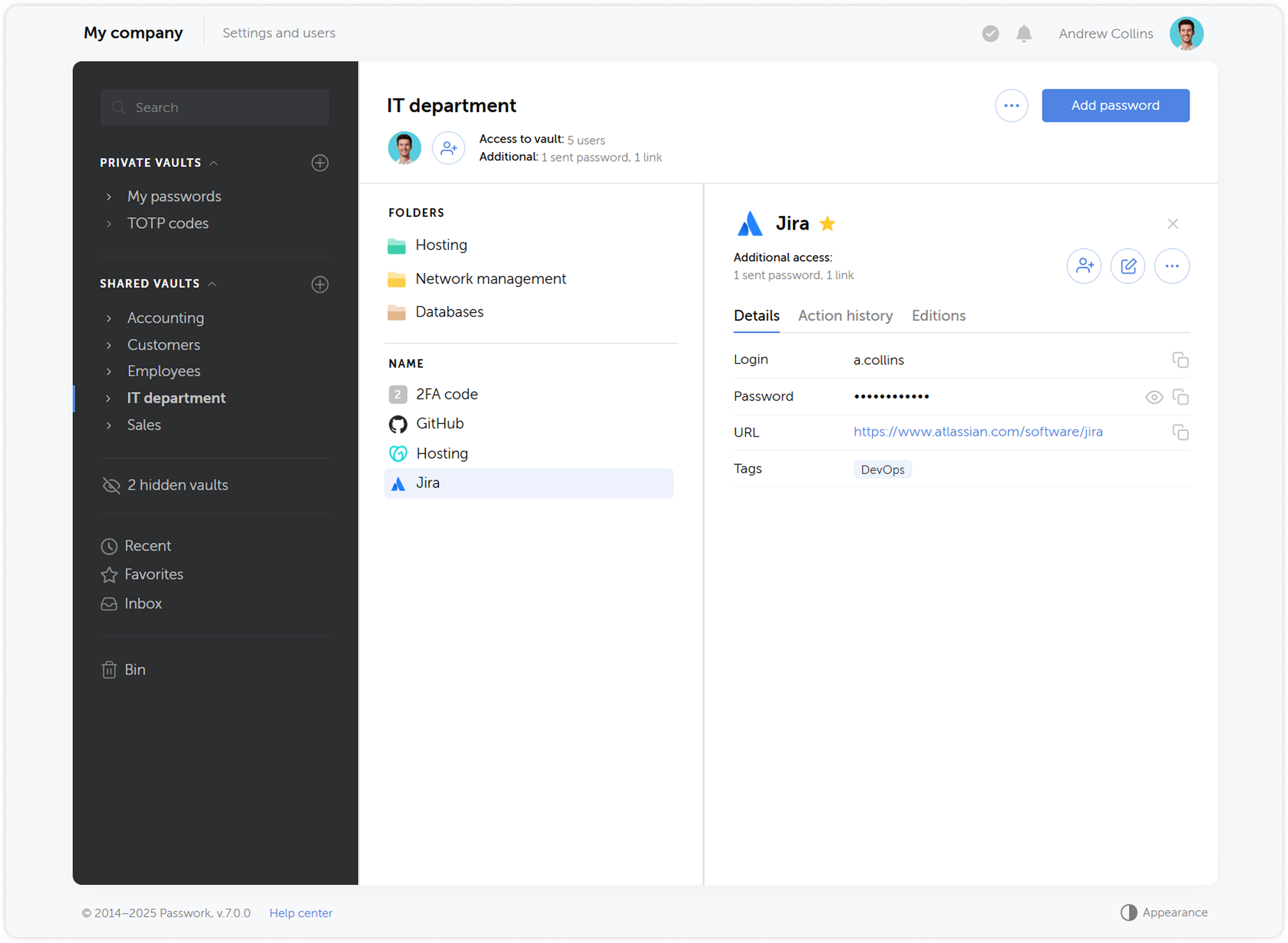
Updated interface
We redesigned the Passwork interface and updated all key sections — took into account many requests and fixed logical and functional errors while preserving the familiar convenience of working with passwords. We also added the ability to customize column widths and move interface elements — each user will be able to adapt it to their needs.
Expanded API functionality
We significantly expanded the API functionality — now it allows full interaction with all Passwork features: from copying passwords to managing users and security settings.
To simplify working with the API, we prepared an official Python connector — a developer library that allows integrating Passwork with applications and scripts in Python, and the Passwork-CLI utility, which enables working with the API from the command line.
Instead of API keys, tokens are now used — a more modern and reliable way to access the system. In addition, API access settings have been moved to the role page.
New backend and frontend
We completely updated the code using more modern methods — this will improve performance and simplify the initial installation of Passwork. Moreover, the new code will become the basis for developing desktop applications and will significantly speed up the introduction of new features.
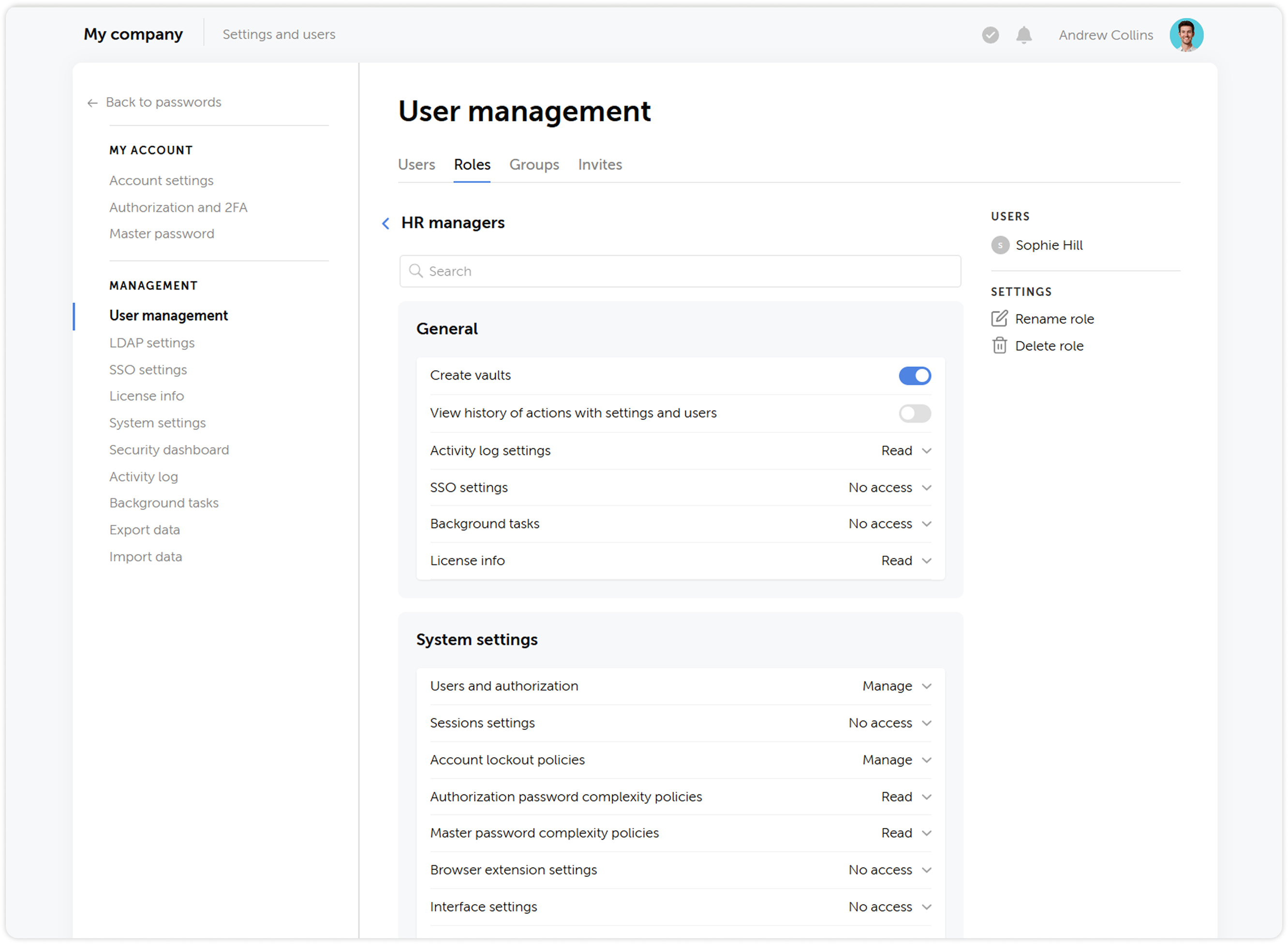
User roles
We updated the status system by combining administrative rights and user settings, and renamed them to Roles — now, instead of two standard statuses Administrator and Employee, you can create an unlimited number of roles with individual rights and settings.
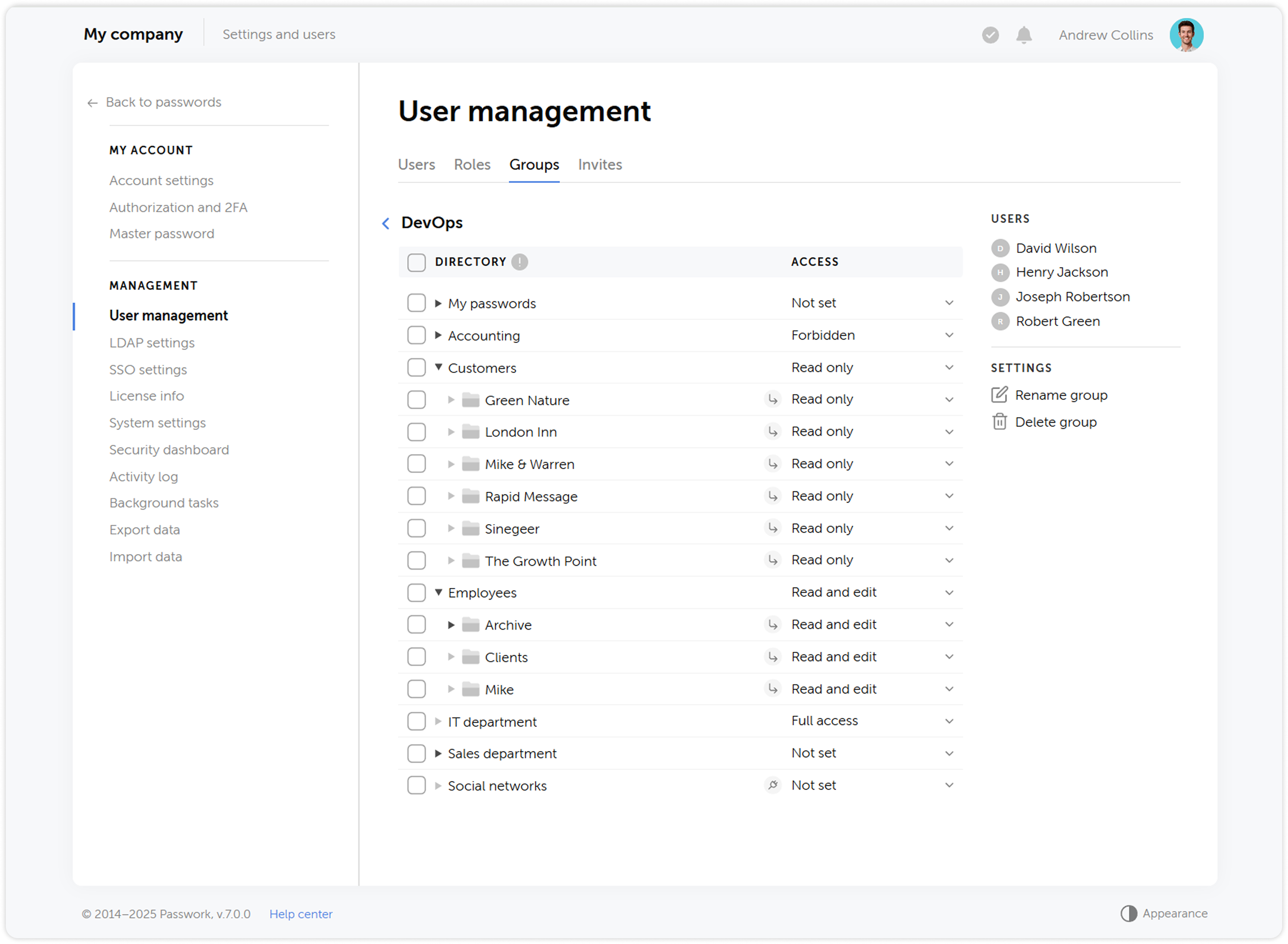
User groups
What was called Roles in previous versions has been renamed to Groups, making the user management process more intuitive and closer to common standards, such as those used in Active Directory. Groups allow restricting user access to vaults based on certain privileges.
Updated vault structure
We simplified the vault structure — instead of organization vaults and personal vaults, users will be able to create private vaults. A private vault becomes shared when other users are added to it. At the same time, administrators are no longer automatically added to new vaults.
The updated vault structure ensures reliable encryption and offers new possibilities for password management, making the process more convenient and secure.
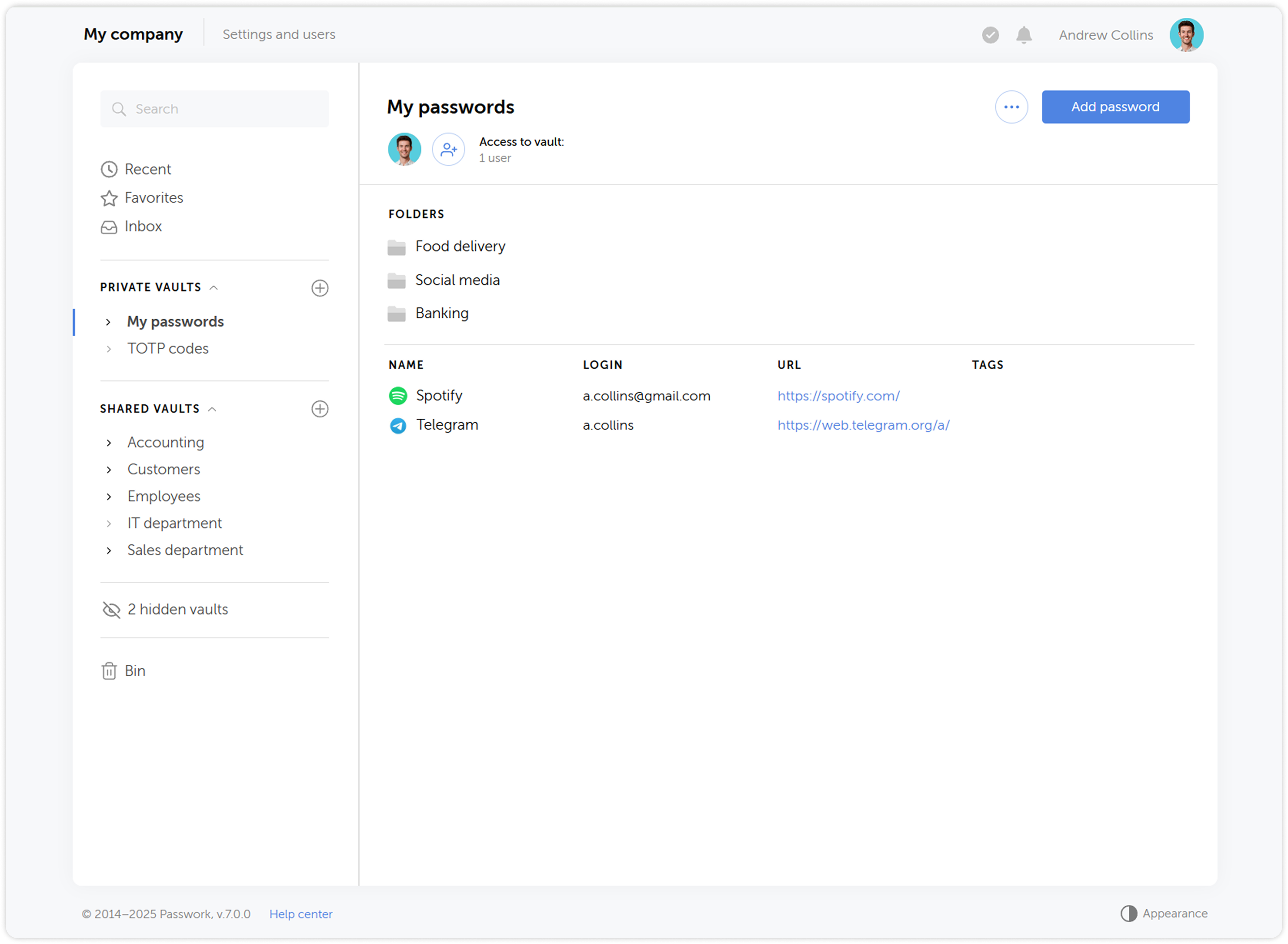
Vault access confirmation
When adding users to groups, they will no longer automatically receive access to other users' vaults — access will require confirmation from the vault administrator. Users who gained access to a vault during LDAP synchronization also need to be confirmed. This provides additional control and prevents unauthorized access to vault contents.
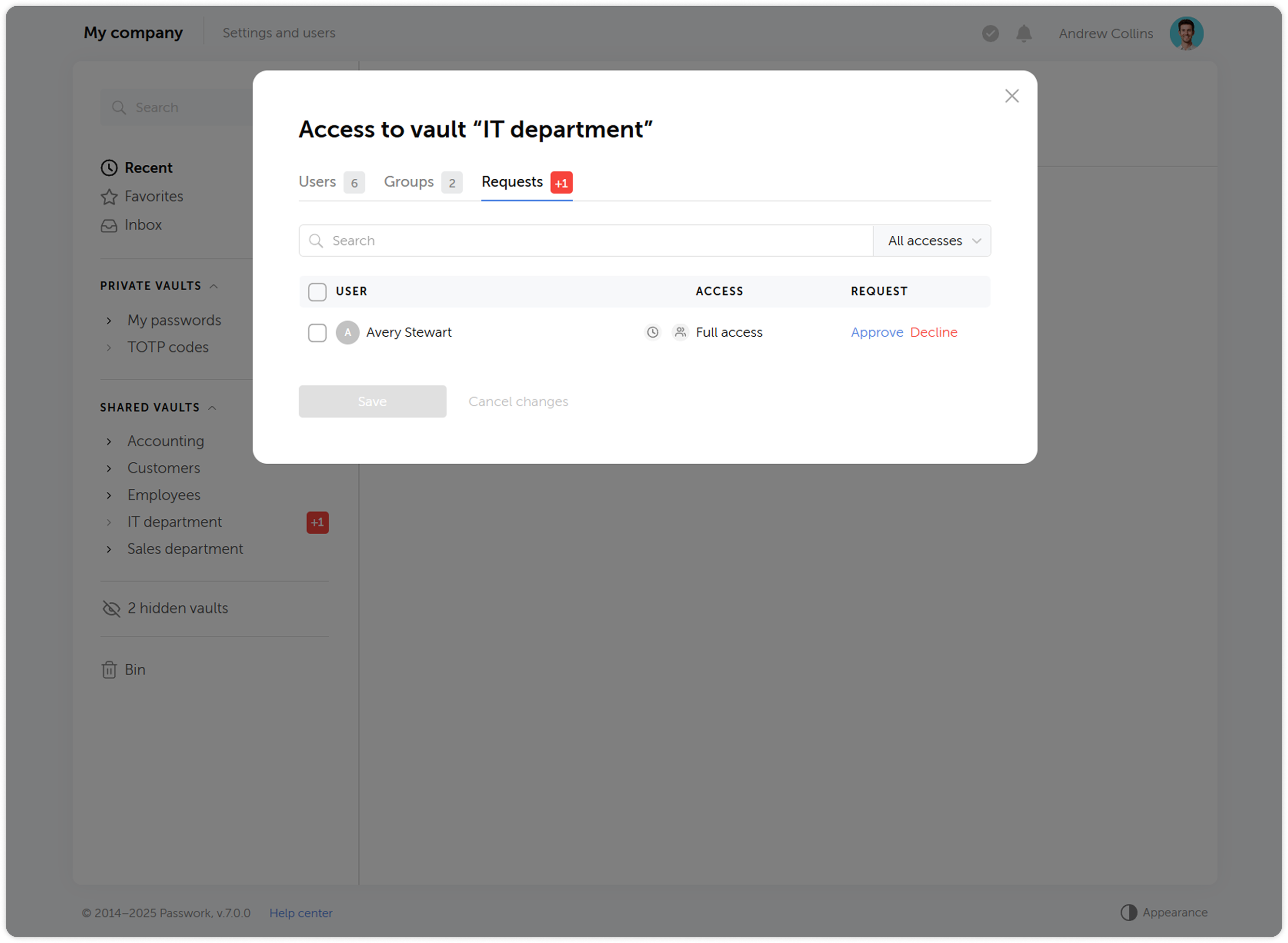
Changing access levels
We’ve reworked the access level system and introduced a number of changes to some of them:
- Navigation level has been replaced by an ability to view all parent directories of the folder the access level is applied to
- Users with the Full access level now can view access levels of other users, manage additional access, view the history of changes within the directory and analyze passwords available to them via Security dashboard
- Added the ability to assign administrative rights to users in folders. The Administration access level is inherited by child folders without the ability to change it
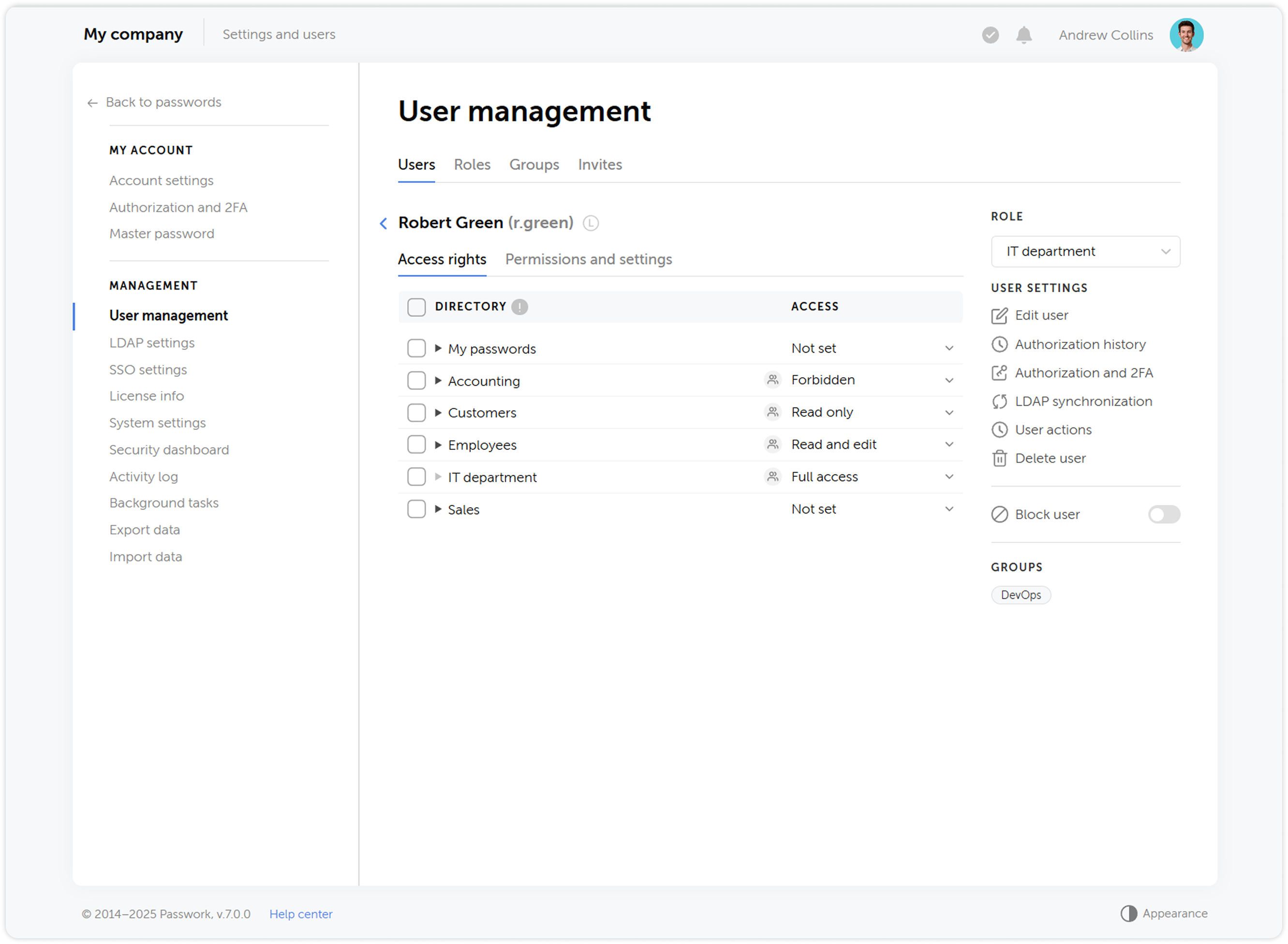
History of actions and notifications
We’ve expanded the list of actions that are logged, updated their descriptions and completely reworked the notification system. Soon after the release we are going to introduce notification settings, which will add flexibility to keeping track of important changes and user actions.
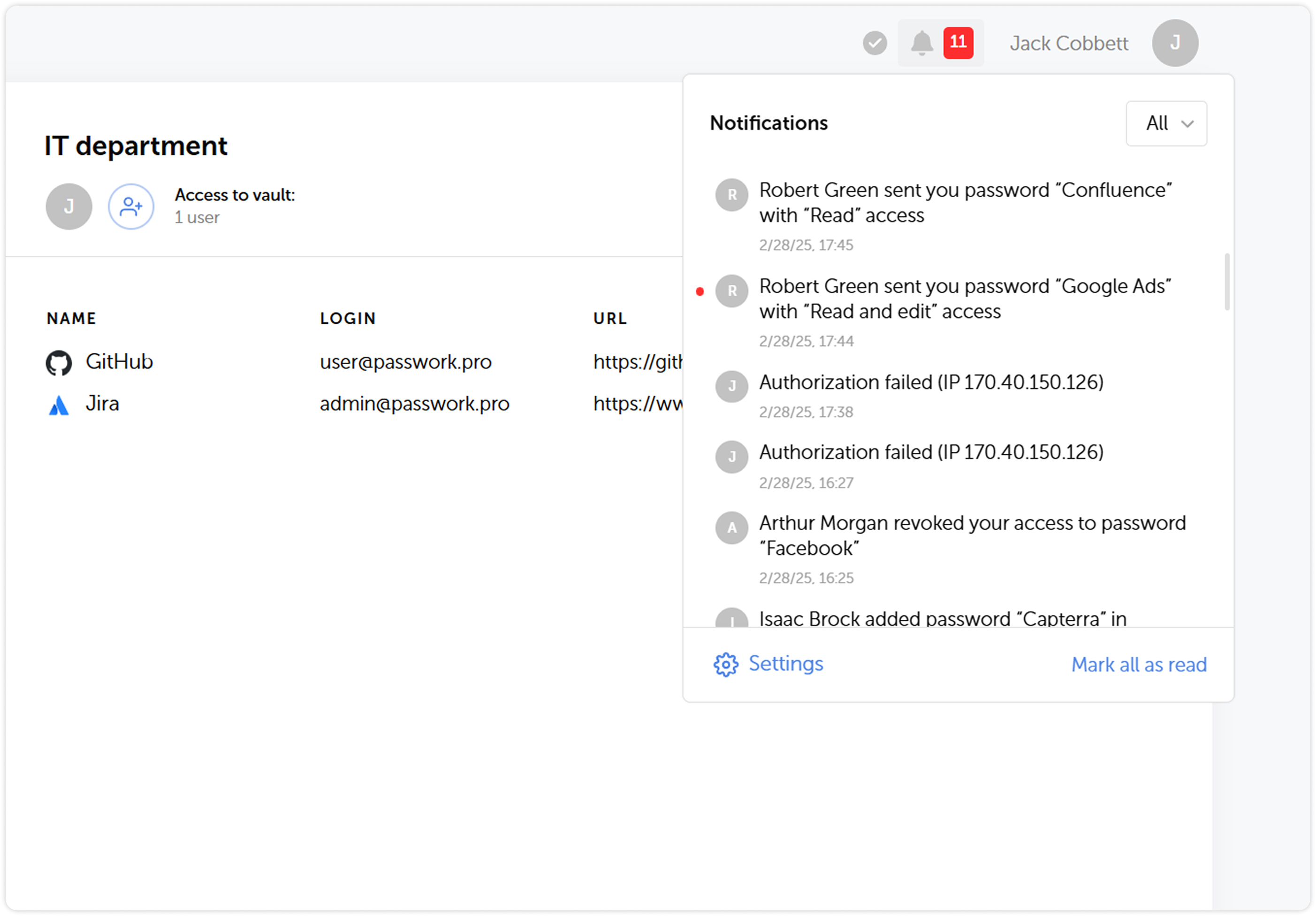
Using shortcuts
In order to enhance security, we’ve made some changes to the way shortcuts work:
- It is now impossible to copy shortcuts for passwords which don’t allow shortcut creation
- Folders which include shortcuts unavailable to a user will now be copied without them
Adding tags to passwords
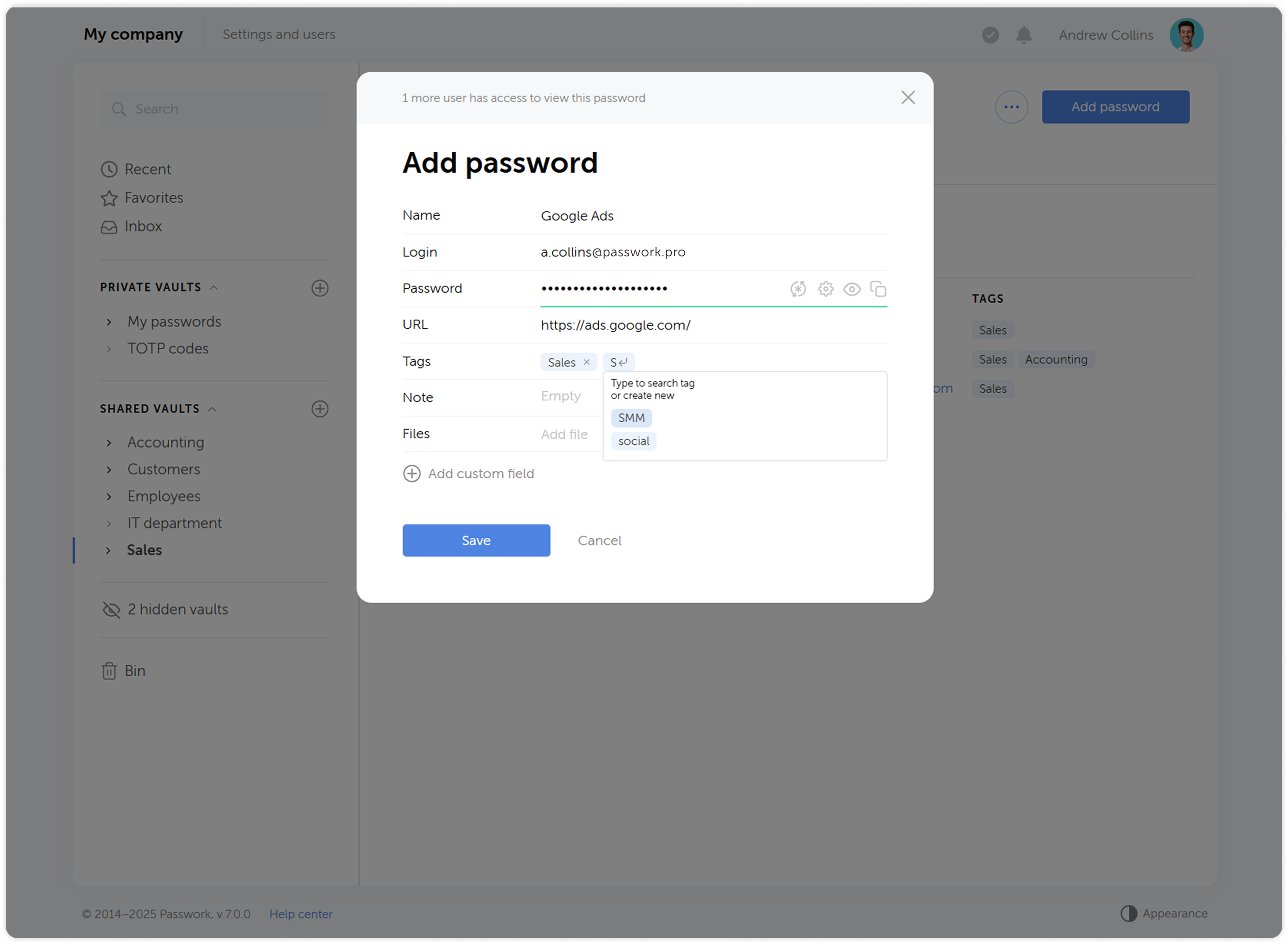
Now when you create or edit a password, you will be able to pick a tag from a list of already created ones. This has an added benefit of preventing creation of tags with the same name (sales ↔ Sales, etc.). When selecting tags, only those available in the user's vaults will be displayed.
Changes to 2FA reset flow
When you reset your authorization password, two-factor authentication now won’t be reset along with it. Users won’t be able to reset 2FA without a successful login, which increases security.
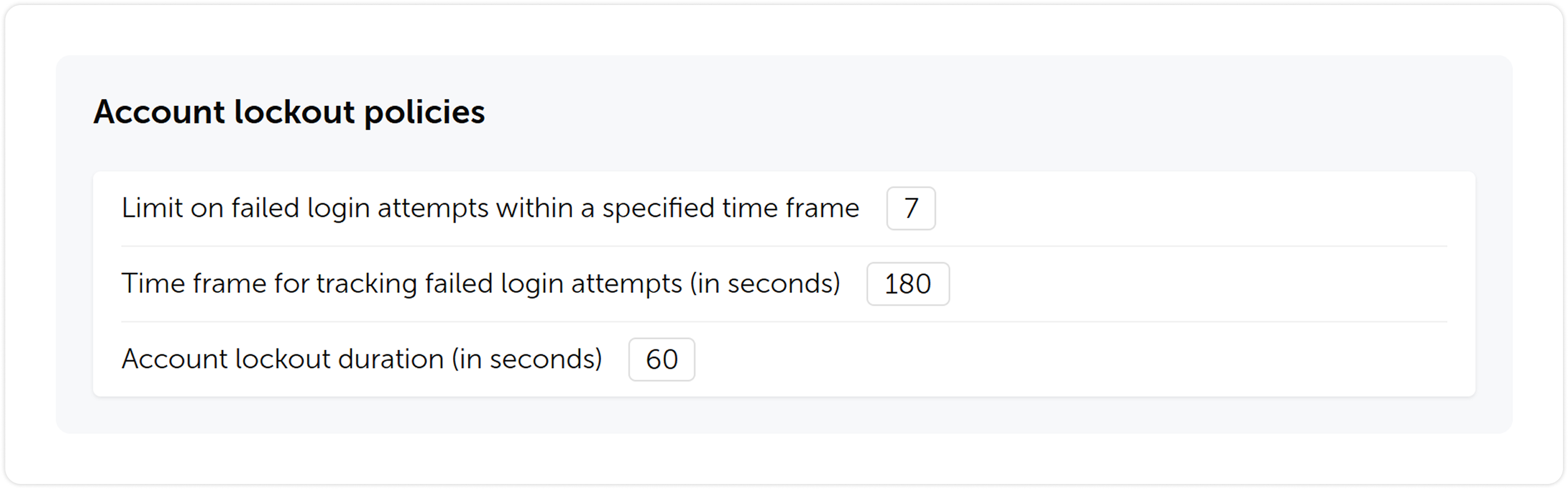
Account locking option
We’ve introduced an account locking feature. You will be able to set a limit on failed login attempts, timeframe for tracking the failed attempts and lockout duration.
Other changes
- Tidied settings up by making their structure more clear
- Added automatic retrieval of email and name from single sign-on systems (SSO)
- Added settings for automatic clearing of sessions, notifications and background tasks
- Added the ability to enable a system banner that will be visible to all Passwork users. You can use it for important notifications, alerts or instructions
- Added an ability to choose a time zone and date & time format
- Updated filters in key sections for faster and simpler search
Upgrading to Passwork 7
To upgrade to version 7.0, you’ll need to update your Passwork to version 6.5, migrate your data, and confirm this in the customer portal. Upgrade instructions can be found here.
We recommend exploring the new features and data migration specifics in a test environment before updating your self-hosted version. For testing, you can deploy Passwork 7 on a separate server — this will allow you to review all the changes in the new version without affecting your current working environment.
Passwork 7.1: Vault types
Vault types Passwork 7.1 introduces a robust vault types architecture, providing enterprise-grade access control for enhanced security and management. Vault types address a key challenge for administrators: controlling data access and delegating vault management across large organizations. Previously, the choice was limited to two types. Now, you can create
 Eirik Salmi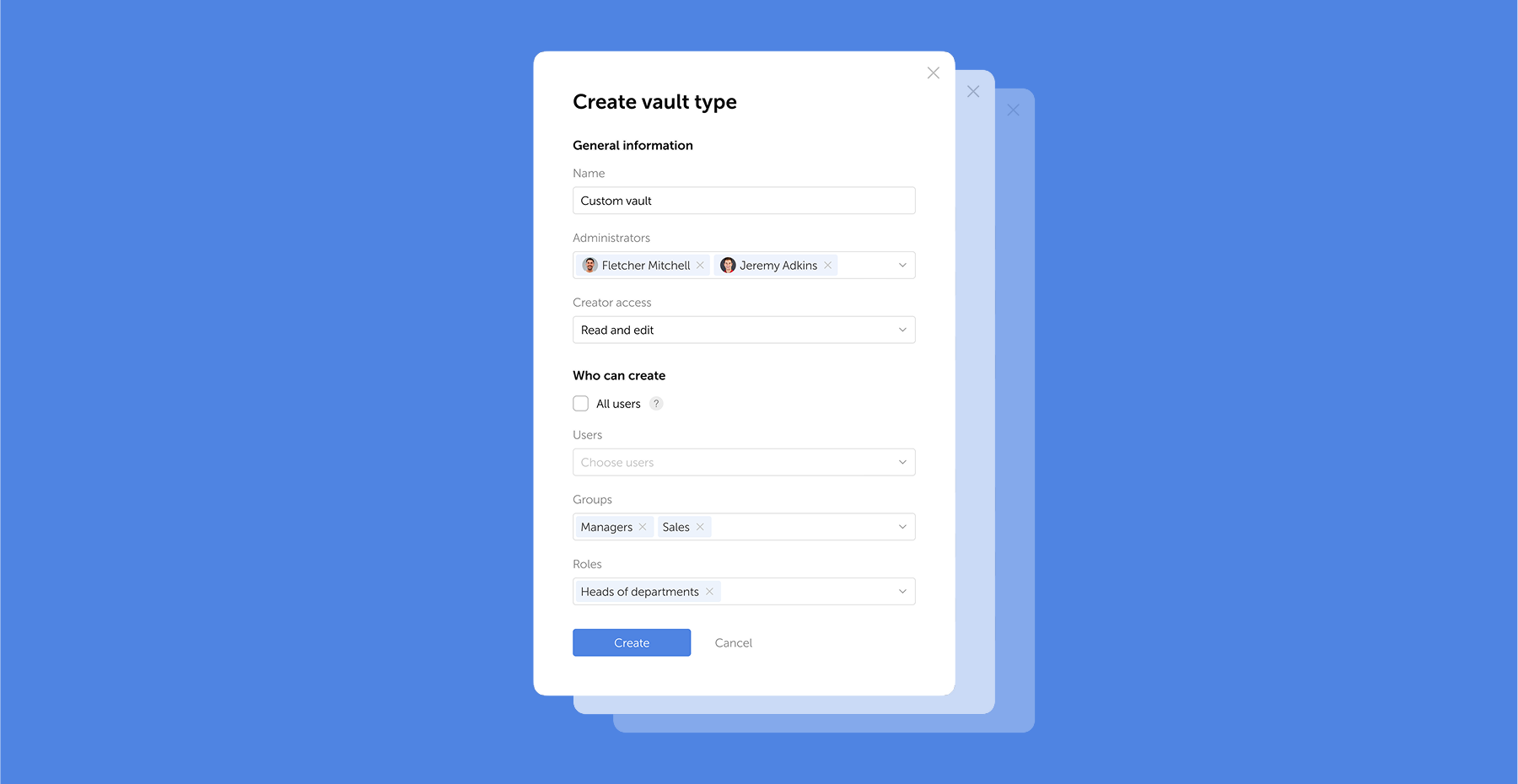
Passwork 7.2 release
The new version introduces customizable notifications with flexible delivery options, enhanced event logging descriptions, expanded CLI functionality, server-side PIN code storage for the browser extension, and the ability to enable client-side encryption during initial Passwork configuration. Notification settings We’ve added a dedicated notification settings section where you can choose notification
 Eirik Salmi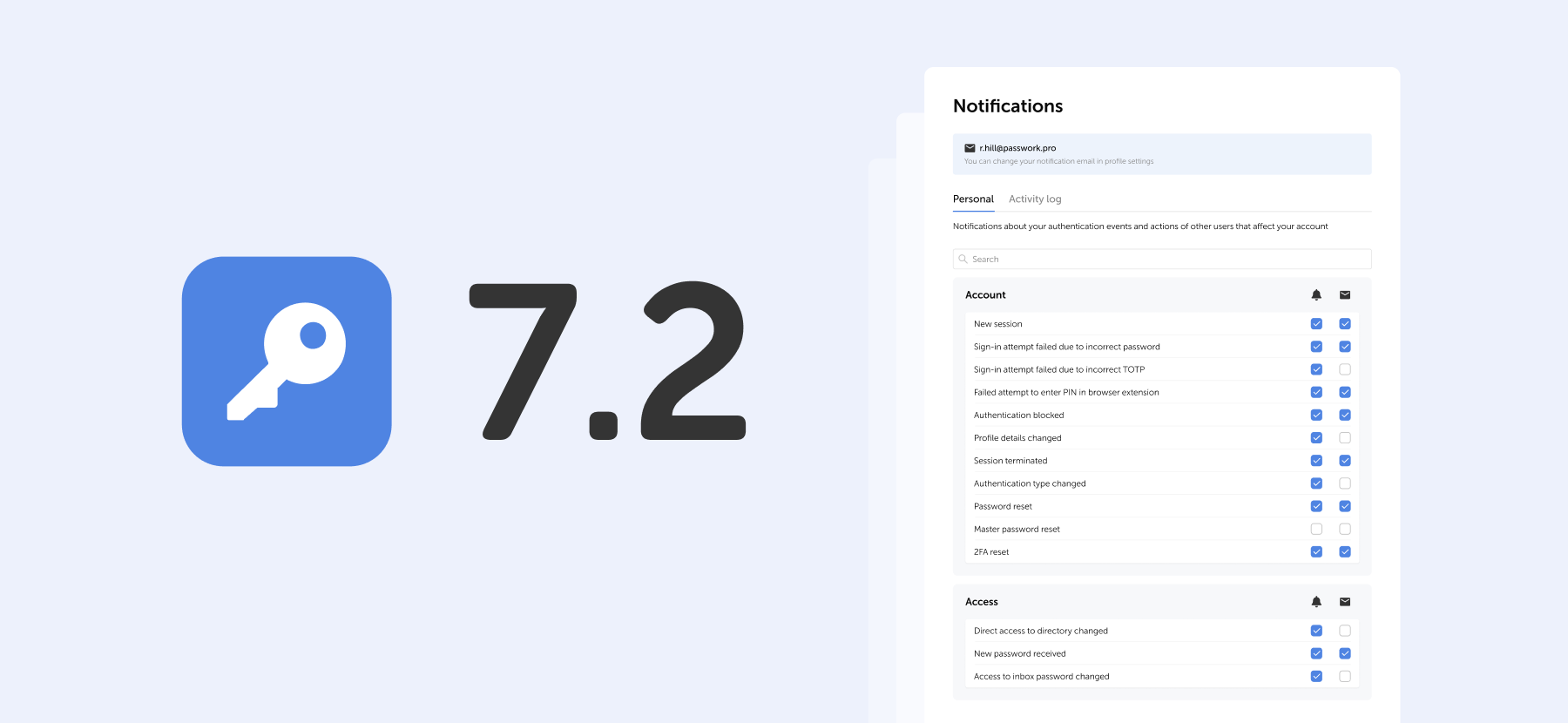
Passwork: Secrets management and automation for DevOps
Introduction In corporate environment, the number of passwords, keys, and digital certificates is rapidly increasing, and secrets management is becoming one of the critical tasks for IT teams. Secrets management addresses the complete lifecycle of sensitive data: from secure generation and encrypted storage to automated rotation and audit trails. As
 Eirik Salmi
Passwork 7 release

Kindernothilfe (KNH) is a German non-profit organization dedicated to supporting vulnerable children in impoverished and underprivileged regions worldwide. Founded in 1959, it has made significant contributions as one of Europe's largest charities dedicated to child aid. Operating in over 30 countries, Kindernothilfe emphasizes the importance of ensuring children's rights and providing access to education, healthcare, child protection, and community development initiatives, all aimed at enhancing children's living conditions and eradicating poverty.
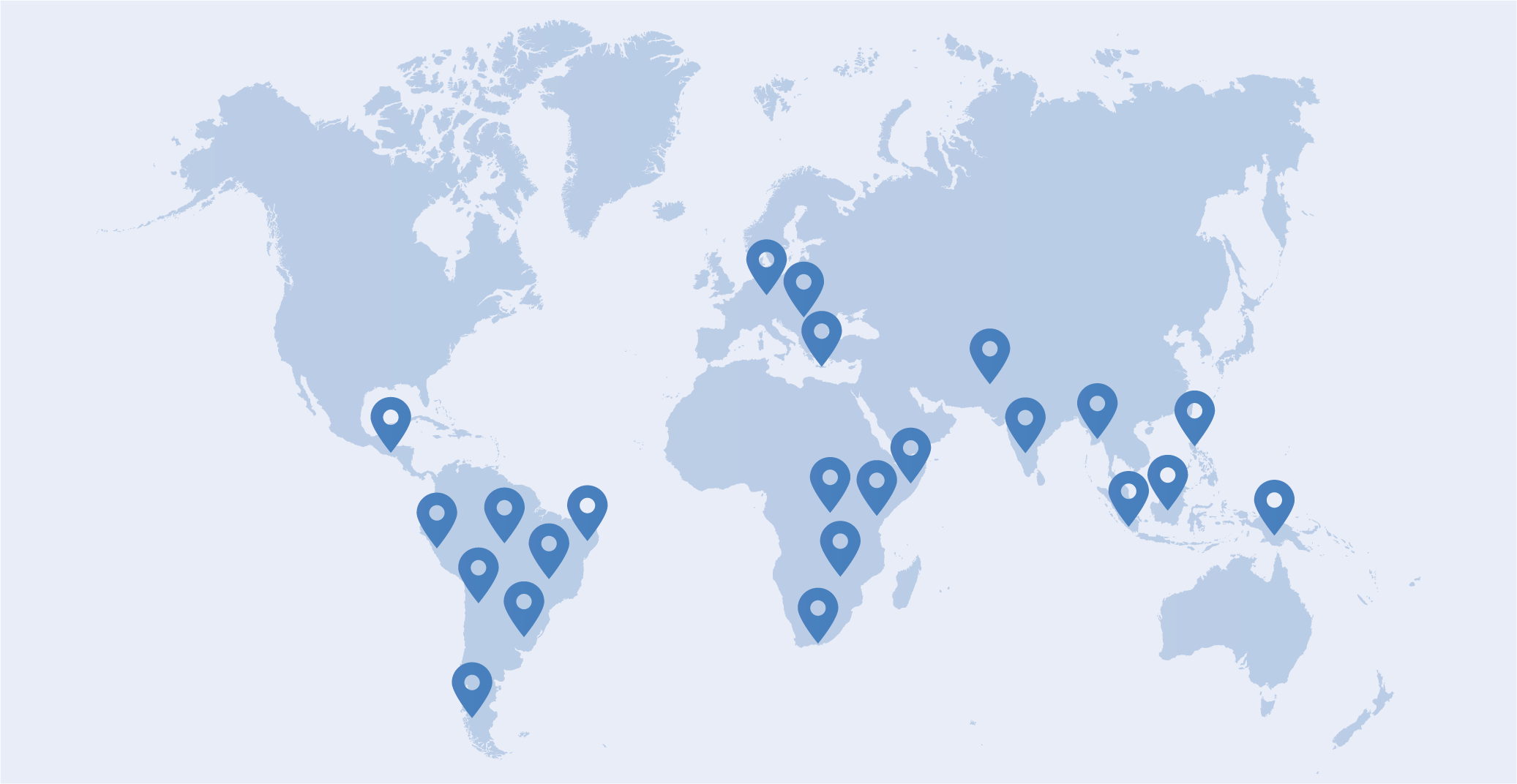
Company: Kindernothilfe
Location: Duisburg, Germany
Industry: Non-profit organization
Company size: Over 300 employees in more than 30 countries
Location: Duisburg, Germany
Industry: Non-profit organization
Company size: Over 300 employees in more than 30 countries
The challenge: Finding a secure and user-friendly solution for global teams
Before choosing Passwork, Kindernothilfe relied on KeePass, a solution that limited scalability and lacked user-friendly features essential for a globally operating organization. With over 300 employees across more than 30 countries, the organization required a secure, scalable, and intuitive password management solution.

Doing so was crucial to meet the growing demands of its international team, especially for enhancing password sharing and access management capabilities for remote employees.
The solution: Switching to Passwork for improved security and simplified user access
Kindernothilfe opted for Passwork for its robust self-hosting capabilities, ensuring optimal data control and security. The seamless integration with SAML2 for Single Sign-On (SSO) streamlined access management across multiple platforms.
Furthermore, Passwork's intuitive interface, along with its mobile app and browser extension, made it possible to manage passwords effortlessly from any device. The secure password-sharing features enhanced team collaboration, significantly reducing human error and improving overall security protocols.
The implementation: Gradual rollout and building a secure infrastructure
The implementation process took approximately two months. It was primarily focused on establishing and thoroughly testing the infrastructure to ensure Passwork met Kindernothilfe's security requirements. The integration of SAML2 for Single Sign-On (SSO) was smooth and completed within a short timeframe.
To facilitate the successful implementation of Passwork, Kindernothilfe opted for a phased rollout rather than deploying the password management solution organization-wide all at once. They began with a smaller group of employees to showcase the benefits of the system and gradually promoted its use.

While organizing various promotional and educational activities, such as "Lunch and Learn" events, the organization encouraged employees to engage with Passwork. The goal was to achieve the point where at least 50% of the staff actively used Passwork before expanding the system to the entire organization.
The results: Increasing operational efficiency for cross-border teams
Currently, approximately 50% of the staff are actively using Passwork — a centralized, secure, and user-friendly solution for password sharing. This incremental approach not only ensured higher user engagement but also significantly strengthened security protocols across the organization.

By improving password management processes, Kindernothilfe increased its overall operational efficiency, especially for cross-border teams. Educational initiatives, such as "Lunch and Learn" sessions, were instrumental in raising awareness about Passwork and facilitating its successful adoption throughout the organization.
"Passwork met our needs with its affordable pricing and ease of use, making it an essential tool for our global workforce." — Bernd Schlürmann, network and security manager
Take the first step too! Start your free Passwork trial and see how easy secure password management can be.
The 2025 small business cybersecurity checklist: A complete guide | Passwork
Passwork’s 2025 cybersecurity checklist, based on the NIST framework, provides actionable steps to prevent data breaches and financial loss.
 Eirik Salmi
Incident response planning: Preparedness vs. reality
Discover key insights from Passwork webinar on incident response planning. Why teamwork and tools drive real cybersecurity resilience.
 Iliya Garakh, CTO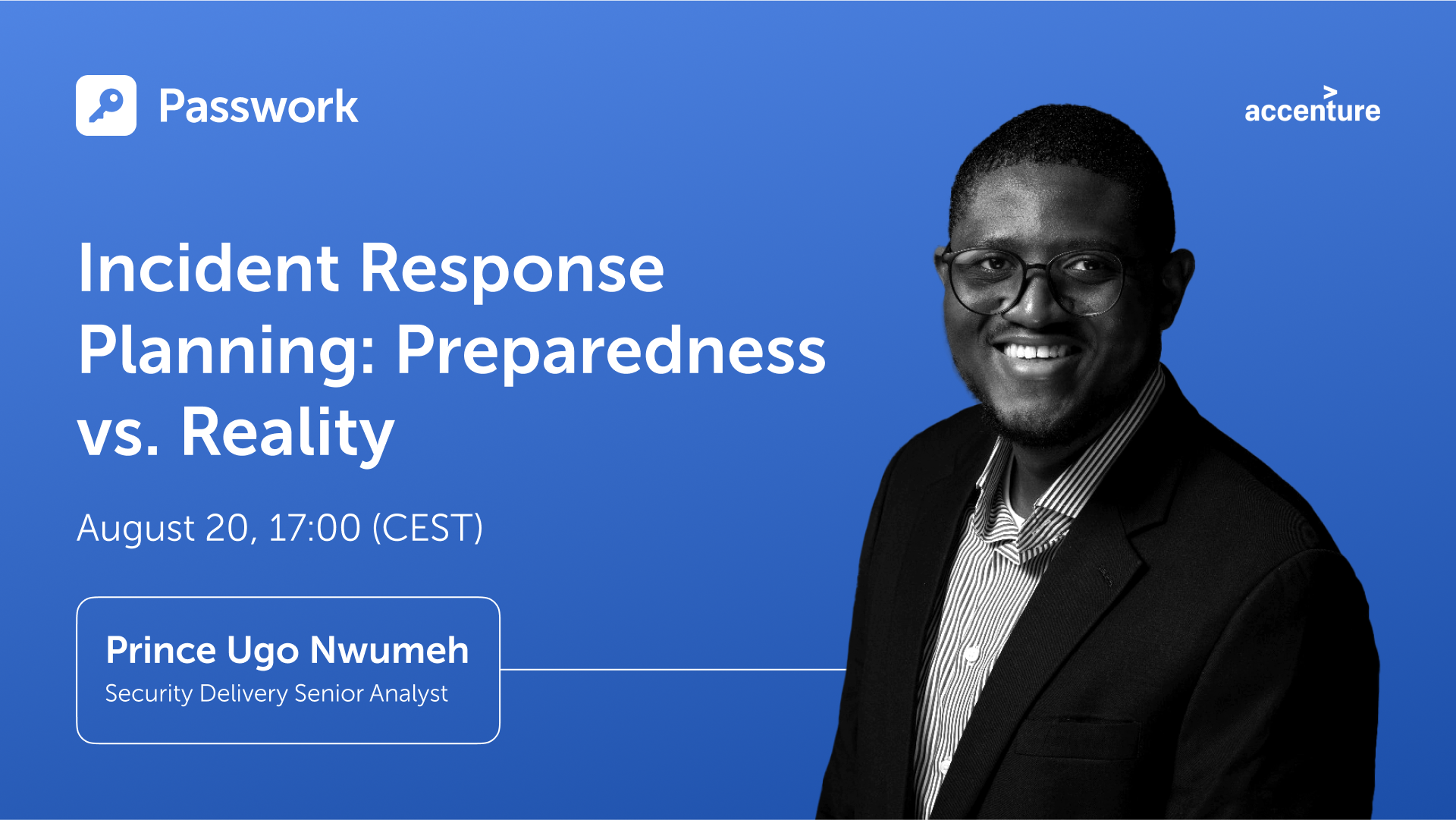
Case study: City of Melle and Passwork
Passwork has improved the internal security at the City of Melle by creating a reliable system for password management.
 Ana Moore
Kindernothilfe: Simplifying global employee collaboration with Passwork

Cybersecurity — as complex as it sounds — is an essential concept that we all need to be aware of in this day and age. Computers, phones, and smart devices have become an extension of our bodies at this point, which makes their security paramount. From your family photos to your bank details and social media handles, everything lives inside these devices. That’s why a security breach could have potentially life-changing consequences. With viruses and malware getting more advanced than ever, it’s no longer just a programmer’s job to care about cybersecurity. Every user should have at least a basic understanding of it to be able to implement it onto their devices.
But, most of us aren’t too tech-savvy, so we can’t even understand the most basic computer terms. That’s why the first step is to get familiar with cybersecurity jargon so that you can easily grasp and follow tutorials online. In this article, we’re covering some of the most common cybersecurity terms and phrases. We’ve handpicked the most important ones, so read till the end and don’t miss any. Let’s get into it!
Phishing
Phishing is a malicious way to get unsuspecting users to click on shady links or attachments, or get them to reveal sensitive information by posing as a legitimate organization or business. Some attempts can be spotted easier than others depending on how sophisticated the setup is, and the user’s level of awareness.
Trojan
Sometimes, harmful code can be disguised as a legitimate program, application, or file, which is called a Trojan.
Keylogger
A keylogger is a software tool that can monitor and record all keystrokes entered by a user. Through the data gathered by a keylogger, hackers can easily steal sensitive information like login details, credentials, OTPs (one-time passwords), private texts, and much more.
Account hijacking
Account hijacking is where a hacker takes control of a user’s account with malicious intent like stealing sensitive information or sharing problematic content through their platform. You could see it as a form of online identity theft, making it one of the biggest cybersecurity threats faced by celebrities and influential personalities.
DevSecOps
DevSecOps seem like gibberish at first glance, but it’s a combination of the words “development,” “security,” and “operations.”
The combined term refers to a software development approach that integrates security solutions into the development process right from the get-go. It’s ideal because, with cybersecurity threats, prevention really is better than cure.
Digital footprint
As an online user, anything you do online creates a “footprint” consisting of your activities on the internet. For instance, what you post, what you like, the purchases you make, or simply the web pages you browse through. That’s your digital footprint.
Cyber insurance
It’s a type of insurance that helps large organizations cover the risk of financial losses that may occur as a result of data breaches or cyberattacks.
Threat vector
Hackers or cyber attackers use a certain method or path to get into their target device, network, or system, referred to as the “threat vector.”
IP address
An Internet Protocol (IP) address consists of a series of numbers associated with WiFi routers, servers, computers, and just about anything that’s connected to the Internet. Just like your standard home address, an IP address specifies the location of a system or device, letting users find it anywhere on the global network.
Malware
Malware is one of the most common words used within the cybersecurity space. It’s short for “malicious software,” and can be any code that’s meant to cause harm to systems or computers. Depending on how dangerous it is, it can steal, delete, and spy on information, or even destroy a system altogether.
Virus
A computer virus is a specific type of malware that’s designed to corrupt, change, or delete information from a system. Like viral diseases, a computer virus also passes onto other systems through in-built multiplication means like sending out emails with malware as attachments, etc.
Antivirus software
Antivirus software, as the name suggests, is a computer program that’s responsible for preventing, detecting, and getting rid of malware. Getting a strong antivirus service for your Mac or Windows PC is the most important step you can take to reinforce your cybersecurity defenses as an average user.
VPN
Most of us already know or use VPNs, without ever even knowing what it stands for. It’s an acronym for “Virtual Private Network,” whereby the user’s actual IP address gets replaced by the VPN’s — granting them digital anonymity and making a cyber attacker’s life much harder.
Cryptojacking
Cryptojacking is another modern threat for unsuspecting users where hackers can start using your computer’s processing power to mine cryptocurrency in an unauthorized manner. This slows down performance and starts jacking up your utility bills while the user has no clue.
Data encryption
Data encryption is the process of encoding data such that no third party can access it unless they have a decryption key.
Data protection
Data protection is an umbrella term that consists of many different practices designed to prevent private info from getting exposed to the wrong eyes. Data encryption, for instance, is one of the examples of data protection.
DDoS attacks
Distributed Denial of Service (DDoS) is a method used by attackers to render a server or site unusable. It involves overwhelming it with bots or malicious traffic in volumes that are way over the capacity it’s meant to handle.
Worm
A worm is a particularly nasty type of malware that can reproduce itself just to spread to other networks and computers. They can either slow down the computer by compromising its resources or steal data.
Conclusion
Now that you know some of the most commonly used cybersecurity jargon, you can hopefully start to educate yourself on this crucial topic. This vocabulary should allow you to comprehend basic cybersecurity tutorials to perform regular tasks like installing an antivirus program, performing a scan, and quarantining or removing threats from your computer. All the best!
Passwork 7.2 release
The new version introduces customizable notifications with flexible delivery options, enhanced event logging descriptions, expanded CLI functionality, server-side PIN code storage for the browser extension, and the ability to enable client-side encryption during initial Passwork configuration. Notification settings We’ve added a dedicated notification settings section where you can choose notification
 Eirik Salmi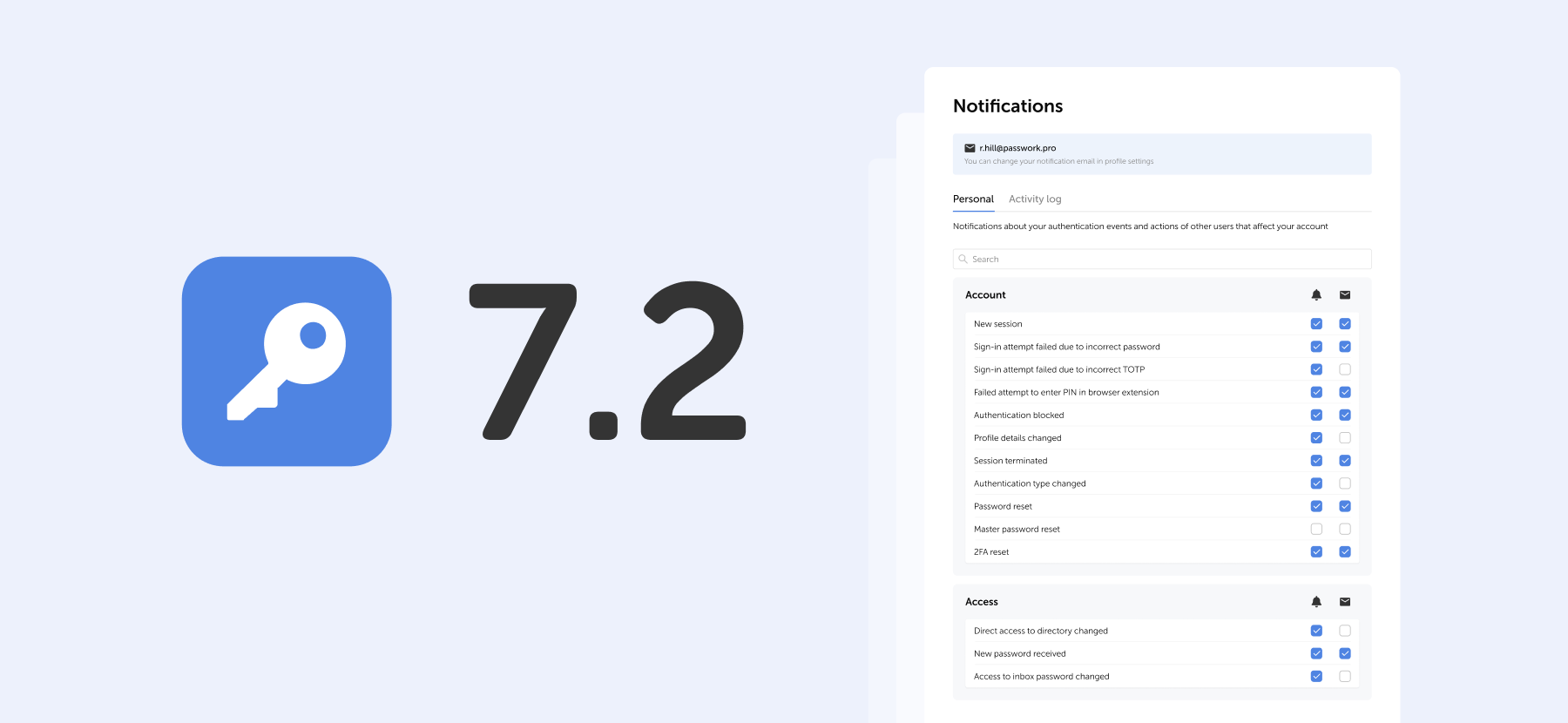
Passwork: Secrets management and automation for DevOps
Introduction In corporate environment, the number of passwords, keys, and digital certificates is rapidly increasing, and secrets management is becoming one of the critical tasks for IT teams. Secrets management addresses the complete lifecycle of sensitive data: from secure generation and encrypted storage to automated rotation and audit trails. As
 Eirik Salmi
The 2025 small business cybersecurity checklist: A complete guide | Passwork
Passwork’s 2025 cybersecurity checklist, based on the NIST framework, provides actionable steps to prevent data breaches and financial loss.
 Eirik Salmi
Comprehensive guide: Cybersecurity vocabulary — terms and phrases you need to know
When employees find the standard security measures of their organization frustrating and annoying, the risk of internal threats increases. For example, a recent Gartner report said 69% of employees ignore cybersecurity recommendations within their organization. This doesn’t mean they do it on purpose to spite management. More often, it means they just want to get on with their job without distractions, and see security as a hassle and a waste of time.
Can security be pleasant?
Passwords are a classic example of the clash between cybersecurity and user experience. The average office worker has up to 190 different login and password combinations. Naturally, remembering that many and matching them to the services is impossible.
61% of employees admit to reusing passwords as a way to cope with this. At the same time, most are aware that this is a security risk for the company. So, how can IT departments improve password security in their organizations, when users are already burdened with these digital security measures and have chosen convenience and speed over security?
While many tech giants are promoting passwordless access technologies, unfortunately for most organizations eliminating passwords is not an option. That's why it's super important to choose the best security methods that can provide a pleasant user experience. Below, we'll look at four ways to engage end-users into more responsible password habits in a way they might even enjoy.
Key phrases for strong and memorable password
Hackers use brute force to quickly try many different options in a row to crack a specific account's password. They often combine these methods with dictionaries of known vulnerable passwords, including sequential passwords like "qwerty" or "123456," which users often use. Shorter and less complex passwords are much more vulnerable to this method of attack, so the advice is to create longer and more complex passwords.
Of course, this is a pain for users who now have to remember many long and complex passwords ideally 15 characters and above. One way to simplify this task is to suggest using key phrases instead of traditional passwords.
A key phrase is 3 or more random words strung together, for example, "Pig-Lion-Window-Night." At first glance, this password looks simple and insecure, but it has 19 characters, special characters and capital letters. That’s enough to make brute force attempts take a long time. If a few more special characters or numbers are added, one can confidently say hackers have no chance of success. The main thing is to use words that are not related to the company activities or the personal data of a specific user.
Overall, key phrases are a great way for endpoint users to create longer and more complex passwords without increasing their cognitive load.
Recommendations and feedback
Asking an employee to create a new password makes them feel like all the knowledge has left their head and they will go into a long thought process that can take hours. "What password should I create that is both easy and secure?" the user will think.
It's very important to be in touch with colleagues during this difficult moment: to give clear recommendations and answer questions. No one should feel like they are left to their own devices when taking steps that directly affect the security of the whole organization. Ideally, of course, an exhaustive memo with all recommendations and examples should be created so the password creation process is quick and painless. But even such memos often don't cover all the needs and questions of users.
Providing dynamic feedback during password creation is not only a learning opportunity for the user but also an instant check to see if the password meets the security policy. By consulting with an IT specialist, employees can see in real time if their new password complies with the company policy and if not, why, and quickly correct it.
Password expiration based on length
No one likes it when work is stalled because of the need to change a password. Sometimes this comes too soon and even bothers the most diligent employees who take security very seriously. But using passwords with infinite validity period is simply not acceptable in today's reality, as such passwords open many doors for clever hackers. That's why the regular changing of passwords is so widely used by many organizations.
But why not turn the potentially negative user experience of forced password change into an opportunity?
Password expiration based on its length gives end-users a choice. They can create a simple and easy password that only partially meets the organization's requirements, but they will have to change it again, for example, in 90 days. Or they can extend the length of the password and not touch this issue for as long as possible, for example, the next 180 days.
Instead of all employees facing a forced password reset every 90 days, a flexible validity period based on its length rewards users who create longer and safer passwords. This is the best balance between security and usability.
Continuous monitoring of compromised passwords
The methods discussed above are quite effective in helping end-users create more reliable passwords and provide them with more transparency and understanding of their organization's security policies. But even reliable passwords can be compromised. And it's impossible to be 100% sure that company employees aren't using the same passwords to log in to several services at once. That's why it's necessary to have a way to detect compromised passwords and block potential attack routes.
Many security solutions can periodically check user passwords against leaked lists of compromised credentials, but these solutions are not perfect, as monitoring is not real-time. The optimal solution would be to choose a security solution that continuously scans passwords for leaks and notifies the administrator, or even automatically resets the password to not give hackers a second for potential compromise. The market is full of information security solutions so finding a product with such feature should not be difficult.
Conclusion
Passwords don’t have to be frustrating. As we have seen above, by choosing the right approach between IT and users this problem will disappear on its own.
With Passwork this problem disappears. It helps to organize and store your passwords, making the process more manageable and secure. Key password phrases, feedback during password reset, length-based expiration and continuous scanning for compromised passwords are great solutions that can boost any organization’s security.
Incident response planning: Preparedness vs. reality
Discover key insights from Passwork webinar on incident response planning. Why teamwork and tools drive real cybersecurity resilience.
 Iliya Garakh, CTO
Cloud security: Shared responsibility or shared confusion?
Introduction Cloud security remains one of the most debated topics in modern IT. As organizations continue their migration to cloud platforms, the question of “Who is responsible for what?” grows increasingly complex. In our latest Passwork webinar, cybersecurity lecturer David Gordon joined host Turpal to unpack the realities behind the
 Iliya Garakh, CTO
Python connector 0.1.5: Automated secrets management
The new Python connector version 0.1.5 expands CLI utility capabilities. We’ve added commands that solve critical tasks for DevOps engineers and developers — secure retrieval and updating of secrets in automated pipelines. What this solves Hardcoded secrets, API keys, tokens, and database credentials create security vulnerabilities and operational bottlenecks.
 Eirik Salmi
Four ways to make users love password security

Passwork 6.4, we have introduced a number of changes which enhance our browser extension security, make user permissions settings more flexible, and improve the logging of settings related changes:
- Mandatory extension PIN code
- Logging of all changes related to settings
- User access to history of actions with passwords
- Automatic updating of LDAP group lists
Mandatory extension PIN code
With the new setting ‘Mandatory PIN code in extension’, administrators can set a mandatory browser extension PIN code for all users, minimizing potential unauthorized access. Once enabled, users who have not yet set a PIN code will be prompted to do so upon their next login to the extension. Users will be able to configure their auto-lock timeout and change the PIN code, but they cannot disable these functions.

Logging of all changes related to settings
Now all changes in the Account settings, User management, LDAP settings, SSO settings, License info, and Background tasks are displayed in the Activity log.

History of actions with passwords
The new setting ‘Who can view the history of actions with passwords’ makes it possible for vault administrators to let other users view password history, password editions, and receive notifications related to their changes. Previously, these features were available only to vault administrators.

Automatic updating of LDAP group lists
Automatic updating of LDAP group lists can now be configured on the Groups tab in the LDAP settings. The update is performed through background tasks with a selected time interval.

Other improvements
- Added pop-up notifications when exporting data or moving data to the Bin
- Improved display of dropdown lists on the Activity log page
- Changed time display format of the ‘Automatic logout when inactive’ and ‘Maximum lifetime of the session when inactive’ settings
- Changed the Enabled / Disabled dropdown lists on the System settings and LDAP settings pages with toggles
- Increased minimum length of generated passwords to six characters
Bug fixes
- Fixed an issue in the Password generator where selected characters were sometimes missing in the generated password
- Fixed an issue where local users could not independently recover their account password when an LDAP server was enabled
- Fixed an issue where local users could not register in Passwork when an LDAP server was enabled
- Fixed an issue which occurred after moving a folder with shortcuts to another vault and shortcuts not being displayed in the new vault
- Fixed an issue that occurred when trying to move a shortcut found in search results without opening any vaults right after logging into Passwork
- Fixed an issue that occurred when trying to copy a password found in search results without opening any vaults right after logging into Passwork
- Fixed an issue that occurred when a password was sent to another user and remained on the recipient's Recents and Starred pages after the initial password was moved to the Bin
- Fixed the value in the time field for the ‘API key rotation period (in hours)’ setting which was reset to zero after disabling it
- Fixed incorrect event logging in the Activity log after changing folder permissions
- Fixed incorrect text notification about assigning access rights to a user through a role
- Fixed incorrect tooltip text when hovering over the username of a recently created user
- Fixed incorrect display of long invitation titles
- Removed the local registration page when the LDAP server is enabled
Passwork: Secrets management and automation for DevOps
Introduction In corporate environment, the number of passwords, keys, and digital certificates is rapidly increasing, and secrets management is becoming one of the critical tasks for IT teams. Secrets management addresses the complete lifecycle of sensitive data: from secure generation and encrypted storage to automated rotation and audit trails. As
 Eirik Salmi
Cyber insurance: A false sense of security?
Introduction As cyber threats and data breaches become more frequent and sophisticated, many organizations are looking to cyber insurance as a way to manage risk. But is cyber insurance a true safety net — or is it just a false sense of security? This question was at the core of the
 Iliya Garakh, CTO
Comprehensive guide: Cybersecurity vocabulary – terms and phrases you need to know
Cybersecurity — as complex as it sounds — is an essential concept that we all need to be aware of in this day and age. Computers, phones, and smart devices have become an extension of our bodies at this point, which makes their security paramount. From your family photos to your bank
 Eirik Salmi
Passwork 6.4

In Passwork 6.3, we have implemented numerous changes that significantly improve organization management efficiency, provide more flexible user permission settings, and increase security:
- Administrative rights
- Hidden vaults
- Improved private vaults
- Improved settings interface
Administrative rights
Available with the Advanced license
Now there is no need to make users administrators in order to grant them specific administrative rights. This option is a response to one of the most frequent requests from our customers.
Administrators can grant only those rights or permissions that are necessary for users to fulfill their duties and flexibly customize access to settings sections and manage Passwork. For instance, you can grant employees the right to create and edit new users, view the history of user activity, track settings changes, while restricting access to organization vaults and System settings.
You can configure additional rights on the Administrative rights tab in User management. There are four settings sections to flexibly customize Passwork for your business:
General
In this section, you can grant users access rights to manage all existing and new organization vaults, view the history of actions with settings and users, access license info and upload license keys, view and modify the parameters of SSO settings and Background tasks.

User management
In this section, you can grant users access rights to view and modify User management parameters. This includes performing any necessary actions with users and roles, such as creating, deleting, and editing users, changing their authorization type and sending invitations.

System settings
In this section of settings, you can grant users the right to view and modify specific groups of System settings.

LDAP settings
In this section, you can grant users the right to view and modify LDAP parameters which include adding and deleting servers, registering new users, managing group lists, viewing and configuring synchronization settings.

Activity log
The event of changing user administrative rights has been added to the Activity log. All changes are now recorded in the Activity log, that includes the users who initiated such changes as well as each setting that was modified with its previous and current values.

Interface improvements
Users with additional administrative rights are marked with a special icon next to their user status.

Some items remain unavailable until the necessary settings have been activated. When hovering your cursor over such items, a tooltip with information regarding dependent settings will be displayed.

Hidden vaults
In the previous versions of Passwork only organization administrators were able to hide vaults. Also, only organization vaults could be hidden. In this new version, all users can hide any vaults. Hiding makes vaults invisible only to the users who choose to do it and does not affect others.

Hidden vault management is now carried out in a new window, which is available directly from the list of vaults. You can view the list of all available vaults and customize their visibility there.

Private vault improvements
Displaying private vaults in User management
Besides hiding private vaults, employees with User management access can now see all vaults which they administer (including private vaults). The new feature which makes it possible to add users to private vaults has also been added to User management.

Logging of events in private vaults
Private vault administrators can view all events related to their vaults in the Activity log.
Other changes
- Fixed an issue which prevented users from changing their temporary master password
- Fixed an issue which prevented users from setting the minimum length for authorization and master passwords
- Fixed an issue in User management which made administrator self-deletion possible
- Minor improvements to the settings interface
Python connector 0.1.5: Automated secrets management
The new Python connector version 0.1.5 expands CLI utility capabilities. We’ve added commands that solve critical tasks for DevOps engineers and developers — secure retrieval and updating of secrets in automated pipelines. What this solves Hardcoded secrets, API keys, tokens, and database credentials create security vulnerabilities and operational bottlenecks.
 Eirik Salmi
The 2025 small business cybersecurity checklist: A complete guide | Passwork
Passwork’s 2025 cybersecurity checklist, based on the NIST framework, provides actionable steps to prevent data breaches and financial loss.
 Eirik Salmi
Passwork: Secrets management and automation for DevOps
Introduction In corporate environment, the number of passwords, keys, and digital certificates is rapidly increasing, and secrets management is becoming one of the critical tasks for IT teams. Secrets management addresses the complete lifecycle of sensitive data: from secure generation and encrypted storage to automated rotation and audit trails. As
 Eirik Salmi
Introducing Passwork 6.3
In Passwork 6.2 we have introduced a range of features aimed at enhancing your security and convenience:
- Bin
- Protection against accidental removal of vault
- Protection against 2FA brute force
- Accelerated synchronization with LDAP
- Improved API settings
- Bug fixes in role management
Bin
Now, when deleting folders and passwords, they will be moved to the Bin. If needed, they can be restored while preserving previously set access permissions. Vaults are deleted without being moved to the Bin — they can only be restored from a backup.
Who can view deleted passwords and folders in the Bin?
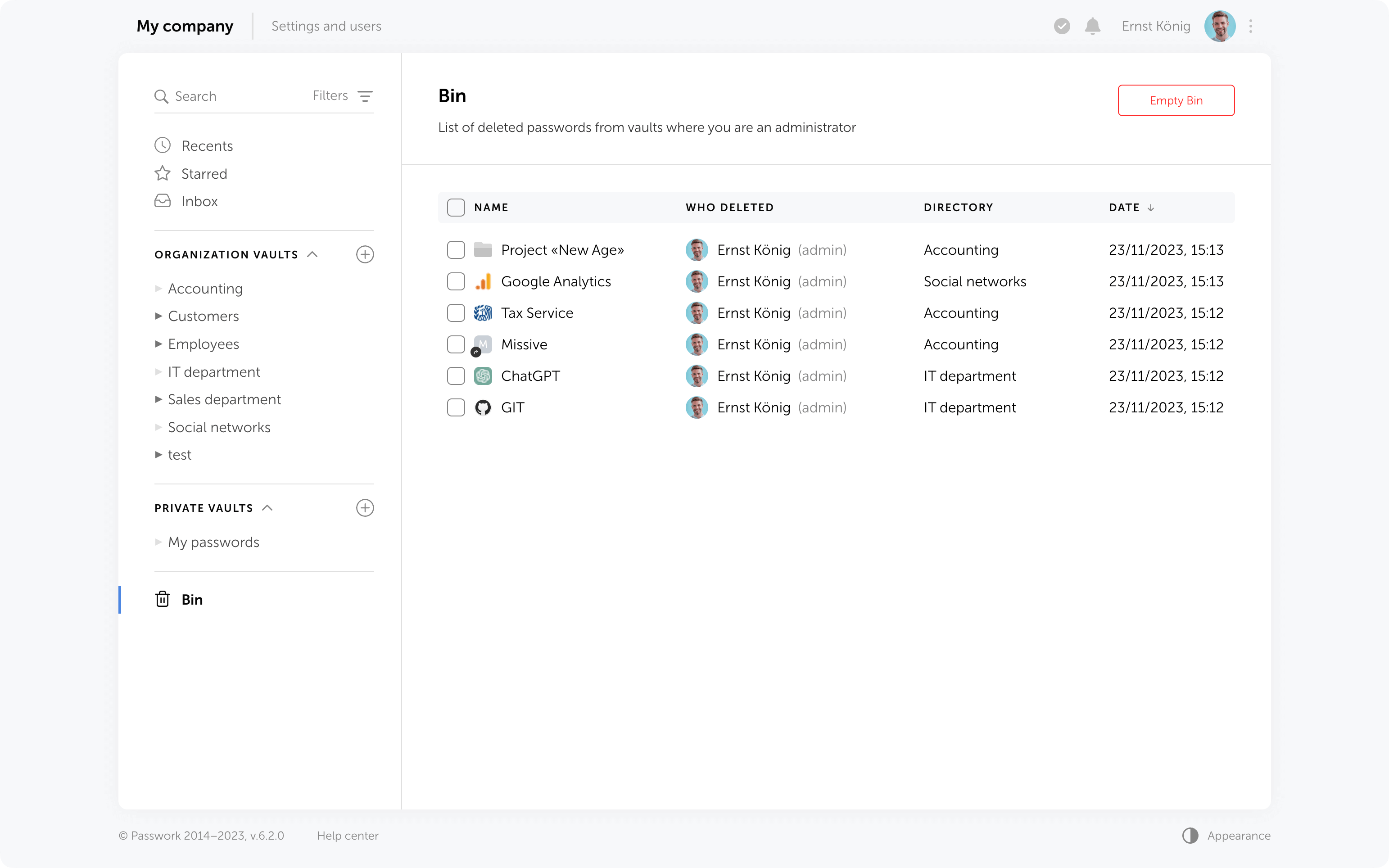
Inside the bin users can see the deleted items from those vaults in which they are administrators. For instance, an employee who is not an administrator of organization vaults will only see the deleted passwords and folders from his personal vaults when opening the Bin.
In addition to object names, the Bin also displays the usernames of people who deleted data. You can also see the initial directory name and the deletion date.
Object restoration
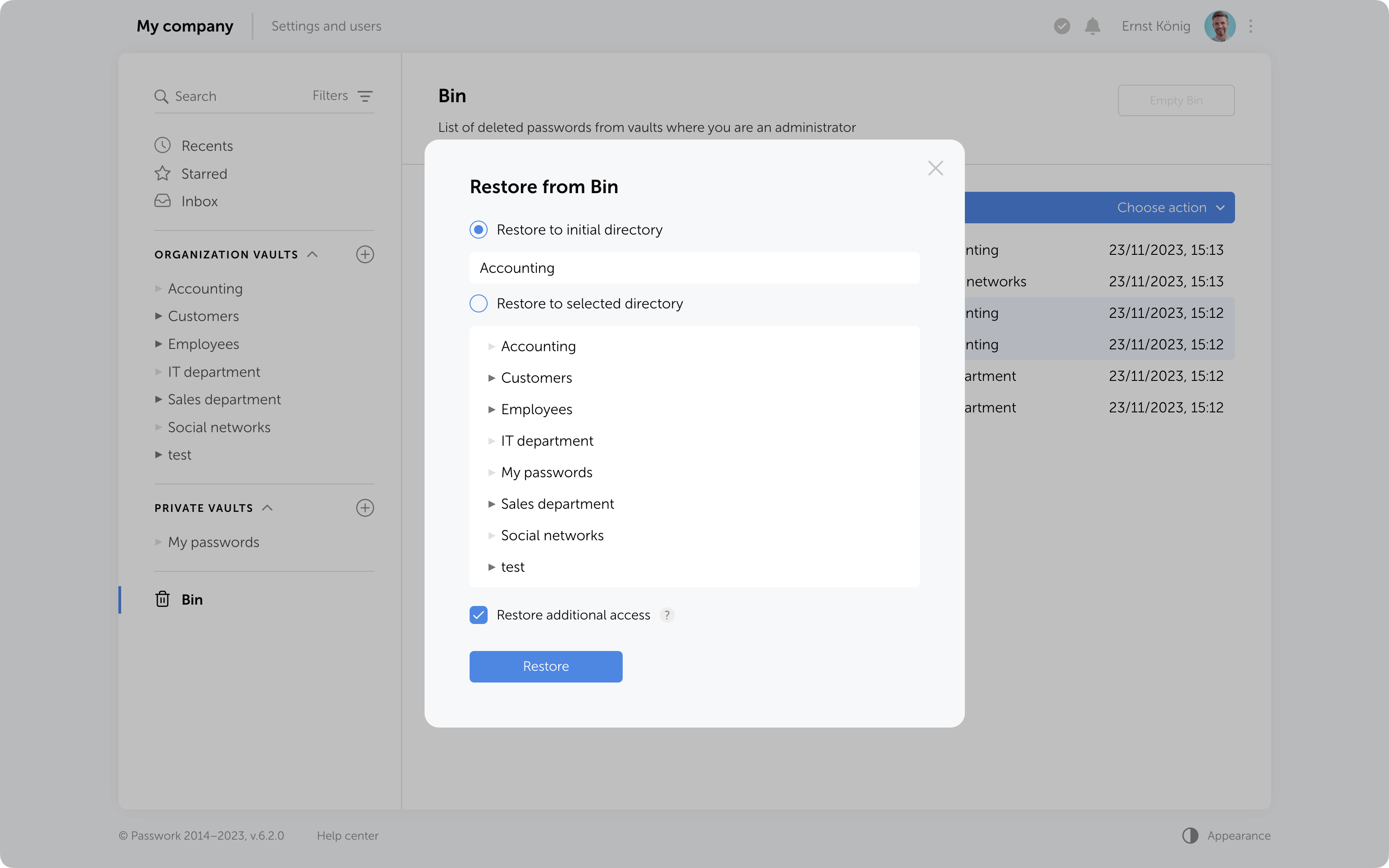
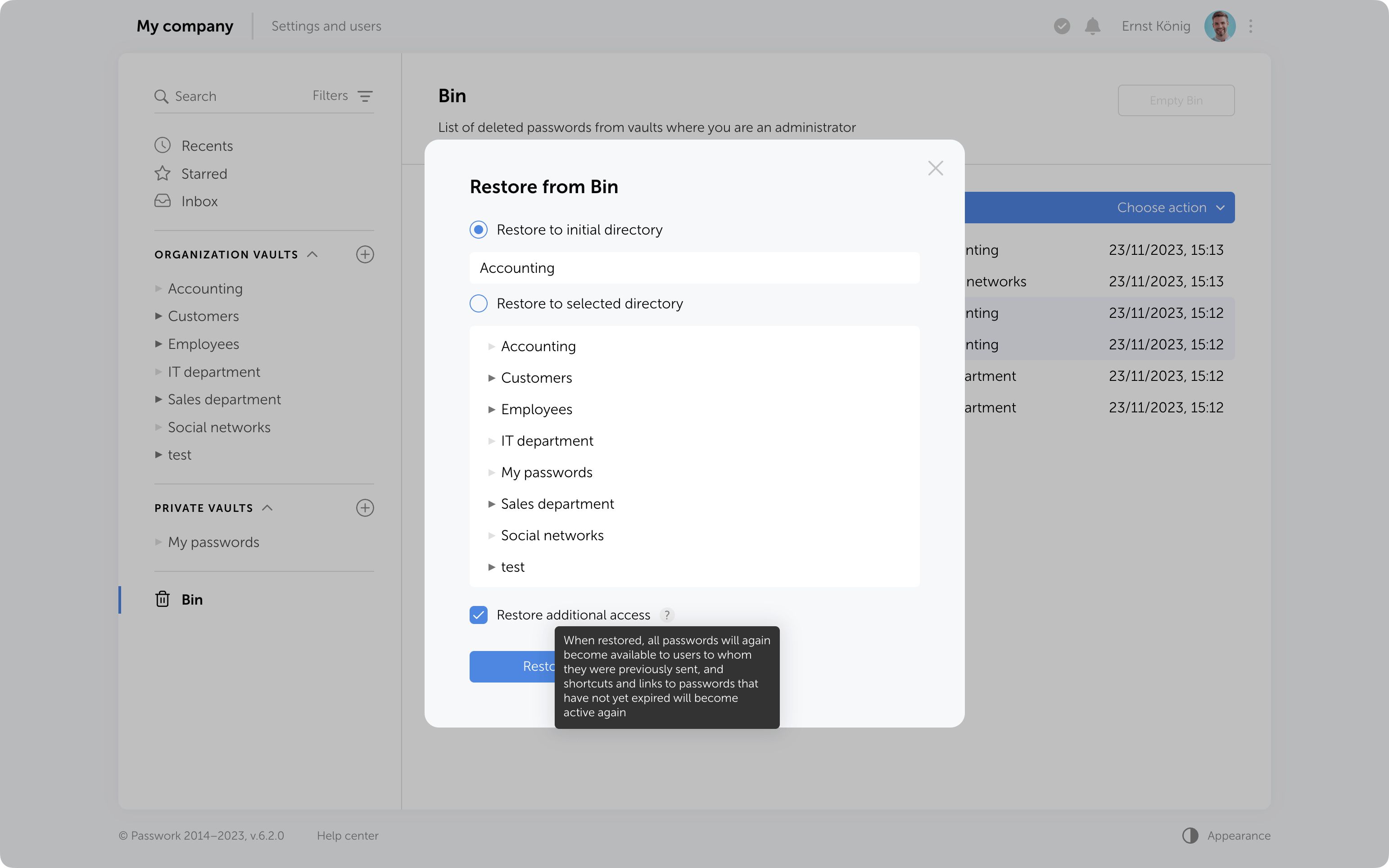
Objects from the Bin can be restored to their initial directory if it has not been deleted or moved. Alternatively, you can choose any other directory where you have edit and higher access levels.
When restoring deleted folders to their initial directories, user and role access levels will also be restored exactly as they were previously manually set in these folders. Other access permissions will be set based on the current permissions in the initial directory.
When restoring folders to a directory different from the initial, access levels will always depend on the current permissions in the selected directory.
Additional access to deleted passwords
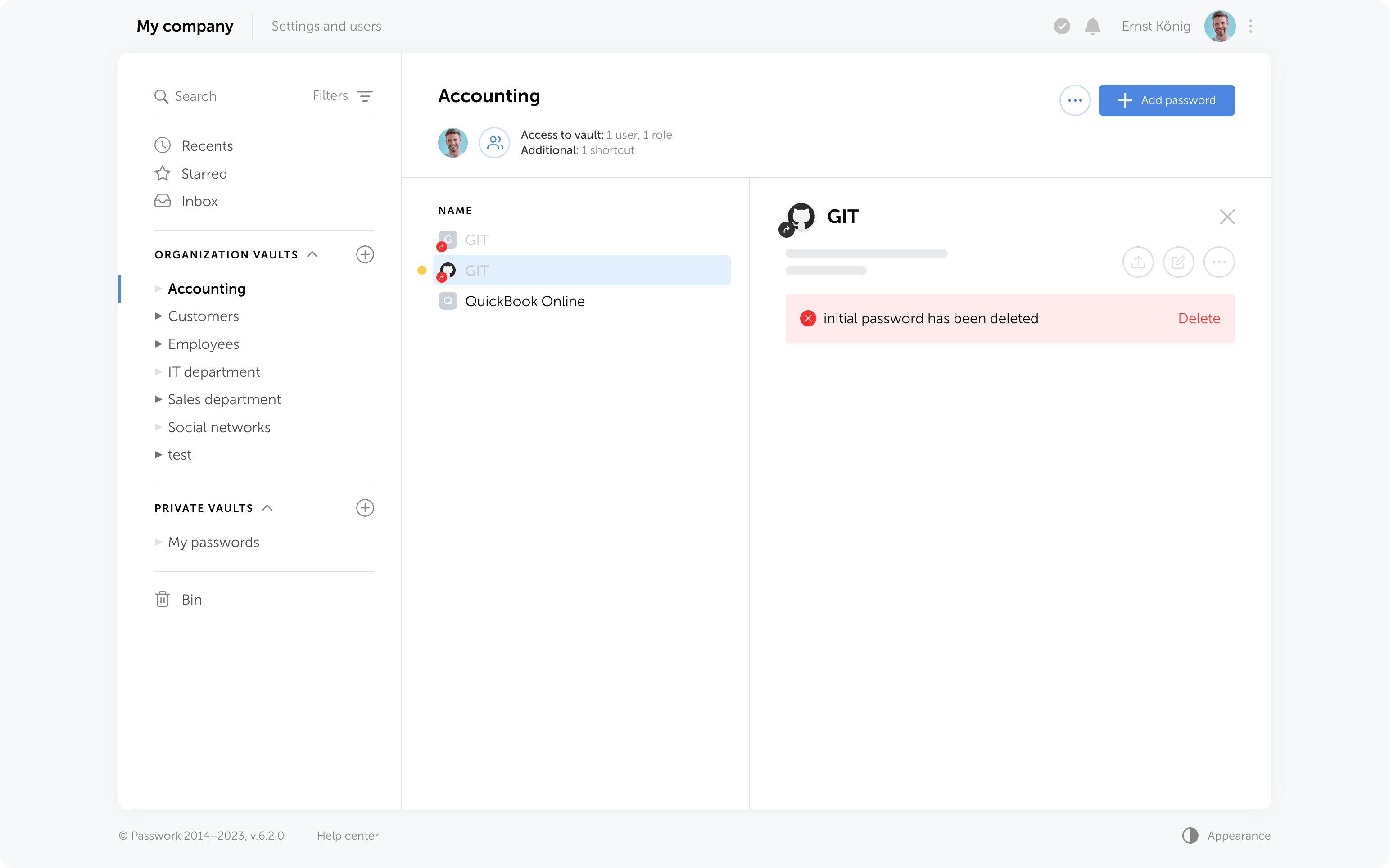
If passwords have been shared with users, moving them to the Bin will remove them from the “Inbox” section, and any shortcuts or links to these passwords will become nonfunctional.
Restoring additional access
When restoring from the Bin, it is possible to regain additional access levels to passwords. Passwords that were shared with users will reappear in their “Inbox” section, access to passwords through shortcuts will be restored, and links that have not expired will become functional again.
Bin cleanup
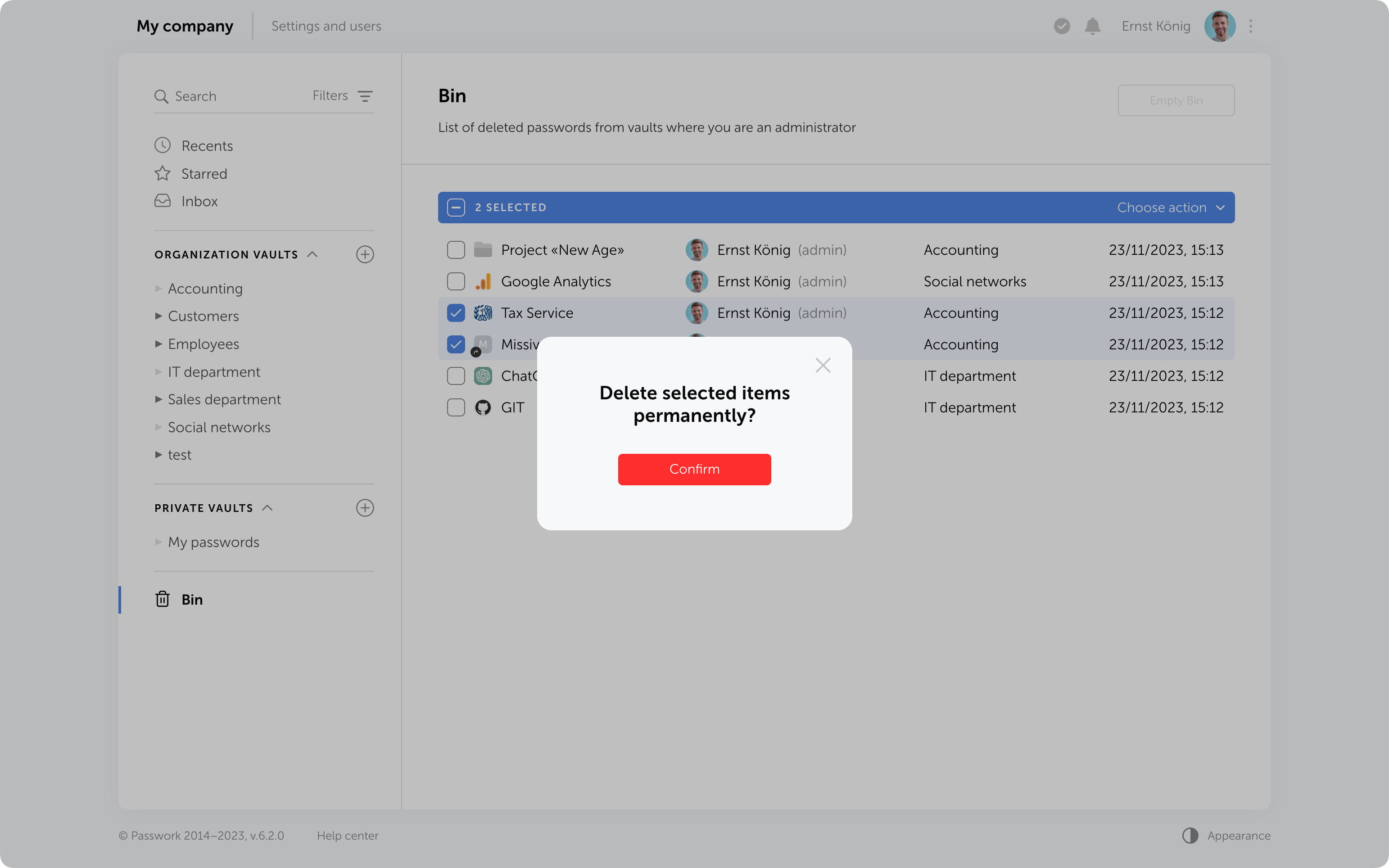
You can delete selected items from the Bin or use the "Empty Bin" button to remove all items contained inside.
It's important to note that in the Bin you only see the items which were deleted from the vaults where you are an administrator. Objects from other vaults are not visible, and clearing the Bin will not affect them.
In future, the option to configure automatic Bin cleanup will be added.
Protection against accidental removal of vault
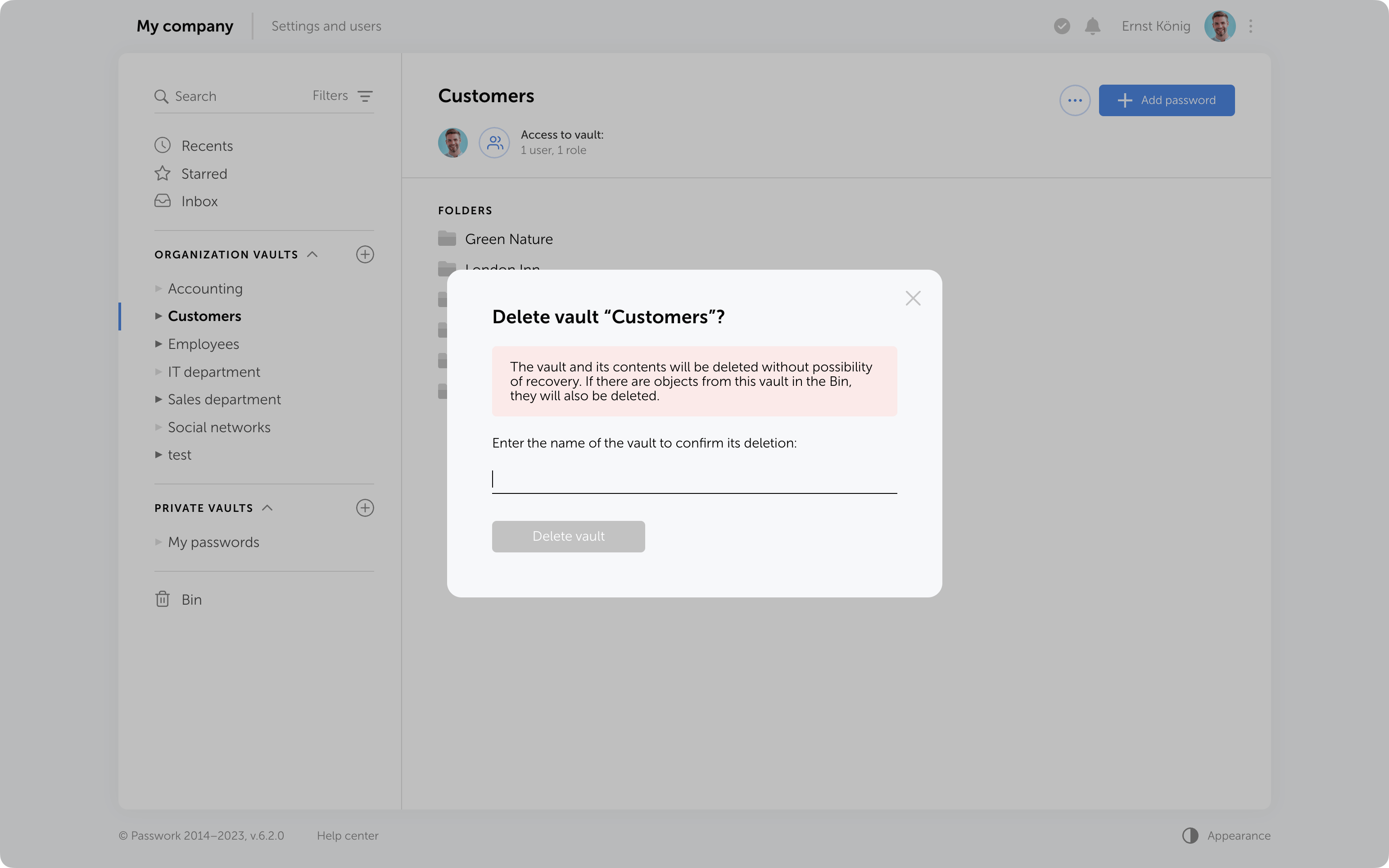
To confirm the deletion of a vault, you now need to enter its name. It will be permanently deleted along with all the data inside. Additionally, if there are passwords or folders from this vault in the Bin, they will also be removed.
Protection against 2FA brute force
Protection against 2FA brute-force attacks has been added. After several incorrect attempts to enter the 2FA code, the user will be temporarily locked. The number of attempts, input intervals, and the lockout time are set in the config.ini file.
Other changes
- LDAP synchronization has been accelerated
- Descriptions of parameters and minimum allowable values for API token expiration time and API refresh token expiration time have been added to the API settings section
- Automatic assignment of "Navigation" to parent folders in role management has been fixed
- The issue when a vault administrator could not add roles to a vault and manage its permissions has been fixed
- The issue with showing additional access rights to passwords when moved to another vault has been fixed
Why do employees ignore cybersecurity policies?
Employees often ignore cybersecurity rules not out of laziness, but because they feel generic, irrelevant, or disconnected from real work. True change starts with empathy, leadership, and context-driven policies. Read the full article to learn how to make security stick.
 Iliya Garakh, CTO
Python connector 0.1.5: Automated secrets management
The new Python connector version 0.1.5 expands CLI utility capabilities. We’ve added commands that solve critical tasks for DevOps engineers and developers — secure retrieval and updating of secrets in automated pipelines. What this solves Hardcoded secrets, API keys, tokens, and database credentials create security vulnerabilities and operational bottlenecks.
 Eirik Salmi
The 2025 small business cybersecurity checklist: A complete guide | Passwork
Passwork’s 2025 cybersecurity checklist, based on the NIST framework, provides actionable steps to prevent data breaches and financial loss.
 Eirik Salmi
Introducing Passwork 6.2

This latest update demonstrates our focus on refining user experience and enhancing collaborative password management.
No longer will you need to create password copies in various vaults — we've introduced shortcuts. With these handy labels, you can easily organize access to passwords from different directories.
The new enhanced settings provide administrators with more control over configurations and user rights, and all changes require approvals, preventing any unintentional actions.
LDAP user management has now become simpler with its cleaner interface and background data updates.
In addition to that, Passwork 6.0 brings new notifications and interface improvements. All these enhancements contribute to a more comfortable user experience while ensuring the security of passwords and sensitive data.
Shortcuts
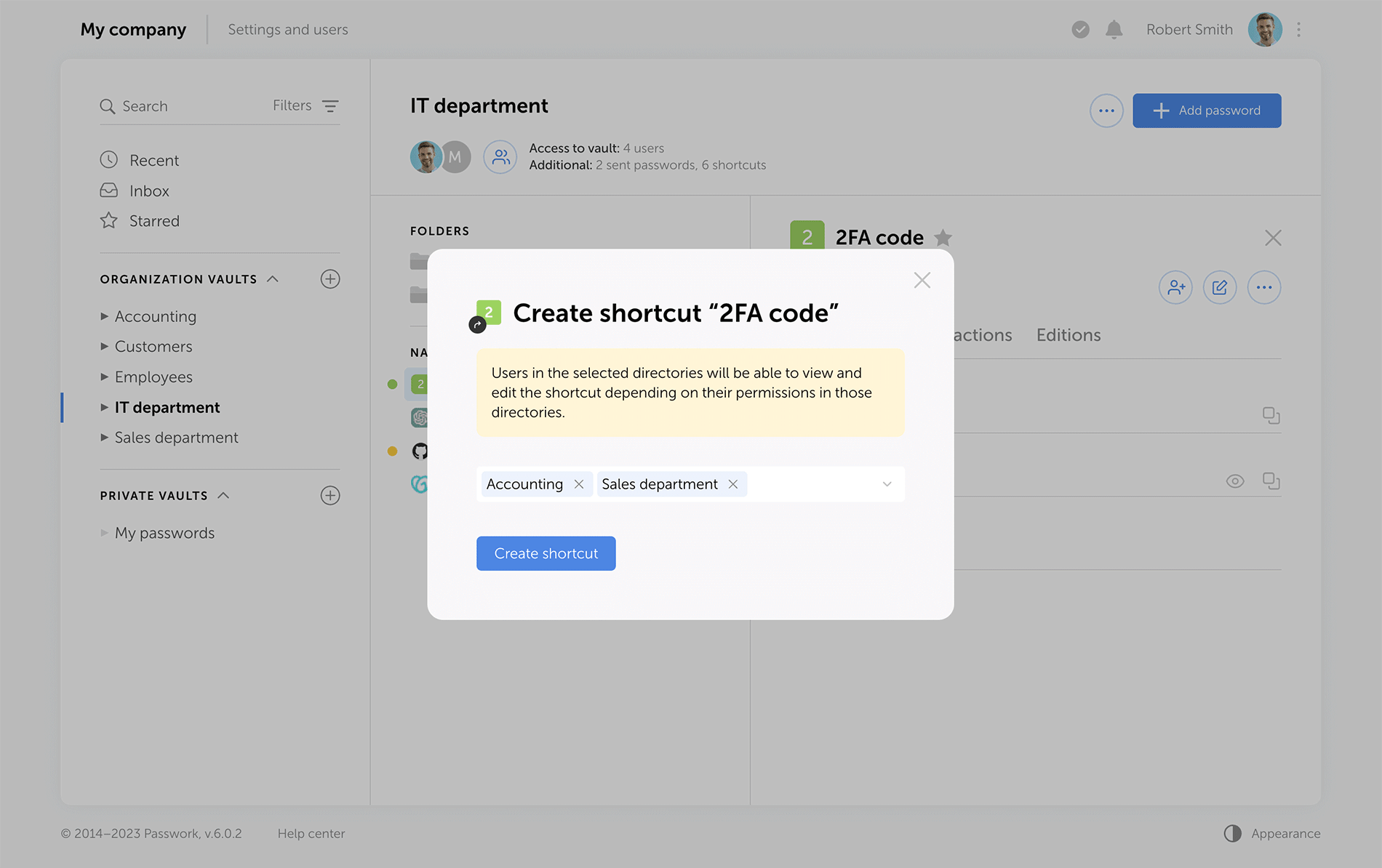
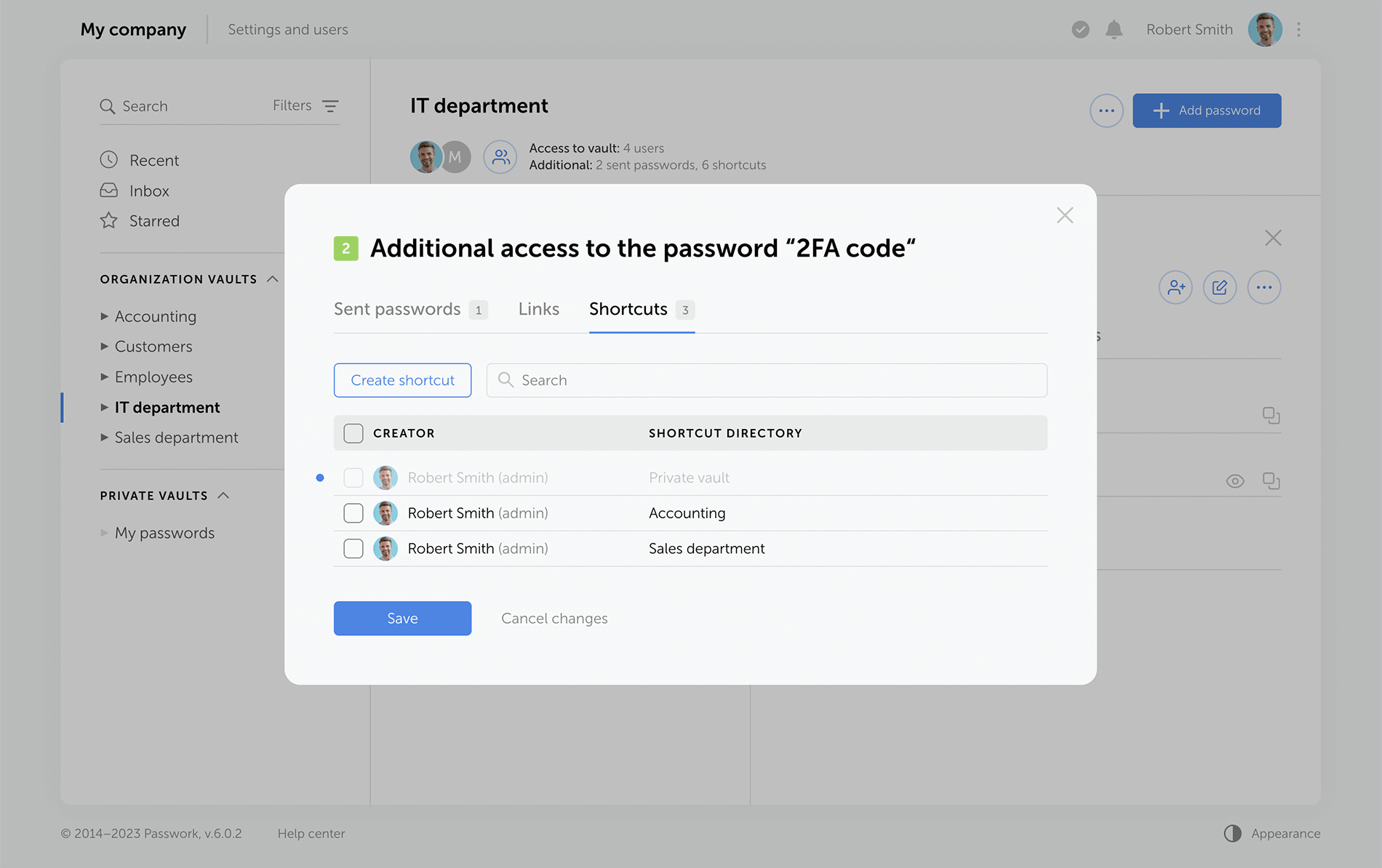
Shortcuts are a new way to share passwords, enhancing collaboration flexibility. There's no need for creating password duplicates in different vaults — instead, create multiple shortcuts in required directories. All changes to original passwords are reflected in shortcuts, keeping your team up to date. Users can view or edit data via shortcuts according to their access rights.
Sending passwords without granting partial access to vaults
Previous versions of Passwork encrypt passwords at the vault level. This type of encryption gives users partial access to vaults even when a single password is shared with them. Now, when users access passwords via their "Inbox" or a shortcut, they receive keys to specific passwords, but not their vaults.
Administrators can clearly see who has vault access rights, and who can only work with specific passwords.
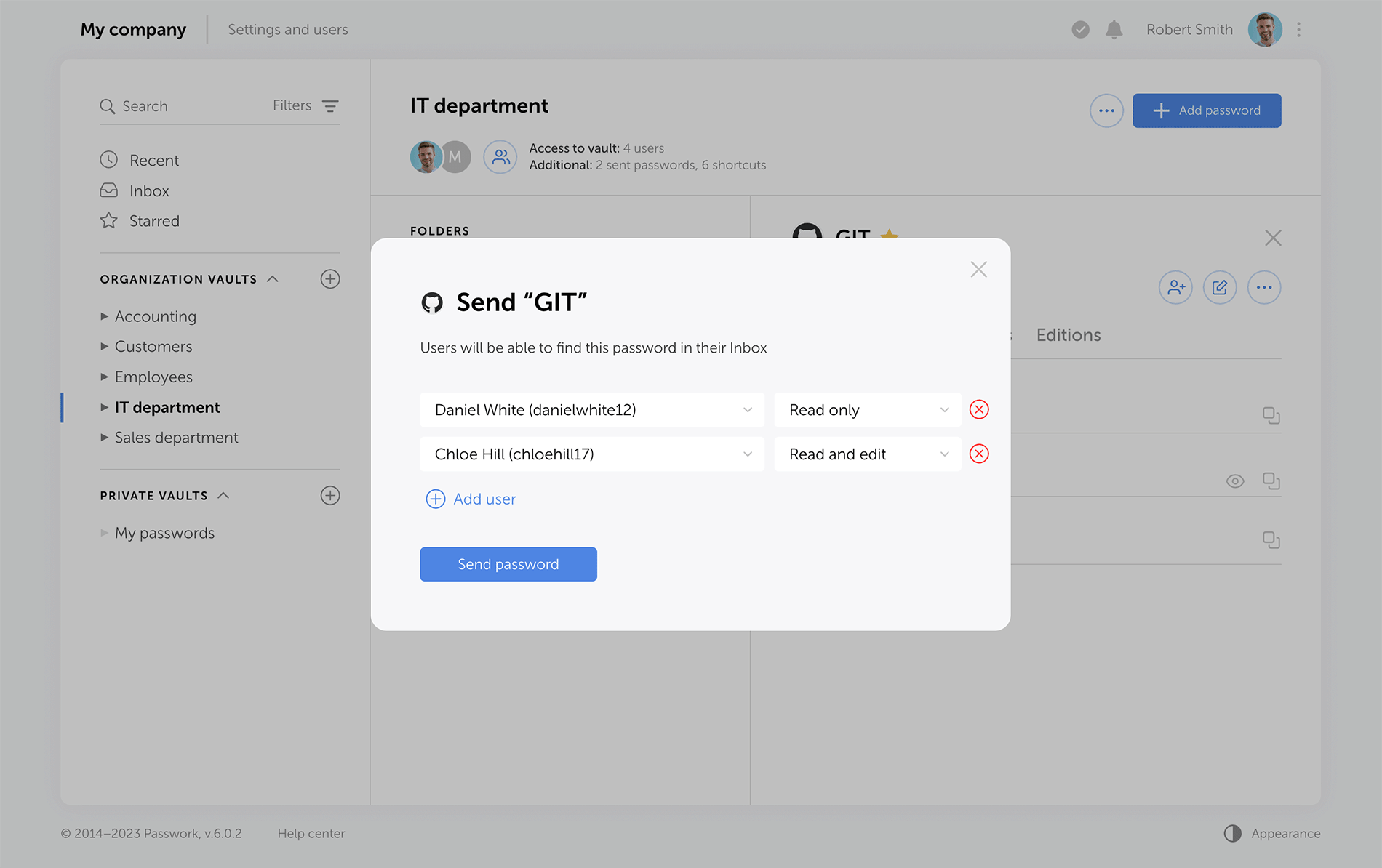
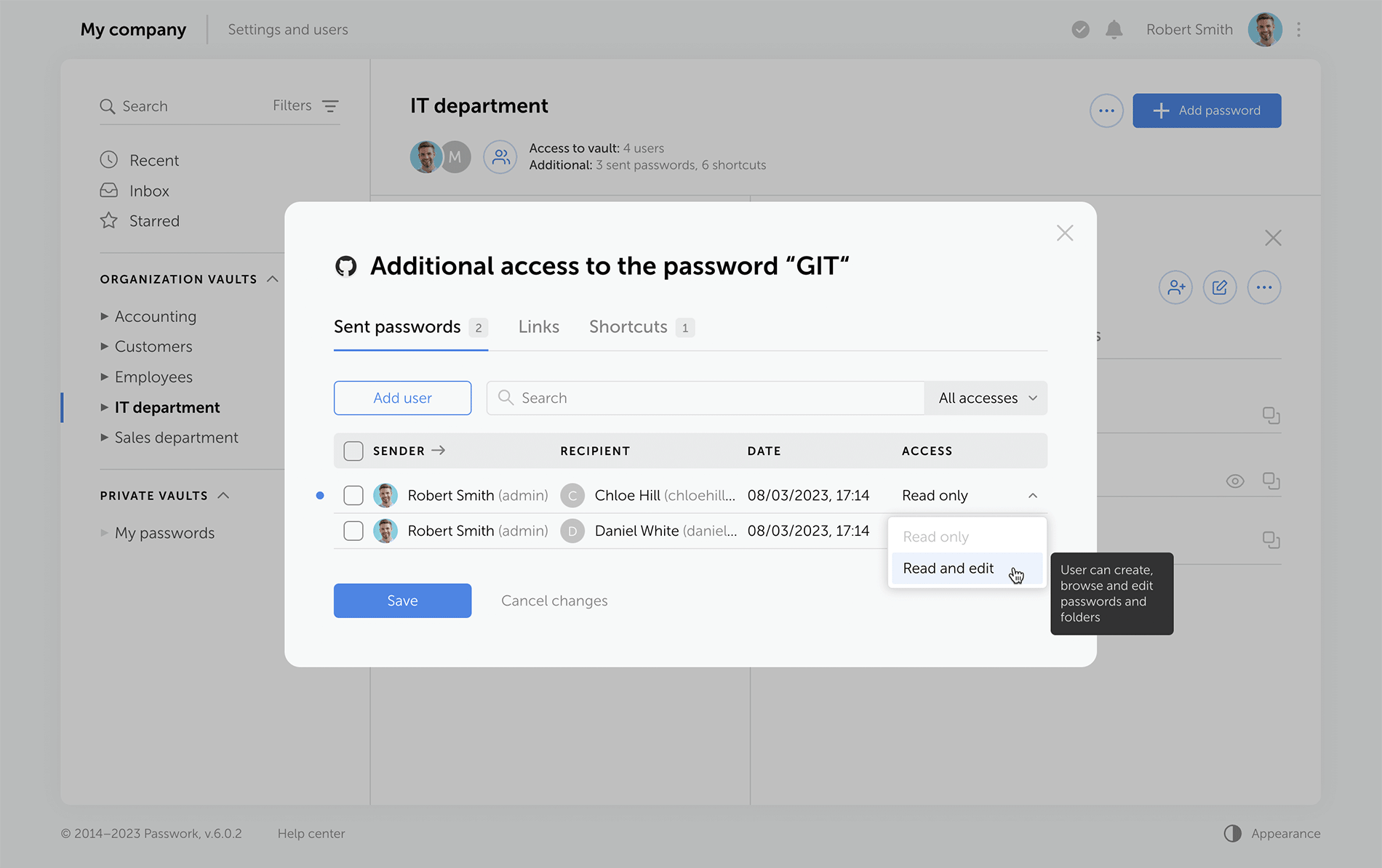
LDAP
The LDAP interface is now cleaner and more intuitive, with a reimagined user management logic. Adding new LDAP users is simpler and safer, especially with the client-side encryption enabled.
Previously, admins had to add an employee and provide a master password. Now, users set their master passwords upon the first login, and admins confirm them afterwards.
The "Users" tab shows registered users, and there is a separate window for adding new ones. LDAP user data updates take place in the background, allowing admins to navigate elsewhere without waiting for data refresh.
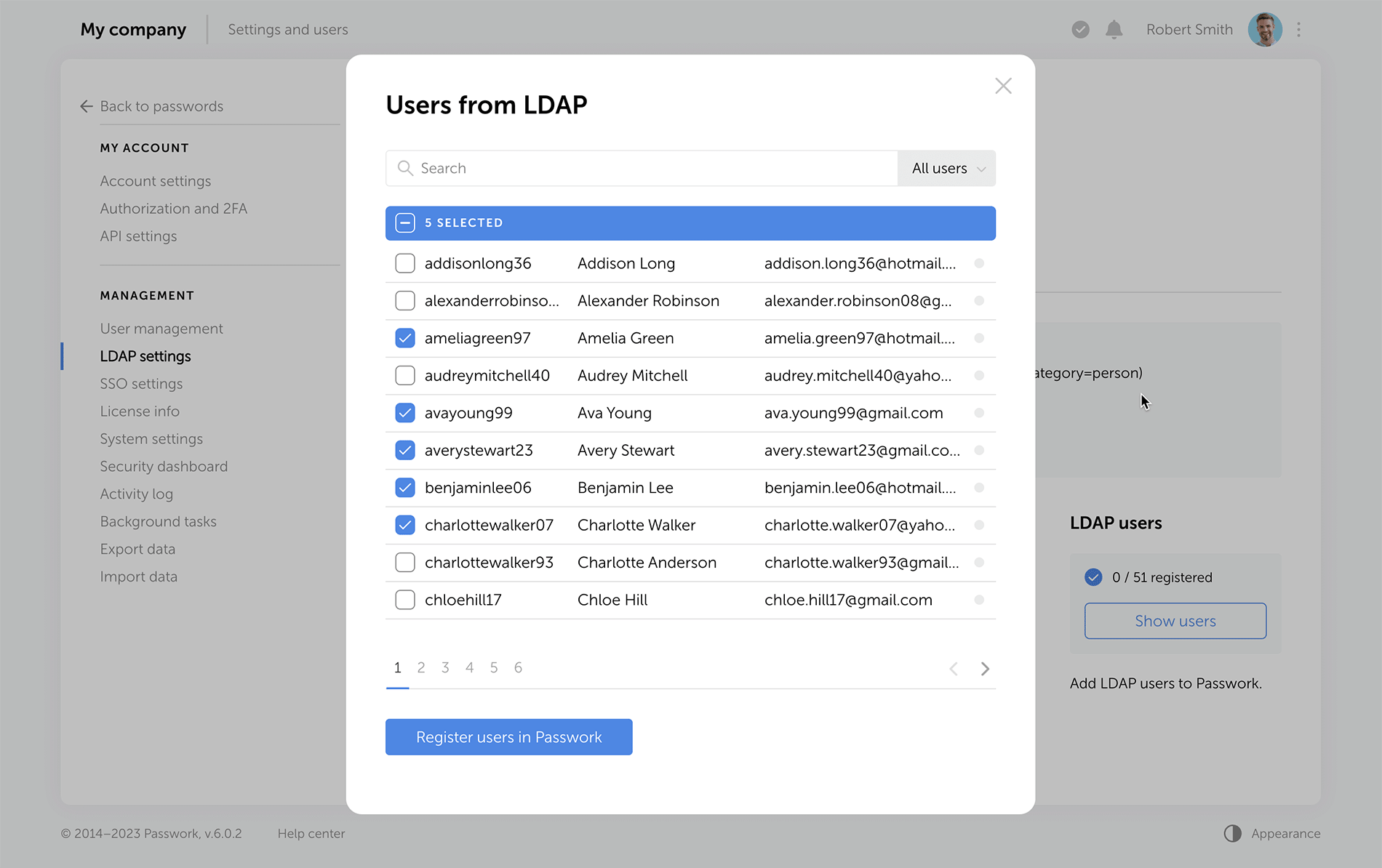
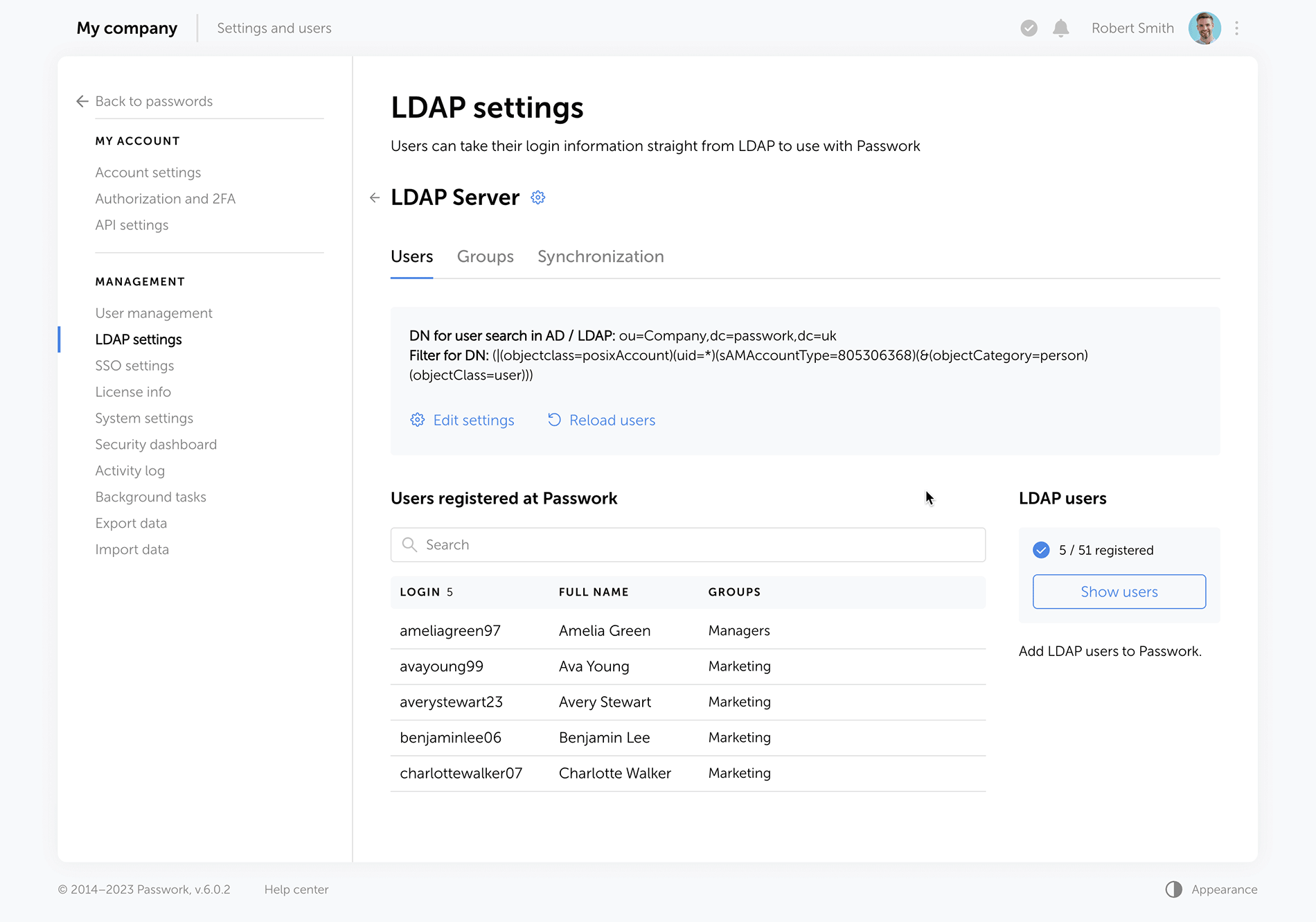
Passwork now provides more detailed security group information. The groups that are linked to roles are marked with special tags, and the groups which were not loaded from LDAP during the last update are marked as "Deleted", alerting admins to adjust the search settings or remove such groups. Also, you can now see the members of each security group.
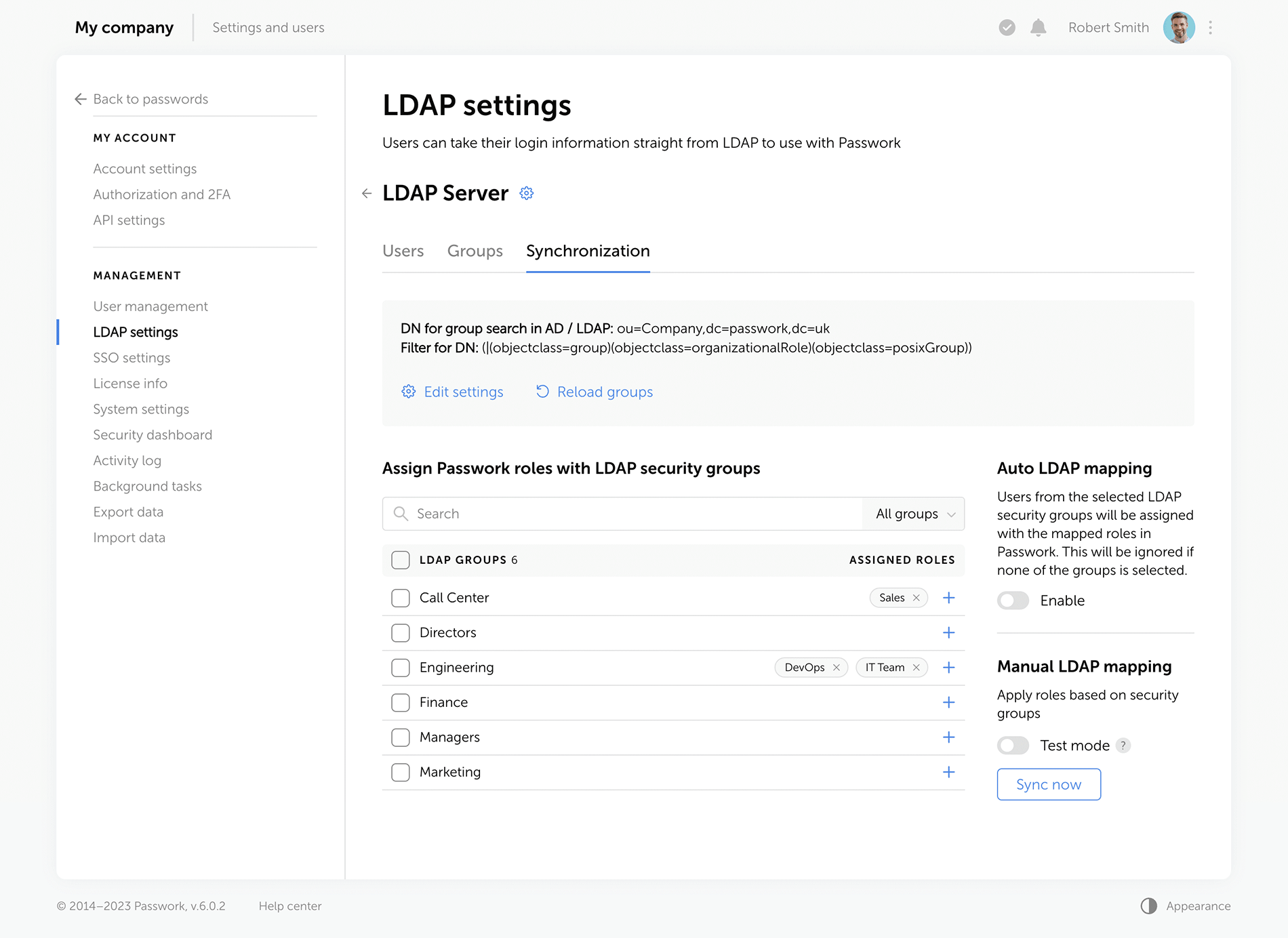
Improved settings
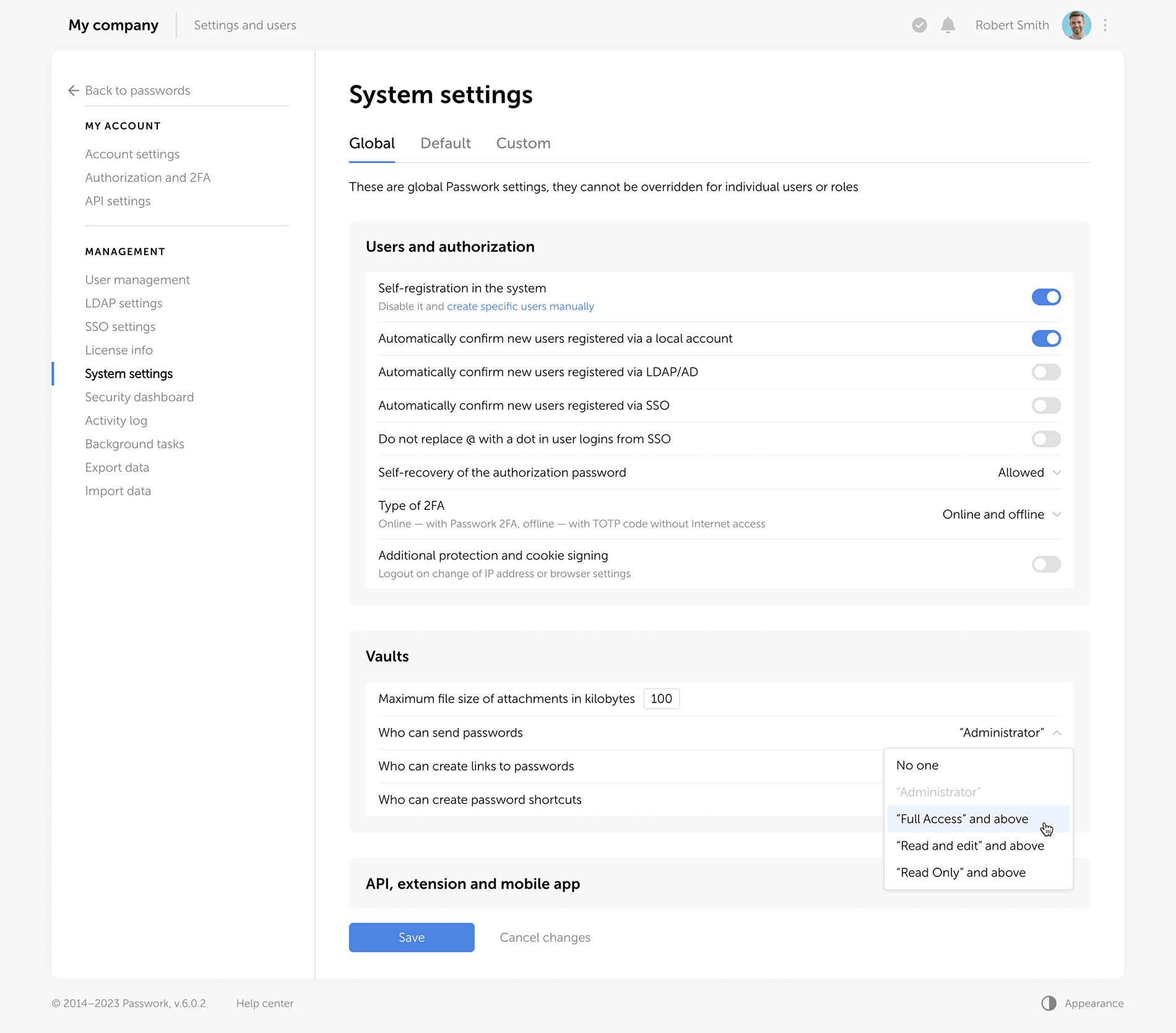
We've redesigned all settings sections for a unified visual style and enhanced functionality, reimagined the logics of some settings.
Rights for links, tags, and password sharing
Previously, these settings were applied individually to each user. Now, they are applied to everyone with a certain level of vault access. For example, anyone with the “Edit” access rights or higher can create hyperlinks to passwords. These parameters are located in the system settings under the “Global” tab.
Change confirmation
We've added “Save” and “Cancel changes” buttons in system settings. Now, any changes to settings must be confirmed — this helps to prevent accidental actions.
Custom auto-logout time
Users can now set these parameters individually, and admins specify the maximum inactivity time period before automatic logout.
Language selection
In the new version of Passwork, admins can allow employees to choose their interface language.
Interface enhancements
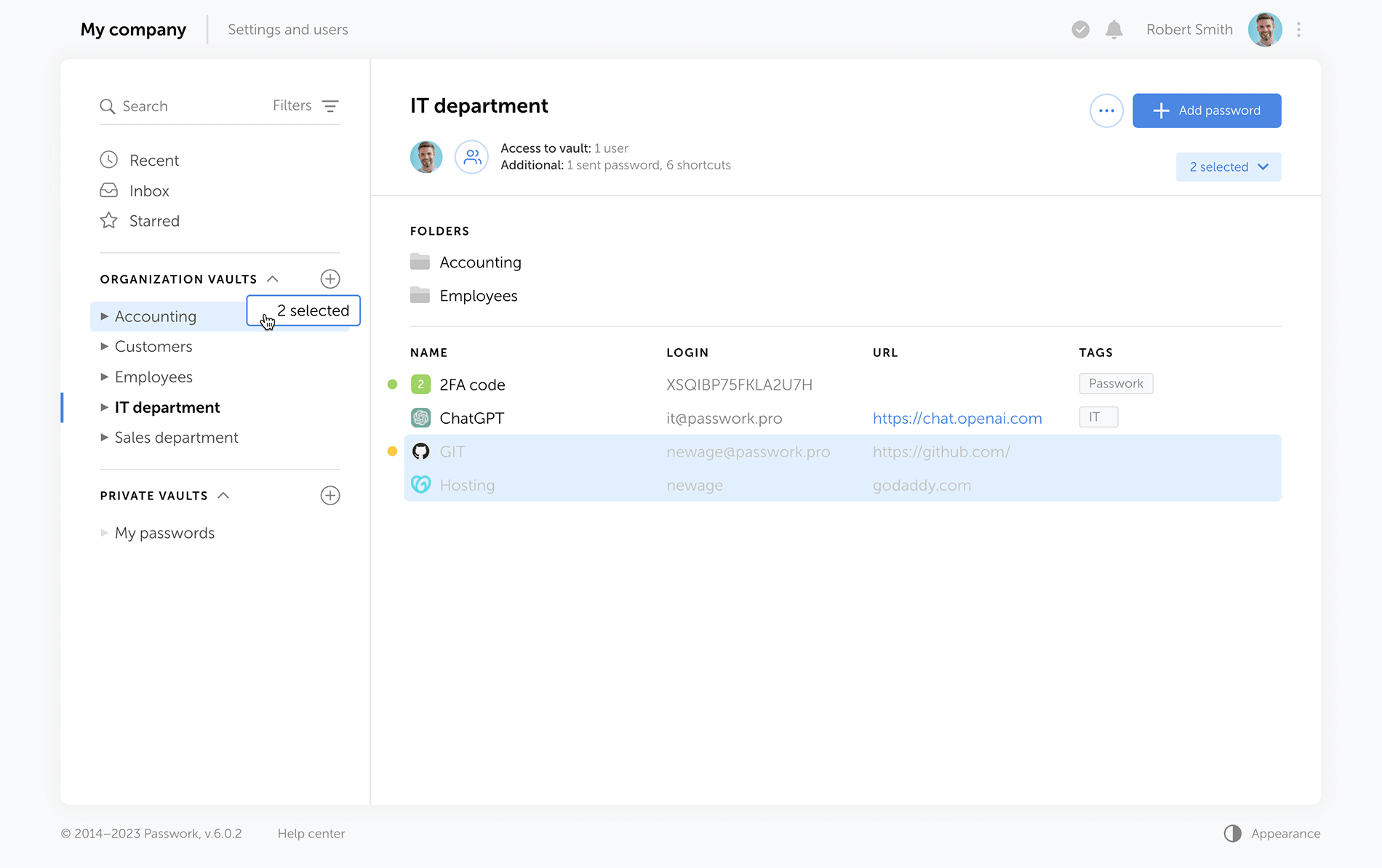
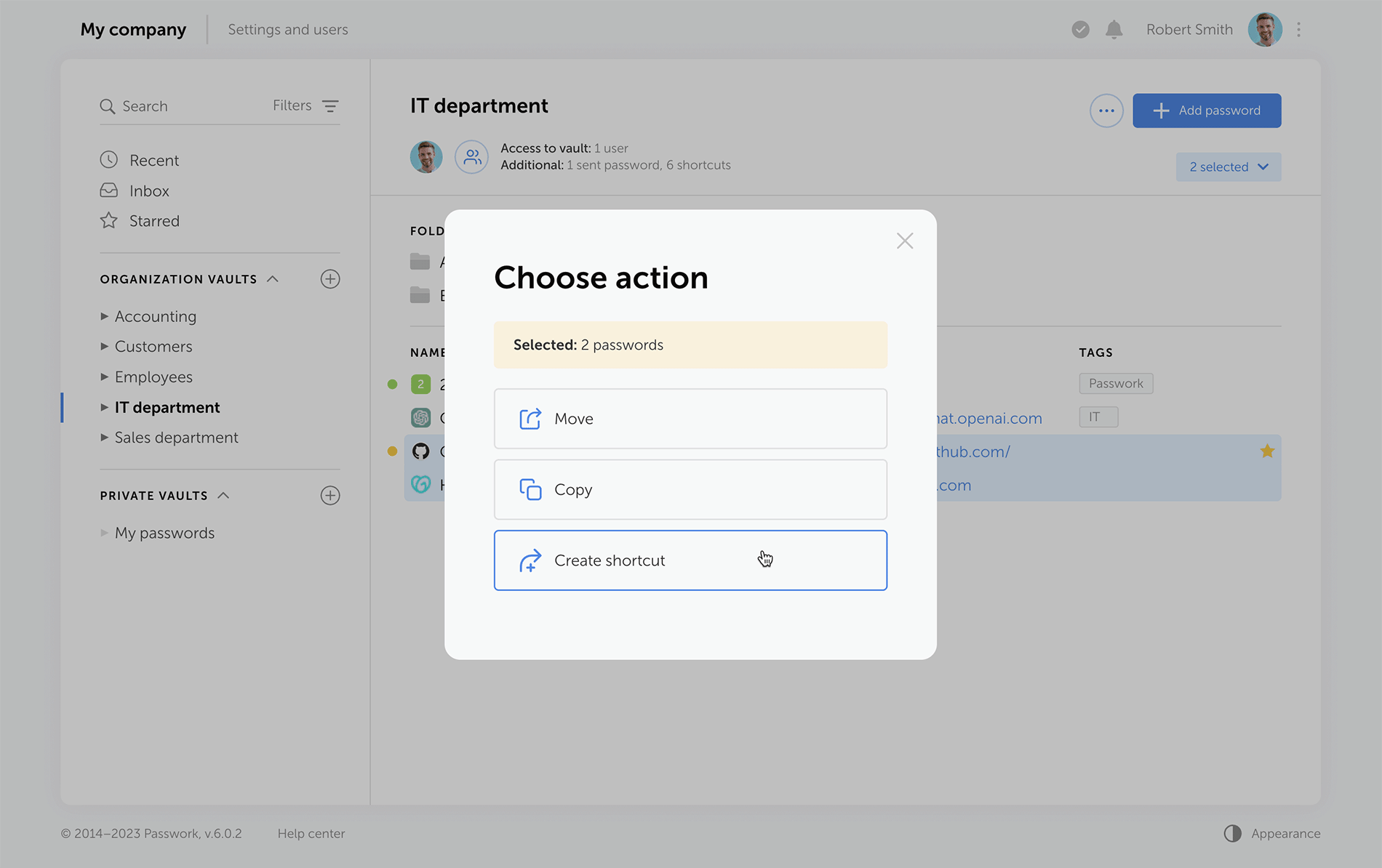
Improved drag and drop
Now, when dragging and dropping passwords and folders into desired directories, Passwork displays selectable actions — move, copy, or create a shortcut.
Other improvements
Separate windows for access to the vault and additional access
Vault access info is now split into two easy-to-read windows. One window shows users who has access to a specific vault, and the other displays alternative ways passwords from this vault can be accessed — shortcuts, hyperlinks, or shared passwords.
Redesigned password action buttons
On the password panel, we've added the "Edit" button and grouped together all actions for additional password access via shortcuts, links, or direct user sharing.
Additional fields for password import and export
Passwork 6.0 supports the use of custom fields, that means you can transfer not only login and password but also additional information stored within password cards.
New notifications
Administrators will receive notifications about new unconfirmed users, and employees will be notified of new passwords in the "Incoming" section.
HIPAA requirements for password management
Introduction In the complex ecosystem of modern healthcare, patient data is essential for secure management. In 2024, the U.S. healthcare sector experienced over 700 large-scale data breaches, marking the third consecutive year with such a high volume of incidents. This surge compromised over 275 million patient records, a significant
 Ana Moore
GDPR password security: Guide to effective staff training
Learn proven strategies to train employees for GDPR password security compliance. Reduce breach risks with practical training methods.
 Ana Moore
Cyber insurance: A false sense of security?
Introduction As cyber threats and data breaches become more frequent and sophisticated, many organizations are looking to cyber insurance as a way to manage risk. But is cyber insurance a true safety net — or is it just a false sense of security? This question was at the core of the
 Iliya Garakh, CTO
Introducing Passwork 6.0
A Security Operations Center (SOC) is a critical hub for cybersecurity within organizations. It combines people, processes, and technologies to detect, analyze, and respond to security incidents. In this article, we will delve into the components that make up a SOC, starting with its basic systems, then moving on to heavier software tools, and finally exploring emerging technologies that hold promise for the future of SOC operations.
Basic systems
The foundation of any SOC lies in its basic systems, which provide fundamental capabilities for monitoring, analysis, and incident response. These systems include:
A Security Information and Event Management (SIEM) system: A SIEM tool collects and correlates data from various sources, such as logs, network traffic, and endpoint events. It helps identify security incidents and generates alerts for further investigation. SIEM systems provide a centralized view of security events, allowing SOC analysts to detect patterns and anomalies.
Intrusion Detection Systems (IDS) and Intrusion Prevention Systems (IPS): IDS and IPS monitor network traffic, searching for suspicious patterns or known attack signatures. IDS detects intrusions, while IPS can actively block or mitigate threats in real time. These systems play a crucial role in detecting and preventing unauthorized access and malicious activities within the network.
Vulnerability management systems: Vulnerability management systems scan and assess the organization's network, applications, and systems for vulnerabilities. They enable proactive identification and remediation of security weaknesses, reducing the risk of exploitation by attackers. These systems play a vital role in maintaining a secure infrastructure.
Log management systems: Logs are critical for forensic analysis and incident response. Log management systems collect, store, and analyze logs from various sources, providing valuable insights into security events. They help SOC teams investigate incidents, identify the root cause of security breaches, and ensure compliance with regulatory requirements.
Network Traffic Analysis (NTA) tools: NTA tools analyze network traffic at a granular level, identifying anomalies and potential threats. By monitoring and analyzing network traffic patterns, these tools help SOC teams detect and respond to suspicious activities. NTA tools enhance visibility into network behavior, allowing SOC analysts to identify sophisticated threats that traditional security systems may miss.
Heavier software
As threats become more sophisticated, SOC teams require advanced software tools to combat them effectively. Let’s take a look at some examples.
Threat intelligence platforms: Threat intelligence platforms aggregate data from various sources to provide up-to-date information about known threats, vulnerabilities, and indicators of compromise. They enhance incident detection and response capabilities by enabling SOC teams to proactively identify and mitigate potential risks. Threat intelligence platforms allow organizations to stay informed about emerging threats and adopt appropriate defense measures.
Endpoint Detection and Response (EDR): EDR solutions monitor endpoint devices for suspicious activities and potential threats. They provide real-time visibility, investigation, and response capabilities, helping SOC teams swiftly identify and contain incidents. EDR tools leverage behavioral analysis and threat intelligence to detect and respond to advanced threats, such as file-less malware and insider threats, at the endpoint level.
Security Orchestration, Automation, and Response (SOAR): SOAR platforms streamline and automate SOC processes, integrating various tools and technologies. They facilitate incident triage, investigation, and response, enabling faster and more efficient security operations. SOAR platforms automate routine tasks, allowing SOC analysts to focus on high-value activities like threat hunting and incident response.
User and Entity Behavior Analytics (UEBA): UEBA tools leverage machine learning algorithms to establish baseline behaviors for users and entities within an organization. They detect anomalous activities, such as insider threats or compromised accounts, by analyzing behavior patterns. UEBA tools provide insights into user activities, helping SOC teams identify potential security incidents and mitigate risks.
Deception technologies: Deception technologies create decoys and traps within a network, luring attackers and diverting their attention. By interacting with deception assets, SOC teams can gather valuable threat intelligence and gain insights into attackers' techniques. Deception technologies complement traditional security measures by providing early detection and response capabilities.
Looking forward
The evolving threat landscape calls for constant innovation in the field of cybersecurity. Several technologies show promise for enhancing SOC capabilities in the future. Let’s take a look at a few.
Artificial Intelligence (AI) and Machine Learning (ML): AI and ML techniques are already being utilized in various aspects of cybersecurity. They can aid in threat detection, anomaly detection, and behavior analysis, enabling more proactive and accurate identification of security incidents. AI and ML algorithms can analyze vast amounts of data and identify patterns that human analysts may miss, improving the efficiency and effectiveness of SOC operations.
Advanced analytics: Advanced analytics techniques, such as predictive analytics and behavioral analytics, can provide deeper insights into security events and help identify emerging threats. By analyzing historical and real-time data, SOC teams can uncover hidden connections and predict future attack trends. Advanced analytics empower SOC analysts to make informed decisions, prioritize threats, and allocate resources effectively.
Cloud-based security: As organizations increasingly adopt cloud infrastructure, SOC operations will need to adapt accordingly. Cloud-native security solutions, including Cloud Access Security Brokers (CASBs) and Cloud Security Posture Management (CSPM) tools, are emerging to address the unique challenges of cloud environments. These solutions provide visibility, control, and compliance assurance across cloud services, ensuring that organizations can protect their data and applications effectively.
Internet of Things (IoT) security: With the proliferation of IoT devices, SOC teams will face the challenge of securing these endpoints. Future SOC technologies should incorporate specialized IoT security solutions that monitor and protect connected devices. IoT security platforms can detect and mitigate IoT-specific threats, such as device tampering, unauthorized access, and data exfiltration. These technologies enable SOC teams to secure the expanding landscape of IoT devices within organizations.
Quantum computing: Quantum computing has the potential to revolutionize cryptography and threat intelligence analysis. With its immense computational power, quantum computers may help SOC teams tackle complex cryptographic algorithms and facilitate faster threat analysis. Quantum-resistant encryption algorithms and quantum-enabled threat detection techniques may become crucial components of future SOC operations.
Conclusion
A well-equipped SOC comprises basic systems, advanced software, and future technologies. The basic systems form the foundation, providing essential monitoring and analysis capabilities. Heavier software tools enhance incident response and detection, allowing SOC teams to stay ahead of evolving threats. Looking ahead, emerging technologies like AI, advanced analytics, cloud-based security, IoT security solutions, and quantum computing hold the potential to revolutionize SOC operations, enabling organizations to protect their assets and data more effectively in an ever-changing cybersecurity landscape.
HIPAA requirements for password management
Introduction In the complex ecosystem of modern healthcare, patient data is essential for secure management. In 2024, the U.S. healthcare sector experienced over 700 large-scale data breaches, marking the third consecutive year with such a high volume of incidents. This surge compromised over 275 million patient records, a significant
 Ana Moore
Why do employees ignore cybersecurity policies?
Employees often ignore cybersecurity rules not out of laziness, but because they feel generic, irrelevant, or disconnected from real work. True change starts with empathy, leadership, and context-driven policies. Read the full article to learn how to make security stick.
 Iliya Garakh, CTO
Python connector 0.1.5: Automated secrets management
The new Python connector version 0.1.5 expands CLI utility capabilities. We’ve added commands that solve critical tasks for DevOps engineers and developers — secure retrieval and updating of secrets in automated pipelines. What this solves Hardcoded secrets, API keys, tokens, and database credentials create security vulnerabilities and operational bottlenecks.
 Eirik Salmi
Exploring the components of a Security Operations Center (SOC): Basic systems, advanced software, and future technologies
Symmetric algorithms, forming the backbone of modern cryptography, offer a secure method of encrypting and decrypting data utilizing a single shared key. They have been widely adopted for their unmatched speed and efficiency. Like any other technology, symmetric algorithms come with their own set of benefits and drawbacks. This article seeks to offer a comprehensive review of the pros and cons of symmetric algorithms, providing a deeper understanding of their integral role in data security and the potential challenges they entail.
Pros of symmetric algorithms
Unrivaled efficiency
Symmetric algorithms are best known for their superior efficiency in handling large volumes of data for encryption and decryption. The use of a single key significantly reduces the demand for computational resources, setting symmetric algorithms apart from their asymmetric counterparts. This makes them an excellent fit for applications that demand high-speed data processing, including secure communication channels and real-time data transfers.
Impressive speed
Symmetric algorithms, by virtue of their simplicity, can process data at a much faster rate than asymmetric algorithms. Without the need for complex mathematical operations, such as prime factorization or modular arithmetic, symmetric algorithms can encrypt and decrypt data rapidly, reducing latency. This speed advantage is particularly beneficial for applications requiring swift data encryption, including secure cloud storage and virtual private networks (VPNs).
Key distribution
Symmetric algorithms simplify the key distribution process. Given that both the sender and receiver utilize the same key, they only need to execute a secure key exchange once. This offers increased convenience in scenarios where multiple parties need to communicate securely, such as within large organizations, military operations, or corporate communications.
Computational simplicity
Symmetric algorithms are relatively straightforward to implement due to their computational simplicity. This allows for efficient coding, making them ideally suited for resource-constrained devices that possess limited computational capabilities, such as embedded systems or Internet of Things (IoT) devices. This simplicity also contributes to easier maintenance and debugging, reducing the potential for implementation errors that could compromise security.
Cons of symmetric algorithms
Complex key management
The management and distribution of shared keys are significant challenges inherent to symmetric algorithms. The security of these algorithms is closely tied to the confidentiality of the key. Any unauthorized access or compromise of the key can lead to a total breach of data security. Consequently, robust key management protocols are essential, including secure storage, key rotation, and secure key exchange mechanisms, to mitigate this risk.
Lack of authentication
Symmetric algorithms do not inherently provide authentication mechanisms. The absence of additional measures, such as digital signatures or message authentication codes, can make it challenging to verify the integrity and authenticity of the encrypted data. This opens the door for potential data tampering or unauthorized modifications, posing a considerable security risk.
Scalability
Symmetric algorithms face challenges when it comes to scalability. Since each pair of communicating entities requires a unique shared key, the number of required keys increases exponentially with the number of participants. This can be impractical for large-scale networks or systems that involve numerous users, as managing a vast number of keys becomes complex and resource-intensive.
Lack of perfect forward secrecy
Symmetric algorithms lack perfect forward secrecy, meaning that if the shared key is compromised, all previous and future communications encrypted with that key become vulnerable. This limitation makes symmetric algorithms less suitable for scenarios where long-term confidentiality of data is crucial, such as secure messaging applications.
An in-depth analysis of symmetric algorithms
Symmetric algorithms, including the widely adopted AES, DES, and Blowfish, are favored for their speed and efficiency. However, their robustness is largely dependent on the size of the key and the security of the key during transmission and storage. While larger keys can enhance security, they also increase the computational load. Thus, selecting the appropriate key size is a critical decision that requires a careful balance between security and performance requirements.
One of the standout strengths of symmetric encryption is its application in bulk data encryption. Because of their speed, symmetric algorithms are ideally suited for scenarios where large amounts of data need to be encrypted quickly. However, they may not always be the best solution. In many cases, asymmetric encryption algorithms, despite their higher computational demands, are preferred because of their additional security benefits.
It's also crucial to note that cryptographic needs often go beyond just encryption and decryption. Other security aspects, such as data integrity, authentication, and non-repudiation, are not inherently provided by symmetric algorithms. Therefore, a comprehensive security scheme often uses symmetric algorithms in conjunction with other cryptographic mechanisms, such as hash functions and digital signatures, to provide a full suite of security services.
Final thoughts
Symmetric algorithms occupy a pivotal place in the realm of cryptography. Their efficiency and speed make them an invaluable asset for many applications, especially those involving large-scale data encryption. However, the limitations inherent in symmetric algorithms, including key management complexities, lack of authentication, and absence of perfect forward secrecy, necessitate meticulous implementation and the incorporation of additional security measures. Therefore, the decision to utilize symmetric algorithms should be made based on a thorough understanding of these pros and cons, as well as the specific requirements of the system in question.
Python connector 0.1.5: Automated secrets management
The new Python connector version 0.1.5 expands CLI utility capabilities. We’ve added commands that solve critical tasks for DevOps engineers and developers — secure retrieval and updating of secrets in automated pipelines. What this solves Hardcoded secrets, API keys, tokens, and database credentials create security vulnerabilities and operational bottlenecks.
 Eirik Salmi
GDPR password security: Guide to effective staff training
Learn proven strategies to train employees for GDPR password security compliance. Reduce breach risks with practical training methods.
 Ana Moore
Incident response planning: Preparedness vs. reality
Discover key insights from Passwork webinar on incident response planning. Why teamwork and tools drive real cybersecurity resilience.
 Iliya Garakh, CTO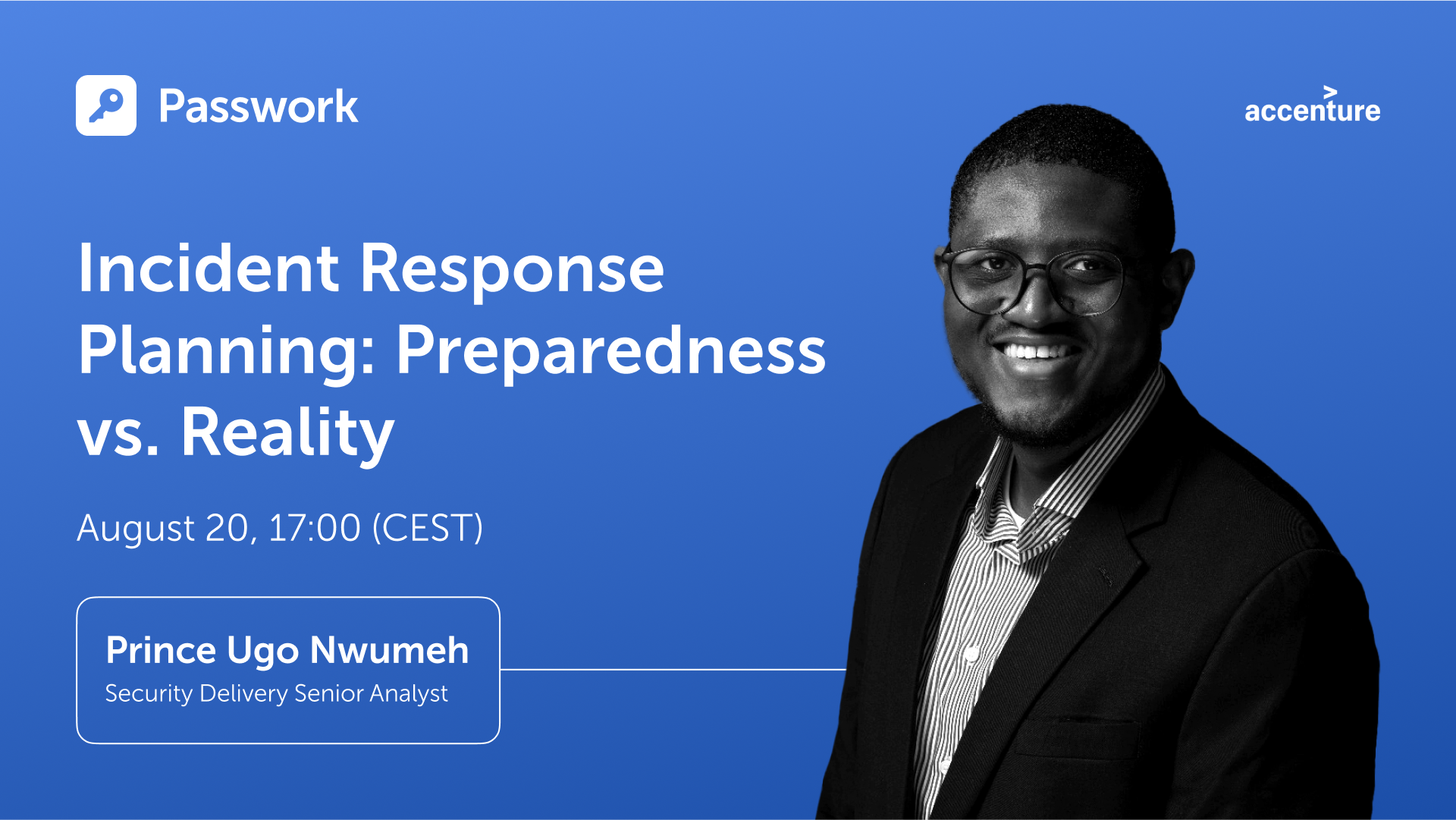
Pros and cons of symmetric algorithms: Ensuring security and efficiency

In an era where cybercrime is rampant, businesses must take a proactive approach to safeguard their confidential information. In 2021 alone, over 118 million people have been affected by data breaches, and this number is expected to rise exponentially.
In this post, we’ll discuss some of the best practices for businesses to protect themselves from cyber threats.
Always have a back-up
A good backup system is one of the best ways to maintain computers’ security and protect your business’s data. Regularly backing up important files can help ensure that you don’t lose any information if a cyber incident or computer issue occurs. Here are some tips on how to effectively back up your data:
- Use multiple backup methods. Have an effective backup system by using daily incremental backups to portable devices or cloud storage, end-of-week server backups, quarterly server backups, and yearly server backups. Remember to regularly check and test whether you can restore your data from these backups.
- Use portable devices. Consider using external drives or portable devices such as USB sticks to store your data. Store the devices separately offsite, and make sure they are not connected to the computer when not in use to prevent malicious attacks.
- Utilize cloud storage solutions. Cloud storage solutions are a great way of backing up all your important information. Choose a solution that provides encryption for transferring and storing your data and multi-factor authentication for access.
- Practice safe backup habits. Make it a habit to regularly back up your data, not just once but multiple times throughout the week or month, depending on the type of information you’re backing up. Additionally, it’s important to practice safe backup habits, such as keeping your devices away from computers when not in use and regularly testing that your data is properly backed up.
Train your employees
To protect your business from cyber threats, educating your employees about the risks and how to stay safe is essential. Training should focus on identifying phishing emails, using strong passwords, and reporting any suspicious activity immediately to the IT department.
Ensure that everyone is up-to-date with the latest threats and strategies for protection by conducting regular cybersecurity training sessions with all of your employees. Provide helpful resources such as tips for creating secure passwords, methods for spotting phishing attempts, and steps for safely sharing confidential information online.
Putting this emphasis on education and training will help create an environment of alertness so that any potential risk can be identified quickly and addressed appropriately.
Password management
Weak passwords are one of the most common entry points for cyber attackers, so using a secure password and password manager is essential to keep your business safe.
A password manager is a tool that allows you to store and manage all your passwords securely, with only one strong master password needed to access them all. Here are some tips for creating strong passwords and using a reliable password manager:
- Create strong passwords. Choose passwords that include numbers, symbols, upper-case letters, and lower-case letters. Avoid using personal information like birthdays or pet names in your passwords. Additionally, avoid using the same username/password combination for multiple accounts.
- Use a password manager. A reliable password manager will help you create and store secure passwords. Be sure to select a trustworthy provider, as they will be responsible for protecting your data.
An on-premise password manager like Passwork is an excellent option for businesses that need to store passwords on their own servers. Passwork provides the advantage of having full control over your data and features like password sharing and a secure audit log.
- Enable multi-factor authentication. Adding an extra layer of security to your accounts is easy with multi-factor authentication (MFA). MFA requires two or more pieces of evidence to authenticate the user's identity, such as passwords and biometric data. Most password managers can enable MFA for all your accounts, so be sure to take advantage of this feature.
Finally, make sure you update your passwords regularly and always keep them private. Following these tips will help ensure that you are protecting your business from cyber threats.
Securing your network
Using a Virtual Private Network (VPN) effectively protects your business's sensitive data and prevents unauthorized access to your network. A VPN creates an encrypted connection between your device and the internet, making it more difficult for hackers or malicious actors to intercept and access confidential information. Here are some tips on how to leverage a VPN for optimal security:
- Research the best VPN providers for features that best suit the needs of your organization
- Ensure that the provider meets industry standards such as AES 256-bit encryption
- Set up two-factor authentication with users’ login credentials
- Configure the VPN for reliable and secure connections
- Monitor your network for any suspicious activity or unauthorized access attempts
- Make sure to update the VPN software with new security patches regularly
- Train users on the proper internet safety and best practices when using a VPN
- Use an antivirus program and scan all devices connected to the network for malware threats
VPNs are not only important for protecting data and preventing unauthorized access but also for maintaining user privacy. By encrypting the data sent and received over the internet, your organization can ensure that any information stays secure and confidential.
Consistent vulnerability assessments are crucial
Organizations of all sizes must remain vigilant in mitigating cyber threats — and one of the best ways to do this is by conducting regular vulnerability assessments. This will help identify any potential weaknesses or vulnerabilities that could be used by malicious actors to gain access to your system, allowing you to patch and address them before they become a problem.
Here are a few steps to help get you started:
Develop an assessment plan for your organization
Before starting, it’s important to understand the scope and objectives of the vulnerability assessment. Define the overall goals and objectives before identifying any assets or systems that should be included in the assessment.
Identify and document threats
Once you have developed a plan, it’s time to begin searching for potential vulnerabilities within your system. You can use various open-source intelligence techniques, such as scanning public databases and researching known security issues with similar software versions or operating systems that are present in your system.
Create a testing environment
After potential threats have been identified and documented, you should create a safe testing environment to validate the vulnerability assessment results. Doing so will help ensure that any tests conducted do not adversely affect production systems.
Run automated scans
Following the creation of your secure test environment, it’s time to run automated scans on your organization's target systems or assets. This should include both internal and external scanning tools, such as port scanners, web application scanners, or configuration management tools, depending on the scope of the assessment.
Analyze scan results
Once the automated scans have been completed, it’s time to analyze the results and identify any potential issues or vulnerabilities. Assess any weaknesses present in order to prioritize and address them more effectively.
Develop a remediation plan
After identifying potential security issues, you should develop a remediation plan based on the risk level of each issue. This could include patching vulnerable systems, implementing new security measures, or restricting access to certain areas of your system, depending on the severity of the threat.
By conducting regular vulnerability assessments, organizations can stay ahead of cyber threats and ensure their systems remain secure.
Bottom line
Protecting your business from cyber threats should be a top priority for any organization. With the increasing prevalence of cybercrime and data breaches, implementing effective cybersecurity practices is more important than ever.
By regularly backing up important files, training employees on identifying and reporting potential threats, using a secure password manager, utilizing a VPN, and conducting consistent vulnerability assessments, businesses can significantly reduce their risk of falling victim to cyber-attacks.
Passwork 7: Security verified by HackerOne
Passwork has successfully completed the penetration testing, carried out by HackerOne — the world’s largest platform for coordinating bug bounty programs and security assessments. This independent evaluation confirmed Passwork’s highest level of data protection and strong resilience against modern cyber threats. What the pentest covered Security architecture and data
 Eirik Salmi
Insider threats: Prevention vs. privacy
Insider threats are a major cybersecurity risk, often overlooked. Prevention requires balancing trust and security focus on monitoring risk-based behaviors, not constant surveillance. Use AI for early detection, educate staff, and be transparent to foster trust while protecting data.
 Iliya Garakh, CTO
Passwork: Secrets management and automation for DevOps
Introduction In corporate environment, the number of passwords, keys, and digital certificates is rapidly increasing, and secrets management is becoming one of the critical tasks for IT teams. Secrets management addresses the complete lifecycle of sensitive data: from secure generation and encrypted storage to automated rotation and audit trails. As
 Eirik Salmi
5 ways to keep your business safe from cyber threats

We live in a digital age, and children must learn about internet safety as a first port of call. They are constantly on their phones and tablets, and many of them complete their coursework online. To secure personal information, all of these services require a password, but the passwords are frequently pre-set for youngsters, who do not get to create their own.
Children will never learn how to create secure passwords if such passwords are never changed. This renders them vulnerable to hacking. It is our responsibility as parents to educate our children about internet safety. This includes not only stopping kids from accessing improper information, but also explaining why. The greatest method for children to learn about computer security is to see adults who are skilled in the field. Continue reading to learn how to teach your children about password security fast and effortlessly.
Make unique and fun passwords
Passwords should be easy for your children to remember but tough for others to guess. That may appear to be an oxymoron, but if you make it fun, your child will be more likely to remember their passwords. Here are some easy ideas to get their creative juices flowing:
• Make up your own sentences or words. If they had a favorite stuffed animal as a youngster, try to integrate it, but don't make it the sole word. Use three or more to create complexity.
• Use basic, popular passwords such as ABCDE, 123455, or "password" instead. Hackers can easily breach them and obtain access to your accounts.
• Use passwords that are at least eight characters long
• Use numbers, uppercase letters, and symbols as needed. Also, avoid using them in apparent ways. Avoid substituting letters for vowels, such as an exclamation point (!) for I and an at symbol (@) for a. These are basic replacements that are easy to understand.
• Create unique passwords for each website. If your password is hacked and you use it in several places, hackers will have access to your children's sensitive information in multiple areas.
Passwords should not be shared
This one may be difficult for your children to grasp. They do, after all, know your phone's password! However, it is critical that your children do not share their passwords with anyone other than their parents—including their siblings. The more people who know their password, the more likely it is that people who should not have access to their accounts will.
Explain some of the scenarios that could occur to your children to ensure that they understand why they should not share their passwords. Listed below are a few examples:
• Someone could steal their identity
• Someone could send hurtful messages and jeopardize friendships
• Someone could open accounts on questionable platforms using their identity
• Someone could change their passwords and keep them from accessing their accounts
• If there are bank accounts attached, someone could spend their money
These are just a few examples, but they should be enough to convince your children not to share their passwords. If they do, they must inform you of who they shared it with and why. You can then decide whether or not to change their passwords.
Remember, as a parent, this does not apply to you. As a precaution, you should have all of your children's passwords who are under the age of 18. This will give you peace of mind because you will know you can monitor their online activity for their safety and security. There are many frightening people out there, and not just those looking to steal their passwords.
Avoid using the same password in multiple places
It may be difficult to keep track of so many different passwords, but it is critical that you and your child develop a unique password for each website, platform, or program. This will assist to safeguard their data:
• If there is a data breach in one place, they simply need to be concerned about that one location
• If you use the same password, they may have access to far more information, which might be harmful
Your child may not be able to use a password manager at school, but there are security services that can assist you in storing passwords across various platforms. They can also generate secure passwords that are difficult to decipher. These are useful tools, but you should not rely only on them for all of your passwords in case you are locked out.
What does a strong password look like?
You may be asking what makes a password strong now that you know what to do and what to avoid while teaching your children password safety. There are several approaches to constructing a secure password, and you must ensure that passwords are simple for your youngster to remember.
One method is to speak to their interests or their sense of humor.
• Use their passions as a source of inspiration. If they enjoy magic, you may perform something like AbramagiCkadabrA#7. This is an excellent password since it includes random capitalization, a number, and a distinctive character.
• Use something amusing for them. For example, because little children are typically delighted by potty humor, you may establish their username @uniFARTcorn3. Again, you've covered all of the possible factors for password requirements, and your kids will have a good time inputting it.
• Make use of meals and pastimes. You might, for example, create their password Apple3picking! EAO. They enjoy apple harvesting, their favorite number, a special character, and strange apple orchard letters or abbreviations.
You want to make your password difficult to guess but easy to remember, so choosing items that will activate your memory or make you smile when your child enters it will increase the likelihood that they will remember it.
It is not suggested to keep a digital file of passwords on your computer, but if necessary, you may write them down for your children until they learn them. Just be careful not to lose track of where you wrote them!
Comprehensive guide: Cybersecurity vocabulary – terms and phrases you need to know
Cybersecurity — as complex as it sounds — is an essential concept that we all need to be aware of in this day and age. Computers, phones, and smart devices have become an extension of our bodies at this point, which makes their security paramount. From your family photos to your bank
 Eirik Salmi
Why do employees ignore cybersecurity policies?
Employees often ignore cybersecurity rules not out of laziness, but because they feel generic, irrelevant, or disconnected from real work. True change starts with empathy, leadership, and context-driven policies. Read the full article to learn how to make security stick.
 Iliya Garakh, CTO
Passwork: Secrets management and automation for DevOps
Introduction In corporate environment, the number of passwords, keys, and digital certificates is rapidly increasing, and secrets management is becoming one of the critical tasks for IT teams. Secrets management addresses the complete lifecycle of sensitive data: from secure generation and encrypted storage to automated rotation and audit trails. As
 Eirik Salmi
How to teach children about password security: Tips for parents
We have made enormous leaps forward in terms of technology over the past decade. However, the growth of cyberspace brings with it new challenges for cybersecurity; cybercriminals have adapted their techniques to the new environment. Nevertheless, there is a solution to every challenge.
In light of this, let's take a look at some of the most serious cybersecurity threats and the solutions that have been offered for them in 2023.
The biggest threats to cybersecurity today and how to combat them
Adaptation to a remote workforce
Employees encounter one of the most common security threats when working from home. Employees may mistakenly let hackers access their computers or corporate files due to inattention, weariness, or ignorance. However, protecting remote and hybrid working environments will remain the most difficult tasks in the world of cyber security.
Cloud-based cybersecurity solutions that safeguard the user's identity, devices, and the cloud are essential for secure remote working.
Blockchain and cryptocurrency attacks
Attacks on blockchain-based systems can be launched by both outsiders and insiders. Many of these assaults use well-known tactics such as phishing, social engineering, data-in-transit attacks, and those that focus on coding faults.
To defend organizations against cyberattacks, stronger technological infrastructure may be constructed using blockchain-powered cybersecurity controls and standards. Combining the blockchain with other cutting-edge technologies like AI, IoT, and machine learning may also be required.
Ransomware development
Ransomware is a type of virus that encrypts files on a victim's computer until a ransom is paid. Historically, organizations could keep their data fairly safe by using a standard backup procedure. The organization may be able to restore the data held hostage without paying the ransom, but this does not guarantee that the bad guys will not try to take over the data.
As a result, users must prioritize frequently backing up their devices, employing cutting-edge anti-malware and anti-phishing solutions, and keeping them up to date at all times
BYOD policies
Personal devices are more likely to be used to breach company networks, whether or not BYOD is permitted by IT, because they are less secure and more likely to contain security weaknesses than corporate devices. As a result, businesses of all sizes must understand and address BYOD security.
Among the management options are BYOD services, and the process begins with enrollment software that adds a device to the network. Company-owned devices can be configured individually or in bulk.
The dangers involved with serverless apps
For some developers, the event-driven nature of serverless computing and the lack of permanent states are drawbacks. Developers that need persistent data may encounter problems since the values of local variables may not survive between instantiations.
Enlisting the support of your company's cybersecurity expertise may be the best line of action for those who use serverless architectures.
Supply chain attacks are increasing
An attack on the supply chain happens when someone breaches your digital infrastructure by leveraging an external supplier or partner who has access to your data and systems. This type of attack is known as a supply chain assault.
Upkeep and maintenance of a highly secure build infrastructure, fast software security upgrades, and the creation of safe software updates as part of the software development life cycle are all essential.
Preventive social engineering measures
Cybercriminals use social engineering to get critical information from their targets by influencing their psychology. It causes users to make security mistakes and steal sensitive information such as banking passwords, login information, system access, and other similar information.
To avoid cyberattacks, organizations should employ a technology-and-training-based strategy. There is no one-size-fits-all solution to defeating these social engineers; instead, you must adopt an integrated approach that includes multi-factor authentication, email gateways, respected antivirus software, staff training, and other components to thwart such social engineering assaults.
Cyber security challenges in different industries
Cybersecurity issues are common anywhere cyberspace is used. Some significant industries that face specific cybersecurity challenges in business are listed below.
Vehicular communications
As Vehicle-to-Everything (V2X) communication technologies evolve and current cars are able to interface with external infrastructure, the necessity of securing communications becomes increasingly apparent. There is a very real possibility that the vehicles of today may be the targets of cyberattacks that are directed at vehicular communications.
Cybersecurity challenges in the healthcare industry
Cybercriminals continue to develop new methods to attack healthcare cybersecurity policies, whether it be high-value patient data or a low tolerance for downtime that might interfere with patient care. Both of these vulnerabilities present opportunities for cybercriminals. Hackers now have access to a market worth $13.2 billion thanks to the 55% rise in cyberattacks on healthcare providers that have occurred over the past several years. This has turned the healthcare industry into a veritable gold mine.
Banking
Threats are constantly evolving and the cybersecurity landscape is constantly changing. With huge sums of money and the potential for significant economic shocks at stake in the banking and financial business, the stakes are high in this area. A significant hacking assault on banks and other financial institutions might result in severe economic consequences.
Online retailing
Retailers present a favorable and low-risk target environment for those who commit cybercrime. These businesses are responsible for the processing, storage, and protection of the data and sensitive information of their customers. This information may include financial credentials, usernames, and passwords. These details are susceptible to being attacked because of the ease with which they might be utilized in both online and offline operations.
Conclusion
Recent years have demonstrated how the key cyber security issues and threat actors are adapting their techniques to a changing global environment. The greatest strategy to safeguard your organization and plan for cybersecurity in 2023 is to be proactive. A single data breach can cost millions of dollars in lost data, penalties, and regulatory action. Understanding the hazards that are on the horizon will allow you to account for them in your procedures and stay one step ahead of attackers.
Incident response planning: Preparedness vs. reality
Discover key insights from Passwork webinar on incident response planning. Why teamwork and tools drive real cybersecurity resilience.
 Iliya Garakh, CTO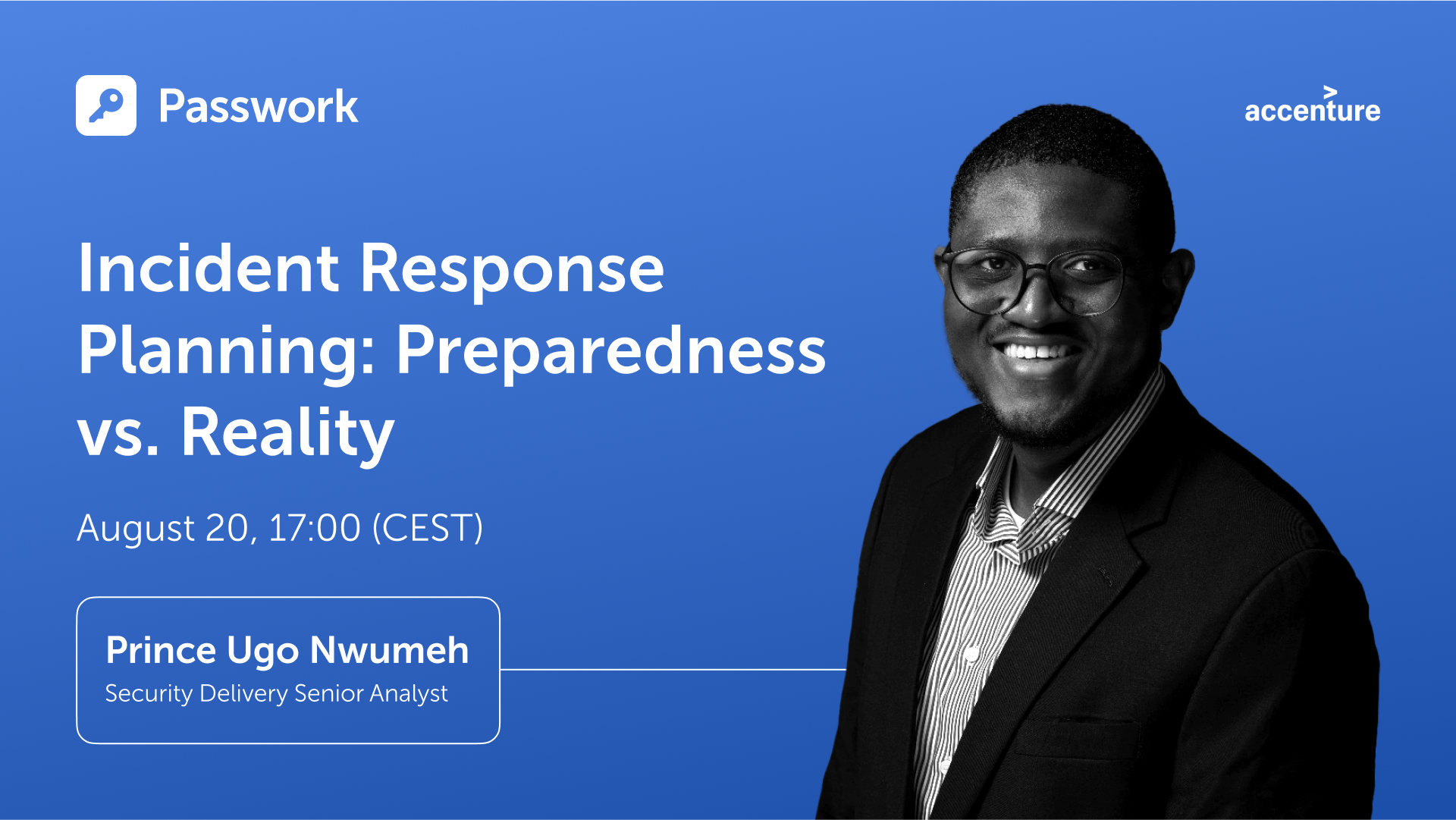
Common myths about password managers
Worried that password managers are risky or hard to use? It’s time to rethink. In this article, we debunk common myths about password managers, break down how they actually work, and show why solutions like Passwork are vital for your cybersecurity. Learn how these tools keep your data protected.
 Eirik Salmi
How to protect your online business from cyberattacks
Protect your online business from cyber threats with actionable strategies, from employee education to advanced tools like Passwork. Learn about phishing, ransomware, and more while discovering how to enhance security with simple yet effective measures. Stay protected — read the full article!
 Eirik Salmi
The most serious cybersecurity threats and solutions in 2023
Of course you want to keep your data safe. So why are so many security precautions frequently overlooked? Many accounts, for example, are protected by weak passwords, making it easy for hackers to do their work. There is a fine line between selecting a password that no one can guess and selecting a password that is easy to remember. As a result, we will examine this topic in depth today and ensure that you no longer need to click on the "lost password" link.
What exactly is a strong password?
So let's begin with a definition. A secure password is one that cannot be guessed or broken by an intruder.
Computers are utilized by hackers in order to try out various combinations of letters, numbers, and symbols. Passwords that are only a few characters long and consist entirely of letters and digits are easy for modern computers to crack in a couple of seconds. Because of this, it is vital to utilize robust combinations of capital and lowercase letters, numbers, and special characters in one password. There is a minimum length requirement of 12 characters for passwords, although using a longer password is strongly encouraged.
To summarize the attributes of a secure password, they are as follows:
• At least 12 characters are required. The more complicated your password, the better.
• Upper and lower case letters, numbers, and special characters are included. Such passwords are more difficult to crack.
• Does not contain keyboard paths
• It is not based on your personal information
• Each of your accounts has its own password
You have undoubtedly observed that a variety of websites "care" about the security level of your password. When you are making an account, you will frequently see tooltips that remind you to include a particular amount of characters, as well as numbers and letters. Weak passwords have a far higher chance of being disapproved by the system. Keep in mind that, for reasons related to your security, you should never use the same password for several accounts.
A secure password should be unique
You may use a strong password for all of your accounts after you've created one. However, doing so will leave you more exposed to assaults. If a hacker obtains your password, they will be able to access whatever account you used it for, including email, social media, and work accounts.
According to surveys, many people use the same password because it is easier to remember. Don't worry, there are several tools available to assist you with managing multiple passwords. We'll get to them later.
While adding special characters in passwords is an excellent approach to increase their security, not all accounts accept all characters. However, in most scenarios, the following are used: ! " #% & *, / : | $ ; ': _? ().
Here are some examples of strong passwords that make use of special characters:
• P7j12$# eBT1cL@Kfg
• $j2kr^ALpr!Kf#ZjnGb#
Ideas for creating a strong password
Fortunately, there are several methods for creating unique and secure passwords for each of your accounts. Let's go over each one in detail:
1. Use a password generator/password manager
If you don't have the time to come up with secure passwords, a password generator that can also serve as a manager is a very simple and straightforward solution that you may use.
2. Choose a phrase, not a word
Passwords are significantly less secure than passphrases since they are often lengthier and more difficult to guess or crack. Instead of a word, pick a phrase and use the first letters, digits, and punctuation from that phrase to generate an apparently random combination of characters. Experiment with different wording and punctuation.
Here are some examples of how the passphrases technique may be used to generate secure passwords:
• I first went to Disneyland when I was four years old and it made me happy: I1stw2DLwIw8yrs&immJ
• My friend Matt ate six donuts at a bakery cafe and it cost him £10: MfMa6d@tbc&ich£10
3. Pick a more unique option
Open a dictionary or book and select a random word, or better yet, many. Combine them with numbers and symbols to make it far more difficult for a hacker to decipher.
As an example:
• Sand, fork, smoke, okay — Sand%fork9smoke/okay37
4. Experiment with phrases and quotes
If you need a password that is difficult for others to guess but easy for you to remember, try variants on a phrase or statement that means something to you. Simply choose a memorable sentence and replace parts of the letters with numbers and symbols.
For example:
• “For the first time in forever”: Disney’s Frozen: 4da1stTymein4eva-Frozen
5. Make use of emojis
You may always use emoticons to add symbols to your passwords without making them difficult to remember. You can't add emojis, but you can attempt emoticons made out of punctuation marks, characters, and/or numbers.
For example:
• \_(ツ)_/¯
• (>^_^)> <(^_^<)
• (~.~) (o_O)
What should I do after I have created a password?
1. Set passwords for specific accounts
You'll still need to generate a unique password for each of your accounts once you've created a strong password that you can remember. Instead of creating several new ones, you may include the name of the platform you use at the end. For example, if your password was nHd3#pHAuFP8, just add the word EMa1l to the end of your email address to get nHd3#pHAuFP8EMa1l.
2. Make your password a part of your muscle memory
If you want to be able to recall your password, typing it out several times can help you do so. You will be able to memorize information far more easily as a result of the muscle memory that you will develop.
How to keep your passwords safe?
1. Choose a good password manager
Use a trustworthy password manager whether you're setting your own safe passwords or looking for an internet service to handle it for you. It creates, saves, and manages all of your passwords in a single safe online account. All you have to do is put all your account passwords in the application and then safeguard them with one "master password". This means you just have to remember a single strong password.
2. Use two-factor authentication
You've heard it before, but we'll say it again. Two-factor authentication (2FA) adds an additional level of protection. Even if someone steals your password, you can prevent them from accessing your account. This is often a one-time code supplied to you by text message or other means. Receiving an SMS, by the way, is not the most secure method since a hacker might obtain your mobile phone number in a SIM swap fraud and gain access to your verification code.
Apps using two-factor authentication are far more secure. Google Authenticator, for example, or Microsoft Authenticator.
3. Passwords should not be saved on your phone, tablet, or computer
Although it might not be immediately visible, this is a common approach for people to save their passwords. That should not be done. Your files, emails, messenger conversations, and notes may all be hacked.
4. Keep your password confidential
Even if you completely trust the person to whom you are handing your password, sending it in a text message or email is risky. Even if you speak it aloud or write it down on paper, someone who is interested can overhear you and take notes behind you.
Python connector 0.1.5: Automated secrets management
The new Python connector version 0.1.5 expands CLI utility capabilities. We’ve added commands that solve critical tasks for DevOps engineers and developers — secure retrieval and updating of secrets in automated pipelines. What this solves Hardcoded secrets, API keys, tokens, and database credentials create security vulnerabilities and operational bottlenecks.
 Eirik Salmi
How to protect your online business from cyberattacks
Protect your online business from cyber threats with actionable strategies, from employee education to advanced tools like Passwork. Learn about phishing, ransomware, and more while discovering how to enhance security with simple yet effective measures. Stay protected — read the full article!
 Eirik Salmi
How secure are smart home devices?
Are you sure that your home is protected in the way that you think? Sure, you
can secure it with modern locks or an alarm system to protect yourself from
robbers who want to steal your money or furniture, but what about those who are
looking at your home as
 Iliya Garakh, CTO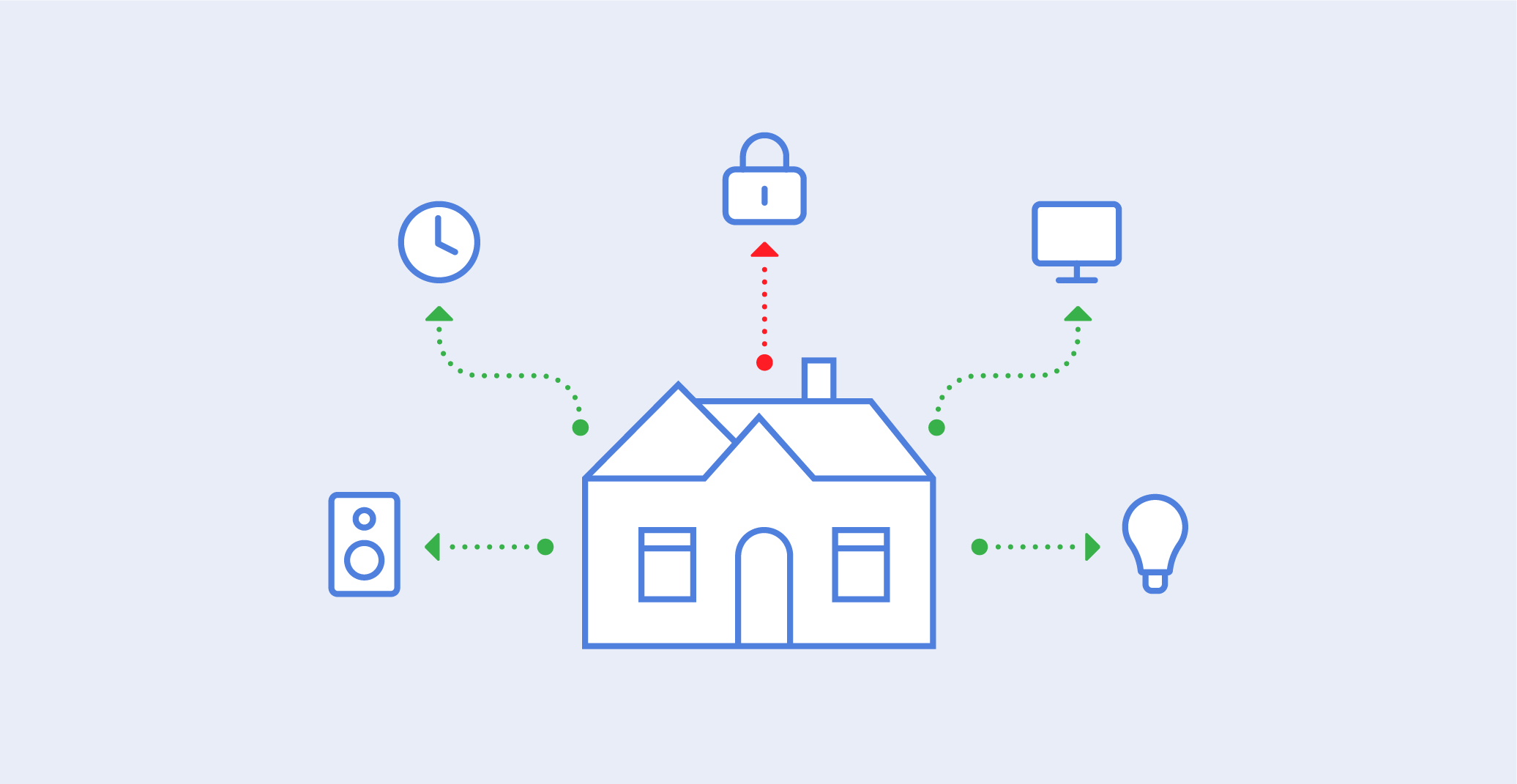
How to create a secure password
Ransomware assaults are something that all of us have been keeping an eye on for some time. According to the most recent findings, over 21 percent of companies throughout the world were victims of ransomware attacks in 2022. 43% of these had a substantial influence on the way in which their business activities were carried out.
It’s true that cybercrime is on the rise, and those who commit these crimes are going after both individuals and businesses. In order to maintain a competitive advantage, it is essential to have a solid understanding of the types of cyber threats that will be prevalent in 2023.
The purpose of this article is to familiarize you with the most important developments in the field of cybersecurity that are expected to take place in 2023. There are a lot of different things to keep an eye on here, from emerging malware to security solutions based on artificial intelligence. In this section, we will discuss the potential effects of these trends on the future of cybersecurity and the steps you can take to better defend yourself.
Top 5 cybersecurity trends for 2023
1. The Internet of Things (IoT) and cloud security
It's critical to stay up to date on the newest cybersecurity developments in an ever-changing technological context. As more firms utilize cloud computing and Internet of Things (IoT) technology, the importance of adequate security measures grows.
When it comes to IoT and cloud security, it is critical to recognize the particular dangers that these technologies entail. One of the most serious concerns about IoT devices, for example, is that they are frequently "always on," leaving them exposed to external assaults. Similarly, if security mechanisms are not adequately established, cloud services might be accessible to hackers.
It is critical to have robust security procedures for your IoT devices and cloud services in order to keep your organization secure. This includes adopting strong passwords on all devices, enabling multi-factor authentication for access control, and ensuring that any data saved in the cloud is encrypted.
2. SaaS security solutions are becoming increasingly popular
As businesses and consumers rely more on cloud computing and software solutions, the requirement for effective security becomes even more critical. When compared to traditional on-premises solutions, SaaS security solutions provide rapid scale-up or scale-out based on demand and cost savings. These solutions are also well suited for working with remote or dispersed teams where several business components may be located all over the world.
Data protection, identity and access management, web application firewalls, and mobile device security are all available through Security as a Service (SECaaS) solutions. They also provide managed services, which allow customers to delegate the monitoring and maintenance of their cloud security systems to qualified specialists. This helps guard against dangers like malware and ransomware while also keeping businesses up to date on the newest security developments.
3. Increased security for remote and hybrid employees
As the world continues to migrate to remote and hybrid work arrangements, cybersecurity must change to meet these new needs. Organizations must safeguard their systems and train their staff with cyberthreat defenses as their dependence on technology and access to sensitive data grows.
Multi-factor authentication (MFA), which requires multiple authentication stages to validate a user's identity before giving access to systems or data, is one security protocol that organizations should consider using. MFA can offer an extra degree of security against attackers who use stolen credentials to gain access to accounts.
Businesses should also consider adopting rules and processes to ensure the security of their workers' devices. This may involve offering safe antivirus software and encrypted virtual private networks (VPNs) for remote connectivity to employees. Employees must also be trained on the significance of using strong and unique passwords for each account, alongside the risks of connecting to public networks.
4. Machine learning and artificial intelligence
Artificial intelligence and machine learning have grown in popularity in the realm of cybersecurity in recent years. AI and machine learning (ML) offer automated threat detection and enhanced security processes, making them effective instruments in the battle against cyberattacks. Organizations may employ AI and machine learning to proactively detect and avoid dangers as these technologies evolve.
AI and machine learning can assist in the rapid and accurate analysis of vast volumes of data, enabling more effective threat identification and prevention. For example, AI may detect harmful or suspicious network activities, such as increased traffic from a certain source or trends in user behavior. Organizations can also use machine learning algorithms to identify abnormalities and prioritize warnings that may signal a possible breach.
Furthermore, AI and machine learning can automate key cybersecurity operations like patch management, malware detection, and compliance checks. Organizations can save time and money that would otherwise be spent on manual processes. Furthermore, the application of AI and machine learning may assist businesses in lowering the risk of false positives and ensuring that only the most critical security incidents are highlighted.
5. Creating a Safe Culture
Businesses in today's environment must cultivate a culture of safety. Security cannot be handled after the fact or as a one-time job. It should be the organization's fundamental value, ingrained in all parts of its operations. This implies that everyone in the business must be informed of current cybersecurity trends and understand how to secure their data.
Employee training and checks and balances should be part of a safe culture. All personnel should be trained in the fundamentals of Internet security, as well as how to utilize systems and software safely. Policies, systems, and processes should be evaluated on a regular basis to ensure they are in compliance with the most up-to-date security guidelines.
Conclusion
As technology advances, cybersecurity risks and patterns will alter. Businesses must keep ahead of the curve by monitoring emerging trends and updating their security measures as needed. Organizations can secure their data and networks from intruders by staying up to date with the newest 5 cybersecurity trends in 2023.
Organizations may maintain the security of their data by keeping with the times on trends and implementing the required safeguards. Furthermore, they should work to educate their personnel on the need to adhere to best practices in cybersecurity. This will aid in the creation of a secure environment and reduce the likelihood of hacking.
Passwork: Secrets management and automation for DevOps
Introduction In corporate environment, the number of passwords, keys, and digital certificates is rapidly increasing, and secrets management is becoming one of the critical tasks for IT teams. Secrets management addresses the complete lifecycle of sensitive data: from secure generation and encrypted storage to automated rotation and audit trails. As
 Eirik Salmi
Passwork 7.2 release
The new version introduces customizable notifications with flexible delivery options, enhanced event logging descriptions, expanded CLI functionality, server-side PIN code storage for the browser extension, and the ability to enable client-side encryption during initial Passwork configuration. Notification settings We’ve added a dedicated notification settings section where you can choose notification
 Eirik Salmi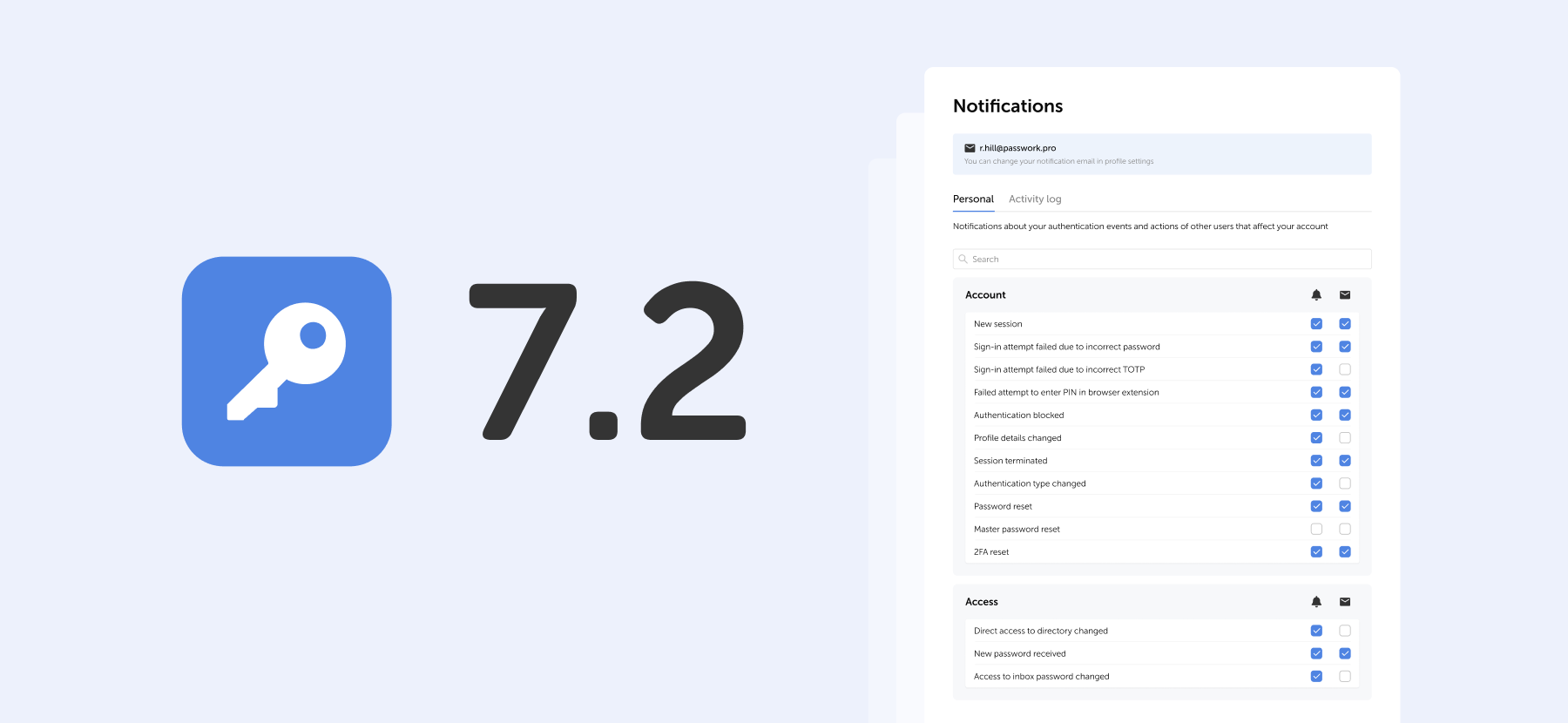
Private password breach checking: A new algorithm for secure password validation
Introduction Data breaches have become routine: millions of users worldwide face the consequences of compromised passwords. The scale is staggering: billions of credentials are exposed, fueling automated attacks and credential stuffing on a massive scale. Services like “Have I Been Pwned” now track over 12 billion breached accounts, and that
 Iliya Garakh, CTO
5 key cybersecurity trends to watch in 2023
The most frequently-used password globally is "123456”. However, analyzing passwords by country can yield some quite fascinating results.
We frequently choose weak passwords such as "123456" since they are easy to remember and input. The differences between such passwords can sometimes be found in the language itself. For example, if the English have "password" at the top of their list, the Germans prefer "passwort", and the French use "azerty" instead of "qwerty" due to the peculiarities of the French keyboard layout, which has the letter A instead of the usual Q.
When a weak password is driven by culture, things get much more intriguing. The password "Juventus" is likely to appeal to fans of the Italian football team Juventus. This password is also the fourth most popular option among Italian Internet users. The club is from Turin, Piedmont, and is supported by about 9 million people. At first look, the unique password "Anathema" appears to be a typical occurrence in Turkey, where the British band Anathema's name is among the top ten most common passwords.
A weak password is widespread
ExpressVPN together with Pollfish interviewed 1,000 customers about their password preferences in order to learn more about how individuals approach password formation.
Here are some of their findings:
• The typical internet-goer uses the same password for six different websites and/or platforms
• Relatives are likely to be able to guess their passwords from internet accounts, according to 43% of respondents
• When generating passwords, two out of every five people utilize different variants of their first and/or last name
These findings demonstrate a lack of cybersecurity knowledge, despite the fact that 81% of respondents feel confident in the security and privacy of their existing passwords.
According to the survey results, passwords frequently contain personal information. Below, you will find the most shared personal information with the percentage of respondents who revealed that their passwords contained personal information.
• First Name (42.3%)
• Surname (40%)
• Middle Name (31.6%)
• Date of birth (43.9%)
• Social security number (30.3%)
• Phone number (32.2%)
• Pet name (43.8%)
• Child's name (37.5%)
• Ex-partner's name (26.1%)
The most common passwords in various countries
Based on an infographic from ExpressVPN, the picture below illustrates the most often used passwords in various nations, practically all of which are in the top ten in their respective countries. Many are exclusive to these nations and demonstrate how cultural influences impact password creation.
Much of the information presented comes from a third-party study of stolen credentials (which were made public by Github user Ata Hakç). These datasets are based on the language of the individual sites, allowing the information to be distributed by country.
Let's have a look at some interesting variations of passwords. For instance, the phrase "I love you forever" may be deciphered from the password "5201314," which is commonly used by people from Hong Kong. In contrast, users in Croatia make use of the password “Dinamo”, which is derived from the name of an illustrious football team based in Zagreb. Martin is the password that is used by people from Slovakia. In Slovakia, the name Martin has a position as the fourth most common name. The Greeks, on the other hand, chose not to put undue effort into themselves and instead went with the most straightforward password out of the list, which was 212121. On the other hand, Ukrainians use the pretty difficult password Pov1mLy727. Apart from Ukraine, there are other countries where users more often than not create strong passwords. Let’s take a look.
These 10 countries create the strongest passwords
According to the results of the National Privacy Test that was carried out by NordVPN, the greatest marks were obtained by Italians in regard to their understanding of robust passwords. The following is a list of the top ten nations in which people come up with the most complicated passwords.
1. Italy 94.3 (points out of 100)
2. Switzerland 94
3. Spain 93.5
4. Germany 93.3
5. France 92.3
6. Denmark 91.8
7. UK 90.7
8. Belgium 90.4
9. Canada 89.4
10. USA 89.3
The top 10 did not include Australia (88.9), South Africa (86.2), Saudi Arabia (85.7), Russia (81.4), Brazil (81.2), Turkey (73.9), and India (78.4).
"This study demonstrates that individuals from all around the world are aware of how to generate secure passwords. The information is there, but people aren't using it in the right ways," says Chad Hammond, a security specialist at NordPass.
Also in November 2022, NordPass published a study that found out which passwords network users use most often. According to the findings of the survey, the majority of individuals still rely on simple passwords such as their own names, the names of their favorite sports teams or foods, simple numerical combinations, and other straightforward options.
NordPass security specialist Chad Hammond also stated, "Using unique passwords is really crucial, and it's scary that so many individuals still don't." It is critical to generate distinct passwords for each account. "We put all accounts with the same password in danger when we reuse passwords: in the case of a data breach, one account at risk can compromise the others."To summarize, it is reasonable to state that it does not matter where you were born, where you live, or what you are passionate about; you must always use unique passwords. We recommend that you make your password difficult to guess by making it more complicated or by using a password generator. This will increase the level of security provided by your password. In addition to this, we strongly suggest that you take advantage of two-factor authentication wherever it is an option. If you add an additional layer of protection to your accounts, be it in the form of an app, biometrics, or a physical security key, you will notice a significant increase in their level of security.
Passwork 7: Security verified by HackerOne
Passwork has successfully completed the penetration testing, carried out by HackerOne — the world’s largest platform for coordinating bug bounty programs and security assessments. This independent evaluation confirmed Passwork’s highest level of data protection and strong resilience against modern cyber threats. What the pentest covered Security architecture and data
 Eirik Salmi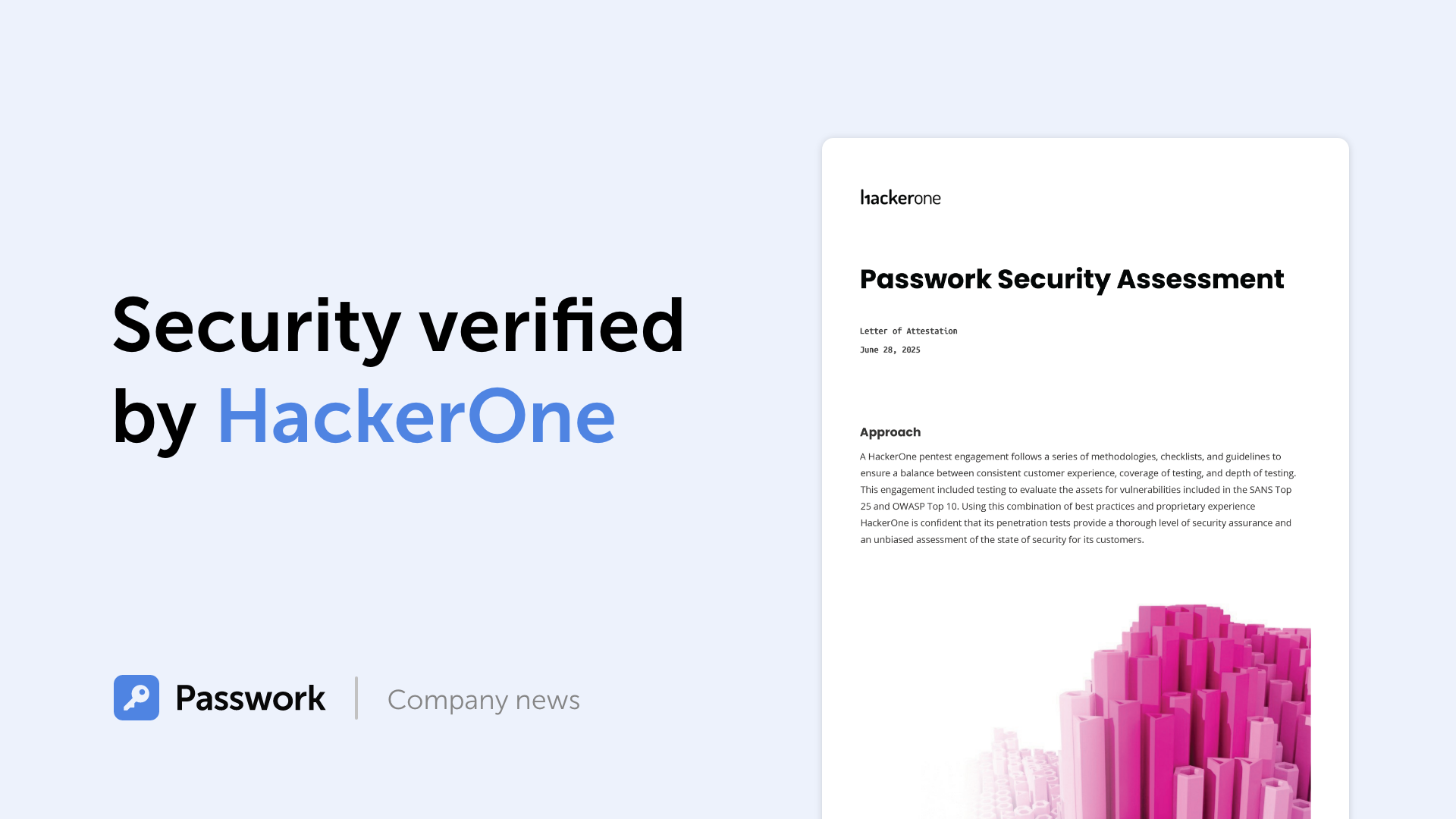
GDPR password security: Guide to effective staff training
Learn proven strategies to train employees for GDPR password security compliance. Reduce breach risks with practical training methods.
 Ana Moore
Incident response planning: Preparedness vs. reality
Discover key insights from Passwork webinar on incident response planning. Why teamwork and tools drive real cybersecurity resilience.
 Iliya Garakh, CTO