Back

Password security

Latest — Dec 12, 2025
What is password management?

Password management is the practice of securely creating, storing, organizing, and controlling access to passwords and other authentication credentials. It combines human processes with specialized software tools to ensure that every account uses a strong, unique password without requiring users to memorize them all.

Whether you're an individual trying to secure your online life or an IT administrator protecting your organization's digital assets, understanding password management is essential.

This guide explains everything you need to know: what password management is, why it matters, how it works, and how to implement it effectively. You'll learn about different types of password managers, key features to look for, and best practices that protect you from the most common security threats.

Understanding password management

At its core, password management addresses a fundamental challenge: humans are terrible at creating and remembering secure passwords. We default to predictable patterns, recycle familiar combinations across accounts, and prioritize convenience over security.

Password management systems compensate for these inherent limitations by assuming the cognitive burden and complexity on our behalf. As both a practice and a technology, password management encompasses several key functions:

  • Password generation: Creating strong, random passwords that meet security requirements and resist common attack methods like brute force and dictionary attacks.
  • Secure storage: Encrypting and storing passwords in a protected vault that only authorized users can access.
  • Organization: Categorizing and managing credentials across hundreds of accounts, making them easy to find when needed.
  • Access control: Determining who can access which passwords, particularly important in team and enterprise environments.
  • Autofill and automation: Automatically entering credentials into login forms, reducing friction while maintaining security.
  • Audit trails: Recording who accessed which credentials and when, allowing security teams to detect suspicious activity, investigate incidents, and maintain compliance with regulatory requirements.

Password management has evolved from rudimentary practices to sophisticated security infrastructure. The first generation of digital password managers introduced basic encryption (like Blowfish algorithm) and centralized storage, addressing immediate security gaps but lacking the granular controls enterprises required.

Modern password management systems represent a fundamental shift: they combine military-grade encryption, zero-knowledge architecture, role-based access controls, and comprehensive audit capabilities. Today's solutions enforce security policies, detect anomalies, integrate with existing infrastructure, and provide the visibility organizations need to maintain compliance and respond to threats in real time.

Why is password management important?
Why is password management important?

According to Verizon's 2025 Data Breach Investigations Report, stolen credentials served as the initial access vector in 22% of all confirmed breaches, with that figure jumping to 88% for basic web application attacks.

In the first half of 2025 alone, over 8,000 global data breaches exposed approximately 345 million records, demonstrating the persistent and catastrophic scale of credential-based attacks. Behind these statistics lies a fundamental incompatibility between human cognition and modern security demands.

The human factor

Our brains simply weren't designed for this pace of information. Psychological research shows that humans can reliably remember only 7±2 pieces of data in working memory. Yet we're expected to manage hundreds of unique, complex passwords — each a random string of uppercase letters, lowercase letters, numbers, and symbols.

Faced with this impossible task, people develop coping mechanisms that undermine security:

  • Predictable patterns: Adding "123" or "!" to meet complexity requirements.
  • Password reuse: Over 60% of people reuse passwords across multiple accounts.
  • Writing passwords down: Sticky notes on monitors remain surprisingly common.
  • Simple passwords: "password," "123456," and "qwerty" still rank among the most common passwords globally.

This behavior isn't laziness. It's a rational response to an overwhelming cognitive burden. Password fatigue is real, and it leads to security shortcuts.

Password fatigue is the mental exhaustion and frustration users experience from creating, remembering, managing, and resetting an excessive number of passwords across multiple accounts.

The consequences of poor password hygiene

When password security fails, the consequences cascade:

  • For individuals: Identity theft, financial fraud, privacy violations, and the time-consuming process of recovering compromised accounts. The average victim of identity theft spends 200 hours resolving the issue.
  • For businesses: Data breaches cost an average of $4.44 million per incident, according to IBM's Cost of a Data Breach Report. Beyond direct financial losses, organizations face regulatory fines, legal liability, reputational damage, and loss of customer trust.
  • For IT teams: Password-related help desk tickets consume 20-50% of IT support resources in typical organizations. Every "forgot password" request represents time that could be spent on strategic initiatives.

The benefits of effective password management

Implementing proper password management delivers measurable improvements:

  • Enhanced security: Unique, strong passwords for every account eliminate the domino effect of credential reuse. Even if one password is compromised, your other accounts remain secure.
  • Reduced cognitive load: You remember one master password instead of hundreds. The mental relief is immediate and significant.
  • Time savings: Autofill eliminates the minutes spent typing or resetting passwords. For organizations, this translates to thousands of hours of productivity annually.
  • Compliance support: Many regulations (GDPR, HIPAA, SOC 2) require organizations to demonstrate proper credential management. Password managers provide the audit trails and controls needed for compliance.
  • Improved user experience: Seamless access to accounts without the friction of password resets or account lockouts.

How does password management work?

Understanding the mechanics of password management helps you appreciate both its security and its usability. Modern password managers balance strong encryption with user-friendly access.

The master password concept

Everything starts with your master password — the single password you need to remember. This password unlocks your encrypted vault containing all your other credentials.

Many users create master passwords using passphrases, random words strung together like correct-horse-battery-staple, which are both secure and memorable.
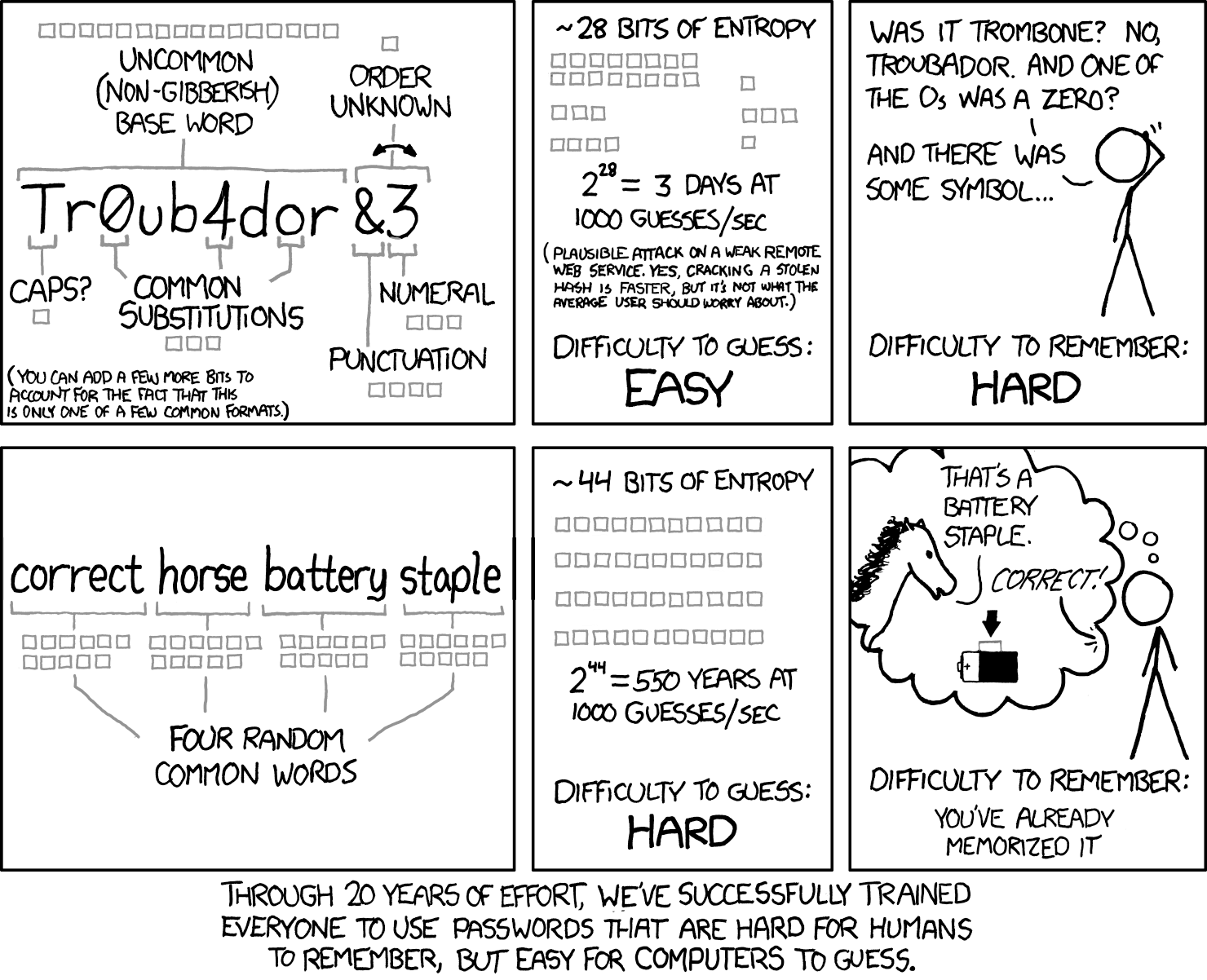
Using a passphrase for memorability and strength
Source: XCDC.com

The XKCD comic that popularized this concept demonstrated a crucial insight: four or five random common words create more entropy (randomness) than a shorter complex password, while being far easier to remember.

The encrypted vault

Your password vault is an encrypted database that stores all your credentials, notes, and other sensitive information. Modern password managers use AES-256 encryption, the same standard used by governments and militaries worldwide.

Here's what makes it secure:

  • Encryption at rest: Your data is encrypted before it leaves your device. Even the password manager company cannot read your vault contents.
  • Zero-knowledge architecture: The service provider never has access to your master password or unencrypted data. If their servers are breached, your passwords remain protected.
  • Encryption in transit: When syncing across devices, your encrypted vault travels through secure channels (TLS/SSL), adding another layer of protection.
On-premise password managers such as Passwork take this further. Your encrypted vault never leaves your infrastructure — no cloud sync, no external servers, no third-party access. The data stays on your servers, behind your firewall, under your access controls.

The user journey

Here's how password management works in practice:

  1. Initial setup: You create your master password, set up your account and security settings — multi-factor authentication, access controls, and vault parameters.
  2. Adding passwords: As you log into existing accounts, the password manager detects login forms and offers to save your credentials. You can also manually add passwords or import them from browsers or other password managers.
  3. Password generation: When creating new accounts, the password manager generates strong, random passwords according to the site's requirements. You never need to think about password creation again.
  4. Autofill: When you visit a login page, the password manager recognizes the site and offers to fill in your credentials. One click, and you're logged in.
  5. Syncing: Your encrypted vault syncs across all your devices — phone, tablet, laptop, desktop. Changes made on one device appear everywhere.
  6. Secure sharing: When you need to share credentials with family members or team members, the password manager encrypts and transmits them securely, without exposing them in plain text.

Types of password managers
Types of password managers

Password managers vary significantly in architecture, security model, and deployment options. Understanding these differences is essential for selecting the right solution.

Browser-based password managers

Built into web browsers like Chrome, Firefox, Safari, and Edge, these password managers offer basic functionality without additional software.

Pros:

  • Free and immediately available
  • Seamless integration with the browser
  • Automatic syncing across devices using the same browser
  • No learning curve

Cons:

  • Limited to browser-only passwords
  • Basic security features compared to dedicated solutions
  • Vulnerable if browser account is compromised
  • Limited sharing capabilities
  • Inconsistent cross-browser functionality

Best for: Casual users with simple needs who primarily use one browser ecosystem.

Standalone password managers

These applications store your encrypted password vault locally on your device rather than in the cloud. Designed for individual use, they prioritize local control over multi-device convenience.

Pros:

  • Complete control over your data
  • No reliance on cloud services
  • Works offline
  • Maximum privacy

Cons:

  • Manual syncing across devices
  • Risk of data loss if device fails without backups
  • Less convenient for multi-device users
  • Requires more technical knowledge

Best for: Privacy-conscious users, those with limited internet connectivity, or anyone who prefers local data storage.

Cloud-based password managers

The most popular category, these services store your encrypted vault on their servers and sync it across all your devices.

Pros:

  • Seamless syncing across unlimited devices
  • Accessible from anywhere with internet
  • Automatic backups
  • Rich feature sets (sharing, auditing, breach monitoring)
  • User-friendly interfaces
  • Mobile apps with biometric authentication

Cons:

  • Requires trust in the service provider
  • Subscription costs for premium features
  • Dependent on internet connectivity
  • Potential target for attackers (though encryption protects data)

Best for: Most individual users, families, and small teams who want convenience and comprehensive features.

Enterprise password managers

Designed for organizations, these solutions add administrative controls, compliance features, integration with corporate systems and are deployed on-premise. This architecture eliminates dependencies on external providers. You define the security perimeter, manage access controls, and maintain complete operational independence.

Pros:

  • Complete data sovereignty
  • Zero external dependencies or cloud service providers
  • Automatic compliance with data residency regulations
  • Integration with Active Directory, LDAP, and SSO systems
  • Centralized administration with granular policy enforcement
  • Role-based access controls and privileged access management
  • Comprehensive audit logs and compliance reporting
  • Automated onboarding/offboarding workflows
  • Protection from provider-side security incidents

Cons:

  • Higher upfront infrastructure and licensing costs
  • More complex setup and administration
  • May require IT expertise
  • Organization manages backups and disaster recovery

Best for: Businesses of all sizes, IT teams managing shared credentials, organizations with compliance requirements.

Key features of password managers
Key features of password managers

Modern password managers offer far more than basic password storage. Understanding these features helps you evaluate solutions and maximize their value.

Core features

  • Password generation: Creates strong, random passwords based on customizable criteria (length, character types, symbol inclusion). The best generators create passwords that resist brute force attacks for centuries.
  • Secure storage: Encrypted vault for passwords, with many managers also storing secure notes, credit card information, identity documents, and other sensitive data.
  • Autofill: Automatically detects login forms and fills credentials with one click or tap. Advanced autofill distinguishes between similar sites to prevent phishing attacks.
  • Cross-platform syncing: Keeps your vault synchronized across Windows, macOS, Linux, iOS, Android, and web browsers.
  • Browser extensions: Integrations for Chrome, Firefox, Safari, Edge, and other browsers that enable autofill and password capture.
  • Mobile apps: Full-featured applications for smartphones and tablets, often with biometric authentication.

Security features

  • Multi-factor authentication (MFA): Adds a second verification step beyond your master password. Options include authenticator apps (TOTP), SMS codes, hardware keys (YubiKey), or biometric verification.
  • Biometric authentication: Unlock your vault using fingerprint, face recognition, or other biometric methods on supported devices.
  • Security dashboard: Analyzes your passwords and identifies:
    • Weak passwords that don't meet security standards
    • Reused passwords across multiple accounts
    • Old passwords that haven't been changed recently
  • Zero-knowledge architecture: Ensures that even the password manager company cannot access your unencrypted data.
  • Emergency access: Designates trusted contacts who can access your vault after a waiting period if you become incapacitated.

Sharing and collaboration features

  • Secure sharing: Share individual passwords or entire folders with family members or team members without exposing passwords in plain text.
  • Team accounts: Organize passwords by department, project, or access level with role-based permissions.
  • Access controls: Define who can view, use, or modify specific passwords.
  • Sharing history: Track when passwords were shared, accessed, or modified.

Advanced features

  • Password history: Maintains previous versions of passwords, allowing you to revert if needed.
  • Secure notes: Store sensitive information beyond passwords — software licenses, WiFi credentials, server details, recovery codes.
  • File attachments: Attach encrypted files to vault items (contracts, certificates, documents).
  • API access: For developers and power users, programmatic access to the password manager.
  • CLI tools: Command-line interfaces for integrating password management into development workflows.
  • Audit logs: Detailed records of all vault activities for security monitoring and compliance.

Password management best practices
Password management best practices

Having a password manager is only the first step. Following these best practices ensures you're using it effectively and securely.

1. Create an unbreakable master password

Your master password is the single point of failure for your entire password security. Make it count:

  • Use at least 16 characters (longer is better)
  • Combine random words into a memorable passphrase
  • Avoid personal information (names, dates, addresses)
  • Never reuse a password you've used anywhere else

2. Enable multi-factor authentication

Add a second layer of security to your password manager account. Even if someone discovers your master password, they can't access your vault without the second factor. Authenticator apps (Passwork 2FA, Google Authenticator, Authy) are more secure than SMS codes. Hardware security keys (YubiKey) offer the strongest protection.

3. Use unique passwords for every account

This is the fundamental rule of password security. Your password manager makes it effortless — let it generate a unique password for each account. If one site is breached, your other accounts remain secure.

4. Generate long, complex passwords

When creating passwords, maximize length and complexity:

  • Aim for 16-20 characters minimum
  • Use all character types (uppercase, lowercase, numbers, symbols)
  • Let the password manager generate them randomly

5. Conduct regular password audits

Schedule quarterly reviews using your password manager's security dashboard:

  • Update weak passwords
  • Eliminate reused passwords
  • Change old passwords (especially for critical accounts)
  • Remove passwords for accounts you no longer use

6. Respond immediately to breach alerts

When your password manager notifies you of a compromised password, change it immediately. Don't wait, breached credentials are often exploited within hours.

7. Organize your vault thoughtfully

Create a logical structure:

  • Use folders or tags to categorize passwords (Work, Personal, Finance, etc.)
  • Add notes to passwords with security questions, account numbers, or other relevant information
  • Mark critical accounts for easy identification

8. Back up your vault regularly

While cloud-based password managers handle backups automatically, consider:

  • Exporting an encrypted backup periodically
  • Storing the backup in a separate secure location
  • Testing your backup to ensure it works

9. Set up emergency access

Designate a trusted person who can access your vault if something happens to you. Most password managers offer emergency access features with configurable waiting periods.

10. Use secure sharing features

When sharing passwords with team members:

  • Use the password manager's built-in sharing features
  • Never send passwords via email, text, or messaging apps
  • Revoke access immediately when no longer needed
  • Regularly review who has access to shared passwords

11. Keep your password manager updated

Enable automatic updates to ensure you have the latest security patches and features. This applies to browser extensions, mobile apps, and desktop applications.

12. Avoid common mistakes

  • Don't store your master password in your vault (circular dependency)
  • Don't share your master password with anyone, ever
  • Don't use password manager autofill on public or shared computers
  • Don't ignore security warnings from your password manager
  • Don't assume you're completely secure — stay vigilant

Frequently Asked Questions
Frequently Asked Questions

Are password managers safe?

Yes, when properly implemented, password managers are significantly safer than the alternatives (reusing passwords, writing them down, or using weak passwords). They use military-grade AES-256 encryption and zero-knowledge architecture, meaning even the password manager company cannot access your unencrypted data. While no system is 100% invulnerable, password managers have proven track records and are recommended by security experts, including the NSA and CISA.

Can password managers be hacked?

While password managers can theoretically be targeted by attackers, successful attacks are extremely rare and typically require sophisticated techniques. The encryption used is virtually unbreakable with current technology. Most "password manager breaches" you hear about involve compromised user accounts (weak master passwords, no MFA) rather than flaws in the password manager itself. Using a strong master password and enabling multi-factor authentication makes your password manager highly resistant to attacks.

Should I use a free or paid password manager?

Free password managers provide adequate security for basic needs. Paid password managers offer additional features like advanced sharing, priority support, dark web monitoring, and more storage. For individuals, free options are often sufficient. For families and businesses, paid plans provide better collaboration tools and administrative controls. The most important factor is choosing a reputable password manager and using it consistently, regardless of whether it's free or paid.

Can I share passwords safely with family or team members?

Yes, modern password managers include secure sharing features that encrypt passwords before transmission. You can share individual passwords or entire folders with specific people, and you can revoke access at any time. This is far safer than sending passwords via email, text, or messaging apps. Family plans typically allow each person to have their own vault plus shared family folders. Business plans offer more granular permission controls.

Do I need a password manager if I use two-factor authentication?

Yes. Two-factor authentication (2FA) and password managers serve complementary purposes. 2FA adds a second verification step beyond your password, providing protection even if your password is compromised. However, you still need strong, unique passwords for each account — which is what password managers provide. In fact, many password managers can also store and autofill 2FA codes, making the combination even more convenient.

Can I use a password manager on public or shared computers?

It's generally not recommended to use your password manager on public computers (libraries, internet cafes) or shared computers (hotel business centers) due to the risk of keyloggers or other malware. If you must access accounts from a public computer, use your password manager's web vault in a private/incognito browser window, log out completely when finished, and change your master password afterward.

Conclusion

Password management isn't optional anymore — it's essential infrastructure for digital life. The average person manages hundreds of accounts, each requiring secure authentication. Trying to remember unique, strong passwords for every account is impossible, and the alternatives — password reuse, weak passwords, or written notes — create serious security vulnerabilities.

Password managers solve this problem. They generate strong passwords, store them securely with military-grade encryption, and autofill them when needed. You remember one master password; the password manager handles everything else.

The benefits extend beyond security. Password managers save time, reduce frustration, improve productivity, and support compliance requirements. For businesses, they reduce help desk burden and protect against the costly consequences of data breaches.

Passwork is an EU-based company with a trusted name in cybersecurity delivering enterprise-grade password management solution designed for organizations that demand full control over their security infrastructure.

With on-premise deployment at its core, Passwork ensures complete data ownership, zero-knowledge encryption, and compliance with industry regulations — backed by ISO 27001 certification.
Take the first step today. Start your free Passwork trial and see how easy secure password management can be.

Further reading

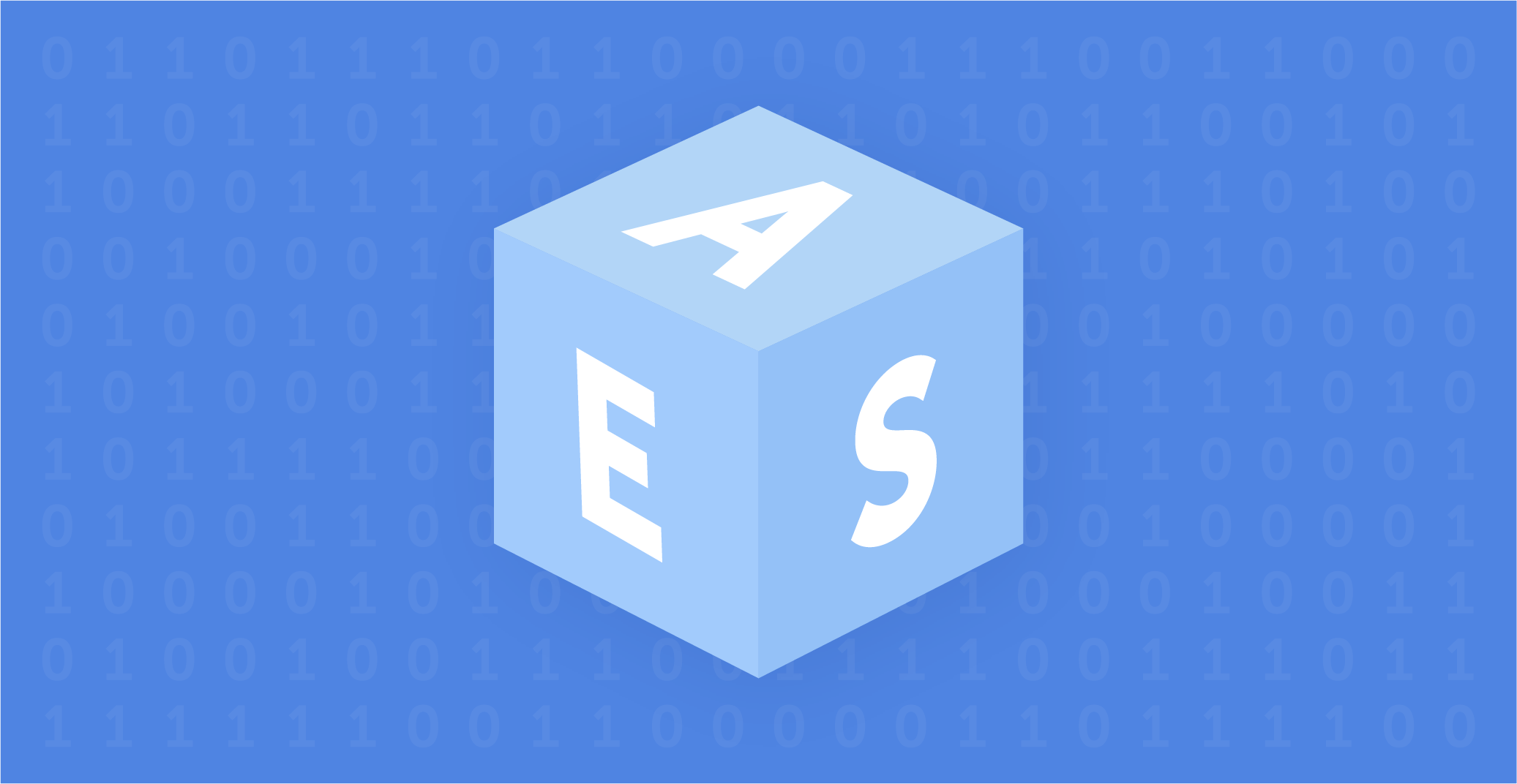
Guide to Advanced Encryption Standard (AES)
Learn how AES encryption works, why it’s the standard for data security, and how AES-256 protects everything from passwords to TOP SECRET data.
GDPR password security: Guide to effective staff training
Learn proven strategies to train employees for GDPR password security compliance. Reduce breach risks with practical training methods.
Passwork 7.1: Vault types
Vault types Passwork 7.1 introduces a robust vault types architecture, providing enterprise-grade access control for enhanced security and management. Vault types address a key challenge for administrators: controlling data access and delegating vault management across large organizations. Previously, the choice was limited to two types. Now, you can create

What is password management?

Jul 24, 2024 — 6 min read

When employees find the standard security measures of their organization frustrating and annoying, the risk of internal threats increases. For example, a recent Gartner report said 69% of employees ignore cybersecurity recommendations within their organization. This doesn’t mean they do it on purpose to spite management. More often, it means they just want to get on with their job without distractions, and see security as a hassle and a waste of time.

Can security be pleasant?

Passwords are a classic example of the clash between cybersecurity and user experience. The average office worker has up to 190 different login and password combinations. Naturally, remembering that many and matching them to the services is impossible.

61% of employees admit to reusing passwords as a way to cope with this. At the same time, most are aware that this is a security risk for the company. So, how can IT departments improve password security in their organizations, when users are already burdened with these digital security measures and have chosen convenience and speed over security?

While many tech giants are promoting passwordless access technologies, unfortunately for most organizations eliminating passwords is not an option. That's why it's super important to choose the best security methods that can provide a pleasant user experience. Below, we'll look at four ways to engage end-users into more responsible password habits in a way they might even enjoy.

Key phrases for strong and memorable password

Hackers use brute force to quickly try many different options in a row to crack a specific account's password. They often combine these methods with dictionaries of known vulnerable passwords, including sequential passwords like "qwerty" or "123456," which users often use. Shorter and less complex passwords are much more vulnerable to this method of attack, so the advice is to create longer and more complex passwords.

Of course, this is a pain for users who now have to remember many long and complex passwords ideally 15 characters and above. One way to simplify this task is to suggest using key phrases instead of traditional passwords.

A key phrase is 3 or more random words strung together, for example, "Pig-Lion-Window-Night." At first glance, this password looks simple and insecure, but it has 19 characters, special characters and capital letters. That’s enough to make brute force attempts take a long time. If a few more special characters or numbers are added, one can confidently say hackers have no chance of success. The main thing is to use words that are not related to the company activities or the personal data of a specific user.

Overall, key phrases are a great way for endpoint users to create longer and more complex passwords without increasing their cognitive load.

Recommendations and feedback

Asking an employee to create a new password makes them feel like all the knowledge has left their head and they will go into a long thought process that can take hours. "What password should I create that is both easy and secure?" the user will think.

It's very important to be in touch with colleagues during this difficult moment: to give clear recommendations and answer questions. No one should feel like they are left to their own devices when taking steps that directly affect the security of the whole organization. Ideally, of course, an exhaustive memo with all recommendations and examples should be created so the password creation process is quick and painless. But even such memos often don't cover all the needs and questions of users.

Providing dynamic feedback during password creation is not only a learning opportunity for the user but also an instant check to see if the password meets the security policy. By consulting with an IT specialist, employees can see in real time if their new password complies with the company policy and if not, why, and quickly correct it.

Password expiration based on length

No one likes it when work is stalled because of the need to change a password. Sometimes this comes too soon and even bothers the most diligent employees who take security very seriously. But using passwords with infinite validity period is simply not acceptable in today's reality, as such passwords open many doors for clever hackers. That's why the regular changing of passwords is so widely used by many organizations.

But why not turn the potentially negative user experience of forced password change into an opportunity?

Password expiration based on its length gives end-users a choice. They can create a simple and easy password that only partially meets the organization's requirements, but they will have to change it again, for example, in 90 days. Or they can extend the length of the password and not touch this issue for as long as possible, for example, the next 180 days.

Instead of all employees facing a forced password reset every 90 days, a flexible validity period based on its length rewards users who create longer and safer passwords. This is the best balance between security and usability.

Continuous monitoring of compromised passwords

The methods discussed above are quite effective in helping end-users create more reliable passwords and provide them with more transparency and understanding of their organization's security policies. But even reliable passwords can be compromised. And it's impossible to be 100% sure that company employees aren't using the same passwords to log in to several services at once. That's why it's necessary to have a way to detect compromised passwords and block potential attack routes.

Many security solutions can periodically check user passwords against leaked lists of compromised credentials, but these solutions are not perfect, as monitoring is not real-time. The optimal solution would be to choose a security solution that continuously scans passwords for leaks and notifies the administrator, or even automatically resets the password to not give hackers a second for potential compromise. The market is full of information security solutions so finding a product with such feature should not be difficult.

Conclusion

Passwords don’t have to be frustrating. As we have seen above, by choosing the right approach between IT and users this problem will disappear on its own.

With Passwork this problem disappears. It helps to organize and store your passwords, making the process more manageable and secure. Key password phrases, feedback during password reset, length-based expiration and continuous scanning for compromised passwords are great solutions that can boost any organization’s security.


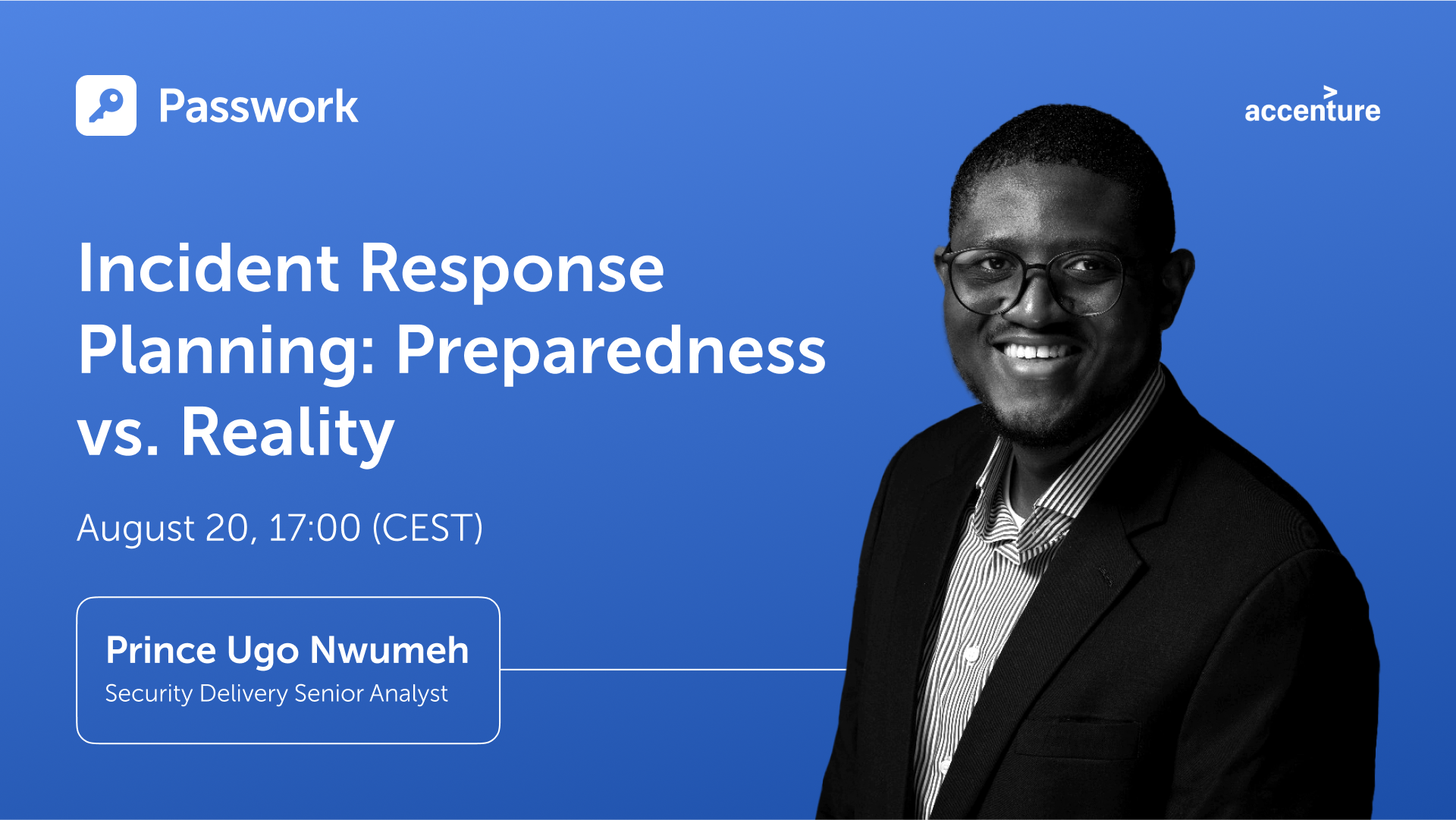
Incident response planning: Preparedness vs. reality
Discover key insights from Passwork webinar on incident response planning. Why teamwork and tools drive real cybersecurity resilience.
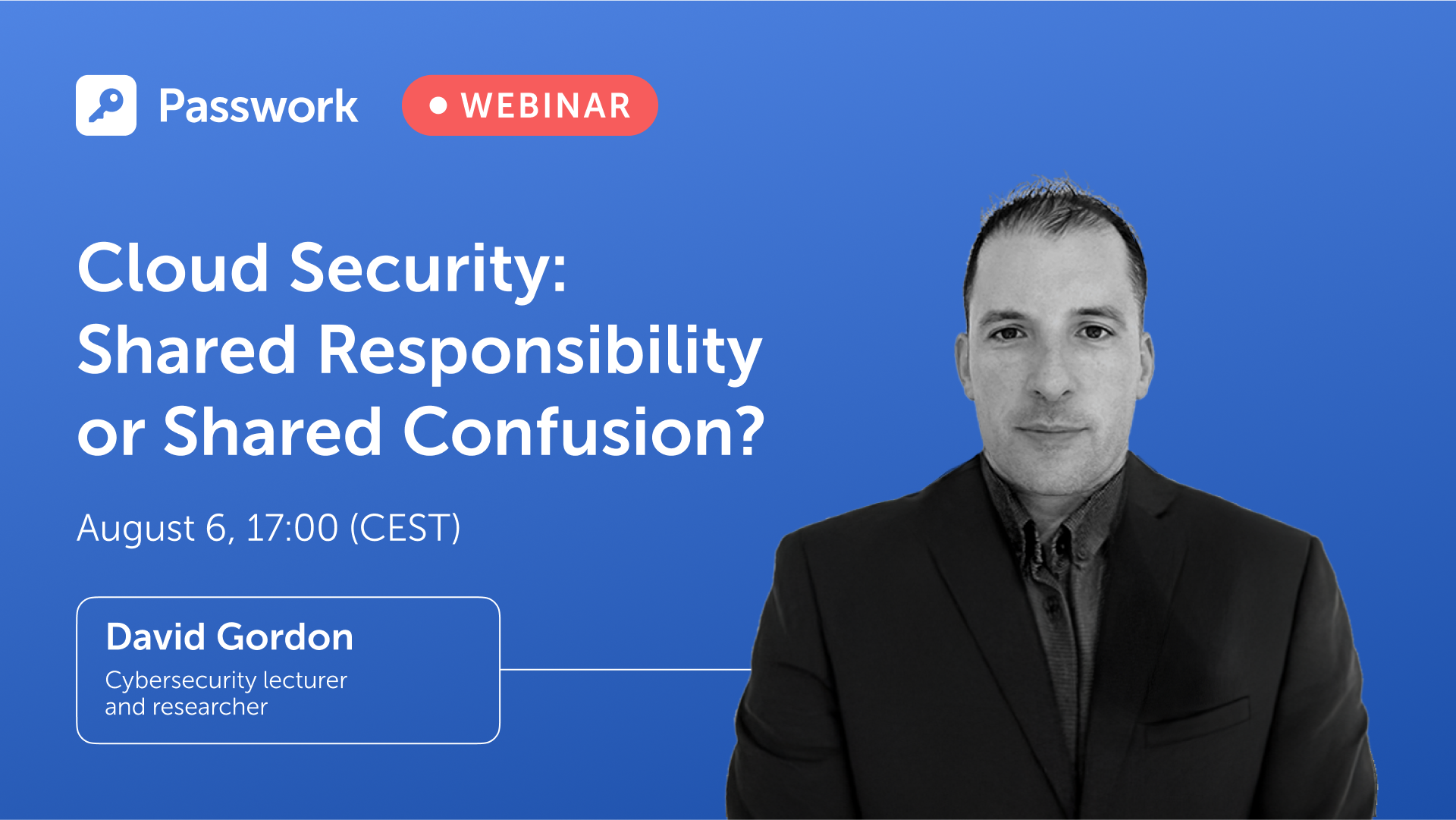
Cloud security: Shared responsibility or shared confusion?
Introduction Cloud security remains one of the most debated topics in modern IT. As organizations continue their migration to cloud platforms, the question of “Who is responsible for what?” grows increasingly complex. In our latest Passwork webinar, cybersecurity lecturer David Gordon joined host Turpal to unpack the realities behind the
Python connector 0.1.5: Automated secrets management
The new Python connector version 0.1.5 expands CLI utility capabilities. We’ve added commands that solve critical tasks for DevOps engineers and developers — secure retrieval and updating of secrets in automated pipelines. What this solves Hardcoded secrets, API keys, tokens, and database credentials create security vulnerabilities and operational bottlenecks.

Four ways to make users love password security

Feb 27, 2023 — 5 min read

We live in a digital age, and children must learn about internet safety as a first port of call. They are constantly on their phones and tablets, and many of them complete their coursework online. To secure personal information, all of these services require a password, but the passwords are frequently pre-set for youngsters, who do not get to create their own.

Children will never learn how to create secure passwords if such passwords are never changed. This renders them vulnerable to hacking. It is our responsibility as parents to educate our children about internet safety. This includes not only stopping kids from accessing improper information, but also explaining why. The greatest method for children to learn about computer security is to see adults who are skilled in the field. Continue reading to learn how to teach your children about password security fast and effortlessly.

Make unique and fun passwords

Passwords should be easy for your children to remember but tough for others to guess. That may appear to be an oxymoron, but if you make it fun, your child will be more likely to remember their passwords. Here are some easy ideas to get their creative juices flowing:

• Make up your own sentences or words. If they had a favorite stuffed animal as a youngster, try to integrate it, but don't make it the sole word. Use three or more to create complexity.

• Use basic, popular passwords such as ABCDE, 123455, or "password" instead. Hackers can easily breach them and obtain access to your accounts.

• Use passwords that are at least eight characters long

• Use numbers, uppercase letters, and symbols as needed. Also, avoid using them in apparent ways. Avoid substituting letters for vowels, such as an exclamation point (!) for I and an at symbol (@) for a. These are basic replacements that are easy to understand.

• Create unique passwords for each website. If your password is hacked and you use it in several places, hackers will have access to your children's sensitive information in multiple areas.

Passwords should not be shared

This one may be difficult for your children to grasp. They do, after all, know your phone's password! However, it is critical that your children do not share their passwords with anyone other than their parents—including their siblings. The more people who know their password, the more likely it is that people who should not have access to their accounts will.

Explain some of the scenarios that could occur to your children to ensure that they understand why they should not share their passwords. Listed below are a few examples:

• Someone could steal their identity

• Someone could send hurtful messages and jeopardize friendships

• Someone could open accounts on questionable platforms using their identity

• Someone could change their passwords and keep them from accessing their accounts

• If there are bank accounts attached, someone could spend their money

These are just a few examples, but they should be enough to convince your children not to share their passwords. If they do, they must inform you of who they shared it with and why. You can then decide whether or not to change their passwords.

Remember, as a parent, this does not apply to you. As a precaution, you should have all of your children's passwords who are under the age of 18. This will give you peace of mind because you will know you can monitor their online activity for their safety and security. There are many frightening people out there, and not just those looking to steal their passwords.

Avoid using the same password in multiple places

It may be difficult to keep track of so many different passwords, but it is critical that you and your child develop a unique password for each website, platform, or program. This will assist to safeguard their data:

• If there is a data breach in one place, they simply need to be concerned about that one location

• If you use the same password, they may have access to far more information, which might be harmful

Your child may not be able to use a password manager at school, but there are security services that can assist you in storing passwords across various platforms. They can also generate secure passwords that are difficult to decipher. These are useful tools, but you should not rely only on them for all of your passwords in case you are locked out.

What does a strong password look like?

You may be asking what makes a password strong now that you know what to do and what to avoid while teaching your children password safety. There are several approaches to constructing a secure password, and you must ensure that passwords are simple for your youngster to remember.

One method is to speak to their interests or their sense of humor.

• Use their passions as a source of inspiration. If they enjoy magic, you may perform something like AbramagiCkadabrA#7. This is an excellent password since it includes random capitalization, a number, and a distinctive character.

• Use something amusing for them. For example, because little children are typically delighted by potty humor, you may establish their username @uniFARTcorn3. Again, you've covered all of the possible factors for password requirements, and your kids will have a good time inputting it.

• Make use of meals and pastimes. You might, for example, create their password Apple3picking! EAO. They enjoy apple harvesting, their favorite number, a special character, and strange apple orchard letters or abbreviations.

You want to make your password difficult to guess but easy to remember, so choosing items that will activate your memory or make you smile when your child enters it will increase the likelihood that they will remember it.

It is not suggested to keep a digital file of passwords on your computer, but if necessary, you may write them down for your children until they learn them. Just be careful not to lose track of where you wrote them!


Comprehensive guide: Cybersecurity vocabulary – terms and phrases you need to know
Cybersecurity — as complex as it sounds — is an essential concept that we all need to be aware of in this day and age. Computers, phones, and smart devices have become an extension of our bodies at this point, which makes their security paramount. From your family photos to your bank
Why do employees ignore cybersecurity policies?
Employees often ignore cybersecurity rules not out of laziness, but because they feel generic, irrelevant, or disconnected from real work. True change starts with empathy, leadership, and context-driven policies. Read the full article to learn how to make security stick.
Passwork: Secrets management and automation for DevOps
Introduction In corporate environment, the number of passwords, keys, and digital certificates is rapidly increasing, and secrets management is becoming one of the critical tasks for IT teams. Secrets management addresses the complete lifecycle of sensitive data: from secure generation and encrypted storage to automated rotation and audit trails. As

How to teach children about password security: Tips for parents

Jan 12, 2023 — 6 min read

Of course you want to keep your data safe. So why are so many security precautions frequently overlooked? Many accounts, for example, are protected by weak passwords, making it easy for hackers to do their work. There is a fine line between selecting a password that no one can guess and selecting a password that is easy to remember. As a result, we will examine this topic in depth today and ensure that you no longer need to click on the "lost password" link.

What exactly is a strong password?

So let's begin with a definition. A secure password is one that cannot be guessed or broken by an intruder.

Computers are utilized by hackers in order to try out various combinations of letters, numbers, and symbols. Passwords that are only a few characters long and consist entirely of letters and digits are easy for modern computers to crack in a couple of seconds. Because of this, it is vital to utilize robust combinations of capital and lowercase letters, numbers, and special characters in one password. There is a minimum length requirement of 12 characters for passwords, although using a longer password is strongly encouraged.

To summarize the attributes of a secure password, they are as follows:

• At least 12 characters are required. The more complicated your password, the better.

• Upper and lower case letters, numbers, and special characters are included. Such passwords are more difficult to crack.

• Does not contain keyboard paths

• It is not based on your personal information

• Each of your accounts has its own password

You have undoubtedly observed that a variety of websites "care" about the security level of your password. When you are making an account, you will frequently see tooltips that remind you to include a particular amount of characters, as well as numbers and letters. Weak passwords have a far higher chance of being disapproved by the system. Keep in mind that, for reasons related to your security, you should never use the same password for several accounts.

A secure password should be unique

You may use a strong password for all of your accounts after you've created one. However, doing so will leave you more exposed to assaults. If a hacker obtains your password, they will be able to access whatever account you used it for, including email, social media, and work accounts.

According to surveys, many people use the same password because it is easier to remember. Don't worry, there are several tools available to assist you with managing multiple passwords. We'll get to them later.

While adding special characters in passwords is an excellent approach to increase their security, not all accounts accept all characters. However, in most scenarios, the following are used: ! " #% & *, / : | $ ; ': _? ().

Here are some examples of strong passwords that make use of special characters:

• P7j12$# eBT1cL@Kfg

• $j2kr^ALpr!Kf#ZjnGb#

Ideas for creating a strong password

Fortunately, there are several methods for creating unique and secure passwords for each of your accounts. Let's go over each one in detail:

1. Use a password generator/password manager

If you don't have the time to come up with secure passwords, a password generator that can also serve as a manager is a very simple and straightforward solution that you may use.

2. Choose a phrase, not a word

Passwords are significantly less secure than passphrases since they are often lengthier and more difficult to guess or crack. Instead of a word, pick a phrase and use the first letters, digits, and punctuation from that phrase to generate an apparently random combination of characters. Experiment with different wording and punctuation.

Here are some examples of how the passphrases technique may be used to generate secure passwords:

• I first went to Disneyland when I was four years old and it made me happy: I1stw2DLwIw8yrs&immJ

• My friend Matt ate six donuts at a bakery cafe and it cost him £10: MfMa6d@tbc&ich£10

3. Pick a more unique option

Open a dictionary or book and select a random word, or better yet, many. Combine them with numbers and symbols to make it far more difficult for a hacker to decipher.

As an example:

• Sand, fork, smoke, okay — Sand%fork9smoke/okay37

4. Experiment with phrases and quotes

If you need a password that is difficult for others to guess but easy for you to remember, try variants on a phrase or statement that means something to you. Simply choose a memorable sentence and replace parts of the letters with numbers and symbols.

For example:

• “For the first time in forever”: Disney’s Frozen: 4da1stTymein4eva-Frozen

5. Make use of emojis

You may always use emoticons to add symbols to your passwords without making them difficult to remember. You can't add emojis, but you can attempt emoticons made out of punctuation marks, characters, and/or numbers.

For example:

• \_(ツ)_/¯

• (>^_^)> <(^_^<)

• (~.~) (o_O)

What should I do after I have created a password?

1. Set passwords for specific accounts
You'll still need to generate a unique password for each of your accounts once you've created a strong password that you can remember. Instead of creating several new ones, you may include the name of the platform you use at the end. For example, if your password was nHd3#pHAuFP8, just add the word EMa1l to the end of your email address to get nHd3#pHAuFP8EMa1l.

2. Make your password a part of your muscle memory
If you want to be able to recall your password, typing it out several times can help you do so. You will be able to memorize information far more easily as a result of the muscle memory that you will develop.

How to keep your passwords safe?

1. Choose a good password manager
Use a trustworthy password manager whether you're setting your own safe passwords or looking for an internet service to handle it for you. It creates, saves, and manages all of your passwords in a single safe online account. All you have to do is put all your account passwords in the application and then safeguard them with one "master password". This means you just have to remember a single strong password.

2. Use two-factor authentication
You've heard it before, but we'll say it again. Two-factor authentication (2FA) adds an additional level of protection. Even if someone steals your password, you can prevent them from accessing your account. This is often a one-time code supplied to you by text message or other means. Receiving an SMS, by the way, is not the most secure method since a hacker might obtain your mobile phone number in a SIM swap fraud and gain access to your verification code.

Apps using two-factor authentication are far more secure. Google Authenticator, for example, or Microsoft Authenticator.

3. Passwords should not be saved on your phone, tablet, or computer
Although it might not be immediately visible, this is a common approach for people to save their passwords. That should not be done. Your files, emails, messenger conversations, and notes may all be hacked.

4. Keep your password confidential
Even if you completely trust the person to whom you are handing your password, sending it in a text message or email is risky. Even if you speak it aloud or write it down on paper, someone who is interested can overhear you and take notes behind you.


Python connector 0.1.5: Automated secrets management
The new Python connector version 0.1.5 expands CLI utility capabilities. We’ve added commands that solve critical tasks for DevOps engineers and developers — secure retrieval and updating of secrets in automated pipelines. What this solves Hardcoded secrets, API keys, tokens, and database credentials create security vulnerabilities and operational bottlenecks.
How to protect your online business from cyberattacks
Protect your online business from cyber threats with actionable strategies, from employee education to advanced tools like Passwork. Learn about phishing, ransomware, and more while discovering how to enhance security with simple yet effective measures. Stay protected — read the full article!
How secure are smart home devices?
Are you sure that your home is protected in the way that you think? Sure, you can secure it with modern locks or an alarm system to protect yourself from robbers who want to steal your money or furniture, but what about those who are looking at your home as

How to create a secure password

Dec 8, 2022 — 5 min read

The most frequently-used password globally is "123456”. However, analyzing passwords by country can yield some quite fascinating results.

We frequently choose weak passwords such as "123456" since they are easy to remember and input. The differences between such passwords can sometimes be found in the language itself. For example, if the English have "password" at the top of their list, the Germans prefer "passwort", and the French use "azerty" instead of "qwerty" due to the peculiarities of the French keyboard layout, which has the letter A instead of the usual Q.

When a weak password is driven by culture, things get much more intriguing. The password "Juventus" is likely to appeal to fans of the Italian football team Juventus. This password is also the fourth most popular option among Italian Internet users. The club is from Turin, Piedmont, and is supported by about 9 million people. At first look, the unique password "Anathema" appears to be a typical occurrence in Turkey, where the British band Anathema's name is among the top ten most common passwords.

A weak password is widespread

ExpressVPN together with Pollfish interviewed 1,000 customers about their password preferences in order to learn more about how individuals approach password formation.

Here are some of their findings:

• The typical internet-goer uses the same password for six different websites and/or platforms

• Relatives are likely to be able to guess their passwords from internet accounts, according to 43% of respondents

• When generating passwords, two out of every five people utilize different variants of their first and/or last name

These findings demonstrate a lack of cybersecurity knowledge, despite the fact that 81% of respondents feel confident in the security and privacy of their existing passwords.

According to the survey results, passwords frequently contain personal information. Below, you will find the most shared personal information with the percentage of respondents who revealed that their passwords contained personal information.

• First Name (42.3%)

• Surname (40%)

• Middle Name (31.6%)

• Date of birth (43.9%)

• Social security number (30.3%)

• Phone number (32.2%)

• Pet name (43.8%)

• Child's name (37.5%)

• Ex-partner's name (26.1%)

The most common passwords in various countries

Based on an infographic from ExpressVPN, the picture below illustrates the most often used passwords in various nations, practically all of which are in the top ten in their respective countries. Many are exclusive to these nations and demonstrate how cultural influences impact password creation.

Much of the information presented comes from a third-party study of stolen credentials (which were made public by Github user Ata Hakç). These datasets are based on the language of the individual sites, allowing the information to be distributed by country.

Let's have a look at some interesting variations of passwords. For instance, the phrase "I love you forever" may be deciphered from the password "5201314," which is commonly used by people from Hong Kong. In contrast, users in Croatia make use of the password “Dinamo”, which is derived from the name of an illustrious football team based in Zagreb. Martin is the password that is used by people from Slovakia. In Slovakia, the name Martin has a position as the fourth most common name. The Greeks, on the other hand, chose not to put undue effort into themselves and instead went with the most straightforward password out of the list, which was 212121. On the other hand, Ukrainians use the pretty difficult password Pov1mLy727. Apart from Ukraine, there are other countries where users more often than not create strong passwords. Let’s take a look.

These 10 countries create the strongest passwords

According to the results of the National Privacy Test that was carried out by NordVPN, the greatest marks were obtained by Italians in regard to their understanding of robust passwords. The following is a list of the top ten nations in which people come up with the most complicated passwords.

1. Italy 94.3 (points out of 100)

2. Switzerland 94

3. Spain 93.5

4. Germany 93.3

5. France 92.3

6. Denmark 91.8

7. UK 90.7

8. Belgium 90.4

9. Canada 89.4

10. USA 89.3

The top 10 did not include Australia (88.9), South Africa (86.2), Saudi Arabia (85.7), Russia (81.4), Brazil (81.2), Turkey (73.9), and India (78.4).
"This study demonstrates that individuals from all around the world are aware of how to generate secure passwords. The information is there, but people aren't using it in the right ways," says Chad Hammond, a security specialist at NordPass.

Also in November 2022, NordPass published a study that found out which passwords network users use most often. According to the findings of the survey, the majority of individuals still rely on simple passwords such as their own names, the names of their favorite sports teams or foods, simple numerical combinations, and other straightforward options.

NordPass security specialist Chad Hammond also stated, "Using unique passwords is really crucial, and it's scary that so many individuals still don't." It is critical to generate distinct passwords for each account. "We put all accounts with the same password in danger when we reuse passwords: in the case of a data breach, one account at risk can compromise the others."To summarize, it is reasonable to state that it does not matter where you were born, where you live, or what you are passionate about; you must always use unique passwords. We recommend that you make your password difficult to guess by making it more complicated or by using a password generator. This will increase the level of security provided by your password. In addition to this, we strongly suggest that you take advantage of two-factor authentication wherever it is an option. If you add an additional layer of protection to your accounts, be it in the form of an app, biometrics, or a physical security key, you will notice a significant increase in their level of security.


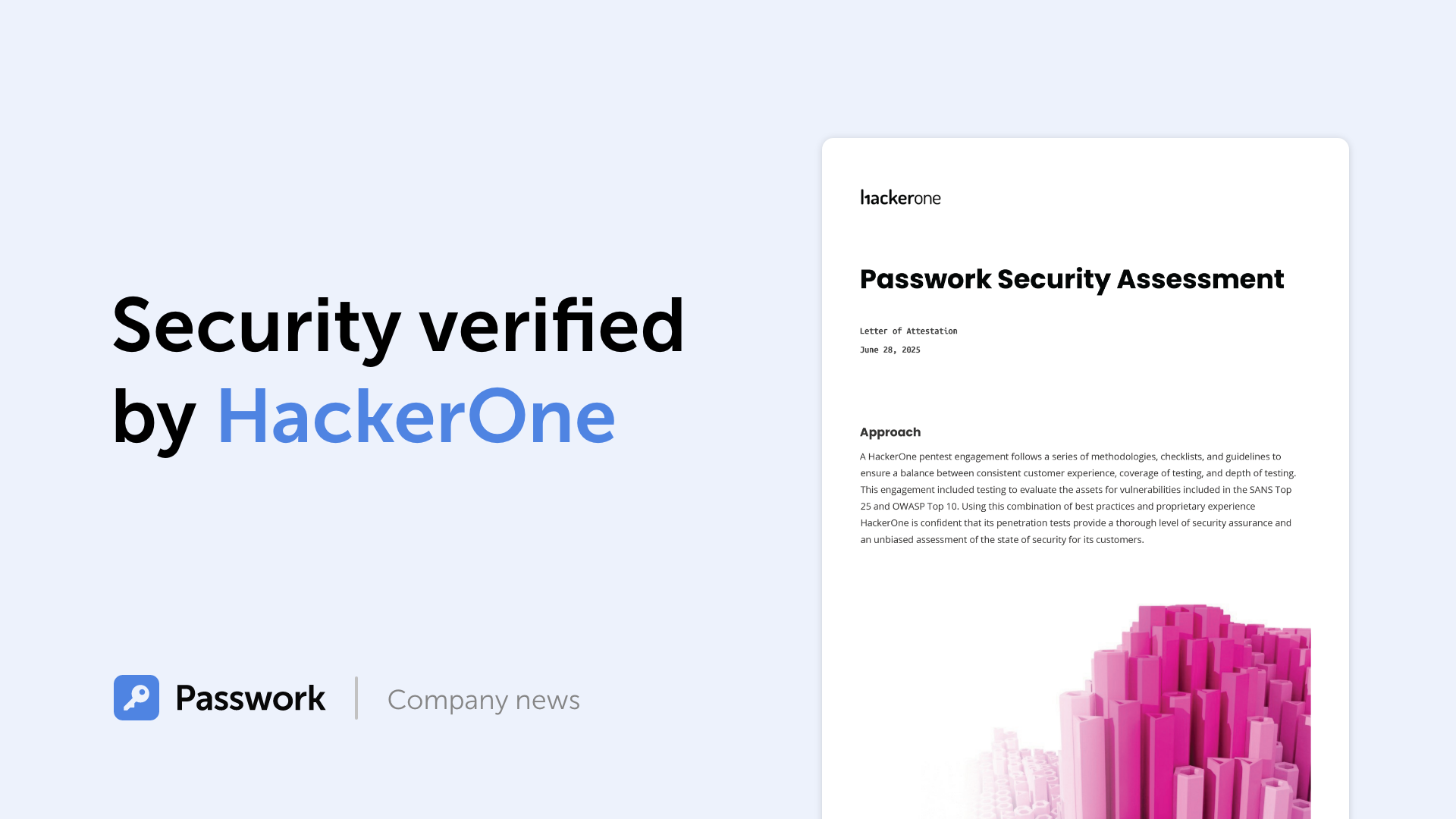
Passwork 7: Security verified by HackerOne
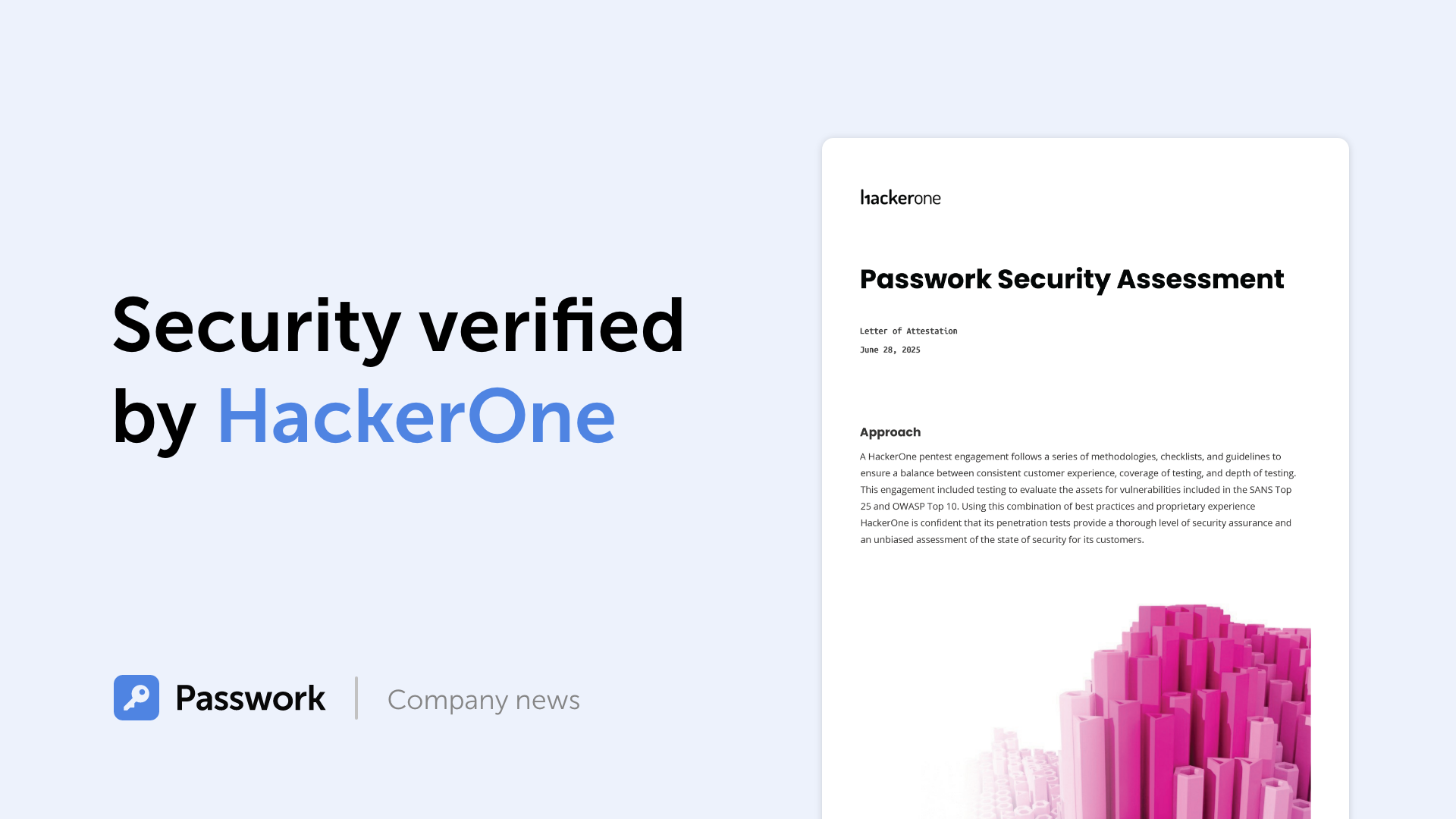
Passwork has successfully completed the penetration testing, carried out by HackerOne — the world’s largest platform for coordinating bug bounty programs and security assessments. This independent evaluation confirmed Passwork’s highest level of data protection and strong resilience against modern cyber threats. What the pentest covered Security architecture and data
GDPR password security: Guide to effective staff training
Learn proven strategies to train employees for GDPR password security compliance. Reduce breach risks with practical training methods.
Incident response planning: Preparedness vs. reality
Discover key insights from Passwork webinar on incident response planning. Why teamwork and tools drive real cybersecurity resilience.

Global password patterns: enterprise security culture analysis

Nov 24, 2022 — 6 min read

There is no good reason, from a technical standpoint, why passwords can't contain scripts in Chinese, Japanese, Korean, or any other language for that matter. If you are able to write in this script, then it is entirely appropriate for you to employ it in whatever endeavors you undertake.

However, if you put this theory to the test, you will discover that many websites, including well-known ones like Google, prevent you from entering a password that contains characters other than A-Z, 0-9, and common special characters.

This brings to mind the early days of the internet when certain websites forbade the use of capitalization and prohibited the use of Latin letters for no discernible reason.

Site issues with passwords including Chinese characters

Users often make use of passwords that are longer than 30 characters, include all of the various character kinds that are usually suggested, and are created at random. If you use a password manager, you should probably make the password as difficult and as lengthy as it can possibly be.

However, if you visit more than 150 websites and change your password each time, you may find that many websites have password rules that do nothing but lower their level of security rather than increase it. This is because these rules are designed to protect users from themselves.

For instance, several websites impose arbitrary restrictions on the maximum length of passwords. They will typically demand passwords with less than 20 characters, in many instances. In certain cases, you can only use a maximum of 12 characters.

Even though it makes the password less secure, certain websites require that you include a number and a special character. This is despite the fact that doing so decreases the entropy of the password. On other pages, one may be restricted to using just the Latin letters; numerals and punctuation are not allowed. On certain websites, one may use punctuation, but you have to choose it from a drop-down menu first, and characters like "&" are not permitted.

This last point ought to give you significant cause for worry. Are these websites capable of sanitizing the password before inserting it into the database? Your database should not be used to store passwords in any way. I'm curious how many times this has been the cause when we consider severe breaches of privacy. You are required to hash the password before saving it.

In any event, the end effect of all of this is that a significant number of websites still verify passwords in an erroneous manner, excluding characters that really should be fully allowed. There is no valid reason why "您未设置安保问题" can’t serve as your password.

So, how safe is such a password?

Entropy is a term used to describe both the difficulty of breaking a password and the complexity of the password itself. In the next paragraphs, we will examine how to compute the entropy of a password.

If we expand the character set to cover everything from a to Z, digits from 0 to 9, punctuation marks, and so on, then we have a pool of 90 characters. This results in an entropy per character of log2(90), which is equivalent to 6.49 bits. If, on the other hand, we expand our character pool to include all Chinese, Japanese, and Korean (CJK) characters (presuming that our character pool has 74,605 characters), then we can calculate the entropy of each character as log2 (74605) = 16.19 bits of entropy per character.

Therefore, a 7-character CJK password such as "正确的马电池钉" would give you 16.19 bits of entropy times 7, which equals 113.33 bits total. I would need a password consisting of 18 characters if I wanted to match this using Latin letters, numbers, and special characters.

The vast majority of people are Chinese-illiterate. They have decided against using any characters that include CJK in their passwords. On the other hand, the effectiveness of a complicated password is comparable to that of vaccination in that it confers herd immunity. Crackers will only conduct brute force or dictionary attacks based on the letter as if individuals only use passwords that include those letters. If people have a habit of using numbers and punctuation, it forces attackers to incorporate those elements into their vocabulary, which in turn slows down their attack. The attacker needs to try all of these additional possible combinations, regardless of whether or not your own password used any of them.

Because roughly one-third of the world's population is able to read and write CJK characters (the populations of China and Japan are enormous), if we permit people to use CJK characters in their passwords, then even if I don't use CJK characters myself, we can all benefit from the increased complexity that this provides.

To reiterate, knowledge of Chinese is not required in order to work with CJK characters. You can keep track of all of your passwords by using a password manager, as was previously suggested. It does not matter whether you are unable to read or write the password as long as the password manager is able to save it and accurately copy and paste it into the password box when it is required.

Conclusion

We’d like to remind everyone that your name, birth date, or any other identifying information should never be used as a password, regardless of the language you use.

In addition, the passwords that are established on other websites might somewhat vary from one another, which makes them easier to remember and prevents the same issue from occurring. In this scenario, it is essential to connect your mobile phone number or email address so that you may easily recover the account in the event that the mobile phone number is lost or stolen.

On the other hand, many people feel that passwords are becoming outdated and that there are now more efficient methods to handle computer security and authentication than by using passwords. Perhaps now is the moment for people to begin shifting their attention to other approaches. In the not-too-distant future, we will find out.


Python connector 0.1.5: Automated secrets management
The new Python connector version 0.1.5 expands CLI utility capabilities. We’ve added commands that solve critical tasks for DevOps engineers and developers — secure retrieval and updating of secrets in automated pipelines. What this solves Hardcoded secrets, API keys, tokens, and database credentials create security vulnerabilities and operational bottlenecks.
Passwork 7.2 release
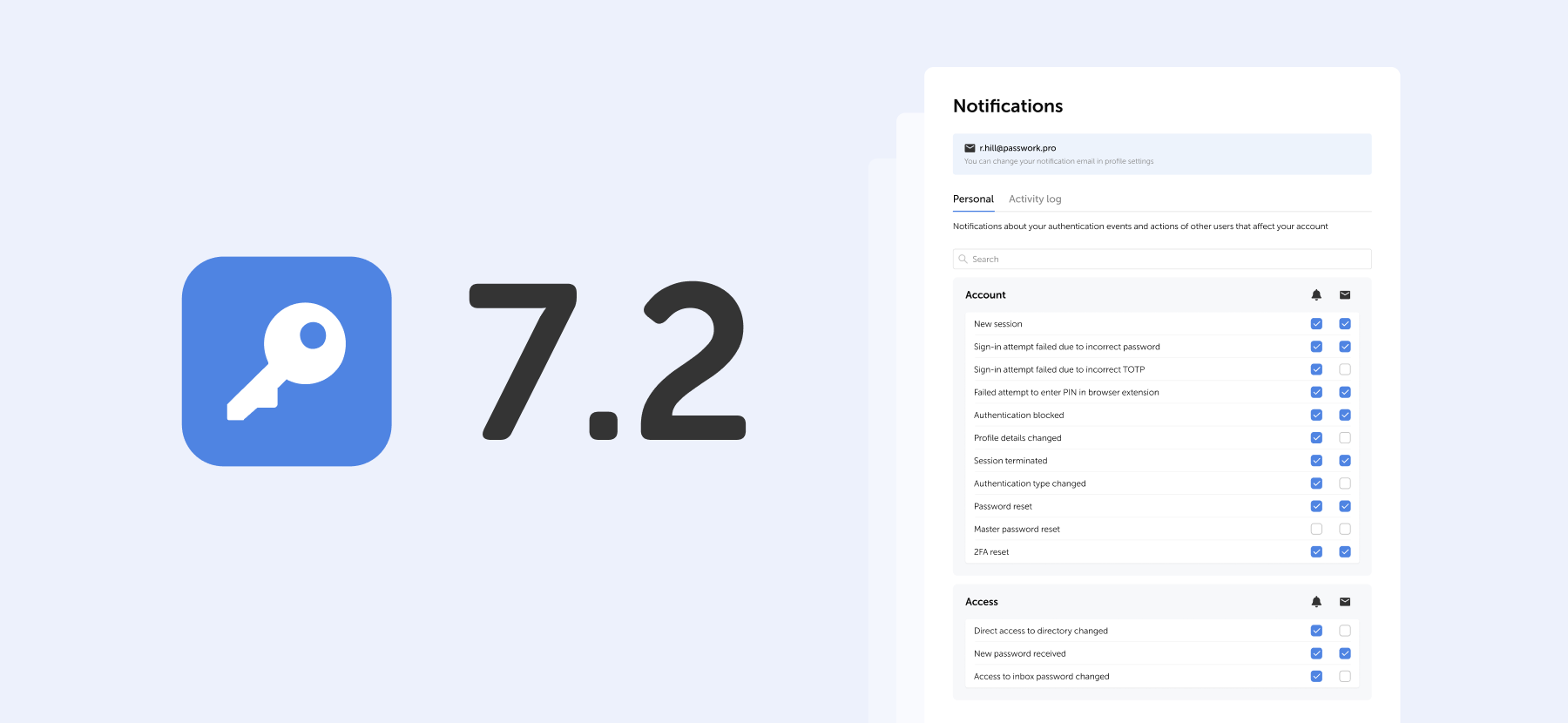
The new version introduces customizable notifications with flexible delivery options, enhanced event logging descriptions, expanded CLI functionality, server-side PIN code storage for the browser extension, and the ability to enable client-side encryption during initial Passwork configuration. Notification settings We’ve added a dedicated notification settings section where you can choose notification
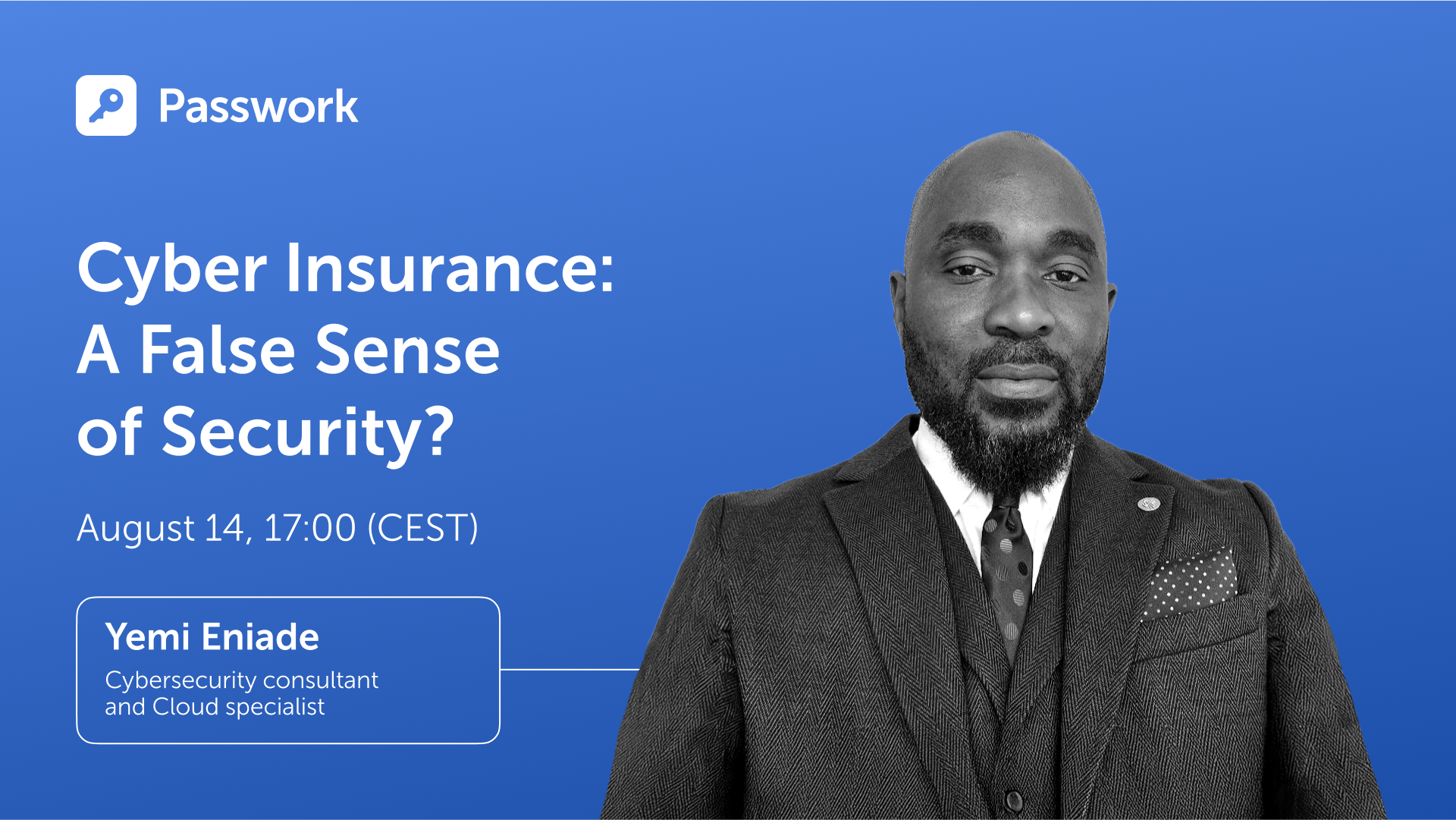
Cyber insurance: A false sense of security?
Introduction As cyber threats and data breaches become more frequent and sophisticated, many organizations are looking to cyber insurance as a way to manage risk. But is cyber insurance a true safety net — or is it just a false sense of security? This question was at the core of the

How secure is a password that uses Chinese characters?

Nov 10, 2022 — 6 min read

It's possible that you've become familiar with the term "time-based one-time passwords" (TOTP) in relation to "two-factor authentication" (FA) or "multi-factor authentication" (MFA).

However, do you really understand TOTP and how they work?

The Meaning of TOTP

"Time-Based One-Time Passwords” refer to passwords that are only valid for 30-90 seconds after they have been formed with a shared secret value and the current time on the system.

Passwords are almost always composed of six-digit sequences that are changed every thirty seconds. On the other hand, some implementations of TOTP make use of four-digit codes that become invalid after a period of 90 seconds.

An open standard is used in the TOTP algorithm, and this standard is detailed in RFC 6238.

What is a shared secret?

TOTP authentication uses a shared secret in the form of a secret key that is shared between the client and the server.

To the naked eye, the Shared Secret seems to be a string with a representation in Base32 that is similar to the following:

KRUGS4ZANFZSAYJAONUGC4TFMQQHGZLDOJSXIIDFPBQW24DMMU======

Computers are able to comprehend and make sense of information even if it is not legible by humans in the manner in which it is presented.

The client and the server both have a copy of the shared secret safely stored on their respective systems after a single transmission of the secret.

If an adversary is able to discover the value of the shared secret, then they will be able to construct their own unique one-time passcodes that are legitimate. Because of this, every implementation of TOTP needs to pay particular attention to securely storing the shared secret in a safe manner.

What is system time?

There is a clock that is integrated into every computer and mobile phone that measures what is referred to as Unix time.

Unix time is measured in terms of the number of seconds that have passed since January 1, 1970, at 00:00:00 UTC.

Unix time appears to be nothing more than a string of numbers:

1643788666

This small number, however, is excellent for the generation of an OTP since the majority of electrical devices using Unix time clocks are sufficiently synced with one another.

Implementations of the TOTP Authentication Protocol

The use of passwords is not recommended. However, you may increase security by combining a traditional password with a time-sensitive one-time password (TOTP). This combination is known as two-factor authentication or 2FA, and it may be used to authenticate your accounts, virtual private networks (VPNs), and apps securely.

TOTP can be implemented in hardware and software tokens:

• The TOTP hardware token is a physical keychain that displays the current code on a small screen

• The TOTP soft token is a mobile application that displays a code on a phone’s screen

It makes no difference whether you use software tokens or hardware tokens. The purpose of using two different forms of authentication is to increase the level of protection afforded to your online accounts. You have access to a one-time password generator that you may use during two-factor authentication to obtain access to your account. This generator is available to you regardless of whether you have a key fob or a smartphone with an authentication app.

How does a time-based one-time password work?

The value of the shared secret is included in the generation of each time-based one-time password (TOTP), which is dependent on the current time.

To produce a one-time password, the TOTP method takes into account both the current Unix time and the shared secret value.

The counter in the HMAC-based one-time password (HOTP) method is swapped out for the value of the current time in the time-based one-time password algorithm, which is a version of the HOTP algorithm.

The one-time password (TOTP) technique is based on a hash function that, given an input of indeterminate length, generates a short character string of fixed length. This explanation avoids getting too bogged down in technical language. If you simply have the result of a hash function, you will not be able to recreate the original parameters that were used to generate it. This is one of the hash function's strengths.

It is essential to keep in mind that TOTP offers a higher level of security than HOTP. Every 30 seconds, a brand new password is produced while using TOTP. When using HOTP, a new password is not created until after the previous one has been entered and used. The fact that the one-time password for HOTP continues to work even after it has been used for authentication leaves hackers with a significant window of opportunity to mount a successful assault.

Authentication using Multiple Factors (MFA)

A user must first register their TOTP token in any multi-factor authentication (MFA) system that supports a time-based one-time password before they can use the device to connect to their account.

Some TOTP soft tokens need the registration of a different OTP generator for each account. This effectively implies that if you add two accounts to your authenticator app, the program will produce two temporary passwords, one for each account, every 30 seconds. A single TOTP soft token (authenticator program) may support an infinite number of one-time password generators. Individual one-time password generators safeguard the security of all other accounts in the case where the security of an account is compromised.

To use 2FA, a secret must be created and shared between the TOTP token and the security system. The security system's secret must then be passed to the token.

How is the shared secret sent to the token?

Typically, the security system creates a QR code and requests that the user scan it using an authenticator app.

A QR code of this type is a visual depiction of a lengthy string of letters. The shared secret is, roughly speaking, part of this lengthy sequence.

The software will string the image and extract the secret when the user scans the QR code using the authenticator app. The authenticator program may now utilize the shared secret to generate one-time passwords.

When registering a TOTP token, the secret is only sent once. Many of the concerns about stealing the private key are alleviated. An adversary can still steal the secret, but they must first physically steal the token.

It works even when you're not connected to the internet!

To use the TOTP technique, you do not need an active internet connection on your smartphone or a physical key.

The TOTP token only needs to obtain the shared secret value once. The security system and the OTP generator may thus produce successive password values without needing to communicate. As a consequence, time-based one-time passwords (TOTP) operate even when the computer is turned off.


The 2025 small business cybersecurity checklist: A complete guide | Passwork
Passwork’s 2025 cybersecurity checklist, based on the NIST framework, provides actionable steps to prevent data breaches and financial loss.
Passwork: Secrets management and automation for DevOps
Introduction In corporate environment, the number of passwords, keys, and digital certificates is rapidly increasing, and secrets management is becoming one of the critical tasks for IT teams. Secrets management addresses the complete lifecycle of sensitive data: from secure generation and encrypted storage to automated rotation and audit trails. As
5 ways to keep your business safe from cyber threats
In an era where cybercrime is rampant, businesses must take a proactive approach to safeguard their confidential information. In 2021 alone, over 118 million people have been affected by data breaches, and this number is expected to rise exponentially. In this post, we’ll discuss some of the best practices

All about Time-Based One-Time Passwords (TOTP)

Aug 30, 2022 — 6 min read

Nearly 20 years ago, the National Institute of Standards and Technology (NIST) established guidelines for secure passwords. Indeed, they are still used by many websites, portals, and other services. You’re likely familiar with these password requirements — there ought to be at least 8 characters, both capital and lowercase letters, digits, and special characters. Despite these guidelines, passwords that meet these requirements are no longer safe from modern attackers. The only thing any of us can do to improve the security of our accounts is to make sure that our passwords are lengthy, complicated, and unique for each account. Due to the strict password management requirements, this strategy is, nevertheless, laborious and intimidating for many.

The same password rules do not apply today

In the modern day, password-based security is no longer seen as sufficient. Our digital world is continuously expanding, thus it is more important than ever to make sure that our data is safeguarded from cybercriminals. Cybercriminals perceive an opportunity to target people in a more sophisticated way as a result of the increasing usage of internet services. One explanation is that, although we benefit from technological improvement for our personal, social, or economic growth, cybercriminals have also benefited from the advantages of improved computer graphics cards and machine learning to enhance their attack strategies. In addition to the problem of more sophisticated cyberattacks, there are two interrelated problems with conventional password rules:

The first concern lies in our human nature — keeping track of passwords is tough

You may take a few steps as an individual to increase the security of your passwords. Start by lengthening and making your passwords more complicated. Second, create a unique password for each website you visit. The difficulty of remembering a password increases with its complexity. As a result, we frequently select passwords that are not entirely suitable yet are simple to remember. The difficulty of managing several complicated passwords for every online account leads to the frequent reuse of the same passwords across multiple platforms. As a result, a successful attacker immediately wins big.

However, the high level of password complexity necessary to maintain online safety should not be blamed; rather, it should be pointed out that we can’t improve our inadequate password management skills. Using a password manager to generate and store secure passwords is a useful solution. It is not humanly possible to manage strong passwords for all of our internet accounts without assistance, such as password managers. Because they can't recall the complicated, random sequences of letters, numbers, and special characters, the problem increases the likelihood that individuals will write down their passwords. Passwords are left exposed in digital files stored on a computer or in desk-top notes, making it simple for hackers to hack and read passwords.

The second problem is that passwords have a mathematical limit

There are only ever a finite amount of potential password combinations since a password is a mix of letters, numbers, and symbols. As a result, the best technique for breaking passwords is brute force attacks. Until the correct combination is identified and the password is broken, brute force attacks attempt all possible combinations of letters, numbers, and symbols. Theoretically, a stronger password would be one that is harder to guess due to its length, complexity, and number of possible permutations. However, attackers are now substantially more frequently exploiting Graphic Processing Units (GPUs) to break passwords. GPUs are a component of a computer's graphics card and were first designed to speed up the loading of images and movies. They now show promise for computing hashes (the method used in brute force attacks).

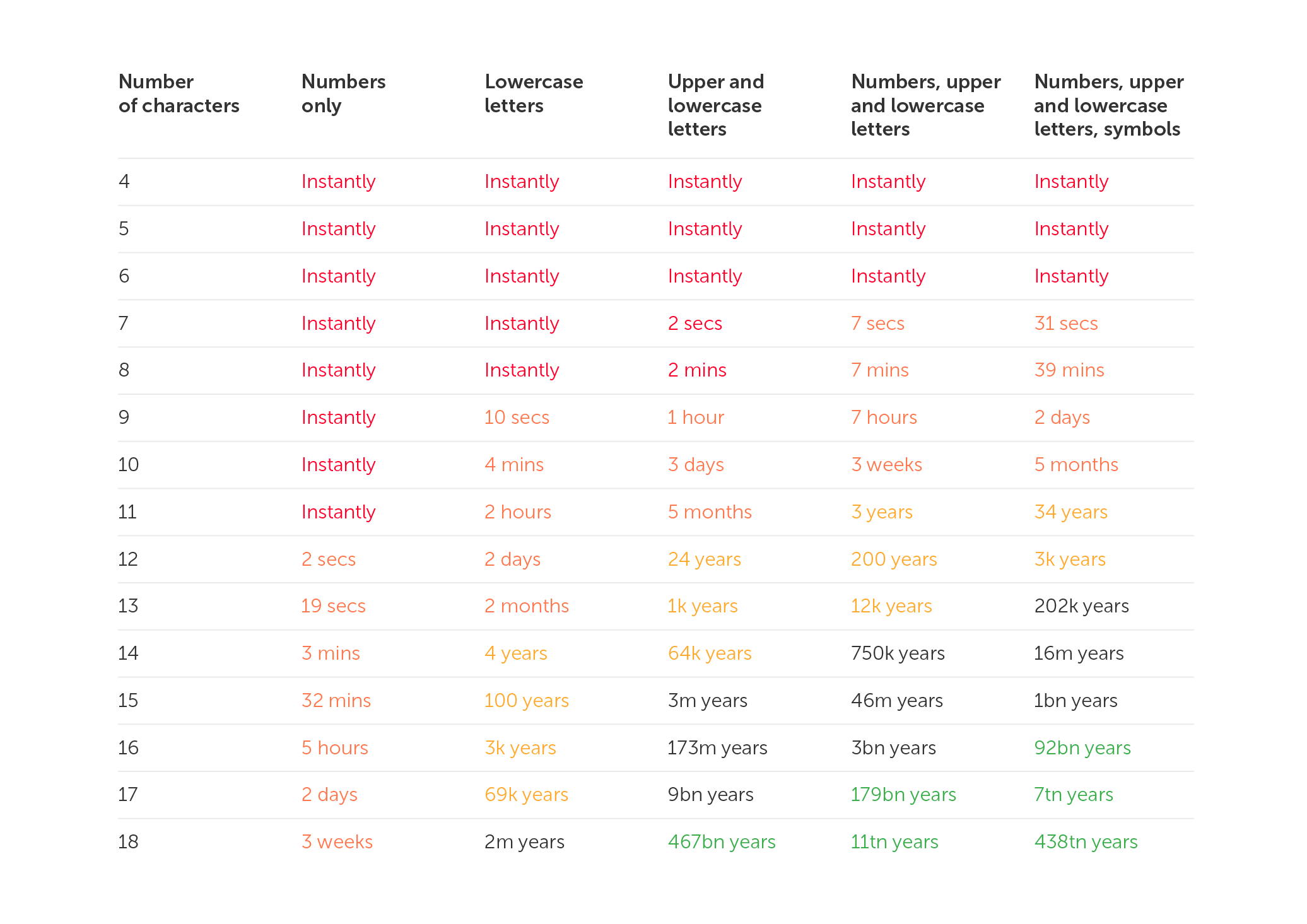
According to studies on password cracking times, passwords may be cracked much more quickly using sophisticated computer graphics cards. Using the most recent computer graphic cards, an 8-character password that used to take 8 hours to crack in 2018 now only takes 39 minutes (see the conclusive 2022 results in the table below). Passwords are gradually getting simpler to crack as a result of recent technical developments, which is a concerning trend. More crucial, however, is the fact that if a password has already been stolen, repeated across sites, or contains basic phrases, attackers may access your accounts right away, regardless of the complexity of the password or the attacker's graphics card.

Consider a 4-character password made up of all 26 letters in the Latin alphabet (case-insensitive) in order to visualize this mathematical example.

26^4 = 456,976 possible password combinations

The number of viable choices rises to when you include digits, uppercase and lowercase letters, and special characters.

95^4 = 81,450,625 possible password combinations

However, because the password must contain at least one special character, one number, one capital letter, and one lowercase letter, the quantity drops to

5,353,920 possible password combinations.

Nevertheless, assuming there are no password-entry security measures, this can be cracked in less than a second by a computer (such as automatic account blocking).

Increase the length and complexity of passwords

Longer or more complicated password phrases are strongly advised when creating new passwords. In this manner, potential attackers will have a harder time breaking the codes. It's crucial to take into account the popularity of the selected password combination in addition to the amount of alternative password combinations. For instance, lists of frequently used passwords or phrases, such as "qwerty," "password," or "12345," are frequently used in brute force assaults.

Therefore, the password should be completely unique or not contain any words at all. For instance, one technique would be to employ acronyms or mnemonics, such as generating a password out of the first few characters of a long text. As an illustration, consider making the password ‘Ilts@7S!’ out of the words I love to ski at Seven Springs.

Password length and complexity alone are insufficient

We are aware that adding length and complexity to passwords is the only method to increase their strength and, consequently, the safety of our accounts. The time it typically takes an attacker to break a password in 2022 using a powerful commercial computer is displayed below. This chart, which has been analysed and periodically updated since 2018, shows how quickly passwords can be broken on current machines. This pattern indicates that, despite our best efforts to create passwords that are longer and more complicated, passwords alone are no longer sufficient to meet the required internet security standards.

In conclusion, password rules increase the complexity of passwords without necessarily enhancing their security.


Why do employees ignore cybersecurity policies?
Employees often ignore cybersecurity rules not out of laziness, but because they feel generic, irrelevant, or disconnected from real work. True change starts with empathy, leadership, and context-driven policies. Read the full article to learn how to make security stick.
Why do I need a password manager?
Password managers protect your accounts by encrypting credentials, generating strong passwords, and blocking phishing attacks. They help individuals and businesses streamline password management, minimizing risks from weak or reused passwords. Discover their key features in the full article.
Passwork: Secrets management and automation for DevOps
Introduction In corporate environment, the number of passwords, keys, and digital certificates is rapidly increasing, and secrets management is becoming one of the critical tasks for IT teams. Secrets management addresses the complete lifecycle of sensitive data: from secure generation and encrypted storage to automated rotation and audit trails. As

Why your passwords are no longer secure

Jun 16, 2022 — 6 min read

Whenever the word ‘cybersecurity’ appears, the word ‘password’ springs to mind in parallel. People use them everywhere, from mobile phone locks to the protection of personal and state data stored on individual devices or websites. Everyone knows that a strong and secure password is able to save our sensitive information, however, cybercriminals have invented a huge variety of methods to hack our passwords in order to compromise us. So, modern problems require modern solutions. Now, there are a lot of alternative ways to protect access to personal data. The usual passwords are replaced by multi-layer authentication or just more progressive technologies. These are fingerprints and face recognition functions, keychains, and password vaults. But what is the future of passwords? Will they become an outdated option or stay a necessary part of access.

Why are passwords considered weak?

With the growth of cybercrime, the requirements for passwords are increasing. The first passwords consisted of short, easily-memorized word or numeral combinations, but they were too easy to crack. Now, passwords are sophisticated alpha-numeral combinations, sometimes too long to remember. Nevertheless, it is still possible for hackers to find the solution and get access to your account. Passwords are usually based on some common information like a date of birth, the name of a child, or a home pet, which implies that hackers are able to find out what it is if they have enough time. The other reason why passwords become targets is the fact that they provide unrestricted access to your account. Moreover, many people use the same or similar passwords for many different accounts, so they simplify the process of collecting their sensitive data from multiple sources. Of course, using the same password for every account mitigates the risk of forgetting the password, but reusing the combination is quite risky. Users are sure that they won’t be hacked as the data they store is not valuable enough to be stolen, but it’s a common mistake as almost everyone can be compromised or fall victim to a bot attack that is aimed at spreading spam or malicious links. So, the best way to protect your privacy is not to reuse the same password and exploit multi-layer authentication for your accounts.

The anti-password movement

This movement was established as soon as people understood that usual passwords are more vulnerable than they should be. Passwords are inconvenient and provide multiple avenues for fraudsters to obtain your data and profit from it. The most typical method for hackers to profit from this data is to sell it on the dark web for fast cash. Advanced attacks on logins have been known to shut down entire corporations or launch ransomware campaigns. Credential stuffing is the most well-known form of password hacking, it is based on the reusing of the same password for multiple accounts, pairing it with different email addresses or logins. It is usually aimed at taking over as much information from corporate accounts as possible. Thus, internet users realized that passwords are not the most powerful protection that can be exploited for security goals. So, what was made in addition to, or in place of, the password?

Multi-factor authentication

Single-factor authentication refers to the requirement of only one password to access an account. This method of protection has been used for a long time, but now it’s obsolete. The new practice in authentication is multi-factor access which requires passing two or more layers of authentication before accessing an account. The possible steps of this sophisticated technology could be the PIN code, the server-generated one-time code sent to your email address or mobile phone, or even fingerprints and face recognition.

It makes access more complicated but also serves as an additional barrier to compromise attempts and data thieves. This motivates them to move on to more straightforward targets. While it isn't infallible, it does dissuade attackers from trying anything else, potentially rescuing you from disaster.

Another successful way of protection is the passphrase that is used instead of common password combinations. It is represented as the meaningful or meaningless word combination consisting of up to 100 words. It seems to be hard to remember a long phrase, but it is much easier than remembering alpha-numeric combinations including substitution, capitalization, and different numbers. Hackers will find it incredibly difficult to break into a system since passwords are several words long and can contain an endless number of word combinations. Another good thing about such protection is the lack of necessity to install the special apps or systems required to use this technique. It can be applied to every account without special password character limits.

Is the password dead?

The first hacking attacks were conducted as early as the 80s. Regardless of this, people still use passwords as the main protection force for their private information. So, why can’t we replace it with more modern and convenient technologies?

First of all, it’s related to the ease of creating passwords. The password is generated by the user himself, so there’s no need to create and exploit special services that would be able to provide protection for the account on the user’s behalf. Another point is the privacy of users. The password is one of the more private ways of authentication as it doesn’t require any personal information, it can be a random combination of numbers and lack sense, unlike methods such as biomedical data access, which is connected with personal information that could get out into cyberspace. The last but not the least important point lies in the simplicity of replacing passwords. It can be useful in the event of a major data breach, as it’s easier to change the password than the biomedical options that are used for fingerprints or face recognition.

Conclusion

So what will be the future of passwords? Passwords will definitely be used as one layer of a multi-factor security system for the next few years as there are still no more useful options for saving our privacy than passwords. People are continuing to look for the perfect method of protection, so maybe in a few years, something will finally appear and the world will be able to say goodbye to long sophisticated passwords. Some services have already turned to new systems of access, like one-time codes or fingerprints, but there is still a possibility of being hacked. Indeed, users still believe that a multi-layer system of protection is more convenient than any possible alternative.


Why your passwords are no longer secure (Part 1)
Nearly 20 years ago, the National Institute of Standards and Technology (NIST) established guidelines for secure passwords. Indeed, they are still used by many websites, portals, and other services. You’re likely familiar with these password requirements — there ought to be at least 8 characters, both capital and lowercase letters,
Passwork 7.2 release
The new version introduces customizable notifications with flexible delivery options, enhanced event logging descriptions, expanded CLI functionality, server-side PIN code storage for the browser extension, and the ability to enable client-side encryption during initial Passwork configuration. Notification settings We’ve added a dedicated notification settings section where you can choose notification
Passwork 7: Security verified by HackerOne
Passwork has successfully completed the penetration testing, carried out by HackerOne — the world’s largest platform for coordinating bug bounty programs and security assessments. This independent evaluation confirmed Passwork’s highest level of data protection and strong resilience against modern cyber threats. What the pentest covered Security architecture and data

The future of password security

Apr 21, 2022 — 6 min read

What is a brute force attack?

Among a myriad of different cyberattacks, the brute force attack seems to be the most common and primitive way of hacking. This technique involves guessing login information through trial-and-error, where hackers try all conceivable combinations in the hope of guessing correctly.

The term “brute force" refers to the method itself, being both brutal and forceful. Despite the fact that brute force attacks are a pretty ancient cyberattack approach, they still remain a prominent technique among modern-day hackers.

Types of brute force attacks

A brute force attack can be split into a few different types, each kind employing a variety of techniques that serve to unearth your private data. You should be aware of how cybercriminals apply each type in order to ensure maximum protection.

1. The simple brute force attack — this refers to the process of simply guessing the login credentials via logical deliberation, without the use of any software. Hackers just go through every standard combination of letters and numerals, perhaps combining this with some information that they know about you. This method is cumbersome yet reliable as many people still use primitive and common passwords and PINs like “user1” or “12345” in order to remember it easily. Also, users, who use the same password for every account put themselves in extra danger; if the hacker does guess one password correctly, then it’s likely that they’ll be using that password as the first port of call when it comes to other accounts.

2. A dictionary attack — this is a type of brute force attack that involves the user submitting a very large variety of different password combinations. Although this kind of assault is technically a brute force attack, it takes a significant place in the process of cracking passwords. The name of this technique comes from the actions that a hacker performs during the break-in attempt. The criminals scan through password dictionaries modifying words using different numbers and abbreviations. It usually takes a lot of time and has poor success rates when compared to newer techniques. However, it’s easy to do if you have a computer at your disposal.

3. A hybrid brute force attack — this type combines the two that we’ve just looked at: the brute force attack and the dictionary attack. Combination passwords, which mix common words with random characters, are cracked using these approaches. Usually, it starts with a certain username which is used as a base for the following actions: hackers input a list of words that potentially could be included in the password, then combine them with different characters and numbers until they reach the correct password.

4. Reverse brute force attack — contrasting with other types of brute force attack, the reverse attack starts with a known password. Usually, hackers get these from leaked databases that are freely available on the internet. Attackers choose one password and look through millions of accounts until one matches. Of course, it’s easier for the criminal to locate a match when the password includes a name or a birth date, so it’s better to avoid using such information in your password.

5. Credential staffing — this type of attack is based on users’ cybersecurity illiteracy. Hackers collect and store lists of already cracked or stolen passwords and usernames connected to them and then go through dozens of other websites to see if they can obtain access to other accounts of the same user. Thus if the person utilizes the same password for various social networks, apps and websites, he or she allows the attacker to get every bit of private information contained on each account.

6. Botnets — this type of attack can be combined with any of the above. The main point of a botnet attack is to use extra computational resources to attack the victim. This way, hackers manage to avoid the costs and difficulties associated with running programs on their own systems by exploiting hijacked machines to carry out the brute force attack. Furthermore, the usage of botnets provides an additional layer of anonymity which is also desirable for hackers.

Brute force attack tools

It can take a long time to crack the password of somebody’s email or website, so hackers have created some software to assist them in breaching accounts, which makes the process easier and faster.

1. Aircack-ng is a toolset that provides the hacker with the opportunity to enter various Wi-Fi security systems. They’ll be able to monitor and export data through the use of this software. They can even hack companies using techniques such as spoofing access points and packet injection. Such software is free and can be acquired by anyone.

2. DaveGrohl is a brute-forcing tool that was made to assist in dictionary attacks. It offers a mode that helps hackers to attack a victim using the force of several computers.

3. John the Ripper is a program made for recovering passwords. It supports thousands of encryption systems including those used in macOS, Unix, Windows, various web applications, network traffic, and document files.

These programs can quickly go through all conceivable combinations and choose the correct one to breach a variety of computer protocols, encrypted information storage systems and modems.

Examples of brute force attacks:

Brute force attacks are so common that almost every person or organization has at least once fallen victim. Even worldwide organizations that are known for their robust security systems could be exposed to a brute force attack. For example, in 2018, it was uncovered that Firefox’s master password was quite easy to figure out. Because of this, nobody knows how much personal data was actually leaked into the network. This wasn’t the only brute force attack to occur that year. Unknown hackers compromised the accounts of numerous members of the Parliament of Northern Ireland.

Three years before that, Dunkin Donuts, a doughnut and coffee franchise, became a victim of another brute force attack that resulted in people losing large quantities of money due to a breach that took place in the company’s mobile app. Cybercriminals utilized brute force to obtain illegal access to the credentials of more than 19 thousand people, eventually taking their money. Unfortunately, the company didn’t make users aware of the attack and people couldn’t take the appropriate precautions to protect their personal data and money in the future, so a complaint was eventually filed against it.

Despite most people actually being aware of the measures required for privacy maintenance, a lot of users still disregard the rules of cybersecurity by trying to simplify access to their accounts with a simple, reusable and easily memorable combination. This way, they make themselves potential victims of brute force attacks, which are largely possible thanks to the carelessness of cyber-civilians.


Common myths about password managers
Worried that password managers are risky or hard to use? It’s time to rethink. In this article, we debunk common myths about password managers, break down how they actually work, and show why solutions like Passwork are vital for your cybersecurity. Learn how these tools keep your data protected.
Passwork: Secrets management and automation for DevOps
Introduction In corporate environment, the number of passwords, keys, and digital certificates is rapidly increasing, and secrets management is becoming one of the critical tasks for IT teams. Secrets management addresses the complete lifecycle of sensitive data: from secure generation and encrypted storage to automated rotation and audit trails. As
Why do I need a password manager?
Password managers protect your accounts by encrypting credentials, generating strong passwords, and blocking phishing attacks. They help individuals and businesses streamline password management, minimizing risks from weak or reused passwords. Discover their key features in the full article.

The brute force attack: definition and examples