Passwork 7.1.2 update is available in the Customer portal.
- Added an option to disable extension content scripts on the organisation level
- Added an option to import passwords without names
- Added more details to some of the actions in the activity log
- Added a restriction on client-side changes to permissions and settings of your own role
- Fixed an incorrect search behavior when adding users into a vault or a folder
- Fixed an issue that caused "Action history" and "Editions" tabs not to appear under certain scenarios
- Fixed an issue that caused a password attachment download to fail if the hashes did not match
You can find all information about Passwork updates in our technical documentation.
Python connector 0.1.5: Automated secrets management
The new Python connector version 0.1.5 expands CLI utility capabilities. We’ve added commands that solve critical tasks for DevOps engineers and developers — secure retrieval and updating of secrets in automated pipelines. What this solves Hardcoded secrets, API keys, tokens, and database credentials create security vulnerabilities and operational bottlenecks.
 Eirik Salmi
Passwork 7.2 release
The new version introduces customizable notifications with flexible delivery options, enhanced event logging descriptions, expanded CLI functionality, server-side PIN code storage for the browser extension, and the ability to enable client-side encryption during initial Passwork configuration. Notification settings We’ve added a dedicated notification settings section where you can choose notification
 Eirik Salmi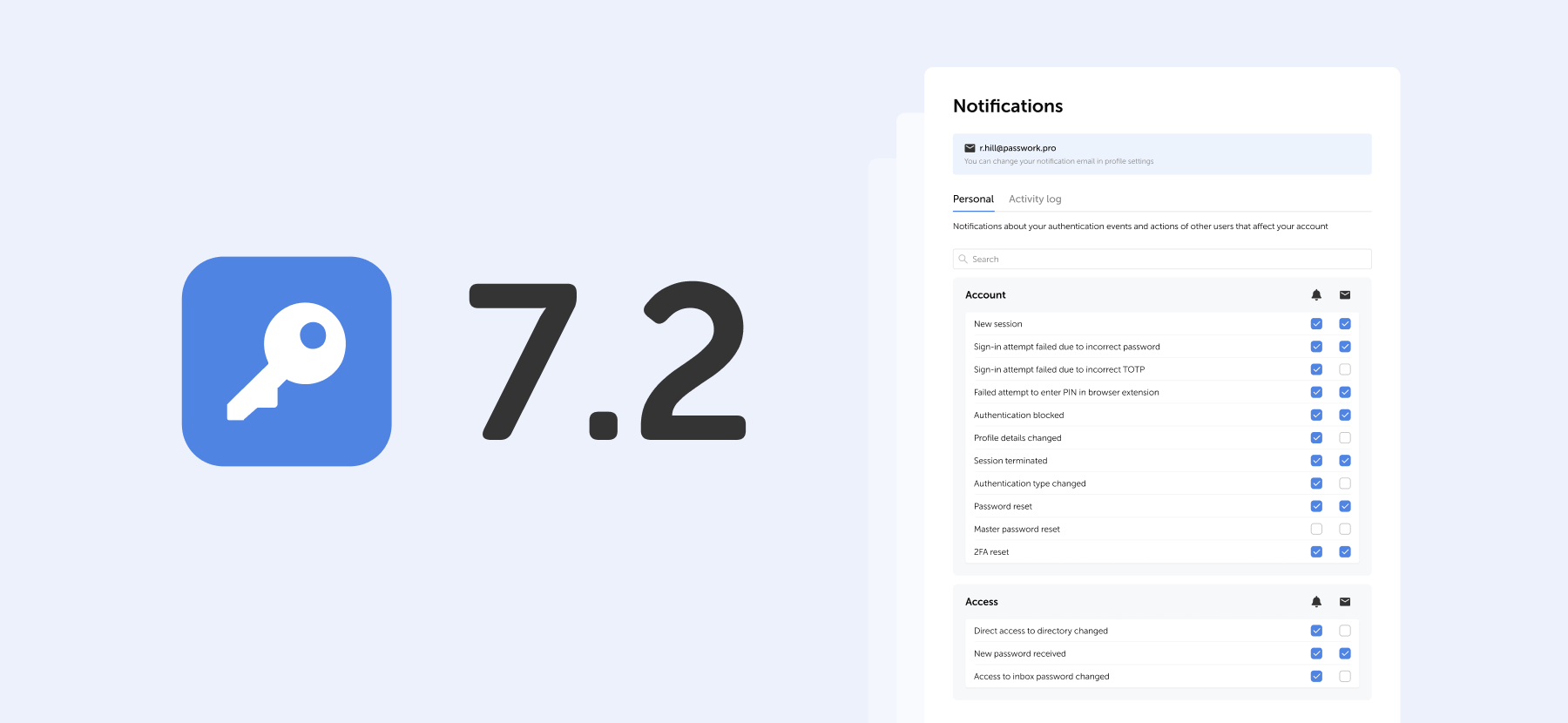
Passwork: Secrets management and automation for DevOps
Introduction In corporate environment, the number of passwords, keys, and digital certificates is rapidly increasing, and secrets management is becoming one of the critical tasks for IT teams. Secrets management addresses the complete lifecycle of sensitive data: from secure generation and encrypted storage to automated rotation and audit trails. As
 Eirik Salmi