Bring Your Own Device (BYOD) has transformed from a workplace trend into a business necessity. By 2026, over 82% of companies will have adopted formal BYOD policies, with more than 80% actively promoting this approach. This reflects a fundamental change in how organizations approach workplace flexibility and productivity.
The appeal is clear: employees work on devices they know, IT departments reduce hardware costs, and companies attract talent seeking flexibility. But this convenience introduces security challenges that can expose sensitive data, compromise networks, and create compliance headaches.
This guide walks you through the security landscape of BYOD — from understanding core risks to implementing frameworks that protect your organization without sacrificing employee autonomy.
Understanding BYOD and its security implications
BYOD allows employees to use personal smartphones, tablets, and laptops for work tasks. These devices access corporate email, cloud applications, internal networks, and sensitive data — all while living outside traditional IT control.
The current state of BYOD in modern workplaces
Organizations now face a reality where personal devices are integral to daily operations, not exceptions to policy.
Employees expect seamless transitions between home and office, using devices that fit their workflows. IT departments adapted by building security architectures that accommodate this flexibility rather than resist it.
Why organizations are adopting BYOD
Cost reduction drives many BYOD programs. Companies save on hardware procurement, maintenance, and replacement cycles. Employees bear the initial device cost, while organizations invest in security infrastructure and management tools.
Employee satisfaction improves when workers use familiar devices. Learning curves disappear, productivity increases, and job satisfaction rises. This matters in competitive talent markets where workplace flexibility influences hiring decisions.
Operational agility increases as employees access work resources from anywhere. Business continuity improves because workers aren't tied to corporate-owned equipment. During disruptions, operations continue with minimal interruption.
Main BYOD security challenges
- Lack of standardization. Personal devices vary in operating systems, security patch levels, and configurations, leading to inconsistent security postures.
- Visibility gaps. IT teams have difficulties monitoring device health, installed apps, and security settings, leaving blind spots in the security landscape.
- Policy enforcement challenges. Balancing security requirements with employee privacy can lead to resistance or vulnerabilities.
- Lifecycle management issues. Managing security when employees upgrade devices, switch platforms, or leave the organization requires careful planning and technical capabilities.
Key BYOD security risks and vulnerabilities
Data leakage and loss in BYOD environments
Corporate data lives alongside personal information on BYOD devices. Employees might unintentionally share confidential files through personal cloud storage, messaging apps, or email accounts. The boundary between work and personal use blurs, creating opportunities for data to escape corporate controls.
Lost or stolen devices represent immediate security incidents. Without proper safeguards, anyone accessing the device gains entry to corporate resources. The risk intensifies when devices lack basic protections for example screen locks or encryption.
Malware and phishing threats targeting personal devices
Personal devices often have weaker security than corporate equipment. Employees might disable security features for convenience, install apps from untrusted sources, or ignore software updates. These behaviors create entry points for malware.
Phishing attacks exploit the personal nature of BYOD. Attackers send convincing messages to personal email or messaging apps, knowing employees use the same device for work. Once compromised, the device provides access to corporate networks and data.
Out-of-date devices and unpatched vulnerabilities
Employees control update schedules on personal devices. Critical security patches might wait days or weeks while users delay updates for convenience. During this window, known vulnerabilities remain exploitable.
Older devices present additional challenges. Manufacturers eventually stop supporting devices with security updates, leaving them permanently vulnerable. When employees continue using these devices for work, they introduce unpatched risks into your environment.
Shadow IT and unsanctioned applications
Employees install applications that solve immediate problems without considering security implications. File-sharing services, collaboration tools, and productivity apps might bypass IT approval processes entirely.
These unsanctioned applications often lack proper security controls, compliance certifications, or integration with corporate security systems. Data flows through services your security team doesn't monitor or protect.
Mixing personal and business use
One of the most common vulnerabilities in BYOD environments is credential mismanagement. Employees frequently save corporate passwords in personal browser keychains or unencrypted notes for convenience. Meanwhile, a corporate password manager lives separately on their device, featuring its own encryption, access control, and biometric protection. With Passwork, employees access company vaults through a mobile app, keeping work credentials completely separate from personal data.
Building an effective BYOD security framework
Creating a comprehensive BYOD security policy
Your BYOD policy defines acceptable use, security requirements, and responsibilities. It should address device eligibility, required security measures, acceptable applications, and data handling procedures.
Scope and eligibility sections clarify which devices qualify for BYOD programs and which roles can participate. Not every position requires BYOD access, and not every device meets minimum security standards.
Security requirements must be specific and enforceable. Define mandatory features such as encryption, screen locks, biometric authentication, and automatic updates. Specify prohibited activities such as jailbreaking or rooting devices.
Data classification guides employees in handling different information types. Clearly distinguish between public, internal, confidential, and restricted data. Define which data types are accessible via BYOD and which require corporate-owned devices.
Incident response procedures outline steps employees must take when devices are lost, stolen, or compromised. Include reporting timelines, contact information, and expectations for cooperation during investigations.
Defining device and software requirements
- Operating system requirements. Only devices with actively supported operating systems should be allowed in BYOD programs. Outdated systems must be excluded.
- Mandatory security features. Devices must include encryption, secure boot, and hardware-backed credential storage. Ensure these features are enforced by policy.
- Approved applications. Provide employees with a list of secure, approved apps and alternatives to unsanctioned tools to encourage compliance.
Technical solutions for BYOD security
Securing Network Access and Ensuring Compliance
Personal devices should not have the same network access as corporate equipment. Implement network segmentation and strict access controls so that BYOD users can only access the necessary resources. Require a VPN for remote access in order to encrypt traffic and control entry points. Continuous network monitoring should detect unusual activity and trigger alerts.
These controls also help organizations meet regulatory requirements, such as HIPAA, GDPR, and others. A robust network strategy supports data residency rules and ensures proper logging and reporting for audits, including access records and incident tracking.
Best practices for BYOD security implementation
Security policies fail without employee buy-in. Focus training on practical compliance and real-world threats:
- Onboarding first: Introduce BYOD policies, privacy boundaries, and incident reporting before employees enroll devices.
- Continuous awareness: Share relevant threat intelligence and highlight recent incidents regularly to keep security top-of-mind.
- Scenario-based learning: Train employees using industry-specific examples — like targeted phishing attempts or common social engineering tactics.
Monitoring and managing BYOD security risks
Proactive monitoring prevents minor issues from escalating into breaches:
- Continuous tracking: Monitor device compliance, flag outdated software, and identify suspicious activities in real time.
- Visibility dashboards: Track key metrics like enrollment rates, policy compliance, and OS versions across your environment.
- Automated remediation: Configure systems to automatically restrict access or notify users when devices fall out of compliance.
- Regular audits: Review access logs and test remote wipe capabilities to ensure technical controls adapt to evolving threats.
Balancing security with employee privacy
Successful BYOD programs protect corporate data while respecting personal privacy:
- Containerization: Isolate corporate data within managed containers — keeping personal information entirely outside IT visibility.
- Transparent policies: Explicitly document what data IT can access, clarifying that monitoring focuses strictly on corporate resources.
- Informed consent: Require employees to acknowledge monitoring capabilities and remote wipe scenarios before device enrollment.
Zero-trust architecture for BYOD environments
Zero-trust principles assume no device or user is inherently trustworthy. Every access request requires verification regardless of network location or previous authentication.
Multi-factor authentication (MFA) is no longer optional. It is the baseline. Biometrics, hardware tokens, and authenticator apps should work together as layered protection.
In BYOD environments, employees need secure access to corporate credentials on their personal devices. Passwork mobile apps for iOS and Android provide biometric unlock with Face ID and Touch ID, allowing users to authenticate once and then securely access shared company vaults without disruption. This reflects a zero-trust approach in practice: identity is verified at the device level while the user experience remains seamless.
Continuous authentication monitors user behavior and device posture throughout sessions. Anomalies trigger re-authentication or access restrictions. If a device becomes less secure during a session, access is automatically adjusted.
Least privilege access limits what BYOD users can access based on role and necessity. Employees receive access to resources required for their jobs, nothing more. This minimizes potential damage from compromised devices.
Mobile threat defense and endpoint security
Mobile Threat Defense (MTD) solutions protect BYOD devices from threats specific to mobile environments. These platforms detect and respond to threats that traditional security tools miss.
Threat detection identifies malicious apps, network attacks, and device compromises. MTD solutions analyze application behavior, network connections, and device configurations to spot indicators of compromise.
Phishing protection extends to mobile browsers and messaging applications. MTD platforms detect and block access to known phishing sites, warn users about suspicious links, and prevent credential theft.
Network security evaluates Wi-Fi and cellular connections for risks. MTD solutions identify man-in-the-middle attacks, rogue access points, and insecure network configurations that could expose data.
Data protection strategies for BYOD
Think of containerization as a secure vault inside your employee's phone. Work apps and data stay locked in their own space — completely separate from personal photos, messages, and apps.
Application wrapping adds security controls to existing applications without modifying source code. Wrapped applications enforce encryption, prevent data leakage, and integrate with authentication systems.
Data Loss Prevention (DLP) within protected spaces prevents unauthorized data transfers. Users can't copy corporate data to personal applications, upload files to unsanctioned cloud services, or share information through unmanaged channels.
Remote wiping and data recovery
The future of BYOD security: Emerging trends and technologies
AI-powered threat detection will enhance BYOD security by identifying subtle behavioral anomalies and zero-day threats. Machine learning models will adapt to evolving attack patterns faster than signature-based approaches.
Passwordless authentication using biometrics and hardware tokens will replace traditional passwords. This shift reduces phishing risks and improves user experience on personal devices.
Edge computing will enable real-time security decisions without routing all traffic through centralized systems. Devices will make local security assessments, improving performance while maintaining protection.
Integration with SASE (Secure Access Service Edge) architectures will provide comprehensive security for BYOD users regardless of location. Cloud-delivered security services will protect devices accessing resources from anywhere.
Conclusion: Building a balanced BYOD security strategy
Effective BYOD security requires balancing protection with usability. Overly restrictive approaches drive non-compliance, and insufficient security exposes your organization to unacceptable risks.
Start with clear policies that employees understand and accept. Implement technical controls that protect data without unnecessarily invading privacy. Provide training that empowers employees to recognize and respond to threats.
Monitor your BYOD environment continuously, adapting to new threats and changing business needs. Regular assessments ensure your security measures remain effective as technology and attack methods evolve.
BYOD done right delivers flexibility, cost savings, and employee satisfaction without compromising security. The key is treating BYOD security as an ongoing program, not a one-time implementation.
Frequently Asked Questions

What is BYOD security?
BYOD security encompasses policies, technologies, and practices that protect corporate data and resources accessed through employee-owned devices. It addresses risks from device diversity, personal use mixing with business activities, and reduced IT control.
What are the main security risks of BYOD?
Primary risks include data leakage from lost or stolen devices, malware infections from personal use, unpatched vulnerabilities on outdated devices, shadow IT introducing unsanctioned applications, and compliance violations from inadequate controls.
How do you implement a BYOD security policy?
Start with risk assessment, identifying critical data and acceptable access scenarios. Develop comprehensive policies covering device requirements, security measures, and acceptable use. Deploy technical controls including MDM, MFA, and containerization. Train employees on security requirements and privacy boundaries.
How should employees manage corporate passwords on personal devices?
Organizations must avoid letting employees store work credentials in personal browser keychains or unencrypted apps. The most effective approach is deploying a corporate password manager with dedicated mobile applications. Passwork allows employees to access shared company vaults securely on their smartphones. Features such as biometric unlock and secure autofill ensure credentials remain protected and are never exposed to the device's unmanaged ecosystem.
What is the difference between MDM and MAM?
MDM (Mobile Device Management) controls entire devices, enforcing security policies across all device functions. MAM (Mobile Application Management) focuses on protecting specific applications and their data, leaving personal device areas unmanaged. MAM addresses privacy concerns by limiting IT control to work-related apps.
Can BYOD be secure enough for regulated industries?
Yes, with proper controls. Regulated industries successfully implement BYOD using containerization, strong authentication, encryption, network segmentation, and comprehensive monitoring. The key is matching security controls to regulatory requirements and data sensitivity levels.
How do you handle BYOD devices when employees leave?
Implement remote wipe capabilities that remove corporate data while preserving personal information. Revoke access credentials immediately upon termination. Maintain backups of corporate data independent of devices. Document offboarding procedures and verify completion for each departure.
What should a BYOD policy include?
Essential elements include scope and eligibility criteria, device and software requirements, security measures and controls, acceptable use guidelines, data classification and handling procedures, privacy boundaries and monitoring disclosures, incident response procedures, and offboarding processes.
How does zero-trust architecture apply to BYOD?
The zero-trust approach considers all devices to be potentially compromised and requires continuous verification. BYOD implementations use MFA for every access request, monitor device posture continuously, enforce least privilege access, and segment networks to limit blast radius from compromised devices.
 Eirik Salmi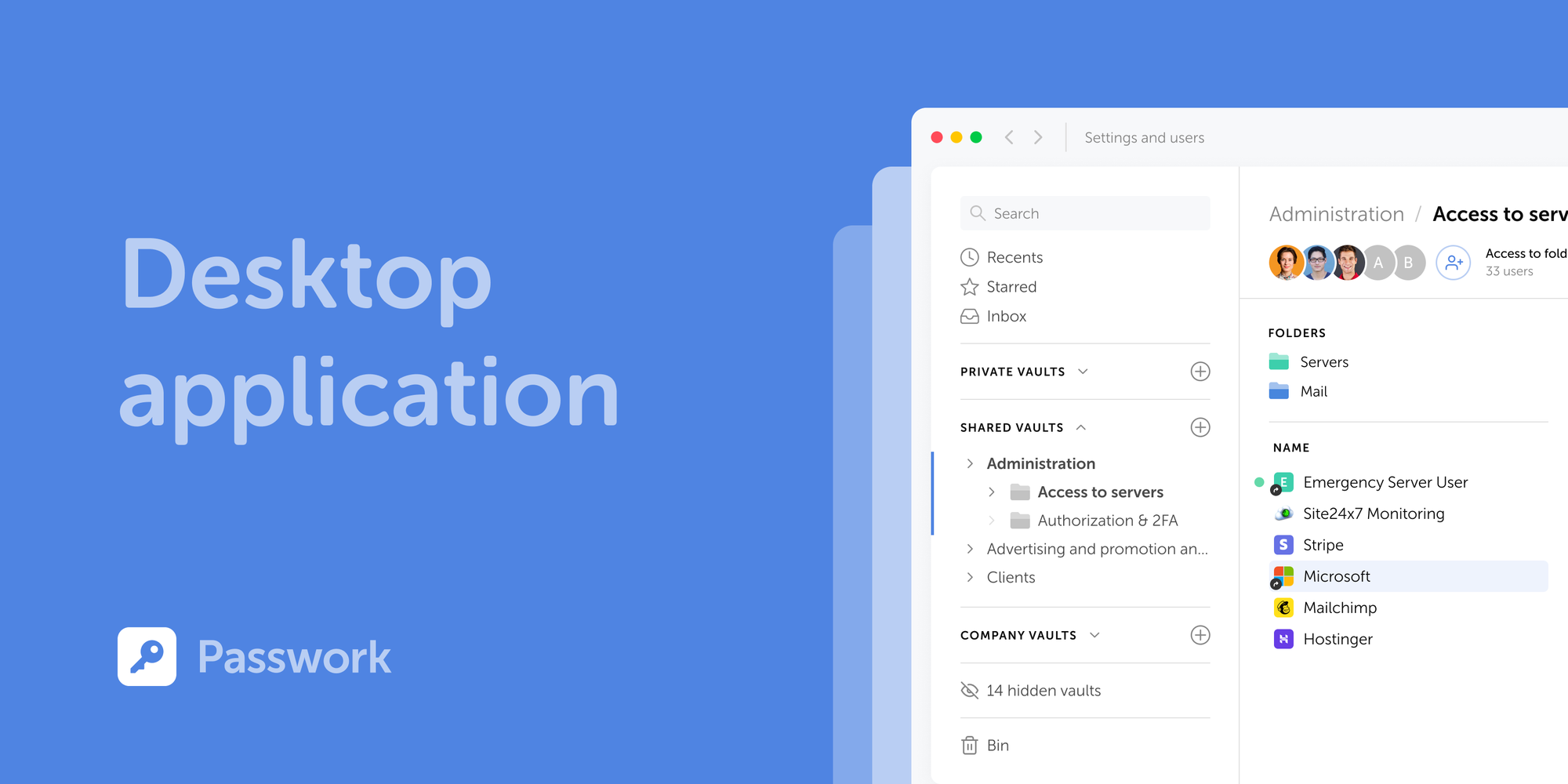
 Ana Moore
 Eirik Salmi